#🏞|general-with-images
1 messages · Page 24 of 1
 fiery lichen
 fiery lichen
1st the trains...now the power plant
things are getting old and need replacements, or they are all gonna line up to blow up
fiery lichen
In seriousness, that plant operation company will be sued
The state residents will mount a massive lawsuit
 dense tapir
They should not only be sued but all higher ups in prison as I thought it was illegal to keep those incidents to themselves?
fiery lichen
It probably is
dense tapir
I mean ffs you could have a spill like that and 30 million dead just melt
fiery lichen
also the nuclear authorities...they have a system of incidents seriousness, this has to be up there.
how they kept this under the table since November is beyond me
dense tapir
So much corruption dating back to the 90s
 smoky oak
truthfully, it was probably a very minor amount of radiation, and also 400,00 gallons is like nothing in terms of consumption
But yes, it is still BULLSHIT
fiery lichen
Drink bottled water for the foreseeable future
dense tapir
Naw, no dick licking here it was a radioactive leak
smoky oak
dense tapir
Naw, no dick licking here it was a radioactive leak
awww, my favorite pass time lol
dense tapir
figured
fiery lichen
smoky oak
truthfully, it was probably a very minor amount of radiation, and also 400,00 ga...
the news says something along the lines of tritium safety level in everyday water 20k, current reading in the millions. I don't know what that means, but sounds bad.
smoky oak
I am not trying to downplay the severity of this at all BTW
smoky oak
dense tapir
figured
Uh
dense tapir
Well, radioactive materials is on a whole other level than say paint, or oil spills
fiery lichen
yes, cuz it does not go away easily, and messes up biostructure down to cell level.
dense tapir
yes
smoky oak
It still makes me wonder how severe it really was on an impact level
dense tapir
half life and all that so best to just come clean and start the neutralization process
fiery lichen
who know how far away that water has travelled to since November down the Mississippi
fiery lichen
smoky oak
It still makes me wonder how severe it really was on an impact level
I don't know, just got the news an hour ago. They will surely find a scientist to come speak tomorrow morning
dense tapir
yes, which is where we get our drinking water. I don't drink it, btw, but to bathe/shower in it and if it were radioactive
smoky oak
I feel like this chat got really extremist all of a sudden. Or maybe it was like that before and I didn't realize
smoky oak
dense tapir
figured
I am still stuck on this
fiery lichen
I don't know how, but somehow youtube recommended me that news...maybe they picked up words from our chat here
linked accounts and all
smoky oak
I am assuming that was supposed to be a derogatory or offensive remark of some kind
smoky oak
fiery lichen
I don't know how, but somehow youtube recommended me that news...maybe they pick...
I wasn't referring to you, if that makes you feel better
You're chill
and yeah, that is some BULLSHIT
dense tapir
Well, I say that due to yesterday and the hot hunks and you said more of that. Now day before yesterday.
smoky oak
yeah, ok
dense tapir
😛
fiery lichen
Now I go look up on what ordinary people can do to purify that kind of water. Not an ordinary water purifier can treat that for bath water.
smoky oak
Excuse me for not automatically ruling somebody as judgy as you out for being hateful lol
smoky oak
fiery lichen
Now I go look up on what ordinary people can do to purify that kind of water. N...
It was like 5 months ago. By now all damage would be done, and it would have been completely diluted
fiery lichen
for future cases.
smoky oak
ah, fair point
Oh, reverse osmosis works
RODI would be the best bet
Luckily, I have an RODI filter for my aquariums lol
but RODI water isn't safe to drink pure
fiery lichen
plus, we don't know if some of that water has gone up into the clouds and dumped down as snow all over north america
dense tapir
Of course it has
fiery lichen
maybe the chinese spy balloon was coming to check this weather out
smoky oak
fiery lichen
maybe the chinese spy balloon was coming to check this weather out
LMFAO
Ok, that was good haha
they were just peepin the weather lol
fiery lichen
they have a shit load of nuclear plants near coastal cities...they are relatively new but one day...
and most of their population are in those coastal cities
so that wanna see that nuclear rain effect up close
smoky oak
nuclear fission is a great tech, assuming people give a shit about what they are doing. Honestly, fission waste and power management is stupid easy. It takes a special kind of lazy/stupid to mess it up
you have to be needlessly reckless for something like a leak of that magnitude to occur
Just like how Chernobyl was a shit ton of bad practices and fuck ups in a row
poorly made reactor that isn't serviced well that has faulty fail safe systems being run by an untrained staff. Who could have seen that coming
fiery lichen
As long as there are people in charge, there is always a chance that something needlessly reckless or stupid occuring.
smoky oak
Yeah, thats fair
the thing that interests me is how the fallout of Chernobyl hasn't gone anything like it was supposed to
or was predicted to
fiery lichen
the mutations "look" minor. like the trees, animals and insects have defects, but we have not caught 3-eyed fish yet
some weird catfish but not 3 eyed
smoky oak
I was referring to the completely fine dogs that were found to have no increased radiation in their systems, regardless of being born and raised in that region for generations
so safe in fact that they were rescued and put up for adoption across the world after extensive research was conducted on them
It almost suggests that elongated radiation affects are now what we previously thought. Not saying its not dangerous, but that shouldn't be possible at all based off of what we know about nuclear fallout and the half life of the particulates that were released into that region
They found that the radiation tied to the dogs was strictly on their fur, and not coming from them. Wash them and they are just dogs
which is not in line with the damages done to various other species
dense tapir
 fiery lichen
the red forest
dense tapir
I submitted a ticket to the author of that extension in hopes they can help me get the contrast back. Apparently it works perfect in 1.5
not even contrast loras will bring it back if that extension is on.
smoky oak
its likely a last step sort of filter that results in the negation of LoRA and model effects
dense tapir
Well, it works with loras but possibly not with contrast loras which 2.x must have
smoky oak
interesting
dense tapir
2.x can't get darker pics otherwise
I was the first one to find this anomaly in 2.0 and emad said he was looking into it, or his people, but honestly it is a clip issue and a diffusion issue
diffusion the loras semi fixed but the clip is the part where I prompt "a dark field in Minnesota with a lone dimly lit cabin in the distance" and it is almost as bright as day and thre a BIG lightbulb on the ground at my feet.
 opal tangle
Beta Princess Mononoke Scenery LORA out https://civitai.com/models/20942/princess-mononoke-scenery-background-style-ghibli


This one took me a very long time and lots of photoshop work to create enough images, I really hope you like it, example use: scenery, in the style...
dense tapir
so many people tried and failed to finally admit forget it
even the white knights for SD came charging in to defend it to finally admit I was right. That was sad and funny at the same time though I am used to it nowadays. The fix, full fix, must come from SAI.
I am 100% unsure what SD did here.
 smoky oak
I am still trying to figure out why ultimate SD upscale is so bad with landscapes


 smoky oak
that one looks way better for a standard generation for sure
dense tapir
Yeah, I had to ditch the extension or no go
smoky oak
I always want a full dynamic range image, so I can edit it as I want
dense tapir
Hard to get that in SD
smoky oak
Gimmie a section that has pure black, and a section with pure white, and I can adjust as I want


 smoky oak
yeesh lol
dense tapir
hehe

Now we're talking


That is the image I would like out of SD
that is post processed in PS
smoky oak
man, you are just crunching the hell out of these images lol
dense tapir
 smoky oak
shoos
dense tapir

Why can't I get the second image out of SD?
As if we are missing something, a final piece of the puzzle


 smoky oak
I FINALLY FIGURED IT OUT WOOOO
oh my goodddd
I finally have really good ultimate upscale with landscapes!


Yessss
Oh my god yesss


 glossy herald
the details are really good !
 glossy herald
gigapixel ?
smoky oak
this was generated at this res
glossy herald
damn
dense tapir
 smoky oak
I am gonna go for 3x cause fuck it lmao
glossy herald
Tiled VAE extension ?
smoky oak
That is a 5120x2175 res generation out of SD
😩
trying 3x rather than 2x
this is gonna take a bit lol
glossy herald
I saw that post talking about a similar feat yesterday : https://www.reddit.com/r/StableDiffusion/comments/11tuzov/for_anyone_who_isnt_already_aware_of_it_tiled_vae/
 smoky oak
oh wow, that one looks pretty great too :>
glossy herald
comments seems to not all have as good a result though
smoky oak
looks like this upscale is gonna take about 9 minutes
glossy herald
some have really visible seams
smoky oak
glossy herald
comments seems to not all have as good a result though
I am using ultimate SD upscale, which also uses tiles and then blends them together. But this one has a built in seam fixer
I have had amazing results with animals, but now I know how to go way past that
dense tapir


 glossy herald
damn I didn't post my morning cute cat, that reminds me
smoky oak
I am confident I could do WAY better now
 static tusk
smoky oak
I have had amazing results with animals, but now I know how to go way past that
static tusk
smoky oak
I have had amazing results with animals, but now I know how to go way past that
so your blurriness was just a matter of finding the right denoise?
smoky oak
it had nothing to do with denoise actually
It was a lack of steps
the math on how steps work wasn't at all how I thought
static tusk
yeah steps and denoise. thats what you need to figure out
smoky oak
.075 denoise at 50 steps is only 3 steps in img to img
glossy herald
denoise multiplies the quantity of steps (unless you use the option to force the steps). yeah it can be surprising
smoky oak
I only noticed that most of my gens were doing 0 steps after I looked at command prompt
glossy herald
there is an option thought, to always do the quantity of steps you asked whatever the denoise
smoky oak
so I would get the exact same output, but at a higher res (so no new detail, just softer aliasing)
now instead of the 0-5 steps it was doing, its doing ~20 steps per tile
glossy herald
so
smoky oak
its a lot of time, but this isn't synthesized detail, its generated detail. Its not just looking at pixels and making them up, its regenerating each one
got me hyped over here
4k wallpapers are so easy to do now, OMG
glossy herald
1/ you generate a normal size picture
2/ it's upscaled, split into tiles, each is done in img2img (highres fix)
3/ more tiles are generated on the seams to make it fixed better, still the same prompt for all tiles
4/ stiched together
that's about it ?
smoky oak
yeah, though I am not even using seam fix as the denoise isn't high enough to need it
glossy herald
I'm trying to break it down to reproduce in comfy
smoky oak
oh, and it also adds a pixel sharpener/upscaler at the end
to get better pixel per pixel detail, cause per pixel detail is a little fuzzy in SD
dense tapir
 smoky oak
please let me know if you get it in comfy. I would love to try
static tusk
The problem is one group of settings doesnt work for every gen, I found. You still need to play with it
dense tapir
which sucks
smoky oak
also, now that I think about this... I could upscale photographs like this. generate new detail rather than enhancing preexisting issues/short comings
dense tapir
BINGO
smoky oak
also, really satisfying command prompt lol
 dense tapir
photo restoration using SD is already a thing
 dense tapir
I did restoration the old way by hand and 100 hours was not uncommon on bad photos


 dense tapir
If I had a 4080/90 I would be genning at 50 steps DPM++ SDE Karras

 smoky oak
the noise in the sky?
dense tapir
Yeah, and the smoke trail
smoky oak
yeah, i could fix that no problem in post
dense tapir
of course but if it is there on that simple I dunno
maybe it has an issue with gradients? Seen that before
smoky oak
dense tapir
of course but if it is there on that simple I dunno
It uses the same seed for every time it makes, which is annoying
I wish there was a way to get it to use a different seed for each tile
in my old much worse gens, you could really see it
like this massive failure lol


 smoky oak
glossy herald
there is an option thought, to always do the quantity of steps you asked whateve...
smoky oak
glossy herald
there is an option thought, to always do the quantity of steps you asked whateve...
Do you know how to enable that step force thing?
glossy herald
smoky oak
Do you know how to enable that step force thing?
 glossy herald
it can help for sure
there are lots of useful options in there
color correction is also quite good when doing loopback
(puting your previous img2img output as input, for doing animations)
smoky oak
ahh, to fix with hue shift and tone shift?
glossy herald
exactly
problem is that it forces the color balance to stay the same too
so it can be bad for variety
glossy herald
yep
it's something I had added to the quicksetting (the top bar) when I did lots of animations
smoky oak
so, is there an easy way to remember how to add things to the top bar?
I have my VAE thing added
glossy herald
(just in case somebody doesn't know, you can add any setting from the Settings tab to the quicksettings, the top bar where there is the model selection dropdown. Just add the name of that option in the "Quicksettings list" here)
find all the options names here : https://github.com/AUTOMATIC1111/stable-diffusion-webui/blob/master/modules/shared.py#L317
 smoky oak
how do we find those names? Thats the issue I am having
glossy herald
well, you go into that link, find the name of an option, let's say "outdir_samples"
smoky oak
oh sorry
glossy herald
and just add it to that list, using a "," to separate
smoky oak
I thought it was the screenshot link lol
glossy herald
sd_model_checkpoint,sd_vae,outdir_samples
then apply settings/reload UI
and it's done
glossy herald
yeah
all the tabs
easier way is to look for the option you want in the UI
and then CTRL+F in github to find it
smoky oak
yeah, makes sense
glossy herald
using the text displayed in the UI
smoky oak
oh, I also wanna turn off all jpg copies
glossy herald
as far as I know, they don't expose those names any other way than in the code
smoky oak
cause all of my img to img images save as .jpg and.png, and it just uses more space
aha

found the culprit
 smoky oak
oh weird, our UI's look different
glossy herald
I can change the file size limit
smoky oak
ahhh
glossy herald
you should git pull
smoky oak
sorry to pester, could you remind me how to do that?
glossy herald
open a console in automatic folder (click in the adress bar in the good folder and type "cmd")
and type "git pull" in it
glossy herald
no problemo 🙂
it's how all git code update works if you don't code
it's a lot more complicated once you start to code lol
smoky oak
I can do a ton of shit, coding is not one of them lol
glossy herald
(it's also why you should NOT modify the files that aren't in the .gitignore. if you modify one, it will think you are working on the code and won't just pull anymore)
all files in the gitignore (it's just a text file you can look at) are files that are specificaly made for the user to change
sorry I got on a git lesson there
dense tapir
I could not get pytorch2 to work 😦
RuntimeError: CUDA error: no kernel image is available for execution on the device CUDA kernel errors might be asynchronously reported at some other API call, so the stacktrace below might be incorrect. For debugging consider passing CUDA_LAUNCH_BLOCKING=1. Compile with TORCH_USE_CUDA_DSA to enable device-side assertions.
I upgraded to 12.1 the nvcc inside auto is 12.1 but not happening
apparently pytorch may not run on my 1060
glossy herald
#🤝|tech-support may know better, I'm really not sure what to say on that one
dense tapir
No big deal no one can say but I do see 1660 and 1650 have the exact same error
Apparently Pytorch may actually not be for any cards pre Ampere until they compile a version for us.
Might also be their gains are due to using Tensor Cores which would eliminate even universites.
ewww,
12.1 has messed this all up so rolling back
Looks like that may be what they are doing so cards without Tensor Cores are screwed. All cards prior to Turing, 1660/1650 and M40/P100/P40/etc... that universities, and research facilities, use every single day.
 sterile kiln
dense tapir
Apparently Pytorch may actually not be for any cards pre Ampere until they compi...
sterile kiln
dense tapir
Apparently Pytorch may actually not be for any cards pre Ampere until they compi...
I think only RTX works with it
 analog zinc
Created entirely with AI. https://www.youtube.com/watch?v=Cexmsxh6xfI
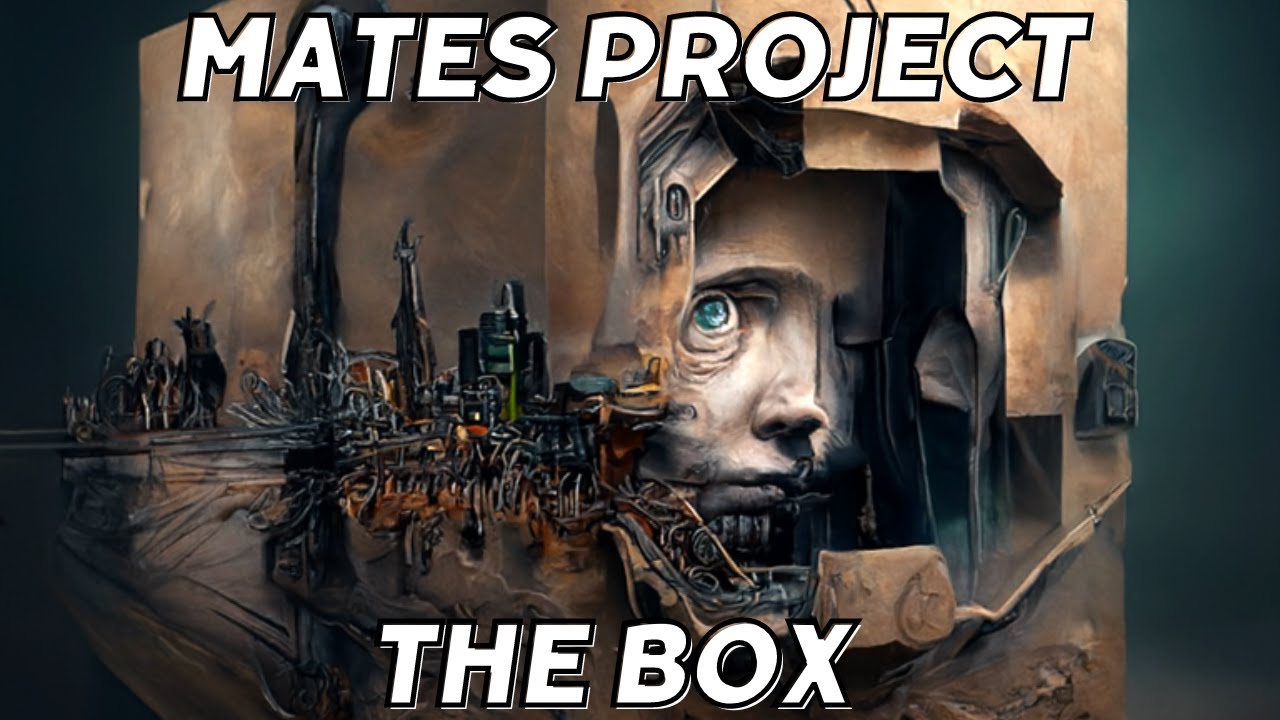
The video was created entirely using AI.
"The song features excerpts from Thracian Dances Suite (1925), No.2 Rachenitsa by Petko Staynov."
Miroslav Markov - Bass
https://www.youtube.com/@miroslavmarkov1245
Elena Ivanova - Vocals
Alexander Page - Lead guitars
https://www.youtube.com/watch?v=B6EnzPVQ2Cg
Apostol Stefanov - Guitars and synths
http...


 glossy herald

 fresh hound


Welcome Miss Granger. You're probably wondering where you are right now. In the muggle world, we call this...the Matrix.


There is no magic here. you need to learn to fight.
 sterile kiln
smoky oak
look how big this image is lmao
sterile kiln
smoky oak
look how big this image is lmao
What did you used, or how, to enlarge this image?
fresh hound
She's beginning to believe!


I think you're ready for whats out there now, Miss Granger.


 sterile kiln


 fresh hound
my brother as Hulk lol

 ocean viper
Темно зелёное кресло в большой комнате в современном стиле
glossy herald
looking for the bot ?
 crystal deltaBOT
@ocean viper
FAQ: How do I generate images? Is there a bot on the server?
Currently, there is no bot on the server that generates images. However, there are plenty of other ways such as the official https://beta.dreamstudio.ai/ website or by running Stable Diffusion locally using your own hardware! Check out #1080946152318443610 for more details! You can also stop by #1025467151206854736 for any issues you experience while using DreamStudio or #🤝|tech-support for any problems you encounter while installing it locally!
ocean viper
#1080946152318443610 Темно зелёное кресло в большой комнате в современном стиле
 frigid vigil
I will index all the things
glossy herald
that's a lot of resources
 sterile tangle
Wonder cat
crystal deltaBOT
@sterile tangle
FAQ: How do I generate images? Is there a bot on the server?
Currently, there is no bot on the server that generates images. However, there are plenty of other ways such as the official https://beta.dreamstudio.ai/ website or by running Stable Diffusion locally using your own hardware! Check out #1080946152318443610 for more details! You can also stop by #1025467151206854736 for any issues you experience while using DreamStudio or #🤝|tech-support for any problems you encounter while installing it locally!
fresh hound


Randy from My name is earl, Jim from the Royle Family and Frank Gallagher from Shameless UK


 neat yew
#🏞|general-with-images make a luxury restaurant menue
glossy herald
sorry but we don't have a bot for that
crystal deltaBOT
@neat yew
FAQ: How do I generate images? Is there a bot on the server?
Currently, there is no bot on the server that generates images. However, there are plenty of other ways such as the official https://beta.dreamstudio.ai/ website or by running Stable Diffusion locally using your own hardware! Check out #1080946152318443610 for more details! You can also stop by #1025467151206854736 for any issues you experience while using DreamStudio or #🤝|tech-support for any problems you encounter while installing it locally!
dense tapir
sterile kiln
I think only RTX works with it
Nope, I am in touch with them and it should work on all cards so we are in the "why not" phase.
glossy herald
welcome around here, but why are you posting clothes ?
is that made with SD? feels like a real clothing
 sharp schooner
#🏞|general-with-images message اصنع تسويق

 storm badger
Used deliberate model,prompt,some lora to have a bit better contrast,face enhancement by little factors of gfpgan,codeformer mix,double esrgan model pass 4x and 1x models,extra pass with gpen.Then used xnview mp to add 3 filters on top of each other to have some feel of color grading.Last step at photoshop to add some depth blur ,some extra color grading,fixing hot spots,adding some grain to bring some life and overcome the banding issue and did some retouch.I ignored the white balance for sure to have a bit of cinematic look.

raw image incase...
 glossy herald
5187x1459

 hushed marten
glossy herald
5187x1459
hushed marten
glossy herald
5187x1459
Outpainting x100?
glossy herald
hushed marten
Outpainting x100?
nope, single generation
Hires. fix
resize: from 1820x512 to 5187x1459

I'm quite amazed tbh
a little duplication for sure
hushed marten
Very cool
Unfortunately I don't have such an extreme widescreen monitor to use it as a wallpaper 😛 I need to stick to 16:9
 storm badger
They really look cool @glossy herald
storm badger
wooops,my 1080 ti will possibly cry in 30 min then 😄

 hardy tulip
glossy herald
hardy tulip
glossy herald
this looks beautiful
glossy herald
dancing river in a secret magical forest by Nico Marlet, by Andy Park, by Jason Chan, by Jason Chan, Félicie Haymoz, Luke Pearson, Senior Character Artist, highly detailed, artstation trending, art by ilya kuvshinov and greg rutkowski and wlop, cinematic lighting, very detailed, hyper-realistic, unreal engine, octane render
Negative prompt: monochrome, (low quality, worst quality:1.2), (multiples views:1.2), wrong hands, deformed fingers, author signature, text, watermark, nsfw
Steps: 58, Sampler: UniPC, CFG scale: 15.5, Seed: 822315003, Size: 1820x512, Model hash: c4947fa2c4, Model: DB_mix_realbiter_v10, Denoising strength: 0.44, Hires upscale: 2.85, Hires steps: 30, Hires upscaler: SwinIR 4x
thanks, it has a little too many rivers
I'm trying a group of pixar monsters right now
storm badger
These can be used for inpainting.Nature photos seems to work better than chars.Can also be mixed with control net to have some double exposure effect and maybe some more...
glossy herald
and next a sprawling city in a cute cartoon


any prompts for 1920x1080 backgrounds for a change ?


 glossy herald
hushed marten
Unfortunately I don't have such an extreme widescreen monitor to use it as a wal...
glossy herald
hushed marten
Unfortunately I don't have such an extreme widescreen monitor to use it as a wal...
here are some


 hushed marten
Nice ones

 hushed marten
They all look awesome!
 dense tapir
sterile kiln
I think only RTX works with it
dense tapir
sterile kiln
I think only RTX works with it
It is looking more and more like an Xformers issue (nothing but trouble with that for a lot of people if you try to leave its sandbox).
glossy herald


trying to make DJ bear

let's keep on the DJ series
DJ dog


to be fair to the hands, it's a dog
 dense tapir
@sterile kilnThank you! This confirms that PyTorch is able to execute code on your GPU as already mentioned. Yep, Xformers is the issue not pytorch 2.
glossy herald
he's gone to bed I believe
party cat, last ones


and now time for bed, see you everyone
smoky oak
glossy herald
Oh man, these look straight out of midjourney. Nice work!
Very very nice color profiles
dense tapir
@smoky oakWell, it worked
 half quest
Create ancient Muslim warriors
dense tapir
@smoky oak xformers is the culprit so I had to --no-half due to no fp16 on these cards so I was met with OOM. I then fell to 512x512 on one of my old 1.5 models and 2s faster on this old card than when pytorch1 and xformers. If I can get xformers working too that will be dope.
smoky oak
dense tapir
<@296720689468145664> xformers is the culprit so I had to --no-half due to no fp...
Wait, so what did you fix?
dense tapir
I installed pytorch2 last night and spent the day working with the pt2 devs. Xformers is why I couldn't use it not pytorch2
any 2k+ card will have no issues
1k, or less, we are all DOA
smoky oak
I am saying is it an issue cause xformers works different on tensor enabled cards. Which would be all 2k+ cards
dense tapir
20-22s was my normal gen time in 1.5 with xformers now it is 18s without
smoky oak
nice!
dense tapir
possibly
smoky oak
Imagine how fast you could go once pytorch 2 and xformers are working together
dense tapir
the problem is 6gigs isn't going to cut it for 2.x
yes
I am excited
from what the devs are saying it is the wheel being used they compiled it wrong, and they have no idea who arrow is.
all you 2k+ cards do is 3 lines in a command window and done
This harkens back when I had to compile my own in 1.5.
care to try it as I know you know cmd windows and stuff?
I am dying to see how much faster you get
half quest
#1072220168534642768 create ancient Muslim warrior
@smoky oak how to generate image's
dense tapir
no bots on this discord need local
smoky oak
dense tapir
care to try it as I know you know cmd windows and stuff?
yeah sure, if you can explain how to do it
this will be installing pytorch 2 for automatic 1111?
so like full program pytorch 2?
dense tapir
Yep
smoky oak
awesome, if you have info on how to do it. I can
smoky oak
one moment
dense tapir
sucks as I just installed the latest dev version of xformers and it downgraded me so I must compile it locally. Not a big deal I just need to go find out how again as it has been a minute.
let me know when you are ready
smoky oak
ok, i am back, sorry@dense tapir
dense tapir
"./venv/Scripts/activate" - with those quotes on the command line in the root folder automatic1111
dense tapir
yes
smoky oak
ok, it did it
dense tapir
prompt should be (venv) blah blah now
dense tapir
dense tapir
make sure auto isn't running
smoky oak
72MB/s
dense tapir
DAMN
smoky oak
dense tapir
make sure auto isn't running
I have learned from my mistakes in the past. I close it every time now haha
dense tapir
LOL
smoky oak
ok, its done
dense tapir
damn
smoky oak
oh, its installing others now
yeah, our internet is nasty here haha
500/500 fiber. Sometimes up to 600/600
dense tapir
well, that was a typo
smoky oak
what was a typo?-
smoky oak
its doing this
 dense tapir
tell me when done
dense tapir
pip install --no-deps --force-reinstall https://github.com/ArrowM/xformers/releases/download/xformers-0.0.17+b6be33a.d20230315-cp310-cu118/xformers-0.0.17+b6be33a.d20230315-cp310-cp310-win_amd64.whl
smoky oak
done
dense tapir
that is the pos that does not work for sub 2k+ cards (turing)
smoky oak
alright
dense tapir
well, xformers compiled for me
smoky oak
ok, thats new
smoky oak
applying xformers cross attention optimizations
smoky oak
dense tapir
do you still have that cmd window up?
I do not
I closed it before launching
dense tapir
fire it up and get back venv
smoky oak
alrighty
smoky oak
back in
dense tapir
Versions of relevant libraries:
[pip3] numpy==1.23.3
[pip3] open-clip-torch==2.7.0
[pip3] pytorch-lightning==1.7.6
[pip3] torch==2.0.0+cu118
[pip3] torchdiffeq==0.2.3
[pip3] torchmetrics==0.11.4
[pip3] torchsde==0.2.5
[pip3] torchvision==0.15.0+cu118
[conda] No relevant packages
Yours say that?
smoky oak
it gave me an error-
 dense tapir
(venv) D:\stable-diffusion-webui>python -m torch.utils.collect_env
Collecting environment information…
PyTorch version: 2.0.0+cu118
Is debug build: False
CUDA used to build PyTorch: 11.8 goes on with a ton of stuff
smoky oak
full error
smoky oak
it closed itself-
I am opening again
ok, i am back in
do I run the python thing again, or just do the nvcc?
dense tapir
get the venv prompt
smoky oak
nvcc is not recognized as a command
smoky oak
 dense tapir
shit, you are missing cuda
smoky oak
oh fuck lmao
that seems like an oversight lol
is it cause I use studio ready drivers?
dense tapir
no, it is a separate download
smoky oak
I just downloaded new drivers last night, but forgot to apply them
smoky oak
dense tapir
no, it is a separate download
ah, alrighty
dense tapir
not drivers you are missing the cuda toolkit
smoky oak
ahhh
dense tapir
which is cuda, lol\
smoky oak
do I download cuda 12?
dense tapir

No, I don't trust it
11.8
I tried 12.1 (the latest) and meh
now this is about to get ugly
but you gotta do it
dense tapir
smoky oak
I closed all command prompts. I assume A1111 would be a conflict
smoky oak
See, I am not excellent with code, but I consider myself a fast learner haha
dense tapir
works for me
smoky oak
its downloading
smoky oak
alright, download is done. I just run it as an exe now?
smoky oak
dense tapir
Basically, you have been gimping along on three wheels
are you suggesting that I could have been running faster/better this whole time?
ok, its extracting
dense tapir
yes
smoky oak
so I am about to get a double speed boost? lol

 smoky oak
oh, new discord themes just dropped for me
 snow belfry
I have been trying to apply painterly style to this image and the results are not bad. But some of the details in the background are getting lost, tried less denoise but then the applied style is barely visible.


Any controlnet tricks to highlight more details of the background?
I'm fine with losing details of the character. I can isolate the character and apply style separately
 wispy nest
What have I done...
 smoky oak
Alright, so @dense tapir and I have tested the new pytorch 2 for SD A1111 and we have come to the conclusion that its actually a bit slower
not sure why
 celest geyser
 dense tapir
Yep, I am going back to 1
even slower without xformers so it is not slower due to some oddity in xformer from PT1 vs 2
smoky oak
Hey guys, realistic vision 1.4 is no longer exclusive to Fantasy AI. He released it to the public!
its not a massive improvement, but things look consistently better IMO

(no xformers noise, these are checkpoint differences)


1.4 seems to listen a bit better, and also creates better looking faces IMO
glossy herald
 smoky oak
just been trying pytorch 2 A1111, and realistic v1.3/1.4
pytorch 2 A1111 is... disappointing
smoky oak
for me and @dense tapir its consistently a little slower
for me I go from 10.5it/s to like 9.9it/s
and he is hit a lot harder
glossy herald
ouch
smoky oak
yeah, sad times
glossy herald
photo portrait of a soft fluffy cat, hat, cape, long fur, sky, solo, elegant, ultra detailed fur, dynamic pose, beautiful garden, rising sun, insanely detailed, highest quality, fur texture, intricate details, (cinematic lighting), RAW photo, 8k uhd, dslr, hdr, gloomy,depth of field, rim lighting, two tone lighting, dimly lit, low key
Negative prompt: airbrush, photoshop, plastic doll, plastic skin, easynegative, monochrome, (low quality, worst quality:1.4), illustration, cg, 3d, render, anime
Steps: 60, Sampler: UniPC, CFG scale: 15.5, Seed: 2761464684, Size: 960x544, Model hash: c4947fa2c4, Model: DB_mix_realbiter_v10, Denoising strength: 0.44, Hires upscale: 2, Hires steps: 30, Hires upscaler: R-ESRGAN 4x+
 smoky oak
difference is consistent with xformers for me
so like 7.8/7.2 no xformers
and 10.5/9.9 with xformers
so I am back on old pytorch, cause its faster
very disappointing ._.
glossy herald
why was I using 15.5 CFG on UniPC....
smoky oak
lmfao
smoky oak
dogn't
 smoky oak
I usually use low CFG all the time
glossy herald

 glossy herald
well, taking a break for now, but I'll make more later
smoky oak
but I do see benefits
dense tapir
yep
glossy herald
I'm loving the quality this extension lets do
smoky oak
what extension?
glossy herald

GitHub
MultiDiffusion implementation with VAE VRAM optimize - GitHub - pkuliyi2015/multidiffusion-upscaler-for-automatic1111: MultiDiffusion implementation with VAE VRAM optimize
it's what I used for all those 5120x1440 I did last night
smoky oak
ah
glossy herald
smoky oak
its seems like a worse version of ultimate SD upscale
I can try it, but it just seems like worse ultimate upscale
 smoky oak
I can do 8k gens on a 3060ti with it
and they look damn good

(a little artifacting in the sky)
7680x3264
glossy herald
I'll try it too, see if the composition ends up better than on mine, especially on 32:9
smoky oak
1x

2x

3x

(the 8k one^)
let me try tiled VAE
maybe they can be used together for outrageous res outputs haha
dense tapir
for me 1:26s became 1:30s
smoky oak
yeah, multidiffusion/tiled VAE just seems like way worse ultimate SD Upscale
results look nowhere near as good, and the res is limited in comparison, from my quick test
though it is wayyy faster
but I would rather wait for a way better result
2x res upscale with MultiDiffusion and Tiled Vae

2 minutes 33 seconds
dense tapir

DAMN AssertionError: composition via AND is not supported for DDIM/PLMS samplers


 static tusk
I got around to installing torch 2.0
dense tapir
slower for us
smoky oak
static tusk
I got around to installing torch 2.0
lowkey sucks lol
static tusk
end result is I dont see any speed improvement
smoky oak
its slower for us
static tusk
its basically the same
dense tapir
for me 1:26 became 1:30m
 north anvil
Hello, i made some videos, check it out and tell me if you like one: https://www.youtube.com/@AI_stuff
 dense tapir
I am back on V1
static tusk
the difference is small so I will leave it for now
dense tapir
fact is those gens above are the first time I have gen'd in 1.5 since 2.0 dropped
north anvil
Not sure if frame by frame is good or maybe i have to change every 2 frames?
smoky oak
whut
dense tapir
I miss all my lovely embeddings and loras from 2.x
glossy herald
north anvil
Not sure if frame by frame is good or maybe i have to change every 2 frames?
using deforum to make this ?
I would add some interpolation maybe, to help with the jitter
less keyframes, like 20/s, and 40 frames interpolated for 60fps fluidity
I did quite a lot of those once upon a time
 dense haven
Hi, so I've used the ABG Remover to generate thesr images with alpha maps...? How do I use them to remove the backgrounds? I have Photoshop

 north anvil
glossy herald
using deforum to make this ?
north anvil
glossy herald
using deforum to make this ?
Yes
glossy herald
smoky oak
@glossy heraldJust so you know, I think you will like ultimate SD upscale. This is a comparison
glossy herald
here is the best one I got on those animations
glossy herald
smoky oak
<@223150786929098755>Just so you know, I think you will like ultimate SD upscale...
I'm installing it and was about to do a comparison on same seed
dense tapir
Using some of my old embeddings, yes
 smoky oak
Base image (2560x1080)

Multidiffusion 2x upscale

took 2 minutes 6 seconds
vs ultimate SD upscale, which took around 1:20
 dense tapir
I downloaded that and deleted it
smoky oak
yeah, multidiffusion seems to just be worse ultimate SD upscale
dense tapir
yeah, and omg 15+ m
smoky oak
multi
 dense tapir
 smoky oak
ultimate
 north anvil
glossy herald
less keyframes, like 20/s, and 40 frames interpolated for 60fps fluidity
north anvil
glossy herald
less keyframes, like 20/s, and 40 frames interpolated for 60fps fluidity
Have to experiment more, but i like the trippy frame by frame effect
dense tapir
these are not bad for no upscaling, 1.5 at 768x768
smoky oak
yeah, multidiffusion gets a no from me
glossy herald
let's try
smoky oak
more VRAM, slower, more noise, less proper output
glossy herald
resize: from 1800x512 to 5130x1459
smoky oak
its important you know how to use ultimate SD upscale
dense tapir
I wonder what its claim to fame is supposed to be?
smoky oak
dense tapir
I wonder what its claim to fame is supposed to be?
no idea, its worse in every way, from my early testing
glossy herald
for now I clicked "enable" only, we'll see
dense tapir
yep

 smoky oak
glossy herald
for now I clicked "enable" only, we'll see
smoky oak
glossy herald
for now I clicked "enable" only, we'll see
no, that doesn't work
glossy herald
you put bigger tiles ?
smoky oak
use these settings
 dense tapir
Interesting as I am used to the new clip now
 smoky oak
you wanna scale 2x, you wanna use that upscaler
smoky oak
glossy herald
you put bigger tiles ?
you can, I go from 512-1024, depending on my mood lol
dense tapir
512 I take it because 1.5?
glossy herald
smoky oak
use these settings
I'm not sure I'm using the good extension there
smoky oak
its ultimate SD upscale
dense tapir
Isn't that only for 1.5?
dense tapir
I thought it was its own model
smoky oak
it just breaks the image up into tiles, does them, and stitches them together
smoky oak
dense tapir
I thought it was its own model
oh no, its a script lol
thats why I can do 8k gens no problem
its just a shit ton of 512x512 images together lol
I wanna try an extreme one lol
dense tapir
well, damn I only have the SD upscale
smoky oak
687 tiles at 768 lmfao
I will do it, just to flex on the uninformed 4090 owners
wondering why they can't even do 4k, when I can do 16k
dense tapir
where is this script?
smoky oak
dense tapir
where is this script?
extension tab
dense tapir
oh
smoky oak
load from list, scroll down and find Ultimate SD Upscale
dense tapir
I was looking in the scripts drop down
smoky oak
it goes there when downloaded
dense tapir
that one always sucked
smoky oak
its the SD Upscale, but refined
dense tapir
oh, cool
dense tapir
I have need to upscale
smoky oak
trying 512 instead of 768
still 697 tiles
hmm...
I am playing with fire lol
please don't OOM
its still slicing tiles lmao
OUT OF MEMORY AGAIN

ok, trying 5x lol
12800x5400
still fucking massive
dense tapir
I so despise kohya scripts for additional networks as I told him hows about you stop changing folders when we update that you don't even change? Yeah, tired of having to resymlink them just because. Most devs put folders (like lora) on a blacklist to prevent changing them.
wispy nest
smoky oak
use these settings
Tile height 0?
wispy nest
aight
dense tapir
I brought that up because on 2.x we are forced to use that and he updates regularly
smoky oak
use denoise .2, and also use 50 steps
(will actually do 10 steps)
ok, something is wrong
5x failed with the exact same OOM, and its saying 697 tiles again
wispy nest
I'm not planning to use this upscaler , was just wondering
smoky oak
OHHH
glossy herald
well that broke my UI x)
dense tapir
@smoky oak Btw, you know my venv for PY2? It made my png info text dark on dark so I could not read it. I switch to PY1 and normal.
smoky oak
wow lmfao
 smoky oak
breh lol
glossy herald
best contrast
dense tapir
LOL
glossy herald
me neither, I don't like to see my text anyway
glossy herald
strange that a python version would do that
dense tapir
yeah
I switch back to 1's venv and back to norm
I noticed I was on 2 due to that text like that
glossy herald
last extension I just tried broke my venv, making one again rn
dense tapir
oh, don't you just loooooove that?
 glossy herald
it's... a script??? not an extension???
smoky oak
glossy herald
it's... a script??? not an extension???
its an extension script
glossy herald
you're an extension script
dense tapir
well, I am trying to figure out how to work it as I don't want to prompt I just want to upscale
smoky oak
I would recommend 50 steps, .2 denoise
smoky oak
dense tapir
well, I am trying to figure out how to work it as I don't want to prompt I just ...
it works better if you upscale with a prompt, that way it knows what its upscaling
dense tapir
ahhh, crap :*(
 smoky oak
I guess thats reasonable for a 15360x6528 image lmfao
glossy herald
just 100M pixels total
static tusk
I bet its blurry., if it finishes
dense tapir
50 steps of ddim?
smoky oak
dense tapir
50 steps of ddim?
yeah, at .2 denoise, its only 10 steps
trust the process
I know what I am doing :p
smoky oak
or, you can go into settings and force it to use the amount of steps you say, then just use 10
MUCH better
 smoky oak
dense tapir
cfg 7?
smoky oak
dense tapir
cfg 7?
yeah, should be good
dense tapir
I wish we could save this stuff as defaults
smoky oak
static tusk
I bet its blurry., if it finishes
lets see :p
smoky oak
dense tapir
I wish we could save this stuff as defaults
righhtttt
well, we might be able to, just a sec
dense tapir
 glossy herald
I'm going back to fluffy kittens not breaking my venv
smoky oak
bro
dense tapir
21 tiles so 21 images
smoky oak
I might be able to do a 100MP image in under 20 minutes lmfao
this is INSANE
8GB VRAM!
its only using 6.5 right now lol
smoky oak
dense tapir
21 tiles so 21 images
yessir
smoky oak
damn, my 7 step 1024x1024 tiles are 4.1s
I swear, if this works
I am gonna cease to exist
100MPX SD generation lmfao
I mean, I am upscaling a 25MPX SD generation, to be fair lol
so its 4x as much
its using 4 GM system RAM
and 6.5GB VRAM
I bet if I went to 1200x1200 tiles, this would be way faster
the slow part is actually stitching the images. So less tiles, more fast
the stitch takes longer than the tile gen
glossy herald
yeah, because it has the most limitations then, it's when it eats up vram
it does the same for me on higher specs
smoky oak
TBF, I am stitching a 100MPX image lol
 glossy herald
 smoky oak
I recommend using an image with at least 1.5x high res fix with ultimate upscale
dense tapir
The quality is unbelievable
smoky oak
have you not seen my 8k image? lmao
north anvil
glossy herald
less keyframes, like 20/s, and 40 frames interpolated for 60fps fluidity
Can you explain it better to me? Keyframe is not frame cadence, right?
smoky oak
I am past 50% done on the 100MPX image
dense tapir
btw, this was a happy accident and I rather like it

 glossy herald
north anvil
Can you explain it better to me? Keyframe is not frame cadence, right?
glossy herald
north anvil
Can you explain it better to me? Keyframe is not frame cadence, right?
keyframes is the term I use for the real frames I generate. 20/s means I have 5 seconds of video with 100 frames.
Using software like Flowframe, I then ask another AI to make more frames in the middle, to smooth things as if it was morphing from one pic to the next, and not jumping around in the details
here is an example I did, pushed to the extreme, I think it was 10 frames per second, and then interpolation up to 60 https://www.reddit.com/user/Hearthmus/comments/xstz0n/living_trees/
dense tapir
Anyone know how to use the new UniPC sampler?
smoky oak
Nope
dense tapir
crashed me
 dense tapir
well, comfy is so superior to auto but lacks a few things to make it really comfy
smoky oak
dense tapir
well, comfy is so superior to auto but lacks a few things to make it really comf...
for some people
for me its way worse
dense tapir
basically he needs to make a SD styled on DaVinci resolve
dense tapir
I gained
north anvil
glossy herald
keyframes is the term I use for the real frames I generate. 20/s means I have 5 ...
Ok now i understan what you mean, thank you... will try your tip
smoky oak
75% done
dense tapir
went from 50s to 35s
 smoky oak
D/GAR TEC/IR
dense tapir
One day, just any day now

 dense tapir
1.5 really gave me a bad image up there
 dense tapir
 dense tapir
I have no idea 1.5 is creating them
dense tapir
I love watching random stuff it creates
smoky oak
dense tapir
I love watching random stuff it creates
I hope in the future we get math filters for comfy UI
dense tapir
YES, I requested that
smoky oak
like where you stop the gen half way and apply a vector noise offset and just get FUCKED gens lol
I used to go super hardcore into blender procedural materials
dense tapir
even DaVinci resolve has that and FFT
smoky oak
98%!!!!
99%
HERE WE GOOOOOOOOOOOOOOOOO
waiting lol
its tsuck at 100%
IT
DID
IT
15360x6528
oh
RIP the sky lmfao
@dense tapirThe noise killed the sky lol

WORTH IT
static tusk
so how does it look?
smoky oak
its not pixel perfect quality, cause it ran no pixel filter, but hey lol
static tusk
other than the sky
smoky oak
just a sec
Original

2560x1080
1x

vs the 100MPX version

original

100MPX

fucking INSANE lmfao
static tusk
yeah looks good
smoky oak
only took 18 minutes
ok, it is soft, TBF

thats cause I couldn't run a pixel filter
but I can use AI upscaling on same res to fix :p
@static tuskI fixed it using an AI blur remover


I am at a loss of words lmfao
dense tapir
Oh, nice Kohya added .keep files thanks to my suggestion.

 dense tapir


reddit
419 votes and 89 comments so far on Reddit
GitHub
I'm playing around with the sample_dpmpp_2m function in the k-diffusion repo. I got a quality increase on my images by doing this trick/bug fix?. I need help to test out if this is just a f...

UniPC 8 steps 4s to gen

actually 6 steps
it is based off of ddim so has the same round of steps issues
it seems
 carmine jacinth
dense tapir
carmine jacinth
dense tapir
21 steps that was actually 19 steps and 15s for me

50 real steps 52 called for 41s to gen

I think I like this one


42s to walk through 20 real steps 768x768

@smoky oak Yep, unipc is ddim with a twist
north anvil
Flowframes interpolation is making everything wobbly... i don't like it
dense tapir
 north anvil
step motion has more effect
glossy herald
 glossy herald


 glossy herald


 glossy herald
Big cat 🙂

 glossy herald

 oblique nimbus
dense tapir
oblique nimbus
dense tapir
what are you using for this?
dense tapir
 dense tapir
oblique nimbus
what are you using for this?
dense tapir
oblique nimbus
what are you using for this?
Prompting
I don't use that controlnet stuff
 oblique nimbus
dense tapir
Prompting
oblique nimbus
dense tapir
Prompting
SD?
dense tapir
Yes, 2.1