#🤝|tech-support
1 messages · Page 155 of 1
 hot thorn
thoughts are linear af xD
btw, it seems that mollac was faster than the thing u mentioned
hot thorn
nah, im half dead, just changed webui options
 ornate elk
hot thorn
i updated my venv like today tho
ornate elk
hot thorn
i updated my venv like today tho
that doesnt help if your not on the updated version
you cant update a venv xD
only manually
hot thorn
so its: set GIT= and then?
 hot thorn
@echo off
set PYTHON=
set GIT=
set VENV_DIR=
set COMMANDLINE_ARGS= --xformers --cuda-stream
where?
oh
in that empty space
ornate elk
then save and relaunch
hot thorn
if it breaks my SD, when i want to go to bed in few min, im coming to ur house
oh ye, lots of files are being sucked in
i got ur trojan
ornate elk
it could break as the reforge dev says ReForge is "Unstable" and users should use Forge Neo xD
hot thorn
show mercy
ye, gonna do neo when i wake up
always wanted to know how to dodge bullets just by bending my back
? should i?

oh i see, the pin stuff is for better ppl
as in with better gpus
damn im poor
do i add that malloc in the end?
webui kinda nudges me
ornate elk
hot thorn
do i add that malloc in the end?
you can if you want
hot thorn
should i?
ornate elk
I wouldnt use it cause it could crash in the long run because of it
for a added millisecond of speed its not worth
hot thorn
aight, trust
now, to see if u didnt break my SD, and to embrace the bedsheets
oh ye, before i go, is it better use space or underscores in prompts?
ornate elk
space
hot thorn
why?
i even noticed in sd settings, when u use the auto tag complete stuff, it changes underscore to space as well. doesnt underscore keep 2 words together tho? and prevent bleed?
like when you type wide hips, instead of wide_hips, wont it make more things wide?
ornate elk
no it doesnt
underscore just adds a randomness like if you use a . or a !
it doesnt have any function in the webui
the boorutag autocomplete uses underscore to scan for the tags of danbooru but also changes it back to space
hot thorn
so... underscore = worse space?
it does have some effect tho no? when chat gpt told me about it, i was going 1 by 1 and checking differences between space and underscore
tho in most cases underscore was worse
ehh either way, sleep time, if i got more questions ill hit u up later
ornate elk
Alright cya
 lean totem
Hi, Someone know macOS? DSDT Patch for NVIDIA egpu on Bootcamp Windows for MacBook Pro 2019 via Thunderbolt
If Someone Can help me, I pay for it, no Problem!
 bold orbit
sorry im new to all this stuff... i want to gen art but im not sure if unstable diffusion is the best to use or what i should be using... i have a model that im guessing can be used in unstable
 lavish hull
Automatic 111 and the current version of Python
ornate elk
lavish hull
Automatic 111 and the current version of Python
Okay and what's your GPU?
Auto is outdated since a year
ornate elk
bold orbit
sorry im new to all this stuff... i want to gen art but im not sure if unstable ...
hey, whats your gpu?
bold orbit
ornate elk
hey, whats your gpu?
Processor 13th Gen Intel(R) Core(TM) i9-13900H, 2600 Mhz, 14 Core(s), 20 Logical Processor(s)
ornate elk
bold orbit
Processor 13th Gen Intel(R) Core(TM) i9-13900H, 2600 Mhz, 14 Core(s), 20 Logi...
GPU (Graphics card) not CPU ^^
bold orbit
oh sorry
bold orbit
ornate elk
GPU (Graphics card) not CPU ^^
NVIDIA GeForce RTX 4050 Laptop GPU
ornate elk
bold orbit
NVIDIA GeForce RTX 4050 Laptop GPU
ah okay, then you want to use the setup guides from the pinned messages here.
Follow the Forge Classic guide
With that webui you can then load and use any model that fits in your gpu
bold orbit
ornate elk
ah okay, then you want to use the setup guides from the pinned messages here.
Fo...
the The latest Stable Diffusion install Guides for Nvidia and AMD: one?
bold orbit
ok will do
also sorry whats a webui is that something that comes with it or something i need to download
ornate elk
bold orbit
also sorry whats a webui is that something that comes with it or something i nee...
thats something you have to setup, its the programm to use the stable diffusion models
 lone wolf
Would 9070 XT be a massive downgrade compared to my 7900 XTX? I seem to have issues with mine when it caps on Vram it just is GGWP
Its gonna be difficult to source a 7900 XTX where I live tbh
 burnt salmon
in comfyui how would i go about controlling the add noise setting in the KSampler. so basically i want my workflow to automatically set the add noise setting to enable if a certain integer equals 0. but disable if its 1 or higher
i have a comparison node set up that outputs a boolean but i cant seem to connect it to the add noise setting
 dusky osprey
Is there a good build for auto1111 for an AMD gpu? (9060XT) I tried comfy but didn't really liked it with the nodes and stuff
 gusty reef
nvidia geforce rtx 5070 ti
ornate elk
gusty reef
nvidia geforce rtx 5070 ti
ah okay, and which webui do you use?
gusty reef
ornate elk
ah okay, and which webui do you use?
comfy ui desktop
gusty reef
Hmmm, I see, in desktop it looks like you set somewhat cap it? In the setting there is a reserved VRam setting which I'm assuming controls how much you want to use/reserve for other tasks.
ornate elk
dusky osprey
Is there a good build for auto1111 for an AMD gpu? (9060XT) I tried comfy but di...
Forge Neo with ROCm or Forge with Zluda, but rocm is currently not stable for rx90 cards
ornate elk
gusty reef
Hmmm, I see, in desktop it looks like you set somewhat cap it? In the setting th...
yep but that just caps the vram usage not the gpu usage
it will still try to generate as fast as it can
ornate elk
lone wolf
Would 9070 XT be a massive downgrade compared to my 7900 XTX? I seem to have iss...
its 8gb less vram, so for heavy tasks its a downgrade
like Wan video stuff, but for normal image generation its not that bad
hot thorn
@ornate elk u there mate? i woke up xD
in the guide for neo forge, it says to get python 3.11.9, i think I have 3.12,xx something, will it work?
hot thorn
@ornate elk pls be alive ;<
ornate elk
hot thorn
<@161910921269084160> u there mate? i woke up xD
in the guide for neo forge, it ...
yes python 3.12 will work too
hot thorn
i got some problems after installing.
also how do i get all my extensions i had on reforge?
ornate elk
hot thorn
i got some problems after installing.
also how do i get all my extensions i had ...
you can reinstall them normaly
hot thorn
as in manually? ay,,,
i just linked all my stuff to neo, and tried to generate an image i made today, and got all these in the webui cmd. i assume its not good to see?
 hot thorn
hmm it might've popped those things because i had open 4 instances of SD from reforge in browser, and they were set to generate forever, but i only had neo open
hot thorn
Now i got a different problem. I usually run 4 instances of SD, different neg prompt, and slightly different base promt. When i use neo, it doesnt show me which one is being used right now, doesnt show me previews, and cancelling generation forever.... well doesnt cancel it
hot thorn
and it looks like, because canceling generate forever doesnt work, and i have to close the webui manually to stop it, all the open instances of sd just kind of crash
if i open webui again, those already opened instances just dont work, they cant generate, cant load pics in img info, cant refresh wildcards, nothing
neo seems faster, but its wonky af
bold orbit
anyone here able to help me for a sec
 paper crag
got a bit of a conumdrum.
I trained a flux lora to see how it well can turn out, did this on civitai.
After i was done the website didnt allow me to generate with it. Seems to happen if nsfw tags are used in the training,
Downloaded the flux checkpoint on my stable difusion, and its not really working. Say its not allowed.
Any inbuilt safe guard in stable difusion when it comes to realistic lora oor anything like that? (im using zluda)
bold orbit
help
 ornate elk
bold orbit
help
ornate elk
bold orbit
help
What are you trying to do?
ornate elk
paper crag
got a bit of a conumdrum.
I trained a flux lora to see how it well can turn out,...
There is no nsfw filter in the webui itself
ornate elk
Which version?
Auto1111, Forge classic, Forge Neo, ?
ornate elk
That should work.
Can you show the complete cmd log when you relaunch the webui-user.bat
 vocal burrow
you can send it here there should be no sensible info other than your window user name.
bold orbit
oh im not worried about that
just didnt know as its a big text so didnt want to look like spam
oh it did that lol
vocal burrow
ok then, don't need to look farther than the first line of log
This program is tested with 3.11.9 Python, but you have 3.14.2.
ornate elk
Wrong python version yep
 ornate elk
bold orbit
ohh do i need it so this all again
ornate elk
bold orbit
ohh do i need it so this all again
Nope.
Uninstall python 3.14
Install python 3.11.9 64bit
Delete the venv folder from Forge classic
Relaunch the webui-user.bat
ornate elk
bold orbit
this is what i get when i try using the link
Scroll down to windows installer 64bit
bold orbit
making sure this is the right one
 ornate elk
bold orbit
making sure this is the right one
ornate elk
bold orbit
making sure this is the right one
Nope
You need the one 3 up
Windows installer (64bit)
ornate elk
Np xD
bold orbit
Couldn't launch python
exit code: 9009
stderr:
Python was not found; run without arguments to install from the Microsoft Store, or disable this shortcut from Settings > Apps > Advanced app settings > App execution aliases.
Launch Unsuccessful! Exiting...
Press any key to continue . . .
it said the setup was successful
when i did the python set up
soo idk what im doing wrong
ornate elk
bold orbit
soo idk what im doing wrong
Rerun the python installer, select: modify, next, and then checkmark "add python to system environment variable's"
Then relaunch the webui-user.bat
bold orbit
ok
bold orbit
ornate elk
Rerun the python installer, select: modify, next, and then checkmark "add python...
ok so i think its working but now when i try using a model i get errors
 lone wolf
ornate elk
its 8gb less vram, so for heavy tasks its a downgrade
lone wolf
ornate elk
its 8gb less vram, so for heavy tasks its a downgrade
I cant really get an XTX... ai pro r9700 tho, is that good for SDXL And can it also perform well in games? I kinda do both, but its very cheap here (Roughly 1000 Euros) so its a bit more than 9070 xt but twice the Vram
bold orbit
ornate elk
What's the model file
54mb
ornate elk
bold orbit
54mb
thats not a model
 bold orbit
and a lora is what gives the art the style
ornate elk
a lora helps the model to get what the lora is trained on, can be an artstyle, character or something else
ornate elk
you need a model to use the lora
it has to be the same Base, in your case Illustrious
bold orbit
ornate elk
or try this:
https://civitai.com/models/1986798/cyberrealistic-cyberillustrious-...
ok sooo well this model work with the lora i want to use or no?
i hope im not being to annoying
hot thorn
@ornate elk is there anything that can be done with all the junk with neo forge?
with 4 instances open, generate forever only actually generates from 1 instance, and ignores the others
cancel generation forever doesnt do nothing
very often it bugs out and i cant stop a generation
with multiple instances open it doesnt show visual preview.
If i had 1 instance open, closed webui, opened it again, that 1 instance that is already open becomes useless and cannot be interacted with
and thats only stuff i remember on the fly
ornate elk
bold orbit
ok sooo well this model work with the lora i want to use or no?
Yes that will work
ornate elk
hot thorn
<@161910921269084160> is there anything that can be done with all the junk with ...
The webuis are not made to be opened multiple times.
But you can always create an issue on forge neos github.
The dev replies fast
hot thorn
with reforge i had 16 instances open at one time xD
testing bunch of lora/prompt combinations
btw, does wan on neo forge work well?
ornate elk
hot thorn
btw, does wan on neo forge work well?
Only Wan 2.2 16b works on forge neo
Needs a lot of vram but works
hot thorn
is that a decent one?
i tried wan sometime ago, with my old gtx 1070, but gave up quickly
is an rtx 3070 12gb enough?
ornate elk
hot thorn
is an rtx 3070 12gb enough?
Not for 14b
hot thorn
oh well, maybe one day then
hot thorn
is there anything you would recommend i should use with neo?
i was trying to find some info about what people think about neo, and ive seen something called nunchaku mentioned a lot
hot thorn
is FreeU at all usable in SDXL? I installed it, and checked multiple settings, and 0 effect
bold orbit
what should i be using?
 hot thorn
most stable one and used by most people is euler A
 restive sparrow
Coming from A1111 to ForgeNeo, I've been able to set it up so im getting for the most part 1:1 same results as A1111, but my upscales are sadly lacking in ForgeNeo vs A1111. There a change in contrast/coloring which is not a big deal but the clear difference in crispness/sharpness/fine detail is evident (same seed/model etc. perhaps an option settings?) ForgeNeo has incredible efficiency but that doesnt matter to me vs quality. Is it truly that Neo sacrifices quality for efficency/speed Anyone have any clue? TYVM
 ornate elk
restive sparrow
Coming from A1111 to ForgeNeo, I've been able to set it up so im getting for the...
ornate elk
restive sparrow
Coming from A1111 to ForgeNeo, I've been able to set it up so im getting for the...
If you use sage and fast-fp16 then these can sacrifice the quality minimaly
You can then use flash instead
bold orbit
hey do you know how you have to use a key word for the model to work... what if i use 2 key works will it then use both or no?
ornate elk
bold orbit
hey do you know how you have to use a key word for the model to work... what if ...
only loras sometimes need keywords, models dont.
Check the loras info box on civitai for the keywords
bold orbit
ornate elk
only loras sometimes need keywords, models dont.
Check the loras info box on civ...
sorry thats what i meant was the loras am i able to run them both if i use both keywords?
 deep shuttle
It looks like the method I used to install Stable Diffusion Automatic1111 no longer works due to recent changes in the repository.
Could someone tell me if there are updated guides available here to install it properly?
My PC specs are:
AMD Ryzen 5 5600G with Radeon Graphics (3.90 GHz)
16 GB of RAM
Any help would be appreciated.
ornate elk
deep shuttle
It looks like the method I used to install Stable Diffusion Automatic1111 no lon...
do you have only the iGPU of the Ryzen CPU?
no dedicated GPU?
deep shuttle
ornate elk
do you have only the iGPU of the Ryzen CPU?
Yes, I only have the integrated GPU (Ryzen 5 5600G). No dedicated GPU.
ornate elk
deep shuttle
Yes, I only have the integrated GPU (Ryzen 5 5600G). No dedicated GPU.
okay thats a bit bad for ai stuff, you probably only can generate using the CPU then.
You can follow the CPU Setup Guide, I updated it right now.
Automatic1111 with CPU Mode:
You need to have Git 64bit and Python 3.10.11 64bit installed.
- Make a new Folder on your Drive (not on Desktop, Downloads, Documents, Programms, Onedrive) and name it Ai for example:
*C:\Ai* - You go into the folder you created in this case Ai, then click in the File Explorer bar (not searchbar) and type cmd then press enter.
- Then you copy and paste this command:
git clone https://github.com/AUTOMATIC1111/stable-diffusion-webui.git --branch dev
Press enter and after its done you can close the cmd. - Edit the **webui-user.bat **(right click, edit),
At the line set COMMANDLINE_ARGS= You add:--skip-torch-cuda-test --use-cpu all --no-half --precision full --opt-sub-quad-attention - After editing, save and close the bat. Then launch the webui-user.bat
After the Installation, that can take a while is done, the Webui will autolaunch in your Default Browser.
deep shuttle
ornate elk
**Automatic1111 with CPU Mode:**
You need to have Git 64bit and Python 3.10.11 6...
Okay, I’ll try this.
When I installed it last time, I did it using Anaconda as an intermediary and it worked without any issues, so honestly I don’t know what’s different compared to the standard installation. It even allowed me to run everything from an external drive when I needed to temporarily free up space on my PC.
ornate elk
deep shuttle
Okay, I’ll try this.
When I installed it last time, I did it using Anaconda as a...
ah okay, yea better use normal python than anaconda.
And yes you can use launch args like:
--ckpt-dir "D:\ExampleModels"
--lora-dir...
to point to the other drives models folder
deep shuttle
ornate elk
ah okay, yea better use normal python than anaconda.
And yes you can use launch ...
Thank you very much for your help.
I managed to install it, and with a few modifications I even got it working with the GPU as well. I used Python version 3.10.6, and in the user.bat I added --lowvram --precision full --no-half --skip-torch-cuda-test. So far it’s generating everything correctly, and I’d even say it’s a bit faster—probably because I’m using Python directly instead of Anaconda.
ornate elk
deep shuttle
Thank you very much for your help.
I managed to install it, and with a few modif...
perfect, no problem, also try add --opt-sub-quad-attention it can give more performance too
deep shuttle
ornate elk
perfect, no problem, also try add `--opt-sub-quad-attention` it can give more pe...
The added flags worked and it’s still generating images for me, but now I’m running into problems with DirectML:
venv "D:\sd\stable-diffusion-webui\venv\Scripts\Python.exe"
Python 3.10.6 (tags/v3.10.6:9c7b4bd, Aug 1 2022, 21:53:49) [MSC v.1932 64 bit (AMD64)]
Version: v1.10.1-93-gfd68e0c3
Commit hash: fd68e0c3846b07c637c3d57b0c38f06c8485a753
Invalid version: 'onnxruntime-directml'
Warning: Failed to install onnxruntime-directml package, DirectML extension will not work.
Launching Web UI with arguments: --lowvram --precision full --no-half --skip-torch-cuda-test --opt-sub-quad-attention
W0101 14:54:14.642214 14976 venv\Lib\site-packages\torch\distributed\elastic\multiprocessing\redirects.py:29] NOTE: Redirects are currently not supported in Windows or MacOs.
D:\sd\stable-diffusion-webui\venv\lib\site-packages\timm\models\layers_init_.py:48: FutureWarning: Importing from timm.models.layers is deprecated, please import via timm.layers
warnings.warn(f"Importing from {name} is deprecated, please import via timm.layers", FutureWarning)
Although it’s probably related to the fact that I used the same installation link as last time.
ornate elk
deep shuttle
The added flags worked and it’s still generating images for me, but now I’m runn...
this is because you set up the nvidia version of the webui and not using directml
you should have followed my setup guide for a proper install for cpu mode
directml wont help you
deep shuttle
ornate elk
directml wont help you
I followed the exact steps. The only things I changed were the Python version—because for some reason the .bat didn’t recognize that Python was installed on my PC—and the modification of the user.bat to allow me to use the graphics card. Everything else was done exactly as instructed.
I’m installing DirectML so I can use Olive. I was able to use it before, so I honestly don’t know what the problem is now.
But if it is going to be a problem, then I guess I’ll have to settle for just installing ControlNet.
Honestly, as long as I manage to get the generator working properly, I should already be satisfied — I’m just being greedy at this point.
Thanks a lot for being so patient with me.
ornate elk
deep shuttle
I followed the exact steps. The only things I changed were the Python version—be...
ah okay, so you got directml with olive working in the past?
then you should use the setup guide from the pinned tabs instead of the cpu guide.
You want: Auto1111 with DirectML it supports onnx too
then add --olive to the launch args for olive support if i remember correctly
restive sparrow
ornate elk
If you use sage and fast-fp16 then these can sacrifice the quality minimaly
I was told to and did try without them, but result did not return to quality. I'll try this flash thing. Is just a command line install right
I thought perhaps no half vae absence was the issue as neo doesn't let you do use that.
restive sparrow
I've tried disabling sage and Flash and forcing xformers attention but same resulst so it must not be attention stuff
 lime pivot
@ornate elk happy new year bro. thanks for being a positive force in this community 🙂
ornate elk
lime pivot
<@161910921269084160> happy new year bro. thanks for being a positive force in t...
Thanks! Happy New year for you too!
ornate elk
 woeful raven
guys the automatic1111 zluda is broken, so which ui should i use
woeful raven
guys the automatic1111 zluda is broken, so which ui should i use
What is broken? It should still work
 iron lantern
whats going on here crashes everytime
woeful raven
ornate elk
What is broken? It should still work
Idk i just read it in your repo thats on fixed messages
in the automatic 1111 zluda part it says that its broken
so i didnt even try iy
btw to use sd i gotta download the pro version of amd software??
what gonna happen with adrenalin
ornate elk
woeful raven
in the automatic 1111 zluda part it says that its broken
oh its fixed, i now removed the Warning sry!
ornate elk
woeful raven
btw to use sd i gotta download the pro version of amd software??
no you have to use the normal adrenalin version
iron lantern
@ornate elk IS A GOD AND SO HELPFULL !!
hot thorn
how do i use FreeU well enough to increase quality without breaking anything?
 versed imp
i just intall animatediff here, but i cant see the menu,any help please?

 opaque owl
Does anyone know any easier way to ai image generation, that is easy to use and less coding. I want easy like posting an prompt and bam a photo. Automatic1111 Stable diffusion gave my headache. I want easy like imagine.art, with less restrictions.
Like this here look like alien language.

Don't understand anything, what it means or what it does
hot thorn
then SD is not for u man...
SD is the hard part of AI, aka doing everything from scrach
checkpoints, Loras, Embeddings, settings, everything has to be learnt, studied and downloaded
opaque owl
Are there service where i can hire people with experience to make ai art for me?
hot thorn
mostly patreon i guess?
some people advertise themselves on twitter, and have a link to their patreon.
or people make LORAs for money, not sure about doing everything else xD
and ofc you'd need to find a guy who does style u like to begin with
otherwise i doubt somebody will change everything just to make some pics for some guy on the internet for few bucks
opaque owl
Guess will have to wait a few years then to ai gets easier and more powerfull. 2028 then?
hot thorn
also depends what kind of art, sfw, nsfw, fantasy, realistic, high detail, cartoony, furry and all that
since all of them need different checkpoints, and depending on checkpoint a different base model, aka different prompts, neg prompts, loras and embeddings
easier with SD? doubt xD
more options maybe
Browser AI and Stable diffusion is like comparing Diablo to path of exile
one is easy and for casuals, the other is complicated af and for min maxing veterans who like to do math to see bigger numbers
opaque owl
I use imagine.art browser. Very easy and powerfull, but a lot of restrictions no nsfw allowed there.
hot thorn
not a single online generator is gonna allow nsfw, unless there's a high monthly fee to use it
and even then, nsfw ones are low quality
opaque owl
So hire people is my only choice then for nsfw?
hot thorn
if u dont wanna spend hundreds of hours trying to get what you want? kinda
as a curiosity factoid, ill let you know, i generated about 140 pics in past 2 days, just to check the best negative prompt for what I do xD
same character, same pose, same seed, and just look for minor changes everytime xD
opaque owl
I see thank you for the information. ChatGPT wont answer these questions i have. So thank you for the answer.
hot thorn
send me a dm, i have some time rn
what questions tho? how to make nsfw content? xD, it wont answer anything nsfw related
 tacit river
ughughguhg
these ai image generators are so annoying to install, keep meeting problems and problems
hot thorn
tacit river
these ai image generators are so annoying to install, keep meeting problems and ...
use a guide from pinned messages, if you follow it exactly its pretty easy, doing it yourself might take some time
tacit river
hot thorn
use a guide from pinned messages, if you follow it exactly its pretty easy, doin...
yeah.. im using the guide made by c10
cs1o sorry
hot thorn
ye, pretty easy to follow tbh, when i started i was lost several times over too
guide helped a lot, 0 issues now
tacit river
im installing forge neo using the guide; edited the webuser bat file and then ran it; I was on the page installing gradio, and BAM was met with a bunch of errors
closed it and retrying it now lol
tacit river
hot thorn
ye, pretty easy to follow tbh, when i started i was lost several times over too
yeahh
hot thorn
u can always ask chat gpt for help, u can upload screenshots there to ask for specific fixes
tacit river
gots it
question ,you said you made a lot of pics just to find a right prompt or setting
do you make money from making ai images?
if you don't mind my asking of course
hot thorn
nop, but i plan to
first tho, i need to lock in a nigh perfect combo
then i will go down on it
lets say, my kind of content is popular among people
tacit river
ahh
very bad
there r so many people using these generators to make income that way 😭
tacit river
hot thorn
lets say, my kind of content is popular among people
I was talking with another person making money that way; but he was making content based on actual people
I went on like a whole ramble about how that's wrong; but it all went in one ear and out the other. Sad to see people use insanely powerful tech in such a way

am I supposed to write the stringe of code like this?
or below the set commandline_args= line?
hot thorn
just like on the screenshot u sent
ornate elk
versed imp
i just intall animatediff here, but i cant see the menu,any help please?
Not supported on Forge and forks
tacit river
hot thorn
just like on the screenshot u sent
gots it, thanks!
versed imp
ornate elk
Not supported on Forge and forks
Forge is inferior to automatic?
ornate elk
tacit river
im installing forge neo using the guide; edited the webuser bat file and then ra...
Send the cmd log here and I can check what's wrong
tacit river
ornate elk
Send the cmd log here and I can check what's wrong
Shoot! I closed the command prompt and opened the webuser bat file again
currently it says this
venv "C:\Ai tomfoolery\sd-webui-forge-neo\venv\Scripts\Python.exe"
Python 3.11.9 (tags/v3.11.9:de54cf5, Apr  2 2024, 10:12:12) [MSC v.1938 64 bit (AMD64)]
Version: neo
Installing requirements
Looks okay
tacit river
Yes, before, it was stuck on a line that said "installing gradio" and afterwards, it just threw a bunch of errrors
hot thorn
oh my savior cs1o, tell me man, do u know how to use FreeU?
hot thorn
he's gandalf
tacit river
!!!!!
ornate elk
hot thorn
oh my savior cs1o, tell me man, do u know how to use FreeU?
Not much, I just enabled it and played with the sliders a bit.
Its not worth it IMO.
Better use lightning or DMD, or cfg loras
hot thorn
ok... wtf are those 3 things u mentioned xDD
tacit river
cfg loras... is that the thing where you do the thing and it controls the thingy mabob?
and it n turn makes the thingy ma bob into a thingy ma gog?
hot thorn
never heard of cfg loras tbh
hot thorn
sounds like it
tacit river
hot thorn
sounds like it
hmhm naturally~~~
hot thorn
do explain gandalf what even is a lightning lora
and why the fck did i never hear about it, especially when u mention its for details...
ornate elk
hot thorn
do explain gandalf what even is a lightning lora
Its a lora that uses the lightning technique of sd to let you use much less steps for an image.
So instead of 30 steps you can do 8, 4, or even 2.
Or you leave 30 and get insane details xD
https://huggingface.co/ByteDance/SDXL-Lightning/tree/main
hot thorn
brah
how dare u keep it hidden from me
and i can just plug it into reforge and neo?
explain the other, explain the other
looks like sleep is off the table for me again...
btw, if i use this lightning stuff, and do 8 steps, i usually do 30 sampling 10 hires, im assuming it will be MUCH faster then?
and if I leave it for the same 30 steps, since I do want that detail, will it be similar speed or much slower?
ornate elk
it will be the same speed if you change nothing
it will be faster if you use less steps but the result will be better or same due the lora
ornate elk
this guy merged the dmd and lightning lora to create a speedup low cfg lora for more details:
https://civitai.com/models/1786270?modelVersionId=2021473
but i like the pure lightning more
hot thorn
isnt low cfg kinda bad if i want to make specific characters tho?
since low cfg allows for more freedom in SD
ornate elk
depends yea
hot thorn
then nah, i wanna keep my 5 cfg
ornate elk
tacit river
hmhm naturally~~~
did you get any error now? or all fine?
hot thorn
well, i already saved those 3 magic names for future, now im just gonna work on my pos prompt, since im finally done testing EVERYTHING with neg prompt, and hopefully, by tmrw evening i will be a free man once more.
oh yeah, is it true stacking quality tags is redundant?
out of:
best quality, ultra detailed, highres, amazing quality, absurdres, newest, which would u keep?
tacit river
ornate elk
did you get any error now? or all fine?
it's still saying installing requirements
taking a while lol
maybe its stuck?
tacit river
ahhh
yeah even on task manager, my cpu is not above 10% usage
I'm guessing that's a bad thing?
hot thorn
?
if its downloading and installing a bunch of small files then it wont go to crazy numbers man
tacit river
oh okay
I asked chatgpt and it said to check that, and if cpu usage is below 10%, it mean bad
hot thorn
chat gpt is often spouting bullshit tbh
i think it usually takes me about 10 min maybe 15 to install everything
if i wasnt up for 16h now with still much to do, id help out, but im dying, so i only sometimes check the chat, and answer easy stuff
trying to take a bit of weight off of cs1o mighty shoulders, to pay him back for all help he provided
tacit river
ahhh
thank u for da help regardless!
much much appreciated
it's been like an hour lol
and everything else has been instaleld
just that it crashed at the installing gradio line,
ornate elk
tacit river
maybe its stuck?
No, it can take a while
ornate elk
@tacit river How much RAM do you have and what's your CPU?
ornate elk
Then it should install much faster
tacit river
should i close it and reopen it then?
ornate elk
What does it show currently?
tacit river
Python 3.11.9 (tags/v3.11.9:de54cf5, Apr  2 2024, 10:12:12) [MSC v.1938 64 bit (AMD64)]
Version: neo
Installing requirements
it says this
like only this
 ornate elk
tacit river
something else probably
ornate elk
tacit river
something else probably
Okay then close the cmd.
Delete the venv folder and relaunch the webui-user.bat
tacit river
okay boss
okay nows its installing everything again
and taking time again on the installing requirements part
ornate elk
tacit river
okay nows its installing everything again
Okay make sure you also have enough free space on C
tacit river
uhhh, it's still stuck on the line installing requirements
lol
OMG!
IT WOKEEE!
THANK U CS1O FOR THE GREAT GUIDE AND HELP! AND NIHIRE
ugh
now it says i need a model
i put a model into the stable diffusion folder (model -> stable diffusion
but im just getting an empty picture; nothing else

uhhh wat is dat?
for wat lol?
im sure this is some sort of issue that can be fixed with some tweaking haha
ornate elk
Scam dont click!
tacit river
yes sir!
I clicked on it
and then loooked on the console log and this is what appeared
x_sample = x_sample.astype(np.uint8)
phew! I copied the link and pasted it into virustotal; it was a virus link unfortunately
ornate elk
Can you try this model instead?
https://civitai.com/models/376130?modelVersionId=2553832
With default settings on XL preset
tacit river
of course!
I'll give it a shopt
Thank you very much!
It'll take a while to download so,
tacit river
Yes!

this is the file
I downloaded it from here
https://huggingface.co/spaces/Asahina2K/animagine-xl-4.0
 ornate elk
Hmm that should work too.
ornate elk
Have you tested the other one?
tacit river
It's still downloading
ornate elk
Ah can you relaunch the webui and then select XL at the top left then press generate and prompt for just Cute Cat
It should work
tacit river
://///
ornate elk
Oh you have to type something into the negative prompt too
For example blurry
Then it should work
The dev of forge neo mentioned that a few days ago
tacit river
waaaattt
YOOOOOO
IT WORKS!!!!!!!
THANK YOU SO MUCH CS1O!!!!
UR THE BESTTTT!!!!
ornate elk
Perfect no problem 🙂
tacit river
[Unload] Trying to free 5079.41 MB for cuda:0 with 0 models keep loaded ... Done.██████| 20/20 [00:04<00:00,  4.67it/s]
[Memory Management] Target: IntegratedAutoencoderKL, Free GPU: 5908.97 MB, Model Require: 159.56 MB, Previously Loaded: 0.00 MB, Inference Require: 2238.40 MB, Remaining: 3511.01 MB, Moving model(s) has taken 0.03 seconds
Total progress: 100%|██████████████████████████████████████████████████████████████████| 20/20 [00:05<00:00,  4.00it/s]
huh, now it's fast...
ornate elk
Seconds fast?
tacit river
yup
ornate elk
Perfect then all is good
tacit river
Thank you so much bro!
helped me out a tonnnn
been struggling with this for a while now
ornate elk
No problem ^^
tacit river
^^
 grizzled mural
is there a way i can get reForge Inpaint tab style on normal Forge? (I prefer reForge's inpainting workflow)
hot thorn
do my generations change after deleting venv and creating a new one?
i tried recreating my pic from 4 days ago, and its quite a bit different.
 onyx solar
Recreating a venv itself wouldn't necessarily do that by default, but if you had anything involved that is different when you try to recreate the image at all, including any LoRAs, seed value, CFG, or anything at all, really, then you will likely get different results.
hot thorn
i used png info man, its exactly the same, loras, embeddings, checkpoints everything
hot thorn
i swear, chat gpt is such a damn garbage when it comes to stable diffusion.
asking it to fix 1 problem, follwing instructions, boom 20 different problems appear, and you gotta spend an hour fixing them back
vocal burrow
hot thorn
do my generations change after deleting venv and creating a new one?
i tried rec...
It shouldn't.
hot thorn
already fixed it, cs1o told me to update my stuff, and the updates made my stuff look worse
so i rolled back
hot thorn
@ornate elk u there?
https://civitai.com/models/1786270?modelVersionId=2021473
https://civitai.com/models/350450?modelVersionId=391994
i found these 2, are they decent for lightning?
and how do i use it properly
ornate elk
hot thorn
https://civitai.com/models/1786270?modelVersionId=2021473
https://civitai.com/mo...
i shared these two yesterday xD they are okay but the first one requires low cfg
hot thorn
ok, then if i use the 2nd one, which step version should I use?
and then how many steps do i set up, can i keep my 5cfg?
do I still use hires? adetailers?
hot thorn
;<
hot thorn
everything the same? arent i supposed to lower steps?
also chat gpt said to not use adetailers and hires pass at all
wont it take longer if i keep the same settings?
sampling steps 30, hires 10, hires fix 1.5, starting resolution 1080, cfg 5, denoising 0.36
@ornate elk
ornate elk
hot thorn
everything the same? arent i supposed to lower steps?
also chat gpt said to not ...
you have to test around a bit
also test different lora strenghts
woeful raven
ornate elk
you have to test around a bit
yo i just installed auto1111 and it says "Compilation in progress. Please wait..." in cmd
what should i do
ornate elk
woeful raven
what should i do
now you only need to wait, it will take 15-30mins
then its compiled, first image could take also a bit longer
woeful raven
ornate elk
then its compiled, first image could take also a bit longer
what will show on cmd when compiled?
And btw that compilation gonna happen for every model that i use?
ornate elk
woeful raven
And btw that compilation gonna happen for every model that i use?
nope only first time if the model is different like sd 1.5 or sdxl, flux etc
ornate elk
woeful raven
what will show on cmd when compiled?
nothing, try to generate one image and when its done its finished with compiling
woeful raven
ornate elk
nothing, try to generate one image and when its done its finished with compiling
so i just let it like that and wait?

its compiling for about 30 mins now
ornate elk
woeful raven
so i just let it like that and wait?
yep just wait it will work
woeful raven
ornate elk
yep just wait it will work
k, btw before this launch that im waiting i closed it when it was compiling, do u think this could break anything?
ornate elk
woeful raven
k, btw before this launch that im waiting i closed it when it was compiling, do ...
no it will compile again
woeful raven
ornate elk
no it will compile again
k now its working, how do i check if its using gpu
ornate elk
woeful raven
k now its working, how do i check if its using gpu
check the vram usage in task manager
and if the image takes seconds instead of minutes its using gpu
woeful raven
ornate elk
check the vram usage in task manager
im downloading a checkpoint but its for sdxl, wth is that
if i download and put it in models folder it gonna work
?
ornate elk
woeful raven
im downloading a checkpoint but its for sdxl, wth is that
yes it will work
 light maple
Hey I'm trying to use a new stable diffusion webui, I was using a legacy version of it before but after getting a new graphics card or updating the tool I don't seem to be able to use it anymore
So I installed a newer SD webui but it seems to have hidden or modified some of the settings in the UI. I tried generating an image using the same settings that I could find, the generation works but it still comes out strange or messy and gives me a much stranger result even when using the exact same prompt I had before . I had to search to find the clip step setting. But I'm wondering if there are any other default values under the hood that could be different. I know this is a bit of a board question here but could anyone help me with that?
ornate elk
light maple
Hey I'm trying to use a new stable diffusion webui, I was using a legacy version...
hey, whats your gpu and which webui have you setup?
 fossil meteor
Hey, all. I'm very new to this platform and I'm trying to install the webui. Can anyone point me to a step-by-step guide that doesn't assume I'm familiar with the process?
I think I've got most of it settled, but i have python 3.13 installed and it's jacking up my process. Not sure where to proceed. Thanks!
ornate elk
fossil meteor
I think I've got most of it settled, but i have python 3.13 installed and it's j...
hey you need to uninstall python 3.13
its not supprted
and whats your gpu?
light maple
ornate elk
hey, whats your gpu and which webui have you setup?
Using a 5080 now (was using a 3060 Ti before)
And I'm attempting to use Stable Diffusion WebUI Forge - Classic
When I tried to use the Legacy version I had installed I get this error now:
AcceleratorError: CUDA error: no kernel image is available for execution on the device Search for `cudaErrorNoKernelImageForDevice' in https://docs.nvidia.com/cuda/cuda-runtime-api/group__CUDART__TYPES.html for more information. CUDA kernel errors might be asynchronously reported at some other API call, so the stacktrace below might be incorrect. For debugging consider passing CUDA_LAUNCH_BLOCKING=1 Compile with `TORCH_USE_CUDA_DSA` to enable device-side assertions.
can you try to install Forge Neo instead? its the best right now for rtx50 gpus
the setup guide is in the pinned messages of this channel
 waxen ivy
@ornate elk Have you tried the StabilityMatrix setup from their web page? I installed it with the mobile options, download several UIs to try, and settled for the one I prefer. When you start it it also tells you if there are updates and will install any updates for you. Gives links for downloading models as well.
ornate elk
waxen ivy
<@161910921269084160> Have you tried the StabilityMatrix setup from their web pa...
yes i know stabiliy matrix but i dont recommend it as it adds a layer where thing can fail or cause problems
 marble moth
Hi, I am currently trying to install "Insightface" but keep getting the same errors for days now. Can someone please help me with it?
Here are the error code
For context, it is via ComfyUI. Thank you in advance for the support
iron lantern
non stop crashig any clue ?
iron lantern
had to uninstall forgeui and now iam stuck getting it back installed
 gloomy bolt
@ornate elk I want to try ZIT that everyone's been looking at https://civitai.com/models/2169712/z-image-turbo-quantized-for-low-vram?modelVersionId=2549032 but it looks completely different from what i've been using with forge and illust. models so i'm not sure ik how to overhaul my stuff
ornate elk
gloomy bolt
<@161910921269084160> I want to try ZIT that everyone's been looking at https://...
Are you on Forge Neo?
gloomy bolt
ornate elk
Are you on Forge Neo?
how can i check if i'm on regular forge or neo?
ornate elk
gloomy bolt
how can i check if i'm on regular forge or neo?
When the webui is open scroll to the bottom
There it shows the version
gloomy bolt
looks like regular forgeui
GitHub
main work by @nitinmukesh (https://github.com/lllyasviel/stable-diffusion-webui-forge/discussions/2458)
added options to always save as PNG and always save flat (apply mask instead of saving with ...
ornate elk
gloomy bolt
https://github.com/lllyasviel/stable-diffusion-webui-forge/commit/f53307881bfd82...
Okay yep
Then z image won't work.
As only Forge Neo and Comfyui support it
gloomy bolt
ornate elk
Then z image won't work.
As only Forge Neo and Comfyui support it
Am i able to make the switch? Forge Neo is the same as ForgeUI other than it supporting more models right
ornate elk
gloomy bolt
Am i able to make the switch? Forge Neo is the same as ForgeUI other than it sup...
Yea its more updated and less bloated then Forge
And its still maintained and has the best performance boosts integrated
gloomy bolt
ornate elk
And its still maintained and has the best performance boosts integrated
hm awesome. R u able to DM me and guide me through the process? Not really good with the technical stuff. I'm heading off rn but will be back later
ornate elk
gloomy bolt
hm awesome. R u able to DM me and guide me through the process? Not really good ...
you can find the Guide here:
https://github.com/CS1o/Stable-Diffusion-Info/wiki/Webui-Installation-Guides
gloomy bolt
Will this create a new branch that links my current forge & auto1111 files? I have a bunch of loras and stuff in my current folder
ornate elk
gloomy bolt
Will this create a new branch that links my current forge & auto1111 files? I h...
its a new seperate folder and you can then link your models over to forge neo, its also in the guide how to do that
woeful raven
ornate elk
its a new seperate folder and you can then link your models over to forge neo, i...
is there anyway to optimize sd for amd and make it faster?
its slow if using some models
ornate elk
woeful raven
is there anyway to optimize sd for amd and make it faster?
whats your gpu and webui? and which models are slow
woeful raven
ornate elk
whats your gpu and webui? and which models are slow
rx 7600, auto1111, pony diffusion is a little slow, took like 6 mins to generate an 512x512 image with 30 steps
ornate elk
woeful raven
rx 7600, auto1111, pony diffusion is a little slow, took like 6 mins to generate...
thats not normal, can you show your used settings in txt2img and your cmd log?
woeful raven
ornate elk
thats not normal, can you show your used settings in txt2img and your cmd log?
cmd log after generating or just when i launch?
ornate elk
woeful raven
cmd log after generating or just when i launch?
after generating
ornate elk
 cosmic furnace
any updates on the rock ?
cosmic furnace
any updates on the rock ?
sage attention works on comfyui, and maybe flash attention too
cosmic furnace
also . if yur familiar with z-image why this image of txt2img 1256-1256

feels not as good by quality as this img2img direct upscale to 1400-1400

original txt2img feels kinda... pixelated =\
ornate elk
yea z-image quality is always a bit pixelated for me too
its because its a turbo with cfg 1
cosmic furnace
then its better speed but worse quality then flux? me & friend kinda starting to feel like it
yet again just direct txt2image her face feels pixelated a lil bit
 woeful raven
ornate elk
after generating
woeful raven
ornate elk
after generating
well it gonna take a while
 cosmic furnace
pretty sure img2img uspcale without any highres fix gave better results 🤔
ornate elk
woeful raven
well it gonna take a while
okay interrupt that and send me a screenshot of the settings and the cmd log
ornate elk
cosmic furnace
pretty sure img2img uspcale without any highres fix gave better results 🤔
but you used a larger res, her face is very small in the initial image
less pixels = less quality
woeful raven
ornate elk
okay interrupt that and send me a screenshot of the settings and the cmd log
like that?
 cosmic furnace
i tried upstraight txt2img 1400-1400 and first txt2img 1256-1256 . and then this image into 1400-1400 in img2img tab, and it feels when in img2img conversion ended into better quality. am i imagining things or maybe thats how u can get better quality in z-image? 🙂
can u test it later?)
ornate elk
woeful raven
like that?
you added launch args that slow everything down, thats why its slow.
Remove --no-half --precision full --opt-sdp-attention --medvram from the webui-user.bat
ornate elk
cosmic furnace
i tried upstraight txt2img 1400-1400 and first txt2img 1256-1256 . and then this...
i dont get it sry xD maybe send the txt2img and img2img settings to compare too

 woeful raven
ornate elk
you added launch args that slow everything down, thats why its slow.
Remove --no...
woeful raven
ornate elk
you added launch args that slow everything down, thats why its slow.
Remove --no...
did it, its faster now but still slow
ETA is like 2 mins
cosmic furnace
let me say this again. lol , it feels that straight up txt2img generation on 1400-1400 res, gives more bad-pixelated image
ornate elk
woeful raven
did it, its faster now but still slow
then add --medvram-sdxl to the launch args and try again
cosmic furnace
than when u do 1256-1256 in txt2img first & then just send it into img2img & generate 1400-1400 img from it.
can that be true ? or im imagining things?
also it feels that my friends z-image he uses on 1060 . kinda giving better detailed face =\ .im using this one zimage
 woeful raven
ornate elk
then add `--medvram-sdxl` to the launch args and try again
woeful raven
ornate elk
then add `--medvram-sdxl` to the launch args and try again
now its 1 min
ornate elk
woeful raven
now its 1 min
it can be that forge with zluda is faster for your gpu instead of auto1111 with zluda.
woeful raven
ornate elk
it can be that forge with zluda is faster for your gpu instead of auto1111 with ...
so should i install forgre
forge
?
ornate elk
you can try, and then compare, because on gpus with less vram its mostly faster
woeful raven
k
ornate elk
cosmic furnace
also it feels that my friends z-image he uses on 1060 . kinda giving better deta...
i have that one too
cosmic furnace
auto111 is kinda old already =\ . ofc forge shud be better +)
cosmic furnace
ornate elk
i have that one too
and its okay ? have u tried other ones?)
ornate elk
yea thats okay
cosmic furnace
i mean... its kinda paradox that friend with 1060 have better quality. it is kinda feels like it. I doubt i have more "optimized" cut quality version than him. he used face adetailer but when i try to inpaint face it doesnt feels it do anything =\
ornate elk
for me adetailer works on zimage
cosmic furnace
oh wait. i wasnt using only masked. just whole image xD

now i guess really face alot better)
mb zimage works better when in img2img than just from text tho ? 🤨
cosmic furnace
ornate elk
its because its a turbo with cfg 1
U wanna say theres something can be done about it ? have u tried different zimages? mb theres one lil bit slower but alot better quality ?)
ornate elk
no i dont have the time to test multiple but i tested the fp8 and the allinone and boath gave nearly the same result
cosmic furnace
is there something u recommend trying tho ?)
to increase quality or u think the speed worth it?
 livid bridge
Hi everyone! I'm trying to get SD installed and I've been running into an issue:
"remote: Repository not found.
fatal: repository 'https://github.com/Stability-AI/stablediffusion.git/' not found"
I've googled and searched the web but I'm too smoothbrained to know which repo is currently the most up to date. I think I read the official repo hasn't been updated since 2022.
woeful raven
livid bridge
Hi everyone! I'm trying to get SD installed and I've been running into an issue:...
follow the steps in the pinned messages
in the first pinned message
i mean
fossil meteor
ornate elk
and whats your gpu?
The laptop I'm using doesn't have a dedicated GPU; it's a little dated. Ryzen 5 4500U. I do have another laptop with a dedicated 1650 in it, but that's also dated.
ornate elk
Hmm then you can try setup AMD Automatic1111 with DirectML
The 1650 can use Nvidia Forge setup guide
 vast crest
Hi, is there anyone using Google Colab for LORA training? I need some advice.
ornate elk
livid bridge
Hi everyone! I'm trying to get SD installed and I've been running into an issue:...
hey, you have to use the updated guides from the pinned messages to install SD
whats your gpu btw? you might want to look at Forge Neo as its still maintained
ornate elk
@cosmic furnace tested the txt2img 1256 then to img2img with 1400.
Without adetailer.
Idk but boath look good
 gloomy bolt
ornate elk
its a new seperate folder and you can then link your models over to forge neo, i...
gloomy bolt
ornate elk
its a new seperate folder and you can then link your models over to forge neo, i...

i'm following the guide and also how i linked auto1111 to my past forge
does the reference look good or is it supposed to go on another line
gloomy bolt
is this for lora's or will it link the whole thing?
ornate elk
it will link the whole models folder and embeddings, loras etc
gloomy bolt
ornate elk
it will link the whole models folder and embeddings, loras etc
My loras, models, etc. doesn't seem to be linked
this is what I had to run on my old ForgeUI, but idk how much of it applies here
 ornate elk
gloomy bolt
My loras, models, etc. doesn't seem to be linked
ornate elk
gloomy bolt
My loras, models, etc. doesn't seem to be linked
but did the models worked?
only the loras missing?
 ornate elk
gloomy bolt
TIs too
ornate elk
gloomy bolt
TIs too
can you show me the cmd log when you launch the webui-user.bat?
gloomy bolt
 ornate elk
gloomy bolt
ornate elk
gloomy bolt
ah okay the path in there looks broken,
you have to use the " " around the path in the webui-user.bat
gloomy bolt
ah like this?
 ornate elk
save and relaunch
gloomy bolt
👍
am i able to delete my old forge or will that mess with things
i think the new forge is just linked with auto1111 not the old forge
ornate elk
yep you can delete the old forge, but save your output folder
ornate elk
can you show the cmd log again?
gloomy bolt
 gloomy bolt
 gloomy bolt
o ok those are there
ornate elk
ok good
select a preset and a model that fits and then the loras will show up if they are compatible
ornate elk
not everything but mostly yes, the dev of forge neo removed some bloat stuff and some uneeded functions
gloomy bolt
ok nice
ornate elk
this stuff got removed
 gloomy bolt
mm ok
ornate elk
i found nothing missing for me in forge neo
gloomy bolt
yea i don't think i use most of those
ornate elk
adetailer extension works too
gloomy bolt
i'm trying to put the launcher onto my desktop like I did with the forgeui but don't remember lol
 ornate elk
gloomy bolt
i'm trying to put the launcher onto my desktop like I did with the forgeui but d...
ornate elk
gloomy bolt
i'm trying to put the launcher onto my desktop like I did with the forgeui but d...
right click the webui-user.bat, click more options at the bottom, click "Send to", select Desktop
gloomy bolt
nice ty
ornate elk
np
gloomy bolt
I have a question about one of the extensions I was using, but let me add all the extensions on first
I can remove install from webui-user right
 gloomy bolt
there was the "install" line here
 gloomy bolt
interesting
Ok, so I had a question about the ExtraSchedulers extension a friend helped me install last time. He said it works great for anime related images, but if I want to disable it for like realisim, do I just delete the line "m + (M-m)*(1-x)**3"?

 ornate elk
gloomy bolt
Ok, so I had a question about the ExtraSchedulers extension a friend helped me i...
ornate elk
gloomy bolt
Ok, so I had a question about the ExtraSchedulers extension a friend helped me i...
no if you want to disable them just dont select them as the scheduler
gloomy bolt
mm so i just disable this?
 ornate elk
no i mean just dont select the extra scheduler then
in the dropdown
for realism just set scheduler to automatic or choose an other one
gloomy bolt
wait nvm
tripping i see the new schedulers
so it turns out I was using Euler CFG++ which is a new sampler that was added by the extension, but the scheduler I was using was "simple" which I believe is there by default. Does that mean I had it disabled the whole time or something
also this extension is not showing up on my tabs even after applying and restarting UI

 ornate elk
gloomy bolt
so it turns out I was using Euler CFG++ which is a new sampler that was added by...
ornate elk
gloomy bolt
so it turns out I was using Euler CFG++ which is a new sampler that was added by...
No that means you just used a new sampler
gloomy bolt
mm ok
ornate elk
gloomy bolt
also this extension is not showing up on my tabs even after applying and restart...
That civitai extension is not updated since 1-2 years.
On github even 3. It wont work on newer webuis like neo.
But there is a similar extension which is still maintained:
https://github.com/anxety-solo/sd-civitai-browser-plus
You have to delete the other one before Installing
gloomy bolt
Awesome works now ty
one more set up question sry 😭
Is the upscaler "r-esrgan 4x+ anime6b" something that was added manually or was it removed from Neo?
 ornate elk
gloomy bolt
Is the upscaler "r-esrgan 4x+ anime6b" something that was added manually or was ...
ornate elk
gloomy bolt
Is the upscaler "r-esrgan 4x+ anime6b" something that was added manually or was ...
It was not added in forge neo.
You can download it from here:
https://openmodeldb.info/models/4x-realesrgan-x4plus-anime-6b
It goes in the Esrgan folder then restart the webui to see it.
gloomy bolt
Ok restarted webui and it's not showing up


actually let me put it in the auto111 file
gloomy bolt
alr works 😭
mm i think that's everything for setup, anything else you recc to change or add
like the webui, I don't need xformers and stuff anymore right
 ornate elk
Nope your fine.
For Illustrious anime images I always recommed the Booru Tag Autocomplete extension. Its really good for prompting in booru tag style.
And forge couple extension if you want two different characters in the same image
gloomy bolt
mm ok let me take a look into those
o ok the autocomplete extension is really nice
ok so for ZIT now 😭 ... for
https://civitai.com/models/2169712?modelVersionId=2549032
I need to install
- https://civitai.com/models/2169712?modelVersionId=2549032 (the model itself)
- https://civitai.com/models/2169712?modelVersionId=2474529 (text_encoders (?))
- https://civitai.com/models/2168935?modelVersionId=2442479 (VAE)
there's no text encoders (?)
 ornate elk
Create one and call it text_encoders or text_encoder
Idk if it was with s or not at the end
ornate elk
I'm off now gn
gloomy bolt
ornate elk
I'm off now gn
gn ty for helping
ornate elk
No problem!
iron lantern
RuntimeError: CUDA error: an illegal instruction was encountered
CUDA kernel errors might be asynchronously reported at some other API call, so the stacktrace below might be incorrect.
For debugging consider passing CUDA_LAUNCH_BLOCKING=1.
Compile with TORCH_USE_CUDA_DSA to enable device-side assertions.
why am i getting this
iron lantern
ok so when i run large batch size it crashes ... i used to be able to run 100 on a 3060 12gb no problem once installng comfyui my pc has gone to poop lol
hot thorn
@ornate elk mate, could you take a loot at something for me?
worst quality, low quality, worst detail, lowres, sketch, censor, simple background, error, jpeg artifacts, signature, watermark, username, moiré pattern, down sampling, distorted, blurry, poorly drawn, low-resolution, pixelated, fake, semi-realistic, duplicate, SmoothNegative_Hands-neg, bad anatomy, extra limbs, extra digits, fewer digits, deformed hands, heart-shaped pupils, cgi, 3d, glitch
would you delete anything from this neg prompt?
I recently did a lot of changes, and ended up with all of these till the embedding, but noticed a bunch of problems, so i added all that u can see past the embedding back to the prompt
I still cut off a few
this was the original: worst quality, low quality, worst detail, lowres, sketch, censor, simple background, error, jpeg artifacts, signature, watermark, username, moiré pattern, down sampling, distorted, blurry, poorly drawn, low-resolution, duplicate, pixelated, fake, glitch, semi-realistic, cgi, 3d, (cape), heart-shaped pupils, (futa, futanari), see-through hair, transparent hair, bad anatomy, disconnected limbs, deformed hands, extra limbs, HDA_BadHands_neg, FastNegative, extra digits, fewer digits,
ornate elk
woeful raven
<@161910921269084160> i downloaded forge but its slower than auto111
hmm okay strange
ornate elk
hot thorn
worst quality, low quality, worst detail, lowres, sketch, censor, simple backgro...
looks okay to me, is it for realisitc images?, then you can also add Anime or cartoon in there too
hot thorn
nah nah, its for anime specifically
ornate elk
ah okay
hot thorn
for anime its fine? should i put back any of the stuff from original prompt?
ornate elk
no i think thats enough
 jagged crane
How can I start training the Stable Diffusion model?
 ornate elk
cosmic furnace
ornate elk
cosmic furnace
Try delete the venv folder and relaunch the webui-user.bat
cosmic furnace
 ornate elk
cosmic furnace
ornate elk
cosmic furnace
Can you show the complete cmd log?
cosmic furnace
ornate elk
cosmic furnace
Two issues:
ROCm agent enumerator failed: [WinError 267] Неверно задано имя папки
ROCm: version=Python311
ZLUDA support: experimental
ZLUDA load: path='G:\SD\SD - Forge-Webui-ZLUD\333\stable-diffusion-webui-amdgpu-forge.zluda' nightly=False
Failed to load ZLUDA: Could not find module 'G:\SD\Python311\bin\rocblas.dll' (or one of its dependencies). Try using the full path with constructor syntax.
Using CPU-only torch
Did something in your paths changed?
It says rocm = python311 that's very broken
Check your system environment path variables
cosmic furnace

seems fine o.0 . tried to update forge with git pull -_-
not sure if its the case =\
cosmic furnace
 cosmic furnace
ill try reboot & reinstall venv-zluda folders i guess =\
weird. doubt its cause i launched forge neo before
gloomy bolt
hello, the CivitAI Browser+ https://github.com/anxety-solo/sd-civitai-browser-plus.git is not updating the model previews, I think it's scanning the wrong folder or something how can I resolve this?

GitHub
Extension to access CivitAI via WebUI: download, delete, scan for updates, list installed models, assign tags, and boost downloads with multi-threading | (Complete Redesign of Extension) - anxety-s...
 solar hamlet
hey guys thanks for the invite. unable to install SD it told me to disable app execution aliases on python and python3, i did so, try to run webui-user and now saying it cant find python at all
INFO: Could not find files for the given pattern(s). Couldn't launch python exit code: 9009 stderr: '-c' is not recognized as an internal or external command, operable program or batch file.
all right, going to uninstall and reinstall and try again
solar hamlet
I still can’t figure this out
It says I should see a thing called webui when I go to this one url. I pasted it in, and it claims it can’t connect
 lucid yoke
solar hamlet
hey guys thanks for the invite. unable to install SD it told me to disable app e...
lucid yoke
solar hamlet
hey guys thanks for the invite. unable to install SD it told me to disable app e...
Python3 is not really needed, " install sd" what? i assume your trying to install a outdated webui
try checking the pinned messages for the guide of CS1o
and do not use chatgpt
solar hamlet
Will do, thank you! I can show you the tutorial I first tried and got the farthest with
lucid yoke
honestly installing a webui should not be more then launching a .bat file or at worst installing python 3.10
just python 3/python is vague
most youtube guides are frankly bad or outdated
im on SwarmUI
solar hamlet

We will go through how to download and install the popular Stable Diffusion software AUTOMATIC1111 on Windows step-by-step.
I tried this one
This is where i started. when it didnt work, I tried to troubleshoot it and from there i just started trying one thing after another.
it's frustrating when you follow a tutorial perfectly as they say and you still get errors, and the tutorial doesnt even mention them as a possibility
And it wasn't just one error it was many because i tried the tweaks they suggested
lucid yoke
oh damn seems outdated since its uses a1111
 lucid yoke
a1111 is outdated
solar hamlet
I checked before starting to see that it was a new tutorial
Thanks for letting me know. I had no way to know, I'm new to this
lucid yoke
a1111 still works yes but good luck trying to do the newer stuff on it
solar hamlet
well that explains why nothing was working when i tried stability matrix
lucid yoke
if you wanna mess with like z-image and the like i recommend swarmUI since im on that but it depends on your hardware
what gpu do you have?
solar hamlet
lenovo thinkpad, nvidia geforce rfx 4070 (i think)
lucid yoke
hmm if its a 4070 that should be fine yeah
https://github.com/mcmonkeyprojects/SwarmUI?tab=readme-ov-file#installing-on-windows
its a one click install if you match the requirements
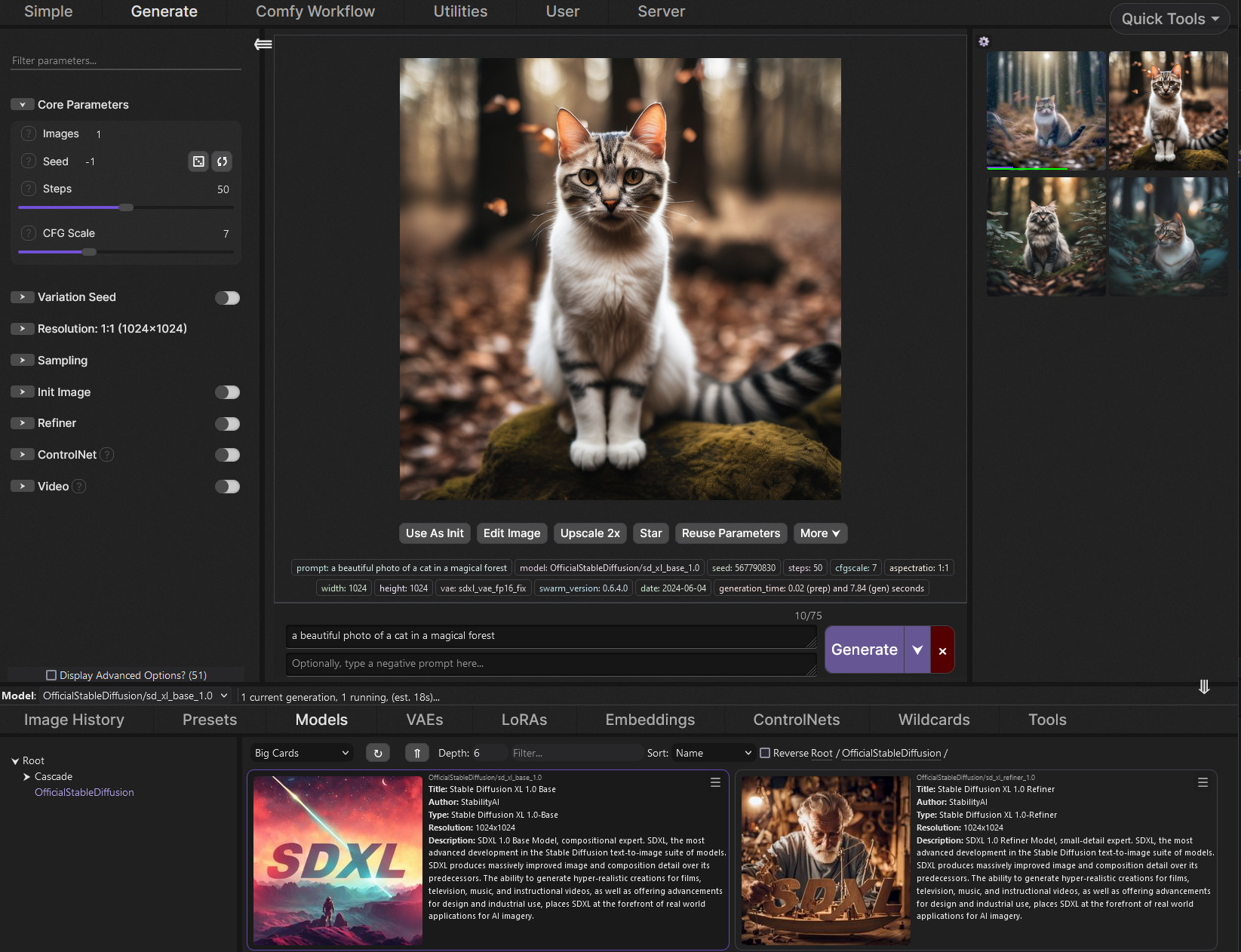
GitHub
SwarmUI (formerly StableSwarmUI), A Modular Stable Diffusion Web-User-Interface, with an emphasis on making powertools easily accessible, high performance, and extensibility. - mcmonkeyprojects/Swa...
if your on win10 that is
if your on win11 it should be fine
@solar hamlet hope it works for you but if you run into a issue do lmk or hop into the swarmUI discord, its a bit more active and the dev is there too
 heady pine
Could someone show me a screenshot of what it looks like when you are applying a style? I would like to apply one to some images, but I have no real idea how to do it.
lucid yoke
heady pine
Could someone show me a screenshot of what it looks like when you are applying a...
You mean image to image with a lora/style
Initial image + 0.5 creativity or mess with it a little till your happy with the results
solar hamlet
Thank you so much and I will give it a shot tomorrow when I’m back awake.
jagged crane
jagged crane
How can I start training the Stable Diffusion model?
help
lucid yoke
jagged crane
help
im going to be honest and say i have no idea what you mean, like the main checkpoint, a lora?
you wanna add a style or a new character?
certain concepts?
heady pine
lucid yoke
You mean image to image with a lora/style
txt to image, I want to use a hyperrealistic style and see what results I get, but I am unsure how to apply the style. - I am using an anime checkpoint.
lucid yoke
heady pine
txt to image, I want to use a hyperrealistic style and see what results I get, b...
well depending on the UI
bascially this
heady pine
lucid yoke
bascially this
I appreciate your video, but just a final question. I am trying to apply this style:
https://civitai.com/models/626603/hyperrealistic-pony-or-illustrious?modelVersionId=1914557
For the positive prompt, I won't need to add this: lora:Hyperrealistic_illustrious:1
I will only need to add the trigger word, which is this: Hype4realistic
Is that correct?
Sorry, but I have been wondering this for a while
lucid yoke
it definitely depends on the ui you are using
heady pine
Ok, thanks for your help on this
lucid yoke
on forge/a1111? yes you need to add that <lora> part
on swarmUI? as my video
on comfyUI? add the node and trigger word
heady pine
I use A1111, so with what you have said, now I know I will need to add the <lora> part. Thank you.
 vocal burrow
send logs
vocal burrow
can t figure out what s wrong with just that screenshot
need to see what the logs say.
 late cipher
uhh how do i send the logs?
vocal burrow
the white text in the console
late cipher
late cipher
I just installed stable diffusion how do fix this?
I was trying to generate an image and it js said error connection error
vocal burrow
copy paste it in .txt, drop said .txt here
late cipher
ur talking about this?
 vocal burrow
yes, send the whole thing
late cipher
Set vram state to: NORMAL_VRAM
Device: cuda:0 NVIDIA GeForce GTX 1650 : native
VAE dtype preferences: [torch.float32] -> torch.float32
CUDA Using Stream: False
D:\stablediffusion\system\python\lib\site-packages\transformers\utils\hub.py:128: FutureWarning: Using TRANSFORMERS_CACHE is deprecated and will be removed in v5 of Transformers. Use HF_HOME instead.
warnings.warn(
Using xformers cross attention
Using xformers attention for VAE
ControlNet preprocessor location: D:\stablediffusion\webui\models\ControlNetPreprocessor
2026-01-06 20:27:02,544 - ControlNet - INFO - ControlNet UI callback registered.
Model selected: {'checkpoint_info': {'filename': 'D:\stablediffusion\webui\models\Stable-diffusion\ponyDiffusionV6XL_v6StartWithThisOne.safetensors', 'hash': 'e577480d'}, 'additional_modules': [], 'unet_storage_dtype': None}
Using online LoRAs in FP16: False
Running on local URL: http://127.0.0.1:7860
To create a public link, set share=True in launch().
Startup time: 20.9s (prepare environment: 4.1s, launcher: 0.5s, import torch: 9.1s, initialize shared: 0.2s, other imports: 0.4s, load scripts: 2.8s, create ui: 2.4s, gradio launch: 1.3s).
Environment vars changed: {'stream': False, 'inference_memory': 1024.0, 'pin_shared_memory': False}
[GPU Setting] You will use 74.99% GPU memory (3071.00 MB) to load weights, and use 25.01% GPU memory (1024.00 MB) to do matrix computation.
Loading Model: {'checkpoint_info': {'filename': 'D:\stablediffusion\webui\models\Stable-diffusion\ponyDiffusionV6XL_v6StartWithThisOne.safetensors', 'hash': 'e577480d'}, 'additional_modules': [], 'unet_storage_dtype': None}
[Unload] Trying to free all memory for cuda:0 with 0 models keep loaded ... Done.
Press any key to continue . . .
This is what itsays
and here I tried to make another one but same error
 late cipher
vocal burrow
yes, send the whole thing
late cipher
vocal burrow
yes, send the whole thing
Uhh so what do i do?
vocal burrow
make sure you ve white listed http://127.0.0.1:7860/ in your adblocker if you use one
also which forge are you using ?
late cipher
i js installed the latest one
late cipher
vocal burrow
make sure you ve white listed http://127.0.0.1:7860/ in your adblocker if you us...
oh like turn of my ad blocker for that?
vocal burrow
just add the url to the whitelist
or turn it off sure if you don t know how to whitelist
vocal burrow
and regarding forge ? which one are you using ?
late cipher
Im using this one
 vocal burrow
forge ? forge classic ? forge neo ?
vocal burrow
late cipher
Im using this one
that does nt tell me
late cipher
well i used a one click installation path so im not sure which one im using but im js using forge ig
since i installed it from here
 vocal burrow
what url
late cipher
GitHub
Contribute to lllyasviel/stable-diffusion-webui-forge development by creating an account on GitHub.
this one
vocal burrow
ok there we go, so the standard forge
late cipher
yes
vocal burrow
you dont close the console after opening the webpage, do you.
vocal burrow
yes... you re closing the whole server by doing so.
 vocal burrow
and then you DO NOT close it untill you re done generating stuff
late cipher
Okay i js started it now

Welp uh

i tried generating even with the console
on
same problem
vocal burrow
ok
vocal burrow
updated gpu driver ? are you on a laptop ?
vocal burrow
try using forge classic instead https://github.com/CS1o/Stable-Diffusion-Info/wiki/Webui-Installation-Guides#nvidia-forge-neo

GitHub
Stable Diffusion Knowledge Base (Setups, Basics, Guides and more) - CS1o/Stable-Diffusion-Info
vocal burrow
just install it somewhere else
late cipher
uhh so how do i install this one?
vocal burrow
I just sent you a link to guide explaining how to install it
 vocal burrow
line 5 of the guide

 vocal burrow
did you check the box ?
vocal burrow
like it says, did you check the "Add Python to Path" during the installation ?
late cipher
ohh
no i didntrr
ill reinstall
yeah i checked it this time still the same problem
ornate elk
late cipher
Thats python 3.10 not 3.11
ornate elk
Uninstall python 3.10 and Install 3.11.9
 vocal burrow
and you checked the box when installing 3.11 ?
vocal burrow
What do where python, python --version and py --list-paths say ? (run those in cmd)
 late cipher
it says this
late cipher
late cipher
it says this
same as this
vocal burrow
if there is a venv folder next to the .bat delete it (the venv folder) then relaunch it afterwards
 vocal burrow
late cipher
same as this
vocal burrow
late cipher
same as this
ok please take a screenshot of it again, just to make sure
late cipher
 vocal burrow
late cipher
vocal burrow
late cipher
where did you install forge classic ?
late cipher
local disk C
vocal burrow
ok but where on c ?
late cipher
 late cipher
 vocal burrow
ok... it might be windows being windows again.
In the start menu, search for systempropertiesadvanced and run it then select "environment variables" (should be at the bottom).
Then doubleclick the PATH variable for the system (not for the user) and screenshot its content.
late cipher
 vocal burrow
late cipher
vocal burrow
late cipher
ok, bump the python entry (the last one) to the top
reboot
then launch webui-user.bat again
late cipher
vocal burrow
ok, bump the python entry (the last one) to the top
wdym by bumping
vocal burrow
place it to the top of the list using the "Move Up" button
 vocal burrow
reboot, relaunch webui-user.bat
late cipher
do i restart my computer
vocal burrow
yes

 late cipher
 vocal burrow
late cipher
vocal burrow
late cipher
ok edit the webui-user.bat file again.
replace the
:: set PYTHON= line by
set PYTHON=xxxxx xxxxx being the path of the python.exe shown in your latest screenshot
 vocal burrow
replace xxxxx with the path of the python.exe
and remove the :: at the beginning of the line.
 vocal burrow
late cipher
vocal burrow
late cipher
the full path of the .exe
add \python.exe at the end
and there is still a : at the beginning.
 vocal burrow
We ll see that when it start generating something
there is something weird with your windows setup but I don t know what exactly... it should not need us to point to the python.exe but that will do for now.
late cipher
yeah
vocal burrow
also to answer you, no need to switch to linux.
late cipher
yes yes
UHHH
@vocal burrow
its working
but one slight issue

its not recognizing the model type
vocal burrow
it s an sdxl one
 vocal burrow

 vocal burrow
looks good to me
late cipher
not generating any image tho
vocal burrow
what does the log says
 vocal burrow
the full log not just a part of a screenshot
late cipher
File "C:\AI\sd-webui-forge-neo\modules\sd_models.py", line 366, in forge_model_reload
sd_model = forge_loader(state_dict, additional_state_dicts=additional_state_dicts)
^^^^^^^^^^^^^^^^^^^^^^^^^^^^^^^^^^^^^^^^^^^^^^^^^^^^^^^^^^^^^^^^^^^^^^^
File "C:\AI\sd-webui-forge-neo\venv\Lib\site-packages\torch\utils_contextlib.py", line 120, in decorate_context
return func(*args, **kwargs)
^^^^^^^^^^^^^^^^^^^^^
File "C:\AI\sd-webui-forge-neo\backend\loader.py", line 663, in forge_loader
raise ValueError("Failed to recognize model type!")
ValueError: Failed to recognize model type!
Failed to recognize model type!
Model selected: {'checkpoint_info': {'filename': 'C:\AI\sd-webui-forge-neo\models\Stable-diffusion\ponyDiffusionV6XL_v6StartWithThisOne.safetensors', 'hash': 'e577480d'}, 'additional_modules': [], 'unet_storage_dtype': None}
Using online LoRAs in FP16: False
Model selected: {'checkpoint_info': {'filename': 'C:\AI\sd-webui-forge-neo\models\Stable-diffusion\ponyDiffusionV6XL_v6StartWithThisOne.safetensors', 'hash': 'e577480d'}, 'additional_modules': [], 'unet_storage_dtype': None}
Using online LoRAs in FP16: False
Model selected: {'checkpoint_info': {'filename': 'C:\AI\sd-webui-forge-neo\models\Stable-diffusion\ponyDiffusionV6XL_v6StartWithThisOne.safetensors', 'hash': 'e577480d'}, 'additional_modules': ['C:\AI\sd-webui-forge-neo\models\VAE\sdxl_vae.safetensors'], 'unet_storage_dtype': None}
Using online LoRAs in FP16: False
Model selected: {'checkpoint_info': {'filename': 'C:\AI\sd-webui-forge-neo\models\Stable-diffusion\ponyDiffusionV6XL_v6StartWithThisOne.safetensors', 'hash': 'e577480d'}, 'additional_modules': ['C:\AI\sd-webui-forge-neo\models\VAE\sdxl_vae.safetensors'], 'unet_storage_dtype': None}
Using online LoRAs in FP16: False
vocal burrow
put it in a .txt and drop file in here
late cipher
vocal burrow
what s the size of ponyDiffusionV6XL_v6StartWithThisOne.safetensors ?
late cipher
6.46gb
vocal burrow
ah nvmd got it
OSError: The paging file is too small for this operation to complete. (os error 1455)
late cipher
vocal burrow
OSError: The paging file is too small for this operation to complete. (os error ...
so what do i do
vocal burrow
launch sysdm.cpl from the Start menu search or run box (Win+R) and navigate to Advanced –> Performances -> Settings –> Advanced –> pagefile/virtual ram -> Modify
And set its minsize to 8gb and max size to 32
Cf for more details
https://www.thewindowsclub.com/increase-page-file-size-virtual-memory-windows

The Windows Club
If you see Your system is low on virtual memory message, when you try to start memory intensive applications, increase page file size in Windows 11/10.
 vocal burrow
late cipher
vocal burrow
late cipher
dont need it for d:
and like I said. put it to 32gb max for c:
this won t damage your pc
late cipher
alright?
 vocal burrow
yes
late cipher
it says this
 vocal burrow
then it s time for you to make some space on your c:
vocal burrow
then set the pagefile as explained and try again
 jagged pebble
anyone been having similar issues to this when trying to launch stable diffusion, and is there a way to fix it? i tried looking for solutions online, but the ones i tried either didn't work, or seem way too convoluted. been getting this issue with a fresh install of python 3.10.6, git, and stable diffusion/automatic1111 installed via. cmd git clone. tried a number of webui-user.bat command lines that claim to fix the issue, but to no avail. now the only one i'm using at the moment is 'git pull'

 late cipher
vocal burrow
then set the pagefile as explained and try again
late cipher
vocal burrow
then set the pagefile as explained and try again
YOOOO IT WORKS NOW
THANKS
vocal burrow
jagged pebble
anyone been having similar issues to this when trying to launch stable diffusion...
yes that s normal automatic1111 is broken because it s pointing to some dead files. cf the pinned message for some updated guide.
jagged pebble
vocal burrow
yes that s normal automatic1111 is broken because it s pointing to some dead fil...
ah alright cool, many thanks man  ❤️
❤️
jagged pebble
went ahead and followed the install guide pinned in this chat, and after reaching the part of the guide telling you to input: "pip install xformers==0.0.32" within' cmd, the following error pops up. could this be related to this other 'python.exe - Entry Point Not Found' pop-up i'm getting after trying to launch stable diffusion? stable diffusion itself seems to launch fine, but getting that specific pop-up every time i do so is a bit concerning


 ornate elk
jagged pebble
went ahead and followed the install guide pinned in this chat, and after reachin...
ornate elk
jagged pebble
went ahead and followed the install guide pinned in this chat, and after reachin...
oh sry i updated the guide rn its has to be 0.0.32.post1
you can reload the guides site for the correct command
jagged pebble
ah right, thanks man ^~^ <3
jagged pebble
yee can confirm the new command worked (again, thanks man ^~^), but for some reason i'm still getting one of the previously mentioned errors upon trying to launch stable diffusion
 ornate elk
jagged pebble
yee can confirm the new command worked (again, thanks man ^~^), but for some rea...
ornate elk
jagged pebble
yee can confirm the new command worked (again, thanks man ^~^), but for some rea...
can you delete boath xformers folders from the venv/lib/site-packages folder and rerun the pip install xformers command from the guide?
that should fix it
cosmic furnace
^^^^^^^^^^^^^^^^^^^^^^^^^^^^^^^^^^^^^^^^^^^^^^^^^^^^^
File "G:\SD\SD - Forge-Webui-ZLUD\333\stable-diffusion-webui-amdgpu-forge\modules\ui.py", line 16, in <module>
from modules import sd_hijack, sd_models, script_callbacks, ui_extensions, deepbooru, extra_networks, ui_common, ui_postprocessing, progress, ui_loadsave, shared_items, ui_settings, timer, sysinfo, ui_checkpoint_merger, scripts, sd_samplers, processing, ui_extra_networks, ui_toprow, launch_utils
File "G:\SD\SD - Forge-Webui-ZLUD\333\stable-diffusion-webui-amdgpu-forge\modules\deepbooru.py", line 109, in <module>
model = DeepDanbooru()
^^^^^^^^^^^^^^
File "G:\SD\SD - Forge-Webui-ZLUD\333\stable-diffusion-webui-amdgpu-forge\modules\deepbooru.py", line 18, in init
self.load_device = memory_management.text_encoder_device()
^^^^^^^^^^^^^^^^^^^^^^^^^^^^^^^^^^^^^^^
File "G:\SD\SD - Forge-Webui-ZLUD\333\stable-diffusion-webui-amdgpu-forge\backend\memory_management.py", line 796, in text_encoder_device
if should_use_fp16(prioritize_performance=False):
^^^^^^^^^^^^^^^^^^^^^^^^^^^^^^^^^^^^^^^^^^^^^
File "G:\SD\SD - Forge-Webui-ZLUD\333\stable-diffusion-webui-amdgpu-forge\backend\memory_management.py", line 1102, in should_use_fp16
props = torch.cuda.get_device_properties("cuda")
^^^^^^^^^^^^^^^^^^^^^^^^^^^^^^^^^^^^^^^^
File "G:\SD\SD - Forge-Webui-ZLUD\333\stable-diffusion-webui-amdgpu-forge\venv\Lib\site-packages\torch\cuda_init_.py", line 525, in get_device_properties
if device < 0 or device >= device_count():
^^^^^^^^^^
TypeError: '<' not supported between instances of 'NoneType' and 'int'
sooo any idea what can be done about this ?=\
jagged pebble
when i delete both the xformers folders you mentioned, then input that command into cmd, the xformer files don't seem to redownload. does "requirement already satisfied" mean that my pc thinks the files are already installed, when they're not? when i re-launch stable diffusion regardless, some cmd lines mention xformers re-installing, and after doing so, the same 'python.exe - Entry Point Not Found' error reappears
 ornate elk
jagged pebble
when i delete both the xformers folders you mentioned, then input that command i...
ornate elk
jagged pebble
when i delete both the xformers folders you mentioned, then input that command i...
oh you have installed outside the venv. thats not good.
run this command: pip uninstall xformers -y
then run these commands one by one:
venv\scripts\activate
pip uninstall xformers -y
pip install xformers==0.0.32.post1
all in the cmd you had open inside the folder
jagged pebble
ay niice man, that seems to have fixed the issue! just gave stable diffusion a few test boots after inputting everything you told me to, and that one error isn't popping up anymore. xformers seems to be working as intended. you've been a huge help man, thanks a bunch! ❤️ ❤️
ornate elk
jagged pebble
ay niice man, that seems to have fixed the issue! just gave stable diffusion a f...
perfect! no problem 🙂
ornate elk
cosmic furnace
^^^^^^^^^^^^^^^^^^^^^^^^^^^^^^^^^^^^^^^^^^^^^^^^^^^^^
File "G:\SD\SD - Forge-W...
would need to know what you tried to to, when this error pops up
cosmic furnace
just launch zluda forge? it wont launch -_-
ornate elk
cosmic furnace
^^^^^^^^^^^^^^^^^^^^^^^^^^^^^^^^^^^^^^^^^^^^^^^^^^^^^
File "G:\SD\SD - Forge-W...
can oyu share the whole cmd log?
cosmic furnace
gloomy bolt
hello, the CivitAI Browser+ https://github.com/anxety-solo/sd-civitai-browser-plus.git is not updating the model previews, I think it's scanning the wrong folder or something how can I resolve this?
GitHub
Extension to access CivitAI via WebUI: download, delete, scan for updates, list installed models, assign tags, and boost downloads with multi-threading | (Complete Redesign of Extension) - anxety-s...
ornate elk
cosmic furnace
You still have the same error here.
ROCm agent enumerator failed: [WinError 267] Неверно задано имя папки
ROCm: version=Python311
ZLUDA support: experimental
ZLUDA load: path='G:\SD\SD - Forge-Webui-ZLUD\333\stable-diffusion-webui-amdgpu-forge.zluda' nightly=False
Failed to load ZLUDA: Could not find module 'G:\SD\Python311\bin\rocblas.dll'
Try
Uninstall HIP SDK and reinstall it at its default path not on G SD if its there
Then reboot the PC, delete the venv folder and relaunch the webui-user.bat
cosmic furnace
isnt it weird that neo forge with (the rock) rocm launches tho ? no issues 🤨
cosmic furnace
Reinstalling hip sdk didnt help at all =\
cosmic furnace
if forge neo that uses rocm runs fine. i guess it is fine -_- . just forge-zluda messed up somehow
jagged crane
who has a config for kohya_ss 4GB VRAM
ornate elk
cosmic furnace
if forge neo that uses rocm runs fine. i guess it is fine -_- . just forge-zlud...
Very strange, but forge neo with rocm is better anyway
ornate elk
jagged crane
who has a config for kohya_ss 4GB VRAM
You dont want to use 4GB for training, its barely possible and slow as hell
Better use Cloud Services or ask someone with more vram to train.
 misty marten
Can someone help me with this error? I'm using comfyui-zluda
 ornate elk
misty marten
Can someone help me with this error? I'm using comfyui-zluda
ornate elk
misty marten
Can someone help me with this error? I'm using comfyui-zluda
Can you show the workflow? What's your GPU?
 chilly knot
