#🤝|tech-support
1 messages · Page 153 of 1
 ornate elk
 fast nova
windows
ornate elk
fast nova
windows
ah which rocm+torch version are you on?
fast nova
ornate elk
ah which rocm+torch version are you on?
torch 2.10.0a0+rocm7.11.0a20251128
ornate elk
fast nova
torch 2.10.0a0+rocm7.11.0a20251128
ah okay, and image generation works, it just freezes sometimes?
forge or forge neo?
fast nova
ornate elk
ah okay, and image generation works, it just freezes sometimes?
Yes, it works and sometimes even give results, but ofter freezes everything so I have to reboot my PC
I don't know about forge neo, I guess it's just forge
ornate elk
fast nova
Yes, it works and sometimes even give results, but ofter freezes everything so I...
ahh okay then the fix could be easy, in forge or forge neo just enable the Tiled VAE option at the Never oom setting in txt2img
fast nova
This one, right?
 ornate elk
currently rocm+torch on windows has an bug where it timeouts the AMD driver when the VAE step is done in image generation, so tiled vae can fix that bug
fast nova
It didn't help, still freezed and I had to reboot my PC. But you're right, it happens after all steps of generating the image are done
ornate elk
fast nova
It didn't help, still freezed and I had to reboot my PC. But you're right, it ha...
do you use sdxl or illustrious models?
then try this fp16 vae file:
https://huggingface.co/madebyollin/sdxl-vae-fp16-fix/blob/main/sdxl.vae.safetensors
also if you use hires fix then dont leave hires steps at 0, set them to 10 or 15
fast nova
ornate elk
do you use sdxl or illustrious models?
then try this fp16 vae file:
https://hugg...
Yes, thanks, I'll try it
ornate elk
scam!
fast nova
ornate elk
also if you use hires fix then dont leave hires steps at 0, set them to 10 or 15
I haven't tried hires with amd yet, but I usually set it to 5-8, are these values ok?
fast nova
ornate elk
do you use sdxl or illustrious models?
then try this fp16 vae file:
https://hugg...
It's both for IL and SDXL, right?
ornate elk
fast nova
I haven't tried hires with amd yet, but I usually set it to 5-8, are these value...
normal steps?
for sdxl/illsutrious 30 steps are the best
fast nova
fast nova
It's both for IL and SDXL, right?
Where do I put it?
fast nova
ornate elk
normal steps?
no, hires steps
ornate elk
fast nova
Where do I put it?
models/vae
fast nova
otherwise I'll get AMD issues like freezing?
ornate elk
fast nova
otherwise I'll get AMD issues like freezing?
no just for the better quality
the freezes will come if you set it to 0
fast nova
I usually use 5-8 with denoising about 0.3. With more steps I see the same result and more generating time (well, on nvidia, but amd should be the same, right?).
ornate elk
yea it also depends if you make realism or anime etc
fast nova
Most of the time, I do realism.. but logically it should require more hires steps for looking good. I guess it's either becouse I use low denising or just becouse custom hires model (but I tried standard ones like ESRGAN-something and it seems to also work fine on these amount of hires steps). It also take more/same time hiresing than generation image before hires, so, I tend to minimize hires steps
Here, right? Will Forge catch it automatically or I need to set this vae as default somewhere in the settings? How will I know if Forge use this vae or default one?
 ornate elk
fast nova
Here, right? Will Forge catch it automatically or I need to set this vae as defa...
ornate elk
fast nova
Here, right? Will Forge catch it automatically or I need to set this vae as defa...
you need to select it in the vae dropdown
 ornate elk
fast nova
ok, it's now not freezing, but generating single-colored grey square
ornate elk
fast nova
ok, it's now not freezing, but generating single-colored grey square
hmmm
gray or black?
fast nova
gray
ornate elk
can you try add --upcast-sampling to the webui-user.bat?
fast nova
Ok, i'll try
It's currently loaded something into the VRAM and doing nothing for a 2 minutes
Maybe I need to refresh browser tab and click "generate" again
It just become orange again, I'll try to restart forge and try again
fast nova
Well, it again loaded something in VRAM and RAM and doing nothing (no gpu and cpu use), generate button is gray (interrupt/skip), but I don't see it's doing anything
fast nova
ornate elk
you could also try adding --no-half-vae
ok, I'll try that
It's the same result with both --upcast-sampling and --no-half-vae. It seems that it also tries to use gpu for a split second when I click "generate" and then cycle nothing
 ornate elk
fast nova
It's the same result with both `--upcast-sampling` and `--no-half-vae`. It seems...
ornate elk
fast nova
It's the same result with both `--upcast-sampling` and `--no-half-vae`. It seems...
remove --upcast-sampling and try again
your shared memory is full, how much normal system RAM do you have?
fast nova
ornate elk
your shared memory is full, how much normal system RAM do you have?
It's not full, it's kinda maximum from what was on this graph
I have 64GB of RAM
ornate elk
ahh okay
fast nova
Strange, it's stuck again with something loaded in VRAM and don't making anything in the logs
ornate elk
fast nova
Strange, it's stuck again with something loaded in VRAM and don't making anythin...
wait a bit, maybe its compiling stuff or something
ornate elk
hmm
ornate elk
fast nova
Welll, it still not doing anything
can you try without --no-half-vae again, but this time add this into an empty line of the webui-user.bat before the @echo off
set TORCH_ROCM_AOTRITON_ENABLE_EXPERIMENTAL=1
fast nova
It seems to act the same. Now it's outputing progressbar before not doing anything, but that's may be just becouse I currently launched it via .bat (I'm not sure if Stability Matrix cares what I changed in webui-user.bat, so I launched it directly to be sure)
ornate elk
fast nova
It seems to act the same. Now it's outputing progressbar before not doing anythi...
does stability matrix now has a amd rocm forge setup?
fast nova
Hm, interesting detail, cmd doesn't react on Ctrl+C after it not doing anything
fast nova
ornate elk
does stability matrix now has a amd rocm forge setup?
For me it seems it always has, is it isn't? You can choose which backend to use while installed.. althrough I had to delete and install torch+rocm (and also torchaudio and torch-something) manually for it to launch
ornate elk
fast nova
For me it seems it always has, is it isn't? You can choose which backend to use ...
yea that means they dont have it
i installed Forge Neo with rocm myself too
without stability matrix because that just adds a layer of potential issues
fast nova
What is difference between forge and forge neo?
Oh, I probably should ask Google about that, not you 😅
ornate elk
fast nova
What is difference between forge and forge neo?
forge doesnt get much updates anymore, and forge neo is the most up to date ui based on auto1111.
It has support for more and newer models like qwen, wan, z-image, and even supports txt2video
fast nova
Can I move my reForge settings to Forge Neo by just copying settings file?
And does it have AMD setup? Maybe I'll try to use it instead in hope that my freezing problems will magically dissapear 😄
ornate elk
fast nova
Can I move my reForge settings to Forge Neo by just copying settings file?
maybe, but it also could break stuff
ornate elk
fast nova
And does it have AMD setup? Maybe I'll try to use it instead in hope that my fre...
i made a guide for it, but currently the rx9070 users reported that my suggested torch version didnt worked for them
so i was surprised yours worked so far
here are my Guides:
https://github.com/CS1o/Stable-Diffusion-Info/wiki/Webui-Installation-Guides
It would be under Forge Neo with ROCm
fast nova
ornate elk
so i was surprised yours worked so far
Well, I'm not really good at python-dependencies things, but I just googled and pasted this line pip install --index-url https://rocm.nightlies.amd.com/v2/gfx120X-all --pre torch torchaudio torchvision after removing torch , torchaudio and torchvision, on python 3.11.13. This command doesn't specify versions, so it has less chance to error something becouse dependencies version mismatch, I guess that what make it work for me. And I didn't use zluda, becouse someone adviced me to never use zluda with RX9000
ornate elk
fast nova
Well, I'm not really good at python-dependencies things, but I just googled and ...
python 3.13 should not be used
forge and forge neo need 3.11.9
fast nova
it's 3.11.13
ornate elk
thats okay
zluda works fine for your gpu
its more stable than rocm currently but not as fast
fast nova
hm, I'll try zluda and forge neo tomorrow than
ornate elk
forge neo doesnt work with zluda, only currently forge and auto1111
fast nova
ok. Didn't know it's something UI need support to
ornate elk
fast nova
ok. Didn't know it's something UI need support to
zluda emulates cuda for amd, so it has to be patched in
fast nova
ornate elk
zluda emulates cuda for amd, so it has to be patched in
I though it emulates cuda so well that UI don't notice is it cuda or zluda backend 😅
ornate elk
fast nova
I though it emulates cuda so well that UI don't notice is it cuda or zluda backe...
yea but you need custom cuda/zluda files
 heavy estuary
i saw someone earlier mention doing it inside of the venv folder should i try there?
ornate elk
heavy estuary
i saw someone earlier mention doing it inside of the venv folder should i try th...
You can try
 marsh flare
hello people, i need to know if i have automatic1111 or forge, how can i see what im using?
ornate elk
marsh flare
hello people, i need to know if i have automatic1111 or forge, how can i see wh...
at the bottom of the webui in browser you can see the version
 copper sundial
Its been a hot minute since i used stable diffusion. A lot has changed and I am confused. Google doesnt seem to be helping me find getting started tutorials. Where is the 'genreate' button?
 ornate elk
copper sundial
Its been a hot minute since i used stable diffusion. A lot has changed and I am...
ornate elk
copper sundial
Its been a hot minute since i used stable diffusion. A lot has changed and I am...
which webui did you installed? xD
copper sundial
ornate elk
which webui did you installed? xD
Ummm Vladmandic?
ornate elk
whats your gpu?
copper sundial
Im autistic and a little frazzled.Im trying to join the 'next' server but its got some weird are you human check that I have no idea
copper sundial
ornate elk
whats your gpu?
AMD
copper sundial
ornate elk
whats your gpu?
from memory vladmandic is for the amd/radeon gpos. I used to use it fine in the past. then switched to comfy but thats naff. so tried coming back
ornate elk
would suggest using Forge with Zluda or Forge Neo with ROCm Guide:
https://github.com/CS1o/Stable-Diffusion-Info/wiki/Webui-Installation-Guides
boath have the typical ui from auto1111
copper sundial
ornate elk
i would not recmmend using sdnext
do you mind my asking why. It took me ages to get it up and running. Once I get started i should be fine. I managed to find the generate button. it starts makin an image but then it vanishes
Comfy has broken and stopped working for some reason. And even then it was horrible. I couldnt do inpainting/outpainting and a lot more that I used to be able to do with vladmandic
ornate elk
copper sundial
do you mind my asking why. It took me ages to get it up and running. Once I get ...
because sdnext does everything different than the auto1111 baes uis. Its settings and usage is very confusing.
Also the Forge Neo is faster and supports new models day1 like Z-image and video gen
But Guides with ROCm require a gfx11 gpu or higher
copper sundial
ornate elk
because sdnext does everything different than the auto1111 baes uis. Its setting...
I dont understand any of that.
ornate elk
whats your exact gpu btw?
copper sundial
ornate elk
whats your exact gpu btw?
Umm 1 sec. 6GB AMD RADEON™ RX 6800 XT - HDMI, DP - DX® 12
ornate elk
Ah okay, then currently you can only used Zluda bases stuff
Rocm is still wip until it supports your gpu
copper sundial
Like I said(or tried to with the tism)...
I was previouslt using vladmandic which I thought was the same as auto1111.
but Im struggling mostly because the Ui has completely changed from when I last used it. So Im struggling to even get started again. When I was using it regularly, I was what some people said was 'advanced' compared to just the average person who only used simple prompts. i was able to use the pose stuff, images as a 'reference', inpainting etc. But like I said its all a new UI.
I tried using comfy but just couldnt get on with it. I found I couldnt (work out) how to do any of the stuff I used to do. then comfy stopped working so i went back to automatic/vladmandic. but after launching the ui is so different
copper sundial
ornate elk
Rocm is still wip until it supports your gpu
I was under impression rocm is what I need 9im in linux)
ornate elk
copper sundial
I was under impression rocm is what I need 9im in linux)
oh your on linux ahh, yea that uses and needs rocm
copper sundial
I think its just the new UI im trying to learn really. like how to ooad the safety tensors(where does it save them etc) just to get it working. Like I said. I typed a basic prompt, it started generating an image(I could see it) but then it vanishes

this is an error im getting
copper sundial
I might have launched it wrong, I might not have loaded models in properly I literally have no idea cos there seems to be no tutorials anymore
ornate elk
hmm, cant help much with sdnext sry :/
copper sundial
ornate elk
hmm, cant help much with sdnext sry :/
thanks all the same. pity I cant get into their discord
 main rune
RuntimeError: GET was unable to find an engine to execute this computation
so close...
I should try a less demanding model first I guess

nah, this is almost definitely something I did
bruh
@pure tusk I think something's wrong
effing bot
copper sundial
Thanks. Ive managed to get things up and running now.
 lucid yoke
copper sundial
Thanks. Ive managed to get things up and running now.
lucid yoke
copper sundial
Thanks. Ive managed to get things up and running now.
Thats a scam bot dont join
copper sundial
lucid yoke
Thats a scam bot dont join
Ah oki. I also had a message from them. I havent clicked either thankfully
 hearty crest
How do you organize a large number of images you've generated with image generation tools? I'd love to know what tools you use for categorizing or managing them.
heavy estuary
lucid yoke
Thats a scam bot dont join
aint gonna lie i was convinced first time one messaged me offering to help
copper sundial
Ive managed to get things up and running. Just need to know what model or samplers etc will help get better results.
Currently just poking it with a stick(changing random stuff) to see what works isnt getting me very far.
Is there some sort of guide as to what tasks(goal im trying to get to) works with what models/samples.
Being autistic doesnt help as I dont know how to phrase things
 heavy estuary
im sitting here talking with him and then next thing i know hes brushing off my question and asking for online wallet address
lucid yoke
copper sundial
Ive managed to get things up and running. Just need to know what model or sample...
theres no set guide but if you download them at lets say civitAI theres example images showing metadata such as sampler, cfg, steps, scheduler etc
for example:"

not all images have this however
copper sundial
lucid yoke
theres no set guide but if you download them at lets say civitAI theres example ...
Unfortunately CivitAI is blocked where I live(UK).
So(sorry if im repeating myself). How would I go about finding how to go about what i want to do.
Goal: I want to use the left image as a guide to make images of that quality and style, but generate variants of it. As in male/female, diff clothes, race etc
lucid yoke
oh hmmm flux kontext or qwen edit but those are pretty beefy to run, lets say my 5080 takes 30s for a flux kontext gen
the settings are not the problem in this case, the model rather
copper sundial
Ahh. I think I follow.Its been a long while. So different models are better at doing specific things? (at least thats how Ive always understood it).
lucid yoke
yes definitely
copper sundial
I used to be able to load stuff in and do loras etc but like I said its been a lomg while and cognitive issues make the memory shit lol
lucid yoke
https://docs.bfl.ai/guides/prompting_guide_kontext_i2i heres a good example what flux kontext can do


Black Forest Labs
copper sundial
is there a way to Dl the (safetytensor?) files from huggingface?
lucid yoke
copper sundial
is there a way to Dl the (safetytensor?) files from huggingface?
if you got the hardware to run it, https://huggingface.co/Comfy-Org/flux1-kontext-dev_ComfyUI
its pretty beefy and you might wanna lookup a tutorial
im not sure if sdnext can run it
copper sundial
hmmm
where am I supposed to click for the file?
 lucid yoke
files and versions
split_files
fp8 version but again make sure you can run the model before you run it
what gpu do you have?
lucid yoke
definite maybe, but considering its AMD theres a chance you cant
copper sundial
lucid yoke
definite maybe, but considering its AMD theres a chance you cant
yeah. Im using the romc thing in linux so fingers crossed
It really is a shame civitai is blocked in uk. pity they dont have the resources to to the safety stuff. that site was pretty easy to use. and had some amazing loras
lucid yoke
with the age verification laws also coming to europe chances are they will comply one day
copper sundial
found a cool lora solely for doing klingon forehead ridges and inpainted one onto myself lol
 copper sundial
lucid yoke
definite maybe, but considering its AMD theres a chance you cant
copper sundial
lucid yoke
definite maybe, but considering its AMD theres a chance you cant
Hmm I dl it and restarted the server and its not showing up in the list of models
hang on. saved wrong folder lol
Its in the dropdown now but getting this error
annot access gated repo for url https://huggingface.co/black-forest-labs/FLUX.1-dev/resolve/3de623fc3c33e44ffbe2bad470d0f45bccf2eb21/model_index.json.
Access to model black-forest-labs/FLUX.1-dev is restricted. You must have access to it and be authenticated to access it. Please log in.
ornate elk
copper sundial
Its in the dropdown now but getting this error
annot access gated repo for url ...
you need an HF account to download flux
but you should checkout other flux models from civitai, they are better and oesnt need and account
main rune
Apparently there's a known issue with ComfyUI-Zluda where I needed to disable cudnn with a node, my lack of attention got me on a wild goose chase
Everything kinda works now, really glad
ornate elk
nice, good to hear!
copper sundial
ornate elk
you need an HF account to download flux
but you should checkout other flux model...
I cant use civitai they(civitai) have blocked it in UK
ornate elk
copper sundial
I cant use civitai they(civitai) have blocked it in UK
damn, then you need a vpn and change your DNS
copper sundial
ornate elk
you need an HF account to download flux
but you should checkout other flux model...
Im signed into huggingface(in chrome)
copper sundial
ornate elk
damn, then you need a vpn and change your DNS
cba faffing about with VPNs
ornate elk
copper sundial
cba faffing about with VPNs
what?
copper sundial
TLDR: CivitAI isnt going to happen.
But you did mention about having an account with huggingface
Im signed into huggingface on chrome. So am confused why the model I DL from there isnt working
ornate elk
copper sundial
Im signed into huggingface on chrome. So am confused why the model I DL from the...
it should work but you should give more information whats not working exactly
also setting up a vpn is installing a programm and clicking "ON" and then civitai works again xD
Should be easy for someone who use comfyui
copper sundial
ornate elk
it should work but you should give more information whats not working exactly
1 sec. Ill get a screenshot for you(thnaks)
copper sundial
[sorry] something else has bugged out now. none of the checkpoints dont seem to be loading.
 cosmic furnace
https://civitai.com/models/2168935?modelVersionId=2442439 ppl in comments seem very happy about this model. Hmgm tried it?)
" This model just destroyed all others...RIP Flux, RIP Nano Banana, RIP Midjourney, RIP Seedream 4, RIP SDLX...Crazy revolutionary tech, same as DeepSeek did in early this year 💀💀💀 Big tech CEO's are jump from their windows 🤣"
"full pants" of happines? 😄
Cs1o investigate into this. This Z image what version is better. See they say depending on GPU fp16 might be faster or nah

Or its better cuz it run on lower vram gpus? than flux-qwen?
ornate elk
cosmic furnace
Cs1o investigate into this. This Z image what version is better. See they say de...
Im using the Q8 Version, its fast and good!
9 seconds for 9 steps
cosmic furnace
tell me . is it any better thqan flux-qwen ?
cuz kinda... need loras to be good ?
wait 9 seconds & 9 steps? that is really good speed hm
isnt quality & accurancy awful while at it ? 🤨
ornate elk
cosmic furnace
isnt quality & accurancy awful while at it ? 🤨
It performs so well, it beats flux in performance easily.
Its from the same creators as qwen.
Prompting is very easy, tagging and normal text works.
Text generation is crazy good
The Q8_gguf uses around 17GB vram when generating
cosmic furnace
So its kinda upgraded qwen? 🤔 And what about this fp16 turbo version on 11 gb? Wudnt it be faster than q8 gguf ?
ornate elk
The Q8_gguf uses around 17GB vram when generating
cosmic furnace
where dyu get it ?) - arent this version better mb ? - https://civitai.com/models/2168935?modelVersionId=2442439
 whole vine
ornate elk
because sdnext does everything different than the auto1111 baes uis. Its setting...
whole vine
ornate elk
because sdnext does everything different than the auto1111 baes uis. Its setting...
do you also recommend zluda bases for my 16gb 7800xt? i am an absolute noob and my first try was with comfyui and im running into a ksampler error with z image
lucid yoke
ornate elk
It performs so well, it beats flux in performance easily.
Its from the same crea...
Lets not forget with the z-image its only a turbo version so its only getting better when the base model drops
ornate elk
cosmic furnace
where dyu get it ?) - arent this version better mb ? - https://civitai.com/mode...
ornate elk
whole vine
do you also recommend zluda bases for my 16gb 7800xt? i am an absolute noob and ...
forge with zluda will work, or forge neo with Rocm from my guides, or comfyui with rocm
cosmic furnace
dont tell me bf16 version uses more than 17gb vram ? o.o . And i guess the ones is on civitai site?
ornate elk
cosmic furnace
dont tell me bf16 version uses more than 17gb vram ? o.o . And i guess the ones ...
idk but probably
lucid yoke
cosmic furnace
dont tell me bf16 version uses more than 17gb vram ? o.o . And i guess the ones ...
I run the bf16 model on my 5080 and i got 10s gens, though upscaling and refining bumps it up to 30 so it barely fits in 16gb
 high talon
hello! was wondering if any kind soul could help me, all of my prompts turn into black boxes with random colors, i know i have something very wrong, idk if its a setting or if im missing something but i cannot for the life of me find anything on google, shoot me a DM if ur goated as fuck and can help 🙏🙏 ❤️
ornate elk
high talon
hello! was wondering if any kind soul could help me, all of my prompts turn int...
hey, which webui, which gpu ?
high talon
rtx4080, umm how do i check the Web ui version, followed a youtube guide hahah
hol up
sorry i am so lost on the menus its insane
can u tell what im on from this basic ass screenshot? i jsut reset everything basicly
 ornate elk
high talon
can u tell what im on from this basic ass screenshot? i jsut reset everything ba...
ornate elk
high talon
can u tell what im on from this basic ass screenshot? i jsut reset everything ba...
thats auto1111, outdated since 1 year
please install Forge Neo, guide is in the pinned messages
main rune
ornate elk
thats auto1111, outdated since 1 year
A year feels so long ago, I used that first to play with image gens and it was outdated in less than a month
high talon
ornate elk
please install Forge Neo, guide is in the pinned messages
its installed and im just looking for a checkpoint atm, was a painless installation, what would be a good checkpoint? im still really new to all this, flux seems recommended but idk if it makes any difference depending on what GPU i have
high talon
yo anybody know what the folder is called in Forge Neo where the clip for flux goes?
ornate elk
high talon
yo anybody know what the folder is called in Forge Neo where the clip for flux g...
text_encoder
high talon
i ragequit it and started with dreamshaper XL instead, its very chill to learn at a reasonable pace haha, got it working
will play around and see if i can get more familiar before going back to flux, wish it was more clear where to put the 3 extra files u needed
ornate elk
high talon
i ragequit it and started with dreamshaper XL instead, its very chill to learn a...
yea if you completely new start with sdxl or based stuff on that like Illustrious for Anime
high talon
since ur experienced, where would u turn to find like a good fantasy art generator? that is not flux etc, like a noobfriendly one, looking to make something similar to league of legends artstyles (the very clean fantasy style)
ornate elk
for styles you can download and try to use Loras, they are like addons that go on top of a model to help with specific styles or characters
high talon
yessir, and sd1 as a tag is probs stable diff 1.5?
ornate elk
high talon
yessir, and sd1 as a tag is probs stable diff 1.5?
nope 1.5 is old
high talon
is there any specific reason why dreamshaper XL loves to add extra eyes and mouts etc? im using the recommended settings from civit
ornate elk
high talon
is there any specific reason why dreamshaper XL loves to add extra eyes and mout...
do you have an example?
high talon
this absolute HORROR (i copy pasted someone elses prompt to see if it gets similar results)

it likes adding extra limbs or fingers etc, but most uploads i see are very clean
ornate elk
high talon
this absolute HORROR (i copy pasted someone elses prompt to see if it gets simil...
i mean can you show the whole webui page too
with all the settings etc
 ornate elk
np
high talon
i really want to learn what everything here does to be honest, like i wanna understand every slider
ornate elk
high talon
the issue here is that you have hires fix enabled
and by xdefault its settings are wrong
high talon
hmm interesting, dreamshaper xl said they had built in refiner and all u had to do was to enble hires
ornate elk
yea thats not true ^^

 celest grotto
I finally found out the problem why my stuff keeps crashing. Turned out I have been using SDXL checkpoint and my system is only 6.0 VRAM lol
Can anyone recommend me good anime checkpoint for 1.5? I'll make do with this for now until I get new PC in the near future
NSFW is a must as well.
Please
ornate elk
celest grotto
I finally found out the problem why my stuff keeps crashing. Turned out I have b...
What's your GPU and which webui do you use? And how much system RAM?
 ornate elk
Ah okay, do you have --xformers added in the webui-user.bat? Thats needed for the best performance. It goes at the commandline_args line.
Also for 16GB RAM you need to increase the Windows Pagefile.
Then you can easily use the sdxl and Illustrious models
Here is the Guide how to increase it:
https://www.tomshardware.com/news/how-to-manage-virtual-memory-pagefile-windows-10,36929.html
Enable it only for C and make sure its not enabled for any other drive.
Set it to 16000 Min and 24000 Max for C
Then apply and reboot the PC.
Also update your nvidia drivers.
I'm off for today.
celest grotto
I have set the pagefile. It worked for a bit before the same problem rose again.
celest grotto
The webui and chrome crashed on me and closed itself. The black cmd panel also closed itself.
So I didn't even have a chance to take screenshot of what happened.
XD
 fossil sentinel
hello, i just installed forge and im getting the CUDA error: no kernel image is avalible error, i got a RTX 5080 and im pretty sure i didnt download the automatic1111
ornate elk
fossil sentinel
hello, i just installed forge and im getting the CUDA error: no kernel image is ...
Hey, forge doesnt have native rtx50 support.
Install Forge Neo instead, it is the most up to date
Guide can be found in the pinned messages, first link
ornate elk
No problem 🙂
fossil sentinel
ornate elk
No problem 🙂
its this one right

@ornate elk sorry for the ping but quick question, with forge neo you launch it with webui.bat right?
ornate elk
fossil sentinel
<@161910921269084160> sorry for the ping but quick question, with forge neo you ...
Webui-user.bat
fossil sentinel
ahh gotcha
fossil sentinel
ornate elk
Webui-user.bat
nvn i figured it out :>
high talon
ornate elk
Webui-user.bat
Yo Cso1 sorry to highjack the convo, just a quick question, ima try to get flux running today again and i just had another question about the 3 extra files.
Do Text encoder5xx something and Clip go in text encoder?
And then Ae.safetnenotors goes in VAE?
Sorry for the spelling im typing at work hahaha
ornate elk
high talon
Yo Cso1 sorry to highjack the convo, just a quick question, ima try to get flux ...
Yes exactly.
whole vine
ornate elk
forge with zluda will work, or forge neo with Rocm from my guides, or comfyui wi...
i got forge setup now but after generating it says "failed to recognize model type". i got the z image files from this site: https://comfyanonymous.github.io/ComfyUI_examples/z_image/
is this why im getting an error?
ornate elk
whole vine
i got forge setup now but after generating it says "failed to recognize model ty...
You have to use Forge Neo, as old forge doesnt support newer models
whole vine
ornate elk
You have to use Forge Neo, as old forge doesnt support newer models
forge neo with ROCm?
ornate elk
whole vine
forge neo with ROCm?
What's your GPU?
whole vine
7800xt
ornate elk
Okay, yea then that
whole vine
i think i messed up somewhere but not sure where. i got forge neo to generate an image but its all black
 ornate elk
whole vine
i think i messed up somewhere but not sure where. i got forge neo to generate an...
ornate elk
whole vine
i think i messed up somewhere but not sure where. i got forge neo to generate an...
You have to set it to Lumina
And then sampler, Euler simple, or multistep
fast nova
ornate elk
here are my Guides:
https://github.com/CS1o/Stable-Diffusion-Info/wiki/Webui-Ins...
I installed ForgeNeo with ur guides, but have this error while launching webui-user.bat:
There's also an output of the last step before launching webui:


Hm, is it using my system Python instead one inside ../venv?
ornate elk
fast nova
I installed ForgeNeo with ur guides, but have this error while launching webui-u...
you didnt installed it with my guides because it shows stability matrix there and python 3.12, which i boath dont list in my guide
best is to uninstall python 3.12, and install python 3.11.9 as main python.
Then reinstall forge neo in a seperate folder
fast nova
ornate elk
you didnt installed it with my guides because it shows stability matrix there an...
I put it in stability matrix folder and renamed the folder for convinience, but for other things I strictly followed your guides.
ornate elk
fast nova
I put it in stability matrix folder and renamed the folder for convinience, but ...
yea putting anything in stability matrix folder will cause issues
fast nova
ornate elk
best is to uninstall python 3.12, and install python 3.11.9 as main python.
Then...
How do I set main python for this folder/project/webui?
ornate elk
fast nova
How do I set main python for this folder/project/webui?
only for forge neo?
edit the webui-user.bat and there you see a PYTHON=
then open up a cmd and type
where python
Then copy the path to the 3.11.9 python.exe into the wbeui-user.bat
and then you need to delete the venv folder after that before relaunching.
celest grotto
ornate elk
Also for 16GB RAM you need to increase the Windows Pagefile.
Then you can easily...
Hello, can you help me with the problem I said yesterday? Should I switch to use SD1.5? Or is there a way to make it work?
ornate elk
celest grotto
Hello, can you help me with the problem I said yesterday? Should I switch to use...
have you increase the pagefile ?
and added --xformers to the webui-user.bat?
celest grotto
As I have said above, yes, I have increased it a while a go the first time you helped ne
It worked for like a little bit before same problem rose again
celest grotto
ornate elk
and added --xformers to the webui-user.bat?
Did that as well
celest grotto
ornate elk
and added --xformers to the webui-user.bat?
I can’t even generate one pic
ornate elk
celest grotto
I can’t even generate one pic
does it freeze?
celest grotto
ornate elk
does it freeze?
Nope, it just crashed
ornate elk
okay, then i would suggest you try setup Forge webui, as its better for gpus with low memory.
With that it should not crash
celest grotto
ornate elk
does it freeze?
The chrome either closed itself or turned into “aw snap”
celest grotto
ornate elk
okay, then i would suggest you try setup Forge webui, as its better for gpus wit...
Is Forge UI as easy to use as a1111
ornate elk
celest grotto
Is Forge UI as easy to use as a1111
yea its based on auto1111
celest grotto
Nice
ornate elk
guide is on the first link of the pinned messages
celest grotto
Because I also read from somewhere that Forge is superior
ornate elk
it has its advantages yes
celest grotto
Okay, I’ll see to it. Thank you very much my friend
ornate elk
no problem, let me know if it works 🙂
ornate elk
yea, but save the models first so you dont neet to redownload them
celest grotto
ornate elk
yea, but save the models first so you dont neet to redownload them
Which forge should I use? Neo or normal?
ornate elk
celest grotto
Which forge should I use? Neo or normal?
normal one
 ornate elk
celest grotto
ornate elk
celest grotto
you didnt downloaded the forge zip or you renamed it
celest grotto
I unzip it into the folder
ornate elk
is your F drive internal or external?
celest grotto
Is this normal?


 celest grotto
ornate elk
it needs to be on the internal
celest grotto
ornate elk
it needs to be on the internal
Those error lines look ominous
ornate elk
celest grotto
Is this normal?
No
Make sure you Dont run the update bat or start bat as Admin
Also make sure you placed the forge folder not on Desktop, downloads, documents, programs folder
It has to be in a newly created folder
celest grotto
ornate elk
Make sure you Dont run the update bat or start bat as Admin
Wait, dang, I ran the update bat. The instruction said so.
 vocal burrow
problem is running any of them at any point as admin
celest grotto
vocal burrow
problem is running any of them at any point **as admin**
Okay, I unzipped it again. Now what should I run? run.bat or webui-user.bat?

 fast nova
What HIP SDK is reccomended for 9070XT on Forge Neo with ROCm? The lastest 6.4? And what drivers are recommended? I currently have 25.10.1, is it fine?
ornate elk
fast nova
What HIP SDK is reccomended for 9070XT on Forge Neo with ROCm? The lastest 6.4? ...
6.4 and 25.11.1 is needed
Also ROCm is currently a bit unstable on windows
You need to enable the Tiled VAE option to not get freezes
fast nova
heavy estuary
ornate elk
You need to enable the Tiled VAE option to not get freezes
do you know of any other possible causes for the onnxruntime error.
fast nova

 fast nova
heavy estuary
do you know of any other possible causes for the onnxruntime error.
fast nova
heavy estuary
do you know of any other possible causes for the onnxruntime error.
If you mean No model named "optimum.onnxruntime" error, they has a recomendation for it in their instruction:
Go inside the stable-diffusion-webui-amdgpu-forge folder.
Then click in the File Explorer bar (not searchbar) and type cmd then press enter.
Then you copy and paste these commands one by one:
venv\Scripts\activate.bat
pip install optimum[onnxruntime]
Then relaunch the webui-user.bat
heavy estuary
heavy estuary
do you know of any other possible causes for the onnxruntime error.
yeah but that dont work for me for some reason
wrong reply
ornate elk
heavy estuary
yeah but that dont work for me for some reason
You can try remove --skip-ort from the webui-user.bat and delete the venv folder.
Then relaunch and apply the fix again from above
heavy estuary
i wanna ask just to make sure but is the zluda folder i put on my drive meant to be empty
ornate elk
No it should include the zluda files
heavy estuary
tf
heavy estuary
just making sure but when you add something to a cmd you put spaces right
fast nova
ornate elk
Hmm looks normal
Grok GPT said that for 9070XT (unlike RDNA3 and earlier cards) don't really work faster than DirectML. I wonder what real 9070XT users experience with performance between DirectML and zluda, because GPTs are currently really bad at knowing what "9070XT" is (and I don't blame them xd).
heavy estuary
just asking because i havent been putting a space while doing step 3
ornate elk
fast nova
Grok GPT said that for 9070XT (unlike RDNA3 and earlier cards) don't really work...
Grok talks BS. Because that was before hip SDK 6.4 was released xD
It added native support for rx90 cards
ornate elk
heavy estuary
just making sure but when you add something to a cmd you put spaces right
Yes
fast nova
ornate elk
Hmm looks normal
maybe it slow becouse some of the launch parametrs and I should try to remove some of them, like --cuda-stream --attention-quad --skip-ort?
ornate elk
They are okay
The only thing that could broke it is stability matrix
That thing only causes issues
fast nova
SM doesn't do anything to webui, it only helps managing files and may cause some issues becouse of symlinks (never did I had any issues becouse of it), but it doesn't do anything with generating process at all
It's really handing for having different python version for webui than the system one, because I don't really know how to install a specific python version and manage packets specifically for it and not for the system one outside of stability matrix. And it's also good for automatically creating symlinks for checkpoints and other files that can be shared between webuis
heavy estuary
fast nova
If you mean `No model named "optimum.onnxruntime"` error, they has a recomendati...
for me it says "module" instead of "model" is that the same?
fast nova
heavy estuary
for me it says "module" instead of "model" is that the same?
I guess it's just a typo in the instruction
heavy estuary
ah
i just dont understand why ive been having issues prior i installed this once before and it worked but now its just being goofy
still didnt work so im guessing somethings wrong on my end
fast nova
fast nova
maybe it slow becouse some of the launch parametrs and I should try to remove so...
Hm, it actually don't generate anything at all if remove --cuda-stream. Without --attention-quad it shows "4.43 it/s", but actual speed is below 1 it/s
heavy estuary
think it did something new
ONNX failed to initialize: module 'optimum.onnxruntime.modeling_diffusion' has no attribute 'ORTPipelinePart
i got this message and now it says compilation in progress
i uh think i know what i was doing wrong
i wasnt hitting enter again after adding pip install optimum[onnxruntime], sorry for being difficult
ornate elk
heavy estuary
i wasnt hitting enter again after adding pip install optimum[onnxruntime], sorry...
Ohh xD I will add that to the guide lol
Compiling is good, it will take a bit
ornate elk
fast nova
Hm, it actually don't generate anything at all if remove `--cuda-stream`. Withou...
Is the webui stored on an external or internal drive?
And what about the windows pagefile settings. Is it set to system managed?
ornate elk
heavy estuary
amd radeon
Which one? xD you can check on the taskmanager under performance tab
Ah yea thats good
fast nova
ornate elk
Is the webui stored on an external or internal drive?
And what about the windows...
on iternal SSD. It's surely something to do with amd adhocks, because it was fine on 3080Ti and cuda
heavy estuary
would i need to run the fix everytime i use sd or was it just this one time
fast nova
Is it set to system managed?
What does it means?
heavy estuary
lowkey finna paste the fix in my notepad
ornate elk
heavy estuary
would i need to run the fix everytime i use sd or was it just this one time
Only one time
heavy estuary
ah yeah youre right
fast nova
fast nova
> Is it set to system managed?
What does it means?
you mean pagefile's size?
ornate elk
fast nova
on iternal SSD. It's surely something to do with amd adhocks, because it was fin...
Hmm okay, can you show the settings of txt2img tab while you generate the image?
Maybe its because of a to large resolution or refiner, upscaler etc
fast nova
There's a pagefile settings, SD is on N drive
 ornate elk
fast nova
There's a pagefile settings, SD is on N drive
ornate elk
fast nova
There's a pagefile settings, SD is on N drive
Any reason why its limited for C?
heavy estuary
im confused how vram works, like do loras and models take some of it, and do i delete images to get more back
ornate elk
heavy estuary
im confused how vram works, like do loras and models take some of it, and do i d...
No its temporary, like ram.
Models and loras will load into it.
When the image is generated you get the vram back.
fast nova
ornate elk
Any reason why its limited for C?
it's can't be limited. And I don't have much space for C, so I set ~6 GB as optimal maximum
ornate elk
fast nova
it's can't be limited. And I don't have much space for C, so I set ~6 GB as opti...
Ah alright. Then yea please send the settings you use while the image generates. Screenshot of the whole txt2img page
fast nova
ornate elk
Ah alright. Then yea please send the settings you use while the image generates....
 heavy estuary
so im guessing its normal for the load bar to not be present first gen?
kinda takes away the suspence
fast nova
heavy estuary
so im guessing its normal for the load bar to not be present first gen?
It should be present when it will start to generate. But before that, it should compile zluda, what takes a lot of time in the first gen. It should write something like "compiling cuda..." in the console
fast nova
ornate elk
Can you try an other checkpoint and then with Euler a as sampler ?
yes, I tried sdxl 1.0 base, but didn't tried other sampler
with euler a it's still ~1.3 it/s
ornate elk
fast nova
with euler a it's still ~1.3 it/s
Strange
Have you tried the ROCm forge neo guide?
fast nova
Yes, it's speed around 4-5 it/s, but it crashes the driver or reboots/freezes my pc when progressbar is full
ornate elk
fast nova
Yes, it's speed around 4-5 it/s, but it crashes the driver or reboots/freezes my...
Have you enabled the Never OOM setting ?
For Tiled VAE
fast nova
And here, in amdgpu forge with zluda, it also sometimes shows numbers like this, but with actual speed much below 1 it/s. I find it out when experimented with launch parametrs, but it actually happens just randomjy, disregarding launch paramtetrs. It's also freezing a lot while this happens.
Also, zluda use a lot of VRAM, more than cuda used on 3080ti. And there's OOVRAM peak in the end of the generation.

 fast nova
ornate elk
Have you enabled the Never OOM setting ?
fast nova
ornate elk
Have you enabled the Never OOM setting ?
Not in zluda webui. I don't remember if I checked it in rocm one
ornate elk
fast nova
Not in zluda webui. I don't remember if I checked it in rocm one
Its needed for the rocm one to not get freezes and crashes
fast nova
ornate elk
Its needed for the rocm one to not get freezes and crashes
I sure I enabled it when tried rocm for the first time, but don't remember if it's still enabled on the last generations and crashes (I saved settings in default tab, but I'll try it again later with ensuring it's enabled to be sure)
fast nova
ornate elk
Its needed for the rocm one to not get freezes and crashes
I tried it with "Never OOM", it still crashed my gpu driver, there's console logs and webui settings:

it also telling me that not able to install nunchaku every launch, should I do pip install nunchaku?
ornate elk
fast nova
it also telling me that not able to install `nunchaku` every launch, should I do...
Nunchaku is not compatible so no need to install
heavy estuary
im getting a low vram warning how do i fix that
lucid yoke
heavy estuary
im getting a low vram warning how do i fix that
Its a warning not an error, what gpu do you have and what are you trying to run
lucid yoke
heavy estuary
rx7800 sry
Found it nvm
heavy estuary
im not using any loras im just trying to mess around to try and generate decent images and then use those as base settings
lucid yoke
Upscaling & refining could consume more vram
heavy estuary
all i did was crank up the sampling steps to 60 everything else is how it starts out
so am i just outta vram or how do i replenish what ive already used
lucid yoke
heavy estuary
all i did was crank up the sampling steps to 60 everything else is how it starts...
Crank the steps down to 20-30
I almost never gen with more then 30 steps
Changes are minimal
heavy estuary
damn bro how do you make em look good then
lucid yoke
Proper prompting, face fixing etc
heavy estuary
face fix is an add on right?
lucid yoke
Sure yeah for forge, adetailer or something
I use swarmui and segmenting (built in) no idea how to set it up for amd
heavy estuary
i could probably figure it out
thanks for the info
huh yeah really no difference the eyes just look a little whack
lucid yoke
heavy estuary
huh yeah really no difference the eyes just look a little whack
Thats what adetailer is for 
 main rune
use it like usual, and wait for about 45 to 60 minutes
 prisma moss
fast nova
it's can't be limited. And I don't have much space for C, so I set ~6 GB as opti...
prisma moss
fast nova
it's can't be limited. And I don't have much space for C, so I set ~6 GB as opti...
6 is not enough
fast nova
prisma moss
6 is not enough
I have +20 on other drive. And why do I need much anyway if I have 64GB RAM
prisma moss
fast nova
I have +20 on other drive. And why do I need much anyway if I have 64GB RAM
vram or ram
 shadow heron
main rune
use it like usual, and wait for about 45 to 60 minutes
shadow heron
main rune
use it like usual, and wait for about 45 to 60 minutes
hmm its not showing up as the models though even after putting it into the models folder
main rune
shadow heron
hmm its not showing up as the models though even after putting it into the model...
you need to load it with a gguf loader I think
and there's a bunch more stuff as well, a good tutorial would help but I don't know enough to recommend one
 tidal crypt
Hiii! I have a question: can sd run on mobile??
Text from a reddit post i just made:
||I'm pretty new to the ai generation system, and heard that SD offers many opportunities for free if you run it on local, so i really look forward to give it a try!
The problem is: my pc is pretty bad and can't afford a new one rn, but my phone is kind of new with 16Gb RAM so i think it would somehow run easy to mid generations. Is there any way to download and run SD on my phone with all the features it has on pc?
Thank you very much!!
PS: please use simple terminology as, as i said, I'm pretty new to these things and have only surface understanding of computers||
lucid yoke
tidal crypt
Hiii! I have a question: can sd run on mobile??
Text from a reddit post i just ...
Short answer no, long answer even if it could it would take a long time since image generation works on vram, normal ram is painfully slow (and mobile ram is probably different aswell) maybe maybe the old 1.5 version could work but im not aware of any mobile platform
So not with all the features thats for sure but even the basic image gen is a probable no, maybe apple devices have a chance iirc
heavy estuary
anybody have a proper guide for installing kohya-ss?
tidal crypt
lucid yoke
Short answer no, long answer even if it could it would take a long time since im...
I actually have 16Gb of vram too, is that enough? (I don't really know how vram works)
 random turtle
anyone got this error when running the default z-image workflow?

 nocturne sun
Hello,
I just installed Stable Diffusion, but I’m running into an issue when generating an image: TypeError: 'NoneType' object is not iterable.
I did make sure to select the Stable Diffusion checkpoint NoobAI-XL-v1.1.safetensors [6681e8e4b1].
ornate elk
nocturne sun
Hello,
I just installed Stable Diffusion, but I’m running into an issue when gen...
Hey, can you show the complete cmd log?
ornate elk
random turtle
anyone got this error when running the default z-image workflow?
Can you show the workflow?
ornate elk
heavy estuary
anybody have a proper guide for installing kohya-ss?
First link in the pinned messages of this channel.
ornate elk
nocturne sun
You installed the webui the wrong way
Please follow the setup guide from the first link of the pinned messages here.
If you have a rtx30/40/50 GPU then install Forge Neo,
If you have an older GPU or low vram then install normal Forge
nocturne sun
ornate elk
Please follow the setup guide from the first link of the pinned messages here.
I...
for NVIDIA GeForce GTX 1070 is older version ?
ornate elk
nocturne sun
for NVIDIA GeForce GTX 1070 is older version ?
Yea for that go with Forge
 lilac wave
Anyone here have a DGX Spark? Is it as good as it sounds for SD?
cosmic furnace
How to launch z-image on neo forge? Ive got errored out after an almost of minute trying to create image
pretty sure i dont have to do this ? - Install the latest version of diffusers, use the following command:
Click here for details for why you need to install diffusers from source
pip install git+https://github.com/huggingface/diffusers
import torch
from diffusers import ZImagePipeline
1. Load the pipeline
Use bfloat16 for optimal performance on supported GPUs
pipe = ZImagePipeline.from_pretrained(
"Tongyi-MAI/Z-Image-Turbo",
torch_dtype=torch.bfloat16,
low_cpu_mem_usage=False,
)
pipe.to("cuda")
GitHub
🤗 Diffusers: State-of-the-art diffusion models for image, video, and audio generation in PyTorch. - huggingface/diffusers
ornate elk
cosmic furnace
pretty sure i dont have to do this ? - Install the latest version of diffusers, ...
No you dont need to do that
Can you show your webui interface?
You only need 3 files or the all in one model
 cosmic furnace
downloaded all 3 files that are within this model in link
ornate elk
cosmic furnace
You have to set the preset to Lumina
You can also try the All in One Model from here:
https://civitai.com/models/2173571?modelVersionId=2448013
Then you wouldn't need to select the text encoder and vae.
cosmic furnace
did u tried lots of them?)
and what u ended up liking. if yes.
the 9gb or 11gb gguf?)
ornate elk
I tried the Q8+qwen3 encoder + vae and the all in one Q8 (9gb) boath work fine.
cosmic furnace
have u tried inpaint anything extension? Is it working? Btw ive noticed dpm2m can let u do inaccurate inpainting because it doesnt change that much or adapt to surroundings more than Euler A =\
ornate elk
I didnt tried inpaint anything
cosmic furnace
how did yu get an 9-10 sec generating result? because gguf 9 gb ?)
it generated imagee in about 15-20 sec & errored without saying why or where -_-
error at the end of generation =\

Shud i just try the version u suggested ? or whuht? 🤨
ornate elk
cosmic furnace
error at the end of generation =\
these one worked for me:

or just this one, from the link:

 still wraith
is this discord server for StabilityAI? assuming no - but their webiste has link to this server
cosmic furnace
ornate elk
You can also try the All in One Model from here:
https://civitai.com/models/2173...
Tried BF16 version from here. Ends up just same. after 40-50 sec of trying to create image. error at the very end. withou saying any reasons why -_-
ppl seem to use it even on lower vram-power gpu's 🤨
am i missing smthing ?
The rock updated today 🤔

i had flux running no probs -___-
ornate elk
cosmic furnace
while using the rock 🤔
You need to enable it always for therock
Because if not it will likely crash the driver or the webui
cosmic furnace
RuntimeError: [enforce fail at alloc_cpu.cpp:121] data. DefaultCPUAllocator: not enough memory: you tried to allocate 9437184 bytes.
[enforce fail at alloc_cpu.cpp:121] data. DefaultCPUAllocator: not enough memory: you tried to allocate 9437184 bytes.
lol ?

and i just get an black screen o.0
2nd time generation 20 sec . nice. but... black screen again -_-
ornate elk
cosmic furnace
Which sampler,?
you need to use the Lumina ui preset.
Then Euler Simple, 9 steps, cfg 1
I'm off now
cosmic furnace

 tawdry ice
Hey people
I just recently moved to Linux, and I'm currently encountering a reccuring problem. I get this error message quite frequently
||"OutOfMemoryError: CUDA out of memory. Tried to allocate 1002.00 MiB. GPU 0 has a total capacity of 15.47 GiB of which 313.50 MiB is free. Process 4829 has 134.62 MiB memory in use. Process 175903 has 6.10 MiB memory in use. Including non-PyTorch memory, this process has 14.08 GiB memory in use. Of the allocated memory 12.36 GiB is allocated by PyTorch, and 1.52 GiB is reserved by PyTorch but unallocated. If reserved but unallocated memory is large try setting PYTORCH_CUDA_ALLOC_CONF=expandable_segments:True to avoid fragmentation. See documentation for Memory Management (https://pytorch.org/docs/stable/notes/cuda.html#environment-variables)"||
I really wonder why, because I never had such problem when on Windows. The checkpoint/model I use is 6.9GB and my GPU is a RTX 5060 ti 16GB.
I can encounter this problem randomly, in almost any situation (during a generation batch, when generating a single image, when using ADterailer, when using ControlNet, when using none)
I use a venv with Python 3.10.6, Pytorch 2.10.0 and CUDA 12.8
A guide to torch.cuda, a PyTorch module to run CUDA operations
cosmic furnace
yeah if i leave it defoult its not black anymore but ... 😄

nah when switch to euler later it either errors or black sreen. w.e the model is. lower fp8 or bf16
 tawdry ice
It almost feels as if it's a memory leak or something. It just keeps taking more and more VRAM until it cannot do anything
cosmic furnace
Launched kinda, need to pick theese 2 right . Not sure which one is optimal tho
 ornate elk
cosmic furnace
yeah if i leave it defoult its not black anymore but ... 😄
ornate elk
cosmic furnace
yeah if i leave it defoult its not black anymore but ... 😄
Cfg scale needs to be 1 here
ornate elk
tawdry ice
Hey people
I just recently moved to Linux, and I'm currently encountering a recc...
Hey, on Linux you need to have a large swap file. Check that you have one or create one and set it to 32GB if not
fast nova
Do I need to recompile ZLUDA after driver update? How?
ornate elk
fast nova
Do I need to recompile ZLUDA after driver update? How?
It will compile again after launching the webui if needed
fast nova
It seems to haven't been recompiled. Is it means it don't needed it? I hoped that with new driver I won't have this 1 it/s speed. Can I manually clear the compiled things?
whole vine
is there a setting here i can change to avoid crashes when generating higher resolutions? its able to generate 512x512 image for about 2mins but once i increase the resolution it processes until it says 10s left then my PC freezes and have to restart.
 ornate elk
whole vine
is there a setting here i can change to avoid crashes when generating higher res...
ornate elk
whole vine
is there a setting here i can change to avoid crashes when generating higher res...
yea you have to always enable the Tiled VAE option at the Never OOM setting at the bottom of the txt2img tab
that will prevent crashes
and use the smaller Q8 gguf version or the all in one model which is 9gb
it will work much better
 fast nova
(about ROCm in Forge Neo with 9070XT). I tried it with a newest driver. Surprisingly it don't freeze my pc forever while generating, it takes few seconds for it to complete 30 steps (1024x1024, SDXL), but then it stops, adds ~3 GB of "VRAM" in RAM, all PC lags a lot about 2-3 minutes and then it completes the image. It also caused driver crash one time, but surprisingly, it still completed the image after driver crash. And after that, it crashed driver again and also crashed webui.
Also, my videocard does "pi-pi-pi" sound every time while it generating from 0 to 30 steps, I wonder what is it.
vocal burrow
my videocard does "pi-pi-pi" sound every time while it generating Coil whine ?
fast nova
vocal burrow
`my videocard does "pi-pi-pi" sound every time while it generating ` Coil whine ...
Not sure it is. If it should sound like in this video: https://www.youtube.com/watch?v=HP73edpQwgc , then it's not it, it sounds kinda like old printer printing, but with a higher pitch, not as high as in the video. I never hear it in any other cases (even when generating with zluda instead of rocm). I'll try to send a file if I can attach audio in discord
vocal burrow
probably coil whine yes.
fast nova
Ok. I'm glad it not as disguasting as in the video and happens in extreme rare cases
 shadow kestrel
Anyone know why when I'm using rgthree fastgroup muter, my groups are all squished together like this?

 civic socket
Hi, everyone, I am working on stable diffusion + comfyUI. We are making AI animation pipeline for making animation from the storyboards.
Does anyone expert in it? If then, please contact me. Thank you
 celest delta
So i just learned about image Z turbo... this need a text encoder... but i don't have a folder for that in my webUI... where is it supposed to go?
ornate elk
celest delta
So i just learned about image Z turbo... this need a text encoder... but i don't...
text_encoder
or sometimes clip
celest delta
yeah but i ddon't have any of those
ornate elk
which webui?
celest delta
auto1111... i did find a clip folder deep in another one, but i dunno if it's the same
celest delta
aw that's too bad
i tried to switch to another webui a while ago but it was just too different and not as intuitive as all my stuff and settings i have now
thanks anyway
ornate elk
have you tried Forge Neo ?
its based on forge which is based on auto1111, all have the same UI
celest delta
really? I'll hve to check it out then... can it install all the extensions the same way too? like tiled VAE and so on? (a life saver this one, wouldn't be able to use them otherwise)
ornate elk
celest delta
really? I'll hve to check it out then... can it install all the extensions the s...
yea you can install all the extensions, but controlnet and tiled vae are already integrated
celest delta
cool
ornate elk
@shut apex have you followed the setup guide from the pinned messages?
 shut apex
ornate elk
<@313356780115853314> have you followed the setup guide from the pinned messages...
shut apex
ornate elk
<@313356780115853314> have you followed the setup guide from the pinned messages...
Yes, I pretty much followed him. I just had a problem with AMD HIP SDK 6.4.2 (the version was not compatible). And what's more, I didn't understand why I had to have a ZLUDA file in addition to the SD-Zluda
ornate elk
shut apex
Yes, I pretty much followed him. I just had a problem with AMD HIP SDK 6.4.2 (th...
then at the end you see the fix for the error you got
with optimum onnx
shut apex
ornate elk
then at the end you see the fix for the error you got
I don't understand. What can I do to fix this ?
 shut apex
Ah ok. I will try this
 distant pivot
anyone know of a node that i can use to load an mT5-small model? I have a custom built model that works, but using it with sdxl for example isn't working. making me think that a node with a different architecture is needed.
distant pivot
@compact fulcrum Huh? lol i didn't understand you question.
oh, i see. lol no not really. the model works, but i'm under the assumption that the architecture is so different from t5XXL that a new node is needed. mT5-small doesn't output a dim large enough for flux, from what i understand of things. so i'm currently trying to sort out how to work it in with some sdxl stuff. I figured using it with Pony models would be a bonus.
 crude halo
anyone knows why my deforum results are so bad with SDXL and not SD15?
 cobalt agate
That kind of looks like animatediff. That means you're using different motion models when you switch from SD 1.5 to SDXL. SDXL motion models never got out of beta.
shut apex
then SD works, it opens the window for me, but now when I try to generate an image I get nothing at all. Do you have an explanation?
crude halo
cobalt agate
That kind of looks like animatediff. That means you're using different motion mo...
hmmm I dont think deforum works that way. It doesnt try to animate whats on the pic,, it merely generates different seeds
ornate elk
shut apex
then SD works, it opens the window for me, but now when I try to generate an ima...
Can you show your webui and cmd log
shut apex
problem finally resolved. Thanks anyway
 tepid warren
Died anyone know how i to add stable diffusion to openwebui?
cosmic furnace
So all the main problem that was on THe rock still persists it seems? only tiled vae & compiling when changing resolution 🙁
 ancient wolf
does anyone have a good inpainting worfklow for qwen image edit (not edit 2509 model)
 lone wolf
I have got AMD up and running, but I cant install any nodes cause of security, I've changed it to weak in the cfg but It still wont allow me to do anything in comfyui and Im very lost right now ,I cant install nodes or templates, how can I disable this permanently?
ornate elk
lone wolf
I have got AMD up and running, but I cant install any nodes cause of security, I...
Fixing Permission Error if installing Custom Nodes or Pip packages:
Install the Comfyui-Manager, then Click on Manager > Try to install the custom node or pip package.
If you get a security warning you have to go into ComfyUI\user\default\ComfyUI-Manager and there edit the config.ini.
Change the Security Level to Weak, then save, restart ComfyUI and try install the custom node or pip package again.
After that set the Security Level back to normal and restart.
It should work like this normaly.
 frozen plover
posting here since general chat dont allow images. I created https://sdmarks.com/ to compare inference speed of 1000+ gpus and checkpoints. It is based on Vlad's data.

SD.marks
Compare GPU performance for Stable Diffusion AI models. Benchmark RTX, AMD, and Intel GPUs across configurations to find optimal hardware for AI.
 pearl narwhal
hey guys, my 3060ti is making around 5 s/it using this model: hesperidesIllustriousV1_v10
is this an ok speed, or should it be measuring in it/s ?
ornate elk
pearl narwhal
hey guys, my 3060ti is making around 5 s/it using this model: hesperidesIllustri...
wehich webui and how much RAM?
pearl narwhal
i have 16gb of ram, and im using auto1111
ornate elk
ah okay then you need to edit the webui-user.bat and add --xformers --medvram-sdxl to the line set COMMANDLINE_ARGS=
then save.
and because of the 16gb ram you need to increase your windows pagefile.
Here is the Guide how to increase it:
https://www.tomshardware.com/news/how-to-manage-virtual-memory-pagefile-windows-10,36929.html
Enable it only for C and make sure its not enabled for any other drive.
Set it to 16000 Min and 24000 Max for C
Then apply and reboot the PC.
ornate elk
yea thats okay as long as minimum is set to 16000
pearl narwhal
and isnt the medvram setting for 12gb? or am i mistaken?because my gpu has only 8gb
ornate elk
no its especially made for 8gb vram
pearl narwhal
oh ok
ill try it
is there a way to save my prompts so i can exit the webui and come back to the same prompt later?
ornate elk
nope but you can reload the last one you used when you click the lbue white arrow below the generate button
pearl narwhal
ok
pearl narwhal
ornate elk
ah okay then you need to edit the webui-user.bat and add `--xformers --medvram-s...
its faster but its still in the s/it territory
about 3s/it now
ornate elk
have you restarted the PC after chaning the pagefile`?
pearl narwhal
i didnt since its higher than what you said, and it already was enabled only on c
pearl narwhal
you mean the web ui?

can this converting from VAE to 32bit be the thing that is slowing it down? or is this expected?
pearl narwhal
ornate elk
remove --opt-split-attention, then save and relaunch
ok
ornate elk
if you use this vae it wont error:
https://huggingface.co/madebyollin/sdxl-vae-fp16-fix/tree/main
also can you show your txt2img settings when generating? maybe something is wrong there
pearl narwhal
ok\
when i find a prompt i like i only increase the batch count

i should download this one to the VAE folder in models?
 ornate elk
pearl narwhal
when i find a prompt i like i only increase the batch count
ornate elk
pearl narwhal
when i find a prompt i like i only increase the batch count
Ah the resolution is the Problem here
Illustrious best size is 832x1216
It will be much faster on that
pearl narwhal
ill try it, i just ran 2 prompts with 768x768 and hires fix 2x, but it didnt get faster, ill see if this res fixes it
its running 1.5s/it now
can it get faster than this?
ornate elk
How long does it take for a 30 steps, Euler a image?
pearl narwhal
i ran one with the same script, took 1min flat, ill try a prompt with just "guy in street"
it actually took longer lol
1:22
i did a second pass with just "1 boy" took 49s
ornate elk
Okay what you could try is to setup forge webui. It should be faster than Auto1111 for your GPU
A guide is in the pinned messages
pearl narwhal
the ai was really proud it even tried signing it lol
 pearl narwhal
ornate elk
A guide is in the pinned messages
pearl narwhal
ornate elk
A guide is in the pinned messages
ill liook into it
shadow heron
I'm trying to follow these instructions for gguf but I don't have the text encoder folder https://github.com/lllyasviel/stable-diffusion-webui-forge/discussions/1050
GitHub
The old Automatic1111’s user interface of VAE selection is not powerful enough for modern models. Forge make minor modifications so that the UI is as close as possible to A1111 but also meet the de...
do I need to create a text encoder folder?
ornate elk
shadow heron
do I need to create a text encoder folder?
If you dont have it, yes
shadow heron
ornate elk
If you dont have it, yes
whenever I try to load in the flux model, it seems to refuse to select it. I assume an error occurred. where would I find that again? would it be in the command log of autoatic1111 cmd screen?
that comes along with the loadup of forge automatic1111
ornate elk
shadow heron
whenever I try to load in the flux model, it seems to refuse to select it. I ass...
Auto1111 doesn't support flux
shadow heron
ornate elk
Auto1111 doesn't support flux
damn.....is there any other way for auto1111 to support gguf or is that not a thing
aka the web version of forge (which i i think auto1111 is)
ornate elk
Nope Auto1111 is outdated since over a year now
shadow heron
ornate elk
Nope Auto1111 is outdated since over a year now
damn I need to update then....
ornate elk
You should switch to Forge Neo if you want the latest feature and support
shadow heron
does forge neo run through the same steps as auto1111 and does it support gguf
out of the box?
shadow heron
ornate elk
A setup guide can be found in the pinned messages of this channel
Nice I will take a look when I can. didn't know auto1111 was that outdated
ornate elk
Yea forge was the successor of it. But its also not updated anymore.
Now we have Forge Neo xD
shadow heron
too many editions I see
ornate elk
It supports the latest models like flux, chroma, wan2.2 14b, lumina, Qwen, and z-image
shadow heron
*never mind it is lol. I will bookmark it for later and skim through the instructions. Might not get to it for a couple of days tho, busy with some stuff.
shouldn't be too hard tho
ornate elk
shadow heron
shouldn't be too hard tho
Sure, checkout the setup guide pinned here. It makes it simple to setup
But if your on and old GPU with less than 8GB vram, its not worth.
Best is to have something like rtx30/40/50 with 12GB or more vram
ornate elk
No it also supports AMD
shadow heron
oh ok, so ignore the nvidia label
ornate elk
If you checkout my setup guides its there under ROCm Forge Neo
I'm using it with my 7900xtx
I'm off now, let me know if you have any questions about it.
shadow heron
will let you know while skimming
shadow heron
since the instructions are pretty short and simple so far, I can get this done quickly @ornate elk set COMMANDLINE_ARGS, what do i put there
I only see the options for rtx
can I just use "--cuda-stream --sage --fast-fp16"
ornate elk
shadow heron
I only see the options for rtx
Here is the correct guide for AMD:
https://github.com/CS1o/Stable-Diffusion-Info/wiki/Webui-Installation-Guides#amd-forge-neo-with-rocm
 trim prairie
guys, i already install python 3.10.6 but when i run webui-user.bat, it state like this, can somebody enlighten me with this ?
 ornate elk
trim prairie
guys, i already install python 3.10.6 but when i run webui-user.bat, it state li...
ornate elk
trim prairie
guys, i already install python 3.10.6 but when i run webui-user.bat, it state li...
Which Webui do you want to setup?
Best is to upgrade to python 3.10.11
Or uninstall 3.10.6 and then install 3.11.9
 minor latch
trim prairie
guys, i already install python 3.10.6 but when i run webui-user.bat, it state li...
minor latch
trim prairie
guys, i already install python 3.10.6 but when i run webui-user.bat, it state li...
best you coould go with if you dont wanna mess with stuff is using the forge https://github.com/lllyasviel/stable-diffusion-webui-forge one click package
what is the best place to post my own made extensions?
vocal burrow
minor latch
what is the best place to post my own made extensions?
probably #1092446741984444416
shadow heron
ornate elk
Here is the correct guide for AMD:
https://github.com/CS1o/Stable-Diffusion-Info...
For rocm, will the option for 7900xtx work for my 7800xt. I assume it should
ornate elk
shadow heron
For rocm, will the option for 7900xtx work for my 7800xt. I assume it should
Yes
 mystic tide
hi, i tried to ask something on the subreddit but my account was too new. it should be okay here, right?
i am new to this genre of ai stuff. i knew about colab and i stick with the free version for inference since it's okay for me. i got interested recently about z-image, and i can run it in there but i can't make a lora. i heard about modal on the subreddit so i'm trying it out but i can't get ai-toolkit to work in there. does anyone here have tips or a notebook?
i did try to ask llms, i used grok and gemini while making the colab notebook to import in there. but no success
the issues are that the ai-toolkit github doesn't have an updated notebook for z-image training yet, and i couldn't get grok to adapt the notebook that is there to make it work. i couldn't get the webui working either, which is what i'd have preferred. ended up wasting away credits trying alone so i hope it's an alright enough question to be asked here
ornate elk
Most people ask here about local installation stuff.
Can't help with collab or notebook stuff sry
mystic tide
oh yeah that's alright
is there any resources you could point to instead though? if not, it's fine
mystic tide
lmao
ornate elk
but i dont have any resources on that stuff sry :/ can only help with local installations
mystic tide
wait, are specs stuff related? i could use some advice on what would be the ideal stuff so i can set it up on modal later
grok suggested a10g with 0.5 cpu core and 16gb ram, is that a common option for training?
ornate elk
a10g ?
mystic tide
z-image is pretty fast so the colab t4 is fine for that, but i'm really excited for the lora journey
mystic tide
ornate elk
a10g ?
yeah, gpu stuff. i can look up what is the equivalent for that
ornate elk
okay, i think z image doesnt need as much as flux or other big models
mystic tide
a10g is apparently comparable to rtx 4070
ornate elk
ah okay
yea for training the more vram the faster it is
12gb is the minimum while 16gb would be okay
cpu is not that important
ram at least 16gb
mystic tide
that helps a lot actually
ornate elk
mystic tide
the other option grok suggested would end up costing more credits so i'm glad this will work
mystic tide
ornate elk
great :), alos there are some online gpu rental service like Vast.ai or runpod.i...
i've heard of those too but i can't spend money right now. that's how i saw the post about modal on reddit, $5 free credits is enough for training a lora there
i'm gonna look into those, perhaps the setup is similar and i could port it into modal
ornate elk
ah okay, didnt know about modal
mystic tide
it looks like it doesn't need to be notebook-based either, but i'm very confused about it since i'm new to this stuff anyways
 oak swallow
How accurate is "Install Missing Custom Nodes"?
Is it possible it's returning the wrong custom node?
 minor latch
shadow heron
getting an error here for step 6
minor latch
shadow heron
getting an error here for step 6
need cuda 12.x or +
activate venv
then
pip uninstall torch torchvision torchaudio
pip install torch==2.1.2 torchvision==0.16.2 torchaudio==2.1.2 --index-url https://download.pytorch.org/whl/cu118
shadow heron
minor latch
need cuda 12.x or +
not sure why this wasn't included in the instructions lel. so I need to download cuda 12.x? but isn't htat for nvidia tho?
minor latch
which gpu
shadow heron
7800xt. was following the forge neo for amd gpus with rocm
https://github.com/CS1o/Stable-Diffusion-Info/wiki/Webui-Installation-Guides#amd-forge-neo-with-rocm
GitHub
Stable Diffusion Knowledge Base (Setups, Basics, Guides and more) - CS1o/Stable-Diffusion-Info
minor latch
do you need specifically neo? neo is highly optimized for Nvidia
try looking at this

u can also use DirectML or whatever it's called but its slow
also make sure to set command line args
set COMMANDLINE_ARGS=--skip-torch-cuda-test
shadow heron
anything thatsupports gguf
and its neo seems to have more features and more up to date to compared auto1111
minor latch
comfyui supports it and its easier to install for amd
or swarmui
if you want to use it with forge you will need ZLUDA fix
shadow heron
so the instructions given in that link won't work or something?
that I was following with CS?
doesn't help that I never used comfyui before either
minor latch
im not sure i never tried running on amd
zluda is very easy
and swarmUI gives you an frontend UI aswell so no need to use comfy backend
i mean try it and you will see if it works
me personally i dont like comfy workflow aswell
altho it gives you all the control over gens u want
shadow heron
okay so which one do you recommend that allows me to gguf, checkpoints, and safetensors out of the box?
and easy to use and local + allows the use of my GPU
zluda sounds nice
so is forge with zluda recommended for my use then?
minor latch
it is your only option since you are on AMD
zluda requires some knowledge to setup but nothing hard if you want to use a111 or forge
swarmUI / ComfyUI is your best bet for out of the box. It has native oneclick installation for DirectML. But DirectML won't be as fast as ROCm but for GGUF they are actually very efficient so its okay. Try swarmUI first.
shadow heron
is this located int he pinned notifications of this thread
@minor latch
oh yeah it is im an idiot
minor latch
shadow heron
oh yeah it is im an idiot
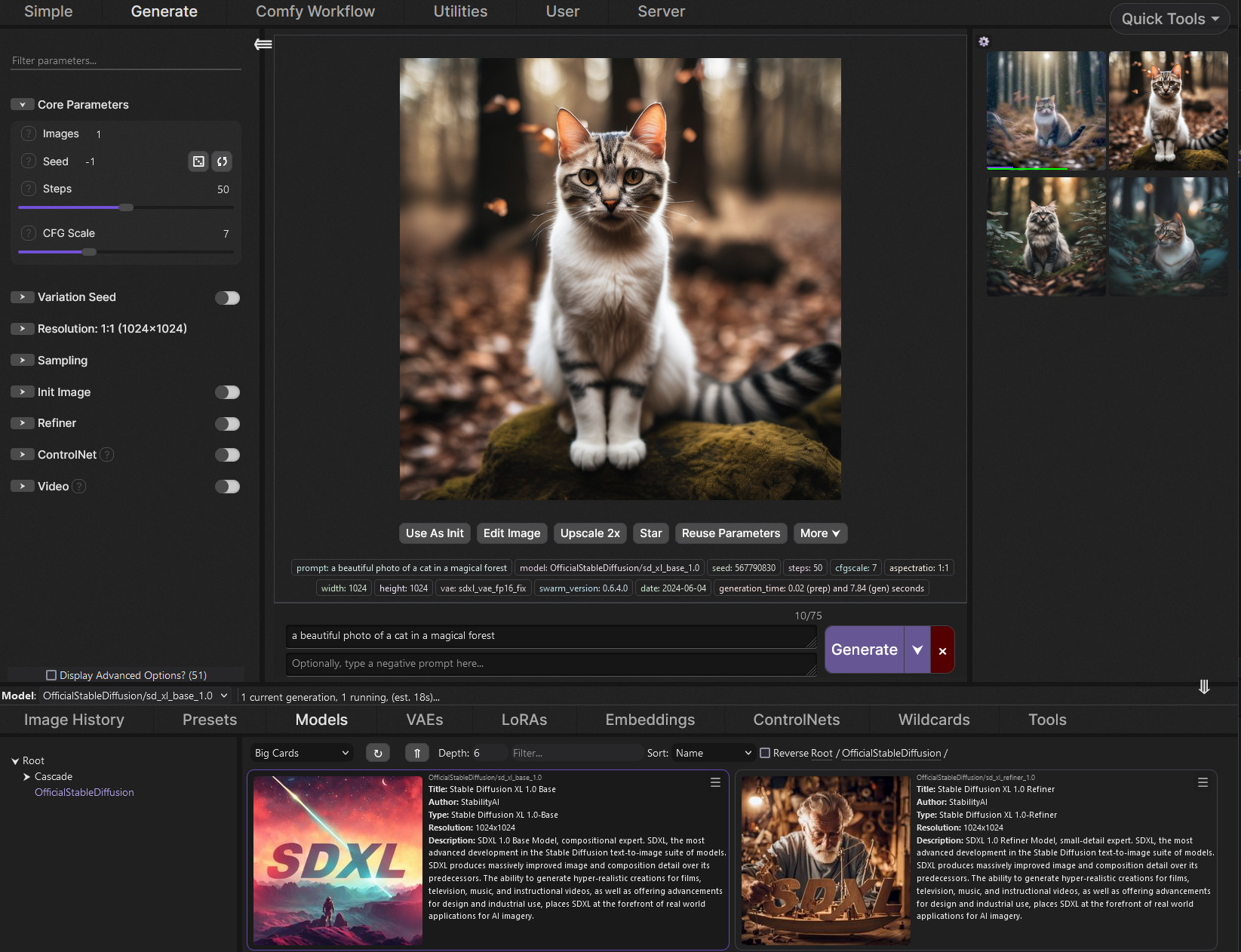
GitHub
SwarmUI (formerly StableSwarmUI), A Modular Stable Diffusion Web-User-Interface, with an emphasis on making powertools easily accessible, high performance, and extensibility. - mcmonkeyprojects/Swa...
should be oneclick install just run the BAT
shadow heron
minor latch
https://github.com/mcmonkeyprojects/SwarmUI?tab=readme-ov-file#installing-on-win...
i'M FOLLowing the one int the pinned notifications
is that ok
minor latch
never tried it, on phone rn. But i guess It doesn't get easier than one click installers
shadow heron
minor latch
never tried it, on phone rn. But i guess It doesn't get easier than one click in...
how do you disable autoloading the browser upon clicking the .bat
minor latch
find the launch-windows.bat or similar and --launch_mode none
for neo or a111 its COMMANDLINE_ARGS=--use-directml --no-auto-launch
shadow heron
I see none of that
I'll deal with this tommorow, gotta do stuff. Hopefully I don't need to migrate to a different alternative the 5th time
Still was hoping neo would work tho. Hopefully CS1 can assist further with that (will keep swarmui in my directory tho)
 edgy coral
I get a message that says NVIDIA GeForce RTX 5090 with CUDA capability sm_120 is not compatible with the current PyTorch installation.
The current PyTorch install supports CUDA capabilities sm_50 sm_60 sm_61 sm_70 sm_75 sm_80 sm_86 sm_90
ornate elk
edgy coral
I get a message that says NVIDIA GeForce RTX 5090 with CUDA capability sm_120 i...
Which Webui do you tried to setup? Because that error mostly comes from outdated ones.
Try setup Forge Neo from the pinned messages.
ornate elk
shadow heron
is this the cuda error?
Yes thats the cuda error. You can do the next steps then.
minor latch
hello, can someone check if this script does anything to their gen
i've had issues with disabling tiling but it still wont work
 cobalt rover
https://github.com/CS1o/Stable-Diffusion-Info/wiki/Webui-Installation-Guides#nvidia-automatic1111-webui-stable-diffusion-webui
Hey guys, im tryna install this but when i did this yesterday on W11 i kept getting an error saying something about skipping a cuda test in regards to my gpu
Im trying again today on W10 but wanted to know if theres a specific Nvidia driver i need to update to first
GitHub
Stable Diffusion Knowledge Base (Setups, Basics, Guides and more) - CS1o/Stable-Diffusion-Info
cobalt rover
Torch is not able to use GPU, add skip torch cuda test...
ornate elk
 dapper tundra
i think its automatic111
dapper tundra
i think its automatic111
Automatic1111 doesnt get update anymore. 1.10.1 is the latest version
If you have a rtx30/40/50 you should switch to Forge Neo
ornate elk
cobalt rover
https://github.com/CS1o/Stable-Diffusion-Info/wiki/Webui-Installation-Guides#nvi...
What's your GPU?
cobalt rover
Its a 3070
Damn tho i just got it workin
And youre tellin me this no longer supported?
shadow heron
ornate elk
Yes thats the cuda error. You can do the next steps then.
so trying to use faun q4 gguf but this error keeps popping up. I assume Im' missing something

note i removed disable bnb from the launch parameters since the cmd wasn't recognizing that
shadow heron
this is the model im trying to us https://huggingface.co/OlegSkutte/Faun-GGUF?not-for-all-audiences=true
ornate elk
cobalt rover
And youre tellin me this no longer supported?
It works but doesnt get updates anymore and no new model support etc
ornate elk
shadow heron
so trying to use faun q4 gguf but this error keeps popping up. I assume Im' miss...
What's faun?
ornate elk
Can you share a link to it?
ornate elk
Ah okay
It seems like no webui currently supports it.
Thats why you got the error
Only a tool called dreamio, but I never heard of that.
shadow heron
ornate elk
It seems like no webui currently supports it.
Thats why you got the error
Only a...
hmm I do use dreamio and hoping to use the faun model outside of the game (which the author does state it works for kobold so I assume the same for neo forge)
still going to use neoforge for other models tho if that doesn't work
cobalt rover
ornate elk
It works but doesnt get updates anymore and no new model support etc
How long has this been the case? And what are some beginner friendly alternatives?
ornate elk
shadow heron
hmm I do use dreamio and hoping to use the faun model outside of the game (which...
I see its based on chroma and chroma should work on forge neo, but its based on Chroma-Flash. Maybe forge neo doesn't support that currently
shadow heron
hmm interesting...i assume I need a plugin
ornate elk
shadow heron
still going to use neoforge for other models tho if that doesn't work
Yea flux, wan, qwen, z-image and sdxl/Illustrious work without issues
ornate elk
cobalt rover
How long has this been the case? And what are some beginner friendly alternative...
Since over a year now.
The best alternative is Forge Neo
It has the same ui as auto1111
cobalt rover
Okay thanks, what makes it so good?
I find a lot of this complex to get good results, so i dont mind me some guardrails
ornate elk
Its actively supported, and supports the latest models and has the latest performance improvements build in
Its as easy to use as Auto1111 and also supports community extensions
cobalt rover
Okay thanks, ill get that then
shadow heron
ornate elk
I see its based on chroma and chroma should work on forge neo, but its based on ...
so forge noe possible won't work with faun then due to it being chroma based?
cobalt rover
cobalt rover
Damn tho i just got it workin
Also if anyone is in my situation
Install chipset drivers (amd cpu) and then ddu my gpu drivers and reinstall latest
Then it worked
ornate elk
shadow heron
so forge noe possible won't work with faun then due to it being chroma based?
Yep probably. But I can test later if thats really the case
ornate elk
cobalt rover
Okay thanks, ill get that then
In the pinned messages is a setup guide
cobalt rover
Has setting up the models themselves gotten any easier in the last year?
I remember finding good configurations for them was very timeconsuming and i never really got the hang of it
ornate elk
Yea forge neo has presets for the model types
ornate elk
shadow heron
so forge noe possible won't work with faun then due to it being chroma based?
cant test as i dont have enough space left xD
ornate elk
shadow heron
this error seems morel ike your not using or missing the right text encoder
 quick fiber
i got this extension

however it dont appear


GitHub
Inpaint Anything extension performs stable diffusion inpainting on a browser UI using masks from Segment Anything. - Uminosachi/sd-webui-inpaint-anything
i am using sd-webui-forge-neo
ig it uses automatic's11111
so idk
shadow heron
ornate elk
this error seems morel ike your not using or missing the right text encoder
Do you know what im missing? Tho i don't expect you to know 100 percent
Might have to ask the faun dev (creator of dreamio)
quick fiber
also how do u update
--------------------------------------------------------
| You are not up to date with the most recent release. |
| Consider running `git pull` to update.               |
--------------------------------------------------------
got it to work on automatic1111
however pc freezes and crashes everytime i use it
running 9070
crude halo
ornate elk
Automatic1111 doesnt get update anymore. 1.10.1 is the latest version
there are lots of issues with forge neo though
crude halo
ornate elk
Since over a year now.
The best alternative is Forge Neo
maybe comfyui?
ornate elk
crude halo
there are lots of issues with forge neo though
It works good for me and most others too
ornate elk
crude halo
maybe comfyui?
Sure, but its not as easy to use
trim prairie
currently installing python 3.11.9 but it say to download with microsoft store but only have python 3.12, when using it, got problem with torch...can somebody help me 😩
 minor latch
trim prairie
currently installing python 3.11.9 but it say to download with microsoft store b...
minor latch
trim prairie
currently installing python 3.11.9 but it say to download with microsoft store b...
USE ONE CLICK INSTALL ? it creates a local python enviroment so you dont need to download python at all
ornate elk
trim prairie
currently installing python 3.11.9 but it say to download with microsoft store b...
Don't use the Microsoft store for python. It breaks the webui.
Uninstall everything from python and install 3.11.9 64bit from the python website.
Then delete the venv folder and relaunch the webui-user.bat
trim prairie
ornate elk
Don't use the Microsoft store for python. It breaks the webui.
Uninstall everyth...
thanks a lot bro
trim prairie
why is this ?
 ornate elk
trim prairie
why is this ?
ornate elk
trim prairie
why is this ?
It would need you to have visual studio build tools installed or you to manually install insightface
But if you dont want to use faceswap stuff then you can ignore it
celest delta
so i just installed forge neo but as always with these tutorials it's like missing several steps and assume everyone know what they're doing
I've been told tiled VAE is auomatically installed in it, but i can't find it, and like how do you generate video? Selecting WAN at the top still only shows txt2img or img2img
ornate elk
celest delta
so i just installed forge neo but as always with these tutorials it's like missi...
Tiled VAE is at the Never OOM option
celest delta
i see, so it's just a check now? No option to set stuff? (i had to go down to 1024 and 64 for exemple, don't remmeber the name right now)
celest delta
i have soooo many question, would be nice if someone could set some time in private to help me...
Like i downloaded the new ZimageTurbo thing... isn't it supposed to generate stuff faster than other checkpoints/models? It's the same speed or even slower...
ornate elk
celest delta
i see, so it's just a check now? No option to set stuff? (i had to go down to 10...
You only need to enable it yes
ornate elk
celest delta
i have soooo many question, would be nice if someone could set some time in priv...
It needs 9 steps and Euler simple.
Ui preset lumina
celest delta
that's what i mean, is there a full tutorial telling you all of this? How was i suppsoed to know, lol
and it says forge neo works with video generation, but even if i click on the wan thing i don't any options for it
ornate elk
celest delta
that's what i mean, is there a full tutorial telling you all of this? How was i ...
here is the wiki entry for each model type:
https://github.com/Haoming02/sd-webui-forge-classic/wiki/Inference-References
celest delta
when i follow what you said, the image are super blurry... but they were good when i tried them on wan (when i was trying to find videos, lol)
and also the speed wasn't faster
ornate elk
celest delta
and also the speed wasn't faster
faster than what?
celest delta
other checkpoints/models
ornate elk
its definitly faster than qwen, flux and chroma and wan
but of course slower than sd 1.5, sdxl illus etc
celest delta
oh, i thought it was faster in general, i've been using illustrious most of the time
and how do i use video generation? i don't see the option in the WAN settings
ornate elk
txt2video is txt2img
celest delta
why doesn't it do a video then
ornate elk
celest delta
why doesn't it do a video then
You need at least 17 steps
And wan 2.2 14b as model
celest delta
but then how do i control the length of the video, amount of frames, and all that?
ornate elk
celest delta
but then how do i control the length of the video, amount of frames, and all tha...
the wan 2.2 16b model has a fixed fps rate of 16
so 17 steps will get you 1 second of video
33steps = 2seconds and so on
celest delta
is there a limit?
ornate elk
idk
celest delta
also can i use other wan 2.2 models? like lower gb for lower ram? i need to find one cause the first one i found doesn't work
ornate elk
you can use gguf versions of wan 14b
https://huggingface.co/QuantStack/Wan2.2-T2V-A14B-GGUF/tree/main
you need to enable the Refiner in settings, then set highnoise as model and low nosie as refiner
celest delta
refiner is not present in forge neo, guess i have to download it as an extension?
ornate elk
celest delta
refiner is not present in forge neo, guess i have to download it as an extension...
No as I said you have to enable it in the settings
Its under refiner I guess
celest delta
ornate elk
https://huggingface.co/QuantStack/Wan2.2-T2V-A14B-GGUF/tree/main
you need to ena...
there's a lot of different files, which one do i pick?
celest delta
apprently i also need a text encoder... what do i pick? ther'es not one in these files
celest delta
finally managed to do a generation... but it's not a video
celest delta
okay i didn't notice the frame slider... used that, but then the generation fails after trying to do one for 10 minutes...
i really need help, i probably downloaded the wrong wan model among all the ones in the link, and the generation slows down everything even with Lowest resolution (i have 10 gb ram), only to produce nothing at the end
celest delta
and does this save some stuff on your main drive? i have the webui installed on another drive than my C drive, but my C drive still lost like 20 GB from nowhere after these tries...
ornate elk
celest delta
i really need help, i probably downloaded the wrong wan model among all the ones...
how much gpu Vram do you have?
trim prairie
guys, need help, has been stuck here for a long time now, i already install visual studio insiders 2026 but it wont do
 ornate elk
trim prairie
guys, need help, has been stuck here for a long time now, i already install visu...
ornate elk
trim prairie
guys, need help, has been stuck here for a long time now, i already install visu...
hey, can you share the complete cmd log?
trim prairie
ornate elk
hey, can you share the complete cmd log?
can i share it this way ?
ornate elk
trim prairie
can i share it this way ?
the facefusion extensions is outdated and wont work anymore
you have to install and use the normal Standalone Facefusion version
trim prairie
ornate elk
you have to install and use the normal Standalone Facefusion version
any step how ? newbies here
one thing, any link for me to download controlnet model ?
trim prairie
u really are so helping, thanks a lot !
ornate elk
whats your gpu btw?
trim prairie
RTX 4050 with 6GB Vram
trim prairie
ornate elk
sure here:
https://civitai.com/models/136070?modelVersionId=267493
can i use this for SD1.5 ?
ornate elk
trim prairie
can i use this for SD1.5 ?
nope thse are for 1.5:
https://civitai.com/models/38784/controlnet-11-models
ornate elk
trim prairie
RTX 4050 with 6GB Vram
with that gpu you should better use Forge webui instead of auto
its more optimised for lower vram/ram amount
trim prairie
any idea how i can start with it ? 😅
ornate elk
yea, you can find the setup guide for it here:
https://github.com/CS1o/Stable-Diffusion-Info/wiki/Webui-Installation-Guides
it already has the controlnet extension included
celest delta
ornate elk
how much gpu Vram do you have?
10
 lyric ingot
Hi i just dowloaded Stable Diffusion. Ive trouble generating images. Its taking too much time idk why (10 to 15m). Ive 16go vram. Can u guys try to help me and maybe give me the best settings i should be already using ?
Thank u !
ornate elk
lyric ingot
Hi i just dowloaded Stable Diffusion. Ive trouble generating images. Its taking ...
hey, whats your gpu and which wbeui have you set up?
ornate elk
celest delta
10
thats not enough for wan 2.2 14b
maybe wan 2.2 5b can work, but that only works in comfyui. Or ltx video
but with 10gb vram i would stay at image gen not video
lyric ingot
ornate elk
hey, whats your gpu and which wbeui have you set up?
RTX 2070s and im using A1111 ?
ornate elk
lyric ingot
RTX 2070s and im using A1111 ?
ah okay, then edit the webui-user.bat
at the line set COMMANDLINE_ARGS=
you have to add --xformers --medvram-sdxl
then save and relaunch the webui-user.bat
celest delta
i cant wait for an easy webui to use to be able to do video... i tried swarm a while back and it was working but such a pain to use
lyric ingot
like that ?
 ornate elk
lyric ingot
like that ?
ornate elk
lyric ingot
like that ?
no it has to be after the =
lyric ingot
ok
trim prairie
ornate elk
it already has the controlnet extension included
one more things, with my spec RTX 4050 6GB Vram which is suitable ? forge or forge neo ?
ornate elk
trim prairie
one more things, with my spec RTX 4050 6GB Vram which is suitable ? forge or for...
forge or (forge classic, which i have to the guides)
lyric ingot
ornate elk
no it has to be after the =
Its working tysm.
Do u have a video to config fully Stable Diffusion i could follow ?
ornate elk
lyric ingot
Its working tysm.
Do u have a video to config fully Stable Diffusion i could fol...
nope sry :/ but get yourself the Adetailer extension and boorutag autocomplete extension from the extensions tab
also go into the settings under User Interface -> Quicksettings -> and there add sd_vae
then hit apply and reload ui
then your ready
lyric ingot
ornate elk
nope sry :/ but get yourself the Adetailer extension and boorutag autocomplete e...
TYSM have a great day
ornate elk
thx, you too!
celest delta
ornate elk
thats not enough for wan 2.2 14b
so apprently you can use wan video on forge neo with as low as 6gb ram if you use a lower Q model?
ornate elk
celest delta
so apprently you can use wan video on forge neo with as low as 6gb ram if you us...
yes that can work
celest delta
but you just told be it couldn't, xD
ornate elk
celest delta
but you just told be it couldn't, xD
the normal wan 14b yep. and the lower gguf versions have a bad quality and will still take ages for a 3 second video xD
ornate elk
you can get the lower gguf files and test. but i cant quarantee that it works. you would also need to have a lot of system ram and a large pagefile if not
or you try comfyui with the much smaller 5b model of wan2.2
celest delta
i have 32 gb ram
is there not a list somewhere on which model is recommended for vram? Q3, Q6? I dunno
ornate elk
it has to be a bit lower than your actual vram
so if you have a 3080 with 10gb i would go for a 8-9 gb version
if that errors out of vram, then go lower
 ornate elk
it should work
ornate elk
its audio to video lol xD that wont work in forge
celest delta
oh lol, yeah
trim prairie
why this error appaers ? in webui it says typerror ? 😩

 ornate elk
trim prairie
why this error appaers ? in webui it says typerror ? 😩
ornate elk
trim prairie
why this error appaers ? in webui it says typerror ? 😩
can you screenshot the whole webui site?
trim prairie
okay, i think i got it, i set the Hires steps to 0.5 😅
it should be an integral no. right ?
ornate elk
yep xD
trim prairie
😆
 ornate elk
complete cmd log pls
celest delta
where do i find that?
ornate elk
just copy the whole cmd text, there is no log
celest delta
ornate elk
celest delta
you probably dont have ffmpeg installed
its required for video stuff (converting images into video)
celest delta
ah okay, thanks
ornate elk
you need to download it and add it to the system path
celest delta
yeah just did that, currently generating we'll see if this works
welp... same error as before
ornate elk
celest delta
welp... same error as before
can you open up a cmd and run
ffmpeg -version
celest delta
ornate elk
can you open up a cmd and run
`ffmpeg -version`
I:>ffmpeg -version
ffmpeg version 2025-12-10-git-4f947880bd-essentials_build-www.gyan.dev Copyright (c) 2000-2025 the FFmpeg developers
built with gcc 15.2.0 (Rev8, Built by MSYS2 project)
configuration: --enable-gpl --enable-version3 --enable-static --disable-w32threads --disable-autodetect --enable-cairo --enable-fontconfig --enable-iconv --enable-gnutls --enable-libxml2 --enable-gmp --enable-bzlib --enable-lzma --enable-zlib --enable-libsrt --enable-libssh --enable-libzmq --enable-avisynth --enable-sdl2 --enable-libwebp --enable-libx264 --enable-libx265 --enable-libxvid --enable-libaom --enable-libopenjpeg --enable-libvpx --enable-mediafoundation --enable-libass --enable-libfreetype --enable-libfribidi --enable-libharfbuzz --enable-libvidstab --enable-libvmaf --enable-libzimg --enable-amf --enable-cuda-llvm --enable-cuvid --enable-dxva2 --enable-d3d11va --enable-d3d12va --enable-ffnvcodec --enable-libvpl --enable-nvdec --enable-nvenc --enable-vaapi --enable-openal --enable-libgme --enable-libopenmpt --enable-libopencore-amrwb --enable-libmp3lame --enable-libtheora --enable-libvo-amrwbenc --enable-libgsm --enable-libopencore-amrnb --enable-libopus --enable-libspeex --enable-libvorbis --enable-librubberband
libavutil 60. 20.100 / 60. 20.100
libavcodec 62. 22.101 / 62. 22.101
libavformat 62. 6.103 / 62. 6.103
libavdevice 62. 2.100 / 62. 2.100
libavfilter 11. 10.101 / 11. 10.101
libswscale 9. 3.100 / 9. 3.100
libswresample 6. 2.100 / 6. 2.100
Exiting with exit code 0
ornate elk
okay then idk why it has that error xD
celest delta
maaaaaaaaaaan there's always something wrong that nobody knows what the issue is with me... my luck sucks ass
maybe restarting the computer instead of just reloading the UI?
ornate elk
worth a try
celest delta
and as you said yesterday, if i select 33 frames, i must put 33 steps?
ornate elk
celest delta
and as you said yesterday, if i select 33 frames, i must put 33 steps?
oh no they added the frames slider so you can leave the steps at 20 and only use the 33 frames
celest delta
ornate elk
oh no they added the frames slider so you can leave the steps at 20 and only use...
finally it's working
took 5 minute to generate 2 seconds, could be worse!
now to find some good lora for it... do you have recommendations?
also thanks a lot
ornate elk
no problem, but nope no recommendation, as i dont do video stuff that much, only for testing
celest delta
well i just tried this one and it just give me a jumbled mess, any help for settings when using a lora with wan?
ornate elk
not from me :/ maybe someone else knows
celest delta
i guess there's nothing i can do much about the video quality since it's a lower vram model? Can i use hi-res fix with it?
otherwise it might be better to just use image2video?
ornate elk
celest delta
otherwise it might be better to just use image2video?
img2video might be easier
i guess hires fix wont work
celest delta
no change in setting for img2video? i just need to get the i2v model and that's it?
ornate elk
check the wiki, i didnt used img2video
 weary nacelle
what're all the different types of stable diffusion things?
like, the comfyui, swarmui, forge, etc?
and which is probably the best to run on an amd card?
ornate elk
weary nacelle
and which is probably the best to run on an amd card?
depends on your amd card
weary nacelle
7800xt
ornate elk
different ui and model support etc
weary nacelle
oh alr
weary nacelle
ornate elk
forge neo with rocm or forge with zluda
are these basically the same things?
as in are there many/any differences between the two
vocal burrow
It can be confusing but the core behind all of them is the same. After all, they load the same stable diffusion models (or z image, flux, whaterver).
What change is the way they load the models, the way they use your hardware, the specific knobs and settings they expose to the users, their UI.
Just like different cars can share the same engine but feel and look totally different.
vocal burrow
Some are made to be more intuitive for users and therefore hide a lots of settings, some have a graph / node based UI, some are made with specific GPU vendors (Nvidia / AMD / Intel) in mind. Some implements specific optimisations.
It can be a mess and quite often those choices are mutually exclusives.
ornate elk
weary nacelle
are these basically the same things?
rocm and zluda are different backends. while zluda is more stable, it is a bit slower compared to amds new rocm support
ornate elk
no problem, feel free to ask here if any step isnt clear
celest delta
yeah i'm gonna need some help with I2V, the image just becomes noise immediatly
it does a video, but that's it
hope someone can help
celest delta
any advices on Zimageturbo loras? I downloaded one on civitai, but the generation doesn't take it into account at all, like it doesn't exist
 jade dew
@ornate elk Today, I encountered a problem in my friend's shared session and so as in my Local SD that loras used for image generation distorts the image result. Also, when I use Forge Couple, it often occurs that the prompts prioritize the secondly added character into the image and the first one doesn't even appear on the image or she becomes almost non-existent despite her detailed prompts. Is this normal? No such thing happened to me before.
My own Colab sessions are unaffected, but what exactly is this?
 dusky osprey
Hi people! Quick question. I'm using comfyui portable. I've a 9060XT and 32ram. I'm trying to make some clothing workflows work. Would you recommend me flux, Qwen, or any other workflow? Total noob here. Thanks in advance
ornate elk
jade dew
<@161910921269084160> Today, I encountered a problem in my friend's shared sessi...
Can't help much with that but it doesnt sound normal.
Check the cmd log and that all extensions are updated
jade dew
ornate elk
Can't help much with that but it doesnt sound normal.
Check the cmd log and that...
Forge Couple is the only extension that is not updated due to the newer version is inconvenient with certain of my characters depictions. The newest version is v5.1.0, whilst I'm only willing to use the v4.0.4 one.
ornate elk
jade dew
Forge Couple is the only extension that is not updated due to the newer version ...
what exactly did changed in v5 ?
jade dew
ornate elk
what exactly did changed in v5 ?
Basically, Leaves out certain elements from main prompt line and the first character lora entirely. The second character becomes the main focus somehow. In v4.0.4 it generates both characters with no problem and not willing to leave out key prompts that I added.
sometimes may cause the engine to ignore certain text-based negative prompts like english/chinese/korean texts.
ornate elk
jade dew
Basically, Leaves out certain elements from main prompt line and the first chara...
you should open up an issue on the forge-couple github then, the dev answers within a day.
i cant imagine it breaks anything that much in v5