#🤝|tech-support
1 messages · Page 148 of 1
 acoustic chasm
env?
 bitter pier
Btw do you know you have Gpu installed?
 vocal burrow
ctrl+shift+escape -> performance -> GPU
bitter pier
acoustic chasm
env?
Environment
acoustic chasm
vocal burrow
ctrl+shift+escape -> performance -> GPU
I have radeon
vocal burrow
screenshot the whole thing
bitter pier
SO which guide did you follow to run stable diffusion?
acoustic chasm
bitter pier
SO which guide did you follow to run stable diffusion?
60 second guide

Here's the easiest way to install Stable Diffusion AI locally FAST -
Big Shout-Outs to Le-Fourbe for walking me through the process!!
GitHub Link here:
https://github.com/AUTOMATIC1111/stable-diffusion-webui
If you enjoyed this video, please consider becoming a Member :)
https://www.youtube.com/@TheRoyalSkies/join
Or joining the Patreon Squad d...
acoustic chasm
vocal burrow
screenshot the whole thing
aight
bitter pier
It does provide some installation guide on AMD?
vocal burrow
bitter pier
It does provide some installation guide on AMD?
lol no of course
bitter pier
acoustic chasm
Perfect!
vocal burrow
acoustic chasm
i meant the gpu window
acoustic chasm
so I just cant have stable diffusion?
bitter pier
Not really
acoustic chasm
 bitter pier
You can use that and should install the envrioenment first
acoustic chasm
bitter pier
You can use that and should install the envrioenment first
yeah but how do I do that
also is there any other ai image software I could use as a replacement?
vocal burrow
Ok there we go, you have a RX 6600 XT

and you followed a tutorial for NVIDIA gpus
so of course it s not gonna work
acoustic chasm
sigh

this is what it says
for amd
and its a lil too complicated for me
I went into python
and python wont even wana open
vocal burrow
acoustic chasm
vocal burrow
Follow this <https://github.com/CS1o/Stable-Diffusion-Info/wiki/Webui-Installati...
way too much work
I dont wana restart my pc either
vocal burrow
obligatory reminder to not get scammed in DM
acoustic chasm
I have something running
vocal burrow
acoustic chasm
way too much work
Welp can t help you then. I can copy paste the same tutorial in smaller portions but the work will be the same.
acoustic chasm
alright thank you
im just wondering if there are any like
ai generators I can use instead
scam shazam
 ornate elk
acoustic chasm
ai generators I can use instead
ornate elk
acoustic chasm
ai generators I can use instead
Localy only the ones from the guide.
Online are only paid services.
acoustic chasm
ornate elk
Localy only the ones from the guide.
Online are only paid services.
the one he sent?
vocal burrow
There are multiple ones in the page I ve sent you. But yes
acoustic chasm
I might just be better off without any of it then
vocal burrow
tldr zluda fast, directml slooooow
acoustic chasm
too much work and editing stuff
and I wana understand what I am doing
and not blindly follow tutorials
ornate elk
Then your out of luck because there aren't any YouTube videos about the correct or updated setup of stable diffusion on AMD GPUs.
Thats why I made these Guides to easily get it working.
The setup is not as easy as running an .exe file but you wouldn't understanding or control what an .exe does in the background too
ornate elk
Sure, no problem. Feel free to ask me if you have any questions about the setup.
 prisma moss
RuntimeError: CUDA error: misaligned address CUDA kernel errors might be asynchronously reported at some other API call, so the stacktrace below might be incorrect. For debugging consider passing CUDA_LAUNCH_BLOCKING=1. Compile with TORCH_USE_CUDA_DSA to enable device-side assertions. Unhandled exception caught in c10/util/AbortHandler.h 00007FF9D2FA805400007FF9D2F8C190 torch_python.dll!THPGenerator_initDefaultGenerator [<unknown file> @ <unknown line number>]
And what does this error mean?
 brave egret
Hi everyone,
I got a Question about an issue with some of my presets in SD A1111
After writing a prompt I save it from time to time as a template within the 'Styles' as preset
But I´m having issues with about 1 of 3 presets
If I place the Prompt (positive and negative) in my SD the pics look fine
But when I clear the Prompt (positive and negative) and select the preset, which has the same positive and negative prompt saved within and use the 1:1 same settings, the pics have issues
And if there are issues with the preset and I run the generation with my Adetailer it makes it even worse, but when I place the prompt (positive and negative) directly in my SD instead of the preset, the pics look fine even with Adetailer
Pic 1 = Prompt directly in the SD not as preset
Pic 2 = Same prompt but as preset without Adetailer (only with one time face detailer)
Pic 3 = Same Prompt as preset but with Adetailer (only with one time face detailer)
(Using SD A1111 with 1.5 Models)
Wish you all a good weekend


 prisma moss
how does one unload models on forgeui manually? when switching between them, i often get stuck on one of them
uh what?
and why not here
sure you do, you are not even in that server lol
fk u want bro?
@light elm
ornate elk
prisma moss
fk u want bro?
Banned the scammer
ornate elk
prisma moss
how does one unload models on forgeui manually? when switching between them, i o...
If you dont switch between them while an image is generating it shouldn't get stuck
 rose apex
I saw this in SDnext ZLUDA. First, does this means FA2 works on AMD GPUs? (Chatgpt says otherwise cause). Secondly, How can I check if it's already enabled or not in SDnext?
 rose apex
prisma moss
how does one unload models on forgeui manually? when switching between them, i o...
rose apex
prisma moss
how does one unload models on forgeui manually? when switching between them, i o...
Works fine for me, you don't need to manually unload models I think. Happens automatically when you switch to a different model. There still might be an extension for it ig.
 dry jungle
I've tried installing a LoRA into automatic1111 but after setting everything up and reloading the webui the lora is not appearing in the Additional Extensions, any idea why??
prisma moss
dry jungle
I've tried installing a LoRA into automatic1111 but after setting everything up ...
Uh, the loras dont go into extensions
 lusty edge
Hey hey, I am kinda lost actually. Does anyone know how to train LoRA locally? I want to make one that captures my likeness. I tried the native Lora trainer, the advanced lora trainer, and the FL Kohya LoRa trainer in ComfyAI. What I could get out of the native lora trainer was not good enough. And the advanced & FL Kohya Lora trainer had me trouble shooting endlessly. I asked Co-Pilot to help me through it, since I don't know much about it yet. But after installing version after version of ComfyAI, requirements, custom node versions, creating virtual environments and python versions, I think ai doesn't cut it when it comes to helping me through this. I've been at it for nearly 11 hours today. It's not for lack of trying, I just lack the expertise. I believe help from an actual person is my best bet at getting the results I'm after. 🙂
 dreamy lodge
any reason this isnt working for me?
prisma moss
@ornate elk sorry for bothering, since i randomly get a huge memorly leak which fills up my 24gb vram, i enabled tiling again, but i dont see why it needs to tile upscale after every damn inpaint, simply slowing the process, and its not as if with it disabled that it uses much vram anyway

ive set this to that, and ill report back i guess
 prisma moss
Ok so it still happens on its own out of nowhere, i wasnt even underload, i was just masking an image..

and yes i tried fresh venv too, idk if i should try, and fully wipe forge
ornate elk
prisma moss
<@161910921269084160> sorry for bothering, since i randomly get a huge memorly l...
Can you screenshot the settings when it happens again?
prisma moss
ornate elk
Can you screenshot the settings when it happens again?
Sure
 chrome tangle
So as i said, i am not sure what to post this in. I am getting very bright skin and a weird red outline in every picture. It is very unflattering. I have tried doing ti with prompts, without prompts, with vae, without vae, with addons (like DT and adetailer), with refiners, without, starting from scratch with a new config, trying different checkpoints. they all give me the same issue. It can't be the prompt either because it happens without prompts. Its driving me mad. The images i will post have no Lora on them so they look bad. But yeah... https://postimg.cc/gallery/3KCf4Zt
 vocal burrow
chrome tangle
So as i said, i am not sure what to post this in. I am getting very bright skin ...
vocal burrow
chrome tangle
So as i said, i am not sure what to post this in. I am getting very bright skin ...
probably an "issue" with the upscaler
depends how you ve set it up
chrome tangle
it happens with and without an upscaler. but this is how i have my hires.
 vocal burrow
try to change the upscaler model
also if the outlines are here without upscalers at all
ornate elk
chrome tangle
it happens with and without an upscaler. but this is how i have my hires.
Try lower the hires steps to 10 and set the denois to 0.4
Or try Fatal Anime 50000 as upscaler:
https://openmodeldb.info/models/4x-Fatal-Anime
 vocal burrow
@mild flicker you need to start with the argument --listen to be able to access your sd instance on other computers from the same LAN.
 tiny peak
I was wondering where would be a good place to ask for help with Comfyui I have a custom node with custom templates but they are not working in comfy. Like the templates show but they are greyed out and don't load and the nodes don't work either . I noticed that there are 3 custom node foldes the one under user the one in Local app data and there are 2 there which should I use?
tiny peak
well tried copying custom node folder to all of the other ones no luck
tiny peak
lmao
vocal burrow
Just in case there was a link to some external discord or whatever. Don't follow it, the only official help you'll get is from https://stability.ai/ or their mailing system. This very channel is community driven
also usually you can install custom nodes throught comfyui interface itself.
that way you're sure that you won't mess up the installation
if installed correctly then look at the logs for errors.
prisma moss
ornate elk
Can you screenshot the settings when it happens again?
aight so

which settings
 quick roost
I'm running an old script, but something's not working right
Flux

 gleaming lodge
quick roost
I'm running an old script, but something's not working right
Flux
gleaming lodge
quick roost
I'm running an old script, but something's not working right
Flux
Base on this script it shows like you're using an old version of the training script
Which means the script won't actually train correctly unless you either run it with a supported gpu
 crystal nacelle
I’ve been using SD1.5 but want to upgrade to another one. What do you recommend? I have AMD RX7600 (8GB), i5 9th gen, SSD, 32GB pc. My priority is prompt adherence. Was thinking of SDXL…
ornate elk
crystal nacelle
I’ve been using SD1.5 but want to upgrade to another one. What do you recommend?...
Yea that would work or if your into anime or semi realism then go for Illustrious based models
crystal nacelle
ornate elk
Yea that would work or if your into anime or semi realism then go for Illustriou...
Thank you. Which UI do you recommend? I’ve always used A1111, would like to keep using it or something similar
ornate elk
crystal nacelle
Thank you. Which UI do you recommend? I’ve always used A1111, would like to keep...
Automatic1111 or Forge with Zluda should work fine
ornate elk
prisma moss
which settings
A screenshot of the whole page with to Settings you used, like resolution, steps etc.
prisma moss
ornate elk
A screenshot of the whole page with to Settings you used, like resolution, steps...
I assure you nothing out of the ordinary there
 patent fjord
Hello, I have a problem, I followed the entire tutorial for Forge with ZLUDA, AMD Ryzen 5 5600G Processor with Radeon Graphics, 16.0 GB RAM, years ago I had used automatic1111, and it worked although slowly, after removing it now I wanted to try the new ways, I have been trying all night between zluda, DirectML and it always gives me this error

 ornate elk
patent fjord
Hello, I have a problem, I followed the entire tutorial for Forge with ZLUDA, AM...
ornate elk
patent fjord
Hello, I have a problem, I followed the entire tutorial for Forge with ZLUDA, AM...
Hey, can you share the whole cmd log?
patent fjord
ornate elk
Hey, can you share the whole cmd log?
 vocal burrow
patent fjord
vocal burrow
patent fjord
 patent fjord
vocal burrow
patent fjord
vocal burrow
The tutorial told me to use Python 3.11.9
ornate elk
patent fjord
Python 3.11.9 is okay
But rocm shows no agent was found
Have you downloaded the correct gfx files for your GPU?
patent fjord
ornate elk
Have you downloaded the correct gfx files for your GPU?
I suppose, just in case, you can tell me which one it would be so I can check that I download the correct one?
ornate elk
patent fjord
I suppose, just in case, you can tell me which one it would be so I can check th...
Do you only have the igpu of the cpu and not a dedicated GPU?
I checked the the CPU and it seems that the igpu is not compatible with Zluda. Only DirectML would be an option.
patent fjord
ornate elk
I checked the the CPU and it seems that the igpu is not compatible with Zluda. O...
I had tried it with DirectML and it gave me the problem, I will check and send what comes out
patent fjord
ornate elk
I checked the the CPU and it seems that the igpu is not compatible with Zluda. O...
 ornate elk
patent fjord
ornate elk
patent fjord
Full cmd log pls
patent fjord
ornate elk
Full cmd log pls
 ornate elk
patent fjord
ornate elk
patent fjord
For directml you need to change the launch args of the webui-user.bat to --use-directml instead of --use-zluda.
Then delete the venv folder and relaunch
patent fjord
ornate elk
For directml you need to change the launch args of the webui-user.bat to --use-d...

 ornate elk
patent fjord
ornate elk
patent fjord
also add --skip-python-version-check
then delete the .zluda folder and the venv folder and relaunch the webui-user.bat
patent fjord
ornate elk
also add `--skip-python-version-check`
then delete the .zluda folder and the ven...
I added and deleted both folders but it recreated them when opening the webui.bat

 ornate elk
patent fjord
I added and deleted both folders but it recreated them when opening the webui.ba...
ornate elk
patent fjord
I added and deleted both folders but it recreated them when opening the webui.ba...
never launch the webui.bat
only the webui-user.bat
thats why it didn't worked
delete the venv folder and launch the webui-user.bat again
patent fjord
 Oh, I don't know why in my mind I remembered it being like that.
patent fjord
ornate elk
delete the venv folder and launch the **webui-user.bat** again
Thanks! Now it works. It's a bit slow, I don't know if it's because it generated the first time, but at least it works.
ornate elk
patent fjord
Thanks! Now it works. It's a bit slow, I don't know if it's because it generated...
no problem!, you can try remove --lowvram and instead add --medvram and make sure --attention-quad is also there
patent fjord
ornate elk
no problem!, you can try remove --lowvram and instead add `--medvram` and make s...
 I will try it, thanks for your help
 zenith sail
Hey guys doing a 2049x1024 image and would like to be able to make it a little more crisp, what do you guys reccomend? SD upscale looks like shit:


 storm knoll
Hi I've just updated comfy and all my nodes, I'm getting an annoying 2-3 second freeze every single time I click on my text encode nodes to change prompts. It only happens after I've already ran the workflow. If anyone else has seen the same issue and found a fix plz let me know. Not much to show, problem is as I said and removing nodes isn't really an option
?
why r u trying to get me to join this discord server like your life depends on it
seems sus asf
rofl
literal braindead
@marble python is trying to fish people into his discord server for reasons unknown
not sure who to @ for mods
vocal burrow
took care of it.
 quiet abyss
Macbook Pro 16.2’’ M4 Pro - 14c - 20c - 48GB RAM - 512GB SSD
Is this good option for AI? I want to be able to handle Flux / Qwen or stable diffusion models locally. And maybe some smaller LLM
vocal burrow
quiet abyss
Macbook Pro 16.2’’ M4 Pro - 14c - 20c - 48GB RAM - 512GB SSD
Is this good opti...
should be fine for SD (and probably flux/qwen too)
cf pinned guides for tutorial about how to install things on your mac
crystal nacelle
ornate elk
Automatic1111 or Forge with Zluda should work fine
are there any arguements you recommend I use like ---usemedvram or something? i only got 8GB vram on my puppy, 32GB ddr4 ram
ornate elk
crystal nacelle
are there any arguements you recommend I use like ---usemedvram or something? i ...
For Auto1111:
--medvram-sdxl
For Forge:
--cuda-stream
crystal nacelle
okay thanks. the link you pinned also advised adding --use-zluda --attention-quad --skip-ort --skip-python-version-check
ornate elk
Yep they are required too
quiet abyss
vocal burrow
should be fine for SD (and probably flux/qwen too)
Do you have one? How many seconds for image generation?
vocal burrow
No I don't, if I remember correctly I ve seen viking having around 2it/s on his mac (m1 ?)
I see people having from 6 to 10 it/s on sd1.5 models on a m3
src : https://vladmandic.github.io/sd-extension-system-info/pages/benchmark.html (search for darwin)
storm knoll
storm knoll
Hi I've just updated comfy and all my nodes, I'm getting an annoying 2-3 second ...
Spreading the word that if your UI freezes for multiple seconds everytime you click on text encode nodes downgrading the comfy frontend to 1.24.4 worked for me. Just add this to your launch .bat file "--front-end-version Comfy-Org/ComfyUI_frontend@v1.24.4"
crystal nacelle
ornate elk
For Auto1111:
--medvram-sdxl
For Forge:
--cuda-stream
im getting warning messages about setting GPU weights, should i do this? how do i do it?

 crisp apex
Anyone here good at Comfyui? I am new and I am running into an issue where, I upload a new workflow to COmfy, but the missing nodes that I need to install are completely hidden. I can't even see what I need to install, there is just massive gaps of blank space in the workflow. Anyone know how to fix this?
Will do, thank you
I'm pretty sure your a scammer
But it was a good try
Bro... stop. Im not falling for it
I love how you delete it immediately
 safe fern
!Help me please! I tried to exchange the wheel of the car using the flux kentext. But getting weird result. Could you give me any recommendation or any recommended workflow? Thanks

 tawny saddle
dunt fall for the Wumplus nitro bot scam, dunt add it, spread the word 💜 +-+
crystal nacelle
got a problem with getting controlnet to work on my new forge zluda. getting a controlnet.py error on the log :

looks like the code on this link could help but i have no idea how to use it other than to make a notepad file, paste the code in the error directory and rename it to a .py file type lol
https://huggingface.co/pantat88/ui/blob/3004933886514ae448e66ec8e925b4aedf0fcf42/controlnet.py

 nova loom
Hi, I'm getting NansException: A tensor with NaNs was produced in Unet. when I try img2img inpaint with illustrij_v8.
Tried "Upcast cross attention layer to float32" but the error keeps coming.
Tried --disable-nan-check but then I just get all black.
txt2img with illustrij works.
img2img with other models, even bigger size works (32GB cyberrealisticPony_v130 vs 6.9GB illustrij_v18).|
I'm using a Macbook M1 Pro.
Can anyone help? 
SOLVED: Fixed after using an external fp16 sdxl-vae instead of the checkpoint's embedded vae. Thanks to this post.
 rain crater
nova loom
Hi, I'm getting `NansException: A tensor with NaNs was produced in Unet.` when I...
rain crater
nova loom
Hi, I'm getting `NansException: A tensor with NaNs was produced in Unet.` when I...
Hello, @nova loom ! Try reducing CFG scale to 3-5 (instead of the default 7). Higher CFG values can cause instability with some models on Apple Silicon.
rain crater
safe fern
!Help me please! I tried to exchange the wheel of the car using the flux kentext...
Hi @safe fern . follow my approch step by step.
- Mask only the wheel you want to replace, not the entire car area
- Use "Inpaint masked" not "Inpaint not masked"
- Set Mask blur to 4-8 pixels for smoother blending
- Use "Only masked" padding mode with 32-64 pixels padding
 alpine comet
??? i downloaded from automattic 1111 github in the install and run on nvidia gpus bit
 vocal burrow
rtx 5xxxx ?
alpine comet
i have rtx 2070
vocal burrow
laptop ?
alpine comet
desktop
vocal burrow
any iGpu on your cpu that might take priority over the rtx 2070 ?
vocal burrow
run dxdiag and screenshot system and displays tabs

 vocal burrow
2 display tabs
 vocal burrow
how did you install a1111 ?
alpine comet
 ornate elk
alpine comet
ornate elk
alpine comet
Please follow the install Guide from the pinned messages
alpine comet
ornate elk
Please follow the install Guide from the pinned messages
oki
 balmy shore
does anyone use sd-webui-ux? it doesnt have the normal env cmd prompt in the base folder and i dont know how to run the g it pull to update

or is there a run flag i can add to user.bat
nova loom
hi people, is anyone able to run controlnet XL on M1 (MacOS)?
SD1.5 controlnet does work
but whenever I try a XL checkpoint + XL controlnet models I get Placeholder storage has not been allocated on MPS device
btw, I'm using automatic1111. I just saw that diffusionbee mentions support for XL and controlnet but it has way less github stars than a1111. what do you guys use on mac?
SOLVED: Worked once I used a controlnet model more specifically compatible with my checkpoint. Turns out being "XL" is not specific enough.
balmy shore
i might go back to a111 from my current ui
 vast crest
my sd forge is dead 🙁
 ornate elk
balmy shore
does anyone use sd-webui-ux? it doesnt have the normal env cmd prompt in the bas...
ornate elk
balmy shore
does anyone use sd-webui-ux? it doesnt have the normal env cmd prompt in the bas...
Add git pull to an empty row/line of the webui-user.bat
Then relaunch
vast crest
How am I wrong? I did it right a long time ago. What should I do then? Do you have a good link?
ornate elk
vast crest
How am I wrong? I did it right a long time ago. What should I do then? Do you ha...
You downloaded forge as zip but not the correct one.
A correct guide is on the first link of the pinned messages.
vast crest
Do you have the correct link you can send me?
ornate elk
vast crest
Do you have the correct link you can send me?
GitHub
Stable Diffusion Knowledge Base (Setups, Basics, Guides and more) - CS1o/Stable-Diffusion-Info
vast crest
ok, but is it still inside a winrar file? Is it good?
vast crest
is ok?
 vast crest

 woven walrus
Am I taking crazy pills? Almost every time I load a comfyui workflow, there are missing custom nodes, even after "installing missing custom nodes" via the manager. This time I'm trying to load the kijai workflow for wan2.2 animate, and I'm missing WanVideoAnimateEmbeds and FaceMaskFromPoseKeypoints. I've already updated comfy and I've updated the wanvideowrapper, what am I missing? Feels like I'm the only person with this issue.
alpine comet
in the a1111 nvidia guide where do i add the '--medvram-sdxl --no-half-vae' in commandline_args because i already ahve --xformers in but when i add the vram command it crashes and doesnt open, says it doesnt recognise it
 worn oyster
anyone is familiar with IP-Adapter from controlnet to mix images together ?
ornate elk
alpine comet
in the a1111 nvidia guide where do i add the '--medvram-sdxl --no-half-vae' in c...
At the line commandline_args=
rose apex
Using forge (Zluda with HIP6.4) takes quite a bit of time to generate images. 4 mins for 832x1216 images (Later upscaled by 1.5 with Hires fix) using only 2 loras. My GPU memory usage also seems to be very low throughout

It spikes in between but mostly stay at around 3-4 gbs. Is this a problem?
 ornate elk
rose apex
Using forge (Zluda with HIP6.4) takes quite a bit of time to generate images. 4 ...
ornate elk
rose apex
Using forge (Zluda with HIP6.4) takes quite a bit of time to generate images. 4 ...
Your system ram is a problem as its only 16gb.
You need to increase the Windows pagefile. That will fasten things up.
Here is the Guide how to increase it:
https://www.tomshardware.com/news/how-to-manage-virtual-memory-pagefile-windows-10,36929.html
Enable it only for C and make sure its not enabled for any other drive.
Set it to 16000 Min and 24000 Max for C
Then apply and reboot the PC.
ornate elk
rose apex
It spikes in between but mostly stay at around 3-4 gbs. Is this a problem?
Also 3-4 GB usage is not normal. Can you show me the full cmd log? It seems like its using CPU+RAM instead of the GPU
rose apex
ornate elk
Here is the Guide how to increase it:
https://www.tomshardware.com/news/how-to-m...
You've told me this before and I have it set to 16 and 24 gbs yes.
rose apex
ornate elk
Also 3-4 GB usage is not normal. Can you show me the full cmd log? It seems like...
I'm outside rn sorry, I'll show you as soon as I get home
ornate elk
Alright
rose apex
It's the total opposite in ComfyUI. There, the vram usage goes above 15.5 Gbs and crashes my display
😑
Same 832x1216 latent upscaled by 1.5x
ornate elk
rose apex
It's the total opposite in ComfyUI. There, the vram usage goes above 15.5 Gbs an...
Enable Tiled VAE Decode, that should fix the crash
rose apex
ornate elk
Enable Tiled VAE Decode, that should fix the crash
I think it's already enabled or maybe it's missing somewhere. I'll verify it again
vast crest
Unfortunately, nothing starts anymore. I followed the github guide (which I must say is a terrible guide), but nothing works anymore. I moved the loggers and checkpoints from the old forge to the new one, but it doesn't start anymore. The version of forge I downloaded doesn't have the COMMANDLINE_ARGS= line where you can add: --cuda-stream
ornate elk
vast crest
Unfortunately, nothing starts anymore. I followed the github guide (which I must...
The one I sent you? Why is it a terrible guide?
ornate elk
vast crest
Unfortunately, nothing starts anymore. I followed the github guide (which I must...
The commandline_args can still be added in the webui-user.bat which is in the webui folder
Also you showed me your webui-user.bat yesterday so what happened since then?
vast crest
It only started once. I left because it was too late. I just logged into my PC, and since then it hasn't started anymore. 🙁
I'll have to do it all again from scratch
ornate elk
Yea its not that difficult, download the forge zip then run the update.bat and then change the stuff in the webui-user.bat in the webui folder
vast crest
I did it, I edited this file: webui-user.bat
 ornate elk
vast crest
I did it, I edited this file: webui-user.bat
ornate elk
vast crest
I did it, I edited this file: webui-user.bat
Okay
And what does happen when you launch the run.bat?
vast crest
when I start with that file, it opens, but in the run.bat file there is almost nothing (I mean the command lines) do I have to write them?
ornate elk
vast crest
when I start with that file, it opens, but in the run.bat file there is almost n...
No the run.bat just points to the webui-user.bat of the webui folder. So its fine if you only edit the webui-user.bat but always start the run.bat to launch it
vast crest
ok, then I reinstalled everything and tried again
ornate elk
Alright, let me know if it works then 🙂
vast crest
in your opinion, it's better this way: @echo off
git pull
set PYTHON=python
set GIT=git
set VENV_DIR=venv
set COMMANDLINE_ARGS=--cuda-stream --xformers --opt-sdp-attention --opt-channelslast
call webui.bat
or like this: @echo off
set PYTHON=
set GIT=
set VENV_DIR=
set COMMANDLINE_ARGS=
@REM Uncomment following code to reference an existing A1111 checkout.
@REM set A1111_HOME=Your A1111 checkout dir
@REM
@REM set VENV_DIR=%A1111_HOME%/venv
@REM set COMMANDLINE_ARGS=%COMMANDLINE_ARGS% ^
@REM --ckpt-dir %A1111_HOME%/models/Stable-diffusion ^
@REM --hypernetwork-dir %A1111_HOME%/models/hypernetworks ^
@REM --embeddings-dir %A1111_HOME%/embeddings ^
@REM --lora-dir %A1111_HOME%/models/Lora
call webui.bat
editing webui user.bat?
ornate elk
vast crest
in your opinion, it's better this way: @echo off
git pull
set PYTHON=python
set...
remove --opt-sdp-attention --opt-channelslast as one doesnt work with xformers and the other one doesnt improve performance
vast crest
ok
ornate elk
vast crest
ok
Dont do this:
set PYTHON=python
set GIT=git
set VENV_DIR=venv
leave them empty after the =
vast crest
so is the second line I sent you better?
ornate elk
vast crest
so is the second line I sent you better?
This one yes:
`@echo off
set PYTHON=
set GIT=
set VENV_DIR=
set COMMANDLINE_ARGS=--cuda-stream --xformers
@REM Uncomment following code to reference an existing A1111 checkout.
@REM set A1111_HOME=Your A1111 checkout dir
@REM
@REM set VENV_DIR=%A1111_HOME%/venv
@REM set COMMANDLINE_ARGS=%COMMANDLINE_ARGS% ^
@REM --ckpt-dir %A1111_HOME%/models/Stable-diffusion ^
@REM --hypernetwork-dir %A1111_HOME%/models/hypernetworks ^
@REM --embeddings-dir %A1111_HOME%/embeddings ^
@REM --lora-dir %A1111_HOME%/models/Lora
call webui.bat`
ornate elk
vast crest
so - git pull - I don't use lod anymore?
not needed, you can run the update.bat to update forge
but you can also add it to the webui-user.bat if you want
but Forge doesnt get much updates lately
 cobalt agate
@woven walrus You need to update your Comfy to the latest.
@worn oyster I use animated masks to drive the IPAdapter to mix two image streams together to form a video.
 light depot
hi bro, i try to install stable diffusiion, my laptop with rtx4060, but problem with the torch version, i try download & instal manul for the correct version - torch 2.5.1+cu121, still not working.
vast crest
I'm really unlucky today XD. keeps giving me trani errors: ModuleNotFoundError: No module named 'triton'
xformers version: 0.0.27
Set vram state to: NORMAL_VRAM
Device: cuda:0 NVIDIA GeForce RTX 4070: native
Hint: your device supports --cuda-malloc for potential speed improvements.
VAE dtype preferences: [torch.bfloat16, torch.float32] -> torch.bfloat16
Installing bitsandbytes==0.45.3
CUDA Using Stream: True
H:\webui_forge_cu121_torch231\system\python\lib\site-packages\transformers\utils\hub.py:128: FutureWarning: Using TRANSFORMERS_CACHE is deprecated and will be removed in v5 of Transformers. Use HF_HOME instead.
warnings.warn(
Using xformers cross attention
Using xformers attention for VAE
ornate elk
vast crest
I'm really unlucky today XD. keeps giving me trani errors: ModuleNotFoundError: ...
that triton warning can be ignored
vast crest
ok, but the program page doesn't open on the browser. I've been waiting for 5 minutes and nothing: Python 3.10.6 (tags/v3.10.6:9c7b4bd, Aug 1 2022, 21:53:49) [MSC v.1932 64 bit (AMD64)]
Version: f2.0.1v1.10.1-previous-669-gdfdcbab6
Commit hash: dfdcbab685e57677014f05a3309b48cc87383167
Installing requirements
Launching Web UI with arguments: --cuda-stream --xformers
Total VRAM 12282 MB, total RAM 32694 MB
pytorch version: 2.3.1+cu121
WARNING:xformers:A matching Triton is not available, some optimizations will not be enabled
Traceback (most recent call last):
File "H:\webui_forge_cu121_torch231\system\python\lib\site-packages\xformers_init_.py", line 57, in _is_triton_available
import triton # noqa
ModuleNotFoundError: No module named 'triton'
xformers version: 0.0.27
Set vram state to: NORMAL_VRAM
Device: cuda:0 NVIDIA GeForce RTX 4070: native
Hint: your device supports --cuda-malloc for potential speed improvements.
VAE dtype preferences: [torch.bfloat16, torch.float32] -> torch.bfloat16
CUDA Using Stream: True
H:\webui_forge_cu121_torch231\system\python\lib\site-packages\transformers\utils\hub.py:128: FutureWarning: Using TRANSFORMERS_CACHE is deprecated and will be removed in v5 of Transformers. Use HF_HOME instead.
warnings.warn(
Using xformers cross attention
Using xformers attention for VAE
ornate elk
light depot
hi bro, i try to install stable diffusiion, my laptop with rtx4060, but problem ...
hey, follow the setup guide from the first link of the pinned messages. Then you shouldnt have any issues.
vast crest
very strange
light depot
ornate elk
hey, follow the setup guide from the first link of the pinned messages. Then you...
thanks
ornate elk
vast crest
very strange
can you show the full cmd log?
 ornate elk
vast crest
ornate elk
vast crest
ah okay, i see, forge has an issue with xformers because triton is missing.
Close the cmd. remove --xformers from the webui-user.bat and delete the venv folder inside the webui folder.
then relaunch the Run.bat and it should start normaly
vast crest
Do I have to install this Triton? What is it for?
ornate elk
vast crest
Do I have to install this Triton? What is it for?
its a module needed for xformers. --cuda-stream should be enough as forge is more optimized than auto1111 which needed xformers
vast crest
I discovered something very strange. I was moving all my files to the new forge, but I noticed that it no longer starts when I move my checkpoints. How is this possible?

Could it be that I have a checkpoint file that is giving me an error?
He does it to me even when I marry my Loras

the program starts even without the vens folder which I don't have
ornate elk
vast crest
the program starts even without the vens folder which I don't have
Forge doesnt need a venv
vast crest
Ok, but the fact is that if I move my time and my checkpoints, then maybe it won't start, look.

if I remove them, it starts, why???
ornate elk
vast crest
Ok, but the fact is that if I move my time and my checkpoints, then maybe it won...
how much models and loras do you have?
can you try just move the loras into models/lora folder and then relaunch?
vast crest
I have 849 Lora
what: ControlNet preprocessor location: H:\webui_forge_cu121_torch231\webui\models\ControlNetPreprocessor
the folder is empty, I don't understand why it goes out
If I then remove the time, that error no longer appears
worn oyster
cobalt agate
<@241589933880377344> I use animated masks to drive the IPAdapter to mix two ima...
i'm trying to mix two image into another image but for some reasons the image given to the ip-adapter is not considered, it's generate colorful patch and nothing else, do you know if the IP-adapter is supposed to launch in the webui-user.bat ?
ornate elk
vast crest
I have 849 Lora
probably forge needs to calculate the lora hashes for all of them and that takes very long. Try adding only a few to see if it still starts up with them or not
ornate elk
vast crest
what: ControlNet preprocessor location: H:\webui_forge_cu121_torch231\webui\mode...
controlnet models go into models/controlnet
balmy shore
ornate elk
Add git pull to an empty row/line of the webui-user.bat
ty will try this
vast crest
Hi, in the end, nothing to do, I no longer have the energy to check 850 lora and find out which one is defective. Maybe it's the version of Forge that doesn't work for me. Is there another type of version I can download?
balmy shore
ornate elk
Add git pull to an empty row/line of the webui-user.bat
it said this and then just didnt update

Updating d8cc7ad0..df7045bb error: Your local changes to the following files would be overwritten by merge: extensions-builtin/sd-webui-ux/javascript/anapnoe_sd_webui_ux.js Please commit your changes or stash them before you merge. Aborting
not sure how to p[roceed
is there a --force-update flag
ornate elk
vast crest
Hi, in the end, nothing to do, I no longer have the energy to check 850 lora and...
You could also try setup ReForge
ornate elk
balmy shore
`
Updating d8cc7ad0..df7045bb
error: Your local changes to the following files w...
Okay to fix that:
Go into the **stable-diffusion-webui-ux **folder.
Click in the File Explorer bar. (not in the search bar).
then type cmd and hit enter.
after that type and run:
git reset --hard HEAD
hit enter and then
git pull
Then rerun the webui-user.bat
balmy shore
ornate elk
Okay to fix that:
Go into the **stable-diffusion-webui-ux **folder.
Click in the...
oh shoot its doing it thank u
 fair oxide
Is ROCm available on Debian 13?
vast crest
ornate elk
You could also try setup ReForge
Hi, I don't know what this ReForge is. I've tried over and over again, but my Forge never starts. Is there another version I can try?
 fleet pawn
Hello folks, I've got a question and im not sure where to ask it but i figured here would be a good place to start. I've been using Automatic 1111 for the past few days, just got into it and started playing around. I installed the dreambooth extension from the webui's extension tab, and now when i try to run the sd.webui i get a runtime error : RuntimeError: Torch is not able to use GPU; add --skip-torch-cuda-test to COMMANDLINE_ARGS variable to disable this check. I am very new to all this and I'm not sure how to proceed.
I've got a 5070ti and its been running sd.webui beautifully so far.
ornate elk
vast crest
Hi, I don't know what this ReForge is. I've tried over and over again, but my Fo...
There is Auto1111, Forge, ReForge, Forge Neo
But have you tried just not moving the loras over and just adding --lora-dir "PathToLoras" to the webui-user.bat?
ornate elk
fleet pawn
Hello folks, I've got a question and im not sure where to ask it but i figured h...
Hey Dreambooth is outdated and breaks the Auto1111.
You need to delete it from the extensions folder and then delete the venv folder and relaunch the webui-user.bat.
Then you need to do the steps again to change torch for rtx 50 series.
vast crest
ornate elk
There is Auto1111, Forge, ReForge, Forge Neo
But have you tried just not moving ...
no. should I add --lora-dir / to the webui-user.bat file?
 grim totem
my a1111 suddenly stopped booting with error "Cannot find empty port in range: 7860-7959". i retried multiple times. it was okay just yesterday and i don't seem to have changed anything in my system
fleet pawn
ornate elk
Hey Dreambooth is outdated and breaks the Auto1111.
You need to delete it from t...
I see no folder called venv
ornate elk
fleet pawn
I see no folder called venv
Oh right the sd.webui has no venv
fleet pawn
I went to the extensions folder and removed the extension.
Would it be easiest to fix by just moving my Models out, deleting the entire folder, and re extracting the initial automatic 1111?
vast crest
where should I add it?
@echo off
set PYTHON=
set GIT=
set VENV_DIR=
set COMMANDLINE_ARGS=
@REM Uncomment following code to reference an existing A1111 checkout.
@REM set A1111_HOME=Your A1111 checkout dir
@REM
@REM set VENV_DIR=%A1111_HOME%/venv
@REM set COMMANDLINE_ARGS=%COMMANDLINE_ARGS% ^
@REM --ckpt-dir %A1111_HOME%/models/Stable-diffusion ^
@REM --hypernetwork-dir %A1111_HOME%/models/hypernetworks ^
@REM --embeddings-dir %A1111_HOME%/embeddings ^
@REM --lora-dir %A1111_HOME%/models/Lora
call webui.bat
ornate elk
vast crest
where should I add it?
@echo off
set PYTHON=
set GIT=
set VENV_DIR=
set COMMA...
To the commandline_args=
Where you also added --cuda-stream
vast crest
since strangely enough it's already there but it's useless
vast crest
ah,ok
ornate elk
fleet pawn
Would it be easiest to fix by just moving my Models out, deleting the entire fol...
Best would be to install Auto1111 the normal way or Forge by using the setup guides.
You find them on the first link of the pinned messages here
vast crest
now


this is what happens if I insert the lines like you told me
and yet I did everything right

 onyx solar
vast crest
and yet I did everything right
onyx solar
vast crest
and yet I did everything right
You have "--lora-dir" as an argument, but you don't tell it what that directory is. If you're not going to specify that in COMMANDLINE_ARGS, don't put it there. Otherwise, give it the primary directory where you would store your LoRAs.
 foggy needle
Is there anyone that has managed to get InstantID working within Fooocus? Without InstantID, it works just fine, but when enabling it, gets stuck on "Preparing task 1/1", then does this

 balmy shore
tried doing a fresh install of auto111 but for some reason xformers wont install, i did the stanard winnividia directions on their github and then tried --reinstall-xformers flag
actually i just looked and it does look like it started with xformers

but when hit render theres an error and says xformers is not defined
sdp works though it was defaulting to doggetx
ornate elk
balmy shore
actually i just looked and it does look like it started with xformers
Remove --reinstall-xformers and --force-enable-xformers
Just add --xformers
Then delete the venv folder and relaunch the webui-user.bat
Also upgrade to python 3.10.9 64bit before deleting the venv folder or delete it afterwards again.
balmy shore
ah ty
woven walrus
Trying to get my friend up and running with comfyUI. We used the same workflow and settings, but his video gets blurry near the end for some reason. Any idea what is causing this?
 maiden flint
I installed Stable Diffusion WebUI AMDGPU Forge on Stability Matrix
I'm getting rocBLAS error: Cannot read C:\Program Files\AMD\ROCm\6.2\bin/rocblas/library/TensileLibrary.dat: No such file or directory for GPU arch : gfx1032
ornate elk
maiden flint
I installed Stable Diffusion WebUI AMDGPU Forge on Stability Matrix
Dont use stability matrix for AMD.
Follow the Forge with Zluda Setup guide from the first link of the pinned messages here
 vocal burrow
looks good to me
 vast crest
ok thx 🙂
vast crest
Are there any commands to make startup faster? I would also like to know if I need to enable any options so that I can see all my checkpoints immediately, since now I always have to press: refresh page
ornate elk
vast crest
Are there any commands to make startup faster? I would also like to know if I ne...
Is your H drive an HDD or SSD?
And how much RAM do you have?
 ornate elk
Yep looks good
vast crest
ohhhhhhhhhhh yes
 lapis raven
https://github.com/lshqqytiger/stable-diffusion-webui-amdgpu/issues/628
How do I fix this error?

GitHub
Checklist The issue exists after disabling all extensions The issue exists on a clean installation of webui The issue is caused by an extension, but I believe it is caused by a bug in the webui The...
 novel owl
hello i have a problem with my comfyui all works but at the moment of the VAE decode it put me this error

the error log
someone can help me please ?
novel owl
@ornate elk my lord can you help me please?
novel owl
if you want you can again take control of my computer
ornate elk
lapis raven
https://github.com/lshqqytiger/stable-diffusion-webui-amdgpu/issues/628
How do I...
hey, follow the updated AMD setup Guides from here and then let me know if which exact error you get if any:
https://github.com/CS1o/Stable-Diffusion-Info/wiki/Webui-Installation-Guides
lapis raven
ornate elk
hey, follow the updated AMD setup Guides from here and then let me know if which...
Therefore, it is like this.
ornate elk
lapis raven
Therefore, it is like this.
can you paste me the cmd log you get in here? Because on the Github Link Logs there are multiple issues.
lapis raven
ornate elk
can you paste me the cmd log you get in here? Because on the Github Link Logs th...
Sorry
I restarted PyTorch? and launched it after reinstalling...
ornate elk
lapis raven
Sorry
I restarted PyTorch? and launched it after reinstalling...
okay, can you just copy and paste the whole cmd log in here when you launch the webui-user.bat?
then i can check for any issues
ornate elk
lapis raven
looks correct so far
Let it compile, it can take a while
also whats inside your webui-user.bat ?
lapis raven
ornate elk
looks correct so far
I made a mistake when opening it.
If it's webui-user.bat, it's this.
set COMMANDLINE_ARGS= --use-zluda --update-check --medvram --no-half --opt-sub-quad-attention
wait
remove --no-half
that just slows down everything
ornate elk
lapis raven
It won't progress past 0%.
just wait its still compiling
can take up to 1 hour max on some gpus
lapis raven
ornate elk
just wait its still compiling
Hmm...
It threw an error...
Checking with GPT...
ornate elk
lapis raven
It threw an error...
Can you show the complete cmd log again?
Please don't use chatgpt for zluda stuff
ornate elk
Thats not the complete cmd log
But can you try just generate 1 image at default settings without using a lora?
Does that work?
You may need to relaunch the webui-user.bat first
ornate elk
lapis raven
Because chatgpt doesn't know about custom webui amd forks with Zluda. And will output stuff that breaks it even more instead of fixing it.
lapis raven
ornate elk
Because chatgpt doesn't know about custom webui amd forks with Zluda. And will o...
I see...
A similar error was generated.
ornate elk
lapis raven
I see...
A similar error was generated.
The issue comes from the dynamic prompts extension it seems
Also you added a lot of embeddings which all didnt load because they get blocked because they are .pt files (insecure)
There are several other issues involving extensions. For me it seems you copied them over from an old install?
lapis raven
I installed it from the official GitHub.
lapis raven
yes
ornate elk
Then try generate an image again but dont enable the dynamic prompt extension
If that outputs an error post the cmd log again
lapis raven
おk
ornate elk
lapis raven
おk
Also Umi-ai extension is not compatible with AMD GPUs. I looked it up right now.
So that could be an issue too
lapis raven
ornate elk
Also Umi-ai extension is not compatible with AMD GPUs. I looked it up right now.
thank you
ornate elk
To fix the webui, delete the umi-ai extension.
And then also delete the venv folder.
Then also add --skip-ort to the commandline_args of the webui-user.bat and then relaunch it.
lapis raven
ok
ornate elk
I'm off now, its late here. Let me know if it worked. If not we can fix it later
lapis raven
ornate elk
I'm off now, its late here. Let me know if it worked. If not we can fix it late...
Thank you.
Please wish me success.
maiden flint
ornate elk
Dont use stability matrix for AMD.
Follow the Forge with Zluda Setup guide from ...
I'm getting the same error message
This isn't working either/
maiden flint
Nvm.. I believe it's because I'm using 6800s and went with 6800+ guide
 gloomy bolt
Recently when i launch Auto1111, the startup (terminal) gets stuck loading on some lines for a really long time. Is there a way to soft reset this, such as deleting the venv file or something?
maiden flint
ZLUDA device failed to pass basic operation test: index=0, device_name=AMD Radeon RX 6800S [ZLUDA]
CUDA error: CUBLAS_STATUS_INTERNAL_ERROR when callingcublasSgemm( handle, opa, opb, m, n, k, &alpha, a, lda, b, ldb, &beta, c, ldc)
...
TypeError: '<' not supported between instances of 'NoneType' and 'int'
Now I'm getting this
ornate elk
gloomy bolt
Recently when i launch Auto1111, the startup (terminal) gets stuck loading on so...
Yes deleting the venv can help.
ornate elk
maiden flint
> ZLUDA device failed to pass basic operation test: index=0, device_name=AMD Rad...
Can you show the complete cmd log?
lapis raven
It didn't work out.
ornate elk
lapis raven
It didn't work out.
Okay, then please send the new cmd log
lapis raven
ornate elk
Okay, then please send the new cmd log
Here it is, though it's late.
ornate elk
lapis raven
Here it is, though it's late.
Okay do these steps:
Edit the webui-user.bat and add git pull to the 2 line below echo off.
Then add --skip-ort to the commandline_args=
Then download and install Python 3.10.11 64bit.
Then delete the venv folder and the .zluda golder.
Boath are located in the stable-diffusion-webui-amdgpu folder.
Then relaunch the webui-user.bat
lapis raven
ornate elk
Okay do these steps:
Edit the webui-user.bat and add git pull to the 2 line belo...
ok
error…
ornate elk
lapis raven
error…
You still have python 3.10.10 and not upgraded to 3.10.11
ornate elk
lapis raven
oh…
Okay can you screenshot your webui browser with your settings like model, resolution etc?
lapis raven
ornate elk
Okay can you screenshot your webui browser with your settings like model, resolu...
Is this okay?
 ornate elk
Dreamshaper v8 should work. Have you tried just using the default values to gen 1 image?
lapis raven
default? This should be the original settings with no modifications.
Since it seems like a CUDA-related error, should I reinstall it?
ornate elk
AMD doesnt support cuda. Zluda emulates the cuda instructions.
Can you open up a cmd and run:
Zluda --Version
lapis raven
ornate elk
AMD doesnt support cuda. Zluda emulates the cuda instructions.
Can you open up a...
Unrecognized argument: --Version

Run zluda.exe --help for more information.
Oh try zluda --version
lapis raven
ZLUDA 3.8.4
 junior sparrow
novel owl
if you want you can again take control of my computer
junior sparrow
novel owl
if you want you can again take control of my computer
I can help you
ornate elk
@lapis raven Then I would recommend the following steps to update Zluda:
Delete the content of C:\zluda but keep the folder.
Also make sure your AMD Adrenalin Driver is updated.
Download the latest zluda 3.9.5 rocm6 zip (not nightly) from here:
https://github.com/lshqqytiger/ZLUDA/releases/
And place the unpacked files of zluda in your C:\zluda folder
Open up a cmd and run:
Pip cache purge
Then in the webui delete the .zluda and the venv folder again then relaunch the webui-user.bat
novel owl
junior sparrow
I can help you
hello i hear you ^^
ornate elk
lapis raven
no…
Okay can you try remove all extensions from the extensions folder.
Then delete the venv folder and relaunch the webui-user.bat?
ornate elk
maiden flint
Zluda didnt found the GPU gfx version
Have you downloaded the custom gfx1032 files and put them in the correct folders?
maiden flint
I did this
Go into C:\Program Files\AMD\ROCm\6.2\bin\rocblas folder.
There copy and rename the library folder to old_library
Open the gfx .zip file and drag and drop all files of the library folder into the library folder. Not into the old_library folder.
If the zip contains a rocblas.dll, copy that into the C:\Program Files\AMD\ROCm\6.2\bin\rocblas folder.
Should I have kept the files from old_library in library?
I got the files from rocm.gfx1032.for.hip.sdk.6.2.4.navi21.logic
ornate elk
maiden flint
Should I have kept the files from old_library in library?
Yes you should have kept the files from old library in library and then add the new ones to library and overwrite
maiden flint
That worked! Thanks
ornate elk
Perfect, no problem 🙂
maiden flint
Getting this error + a crash. Dedicated 8.0 GPU. Tried lowering GPU weights
 vocal lichen
I had to reinstall webui, and I chose a different folder without deleting the old one. Now the lora tab is acting weird, showing the loras from the old installation instead of the new one. Even weirder, new loras won't display even after adding them to both installs. Is there a cache of it outside the install folder or something?
ornate elk
vocal lichen
I had to reinstall webui, and I chose a different folder without deleting the ol...
how did you install the webui?
and which one?
ornate elk
maiden flint
Getting this error + a crash. Dedicated 8.0 GPU. Tried lowering GPU weights
the joblib error can be ignored or you install it inside the venv
you need to show your settings when you get the out of vram error
maiden flint
Show my settings?
ornate elk
like resolution, steps, model etc
vocal lichen
ornate elk
how did you install the webui?
git cloned lshqqytiger's amd version of webui
ornate elk
vocal lichen
git cloned lshqqytiger's amd version of webui
okay, and now you see old loras? are any loras in the new installation?
did you linked something in the webui-user.bat?
vocal lichen
ornate elk
okay, and now you see old loras? are any loras in the new installation?
I see the loras I had yesterday before reinstalling
but not the loras I added today, to both folder
ornate elk
vocal lichen
but not the loras I added today, to both folder
are the loras made for the base model you selected?
also whats in your webui-user.bat and can you show your cmd log when launching it?
maiden flint
512x512, 20 steps, ealismIllustriousBy_v50FP16.safetensors
vocal lichen
ornate elk
are the loras made for the base model you selected?
unsure, I tried a bunch and none worked... but I even deleted one and it's still not showing the change in the ui. It's like there's a cache somewhere
ornate elk
vocal lichen
unsure, I tried a bunch and none worked... but I even deleted one and it's still...
have you reloaded or restarted the webui after removing them?
vocal lichen
yes
ornate elk
okay then please cmd log and webui-user.bat content
vocal lichen
@echo off

set PYTHON=
set GIT=
set VENV_DIR=
set COMMANDLINE_ARGS=--use-zluda --update-check --skip-ort --skip-python-version-check --precision full --no-half

set HIP_VISIBLE_DEVICES=1


call webui.bat
remove --precision full --no-half, they just slow down and are not needed for AMD
vocal lichen
PS C:\ai\stable-diffusion> .\webui-user.bat
venv "C:\ai\stable-diffusion\venv\Scripts\Python.exe"
WARNING: ZLUDA works best with SD.Next. Please consider migrating to SD.Next.
Python 3.10.11 (tags/v3.10.11:7d4cc5a, Apr  5 2023, 00:38:17) [MSC v.1929 64 bit (AMD64)]
Version: v1.10.1-amd-45-g3e1758c5
Commit hash: 3e1758c509354f44c1bc2aab06891ddfb433259f
ROCm: agents=['gfx1100']
ROCm: version=6.4, using agent gfx1100
ZLUDA support: experimental
ZLUDA load: path='C:\ai\stable-diffusion\.zluda' nightly=False
Skipping onnxruntime installation.
--------------------------------------------------------
| You are not up to date with the most recent release. |
| Consider running `git pull` to update.               |
--------------------------------------------------------
W0923 14:51:57.564000 18784 venv\Lib\site-packages\torch\distributed\elastic\multiprocessing\redirects.py:29] NOTE: Redirects are currently not supported in Windows or MacOs.
C:\ai\stable-diffusion\venv\lib\site-packages\timm\models\layers\__init__.py:48: FutureWarning: Importing from timm.models.layers is deprecated, please import via timm.layers
  warnings.warn(f"Importing from {__name__} is deprecated, please import via timm.layers", FutureWarning)
no module 'xformers'. Processing without...
no module 'xformers'. Processing without...
No module 'xformers'. Proceeding without it.
C:\ai\stable-diffusion\venv\lib\site-packages\pytorch_lightning\utilities\distributed.py:258: LightningDeprecationWarning: `pytorch_lightning.utilities.distributed.rank_zero_only` has been deprecated in v1.8.1 and will be removed in v2.0.0. You can import it from `pytorch_lightning.utilities` instead.
  rank_zero_deprecation(
Launching Web UI with arguments: --use-zluda --update-check --skip-ort --skip-python-version-check --precision full --no-half
Loading weights [dd240b5bb5] from C:\ai\stable-diffusion\models\Stable-diffusion\unstableIllusionPRO_pro.safetensors
Creating model from config: C:\ai\stable-diffusion\configs\v1-inference.yaml
Running on local URL:  http://127.0.0.1:7860

To create a public link, set `share=True` in `launch()`.
Startup time: 16.4s (prepare environment: 25.5s, initialize shared: 0.8s, other imports: 0.2s, load scripts: 0.5s, create ui: 0.4s, gradio launch: 0.3s).
Applying attention optimization: Doggettx... done.
Model loaded in 3.6s (load weights from disk: 0.2s, create model: 0.9s, apply weights to model: 1.4s, apply float(): 0.2s, load textual inversion embeddings: 0.2s, calculate empty prompt: 0.6s).
can you try again and send the full cmd log if you get an error?
ornate elk
vocal lichen
```
PS C:\ai\stable-diffusion> .\webui-user.bat
venv "C:\ai\stable-diffusion\ven...
why is your webui outdated if you said you installed it today?
thats not possible
your sure thats the "new one" ?
 vocal lichen
ornate elk
your sure thats the "new one" ?
vocal lichen
ornate elk
your sure thats the "new one" ?
yes, 100%
maiden flint
This time it didn't crash\
vocal lichen
ornate elk
why is your webui outdated if you said you installed it today?
yeah, I made some changes in git, so I guess it's just using it to check for updates
ornate elk
vocal lichen
yeah, I made some changes in git, so I guess it's just using it to check for upd...
did you installed the new version in the last few days?
vocal lichen
ornate elk
did you installed the new version in the last few days?
old version yesterday, new version an hour ago
ornate elk
vocal lichen
old version yesterday, new version an hour ago
then your log is from the old version
vocal lichen
in git, I made a new branch, removed some stuff from gitignore, and made some commits
but it's not an outdated version
ornate elk
can you try to setup the webui again the normal way and dont mess with the git stuff?
then it will probably work normal
vocal lichen
ornate elk
can you try to setup the webui again the normal way and dont mess with the git s...
reverted back to master, ran it again... same problem
venv "C:\ai\stable-diffusion\venv\Scripts\Python.exe"
Python 3.10.11 (tags/v3.10.11:7d4cc5a, Apr  5 2023, 00:38:17) [MSC v.1929 64 bit (AMD64)]
Version: v1.10.1-amd-43-g1ad6edf1
Commit hash: 1ad6edf170c2c4307e0d2400f760a149e621dc38
ROCm: agents=['gfx1036', 'gfx1100']
ROCm: version=6.4, using agent gfx1100
ZLUDA support: experimental
ZLUDA load: path='C:\ai\stable-diffusion\.zluda' nightly=False
W0923 15:02:50.668000 6476 venv\Lib\site-packages\torch\distributed\elastic\multiprocessing\redirects.py:29] NOTE: Redirects are currently not supported in Windows or MacOs.
C:\ai\stable-diffusion\venv\lib\site-packages\timm\models\layers\__init__.py:48: FutureWarning: Importing from timm.models.layers is deprecated, please import via timm.layers
  warnings.warn(f"Importing from {__name__} is deprecated, please import via timm.layers", FutureWarning)
no module 'xformers'. Processing without...
no module 'xformers'. Processing without...
No module 'xformers'. Proceeding without it.
C:\ai\stable-diffusion\venv\lib\site-packages\pytorch_lightning\utilities\distributed.py:258: LightningDeprecationWarning: `pytorch_lightning.utilities.distributed.rank_zero_only` has been deprecated in v1.8.1 and will be removed in v2.0.0. You can import it from `pytorch_lightning.utilities` instead.
  rank_zero_deprecation(
Launching Web UI with arguments:
C:\ai\stable-diffusion\venv\lib\site-packages\torch\onnx\_internal\registration.py:159: OnnxExporterWarning: Symbolic function 'aten::scaled_dot_product_attention' already registered for opset 14. Replacing the existing function with new function. This is unexpected. Please report it on https://github.com/pytorch/pytorch/issues.
  warnings.warn(
ONNX failed to initialize: module 'optimum.onnxruntime.modeling_diffusion' has no attribute 'ORTPipelinePart'
Loading weights [dd240b5bb5] from C:\ai\stable-diffusion\models\Stable-diffusion\unstableIllusionPRO_pro.safetensors
Creating model from config: C:\ai\stable-diffusion\configs\v1-inference.yaml
Running on local URL:  http://127.0.0.1:7860

To create a public link, set `share=True` in `launch()`.
Startup time: 17.0s (prepare environment: 24.8s, initialize shared: 2.1s, load scripts: 0.5s, create ui: 0.5s, gradio launch: 0.1s).
Applying attention optimization: Doggettx... done.
Model loaded in 3.3s (create model: 0.9s, apply weights to model: 1.3s, load textual inversion embeddings: 0.2s, calculate empty prompt: 0.7s).
Compilation is in progress. Please wait...
this messages is very strange:
W0923 15:02:50.668000 6476 venv\Lib\site-packages\torch\distributed\elastic\multiprocessing\redirects.py:29] NOTE: Redirects are currently not supported in Windows or MacOs.
can you delete the venv folder and relaunch the webui-user.bat?
and now it doesnt show launch args, dont forget to add --use-zluda --update-check --skip-ort --skip-python-version-check
vocal lichen
ornate elk
this messages is very strange:
`W0923 15:02:50.668000 6476 venv\Lib\site-package...
stupid venv, I don't want to go through that again... the mirrors I get are like 20 kb/s, it's a pain
ornate elk
its cached dont worry
just let it rebuild clean
a corrupt venv can cause much trouble
vocal lichen
that's the reason I had to reinstall everything
I've always hated python for their terrible package manager
ornate elk
yea but something is clearly off with your installed version, so better get a fresh venv
ornate elk
maiden flint
This time it didn't crash\
looks okay, zluda just needed to compile fully.
But as you only have 16gb of RAM you need to increas your windows pagefile to speed up sdxl/illus gen time
maiden flint
Ah, I edited the bat a little before I ran it this time. Lemme run it again and see
Right now my pagefile is 40960
ornate elk
maiden flint
Right now my pagefile is 40960
ah okay
should be fine then, but you can recheck it later. make sure its only enabled for C drive and disabled for any other drive and then set to 16000min and 24000max or 32000 if you want
maiden flint
Ok I'll change it to that and see if it fixes crashes
ornate elk
a PC restart is required after chaning the pagefile
vocal lichen
ornate elk
yea but something is clearly off with your installed version, so better get a fr...
fresh venv, same issue
venv "C:\ai\stable-diffusion\venv\Scripts\Python.exe"
WARNING: ZLUDA works best with SD.Next. Please consider migrating to SD.Next.
Python 3.10.11 (tags/v3.10.11:7d4cc5a, Apr  5 2023, 00:38:17) [MSC v.1929 64 bit (AMD64)]
Version: v1.10.1-amd-43-g1ad6edf1
Commit hash: 1ad6edf170c2c4307e0d2400f760a149e621dc38
ROCm: agents=['gfx1100']
ROCm: version=6.4, using agent gfx1100
ZLUDA support: experimental
ZLUDA load: path='C:\ai\stable-diffusion\.zluda' nightly=False
Skipping onnxruntime installation.
You are up to date with the most recent release.
W0923 15:17:54.633000 1852 venv\Lib\site-packages\torch\distributed\elastic\multiprocessing\redirects.py:29] NOTE: Redirects are currently not supported in Windows or MacOs.
C:\ai\stable-diffusion\venv\lib\site-packages\timm\models\layers\__init__.py:48: FutureWarning: Importing from timm.models.layers is deprecated, please import via timm.layers
  warnings.warn(f"Importing from {__name__} is deprecated, please import via timm.layers", FutureWarning)
no module 'xformers'. Processing without...
no module 'xformers'. Processing without...
No module 'xformers'. Proceeding without it.
C:\ai\stable-diffusion\venv\lib\site-packages\pytorch_lightning\utilities\distributed.py:258: LightningDeprecationWarning: `pytorch_lightning.utilities.distributed.rank_zero_only` has been deprecated in v1.8.1 and will be removed in v2.0.0. You can import it from `pytorch_lightning.utilities` instead.
  rank_zero_deprecation(
Launching Web UI with arguments: --use-zluda --update-check --skip-ort --skip-python-version-check
Loading weights [dd240b5bb5] from C:\ai\stable-diffusion\models\Stable-diffusion\unstableIllusionPRO_pro.safetensors
Creating model from config: C:\ai\stable-diffusion\configs\v1-inference.yaml
Running on local URL:  http://127.0.0.1:7860

To create a public link, set `share=True` in `launch()`.
Startup time: 38.2s (prepare environment: 65.4s, initialize shared: 1.1s, other imports: 1.1s, load scripts: 0.4s, create ui: 0.7s, gradio launch: 0.4s).
Applying attention optimization: Doggettx... done.
Model loaded in 3.3s (create model: 1.0s, apply weights to model: 1.3s, load textual inversion embeddings: 0.2s, calculate empty prompt: 0.7s).
can you remove any lora of the webui and relaunch and then check if you see any?
if every lora is removed of models/lora you shouldnt see any of them after the relaunch
ornate elk
maiden flint
crashed after 100%
on 512x512 resolution?
maiden flint
Yep
maiden flint
7152 but I’ve lowered it to 2000 and it also doesn’t work there
I’ll try updating drivers and going into overclock mode etc
ornate elk
do you havy anything open in the background like twitch, wallpaper engine or games?
maiden flint
Maybe that will fix
Nah I close it all
But will try everything next time and report back
Thank you!
ornate elk
okay, no problem, now its only a vram issue
you can also try to enable Never OOM for VAE at the bottom of forge
vocal lichen
ornate elk
if every lora is removed of models/lora you shouldnt see any of them after the r...
that kinda helped, at least I'm seeing different loras now. Thanks a lot for the help, I appreciate it
ornate elk
No problem, good to hear, but your seeing loras now even if you remoed all of them from the new webui?
vocal lichen
I've already readded them
ornate elk
ah okay
maiden flint
ornate elk
you can also try to enable Never OOM for VAE at the bottom of forge
Still crashing lol
Basically my laptop fan begins to get louder and louder and at 100% the entire PC blinks off
 paper dagger
maiden flint
Basically my laptop fan begins to get louder and louder and at 100% the entire P...
paper dagger
maiden flint
Basically my laptop fan begins to get louder and louder and at 100% the entire P...
Set your cpu to 80-90%, its throttling it but might help? 🤷♂️
ornate elk
maiden flint
Basically my laptop fan begins to get louder and louder and at 100% the entire P...
What's your pagefile set to? And how much space do you have left on your C drive?
balmy shore
anyone mess with openoutpaint, its pretty neat

wondering how important using an inpaint model is for the base gens
i got the controlnet part of the extension working with its inpaint model but i dont relaly have that many inpaint like sd1.5 models
 past tusk
Can anyone please answer me my forge ui lora is being detected but not being used in images and there are not error massage
ornate elk
balmy shore
wondering how important using an inpaint model is for the base gens
with sdxl/illus inpaint models are not needed anymore
ornate elk
past tusk
Can anyone please answer me my forge ui lora is being detected but not being use...
is it compatible with the base model?
past tusk
@ornate elk yes it is compatible with base model i just changed some setting on my display after that it stopped working
Name of lora is manga illustration
ornate elk
for which model version?
past tusk
Sdxl
ornate elk
and you already restarted the webui ?
can you try generate an image with the lorad added, and then drop it back into the PNG-Info tab to check if the lora is mentioned in the meta data?
past tusk
No I didn't do that I will get back after I do that .
I restarted webui and did fresh installation also for what I did not do was checking png info
https://civitai.com/models/1255751/manga-mode-illustrious this is the lora
ornate elk
past tusk
https://civitai.com/models/1255751/manga-mode-illustrious this is the lora
ah this one is for illustrious models not sdxl
past tusk
But when I used this before it worked perfectly
ornate elk
past tusk
But when I used this before it worked perfectly
compare the images meta data in PNG-Info maybe it was with an other checkpoint?
because illustrious is based on sdxl but that doesnt mean it works with every sdxl models or not at all with them
past tusk
I used this lora with anylora checkpoint, and checkpoint named WAINSFW-illuatration-sdxl
For both of them it worked like wonder without any issues
ornate elk
past tusk
I used this lora with anylora checkpoint, and checkpoint named WAINSFW-illuatrat...
wainsfw is an illustrious based model, so that works
but anylora isnt, or which did you used?
past tusk
Both and it worked best with wainsfw
 fluid maple
Wan Animate native works with 640 x 640. But when I change dimensions, it bizarrely no longer uses the reference image - anyone hit that?
ornate elk
past tusk
Both and it worked best with wainsfw
yes, because the lora and the model match the base version, can you share the link to your anylora one?
past tusk
 maiden zephyr
i havent used a1111 in a while and tried to launch it... it just stops doing anything after Launching Web UI with arguments: --xformers --medvram... I havent touched the install since the last time i ran it, and it was working then.... is there any reason why it would stop working?
ornate elk
past tusk
https://civitai.com/models/23900/anylora-checkpoint here
as i tought, thats an 1.5 model, it doesnt work at all with sdxl or illustrious loras
balmy shore
ornate elk
with sdxl/illus inpaint models are not needed anymore
i cant or havent been able to run xl models so still on 1.5 but it seems to be sortof working
ornate elk
balmy shore
i cant or havent been able to run xl models so still on 1.5 but it seems to be s...
you mean in general? whats your gpu?
ornate elk
maiden zephyr
i havent used a1111 in a while and tried to launch it... it just stops doing any...
hey, can you share the full cmd log? then i find the issue
maiden zephyr
Python 3.10.8 (tags/v3.10.8:aaaf517, Oct 11 2022, 16:50:30) [MSC v.1933 64 bit (AMD64)]
Version: v1.10.1
Commit hash: 82a973c04367123ae98bd9abdf80d9eda9b910e2
Launching Web UI with arguments: --xformers --medvram
gtx1060, 6gb. its like just on the edge i think of being able to run xl. but i just have been using 1.5 models since i started
it might just be loading sometimes it takes a beat
ornate elk
balmy shore
gtx1060, 6gb. its like just on the edge i think of being able to run xl. but i j...
ah well ,yea it can run sdxl models with Forge webui but it will be much slower than 1.5
balmy shore
ya due to that ive avoided them and just try to improve my results with 1.5 , so i should try to find some inpaint models to get the most out of this?
ornate elk
maiden zephyr
```venv "G:\stable-diffusion-webui\venv\Scripts\Python.exe"
Python 3.10.8 (tags/...
hm okay looks normal but the webui version is not updated.
do this:
edit the webui-user.bat and in the 2 row/line below echo off you add git pull
then download and upgrad to Python 3.10.11 64bit
Then delete the venv folder and relaunch the webui-user.bat
maiden zephyr
maiden zephyr
```venv "G:\stable-diffusion-webui\venv\Scripts\Python.exe"
Python 3.10.8 (tags/...
i tried launching it without the arguments and it does the same thing... just stalls out after the launching command.... are there any logs for a1111
maiden zephyr
ornate elk
hm okay looks normal but the webui version is not updated.
do this:
edit the web...
webui version is at the most recent version
ornate elk
oh true lol
sry
yea then just upgrade python and delete the venv + relaunch webui-user.bat
python 3.10.7 and 3.10.8 were a bit buggy back then
maiden zephyr
will it recreate the venv ?
ornate elk
yes, with the latest torch and xformers version
ornate elk
balmy shore
ya due to that ive avoided them and just try to improve my results with 1.5 , so...
hm if you want to use inpaint then yes, but i dont think there are that many
but most semi realism models dont need one
balmy shore
i used UNIGetUI to update some random things like torch and transformers but i dont know what directory its updating but it didnt break anything
ornate elk
balmy shore
i used UNIGetUI to update some random things like torch and transformers but i d...
unigetui doesnt update webui stuff because its inside a venv
balmy shore
ah i figured
i have no idea where all these packages are installed that its detecting lol but i had a feeling the gradio servers like a111 were basically compartmentalized
 wild tendon
can someone help me
balmy shore
the openoutpaint thing is sort of working it gens like 4 essentially irrelevant sections and one that actually fits in context
ornate elk
probably denois to high, but if you want to improve your 1.5 images more then go for hires fix upscaling + adetailer
balmy shore
i do not think
wild tendon
yeah
balmy shore
because of birds?
wild tendon
no waffles
balmy shore
u know what they say
balmy shore
it aind dumb if the ends justify the means
wild tendon
:((((((
ornate elk
@wild tendon with what do you need help now?
fluid maple
Wan Animate native works with 640 x 640. But when I change dimensions, it bizarrely no longer uses the reference image - anyone hit that?
I would advise walking outside the front door for a while
ornate elk
bye spammer
maiden flint
ornate elk
What's your pagefile set to? And how much space do you have left on your C drive...
I tried a bunch of different permutations. Rn it's 40-64 GB
But I have 215 GB free on my C drive
maiden flint
It seems like this may be a solution for nvidia users but I have amd: https://nvidia.custhelp.com/app/answers/detail/a_id/5490/~/system-memory-fallback-for-stable-diffusion
prisma moss
Can sopmeone elaborate why dfq is this happening to me (at random)?
 ornate elk
prisma moss
Can sopmeone elaborate why dfq is this happening to me (at random)?
ornate elk
prisma moss
Can sopmeone elaborate why dfq is this happening to me (at random)?
Could be an out of vram error maybe.
rain crater
prisma moss
Can sopmeone elaborate why dfq is this happening to me (at random)?
I think your GPU is running out of memory when trying to allocate space for model operations.
This is my approach:
1.reduce batch size.
2.clear GPU cache regularly
3.use gradient checkpointing
4.kill other GPU processes
I hope this is helpful for you.
prisma moss
rain crater
I think your GPU is running out of memory when trying to allocate space for mode...
24gb is not enough for 1mpx hrfix generation??
rain crater
prisma moss
24gb is not enough for 1mpx hrfix generation??
24gb should definitely be enough for 1 megapixel hires fix generation!. 1MP is only around 1000x1000 pixels, which is quite modest.
But even though , 24gb is enough, there are some issues can cause errors.
-Multiple generations without clearing cache
-Denoising strength too high → more VRAM usage
-Upscaler method → some use way more VRAM than others
-Hires steps too high → try 10-20 instead of 50+
prisma moss
rain crater
24gb should definitely be enough for 1 megapixel hires fix generation!. 1MP is ...
im using 0.35 denoise
remacri model
10 hr steps
ALTHO, i set 0 in tiling size
(because of inpainting reasons)
prisma moss
a friend of mine is having this issue what is it?

 umbral grove
For about 2 days comfy just will not work. I been using it for 2 years and havent had this issue before. Whenever i queued something it just crashes. no errors nothing. when i rarely do get errors it says i am out of memory. I even tried setting the res to 30 by 30 and nothing.
I feel like my account will get hacked if i join lol
I join but ima make an alt real quick lol
Yea i joined the server with an alt and yall asking for my wallet lol @shy falcon
 ornate elk
umbral grove
Yea i joined the server with an alt and yall asking for my wallet lol <@14163566...
ornate elk
umbral grove
Yea i joined the server with an alt and yall asking for my wallet lol <@14163566...
Thanks for the hint, we banned him.
ornate elk
umbral grove
For about 2 days comfy just will not work. I been using it for 2 years and haven...
What's your GPU and what does the cmd shows when launching Comfyui?
umbral grove
ornate elk
What's your GPU and what does the cmd shows when launching Comfyui?
I fixed it, it was a really dum issue that I would have no figured out without someone help
ornate elk
Ah alright xD
umbral grove
ornate elk
Ah alright xD
I had to mess with this to fix it. Tho I might have another question, anyway to lower vram usage? Am trying to use wan at a higher res but my 4070 sorta struggles
 ornate elk
umbral grove
I had to mess with this to fix it. Tho I might have another question, anyway to ...
ornate elk
umbral grove
I had to mess with this to fix it. Tho I might have another question, anyway to ...
Ah the Pagefile.
There aren't many nodes that help with vram usage.
There is Tiled VAE Decode which can help with large resolutions.
And there are some vram cleaner nodes that can be added in between tasks to reset the vram.
Then there is stuff like sage attention and nunchaku which can help too.
But video gen on 12GB vram is not that great. Even with more its not that great xD
umbral grove
ornate elk
Ah the Pagefile.
There aren't many nodes that help with vram usage.
There is Til...
I am using sage attention but never heard of nunchaku before
ornate elk
It got a hype lately:
https://github.com/nunchaku-tech/ComfyUI-nunchaku
But idk if it works with video stuff
grim totem
grim totem
my a1111 suddenly stopped booting with error "Cannot find empty port in range: 7...
I've figured it out, so in case somebody will be also looking into it:
If webui cannot find empty port in the default range 7860-7959, it means the ports are reserved/used by something else. on windows, it can be checked via powershell:
netstat -ano | findstr :7860
to check if a specific port is in use. if nothing pops up, it's vacant; if you see a PID and want to know which process it is:
tasklist /FI "PID eq xxxx" # replace xxxx with the PID
Then you can stop that process (but only if you know what you're doing) by:
taskkill /PID xxxx /F
But it might be launching on every boot anyway.
And you can see the reserved port ranges by:
netsh interface ipv4 show excludedportrange protocol=tcp
You can then safely set a different port by adding argument --port=xxxx with any bigger number in the webui.bat
The ports are often reserved by networking components like Hyper-V, WSL, Docker, NAT
In my case, everything from 1300 to 8018 was reserved. By looking into windows optional features, i figured that Windows Sandbox could be the culprit since I enabled it recently. So I disabled it, rebooted and the reserved range disappeared, and I was able to launch webui on default port again.
vocal burrow
scam, it's redirecting to something else most likely
 steel nest
Hi there,
I would really appreciate some quick advice. I have no interest in making videos, so please could someone let me know which checkpoint to use for Wan txt2img, and which VAE, text encoder, Sampler/Scheduler etc.
I am running the new version of forgeNeo and have the following, but I get shit images:
Checkpoint:
wan2.2_t2v_low_noise_14B_fp8_scaled.safetensors
VAE:
Wan2.1_VAE.safetensors
Textencoder:
umt5_xxl_fp8_e4m3fn_scaled.safetensors
Sampler/Scheduler:
DPM++ 2M with SGM Uniform.
Any help would be appreciated!
 cosmic cove
rain crater
24gb should definitely be enough for 1 megapixel hires fix generation!. 1MP is ...
cosmic cove
rain crater
24gb should definitely be enough for 1 megapixel hires fix generation!. 1MP is ...
can i ask? when you said it should be enough. You mean 1000x1000 before pressing hrfix? and ussually what do you mean hrfix? 2x resolution or 1.5? what should I assume when people talk about hrfix? thnx
 tribal anvil
Webui has been really slow lately when I generate for the first time or switch to a different Lora any way to fix it?
Old laptop but it's never been this slow
 acoustic saddle
I got my local install of forge working on Nobara (Linux!) Here's how to do that:
running stable diffusion webui forge on nobara linux (or fedora) if you already have a pre-existing installation created in windows:
(be warned, this process will modify parts of the environment and do things beyond my comprehension, you will not be able to generate images identical to those you had before. back up your stable diffusion instance before proceeding if you want to do that.)
starting within linux, run sudo dnf install python3.10
go to the folder your forge install is in, find webui-user.sh, open it in a text editor (like kate), change python version to 3.10,
(optionally, you can also add --xformers to the launch parameters, and any other parameters you may already be using)
for instance, mine has these two lines:
export COMMANDLINE_ARGS="--xformers"

# python3 executable
python_cmd="python3.10"```

save it

open a terminal (like konsole or gnome terminal) in the same folder as webui.sh

run `./webui.sh`

it will rebuild itself to work with linux, and that's it!

run at any time by changing directory to the /webui/ folder and launching `./webui.sh` from a terminal.Whats your GPU and what's in your webui-user.bat?
cosmic cove
spent over an hour arguing with chatgtp on how to enable xformers. new old python... this that... bat file changing... nothing worked.. gave up...
4090 32gb ram, ssd, 7.5it/s at 1080p render speed with sdxl 1.0
I tried using cuda malloc command and no mem attention but same speed...
fallback disabled in nvidia
hardware sheduling disabled in windows
ive heard others have much higher speeds..
any tips?
ornate elk
cosmic cove
spent over an hour arguing with chatgtp on how to enable xformers. new old pytho...
which webui do you want to use?
normaly adding --xformers into the webui-user.bat is enough
cosmic cove
ornate elk
which webui do you want to use?
i tried all, and as a beginner i found a1111 forge never crashes, no problems.. that command line does nothing for me, i think even chatgtp gave up, told about a1111 having its own python and not using mine which would support gpu, im not sure what it told but it was over hour it giving me advices that did nothing to fix it lol
ornate elk
yea thats normal for chatgpt xD
so your using auto1111 or forge now?
and which python version?
cosmic cove
forge. not forge used to give oom messages, forge is just super trustworthy.
how do i copy paste text? discord prevents me to write what a1111 shows
3.106 2.3.1+cu121 gradio 4.4
ornate elk
cosmic cove
forge. not forge used to give oom messages, forge is just super trustworthy.
ho...
mark the text and press ctrl+c and then in the chat ctrl+v
it wil maybe create a text file if the text is to long
cosmic cove
i think i had higher python version but gtp downgraded it in hopes of making xformers work, maybe xformers would not boost my peformance? im not sure.
ctrl c ctrl v doesnt work even for a single letter on discord ( i have web browser version) it works if i turn the "legacy" version somewhere, but legacy version bricks other discord channel commands
ornate elk
oh okay then paste it inside a txt file and send that
cosmic cove
version: f2.0.1v1.10.1-previous-669-gdfdcbab6 • python: 3.10.6 • torch: 2.3.1+cu121 • xformers: N/A • gradio: 4.40.0
ornate elk
if you installed forge by downloading its recommended .zip file it does come with its own python version 3.10.6 no matter what you have installed on your PC
cosmic cove
dont remember how i have forge, been some days ago
ornate elk
the cmd log would help to figure it out xD
cosmic cove
when i launch forge?
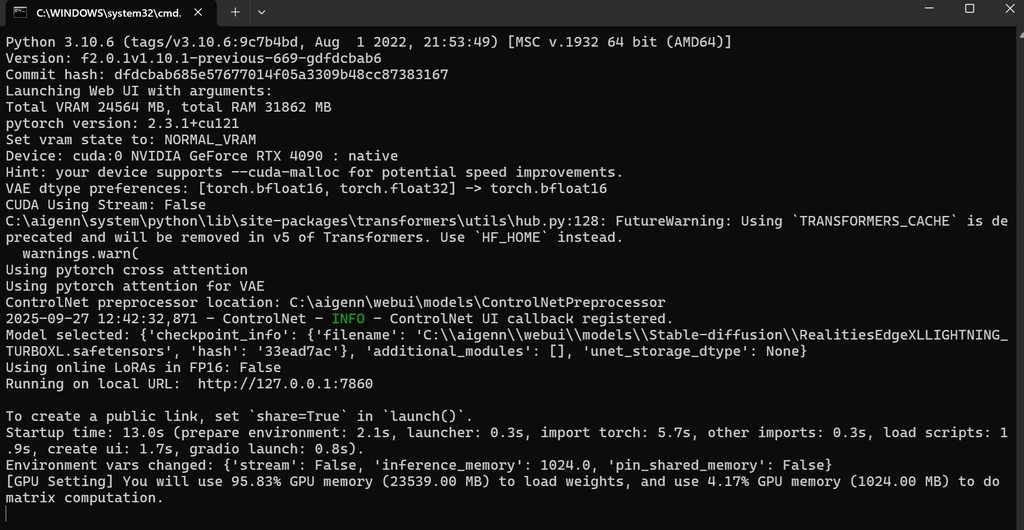 ornate elk
cosmic cove
https://imgur.com/a/mHn26dG
ornate elk
cosmic cove
https://imgur.com/a/mHn26dG
looks normal but you didnt have --xformers --cuda-stream added to the webui-user.bat
anyway as forge doesnt get much updates anymore and you have a 4090 you should go with Forge NEO.
Its more updated and supports newer pytorch and xfrormers versions which makes it faster on your gpu than normal forge.
It can be found here:
https://github.com/Haoming02/sd-webui-forge-classic/tree/neo
For this you should have Python 3.11.9 64bit installed only
And dont download forge neo as zip, install with git
cosmic cove
ornate elk
looks normal but you didnt have --xformers --cuda-stream added to the webui-user...
https://imgur.com/a/mHn26dG now with added both lines like you mentioned.
second picture bottom
cool i will try force neo!
ornate elk
cosmic cove
https://imgur.com/a/mHn26dG now with added both lines like you mentioned.
it doesnt list them

but yea forge had always issues with xformers... forge neo should work much better
cosmic cove
i got neo i can choose where to install, i dont want it to hide in some obscure folder
ornate elk
make sure you used its recommended git install command to get it:
git clone https://github.com/Haoming02/sd-webui-forge-classic sd-webui-forge-neo --branch neo
if not you wont be able to update it
cosmic cove
how do i install in c:/a1111neo folder? it would be far better, or any other?
ornate elk
yea make a folder on C for it
then while in that folder, click in the explorer path bar (not searchbar), type cmd and hit enter
then paste the command from above and hit enter
cosmic cove
ornate elk
then while in that folder, click in the explorer path bar (not searchbar), type ...
https://imgur.com/a/KIFMUd9 need help sir
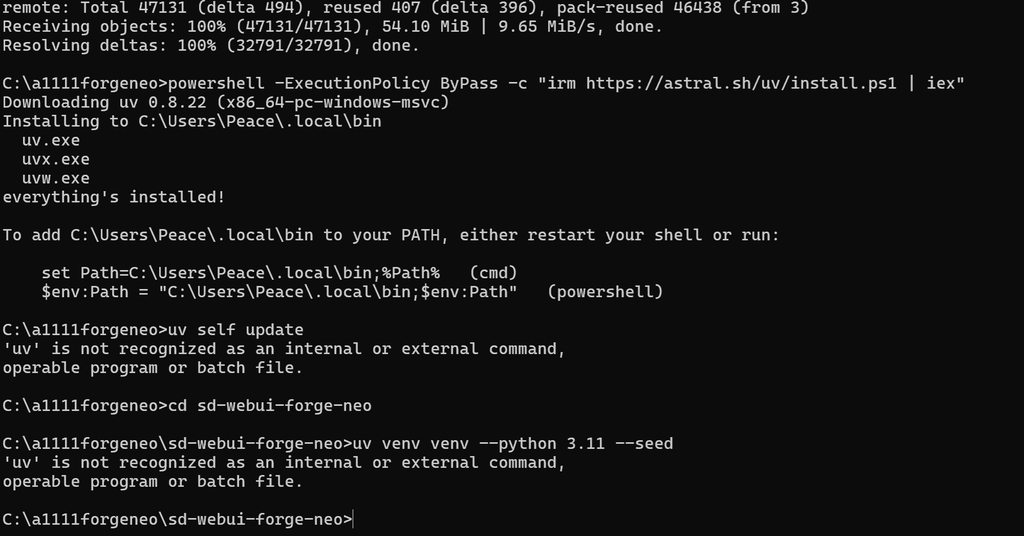 ornate elk
what have you done exactly?
why is there powershell mentioned xD
you dont need to follow the uv install guide from its site, just git clone the repo, edit the wbeui-user.bat and launch it
ornate elk
Woah sounds good!
cosmic cove
maybe i could somehow figure out how to make videos now.. what speed i can hardly believe, it renders too fast 😄
nevermind,, default settings! not 1080p
cosmic cove
~8.5it/s so its a boost so far, no idea how to install wan or why people use qwen or flux kontext but maybe i will figure it out.. any website blog talks about these things?
ornate elk
I don't know any :/ as they are all pretty new
cosmic cove
what pc you have?
 near rampart
RuntimeError: CUDA error: no kernel image is available for execution on the device CUDA kernel errors might be asynchronously reported at some other API call, so the stacktrace below might be incorrect. For debugging consider passing CUDA_LAUNCH_BLOCKING=1. Compile with TORCH_USE_CUDA_DSA to enable device-side assertions.
What the problem?
 ornate elk
cosmic cove
what pc you have?
ornate elk
cosmic cove
what pc you have?
I have a RX 7900xtx with an Ryzen 7800X3D
ornate elk
near rampart
What's your GPU and please copy and paste the full cmd log when launching the webui-user.bat
near rampart
RT 5060
 ornate elk
near rampart
RT 5060
ornate elk
near rampart
RT 5060
Full cmd log please and not python console. Nvm its all installed the wrong way.
Automatic1111 doesnt support the rtx 50 series nativly so you need to follow the setup guides from the first link of the pinned messages to get it working
cosmic cove
ornate elk
Full cmd log please and not python console. Nvm its all installed the wrong way.
wanna thank you... without i would have stuck with sdxl, now i just trying flux cos with neo it just somehow got easier for me and i aint going back to sdxl.. flux soo nice.. watched long tutorial while it was downloading flux about presets and stuff and its super exciting
ornate elk
cosmic cove
wanna thank you... without i would have stuck with sdxl, now i just trying flux ...
no problem 🙂 yea flux is great but needs a lot of vram, there are also smaller models of it out there like a Q8 gguf version.
cosmic cove
whats weird it doesnt crash! older a1111 used to crash a lot, a1111 forge almost never crashed but it was sdxl, now flux and i can even use discord while its running! its trully epic
ornate elk
cosmic cove
whats weird it doesnt crash! older a1111 used to crash a lot, a1111 forge almost...
thats awesome! yea auto1111 hasnt been updated since a year and Forge also haven't got much updates or support for newer models lately
will update my guides today to include the forge neo setup
 tepid crypt
Need help to find some way to remove a character and keep the background, already tried many tools online and inpaint, but it akways generates random shit, no matter how much weight i put into background and empty, it keeps generating random stuff.
 dense tapir
Where are Adetailer's default values located at within the "ui-config.json" file?
@ornate elk
ornate elk
dense tapir
Where are Adetailer's default values located at within the "ui-config.json" file...
Not in ui-config.json because its an extension
vast crest
Hi, sorry to bother you, but I had to format my PC, and now I have to redownload everything. I wanted to ask you which CUDAs should I download for Forge?
this is my sd forge: webui_forge_cu121_torch231
ornate elk
vast crest
Hi, sorry to bother you, but I had to format my PC, and now I have to redownload...
What's your GPU?
 fickle heart
Hello guys, could someone please help me with the Krita Stable Diffusion Plugin?
I am trying to install it but getting this error. I have installed it before on my PC before formating
 rose apex
ornate elk
What's your GPU?
rose apex
ornate elk
What's your GPU?
Does this have any significance?
ornate elk
rose apex
https://www.amd.com/en/resources/support-articles/release-notes/RN-AMDGPU-WINDOW...
yea and nope, AMD is currently working on their project called TheRock which this driver is probably based on now.
Would wait for the official support before installing this driver.
Also TheRock works too without it. Im currently using it
rose apex
I see
ornate elk
But good that they are going forward
vast crest
ornate elk
What's your GPU?
rtx4070oc
ornate elk
vast crest
rtx4070oc
would recommend trying forge neo then, as its more updated and supports the latest pytorch 2.8.0+xformers 0.0.32
or you install 2.8.0 manually into forge
vast crest
where do I find it?
ornate elk
vast crest
where do I find it?
Its on my Guide list:
https://github.com/CS1o/Stable-Diffusion-Info/wiki/Webui-Installation-Guides
vast crest
ok,thx
fair oxide
tepid crypt
Need help to find some way to remove a character and keep the background, alread...
Brother this is the same issue I am having right now. Did you solve this, or can we try to solve this together?
 ornate elk
vast crest
So this version of Forge is better in every way? Should I keep this one then?
ornate elk
vast crest
So this version of Forge is better in every way? Should I keep this one then?
Test it out or compare to the old forge and decide.
But as you have a 40series GPU and that supports sage attention and fp16, neo should be faster
vast crest
In fact, I generated 10 images in less than half the time it took me with the normal forge 0_0
ornate elk
Sounds good then 😄
cosmic cove
I see no "out painting" where i could drag drop image, cover it with tool and generate image around it to blend it in.. i tried many combinations with the buttons here and nothing worked so far. i probably need some extension
 tribal anvil
ornate elk
Whats your GPU and what's in your webui-user.bat?
tribal anvil
ornate elk
Whats your GPU and what's in your webui-user.bat?
GTX 970 and it's slow no matter what I use haven't tried it without a Lora tho
Should be done by now
ornate elk
tribal anvil
GTX 970 and it's slow no matter what I use haven't tried it without a Lora tho
Maybe you should try using Forge webui as its better for older gpus
tribal anvil
ornate elk
Maybe you should try using Forge webui as its better for older gpus
Mb that's what I meant when I said webui
ornate elk
Oh okay, and your using an 1.5 based model and lora?
tribal anvil
ornate elk
Oh okay, and your using an 1.5 based model and lora?
Idk I've just see a Lora I like and download it. How do I check?
ornate elk
You have to check the info box on the loras page on civitai
It shows "Base model:" and then it can be 1.5, sdxl, Illustrious etc
Same goes for checkpoints
As sdxl based stuff will take much longer than 1.5 on your GPU
tribal anvil
It just says illustrious
ornate elk
Ah okay and your also using an Illustrious checkpoint (model) with it?
ornate elk
Illustrious models are around 6GB on size but your 970 has only 4GB.
So it can't fully fit inside nor an lora too.
So it will get loaded partially and stored in RAM
So what you can do to improve the speed is to increase the windows pagefile.
Thats needed if you have 16GB or less of RAM.
vast crest
Hi, I had to format my PC. I was in a hurry and didn't save the upscalers. Can you tell me where I can download the good ones?
ornate elk
vast crest
Hi, I had to format my PC. I was in a hurry and didn't save the upscalers. Can y...
From here:
https://openmodeldb.info/
OpenModelDB
OpenModelDB is a community driven database of AI Upscaling models. We aim to provide a better way to find and compare models than existing sources.
vast crest
ornate elk
From here:
https://openmodeldb.info/
thx a lot
 hoary surge
Hello! I have suddenly developed a strange problem... when I try to generate anything I get this error:
RuntimeError: mat1 and mat2 shapes cannot be multiplied (1024x64 and 1x98304)
Any way to fix it?
ornate elk
hoary surge
Hello! I have suddenly developed a strange problem... when I try to generate any...
hey, thats caused by incompatible model+lora
prisma moss
ornate elk
hey, thats caused by incompatible model+lora
Can u get a mod to get this guy out, he's the scammer type, since he hasn't posted in this server yet, but did in another

 fair oxide
how many scammers are in this damn server?
vast crest
Hi, just out of curiosity. When I start Forge Neo, it still takes a long time. I then noticed this strange message: Legacy Preprocessor init warning: Unable to install insightface automatically. Please try run pip install insightface manually.
I need to install something, right?
ornate elk
vast crest
Hi, just out of curiosity. When I start Forge Neo, it still takes a long time. I...
Insightface is made for controlnet IP-Adapter face ID or reactor faceswap.
If you dont use them or any other face swap stuff then you can ignore that.
Or if you want to install it then go into forge neo folder and there click into the explorer address bar (not searchbar).
Then type cmd and hit enter.
Then copy and paste these 2 commands one by one:
venv\scripts\activate
pip install insightface
Then relaunch forge neo.
vast crest
mmm,ok,thx
 peak sigil
hellooo im trying to use local stable diffusion with the amd gpu fork but it seems that i am unable to do that i have searched alot but it just refuses to open i tried installing it thru github and stability matrix still not working mind you i have an rx 580 and i know it needs some tinkering to work but can anyone atleast point me to a documentation?
ornate elk
peak sigil
hellooo im trying to use local stable diffusion with the amd gpu fork but it see...
Hey, checkout the setup guides on the first link of the pinned messages.
There is an explicit guide for the rx580 with Zluda
peak sigil
Thank youuuuuuuuu
ornate elk
NP, let me know if it works.
peak sigil
Alright will do
tribal anvil
How do I use img2img to generate while keeping the same artsyle as the image and how can I get a prompt from it?
Tried integrate clip but the prompt it gave me was awful
tepid crypt
fair oxide
Brother this is the same issue I am having right now. Did you solve this, or can...
found out this tool works great https://tensor.art/template/890082907731814649
crystal nacelle
can someone help me instal control net: open pose to Forge UI SDXL? I tried the other one but got mat1 and mat2 errors (they are for SD1.5 not sdxl thats why). i tried this link but it instals to the wrong folder, and even moving it doesnt help because no models appear in the ControlNetIntergrated tab...
ornate elk
crystal nacelle
can someone help me instal control net: open pose to Forge UI SDXL? I tried the ...
Hey, try these:
https://civitai.com/models/136070?modelVersionId=267493
ornate elk
Controlnet union+ promax should be really good for sdxl.
For noobai or Illustrious you need other ones.
crystal nacelle
ornate elk
Controlnet union+ promax should be really good for sdxl.
For noobai or Illustrio...
i almost exclusively use illustrious models: i use stable D as an illustrator and 2D animator.
its working thank you! any advice for a dw open pose model? i love how it maps complex hands and facial expressions
ornate elk
crystal nacelle
its working thank you! any advice for a dw open pose model? i love how it maps c...
Here is the Illustrious controlnet openpose model:
https://civitai.com/models/1359846/illustrious-xl-controlnet-openpose
 woeful knot
I update comfy and dependencies and my vram requirements shot up for some reason. I could regularly make 800x1120 videos previously and now it can't even generate 768x1024 videos without spilling over... 64gb of ram and 3090, this is how it looks like mid gen
 ornate elk
woeful knot
I update comfy and dependencies and my vram requirements shot up for some reason...
ornate elk
woeful knot
I update comfy and dependencies and my vram requirements shot up for some reason...
Hm thats strange. I would recommend updating your GPU driver first and then test again
 worn patrol
What text to video platform is the best
 violet swift
Does anyone else experience ComfyUI's venv crashing and not recognizing dependencies when trying to open a new pod in Runpod?
I've been working with storage (1 TB) for a month now, without any issues, but since Runpod crashed 2 days ago, this garbage is useless.
 fluid maple
Anyone find Wan Animate gives slow motion even with the ComfyUI native defaults?
 rustic nova
anyone have any experience with comfy ui / stable diffusion? I'm running into a bunch of missing nodes when I'm trying out new workflows and I'm not exactly sure how to solve the problem without breaking everything lol
 solid vector
hi guys good morning, afternoon, or evening. im been trying to install stable diffusion and i go this error "AttributeError: module 'torch' has no attribute 'dml' "
does anyone know how to fix it?
ornate elk
solid vector
hi guys good morning, afternoon, or evening. im been trying to install stable di...
hey, it sounds like your on AMD, whats your GPU?
 rocky ridge
Hi im on Rocm with an AMD card and im having an issue with Hidream where the preview in Kasmapler will show that it is worker correctly but when it goes through VAE decoder in comes out compeltely black in all cases. Are there any alternative nodes or fixes? Sorry if this has been asked before, done a search cant find an exact fit as it doesnt error or anything

When i use the first inmage generation model, it works fine, the difference being theres no decoding stage
solid vector
ornate elk
hey, it sounds like your on AMD, whats your GPU?
hey sorry i didn't reply. a black out happen
here my gpu

 iron lantern
with control net do i prompt to the image or just randomize it ?
ornate elk
solid vector
hey sorry i didn't reply. a black out happen
here my gpu
Thats your CPUs igpu. Are you on a laptop? Any other dedicated GPU installed?
solid vector
ornate elk
Thats your CPUs igpu. Are you on a laptop? Any other dedicated GPU installed?
no im on pc.
wait let me check how do find my gpu

is this it?
It said its on my task manager
ornate elk
solid vector
no im on pc.
wait let me check how do find my gpu
any other GPU?
because thats not a dedicated gpu, which is preferable needed for AI stuff
it could look like this:
 solid vector
ornate elk
it could look like this:
solid vector
ornate elk
it could look like this:
nope.
so i cannot use stable diffusion?
 ornate elk
solid vector
nope.
so i cannot use stable diffusion?
ornate elk
solid vector
nope.
so i cannot use stable diffusion?
whats your cpu model?
solid vector
 ornate elk
solid vector
ornate elk
solid vector
ah okay that explains why you dont have a gpu.
But with this you can only use the slow cpu mode
ornate elk
solid vector
how do i use the mode
Automatic1111 with CPU Mode:
You need to have Git 64bit and Python 3.10.11 64bit installed.
- Make a new Folder on your Drive (not on Desktop, Downloads, Documents, Programms, Onedrive) and name it Ai for example:
C:\Ai\ - You go into the folder you created in this case Ai, then click in the File Explorer bar (not searchbar) and type cmd then press enter.
- Then you copy and paste this command:
git clone https://github.com/AUTOMATIC1111/stable-diffusion-webui.git
Press enter and after its done you can close the cmd. - Edit the webui-user.bat (right click, edit),
At the line COMMANDLINE_ARGS= You add:--skip-torch-cuda-test --use-cpu all --no-half --precision full --opt-sub-quad-attention - After editing, save and close the bat. Then launch the webui-user.bat
After the Installation, that can take a while is done, the Webui will autolaunch in your Default Browser.
solid vector
ornate elk
**Automatic1111 with CPU Mode:**
You need to have Git 64bit and Python 3.10.11 6...
alr i'll try it
thx
ornate elk
solid vector
alr i'll try it
thx
Np, There is also one thing that might work:
As you have 32gb of RAM you could allocate more RAM to your iGPU as VRAM. Thats done in BIOS.
If you give it like 8gb you could also use the DirectML Version of the setup instead of CPU.
But the best would be getting a dedicated gpu in the future.
solid vector
ornate elk
Np, There is also one thing that might work:
As you have 32gb of RAM you could a...
oh ok thx fo the info
 forest aurora
Good day, people. Looking for some help with "cg-use-everywhere" in regional prompting as I am trying to have a different set of lora applied to a different inpainted region (e.g. Region 1 and Region 2 groups). Currently, most parts should be connected correctly, yet I am having an issue with finding a way to connect the MODEL output from " CR Apply LoRA Stack" to have it received by the KSampler model input as it's currently using the model output from "Attention couple" in Combine regions group to the KSampler model input. I have a feeling that I am trying to over-complicate it and there's a more simple means to have this archived, yet my brain isn't there rn  looking for any suggestions or workarounds.
 solid vector
hi guys good morning, afternoon, or evening, i got this error anyone know what does it mean?


nope i followed what CS1o said
and i got this error
alr
solid vector
solid vector
hi guys good morning, afternoon, or evening, i got this error anyone know what d...
anyone know how to fix it?
the support sever i joined earlier suddenly disappeared after i made a ticket and explain the issue
ornate elk
solid vector
hi guys good morning, afternoon, or evening, i got this error anyone know what d...
it seems like it somehow broke as it tried to get some stuff from XL.
you need to probably git clone the normal repo again and only adjust the webui-user.bat then relaunch
ornate elk
solid vector
the support sever i joined earlier suddenly disappeared after i made a ticket an...
the "suport server" are scammers that want money and personal data, report them to us and discord if you see them and block
solid vector
ornate elk
it seems like it somehow broke as it tried to get some stuff from XL.
you need t...
git clone the normal repo?
how
solid vector
ornate elk
the "suport server" are scammers that want money and personal data, report them ...
oh ok
ornate elk
solid vector
git clone the normal repo?
how
- Make a new Folder on an internal Drive (not on Desktop, Downloads, Documents, Programms, Onedrive) and name it AI for example: C:\AI\
- You go into the folder you created in this case AI, then click in the File Explorer bar (not searchbar) and type cmd then press enter.
- Then you copy and paste this command:
git clone https://github.com/AUTOMATIC1111/stable-diffusion-webui.git
Press enter and after its done you can close the cmd.
but delete the other webui first
solid vector
ornate elk
1. Make a new Folder on an internal Drive (not on Desktop, Downloads, Documents,...
do i have to put the same commandline_args =?
solid vector
omg it worked i came back and im on the site thx for helping!!!
ornate elk
Perfect np
crystal nacelle
Hello, my OpenPose was working for like a day but now i get an error when i try run it on my ZLuda Forge SDXL or Illustrious models

 timber lodge
Please, help me. WHY???
 crystal nacelle
timber lodge
Please, help me. WHY???
crystal nacelle
timber lodge
Please, help me. WHY???
that looks like the same issue im having.
ornate elk
crystal nacelle
Hello, my OpenPose was working for like a day but now i get an error when i try ...
Can you show a complete cmd log?
ornate elk
timber lodge
Please, help me. WHY???
Which preprocessor did you have selected?
 dusky osprey
Hi! I'm kinda new to SD and read that Zluda was good with AMD gpus (I've a 9060XT) but when I tried installing it I got this error after trying to run the .bat

I was following this steps: https://github.com/patientx/ComfyUI-Zluda?tab=readme-ov-file

GitHub
The most powerful and modular stable diffusion GUI, api and backend with a graph/nodes interface. Now ZLUDA enhanced for better AMD GPU performance. - patientx/ComfyUI-Zluda
ornate elk
dusky osprey
Hi! I'm kinda new to SD and read that Zluda was good with AMD gpus (I've a 9060X...
hey, probably the antivirus flagges the zluda files
its a common issue with that repo
dusky osprey
Thanks. I'll try reinstalling everything with the antivirus turned off
ornate elk
dusky osprey
Thanks. I'll try reinstalling everything with the antivirus turned off
it will probably flag the files as soon as you enable it again, so better set the .zluda folder inside comfyui to the whitelist or ignore list but not the whole comfyui folder
dusky osprey
Gotcha. Should I set an exception for the zluda folder and then reinstall it?
Good and bad news. I got a new error

looks like torch is having some troubles, not sure why 🤔 , maybe I've a wrong version of something.
I just formated my pc today btw, I installed everything from 0 so I'm not sure that I've an "older version" or something like that, but I'm no experto
ornate elk
dusky osprey
Good and bad news. I got a new error
you have the wrong python version
python 3.11.9 is required
dusky osprey

Oh, ok
I'll replace the versions realquick
should I reinstall everything or just restart pc
dusky osprey
Gotcha
dusky osprey
I'm having troubles with the HIP. I tried installing HIP 6.4.2 but im getting this message

I'll try reinstalling it rn. Lmk if im doing something wrong
ornate elk
dusky osprey
I'm having troubles with the HIP. I tried installing HIP 6.4.2 but im getting th...
have you added hip to path?
dusky osprey
I'm having troubles with this step

https://github.com/likelovewant/ROCmLibs-for-gfx1103-AMD780M-APU/releases/tag/v0.6.2.4
If i've a 9060xt what should I use¿


GitHub
Rocblas and library for hip sdk 6.2.4 (for Windows)
Some prebuild with rocm6.2 package also works on 6.2.4 .
ROCBLAS packages based on GPU Arches:
By GPU Arches (Alphabetical Order)
gfx1010:xnack-...
I managed to add the path btw!
ornate elk
dusky osprey
https://github.com/likelovewant/ROCmLibs-for-gfx1103-AMD780M-APU/releases/tag/v0...
you dont need custo mfiles
hip sdk 6.4 has native rx 90xx support
dusky osprey
Oh. Gotcha
What should I add to path then? I was doing the 6.2 way but looks like that's for older gpus. I'll try removing that and going with the 6.4 again
ornate elk
yea uninstall everything of 6.2
dusky osprey
on it
What should I add to path for the 6.4? I added C:\Program Files\AMD\ROCm\6.4\bin but idk if that's correct
 ornate elk
dusky osprey
What should I add to path for the 6.4? I added C:\Program Files\AMD\ROCm\6.4\bin...
ornate elk
dusky osprey
What should I add to path for the 6.4? I added C:\Program Files\AMD\ROCm\6.4\bin...
thats correct

 ornate elk
oh an you have to run the patchzluda2.bat , and dont run the patchzluda.bat
inside the comfyui-zluda folder
thats needed when switching to newer hip sdk versions
dusky osprey
You're 100% right. That was mb for changing the version
is asking me for a URL. Post says i gotta get them from here: https://github.com/lshqqytiger/ZLUDA/releases
Should i use the newer? 3.9.5
GitHub
CUDA on AMD GPUs. Contribute to lshqqytiger/ZLUDA development by creating an account on GitHub.
ornate elk
if you used the -n .bat files you need the nightly version
if not then the normal ones
dusky osprey
Im using this url: https://github.com/lshqqytiger/ZLUDA/releases/download/rel.5e717459179dc272b7d7d23391f0fad66c7459cf/ZLUDA-windows-rocm6-amd64.zip
And is giving me this error:

I tried using the N version too but no luck
Should I re-install from scratch? Takes me like 6 minutes
Looks like I didn't fully uninstalled the hip 6.2
I'll see how to do it properly
ornate elk
dusky osprey
Looks like I didn't fully uninstalled the hip 6.2
Uninstall every module of hip SDK 6.2 then reboot the PC
dusky osprey
On it
Done. Trying again
It gave me the same error. Im reinstalling the whole thing
I removed every module of hip 6.2 and rebooted. I'll try to stick with the normal bat file (not the N one)

It worked!
Thank you so much mate. You're the goat
ornate elk
dusky osprey
Thank you so much mate. You're the goat
Perfect! No problem 🙂
rose apex
ornate elk
Perfect! No problem 🙂
Comfyui now has native support for AMD GPUs and patientx says the performance is similar to his comfyui zluda fork. Would you try it or wait for a later version?
rose apex
Using PYTORCH_TUNABLEOP_ENABLED=1, the first 512x512 took 37s for the default prompt but the subsequent ones only took 3s avg. Then I upped the resolution to 1024x768 (16 words prompt). First one took like 11 mins and the subsequent ones took only 12s.
 ornate elk
rose apex
Comfyui now has native support for AMD GPUs and patientx says the performance is...
ornate elk
rose apex
Comfyui now has native support for AMD GPUs and patientx says the performance is...
I already tried it yesterday,
Speed test:
SDXL 1024x1024 on a 7900xtx OC/UV on Adrenalin 25.9.1 on Windows:
Comfyui without changes with rocm 6.4.4 and torch-2.8.0 gets 3.6 it/s (using sub quadratic attention as pytorch attention doesnt affect it)
TheRock and ROCm Nightly with rocm 7.9.0 and torch 2.10.0 gets 4.6 it/s (using pytorch cross attention)
Haven't tested Tuneableop but set TORCH_ROCM_AOTRITON_ENABLE_EXPERIMENTAL=1 is needed for nightly and pytorch cross attention.
 feral dust
hi, friends. nice to meet you
I have a new idea to collaborate with you that could be profitable.
how about it?
ornate elk
feral dust
hi, friends. nice to meet you
I have a new idea to collaborate with you that cou...
Wrong channel
feral dust
what do u mean?
ornate elk
Read rule 3 and 5 of #✍🏼|rules-and-tos
crystal nacelle
ornate elk
Can you show a complete cmd log?
okay. first i used the explosion and i t read the control net and showed me the result:

but when i tried to generate an image with it i got the same error:
 crystal nacelle
i managed to get this model working as an alternative tho https://civitai.com/models/135552/openpose-sdxl
takes fucker long though, maybe thats just the price i have to pay
ornate elk
crystal nacelle
i managed to get this model working as an alternative tho https://civitai.com/mo...
You should use controlnet union++ promax
That should work and fast
crystal nacelle
yes, i have been to this link before but im not sure how to download/install it. i think i pasted the link in webui extensions url installer and it downloaded the files to E:\SD-Zluda\stable-diffusion-webui-amdgpu-forge\extensions\controlnet-union-sdxl-1.0 but the models don#'t appear on preprocessor>models
ornate elk
crystal nacelle
yes, i have been to this link before but im not sure how to download/install it....
Dont install it as extension
Just download the model and put it into models/controlnet
 royal helm
Hello good fellows!
Wonderful to be here.
I have managed to not only install automatic1111 on fedora with al lthe broken instructions out there but I also got rocm working and everything's great.
I just can't generate anything at 1024x1024 with sdxl -.-
Running into torch.OutOfMemoryError: HIP out of memory. Tried to allocate 9.00 GiB. GPU 0 has a total capacity of 11.98 GiB of which 8.04 GiB is free. Of the allocated memory 2.60 GiB is allocated by PyTorch, and 894.80 MiB is reserved by PyTorch but unallocated. If reserved but unallocated memory is large try setting PYTORCH_CUDA_ALLOC_CONF=expandable_segments:True
Now I am on an older RX6700XT witth 12gb vram so it is pushing the limit but surely I can find that 1gb it's SO CLOSE or hand off some of the processing somewhere to get this to work?
already using --medvram and --medvram-sdxl
Processor is a 5700X3D not really a workhorse for this kind of thing.
Much love out there guys
vocal burrow
Which version did you install ? What command line args are you using ?
royal helm
vocal burrow
Which version did you install ? What command line args are you using ?
standard automatic 1111 webui via python install
sdxl1.0
export COMMANDLINE_ARGS="--no-half-vae --skip-torch-cuda-test --medvram --medvram-sdxl"
smaller models work fine
vocal burrow
Is it even using your gpu ? Can you you check its usage during a generation with rocm-smi ?
royal helm
Any setting that would reduce that vram use by like 1gb or let it spill into the 64gb normal ram (ik that's not how it works and it's wildyly frustrating 🤣 )would be great
royal helm
vocal burrow
Is it even using your gpu ? Can you you check its usage during a generation with...
yes it is defionitely using my gpu I did all of that earlier
Went from 45s/it on my processor to 4.5its/s on my gpu it's definitely working
vocal burrow
probably is indeed
royal helm
the py script calls the HSA_OVERRIDE now for my gpu class which is quite nice
I know I need a new gpu but I thought I could spit at least an image or two out of sdxl with 12gb vram.
With the 0.04GiB and the 894.8MiB that's so damn close to the 1GiB it needs
It's like smelling the finish line
vocal burrow
You not gonna like it... But I would not recommend using A1111 nowadays. It hasn't seen any updates for over a year. Forge is more updated but also on its way out because the dev is quite busy. But still it would probably do better regarding memory management than A1111.
Also Forge Classic or Forge Neo are probably the best ones out there for now but I haven't fully tried them yet.
ComfyUI too but that s a whole another beast.
Check the pinned comment for install guides on those.
royal helm
bags
vocal burrow
They re windows based guides but there s still some knowledge to apply there for linux stuff too.
Don t bother with zluda if you re using linux
run things using rocm directly.
vocal burrow
not without running much much slower
royal helm
bags
vocal burrow
you can try using --opt-sub-quad-attention but I would nt hold my hopes
royal helm
i need to free up a total of 0.1GiB
vocal burrow
until you add a few words or lora and then it will be 0,5gb or whatever :p
not sure what resolution you re using too but you could try lowering it.
royal helm
vocal burrow
not sure what resolution you re using too but you could try lowering it.
1024*1024
the kind of basic sdxl size I thought?
vocal burrow
yes, you can lower/increase it by 30% without too many issues
nova loom
Hi people. Has anyone experienced prompts being completely ignored when running Qwen-Image-Edit locally?
I'm using the GGUF models in ComfyUI and trying img2img. E.g., with a prompt like "add glasses to her face" I only get unrelated, slight changes to the image: a bit more saturation, eyes pointing elsewhere, etc.
I'm using these models:
Qwen-Image-Edit-2509-Q3_K_S.gguf on "Unet Loader (GGUF)" node
Qwen_Image-VAE.safetensors on regular "Load VAE" node
And these models on "CLIPLoader (GGUF)" node
mmproj seem to be correctly associated:
Using mmproj 'Qwen2.5-VL-7B-Instruct-mmproj-BF16.gguf' for text encoder 'Qwen2.5-VL-7B-Instruct-Q3_K_S.gguf'.
Tried with and without Qwen-Image-Lightning-4steps LoRA.
Btw, txt2img does align with the prompt, the problem is only img2img 🤔
Appreciate if anyone can shed a light 🙏
SOLVED:
I was using the wrong "Lightning-4steps". There are specific ones for Image vs Image-Edit vs Image-Edit-2509.
Now my output image is a bit messy but that's a different problem.
SOLVED:
Upgrading models from Q3_K_S to Q4_K_M fixed the messy output.
royal helm
vocal burrow
yes, you can lower/increase it by 30% without too many issues
took your advice. ComfyUI would work if it accepted the HSA_OVERRIDE argument as easily as A1111 because it uses neag 2GiB less VRAM. :/
Different problems are not the same problems it's all progress
VAE load device: cuda:0, offload device: cpu
would be nice if Comfy just used the gpu but that would be too easy
vocal burrow
comfyUI should be using your gpu by default
And you can just set HSA_OVERRIDE before running comfyUI, it s a system variable, not a a1111 argument.
So something like HSA_OVERRIDE=xxxx python main.py should work.
 dawn swallow
automatic1111 anyone know how to get all old / new smaplers i wanna have them all to run test anyone know how to restore them
vocal burrow
easiest way is probably to just revert to an old version if you just want to run some tests
dawn swallow
dang nabbit thanks well if anyone knows how to get all versions that would be very nice. Thanks for the recommendation tho will help me out a bunch
vast crest
Hi, in webui-user for sd neo, are there any strings to make it faster at startup?
ornate elk
vast crest
Hi, in webui-user for sd neo, are there any strings to make it faster at startup...
Is it installed on an SSD?
vast crest
ornate elk
Is it installed on an SSD?
yes,Corsair Mp600 Elite 1tb M.2
but I noticed that it was always slow to start up honestly
Even photo generation doesn't seem very fast. The PC was formatted only 2 weeks ago. I also updated to the new Windows 25h2 update.
ornate elk
vast crest
Even photo generation doesn't seem very fast. The PC was formatted only 2 weeks ...
Latest drivers installed?
Correct launch args used?
Also add git pull to the webui-user.bat to auto update it
vast crest
where should I write: git pull?
@echo off
:: set PYTHON=
:: set GIT=
:: set VENV_DIR=
set COMMANDLINE_ARGS= --cuda-stream --sage --fast-fp16 --xformers
:: --xformers --sage --uv
:: --pin-shared-memory --cuda-malloc --cuda-stream
:: --skip-python-version-check --skip-torch-cuda-test --skip-version-check --skip-prepare-environment --skip-install
call webui.bat
ornate elk
vast crest
where should I write: git pull?
@echo off
:: set PYTHON=
:: set GIT=
:: set V...
Add it below the @echo off line
The rest looks good
ornate elk
vast crest
@echo off
git pull
Yes
vast crest
ok,thx
What about faster image generation? Maybe it's just my impression that it's a bit slow XD
ornate elk
vast crest
What about faster image generation? Maybe it's just my impression that it's a bi...
What was your GPU and how long does a illustrious 832x1216 30 step Euler a image takes ?
 narrow sable
hi everyone,
i'm looking for help using my character LoRA to create t2v animations with SD 1.5 and AnimateDiff,
the results i got so far are mediocre at best. t2i works fine using my LoRA(s)
i feel like its a training issue and i can share examples
hope this is the right place to ask
dusky osprey
Hi! I'm trying to use zluda with an AMD card (9060XT 16vram) and 16RAM. I can generate images with checkpoints from civitai and the standar SD ones but flux seems to hate me or something.
I tried reducing the ram to --lowvram but when trying to create any image with flux (txt2img or inpaint) it just freezes my pc and I gotta restart. I don't care if it takes longer to generate but idk why it crashes? The SD with 512x512 generates images in just like 10 secs. Is it that bad with flux?
I took the pic with my phone for obvious reasons


 hard cedar
Hello I am experiencing difficulties with my Stable Diffusion installation but my english is very bad. Does someone here speak german?
 sharp shore
Hello. I'm pretty new to this. I followed a tutorial only instead of the 3.5L I used 3.5M from here
When I try to load in the workflow, SD3.5M_example_workflow.json, I get this error.
How do I resolve this? Where can I get this SkipLayerGuidanceSD3 from?

I believe I solved my own issue. I'll leave the question for anyone else, and I will update as to whether this fixes it or not, but I'm updating ComfyUI and python dependencies now...
Well, running that made it so pytorch isn't working, because it "wasn't compiled with CUDA enabled". Probably worth pointing out haha
The update did resolve this issue.
ornate elk
dusky osprey
Hi! I'm trying to use zluda with an AMD card (9060XT 16vram) and 16RAM. I can ge...
Hey, make sure you dont use the 23GB large flux model. It doesnt fit in your vram and will freeze everything.
Use a smaller gguf variant like Q8 gguf
ornate elk
hard cedar
Hello I am experiencing difficulties with my Stable Diffusion installation but m...
Hey, yes I do, feel free to DM me ^^
 upbeat trail
Can anyone recommend me any easy to install all ai platform?
The only one I know is Pinokio
ornate elk
upbeat trail
Can anyone recommend me any easy to install all ai platform?
The only one I kno...
i dont recommend them but there is also stability matrix, but its only for image gen and traning webuis
 timber oak
Heya my discord got hacked but im back now
timber oak
ornate elk
Hey, yes I do, feel free to DM me ^^
hey CS1o i helped him install comfy and stability matrix set up api key for civitai and redirect the extrafolderpaths.yaml
but then he got a cuda error
he got a 1070 8gb which should be fine
like his cuda cores couldnt be accessed
the installation went good
i mean we used comfy ui portable straight from the github
timber oak
ornate elk
i dont recommend them but there is also stability matrix, but its only for image...
yes i love stability matrix but for some reason the search function is still bugged as hell
i feel like only very few models get displayed on search
the previews get bugged and need a long time to get redirected
and then sometimes when i reach the end of the search results and load more models it loads a lot more and mixes them with the models i previously looked at
its extremely comfortable for browsing models and loras
ornate elk
timber oak
like his cuda cores couldnt be accessed
he should check if he has the latest drivers from nvidia
timber oak
ornate elk
he should check if he has the latest drivers from nvidia
thx
ill tell him to update his drivers when i see him
ornate elk
but with a 1070 comfyui is no fun, i would suggest using forge or forge neo instead
timber oak
ornate elk
but with a 1070 comfyui is no fun, i would suggest using forge or forge neo inst...
is forge like auto1111?
i see
ornate elk
more updated and some more features, better optimised on low vram or older gpus
timber oak
back then i started with my 1060
and sd1
damn it was slow and the images were bad
but when i swapped to comfy and the gen time got reduced to half the time
timber oak
ornate elk
more updated and some more features, better optimised on low vram or older gpus
if he installs forge
does he need the --lowvram stuff?
i forgot how to do it
thats long gone in my memory
ornate elk
nope not needed
timber oak
epic
also idk if this is the correct chat for it
but atm i am stuck at pony models
and maybe some flux
is there any big upgrade? like sd1 -> sdxl, sdxl -> pony?
ornate elk
timber oak
is there any big upgrade? like sd1 -> sdxl, sdxl -> pony?
whats your gpu currently?
Illustrious based models are currently the best for Anime stuff, newer training data on booru tags and no score tags needed.
And there are also semi and realism models of it
timber oak
ornate elk
whats your gpu currently?
Illustrious based models are currently the best for An...
i have a 4070