#🤝|tech-support
1 messages · Page 131 of 1
 vocal burrow
 sonic pine
yeah I wouldve clicked it if it sent me to another channel and not another discord
I keep getting errors like " File "C:\Users\User\AppData\Local\Programs\Python\Python313\Lib\gzip.py", line 359, in close
fileobj.write(self.compress.flush())
ValueError: I/O operation on closed file."
lastly, how do I uninstall extensions?
cause I think the "latent couples" extension is stuck on
 mystic basin
i have an issue, confyui get stuck at 50% with flux, it says CLIP Text Encode (Prompt), i don't know why it get stuck, also it says clip missing even though i have it
i'm pretty sure it use my gpu and not igpu (ZLUDA)
mystic basin
mystic basin
i'm pretty sure it use my gpu and not igpu (ZLUDA)
from what i understand, it says clip is missing even though it's not, it says it use my gpu and it does, i checked in task manager and my gpu vram is being used but other than that, i don't understand anything else
sonic pine
yeah it detects ur gpu but its not using it
i mean
I dont think it is
Im guessing
mystic basin
task manager says the vram of my gpu is being used
but other than that my gpu stays at 0% usage
sonic pine
have you tried other models?
mystic basin
nope
sonic pine
try that out
mystic basin
like other type of model other than flux like pony or another flux model is fine?
sonic pine
try both
mystic basin
alright
sonic pine
maybe it's flux, maybe it's the specific model
mystic basin
i'll try
mystic basin
an rx 6850mxt
mystic basin
confy was working before but now it doesn't
sonic pine
gotcha
mystic basin
yeah
it doesn't work with another flux model, i just need to download another type of model to try
sonic pine
gotcha
mystic basin
currently downloading an illustrious model
to test if it's only with flux or not
i forgot i already have a pony model i never used, i don't need to download any model
 safe inlet
how long did you wait, it looked like it was working
mystic basin
a few minutes, the first time i was waiting, it crashed
and i retried but with a different flux model
it seem to get stuck with a pony model too
my gpu vram is used but other than that i don't think my gpu is being used
the last time i used confy was 15 days ago
 misty marten
my Controlnet is installed, but its tab does not appear in the webui
I tried using the regional prompt, but it's not working, is there a guide for this?
misty marten

I've tried generating hundreds of images, it doesn't work, watching videos and seeing guides on reddit, it doesn't work
sonic pine
any reason why I keep generating black squares in reforge?
I feel like it's because of vpred, but idk
It works on the old forge
whats this mean?
    Traceback (most recent call last):
      File "Z:\Other\stable-diffusion-webui-reForge\modules\scripts.py", line 533, in load_scripts
        script_module = script_loading.load_module(scriptfile.path)
      File "Z:\Other\stable-diffusion-webui-reForge\modules\script_loading.py", line 13, in load_module
        module_spec.loader.exec_module(module)
        ~~~~~~~~~~~~~~~~~~~~~~~~~~~~~~^^^^^^^^
      File "<frozen importlib._bootstrap_external>", line 1022, in exec_module
      File "<frozen importlib._bootstrap>", line 488, in _call_with_frames_removed
      File "Z:\Other\webui-forge\webui\extensions\adetailer\scripts\!adetailer.py", line 15, in <module>
        from rich import print  # noqa: A004  Shadowing built-in 'print'
        ^^^^^^^^^^^^^^^^^^^^^^
    ModuleNotFoundError: No module named 'rich'

---```how do I install soft inpaint with reforge?
 gilded laurel
Has anyone used n00mkrads sd gui? Please message me
 ornate elk
sonic pine
```*** Error loading script: !adetailer.py
Traceback (most recent call last)...
ornate elk
sonic pine
```*** Error loading script: !adetailer.py
Traceback (most recent call last)...
Looks like adetailer has an issue.
Make sure the extensions are updated in the extensions tab
ornate elk
misty marten
I tried using the regional prompt, but it's not working, is there a guide for th...
Can you show the whole txt2img site with your settings etc
sonic pine
yall know a reliable way to add text in an image without photoshop?
misty marten
ornate elk
Can you show the whole txt2img site with your settings etc

and this settings in Regional Prompter

I unchecked the BREAK change chunks option, but nothing changed either
ornate elk
misty marten
You have to use 2 breaks
Because you have base prompt active
So its
Base prompt BREAK
1 character BREAK
2 character
misty marten
i will test here
didn't work :/


I tried using Latent Couple, but it didn't work either
ornate elk
misty marten
didn't work :/
You have to prompt for 2girls in the top one
I'm not at the PC rn to share an example
misty marten
ornate elk
You have to prompt for 2girls in the top one
same result

At least the character that is being generated is cute hahaha
vocal burrow
Some examples from a long time ago.
(Using ADDCOM, ADDBASE to share parts of the prompt betweeb subprompts you don't have to, it's just an additional thing for you to research and learn about)


 misty marten
I'm leaving work now, as soon as I get home I'll test
misty marten
vocal burrow
Some examples from a long time ago.
(Using ADDCOM, ADDBASE to share parts of the...
It looks like it finally worked, thank you very much friend

 cerulean jewel
hey im very new to this and looking for a little guidance. i can't seem to figure out why i keep generating similar images. for instance, i am using a model and i generated her poolside. i deleted and changed the prompt, and sd is still outputting her by the pool. i haven't encountered this. there is no language saying to put her there. is there some sort of cache i need to clear?
 ruby fjord
I want to input text and have it output 4 images.
The endpoint is this. (stable diffusion 3.0 midium)
https://api.stability.ai/v2beta/stable-image/generate/sd3
However, there is no SAMPLE option to specify the number of images. What should I do?

 formal ridge
cerulean jewel
hey im very new to this and looking for a little guidance. i can't seem to figur...
formal ridge
cerulean jewel
hey im very new to this and looking for a little guidance. i can't seem to figur...
IIRC A1111 has some sort of caching issue if you're using that WebUI. I'd recommend ComfyUI over everything else even though it has a bit of a learning curve
 half island
did latest comfyui cause workflows to suddenly be different than the workflow should have outputted? Even my own gens from 2 days ago now looks different using the exact same workflow 
cerulean jewel
formal ridge
IIRC A1111 has some sort of caching issue if you're using that WebUI. I'd recomm...
yeah, thats exactly what i'm using. that's a bummer. i'll look into comfy i suppose.
thank you
 lucid yoke
cerulean jewel
yeah, thats exactly what i'm using. that's a bummer. i'll look into comfy i supp...
lucid yoke
cerulean jewel
yeah, thats exactly what i'm using. that's a bummer. i'll look into comfy i supp...
SwarmUI might be a bit easier to get into while still having the benefits of Comfy
in the pinned messages theres a guide but the swarmUI install is as easy as it gets
cerulean jewel
lucid yoke
SwarmUI might be a bit easier to get into while still having the benefits of Com...
thanks, ill check it out 
 dense tapir
Is it possible to have a setup in Forge where after your image is done in Txt2Img, that image automatically gets put into Img2Img and hits generate?
ornate elk
cerulean jewel
hey im very new to this and looking for a little guidance. i can't seem to figur...
Hey make sure the seed is set to -1
So its always random
If your new, Auto1111 is totally fine to use. Dont start with comfyui
cerulean jewel
ornate elk
Hey make sure the seed is set to -1
Yep, it's -1. I only messed with guidance and for about a week my settings were outputting great images. Now it seems to be stuck in a loop. Comfyui looks a little complicated for what I want it for since I have limited time to learn so I might try something else first.
ornate elk
cerulean jewel
Yep, it's -1. I only messed with guidance and for about a week my settings were ...
Can you show your txt2img settings?
Its mostly a simple setting that might be wrong
mystic basin
mystic basin
i have an issue, confyui get stuck at 50% with flux, it says CLIP Text Encode (...
yeah i haven't manage to fix this, it get stuck at the prompt area with flux and pony, i haven't tested other models but i'm pretty sure it happen with every models
it keep getting stuck
mystic basin
yeah, my ram usage instanly goes down and vram usage instantly get stuck at 6gb when arriving at the prompt area
my gpu usage become 0% and my igpu is certainly not the one being used for comfy
 scarlet igloo
Is there anyone familiar with FluxGym, the software for training LoRA? I have some usage issues and need help.
formal ridge
scarlet igloo
Is there anyone familiar with FluxGym, the software for training LoRA? I have so...
Why FluxGym and not OneTrainer? I ask because I've never heard of FluxGym
ornate elk
mystic basin
yeah i haven't manage to fix this, it get stuck at the prompt area with flux and...
What's your GPU and vram?
mystic basin
ornate elk
What's your GPU and vram?
rx6850mxt, 12gb of vram on it
i use the ZLUDA version of comfy
scarlet igloo
formal ridge
Why FluxGym and not OneTrainer? I ask because I've never heard of FluxGym
It might be simple for me, and it supports training Flux LoRA models with 12GB of VRAM.
ornate elk
mystic basin
i use the ZLUDA version of comfy
Make sure its updated by using git pull
mystic basin
ornate elk
Make sure its updated by using git pull
can't the the comfy manager do that?
 ornate elk
Pony models should work on your GPU
ornate elk
Can you show the error you get and maybe the workflow too?
mystic basin
sure
the workflow

i can zoom in somewhere if needed
CLIP/text encoder model load device: cuda:0, offload device: cpu, current: cuda:0, dtype: torch.float16
clip missing: ['text_projection.weight']
model weight dtype torch.float8_e4m3fn, manual cast: torch.bfloat16
i have the clip though
but even when trying with a pony model, it get stuck at the same place
 ornate elk
mystic basin
the workflow
ornate elk
mystic basin
the workflow
Thats a flux workflow
It won't work with just changing to pony model
ornate elk
Can you show me the pony one
mystic basin
 ornate elk
What does the cmd shows?
mystic basin
ornate elk
mystic basin
Looks normal but you only have 16gb of RAM
That could be the issue when it tries to load the clip model
You have to adjust your Windows Pagefile
mystic basin
ornate elk
Looks normal but you only have 16gb of RAM
it used to work the last time i used it 16 days ago
mystic basin
ornate elk
You have to adjust your Windows Pagefile
how do i do that?
ornate elk
mystic basin
how do i do that?
https://www.tomshardware.com/news/how-to-manage-virtual-memory-pagefile-windows-10,36929.html
Set it to
16000min and 24000max for the C drive.
And make sure its only enabled for C.
Restart the PC to apply the changes.
ornate elk
Np let me know if that helped
mystic basin
0%| | 0/20 [00:00<?, ?it/s]
for the pony, it got further, it's stuck at the KSampler for a while a but the ram usage went up a little
i haven't tested for flux yet
it worked but it took longer than usual
i'm pretty sure what happened is that the last time i used it was 16 days ago so what happened it since then, it got updated and all + i had to send my laptop for repair for a cpu issue

so it probably acted as if it was my first time using comfy which is supposed to take more time for the first image generation
(yeah sorry for my english)
ornate elk
mystic basin
so it probably acted as if it was my first time using comfy which is supposed to...
Ah that explains it. It mostly did compiled zluda again
 hard mountain
I'm trying to do image-to-3d and it converts the image to a flat 3d object every time with both models...
 ruby yoke
hard mountain
I'm trying to do image-to-3d and it converts the image to a flat 3d object every...
ruby yoke
hard mountain
I'm trying to do image-to-3d and it converts the image to a flat 3d object every...
what are you using and what steps are you taking?
hard mountain
ruby yoke
what are you using and what steps are you taking?
https://platform.stability.ai/docs/api-reference#tag/3D/paths/~1v2beta~13d~1stable-fast-3d/post just hit the curl with an image of a hand drawn ghost and it outputs a glb as a flat 3d mesh


(this is both for the fast 3d one and the new preview model)
ruby yoke
hard mountain
https://platform.stability.ai/docs/api-reference#tag/3D/paths/~1v2beta~13d~1stab...
that's what i'd expect. that's a plane
you can extrude it
hard mountain
I mean how can I turn a drawing into a 3D glb? Isn't that the whole point of these models?

Can you feed it multiple images from front/back/side so it has some concept of depth?
 lunar kite
Does anybody else have trouble with numpy on stable diffusion deforum ~ collab notebook?
 tribal anvil
Is adetailer guaranteed to fix eyes?
 crystal nacelle
I busy updating now , ofcourse HIP SDK Core is required, but do i need all the other optional installs for Stable D ZLUDA Auto1111? Namely the HIP SDK Runtime, Libraries, Ray Tracing and Visual Studio?
tribal anvil
Tried it and it didn't work so I hope I'm using it wrong
lunar kite
Is it still possible to use SD Deforum with Notebook Collab?
 fiery ravine
very intrested to start learning about text to image and video/ animations. need help as to where to start and what to download. can anyone please help
ornate elk
tribal anvil
Is adetailer guaranteed to fix eyes?
Yes it should nearly always work
ornate elk
crystal nacelle
I busy updating now , ofcourse HIP SDK Core is required, but do i need all the o...
Yes you need all of that when Installing HIP SDK. But dont check the last thing where it says "Pro driver"
crystal nacelle
thank you
tribal anvil
ornate elk
Yes it should nearly always work
I just have to click it right? That's what I did and it didn't work
ornate elk
tribal anvil
I just have to click it right? That's what I did and it didn't work
Can you show the cmd log?
tribal anvil
ornate elk
Can you show the cmd log?
How do I find that?
ornate elk
tribal anvil
How do I find that?
Just copy the full cmd text in here
ornate elk
tribal anvil
move the forge webui out of the downloads folder into a new folder you created. not desktop, downloads, documents
tribal anvil
ornate elk
move the forge webui out of the downloads folder into a new folder you created. ...
Can I move it to my SSD?
Aight thank you
ornate elk
then try again
also your using an big model (6gb) also with 2 loras on your 3gb gpu
that slows down a lot
 last tide
Anyone knows a tutorial for creating your own loras?
Im currently failing to achieve this tutorial since it gives me char encoding error, appears to be a 🎉 but cant seem to understand where. Since its in a custom_node.
https://www.youtube.com/watch?v=hZCTiZi-EPw
Custom node in question: https://github.com/rgthree/rgthree-comfy
last tide
last tide
Anyone knows a tutorial for creating your own loras?
Im currently failing to ach...
ornate elk
last tide
Anyone knows a tutorial for creating your own loras?
Im currently failing to ach...
hey, use seperate tools for creating loras like OneTrainer or Khoya_ss
lucid yoke
fiery ravine
very intrested to start learning about text to image and video/ animations. need...
All of that depends on what gpu you have
tribal anvil
ornate elk
that slows down a lot
Just slows it down or its also why adetailer doesn't work?
ornate elk
tribal anvil
Just slows it down or its also why adetailer doesn't work?
slows down. adetailer uses cpu so it could also fail if the pc is at max load
tribal anvil
I see
last tide
ornate elk
hey, use seperate tools for creating loras like OneTrainer or Khoya_ss
Oh, I'll look into this some more. Thank you!
mystic basin
wait for this free memory custom node, do i keep it like that or i need to separate the path, one path that goes to save image from the vae decode and the other going from vae to the free memory (image) node? I'm having issue where sometime after the flux image is generated, my pc shutdown due to ram issue, i've got all the other free memory node placed in my workflow but i'm not sure where to put this one.

i have a ram issue and using custom node to help is easier than modifying certain file to get rid of the issue i'm encountering, it's annoying to reopen my pc and reopen comfy completely each time my pc shutdown because of ram issue which does not always happen
ornate elk
mystic basin
i have a ram issue and using custom node to help is easier than modifying certai...
Have you increased the windows pagefile?
mystic basin
ornate elk
Have you increased the windows pagefile?
yeah, i did like you told me yesterday
well i've only had this issue once since i added the free memory custom node, like about everywhere i could in my workflow but i still don't want it to happen again
so that's why i'm looking for a way so that never happen again
ornate elk
mystic basin
so that's why i'm looking for a way so that never happen again
Use tiled VAE decode instead of VAE decode
That reduces vram usage alot

 ornate elk
mystic basin
this?
ornate elk
mystic basin
this?
both work, but test VAE Decode (Tiled) first
mystic basin
ornate elk
both work, but test VAE Decode (Tiled) first
alright i will, thank you
 chrome rampart
Hello all. Anybody know more info when controlnet options like open pose/reference might come to SD Forge with flux?
lunar kite
Is it still possible to use SD Deforum with Notebook Collab?
 knotty turret
Illustrious-XL need vae?
ornate elk
knotty turret
Illustrious-XL need vae?
nope but you can use one
misty marten
To use a positional LORA with Regional prompt, do I place the lora at the base, or at the characters' prompt? I want the lora to be applied to both characters
lunar kite
lunar kite
Is it still possible to use SD Deforum with Notebook Collab?
Anybody?
 median harness
can someone help, i updated my webui stuff and now im getting this error
RuntimeError: Expected all tensors to be on the same device, but found at least two devices, cuda:0 and cpu!
 zenith sail
median harness
RuntimeError: Expected all tensors to be on the same device, but found at least ...
zenith sail
median harness
RuntimeError: Expected all tensors to be on the same device, but found at least ...
Did you select low vram / cpu mode?
zenith sail
lunar kite
Is it still possible to use SD Deforum with Notebook Collab?
AFAIR collab removed all high gpu notbooks you have to rent a gpu to use, it's like $9 a month for x min.
median harness
zenith sail
Did you select low vram / cpu mode?
I'm using forge and it's been a while since I had to change settings, would you know where it is?
zenith sail
median harness
I'm using forge and it's been a while since I had to change settings, would you ...
No idea it should be in your startup args.
GitHub
Hello, after the update i get this warning on a 4gb gtx 1650 super "---------------------- [Low GPU VRAM Warning] Your current GPU free memory is 926.58 MB for this diffusion iteration. [Low G...
That explains what the arg is
 flat olive
which ui is the best for pony models?
lunar kite
zenith sail
AFAIR collab removed all high gpu notbooks you have to rent a gpu to use, it's l...
Ty for this response! Really helpful ~ how do I do this?
lunar kite
zenith sail
AFAIR collab removed all high gpu notbooks you have to rent a gpu to use, it's l...
Does this relate to Google Collab?
lucid yoke
flat olive
which ui is the best for pony models?
? But currently the best ui's (im my opinion) is comfyUI, swarmUI or Forge
Though forge has some limitations iirc
flat olive
lucid yoke
? But currently the best ui's (im my opinion) is comfyUI, swarmUI or Forge
would you recommend forge? i have a 1660 super
lucid yoke
Oof hmm with 6gb vram its gonna take a while for sure
Its been optimized a lot but i think you could give it a try but imo swarmUI is the easiest to install
 hoary gazelle
Excuse me, is there a plugin that can queue tasks for the Forge version, such as agent - scheduler? But it seems that it can't be used in Forge(′;ω;`).
formal ridge
flat olive
which ui is the best for pony models?
ComfyUI simply because of "Note" Nodes.
 sullen hawk
I've heard that a new NFT coin called X Whales is launching. Is that true? Can someone tell me more about it? I've heard there's a lot of profit in it. Kindly guide me.
crystal nacelle
ornate elk
Yes you need all of that when Installing HIP SDK. But dont check the last thing ...
im busy installing SD Next now. got the HIP SDKs installed. im being told a new release of PIP is available, should i install it?
im also getting some warnings about version miss-matches, is this okay?
 lucid yoke
sullen hawk
I've heard that a new NFT coin called X Whales is launching. Is that true? Can s...
lucid yoke
sullen hawk
I've heard that a new NFT coin called X Whales is launching. Is that true? Can s...
Scam, hope this helps
ornate elk
crystal nacelle
im busy installing SD Next now. got the HIP SDKs installed. im being told a new ...
Why sd next?
IMO its the worst to use xD
formal ridge
ornate elk
Why sd next?
IMO its the worst to use xD
SD.Next was nothing but issues here too. I was able to generate a single image. After that it refused to ever work again.
flat olive
formal ridge
ComfyUI simply because of "Note" Nodes.
Whatas note nodes?
ornate elk
flat olive
which ui is the best for pony models?
What's your GPU?
Pony models can be used in any webui but some have better optimisations for lower vram
formal ridge
flat olive
Whatas note nodes?
Note nodes are basically little notepad txt files in a box. That way you don't have to remember all the weird stuff pony does, like rating_safe, rating_explicit, score_, etc.
flat olive
ornate elk
What's your GPU?
Pony models can be used in any webui but some have better optim...
1660 super
flat olive
You never mentioned ReForge, what is it?
ornate elk
Its a mix between Auto1111 and Forge with more frequent updates than Forge
ornate elk
Its only linked there but no guide.
But you would only need to git clone it like Automatic1111
flat olive
okey will try that, ty
ornate elk
Np
 fair oxide
Is rocm faster on rx 6600 or is zluda faster?
ornate elk
fair oxide
Is rocm faster on rx 6600 or is zluda faster?
Linux with ROCm is faster
fair oxide
ornate elk
Linux with ROCm is faster
Oh
ornate elk
But zluda is easier to setup if your already on windows
fair oxide
Can i use it with wsl 2? Idk if my gpu is supported
fair oxide
ornate elk
But zluda is easier to setup if your already on windows
True, im on windows and i use it
ornate elk
WSL2 should work but I think only the 7000 series are supported
fair oxide
ornate elk
WSL2 should work but I think only the 7000 series are supported
Yeah could be cause there is no mention of 6000 series card being supported yet
I currently use comfy-ui zluda using stability matrix and its runs good
But is it true that, onnx and olive is technically faster than zluda?
crystal nacelle
ornate elk
Why sd next?
IMO its the worst to use xD
zluda a1111 gave me an error so i figured id try the SD Next it recommends
i get this error with zluda after upgrading my HIP SDKs
 ornate elk
fair oxide
But is it true that, onnx and olive is technically faster than zluda?
ornate elk
fair oxide
But is it true that, onnx and olive is technically faster than zluda?
Technically yes, but worse in compatibility and usability
ornate elk
fair oxide
I currently use comfy-ui zluda using stability matrix and its runs good
I hope you dont use rocm5.7 with it and upgraded to 6.2 instead.
Its better for 6000 series to use the newer hip SDK and zluda versions
ornate elk
crystal nacelle
zluda a1111 gave me an error so i figured id try the SD Next it recommends
Delete the .zluda folder and relaunch
crystal nacelle
I tried deleting the ZLUDA folder in my C drive (that one that has rocm6 unzipped files) and i still get the same CMD error when i run the webui for A1111
yes i got the latest rocm aswell
fair oxide
ornate elk
I hope you dont use rocm5.7 with it and upgraded to 6.2 instead.
Its better for ...
i get an error using 6.2
fair oxide
ornate elk
I hope you dont use rocm5.7 with it and upgraded to 6.2 instead.
Its better for ...
It says cuda not detected
so i am still using 5.7.1
fair oxide
ornate elk
I hope you dont use rocm5.7 with it and upgraded to 6.2 instead.
Its better for ...
Is it faster?
ornate elk
fair oxide
Is it faster?
Its more stable, could be faster, but not by much
ornate elk
crystal nacelle
I tried deleting the ZLUDA folder in my C drive (that one that has rocm6 unzippe...
No not that folder.
The .zluda folder is in the webui folder
Where the venv is
 spiral tinsel
hello there, i want to ask how to assign specific gpu for SD run?
ornate elk
spiral tinsel
hello there, i want to ask how to assign specific gpu for SD run?
Hey which webui do you use?
spiral tinsel
ornate elk
Hey which webui do you use?
Comfy UI
ornate elk
Okay there you need the launch arg --cuda-device 1 or 0 depending on the GPU
 random night
ornate elk
Or ReForge
random night
ornate elk
Or ReForge
i really wish reforge has zluda support
ruby yoke
sullen hawk
I've heard that a new NFT coin called X Whales is launching. Is that true? Can s...
wrong discord
 violet swift
Is there a ROPE deepfake based repository that can work in bulk? That tool is incredible, but I have to do everything manually.
ornate elk
violet swift
Is there a ROPE deepfake based repository that can work in bulk? That tool is in...
Checkout FaceFusion
https://github.com/facefusion/facefusion

GitHub
Industry leading face manipulation platform. Contribute to facefusion/facefusion development by creating an account on GitHub.
violet swift
ornate elk
Checkout FaceFusion
https://github.com/facefusion/facefusion
It's bad, I've used it for a long time, I'm looking for something based on rope
ornate elk
violet swift
It's bad, I've used it for a long time, I'm looking for something based on rope
then this?:
https://github.com/Hillobar/Rope
or maybe Roop-unleashed
 analog cosmos
which folder do i put workflow in? or is it extension?
(using automatic1111 SD)
ornate elk
analog cosmos
which folder do i put workflow in? or is it extension?
(using automatic1111 SD)
Workflows are only made und usable for ComfyUI/SwarmUI
analog cosmos
ornate elk
Workflows are only made und usable for ComfyUI/SwarmUI
ahh ok, i see. thx
 warped canyon
I want to train a lora based on my own ai generated pictures. For this, should I use the original outputs (832x1216 / 896x1152 / 1024x1024, etc) or should I use the 2x upscaled versions of them? (i usually always upscale them using img2img 0.15 denoise with sd upscaler ultrasharp)
I think they say that kohyaa automatically downscaled images of higher resulotions to the normal 1024 resolutions. So I'm not even sure what resolution i should use
analog cosmos
warped canyon
I want to train a lora based on my own ai generated pictures. For this, should I...
720x720 is a good stable resolution where you get some quality but also not sacrifice too much of the speed. and then upscale it 2x. then you will produce very good pictures, for 16:9 and 21:9 i use a size that will be approximatly in the same area of res, 1280x720 divided by 1.3-1.5 and then upscale it to be at desired size (1080p or 1440p)
for training lora purpose it depends what your training for, gold detail ultra high detailed things, high resolution, for just a character or style you can use original.
i would much rather have the lora to be trained on big database to give accurate results instead of focusing on resolution.
if you got beefy enough pc then max out your capabilities, quality over quantity
warped canyon
analog cosmos
720x720 is a good stable resolution where you get some quality but also not sacr...
the lora would be of the style of the images i mage with AI itself
analog cosmos
warped canyon
the lora would be of the style of the images i mage with AI itself
then resolution wont have much to say unless its a detailed style, the more details the higher resolution. if its cartoon then its not alot of detail and you dont need high resolution.
but dont train a lora on 15 images, make it 200-300 pictures atleast, <
gives user of lora more diversity of usage when having bigger database and it will be more correct in other scenarios than you using
also make sure you cover different scenarios in that style your training
warped canyon
analog cosmos
then resolution wont have much to say unless its a detailed style, the more deta...
Yeah I have like 400
analog cosmos
i have way too many loras that only work in 1 way cause they have been trained on 15 pictures of 1 position, its annoying
analog cosmos
Hunyuan video. Is that a standalone thing or extension or what? I have the ltx video and animatediff and have made txt2vid
But i want ti have img2vid. I dont need large videos, just i can loop them and make good abstract move in a good controlling way. I have hunyan models and everything but havent quite figured how this hangs together,
Very poor information on how to install or what folder its going in or whatever help there is from them. This is the only thing o havent figured out yet cause no information on how to actually run it. Img2vid
 tardy peak
was anyone able to run rocm and web ui (any) for stable diffusion on rx 6600?
for some reason rocm uses cpu, I looked for a solution on Google but there are only 3-5 pages with the same problem, and the solution did not help.
(Linux)
 tame yoke
does this mean i have conflicts, or is it just a list of nodes it can conflict with

 vocal comet
I am using version v0.3.14-34 of comfy ui and the list that comes up when you click on the checkpoint loader or any other else like loras and any of the nodes where there are choices has stopped working. i have tried different browsers and different computers is there a setting that i need to change?
formal ridge
vocal comet
I am using version v0.3.14-34 of comfy ui and the list that comes up when you cl...
I bet you're using rgthree...
The new ComfyUI (with the sidebar and topbar) breaks a lot of crap right now
vocal comet
yes i am using rgthree should i uninstall it?
formal ridge
vocal comet
yes i am using rgthree should i uninstall it?
I had to get rid of mine for the time being due to the problem you're having.
Everything went back to normal after that.
vocal comet
thanks that worked for me too👍
 upbeat atlas
Hi, so I deleted venv and I'm still getting this error after I run the webui. I'm on windows with AMD GPU.
ornate elk
upbeat atlas
Hi, so I deleted venv and I'm still getting this error after I run the webui. I'...
hey, show the full cmd log pls
 fickle zealot
hi i might be stupid but i dont understand this
if i had webui folder on disk s i should put this into this or where

S:\SD-Zluda\stable-diffusion-webui-amdgpu
and where i should put this
 ornate elk
fickle zealot
hi i might be stupid but i dont understand this
if i had webui folder on disk s ...
ornate elk
fickle zealot
hi i might be stupid but i dont understand this
if i had webui folder on disk s ...
hey, it doesnt matter where the webui is located as long as its a new created folder
same goes for zluda
ornate elk
fickle zealot
and where i should put this
these are the wrong files
ornate elk
fickle zealot
and where i should put this
you only need this

 ornate elk
fickle zealot
ornate elk
fickle zealot
then you can proceed with the next steps
 fickle zealot
yes
 upbeat atlas
ornate elk
hey, show the full cmd log pls
upbeat atlas
ornate elk
hey, show the full cmd log pls
here's the full cmd log
ornate elk
upbeat atlas
here's the full cmd log
did you downloaed the new zluda files?
upbeat atlas
ornate elk
did you downloaed the new zluda files?
no i didnt download anything just the autoupdate for webui
upbeat atlas
ornate elk
whats your gpu again?
amd radeon 6900 xt on windows
upbeat atlas
it was working fine but a week or two ago it did an autp update for webui and it stopped working
upbeat atlas
ornate elk
then relaunch
ornate elk
upbeat atlas
okay try to delete the venv folder and relaunch
upbeat atlas
ornate elk
okay try to delete the venv folder and relaunch
full log after deleting venv
upbeat atlas
ornate elk
relaunch
you mean rerun the webui?
this is what i get after i rerun the webui
ornate elk
upbeat atlas
this is what i get after i rerun the webui
ok you have to upgrade your rocm it seems
your on old 5.7 and the new one is 6.2
you have to uninstall all of HIP SDK in the control panel, then install hip sdk 6.2.
 upbeat atlas
ornate elk
your on old 5.7 and the new one is 6.2
upbeat atlas
ornate elk
your on old 5.7 and the new one is 6.2
do you have a link for it? i can't find the 6.2 windows version only linux
ornate elk
upbeat atlas
do you have a link for it? i can't find the 6.2 windows version only linux
first uninstall all of 5.7, here is the link to 6.2
upbeat atlas
ornate elk
first uninstall all of 5.7, here is the link to 6.2
ok thanks
upbeat atlas
ornate elk
first uninstall all of 5.7, here is the link to 6.2
do i uninstall ALL of them?
 ornate elk
upbeat atlas
do i uninstall ALL of them?
ornate elk
upbeat atlas
do i uninstall ALL of them?
yes
upbeat atlas
ornate elk
yes
ok so I deleted the old rocm, installed the 6.2 version, added it to path, restarted my pc, deleted old zluda files in drive c, put in the new zluda files and did the copy paste rename thing, deleted venv and .zluda in the stable diffusion and ran the webui I still get this error:
ornate elk
upbeat atlas
ok so I deleted the old rocm, installed the 6.2 version, added it to path, resta...
damn
okay, uninstall (in the control panel), conda, anaconda and every python version you see.
Then install python 3.10.11 64bit from here:
https://www.python.org/ftp/python/3.10.11/python-3.10.11-amd64.exe
Then delete the venv folder and relaunch the webui-user.bat
upbeat atlas
ornate elk
okay, uninstall (in the control panel), conda, anaconda and every python version...
ok
ornate elk
upbeat atlas
ok
also show me the extensions of the extensions folder
 ornate elk
upbeat atlas
ornate elk
upbeat atlas
looks okay
crystal nacelle
greetings again. im still having the same problem as before: i have updated my HIP SDKs and downloaded updated ROCm Zluda files :(. Can someone help please

i tried deleting the ZLUDA folder aswell, didnt make a differnece
ornate elk
crystal nacelle
greetings again. im still having the same problem as before: i have updated my H...
Hey, delete the .zluda folder and not the C:\zluda folder
Then relaunch
crystal nacelle
ornate elk
Hey, delete the .zluda folder and not the C:\zluda folder
what is the .zluda folder?
ornate elk
A folder like venv
crystal nacelle
is it the one that has my webui and loras?
ornate elk
No
 ornate elk
Yes
crystal nacelle
also, do i need pytorch? i think i uninstalled it along with HIPSDK but never reinstalled it
ornate elk
You cant uninstall pytorch it will get reinstalled when launching
 ornate elk
No its a different error now
crystal nacelle
cublas64 why you....
ornate elk
Did you restored the C:\Zluda folder ?
Because you told me yesterday you deleted it...
crystal nacelle
yes i did restore it today. i see it doesnt have cublas64 though

i got these contents from ZLUDA nightly rocm64.zip
ornate elk
Thats the issue, dont use nightly (if you dont know how)
Use the normal one zluda-rocm6
crystal nacelle
the normal one doesnt have cublas 64 either so im getting the same error
ornate elk
No you shouldn't

 ornate elk
Have you replaced that in the C zluda folder?
Then delete the .zluda folder in the webui again and relaunch
crystal nacelle
jea i have. ill try again one more time. this is so weird, coz the .zluda folder clearly has the cublas64.dll
 ornate elk
What's in your webui-user.bat?
Did you by any chance downloaded the hip-sdk extension zip from the zluda github?
crystal nacelle
 ornate elk
Looks normal
crystal nacelle
yes i used the link you pinned at the top, followed A1111 ZLUDA and then got the HIP DSK 6.2.4 link, the top one for win 10&11 6.2.4
ornate elk
Yea thats okay
I just meant the additional file on the zluda repo
That shouldn't be used
crystal nacelle
i dont remember using an additional file. i see the RX6800 is technically stronger than my RX7600 according to benchmarks. Should i try a different rocm version? altho this wasnt a problem before
ornate elk
Also what error do you get now after deleting the .zluda folder again?
ornate elk
crystal nacelle
i dont remember using an additional file. i see the RX6800 is technically strong...
Nope, yours is newer so thats fine
crystal nacelle

same error
i updated python aswell, maybe i need to change the path enviornment variables again?
ornate elk
crystal nacelle
Delete the venv folder and relaunch
That should fix it
The error searches cublas inside the venv so if it gets rebuild it could work again.
The nightly zluda broke the venv
crystal nacelle
deleting now. will relaunch aswell. thank you.
crystal nacelle
ornate elk
The nightly zluda broke the venv
nightly! why you...
ornate elk
crystal nacelle
deleting now. will relaunch aswell. thank you.
NP, let me know if it worked.
Also if you get a numpy error you just have to relaunch again.
I'm off now its very late. Gn
crystal nacelle
thank you, goodbye for now
upbeat atlas
ornate elk
looks okay
so it did a bunch of ddownloads and a lot of compilation and now it is fixed, thanks.
 tiny gorge
anyone got an idea why my sd is doing this

 lucid yoke
tiny gorge
anyone got an idea why my sd is doing this
lucid yoke
tiny gorge
anyone got an idea why my sd is doing this
I can't help but notice time taken 5min
tiny gorge
lucid yoke
I can't help but notice time taken 5min
im new to sd so im not even sure if thats bad or good 😭
im using a 6700xt
lucid yoke
Also resolution is uhh too smal
formal ridge
tiny gorge
im new to sd so im not even sure if thats bad or good 😭
It's very bad. Are you using A1111? It's the slowest of them all, except Easy Diffusion
lucid yoke
I recommend using zluda & forge (guide by cs1o in pinned messages)
And try using 1024x1024 images or similar aspect ratioa
tiny gorge
lucid yoke
I recommend using zluda & forge (guide by cs1o in pinned messages)
i just followed this https://www.youtube.com/watch?v=YazUwPNsdzE

EXTREME IMPORTANT NOTE!!!!:
Update 1 May 2024:
Update the optimized version of ROCmLibs
RX 6750XT included in this category -(gfx1031) GPU
Update 30 April 2024:
To install latest version, omit the git checkout part
If you already install it and want to update to latest version,
- At the folder you install the stable diffusion, go to the addres...
tiny gorge
recommend me reinstalling everything?
lucid yoke
Hmm maybe the venv folder
But a1111 is very outdated if your using that Webui
Cant see from the screenshot
tiny gorge
i feel like i did something really wrong xd
lucid yoke
Since its similar to forge
tiny gorge
lucid yoke
Cant see from the screenshot
 tiny gorge
lucid yoke
What's the folder called that its in
tiny gorge
lucid yoke
What's the folder called that its in
stable-diffusion-webui-amdgpu-master
i think i should redo it following the updated guide thats pinned rather than a youtube video
lucid yoke
Ah yeah thats a1111 isn't it. I honestly recommend using the forge guide
Forge is also optimized for sdxl better
tiny gorge
lucid yoke
Ah yeah thats a1111 isn't it. I honestly recommend using the forge guide
whats forge
lucid yoke
It's a different UI
lucid yoke
tiny gorge
whats forge

GitHub
Stable Diffusion Knowledge Base (Setups, Basics, Guides and more) - CS1o/Stable-Diffusion-Info
tiny gorge
thank you
lucid yoke
Personally i use swarm but forge is beginner friendly
People tend to get confused with swarmUI if it's their first ui
 ornate elk
tiny gorge
i followed the tutorial/guide exactly though
ornate elk
tiny gorge
i followed the tutorial/guide exactly though
Can you show me the full cmd log?
 elder mauve
@ornate elk
 ornate elk
elder mauve
<@161910921269084160>
ornate elk
elder mauve
<@161910921269084160>
Looks normal
ornate elk
 warm crane
can anyone help me
warm crane
can anyone help me
Depends on the issue
elder mauve
👀 what can be the issue then
warm crane
ornate elk
Depends on the issue
its my first time so i want to use stable diffusion and models from civtal but my pc is not that strong so i used collab but i only worked like one basic notebook i made by watching a youtube video, so the quality of images is not good and i cant add lora so how do i get better with it
and find notebooks
or vids that r lastest that can help me
ornate elk
warm crane
its my first time so i want to use stable diffusion and models from civtal but m...
whats your GPU in your PC ?
warm crane
ornate elk
whats your GPU in your PC ?
AMD redeon(TM) RX6550M 8gb gone upgrade to 16 up or more in summer
fickle zealot
 warm crane
ornate elk
yea with 4gb vram and 8gb ram its a bit hard
warm crane
ornate elk
yea with 4gb vram and 8gb ram its a bit hard
then what about running it on collab
 maiden frost
Guys I'm kinda new and would like some help with consistent faces.
Basically I generated a bunch of fantastical characters (e.g. mage, hunter etc.) and I want to be able to use one face to show him in every class— i.e. show what this guy would look like if you chose him as different classes in a game. This is for concept art for a personal project.
Can anybody point me in the right direction?
fickle zealot
anybody can help?
ornate elk
fickle zealot
anybody can help?
Try to use an other model. Also make sure the webui is whitelisted in any browser adblocker
ornate elk
elder mauve
👀 what can be the issue then
Do you have anything open in the background? Like Wallpaper engine or multiple Browser tabs?
random night
does anyone happen to have your automatic 1111 amd can't detect zluda after the update?
Already up to date.

C:\AI\stable-diffusion-webui-amdgpu>webui-user.bat --opt-split-attention --force-enable-xformers --lowvram
venv "C:\AI\stable-diffusion-webui-amdgpu\venv\Scripts\Python.exe"
WARNING: ZLUDA works best with SD.Next. Please consider migrating to SD.Next.
Python 3.10.11 (tags/v3.10.11:7d4cc5a, Apr  5 2023, 00:38:17) [MSC v.1929 64 bit (AMD64)]
Version: v1.10.1-amd-27-g1c3d2aae
Commit hash: 1c3d2aae8cdedbaea43c7ae333df42b471a6bba1
ROCm: agents=['gfx1103']
ROCm: version=6.2, using agent gfx1103
ZLUDA support: experimental
Failed to load ZLUDA: function 'zluda_get_nightly_flag' not found
Using CPU-only torch
Installing requirements
Collecting protobuf<=4.9999,>=4.25.3
  Using cached protobuf-4.25.6-cp310-abi3-win_amd64.whl.metadata (541 bytes)
Using cached protobuf-4.25.6-cp310-abi3-win_amd64.whl (413 kB)
Installing collected packages: protobuf
  Attempting uninstall: protobuf
    Found existing installation: protobuf 3.20.2
    Uninstalling protobuf-3.20.2:
      Successfully uninstalled protobuf-3.20.2
Successfully installed protobuf-4.25.6
Installing sd-webui-controlnet requirement: changing opencv-python version from 4.11.0.86 to 4.8.0```like this
oddly enough, when i use forge, it's run pretty much normal, while only automatic1111 has that problems
ornate elk
random night
```C:\AI\stable-diffusion-webui-amdgpu>git pull
Already up to date.
C:\AI\stabl...
Delete the venv and the .zluda folder and relaunch
random night
ornate elk
Delete the venv and the .zluda folder and relaunch
well, good start, it can detect zluda now
tiny gorge
ornate elk
Can you show me the full cmd log?
sure let me replicate and i will send the cmd output, here is before generating and normal logs:


here we go
ornate elk
tiny gorge
can you share the full cmd log after you generated the image?
tiny gorge
ornate elk
can you share the full cmd log after you generated the image?
Using online LoRAs in FP16: False
Exception in thread MemMon:
Traceback (most recent call last):
  File "C:\Users\kyu\AppData\Local\Programs\Python\Python310\lib\threading.py", line 1016, in _bootstrap_inner
    self.run()
  File "E:\SD-Zluda\stable-diffusion-webui-amdgpu-forge\modules\memmon.py", line 43, in run
Loading Model: {'checkpoint_info': {'filename': 'E:\\SD-Zluda\\stable-diffusion-webui-amdgpu-forge\\models\\Stable-diffusion\\animagineXL40_v4Opt.safetensors', 'hash': '06de8aee'}, 'additional_modules': [], 'unet_storage_dtype': None}
[Unload] Trying to free all memory for cuda:0 with 0 models keep loaded ... Done.
    torch.cuda.reset_peak_memory_stats()
  File "E:\SD-Zluda\stable-diffusion-webui-amdgpu-forge\venv\lib\site-packages\torch\cuda\memory.py", line 370, in reset_peak_memory_stats
    return torch._C._cuda_resetPeakMemoryStats(device)
RuntimeError: invalid argument to reset_peak_memory_stats
StateDict Keys: {'unet': 1680, 'vae': 248, 'text_encoder': 196, 'text_encoder_2': 518, 'ignore': 0}
Working with z of shape (1, 4, 32, 32) = 4096 dimensions.
K-Model Created: {'storage_dtype': torch.float16, 'computation_dtype': torch.float16}
Model loaded in 46.3s (unload existing model: 0.2s, forge model load: 46.1s).
[Unload] Trying to free 3051.58 MB for cuda:0 with 0 models keep loaded ... Done.
[Memory Management] Target: JointTextEncoder, Free GPU: 11900.29 MB, Model Require: 1559.68 MB, Previously Loaded: 0.00 MB, Inference Require: 1024.00 MB, Remaining: 9316.61 MB, All loaded to GPU.
Moving model(s) has taken 17.17 seconds
[Unload] Trying to free 1024.00 MB for cuda:0 with 1 models keep loaded ... Current free memory is 10137.31 MB ... Done.
[Unload] Trying to free 7656.40 MB for cuda:0 with 0 models keep loaded ... Current free memory is 10138.46 MB ... Done.
[Memory Management] Target: KModel, Free GPU: 10138.46 MB, Model Require: 4897.05 MB, Previously Loaded: 0.00 MB, Inference Require: 1024.00 MB, Remaining: 4217.41 MB, All loaded to GPU.
Moving model(s) has taken 51.97 seconds
  0%|                                                                         | 0/20 [00:00<?, ?it/s]Compilation is in progress. Please wait...
 60%|██████████████████████████████████████▍                         | 12/20 [01:17<00:50,  6.31s/it]E:\SD-Zluda\stable-diffusion-webui-amdgpu-forge\modules\sd_samplers_common.py:75: RuntimeWarning: invalid value encountered in cast
  x_sample = x_sample.astype(np.uint8)
100%|████████████████████████████████████████████████████████████████| 20/20 [02:06<00:00,  6.31s/it]
[Unload] Trying to free 4495.36 MB for cuda:0 with 0 models keep loaded ... Current free memory is 5064.89 MB ... Done.
[Memory Management] Target: IntegratedAutoencoderKL, Free GPU: 5064.89 MB, Model Require: 159.56 MB, Previously Loaded: 0.00 MB, Inference Require: 1024.00 MB, Remaining: 3881.33 MB, All loaded to GPU.
Moving model(s) has taken 0.05 seconds
Total progress: 100%|████████████████████████████████████████████████| 20/20 [02:01<00:00,  6.09s/it]
Total progress: 100%|████████████████████████████████████████████████| 20/20 [02:01<00:00,  6.07s/it]
this is whatever was logged after i pressed generate
ornate elk
hmm make sure the webui is whitelisted in any browser adblocker
and then try a different model
tiny gorge
alright i was using opera gx integrated adblocker maybe that was it let me try
ornate elk
make sure operas vpn is disabled too
tiny gorge
ornate elk
make sure operas vpn is disabled too
dont use it, but turned everything off and its stuck on this now
Using online LoRAs in FP16: False
Loading Model: {'checkpoint_info': {'filename': 'E:\\SD-Zluda\\stable-diffusion-webui-amdgpu-forge\\models\\Stable-diffusion\\noobaiXLNAIXL_vPred10Version.safetensors', 'hash': '25dc06a8'}, 'additional_modules': [], 'unet_storage_dtype': None}
[Unload] Trying to free all memory for cuda:0 with 0 models keep loaded ... Current free memory is 10010.98 MB ... Unload model JointTextEncoder Current free memory is 11770.84 MB ... Unload model KModel Current free memory is 16762.51 MB ... Unload model IntegratedAutoencoderKL Done.
StateDict Keys: {'unet': 1680, 'vae': 248, 'text_encoder': 196, 'text_encoder_2': 518, 'ignore': 0}
not moving since a couple min
ornate elk
tiny gorge
not moving since a couple min
how much RAM do you have?
tiny gorge
ornate elk
how much RAM do you have?
32GB
ornate elk
tiny gorge
not moving since a couple min
is the generate button grayed out?
tiny gorge
ornate elk
is the generate button grayed out?
its on interrupt/skip now it started loading finally
tiny gorge
ornate elk
is the generate button grayed out?
heres the output:
Using online LoRAs in FP16: False
Loading Model: {'checkpoint_info': {'filename': 'E:\\SD-Zluda\\stable-diffusion-webui-amdgpu-forge\\models\\Stable-diffusion\\noobaiXLNAIXL_vPred10Version.safetensors', 'hash': '25dc06a8'}, 'additional_modules': [], 'unet_storage_dtype': None}
[Unload] Trying to free all memory for cuda:0 with 0 models keep loaded ... Current free memory is 10010.98 MB ... Unload model JointTextEncoder Current free memory is 11770.84 MB ... Unload model KModel Current free memory is 16762.51 MB ... Unload model IntegratedAutoencoderKL Done.
StateDict Keys: {'unet': 1680, 'vae': 248, 'text_encoder': 196, 'text_encoder_2': 518, 'ignore': 0}
Working with z of shape (1, 4, 32, 32) = 4096 dimensions.
K-Model Created: {'storage_dtype': torch.float16, 'computation_dtype': torch.float16}
Model loaded in 373.8s (unload existing model: 3.2s, forge model load: 370.6s).
[Unload] Trying to free 3051.58 MB for cuda:0 with 0 models keep loaded ... Done.
[Memory Management] Target: JointTextEncoder, Free GPU: 11928.81 MB, Model Require: 1559.68 MB, Previously Loaded: 0.00 MB, Inference Require: 1024.00 MB, Remaining: 9345.14 MB, All loaded to GPU.
Moving model(s) has taken 0.25 seconds
[Unload] Trying to free 1024.00 MB for cuda:0 with 1 models keep loaded ... Current free memory is 10163.77 MB ... Done.
[Unload] Trying to free 2881.78 MB for cuda:0 with 0 models keep loaded ... Current free memory is 10162.91 MB ... Done.
[Memory Management] Target: KModel, Free GPU: 10162.91 MB, Model Require: 0.00 MB, Previously Loaded: 4897.05 MB, Inference Require: 1024.00 MB, Remaining: 9138.91 MB, All loaded to GPU.
Moving model(s) has taken 0.02 seconds
100%|████████████████████████████████████████████████████████████████| 20/20 [02:18<00:00,  6.94s/it]
[Unload] Trying to free 4495.36 MB for cuda:0 with 0 models keep loaded ... Current free memory is 10162.41 MB ... Done.
[Memory Management] Target: IntegratedAutoencoderKL, Free GPU: 10162.41 MB, Model Require: 159.56 MB, Previously Loaded: 0.00 MB, Inference Require: 1024.00 MB, Remaining: 8978.86 MB, All loaded to GPU.
Moving model(s) has taken 0.05 seconds
Total progress: 100%|████████████████████████████████████████████████| 20/20 [02:14<00:00,  6.71s/it]
Total progress: 100%|████████████████████████████████████████████████| 20/20 [02:14<00:00, 6.80s/it]``` ornate elk
tiny gorge
ornate elk
tiny gorge
can you try a different model and maybe a different browser?
tiny gorge
ornate elk
can you try a different model and maybe a different browser?
i have 3 models installed which one would you like me to use

and yeah i can try chrome
ornate elk
tiny gorge
i have 3 models installed which one would you like me to use
sdxl base
tiny gorge
Using online LoRAs in FP16: False
Loading Model: {'checkpoint_info': {'filename': 'E:\\SD-Zluda\\stable-diffusion-webui-amdgpu-forge\\models\\Stable-diffusion\\sd_xl_base_1.0.safetensors', 'hash': 'be9edd61'}, 'additional_modules': [], 'unet_storage_dtype': None}
[Unload] Trying to free all memory for cuda:0 with 0 models keep loaded ... Done.
StateDict Keys: {'unet': 1680, 'vae': 248, 'text_encoder': 197, 'text_encoder_2': 518, 'ignore': 0}
Working with z of shape (1, 4, 32, 32) = 4096 dimensions.
K-Model Created: {'storage_dtype': torch.float16, 'computation_dtype': torch.float16}
Calculating sha256 for E:\SD-Zluda\stable-diffusion-webui-amdgpu-forge\models\Stable-diffusion\sd_xl_base_1.0.safetensors: 31e35c80fc4829d14f90153f4c74cd59c90b779f6afe05a74cd6120b893f7e5b
Model loaded in 103.7s (unload existing model: 0.2s, forge model load: 84.3s, calculate hash: 19.2s).
[Unload] Trying to free 3051.58 MB for cuda:0 with 0 models keep loaded ... Done.
[Memory Management] Target: JointTextEncoder, Free GPU: 11928.81 MB, Model Require: 1559.68 MB, Previously Loaded: 0.00 MB, Inference Require: 1024.00 MB, Remaining: 9345.14 MB, All loaded to GPU.
Moving model(s) has taken 0.99 seconds
[Unload] Trying to free 1024.00 MB for cuda:0 with 1 models keep loaded ... Current free memory is 10163.77 MB ... Done.
[Unload] Trying to free 2881.78 MB for cuda:0 with 0 models keep loaded ... Current free memory is 10162.91 MB ... Done.
[Memory Management] Target: KModel, Free GPU: 10162.91 MB, Model Require: 0.00 MB, Previously Loaded: 4897.05 MB, Inference Require: 1024.00 MB, Remaining: 9138.91 MB, All loaded to GPU.
Moving model(s) has taken 0.02 seconds
100%|████████████████████████████████████████████████████████████████| 20/20 [03:19<00:00, 9.96s/it]
[Unload] Trying to free 4495.36 MB for cuda:0 with 0 models keep loaded ... Current free memory is 10162.41 MB ... Done.
[Memory Management] Target: IntegratedAutoencoderKL, Free GPU: 10162.41 MB, Model Require: 159.56 MB, Previously Loaded: 0.00 MB, Inference Require: 1024.00 MB, Remaining: 8978.85 MB, All loaded to GPU.
Moving model(s) has taken 0.05 seconds
Total progress: 100%|████████████████████████████████████████████████| 20/20 [03:10<00:00, 9.52s/it]
Total progress: 100%|████████████████████████████████████████████████| 20/20 [03:10<00:00, 10.28s/it]``` ornate elk
tiny gorge
```Model selected: {'checkpoint_info': {'filename': 'E:\\SD-Zluda\\stable-diffus...
ornate elk
tiny gorge
```Model selected: {'checkpoint_info': {'filename': 'E:\\SD-Zluda\\stable-diffus...
okay something is wrong
5 minutes is bad too, it should take seconds
tiny gorge
yeah ive heard 😭
ornate elk
so your zluda setup is maybe not correctly setup
tiny gorge
ornate elk
so your zluda setup is maybe not correctly setup
i mean i followed the guide, everything in relation to zluda should be right have it in path etc
ornate elk
tiny gorge
i mean i followed the guide, everything in relation to zluda should be right hav...
can you show me the path settings?
and your zluda folder with the files in it
tiny gorge

 ornate elk
tiny gorge
ornate elk
tiny gorge
looks okay

 ornate elk
delete the venv and the .zluda folder and relaunch the webui-user.bat
have you also restarted the PC ?
ornate elk
tiny gorge
its just reinstalling all the modules etc
if it then still doesnt work, you should try setup auto1111, its easier to troubleshoot for me where the error is
tiny gorge
ornate elk
if it then still doesnt work, you should try setup auto1111, its easier to troub...
took ages to install the modules it just finished, and launched the webui if it doesnt work ill try auto1111
i wouldnt need to reinstall ROCm and zluda etc right?
ornate elk
tiny gorge
i wouldnt need to reinstall ROCm and zluda etc right?
yep, you only need to setup auto and skip the zluda parts
tiny gorge
ornate elk
yep, you only need to setup auto and skip the zluda parts
i think my pc is still having a stroke is this normal after deleting venv and .zluda?
 ornate elk
tiny gorge
i think my pc is still having a stroke is this normal after deleting venv and .z...
ornate elk
tiny gorge
i think my pc is still having a stroke is this normal after deleting venv and .z...
that looks perfect
its compiling zluda
so after thats done your ready
it takes a bit
tiny gorge
ornate elk
it takes a bit
yippie?

24min i almost fell asleep (i didnt)
can i use any other model now again or?
ornate elk
tiny gorge
can i use any other model now again or?
yep you can now try the others
tiny gorge
this looks a bit scuffed idk if thats cos of the bad prompt etc
 ornate elk
tiny gorge
this looks a bit scuffed idk if thats cos of the bad prompt etc
ornate elk
tiny gorge
this looks a bit scuffed idk if thats cos of the bad prompt etc
its because sdxl base model needs the sdxl vae
for color correction
you can download it here:
https://huggingface.co/madebyollin/sdxl-vae-fp16-fix/tree/main
tiny gorge
for the other models i got from civitai do i need the vae too?
ornate elk
some models need one yes
it depends on the model version
with the vae i linked you can use any sdxl / pony / illustrious model
tiny gorge
theres two vae files from the link does it matter which?
ornate elk
tiny gorge
theres two vae files from the link does it matter which?
take this:
 tiny gorge
and will it always take this long henever i use a new model?
ornate elk
tiny gorge
and will it always take this long henever i use a new model?
nope
the compiling will only appear when torch or your gpu driver gets an update
or you upgrade zludas version
tiny gorge
i switched models to animagine and it took like a minute for it to just move the model rendering the image now says eta 13min
ornate elk
tiny gorge
i switched models to animagine and it took like a minute for it to just move the...
what does the cmd shows?

 ornate elk
tiny gorge
ornate elk
tiny gorge
for the next image try a resolution of 768x1024


 ornate elk
tiny gorge
also took 5min
ornate elk
tiny gorge
also took 5min
do you have anything running in the background like wallpaper engine or multiple browser tabs?
games etc
tiny gorge
ornate elk
do you have anything running in the background like wallpaper engine or multiple...
i do have wallpaper engine running as well as multiple tabs
this did a lot better


i mean i do have 3 displays plugged into my gpu...
ornate elk
tiny gorge
i do have wallpaper engine running as well as multiple tabs
close and exit wallpaper engine (not pause), it slows down massivly
also close browser tabs
tiny gorge
okay
tiny gorge
ornate elk
gen time should be under 1 minute
left 2 tabs open the webui and civitai for an image reference, closed wallpaper engine and rainmeter took 2min 43seconds
ornate elk
tiny gorge
left 2 tabs open the webui and civitai for an image reference, closed wallpaper ...
close civitai too, its crazy resource intensive xD
worst optimised website
tiny gorge
ornate elk
close civitai too, its crazy resource intensive xD
closed it took 2 min. 31.4 sec.
ornate elk
ah okay
tiny gorge
is that normal for my specs? 6700xt with 32gb ram
ornate elk
tiny gorge
is that normal for my specs? 6700xt with 32gb ram
it should take less for a 768x1024
normaly
but you said you have 3 monitors plugged in too
tiny gorge
yeah 1 ultrawide 1 1080p and one tiny pc monitor
ornate elk
also check your task manager and look at the vram gpu usage which process takes a lot
tiny gorge
for some reason i dont have my gpu here lol
 ornate elk
tiny gorge
for some reason i dont have my gpu here lol
ornate elk
tiny gorge
for some reason i dont have my gpu here lol
right click on cpu or mem
then select gpu
tiny gorge
yeah its mainly just opera when i do have it open
thats about it
rest is less than 1%
ornate elk
hmm
ornate elk
tiny gorge
for some reason i dont have my gpu here lol
you have two browser open
opera with 21 tasks lol
tiny gorge
ornate elk
you have two browser open
yeah that was after generation, also is there a reason my generations have way harsher outlines than the people i copied the prompts from civitai?
 left gorge
noob question what is the reason for my lora not being visible in stable diffusion gui? I installed the most popular lora for logo creation yet I cannot choose it

 ornate elk
tiny gorge
yeah that was after generation, also is there a reason my generations have way h...
ornate elk
tiny gorge
yeah that was after generation, also is there a reason my generations have way h...
different settings
maybe they used an upscaler or an other resolution
ornate elk
left gorge
noob question what is the reason for my lora not being visible in stable diffusi...
mostly its not compatible with the selected model, then it wont show up
left gorge
ornate elk
mostly its not compatible with the selected model, then it wont show up
thanks I now see I need SD XL checkpoint. I should put in models folder after downloading it right?
ornate elk
left gorge
thanks I now see I need SD XL checkpoint. I should put in models folder after do...
yep
best is to make subfolders for models and loras in their folders
like models/lora/sdxl
models/stable-diffusion/sdxl
 brave frigate
can anyone help me with my ai? for some reason it won't start generating... Its just stuck on this. I have AMD

these are the same setting i have used a few days before for this image https://civitai.com/images/64039896
ornate elk
brave frigate
can anyone help me with my ai? for some reason it won't start generating... Its ...
Your rocm hip SDK version is to old
Uninstall everything from HIP SDK in the control panel.
Then install HIP SDK 6.2.4
Then reboot the PC.
Then delete the venv and the .zluda folder in the stable-diffusion-webui folder.
Then remove --medvram from the webui-user.bat
And then relaunch it.
Also move your Lycoris models to the lora folder and remove that old extension. Its outdated
brave frigate
can i also just remove lycoris, i never use it tbh
ornate elk
brave frigate
can i also just remove lycoris, i never use it tbh
Sure
They work without a extension now
brave frigate
i see
tiny gorge
is video generation avaliable for amd?
mystic basin
tiny gorge
is video generation avaliable for amd?
i'm pretty sure it is, comfyui support video generation
and it support amd
but i'm not sure though if comfy only support video generation for nvidia or if it also work with amd
and as for the other ui, i don't know
tiny gorge
huh im pretty sure i saw comfy only works with nvidia
mystic basin
you mean the ui or the video generation?
tiny gorge
ui
mystic basin
it work with amd
i have an amd graphic card and it work
https://github.com/CS1o/Stable-Diffusion-Info/wiki/Webui-Installation-Guides (you can find a guide to download for amd here)
GitHub
Stable Diffusion Knowledge Base (Setups, Basics, Guides and more) - CS1o/Stable-Diffusion-Info
by the way the zluda version use less vram, less ram and have better performance than the direcmlt one
ornate elk
tiny gorge
is video generation avaliable for amd?
Yes in comfyui I used ltx video
tiny gorge
ornate elk
Yes in comfyui I used ltx video
if i want to install comfyui do i just need to install that alone without rocm or zluda?
ornate elk
tiny gorge
if i want to install comfyui do i just need to install that alone without rocm o...
You dont need to install hip SDK again.
You only need to setup Comfyui and then you have to copy and rename some files in the zluda folder to replace them in comfyui
The guide covers all steps
But with a 6700xt you shouldn't focus on video generation
I will test the new ltx video models tomorrow, then I see how much vram they need
But normaly Video gen is very resource intensive
formal ridge
ornate elk
But normaly Video gen is very resource intensive
I can use Wan2.1 on an 8GB card. It's not that intensive.
 timber oak
 tiny gorge
how do i use a reference image to generate images?
mystic basin
tiny gorge
how do i use a reference image to generate images?
in comfy?
tiny gorge
allg np
tiny gorge
why when i select the webui controlnet it keeps automatically deselecting
 random night
tiny gorge
why when i select the webui controlnet it keeps automatically deselecting
random night
tiny gorge
why when i select the webui controlnet it keeps automatically deselecting
forge block controlnet extension, can only use intergrated onne
crystal nacelle
brave frigate
can anyone help me with my ai? for some reason it won't start generating... Its ...
i love your theme! how do i get it?
crystal nacelle
ornate elk
Uninstall everything from HIP SDK in the control panel.
Then install HIP SDK 6.2...
should i also remove --medvram? you helped me do all this yesterday except we didnt mention the medram removal
lucid yoke
flat olive
which extension i can use to make img2vid?
You use a different model for that, not extension. No idea if forge supports wan/hunyuan though
crystal nacelle
also...ive been using SD1.5 for like a year now. it has terribadprompt adherence and i gotta type the same thing like 20 times to get decent results... which version do you recommend I upgrade to for a 16GB ram i5 9th gen AMD GPU pc? could I go to SDXL, pony or illustrious?
lucid yoke
crystal nacelle
also...ive been using SD1.5 for like a year now. it has terribadprompt adherence...
I'm gonna be honest chief. I recommend illustrious for anime style images but if you can pick a gpu and you wanna use it a lot more for ai i do recommend Nvidia for less headaches
formal ridge
crystal nacelle
also...ive been using SD1.5 for like a year now. it has terribadprompt adherence...
And I'm not going to lie, no matter what you choose that 16GB of RAM is going to hurt.
I wouldn't run AI anything on less than 32GB
ruby yoke
formal ridge
And I'm not going to lie, no matter what you choose that 16GB of RAM is going to...
i have 16 gig, and the only thing i don't do is videos
formal ridge
ruby yoke
i have 16 gig, and the only thing i don't do is videos
Do you have any issues on SDXL at all?
I ask because I have lots of old hardware begging for use, even if it's CPU only gens.
ornate elk
crystal nacelle
should i also remove --medvram? you helped me do all this yesterday except we di...
If you have 8gb vram change it to --medvram-sdxl
If you have the 16gb variant then remove it
ornate elk
formal ridge
I can use Wan2.1 on an 8GB card. It's not that intensive.
Ah, need to test wan then too
formal ridge
ornate elk
Ah, need to test wan then too
I used the exact files that @old sky recommended at https://comfyanonymous.github.io/ComfyUI_examples/wan/. And it worked for me.
ruby yoke
formal ridge
Do you have any issues on SDXL at all?
Nope. I just dont run any of the open source video models
formal ridge
ruby yoke
Nope. I just dont run any of the open source video models
Alright, thanks for the reply. I'll just have to try it then on my older hardware.
 frigid timber
any tech support online?
 zinc comet
I am trying to us this model with diffusers
pipe = StableDiffusionXLPipeline.from_pretrained(
"recoilme/ColorfulXL-Lightning",
torch_dtype=torch.float16,
variant="fp16",
use_safetensors=True,
custom_pipeline="lpw_stable_diffusion_xl",
)
but I got this error
RuntimeError: mat1 and mat2 must have the same dtype, but got Float and Half
anyone knows what to do ?
ornate elk
zinc comet
I am trying to us this model with diffusers
pipe = StableDiffusionXLPipeline.fro...
That means something isnt compatible
Like an sdxl model and a 1.5 lora or embedding
Or controlnet for 1.5 with an sdxl model
zinc comet
ornate elk
Or controlnet for 1.5 with an sdxl model
mmhhh ok, it is all sdxl and it fails before loading the lora weights, will investigate
zinc comet
ornate elk
Or controlnet for 1.5 with an sdxl model
found the fix:
https://github.com/huggingface/transformers/issues/30914
with torch.cuda.amp.autocast():
GitHub
System Info transformers version = 4.40.0 python = 3.10.2 Who can help? No response Information The official example scripts My own modified scripts Tasks An officially supported task in the exampl...
 brave fiber
I am trying controlnet-inpainting but get a strange error:
def stable_diffusion_controlnetinpainting_rendering(sd: StableDiffusion, images: Images, controlnet_images: list[Image]) -> Image:
print(f"type: {type(images.rgb)}")
return sd.pipe(
prompt=sd.positive_prompt,
negative_prompt=sd.negative_prompt,
num_inference_steps=sd.num_inference_steps,
controlnet_conditioning_scale=sd._controlnet_scales,
controlnet_conditioning_image=controlnet_images,
generator=torch.Generator(device=sd.device).manual_seed(int(time.time())),
strength=sd.strength,
output_type="pil",
image=images.rgb,
mask_image=images.mask,
guidance_scale=sd.guidance_scale,
padding_mask_crop=5
).images[0]
output:
type: <class 'PIL.Image.Image'>
ValueError: The image should be a PIL image when inpainting mask crop, but is of type <class 'NoneType'>.
zinc comet
brave fiber
I am trying controlnet-inpainting but get a strange error:
def stable_diffusion_...
as the message says looks like images.rgb is None, can you print it to check ?
brave fiber
zinc comet
as the message says looks like images.rgb is None, can you print it to check ?
i already have the line print(f"type: {type(images.rgb)}") in the function and the output is: type: <class 'PIL.Image.Image'. is there anywhere else you want to print?
zinc comet
ah my bad sorry, read too fast
zinc comet
brave fiber
I am trying controlnet-inpainting but get a strange error:
def stable_diffusion_...
strange effectively, what is the type of images ? it is not part of PIL no ? how do you load the images ?
brave fiber
zinc comet
strange effectively, what is the type of images ? it is not part of PIL no ? how...
images is a class i made:
from PIL.Image import Image
@component
class Images():
rgb: Image = None
mask: Image = None
zinc comet
brave fiber
images is a class i made:
from PIL.Image import Image
@component
class Images(...
and what is this @Component decorator ? how do you load the rgb/mask data from the file on the disk ?
brave fiber
@component was just an alias I made for @dataclass from Python's built-in dataclasses. It doesn't do anything special beyond providing convenient initialization and data storage.
images are never saved to disk—they’re generated and passed around purely in memory. They’re assigned directly as objects to the Images component earlier in my pipeline
image = np.asarray(visualiser.capture_screen_float_buffer(do_render=True))
img_np = (image * 255).astype(np.uint8)
images.rgb = Image.fromarray(img_np).convert("RGB")
This worked fine for Inpainting, but got the error trying to add Controlnet
zinc comet
brave fiber
@component was just an alias I made for @dataclass from Python's built-in datacl...
weird, the convert provide a copy, it should not disappear, the StableDIffusion is what ? can't find it in the diffuser library, looks like the error would come from somewhere inside
brave fiber
StableDiffusion here is just a custom @component class I created around the Diffusers pipeline, containing some common configuration settings (prompts, inference steps, scales, etc.)
zinc comet
brave fiber
StableDiffusion here is just a custom @component class I created around the Dif...
code please ? 🙂
 foggy sail
hi, i need help. i think i need to update my huggingface to version 0.26.0 but i dont know how to

 rough blaze
hey, Im currently trying to install Stable Diffusion using ChatGPT as a guide for errors, but it cant seem to find Python, eventho its installed and ChatGPT only goes in Circles and i dont know how to fix it.
Would anyone please help me getting Stable Diffusion to run?
rough blaze
help... anyone..
formal ridge
rough blaze
hey, Im currently trying to install Stable Diffusion using ChatGPT as a guide fo...
If you're on Windows, forget doing it manually and just give Stability Matrix a try. If you're on Linux, that's beyond my ability to help.
rough blaze
im on windows. what is stability matrix? wouldnt i still need python?
formal ridge
rough blaze
im on windows. what is stability matrix? wouldnt i still need python?
Stability Matrix is an executable that will set up Whatever UI you choose to run automatically. After that you just browse for models (it has a built in CivitAI browser), it downloads them and off you go.
rough blaze
formal ridge
Stability Matrix is an executable that will set up Whatever UI you choose to run...
this one?:
https://github.com/LykosAI/StabilityMatrix
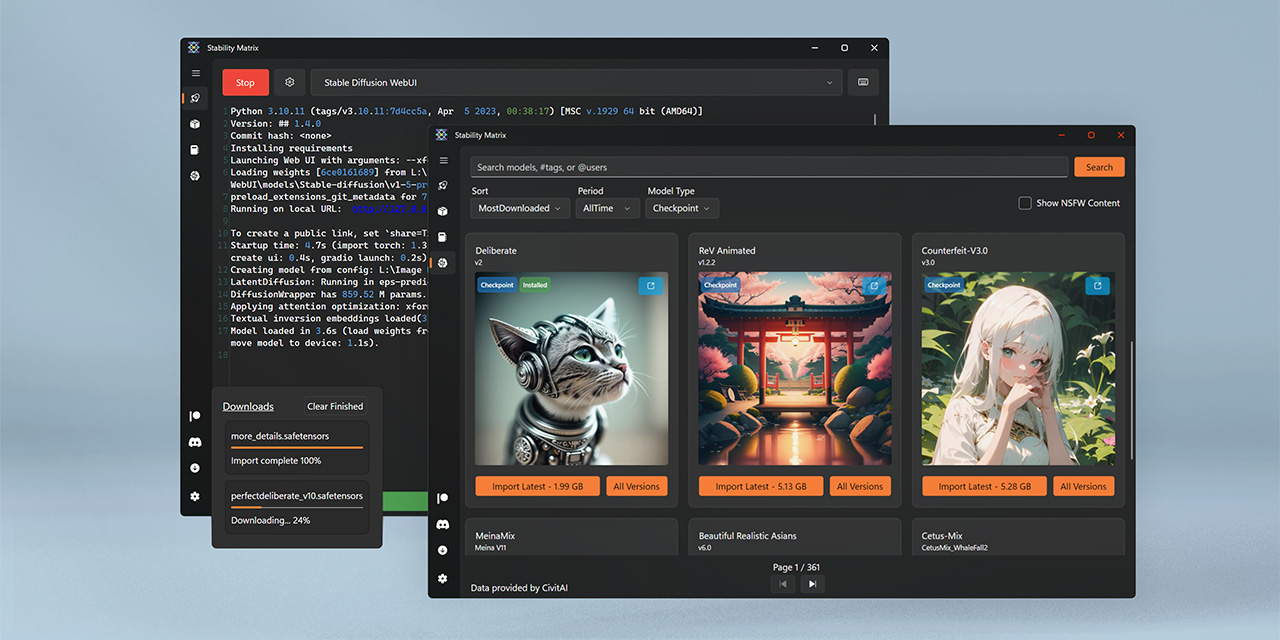
GitHub
Multi-Platform Package Manager for Stable Diffusion - LykosAI/StabilityMatrix
formal ridge
Yes, that one. Just check releases and grab the latest windows zip.
It even has a built in inference generator, but I've not tested it.
 hot briar
Exception training model: 'Using low_cpu_mem_usage=True or a device_map requires Accelerate: pip install 'accelerate>=0.26.0''. i got this issue, i had 1.5.2 when i got this. Uninstalled and installed 0.26.0 version but it didnt work either i got same error
ornate elk
hey, the rocm library for GFX1201 (9070 and 9070XT) has been released!
https://github.com/likelovewant/ROCmLibs-for-gfx1103-AMD780M-APU/releases/tag/v0.6.2.4
So the Zluda Guide could work on those too now.
@shadow path
 cursive hazel
ornate elk
hey, the rocm library for GFX1201 (9070 and 9070XT) has been released!
https://g...
cursive hazel
ornate elk
hey, the rocm library for GFX1201 (9070 and 9070XT) has been released!
https://g...
It worked for me, on a 9070!
On Automatic1111, using DirectML, I generated an image of 856x1024, 20 steps image in about 60 seconds.
On ForgeUI, using Zluda, I did the same thing at 35 seconds. So, nearly 2x the speed. Using CyberRealisticPony model on both.
ornate elk
cursive hazel
It worked for me, on a 9070!
On Automatic1111, using DirectML, I generated an i...
Thanks for letting me know!
That means I can update the Guide
 shadow path
ornate elk
shadow path
ornate elk
Let me know how it goes then
 flat egret
guys am i doing something wrong here? this is the result im getting with img2img

from this picture:

here's my settings

 compact salmon
cursive hazel
It worked for me, on a 9070!
On Automatic1111, using DirectML, I generated an i...
compact salmon
cursive hazel
It worked for me, on a 9070!
On Automatic1111, using DirectML, I generated an i...
waaait what?! how did u get comfy Forge working 9070xt?!?!
i got SDnext working but honestly i much prefer forge ive realized. i want to get forge and comfy up and running on my 9070xt on windows os
couldnt find a single person who has forge or comfy running on 9070xt windows os with zluda
cursive hazel
compact salmon
waaait what?! how did u get comfy Forge working 9070xt?!?!
CS1o just mentioned that there's a new rocm library for GFX1201 (9070 and 9070XT), here #🤝|tech-support message
I installed rocm again, used that patch ^ (I did the "No optimized", and have no idea if that matters or not..)
Then I just followed the pinned instructions "The latest Stable Diffusion install Guides for Nvidia and AMD", for ForgeUI. I also got ComfyUI working too, but I'm a complete noob at it 
compact salmon
i did grab that and the 6.2 rocm and no optomized hting as well
compact salmon
cursive hazel
CS1o just mentioned that there's a new rocm library for GFX1201 (9070 and 9070XT...
hell yeah homie. i hope its ok if i maybe bother u once more trying to figure this out
thats awesome
cursive hazel
Sadly, I can't really help too much. I'm stumbling my way through all of this tbh! CS1o actually knows how to fix problems. All I can really say, is that I did a fresh install of rocm 6.2.4, patched that with the aforementioned rocm library, got a fresh copy of Zluda, and.. The rest was just following that guide. It just worked for me.
compact salmon
i trust it
thats really helpful
thank you!!!
maybe ill only bother to show you have it up n running 🫡 lol
cursive hazel
Oh, and at some point the guide says to restart your PC!.. That is actually mandatory apparently! I tried it without, thinking.. Ohhh, it'll be fine! But my images were taking like.. 5 minutes.. So I have a restart, annnd it's now 2x the speed of DirectML.
hot briar
hot briar
Exception training model: 'Using low_cpu_mem_usage=True or a device_map requires...
@ornate elk you know how to solve it?
 stiff hawk
Hey, fam. I've been trying almost non-stop for days to install a webui with ZLUDA, ONNX, and Olive. I keep getting errors, I've done all the research I know to do and have studied the documentation the best I can, and I have run out of ideas. I'm going to cry ^^;
I have Windows 11 and a Radeon RX 7600 with 8gb VRAM.
I've tried stable-diffusion-webui-amdgpu, SD.Next, and I researched Fooocus and started to attempt stable-diffusion-webui-amdgpu-forge. I prefer forge if possible; but if not, then webui-amdgpu. I have successfully gotten ZLUDA working sometimes, have very rarely gotten ONNX working, and I've never gotten Olive. And nothing is consistent. I've successfully gotten it to choose the right GPU, too.
formal ridge
stiff hawk
Hey, fam. I've been trying almost non-stop for days to install a webui with ZLUD...
Top Guide under Pinned Messages in this channel. That's the absolute best one I've seen for AMD users.
stiff hawk
@formal ridge This one?
Should I use Automatic1111, the fork for AMDGPU, Forge, or Fooocus? I like the idea that Fooocus is simple, but I don't want it to be like Midjourney where it begins to ignore my prompt info
Forge seems like the second-best bet but not if it has so much less documentation/support that I struggle to even get it working
Huh, looks like I got Forge working with ZLUDA. Now to see if I can get it working with ONNX
stiff hawk

TypeError: 'StableDiffusion' object is not callable
'StableDiffusion' object is not callable
formal ridge
stiff hawk
Should I use Automatic1111, the fork for AMDGPU, Forge, or Fooocus? I like the i...
all of them will sometimes ignore your prompt info. There's no such thing as a perfect model unless you caption it yourself.
stiff hawk
formal ridge
all of them will sometimes ignore your prompt info. There's no such thing as a p...
What are your personal tastes? Also are you able to help with ONNX?
formal ridge
No, I've never bothered to try ONNX. I can't help with that at all.
Personal tastes? It depends on what architecture you can run and what you're looking for, Realistic, Anime, etc.
stiff hawk
Not anime, that's for sure
formal ridge
Lately I've been messing with the realisticVision series, and 5.1 seems to be the best in that specific line.
formal ridge
For SDXL, I highly recommend Everclear PNY by Zovya v2 & v3
formal ridge
stiff hawk
I meant the WebUI though, which do you like
Oh that, I primarily use ComfyUI these days, as I can get a bunch of custom nodes / samplers / schedulers.
stiff hawk
I'm not sure my RX 7600 with 8gb VRAM can do SDXL, but I know basically nothing. ComfyUI seems way over my head though. I am not technical
formal ridge
stiff hawk
I'm not sure my RX 7600 with 8gb VRAM can do SDXL, but I know basically nothing....
My 3060TI is only an 8GB card, and I can generate (not upscale) up to 3840x2160 images on SDXL. But I have an nVidia card. Not sure how that will work on an AMD card.
stiff hawk
"TypeError: 'StableDiffusion' object is not callable"
This no matter what I do when ONNX is enabled. I haven't been able to get past this for like 15 hours of work
formal ridge
I wish you luck, I've never tried to get ONNX to work as it sounded like a hassle for so little value.
stiff hawk
I've been working for like a month trying to create characters to my specifications. Midjourney doesn't work, and ONNX doesn't work, and I don't trust other online tools, so I guess I'm screwed forever
All because I don't have an expensive Nvidia card
formal ridge
stiff hawk
I've been working for like a month trying to create characters to my specificati...
Naah, it might be the model you're using. Give me a sec.
stiff hawk
Hmm
formal ridge
stiff hawk
Hmm
Look up "DucHaiten-Journey-XL" and tell me what you think.
I recommended that one a month ago.
stiff hawk
What is it?
formal ridge
stiff hawk
What is it?
SDXL model
stiff hawk
Oh, that's a big pruned model. I wouldn't even be able to consider using it without ONNX and Olive
I have an 8gb card
formal ridge
stiff hawk
I have an 8gb card
I have an 8GB card too.
stiff hawk
I don't understand, are you suggesting I use this 6.5gb model without ONNX? I'm gonna run out of memory real damn fast
formal ridge
stiff hawk
I don't understand, are you suggesting I use this 6.5gb model without ONNX? I'm ...
It works fine in ComfyUI and Forge.
A1111 is the only place you'll probably have issues
stiff hawk
I ran out of memory using a 2gb model properly
formal ridge
stiff hawk
I ran out of memory using a 2gb model properly
Again, what UI?
stiff hawk
I'm using Forge
formal ridge
stiff hawk
I'm using Forge
Do you have Never OOm enabled at the bottom?
formal ridge
stiff hawk
Where's that?
Left hand side, scroll down
 formal ridge
stiff hawk
My only find of "never"
formal ridge
stiff hawk
My only find of "never"
Open the Forge UI, look at the left hand side and scroll down.
It helps with Out of Memory errors
stiff hawk
OH
It's still slow as hell, which is why I need ONNX and Olive
It's amazing that these tools exist, everyone else on Earth apparently gets them working because my error isn't on Google, just my luck
formal ridge
If it works, it works. Why complicate things?
stiff hawk
It's far too slow. How am I supposed to take the 100 hours to learn how to use Stable Diffusion when I get a new result every 5-10 minutes?
formal ridge
stiff hawk
It's far too slow. How am I supposed to take the 100 hours to learn how to use S...
 stiff hawk
I have patience for generation if I'm getting something. I don't have patience to literally spend a year of doing nothing else but trying to learn how to prompt and use my toolset. That's what slow generation gets me. A lot of failure I have to wait to finish. I could have burned myself out hard trying to learn Midjourney, let alone something like this
formal ridge
The time to generate depends a lot on the resolution.
stiff hawk
From my experience, low resolution means unfinished images. I don't know why
formal ridge
If it's taking 5 minutes for a 512^2 image, something is definitely wrong
stiff hawk
https://huggingface.co/SG161222/Realistic_Vision_V6.0_B1_noVAE
I tried following the instructions
formal ridge
stiff hawk
https://huggingface.co/SG161222/Realistic_Vision_V6.0_B1_noVAE
I tried followin...
That's the bad one, you want v5.1
stiff hawk
Really? O:
formal ridge
stiff hawk
Really? O:
v5.1 is much better than v6.0 in all my testing
stiff hawk
I see v51 and noVAE
and v51VAE_cn
I have no idea how anyone can keep track of this stuff
https://huggingface.co/SG161222/Realistic_Vision_V5.1_noVAE
This one is the most-downloaded
formal ridge
stiff hawk
I have no idea how anyone can keep track of this stuff
Most people use CivitAI, not huggingface
stiff hawk
To download models?
formal ridge
stiff hawk
To download models?
yes
stiff hawk
Can't even find it there
Sorted by most-downloaded, 6.0 is first, no other version on list
stiff hawk
But you said 6.0 was bad
formal ridge
Do you see the numbers at the top?
formal ridge
stiff hawk
But you said 6.0 was bad
CivitAI lets users upload many models under one model card, just like huggingface
formal ridge
stiff hawk
Okay, I found it
v5.1 (VAE)
stiff hawk
Very poor understanding of UX psychology, it just looked like noise up there
Didn't realize they were choices, or even see them at all because they looked like noise
formal ridge
That's why i sent a direct link...
stiff hawk
Nah, I appreciate it, and also it's good that you pointed those tabs out to me, I needed to know they were there
formal ridge
Because Huggingface is a massive mess compared to civitai.
stiff hawk
Hmm
I can understand and navigate Huggingface better, and it hurts me a whole lot less to look at, but I see advantages in CivitAI
Huggingface is built more like a repository, CivitAI is built more like a showcase
Not that I can use repository websites easier myself, but it's easier for me to visually process Huggingface
But for AI, showcase is better in principle, so CivitAI should be better
Some of the UX in CivitAI though is too busy and not grouped or labeled properly, so your eyes glaze over when you're trying to understand how to find things, hence me calling the tabs "noise" after I actually saw they existed
formal ridge
stiff hawk
Huggingface is built more like a repository, CivitAI is built more like a showca...
CivitAI also has filters based on what you're looking for, Lora, Checkpoints, Model Architecture, etc
stiff hawk
I see
Why is 5.1 better than 6.0?
Do you know if you can have presets for models? So I don't have to set negative prompts or CFG scales, etc. when I switch models
Also is there a reset button for all Generation settings?
https://civitai.com/models/4201?modelVersionId=130072
This page gives me like no information. I don't know how many sampling steps to do
I don't understand how anyone is supposed to learn anything with so little documentation about how things work or how to fill in missing information to get things working. It's like Linux all over again
formal ridge
stiff hawk
Do you know if you can have presets for models? So I don't have to set negative ...
I'm not sure, it's been so long since I've used Forge.
I've been on ComfyUI for the past almost year now.
Where I can have a workflow for every model or model type that I want.
stiff hawk
Out of curiosity, how long did it take you to learn it?
formal ridge
stiff hawk
Out of curiosity, how long did it take you to learn it?
About a day, but even if you know things, a lot of it is simple experimentation and repetition.
The first week I was modifying A1111's code and fixing his screwed up math so I could generate 1080p images without issues.
stiff hawk
So people who aren't programmers have no hope. That's the Linux Experience for ya
formal ridge
stiff hawk
So people who aren't programmers have no hope. That's the Linux Experience for y...
I'm not a programmer by any means. I just have a lot of time on my hands and can throw shit at the wall until it sticks.
stiff hawk
That makes sense
I'm going crazy with how much work I've been doing to try to get things working, and my housemate doesn't understand is angry at me for working too hard
And I'm like, I need this working, I need my results, I can't just stop
Sure wish Midjourney wasn't being impossible, I'd have been done a week ago
My results with Realistic Vision are so malformed even with my negative prompts that I'm about to give up and try Fooocus even with poor AMD support. I don't have all of my life to try to figure out what I'm doing wrong, and I can only be negative around people I'm asking for help for so long before they're sick of me
formal ridge
stiff hawk
And I'm like, I need this working, I need my results, I can't just stop
I'm assuming you have Zluda, right? There's a Zluda version of ComfyUI if you feel like giving it a shot. https://github.com/patientx/ComfyUI-Zluda

GitHub
The most powerful and modular stable diffusion GUI, api and backend with a graph/nodes interface. Now ZLUDA enhanced for better AMD GPU performance. - patientx/ComfyUI-Zluda
stiff hawk
Doesn't that have an enormous learning curve? Like, you have to learn the technical details of exactly how generation works and then use that knowledge in custom setups
I am not that kind of person. I'm an artist
formal ridge
stiff hawk
Doesn't that have an enormous learning curve? Like, you have to learn the techni...
Not really, you just drag and drop spaghetti strings, like any other workflow software
Then it's just experimentation and repetition
stiff hawk
I read that people have to know exactly how generation works on a technical level
"I didn't find it difficult at all.
I made the same journey as you (easy diffusion, A1111, comfy), and at each stage have not gone back.
I think the challenge is more understanding how stable diffusion works, then understanding comfy per se. For example, in comfy you start with an "empty latent image". This isn't very intuitive, and A1111 hides this stage from you. But once you understand that:
a) a latent image is the type of image that SD works on b) you encode an normal image into a latent before using it, and decode a latent into an image after generating it c) the only difference between txt2img and img2img is whether you start with an empty latent, or a latent encoded from an existing, normal image
...it all makes sense. Then you never need to think about latents again, you just feed the model whatever starting point (empty latent, encoded image) you need for your purposes.
Of course, once you have this, you can then expand on it. You can start with an empty latent, generate an image, then pass that latent elsewhere. You can upscale it, mask it, replace parts of the image etc. This is where the real strength of comfy comes out, beyond just typing a prompt and making an image, but controlling the workflow to do exactly what you want."
formal ridge
stiff hawk
I read that people have to know exactly how generation works on a technical leve...
It's somewhat user friendly. Just need to load your checkpoints, your vae, and it has a built in default workflow in case you do manage to completely screw yourself too badly.
ornate elk
stiff hawk
I'm not sure my RX 7600 with 8gb VRAM can do SDXL, but I know basically nothing....
Yes it can do easily use sdxl.
Also don't try to get onnx or olive running with Auto1111 or Forge.
Its not worth as olive/onnx needs model conversion to work and dont support a lot of extensions.
If you really want to use something with olive and onnx try out Amuse webui.
But the best for your GPU would be Auto1111 or Forge with Zluda.
ornate elk
flat egret
here's my settings
Hey, you have to set the denois higher
ornate elk
hot briar
<@161910921269084160> you know how to solve it?
To less information on what are you using, like tool and GPU.
hot briar
I am using automatic 1111 and my gpu is RX 7800 XT
ornate elk
hot briar
I am using automatic 1111 and my gpu is RX 7800 XT
Then pls show the full cmd log.
Also zluda or directml?
hot briar
ornate elk
Then pls show the full cmd log.
Also zluda or directml?
Directml, how can i show i dont know
ornate elk
hot briar
Directml, how can i show i dont know
Copy the full cmd log and paste it here
Also directml is not recommended.
Its slower and has more bugs than the zluda variant
You definitly want to switch to the zluda version
hot briar
ornate elk
You definitly want to switch to the zluda version
I just copied a guide that uses amd and download
If its work on mine i can switch it rn
@ornate elk i probably zluda
webui.bat --use-zluda I use this bat when i open sd
ornate elk
hot briar
<@161910921269084160> i probably zluda
Thats good okay.
We will see when you send the cmd log
hot briar
ornate elk
Thats good okay.
We will see when you send the cmd log
The error's log right?
ornate elk
hot briar
The error's log right?
The complete log
When you launch the webui
- the error after you triggered it
ornate elk
Ah okay now I see the problem
You want to train a lora in auto1111
But thats not how it works
You have 3 broken extensions installed.
Dreambooth, Roop, and Easy Lora Training Script
You have to delete those extensions from the extension folder.
Then delete the venv folder and relaunch the webui-user.bat
And for lora Training please then install OneTrainer with Zluda:
https://github.com/CS1o/Stable-Diffusion-Info/wiki/Lora-Trainer-Setup-Guides#amd-onetrainer-with-zluda
hot briar
ornate elk
You have to delete those extensions from the extension folder.
Then delete the v...
Relauch it with --use-zluda or without it
 fiery hearth
I've tried both fast and conservative upscaling via API but get 400 errors on both. I've successfully used the API generate interface without any issues. If anyone has used either fast or conservative upscale pls share
hot briar
ornate elk
You have 3 broken extensions installed.
Dreambooth, Roop, and Easy Lora Training...
Okay deleted
Deleted venv folder too
ornate elk
hot briar
Relauch it with --use-zluda or without it
With --use-zluda --skip-ort and dont launch the webui.bat
Only the webui-user.bat
Where these two launch args should be added by you
hot briar
ornate elk
Where these two launch args should be added by you
@echo off
cd C:\Users\niceb\a\stable-diffusion-webui-directml
webui.bat --use-zluda --skip-ort
Like that?
ornate elk
hot briar
@echo off
cd C:\Users\niceb\a\stable-diffusion-webui-directml
webui.bat --use-zl...
Nope, right click the webui-user.bat and edit it.
At the line commandline_args=
You add --use-zluda --skip-ort
And I mean webui-user.bat, not webui.bat
hot briar
ornate elk
Nope, right click the webui-user.bat and edit it.
At the line commandline_args=
...
@echo off
set PYTHON=
set GIT=
set VENV_DIR=
set COMMANDLINE_ARGS=--use-zluda --skip-ort
call webui.bat
hot briar
hot briar
@echo off
set PYTHON=
set GIT=
set VENV_DIR=
set COMMANDLINE_ARGS=--use-zluda -...
Like that then
ornate elk
hot briar
Like that then
Yep and always only launch the webui-user.bat and not the webui.bat
hot briar
ornate elk
And for lora Training please then install OneTrainer with Zluda:
https://github....
I am launching it and doing this and done
ornate elk
hot briar
I am launching it and doing this and done
Alright. As you already setup zluda you can skip that part on the Guide
stiff hawk
ornate elk
Yes it can do easily use sdxl.
Also don't try to get onnx or olive running with ...
Super thanks
hot briar
ornate elk
Alright. As you already setup zluda you can skip that part on the Guide
ImportError: cannot import name 'broadcast_to' from 'numpy.lib.stride_tricks' (C:\Users\niceb\a\stable-diffusion-webui-directml\venv\lib\site-packages\numpy\lib\stride_tricks.py) said this while lauching
flat egret
ornate elk
Hey, you have to set the denois higher
will try, thanks
ornate elk
hot briar
ImportError: cannot import name 'broadcast_to' from 'numpy.lib.stride_tricks' (C...
Relaunch
That error is normal the first time after deleting the venv
hot briar
ornate elk
Alright. As you already setup zluda you can skip that part on the Guide
Which parts should i do
stiff hawk
I'm trying to create character concept art. But the more information I gave Midjourney, the more they would start distorting or ignoring. I spent a week or two of non-stop attempts, but there's so much I don't understand. At least I know to mention the rest of the body if I want it to not do only the face.
I'm at a point where I'm trying to use other tools. Trying to get Fooocus with ZLUDA up and running, as I'm not that technical and I need to move forward. So while I have Forge available and I'll use it if it's my best option, I don't know if I have it in me to spend the next bunch of months non-stop learning technical stuff to get results I want, especially since I only have an AMD Radeon RX 7600 with 8gb VRAM
But with that said, I will hear any advice people have about tools, setup, and prompting. I imagine inpainting is a lot more important than I've been treating it.
I need realistic body proportions and anatomy and detailed body shapes for a realistic look, but in the end I want inked lines and painted colors, so I don't need photorealism. Trying to make concept art for a smart adult novel that clearly shows it's (SFW, non-gritty) adult. Def not anime either.
I can upload a ref of one thing I was kinda good at for an example of that last bit
If my dern NAS would stop being borked
ornate elk
hot briar
Which parts should i do
The first 6 steps of setting up OneTrainer.
Then the last step 6 at the bottom
That should be enough
If you have a C:Zluda folder you can also do the 4-6 steps at the end additionaly
ornate elk
stiff hawk
I'm trying to create character concept art. But the more information I gave Midj...
Hey im not sure if this is now a technical question for here or if you better ask in #📝|prompting-help
But you should try out Forge Webui with Zluda if it works. That gives you the most control over the image with your GPU.
Try out some models like illustrij or Dreamshaper or find some loras that match the style you like
Its not to hard to get anatomical correct images
Mostly stick to sdxl/illustrious models for that
stiff hawk
ornate elk
Mostly stick to sdxl/illustrious models for that
What's Illustrious
formal ridge
lucid yoke
For anime style images
He's looking for semi realistic / realistic, that's why I told him about DHJ-XL
stiff hawk
Followed the Fooocus with ZLUDA guide: https://github.com/CS1o/Stable-Diffusion-Info/wiki/Webui-Installation-Guides#amd-fooocus-with-zluda
M:\AI\stable-diffusion-fooocus>.\python_embeded\python.exe -s Fooocus\entry_with_update.py
Already up-to-date
Update succeeded.
[System ARGV] ['Fooocus\entry_with_update.py']
Python 3.10.9 (tags/v3.10.9:1dd9be6, Dec 6 2022, 20:01:21) [MSC v.1934 64 bit (AMD64)]
Fooocus version: 2.5.5
[Cleanup] Attempting to delete content of temp dir C:\Users\orphi\AppData\Local\Temp\fooocus
[Cleanup] Cleanup successful
Traceback (most recent call last):
File "M:\AI\stable-diffusion-fooocus\Fooocus\entry_with_update.py", line 46, in <module>
from launch import *
File "M:\AI\stable-diffusion-fooocus\Fooocus\launch.py", line 152, in <module>
from webui import *
File "M:\AI\stable-diffusion-fooocus\Fooocus\webui.py", line 10, in <module>
import modules.async_worker as worker
File "M:\AI\stable-diffusion-fooocus\Fooocus\modules\async_worker.py", line 3, in <module>
from extras.inpaint_mask import generate_mask_from_image, SAMOptions
File "M:\AI\stable-diffusion-fooocus\Fooocus\extras\inpaint_mask.py", line 5, in <module>
import torch
File "M:\AI\stable-diffusion-fooocus\python_embeded\lib\site-packages\torch_init_.py", line 143, in <module>
raise err
OSError: [WinError 126] The specified module could not be found. Error loading "M:\AI\stable-diffusion-fooocus\python_embeded\lib\site-packages\torch\lib\cublas64_11.dll" or one of its dependencies.M:\AI\stable-diffusion-fooocus>pause
Press any key to continue . . .
This is what my life has been for a week
The wording was odd, but it appeared it was asking me to copy the ZLUDA files, rename them, then paste them over the ones in Fooocus's directory, overwriting. I def copied/overwrote those three files
ornate elk
stiff hawk
The wording was odd, but it appeared it was asking me to copy the ZLUDA files, r...
Its missing the copied zluda files
Sry for my wording xD feel free to let me know how to right it better
You have to make a copy of the 3 files in the zluda folder.
Then you rename the copies accordingly to the guide.
Them copy these 3 renamed files into the foocus torch lib folder and overwrite
hot briar
@ornate elk did Getting the OneTrainer AMD Fork:
Make a new Folder on your Drive (not on Desktop, Downloads, Documents, Programms, Onedrive) and name it SD-Zluda.
Dont use the same if you had installed the DirectML webui before.
You go into the folder you created in this case SD-Zluda, then click in the File Explorer bar (not searchbar) and type cmd then press enter.
Then you copy and paste this command:
git clone https://github.com/lshqqytiger/OneTrainer.git && cd OneTrainer && py scripts/install_zluda.py
Press enter and after its done you can close the cmd.
Launch the install.bat, and wait until its done. Then close the cmd.
Launch the update.bat, and wait until its done. Then close the cmd. this part

GitHub
OneTrainer is a one-stop solution for all your stable diffusion training needs. - lshqqytiger/OneTrainer
stiff hawk
ornate elk
Sry for my wording xD feel free to let me know how to right it better
Oh, you wrote it? I mean no offense, I can probably help with gap-filling and wording to make things clearer. I'm an autistic novelist, clarity is my specialty. Out of necessity xD
ornate elk
Sure ^^ always good if I can improve the Guide for easier understanding
ornate elk
hot briar
<@161910921269084160> did Getting the OneTrainer AMD Fork:
Make a new Folder on...
Okay good
stiff hawk
ornate elk
Its missing the copied zluda files
I did copy them, I'm not sure what could be missing
ornate elk
stiff hawk
I did copy them, I'm not sure what could be missing
Can you show me the zluda folder content?
stiff hawk
ornate elk
Can you show me the zluda folder content?
The one in the Fooocus directory, or the original ZLUDA download?
ornate elk
stiff hawk
The one in the Fooocus directory, or the original ZLUDA download?
Original zluda folder
stiff hawk
Here's what I downloaded: https://github.com/lshqqytiger/ZLUDA/releases/
And here's what the folder looked like after I copied and renamed the three files

Then I copied those three files into uh
Copy these two three to python_embeded\Lib\site-packages\torch\lib and overwrite if asked.
ornate elk
stiff hawk
> Copy these two three to python_embeded\Lib\site-packages\torch\lib and overwri...
Okay thats correct
stiff hawk
I wonder what went wrong
ornate elk
Can you copy the files over again and then relaunch?
ornate elk
Can you check the file you had to edit again if the changes are still in there?
Fooocus sometimes resets that file because it updates
I'm AFK back in 15-20 mins
stiff hawk
I copied cublas.dll, cusparse.dll, and nvrtc.dll, renamed them to cublas64_11.dll, cusparse64_11.dll, and nvrtc64_112_0.dll, and put them in python_embeded\Lib\site-packages\torch\lib, overwriting the ones already in there
stiff hawk
ornate elk
Can you check the file you had to edit again if the changes are still in there?
...
Will do
Looked like it was still there, I repasted again from the guide and saved, ran run.bat. Same error
hot briar
what should i do with settings @ornate elk

 novel owl
hello im trying now to test comfyui with vidéo workflow and the task lock at the negative prompt
 ornate elk
hot briar
what should i do with settings <@161910921269084160>
ornate elk
hot briar
what should i do with settings <@161910921269084160>
ive left these on default
novel owl
ah it go to KSampler but stuck here
 ornate elk
hmm looks okay
novel owl
im on amd graphics card with zluda
formal ridge
novel owl
ah it go to KSampler but stuck here
It's probably not stuck, the video vae takes a while to complete. Open your task manager (ctrl + alt + del if on windows), and see if the Processor is still being used by Python.exe
hot briar
ornate elk
ive left these on default
me too but wouldn't be problem for amd?
ornate elk
novel owl
im on amd graphics card with zluda
it could be compiling in the background
ornate elk
hot briar
me too but wouldn't be problem for amd?
nope
cuda gets emulated by zluda
just make sure to disable xformers in the Training tab. Set the Attention to Default or SDP instead of xformers as xformers won't work on AMD and you'll get an Error.
novel owl
ornate elk
it could be compiling in the background
ah yeah is that !
hot briar
@ornate elk is concepts important
ornate elk
hot briar
<@161910921269084160> is concepts important
its the part where you add the folder of your images for training
hot briar
ornate elk
its the part where you add the folder of your images for training
is it enough to add a concept and select the path
or it is something more of it
ornate elk
stiff hawk
Looked like it was still there, I repasted again from the guide and saved, ran r...
hmm i reinstalled foocus acording to my guide ant it works.
maybe you should redo the steps with the custom torch install command, then launching foocus, then editing the model_management.py again and then paste the zluda files over again
ornate elk
hot briar
or it is something more of it
maybe this helps a bit:
https://civitai.com/articles/4789/lazy-lora-making-with-onetrainer-and-ai-generation
in concepts you can just add a folder to the images
but you also need captions
you can create captions with the caption tool in onetrainer under tools
stiff hawk
ornate elk
hmm i reinstalled foocus acording to my guide ant it works.
maybe you should red...
For troubleshooting reasons, I want to add that I didn't install Fooocus in the main/Windows partition, but in a secondary partition
hot briar
@ornate elk is it done?
 ornate elk
stiff hawk
For troubleshooting reasons, I want to add that I didn't install Fooocus in the ...
ornate elk
stiff hawk
For troubleshooting reasons, I want to add that I didn't install Fooocus in the ...
Thats okay
ornate elk
hot briar
<@161910921269084160> is it done?
How long did it take?
Could be done but you see that in the steps
hot briar
ornate elk
How long did it take?
10 min
hot briar
ornate elk
Could be done but you see that in the steps
yea it's done but bad result
is problem sources or step count
ornate elk
hot briar
is problem sources or step count
Mostly step or epochs
Also images should be like 20-40 good quality images
You have to test around.
Lora training is not easy
hot briar
okay ill try something
novel owl
ornate elk
it could be compiling in the background
Sory
ornate elk
novel owl
Sory
np, how fast is wan?
stiff hawk
ornate elk
hmm i reinstalled foocus acording to my guide ant it works.
maybe you should red...
Can you send me your model_management.py so I can compare to mine?
hot briar
ornate elk
np, how fast is wan?
can we save it
or just stopping training and it's been saving
ornate elk
hot briar
can we save it
it does backups while training
hot briar
ornate elk
it does backups while training
ah true, i totally forgot that
compact salmon
does anyone know where i can change device_map='auto' to device_map='cuda',
ornate elk
compact salmon
does anyone know where i can change device_map='auto' to device_map='cuda',
where? for what? xD more info needed
compact salmon
i get this issue

and the ONLY info i can find that did something for someone was this
"This issue sounds tricky. The workaround, if it can be worked around, is to change the CUDA version or save VRAM usage.
If there is no workaround, it may be an unresolved bug.
In your case, you have already specified device_map=“auto”, so as long as the accelerate library is properly installed with pip, you should be able to offload as much as possible.
The only thing left to do is to reduce the amount of data to be passed on somehow."
ornate elk
compact salmon
i get this issue
that means you have to paste the 3 renamed zluda files into the torch/lib of comfyui
compact salmon
i thought i did that but let me go ahead and doi that again
i have to find those 3 scripts
ornate elk
the 3 renamed dlls are in the C:Zluda if you followed my guide
ornate elk
GitHub
Stable Diffusion Knowledge Base (Setups, Basics, Guides and more) - CS1o/Stable-Diffusion-Info
compact salmon
oh this can install forge?
oh shit
im tryna do comfyui rn let me not get ahead of myself
im on 9070xt so im having more issues than normal
using the modified 6.2rocm
ornate elk
compact salmon
oh this can install forge?
yep forge, auto1111, fooocus, comfyui and OneTrainer for lora training work with zluda
ornate elk
someone already did yesterday with a 9070 here, so it should work
let me know if you need any help
compact salmon
ornate elk
let me know if you need any help
thank you i appreciate that im almost there haha.
where is the copying part?
oh here Go into the C:\ZLUDA\ Folder.
There make copy of the cublas.dll and the cusparse.dll and nvrtc.dll repaste them inside the folder.
Rename the copies to cublas64_11.dll and cusparse64_11.dll and nvrtc64_112_0.dll
Copy these three files into ComfyUI\venv\Lib\site-packages\torch\lib and overwrite if asked.
i started the guide from the patientx tutorial in his it had 3 codes to type or something instead this is where yours is slightly more manual and may make it woirk for me lol
so i followed option 1 all the way
ornate elk
yes my guide should work, also make sure you installed hip sdk 6.2 and not 5.7
compact salmon
yes i have that
can i delete the c:/zluda after or is that permanent?
after that info i should be good to try
ornate elk
compact salmon
can i delete the c:/zluda after or is that permanent?
leave it there if you added the path in the environment variables
you can use that for other tools from my guide
compact salmon
oh okay so ill put that in my ai drive instead
D:\Graphics\AI
followed the steps and still CUDA error: CUBLAS_STATUS_NOT_SUPPORTED when calling cublasSgemm( handle, opa, opb, m, n, k, &alpha, a, lda, b, ldb, &beta, c, ldc)
here is the error report
ornate elk
compact salmon
here is the error report
thats the patient x repo, comfyui version
cant help with that
 wary tulip
Hi
I want to ask if you guys know what is the best PC I can get with a low budget to use comfy UI
ornate elk
wary tulip
I want to ask if you guys know what is the best PC I can get with a low budget t...
hey, that depends on the budget
low budget means 500 for some people while other say 800 for example
wary tulip
Yeah I'm not from America so I'm not using dollars but it's around like this between 500 and 700
compact salmon
ill follow ur guide @ornate elk and get back to u homie
ornate elk
wary tulip
Yeah I'm not from America so I'm not using dollars but it's around like this bet...
A 3060 with 12gb vram would be a good start
Idk how the GPU prices are for you, but also used GPUs can be a good starting point.
Also get 16-32 GB RAM.
And for the CPU go for a AMD Ryzen
wary tulip
Intel Core i7-6700
GTX 1080 8GB
16GB DDR4 3000MHz (2×8GB)
What about this one ?
wary tulip
ornate elk
Idk how the GPU prices are for you, but also used GPUs can be a good starting po...
.
ornate elk
wary tulip
Intel Core i7-6700
GTX 1080 8GB
16GB DDR4 3000MHz (2×8GB)
What about this one ?
Thats okay but slow
wary tulip
What should I upgrade and remember I'm too broke
ornate elk
For image generation the vram amount is the most important.
After that 32gb RAM is important to not get slowed down by some larger models.