#🤝|tech-support
1 messages · Page 125 of 1

 ornate elk
So they are different in the sampler used and in the cfg scale
And fp8 is enabled for sdxl in auto
And fp16 lora cache
 deft hemlock
ornate elk
So they are different in the sampler used and in the cfg scale
deft hemlock
ornate elk
So they are different in the sampler used and in the cfg scale
Cfg shouldn't affect it that much
Sampler too
Right?
Unless something isn't visible in the Metadata
 zenith seal
is it possible?
ornate elk
deft hemlock
Cfg shouldn't affect it that much
Yea Normaly not
But you can't generate the same images with different webuis
They work different in the background
ornate elk
zenith seal
is it possible?
I don't think so. Maybe in the config_ui.json
 night brook
Hey all, this is probably classic. I downloaded flux.1 and get images like this
Details: I have an rx6700 12 gb card.
I close and re-open sd maybe 10 times and 1 out of 10 times, it renders properly.
It's the FLUX.1-dev q4 model I'm running. I can check the error messages when I get home, but is this a known issue?

 vocal burrow
probably trying to render at a wrong resolution
possible too but more likely wrong resolution when it looks like that.
vocal burrow
hmmm the image you sent is 256x256 tho
512x512 should work iirc (havent messed with flux in months)
what settings did you use ?
night brook
Yeah, I copy-pasted from the internet, since I'm at work now. The very strange part, I see the render, it looks like that, then I get a 512x512 grey png as an output
I use default settings out of the box.
I up the image count to 20 though.
vocal burrow
night brook
Yeah, I copy-pasted from the internet, since I'm at work now. The very strange p...
"grey png as an output", what s your gpu ?
night brook
AMD Radeon 6700xt / linux / ryzen 2700 / 64 gb ram
vocal burrow
and what tool are you using to generate ?
night brook
Stable Diffusion, flux.1 model. What other info is needed?
vocal burrow
"Stable Diffusion" is not a tool. You re using auto1111, forge, comfyui, etc ?
night brook
Auto1111 thanks for the clarification.
vocal burrow
do you use directml or zluda for it ? what command line args are you using ?
night brook
I am using rocm + pytorch. No zluda afaik. Would pytorch use dml?
Sorry for the ignorance, but thanks, I am learning now.
vocal burrow
windows or linux ?
vocal burrow
ok sounds good then. Probably gonna need the command line args you re using tho to go any further.
(there should be a line for them in webui-user.sh)
and a complete log of one generation
night brook
I will check in 8 hours. thnaks.
ornate elk
Auto1111 doesn't support flux
vocal burrow
welp that answers it then :p
deft hemlock
ornate elk
Yea Normaly not
because its weird, a1111 suddently made my loras worse
deft hemlock
ornate elk
Auto1111 doesn't support flux
hey csio
do u think this is enough

i run stablediffuion on a portable drive (F)
should i do it to that too?
ornate elk
deft hemlock
do u think this is enough
set it to 16000 min and 24000 max
and dont enable it for any other drive than C
then reboot
deft hemlock
ornate elk
set it to 16000 min and 24000 max
It crashes now
A lot
I get a low memory error on my browser
ornate elk
deft hemlock
I get a low memory error on my browser
In your Browser?
deft hemlock
yes
ornate elk
Where
deft hemlock
opera gx
ornate elk
Hmm okay, then try set it back to system managed for C and restart
deft hemlock
Ok
its back
i dont get the error now
but the generations are still messed up
it isnt suppose to be this detailed
with and without the masterpiece and source tags
ornate elk
deft hemlock
because its weird, a1111 suddently made my loras worse
Maybe because you have set them to be cached as fp16
Maybe revert that setting
deft hemlock
ornate elk
Maybe because you have set them to be cached as fp16
whats that
ornate elk
A setting
deft hemlock
isnt that a scheuler?
ornate elk
Nope
deft hemlock
does it affect generation that much?
ornate elk
Haven't tested it
deft hemlock
ornate elk
Maybe because you have set them to be cached as fp16


anything here?
i would have ditched a1111 a long time ago and moved to forge if it wasnt for a specific extention that isnt on any other web ui, except for a111, its the queue extention and its a life saver
ornate elk
What's your GPU again?
ornate elk
deft hemlock
i would have ditched a1111 a long time ago and moved to forge if it wasnt for a ...
Reforge maybe works too with that extension
deft hemlock
u should get it
itsa lifesaver
lets u queue different prompts with different settings
has support for the scripts, resolution batch count etc
deft hemlock
ornate elk
Reforge maybe works too with that extension
does it ?
do i need to delete the venv folder even for forge ?
cuz i just updated it
man....
now i cant see my models in forge
ok so basically
it adds this button

to add your current prompts seeds negatives resolution etc, into a queue
u can add and add
a1 a2 and a3 are presets for style loras, same settings and prompt all u have to do is add the lora u want
im not that tech savy
thats why i use this extension
plus

its easier to edit since it just adds a textbox below
and u can edit it if u have a change of mine about a specific thing within the queue
ye
very
thats why i didnt ditch a1111 for that spefic extention
very handy for lora testing
no flux
which is good
do u know how scary flux is ?
its good
really good
and i dont like that
how realistic the images can be
now imagine if bad people got their hands on it
especially scammers
 midnight kiln
deft hemlock
i would have ditched a1111 a long time ago and moved to forge if it wasnt for a ...
midnight kiln
deft hemlock
i would have ditched a1111 a long time ago and moved to forge if it wasnt for a ...
I got about half-way through converting this for Forge - I'll share if manage it all. It's actually a fairly trivial update in the sense that it just needed to have a few sections modified to conform to new standards in the more updated packages (pydantic ect.) I already finished that part. It's getting everything else down the dependency rabbithole to also play ball that is actually the challange. 5-6 dependencies deep into the friggin UI framework I'm not sure if I am qualified to follow the code anymore lol. It may be solvable by what I have already done + tweaking one of the package versions versions slightly so it doesn't break other stuff down the line.
I agree that life is painful without it - but right now Forge is the only one that even supports Flux for playing around with the new stuff
 reef swallow
hello, I have a question stable diffusion forge or comfy ui works at good capacity with two gpu d (rtx 2080 ti)??
 lucid yoke
reef swallow
hello, I have a question stable diffusion forge or comfy ui works at good capaci...
lucid yoke
reef swallow
hello, I have a question stable diffusion forge or comfy ui works at good capaci...
swarmUI can utilize two gpu's by running two generations at once but you can't use two cards for one image yet unless someone developed it recently
 fossil stream
Hey I know 99% of stable diffusion used nvida cuda cores, and I have an amd gpu. I had to install a special version of webui a couple years ago for amd, and I can no longer find it
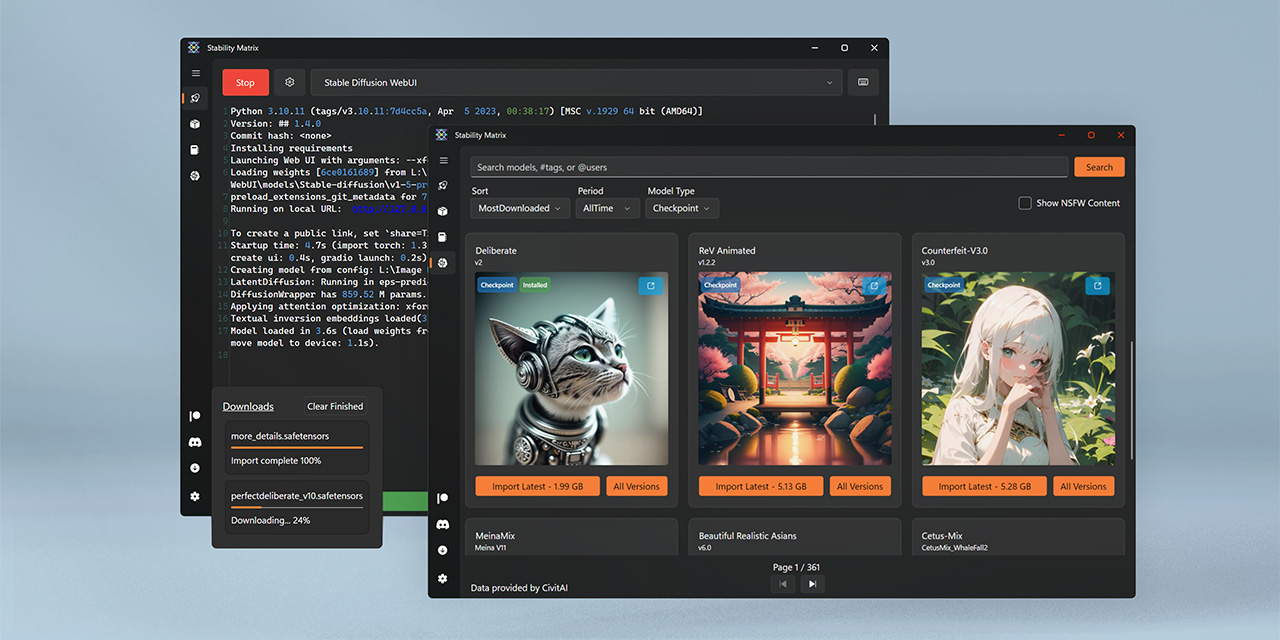
GitHub
Multi-Platform Package Manager for Stable Diffusion - LykosAI/StabilityMatrix
a friend sent me that one but idk if it will work on my amd gpu
 ruby yoke
fossil stream
Hey I know 99% of stable diffusion used nvida cuda cores, and I have an amd gpu....
ruby yoke
fossil stream
Hey I know 99% of stable diffusion used nvida cuda cores, and I have an amd gpu....
go to the pinned posts in this channel. look for @ornate elk AMD GPU guides. everything you need is in them
night brook
vocal burrow
ok sounds good then. Probably gonna need the command line args you re using tho ...
I am back, #export COMMANDLINE_ARGS="" So nothing. In fact the whole file is commented out!
fossil stream
ruby yoke
go to the pinned posts in this channel. look for <@161910921269084160> AMD GPU g...
Ty
 spare crow
Hi guys, ive followed the guide to install sd on amd, added
--use-directml --skip-ort --medvram --opt-sub-quad-attention --opt-split-attention --no-half-vae --upcast-sampling
to the webui bat file but still getting the screenshot error
anyone know what to try now?
I tried adding --skip-torch-cuda-test into the webui aswell but no luck
 ornate elk
spare crow
Hi guys, ive followed the guide to install sd on amd, added
--use-directml --s...
ornate elk
spare crow
Hi guys, ive followed the guide to install sd on amd, added
--use-directml --s...
Hey, What's your GPU?
spare crow
ornate elk
Hey, What's your GPU?
6950xt, I've uninstalled it all and followed your zluda guide instead so ill hang fire and see if this works!
ornate elk
spare crow
6950xt, I've uninstalled it all and followed your zluda guide instead so ill han...
But my zluda guide doesn't list the args you put in. You used --directml for example
spare crow
nope I think i followed a different guide, ive completely undone all of that and done the zluda instead
ornate elk
Ahhh
Okay
Did it worked?
Let me know if not. But with that card it should work easily
spare crow
It gave me a few errors but its finally loaded up the webui 🙂 do I just add models into the folder as normal with this then? its given me stable diffusion model failed to load in the cmd though
ornate elk
spare crow
It gave me a few errors but its finally loaded up the webui 🙂 do I just add mod...
Can you show the full Cmd log?
spare crow
ornate elk
I'm AFK, driving brb
spare crow
ok
vocal burrow
night brook
I am back, `#export COMMANDLINE_ARGS=""` So nothing. In fact the whole file is c...
Do you have a log tho ? Meanwhile you can try uncommenting the line and setting --no-half argument in it. We seem to live in very different timezones.
ornate elk
spare crow
Can you delete the model from the stable-diffusion folder and download an other model to test?
spare crow
ornate elk
Can you delete the model from the stable-diffusion folder and download an other ...
I had no models downloaded, it seemed to try downloading something for me to use, I'll try that in a mo tho thanks 🙂
spare crow
@ornate elk downloaded a model and replaced it and still have this error
ornate elk
spare crow
<@161910921269084160> downloaded a model and replaced it and still have this err...
Zluda failed at start
Something is not correct with the path settings maybe
And did you download any gfx files?
spare crow
Gfx?
spare crow
ornate elk
Zluda failed at start
Downloaded literally just the things in the guide
 karmic venture
any idea why the quality is bad? like it's extremely bad, its blurry foggy, idk why
 ornate elk
spare crow
Downloaded literally just the things in the guide
ornate elk
spare crow
Downloaded literally just the things in the guide
Can you show me the path settings?
ornate elk
karmic venture
any idea why the quality is bad? like it's extremely bad, its blurry foggy, idk ...
Try an other pony model. The original is bad
karmic venture
ornate elk
Try an other pony model. The original is bad
i am open for suggestions :3
spare crow
ornate elk
Can you show me the path settings?
where its all downloaded you mean ?
C:\SD-Zluda
ornate elk
spare crow
where its all downloaded you mean ?
C:\SD-Zluda
No I mean the environment variable's path settings
ornate elk
karmic venture
i am open for suggestions :3
Nova anime xl is good
spare crow
ornate elk
No I mean the environment variable's path settings
This?

 shut geyser
hello where do i put ultralytics yolo v8 model?
no ultralytics folder in my comfyui
i do have the comfyui impact pack
ornate elk
spare crow
This?
Yep looks correct
Can you try delete the venv ans the .zluda folder from the stable-diffusion-webui folder?
Then relaunch
shut geyser
ornate elk
Yep looks correct
hey do you know how to get the ultralytics folder? i tried installing comfyui impact pact again in the manager but it doesnt let me uninstall
ornate elk
Delete the old impact pac and then reinstall
spare crow
@ornate elk reinstalled python and made sure it was add to path, reinstalled zluda as this was C:\Zluda/Zluda as id added a folder, going to see if this fixes the issues and try
shut geyser
ornate elk
Delete the old impact pac and then reinstall
installing it gives an error like this, still says its installed tho
but the folders arent there like ultralytics


 ornate elk
shut geyser
installing it gives an error like this, still says its installed tho
but the fol...
ornate elk
shut geyser
installing it gives an error like this, still says its installed tho
but the fol...
Hmm idk then
Maybe the Ultralytics gets downloaded when needed?

 ornate elk
shut geyser
ornate elk
shut geyser
Have you tried updating comfyui?
shut geyser
ornate elk
Have you tried updating comfyui?

idk why does it think
my email is that
ornate elk
Hmm
ornate elk
shut geyser
Found this on the impact PAC github
 shut geyser
ornate elk
Found this on the impact PAC github
shut geyser
ornate elk
Found this on the impact PAC github
i did in the comfymanager
ornate elk
HM okay
shut geyser
but still
comfyui doesnt wanna update
it thinks me email is THAT
but its not
idk how to make it know my real email
ornate elk
It doesn't need an email
Its a bug
Sometimes it can occur when you have nodes that got removed fron github like the Reactor extension
shut geyser
ornate elk
Sometimes it can occur when you have nodes that got removed fron github like the...
yeah i have reactor node
ornate elk
What you can try is a seperate Comfyui install in the SD-Zluda Folder
spare crow
@ornate elk reinstalling all, or changing the file path to correctly seems to have fixed it mostly, it loads in and lets me get started now and seems to generate, although it only generates a grey square ?
 ornate elk
spare crow
<@161910921269084160> reinstalling all, or changing the file path to correctly s...
ornate elk
spare crow
<@161910921269084160> reinstalling all, or changing the file path to correctly s...
Okay good but, the model is not a normal model
Please use any model that is between 2-7gb
For example juggernaut XL or Nova Anime XL
lucid yoke
you cant use hunyuan in auto-reforge right?
shut geyser
ornate elk
What you can try is a seperate Comfyui install in the SD-Zluda Folder
ima do it from your guide, with the zluda fork
its gonna be the newest version?
ornate elk
shut geyser
ima do it from your guide, with the zluda fork
its gonna be the newest version?
Yep updated a few days ago to the latest comfyui release
spare crow
ornate elk
Okay good but, the model is not a normal model
❤️ you're a legend, seems to work perfectly now, thank you!
Failed to create model quickly; will retry using slow method. is that message normal though? still lets me do images once its done the slow method but idk if id need to do that each time?
ornate elk
spare crow
Failed to create model quickly; will retry using slow method. is that message no...
Yep that message can be ignored. Doesn't affect anything
ornate elk
spare crow
❤️ you're a legend, seems to work perfectly now, thank you!
No problem 🙂
spare crow
perfect 🙂 thanks for all your help!
ornate elk
spare crow
perfect 🙂 thanks for all your help!
NP, let me know if you have any other questions
spare crow
I've got loads but ill leave you to help other people for now xD
shut geyser
ornate elk
Yep updated a few days ago to the latest comfyui release
i did it and
i can tell i had an outdated version
things look so different
but still, no folders
i have this


i just created the instand id model folder and it works but not for ultralytics
ornate elk
Hmm idk. Will check how its on mine later
shut geyser
ornate elk
Hmm idk. Will check how its on mine later
its okay i fixed it
i cant believe i just created the folders
and it worked
🤣
InstantIDFaceAnalysis error 😦 amd

 terse hull
this happens when i start a1111 with zluda
ornate elk
terse hull
this happens when i start a1111 with zluda
Have you tried it like 10-15 times like I suggested yesterday?
terse hull
ornate elk
Have you tried it like 10-15 times like I suggested yesterday?
i tried it like 3 more times and then i went to sleep
ornate elk
shut geyser
InstantIDFaceAnalysis error 😦 amd
Having reactor and instantID won't work together is my guess. As I had massive issues when tried to use face id while having reactor installed
ornate elk
terse hull
i tried it like 3 more times and then i went to sleep
Try it more
terse hull
ornate elk
Try it more
but it doesnt even say its compiling anymore
ornate elk
Its no joke 3 users with a rx580 reported it to work
terse hull
ornate elk
Its no joke 3 users with a rx580 reported it to work
im trying to get it to work😭🙏🙏
ornate elk
How much ram do you have?
terse hull
i could have a possible source for it not to work tho
shut geyser
ornate elk
Having reactor and instantID won't work together is my guess. As I had massive i...
i do not have it, remember? i moved uis
i made a new folder and installed every node from scratch
just moved my models folder
terse hull
terse hull
i could have a possible source for it not to work tho
maybe its because i use it on my secondary drive and my amd driver is installed on c:
shut geyser
ornate elk
Having reactor and instantID won't work together is my guess. As I had massive i...
would you like an error report?
ornate elk
terse hull
maybe its because i use it on my secondary drive and my amd driver is installed ...
No thats not an issue
Drivers always should be installed on C
ornate elk
shut geyser
i do not have it, remember? i moved uis
i made a new folder and installed every...
Hmmm okay, can you give me a full cmd output and the workflow?
shut geyser
ornate elk
Hmmm okay, can you give me a full cmd output and the workflow?
(this is a very nice workflow)
ornate elk
terse hull
ill try it until it works
Yep exactly. When it crashes, just start it again. Until its done.
After the compile is done it should work normaly
shut geyser
i updated pip, pytorch and some other things
now this comes up
what kind of styles.csv does it need?
 spare crow
Is there a guide anywhere on any of the settings within sd that might be worth changing? and things such as what dampling method to use and when and so on? Trying to generate pixel art assets for a game and each time im trying with different settings and not noticing what is different
Hopefully to potentially stop me from getting errors like this when trying to make larger images also
OutOfMemoryError: CUDA out of memory. Tried to allocate 17.80 GiB. GPU
Time taken: 7 min. 6.3 sec.
ornate elk
spare crow
Hopefully to potentially stop me from getting errors like this when trying to ma...
Which settings did you used?
spare crow
 ornate elk
Ah well thats a to large resolution
Sdxl models are trained on 1024x1024
You normaly generate at half the resolution and then Upscale by 2 with hires fix to get Wallpapers
spare crow
Ahh so as long as I stick to under 1024x1024 I should be fine? What about sampling methods and everything else, should I stick them all as default?
ornate elk
spare crow
Ahh so as long as I stick to under 1024x1024 I should be fine? What about sampli...
Nope it should be around 1024x1024 but a bit lower and higher works too
Like 720x1280
lucid yoke
Aspect ratios i use a lot with good results:
1:1 1024x1024
4:3 1152x864
3:2 1248x832
16:9 1344x768
You can also reverse them to get portrait/landscape image
spare crow
Id just made a 960x540 so I can upscale it to the exact size, but the image seems to change when i click create an upscaled version, is that normal ?
spare crow
ahhh dammit, didnt even finish the upscale
OutOfMemoryError: CUDA out of memory. Tried to allocate 17.80 GiB. GPU
Time taken: 3 min. 35.1 sec.
id literally just clicked this ✨
lucid yoke
Ah i dont use that. I sort of forgot on how to use hiresfix in that UI but with the right settings it will just upscale without changing and will be a lot faster
spare crow
there a guide anywhere for what those settings are or what else I should be changing?
ornate elk
spare crow
Id just made a 960x540 so I can upscale it to the exact size, but the image seem...
The denois needs to be 0.5 or 0.4 and you need the tiled diffusion extension.
That prevents it from going out of memory
spare crow
ornate elk
The denois needs to be 0.5 or 0.4 and you need the tiled diffusion extension.
Th...
OutOfMemoryError: CUDA out of memory. Tried to allocate 17.72 GiB. GPU
Time taken: 3 min. 26.5 sec. still fails, assuming I added the extension correctly, i reloaded the webui with it but still fails
ornate elk
spare crow
OutOfMemoryError: CUDA out of memory. Tried to allocate 17.72 GiB. GPU
Time take...
After you installed it you need to check the tiled VAE option
Also don't run anything in the background like games or Wallpaper engine or twitch
spare crow
it works but only if I turn the resize by scale from 2 to 1.5 which obviously means the image is smaller, not a massive drama tho
lucid yoke
spare crow
OutOfMemoryError: CUDA out of memory. Tried to allocate 17.72 GiB. GPU
Time take...
i didn't see it earlier but you are on a nvidia gpu right?
ornate elk
yep its fine
if it works with 1.5 thats good. if you use a smaller res it will work with x2
lucid yoke
just wondering why its flipping out over a 2x upscale with thise resolutions though with that much vram
spare crow
ive got literally nothing running in the background either
ornate elk
is your driver updated?
spare crow
yup, although even 1.5 scale isnt working now after coming back to it again
OutOfMemoryError: CUDA out of memory. Tried to allocate 9.97 GiB. GPU
Time taken: 2.3 sec. and its trying to use less
ornate elk
can you show the settings again?
lucid yoke
i feel like it has to be the settings. i ran a 1152x896 into a 2x and a 2x again (turning it into a 4608 x 3584) with only 8gb vram those times of 3min are also quite long
it took me 54 for the final refine and 18 for the first one. any special kind of upscaler model your using?
spare crow
Okay the restart seems to have helped, it did 1.5 this time
im just dragging the image i liked into img2img and upscaling it from that, idk if thats how im meant to do it or not though, im a complete noob at this
ornate elk
spare crow
im just dragging the image i liked into img2img and upscaling it from that, idk ...
you can use the sd upscale script in img2img for that too
spare crow
theres so much to this its actually insane 😂 ill give that a try aswell
yup, failed trying the upscale by 2 again
spare crow
lucid yoke
i feel like it has to be the settings. i ran a 1152x896 into a 2x and a 2x again...
54 😮 I feel like if it goes past a min for me its doomed to fail xD
ornate elk
spare crow
54 😮 I feel like if it goes past a min for me its doomed to fail xD
you should also use the fp16 sdxl vae
it reduces the load a bit and the gen time
https://huggingface.co/madebyollin/sdxl-vae-fp16-fix/tree/main
its the sdxl.vae.safetensors
spare crow
🤯 I dont even think I understood what you said let alone doing it 😂
is it another extension ?
ornate elk
nope its a file xD
first go into settings, User interface, quick settings, and there add sd_vae
then hit apply and reload ui.
download the file from my link (sdxl.vae.safetensors) and drop it into models/vae

 ornate elk
models/vae
spare crow
ive only got the stable-diffusion where i put the models and the VAE, do i just put it into both or am I looking in the wrong place?
 spare crow
Ohhhh fml my bad 😂😂 I was looking for models and VAE 😂
lucid yoke
or use this link C:\SD-Zluda\stabe-diffusion-webui-amdgpu\models\VAE
spare crow
I'll try it out in a few mins! Sorry just gotta pop out
 spare crow
eughh I dont get why sometimes it gets to 95% or so before it decides it will fail =.=
idk why it fails last min tho
Surely it can decide, I wont request any more, ill just take longer to do it ?
or am I just being naively optimistic xD?
I thought I had a reasonably good gpu aswell xD didnt think id be having these issues
ornate elk
spare crow
idk why it fails last min tho
You always need to have tiled VAE enabled
When using highres/upscale
Also in img2img use SD upscale script not resize by
deft hemlock
Nan
ruby yoke

Quora
Answer (1 of 3): Hey man,
1, mostly nan is caused by some math calculations.
Check if you are using something like tf.log or tf.sqrt in your network model.
If you do use them, clip the operands (or add small constants to them) to avoid the NaN.
2, learning rate too high.
If you are doing ver...
 soft nest
guys, im making lora for a style but im not sure which model to use. should i make it more sd 1.5 or sdxl??
spare crow
ornate elk
You always need to have tiled VAE enabled
made all these changes this morning, still getting the same issues
soft nest
soft nest
guys, im making lora for a style but im not sure which model to use. should i ma...
im basically training 1 art style using 71 images
shut geyser
amd zluda a1111 i used the guide in pins
 ornate elk
shut geyser
amd zluda a1111 i used the guide in pins
ornate elk
shut geyser
amd zluda a1111 i used the guide in pins
Can you show the full cmd log?
shut geyser
ornate elk
Can you show the full cmd log?
i just installed the directml a1111
it works for now
ornate elk
Ah alright
shut geyser
ornate elk
Ah alright
i only am installing it to make captions for images
for a lora dataset
shut geyser
ornate elk
In the tools section
well then i did it all for nothing xD
shut geyser
ornate elk
OneTrainer can do captions too
amd for this ai stuff dude, kill me :D
ornate elk
spare crow
made all these changes this morning, still getting the same issues
Can you show what you try to do again?
shut geyser
comfyui lotus giving an error when trying to be installed
it shouldnt conflict with any other node
same with searge llm
Error message occurred while importing the 'Searge-LLM for ComfyUI v1.0' module.
Traceback (most recent call last):
File "C:\SD-Zluda\newest comfyui\ComfyUI\custom_nodes\ComfyUI_Searge_LLM\Searge_LLM_Node.py", line 13, in <module>
Llama = importlib.import_module("llama_cpp_cuda").Llama
^^^^^^^^^^^^^^^^^^^^^^^^^^^^^^^^^^^^^^^^^
File "C:\Python312\Lib\importlib_init_.py", line 90, in import_module
return _bootstrap._gcd_import(name[level:], package, level)
^^^^^^^^^^^^^^^^^^^^^^^^^^^^^^^^^^^^^^^^^^^^^^^^^^^^
File "<frozen importlib._bootstrap>", line 1387, in _gcd_import
File "<frozen importlib._bootstrap>", line 1360, in _find_and_load
File "<frozen importlib._bootstrap>", line 1324, in _find_and_load_unlocked
ModuleNotFoundError: No module named 'llama_cpp_cuda'
During handling of the above exception, another exception occurred:
Traceback (most recent call last):
File "C:\SD-Zluda\newest comfyui\ComfyUI\nodes.py", line 2145, in load_custom_node
module_spec.loader.exec_module(module)
File "<frozen importlib._bootstrap_external>", line 995, in exec_module
File "<frozen importlib.bootstrap>", line 488, in call_with_frames_removed
File "C:\SD-Zluda\newest comfyui\ComfyUI\custom_nodes\ComfyUI_Searge_LLM_init.py", line 1, in <module>
from .Searge_LLM_Node import *
File "C:\SD-Zluda\newest comfyui\ComfyUI\custom_nodes\ComfyUI_Searge_LLM\Searge_LLM_Node.py", line 15, in <module>
Llama = importlib.import_module("llama_cpp").Llama
^^^^^^^^^^^^^^^^^^^^^^^^^^^^^^^^^^^^
File "C:\Python312\Lib\importlib_init.py", line 90, in import_module
return _bootstrap._gcd_import(name[level:], package, level)
^^^^^^^^^^^^^^^^^^^^^^^^^^^^^^^^^^^^^^^^^^^^^^^^^^^^
ModuleNotFoundError: No module named 'llama_cpp'
is searge llm for nvidia only along with lotus?
ornate elk
shut geyser
is searge llm for nvidia only along with lotus?
llama.cpp can't work with zluda.
Zluda currently can't "translate" every feature that cuda has
shut geyser
ornate elk
Zluda currently can't "translate" every feature that cuda has
what about lotus?
"comfyui - lotus"
ornate elk
shut geyser
what about lotus?
Idk, haven't tested it. But I know depth extensions work in auto1111
Or controlnet works for comfyui too
Has depth and normal map and more
 thorn badge
In forgeUI, does anyone know a way to keep PNG info (prompt etc) in upscaled version i.e. I lose it when i upscale in img2img?
I am adding it to imgtoimg from folder, not moving it using "painting icon" after txt2img
ornate elk
I think there is no way if you add I'd from folder
 ashen gate
ornate elk
I think there is no way if you add I'd from folder
ashen gate
ornate elk
I think there is no way if you add I'd from folder
Does Flux on Forge not allow for negative prompts? The negative prompt section is grayed out.
lucid yoke
ashen gate
Does Flux on Forge not allow for negative prompts? The negative prompt section i...
Cfg on 1 = no negatives
And flux wants cfg of 1
night brook
How can i find the full logs? Is there an option from the web-ui. When I launch webui.sh, is it just the output to my terminal?
I am sick so in the correct timezone now.
ornate elk
ashen gate
Does Flux on Forge not allow for negative prompts? The negative prompt section i...
Yep, its not available for flux
 supple orchid
I need help! Whenever I use even a single LoRA in my prompt, my GPU usage drops significantly. Specifically, CUDA utilization gets stuck at around 10–20%, whereas without LoRA, it runs at nearly 100% full load. As a result, the speed difference is almost 10 times or more. For reference, I’m using a 4090 (24GB) with WebUI. Does anyone know a solution to this issue or if it's a known problem?
shut geyser
onetrainer flux training, this happens, i already have gguf installed (14.0) and i already have pytorch 🤔

 fierce moat
shut geyser
onetrainer flux training, this happens, i already have gguf installed (14.0) and...
fierce moat
shut geyser
onetrainer flux training, this happens, i already have gguf installed (14.0) and...
bruh dont think gguf work for training
shut geyser
fierce moat
bruh dont think gguf work for training
.safetensors also dont
shut geyser
fierce moat
bruh dont think gguf work for training
 night brook
Ok, after many reloads, flux.1-dev-uncensored-q4 loads I don't understand why, but it "works" now. I am sure I will have to re-load until it works again after a shutdown.
shut geyser
shut geyser
and i am logged in on chrome
 tawny saddle
i think u should try Opera GX, the sponcer of todays video
spare crow
Why do some images come out like this? Some checkpoints just always seem to do this for me even if they are bigger and proper checkpoints, this was with artsyvibe

 glad jackal
spare crow
Why do some images come out like this? Some checkpoints just always seem to do t...
glad jackal
spare crow
Why do some images come out like this? Some checkpoints just always seem to do t...
wrong vae issue
spare crow
this?
 glad jackal
spare crow
this?
glad jackal
spare crow
this?
yeah you need ae.safetensors for flux1d checkpoints
spare crow
how do you know what you need for different checkpoints? does it say somewhere on each checkpoint? and also where do I go to get the different VAE?
glad jackal
actually checkpoints have vae, clip and unet included so you should have it already
ruby yoke
ashen gate
Does Flux on Forge not allow for negative prompts? The negative prompt section i...
flux does not use negative prompts. and it does not use CFG
spare crow
thats all the ones i have
 glad jackal
ruby yoke
flux does not use negative prompts. and it does not use CFG
glad jackal
ruby yoke
flux does not use negative prompts. and it does not use CFG
you actually can use cfg and negative prompts to good effect, it just wasnt designed for that use.
glad jackal
spare crow
thats all the ones i have
try none or automatic bc when you load the checkpoint it should have vae included
spare crow
tried automatic and none and still didnt work
ruby yoke
glad jackal
you actually can use cfg and negative prompts to good effect, it just wasnt desi...
regardless of whether you can use it or not, it was designed not to allow negative prompts and bfl uses something different than cfg. that's why it is set with cfg not avaialble and no access to negative prompts becase negative prompts need classifier free guidence - which flux does not use.
spare crow
https://civitai.com/models/1162948/artsy-vibe this is the 1 ive been trying to use, although theres a few that dont seem to work with me, this says checkpoint and base model so should be okay right?
ruby yoke
you can also use a teaspoon to dig a hole in your backyard, but that isnt' what it's designed for
glad jackal
spare crow
tried automatic and none and still didnt work
idk much about forge, i just know it barely does regular flux. and this is also a checkpoint merge
spare crow
idk what forge is, sorry im a noob! Im on sd with zluda if that means anything
glad jackal
ruby yoke
regardless of whether you can use it or not, it was designed not to allow negati...
you can definitely increase cfg beyond 1 and use negative prompts, all im saying. it does increase generation times but it definitely has a profound effect on image composition/etc
ruby yoke
spare crow
idk what forge is, sorry im a noob! Im on sd with zluda if that means anything
forge is an interface to run the AI models in. so are auto1111 and comfyUI
ruby yoke
glad jackal
you can definitely increase cfg beyond 1 and use negative prompts, all im saying...
regardless of whether you can do that or not, flux does not use it - een if you set it to 100, flux itself does nto use it. comfyUI might be doing stuff to modify things when you do that, but the flux model itself does nto use it
glad jackal
ruby yoke
regardless of whether you can do that or not, flux does not use it - een if you ...
lol im telling you it can use cfg
different from flux guidance
ruby yoke
glad jackal
lol im telling you it can use cfg
and I'm telling you that while comfyUI might modify your out put, it's not the flux model that's using it. Robin Rombach, the author and inventor of both stable diffusion and flux, designed flux to use something other than classifier free guidance (cfg)
so when you turn on cfg, and force negative prompts, you are pretty much BREAKING flux
might as well just use sdxl
glad jackal
works great for being 'broken'
spare crow
So how do i fix it not working? I tried it with flux checkpoint aswell and that didnt work either
ruby yoke
glad jackal
works great for being 'broken'
yes, well - this discord isn't the black forest labs flux discord. it's the stable diffusion discord. so why is it even being discussed here?
ruby yoke
spare crow
So how do i fix it not working? I tried it with flux checkpoint aswell and that...
what is it specifically that you are trying to do?
glad jackal
no idea, you keep arguing lol
spare crow
Just trying to get pics to load with different checkpoints, just trying a bunch out but half of them give me that pixel artifact look and nothing else loads
ruby yoke
spare crow
Just trying to get pics to load with different checkpoints, just trying a bunch ...
this?
 glad jackal
spare crow
Just trying to get pics to load with different checkpoints, just trying a bunch ...
glad jackal
spare crow
Just trying to get pics to load with different checkpoints, just trying a bunch ...
https://huggingface.co/black-forest-labs/FLUX.1-dev/blob/main/ae.safetensors
heres the vae for flux models, unsure if this will help
spare crow
ruby yoke
this?
yup
glad jackal
spare crow
Just trying to get pics to load with different checkpoints, just trying a bunch ...
usually that specific issue happens when you use the wrong vae but youre using a checkpoint which has should have the vae included
ruby yoke
spare crow
yup
yeah. you are using the wrong Variable Auto Encoder (VAE) for the model or checkpoint you are tyring to use
if you're using flux, you have to use the flux VAE
glad jackal
hes using a checkpoint though
ruby yoke
if you're using sdxl, you have to use a VAE trained for sdxl
ruby yoke
glad jackal
hes using a checkpoint though
so? it's trained for a base model of some sort. what base is it trained for?
and does it have a VAE baked into it
if it does, you don't use a second vae
spare crow
so how do i know which vae i would need in general?
glad jackal
ruby yoke
so? it's trained for a base model of some sort. what base is it trained for?
bc its a checkpoint merge? lol
ruby yoke
spare crow
so how do i know which vae i would need in general?
not in general. it's specific to the model or checkpoint you are using
ruby yoke
glad jackal
bc its a checkpoint merge? lol
so? which models were merged? there's a base model at the bottom of that or there's no checkpoint at all
where did you get it from?
glad jackal
civit
ruby yoke
do you have the link to it?
ornate elk
spare crow
https://civitai.com/models/1162948/artsy-vibe this is the 1 ive been trying to u...
Flux is not supported on Auto1111
glad jackal
ornate elk
Flux is not supported on Auto1111
lol thank you^^
ornate elk
You would have to use Forge Webui or Comfyui to use flux
lucid yoke
Swarm is great with flux too***
ruby yoke
lucid yoke
Swarm is great with flux too***
Swarm runs comfy in the background
spare crow
Ahhh ok, thats a pain! Can I use auto1111 and forge or comfy on the same pc ?
ruby yoke
spare crow
Ahhh ok, thats a pain! Can I use auto1111 and forge or comfy on the same pc ?
yes. but why?
lucid yoke
ruby yoke
Swarm runs comfy in the background
Yes but since it has a different front end its nice to mention
ornate elk
spare crow
Ahhh ok, thats a pain! Can I use auto1111 and forge or comfy on the same pc ?
yep and you can also share the models between them
spare crow
Id like to try a bunch of different checkpoints so if I cant do it on 1 id like to try on the other
glad jackal
spare crow
Ahhh ok, thats a pain! Can I use auto1111 and forge or comfy on the same pc ?
yes definitely, they each have their own usecases
ruby yoke
spare crow
Id like to try a bunch of different checkpoints so if I cant do it on 1 id like ...
you should probalby take @lucid yoke suggestion, install SWarmUI - and let it do all the technical stuff. and just focus on generating
spare crow
damn remembering what checkpoint works on which is a pain, can i not just run everything from 1 interface?
ruby yoke
spare crow
damn remembering what checkpoint works on which is a pain, can i not just run ev...
sure. use comfy.
spare crow
yeah ill probs try and do that if its easy to do! is there a guide somewhere?
lucid yoke
spare crow
damn remembering what checkpoint works on which is a pain, can i not just run ev...
Swarm does, comfy too but its more confusing
ornate elk
spare crow
damn remembering what checkpoint works on which is a pain, can i not just run ev...
Forge supports more models than auto1111, and has the same ui
lucid yoke
Swarm is drag and drop but once you feel confident enough to mess with comfy you can interact with the backend
ruby yoke
but you still have to load the right stuff for the models you are loading. when you download a model, there will be an area on the page that tells you what base model it was trained for and if you need a vae, it'll tell you that too
ornate elk
spare crow
Id like to try a bunch of different checkpoints so if I cant do it on 1 id like ...
whats your gpu again?
spare crow
amd 6950xt
ornate elk
okay then you can use any webui from my guide
would still recommend forge/auto above comfyui for beginners
glad jackal
ornate elk
would still recommend forge/auto above comfyui for beginners
beginners need more advanced node support to make things easier
ruby yoke
ornate elk
would still recommend forge/auto above comfyui for beginners
that's why i was agreeing with Euro and suggesting swarm.
glad jackal
trying to pickup old ui with no support can be difficult when the last people talking about it are from a year+ or more
lucid yoke
glad jackal
beginners need more advanced node support to make things easier
Beginners need a drag and drop method where they can simply type a prompt and not worry about anything else tbh
spare crow
lucid yoke
Beginners need a drag and drop method where they can simply type a prompt and no...
especially me, im new to all of this and its blowing my mind xD
glad jackal
lucid yoke
Beginners need a drag and drop method where they can simply type a prompt and no...
google tools like imagen work well for learning prompts
just strictly prompt 2 image
ruby yoke
spare crow
especially me, im new to all of this and its blowing my mind xD
there's a steep learning curve, just take it one step at a time. you'll get the hang of it
glad jackal
local is prob a headache/not necessary for beginners lol
lucid yoke
I mean, civit ai image gallery is a great way to learn prompts for specific checkpoints
spare crow
Im kinda okay for the prompting side of things, when i find a checkpoint that works and i know how to make it work the images that come out are really cool and end up nice and clean so im happy with that
and like ill work using civit gallery and find images i really like and download the checkpoints and loras to try and see what styles I can make with it which is what ive been trying to do, just half the ones ive dled so far dont work for me
glad jackal
see for his case he needs to be able to run the latest things so i feel like a1111 would be a huge step in the wrong direction
lucid yoke
I wish A1111's page got a big ol warning saying "I dont get updates, see a list below for alternatives" to prevent many such cases
spare crow
so comfy or swarm is your recommendations then?
lucid yoke
SwarmUI since that way you get both
spare crow
with zluda or directML?
lucid yoke
And most ||all|| options got a ? Next to it showing you what it means
I recommend following the guide of Cs1o in pinned msg
I can't troubleshoot amd for the life of me
spare crow
yeah im on the guide, its just there is with zluda or directml and I have no idea what the difference would be
lucid yoke
Zluda is better, directml is slower i heard
ruby yoke
spare crow
Im kinda okay for the prompting side of things, when i find a checkpoint that wo...
you honestly don't want to use auto1111 - it's not really being supported, it's not a very good ui. since you have to learn this from the ground up, please don't spend your time learning something you wont' really be able to use for much.
spare crow
ill try that then 🙂 will this cause me huge issues with the auto1111 still on my drive or should I delete all of that?
ruby yoke
spare crow
ill try that then 🙂 will this cause me huge issues with the auto1111 still on m...
just leave it where it is. install comfyUI, and then fill out the extra path's file with the paths to where your models and stuff you downlaoded for auto1111 are at
and watch scott's tutorials https://www.youtube.com/watch?v=AbB33AxrcZo&list=PLIF38owJLhR1EGDY4kOnsEnMyolZgza1x
Today we cover the basics on how to use ComfyUI to create AI Art using stable diffusion models. This node based editor is an ideal workflow tool to leave how AI art is generated, but also how you can really mess with the internal elements much more than you can with any other AI Art interface out there today. #comfyUI #stablediffusion
Install ...
spare crow
Thanks 🙂 Ill look into it soon! You guys are stars ❤️ thanks a bunch!
ruby yoke
spare crow
Thanks 🙂 Ill look into it soon! You guys are stars ❤️ thanks a bunch!
and read @ornate elk 's AMD gpu guides...
ornate elk
spare crow
yeah im on the guide, its just there is with zluda or directml and I have no ide...
always choose zluda
spare crow
Yup will do:) that vid is going to probs need to be a favorite to set up that each time xD
 flat solstice
tbf.. I only switched to comfy today as I've heard trying it all out ( controlnet wise on sdxl ) on webui / forge ( which I prefer ngl. ) is a bad idea or simply doesn't work as expected ( yep, same stick figure baking or whatever you wanna call it )
 old widget
Does anyone know if Nvidia NV link is supported by stable diffusion? Is there any point in installing NVLink?


 deft hemlock
fossil stream
deft hemlock
fossil stream
Try adding
--skip-torch-cuda-test
ashen gate
deft hemlock
Try adding
--skip-torch-cuda-test
Do you know if StabilityMatrix automatically updates packages for Forge and Automatic1111?
deft hemlock
ashen gate
Do you know if StabilityMatrix automatically updates packages for Forge and Auto...
Depending on what you have in your bat file I think
Usually they have a sperate bat file that u run to update
ashen gate
deft hemlock
Depending on what you have in your bat file I think
not sure where that'd be located.
 knotty turret
@ornate elk can we try tmr start the conversation and finish it we always dont finish man😭
 misty marten
When you use Zluda, this error appears, with Directml it generates images normally, can someone help me?
 ornate elk
fossil stream
I run an amd system
ornate elk
fossil stream
I run an amd system
What's your GPU?
ornate elk
misty marten
When you use Zluda, this error appears, with Directml it generates images normal...
Can you show the full cmd log?
Also what's your GPU?
 zenith sinew
I feel stupid for asking this. I have tried to move over to comfy a million times but I never feel like I'm getting the same results I get using WebUI for "hiresfix". I want to use an ESRGAN model as part of that, so decode into image space, then scale up using a loaded ESRGAN model. I think with the nodes I have I also have to scale the image back down if I don't want to use the default multiplier of the ESRGAN model.
Then, I pass the image back into latent space and feed it back into another k-sampler with a low denoise and the same text conditioning.
Am I missing something? Is that really all hiresfix is in WebUI?
 near isle
Hi, can you tell me how to fix artifacts when generating images? Adjusting the image with the parameters
 ornate elk
near isle
Hi, can you tell me how to fix artifacts when generating images? Adjusting the i...
ornate elk
near isle
Hi, can you tell me how to fix artifacts when generating images? Adjusting the i...
Hey this is a VAE issue
near isle
At the generation stage, the image looks in the preview without artifacts.
ornate elk
1.5, sdxl, flux etc have their own vae
near isle
I used klF8Anime2VAE_klF8Anime2VAE
ornate elk
Ah thats an illustrous model.
Pony and illustrious are based on sdxl
near isle
Which vae are suitable for this model?
ornate elk
So you need an sdxl VAE like this:
https://huggingface.co/madebyollin/sdxl-vae-fp16-fix/blob/main/sdxl.vae.safetensors
Thats the one I use mainly. Works for every sdxl, pony, illustrious models
near isle
Okay, thanks, I'll try with her.
What settings can be used to speed up generation? rx 580 2048 sp on 8gb vram, when installing medvram, there is not enough video memory even for the minimum resolution, and with lowraw it generates for a very long time even with the minimum resolution. I put a 30gb swap file.
Webui
near isle
Windows/DirectML
ornate elk
Yea that won't be fast with any larger model.
Would recommend using my install guide with zluda
That is much faster
near isle
How is zluda better than webui?
 cold kernel
Is there a way to turn a non vpred checkpoint into a vpred one?
ornate elk
near isle
How is zluda better than webui?
Zluda is better than directml. Both use the same webui.
Zluda uses less vram and is faster as it "emulates" cuda
ornate elk
cold kernel
Is there a way to turn a non vpred checkpoint into a vpred one?
I don't think so
cold kernel
ornate elk
I don't think so
😭😭😭😭!!!!
near isle
For the rx 580 2048sp, you only need to install ROCm HIP SDK 5.7?
ornate elk
near isle
For the rx 580 2048sp, you only need to install ROCm HIP SDK 5.7?
2048 native wouldnt work (the models are trained on 1024x1024)
but you can generate at lower res and upscale
near isle
ornate elk
2048 native wouldnt work (the models are trained on 1024x1024)
Can't Zluda be set to 2048sp?
ornate elk
it can but your vram is not enough for that native resolution
near isle
Is 8 GB not enough?
ornate elk
near isle
Is 8 GB not enough?
not enough for 2048x2048 yes
near isle
ornate elk
not enough for 2048x2048 yes
1024x124 is quite enough, but if I put that much, it will take an extremely long time to generate
2048 is the name of the graphics card, I'm not talking about resolution, maybe there was a misunderstanding.
ornate elk
near isle
1024x124 is quite enough, but if I put that much, it will take an extremely long...
yes because you use directml. its really slow
ornate elk
near isle
2048 is the name of the graphics card, I'm not talking about resolution, maybe t...
what is a 2048 ?
near isle
I'm trying to figure out how to install zluda.
ornate elk
and yes i tought you talk about resolution
near isle
ornate elk
what is a 2048 ?
Radeon rx 580 2048sp
near isle
I have an 8 vram graphics card. rx 580 2048sp (8gb vram)
near isle
Does the processor have a strong effect on the generation rate? Or maybe RAM?
near isle
ornate elk
then yep go for zluda and it will work with the illustrious models
Now I'm trying to figure out how to install it, there's too much in the instructions.
ornate elk
cpu nope, but RAM is important for sdxl based stuff.
If you have only 16gb or less you have to increase the windows pagefile to 16000min and 24000max for the C drive
shut geyser
hey does any of you know can you run fluxgym on amd and train a flux lora there?
near isle
ornate elk
cpu nope, but RAM is important for sdxl based stuff.
If you have only 16gb or le...
I have 16 GB of RAM and I have installed a 30 GB swap file.
ornate elk
near isle
I have 16 GB of RAM and I have installed a 30 GB swap file.
thats good then
fossil stream
ornate elk
What's your GPU?
6750 xt, I fixed it tho
ornate elk
fossil stream
6750 xt, I fixed it tho
ah okay, i hope you use zluda and not directml as backend. You would miss out a lot of performance.


 ornate elk
near isle
Where should I put this folder? to the ZLUDA folder?
ornate elk
near isle
Where should I put this folder? to the ZLUDA folder?
nope
near isle
ornate elk
nope
Just to a new empty folder?
ornate elk
near isle
Where should I put this folder? to the ZLUDA folder?
can you reload the page, there are words missing in your screenshot
thats how step 3 should look
 near isle
ornate elk
thats how step 3 should look
near isle
ornate elk
thats how step 3 should look
 near isle
Okay
fossil stream
ornate elk
ah okay, i hope you use zluda and not directml as backend. You would miss out a ...
zluda isn't in the options
only cpu, cuda, DirectMl, Rocm, and mps
ornate elk
fossil stream
zluda isn't in the options
yea its not in options, its an install method you have to do to get the best performance with AMD on Windows
directml instead is really slow and runs out of vram constantly
fossil stream
ornate elk
yea its not in options, its an install method you have to do to get the best per...
yeah would you mind helping me find it then?

 ornate elk
fossil stream
yeah would you mind helping me find it then?
ornate elk
fossil stream
yeah would you mind helping me find it then?
sure but its not on pinokio
i made AMD Guides for Zluda and DirectML. You can find them here:
https://github.com/CS1o/Stable-Diffusion-Info/wiki/Webui-Installation-Guides
GitHub
Stable Diffusion Knowledge Base (Setups, Basics, Guides and more) - CS1o/Stable-Diffusion-Info
fossil stream
ornate elk
sure but its not on pinokio
I'm using stability matrix, idk what pinokio is
ornate elk
oh right, its nearly the same
both dont have the correct amd setups
only the slow and old directml install
fossil stream
is there any way to patch it in? cuz everything else is really simple
ornate elk
its not recommended, you could do it but it could break more easily
My setup Guide is a bit more complex but stability matrix gives AMD Users no advantage anyway
so better remove it and then do a clean install
near isle
He doesn't want to ship models to zuda. The built-in 1.5 couldn't boot at all

 ornate elk
near isle
He doesn't want to ship models to zuda. The built-in 1.5 couldn't boot at all
ornate elk
near isle
He doesn't want to ship models to zuda. The built-in 1.5 couldn't boot at all
its still compiling... xD
you have to wait
give it 15-40 minutes
near isle
There was no such thing in directml, is this how it should be?
ornate elk
near isle
There was no such thing in directml, is this how it should be?
yes
zluda needs to build a cache file
near isle
ornate elk
give it 15-40 minutes
Okay, But the built-in 1.5 model just gave an error, and mine is still loading.
fossil stream
ornate elk
My setup Guide is a bit more complex but stability matrix gives AMD Users no adv...
which webui do you personally recommend for amd users
ornate elk
fossil stream
which webui do you personally recommend for amd users
with 12gb vram i would recommend Forge Webui or Auto1111 with Zluda
you get the best performance and usage on them
you can still install comfyui later too if you want. but as start its not recommended as its more complex
fossil stream
how complex
I installed the og webui a couple years ago, can't be as complicated as that process
ornate elk
its a different ui system (node based)
ornate elk
fossil stream
I installed the og webui a couple years ago, can't be as complicated as that pro...
Forge and auto1111 have the same webui you already know
ornate elk
near isle
Okay, But the built-in 1.5 model just gave an error, and mine is still loading.
try restart the webui and then let it load until its done, also add --medvram to the webui-user.bat
fossil stream
is there any benefit to comfyui other than personal pref
near isle
ornate elk
try restart the webui and then let it load until its done, also add --medvram to...
Another model is being loaded

I have set up such settings according to the manual
 shut geyser
fossil stream
is there any benefit to comfyui other than personal pref
shut geyser
fossil stream
is there any benefit to comfyui other than personal pref
i think more complex posibilities the workflows can give you
near isle
error(
 ornate elk
fossil stream
is there any benefit to comfyui other than personal pref
ornate elk
fossil stream
is there any benefit to comfyui other than personal pref
forge and auto1111 are better to optimize for the vram usage than comfyui.
you can easily upscale on them as they support some extensions to lower vram usage.
Comfyui supports more complex workflows and more models and you can change anything you want in the process. but that also gives you unlimited possibilitys of errors that can appear xD
fossil stream
goooootcha
ornate elk
near isle
error(
on rx580, the webui needs a few restarts like 15-20 everytime you get that error
at the end it will launch
fossil stream
I'll install it in a bit, currently cracking my adobe installs cuz adobe wants 60 bucks a month for their shitty apps
genp my beloved
ornate elk
fossil stream
I'll install it in a bit, currently cracking my adobe installs cuz adobe wants 6...
they are crazy with their pricing wtf
near isle
ornate elk
on rx580, the webui needs a few restarts like 15-20 everytime you get that error
Do I need to restart 15-20 times?
fossil stream
I'll update you on what happens when I install it
ornate elk
near isle
Do I need to restart 15-20 times?
can you first show me a full cmd log?
near isle
Do I need to select a model at startup so that it starts loading it?
ornate elk
fossil stream
I'll update you on what happens when I install it
sure, let me know if you have any questions about the steps
ornate elk
near isle
Do I need to select a model at startup so that it starts loading it?
in the dropdown on the left
near isle
ornate elk
can you first show me a full cmd log?
I've already closed it, and I'll delete it next time I make a mistake. Should I attach screenshots?
ornate elk
near isle
I've already closed it, and I'll delete it next time I make a mistake. Should I ...
yes please
then i can see whats causing the error
near isle
It's closed again


 ornate elk
near isle
I have set up such settings according to the manual
ornate elk
near isle
I have set up such settings according to the manual
that is not correct, but could still have worked
near isle
ornate elk
that is not correct, but could still have worked
Can you show me how to do it? I added what was in the manual.
near isle
ornate elk
you can remove the part you added
Right?
 ornate elk
near isle
Right?
ornate elk
near isle
Right?
remove the -sdxl
so that its nonly --medvram
then save and close
then do this:
Additional Step ONLY for RX570/580 Users:
Go into the main folder of the webui and click in the explorer bar (not searchbar)
There Type cmd and hit enter and then run these three commands one by one:
venv\scripts\activate
pip uninstall torch torchvision torchaudio -y
pip install torch==2.2.1 torchvision==0.17.1 torchaudio==2.2.1 --index-url https://download.pytorch.org/whl/cu118
near isle
 near isle
near isle
near isle
I didn't really understand where to enter these commands. To the console in the folder?
Ah, yeah


 mental tide
Hey all, I've recently formatted c:, but I have all my stuff on a P: drive (programs) for SD. I did a quick reinstall of python, git, and downloaded SD via: "git clone https://github.com/AUTOMATIC1111/stable-diffusion-webui.git" but I can't get GIT to be reconised by my path:
near isle
Okay
ornate elk
mental tide
Hey all, I've recently formatted c:, but I have all my stuff on a P: drive (prog...
hey, try reinstalling git and then do a reboot, then check your environment variables path setting


 ornate elk
near isle
Run it over and over again?
ornate elk
near isle
Run it over and over again?
yep
everything is setup correctly
now you need to relaunch it a few times until the compile in the bckground is done
near isle
Okay, I'll try.
ornate elk
all rx580 users that followed my guide relaunched it like 15-20 times then it worked
the first image will also need to compile again, but after that your fine
ornate elk
yep 😄
mental tide
I have GIT in my path, but I keep getting:
 ornate elk
mental tide
I have GIT in my path, but I keep getting:
ornate elk
mental tide
I have GIT in my path, but I keep getting:
hmm thats strange and you reinstalled it too and rebooted the PC ?
mental tide
ornate elk
hmm thats strange and you reinstalled it too and rebooted the PC ?
Yes sir. If I had hair, I'd pull it out at this point.
ornate elk
mental tide
Yes sir. If I had hair, I'd pull it out at this point.
can you show the git in path?
 mental tide
ornate elk
mental tide
ornate elk
sure one moment!

 mental tide
correct
ornate elk
you have to uninstall it and reinstall it on its default path on C
stuff like python and git should always be on the OS drive
to not get wierd errors
mental tide
gotcha, Python worked fine, just Git bein' complicated
ornate elk
then also create a folder and name it like Ai or soemthing and then git clone into that
that mitigates permission issues
mental tide
seems like permissions issues now... sonofa
ornate elk
While installing on C or what?
 ornate elk
Oh
Did you created the Program Files folder by yourself?
If its a system created folder then it wont work
mental tide
yeah system created...
I could move everything over to a backup drive, and then slick it and move it all back...
ornate elk
Thats why I said to create a folder called ai
ornate elk
mental tide
I could move everything over to a backup drive, and then slick it and move it al...
Yep you can backup the drive and reformat it
near isle
It's been loading without errors for about 30 minutes, is everything okay?
 ornate elk
near isle
It's been loading without errors for about 30 minutes, is everything okay?
ornate elk
near isle
It's been loading without errors for about 30 minutes, is everything okay?
yes looks good
its nearly done
near isle
@ornate elk Oh, you really earned it. And the speed has become much faster, it also now works with medvram, thank you very much.
fossil stream
@ornate elk my sleep deprived brain thought I did steps 1 and 2 and skipped straight to 3, where would automatic1111 go if my dumbass possibly forgot to make a folder for it
 tawny saddle
happy valentines day everyone :3 💜
ornate elk
near isle
<@161910921269084160> Oh, you really earned it. And the speed has become much fa...
perfect no problem 🙂
ornate elk
fossil stream
<@161910921269084160> my sleep deprived brain thought I did steps 1 and 2 and sk...
You can still make a new folder
fossil stream
ornate elk
You can still make a new folder
I figured, just didn't know where it installed otherwise so I can delete it
 torn blaze
anybody had problems wioth rtx 5080?
Ryzen 5800x3D
RTX 5080 16gb
32GB RAM
RuntimeError: CUDA error: no kernel image is available for execution on the device
CUDA kernel errors might be asynchronously reported at some other API call, so the stacktrace below might be incorrect.
For debugging consider passing CUDA_LAUNCH_BLOCKING=1.
Compile with TORCH_USE_CUDA_DSA to enable device-side assertions.
ornate elk
fossil stream
I figured, just didn't know where it installed otherwise so I can delete it
If you opened the Cmd without not in the folder its probably in system32
Or on C directly
ornate elk
torn blaze
RuntimeError: CUDA error: no kernel image is available for execution on the devi...
Hey, make sure your webui is updated.
Then delete the venv folder and relaunch
fossil stream
ornate elk
If you opened the Cmd without not in the folder its probably in system32
ty
ornate elk
If its there delete it. Then start with step 1
fossil stream
so I'm on this portion.

found my gpu here

but what exactly do I do here?

do I just get this one?
 fossil stream
ornate elk
If its there delete it. Then start with step 1
fossil stream
ornate elk
If its there delete it. Then start with step 1
it wasn't in system32 or the c drive so I just installed the regular one on my nvme drive
fossil stream
ty
 timid dome
Hello everyone,
I’m sorry if this has been brought up before, but I’m experiencing an issue with the upscaler in the extras section
They just stay on uploading forever, can someone land a hand to this lost soul?
 ornate elk
timid dome
Hello everyone,
I’m sorry if this has been brought up before, but I’m experienci...
ornate elk
timid dome
Hello everyone,
I’m sorry if this has been brought up before, but I’m experienci...
Hey make sure the webui is whitelisted in any browser adblocker
ornate elk
fossil stream
ty
Np, let me know if it worked
timid dome
ornate elk
Hey make sure the webui is whitelisted in any browser adblocker
I did it but same thing happened
thank you for helping btw
fossil stream
ornate elk
Np, let me know if it worked
do I only need the first one

and which of these do I click for it, I tried the rocm6 zip

I'm assuming the zip but I just wanna make sure
ornate elk
fossil stream
do I only need the first one
Leave all default
You need all but not the bottom (pro driver)
ornate elk
fossil stream
and which of these do I click for it, I tried the rocm6 zip
Yes only rocm6
Not nightly
fossil stream
alr
ornate elk
timid dome
I did it but same thing happened
What does the cmd shows when you upload them?
spare crow
Okayy so I installed comfy ui as per instructions and everything seemed to work fine, except it gets to 29% of an image, closes the cmd window and just says reconnecting in the web ui
 fossil stream
just keeps saying compilation in progress

 dry depot
hey guys
having some difficulty with connecting stable diffusion to owui


also both are running on docker containers.
near isle
After several generations, such an error occurs and the generation does not work until it is restarted
 ornate elk
spare crow
Okayy so I installed comfy ui as per instructions and everything seemed to work ...
ornate elk
spare crow
Okayy so I installed comfy ui as per instructions and everything seemed to work ...
Can you show the workflow you tried when it closes?
ornate elk
fossil stream
just keeps saying compilation in progress
Should work after its done
spare crow
Will as soon as I get home:) CMD closes though so I have no logs for that
fossil stream
ornate elk
Should work after its done
Does it just take that long?
ornate elk
fossil stream
Does it just take that long?
Yep first time only
fossil stream
Gotcha, thought I did something wrong
ornate elk
Did it worked by now?
 little bough
Hi does anyone know if its possible to manually add Samplers to Forge? I like the 'Gradient estimate' sampler that is in Reforge but it does not come with Forge, is it possible somehow to copy into the folder or install it somehow into Forge? Thanks
spare crow
@ornate elk this is the log before I try doing anything in the webui


Ive tried this with a bunch of different models, it just does this each time
ornate elk
spare crow
<@161910921269084160> this is the log before I try doing anything in the webui
Numpy error:
Numpy fix:
If you get a NUMPY Error do the following:
Install the Comfyui-Manager from below, then Click on Manager > Click on Install PIP Packages > type numpy==1.26.4 > Click OK and restart the server as prompted.
If you get a security warning you have to go into ComfyUI\user\default\ComfyUI-Manager and there edit the config.ini.
Change the Security Level to Weak, then save and try install numpy again.
After that set the Security Level back to normal.
spare crow
Ahh god dammit, I thought that error would pop up in the webui, didnt even see it there! Sorry my dude 😫
ornate elk
no problem, yea its only in the cmd
spare crow
Im never too sure what im looking for in the cmd so I kinda avoid it as its all jargon to me xD
@ornate elk this when I type in numpy==1.26.4

ERROR: To use this feature, you must either set '--listen' to a local IP and set the security level to 'normal-' or lower, or set the security level to 'middle' or 'weak'. Please contact the administrator.
Reference: https://github.com/ltdrdata/ComfyUI-Manager#security-policy
How do I do that?
ornate elk
spare crow
How do I do that?
ready my message from above again (the fix)
spare crow
ornate elk
ready my message from above again (the fix)
doh! Sorry dude! Feel free to tell me to piss off xD
Still closes at 29% even after the pip install thing and rebooted through cmd and everyhing
Same reconnecting error even without it saying numpy error
ornate elk
spare crow
Still closes at 29% even after the pip install thing and rebooted through cmd an...
ohh it tries to use your cpus igpu instead of your dedicated gpu
spare crow
god dammit xD how do I tell it to use my other?
ornate elk
spare crow
god dammit xD how do I tell it to use my other?
you can disable the Radeon TM Graphics in the Device Manager of the PC.
or you can try edit the launch bat and at the end behind --auto-launch add --cuda-device 1
spare crow
Changed that now, still stuck at 29% but CMD hasnt closed so im assuming this counts as the first time where it can take like 50 mins or so ?
ornate elk
spare crow
Changed that now, still stuck at 29% but CMD hasnt closed so im assuming this co...
yea the compile will take a bit again. but it wont show it in the cmd
so if nothing crashed, let it load
spare crow
Alright 🙂 Ill leave it running and hope for the best! Ill let you know how it gets on, thanks again dude you're the goat for real!
ornate elk
spare crow
Changed that now, still stuck at 29% but CMD hasnt closed so im assuming this co...
which option did you took?
disabling the igpu or the edit of the bat?
spare crow
--cuda-device 1
ornate elk
alright
spare crow
everything else on my pc is set to use the dedicated so i doubt it would make much difference
but thought this seemed easier
ornate elk
yep
ornate elk
spare crow
crashes out again =[
how much RAM do you have?
spare crow
32gb
ornate elk
okay thats enough
and when does it crash?
after you hit generate or just by launching?
spare crow
at 29% always, its when its green on the bottom negative prompt
so assuming its when its loading that section
ornate elk
is it empty?
spare crow
Yeah, it wasnt yday but I cleared it to see if that was the issue
ornate elk
hmm should work no matter what
spare crow
just tried it with some info in it and still crashes out
should I try making a new workflow and starting again with it all? or is that unlikely to make a difference?
ornate elk
try this workflow (drag and drop into comfyui)
spare crow
What do i do with that?
 ornate elk
yes
ornate elk
spare crow
here is the sdxl vae fp16:
https://huggingface.co/madebyollin/sdxl-vae-fp16-fix/blob/main/sdxl.vae.safetensors
the model doesnt matter, choose any sdxl you have
spare crow
where do i save the vae?
models/vae?
crashes out, this time at 38% but idk if thats just because theres more or less steps than the other

but crashes out at negative prompt again
ornate elk
spare crow
crashes out, this time at 38% but idk if thats just because theres more or less ...
hmm and the cmd doesnt show anything?
is comfyui whitelisted in any browser adblocker?
spare crow
i disabled adblock for this yday when I was in the search someone else had a similar issue
current log, ill try and copy or do a screen recording before it crashes when i try
ornate elk
spare crow
current log, ill try and copy or do a screen recording before it crashes when i ...
can you try an other browser without any extensions?
spare crow
it does a bunch of python stuff before it crashes
ornate elk
where do you see that?
the cmd desnt get the prompt to even start genning
something might be blocking between browser and cmd
spare crow
i filmed it when i clicked start
hangon ill find it
that was until it crashed

ive got no idea if thats normal or not though
spare crow
was the 1 in the link, 3.10.11 64bit I can try and find out exactly incase its wrong

Should I try reinstalling it?
ornate elk
spare crow
Should I try reinstalling it?
yea maybe something wasnt downloaded correctly
or wait
ornate elk
spare crow
that was until it crashed
this is always before it crashes?
spare crow
that was just before yeah, after i click queue and tab into that quickly thats what comes up each time, just tested it again
ornate elk
okay and your not running anything heavy in the background ?
like games or wallpaper engine?
spare crow
literally just discord
spare crow
334gb
ornate elk
open up a cmd and type
python --version
and then
where python
spare crow
Microsoft Windows [Version 10.0.22631.4890]
(c) Microsoft Corporation. All rights reserved.
C:\Users\seanb>python --version
Python 3.10.11
C:\Users\seanb>where python
C:\Users\seanb\AppData\Local\Programs\Python\Python310\python.exe
C:\Users\seanb\AppData\Local\Microsoft\WindowsApps\python.exe
C:\Users\seanb>
ornate elk
ok open up a cmd as admin and run sfc /scannow
that fixes system bugs.
spare crow
running it now
ornate elk
and then disable the Radeon TM Graphics in the Device Manager.
then relaunch comfyui
spare crow
Microsoft Windows [Version 10.0.22631.4890]
(c) Microsoft Corporation. All rights reserved.
C:\Windows\System32>sfc /scannow
Beginning system scan. This process will take some time.
Beginning verification phase of system scan.
Verification 100% complete.
Windows Resource Protection found corrupt files and successfully repaired them.
For online repairs, details are included in the CBS log file located at
windir\Logs\CBS\CBS.log. For example C:\Windows\Logs\CBS\CBS.log. For offline
repairs, details are included in the log file provided by the /OFFLOGFILE flag.
C:\Windows\System32>
ornate elk
spare crow
Microsoft Windows [Version 10.0.22631.4890]
(c) Microsoft Corporation. All right...
okay it found an issue and fixed it
spare crow
gunnu restart quickly because its not opening the webui at all atm
brb
okay with AMD Radeon(TM) Graphics disabled it doesnt open the webui at all
ornate elk
ahh okay
spare crow
do i need to edit the .bat again?
ornate elk
then remove the --device-id
spare crow
--cuda-device 1 this bit?
done and disabled but crashes out again at the same spot
enabled it again and tried again and crashes still
ornate elk
spare crow
enabled it again and tried again and crashes still
okay then do a reinstall of comfyui
also redownload the launch bat, i updated it rn
spare crow
okay 2 secs
just back to this part, be a few mins
Go into the C:\ZLUDA\ Folder.
There make copy of the cublas.dll and the cusparse.dll and nvrtc.dll repaste them inside the folder.
Rename the copies to cublas64_11.dll and cusparse64_11.dll and nvrtc64_112_0.dll
Copy these three files into ComfyUI\venv\Lib\site-packages\torch\lib and overwrite if asked.
okay all done, the launch bat is this right?
https://raw.githubusercontent.com/CS1o/Stable-Diffusion-Info/main/Resources/Start-ComfyUI.bat
okay still crashing out, i tried disabling the driver again and still no joy :S
ornate elk
spare crow
okay all done, the launch bat is this right?
https://raw.githubusercontent.com...
can you check your windows pagefile setting?

 ornate elk
spare crow
same issue
ornate elk
spare crow
same issue
okay, can you try with an 1.5 model?
spare crow
just tried uninstalling python and reinstalling and it wont even let me reinstall that now
fml its doomed 😬
ornate elk
spare crow
just tried uninstalling python and reinstalling and it wont even let me reinstal...
whats the error?
 ornate elk
okay then check in system control if any python is still there listed
and uninstall
also uninstall stuff thats called conda
or anaconda
spare crow
did that, hang on i got it
ran it as admin and it let me install it
okay whats a 1.5 model ?
ornate elk
you then need to delete the venv of comfyui
spare crow
how do i do that?
ornate elk
spare crow
okay whats a 1.5 model ?
this for example
https://civitai.com/models/4384/dreamshaper
spare crow
those 3 zluda files do I leave them in the zluda folder or delete them once i copy them over?
ornate elk
you leave them there
spare crow
okay I have been so just wanted to make sure
just waiting on the cmd to install it all again
tried with 1.5 and still crashes
ornate elk
spare crow
tried with 1.5 and still crashes
hmmm and which webuis do you use that work?
spare crow
id only used the auto1111 a few days ago which worked fine for a few days then i deleted it all to use this as only half the models I wanted to try worked
ahhh dw dude, ill try 1 of the other uis or go back to auto1111, ive taken up way too much of your time already!
ornate elk
hmm okay, yea comfyui is the hardest to get working from my guides.
But the issue you got is fixable.
can you show me your environment path settings?
spare crow
where do i find that?
ornate elk
my guide listed how to get there and how to edit it
here is a quick way
and thats how it should look like:

 ornate elk
spare crow
ornate elk
spare crow
remove the C:sd-zluda and the C sd zluda comfyui from there
and then recheck if your zluda folder on C is called ZLUDA or Zluda
 spare crow
i ticked add to path when installing
ornate elk
rerun the python installer
click modify,
click next
select "add python to environment variables"
spare crow

is that it at the top ? and yeah okay

was already ticked, idk if that means it was already active or not?
ornate elk
click install then check the environment path again
 ornate elk
yep
spare crow
added both, that correct?

 ornate elk
spare crow
ornate elk
spare crow
can you show me the full cmd log?
spare crow
yup
ill show you it before i queue anything up
then ill send you the vid of it after i queue
file size too large to upload dammit
ornate elk
spare crow
file size too large to upload dammit
can you go into comfyui/users folder and there copy the comfyui.log file?
spare crow
ornate elk
hmm there is no python error
ornate elk
yep but the error exception code 0xc0000005 is acces violation
spare crow
so like my pc doesnt let me have permission to run it?
ornate elk
it can access some files hat need to be run
as its windows 11 maybe it has a problem with the C:\ZLUDA
try moving it into SD-Zluda and then alter the path in the environment path variables
spare crow
moving the launcher into there?
ohh wait i misread that
move all of zluda into sd-zluda?

 spare crow
done
ornate elk
also have you any antivirus programm installed?
spare crow
nope
still crashes, lemme restart again
ima install this windows update real quick just incase this somehow magically fixes it
spare crow
That took ages holy, right ima try again!
Seen this just now in the cmd, think it was there before but does it matter ? Warning, you are using an old pytorch version and some ckpt/pt files might be loaded unsafely. Upgrading to 2.4 or above is recommended.
should I try adding all those things to variables for me?

instead of system
ornate elk
spare crow
instead of system
Nope
ornate elk
spare crow
Seen this just now in the cmd, think it was there before but does it matter ? Wa...
And nope torch 2.3.1 is needed for AMD with ZLUDA
@spare crow
I'm out of ideas. Other than a windows reinstall (which fixes mostly issues by 100%) I don't know what else to check.
Its either a permission or RAM issue.
Would suggest using either Auto1111 or Forge Webui.
spare crow
No worries dude, ill try going on forge and hopefully that lets me try a bunch of other models and works for me
I really appreciate how long you've spent on this trying to help me dude ❤️ you're a legend
ornate elk
spare crow
No worries dude, ill try going on forge and hopefully that lets me try a bunch o...
Forge let you use flux as addition.
And no problem 🙂
spare crow
Is flux like a different model type or just a standalone model? Cause I downloaded a bunch and flux was just 1 of many that wouldn't work
ornate elk
spare crow
Is flux like a different model type or just a standalone model? Cause I download...
Flux is a model type
Like sdxl, 1.5, pony, etc
Auto1111 can use
1.5, 2.0, SDXL (pony, illustrious, both are based on sdxl), SD3.0,
and forge Flux in addition
spare crow
I installed swarm, worked straight away 🥲 all that time spent
works fine but feels slower to generate
ahh okay I need to make myself a list of model types so I can keep track of it all then and what can use what
lucid yoke
spare crow
I installed swarm, worked straight away 🥲 all that time spent
swarm is just that good tbh. but the "feel slower" can be a thing of first loading in the model and some zluda/directML wonkyness
spare crow
I read back at your message and because of the comfy vid id saved I thought it was comfy you said to try so I went to that first 🙃
lucid yoke
lucid yoke
Swarm does, comfy too but its more confusing
i couldave labeled it a bit better probably
spare crow
Naah that was just me trying to do 20 things at once, not reading things properly as usual and watching the vid for comfy while I was trying to do it xD
 topaz escarp
Hi! sorry guys I´m having trouble to mimic the configuration of flux Dev of Civitai in my Forge Console, anyone knows wich sample methods and schedulle type they use? I´m using same Loras and a flux1-dev-fp8.safetensors checkpoint . I´m breaking my horns trying to get the right configuration, but i keep having weird results.... thx!!!
ornate elk
spare crow
works fine but feels slower to generate
Because it uses directml and thats really slow
And vram limited
spare crow
Ill try getting forge setup and working aswell later, hopefully that works because id like multiple options!
spare crow
Just realised I have a 1080ti sat doing nothing in my attic, I could probs add this to my pc and use both for this and save myself some headache right?
ornate elk
spare crow
Just realised I have a 1080ti sat doing nothing in my attic, I could probs add t...
yes
spare crow
With most of these, like forge comfy and swarm, can I use the nvidia card as a 2nd card, set it all up with that and use both cards to work at the same time? I know swarm can because I just watched a vid on it
 tight rapids
topaz escarp
Hi! sorry guys I´m having trouble to mimic the configuration of flux Dev of Civi...
tight rapids
topaz escarp
Hi! sorry guys I´m having trouble to mimic the configuration of flux Dev of Civi...
which loras are you using ? I've been using beta for some time and its working pretty good.
 cosmic furnace
oh CS1o h1)
it seemed like 1 guy managed to use hi res fix on flux. to make from 960-1280 a double 1920-2560
with that 10-12 gig of vram... but ive ended up failed with always too low vram message. advising to low vram used. which ive tried up until 16gb but still nothing. Is it like with fp16 and need of 48-64gb of usual ram of wtf ?
yeah flux very bad optimised and eats alot of vram when trying to upscale. but he managed to do it on 3080 =\
dont tell me that amd is still that bad optimised compared to nvidia... shudnt be a thing as of now... pretty sure... espec on forge
topaz escarp
im using one of my own and 2 dowloades from civitai that worked ok in the site. Now im testing Euler and Simple (quite Vanilla) and worked on de distilled cfg and looks good! thank u!!!

 chrome rampart
hello all. Hope somebody can help. I am getting error after i want to generate image. Last week i reinstalled comfy but now again error After restarting ComfyUI, please refresh the browser.
FETCH ComfyRegistry Data: 25/33
FETCH ComfyRegistry Data: 30/33
FETCH ComfyRegistry Data [DONE]
[ComfyUI-Manager] default cache updated: https://api.comfy.org/nodes
nightly_channel: https://raw.githubusercontent.com/ltdrdata/ComfyUI-Manager/main/remote
FETCH DATA from: https://raw.githubusercontent.com/ltdrdata/ComfyUI-Manager/main/custom-node-list.json [DONE]
[ComfyUI-Manager] All startup tasks have been completed.
got prompt
Using pytorch attention in VAE
Using pytorch attention in VAE
VAE load device: cuda:0, offload device: cpu, dtype: torch.bfloat16
F:\comfyui\ComfyUI_windows_portable>pause
Press any key to continue . . .
after press any key the CMD screen just closes
shut geyser
why is this a thing in zluda a1111
 ornate elk
shut geyser
why is this a thing in zluda a1111
ornate elk
shut geyser
why is this a thing in zluda a1111
Would need the full cmd log + what you tried as settings
shut geyser
nvm it was in directml, im trying to use zluda a1111 now, wrong thing turned on
too many uis
ornate elk
Ah well xD
spare crow
swarm is using my other gpu by default atm, I dont know why but its using the 1080ti, which is fine because its letting me upscale and do more than the 6950xt does, but how can i get both working at the same time to increase the limit and speed? I tried adding another ComfyUI self starting to the backend with GPU_ID to 1 but then nothing seemed to load at all, not sure if I did it wrong or it doesnt work the way i thought it would?

 ornate elk
spare crow
swarm is using my other gpu by default atm, I dont know why but its using the 10...
ornate elk
spare crow
swarm is using my other gpu by default atm, I dont know why but its using the 10...
You can't use 2 GPUs for one image output
lucid yoke
spare crow
swarm is using my other gpu by default atm, I dont know why but its using the 10...
GitHub
SwarmUI (formerly StableSwarmUI), A Modular Stable Diffusion Web-User-Interface, with an emphasis on making powertools easily accessible, high performance, and extensibility. - mcmonkeyprojects/Swa...
you can use both gpu's at once to generate/do different things but you cant combine the vram
i wish though
spare crow
Ahh that sucks! that would be so handy! I feel cucked, 16gb of vram available to me and I cant do shit with it, but my old 11gb vram card works better xD
cosmic furnace
Yyyyy. with zluda bad amd vram optimization shudnt be a thing anymore but im still not sure it is...
Csss111ooooooooooo
ornate elk
spare crow
Ahh that sucks! that would be so handy! I feel cucked, 16gb of vram available to...
With Auto1111 and forge you can use 16gb really good but yea xD its much easier with nvidia
spare crow
ornate elk
With Auto1111 and forge you can use 16gb really good but yea xD its much easier ...
Gunnu set forge up in a little bit so let's hope so! I feel like my amd card just decides to use it all straight away regardless of what it's doing
cosmic furnace
it feels more less as if its uses all vram legit. but calculates wrong...
also some vram is always used up even if u close everything
spare crow
I couldn't even upscale an image on swarm 2x earlier with 16gb but with my nvidia I've done 2x 3 times to each upscaled image already lmao
cosmic furnace
ive read some ppl even connect their monitor into motherboard so it wont use 1-2 gb of extra vram 😄
ornate elk
spare crow
Gunnu set forge up in a little bit so let's hope so! I feel like my amd card jus...
That sounds like Directml
spare crow
I think on windows you can go as low as roughly 500mb used doing nothing, from what I looked up earlier
cosmic furnace
@ornate elk ? Can say smthing about this?
cosmic furnace
cosmic furnace
it seemed like 1 guy managed to use hi res fix on flux. to make from 960-1280 a ...
This
spare crow
ornate elk
That sounds like Directml
I did set up swarm with zluda thought so didn't think it would still use it