#🤝|tech-support
1 messages · Page 123 of 1
 covert veldt
Anyway maybe someone will see this and figure it out - it feels like something is off on their backend rather than my images and prompts.
 foggy gate
Hi! Sorry a little out of the blue here.
I'm trying to install a model trainer like EveryDream 2 however I'm on a M2 chip on a Mac mini and I've heard best is to use other training models as EveryDream is not optimised for M2.
I hope if it's not too bothering if someone could help me out.
(The tutorial I'm following uses Automatic 1111 and EveryDream) I've instealled Automatic 1111 so far.
The idea is to run everydream 2 on Mac or somehow find an alternative workaround to achieve the same thing. I'm following the rock papers scissors tutorial on a Mac M2.
 ornate elk
foggy gate
Hi! Sorry a little out of the blue here.
I'm trying to install a model trainer ...
ornate elk
foggy gate
Hi! Sorry a little out of the blue here.
I'm trying to install a model trainer ...
hey, does everydramer supports mac?
for me it seems that it only supports nvidia
But it seems like DrawThings has Mac Support and has an Lora Trainer build in:
https://drawthings.ai/
foggy gate
hey, does everydramer supports mac? No I don't think so. Ill try using drawthings.ai thank you so much!
I''l let you know how it goes >D
ornate elk
You need the openpose sdxl controlnet model:
The bottom one.
https://huggingface.co/lllyasviel/sd_control_collection/tree/main
Just one. But some work better than others
What also can work is the controlnet sdxl union model.
Its an all in one model
The promax model:
https://huggingface.co/xinsir/controlnet-union-sdxl-1.0/tree/main

The bottom one
Has to be renamed
controlnet++_union_sdxl_promax
You need to select it
 barren gyro
hi how i can download worked reActor face swap extenstion for webui stable diff
thanks!
https://github.com/Gourieff/sd-webui-reactor this removed
GitHub
Fast and Simple Face Swap Extension for StableDiffusion WebUI (A1111 SD WebUI, SD WebUI Forge, SD.Next, Cagliostro) - Gourieff/sd-webui-reactor
ornate elk
barren gyro
hi how i can download worked reActor face swap extenstion for webui stable diff
This is the new version:
https://github.com/Gourieff/sd-webui-reactor-sfw
GitHub
(SFW Friendly) Fast and Simple Face Swap Extension for StableDiffusion WebUI (A1111, SD.Next, Cagliostro) - Gourieff/sd-webui-reactor-sfw

 ornate elk
barren gyro
why?
ornate elk
barren gyro
why?
Restart the webui
 ornate elk
barren gyro
i cant open the app now
ornate elk
barren gyro
i cant open the app now
Make sure your webui is updated
Then delete the venv folder and relaunch
barren gyro
i fix it but its use my cpu not gpu
--lowvram --precision full --no-half --skip-torch-cuda-test
i have to put this to make the web ui work
ornate elk
barren gyro
i have to put this to make the web ui work
What's your GPU?
barren gyro
2080 super
8 gb
its was work before idk
all scrwed up
cause face swap extension
ornate elk
barren gyro
all scrwed up
Then remove --skip-torch-cuda-test --no-half --lowvram --precision full
And then only add --xformers --medvram-sdxl --no-half-vae
Then delete the venv folder and relaunch
That should fix it
barren gyro
where the venv
located

same
@ornate elk fix it . thanks. now i just need help with reactor sfw if u can help
ornate elk
barren gyro
<@161910921269084160> fix it . thanks. now i just need help with reactor sfw if ...
No problem.
Add a face to the reactor tab and then generate
And dont forget to enable it
 ornate elk
barren gyro
i dont see controlnet or anytrhing
ornate elk
barren gyro
i dont see controlnet or anytrhing
Click on the extensions tab.
Then check for updates.
Then relaunch the webui-user.bat

 oak hearth
Hello, I'm trying to install the dreambooth extension but I am not getting the tab for it. Can someone please help?
ornate elk
oak hearth
Hello, I'm trying to install the dreambooth extension but I am not getting the t...
Hey, dreambooth is outdated.
It also breaks the webui.
To fix it delete dreambooth from the extensions folder.
Then delete the venv folder and relaunch the webui-user.bat.
For training use the standalone tools like OneTrainer or Kohya_ss
ornate elk
barren gyro
its like that . i reset same
Can you show me the full cmd log?
When you relaunch
oak hearth
Are you able to direct me to anything that shows me how to install/use onetrainer?
ornate elk
oak hearth
Are you able to direct me to anything that shows me how to install/use onetraine...
For installation look here: https://github.com/Nerogar/OneTrainer?tab=readme-ov-file#installation

GitHub
OneTrainer is a one-stop solution for all your stable diffusion training needs. - Nerogar/OneTrainer
barren gyro
@ornate elk lol again the controlnet break it every time
 ornate elk
barren gyro
<@161910921269084160> lol again the controlnet break it every time
ornate elk
barren gyro
<@161910921269084160> lol again the controlnet break it every time
Make sure your GPU driver is updated
 hallow latch
I have ran into a issue.. When I generate my images they are not saved to my location of choose??
I tried to change to another location but will still not save it.
Is there a setting that somehow got turned off?
I need to download each image or zip them to get the images at the moment.
This happend today what I noticed, yesterday it was fine :/
Nvm, the "save all images" was unticked :/
Not sure why it got unticked
 knotty turret
Yes both work
 whole crypt
I have no idea how to use ai stuff, just downloaded web ui stable diffusion on my Mac after watching a YouTube video, then watched another on Lora’s, I used the same exact Lora with all the same settings and prompt and image isn’t done but I’ve don’t it a couple times and none have turned out good, lora was Eris from civitai, is it not turning out good cause it’s on Mac?

 topaz tangle
 tawny saddle
Yaknow
i think
that sum1 in this server, must be in some server, that has a bot, that is using some kinda hook, to use ppls accs to send these fake help tickets, i think this bc, that last acc that sent that, isnt a "new" acc

must be ppl that are in a diffirent stable diff server
 noble idol
whole crypt
I have no idea how to use ai stuff, just downloaded web ui stable diffusion on m...
noble idol
whole crypt
I have no idea how to use ai stuff, just downloaded web ui stable diffusion on m...
lower the hires denoising to like 0.4, never put that on 7. up at the top it shows youre using the model that came with stable diffusion, you should probably download a different one
you can find other checkpoints on civit where you got the lora
tawny saddle
i personally like to merge the pruned defualt wit ones i get, cuz i dunno, just seems to make stuff look really good
whole crypt
Got it thx, do I have to download everything again, or just that new thing
whole crypt
tawny saddle
that sum1 in this server, must be in some server, that has a bot, that is using ...
Ya ur right,
noble idol
whole crypt
Got it thx, do I have to download everything again, or just that new thing
no, just download a new checkpoint
some popular models rn are
ntrmix
autismmix
noobai
WAI
make sure the lora youre using is compatible with your checkpoint as well 
whole crypt
I’ll try it in the morning, and hopefully that fixes it
noble idol
gl
tawny saddle
once u get go to civiti to get a new model, and down load it, navigate to your model directory, in the root of your stable diffusion directory, for example "C:/stable-diffusion-webui/models/stable-diffusion/"
and drag and drop the models into that folder, "lora" is another form of low level model, and are used to add modifcations to an image formed by a model, these can range anywhere from like a few megabytes to about 200mbs, models or "checkpoints" can be like 1GB to around 20GB, lora goes in the Lora folder in the directory, i.e C:/stable-diffusion-webui/models/lora
:3
no need to reinstall stable diffusion for model placing uvu
ornate elk
topaz tangle
You can't train loras in Auto1111.
Better use OneTrainer or Kohya_ss
Both are seperate tools made for lora Training
 solemn atlas
Hi a quick question I have gpu 4070s but when I generate nothing works. Everything freezes. Is there a reason to that? It wasn't like that when I started. Then I switched to comfyui and it was really fast now its the same as automatic1111. It freezes and I can't do anything expect wating till it finishes generating.
 lucid yoke
Got a error log?
topaz tangle
ornate elk
You can't train loras in Auto1111.
Better use OneTrainer or Kohya_ss
Both are se...
Can you recommend a YouTube tutorial so I can install it correctly? This is my first time with this type of technology.
ornate elk
topaz tangle
Can you recommend a YouTube tutorial so I can install it correctly? This is my f...
Here is the install guide:
https://github.com/Nerogar/OneTrainer?tab=readme-ov-file#installation
ornate elk
solemn atlas
Hi a quick question I have gpu 4070s but when I generate nothing works. Everythi...
Does it only freezes in Comfyui?
topaz tangle
ornate elk
Here is the install guide:
https://github.com/Nerogar/OneTrainer?tab=readme-ov-f...
I already have this downloaded

To get results like this, a parrot is trained with my own character, what is the best option? I find the parrot training process very confusing. Is there a more simplified option?
 ornate elk
Idk much about training sry
solemn atlas
ornate elk
Does it only freezes in Comfyui?
in both
ornate elk
solemn atlas
in both
How much RAM do you have?
And how much free space on C ?
 ornate elk
Ok good
solemn atlas
 ornate elk
So when does it freeze?
I remember you where the guy who switched your OS drive by accident
solemn atlas
yeah, that's me ..
when I start generating it happens. Actually it starts when i open comfui or automatic1111
ornate elk
Is your GPU driver updated?
lucid yoke
ornate elk
I remember you where the guy who switched your OS drive by accident
i do remember switching OS drives (like having windows on D) is gonna cause a whole bunch of issues due bad programming hard coding a LOT of stuff to C
all of the issues and none of them documented lol
solemn atlas
what is that? Fetch?

 vocal burrow
fetch <=> "download git related data"
 calm moth
Is it possible to have forge/reforge remember past settings or change the default values specific settings? I'm annoying having to adjust all the Hi-Res and adetailer settings every time I start/restart the WebUI.
Found it, nevermind
 sick elk
Hi, I don’t understand how use Lora ?
I just use different models ? 🤷🏻♂️

 wicked widget
sick elk
Hi, I don’t understand how use Lora ?
I just use different models ? 🤷🏻♂️
wicked widget
sick elk
Hi, I don’t understand how use Lora ?
I just use different models ? 🤷🏻♂️
use lora with a checkpoint
calm moth
sick elk
Hi, I don’t understand how use Lora ?
I just use different models ? 🤷🏻♂️
What are you using to generate images? ComfyUI/Forge/A1111?
 nimble elk
hey everyone! hope someone has a brain powerful enough to problemshoot this for me.. I am very new to stable diffusion so let me know if you need more info.
The problem is i have downloaded 2 models that seem not to work: 1. "JJsExhibition_Flux.safetensors" + "HouseBlurprint_v1.safetensors". When i run those models the show whats on the screen shot and end up giving me a grey picture in the end.
When i run the model "wildcardxXLTURBO_wildcardxXLTURBOV10.safetensors", it works (it gives me a image, not just a grey solid color).
Any suggestions? the directory for the models are placed in: G:\Programs\stable-diffusion-portable-main\stable-diffusion-portable-main\models\Stable-diffusion
Image

BTW, the result is the same, with or without Controlnet enabled.
tawny saddle
ornate elk
You can't train loras in Auto1111.
Better use OneTrainer or Kohya_ss
Both are se...
ahh
tawny saddle
nimble elk
hey everyone! hope someone has a brain powerful enough to problemshoot this for ...
i remember dis non sense xd
idk, for me, it worked to disable it
and then remove it
buh dunt do that, incase theres a way to fix it, i never learned how to use control net, so i jus removed it, i have a mid tier gaming pc anyway, so, meh '
i dint need it
sick elk
calm moth
What are you using to generate images? ComfyUI/Forge/A1111?
How can I see that’s…
sick elk
wicked widget
use lora with a checkpoint
Checkpoint are model or not ?
wicked widget
yes
checkpoints are the base models youll run, loras are an additional guidance filter models you run on top
nimble elk
tawny saddle
buh dunt do that, incase theres a way to fix it, i never learned how to use cont...
The thing is that it doesnt work even without controlnet enabled.
sick elk
It’s better to use diffusion bee ?
wicked widget
idk what that is, use forge, swarmui or comyui
sick elk
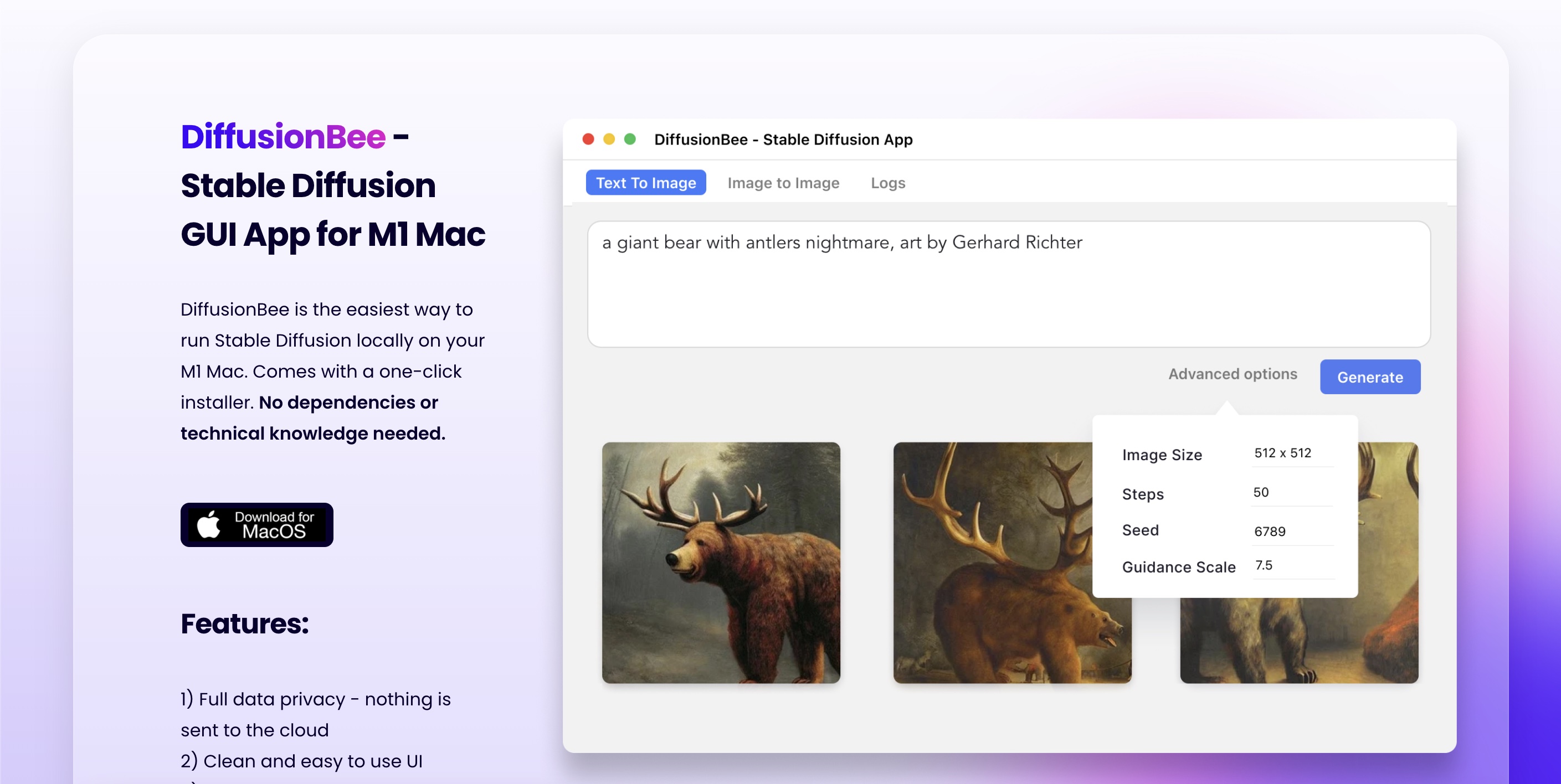
DiffusionBee is the easiest way to generate AI art on your computer with Stable Diffusion. Completely free of charge.
wicked widget
if youre a mac user ig, but i still stand by my previous statement, those uis are the best and works on mac aswell.
also check the pins
mac install guide
calm moth
sick elk
Checkpoint are model or not ?
Checkpoints are models. Imagine LORAs as highly specialized mini-models that are NOT loaded like full models. How they are loaded depends on the WebUI itself. Forge/A1111 have you type the name of the LORA in the form of "<Name of LORA:Strength of LORA>". ComfyUI has separate nodes for including LORAs in generations. I can't tell you how DiffiusionBee handles them since I'm not a Mac user, but LORAs are such a basic tool in t2i generation, I'm sure it's able to use them.
sick elk
Able to use them with Diffusion bee ?
calm moth
"I can't tell you how DiffiusionBee handles them since I'm not a Mac user, but LORAs are such a basic tool in t2i generation, I'm sure it's able to use them"
From what I just wrote
sick elk
Understand (sorry iam not English 🥲)
sick elk
calm moth
Checkpoints are models. Imagine LORAs as highly specialized mini-models that are...
I will try
calm moth
Supported models : - SD 1.x, SD 2.x, SD XL, Inpainting, ControlNet, LoRA
From the DiffusionBee Github Page.

GitHub
Diffusion Bee is the easiest way to run Stable Diffusion locally on your M1 Mac. Comes with a one-click installer. No dependencies or technical knowledge needed. - divamgupta/diffusionbee-stable-di...
tawny saddle
commentary node
 dark mural
Does anyone know which checkpoint was used for this image? The Civitai post only mentions the LoRA, but not the checkpoint
 calm moth
Dragging it into ComfyUI should show, since the workflow was attached.
 analog hill
is there a guide on what folders are put in where for stable diffusion?
cuz ive have no clue for tools and others
or upscalers
idk where to put the folders at
 flat yarrow
In general with control nets in Comfy do they go after or before Loras? As I've read they go before and I pass an open pose to a KSampler (text2image) to get an image (pose is great), then image 2 image going through 2 Loras and a KSampler and it destroys the pose. The pose is a human figure at full length through open pose and 1 KSampler great images, then I sent to KSampler 2 with the denoise at 1 to maintain the first images, but returns headshots. Is this a setting I've not configure of a model issue?
 spiral tinsel
Hi there, i wonder how to use 2 RTX 4060ti 16GB on stable diffusion large model? I run the program with comfyui.
lucid yoke
spiral tinsel
Hi there, i wonder how to use 2 RTX 4060ti 16GB on stable diffusion large model?...
using both cards for one image generation is sadly not possible but in SwarmUI (also uses comfy) you can run a model on each GPU so you generate 2 images at once
https://github.com/Stability-AI/StableSwarmUI/blob/master/docs/Using More GPUs.md but if you want to use GPU 1 and 2 to get more vram to run lets say a big model is not possible iirc

GitHub
StableSwarmUI, A Modular Stable Diffusion Web-User-Interface, with an emphasis on making powertools easily accessible, high performance, and extensibility. - Stability-AI/StableSwarmUI
spiral tinsel
lucid yoke
https://github.com/Stability-AI/StableSwarmUI/blob/master/docs/Using%20More%20GP...
oo, thanks for provide tutorial too
ornate elk
nimble elk
hey everyone! hope someone has a brain powerful enough to problemshoot this for ...
Flux is not supported by auto1111
Houseblueprint could be a lora and not a model
 balmy shore
whats the way to go about updating the various sd webui's and theyyre verious requisites? does it happen automatically when u launch or should --update-check be passed
im using webui-ux currently its just a fork of a111 so most of the backend should be the same im jw
cuz its been a good few months since ive used it and im guessing theres been some progress in the meantime but launching the bat didnt seem to even check
balmy shore
cortana says this but im not sure if itll break my shit but ill try it
 ornate elk
balmy shore
whats the way to go about updating the various sd webui's and theyyre verious re...
ornate elk
balmy shore
whats the way to go about updating the various sd webui's and theyyre verious re...
Git pull is the command to update webuis
Nothing more
--update-check just tells you if an update is available
 heady zephyr
why are my tokens limited in comfyui
 vast pulsar
hey guys, can someone pls explain to me how to use remacri? i'm so confused. Using webui from a1111 btw
 rocky citrus
I didn't see a specific help chat for what I am having trouble with. Is it ok to post the issue here and see if anyone can be of assistance?
 lean elm
I have a image that I horionztally displaced an object using a depth map, i want to inpaint those pixels (without a prompt, just in context with the image) but they are sporatic and some models are having trouble with it. Is it possible to use the original image which i displaced to better these results? What would be the best approach.
 old maple
hey i keep trying to make stable diffusion work but it keeps saying that i dont have importlib.metadata, but when i do the pip install it still doesnt work
tawny saddle
oi mate
why...anyone got stable diffusion 1.7.0 anywhere
?
not sure i like this new one u-u
dunno, seems slower, by a consirable amount, and i dunno, models dont seem to load properly, and it always throws error after error bc it cant "load model quickly"
jus wan the old one again, preferably 1.7
is there some kinda of old repo sum where
found it uvU
they should def make an old repo tho, no cap
like.. for experimental purposes or sum yk
or for like, if theres a bug on the new one, should be easy to revert
<v>
ornate elk
vast pulsar
hey guys, can someone pls explain to me how to use remacri? i'm so confused. Usi...
Put it into models/ESRGAN
Then you can select it in hires fix
ornate elk
old maple
hey i keep trying to make stable diffusion work but it keeps saying that i dont ...
Can you show the full cmd log?
 midnight kiln
Anyone recognizing this error from controlnet? (used for upscaling in my case with the tile model):
RuntimeError: mat1 and mat2 shapes cannot be multiplied (154x2048 and 768x320)
im inouting a 512x512 or 1024x1024 - notthing special at all
The only place I can see these numbers in the error coming from is the yaml file that comes with the tile model - but im not supposed to directly edit that right? I've never seen a tutorial mention that at least
ornate elk
midnight kiln
Anyone recognizing this error from controlnet? (used for upscaling in my case wi...
Something not compatible is used.
For example controlnet models for 1.5 but with an sdxl base model
Tile doesn't need a .yaml
midnight kiln
that makes sese - but what model version should I be using for SDXL tho? thats what I generally use most
ornate elk
Here are the 1.5 controlnet models:
https://civitai.com/models/38784/controlnet-11-models
Here are the sdxl ones:
https://civitai.com/models/136070?modelVersionId=267493
midnight kiln
controlnet11Models_tileE is current one
ornate elk
midnight kiln
controlnet11Models_tileE is current one
Thats for 1.5
midnight kiln
ornate elk
Thats for 1.5
You sir - are a gentleman and a scholar.
that was the whole issue
tawny saddle
thank goodness i screenshotted my hash for 1.7.0 xdd
may not have ever been able to revert
im basically doing wut youd do with a computer that bugchecked hard, "last config that worked" setting on the bios
new one is jus meh atm >-<
 ornate elk
tawny saddle
ornate elk
tawny saddle
What's your GPU?
tawny saddle
amd 5600G
ornate elk
tawny saddle
dunno, seems slower, by a consirable amount, and i dunno, models dont seem to lo...
Model doesn't loaded quickly is something that can be ignored
tawny saddle
tawny saddle
this dll is there
ornate elk
tawny saddle
amd 5600G
So your using directml with the igpu?
tawny saddle
so why it tryna reinstall it
tawny saddle
ornate elk
So your using directml with the igpu?
ya
im installing the same version of Stable diff that i was using on my pc last year
and i dunno why it says no permission
bc i was able to last year <v>
ornate elk
tawny saddle
and i dunno why it says no permission
Did you copied that version over, or did you reset the PC in the meantime?
tawny saddle
i downloaded 1.7.0 direct-ml, then did git reset --hard 03a88617fcd9442313ce2ed7facfecf6cdf72c36
it started, shows the correct version 1.7.0, downloadded a a bunch of stuff, then stopped at that dll, bc "no permissions"
by the OS for sum reason
 burnt salmon
ive been using regional prompter in forge and the matrix mode works great but i have been trying to use the mask mode and it doesnt seem to work at all. ive been looking for guides on how to use it but every guide i find the UI is completely different than what i have. even the github page shows a different UI.
this is what mine looks like

does anyone have a link to a guide that tells me how to use it with that layout?
im sure im missing something simple but the guides arent any help because there are settings they tell me to turn on that are completely missing from my UI
strange. it seems to be working now although im not sure what i did to fix it lol
tawny saddle
my issue seems to be steming from Pip

not sure wut to do about that, maybe unisntall pip?
and then reinstall ovO?
 vocal sundial
hey, could anyone help me with this? I follow the instructions to put these arguments but every way I try it says there's something wrong

this is kohya for training loras
tawny saddle

:^
i have pytorch for direct ml, wuts the issue u-u
i think i solved the onnxruntime thing
tawny saddle

 lunar kite
Hi! I keep getting this error with SD Deforum regarding xformers ~ does anyone know what to do to fix??

 ornate elk
tawny saddle
ornate elk
tawny saddle
Wouldn't recommend fixing the old broken version and instead focusing on getting the latest to run normal
tawny saddle
nuuuuuuuuuuuuuufawufbafbaosbgf
i have new one, it works fine, its just slowww, the new one was gud, i used it for like 2 year
i only lost it bc i lost my ssd
i dunno why i cant install 1.7.0 fine, is the same version i was using
lunar kite
lunar kite
Hi! I keep getting this error with SD Deforum regarding xformers ~ does anyone k...
Any luck? @ornate elk ??
tawny saddle
it just, worked, like tom would say it
took me like 2 mins to install 1.7.0, i dunno wut the issues is
i dont believe i updated or changed anything regarding pytorch, or python, or even torchvision, it all should just work
ornate elk
lunar kite
Any luck? <@161910921269084160> ??
Can't help with google collab sry
It says your GPU is to old
tawny saddle
yk wut i think
i think
that all the repos that 1.7 pulled from, have been updated to only support 1.10
so all the stuff it downloads, is not even compaitiable
u~u feck
my only hope is that sum1 has 1.7, or a verison earlier that 1.10, that also is for AMD, and dunt mind giving me that in the form of a zip u-u
thatbeing said, now that im friggin stuck wit this version crys, how do u stop it from tryna load models "fast"
ornate elk
tawny saddle
so all the stuff it downloads, is not even compaitiable
Thats exactly the issue
ornate elk
What issues do you have with the 1.10?
tawny saddle
well, apart from it like, tossing errors at me and lagging mypc bc it trys to loads models "fast"
then immdialty goes to load them "slowly" smh
some things i try to do, take longer in this verion, i.e, making a picture on 1.7.0 took like 1 min, whereas on here, it takes like 5 to 6 mins, and sometimes 15m
:V

is this bc python is still 3.10.6
do i need update it or nu
bc that appears to be the indirect/direct cause of this error

the one that keeps models from loading "fast"
i like to keep a neat terminal, the url errors arent keeping the ting from working, its just annoying >-<
theres gotta be a way to disable it, it seems to ve trying to find a model on hugging face, automatically, and by "none", it appears its not meant to, so, theres got to be like a setting or an arg that can be used to stop it from searching the repo for models, and just use local models
to stop the error
and, my intuition is telling me that, this error may be causing my local models to load more slowly
ornate elk
tawny saddle
i like to keep a neat terminal, the url errors arent keeping the ting from worki...
That error is caused by runwayml because they deletet the 1.5 base model from huggingface a few months ago.
Auto1111 tries to pull the model and the configs from the empty link.
The model can't load fast doesn't affect model loading times and can be ignored.
You can try forge webui for amd if you want a more updated version which should also run better with your GPU
Your model loading speeds depend on your RAM amount.
If you only have 16gb you have to increase the Windows Pagefile.
ornate elk
tawny saddle
is this bc python is still 3.10.6
Yes please update to python 3.10.11 64bit
Much better
tawny saddle
got it :3
tawny saddle
for anyone that may have clicked those links
do not proceed

im afriad there is no store on steam called a "stora"
can barely understand why scammers still do that scam xD
like cmon, missplelled URLs is so old school, theyre def scraping the bottom of the barrol
vast pulsar
ornate elk
Put it into models/ESRGAN
Then you can select it in hires fix
Thanks, I'll try it out
hallow latch
Is it possible to hide this text without removing it from the info panel?
 vocal burrow
tawny saddle
like cmon, missplelled URLs is so old school, theyre def scraping the bottom of ...
vocal burrow
tawny saddle
like cmon, missplelled URLs is so old school, theyre def scraping the bottom of ...
It s a way to filter people ready to fall for "easy scams". That way they have a list of "easy targets" to scam. They expect it to fail for 99% of people. But those 1%... They ll focus all their efforts on them instead.
vast pulsar
ornate elk
Put it into models/ESRGAN
Then you can select it in hires fix
only have "RealESRGAN" folder
tawny saddle
vocal burrow
It s a way to filter people ready to fall for "easy scams". That way they have a...
tru
ornate elk
vast pulsar
only have "RealESRGAN" folder
Then create an ESRGAN folder
vast pulsar
ornate elk
Then create an ESRGAN folder
yep, found the answear on reddit, works now, thanks
 tidal thunder
Hello all! I need some help please, i'm using flux in stable diffusion forge and getting bug in img2img (any tab, inpaint or just img2img) and im getting in inipaint ovesaturated selected area, in just img2img i'm getting blurred image
What i tried:
Changing: steps, method, type, cfg scale, denoising, vae, text encoder, change near the same flux model


 ornate elk
 fair oxide
why does my image look watered down
fair oxide
why does my image look watered down
You need to use a custom VAE
Do you use 1.5 or sdxl/pony/illust?
Hey, what's your GPU?
fair oxide
ornate elk
You need to use a custom VAE
Do you use 1.5 or sdxl/pony/illust?
i dont know what a VAE is
I use pony
ornate elk
Can you try using my setup guide?
It covers all steps needed for a correct installation, you mostly missing the needed args for your card (--xformers --medvram--no-half)
Its on the first link of the pinned messages
ornate elk
fair oxide
i dont know what a VAE is
I use pony
A VAE is sometimes needed for color correction.
You need one like this:
Direct Link to sdxl fp16 vae:
https://huggingface.co/madebyollin/sdxl-vae-fp16-fix/blob/main/sdxl.vae.safetensors
Put that into the models/vae folder
Then go into Settings, User Interface, Quicksettings and there add sd_vae
then hit apply and reload ui.
Then you get a vae dropdown where you can select the vae
 indigo lark
Hello, I need help with controlnet, if it's not the place for it please tel me where can I find help becouse I'm losing my damn mind.
After a long time of not using sd at all I made a fresh instal and wanted to use the openpose 2d, and I tried everything that I could find on the internet to fix it but The Tabs Are Not Showing, not openpose nor controlnet, I have right now a clean instal, nothing but controlnet instaled, still nothing,
I reinstaled it, updated it, tried 2 diffrent links for instaling, I reinstled the whole sd, I restarted my conputer, I have no idea what else I can do.
I am completly stomped
please help 
lucid yoke
indigo lark
Hello, I need help with controlnet, if it's not the place for it please tel me w...
first off lets start from the beginning shall we.
what UI are you using? Automatic1111? Webforge-UI? Swarm?
indigo lark
Automatic
lucid yoke
what model of SD are you trying to run? 1.5? XL?
but generally:
Navigate to the Extensions tab and click on Available sub tab
Click Load from: button
In the Search box type in: controlnet. You will see an Extension named sd-webui-controlnet, click on Install in the Action column to the far right.
unsure how well it will work though as A1111 is quite dated and i recommend Forge webui from the pinned messages in all cases
 lucid yoke
hmm it is there. how is your main screen looking like?
indigo lark
 lucid yoke
and you clicked the apply and restart ui button?
indigo lark
yep
ornate elk
indigo lark
whats your gpu?
lucid yoke
gpu wont prevent it from showing up right? its an exstension tab
still worth exploring
indigo lark
 ornate elk
indigo lark
ornate elk
indigo lark
then edit the webui-user.bat
at the line commandline_args= you add: --xformers
then save.
open up a cmd and run pip cache purge
then delete the venv folder and relaunch the webui-user.bat
indigo lark
also I followed this gaid https://github.com/AUTOMATIC1111/stable-diffusion-webui/wiki/Xformers
GitHub
Stable Diffusion web UI. Contribute to AUTOMATIC1111/stable-diffusion-webui development by creating an account on GitHub.
still nothing

 ornate elk
indigo lark
still nothing
ornate elk
indigo lark
still nothing
oh thats the wrong controlnet extension
indigo lark
oh?
ornate elk
thats the correct one:
https://github.com/Mikubill/sd-webui-controlnet
GitHub
WebUI extension for ControlNet. Contribute to Mikubill/sd-webui-controlnet development by creating an account on GitHub.
delete the other one before installing this
then relaunch
 ornate elk
Depends on the internet speed
fair oxide
ornate elk
A VAE is sometimes needed for color correction.
You need one like this:
Direct L...
the one I need is schedule type karras
indigo lark
 fair oxide
where do I find that one
ornate elk
fair oxide
the one I need is schedule type karras
Thats a sampler
ornate elk
indigo lark
it says it's instaled but nope
You have to relaunch
indigo lark
I did
ornate elk
Also make sure you dont have opera VPN enabled and the webui whitelisted in any browser adblocker
fair oxide
ornate elk
Thats a sampler
im copying from an already existing image and when I do this thing is in the bottom but the image wont generate unless I get rid of it which I thin is why it looks so weird
 indigo lark
ornate elk
Also make sure you dont have opera VPN enabled and the webui whitelisted in any ...
indigo lark
ornate elk
Also make sure you dont have opera VPN enabled and the webui whitelisted in any ...
nope
I dont have it
fair oxide
 ornate elk
fair oxide
im copying from an already existing image and when I do this thing is in the bot...
ornate elk
fair oxide
im copying from an already existing image and when I do this thing is in the bot...
Its under scheduler
Just select it there
ornate elk
indigo lark
I dont have it
Can you try open it in an other browser?
 fair oxide
ornate elk
Its under scheduler
fair oxide
ornate elk
Its under scheduler
sorry but I dint see anything called that
ornate elk
fair oxide
sorry but I dint see anything called that
Can you screenshot the webui?
ornate elk
indigo lark
firefox
There it is
indigo lark
edge
 ornate elk
Also there
fair oxide
ornate elk
Can you screenshot the webui?
 ornate elk
fair oxide
ornate elk
fair oxide
Ohhh your on an old webui version
fair oxide
do I need to update and if yes then how do I
indigo lark
ornate elk
There it is
? the tab is not there
ornate elk
fair oxide
do I need to update and if yes then how do I
Yep its pretty easy.
First update your python to 3.10.11 64bit
Press "upgrade" when asked.
Then edit the webui-user.bat
And in an empty row (like the second one) you add
Git pull
Then save.
Then delete the venv folder
Then relaunch the webui-user.bat
ornate elk
indigo lark
? the tab is not there
I see it in both images
At the bottom
Click on it to uncollapse
indigo lark
ohhhhhh, Im stupid
fair oxide
ornate elk
Yep its pretty easy.
First update your python to 3.10.11 64bit
Press "upgrade" w...
ok I will look how to update python
ornate elk
fair oxide
ok I will look how to update python
download it from here and install:
https://www.python.org/downloads/release/python-31011/

use the Windows installer (64-bit)
fair oxide
thanks its updating currently
indigo lark
so I have the extension and I'm not sure where it is, I do have the pth files


 ornate elk
indigo lark
so I have the extension and I'm not sure where it is, I do have the pth files
ornate elk
indigo lark
so I have the extension and I'm not sure where it is, I do have the pth files
dont use these files, use the smaller ones from here:
each model is only 700mb:
https://civitai.com/models/38784/controlnet-11-models
then put them into models/controlnet
indigo lark
UU , okay, I have this, and im not sure how to use it , im sorry lost time I used sd was more then a year ago (or maybe more) a lot has changed
 ornate elk
indigo lark
UU , okay, I have this, and im not sure how to use it , im sorry lost time I use...
ornate elk
indigo lark
UU , okay, I have this, and im not sure how to use it , im sorry lost time I use...
input an image and select the model you want to use in the right dropdown
ornate elk
indigo lark
why does it promp me to draw on it?
maybe you clicked something wrong, like sketch
have you downloaded all models from my link?
indigo lark
yes
ornate elk
indigo lark
yes
and they are all in the models/controlnet folder? and you see them in the dropdown?

 fair oxide
ornate elk
Yep its pretty easy.
First update your python to 3.10.11 64bit
Press "upgrade" w...
fair oxide
ornate elk
Yep its pretty easy.
First update your python to 3.10.11 64bit
Press "upgrade" w...
do I need to rename it to .txt to edit it
I cant do anything since its a .bat
ornate elk
fair oxide
I cant do anything since its a .bat
right click and edit
on win11 its under more options at the bottom
 indigo lark
Ooooh
ornate elk
select each and then download
lunar kite
Does anybody know if SD Deforum Google collab notebook is glitching? Cannot get it to work recently
fair oxide
what is the venv folder
ornate elk
fair oxide
what is the venv folder
a folder inside the stable-diffusion-webui folder
 fair oxide
sorry 😭
indigo lark
 vast pulsar
ok, now that i got remacri working... what does the "smoother" version do exactly? preview pics look the exact same to me
 ornate elk
fair oxide
now what
ornate elk
fair oxide
now what
now you can use the scheduler
drop the image back in and it shouldnt show the karras setting at the bottom
 indigo lark
huh?
 ornate elk
fair oxide
I dont see anything
ornate elk
fair oxide
I dont see anything
What's on the right to sampler
ornate elk
indigo lark
huh?
Incompatible model used
The controlnet models you download work only for 1.5 based models
For sdxl/pony etc you need other controlnet models
https://civitai.com/models/136070?modelVersionId=255155
indigo lark
god damn it
fair oxide
ornate elk
What's on the right to sampler

 ornate elk
fair oxide
is this what you wanted or is there a logs folder like minecraft has
ornate elk
fair oxide
is this what you wanted or is there a logs folder like minecraft has
it cant update because of this file:

delete that and then relaunch
fair oxide
tf is that
I will try and find it ig

should I delete it
wait wrong one
its this one

I think that worked
there is new stuff now
 fair oxide
rtx 4070 super
ornate elk
Okay, then your good with only --xformers as launch arg
In the webui-user.bat
You see now the sampler and scheduler are seperated
ornate elk
Best is to leave scheduler on automatic
It will take the best for the selected sampler
fair oxide
ok thanks
fair oxide
the generated image still looks weird
is it possible the lora is just not a good one?
ornate elk
How does it look?


 onyx solar
Looks like a different VAE.
fair oxide
 onyx solar
Is that a 1.5 model?
onyx solar
I haven't looked at earlier posts...so my apologies if that was shared.
What model are you using?
fair oxide
sweetMix_v22Flat.safetensors [83326ee94a]
idk its what the image linked to on civitai so thats what im using
onyx solar
The HuggingFace site shows two different versions with baked-in VAEs that differ:
https://huggingface.co/digiplay/Sweet-mix_v2.2_flat/tree/main
The bottom 2 files are the 2 different bake-in VAE versions.
fair oxide
do I download them and put them in the VAE file?
onyx solar
That will likely be the difference in your colors at the end.
ornate elk
fair oxide
vs what I copied
I already told you that this is a VAE issue and I linked you the VAE + the settings you need to do
fair oxide
ornate elk
I already told you that this is a VAE issue and I linked you the VAE + the setti...
sorry I thought that was just a random VAE and not the one I needed
ornate elk
ornate elk
A VAE is sometimes needed for color correction.
You need one like this:
Direct L...
Here
Its for sdxl and works with every sdxl based model
onyx solar
Sometimes we just need to hear/see things in a different way for it to be understood. It's all good.
 onyx solar
You likely need to adjust the settings to use the VAE. But I'm a ComfyUI user so remembering where that's set in A1111 is a bit rusty for me. I'm sure @ornate elk knows it by heart.
fair oxide

ornate elk
fair oxide
<:agony:1002961183105634415>
Then go into Settings, User Interface, Quicksettings and there add sd_vae
then hit apply and reload ui.
Then you get a vae dropdown where you can select the vae
 ornate elk
fair oxide
should I remove it
ornate elk
fair oxide
should I remove it
No
Thats the checkpoint dropdown
Dont forget to hit apply
Then reload
ornate elk
fair oxide
it looks the same
Really? Can you check if the sd_vae is still set in the setting?
Also try to close everything and relaunch
 fair oxide
ornate elk
Also try to close everything and relaunch
fair oxide
ornate elk
Also try to close everything and relaunch
I will do that
that didnt fix it
tawny saddle
anyone here good at CSS style files
i wan me button to be a heart shape
:3
or is that not..like a possible thing to do with jus a css file, i bet its prolly like, sum u have to do within stable's code u-u
all i can do is make the stuff pink and make the bg a diff shade
 timid flicker
hello, does forge support v-pred or do I have to install reforge instead?
I'm just wondering 😅
ornate elk
fair oxide
that didnt fix it
Is the webui whitelisted in any browser adblocker?
ornate elk
timid flicker
hello, does forge support v-pred or do I have to install reforge instead?
Forge should support v-pred
timid flicker
idk if I have to install something, because I couldn't make it work
fair oxide
ornate elk
Is the webui whitelisted in any browser adblocker?
the adblocker ignores automatic1111
ornate elk
fair oxide
the adblocker ignores automatic1111
Make sure its whitelisted in it
Can you screenshot the webui?
ornate elk
timid flicker
idk if I have to install something, because I couldn't make it work
Hmm for me it worked. But the quality was really bad with v-pred
Haven't tried reforge
timid flicker
ornate elk
Hmm for me it worked. But the quality was really bad with v-pred
I get this kind of results, and I'm using a v-pred checkpoint
 ornate elk
timid flicker
I get this kind of results, and I'm using a v-pred checkpoint
ornate elk
timid flicker
I get this kind of results, and I'm using a v-pred checkpoint
Oh okay
Thats broken
Is your forge updated?
ornate elk
fair oxide
nope still the same
Can you take a screenshot of the webui?
Can't believe its not there xD
fair oxide
 ornate elk
fair oxide
ornate elk
fair oxide
Its there at the top
Just select the sdxl vae
And then generate
And dont forget to enable the adblocker again
 ornate elk
Ohh my fault you used an 1.5 based model
fair oxide
so now what
ornate elk
I'll send you the correct one
timid flicker
ornate elk
Thats broken
Is your forge updated?
that was the issue, thx
 ornate elk
fair oxide
so now what
ornate elk
fair oxide
so now what
This one goes into models/VAE then relaunch and then select it
You can keep the other one for sdxl models if you have some
I'm off now
tidal thunder
Hello all! I need some help please, i'm using flux in stable diffusion forge and getting bug in img2img (any tab, inpaint or just img2img) and im getting in inipaint ovesaturated selected area, in just img2img i'm getting blurred image
What i tried:
Changing: steps, method, type, cfg scale, denoising, vae, text encoder, change near the same flux model


 old maple
ornate elk
Can you show the full cmd log?
old maple
ornate elk
Can you show the full cmd log?
venv "X:\Documents\stable-diffusion-webui-forge-main\stable-diffusion-webui-forge-main\venv\Scripts\Python.exe" Traceback (most recent call last): File "launch.py", line 4, in <module> from modules import launch_utils File "X:\Documents\stable-diffusion-webui-forge-main\stable-diffusion-webui-forge-main\modules\launch_utils.py", line 9, in <module> import importlib.metadata ModuleNotFoundError: No module named 'importlib.metadata' Press any key to continue . ..
 visual bane
I'm looking for a pretrained, distilled VTON that can generate results faster than CatVTON (which takes around 30–40 seconds). I’m facing installation issues with DistillVTON (DM-VTON), so if anyone knows of a faster alternative or has successfully installed DistillVTON, I’d appreciate any guidance.
 brittle lantern
Hi peeps just a quick question what seems to be the best UI to use on MacBook Pro with M chips a fren wants to start AI image gen
ornate elk
old maple
venv "X:\\Documents\stable-diffusion-webui-forge-main\stable-diffusion-webui-for...
You installed it the wrong way by not downloading the correct version.
On the forge webui github scroll down to the install part there is the recommended version as download.
Then extract it in a folder you created.
Like on C:\Ai\
 neon orchid
hello
i have a question
I have a friend who wants to install Stable Diffusion... but he has almost no Vram, is there any way he can install it? :/

128mb vram
 tranquil token
So I installed String Essentials from the node menu in comfy ui and now I cant run anything with Hunyuan or any other video model.
It goes "clip missing: ['text_projection.weight']" and then pauses, i.e crashes.
Replicated on 2 installs one fresh, after restarts and deleting the nodes
old maple
ornate elk
You installed it the wrong way by not downloading the correct version.
On the fo...
didnt work same error
ornate elk
old maple
didnt work same error
Can you show me the full cmd log?
tawny saddle
anyone remember how to install new fonts to the system terminal on NT based operating systems,i i.e windows 11 x64
I did it once back in XP days I believe
once more like at least 4 times
I think it used true type font
dunt remember
wanted to install this 7segment display font to it, I think it'd look baller
bru imagine if there was like a this display about the size of a space heater that was like a windows terminal relay that used vacuum Florencent displays, that'd be killer
 cinder shore
hi guys, I'm a newbie to SD, and this is my laptop configuration. I wanna install SD on it, so which version is the most suitable for me? 🤔

 wicked widget
nvm im stupid 8gb. you can do sdxl with some limitations
use forge or swarmui
check the pins for install guides
 leaden lintel
did anyone know a good model and vae for anime character generation because i try to download xRikishi's Unstable Diffusion (Alpha version) and the rendering is bad
i'm using stability matrix with stable diffusion webui forge
lucid yoke
leaden lintel
did anyone know a good model and vae for anime character generation because i tr...
Any illustrious model with a sdXL vae would to the trick
Idk if the rikishis is a xl or 1.5 one
 regal mason
Anyone get DreamBooth working on an AMD GPU? Looking to train SDXL LoRA
lucid yoke
regal mason
Anyone get DreamBooth working on an AMD GPU? Looking to train SDXL LoRA
dreambooth is outdated and probably broken. i recommend using another tool to make a lora. Kohya, onetrainer or civitai (paid)
oh and on AMD mb. well thats gonna be a chellange
but i managed to find this ||not so simple|| guide on civit ai that might help your case. https://civitai.com/articles/4332/offline-lora-training-on-amd-gpu-rocm-62-and-ubuntu-2402-noble-numbat-updated-august-2024
 tender barn
 ornate elk
regal mason
Anyone get DreamBooth working on an AMD GPU? Looking to train SDXL LoRA
ornate elk
regal mason
Anyone get DreamBooth working on an AMD GPU? Looking to train SDXL LoRA
Only OneTrainer on windows for AMD
Works for lora training
 violet isle
hi, idk if somenthing wrong.
when i use "realistic vision" it works very fast "1min or less" on generating images/inpaint, and when i use "pony realism" it takes more than 20/30 min
ornate elk
violet isle
hi, idk if somenthing wrong.
when i use "realistic vision" it works very fast "1...
Hey, what's your gpu?
violet isle
rtx 3070
ornate elk
Ah do you use auto1111 webui?
ornate elk
OK, then edit the webui-user.bat and at the line commandline_args=
You have to add: --xformers --medvram-sdxl
Then save and relaunch
That speeds everything up
violet isle
alright 🫡
ornate elk
Its needed for GPUs with 8gb vram.
Pony is sdxl based that's why it takes longer but with these settings it should take much less longer
violet isle
ornate elk
Its needed for GPUs with 8gb vram.
Pony is sdxl based that's why it takes longer...
i see
ill try, thank you very much!
ornate elk
No problem 🙂
violet isle
ornate elk
OK, then edit the webui-user.bat and at the line commandline_args=
You have to a...
as you said, works like a charm, 40s
again thank you very much!
heady zephyr
why are my results so different when i use forge ui instead of a1111
the results on a1111 are way better
 normal wedge
How do you guys generate video with stable diffusion? Do we need an extension for that?
neon orchid
can you use stable diffusion with 128 vram guys?
Sorry for the unexpected question xP
tranquil token
Everytime I try to que a Hunyuan video gen now (after NO update, NO changes to layout) it kills itself. Just from one day to another, why is ComfyUI so unstable? It constantly crashes itself even when nothing changes from one day to another, yesterday atleast I was able to get it running once after re-creating the DualCLIPLoader node for some reason, but not anymore now it 100% bricked it self.
 midnight kiln
Anyone good with the custom scripts for automatic1111? For the life of me I can not get the thing to show up in the drop-down list - but various extension scripts do.
I even made a minimal test just to rule out weird issues in the code - so I must be registering things wrongly in the GUI somehow
Weirdly enough my script can generate a new UI element, so it seems to run (no errors also) - but it's just not in the scripts drop-down (in any tabs)
Here is my minimal code that fails also:
`from modules import scripts
class TestScript(scripts.Script):
def title(self):
return "Test Script"
def show(self, is_img2img):
    return scripts.AlwaysVisible

def ui(self, is_img2img):
    # No custom UI elements are needed for this test script.
    return []

def run(self, p):
    print("Test script executed!")
    return []
`
ornate elk
tranquil token
Everytime I try to que a Hunyuan video gen now (after NO update, NO changes to l...
What's your GPU?
 little bough
Hi, installing SD on a new system, what is the most recent version of python that I can install for it? Thanks
ornate elk
little bough
Hi, installing SD on a new system, what is the most recent version of python tha...
3.10.11 64bit
little bough
ornate elk
3.10.11 64bit
Thanks
also, I'm wondering, I have a new OS sytem but still have my old HD connected with all my old SD installs, I am wondering, if I install python on my new OS will i be able to just load up my old instances of A1111/Forge that are on the old HD? or can I even just copy across the entire folder to my new HD?
Or should I just reinstall again? I have like 4 instances(a1111, reforge, forge x2) and a lot of extensions so i am trying to avoid having to reinstall everything again if not necessary
running same OS and it will be the same version of Python installed (I think I had 3.10.11 on the old one)
ornate elk
little bough
running same OS and it will be the same version of Python installed (I think I ...
Forge should work if you copy it over
Auto1111s update function won't work.
Reforge should work
little bough
ornate elk
Forge should work if you copy it over
hmm ok
tried to actually load it up on the old drive and then tried copying it to new drive and got this:

despite having just installed python 3.10.11 and adding the path function
I guess it's looking for that user folder
is there anyway to divert the python folder its looking for to the one on my new drive?
ornate elk
little bough
I guess it's looking for that user folder
You have to delete the venv folder
Before launching
Or you can add the path of the new python into the webui-user.bat
little bough
ornate elk
You have to delete the venv folder
aha! nice, thanks, its reinstalling it now 🙂
btw, do you have any recommendations for sharing say, Controlnet files and models that belong to say faceswappers etc that you want to 'share' between different instances so you dont need to reinstall the same files for every seperate version of a1111/forge, I usually use symbolic links for controlnet models but I've found it has gotten messy, it works but I'm wondering if there's a better way or do you just keep your install extensions seperate?
ornate elk
little bough
btw, do you have any recommendations for sharing say, Controlnet files and model...
You can easily do this by editing the webui-user.bat
There add --models-path "D:\examplePath\toModels"
It should point to the models folder of auto1111 or Forge/reforge
little bough
ornate elk
There add --models-path "D:\examplePath\toModels"
would it be like this? btw i tried setting up the my old models folder in the new folder with symbolic links and then with redirecting in the .bat in the picture but with both i get an error 13 no permissions, any idea why this might be? could it be something to do with fixing user permissions for the old ssd or something else? any idea? thanks

 ornate elk
little bough
would it be like this? btw i tried setting up the my old models folder in the ne...
ornate elk
little bough
would it be like this? btw i tried setting up the my old models folder in the ne...
Because you installed the OS new.
All folders you created on the old system will get you permission errors
Because the user account changed which which these got created
A reinstall of the webuis would be fixing all issues
And yep the --models dir and lora dir will work too
 sleek depot
I'm having an issue with Adetailer, where it is improving hands, but I've been getting a lighter square around the hand afterwards.. I tried checking the apply color correction after img2img that I saw someone suggested, is there another fix for this?
or is the VAE i am using just incompatible with it
tranquil token
ornate elk
What's your GPU?
A 3090. I wrote my own node that just "consumes" a model input in a new graph so it forces it to load and that seems to fix it? Once the model is loaded everything works fine, but getting it to load up the first time causes the issue for some reason.
little bough
ornate elk
A reinstall of the webuis would be fixing all issues
uh ok, will just go with the fresh install, thanks
 dim sentinel
hello, I'm searching for someone that can help to generate videos like these https://civitai.com/user/bhopping
He's using HunyuanVideo
I will pay in bitcoin for the help if required
I have installed stable diffusion but not sure how to make videos I tried to follow videos on youtube but without success
midnight kiln
sleek depot
I'm having an issue with Adetailer, where it is improving hands, but I've been g...
It can be several things. Mixing of different styles or samplers (adetailer can be set to use it's own, separate from the rest of the picture) can sometimes make things blend poorly.
A VAE can absolutely do this, but it can't be incompatible with adetailer I think - only the model. However note that you could set adetailer to use its own VAE - and if you are using 2 different one in the same image there's no wonder you get poor blending
manually selecting resolution for adetailerto use (much better to use the option in settings if you want to maximize the possible resoution)
not enough steps to blend well.
improper clip-skip, especially if it was different in the original image. Most SDXL and Pony models use clipskip2, but there are exceptions.
I'm sure certain settings like a very small or non-existing mask padding can also cause seams
I have rarely had much issue with poor blending in adetailer, so if you have messed around with it a lot, try to leave it to it's defaults and see if it helps - and move from there. Maybe enable a whole new adetailer tab (settings) with default settnings in case you're not sure what those were.
Not sure any of these are actually your issue - but it's a few things to check at lrast
 chrome rampart
Hi all. Question can you use the flux controlnet function like reference in Forge in combination with Flux Dev?
sleek depot
midnight kiln
It can be several things. Mixing of different styles or samplers (adetailer can ...
When i disabled the vae.. or switched to another one it was fixed.. both VAEs are for that model but one makes more pastely colors.. whic adetailer didn't like even though it was set to use the same settings. so I'll takt the great reply to try to troubleshoot a bit though
had pretty much standard adetailer settings.. it just doesnt like that one VAE
but.. adetailer for face wasn't giving boxes.. only the out of the box hand model running in tab 2
midnight kiln
Great to hear. It's always a relief when you can find the root of pesky issues like that. Hopefully all models moving forwrd will just have their VAEs baked in, because it's often not that clear what it's intended to be used with
see that you didn't click the checkbox for manually setting a vae in tab2 then
sleek depot
haven't changed any settings. didn't wanna go messing things up even more before i could userstand... so started with removing things to try to locate it..
seems everything is set to use same as checkpoint.. well except the Adetailer sampler.. which is DPM++ 2M.. no clue why? is that default?
yeah seems that way.. fond some other post with the same settings
midnight kiln
thats default yes. I use state manager extension to set one of a few personal presets where all the tabs are loaded with my most used settings
otherwise things are going to reset on you over and over - it can gte frustrating - especially whne it ruins a whole batch because of the ONE setting you forgot to change
sleek depot
state manager.. will write that down for later.. just kinda getting into this and dont wanna add huge complexity
yeah true
does state manager safe stuff if you ahve to F5 the tab?
midnight kiln
its just a button to save the UI as-is
sleek depot
if so.. then def need that
midnight kiln
and it also can autosaave the settings for each generation you did - so you can go back and continue tweaking or rerun something
sleek depot
so this post says for SDXL to change adetailer to 1024x1024.. I'm using a pony model at the moment.. uh.. where would i find the best size settings to go for?
midnight kiln
I also highly recommend PNG viewer for similar reasons. you can have settings encode metadata (all the gen settings) into the actual image - and PNG viewer (a new tab) will read this back to you when you drag a picture there. its a big help to help you remember how exactly you made something previously. This includes the exact seed, so you can reproduce it very closely
midnight kiln
sleek depot
so this post says for SDXL to change adetailer to 1024x1024.. I'm using a pony m...
you can treat SDXL and Pony mostly interchangably. Pony is just a further customized version of SDXL
sleek depot
ok
last time i tried these things was whent he first automatic111 came out so I'm trying to get back into how things work.
midnight kiln
As for resolution in adetailer, I would not recommend setting resolution manually - BUT - I would recommend letting it auto-maximize the framing for you. Essentially letting it do "superresolution" in that area that is higher than the output image - but this greatly helps the image develop more cleanly
you can enable it this way
 crystal cobalt
I'm messing around with creating some stylistic LoRAs for the first time, and for whatever reason all of my outputs seems to have this problem with x4 creating duplicates of the intended subject, and most of the time they're all sort of merged together...
sleek depot
oh.. another question.. I ran a batch job while i was away from the computer.. and it seems like the generation slows down a lot when left unattended (like windows going to the screensaver) or even if I change tabs for too long.. i thought the SD engine was running the tasks.. not the browser
midnight kiln
 sleek depot
crystal cobalt
I'm messing around with creating some stylistic LoRAs for the first time, and fo...
sleek depot
crystal cobalt
I'm messing around with creating some stylistic LoRAs for the first time, and fo...
Are you using multidiffusion?
cause I had that kinda weirdness when i was playing around with that
and the upscaler
crystal cobalt
No, no upscaling or anything at the moment, very basic setup with minimal nodes in Comfy
midnight kiln
Note: strict is best if you rarely use other than SDXL and Pony (like me) - but "free" should generally work for all models. its just slightly more prone to bugs because weird resolutions can happen
sleek depot
cool might swap to strict then as I'm currently trying to limit myself to those 2
sleek depot
crystal cobalt
No, no upscaling or anything at the moment, very basic setup with minimal nodes ...
you try lowering the strength of the lora? loras seem to go all over the place when they go too "hard"
midnight kiln
that sounded a lot like what you'd get with a tiled upscaler (without controlnet) with too liberal denoiser yea.... but Comfy spesifically I am not experienced enough in
sleek depot
Side note.. I'm just a noob trying to guess things based off of limited experience
midnight kiln
to be clear - you are training your own loras, not using existing ones?
crystal cobalt
sleek depot
you try lowering the strength of the lora? loras seem to go all over the place w...
One of the few things I've yet to try and control for, no. Have just been using a strength of 1.00 so far, and have been getting good results other than the x4 image/merging problem. Guess I'll start testing LoRA Strength next...
sleek depot
I had a look at comfy, I do love node based stuff.. but the examples seemed... yeah... like something I'm putting on the todo list for when I've gotten a better grip on what things do in webui
crystal cobalt
midnight kiln
to be clear - you are training your own loras, not using existing ones?
If this is directed at me... yes, training my own
sleek depot
crystal cobalt
One of the few things I've yet to try and control for, no. Have just been using ...
check the description for the lora... some state to use lower values at times
oh
nvm then 🙂
crystal cobalt
sleek depot
check the description for the lora... some state to use lower values at times
I'm creating from scratch, yeah
midnight kiln
I think once you understand what happens in the webUI - moving to Comfy is not actually that hard. It's just a different way to look at much the same stuff from a more programmer-ish perspective rather than menus
sleek depot
Also on my todo list... last time around i did some dreambooth training for my own face, but seems there are cleaner methods now
midnight kiln
crystal cobalt
I'm creating from scratch, yeah
I have to assume something weird happened in training then - or your training data
but maybe just send it here and I can test if its the lora itself that is the issue?
crystal cobalt
Sure, good idea...
sleek depot
midnight kiln
I think once you understand what happens in the webUI - moving to Comfy is not a...
yeah. I'm not unfamiliar with node-red or davinci resolve so nodes are fine.. just want to know more about what I*m controlling ^^
midnight kiln
i assume a lora should work fine betwen comfy and automatic - they use the same models after all
crystal cobalt
One thing to note, is this is specifically trained on SD1.5 ...
sleek depot
btw.. did you have any idea about my question on why generation seemed to slow down when computer had no attention?
midnight kiln
rough instructions for this lora? what is it of?
sleek depot
like... now.. I've been away from the tab for the generation on purpose to see what it deos and the console is saying 47s/it but as soon as I tab back to it it'll jump forward
midnight kiln
and for what model?
crystal cobalt
It's for SD1.5. It's a hand drawn illustration style, old vintage logos, that sort of thing
midnight kiln
sleek depot
like... now.. I've been away from the tab for the generation on purpose to see w...
Process priority is the only thing I can really think of... but unless you are doing heavy stuff in other windows it shouldnt have that large of an impact
check if the GPU/CPU usage also actually goes down
because it may just be some buggy time display and not something real
sleek depot
yeah,. fans on gpu spin down.. then back up again when i return to the browser tab
crystal cobalt
Example:
 sleek depot
its a bit annoying since starting a 20 min batch needs me to be there to babysit the tab instead of beign able to let to computer sit idle
midnight kiln
The lora seems to work nicely - and designs come out real nice too
a little heavy, so I found it best to run 0.7 or lower to not get too many puppies
I think your problem is settings in generation


furries not intended lol - but I don't hate it? 😛
model = Dreamshaper 8 (SD1.5)
sleek depot
hm?
midnight kiln
crystal cobalt
Example:
ping - test results
crystal cobalt
Awesome. So, none of the weird duplication-merging I'm getting...
What sort of params did you use?
midnight kiln
no, just too many heads sometimes. the models often equate "stronger" with "more" - so that's not unusual
crystal cobalt
Besides 0.7 strength?
midnight kiln
nothing special. just some simple prompts about shields and signs with wold crest. 1024x1024. DPS++ 3M sampler and 50 steps
worked fine at low res too
lora:LoRA_Test:0.5
(carved wooden tavern sign:1.2), (embossed wolf crest,:1.2) BREAK
medieval fantasy street at night with rain in the background, focus on sign
crystal cobalt
Alright... good to know it's not an inherent flaw in the LoRA itself anyway... thanks very much for taking the time to test! Back to testing params for me...
midnight kiln
no problem. now you have eliminated half the potential problem size at least 🙂
 sleek depot
gah, the annoyance when you gen a picture that looks so promising.. but 6 fingers
 primal pendant
hey before i even try can a 6700 xt use xl illustrious ?
 ornate elk
primal pendant
forge ? automatic ?
ornate elk
primal pendant
forge ? automatic ?
Both will work. Maybe forge will work better as it also supports v-pred models
primal pendant
it's been hell of a long time since i last tried anything yeah i went straight for forge
ornate elk
primal pendant
is this still fine
Looks okay but rocm 5.7 is old now.
Your GPU can work with hip SDK 6.2.4
ornate elk
But if everything works you dont need to upgrade. But it could have a better performance
primal pendant
well i'm up for better
ornate elk
primal pendant
will it break anything ?
Depends on how you do it
ornate elk
Okay make sure forge is updated.
Check if you have git pull in the webui-user.bat
If not then add it into an empty line
And relaunch
primal pendant
 ornate elk
primal pendant
ornate elk
primal pendant
Okay so the cmd shows "already up to date" at the start?
primal pendant
it does now yeah

so how can i update rocm without breakign anything?
surely if i just remove manually and then update it will break things no ?
ornate elk
primal pendant
surely if i just remove manually and then update it will break things no ?
You have to uninstall hip SDK 5.7
Then Download and install hip SDK 6.2.1
Then you would also need to download the correct library files for your GPU.
Then you have to replace them in the rocm library folder.
Its all explained in my Forge AMD Zluda guide.
Then you need to reboot and then
Delete the .zluda folder in forge
Launch Forge and it should compile and work.
tranquil token
For hunyuan videos where in the chain should you place lora nodes?
crystal cobalt
midnight kiln
no problem. now you have eliminated half the potential problem size at least 🙂
I finally figured out the image duplication/merging issue, and am now generating a single clear image! I had the Latent Image resolution set to 1024x1024, and apparently SD1.5 is native 512x512, so I guess the noise generation was happening x4 in each corner quadrant 🤦♂️
primal pendant
 ornate elk
primal pendant
ornate elk
primal pendant
Have you deleted the .zluda folder before launching?
 ornate elk
primal pendant
it created
ornate elk
primal pendant
it created
Okay thats good but its strange that is shows failed to load zluda at the top
primal pendant
how long should i be compiling for ?
ornate elk
That could be an issue later
ornate elk
primal pendant
how long should i be compiling for ?
15-25mins
And the first image can take between 15-40 mins.
primal pendant
ok even though not new install ?
ornate elk
But the one error is a problem.
Something isnt correct
primal pendant
should i stop it then ?
ornate elk
primal pendant
ok even though not new install ?
Yep because changing zluda and hip version does need the one time recompiling everything
ornate elk
primal pendant
should i stop it then ?
Yep
Try delete the venv folder and the .zluda folder again and relaunch
primal pendant
ok
ornate elk
Also have you downloaded the latest zluda files and placed them on C:\Zluda?
primal pendant
yeah

i just dread each time i attempt something with this do you remember last year the hell with permissions and things not working and the compiling every launch for 1 hour lol
i will give up it it does that again

so far so good
ornate elk
primal pendant
i just dread each time i attempt something with this do you remember last year t...
Ohhh you had these f upd permissions xD
primal pendant
yeah lol i used a 3rd party software to fix it after some googling lol
ornate elk
Yep I remember
primal pendant
that was hell
ornate elk
True
primal pendant
i was losing my shit cause i was watching videos and following guides and it wasn't doing what theres did
😭
but got there in end
you helped me alot
ornate elk
Yea it was a ride ^^
Hopefully its easier to fix now.
Have you replaced the Library files correctly?
And dropped the library.dll into the /bin folder?

 primal pendant
oh
ornate elk
That can be caused by different things
primal pendant
i will check path
ornate elk
ornate elk
That can be caused by different things
- Wrong environment path settings
- python installed from the windows store instead from the .exe
primal pendant
python was hell to sort to back then it's proer old one not through windows
ornate elk
If you find paths to hip_sdk 5.7
Delete them
primal pendant
oh i left 5.7 in the rocm folder
primal pendant
i unistalled it from pc the folder it left
 ornate elk
Check the "Path" variable too
Where you should have %HIP_PATH%bin
And the C:\ZLUDA folder

 primal pendant
yeah i added everything cause it was griefing me
so everything i could i added lol
bit over the top but worked
ornate elk
What you can try is to reboot the PC again.
Then delete the .zluda folder again and relaunch
primal pendant
ok#
ornate elk
Also did you downloaded the correct files for your GPU?
It has to be gfx1031 for Rocm 6.2.4
And zluda files are rocm 6 version 3.8.7
 knotty turret
Yes both work
knotty turret
knotty turret
Yes both work
@ornate elk think u forgot about me😫
primal pendant
 knotty turret
can we try to continue to find fix now?
ornate elk
primal pendant
Need to go off now as its late here.
Maybe we can take a look at it tomorrow again
But I'm a little bit clueless now
ornate elk
primal pendant
ok no worries tomorrow sounds good
If you have the time.
Try a complete fresh install of forge or Auto1111
ornate elk
Normaly it can't but I don't know if your system is an issue xD
ornate elk
Run an SFC /Scannow
As admin in cmd to be sure
primal pendant
ok
ornate elk
knotty turret
can we try to continue to find fix now?
Not now. And sry I forgot you.
Maybe you can update me on the issue again
ornate elk
primal pendant
my permisiions are good i'm certain lol
The python is something that also can break it
As you have a lot of versions and env paths
ornate elk
Yea but its a mess now


 ornate elk
Rocm hip SDK is correctly installed.
Also you gfx files are correct.
The only problems is ZLUDA and that error can be caused by python
primal pendant
i never had that issue on older folder
ornate elk
What I suggest is to try install Automatic1111 with zluda to test If that works
knotty turret
ornate elk
Not now. And sry I forgot you.
Maybe you can update me on the issue again
having trouble getting ComfyUI to start, even though Forge and Auto1111 are working fine.
In our last conversation, you suggested running pip cache purge and then starting comfyui-start again, but that didn’t fix the issue. After that, I also renamed the folder to remove special characters and reinstalled everything from scratch, but the problem persists

and u checked my python version and where but its finne too
ornate elk
knotty turret
having trouble getting ComfyUI to start, even though Forge and Auto1111 are work...
What was your GPU again and which rocm hip SDK version?
knotty turret
ornate elk
What was your GPU again and which rocm hip SDK version?
RX6600 Hip sdk 6.1.2
ornate elk
Alright. I'm off now. Can help you troubleshooting tomorrow
knotty turret
Ok
fair oxide
The interrupt and skip buttons on automatic111 are so insanely slow that it's faster to just close CMD and close the tab and just reboot stable diffusion than to wait for it to cancel the image
Is there a fix for this or will I just have to keep doing what I am doing
 ruby yoke
fair oxide
Is there a fix for this or will I just have to keep doing what I am doing
ruby yoke
fair oxide
Is there a fix for this or will I just have to keep doing what I am doing
I think you found the only real fix. i have to do that with comfy too.
noble idol
fair oxide
The interrupt and skip buttons on automatic111 are so insanely slow that it's fa...
There's a fix
Let me find it
Just a sec
go to settings and type 'live'

click this one

restart UI
should interrupt way faster
fair oxide
thanks I will try that
 gilded merlin
I am using ComfyUI with a PulidFluxII workflow I downloaded and it keeps stopping on insightface loader. I have antelope and buffalo in the models folder, but for some reason it keeps sticking there. Any thoughts on what might be happening?
ruby yoke
gilded merlin
I am using ComfyUI with a PulidFluxII workflow I downloaded and it keeps stoppin...
are you by chance also trying to use diffusers?
 civic bramble
Question....is flux models meant to have no negatives. I changed the cfg scale and it shows up. Can anybody give me tips on negatives. when I scale it up...its look really bad

 ashen gate
ruby yoke
are you by chance also trying to use diffusers?
ashen gate
ruby yoke
are you by chance also trying to use diffusers?
Do you know why my Automatic1111 might take forever using controlnet openpose, but just fine without?
ruby yoke
ashen gate
Do you know why my Automatic1111 might take forever using controlnet openpose, b...
i don't use auto1111 - but @ornate elk should. however you'll have to wait for him to log back on as he's asleep right now
 austere charm
does controlnet happen to work with sdxl a1111 yet? it didn't work for the longest time so i just lost track of it and I'm not finding anything that says it works now
 whole skiff
Hello, I have a problem, I use Stable Diffusion and I can't recreate any of the images from civitai even when I match every single setting 😭 For example here is image I was trying to recreate (image 1) and what I get in result (image 2) and PNG info of mine image info and original image info (image 3) and they are exact the same but results ALWAYS different. I'm just desperate, please help 🙏


 ruby yoke
austere charm
does controlnet happen to work with sdxl a1111 yet? it didn't work for the longe...
ruby yoke
austere charm
does controlnet happen to work with sdxl a1111 yet? it didn't work for the longe...
you could try this https://github.com/Mikubill/sd-webui-controlnet
GitHub
WebUI extension for ControlNet. Contribute to Mikubill/sd-webui-controlnet development by creating an account on GitHub.
midnight kiln
austere charm
does controlnet happen to work with sdxl a1111 yet? it didn't work for the longe...
Sure, it works. used it to upscale real nice. learning how to use it for syle-transference now. Theres a whole lot you can do with it
*style
lucid yoke
whole skiff
Hello, I have a problem, I use Stable Diffusion and I can't recreate any of the ...
If the author used tools/extensions they didn't mention it makes sense, my images i upload usually miss some info bc it's not fully recognized and its a hassle to complete it every time
Maybe a control net
Or a seed variation setting its "seed.3" or something else that doesn't show
whole skiff
lucid yoke
If the author used tools/extensions they didn't mention it makes sense, my image...
I mean it's like that with EVERY civitai image for me, I even contacted 1 person and he told me all info of his image are displayed I matched 1 in 1 and again disappointment, I asked him to recreate some images that I of course can't for unknow reason, waiting for result
lucid yoke
Hmm do you happen to be on a amd?
whole skiff
No, rtx 3060
Also reinstalled Stable Diffusion and when trying to download extensions get errors
Maybe that's linked somehow
lucid yoke
Are you using --low vram or xformers?
whole skiff
I tried with xformers and without
Same result
I'm already thinking about reinstalling Windows
lucid yoke
Hmm xformers will cause you to get a different result every time
Shouldn't be that tbh
whole skiff
Wait a sec
lucid yoke
Your even using the same ui as them?
whole skiff
Yes
With xformers and without


Minimal difference, pose not even close to original
Original

But all png info identical
And same ui
A1111
I need to sleep for now, please someone help 😭
ornate elk
whole skiff
I need to sleep for now, please someone help 😭
If the image creator used AMD, Intel or CPU to create that image you won't get the same with Nvidia
Hardware makes a difference
ornate elk
civic bramble
Question....is flux models meant to have no negatives. I changed the cfg scale a...
Make sure to select flux as type at the top left
lucid yoke
Also question of my own, why do you need to recreate the exact same image? If you want to inpaint/change it why not their image as a initial?
Just feeling theres more to your question why you want the exact same one. As the images you made are still good?
sleek depot
Is there a better way to import a prompt from civitai into webui? I do the copy all generation data and then click the blue checkmark.. but it never picks the loras which I have to manually add the weights for
 hexed torrent
Why do I get this error when install an extenstion?
 sleek depot
Seems like a problem with your revocation server
hexed torrent
What is that?
sleek depot
essentially.. it could be that or something cascading to that.. if you look at the error you got after fatal: it says it can't access the repo.
possibly since there seems to be a trailing slash after .git which seems odd.
I'm guessing you are just clickling an install button? or have you pasted the url for the repo?
tied visiting the repo.. which is there.. so might be the revocation server.. which could mean something with your git settings for the installation.. have you been able to install other extensions?
hexed torrent
sleek depot
tied visiting the repo.. which is there.. so might be the revocation server.. wh...
Yeah, I've got other extensions installed
sleek depot
Ok.. so.. you have a virtualenv for your install?
hexed torrent
sleek depot
Ok.. so.. you have a virtualenv for your install?
Nope, it's installed on my server pc with only 1 OS
sleek depot
Ok.. so I have a possible quick fix, but it includes setting a setting that I would suggest not keeping after you install if you are interested
If the issue is in fact the revocation check, you can disable that globally in git settings with:
git config --global http.schannel.checkRevoke false
I'd make sure to restore it once you are done though, since that isn't something suggested to run in the long run
(restore by setting it back to true)
your milage may vary ^^
 woven elk
I'm sorry if I misunderstood some things, but for like a year now, I am not able to fix stable Diffusion / SDXL generating horrible scuffed images like this. I'm running on a 8gig 3060ti with 32gigs of Ram, currently using A1111, but ComfyUI didn't work either. If it's a common bug let me know, request anything if I have to provide further information

 jovial mist
Hello Guys, do you know how to change the default generation resolution from my multifotm api request ?
Can i do that with sd3-5 medium ?
 tawny saddle
tbh
das neat image
looks like wut it'd maybe look like to starew into a diamond wit all the light refracting into different wavelengths
tawny saddle
woven elk
I'm sorry if I misunderstood some things, but for like a year now, I am not able...
dis
with the 21 meme in the center
xd
woven elk
tawny saddle
looks like wut it'd maybe look like to starew into a diamond wit all the light r...
a bit, but yknow, I asked for a volleyballer photorealistic
or a castle, im not sure
tawny saddle
xd
does the model u using have that as a potential trained asset '
maybe it messed up cuz it dunt, like asking for a boeing 787 dream liner from a model traind on fish
vocal burrow
woven elk
I'm sorry if I misunderstood some things, but for like a year now, I am not able...
what resoloution are you generating for ?
woven elk
It's 512 by 512 (I know SDXL is meant for larger things, but it won't look good with usual SD either)
vocal burrow
it's worse than "is meant for", SDXL will break and output nonsense results if you don't output for something close to 1024x1024.
woven elk
I see
vocal burrow
Regardless of the trained resolution you can usually diverge 25% above or below the trained resolution in one or both dimensions.
(so for SDXL it's ok to go 756x1024 for instance)
woven elk
mhm ok
and
Is there a way for me to actually run it in that quality because at least in A1111 those resolutions only caused more trouble...
vocal burrow
And from what I see
photorealistic, highly detailed, real, image of a Volleyball player.Negative prompt: drawn, scuffed, comic, 2D, disconnected limbs, more than 6 Fingers, less than 4 Fingers, cruel, extreme Kontrast.Steps: 50, Sampler: DPM++ 2M SDE Karras, CFG scale: 7.5, Seed: 1112568318, Size: 512x512, Model hash: e6bb9ea85b, Model: sdXL_v10VAEFix, Clip skip: 2, Version: v1.5.1
You were using an SDXL model here
vocal burrow
yup
vocal burrow
"run it in that quality" what do you mean by that ? With an 3060ti you have 8gb of vram if I remember so you'll have to use --medvram-sdxl command line argument
Cf pinned comment for a detailed guide on how to install and set A1111, forge, etc
woven elk
ok, I'm currently trying to install forge, I'll tell you if it works when im done, thank you for the help and infos
gilded merlin
For some reason in my reactor node I have a slot for swap_model and inswapper is not showing up (ComfUI). Where should I drop inswapper in my folder structure for that to show up for that particular node?
tawny saddle
vocal burrow
it's worse than "is meant for", SDXL will break and output nonsense results if y...
das not necessarily tru
I believe it largely depends on the model and wut those models was trained on, regarding image size, at least in my experience, I've made many a good image with 512z512, those now days I use something like 620x520, or around that

as chu can see
that being said, I believe that if a model was trained on images with like 4k res, any low or too low, at least that id which is significantly lower than the trained res, may out out gibberish, and models trained on primaraily smol images, may kinda get messed up at higher res
jus gotta kinda experiment
vocal burrow
That's what I'm saying...
SDXL, SD3 are trained on 1024x1024
SD2.1 on 728x728 768x768 (fingers slipped :p)
SD1.5 on 512x512
Sure you can try to generate for half resolutions but most likely it will break, it won't be able to apply the patterns it learned properly.
just like it will break if you attempt to generate at twice the resolution (witout any kind of guidance, tiling, hresfix, etc)
whole skiff
ornate elk
If the image creator used AMD, Intel or CPU to create that image you won't get t...
I contacted creator of images on civitai he has same ui and also nvidia and png info matches 1 to 1, but still no match in result
 oak pond
Hi, How do people with RTX 50s train loras in flux right now ?
chrome rampart
Hey all. Anybody know if/how you can use flux controlnet options like pose/reference in Forge?
 proud terrace
Hello,
I have an Image with 7000 x 5000 resolution and I want to use "img to img" on it.
My PC cant handle that, so I always seperate the image into tiles manually in Photostop and use IMGtoIMG on each tile, then manually reassemble them in PS.
Is there a way to automate this process in Stable Diffusion? I only find tiling tutorials for upscaling. But I dont want to use any Upscaler, only IMGtoIMG with the actual model. Thank you.
ruby yoke
proud terrace
Hello,
I have an Image with 7000 x 5000 resolution and I want to use "img to im...
@fair oxide might know
fair oxide
proud terrace
Hello,
I have an Image with 7000 x 5000 resolution and I want to use "img to im...
multi diffusion could help with this
it splits into tiles and then merges the trajectories at the edges so there are no seams
tawny saddle
vocal burrow
That's what I'm saying...
SDXL, SD3 are trained on 1024x1024
SD2.1 on ~~728x728...
ahh got u ;o
7kx5k? ;0
Mama mia that's some resolution
ashen gate
ornate elk
Make sure to select flux as type at the top left
Is it normal for automatic1111 to take 10x as long to generate something when using controlnet? I've selected Low Vram and I get an error:
"Expected all tensors to be on the same device, but found at least two devices, cpu and cuda:0! (when checking argument for argument mat1 in method wrapper_CUDA_addmm)"
tawny saddle
now, im nu stable diffusion engineer, but sounds to me like its saying the models u used, one is for cpu and one is for gpu, or, that one is using cpu, and one is using gpu
 feral ether
\photorealistic, highly detailed, real, image of a Volleyball player.Negative prompt: drawn, scuffed, comic, 2D, disconnected limbs, more than 6 Fingers, less than 4 Fingers, cruel, extreme Kontrast.Steps: 50, Sampler: DPM++ 2M SDE Karras, CFG scale: 7.5, Seed: 1112568318, Size: 512x512, Model hash: e6bb9ea85b, Model: sdXL_v10VAEFix, Clip skip: 2, Version: /
tawny saddle
i agree
 formal field
can someone help me with a launch issue?
(after this it normally works ok, just occasioanally hanging at 50%)
when i launch my first queue of a session sd always gives me an error at 20% and hangs for ages, slowing or stopping the pc to a crawl and occasionally crashing it or giving a black screen or other fun things, if i manage to hit the cancel button it still takes minutes for it to act on it. Using 3.5 large but seems to be the same with turbo and medium. Using a 3080ti on Win11 and this is what it says when it takes a nap:
VAE load device: cuda:0, offload device: cpu, dtype: torch.bfloat16
no CLIP/text encoder weights in checkpoint, the text encoder model will not be loaded.
CLIP/text encoder model load device: cuda:0, offload device: cpu, current: cpu, dtype: torch.float16
clip missing: ['text_projection.weight']
lucid yoke
formal field
can someone help me with a launch issue?
(after this it normally works ok, just...
its trying to offload to the cpu. do you have this error with SDXL too?
formal field
lucid yoke
its trying to offload to the cpu. do you have this error with SDXL too?
no idea what that is, just installed it a few days ago 😮
but guess that explains why the pc pretyt much dies sometimes, no idea why it tries to use it over gpu, i mean 3080ti is no slouch
lucid yoke
try using a SDXL model from CivitAI.
Sd3.5 large turbo or the normal one can't both fit in 16gb vram, they require 24gb at the least. IIRC
so its failing to offload to the CPU
what UI are you using to generate?
lucid yoke
VRAM***
formal field
comfy
lucid yoke
videoram (graphicscard. yours has 12GB)
hmm im not familliar with comfy to edit its launching parameters like xformers or lowvram etc to let you run it better
formal field
ah ok, i tried the 8gb tenesor but had the same issue
lucid yoke
hmm since your new its safe to asume your fully new to stable diffusion?
formal field
the odd thing is that after the initial crash attempt it usually works kind of ok without slowing the pc that much, mostly
yep all new to it
lucid yoke
yeah thats the offloading
hmm well if you find comfyUI intimidating theres some other UI's you could use to make the image making process easier on the eyes
yes its the best of the best but its quite complicated for new people
lucid yoke
i recommend using https://github.com/mcmonkeyprojects/SwarmUI
It has a comfy UI back end (having the benefits and optional to mess around it) while still having a easy to use GUI with a lot of (?) to explain what it does
GitHub
SwarmUI (formerly StableSwarmUI), A Modular Stable Diffusion Web-User-Interface, with an emphasis on making powertools easily accessible, high performance, and extensibility. - mcmonkeyprojects/Swa...
formal field
thanks i'll have a look, but that or sdxl won't fix my offload issue right? though i am confused why i still get it when i switch the 16 for the 8
ashen gate
lucid yoke
i recommend using https://github.com/mcmonkeyprojects/SwarmUI
It has a comfy UI ...
Is it normal for automatic1111 to take 10x as long to generate something when using controlnet? I've selected Low Vram and I get an error:
"Expected all tensors to be on the same device, but found at least two devices, cpu and cuda:0! (when checking argument for argument mat1 in method wrapper_CUDA_addmm)"
lucid yoke
formal field
thanks i'll have a look, but that or sdxl won't fix my offload issue right? thou...
hmmm well im on a 3070TI and its running sdxl just fine. you could run 3.5 medium maybe but i think flux has more features youd like
lucid yoke
ashen gate
Is it normal for automatic1111 to take 10x as long to generate something when us...
what control net are you using? but generally yes it can increase generate times. especially lineart, openpose and such. canny isnt that laggy
what graphics card do you have?
ashen gate
lucid yoke
what control net are you using? but generally yes it can increase generate times...
RTX 3090
lucid yoke
ashen gate
RTX 3090
well you dont have low vram to be sure but okay. what checkpoint?
formal field
lucid yoke
hmmm well im on a 3070TI and its running sdxl just fine. you could run 3.5 mediu...
is flux online only?
lucid yoke
no
formal field
hmm interesting, flux seems to generate better realism
ashen gate
lucid yoke
well you dont have low vram to be sure but okay. what checkpoint?
Extension is "sd-webui-controlnet version 56cec5b2". Checkpoint doesn't seem to matter as it happens with all of them, but "https://civitai.com/models/439889?modelVersionId=1199750"
lucid yoke
ashen gate
Extension is "sd-webui-controlnet version 56cec5b2". Checkpoint doesn't seem to ...
remove the --lowvram in your ui launcher and restart it
ashen gate
lucid yoke
remove the --lowvram in your ui launcher and restart it
low vram is a checkbox i ticked not something i inserted in the launcher. ill uncheck it
ornate elk
ashen gate
Is it normal for automatic1111 to take 10x as long to generate something when us...
Which Controlnet model did you used?
lucid yoke
ah cs1o is here. correct me if im wrong but with 24gb of vram. the lowvram tag will slow it down right
ashen gate
ornate elk
Which Controlnet model did you used?
idk how to check. it was just in extensions available tab
lucid yoke
ashen gate
idk how to check. it was just in extensions available tab
what were you trying to do with control net?
ornate elk
formal field
can someone help me with a launch issue?
(after this it normally works ok, just...
Do you use Auto1111?
ashen gate
lucid yoke
what were you trying to do with control net?
pose a figure. they always tend to look lanky and distorted when i use the stick figure
formal field
ornate elk
Do you use Auto1111?
probably not, nothing installed besides comfyui, the sd clips and a workflow
ornate elk
formal field
probably not, nothing installed besides comfyui, the sd clips and a workflow
Ah okay, do you run any stuff in the background like games or WallpaperEngine?
ornate elk
ashen gate
idk how to check. it was just in extensions available tab
You need controlnet models to use the controlnet extension
The models need to be downloaded manually