#🤝|tech-support
1 messages · Page 97 of 1
 lost dagger
 ruby yoke
comfyUI is an interface that you run stable diffusion in. but don't you have photoshop? if you just want to enhance your photos a bit, adobe's gen fill in photoshop is a much better option than stable. it's a lot easier to use and integrated with all the other tools you probably use all the time
lost dagger
ruby yoke
comfyUI is an interface that you run stable diffusion in. but don't you have pho...
well i try to do something different with Ai i think that always is a way to make thing different
So you can look diffferent in the market when i say touch up meaning i dont want to make the person look different i could change clothes
i dont know yet because i dont much about this but that just an idea
ruby yoke
lost dagger
well i try to do something different with Ai i think that always is a way to mak...
okay, well - comfyUI is just an interface to run stable diffusion inside of. you can also run stable at the command line, or inside webUI, or auto1111, or forge - or online in a number of places. how much Vram do you have and what GPU do you have?
lost dagger
how i know the GPU i have in my computer?
ruby yoke
lost dagger
how i know the GPU i have in my computer?
do you have a windows machine, a mac, a linux machine, just your mobile device, something else?
lost dagger
mac
ruby yoke
okay, you probably want to wait till @ornate elk gets back online and discuss it with him
lost dagger
why windows is better for this?
ruby yoke
lost dagger
why windows is better for this?
it's not necessarily better, but I don't know how to find out what hardware is in a mac as i don't use macs
lost dagger
the GPU for the internet or inside my mac?
ruby yoke
lost dagger
the GPU for the internet or inside my mac?
gpu = graphics processing unit. so if you're going to run stable diffusion locally, you need one in your machine. if you are going to use something online, then you would be using the GPUS that belong to the site you are using.
but i don't know if macs have different requirements than windows machines, which is why i suggest wait till @ornate elk gets back online
lost dagger
Chipset Model: Apple M1 Max
Type: GPU
Bus: Built-In
Total Number of Cores: 24
Vendor: Apple (0x106b)
Metal Support: Metal 3
Displays:
LG HDR 4K:
Resolution: 5120 x 2880 (5K/UHD+ - Ultra High Definition Plus)
UI Looks like: 2560 x 1440 @ 60.00Hz
Main Display: Yes
Mirror: Off
Online: Yes
Rotation: Supported
 fair oxide
how do you change the output temp folder for gradio? im not a programmer so ull have to say spcific instructions thank you ^^
 quaint finch
i have some issues using HI red settings, its been fine for months when suddenly when i tried it today, the progress bar is stuck at 0% can anyone help me with this please?
 karmic crown
lost dagger
Chipset Model: Apple M1 Max
Type: GPU
Bus: Built-In
Total Number ...
karmic crown
lost dagger
Chipset Model: Apple M1 Max
Type: GPU
Bus: Built-In
Total Number ...
how much RAM do you have? our Silicon Macs have a "graphics card inside CPU", which means there is no separate dedicated graphics card as we had on old Macs
they use "unified" RAM, which means it is shared between the CPU, graphics card, and neural engine
key point - sometimes is more important how much RAM you have than which CPU you have
M1 MAX with more RAM might work faster than M3 PRO with less RAM
 calm cairn
hi again Viking, i thought i would give you an update from earlier:
i found out that, if I took the image I was trying to inpaint and copied it to a new .jpg file, then it would inpaint normally
this implies to me its something in the exif/metadata
anyway thanks for your help earlier, I'm going to try to figure out what settings are wrong on the image now 🙂
karmic crown
lost dagger
why windows is better for this?
there is no "better" or "worse", they work the same
the key difference is speed
windows with newer NVidia (4090) works faster than any Mac
karmic crown
to install stabile diffusion webui on Mac follow my step by step guide or simply use my a1111-setup script that will do everything for you

GitHub
July 28th 2024 version If you want to install Stable Diffusion webUI on your Mac or fix your current Stable Diffusion installation as fast as possible, use my a1111-setup script that will do everyt...

GitHub
Install Stable Diffusion on Mac. Simple and easy Automatic1111 and Forge install script for macOS - viking1304/a1111-setup
yesterday i found out that the default model that was automatically downloaded by webui has been deleted (https://github.com/AUTOMATIC1111/stable-diffusion-webui/issues/16457)
i will try to update my guide later today (i need to go now) and release a new installer version with a patch for that issue
you can manually download a model as described in the answer on that link
just be sure to put it in stable-diffusion-webui/models/Stable-diffusion folder
 karmic crown
ruby yoke
but i don't know if macs have different requirements than windows machines, whic...
karmic crown
ruby yoke
but i don't know if macs have different requirements than windows machines, whic...
CS1o and Aryetis know much more about NVidia and AMD than me, but for Macs, it's always best to wait for me 🙃
 ornate elk
quaint finch
i have some issues using HI red settings, its been fine for months when suddenly...
ornate elk
quaint finch
i have some issues using HI red settings, its been fine for months when suddenly...
Can you show the settings you used and the cmd log?
quaint finch
ornate elk
Can you show the settings you used and the cmd log?


the problem was so sudden its quite surprising
months, alls fine
suddenly BAM! it stopped working
ornate elk
quaint finch
Ah I see, when using hires fix you have to set the hires steps to 10.
Also don't use a refiner
quaint finch
ornate elk
Ah I see, when using hires fix you have to set the hires steps to 10.
Also don't...
i see
but ive used the same settings for a long time
and it hadnt shown any issues for months
ornate elk
What's your GPU?
quaint finch
3070
ornate elk
Ah okay. Then also make sure you have --xformers --medvram-sdxl --no-half-vae in your webui-user.bat for the best performance
quaint finch
ornate elk
Ah okay. Then also make sure you have --xformers --medvram-sdxl --no-half-vae in...
ill have that set up, and see how it works
thanks @ornate elk
ornate elk
Refiner is not needed at all as hires fix is better.
Refiner was only useful for the base sdxl model.
quaint finch
i understand
ornate elk
But never leave the hires steps at 0, better use 10-15
quaint finch
🙏
ornate elk
quaint finch
You used a shortcut here to launch. Make sure you add the commandline_args I mentioned there and in the original webui-user.bat
 upper moth
Hey everyone! I used to be able to run SD without much issue but I recently upgraded my PC and now I'm having trouble getting it to even launch. I’ve hit a wall with errors but before we get into that, I'd like to ask if it maybe is a compatibility issue with some of my specs:
System Specifications:
- CPU: AMD Ryzen 5 7600X
- GPU: AMD Radeon RX 7800 XT
- RAM: 64GB DDR5
- Storage: 1TB SSD
Software Environment: - Operating System: Linux Mint 22
Is any of those a big deal breaker? I'll send more info if needed!
ornate elk
upper moth
Hey everyone! I used to be able to run SD without much issue but I recently upgr...
Hey, what did you upgrade?
Or did you reinstalled the OS
Can't help much with Linux but checkout AMDs ROCm guide
upper moth
the machine is different, like it's a fresh start basically
ornate elk
upper moth
the machine is different, like it's a fresh start basically
Quick start install guide
After Installing ROCm you have to git clone the stable-diffusion-webui
upper moth
okay, out of the gate it looks like my kernel may be an issue, the website lists 6.8[GA] as the compatible one, but I have 6.10, I'll see if I can do something about that
thanks for the pointer!
 strange zephyr
can someone tell me how I can use LDSR upscaler here? Ignore the LDSR.ckpt in the list, I downloaded this and placed it in the ESRGAN folder but it's not the correct model. Is there a special version of LDSR I need to download to use it as an upscaler here? In Auto111 I was able to just chose LDSR from a list when using Ultimate SD upscale...
 karmic crown
I have updated my guide for Macs https://github.com/viking1304/a1111-setup/discussions/2 to address the issue with the download of the default model
i do not have time to update the installer, it works, just the model needs to be downloaded manually, until I apply the patch

GitHub
September 14th 2024 version If you want to install Stable Diffusion webUI on your Mac or fix your current Stable Diffusion installation as fast as possible, use my a1111-setup script that will do e...
 thorn pendant
some how when i restart pc it del my added --xformers --medvram --no-half-vae
how to fix this
 ornate elk
thorn pendant
some how when i restart pc it del my added --xformers --medvram --no-half-vae
ho...
ornate elk
thorn pendant
some how when i restart pc it del my added --xformers --medvram --no-half-vae
ho...
Add it to the commandline_args
thorn pendant
ornate elk
Add it to the commandline_args
i addded and save but when i resstart pc it become normal
that's problem
ornate elk
that makes no sense
but you can right click the file and enable "Write Protection" after you edit it
 chrome rampart
hey all hope doing well. Since to i am get lots of error like: Using pytorch cross attention
Using pytorch attention for VAE
ControlNet preprocessor location: F:\a1111-forge\webui\models\ControlNetPreprocessor
*** Error loading script: animatediff.py
Traceback (most recent call last):
File "F:\a1111-forge\webui\modules\scripts.py", line 525, in load_scripts
script_module = script_loading.load_module(scriptfile.path)
File "F:\a1111-forge\webui\modules\script_loading.py", line 13, in load_module
module_spec.loader.exec_module(module)
File "<frozen importlib._bootstrap_external>", line 883, in exec_module
File "<frozen importlib._bootstrap>", line 241, in _call_with_frames_removed
File "F:\a1111-forge\webui\extensions\sd-forge-animatediff\scripts\animatediff.py", line 10, in <module>
from scripts.animatediff_infv2v import AnimateDiffInfV2V
File "F:\a1111-forge\webui\extensions\sd-forge-animatediff\scripts\animatediff_infv2v.py", line 5, in <module>
from ldm_patched.modules.model_management import get_torch_device, soft_empty_cache
ModuleNotFoundError: No module named 'ldm_patched.modules.model_management'
any idea since i dont think i use anything with animation?
ornate elk
chrome rampart
hey all hope doing well. Since to i am get lots of error like: Using pytorch cro...
animatediff works only on the old forge version
chrome rampart
ornate elk
animatediff works only on the old forge version
hey cs. Do i need to do anything like remove extension or something or just error and let it be ?
ornate elk
chrome rampart
hey cs. Do i need to do anything like remove extension or something or just erro...
To not get the error you need to remove the extension
chrome rampart
ornate elk
To not get the error you need to remove the extension
is that extension forge_space_animagine_xl_31 ?
ornate elk
chrome rampart
is that extension forge_space_animagine_xl_31 ?
No its sd-forge-animatediff
chrome rampart
sorry i think found it must be sd-forge-animatediff
chrome rampart
ornate elk
No its sd-forge-animatediff
super thks help again as always. You guys are awesome
ornate elk
no problem 🙂
 inner dawn
Help me, please, what to write in webui-user SD Forge, so that it can see the ControlNet models that are in A1111.
Now it is as on the screenshot.
 ornate elk
inner dawn
Help me, please, what to write in webui-user SD Forge, so that it can see the Co...
ornate elk
inner dawn
Help me, please, what to write in webui-user SD Forge, so that it can see the Co...
Hey, you have to edit the webui-user.bat of Forge like this:
`@echo off
set PYTHON=
set GIT=
set VENV_DIR=
set COMMANDLINE_ARGS=
@REM Uncomment following code to reference an existing A1111 checkout.
set A1111_HOME=D:/Programme/AI-Zeug/stable-diffusion-webui-amdgpu
@REM
@REM set VENV_DIR=%A1111_HOME%/venv
set COMMANDLINE_ARGS=%COMMANDLINE_ARGS% ^
--ckpt-dir %A1111_HOME%/models/Stable-diffusion ^
--hypernetwork-dir %A1111_HOME%/models/hypernetworks ^
--embeddings-dir %A1111_HOME%/embeddings ^
--vae-dir %A1111_HOME%/models/vae ^
--controlnet-dir %A1111_HOME%/models/controlnet ^
--lora-dir %A1111_HOME%/models/Lora
call webui.bat`
ruby yoke
karmic crown
CS1o and Aryetis know much more about NVidia and AMD than me, but for Macs, it's...
Will make a note of that 🙂
inner dawn
ornate elk
Hey, you have to edit the webui-user.bat of Forge like this:
`@echo off
set PYT...
Thank you. Strange that it now see all controlnet models except this -diffusion_pytorch_model_promax.safetensors
https://huggingface.co/xinsir/controlnet-union-sdxl-1.0/tree/main

 steel idol
Hi could someone help I have difficulty installing sd I have never use GitHub and its really hard
 sinful marlin
What about just VRAM sharing?
ornate elk
sinful marlin
What about just VRAM sharing?
Nope
ornate elk
steel idol
Hi could someone help I have difficulty installing sd I have never use GitHub an...
Hey, checkout my install guide on the pinned messages
steel idol
ornate elk
Hey, checkout my install guide on the pinned messages
Okay thanks😊
And so when I’m here and I have type the prompt and click generate I just need to wait ?
 steel idol
The cmd wrote “stable diffusion model failed to load”
ornate elk
steel idol
The cmd wrote “stable diffusion model failed to load”
You need to download a model from Civitai.com
Put it into the models/stable-diffusion folder
steel idol
Now it wrote “invalid argument to memory_allocated” 🥲
ornate elk
steel idol
Now it wrote “invalid argument to memory_allocated” 🥲
What's your GPU?
Can you show the cmd log?
steel idol
It’s an rx6600
steel idol
ornate elk
Can you show the cmd log?
How ?
ornate elk
Copy and paste ^^
steel idol
It’s too long for discord😭
Sorry I’m not really smart 😂
venv "C:\Users\mateuhla\stable-diffusion-webui-amdgpu\venv\Scripts\Python.exe"
ROCm Toolkit 5.7 was found.
Python 3.10.6 (tags/v3.10.6:9c7b4bd, Aug 1 2022, 21:53:49) [MSC v.1932 64 bit (AMD64)]
Version: v1.10.1-amd-5-gd8b7380b
Commit hash: d8b7380b18d044d2ee38695c58bae3a786689cf3
Using ZLUDA in C:\Users\mateuhla\stable-diffusion-webui-amdgpu.zluda
no module 'xformers'. Processing without...
no module 'xformers'. Processing without...
No module 'xformers'. Proceeding without it.
C:\Users\mateuhla\stable-diffusion-webui-amdgpu\venv\lib\site-packages\pytorch_lightning\utilities\distributed.py:258: LightningDeprecationWarning: pytorch_lightning.utilities.distributed.rank_zero_only has been deprecated in v1.8.1 and will be removed in v2.0.0. You can import it from pytorch_lightning.utilities instead.
rank_zero_deprecation(
Launching Web UI with arguments:
ONNX: version=1.19.2 provider=CPUExecutionProvider, available=['TensorrtExecutionProvider', 'CUDAExecutionProvider', 'CPUExecutionProvider']
ZLUDA device failed to pass basic operation test: index=None, device_name=AMD Radeon RX 6600 [ZLUDA]
CUDA error: operation not supported
CUDA kernel errors might be asynchronously reported at some other API call, so the stacktrace below might be incorrect.
For debugging consider passing CUDA_LAUNCH_BLOCKING=1.
Compile with TORCH_USE_CUDA_DSA to enable device-side assertions.
steel idol
ornate elk
Copy and paste ^^
Is this enough ?
lost dagger
@ornate elk can you help me out with my question
i dont know if you swa my questions
ornate elk
steel idol
venv "C:\Users\mateuhla\stable-diffusion-webui-amdgpu\venv\Scripts\Python.exe"
R...
Did you replaced the rocm lib files ?
Also show your environment path settings
ornate elk
lost dagger
<@161910921269084160> can you help me out with my question
What's the issue?
Didn't saw it
steel idol
ornate elk
Did you replaced the rocm lib files ?
No I have just download it
 ornate elk
steel idol
No I have just download it
ornate elk
steel idol
No I have just download it
Yea thats the issue then
You have to do step 4-5 of the guide at zluda setup
Replacing some files In a folder
steel idol
Oh okay thanks 😊
lost dagger
ornate elk
What's the issue?
i wanna know if i should install this on local or if any other way not too hight prices that i dont need to have that in my drive ?
or if can install that in external hardrive
ornate elk
lost dagger
i wanna know if i should install this on local or if any other way not too hight...
You can install it localy on your Mac with the easy install script. Its listed in the pinned messages of this channel.
Then you can decide if its to slow to your liking
ornate elk
lost dagger
or if can install that in external hardrive
Online services like Leonardo.ai are good too. Or you can rent a GPU online too
But you should try it out localy first
ornate elk
lost dagger
or if can install that in external hardrive
Idk. For mac its a bit difficult I think. The install script installs it on the main drive by default
lost dagger
ok thank
@ornate elk also if i trying to level up my photography and video work what type of model pack should i loook for
or where can i read and learn more about this so i know what i gonna be doing?
steel idol
I think I don’t understand this part well: 3.3 Go into C:\Program Files\AMD\ROCm\6.1\bin\rocblas folder.
There copy and rename the library folder to old_library
Open the .zip file and drag and drop all files of the library folder into the library folder. Not into the old_library folder.
Important Restart your PC after this Step before proceeding.
ornate elk
steel idol
I think I don’t understand this part well: 3.3 Go into C:\Program Files\AMD\ROCm...
in your case its the 5.7 folder
steel idol
And so I copy the library file so there’s two in robclas ?
ornate elk
steel idol
And so I copy the library file so there’s two in robclas ?
yep
and then you rename one
to old_library
and then you move the files you downloaded into the library folder (not old_library)
steel idol
And I replace or ignore the identical files ?
ornate elk
steel idol
And I replace or ignore the identical files ?
replace
steel idol
Okay
ornate elk
and after that restart the PC
steel idol
And after this it is supposed to work ?
steel idol
This don’t work 🥲
Sd model failed to load
ornate elk
steel idol
This don’t work 🥲
Sd model failed to load
can you copy the whole cmd log?
mark everything and right click to copy
ornate elk
steel idol
its should be that i think
something isnt correct still:
ZLUDA device failed to pass basic operation test: index=None, device_name=AMD Radeon RX 6600 [ZLUDA]
try deleting the venv and the .zluda folder that are inside the stable-diffusion-webui-amdgpu folder and then relaunch the webui-user.bat
steel idol
Okay looks like it work, thanks
 solemn girder
Stable diffusion on my end is not generating nsfw rn and idk why.
ornate elk
steel idol
Okay looks like it work, thanks
Perfect np
 vast pulsar
Hey guys is if possible to do this with the image 2 image function?
Basically I wanna change a texture from a yellow like skin to pinkish

 stark dew
ruby yoke
vast pulsar
Hey guys is if possible to do this with the image 2 image function?
Basically I...
stark dew
ruby yoke
vast pulsar
Hey guys is if possible to do this with the image 2 image function?
Basically I...
that would be an inpainting function, where you mask out the areas of the skin, and then prompt for a different color skin
sinful marlin

For some reason when I use --medvram it'll be just about to complete the image and then Stable Diffusion just craps out
ornate elk
sinful marlin
whats your gpu?
ornate elk
how much vram?
make sure you use --xformers --medvram-sdxl --no-half-vae
and enable fp8 mode for sdxl in settings
sinful marlin
ornate elk
and enable fp8 mode for sdxl in settings
I'll give that a try
sinful marlin
ornate elk
make sure you use --xformers --medvram-sdxl --no-half-vae
Does the order matter?
ornate elk
nope
sinful marlin
So it's able to generate images without issues but my seeds don't seem to work :/

Should I try disabling the fp8 mode for sdxl?
huh, now whenever I try to disable fp8 mode for sdxl my instance crashes
ornate elk
sinful marlin
show me the settings when you get this?
 ornate elk
sinful marlin
And when I start it up again it's back to being enabled
ornate elk
sinful marlin
And when I start it up again it's back to being enabled
try load an 1.5 model then (2gb) and then try disabling fp8
sinful marlin
I'll be back soon to test that
 frigid crypt
Im running forge with flux just installed upon generating the first image i get this error:
AssertionError: You do not have CLIP state dict!
ornate elk
frigid crypt
Im running forge with flux just installed upon generating the first image i get ...
which flux model did you tried? and which webui?
 ornate elk
frigid crypt
webui forge
ornate elk
frigid crypt
webui forge
then use this model:
https://huggingface.co/lllyasviel/flux1-dev-bnb-nf4/tree/main
the flux nf4 v2 (best for forge)
or the 16gb flux version:
https://huggingface.co/Comfy-Org/flux1-dev/blob/main/flux1-dev-fp8.safetensors
frigid crypt
will the latter work with 10gb RTX?
ornate elk
frigid crypt
will the latter work with 10gb RTX?
yes but slow
the nf4 should work much better
frigid crypt
whats the diference between the one i tried using at first?
ornate elk
frigid crypt
whats the diference between the one i tried using at first?
its the 23gb base model
wouldnt try to run it on 10gb vram xD
ornate elk
yep
you dont need it
@frigid crypt also here is a guide on how to use different flux models with Forge:
https://github.com/lllyasviel/stable-diffusion-webui-forge/discussions/1050
you also need to download clip l and t5 for flux
 last tide
Im trying to test out the flux.1-dev aswell as SwarmUI but i need a flux vae, where can i find it and where do i place it?
Downloaded both file in this image and placed them in models/VAE but doesnt work like that apparently.
 frigid crypt
whats the he flux1-dev-fp8 one?
ornate elk
last tide
Im trying to test out the flux.1-dev aswell as SwarmUI but i need a flux vae, wh...
drop it into models/vae
remove the other 2 files
last tide
Will do, thank you
ornate elk
frigid crypt
whats the he flux1-dev-fp8 one?
?
frigid crypt
flux1-dev-fp8 model
frigid crypt
is it good with 10gb vram?
 steady thistle
Oh God, my ComfyUI crashed and died yet again.
Trying to load a big Outpainting workflow, it downloaded lots of stuff and then died. ComfyUI will not start up. I'll start with the venv and get rid of some nodes or something.
frigid crypt
which clip-l and t5-xxl should i download? or all of them?
 steady thistle
Maybe.... @ornate elk since I installed the venv before I got my torch installed properly, that I needed to restart the venv and that'll fix everything? Wishful thinking, but I have no idea.
last tide
I dont suppose this is normal? Its crashing after maybe 2 minutes of generating an image. using swarmUI with Flux1-dev
 ornate elk
frigid crypt
which clip-l and t5-xxl should i download? or all of them?
ornate elk
frigid crypt
which clip-l and t5-xxl should i download? or all of them?
only the clip l and the t5 fp8
ornate elk
steady thistle
Maybe.... <@161910921269084160> since I installed the venv before I got my torc...
which torch version did you installed?
ornate elk
last tide
I dont suppose this is normal? Its crashing after maybe 2 minutes of generating ...
whats your gpu?
steady thistle
ornate elk
which torch version did you installed?
I ran this: pip install -U xformers --index-url https://download.pytorch.org/whl/cu121
ornate elk
steady thistle
I ran this: pip install -U xformers --index-url https://download.pytorch.org/whl...
then you have to do this after the venv gets recreated
last tide
last tide
7900 gre
at the beginning of the install i selected amd version
ornate elk
last tide
at the beginning of the install i selected amd version
that installed only the directml version of swarm and comfyui, not the zluda version.
which means it cant run flux as it takes to much vram
steady thistle
ornate elk
then you have to do this after the venv gets recreated
Okay, I'll let the venv finish recreating then I'll run that command again?
frigid crypt
still following the guide:
do I need GGUF models?
ornate elk
frigid crypt
still following the guide:
do I need GGUF models?
nope
if you have the nf4 v2 and the flux dev fp8 16gb your fine
frigid crypt
whats the best res for the model?
the default res currently takes 55 secs
 last tide
ornate elk
that installed only the directml version of swarm and comfyui, not the zluda ver...
last tide
ornate elk
that installed only the directml version of swarm and comfyui, not the zluda ver...
i still have the zluda files from the stab-diff, any idea how i can get it to work?
ornate elk
frigid crypt
whats the best res for the model?
the default res currently takes 55 secs
thats already a good resolution. the higher you go the longer it will take
ornate elk
last tide
i still have the zluda files from the stab-diff, any idea how i can get it to wo...
i currently dont have a guide for swarm, but i have a guide for comfyui and forge which both can use flux
with zluda
last tide
Guess ill just have to install comfyui then and learn it xD. WIll install it tomorrow
steady thistle
I got this error. Then I got a popup saying this: The procedure entry point could not be located in the dynamic link library D:Ai\ComfyUI_windows_portable\ComfyUI\venv\Lib\site-packages\torchvision_C.pyd.
ornate elk
last tide
Guess ill just have to install comfyui then and learn it xD. WIll install it tom...
got Swarm working with Comfyui Zluda
will update my guide tomorrow. But basicly you need to have Comfyui with Zluda installed first. then you can import it into swarm ui
 shell stag
Anyone can help me I downloaded extension which is wildcard gallery but when I add wildcard their preview doesnt show up can anyone pls help
steady thistle
@ornate elk Perhaps installing this file would help? That file isn't there
Not that I know where to even find that file
steady thistle
I looked and that file is in the right folder so the error makes no sense.
Activating virtual environment...
Running main.py with --auto-launch argument...
[START] Security scan
[DONE] Security scan
ComfyUI-Manager: installing dependencies done.
** ComfyUI startup time: 2024-09-14 19:30:09.370774
** Platform: Windows
** Python version: 3.10.11 (tags/v3.10.11:7d4cc5a, Apr 5 2023, 00:38:17) [MSC v.1929 64 bit (AMD64)]
** Python executable: D:\Ai\ComfyUI_windows_portable\ComfyUI\venv\Scripts\python.exe
** ComfyUI Path: D:\Ai\ComfyUI_windows_portable\ComfyUI
** Log path: D:\Ai\ComfyUI_windows_portable\ComfyUI\comfyui.log
Prestartup times for custom nodes:
0.0 seconds: D:\Ai\ComfyUI_windows_portable\ComfyUI\custom_nodes\rgthree-comfy
0.0 seconds: D:\Ai\ComfyUI_windows_portable\ComfyUI\custom_nodes\ComfyUI-Easy-Use
0.7 seconds: D:\Ai\ComfyUI_windows_portable\ComfyUI\custom_nodes\ComfyUI-Manager
Total VRAM 16376 MB, total RAM 32536 MB
pytorch version: 2.4.0+cu121
D:\Ai\ComfyUI_windows_portable\ComfyUI\venv\lib\site-packages\xformers\ops\fmha\flash.py:211: FutureWarning: torch.library.impl_abstract was renamed to torch.library.register_fake. Please use that instead; we will remove torch.library.impl_abstract in a future version of PyTorch.
@torch.library.impl_abstract("xformers_flash::flash_fwd")
D:\Ai\ComfyUI_windows_portable\ComfyUI\venv\lib\site-packages\xformers\ops\fmha\flash.py:344: FutureWarning: torch.library.impl_abstract was renamed to torch.library.register_fake. Please use that instead; we will remove torch.library.impl_abstract in a future version of PyTorch.
@torch.library.impl_abstract("xformers_flash::flash_bwd")
xformers version: 0.0.27.post2
Set vram state to: NORMAL_VRAM
Device: cuda:0 NVIDIA GeForce RTX 4070 Ti SUPER : cudaMallocAsync
That's when it crashes
@ornate elk Okay, new info. "Torch not compiled with CUDA enabled" ... I tried to start ComfyUI without using your .bat file but with the Comfy run_nvidia_gpu.bat and got that error
steady thistle
Oh damn, I may not have CUDA installed. I thought it was automatically installed on the PC
steady thistle
Anyone know if I need to install CUDA?
steady thistle
Okay, that was the wrong tree to go down. For some reason, there's a mismatch between my torch install and xformers
 unborn bramble
Can you use the Flux Lora trainer with a T4 GPU? I do have colab pro but I'd rather not use 5 compute units per hour
 unborn bramble
And then I realized you can't pick a base model for that trainer
Is there a colab that trains Flux loras and allows you to chose your own base model
sinful marlin
ornate elk
try load an 1.5 model then (2gb) and then try disabling fp8
Yup that fixed it!
 jagged rampart
What can you tell me about “search-and-recolor” in the “stability ai api”! It can be seen that the colors specified in the prompt are not uniform in the output for each reference image. Based on the above, is it possible that the color of the original image is affecting the output result, is this correct in your perception? In the future, we would like to make detailed color settings using color codes, but is there a setting that allows us to output the specified colors as they are?
 thorny iron
Would someone help me HD'ify a picture's hair?
 heady pine
I'm trying to use Flux on Forge UI, but when I try and use DPM++ Karras, it crashes, here is the cmd
 fair oxide
hi everyone. did someone use 3D photo inpainting node before ?
 shut geyser
if i have an image which i know is ai generated, can i somehow know what model was used to make it? or in which software?
ornate elk
heady pine
I'm trying to use Flux on Forge UI, but when I try and use DPM++ Karras, it cras...
Flux doesn't work with most samplers
ornate elk
shut geyser
if i have an image which i know is ai generated, can i somehow know what model w...
You can check its metadata. If the creator didnt removed them, there you get the info
heady pine
ornate elk
Flux doesn't work with most samplers
Sick, alright thank you
last tide
ornate elk
will update my guide tomorrow. But basicly you need to have Comfyui with Zluda i...
Ill keep my eyes open
shut geyser
ornate elk
You can check its metadata. If the creator didnt removed them, there you get the...
if someone removed them, can i still somehow have a clue?
could i send you the image in dms to see if you have an idea?
 opaque star
Hello, where can i find API organization ID?
cannot find it anywhere in API dashboard
 tranquil marsh
Hi, does the Flux Realism lora work in SD Forge with flux1-dev-bnb-nf4-v2.safetensors? With the same seed I see no difference in outputs, however I'm not sure if there are trigger words to use alongside just including the Lora in the prompt?
ornate elk
shut geyser
if someone removed them, can i still somehow have a clue?
No you only can guess, sure you can send it to me
steady thistle
I'm using torch 2.4.0+cul21, is this going to be causing me issues with some nodes?
I want to run some outpainting stuff but I'm really getting gun shy about loading nodes because of the crashes. I'd really like to get this working properly.
ornate elk
steady thistle
I want to run some outpainting stuff but I'm really getting gun shy about loadin...
Checkout the nodes on github before installing them. Check for their requirements and how updated they are in general
steady thistle
ornate elk
Checkout the nodes on github before installing them. Check for their requirement...
Hmm, perhaps I should do a fresh ComfyUI install. I've been loading workflows so I can understand the steps better, but that means I was loading old nodes sometimes.
steady thistle
Okay, new ComfyUI and I see one warning but no errors. Being careful now to only install custom nodes that aren't depreciated or have other issues.
it has this warning: D:\ComfyUI2nd\ComfyUI\venv\lib\site-packages\torch\nested_internal\nested_tensor.py:417: UserWarning: Failed to initialize NumPy: _ARRAY_API not found (Triggered internally at ..\torch\csrc\utils\tensor_numpy.cpp:84.)
values=torch.randn(3, 3, device="meta"),
Using pytorch cross attention
[Prompt Server] web root: D:\ComfyUI2nd\ComfyUI\web
Loading: ComfyUI-Manager (V2.50.3)
ComfyUI Revision: 2695 [e813abbb] | Released on '2024-09-15'
Is that "failed to initialize NumPy" important?
steady thistle
ornate elk
Checkout the nodes on github before installing them. Check for their requirement...
So I made a new ComfyUI and used your Start-ComfyUI.bat and it installed torch 2.4.1 at first, then it proceeded to uninstall torch and now in the venv environment it says torch is version 2.3.0. Is this how it should be?
The bat itself says to install old versions of torch and I don't understand why it would do that.
ornate elk
steady thistle
The bat itself says to install old versions of torch and I don't understand why ...
you have to edit the bat
to install torch 2.4.0
by default it installs 2.3.0
steady thistle
Okay! I will do that. Do I go with 2.4.0 or 2.4.1?
ornate elk
steady thistle
Okay! I will do that. Do I go with 2.4.0 or 2.4.1?
I dont know
steady thistle
ornate elk
I dont know
All good! I can test. Much appreciated
Well that loaded super fast and no warnings

 elder night
last tide
Ill keep my eyes open
elder night
last tide
Ill keep my eyes open
Ienslnssj
last tide
elder night
Ienslnssj
Are you a damaged ai model sir?
fair oxide
Does anyone know how to setup the Hyper-SDXL-8steps-CFG-lora? I could not get any good results using it.
steady thistle
ornate elk
I dont know
torchaudio and torchvision need torch 2.4.1 but xformers needs torch 2.4.0 . I think this is my big issue. I must not be pulling the most recent version of xformers.
ornate elk
steady thistle
torchaudio and torchvision need torch 2.4.1 but xformers needs torch 2.4.0 . I t...
then go for 2.4.0
steady thistle
I found a newer version of xformers but I don't know how to compile it properly. It's at https://github.com/facebookresearch/xformers/releases

GitHub
Hackable and optimized Transformers building blocks, supporting a composable construction. - facebookresearch/xformers
but I'll try to go for 2.4.0 but I swear I tried that earlier. I'll just try again.
My internet was no longer metered as of last week, thankfully. Here goes 2.7gb again.
steady thistle
ornate elk
then go for 2.4.0
Okay, I think I'm closer. I found I was installing torch 2.4.0 from https://download.pytorch.org/whl/cu118 but xformers from https://download.pytorch.org/whl/cu121 . These should be the same version?
ornate elk
steady thistle
Okay, I think I'm closer. I found I was installing torch 2.4.0 from https://down...
yes that needs to be the same
best would be cu121
steady thistle
Okay
last tide
ornate elk
Its there now! https://github.com/CS1o/Stable-Diffusion-Info/wiki/Installation-G...
Even if you do have amd you should click no?
 ornate elk
last tide
Even if you do have amd you should click no?
ornate elk
last tide
Even if you do have amd you should click no?
Yes
last tide
Alright thanks, got a bit confused as of why i should select no :))
ornate elk
Yea because when selecting AMD it would install the directml. And No, will install torch which we need for zluda later
last tide
Ahhh thats why it didnt work for me earlier aswell
steady thistle
ornate elk
yes that needs to be the same
Brand new error doing a simple image generation: Numpy is not available.
I did pip list and found numpy 2.1.1
I googled and changed the version and installed numpy==1.26.4
Success
last tide
ornate elk
Yea because when selecting AMD it would install the directml. And No, will insta...
I did copy and rename them like you wrote in the comfyui tutorial aswell.
 ornate elk
last tide
I did copy and rename them like you wrote in the comfyui tutorial aswell.
ornate elk
last tide
I did copy and rename them like you wrote in the comfyui tutorial aswell.
Have you done the comfyui guide before?
last tide
I tried it before and it failed. Deleted the folders tho
I could reinstall the comfyui and paste it again see if it will work
Gonna try and reinstall comfyUI
steady thistle
bangs his head Using ComfyUI Manager, if I restart through the manager, it rebuilds the entire venv.
Then kills the venv and won't run again until I rebuild everything.
ornate elk
last tide
I tried it before and it failed. Deleted the folders tho
What failed?
 ornate elk
What's your GPU again?
last tide
7900 gre
last tide
Aight, ill delete em and retry
 untold spoke
hey im trying to replicate this app https://mnml.ai/ can anyone help me how to get it with sd

AI render and design tools for architecture and interior design curated by designers. Sketch to render in seconds
 hazy canyon
Hi guys i have nvidia 12Gb ddr5 and i install story diffusion but at the final says torch.OutOfMemoryError: CUDA out of memory. Tried to allocate 864.00 MiB. GPU 0 has a total capacity of 12.00 GiB of which 0 bytes is free. Of the allocated memory 25.46 GiB is allocated by PyTorch, and 812.84 MiB is reserved by P
yTorch but unallocated. If reserved but unallocated memory is large try setting PYTORCH_CUDA_ALLOC_CONF=expandable_segments:True to avoid fragmentation. and i look all .py to find but i can't... were is located?? thx
ornate elk
hazy canyon
Hi guys i have nvidia 12Gb ddr5 and i install story diffusion but at the final s...
hey, you need to edit your webui-user.bat
at the line Commandline_Args= you need to add: --xformers --no-half-vae
then save and relaunch
hazy canyon
ornate elk
hey, you need to edit your webui-user.bat
at the line Commandline_Args= you need...
i use a external program to intall sttable difsion --- i use pinokio thx for answer me gonna try to do it im new in this world thx
ornate elk
hazy canyon
i use a external program to intall sttable difsion --- i use pinokio thx for ans...
ah okay, no problem
the webui-user.bat is inside the stable-diffusion-webui folder
hazy canyon
ornate elk
the webui-user.bat is inside the stable-diffusion-webui folder
thx but pinokio just download repo and execute just have the folder storydiffusion-comics.git then in sub-folder : app --- cache and some json files i use pinokio becouse i can have in order my repo i use note ++ and i gonna search to change i make troubles for me so easy... 😆
ornate elk
hazy canyon
thx but pinokio just download repo and execute just have the folder storydiffusi...
oh okay
i tought you installed stable diffusion
hazy canyon
i think that is more easy than have a program that cant change anything thx for all if i can solve gonna put here if someone have my problems thx a lot
heady pine
I am having a bit of an issue with generating pictures with Flux,
I have installed the VAE and text encoders like I'm supposed to and put them in the folders where they belong.
I mainly use SD 1.5, and I never have issues with wait times like this,
My GPU is a RTX 2080Ti.
The GPU weights, swap method, and swap location are set to what they are by default, so I don't know if they have anything to do with it.

 stuck flume
When using SD upscale ESRGAN_4x i get very different time scales on generation. Up to 3,5x goes in less than 3 minutes. If I try with 4x, it takes 4-6 hours to finish. Is this because of some software setting or because of physical memory? I'm running a 4090 24 Gb.
ornate elk
heady pine
I am having a bit of an issue with generating pictures with Flux,
I have instal...
make sure you only use the nf4 v2 or the fp8 16gb flux model
all other ones are very slow
ornate elk
stuck flume
When using SD upscale ESRGAN_4x i get very different time scales on generation. ...
you need to make sure to set a hires step value
like 10-20
stuck flume
ornate elk
make sure you only use the nf4 v2 or the fp8 16gb flux model
Sorry, that flew right over my head. What is a flux model?
ornate elk
stuck flume
Sorry, that flew right over my head. What is a flux model?
that message wasnt for you
stuck flume
ornate elk
like 10-20
I usually scale with 50 steps using DPM++ 2m SDE Karras (35 for the base generation, higher for upscaling).
I will try lesser steps.
stuck flume
ornate elk
that message wasnt for you
Ooops, sorry
heady pine
ornate elk
make sure you only use the nf4 v2 or the fp8 16gb flux model
Alright, thanks. I will try the fp8 16gb flux model. I have seen some amazing pictures that people have made with the flux model/s and I would like to at least try my hand at making something. Hopefully this one works. Do you need something similar to a 4090 to be able to use the 22gb Flux model?
ornate elk
heady pine
Alright, thanks. I will try the fp8 16gb flux model. I have seen some amazing pi...
the nf4 makes also good images. its the same as fp8 just better optimised
heady pine
could you give me a link to that one please, I looked and there are a few with the nf4 in the title
ornate elk
heady pine
could you give me a link to that one please, I looked and there are a few with t...
here you need the v2
https://huggingface.co/lllyasviel/flux1-dev-bnb-nf4/tree/main
heady pine
Thank you.
last tide
ornate elk
Follow my Comfyui guide not the quick install
Alright, followed your guide. Got a small different warning/error now. Am generating my first prompt as well so lets see if it works.

 ancient drift
You can 1 click install SwarmUI on Stability Matrix
If you're having trouble with a manual install
last tide
ancient drift
You can 1 click install SwarmUI on Stability Matrix
I got amd so need zluda, also gonna follow CS1o's advise cuz been struggeling for few days now with all sorts of things
ancient drift
Was just a thought. Only just joined so i dont know the history of your problems. Apparently Stability Matrix only supports AMD on linux, for swarmUI also.
last tide
Ah alright and welcome to the club :)
ancient drift
Cheers 😄
last tide
Hmm ComfyUI execution error: Numpy is not available

guess numpy isnt installed correctly?
downgrading and upgrading numpy does not solve this (tried 1.26.4, 1,24,1 and now 2.1.1)
ruby yoke
last tide
downgrading and upgrading numpy does not solve this (tried 1.26.4, 1,24,1 and no...
make sure your path statements are set up correctly
last tide
 last tide
They are, also stable diffusion works fine
stuck flume
ornate elk
like 10-20
Nope, didn't work. Even with 10 steps it says 18 hours to generate.
ornate elk
last tide
Hmm `ComfyUI execution error: Numpy is not available`
Can you generate?
last tide
Yes it starts to generate by the looks of it and then comes up after 30 seconds or so with the error


currently on numpy version '1.26.4'
steady thistle
last tide
Hmm `ComfyUI execution error: Numpy is not available`
I had this error /just/ today. I think there's a change somewhere, but what I did was pip install numpy==1.26.4
Oh, I had numpy 2.1.1
last tide
sadly i am already on that version
 steady thistle
last tide
sadly i am already on that version
steady thistle
last tide
sadly i am already on that version
Try install numpy 2.1.1? lol
last tide
last tide
downgrading and upgrading numpy does not solve this (tried 1.26.4, 1,24,1 and no...
Already tried that without any success
imma just reinstall numpy completely
Nope, its generating and then BOOM error
 ornate elk
last tide
Yes it starts to generate by the looks of it and then comes up after 30 seconds ...
ornate elk
last tide
Yes it starts to generate by the looks of it and then comes up after 30 seconds ...
It crashes with numpy and then no image is generated?
last tide
Correct
22:38:00.926 [Warning] [ComfyUI-0/STDERR] Traceback (most recent call last): 22:38:00.927 [Warning] [ComfyUI-0/STDERR] File "H:\SD-Zluda\SwarmUI\dlbackend\comfy\ComfyUI\execution.py", line 323, in execute 22:38:00.927 [Warning] [ComfyUI-0/STDERR] output_data, output_ui, has_subgraph = get_output_data(obj, input_data_all, execution_block_cb=execution_block_cb, pre_execute_cb=pre_execute_cb) 22:38:00.927 [Warning] [ComfyUI-0/STDERR] File "H:\SD-Zluda\SwarmUI\dlbackend\comfy\ComfyUI\execution.py", line 198, in get_output_data 22:38:00.928 [Warning] [ComfyUI-0/STDERR] return_values = _map_node_over_list(obj, input_data_all, obj.FUNCTION, allow_interrupt=True, execution_block_cb=execution_block_cb, pre_execute_cb=pre_execute_cb) 22:38:00.928 [Warning] [ComfyUI-0/STDERR] File "H:\SD-Zluda\SwarmUI\dlbackend\comfy\ComfyUI\execution.py", line 169, in _map_node_over_list 22:38:00.929 [Warning] [ComfyUI-0/STDERR] process_inputs(input_dict, i) 22:38:00.929 [Warning] [ComfyUI-0/STDERR] File "H:\SD-Zluda\SwarmUI\dlbackend\comfy\ComfyUI\execution.py", line 158, in process_inputs 22:38:00.929 [Warning] [ComfyUI-0/STDERR] results.append(getattr(obj, func)(**inputs)) 22:38:00.930 [Warning] [ComfyUI-0/STDERR] File "H:\SD-Zluda\SwarmUI\src\BuiltinExtensions\ComfyUIBackend\ExtraNodes\SwarmComfyCommon\SwarmSaveImageWS.py", line 48, in save_images 22:38:00.930 [Warning] [ComfyUI-0/STDERR] i = 255.0 * image.cpu().numpy() 22:38:00.931 [Warning] [ComfyUI-0/STDERR] RuntimeError: Numpy is not available 22:38:00.931 [Warning] [ComfyUI-0/STDERR]
ornate elk
last tide
`22:38:00.926 [Warning] [ComfyUI-0/STDERR] Traceback (most recent call last):
22...
Have you successfully generated an image with comfyui First?
ornate elk
last tide
Ill try that rn
Yea try to get comfyui work before using it in searm
ornate elk
last tide
That gives me the same error
Did you used the comfyui-start.bat ?
 last tide
Installed comfyUI manager, went to ComfyUI\custom_nodes\ComfyUI-Manager\config.ini and wrote security_level = normal-, restarted server, went to "manager", "install pip packages" and wrote numpy==1.26.4 even tho it was already installed
Now trying to get it working on SwarmUI
🥳

Thanks for the help and support CS1o! Been amazing
ornate elk
last tide
Thanks for the help and support CS1o! Been amazing
perfect! no problem 🙂
 hasty orbit
Suppose I had an instance that generates images all day, are there any automation tools out there that would allow me to swap out the prompt from a text file every hour?
 chrome tundra
I got juggernautXL working with webui stable diffusion, but I saw this error right after loading the model for the first time. Should I be concerned? It has some issue with the dimensions of the NN which seems important!
While copying the parameter named "model.diffusion_model.middle_block.1.transformer_blocks.1.norm2.weight", whose dimensions in the model are torch.Size([1280]) and whose dimensions in the checkpoint are torch.Size([1280]), an exception occurred : ('Cannot copy out of meta tensor; no data!',).
ruby yoke
hasty orbit
Suppose I had an instance that generates images all day, are there any automatio...
for which interface?
hasty orbit
ruby yoke
for which interface?
I guess the default stable-diffusion-webui
ruby yoke
hasty orbit
I guess the default stable-diffusion-webui
that would require something that would run inside webui that could edit the prompt - i'm not aware of anything that can do that
you'd probably need to run directly at the command line
hasty orbit
My temporary solution right now is using the "prompt from file or textbox" option and using a firefox plugin Automa to hit the "generate" button every hour
So every hour it will spit out 5 different images from 5 different prompts
 orchid vale
hello, trying to figure out where i put in command lines. (--xformers --listen --api --no-half-vae --medvram --opt-split-attention --always-batch-cond-uncond). do i put them in webui user.bat or something else? thanks for the help
 oak jay
Is there a way to use existing models folders with Forge?
hasty orbit
orchid vale
hello, trying to figure out where i put in command lines. (--xformers --listen -...
Windows or Linux?
If Windows it's in webui-users.bat, and you add the line:
set COMMANDLINE_ARGS=--xformers --listen --api --no-half-vae --medvram --opt-split-attention --always-batch-cond-uncond
If Linux, it's webui-user.sh, and you add the line like so:

 hushed prairie
Hey guys, does anyone know what the difference between sd_xl_base_1.0.safetensors and sd_xl_base_1.0_0.9vae.safetensors is? They didnt mention it in the description
ornate elk
orchid vale
hello, trying to figure out where i put in command lines. (--xformers --listen -...
Only use xformers OR opt-sdp-attention, not both at the same time. And dont use --always-batch-cond-uncond
karmic crown
lost dagger
i wanna know if i should install this on local or if any other way not too hight...
it would be best to use an internal SSD because it would work the fastest. you can move your models to an external driver later if you do not have enough space, but it is recommended that an external drive is also an SSD. I have M3 Pro with 1TB SSD + 1TB SDXC, and everything is on my SSD, since it is much faster than SDXC
calm cairn
Does anyone know whether SDXL has a minimum resolution required for inpainting and img2img?
ornate elk
calm cairn
Does anyone know whether SDXL has a minimum resolution required for inpainting a...
Best would be 1024x1024 but 768x768 works too
 half island
How do i properly install these "missing nodes"? As they are not ones i get from comfyui-manager
 last tide
Anyone knows why my flux1-dev is taking an entire hour to generate a single 1024x1024 image?
Sdxl and dreamshaper8 are max 30 seconds.
(SwarmUI with comfyUI)
Also it says "1 current generation, 1 running (est 1m 3s)..."
Output also looks incredibly weird and blurred/pixellated
ornate elk
last tide
Anyone knows why my flux1-dev is taking an entire hour to generate a single 1024...
Which flux model do you use ?
Make sure you use this one:
https://huggingface.co/Comfy-Org/flux1-dev/blob/main/flux1-dev-fp8.safetensors
Its the fp8 flux dev but as 16gb variant
last tide
ornate elk
Make sure you use this one:
https://huggingface.co/Comfy-Org/flux1-dev/blob/main...
Im using the 22gb version, ill try the fp8 16gb one
ornate elk
Yea dont use the 22gb
last tide
Seems like it tries to allocate more cuda cores than i have, got 16gb vram, and its maxed out in task manager (windows)
15:37:40.598 [Warning] [ComfyUI-0/STDERR] File "H:\SD-Zluda\SwarmUI\dlbackend\comfy\ComfyUI\comfy\ldm\modules\attention.py", line 407, in attention_pytorch
15:37:40.598 [Warning] [ComfyUI-0/STDERR] out = torch.nn.functional.scaled_dot_product_attention(q, k, v, attn_mask=mask, dropout_p=0.0, is_causal=False)
15:37:40.599 [Warning] [ComfyUI-0/STDERR] torch.cuda.OutOfMemoryError: CUDA out of memory. Tried to allocate 1.69 GiB. GPU
15:37:40.599 [Warning] [ComfyUI-0/STDERR]
"ComfyUI execution error: CUDA out of memory. Tried to allocate 1.69 GiB. GPU"
Must be something wrong with this model


Dreamshaper 8 works just fine

and now sd_xl looks weird aswell?


Looks like dreamshaper does work with regular swamui but not with comfyui? Weird
 zealous pagoda
hi guys
I saw an interesting video from AI and wanted to start creating videos too, but after installing SD-CN-Animation nothing changed, help me solve this issue
ornate elk
last tide
Must be something wrong with this model
I can send you a workflow for flux later
To test
last tide
Sure, would love to try
ornate elk
last tide
Sure, would love to try
Here
last tide
Can someone ban this bot already?
ornate elk
last tide
Can someone ban this bot already?
Done
 tulip relic
Hey guys new user here, what should i do?

 fiery bough
I'm having an issue installing ComyUi manager. My Comfyui was coming up as a white screen after I clicked the update files in file manager so I uninstalled everything that had to do with comfyui and reinstalled it again. There may have been some files left behind because when I opened Comfy for the 1st time after reinstalling it, it still had my last prompt.
Now when I try to install the Ui Manager I get the error in the screen shot. Anyone know how to fix this? One thing that I notice is my terminal says _NVIDIA after windows protable, which in any other video I seen on installing manger, it does not say NVIDIA. I'm trying to run FLUX and I need to update my ComfyUi. Any help would be greatly appreciated Thank you!!
 ruby yoke
fiery bough
I'm having an issue installing ComyUi manager. My Comfyui was coming up as a whi...
ruby yoke
fiery bough
I'm having an issue installing ComyUi manager. My Comfyui was coming up as a whi...
it can't find your git install.
last tide
ornate elk
Here
Its so slow compared to SwarmUI "generate", the workflow takes about 5-10min for a simple prompt. Yet "generate" does it in 2-3 min
Any reason for this?
ornate elk
last tide
Its so slow compared to SwarmUI "generate", the workflow takes about 5-10min for...
same model?
fiery bough
ruby yoke
it can't find your git install.
how do i make it so it's able to find it? I thought I was just supposed to right click the link in the terminal. Did I miss a step?
ruby yoke
fiery bough
how do i make it so it's able to find it? I thought I was just supposed to righ...
first question - did you install git?
last tide
ornate elk
same model?
Flux1-dev 6gb
ornate elk
last tide
Flux1-dev 6gb
6gb?
last tide
ornate elk
6gb?
16gb, my bad
last tide
In the comfyUI workflow
 drifting pendant
Hello there, @ornate elk Can you link me your tutorial for the command line args please ? I've lost my saved links 🥲
ornate elk
drifting pendant
Hello there, <@161910921269084160> Can you link me your tutorial for the command...
hey, here are all the Guides:
https://github.com/CS1o/Stable-Diffusion-Info/wiki/Webui-Installation-Guides
drifting pendant
ornate elk
hey, here are all the Guides:
https://github.com/CS1o/Stable-Diffusion-Info/wiki...
Thanks a lot !
ornate elk
np 🙂
 boreal vector
the upscaler in extra tab doesnt work
it just gives a jpg of higher size
am i doing anything wrong?
ornate elk
last tide
In the comfyUI workflow
you can try add --reserve-vram 1 to the comfyui-start.bat after the --auto-launch
boreal vector
https://huggingface.co/Kim2091/UltraSharp/tree/main
i decided to use a newer version of the upscaler but now it doesnt even show up
 ornate elk
boreal vector
it just gives a jpg of higher size
ornate elk
boreal vector
it just gives a jpg of higher size
can you show an example?
boreal vector
ornate elk
can you show an example?
that was with an older model
boreal vector
ornate elk
can you show an example?
its not completely sfw but there is no nudity either
left is original right is upscaled

 ornate elk
boreal vector
its not completely sfw but there is no nudity either
left is original right is ...
ornate elk
boreal vector
its not completely sfw but there is no nudity either
left is original right is ...
yep it didnt changed anything
ornate elk
what upscaler visiblity did you used?
boreal vector
upscaler 1 doesnt have any visibility option

how can i make Ultrasharp appear here

 ornate elk
boreal vector
upscaler 1 doesnt have any visibility option
ornate elk
boreal vector
upscaler 1 doesnt have any visibility option
always use the .pth versions of upscaler
and the best upscale result is using highres fix or img2img sd upscale script
boreal vector
ornate elk
and the best upscale result is using highres fix or img2img sd upscale script
im doing it with highresfix
like this
 ornate elk
boreal vector
im doing it with highresfix
ornate elk
boreal vector
im doing it with highresfix
your webui seems a bit outdated
and always set hires steps to 10
boreal vector
my version is this
 boreal vector
ornate elk
Yea you enable hires fix, set denois to 0.5 and hires steps to 10
boreal vector
ornate elk
Yea you enable hires fix, set denois to 0.5 and hires steps to 10
ig its doing something now
 boreal vector
ornate elk
Yea you enable hires fix, set denois to 0.5 and hires steps to 10
boreal vector
ornate elk
Yea you enable hires fix, set denois to 0.5 and hires steps to 10
nope its the same

 ornate elk
boreal vector
nope its the same
ornate elk
boreal vector
nope its the same
what does the cmd shows?
ornate elk
boreal vector
nope its the same
Then something isnt working
Can you share the whole cmd log after the upscaling
fiery bough
ruby yoke
first question - did you install git?
No, but now I do. I got it to work now. Thank you!! Now I just need to figure out to get flux on there lol
ruby yoke
fiery bough
No, but now I do. I got it to work now. Thank you!! Now I just need to figure ou...
you want to download a version of flux that'll fit in the Vram you have. how much vram do you have, and what GPU do you have? and are you running intel or AMD for the cpu?
fiery bough
ruby yoke
you want to download a version of flux that'll fit in the Vram you have. how muc...
I have a 7900x3d, a 4080, and 32gb of ram. I got flux working now and it seems to going fine. I got the DEV one. Takes about 40+ seconds to do the image.
ruby yoke
fiery bough
I have a 7900x3d, a 4080, and 32gb of ram. I got flux working now and it seems t...
yup. dev will work fine in that 🙂
 wraith mirage
do we have any tool to convert fp16 FLUX checkpoints into fp8 or GGUF-Q8?
 cloud flame
What is the difference b/w Sd1.5 sdxl and flux? Rn I have automatif1111 is that just sd1.5?
Also can I use a pony Lora on a realistic checkpoint?
Does it generate smth meaning full?
Or do I have to find realistic loras for realistic checkpoints?
I'm currently aiming for that Korean idol look
With different poses, dresses etc
And I have found many of those loras but in pony
Wait can I use pony to generate semi realistic then?
Sry for so many questions

Similar to this one
 azure magnet
If i import an image made with automatic1111 in comfyui should i have the same output image?
 fickle sorrel
Can someone please explain to me what I'm doing wrong?
 fair oxide
What does it mean by "negative values"
 ruby yoke
wraith mirage
do we have any tool to convert fp16 FLUX checkpoints into fp8 or GGUF-Q8?
ruby yoke
wraith mirage
do we have any tool to convert fp16 FLUX checkpoints into fp8 or GGUF-Q8?
you could just download the models that are already quantized for that
ruby yoke
fair oxide
What does it mean by "negative values"
when you desaturate, i.e. lower the number, your colors get less bright until finally all you have are shades of grey
fair oxide
The lowest it goes is 0
ruby yoke
fair oxide
The lowest it goes is 0
i know. what is it you're trying to acomplish?
fair oxide
Some images look like color vomit and I want to tone it down
Do I get set it a little above 0?
ruby yoke
fair oxide
Some images look like color vomit and I want to tone it down
okay so i'd start by making sure cfg isn't too high, and adjusting your other values. what are you generating with?
ruby yoke
fair oxide
Tponynai3
drop it to 4.
fair oxide
Ok will try
 lament fog
cloud flame
What is the difference b/w Sd1.5 sdxl and flux? Rn I have automatif1111 is that ...
lament fog
cloud flame
What is the difference b/w Sd1.5 sdxl and flux? Rn I have automatif1111 is that ...
I'm not an expert in pony and in fact have never used it. But I've seen many people generating realistic images with it, so I think the answer is yes. sd1.5 and sdxl are different models released by stability ai, in that order. The former was released about 2 years ago, and the XL release around july of '23. Flux just came out only weeks ago, and was released by an alternate company known as black forest labs. each new generation of model has shown pretty significant improvement in prompt adherence and possibly even other things such as better handling of rendering objects or people in the background (these have to do with the native resolutions mainly), but there are factors that keep the community attached to some of the older models. factors such as a wealth of community contributions (finetunes, loras), compatibility with extensions like controlnet, ipadapter, video creation extensions, etc
fair oxide
ruby yoke
drop it to 4.
It looks much better
ruby yoke
fair oxide
It looks much better
excellent.
fair oxide
Still looks a little weird so I'm gunna try 3
ruby yoke
fair oxide
Still looks a little weird so I'm gunna try 3
you might also play around with the samples and schedulers
ruby yoke
very good. yeah, i think your screen shot is from an AI that thinks you're using photoshop, really.
fair oxide
ruby yoke
very good. yeah, i think your screen shot is from an AI that thinks you're using...
Weird
ruby yoke
fair oxide
What even is cfg scale bruh
classifier free guidance scale. decides just how hard the sampler should hit.
fair oxide
So could the problem also potentially be fixed by using a different sampler?
It would just look different
ruby yoke
your samplers and schedulers are going to have a massive effect on the outcome, yes - and some don't work together well. and some don't work well with certain models but work well with others
they determine the math used
boreal vector
ornate elk
Can you share the whole cmd log after the upscaling
i dont see the error

the 8% i interrupted
 knotty turret
should i use the command --medvram on webui forge i have 6gb vram
jagged rampart
What can you tell me about “search-and-recolor” in the “stability ai api”! It can be seen that the colors specified in the prompt are not uniform in the output for each reference image. Based on the above, is it possible that the color of the original image is affecting the output result, is this correct in your perception? In the future, we would like to make detailed color settings using color codes, but is there a setting that allows us to output the specified colors as they are?
ruby yoke
jagged rampart
What can you tell me about “search-and-recolor” in the “stability ai api”! It ca...
that's not how the AI works - you can prompt for a color, but it's not likely to give you the exact shade you're looking for - it's not photoshop, DaVinci Resolve, or Adobe Preimer
hasty orbit

Running into this issue where I'm generating images and then towards the last image out of nowhere a ton of swap memory gets used up and my webui instance just crashes
ruby yoke
hasty orbit
Running into this issue where I'm generating images and then towards the last im...
maybe increase your swap space then?
(and make sure you're not running stuff like discord at the same time)
hasty orbit
Using 8gb vram, with --xformers --api --no-half-vae --medvram --opt-split-attention --always-batch-cond-uncond
hasty orbit
ruby yoke
(and make sure you're not running stuff like discord at the same time)
It's in a virtual machine on a hypervisor
ruby yoke
hasty orbit
Using 8gb vram, with --xformers --api --no-half-vae --medvram --opt-split-attent...
it still has swap space
hasty orbit
Completely seperate hardware and system
ruby yoke
what os?
ruby yoke
hasty orbit
So the swap space is dependent on the physical RAM hardware I believe
https://help.ubuntu.com/community/SwapFaq this might be useful
 grim ermine
im having some problems when i try to merge checkpoints and keep getting an error message
hasty orbit
ruby yoke
https://help.ubuntu.com/community/SwapFaq this might be useful
Increased the swap memory to 8GB so fingers crossed
ruby yoke
grim ermine
im having some problems when i try to merge checkpoints and keep getting an erro...
can you post the error log here
grim ermine
*** Error loading/saving model file
Traceback (most recent call last):
File "E:\AI\stable-diffusion-webui\modules\ui_checkpoint_merger.py", line 21, in modelmerger
results = extras.run_modelmerger(*args)
File "E:\AI\stable-diffusion-webui\modules\extras.py", line 213, in run_modelmerger
theta_0[key] = theta_func2(a, b, multiplier)
File "E:\AI\stable-diffusion-webui\modules\extras.py", line 97, in weighted_sum
return ((1 - alpha) * theta0) + (alpha * theta1)
RuntimeError: [enforce fail at alloc_cpu.cpp:80] data. DefaultCPUAllocator: not enough memory: you tried to allocate 335544320000 bytes.
ruby yoke
not enough memory: you tried to allocate 335544320000 bytes. <--- that's an interesting number. where'd you get the models you're merging?
jagged rampart
ruby yoke
that's not how the AI works - you can prompt for a color, but it's not likely to...
Okay... Are there any future plans to update the system with additional functions, etc.?
ruby yoke
jagged rampart
Okay... Are there any future plans to update the system with additional function...
you could train a lora on very specific colors with specific color labels - and then use it when you generate
boreal vector
boreal vector
i dont see the error
Can I get some help with this?
jagged rampart
ruby yoke
you could train a lora on very specific colors with specific color labels - and ...
Thank you for your answer!
I am envisioning an API implementation of stability ai for a model that has been finetuned by LORA, is this possible? We are using only models that have already been trained, so we are not able to consider this in our configuration process.
ruby yoke
jagged rampart
Thank you for your answer!
I am envisioning an API implementation of stability a...
i'm not sure if SAI would do that or not. You'd need to get in touch with Stability via their customer service email and discuss something special i think.
 high smelt
what are the diff for these 5?

 wooden crown
can anyone help me get started creating txt to img with comfy UI? I'm trying to generate images like the examples on this https://civitai.com/models/639937/boreal-fd-boring-reality-flux-dev-lora

Update 09/05/24: Uploaded a new version of Boreal-FD. This version includes a fix on the latent shift dot issue, while still using the better train...
 vocal burrow
high smelt
what are the diff for these 5?
vocal burrow
high smelt
what are the diff for these 5?
different levels of ease of use, customizability, compatibility, speed
- Automatic1111 / A1111's stable-diffusion-webui : https://github.com/AUTOMATIC1111/stable-diffusion-webui/ the most popular solution out there, biggest community and support
- ComfyUI : https://github.com/comfyanonymous/ComfyUI : second most popular solution, more tweakable but more complex to use, usually the fastest option available by a slight margin when compared to a correctly configured A1111
- SwarmUI (previously StableSwarm) : https://github.com/Stability-AI/StableSwarmUI : a reskin of some sort of the two above but in one package
- Fooocus : https://github.com/lllyasviel/Fooocus : probably one of the easiest solution out there for people who just want a big button to press and generate "pretty" stuff, but also one of the less tweakable.
- Forge-Webui : https://github.com/lllyasviel/stable-diffusion-webui-forge a fork of A1111 aiming to make things faster but break a lot of A1111 extension compatibility and it's development has been paused/abandoned for a while and just recently started back for who knows how long
high smelt
vocal burrow
- Automatic1111 / A1111's stable-diffusion-webui : <https://github.com/AUTOMATIC...
i see, thanks
cloud flame
lament fog
I'm not an expert in pony and in fact have never used it. But I've seen many pe...
damn thanks a ton
 warped terrace
hello! Where is the best place to ask a question about ComfyUI and IPAdapterApply?
https://discordapp.com/channels/1002292111942635562/1204675216773619752/1285503094410444843
or else... is there a better more up-to-date upscaler for Pony or ComfyUI?
unborn bramble
What is a good amount of Buzz I should use for a SD1.5 CivitAI bounty for a 49 character pack? I'll collect and supply the images
Oh oops wrong channel
 brazen chasm
Hello, i'm new to stable diffusion and wanted to set it up in my laptop, but in the webui-user.bat file i am having this issue. Can someone please help me with it, and also i'm using the .safetensors verson of stable diffusion instead of the .ckpt because i only found the .safetensors version.
 boreal vector
brazen chasm
Hello, i'm new to stable diffusion and wanted to set it up in my laptop, but in ...
boreal vector
brazen chasm
Hello, i'm new to stable diffusion and wanted to set it up in my laptop, but in ...
python version
get 3.10.6
boreal vector
brazen chasm
Will it not work on that version?
no
brazen chasm
So do i have to do everything from the begining?
boreal vector
brazen chasm
I'm on python version 3.12.6
no just uninstall this
boreal vector
boreal vector
get 3.10.6
and install this
brazen chasm
You sure?
boreal vector
yeah i also did once
brazen chasm
Okay, i'll check it out.
boreal vector
Your Python should be installed here
C:\Users\your username\AppData\Local\Programs\Python
 fringe mirage
anyone can help me with this?
 boreal vector
I tried two upscalers but they are not working.
Workflow-
txt2img tab
base, 512x512 resolution, 30 steps, 7 cfg
higresfix, 2x resolution, 10 steps, 0.5 denoise
extras tab
upscale
2x resolution,
model - SwinIR/UltraSharp


 brazen chasm
Ummmm.... Now i'm facing a new issue here. I installed python 3.10.6 and remove the old 3.12.6 version and when went back to webui-user.bat this showed up, help.
 boreal vector
brazen chasm
Ummmm.... Now i'm facing a new issue here. I installed python 3.10.6 and remove ...
boreal vector
brazen chasm
Ummmm.... Now i'm facing a new issue here. I installed python 3.10.6 and remove ...
did u restart pc?
hasty orbit
ruby yoke
maybe increase your swap space then?
Increased the swap size and still crashing
 boreal vector
yeah
fringe mirage
anyone knows about PermissionError: [Errno 13] Permission denied: ?
steady thistle
I tried using ComfyUI Manager to install https://github.com/WASasquatch/was-node-suite-comfyui . When I restarted, it uninstalled torch and then did the same crash I was having previously. Here's my .bat that I'm using.

GitHub
An extensive node suite for ComfyUI with over 210 new nodes - WASasquatch/was-node-suite-comfyui
I carefully read about this but there were no depreciations and I didn't think anything was too crazy about it.
And this was my next error before rebuilding venv: Requirement already satisfied: numpy in d:\ai\comfyui_windows_portable\comfyui\venv\lib\site-packages (from torchvision==0.18.0) (2.1.1)
INFO: pip is looking at multiple versions of torchvision to determine which version is compatible with other requirements. This could take a while.
ERROR: Cannot install torch==2.4.0 and torchvision==0.18.0+cu121 because these package versions have conflicting dependencies.
The conflict is caused by:
The user requested torch==2.4.0
torchvision 0.18.0+cu121 depends on torch==2.3.0+cu121
To fix this you could try to:
- loosen the range of package versions you've specified
- remove package versions to allow pip to attempt to solve the dependency conflict
ERROR: ResolutionImpossible: for help visit https://pip.pypa.io/en/latest/topics/dependency-resolution/#dealing-with-dependency-conflicts
Running main.py with --auto-launch argument...
And trying to reinstall, here's the error. Apparently I have torch on my c:\ now and that's the conflict.
brazen chasm
@boreal vector i restarted my laptop and it didn't work, i'm really frustrated right now. What am i doing wrong here.
boreal vector
brazen chasm
<@457896566624092161> i restarted my laptop and it didn't work, i'm really frus...
check your python installation
brazen chasm
Then what?
boreal vector
is it there
boreal vector
boreal vector
Your Python should be installed here
C:\Users\your username\AppData\Local\Progra...
should be here
boreal vector
did you change your bat file after upgrading python
brazen chasm
No
brazen chasm
The only thing i did was type git pull in the notebook of the bat file when i had python 3.12.6
boreal vector
now relaunch web ui
boreal vector
brazen chasm
The only thing i did was type git pull in the notebook of the bat file when i ha...
that doesnt affect python its just for updating webui
boreal vector
boreal vector
now relaunch web ui
it should redownload the missing files and you should be good
Reddit
Explore this post and more from the StableDiffusion community
if u need more help follow this
brazen chasm
Are you talking about sd3 file?
last tide
😳 😳
 ornate elk
brazen chasm
Ummmm.... Now i'm facing a new issue here. I installed python 3.10.6 and remove ...
ornate elk
brazen chasm
Ummmm.... Now i'm facing a new issue here. I installed python 3.10.6 and remove ...
You have to delete the venv folder, then relaunch the webui-user.bat
steady thistle
boreal vector
it should redownload the missing files and you should be good
Sounds like this may be what I need too. Not sure tho.
steady thistle
ornate elk
You have to delete the venv folder, then relaunch the webui-user.bat
Mine sounds like a very similar issue, but apparently I installed torch to the PATH install of Python rather than into the venv.
ornate elk
fringe mirage
anyone can help me with this?
You installed kohya inside a OneDrive synced folder. Thats causing the permission issue
ornate elk
steady thistle
Mine sounds like a very similar issue, but apparently I installed torch to the P...
Comfyui does that
fringe mirage
ornate elk
You installed kohya inside a OneDrive synced folder. Thats causing the permissio...
C:\Stablediffusion\KohyaTraining\kohya_ss its here
steady thistle
Hmm, so now there's a conflict.
ornate elk
fringe mirage
C:\Stablediffusion\KohyaTraining\kohya_ss its here
Look at your screenshot again
fringe mirage
yes?
ornate elk
There you see the path
Its inside OneDrive sync
So either disable OneDrive or move kohya to an other place
fringe mirage
A yea i moved from desktop to C
maybe thats the issue?
Do i need to install from scracth?
ornate elk
fringe mirage
maybe thats the issue?
Nope both wouldn't work as OneDrive syncs the Desktop too
Make a new folder on C: and then install Kohya in it
Dont move it
Then it should work
fringe mirage
Tyvm
steady thistle
ornate elk
Then it should work
Did you see my issue above from a few minutes ago, trying to install WAS node suite?
ornate elk
Nope
steady thistle
Do you have thoughts on it? Looks like there's a conflict with installing a different torch version, but I also have no idea why it decided to uninstall torch with Manager restarting comfy
ornate elk
boreal vector
I tried two upscalers but they are not working.
Workflow-
**txt2img tab**
bas...
Open up a CMD and type
Pip cache purge
Then delete the venv folder and relaunch the webui-user.bat
steady thistle
ornate elk
Open up a CMD and type
Pip cache purge
Then delete the venv folder and relaunch ...
Was this for me? Because it seems like a good idea.
steady thistle
Okay
brazen chasm
The venv file is in the trash can, should i completely remove it for it to work?
ornate elk
brazen chasm
The venv file is in the trash can, should i completely remove it for it to work?
Yep
You don't need it
It will get rebuild after launching the webui-user.bat
But now with the correct python version
steady thistle
ornate elk
Pip cache purge doesn't hurt
I tried this, then I did venv\Scripts\activate but system cannot find path specified.
python got screwed up?
ornate elk
You don't need to run it inside the venv
steady thistle
I did the purge, but then went to try and rebuild venv but I couldn't get into the environment
then I remembered to do python -m venv venv sorry, painfully bad at this
I then did pip install -r requirements.txt and it's downloading torch now, but it didn't go to the right version I'm afraid. Gonna have a conflict.
unless.... I wonder if my issue is because requirements.txt is out of date..?
Hmm, yeah, I could put versions in the requirements.txt
brazen chasm
Brothers, i'm still having the same problem and now i'm thinking about killing myself, there has to be a way to solve this issue.
 steady thistle
AssertionError: Torch not compiled with CUDA enabled
ornate elk
brazen chasm
Brothers, i'm still having the same problem and now i'm thinking about killing m...
Install python 3.10.11 64bit
Then relaunch the webui-user.bat
Currently it doesn't find your python so installing the latest compatible one should fix it.
Then if you have a venv folder again, delete it before relaunching
steady thistle
I'm trying pip install torch==2.4.0 torchvision==0.18.0 torchaudio==2.4.0 --index-url https://download.pytorch.org/whl/cu121 again. I have no idea why it didn't work before but hopefully the pip purge helped.
I made sure requirements.txt matches the version in the .bat so that if it runs through the requirements again it won't start uninstalling all my work
boreal vector
ornate elk
Open up a CMD and type
Pip cache purge
Then delete the venv folder and relaunch ...
no luck


<- base upscale ->
steady thistle
@ornate elk I don't know what to do at all, I haven't faced this error before today. I'm stumped.
I don't know how to safely remove package versions from PATH
fickle sorrel
Can someone please help me get this to work?
 fringe mirage
ornate elk
Nope both wouldn't work as OneDrive syncs the Desktop too
fringe mirage
ornate elk
Nope both wouldn't work as OneDrive syncs the Desktop too
still the same error

 spring spear
does stability still have the colab notebooks?
upper moth
I'm used to getting image info pretty easily on Automatic1111, but I have recently moved to ComfyUI, is there a way to get PNG info there too?
Or with some outside tool that woudnt require me to launch A1111 (cant get it to work on my PC)
 solemn moon
upper moth
I'm used to getting image info pretty easily on Automatic1111, but I have recent...
solemn moon
upper moth
I'm used to getting image info pretty easily on Automatic1111, but I have recent...
all the info is stored in every output, drop the image back into comfy and it will give you the setup complete
ornate elk
fringe mirage
still the same error
Okay then edit the folders permission and give yourself every permission
ornate elk
boreal vector
no luck
Can you try an other upscaler? Like latent bicubic ?
 harsh timber
help plz
 ornate elk
harsh timber
help plz
ornate elk
harsh timber
help plz
What's your GPU?
harsh timber
amd
7900 xt
i know have this line, but this uses my cpu instead of gpu if im right
 ornate elk
harsh timber
i know have this line, but this uses my cpu instead of gpu if im right
ornate elk
harsh timber
i know have this line, but this uses my cpu instead of gpu if im right
Yea because you used the nvidia webui version
ornate elk
You need to use the AMD Webui with Zluda Guide from the pinned messages
GitHub
Stable Diffusion Knowledge Base (Setups, Basics, Guides and more) - CS1o/Stable-Diffusion-Info
ornate elk
Yes

 magic lintel
Does anyone know if 2 minutes to generate an image is normal on an rtx 3070?
harsh timber
@ornate elk i am stuck at this part
 ornate elk
magic lintel
Does anyone know if 2 minutes to generate an image is normal on an rtx 3070?
ornate elk
magic lintel
Does anyone know if 2 minutes to generate an image is normal on an rtx 3070?
With which settings
ornate elk
harsh timber
<@161910921269084160> i am stuck at this part
You can ignore step 3
magic lintel
ornate elk
With which settings
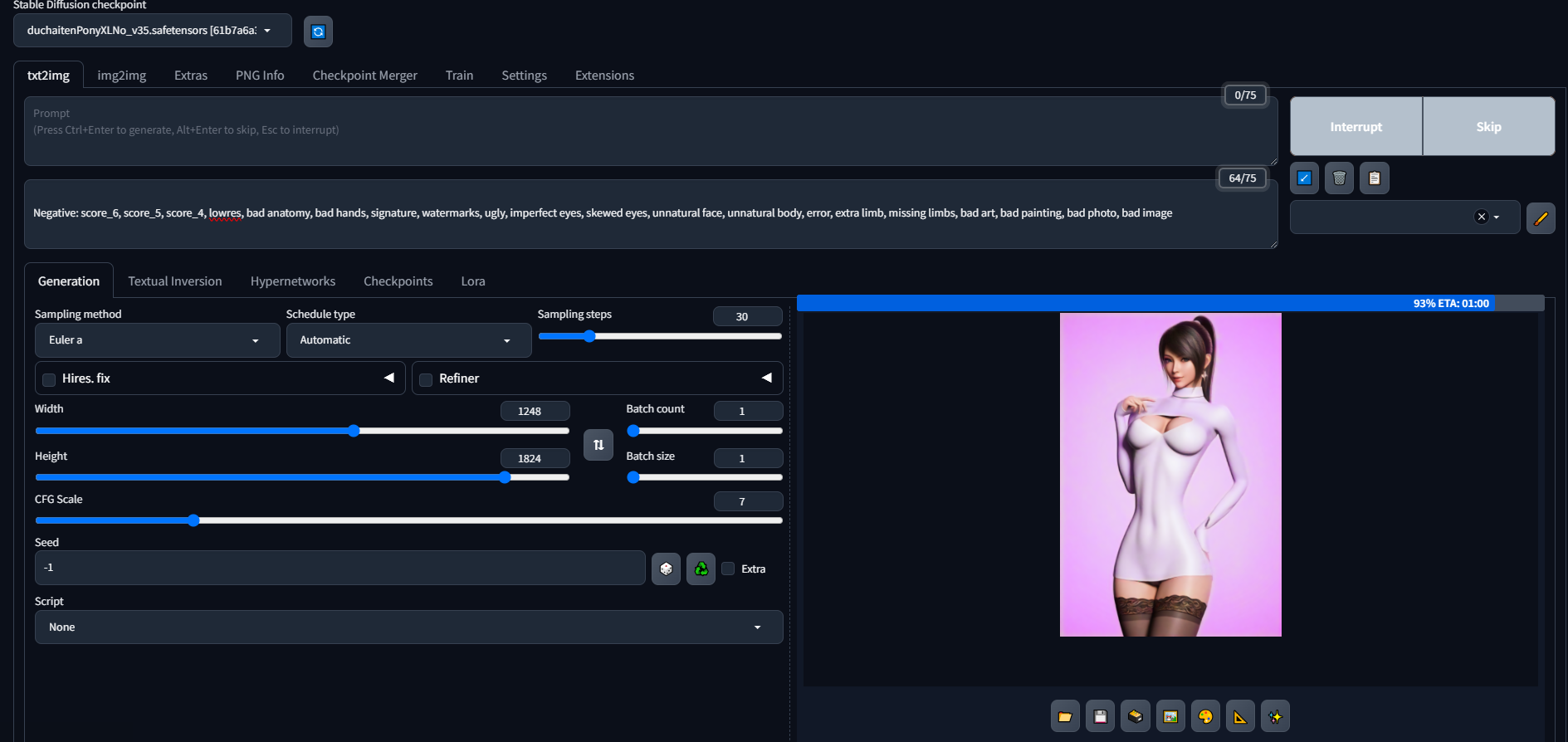
also its making hideous monstocities
like whats in the picture
ornate elk
harsh timber
i don't understand\
 harsh timber
yeah im right there yes
ornate elk
magic lintel
https://i.gyazo.com/c4081bbd67eca3c3e954601a15d702bf.png
Its and sdxl model and pony too. And your generating at a very large resolution.
But first show what's inside your webui-user.bat?
harsh timber
but i don't understand what they mean with this
 magic lintel
ornate elk
Its and sdxl model and pony too. And your generating at a very large resolution....
magic lintel
ornate elk
Its and sdxl model and pony too. And your generating at a very large resolution....
i'm so sorry. How do i get inside to look at that?
harsh timber
do i have to copy word C:ZLUDA and %HIP_PATH%bin
ornate elk
harsh timber
do i have to copy word C:ZLUDA and %HIP_PATH%bin
You need to create these as 2 new entrys
ornate elk
magic lintel
i'm so sorry. How do i get inside to look at that?
Right click and edit it
harsh timber
i can't edit or do anything at system variables


 ornate elk
magic lintel
https://i.gyazo.com/df51f1ccd5797af4c3517557ed755bf5.png
ornate elk
magic lintel
https://i.gyazo.com/df51f1ccd5797af4c3517557ed755bf5.png
Thats the webui.bat not the webui-user.bat
ornate elk
magic lintel
also what does it mean if images come out like this?
The VAE is missing
ornate elk
harsh timber
i can't edit or do anything at system variables
Can you screenshot it?
magic lintel
ornate elk
Thats the webui.bat not the webui-user.bat
sorry it says this inside
@echo off
set PYTHON=
set GIT=
set VENV_DIR=
set COMMANDLINE_ARGS=
git pull
call webui.bat
ornate elk
magic lintel
@echo off
set PYTHON=
set GIT=
set VENV_DIR=
set COMMANDLINE_ARGS=
git pull
cal...
Okay your missing the performance args.
At the line Commandline_args=
You add: --xformers --medvram-sdxl --no-half-vae
Then save and relaunch the webui-user.bat
magic lintel
ornate elk
Okay your missing the performance args.
At the line Commandline_args=
You add: -...
like so?
 ornate elk
Yep
ornate elk
magic lintel
this will improve generation time?
Yep should be really fast now
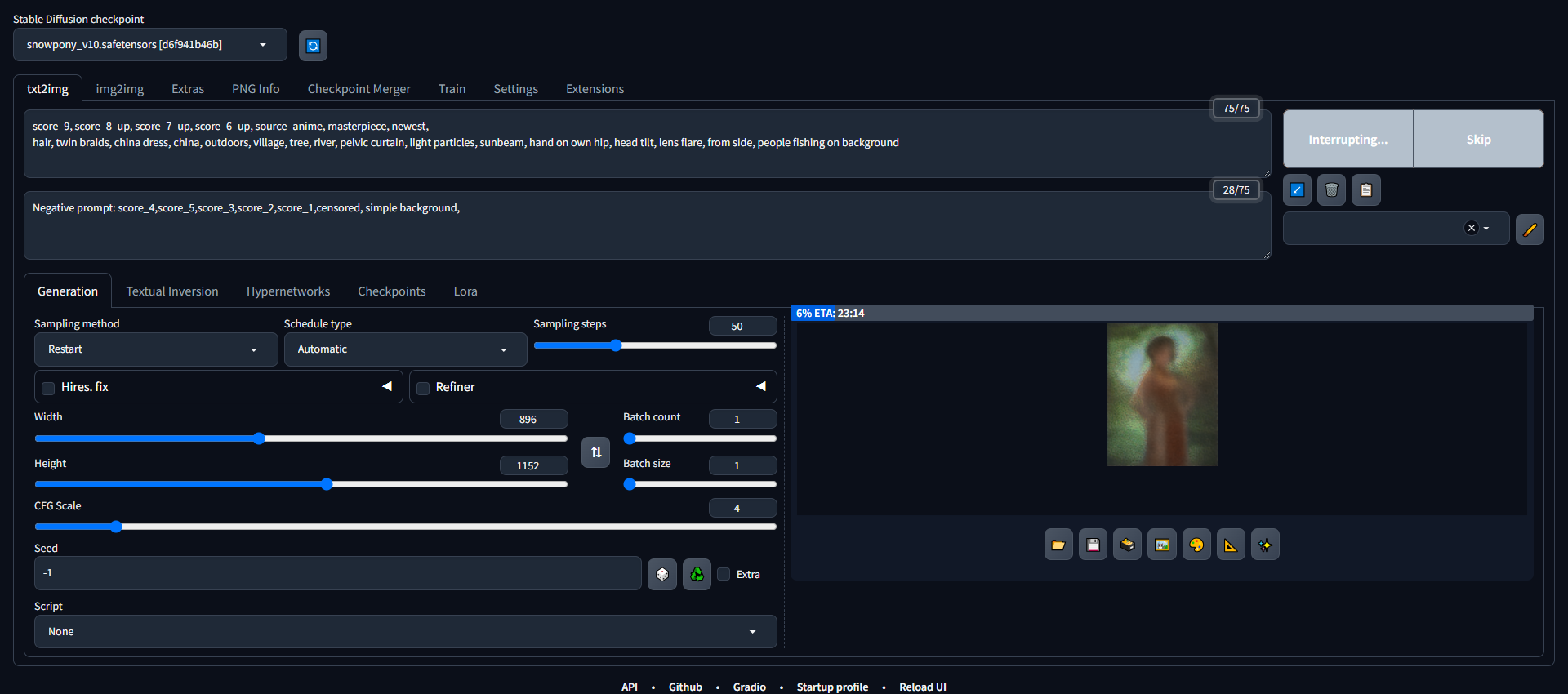 ornate elk
That makes no sense. Do you run any game or Wallpaper engine in the background?
Also use sampler Euler a or DPM++2m
magic lintel
no just chrome

 magic lintel
ornate elk
Can you try a 1024x1024
magic lintel
ornate elk
Can you try a 1024x1024
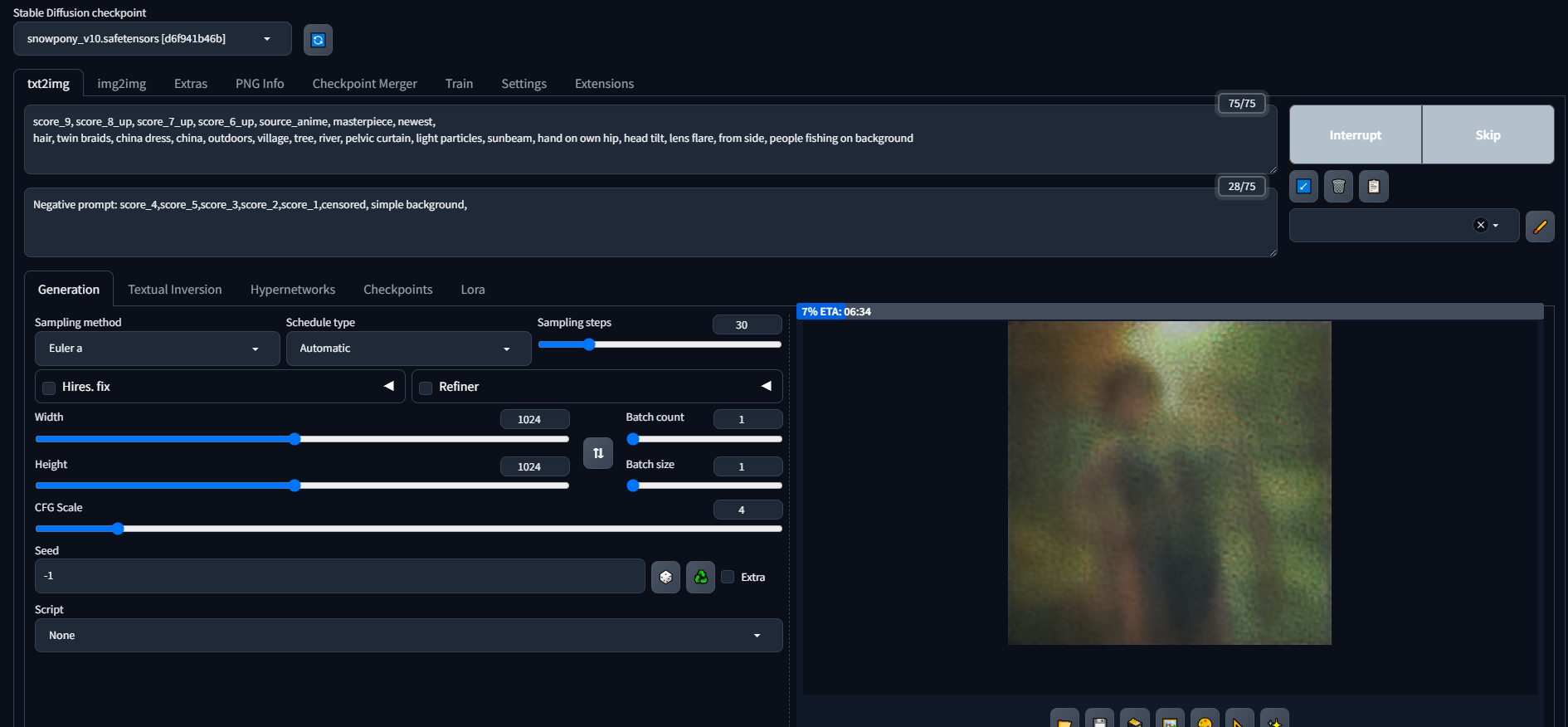
still says 6 minutes
so crazy it was working totally fine yesterdauy
a friend said to clean install after i was having issues with the VAE
since reinstall its been so slow
okay the VAE worked

now i just need my regular speed back
im cool with 1-2 minutes for a high quality image, but 5-6 feels kind of weird
and i just put in a new card
ornate elk
magic lintel
and i just put in a new card
Yea 6mins isnt right
Make sure you always launch the webui-user.bat and not the webui.bat
 magic lintel
ornate elk
Make sure you always launch the webui-user.bat and not the webui.bat
magic lintel
ornate elk
Make sure you always launch the webui-user.bat and not the webui.bat
i just installed adetailer too
im sorry about all these questions
for every fix there seems to be a new problem
does this face look fine considering i installed adetailer?

this ones better cause i upped resolution i think

sorry if its rude to post these dunno if this is the right chat
will delete if its cluttering
ornate elk
Its okay to post them if its not nsfw
ornate elk
magic lintel
okay so i got it back to being fast but now faces are fucked up
And how?
magic lintel
lowered resolution like you suggested
magic lintel
ornate elk
And how?
also restarted and made sure to use webui-user
magic lintel
ornate elk
And how?
do these look good to you?

just made this
took about a 2 minutes to make this
thats prolly normal right?
2 minutes with adetailer

with these settings
harsh timber
oops sorry, i didn't see your previous message, no im gonna continue another time, but thanks anyway
magic lintel
ornate elk
looks good
whats it mean if i get shit like this?

tried to make this

it says its for flux right?
 loud pond
@ornate elk have you got a tutorial on how to download flux?
ornate elk
harsh timber
oops sorry, i didn't see your previous message, no im gonna continue another tim...
alright, let me know then ^^
ornate elk
loud pond
<@161910921269084160> have you got a tutorial on how to download flux?
whats your gpu and do you have a webui already installed like comfyui or forge =
ornate elk
magic lintel
flux doesnt work in auto1111 currently
loud pond
ornate elk
whats your gpu and do you have a webui already installed like comfyui or forge =
amd radeon 480, id like comfyui but i havent got it installed yet
ornate elk
loud pond
amd radeon 480, id like comfyui but i havent got it installed yet
with 4gb ?
vram
loud pond
ornate elk
with 4gb ?
no 8gb
ornate elk
loud pond
thanks tho
but your gpu is supported by ZLUDA it seams which means you could run sdxl models
loud pond
ornate elk
but your gpu is supported by ZLUDA it seams which means you could run sdxl model...
yeah i have SD already
but apparently flux is more relistic
realistic
ornate elk
yea but we have to weight for AMD to support bitsandbytes on windows. so we can use the smaller nf4 or gguf models
magic lintel
ornate elk
yea but we have to weight for AMD to support bitsandbytes on windows. so we can ...
also thank you so much for all your help again dunno if i said that
ornate elk
no problem 🙂
boreal vector
ornate elk
Can you try an other upscaler? Like latent bicubic ?
they not here
 ornate elk
boreal vector
they not here
ornate elk
boreal vector
they not here
then try Nearest

 magic lintel
ornate elk
no problem 🙂
magic lintel
ornate elk
no problem 🙂
can i have comfyui and a1 on the same comp? I know that sounds dumb but like they don't conflict or anything right?
ornate elk
boreal vector
try updating your extensions and then relaunch, make sure the webui is whitelisted in any browser adblocker.
And if its still not working try deleting the config.json and the ui-config.json and then relaunch
ornate elk
magic lintel
can i have comfyui and a1 on the same comp? I know that sounds dumb but like the...
yes you can have them both without problems
i have all webuis in one Folder
magic lintel
ornate elk
yes you can have them both without problems
you think i can make decent stuff on FLUX with 8gb of vram?
ornate elk
magic lintel
you think i can make decent stuff on FLUX with 8gb of vram?
yes but for that you need comfyui or Forge webui. and the nf4 v2 flux model
boreal vector
ornate elk
try updating your extensions and then relaunch, make sure the webui is whitelist...
doesnt work
 cloud monolith
i was using it jsut fine, was making charcter art. btu then something happened an dnow it just makes blobs of color
how do i fix it. as now no matter what i do its doing this
ornate elk
cloud monolith
i was using it jsut fine, was making charcter art. btu then something happened a...
can you show an example with the settings you used?
ornate elk
boreal vector
doesnt work
then you could try a clean install with my guide and test again. and dont install any extensions at first
cloud monolith

the lora for the chaaracter i want was workign perfectly fine last night witht he exact same promt
ornate elk
cloud monolith
wrong resolution for a sdxl/pony model
these need a highre base resoltuion
cloud monolith
ornate elk
wrong resolution for a sdxl/pony model
then why is it still doing it after making the res bigger
and why did ti work perfectly fine last night
ornate elk
cloud monolith
then why is it still doing it after making the res bigger
looking at the screenshot again it seems that your negative prompt is not recognized
make sure the webui is whitelisted in any browser adblocker
cloud monolith
ad blocker hasnt chnaged since it woreked
ornate elk
cloud monolith
ad blocker hasnt chnaged since it woreked
your sure? they update their blocklists in the background
cloud monolith
yup.
ornate elk
the 0/0 in your negatives is caused by something blocking it or not updating/sending it to the cmd
cloud monolith
so how do i fix it?
ornate elk
first thing i would try is to relaunch, or to whitelist the webui in any browser adblocker xD
ornate elk
cloud monolith
maultiple times
can you show the cmd log, maybe we can see an issue there
cloud monolith
 ornate elk
cloud monolith
ornate elk
cloud monolith
i mean the full cmd log
also why do you use 150 steps with an sdxl/pony model? ^^ 30 would be enough
ornate elk
cloud monolith
is that not a full llog?
Nope
Thats just the end of the log
You can relaunch and then generate one image and then copy the whole cmd log
cloud monolith


 ornate elk
cloud monolith
ornate elk
cloud monolith
Okay 5 things I can see:
- Your webui is not updated since Dec 23 (9 months outdated).
And since it was not installed the right way it can't be updated easily.
Your on 1.7.0 while latest is 1.10.1 - Your not using the recommended performance Arguments for your gpu, meaning you could generate much faster.
- You have Roop Extension installed which is deprecated and causes errors in your log.
- Your using Lycoris extension, but its not needed anymore, even on 1.7.0.
- you have other extensions that cause a flood of requirement checks at the start.
What I would recommend is a clean reinstall of the webui.
Its hard to fix outdated stuff.
But if you want to keep using 1.7.0 then you should remove Lycoris and roop and any other extensions you don't need and after that delete the venv folder and relaunch.
For a better performance you should checkout the install guides in the pinned messages. They show the right args for your GPU vram.
cloud monolith
how do i find those?
ornate elk
The extensions or guides ?
ornate elk
In the pinned messages of this channel or directly here:
https://github.com/CS1o/Stable-Diffusion-Info/wiki/Webui-Installation-Guides
cloud monolith
ornate elk
In the pinned messages of this channel or directly here:
https://github.com/CS1o...
but.. i followed that guide when i did it tho o.O
ornate elk
But the console says commit hash none. Means it was not installed via Git 😮
Or maybe it was moved, that breaks it too
Also the performance args are not in your webui-user.bat
Or dont get recognised
hasty orbit

I'm still running into the issue where even after increasing swap memory, the application is still crashing
Should I just keep increasing memory (not vram)? The recommended is 32GB but I can increase it further
I'm starting to think there's something wrong with Stable Diffusion not releasing memory
ruby yoke
hasty orbit
I'm starting to think there's something wrong with Stable Diffusion not releasin...
it wouldn't be stable not releasing, it would be the interface you're running stable in. and that could be the case.
ornate elk
hasty orbit
I'm still running into the issue where even after increasing swap memory, the ap...
Do you try sdxl or pony models?
Then you need a swap of at least 32gb
cloud monolith
ornate elk
Or dont get recognised
uhhh it says for nvidia thers no gpu
lioek when i cloick thte option for that int he guides it dosnt do anything
hasty orbit
ornate elk
Do you try sdxl or pony models?
I use both
hasty orbit
ornate elk
Then you need a swap of at least 32gb
I'll bump the swap to 32gb then
What about regular memory? Leave that at 32?
ornate elk
cloud monolith
uhhh it says for nvidia thers no gpu
Your correct, I broke my link it seems. Let me link you directly to it.
https://github.com/CS1o/Stable-Diffusion-Info/wiki/Webui-Installation-Guides#nvidia-automatic1111-webui-stable-diffusion-webui
cloud monolith
ty
ornate elk
Np, will fix the link tomorrow
ornate elk
hasty orbit
What about regular memory? Leave that at 32?
Do you use nvidia or amd ?
hasty orbit
ornate elk
Do you use nvidia or amd ?
Nvidia
ornate elk
hasty orbit
Nvidia
A friend of mine used a 6800xt on Linux and had massive RAM issues.
Because on Linux the webui seems to use or need more RAM.
He increased the swap to 32gb, that helped but in the end he bought 32gb additional RAM
hasty orbit
I'm also referring to non-vram
ornate elk
Yep ik
hasty orbit
ornate elk
A friend of mine used a 6800xt on Linux and had massive RAM issues.
Because on L...
I'll keep you posted, and thank you for the assistance so far!
ornate elk
hasty orbit
I'll keep you posted, and thank you for the assistance so far!
Np, also when does it crash?
At upscaling ? Or launching ?
Make sure you also use --xformers
hasty orbit
ornate elk
Np, also when does it crash?
Yup using --xformers, so it crashes towards the middle or end of generating a small batch of 3 images.
Most likely during upscaling
I'll click generate and it will generate the 3 images no problem, But there are times by chance once it nears the end of the 2nd image or end of the 3rd image it just crashes.
 thin cave
I don't know what i'm doing wrong https://i.imgur.com/BRDv1N9.png
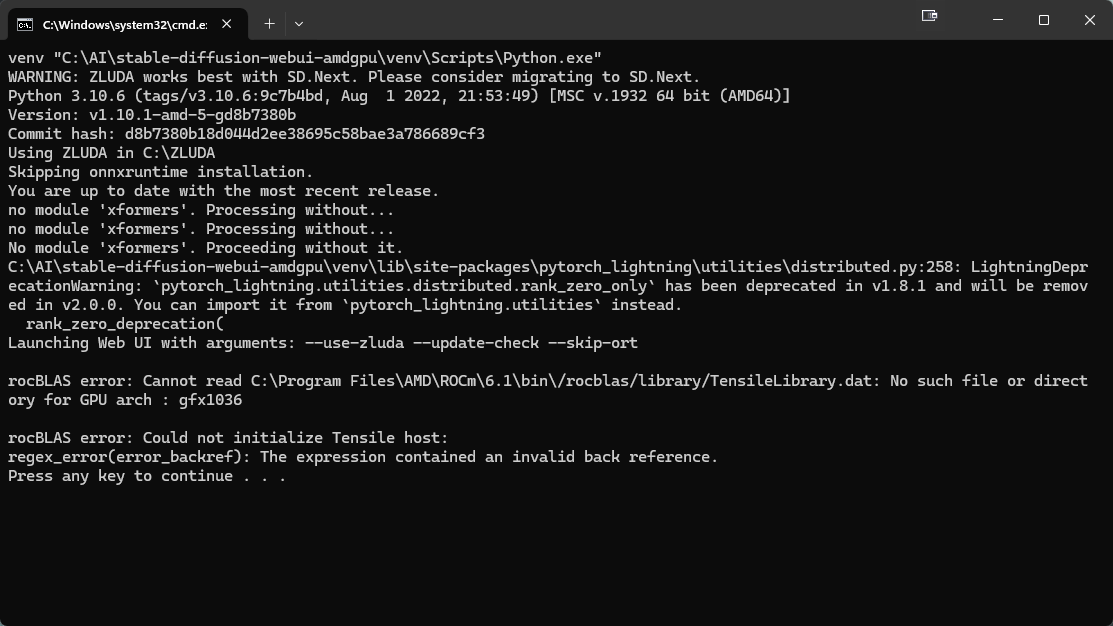 ornate elk
hasty orbit
Most likely during upscaling
ornate elk
hasty orbit
Most likely during upscaling
Make sure to always set the hires steps to 10
If its on 0 it will most likely crash
And then there is the tiled VAE extension. Which can prevent crashing when upscaling too
hasty orbit
ornate elk
Make sure to always set the hires steps to 10
Should I try this first before changing the swap to 32gb?
ornate elk
thin cave
I don't know what i'm doing wrong https://i.imgur.com/BRDv1N9.png
You did everything correctly. But zluda found your CPUs integrated GPU before your normal GPU xD
So you need to disabled Radeon TM Graphics in the device manager
Under display adapters
ornate elk
hasty orbit
Should I try this first before changing the swap to 32gb?
Sure, maybe it will fix it
brazen chasm
Help with this issue please in webui-user.bat

Like i've done everything that's required me to do but there's always seem to be a problem
ornate elk
brazen chasm
Help with this issue please in webui-user.bat
Make sure your nvidia GPU driver is updated
brazen chasm
And?....
ornate elk
And then relaunch.
And maybe restart the PC too.
brazen chasm
The webui-user.bat file?
ornate elk
Everything else looks correct in the screenshot
thin cave
ornate elk
So you need to disabled Radeon TM Graphics in the device manager
sucess thanks my man
ornate elk
thin cave
sucess thanks my man
Perfect np
steady thistle
@ornate elk I'm trying some stuff to get my ComfyUI running again, but it's very challenging, and I don't understand why it keeps breaking. Is there something in my system that's going wrong, do you think?
I was careful to research https://github.com/WASasquatch/was-node-suite-comfyui and then restarting through Manager it uninstalled torch and started reinstalling it. I have no idea why it did that.
thin cave
I believe i've hit another wall https://i.imgur.com/B2IhPcA.png
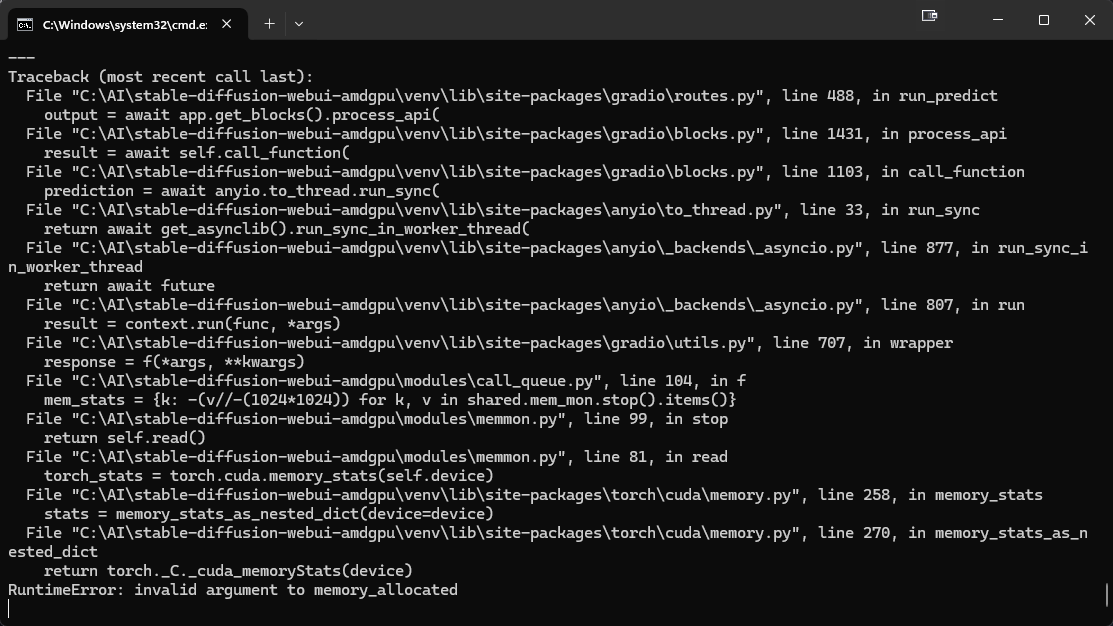 fickle sorrel
Can someone help me please? Why am I just getting noise?
 ornate elk
thin cave
I believe i've hit another wall https://i.imgur.com/B2IhPcA.png
ornate elk
thin cave
I believe i've hit another wall https://i.imgur.com/B2IhPcA.png
What's your GPU ?
ornate elk
fickle sorrel
Can someone help me please? Why am I just getting noise?
Havr you tried an other sampler ?
thin cave
ornate elk
What's your GPU ?
6900xt
ornate elk
thin cave
6900xt
Okay so you have hip SDK 6.1 installed ?
Restarted the PC too?
And how do your environment path settings look?
thin cave
yes yes and yes
ornate elk
The last one is not a yes or no question xD
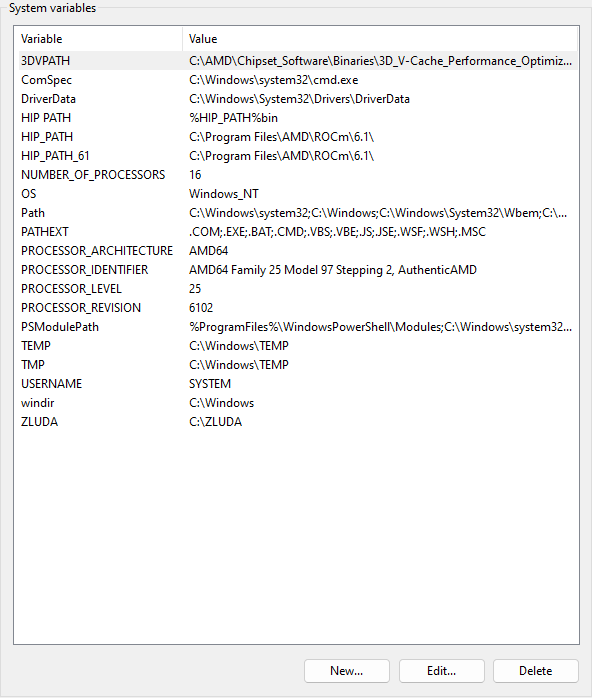
 thin cave
does this look correct? https://i.imgur.com/QGk9Cl7.png
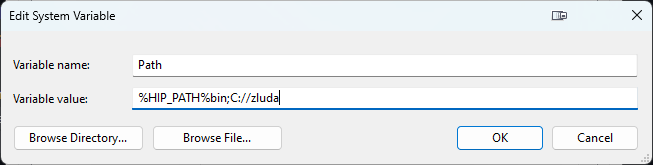 ornate elk
thin cave
does this look correct? https://i.imgur.com/QGk9Cl7.png
ornate elk
thin cave
does this look correct? https://i.imgur.com/QGk9Cl7.png
No
Look at my screenshot
Find the left Path entry in the red square. Then click edit
 thin cave
shit
ornate elk
Then you need to recreate it
thin cave
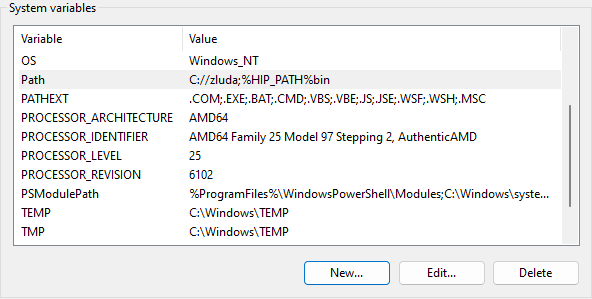 ornate elk
thin cave
https://i.imgur.com/Mwm0cND.png
ornate elk
thin cave
https://i.imgur.com/Mwm0cND.png
Can you go into edit mode again?
And screenshot it
thin cave
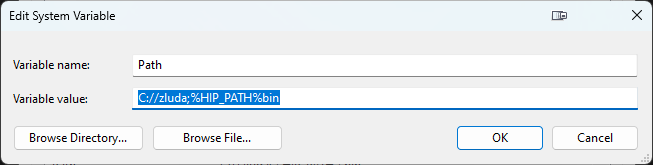 ornate elk
Why does it look so strange
Normaly you should get a list view
You also need the first 4 entrys here in Path, to not get windows problems

But you need to go into the right edit mode
magic lintel
@ornate elk Sorry but i have a very dumb question. I just downloaded comfyui and followed all the instructions, so its working but it only opens in its own program what do i press to open it up in browser like stable diffusion?
 ornate elk
magic lintel
<@161910921269084160> Sorry but i have a very dumb question. I just downloaded c...
ornate elk
magic lintel
<@161910921269084160> Sorry but i have a very dumb question. I just downloaded c...
Seems like you installed it via stability matrix or pinokio.
You can just copy the URL you see at the top right into the browser
magic lintel
yes the tutorial advised pinokio for easiest install
thats cool you'd say?
or is there a better way?
thin cave
ornate elk
But you need to go into the right edit mode
this is the edit mode that I have https://i.imgur.com/aq9s3xo.png
 cloud monolith
i just reinstalled stable diffsuion. follwoed the steps in guide exactly. can anyon ehelp me confirm its all working right before i go further?
ornate elk
cloud monolith
i just reinstalled stable diffsuion. follwoed the steps in guide exactly. can an...
Sure
cloud monolith

just finished its download and i have the stable diffusion thing open in my brioweser
ornate elk
thin cave
this is the edit mode that I have https://i.imgur.com/aq9s3xo.png
There is a // instead of a / at the zluda path
cloud monolith
cloud monolith
does this look right?
ornate elk
cloud monolith
just finished its download and i have the stable diffusion thing open in my brio...
Check the bottom of the webui
cloud monolith
for what?
ornate elk
There you see the version numbers
cloud monolith
version: v1.10.1 • python: 3.10.11 • torch: 2.1.2+cu121 • xformers: 0.0.23.post1 • gradio: 3.41.2 • checkpoint:
ornate elk
Yep looks good
thin cave
does this look right? https://i.imgur.com/CQo0rQD.png
 cloud monolith
it using my Nvidea gfx right? and not my laptops intigradted gpu?
ornate elk
thin cave
does this look right? https://i.imgur.com/CQo0rQD.png
Now your missing the : after the C
thin cave
this looks correct then? https://i.imgur.com/Yuk5nmD.png

 ornate elk
cloud monolith
ty for all the help
ornate elk
cloud monolith
ty for all the help
No problem 🙂
ornate elk
cloud monolith
it using my Nvidea gfx right? and not my laptops intigradted gpu?
Btw what's your GPU ?
cloud monolith
ornate elk
Btw what's your GPU ?
nothing super fancy. just an nvidia geforce rtx 4080 laptop gpu
ornate elk
Ah okay, but thats a nice GPU for stable diffusion
Only a bit sad that the laptop version has 12 instead of 16gb vram
cloud monolith
yeahh
oh.. jutst relized. I have to redownload all my stuff again >.<
43 models and like 320 loras
😭
ornate elk
cloud monolith
oh.. jutst relized. I have to redownload all my stuff again >.<
You can move the models over
Or did you deleted them already ?
cloud monolith
ornate elk
You can move the models over
i deleetd and wiped it all before reinstal. did the same gor graphcisdrivers and evrything jsut to be 100% sure
ornate elk
cloud monolith
i deleetd and wiped it all before reinstal. did the same gor graphcisdrivers and...
Oh okay
cloud monolith
i wanted to be completly sure, it wasnt something else thart was the problem
ornate elk
Yea thats good now it should be as fast and clean as possible
Lycoris can be dropped into the lora folder and instead of roop you can use the Reactor extension
cloud monolith
dumb question. it is the wbui-user batch file i use to open table diffsuin every time right?
ornate elk
Yep and only the webui-user.bat
@thin cave
Let me know how it goes.
But I need to sleep now. Can help you tomorrow if its not working.
thin cave
seems to be stuck when attempting to generate https://i.imgur.com/gvZzD1I.png
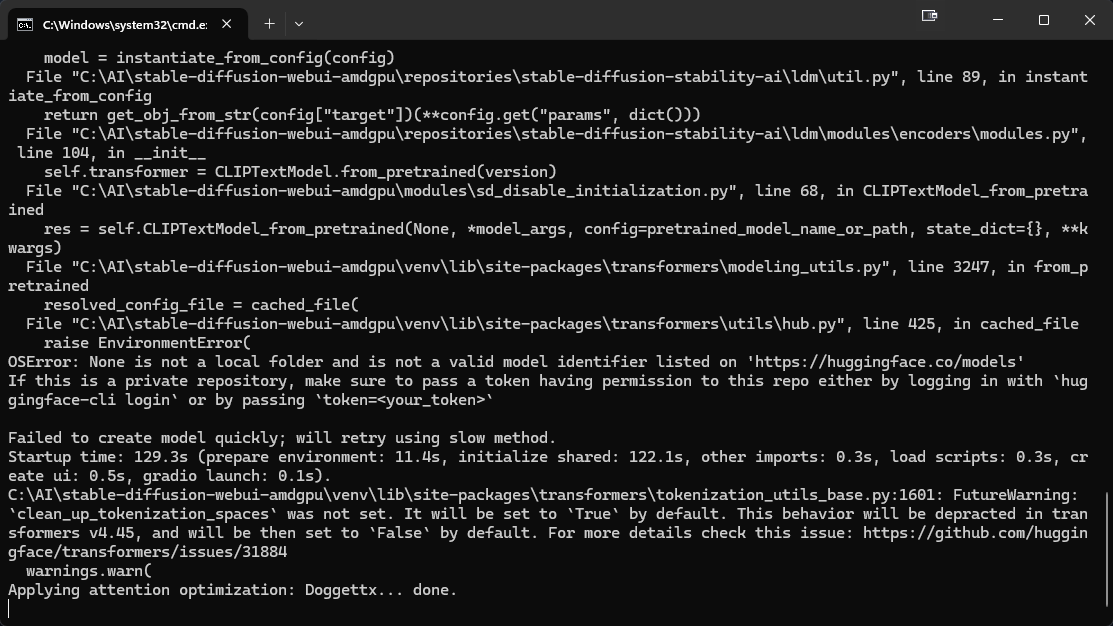
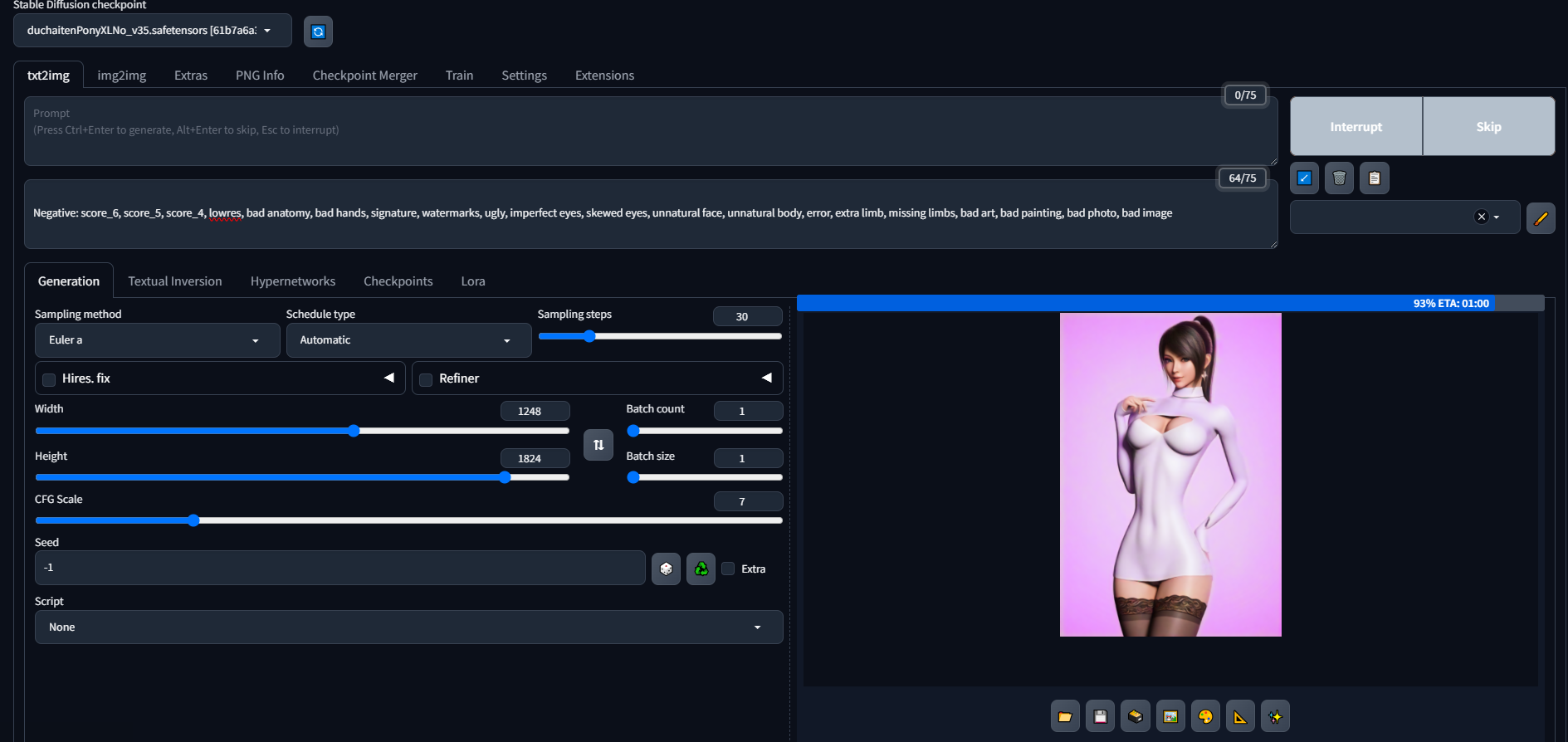



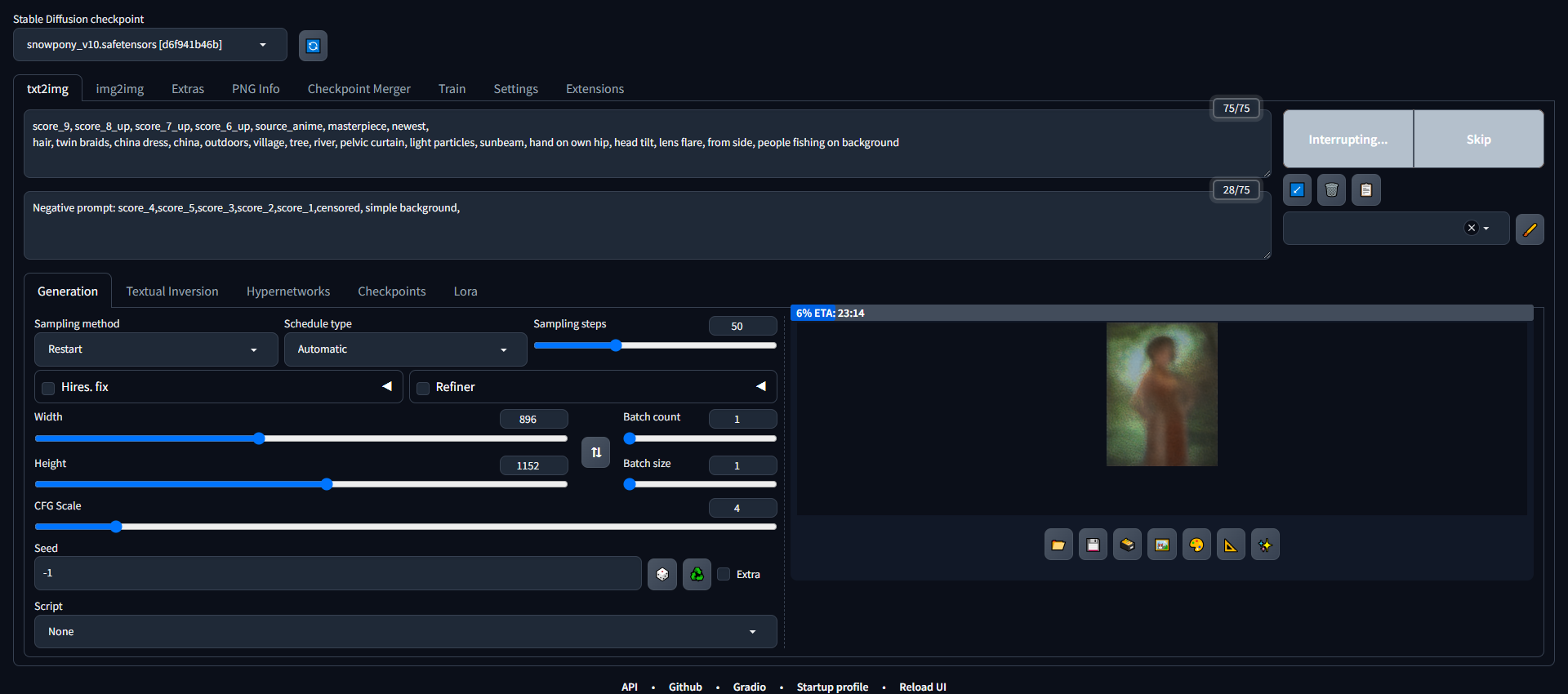




 hasty orbit
ornate elk
Sure, maybe it will fix it
hasty orbit
ornate elk
Sure, maybe it will fix it

After changing high res steps to 10, it looks like it crashed again
Gonna change swap to 32gb
It almost looks like it isn't releasing memory from swap
 kindred pulsar
It says that five tracks are pending, but it's three. The three have been pending for 2 hours.
 steady thistle
@ornate elk I got it going, so far so good! Thank you again for your help.