#🤝|tech-support
1 messages · Page 95 of 1
 mystic lava
 ornate elk
you can try
mystic lava
but flux looks so good i swear
whats the best sdxl model
in ur opinion
and what abt midjourney
ornate elk
midjourney is an online service
ornate elk
mystic lava
whats the best sdxl model
depends on the subject
there are a lot of good models
some can do better realism, some can do better anime stuff
mystic lava
ornate elk
depends on the subject
any issues u can see
that might be causing performance drops
😭
yea that looks sick

 grizzled cypress
On forge ui it says it’s using computation dtype as torch.float32, is there a way to change that to a lower number? Like 16 or 8? And if so would it be faster?
ornate elk
mystic lava
best realism
for realism try Juggernaut XL
for Anime try Perfect Pony XL or AAM Anime Mix
ornate elk
mystic lava
it crashed
that workflow only works with flux
ornate elk
here is an sdxl workflow
ornate elk
mystic lava
i need a vae
here an sdxl vae:
https://huggingface.co/madebyollin/sdxl-vae-fp16-fix/tree/main
the sdxl.vae.safetensors
 honest perch
I am a noob and first time trying to install this, I used the AUTOMATIC1111 from github, stable-diffusion-ui and did the nvidia option and got the zip, ran the update.bat and then the run.bat but it gives me this

and this is the website
 ornate elk
honest perch
I am a noob and first time trying to install this, I used the AUTOMATIC1111 from...
ornate elk
honest perch
I am a noob and first time trying to install this, I used the AUTOMATIC1111 from...
yea, the webui doenst ship the default model anymore
you need to download a model from civitai.com
like dreamshaper for example
 loud pond
ornate elk
yea, the webui doenst ship the default model anymore
loud pond
ornate elk
yea, the webui doenst ship the default model anymore
hey quick question, if i wanted to make sprites using stable diffusion. Is there any lora's which could help me with making something like that.
 ornate elk
loud pond
hey quick question, if i wanted to make sprites using stable diffusion. Is there...
ornate elk
loud pond
hey quick question, if i wanted to make sprites using stable diffusion. Is there...
yea there are pixel art and pixel sprite loras
loud pond
ornate elk
yea there are pixel art and pixel sprite loras
oh cool ill check em out any diffusion models you reccomend?
ornate elk
nope sry
loud pond
ornate elk
nope sry
 loud pond
ornate elk
nope sry
loud pond
ornate elk
nope sry
bro whats going wrong with this
it keeps coming out blury
this is how its meant to look like

do you know if its the promt or can it just not do it?
loud pond
ornate elk
your two loras that are not the pixel lora are to strong
oh i thought 1.4 was low doesnt it go up to 10?
ornate elk
loud pond
oh i thought 1.4 was low doesnt it go up to 10?
-2 to 2
loud pond
ornate elk
-2 to 2
oh alright thanks a bunch!
ornate elk
np
 wet flame
what is flux how do i use it ?
 stable dagger
Where can I find Image_Crop_Location_Exact node in Cofyui Manager?
loud pond
wet flame
what is flux how do i use it ?
flux is an image generator like stable diffusion. Apparently it is better than SD3.
 cosmic furnace
grizzled cypress
cosmic furnace
grizzled cypress
Does using multiple loras in the same prompt work well?
ornate elk
best would be to use it with zluda
loud pond
how do i scale down an image post processing?
https://github.com/Astropulse/sd-palettize apparently i have to use this but im not sure how
GitHub
Automatic1111 Extension for palettizing generated images - Astropulse/sd-palettize
 loud pond
ornate elk
your two loras that are not the pixel lora are to strong
loud pond
ornate elk
your two loras that are not the pixel lora are to strong
also found out the issue when the width and height are at higher values like 1024 then the pixels become less distorted
 balmy lily
im getting a "No backends available!" error on swarmui, how fix?
 elder mauve
getting this
 loud pond
https://github.com/Astropulse/sd-palettize apparently i have to use this but im ...
loud pond
loud pond
https://github.com/Astropulse/sd-palettize apparently i have to use this but im ...
found out how to do it i needed to go to scripts and activate it there
but one question is there anyway to decrease the size of an image from 740by1024 to 48by 64?
 tepid quest
hi masters!!!!
im using webui forge and im really new in this world... Im triying to transform an old green real statue from city into a real person
so should have same detail but with real skin.... tried lots of methods but all my outputs are green persons hahaha
any tip? 😄
loud pond
tepid quest
any tip? 😄
hi im new myself, are you using image to image?
tepid quest
yep
loud pond
cool so i found this video quite helpful
tepid quest
let me check hahaha
loud pond
loud pond
cool so i found this video quite helpful
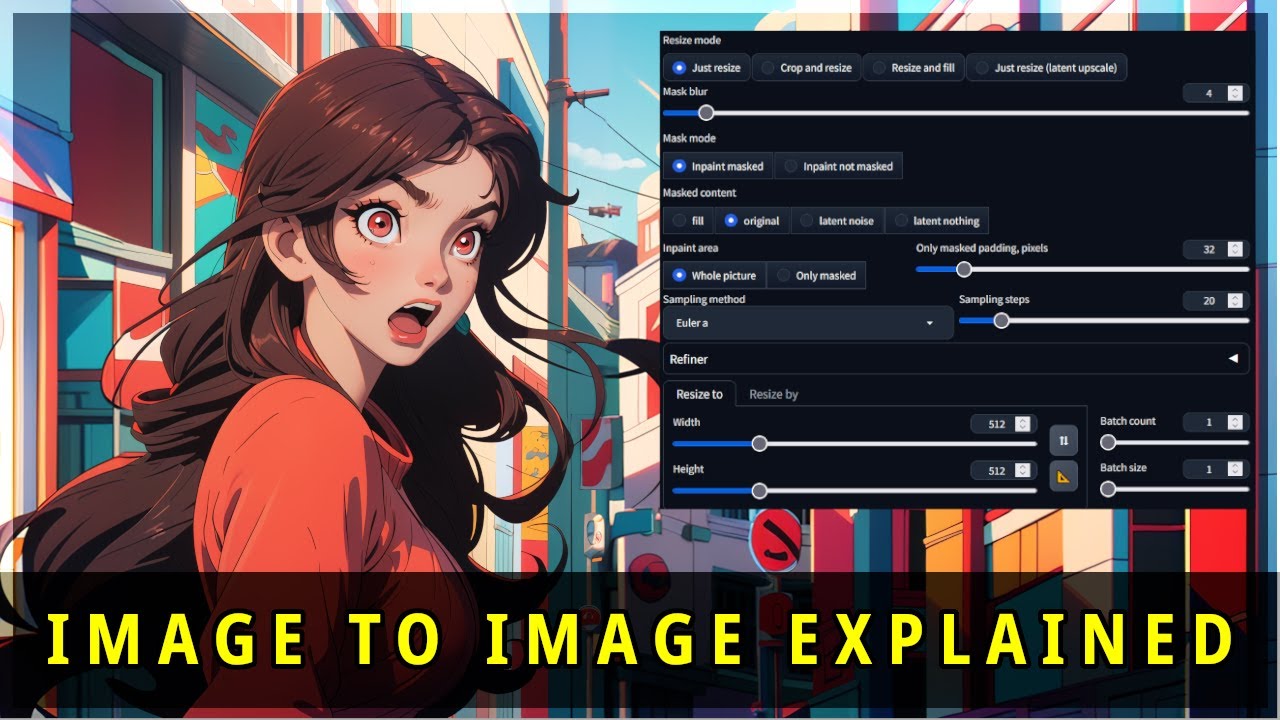
Stable Diffusion in Automatic1111 can be confusing. This tutorial will breakdown the Image to Image user inteface and its options. You will learn what the options do and how to use them.
--LINKS--
(When using an affiliate link, I earn a commission which is a fantastic way to support the channel)
➤ GENERAL ACCESSORIES - https://amzn.to/3Jl9zpe...
 loud pond
tepid quest
loud pond
tepid quest
also maybe try using some lora's
maybe someone's made a lora which would allow you to do this
 loud pond
maybe just change the colour from green to skin colour
like in the text box write 'green skin colour changed to (whatever skin colour you want)'
loud pond
tepid quest
if you want to try 😛
i would try but my pc is pretty low end so it takes me about 5 minutes to load one picture lol
tepid quest
ohh ok ok bro thanks anyway
If there are an a good soul let me explain, im running out of money, but im my city this 31 will be a festival for short histories with 1700€ rewards
i changed my mind about what histories use this last days and try to replicate a real history about a lady who dies waiting her husband on front of the sea...
so im running out of time and still cant get how to make her face looks real...
tried a copple of ai programs and nothing 😦

 grizzled cypress
Is there a way to merge the pony model with animagine for instance in a way so I can get the huge amount of characters and style from animagine while still maintaining the creativity of the pony model?
They’re different kinds of models, because one is sdxl and the other is pony so i’m unsure


 odd marten
I have recently downloaded Stable Diffusion Webui, I have configured everything, but as soon as I try to generate an image I get this error: ‘RuntimeError: tensor.device(). type() == at::DeviceType::PrivateUse1 INTERNAL ASSERT FAILED at ‘C:\C:__w\1\s\pytorch-directml-plugin\torch_directml\rc\cs\dml\DMLTensor.cpp’:31, please report a bug to PyTorch. unbox expects Dml at::Tensor as inputs’
What can I do?
ornate elk
mystic lava
My images keep coming out looking like this
Can you try an other model?
ornate elk
odd marten
I have recently downloaded Stable Diffusion Webui, I have configured everything,...
Hey, what's your GPU ?
odd marten
ornate elk
Hey, what's your GPU ?
6800 XT
ornate elk
odd marten
6800 XT
Ah then you need to follow my AMD Automatic1111 Webui with ZLUDA install guide
odd marten
ornate elk
Ah then you need to follow my AMD Automatic1111 Webui with ZLUDA install guide
I had followed an installation guide for AMD precisely so as not to run into this error. So I have to delete everything?
ornate elk
The error you got is from directml which isnt recommended if you card is supported by zluda
ornate elk
odd marten
I had followed an installation guide for AMD precisely so as not to run into thi...
Yep you need to follow the
AMD Automatic1111 with ZLUDA guide from here:
https://github.com/CS1o/Stable-Diffusion-Info/wiki/Installation-Guides
ornate elk
Yep
odd marten
Oh okay, ty
ornate elk
And make sure you have python 3.10.11 64bit installed
odd marten
Should Python and Git not be reinstalled?
odd marten
Nice, ty
ornate elk
If you have any questions about the steps.
Feel free to ask me
odd marten
I hope this will work
odd marten
ornate elk
If you have any questions about the steps.
Feel free to ask me
Ty so much again, dude
ornate elk
odd marten
I hope this will work
Should work 🙂
Others with 6800 got it working
odd marten
ornate elk
Should work 🙂
Others with 6800 got it working
Do you think the 6800 is a good video card for generating images? 1 year ago I was using Nvidia's 2060 ti ahahah
ornate elk
odd marten
Do you think the 6800 is a good video card for generating images? 1 year ago I w...
Yea I think its pretty good
16gb vram is a big advantage
ornate elk
No problem, let me know how it goes
odd marten
Checkpoints
ornate elk
odd marten
I am still new to this field, do you recommend models?
For the first installation you will need 1 checkpoint
odd marten
ornate elk
For the first installation you will need 1 checkpoint
I see
ornate elk
odd marten
I see
I would recommend Dreamshaper v8 because its lightweight and okay.
Later you can use better ones
Here is a link:
https://civitai.com/models/4384/dreamshaper
odd marten
ty
 fierce hollow
There are circumstances that force me with Forge to go back to AUTOMATIC1111, I installed SD.
What values do I need to enter here? Help me please (file: webui-user)
Now I have this
I want to achieve the fastest possible image generation. I have a 3070ti
@echo off

set PYTHON=
set GIT=
set VENV_DIR=
set COMMANDLINE_ARGS=

call webui.bat
With a 3070ti (8gb vram)
You need --xformers --medvram-sdxl --no-half-vae
fierce hollow
ornate elk
With a 3070ti (8gb vram)
You need --xformers --medvram-sdxl --no-half-vae
set COMMANDLINE_ARGS= --xformers --medvram-sdxl --no-half-vae ?
 radiant fog
hello i have an issue im not sure how to fix it:
C:\Program Files\Comfy UI\ComfyUI_windows_portable_nvidia\ComfyUI_windows_portable>.\python_embeded\python.exe -s ComfyUI\main.py --windows-standalone-build
Total VRAM 12282 MB, total RAM 65310 MB
pytorch version: 2.3.1+cu121
Set vram state to: NORMAL_VRAM
Device: cuda:0 NVIDIA GeForce RTX 4070 Ti : cudaMallocAsync
Using pytorch cross attention
Traceback (most recent call last):
File "C:\Program Files\Comfy UI\ComfyUI_windows_portable_nvidia\ComfyUI_windows_portable\ComfyUI\main.py", line 220, in <module>
server = server.PromptServer(loop)
^^^^^^^^^^^^^^^^^^^^^^^^^
File "C:\Program Files\Comfy UI\ComfyUI_windows_portable_nvidia\ComfyUI_windows_portable\ComfyUI\server.py", line 90, in init
self.user_manager = UserManager()
^^^^^^^^^^^^^
File "C:\Program Files\Comfy UI\ComfyUI_windows_portable_nvidia\ComfyUI_windows_portable\ComfyUI\app\user_manager.py", line 22, in init
os.mkdir(user_directory)
PermissionError: [WinError 5] Access is denied: 'C:\Program Files\Comfy UI\ComfyUI_windows_portable_nvidia\ComfyUI_windows_portable\ComfyUI\user'
C:\Program Files\Comfy UI\ComfyUI_windows_portable_nvidia\ComfyUI_windows_portable>pause
Press any key to continue . . .
ornate elk
radiant fog
hello i have an issue im not sure how to fix it:
C:\Program Files\Comfy UI\Comf...
Make a new folder on C drive and call it Ai, then move the comfyui in that folder.
Then relaunch.
You problem is a permission error
 hallow latch
Hey .. How do I add models, lora's etc .. that are on another harddrive?
ornate elk
Np
ornate elk
hallow latch
Hey .. How do I add models, lora's etc .. that are on another harddrive?
For which webui?
Auto, comfy, forge ?
odd marten
@ornate elk It's me again, I'm following the whole installation process and have arrived at the paragraph to get ZLUDA working.
I'm at the first step which says to install a program from AMD and it also says not to put a tick on ‘The Pro Driver’ but in the installation process of the program I don't find any such wording. Shall I send screenshots?
ornate elk
mystic lava
I thought u might have an idea wsp
Idea for what?
ornate elk
odd marten
<@161910921269084160> It's me again, I'm following the whole installation proces...
Hey, the pro driver (at the bottom) is disabled by default so leave everything as it is and install
hallow latch
ornate elk
For which webui?
Auto
odd marten
ornate elk
Hey, the pro driver (at the bottom) is disabled by default so leave everything a...
I understand, but if I install this programme, will it overwrite the version I currently have of ‘Amd software: Adrenalin Edition’?
ornate elk
hallow latch
Auto
Then you need --ckpt-dir "D:\pathToModels\
ornate elk
odd marten
I understand, but if I install this programme, will it overwrite the version I c...
Nope. Its a seperate Programm just for the rocm hip sdk
hallow latch
ornate elk
Then you need --ckpt-dir "D:\pathToModels\
Cool got 🙂 Just a new issue ..
I just put in a new GPU and runnin ESXI and a Windows Machine. Got drivers installed and the ui and all it running but when I tried to do my first test with a model I got
```RuntimeError: CUDA error: unknown error CUDA kernel errors might be asynchronously reported at some other API call, so the stacktrace below might be incorrect. For debugging consider passing CUDA_LAUNCH_BLOCKING=1. Compile with TORCH_USE_CUDA_DSA to enable device-side assertions.
I am looking up on google and something about *PyTorch CUDA *?
ornate elk
hallow latch
Cool got 🙂 Just a new issue ..
I just put in a new GPU and runnin ESXI and a ...
You have GPU passtrough on the esxi ?
 ornate elk
Make sure the latest nvidia driver is installed
hallow latch
That is installed too
Im gonna try a reboot first of all before I say anything more.
mystic lava
ornate elk
Idea for what?
like how to rfix it
also should fluix ai take 10 - 15 mins to generate one image on 20gb vram rx 7900 xt
that feels rlly slow
odd marten
@ornate elk Sorry again, which ZLUDA .Zip i have to install?
 mystic lava
odd marten
<@161910921269084160> Sorry again, which ZLUDA .Zip i have to install?
mystic lava
odd marten
<@161910921269084160> Sorry again, which ZLUDA .Zip i have to install?
rocm6
amd
odd marten
6, okay ty
hallow latch
ornate elk
Make sure the latest nvidia driver is installed
Reboot solved it ❤️
odd marten
mystic lava
whats ur gpu
6800 xt
I ignored the third step, which was for gpu's stronger or weaker than that
mystic lava
odd marten
6800 xt
yea
odd marten
I'm having trouble with the fourth step, but slowly I can understand ahahah (The System Variables one)
mystic lava
mystic lava
also should fluix ai take 10 - 15 mins to generate one image on 20gb vram rx 79...
,
ornate elk
odd marten
I'm having trouble with the fourth step, but slowly I can understand ahahah (The...
Send a screenshot so I can check if its wrong or right
odd marten
ornate elk
Send a screenshot so I can check if its wrong or right
I'm editing ‘Path’ and I put the folder ‘ZLUDA’ as it says in the fourth bullet point, but it also says I have to put ‘%HIP_PATH%bin’ and I didn't understand this
 mystic lava
odd marten
I'm editing ‘Path’ and I put the folder ‘ZLUDA’ as it says in the fourth bullet ...
mystic lava
odd marten
I'm editing ‘Path’ and I put the folder ‘ZLUDA’ as it says in the fourth bullet ...
%HIP_PATH%bin
as a path
path
new
%HIP_PATH%bin
ok
ok
ok
run it
mystic lava
ngl
think im using hte wrong version of Flkux
it should NOT be this slo9w
on such a strong gpu
ima try the 16 version
not 8
hallow latch
What recommendation would you say to run the set COMMANDLINE_ARGS= when you run an 3060 with 12 GB ?
I start with set COMMANDLINE_ARGS=--no-half-vae --theme=dark --xformers --listen
But should I have --medvram-sdxl added or not?
mystic lava
@ornate elk this can NOT be that good

for speeed
on my system
that was deadass 4 steps
tepid quest
I will test now! Thanks my friend!!!
tepid quest
 snow lance
Ou mama!! I will!! Thank 🙂
ornate elk
hallow latch
What recommendation would you say to run the *set COMMANDLINE_ARGS=* when you ru...
Looks good
ornate elk
mystic lava
<@161910921269084160> this can NOT be that good
Which model did you used?
ornate elk
odd marten
I'm editing ‘Path’ and I put the folder ‘ZLUDA’ as it says in the fourth bullet ...
Same as you did with the zluda folder path
Shark won't work right now
mystic lava
so its as fast as it should be goiung
sakura is using the same model on simiilar hardware but nvidia and getting 40 second waiting times
ornate elk
mystic lava
sakura is using the same model on simiilar hardware but nvidia and getting 40 se...
I'm getting 60 seconds with my 7900xtx
mystic lava
ornate elk
I'm getting 60 seconds with my 7900xtx
wtflip
ornate elk
For a 1024x1024
tepid quest
tried inwebui forge with the canny mode, depth and some others with the safetensor for flux but looks like dosnt work atm
mystic lava
that cnat be right man
tepid quest
snow lance
try this one
what values u used my friend? hah
ornate elk
tepid quest
tried inwebui forge with the canny mode, depth and some others with the safetens...
You could try also sdxl with canny
mystic lava
am i just cooked
tepid quest
ornate elk
You could try also sdxl with canny
yeah bro maybe i have to change from flux to do this hehe
hallow latch
Hey CS1o .. Am I forced to have PCI/PCIe passthrough enabled to run auto 1111?
ornate elk
hallow latch
Hey **CS1o** .. Am I forced to have **PCI/PCIe passthrough** enabled to run auto...
Idk, but could be needed
tepid quest
snow lance
try this one
Anyone knows whats values can i use on hugginface flux canny to get this?
all my outputs looks soo different
and dont respect the pose
odd marten
@ornate elk Thanks again for all the help, it works fine, there are just a few small problems that don't let me do some things:
- When I install a new Checkpoint, it takes a very long time to load it and I have to restart webui
- When I generate an image, it shows me that it has already finished, but before showing it to me it takes about 15 seconds
- Sometimes for one of these problems listed above, I get a ‘connection errored out’ error and have to restart webui
ornate elk
odd marten
<@161910921269084160> Thanks again for all the help, it works fine, there are ju...
Hey np, glad it worked.
what's the checkpoint you tried when this happens.
Also how much normal RAM do you have?
odd marten
ornate elk
Also how much normal RAM do you have?
Where can I see it? But do you mean the Ram in the PC?
ornate elk
odd marten
Where can I see it? But do you mean the Ram in the PC?
Yes
In taskmanager under performance tab
 knotty turret
@ornate elk trying to inpaint but doenst matter anything always the same result this gray color

trying to change the color hair
idk why not working right
ornate elk
knotty turret
<@161910921269084160> trying to inpaint but doenst matter anything always the sa...
Hey can you show your inpaint img2img settings?
knotty turret
ornate elk
Hey can you show your inpaint img2img settings?
yeah

i already done alot inpanting but not working now for some reason
odd marten
ornate elk
In taskmanager under performance tab
16Gb
 wind chasm
Long shot but does anyone know how to fix this error on kohya _SS ? I might be being dumb but I couldn't find a discord https://github.com/kohya-ss/sd-scripts/issues/1411

GitHub
I tried to train a LoRa model on Kohya SS, but immediately afterwards it stopped, and this error appeared.I checked my GPU and system settings and they seems okay.I have 16 GB of RAM and NVIDIA GeF...
knotty turret
ornate elk
Hey can you show your inpaint img2img settings?
my mistake didnt change the sdxl VAE
working normal now lol
😅
 ruby yoke
wind chasm
Long shot but does anyone know how to fix this error on kohya _SS ? I might be b...
ruby yoke
wind chasm
Long shot but does anyone know how to fix this error on kohya _SS ? I might be b...
@limber pier might know
 limber pier
wind chasm
Long shot but does anyone know how to fix this error on kohya _SS ? I might be b...
limber pier
wind chasm
Long shot but does anyone know how to fix this error on kohya _SS ? I might be b...
that's kinda weird, it's not really an error message
but i'm going to guess you don't have enough vram
6gb is very little
wind chasm
limber pier
that's kinda weird, it's not really an error message
oh no thats not my post
im getting that error on a 3090 , 5900x 64gb ram pc
limber pier
oh, wtf
wind chasm
limber pier
it would be good to post your exact error here
File "C:\Users\Owner\AppData\Local\Programs\Python\Python310\lib\runpy.py", line 196, in _run_module_as_main
return _run_code(code, main_globals, None,
File "C:\Users\Owner\AppData\Local\Programs\Python\Python310\lib\runpy.py", line 86, in run_code
exec(code, run_globals)
File "G:\Kohya_GUI_Flux_Installer_v17\kohya_ss\venv\Scripts\accelerate.EXE_main.py", line 7, in <module>
File "G:\Kohya_GUI_Flux_Installer_v17\kohya_ss\venv\lib\site-packages\accelerate\commands\accelerate_cli.py", line 48, in main
args.func(args)
File "G:\Kohya_GUI_Flux_Installer_v17\kohya_ss\venv\lib\site-packages\accelerate\commands\launch.py", line 1106, in launch_command
simple_launcher(args)
File "G:\Kohya_GUI_Flux_Installer_v17\kohya_ss\venv\lib\site-packages\accelerate\commands\launch.py", line 704, in simple_launcher
raise subprocess.CalledProcessError(returncode=process.returncode, cmd=cmd)
subprocess.CalledProcessError: Command '['G:\Kohya_GUI_Flux_Installer_v17\kohya_ss\venv\Scripts\python.exe', 'G:/Kohya_GUI_Flux_Installer_v17/kohya_ss/sd-scripts/flux_train_network.py', '--config_file', 'G:/models trained/config_lora-20240829-144248.toml']' returned non-zero exit status 3221225477.
limber pier
has kohya ever worked for you? or has this always been an issue
wind chasm
so kohya works normally
unless I try the Flux version
and then its like Nah bro
I've tried "he who shall paywalll everythings" installer
and I tried their instructions on the git
EXACT same error
re-installed every requirement as a bach,on their own
limber pier
my guess is the config is the problem
or your launch command
it's a pretty new version of kohya so there's some weirdness with some of the options
what's your toml look like
wind chasm
toml_file ?
limber pier
subprocess.CalledProcessError: Command '['G:\Kohya_GUI_Flux_Installer_v17\kohya_ss\venv\Scripts\python.exe', 'G:/Kohya_GUI_Flux_Installer_v17/kohya_ss/sd-scripts/flux_train_network.py', '--config_file', 'G:/models trained/config_lora-20240829-144248.toml']' returned non-zero exit status 3221225477.
yeah, the config for the job
wind chasm
Ahh see I thought it was accelerate as that threw a bunch of errors
 verbal fractal
Hey guys, i am new to A111 with a few experience of Fooocus. Can you help me to get the better results of it ? I am lost with all options. I have a 1060 nvidia with 6 gb memory. Thanks a lot
I need some informations : what checkpoint to use for photo realism, best quality, should i need a refiner and / or VAE ?, wich parameters to use with my old GPU
wind chasm
limber pier
subprocess.CalledProcessError: Command '['G:\Kohya_GUI_Flux_Installer_v17\kohya_...
Its not something dumb like becuase the Config_lora bla bla is in a different folder its throwing a hissy fit ?
if it is ima throw my pc out a window
limber pier
cache_latents_to_disk = true
caption_extension = ".txt"
dynamo_backend = "no"
logging_dir = "logs"
max_train_epochs = 100
max_train_steps = 8292
mem_eff_attn = false
min_snr_gamma = 5
mixed_precision = "bf16"
resolution = "1024,1024"
save_every_n_epochs = 9
save_model_as = "safetensors"
save_precision = "float"
sdpa = true
seed = 42
train_batch_size = 1
train_data_dir = "/home/clownsharkbatwing/training_set/"
unet_lr = 1
that's a working toml
training_set needs to have a folder named "1_blah" or something like that
1 = number of repeats
and in that is your data
so training_set/1_blah/1.png 1.txt etc
wind chasm
yeah I get that, I usually set it through the gui
but i guess its not with SD scripts ?
wind chasm
im just getting pissed off with ai-toolkit XD
wind chasm
limber pier
i don't bother wit hthe gui
 limber pier
accelerate launch --num_cpu_threads_per_process 1 flux_train_network.py --pretrained_model_name_or_path /home/clownsharkbatwing/ai/ComfyUI/models/unet/flux-dev.safetensors --clip_l /home/clownsharkbatwing/ai/ComfyUI/models/clip/clip_l_flux.safetensors --t5xxl /home/clownsharkbatwing/ai/ComfyUI/models/clip/t5xxl_fp16.safetensors --ae /home/clownsharkbatwing/ai/ComfyUI/models/vae/ae.sft --cache_latents_to_disk --save_model_as safetensors --sdpa --persistent_data_loader_workers --max_data_loader_n_workers 2 --seed 42 --gradient_checkpointing --mixed_precision bf16 --save_precision bf16 --network_module networks.lora_flux --network_train_unet_only --cache_text_encoder_outputs --cache_text_encoder_outputs_to_disk --fp8_base --highvram --save_every_n_epochs 1 --output_dir /media/clownsharkbatwing/SeagateHub1/flux_lora --timestep_sampling sigmoid --model_prediction_type raw --guidance_scale 1.0 --loss_type l2 --optimizer_type prodigy --learning_rate 1 --network_dim 64 --optimizer_args "weight_decay=0.01" "d_coef=0.8" "d0=5e-5" "use_bias_correction=True" "safeguard_warmup=True" "betas=0.9,0.99" --config_file /home/clownsharkbatwing/ai/test/prodigy_flux.toml --output_name flux_lora_test --max_train_epochs 100
verbal fractal
thanks
limber pier
there's my launch command
wind chasm
thats the only toml I got in the directory where I shave my models
limber pier
irc buckets don't work yet with flux
try what i just gave you with the paths updated
you'll have to be in the venv for kohya first
so be sure to do
source venv/bin/activate
or whatever it is on winderz, i forget
wind chasm
so cmd into the venv and throw that in
limber pier
gotta activate it, not cd into it
 ornate elk
odd marten
16Gb
ornate elk
odd marten
16Gb
And what's the checkpoints size?
If its an sdxl model and 6gb you have to increase the Windows Pagefile
odd marten
ornate elk
And what's the checkpoints size?
If its an sdxl model and 6gb you have to increa...
5/6 gb
elder mauve
i can use "upscale models" in auto1111?
ornate elk
odd marten
5/6 gb
Yep than you need to increase the pagefile
elder mauve

UPLOADING/SHARING MY MODELS OUTSIDE CIVITAI IS STRICLY PROHIBITED* <<< The only authorized generative service website are: Ma...
like this
wind chasm
-_-.... its in scripts not bin
ornate elk
elder mauve
i can use "upscale models" in auto1111?
Yep
elder mauve
how?
ornate elk
Put them into models/esrgan

 wind chasm
limber pier
there's my launch command
wind chasm
limber pier
there's my launch command
returned not zero exit status 2
WAIT
ok yeah I might just give up here XD
C:\Users\Owner\AppData\Local\Programs\Python\Python310\python.exe: can't open file 'G:\Kohya_GUI_Flux_Installer_v17\kohya_ss\flux_train_network.py': [Errno 2] No such file or directory

THEN WHAT IS THIS
verbal fractal
verbal fractal
Hey guys, i am new to A111 with a few experience of Fooocus. Can you help me to ...
@ornate elk please
wind chasm
@limber pier thanks for you help im giving up I fix one error I get another xD il jsut wait for it to be updated or something else
odd marten
ornate elk
Yep than you need to increase the pagefile
How can i do that?
 vocal burrow
odd marten
How can i do that?
odd marten
vocal burrow
odd marten
How can i do that?
odd marten
ty, But by how much should I increase it?
The Checkpoint is 5,18 gb
Oh, okay, sorry
It makes sense, of course. Thanks, I'll check now
@ruby yoke My Swap Space file size is "11776 MB", and the local disk where Stable Diffusion is installed has ‘1.61 TB’ available
Should I do the same thing to avoid running into those errors?
And i have to do "11776" x 2?
The problem is that I am afraid of messing up, so I don't know by how much I should increase it
ornate elk
odd marten
ty, But by how much should I increase it?
16gb min and 24max
For C
And make sure its only enabled for C and no other drive
Then restart the PC
hallow latch
If I host an GPT on a secondary PC in my network.. and not using listen..
I should be able to access it right?
limber pier
wind chasm
THEN WHAT IS THIS
something must be wrong with the path
or maybe a permissions issue
loud pond
hi @ornate elk is it possible for stable diffusion to give a side view image of a character which i rendered already?
would i have to use image to image?
ornate elk
loud pond
hi <@161910921269084160> is it possible for stable diffusion to give a side view...
its possible, best would be to use Controlnet IP-Adapter for that
or you use the same prompt but with side view or controlnet openpose
loud pond
ornate elk
its possible, best would be to use Controlnet IP-Adapter for that
or you use the...
oh ok, where can i find this controlnet IP0Adapter?
and is it for stable diffusion?
ornate elk
loud pond
and is it for stable diffusion?
ye
you have to install the controlnet extension first
loud pond
ornate elk
you have to install the controlnet extension first
oh ok and whats the IP-adapter thing?
ornate elk
loud pond
oh ok and whats the IP-adapter thing?
thats a model for controlnet
it can analyse an image, like colors or composition
and then process is into the genearted image
loud pond
WOAH that sounds so cool is there a video or a link on how i can use this?
loud pond
ornate elk
thats a model for controlnet
wait so can i find it on cavit ai thing?
since its a model
where would i go to find it then?
alright ill try and find one
ornate elk
loud pond
where would i go to find it then?
loud pond
ornate elk
https://huggingface.co/h94/IP-Adapter/tree/main
cool thanks! ill install controlnet and then ill try and download this
ornate elk
no problem
loud pond
oh wait really?
so i just need to install sdxl and paste it into my sd thing right?
cuz rn i ahve sd 1.5
ornate elk
no you can use it for 1.5 too
the link has 2 folders
one is for sdxl
the other for 1.5
controlnet works with both
fierce hollow
Question 1) Why I don't have openpose displayed
Question 2) Why do I uncheck controlnet on my own?
 elder mauve
any way to generate images of same face?
ornate elk
fierce hollow
Question 1) Why I don't have openpose displayed
Question 2) Why do I uncheck con...
your using forge?
ornate elk
elder mauve
any way to generate images of same face?
with controlnet extension and IP-Adapter
loud pond
alright thank you both
ornate elk
elder mauve
roop?
roop is outdated
elder mauve
ah i see , will use reactor
ornate elk
so for Faceswap Reactor is okay or using a seperate tool called Roop-unleashed
fierce hollow
ornate elk
your using forge?
Yes
ornate elk
fierce hollow
Yes
controlnet is already included in forge so you cant install it
fierce hollow
ornate elk
controlnet is already included in forge so you cant install it
What about openpose?
ornate elk
tepid quest
yeah bro maybe i have to change from flux to do this hehe
here i tried with sdxl and canny:

 ornate elk
fierce hollow
What about openpose?
ornate elk
fierce hollow
What about openpose?
is supported by controlnet
you still need the model for it
 coarse pumice
is pony realism a model or a lora?
ornate elk
coarse pumice
is pony realism a model or a lora?
model
if a file is larger than 2gb its always a model
fierce hollow
ornate elk
is supported by controlnet
I don't see a separate menu with openpose where you can edit the position
ornate elk
fierce hollow
I don't see a separate menu with openpose where you can edit the position
you have to click on the preview button

then on edit on the right
fierce hollow
ornate elk
you still need the model for it
After I put the models in - will it show up?
ornate elk
fierce hollow
After I put the models in - will it show up?
the openpose model in the dropdown
if you mean that
fierce hollow
ornate elk
the openpose model in the dropdown
No - it's a model, but there should be an openpose button where you can edit the skeleton itself, I don't have it....https://imgur.com/a/eC5kYPC
 ornate elk
fierce hollow
No - it's a model, but there should be an openpose button where you can edit the...
ornate elk
fierce hollow
No - it's a model, but there should be an openpose button where you can edit the...
openpose extension is broken, you would need to fix it first
check the cmd
you need to do pip install basicsr into the venv
fierce hollow
I just installed it, as well as Forge itself....
ornate elk
yea
fierce hollow
ornate elk
you need to do `pip install basicsr` into the venv
Should I enter this in cmd in the folders with Forge?
ornate elk
fierce hollow
Should I enter this in cmd in the folders with Forge?
first run this command in the forge folder
venv\Scripts\activate.bat
and then: pip install basicsr
fierce hollow
ornate elk
first run this command in the forge folder
`venv\Scripts\activate.bat`
I'm probably too stupid... But I can't find the “Venv” folder in the “Scripts” folder, there's no file you specified.
https://imgur.com/a/u3JURgF
 loud pond
ornate elk
no you can use it for 1.5 too
loud pond
ornate elk
no you can use it for 1.5 too
which version should i get are they all the same or is one better than another?

i have no idea what the descriptions mean 😅 , im very very new to stable diffusion
what would you suggest?
im just going to use this to get the same image but from a different angle
ok! cool, also if you dont mind where should i put the installed files 😅
 viscid oxide
What's a good discord channel or reference to help me figure out issues with training a Lora?
ornate elk
fierce hollow
I'm probably too stupid... But I can't find the “Venv” folder in the “Scripts” f...
its not inside scripts
its in the main folder
ornate elk
loud pond
ok! cool, also if you dont mind where should i put the installed files 😅
models/controlnet
loud pond
ornate elk
models/controlnet
thanks
 tidal thunder
Hello guys, i need help about stable diff forge, i'm missing svd and z123 tabs (and extensions)
ornate elk
tidal thunder
Hello guys, i need help about stable diff forge, i'm missing svd and z123 tabs (...
In the latest version they got removed as forge is experimental.
You would need to download the old forge or the forge fork
tidal thunder
ornate elk
In the latest version they got removed as forge is experimental.
You would need ...
i've check it out, people texting about this thig, but i don't know how to install this https://github.com/lllyasviel/forge-legacy-extensions
GitHub
some archived legacy forge extensions. Contribute to lllyasviel/forge-legacy-extensions development by creating an account on GitHub.
ornate elk
tidal thunder
i've check it out, people texting about this thig, but i don't know how to insta...
As direct download
tidal thunder
thank you so much
 wheat flare
Been having some trouble with the upscaler for SDXL1.0 in AUTOMATIC1111, running on an Nvidia GTX 1660 Ti. I've tried both of these configurations (first is default, second was recommended to me previously):


With the first config, the upscaler gets stuck on 98% and just sits there
 prisma shadow
HELP: Stable diffusion says i need a check point how do ii get one i asked gpt and looked it up but cant find anything
hallow latch
Not a problem so.. but when I do Upscale on Img2Img .. I get 2 files of the same image?? Why?
wheat flare
hallow latch
Not a problem so.. but when I do Upscale on Img2Img .. I get 2 files of the same...
Are the resolutions the same?
hallow latch
wheat flare
Are the resolutions the same?
Yeah
wheat flare
hallow latch
Yeah
What do you have the upscaler set to?
hallow latch
wheat flare
What do you have the upscaler set to?
 wheat flare
hallow latch
wheat flare
hallow latch
Try fiddling with the scale factor to see what happens
I don't recognise this UI so I can't help more than that
hallow latch
wheat flare
I don't recognise this UI so I can't help more than that
Used this all the time :3 But it's a new setup with the new GPU
ornate elk
wheat flare
Been having some trouble with the upscaler for SDXL1.0 in AUTOMATIC1111, running...
You always need to set hires steps to 10
ornate elk
prisma shadow
HELP: Stable diffusion says i need a check point how do ii get one i asked gpt a...
Download one from Civitai.com
ornate elk
hallow latch
Not a problem so.. but when I do Upscale on Img2Img .. I get 2 files of the same...
Because in the settings there is an option that does that. Its a .jpg and a .png right?
hallow latch
ornate elk
Because in the settings there is an option that does that. Its a .jpg and a .png...
Yes it was
Turned this off.

Thanks
 white stirrup
i get this error when trying to use flux

yep
straight from the official site

 candid moss
hey i need some help: im using forgeUi with a flux model but also while using the adetailer extension running with a sd model.
The issue i have is that no matter what inpainting denoising strength i use, it always only uses very low denoising strength.
In my most recent generation i had it set to 0.92 but the original image was still influencing the result too much.
(If i set it to 1 i get weird results.)
Any help is appreciated cause im probably just stupid and i hope its not just a forge/adetailer bug :/

 grizzled cypress
I keep getting weird blue-ish images with comfyui for some reason
white stirrup
do you by any chance know where i can get the flux fp8 clip
 woeful knot
Why the hell do my tile resample steps go from 10 to 30 just by changing the denoise level? The only thing I did there is set it from 0.3 to 1. It did nothing in both cases by the way. It's very hit and miss for some reason, sometimes it works sometimes it doesn't, I have no idea what I'm doing wrong
 white stirrup
I do not know i was told to change the weight type and clip to the fp8 versions
I have the weight type but not the clip
Nevermind someone sent it to me
I like how both of you responded to that question at the same time in seperate servers
woeful knot
woeful knot
Why the hell do my tile resample steps go from 10 to 30 just by changing the den...
Before and after. Notice how it also made the image 8 pixel taller for no apparent reason, just to fuck my life up in photoshop a bit more


I'm having the same exact result with no controlnet model selected, I don't know what's breaking but something is breaking. It says it's loaded in the console, I have no idea what's going on
yeah that's what I just did, I deselected the model so it just ran with the upscaler and maybe the preprocessor, it kept saying the model wasn't selected so the 10 steps were the preprocessor I'm guessing. And the result was the exact same in terms of quality
Is that the sdxl tile model yall use? [4d6257d3]?
ornate elk
woeful knot
Why the hell do my tile resample steps go from 10 to 30 just by changing the den...
Its normal that the steps get more, when you increase the denois
ornate elk
woeful knot
Is that the sdxl tile model yall use? [4d6257d3]?
Sdxl tile resample can't improve the image like the 1.5 tile resample does
 ashen loom
@ornate elk hey brother im having a new issue today? idk what caused it to get on the fritz, {RuntimeError: mixed dtype (CPU): expect parameter to have scalar type of Float} im runnin the amd version it was working perfectly
ornate elk
ashen loom
<@161910921269084160> hey brother im having a new issue today? idk what caused i...
Hey, when do you get that error?
ashen loom
when i try to generate anything. it just locks up for about 1 or two mins.
woeful knot
ornate elk
Sdxl tile resample can't improve the image like the 1.5 tile resample does
Yeah I'm gonna stick with upscaling with just the base model and ultimate sd upscale. Thanks tho
ornate elk
ashen loom
when i try to generate anything. it just locks up for about 1 or two mins.
Can you share a full CMD log
ashen loom
ofc
ornate elk
woeful knot
Yeah I'm gonna stick with upscaling with just the base model and ultimate sd ups...
Or upscale with the tile resample of 1.5
ashen loom


 ashen loom
ornate elk
Can you share a full CMD log
ashen loom
ornate elk
Can you share a full CMD log
hopefully thats what you need
ornate elk
ashen loom
hopefully thats what you need
Yep
Can you show me the txt2img settings when you get that?
ashen loom
its with any generations. i typed cute girl
hallow latch
Hey @ornate elk , can I ask a totally random thing that is not to do with tech support? Would love to hear what u think
ashen loom
 ornate elk
ashen loom
ornate elk
ashen loom
Okay very strange.
Whats your GPU?
What you can try first is to delete the venv folder and relaunch the webui-user.bat
ashen loom
okay i will give it a shot
ornate elk
Im off now. If it doesn't work, we can fix it tomorrow
ashen loom
coolio
ashen loom
ornate elk
Okay very strange.
Whats your GPU?
amd rx 6800
ashen loom
i deleted the venv and it worked @ornate elk
 sterile coyote
I keep getting this error, anyone can help me with this?

nvrtc64_112_0.dll cannot be found under: C:\SD-ZLUDA\stable-diffusion-webui-amdgpu\ .zluda

But the file seems to be where it should be
 zenith bronze
hi, my webui bat file is stuck at this when i launch it, can anyone help?

 errant dust
Having trouble upscaling images, where it keeps finishing itself at 50% total progress for no apparent reason and I've changed every setting imaginable. Anyone know what could be the cause?
 sterile coyote
I followed the guide of CS1o step by step but the ZLUDA I downloaded didn't come with config files I think

GitHub
Stable Diffusion Knowledge Base (Setups, Basics, Guides and more) - CS1o/Stable-Diffusion-Info

That are my env var settings under "Path"

Yes
I'm running a 6700 XT
Downloaded the respective files, did everything what the guide said
Would it be an issue if I accidentally checked the pro drivers for the AMD HIP SDK 5.7.1 from here: https://www.amd.com/en/developer/resources/rocm-hub/hip-sdk.html ?
Ok, ty
Any idea how I can see if amd pro 23.q4 is installed and how to uninstall it?
 worthy stratus
hello, may i use the free credits in dreamstudio to test stable diffusion for an article review I am writing about Stable Diffusion? I am planning to publish the image results together with the article review, but I'm not sure if Im allowed to do that
worthy stratus
okay, thank you, i sent them an email
 fair oxide
anyone can suggest how to fix this error i get when trying to install Searge LLM for comyfui
## Execute install/(de)activation script for 'D:\ComfyUI\ComfyUI\custom_nodes\ComfyUI_Searge_LLM' Ignoring llama-cpp-python: markers 'platform_system == "Linux" and platform_machine == "x86_64" and python_version == "3.11"' don't match your environment
im on windows using comfyui
the python version i have installed is 3.10
 thorn pendant
i running sd and it show this, then run normally, do it effect much on sd

 runic moth
Does anyone know where I could get help with Flux?
 tall grove
gm
runic moth
is it possible to use nf4 flux model in comfyui?
does it require a different text encoder? I can use flux1-dev-fp8 unet and text encoder is t5xxl_fp8_e4m3fn, this works but if I change to flux1-dev-bnb-nf4 then it gives crazy errors.
a whole bunch like this
size mismatch for img_in.weight: copying a param with shape torch.Size([98304, 1]) from checkpoint, the shape in current model is torch.Size([3072, 64]).
looks like that requires a custom node according to reddit, time to install the comfy manager 💀
elder mauve
anyone getting this last line in comfyui?

 solemn moon
sup
What have i missed? Is flux on Auto yet?
elder mauve
solemn moon
sup
What have i missed? Is flux on Auto yet?
nope
runic moth
oh my god this is driving me absolutely crazy

GitHub
Contribute to comfyanonymous/ComfyUI_bitsandbytes_NF4 development by creating an account on GitHub.
it says use the comfui-gguf node because its better
install that node, it cant load the flux nf4 model because its not a gguf model
so I install this node instead, even though its deprecated
this node only wants to load stable diffusion models and the flux models dont appear on the list
I seriously want to tear my hair out
runic moth
finally got it to work x_x
ornate elk
thorn pendant
i running sd and it show this, then run normally, do it effect much on sd
Always run the webui-user.bat
Make sure --xformers is in there too
thorn pendant
ornate elk
Always run the webui-user.bat
somehow it lost
 ornate elk
sterile coyote
Would it be an issue if I accidentally checked the pro drivers for the AMD HIP S...
ornate elk
sterile coyote
Would it be an issue if I accidentally checked the pro drivers for the AMD HIP S...
Hey, check the AMD Adrenalin Version.
It should show 24.8.1
ornate elk
thorn pendant
somehow it lost
What's your GPU again?
fair oxide
I am not sure if I could ask the question about the prompt itself here, but I would like to generate realistic character for a game. However, I need to generate the body parts separately. The reason is so that I could move the body parts independently. Also I need the dismembered version of the limbs. Let say I want to display the arm is chopped off and the character is still shooting with the other arm. I have tried with SD1.5 and SDXL but can't really generate what I want. Is that even possible? Do I need to train myself?
thorn pendant
ornate elk
What's your GPU again?
6gb sirr
ornate elk
Then you need --xformers --medvram --no-half-vae
thorn pendant
i'm just changed to opera, idk if my bowser effect sd's effective
thorn pendant
ornate elk
Then you need --xformers --medvram --no-half-vae
where i need to put in on edit tab
ornate elk
thorn pendant
where i need to put in on edit tab
In the line commandline_args=
thorn pendant
ornate elk
In the line commandline_args=
ty sir
ornate elk
sterile coyote
I keep getting this error, anyone can help me with this?
Let me know if you still need help
thorn pendant
ornate elk
In the line commandline_args=
my img have about 3xx x 4xx size, i i want upscale it withour break its img, how can i do that?
ornate elk
thorn pendant
my img have about 3xx x 4xx size, i i want upscale it withour break its img, how...
Without breaking ?
You mean without crashing?
thorn pendant
this is before and after up scale, idk how to keep it quality sir

 ornate elk
thorn pendant
this is before and after up scale, idk how to keep it quality sir
ornate elk
thorn pendant
this is before and after up scale, idk how to keep it quality sir
How do you upscale?
With which method
thorn pendant
ornate elk
How do you upscale?
by extra tab sir, 4x
ornate elk
thorn pendant
by extra tab sir, 4x
Ah thats not the best way to upscale
thorn pendant
can you teach me how sir?
ornate elk
Sure. Do you want to upscale ai generated images or normal images ?
thorn pendant
ornate elk
Sure. Do you want to upscale ai generated images or normal images ?
both sir
ornate elk
thorn pendant
both sir
Okay then you should use the SD upscale script in img2img
thorn pendant
ornate elk
Okay then you should use the SD upscale script in img2img
just doing that?
is it wwork for both ai and normal img sir?
ornate elk
thorn pendant
is it wwork for both ai and normal img sir?
Yes but its better for ai generated images
For normal images you can use the free tool Upscayl for example
Or the extras tab of auto1111
thorn pendant
understood and ty sir
thorn pendant
ornate elk
Yes but its better for ai generated images
somehow sd work pretty fast at first then start slower when i keep using it
idk if that's just my though or smt i cant imagine
odd marten
ornate elk
For C
Excuse me for replying today, but I was busy yesterday. I downloaded Stable Diffusion Webui to my local disk ‘D:’ which is an external hard disk that has 2 TB of free space. Should I move it, or can I increase the file size spacing there?
 odd marten
ornate elk
16gb min and 24max
odd marten
ornate elk
16gb min and 24max
It says I currently have ‘11176MB’ allocated on my local C: disk, in what sense are you asking me to put a minimum of 16 and a maximum of 24 if they are Megabytes?
Anyway, as mentioned I installed Stable Diffusion on my local disk D:, should I move it to local disk C: ?
tidal thunder
ornate elk
Here is the old version:
https://github.com/lllyasviel/stable-diffusion-webui-fo...
for some reasons it didn't work and not convenient to use, so i want to ask, is that possible to install this things and where to put it in?
https://github.com/lllyasviel/forge-legacy-extensions
GitHub
some archived legacy forge extensions. Contribute to lllyasviel/forge-legacy-extensions development by creating an account on GitHub.
these files

 last flax
where do i place my lora's i dont have a folder for it
 odd marten
last flax
where do i place my lora's i dont have a folder for it
odd marten
last flax
where do i place my lora's i dont have a folder for it
go to "Models" and then "Lora"
last flax
ooh aight
last flax
odd marten
go to "Models" and then "Lora"
 odd marten
last flax
odd marten
last flax
Create a folder "Lora"
If that doesn't work, I really don't know what to tell you. You'll have to ask some admin or someone who knows about it
 feral otter
I keep getting "onnxruntime" errors on ForgeUI, it usually shows up when it runs the reactor process: "[E:onnxruntime:Default, provider_bridge_ort.cc:1992 onnxruntime::TryGetProviderInfo_CUDA] D:\a_work\1\s\onnxruntime\core\session\provider_bridge_ort.cc:1637 onnxruntime::ProviderLibrary::Get [ONNXRuntimeError] : 1 : FAIL : LoadLibrary failed with error 126 "" when trying to load "D:\Stable Diffusion\Forge-Stable\system\python\lib\site-packages\onnxruntime\capi\onnxruntime_providers_cuda.dll"
Any tips of diagnosing the issue?
ornate elk
odd marten
Excuse me for replying today, but I was busy yesterday. I downloaded Stable Diff...
You still need to increase and set the pagefile only for C
As its mostly the fastest SSD of the system
No need to move the webui
odd marten
I see, but how much? I don't quite understand what you mean by minimum 16gb and maximum 24gb, because I get MB
odd marten
Oh, okay, let's see
 ornate elk
last flax
where do i place my lora's i dont have a folder for it
ornate elk
last flax
where do i place my lora's i dont have a folder for it
Models/lora
ornate elk
tidal thunder
for some reasons it didn't work and not convenient to use, so i want to ask, is ...
Hey you can use comfyui with hypertile and stable video diffusion nodes.
But you can't download these 3 folders and move it into the new forge. That won't work
 viscid badge
I have an issue, error code 3, it can't launch Python. I'll show you the error here:

I have python 3.12.5
 thorn pendant
seiga have those thing on her head, but smh i can make it, what should i do

 vocal burrow
viscid badge
I have python 3.12.5
vocal burrow
viscid badge
I have python 3.12.5
not compatible, install any python from 3.10.6 to 3.10.11
odd marten
@ornate elk I restarted the PC and tried Stable Diffusion, no luck.... It took 100 seconds to load a model and then gave me ‘Error’ written in red above. And to make matters worse, Discord wouldn't let me open either, I had to put the file size spacing back from before
viscid badge
vocal burrow
not compatible, install any python from 3.10.6 to 3.10.11
same error

not same now
ornate elk
odd marten
<@161910921269084160> I restarted the PC and tried Stable Diffusion, no luck.......
Is the external drive a SSD or HDD ?
odd marten
ornate elk
Is the external drive a SSD or HDD ?
Oh God, how can I see it? All I know is that it's a hard disk
I see on the amazon purchase history
ornate elk
viscid badge
Delete the venv folder and relaunch the webui-user.bat
odd marten

Toshiba Can. Basics 2TB black 2,5" USB3.2
ornate elk
odd marten
https://www.amazon.it/dp/B0BMGTK46D?ref=ppx_yo2ov_dt_b_fed_asin_title
<@16191092...
Thats a HDD
Its good for storing files but not good for installing games or Stable diffusion on it
odd marten
ornate elk
Its good for storing files but not good for installing games or Stable diffusion...
I have a local system disk D: with 1tb free. Do I move it there Stable Diffusion?
ornate elk
odd marten
I have a local system disk D: with 1tb free. Do I move it there Stable Diffusion...
Is the system disk an SSD or HDD ? xD
odd marten
ornate elk
Is the system disk an SSD or HDD ? xD
EHM, how can i see it?
Oh, right, amazon

Ti sei mai chiesto perché il tuo smartphone è più veloce del tuo computer? Perché il tuo smartphone utilizza la memoria flash. Aggiungi la tecnologia flash al tuo portatile o al tuo computer fisso con l’SSD Crucial BX500, il modo più facile per ottenere tutta la velocità di un computer nuovo senz...
SSD, yes
ornate elk
Thats good
Move the whole SD-Zluda folder to the D drive
You then need some commands to fix the update path for the webui.
I can show them in a few minutes
odd marten
ornate elk
You then need some commands to fix the update path for the webui.
I can show the...
Ty so much
I hope this will fix the problems
ornate elk
Also how much free space do you have on C ?
viscid badge
ornate elk
Delete the venv folder and relaunch the webui-user.bat
i try
odd marten
ornate elk
Also how much free space do you have on C ?
Every time I reboot the PC it changes, but it usually says I have ‘51’ gb free
ornate elk
odd marten
Ty so much
After you moved the SD-Zluda to D: do the following:
To fix the webui update process go into the stable-diffusion-webui-amdgpu folder and click in the File Explorer bar (not searchbar) and type cmd and hit enter.
Then use the following commands one by one:
git init
git remote add origin https://github.com/lshqqytiger/stable-diffusion-webui-amdgpu.git
git fetch --all
git reset --hard origin/master
git branch --set-upstream-to=origin/master master
git pull
Then launch the webui-user.bat
odd marten
ornate elk
After you moved the SD-Zluda to D: do the following:
To fix the webui update pr...
ty, i'll try now
odd marten
ornate elk
After you moved the SD-Zluda to D: do the following:
To fix the webui update pr...
By mistake instead of cutting, I copied the folder to the local disk D:, is that a problem? Or do I simply delete the folder on the previous local disk?
viscid badge
ornate elk
Delete the venv folder and relaunch the webui-user.bat
dont work
ornate elk
odd marten
By mistake instead of cutting, I copied the folder to the local disk D:, is that...
you can delete the other one
ornate elk
viscid badge
dont work
can you show the full cmd log
 odd marten
ornate elk
After you moved the SD-Zluda to D: do the following:
To fix the webui update pr...
odd marten
ornate elk
After you moved the SD-Zluda to D: do the following:
To fix the webui update pr...
 ornate elk
okay thats fine
ornate elk
viscid badge
can you uninstall all python versions you find and then install python 3.10.11 64bit at its default path ?
odd marten
ornate elk
okay thats fine
I did everything and started the webui, it again did the long load for the model and in the terminal it gives me this error:
 ornate elk
odd marten
I did everything and started the webui, it again did the long load for the model...
ornate elk
odd marten
I did everything and started the webui, it again did the long load for the model...
whats the model you try to load?
 sinful frost
is anyone using the new forge? The negative prompt box is greyed out
ornate elk
sinful frost
is anyone using the new forge? The negative prompt box is greyed out
Its greyed out when you select flux as model
Because flux can't use negatives or dont need them
sinful frost
ornate elk
Because flux can't use negatives or dont need them
Oh! you're right! I thought I was on SDXL!
Thank you
feral otter
After I run image generations for a while on my computer it just starts making blobs instead of images. If I turn ForgeUI off and then restart it they seem to generate well again, same exact prompt.
Is there a build of of files or something that causes this? Can I fix it?
viscid badge
ornate elk
can you uninstall all python versions you find and then install python 3.10.11 6...
already done
ornate elk
viscid badge
already done
Can you relaunch the python installer, select modify, click next and then check "add python to system environment"
tidal thunder
ornate elk
Hey you can use comfyui with hypertile and stable video diffusion nodes.
But you...
okay, thanks
viscid badge
 thorn pendant
i have soem struggle on makeing this 1st img have those thing on hair like 2nd img
i tried fix thew negligee and char lora but smh it fighting each others tho
i want to make the things like 3rd img
hope someone can fix it
ty


 novel temple
hello people, i seem to have an issue with stable diffusion
i generate images with pony and SD crashes on me
i can generate 1 image but the 2nd makes it crash, i get connection errored out and no explanation why
prisma shadow
I have 3 models in side "models/Stable-diffusion" and when I try to generate a image it is always a blank grey screen any fixes?
novel temple
ok it got weirder
i changed my gen settings to be more GPU efficient
now i get this after 1st gen
 prisma shadow

 vocal burrow
last flax
vocal burrow
last flax
You're running out of vram/hitting the limit of your GPU. How to fix it (Nvidia edition) :
1/ If you're using a 2000/3000/4000 RTX series cards then you can try to use the --opt-sdp-attention command line argument or --xformers argument. To do so, Edit your webui-user.bat and append it to the set COMMANDLINE_ARGS= line. Performances between --opt-sdp-attention and --xformers can varry depending of your GPU and usecase. Please note, if you're using vladmandic's fork then you won't be able to use--xformers.
2/ Also throw --medvram in there if you've got a GPU with less than 8gb of vram, --lowvram if less than 4gb. (each argument must be seperated by a space). If you intend to use SDXL with a gpu that has less than 12gb add --medvram-sdxl or --lowvram-sdxl if you have less than 8gb. To alleviate Vram usage you can also try to turn on fp8 mode in the settings.
3/ If you're using --precision full, --no-half and don't know what they're doing. Then you probably don't need them and therefore they're increasing your vram usage for nothing. Remove them. Notoriously --no-half is necessary for GTX1600 cards.
4/ Make Batch size lower, use Batch count instead if you want to make multiple generations.
5/ Output at a lower resolution (and eventually upscale later on with hires.fix or img2img feature)
6/ Write less complex prompt
7/ Use lighter model (use fp16 pruned variant of your model if available)
8/ If you're using a VAE and your generation crash at the very end. You should try to install multidiffusion-upscaler-for-automatic1111 extension (available in the default extension list) and enable the TiledVAE features (cf screenshot)
https://media.discordapp.net/attachments/1002602742667280404/1111097170150563881/image.png?width=810&height=228
PS : keep in mind that SD1 models are trained with 512x512 images, SD2 models with 768x768 and SDXL 1024x1024. So stick close to those resolutions before doing any upscaling,
 vocal burrow
prisma shadow
I have 3 models in side "models/Stable-diffusion" and when I try to generate a i...
vocal burrow
prisma shadow
I have 3 models in side "models/Stable-diffusion" and when I try to generate a i...
what command line args ?
last flax
vocal burrow
You're running out of vram/hitting the limit of your GPU. How to fix it (Nvidia ...
thanks a lot!!!
ornate elk
prisma shadow
flux is not supported in auto1111 right now
ornate elk
novel temple
ok it got weirder
i changed my gen settings to be more GPU efficient
now i get t...
whats your gpu?
loud pond
hi @ornate elk, do you have instructions on how to get an ai which will give videos locally?
novel temple
ornate elk
whats your gpu?
4070 12GB
ornate elk
novel temple
4070 12GB
you need to have --xformers in the webui-user.bat
novel temple
i didnt, then i added it and now i removed medvram and medvram-sdxl
seems to run better
and actually run
prisma shadow
ornate elk
flux is not supported in auto1111 right now
Thank you so much ive been trying to figure this out for hours all i had to do was change the model
ornate elk
no problem 🙂
loud pond
ornate elk
no problem 🙂
how would i get a video of a character walking? do i use comfyui with vid diffusion and then do i use control net on top of that?
ornate elk
loud pond
how would i get a video of a character walking? do i use comfyui with vid diffus...
hmm controlnet only helps if you do video 2 video
ornate elk
loud pond
hi <@161910921269084160>, do you have instructions on how to get an ai which wil...
you can use AnimateDIff to generate short videos
loud pond
yeah cuz i wanted to use stable diffusion to make a walk cycle
this was the best i got with text to image

but its not using complex pictures so i was thinking maybe something could animate the character walking instead
and from their i could use that
ornate elk
loud pond
but its not using complex pictures so i was thinking maybe something could anima...
someone already has done that on this discord
loud pond
ornate elk
someone already has done that on this discord
wait fr where?
do you know where i could find it
ornate elk
he used controlnet openpose and a walking animation from a webseite
ornate elk
loud pond
do you know where i could find it
its burried under millions of messages in this discord
loud pond
ornate elk
he used controlnet openpose and a walking animation from a webseite
do you know which website?
ornate elk
loud pond
oh
found it:
#🏞|general-with-images message
ornate elk
loud pond
do you know which website?
i have bookmarked it but cant remember the name xD
loud pond
ornate elk
i have bookmarked it but cant remember the name xD
ah ok
loud pond
bro thank you so much ive been trying for days to get a walk cycle xd
ornate elk
No problem 🙂
 jolly turret
Why're there no preprocessors ?💀
 sterile coyote
ornate elk
Hey, check the AMD Adrenalin Version.
It should show 24.8.1
sterile coyote
ornate elk
Hey, check the AMD Adrenalin Version.
It should show 24.8.1
Edit: Wait, I need to double check, sorry

 rich garden
where can i download Stable Diffusion 1.5? i only found this link with a 404 error. ping me please~ https://huggingface.co/runwayml/stable-diffusion-v1-5/tree/main
sterile coyote
So I followed the guide for Automatic1111 with ZLUDA 2 times, exactly as described here, step by step:
https://github.com/CS1o/Stable-Diffusion-Info/wiki/Installation-Guides#amd-automatic1111-with-zluda
GitHub
Stable Diffusion Knowledge Base (Setups, Basics, Guides and more) - CS1o/Stable-Diffusion-Info
But I always get this error:
Commit Hash: 595ce8dc2c661282d4a874a859e56cb5d3a4b59ab
Failed to load ZLUDA: Could not find module 'C:\SD-ZLUDA\stable-diffusion-webui-amdgpu.zluda\nvrtc64_112_0.dll' (or one of its dependencies). Try using the full path with constructor syntax.
Using CPU-only torch.
@ornate elk I checked the AMD Adrenalin Version, it's 24.8.1
 calm cairn
is SDXL supposed to be bad at inpainting? I keep getting error messages that 1.5 models dont give me
 onyx solar
rich garden
where can i download Stable Diffusion 1.5? i only found this link with a 404 err...
onyx solar
rich garden
where can i download Stable Diffusion 1.5? i only found this link with a 404 err...
Are you trying to download the base 1.5 model or are you actually looking for the software that works with 1.5 models? You do not need to have Automatic1111 version 1.5 to create Stable Diffusion 1.5 model-based images. These are 2 different things.
onyx solar
calm cairn
is SDXL supposed to be bad at inpainting? I keep getting error messages that 1....
SDXL works fine with inpainting. People would likely be able to assist more if you post the details like the errors you're getting, the settings you're using, etc.
calm cairn
ah sorry, i can do that
 hasty orbit
--xformers --no-half-vae
^For Linix is there anything special I have to do with this?
Or is it as simple as putting into the webui-user.sh file
 worn topaz
Hey there! I'm trying to get SF3D up and running, and followed all the instructions in the installation, but couldn't figure out how to get it to run

I even followed the comfy UI extension instructions (minus the part where it said to go to sf3d_code_release cause that doesn't exist) but I couldn't figure out how to actually use the software

Is there something I'm missing? I'm using Windows if that helps; all other requirements (like python 3.8+ and VS2022) are good to go
 arctic zinc
Is there a laptop recommended for stable diffusion? I have a Mac and it’s way too slow generating images.
rich garden
onyx solar
Are you trying to download the base 1.5 model or are you actually looking for th...
tbh idek.. i was just told to download SD 1.5 cuz i'm still new to the whole generating AI art thing
i currently have 1.10.1
ornate elk
sterile coyote
Commit Hash: 595ce8dc2c661282d4a874a859e56cb5d3a4b59ab
Failed to load ZLUDA: Cou...
Can you show me the full cmd log ?
Also try to delete the .zluda and venv folder and relaunch
ornate elk
rich garden
tbh idek.. i was just told to download SD 1.5 cuz i'm still new to the whole gen...
You don't need the base 1.5 model
Its over 2 years old and doesn't generate good images
Better use community made models based on 1.5 or SDXL
 sharp valley
is it possible to use flux on stable-diffusion-webui
when I try to use it, it seems it uses either a random model or a model used previously
even though the software still reports back as the correct model for some reason
ornate elk
sharp valley
when I try to use it, it seems it uses either a random model or a model used pre...
Nope, flux is currently not supported in Auto1111
sterile coyote
ornate elk
Also try to delete the .zluda and venv folder and relaunch
Thank you, CS1o, the deletion helped, I'm one step further now, trying to generate my first image, currently waiting if it works 🙂
ornate elk
sterile coyote
Thank you, CS1o, the deletion helped, I'm one step further now, trying to genera...
Perfect np!
sterile coyote
...picture generation with the default model and a downloaded model worked as well 🙂
tidal thunder
may i get the help about animatediff in stable diff forge? there's missing module
onyx solar
rich garden
tbh idek.. i was just told to download SD 1.5 cuz i'm still new to the whole gen...
What I'm saying is that they're 2 different things. Automatic1111 is not Stable Diffusion 1.5 itself, just one of many applications that can use 1.5 models. Having the version of the application you currently have is perfectly fine and it can use 1.5 models.
 dusk shuttle
I have a question related to running on automatic1111 on AWS. Is this the right channel to ask?
rich garden
onyx solar
What I'm saying is that they're 2 different things. Automatic1111 is not Stable ...

 hollow ledge
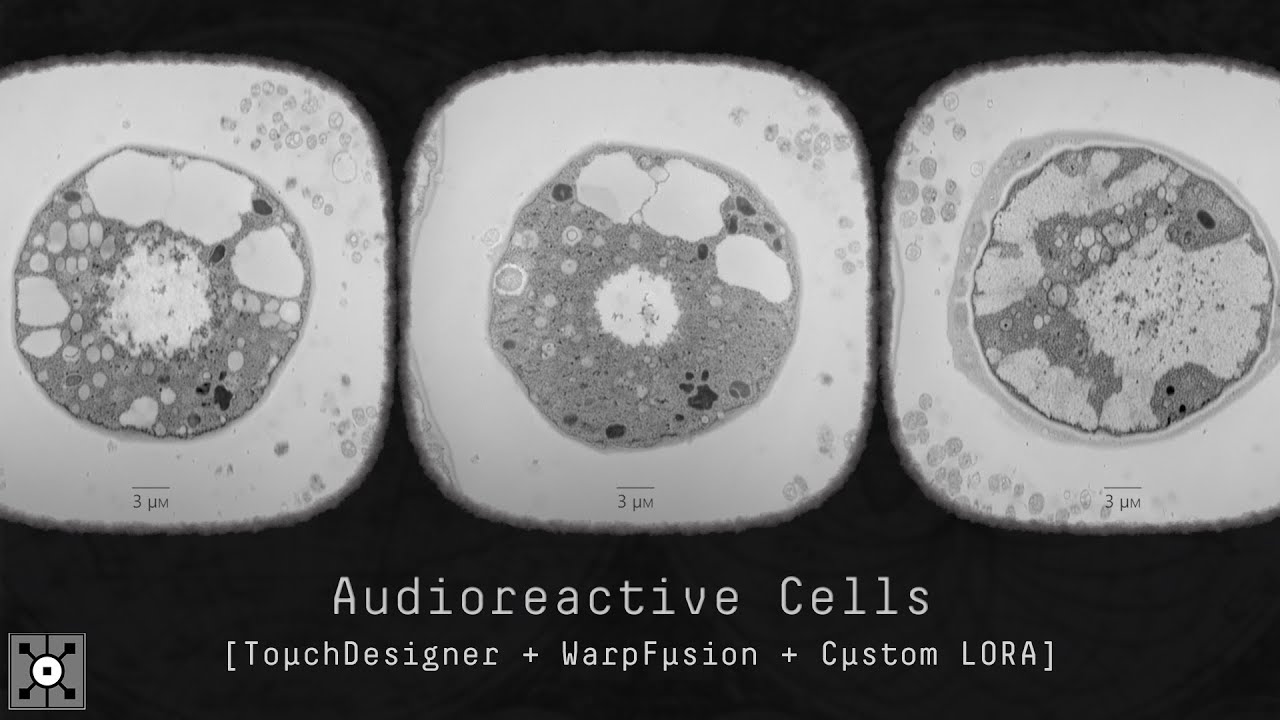
I've been experimenting with SD model fine-tuning for these past few weeks, and this one right here strike me as a hella-interesting one. Hopefully it does for you aswell.
This new system includes: TouchDesigner audio-reactive system ➜ SD/WP parameter configuration files ➜ Custom LORA [Electron Microscopy Style]
You can access these, plus many...
 turbid carbon
So I got this massive error code. Do I need to reinstall or update stuffs?
And yes, Forge is the only option I can use on this potato.
 ruby yoke
loud pond
but its not using complex pictures so i was thinking maybe something could anima...
ruby yoke
loud pond
but its not using complex pictures so i was thinking maybe something could anima...
you could use a standard method of animating a sprite sheet
dusk shuttle
Are you also using the same seed as the prompt you are trying to replicate? Maybe your seed is set to random.
I have a what might be a noob question.
I've been trying to follow this guide to run auto1111 on AWS EC2: https://github.com/blekmus/aws-stable-diffusion?tab=readme-ov-file
I got the auto1111 webui installed and when I run "bash webui.sh", its gives me a local url http://127.0.0.1:7860
The last step in the guide is "Connecting", To establish a secure connection to the WebUI using ssh tunnel. I used putty, made the connection.... and now what? I tried the local url in my browser but it just says connection time out.
I am new to AWS so i dont understand the issue. Added my ip address to security policy of my instance.
Can someone help please? How do I access the webui of auto1111?

GitHub
How to run Stable Diffusion Automatic1111 WebUI on AWS EC2 instance - blekmus/aws-stable-diffusion
 spare wigeon
dusk shuttle
Are you also using the same seed as the prompt you are trying to replicate? Mayb...
spare wigeon
dusk shuttle
Are you also using the same seed as the prompt you are trying to replicate? Mayb...
Yes, fortunately most of the pictures comes with a seed so im also entering that.
loud pond
ruby yoke
you could use a standard method of animating a sprite sheet
what? how do i do that?
also @ornate elk do you know if its possible to make 3d art like for blender using ai?
ornate elk
loud pond
also <@161910921269084160> do you know if its possible to make 3d art like for b...
not with stable diffusion webui, but there are other tools
loud pond
ornate elk
not with stable diffusion webui, but there are other tools
oh really like what?
ornate elk
dont know the name rn sry
loud pond
oh alright, btw i found something like this

这是我随便训练的一个可以用来制作3d小房子的模型,效果比较接近blender建模的效果,如果你喜欢这个模型,可以给我5颗星,也欢迎留言评论。这里是我的主页 https://space.bilibili.com/411520683 设置参数如下: 1 room, lighting, isomet...
would this be possible to just make and import to blender?
ruby yoke
loud pond
what? how do i do that?
usually, you're calling them in a game. here's a tutorial for gamemaker https://youtu.be/vdM4HkqJ020?si=fQe-fQTGanxGQDny

Animate sprite sheets in GameMaker, and make a magic attack that ignites your game dev skills.
Download the red haired mage sprite sheet from OpenGameArt, thank you Skoam 🙌: https://opengameart.org/content/fumiko-complete-charset
Download the magic attack sprite sheet from Imgur: https://imgur.com/OnmHTOf
Get your free copy of GameMaker: http...
loud pond
ruby yoke
usually, you're calling them in a game. here's a tutorial for gamemaker https://...
cheers, i recently made all the characters moving thanks to CS1o, all i needed to go was to animate them
sinful frost
This is random, but does anyone have a problem making mediapipe_face work in Adetailer on Auto1111? I keep getting this error message: nothing detected on image 1 with 2nd settings.
 thin cave
im having trouble with installing stable diffusion 1.9.4 on arch linux
 lime imp
Guys, who knows, this message appears when start generation
TypeError: '>' not supported between instances of 'int' and 'str'
generation doesn't work
This error appeared after restarting SD forge
oh I got it! I accidentally hit this half-knock

and the value was set to 2
 molten rampart
Can I ask here a problem with Forge and Flux? I'm going crazy 😦
I don't understand: Is my 4080 16gb not powerful enough to run dev fp16 or fp8? D:
 azure magnet
Hi, how is call the extension for using controlnet on comfyui?
ornate elk
molten rampart
I don't understand: Is my 4080 16gb not powerful enough to run dev fp16 or fp8? ...
It should be
Use nf4 model
 steady thistle
I have Swarm I copied over from my previous PC. I have a brand new PC now and I installed Git and Python 3.10.11 (and added to Path). Can I get it Swarm to work on this PC without redownloading it?
I was about to delete SwarmUI.sln and running the install-windows.bat
ornate elk
steady thistle
I was about to delete SwarmUI.sln and running the install-windows.bat
swarm ui also needs .Net 8
but you may need to reinstall it
 lunar perch
when u remix images in civitai it auto-applies the loras without showing their names in the prompt window.
forge webui requires you to type the lora name as <lora:name> but the actual lora names are often not the same as they appear in civitai, and it's a pain to go track them down in the local folder
how do I easily grab the actual lora name I need to enter in <lora:> format into hte prompt window, from civitai?
 quaint idol
Hello can someone help me with an error "error: RPC failed; curl 92 HTTP/2 stream 0 was not closed cleanly: CANCEL (err 8)" I think its my mobile phone internet speed so I tried hotspot then usb cable I get at the maximum 28mbps for a speed test, git has cloned stable diffusion and I still have the same error with webui user.bat
before the error where it says "remote: Enumerating objects: 580, done" it gets to about 19% then there is more text with an error 128?
fair oxide
how can I point automatic11 to use my second gpu for installing? i have an amd gpu in my first slot and its trying to use that one and an nvidia cardc in my second slot. I want to use the second slot gpu not amd gpu
steady thistle
ornate elk
swarm ui also needs .Net 8
Ah yes, thank you, that seems to have done it.
Yeah, that was it. 16 vram on my Nvidia RTX 4700 Ti Super with 32 gigs ram and I'm finally cooking with gas.
quaint idol
....is there a way to enable http version 1.1 for git when using webui.bat
and to enable a larger buffer
 sudden hawk
Hello, I have this grey image when I try to generate with the checkpoint ariesFp16NoEmaNoVae_v32. can someone help me pls ? It was working yersterday so I don"t understand
 ruby yoke
sudden hawk
Hello, I have this grey image when I try to generate with the checkpoint ariesFp...
ruby yoke
sudden hawk
Hello, I have this grey image when I try to generate with the checkpoint ariesFp...
did you change your latent size?
sudden hawk
ruby yoke
did you change your latent size?
no
ruby yoke
did you change anything at all?
sudden hawk
ruby yoke
did you change anything at all?
absolutly not, thats why i dont understand
maybe i need to update my SD? i don't remember how to do it
ruby yoke
and you've rebooted, yes? just to make sure nothing's hung in cache?
sudden hawk
ruby yoke
and you've rebooted, yes? just to make sure nothing's hung in cache?
i can try
ruby yoke
sudden hawk
i can try
please do a completely shutdown, power off, leave off for 10 seconds, then power on and boot up. to clear everything and load everything fresh
sudden hawk
ruby yoke
please do a completely shutdown, power off, leave off for 10 seconds, then power...
it still don't work..
ruby yoke
okay, i'm lost on why it's having a problem. i doubt it's because you need to update anything. i don't recall seeing a new version of webUI and stable diffusion itself doesn't get updated, we just get new advanced models.
if you can wait till @ornate elk gets back online, he might have some solutions
sudden hawk
ruby yoke
okay, i'm lost on why it's having a problem. i doubt it's because you need to up...
okei, thanks for your time 🙂
 cerulean furnace
new to Stable diffusion and i have AMD 6700xt 12 gb VRAM do i install it on my Windows 11 or to create a dual boot with linux mint and to install Stable Diffusion there ?
quaint idol
what is the origin repository for stable diffusion? I changed it to git@your-git.com and cant use git pull
quaint idol
cerulean furnace
new to Stable diffusion and i have AMD 6700xt 12 gb VRAM do i install it on my W...
You can definately install on Windows 11 Im in the same process Ive been trying for about 8 hours
You need a good internet speed or git can show errors
cerulean furnace
but i read that it's better to install on linux if you have an AMD gpu no sure if that's true
quaint idol
Im new too I guess linux could be faster but I guess it would depend how much detail you want to push out of your pc with quallity of pictures would be, I bet it would be fine on windows 11
Im having download errors using a mobile Ive read if you have better internet theres not much trouble
im using Nvidia so I cant really help
try on 11 first it should still be fast gee I'm using an RTX 2080Ti and quite old CPU but ive read a picture generates in about 7 to 10 seconds
while I wait what GPU is it
Ill have a look online
quaint idol
cerulean furnace
but i read that it's better to install on linux if you have an AMD gpu no sure i...
There are different results when comparing different versions, the benchmarks say 11 is ok for one version and linux is ok for another version
How does the choice of Operating System affect image generation performance in Stable Diffusion?
cerulean furnace
will my Sapphire rx 6700xt nitro works with rocm on linux ?
ruby yoke
cerulean furnace
new to Stable diffusion and i have AMD 6700xt 12 gb VRAM do i install it on my W...
there are AMD guides you need to go through. look for the push pin icon at the top of this channel, they're pinned
 south vigil
yo guys after using the latent upscale my picture gets a bit weird, does anyone know why?

 ruby yoke
south vigil
yo guys after using the latent upscale my picture gets a bit weird, does anyone ...
ruby yoke
south vigil
yo guys after using the latent upscale my picture gets a bit weird, does anyone ...
wow, that's some ugly aliasing
south vigil
ruby yoke
wow, that's some ugly aliasing
ye, what could be the reason?
ruby yoke
south vigil
ye, what could be the reason?
i'm going to blame your upscaler - which one are you using?
south vigil
ruby yoke
i'm going to blame your upscaler - which one are you using?
omg im not sure why i didnt thought about changing the upscale model, sometimes its a bit overwhelming with all those settings lmao xP
ah no wait, the latent upscaler has no model right?
it looks like this, after the first ksampler the picture is aight and after the second the problem hits

not always but often
after the second ksampler the actual upscale begins where it works actually fine
ruby yoke
south vigil
it looks like this, after the first ksampler the picture is aight and after the ...
okay, well, that narrows down where the issue is coming from at least so start playing around with the values there
or just leave it if the final result is good
south vigil
ruby yoke
okay, well, that narrows down where the issue is coming from at least so start p...
yeah thats true, I thought maybe someone would know what setting it could be either denois eor cfg i thought
south vigil
ruby yoke
or just leave it if the final result is good
the final result is sadly not "good" it looks fine but the ultimate upscaler doesnt correct the issue it just enhances the quality
ruby yoke
south vigil
the final result is sadly not "good" it looks fine but the ultimate upscaler doe...
okay well, it's fairly late at night for most of the members that hang out here. you might need to wait a few hours till others log back on
thin cave
im having trouble with installing stable diffusion 1.9.4 on arch linux
ornate elk
fair oxide
how can I point automatic11 to use my second gpu for installing? i have an amd g...
You then need to add --device-id 1 in the webui-user.bat
ornate elk
cerulean furnace
new to Stable diffusion and i have AMD 6700xt 12 gb VRAM do i install it on my W...
You can use my AMD Zluda guide if you want to use it on windows, or you can dualboot or use WSL2 to install it on Linux
ornate elk
south vigil
yo guys after using the latent upscale my picture gets a bit weird, does anyone ...
Denois 0.4 is to high when not using Controlnet tile model.
So try 0.3 or 0.2
south vigil
ornate elk
Denois 0.4 is to high when not using Controlnet tile model.
So try 0.3 or 0.2
thank you this helped me
one more question, I have a lot of problems with hands and watched some videos but all of them didnt work, is there anything you can recommend doing for getting better hands?
or maybe even a photoshop tutorial for fixing hands? i relaly try my best but cant find anything useful
ornate elk
Fixing hands is really hard and mostly people only do it with Photoshop.
To not get bad hands you would need to use sdxl or pony models.
And Controlnet openpose for 1.5 models
south vigil
ornate elk
Fixing hands is really hard and mostly people only do it with Photoshop.
To not ...
I see so there are actualy lora models for sdxl and pony i will research bout that, do you maybe have a good photoshop tutorial? the last time i tried following some tutorials i got hedache even though i use it regularly for thumbnails
ornate elk
south vigil
I see so there are actualy lora models for sdxl and pony i will research bout th...
Nope sry, and yes there are loras for hands or embeddings but they can't fix them reliable too
south vigil
ornate elk
Nope sry, and yes there are loras for hands or embeddings but they can't fix the...
alright thanks for the information, so to get consistent good works i gotta be able to use photoshop properly
ornate elk
Depends on what you want to do and how important the hands are in the image
south vigil
ornate elk
Depends on what you want to do and how important the hands are in the image
in my case the hands are heavy weighted sadly
ornate elk
Or use sdxl or pony models to not get bad hands in the first place
south vigil
ornate elk
Or use sdxl or pony models to not get bad hands in the first place
yeah i will actually experiment a bit out with those first, if i have embeddings installed i only need to use the key word to activate them right?
ornate elk
Yes
south vigil
thanks so much that enhanced my understanding a lot
ornate elk
no problem
molten rampart
Can someone please help me with Forge and Flux dev? There is no way to make it work, but I've done everything right
ornate elk
molten rampart
Can someone please help me with Forge and Flux dev? There is no way to make it w...
whats the problem?
 open wharf
i see that i need to python version 3.10 to install the Automatic 111 UI. i have 3.12 is it possible to downgrade
ornate elk
open wharf
i see that i need to python version 3.10 to install the Automatic 111 UI. i have...
You need to uninstall 3.12 then install 3.10.11 64bit
Then delete the venv folder and relaunch the webui-user.bat
 scenic plaza
hello, can someone help me why the stable diffusion a1111 ui takes up 15gb of vram just by starting it without any generation?
 shut hazel
Hi, I want to train an inpainting model where I go from multiple input images to an output with stable diffusion. Is this possible? If yes, can you guide me through the process?
open wharf
ornate elk
You need to uninstall 3.12 then install 3.10.11 64bit
Then delete the venv folde...
by webui.bat am i to assume you are reffering to the Stable diffusion installation?
ornate elk
open wharf
by webui.bat am i to assume you are reffering to the Stable diffusion installati...
If you installed the Automatic1111 Webui you always need to launch it with the webui-user.bat
Not webui.bat
ornate elk
scenic plaza
hello, can someone help me why the stable diffusion a1111 ui takes up 15gb of vr...
Whats your GPU ?
scenic plaza
ornate elk
Whats your GPU ?
rtx 3090
ornate elk
scenic plaza
rtx 3090
hmm, do you use sdlx models?
try switch to an 1.5 based 2gb model and relaunch
shut hazel
shut hazel
Hi, I want to train an inpainting model where I go from multiple input images to...
Any idea about this guys?
 unkempt root
how to add dreambot?
scenic plaza
ornate elk
hmm, do you use sdlx models?
Changed to ForgeUI seems to be fixed but now im getting "Refiner is currently under maintenance and unavailable. Sorry for the inconvenience." ?
ornate elk
scenic plaza
Changed to ForgeUI seems to be fixed but now im getting "Refiner is currently un...
yea refiner is not needed
scenic plaza
ornate elk
yea refiner is not needed
okay thanks
 errant thistle
im seeing clip skip 2 under a lot of png info.
Does clip skip reduce or increase image quality at all?
...better question actually. Is clip skip something thats better to use on some models rather than others? And does the reccommended amount change?
 jolly mango
sorry how to use this? i only joined recently, and did not find instructions in the server guide
ornate elk
jolly mango
sorry how to use this? i only joined recently, and did not find instructions in ...
Hey, you can install stable diffusion localy on your PC.
Check the link of the pinned messages for install guides.
 lament jasper
Hello I need to make a stable difusion model
should be an image blender 2 images, and fine tune it with lora or dreambooth, than deploy it on replicate
if you are interested on this job and want to help me
DM ME
 oblique meadow
errant thistle
im seeing clip skip 2 under a lot of png info.
Does clip skip reduce or increas...
oblique meadow
errant thistle
im seeing clip skip 2 under a lot of png info.
Does clip skip reduce or increas...
Depends on the model, for just normal sdxl models, clip skip usually increases creativity at the cost of some prompt following. PonyXL models which are popular as well, require clip skip of 2.
fair oxide
ornate elk
You then need to add --device-id 1 in the webui-user.bat
this didnt work, i do wanna mention that my gpu isnt recognized in task manager since its an old mining gpu
ornate elk
fair oxide
this didnt work, i do wanna mention that my gpu isnt recognized in task manager ...
What GPUs do you have ?
fair oxide
6600 and p102-100, basically a 1080 ti
ornate elk
Ah okay
fair oxide
got it working with LLMs just not sd
ornate elk
Don't think that will work then
open wharf
ornate elk
If you installed the Automatic1111 Webui you always need to launch it with the w...
just wanted to be clear about it
solemn moon
Argh, thinking of moving onto forge I guess.. is there something similar to lobe where forge UI can be customized?
I read that it doesn’t use negatives
 rare mountain
guys how can i set up an sxdl workflow so i can use sxdl and loras like this? https://civitai.com/images/12873849 I've found sxdl is a huge pain in the ass to use with comfy ui for some reason compared to sd 1.5 or flux and am struggling big time trying to replicate the image in the link
 solemn moon
ornate elk
Because flux can't use negatives or dont need them
solemn moon
ornate elk
Because flux can't use negatives or dont need them
Read it here 😅
facts, i pop in to help if i can and try keep up with everything, comfy too hard, i click install missing nodes from a workflow and nothing happens  so gonna move onto forge seeing as though Auto has stopped Auto'ing
spare wigeon
Greetings y'all! Im a complete beginner with AI, but recently i've wanted to dip my hand trying AI art. I've learned a few things here and there, but there something im not understanding at all.
On the website CivitAi, you can get LoRAs and Models to get your machine to draw specific artstyle and/or characters, but even if I use the exact same settings, seed and prompts of a posted picture, im not getting anywhere close to the artstyle depicted. Is there a reason why?
Also, i'm wondering how can our machine learn what's "good" and what's "bad", since we don't have an option to tell it "that's a good image" or "that's a bad image".
ornate elk
spare wigeon
Greetings y'all! Im a complete beginner with AI, but recently i've wanted to dip...
To get the same image like on civitai is not alwaye possible but make sure you do it like this if you use Automatic1111:
On the image in civitai click on the blue copy prompt Settings button.
Then paste that into the positive prompt.
After that Click on the blue/white arrow at the right.
It should now apply everything automaticly.
Then generate.
fair oxide
trying to use controlnet but this keeps happening, i could only find one thread on it and it didnt help worth a shit, send help
 ornate elk
fair oxide
trying to use controlnet but this keeps happening, i could only find one thread ...
ornate elk
fair oxide
trying to use controlnet but this keeps happening, i could only find one thread ...
Can you share the whole CMD log and the txt2img + Controlnet settings
fair oxide
ornate elk
Can you share the whole CMD log and the txt2img + Controlnet settings
cmd log?
heres my settings

 ornate elk
fair oxide
cmd log?
ornate elk
fair oxide
cmd log?
The cmd
The black window
Also do you use sdxl or 1.5 ?
As model
fair oxide
ornate elk
Also do you use sdxl or 1.5 ?
pony
fair oxide
ornate elk
You may need an other Controlnet openpose model
wdym
ornate elk
I mean that you may need to use an other Controlnet openpose model
Like the bottom one from here:
https://huggingface.co/lllyasviel/sd_control_collection/tree/main
fair oxide
which one
fair oxide
ornate elk
The black window
this??
 loud pond
for some reason control net keeps giving me front pictures and i want a view of my character walking away from the player

whats wrong?
ornate elk
fair oxide
which one
The bottom one
ornate elk
fair oxide
this??
Hmm did you downloaded controlnet manually instead of using the extensions tab for install?
ornate elk
The webui too ?
Maybe both is outdated then
fair oxide
😔 man ig i gotta install the newer version?
ornate elk
Looking at the cmd and the folder name I would recommend a clean reinstall
 vocal sundial
hi, can anybody help me with this? I just updated forgeui and they started showing up
 fair oxide
ornate elk
Looking at the cmd and the folder name I would recommend a clean reinstall
fair oxide
ornate elk
Looking at the cmd and the folder name I would recommend a clean reinstall
alright ill try that
anything i might need to know before i reinstall
ill be doing it manually since my internet is ass
ornate elk
fair oxide
ill be doing it manually since my internet is ass
Do it with my guide from the pinned tabs
fair oxide
bet
ornate elk
And then you can move the models over
And install controlnet via the extensions tab in the webui
vocal sundial
vocal sundial
hi, can anybody help me with this? I just updated forgeui and they started showi...
also getting these errors:
 ornate elk
vocal sundial
also getting these errors:
ornate elk
vocal sundial
also getting these errors:
Try updating the extensions
steady thistle
I can't get ReActor to install. Sigh. I opened the cmd from my AI folder and python_embeded\python.exe -V gave an error, but python.exe -V showed me 3.10.11
vocal sundial
ControlNet is integrated and it is deactivated
Regional prompter I already downloaded again from the github and does not show up anymore in the UI
steady thistle
I might be moving forward on it. Crossing fingers
ornate elk
vocal sundial
ControlNet is integrated and it is deactivated
Okay
steady thistle
Could you help me troubleshoot my ReActor install? I keep getting "fail" on FaceSwap also
 proper swallow
Is there a reason why some prompts I see shows:<lora:Detail Tweaker LoRA add_detail:0.7> but in my prompt it shows lora:add_detail:0.7 when clicking on the lora add detail.
steady thistle
I can't seem to get Insightface to install even tho I went through the git with python.exe -m pip install insightface-0.7.3-cp310-cp310-win_amd64.whl
vocal sundial
ornate elk
Okay
so, should i just ignore them?
i want to keep using regional prompter
steady thistle
Ah, with Swarm, I have to go into the dlbackend folder to do comfy stuff
mesh_core_cython.cpp
insightface/thirdparty/face3d/mesh/cython/mesh_core_cython.cpp(36): fatal error C1083: Cannot open include file: 'Python.h': No such file or directory
error: command 'C:\Program Files\Microsoft Visual Studio\2022\Community\VC\Tools\MSVC\14.41.34120\bin\HostX86\x64\cl.exe' failed with exit code 2
[end of output]
note: This error originates from a subprocess, and is likely not a problem with pip.
ERROR: Failed building wheel for insightface
Failed to build insightface
ERROR: ERROR: Failed to build installable wheels for some pyproject.toml based projects (insightface)
Ok
Done
I think installing Swarm vs Comfy was a bad idea. I should just do ComfyUI and just dl the 6 or so gigs
ornate elk
vocal sundial
i want to keep using regional prompter
Forge is an experimental webui. The problem is that the extension can break at any time
ornate elk
steady thistle
I can't seem to get Insightface to install even tho I went through the git with ...
You need to download the insightface WHL file before you can install it
steady thistle
ornate elk
You need to download the insightface WHL file before you can install it
I think I'm fighting with two locations with SwarmUI, but I don't think I need the SwarmUI frontend anyway now that I'm getting into comfy more
ornate elk
Ah okay
ruby yoke
vocal sundial
I was just trying to get SD3 to work
did forge ever put sd3 support in?
vocal sundial
Idk, i just assumed since it has flux options
steady thistle
ornate elk
You need to download the insightface WHL file before you can install it
Okay, I haven't opened Manager yet, should I put insightface WHL into a certain folder? And which?
ornate elk
steady thistle
Okay, I haven't opened Manager yet, should I put insightface WHL into a certain ...
In the folder where comfyui is
steady thistle
Okay, cool. Thanks.
Okay, got it and done. Now I'll try and start installing stuff as I think I have all the prerequisits
ruby yoke
vocal sundial
Idk, i just assumed since it has flux options
they're not the same, and i'd be surprised if forge added sd3
vocal sundial
I was just going to give it a try, but updating forge broke everything
steady thistle
ornate elk
In the folder where comfyui is
I dunno, it failed again on a fresh ComfyUI install, carefully as I could following the instructions.
ruby yoke
vocal sundial
I was just going to give it a try, but updating forge broke everything
anything in your update logs?
steady thistle
Ooh, I think it's a pip update issue
nope
Okay, I'm getting this error even though I have insightface:
I tried updating pip but it's reading the wrong version. I have 24.2 but it says 24.1.2
vocal sundial
ruby yoke
anything in your update logs?
where's it?
ruby yoke
vocal sundial
where's it?
it would likely have been in your console window
vocal sundial
ruby yoke
it would likely have been in your console window
I posted them earlier
steady thistle
Can anyone explain this and how to fix it?
WARNING: The scripts pip.exe, pip3.11.exe and pip3.exe are installed in 'D:\Ai\ComfyUI_windows_portable_nvidia_cu121_or_cpu\ComfyUI_windows_portable\python_embeded\Scripts' which is not on PATH.
ornate elk
steady thistle
Can anyone explain this and how to fix it?
WARNING: The scripts pip.exe, pip3.1...
you have to install python 3.10.11 and check "add python to path"
steady thistle
If I didn't update my drivers I'm going to do something terrible to myself.
steady thistle
ornate elk
you have to install python 3.10.11 and check "add python to path"
I was very careful to do that... Let me see exactly what I did... Do I have to uninstall and reinstall?
I kept going back to it but I can't find the PATH option
ornate elk
steady thistle
I was very careful to do that... Let me see exactly what I did... Do I have to u...
you can also run the python installer again, click modify,, next, and then select "add python to environment variables"
steady thistle
Okay, I can confirm that it was already checked
I opened up this PC box yesterday and didn't update the drivers yet. Maybe that will help. No idea.

 ruby yoke
vocal sundial
SD3 support?
ruby yoke
vocal sundial
SD3 support?
those are pull requests on github
steady thistle
ornate elk
you can also run the python installer again, click modify,, next, and then selec...
I was able to check Python versions in multiple folders and it's available. I don't know why that pip error came up.
I keep getting an error with 'building wheel' and I have no idea what wheel it's talking about
 hardy hare
can I use amd npu to run stable diffusion or anything at all, cuz I cant seem to find anything online. Only ryzen ai and shit of amd
steady thistle
I may not have installed all components required for Visual Studio Community
Nope, that didn't do it. Still no wheel whatever building
Is this maybe an onnx error?
ornate elk
hardy hare
can I use amd npu to run stable diffusion or anything at all, cuz I cant seem to...
What npu is it?
A 780M and a 680M is supported by Zluda for AMD
steady thistle
omg, I mismatched my Python version. It's fixed. Thanks for the assistance.
steady thistle
All this was in red and didn't work properly. Ideas?
It starts when I use the Face Restore Model, I think
@ornate elk Do you have any thoughts on what's happening there? It's when I turn on GFPGANv1.3.pth to improve the face quality.
ornate elk
steady thistle
<@161910921269084160> Do you have any thoughts on what's happening there? It's w...
Use Codeformer with reactor
Gfpgan is not good for realistic faces