#🤝|tech-support
1 messages · Page 85 of 1
 ornate elk
 dim fractal
doing that now
dim fractal
ornate elk
also whats in your webui-user.bat?
@echo off
set PYTHON=
set GIT=
set VENV_DIR=
set COMMANDLINE_ARGS=
@REM Uncomment following code to reference an existing A1111 checkout.
@REM set A1111_HOME=Your A1111 checkout dir
@REM
@REM set VENV_DIR=%A1111_HOME%/venv
@REM set COMMANDLINE_ARGS=%COMMANDLINE_ARGS% ^
@REM --ckpt-dir %A1111_HOME%/models/Stable-diffusion ^
@REM --hypernetwork-dir %A1111_HOME%/models/hypernetworks ^
@REM --embeddings-dir %A1111_HOME%/embeddings ^
@REM --lora-dir %A1111_HOME%/models/Lora
call webui.bat
normal sD forge ui
ornate elk
dim fractal
@echo off
set PYTHON=
set GIT=
set VENV_DIR=
set COMMANDLINE_ARGS=
@REM Uncomm...
oh your usinf forge. thats outdated and not recommended
switch to Auto1111 and you shouldnt have any issues
dim fractal
ornate elk
oh your usinf forge. thats outdated and not recommended
have to use forge, vram issues
worked fine until 3 days ago when i did my wipe
for 6 months
ornate elk
dim fractal
have to use forge, vram issues
a rtx4060 works good in auto1111 you just need to use the right commandline args
--xformers --medvram-sdxl --no-half-vae
dim fractal
ornate elk
a rtx4060 works good in auto1111 you just need to use the right commandline arg...
believe me when i say.. forge is around 45% faster generation, which is very useful for me creating work for commissions, i can make $2400/mo with forge, with 1111 i can make around $1400-1600
something to do with my enviroment paths, cudnn, cuda, onxxx, but idk, looks fine to me, i cant figure it out
ornate elk
dim fractal
believe me when i say.. forge is around 45% faster generation, which is very use...
we had some people here which told me the same but we could make auto1111 work only maybe 5-10 seconds slower.
Here is the Forge Announcement. So thats why its not recommended for normal Users anymore. There is a fork of Forge maybe you should use that instead if you dont want Auto1111.
https://github.com/lllyasviel/stable-diffusion-webui-forge/discussions/801
GitHub
Hi forge users, Today the dev branch of upstream sd-webui has updated many progress about performance. Many previous bottlenecks should be resolved. As discussed here, we recommend a majority of us...
dim fractal
ornate elk
we had some people here which told me the same but we could make auto1111 work o...
im using the fork, yes
ornate elk
dim fractal
im using the fork, yes
ahhh okay
ornate elk
dim fractal
im using the fork, yes
in reactor you can set it to cpu mode
isnt much slower if cuda wont work as its only for face detection/Swap
dim fractal
ornate elk
in reactor you can set it to cpu mode
you can? oh dang, i didnt know that
uh ill go see to figure out how
ornate elk
dim fractal
you can? oh dang, i didnt know that
yea its not in the webui settings but in the reactor tab itself
under reactors settings
dim fractal
ornate elk
yea its not in the webui settings but in the reactor tab itself
will try, thanks!
dim fractal
ornate elk
yea its not in the webui settings but in the reactor tab itself
works fine 🙂
and yeah its not slow at all, quite fast actually
ornate elk
dim fractal
and yeah its not slow at all, quite fast actually
perfect! 🙂
 tame yoke
 ornate elk
I updated the guide.
Fooocus should work again
 dense tapir
Where do I change the default prompts, CFG, Seed, Adetailer settings, etc...?
 misty marten
My inpaint does not fill the selected part, I've tried several models and changed several options, but it still gives the same results. my prompt for this image was wearing medieval armor.


 dense tapir
misty marten
My inpaint does not fill the selected part, I've tried several models and change...
dense tapir
misty marten
My inpaint does not fill the selected part, I've tried several models and change...
Try 1024x1024 and tick Fill
Set denoising to 0.59 and slowly go up if it's still bad
misty marten
dense tapir
Try 1024x1024 and tick Fill
It didn't work, I still have the same results :/
dense tapir
misty marten
It didn't work, I still have the same results :/
Try Just Resize
 fathom rose
please help me to set up 

 lost chasm
hey dumb question, 4090 comes with a power connector that feeds in 4 power cables from PSU but this PC i'm trying to ram it in only has 3 to feed into it
will it work with 3 or is this a dumb question, asked by an idiot
 ruby yoke
lost chasm
hey dumb question, 4090 comes with a power connector that feeds in 4 power cable...
ruby yoke
lost chasm
hey dumb question, 4090 comes with a power connector that feeds in 4 power cable...
i wouldn't do that if i were you
lost chasm
ruby yoke
i wouldn't do that if i were you
i think its a great idea what could go wrong?
ruby yoke
lost chasm
i think its a great idea what could go wrong?
i can think of a lot of things that can go wrong. might do a little bit of research on google
lost chasm
nah too late, plugged it in, it works, woohoo! party time.
ruby yoke
lost chasm
nah too late, plugged it in, it works, woohoo! party time.
do i smell smoke?
ruby yoke
lost chasm
this is how tough guys do it breh
knew a guy years ago that thought like that. he had a vga monitor, the card in the computer was cga. he was sure all he had to do was put extra pins in the monitor plug. used some bits of wire to do that. bought new equipment after
lost chasm
yeah but i skimmed some reddit forums or whatever
and once i read something that sounded like what i wanted to hear, that was good enough for me
ruby yoke
lost chasm
yeah but i skimmed some reddit forums or whatever
there's a reason there are 4 plugs, you know?
lost chasm
yeah for overclocking
ruby yoke
do you also cut the ground plug off of extension cords?
lost chasm
ruby yoke
do you also cut the ground plug off of extension cords?
sure, i do all sorts of cool things
ruby yoke
lost chasm
sure, i do all sorts of cool things
it's your money
lost chasm
i emailed Falcon Northwest support but they are too slow, tough guys never wait.
if it makes you feel better, i wont come here and complain to you if i short out my gpu lol
dense tapir
lost chasm
this is how tough guys do it breh
Chad
lost chasm
i got the vibe it would work fine and i factchecked my vibe with my emotions and my emotions gave me a good feeling about it, technically.
dense tapir
Do tough guys care about emotions?
dense tapir
lost chasm
even tough guys cry sometimes
About tough guy things
lost chasm
dense tapir
About tough guy things

Earth Day, the annual day of environmental action and awareness, was first held on April 22, 1970. This past April 22nd, we finally ventured into the woods behind our house and pulled 4 putrid truck tires/mosquito farms out of the mud, along with about 200 pounds of scrap metal, engine parts, and farm equipment. The place used to be a dairy farm...
ok i did some SDXL gens to give it a spin and nothing exploded so far
 fathom rose
plzz help...
 lost chasm
ruby yoke
it's your money
lost chasm
ruby yoke
it's your money

"3 pcie 8 pin cables from power supply to included 4090 power adapter"
sounds like i'm golden
a special magical golden idiot who stumbled blindly on the correct solution before i properly confirmed it, like heroes do
 violet voidBOT
Thank you for using comcom analytics.
"comcom analytics" supports all community managers (moderators and server owners) by stats, visualization, and analytics.
If you have any questions, feel free to ask us!
Your dashboard
Help
Support server
Other languages
en: help
ja: help Japanese
 worn bane
What is this model name?
 worn bane
What is this model name?
worn bane
worn bane
What is this model name?

 vernal wolf
worn bane
What is this model name?
vernal wolf
worn bane
What is this model name?
Im not sure but probably "autismmixSDXL_autismmixPony", in case its sdxl
worn bane
vernal wolf
Im not sure but probably "autismmixSDXL_autismmixPony", in case its sdxl
All the artist's pictures are in the same style, I don't think sdxl
Search artkoikoi in pixiv
vernal wolf
🤔
worn bane
vernal wolf
🤔
search and see the all post style
vernal wolf
Oof and I dont remember sd 1.5 model´s names, sorry U.U @worn bane
worn bane
Its same style
worn bane
vernal wolf
Oof and I dont remember sd 1.5 model´s names, sorry U.U <@1235434103076159578>
💔
vernal wolf
worn bane
💔
Don´t worry, I found it!
worn bane
Damn
vernal wolf
Its Anythingv3 model based on sd 1.5 @worn bane and the user has a civitai page where he/she uploads the lora models used https://civitai.com/user/artkoikoi
worn bane
vernal wolf
Its Anythingv3 model based on sd 1.5 <@1235434103076159578> and the user has a c...
Hmmm can you make a image using his lora?
vernal wolf
Yes but idk which one, there are many of them
If you have sd in your PC you can download the anythingv3 model and try any of the loras, I dont have that model downloaded sadly so i cannot test it rn
worn bane
vernal wolf
If you have sd in your PC you can download the anythingv3 model and try any of t...
I don't have pc
vernal wolf
worn bane
I don't have pc
On civitAI you can use some of the loras so you can generate the images there

 umbral ingot
Ok so I installed SD and everything and I have a Nvidia 2070 yet when I try to generate anything with default settings and size of the image, it slows my PC down so much it might as well be stuck frozen
Even with the only thing being opened is SD it still struggles for a long time somehow.
ornate elk
umbral ingot
Even with the only thing being opened is SD it still struggles for a long time s...
Make sure Wallpaper Engine is closed/disabled (not paused) too, if you have that.
Then you also need to edit the webui-user.bat (right click)
And at the line commandline_args=
You need to add: --xformers --medvram-sdxl --no-half-vae
Then save and relaunch the webui-user.bat
worn bane
vernal wolf
On civitAI you can use some of the loras so you can generate the images there
LoL i found his settings
 glass sable
Since the update I've discovered the source of the slowness. "No module found xformers" what ver should I have?
And what's my pip command for it?
A11, obviously.
"set COMMANDLINE_ARGS= --no-half --reinstall-torch --xformers"
fathom rose
fathom rose
# plzz help...
@ornate elk plz help me
fathom rose
i think i figured it but i'm trying to set directory for the checkpoints through command line args or internal setting
Not sure how..
i'm using the same webui-user setting on 1.10 RC as the old versions with the same directory commands but it's not picking up
ahh nvm i think i missed something to copy
now got it fixed
is this a ok setting for the 1.10RC? do i need to change anything here?
 ornate elk
fathom rose
is this a ok setting for the 1.10RC? do i need to change anything here?
ornate elk
fathom rose
is this a ok setting for the 1.10RC? do i need to change anything here?
You should add --xformers for better performance
And remove --medvram
fathom rose
adding xformers will allow me to get the full potential of SD3 still?
fathom rose
ornate elk
And remove --medvram
the --medvram-sdxl necessary or no?
my gpu is 3070ti
dense tapir
I downloaded a wildcard zip, where do I put the content of it?
Figured it out!
Goes into extensions - sd-dynamic-prompts - wildcards
fathom rose
will i need to get the text encoders separately or they come packed with the medium checkpoints?

 glass sable
"xFormers wasn't build with CUDA support" WTFITS?
I've def got the right ver of xformers for 11.8
Windows, A11, Somebody come to my house and put me out of my misery. That's what this chat is for right?
Here's the error I'm getting front-end: NotImplementedError: No operator found for memory_efficient_attention_forward with inputs: query : shape=(16, 5600, 10, 64) (torch.float32) key : shape=(16, 5600, 10, 64) (torch.float32) value : shape=(16, 5600, 10, 64) (torch.float32) attn_bias : <class 'NoneType'> p : 0.0 flshattF is not supported because: xFormers wasn't build with CUDA support dtype=torch.float32 (supported: {torch.float16, torch.bfloat16}) Operator wasn't built - see python -m xformers.info for more info tritonflashattF is not supported because: xFormers wasn't build with CUDA support dtype=torch.float32 (supported: {torch.float16, torch.bfloat16}) Operator wasn't built - see python -m xformers.info for more info triton is not available requires A100 GPU cutlassF is not supported because: xFormers wasn't build with CUDA support Operator wasn't built - see python -m xformers.info for more info smallkF is not supported because: xFormers wasn't build with CUDA support max(query.shape[-1] != value.shape[-1]) > 32 Operator wasn't built - see python -m xformers.info for more info unsupported embed per head: 64
ornate elk
fathom rose
the --medvram-sdxl necessary or no?
Yes Its needed
ornate elk
glass sable
Here's the error I'm getting front-end: NotImplementedError: No operator found f...
What's your GPU?
glass sable
RTX4090
I'm currently reinstalling Torch.
Bout to check CUDA ver. I have no foqqin clue what I've wrought.
 glass sable
Same error. Just stepped down to the pyver demanded by the startup command line
I've got 2.4.0+cu118 AND Python 3.11.3, and CUDA 11.8
glass sable
 azure bough
it should kinda liik like this
azure bough
it should kinda liik like this
nvcc fatal : No input files specified; use option --help for more information
glass sable
Reinstalled CUDA. Some muthfakkin error. Please advise.
ornate elk
glass sable
I've got 2.4.0+cu118 AND Python 3.11.3, and CUDA 11.8
You need python 3.10.11 64bit
Uninstall 3.11
Then install 3.10.11 64bit
Then make sure you only have --xformers in the webui-user.bat commandline_args.
Then delete the venv folder and relaunch the webui-user.bat
glass sable
Doing so. Why does it say it requires 3.11.3?
azure bough
glass sable
nvcc fatal : No input files specified; use option --help for more information
so download the exe

NVIDIA Developer
Get the latest feature updates to NVIDIA's proprietary compute stack.
glass sable
azure bough
so download the [exe](https://developer.nvidia.com/cuda-downloads?target_os=Wind...
Way ahead of you, sibling of indeterminate gender.
azure bough
is it solved?
glass sable
Noop.
azure bough
I initially tried installing CUDA through the command line but encountered issues.
I switched to the executable installer and the installation was successful.
like 1h ago
glass sable
You're running A11 on 12.5?
glass sable
Waiting.
azure bough
whats 12.5
 fierce hollow
does anything in SD generation affect SSD write/read speed?
glass sable
CUDA 12.5. I was under the impression A11 had to be run on 11.8.
azure bough
it dosent matter
glass sable
Well, then I'm at a complete loss.
glass sable
I had to rebuild and webui.bat wiped torch, but didn't reinstall it. Everything has been jank since then.
azure bough
why dont you reinstall
glass sable
azure bough
why dont you reinstall
What torch build are you running?
I don't wanna lose my setup and porting everything over is a pain in my fat ass.
azure bough
listen. Do you want to install a1111 or comfyui.
glass sable
I'm just trying to get A11 running on Xformers optimizaton again.
ornate elk
glass sable
Doing so. Why does it say it requires 3.11.3?
It doesn't
It should work fine with 3.10.11
ornate elk
glass sable
CUDA 12.5. I was under the impression A11 had to be run on 11.8.
You don't need to install any cuda stuff manually
glass sable
ornate elk
It should work fine with 3.10.11
Unfortunately, it is not.
azure bough
if you want to install comfyui then just do iex (irm comfy.tc.ht) do this
ornate elk
glass sable
Unfortunately, it is not.
Can you show me the full cmd log?
glass sable
azure bough
if you want to install comfyui then just do ``` iex (irm comfy.tc.ht)``` do this
Comfy's working just fine, thanks. It's just shite for inpainting.
azure bough
well i am new to sd
glass sable
glass sable
ornate elk
Can you show me the full cmd log?
Theygo.
ornate elk
glass sable
Theygo.
You didn't followed my advise from above
Its still using python 3.11
Uninstall 3.11
Install 3.10.11
Delete the venv folder
Relaunch the webui-user.bat
glass sable
Sorry.
Forgot to reopen my environment.
1 sec while I do so.
I'm in a 3.10.11 venv, but it's still foqqing showing me at 3.11.5

 ornate elk
glass sable
ornate elk
glass sable
Have you deleted the venv folder?
ornate elk
I said twice that you need to delete the venv folder and then relaunch the webui-user.bat
If not it will never use the right Python version
glass sable
Duncecap time.
Huh. Now it's on 3.9.13. Thank you for your patience. It is 4 am and I know I am as frustrating as I am frustrated.
ornate elk
glass sable
Huh. Now it's on 3.9.13. Thank you for your patience. It is 4 am and I know I am...
Then you need to uninstall 3.9
Then delete the venv folder again
glass sable
K. Did that. Rerun webui-user?
Traceback (most recent call last):
File "C:\stable-diffusion-webui\launch.py", line 48, in <module>
main()
File "C:\stable-diffusion-webui\launch.py", line 39, in main
prepare_environment()
File "C:\stable-diffusion-webui\modules\launch_utils.py", line 380, in prepare_environment
run(f'"{python}" -m {torch_command}', "Installing torch and torchvision", "Couldn't install torch", live=True)
File "C:\stable-diffusion-webui\modules\launch_utils.py", line 115, in run
raise RuntimeError("\n".join(error_bits))
RuntimeError: Couldn't install torch.
Command: "C:\stable-diffusion-webui\venv\Scripts\python.exe" -m pip install torch==2.1.2 torchvision==0.16.2 --extra-index-url https://download.pytorch.org/whl/cu121
Error code: 1
ornate elk
glass sable
Traceback (most recent call last):
File "C:\stable-diffusion-webui\launch.py",...
The whole cmd log pls
glass sable
I closed it. It's running again. 1 sec.
venv "C:\stable-diffusion-webui\venv\Scripts\Python.exe"
Python 3.10.11 (tags/v3.10.11:7d4cc5a, Apr 5 2023, 00:38:17) [MSC v.1929 64 bit (AMD64)]
Version: v1.6.0-1398-gfeee37d7
Commit hash: feee37d75f1b168768014e4634dcb156ee649c05
Installing torch and torchvision
Looking in indexes: https://pypi.org/simple, https://download.pytorch.org/whl/cu121
Collecting torch==2.1.2
Downloading https://download.pytorch.org/whl/cu121/torch-2.1.2%2Bcu121-cp310-cp310-win_amd64.whl (2473.9 MB)
-------------------- ------------------- 1.2/2.5 GB 28.5 MB/s eta 0:00:44ERROR: Could not install packages due to an OSError: [Errno 28] No space left on device
-------------------- ------------------- 1.2/2.5 GB 28.5 MB/s eta 0:00:44
[notice] A new release of pip is available: 23.0.1 -> 24.1.2
[notice] To update, run: C:\stable-diffusion-webui\venv\Scripts\python.exe -m pip install --upgrade pip
Traceback (most recent call last):
File "C:\stable-diffusion-webui\launch.py", line 48, in <module>
main()
File "C:\stable-diffusion-webui\launch.py", line 39, in main
prepare_environment()
File "C:\stable-diffusion-webui\modules\launch_utils.py", line 380, in prepare_environment
run(f'"{python}" -m {torch_command}', "Installing torch and torchvision", "Couldn't install torch", live=True)
File "C:\stable-diffusion-webui\modules\launch_utils.py", line 115, in run
raise RuntimeError("\n".join(error_bits))
RuntimeError: Couldn't install torch.
Command: "C:\stable-diffusion-webui\venv\Scripts\python.exe" -m pip install torch==2.1.2 torchvision==0.16.2 --extra-index-url https://download.pytorch.org/whl/cu121
Error code: 1
ornate elk
glass sable
venv "C:\stable-diffusion-webui\venv\Scripts\Python.exe"
Python 3.10.11 (tags/v3...
Your using an old webui version
ornate elk
glass sable
I just upgraded?
Its not upgraded. You need to add
Git pull
Into a empty row into the webui-user.bat
Then delete the venv folder again
And relaunch the webui-user.bat
ornate elk
glass sable
venv "C:\stable-diffusion-webui\venv\Scripts\Python.exe"
Python 3.10.11 (tags/v3...
Ohhh and this error is caused because your C Drive is full
So make sure you have 10-15 GB free space on C
glass sable
ornate elk
Ohhh and this error is caused because your C Drive is full
You are a god among men, CS1o
azure bough
its fixed? @glass sable
glass sable
Optimum is not installed! Installing...
Installing optimum
Launching Web UI with arguments: --xformers
Traceback (most recent call last):
File "C:\stable-diffusion-webui\launch.py", line 48, in <module>
main()
File "C:\stable-diffusion-webui\launch.py", line 44, in main
start()
File "C:\stable-diffusion-webui\modules\launch_utils.py", line 465, in start
import webui
File "C:\stable-diffusion-webui\webui.py", line 13, in <module>
initialize.imports()
File "C:\stable-diffusion-webui\modules\initialize.py", line 23, in imports
import gradio # noqa: F401
File "C:\stable-diffusion-webui\venv\lib\site-packages\gradio_init_.py", line 3, in <module>
import gradio.components as components
File "C:\stable-diffusion-webui\venv\lib\site-packages\gradio\components_init_.py", line 1, in <module>
from gradio.components.annotated_image import AnnotatedImage
File "C:\stable-diffusion-webui\venv\lib\site-packages\gradio\components\annotated_image.py", line 13, in <module>
from gradio.components.base import IOComponent, Keywords
File "C:\stable-diffusion-webui\venv\lib\site-packages\gradio\components\base.py", line 20, in <module>
from fastapi import UploadFile
File "C:\stable-diffusion-webui\venv\lib\site-packages\fastapi_init.py", line 7, in <module>
from .applications import FastAPI as FastAPI
File "C:\stable-diffusion-webui\venv\lib\site-packages\fastapi\applications.py", line 15, in <module>
from fastapi import routing
File "C:\stable-diffusion-webui\venv\lib\site-packages\fastapi\routing.py", line 22, in <module>
from fastapi import params
File "C:\stable-diffusion-webui\venv\lib\site-packages\fastapi\params.py", line 4, in <module>
from pydantic.fields import FieldInfo, Undefined
ImportError: cannot import name 'Undefined' from 'pydantic.fields' (C:\stable-diffusion-webui\venv\lib\site-packages\pydantic\fields.py)
F* Me.
git: 'Pull' is not a git command. See 'git --help'.
azure bough
I have all my checkpoints in the comfyui folder, but I want to access them from a1111. What do I do?
ornate elk
glass sable
Optimum is not installed! Installing...
Installing optimum
Launching Web UI with...
Can you show the full cmd log again?
I guess its still not on the latest version
ornate elk
azure bough
I have all my checkpoints in the comfyui folder, but I want to access them from ...
You can edit the webui-user.bat of auto1111
In the commandline_args line you can add --ckpt-dir "D:\PathToModelsFromComfy
And --lora-dire "..."
azure bough
with " ?
glass sable
It's working. I have wrk to do. Will update later.
azure bough
ornate elk
You can edit the webui-user.bat of auto1111
In the commandline_args line you can...
Thanks
ornate elk
No problem
glass sable
Odd. Roop is now not showing up in my lower tray. Any idea what I can do? It's showing under extensions...
azure bough
I am trying to update from comfyui manager. But doesn't work

 ornate elk
glass sable
Odd. Roop is now not showing up in my lower tray. Any idea what I can do? It's s...
ornate elk
glass sable
Odd. Roop is now not showing up in my lower tray. Any idea what I can do? It's s...
Roop is outdated and you should switch to Reactor (extension) or Roop-unleashed (seperate tool)
ornate elk
azure bough
I am trying to update from comfyui manager. But doesn't work
You need to run the command it tells you there
It seems like you moved comfyui before
ornate elk
azure bough
i did put the commend before but nothing happend
You need to do it in a cmd thats opened inside the comfyui folder
ornate elk
Then you need to do it again
It mostly shows up to 10 different paths
So you have to do it a lot
azure bough
i did it again
 ornate elk
azure bough
i did it again
ornate elk
azure bough
i did it again
Hmm, than an other solution is a clean reinstall on the drive you want to have it
Also the drive needs to be formated as GPT and not MBR
Because wrong formated drives dont have an ownership management
azure bough
ornate elk
Also the drive needs to be formated as GPT and not MBR
how do check
azure bough
 ornate elk
Oh wait
In the partition manager Right click the Y drive
Then on Properties
Then click on Volumes
And there you see it at Partition style
azure bough
where is volumes
 ornate elk
azure bough
where is volumes
ornate elk
azure bough
where is volumes
Not there
I meant in the screenshot before
In partition manager
azure bough
ornate elk
I meant in the screenshot before
 ornate elk
Hmm okay
Dont have time rn. Sry but you have to google "how to check if a drive is GPT or MBR"
azure bough
ornate elk
Dont have time rn. Sry but you have to google "how to check if a drive is GPT or...
ok thanks. bye
umbral ingot
ornate elk
Make sure Wallpaper Engine is closed/disabled (not paused) too, if you have that...
Huh, that's oddly specific, I am using Wallpaper Engine. Is there a major complication with WE and SD?
umbral ingot
ornate elk
Make sure Wallpaper Engine is closed/disabled (not paused) too, if you have that...
I have --xformers
but not the other two things
ornate elk
umbral ingot
Huh, that's oddly specific, I am using Wallpaper Engine. Is there a major compli...
Yes. Running both even WE on pause can cause PC freezes and even PC crashes. At best it only slows down the generation speed.
So make sure WE is completely closed.
ornate elk
umbral ingot
I have --xformers
but not the other two things
Add the other two for better sdxl speed
umbral ingot
Got it. I'll try doing that when I get off work
azure bough
ornate elk
Yes. Running both even WE on pause can cause PC freezes and even PC crashes. At ...
Never happened to me before
ornate elk
azure bough
Never happened to me before
Happens only when going over the vram limit, for example using large resolution + upscale
Or sdxl with 8gb vram or less
For the best performance keep it disabled
azure bough
ok, I will keep that in mind
glass sable
Finally got A11 *trying * to git pull for an update.
error: Pulling is not possible because you have unmerged files.
ornate elk
glass sable
Finally got A11 *trying * to git pull for an update.
error: Pulling is not possi...
What files?
glass sable
It didn't say, but I was able to hunt them down on the interrim. Now I just need to figure out how to get the oss2 module.
 karmic crown
glass sable
It didn't say, but I was able to hunt them down on the interrim. Now I just need...
karmic crown
glass sable
It didn't say, but I was able to hunt them down on the interrim. Now I just need...
what is your version of a1111?
show me git log
when you have a merge conflict, its fastest and easiest to restore any older commit and then just do update
for example
git reset --hard adadb4e3c7382bf3e4f7519126cd6c70f4f8557b && git pull
but this will work only if your version is at least 1.9.0
that's why I need to see what you have first
show me the result of git log
for older version, i need to find some older commit
you can use this one without checking:
git reset --hard 20ae71faa8ef035c31aa3a410b707d792c8203a3 && git pull
that is 1.3.0, you should have newer version (i hope) 🙂
 knotty merlin
This has happened every time I've tried to load a new model since I moved A1111 to my thumb drive.

When I try to reload the model it allows me to but all the results are noticeably lower quality
 void burrow
is this the place i can ask abt forge ui questions?
ruby yoke
knotty merlin
This has happened every time I've tried to load a new model since I moved A1111 ...
move it back then
 gray matrix
Hi guys, I'm trying to build a "Try on clothes" with Stability's AI API. But not success.
Does Anyone know how to work that?
Sending initial image, mask, and product's image (clothes) to change.
How this example: https://huggingface.co/yisol/IDM-VTON
Thank you for any help!!

 solemn saddle
Hey guys, not sure if i've come to the right spot but i have a bit of an issue, because i have to regularly use a VPN for work (and sometimes i render images in the background) I was wondering if anyone knows how to set Automatic1111 to launch the webui eventhough a VPN is open, this is how far it gets to with my VPN active, and if i launch the webui then start the VPN i just get spammed with "timeout" errors

before anyone asks, this is my personal rig as i work from home
 upper iron
hello ive been trying to get the kohya_ss lora to work for training but I always get this error and im not sure what to do, some help would be awesome!

 delicate citrus
exist diference between install sd on nvdia and amd, or the process is the same?
upper iron
Idk im new to all this
misty marten
dense tapir
Try Just Resize
nothing changed, just the colors became saturated :/
 ornate elk
delicate citrus
exist diference between install sd on nvdia and amd, or the process is the same?
ornate elk
delicate citrus
exist diference between install sd on nvdia and amd, or the process is the same?
Its different. For AMD install guides checkout the link from the pinned messages of this channel
ornate elk
misty marten
nothing changed, just the colors became saturated :/
Are you on AMD ?
misty marten
ornate elk
Are you on AMD ?
Yes
ornate elk
misty marten
Yes
What's your GPU?
It seems your using directml.
To make Inpainting work with it you need to add --no-half to the webui-user.bat.
misty marten
ornate elk
What's your GPU?
RX 6600
misty marten
ornate elk
It seems your using directml.
To make Inpainting work with it you need to add --...
i will try it
ornate elk
misty marten
RX 6600
That card is supported by zluda a faster webui Backend with better vram management than directml.
You find an install guide for it in the link in the pinned messages
misty marten
ornate elk
It seems your using directml.
To make Inpainting work with it you need to add --...
now it worked, but the generated image does not fit the original
 misty marten
ornate elk
That card is supported by zluda a faster webui Backend with better vram manageme...
misty marten
ornate elk
That card is supported by zluda a faster webui Backend with better vram manageme...
I'm installing it right now
upper iron
upper iron
hello ive been trying to get the kohya_ss lora to work for training but I always...
Guys i need help pleasseee
misty marten
ornate elk
That card is supported by zluda a faster webui Backend with better vram manageme...
zluda is giving this error
 umbral ingot
ornate elk
Add the other two for better sdxl speed
umbral ingot
ornate elk
Add the other two for better sdxl speed
Ok yea, that was definitely the reason why it was so slow. It's significantly faster now. Thanks so much
umbral ingot
why is it that after a few generations it just gets stuck at 98% when in the cmd window it says its 100%
ruby yoke
umbral ingot
why is it that after a few generations it just gets stuck at 98% when in the cmd...
look in your output folder and see if the image is in it
umbral ingot
ruby yoke
look in your output folder and see if the image is in it
yea its in there but it still gets stuck at 98% and i cant generate anything until i restart it
ruby yoke
umbral ingot
yea its in there but it still gets stuck at 98% and i cant generate anything unt...
if the image is there, then i'm going to suspect something on your system. how much disk space do you have, to start with. and how much memory?
umbral ingot
disk space on what my hard drive my directory is in or my c drive? I also have 64GB memory
fierce hollow
I reinstalled windows, but saved the folder with SD, what else do I need to install to use SD?
ruby yoke
umbral ingot
disk space on what my hard drive my directory is in or my c drive? I also have 6...
both, as comfy (by default) uses space on both
ruby yoke
fierce hollow
I reinstalled windows, but saved the folder with SD, what else do I need to inst...
cuda? python?
umbral ingot
well with my c drive im always fighting for more space for some reason. my directory is in my hard drive and it has 8TB of space in total
ruby yoke
umbral ingot
well with my c drive im always fighting for more space for some reason. my direc...
start clearing stuff on C: out of temp files, and out of the /usr/directories. when you uninstall stuff, thre's a lot of stuff left behind. i'll usually get a copy of Ccleaner and have it look for stuff that's been orphaned in the registry, too
umbral ingot
isnt ccleaner spyware?
ruby yoke
umbral ingot
isnt ccleaner spyware?
good lord no
umbral ingot
well ive already been deleting my temp folders because of this issue
ruby yoke
umbral ingot
well ive already been deleting my temp folders because of this issue
go into C:\Users and then into the folder with your account name on it
and then go through all the folders under that - you'll find a lot of stuff, with a lot of stuff in them, for stuff you uninstalled.
umbral ingot
oh im sure theres a ton of stuff there i can delete but im worried about deleting something that shouldnt be deleted
ruby yoke
umbral ingot
oh im sure theres a ton of stuff there i can delete but im worried about deletin...
you didn't read what I said. in the past, as you have uninstalled stuff, folders with files have been left in C:\Users<your account> - go through the folders in there
then go look at your actual drive. you'll find folders, with content, there as well - for stuff that you uninstalled and that you thought ws gone
and then make sure stuff like images and videos are on some other drive
umbral ingot
oh, ive already deleted a bunch of stuff in there
fierce hollow
I installed python, git, I'm trying to run SD, that's what it gives me, and there's no further progress. It freezes..
 fierce hollow
I installed python, git, I'm trying to run SD, that's what it gives me, and ther...
fierce hollow
fierce hollow
I installed python, git, I'm trying to run SD, that's what it gives me, and ther...

help....
ornate elk
misty marten
zluda is giving this error
Can you show me the whole cmd log?
ruby yoke
ornate elk
Its literally malware
sigh. no. it isn't. never has been, never will be
ornate elk
ruby yoke
sigh. no. it isn't. never has been, never will be
In the past it was good but now its not even necessary to use it.
User just break their registry with it.
Totally not worth to ever use that programm.
It won't fix anything
ruby yoke
ornate elk
In the past it was good but now its not even necessary to use it.
User just brea...
yes it does. i use it all the time. have since the first iteration of it
ornate elk
ruby yoke
yes it does. i use it all the time. have since the first iteration of it
Ccleaner got bought by avast and avast got bought by Norton360.
Norton360 install cryptominers with their AV Software.
I wouldnt install anything from these companys on my system
Closed source and mostly spyware now
ruby yoke
ornate elk
Ccleaner got bought by avast and avast got bought by Norton360.
Norton360 instal...
i haven't installed norton since the dos days. avast used to be good. Ccleaner doesn't have the issues those have, however
ornate elk
You don't know what it does in the background
ruby yoke
and it's not a boot sector virus like norton
ornate elk
It belongs to the same company's so one update can change it
ruby yoke
ornate elk
It belongs to the same company's so one update can change it
i think you have a scammer in general
ornate elk
ruby yoke
i think you have a scammer in general
The team will check it. Maybe we need to include "shady offerings" in the rules
ornate elk
umbral ingot
yea its in there but it still gets stuck at 98% and i cant generate anything unt...
Make sure you whitelist the webui in any browser adblocker.
Sometimes they can cause such issues.
ruby yoke
ornate elk
The team will check it. Maybe we need to include "shady offerings" in the rules
yeah, that would be good
ornate elk
ruby yoke
sigh. no. it isn't. never has been, never will be
In 2018 it got hacked and delivered malware to the users.
Also in 2018 they updated it and since then it spy's on the users like avast does too.
There are articles to read online about both incidents.
So don't tell me ccleaner is a good Programm xD
ruby yoke
ornate elk
In 2018 it got hacked and delivered malware to the users.
Also in 2018 they upda...
windows spys harder than any of those. and thsi isn't 2018 ... i've had no issues with it
ornate elk
ruby yoke
windows spys harder than any of those. and thsi isn't 2018 ... i've had no issue...
Yea but why recommend spyware to users from shady companys
ruby yoke
it's not spyware
and there's nothing you can install that doesn't track you - though comfy might not. yet.
ruby yoke
ornate elk
It does collect user data
so does every other program you put on your phone or computer
including your os
the idea of privacy is a myth
ornate elk
ruby yoke
so does every other program you put on your phone or computer
I'm using GrapeheneOS on Android without Google serviced. Mostly using open source apps behind a firewall.
So my phone spy's less than ccleaner
ruby yoke
ornate elk
I'm using GrapeheneOS on Android without Google serviced. Mostly using open sour...
you're still being tracked, unless you never use the gps functions
and never make a phone call
do either of those, you're tracked
ornate elk
GPS and phonecalls don't scan my device for meta data or try to get my browser history or cookies...
ruby yoke
ornate elk
GPS and phonecalls don't scan my device for meta data or try to get my browser h...
that you know of and does that matter? who cares about that, anyway, other than marketing people?
ruby yoke
ornate elk
Governments like data too
you use the internet - everything you post goes through military gateways.
and they don't care about your browser history or cookies
ornate elk
True but me and other users just don't want more Programms to spy on us.
ruby yoke
they already have all the data on you that they need - and they know where you are at all times becaue your phone talks to the cell network
the people you should be afraid of knowing what you're doing and where you are, already do
and the others don't matter
ornate elk
If I can minimize data collection I'm fine.
You can't be 100% anonymus. But thats not the goal
ruby yoke
ornate elk
If I can minimize data collection I'm fine.
You can't be 100% anonymus. But that...
don't use google rewards then ...
even though it's realy nice to get the payouts
ornate elk
I don't use any google service on my phone
ruby yoke
ornate elk
I don't use any google service on my phone
on a totaly different subject, what's happened to lykon?
fierce hollow
fierce hollow
😭
ornate elk
ruby yoke
on a totaly different subject, what's happened to lykon?
Idk I've not seen him around lately
ruby yoke
ornate elk
Idk I've not seen him around lately
me either. hope he didn't come down with covid or something
ruby yoke
fierce hollow
😭
i don't know why you're getting this issue 😦
fierce hollow
ruby yoke
i don't know why you're getting this issue 😦
I hope at least someone will help me...
ornate elk
fierce hollow
Did you moved your webui ?
Or Is that a clean install on a different drive
fierce hollow
ornate elk
Did you moved your webui ?
I moved the entire SD folder before cleaning windows. Then (today) I installed git and python 3.10, but as you can see - I can't run the SD
ornate elk
fierce hollow
I moved the entire SD folder before cleaning windows. Then (today) I installed g...
Try to run the command it tells you
It can can happen that you have to do it Multiple times for different paths
Better would be a clean reinstall and then only moving models, and outputs over
fierce hollow
ornate elk
It can can happen that you have to do it Multiple times for different paths
Do you suggest running the SD again and waiting for it to output on the command line?
fierce hollow
ornate elk
Better would be a clean reinstall and then only moving models, and outputs over
(

 fierce hollow
ruby yoke
can you copy the non-english text and paste it here
fierce hollow
ruby yoke
can you copy the non-english text and paste it here
"To continue, press any key" After pressing it, everything closes
ruby yoke
start over and do what @ornate elk told you. remove everything and then do a fresh install. you've got some real confusiong going on there
just save your models and outputs somewhere else and once you've reinstalled, put them into the right directories
fierce hollow
ruby yoke
start over and do what <@161910921269084160> told you. remove everything and the...
Could there be confusion due to changing the local disk? I had SD on disk C, now on disk E
ruby yoke
fierce hollow
Could there be confusion due to changing the local disk? I had SD on disk C, now...
did you read the part of the error i copyed and pasted? this

just uninstall everything and then do a fresh install
fierce hollow
ruby yoke
did you read the part of the error i copyed and pasted? this
Just a second, I'll translate and read it. I'm sorry, I'm communicating with you through a translator.
ruby yoke
fierce hollow
Just a second, I'll translate and read it. I'm sorry, I'm communicating with you...
what language is eaiser for you?
fierce hollow
ruby yoke
what language is eaiser for you?
My native language is Russian, but since everyone here is English-speaking, I will write in a language that is convenient for you
fierce hollow
ruby yoke
just uninstall everything and then do a fresh install
Oh... I've already forgotten what and how to install, to be honest, I understand that now I just need to install automatic1111 and then transfer all the models there, lora?
ruby yoke
fierce hollow
My native language is Russian, but since everyone here is English-speaking, I wi...
i use deepl to translate
fierce hollow
ruby yoke
i use deepl to translate
Okey
ruby yoke
fierce hollow
Okey
ошибка говорит о том, что существует путаница в том, кто владеет различными активами - вероятно, потому что вы перенесли программу с одного диска на другой. на данный момент лучшее, что вы можете сделать, это удалить все, переустановить, а затем скопировать ваши модели и выходные данные в нужные каталоги
fierce hollow
ruby yoke
ошибка говорит о том, что существует путаница в том, кто владеет различными акти...
I understand you, thanks for the detailed translation, now I translate with the help of DeepL, now then I will try to transfer again to the C SD disk, if it does not help then I will reinstall as you said, can you give me an actual link to download automatic111?
ornate elk
fierce hollow
Could there be confusion due to changing the local disk? I had SD on disk C, now...
Yes moving the webui can cause this issue
Also reinstalling windows cause it too. Has sometimes to do with user IDs
ruby yoke
fierce hollow
I understand you, thanks for the detailed translation, now I translate with the ...
не переводите ничего.
- удалить автоматическую программу 1111
- установите автоматический 1111 новый
- скопируйте свои модели из резервной папки в нужную папку для новой установки
fierce hollow
ruby yoke
не переводите ничего.
1. удалить автоматическую программу 1111
2. установите ав...
Хорошо, вы можете дать актуальную ссылку на автоматическую программу 1111?
ruby yoke
fierce hollow
Хорошо, вы можете дать актуальную ссылку на автоматическую программу 1111?

GitHub
AUTOMATIC1111 has 41 repositories available. Follow their code on GitHub.
fierce hollow
ruby yoke
https://github.com/AUTOMATIC1111
Thank you kind man!
ruby yoke
вы можете рассмотреть возможность установки ComfyUI вместо этого
ruby yoke
fierce hollow
Thank you kind man!
всегда пожалуйста
ornate elk
In the pinned messages of this channel you also find install guides for Auto1111 and the right launch args for your vram amount
fierce hollow
ruby yoke
вы можете рассмотреть возможность установки ComfyUI вместо этого
Я подключаю плагин в Automatic1111 - ComfyUI, но использовать вместо Automatic я не хочу
ruby yoke
fierce hollow
Я подключаю плагин в Automatic1111 - ComfyUI, но использовать вместо Automatic я...
хорошо 🙂
fierce hollow
@ornate elk Your advice about reverse transfer helped)

Thank you, you are the best 🙂
 ornate elk
Nice np 🙂
ornate elk
fierce hollow
<@161910921269084160> Your advice about reverse transfer helped)
You need to add --xformers to the webui-user.bat for best performance
fierce hollow
ornate elk
You need to add --xformers to the webui-user.bat for best performance
I had terrible performance, so I decided to install from 0).
The settings I had in that SD were like this:
@echo off
set PYTHON=
set GIT=
set VENV_DIR=
set COMMANDLINE_ARGS=--autolaunch --xformers --medvram-sdxl
call webui.bat
fierce hollow
Could you please tell me where in the settings you can change the design of SD UI
 honest tendon
Is it possible to run ZLUDA with a seperate HDD drive?
its taking up too much space
 quaint cypress
hi, guys, what's wrong with web version of stable audio? model 2.0, audio2audio mode

 fair oxide
can someone help please?
When trying to launch SD 3 medium, I always get this error.
Already tried reinstalling the file.

Im using the normal stable diffusion webui
 wraith ice
Hi there
I have a question regarding seeds in the legacy text-to-image sdxl API,
when I pass a seed, and set the image_count to 2, I should get two identical images given the seed is fixed. but the response is two different images. why is that? does the api increment the seed when generating more than one image?
 fading pivot
Can anyone tell me how to increase the Sampling Steps limit in the webui?
I tried changing "txt2img/Sampling steps/maximum": within ui-config.json, but since I updated the webui to 1.10 it doesn work.
Weirdly enough it does work for "txt2img/Hires steps/maximum":

 vocal burrow
fair oxide
can someone help please?
When trying to launch SD 3 medium, I always get this e...
vocal burrow
fair oxide
can someone help please?
When trying to launch SD 3 medium, I always get this e...
Sd3 is not compatible with auto1111 main branch yet
vocal burrow
wraith ice
Hi there
I have a question regarding seeds in the legacy text-to-image sdxl API,...
Can't talk about how the official Api work internally. But yes iutput should be deterministic.
Try with seed 1234 and image count 2. The second image will probably correspond to seed 1235. Easy to test.
vocal burrow
fading pivot
Can anyone tell me how to increase the Sampling Steps limit in the webui?
I trie...
Why do you want to increase it? 150 is already stupidly high.
vocal burrow
 thorny iron
I reinstalled Windows and forgot how to fix this :<
thorny iron
I reinstalled Windows and forgot how to fix this :<
Two things:
1/ you didn't install the client correctly / using "git clone"
2/ delete the venv folder that refers to your previous python install.
To fix your git situation reinstall following pinned guides or run this in your sdwebui folder
git init
git remote add origin https://github.com/AUTOMATIC1111/stable-diffusion-webui.git
git fetch --all
git reset --hard origin/master
git branch --set-upstream-to=origin/master master
git pull
 azure magnet
I''ve add precision full to the webui but now it give me this error, should i remove it?
 vocal burrow
azure magnet
I''ve add precision full to the webui but now it give me this error, should i re...
vocal burrow
azure magnet
I''ve add precision full to the webui but now it give me this error, should i re...
What s in your webui-user.bat ?
What s your gpu ?
Screenshot your whole webpage so we can see the settings you just used
azure magnet
vocal burrow
What s in your webui-user.bat ?
What s your gpu ?
Screenshot your whole webpage ...
3060 12 gb

 fossil tendon
Hi guys, I see this when launching comfyUI :
Device: cuda:0 NVIDIA GeForce RTX 3090 : cudaMallocAsync
Should I do something like installing cuda manually? I use the latest portable version of ComfyUI
vocal burrow
azure magnet
3060 12 gb
What about the webpage?
vocal burrow
fossil tendon
Hi guys, I see this when launching comfyUI :
> Device: cuda:0 NVIDIA GeForce RT...
No you re good
azure magnet
vocal burrow
What about the webpage?
Do you mean this?

PS Do i need to upgrade something? this is my version: torch: 2.1.2+cu121 • xformers: 0.0.23.post1 • gradio: 3.41.2
 gentle lava
can someone help me?
 ornate elk
honest tendon
Is it possible to run ZLUDA with a seperate HDD drive?
ornate elk
honest tendon
Is it possible to run ZLUDA with a seperate HDD drive?
Yes its possible
You also can move only the models and add the path to the webui-user.bat with
--models-dir "D:\examplePath"
ornate elk
azure magnet
3060 12 gb
Remove --precision full and dont use --no-half
azure magnet
ornate elk
Remove --precision full and dont use --no-half
Solved i remove --precision full, Do i need to upgrade something? this is my version: torch: 2.1.2+cu121 xformers: 0.0.23.post1 gradio: 3.41.2
ornate elk
azure magnet
Solved i remove --precision full, Do i need to upgrade something? this is my ver...
No thats good
fair oxide
vocal burrow
Sd3 is not compatible with auto1111 main branch yet
Wdym? How can I run the model, then? Or when will it work on the SD webui?=
Btw, I got the issue fixed (turns out the auto update didnt work), but now have an entirely new problem of,
"log_vml_cpu" not implemented for 'Half'. and when adding the command lines "no-half, full precision" I get another error on every mdoel:
"AttributeError: 'MMDiT' object has no attribute 'model_channels'"
ruby yoke
fierce hollow
Could you please tell me where in the settings you can change the design of SD U...
чтобы изменить внешний вид интерфейса, необходимо установить тему comfyUI.
ornate elk
fair oxide
Wdym? How can I run the model, then? Or when will it work on the SD webui?=
Btw,...
What's your GPU?
And what's inside your webui-user.bat?
misty marten
ornate elk
Can you show me the whole cmd log?
The first time it opened normally, I restarted the PC to install ROCm and it doesn't open anymore

 ornate elk
misty marten
The first time it opened normally, I restarted the PC to install ROCm and it doe...
ornate elk
misty marten
The first time it opened normally, I restarted the PC to install ROCm and it doe...
Have you installed hip SDK 5.7.1 or 6.1 ?
misty marten
ornate elk
Have you installed hip SDK 5.7.1 or 6.1 ?
Yes, 6.1
ornate elk
misty marten
The first time it opened normally, I restarted the PC to install ROCm and it doe...
Make sure your GPU driver is updated
Did you also replaced the Library files of rocm?
vocal burrow
fair oxide
Wdym? How can I run the model, then? Or when will it work on the SD webui?=
Btw,...
Nevermind auto1111 main branch got updated 12 hours ago. Sd3 should now be supported
 wild lodge
can we ask lora training quesitons here?
misty marten
ornate elk
Did you also replaced the Library files of rocm?
yes, I made the old folder and added the new one
I will reinstall everything
 feral otter
I just updated to the latest Forge UI version and now all my Pony models won't work right. Everything comes out as a non-descript blog. I am using the exact same settings I had used prior to the update and they worked fine. I have all the "score_9, score_8_up etc..." in the prompts and I'm using clip skip 2 but the images are just blobs of color.
anyone have any idea what may have caused this?
ruby yoke
feral otter
I just updated to the latest Forge UI version and now all my Pony models won't w...
someone else reported issues with the forge update they did last night. go open an issue on the github page
feral otter
will do
misty marten
ornate elk
Did you also replaced the Library files of rocm?
I reinstalled and now this appeared
 ornate elk
misty marten
I reinstalled and now this appeared
ornate elk
misty marten
I reinstalled and now this appeared
It says commithash none?
Did you used git clone?
misty marten
ornate elk
It says commithash none?
Did you used git clone?
yes, I did as in the step by step, I created a folder on disk C and inside the folder I opened the cmd through explorer and copied the git clone command
ornate elk
misty marten
yes, I did as in the step by step, I created a folder on disk C and inside the f...
Thats strange. Because then it wouldn't show no commit hash
There is something in a language I can't read
Saying something about git error
misty marten
ornate elk
Saying something about git error
this is saying, "git" is not recognized as an internal or external command, operable program or batch file.
 valid plank
Python got a new version, 3.12.4 does that work or should i still use Python 3.10.11?
ruby yoke
misty marten
this is saying, "git" is not recognized as an internal or external command, oper...
do you not have git installed on your machine, and in your system path?
misty marten
I have it, but cmd is not recognizing it, I will reinstall it
ruby yoke
valid plank
Python got a new version, 3.12.4 does that work or should i still use Python 3.1...
you can go up to 3.11 - i wouldn't go to 3.12
ruby yoke
misty marten
I have it, but cmd is not recognizing it, I will reinstall it
put it in your system path
valid plank
ruby yoke
you can go up to 3.11 - i wouldn't go to 3.12
thx
ornate elk
valid plank
Python got a new version, 3.12.4 does that work or should i still use Python 3.1...
Keep using 3.10.11
For best compatibility
misty marten
Now I opened the web-ui, but when I click to generate an image, I get this error
ruby yoke
RuntimeError: Expected all tensors to be on the same device, but found at least two devices, cuda:0 and cpu! (when checking argument for argument index in method wrapper_CUDA__index_select)
set your machine to not use the CPU
 ornate elk
misty marten
This also appeared before opening the UI
ornate elk
misty marten
This also appeared before opening the UI
That means you have to do the rocm library steps again
ornate elk
 cold quiver
If I keep generating will the gb increase? And does it work on a laptop?
cold quiver
If I keep generating will the gb increase? And does it work on a laptop?
Which GB?
RAM, vram, HDD space?
And yes stable diffusion works on laptops if they have a good GPU
ornate elk
misty marten
Now I opened the web-ui, but when I click to generate an image, I get this error
try removing the 1.5 ema pruned model and download dreamshaper v8 to test
 true tinsel
Hello, today I launched web-ui and gave an error that the versions of pip and pytorch_lightning were not matched. I tried to solve the problem using chatGPT which recommended installing an earlier version of pip but it didn't help, I did it several times, along with rebooting, but the error is still there

 lunar perch
Hi could you please advise me on how to format/partition? I got a new 4tb SSD I want to install Linux and automatuc1111 on it and use it to store all my big files (models, loras, etc), AND use it sometimes for webuis in windows as well (SD.next, forge). So I want to reuse the same directory for loras and models across windows and Linux dual boot, issue is, sharing requires ntfs and I understand having the models on an ntfs partition will slow down the Linux perf of automatuc1111? Is that correct?
The whole reason I'm going this is bc I have AmdGpu and SD is supposed to be way faster on Linux for AMDGPU
true tinsel
I also tried to resolve dependency conflicts, but I was able to figure it out, does anyone have any thoughts?
Update:ok, I realized that the problem is in the pydentic version, it needs to be changed to 2.2.0, for my reasons, it will fit the conditions of fastapi and gradio. I tried changing the version of pydentic, installed it and changed the values in the requirements.txt file but it still showed version 1.10.15. How can I change the version of pydentic I'm using?

 somber oriole
Hey I'm using a 1070 8gb with webui forge, was wondering what kinda models and loras would be stable to use with a 1070 8gb
 ruby loom
HI
ornate elk
true tinsel
Hello, today I launched web-ui and gave an error that the versions of pip and py...
Hey, try this:
Install python 3.10.11 64bit
Then delete the venv folder and relaunch the webui-user.bat
ornate elk
somber oriole
Hey I'm using a 1070 8gb with webui forge, was wondering what kinda models and l...
Hey, 1.5 and sdxl/pony will work
ornate elk
lunar perch
The whole reason I'm going this is bc I have AmdGpu and SD is supposed to be way...
Hey what's your GPU?
With zluda, you can have nearly the same performance as on Linux.
So better use that.
I made a lot of AMD guides for windows. With zluda or directml. Check out the link in the pinned messages.
 oblique vapor
Question, how long generally would one expect an image to take to generate? I have 32 gigs of ram and an 8 core processor. I have 30 steps in a 52 token image. Sometimes images are really fast, other times it feels like it takes quite a while
I'd like to speed up image generation if possible 🤔
Ideally just general performance improvement
lunar perch
@ornate elk amd Rx 7900xtx 24g ram
Yeah now I believe win finally has rocm drivers rught
But my understanding is that it's still faster on Linux and main benefit us u don't need some weird fork like AmdGpu Forge or SD.next
U can use the standard automatuc1111 like everyone else so u can use all native features
No need to stumble over extra issues of the alternate amd version
@ornate elk I already use AmdGpu Forge on windows and it's pretty fast
But I just want the optimal setup
Idk people told me the windows version has major bottlenecks like can't actually use all the VRAM of the gpu
delicate citrus
is colab not working for sd? I have problem to run a11 and comfy
ruby yoke
delicate citrus
is colab not working for sd? I have problem to run a11 and comfy
what issue are you having?
delicate citrus

 delicate citrus
delicate citrus
delicate citrus
@ruby yoke
ruby yoke
delicate citrus
<@407561236339752981>
read the last line of the first screen shot
delicate citrus
for a11 I dont understand, for comfy looks that was my drive, I'm starting again
🆗 comfy looks ok, I think was my drive
ruby yoke
delicate citrus
🆗 comfy looks ok, I think was my drive
it says "ImportError: cannot import name '_marching_cubes_classic_cy' from partially initialized module 'skimage.measure' (most likely due to a curcular import)
/usr/local/lib/python3.10/dist-packages/skimage/measure/init.py"
so it looks to me like it's haivng a problem with python
delicate citrus
@ruby yoke hmmm ok, I will try something with chatgpt, thanks
delicate citrus
what is this on comfy? "idle"
 ruby yoke
delicate citrus
what is this on comfy? "idle"
ruby yoke
delicate citrus
what is this on comfy? "idle"
that's a comfy with no workflow just sitting there. load a workflow, load the default, or at least load some nodes and do something
 unique field
Had a working environment but I nuked it to reinstall comfyui and the manager via the terminal
got everything reinstalled and I'm coming across two things, when I try to run the program, my error log says it's missing dependencies at this point. Is this a case of my python install being too old?
My current version of pip is 22.2.1 vs the maximum of 24.1.2
but I do recall that it was not advised in automatic to get the latest pip ver. Is that still the case here?
that said, if the current version works best then I can update that really easy.
Or should I try to get a specific version of python for the most optimal experience?
ruby yoke
unique field
My current version of pip is 22.2.1 vs the maximum of 24.1.2
my python is 3.11
unique field
Hrm, just did a new install and updated and restarted the comfyui manager through custom nodes manager here. But when I try to hit the "update all" or "update comfyUI" it gives an error and I'm not sure what I'm doing wrong at this moment. Fetch Updates simplays says "Everything's up to date"
 oblique vapor
Question: I have noticed that the GUI seems to be missing certain Loras. I think it's cool to have all of my Loras displayed in the Lora tab, but not all of them are there. I have closed everything down and re-opened it, but some simply refuse to appear. Anyways I can fix that?
ruby yoke
unique field
Hrm, just did a new install and updated and restarted the comfyui manager throug...
you are probably going to ahve to uninstall everything, make sure your python's at the right level, then do a fresh install
ruby yoke
oblique vapor
Question: I have noticed that the GUI seems to be missing certain Loras. I think...
make sure that they are in the folder they are supposed to be in, and that they aren't partial files that are still in the middle of downloading or something
unique field
alright, I should just nuke my current stuff then.
fair oxide
unique field
alright, I should just nuke my current stuff then.
I suggest git cloning the repo instead of messing with portable installer
easy way to install comfyui on windows manually
unique field
yeah, I ran the following commands, python -m venv venv venv\Scripts\activate pip install comfy-cli comfy install
said commnd was the "Recommended way" to go about it, but it did not include the runtimes
fair oxide
comfy-cli, are you on linux?
unique field
this particular install is on windows, my linux server is running it fine
fair oxide
should be a walk in the park, good luck
fair oxide
np, and yes i would also suggest doing a clean install
unique field
Yeah, not exactly the most used to windows tbh
not as easy to nuke previous versions
fair oxide
feel free to ask for help in case you find any step confusing
unique field
well, do I need to wipe out my current python install?
fair oxide
not really, if you have python and git installed already, you could just remove the comfyui folder and install just that
back up any necessary files before wiping
like checkpoints, lora
unique field
All set on that front.... this is the first time I'm using comfyui, all the checkpoints and loras are in my automatic folder
unique field
the windows machine just has a lot stronger gpu
"laughs in high speed nas"
but in terms of acutal ssd storage I have on this machine.... 10 TB
so, not exactly an issue
fair oxide
great, and given your net is also good it shouldnt take more than 10 to 15 mins max to install comfyui on windows
unique field
yup,
that said, I'll be double checking to make sure the files extract properly
I'm curious how my Xeon cpu's will handle this comfyui tbh
prob not very well due to them being old
ruby yoke
unique field
I'm curious how my Xeon cpu's will handle this comfyui tbh
what CPU do you have, and what GPU?
unique field
for the windows machine I'm using?
ruby yoke
unique field
for the windows machine I'm using?
and for that matter, what version of windows?
unique field
3090 nvidia, threadripper 3990x. Got the cpu for free from work
windows 11, fully up to date
ruby yoke
unique field
3090 nvidia, threadripper 3990x. Got the cpu for free from work
intel, amd, what?
unique field
amd threadripper 3990x
ruby yoke
unique field
amd threadripper 3990x
ummm - you want to make sure it doesn't try to do the graphics processing
unique field
Oh I know
ruby yoke
then you should be happy with the performance
ruby yoke
you said >I'm curious how my Xeon cpu's will handle this comfyui tbh< there's not a lot for the CPU to do, really, i'ts all on the GPU, so it should handle it fine
unique field
Yeah, I have a few poweredge servers
with those
no gpu and its more of a curiosity if they would even manage to run ai art at all
morbid curiosity
ruby yoke
unique field
no gpu and its more of a curiosity if they would even manage to run ai art at al...
it'll run, it'll just run like frozen molassas in winter
unique field
That's what I had figured. lmao
ruby yoke
unless they can't run cuda, then maybe about the speed of glaciers
ruby yoke
guess it depends on if it can actually run the basic stuff - like python
unique field
It can run crysis by itself without a gpu.... so yeah
ruby yoke
would be an interesting experiement
unique field
Yeah, I can let you know once I get everything set up and see how bad it performs
because I'm not expecting much from it
gpu > cpu every time in tasks like this
ruby yoke
unique field
gpu > cpu every time in tasks like this
yes, well - there's a reason that the world is currently running on nvidia
unique field
Nvidia and ARM
ruby yoke
unique field
Nvidia and ARM
?
unique field
ARM is extremely power efficient machines that handle all sorts of servers and machines
ARM is honestly incredible in how low power usage it is
ruby yoke
unique field
ARM is extremely power efficient machines that handle all sorts of servers and m...
they're not backordered though, everyone's ordering nvidia
unique field
different use cases
oblique vapor
ruby yoke
make sure that they are in the folder they are supposed to be in, and that they ...
After doing some digging and looking, I think it could have something to do with the base model. It appears that those that show up have a base model of SD 1.5. But here's something really strange, if I put a different Model Lora, like a Pony Lora or a SDXL 1.0 Lora in the checkpoints (There because I was just just starting out and I had a lot to learn) It not only shows up in the Lora tab, but ALSO lets me run without giving me a blob.
ruby yoke
oblique vapor
After doing some digging and looking, I think it could have something to do with...
oh. yes. you can only use loras with the model they were created for. so if you have an SDXL model loaded, you're only going to see the SDXL loras, etc
oblique vapor
Very interesting. Then how come I can see them in the checkpoints tab?
And if that's the case then should I be doing something in order to make certain Loras more accessible? This raises a lot of questions
ruby yoke
oblique vapor
Very interesting. Then how come I can see them in the checkpoints tab?
they're on your machine? but if you try to use a lora that's written for a different model - a 1.5 lora with an sdxl checkpoint for example - you'll have a mess - the weights ren't the same in the base models, so the updated weights in the lora won't work
 naive badger
I can't use extras to upscale and get this when i try to generate. [WinError 123] The filename, directory name, or volume label syntax is incorrect: 'outputs\extras-images\00366.png?1722136620.153402'
oblique vapor
ruby yoke
they're on your machine? but if you try to use a lora that's written for a diffe...
I phrased it poorly. What I mean is, if I put a Lora that is meant for a different model, say for example a Pony Lora in the SD folder like I would a check point, it presents itself like it's a check point. Does this sound like it should be happening?
naive badger
it is saving it but not displaying it in webui
unique field
Regarding ComfyUI's Models/Checkpoints directory, can you put sub directories in there such as 1.5, SDXL, and so on?
or do they have to be in that very specific directory in the checkpoints?
ruby yoke
oblique vapor
I phrased it poorly. What I mean is, if I put a Lora that is meant for a differe...
you have to put the loras in the lora folder.
oblique vapor
ruby yoke
you have to put the loras in the lora folder.
Right
And what I am saying is that, out of ignorance, I did not do that. And they appear as check points.
ruby yoke
oblique vapor
And what I am saying is that, out of ignorance, I did not do that. And they appe...
move them to the right folder, restart, they should show up correctly then
they don't work as check points even though they show up that way. not even information in them
oblique vapor
Makes sense
This may be a dumb question but, is there a way to change the base model?
ruby yoke
a check point updates a LOT of the base model's weights. a lora updates just a very few specific weights.
oblique vapor
Or would that happen just via changing the checkpoints?
oblique vapor
ruby yoke
a check point updates a LOT of the base model's weights. a lora updates just a v...
I see
ruby yoke
oblique vapor
This may be a dumb question but, is there a way to change the base model?
nope. think of it this way. you have a game. the game is your base model. you have house rules for the game, so when you play at home, you ahve a small sheet with the house rules on it. they overwrite, for that game, how you play the game. the house rules sheet is the lora.
unique field
would this work?
 ruby yoke
you cant' use those rules with any other game
ruby yoke
unique field
would this work?
yes but you'll ahve to remember that you've got your sdxl check points in the SDXL folder. and other people that just put all their checkpoints in one folder won't find yours easily.
oblique vapor
I see. Tyvm btw for all of this information! I really appreciate you helping me with all of this.
ruby yoke
oblique vapor
I see. Tyvm btw for all of this information! I really appreciate you helping me ...
you're welcome. sorry for the confusion
oblique vapor
So then what do I do if I find a SDXL model or Lora I wish to use?
And no worries you're good! Learning something new isn't easy and I am here for it. I just appreciate your patience. :)
unique field
Yeah, I just have them divided up by sdxl and 1.5
ruby yoke
oblique vapor
So then what do I do if I find a SDXL model or Lora I wish to use?
And no worrie...
you download it, and put it in the right folder, and then restart the interface.
unique field
and then sub folders/directories from that
such as, landscape, anime, realistic, and so on
in each one
ruby yoke
my checkpoints looks like this

however don't make too many sub folders - you'll wind up with a path that's too long
somethign like: checkpoints -> folder -> folder -> folder don't do that
oblique vapor
So you can make sub folders? Very interesting.
unique field
Yeah, too long of a path is not good
its just stuff like, SDXL -> Anime, Realistic, and so on
and that's the last level
ruby yoke
oblique vapor
So you can make sub folders? Very interesting.
yes. but here's the issue - it'll work for you. share your workflow with someone else and they're not going to have the model in the folder path you do, so they'll have to go find it. also, if you load someone else's workflow, chances are good that you'll ahve missing models - even if you have them - as your folders are not standard.
and only do that for checkpoints. everythign else, put exctly what it has to go
unique field
Yeah, I made that mistake in automatic, forced myself to do much better on the organization side of things after that
because what's the point of having said items if you cant find them?

all the safetensor files are behind that layer
Hrm, followed that vid to the letter and got fbgemm.dll missing.
going to reboot and see if it's just not a nonsense on that
Hrm, one reboot later and still getting that error
it seems I'm missing the Nvidia start.bat file again
nuking my python install and trying that again just to make sure it's not that
oblique vapor
ruby yoke
and only do that for checkpoints. everythign else, put exctly what it has to go
Understood, but follow up question. I just spent a while sorting everything and so now everything should probably look a bit like what you have. (if significantly smaller)
Though, you're calling it a workflow. I was under the impression workflows were automated processes. Am I misunderstanding?
Side note, going to run some tests, this could be really cool if I've hooked it all up correctly
ruby yoke
oblique vapor
Understood, but follow up question. I just spent a while sorting everything and ...
the workflow are specifically the nodes and how they are connected inside comfy- not your directory structure
oblique vapor
ruby yoke
the workflow are specifically the nodes and how they are connected inside comfy-...
Hmm okay... Question, can you tell me the basic components of a simple workflow?
I've seen one could go download a bunch of workflows off Civitai. What might I be able to expect if I downloaded one?
ruby yoke
oblique vapor
Hmm okay... Question, can you tell me the basic components of a simple workflow?
sure. very basic is - you need something to condition with - either a text prompt or an image. you need a model of some sort. you condition the model's response with the prompt (image or text), you run it through some sampling math, and it generates an image.
here - this is a simple SDXL workflow
download it and upload it into comfy - either with the load command or just drag and drop it into the interface once it's running
unique field
trying to install an older version of torch torchvision and torchaudio and see if that helps with anything.
ruby yoke
unique field
trying to install an older version of torch torchvision and torchaudio and see i...
VENV
unique field
yeah, venv failed
ruby yoke
unique field
yeah, venv failed
ouch
 late tree
Anyone know what to do about this? When I start up SD it shows an error for ADetailer. This is what it shows:
AttributeError: 'OptionInfo' object has no attribute 'needs_reload_ui'
Both the UI and ADetailer are up to date.
oblique vapor
ruby yoke
download it and upload it into comfy - either with the load command or just drag...
I think I am beginning to understand! So a workflow is a lot like a process? It sounds like it's something one creates every time they make a new image, is that correct?
ruby yoke
oblique vapor
I think I am beginning to understand! So a workflow is a lot like a process? It ...
my current comfy interface and the nodes on it are my current workflow

it's how the data flows from one node to the other (you are programming using a graphical interface)
ruby yoke
unique field
*Torch not compiled with Cuda enabled*
dude - go eat, go take a walk, go do something mindless for a while. recharge your brain.
ruby yoke
unique field
just ate a bit ago, haha
unplug. seriously. or go make music with suno for half an hour
let your subconcious work on it without your concious interferance
oblique vapor
ruby yoke
my current comfy interface and the nodes on it are my current workflow
Ahh and this is comfy UI? Currently I believe I using Auto1111, I might need to download some extra parts to be able to see the same stuff.
ruby yoke
oblique vapor
Ahh and this is comfy UI? Currently I believe I using Auto1111, I might need to ...
this is comfy, but the principal is the same for auto1111 - what you do, and how you ahve things called is a workflow
oblique vapor
unique field
and tbh, I'm stubborn
I agree friend, a good break works wonders on a programmers brain. Take a shower and destress and it will be easier to make forward progress.
ruby yoke
you can have both installed, and just share the models between them
oblique vapor
ruby yoke
this is comfy, but the principal is the same for auto1111 - what you do, and how...
I think I gotcha
ruby yoke
@unique field flashes of insight only happen when you're not thinking about the problem
 inner lodge
So I use Forge through Stability Matrix and saw there was an update. I tried to download it, it said update failed, and trying to launch it gives me this. Looking on the github, someone else has posted this same issue and others are making mentions that the update broke forge. Not sure if there is anything I can do on my side or if this is one of those cases where I just have to sit and wait until it is fixed, I am not too in the know about python or gradio, so most of the data listed is lost on me.
 ruby yoke
inner lodge
So I use Forge through Stability Matrix and saw there was an update. I tried to ...
ruby yoke
inner lodge
So I use Forge through Stability Matrix and saw there was an update. I tried to ...
seveal people have reported serious problems from that update. go to the github page and open an issue
inner lodge
ruby yoke
seveal people have reported serious problems from that update. go to the github ...
Seeing as someone else has already done so, it feels like it might be unneccessary to put the same thing in again? I guess I could follow up on the issue and make mention that I am having the same issue. Either way, seems like I might just need to sit and wait which is annoying seeing that I only got back into doing stuff two days ago
ruby yoke
inner lodge
Seeing as someone else has already done so, it feels like it might be unneccessa...
it's necessary. the more reports they get, with screenshots, the easier it will be for them to pinpoint what happened
inner lodge
Alright, I will look into it then
ruby yoke
inner lodge
Alright, I will look into it then
just be as detailed as possible
 rich garden
I tried adding some embedding files into the folder but they didn’t appear in the Stable Diffusion browser under the “textual inversion” tab also what does the embedding stuff do anyway? And while I’m at it, what do VAE’s do?
PING ME
unique field
so I figured out the problem
the current pip install torch torchvision torchaudio --extra-index-url https://download.pytorch.org/whl/cu121 install of this command on the webpage will just fail every time
it will always result in the cuda error
using the other nvidia command for Nightly
pip install --pre torch torchvision torchaudio --index-url https://download.pytorch.org/whl/nightly/cu124
worked the first time
the torch versions that worked are are follows,
Torch 2.5.0 Torchaudio 2.4.0 Torchvision 0.20.0
the one that DID NOT work was torch 2.4.0 TorchAudio 2.4.0 Torchvision 0.19.0
and this is on 22.2.1's version of pip
everything works as intended now. Phew.
so if anyone else is getting the same nonsense I was earlier, try the nightly version
fathom rose
can somebody help me? I could not install xformers in latest version auto1111 using the webui-user commandlines. I'm trying to manually put the folders in the right place. I need the latest version of xformers in their associated folders. Can you please share with me?

is this the one currently in use or there is any update?
 dense tapir
Hey guys! How do I change my default settings like prompts and basic generational settings? I did it before but simply forgot which file to edit.
unique field
which ui are you using?
fathom rose
how do i fix this?
 oblique vapor
ruby yoke
just be as detailed as possible
oblique vapor
ruby yoke
just be as detailed as possible
Random quetion before I lose concsiousness (Kinda sleepy)
Embeddings aren't restricted to a model correct?
Like, if I have "verybadimagenerative" as an embedding, I can use that regardless of the checkpoint?
ruby yoke
oblique vapor
Like, if I have "verybadimagenerative" as an embedding, I can use that regardles...
i think i'm going to let you sleep on that and do some research on embeddings when you wake up
 safe rover
When you said this, did you mean using the InstantStyle extension?
fair oxide
unique field
so if anyone else is getting the same nonsense I was earlier, try the nightly ve...
bumped into that cuda issue too, fixed it, here is how
 ornate elk
lunar perch
But my understanding is that it's still faster on Linux and main benefit us u do...
ornate elk
lunar perch
But my understanding is that it's still faster on Linux and main benefit us u do...
Hey, I have the same GPU.
In using it with Auto1111 fork with Zluda. It has the best speed/usage for me.
There is now WSL2 on windows. With that you can install Auto1111 in a Linux VM which has the same speed as native Linux because it uses the new Rocm 6.1 drivers.
But Linux and wsl have both a big problem when it comes to memory management (RAM).
They use near Max of it the whole time while zluda has a better optimisation.
thorny iron
I guess I will delete and start again.. :<
ornate elk
thorny iron
I guess I will delete and start again.. :<
Checkout the nvidia guide in the pinned messages
ornate elk
fathom rose
how do i fix this?
Its an out of vram error. So either adjust some settings or when it happened while upscaling enabled the tiled vae extension
ornate elk
oblique vapor
Like, if I have "verybadimagenerative" as an embedding, I can use that regardles...
Embeddings also need a compatible checkpoint. Means 1.5 for 1.5 and sdxl for sdxl
ornate elk
oblique vapor
Question: I have noticed that the GUI seems to be missing certain Loras. I think...
Same as for embeddings. Loras will only show up when a compatible model is selected
fierce hollow
Is there a Lora that can create documents ? (Passport or other ID card) I am interested in this for purely introductory purposes, don't ban me)
fierce hollow
Is there a guide to Stable Video 4D?
 vernal sundial
new to animatediff. just a question why are outputs that use control net so blury? this is the results i get using canny on some stock footage of a buff guy doing curls - with superman in the prompt

its just 32 frames at 25 fps
and yes i know its a gif with colour clipping, but even on the mp4 its still super blurry
also he looks like his in a rave but i can assure you the stock footage is not set in one lol
 ivory bramble
Ok, I'm starting over again, 4th time with the NVIDIA guide. I installed Python 3.10.11. web-user.bat has set VENV_DIR= set COMMANDLINE_ARGS= --xformers --no-half-vae --medvram and now it's opened on browser. So far so good. Besides ControlNet, what are the essentials I need/should have?

The previous installation was shutting down my PC and when it wasn't, it gave me strange results. I don't know if it had to do with re-naming models, but I did that so I've deleted all of them and I'm going to start fresh. What is the best model for photo realism in your opinion?
What are some settings I should change in Stable Diffusion? There was a word that many model had "baked in". I have a horrible memory and I'd search if I knew the name of it but I do remember changing the setting with it.
VAE
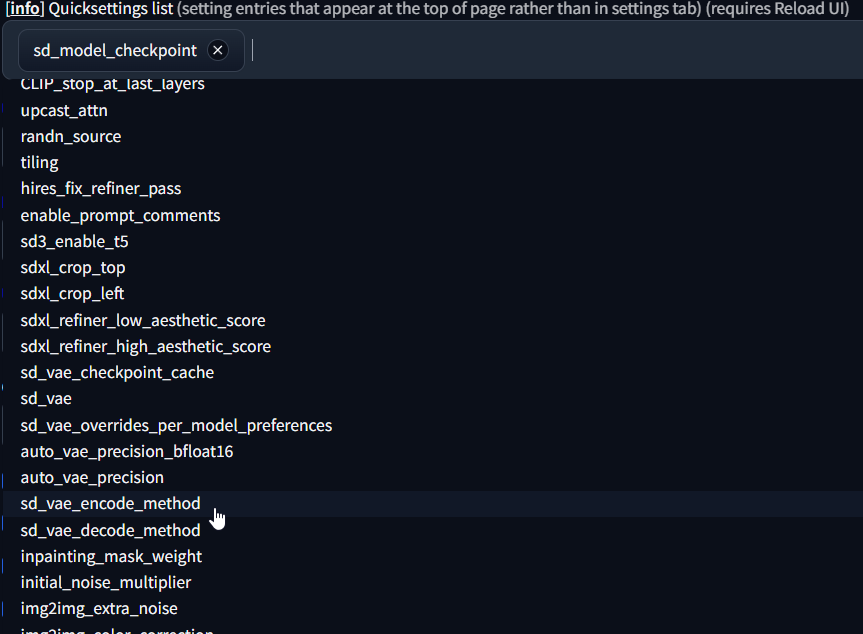
Which one do I choose again? Sorry for the flooding of messages. I'll keep it toned down.
 wind roost
im in a bit of a predicament guys
idk what setting i have messed up but my renders are always blurry


here are my settings
im so confused and its really irritating me if anyone knows what I am doing wrong please ping me
how do i increase the sharpness
for information i am on an RTX 3070 on driver version 536.23
using comfyUI, get same issue on automatic1111
somber oriole
Anyone else having problems searching for models on civitai? I keep on using the search bar and it's just stuck on searching over and over
ivory bramble
After fresh install, didn't change anything, typed 'cat' in txt2img, PC shut down again
I had zero issues with this in my first installation
I don't get it
wind roost
wind roost
how many iterations should i do and what cfg scale with dpm++3m , it always seems to have issues, do i need to alter nvidia control panel
is it the denoiser?
 pastel sequoia
Hello, first of all, I'm on AMD and I'm trying to use SD-CN-ANIMATION and I'm getting this error, what should I do?
 ornate elk
ivory bramble
What are some settings I should change in Stable Diffusion? There was a word tha...
ornate elk
ivory bramble
What are some settings I should change in Stable Diffusion? There was a word tha...
You need to increase your windows pagefile to not get crashes
Thats important because you only have 16gb ram, but sdxl models need more
ornate elk
pastel sequoia
Hello, first of all, I'm on AMD and I'm trying to use SD-CN-ANIMATION and I'm ge...
You need to run
Pip install basicsr
Inside the venv in a cmd
fierce hollow
Is there a guide to Stable Video 4D?
 steep cape
I need some help with LoRA training, I just tried my first training in Kohya after following a guide. I set it to 10 epoch, expecting it to create 10 different .safetensor files, but the training ended after creating only 2 files. Should it not keep going to 10? I attached screenshots of my training parameters


I'm trying to train a realistic, custom made character into a LoRA if that helps
Also, the files that it generated are 1.6GB in size, thats not normal, right?
 hallow latch
Is there a way to removed certain Upscalers like you can do with Sampling methods?
fair oxide
ornate elk
What's your GPU?
And what's inside your webui-user.bat?
Hey, I have an NVidia 3060ti. THis is in mz webui-user.bat:
@echo off
set PYTHON=
set GIT=
set VENV_DIR=
set COMMANDLINE_ARGS= --disable-safe-unpickle --autolaunch --medvram --api --port 30000 --cors-allow-origins=https://www.painthua.com --xformers --medvram-sdxl --no-half-vae
git pull
call webui.bat
unique field
Trying to follow a tutorial but I cant seem to find this node anywhere, is this deprecated?
 karmic crown
unique field
Trying to follow a tutorial but I cant seem to find this node anywhere, is this ...
karmic crown
unique field
Trying to follow a tutorial but I cant seem to find this node anywhere, is this ...
what manager returns if you search for controlnet?
i would probably just use this
https://github.com/Fannovel16/comfyui_controlnet_aux
GitHub
ComfyUI's ControlNet Auxiliary Preprocessors. Contribute to Fannovel16/comfyui_controlnet_aux development by creating an account on GitHub.
unique field
Yeah, that's the one I was looking at and installed
karmic crown
unique field
Yeah, that's the one I was looking at and installed
see if this can help
https://medium.com/@promptingpixels/how-to-add-controlnets-to-comfyui-960e54106d29

Medium
ComfyUI is a powerful node-based GUI for generating images from diffusion models. Adding ControlNets into the mix allows you to condition a…
unique field
yeah, that more or less answers that question that the controlnet preprocessor there is deprecated
ornate elk
fair oxide
Hey, I have an NVidia 3060ti. THis is in mz webui-user.bat:
@echo off
set PYTH...
Remove --medvram --disable-safe-unpickle
unique field
I'm unable to change the undefined to anything

What do I need to do here?
am I missing models?
karmic crown
unique field
am I missing models?
did you download contronet models?

 true tinsel
@inner lodge
Hi dude, I found a solution to the problem. You need to find a file called "requirements_versions.txt" in the folder with Stable Diffusion And there change the value pydantic==1.10.15 to pydantic==2.1.1. Save and then run again
inner lodge
true tinsel
<@343449844867923968>
Hi dude, I found a solution to the problem. You need to f...
I saw a similar thing on the issue page, but what I ended up doing was deleting pydantic==1.10.15 and that fixed it for me
not sure if it will have consequences later or not
true tinsel
inner lodge
I saw a similar thing on the issue page, but what I ended up doing was deleting ...
ХD you are not looking for difficult ways) In general, I solved my problem, if you want, you can use the solution
inner lodge
true tinsel
ХD you are not looking for difficult ways) In general, I solved my problem, if y...
Yeah yeah, either way thanks for the help
karmic crown
inner lodge
not sure if it will have consequences later or not
nope, it is fine
it is installed automatically by gradio anyway
btw. pydantic was removed from requiremetns_version.txt in the latest version on github
inner lodge
ah ok, so probably will update it here in a bit then
fierce hollow
Is there a guide to Stable Video 4D?
 sage bramble
Hello all. I just started using SD, trying to pair it up with Ollama and Open-webui. I had it working yesterday with no issues, until I made a mistake and had to redo my entire Ubuntu drive. Anyways, I've followed all the commands, I made a new conda env, with 3.11.9 Python installed, and I try to run SD and I'm getting this error:
~/stable-diffusion-webui$ ./webui.sh
Install script for stable-diffusion + Web UI
Tested on Debian 11 (Bullseye), Fedora 34+ and openSUSE Leap 15.4 or newer.
Running on jmp470 user
Repo already cloned, using it as install directory
Create and activate python venv
ERROR: Cannot activate python venv, aborting...
any tips on where to start troubleshooting?
ruby yoke
sage bramble
any tips on where to start troubleshooting?
is that the extent of the error logs? i think you're going to be recreating your venv
sage bramble
yeah, that's what I'm afraid of 🙂
I created an env called LLM, for open-webui. It needed python 3.11.x, as my base python env has 3.12.x
ruby yoke
sage bramble
yeah, that's what I'm afraid of 🙂
that's what your error says, it can't activate your environment. start by trouble shooting your venv
unique field
is there a way to make positive and negative prompts be imported via another program for ComfyUI?
fair oxide
ornate elk
Remove --medvram --disable-safe-unpickle
Okay, but what about my original question 😅
ornate elk
fair oxide
Okay, but what about my original question 😅
Would need a full cmd log
If you have any error
SD3 works in the latest auto1111 version
oblique vapor
ornate elk
Embeddings also need a compatible checkpoint. Means 1.5 for 1.5 and sdxl for sdx...
Thank you very much!!
 lean glade
So I've been trying to get my Stable Diffusion to work and CMD keeps spitting this at me, tried uninstalling and reinstalling onxxruntime to no avail.

Any advice would be appreciated.
Also tried running it through the venv and get the same error.
 worthy sapphire
So I have been trying to get SD to run on my amd gpu through zluda, but when I try to generate through the webui I get this error message. "RuntimeError: CUDA error: invalid argument CUDA kernel errors might be asynchronously reported at some other API call, so the stacktrace below might be incorrect. For debugging consider passing CUDA_LAUNCH_BLOCKING=1. Compile with TORCH_USE_CUDA_DSA to enable device-side assertions." I thought I followed all the steps from the guide I was going off of.
 quick arrow
lunar perch
Yeah now I believe win finally has rocm drivers rught
quick arrow
lunar perch
Yeah now I believe win finally has rocm drivers rught
No.
They're not out yet.
 wintry atlas
I am on the latest Auto1111, trying SD3 and keep getting this kind of output

any idea why?
Steps: 30, Sampler: DPM++ 2M, Schedule type: Karras, CFG scale: 4, Seed: 3463910682, Size: 1024x1024, Model hash: cc236278d2, Model: sd3_medium, Hypertile U-Net: True, Hypertile U-Net max tile size: 192, Hypertile VAE: True, Hires CFG scale: 3.5, Downcast alphas_cumprod: True, Discard penultimate sigma: True, SGM noise multiplier: True, Version: v1.10.1
ruby yoke
wintry atlas
Steps: 30, Sampler: DPM++ 2M, Schedule type: Karras, CFG scale: 4, Seed: 3463910...
SD 3 doesn't work with karras
wintry atlas
ok, it's actually set to automatic
ruby yoke
wintry atlas
ok, it's actually set to automatic
set it to simple and use huenpp
also, SD3 does NOT use U-net
so get rid of anything that talks about unet
Hypertile U-Net: True, Hypertile U-Net max tile size: 192< you can't use that with SD3
wintry atlas
it be nice to have a warning or something
ruby yoke
on the page where you can download the sd3 safetensors files, there are sample workflows
wintry atlas
for auto1111?
ruby yoke
wintry atlas
for auto1111?
no. Auto1111 have very little function for SD3, though there is some functionality. not sure if you'll find workflows on the auto1111 github page or not
wintry atlas
right, which is what i am using
ruby yoke
yes. and -no, on the huggingface page there isn't anything for auto1111, you'll need to look on the auto1111 github page to see if there might be something there
wintry atlas
does the --precision command line param have any negative effect on sd3?
ruby yoke
wintry atlas
does the --precision command line param have any negative effect on sd3?
i'm not sure, i use comfy - so i'm not sure what that flag actually does for auto1111
@proper swift can you answer the --precision question?
 ruby yoke
wintry atlas
well, i disabled hypertile, set the sampler to heun, type simple
ruby yoke
wintry atlas
well, i disabled hypertile, set the sampler to heun, type simple
yes. hang on and let's see if icey responds
wintry atlas
ill disable some other things
ruby yoke
if not, @ornate elk might
wintry atlas
Downcast alphas_cumprod: True, Discard penultimate sigma: True, SGM noise multiplier: True
it used to work before but only in 512x512
but that was like a month ago
bingo
 wintry atlas
im going to see which setting did that and report it
 proper swift
i haven't tested any precision changing for any ui. i'm using default sd3 all the way and have only been exploring the prompting with it so far
wintry atlas
does upscaling work with SD3?
ruby yoke
wintry atlas
does upscaling work with SD3?
you mean during generation or after the image is finished?
wintry atlas
after
ruby yoke
once the image is finished, it's an image. run it into any upscaler you want
wintry atlas
ok, then hires fix, which i am not sure exists in comfi
proper swift
i think if you use sd3 for upscaling, you have to use tiling. it doesn't like going out of the megapixel resolution range i've noticed
ruby yoke
wintry atlas
ok, then hires fix, which i am not sure exists in comfi
hires fix is just the different gans and some tweaking.
wintry atlas
well it's giving me an error
RuntimeError: The size of tensor a (115) must match the size of tensor b (114) at non-singleton dimension 2
proper swift
don't think hires fix works with sd3 but i haven't tested that yet. i've tried generating direct to 1500x1500 and it fails
ruby yoke
don't upscale while you're generating, just create the image and then upscale it if you realy need it larger
no point in wasting compute time making a huge image you don't really need to be huge
proper swift
hires fix is img2img at the core. you can use a gan upscaler as a prescaler before the denoising
ornate elk
lean glade
So I've been trying to get my Stable Diffusion to work and CMD keeps spitting th...
What's your GPU?
ornate elk
worthy sapphire
So I have been trying to get SD to run on my amd gpu through zluda, but when I t...
Can you show the me full cmd log?
Also did you followed my Zluda guide?
ornate elk
wintry atlas
Steps: 30, Sampler: DPM++ 2M, Schedule type: Karras, CFG scale: 4, Seed: 3463910...
Try Euler a as sampler
 lost crescent
ComfyUI Xformers says it requires torch 2.0.1+cu118 - but other nodes demand torch 2.3.1+cu118. Why the conflict?
lean glade
ornate elk
What's your GPU?
AMD Radeon 7700 XT
Been at work, so sorry for late reply. Lol

 ornate elk
lean glade
AMD Radeon 7700 XT
ornate elk
lean glade
AMD Radeon 7700 XT
With that GPU you should follow my Automatic1111 Zluda AMD guide.
It has a much better performance than directml.
You find the latest guide for that in the pinned messages. There at the top link to my Github.
ornate elk
fathom rose
what is this error about? i'm using forge ui and sd3
Try using the 5gb SD3 model which had the clip text encoders included or go into Settings and enable T5 text encoder
lost crescent
I cannot use xformers because torch2.3.1+cu118 won't work
fierce hollow
Is there a guide to Stable Video 4D?
ornate elk
lost crescent
ComfyUI Xformers says it requires torch 2.0.1+cu118 - but other nodes demand tor...
You need to upgrade the torch version to a compatible one with the latest torch
fathom rose
ornate elk
Try using the 5gb SD3 model which had the clip text encoders included or go into...
not working at all
 lost crescent
ornate elk
You need to upgrade the torch version to a compatible one with the latest torch
lost crescent
ornate elk
You need to upgrade the torch version to a compatible one with the latest torch
The problem is that Xformers asks for torch2.0.0+cu118; and then when I hyave d/loaded and installed that version, during ComfyUI Startup - a custom node demands - and d/loads - torch 2.3.1+cu118 ... overwriting the correct version of torch for Xformers!
So I need to upgrade Xformers to a version which is satisfied by torch2.3.1?
fathom rose
ornate elk
And Euler a as sampler
it's showing the same error
ornate elk
fathom rose
it's showing the same error
Can you show a full cmd log?
 floral fable
i paid for the chat bot but i cant sign in
lost crescent
Dang! I upgraded to xformers 0.0.27 - compatible with torch 2.4.0+cu118 - but when I start ComfyUI - torch 2.4.0+cu118 is overwritten by torch 2.3.1+cu118 - and not compatible!!!
ornate elk
lost crescent
Dang! I upgraded to xformers 0.0.27 - compatible with torch 2.4.0+cu118 - but wh...
Try xformers 0.0.25
ornate elk
floral fable
i paid for the chat bot but i cant sign in
Make sure you logged into the stability ai site and linked your discord account
 gaunt vault
Hello I am looking at getting a license but not sure if I need community or enterprise license. I am a business running less than $1million a year
floral fable
it just clicked login and it just go into loops (and just re direct me to Choose the right plan for you. )
ornate elk
gaunt vault
Hello I am looking at getting a license but not sure if I need community or ente...
Best to write an ticket mail to Stability ai directly
ornate elk
floral fable
it just clicked login and it just go into loops (and just re direct me to Choo...
Very strange. Try login here:
https://stability.ai/stable-artisan
Stability AI
Stable Artisan is a fun multimodal generative AI Discord bot that utilizes the products on the Stability AI Platform API within the Discord ecosystem.
lean glade
@ornate elk Just finished work and got home, up to downloading the AMD HIP SDK 5.7, says to avoid the PRO version but there isn't another option?
 ornate elk
lean glade
<@161910921269084160> Just finished work and got home, up to downloading the AMD...
ornate elk
lean glade
<@161910921269084160> Just finished work and got home, up to downloading the AMD...
Download the 6.1.2 hip sdk
And then when installing just don't enable the pro drivers.
lean glade
Oh okay, thanks. Was a little confused.
lean glade
Also side note, love the pfp.
ornate elk
Thanks!
lean glade
OP is goated. Started rewatching through a react channel and early One Piece hits different after being up to date. lol
Side note over. (Don't want to derail the channel topic)
ornate elk
lean glade
OP is goated. Started rewatching through a react channel and early One Piece hit...
Yep totally!
lean glade
Moment of truth
Wait, I restart after installing the HIP SDK?
or is that only specific to the GPUs mentioned?
If this works ima have to netlix and chill you.
@ornate elk Got this, started an image generation, waiting to see if it fails but don't know what this means. lol
 ornate elk
lean glade
Wait, I restart after installing the HIP SDK?
ornate elk
lean glade
Wait, I restart after installing the HIP SDK?
Yes a restart is needed.
What's your GPU BTW?
lean glade
 ornate elk
lean glade
<@161910921269084160> Got this, started an image generation, waiting to see if i...
ornate elk
lean glade
<@161910921269084160> Got this, started an image generation, waiting to see if i...
Let it load
lean glade
I already stopped and restarted my PC. lol
ornate elk
Oh ok
lean glade
 ornate elk
Yea relaunch the webui-user.bat
ornate elk
lean glade
lol
The first image will take up to 40 minutes
lean glade
But after it'll be quicker?
ornate elk
The generate button should be grayed out and the cmd shouldn't show any errors or progress
ornate elk
lean glade
But after it'll be quicker?
Yea after that one time. It will take seconds
ornate elk
Thats good 🙂 then it should work
lean glade
Oh I can see the loading bar thing in the cmd now so seems good.
Nvidia users have it easy, omg. lol
ornate elk
True xD
lean glade
Imagine have a single click install.
ornate elk
For SD webuis that's rare
lean glade
Curious what dog it's going to give me, any bets?
ornate elk
Maybe a golden retriever on gras
ornate elk
You can checkout civitai.com for community models meanwhile
ornate elk
The base 1.5 model is bad so you don't need it after that first image
karmic crown
lean glade
Imagine have a single click install.
buy mac, and use my app - then you will not have to imagine that 😂
lean glade
I upgraded from an Nvidia 1660TI to my current GPU so was shocked how difficult getting SD up and running was. lol
lean glade
karmic crown
buy mac, and use my app - then you will not have to imagine that 😂
I also like to play games
 karmic crown
lean glade
I also like to play games
karmic crown
lean glade
I also like to play games
i was joking about buying the mac, but i was serious about one click install on mac (a1111 or forge)
lean glade
Yeah I know, haha
ornate elk
lean glade
I upgraded from an Nvidia 1660TI to my current GPU so was shocked how difficult ...
If you want to run LLMs on AMD its easier.
You can use GPT4all or Ollama or LMstudio
 ornate elk
Melted dog
lean glade
I don't think I've SEEN this breed.
karmic crown
Windows 11 ARM works faster in VMware on my Mac than many real windows machines (in some aspects)
ornate elk
lean glade
I don't think I've SEEN this breed.
But hey it works ^^
lean glade
Yeah, thank fuck. lol
Had a meme video prepared if it didn't work. xD
^

Something a little more complex, am happy.
Thanks @ornate elk, amazing work.
ornate elk
lean glade
Thanks <@161910921269084160>, amazing work.
No problem, the girl reminds me a bit of Bocchi the Rock
lean glade
ornate elk
No problem, the girl reminds me a bit of Bocchi the Rock
Had to share this
https://youtu.be/YVVaGBe_DXE

 fair oxide
hi
I am getting an error in the Installing requirements section, can you help me?
My Python version is 3.10.11
My graphics card in this system is Amd Rx580
set COMMANDLINE_ARGS=COMMANDLINE_ARGS=--lowvram --precision full --no-half --skip-torch-cuda-test
(I took this command from github)
Getting requirements to build wheel did not run successfully. exit code: 1
ornate elk
fair oxide
My Python version is 3.10.11
My graphics card in this system is Amd Rx580
set C...
Hey, you probably didnt installed the correct version for AMD cards.
Also the commandline_args that you used are wrong
fair oxide
Can I send the code I downloaded?
fair oxide
ornate elk
Hey, you probably didnt installed the correct version for AMD cards.
I found this on github as a solution to another problem : torch is not able to use gpu stable
GitHub
Stable Diffusion web UI. Contribute to AUTOMATIC1111/stable-diffusion-webui development by creating an account on GitHub.
I downloaded it from here
ornate elk
fair oxide
I found this on github as a solution to another problem : torch is not able to u...
this information is outdated
please use my AMD guides
your GPU is supported by Zluda so that would be your best option performance wise
So try the Automatic1111 with Zluda guide
fair oxide
thanks i'm trying now
ornate elk
fair oxide
thanks i'm trying now
let me know if you have any questions
fair oxide
ornate elk
let me know if you have any questions
yes actually there is one, even if I add python to PATH it can't find it, so I added it to the Webui-User Python = section, will this cause a problem? Seriously, even though I added it to the system environment variables, it does not appear. It is the same in the automatic adding option in setup. It only sees that I downloaded it from the Windows Store. That's why I added it to the Python = section. The python I downloaded from Windows causes other errors, it cannot find the setuptools.
does it create a problem?
ornate elk
fair oxide
yes actually there is one, even if I add python to PATH it can't find it, so I a...
dont download it from the windows store
that is a problem
fair oxide
ornate elk
dont download it from the windows store
No, I already downloaded it from its own site, but since it could not detect it, I added the file path to Webui user
ornate elk
fair oxide
No, I already downloaded it from its own site, but since it could not detect it,...
ah okay
thats okay
fair oxide
ornate elk
dont download it from the windows store
Dont check the Pro Driver. What do you mean here? I didn't see such an option. There are ray tracing libraries and time controllers when installing.
ornate elk
fair oxide
Dont check the Pro Driver. What do you mean here? I didn't see such an option. T...
at the bottom it normaly says amd pro driver "disabled"
so leave everything as it is and your fine
 boreal iris
I haven't opened it in quite a while... why am i getting this error when i try to generate in img2img?
 ornate elk
boreal iris
I haven't opened it in quite a while... why am i getting this error when i try t...
ornate elk
boreal iris
I haven't opened it in quite a while... why am i getting this error when i try t...
it says cannot identify image file
make sure its png or jpg
boreal iris
 ornate elk
boreal iris
ornate elk
boreal iris
try rename it to image
ornate elk
Nice np
 smoky mesa
Hi all, sorry for the bother, i am hoping some one could help me, this might be hard for me to explain but i will try my best.
when you click the CivitAI icon at the top of a checkpoint image within automatic 1111, it brings up the data of the checkpoint, and when you scroll down, you can see images and the data for the image as shown in this picture,

what could be the reason for the info not showing up anymore, as show in this picture?

If any one can assist me, it would be highly appreciated, tried updating extentions, reinstalling SD Automatic 1111, dont know what else to do.
ornate elk
smoky mesa
what could be the reason for the info not showing up anymore, as show in this pi...
People can upload images without providing meta data to the image
smoky mesa
that i understand, but in this case, nothing has any meta data, least now shown, where it usually did.
ornate elk
What does the cmd shows?
boreal iris
ornate elk
Nice np
Why do my outpaints look so bad though?
 smoky mesa
ornate elk
What does the cmd shows?
smoky mesa
ornate elk
What does the cmd shows?
im sorry, i dont follow, the cmd?
ornate elk
smoky mesa
im sorry, i dont follow, the cmd?
The black window
That runs in the background
smoky mesa
When i start it up for the 1st time? should i put it in a text file?
ornate elk
smoky mesa
When i start it up for the 1st time? should i put it in a text file?
Yes
You can copy and paste it in here
smoky mesa
alright, give me a second, thank you for your help.
venv "C:\STABLE DIFFUSION\sd.webui\webui\venv\Scripts\Python.exe"
Python 3.10.6 (tags/v3.10.6:9c7b4bd, Aug 1 2022, 21:53:49) [MSC v.1932 64 bit (AMD64)]
Version: v1.10.1
Commit hash: 82a973c04367123ae98bd9abdf80d9eda9b910e2
Launching Web UI with arguments:
no module 'xformers'. Processing without...
no module 'xformers'. Processing without...
No module 'xformers'. Proceeding without it.
CivitAI Browser+: Aria2 RPC started
Loading weights [f5e48cafaa] from C:\STABLE DIFFUSION\sd.webui\webui\models\Stable-diffusion\realcartoon3d_v17.safetensors
Creating model from config: C:\STABLE DIFFUSION\sd.webui\webui\configs\v1-inference.yaml
C:\STABLE DIFFUSION\sd.webui\webui\venv\lib\site-packages\huggingface_hub\file_download.py:1150: FutureWarning: resume_download is deprecated and will be removed in version 1.0.0. Downloads always resume when possible. If you want to force a new download, use force_download=True.
warnings.warn(
Running on local URL: http://127.0.0.1:7860/
To create a public link, set share=True in launch().
Startup time: 5.8s (prepare environment: 1.3s, import torch: 1.8s, import gradio: 0.4s, setup paths: 0.5s, initialize shared: 0.1s, other imports: 0.3s, load scripts: 0.5s, create ui: 0.3s, gradio launch: 0.5s).
Couldn't find VAE named None; using None instead
Applying attention optimization: Doggettx... done.
Model loaded in 2.8s (load weights from disk: 0.2s, create model: 0.4s, apply weights to model: 2.0s).
ornate elk
boreal iris
Why do my outpaints look so bad though?
10 steps is to less and you need an Inpainting model for outpainting
boreal iris
ah alright
fair oxide
ornate elk
10 steps is to less and you need an Inpainting model for outpainting
Hey it worked thank you do I need to upload the model or does the RX 580 work without any model like this
ornate elk
smoky mesa
venv "C:\STABLE DIFFUSION\sd.webui\webui\venv\Scripts\Python.exe"
Python 3.10.6 ...
Looks normal.
My guess is that the civitai browser + extension needs an update to be compatible with the latest auto1111 version.
And my guess was right:
https://github.com/BlafKing/sd-civitai-browser-plus/issues/313

GitHub
Describe the bug. I apologize in advance for my bad English. I installed the module on fresh SD (because I haven't updated SD for a loooooong time dowanload a new one was better option) . As a ...
smoky mesa
You are a legend, thank you!
ornate elk
fair oxide
Hey it worked thank you do I need to upload the model or does the RX 580 work wi...
You can download models from Civitai.com.
1.5 and sdxl models preferable
ornate elk
smoky mesa
You are a legend, thank you!
NP, btw what's your GPU?
Your missing out on performance by not using the right launch args
 ashen phoenix
I'm kinda confused, can I use any checkpoint models (SD 1.0, SDXL, SD 1.5, SD 2.1) with this one webui?
 smoky mesa
4090
ornate elk
smoky mesa
4090
Then you should edit the webui-user.bat and at the line commandline_args=
You need to add: --xformers
Then save and relaunch
ornate elk
ashen phoenix
I'm kinda confused, can I use any checkpoint models (SD 1.0, SDXL, SD 1.5, SD 2....
Yes you can
smoky mesa
Thank you @ornate elk 👍
fair oxide
ornate elk
You can download models from Civitai.com.
1.5 and sdxl models preferable
I installed it but it doesn't work I got a long error message
 pulsar grail
Would a 3070 also be better served with --xformers launch paramters?
ornate elk
pulsar grail
Would a 3070 also be better served with --xformers launch paramters?
Yes. A 3070 needs --xformers --medvram-sdxl --no-half-vae
For best performance
fair oxide
fair oxide
I installed it but it doesn't work I got a long error message
an exception occurred : ('Cannot copy out of meta tensor; no data!',).
While copying the parameter named "cond_stage_model.transformer.text_model.encoder.layers.0.layer_norm1.weight", whose dimensions in the model are torch.Size([768]) and whose dimensions in the checkpoint are torch.Size([768]), an exception occurred : ('Cannot copy out of meta tensor; no data!',).
pulsar grail
Didn't think I needed the medvram argument, ty
ornate elk
pulsar grail
Didn't think I needed the medvram argument, ty
Its for speeding up sdxl models
ornate elk
fair oxide
an exception occurred : ('Cannot copy out of meta tensor; no data!',).
W...
Can you show me the full cmd log?
pulsar grail
set COMMANDLINE_ARGS= --xformers --medvram-sdxl --no-half-vae
Correct format?