#🤝|tech-support
1 messages · Page 56 of 1
 vocal burrow
 sweet zenith
Is this the correct channel for API questions?
I'm struggling to get the sd3 endpoint to work with img-to-img, text to image works fine
async function imgToImg() {
  const imageData = fs.readFileSync(
    'src/stability-ai/src-imgs/pink_phones.png',
    'utf8',
  );
  const buffer = Buffer.from(imageData, 'utf8');
  const formData = new FormData();

  formData.append('image', buffer);
  formData.append('mode', 'image-to-image');
  formData.append('model', 'sd3');
  formData.append('strength', 0.35);
  formData.append('prompt', 'apples');

  console.log(formData);
  const header = {
    headers: {
      ...formData.getHeaders(),
      Accept: 'image/*',
      Authorization: `Bearer ${apiKey}`,
    },
    responseType: 'arraybuffer',
    validateStatus: undefined,
  };
  const url = `https://api.stability.ai/v2beta/stable-image/generate/sd3`;

  const response = await axios.post(url, formData, header as any);

  if (response.status !== 200) {
    console.log(response.status);
    console.log(response.data.toString());
    throw new Error(`Non-200 response: ${await response.statusText}`);
  }

  if (response.status === 200) {
    fs.writeFileSync(
      'src/stability-ai/out-imgs/v2_img2img.png',
      Buffer.from(response.data),
    );
    console.log(response.headers.seed);
  }
}
I keep getting the error:
{"name":"bad_request","errors":["image: is required"]}
 ornate elk
Hey, zluda can work on Linux too, but is best used on windows.
Because on Linux AMD cards can use Rocm natively which is even faster than zluda
Which model did you tried to use?
From which webui is the error?
ornate elk
can you try to install auto1111 ?
because sd.next uses a different backend, thats why you get the diffusers error
you need to have rocm installed
 true bridge
can anyone help me setting up sdxl temporalnet in comfyui?
ornate elk
since Pop OS is based on ubuntu you can try this guide:
https://www.youtube.com/watch?v=NKR_1TUO6go&themeRefresh=1

This is the one. The simplest way to get ROCm running Automatic1111 Stable diffusion with all features on AMD gpu's!
Inside terminal:
sudo apt update
sudo apt install git python3-pip python3-venv python3-dev libstdc++-12-dev
sudo apt update
wget https://repo.radeon.com/amdgpu-install/5.7.1/ubuntu/jammy/amdgpu-install_5.7.50701-1_all.deb
sudo...
oh this error appears for many users the last two days
i still dont know whats causing it
try load an other model
for example dreamshaper v8
what does the cmd shows then?
try add --medvram-sdxl --upcast-sampling at the COMMANDLINE_ARGS=
you could add them after the webui.sh
as launch params
sweet zenith
reading in the image using fs.createReadStream caused this to work.
  const imageData = fs.createReadStream(
    'src/stability-ai/src-imgs/pink_phones.png',
  );
nope, hes refering to his own question a bit above
ornate elk
hey, can you show the whole cmd screenshot?
maybe its trying to use your igpu if you have an amd 7000 cpu or intel
ornate elk
what model is loaded? 1.5 or sdxl?
also disable FILM interpolation
what model did you loaded at the top?
sweet zenith
what format is the image supposed to be sent to for sd3 image to image API?

base64 encoded string?
sweet zenith
ornate elk
what model did you loaded at the top?
Hello -- do you know if there is a place where people are talking about using the API?
ornate elk
sweet zenith
Hello -- do you know if there is a place where people are talking about using th...
Maybe in #1003207327203209236
 rocky adder
ornate elk
hey, can you show the whole cmd screenshot?
rocky adder
ornate elk
hey, can you show the whole cmd screenshot?
Thanks I solved it
ornate elk
rocky adder
Thanks I solved it
Nice, what was the cause?
 thick gust
Where could I find support, and more information about having system like these properly and professionally configured on one of my machines?
Of course, I'm referring to a paid service, for company that I work for. Thanks
 trail sigil
does anyone know a fix to this?

 unique bluff
I managed to add a launch arg (with the help of ai) and used the command to launch using cpu only (safe to say it’s a much smaller toll on my computer lol)
But other than that didn’t manage much else on that code
 ripe bronze
Hi, I am very new to compyui. I have downloaded some popular workflows from websites, downdloaded them, and used Manager to install missing nodes. Despite doing with all of the workflows, whenever I try to "queue prompt" none of the workflow generate an image because there's always a red error message with multiple various lines.
My question is: when I see these messages I don't know how to resolve the issues?
I'll post one example below from a fairly simple workflow. Not sure how to resolve / fix

Completely lost on how to fix any of these messages
 fair oxide
ripe bronze
Hi, I am very new to compyui. I have downloaded some popular workflows from webs...
fair oxide
ripe bronze
Hi, I am very new to compyui. I have downloaded some popular workflows from webs...
looks like its asking for missing checkpoints, vae, and loras
all of which should be available for download at official civitai.com website
unique bluff
What kind of variables should I set on my webuiuser.sh?
To make sure the lowvram and everything else is correct
rocky adder
Stable Diffusion failing again and again... When try to use AnimateDiff ... I just press Generate, and it does nothing... it goes back to its initial state. I have re started my computer several times and ... well, it was working for many hours today...
How is it so unreliable?? Any tips on how to make the use of Animate Diff more reliable and... Stable??
Thanks a lot
Now it says "In queue 1/1", but when you look in Task manager, there's actually nothing going on
It's just generting an image now! And it cannot even handle it...
Please somebody give me a tip, this is so weird... Don't know what to do
unique bluff
Okay, finally it worked
rocky adder
I got it! It' s when I paste my prompt... then AnimateDiff fails to work. Can somebody tell me how to properlly paste a prompt in txttoImage when using AnimateDiff?? It's really a pain to write it everytime.
 cursive needle
Why is this happening?

I can't find any settings to fix this. I've tried Hi res on and off. Different levels of noise, most of the sampling methods. It generates fine until the end, then the images always turn into this noisey mess
 noble belfry
disable the hires. or at the very least turn its denoise strength down to ~0.3
also is that an 8 step version of dreamshaper?
cursive needle
Its the newest one
seems to be the only model i am having issues with. I'll see if another one does better
noble belfry
from your cfg levels those look like LCM parameters. which needed a specific lcm sampler
 vast mica
Ok so, to preface, ive completely reinstalled SD 1.5 onto my PC
reinstalled python version 3.10.11
this is currently my Webui-user notepad set COMMANDLINE_ARGS=--use-directml --opt-sub-quad-attention --no-half --disable-nan-check --autolaunch --xformers
im trying to use an AMD GPU (8GB vram) to run SD
i am using the proper Automatic1111 for AMD
these are the errors im getting
while i am getting errors, it does properly open up for me to try and SD but when i try with my model, it loads to 100% and then fails

this is the error when i try to run a prompt
rocky adder
How does this setting "picts to interpolate" work? I don't know where to press to start.. is in the right bottom corner
Thanks!
 sweet zenith
ornate elk
Maybe in <#1003207327203209236>
sweet zenith
ornate elk
Maybe in <#1003207327203209236>
Thanks
 crude gorge
Hello everyone i tryed to look for a similar questions but didn't have any luck so i'm asking you guys for help. My Automatic1111 is taking long pause between image generation
When i generate a batch of 10 images (1024*1024) Automatic1111 generate the image in like 2-3 seconds but then before going to the next image generation in the batch it pauses for almost 1 minute any idea what is causing this ? maybe an options or extension wrongly configured ? (no error message showing in the log)
thanks for your help 🙂
Additionnal informations :
the launching arguments : --xformers --no-half-vae --api
and while the VRAM should not be a problem in my config (24G) the hard RAM maybe is since i have "only" 32 G RAM in DDR4
Thanks in advance for your precious help !
ornate elk
cursive needle
Why is this happening?
Could be the wrong VAE that is used. Check in the settings which VAE is selected
ornate elk
crude gorge
Hello everyone i tryed to look for a similar questions but didn't have any luck ...
Are you using Batch Size or Batch Count?
Sdxl models or 1.5?
crude gorge
batch count (so image are made one by one not multiple at once) SDXL model (when i make 1.5 512x512 i don't have this problem)
crude gorge
ornate elk
Could be the wrong VAE that is used. Check in the settings which VAE is selected
as for the VAE it's in auto
 ripe bronze
For Comfui, do you know whether running a AMD cpu and gpu vs. NVIDIA cpu and gpu of very similar price range woul would generate images at a similar speed or not?
Someone in a video claimed that the not using Nvidia gpu for comfyui would run WAY closer. Trying to see if anyone knows how true that would be?

 serene dirge
*** Error loading script: reactor_swapper.py
*** Error loading script: reactor_faceswap.py
*** Error loading script: reactor_api.py
Hey guys I've been dealing with this issue for hours now, I've tried everything, Installed BOTH VS2022 and VS C++ Build tools (Along with Desktop C++, Python, and Extension), python 3.10.6, activated venv and pip insightface, placed inswapper_128.onnx in insightface folder and yet ReActor extension isn't still showing up and I'm on my wits end.

 crude gorge
ornate elk
Could be the wrong VAE that is used. Check in the settings which VAE is selected
crude gorge
ornate elk
Could be the wrong VAE that is used. Check in the settings which VAE is selected
if you want to see the full list of available VAE
 ornate elk
crude gorge
if you want to see the full list of available VAE
ornate elk
crude gorge
if you want to see the full list of available VAE
Try remove the --no-half-vae from your webui-user.bat
Or get the fp16 sdxl VAE
crude gorge
ornate elk
Try remove the --no-half-vae from your webui-user.bat
Or get the fp16 sdxl VAE
damn smart
ornate elk
ripe bronze
For Comfui, do you know whether running a AMD cpu and gpu vs. NVIDIA cpu and gpu...
Depends on the card. But for ai stuff nvidia is better right now.
crude gorge
ornate elk
Try remove the --no-half-vae from your webui-user.bat
Or get the fp16 sdxl VAE
is this one https://huggingface.co/madebyollin/sdxl-vae-fp16-fix/tree/main ok ? the name does not refer to fp16 but in the description it looks like it's the right one will 1111 be able to pick the correct one still ? or it's based on the name ?
 ornate elk
serene dirge
`*** Error loading script: reactor_swapper.py`
`*** Error loading script: reacto...
ornate elk
serene dirge
`*** Error loading script: reactor_swapper.py`
`*** Error loading script: reacto...
What does the cmd shows when starting the webui-user.bat?
ornate elk
crude gorge
is this one https://huggingface.co/madebyollin/sdxl-vae-fp16-fix/tree/main ok ?...
Yes this one
Then don't select automatic
It won't pick up any vae
serene dirge
ornate elk
What does the cmd shows when starting the webui-user.bat?
Sorry if I had to snapshot it due to character limit, that's the initial start the rest are the following *** Error loading script


I also use web-ui 1.7 due to mov2mov isn't working on the latest update if that matters
crude gorge
thx will try that 🙂 ❤️
serene dirge
File "C:\stable-diffusion-webui-1.7.0\venv\lib\site-packages\albumentations\augmentations\geometric\resize.py", line 6, in <module> from pydantic import Field, ValidationInfo, field_validator ImportError: cannot import name 'ValidationInfo' from 'pydantic' (C:\stable-diffusion-webui-1.7.0\venv\lib\site-packages\pydantic\__init__.cp310-win_amd64.pyd)
There's also this right after the last screenshot mb
ornate elk
serene dirge
`File "C:\stable-diffusion-webui-1.7.0\venv\lib\site-packages\albumentations\aug...
@trail sigil @serene dirge Here is a temporary fix for that known issue:
https://github.com/AUTOMATIC1111/stable-diffusion-webui/issues/15551#issuecomment-2061997952
GitHub
Checklist The issue exists after disabling all extensions The issue exists on a clean installation of webui The issue is caused by an extension, but I believe it is caused by a bug in the webui The...
@serene dirge and here is the fix for mov2mov for webui version 1.9.0:
https://github.com/Scholar01/sd-webui-mov2mov/issues/146#issuecomment-2054157728
GitHub
Windows:10 Python:3.10.6 Version:v1.9.0 "I followed this method to reinstall m2m_ui.py, but the same error persists."
serene dirge
ornate elk
<@559985295228010507> <@948063049821081682> Here is a temporary fix for that kno...
Omg you're a God, I wished I would've asked way sooner here tysm! I'll check the move2mov for the latest version too

 quaint wave
Hello, when I'm trying to generate my images with SDXL and HiRes. Fix it throws the error
RuntimeError: The model is mixed with different device type The model is mixed with different device type
It can generate without hires fix though. I'm using SD Forge and A750 with ipex, so it might be happening because of it. Any ideas on how to fix it?
ornate elk
vast mica
Ok so, to preface, ive completely reinstalled SD 1.5 onto my PC
reinstalled pyth...
Hey, what's your GPU?
The first issue is that you have --disable-nan-check and --xformers in the webui-user.bat.
Xformers is only for nvidia cards.
The second message isnt an issue and can be ignored.
But if you have an 5700xt or newer you should use my newer install guide for the webui using zluda which is much more faster and less vram hungry than directml.
trail sigil
ornate elk
<@559985295228010507> <@948063049821081682> Here is a temporary fix for that kno...
that works, you're a miracle
vast mica
ornate elk
Hey, what's your GPU?
The first issue is that you have --disable-nan-check and -...
aha, i have a 8192MB ATI Radeon RX 570 Series (MSI) 💀
and what i ended up doing what completely deleting the Venv folder to restart
and set my ARGS to
set COMMANDLINE_ARGS=--use-directml --opt-sub-quad-attention --no-half --disable-nan-check --autolaunch
so it works with what i have now, but im not sure if its using my GPU or not
ornate elk
vast mica
aha, i have a 8192MB ATI Radeon RX 570 Series (MSI) 💀
and what i ended up doin...
Remove --disable-nan-check
It doesn't to anything other than making images black
vast mica
got it
ornate elk
vast mica
so it works with what i have now, but im not sure if its using my GPU or not
Check the vram usage in taskmanager when generating
vast mica
ornate elk
Check the vram usage in taskmanager when generating
im not sure why i never decided to check TM to see if GPU was being used or not in which case it is in fact being used thank you
ornate elk
quaint wave
Hello, when I'm trying to generate my images with SDXL and HiRes. Fix it throws ...
Never seen anyone using forge and Intel arc together. But you could try setup SDnext with ipex and test it there. It should have a better Intel support.
For forge try using a lower upscale value
quaint wave
I have tried sdnext
It works and doesnt
its random lol, one generation it will work, the second it throws RuntimeError: Native API failed. Native API returns: -999 (Unknown PI error) -999 (Unknown PI error)
forge has been the best one so far but it has some issues as well
openvino was the worst lol.
ornate elk
quaint wave
forge has been the best one so far but it has some issues as well
Hmm okay.
What you can try in forge is to go into settings and there set the RNG to CPU
quaint wave
I already have it like that
ornate elk
Okay good
ornate elk
How much RAM (not vram) do you have?
ornate elk
Okay 32 should be enough
But check your windows pagefile settings. That its set to C drive only and on automatic
And deactivated for any other drive
Also make sure to have 15gb free space on C
But if the GPU only has 8gb of vram thats to less for upscaling sdxl images.
quaint wave
I've got 3 drives but only C is active
I dont think its a system failure rather its an ARC issue or webui
ornate elk
quaint wave
I dont think its a system failure rather its an ARC issue or webui
Yea I think so too. Can you check the vram usage in task manager when trying to upscale sdxl?
 ornate elk
Okay
What you can instead use for upscaling is also the SD upscale script in img2img.
Maybe that won't get that error
For me it seems webui forge tries to use CPU for specific tasks when it can't use the GPU
ornate elk
quaint wave
This is where it changes to upscale
Oh have you tried upscaling 1.5 models?
ornate elk
Same error?
quaint wave
ornate elk
What you can instead use for upscaling is also the SD upscale script in img2img.
RuntimeError: Native API failed. Native API returns: -997 (Command failed to enqueue/execute) -997 (Command failed to enqueue/execute)
ornate elk
quaint wave
`RuntimeError: Native API failed. Native API returns: -997 (Command failed to en...
Okay no clue on that one
I see some issues on forge github where other Intel ARC users have a similar error

GitHub
Guess it doesn't support IPEX? Tried it and it gives TypeError: 'NoneType' object is not iterable Error
quaint wave
yes I have comments in there lol
changing steps, upscaler, resolution doesnt have any effect
quaint wave
quaint wave
`RuntimeError: Native API failed. Native API returns: -997 (Command failed to en...
this is what it gave me
lol
ornate elk
Ohh
quaint wave
any other webui's i can try for ipex?
ornate elk
quaint wave
any other webui's i can try for ipex?
The only other one would be Shark webui
quaint wave

GitHub
SHARK - High Performance Machine Learning Distribution - nod-ai/SHARK
this one?
ornate elk
quaint wave
this one?
Yep
Make sure you put the .exe into a new folder
Before running it
fair oxide
Who gonna help me with api interaction
quaint wave
ornate elk
Before running it
SystemExit: Could not compile Unet. Please create an issue with the detailed log at https://github.com/nod-ai/SHARK/issues
This is what I get when trying to generate now in Shark
im lost honestly lol.
 primal glen
I just installed Stability Matrix and it's giving me this error message when I try to launch Stable Diffusion WebUI:
Traceback (most recent call last):
File "C:\Users\Master\AppData\Roaming\StabilityMatrix\Packages\stable-diffusion-webui-forge\launch.py", line 1, in <module>
from modules import launch_utils
ModuleNotFoundError: No module named 'modules'
ornate elk
primal glen
I just installed Stability Matrix and it's giving me this error message when I t...
What's your GPU?
 rotund musk
Whats the best non banned colab for stable diffusion btw
Is it the interactive one or is there a better one? Bc i heard the interactive one has issues
 primal glen
ornate elk
What's your GPU?
primal glen
ornate elk
What's your GPU?
what do modules have to do with my GPU?
 remote ivy
Anyone else find that sdxl lightning models produce grainy outputs?
ornate elk
primal glen
what do modules have to do with my GPU?
Just a basic question because Forge works not that good with AMD GPUs.
Also if you have an nvidia GPU with more than 6gb vram, I would recommend you to install automatic1111 instead of Forge
noble belfry
remote ivy
Anyone else find that sdxl lightning models produce grainy outputs?
well theyre not going to produce top tier fidelity given their nature. and given their low steps few extensions work properly as 4-10 steps isn't enough room render time to their models. you can absolutely beef them up with an upscale though, even an extra 2 steps at 1.25 scale does wonders on a med-low denoise. also had some good results with PAG but its almost like using a ouija board trying to get the parameters right for lightning models
primal glen
ornate elk
Just a basic question because Forge works not that good with AMD GPUs.
let's get SD running at all before trying to get it to run well. How do I tell the program where the modules are?
ornate elk
primal glen
let's get SD running at all before trying to get it to run well. How do I tell t...
Modules is something that should be installed by the webui itself
Mostly a wrong python version can cause such issue where the modules can't be found
 gray falcon
Hello guys, is there any mod that is responsible for Stability API? I need to get some information about our usage history.
 karmic crown
I was on a business trip, and I had a lot of work before and after returning 🤷🏻♂️
yes, I have seen errors like that, but not inside the SD
something was wrong with SSL cert on the server, or at least cURL thought it was an error
@quiet swift have you fixed your error?
primal glen
ornate elk
Mostly a wrong python version can cause such issue where the modules can't be fo...
Python is 3.12.0, pip is 24.0. I just ran pip's updater to make sure everything was up to date.
ornate elk
primal glen
Python is 3.12.0, pip is 24.0. I just ran pip's updater to make sure everything ...
Python 3.12 is not supported by forge or auto1111
you would need 3.10.11 64bit
vocal burrow
karmic crown
I was on a business trip, and I had a lot of work before and after returning 🤷�...
np
vocal burrow
primal glen
Python is 3.12.0, pip is 24.0. I just ran pip's updater to make sure everything ...
and don t forget to delete the venv directory (if you re using one with forge)
karmic crown
ornate elk
Python 3.12 is not supported by forge or auto1111
you would need 3.10.11 64bit
i tested 3.11 and worked fine for me, but i also advice sticking with version recommended by developers
primal glen
cool, okay. I've had this problem before and ended up with a mess of different versions of python on one computer. How do I change to that version without leaving traces of 3.12 behind?
primal glen
vocal burrow
and don t forget to delete the venv directory (if you re using one with forge)
I saw this on a reddit thread, I deleted venv and reinstalled it. Should I delete it and keep it deleted?
vocal burrow
primal glen
cool, okay. I've had this problem before and ended up with a mess of different v...
you simply uninstall the others python like any other programs
(assuming you don t need any other python version)
vocal burrow
primal glen
I saw this on a reddit thread, I deleted venv and reinstalled it. Should I delet...
reinstalled it ??
what do you mean ?
fair oxide
@ornate elk any public access to sd3 yet?
vocal burrow
fair oxide
<@161910921269084160> any public access to sd3 yet?
through the API, that s all
fair oxide
vocal burrow
through the API, that s all
yeah but that requires sub?
vocal burrow
I think it requires coins/credits. not necessarily a sub.
So you can use your free credits and then buy a bunch more if needed.
 vast crest

hi, I still have this problem that after creating a sequence: loopback-wave I click on the icon as in the photo you see, which should open the folder

instead it opens the folder:img2img-grid. How do you resolve this error?
fair oxide
vocal burrow
So you can use your free credits and then buy a bunch more if needed.
ah ok, i'm not sure tho how acquiring coin/credit system works
primal glen
vocal burrow
reinstalled it ??
I can't find the page I found this on, but it said step #1 is to delete the folder called 'venv', then steps #2-5 were running commands that put the 'venv' folder back but in the supposedly proper place. I can try deleting it altogether to see if that does anything
vocal burrow
primal glen
I can't find the page I found this on, but it said step #1 is to delete the fold...
that sounds weird.... the venv will recreate itself when launched. No need to run anything to reconstruct it.
primal glen
yep. I deleted it, looks like it's recreating like you said.
primal glen
okay, I deleted venv. Now I'm getting this error: https://github.com/AUTOMATIC1111/stable-diffusion-webui/issues/1742

GitHub
when i try to run webui-user.bat this error shown. venv "C:\Users\giray\stable-diffusion-webui\venv\Scripts\Python.exe" Python 3.10.6 (tags/v3.10.6:9c7b4bd, Aug 1 2022, 21:53:49) [MSC v.1...
 gritty ridge
How is inpaint upload different from inpaint sketch- I mean what is the format etc… could it be technically precise mask
vocal burrow
primal glen
okay, I deleted venv. Now I'm getting this error: https://github.com/AUTOMATIC11...
what s your setup/hardware ? what s the full log ? Copy paste it (the whole thing) into a file and drop said file in here.
karmic crown
https://dev-discuss.pytorch.org/t/pytorch-macos-x86-builds-deprecation-starting-january-2024/1690
Bye Bye Intel Macs 👋

PyTorch Dev Discussions
Dear Team, As new Intel Mac’s are no longer produced and with time fewer will remain in use, we will be stopping testing and eventually building macOS x86_64 binaries after the release 2.2.0 is complete (mid January 2024). We will not be producing macOS x86_64 binaries for Release 2.3.0. Here is the reference issue: 114602 The following binar...
vocal burrow
ooooh
I can see from here the incoming wave of "why is it broken" mac users
how to fix it ? pay the apple tax / buy a new machine
And with sd3 incoming A1111 might hit that wall relatively soon.
wait and see
 bitter zenith
that’s not apples fault lol, just keep your old Mac
fair oxide
vocal burrow
wait and see
what do you mean a1111 will hit the wall?
vocal burrow
Old mac users will have errors when A1111 update pytorch to some versions that don t support intel mac (unless they do it properly and set a lower pytorch version requirement for them... but it will probably be hard to maintain on the long run)
fair oxide
vocal burrow
Old mac users will have errors when A1111 update pytorch to some versions that d...
oh that, well i was wondering if a1111 would be incompatible with sd3, ... comfyui is not a viable choice for many for several reasons, dont wanna spend 15 mins setting things up to write a 15 second prompt, but anyways im good, not a mac user 🙂
vocal burrow
I don t have any news about A1111 regarding sd3 support. It will probably work but it won't be an easy task to support it.
So I don't know, it depends if they had early access to it, if they had time, if if if if
fair oxide
vocal burrow
So I don't know, it depends if they had early access to it, if they had time, if...
a1111 might take days to catch up to all the features introduced in sd3, but i know users didnt fall short relying on a1111 when sdxl first came out
karmic crown
vocal burrow
I can see from here the incoming wave of "why is it broken" mac users
i will change my script to use torch 2.1.2 for intel and the latest stable for arm
but i am waiting for 2.3.0 to be released first, since 2.2.0 does not work properly on new macos
just tell them to use my script 🙃
rocky adder
rocky adder
How does this setting "picts to interpolate" work? I don't know where to press t...
Can anybody guide me a bit? How to use this Pics to Interpolate feature inside Deforum?
https://media.discordapp.net/attachments/1002602742667280404/1230727876098396241/how_to.PNG?ex=66233c27&is=6621eaa7&hm=cd8ce77fc6bbba580d6a81d1961e905646f9ae0032e5b68b660fdc550af9991b&=&format=webp&quality=lossless&width=1479&height=1330
 vocal burrow
karmic crown
i will change my script to use torch 2.1.2 for intel and the latest stable for a...
vocal burrow
karmic crown
i will change my script to use torch 2.1.2 for intel and the latest stable for a...
let s just hope that A1111 won t be using <= 2.3.0 exclusive feature in the future
karmic crown
i will just print a message "please buy new mac" in that case 🤣
i am bad
rocky adder
What is the difference between AnimateDiff and Deforum?
vocal burrow
rocky adder
What is the difference between AnimateDiff and Deforum?
They work differently, different settings, different outputs, etc... For deforum support you ll probably have better chances asking for help in their discord.
primal glen
vocal burrow
what s your setup/hardware ? what s the full log ? Copy paste it (**the whole th...
Version: f0.0.17v1.8.0rc-latest-276-g29be1da7
Commit hash: 29be1da7cf2b5dccfc70fbdd33eb35c56a31ffb7
Traceback (most recent call last):
  File "C:\Users\Master\AppData\Roaming\StabilityMatrix\Packages\stable-diffusion-webui-forge\launch.py", line 51, in <module>
    main()
  File "C:\Users\Master\AppData\Roaming\StabilityMatrix\Packages\stable-diffusion-webui-forge\launch.py", line 39, in main
    prepare_environment()
  File "C:\Users\Master\AppData\Roaming\StabilityMatrix\Packages\stable-diffusion-webui-forge\modules\launch_utils.py", line 431, in prepare_environment
    raise RuntimeError(
RuntimeError: Torch is not able to use GPU; add --skip-torch-cuda-test to COMMANDLINE_ARGS variable to disable this check```where is "commandline_args"?
vocal burrow
primal glen
```Python 3.10.11 (tags/v3.10.11:7d4cc5a, Apr 5 2023, 00:38:17) [MSC v.1929 64 ...
and what s your setup / hardware ?
vocal burrow
primal glen
where is "commandline_args"?
it should be in C:\Users\Master\AppData\Roaming\StabilityMatrix\Packages\stable-diffusion-webui-forge\webui-user.bat. But because you re using StabilityMatrix they might also be stored somewhere else on top of that, never used it so I dont know.
primal glen
For "setup/hardware" you want specs about the PC I'm running stabilitymatrix on, right? What information do you need besides that I'm running windows 10?
vocal burrow
cpu, gpu, ram
primal glen
Device name HAL-9000
Processor Intel(R) Core(TM) i7-6600U CPU @ 2.60GHz 2.81 GHz
Installed RAM 32.0 GB (31.9 GB usable)
Device ID 4BB2FF74-11EA-4277-9C7B-088C27347D60
Product ID 00330-51681-05322-AAOEM
System type 64-bit operating system, x64-based processor
Pen and touch No pen or touch input is available for this display
GPU
 vocal burrow
primal glen
GPU
vocal burrow
primal glen
GPU
ok so you indeed do not have a proper gpu.... You can set the --skip-torch-cuda-test it s telling you to. But doing that will make SDwebui run on "cpu only mode" aka extra super duper slow
primal glen
yeah it's fine if it takes ages to do anything. I'll worry about improving performance once there's actually performance to improve.
primal glen
vocal burrow
it should be in C:\Users\Master\AppData\Roaming\StabilityMatrix\Packages\stable-...
set PYTHON=
set GIT=
set VENV_DIR=
set COMMANDLINE_ARGS=--skip-torch-cuda-test

@REM Uncomment following code to reference an existing A1111 checkout.
@REM set A1111_HOME=Your A1111 checkout dir
@REM
@REM set VENV_DIR=%A1111_HOME%/venv
@REM set COMMANDLINE_ARGS=%COMMANDLINE_ARGS% ^
@REM  --ckpt-dir %A1111_HOME%/models/Stable-diffusion ^
@REM  --hypernetwork-dir %A1111_HOME%/models/hypernetworks ^
@REM  --embeddings-dir %A1111_HOME%/embeddings ^
@REM  --lora-dir %A1111_HOME%/models/Lora

call webui.bat
the contents of webui-user.bat
I'm still getting the same error
vocal burrow
probably because stabilitymatrix don t use webui-user.bat and call webui.bat directly with its own arguments
yup indeed
 primal glen
so I need to add "--skip-torch-cuda-test" somewhere else to get stabilitymatrix to use it
vocal burrow
yup somewhere that looks like that

I assume there will be a "skip torch cuda test" checkbox or something like it
I love it when wrappers go out of their way to make our life """"easier""""
yeah looks like there should be such an option https://github.com/LykosAI/StabilityMatrix/blob/c18e93271e8a4d312e1fcdef2a8c51ddfca63974/StabilityMatrix.Core/Models/Packages/SDWebForge.cs#L94
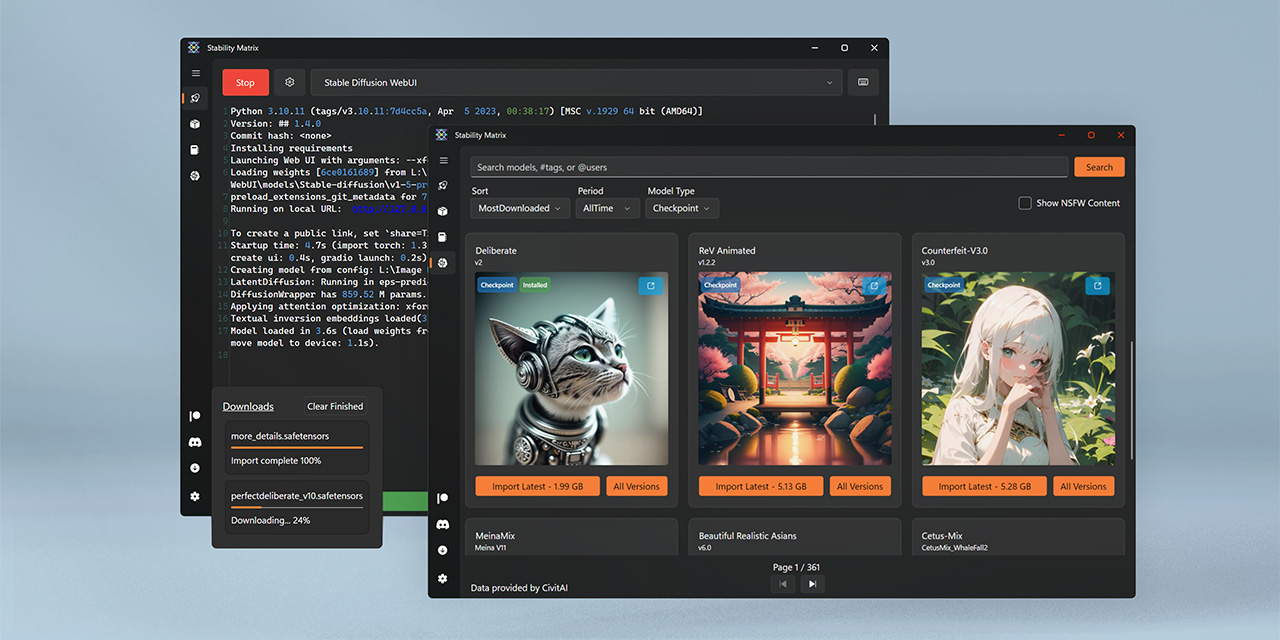
GitHub
Multi-Platform Package Manager for Stable Diffusion - LykosAI/StabilityMatrix
primal glen
of course! why would I want to go through the trouble of modifying .bat files directly when I can sift through some arcane UI instead?
it's installing now. I'll come back when it throws the next error message.
vocal burrow
primal glen
of course! why would I want to go through the trouble of modifying .bat files di...
I mean tbf you could have choose to install forge directly too instead of going through StabilityMatrix :p
That s part of the traps you can t predict until you set them off
hopefuly it should be fine from here
primal glen
yeah I'll do that in the future but I'm not going to uninstall it right when I finally get it working
vocal burrow
fair enough
primal glen
new error message is too long to paste in discord so I've pasted it here: https://pastebin.com/ETaUNPAF
Pastebin
Pastebin.com is the number one paste tool since 2002. Pastebin is a website where you can store text online for a set period of time.
karmic crown
primal glen
new error message is too long to paste in discord so I've pasted it here: https:...
just drag & drop file here
karmic crown
try --always-cpu
that should help with forge without nvidia
but it will be PAINFULLY slow
or even better try --disable-xformers first
primal glen
this is the error I get when I check the "always-cpu" box
karmic crown
--skip-torch-cuda-test does not work for forge as far as i remember
vocal burrow
karmic crown
or even better try --disable-xformers first
should be no need for it as they did nt enable it.
primal glen
there's no "disable-xformers" box
vocal burrow
but yes, use --always-cpu
karmic crown
primal glen
there's no "disable-xformers" box
do you have some box where you can enter whatever you want?
i have never used matrix
primal glen
"extra launch arguments" has a text box I can type stuff in. I'll type "--disable-xformers" into that.
karmic crown
looks like right place
primal glen
primal glen
this is the error I get when I check the "always-cpu" box
I get this error message again
karmic crown
my advice is to go to https://github.com/lllyasviel/stable-diffusion-webui-forge and than download forge one-click pacakge >>> Click Here to Download One-Click Package<<<
GitHub
Contribute to lllyasviel/stable-diffusion-webui-forge development by creating an account on GitHub.
just put it in some other folder
it should work without any modifications, you just might need to add --always-cpu
primal glen
karmic crown
my advice is to go to https://github.com/lllyasviel/stable-diffusion-webui-forge...
if I didn't have stuff already installed on my computer I would do that. Can you promise that the version of stablediffusion I'm working on installing right now won't get in the way of the install you're recommending?
vocal burrow
primal glen
this is the error I get when I check the "always-cpu" box
GitHub
Checklist The issue exists after disabling all extensions The issue exists on a clean installation of webui The issue is caused by an extension, but I believe it is caused by a bug in the webui The...
suggested hack should "fix it" enough for now.
Use requirements_versions.txt as the last post suggested
primal glen
huh, okay, lemme try that.
karmic crown
it should ened like this
httpx==0.24.1
basicsr==1.4.2
diffusers==0.25.0
just add that like this and save
httpx==0.24.1
basicsr==1.4.2
diffusers==0.25.0
pydantic==1.10.11```then try to lauch it again
primal glen
adding "pydantic==1.10.11" to the requirements_versions.txt looks like it worked. It's 5% finished generating a test image 🙂
 valid mulch
When running a batch in Comfy, it appears from the CMD that it's re-loading the model for each gen. This means the first gen is fast and they get slower and slower until eventually it's taking hours to complete a single image. Is there something I could be doing wrong in my workflow that's causing it to want to pull the models over and over?
I see "Loading 1 new model" and "Requested to load SDXL" repeated several times for each new image.
My flow isn't anything complex... one model with a couple of loras followed by face detailer and sd ultimate upscale...


 thorny mortar
hello
karmic crown
primal glen
success! Thanks so much for the help.
friendly advice, use some "fast" model, that require less steps to get decent image, like lightning or lcm
thorny mortar
I try to run dreambooth to train new model with diffuser packet
My setup code is
cd diffusers
pip install .
cd examples/dreambooth
pip install -r requirements.txt```

It work

Then I run a training code like tutorial

```accelerate launch .\diffusers\examples\dreambooth\train_dreambooth.py ^
--pretrained_model_name_or_path="C:\Users\dungt\Desktop\diffusers\assets\animeScreencap.safetensors" ^
--output_dir="C:\Users\dungt\Desktop\diffusers\assets\model" ^
--instance_data_dir="C:\Users\dungt\Desktop\diffusers\assets\source_img" ^
--instance_prompt="myxmystyle, anime, 1girl"```But I alway get this error, I dont understand where I was wrong
  File "C:\Users\dungt\AppData\Local\Programs\Python\Python310\lib\site-packages\transformers\utils\hub.py", line 398, in cached_file
    resolved_file = hf_hub_download(
  File "C:\Users\dungt\AppData\Local\Programs\Python\Python310\lib\site-packages\huggingface_hub\utils\_validators.py", line 111, in _inner_fn
    validate_repo_id(arg_value)
  File "C:\Users\dungt\AppData\Local\Programs\Python\Python310\lib\site-packages\huggingface_hub\utils\_validators.py", line 165, in validate_repo_id
    raise HFValidationError(
huggingface_hub.utils._validators.HFValidationError: Repo id must use alphanumeric chars or '-', '_', '.', '--' and '..' are forbidden, '-' and '.' cannot start or end the name, max length is 96: 'C:\Users\dungt\Desktop\diffusers\assets\animeScreencap.safetensors'.

The above exception was the direct cause of the following exception:

Traceback (most recent call last):
  File "C:\Users\dungt\Desktop\diffusers\diffusers\examples\dreambooth\train_dreambooth.py", line 1443, in <module>
main(args).........```this looks strange

it should be --pretrained_model_name_or_path= i guess
but it might be just a display
thorny mortar
just a display
karmic crown
try to rename this source_img and to use something like sourceimg, since you have this error
Repo id must use alphanumeric chars or '-', '_', '.', '--' and '..' are forbidden, '-' and '.' cannot start or end the name, max length is 96:
i am just guessing
i have never used that
thorny mortar
I just try, same error
karmic crown

GitHub
Tried to install Dreambooth according to Nerdy Rodent video (https://www.youtube.com/watch?v=w6PTviOCYQY) I am absolutely new to Linux, and failed on last step running the training. As I understood...
check if that helps
thorny mortar
yes I have read that before
karmic crown

Reddit
Explore this post and more from the StableDiffusion community
thorny mortar
hmmm
I think you was right
I just change all folder and file in same folder
now my code look like this
primal glen
karmic crown
friendly advice, use some "fast" model, that require less steps to get decent im...
https://civitai.com/models/195519/lcm-lora-weights-stable-diffusion-acceleration-module <--like this?
LCM-LoRA - Acceleration Module! Tested with ComfyUI, although I hear it's working with Auto1111 now! Step 1) Download LoRA Step 2) Add LoRA alongsi...
thorny mortar
--pretrained_model_name_or_path="animeScreencap.safetensors" ^
--output_dir="model" ^
--instance_data_dir="sourceimg" ^
--instance_prompt="myxmystyle, anime, 1girl"```it work with different error
  File "C:\Users\dungt\AppData\Local\Programs\Python\Python310\lib\site-packages\huggingface_hub\utils\_errors.py", line 304, in hf_raise_for_status
    response.raise_for_status()
  File "C:\Users\dungt\AppData\Local\Programs\Python\Python310\lib\site-packages\requests\models.py", line 1021, in raise_for_status
    raise HTTPError(http_error_msg, response=self)
requests.exceptions.HTTPError: 401 Client Error: Unauthorized for url: https://huggingface.co/animeScreencap.safetensors/resolve/main/tokenizer/tokenizer_config.json

The above exception was the direct cause of the following exception:

Traceback (most recent call last):
  File "C:\Users\dungt\AppData\Local\Programs\Python\Python310\lib\site-packages\transformers\utils\hub.py", line 398, in cached_file
    resolved_file = hf_hub_download(
  File "C:\Users\dungt\AppData\Local\Programs\Python\Python310\lib\site-packages\huggingface_hub\utils\_validators.py", line 119, in _inner_fn
return fn(*args, **kwargs)```I will continue check that
karmic crown
primal glen
https://civitai.com/models/195519/lcm-lora-weights-stable-diffusion-acceleration...

set filter to show sd 1.5 lcm based models
you can try this one
primal glen
where does that one say "lightning" or "lcm"?
karmic crown
be sure to use low CFG, or you will get a messy images
something like 8 steps is enough
karmic crown
primal glen
where does that one say "lightning" or "lcm"?

those are SDXL, but that will probably be too slow on your hardware
but you can try
turbo only need 1 step
lightning need 4 or 8 steps (i do not use 2 step variant)
sdxl lcm is smilar to sdxl 1.5 lcm, but produce bigger images
and works much slower
karmic crown
thorny mortar
it work with different error
```Traceback (most recent call last):
File "C:\Us...
HTTPError: 401 Client Error: Unauthorized for url: https://huggingface.co/animeScreencap.safetensors/resolve/main/tokenizer/tokenizer_config.json
you are not allowed to access that file
401 is error that means that you are not authorized to access that
primal glen
so "lcm" and "lightning" are useful at speeding up the model, but SDXL is a slower model to begin with so I might be better off using a faster model like regular Stable Diffusion?
karmic crown
its like this
primal glen
I don't see any models that are LCM or lightning that aren't SDXL

 thorny mortar
karmic crown
HTTPError: 401 Client Error: Unauthorized for url: https://huggingface.co/animeS...
thorny mortar
karmic crown
HTTPError: 401 Client Error: Unauthorized for url: https://huggingface.co/animeS...
I have a question
do I need to access that file ?
karmic crown
thorny mortar
do I need to access that file ?
i have no idea, sorry 😦
primal glen
okay if I can't read I think that means it's time to take a break. Thanks for the suggestions, I'll be back with my results and probably more requests for help
thorny mortar
the animeScreencap.safetensors is a model file already in my computer
karmic crown
primal glen
okay if I can't read I think that means it's time to take a break. Thanks for th...
1.5 was trained on 512x512px, and it generates that by default
SDXL was trained on 1024x1024px, and it generates that by default
that is the reason why sdxl is slower than 1.5
lcm is the modified version that exists for both that requires fewer steps, so it is "faster", but only because that requires fewer steps
lightning is even faster but there is no lightning version of 1.5 models
karmic crown
thorny mortar
do I need to access that file ?
https://discuss.huggingface.co/t/error-401-client-error-unauthorized-for-url/19714/38
looks like it requires authorization with token

Hugging Face Forums
When i am trying to push model it showing error??
do you have HF_TOKEN?
karmic crown
are you sure that can work without it and offline, since it ask for protected resurece on HF?
 karmic crown
try to open this link in browser
https://huggingface.co/animeScreencap.safetensors/resolve/main/tokenizer/tokenizer_config.json
you will see that it say invalid password
and that link is from your log
karmic crown
better wait for someone who knows more about this, sorry
 thorny mortar
 brave frigate
can some help me with this?
brave frigate
can some help me with this?
it say you out of memory
karmic crown
have you used one of the amd tutorials from this channel to set it up?
brave frigate
not from this channel no.
karmic crown
in the pinned messages (top right) of this channel you have two amd tutorials
the one that use zluda is probably better for you
brave frigate
I'll try that out
ornate elk
brave frigate
I'll try that out
Please use the AMD Zluda guide, you won't have any vram problems with that and its blazing fast
I have a 7900xtx, works very good with it
The guide is in the pinned messages of this channel
Feel free to ask if anything isnt clear
 tepid crypt
is there any way to identify what model was used to train a lora?
vocal burrow
apart from reading the description page/readme/etc. no (to my knowledge)
 high nymph
Hello,
it is possible to create 180 degree or 360 images?
Thanks
 iron yoke
Hello, how do generate an image
brave frigate
karmic crown
have you used one of the amd tutorials from this channel to set it up?
I have done the ZLUDA setup now but now i get a new error..
venv "C:\Users\Chef\Desktop\SD-Zluda\stable-diffusion-webui-directml\venv\Scripts\Python.exe"
WARNING: ZLUDA works best with SD.Next. Please consider migrating to SD.Next.
Using ZLUDA in C:\ZLUDA
Python 3.10.11 (tags/v3.10.11:7d4cc5a, Apr 5 2023, 00:38:17) [MSC v.1929 64 bit (AMD64)]
Version: v1.9.0-6-gb7c5e603
Commit hash: b7c5e6039e3a60dfd0b4df342782fabdf6844a16
Skipping onnxruntime installation.
You are up to date with the most recent release.
no module 'xformers'. Processing without...
no module 'xformers'. Processing without...
No module 'xformers'. Proceeding without it.
C:\Users\Chef\Desktop\SD-Zluda\stable-diffusion-webui-directml\venv\lib\site-packages\pytorch_lightning\utilities\distributed.py:258: LightningDeprecationWarning: pytorch_lightning.utilities.distributed.rank_zero_only has been deprecated in v1.8.1 and will be removed in v2.0.0. You can import it from pytorch_lightning.utilities instead.
rank_zero_deprecation(
Launching Web UI with arguments: --use-zluda --medvram-sdxl --update-check --skip-ort
rocBLAS error: Cannot read C:\Program Files\AMD\ROCm\5.7\bin/rocblas/library/TensileLibrary.dat: No such file or directory for GPU arch : gfx1036
rocBLAS error: Could not initialize Tensile host:
regex_error(error_backref): The expression contained an invalid back reference.
Press any key to continue . . .
i dont really know how i can make it read the correct things
ornate elk
brave frigate
venv "C:\Users\Chef\Desktop\SD-Zluda\stable-diffusion-webui-directml\venv\Script...
you need to disable your integrated AMD gpu from your CPU, youll find it in the device manager under Graphicadapters.
if you have two entrys there disable the one that isnt the 7900xt
fair oxide
the endpoint isn't working? https://stablediffusionapi.com/api/v3/text2img
ornate elk
Nice 🙂
 balmy quest
everytime i generate a img2img i get IndexError: list index out of range
i dont know what to do before it worked fine
i didnt use any extension i think
 sharp lichen
what version of python should i use for comfyui?
ornate elk
sharp lichen
what version of python should i use for comfyui?
3.10.11
 hard quiver
hi. ive installed forge and its not opening up when I press anykey. any idea?

i also already have automatic 1111 installed.
maybe thats releated somehow?
rocky adder
vocal burrow
They work differently, different settings, different outputs, etc... For deforum...
Great! thanks for the response
 umbral aspen
Hey all, total noob here.
Last night, I managed to get the stable diffusion webui (automatic1111/stable-diffusion-webui-1.0.0-pre) installed and working. I had to change/add a few requirements_versions and I am using the arguments --precision full --no-half to launch. I'm currently trying to get sd-webui-segment-anything to work, but running into issues after installing it. Is this the right place to ask for help?
Thanks!
rocky adder
vocal burrow
They work differently, different settings, different outputs, etc... For deforum...
What is Deforum Dischord? I just don't find it
ornate elk
umbral aspen
Hey all, total noob here.
Last night, I managed to get the stable diffusion we...
Yes, what's your GPU?
umbral aspen
ornate elk
Yes, what's your GPU?
Ancient and underpowered 😅
I think it's an rx480. Currently looking for a newer Nvidia based one.
vocal burrow
oof yeah you might be stuck with pytorch 1 using this
 thin glen
What up guys, does anyone know where I can get help with animatediff in comfyui? I'm trying to find a motion module model that works with the SDXL refiner (if there is one)
 gaunt mural
hey i get this masseage when i try to train my dreamboot model PermissionError: [Errno 13] Permission denied: 'trainingImages\attika'
any one now what i can do
ornate elk
umbral aspen
Ancient and underpowered 😅
I think it's an rx480. Currently looking for a newe...
Make sure you also add --opt-sub-quad-attention
And if you have 4gb vram then --lowvram
If 8gb then --medvram
umbral aspen
ok, I'll add those. The issue I'm having with installing/adding sd-webui-segment-anything looks like it might be path related.
Traceback (most recent call last):
  File "C:\StableDiffusion\stable-diffusion-webui-1.0.0-pre\modules\scripts.py", line 218, in load_scripts
    script_module = script_loading.load_module(scriptfile.path)
  File "C:\StableDiffusion\stable-diffusion-webui-1.0.0-pre\modules\script_loading.py", line 13, in load_module
    exec(compiled, module.__dict__)
  File "C:\StableDiffusion\stable-diffusion-webui-1.0.0-pre\extensions\sd-webui-segment-anything\scripts\api.py", line 10, in <module>
    from scripts.sam import sam_predict, dino_predict, update_mask, cnet_seg, categorical_mask
  File "C:\StableDiffusion\stable-diffusion-webui-1.0.0-pre\extensions\sd-webui-segment-anything\scripts\sam.py", line 21, in <module>
    from scripts.auto import clear_sem_sam_cache, register_auto_sam, semantic_segmentation, sem_sam_garbage_collect, image_layer_internal, categorical_mask_image
  File "C:\StableDiffusion\stable-diffusion-webui-1.0.0-pre\extensions\sd-webui-segment-anything\scripts\auto.py", line 12, in <module>
    from modules.paths import extensions_dir
ImportError: cannot import name 'extensions_dir' from 'modules.paths' (C:\StableDiffusion\stable-diffusion-webui-1.0.0-pre\modules\paths.py)```surprisingly, it actually works fairly well and quickly for smaller images (512x512). I'm excited to see what a modern GPU will do
 wide badge
Hey I think this is the right place to ask this question, not sure though.
I want to set up a webui and I was wondering if there are any webuis set up already loaded up with some of the new PAG tech.
like a github page or something y'all know of
If not, thanks for your time appreciate ya
 wind roost
can someone help me with the API?
i cant define the sampelr
its annoying me
is this correct?
            "prompt": prompt,
            "steps": steps,
            "sampler": "DPM++ 3M SDE Karras",
            "override_settings": {
                "sd_model_checkpoint": model_checkpoint,

            }
        }
 frosty summit
Is anyone else not able to see images when their UI when generated? I am able to see my generated images just fine in my output folder but I can't see them in my UI
unique bluff
Is sd supposed to take extra long to generate an image? It’s been over 15 min and still at 0% (6 min of that was just to get to the progress part)
It’s simply not moving forward
It stays stuck at 0%| | 0/25 [00:00<?, ?it/s] Total progress: 0it [00:00, ?it/s]
ripe bronze
Comfyui: I'm confused why this is showing as red. See in the bottom picture I already have that file in the custom nodes folder.


Same issue as stated above now with another red error message (and different workflow):


 scenic skiff
unique bluff
Is sd supposed to take extra long to generate an image? It’s been over 15 min an...
scenic skiff
unique bluff
Is sd supposed to take extra long to generate an image? It’s been over 15 min an...
No. It should not take that long. Something must be going wrong.
sharp lichen
Does anyone know how i could have controlnet only work on my subject? and have it ignore the rest of controlnet input image?
 hard shale
wide badge
Hey I think this is the right place to ask this question, not sure though.
I wan...
hard shale
wide badge
Hey I think this is the right place to ask this question, not sure though.
I wan...
Do you mean these repos?
webui https://github.com/v0xie/sd-webui-incantations
forge https://github.com/pamparamm/sd-perturbed-attention
These are extensions, but you can easily use them.
GitHub
Enhance Stable Diffusion image quality, prompt following, and more through multiple implementations of novel algorithms for Automatic1111 WebUI. - v0xie/sd-webui-incantations
GitHub
Perturbed-Attention Guidance for ComfyUI and SD Forge - pamparamm/sd-perturbed-attention
 tulip widget
why I can't generate image in Stable Diffusion in Discord?
no bot room under my account
 vocal burrow
 serene robin
Hi, my automatic111 on an AMD gpu is not working since they update something 3 months ago
how can i best unistall & delete it?
ornate elk
serene robin
Hi, my automatic111 on an AMD gpu is not working since they update something 3 m...
Hey what's your GPU?
serene robin
ornate elk
Hey what's your GPU?
6700 xt 12gb
vocal burrow
serene robin
how can i best unistall & delete it?
Simply select its directory and delete it. But you might want to save your models, loras, embeddings, outputs, etc beforehand if you want to reinstall it. Check pinned message for that.
ornate elk
serene robin
6700 xt 12gb
Okay, there is a new and faster webui for AMD cards like yours.
I made a install guide.
Its in the pinned messages of this channel
Zluda version
serene robin
vocal burrow
Simply select its directory and delete it. But you might want to save your model...
good call, i'll save those!
serene robin
ornate elk
Okay, there is a new and faster webui for AMD cards like yours.
I made a install...
awesome! i'll try it
ornate elk
serene robin
awesome! i'll try it
Sure, you can then easily use your existing models and Lora's from the older version.
Also if you have any questions feel free to ask. 🙂
serene robin
i saved VAEs too
thanks guys, i'll try that and i'll let you know once I install it ❤️
serene robin
i didn't have those
but do i need to save torch, because when i first installed this version i had a hard time making it work because of it
ornate elk
serene robin
but do i need to save torch, because when i first installed this version i had a...
Nope, the zluda version needs a different version of torch. No need to save it.
serene robin
alright then
 placid robin
GitHub
When I try the Fine Tune API I am getting this error "Fine-Tuning is currently available in Limited Preview for select customers only". when will this be publicly available?
 solemn atlas
Hii, in which folder does "poses" need to be
 unique bluff
scenic skiff
No. It should not take that long. Something must be going wrong.
unique bluff
scenic skiff
No. It should not take that long. Something must be going wrong.
When I tried to make a “simple”image (just a prompt) it did just fine
When I use multiple prompts + negative prompts + controlenet + high res it doesn’t
How do I fix this?
gaunt mural
i get this message when i rty and train my Dreambooth model
PermissionError: [Errno 13] Permission denied: 'trainingImages\attika'
 open needle
Hi, I just installed SD on my win11.
Here I have 2x files:
-> sd_xl_base_1.0.safetensors (I downloaded it here: https://huggingface.co/stabilityai/stable-diffusion-xl-base-1.0/tree/main)
-> v1-5-pruned-emaonly.safetensors (it came out-of-the-box)
C:\git\stable-diffusion-webui\models\Stable-diffusion
When I use SD, f.ex. for "a man" v1-5-pruned-emaonly.safetensors gives me a normal image, but sd_xl_base_1.0.safetensors gives me a weird looking image (like a Picasso art). Is that normal?
I tried these 2x models: https://github.com/AUTOMATIC1111/stable-diffusion-webui/wiki/Features
And this seems to work (I get normal images):
-> sd_xl_refiner_1.0_0.9vae.safetensors
GitHub
Stable Diffusion web UI. Contribute to AUTOMATIC1111/stable-diffusion-webui development by creating an account on GitHub.
So in short, these produce a normal image (not some Picasso art):
-> v1-5-pruned-emaonly.safetensors
-> sd_xl_refiner_1.0_0.9vae.safetensors
These produce Picasso art:
-> sd_xl_base_1.0_0.9vae.safetensors
-> sd_xl_base_1.0.safetensors
ornate elk
open needle
Hi, I just installed SD on my win11.
Here I have 2x files:
-> sd_xl_base_1.0.saf...
Hey, sdxl models need a base resolution of 1024x1024
1.5 models are trained on 512x512
 fierce hollow
Please explain in simple terms the difference between CHECKPOINT TRAINED and CHECKPOINT MERGE.
 onyx solar
fierce hollow
Please explain in simple terms the difference between CHECKPOINT TRAINED and CHE...
onyx solar
fierce hollow
Please explain in simple terms the difference between CHECKPOINT TRAINED and CHE...
Merged = multiple existing models smashed together
Trained = model created from scratch using images
fierce hollow
onyx solar
Merged = multiple existing models smashed together
Trained = model created from ...
Thank you very much.
tepid crypt
someone knows what model is the one they mention here? im trying to use their Lora but cant find a model that fits good, hope someone can help
the Lora: https://civitai.com/models/18472


The other day I found a embedding of DAGASI's art style but it was too bad to create some satisfactory pictures. So I made a lora of DAGASI's art s...
onyx solar
tepid crypt
someone knows what model is the one they mention here? im trying to use their Lo...
They're referring to NovelAI.
tepid crypt
is it possible to use it out of the site?
ornate elk
tepid crypt
is it possible to use it out of the site?
Use the AnythingV5 model
Closest you get to novelai
tepid crypt
got it, thx
 stone junco
is there a way to use older versions of chat gpt?
fierce hollow
The Model 1.5 is trained on 512x512, I read it in this chat. Is there a way to increase these values?
ornate elk
fierce hollow
The Model 1.5 is trained on 512x512, I read it in this chat. Is there a way to i...
you can try 768x768 or any other resolution near 512, but if you go to high you get duplicates and artefacts.
the best way is to upscale to a higher resolution with hires fix
 cosmic furnace
Hmmm. Amd hip ray tracing here or almost here?)
fierce hollow
ornate elk
you can try 768x768 or any other resolution near 512, but if you go to high you ...
I'm a beginner trying to get the hang of it, and as you say, "artifacts" like giraffes with three legs, two arms, Siamese twins, and so on keep coming out.
cosmic furnace
I guess if only 3 games have signifficant bad ray tracing with 7900 xtx its something about those games optimisation? Like cyberpunk & hogwarts.
ornate elk
fierce hollow
I'm a beginner trying to get the hang of it, and as you say, "artifacts" like gi...
yea that can happen, also use a good negative prompt to not get artefacts
ornate elk
cosmic furnace
I guess if only 3 games have signifficant bad ray tracing with 7900 xtx its some...
cyberpunk works good with raytraying on my 7900xtx, but i have also FSR enabled on Quality
fierce hollow
ornate elk
yea that can happen, also use a good negative prompt to not get artefacts
Where can I get these negative promts? Preferably universal, for people
ornate elk
fierce hollow
Where can I get these negative promts? Preferably universal, for people
here is a basic one:
blurry, disfigured, kitsch, ugly, oversaturated, grain, low-res, Deformed, blurry, bad anatomy, disfigured, poorly drawn face, mutation, mutated, extra limb, ugly, poorly drawn hands, missing limb, blurry, floating limbs, disconnected limbs, malformed hands, blur, out of focus, long neck, long body, ugly, disgusting, poorly drawn, childish, mutilated, , mangled, old, surreal, text, blurry, b&w, monochrome, conjoined twins, multiple heads, extra legs, extra arms, meme, deformed, elongated, twisted fingers, strabismus, blurred, watermark
cosmic furnace
btw have you seen THIS? https://youtu.be/_toA8lErAHg

Ultra realistic motorbike ride through Night City in Cyberpunk 2077 2.1 with close to realism, photorealistic ray tracing modded graphics. Fidelity made possible with DLSS 3.5, ReSTIR GI Path Tracing and the new Nova LUT. Running on RTX 4090.
Graphics Mods in use are:
Nova LUT by theCyanideX
Cyberpunk 2077 HD Reworked Project by HalkHogan
Cust...
Mind blowing y? I thought first 30 sec was a real life video 😄
trying to fool me
fierce hollow
ornate elk
here is a basic one:
`blurry, disfigured, kitsch, ugly, oversaturated, grain, lo...
Okay, I'll try it now, thanks. Are these sizes not suitable for 1.5?
aspect ratio: 4:3 - 1152x896
aspect ratio: 2:3 - 832x1216
aspect ratio: 9:16 - 768x1344
aspect ratio: 21:9 - 1536x640
aspect ratio: 1:1 - 1024x1024
aspect ratio: 3:4 - 896x1152
aspect ratio: 16:9 - 1344x768
aspect ratio: 5:4 - 1152x896
aspect ratio: 3:2 - 1216x832
aspect ratio: 4:5 - 896x1152
aspect ratio: 9:21 - 640x1536
yea its crazy
ornate elk
fierce hollow
Okay, I'll try it now, thanks. Are these sizes not suitable for 1.5?
```
aspect ...
these are for sdxl only
cosmic furnace
Btw ive heard Sony wants their own Ray tracing. And with this AMD hip ray tracing i think amd trying to catch up? & it might happen. Cause open sourse like always hmgm
fierce hollow
ornate elk
these are for sdxl only
Tell me, are there any sdxl models that support lora?
ornate elk
fierce hollow
Tell me, are there any sdxl models that support lora?
every sdxl model supports loras, but the loras also need to be trained on sdxl
fierce hollow
ornate elk
every sdxl model supports loras, but the loras also need to be trained on sdxl
How to do it? If I conditionally connect the "Juggernaut XL" model, then Lora does not show any available plugins, as soon as I switch to the 1.5 Lora model, it is visible
ornate elk
cosmic furnace
Btw ive heard Sony wants their own Ray tracing. And with this AMD hip ray tracin...
yes, as in every console (PS or Xbox) is an AMD Chip, we will get better RT maybe
but i dont care about Raytraycing, its a gimmick which lowers my fps significant for a not that noticeable difference (depending on game)
ornate elk
fierce hollow
How to do it? If I conditionally connect the "Juggernaut XL" model, then Lora do...
that means the lora is made for 1.5
and wont work with sdxl
cosmic furnace
Did you see video that some enthusiast made an 7900xtx be more powerful than 4090 ? He somehow bypassed the power limits & crancked it up to have more 1.5x power to it running and making it about 15-20% better ;O
fierce hollow
ornate elk
that means the lora is made for 1.5
and wont work with sdxl
So it already depends on the specific Lora model?
cosmic furnace
Gotta agree RT is kinda overrated =\
ornate elk
cosmic furnace
Did you see video that some enthusiast made an 7900xtx be more powerful than 409...
yes its possible xD
ornate elk
cosmic furnace
Gotta agree RT is kinda overrated =\
i dont even use it in Cyberpunk xD
max settings is enough on 2k monitor
looks awesome
ornate elk
fierce hollow
So it already depends on the specific Lora model?
yes
on civitai you can filter
for loras made for 1.5 or sdxl
cosmic furnace
PPl saying u need N-asa PC to run CyberPunk & photo real mod-presets but all i can see is 4090. I do know theres cpu that costs 10k $ but doesnt seems like the case
Did u tried this photoreal mod? ;o
ornate elk
cosmic furnace
Did u tried this photoreal mod? ;o
nope, but i will mod my Cyperpunk in a few days/weeks, i have already a list with mods i need
cosmic furnace
Ray tracing affect overall picture of it much or nah btw? How dyu think?)
ornate elk
cosmic furnace
Ray tracing affect overall picture of it much or nah btw? How dyu think?)
most is done by the Depth of field blur and the reshade
the game already has a good lighting so shadows should be okay
with raytracing they would be better, and of course some transparent textures or mirros
cosmic furnace
I wonder why amd has locked Power increase on 7x series =\ . Ppl was playing with it in 6x series too much? Lowers overall lifespan of a card? 🤔 Just a safety measure?
Weird decision if it makes AMD better than Nvidia in productivity
ornate elk
cosmic furnace
I wonder why amd has locked Power increase on 7x series =\ . Ppl was playing wit...
nope, AMD locks settings at values that are compatible and safe for every System
They also recommend to tweak as much as you like, best to do so is with the Adrenalin Software.
cosmic furnace
only +10% there 😦
and they say different brand have different highest&standart power limits . As if bios locked by manufacturer
ornate elk
cosmic furnace
and they say different brand have different highest&standart power limits . As i...
yes, i have the 7900XTX Nitro+ Vapor-X by Saphire , it comes already overclocked
cosmic furnace
y they say those have highest power limits 🤔
ornate elk
@cosmic furnace checkout this video for adrenalin overclocking:
https://www.youtube.com/watch?v=xdCWdvW8qYk
cosmic furnace
really weird why diff brands make diff powa limits & they differ so much tho =\
ornate elk
cosmic furnace
really weird why diff brands make diff powa limits & they differ so much tho =\
they want to make a selling point ^^ if every third party card would have the same performance, you just would by the cheapest one
its the same for nvidia cards, third party cards are better than the ones shipped by nvidia
cosmic furnace
indeed 🙂
ornate elk
 edgy heath
mac m2 chip
edgy heath
mac m2 chip
whats the issue?
 storm lake
Hi yall, im trying to get stable diffusion to work for the first time and it just kinda isnt
Im using this guide https://github.com/AUTOMATIC1111/stable-diffusion-webui?tab=readme-ov-file and the "automatic installation on widows" bit
I got everything installed i think, but now that im trying to run webui-user.bat i keep getting this: "RuntimeError: Torch is not able to use GPU; add--skip-torch-cuda-test to COMMANDLINE_ARGS variable to disable this check" and "Press any key to continue" but it just closes when i do.
Idk very much when it comes to cmd and editing files and all that, what do i do to make it work?
ornate elk
storm lake
Hi yall, im trying to get stable diffusion to work for the first time and it jus...
Hey, what's your GPU?
storm lake
not sure actually where do i check
not a particularly good one im sure, im just trying it out on my laptop
storm lake
ornate elk
Hey, what's your GPU?
ok found it apparently its an Intel(R) UHD Graphics 620
ornate elk
storm lake
not sure actually where do i check
not a particularly good one im sure, im just ...
Check in the device manager under graphics adatper
Or in the task manager under performance then on GPU
ornate elk
storm lake
^
Your sure?
storm lake
should be
frosty summit
Hey, has anyone else had the issue where you can’t see the image generated in the UI? I am able to access the image I generate in the output directory but I am not able to see it directly in the UI. Not sure if it’s a setting or something that I need to enable, but any help would be appreciated.
ornate elk
storm lake
should be
Then it would only work in CPU mode.
To get it working you have to edit the webui-user.bat and at the line commandline_args=
You need to add: --skip-torch-cuda-test --use-cpu all --opt-sub-quad-attention --no-half
storm lake
ornate elk
Then it would only work in CPU mode.
To get it working you have to edit the webu...
alr thx ill try
ornate elk
storm lake
alr thx ill try
But recheck in taskmanager under performance tab. If you have GPU 0 or GPU 0 and 1
storm lake
just gpu 0
ornate elk
storm lake
just gpu 0
Okay yea then do that steps above
storm lake
it seems to be doing something rn at least, thx for the help
ornate elk
edgy heath
2hours for 1 image
Did you used the Install script for macs from the pinned messages of this channel?
If not, you should try that
 hearty minnow
**hey guys , in need of help i recive this kind of error **
And my AI dos't start
File "D:\AI\stable-diffusion-webui-forge\launch.py", line 51, in <module>
main()
File "D:\AI\stable-diffusion-webui-forge\launch.py", line 47, in main
start()
File "D:\AI\stable-diffusion-webui-forge\modules\launch_utils.py", line 541, in start
import webui
File "D:\AI\stable-diffusion-webui-forge\webui.py", line 19, in <module>
initialize.imports()
File "D:\AI\stable-diffusion-webui-forge\modules\initialize.py", line 35, in imports
import gradio # noqa: F401
File "D:\AI\stable-diffusion-webui-forge\venv\lib\site-packages\gradio_init_.py", line 3, in <module>
import gradio.components as components
File "D:\AI\stable-diffusion-webui-forge\venv\lib\site-packages\gradio\components_init_.py", line 1, in <module>
from gradio.components.annotated_image import AnnotatedImage
File "D:\AI\stable-diffusion-webui-forge\venv\lib\site-packages\gradio\components\annotated_image.py", line 13, in <module>
from gradio.components.base import IOComponent, Keywords
File "D:\AI\stable-diffusion-webui-forge\venv\lib\site-packages\gradio\components\base.py", line 20, in <module>
from fastapi import UploadFile
File "D:\AI\stable-diffusion-webui-forge\venv\lib\site-packages\fastapi_init.py", line 7, in <module>
from .applications import FastAPI as FastAPI
File "D:\AI\stable-diffusion-webui-forge\venv\lib\site-packages\fastapi\applications.py", line 15, in <module>
from fastapi import routing
File "D:\AI\stable-diffusion-webui-forge\venv\lib\site-packages\fastapi\routing.py", line 22, in <module>
from fastapi import params
File "D:\AI\stable-diffusion-webui-forge\venv\lib\site-packages\fastapi\params.py", line 4, in <module>
from pydantic.fields import FieldInfo, Undefined
ImportError: cannot import name 'Undefined' from 'pydantic.fields' (D:\AI\stable-diffusion-webui-forge\venv\lib\site-packages\pydantic\fields.py)
Press any key to continue . . .

i reinstalled ai , with removing python and git completley , but still recive same msg
 tough delta
Hey. I'm getting this error with Kohya.
local variable 'epoch' referenced before assignment
I'm trying to learn to make some lora all day but I only getting errors even tho I followed youtube videos about installing etc. Currently I'm trying "Kohya-v22.6.2" as suggested because newer versions are a bit of mess and gives even more errors.
Pastebin
Pastebin.com is the number one paste tool since 2002. Pastebin is a website where you can store text online for a set period of time.
ahhhhh this is crazy. I see some progress now. I fixed bit and something, but next time I tried running via dreambooth instead lora tab and gave me error.
edgy heath
ornate elk
Did you used the Install script for macs from the pinned messages of this channe...
https://github.com/viking1304/a1111-setup
this im assuming. no i did not. in fact, i have multiple stable diffusion folders both downloaded differently. i was drunk and new to the terminal

GitHub
Simple and easy Automatic1111 WebUI and Forge install script for Mac - viking1304/a1111-setup
do i uninstall stable diffusion and reinstall? if so - how to uninstall?
ornate elk
edgy heath
https://github.com/viking1304/a1111-setup
this im assuming. no i did not. in fac...
uninstall is easy, just delete the stable-diffusion-webui folder
but save your outputs, models and loras if you had them
edgy heath
Cheers
ornate elk
edgy heath
Cheers
Then run the script, it will install SD with the best performance settings
hearty minnow
ornate elk
Then run the script, it will install SD with the best performance settings
could you look at my screenshot please ?
ornate elk
hearty minnow
could you look at my screenshot please ?
Yea thats a common issue right now.
You can fix it by following this:
https://github.com/AUTOMATIC1111/stable-diffusion-webui/issues/15551#issuecomment-2061997952
Also here is an workaround too:
https://github.com/AUTOMATIC1111/stable-diffusion-webui/issues/15564
hearty minnow
ornate elk
Yea thats a common issue right now.
You can fix it by following this:
https://gi...
will try it right now
hearty minnow
ornate elk
Yea thats a common issue right now.
You can fix it by following this:
https://gi...
fixed ❤️
cosmic furnace
Not sure you can do this. But i guess if you change bios firmware of 1 gpu that has lower limits from other that have higher power limits you can rise max powa limits? 🤔
Ive heard there was an bios firmware of nvidia 4090 or 3090 leaked & ppl can now install it on any lower. Gaining some bettter performance and making system think that its 90 series 😄
 drowsy creek
well RIP my gpu doesn't support pytorch
(RX 5600 XT)
so is locally running SD impossible now on arch?
I was able to run it on CPU I think on windows
how would I do that on arch?
ornate elk
drowsy creek
how would I do that on arch?
Hey a 5600xt will work on windows better now. In the pinned messages of this channel you find the SD webui zluda guide.
No need to run it on CPU
drowsy creek
ornate elk
Hey a 5600xt will work on windows better now. In the pinned messages of this cha...
I was able to run it on CPU on windows *in the past
I fully run linux rn

and the RX 5600 XT was not on that page I highlighted
ornate elk
drowsy creek
yea than you would have to build it for yourself, but you could also try to get it run using Zluda but on linux
idk how but it should be possible
drowsy creek
is Zlunda a seperate webui than amd1111?
or is it a torch compatability layer for amd1111?
ornate elk
drowsy creek
is Zlunda a seperate webui than amd1111?
zluda is a compatibility layer for cuda to work with AMD gpus.
it works as backend for auto1111 like directml or rocm
your card is supported by zluda
@drowsy creek
Here are the linux and windows files for zluda:
https://github.com/lshqqytiger/ZLUDA/releases/tag/rel.9e97c717c3fef536d3116f39a15d95626c1dfe39
Here are the comunity made Rocm libs that support older AMD gpus like yours.
https://github.com/brknsoul/ROCmLibs/
you need Rocm installed and the latest AMD drivers
thin glen
Is there a motion module that's compatible with the SDXL refiner? trying to create a vid2vid workflow with animatediff that works with SDXL.
or do I just have to run the whole thing using the base model
ornate elk
drowsy creek
where would that fit into this tutorial
hmm after setting up the venv i guess
then you have to install pytorch for cuda inside this venv
torch 2.2.2 with cuda 11.8
 wraith pewter
OutOfMemoryError: CUDA out of memory. Tried to allocate 18.86 GiB. GPU 0 has a total capacity of 23.98 GiB of which 0 bytes is free. Of the allocated memory 7.31 GiB is allocated by PyTorch, and 18.04 GiB is reserved by PyTorch but unallocated. If reserved but unallocated memory is large try setting PYTORCH_CUDA_ALLOC_CONF=expandable_segments:True to avoid fragmentation. See documentation for Memory Management (https://pytorch.org/docs/stable/notes/cuda.html#environment-variables)
Why am I getting this
the image was 1 second before complete...
wraith pewter
oh it seems i gotta restart after a large image
ornate elk
wraith pewter
Why am I getting this
Whats your GPU?
You may need the tiled VAE extension or the sdxl fp 16 vae
 strange fiber
NansException: A tensor with all NaNs was produced in Unet. This could be either because there's not enough precision to represent the picture, or because your video card does not support half type. Try setting the "Upcast cross attention layer to float32" option in Settings > Stable Diffusion or using the --no-half commandline argument to fix this. Use --disable-nan-check commandline argument to disable this check. i dont know how to fix it someone can hellp^?
ornate elk
strange fiber
NansException: A tensor with all NaNs was produced in Unet. This could be either...
Hey, what's your GPU?
strange fiber
ornate elk
Hey, what's your GPU?
AMDryzen 53500x6core
ornate elk
strange fiber
AMDryzen 53500x6core
Thats your CPU
strange fiber
ornate elk
Hey, what's your GPU?
NVIDIA 1660 super
ornate elk
strange fiber
NVIDIA 1660 super
ah okay, then you need to edit your webui-user.bat. at the line COMMANDLINE_ARGS=
you need to add: --xformers --medvram --no-half
then save and relaunch it
strange fiber
ornate elk
ah okay, then you need to edit your webui-user.bat. at the line COMMANDLINE_ARGS...
TY
 main owl
OutOfMemoryError: CUDA out of memory. Tried to allocate 5.37 GiB. GPU 0 has a total capacty of 15.99 GiB of which 0 bytes is free. Of the allocated memory 21.94 GiB is allocated by PyTorch, and 3.34 GiB is reserved by PyTorch but unallocated. If reserved but unallocated memory is large try setting max_split_size_mb to avoid fragmentation. See documentation for Memory Management and PYTORCH_CUDA_ALLOC_CONF, Stable Video Diffusion is there any guide or tip for it?
ornate elk
main owl
OutOfMemoryError: CUDA out of memory. Tried to allocate 5.37 GiB. GPU 0 has a to...
Hey what's your GPU?
main owl
RTX 4080 16GB
ornate elk
main owl
RTX 4080 16GB
Okay and what's on your webui-user.bat ?
main owl
downloaded from pinokio
ornate elk
main owl
downloaded from pinokio
Ah okay.
Then go into the stable-diffusion-webui folder.
Edit the webui-user.bat and there add the line commandline_args=
And there add: --xformers

 ornate elk
main owl
there is no webui-user.bat
ornate elk
main owl
there is no webui-user.bat
Ohhh
main owl
i said its downloaded from pinokio app
ornate elk
Then I can't help much. But would recommend using the normal installation instead of Pinokio
main owl
well i will try later
ornate elk
main owl
well i will try later
In the pinned messages of this channel you'll find my Nvidia install guide
 tight dirge
I am having the same issue, did you find a solution to this ?
 sinful needle
I'm trying to set up Animate Diff. Where do I git clone the folder? In the stable diffusion folder? https://github.com/guoyww/AnimateDiff/blob/main/__assets__/docs/animatediff.md
GitHub
Official implementation of AnimateDiff. Contribute to guoyww/AnimateDiff development by creating an account on GitHub.
 narrow copper
Does comfy ui have anything to show prompt progress? There's the queue view but it doesn't show if anything's happening, just that something's running.
onyx solar
narrow copper
Does comfy ui have anything to show prompt progress? There's the queue view but ...
I recommend rgthree's node pack for that (among other nice things).
https://github.com/rgthree/rgthree-comfy
narrow copper
Lovely. Thanks. 😗
sinful needle
😦
ripe bronze
On comfui sometimes the Prompt Box auto-suggests loras. But sometimes it suddenly stop trying to autopopulate them. How do I keep it to always autopopulate loras that I have in my folder?
drowsy creek
ornate elk
hmm after setting up the venv i guess
then you have to install pytorch for cuda ...
how would I install the exact versions on arch? [EDIT: not gonna delete this message since I don't wanna ghost ping, but nvm]
 vocal burrow
1/ console logs ?
2/ what client/UI are you using ?
3/ you forgot to put the port at the end http://127.0.0.1:7860/
 north tundra
I re-installed the windows and webui but keep the old models, extensions in another disc. After re-installing the webui with no problem, I just copy the every single old models and extensions into the new folder. Now I am having an issue with selecting a model. Anyone have an idea to fix it? Stable diffusion model failed to load changing setting sd_model_checkpoint to ohwxRVB2.ckpt: AttributeError Traceback (most recent call last): File "D:\Stable Diffusion\stable-diffusion-webui\modules\options.py", line 165, in set option.onchange() File "D:\Stable Diffusion\stable-diffusion-webui\modules\call_queue.py", line 13, in f res = func(*args, **kwargs) File "D:\Stable Diffusion\stable-diffusion-webui\modules\initialize_util.py", line 181, in <lambda> shared.opts.onchange("sd_model_checkpoint", wrap_queued_call(lambda: sd_models.reload_model_weights()), call=False) File "D:\Stable Diffusion\stable-diffusion-webui\modules\sd_models.py", line 860, in reload_model_weights sd_model = reuse_model_from_already_loaded(sd_model, checkpoint_info, timer) File "D:\Stable Diffusion\stable-diffusion-webui\modules\sd_models.py", line 793, in reuse_model_from_already_loaded send_model_to_cpu(sd_model) File "D:\Stable Diffusion\stable-diffusion-webui\modules\sd_models.py", line 662, in send_model_to_cpu if m.lowvram: AttributeError: 'NoneType' object has no attribute 'lowvram'
I am using A1111 btw
 dapper basin
vocal burrow
1/ console logs ?
2/ what client/UI are you using ?
3/ you forgot to put the por...
dapper basin
vocal burrow
1/ console logs ?
2/ what client/UI are you using ?
3/ you forgot to put the por...
- Don't know what those are
- Default one probably. I just installed it the other day using this server's pinned messege
- what's a port?
oh if the port means that 7860 part
ya it still doesn't work with that
 vocal burrow
dapper basin
1. Don't know what those are
2. Default one probably. I just installed it the ot...
vocal burrow
dapper basin
1. Don't know what those are
2. Default one probably. I just installed it the ot...
console logs, it's the text written in white in the black window thingy opens up when you launch webui-user.bat
dapper basin
vocal burrow
console logs, it's the text written in white in the black window thingy opens up...
ok Not gonna lie
I googled how do i open sd after installation and it just said type in that address
it's working fine now
thanks for the help 😭
 dapper basin
so i was testing out how gpu does sd use
when trying to create a max res image (2048x2048)
both dedicated and shared memory maxed out and I closed the generation at about 50%
does this impact my gpu/laptop in a bad way if I do this
obv. I am not gonna make full res images anyway but I just wanna how it affects my pc
 north tundra
I re-installed the windows and webui but keep the old models, extensions in anot...
north tundra
north tundra
I re-installed the windows and webui but keep the old models, extensions in anot...
any idea?
fair oxide
is there a way to make stable diffusion slow down/use less resources/whatever for the purpose of not heating my laptop as much
 tiny garden
adding to the sorting of LoRAs:
can I apply the same folder structure to the checkpoints (= models) as well? 
 heavy perch
mov2mov tab is not coming up on my webui, what should I do?
 solemn moon
north tundra
any idea?
solemn moon
north tundra
any idea?
You good
Except cache sometimes
solemn moon
heavy perch
mov2mov tab is not coming up on my webui, what should I do?
Restart it
If not check settings tab
Maybe /extensions or the like 👍
unique bluff
Is there any way tot fix the issue that happens when I try to make images and it doesn’t goes past 0%?

ornate elk
unique bluff
Is there any way tot fix the issue that happens when I try to make images and it...
What's your GPU?
heavy perch
solemn moon
If not check settings tab
Maybe /extensions or the like 👍
here?
 ornate elk
heavy perch
here?
ornate elk
heavy perch
here?
Here is the fix for mov2mov:
https://github.com/Scholar01/sd-webui-mov2mov/issues/146#issuecomment-2054157728

GitHub
Windows:10 Python:3.10.6 Version:v1.9.0 "I followed this method to reinstall m2m_ui.py, but the same error persists."
heavy perch
ornate elk
Here is the fix for mov2mov:
https://github.com/Scholar01/sd-webui-mov2mov/issue...
how do I set it up tho
super new to this
ornate elk
heavy perch
how do I set it up tho
super new to this
You already have it installed. But you need to do the steps in the fix
heavy perch
ornate elk
You already have it installed. But you need to do the steps in the fix
which one you mean
 unique bluff
ornate elk
What's your GPU?
unique bluff
ornate elk
What's your GPU?
It’s the intel iris pro graphics 6200 1536 MB, but I think I’ve been running on cpu mode only
ornate elk
unique bluff
It’s the intel iris pro graphics 6200 1536 MB, but **I think** I’ve been running...
Your the Mac user right?
What does the cmd show when you launch the webui?
heavy perch
ornate elk
With the zip
ok where do I put this?
 ornate elk
heavy perch
ok where do I put this?
ornate elk
heavy perch
ok where do I put this?
I think it goes into the extensions mov2mov foldee
But I'm not at the PC to verify that
heavy perch
ornate elk
I think it goes into the extensions mov2mov foldee
still didn't work
cosmic furnace
how smone has +15% power limit increase not +10% ? o.0 On adrenaline . Is it dependable silent-gaming mode on gpus or whuht?
 edgy heath
ornate elk
Then run the script, it will install SD with the best performance settings
edgy heath
ornate elk
Then run the script, it will install SD with the best performance settings
Hey C! I reinstalled stable difusion and i cut it from 2 hours down to 3-5 minutes. Do you have any recommendations for further speed optimization for mac?
 dense tapir
Hi! I couldn't replicate the Checkpoint merger step.
When I renamed mm_sdxl_v10_beta.ckpt to mm_sdxl_v10_beta.safetensor, I put it into the checkpoint folder and it wouldn't appear
fair oxide
fair oxide
is there a way to make stable diffusion slow down/use less resources/whatever fo...
@ornate elk still want help with this. i know youve given me good advice previously
ornate elk
edgy heath
Hey C! I reinstalled stable difusion and i cut it from 2 hours down to 3-5 minut...
Great to hear, The install script should already set the best performance args for Mac.
But maybe @karmic crown knows some tricks.
ornate elk
dense tapir
When I renamed mm_sdxl_v10_beta.ckpt to mm_sdxl_v10_beta.safetensor, I put it in...
You need to put it back into animatediff folder after the merge
ornate elk
fair oxide
<@161910921269084160> still want help with this. i know youve given me good advi...
Hey, what was your GPU again?
dense tapir
I couldn't merge it that's the problem
I think I might be too dumb dumb to convert it to safetensor?
ornate elk
dense tapir
I think I might be too dumb dumb to convert it to safetensor?
Maybe xD
If you put the .ckpt into models/stable-diffusion
You have to reload the checkpoints in txt2img.
Then it should be at the bottom in the dropdown
In the merger tab
fair oxide
ornate elk
Hey, what was your GPU again?
rtx 3070 laptop
 drowsy summit
im having the torch is not able to use gpu error, already installed the most recent version of pip
dense tapir
ornate elk
Maybe xD
If you put the .ckpt into models/stable-diffusion
You have to reload th...
Good instructions thank you. So when I press Merge, the motion module file is still a CKPT in the models > Stable-diffusion folder
It produced a .json file right below it, hmm...
ornate elk
dense tapir
It produced a .json file right below it, hmm...
Read my instructions again from the last time
I said what to select
ornate elk
drowsy summit
im having the torch is not able to use gpu error, already installed the most rec...
What's your GPU?
ornate elk
fair oxide
rtx 3070 laptop
So you have --xformers --medvram-sdxl --no-half-vae in the webui-user.bat?
drowsy summit
ornate elk
What's your GPU?
im using amd
ornate elk
drowsy summit
im using amd
Which GPU model?
fair oxide
ornate elk
So you have --xformers --medvram-sdxl --no-half-vae in the webui-user.bat?
yes just double checked that
does that mean its set for moderate/safe usage?
its pretty warm right now
dense tapir
ornate elk
Read my instructions again from the last time
I believe I followed it step by step and it didn't give me a safetensor file
ornate elk
drowsy summit
should i just skip the test
No, for AMD you have to follow my AMD install guide in the pinned messages of this channel.
And not the Zluda guide.
This one you need:
#🤝|tech-support message
karmic crown
edgy heath
Hey C! I reinstalled stable difusion and i cut it from 2 hours down to 3-5 minut...
What is your exact Mac model?
drowsy summit
will try that thank u
ornate elk
dense tapir
I believe I followed it step by step and it didn't give me a safetensor file
If you got a json file you didn't
edgy heath
karmic crown
What is your exact Mac model?
apple pro m2 15gb
ornate elk
@dense tapir I can send you a screenshot later
karmic crown
edgy heath
apple pro m2 15gb
post your command line params from webui-user.sh (or just paste the whole file)
edgy heath
karmic crown
post your command line params from webui-user.sh (or just paste the whole file)
.
edgy heath
dense tapir
ornate elk
<@700806647198515404> I can send you a screenshot later
Oh sorry no need, I figured it out, thank you for your help, rn I'm testing out AnimateDiff with an XL model!
 grim moon
Hi, prob really stupid question. but can stable diffusion expand an image with ai? Does it use models to do that?
dense tapir
For some reason it really didn't want to convert the model to safetensors and all I had to do was restart the cmd
karmic crown
below this line
#export COMMANDLINE_ARGS=""
add this
export COMMANDLINE_ARGS="--skip-torch-cuda-test --opt-sub-quad-attention --upcast-sampling --no-half-vae --use-cpu interrogate"
it should help with speed
edgy heath
gracias you sexy thang
 quick forge
so a while back I tried running ForgeUI and long story short something went vastly wrong, and completely messed up my stable diffusion install.
I've tried reinstalling A1111 but it just errors out even when a completely fresh install.
I have no idea what happened so I don't even know what might need to be reinstalled to get it working again.
,,, error generated when compiling for gfx1030.
terminate called after throwing an instance of 'miopen::Exception'
what(): /long_pathname_so_that_rpms_can_package_the_debug_info/data/driver/MLOpen/src/hipoc/hipoc_program.cpp:304: Code object build failed. Source: naive_conv.cpp
webui.sh: line 297: 6167 Aborted (core dumped) "${python_cmd}" -u "${LAUNCH_SCRIPT}" "$@"
,,,
frig i did that wrong.
karmic crown
quick forge
so a while back I tried running ForgeUI and long story short something went vast...
when you start webui, what it said at top about python version?
this part
################################################################
Launching launch.py...
################################################################
Python 3.10.14 (main, Mar 19 2024, 21:46:16) [Clang 15.0.0 (clang-1500.3.9.4)]
Version: f0.0.17v1.8.0rc-latest-276-g29be1da7
How do you do that text box?
 quick forge
Launching launch.py...
################################################################
glibc version is 2.35
Check TCMalloc: libtcmalloc_minimal.so.4
libtcmalloc_minimal.so.4 is linked with libc.so,execute LD_PRELOAD=/lib/x86_64-linux-gnu/libtcmalloc_minimal.so.4
Python 3.10.12 (main, Nov 20 2023, 15:14:05) [GCC 11.4.0]
Version: v1.9.0
Commit hash: adadb4e3c7382bf3e4f7519126cd6c70f4f8557b
1.9.0 is normal 1111, i though you write its forge
i am confused now
quick forge
Forge is what I tried to run that fked up everything
im just trying to get A111 running again now
grim moon
Technicly speaking, can amd cards do img to img? My has some problems, it generated this error File "C:\Users\Dominik\sd\webui\stable-diffusion-webui-directml\modules\devices.py", line 152, in test_for_nans raise NansException(message) modules.devices.NansException: A tensor with all NaNs was produced in Unet. This could be either because there's not enough precision to represent the picture, or because your video card does not support half type. Try setting the "Upcast cross attention layer to float32" option in Settings > Stable Diffusion or using the --no-half commandline argument to fix this. Use --disable-nan-check commandline argument to disable this check
quick forge
I already completely reinstalled linux from scratch
karmic crown
quick forge
im just trying to get A111 running again now
fastest solution would be to rename the folder with sd (DO NOT delete it, just rename it)
install JUST a1111 (you have proper python and git)
and then move models and loras from old to new install
quick forge
karmic crown
fastest solution would be to rename the folder with sd (DO NOT delete it, just r...
Thats exactly what I've done
i didn't even move anything
i literally just completely recloned the repo and ran webui.sh
well other than pointing to my venv folder which may be the problem, but if I don't it won't automatically create it like it has before.
karmic crown
do not use old venv
let it create a new one
if venv does not exist a1111 will create it, so do not worry about it
but it can be a mess if it is corupted
thats why my a1111-setup script for mac always delete venv
quick forge
Create and activate python venv
################################################################

################################################################
ERROR: Cannot activate python venv, aborting...
################################################################
thats what I get when I let it try to create it on it's own.
fair oxide
quick forge
```
Create and activate python venv
############################################...
i wonder if you forgot to tick mark Add path to python when re-installing python
quick forge
hmmm.... it's possible?
fair oxide
quick forge
hmmm.... it's possible?
a common mistake ppl make
quick forge
how can i fix thst if i didn't?
ornate elk
dense tapir
Oh sorry no need, I figured it out, thank you for your help, rn I'm testing out ...
A perfect 🙂
ornate elk
grim moon
Technicly speaking, can amd cards do img to img? My has some problems, it genera...
What's your GPU?
fair oxide
quick forge
how can i fix thst if i didn't?
by reinstalling python and you should see the add path option at the first dialog box at bottom
grim moon
My args are : set COMMANDLINE_ARGS= --medvram --opt-sub-quad-attention --opt-split-attention-v1 --no-half-vae --upcast-sampling
ornate elk
fair oxide
does that mean its set for moderate/safe usage?
Yea it should take the stress out of generation.
But laptops GPUs always get a lot hotter than PC GPUs.
Its okay.
But if its to hot you should buy a coolpad and make sure the fan intakes of the laptop (mostly at the bottom or behind) are not covered or blocked by anything
quick forge
I'm on linux, there was no installer like windows
fair oxide
quick forge
I'm on linux, there was no installer like windows
oh snap, im not familiar with linux environment to install python, but its possible add path is missing
unless linux doesnt require add path, but your error message kinda hinted me that about path
ornate elk
grim moon
My args are : set COMMANDLINE_ARGS= --medvram --opt-sub-quad-attention --opt-spl...
Ah okay, so your using the old AMD webui Version which is pretty limited in vram and performance.
You need to follow the new Zluda AMD guide.
You'll find it in the pinned messages of this channel.
With that you can do mostly everything. Not limiting on vram and its much faster.
grim moon
ornate elk
Ah okay, so your using the old AMD webui Version which is pretty limited in vram...
should i delete my sd folder before install?
ornate elk
grim moon
should i delete my sd folder before install?
First save any models and Lora's and your outputs if you have used it.
If it was a fresh install you can delete it
grim moon
okay thanks
karmic crown
quick forge
```
Create and activate python venv
############################################...
what you get with
python --version
python3 --version
May I ask what DirectML webui is?
karmic crown
@quick forge
if i am right and python --version does not return 3.10
find this line in webui-user.sh
# python3 executable
#python_cmd="python3"
and uncomment the second line to became
# python3 executable
python_cmd="python3"
that it should create venv without any problem
ornate elk
grim moon
May I ask what DirectML webui is?
The automatic1111 webui for AMD
grim moon
what is that?
grim moon
But because i deleted it, it doesnt matter to me, right? There arent any hidden files left?
ornate elk
grim moon
But because i deleted it, it doesnt matter to me, right? There arent any hidden ...
Yes
grim moon
Thank you very much
ornate elk
grim moon
But because i deleted it, it doesnt matter to me, right? There arent any hidden ...
If you want to start clean you can open up a cmd and type
Pip cache purge
grim moon
thanks, did it. Maybe add it to the pin, so no one will ask
quick forge
karmic crown
<@813771633982439426>
if i am right and `python --version` does not return 3.10...
python --version
Python 3.10.12
quick forge
now i get this suddenly
Create and activate python venv
################################################################
The virtual environment was not created successfully because ensurepip is not
available.  On Debian/Ubuntu systems, you need to install the python3-venv
package using the following command.

    apt install python3.10-venv

You may need to use sudo with that command.  After installing the python3-venv
package, recreate your virtual environment.

Failing command: /media/killavolt/STABLE DIFFUSION/Front Ends/Automatic1111/venv/bin/python3
before I do that...... I didn't have to do that before. As you said, A1111 has always just automatically created venv, I don't know why it isn't now.
karmic crown
those are two diffrent things
you need python3.10-venv to able to create venv folder
i was talking about venv folder
venv folder is virtual enviroment with a copy of pyton files and packages installed just for that enviroment
but to be able to created you need a python3.10-venv (app)
quick forge
yeah im just saying that isn't a command I had to run before, when I installed this in the past.
The tutorial I followed though now seems to be gone from civitai so I can't lookup if I missed a command there.
I ran the command and am still getting the error
ERROR: Cannot activate python venv, aborting...
oh wait
had to delete the venv folder that was half created.
karmic crown
yes
quick forge
seems to be doing something now so lets see if it will finally run
I still have no idea what happened, I was doing a generation with forgeui, then suddenly my entire system locked up and apparently a bunch of stuff got corrupted somehow.
karmic crown
i only have virtual machines with linux, so i cant help much
i do not have any linux with GPU
quick forge
it's friggin working again 🙂
karmic crown
i installed a1111 on my vps, just to see would it work, but it is painfully slow with CPU only, even it has 10 CPUs and 60GB RAM 🙂
karmic crown
quick forge
it's friggin working again 🙂
🎉
wraith pewter
@ornate elk this the one I need?
 quick forge
let's see if it was just the venv folder that got messed up then and if my previoius install of a1111 is still good.
karmic crown
wraith pewter
<@161910921269084160> this the one I need?
looks good
grim moon
ornate elk
If you want to start clean you can open up a cmd and type
Pip cache purge
Hey, is there any way you could help me on private dms? Im unsure about the path step, and i dont want to destroy my pc.
unique bluff
ornate elk
Your the Mac user right?
One sec
karmic crown
quick forge
let's see if it was just the venv folder that got messed up then and if my previ...
just move models
quick forge
my install is a bit customized
ornate elk
wraith pewter
<@161910921269084160> this the one I need?
Yes
karmic crown
heavy perch
ok where do I put this?
replace the file in scripts folder inside mov2mov extension
unique bluff
What part matters the most about the code when the ui launches?
ornate elk
grim moon
Hey, is there any way you could help me on private dms? Im unsure about the path...
Sure np
wraith pewter
ornate elk
Yes
do i need to do anything with it or can i just start creating larger images now
karmic crown
unique bluff
What part matters the most about the code when the ui launches?
you need to use command line args optimized for your system
ornate elk
wraith pewter
do i need to do anything with it or can i just start creating larger images now
You only need to activate the Tiled VAE Option, thats all
wraith pewter
lol this is rlly pushing my pc to the max
unique bluff
ornate elk
What does the cmd show when you launch the webui?
It says this
################################################################
Install script for stable-diffusion + Web UI
Tested on Debian 11 (Bullseye), Fedora 34+ and openSUSE Leap 15.4 or newer.
################################################################

################################################################
Running on sweet.cake user
################################################################

################################################################
Repo already cloned, using it as install directory
################################################################

################################################################
Create and activate python venv
################################################################

################################################################
Accelerating launch.py...
################################################################
The following values were not passed to `accelerate launch` and had defaults used instead:
    `--num_processes` was set to a value of `0`
    `--num_machines` was set to a value of `1`
    `--mixed_precision` was set to a value of `'no'`
    `--dynamo_backend` was set to a value of `'no'`
To avoid this warning pass in values for each of the problematic parameters or run `accelerate config`.
Python 3.10.14 (main, Mar 20 2024, 03:51:51) [Clang 14.0.0 (clang-1400.0.29.202)]
Version: v1.9.0
Commit hash: adadb4e3c7382bf3e4f7519126cd6c70f4f8557b
ControlNet init warning: Unable to install insightface automatically. Please try run `pip install insightface` manually.
Launching Web UI with arguments: --skip-torch-cuda-test --no-half --use-cpu all
no module 'xformers'. Processing without...
no module 'xformers'. Processing without...
No module 'xformers'. Proceeding without it.
Warning: caught exception 'Torch not compiled with CUDA enabled', memory monitor disabled```Then
==============================================================================
You are running torch 2.1.0.
The program is tested to work with torch 2.1.2.
To reinstall the desired version, run with commandline flag --reinstall-torch.
Beware that this will cause a lot of large files to be downloaded, as well as
there are reports of issues with training tab on the latest version.

Use --skip-version-check commandline argument to disable this check.
==============================================================================
ControlNet preprocessor location: /Users/sweet.cake/stable-diffusion-webui/extensions/sd-webui-controlnet/annotator/downloads
2024-04-21 15:24:03,102 - ControlNet - INFO - ControlNet v1.1.443
2024-04-21 15:24:03,441 - ControlNet - INFO - ControlNet v1.1.443
Loading weights [876b4c7ba5] from /Users/sweet.cake/stable-diffusion-webui/models/Stable-diffusion/cetusMix_Whalefall2.safetensors
2024-04-21 15:24:05,751 - ControlNet - INFO - ControlNet UI callback registered.
Running on local URL:  http://127.0.0.1:7860

To create a public link, set `share=True` in `launch()`.
Startup time: 68.6s (prepare environment: 4.0s, import torch: 12.5s, import gradio: 9.5s, setup paths: 10.9s, initialize shared: 2.4s, other imports: 8.8s, list SD models: 0.5s, load scripts: 3.9s, initialize extra networks: 0.5s, create ui: 3.5s, gradio launch: 12.4s, add APIs: 0.5s).
Creating model from config: /Users/sweet.cake/stable-diffusion-webui/configs/v1-inference.yaml```ok
unique bluff
Keep in mind I did change the webui-user file because I wasn’t able to generate any images at all because of the lowvram error
karmic crown
first do this
venv/bin/pip install torch==2.1.2 torchvision==0.16.2
Now any more detailed images it doesn’t goes past 0% (only single prompts images load)
unique bluff
karmic crown
first do this
```
venv/bin/pip install torch==2.1.2 torchvision==0.16.2
```
On the terminal?
karmic crown
yes, from stabel diffusion folder
then open webui-user.sh and change command line params to be like this
export COMMANDLINE_ARGS="--skip-torch-cuda-test --opt-sub-quad-attention --upcast-sampling --no-half-vae --use-cpu interrogate"
That when my computer does not restart on its own while launching sd
unique bluff
karmic crown
then open webui-user.sh and change command line params to be like this
```
expo...
Humm, will try that
heavy perch
karmic crown
replace the file in scripts folder inside mov2mov extension
which
 quick forge
I moved models over and it fked everything up again :/
ornate elk
heavy perch
which
in extensions/mov2mov
heavy perch
ornate elk
in extensions/mov2mov
did that didn't work
karmic crown
unique bluff
Humm, will try that
pytorch is dropping support for intel macs, so i will update my script soon, it will do different things for silicon and intel macs
unique bluff
karmic crown
pytorch is dropping support for intel macs, so i will update my script soon, it ...
Nooooo
Tbh makes sense, my computer is an intel mac and is 10 years old lol
karmic crown
unique bluff
Nooooo
you will be able to use a1111, but you will not be able to use newer pytorch
karmic crown
sudo apt install libstdc++-12-dev i guess
@unique bluff did you managed to install newer version of torch and to run webui with new params?
unique bluff
karmic crown
<@695698621554753639> did you managed to install newer version of torch and to ...
I’m doing that now
My computer restarted on its own the last time I opened webui to copy the code
unique bluff
Now it’s turning on again 
quick forge
anyone know what this error is ?
*** Error calling: /media/killavolt/STABLE DIFFUSION/Front Ends/Automatic1111/modules/processing_scripts/sampler.py/ui
    Traceback (most recent call last):
      File "/media/killavolt/STABLE DIFFUSION/Front Ends/Automatic1111/modules/scripts.py", line 547, in wrap_call
        return func(*args, **kwargs)
      File "/media/killavolt/STABLE DIFFUSION/Front Ends/Automatic1111/modules/processing_scripts/sampler.py", line 20, in ui
        sampler_names = [x.name for x in sd_samplers.visible_samplers()]
    AttributeError: module 'modules.sd_samplers' has no attribute 'visible_samplers'

---
2024-04-21 15:09:06,661 - ControlNet - INFO - ControlNet UI callback registered.
*** Error calling: /media/killavolt/STABLE DIFFUSION/Front Ends/Automatic1111/modules/processing_scripts/sampler.py/ui
    Traceback (most recent call last):
      File "/media/killavolt/STABLE DIFFUSION/Front Ends/Automatic1111/modules/scripts.py", line 547, in wrap_call
        return func(*args, **kwargs)
      File "/media/killavolt/STABLE DIFFUSION/Front Ends/Automatic1111/modules/processing_scripts/sampler.py", line 20, in ui
        sampler_names = [x.name for x in sd_samplers.visible_samplers()]
    AttributeError: module 'modules.sd_samplers' has no attribute 'visible_samplers'
try to avoid spaces
rename
STABLE DIFFUSION
to something
STABLE_DIFFUSION
and only restore models, do not restore extensions (install them again)
unique bluff
karmic crown
i need to go, but i will check later
I did that but now the lowvram error returned
And I can’t generate images at all
karmic crown
unique bluff
I did that but now the lowvram error returned
send your webui-user.sh here
let me check it
unique bluff
#########################################################
# Uncomment and change the variables below to your need:#
#########################################################

# Install directory without trailing slash
install_dir="/home/$(whoami)"

# Name of the subdirectory
clone_dir="stable-diffusion-webui"

# Commandline arguments for webui.py, for example: export COMMANDLINE_ARGS="--medvram --opt-split-attention"
export COMMANDLINE_ARGS="--skip-torch-cuda-test --opt-sub-quad-attention --upcast-sampling --no-half-vae --use-cpu interrogate"

# python3 executable
python_cmd="python3"

# git executable
GIT="git"

# python3 venv without trailing slash (defaults to ${install_dir}/${clone_dir}/venv)
venv_dir="venv"

# script to launch to start the app
LAUNCH_SCRIPT="launch.py"```That’s with code you mentioned
unique bluff
It’s too many characters for my non nitro account, one sec
#################################################
# Please do not make any changes to this file,  #
# change the variables in webui-user.sh instead #
#################################################

SCRIPT_DIR=$( cd -- "$( dirname -- "${BASH_SOURCE[0]}" )" &> /dev/null && pwd )


# If run from macOS, load defaults from webui-macos-env.sh
if [[ "$OSTYPE" == "darwin"* ]]; then
    if [[ -f "$SCRIPT_DIR"/webui-macos-env.sh ]]
        then
        source "$SCRIPT_DIR"/webui-macos-env.sh
    fi
fi

# Read variables from webui-user.sh
# shellcheck source=/dev/null
if [[ -f "$SCRIPT_DIR"/webui-user.sh ]]
then
    source "$SCRIPT_DIR"/webui-user.sh
fi

# If $venv_dir is "-", then disable venv support
use_venv=1
if [[ $venv_dir == "-" ]]; then
  use_venv=0
fi

# Set defaults
# Install directory without trailing slash
if [[ -z "${install_dir}" ]]
then
    install_dir="$SCRIPT_DIR"
fi

# Name of the subdirectory (defaults to stable-diffusion-webui)
if [[ -z "${clone_dir}" ]]
then
    clone_dir="stable-diffusion-webui"
fi

# python3 executable
if [[ -z "${python_cmd}" ]]
then
    python_cmd="python3"
fi

# git executable
if [[ -z "${GIT}" ]]
then
    export GIT="git"
else
    export GIT_PYTHON_GIT_EXECUTABLE="${GIT}"
fi

# python3 venv without trailing slash (defaults to ${install_dir}/${clone_dir}/venv)
if [[ -z "${venv_dir}" ]] && [[ $use_venv -eq 1 ]]
then
    venv_dir="venv"
fi

if [[ -z "${LAUNCH_SCRIPT}" ]]
then
    LAUNCH_SCRIPT="launch.py"
fi

# this script cannot be run as root by default
can_run_as_root=0

# read any command line flags to the webui.sh script
while getopts "f" flag > /dev/null 2>&1
do
    case ${flag} in
        f) can_run_as_root=1;;
        *) break;;
    esac
done ```export ERROR_REPORTING=FALSE
# Do not reinstall existing pip packages on Debian/Ubuntu
export PIP_IGNORE_INSTALLED=0
# Pretty print
delimiter="################################################################"
printf "\n%s\n" "${delimiter}"
printf "\e[1m\e[32mInstall script for stable-diffusion + Web UI\n"
printf "\e[1m\e[34mTested on Debian 11 (Bullseye), Fedora 34+ and openSUSE Leap 15.4 or newer.\e[0m"
printf "\n%s\n" "${delimiter}"
# Do not run as root
if [[ $(id -u) -eq 0 && can_run_as_root -eq 0 ]]
then
printf "\n%s\n" "${delimiter}"
printf "\e[1m\e[31mERROR: This script must not be launched as root, aborting...\e[0m"
printf "\n%s\n" "${delimiter}"
exit 1
else
printf "\n%s\n" "${delimiter}"
printf "Running on \e[1m\e[32m%s\e[0m user" "$(whoami)"
printf "\n%s\n" "${delimiter}"
fi
if [[ $(getconf LONG_BIT) = 32 ]]
then
printf "\n%s\n" "${delimiter}"
printf "\e[1m\e[31mERROR: Unsupported Running on a 32bit OS\e[0m"
printf "\n%s\n" "${delimiter}"
exit 1
fi
if [[ -d .git ]]
then
printf "\n%s\n" "${delimiter}"
printf "Repo already cloned, using it as install directory"
printf "\n%s\n" "${delimiter}"
install_dir="${PWD}/../"
clone_dir="${PWD##*/}"
fi```Okay
unique bluff
karmic crown
your webui-user should look similar to this
I had to make some adjustments
My og didn’t have launch’s args
karmic crown
unique bluff
Nor vairables
karmic crown
try with those two
unique bluff
I asked ChatGPT and it gave me the code with the extra things needed lol
karmic crown
if that does not work, let me know what you get to send you new webui-user.sh
unique bluff
karmic crown
if that does not work, let me know what you get to send you new webui-user.sh
Now I don’t have permission to open the webui
 idk why
karmic crown
let me know if you still get errors, so we can try other params
karmic crown
start with basic generation
when you see that works, you can try more complicated things
you can try to use tiled vae, that extension might help with lowram machines
karmic crown
show me
unique bluff
AttributeError: 'NoneType' object has no attribute 'lowvram' and
RuntimeError: "addmm_impl_cpu_" not implemented for 'Half'
(Among the rest of the code)
karmic crown
show me the start of log from console
the part where it shows python version and params
################################################################
Launching launch.py...
################################################################
Python 3.10.14 (main, Mar 19 2024, 21:46:16) [Clang 15.0.0 (clang-1500.3.9.4)]
Version: v1.9.0
Commit hash: adadb4e3c7382bf3e4f7519126cd6c70f4f8557b
Launching Web UI with arguments: --skip-torch-cuda-test --opt-sub-quad-attention --upcast-sampling --no-half-vae --use-cpu interrogate --no-download-sd-model
this part
unique bluff
Version: v1.9.0
Commit hash: adadb4e3c7382bf3e4f7519126cd6c70f4f8557b
ControlNet init warning: Unable to install insightface automatically. Please try run `pip install insightface` manually.
Launching Web UI with arguments: --skip-torch-cuda-test --opt-sub-quad-attention --upcast-sampling --no-half-vae --use-cpu interrogate --no-download-sd-model
no module 'xformers'. Processing without...
no module 'xformers'. Processing without...
No module 'xformers'. Proceeding without it.
Warning: caught exception 'Torch not compiled with CUDA enabled', memory monitor disabled
ControlNet preprocessor location: /Users/sweet.ckae/stable-diffusion-webui/extensions/sd-webui-controlnet/annotator/downloads
2024-04-21 16:35:05,209 - ControlNet - INFO - ControlNet v1.1.443
2024-04-21 16:35:05,495 - ControlNet - INFO - ControlNet v1.1.443
Loading weights [876b4c7ba5] from /Users/sweet.cake/stable-diffusion-webui/models/Stable-diffusion/cetusMix_Whalefall2.safetensors
2024-04-21 16:35:08,248 - ControlNet - INFO - ControlNet UI callback registered.
Running on local URL: http://127.0.0.1:7860```ok, lets fix this first
ControlNet init warning: Unable to install insightface automatically. Please try run pip install insightface manually.
give me a second
venv/bin/pip install protobuf==3.20.3
venv/bin/pip install insightface==0.7.3
then run it again, and that error should be gone
you might need to add --no-half 😦
but lets do one by one
unique bluff
One sec
unique bluff
karmic crown
```
venv/bin/pip install protobuf==3.20.3
venv/bin/pip install insightface==0.7....
It didn’t work
My computer just loves me I guess
karmic crown
run one by one
first
venv/bin/pip install protobuf==3.20.3
then
venv/bin/pip install insightface==0.7.3
karmic crown
and second?
karmic crown
good
unique bluff
Ill open webui again 🤔
karmic crown
run webui again and this part should be gone
ControlNet init warning: Unable to install insightface automatically. Please try run pip install insightface manually.
unique bluff
It is gone but…
north tundra
solemn moon
You good
Except cache sometimes
Finally fix it, I just reinstalled the a1111
unique bluff
Version: v1.9.0
Commit hash: adadb4e3c7382bf3e4f7519126cd6c70f4f8557b
Launching Web UI with arguments: --skip-torch-cuda-test --opt-sub-quad-attention --upcast-sampling --no-half-vae --use-cpu interrogate --no-download-sd-model
Traceback (most recent call last):
  File "/Users/duda.obladen/stable-diffusion-webui/launch.py", line 48, in <module>
    main()
  File "/Users/duda.obladen/stable-diffusion-webui/launch.py", line 44, in main
    start()
  File "/Users/duda.obladen/stable-diffusion-webui/modules/launch_utils.py", line 465, in start
    import webui
  File "/Users/duda.obladen/stable-diffusion-webui/webui.py", line 13, in <module>
    initialize.imports()
  File "/Users/duda.obladen/stable-diffusion-webui/modules/initialize.py", line 23, in imports
    import gradio  # noqa: F401
  File "/Users/duda.obladen/stable-diffusion-webui/venv/lib/python3.10/site-packages/gradio/__init__.py", line 3, in <module>
    import gradio.components as components
  File "/Users/duda.obladen/stable-diffusion-webui/venv/lib/python3.10/site-packages/gradio/components/__init__.py", line 1, in <module>
    from gradio.components.annotated_image import AnnotatedImage
  File "/Users/duda.obladen/stable-diffusion-webui/venv/lib/python3.10/site-packages/gradio/components/annotated_image.py", line 13, in <module>
from gradio.components.base import IOComponent, _Keywords``` from fastapi import UploadFile
File "/Users/duda.obladen/stable-diffusion-webui/venv/lib/python3.10/site-packages/fastapi/__init__.py", line 7, in <module>
from .applications import FastAPI as FastAPI
File "/Users/duda.obladen/stable-diffusion-webui/venv/lib/python3.10/site-packages/fastapi/applications.py", line 15, in <module>
from fastapi import routing
File "/Users/duda.obladen/stable-diffusion-webui/venv/lib/python3.10/site-packages/fastapi/routing.py", line 22, in <module>
from fastapi import params
File "/Users/duda.obladen/stable-diffusion-webui/venv/lib/python3.10/site-packages/fastapi/params.py", line 4, in <module>
from pydantic.fields import FieldInfo, Undefined
ImportError: cannot import name 'Undefined' from 'pydantic.fields' (/Users/duda.obladen/stable-diffusion-webui/venv/lib/python3.10/site-packages/pydantic/fields.py)
duda.obladen@Marias-iMac stable-diffusion-webui %```what you have before this
Traceback (most recent call last):
File "/Users/duda.obladen/stable-diffusion-webui/launch.py", line 48, in <module>
main()
unique bluff
Python 3.10.14 (main, Mar 20 2024, 03:51:51) [Clang 14.0.0 (clang-1400.0.29.202)]
Version: v1.9.0
Commit hash: adadb4e3c7382bf3e4f7519126cd6c70f4f8557b
Launching Web UI with arguments: --skip-torch-cuda-test --opt-sub-quad-attention --upcast-sampling --no-half-vae --use-cpu interrogate --no-download-sd-model
karmic crown
please do
git status
and show me the output
north tundra
But now I am having a trouble with models with sdxl and also with 1.5, vae's are correct and I tried different parameters and also tried to change clip skip from 1 to 2. Faces are so bad


 unique bluff
Tu rama está actualizada con 'origin/master'.

Cambios no rastreados para el commit:
  (usa "git add <archivo>..." para actualizar lo que será confirmado)
  (usa "git restore <archivo>..." para descartar los cambios en el directorio de trabajo)
    modificados:     webui-user.sh

Archivos sin seguimiento:
  (usa "git add <archivo>..." para incluirlo a lo que será confirmado)
    .DS_Store

sin cambios agregados al commit (usa "git add" y/o "git commit -a")
duda.obladen@Marias-iMac stable-diffusion-webui % ```Okay, let me do that
karmic crown
have you tried forge? it might work better for you, since you only have 8GB of RAM
unique bluff
Still made an error
unique bluff
karmic crown
have you tried forge? it might work better for you, since you only have 8GB of R...
How do I do that? I didn’t try it yet
 if it helps then great
karmic crown
https://github.com/viking1304/a1111-setup/releases
download my script and run it like this
bash a1111-setup.sh -o forge -f all
GitHub
Simple and easy Automatic1111 WebUI and Forge install script for Mac - viking1304/a1111-setup
it will install forge in stable-diffusion-webui-forge folder inside your home folder
it will not affect your a1111 install
karmic crown
no
unique bluff
Cool
karmic crown
you can have both
almost forgot
forge has controlnet alredy installed
do not try to install it
also
you can use models from a1111
you just need to add --forge-ref-a1111-home /Users/duda.obladen/stable-diffusion-webuiat the end of your params in webui-user.sh in forge folder
i hope i properly copied your username and folder from your log
i will check later what you did, but now i really need to go
ornate elk
north tundra
But now I am having a trouble with models with sdxl and also with 1.5, vae's are...
try with an other model
gritty ridge
do we need forge necessary- i installed SD on my M3 Max Pro with 40 core GPU and SD locally installed works fine ... (kohya_ss and dreambooth not at all ) another question- any good model for inpainting for architects to recommend ? i found out i can use only a few models... I need depth and inpainting .... combine them with anyLora...
north tundra
ornate elk
try with an other model
Tried with 3-4 different model but nothing changed
ornate elk
north tundra
Tried with 3-4 different model but nothing changed
do you have face restoration on, if so, disable it
and then install the !After Detailer extension, that will fix faces
north tundra
ornate elk
do you have face restoration on, if so, disable it
I don't have it and as you can see it's not only about the face :/ I do hires fix for this one and nothing changed
 ornate elk
north tundra
I don't have it and as you can see it's not only about the face :/ I do hires fi...
ornate elk
north tundra
I don't have it and as you can see it's not only about the face :/ I do hires fi...
can you show your settings?
north tundra
ornate elk
can you show your settings?
 karmic crown
unique bluff
It didnt even open
karmic crown
unique bluff
It didnt even open
what error you got when you tried to open it?
karmic crown
gritty ridge
do we need forge necessary- i installed SD on my M3 Max Pro with 40 core GPU and...
for Macs more RAM can be more useful than more cores. how much RAM do you have? 18, 36 or more?
I have 18GB and my M3 Pro works just slightly faster with forge. with default params a1111 works faster
karmic crown
north tundra
try with 1024x768 and without hires fix, do you get a normal image in that case?
if you do, try with same dimensions, but this time with hires
also try other sampler, some models does not work correctly with some samplers
ornate elk
north tundra
You need to use some quality tags like, photo of people ..., photorealistic, 4k, best quality,
and some negative tags like:
blurry, deformed, mutated, ugly,
quick forge
I have insightface installed in A1111.....but I don't see a tab or anything for it anywhere.
karmic crown
that is library that controlnet use, there is no tab for that
quick forge
ah ok I couldn't remember if it did or not.
are there any checkpoints for doing stuff like generating logos and designs for tshirts and print on demand stuff?
stickers and such
ornate elk
Does somebody know if CosXL works in auto1111?
gritty ridge
karmic crown
for Macs more RAM can be more useful than more cores. how much RAM do you have? ...
128GB
 fiery knoll
hello there is page on the server i cant find it tell how to actualy use the ai and it had links to an online website to use it but i cant find it can someone help
 past willow
Hey guys, I've downloaded SDXL 1.0 loras into the loras folder in A1111, but whenever I generate images with added lora tags and keywords, the end result is the same as without the loras activated, what could be a problem?
Loras are recognized by A1111 in the loras tab.
 vapid jacinth
ive got 11.2Gb of vram on my gpu. Im trying to get stable diff xl to work on my computer, but keep getting the NoneType object lowvram error. I read somewhere that it should use 12gb of vram and there are plenty of ways to work around it using less. anybody know what those ways are? (note: i did search this first in this channel and saw other people having same issue but havent really found a solution yet....) im on windows 10.
 thorny iron
Can Stable Diffusion do Image to Video
drowsy summit

 mellow wagon
Just a quick question, for animatediff with Automatic1111, do you need controlnet to use the API?

 sour gulch
Trying to recreate this image from CivitAI: https://civitai.com/images/1519380
Dragged and dropped the image into Comfy, but I get a different result that looks worse.

 narrow copper
Ahoy. When I'm using comfy ui, and I've got embeddings in their proper folder. How do I activate them? Just put the trigger words in the prompts?
drowsy summit
 thorny iron
narrow copper
Ahoy. When I'm using comfy ui, and I've got embeddings in their proper folder. H...
thorny iron
narrow copper
Ahoy. When I'm using comfy ui, and I've got embeddings in their proper folder. H...
I want to learn ComfyUI to make Image to Videos, know a good tutorial of where to start? Does Stable Diffusion have it itself?
narrow copper
No idea, sorry, I'm only using text to image.
ornate elk
drowsy summit
Hey make sure the webui is whitelisted in any browser adblocker.
Then go into models/stable-diffusion folder.
There delete the 1.5 EMA pruned model.
Then download the Dreamshaper v8 model and place it in there.
Then relaunch the webui-user.bat.
https://civitai.com/models/4384/dreamshaper

DreamShaper - V∞! Please check out my other base models , including SDXL ones! Check the version description below (bottom right) for more info and...
drowsy summit
ornate elk
Hey make sure the webui is whitelisted in any browser adblocker.
Then go into mo...
will try thank u
ornate elk
drowsy summit
will try thank u
Np, that lowvram error is a known issue since a few days, i still try to figure out what's causing it

 chilly osprey
Is anyone familiar with Jinja? I'm trying to use the Dynamic Prompts template and it is not working
ornate elk
drowsy summit
oh should i switch to lowvram instead of medvram
Yes, needed for 4gb vram
drowsy summit
ornate elk
Yes, needed for 4gb vram
ok that worked thank you
i tried to generate a cat and right before it finished it gave me this error
 ornate elk
drowsy summit
i tried to generate a cat and right before it finished it gave me this error
ornate elk
drowsy summit
i tried to generate a cat and right before it finished it gave me this error
What's in your webui-user.bat?
drowsy summit
wait im trying to generate again
ornate elk
drowsy summit
wait im trying to generate again
Make sure you have only
--lowvram --opt-sub-quad-attention --opt-split-attention --upcast-sampling --no-half-vae in there.
--xformers is for nvidia only
drowsy summit
ornate elk
Make sure you have only
--lowvram --opt-sub-quad-attention --opt-split-attention...
ok i took out xformers
same thing happened where it gets to around 80% and errors me

heres my webui
 ornate elk
drowsy summit
ornate elk
drowsy summit
You need to delete the venv folder and relaunch. Xformers stuff is still in there. It will get removed when deleting the venv
vocal burrow
drowsy summit
directml ? not zluda ?
ornate elk
vocal burrow
directml ? not zluda ?
He has a APU
vocal burrow
rip
 fallen quest
F
north tundra
ornate elk
You need to use some quality tags like, photo of people ..., photorealistic, 4k,...
Got it but it was not like this before. I never generated this kind of bad images even if I write bad prompt and without writing negatives. Something is really wrong with my webui but not sure what it is
north tundra
karmic crown
try with 1024x768 and without hires fix, do you get a normal image in that case?
I use recommended samplers for each model
I am pretty sure it's not about the parameters
Should I try deleting venv folder or re-install the whole repo?
ornate elk
north tundra
Should I try deleting venv folder or re-install the whole repo?
You can try delete the ui-config.json and the config.json for a complete settings reset.
If that doesn't help you can delete the venv folder too.
 hot olive
how fast is the rx 6500 xt to generate simple images?
vast crest
Hi, I noticed that sometimes during the creation of a sequence, the first photos create beautiful and colorful photos, then as I progress they become very dark and I don't know why. I'll leave you some photos so you can understand each other

 ornate elk
hot olive
how fast is the rx 6500 xt to generate simple images?
ornate elk
hot olive
how fast is the rx 6500 xt to generate simple images?
Pretty slow and very much limited of its 4gb vram
ornate elk
vast crest
Hi, I noticed that sometimes during the creation of a sequence, the first photos...
Hey, what do you mean with "progress"
These are two different images.
hot olive
ornate elk
Pretty slow and very much limited of its 4gb vram
does anyone know how to run SD on colab? and is it still supported?
vast crest
no, it's the same image. It's just that as the time sequence passes, in addition to making the images dark, the character's appearance also begins to change.
I'll try to send more photos, I'll be right back
ornate elk
vast crest
no, it's the same image. It's just that as the time sequence passes, in addition...
You need to explain it a bit more.
Is the first one a preview image? And the second one the output?


 vast crest
I forgot to mention it XDDD
hot olive
this is for RX 6500 xt?
ornate elk
hot olive
this is for RX 6500 xt?
Your GPU would need:
--use-directml --lowvram --opt-sub-quad-attention --opt-split-attention --no-half-vae --upcast-sampling
And then you have to use 1.5 models. These are 2gb in size
hot olive
--skip-torch-cuda-test ?
ornate elk
hot olive
--skip-torch-cuda-test ?
Nope, that would use CPU
hot olive
arg, thanks i will try