#🤝|tech-support
1 messages · Page 36 of 1
 ornate elk
 bleak prism
ok thx for your help, i will try to install it
ornate elk
The speed increase for 1.5 models is immense. I can generate a 512x768 image, 30 steps, with hires fix upscaled by 2 + using controlnet openpose. And it only takes 20 seconds instead of 1:20-2mins
ornate elk
bleak prism
ok thx for your help, i will try to install it
Np, if you have any question feel free to ask.
bleak prism
1:20-2min => 20s, u got some realy nice boost, i need atleast 5 min with hires fix
ornate elk
bleak prism
1:20-2min => 20s, u got some realy nice boost, i need atleast 5 min with hires f...
You need to make sure to use 10 hires steps
bleak prism
noted
 cosmic furnace
found only install of zluda on alternative webui... vladmandic one =\
but he write it needs from 10-15 to even sometimes 60 mins for first laucnh- generation -_-
and anyway it got not as good UI as automatic directml y?
only thing i didnt tried is using 3.2 zluda but i doubt its that =\
ornate elk
Yea I dont like the sd.next ui and preimplemented stuff too
ornate elk
cosmic furnace
only thing i didnt tried is using 3.2 zluda but i doubt its that =\
I'm not at home rn. But yea its not Zluda. Maybe try edit the share_init.py again and make a space (hit enter before it) so that the new added line is not connected to the above code
 fair oxide
Announcing Stable Diffusion 3, our most capable text-to-image model, utilizing a diffusion transformer architecture for greatly improved performance in multi-subject prompts, image quality, and spelling abilities.
Today, we are opening the waitlist for early preview. This phase…

 Twitter
·
Twitter
·
 wraith bronze
I randomly started to get this error in img2img, I've generated 75 images so far without issue, what could be the cause of this? txt2img works fine. I've restarted SD several times.

I use SDXLFaetastic_v24 [07b985d12f] and sdxl_vae. I'll try SD1.5 and see if the same thing happens. Could it be the model or vae that decided to go corrupt on me?
ornate elk
wraith bronze
I randomly started to get this error in img2img, I've generated 75 images so far...
Make sure your webui is whitelisted in any browser adblocker
Sometimes adblocker can mess up img2img
wraith bronze
SD1.5 works fine in img2img. I'll try SDXL again with my adblockers off
OK now it works. Thanks!
Well at least it doesn't crash, but the results are a different story xD
ornate elk
What's your GPU?
wraith bronze
I just bought a 3090 to have a NVIDIA GPU ^^ it isn't slow and normally works perfect.
ornate elk
wraith bronze
I just bought a 3090 to have a NVIDIA GPU ^^ it isn't slow and normally works pe...
Ah nice, make sure to use --xformers OR --opt-sdp-attention in your webui-user.bat to get the best performance
wraith bronze
I was using AMD, but then 512x512 took 15min to complete xD
Oh I will check if I forgot to add that back after swapping to forge
Oh I think I see why it looked messed up, after restarting I forgot to set the resolution to the same size so it was downscaling it ^^
wraith bronze
I still look ugly, but not as ugly as a downscaled me! xD
 valid gorge
How do I enable the gallery view in Comfy? I had in on Mac, I think it was there without any extension (not sure). EDIT: JNodes, Image Drawer
it simply showed the generated images on the bottom / left / right / top as a simple row
 paper crag
say guys, did you controlnet ever disappear from you page?
I had it there a few days ago, now its gone.
valid gorge
Hmm, I wonder what happened. I got earlier ~17it/s, now I'm getting ~13it/s with the same settings etc
 old parrot
Anyone know why 2.5x 0.3 Denoise, Hires. Fix in the Txt2img tab takes 82 minutes and the img2img SD upscaler only takes 4 minutes? Same settings on both
 placid torrent
ornate elk
paper crag
say guys, did you controlnet ever disappear from you page?
I had it there a few ...
placid torrent
ornate elk
paper crag
say guys, did you controlnet ever disappear from you page?
I had it there a few ...
Check if its shown in the Extensions tab
ornate elk
old parrot
Anyone know why 2.5x 0.3 Denoise, Hires. Fix in the Txt2img tab takes 82 minutes...
Its slightly different to upscale with hires fix than with SD upscale script.
Make sure to use 10 hires steps with hires fix
ornate elk
bleak prism
ok thx for your help, i will try to install it
Did you get it to work?
paper crag
ornate elk
Check if its shown in the Extensions tab
its there. I even updated it and restarted my PC. Still not appearing
ornate elk
paper crag
its there. I even updated it and restarted my PC. Still not appearing
Make sure your webui is whitelisted in any browser adblocker
Also update the Extensions
paper crag
ornate elk
Make sure your webui is whitelisted in any browser adblocker
i've disabled the adblock on the page, and update the extensions, still nothing
valid gorge
valid gorge
Hmm, I wonder what happened. I got earlier ~17it/s, now I'm getting ~13it/s with...
Looks like it's both A1111 and Comfy. So I'm guessing it's not SD related
bleak prism
ornate elk
Did you get it to work?
i tried but got error, so i will test out tomorow
wraith bronze
paper crag
i've disabled the adblock on the page, and update the extensions, still nothing
What do your extensions say? Is it in that list? enabled?

 dire blade
ah ok here is the help area
can anyone help me? When i clone a repository it only clones the frame not the files inside it
what am I doing wrong?
wraith bronze
paper crag
I guess you could try and disable it, restart, enable it and restart again. I get "- ControlNet - INFO - ControlNet UI callback registered." if it is loaded.
dire blade
for instance
https://huggingface.co/h94/IP-Adapter/tree/main
if I clone here it clones the folders but not the contents
I have to manually download all the contents and place them in the folder from my download directory, I imagine this isnt by design right?
wraith bronze
paper crag
If that doesn't work I guess you need to reinstall controlnet
wraith bronze
dire blade
I have to manually download all the contents and place them in the folder from m...
In the correct folder?
dire blade
wraith bronze
In the correct folder?
what do you mean?
I have to click and download each and every file as they are not in the clones folders when i clone a repo
afaik when you clone the folders and the internal files should be clones
not just the folders
wraith bronze
But you need to place the files in the appropriate place as well not just plopp them down whereever
dire blade
so as per the link above when I clone that it clones the models and sdxl folder on my pc but none of the files
dire blade
wraith bronze
But you need to place the files in the appropriate place as well not just plopp ...
yes, I am aware
nevermind problem fixed
thanks anyways
old parrot
ornate elk
Its slightly different to upscale with hires fix than with SD upscale script.
Ma...
Thanks! How many Hires steps do you suggest for img2img SD upscale?
cosmic furnace
@ornate elk but what choice do i got now? Except trying install based on this vladmantic? https://github.com/vladmandic/automatic/wiki/ZLUDA . At least to make sure its smthing broke with automatic install not other one dunno .

GitHub
SD.Next: Advanced Implementation of Stable Diffusion and other Diffusion-based generative image models - vladmandic/automatic
 drifting aspen
Hello which vae do you recommend for enhancing coloring page type images? Because I've been testing all day and I don't see any difference with vae and without. Unless I am doing something wrong. Anything you guys can advise?
 scenic saddle
Hey y'all I'm trying to run stable diffusion through colab but keep getting this error - python3: can't open file '/content/gdrive//sd/stable-diffusion-w/webui.py': [Errno 2] No such file or directory - I've tried deleting the sd files but I keep getting the same error. dose anyone know how to fix this issue
 thorn wraith
drifting aspen
Hello which vae do you recommend for enhancing coloring page type images? Becaus...
thorn wraith
drifting aspen
Hello which vae do you recommend for enhancing coloring page type images? Becaus...
Check the information on the model you're using. It's been my experience that some work better with certain vae's.
drifting aspen
And where this information is included in info civitai does not write too much
thorn wraith
Sometimes they do, sometimes they don't. You can try asking in the comments of the specific model.
drifting aspen
thorn wraith
Sometimes they do, sometimes they don't. You can try asking in the comments of t...
That's what I think I'll do
thorn wraith
drifting aspen
That's what I think I'll do
Good luck finding an answer.
 upbeat atlas
Yeah on every browser, and yes both C and D drive are on SSD. At first I thought it was a probelm only in ZLUDA but directml also was acting like that. I'm currently running the HIP version for the ZLUDA, so I'm now re downloading Adrenaline 24.1.1 and installing it to see if it fixes it, ima run the windows fix command after if it doesn't work. thanks again.
So I did both the adrenaline 24.1.1 re install and the fix command, still having the same issue. Any other ideas on how to fix it?
The program is running correctly, it's the browser interface that's laggy and doesn't work right
ornate elk
cosmic furnace
<@161910921269084160> but what choice do i got now? Except trying install based ...
did you tried the step i mentioned with editing the shared_init.py`?
ornate elk
old parrot
Thanks! How many Hires steps do you suggest for img2img SD upscale?
there are no hires steps in general when using the upscale script in img2img, because in img2img it tiles the input image into multiple tiles and will generate multiple images with the steps set at the top, like generating a normal image, then they get merged to the final output
so 20-30 is enough
and denois should be below 0.3
cosmic furnace
ornate elk
did you tried the step i mentioned with editing the shared_init.py`?
Yes 😦
and not even sure how to try this vladmandic because i cant launch it even once... and nothing mentioned about it in guide
and webuser.bad got alot of strings there >_> and not recomended to edit it on top of it 😒
ornate elk
cosmic furnace
and webuser.bad got alot of strings there >_> and not recomended to edit it on t...
Yea vladimanic didn't worked for me either
 pliant flame
Helllo!!! Super new to SD trying to install Reactor and I am facing a error
 upbeat atlas
Any idea what might be causing this?
 solar sundial
hey guys, not sure anyone saw my message from yesterday. But I'm trying to run StableSwarmUI behind a reverse proxy. but I'm getting API error messages. I've tried nginx and apache, but same issue. Has anyone here done the reverse proxy thing before?
ornate elk
pliant flame
Helllo!!! Super new to SD trying to install Reactor and I am facing a error
hey, did you followed the steps on the github of reactor?
ornate elk
upbeat atlas
Any idea what might be causing this?
can you test this in firefox?
pliant flame
Yes sir using Firefox
And also followed several troubleshooting methods - installing a prebuilt insightface package, MICROSOFT visual studio dev and C++ tools etc
upbeat atlas
ornate elk
can you test this in firefox?
It's the same in Firefox, edge, opera gx and brave
pliant flame
No it still says that it cannot find insightface and it is necessary to run the application
ornate elk
upbeat atlas
It's the same in Firefox, edge, opera gx and brave
do you have any third party antivirus software installed?
upbeat atlas
ornate elk
do you have any third party antivirus software installed?
No nothing. It was working just fine until yesterday, I think I messed sth up while installing ZLUDA.
ornate elk
upbeat atlas
No nothing. It was working just fine until yesterday, I think I messed sth up wh...
hmm normaly nothing affects the directml webui when you installed the zluda webui in a different folder
upbeat atlas
I'm not even sure if this has anything to do with it, but is the path files correct?
 upbeat atlas
ornate elk
hmm normaly nothing affects the directml webui when you installed the zluda webu...
upbeat atlas
ornate elk
hmm normaly nothing affects the directml webui when you installed the zluda webu...
The only thing that comes to mind is either messing up some path files or messing up files while installing HIP to replace Adrenaline 24.1.1
But I did reinstall adrenaline so at this point I'm just lost 🧍♂️
pliant flame
ornate elk
do you have any third party antivirus software installed?
No, ser
cosmic furnace
Mb theres detailed log file telling whats wrong exactly? 🤔
solar sundial
upbeat atlas
I'm not even sure if this has anything to do with it, but is the path files corr...
it's probably easier to run as a VM on linux versus windows... i was up in running in a few minutes
upbeat atlas
solar sundial
it's probably easier to run as a VM on linux versus windows... i was up in runni...
I have absolutely no experience and knowledge with linux, is it possible to run it with windows as well or do I have to completely change to linux?
solar sundial
upbeat atlas
I have absolutely no experience and knowledge with linux, is it possible to run ...
one moment.. let me link you
ornate elk
upbeat atlas
I'm not even sure if this has anything to do with it, but is the path files corr...
python 3.11 shouldnt be installed if your using auto1111
but if you need it for something else its okay
but the python 3.10 scripts folder is missing 😮
solar sundial
GitHub
Easy Docker setup for Stable Diffusion with user-friendly UI - AbdBarho/stable-diffusion-webui-docker
ornate elk
pliant flame
No, ser
do you have a models/insightface folder?
ornate elk
upbeat atlas
I have absolutely no experience and knowledge with linux, is it possible to run ...
can start the webui and show me the full cmd output?
solar sundial
ornate elk
python 3.11 shouldnt be installed if your using auto1111
This feels like a dumb question to me. But what is the difference between stableswarmui vs auto1111? I understand thats like... base stable difusion?
upbeat atlas
solar sundial
https://github.com/AbdBarho/stable-diffusion-webui-docker
Thanks, ima check it out ❤️
ornate elk
solar sundial
This feels like a dumb question to me. But what is the difference between stable...
stableswarm ui is a different ui, it has a similar ui to auto1111, the big difference is that its using Comfyui as backend
upbeat atlas
ornate elk
but the python 3.10 scripts folder is missing 😮
I added the scripts, still the same ):
ornate elk
upbeat atlas
I added the scripts, still the same ):
do you need python 3.11?
you should uninstall it if not needed
and then delete the venv folder
solar sundial
ornate elk
stableswarm ui is a different ui, it has a similar ui to auto1111, the big diffe...
whats comfyui?
upbeat atlas
ornate elk
do you need python 3.11?
No I don't even know what it's for xD
ornate elk
solar sundial
whats comfyui?
another webui to use stable diffusion
ornate elk
upbeat atlas
No I don't even know what it's for xD
then pls uninstall it and then delete the venv folder, (for zluda you then need to do step 4 again)
solar sundial
ok... so... what is the 'generative-model' thing then? Im confused how to use that one specifically
ornate elk
solar sundial
ok... so... what is the 'generative-model' thing then? Im confused how to use th...
which one?
solar sundial
ornate elk
which one?
GitHub
Generative Models by Stability AI. Contribute to Stability-AI/generative-models development by creating an account on GitHub.
this thing
upbeat atlas
ornate elk
then pls uninstall it and then delete the venv folder, (for zluda you then need ...
Ok, but just to make sure, it's the one on the bottom, correct?
 ornate elk
pliant flame
Yes, also it has onxx file if I’m not wrong
ornate elk
pliant flame
Yes, also it has onxx file if I’m not wrong
can you show me the vc++ when you open it?
 ornate elk
upbeat atlas
Ok, but just to make sure, it's the one on the bottom, correct?
ornate elk
upbeat atlas
Ok, but just to make sure, it's the one on the bottom, correct?
oh you have miniconda
thats the 3.11
if you dont need it, uninstall it
best would be to uninstall evrything from python
then install python 3.10.11 64bit
then everything should work
solar sundial
ornate elk
oh you have miniconda
I concur with all things here...
ornate elk
solar sundial
https://github.com/Stability-AI/generative-models
this is a collection of multiple SD models, you can download SDXL, turbo and 1.5 from huggingface or civitai and use them in any Webui (auto111, stableswarm, comfyui)
solar sundial
ok.. so.. I do have it downloaded. is it as simple as just moving the folder to the stableswarmui directory?
like just dump it in the Models directory or something?
ornate elk
solar sundial
ok.. so.. I do have it downloaded. is it as simple as just moving the folder to ...
you need a .safetensor file and then you can move it into the models folder
solar sundial
ornate elk
you need a .safetensor file and then you can move it into the models folder
where do you get that?
ornate elk
solar sundial
where do you get that?
SDXL: (sd_xl_base_1.0_0.9vae.safetensors) https://huggingface.co/stabilityai/stable-diffusion-xl-base-1.0/tree/main
SDXL Turbo: https://huggingface.co/stabilityai/sdxl-turbo/tree/main
solar sundial
ah. huggingface. are they the... i dunno? gatekeepers for some stuff so we can run locally?
ornate elk
solar sundial
ah. huggingface. are they the... i dunno? gatekeepers for some stuff so we can...
there are no gatekeepers, you can run any model localy
solar sundial
i mean, for this file you're mentioning?
ornate elk
i dont understand the question sry
solar sundial
its ok. I'm still figuring this stuff out. not sure what questions or how to ask some of these details
ornate elk
the only thing that prevent you from using it if your graphics card has 4gb or less vram
solar sundial
yeah I have a rtx 2060 (the old 6GB version)
ornate elk
solar sundial
yeah I have a rtx 2060 (the old 6GB version)
wouldnt recommend using sdxl with that, but it can work
it will be slower than 1.5
solar sundial
it's slow at times i'll say that
not too worried about speed. This is an intern project I'm doing
i need to milk the hours
ornate elk
😄
solar sundial
so either of those safetensor files are ok to use? I'm not sure how to use these files with the generative-models i downloaded
is there a guide somewhere I just havn't found yet?
upbeat atlas
ornate elk
then install python 3.10.11 64bit
I did that just now and still no luck, made sure it's added to the path too, I'm beat so I guess I just take the L for now, if you happened to find anything that helps pls @ me, thanks again 🙏
cosmic furnace
@ornate elk Any idea what to do with this ZLUDa - torch error? 😒
 ornate elk
upbeat atlas
I did that just now and still no luck, made sure it's added to the path too, I'm...
ornate elk
upbeat atlas
I did that just now and still no luck, made sure it's added to the path too, I'm...
have you deletet the venv folder?
solar sundial
upbeat atlas
I did that just now and still no luck, made sure it's added to the path too, I'm...
go install pop_os! as a virtual machine. you might have some better luck with it
upbeat atlas
ornate elk
have you deletet the venv folder?
Yeah I did
upbeat atlas
solar sundial
go install pop_os! as a virtual machine. you might have some better luck with it
Yeah might as well try that, automatic1111 webui just isn't working
solar sundial
upbeat atlas
Yeah might as well try that, automatic1111 webui just isn't working
the install instructions are simple enough, you will be up and running pretty quick I bet
ornate elk
cosmic furnace
<@161910921269084160> Any idea what to do with this ZLUDa - torch error? 😒
you can share me screenshots of your zluda folder, of your environment path with both added, a screenshot of the editet share_init.py and we can compare with mine
solar sundial
@ornate elk hey what do I do with the safetensor file? how do i use this with the generative-models folder? am i just moving files together as one or something?
ornate elk
solar sundial
<@161910921269084160> hey what do I do with the safetensor file? how do i use th...
are you trying to use sdxl or svd ?
solar sundial
i'm trying to use anything in general. i have no preference
 flat olive
how i can get the onnx and olive tabs on my stable diffusion?
 solar sundial
in my stableswarmui install I do have the SDXL model available (used it a couple of times). am I trying to do something that is already installed/available to use?
ornate elk
solar sundial
in my stableswarmui install I do have the SDXL model available (used it a couple...
yes
xD
if you already have sdxl running you dont need the generativ-models
you find more models on Civitai.com
these are .safetensor files
these go to the same folder as the sdxl model
ornate elk
flat olive
how i can get the onnx and olive tabs on my stable diffusion?
trust me you dont want them xD, whats your gpu?
solar sundial
ah, ok. So, the generative-models stuff i downloaded is if I'm trying to make some custom stuff?
flat olive
ornate elk
trust me you dont want them xD, whats your gpu?
rx 580 8gb
i see that using some option that optimize the it/s
ornate elk
flat olive
i see that using some option that optimize the it/s
yes but its pretty restrictet, extensions wont work, loras are not supported etc, each model needs to be converted and is fixed on a resolution
not worth the speed you get
better try out Shark, its the same but better
flat olive
i have a issue with shark
i posted it on the github but im waiting for some response and on the discord server no one says nothing about so
my only option its this
solar sundial
@ornate elk One thing I'm noticing in my stableswarmui is I'm missing the video models to select from. is that not built in with SDXL?
flat olive
flat olive
i have a issue with shark
about this, vulkan shaders compilation never ends if u wanna know
ornate elk
flat olive
about this, vulkan shaders compilation never ends if u wanna know
oh okay, have you tried an older version?
also if you want to get Onnx/olive running, follow the devs guide here:
https://github.com/lshqqytiger/stable-diffusion-webui-directml/discussions/149#discussioncomment-8392257
flat olive
ty
flat olive
ornate elk
oh okay, have you tried an older version?
yep i tried one from 2023 and the last one from this year from january
cosmic furnace
ornate elk
you can share me screenshots of your zluda folder, of your environment path with...


 solar sundial
@ornate elk thanks for your help by the way
cosmic furnace
is there a way to check if hip-sdk & zluda installed correctly & working fine? dunno 🤔
well with hip sdk nothing cud go wrong in theory y? 🤨
ornate elk
cosmic furnace
is there a way to check if hip-sdk & zluda installed correctly & working fine? d...
you can try open up a cmd and type
zluda --help
and it should show stuff
ornate elk
cosmic furnace
is there a way to check if hip-sdk & zluda installed correctly & working fine? d...
did you moved the files in the correct folder?
 ornate elk
cosmic furnace
considering ive done full steps install twice
ornate elk
cosmic furnace
considering ive done full steps install twice
looks good, but you dont need the 64_10
only the 64_11
cosmic furnace
well that was a try what if win 10 🙂
open cmd inside zluda folder?

i guess its working -_-
ornate elk
cosmic furnace
can you show me the torch folders in your venv ?

 solar sundial
should I set my 6GB rtx 2060 to lowVRAM mode? I'm getting lots of errors/failures on the backend with cumfyUI when doing repeated image generations
 ornate elk
solar sundial
should I set my 6GB rtx 2060 to lowVRAM mode? I'm getting lots of errors/failure...
ornate elk
solar sundial
should I set my 6GB rtx 2060 to lowVRAM mode? I'm getting lots of errors/failure...
would recommend you to use automatic1111 instead of swarm
solar sundial
Yeah i'm thinking the same....
ornate elk
solar sundial
Yeah i'm thinking the same....
there you can adjust the performance args better and get better help
solar sundial
its all the same in the end? SDXL model etc?
ornate elk
solar sundial
its all the same in the end? SDXL model etc?
yes
solar sundial
sweet
ornate elk
the models can be used with any webui
solar sundial
youve been a big help. sorry for asking very noob questions
cosmic furnace
theese 11 torch folders got 12937 files & 786 subfolders?) & 4.57 gb size? to make more exact comparing
ornate elk
cosmic furnace
theese 11 torch folders got 12937 files & 786 subfolders?) & 4.57 gb size? to ma...
12934 and 4.56gb
for me
cosmic furnace
ah yeah its those "spare" _10 files ...
ornate elk
 ornate elk
solar sundial
youve been a big help. sorry for asking very noob questions
ornate elk
solar sundial
youve been a big help. sorry for asking very noob questions
np, if you want to install Automatic1111, please follow my install guide, its in the pinned messages of this channel
solar sundial
yeah i found it
cosmic furnace
😵💫
 winged stone
i see lots of prompts with < > and "lora" text inside with numbers. what do they mean?
cosmic furnace
it shudnt launch with directml command y ?)
 ornate elk
cosmic furnace
it shudnt launch with directml command y ?)
ornate elk
cosmic furnace
it shudnt launch with directml command y ?)
what did you changed?
ornate elk
cosmic furnace
to see if it run >_>
you need to delete the venv folder then too
to remove nvidia cuda stuff from torch
cosmic furnace
oh)
so theres no other way to test this "torch" huh? -_-
but just laucnh webui?
ornate elk
solar sundial
<@161910921269084160> is it imperative i install tcmalloc?
are you on linux or windows?
ornate elk
ah okay, can be ignored
solar sundial
i figured.. i just see this red letters 'improves cpu memory usage' in ()
ornate elk
solar sundial
i figured.. i just see this red letters 'improves cpu memory usage' in ()
if you know how, you can install it xD
solar sundial
i was about to then i began to feel like... i just dont want to lol
so will THIS run behind a reverse proxy without anything really special to do?
ornate elk
solar sundial
so will THIS run behind a reverse proxy without anything really special to do?
It runs localy so yes, you can also specify the --port
solar sundial
omg these images from automatic1111 suck in comparison to stableswarmui....
solar sundial
ornate elk
It runs localy so yes, you can also specify the --port
i tried it once,... giving me a lot of errors in the UI. i'm just running it on a KVM kind of console via proxmox.
I have no idea how to select the model to be honest
solar sundial
ornate elk
Auto1111 comes with 1.5 base. Its not good
i see v1.5 pruned emaonly safetensors
as a SD checkpoint...
ornate elk
solar sundial
i tried it once,... giving me a lot of errors in the UI. i'm just running it on ...
You need to download a model from civitai.com
For example Dreamshaper v8 or Dreamshaper xl
Then put them into the models/Stable-diffusion folder
Checkpoints = models
ornate elk
solar sundial
dreamshaper xl is just SDXL?
is based on sdxl
and finetuned for better outputs
solar sundial
word
any suggestions here?
CUDA out of memory. Tried to allocate 14.00 MiB (GPU 0; 5.79 GiB total capacity; 5.46 GiB already allocated; 13.69 MiB free; 5.65 GiB reserved in total by PyTorch) If reserved memory is >> allocated memory try setting max_split_size_mb to avoid fragmentation. See documentation for Memory Management and PYTORCH_CUDA_ALLOC_CONF
ornate elk
solar sundial
any suggestions here?
CUDA out of memory. Tried to allocate 14.00 MiB (GPU 0; 5...
You need to made changes to your webui-user.sh
Out comment the set COMMANDLINE args
There add: --xformers --medvram --no-half-vae
Then save and relaunch
solar sundial
you're talking this section?
Commandline arguments for webui.py, for example: export COMMANDLINE_ARGS="--medvram --opt-split-attention"
#export COMMANDLINE_ARGS=""
 tired copper
Will we see SD3 in ClipDrop?
ornate elk
solar sundial
you're talking this section?
# Commandline arguments for webui.py, for example:...
Remove the second #
Before the Export
Then add the commands I said
solar sundial
it was still running out of vram.. i think its because of the desktop running. i'm trying to get the reverse proxy configured correctly right now
ornate elk
solar sundial
is xformers a python thing?
No its for pytorch and cuda
solar sundial
i dont think it was installed... i did pip install xformers... install abunch of stuff
it's installing i should say
@ornate elk still running out of memory...
ornate elk
solar sundial
<@161910921269084160> still running out of memory...
What settings do you try?
Check at the bottom if xformers is installed
solar sundial
its the one from earlier... # Commandline arguments for webui.py, for example: export COMMANDLINE_ARGS="--medvram --opt-split-attention"
export COMMANDLINE_ARGS="--xformers --medvram --no-half-vae"
check bottom of what?
ornate elk
solar sundial
its the one from earlier... # Commandline arguments for webui.py, for example: e...
In the browser
At the bottom it should show the xformers version
solar sundial
oh.. i see. yeah. n/a it says. i installed it after i did the 'install' for a1111
ornate elk
solar sundial
oh.. i see. yeah. n/a it says. i installed it after i did the 'install' for a...
Na means its not installed correctly
solar sundial
yeah i figured
ornate elk
solar sundial
yeah i figured

GitHub
Stable Diffusion web UI. Contribute to AUTOMATIC1111/stable-diffusion-webui development by creating an account on GitHub.
 narrow swift
Anyone knows what’s the VRAM requirement for the new SD3?
 umbral storm
Anyone here who has experience with sending files to the instance from google drive on vast.ai? I am a newb to this and I have no idea how to do it.
solar sundial
can you not download locally and just do a scp
upbeat atlas
Hi, so I tried shark and comfyui and they both work just absolutely fine. Automatic1111 still has the problem. I was wondering if anyone knew how to increase/optimize comfyui for AMD windows. Like does it have arguments like in automatic1111? (Such as medvram, no half and so on)
 unique bear
How do I fix this error? Error occurred when executing VHS_VideoCombine:
Could not find ffmpeg
File "/workspace/ComfyUI/execution.py", line 152, in recursive_execute
output_data, output_ui = get_output_data(obj, input_data_all)
File "/workspace/ComfyUI/execution.py", line 82, in get_output_data
return_values = map_node_over_list(obj, input_data_all, obj.FUNCTION, allow_interrupt=True)
File "/workspace/ComfyUI/execution.py", line 75, in map_node_over_list
results.append(getattr(obj, func)(**slice_dict(input_data_all, i)))
File "/workspace/ComfyUI/custom_nodes/ComfyUI-VideoHelperSuite/videohelpersuite/nodes.py", line 298, in combine_video
raise ProcessLookupError("Could not find ffmpeg")
 nocturne topaz
unique bear
How do I fix this error? Error occurred when executing VHS_VideoCombine:
Could ...
nocturne topaz
unique bear
How do I fix this error? Error occurred when executing VHS_VideoCombine:
Could ...
do you have ffmpeg installed on your system?
solar sundial
random question to that... do we need ffmpeg installed for the video function to work?
nocturne topaz
solar sundial
random question to that... do we need ffmpeg installed for the video function to...
depends on the function
that one, yes
solar sundial
im using stableswarmui. i noticed i have no video module in the drop down menu for that function
unique bear
nocturne topaz
do you have ffmpeg installed on your system?
solved it using apt-get
On ComfyUI i'm trying to make animatediff longer than 16fps, it's not reading my context_length properly

 quick forge
can anyone suggest any good sensor monitors that will show live temperatures of all sensors?
also, how do i unstall something that i installed using wget (ubuntu)?
fair oxide
quick forge
also, how do i unstall something that i installed using wget (ubuntu)?
For Ubuntu/Debian: sudo apt remove <program_name>
quick forge
i have this LORA, "Sarah.safetensors"
Anybody know how I can find out where I downloaded this from because it doesn't seem to be Civitai although I thought that's where I got it.
I know it has a picture of a woman sitting in front of a shop so it might be civitai still.
nocturne topaz
quick forge
i have this LORA, "Sarah.safetensors"
Anybody know how I can find out where I d...
Each version is a unique mix and will give you a different consistent face, they are not building upon the last. Please share your gens below and r...
quick forge
hmmm....not the image i remember..... but i think thats the right one.
how did you find that so fast?!
nocturne topaz
quick forge
hmmm....not the image i remember..... but i think thats the right one.
how did y...
googled sarah.safetensors, was the third result
unique bear
Anyone have issues with batch prompt schedule only looking at the first line for prompts?
upbeat atlas
Quick question, is it possible to run forge on amd windows?
cosmic furnace
Anyone knows why SD next uses CPU instead of GPU ?
nocturne topaz
cosmic furnace
Anyone knows why SD next uses CPU instead of GPU ?
Torch not installed correctly, gpu not compatible
cosmic furnace
y seems like it =\
all atempts to run zluda & install torch fail by some reason -_-
 topaz canyon
How can I get sdxl lightning loras to work on comfyui?
I add them as a lora through the CR Lora Stack node and they don't seem to make good generations in 2/4/8 steps on euler/sgm_uniform
Also CFG is set to 1.
Ah, I see where I went wrong. It doesn't work with clipskip based models
 harsh egret
hello
I don't have InterrogateCLIP.
How can I get it?

 formal trout
harsh egret
hello
I don't have InterrogateCLIP.
How can I get it?
formal trout
harsh egret
hello
I don't have InterrogateCLIP.
How can I get it?
it is the clip icon
formal trout
I'm trying to find where this model is, from stable cascade extension for Automatic11111, the 7 GB mostly
 nocturne topaz
formal trout
I'm trying to find where this model is, from stable cascade extension for Automa...
nocturne topaz
formal trout
I'm trying to find where this model is, from stable cascade extension for Automa...
Google huggingface cache location
I dont remember where, but thats what it is hiding in
formal trout
nocturne topaz
Google huggingface cache location
oh yes it seems to be there, ty

 dense obsidian
trying to get stable diffusion to work for AMD, there's some tutorials and things I'm working through, but currently stuck on permissions to update a file. I tried figuring it out for a few hours, but no luck
stderr: ERROR: Could not install packages due to an OSError: [WinError 5] Access is denied:
Can anyone help?
I am running as the admin, I should have full access to update any files
 karmic crown
you probably have mcafee or some other 3rd party antivirus that makes a mess
the other posibility is that you are trying to install stable diffusion in a wrong place, like onedrive or some other shared folder
#🤝|tech-support message <- AMD guide is here
dense obsidian
just windows defender, no other antivirus.
I'm trying to do all the cmd commands in the folder, the lib folder, and running the same webui-user.bat that is above it
I'll take a look at the amd guide, maybe I'm missing something there
I'll start over from the beginning using the guide
karmic crown
be sure to follow step 1, and do not use mentioned folders
what is your file system btw?
ntfs?
dense obsidian
yeah
I appreciate you taking the time to help :D, I'm determined to get sd working tonight
new error haven't come across yet.
ERROR: Could not find a version that satisfies the requirement torch-directml (from versions: none)
winged stone
is it bad to merge similar models with each other? like 3 separate models trained for detailed faces and merging them into 1 to not switch between them with each generation
karmic crown
dense obsidian
new error haven't come across yet.
ERROR: Could not find a version that satisfi...
have you executed pip cache purge as instructed before beginning?
there is a part like "if you failed to install...."
dense obsidian
karmic crown
have you executed `pip cache purge` as instructed before beginning?
I did on my previous attempts, but didn't try this time XD, whoops, let'se if it fixes
same error
RuntimeError: Couldn't install torch.
Command: "C:\ai\stable-diffusion-webui-directml\venv\Scripts\python.exe" -m pip install torch==2.0.0 torchvision==0.15.1 torch-directml
nocturne topaz
winged stone
is it bad to merge similar models with each other? like 3 separate models traine...
nope.. experimenting with that sort of stuff is how some progress gets made
winged stone
oh thank god.. ill make one of each contextual models by merging stuff then
like architectural models into 1, detailed faces into 1 etc
dense obsidian
Just to make sure I'm understanding what the the error is telling me, go down to the scripts folder, open python, then paste the
-m pip install torch==2.0.0 torchvision==0.15.1 torch-directml
right?
I'm reading people need to delete the venv folder after reinstalling python, no where did I read in the guides I needed to delete python and reinstall it.
karmic crown
dense obsidian
Just to make sure I'm understanding what the the error is telling me, go down to...
be sure to execute step 3 as one line (all at once)
dense obsidian
yup, it is
karmic crown
for step 5, find webui-user.bat and open with edit

find this like
and make it look like this
set COMMANDLINE_ARGS=--use-directml --medvram --opt-sub-quad-attention --opt-split-attention-v1 --no-half-vae --upcast-sampling
ohh I think I found the issue, all the tutorials I watched said to install 3.10.6, the above guide says 3.10.11
karmic crown
3.10.6 should work
wait
i mixed tutorials
sorry
there are 2 amd tutorials now
dense obsidian
ah, I had copied the above tutorial
karmic crown
just be sure to follow one of them step by stepž
do not mix steps
come to the dark side (mac) we have a script for this 🤣 (i made it)
dense obsidian
lol, if I ever make it big as youtuber, who knows I might consider it
karmic crown
now serously, copy paste tutorial to some txt file, and follow it step by step
dense obsidian
going to do a full delete and try going through the steps again. Do you have any recommendations on if I need to clear any other caches or things before I restart the process?
Wooo! It works finally, and using the gpu now, 6.9 secs for a dog in a hat
formal trout
I did one generation with cascade in Comfy and now I'm getting


made this image without changing the prompt, and setting the models. Then it doesn't work.

 ornate elk
karmic crown
there are 2 amd tutorials now
ornate elk
karmic crown
there are 2 amd tutorials now
Yea one is for experimental Zluda xD sry for the confusion
ornate elk
dense obsidian
Wooo! It works finally, and using the gpu now, 6.9 secs for a dog in a hat
Nice! What's your GPU?
dense obsidian
7900 xtx
ornate elk
Epic, I have the same 
dense obsidian
took me 13 hours to get it to work, now I can start adding all the extensions and models
ornate elk
Did you followed my directml or my Zluda guide?
dense obsidian
directml
ornate elk
dense obsidian
took me 13 hours to get it to work, now I can start adding all the extensions an...
Did you watched broken YouTube amd guides? xD there are a lot
dense obsidian
oh so very very many
ornate elk
If you have any questions about anything AMD related in SD, let me know 🙂
dense obsidian
thank you so much for the guide. I'll most assuredly be back once I break something, which will be sooner rather than later
ornate elk
dense obsidian
thank you so much for the guide. I'll most assuredly be back once I break someth...
Sure np ^^
The Directml version should work with any extension. But you can't Train on AMD rn. So dont install Dreambooth
dense obsidian
ahh I don't think I'll be training, just converting videos to ai generated art for videos.
But I did look up a video saying that it may be a wise move to install a pickle scanner, and scan all the models that I download.
Do you think it's worth it to do?
ornate elk
dense obsidian
But I did look up a video saying that it may be a wise move to install a pickle ...
That was a thing when the models where .ckpt (pickled files)
Now most models are .safetensor which is much safer, so you dont need to scan them.
If you download your models from Civitai.com your safe as well as they scan every uploaded file automatically
dense obsidian
oh good, I was primarily looking at their website, that saves me time
ornate elk
dense obsidian
But I did look up a video saying that it may be a wise move to install a pickle ...
Make sure to follow videos/guides that are newer than 6 months ago. In ai time stuff is changing fast
What worked a year ago might works differently or easier now
dense obsidian
I read something also about errors coming up with the fp16, gets fixed if you change it to fp32, is that something I should update?
There's so many videos that pop up that are roughly around 8 months ago
ornate elk
dense obsidian
I read something also about errors coming up with the fp16, gets fixed if you ch...
There is no issue with fp16 or fp32.
There are some GPUs, like the nvidia GTX 1660 or the AMD RX 580 which can't process fp16 models. So they need --no-half to load them as fp32.
The webui will check and load the models in the type they are. So you dont get any issues with your GPU.
dense obsidian
ahh I see. Well that concern is taken care of.
now I'm just working figuring out temporalnet
valid gorge
Can SD1.5 embeddings be used with SDXL checkpoints?
 light glacier
formal trout
I did one generation with cascade in Comfy and now I'm getting
light glacier
formal trout
I did one generation with cascade in Comfy and now I'm getting
Yes, you need to use the smaller models with your GPU, and make sure the resolution is in multiples of 128.
light glacier
valid gorge
Can SD1.5 embeddings be used with SDXL checkpoints?
They can, but don't have much impact. You need to turn teh weight up high to see it.
fair oxide
valid gorge
Can SD1.5 embeddings be used with SDXL checkpoints?
ive' seen dreamshaper's author use his sd 1.5 embddinggs with sdxl, given he developed those himself, but generally you can't have sd 1.5 embdding work with sdxl, but there is x-adapter plugin that you can use sd 1.5 embeddings, lora, controlnet work with sdxl, so keep a look out for that public release
formal trout
light glacier
Yes, you need to use the smaller models with your GPU, and make sure the resolut...
does your workflow work with those?
light glacier
formal trout
does your workflow work with those?
Which version?
formal trout
light glacier
Yes, you need to use the smaller models with your GPU, and make sure the resolut...
It is weird that it worked one time, then it didn't
formal trout
light glacier
Which version?
v4
valid gorge
I'll need to test with it thanks guys! @light glacier @fair oxide
light glacier
That can only use the ComfyUI models, which are smaller versions already. Make sure your comfy is the latest version (run the update) and don't use any brackets in the prompt.
fair oxide
valid gorge
I'll need to test with it thanks guys! <@606112693597896716> <@45622657779813580...
np, we should have this integrated with common webuis soon hopefully https://showlab.github.io/X-Adapter/
Adding Universal Compatibility of Plugins for Upgraded Diffusion Model
light glacier
light glacier
That can only use the ComfyUI models, which are smaller versions already. Make s...
The problem with brackets should be fixed if you're up-to-date, but try without if you're getting problems and using them
formal trout
@light glacier should I worry about this ?
 valid gorge
fair oxide
np, we should have this integrated with common webuis soon hopefully https://sho...
valid gorge
fair oxide
np, we should have this integrated with common webuis soon hopefully https://sho...
Perfect!
light glacier
formal trout
<@606112693597896716> should I worry about this ?
Yes, that means you're not using the comfy specific models
formal trout
@light glacier also the first model uses 120 steps, I don't see that number in any variable
light glacier
All of the others don't include the CLIP and VAE in them.
formal trout
light glacier
Yes, that means you're not using the comfy specific models
I download the ones from the link you shared
formal trout
light glacier
120?!?!?
 light glacier
That's not the default
formal trout
light glacier
That's not the default
I loaded the workflow, and changed nothing, and it generates like that
is there a stage a comfy model?
what are the correct models exactly ?
 agile sage
formal trout
is there a stage a comfy model?
agile sage
formal trout
is there a stage a comfy model?
No. It is embedded in the stage B model
formal trout
agile sage
No. It is embedded in the stage B model
oh, and here what should I put?
 light glacier
What are you doing?! This is from the flow that I uploaded, nowhere does it have 120 steps set.
 formal trout
light glacier
What are you doing?! This is from the flow that I uploaded, nowhere does it have...
formal trout
light glacier
What are you doing?! This is from the flow that I uploaded, nowhere does it have...
yes I know, I don't why it is doing that
light glacier
formal trout
oh, and here what should I put?
This is not my v4 workflow
formal trout
light glacier
This is not my v4 workflow
I'll check it
agile sage
If you are using the comfyUI checkpoints you don't need to worry about stage a or the clip models, B and C do everything. No extr VAE required.
light glacier
Ah wait, yes it is sorry
That's the stage C decoder. You need these 2 models in comfyui/models/checkpoints/
https://huggingface.co/stabilityai/stable-cascade/tree/main/comfyui_checkpoints
Then the preview.safetensor from here goes in the VAE folder
https://huggingface.co/stabilityai/stable-cascade/tree/main
formal trout
light glacier
This is not my v4 workflow
yes it is, I just re download, load it in Comfy, change resolution to 1024x1024, hit Queue, and it starts with 120 steps
light glacier
That last one goes in the node you showed above
light glacier
formal trout
yes it is, I just re download, load it in Comfy, change resolution to 1024x1024,...
Are you loading the json or the png image?
formal trout
light glacier
Are you loading the json or the png image?
png
light glacier
I don't understand then, I never used 120 steps, and don't get it when I load the png.
formal trout
light glacier
That's the stage C decoder. You need these 2 models in comfyui/models/checkpoint...
yes I'm using thossee
formal trout
light glacier
Then the preview.safetensor from here goes in the VAE folder
https://huggingface...
oh I think that what was misssing
I was loading stage a instead
light glacier
I think there may be a bug in that node. I just downloaded the file from Civit and dropped it into Comfy. The nodes does say 40 steps, but when you run it there are 120 steps.
formal trout
well it generated again, with stage a in VAE
 light glacier
 finally! 😄
light glacier
formal trout
yes it is, I just re download, load it in Comfy, change resolution to 1024x1024,...
ok, because of the way the node works (the restart node) it multiples the number of steps. Even setting at 10 steps makes it run 90.
formal trout
light glacier
<:Yes:1138061457423093861> finally! 😄
yes, I'm trying again, but it keeps doing 120 steps, I didn't anything from the workflow, loaded the json
Now trying with previewer.safetensors instead of stage a
still getting
 light glacier
formal trout
yes, I'm trying again, but it keeps doing 120 steps, I didn't anything from the ...
light glacier
formal trout
yes, I'm trying again, but it keeps doing 120 steps, I didn't anything from the ...
Yes, it's the node behaviour. Set the Stage C1 Sampler node to 5 steps, instead of 40
formal trout
light glacier
Yes, it's the node behaviour. Set the Stage C1 Sampler node to 5 steps, instead ...
ok!
light glacier
formal trout
still getting
This looks like you have the wrong models in stage B and/or C loader
Like you've selected a bf16 or lite model, but not the comfy ones.
formal trout
oh great now I have a preview
 formal trout
light glacier
This looks like you have the wrong models in stage B and/or C loader
formal trout
light glacier
This looks like you have the wrong models in stage B and/or C loader
mm I'm almost sure they are the ones from the link
light glacier
It's reporting that the vae and clip are missing, which would be the case for any other models that aren't the comfy ones
formal trout
light glacier
It's reporting that the vae and clip are missing, which would be the case for an...
well it works nonetheless !(?) thanks!!!!
 light glacier
formal trout
well it works nonetheless !(?) thanks!!!!
light glacier
formal trout
well it works nonetheless !(?) thanks!!!!
Even with the error?
formal trout
light glacier
Even with the error?
yes
I tell you I think I got the right models
updated comfy
light glacier
That error should stop it working altogether. You're sure it's not just an old error, or does it appear every run?
Should look something like this:
[rgthree] Using rgthree's optimized recursive execution.
Requested to load StableCascadeClipModel
Loading 1 new model
Requested to load StableCascade_C
Loading 1 new model
100%|██████████████████████████████████████████████████████████████████████████████████| 35/35 [00:05<00:00,  6.63it/s]
Requested to load StageC_coder
Loading 1 new model
100%|██████████████████████████████████████████████████████████████████████████████████| 10/10 [00:01<00:00,  6.57it/s]
Requested to load StableCascade_B
Loading 1 new model
100%|██████████████████████████████████████████████████████████████████████████████████| 15/15 [00:05<00:00,  2.63it/s]
Requested to load StageA
Loading 1 new model
WAS Node Suite: Image file saved to:
It appears in every run

I used 5 steps and now the it is 35 steps, nice
light glacier
Did you change the segments?
formal trout
light glacier
Did you change the segments?
no, didn't touch anything there
well less steps affects quality a bit, but still good

is there a prompt length limitation?
light glacier
formal trout
well less steps affects quality a bit, but still good
You do need to change the compression along with resolution. There's no formula, but lower res needs lower compression
light glacier
formal trout
is there a prompt length limitation?
Not that I know of
formal trout
light glacier
Not that I know of
because I got this

well fantastic @light glacier thanks for your help, it is working good
light glacier
formal trout
because I got this
Your'e welcome! Do you get the same error with a short prompt? You shouldn't need long stories with this model 🙂
formal trout
light glacier
Your'e welcome! Do you get the same error with a short prompt? You shouldn't nee...
no, no with short prompt
light glacier
The way that C1 node works is strange. I got 35 steps when I set it to 5 and 26 steps when I set it to 8 🤷🏻♂️
78 steps when I set it to 10
 quick forge
is there a stable diffusion 3 beta that people are able to sign up for?
I saw someone post that they signed up and was curious if it was true or not.
light glacier
quick forge
is there a stable diffusion 3 beta that people are able to sign up for?
I saw so...
Yes
light glacier
quick forge
is there a stable diffusion 3 beta that people are able to sign up for?
I saw so...
Stability AI
Join the early preview of Stable Diffusion 3 to explore the model's capabilities and contribute valuable feedback. This preview phase is crucial for gathering insights to improve its performance and safety ahead of an open release.
formal trout
light glacier
That error should stop it working altogether. You're sure it's not just an old e...
oh now it is not showing
 light glacier
quick forge
I stil have no idea what version of SD im running
light glacier
quick forge
I stil have no idea what version of SD im running
Which model are you loading?
dense obsidian
does forge work for the amd version of stable diffusion?
ornate elk
dense obsidian
does forge work for the amd version of stable diffusion?
nope, i tried it, and it was bugged,
dense obsidian
aww that is a shame, would have liked a little bit of a speed boost
ornate elk
do you need more speed?
there is the zluda backend for directml, its experimental (and some stuff like sdxl wont work) buts its blazing fast
dense obsidian
not yet, I have to figure out how I'm going to get the videos to image format
and from there, the tutorials for how to set up temporalnet are terrible, might have to explore that down the road
ornate elk
dense obsidian
not yet, I have to figure out how I'm going to get the videos to image format
for that you need ffmpeg or a tool which uses ffmpeg
didnt looked into temporalnet
dense obsidian
the video sample of the difference between the standard and temporalnet looked impressive enough, just a matter of trying to figure it out what the tutorials mean by "install here" and they don't show where they want it to go
dense obsidian
ornate elk
for that you need ffmpeg or a tool which uses ffmpeg
found the tool for frame extraction. If you happen to look into temporal net and figure it out, would love to hear how you got it to work.
going to call it a night for now, I'll figure out what models from civitai later today
ornate elk
dense obsidian
found the tool for frame extraction. If you happen to look into temporal net and...
ffmpeg or an other tool?
im gonna try out temporal net and let you know if it works
dense obsidian
vlc media player
valid gorge
Maybe a stupid question but does LoRAs have weight like normal words in prompts, depending on which part of the prompt they're introduced? (A1111)
ornate elk
valid gorge
Maybe a stupid question but does LoRAs have weight like normal words in prompts,...
any word thats nearer to the beginning has more attention
loras have their own weight by adjusting the number after its name
valid gorge
So it I assume it does not matter if I just place them in the end of prompt, they don't have more weight if they're place earlier in the prompt
ornate elk
valid gorge
So it I assume it does not matter if I just place them in the end of prompt, the...
yea and you also can adjust the lora weight by chaning its number
doesnt make that difference to add them first or in the middle of a prompt
valid gorge
Yea ok. So basically this,
Massive three headed dog <lora:flaming eyes dog:0.8> in a huge cave filled with monsters, illustration, 3D, realistic lora:MJ52:0.3
Is same as this,
Massive three headed dog in a huge cave filled with monsters, illustration, 3D, realistic lora:MJ52:0.3 <lora:flaming eyes dog:0.8>
ornate elk
valid gorge
Yea ok. So basically this,
Massive three headed dog <lora:flaming eyes dog:0.8...
you wont get the same output with it, but yea
also make sure to seperate loras with ,
valid gorge
Ok, I'll just keep adding the loras in the end of a promt. Yep, sorry forgot the comma when typing the example. Thanks again for the help!
ornate elk
no problem!
 thorn yarrow
What’s the best way to get in touch with Stability.ai regarding commercial licensing of the recent models? The website forms are fruitless as I never got a response over months now
ornate elk
thorn yarrow
What’s the best way to get in touch with Stability.ai regarding commercial licen...
Stability AI
cosmic furnace
@ornate elk Installed sd next and ...and... uses cpu only -__- . As if i dont have zluda-cuda-torch w/e
sd next discord in the end also told step by step reinstall 😵💫
https://github.com/vladmandic/automatic/wiki/ZLUDA have u tried this?
GitHub
SD.Next: Advanced Implementation of Stable Diffusion and other Diffusion-based generative image models - vladmandic/automatic
im beginning to think of reinstalling hip sdk - zluda indeed 😒
zluda 3.5 is out btw
he says this needed for zluda o.0

 chilly knot
on some models i have black images
i have 4 gb vram
i can fix it with bat arguments?
ornate elk
cosmic furnace
zluda 3.5 is out btw
now way xD i tested 3.4 yesterday
time for 3.5 then
ornate elk
cosmic furnace
he says this needed for zluda o.0
this isnt needed for zluda to work
ornate elk
chilly knot
i can fix it with bat arguments?
yes, whats your gpu ?
chilly knot
1050 ti
ornate elk
chilly knot
1050 ti
and what do you currently have in your webui-user.bat?
chilly knot
ornate elk
and what do you currently have in your webui-user.bat?
--disable-nan-check --xformers --upcast-sampling --no-hashing --always-batch-cond-uncond --medvram
ornate elk
chilly knot
--disable-nan-check --xformers --upcast-sampling --no-hashing --always-batch-con...
remove --disable-nan-check --upscast-sampling --no-hashing --always-batch-cond-uncond
and add: --no-half-vae
so in the end you only should have: --xformers --medvram --no-half-vae
next step is control your models if they are 2gb or larger.
ornate elk
chilly knot
but how i control model
go in the models/stable-diffusion folder and look at the file sizes of the models
chilly knot
2 gb and 4
ornate elk
ok good
chilly knot
bad if more 2 gb?
ornate elk
chilly knot
bad if more 2 gb?
nope but slower, if you can take 2gb models
most of the new models are 2gb anyway
cosmic furnace
Sdnext behaves as if i launch automatic non directml... Uses cpu. Not showing device gpu. Unlike other ppl seems to have shown exact model used there 😒
Also used that guide step by step... as if something wrong with hip -zluda or that path. 😑 . As if i didnt installed at all that =\
thorn yarrow
ornate elk
Here:
https://stability.ai/contact
But that form gets no response at all so far
 tranquil vigil
Hi, in the end, I faced the same error of Runtime
No CUDA runtime is found, using CUDA_HOME='C:\Program Files\NVIDIA GPU Computing Toolkit\CUDA\v11.8'
Traceback (most recent call last):
  File "C:\AI\DragGAN\visualizer_drag.py", line 403, in <module>
    main()
  File "C:\Users\Chandrajit Rout\AppData\Local\Programs\Python\Python310\lib\site-packages\click\core.py", line 1157, in __call__
    return self.main(*args, **kwargs)
  File "C:\Users\Chandrajit Rout\AppData\Local\Programs\Python\Python310\lib\site-packages\click\core.py", line 1078, in main
    rv = self.invoke(ctx)
  File "C:\Users\Chandrajit Rout\AppData\Local\Programs\Python\Python310\lib\site-packages\click\core.py", line 1434, in invoke
    return ctx.invoke(self.callback, **ctx.params)
  File "C:\Users\Chandrajit Rout\AppData\Local\Programs\Python\Python310\lib\site-packages\click\core.py", line 783, in invoke
    return __callback(*args, **kwargs)
  File "C:\AI\DragGAN\visualizer_drag.py", line 397, in main
    viz.draw_frame()
  File "C:\AI\DragGAN\visualizer_drag.py", line 168, in draw_frame
    self._async_renderer.set_args(**self.args)
  File "C:\AI\DragGAN\visualizer_drag.py", line 295, in set_args
    self._set_args_sync(**args)
  File "C:\AI\DragGAN\visualizer_drag.py", line 312, in _set_args_sync
    self._renderer_obj = renderer.Renderer()
  File "C:\AI\DragGAN\viz\renderer.py", line 80, in __init__
    self._start_event   = torch.cuda.Event(enable_timing=True)
  File "C:\Users\Chandrajit Rout\AppData\Local\Programs\Python\Python310\lib\site-packages\torch\cuda\streams.py", line 163, in __new__
    return super().__new__(
  File "C:\Users\Chandrajit Rout\AppData\Local\Programs\Python\Python310\lib\site-packages\torch\cuda\_utils.py", line 49, in err_fn
    raise RuntimeError(f"Tried to instantiate dummy base class {class_name}")
RuntimeError: Tried to instantiate dummy base class Event
i dont know where the problem is with your installations :/
cosmic furnace
ornate elk
i dont know where the problem is with your installations :/
Have u tried zluda on sdnext ?) or u dont like the UI
ornate elk
cosmic furnace
Have u tried zluda on sdnext ?) or u dont like the UI
i tried to install sd.next but it didnt worked, also i dont like its ui xD
but some on the shark discord got it installed with zluda
cosmic furnace
theres vladmantic install & sd next instal
the vladmantic doesnt suit amd kinda
but sdnext feels about right
- i can see some ppl had issues too, but kinda solved them in this way. shud do another type of install for it tho it seems

 ornate elk
cosmic furnace
but sdnext feels about right
ornate elk
cosmic furnace
but sdnext feels about right
vladiamnics is sd.next
cosmic furnace
o.0 but theres 2 kinds of guide for it) about zluda
the one mentioning using directml for at least single launch and the one dont
sec
or theyr seem to just updated guide 😄
-___-
ornate elk
cosmic furnace
o.0 but theres 2 kinds of guide for it) about zluda
there should be only the sd.next guide and my guide for directml
ornate elk
cosmic furnace
so u cudnt launch it on sd.next huh? intresting 🤔
yea but i dont really tried to fix it
i gave it one chance xD
for me the directml webui (with and without zluda) does everything i need while beeing as close to the original auto1111
 tight sinew
anyone know how to use ReActor before ADetailer in a1111?
 vocal burrow
tranquil vigil
Hi, in the end, I faced the same error of Runtime
```C:\AI\DragGAN>.\scripts\gu...
vocal burrow
tranquil vigil
Hi, in the end, I faced the same error of Runtime
```C:\AI\DragGAN>.\scripts\gu...
I m off grid for a few days. Try opening a ticket on their github
old parrot
Is 193 minutes using 2.5x SD upscale normal with these settings on SD Forge? 6gb VRAM
 valid gorge
Going to try training a lora tomorrow, let’s see how that goes. Anything I should watch or read on top of the Lora videos from Olivio Sarikas and All Your Tech Ai YouTube?
ornate elk
old parrot
Is 193 minutes using 2.5x SD upscale normal with these settings on SD Forge? 6g...
No
Did you used img2img or txt2img hires fix?
old parrot
ornate elk
Did you used img2img or txt2img hires fix?
Img2img SD upscale

Do I need to lower this?
ornate elk
old parrot
Img2img SD upscale
no thats okay, but when using this you need to set the resolution at the top to 512x512
because its tiling images in multiple tiles
these need to be squares
the output wont be a sqaure and also not 512x512, its just for the upscaling
old parrot
ornate elk
the output wont be a sqaure and also not 512x512, its just for the upscaling
Makes sense, thank you! 512x512 in the "resize to" section?
I don't see anywhere else to change
 old parrot
ornate elk
yes
old parrot
ornate elk
yes
Thanks, you're amazing!
 twin shale
A frog climbing a ladder
old parrot
ornate elk
yes
Easy fix! What sampling steps do you suggest please? These tutorials are all over the place
ornate elk
old parrot
Easy fix! What sampling steps do you suggest please? These tutorials are all ove...
30 is enough
also make sure to select an upscaler at the bottom
and set the denois below 0.3
old parrot
ornate elk
30 is enough
Interesting, last video said 150 steps lmao
Thanks again! Went from 193 minutes to 6 minutes... 🧠
ornate elk
old parrot
Interesting, last video said 150 steps lmao
Thanks again! Went from 193 minutes...
lol 150 steps makes no sense at all xD
 gray oyster
When generating 640x640 images it generates at about 5 - 6 it/s with Nvidia memory fallback disabled, but slows down quickly as it runs out of memory, however 1024x1024 generates at 2.5 it/s but barely uses any vram?

correction: hovering around 2.3 and 2.4 it/s
for the 1024x1024
 umbral plover
Im trying to use MeshGraphomer Hands Refiner with sdxl lightning but im getting blurry results - is it something to do with settings or it's just that this model isn't good for this type of refinment, face detailer works good
ornate elk
old parrot
Interesting, last video said 150 steps lmao
Thanks again! Went from 193 minutes...
whats your GPU btw?
you may need some performance args in the webui-user.bat
old parrot
ornate elk
you may need some performance args in the webui-user.bat
I have 1660 Super 6gb
ornate elk
old parrot
I have 1660 Super 6gb
then you need to add: --xformers --medvram --no-half
in your webui-user.bat at the line COMMANDLINE_ARGS=
that will give you the max performance on that gpu
 frosty pivot
I'm using a Mac and am getting
NansException: A tensor with all NaNs was produced in Unet. This could be either because there's not enough precision to represent the picture, or because your video card does not support half type. Try setting the "Upcast cross attention layer to float32" option in Settings > Stable Diffusion or using the --no-half commandline argument to fix this. Use --disable-nan-check commandline argument to disable this check.
gray oyster
Well from the error I would assume it wants you to change the command line args to what it says
Auto1111 did mention something similar in the AMD tutorial too
frosty pivot
gray oyster
Well from the error I would assume it wants you to change the command line args ...
Yeah i've tried it.
gray oyster
frosty pivot
Yeah i've tried it.
setting --no-half and --disable-nan-check?
frosty pivot
gray oyster
Auto1111 did mention something similar in the AMD tutorial too
where is that tut?
yes I can check again.
gray oyster
frosty pivot
where is that tut?

GitHub
Stable Diffusion web UI. Contribute to AUTOMATIC1111/stable-diffusion-webui development by creating an account on GitHub.

I guess not just AMD has that problem
yea I would suggest you try adding cmd line flags until it works one by one
frosty pivot
gray oyster
https://github.com/AUTOMATIC1111/stable-diffusion-webui/wiki/Install-and-Run-on-...
Thank you i'll look into this
gray oyster
gray oyster
yea I would suggest you try adding cmd line flags until it works one by one
eg.
1st try: --no-half --disable-nan-check
2nd try: --no-half --disable-nan-check --upcast-sampling
3rd try: --no-half --disable-nan-check --upcast-sampling --precision full
old parrot
ornate elk
then you need to add: `--xformers --medvram --no-half`
in your webui-user.bat at...
You're amazing, thank you sir! You need a tip jar
ornate elk
frosty pivot
Thank you i'll look into this
you can also use the MAC auto install script for SD, that will automaticly set the best flags for you
its linked in the pinned messages of this channel
 graceful python
stderr: ERROR: Could not install packages due to an OSError: [WinError 5] Access is denied: 'C:\stable-diffusion\stable-diffusion-webui-directml\venv\Lib\site-packages\onnxruntime\capi\onnxruntime_providers_shared.dll'
Check the permissions.
help pls
RuntimeError: Couldn't install onnxruntime-directml.
Command: "C:\stable-diffusion\stable-diffusion-webui-directml\venv\Scripts\python.exe" -m pip install onnxruntime-directml --prefer-binary
Error code: 1
trying to install SD on an AMD GPU

 nocturne topaz
Have you updated comfy?
formal trout
nocturne topaz
Have you updated comfy?
from Manager, should I git pull?
ornate elk
graceful python
trying to install SD on an AMD GPU
hey, did you followed my install guide ?
formal trout
nocturne topaz
Have you updated comfy?
still getting it after git pull
formal trout
nocturne topaz
Have you updated comfy?
I'm running from Automatic1111 venv, may it be related?
At some point it started to doing totally unrelated generations to prompt
 nocturne topaz
No idea sorry, my initial thought was nodes might not know how to deal with those models
formal trout
nocturne topaz
No idea sorry, my initial thought was nodes might not know how to deal with thos...
It is strange as it generated all right a bunch of times
I'm going to try to run it in its own venv (my poor disk)
karmic crown
frosty pivot
I'm using a Mac and am getting
NansException: A tensor with all NaNs was produ...
which mac do you have?
nocturne topaz
karmic crown
which mac do you have?
Which mac, and are you using a sdxl model?
@frosty pivot
formal trout
I tried running Comfy without activating Automatic venv but it seems it is using it now anyway as it didn't install nothing
maybe I should install requirements?
And then after another try it follows the prompt

Still Missing VAE keys messages
working again it seems


I downloaded that workflow but it seems to ask for UNET models in the unet folder, not the Comfy ones
doesn't detect the models in the directories that work with the GTM workflow
 swift jacinth
Hi
 formal trout
same thing happening here https://github.com/Stability-AI/StableCascade/issues/86
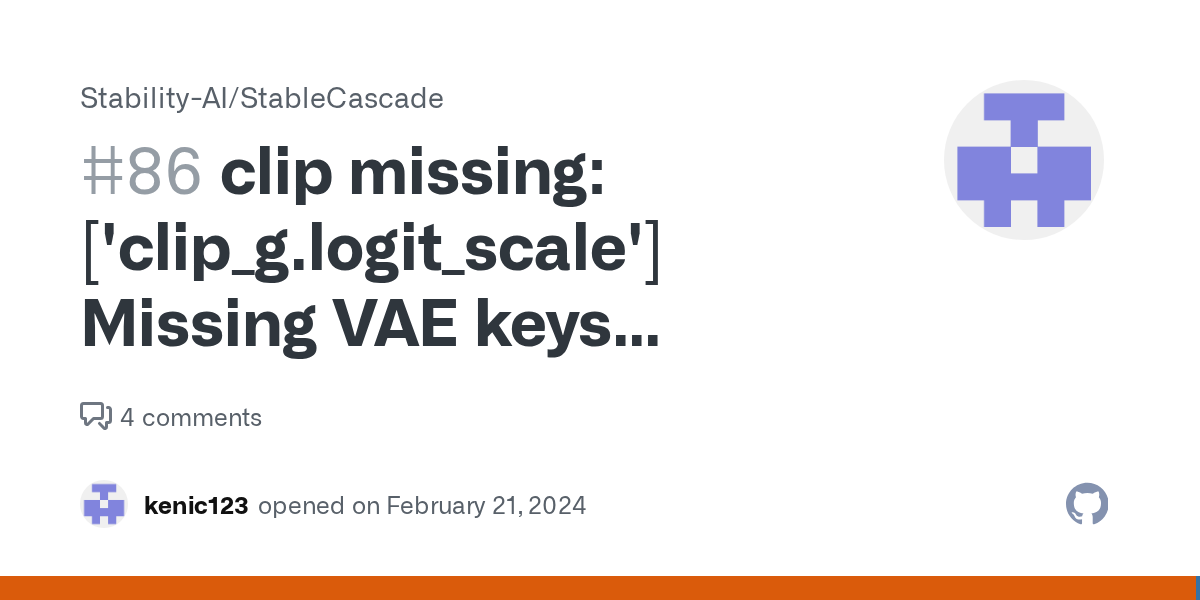
GitHub
能运行,但是在加载模型的时候报错,这是为什么呢? It works, but an error occurs when loading the model. Why? Starting server To see the GUI go to: http://127.0.0.1:8188 got prompt model_type STABLE_CASCADE adm 0 clip missi...
 brittle falcon
I haven't used Stable Diffusion in over 7 months now and I'm getting this error when launching A1111. I need help understanding what the problem is, please.
 karmic crown
brittle falcon
I haven't used Stable Diffusion in over 7 months now and I'm getting this error ...
karmic crown
brittle falcon
I haven't used Stable Diffusion in over 7 months now and I'm getting this error ...
you will probably not the like the answer. most likely the launcher is a problem. better follow guides for your GPU from this channel
 brittle falcon
Ah, I see.
formal trout
I have a RX 6700 with 12 GB, it is ok this speed for cascade? It takes really long

 boreal bison
Stuck here

after downloading the stable video xt 1.1 and restarting comfy
DId I break my comfy UI?
@ornate elk Hi 🙂
Anyone?
ornate elk
boreal bison
<@161910921269084160> Hi 🙂
hi
 ornate elk
boreal bison
ornate elk
boreal bison
i see :/ cant help much with that
boreal bison
It’s some kind of pytorch error
 glossy spindle
I am reading a guide on "NVIDIA GPU Accelerated Computing on WSL 2" and I see a lot of references to Windows 11.. I'm guessing there's some new tech on Windows 11 that is required for sharing a GPU with WSL2?
boreal bison
What file should I delete to reset settings in comfy?
 worldly comet
Why can it not download torch when opening the web ui file?
 prisma quartz
where to get like this ?
 worldly comet
prisma quartz
where to get like this ?
worldly comet
prisma quartz
where to get like this ?
yo dawg you think you can help me?
formal trout
MM I'm starting to believe that the generations that has nothing to do with the prompt are related to this ImpactWildcarProcessor node, it seems like sometimes it doesn't autopopulate or something,@light glacier EDIT: yes that was it, messing with the second field

Now I set it to "Populate", I don't know what it does
fair oxide
anyone know the fix for this?
FutureWarning: LoRACompatibleLinear is deprecated and will be removed in version 1.0.0. Use of LoRACompatibleLinear is deprecated. Please switch to PEFT backend by installing PEFT: pip install peft.
deprecate("LoRACompatibleLinear", "1.0.0", deprecation_message)
 storm spruce
stupid question, is there a prebuilt ui to download? If there is not, everything else seems to be github!
 spiral lotus
Hello SAI.
You closed my ticket with no follow up not a solution. Nothing.
I am a paying customer and still waiting to know what it actually mean because for now all I do is paying 20$ à month.
I have no special role on the forum, not a priority on support, not a paper telling me I have the commercial rights on the core models, not a customer space to log to...
I am a day 1 membership subscriber. And I mean it when I say literally DAY ONE: go check out on your received payments.
Could you provide some answers? I really like you people at SAI and support you with your development, but please, if you launch a customer portal please have some SAV 😉 (which is French for customer after sale support)
@eternal elbow
 fiery shard
MM I'm starting to believe that the generations that has nothing to do with the prompt are related to this ImpactWildcarProcessor node, it seems like sometimes it doesn't autopopulate or something,@light glacier EDIT: yes that was it, messing with the second field
 eternal elbow
spiral lotus
<@729066661029871638>
eternal elbow
spiral lotus
<@729066661029871638>
Hi, sorry for any confusion.
At times, we have issues with our mod-support bot. Will get back to you after weekend.
It's important to note what you're trying to get answers in is in the Discord moderator support system. You can contact SAI directly via the actual official website: https://stability.ai/
Thanks! 😉
Stability AI
Activating humanity's potential through generative AI. Open models in every modality, for everyone, everywhere.
light glacier
formal trout
MM I'm starting to believe that the generations that has nothing to do with the ...
It's because the "fixed" option is selected. Change it to "populate". Fixed causes it to not change the the prompt,but populate then chooses the random options that you enter, which you're not using there anyway.
formal trout
light glacier
It's because the "fixed" option is selected. Change it to "populate". Fixed caus...
yes in populate the problem it is gone, it was driving me crazy, just making totally random prompts
like

Any interesting usage of that node? Also if you don't mind, what about the styles, I see there are 3 nodes with styles
light glacier
formal trout
Any interesting usage of that node? Also if you don't mind, what about the style...
Yes, it's a powerful tool to create wildcard prompts and you can create text file lists to use with it. The styles should be obvious, just try them.
dense obsidian
trying to use temporalnet, but it's not getting me the key frames or running after I put in my video. I heard there was issues with it last year, wondering if anyone has any luck with it recently
it creates the folders that are supposed to be filled with the frames, but all are empty and it just gives me a copy of the video I put in
formal trout
light glacier
Yes, it's a powerful tool to create wildcard prompts and you can create text fil...
but in what combination, it acts in certain stages or it combines right away?
light glacier
formal trout
but in what combination, it acts in certain stages or it combines right away?
What? It's part of the prompt.
light glacier
formal trout
but in what combination, it acts in certain stages or it combines right away?
You either create the text files or use the format {one|two|three|four} and it will randomly pick one of those.
Eg.
A photo of a {man|woman|dragon|majestic castle|futuristic android}
It's part of the Impact Pack of custom nodes, so you can read about it there. https://github.com/ltdrdata/ComfyUI-Impact-Pack/tree/Main
GitHub
Contribute to ltdrdata/ComfyUI-Impact-Pack development by creating an account on GitHub.
unique bear
Error occurred when executing CLIPLoader:
Error(s) in loading state_dict for CLIPTextModel:
size mismatch for text_model.embeddings.token_embedding.weight: copying a param with shape torch.Size([49409, 768]) from checkpoint, the shape in current model is torch.Size([49408, 768]).
File "/workspace/ComfyUI/execution.py", line 152, in recursive_execute
output_data, output_ui = get_output_data(obj, input_data_all)
File "/workspace/ComfyUI/execution.py", line 82, in get_output_data
return_values = map_node_over_list(obj, input_data_all, obj.FUNCTION, allow_interrupt=True)
File "/workspace/ComfyUI/execution.py", line 75, in map_node_over_list
results.append(getattr(obj, func)(**slice_dict(input_data_all, i)))
File "/workspace/ComfyUI/nodes.py", line 858, in load_clip
clip = comfy.sd.load_clip(ckpt_paths=[clip_path], embedding_directory=folder_paths.get_folder_paths("embeddings"), clip_type=clip_type)
File "/workspace/ComfyUI/comfy/sd.py", line 388, in load_clip
m, u = clip.load_sd(c)
File "/workspace/ComfyUI/comfy/sd.py", line 145, in load_sd
return self.cond_stage_model.load_sd(sd)
File "/workspace/ComfyUI/comfy/sd1_clip.py", line 518, in load_sd
return getattr(self, self.clip).load_sd(sd)
File "/workspace/ComfyUI/comfy/sd1_clip.py", line 197, in load_sd
return self.transformer.load_state_dict(sd, strict=False)
File "/workspace/ComfyUI/venv/lib/python3.10/site-packages/torch/nn/modules/module.py", line 2153, in load_state_dict
raise RuntimeError('Error(s) in loading state_dict for {}:\n\t{}'.format(
Got this error from CLIP
formal trout
light glacier
What? It's part of the prompt.
I mean these three nodes styles, they combine right away with same strenght?
 light glacier
Yes, they just add additional text to the prompt, but you don't see it. If you add a text node to the output you will see it tagged onto the end. You can combine styles.
dense obsidian
anyone have trouble with ebsynth utility? I can't get it to extract frames from my video
valid gorge
I'm installing Kohya_ss, how long does the process usually take, not sure what's going on, the screen has stayed the same for some time now.
 manic snow
valid gorge
I'm installing Kohya_ss, how long does the process usually take, not sure what's...
manic snow
valid gorge
I'm installing Kohya_ss, how long does the process usually take, not sure what's...
can you check if it's still actively using system resources?
valid gorge
Good point, I will do that!
Ooh, something happened on the screen hehe. I wonder why there's no info of the progress what so ever.
dense obsidian
I wonder what a successful ffmpeg -version command is suppose to look like.
valid gorge
Kohya_ss installation done. Should I install the cudnn files?
dense obsidian
also, anyone know what this means in my stable diffusion?
 manic snow
dense obsidian
also, anyone know what this means in my stable diffusion?
manic snow
dense obsidian
also, anyone know what this means in my stable diffusion?
what webui is that?
dense obsidian
not sure what that means, it just shows up when I run webui-user.bat
manic snow
can you send a full screenshot of the ui? that way i can probably identify it
 manic snow
that's Automatic1111, as for the logos, i'm not sure what they mean. maybe you have a plugin that allows you to download models directly from civitai and the red sphere indicates that you don't have your account linked? idk, that's just some speculation. i have no idea what the second logo is either
dense obsidian
ohhh, that is true I don't have a account linked for civit.ai
looks a little worrisome, there's a green dot that blinks on that heart's upper right corner
manic snow
do you know what the heart logo is from? i don't recognise it
dense obsidian
I don't know, it just showed up while I was working on stable diffusion. There was a popup but I was typing something so I coudn't read to see what it meant
I've tried reloading it to no avail, whenever I start up, it's there
nope, that weird heart icon is still there
ohhh, I think it is an extension
 wind sun
RuntimeError: min(): Expected reduction dim to be specified for input.numel() == 0. Specify the reduction dim with the 'dim' argument.
dense obsidian
can mp4 files not be able to have their frames extracted?
ornate elk
dense obsidian
can mp4 files not be able to have their frames extracted?
Hey, I got temporal net to work. Also mp4 files can be extractet
dense obsidian
ooo, I'll have to ask you how temporal net works and if you can guide me through that. But first I can't seem to get my mp4 to extract, here's what I get from the cmd
 ornate elk
dense obsidian
ooo, I'll have to ask you how temporal net works and if you can guide me through...
ornate elk
dense obsidian
ooo, I'll have to ask you how temporal net works and if you can guide me through...
What tool are you using to extract it?
drifting aspen
Hello I often use sahastrakoti model. How to look for a similar model I would like to see the effects of other models. But similar to sahastrakoti
dense obsidian
ebsynth utility, I made sure it is updated
 torn lotus
is loading models from pata feasible?
ornate elk
drifting aspen
Hello I often use sahastrakoti model. How to look for a similar model I would li...
You can checkout Civitai.com for a lot of models. Dont know how shastrakoti looks like
ornate elk
dense obsidian
ebsynth utility, I made sure it is updated
Okay, I haven't used ebesynth
drifting aspen
dense obsidian
Try manually extracting from 7z
dense obsidian
I can get the frames extracted from an outside tool, but from the tutorial I'm following on how to go from video to generated image it is necessary since it will piece together the tools without me having to load them in individually and hitting generate
ornate elk
dense obsidian
I can get the frames extracted from an outside tool, but from the tutorial I'm f...
I used batch Input in img2img
dense obsidian
ohhhhh, hmm maybe I can use that instead 😄
I gave up on ebsynth and tried temporalkit, seems to work well, got my frames extracted.
Only thing is that the video I'm trying to make is a dance, but when I'm at the img2img generation, I keep getting the generated image of just the face. Face is fine thankfully
ornate elk
dense obsidian
I gave up on ebsynth and tried temporalkit, seems to work well, got my frames ex...
this was my test yesterday with just controlnet (openpose + temportalnet) and afterwards frame interpolating
dense obsidian
that is perfect!
that's more or less exactly what I'm trying to do, though I would prefer to get the dress of the character in it instead of what the original dancer is doing
ornate elk
dense obsidian
that's more or less exactly what I'm trying to do, though I would prefer to get ...
ah okay, i need to try, but its pretty hard to implement stuff that isnt already there
that would require higher denois, that could also change the background maybe
dense obsidian
oh I don't mind the background too much. As long as the face is there
ornate elk
dense obsidian
oh I don't mind the background too much. As long as the face is there
oh i have to say i used Adetailer too
as the frames are only 512x768, to fix the face
dense obsidian
still however you were able to do that, I would love to learn it
ornate elk
dense obsidian
still however you were able to do that, I would love to learn it
ohhh i might found out how to give her a costume
will test and let you know
dense obsidian
feel free to friend and dm me, I'm determined to get this to work in the next 24 hours
chilly knot
ornate elk
this was my test yesterday with just controlnet (openpose + temportalnet) and af...
how openpose work with video ,its for pose on images?
ornate elk
chilly knot
how openpose work with video ,its for pose on images?
its to get the same pose as the input image
frame by frame
chilly knot
on video?
ornate elk
chilly knot
on video?
yes
chilly knot
remeber you give me bat arguments?
ornate elk
convert a video into frames, then you can use controlent with it
chilly knot
not work with error(
ornate elk
chilly knot
not work with error(
whats your error again?
chilly knot
ornate elk
whats your error again?
NansException: A tensor with all NaNs was produced in Unet. Use --disable-nan-check commandline argument to disable this check
ornate elk
chilly knot
NansException: A tensor with all NaNs was produced in Unet. Use --disable-nan-ch...
with the 1050 ?
ornate elk
dont use --diable-nan-check
can you show me all your txt2img settings when getting the error?
model, steps, resolution etc
ornate elk
chilly knot
but with diffrent model its works
and with which model do you get the error?
chilly knot
ornate elk
and with which model do you get the error?
URPM )
i try download it from civit
ornate elk
chilly knot
i try download it from civit
hmm how big is the model file?
chilly knot
3,97
ornate elk
chilly knot
3,97
hmm okay, should work
chilly knot
this say me i can change setting and set upcast cross attention
but it not help
maybe its error download
ornate elk
chilly knot
maybe its error download
yea maybe, because the latest urpm legacy (v1.3) model is 1.99gb
on civitai
chilly knot
hm version 2 gb do same result
i try redownload
best my model epicphotogasm_lastUnicorn
very good results
i like how that do people photo
ornate elk
photon and realisticvision are good too
chilly knot
ornate elk
yea maybe, because the latest urpm legacy (v1.3) model is 1.99gb
how its cant work if it on 1.5 base
its only train base model?
ornate elk
chilly knot
its only train base model?
its the version of the own model, not sd version
chilly knot
oh
strange sd ignore promp and negative promt
example if you write a man holding a woman in his arms, she refuses, and the woman holds the man)
very often
90%
work after redownload)
 safe raptor
What causes the images from Cascade to often look as if the VAE isn't working properly?
valid gorge
ok, finally got kohya to do something haha. I'm guessing this will take hours and hours.
ugh, says 11 hours lol
 cunning matrix
anyone got the olive/directml setup working on windows+AMD navi3? The docs are a joke. I'm trying to use this guide and everything is broken, their fork of automatic1111 in particular
https://community.amd.com/t5/ai/updated-how-to-running-optimized-automatic1111-stable-diffusion/ba-p/630252
the args from the guide are not even recognized anymore in the recent versions of automatic1111-directml, is there an up-to-date guide somewhere?
I have the non-olive path (rocm I guess?) running fine in another installation on the same machine, it's just slow
dense obsidian
I also am using the non-olive path, I think?
I I know didn't get the olive tab either that was shown in the guide. But I can live without it, I think? as long as the version I have can do what I need
dense obsidian
I suppose that does sound nice, but how fast does it take you now to render a 512 image?
cunning matrix
around 25 secs so not great. I think it's choosing suboptimal paths somewhere, I had to mess with cmdline args just so it launched at all on my older card
--lowvram and such
I just upgraded to RX 7800 so I'm trying to optimize my config
dense obsidian
@ornate elk while you're testing out how the costume part works. Maybe I can practice on what you showed me earlier
ornate elk
cunning matrix
anyone got the olive/directml setup working on windows+AMD navi3? The docs are a...
Hey you have two options, dont use olive, the usage is not worth the speed.
Use directml for the best support and usage. Or use the experimental Zluda for best performance but with some bugs.
You find boath of the install guides in the Pinned Messages of this channel
I'm using an 7900xtx
Sdxl only works on the Directml version (for now)
dense obsidian
lol, I was trying to get the speed from sub 4 seconds down to 3 seconds or less
ornate elk
@cunning matrix also in the Directml guide you find the best COMMANDLINE_ARGS for AMD
So maybe you just need to switch those
cunning matrix
zluda actually works? that's surprising
I thought zluda's maintainer claimed it's largely a toy and couldn't run anything like sd or llama right now
ornate elk
cunning matrix
zluda actually works? that's surprising
Yes, going from 4it/s to 16 it/s
ornate elk
cunning matrix
that's on windows?
Yes
 dense tapir
How to make SD scan 2 folders for checkpoints (A1111)
valid gorge
Ideas, why I get errors?
 cunning matrix
hmm yeah, on 7800 I'm gettting around 3it/s with directml
so good enough for realtime iteration, but I'll try zluda
cunning matrix
ornate elk
Yes
RuntimeError: CUDA error: CUBLAS_STATUS_NOT_SUPPORTED when calling cublasGemmEx( handle, opa, opb, m, n, k, &falpha, a, CUDA_R_16F, lda, b, CUDA_R_16F, ldb, &fbeta, c, CUDA_R_16F, ldc, CUDA_R_32F, CUBLAS_GEMM_DEFAULT_TENSOR_OP)
looks like a version mismatch of some sort, but for a jury rigged solution like this it went pretty far
should there be cublas.dll in site-packages/torch/lib, originally? because there wasn't
there's cublas64_11.dll which I assume may be loaded directly instead
>>> import torch
>>> torch.__version__
'2.2.0+cu118'
 weary sky
hello guys
just a dumb question

does this mean its downloading the interface?
the bottons are unavaileble
 undone locust
hi , its possible to crate exact same picture with full prompt + step and seed, where i can pass this data to SD?
ornate elk
cunning matrix
should there be cublas.dll in site-packages/torch/lib, originally? because there...
yes, did you followed all steps?
did you run the webui ones, then installed the correct torch and then replaced the files in torch/lib ?
ornate elk
weary sky
does this mean its downloading the interface?
it means its loading somethin, check the cmd for more info
ornate elk
undone locust
hi , its possible to crate exact same picture with full prompt + step and seed, ...
yes, you can drag and drop an image into the PNG-Info Tab and hit Send to txt2img or directly into the txt2img prompt and then press the blue/white arrow
undone locust
ornate elk
yes, you can drag and drop an image into the PNG-Info Tab and hit Send to txt2im...
thank it's work 🙂 it's crazy
cosmic furnace
Hey, I managed to get it working on my RX 7800 XT with SD.next without needing to add any of those lines of code - I just set the enviroment variable set DISABLE_ADDMM_CUDA_LT=1 in the .bat file I use to launch it, as per the recommendations of the dev of ZLUDA, for pytorch compatibility: https://github.com/lshqqytiger/ZLUDA?tab=readme-ov-file#pytorch

GitHub
CUDA on AMD GPUs. Contribute to lshqqytiger/ZLUDA development by creating an account on GitHub.
hmgm o.0
cosmic furnace
and didnt help ... device cpu. nothing about zluda-torch used or my gpu model mentioning -___-
 cosmic furnace
Not a single word about rocm besides it = false . When try launching next.sd with zluda
no gpu detection no gpu model...
ornate elk
cosmic furnace
Not a single word about rocm besides it = false . When try launching next.sd wit...
zluda is not rocm so thats ok
ornate elk
cosmic furnace
no gpu detection no gpu model...
thats a problem xD
cosmic furnace
Is there a way to test if torch-zluda or rocm work on their own? 🤔
cosmic furnace
the thing is...
other ppl HAVE this rocm mentioning

when they launch sdnext with zluda
also they have their model name shown there
ornate elk
hmm

 cosmic furnace
yeah already asked about integrated
no doesnt seem like. process shows only 1 and its my 7900
mb i got fake 7900 ? o.0
but everything else is fine 🙂
ornate elk
cosmic furnace
yeah already asked about integrated
does your taskmanager lists only 1 gpu?
or 2 ?
under perfromance tab
 ornate elk
here for example:
 ornate elk
okay good
cant help you much with SD.next its so different with everything it implements xD
did you treid that guide?
https://github.com/vladmandic/automatic/wiki/ZLUDA
@cosmic furnace
 cosmic furnace
was adviced not to use -cuda but use -zluda
indeed

but it errored this. did i write smthing wrong? new instructions where? o.o
ornate elk
cosmic furnace
you didnt updated the webui it seems
it doesnt recognize the new argument
you need to switch to dev version
like seen in the screenshot

 ornate elk
now it should work
cosmic furnace
y he says same)
oh my frteaking gosh it seems to work indeeed ;OO
or not hm
Nah still uses cpu for some reason 😑
ornate elk
cosmic furnace
Nah still uses cpu for some reason 😑
maybe you need to delete the venv folder again and relaunch
cosmic furnace
just remove venv or reinstall it with some cmd?)
ornate elk
cosmic furnace
just remove venv or reinstall it with some cmd?)
i would just remove it, it will get recreated
cosmic furnace
ive read some ppl instal zluda not on directml but just autmatic111, have u tried it?)
ornate elk
cosmic furnace
ive read some ppl instal zluda not on directml but just autmatic111, have u trie...
me not, but yea someone tried it


 ornate elk
cosmic furnace
ornate elk
cosmic furnace
yea looks okay
cosmic furnace
ive got a crippled system or smthing? 🤔
ornate elk
i dont know, you can check if you run a cmd as admin and then use
sfc /scannow
it can fix some windows errors
cosmic furnace
;O

....
G:\MODELLING\stable-diffusion-webui-1.6.0\Python3106\Scripts;G:\MODELLING\stable-diffusion-webui-1.6.0\Python3106;C:\Program Files (x86)\Common Files\Oracle\Java\javapath;C:\Windows\system32;C:\Windows;C:\Windows\System32\Wbem;C:\Windows\System32\WindowsPowerShell\v1.0;C:\Windows\System32\OpenSSH;C:\Program Files (x86)\NVIDIA Corporation\PhysX\Common;C:\Program Files\dotnet;C:\Program Files\Git\cmd;С:\ZLUDA;C:\Program Files\AMD\ROCm\5.7\bin;C:\Program Files\AMD\ROCm\5.7\bin;C:\Users\AMD\AppData\Local\Microsoft\WindowsApps;C:\Users\AMD.dotnet\tools
ornate elk
path problem
ornate elk
cosmic furnace
G:\MODELLING\stable-diffusion-webui-1.6.0\Python3106\Scripts\;G:\MODELLING\stabl...
wait it shows zluda
cosmic furnace
Well ive got python installed not on c if that matters. But didnt had any problems with directml
10
cosmic furnace
y its runs now
needs time)
maybe shud try another zluda location? 😄 ive got problems some times with admin rights... when just disk drive folder. not C and rarely...but...
ornate elk
cosmic furnace
maybe shud try another zluda location? 😄 ive got problems some times with admin...
yea you could try an other folder, but not desktop, documents, downloads, onedrive
 tranquil token
I cant seem to get Stable cascade tab to appear in Automatic 1111's UI, I followed the guides exactly. Anything I'm missing?
ornate elk
@cosmic furnace maybe it didnt recognized HIP SDK too ?
cosmic furnace
 ornate elk
cosmic furnace
ornate elk
cosmic furnace
hmm looks good
 ornate elk
cosmic furnace
system had error & damaged files btw ^^
ornate elk
cosmic furnace
system had error & damaged files btw ^^
ah okay ^^ yea it can happen after updates
 dapper frigate
Hey guys, I'm trying to upscale an image and I'm passing blob because I do not have file stored in the path , but I am getting error that it can not decode the form data ``` export const sdxlUpscale = async ({
imageUrl,
width,
}: {
imageUrl: string
width: number
}) => {
const req = await fetch(imageUrl)
console.log(imageUrl)
const blob = await req.blob()
console.log(blob)
const formData = new FormData()
formData.append("image", blob)
formData.append("width", 1024)
const response = await fetch(
${apiHost}/v1/generation/stable-diffusion-x4-latent-upscaler/image-to-image/upscale,
{
method: "POST",
headers: {
"Content-Type": "multipart/form-data",
Authorization: Bearer ${apiKey},
},
body: formData,
}
)
if (!response.ok) {
throw new Error(Non-200 response: ${await response.text()})
}
const data = await response.json()
return data
}
@ornate elk I knew it i shudnt be putting just straight root drive folder . Cuz always had problems with them. Mb numerous windows reinstall on same drive(although i did format c last time o.0) & few systems running is at fault.... anyways i have new error when launching now. Yours guide build... Gonna try next.sd >_>

ah wait it was smthing i edited there hm
y bringing back original initialize.py seems to do the case
forgot to move over based 1.5 model it seems to download it
ornate elk
cosmic furnace
y bringing back original initialize.py seems to do the case
Dont edit the initialize.py
My guide is for the shared_init.py
cosmic furnace
Whats thre difference between next sd & yours? UI ?
ornate elk
Both are forks of automatic1111
cosmic furnace
i didnt see karras 3m ++ experimental on next sd ... hmgm
ornate elk
SD.next is a more advanced version with a lot of changes and pre enabled extensions. It focuses on "working for everyone"
The Directml fork is the closest to the original automatic1111
cosmic furnace
Y my friend whos for some long time now on usual automatic said UI on next feels more plausible with except of few things)
U dont need 1st time to compile thing on yours? o.0
like 1st generation takes from 5 to 15 mins or smthing like that?)
ornate elk
cosmic furnace
like 1st generation takes from 5 to 15 mins or smthing like that?)
Thats normal for every Zluda webui.
And it will do that every time you update the Zluda version
cosmic furnace
oh my gosh it finally works... ive a had feeling it shudnt be just just C folder why didnt tried straight away 😑
ornate elk
cosmic furnace
oh my gosh it finally works... ive a had feeling it shudnt be just just C folder...
So does SD.next works or my guide?
cosmic furnace
Well from one side its good that zluda updated so often )
yur guide launched ) gonna try sd.next
ornate elk
Perfect 🙂
cosmic furnace
next also works 🙂
i can see 7900 in devices)
finally -___-
This is ancient problem of my pc , had afraid it might be the problem from the very start & dunno why ignored
old parrot
Can I use Stable Cascade with 6gb VRAM?
ornate elk
cosmic furnace
This is ancient problem of my pc , had afraid it might be the problem from the v...
you should consider, reinstalling windows in the future ^^
cosmic furnace
y ive got new& fresh on ssd...but for sd using my old one on hdd >_>
didnt felt like reinstalling everything 😑
- not sure they say new ssd is very durable & 5 years warranty but... i have to use this virtual mem file cuz 32 gb RAM IS NOT ENOUGH
 . So afraid it might wear out too fast... shud i? hmgm.... Or just consider buying additional ram 🤔
or maybe sdxl will get optimized soon ? to not demand 48gb ram? 😏
ornate elk
cosmic furnace
+ not sure they say new ssd is very durable & 5 years warranty but... i have to ...
Your running Windows on HDD?! ^^ please use your SSD haha
If you have 32gb ram its fine
A pagefile won't destroy your SSD
Even if its 32gb or only 16
cosmic furnace
Well 50/50... but yeah usually hdd lately cuz SD on hdd windows ^^
maybe sdxl turbo require too much ram. also an good option. if you go sdxl
dense obsidian
@ornate elk hello, was wondering how the progress went on your testing
ornate elk
dense obsidian
<@161910921269084160> hello, was wondering how the progress went on your testing
hey, i tried experimenting with a third controlnet (reference)
that was the output
dense obsidian
OOo, please teach me 😄
ornate elk
in this test i used a Lora for Makima from chainsaw man
so i get a consistent style
it was "okay"
i tested a lot, and using three controlnet models takes more time for 158 frames (reference mode is heavy)
cosmic furnace
dude refering to have problems in sd.next there and have this python version 3.11.5 can it work with it? o.o
 dense obsidian
hmmm, the frames I extracted from videos is roughly about 300-400, so it seems like its going to take awhile