#🤝|tech-support
1 messages · Page 35 of 1
 quick forge
 ornate elk
Hires fix slows down.
You have Dreambooth installed meaning your running old torch version
 vocal burrow
Yup that s what I said.....pinging the wrong person :p
 unique bear
ornate elk
Hires fix slows down.
You have Dreambooth installed meaning your running old tor...
unique bear
ornate elk
Hires fix slows down.
You have Dreambooth installed meaning your running old tor...
 quick forge
vocal burrow
Any of sdwebui webpage
quick forge
vocal burrow
Any of sdwebui webpage
took me a second here to realize im on my windows box lol
unique bear
ornate elk
Hires fix slows down.
You have Dreambooth installed meaning your running old tor...
Without hi res I can get 5-7 its/s with loras
ornate elk
unique bear
Without hi res I can get 5-7 its/s with loras
Do you use sdxl or 1.5 models?
 tranquil vigil
ok.. the conda issue is solved nnow.. but when I type in .\scripts\gui.bat, it saythe system cannot find the path specified
@vocal burrow
 vocal burrow
tranquil vigil
<@234988737526890496>
vocal burrow
tranquil vigil
<@234988737526890496>
Don't put spaces in your folder names
or use "broken path with spaces"
tranquil vigil
vocal burrow
Don't put spaces in your folder names
something liek this?
 vocal burrow
tranquil vigil
something liek this?
vocal burrow
tranquil vigil
something liek this?
yup but then the problem is that their script themselves doesn't account for spaces in folder names
so don't use spaces in name folder
tranquil vigil
vocal burrow
yup but then the problem is that their script themselves doesn't account for spa...
sorry, I couldnt follow you there
vocal burrow
space no good, move to another folder

git pull```
welp ok then whomever I wrote that foryou good now ?
tranquil vigil
vocal burrow
you good now ?
sorry.. I am stll strugglin
vocal burrow
just move draggan in some folder without spaces in its path
c:\AI\DragGan for instance
tranquil vigil
okey.. .let me try
vocal burrow
every single cmd comman work the same way.
COMMAND ARGUMENT1 ARGUMENT2 ARGUMENT3 etc
command then space then arg1 then space then arg2, etc
so if there s space in your folder path and you use that as an argument.... it s gonna break
tranquil vigil
I got it
the CMD worked now
but unfortunately.. I am recieving the same issue as stated in the 1st question..
 vocal burrow
command c:\something\smart ass folder
is gonna be interpreted as
command,
argument1 = c:\something\smart
argument2 = ass
argument3 = folder
So that s why you put quotes around stuff with spaces in it, so windows know "ok this is supposed to be ONE argument"
tranquil vigil
even though I have Conda installed now
tranquil vigil
vocal burrow
command c:\something\smart ass folder\
is gonna be interpreted as
command,
arg...
thank you... got it... will definitely keep a note of it
vocal burrow
tranquil vigil
but unfortunately.. I am recieving the same issue as stated in the 1st question....
share the whole log

 vocal burrow
do (or redo) what s stated there now that you ve moved draggan somewhere correct
tranquil vigil
I just redo'ed the thing. though.. let me try again
vocal burrow
cause right now it s probably trying to use your system's python and not anaconda's venv
tranquil vigil
vocal burrow
cause right now it s probably trying to use your system's python and not anacond...
why is it now saying "Couldn't find environemtn" when I try to run it in Anaconda Prompt...
 vocal burrow
because you didn t create it first
tranquil vigil
tranquil vigil
why is it now saying "Couldn't find environemtn" when I try to run it in Anacond...
eitherway, I am reinstalling DragGAN now
vocal burrow
conda env create -f environment.yml
it s within the first lines of the readme https://github.com/XingangPan/DragGAN?tab=readme-ov-file#requirements:
tranquil vigil
vocal burrow
`conda env create -f environment.yml`
f... I literally forgot that...
vocal burrow
so tldr it s
1/ install anaconda, make sure it s set correctly and/or registered in your PATH. All the while keeping in mind that it s adding another python to your system. Therefore other app might be confused and use conda`s python instead of the standard one. You can easily "fix" that for auto1111 by using the 'set PYTHON=' variable in webui-user.bat
2/ open cmd and run those :
cd xxx                   where xxx is some folder without any spaces in its path
git clone https://github.com/XingangPan/DragGAN.git
cd yyy                   where yyy is the newly cloned draggan folder
conda env create -f environment.yml
conda activate stylegan3
pip install -r requirements.txt
.\scripts\gui.bat
3/ enjoy
I have CUDA toolkit 11.8 installed though

 vocal burrow
tranquil vigil
vocal burrow
tranquil vigil
that s your system s cuda not the one in the conda venv
you didn t install the requirements (I also forgot to include it in my tldr but tbf it s still within the first lines of the readme)
there it s edited
conda and venv stuff are bad words employed to mean "virtual environment"
tldr it s gonna create a folder somewhere and install everything necessary to run your program.
that way it won t use any of actual system s binaries/programs
that way it wont mess up anything on your system. worst case it s gonna mess up its own venv and that s it
tranquil vigil
vocal burrow
that s your system s cuda not the one in the conda venv
just in case, does virtualization needs to be enabled in BIOS?
vocal burrow
no
it s not a proper "virtual machine" so there s no need to toggle any bios settings.
 tiny abyss
Need help, unable to run any generation
 tranquil vigil
vocal burrow
that s your system s cuda not the one in the conda venv
tranquil vigil
vocal burrow
that s your system s cuda not the one in the conda venv
ok... the CUDA toolkit version error was solved though.. but now I am facing another issue...
C:\AI\DragGAN>conda env create -f environment.yml
WARNING: A space was detected in your requested environment path:
'C:\Users\Chandrajit Rout\.conda\envs\stylegan3'
Spaces in paths can sometimes be problematic. To minimize issues,
make sure you activate your environment before running any executables!

Collecting package metadata (repodata.json): done
Solving environment: done


==> WARNING: A newer version of conda exists. <==
  current version: 23.7.4
  latest version: 24.1.2

Please update conda by running

    $ conda update -n base -c defaults conda

Or to minimize the number of packages updated during conda update use

     conda install conda=24.1.2


Downloading and Extracting Packages


CancelledError()
CondaError: Downloaded bytes did not match Content-Length
  url: https://conda.anaconda.org/pytorch/win-64/pytorch-2.2.0-py3.9_cuda12.1_cudnn8_0.tar.bz2
  target_path: C:\Users\Chandrajit Rout\.conda\pkgs\pytorch-2.2.0-py3.9_cuda12.1_cudnn8_0.tar.bz2
  Content-Length: 1324785612
  downloaded bytes: 75805634

CancelledError()
CancelledError()
CancelledError()
CancelledError()
CancelledError()
CancelledError()
CancelledError()
CancelledError()
CancelledError()
CancelledError()
CancelledError()
CancelledError()
CancelledError()
CancelledError()
CancelledError()
CancelledError()
CancelledError()
CancelledError()
CancelledError()
CancelledError()
CancelledError()
CancelledError()
CancelledError()
CancelledError()
CancelledError()
CancelledError()
CancelledError()
CancelledError()
CancelledError()
CancelledError()
CancelledError()
CancelledError()
CancelledError()
 neon swallow
I have encountered an error with DreamStudio while generating an image. The error message displayed is 'Something went wrong, please try later.' I have been experiencing this issue since last Sunday, up until 15:00 UTC. Could anyone provide any suggestions or status updates?
CC @north cedar
 lost crescent
Cannot get WAS nodes in ComfyUI to work. Can anyone help?
It comes up in a red box in ComfyUI Manager ... !
vocal burrow
neon swallow
I have encountered an error with DreamStudio while generating an image. The erro...
yes I ve noticed that too. I ve passed the message along.
vocal burrow
tranquil vigil
ok... the CUDA toolkit version error was solved though.. but now I am facing ano...
Seems like there was a network error CondaError: Downloaded bytes did not match Content-Length
Also it s still creating a venv in your 'C:\Users\Chandrajit Rout.conda\envs\stylegan3' .... sooooo there s a space. delete this folder, and use conda env create -f environment.yml -p C:\AI\DragGAN\venv instead.
tranquil vigil
vocal burrow
Seems like there was a network error `CondaError: Downloaded bytes did not match...
okey.. let me check...
vocal burrow
tiny abyss
Need help, unable to run any generation
there s something wrong with the way you re using controlnet
tiny abyss
vocal burrow
there s something wrong with the way you re using controlnet
this is how it looks
 vocal burrow
how did you manage to have nothing selected for those

 ornate elk
Maybe browser adblocker or other extension
tiny abyss
Ok, it seems to say this now, when i select balanced mode

 vocal burrow
tiny abyss
Ok, it seems to say this now, when i select balanced mode
vocal burrow
tiny abyss
Ok, it seems to say this now, when i select balanced mode
you still havent selected anything for Control Type and Resize mode
ornate elk
Also do you use an sdxl or 1.5 model?
tiny abyss
vocal burrow
you still havent selected anything for Control Type and Resize mode
This one i made sure everything's se;ected. The buttons are deselecting themselves so i need to press them again and again, idk why its happening, is it the web-ui ths causing problem too?
Also
i get this error when i run (when everythings selected)
 tiny abyss
ornate elk
Also do you use an sdxl or 1.5 model?
tiny abyss
ornate elk
Also do you use an sdxl or 1.5 model?
1.5
 north cedar
neon swallow
I have encountered an error with DreamStudio while generating an image. The erro...
north cedar
neon swallow
I have encountered an error with DreamStudio while generating an image. The erro...
@vocal burrow please any help you can provide will be deeply appretiated. This issue has been happening for 5 days
vocal burrow
tiny abyss
This one i made sure everything's se;ected. The buttons are deselecting themselv...
seems like SD is confused about what device to use for controlnet, try to force it to use device 0 with --device-id 0
tiny abyss
vocal burrow
seems like SD is confused about what device to use for controlnet, try to force ...
okay..shall i write that in the arguments of web ui?
vocal burrow
north cedar
<@234988737526890496> please any help you can provide will be deeply appretiated...
There s not much I can do I'm afraid apart from passing the message along through the pipes. I ll let you know if there s any informations I can share. At least for now you know that you re not alone on this one and that the messages has been passed.
vocal burrow
tiny abyss
okay..shall i write that in the arguments of web ui?
webui-user.bat
tiny abyss
what does it do? its actually going thru a lot of preocess rn

getting this after putting --device-id 0
 craggy scaffold
north cedar
<@234988737526890496> please any help you can provide will be deeply appretiated...
craggy scaffold
north cedar
<@234988737526890496> please any help you can provide will be deeply appretiated...
It appears to be working now, at least on my end. Is it working for you?
north cedar
craggy scaffold
It appears to be working now, at least on my end. Is it working for you?
Yes thank you!!! Our users at Straico where driving me crazy!!
 lusty mauve
Is anyone aware of a machine learning model that is capable of generating a Stable Diffusion-compatible prompt from an image description?
 lusty mauve
 vast knoll
seems like your gpu isnt powerful enough. May I ask which one do you have?
A possible fix could be running SD with different start arguments. There are some for example --medvram or --lowvram
https://github.com/AUTOMATIC1111/stable-diffusion-webui/wiki/Command-Line-Arguments-and-Settings

GitHub
Stable Diffusion web UI. Contribute to AUTOMATIC1111/stable-diffusion-webui development by creating an account on GitHub.
vast knoll
I have Nvidia GeForce GTX 1650
lusty mauve
vast knoll
I have Nvidia GeForce GTX 1650
Yeah thats deffo the problem.
There are some videos on youtube on how to use different start arguments to increase performance.
vast knoll
Any links ? To these videos
lusty mauve
vast knoll
Any links ? To these videos
This video shows how to add those commandline arguments. I cant tell which ones will work the best for you.
https://www.youtube.com/watch?v=daTo6Y5eHgE
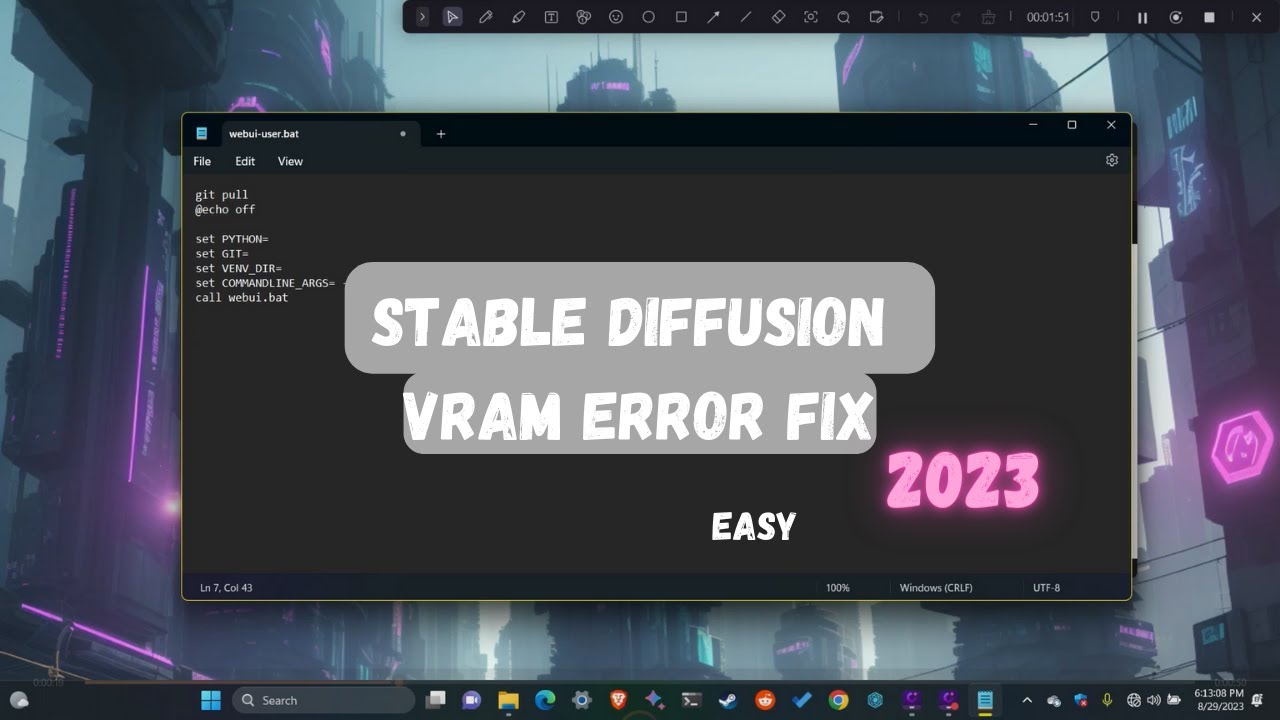
Stable Diffusion is a popular AI image generation tool that uses a technique called diffusion modeling to create realistic images from text prompts. However, some users may encounter the vram error, which occurs when the GPU runs out of memory while generating an image.
If you find this video helpful please consider like subscribe and do commen...
vast knoll
Thanks brother 👍
vocal burrow
tiny abyss
what does it do? its actually going thru a lot of preocess rn
try updating your extensions and screenshot them once you ve got them updated please
ornate elk
vast knoll
I'm getting this problem 😟 how to fix it
What's your GPU and whats inside your webui-user.bat?
vast knoll
Nvidia GeForce GTX 1650
vocal burrow
then --no-half --xformers --medvram
vast knoll
 vocal burrow
vast knoll
vocal burrow
vast knoll
add --no-half

 vocal burrow
did you restart it ?
vocal burrow
vast knoll
It's still messing with me
?
vast knoll
Yes
vocal burrow
so did you restart it after adding --no-half ?
vast knoll
Yup
vocal burrow
show me your webui-user.bat and the log then

 vocal burrow
vast knoll
vocal burrow
vast knoll
I don t see --no-half in there ..........
vocal burrow
yes
vast knoll
Should it be --no-half
vocal burrow
yes
vast knoll
There is no image being generated

I simply added cat in the prompt and still nothing
@vocal burrow
vast knoll
 vocal burrow
ok and what model are you using ?
vast knoll
Kawaiitech
-20.safetensors
Ooooooooh dam
I think I found the problem
I was wrong
vast knoll
Still have the problem only now
It generates my image full dark
@vocal burrow where can I find such information
vocal burrow
vast knoll
Still have the problem only now
It generates my image full dark
you added --disable-nan-check didnt you..... remove that
vast knoll
Yes I did

 desert totem
I can run a lora training in google colab, with 15 images, takes about 10 minutes. How can I see how many "compute units" it used? Meaning if I was to pay $10 for 100, what is that getting me...
vocal burrow
Use a proper model
and use lora as a lora, not as a SD model
LoRa/Lycoris quick guide :
1/ Where do I put my LoRa : stable-diffusion-webui\models\Lora, Loras are NOT stable-diffusion model but rather patches for said models.
2/ How do I use my LoRa, you can either :
- Invoke it directly in your prompt by using the following syntax
<lora:filename:weight>(or<lora:alias:weight>depending of the setting in setting->extra network). eg :<lora:animeTarotCardArtStyleLora_v20Offset:1>for using the LoraanimeTarotCardArtStyleLora_v20Offset.safetensors - Use the UI "Extra Networks" / card system by doing as described in my screenshot. Clicking an associated lora card should automatically insert the lora prompt liked mentioned above. https://cdn.discordapp.com/attachments/1002602742667280404/1191779742534348870/loraHowTo17.jpg
3/ Be careful, LoRa are trained specifically for some SD version. Lora trained for SD1.5 (and derivatives) models will not load on SD2 models and vice versa (same goes for SDXL). Also even though Lora trained on SD1.5 models should work for every SD1.5 derivatives, they'll probably work best with the model that has been used for its training. Therefore, (by default) only Loras compatible with the model you currently have loaded will show up.
4/ LoRa, LoHa, LoCon, what are these ? They're all commonly refered as "Lora" but differ slightly technically : - LoHa : Lora with hadamard decomposition
- LoCon : Lora extended to redisual blocks.
- More explanations : https://stable-diffusion-art.com/lora/, https://www.sdcompendium.com/doku.php?id=lora_0014, https://www.sdcompendium.com/doku.php?id=locon_training_0071, etc
 tranquil vigil
@vocal burrow after a long work, I was able to install environment.yml file,but in the end, I am facing the same runtime error
vast knoll
@vocal burrow thanks brother for all the help
vocal burrow
tranquil vigil
<@234988737526890496> after a long work, I was able to install environment.yml f...
you did install somewhere else with no space as I indicated ?
tranquil vigil
vocal burrow
you did install somewhere else with no space as I indicated ?
yeah...
 vocal burrow
what s the error now ?
tranquil vigil
in C drive only
tranquil vigil
tranquil vigil
@vocal burrow
vocal burrow
tranquil vigil
conda activate c:\AI\DragGAN\stylegan3
or conda activate c:\AI\DragGAN\stylegan3
you get the idea
conda activate fullPathOfTheCondaVenvYouCreated
tranquil vigil
vocal burrow
`conda activate c:\AI\DragGAN\stylegan3`
tried the same.. seeing the same result
vocal burrow
tranquil vigil
tried the same.. seeing the same result
show your try and the associated directory
 neon ruin
Curious, went to reproduce an image and send the PNG info to text-to-image, however it says it can't find the VAE. The VAE itself is in the correct folder and at first I thought maybe it didn't like the name not being the exact same formatting so I even made a copy and placed the copy with the exact name the prompt was expecting to see in the folder but it just does nothing
 noble belfry
first: can you select the VAE manually in your editor?
 cyan belfry
Does anyone know a fix for the dubious ownership problem?
 ornate elk
cyan belfry
Does anyone know a fix for the dubious ownership problem?
ornate elk
cyan belfry
Does anyone know a fix for the dubious ownership problem?
Did you launched it sometime as admin?
vocal burrow
cyan belfry
Does anyone know a fix for the dubious ownership problem?
use a proper filesystem (aka not fat32) or suffer and use the command it tells you to
noble belfry
get stability AI out of users and put it on C:
i dont think dragging and dropping will help, i had a similar issue early on when i put it in program files. HOLY GOD did i have to change so many permissions
vocal burrow
and yes don t install stuff in users / desktop / any other funky folder than is sync'd with dropbox, onedrive, etc
noble belfry
you should not use frankly anything involving programming at user level, too much red tape that coders didnt think of. you personally might be able to click the "ok run as admin" bits, but the code cant and will silently fail.
cyan belfry
alright I'll delete it an reinstall to my C drive
noble belfry
i quick clean install might be better. I keep all my ai stuff on windows in C:\ai\ if that helps.
well, dont delete the models and stuff you've downloaded
you can pull them over to your new install after. dont throw baby out with the bathwater 🙂
cyan belfry
I only downloaded SDXL and 1.5 but I moved them back to my downloads temporarily
noble belfry
thats fine, you can move those over. windows is super overprotective of stuff, but if its anything running code and your own machine, where possible allow for all users.
ornate elk
cyan belfry
I only downloaded SDXL and 1.5 but I moved them back to my downloads temporarily
follow my install guide in the pinned message of this channel for a clean install
neon ruin
noble belfry
first: can you select the VAE manually in your editor?
Yeah, I tried that as well. Still gets hung up when I go to try and generate
noble belfry
^ when in doubt follow CS1o
ornate elk
neon ruin
Yeah, I tried that as well. Still gets hung up when I go to try and generate
what vae is it?
neon ruin
ornate elk
what vae is it?
 tranquil vigil
vocal burrow
show your try and the associated directory
tranquil vigil
vocal burrow
show your try and the associated directory
 neon ruin
so this gets placed in the override settings, there's no vae selected at the top of the UI at the moment though, seems like regardless of if I select it or not I see the same issue
ornate elk
neon ruin
so this gets placed in the override settings, there's no vae selected at the top...
go into settings, user interface, quicksettings, there add sd_vae
then hit apply and reload ui
then you get a dropdown to select the vae
neon ruin
 neon ruin
ornate elk
go into settings, user interface, quicksettings, there add sd_vae
then hit apply...
neon ruin
ornate elk
go into settings, user interface, quicksettings, there add sd_vae
then hit apply...
I did that already yeah
vocal burrow
tranquil vigil
what s in that folder ?
ornate elk
neon ruin
I did that already yeah
ok then just select the vae and then click on the x at the vae at the bottom at (override settings)
neon ruin
ornate elk
ok then just select the vae and then click on the x at the vae at the bottom at ...
I've tried this both ways, where I manually select here from the vae drop down in the UI, then remove like you said yeah
and now it gets hung up
 vocal burrow
tranquil vigil
vocal burrow
tranquil vigil
I ll be afk commuting home. in the meantime, screenshot that folder and try source activate c:\AI\DragGAN\stylegan3
neon ruin
ornate elk
maybe cause of the token merging
Ah
Oh well
Yeah I was wondering what I was doing wrong there
cyan belfry
ornate elk
follow my install guide in the pinned message of this channel for a clean instal...
Worked flawlessly, thanks
 pseudo summit
Hello, i returned after a while to SD and i decided to update it. Now i'm unable to use hi-res module anymore cos i get error atached to this msg, my gpu:RTX 3060 12gb
 ornate elk
pseudo summit
Hello, i returned after a while to SD and i decided to update it. Now i'm unable...
ornate elk
pseudo summit
Hello, i returned after a while to SD and i decided to update it. Now i'm unable...
it says 1.6.0-2 but the latest version is 1.7.0
so pls show the cmd after you tried git pull to update it
 mighty topaz
vocal burrow
LoRa/Lycoris quick guide :
1/ Where do I put my LoRa : `stable-diffusion-webui\...
mighty topaz
vocal burrow
LoRa/Lycoris quick guide :
1/ Where do I put my LoRa : `stable-diffusion-webui\...
do you know how turn on this dir fodlers? in normal a1111 we have button to show folders but in forge dosent...or forge dont add this button?
pseudo summit
ornate elk
so pls show the cmd after you tried git pull to update it
i thought updating meant deleting and downloading again vae, how do u do the update again?
ornate elk
pseudo summit
i thought updating meant deleting and downloading again vae, how do u do the upd...
running git pull inside a cmd inside the stable-diffusion-webui folder
vocal burrow
git pull
pseudo summit
thx
 winged stone
what could be the reason of getting images irrelevant with the image on controlnet? i posted about it on #🏞|general-with-images i would greatly appreciate any help
pseudo summit
ornate elk
running `git pull` inside a cmd inside the stable-diffusion-webui folder
my output
now i start the webui or should i delete venv again?
pseudo summit
vocal burrow
`git pull`
now i start the webui or should i delete venv again?
vocal burrow
no need to delete venv when you update
pseudo summit
k
 vocal burrow
 dense sandal
pretty sure you just created a file named deforum_settings.txt.txt
because windows hide file extensions by default for some absurd reason.
pseudo summit
vocal burrow
no need to delete venv when you update
back to the original error when i try using hi rez
 dense sandal
vocal burrow
pretty sure you just created a file named deforum_settings.txt.txt
dense sandal
vocal burrow
pretty sure you just created a file named deforum_settings.txt.txt
I just removed the .txt and it still gives me error
nevermind. its fixes once I opened stable diffusion on another tab
vocal burrow
pseudo summit
back to the original error when i try using hi rez
what settings are you using ? what's the full log ?
dense sandal
the settings load weird though, negative and positive prompts are moved into each scheduled prompt.
pseudo summit
vocal burrow
what settings are you using ? what's the full log ?
which setting we talkin about? like start arguments?
set PYTHON=
set GIT=
set VENV_DIR=
set COMMANDLINE_ARGS= --xformers --autolaunch --no-half-vae

call webui.bat```no, screenshot your webpage
 vocal burrow
the whole page
pseudo summit
vocal burrow
the whole page
 winged stone
installing stable diffusion messed up my youtube videos.. am i the only one who encountered this? how do you even fix such thing?
 pseudo summit
the model is jsut a remix of 2 random models that i made but it work before my attemt to update
pseudo summit
winged stone
installing stable diffusion messed up my youtube videos.. am i the only one who ...
maby u run out of vram while watchin yt?
vocal burrow
pseudo summit
change sampler
winged stone
i dont think that is the cause
pseudo summit
vocal burrow
change sampler
where's that?
vocal burrow
 pseudo summit
i used to use it all the tiem before withotu any problems though
vocal burrow
maybe, still try changing it to see if it fixes it
pseudo summit
vocal burrow
maybe, still try changing it to see if it fixes it
Seems liek adaptive is out of the window with the hi rez
f
vocal burrow
can still generate with it and upscale from it using a different sampler
 junior orbit
im little bit new to SD i have sd-v1-4. how do i get multiple versions like 1.5 and sd-v1-4 like in check points
 outer adder
does someone know how to fix the runtime error
 ornate elk
junior orbit
im little bit new to SD i have sd-v1-4. how do i get multiple versions like 1.5 ...
ornate elk
junior orbit
im little bit new to SD i have sd-v1-4. how do i get multiple versions like 1.5 ...
Hey, on Civitai.com you'll find the most models and loras
Just download them and put them in the correct folders
Models (larger than 2gb) go into models/stable-diffusion
Loras (smaller than 1gb) go into models/lora
ornate elk
outer adder
does someone know how to fix the runtime error
What's your GPU and whats inside your webui-user.bat?
 slate pulsar
my images with animatediff + controlnet come out looking like this 1) very ugly and 2) not smooth at all between frames, Any ideas on what I am doing wrong ?
 unique bear
ornate elk
Do you use sdxl or 1.5 models?
unique bear
ornate elk
Do you use sdxl or 1.5 models?
1.5 models
 pseudo flame
does anyone know how to setup a good face swap? willling to pay $
ornate elk
pseudo flame
does anyone know how to setup a good face swap? willling to pay $
Do you have a GPU for a local setup?
If you have automatic1111 webui installed you can install Reactor Extension for Faceswap
quick forge
I really need some clarification about some things (Linux/AMD)
- A1111, ComfyUI, Foooocus, etc are all GUI's, so where is Stable Diffusion installed/running from? where is it's install directory?
- A1111 says version 1.7, is that the A1111 version, or SD version?
- Stable Diffusion and Stable Diffusion XL..... what is the difference? is one a fork? How does one use SD or SDXL?
unique bear
Anyone know if the thin plate spline motion model is limited to just 256x256?
ornate elk
quick forge
I really need some clarification about some things (Linux/AMD)
1) A1111, ComfyUI...
1.) mostly on the Home path.
2.) Auto1111 is a GUI to use Stable Diffusion models. The GUI is on version 1.7.0
Stable Diffusion has some base models like 1.5, 2.1 and SDXL.
3.) to use these models you can download them and put them into the models/Stable-diffusion folder
Community made models are based on either 1.5, 2.1 or SDXL
1.5 models got trained on 512x512 resolution, while SDXL got trained on 1024x1024 resolution and better word understanding
ornate elk
unique bear
Anyone know if the thin plate spline motion model is limited to just 256x256?
Yes its limited to 256
unique bear
ornate elk
Yes its limited to 256
ahh rip
quick forge
ok, so I get that they're GUI's, and if SD is mostly installed in the home path, what does that mean?
does this also mean that I could "install" SDXL by default? or is it all about the "models/checkpoints" that is selected in the GUI? Like, the base install of Stable Diffusion is "mostly in the home path" and it's the actual 1.5, 2.1 and XL (safetensor??) files that tell the base install what to do?
 fair oxide
hey, im using A1111 webui and noticed that it wasnt using my amd gpu.
i had this issue and asked on reddit. i later found that i missed some arch linux specific steps.
but its still not working, does any one have any tip?
quick forge
like I want to be running SDXL
fair oxide
i think all u have to do is to download an XL model and run it
quick forge
makes sense, as I currently understand it
so ive got an sdxl base 1.0 safetensor, and an sdxl 1.0 refiner.
Where am I supposed to use the refiner, because it shows up in the checkpoint list in A1111 and I thought a refiner was used "after" the model?
ornate elk
quick forge
ok, so I get that they're GUI's, and if SD is mostly installed in the home path,...
Like I said 1.5 and sdxl are models. The webui is Automatic1111 or comfyui or focus. These webuis are processing the models. So you can use every SD model with a webui
ornate elk
quick forge
so ive got an sdxl base 1.0 safetensor, and an sdxl 1.0 refiner.
Where am I supp...
In auto1111 there is a refiner checkbox where you can select it
But mostly no one uses the refiner
Upscaling provides better result's
unique bear
Is there a setting to get a1111 to autodelete generated pictures once you generate a new batch?
noble belfry
not after, but you dont have to have it clog up your anything. you can just tell it not to save files
not specifically to not do something after a batch process, no
like i dont have mine save every image
that said, it will be saved in a temp/gradio if you change your mind
 hazy star
RuntimeError: Couldn't install torch.
Command: "C:\stable-diffusion\stable-diffusion-webui\venv\Scripts\python.exe" -m pip install torch==2.0.1 torchvision==0.15.2 --extra-index-url https://download.pytorch.org/whl/cu118
Error code: 1
how do I get torch
quick forge
this might be anal..... in fact it 100% is, is it possible to rename the checkpoint files to not be so .....fucky?
and somehow exclude the refiner(s) models from the list of main checkpoints?
 nocturne topaz
quick forge
this might be anal..... in fact it 100% is, is it possible to rename the checkpo...
nocturne topaz
quick forge
this might be anal..... in fact it 100% is, is it possible to rename the checkpo...
you can rename the files and when you restart the webui they come through properly
nocturne topaz
quick forge
and somehow exclude the refiner(s) models from the list of main checkpoints?
That one is a no.. unfortunately
 cursive hazel
I'm not sure this is the right place to ask, but it seems the most appropriate.
I'm using Automatic1111, and I'm trying to do some inpainting touch-ups. I want to do a batch count of, let's say 12 images. But I want to adjust the denoising strength between them. So like, the first 6 will have a denoising strength of 0.2, for subtle changes, and the last 6 will have a denoising strength of 0.5 or something, for more prominent changes.
Is there any way to do something like this? Basically, adjusting some of the variables in a batch, without having to just do smaller batches to do it. (Because I often just walk away from my computer when it's doing big batches!)
quick forge
nocturne topaz
That one is a no.. unfortunately
well fk
would someone kindly tell me where the option to have the prompt included as a text file beside the image in the output directory?
I've had a few drinks and can't seem to locate it now.
 lucid trench
hey guys can i ask if anyone here's on forge webui - and got cascade extension to work in there?
 wispy axle
Hello! I'm trying to use this https://platform.stability.ai/docs/api-reference#tag/v1generation/operation/masking, but it generates a completely different image and it seems to be ignoring the black masking. Any ideas?
 burnt pond
Hi everyone. I'm trying to play with forge webui as well. but not all of my VAEs are showing up on the dropdowns. Any ideas? The naming should be fine when I run a regular stable diffusion, the VAEs show up. Just in forge they aren't showing up.
 soft fiber
cursive hazel
I'm not sure this is the right place to ask, but it seems the most appropriate.
...
soft fiber
cursive hazel
I'm not sure this is the right place to ask, but it seems the most appropriate.
...
You're lookin for the x/y/z script, should be near the bottom of the ui i believe
 valid gorge
@ornate elk Here's an image of the issue I described earlier, ControlNet (Depth, tested both Midas and Zoe) producing an odd shadow.

 vocal blaze
Hello I am new to stable diffusion and I having an issue with stable diffusion trying to use FIX FP16 Errors SDXL - Lower Memory use! --- sdxl-vae-fp16-fix
where the colors seem to be weird and inverted for some reason
 valid gorge
vocal blaze
Hello I am new to stable diffusion and I having an issue with stable diffusion t...
valid gorge
vocal blaze
Hello I am new to stable diffusion and I having an issue with stable diffusion t...
What checkpoint are you using?
vocal blaze
perfectWorld_v6Baked
valid gorge
Sometimes that happens if you mix SD with SDXL or vice versa. Have you tried using another VAE or set it to automatic or none
valid gorge
Looks like perfectWorld_v6Baked is SD 1.5 model
and you're using SDXL VAE with it, that might cause the problem
valid gorge
You're welcome, hope it fixes your prolem 🙂
vocal blaze
I wonder if there is a SD version of that Vae
valid gorge
There should be some available, try searching for vae-ft-mse-840000-ema-pruned
You most likely don't need to use VAE at all, if the image turns out fine without. Usually VAEs are baked in the checkpoints
vocal blaze
Oh I see thanks a lot for all the information!
valid gorge
You're welcome!
valid gorge
Is there a way to accidentally close browser tab in windows? Done it twice already today lol 😂
 vital lance
Is there any way I can by pass saftey check feature that prevent filtered words or NSFW content via REST API?, I want to use SDXL model
valid gorge
Is it the API doing the filtering or your SDXL checkpoint?
ornate elk
Hey, Linux would be still the best way for speed+usage.
On Windows the best in Usage and support is with the Directml fork of auto1111.
For raw speed the best is Shark webui.
But there is a new experimental way to get SD running with Zluda (tool to emulate cuda for AMD).
Its amazingly fast for 1.5 generations. Only some extensions won't work and sdxl.
ornate elk
valid gorge
<@161910921269084160> Here's an image of the issue I described earlier, ControlN...
Hm have you tried lowering the controlnet Weight?
valid gorge
ornate elk
Hm have you tried lowering the controlnet Weight?
Yep, helps only a little to none
Will experiment more later today. I'm using an SDXL checkpoint with diffusers xl depth full controlnet model, could be the model had a bug and is somehow broken. I'll replace that and see what happens.
ornate elk
valid gorge
Will experiment more later today. I'm using an SDXL checkpoint with diffusers xl...
Ah okay, I think there also mid and low controlnets for sdxl which give an other output
valid gorge
Goog point, I need to test out those too!
lusty mauve
When I finetune a model which is under license xyz.
Is it still the same model with same licensing?
valid gorge
lusty mauve
When I finetune a model which is under license xyz.
Is it still the same model ...
That's a good question. I would say yes, the license stays. Have you checked is there a clause of any kind about this kind of use in the licensing?
lusty mauve
valid gorge
That's a good question. I would say yes, the license stays. Have you checked is ...
Well i havent found any clause like this.
IMO the question is, can the model can trace back to the dataset it was trained on.
valid gorge
Yeah
Pls let us know if you find more info about this.
vital lance
valid gorge
Is it the API doing the filtering or your SDXL checkpoint?
that's not mentioned anywhere I guess they are giving prompt to another model to filter the prompt
valid gorge
vital lance
that's not mentioned anywhere I guess they are giving prompt to another model to...
Tried already with multiple checkpoints, do all have the same filtering?
Depending of what you're trying to create, you might need LoRA some sort
 viral oxide
Good morning. I hope I'm in the right place.
I installed stable cascade this morning, but I got an error message in the local instance.
The error is : TypeError: Module.eval () missing 1 required positional argument: 'self'
I have no idea of what I'm doing wrong ^^
(I have no idea of what I'm doing at all) I thought I had to create things, not code things ^^
mighty topaz
My friend just install Stable Matrix, and A1111 but have GPU from AMD and stable matrix or a1111 use cpu gpu dosent work, can someone share links with tutorial how install amtrix and a1111 for amd?
ornate elk
mighty topaz
My friend just install Stable Matrix, and A1111 but have GPU from AMD and stab...
Stability Matrix doesn't support AMD.
Your friend need to follow one of my AMD install guides. They are in the Pinned Messages of this channel.
I suggest to first install the normal Directml fork and if he has a newer GPU, he can later try out the experimental Zluda Version.
mighty topaz
Ok, but matrix is only app, so if he install webui a1111 via matrix, sd dont work? because he tell me he install matrix and sd but use only cpu not gpu
so he must leave matrix, and isntall raw local sd without matrix?
ornate elk
mighty topaz
so he must leave matrix, and isntall raw local sd without matrix?
Yes, matrix won't work
He needs a normal installation for AMD
By following my guide
mighty topaz
ok thank you
ornate elk
Guide is here:
#🤝|tech-support message
 hollow crescent
Hi I can't seem to figure out how to solve this error I've checked the permissions for that file full access is granted. May I get some help please

 proud walrus
hey guys, i've been working on a render but ı dont't wanted to make it look different . don't wanna change anything, same building but more realistic. i'm using control net but still cant get the similar and more realistic image of my input
 vocal burrow
hollow crescent
Hi I can't seem to figure out how to solve this error I've checked the permissio...
vocal burrow
hollow crescent
Hi I can't seem to figure out how to solve this error I've checked the permissio...
try rebooting your computer then delete venv, then run it again
hollow crescent
vocal burrow
try rebooting your computer then delete venv, then run it again
I've tried doing a fresh install 3 times, even upgraded my OS from win10 to win11 just in case
vocal burrow
proud walrus
hey guys, i've been working on a render but ı dont't wanted to make it look diff...
might be more suited for #📝|prompting-help (and they'd need to the settings used for your generation)
proud walrus
oh thanks
vocal burrow
hollow crescent
I've tried doing a fresh install 3 times, even upgraded my OS from win10 to win1...
ok, run pip cache purge, delete venv and try again
 fathom rune
old man trying something new. How do I get started in stable diffucsioon. Can I add it to photoshop?
vocal burrow
fathom rune
old man trying something new. How do I get started in stable diffucsioon. Can I ...
There are some plugin to have some sort of stable diffusion UI/programs interact with photoshop but I wouldn't recommend starting with those.
Rather I'd send you towards one of these :
- a1111's stable-diffusion-webui : https://github.com/AUTOMATIC1111/stable-diffusion-webui/ the most popular solution out there, biggest community and support
- comfyUI https://github.com/comfyanonymous/ComfyUI : second most popular solution, more tweakable but more complex to use
- StableSwarm https://github.com/Stability-AI/StableSwarmUI : a mix of the two above, officialy maintained by stability team
- Fooocus https://github.com/lllyasviel/Fooocus : probably one of the easiest solution out there for people who just want a big button to press and generate "pretty" stuff, but also one of the less tweakable
It also depends on what hardware you have
And then once you get the gist of how one of those work by itself it you'll understand how to actually use it from photohsop using some plugins.
ornate elk
hollow crescent
Hi I can't seem to figure out how to solve this error I've checked the permissio...
Have you edited the webui-user.bat before launching it?
 left iron
oi, what on earth does latent modifier do? I can't find ANY documentation for it at all despite it being integrated into SD WebUI Forge
I can only find one mention of it on this whole server, by a user who's not online r/n
and, uhhhhhhh

 oblique quail

 molten coral
which py version is best for forge?
fair oxide
how can i train loras locally using directml?
or how to train loras online (for both characters and styles)?
mighty topaz
ornate elk
Yes, matrix won't work
on matrix discord they answer like that

also i see forge is supported in matrix
 fair oxide
how would forge compare in speed to a1111?
mighty topaz
fair oxide
how would forge compare in speed to a1111?
Compared to original WebUI (for SDXL inference at 1024px), you can expect the below speed-ups:
If you use common GPU like 8GB vram, you can expect to get about 30~45% speed up in inference speed (it/s), the GPU memory peak (in task manager) will drop about 700MB to 1.3GB, the maximum diffusion resolution (that will not OOM) will increase about 2x to 3x, and the maximum diffusion batch size (that will not OOM) will increase about 4x to 6x.
If you use less powerful GPU like 6GB vram, you can expect to get about 60~75% speed up in inference speed (it/s), the GPU memory peak (in task manager) will drop about 800MB to 1.5GB, the maximum diffusion resolution (that will not OOM) will increase about 3x, and the maximum diffusion batch size (that will not OOM) will increase about 4x.
If you use powerful GPU like 4090 with 24GB vram, you can expect to get about 3~6% speed up in inference speed (it/s), the GPU memory peak (in task manager) will drop about 1GB to 1.4GB, the maximum diffusion resolution (that will not OOM) will increase about 1.6x, and the maximum diffusion batch size (that will not OOM) will increase about 2x.
If you use ControlNet for SDXL, the maximum ControlNet count (that will not OOM) will increase about 2x, the speed with SDXL+ControlNet will speed up about 30~45%.
fair oxide
like, if one image woukd take 5 minutes to generate, i could reasonably expect the same generation in forge to be roughtly the same as a mid-level card (roughtly a minute and a half)?
mighty topaz
something like that? i dont know exacly i have 12gb, but in forge is faster then usulally in a1111
ornate elk
mighty topaz
on matrix discord they answer like that
Yes, and my guide is exactly for the Directml fork of auto1111 made by lshqqtiger. But my guide features the needed performance steps to get the best speed on it too.
And my other AMD guide uses the new Zluda experimental Backend. Which Isnt supported by matrix
ornate elk
fair oxide
like, if one image woukd take 5 minutes to generate, i could reasonably expect t...
I think the real increase is not that much
What's your GPU?
mighty topaz
mighty topaz
also i see forge is supported in matrix
@ornate elk but if i install forge and pick directml in matrix like here in screen, i dont need then instal forke right?
ornate elk
mighty topaz
<@161910921269084160> but if i install forge and pick directml in matrix like h...
Forge won't work with AMD, I've tested it yesterday
Its still bugged
mighty topaz
oh ok
ornate elk
mighty topaz
oh ok
I mean you could try it. Maybe I did it setup wrongly or matrix does something to make it work.
But I also dont recommend forge for AMD in general
mighty topaz
i understand so simply only left forke a1111
without matrix, to bad because matrix has nice options, like civii in it, no need to open more tabs in internet:D And autoinstall everything, folders
ornate elk
mighty topaz
without matrix, to bad because matrix has nice options, like civii in it, no ne...
True, but I prefer having more tabs than actual extra software. And the full control of the Installation
So yea options are Directml fork of auto1111 or directml fork with Zluda.
Or SD.Next (didn't tested it)
mighty topaz
Sure, everyone likes something else..but i tell firend nad he isntall fork
fair oxide
ornate elk
What's your GPU?
amd radeon hd 8690m
viral oxide
Good afternoon! I hope I'm in the right place.
I installed stable cascade this morning, but I got an error message in the local instance.
The error is : TypeError: Module.eval () missing 1 required positional argument: 'self'
I have no idea of what I'm doing wrong ^^
ornate elk
fair oxide
amd radeon hd 8690m
Does your folder is named
Stable-diffusion-webui or stable-diffusion-webui-directml
?
fair oxide
stable-diffusion-webui-directml
ornate elk
fair oxide
stable-diffusion-webui-directml
Okay, then I dont think you would see a huge performance increase with forge. For me on AMD it didn't even worked
fair oxide
well, is it worth switching forks for a better speed? if yes, what would you suggest? what optimisations would you be able to suggest for me to make generations faster?
ornate elk
fair oxide
well, is it worth switching forks for a better speed? if yes, what would you sug...
For that card you have the best webui already
What's in your webui-user.bat?
Maybe you can improve with some commands there
fair oxide
ornate elk
What's in your webui-user.bat?
--lowvram --no-half --precision full --opt-sub-quad-attention --opt-split-attention --disable-nan-check --skip-torch-cuda-test --theme dark --autolaunch
ornate elk
fair oxide
--lowvram --no-half --precision full --opt-sub-quad-attention --opt-split-attent...
Oh its actually using your CPU instead of GPU.
remove --disable-nan-check --skip-torch-cuda-test
But add --use-directml --skip-ort
ornate elk
Exactly
fair oxide
i'll test it with the improvements i have so far (lcm lora, fewer steps)
got this error
Traceback (most recent call last):
File "Z:\AI SHIT\SD\stable-diffusion-webui-directml\launch.py", line 48, in <module>
main()
File "Z:\AI SHIT\SD\stable-diffusion-webui-directml\launch.py", line 44, in main
start()
File "Z:\AI SHIT\SD\stable-diffusion-webui-directml\modules\launch_utils.py", line 677, in start
import webui
File "Z:\AI SHIT\SD\stable-diffusion-webui-directml\webui.py", line 13, in <module>
initialize.imports()
File "Z:\AI SHIT\SD\stable-diffusion-webui-directml\modules\initialize.py", line 34, in imports
shared_init.initialize()
File "Z:\AI SHIT\SD\stable-diffusion-webui-directml\modules\shared_init.py", line 28, in initialize
directml_do_hijack()
File "Z:\AI SHIT\SD\stable-diffusion-webui-directml\modules\dml_init_.py", line 76, in directml_do_hijack
if not torch.dml.has_float64_support(device):
File "Z:\AI SHIT\SD\stable-diffusion-webui-directml\venv\lib\site-packages\torch_init_.py", line 1932, in getattr
raise AttributeError(f"module '{name}' has no attribute '{name}'")
AttributeError: module 'torch' has no attribute 'dml'
maybe i need to install torch-directml?
ornate elk
fair oxide
maybe i need to install torch-directml?
You need to delete the venv folder
Then relaunch
Then it should install torch-directml automatically
fair oxide
so far, the avg iteration time has halfed
nvm, gpu video memory error
Traceback (most recent call last):
File "Z:\AI SHIT\SD\stable-diffusion-webui-directml\scripts\xyz_grid.py", line 701, in cell
res = process_images(pc)
File "Z:\AI SHIT\SD\stable-diffusion-webui-directml\modules\processing.py", line 736, in process_images
res = process_images_inner(p)
File "Z:\AI SHIT\SD\stable-diffusion-webui-directml\modules\processing.py", line 969, in process_images_inner
x_samples_ddim = decode_latent_batch(p.sd_model, samples_ddim, target_device=devices.cpu, check_for_nans=True)
File "Z:\AI SHIT\SD\stable-diffusion-webui-directml\modules\processing.py", line 597, in decode_latent_batch
sample = decode_first_stage(model, batch[i:i + 1])[0]
File "Z:\AI SHIT\SD\stable-diffusion-webui-directml\modules\sd_samplers_common.py", line 76, in decode_first_stage
return samples_to_images_tensor(x, approx_index, model)
File "Z:\AI SHIT\SD\stable-diffusion-webui-directml\modules\sd_samplers_common.py", line 58, in samples_to_images_tensor
x_sample = model.decode_first_stage(sample.to(model.first_stage_model.dtype))
File "Z:\AI SHIT\SD\stable-diffusion-webui-directml\modules\sd_hijack_utils.py", line 17, in <lambda>
setattr(resolved_obj, func_path[-1], lambda *args, **kwargs: self(*args, **kwargs))
File "Z:\AI SHIT\SD\stable-diffusion-webui-directml\modules\sd_hijack_utils.py", line 28, in call
return self.__orig_func(*args, **kwargs)
File "Z:\AI SHIT\SD\stable-diffusion-webui-directml\venv\lib\site-packages\torch\utils_contextlib.py", line 115, in decorate_context
return func(*args, **kwargs)
File "Z:\AI SHIT\SD\stable-diffusion-webui-directml\repositories\stable-diffusion-stability-ai\ldm\models\diffusion\ddpm.py", line 826, in decode_first_stage
return self.first_stage_model.decode(z)
File "Z:\AI SHIT\SD\stable-diffusion-webui-directml\modules\lowvram.py", line 71, in first_stage_model_decode_wrap
return first_stage_model_decode(z)
File "Z:\AI SHIT\SD\stable-diffusion-webui-directml\repositories\stable-diffusion-stability-ai\ldm\models\autoencoder.py", line 90, in decode
dec = self.decoder(z)
File "Z:\AI SHIT\SD\stable-diffusion-webui-directml\venv\lib\site-packages\torch\nn\modules\module.py", line 1501, in _call_impl
return forward_call(*args, **kwargs)
File "Z:\AI SHIT\SD\stable-diffusion-webui-directml\repositories\stable-diffusion-stability-ai\ldm\modules\diffusionmodules\model.py", line 637, in forward
h = self.up[i_level].block[i_block](h, temb)
File "Z:\AI SHIT\SD\stable-diffusion-webui-directml\venv\lib\site-packages\torch\nn\modules\module.py", line 1501, in _call_impl
return forward_call(*args, **kwargs)
File "Z:\AI SHIT\SD\stable-diffusion-webui-directml\repositories\stable-diffusion-stability-ai\ldm\modules\diffusionmodules\model.py", line 131, in forward
h = self.norm1(h)
File "Z:\AI SHIT\SD\stable-diffusion-webui-directml\venv\lib\site-packages\torch\nn\modules\module.py", line 1501, in _call_impl
return forward_call(*args, **kwargs)
File "Z:\AI SHIT\SD\stable-diffusion-webui-directml\extensions-builtin\Lora\networks.py", line 516, in network_GroupNorm_forward
return originals.GroupNorm_forward(self, input)
File "Z:\AI SHIT\SD\stable-diffusion-webui-directml\venv\lib\site-packages\torch\nn\modules\normalization.py", line 273, in forward
return F.group_norm(
File "Z:\AI SHIT\SD\stable-diffusion-webui-directml\venv\lib\site-packages\torch\nn\functional.py", line 2530, in group_norm
return torch.group_norm(input, num_groups, weight, bias, eps, torch.backends.cudnn.enabled)
RuntimeError: Could not allocate tensor with 201326592 bytes. There is not enough GPU video memory available!
yet, it still continued making the images (i was running an x plot with 5 images, 5 steps per image with lcm lora, euler a, cfg 1)
like idk, it stops, but then it tries again
it's weird
ornate elk
fair oxide
like idk, it stops, but then it tries again
Thats to much for the vram
ornate elk
fair oxide
yet, it still continued making the images (i was running an x plot with 5 images...
If your on a laptop with a lot of RAM you can give the GPU more vram in the BIOS settings.
But first restart SD and try a normal one image generation without xyz
fair oxide
ornate elk
If your on a laptop with a lot of RAM you can give the GPU more vram in the BIOS...
i mean, i have 12 gigs
so maybe 4 more gigs wouldn't hurt
ornate elk
fair oxide
so maybe 4 more gigs wouldn't hurt
You can try sure
Also use 2gb models
And Euler a as sampler
fair oxide
ornate elk
Also use 2gb models
wdym by that?
ornate elk
fair oxide
wdym by that?
Most newer 1.5 based models are 2gb in size.
Using models that are larger will take much longer or even fail
For example sdxl models are 6gb and wont run on Directml with that gpu
fair oxide
i have photon with 2.08 gb and colormix with 2.3 gb
i'll try to install some smaller models
ornate elk
fair oxide
i'll try to install some smaller models
There are no smaller models. Around 1.98gb is the smallest I've seen.
Everything below that is a lora, embedding etc and not a model
fair oxide
ig i should just find models that are around 2gb, right?
fair oxide
is using lcm sampler with lcm lora going to make a huge difference when generating images?
in speed as well as quality?
ornate elk
fair oxide
is using lcm sampler with lcm lora going to make a huge difference when generati...
You dont need LCM sampler when your using the LCM lora
fair oxide
alright then
i've seen how you can copy a style from an image using ip-adapter. how about characters? can it do that? how well?
 violet inlet
guys? can you help me with finding and installing am offline chatbot? i want try to use it in translation and learning other languages
fair oxide
fair oxide
so maybe 4 more gigs wouldn't hurt
increased vram using regedit. tried to do another pic. i got the same memory allocation error
violet inlet
ornate elk
You dont need LCM sampler when your using the LCM lora
seriously? the lora don't go in tandem with the sampler?
you can still gen with 4 steps well, using other samplers?
 west rune
im getting errors everytime i try training a hypernetwork. Is it broken rn or is it my stuff thats broken?
anyone wanna help me resolve my training issues?
ornate elk
violet inlet
you can still gen with 4 steps well, using other samplers?
Yes
There are also models thst have LCM included
Can be used with any sampler
ornate elk
violet inlet
guys? can you help me with finding and installing am offline chatbot? i want try...
GPT4all is very nice and easy to setup
violet inlet
ok, that's new, i suppose i need to work on the lora weight, to make it work better with other samplers
ornate elk
violet inlet
ok, that's new, i suppose i need to work on the lora weight, to make it work bet...
The LCM lora needs 0.5 mostly
violet inlet
i stiked with lcm sampler, because the others gave me rough results, at low steps
0.5 0.7
ornate elk
fair oxide
i've seen how you can copy a style from an image using ip-adapter. how about cha...
Yes thats possible too with IP-Adapter, you can also copy the face with it
violet inlet
i played a lot with lcm, because it's very good to set a pose
 cosmic furnace
What r best & most used upscalers?)
violet inlet
bery rough on details, but very responsive on character poses
fair oxide
ornate elk
Yes thats possible too with IP-Adapter, you can also copy the face with it
trying forge webui now, since the normal a1111 showed errors even after vram i crease via regedit
ornate elk
fair oxide
trying forge webui now, since the normal a1111 showed errors even after vram i c...
I dont think regedit can increase vram 😮
fair oxide
well, i think i used it at one point, since i didn't seem to find an option to oncrease vram from bios
maybe i didn't look in the right place
cosmic furnace
ornate elk
I dont think regedit can increase vram 😮
sounds like magic)
r u having somekind of error, while system not showing your real vram? Or u being sirious about just increasing vram via bios-regedit hm
U cant alter physical objects via soft)
Well u can make some turn off-on light and stuff...
ornate elk
cosmic furnace
What r best & most used upscalers?)
REsrgan 4x, 4x UltraSharp
Nmkd 200x siax
Are often used
Remacri too
And Fatal Anime 5000
 ornate elk
fair oxide
<@161910921269084160> what resolution do you usually generate images in?
ornate elk
fair oxide
<@161910921269084160> what resolution do you usually generate images in?
512x768
fair oxide
i found out 600x912 resolutions gives nice enough space for image content w/o distorting anything, and works great for both SD and XL
 left iron
@nocturne topaz Hey, you're the only person I've found who seems to know anything about LatentModifier
Can you give me any tips/explanations?
ornate elk
cosmic furnace
What will happen if try sdxl with zluda? 😄 This?
Yes xD driver crash
ornate elk
fair oxide
i found out 600x912 resolutions gives nice enough space for image content w/o di...
Ohh nice, I'm gonna try that later!
fair oxide
ornate elk
Ohh nice, I'm gonna try that later!
yeah and hires fix by 2x
west rune
I need some tech support for training a hypernetwork
It just throws errors at me
Im using a1111 on stability matrix
and im getting this:
any other info needed?
fair oxide
error on forge webui for amd:
 fair oxide
what is the fastest webui for low end gpus?
 upbeat atlas
Hi, I have a question regarding stable diffusion for AMD. I'm currently running automatic1111 directml, and while it does work, it's very slow and has so many errors. I was wondering what would be a better option for AMD windows instead of automatic1111 directml?
ornate elk
upbeat atlas
Hi, I have a question regarding stable diffusion for AMD. I'm currently running ...
Directml is the most compatible one with any extensions.
What errors do you get?
Also what's your GPU?
nocturne topaz
left iron
<@379130271259295744> Hey, you're the only person I've found who seems to know a...
The github has a pretty good explainer on what most if em do. I quite often use the Sharpness one and the extra noise one
left iron
nocturne topaz
The github has a pretty good explainer on what most if em do. I quite often use ...
I can't find the github
I know this sounds like a strange problem, but I'm struggling
Due to it being built into forge, it doesn't have a link in the extensions
nocturne topaz
left iron
I can't find the github

GitHub
A repository of ComfyUI nodes which modify the latent during the diffusion process. - Clybius/ComfyUI-Latent-Modifiers
left iron
Okay, phew
See, I was searching for "sd-webui-latent-modifier" since in forge it was called "sd-forge-latent-modifier"
I did not know it originated as ComfyUI nodes
Thereby I had just no clue where on Earth latent modifier came from and where to find docs
winged stone
i remember someone saying that i should put model downloads to different folders depending on their size. is that true or should i just put all model/chekcpoint stuff to models folder?
left iron
 Thank you @nocturne topaz
I've also managed to find tips from people on how to use FreeU
right now I run B1:1, B2:1.05, S1:0.5, S2:0.2 on SDXL
nocturne topaz
left iron
right now I run B1:1, B2:1.05, S1:0.5, S2:0.2 on SDXL
Not dissimilar here (1,1,0.9,0.2 for sdxl)
left iron
latent modifier does seem to be a bit not-what-i-need rn, tried to run it with none of its stuff enabled and it deepfried the image
already running dynamic thresholding so the high cfg stuff is already handled
nocturne topaz
left iron
latent modifier does seem to be a bit not-what-i-need rn, tried to run it with n...
Ah yeah, dont use em together 😛
But there is similar stuff in there to achieve the same effect
left iron
also, is latent always the best upscaler to use with hires fix? are some better for certain samplers/art styles/SDXL?
nocturne topaz
left iron
also, is latent always the best upscaler to use with hires fix? are some better ...
No, it tends to introduce a lot of noise whic is good for getting more details but needs more denoise and steps to get back to a sharp image
left iron
ahh yeah i'm noticing a lot of additional random stuff added with latent+freeu if i dont VERY explicitly spell out the background
 low tiger
hey guys, just installed SD with a anime model (AAM_XL_Anime_Mix). when i make images they are totally fine while they are being made, but when it hits the end and shows the final product they all look like this (images attached)


 nocturne topaz
low tiger
hey guys, just installed SD with a anime model (AAM_XL_Anime_Mix). when i make i...
nocturne topaz
low tiger
hey guys, just installed SD with a anime model (AAM_XL_Anime_Mix). when i make i...
Change the VAE
left iron
yeah that kind of noise is 100% a sign of a mismatch between model and vae
or, occasionally, too strong of a lora that has been trained on a totally different style
nocturne topaz
left iron
ahh yeah i'm noticing a lot of additional random stuff added with latent+freeu i...
Yeah the real esrgan ones do a good job for hires fix
low tiger
oh ok, i got the VAE from the yt guide he said itd work with all. how would i know which will work with these specifically?
ty for the help btw 🙂
left iron
nocturne topaz
Yeah the real esrgan ones do a good job for hires fix
like R-ESRGAN 4x+/4x+ anime6B?
nocturne topaz
low tiger
oh ok, i got the VAE from the yt guide he said itd work with all. how would i kn...
You are looking for a sdxl specific vae (search foe “fp16 fix” on civitai)
low tiger
nocturne topaz
You are looking for a sdxl specific vae (search foe “fp16 fix” on civitai)
thank you so much, downloading one now 🙂
 snow swallow
Is sdxl more demanding in therms of graphics? I have an AMD, not sure it would work but I'm curious if this model necesserely uses more machine
fair oxide
what webui is the fastest and easiest to install for low end amd gpus?
 gray oyster
not related to stable diffusion but does anybody know how to fix these errors?

tried installing with requirements in oobabooga since the installation failed because of the exact same module
 elder raven
Haven't logged into Stable Audio in a while and got this, anyone know whats up?
 nocturne topaz
gray oyster
not related to stable diffusion but does anybody know how to fix these errors?
nocturne topaz
gray oyster
not related to stable diffusion but does anybody know how to fix these errors?
delete the cached file at that location and try again?
gray oyster
nocturne topaz
delete the cached file at that location and try again?
that might be an idea, i will see if that works, i just wonder why it happens in the first place though
nocturne topaz
gray oyster
that might be an idea, i will see if that works, i just wonder why it happens in...
file corruption, or wrong whl for the system
gray oyster
fair
gray oyster
nocturne topaz
file corruption, or wrong whl for the system
probably the latter
I also keep getting 'PyTorch not compiled with CUDA' despite entering A for nvidia gpu and N for CUDA 12.1 which is what I have installed
I did have it working at some point but after auto-updating it it broke everything
awesome, finally works
gray oyster
nocturne topaz
delete the cached file at that location and try again?
thanks a lot
nocturne topaz
no worries 🙂 pytorch not compiled with cuda usually means that the index-url parameter wasn't supplied when installing torch so it didn't go and get the +cu121 version of torch
 silent sparrow
what gpu has the fastest training time for dreambooth fine tuning?
nocturne topaz
silent sparrow
what gpu has the fastest training time for dreambooth fine tuning?
whichever gpu has the most cuda cores - so in descending order h100, a100, v100, a6000, 4090....
silent sparrow
sorry. So h100 is the best?
nocturne topaz
silent sparrow
sorry. So h100 is the best?
that is available to us (via runpod) then yip
silent sparrow
thanks
nocturne topaz
a 4090 is more than fast enough though (unless you have a couple of hundred thousand images in your dataset!)
silent sparrow
I'm training an xl model with 70 images and it says an hour and a half
thats on kohya_ss
fair oxide
what do i use in order to run stable diffusion and get decent features with unlimited generations?
what mobile nvidia gpu would be a good budget option for ai?
or more specifically what laptops?
nocturne topaz
Dont bother with buying a laptop for SD unless you were already but generally vram is key (3060,3090,4080,4090)
There are enough cloud services out there to keep you going in the meantime: runpod, vast.ai, paperspace
fair oxide
nocturne topaz
Dont bother with buying a laptop for SD unless you were already but generally vr...
then, what to use? online options are crap, they limit you in severe ways
so much that it's just a trial
the only option is using a1111 locally using my cpu
nocturne topaz
Those 3 above are cloud pcs so running it like you would on your machine unrestricted
fair oxide
or to somehow use more vram, by sharing ram with dedicated video ram
fair oxide
nocturne topaz
Those 3 above are cloud pcs so running it like you would on your machine unrestr...
for free?
nocturne topaz
fair oxide
for free?
Cheap, not free
Like 0.20c/hr cheap
(Runpod, community cloud, 3090 spot pricing)
fair oxide
i mean, it still costs. i do think there are options out there that still allow you to have decent features (like lora and custom models and all that stuff) with unlimited generations
it's a matter of preference for me
do you know some alternatives i could use?

 nocturne topaz
fair oxide
do you know some alternatives i could use?
nocturne topaz
fair oxide
do you know some alternatives i could use?
Happyaccidents is close
fair oxide
are there other options that don't use tokens?
nocturne topaz
fair oxide
are there other options that don't use tokens?
For free, probably not, gpu compute isnt cheap
fair oxide
or with decent free tiers?
nocturne topaz
fair oxide
or with decent free tiers?
Civitai (but does have daily limit of like 3000 images)
And no upscaler/img2img
fair oxide
do you know how you could get those?
ornate elk
snow swallow
Is sdxl more demanding in therms of graphics? I have an AMD, not sure it would w...
yes, much more on amd windows
ornate elk
fair oxide
are there other options that don't use tokens?
Stable Horde, but it has limited features
upbeat atlas
ornate elk
What errors do you get?
I wanted to use ONNX with automatic1111, so I tried to re install according to what the official article said.
I just keep getting "torch is not able to use GPU"
When I add "--use-directml" with "--onnx" it doesn't recognize onnx as a command
ornate elk
upbeat atlas
I wanted to use ONNX with automatic1111, so I tried to re install according to w...
yea the official guide is outdated
i dont recommend onnx
you would have to convert models everytime you switch them, also its locked on specific resolutions
it doesnt support the most extensions
You would be better to use Shark if you just want Speed, but it has the same drawbacks as onnx.
What i recommend is using the directml fork but with Zluda backend. Its crazy fast, and compatible with most of the stuff (but not all)
upbeat atlas
ornate elk
it doesnt support the most extensions
Wish I knew this 3 hours ago 🗿
upbeat atlas
ornate elk
What i recommend is using the directml fork but with Zluda backend. Its crazy fa...
Oh oki thanks, gotta check out how to use it
ornate elk
upbeat atlas
Wish I knew this 3 hours ago 🗿
you only have needed to reply to my question 😛
whats your GPU?
because Zluda doesnt support RX 5xxx cards
upbeat atlas
ornate elk
whats your GPU?
RX 6900 Xt
ornate elk
upbeat atlas
Oh oki thanks, gotta check out how to use it
i have a install guide in the Pinned Messages of this channel
upbeat atlas
ornate elk
you only have needed to reply to my question 😛
Fair enough 😭
upbeat atlas
ornate elk
i have a install guide in the Pinned Messages of this channel
Oh thanks then I'll just check that out then
ornate elk
upbeat atlas
Oh thanks then I'll just check that out then
let me say what doesnt work with it (sdxl models, Adetailer, and depth, ip-adapter controlnets), but for 1.5 its so fast you can generate at any resolution without getting out of vram and with controlnet and loras
upbeat atlas
ornate elk
let me say what doesnt work with it (sdxl models, Adetailer, and depth, ip-adapt...
That's absolutely cool then, cause I don't use sdxl anyway and adetailer the others I barely ever use. I just hope it works fine
ornate elk
upbeat atlas
That's absolutely cool then, cause I don't use sdxl anyway and adetailer the oth...
yes, i tested it and it works pretty good!
from 4it/s with directml to 16/its with 7900xtx
an upscaled image with 10 hires steps takes now 20 seconds instead of 1:20
If you have any questions about the setup feel free to ask
upbeat atlas
ornate elk
an upscaled image with 10 hires steps takes now 20 seconds instead of 1:20
Damn that's SO FAST, thanks again for the help, can't wait to have a go at it 😁
mighty topaz
@ornate elk i have problem with animation in sd a1111 this is fram animated by other guy and he share this image to others with data to try do the same animation

and when i try generate with this same data everything i got

something is with colors contrast and stuff
ornate elk
mighty topaz
and when i try generate with this same data everything i got
whats your vae file?
 marble ore
can someone tell me what the score_9, score_8_up, score_7_up, score_6_up tags do?
ponydiffusion model*
mighty topaz
i try automatic, ft-mse-840000-ema-pruned also kl-f8-aniame2vae
with module mm_sd_v15v2 and others
mighty topaz
marble ore
can someone tell me what the score_9, score_8_up, score_7_up, score_6_up tags do...
u have description in civii in this model by author
 tardy karma
mighty topaz
marble ore
its a model based on pony diffusion
tardy karma
mighty topaz
marble ore
its a model based on pony diffusion
https://civitai.com/models/257749 read description here
Pony Diffusion V6 is a versatile SDXL finetune capable of producing stunning SFW and NSFW visuals of various anthro, feral, or humanoids species an...
marble ore
thank you!
fair oxide
does zluda support any amd gpu?
mighty topaz
ornate elk
whats your vae file?
i try automatic, ft-mse-840000-ema-pruned also kl-f8-aniame2vae, do you know what happen? please 😐
ornate elk
mighty topaz
i try automatic, ft-mse-840000-ema-pruned also kl-f8-aniame2vae, do you know w...
hmm for me it seems the vae doesnt get applied
mighty topaz
yeh, but why vae dont want to animation applied? because on image worsk always good hmm
ornate elk
mighty topaz
yeh, but why vae dont want to animation applied? because on image worsk always g...
idk :/ what extensions are you using
mighty topaz
GitHub
AnimateDiff for Stable Diffusion WebUI Forge, mirror for https://github.com/continue-revolution/sd-webui-animatediff/tree/forge/master - continue-revolution/sd-forge-animatediff
i dont do this because i dont know where is this terminal an whre put this commands but i thinks this is not because of it i think
 nocturne topaz
mighty topaz
i dont do this because i dont know where is this terminal an whre put this com...
nocturne topaz
mighty topaz
i dont do this because i dont know where is this terminal an whre put this com...
do you have forge installed already, or a1111?
if you already have a1111, then you want the sd-webui-animatediff extension
upbeat atlas
Hi, I tried installing Zluda, in the pin it said to run it with "--medvram-sdxl --update-all-extensions --update-check --skip-ort"
I added the arguments but it says torch is not able to use gpu, how do I fix that? I even added --use-directml but that didn't work either
nocturne topaz
upbeat atlas
Hi, I tried installing Zluda, in the pin it said to run it with "--medvram-sdxl ...
have you reinstalled torch since installing zluda?
mighty topaz
nocturne topaz
do you have forge installed already, or a1111?
i have forge thats why i install extension for forge animationdiff
upbeat atlas
nocturne topaz
have you reinstalled torch since installing zluda?
No I didn't, should I?
Also I'm not sure if it's relevant or not but I'm using AMD gpu

 nocturne topaz
mighty topaz
but colors are bad i dont know why:/ csgo also dont know hmmm its weird
nocturne topaz
mighty topaz
but colors are bad i dont know why:/ csgo also dont know hmmm its weird
colours are bad in the end result.. that could be a VAE issue, but more likely that it's just animatediff being animatediff and not very good on a1111/forge
comfyUI gives better results for animatediff, and if animation is something you plan on doing lots of, I'd probably investigate switching - there are way more options available in comfy for animatediff and svd
mighty topaz
yeh but look at this i go step by step from tutorial look his amazing aniamtion and also in a1111 i set up you time on timeline

This is a tutorial to run you through the steps to create generative AI videos purely prompt based with automatic1111 using the animateDiff extention that produces one of the most cohesive and consistent AI videos available at this point in time. We will be bringing to life our beloved high quality asian females seen with the majicmix checkpoint...
ornate elk
upbeat atlas
Hi, I tried installing Zluda, in the pin it said to run it with "--medvram-sdxl ...
no thats the wrong guide
follow my guide for zluda please
not the one for directml
upbeat atlas
ornate elk
no thats the wrong guide
Shoot, my bad didn't notice xD
upbeat atlas
ornate elk
no thats the wrong guide
I'm sorry I got a bit confused, is this not the guide?
#🤝|tech-support message
ornate elk
upbeat atlas
I'm sorry I got a bit confused, is this not the guide?
https://discord.com/chann...
oh yes, thats it, and yes your right sry, use the commandline args there
have you done the torch reinstall ?
dont add --skip-torch-cuda
upbeat atlas
ornate elk
have you done the torch reinstall ?
No I didn't, so I just have to reinstall torch?
fair oxide
yea, i give up
ornate elk
upbeat atlas
No I didn't, so I just have to reinstall torch?
you need to follow the whole guide
i think you only did the preparation steps
upbeat atlas
ornate elk
i think you only did the preparation steps
...
Sorry for the stupid questions yes I only did the preparation steps I didn't notice the following steps 🗿💔
ornate elk
upbeat atlas
...
Sorry for the stupid questions yes I only did the preparation steps I didn't...
editet the guide, launch it one time with --directml added too, and remove it after the first installation, before doing the zluda stuff
 nova ermine
I was generating stuff like this, however I've returned to SD, got that image in PNG info, using exactly the same parameteres and...

Got this.

How to fix?
ornate elk
nova ermine
Got this.
can oyu show your txt2img settings?
 serene oar
Hello! Im havng trouble with automatic1111
i get this message every time i try to use it
venv "C:\Users\Usuario\Downloads\Stabble diffusion\stable-diffusion-webui-directml\venv\Scripts\Python.exe"
fatal: No names found, cannot describe anything.
Python 3.10.6 (tags/v3.10.6:9c7b4bd, Aug 1 2022, 21:53:49) [MSC v.1932 64 bit (AMD64)]
Version: 1.7.0
Commit hash: 601f7e3704707d09ca88241e663a763a2493b11a
Traceback (most recent call last):
File "C:\Users\Usuario\Downloads\Stabble diffusion\stable-diffusion-webui-directml\launch.py", line 48, in <module>
main()
File "C:\Users\Usuario\Downloads\Stabble diffusion\stable-diffusion-webui-directml\launch.py", line 39, in main
prepare_environment()
File "C:\Users\Usuario\Downloads\Stabble diffusion\stable-diffusion-webui-directml\modules\launch_utils.py", line 560, in prepare_environment
raise RuntimeError(
RuntimeError: Torch is not able to use GPU; add --skip-torch-cuda-test to COMMANDLINE_ARGS variable to disable this check
Press a key to continue. . .
No names found and torch is not able to use GPU
ornate elk
serene oar
venv "C:\Users\Usuario\Downloads\Stabble diffusion\stable-diffusion-webui-direct...
whats your GPU?
serene oar
An AMD 6500, but i have the version of automatic that should be compatible
ornate elk
serene oar
An AMD 6500, but i have the version of automatic that should be compatible
yes, but you need addtional steps to make it work
noble belfry
also who tells people to skip torch cuda test?
serene oar
noble belfry
also who tells people to skip torch cuda test?
What is that and how do i enable it?
serene oar
ornate elk
yes, but you need addtional steps to make it work
Please help!
noble belfry
chill. would you like me to link a video to follow?
 patent spear
nova ermine
How to fix?
patent spear
nova ermine
How to fix?
Probably not the issue, but I noticed you decreased the number of steps in your second/undesirable image down to 60 (your first image has 100 steps), the resolution is also slightly different. Have you made sure your settings stayed the same too? I know that some optimization settings like prompt padding and xformers also change the results. Oh, also when I changed my hardware (GPU), the results changed too... then again I did a whole new webui installation too.
noble belfry
it might be easier than text instructions. and dont worry, the first time installing AI stuff is like childbirth
serene oar
noble belfry
chill. would you like me to link a video to follow?
Yes please
ornate elk
serene oar
Please help!
first you need to open up a cmd and type
pip cache purge and hit enter
then delete the venv folder inside the stable-diffusion-webui-directml folder.
then Edit the webui-user.bat (right click), At the line COMMANDLINE_ARGS= You add: --use-directml --medvram --opt-sub-quad-attention --opt-split-attention-v1 --no-half-vae --upcast-sampling
then save and launch the webui-user.bat
nova ermine
ornate elk
can oyu show your txt2img settings?
I don't know how, but the problem has "magicaly" got solved
nova ermine
patent spear
Probably not the issue, but I noticed you decreased the number of steps in your ...
Before the problem "magically" getting solved I thanged that parameter and the results were the same
serene oar
ornate elk
first you need to open up a cmd and type
`pip cache purge` and hit enter
then de...
C:\Windows\System32>pip cache purge
WARNING: No matching packages
Files removed: 0
It tells me that it didnt remove anything
noble belfry
nova ermine
Before the problem "magically" getting solved I thanged that parameter and the r...
were you using controlnet? did it stop halfway through?
nova ermine
noble belfry
were you using controlnet? did it stop halfway through?
Yes, and I disabled it to check if it was causing the problem, but the problem persisted then
noble belfry
looks likes a canny or mlds version of an image, it might have stopped early. do you still have the window open?
ornate elk
serene oar
C:\Windows\System32>pip cache purge
WARNING: No matching packages
Files removed:...
thats okay
noble belfry
it might be crashing, do you have less than 12gb vram?
ornate elk
do the other steps then
mighty topaz
one thing but not my problem friends problem, sorry for bothering you guys, he also want do aniamtion in forge in diffusion and he dont have problems with vae, have normal colors but when he generate no aniamtion just frames how fix it?
noble belfry
nova ermine
Yes, and I disabled it to check if it was causing the problem, but the problem p...
if you do have low vram theres a small bandaid you can use with nvidia. if you right click your desktop and open control panel settings for nvidia it should give a load of options
mighty topaz
mighty topaz
one thing but not my problem friends problem, sorry for bothering you guys, he a...
 nova ermine
noble belfry
if you do have low vram theres a small bandaid you can use with nvidia. if you r...
nova ermine
noble belfry
if you do have low vram theres a small bandaid you can use with nvidia. if you r...
How does I do that and what's the aim of that options?
noble belfry
in the middle of those, theres one called "CUDA - sysmem fallback policy" you can set that as "prefer sysmem"
now it wont let you make bigger images or anything, it will just stop everything dying in the middle of a job. it will throw the job into RAM from vram. that makes it super super slow, but if an image is close it might be helpful.
should be here

(win 10 version so might look different on win 11)
also small things like if the image is big, close your chrome browser. you wouldnt think but it does eat away at lots of resources
i dont think if you have vram less than 6 you should use that setting. up to you though
its not a full fix, its more like an overflow in a bathtub
ornate elk
serene oar
Please help!
let me know if it worked
nova ermine
noble belfry
should be here
I see the option in tab, but I still don't understand what will change if I selects "prefer sysmem"
noble belfry
it should stop CUDA crashing as it should load the job into RAM instead of failing. Its an option im just giving you.
you dont have to use it at all
upbeat atlas
@ornate elk hi, so I did everything, and now when I open it, it starts without a problem at first, but as soon as the interface comes up, it takes around a minute or two to load the sd model, and when I want to generate it doesn't generate anything and after a while says server disconnected without sending a response. I'm not using any loras or embeddings just plain text with 20 steps of generation. Any idea how to fix it?
ornate elk
upbeat atlas
<@161910921269084160> hi, so I did everything, and now when I open it, it starts...
whats the model?
upbeat atlas
popPopcornMix, it's a 1.5 sd model
low tiger
hey guys, SD isnt following the controlnet instructions, i am fairly new to this sorry if its something simple i cant figure it out. i will attach screenshots, hopefully someone can spot what im doing wrong 🙂

 upbeat atlas
low tiger
hey guys, SD isnt following the controlnet instructions, i am fairly new to this...
upbeat atlas
low tiger
hey guys, SD isnt following the controlnet instructions, i am fairly new to this...
You didn't download the models for controlnet that's why xD
low tiger
upbeat atlas
You didn't download the models for controlnet that's why xD
oh really xD i thought i did, i will look into this now thank you!
it is these ones? : https://huggingface.co/lllyasviel/sd_control_collection/tree/main
upbeat atlas
low tiger
oh really xD i thought i did, i will look into this now thank you!
Below the preprocessor there's 2 sections, the one on the right is for the downloaded models and are necessary.
upbeat atlas
low tiger
it is these ones? : https://huggingface.co/lllyasviel/sd_control_collection/tree...
Yes
low tiger
upbeat atlas
Yes
thanks i really appreciate that, im a brand new rookie my bad.
ornate elk
upbeat atlas
<@161910921269084160> hi, so I did everything, and now when I open it, it starts...
can you check the taskmanager
upbeat atlas
low tiger
thanks i really appreciate that, im a brand new rookie my bad.
No problem, I've been there as well, just remember to add the models into
Stable diffusion folder-Extensions-controlnet-models
low tiger
thanks dude, that wouldve likely been my next question xD
ornate elk
low tiger
thanks i really appreciate that, im a brand new rookie my bad.
the linked models, they are for sdxl
use these : (for 1.5)
https://civitai.com/models/38784/controlnet-11-models
ornate elk
low tiger
im not 100%
ohh right, but in the wrong resolution
got confused of 512x768 because sdxl models are trained on 1024x1024
ornate elk
no problem
nova ermine
noble belfry
it should stop CUDA crashing as it should load the job into RAM instead of faili...
So, that opcion "turns" RAM in VRAM if I run out of it?
noble belfry
yeah.
upbeat atlas
ornate elk
can you check the taskmanager
What exactly should I be looking for in the task manager?
noble belfry
its not optimum but its not the worst thing.
ornate elk
upbeat atlas
What exactly should I be looking for in the task manager?
the Vram usage and RAM usage
low tiger
1 more question: if i wanted to use this to make 32:9 super ultrawide wallpapers, is that possible?
noble belfry
well it actually turns vram to ram rather. which is super slow
upbeat atlas
ornate elk
the Vram usage and RAM usage
It's VERY low, as if it's not using anything at all.
Vram is at 4.2/16 which is normally at 15.2/16 when making images ):
ornate elk
upbeat atlas
It's VERY low, as if it's not using anything at all.
Vram is at 4.2/16 which is ...
thats okay
it uses less vram than directml
ornate elk
upbeat atlas
<@161910921269084160> hi, so I did everything, and now when I open it, it starts...
what does the cmd shows
 ornate elk
upbeat atlas
ornate elk
upbeat atlas
ohhhh
i have to say the first generation takes up a lot of time
like 20-40 minutes max
upbeat atlas
And ofc as I sent that it magically started working
ornate elk
upbeat atlas
And ofc as I sent that it magically started working
perfect xD
upbeat atlas
Thanks so much for the help, ima check this out abit more incase there's any other problem, ❤️🫡
ornate elk
upbeat atlas
Thanks so much for the help, ima check this out abit more incase there's any oth...
sure, can you generate a 512x512, 30 steps ?
how is your it/s
upbeat atlas
ornate elk
sure, can you generate a 512x512, 30 steps ?
Ok so I made a few images and I'm already having some problems
First is that after an image is made it's not shown in the interface right away, after a minute or so it just randomly appears. Second is that after an image is done generating, I can't generate an image right away. For some reason I have to wait a while before making another one.
That being said its it/s is very good, it's very fast with 512×512 and 512×768 (at least compared go automatic1111)
ornate elk
upbeat atlas
Ok so I made a few images and I'm already having some problems
First is that aft...
okay, strange issues 😮
make sure the webui is whitelisted in any browser adblocker, also maybe restart the PC one time
upbeat atlas
Is it by any chance unloading and re uploading the sd model every time I generate an image? While waiting to make another image I made another tab for the ui and it was uploading the sd model again
ornate elk
upbeat atlas
Is it by any chance unloading and re uploading the sd model every time I generat...
i dont think so
ornate elk
upbeat atlas
Is it by any chance unloading and re uploading the sd model every time I generat...
how much Ram do you have?
is everything installed on an SSD?
upbeat atlas
ornate elk
how much Ram do you have?
is everything installed on an SSD?
16 GB for both ram and vram
ornate elk
upbeat atlas
16 GB for both ram and vram
and installed on an SSD?
you may need to increase your windows pagefile, or check if its only active for C. (what it should be)
upbeat atlas
ornate elk
and installed on an SSD?
Yes on ssd,
Also I just checked

Does that mean there's no pagefile for the D drive?
ornate elk
upbeat atlas
Does that mean there's no pagefile for the D drive?
Yes and thats good
cosmic furnace
this is weird
ornate elk
C pagefile is 21 GB currently, that's okay too
cosmic furnace
pretty sure followed all steps 1 by 1 right with zluda install and i get this
 upbeat atlas
cosmic furnace
pretty sure followed all steps 1 by 1 right with zluda install and i get this
upbeat atlas
cosmic furnace
pretty sure followed all steps 1 by 1 right with zluda install and i get this
Did you add AMD HIP SDK bin file to the path? That's what was messing it up for me
 upbeat atlas
cosmic furnace
upbeat atlas
cosmic furnace
Wait that's what we were supposed to add? How did you find this? This is what I added
molten coral
I want to train my own pixel art model/lora but I've never really done this before. Is it better to resize the pixel art textures to 768x768 or keep the size at like 64x64 and make the rest pink or train the model on 64x64px images?
upbeat atlas
upbeat atlas
Wait that's what we were supposed to add? How did you find this? This is what I ...
 ornate elk
upbeat atlas
ornate elk
upbeat atlas
Yours should work too
ornate elk
cosmic furnace
pretty sure followed all steps 1 by 1 right with zluda install and i get this
Have you run the commands to reinstall torch ?
quick forge
well ive fucked something up and now my computer doesn't have any display, i just get 1 long and 3 short beeps anyone have any insight?
ornate elk
cosmic furnace
pretty sure did... might missed it hmgm
Yea please recheck, also What's in your webui-user.bat?
cosmic furnace
only thing i did before
is updated pit
or how you called it
pip)
it said update pip cuz theres newer...
prior to reinstalling, mb ill shud use reinstall torch again? hmgm
set COMMANDLINE_ARGS= --medvram-sdxl --update-all-extensions --update-check --skip-ort
ornate elk
cosmic furnace
set COMMANDLINE_ARGS= --medvram-sdxl --update-all-extensions --update-check --sk...
Okay commands are good
Updating pip shouldn't be an issue
cosmic furnace
also zluda iz 3.4 not 3.2 not like in guide
thought it doesnt matter because guide was older than newer zluda's
ornate elk
cosmic furnace
mb i shud repeat the 4 step with instal-uninstall torch?
Yes exactly
Run the commands again
cosmic furnace
pretty sure did it but might skipped 1 step because got distracted. But pretty sure did them hm. all 3
Run the following commands one by one:
.\venv\Scripts\activate
pip uninstall torch torchvision torch-directml -y
pip install torch==2.2.0 torchvision --index-url https://download.pytorch.org/whl/cu118
seems like it didnt worked indeed
ornate elk
The first command takes you into the venv
Then it should say (venv) at the beginning in cmd
When that shows you can paste the next command
cosmic furnace

yeah pretty sure i saw venv last time. mb didnt give it enough time last time o.0
ornate elk
What's your GPU btw?
 serene oar
ornate elk
do the other steps then
serene oar
ornate elk
do the other steps then
It worked! But now im getting this error sometimes
RuntimeError: Could not allocate tensor with 268435456 bytes. There is not enough GPU video memory available!
Also, how can i make my images more ...well good
cosmic furnace
How long all this uninstall-instal usually takes?
ornate elk
serene oar
RuntimeError: Could not allocate tensor with 268435456 bytes. There is not enoug...
What's your GPU?
The error means youve runned out of vram (resolution to high) for example
nocturne topaz
cosmic furnace
How long all this uninstall-instal usually takes?
a good few minutes
ornate elk
cosmic furnace
How long all this uninstall-instal usually takes?
Not that long. But let it load
cosmic furnace
I might be too hasty last time -___-
serene oar
ornate elk
What's your GPU?
The error means youve runned out of vram (resolution to high) f...
Amd 6500 xt
nocturne topaz
serene oar
Also, how can i make my images more ...well good
what settings are you using, what interface?
more resolution doesn't always equal better image if settings are poor
serene oar
nocturne topaz
what settings are you using, what interface?
Settings as if my pc settings or stabble difusion settings?
nocturne topaz
serene oar
Settings as if my pc settings or stabble difusion settings?
stable diffusion - which model, sampler, steps, resolution, batch count
serene oar
nocturne topaz
stable diffusion - which model, sampler, steps, resolution, batch count
I was using the base model of stable diffusion, 20 steps (should i add more?) and default everything else. The error happens when i use hires.fix option
upbeat atlas
@ornate elk any idea how to fix this?
cosmic furnace
this shud be it y? o.0
 ornate elk
serene oar
I was using the base model of stable diffusion, 20 steps (should i add more?) an...
ornate elk
serene oar
I was using the base model of stable diffusion, 20 steps (should i add more?) an...
Hires fix can be to much for your GPU. Restart SD to fix the stuck vram. Then try hires fix upscale by 1.5, and use 10 hires steps.
serene oar
An example of what im doing with Novelai for example. How to make him have aface 😂
 serene oar
ornate elk
Hires fix can be to much for your GPU. Restart SD to fix the stuck vram. Then tr...
serene oar
ornate elk
Hires fix can be to much for your GPU. Restart SD to fix the stuck vram. Then tr...
Thank you very much
cosmic furnace
Still get same error o.0
 upbeat atlas
ornate elk
Change browser and test again
upbeat atlas
ornate elk
Change browser and test again
Same thing with opera gx and edge
ornate elk
upbeat atlas
Same thing with opera gx and edge
Hmm very strange
ornate elk
cosmic furnace
Still get same error o.0
And thats strange too.
Have you copied the Zluda files the correct way?
cosmic furnace
Yeah theyr overwrited the ones was there hmgm
only thing i didnt check the last amd driver instal when amd hip install it was off. I had newer gpu driver if thats it
mb shud try zluda 3.2 ? 🤔
ornate elk
cosmic furnace
only thing i didnt check the last amd driver instal when amd hip install it was ...
Thats okay the hip install should only install hip stuff and no other driver
ornate elk
cosmic furnace
mb shud try zluda 3.2 ? 🤔
@cosmic furnace @upbeat atlas
I will make a new clean install with the 3.4 Zluda files to see if I get any of your errors
But Tomorrow, because its 00:15 for me.
upbeat atlas
ornate elk
<@430800418050670642> <@1118495785378648085>
I will make a new clean install wi...
That'd be great, thanks 🙏
ornate elk
Will @ you then, gn 🙂
ornate elk
cosmic furnace
mb shud try zluda 3.2 ? 🤔
I dont think the issue is with zluda
Your one step before it even tries to use it
cosmic furnace
y 😦
ornate elk
cosmic furnace
y 😦
How does your edited share_init.py file looks like?
cosmic furnace
 ornate elk
cosmic furnace
ornate elk
cosmic furnace
Hmm okay, looks normal.
What you also can try is a complete reinstall of the Directml webui. You dont need to reinstall HIP or zluda
cosmic furnace
Wait lol
 cosmic furnace
zluda files are owerwrited after reinstalling
i need to replace them again but hmgm
ornate elk
Yes replace them again
cosmic furnace
nope still same error

 solar karma
Does anyone have any idea why I can't launch SD without deleting the tmp folder every time? If the folder exists I get this error:

If I delete tmp, it launches fine, every time.
vocal burrow
solar karma
Does anyone have any idea why I can't launch SD without deleting the tmp folder ...
What do where python, python --version and py --list-paths say ? (run those in cmd)
solar karma
vocal burrow
What do `where python`, `python --version` and `py --list-paths` say ? (run thos...
C:\Users\DXHHH101\AppData\Local\Programs\Python\Python310\python.exe
Python 3.10.6
The third one isn't recognized as a command
vocal burrow
what's in your webui-user.bat and where is your sd installed ?
please tell me it's not installed in system32
 maiden basin
hey guys
i am getting a this error whenever i use open pose on sdxl:
RuntimeError: pixel_unshuffle expects height to be divisible by downscale_factor, but input.size(-2)=1080 is not divisible by 16
for all lineart types somehow


 onyx solar
It's literally telling you in the error. 1080 is not divisible by 16.
Make the other dimension 1088.
cosmic furnace
@ornate elk Dont tell me i had to install this amd display driver? When installing amd hip . cuz ive got newest 24.1.1 . Anyway tried making full clean install of directml & all shit and still same error 😑

files that are replaced from Zluda into SD are named _11 but i can see _10 and _8 . Imon 10 windows not 11 ... but naming them _10 and copying didnt helped 😑
 remote nymph
Hello, I've been having this issue where whenever I go under "Textual Inversion", "Hypernetworks", "Checkpoints", or "Lora"; it displays the following (I'm new to using Stable Diffusion and have just set it up):
 unique bear
Anyone here have issues installing extensions when running A1111 SD on runpod?
fair oxide
comes the LCM, then comes the Turbo, now here comes SDXL Lightning ...
@ornate elk 600x912 then hiresFix by 2x
 nocturne topaz
unique bear
Anyone here have issues installing extensions when running A1111 SD on runpod?
nocturne topaz
unique bear
Anyone here have issues installing extensions when running A1111 SD on runpod?
yes - you need to go into the webui-user.sh file (connect to the jupyter notebook) and remove --skip-install from the commandline_args, then restart the pod
unique bear
nocturne topaz
yes - you need to go into the webui-user.sh file (connect to the jupyter noteboo...
thanks ser
 wanton stirrup
howdy, anyone knows what this can be: AttributeError: 'DecodedSamples' object has no attribute 'to' ?
unique bear
Im trying to generate using animateddiff but it's generating normally instead of the gif local version does it correctly but runpod is not
 short stratus
Hi
I am new to SD and downloaded forge (after hearing about it's great opt)
but every tutorial is outdated at this point (due to insane speed of development)
I need help with installing the basic stuff, extensions and ControlNet ect.
take my hand and guide me, I am lost 
fair oxide
short stratus
Hi
I am new to SD and downloaded forge (after hearing about it's great opt)
but ...
every tech industry is racing to get Ai where it needs to go, until then consider the developments now a big beta run
solar karma
vocal burrow
what's in your webui-user.bat and where is your sd installed ?
Sorry for the last response there
There's my batch file, it's not installed in System32. It's currently in a folder on the root of one of my SSDs. It was previously on my desktop, where the same issue also happened

 solar sundial
anyone get stableswarmui working on a reverse proxy?
This is my apache2 config:
ProxyPass / http://localhost:7801/
ProxyPassReverse / http://localhost:7801/
ProxyPass / ws://localhost:7821/
ProxyPassReverse / ws://localhost:7821/
ProxyPreserveHost On
When I attempt to generate anything on the webpage, i get this...
[Error] [WebAPI] Error handling API request '/API/GenerateText2ImageWS': Invalid request method: GET
 nocturne topaz
short stratus
Hi
I am new to SD and downloaded forge (after hearing about it's great opt)
but ...
nocturne topaz
short stratus
Hi
I am new to SD and downloaded forge (after hearing about it's great opt)
but ...
99% of a1111 tutorials should work on forge unless its for a niche extension
 frail pebble
I am looking to find any resources I can on creating my own diffusion model from scratch. Now before EVERYONE hops on my nuts about how hard it will be, how much time it will take, or how much money I will have to spend, lets get one thing clear to start. I honestly don't care. I don't need to hear about the issues I will have to face, that doesn't help me as I am fully aware of the issues I will face.
All I am asking is if someone here can help me with getting started on training a diffusion model from scratch, I will be training it with 64x64 sprites, to make 64x64 sprites. With a small dataset, very small but that still doesn't mean I want a LORA.
No I don't want a LORA.
No I don't want embeds.
No I don't want hypernetworks
No I don't want FineTuning, or Dreambooth.
No I don't want to use GAN if I can avoid it, as HuggingFaces's "diffusion" technology/code/platform is superior IMO.
I want to make my own very small diffusion model from scratch. Any help in this regard will be very appreciated!
short stratus
nocturne topaz
99% of a1111 tutorials should work on forge unless its for a niche extension
yeah something like that, most tutorials about ControlNet for example were posted around the time of the release
some methods of installing has changed and some links don't work etc..
nocturne topaz
frail pebble
I am looking to find any resources I can on creating my own diffusion model from...
In that case start from scratch using keras in python to build a neural network from the ground up. Get a good well tagged dataset, and the best of luck to you!
upbeat atlas
Hi I have a problem with the browser interface. I'm on AMD gpu windows. For some reason it doesn't let me generate images right away after generating an image. If I make another tab it can, but I can't do it on the same tab and it's super frustrating. Can anyone help? I tried direct ml and Zluda with this, both have the same problem. I reinstalled directml and even AMD software but no luck
fair oxide
New X-Adapter give really cool results (b&w AIPhotography is the original made with SD1.5).
X-Adapter " enable plugins pretrained on old version (e.g. SD1.5) directly work with the upgraded Model (e.g., SDXL) without further retraining" so all ControlNet, LoRA for v1.5 works now…

 Twitter
·
Twitter
·
 primal vale
anyone know how to fix this controlnet error?
 nocturne topaz
fair oxide
https://x.com/Elliryk_Krypto/status/1759967867192082527?s=20
nocturne topaz
fair oxide
https://x.com/Elliryk_Krypto/status/1759967867192082527?s=20
Just waiting for a1111/forge/comfyUI integration
nocturne topaz
primal vale
anyone know how to fix this controlnet error?
Turn the controlnet on and off again, and make sure the model and preprocessor are selected
fair oxide
@nocturne topaz take a look at this https://civitai.com/models/316681
Invictus.Redmond is here! I'm grateful for the GPU time from Redmond.AI that allowed me to finish this model! This is a generalist model fine-tuned...
users can run it on StableCascade extension on a1111
 fierce hollow
Hello, previously I was told that XL models are not compatible with Lara. Can you tell me realistic non-XL models that can be compatible with Lara and not Japanese? The point is: I found several models, either it generates Japanese people or mutants with three legs, two heads, and so on -_-
nocturne topaz
fierce hollow
Hello, previously I was told that XL models are not compatible with Lara. Can yo...
Lara - do you mean Lora?
fierce hollow
nocturne topaz
Lara - do you mean Lora?
Yes, yes, I'm sorry)
 grim cliff
can someone help when I try to make a picture, it gives out when loading the model too ? OutOfMemoryError: CUDA out of memory. Tried to allocate 50.00 MiB (GPU 0; 8.00 GiB total capacity; 6.98 GiB already allocated; 0 bytes free; 7.28 GiB reserved in total by PyTorch) If reserved memory is >> allocated memory try setting max_split_size_mb to avoid fragmentation. See documentation for Memory Management and PYTORCH_CUDA_ALLOC_CONF
nocturne topaz
fierce hollow
Yes, yes, I'm sorry)
Xl models need xl loras, 1.5 needs 1.5 loras
nocturne topaz
grim cliff
can someone help when I try to make a picture, it gives out when loading the mod...
What resolution are you using, what hires fix?
fierce hollow
nocturne topaz
Xl models need xl loras, 1.5 needs 1.5 loras
What does 1.5 mean and where can I see it?🥺 👉 👈
fair oxide
@nocturne topaz have you tried the lightning models that dropped few hours ago?
nocturne topaz
On civitai under the lora details there will be a base model that tells ya
fair oxide
fierce hollow
What does 1.5 mean and where can I see it?🥺 👉 👈
version. aka SD 1.5
nocturne topaz
fair oxide
<@379130271259295744> have you tried the lightning models that dropped few hours...
Not yet, I see the lora has dropped and dreamshaper has trained one up as well so that is a good sign
fair oxide
i just grabbed the dreamshaper lightning, going to play with it
fierce hollow
fair oxide
version. aka SD 1.5
As I understand it, you need to look at it on the site when I download it, right?
 fair oxide
fierce hollow
As I understand it, you need to look at it on the site when I download it, right...
fair oxide
fierce hollow
As I understand it, you need to look at it on the site when I download it, right...
for example
 grim cliff
nocturne topaz
What resolution are you using, what hires fix?
grim cliff
nocturne topaz
What resolution are you using, what hires fix?
hi res I don't use, I tried to make a resolution of 1024 by 768, I was able to fix this problem, the model loaded, but when I try to create a picture, it now gives the error RuntimeError: mat1 and mat2 must have the same dtype
nocturne topaz
fierce hollow
As I understand it, you need to look at it on the site when I download it, right...
Yup, although that said the turbo models are hit and miss with lora compatibility
fierce hollow
fair oxide
for example
Thanks)
nocturne topaz
grim cliff
hi res I don't use, I tried to make a resolution of 1024 by 768, I was able to f...
You using a lora?
fierce hollow
nocturne topaz
Yup, although that said the turbo models are hit and miss with lora compatibilit...
So the Lora version and the model version just have to match, right?
grim cliff
nocturne topaz
You using a lora?
no
nocturne topaz
grim cliff
no
Controlnet?
grim cliff
nocturne topaz
Controlnet?
No, this is the first time I've heard about it.
fair oxide
fierce hollow
So the Lora version and the model version just have to match, right?
for now Loras are trained separately for either SD 1.5 or SDXL 1.0 but they have already released X-Adapter which will allow you to use any SD 1.5 based lora, embeddings, for both SD 1.5, and SDXL .. waiting for webui intergration now
fierce hollow
fair oxide
for now Loras are trained separately for either SD 1.5 or SDXL 1.0 but they have...
Do I need to install the X-Adapter separately?
fair oxide
fierce hollow
Do I need to install the X-Adapter separately?
dunno yet for sure
fair oxide
fierce hollow
Do I need to install the X-Adapter separately?
you'd have to install the plugins to work, but until there are official release on the method of using it idk atm https://github.com/showlab/X-Adapter

GitHub
X-Adapter: Adding Universal Compatibility of Plugins for Upgraded Diffusion Model - showlab/X-Adapter
grim cliff
nocturne topaz
Controlnet?
I fixed the error with this command --no-half, but for some reason it appeared again when creating the image. OutOfMemoryError: CUDA out of memory. Tried to allocate 50.00 MiB (GPU 0; 8.00 GiB total capacity; 7.07 GiB already allocated; 0 bytes free; 7.28 GiB reserved in total by PyTorch) If reserved memory is >> allocated memory try setting max_split_size_mb to avoid fragmentation. See documentation for Memory Management and PYTORCH_CUDA_ALLOC_CONF
 hallow mural
画一张蒜苗生长的图片
fair oxide
@nocturne topaz 4 steps, 2cfg dreamshaper lightning
 nocturne topaz
grim cliff
I fixed the error with this command --no-half, but for some reason it appeared a...
nocturne topaz
grim cliff
I fixed the error with this command --no-half, but for some reason it appeared a...
What card have you got, what else have you got open??
grim cliff
nocturne topaz
What card have you got, what else have you got open??
NVIDIA GeForce RTX 3060 Ti is launched via Yandex and only discord is open, this problem only appears in this model https://civitai.com/models/257749?modelVersionId=290640
Pony Diffusion V6 is a versatile SDXL finetune capable of producing stunning SFW and NSFW visuals of various anthro, feral, or humanoids species an...
ornate elk
grim cliff
NVIDIA GeForce RTX 3060 Ti is launched via Yandex and only discord is open, this...
Remove --no-half
And add: --xformers --medvram-sdxl --no-half-vae
ornate elk
cosmic furnace
<@161910921269084160> Dont tell me i had to install this amd display driver? Whe...
No you dont need the AMD Pro driver. Just the HIP stuff.
Also they need to be named 64_11 regardless of the OS version
grim cliff
ornate elk
Remove --no-half
And add: --xformers --medvram-sdxl --no-half-vae
yes, it worked, thanks, but can I find out why these commands worked?
ornate elk
grim cliff
yes, it worked, thanks, but can I find out why these commands worked?
The problem was that your vram was to less for the heavy sdxl models.
Xformers is an overall performance boost, that also decrease the vram usage of the model.
--medvram-sdxl splits the sdxl model when used, so it doesn't get processed as one big data block.
--no-half-vae is for the vae compatibility
grim cliff
ornate elk
The problem was that your vram was to less for the heavy sdxl models.
Xformers ...
I understand
ornate elk
upbeat atlas
Hi I have a problem with the browser interface. I'm on AMD gpu windows. For some...
And its on every browser?
Also open up a cmd and type
Sfc /scannow
To fix Windows internal problems.
Make sure your on AMD Adrenalin 24.1.1
Is your D-Drive an SSD?
 woven smelt
I upgraded from a 20 series gpu to a 40 series. Do i need to change anything in my SDXL installation to make use of the newer architecture?
ornate elk
woven smelt
I upgraded from a 20 series gpu to a 40 series. Do i need to change anything in ...
What's in your webui-user.bat?
And how much vram do you have now?
nocturne topaz
woven smelt
I upgraded from a 20 series gpu to a 40 series. Do i need to change anything in ...
 woven smelt
@ornate elk 16gb
@echo off
set PYTHON=
set GIT=
set VENV_DIR=
set COMMANDLINE_ARGS=--xformers --medvram-sdxl --no-half-vae
call webui.bat
fierce hollow
fair oxide
you'd have to install the plugins to work, but until there are official release...
Where should I install this? Can you please tell me which folder?
fierce hollow
fair oxide
you'd have to install the plugins to work, but until there are official release...
Does this mean the same thing, as I understand it ? https://huggingface.co/h94/IP-Adapter
 nocturne topaz
fierce hollow
Does this mean the same thing, as I understand it ? https://huggingface.co/h94/I...
nocturne topaz
fierce hollow
Does this mean the same thing, as I understand it ? https://huggingface.co/h94/I...
nope.. different
ipadapter is for swapping concepts (ie faces/clothing) into an image
fierce hollow
nocturne topaz
nope.. different
Understood... And where to install the X-Adapter?
nocturne topaz
fierce hollow
Where should I install this? Can you please tell me which folder?
there isn't an install available yet, the clever cookies behind the scenes need to figure out how to bake it
fierce hollow
nocturne topaz
there isn't an install available yet, the clever cookies behind the scenes need ...
Understood... We are waiting then)
fierce hollow
nocturne topaz
ipadapter is for swapping concepts (ie faces/clothing) into an image
I am currently downloading the IP Adapter, please remind me where to install it? In \models\ControlNet?
nocturne topaz
you on forge or a1111?
for a1111 it goes in /extensions/sd-webui-controlnet/models/; on forge you are correct
fierce hollow
nocturne topaz
you on forge or a1111?
Initially, I was on the weak version, as I was told, later I was given a link to a1111 - but if you tell me how I would make sure that I was on a1111
unique bear
nocturne topaz
for a1111 it goes in /extensions/sd-webui-controlnet/models/; on forge you are c...
does animatediff work on forge?
getting a type error when I try to use it
nocturne topaz
fierce hollow
Initially, I was on the weak version, as I was told, later I was given a link to...
down at the bottom of the screen you would have version 1.7.0 or 1.8.0
nocturne topaz
unique bear
does animatediff work on forge?
sd-webui-animatediff doesn't; sd-forge-animatediff does but the results aren't great, better off using svd in forge
fierce hollow
Should I create a folder here?
 nocturne topaz
fierce hollow
Should I create a folder here?
nocturne topaz
fierce hollow
Should I create a folder here?
you need to install the sd-webui-controlnet extension first
from the extensions tab
fierce hollow
nocturne topaz
you need to install the sd-webui-controlnet extension first
GitHub
Let us control diffusion models! Contribute to lllyasviel/ControlNet development by creating an account on GitHub.
nocturne topaz
nope..

GitHub
WebUI extension for ControlNet. Contribute to Mikubill/sd-webui-controlnet development by creating an account on GitHub.
fierce hollow
nocturne topaz
https://github.com/Mikubill/sd-webui-controlnet
Okay. Let's go step by step. I've already started downloading the IP-Adapter. Once it's downloaded, I'll start downloading ControlNet. I always download them into separate folders. After downloading, I'll write to you to find out what to do next, okay?
nocturne topaz
install the controlnet through the a1111 extensions tab (go to install from Url, plug that in, hit install, then go to the installed tab and Apply and Restart UI)
ornate elk
woven smelt
@echo off
set PYTHON=
set GIT=
set VENV_DIR=
set COMMANDLINE_ARGS=--xformers --...
Okay then you can remove --medvram-sdxl
Also delete the venv folder
 lost chasm
hey quick question, i upgraderd from 3090 to 4090 and now in A1111 SDXL renders seem to choke out all the vram, and gens stall if you use highres fix with like 1024x1024 X1.45 scale, it just gets stuck in a bottleneck for ages and the whole machine becomes unusable
anyone see anythng like this?
should be the same as before, same amount of vram!
ornate elk
lost chasm
should be the same as before, same amount of vram!
Would try to delete the venv folder and relaunch the webui-user.bat
woven smelt
I get these errors when launching. They have been there a while.
 ornate elk
woven smelt
I get these errors when launching. They have been there a while.
ornate elk
woven smelt
I get these errors when launching. They have been there a while.
Try updating your extensions
Also check if your webui is on 1.7.0


 ornate elk
lost chasm
webui.bat hasnt changed, dont see anything weird here?
ornate elk
lost chasm
webui.bat hasnt changed, dont see anything weird here?
Remove --precision full --no-half --disable-safe-unpickle
Your slowing yourself down with the first two and open a security hole with the third one
lost chasm
well the speed was fine its the ram use
and it had these settings working fine with 3090 :/
cant even remember now why i had -disable-safe-unpickle
ornate elk
lost chasm
cant even remember now why i had -disable-safe-unpickle
Wow you wasted a lot of performance and time with using --no-half and --precision full :/
lost chasm
but does it change the ram use?
ornate elk
Yes it should
lost chasm
but it wasnt choking the ram previously with these exact settings so i cant blame this for the choking probem i'm experiencing
ornate elk
Without them it should process fp16 made models and vae as fp16 which will consume less vram
Did you tried again without them now?
Is it still choking?
lost chasm
looks like its not, but that doesnt explain the issue i was havng with same vram and same settings 😦
ornate elk
lost chasm
looks like its not, but that doesnt explain the issue i was havng with same vram...
The cards are not the same. The architecture of the cards are not the same. The graphic driver files are not the same.
We can't know anymore why the 3090 didn't choked up
But now you shouldn't get any problems and you get the fastest performance too
lost chasm
are there any downsides to the faster precision settings or nohalf
ornate elk
Nope
For example --no-half is needed for GPUs that can't process fp16
Like a gtx1660
lost chasm
no image quality problems for realistic renders?
ornate elk
Or a amd rx580
lost chasm
kk thanks
ornate elk
No problem 🙂
 bleak prism
hi guys i am new here, i am trying to install stable diffusion for amd supported by zluda, i follow this github methode to do so and i have some issue. can any help me pls : https://github.com/vladmandic/automatic/wiki/ZLUDA

GitHub
SD.Next: Advanced Implementation of Stable Diffusion and other Diffusion-based generative image models - vladmandic/automatic
i am blocked on this step : Compilation, Settings, and First Generation
i start from sd.next but i don't if is the webui or the text type file named sd.next, i try running webui.bat but got accès denied, i try to run webui.bat on administration but got oher error

this error
 ornate elk
bleak prism
i start from sd.next but i don't if is the webui or the text type file named sd....
ornate elk
bleak prism
i start from sd.next but i don't if is the webui or the text type file named sd....
Where is your webui located
Also if you want to use the Directml webui with Zluda you can checkout my guide in the Pinned Messages of this channel. (Its not for SD.next, but for the lshqwtiger fork of auto1111)
bleak prism
i just changer my folder following this and webui.bat can open now :

but got new probleme

 ornate elk
bleak prism
ornate elk
bleak prism
Can't help you with SD.next, only with my guide for the Zluda directml fork.
For SD.next you should checkout their Discord
bleak prism
wait their a zluda directml ? is it fast or slow ?
ornate elk
bleak prism
wait their a zluda directml ? is it fast or slow ?
Its not directml+Zluda,
its lsqhqtigers directml fork of auto1111 but modified to work with Zluda
Its blazing fast on my 7900xtx
Going from 4it/s to 16it/s
ornate elk
bleak prism
can i have the link ? i have 7900 xt but with directml i only got 1.81it/s
It depends on the resolution as always. (Tested was 512x512, 30 steps)
ornate elk
bleak prism
can i have the link ? i have 7900 xt but with directml i only got 1.81it/s
The guide to make it work is in the Pinned Messages of this channel:
#🤝|tech-support message