
#🤝|tech-support
1 messages · Page 31 of 1
 rigid warren
 upbeat crane
maybe try taking any loras out of the pos prompt, sure you've played with your denoising strength
 scenic saddle
Thank you so much G
 rugged latch
get stable :3
 fossil dew
ty
i still gotta get the others to work first
i havent tried your advice quite yet
 upbeat crane
you wont need that other extension if you use this one
fossil dew
is it possible theres a file in those folders i need to pull out?
oh cuz im tryina do 3
animateddifff, controlnet and wildcards
upbeat crane
you could just remove the 3rd one and install dynamic prompts, then still end up with working wildcards
upbeat crane
heres some good info on it, if you are interested

Dynamic Prompt Extension for Automatic 1111. Generate 1000 Prompts in 1 Click. This Extension allows you to use Wildcard Lists and also create Prompt Words in your Prompt that are randomly selected. You can also use the Prompt Magic to have the Dynamic Prompt Extension create more Prompt Details for you, based on the Prompt you have already wri...
fossil dew
ok so I guess all I leanred is that wildcards arent what Im looking for 🤡 oopsie
I'm looking for
- ControlNet
- Whatever it is that people were using to make gifs (not deforum)
upbeat crane
ahh lol
gifs created from what exactly?
giffusion maybe?
you can also use SVD (stable video diffusion) to output as gifs #▶|stable-video-diffusion
good luck
i also see that you got so far as adding ANIMATEDIFF you can use that as well
type "how to make gifs with animateDiff" into YT
fossil dew
ok well- I got ControlNet to work 🤷♂️
doing the instal by URL thingy so 🤷♂️ thats cool
fossil dew
upbeat crane
you can also use SVD (stable video diffusion) to output as gifs <#11765600679616...
ill check this out
ty
upbeat crane
you can always search youtube for just about anything you are trying to accomplish with SD, there is a tutorial for almost everything. np, yw
 ornate elk
fossil dew
I'm looking for
- ControlNet
- Whatever it is that people were using to make gi...
ornate elk
fossil dew
I'm looking for
- ControlNet
- Whatever it is that people were using to make gi...
Animator, or Animatediff maybe
ornate elk
rigid warren
Using directml webui and generating blurry images in img2img, turned off control...
Is your webui updated?
What's your GPU?
And what's inside your webui-user.bat?
Do you tried to Inpaint maybe?
 zenith widget
Good morning, is this warning something to worry about or can i ignore it? ive tried to install Onnxruntime and Onnxruntime-gpu and neither work. i ended up deleting the dwpose.py file and cant get it back 😅 if you have an idea on how to switch to opencv please let me know ❤️
edit: i found the dwpose.py file, added it back and still have the warning
D:\Apps\Stable Diffusion Web UI\ComfyUI_windows_portable\ComfyUI\custom_nodes\comfyui_controlnet_aux\node_wrappers\dwpose.py:26: UserWarning: DWPose: Onnxruntime not found or doesn't come with acceleration providers, switch to OpenCV with CPU device. DWPose might run very slowly
warnings.warn("DWPose: Onnxruntime not found or doesn't come with acceleration providers, switch to OpenCV with CPU device. DWPose might run very slowly")
 sly sparrow
Do you guys feel any difference on using Comfyui or automatic 1111 on pinokio or external browser? for me automatic 1111 is way slower...
 valid gorge
Placed an oder for PC parts, wish me luck lol. Haven't almost never used anything other than a Mac and this will be a major thing for me. Going to also install Linux (Ubuntu? maybe) alonside Windows11
Was able to get a "new" 3090 (old stock with full warranty)
ornate elk
 patent meadow
any one knows what this means?
patent meadow
any one knows what this means?
Hey did it worked before?
 lost crescent
Github is down??? At least here in London UK ...
cd..
OK - Github is back online!
lost crescent
How do I CLEAR CACHE in ComfyUI? - Okey Dokey

 dense sandal
do you know what this is?

 sweet moat
@ornate elk the image reward thing is not working for me, can you check if its working for you?
i can see the script but the score is not being shown
https://github.com/THUDM/ImageReward?tab=readme-ov-file#integration-into-stable-diffusion-web-ui

GitHub
[NeurIPS 2023] ImageReward: Learning and Evaluating Human Preferences for Text-to-image Generation - THUDM/ImageReward
ornate elk
sweet moat
<@161910921269084160> the image reward thing is not working for me, can you che...
Nope, doesn't work. While loading it gets an error in cmd
 upbeat atlas
Hi, I'm using stable diffusion directml on AMD windows, it was working fine but now I'm getting this error called
ModuleNotFoundError: no module 'optimum'
How can I fix this?
sweet moat
upbeat atlas
Hi, I'm using stable diffusion directml on AMD windows, it was working fine but ...
run pip install optimum
upbeat atlas
sweet moat
run `pip install optimum`
I did run it on cmd, it still gave me the same error
sweet moat
upbeat atlas
I did run it on cmd, it still gave me the same error
send the screenshot
upbeat atlas
sweet moat
send the screenshot
 ornate elk
upbeat atlas
Hi, I'm using stable diffusion directml on AMD windows, it was working fine but ...
ornate elk
upbeat atlas
Hi, I'm using stable diffusion directml on AMD windows, it was working fine but ...
Delete the venv folder and relaunch the webui-user.bat
upbeat atlas
ornate elk
Delete the venv folder and relaunch the webui-user.bat
Oki ima try it rn
upbeat atlas
ornate elk
Delete the venv folder and relaunch the webui-user.bat
Hey it worked, thanks a lot ❤️
ornate elk
upbeat atlas
Hey it worked, thanks a lot ❤️
no problem 🙂
 tepid wolf
first try sd-webui-forge and give me this error, how to fix


 crimson rover
Hey there, any idea why i get those weird generations and then it became completely gray?
Iam very new into this, is it because i dont have VAE file?

 nocturne topaz
crimson rover
Hey there, any idea why i get those weird generations and then it became complet...
nocturne topaz
crimson rover
Hey there, any idea why i get those weird generations and then it became complet...
Nope - thats usually what you get when mixing architectures (it you have a sdxl model and a 1.5 lora)
nocturne topaz
tepid wolf
first try sd-webui-forge and give me this error, how to fix
Are you trying to use it in cpu only mode?
crimson rover
oooh
i should probably use the command
--precision-- something
before it worked when i used it
ornate elk
crimson rover
oooh
What's your GPU?
nocturne topaz
crimson rover
--precision-- something
Forge got rid of all the precision commands
Check the github page for full details on that
crimson rover
ornate elk
What's your GPU?
i5-10600
ornate elk
crimson rover
i5-10600
Thats a CPU
crimson rover
nocturne topaz
Check the github page for full details on that
iam not sure if i know how to work with it xd iam kinda newbie in this
also not native en speaker
ornate elk
crimson rover
RTX 2070 Super
Okay and what's inside your webui-user.bat?
crimson rover
@echo off
set PYTHON=
set GIT=
set VENV_DIR=
set COMMANDLINE_ARGS=
git pull
python -m ensurepip
call webui.bat
before i had something after the "args"
and it worked
ornate elk
Add --xformers --medvram-sdxl --no-half-vae
After the args
nocturne topaz
ornate elk
Add --xformers --medvram-sdxl --no-half-vae
After the args
Its forge, not a1111
crimson rover
set COMMANDLINE_ARGS= --xformers --medvram-sdxl --no-half-vae
nocturne topaz
The no half args are ignored
crimson rover
how should i type it?
nocturne topaz
—xformers is a go, but others nope
crimson rover
not the medvram?
tepid wolf
nocturne topaz
Are you trying to use it in cpu only mode?
I guess no, Python 3.10.6 (tags/v3.10.6:9c7b4bd, Aug 1 2022, 21:53:49) [MSC v.1932 64 bit (AMD64)]
Version: f0.0.9-latest-51-g5bea443d
Commit hash: 5bea443d94f3a85f819cb8541c1bba0aac208d83
Launching Web UI with arguments:
Total VRAM 6144 MB, total RAM 16115 MB
Set vram state to: NORMAL_VRAM
Device: cuda:0 NVIDIA GeForce RTX 3060 Laptop GPU : native
VAE dtype: torch.bfloat16
Using pytorch cross attention
ControlNet preprocessor location: D:\webui_forge_cu121_torch21\webui\models\ControlNetPreprocessor
Tag Autocomplete: Could not locate model-keyword extension, Lora trigger word completion will be limited to those added through the extra networks menu.
[-] ADetailer initialized. version: 24.1.2, num models: 9
Checkpoint realisticVisionV51_v51VAE.safetensors not found; loading fallback animagine-xl-3.0.safetensors
Calculating sha256 for D:\webui_forge_cu121_torch21\webui\models\Stable-diffusion\animagine-xl-3.0.safetensors: 2024-02-13 18:22:10,591 - ControlNet - INFO - ControlNet UI callback registered.
Running on local URL: http://127.0.0.1:7860
ornate elk
nocturne topaz
Its forge, not a1111
Oh he didn't mentioned it
crimson rover
ornate elk
Oh he didn't mentioned it
i dont even know what forge or a1111 is xd
i just downloaded the diffusion and run it
ornate elk
crimson rover
i dont even know what forge or a1111 is xd
Is your webui folder called
Stable-diffusion-webui ?
ornate elk
Okay yea then add the stuff I said
crimson rover
with space or nope
crimson rover
@echo off
set PYTHON=
set GIT=
set VENV_DIR=
set COMMANDLINE_ARGS= --xformers --medvram-sdxl --no-half-vae
git pull
python -m ensurepip
call webui.bat
kay lemme try

then it goes gray again
thats the whole page if that helps you anyhow

or installing the forge version instead might help?
idk whats the difference
i put this after args: --precision full --no-half --skip-torch-cuda-test
and it works now
ornate elk
the problem is that your mostly using a wrong file
crimson rover
xd
ornate elk
you didnt told me the model size
ornate elk
yes
crimson rover
one was 5gb, other was 36mb, i was testing the 36mb one
ornate elk
crimson rover
one was 5gb, other was 36mb, i was testing the 36mb one
yes thats the problem, the 36mb one isnt a model 🙂
thats a Lora
crimson rover
come to the voice xD
ornate elk
models are always larger than 2gb
crimson rover
u can tell me how to do it
 vocal burrow
LoRa/Lycoris quick guide :
1/ Where do I put my LoRa : stable-diffusion-webui\models\Lora, Loras are NOT stable-diffusion model but rather patches for said models.
2/ How do I use my LoRa, you can either :
- Invoke it directly in your prompt by using the following syntax
<lora:filename:weight>(or<lora:alias:weight>depending of the setting in setting->extra network). eg :<lora:animeTarotCardArtStyleLora_v20Offset:1>for using the LoraanimeTarotCardArtStyleLora_v20Offset.safetensors - Use the UI "Extra Networks" / card system by doing as described in my screenshot. Clicking an associated lora card should automatically insert the lora prompt liked mentioned above. https://cdn.discordapp.com/attachments/1002602742667280404/1191779742534348870/loraHowTo17.jpg
3/ Be careful, LoRa are trained specifically for some SD version. Lora trained for SD1.5 (and derivatives) models will not load on SD2 models and vice versa (same goes for SDXL). Also even though Lora trained on SD1.5 models should work for every SD1.5 derivatives, they'll probably work best with the model that has been used for its training. Therefore, (by default) only Loras compatible with the model you currently have loaded will show up.
4/ LoRa, LoHa, LoCon, what are these ? They're all commonly refered as "Lora" but differ slightly technically : - LoHa : Lora with hadamard decomposition
- LoCon : Lora extended to redisual blocks.
- More explanations : https://stable-diffusion-art.com/lora/, https://www.sdcompendium.com/doku.php?id=lora_0014, https://www.sdcompendium.com/doku.php?id=locon_training_0071, etc

There you go
@crimson rover
 vocal burrow
you're using python 3.10.3, it's not listed as compatible. Compatible python are [3.10.6 -> 3.10.13]
update python, delete the venv folder and then try again
 true sphinx
ahh ok
vocal burrow
and please don't use windows store for that
true sphinx
no never use windows store
 crimson rover
can you insert images in diffusion and work on them there?
vocal burrow
yes
crimson rover
how can you do that?
vocal burrow
Usually it's called img2img. But it can vary depending of what client/program you're using.
crimson rover
iam using the 1111 one diffusion
vocal burrow
img2img then
crimson rover
okay thanks
true sphinx
where can i find python 3.10.13 when i go to the official site it says no files for this version
vocal burrow
binaries are only available for windows up to 3.10.11
crimson rover
how to apply workflow?
usually i put the file into some folder but idk into which folder put a "workflows" file
vocal burrow
what is that "workflow" file you're talking about ?
vocal burrow
where did you get it ?
crimson rover
civitai
crimson rover
ill send u in pm
 crimson rover
i saw that
iam not sure if i know how to go step by step haha, so i have to install those 3 things
they are separated programs or i put those in diffusion folder?
vocal burrow
so far you're using auto1111-s stable-diffusion-webui
crimson rover
yes
vocal burrow
That's not comfyUI
crimson rover
oh
crimson rover
is there a difference between those 2 programs?
like is it better to have that or that
vocal burrow
different workflow and UI
crimson rover
i mean, which is better xD
if i should just completely reinstall it
or just use the 1111
vocal burrow
There's no "better" tool just like there's no "better" car
it depends of your needs.
crimson rover
seems like my needs require those steps haha
vocal burrow
auto1111 is probably easier to understand.
comfyui is more for people who are ready to dig their hands in the dirt and do things themselves, experiment.
crimson rover
i see and is there something similar, not that hard to use as what i've sent you?
u can send me in pm if there is
vocal burrow
auto1111 has the biggesst community (thus more support, extensions, etc) but ComfyUI is close second.
crimson rover
then ill prob. stay at that xd, thanks for help
 feral mango
hi how i restore comfyui to default again? loike when you delete the env folder in automatic1111?
crimson rover
is it normal that nothing is loading up? 😄 is the program laggy or whats happenin, this is loading for like 10 minutes+

i though its based on my net and pc speed
generating image doesnt even show any progress
odd, reloaded it with the blue button, changed checkpoint and it works now, probably bugged p_p

 sinful gate
hey why is the training script for Cascade just idoling with no errors?

been like this for 15 min plus
ornate elk
true sphinx
I updated my python to 3.10.11 and im still getting this issue
Wrong Python
You need to install the normal python. Not the one from Windows Store
 ornate elk
Yea but it uses the one from Windows store
You should check under Apps if you can uninstall the other one
true sphinx
weird
 fair oxide
this problem was never really fixed, pls help 💀
 loud gulch
Probably been asked a thousand times now but is there a way to change the output location in Comfyui? I'd like to move all of my outputs to a Working Project Drive instead of them eating up my main drive.

 ornate elk
true sphinx
ornate elk
true sphinx
Oh you installed the webui the wrong way, by downloading it as zip
true sphinx
allright so do i need to change the set up
ornate elk
true sphinx
allright so do i need to change the set up
Yes you should follow my install guide. Its in the pinned messages of this channel
ornate elk
fair oxide
this problem was never really fixed, pls help 💀
Can you show me a screenshot of your extensions?
fair oxide
ornate elk
Can you show me a screenshot of your extensions?
ye
 true sphinx
if i do the git clone will it wipe my loras models and so on
ornate elk
true sphinx
if i do the git clone will it wipe my loras models and so on
Make a new folder where you git clone in
Dont git clone in your existing folder
ornate elk
fair oxide
ye
Looks normal rn.
What's your webui version?
fair oxide
ornate elk
Looks normal rn.
What's your webui version?
1.7
ornate elk
fair oxide
1.7
Okay, make also sure the webui is whitelisted in any browser adblocker
fair oxide
ornate elk
Okay, make also sure the webui is whitelisted in any browser adblocker
should be good
ornate elk
fair oxide
should be good
Okay then next step is to disable all Extensions you installed. Then hit apply and restart
fair oxide
fair oxide
ngl dawg, just realized i dont use adblocker LOL
im just raw dawging the internet, no worries 💀
fair oxide
ornate elk
Okay then next step is to disable all Extensions you installed. Then hit apply a...
hmmm alright
ornate elk
fair oxide
im just raw dawging the internet, no worries 💀
Can recommend Ublock Origin
true sphinx
allright so i have git cloned to a new folder migrated my existing models and extensions ove
r
fair oxide
ornate elk
Can recommend Ublock Origin
brb gonna download an adblocker and disable extensions LOL
 noble belfry
adblocks are probably more active in stopping malware than antivirus software. i think this has been known for a while
stopping i say, not quaranteening
ornate elk
True. Even the FBI recommends using adblocker xD
fair oxide
fair oxide
brb gonna download an adblocker and disable extensions LOL
didnt work
ornate elk
fair oxide
didnt work
They don't show up in the folders ?
Make also sure you have an 1.5 model selectet
noble belfry
i assume its download an extension and stop extensions
fair oxide
ornate elk
Make also sure you have an 1.5 model selectet
ah
 old bane
hay can someone explain to me how to fix this?
NansException: A tensor with all NaNs was produced in Unet. This could be either because there's not enough precision to represent the picture, or because your video card does not support half type. Try setting the "Upcast cross attention layer to float32" option in Settings > Stable Diffusion or using the --no-half commandline argument to fix this. Use --disable-nan-check commandline argument to disable this check.
ornate elk
fair oxide
how to i do that
Just switch the checkpoint/model
Loras are made for 1.5 or sdxl. But they only show up when the model works with them (is 1.5 or sdxl)
fair oxide
explain like im dumb. Im dumb
ornate elk
1.5 loras won't show up when using sdxl models
Sdxl loras won't show up when using 1.5 models
fair oxide
so i should switch my a1111 to v1.5??
ornate elk
No
Auto1111 is a Programm
1.7.0 is the version of it
SD 1.5 is a model
That you use with auto1111
fair oxide
models.....
ornate elk
Checkpoints
fair oxide
oh
ornate elk
Same thing
fair oxide
i might be too high for this right now 🙏
ornate elk
old bane
hay can someone explain to me how to fix this?
NansException: A tensor with al...
Hey, what's your GPU and what's inside your webui-user.bat?
fair oxide
im still very confused as to what i have to do LOL
ornate elk
fair oxide
im still very confused as to what i have to do LOL
You could show me the lora that won't show up and the checkpoint your using rn
fair oxide
i have 3 folders in my lora folder, right??
each for like character loras
style loras
all that
when i move stuff there and refresh in a1111 it shows random ones
nothing in common
old bane
ornate elk
Hey, what's your GPU and what's inside your webui-user.bat?
nvida and i dont know what you mean by inside the webui.bat
fair oxide
i move them back into the normal lora folder and everything is fine
but then i put the BACK into the, lets say character folder, now different ones are gone than last time
ornate elk
old bane
nvida and i dont know what you mean by inside the webui.bat
I mean the exact GPU name. And the content of the webui-user.bat file when you right click it
fair oxide
idk what to do dawg, tech hates me 😭
ornate elk
fair oxide
idk what to do dawg, tech hates me 😭
Probably some loras are for 1.5 and some are sdxl and it only shows the compatible ones
noble belfry
ornate elk
I mean the exact GPU name. And the content of the webui-user.bat file when you r...
ppl dont know you can edit bats and bats are instruction notes and not programs
fair oxide
ornate elk
Probably some loras are for 1.5 and some are sdxl and it only shows the compatib...
i make sure not to download the sdxl ones
i use civitai and it usually shows what loras are sdxl
all of them WORK
ornate elk
fair oxide
i use civitai and it usually shows what loras are sdxl
Yes exactly
fair oxide
they just vanish but only when put in subfolders 😭
noble belfry
put them in the stable-diffusion subfolder of models
ornate elk
fair oxide
they just vanish but only when put in subfolders 😭
Can you show me screenshots of this behaviour?
fair oxide
if i take them out of the subfolder they stop vanishing but like, thats the only way i know how to sort using this
 noble belfry
if theyre models and not checkpoints
fair oxide
ornate elk
Can you show me screenshots of this behaviour?
yeah one sec
old bane
ornate elk
I mean the exact GPU name. And the content of the webui-user.bat file when you r...
where would i look at my gpu?
ornate elk
old bane
where would i look at my gpu?
Task manager, performance tab, GPU
noble belfry
old bane
where would i look at my gpu?
if youre windows, right click the start button/windows icon, system
fair oxide
alright so this is the very top of my loras in a1111 wthout me touching anything, im going to find the 2B loras and put them in my characters folder
 noble belfry
ugh
old bane
ornate elk
Task manager, performance tab, GPU
also did you mean like go propertys of the file?
noble belfry
im not helping this
old bane
ornate elk
Task manager, performance tab, GPU
NVIDIA GeForce GTX 1650
ornate elk
old bane
also did you mean like go propertys of the file?
Right click the webui-user.bat and click edit
fair oxide
alright, so ive moved all the 2b loras including the preview images to the character folder. Ive refreshed my a1111
everything actually seems to be in order this time except the preview images arent showing up on some

ornate elk
fair oxide
everything actually seems to be in order this time except the preview images are...
So it mostly works
Thats good
@old bane let me know when you have the file open, you need to do some changes in there
fair oxide
ornate elk
So it mostly works
indeed, we're getting places
im gonna try to move some more stuff and see what that does
old bane
ornate elk
<@874781583087919168> let me know when you have the file open, you need to do so...
 ornate elk
old bane
ornate elk
old bane
Okay, at the line COMMANDLINE_ARGS=
you add: --xformers --medvram --no-half
Then save. And relaunch the webui-user.bat
Then the error shouldn't appear again.
true sphinx
no difference
 ornate elk
true sphinx
no difference
ornate elk
true sphinx
no difference
Open up a cmd and type
Where python
Oh wait it looks better than before
ornate elk
true sphinx
no difference
The issue is just that you some embeddings and hypernetworks that can't be loaded and giving errors
ornate elk
Idk
But I would try to remove all embeddings and hypernetworks mentioned in the errors
Maybe the files are corrupt, or really old, or falsely trained
@true sphinx you should check if they are Loras instead
If loras are placed in the wrong folder these errors are normal
Compare the file sizes in the folders
fair oxide
fair oxide
im gonna try to move some more stuff and see what that does
i decided to just delete them all and redownload them and hope that works at least for a little bit
they should make a way to tage your loras and sort by those tags 
true sphinx
Could it be cuz i have some that are still lohas
ornate elk
true sphinx
Could it be cuz i have some that are still lohas
They also go into models/lora
They are supported by default
The error is mostly because you put some loras into Embeddings and hypernetworks folder
So best is to compare the sizes
And everything thats not like the others isnt in the right place
For example, no embedding is 300mb
Or not even 100mb
true sphinx
ahhh
ornate elk
Im off now
true sphinx
cool ill chekck it
old bane
ornate elk
Okay, at the line COMMANDLINE_ARGS=
you add: --xformers --medvram --no-half
The...
thanks it works now
ornate elk
old bane
thanks it works now
Perfect no problem 🙂
rigid warren
ornate elk
Is your webui updated?
What's your GPU?
And what's inside your webui-user.bat?
D...
set PYTHON=
set GIT=
set VENV_DIR=
set COMMANDLINE_ARGS= --precision full --no-half --no-half-vae --opt-sub-quad-attention --opt-split-attention-v1 --disable-nan-check --autolaunch --use-directml
git pull
call webui.bat
 dark viper
TypeError Traceback (most recent call last)
Cell In[22], line 3
1 # SETUP MODELS & DATA
2 extras = core.setup_extras_pre()
----> 3 models = core.setup_models(extras)
4 models.generator.eval().requires_grad_(False)
5 print("STAGE C READY")File c:\Users\PEY3C\StableDiffusion\StableCascade-master\train\train_c.py:128, in WurstCore.setup_models(self, extras)
126 effnet = EfficientNetEncoder()
127 effnet_checkpoint = load_or_fail(self.config.effnet_checkpoint_path)
--> 128 effnet.load_state_dict(effnet_checkpoint if 'state_dict' not in effnet_checkpoint else effnet_checkpoint['state_dict'])
129 effnet.eval().requires_grad_(False).to(self.device)
130 del effnet_checkpointTypeError: argument of type 'NoneType' is not iterable
Stable Cascade error when running Load Extras & Model tab
nocturne topaz
dark viper
> ---------------------------------------------------------------------------
> ...
The models are all downloaded to the correct location??
rigid warren
rigid warren
set PYTHON=
set GIT=
set VENV_DIR=
set COMMANDLINE_ARGS= --precision full --no-h...
nvm i got it, models were not the correct file size.
dark viper
nocturne topaz
The models are all downloaded to the correct location??
all models are downloaded in \models\

GitHub
When running the text_to_image.ipynb notebook. Gets to the 3rd "Load Extras & Models" cell and then this error. I get the same error if I copy/paste the code into a new py script and ...
nvm
the 11st and 6th Issue imply that you need to run the download_models.sh script in the models folder.
nocturne topaz
Poor colab setup then
dark viper
nocturne topaz
Poor colab setup then
it is a local setup
this wasting me 1 hour in research
Oh if anyone encountered the same issues as mine
go into the .yaml, change the path to your proper file name. Turn the dtype to either float32 or bfloat16.
change the model version from 3.6B and 3B into 1B
my setup is big B small C
nocturne topaz
Thanks for the tips
fair oxide
@ornate elk have you read about this https://github.com/lllyasviel/stable-diffusion-webui-forge
GitHub
Contribute to lllyasviel/stable-diffusion-webui-forge development by creating an account on GitHub.
nocturne topaz
fair oxide
<@161910921269084160> have you read about this https://github.com/lllyasviel/sta...
I'm pretty sure he has, I have it running as my main now and the improvement is remarkable
fair oxide
nocturne topaz
I'm pretty sure he has, I have it running as my main now and the improvement is ...
amazing, i'm looking at a video on it
nocturne topaz
there are odd support issues (like you need a different animatediff extension, and supermerger and deforum don't work at all)
but I got like 70%+ more it/s out of it (like went from 7.7 to 12.8 on a basic 512x512 euler a render test)
fair oxide
nocturne topaz
there are odd support issues (like you need a different animatediff extension, a...
yah thats what caught my interest about the article, btw does this work with controlnet?
nocturne topaz
absolutely.. controlnet is now built in to the system, as is kohyas hires fix and several other cool tools
 fair oxide
sweet
nocturne topaz
And there are tabs across the top for Zero123 and SVD
fair oxide
nocturne topaz
And there are tabs across the top for Zero123 and SVD
so im curious, did you download the package or did you manually git pull?
nocturne topaz
I wiped and started clean
fair oxide
see i alraedy have a1111 installed with all other stuff
nocturne topaz
so git clone
fair oxide
oooh, why wipe ?
nocturne topaz
I backed up my folders first then copied them back into place
limited storage on the paperspace account 😛
nocturne topaz
that, and at least at that point you know there isn't a hangover issue
ie something from the old one interfering
fair oxide
ok, this looks about right https://github.com/continue-revolution/sd-webui-animatediff/blob/forge/master/docs/how-to-use.md#you-have-a1111-and-you-know-git
GitHub
AnimateDiff for AUTOMATIC1111 Stable Diffusion WebUI - continue-revolution/sd-webui-animatediff
nocturne topaz
yep 🙂
fair oxide
or maybe i could just run git clone https://github.com/lllyasviel/stable-diffusion-webui-forge.git and take it from there into editing webui-user.bat
that way i don't have to change anything to do with python and git
nocturne topaz
you could git clone it into a new folder, then use commandline args like --ckpt-dir to redirect to the folders used for your a1111 install
lost crescent
I am attempting to install torch 2.2.0+cu118 - this is the Pytorch.org text
pip3 install torch torchvision torchaudio --index-url https://download.pytorch.org/whl/cu118
Then when 2.2.0 install is complete - for some unknown reason - a 2.1.0+cu118 install automatically commences!!!!!
Xformers needs the 2.2.0 version, but it defeats me where this unwanted install originates?
nocturne topaz
no idea.. what extensions could be trying to load it?
ornate elk
fair oxide
<@161910921269084160> have you read about this https://github.com/lllyasviel/sta...
Yes I did, but didn't installed it on my nvidia system so far.
On my amd system I got errors
Git clone into a new folder should be fine.
fair oxide
ornate elk
Yes I did, but didn't installed it on my nvidia system so far.
On my amd system ...
i got it setup and running now into a new folder using git clone but there is one warning and error i get ...
| WARNING:xformers:A matching Triton is not available, some optimizations will not be enabled.
| Error caught was: No module named 'triton'
nocturne topaz
ornate elk
Yes I did, but didn't installed it on my nvidia system so far.
On my amd system ...
did you manage to get zluda to go?
nocturne topaz
fair oxide
i got it setup and running now into a new folder using `git clone ` but there is...
go into the venv and pip install triton - odd that it didn't come through with torch tho
fair oxide
nocturne topaz
go into the venv and `pip install triton` - odd that it didn't come through with...
do i need to run activate before intalling ?
lost crescent
Help, torch problem! 🙂
nocturne topaz
lost crescent
Help, torch problem! 🙂
quick, use pitchfork instead...
oh wait, this aint a riot 😛
whats the error?
lost crescent
nocturne topaz
oh wait, this aint a riot 😛
I install 2.2.0+cu118 - when that has installed - for some unknown reason 2.1.0+cu118 overwites it automatically!!!
nocturne topaz
lost crescent
I install 2.2.0+cu118 - when that has installed - for some unknown reason 2.1.0+...
I asked right under it what extensions did you just load?
or custom nodes if you are a comfy user
there will be something that is requiring the lower version causes the reinstall to happen
lost crescent
I have not just d/loaded any extensions
OK, but can I not suppress that? I need 2.2.0 for Xformers
nocturne topaz
in that case itll be torchaudio or torchvision requiring the lower version
lost crescent
So upgrade them?
nocturne topaz
xformers should be able to work on everything from torch 1.7 up
it should figure out which torch you have a build a whl for it
lost crescent
I get a message at startup
 nocturne topaz
lost crescent
So upgrade them?
nocturne topaz
lost crescent
So upgrade them?
well if it was a fresh install those will be the latest versions of them and there isn't compatibility, but that seems odd
just go into the venv (using activate) and then pip3 install --upgrade torch --index-url https://download.pytorch.org/whl/cu118
lost crescent
Yes, normally there would be a message to confirm what extenson required 2.1.2 - but strangely it installs 2.2.0 then immediately overwites with 2.1.2 and no explanation as to what extenson requires it?!?!?
nocturne topaz
manual override then
lost crescent
I am using the pytorch.org page and this pip3 install torch torchvision torchaudio --index-url https://download.pytorch.org/whl/cu118
So I hope not to get the message that Torch has Not Been Compiled With Cuda?
OK, I will try this pip3 install --upgrade torch --index-url https://download.pytorch.org/whl/cu118
But as you can see, I have exactly the same URL at pytorch.org
nocturne topaz
yep.. money on the other two wanting the lower torch version - easily fixed though
lost crescent
OK, it's d/loading/installing 2.2.0+cu118
fair oxide
getting some pesky errors, so i just grabbed the package and running it now
backed up the a1111 webui folder and instaling forge fresh
nocturne topaz
fair oxide
getting some pesky errors, so i just grabbed the package and running it now
package dependency clashes for protobuf
?
ignore those, works fine without em
fair oxide
well i had it up running but the errors are nagging me
nocturne topaz
fair enough.. fresh venv never hurt anyone
fair oxide
doing the fresh install to get rid of those warnings
yeah
but im choosing to run forge within its own environment instead of having a1111 running on seperate folders
that will save some space on my 500gb SSD
holy smokes
that went pretty fast and up and running
and render is super fast
nocturne topaz
render is so smoking fast it aint funny
and if you haven't played with FreeU and LatentModifier before, its worth having a play with those
fair oxide
yes, gonna look into all those features 🙂 first thing first tho, gotta copy all the backup files into forge
controlnet models, checkpoints, lora etc
nocturne topaz
fair oxide
controlnet models, checkpoints, lora etc
just use redirects in the commandline arguments
i.e. --ckpt-dir /path/to/old/StableDiffusion --lora-dir /path/to/old/Lora
fair oxide
they are all in the same SSD
nocturne topaz
exactly.. why put em there twice
fair oxide
not twice, im moving them
fair oxide
cause im not gonna use a1111
nocturne topaz
just in case something doesn't work yet (i.e. deforum/supermerger etc)
fair oxide
i know but that's fine for now, i waited on other stuff when comfyui got them implemented but a1111 didnt, so that's not biggy for me
nocturne topaz
👍
fair oxide
besdies i mostly need the txt2img and controlnet
nocturne topaz
I do miss the merger tool, but happy to wait for a while while making super fast renders!
fair oxide
checkpoint merger?
btw where is the venv folder inside forge webui? or does it not need it?
cause what i did was unpacked the zip file, ran update.bat, then run.bat and its working as it is with images but i dont see venv folder inside webui folder
lost crescent
nocturne topaz
yep.. money on the other two wanting the lower torch version - easily fixed thou...

 wheat helm
anyone familiar with the "Error: 'types.SimpleNamespace' object has no attribute 'cn_1_weight'. Please, check your schedules/ init values" error?
nocturne topaz
fair oxide
btw where is the venv folder inside forge webui? or does it not need it?
it's there?!
 nocturne topaz
wheat helm
anyone familiar with the "Error: 'types.SimpleNamespace' object has no attribute...
nocturne topaz
wheat helm
anyone familiar with the "Error: 'types.SimpleNamespace' object has no attribute...
not me, but that kinda suggests you have the wrong type of controlnet model loading
fair oxide
nocturne topaz
it's there?!
ok then it probably doesnt show on my end cause i see updates still running in the console
wheat helm
nocturne topaz
not me, but that kinda suggests you have the wrong type of controlnet model load...
by that do you mean the wrong type of checkpoint model? I was attempting a deforum generation
nocturne topaz
wheat helm
by that do you mean the wrong type of checkpoint model? I was attempting a defor...
cn usually refers to controlnet
fair oxide
funny i even rendered an image w/o the venv showing or the updates completing
nocturne topaz
fair oxide
funny i even rendered an image w/o the venv showing or the updates completing
at least it's working, huzzah!
wheat helm
nocturne topaz
cn usually refers to controlnet
whats controlnet?
lost crescent
Anybody now what to do about these two dialogs at ComfyUI Startup?

 nocturne topaz
lost crescent
Anybody now what to do about these two dialogs at ComfyUI Startup?
nocturne topaz
lost crescent
Anybody now what to do about these two dialogs at ComfyUI Startup?
im guessing that comfy didn't have a venv?
and you've done the torchvision install in the main system one, and now it's got the wrong version for comfy
lost crescent
My ComfyUI is not the Standalone version
nocturne topaz
wheat helm
whats controlnet?
a way of controlling how an image is generated by using an input image as reference
have you made deforum animations before?
nocturne topaz
wheat helm
whats controlnet?
ie is this a new break, or have you not tried this before
lost crescent
No Video at all
nocturne topaz
lost crescent
No Deforum
two help threads here chief
wheat helm
nocturne topaz
have you made deforum animations before?
nope this is the very first deforum attempt.
ive done image to image and such
nocturne topaz
wheat helm
nope this is the very first deforum attempt.
right.. are you in a1111?
wheat helm
yes
lost crescent
nocturne topaz
two help threads here chief
???
wheat helm
nocturne topaz
then try again
if its not a hassle could u link it? this is what came up when i searched https://github.com/Mikubill/sd-webui-controlnet

GitHub
WebUI extension for ControlNet. Contribute to Mikubill/sd-webui-controlnet development by creating an account on GitHub.
nocturne topaz
wheat helm
if its not a hassle could u link it? this is what came up when i searched https...
that is the correct one
nocturne topaz
lost crescent
???
the deforum question wasn't aimed at you - I am helping you with the comfy errors on startup, as well as prodgrady with their deforum issue
although I now gots to fly.. good luck y'all
valid gorge
Are there any prompt extensions for A1111 or Comfy, that would interpet and "sweeten up" the prompts we make. Like the one in natively in Fooocus, or MJ
nocturne topaz
valid gorge
Are there any prompt extensions for A1111 or Comfy, that would interpet and "swe...
Rpg diffusion
fair oxide
@nocturne topaz if you look at the file tree here, it doesn't have venv folder and im still missing that in my local forge setup https://github.com/lllyasviel/stable-diffusion-webui-forge?tab=readme-ov-file

GitHub
Contribute to lllyasviel/stable-diffusion-webui-forge development by creating an account on GitHub.
there are also other folders like output, ESRGAN are missing
patent meadow
can someone translate for anoobie please?
"I finally found the problem, it was because (controlnet) and (segment-anything) conflicted, after closing (segment-anything), everything worked fine."
fair oxide
@nocturne topaz my bad, those branches wont show up unless i run webui-user.bat, but when i tried to instal the all in one package i was missing those folders
wheat helm
nocturne topaz
that is the correct one
It worked! I think sorta? lol. Now im getting a different error message but this time after 4 minutes of generating as opposed to last time the error being imediate. I think thats progress
the new error is "Error: [Errno 13] Permission denied: 'C:\Users\bmmgr\Downloads\dfehedtrh'."
ornate elk
nocturne topaz
did you manage to get zluda to go?
Nope
Also its pytorch support Is limited
Disable or uncheck the Segment Anything extension
Then controlnet should work
wheat helm
ornate elk
Then controlnet should work
oh were u replying to me? I think controlnet is working for me now... maybe. The error im now getting is "Error: '[Errno 13] Permission denied: 'C:\Users\bmmgr\Downloads\dfehedtrh"
"dfehedtrh" is just the name of the image im using for deforum init
ok i think i fixed that by dragging the image into the init image box, but now i just recieved "Error: 'A tensor with all NaNs was produced in Unet. This could be either because there's not enough precision to represent the picture, or because your video card does not support half type. Try setting the "Upcast cross attention layer to float32" option in Settings > Stable Diffusion or using the --no-half commandline argument to fix this. Use --disable-nan-check commandline argument to disable this check.'. Before reporting, please check your schedules/ init values"
patent meadow
this error wont leave me
I reinstalled control net 3 times

GitHub
Hi! I just installed the extension following the steps on the readme page, downloaded the pre-extracted models (but the same issue appeared with full models upon trying) and excitedly tried to gene...
tried all the suggestions in here none worked
i disabled all extensions nothing is interfering with it
ornate elk
wheat helm
ok i think i fixed that by dragging the image into the init image box, but now i...
What's your GPU ? And what's inside your webui-user.bat?
wheat helm
my GPU is a Nvidia Geforce GTX 1660 Ti
and i tried that command that you gave to the guy who had the same problem yesterday and it didnt work for me
one thing im curious about tho is my webui-user.bat folder doesnt actually say .bat on the end. It is a batch file but it doesnt have .bat
otherwise it seems identical
ornate elk
wheat helm
and i tried that command that you gave to the guy who had the same problem yeste...
Make sure you have --medvram --xformers --no-half to the webui-user.bat
ornate elk
wheat helm
one thing im curious about tho is my webui-user.bat folder doesnt actually say ....
Thats because Windows 11 hides the file Extension name
valid gorge
nocturne topaz
Rpg diffusion
Great, thanks. Will check that out!
wheat helm
ornate elk
Make sure you have --medvram --xformers --no-half to the webui-user.bat
this look alright?
 ornate elk
wheat helm
this look alright?
ornate elk
wheat helm
this look alright?
Yes
ornate elk
patent meadow
i disabled all extensions nothing is interfering with it
Go into controlnet settings and check the box:
Load Clip into CPU.
Then hit apply
That should fix it
valid gorge
Guys, how do you organize your LoRAs in Comfy? I have my checkpoint models placed under different folders but haven't have a system for LoRAs so far as A1111 recognizes are they compatible with SD or SDXL models, so I haven't have to worry about it.
Not sure if there's a similar filtering system within Comfy
 autumn lichen
Hey guys, I am trying to run DynamiCrafter and am having an issue with XFORMERS.
It says I am trying to run torch on my cpu, and my version of python is anterior, yet I have update Python. Torch 2.0.0+cu118 is installed so it should be set to run on Cuda, which is also installed. I<ve attached a screen cap of anaconda.
I have used both anaconda navigator and conda powershell to update python (in case there was a double instance or whatever) and yet DymaniCrafter still thinks Python is the old version. Could it be that my repository has an old pytorch and python?
I've spent two days on this and feel like I am running in circles going mad 😅 Your help would be greatly appreciated!
 ornate elk
valid gorge
Guys, how do you organize your LoRAs in Comfy? I have my checkpoint models place...
ornate elk
valid gorge
Guys, how do you organize your LoRAs in Comfy? I have my checkpoint models place...
Make sub folders, that should work
valid gorge
ornate elk
Make sub folders, that should work
Yeah 🙂 thanks!
Is there a way to refresh loaded LoRAs without needing to close server and reload ui.
never mind, the refresh button seems to do that alongside other stuff. Just had to press it twice
autumn lichen
valid gorge
never mind, the refresh button seems to do that alongside other stuff. Just had ...
I wish my issue was that simple 😅
autumn lichen
I found a solve for python
!pip install lmdb
!pip install torch==2.0.0+cu118 torchvision==0.15.2+cu118 torchaudio==2.0.2 torchtext==0.15.2+cpu torchdata==0.6.1 --index-url https://download.pytorch.org/whl/cu118
however using !pip at the begining of my .py gives me a syntax error
patent meadow
ornate elk
Go into controlnet settings and check the box:
Load Clip into CPU.
Then hit appl...
thanks but now i get a diffirent error
ornate elk
patent meadow
thanks but now i get a diffirent error
What's in your webui-user.bat?
patent meadow
@echo off
set PYTHON=
set GIT=
set VENV_DIR=
set COMMANDLINE_ARGS= --use-directml --lowvram --opt-sub-quad-attention --opt-split-attention-v1 --no-half-vae --upcast-sampling
call webui.bat
ornate elk
Okay change --no-half-vae to --no-half
And try again
patent meadow
ok
 patent meadow
ornate elk
Okay change --no-half-vae to --no-half
And try again
patent meadow
ornate elk
Okay change --no-half-vae to --no-half
And try again
Thank you very much that worked 🫶
 ornate ruin
For an image with a 1:2 aspect ratio,(being twice as tall as wide)
What's the best way to go for? Currently I'm just generating at 512x1024 which.. works better than I expected but not great obvious. Should I stick to 512x768, go for a higher resolution than I need and crop the images?
 unreal valley
Can anyone help with this error


I am just emulating what was shown in a tutorial
@ornate elk hi man, I am back with another problem lol
 lusty bay
@lunar linden , did you find a solution? also facing the same problem...
 sonic hill
Hi,
I'm unable to switch VAE in my auto1111 application. I'm getting the following error:
changing setting sd_vae to NameOfTheModel.safetensors: RuntimeError
To be precise, my checkpoint is realisticVision 5.1 and I'm trying to select the accompanying VAE
 lunar linden
lusty bay
<@293676035352821771> , did you find a solution? also facing the same problem...
lunar linden
lusty bay
<@293676035352821771> , did you find a solution? also facing the same problem...
no. seems to be a known issue that has never been fixed: https://github.com/AUTOMATIC1111/stable-diffusion-webui/issues/9779
lusty bay
lunar linden
no. seems to be a known issue that has never been fixed: https://github.com/AUTO...
it sucks, then need to find some workaround to make this work, or use some serviced SD wrapper instead of raw one
 slender nova
Hello, I just installed the dreambooth extension onto stable diffusion but for some reason the input tab is missing from the gui.
has anyone encountered this or know the fix?

 hollow wraith
after installing the civitai extension i now get this error when using hires fix (2x):
RuntimeError: Sizes of tensors must match except in dimension 1. Expected size 128 but got size 64 for tensor number 1 in the list.
anyone got an idea as to why? i reset my setup to yesterday's state in the meantime but i'd like to use the extension for the preview images
nocturne topaz
hollow wraith
after installing the civitai extension i now get this error when using hires fix...
which civitai extension did you use? I recommend civitai browser +
nocturne topaz
try this one instead https://github.com/BlafKing/sd-civitai-browser-plus

GitHub
Extension to access CivitAI via WebUI: download, delete, scan for updates, list installed models, assign tags, and boost downloads with multi-threading. - BlafKing/sd-civitai-browser-plus
 lost chasm
OK! 4090 installed! do I have to do anything to make SD work faster on 4090 using some special 4090 install shit that takes advantage of its features?
or just press go as normal
 zinc mirage
Regarding stability.ai's text-to-image model, how to control character's pose? Is there anything like Controlnet extension function?

 lament fog
ornate ruin
For an image with a 1:2 aspect ratio,(being twice as tall as wide)
What's the b...
lament fog
ornate ruin
For an image with a 1:2 aspect ratio,(being twice as tall as wide)
What's the b...
For the most part the base models are better at certain resolutions, like sd15 at 512x512 or sdxl at 1024x1024. Certain other resolutions may work better. A list was posted for sdxl at one point and I saved it. 1024 x 1024
1152 x 896
896 x 1152
1216 x 832
832 x 1216
1344 x 768
768 x 1344
1536 x 640
640 x 1536
 steady thistle
Is there a Stable Cascade install guide? It seems like it might be better for AMD.
 proper swift
steady thistle
Is there a Stable Cascade install guide? It seems like it might be better for AM...
proper swift
steady thistle
Is there a Stable Cascade install guide? It seems like it might be better for AM...
what makes it seem better suited to amd?
nocturne topaz
proper swift
what makes it seem better suited to amd?
amd cards at the same price point tend to have more vram
steady thistle
I saw that it used fewer resources
nocturne topaz
the problem is cuda though; although zluda may have resolved that
steady thistle
I'm using AMD and it's not a happy experience.
nocturne topaz
have you installed zluda in the last day or two?
apparently it's not quite there for stable diffusion, but may be working in some setups
steady thistle
nocturne topaz
have you installed zluda in the last day or two?
I don't know about zluda
nocturne topaz
its a conversion layer that allows amd cards to natively process cuda commands
fair oxide
This looks very promising, just hope its not behind paywall
nocturne topaz
fair oxide
This looks very promising, just hope its not behind paywall
the weights are publicly released on a non-commercial use licence
results are mixed, but finetuning has commmenced so give it 3 months to see what people come up with
steady thistle
nocturne topaz
its a conversion layer that allows amd cards to natively process cuda commands
This is amazing. I'll be working on this very soon.
nocturne topaz
nocturne topaz
results are mixed, but finetuning has commmenced so give it 3 months to see what...
if initial models go well, then it may take off, if not it will go the 2.1 route
nocturne topaz
steady thistle
This is amazing. I'll be working on this very soon.
fingers crossed for you
steady thistle
nocturne topaz
fingers crossed for you
Do you have any pointers on an install? Everything I have done has been built on working around cuda
fair oxide
nocturne topaz
results are mixed, but finetuning has commmenced so give it 3 months to see what...
Sounds great, didn't know it was already publicly released, thanks for the update 👍 have you tried it out yet?
steady thistle
I might just try to install zluda then do an Nvidia install
nocturne topaz
fair oxide
Sounds great, didn't know it was already publicly released, thanks for the upda...
Not yet, I'm waiting for the official compatibility with sd-webui-forge before launching in
nocturne topaz
steady thistle
Do you have any pointers on an install? Everything I have done has been built on...
i don't have AMD to play with it sorry
fair oxide
nocturne topaz
if initial models go well, then it may take off, if not it will go the 2.1 route
By the look of how cascade works, its supposed to be lot more efficient and less resource demanding which will make it easier for consumer use as well as training models.
nocturne topaz
fair oxide
By the look of how cascade works, its supposed to be lot more efficient and less...
except there are multiple models similar to sdxl size
steady thistle
fair oxide
By the look of how cascade works, its supposed to be lot more efficient and less...
That's why I was interested in it for AMD, but this zluda might solve my issues if alpha isn't too alpha. I have 12gb vram and I have to run -lowvram many times.
fair oxide
steady thistle
That's why I was interested in it for AMD, but this zluda might solve my issues ...
Ahh ok. Yeah AMD card doesn't have good support in using stable diffusion, i have a 12 gb card too but thats Nvidia
steady thistle
fair oxide
Ahh ok. Yeah AMD card doesn't have good support in using stable diffusion, i hav...
I'm seriously considering throwing $1200 into a tower with nvidia. I'm getting really annoyed.
fair oxide
nocturne topaz
except there are multiple models similar to sdxl size
Yes three models, but they are meant to be small in size, its based on the wurtschen architecture if you remember from last year
fair oxide
steady thistle
I'm seriously considering throwing $1200 into a tower with nvidia. I'm getting r...
You could but technology might change in a big way when cascade comes out , so might wanna wait for it
steady thistle
fair oxide
You could but technology might change in a big way when cascade comes out , so m...
Yeah, I think maybe so. I feel like I went with Beta over VHS. Again.
 neon ruin
fair oxide
Ahh ok. Yeah AMD card doesn't have good support in using stable diffusion, i hav...
neon ruin
fair oxide
Ahh ok. Yeah AMD card doesn't have good support in using stable diffusion, i hav...
lol, came here to ask about this
fair oxide
Besides your 12gb AMD card is good performing card just that it lacks cuda support specifically for stability diffusion as of now
neon ruin
having all kinds of issues with new pc build (7900XT)
steady thistle
fair oxide
Besides your 12gb AMD card is good performing card just that it lacks cuda suppo...
It's a really fine laptop, zero complaints except for SD, but this is my new hobby. heh
fair oxide
steady thistle
It's a really fine laptop, zero complaints except for SD, but this is my new hob...
I wouldn't wanna throw away that card, I'd wait for cascade
steady thistle
fair oxide
I wouldn't wanna throw away that card, I'd wait for cascade
I wonder if we could get a channel for AMD issues. I don't know how to keep up with the new releases otherwise.
fair oxide
Lot of people have been raising this issue about AMD incompatibility, stability AI would have to look into it
Ill have to check on cascade and the resources available on the internet when im on pc, im really excited about it

Stability AI
Today marks the launch of Stable Cascade in its research preview. This innovative text to image model introduces an interesting three-stage approach, setting new benchmarks for quality, flexibility, fine-tuning, and efficiency with a focus on further eliminating hardware barriers.
steady thistle
fair oxide
Ill have to check on cascade and the resources available on the internet when im...
Any ideas how to install?
fair oxide
steady thistle
Any ideas how to install?
Not sure, but i remember when wurtschen was talked about last year, you could run that on SDNext, i havent tried it myself tho.
fair oxide
Sdnext runs locally its got similar interface as a1111
nocturne topaz
Sd next removed compatibility
steady thistle
Does it run ReActor?
nocturne topaz
Has to be done through a a1111 extension or a comfy node
Or from a seperate command line install
fair oxide
nocturne topaz
Sd next removed compatibility
You mean compatibility for wurtschen?
steady thistle
I see it has FaceSwapLap
fair oxide
steady thistle
I see it has FaceSwapLap
You might wanna take a look at this
https://twitter.com/cocktailpeanut/status/1757457604781978091?t=PLu4-bJkdvdzJZ0V8EFhuA&s=19
Local Stable Cascade 1 Click Launcher
Just wrote a 1-click launcher for this Stable Cascade Gradio app. Works very well!
Works on all platforms: Windows, Mac, Linux

 Twitter
·
fair oxide
Twitter
·
fair oxide
 cursive anchor
im having this messege apared in the cmd
i can instal and run the program just fine
but when i close is and i try to run it for a second time it pop this
"Access Denied - Couldn't launch python - exit code: 1"
 nocturne topaz
windows or linux?
cursive anchor
windows 10
nvidia card
it was fine for the last 10hs
my only way of running it now si to:
.Move outpost,embedding,models and extencion to a separete folder
.Delet everything
.Re-Instale it
.Run it
.and move outpost,embedding,models and extencion again
.ReInstal
Lo corri como Administrador y salio esto


 boreal bison
Hey guys! After formattin my c drive, my portable a1111 stopped working which was on another drive. I reinstalled python etc but still no luck, anyone knows how to fix it?
 stoic cave
boreal bison
Hey guys! After formattin my c drive, my portable a1111 stopped working which wa...
stoic cave
boreal bison
Hey guys! After formattin my c drive, my portable a1111 stopped working which wa...
Why are you using a portable version?
boreal bison
sorry I got it confused with comfy ui. So yeah not the portable... how do I recover it? I just finished installing another one on my c: and it works, I wanna bring back the one which lives on another drive
@stoic cave
stoic cave
boreal bison
sorry I got it confused with comfy ui. So yeah not the portable... how do I reco...
Just move over the files in the other folder to the new one? Specifically what are you trying to keep just models and extensions?
boreal bison
everything
lost crescent
boreal bison
Hey guys! After formattin my c drive, my portable a1111 stopped working which wa...
Your Huggingface Cache was re-established?
boreal bison
lost crescent
Your Huggingface Cache was re-established?
I don't think I have huggingface cache?
 untold flame
currently at week 27 of trying to solve the Bitsandbytes issues with Kohya
nocturne topaz
untold flame
currently at week 27 of trying to solve the Bitsandbytes issues with Kohya
Which optimizer you using??
cursive anchor
cursive anchor
Lo corri como Administrador y salio esto
so nobody knows how to fix it? Im out of lukc it seems
untold flame
nocturne topaz
Which optimizer you using??
All of them honestly. I have had this issue for almost 7 months, and nothing has ever been able to fix it. My job kinda relies on me being able to train in Kohya, so this has caused a lot of issues for me
Only thing I have done that has kinda made it work is to use bitsandbytes-windows, but that is a really bad solution, as it's known to cause severe training deformities, which has been a serious issue for me
nocturne topaz
untold flame
All of them honestly. I have had this issue for almost 7 months, and nothing has...
Last time I had that I had to swap between adamw and adamw8bit but that was on a 1060
untold flame
I use Adam8bit at the moment, are you suggesting I switch between them? I could give it a try, I am so defeated at this point
I have had it say it doesn't exist, and then that cuda failed to start, then it doesn't have 'optim' as a module, its always something
nocturne topaz
untold flame
I use Adam8bit at the moment, are you suggesting I switch between them? I could ...
Yeah - if not surely someone over in #🔧|finetune will have seen it
untold flame
I've been chasing this for months now with some pretty well educated people, but man this issue seems to be never ending. I have tried out other trainers and while some work, they seem to have other issues (mostly the lack of features I use a lot)
I will give what you said a shot, cause I am really desperate lmao
@nocturne topaz...
You are my FUCKING HERO
like OH MY GOD
Adam W is training. It never worked before.... oh my god

I feel so cheated, but infinitely grateful, thank you so much @@nocturne topaz
nocturne topaz
Most welcome 🙂
ornate elk
neon ruin
having all kinds of issues with new pc build (7900XT)
What kind of issues?
ornate elk
boreal bison
sorry I got it confused with comfy ui. So yeah not the portable... how do I reco...
What's the error you get, when trying to launch it?
boreal bison
ornate elk
What's the error you get, when trying to launch it?
I think I fixed it, just reinstalled a new version and copied everything from the old version to the new version lol, and when I launched it started downloading things that were missing?
Had no idea it would do it, but seems like it did
 whole ember
Accidentally deleted my Linux partition. Does anyone have a bash script(s) for reinstalling AMD Drivers/ROCm/Stable diffusion/dependencies, etc
I used to use Linux Mint but I don't mind shifting to Arch for OpenSuse if it makes the setup process faster/easier
cursive anchor
@nocturne topaz Could i ask for a bit of magic for my side to?
nocturne topaz
cursive anchor
<@379130271259295744> Could i ask for a bit of magic for my side to?
I'm not sure I have that level of magic for you sorry - I had seen that error the guy was having myself about 8 months ago so I remembered what the fix was.
That said.. are you trying to install sd next or a1111?
fair oxide
@nocturne topaz looks like triton doesn't work on windows?
nocturne topaz
fair oxide
<@379130271259295744> looks like triton doesn't work on windows?
It should ‘pip install triton’
Inside the venv
fair oxide
it did but what i mean i still keep getting warning that says triton missing something and some of the features will not work
i even grabbed the files from https://huggingface.co/r4ziel/xformers_pre_built/tree/22505e3edeead471f3801ff2c3d478ffa51be755
nocturne topaz
Ive not seen the error actually affect anything so far
fair oxide
as weird as it may sound.. something happened in between a few attempt to install forgeui and it started to run slower than regular a1111
nocturne topaz
Weird, but not totally out of the realms of possibility
In that case a1111 may just be right for you 🙂
Which card you got??
fair oxide
i was trying to figure out what went wrong but the only warning i was getting is about triton .. other thing i noticed the live preview looked horribley messed up but the final image showed up ok
rtx 3060
couldnt be card issue im guessing
nocturne topaz
Nah, 3060 usually sweet as
Could always delete the venv folder and restart but yeah shrug
fair oxide
the devs need to organize the release a bit, a lot of the technologies are scattered across different webuis
im not sure how cascade will be compatible with a1111 w/o completely changing everything about it and how it runs sd and xl
nocturne topaz
To be fair they could setup stage C (prior) as the regular model and stage B as the refiner (with stage a as the vae)
fair oxide
nocturne topaz
To be fair they could setup stage C (prior) as the regular model and stage B as ...
nice, hope so
im very eager for cascade to be widely released
interesting that in the 2023 CEO summit, google is saying opensource will be key to making progress with generative AI
nocturne topaz
Yep, but will be restricted by access to vram tbh
fair oxide
nocturne topaz
Yep, but will be restricted by access to vram tbh
yeah, thats the concerning part, and kinda reflects on the economic model in ways we access resources
you know there are movements to implement UBI, not sure when but its in the talks
 inland zephyr
Did anyone ever figure out why Automatic1111 infinitely stalls at 98% when using HiresFix? I went back through the history of this channel, and read proposed solutions for people who also had the same issue, but none work for me
About a year~year and a half ago, I had no issues
fair oxide
inland zephyr
Did anyone ever figure out why Automatic1111 infinitely stalls at 98% when using...
never faced that issue tbh, but that could be cause of your vram or ram too
inland zephyr
My PC is exactly the same as when I was using A1111 with no problems, other than regular updates to both my GPU and A1111 itself
fair oxide
also take note of your hires fix setup, like the value you set to upscaling on a given image size
inland zephyr
I always upscale x2, mostly I just use HiRes Fix for the quality and coherence improvements
fair oxide
upscaling by 2x is reasonable, and if your using a 8gb+ card you could apply that value fairly ok with 768 res
inland zephyr
Which is exactly what I do

768x512, x2 from hires fix, and upscale it separately later if I want it bigger
fair oxide
i would guess, there could be some bottle necking going on with your system
whats your vram, ram and cpu speed?
inland zephyr
RAM usage is at 95-100% when the stalling happens, and I'll get visual lag on both monitors until I forcefully close the cmd window
nocturne topaz
inland zephyr
Did anyone ever figure out why Automatic1111 infinitely stalls at 98% when using...
Sounds like a vae issue, tried a different vae??
inland zephyr
3070 8gb, 5700X with variable OC, but usually 4.5-5ghz, 16gb Trident Z at 3200
inland zephyr
nocturne topaz
Sounds like a vae issue, tried a different vae??
Yeah, a bunch of different ones, and none
If I use none, it will stall at 48-50% instead
nocturne topaz
Have you tried using the tiled vae from the multidiffusion extension??
inland zephyr
Since I don't know what that is, I'm gonna say no

I'll install it now and try it out
nocturne topaz
It splits the latents up before firing it at the last step (vae) to not use as much vram
fair oxide
curious, could upscaler be related to this?
nocturne topaz
fair oxide
curious, could upscaler be related to this?
Upscale happens at 50% so if its past that the upscale happened successfully
inland zephyr
Hot damn, Tiled VAE worked
fair oxide
nocturne topaz
Upscale happens at 50% so if its past that the upscale happened successfully
ah ok
ornate elk
inland zephyr
3070 8gb, 5700X with variable OC, but usually 4.5-5ghz, 16gb Trident Z at 3200
What's inside your webui-user.bat?
inland zephyr
ornate elk
What's inside your webui-user.bat?
--medvram --xformers --medvram-sdxl
ornate elk
inland zephyr
--medvram --xformers --medvram-sdxl
Remove --medvram
And add --no-half-vae
inland zephyr
Will do
Without Tiled VAE, that change still stalls at 98%
Although the process as a whole was much faster
ornate elk
inland zephyr
Although the process as a whole was much faster
Does it happen with every VAE?
ornate elk
What was the resolution you upscaled by 2 ?
ornate elk
Hmm thats okay
cursive anchor
nocturne topaz
I'm not sure I have that level of magic for you sorry - I had seen that error th...
a1111
teh thigs is that i can instal it. i run in for the first time, i downlead cheackpoint, loras, styles. and it works worderfully. Now, it stop working the second time i try to run it. I close the tab and the cmd, run the run.bat and error
ornate elk
cursive anchor
teh thigs is that i can instal it. i run in for the first time, i downlead cheac...
Did you installed the webui, with my install guide? Its in the pinned messages of this channel
Make sure to do this if you haven't before
inland zephyr
ornate elk
Remove --medvram
And add --no-half-vae
By the way, should I leave my command line with just xformers and no half vae, or is that something that was just for testing?
ornate elk
inland zephyr
By the way, should I leave my command line with just xformers and no half vae, o...
Your card should use --xformers --medvram-sdxl --no-half-vae
Then everything should work and sdxl will also be usable at a good speed
inland zephyr
Thanks, I'll ride out Tiled VAE until it stops working too
nocturne topaz
cursive anchor
teh thigs is that i can instal it. i run in for the first time, i downlead cheac...
Only thing I can think of it there is some weird permissions applied to the venv folder?
 mighty topaz
ornate elk
Your card should use --xformers --medvram-sdxl --no-half-vae
mighty topaz
ornate elk
Your card should use --xformers --medvram-sdxl --no-half-vae
what thats mean?
no half vae? this help better to do what?
 cursive tendon
anyone can tell me how to update this?
 vocal burrow
to update, run: xxxxxxxxxx
did you try running xxxxxxxx ?
take the green stuff, copy paste it in a cmd, press enter
cursive tendon
vocal burrow
did you try running xxxxxxxx ?
what is xxxxxx?
ornate elk
mighty topaz
no half vae? this help better to do what?
To load VAE files for sdxl or if you have a GTX card
mighty topaz
i have geforge rtx 4070 so i need turn on this?
vocal burrow
cursive tendon
what is xxxxxx?
 cursive tendon
vocal burrow
cursive tendon
vocal burrow
thanks
ornate elk
mighty topaz
i have geforge rtx 4070 so i need turn on this?
Not needed if you dont get any errors, but won't hurt if its in there too
mighty topaz
ok thanks
neon ruin
ornate elk
What kind of issues?
Initially? It straight up wouldn't run. Had to add what was apparently an AMD specific statement to the webui-user commands: " --use-directml "
Within SD itself I've crashed at least three or four times now. Specifically it seems to happen if I try adjusting the batch-size, sampling steps, or even based on the model I use. It's hard to keep testing it when I'm not sure if my pc is just going to turn off at any given moment.
There have also been a few times where I'll go to generate something and it'll hit me with "insufficient memory", despite the fact that my gpu should have 20GB
 molten coral
any idea how to get xformers installed with torch 2.0.1 for auto1111/forge?
ornate elk
neon ruin
Initially? It straight up wouldn't run. Had to add what was apparently an AMD sp...
Ah okay, yea, you should have followed my AMD install guide.
Its in the Pinned Messages of this channel. (There is everything needed to get it work)
There you also find the needed commands for AMD cards to get the best performance/usage
If you have any questions about what you can do or not with AMD and the webui, feel free to ask me. I'm running a 7900XTX
 night orchid
@ornate elk the tiling option is no where to find, do you know where or how I can enable it?
I have red that it is a bug
I got it fixed
ornate elk
Delete the venv folder, and relaunch
ornate elk
Thats a known issue in the latest version. The dev will fix it today or tomorrow (hopefully)
neon ruin
ornate elk
Ah okay, yea, you should have followed my AMD install guide.
Its in the Pinned M...
Will definitely be checking this out, thanks dude. Yeah my heart sank when I started testing SD on this new build and I was hoping I didn't screw up by going with AMD
neon ruin
ornate elk
Ah okay, yea, you should have followed my AMD install guide.
Its in the Pinned M...
I edited the COMMANDLINE_ARGS with what you have pinned, tried a random prompt and increased the batch size/count just to see how it behaved. PC turned itself off in about 5 seconds.
ornate elk
neon ruin
I edited the COMMANDLINE_ARGS with what you have pinned, tried a random prompt a...
So you didn't got the keras error again ?
neon ruin
I didn't have the keras error before, initially I was not able to launch webui-user until I added "use-directml"
Then what was happening was that I was getting an insufficient memory error in the webgui at times, and other times my pc would just turn off instantly.
I replaced the commandline_args statement with the one you have pinned, am able to still launch to the webgui but it still crashes if I try to generate anything with an increased batch size
ornate elk
neon ruin
I replaced the commandline_args statement with the one you have pinned, am able ...
Use batch count not size
Size won't work with the bad Directml vram optimisation
neon ruin
I see I see, well I haven't crashed yet 💀
 cosmic furnace
any idea why 7900 xt not working with -medvram arg?
also --no-half --precision full ...
While other ppl seem to have them working 😒
ornate elk
cosmic furnace
also --no-half --precision full ...
Checkout my install guide for AMD in the Pinned Messages of this channel
There you find all COMMANDLINE_ARGS you need
Remove --precision full
fair oxide
@ornate elk have you tried faceID ip-adapter with multiple image inputs ?
 ornate elk
fair oxide
<@161910921269084160> have you tried faceID ip-adapter with multiple image input...
ornate elk
fair oxide
<@161910921269084160> have you tried faceID ip-adapter with multiple image input...
Yes
fair oxide
ornate elk
Yes
i get bunch of errors :/
i think im missing some components for insightface
ornate elk
fair oxide
i think im missing some components for insightface
whats the error?
fair oxide
let me run the webui again i had to close it
 flat olive
RuntimeError: Could not allocate tensor with 167772160 bytes. There is not enough GPU video memory available!
help
feral mango
and how i install formats on video helper?
videoh.264 and others
flat olive
i tried lowvram or medvram on command args but it doesn't make anything

 fair oxide
@ornate elk it rendered the image but i get these messages in the console, not sure if that's something to worry about or harmless
 feral mango
i shopuld see all this

 ornate elk
flat olive
RuntimeError: Could not allocate tensor with 167772160 bytes. There is not enoug...
ornate elk
flat olive
RuntimeError: Could not allocate tensor with 167772160 bytes. There is not enoug...
whats your gpu again?
ornate elk
fair oxide
<@161910921269084160> it rendered the image but i get these messages in the cons...
your on nvidia right?
if the image looks alright, (and like the input images) then you can ignore it
ornate elk
flat olive
rx 580 8gb
and whats the resolution you tried?
flat olive
512x512
ornate elk
flat olive
512x512
and that gave you the error?
flat olive
yep
ornate elk
any loras or hires fix used?
fair oxide
ornate elk
your on nvidia right?
if the image looks alright, (and like the input images) th...
yes rtx 3060, i think the images are coming out ok, but those messages in the console felt like a nag or something to iron out
flat olive
ornate elk
any loras or hires fix used?
nope, but i tried some parameters on arg lines from webui-user.bat
this ones --use-directml --opt-sub-quad-attention --opt-split-attention-v1 --no-half-vae --upcast-sampling --no-half --disable-model-loading-ram-optimization --opt-sdp-attention
i removed lowvram or medvram because it didn't work on any of the 2 ways
ornate elk
flat olive
i removed lowvram or medvram because it didn't work on any of the 2 ways
remove --opt-sdp-attention --disable-model-loading-ram-opt
and add --lowvram
flat olive
ok
i was reading about a --half-precision parameter what could help with this, is this like that?
ornate elk
fair oxide
yes rtx 3060, i think the images are coming out ok, but those messages in the co...
getting the same error, but still works
ornate elk
flat olive
i was reading about a --half-precision parameter what could help with this, is t...
you already have --no-half
in there so your fine
fair oxide
ornate elk
getting the same error, but still works
hmm i see, thanks for taking the time to check 🙂
ornate elk
no problem 😄
im still not shure if it looks like them

should have tried an other model haha
fair oxide
usually the input images should have pics of the same person that looks similar
ornate elk
ah right xD
fair oxide
but ofc you could try interesting variations but random images wont be lookalike
flat olive
ornate elk
you already have --no-half
in there so your fine
still doing that RuntimeError: Could not allocate tensor with 4184866816 bytes. There is not enough GPU video memory available!
ornate elk
works, its a mixup xD
 fair oxide
yes
ornate elk
flat olive
still doing that RuntimeError: Could not allocate tensor with 4184866816 bytes....
can you show all the settings?
from txt2img
like steps etc
flat olive
also, im trying to use animatediff
ornate elk
flat olive
also, im trying to use animatediff
wow xD
that thing wont work on 8gb vram amd cards
ornate elk
thats so heavy it struggles on 8gb nvidia aswell
flat olive
and, you know of any update for amd? atleast on wip?
ornate elk
flat olive
ty
np, if you want to make videos or animations you should use the Loopback Wavescript (but its more like deforum)
ornate elk
flat olive
and, you know of any update for amd? atleast on wip?
for better SD usage?
flat olive
ornate elk
for better SD usage?
yep, i was reading about sd use nvidia controllers
ornate elk
flat olive
yep, i was reading about sd use nvidia controllers
forget Zluda for now, (its early alpha, not made for SD)
Rocm on linux is your best bet.
Rocm on windows will come but wont support your card (to old)
Shark Webui from AMD, will work the fastet for your card on Windows.
And there is a new programm called stable diffusion cpp, but thats CMD only
flat olive
wow
cmd only
i will try with shark webui
to see if i can get somenthing good
ty cs1o
ornate elk
flat olive
ty cs1o
no problem, Shark is fast but the extension and lora support is limited (but it gets updated very often)
so the best thing you can use is Auto1111 on either Linux or Windows
 dusty blade
Hello everyone, I installed automatic1111 via run.bat and finished it with update.bat, but I don't even know how to open it. Can anyone help?
ornate elk
dusty blade
Hello everyone, I installed automatic1111 via run.bat and finished it with updat...
hey, did you downloaded it as zip?
dusty blade
ornate elk
hey, did you downloaded it as zip?
np man i installed phython on microsoft store and my problem fix it
error code 9009
now im still waiting

 ripe vessel
Failed to import transformers.modeling_tf_utils because of the following error (look up to see its traceback):
No module named 'keras.internal'
whats this
i've been trying to install this crap for 2 hours straight now
yikes
 ornate elk
dusty blade
ornate elk
dusty blade
you installed the wrong python version
also microsoft store python is not recommended
ornate elk
dusty blade
np man i installed phython on microsoft store and my problem fix it
you better start a fresh and clean installation with my install guide.
its in the pinned message of this channel
 dusty blade
ornate elk
you better start a fresh and clean installation with my install guide.
its in th...
dusty blade
ornate elk
you better start a fresh and clean installation with my install guide.
its in th...
where i cant see
error again error code 1
 ornate elk
dusty blade
where i cant see
ornate elk
dusty blade
where i cant see
in this channel, click on the Pinned Messages Icon
its a Pin Needle
at the top right mostly
yea pls use my install guide
then you wont get errors
ornate elk
ripe vessel
<@161910921269084160> is there a way to fix that keras error
i didnt updated yet, but you can try to add this:
--use-cpu-torch
ripe vessel
ornate elk
i didnt updated yet, but you can try to add this:
`--use-cpu-torch`
isnt that super slow

still the same anyway
ornate elk
ripe vessel
delete the venv folder again
also i had a typo its --use-cpu torch
i would just wait until the Dev fixes the bug as he does that mostly in a day
dusty blade
@ornate elk Is deleting this folder enough to completely delete the program? clean installation will be done

 dusty blade
ornate elk
wait no
dusty blade
ornate elk
wait no
ok...
dusty blade
ok delete automatic1111 folder
ornate elk
then its clean
ornate elk
dusty blade
ok delete automatic1111 folder
let me know if you have any install questions
dusty blade
ornate elk
let me know if you have any install questions
little help
You go into the folder you created in this case Ai, then click in the File Explorer bar (not searchbar) and type cmd then press enter.
where to open cmd in this article
windwos q cmd?
@ornate elk its true ?


 ornate elk
dusty blade
powershell starts automatic
ornate elk
dusty blade
powershell starts automatic
like in the guide, click in the adress bar in explorer and type cmd


 ornate elk
no problem 🙂
 ornate elk
dusty blade
<@161910921269084160> any problem? im use rtx4060 8gb
ornate elk
dusty blade
<@161910921269084160> any problem? im use rtx4060 8gb
nope looks good
 torn lotus
hi, was wondering If I should keep comfyui and ditch a1111 or keep them both
ornate elk
torn lotus
hi, was wondering If I should keep comfyui and ditch a1111 or keep them both
that depends on you 😄 why would you ditch someone just because someone said to do
for what i do with SD, auto1111 works much better than comfyui, for others its the opposite
keeping both is a good option too, as you can link the models from auto1111 to comfyui. so no need for doubled files
torn lotus
I'm striving a little with the configuration yaml. I know checkpoints are only under comfyui
ornate elk
torn lotus
I'm striving a little with the configuration yaml. I know checkpoints are only...
in which webui?
torn lotus
comfyui
the only folder with downloaded material under A1111 is /models/stablediffusion
torn lotus
I want to install SDXL
i only have 1.5
I have crosslinked already. is this corrrect?
ornate elk
torn lotus
I have crosslinked already. is this corrrect?
yes looks good
now you only need to place the sdxl models in the models/stable-diffusion folder
torn lotus
should I add a checkpoints folder in stable diffusion /models=
I mean, In the end I'm using only one /models folder for both right
 hybrid thorn
Hey guys, just checkout StabilityMatrix: https://github.com/LykosAI/StabilityMatrix You can thank me later. 😉
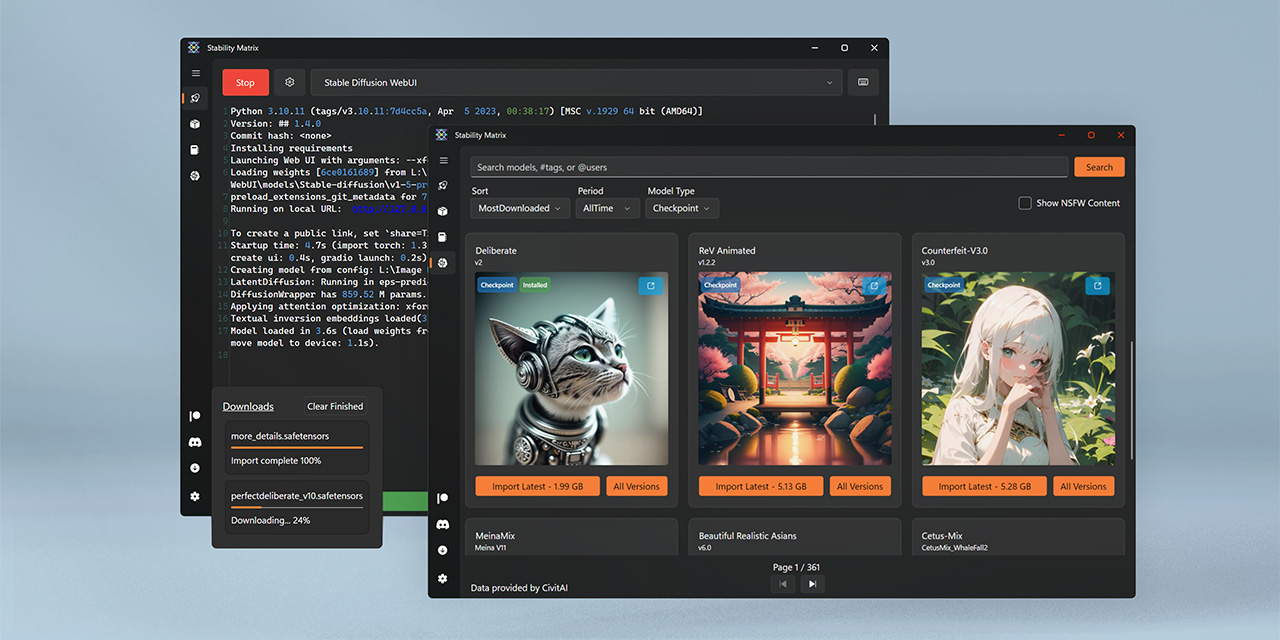
GitHub
Multi-Platform Package Manager for Stable Diffusion - LykosAI/StabilityMatrix
The best thing: You have one shared Model folder and it loads the meta data from civitai.
ornate elk
neon ruin
Pc crashed again
how much ram?
also make sure to not run Wallpaper Engine or Epic Games Launcher in the Background
neon ruin
ornate elk
how much ram?
In the graphics card?
20GB if I’m not mistaken, it’s a 7900XT
I have 32GB on my pc, though that will be 128 soon
ornate elk
neon ruin
I have 32GB on my pc, though that will be 128 soon
okay thats enough for sure
ornate elk
torn lotus
I mean, In the end I'm using only one /models folder for both right
no dont add them into /models/
they need to be in /models/stable-diffusion
and loras in /models/loras
vae in models/vae
controlnet in /models/controlnet
ornate elk
neon ruin
Pc crashed again
how much wattage has your PSU?
Make sure you dont run any other GPU intensive tasks/programms at the same time as you generate images
 elder summit
any update on the keras error? i just started getting it
ornate elk
elder summit
any update on the keras error? i just started getting it
Nope the dev hasn't been active yet. But the error is reported on github
elder summit
i dont know if this is the appropriate place to ask but is there i way i can reveret to a previous built
ornate elk
elder summit
i dont know if this is the appropriate place to ask but is there i way i can rev...
Yes with this command:
git checkout d500e58a65d99bfaa9c7bb0da6c3eb5704fadf25
elder summit
lol nice that worked thanks man
ornate elk
elder summit
lol nice that worked thanks man
To update again you would need to use
git checkout master
When the patch with the fix is released
flat olive
ornate elk
forget Zluda for now, (its early alpha, not made for SD)
Rocm on linux is your b...
i tried the shark version, but it dosen't work and the discord server is dead so im gonna try install ubuntu linux on my pc, any tips?
 slow garden
I could really use some help, my install keeps breaking

This is what I have going on
dusty blade
 slow garden
oh, you need help too?
 dusty blade
slow garden
oh, you need help too?
dusty blade
slow garden
oh, you need help too?
any idea?
slow garden
nah bro, I cant even get this installed lol
dusty blade
slow garden
nah bro, I cant even get this installed lol
bruh
dusty blade
I reinstalled following the pinned helper and it worked without any problems
slow garden
wheres that?
dusty blade
nvıdia or amd?
slow garden
amd
slow garden
dayum
slow garden
well, Lets see what happens lol
I got a bad feeling it aint tho lol
swapped back from linux to windows just to use this in a easier way
and here we are
dusty blade
ahaha
slow garden

and it fucked up
wonderful
and I followed the guide
idk what any of this really means
slow garden
??
 slow garden
I cant access that page bc I dont have it installed
 unique juniper
I have the error code 1 can someone tell me what to do ?
 tender gazelle
slow garden
tender gazelle
slow garden
I've never tried directml (or heard of it), so I don't know, sorry. Is there another solution you can try?
tender gazelle
Oh, for AMD GPU?
slow garden
yep
tender gazelle
I haven't heard anything, and never owned one. Hope you get it working though.
slow garden
yea, I dont want to ping people, so im just gonna have to wait
 small quest
Hello, I'm trying to install/run automatic1111 on my Nvidia gpu, but I keep getting an error when I run run.bat
RuntimeError: Torch is not able to use GPU; add --skip-torch-cuda-test to COMMANDLINE_ARGS variable to disable this check
Would skipping the test still allow me to use my GPU or is it neccesary? If so how can I fix this issue?
I tried following this guide https://stackoverflow.com/questions/75910666/how-to-solve-torch-is-not-able-to-use-gpuerror
but I still get the same error.

Stack Overflow
I want to set up a stable-diffusion environment in Windows10. I downloaded the recommended graphics card driver version and cuda version, but running webui-user-bat still generates an error: Torch ...
nocturne topaz
small quest
Hello, I'm trying to install/run automatic1111 on my Nvidia gpu, but I keep gett...
usually thats the case if you've got Torch version issues.. .delete the stable-diffusion-webui/venv folder, then rerun run.bat
small quest
nocturne topaz
usually thats the case if you've got Torch version issues.. .delete the stable-d...
I don't see venv folder among the files
nocturne topaz
yeah, something weird with that installer then

 nocturne topaz
slow garden
any chanve I could get some info on my error <@379130271259295744>
nocturne topaz
slow garden
any chanve I could get some info on my error <@379130271259295744>
delete the venv folder and run it again
small quest
I tried redownloading the installer but it's still not there, could you link the one you're using?
slow garden
@nocturne topaz it made no difference
small quest
slow garden
<@379130271259295744> it made no difference
double check which version of python you're using, turns out I was running 3.12 and downgrading to 3.10 seems to have fixed my problem
slow garden
