#🤝|tech-support
1 messages · Page 28 of 1
 ornate ruin
 tranquil cove
Hi. I opened webui-user and set PYTHON="C:\Users\David King\AppData..." but when I try to run it it says "No Python at '"C:\Python311\python.exe '. How do I get it to recognize the correct python path?
 ornate elk
tranquil cove
Hi. I opened webui-user and set PYTHON="C:\Users\David King\AppData..." but when...
ornate elk
tranquil cove
Hi. I opened webui-user and set PYTHON="C:\Users\David King\AppData..." but when...
Hey, try delete the venv folder and rerun the webui-user.bat
 tardy sparrow
Does anyone knows how to use the basic plan of modelslab.com to generate image faster on A1111 ?
ornate elk
I dont understand the question
Settings, User Interface, Quicksettings, there add facerestore
Then apply and reload
 paper crag
hi guys, new guy here trying to make stablediffusion work. I'm at the point of running the webui-user, and its not working.
Apperently i found out the regular stablediffusion files you download are made for Nvidia. I have AMD. Do i have to make a ton of changes, or do i just replace the webui file with a version that works with AMD?
ornate elk
paper crag
hi guys, new guy here trying to make stablediffusion work. I'm at the point of r...
Hey, for AMD you need a different webui version.
Checkout my install guide for AMD. Its in the Pinned Messages of this channel
And because you downloaded the nvidia version before, you need to do the Important step mentioned there too
paper crag
ornate elk
And because you downloaded the nvidia version before, you need to do the Importa...
so before i attempt any other changes, i should go and input 'pip cache purge' command first right?
ornate elk
paper crag
so before i attempt any other changes, i should go and input 'pip cache purge' c...
Yes
paper crag
ornate elk
Yes
okay, done. The 34 files were removed. Now should i just jump straight to step 5? Or start over the AI file?
ornate elk
paper crag
okay, done. The 34 files were removed. Now should i just jump straight to step 5...
Did you git cloned the new repo?
If so then yes step 5
tranquil cove
ornate elk
Hey, try delete the venv folder and rerun the webui-user.bat
That worked thanks! Working through the rest of the install process now.
ornate elk
tranquil cove
That worked thanks! Working through the rest of the install process now.
Nice, checkout my guide in the Pinned Messages for the best performance and compatibility settings
tranquil cove
ornate elk
Nice, checkout my guide in the Pinned Messages for the best performance and comp...
Thanks! Not there yet. I closed the terminal before copy/pasting the URL and when I try to relaunch it, it says "Torch is not able to use GPU"
 grizzled mural
 paper crag
ornate elk
Did you git cloned the new repo?
If so then yes step 5
paper crag
ornate elk
Did you git cloned the new repo?
If so then yes step 5
the git i cloned was this one
https://github.com/AUTOMATIC1111/stable-diffusion-webui

GitHub
Stable Diffusion web UI. Contribute to AUTOMATIC1111/stable-diffusion-webui development by creating an account on GitHub.
ornate elk
tranquil cove
Thanks! Not there yet. I closed the terminal before copy/pasting the URL and whe...
What's your GPU?
ornate elk
paper crag
the git i cloned was this one
https://github.com/AUTOMATIC1111/stable-diffusion...
Pls checkout my guide
Like I said you need a different version for amd
You can delete the stuff you downloaded before
tranquil cove
ornate elk
What's your GPU?
AMD Radeon RX 6950 XT
paper crag
ornate elk
What's your GPU?
MSI Gaming Radeon RX 6800 16GB GDDR6
paper crag
ornate elk
You can delete the stuff you downloaded before
okay
ornate elk
tranquil cove
AMD Radeon RX 6950 XT
Then you need to also checkout my install guide for AMD, because you downloaded the wrong version
Also make sure to do the important step mentioned there
 wooden iron
ornate elk
Then you need to also checkout my install guide for AMD, because you downloaded ...
wooden iron
ornate elk
Then you need to also checkout my install guide for AMD, because you downloaded ...
are they instaling comfyui or automatic 1111
ornate elk
Automatic1111
wooden iron
use comfyui
ornate elk
Nah wouldn't recommend for starters
wooden iron
hard to understand but better control to image
ornate elk
Yea for nvidia that's true.
Dont know about directml
wooden iron
bro i am having problem

when i use reactore face swap
you can see face is slightly pixalated
how to solve this
paper crag
before i go and install the wrong version, if my end goal is to use stablediffusion for anime fanarts, whats better, comfyui or automatic 11111?
ornate elk
paper crag
before i go and install the wrong version, if my end goal is to use stablediffus...
You can do that with both, but Automatic1111 is better for beginners, has more extension support and more people which you can ask for questions
ornate elk
You also can install both, so its not a lifetime choice xD
paper crag
righhhhhhht
ornate elk
wooden iron
you can see face is slightly pixalated
Upscaling could fix it maybe
ornate elk
paper crag
lets see if this works
Should work ^^
Used it on a 6700xt, 6800xt, Vega7, and 7900XTX
wooden iron
i am using comfyui bcz its my choice
and i wont regret a bit
boo automatic 11111
 ornate elk
wooden iron
and i wont regret a bit
ornate elk
wooden iron
and i wont regret a bit
What was your GPU again?
ornate elk
Ahh nice card
 vocal burrow
grizzled mural
vocal burrow
grizzled mural
You ve put a .bin in there instead of .pth or .safetensors
grizzled mural
GitHub
Let us control diffusion models! Contribute to lllyasviel/ControlNet development by creating an account on GitHub.
GitHub
Stable Diffusion web UI 1.6. Contribute to dreamscapeai/stable-diffusion-webui development by creating an account on GitHub.
ornate elk
vocal burrow
You ve put a .bin in there instead of .pth or .safetensors
Thats okay for IP-Adapter face Id, It will work
grizzled mural
vocal burrow
You ve put a .bin in there instead of .pth or .safetensors
i changed the name from bin to pth, but then i also need the preprocessing
vocal burrow
Ok then I ll go back to sleep :p
paper crag
welp, i just screwed over by luck. Power fell when the downloading was at 89%....
Hope this won't cause any issues...
ornate elk
paper crag
welp, i just screwed over by luck. Power fell when the downloading was at 89%......
Depends on what it was downloading
If it was the 1.5 ema safetensor model your fine
paper crag
 paper crag
yeah, sorry if im to paranoid
ornate elk
No no problem at all
paper crag
i've been trying to make it work the past couple of days and when i finally solve a issue i encouter, i hit a new one
ornate elk
Yea that can be frustrating, so much outdated and bad tutorials out there
Even the "official" sd amd guide isnt a good help xD
paper crag
yeah, out of the dozens make it work tutorials i watched, no one warned me 'Make sure you check what GPU you have before you struggle like a idiot'
ornate elk
grizzled mural
https://github.com/dreamscapeai/stable-diffusion-webui
This webui is 6 months outdated, I wouldn't recommend using that over the normal automatic1111 webui.
ornate elk
paper crag
yeah, out of the dozens make it work tutorials i watched, no one warned me 'Make...
Yea thats so annoying xD
grizzled mural
ornate elk
This webui is 6 months outdated, I wouldn't recommend using that over the normal...
idk why the guy on the tutorial put that custom webui...
https://github.com/AUTOMATIC1111/stable-diffusion-webui this is the official one , right?
GitHub
Stable Diffusion web UI. Contribute to AUTOMATIC1111/stable-diffusion-webui development by creating an account on GitHub.
ornate elk
grizzled mural
idk why the guy on the tutorial put that custom webui...
Yea it hasn't any features the normal automatic1111 doesn't have. But has less updates xD
@grizzled mural Checkout my install guide in the Pinned Messages of this channel. There is everything you need to know
And yes that link is the normal one
grizzled mural
im running on sagemaker studio lab, so limited storage
using a tmp for checkpoint models
ornate elk
Ah okay
ornate elk
paper crag
lets see what this thing can do
Cat images and anime waifus
For Anime stuff you need to download an Anime model from civitai.com
paper crag
ornate elk
For Anime stuff you need to download an Anime model from civitai.com
I am aware, i need to set up a loooooooot of stuff before i can generate some decent pics
ornate elk
paper crag
I am aware, i need to set up a loooooooot of stuff before i can generate some de...
Yea not to much but its a learning process ^^
Let me know if you have any specific questions, also this Directml Version is not as Vram optimized as the nvidia version.
So keep in mind when you get an Out of memory error that you always have to restart the webui console to clear the stuck vram.
ornate elk
 patent meadow
i followed a couple of suggestions and got here
patent meadow
i followed a couple of suggestions and got here
You should checkout my install guide for AMD, its in the pinned messages of this channel.
In fact just remove the --onnx --reinstall-torch
Then add --medvram --opt-sub-quad-attention --opt-split-attention-v1 --upcast-sampling --no-half-vae
Then save.
Then delete the venv folder.
And launch the webui-user.bat
patent meadow
i have 16gb of vram should i do it anyway?
ornate elk
patent meadow
i have 16gb of vram should i do it anyway?
Yes
patent meadow
ok
ornate elk
Directml isnt vram optimized so its needed
ornate elk
patent meadow
i should just re run webui-user.bat?
That was an internet connection error
Relaunch the webui-user.bat
patent meadow
thanks foe clarifying
ornate elk
Make sure you have a good connection
patent meadow
slow internet in iraq
ornate elk
patent meadow
slow internet in iraq
Ah damn :/
ornate elk
patent meadow
slow internet in iraq
If you have a model already you can put it into the models/Stable-diffusion folder.
That will prevent that the base 4.5gb model will get downloaded again
 wind sun


 pearl musk
Hey guys, is openpose working? I wanted to download it but the repo is read-only
ornate elk
pearl musk
Hey guys, is openpose working? I wanted to download it but the repo is read-only
Hey, there is no openpose repo to download. As its only a model you need for the Controlnet extension to get it to work
pearl musk
Oh, thanks a lot for the quick reply
ornate elk
pearl musk
Oh, thanks a lot for the quick reply
Np, After installing the controlnet extension, you can get all needed models from here.
https://civitai.com/models/38784?modelVersionId=44811
STOP! THESE MODELS ARE NOT FOR PROMPTING/IMAGE GENERATION These are the new ControlNet 1.1 models required for the ControlNet extension , converted...
 ornate elk
No problem 😁
ornate elk
wind sun
you came in clutch
For launching it again you only need to do the
Venv activate command and the runpy
Not the python 3.10 -m
wind sun
i was just gonna ask
ornate elk
I'm off now gn 😴
patent meadow
good night 🌃
 sonic ferry
dumb question, SD can't work with a GPU installed in one of those crypto mining adapters that are connected to USB, can it?


 crude pecan
Hey everyone, I recently launched Auto 1111 SDK (https://github.com/saketh12/Auto1111SDK), an open source, lightweight, modular Python library for the Automatic 1111 Stable Diffusion Web UI. I would appreciate if you all could check it out and give it a star!
ornate elk
crude pecan
Hey everyone, I recently launched Auto 1111 SDK (https://github.com/saketh12/Aut...
Hey, awesome project!
Is the token lenght limit of 77 also disabled like in auto1111?
If so you should add that to the feature list 🙂
ornate elk
 jolly pawn
error happens when I run ip adapter preprocessor
jolly pawn
error happens when I run ip adapter preprocessor
You installed controlnet the wrong way by downloading it as zip file
Normaly you should install it via the Extensions tab.
It seems like the clip file got corrupted
 cosmic hedge

 worn frigate
hi guys please help
I have downloaded control net models but they seem to have 1.5 in their name, and after they did not work i found i have this version of stable diffusion install which is newer version i guess?
I am trying to use control net and its not working what can i do pls help , also is my place to paste control net models right?


 ornate elk
worn frigate
hi guys please help
I have downloaded control net models but they seem to have ...
ornate elk
worn frigate
hi guys please help
I have downloaded control net models but they seem to have ...
Hey, Webui 1.7.0 is the latest version
You need to update with git pull
worn frigate
will it work afterwards or i will have to install controlnet's different models? are there like sd16 sd17 or we use 15 for all
thanks for responsding i appreciate it
what do i need to add for git pull?
 ornate elk
worn frigate
will it work afterwards or i will have to install controlnet's different models?...
ornate elk
worn frigate
will it work afterwards or i will have to install controlnet's different models?...
After updating I would recommend to download the controlnet models + their config files from here:
https://civitai.com/models/38784/controlnet-11-models
STOP! THESE MODELS ARE NOT FOR PROMPTING/IMAGE GENERATION These are the new ControlNet 1.1 models required for the ControlNet extension , converted...
ornate elk
worn frigate
what do i need to add for git pull?
What's your GPU?
worn frigate
nvdia rtx 3070 laptop
worn frigate
ornate elk
After updating I would recommend to download the controlnet models + their confi...
wil the models i have installed not work?
they are 1.5 gb in size and i have like 9 of them 😢
can i go back to sd15 where these work.
I really dont know please guide me
ornate elk
worn frigate
nvdia rtx 3070 laptop
okay then replace the whole text in the webui-user.bat with this:
`@echo off
set PYTHON=
set GIT=
set VENV_DIR=
set COMMANDLINE_ARGS=--xformers --medvram-sdxl --no-half-vae --api --update-check
git pull
call webui.bat
`
 ornate elk
worn frigate
ornate elk
worn frigate
thats not done lol
worn frigate
will i have to remove max split size mb 128
ornate elk
worn frigate
can i add it back after words?
i dont understand that question sry
worn frigate
sorry if i am talking non sense but there is model call juggernaut xl and it does not work without this 128 mb line because it says the pytorch cuda needs more memory
 ornate elk
worn frigate
sorry if i am talking non sense but there is model call juggernaut xl and it doe...
ornate elk
worn frigate
sorry if i am talking non sense but there is model call juggernaut xl and it doe...
the problem is that you didnt used --xformers --medvram-sdxl --no-half-vae
there is no need for cuda alloc mb128 stuff
worn frigate
ok i am pasting it
ornate elk
it will be faster with my stuff
so remove the whole set pytorch alloc cuda mb128 line
worn frigate
ok thanks luffy
ornate elk
no problem, show me the file again after you edited it
worn frigate
i am afraid i will have to go with my little sister
and i will be back after a while
then i will do it
so sorry and thanks you are the best
ornate elk
no problem 🙂
worn frigate
I am back. Sorry this might sound different. But will doing it cost me data more than 2 Gb? There is a problem that here in my country internet is kinda expensive. And most people use cellular data plans. And I get only 2GB per day. I do not have a wifi. But they have a offer which provides Unlimited data from midnight 12 to 6 am. Because most people are sleeping and it does not cost much to sim card company... So if that is the case i will have to run this web ui bat at that time. This is the reason i have git pull removed from it in case its like 8Gb file. And that is why I was asking if i could make use of those 1.5 canny depth etc models.... Because another thing is I am kinda younger and my dad does not allow me to use PC specially at night.. I have to sleep early for school.. sometimes I be sneaky and use it when he's sleeping.. but its not possible daily.. thats why i was hesitating to make any changes to it in case It needs to download big file to work and i wont be able to use SD until full files download. So i thought maybe there is a way to go back to 1.5 so these models work.... I can use my phone at night.. and then i send models to PC during day... I am sorry for such long problem thing... Will it consume too much data?
ornate elk
worn frigate
I am back. Sorry this might sound different. But will doing it cost me data more...
the git pull wont be more than a few hundred MB not GB.
and yes you can use the controlnet models your already downloaded.
worn frigate
Thank you, i will try to run it as soon i can. I will update you with it. Thanks : )
😄
( i am on my phone rn)
ornate elk
worn frigate
Thank you, i will try to run it as soon i can. I will update you with it. Thanks...
np, if the controlnet models dont get recognised you can try and move them into models/controlnet folder
worn frigate
Thank you
You help almost evryone here. That is so rare personality nowadays.
You are so cool😎
ornate elk
Thanks! i like to help people to get a good experience when using Stable Diffusion 🙂
 little bough
Hi, is anyone using the new forged a1111 by lllyasviel? I've installed it and liking it but having an issue with LCM, it seem that because I have Animatediff installed which has the LCM sampler aswell, that I now have 2 in my list but the real issue is I can't seem to use the LCM LORA as I get a Tensor error as if the 2 LCM's are clashing, the native LCM that has come with his model and the LCM that comes with animatediff, does anyone know what I'm referring to and a way to say get rid of the Animatediff LCM? Thanks. I've updated everything
 tender gazelle
Does anyone from Stability know why the stable-zero-123 channel was archived? (It doesn't get a lot of activity, but that's because Stability built on a pipeline that doesn't support Windows. It's still the only place most people can go for the slim chance of getting it working.)
 fair oxide
Could you tell me how to use img2img? For example, how do I use a selfie and generate an image of a warrior with my selfie?
 zinc pulsar
I have this strange problem that my Automatic1111 cant reproduce old images i made. Pics are similar but always worse, as the resulting image seams to have way worse anatomic features. For example the stomach area is distorted, or way to muscular. In addition, every new picture i create hast the same issues. They all look descent but not as good as prior and especially with some huge errors.
 elder turtle
zinc pulsar
I have this strange problem that my Automatic1111 cant reproduce old images i ma...
elder turtle
zinc pulsar
I have this strange problem that my Automatic1111 cant reproduce old images i ma...
Got examples for new and old ones? Also what timeframe were talking? I think something about the seeds changed ever since the start of A1111
zinc pulsar
elder turtle
Got examples for new and old ones? Also what timeframe were talking? I think som...
Pic on the left is from November, right one is new. As you can tell the navel is just a black hole in the clothing in the right one. Prompts and everything else is the same way as in the left one.

 tender gazelle
zinc pulsar
Pic on the left is from November, right one is new. As you can tell the navel is...
tender gazelle
zinc pulsar
Pic on the left is from November, right one is new. As you can tell the navel is...
Since the images you posted don't have parameters saved in them, no one can help you. Sorry.
zinc pulsar
tender gazelle
Since the images you posted don't have parameters saved in them, no one can help...
thats a discort problem give me a sec.
tender gazelle
zinc pulsar
thats a discort problem give me a sec.
Maybe you can post the parameters / screenshot them from A1111?
zinc pulsar
tender gazelle
zinc pulsar
Yeah, I'm not downloading a random zip file, sorry. (Not safe.) Gotta go to work. Good luck though.
zinc pulsar
tender gazelle
Yeah, I'm not downloading a random zip file, sorry. (Not safe.) Gotta go to work...
i get that.
elder turtle
Also discord doesnt strip the metadata I think 
zinc pulsar
It has to, these are my original files.
ornate elk
Nope discord doesn't strip Meta data
zinc pulsar
I get it, you guys dont trust me lol
fair oxide
tender gazelle
Yeah, I'm not downloading a random zip file, sorry. (Not safe.) Gotta go to work...
It's safe. I downloaded and scanned it with antivirus.
zinc pulsar
there i took screenshot

 fair oxide
Does stability gprc api has rate limit?I can only see rate limit on rest API in documentation.
zinc pulsar
and yes i already saw a diffrence compairing it that way. Still does not explain why any of my new pics have distorted bodys sometimes, but unfortunately i dont have examples since i delete them as soon as i get them. I am currently trying to get a example
worn frigate
ornate elk
okay then replace the whole text in the webui-user.bat with this:
`@echo off
se...

so now i run it right
i dont know where is venv directory and git.
do i leave them empty?🙂
also I do not have xformers i think because it usually says no xformers starting without it.
I have a GIt files named folder though, do i need to add its location there?

and a folder named venv too

what do i do
@ornate elk
zinc pulsar
Appreciated the time you guys took. I had this problem for months and now i have no ide what i did, but i can reproduce my old images again.... Would love to know how but well at least its fixed for now. Thanks for the help no less.
Is there a way to save a current state of SD? all settings and stuff?
worn frigate
So i moved the controlnet models to models/controlnet and its working now.
also added git pull to the webui it updates to 17
i did not know about other stuff so i left unchanged 😕
i am trying to install comgy ui now
`@echo off
set PYTHON=C:\Users\Dipper\AppData\Local\Programs\Python\Python310\python.exe
set PYTORCH_CUDA_ALLOC_CONF=garbage_collection_threshold:0.6,max_split_size_mb:128
set GIT=
set VENV_DIR=
set COMMANDLINE_ARGS= --api
git pull
call webui.bat`
its what it looks like. its probably wrong like you said.
worn frigate
ornate elk
okay then replace the whole text in the webui-user.bat with this:
`@echo off
se...
i am running this now
its installing xformers.
 pearl musk
Hey guys, can someone explain Hypertile to me? I am currently stuck on a GTX 960M GPU with a Core i7 (I know, but this is my personal laptop I'm very fond of) and gens with Adetailer at 578x768 take roughly 4 minutes lmao.
tender gazelle
zinc pulsar
there i took screenshot
- Maybe the new adetailer version switched to using a different sampler by default? I don't use it, so I don't know.
- Are you using xformers? Because xformers will give you slight differences for each generation, even w/ fixed seed.
- Maybe A1111 switched to GPU sampling or something? It's been available in comfy for a while. That could change sampling output.
 opaque viper
Questions please. I have a 1660S (6 GB VRAM) so I'm trying out Forge to run SDXL models. The speed is much better though still slow (about 6-6.5s/it). I heard using fp16 can maybe speed up the generations for some GPUs, so I want to try that. But I'm not sure which of these arguments I should use:

Just all in?
Tried using all in fp16 and it's slower now
vocal burrow
opaque viper
Questions please. I have a 1660S (6 GB VRAM) so I'm trying out Forge to run SDXL...
When talking about fp16 90% of the time people mean "use fp16 model instead of fp32". SDXL base model is already fp16. So there's no point doing any of that.
opaque viper
Ah okay, thanks for the clarification
One other thing. Is this how I do it if I want Forge to use A1111 directory for my stuff?
set PYTHON=
set GIT=
set A1111_HOME=C:\stable-diffusion-webui
set VENV_DIR=%A1111_HOME%/venv
set COMMANDLINE_ARGS=--ckpt-dir %A1111_HOME%/models/Stable-diffusion^ --hypernetwork-dir %A1111_HOME%/models/hypernetworks^ --embeddings-dir %A1111_HOME%/models/embeddings^ --lora-dir %A1111_HOME%/models/Lora
vocal burrow
@zinc pulsar adding this to the list of potential culprit https://github.com/AUTOMATIC1111/stable-diffusion-webui/wiki/Seed-breaking-changes
vocal burrow
opaque viper
One other thing. Is this how I do it if I want Forge to use A1111 directory for ...
you're missing the VAE and gfpgan directory (and probably a bunch of other for your extensions such as controlnet)
I don't know about forge's specificities
opaque viper
What I did was what was written in the webui-user bat file, but it doesn't seem to be working. I'll try out other stuff
ornate elk
worn frigate
`@echo off
set PYTHON=C:\Users\Dipper\AppData\Local\Programs\Python\Python310\p...
Hey, how does your file look now?
worn frigate
ornate elk
okay then replace the whole text in the webui-user.bat with this:
`@echo off
se...
It looks like this now.
Looks like i will have to download and put styles.csv there next time i get pc.
With python =its location
ornate elk
worn frigate
It looks like this now.
Looks like i will have to download and put styles.csv t...
Okay good.
Styles.csv isnt needed. It will get created when you save a style
worn frigate
No but it did not progress after it. I didnt retry as i had to close pc.
It will work ig.
ornate elk
Yes it should work
worn frigate
Thanks
tardy sparrow
hi, anyone know if its possible to use https://modelslab.com/ api/gpu with A1111 to generate my images faster ?

Stable Diffusion And Dreambooth API - Generate and Finetune Dreambooth Stable Diffusion using API
No $2000 GPU, 40GB Ram needed to run stable diffusion. Use stable diffusion API to save cost, time, money and get 50X faster image generations
and if yes, how ?
ornate elk
tardy sparrow
hi, anyone know if its possible to use https://modelslab.com/ api/gpu with A1111...
hey, whats your gpu?
and yes you can use the api o any other cloud gpu rent service to generate images faster
tardy sparrow
i have rtx gforce 2080
tardy sparrow
ornate elk
and yes you can use the api o any other cloud gpu rent service to generate image...
i bought basic plan thinking it was easy to configure...i cant for the life of me understand how it works
tardy sparrow
ornate elk
and yes you can use the api o any other cloud gpu rent service to generate image...
they say they have a dedicated GPU and i have 3600 api request availables now
ornate elk
tardy sparrow
i have rtx gforce 2080
ah okay, for the best performance with this gpu you need to add --xformers --medvram-sdxl --no-half-vae
to the wbeui-user.bat
tardy sparrow
ornate elk
ah okay, for the best performance with this gpu you need to add `--xformers --me...
i've tried --xformers --no-half-vae before
the image generation result was slighty different, and i didnt liked it
so i deleted this
ornate elk
tardy sparrow
so i deleted this
these arguments doesnt change the output quality
ornate elk
so no need to delete the best performance boost you can get xD
tardy sparrow
you are absolutely sure about that ?
because i have an example with / without
for the same seed
same configs
ornate elk
tardy sparrow
you are absolutely sure about that ?
yes im sure about that
tardy sparrow
ornate elk
and yes you can use the api o any other cloud gpu rent service to generate image...
should i use that with A1111 ? is that even possible ? how do i say to the software to use a dedicated gpu instead of mine ? would you know any good tutorial ?
ornate elk
tardy sparrow
should i use that with A1111 ? is that even possible ? how do i say to the softw...
there you would have to install a seperate auto1111 inside the VM
ornate elk
tardy sparrow
thank you anyway
np, but your gpu is powerfull enough that you dont need any of this to use SD with a decent speed
but --xformers --medvram-sdxl --no-half-vae is needed for that
tardy sparrow
i just tried
i don't think the difference of speed is really noticable
but my output is different
for sure
without

with command argument

very slighlty difference
i agree

 tardy sparrow
thats weird...

yeah well
u have some differences too
very slighty too
less than me tho
i know that the same seed can give differents results ofc
maybe it's just that
ornate elk
tardy sparrow
very slighlty difference
these images dont have the same meta data
tardy sparrow
tardy sparrow
everything good with my versions ?
ornate elk
so this is not a valid test
ornate elk
yes
tardy sparrow
okay my bad then
ornate elk
they have different settings
tardy sparrow
i must have fckd up
smth
well thank u tho
i'll keep the command arg line
btw
when i add a new lora
ornate elk
i check the meta data and there was a change in the prompt:
 ornate elk
seems like a different lora got used, or you renamed a lora mabye
tardy sparrow
that should not have happened
i'm supposed to use race twilek lora then race twilek v2 lora
how the fuck did that changed
anyway,
bien vu
well done
wait
why
my metadata is like this

but when i drag the image into A1111
it becomes this :

why is Race - TwilekV2 changed into twilek
ornate elk
whats the filename of them?
tardy sparrow
mmhmhh maybe
or maybe its because
mh wait
its happening again with another file
i think its because
the same lora is used 2 times
but with 2 differents versions
so when i drag the pic into A1111
something must be fucked up
and he doesnt understand that i'm using the 2 versions at the same time
zinc pulsar
Sounds similar to my case. I have been trying for the past hour to recreate what i did to fix my images. I somehow got it to creat the same pic as the november one, but now i can not recreate the pic i got yesterday. Then i switched around my modules, and something must have changed because i could recreate my pic from yesterday, but at the same time the pic from November was gone again... Going crazy hear.
tardy sparrow
zinc pulsar
Sounds similar to my case. I have been trying for the past hour to recreate what...
Do you use differents versions of the same LOA too ? Did you add extensions since then ?
ornate elk
tardy sparrow
something must be fucked up
the lora file for sure if the name are just numbers
tardy sparrow
it's normal to not recreate the exact same image, but differences should be minimal
tardy sparrow
ornate elk
the lora file for sure if the name are just numbers
Can you try drag my "00107-3395022432" image in your A1111 and tell me if you have

in your prompt ?
just to make sur the issue isnt only on my end
zinc pulsar
tardy sparrow
it's normal to not recreate the exact same image, but differences should be mini...
You would think that, but why can i recreate the same image every day for 2 monthes, but all of a sudden i can only recreate the version of that image I got 2 monthes ago but not the version i got every day since then?
tardy sparrow
Idk ,tbh i found myself in the same situation
sometimes i recreate the same perfect image
sometimes not
check if your pic from 2 month metadata matches the prompt / negative / configs u have now
maybe u have the same problem problem as me, meaning the metadata does not copy correctly into A1111
ornate elk
tardy sparrow
Can you try drag my "00107-3395022432" image in your A1111 and tell me if you ha...
thats in png info
 tardy sparrow
ornate elk
thats in png info
tardy sparrow
ornate elk
thats in png info
Ok so the png info is correct
ornate elk
when i send it to txt2img
 tardy sparrow
WAT
what the hell
so for you, both png info and text2img are corrects
but for me when i send it to text2img it's being changed
thats creepy
zinc pulsar
left to right, 1. pic i got yesterday. 2. pic after i was able to recreate the pic from novermber i asked you guys prior, 3. pic after i tried to recreat the pic rom yesterday, 4. the pic i got now. (i hope the meta data is not missing again)


 tardy sparrow
@zinc pulsar metadata missing, indeed
btw
when i send it to txt2img, without fixing the lora prompt

when i send it to txt2img, fixing the lora prompt for twilek - V2

so i guess you have to be careful when using 2 versions of the same lora
zinc pulsar
tardy sparrow
btw
this is so stupid, i see the meta data in the comment section of the file and in png info. Why are they not visible in discort....
tardy sparrow
i have no idea
but since u can see the metadata urself, pay attention if the metadata is the same between the 4 images, and then, when you drag them into text2img, if the metadata is still stays the same
ornate elk
tardy sparrow
so i guess you have to be careful when using 2 versions of the same lora
yea i didnt had these case before
because nobody uses two of the same loras
tardy sparrow
i'm nobody
😂
well as u can see
i have noticable better results
when i mix them up
oh by the way @ornate elk last question i hope
when i add a lora to A111 while A1111 is running, should i close it completly then re-open it ? or just reload UI ?
vocal burrow
click the "refresh" button
ornate elk
tardy sparrow
when i add a lora to A111 while A1111 is running, should i close it completly th...
at the lora selection is a reload button
same goes for the models
no need for a restart
worn frigate
Um
What does -medvram do?
Is there also like -lowvram and -highvram.
What does it change and what doing -medvram on 8gb vram do?
🤔
tardy sparrow
@worn frigate Makes the Stable Diffusion model consume less VRAM by splitting it into three parts - cond (for transforming text into numerical representation), first_stage (for converting a picture into latent space and back), and unet (for actual denoising of latent space) and making it so that only one is in VRAM at all times, sending others to CPU RAM. Lowers performance, but only by a bit - except if live previews are enabled.
ornate elk
worn frigate
Is there also like -lowvram and -highvram.
What does it change and what doing -...
you need --medvram-sdxl
--medvram is only for 6gb vram or less
worn frigate
Thanks, i have medvram and sdxl which you wrote
 timber oak
hey guys
worn frigate
: )
timber oak
git pull
@echo off
set PYTHON=
set GIT=
set VENV_DIR=
set COMMANDLINE_ARGS=--xformers --no-half-vae --precision full --no-half
set PYTORCH_CUDA_ALLOC_CONF= max_split_size_mb:512
call webui.bat
i was told there are ways to improve my webui-user.bat launch settings
ornate elk
timber oak
i was told there are ways to improve my webui-user.bat launch settings
yes, whats your GPU?
timber oak
rtx 4070
worn frigate
tardy sparrow
<@1166230897268367435> Makes the Stable Diffusion model consume less VRAM by spl...
Wow. Thanks so much.
If i have all on one vram.
Like if i do not add this line.
What am i doing?
timber oak
changed from a 1060
ornate elk
wow, you slowed your self down a lot with that arguments
timber oak
haha
tardy sparrow
worn frigate
Wow. Thanks so much.
If i have all on one vram.
Like if i do not add this line....
No idea, i just copy pasted what the wiki ( https://github.com/AUTOMATIC1111/stable-diffusion-webui/wiki/Optimizations) said
GitHub
Stable Diffusion web UI. Contribute to AUTOMATIC1111/stable-diffusion-webui development by creating an account on GitHub.
;D
worn frigate
You are just like me XD
ornate elk
timber oak
haha
remove the set Pytroch Cuda alloc 128mb stuff line, completely,
then remove --no-half --precision full
and add: --no-half-vae
timber oak
my friend sent those to me some months ago when i had my 1060 bc it kept crashing trying to generate images
ornate elk
timber oak
my friend sent those to me some months ago when i had my 1060 bc it kept crashin...
yes these are okay with a 1060 but not for a 4070
timber oak
ornate elk
remove the set Pytroch Cuda alloc 128mb stuff line, completely,
then remove --no...
git pull
@echo off

set PYTHON=
set GIT=
set VENV_DIR=
set COMMANDLINE_ARGS=--xformers --no-half-vae

call webui.bat
good?
ornate elk
yes
timber oak
anyhing else?
ornate elk
nope
timber oak
id love to know what these changes actually did ^^
timber oak
ornate elk
remove the set Pytroch Cuda alloc 128mb stuff line, completely,
then remove --no...
what do these do
worn frigate
Offtopic but how much 4090 , 80 or 70 go for now.
I checked and 4090 was like $2500.
timber oak
worn frigate
Offtopic but how much 4090 , 80 or 70 go for now.
I checked and 4090 was like $...
bought my 4070 for 650
eur
tardy sparrow
damn it
timber oak
so maybe like 700-750 dollar
worn frigate
I dont have.
tardy sparrow
😦
timber oak
2080 also sexy
tardy sparrow
true
tardy sparrow
:3
timber oak
1060 is my favourite granny tho
ornate elk
timber oak
what do these do
xformers is a performance boost for nvidia cards, it uses less vram and speeds up generation time.
--no-half-vae is needed for vae files that are used for color correction with models like sdxl vae or anime vae
timber oak
i have no idea what a vae does
never used it
but sometimes when i make a prompt too long the colours bleach out
zinc pulsar
timber oak
but sometimes when i make a prompt too long the colours bleach out
thats what a vae is there for
zinc pulsar
in my experiance its enough to get one for real and one for anime. No need for the special one the model you use wants. But it can help
I only use 2 vae and i am happy with that.
zinc pulsar
more like the checkpoint. You set that in advance
timber oak
ok thx
tardy sparrow
stupid question : what does embeddings means ?
extensions ? lora ? models ? all of that ?
zinc pulsar
tardy sparrow
extensions ? lora ? models ? all of that ?
from what i get, its similar to a lora. Its a word that links to a Text file that tells SD what do do.
For example Badhands, is an embedding I use, thats just a faster way to get all the negative hand prompts without having to write them.
tardy sparrow
aaah
zinc pulsar
you can also get some Characters as Embeddings instead of a Lora.

 faint mica
trying to do a fresh install and getting the error:
stderr: ERROR: Could not install packages due to an OSError: [WinError 5] Access is denied: 'C:\Users\User\stable-diffusion-webui-directml\venv\Lib\site-packages\onnxruntime\capi\onnxruntime_providers_shared.dll'
Check the permissions.
ornate elk
faint mica
trying to do a fresh install and getting the error:
stderr: ERROR: Could not ins...
hey, checkout my install guide for AMD. its in the pinned Messages of this channel,
basicly you have to make new folder first before starting the git clone into it
worn frigate
ornate elk
vae
Where can i choose vae?
ornate elk
worn frigate
Where can i choose vae?
you need the vae dropdown. to get that go into Settings, User Interface, Quicksettings, there add sd_vae
then hit apply and reload
worn frigate
Thanks.
Are theese vae downloaded? The ones in picture
ornate elk
worn frigate
Thanks.
Are theese vae downloaded? The ones in picture
yes, you need to download them and then put them into models/vae
worn frigate
Or they built in stable diffusion as soon as i turn setting on
Ty
Also, Is a SDXL model good thing or too much pressure on pc?
I see some models are XL,
Like juggernaut XL.
So that means they are trained on higher resolution images and needs more power?
Is that too much for a rtx 3070
I saw that there is XL for controlnet models too.
Its 2.1 or similar.
I do not know terms much srym
ornate elk
worn frigate
Also, Is a SDXL model good thing or too much pressure on pc?
I see some models ...
yes sdxl models are trained on 1024x1024 and need more vram, but your fine with 8gb and the --xformers -medvram-sdxl will speed that up
and yes for sdxl models there are also controlnet models
worn frigate
Ty.
Also um,
How fast is comfyui compared to webui?
On average. How much percent fast it is maybe.
110%?
150%?
worn frigate
Hm
tardy sparrow
Guys
Do you know a easy way to change some part of the image i generated into back ground ? with img2img or inpaint for example
Like sometimes i have an extra arm or a part of body that is not supposed to be here, i would like to replace it with background
 covert jolt
m
worn frigate
tardy sparrow
Like sometimes i have an extra arm or a part of body that is not supposed to be ...
If you want to remove something from image.
Best bet would be 'Lama painter'
tardy sparrow
lama painter ?
worn frigate
Ye
worn frigate
Its epic.
worn frigate
tardy sparrow
what it is XD
Its an extension
It allows you to paint with brush like inpainting
And it removes whatever you paint
You have a chair in image and want to get rid of?
worn frigate
Use your brush and it will be gone
No ,not nsfw
Lama painter is extension.
For inpainting.
worn frigate
Its called lama painter.
worn frigate
Its lama cleaner
Lel
It slipped from brain because we paint
So i thought its lama painter.
tardy sparrow
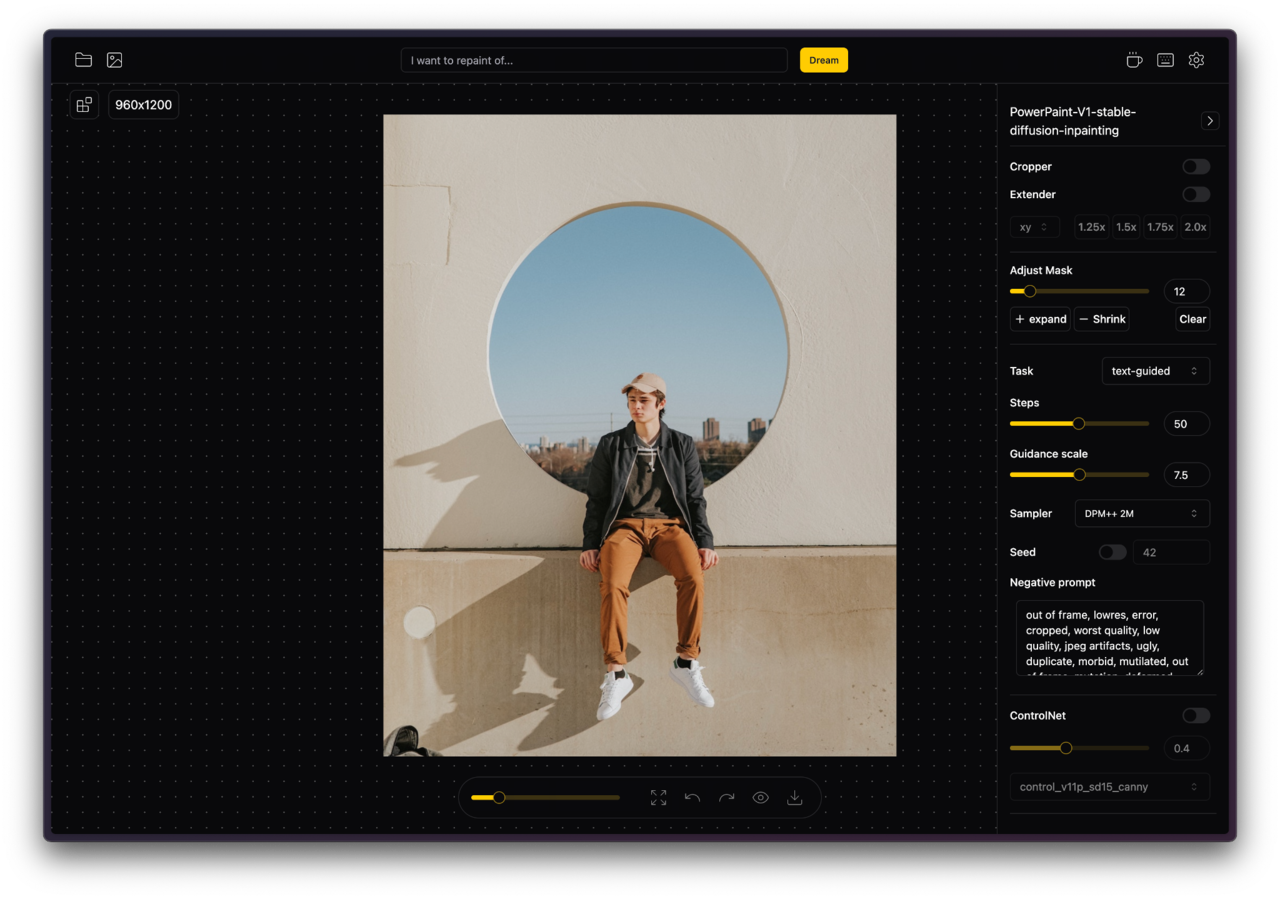
GitHub
Image inpainting tool powered by SOTA AI Model. Remove any unwanted object, defect, people from your pictures or erase and replace(powered by stable diffusion) any thing on your pictures. - GitHub ...
is it this one ?
tardy sparrow
GitHub
An extension for stable-diffusion-webui to remove any object. - GitHub - novitalabs/sd-webui-cleaner: An extension for stable-diffusion-webui to remove any object.
i found this one, looks amazing
worn frigate
I have no idea which one is correct
I am not on pc otherwise would have sent link.
Someone had sent link to me and i do not remember which one was it.
I just copied pasted.
faint mica
ornate elk
hey, checkout my install guide for AMD. its in the pinned Messages of this chann...
so that worked but now I'm getting this weird color when trying to inpaint. This just started today after the recent update. The preview while the image in generating looks fine but the result looks like this.

 ornate elk
faint mica
so that worked but now I'm getting this weird color when trying to inpaint. This...
ornate elk
faint mica
so that worked but now I'm getting this weird color when trying to inpaint. This...
For getting inpainting to work with AMD GPUs you need to add --no-half to the webui-user.bat.
Keep in mind that this will result in a slowdown in generating speed and more vram usage
faint mica
yup that fixed it. Thank you
timber oak
ornate elk
vae
yooo thats such a difference!
 rare cradle
Hi all, i have a problem using stable diddusion and Loras. I can't see some of them in the u.i. when I check this they appear but unuseable.

i seached all solution in the web but nothing works.
Sry for my english
 analog shore
I'm sorry to bother again with this things but I've problems with CUDA because I try to install Wave2Sync and prolly I've messedup the CUDA, so I've unistalled it and resinstalled the CUDA toolkit 11.8.
I've also reinstalled A1111 but I still get the error:
  File "F:\AI\stable-diffusion-webui\launch.py", line 48, in <module>
    main()
  File "F:\AI\stable-diffusion-webui\launch.py", line 39, in main
    prepare_environment()
  File "F:\AI\stable-diffusion-webui\modules\launch_utils.py", line 384, in prepare_environment
    raise RuntimeError(
RuntimeError: Torch is not able to use GPU; add --skip-torch-cuda-test to COMMANDLINE_ARGS variable to disable this check
So, how can I fix it?
tardy sparrow
rare cradle
Hi all, i have a problem using stable diddusion and Loras. I can't see some of t...
did you try checking that box ? what version of A1111 do you have ? python version ?
analog shore
Please 🥺 🙏
rare cradle
yeah, like i said, if i check it they appears but i have an error when i use them
ornate elk
rare cradle
Sry for my english
Change the model and then they will show up
Loras are for 1.5 or sdxl.
So they only show up when selecting the right model version
rare cradle
ok
it works, i didnt know the models affects lora, i cant see them all but the problem seems coming of that, thanks a lot 🙂
tardy sparrow
ornate elk
Change the model and then they will show up
Loras are for 1.5 or sdxl.
So they o...
thats interesting, i dint knew that
ornate elk
No problem 🙂
tardy sparrow
i thought all models were 1.5 or sdxl
tardy sparrow
lets say all my prompts and configs are good, but i want more variation in the output
what else than seed -1 can i change ?
analog shore
Ok looks like I've fixed it... thanks to @analog shore
To fix CUDA remove and reinstall CUDA Toolkit 11.8
pip install torch==2.0.1+cu118 torchvision torchaudio —extra-index-url https://download.pytorch.org/whl/cu118
delete the Venv folder
launch A1111 let it download all the needs.
😎
 sweet basin
new sd update today and it doesnt work anymore
E:\stable\sd\webui\stable-diffusion-webui-directml\venv\lib\site-packages\pytorch_lightning\utilities\distributed.py:258: LightningDeprecationWarning: pytorch_lightning.utilities.distributed.rank_zero_only has been deprecated in v1.8.1 and will be removed in v2.0.0. You can import it from pytorch_lightning.utilities instead.
rank_zero_deprecation(
Traceback (most recent call last):
File "E:\stable\sd\webui\stable-diffusion-webui-directml\launch.py", line 48, in <module>
main()
File "E:\stable\sd\webui\stable-diffusion-webui-directml\launch.py", line 39, in main
prepare_environment()
File "E:\stable\sd\webui\stable-diffusion-webui-directml\modules\launch_utils.py", line 641, in prepare_environment
from modules.onnx_impl import initialize_olive
File "E:\stable\sd\webui\stable-diffusion-webui-directml\modules\onnx_impl_init_.py", line 7, in <module>
import optimum.onnxruntime
ModuleNotFoundError: No module named 'optimum'
Press any key to continue . . .
@ornate elk 
 formal trout
Do you know why I might be getting two images (in the folder) after one generation while inpainting? I just notice one is a jpg and the other png
ornate elk
sweet basin
E:\stable\sd\webui\stable-diffusion-webui-directml\venv\lib\site-packages\pytorc...
there wasnt an update for me

 ornate elk
that doesnt look right xD

 ornate elk
sweet basin
but getting errors on browser also
ornate elk
sweet basin
but getting errors on browser also
make sure its whitelisted in any adblocker
tardy sparrow
what is "easynegative" in negative prompt ?
do i need an extension to make it work ,
?
Original Hugging Face Repository Simply uploaded by me, all credit goes to https://huggingface.co/gsdf . Counterfeit-V3 (which has 2.5 and 2.5 as w...
is it this one ?
 dreamy garnet
tardy sparrow
what is "easynegative" in negative prompt ?
dreamy garnet
tardy sparrow
what is "easynegative" in negative prompt ?
it's an embedding/textual inversion, yes you need those models installed
tardy sparrow
so i just download it, put it in embeddings folder, use easynegative in negative prompt, then i'm done ?
dreamy garnet
tardy sparrow
so i just download it, put it in embeddings folder, use easynegative in negative...
use it in the "\stable-diffusion-webui\embeddings" folder
dreamy garnet
after installing/restarting you use that in the negative prompt, as each one tells you in the readme (usually they have an info page or readme at civitai)
dreamy garnet
yes i suppose so, just neg prompting that wont get you far
tardy sparrow
u mean neg promp is useless ?
dreamy garnet
in that case, probably, the "bad hands" embedding has been trained on bad hands, so you can prompt them out
but a neg prompt like "glasses" or "hat" is fine
ornate elk
tardy sparrow
can embeddings have the .pt extension ?
yes
 sour geyser
Is console writing out "1006"\n an error code?
And if it is then what the heck does it even mean
pearl musk
Could it be that running a1111 without --medvram decreased my performance?
RX 6600XT, from 1.8 it/s with --medvram to 1.15it/s
timber oak
ayo
do u know what a 1006 error is?
img to img broken and txt to img fine
not for me but for @sour geyser
i tried googling it but it only shows "websocket error"
 stiff moat
if i want to use multiple Loras how do I do that without it cursing all my generations.
 floral swallow
hi guys any help? 😦
 timber oak
stiff moat
if i want to use multiple Loras how do I do that without it cursing all my gener...
timber oak
stiff moat
if i want to use multiple Loras how do I do that without it cursing all my gener...
its easy
you set their weight down
stiff moat
ive tried to but it wont come out clean
timber oak
sometimes they arent compatible
stiff moat
unless you tell me the lora is just trash
 hollow pike
Some just don't work with certain models too
timber oak
imagine a lora with a person ALWAYS looking to the left
and then a lora where a persons head is always in a corner
stiff moat
Im using a character lora
timber oak
sometimes the ai will try to "fix" it
stiff moat
with some pose loras
stiff moat
for which one?
stiff moat
cfg is at 7
timber oak
the one u usually have between 6-8
timber oak
stiff moat
cfg is at 7
try 5
stiff moat
character is at .8
timber oak
same prompt
stiff moat
pose is .5
timber oak
stiff moat
character is at .8
yes sounds good
timber oak
stiff moat
pose is .5
maybe try .4
hollow pike
sour geyser
Is console writing out "1006"\n an error code?
Try posting the error here. Does it happen with a different browser?
timber oak
hollow pike
Try posting the error here. Does it happen with a different browser?
it just says "1006" in the console
stiff moat
thanks ill give it a try and if nothing helps then maybe these loras dont mesh well together with eachother or the model
timber oak
when he starts img to img or inpaintit says:
stuff
1006
1006
1006
yes
if the loras dont like each other just let the model do most of the work or separate the lorasd
OH
timber oak
stiff moat
thanks ill give it a try and if nothing helps then maybe these loras dont mesh w...
you can try generating a character similar to you character in the lora
and then img to img
so like
if you wanna make princess zelda slashing some monster
just make it generate a blonde elf girl
then with inpaint or img to img
stiff moat
you mean just create my character first then img 2 img the other lora?
timber oak
you can try fixing it
timber oak
stiff moat
you mean just create my character first then img 2 img the other lora?
or that
stiff moat
i see
timber oak
depending if that works
stiff moat
thats actually not a bad idea
timber oak
id do that only if all other things dont work
SOMETIMES
the checkpoint does the funnies
timber oak
so make sure to see if is better with other checkpoints
stiff moat
will do
stiff moat
timber oak
if it still doesnt work you can dm me if u want
thanks!
vocal burrow
floral swallow
hi guys any help? 😦
incorrect python version
should be [3.10.6 ; 3.10.13]
once you've downgraded to a compatible version delete the venv folder
floral swallow
vocal burrow
should be [3.10.6 ; 3.10.13]
will do thanks
 slim gorge
Hi, I'm trying to Train model in DreamBooth extention, but get error: Exception training model: 'The deprecation tuple ('LoRAAttnProcessor2_0', '0.26.0', 'Make sure use AttnProcessor2_0 instead by settingLoRA layers to self.{to_q,to_k,to_v,to_out[0]}.lora_layer respectively. This will be done automatically when using LoraLoaderMixin.load_lora_weights') should be removed since diffusers' version 0.26.1 is >= 0.26.0'. What I'm doing wrong?
slim gorge
 lament fog
use kohya_ss
lament fog
use kohya_ss
Mac user here...
worn frigate
ornate elk
yes
Stable diffusion and controlnet both working now. thanks.
Wasn't possible without your help.
slim gorge
Trying to run kohya
Warning: LD_LIBRARY_PATH environment variable is not set.
Certain functionalities may not work correctly.
Please ensure that the required libraries are properly configured.
If you use WSL2 you may want to: export LD_LIBRARY_PATH=/usr/lib/wsl/lib/
 distant plover
anyone know how to get sadtalker extension working in a1111?
worn frigate
distant plover
anyone know how to get sadtalker extension working in a1111?
is it supported?
distant plover
I see videos on using it in SD. I can't get it to work in SD or standalone...so who knows...
worn frigate
Are you able to install it?
distant plover
yes. It is installed, but it gives an error
worn frigate
whats the error
worn frigate
worn frigate
Stable diffusion and controlnet both working now. thanks.
Wasn't possible withou...
Hey @ornate elk so when using juggernaut xl with 25 sample steps and 1024 x 1024 with high res on.
No matter what i generate.
It finishes to 100% in the control panel but it never says or appears as final image on webpage or in output folder.
It shows this error to me


 distant plover
Launching SadTalker Web UI
Traceback (most recent call last):
File "C:\Users\Frank\Auto 1111\stable-diffusion-webui\extensions\SadTalker\Launcher.py", line 204, in <module>
start()
File "C:\Users\Frank\Auto 1111\stable-diffusion-webui\extensions\SadTalker\Launcher.py", line 198, in start
demo = sadtalker_demo()
File "C:\Users\Frank\Auto 1111\stable-diffusion-webui\extensions\SadTalker\app_sadtalker.py", line 35, in sadtalker_demo
with gr.Row().style(equal_height=False):
AttributeError: 'Row' object has no attribute 'style'
Launch unsuccessful. Exiting.
Press any key to continue . . .
The stand alone won't run
worn frigate
worn frigate
I do not understand what it says but the last line ssaying cuda out of memory allocate more to pytorch. I had this error earlier too. Then i found out I have to add a line to web user bat and that will fix it.
This line in picture.
SO what do i do?
I remember you had told me this line is not necessary.
Does adding it make stable diffusion slower?
 distant plover
this is the error in SD with the extension when I run it, try to generate:
using safetensor as default
{'checkpoint': 'C:\Users\Frank\Auto 1111\stable-diffusion-webui/extensions/SadTalker/checkpoints/SadTalker_V0.0.2_256.safetensors', 'dir_of_BFM_fitting': 'C:\Users\Frank\Auto 1111\stable-diffusion-webui/extensions/SadTalker/src/config', 'audio2pose_yaml_path': 'C:\Users\Frank\Auto 1111\stable-diffusion-webui/extensions/SadTalker/src/config\auido2pose.yaml', 'audio2exp_yaml_path': 'C:\Users\Frank\Auto 1111\stable-diffusion-webui/extensions/SadTalker/src/config\auido2exp.yaml', 'use_safetensor': True, 'mappingnet_checkpoint': 'C:\Users\Frank\Auto 1111\stable-diffusion-webui/extensions/SadTalker/checkpoints/mapping_00229-model.pth.tar', 'facerender_yaml': 'C:\Users\Frank\Auto 1111\stable-diffusion-webui/extensions/SadTalker/src/config\facerender.yaml'}
*** Error verifying pickled file from C:\Users\Frank\Auto 1111\stable-diffusion-webui/extensions/SadTalker/checkpoints/mapping_00229-model.pth.tar
*** The file may be malicious, so the program is not going to read it.
*** You can skip this check with --disable-safe-unpickle commandline argument.
Traceback (most recent call last):
  File "C:\Users\Frank\Auto 1111\stable-diffusion-webui\modules\safe.py", line 137, in load_with_extra
    check_pt(filename, extra_handler)
  File "C:\Users\Frank\Auto 1111\stable-diffusion-webui\modules\safe.py", line 83, in check_pt
    with zipfile.ZipFile(filename) as z:
  File "C:\Users\Frank\AppData\Local\Programs\Python\Python310\lib\zipfile.py", line 1249, in __init__
    self.fp = io.open(file, filemode)
FileNotFoundError: [Errno 2] No such file or directory: 'C:\\Users\\Frank\\Auto 1111\\stable-diffusion-webui/extensions/SadTalker/checkpoints/mapping_00229-model.pth.tar'
--
Traceback (most recent call last):
File "C:\Users\Frank\Auto 1111\stable-diffusion-webui\venv\lib\site-packages\gradio\routes.py", line 488, in run_predict
output = await app.get_blocks().process_api(
File "C:\Users\Frank\Auto 1111\stable-diffusion-webui\venv\lib\site-packages\gradio\blocks.py", line 1431, in process_api
result = await self.call_function(
File "C:\Users\Frank\Auto 1111\stable-diffusion-webui\venv\lib\site-packages\gradio\blocks.py", line 1103, in call_function
prediction = await anyio.to_thread.run_sync(
File "C:\Users\Frank\Auto 1111\stable-diffusion-webui\venv\lib\site-packages\anyio\to_thread.py", line 33, in run_sync return await get_asynclib().run_sync_in_worker_thread(
File "C:\Users\Frank\Auto 1111\stable-diffusion-webui\venv\lib\site-packages\anyio_backends_asyncio.py", line 877, in run_sync_in_worker_thread
return await future
File "C:\Users\Frank\Auto 1111\stable-diffusion-webui\venv\lib\site-packages\anyio_backends_asyncio.py", line 807, in run
result = context.run(func, *args)
File "C:\Users\Frank\Auto 1111\stable-diffusion-webui\venv\lib\site-packages\gradio\utils.py", line 707, in wrapper
response = f(*args, **kwargs)
File "C:\Users\Frank\Auto 1111\stable-diffusion-webui\modules\call_queue.py", line 13, in f
res = func(*args, **kwargs)
File "C:\Users\Frank\Auto 1111\stable-diffusion-webui/extensions/SadTalker\src\gradio_demo.py", line 51, in test
self.animate_from_coeff = AnimateFromCoeff(self.sadtalker_paths, self.device)
File "C:\Users\Frank\Auto 1111\stable-diffusion-webui/extensions/SadTalker\src\facerender\animate.py", line 70, in init
self.load_cpk_mapping(sadtalker_path['mappingnet_checkpoint'], mapping=mapping)
File "C:\Users\Frank\Auto 1111\stable-diffusion-webui/extensions/SadTalker\src\facerender\animate.py", line 147, in load_cpk_mapping
mapping.load_state_dict(checkpoint['mapping'])
TypeError: 'NoneType' object is not subscriptable
worn frigate
worn frigate
I do not understand what it says but the last line ssaying cuda out of memory al...
Update,
Even after adding this line, it shows me same error.


I am changing it(max split size) to 512 now
worn frigate
worn frigate
I am changing it(max split size) to 512 now
Tried doing this and it does not work
Should I return back to my old UI?
Ok
So i set it to 1024 and it works but this is what results looks like
wait i forgot high res fix
I did everthing.
whats happening is.
it generates, to 100% works finee
then it auto deletes the image
this is so weirrrrd
It gets to total 100% generation and the image gets delete from everywhere

I am changiing it back to my old one.
 worn frigate
worn frigate
worn frigate
changed back and its not working now.
In short stable diffusion is not working..
neither new webui text nor old one i used
 rotund lava
worn frigate
rotund lava
worn frigate
add this next to the --api --xformers --medvram-sdxl it should look like this set COMMANDLINE_ARGS= --api --xformers --medvram-sdxl
worn frigate
rotund lava
add this next to the --api --xformers --medvram-sdxl it should look like this `...

whaaaaaaaaaaaaaat bro you are a scientist
it worked lmao
distant plover
cant see why this isn't running. Tried reinstalling everything, but still no luck
worn frigate
So i dont know whats wrong
but i am sending two pictures

this did not work
this worked.
 distant plover
Traceback (most recent call last):
File "C:\Users\Frank\Auto 1111\stable-diffusion-webui\venv\lib\site-packages\gradio\routes.py", line 488, in run_predict
output = await app.get_blocks().process_api(
File "C:\Users\Frank\Auto 1111\stable-diffusion-webui\venv\lib\site-packages\gradio\blocks.py", line 1431, in process_api
result = await self.call_function(
File "C:\Users\Frank\Auto 1111\stable-diffusion-webui\venv\lib\site-packages\gradio\blocks.py", line 1103, in call_function
prediction = await anyio.to_thread.run_sync(
File "C:\Users\Frank\Auto 1111\stable-diffusion-webui\venv\lib\site-packages\anyio\to_thread.py", line 33, in run_sync
return await get_asynclib().run_sync_in_worker_thread(
File "C:\Users\Frank\Auto 1111\stable-diffusion-webui\venv\lib\site-packages\anyio_backends_asyncio.py", line 877, in run_sync_in_worker_thread
return await future
File "C:\Users\Frank\Auto 1111\stable-diffusion-webui\venv\lib\site-packages\anyio_backends_asyncio.py", line 807, in run
result = context.run(func, *args)
File "C:\Users\Frank\Auto 1111\stable-diffusion-webui\venv\lib\site-packages\gradio\utils.py", line 707, in wrapper
response = f(*args, **kwargs)
File "C:\Users\Frank\Auto 1111\stable-diffusion-webui\modules\call_queue.py", line 13, in f
res = func(*args, **kwargs)
File "C:\Users\Frank\Auto 1111\stable-diffusion-webui/extensions/SadTalker\src\gradio_demo.py", line 51, in test
self.animate_from_coeff = AnimateFromCoeff(self.sadtalker_paths, self.device)
File "C:\Users\Frank\Auto 1111\stable-diffusion-webui/extensions/SadTalker\src\facerender\animate.py", line 70, in init
self.load_cpk_mapping(sadtalker_path['mappingnet_checkpoint'], mapping=mapping)
File "C:\Users\Frank\Auto 1111\stable-diffusion-webui/extensions/SadTalker\src\facerender\animate.py", line 147, in load_cpk_mapping
mapping.load_state_dict(checkpoint['mapping'])
TypeError: 'NoneType' object is not subscriptable
worn frigate
rotund lava
add this next to the --api --xformers --medvram-sdxl it should look like this `...
 rotund lava
worn frigate
this worked.
rotund lava
worn frigate
this worked.
yea 8gb nvidia gpus need that --xformers and --medvram-sdxl for sdxl models,the 12gb ones dont need the medvram thing just xformers
distant plover
doesn't launch SadTalker stand alone, error when run extension in a1111, extension won't activate in SDNext...installs, but doesn't appear as a tab and has a red dot
 violet inlet
guys, there is a way to install triton on win 10?
ornate elk
worn frigate
Hey <@161910921269084160> so when using juggernaut xl with 25 sample steps and 1...
With hires fix on?
That could be to much for your GPU
Also you have set hires steps to 0, another issue that can cause that error
violet inlet
the vae is the last and heaviest step
distant plover
no vae in sadtalker
fair oxide
Every single model I use, I get this error: "NansException: A tensor with all NaNs was produced in Unet. Use --disable-nan-check commandline argument to disable this check."
What to do?
ornate elk
fair oxide
Every single model I use, I get this error: "NansException: A tensor with all Na...
whats your gpu, and whats inside your webui-user.bat?
also make sure the models you try are larger than 2gb
fair oxide
Radeon RX550
In the bat file:
@echo off
set PYTHON=
set GIT=
set VENV_DIR=
set COMMANDLINE_ARGS= --use-directml --lowvram --opt-sub-quad-attention --opt-split-attention-v1 --no-half-vae --upcast-sampling --no-half
call webui.bat
distant plover
been trying for hours to run this sadtalker extension or stand alone...no luck
ornate elk
distant plover
been trying for hours to run this sadtalker extension or stand alone...no luck
Have you tried the dev version of sad talker?
ornate elk
fair oxide
Radeon RX550
In the bat file:
@echo off
set PYTHON=
set GIT=
set VENV_DIR=
set...
That looks ok.
Have you checked the model file sizes?
paper crag
say theres something i want to check out. Novelai has this thing were if you were to drag in a picture created by it, the settings and prompt use for it can be read and copy those settings.
Does stablediffusion have a similar feature? where you can drag a picture and see exactly how it was made?
ornate elk
paper crag
say theres something i want to check out. Novelai has this thing were if you wer...
yes, its the PNG-Info tab
paper crag
ornate elk
yes, its the PNG-Info tab
nice, thanks
ah, one small question.
If the picture generated was afterwards modified with some other software (photoshop, sai, etc.). Will stable diffusion still be able to read it?
ornate elk
paper crag
If the picture generated was afterwards modified with some other software (photo...
if photoshop overrides the meta data then no
worn frigate
ornate elk
With hires fix on?
That could be to much for your GPU
Also you have set hires st...
Yes hires fix on. the issue was no vae line
the gpu handles everything after removing that.
Bro i swear to god this upscale thing does not work
Here are two images. No one can tell which one is upscaled. I tried all upscalers in Extras tab.


noticed it says its malecious
ornate elk
worn frigate
noticed it says its malecious
yea you can remove that file
worn frigate
what do i do
ornate elk
an use an other upscaler
worn frigate

none of them work

it outputs same image with same quality

all of these.
I compared 18 generated pictures side by side
they are all the same original image
ornate elk
thats strange
vocal burrow
throw the original picture and an upscaled one in there so we can compare
worn frigate
ye]
alright

ok when i tried this one it says this

when i try nearest it does not say anything but out puts same image which i am sending
upscaaled

original.

with swinr

with lsdr

i have firewall (tinywall) disabled and it has internet permission

i have been trying to upscale or atleast less noise this image for a hour now
and atlast used denoise in photoshop.
weird how SD is not doing it damn.
I am sending the request.py is says has error in 1291 line
 fair oxide
ornate elk
also make sure the models you try are larger than 2gb
fair oxide
ornate elk
also make sure the models you try are larger than 2gb
Is there a way to search the models by size?
ornate elk
fair oxide
Is there a way to search the models by size?
in the models/stable-diffusion folder it should show the sizes.
on civitai you cannot filter for that
vocal burrow
ok slow down... too much information for me to handle right now @worn frigate.
Let's go back to the basics, restart your sdwebui. Try to upscale your image by 2x using R-ESRGAN 2x+.
Then copy paste the whole console log in a .txt file and drop said file in there so we can see everything.
worn frigate
alright ty
launching webui
`@echo off
set PYTHON=C:\Users\Dipper\AppData\Local\Programs\Python\Python310\python.exe
set PYTORCH_CUDA_ALLOC_CONF=garbage_collection_threshold:0.6,max_split_size_mb:128
set GIT=
set VENV_DIR=
set COMMANDLINE_ARGS= --api --xformers --medvram-sdxl
git pull
call webui.bat`
went to extras tab
dropped image
i do not have this oneR-ESRGAN 2x+.
fair oxide
ornate elk
in the models/stable-diffusion folder it should show the sizes.
on civitai you c...
I meant in civitai, of course. If I can't filter by size, how am I supposed to find large models?
worn frigate
 vocal burrow
worn frigate
launching webui
`@echo off
set PYTHON=C:\Users\Dipper\AppData\Local\Programs\Py...
vocal burrow
worn frigate
launching webui
`@echo off
set PYTHON=C:\Users\Dipper\AppData\Local\Programs\Py...
(you probably don't want set PYTORCH_CUDA_ALLOC_CONF ..., chances are you're not smarter than the pytorch devteam when it comes to handling gargabe collection stuff. It's not gonna fix your upscaling problem tho)
ornate elk
fair oxide
I meant in civitai, of course. If I can't filter by size, how am I supposed to f...
every checkpoint is 2gb or larger. so filter for 1.5 models
vocal burrow
worn frigate
ok R-ESRGAN 4x+ then, resize by 4
worn frigate
 vocal burrow
whole log please
worn frigate
its downloading
vocal burrow
there might be important stuff before that
worn frigate
not finished yet
vocal burrow
ok
FYI you should end up with something like that (converted the output to jpg because of discord limitation)
 vocal burrow
ok so it's working
 vocal burrow
unless models are broken, yes it should
we didn't do anything tho apart from restarting your sdwebui.
Maybe it was already in a broken state when you started to upscale
worn frigate
hm ig because of firewall. when webui started i have firewall on which doesnt allow control panel to use internet
i later disabled it but it did not affect it unless we restarted
vocal burrow
maybe it blocked the upscale model download
distant plover
OK, 8+ hours...still can't get Sadtalker to work
 nocturne topaz
distant plover
OK, 8+ hours...still can't get Sadtalker to work
nocturne topaz
distant plover
OK, 8+ hours...still can't get Sadtalker to work
standalone install or a1111 extension?
nocturne topaz
ok.. starting with a1111 - whats the error message in the console?
distant plover
I will check
in the UI it just shows "ERROR"
In the cmd window, it shows the following
using safetensor as default
{'checkpoint': 'C:\Users\Frank\Auto 1111\stable-diffusion-webui/extensions/SadTalker/checkpoints/SadTalker_V0.0.2_256.safetensors', 'dir_of_BFM_fitting': 'C:\Users\Frank\Auto 1111\stable-diffusion-webui/extensions/SadTalker/src/config', 'audio2pose_yaml_path': 'C:\Users\Frank\Auto 1111\stable-diffusion-webui/extensions/SadTalker/src/config\auido2pose.yaml', 'audio2exp_yaml_path': 'C:\Users\Frank\Auto 1111\stable-diffusion-webui/extensions/SadTalker/src/config\auido2exp.yaml', 'use_safetensor': True, 'mappingnet_checkpoint': 'C:\Users\Frank\Auto 1111\stable-diffusion-webui/extensions/SadTalker/checkpoints/mapping_00229-model.pth.tar', 'facerender_yaml': 'C:\Users\Frank\Auto 1111\stable-diffusion-webui/extensions/SadTalker/src/config\facerender.yaml'}
*** Error verifying pickled file from C:\Users\Frank\Auto 1111\stable-diffusion-webui/extensions/SadTalker/checkpoints/mapping_00229-model.pth.tar
*** The file may be malicious, so the program is not going to read it.
*** You can skip this check with --disable-safe-unpickle commandline argument.
Traceback (most recent call last):
  File "C:\Users\Frank\Auto 1111\stable-diffusion-webui\modules\safe.py", line 137, in load_with_extra
    check_pt(filename, extra_handler)
  File "C:\Users\Frank\Auto 1111\stable-diffusion-webui\modules\safe.py", line 83, in check_pt
    with zipfile.ZipFile(filename) as z:
  File "C:\Users\Frank\AppData\Local\Programs\Python\Python310\lib\zipfile.py", line 1249, in __init__
    self.fp = io.open(file, filemode)
FileNotFoundError: [Errno 2] No such file or directory: 'C:\\Users\\Frank\\Auto 1111\\stable-diffusion-webui/extensions/SadTalker/checkpoints/mapping_00229-model.pth.tar'
Traceback (most recent call last):
File "C:\Users\Frank\Auto 1111\stable-diffusion-webui\venv\lib\site-packages\gradio\routes.py", line 488, in run_predict
output = await app.get_blocks().process_api(
File "C:\Users\Frank\Auto 1111\stable-diffusion-webui\venv\lib\site-packages\gradio\blocks.py", line 1431, in process_api
result = await self.call_function(
File "C:\Users\Frank\Auto 1111\stable-diffusion-webui\venv\lib\site-packages\gradio\blocks.py", line 1103, in call_function
prediction = await anyio.to_thread.run_sync(
File "C:\Users\Frank\Auto 1111\stable-diffusion-webui\venv\lib\site-packages\anyio\to_thread.py", line 33, in run_sync
return await get_asynclib().run_sync_in_worker_thread(
File "C:\Users\Frank\Auto 1111\stable-diffusion-webui\venv\lib\site-packages\anyio_backends_asyncio.py", line 877, in run_sync_in_worker_thread
return await future
File "C:\Users\Frank\Auto 1111\stable-diffusion-webui\venv\lib\site-packages\anyio_backends_asyncio.py", line 807, in run
result = context.run(func, *args)
File "C:\Users\Frank\Auto 1111\stable-diffusion-webui\venv\lib\site-packages\gradio\utils.py", line 707, in wrapper
response = f(*args, **kwargs)
File "C:\Users\Frank\Auto 1111\stable-diffusion-webui\modules\call_queue.py", line 13, in f
res = func(*args, **kwargs)
File "C:\Users\Frank\Auto 1111\stable-diffusion-webui/extensions/SadTalker\src\gradio_demo.py", line 51, in test
self.animate_from_coeff = AnimateFromCoeff(self.sadtalker_paths, self.device)
File "C:\Users\Frank\Auto 1111\stable-diffusion-webui/extensions/SadTalker\src\facerender\animate.py", line 70, in init
self.load_cpk_mapping(sadtalker_path['mappingnet_checkpoint'], mapping=mapping)
File "C:\Users\Frank\Auto 1111\stable-diffusion-webui/extensions/SadTalker\src\facerender\animate.py", line 147, in load_cpk_mapping
mapping.load_state_dict(checkpoint['mapping'])
TypeError: 'NoneType' object is not subscriptable
nocturne topaz
you need to add the "--disable-safe-unpickle" to webui-user.bat file under commandline_args
distant plover
I do have the models in extensions/SadTalker/checkpoints
nocturne topaz
it's trying to load the model but it isn't allowed to
distant plover
they're safetensor files
nocturne topaz
and so because it hasn't loaded, its trying to use something that isn't there
nocturne topaz
in the webui-user.bat file in your stable-diffusion-webui folder
nocturne topaz
there will be a line that says COMMANDLINE_ARGS=
distant plover
OK, I added it there\
nocturne topaz
then shut down the command window and run webui-user.bat
distant plover
yes done
I saw it loaded with that command line
C:\Users\Frank\Auto 1111\stable-diffusion-webui\extensions\SadTalker\checkpoints is where the models are saved
nocturne topaz
awesome
distant plover
The 256 is named SadTalker_V0.0.2_256.safetensors, not that model.pt.tar name
awesome? It's still an error
nocturne topaz
ah wait.. hmm I'd suggest there are models missing.. I was saying awesome to the fact the first one loaded
distant plover
both models are in that dir
those are the only two models
the 256 and the 512
FileNotFoundError: [Errno 2] No such file or directory: 'C:\Users\Frank\Auto 1111\stable-diffusion-webui/extensions/SadTalker/checkpoints/mapping_00229-model.pth.tar'
Same error whether I choose 256 or 512 for face model resolution
nocturne topaz
id go and look in the settings inside the user interface, and clear the model directory, and then readd it - I think there is something funky going on as the slashes change direction which shouldn't happen
ornate elk
nocturne topaz
you need to add the "--disable-safe-unpickle" to webui-user.bat file under comma...
dont add this, as its a security risk
the problem is that @distant plover didnt followed the install instrucstions from here:
https://github.com/OpenTalker/SadTalker/blob/main/docs/webui_extension.md
you have to download 4 files
ornate elk
and you made the folder?
checkpoints?
i tried just for fun to set it up now, and it worked perfectly
no errors
nocturne topaz
ornate elk
dont add this, as its a security risk
if using safetensors, risk is minimal
distant plover
I didn't realize I had to download those pth.,tar files too
Now I have them
i removed the pickle disable
ornate elk
nocturne topaz
if using safetensors, risk is minimal
it wasnt a safetensor:
 nocturne topaz
fair call..
distant plover
I didnt have it at all
I thought the only files needed were the safetensors files
ornate elk
distant plover
I thought the only files needed were the safetensors files
ah okay, yea all 4 files are needed
then it should work 🙂
ornate elk
np, to be fair in the instruction they dont say if all or only safetensor is needed
distant plover
With Sadtalker installed, at last I can have my revenge on the Jedi.
It will be Yoda himself who issues Order 66!
 tulip violet
fam.... iam at the end of my energy and really need help... can someone here make happy...?

i am using linux
and followed all instructions
_faces_model, analyze_faces
File "/home/micha/ai/ComfyUI/custom_nodes/comfyui-reactor-node/scripts/reactor_faceswap.py", line 12, in <module>
from scripts.reactor_logger import logger
File "/home/micha/ai/ComfyUI/custom_nodes/comfyui-reactor-node/scripts/reactor_logger.py", line 6, in <module>
from reactor_utils import addLoggingLevel
File "/home/micha/ai/ComfyUI/custom_nodes/comfyui-reactor-node/reactor_utils.py", line 8, in <module>
from insightface.app.common import Face
ModuleNotFoundError: No module named 'insightface.app'
Cannot import /home/micha/ai/ComfyUI/custom_nodes/comfyui-reactor-node module for custom nodes: No module named 'insightface.app'
or is this the reason?
seems to be ok
nocturne topaz
youve restarted since doing the pip install insightface?
tulip violet
let me try
 unreal valley
can anybody help me here, do i need to manually get the models for ipadapter in the correct directory or it installs with the models, cuz here I am missing the models

 unreal valley
tulip violet
unreal valley
tulip violet
this error I also had a day before, I saw that they mentioned a python update, the link was there on the github page
I just followed the instructions and it worked
tulip violet
so i need to update to 3.11 maybe?
unreal valley
I think its a minor update cuz they had separate links for 3.10 and 3.11
ornate elk
tulip violet
have you downloaded the prebuilt insightface module?
or did you installed the visual studio stuff for it?
ornate elk
ahh okay
tulip violet
unreal valley
I think its a minor update cuz they had separate links for 3.10 and 3.11
iam a little noob sry.. not sure what to do... update python?
nocturne topaz
download the new version from the website (unless you are on linux)
tulip violet
I. (For Windows users) If you still cannot build Insightface for some reasons or just don't want to install Visual Studio or VS C++ Build Tools - do the following:
(ComfyUI Portable) From the root folder check the version of Python:
run CMD and type python_embeded\python.exe -V
Download prebuilt Insightface package for Python 3.10 or for Python 3.11 (if in the previous step you see 3.11) or for Python 3.12 (if in the previous step you see 3.12) and put into the stable-diffusion-webui (A1111 or SD.Next) root folder (where you have "webui-user.bat" file) or into ComfyUI root folder if you use ComfyUI Portable
From the root folder run:
    (SD WebUI) CMD and .\venv\Scripts\activate
    (ComfyUI Portable) run CMD
Then update your PIP:
    (SD WebUI) python -m pip install -U pip
    (ComfyUI Portable) python_embeded\python.exe -m pip install -U pip
Then install Insightface:
    (SD WebUI) pip install insightface-0.7.3-cp310-cp310-win_amd64.whl (for 3.10) or pip install insightface-0.7.3-cp311-cp311-win_amd64.whl (for 3.11) or pip install insightface-0.7.3-cp312-cp312-win_amd64.whl (for 3.12)
    (ComfyUI Portable) python_embeded\python.exe -m pip install insightface-0.7.3-cp310-cp310-win_amd64.whl (for 3.10) or python_embeded\python.exe -m pip install insightface-0.7.3-cp311-cp311-win_amd64.whl (for 3.11) or python_embeded\python.exe -m pip install insightface-0.7.3-cp312-cp312-win_amd64.whl (for 3.12)
i think you mean this instructions
but iam linux user and have not the portable version
this instructions are descripe portable version how to install... how can i install if i have nor portable?
tulip violet
nocturne topaz
download the new version from the website (unless you are on linux)
iam linux user
 south vigil
Yooo, I really need help here
I cant start stable fusion sadly ( this is my second time opening it) I never used to open it after the first time so im a super noob, please help me its very overwhelming for me 😦
I opened it over a "copy" of the stable diffusion automatic
i really have 0 experience only followed a tutorial
 tulip violet
[ReActor] - STATUS - Running v0.4.1-b9 in ComfyUI
Traceback (most recent call last):
File "/home/micha/ai/ComfyUI/nodes.py", line 1872, in load_custom_node
module_spec.loader.exec_module(module)
File "<frozen importlib._bootstrap_external>", line 883, in exec_module
File "<frozen importlib._bootstrap>", line 241, in _call_with_frames_removed
File "/home/micha/ai/ComfyUI/custom_nodes/comfyui-reactor-node/init.py", line 22, in <module>
from .nodes import NODE_CLASS_MAPPINGS, NODE_DISPLAY_NAME_MAPPINGS
File "/home/micha/ai/ComfyUI/custom_nodes/comfyui-reactor-node/nodes.py", line 15, in <module>
from scripts.reactor_faceswap import FaceSwapScript, get_models, get_current_faces_model, analyze_faces
File "/home/micha/ai/ComfyUI/custom_nodes/comfyui-reactor-node/scripts/reactor_faceswap.py", line 12, in <module>
from scripts.reactor_logger import logger
File "/home/micha/ai/ComfyUI/custom_nodes/comfyui-reactor-node/scripts/reactor_logger.py", line 6, in <module>
from reactor_utils import addLoggingLevel
File "/home/micha/ai/ComfyUI/custom_nodes/comfyui-reactor-node/reactor_utils.py", line 8, in <module>
from insightface.app.common import Face
ModuleNotFoundError: No module named 'insightface.app'
Cannot import /home/micha/ai/ComfyUI/custom_nodes/comfyui-reactor-node module for custom nodes: No module named 'insightface.app'
noboy an idea? :/
nobody
ornate elk
unreal valley
can anybody help me here, do i need to manually get the models for ipadapter in ...
you need to download them
unreal valley
could you guide me through this process, cuz I am a noob as well, just started a week ago
ornate elk
unreal valley
could you guide me through this process, cuz I am a noob as well, just started a...
you need all of the .safetensor files from here:
https://huggingface.co/h94/IP-Adapter/tree/main/models
and them put these into the folder with the other ControlNet models
 rocky rune
Hi, I'm not sure whether this belongs here, but here goes. I have Stable Diffusion XL set up and working, and I'm able to create great stuff with particular models. However, if I use the base model, I get something that's garbled. See the 3 images below. The first 2 are created with other models, the third with the base model. I'm using the web ui and I'm unclear on what I'm doing wrong. The prompt is this in all 3: a painting of a man in a space suit, a photorealistic painting by Donato Giancola, featured on cgsociety, space art, detailed painting, hyper realism, oil on canvas


 unreal valley
ornate elk
you need all of the .safetensor files from here:
https://huggingface.co/h94/IP-A...
unreal valley
ornate elk
you need all of the .safetensor files from here:
https://huggingface.co/h94/IP-A...
not in the ipadapter models folder?
ornate elk
unreal valley
not in the ipadapter models folder?
i dont know the exact comfyui folders
so you can put it there yes
ornate elk
rocky rune
Hi, I'm not sure whether this belongs here, but here goes. I have Stable Diffusi...
hey, what vae file do you use?
unreal valley
any models for sdxl?
ornate elk
unreal valley
any models for sdxl?
unreal valley
thanks
rocky rune
ornate elk
hey, what vae file do you use?
I have both of the following in the Stable-diffusion folder: sd_xl_base_1.0.safetensors and sd_xl_base_1.0_0.9vae.safetensors. I've tried both of those. In terms of the VAE, I wasn't initially clear on what this was, but after watching a video, I have this currently set in the Settings to this: vae-ft-mse-840000-ema-pruned.safetensors
ornate elk
rocky rune
I have both of the following in the Stable-diffusion folder: sd_xl_base_1.0.safe...
thats the problem, the vae-ft-mse-84000 is a vae made for 1.5 based models.
sdxl models need a different vae. for example:
https://huggingface.co/stabilityai/sdxl-vae/tree/main
rocky rune
ornate elk
thats the problem, the vae-ft-mse-84000 is a vae made for 1.5 based models.
sdxl...
Awesome. It works. Thank you so much for your help @ornate elk
 ornate elk
no problem 🙂
 zenith widget
hey, i just wanted to ask if the time to generate something like this is normal? ive seen videos of people generating images at mach 5 and in this prompt its been 7 minutes and estimated 10 minutes left, some other prompts ive tried take 20-40mins
webui-user.bat
set COMMANDLINE_ARGS=--medvram --xformers --no-half
laptop specs
Intel(R) Core(TM) i5-10300H CPU @ 2.50GHz
NVIDIA GeForce GTX 1650 Ti
 ornate elk
zenith widget
hey, i just wanted to ask if the time to generate something like this is normal?...
ornate elk
zenith widget
hey, i just wanted to ask if the time to generate something like this is normal?...
your using an sdxl model on a 4gb gpu
so yes thats normal
better use a 1.5 based model
that will be much faster
pearl musk
Is this okay? it/s are high but it takes 4 minutes on a 512x512+adetailer no upscale
40/40 [03:56<00:00, 3.91s/it]
zenith widget
ornate elk
your using an sdxl model on a 4gb gpu
much appreciated ill try that out ❤️
pearl musk
pearl musk
Is this okay? it/s are high but it takes 4 minutes on a 512x512+adetailer no ups...
My bad, this is seconds per iteration, it's alright
ornate elk
pearl musk
Is this okay? it/s are high but it takes 4 minutes on a 512x512+adetailer no ups...
whats your gpu?
pearl musk
on this laptop, a GTX 950M 4GB
I have a 6600XT on my main rig, soon to be replaced with a P40 24GB
ornate elk
pearl musk
on this laptop, a GTX 950M 4GB
for the laptop make sure to use --xformers --medvram
pearl musk
xformers is not showing on the Optimizations tab on A1111
cmdline= Launching Web UI with arguments: --listen --medvram --xformers --opt-sub-quad-attention --always-batch-cond-uncond --upcast-sampling --device-id=0 --enable-insecure-extension-access
 ornate elk
pearl musk
ornate elk
pearl musk
you have to check the bottom of the webui in browser
 ornate elk
also you can remove --always-batch-cond-uncond --opt-sub-quad-attention
pearl musk
Good, let me check
ornate elk
and test if its faster
pearl musk
Should I leave Cross attention optimization on Automatic?
ornate elk
pearl musk
Should I leave `Cross attention optimization` on Automatic?
on automatic, yes
it will use xformers
ornate elk
pearl musk
`Applying attention optimization: Doggettx... done`
no it should say xformers
ornate elk
pearl musk
is that okay?
you may need to install cuda toolkit 11.8
pearl musk
Okay, let me try that
vocal burrow
You shouldn't have to install anything additionaly, weird. What does the console log says after launch ?
Also what's your hardware ?
pearl musk
Using TCMalloc: libtcmalloc_minimal.so.4 Python 3.11.6 (main, Nov 14 2023, 09:36:21) [GCC 13.2.1 20230801] Version: v1.7.0 Commit hash: cf2772fab0af5573da775e7437e6acdca424f26e Faceswaplab : Use GPU requirements Checking faceswaplab requirements 0.00862452100000155 Launching Web UI with arguments: --listen --medvram --xformers --upcast-sampling --device-id=0 --enable-insecure-extension-access Tag Autocomplete: Could not locate model-keyword extension, Lora trigger word completion will be limited to those added through the extra networks menu. [-] ADetailer initialized. version: 24.1.2, num models: 14 ControlNet preprocessor location: /home/void/stable-diffusion-webui/extensions/sd-webui-controlnet/annotator/downloads 2024-02-08 11:22:21,058 - ControlNet - INFO - ControlNet v1.1.440 2024-02-08 11:22:21,227 - ControlNet - INFO - ControlNet v1.1.440 Loading weights [6214e8dd70] from /home/void/stable-diffusion-webui/models/Stable-diffusion/kizukiAnimeHentai_animeHentaiV3.safetensors 2024-02-08 11:22:22,027 - AnimateDiff - INFO - Injecting LCM to UI. /home/void/stable-diffusion-webui/modules/gradio_extensons.py:25: GradioDeprecationWarning: optional parameter is deprecated, and it has no effect res = original_IOComponent_init(self, *args, **kwargs) 2024-02-08 11:22:22,769 - AnimateDiff - INFO - Hacking i2i-batch. 2024-02-08 11:22:22,842 - ControlNet - INFO - ControlNet UI callback registered. Creating model from config: /home/void/stable-diffusion-webui/configs/v1-inference.yaml Running on local URL: http://0.0.0.0:7860
ornate elk
pearl musk
`Using TCMalloc: libtcmalloc_minimal.so.4
Python 3.11.6 (main, Nov 14 2023, 09:3...
wrong python version
SD needs a version between 3.10.6 up to 3.10.11
pearl musk
crap, I'm on Arch, how do create a 3.10.6 venv?
pearl musk
vocal burrow
Also what's your hardware ?
GTX 950M, i7 6700hq, 12GB DDR4
maybe xformers is not available for Maxwell GPUs anymore?
ornate elk
pearl musk
maybe xformers is not available for Maxwell GPUs anymore?
thats my second guess, but then you can build it yourself
vocal burrow
Theoretically it can work with 3.11 now but it's probably best to stick to what's known to be working.
pearl musk
I will try to make a 3.10.6 venv and try again
vocal burrow
what happens if you set --reinstall-xformers ?
 night orchid
what can I do with this ? " OutOfMemoryError: CUDA out of memory. Tried to allocate 50.00 MiB (GPU 0; 12.00 GiB total capacity; 10.12 GiB already allocated; 0 bytes free; 10.81 GiB reserved in total by PyTorch) If reserved memory is >> allocated memory try setting max_split_size_mb to avoid fragmentation. See documentation for Memory Management and PYTORCH_CUDA_ALLOC_CONF"
ornate elk
pearl musk
maybe xformers is not available for Maxwell GPUs anymore?
i think thats why it didnt get installed properly
 ornate elk
night orchid
what can I do with this ? " OutOfMemoryError: CUDA out of memory. Tried to alloc...
ornate elk
night orchid
what can I do with this ? " OutOfMemoryError: CUDA out of memory. Tried to alloc...
hey, whats your GPU, and whats inside your webui-user.bat?
night orchid
my GPU is Nvidia RTX 3060 12GB
set COMMANDLINE_ARGS= --xformers --no-half --disable-nan-check
pearl musk
Nothing changed with --reinstall-xformers
vocal burrow
pearl musk
Nothing changed with ` --reinstall-xformers`
no hint of the sdwebui trying to get / install anything ?
if so I'd try to build xformers like cs1o mentioned
pearl musk
vocal burrow
no hint of the sdwebui trying to get / install anything ?
Using TCMalloc: libtcmalloc_minimal.so.4 Python 3.11.6 (main, Nov 14 2023, 09:36:21) [GCC 13.2.1 20230801] Version: v1.7.0 Commit hash: cf2772fab0af5573da775e7437e6acdca424f26e Installing xformers Faceswaplab : Use GPU requirements Checking faceswaplab requirements 0.009282667000661604 Launching Web UI with arguments: --reinstall-xformers --no-gradio-queue --listen --medvram --xformers --upcast-sampling --device-id=0 --enable-insecure-extension-access
vocal burrow
pearl musk
`Using TCMalloc: libtcmalloc_minimal.so.4
Python 3.11.6 (main, Nov 14 2023, 09:3...
it would probably be under that
oh
wait
Installing xformers