
#🤝|tech-support
1 messages · Page 25 of 1
 boreal bison
done
ok now seems like it's using my 3090 yey
trying 2048x2048 see if it handles it
aaaand it does
Thank you very much @ornate elk
Now seems like I have to bother someone else for additional modules haha
 ornate elk
boreal bison
trying 2048x2048 see if it handles it
ornate elk
boreal bison
trying 2048x2048 see if it handles it
1.5 models are trained on 512x512 and sdxl models are trained on 1024x0124 resolution, so going straight for 2048 will result in deformation
boreal bison
2048
 ornate elk
boreal bison
Now seems like I have to bother someone else for additional modules haha
ornate elk
boreal bison
Now seems like I have to bother someone else for additional modules haha
for community made models, checkout Civitai.com
its the largest model database
boreal bison
not to my liking, I guess I have to dig into youtube for some tutorials now
boreal bison
ornate elk
for community made models, checkout Civitai.com
its the largest model database
Thanks!
I need to be able to train faces and do videos, can I do that?
ornate elk
boreal bison
not to my liking, I guess I have to dig into youtube for some tutorials now
one thing you should do:
go into Settings -> User Interface -> Quicksettings, there add sd_vae then hit apply and reload ui
ornate elk
boreal bison
I need to be able to train faces and do videos, can I do that?
yes training with 24gb vram is perfect and very fast
boreal bison
where is that settings?
ornate elk
also video stuff with AnimatedDiff or Deforum extension will work great
boreal bison
ornate elk
also video stuff with AnimatedDiff or Deforum extension will work great
I need those! and control net and training modules
ornate elk
boreal bison
I need those! and control net and training modules
yes
boreal bison
I have no idea yet how these all work, I just heard stuff nothing else
ornate elk
for training you should install the khoya_ss tool, its a seperate tool
boreal bison
oh browser settings ok
ornate elk
boreal bison
oh browser settings ok
not browser settings
boreal bison
I'm using brave browser


 ornate elk
then hit apply
boreal bison
did
ornate elk
it does give you the second dropdown in my screenshot

 ornate elk
boreal bison
ornate elk
boreal bison
vae dropdown is needed for the future when you want to change vae files, needed for color/vibrance of images
 ornate elk
boreal bison
anything here that matches the quality of leonardo ai's vision XL?
ornate elk
boreal bison
anything here that matches the quality of leonardo ai's vision XL?
these are samplers, not models
boreal bison
hmmm
 dreamy garnet
also 2048 x 2048 is out of scope for most models, maybe sdxl based one can be pushed that far but I'd go lower and then upscale, hiresfix, tile, etc...
sdxl based models are trained at 1024 x 1024
boreal bison
it's fine I don't need 2048 by 2048, I just wanted to test
dreamy garnet
you can use other aspect ratios but they have to maintain close those numbers
16:9 is 1344 x 768
boreal bison
does automatic1111 have any built in models?
where are those? Anything good in there?
dreamy garnet
boreal bison
does automatic1111 have any built in models?
no you have to DL them
as @ornate elk said, civit.ai
 astral comet
so my SD tells me to ''use the --no-half commandline argument'', how do I do that?
boreal bison
and what about samplers? What are those for?
ornate elk
boreal bison
does automatic1111 have any built in models?
yes your using the 1.5 model rn
 ornate elk
boreal bison
Juggernaut XL looks good
ornate elk
boreal bison
Juggernaut XL looks good
thats an sdxl model (1024x1024 resolution)
ornate elk
boreal bison
Are these free?
yes
ornate elk
boreal bison
downloading juggernaut XL now
to install models:
download the file
and if its larger than 1.98gb put it into the models/stable-diffusion folder
boreal bison
oh that's it? Than reload UI?
ornate elk
boreal bison
oh that's it? Than reload UI?
then click on the reload button near the first dropdown
there you can select it
boreal bison
got ittt
dreamy garnet
for info about samplers/schedulers and so on, best bet is reddit Stable Diffusion, at the tutorials tab you have stuff like this> https://www.reddit.com/r/StableDiffusion/comments/xmwcrx/a_comparison_between_8_samplers_for_5_different/
Reddit
Explore this post and more from the StableDiffusion community
boreal bison
and this is all local and private?
ornate elk
boreal bison
and this is all local and private?
completely
boreal bison
dreamy garnet
for info about samplers/schedulers and so on, best bet is reddit Stable Diffusio...
awesome! thanks
ornate elk
uncensored too xD
boreal bison
ornate elk
completely
great haha
boreal bison
ornate elk
uncensored too xD
ahaha nice nice
dreamy garnet

 pearl musk
is xformers working for Maxwell cards?
boreal bison

 viscid mist
i wonder if its a bad idea to store my sd models on a nas
ornate elk
pearl musk
is xformers working for Maxwell cards?
you can try it
it could work
if it doesnt work it will tell you in cmd
pearl musk
Thanks!
ornate elk
viscid mist
i wonder if its a bad idea to store my sd models on a nas
depends on the time it takes to load a model. but it doesnt change/affect the image generation speed
boreal bison
I got juggernaut installed, what sampler should I use with it for best results?
ornate elk
boreal bison
I got juggernaut installed, what sampler should I use with it for best results?
for sdxl models try a dpm++ sampler like dpm++sde or dpm++ 2m sde karras
 little echo
if a model supported it, could you use tags that changed the orientation your character/model is facing--"facing left" "from behind" etc
then also if you just alternated those, but kept the rest of prompt and used the same seed--theoretically would the model keep the same pose/shape in each batch?
dreamy garnet
ornate elk
for sdxl models try a dpm++ sampler like dpm++sde or dpm++ 2m sde karras
dpm 2m / karras works really great
also ddim sched.
boreal bison
guys if the model type says Lora, does it go into a Lora folder in the models?
little echo
yes but its typically used differently
boreal bison
can find it here
 little echo
with it you can add the tags it uses to make adjustments to a base SF model
little echo
but i think u have to enable loras in settings then go to the tab to add the lora tag to prompt
ornate elk
boreal bison
Can I generate a few images side by side at once? 😄
yes, with batch count (one image after the next one) and batch size (multiple at the same time)
boreal bison
ornate elk
yes, with batch count (one image after the next one) and batch size (multiple at...
awesome thanks
ornate elk
boreal bison
so it works with main model like jaggernault
loras are also based on either 1.5 or sdxl
they only work with models based on the same
so 1.5 loras work with 1.5 models, but not with sdxl etc
little echo
if i use the same seed-but different poses-will the model still draw with slight different proportions i guess?
arms legs etc
boreal bison
ornate elk
so 1.5 loras work with 1.5 models, but not with sdxl etc
got it
little echo
just tested--outfits etc change
i guess there is no way to make the figure look the same in all poses then
ornate elk
little echo
just tested--outfits etc change
i guess there is no way to make the figure look ...
for that you need controlnet IP-Adapter
little echo
ok i will check it out thanks!
do you think it's possible to make it close enough to mimic a 360 panorama of IRL subject
ornate elk
little echo
do you think it's possible to make it close enough to mimic a 360 panorama of IR...
no clue, but maybe
little echo
i'm looking to test in photogrammatry app for 3d model output
it would probably be a nuisance but it might work who knows
boreal bison
how do we add weights in automatic1111?
ornate elk
boreal bison
how do we add weights in automatic1111?
(word) or ((word)) or (word:1.2)
ornate elk
boreal bison
is there a weight limit?
nope, but going over :1.4 is like forcing something and going beyond :1.6 can do weird stuff to the image outputs
ornate elk
boreal bison
1 is default?
yea i mostly do :1.3
boreal bison
got it!
 vale moat
Hi, i am trying to install stable diffusion locally, but i keep getting error code "ERROR: Could not find a version that satisfies the requirement torch==2.0.1 (from versions: none)
ERROR: No matching distribution found for torch==2.0.1" anyone got any idea how to fix this?
boreal bison
@ornate elk do you know how I install those bone like things with which I can control the poses of the characters?
 lost crescent
It never used to
 copper flame
sorry if this is a dumb question but i was getting confused. I installed Automatic 1111
and i downlaoded this ckpt

and its working fine
but how would i then use this pokemon one?
i dont see a ckpt file 😅
so i think im missing something
actually i think this video is what i need

Our Discord : https://discord.gg/HbqgGaZVmr. In this video, I am explaining how to run Stable Diffusion models that not provided in .ckpt file format. If I have been of assistance to you and you would like to show your support for my work, please consider becoming a patron on 🥰 https://www.patreon.com/SECourses
Playlist of Stable Diffusion Tuto...
 unique glacier
vale moat
Hi, i am trying to install stable diffusion locally, but i keep getting error co...
unique glacier
vale moat
Hi, i am trying to install stable diffusion locally, but i keep getting error co...
i suppose you could try to reinstall torch. in the webui-user file. try to input the following command : --reinstall-torch
dreamy garnet
boreal bison
<@161910921269084160> do you know how I install those bone like things with whic...
It’s a controlnet called openpose, depending on what model you’re using (1.5, 2.X, SDXL), they’re completely different https://huggingface.co/lllyasviel/ControlNet/tree/main/models

Each controlnet does different things, you can read about it in the modelcard.
boreal bison
dreamy garnet
It’s a controlnet called openpose, depending on what model you’re using (1.5, 2....
This is getting too confusing too fast 😫
ornate elk
vale moat
Hi, i am trying to install stable diffusion locally, but i keep getting error co...
Hey, pls follow my install guide in the Pinned Messages of this Channel.
You have the wrong Python Version
dreamy garnet
boreal bison
This is getting too confusing too fast 😫
Step by step, yes there are many things, for sdxl I’d suggest stability’s controlnets, also a user named Thibaud Zamora has a great controlnet repo.
ornate elk
boreal bison
<@161910921269084160> do you know how I install those bone like things with whic...
Yes thats done with Controlnet
boreal bison
I’m watching tutorials on youtube, but so many random bad ones.. getting the ideas though
I’m guessing with comfy ui node based interface you can do better video to video. Or am I wrong?
dreamy garnet
boreal bison
I’m watching tutorials on youtube, but so many random bad ones.. getting the ide...
You coming from vfx/3d world perhaps will find this useful, you build the openposes in blender, even animations and then bring those to the controlnets https://toyxyz.gumroad.com/l/ciojz

Gumroad
-Blender version 3.5 or higher is required.- Download — blender.orgGuide : https://youtu.be/f1Oc5JaeZiwCharacter bones that look like Openpose for blender Ver96 Depth+Canny+Landmark+MediaPipeFace+finger + customizable body meshThis time I added a box depth model for LosseControlDepth. Compared to regular Depth, it has more flexibility inside the...
boreal bison
I also really want to train on real faces and use them in my generated images. That’s the most important thing right now
boreal bison
ornate elk
I think he needs it simpler xD
I need the basics, understanding what is what. Advanced will follow 😊
ornate elk
boreal bison
I’m watching tutorials on youtube, but so many random bad ones.. getting the ide...
There are many videos out there. Dont watch old tutorials as they get outdated fast.
boreal bison
give me couple good videos with real results please
 daring quest
#🤝
ornate elk
@boreal bison do you already installed the controlnet extension?
boreal bison
this one seems fine
 boreal bison
ornate elk
<@563969857318682636> do you already installed the controlnet extension?
boreal bison
ornate elk
<@563969857318682636> do you already installed the controlnet extension?
yeah, but I’m not in my office now
watching videos on my tv now 😳
ornate elk
boreal bison
this one seems fine
Thats okay, but its for comfyui
boreal bison
ornate elk
Thats okay, but its for comfyui
yeah
dreamy garnet
boreal bison
this one seems fine
Yeah olivio is a great educator dwpose is also a controlnet preprocessor
boreal bison
dreamy garnet
Yeah olivio is a great educator dwpose is also a controlnet preprocessor
things like that “preprocessor” I don’t understand yet. Haha
dreamy garnet
And for your specific question, there’s a user named Matteo, the developer behind Ip adapters, he just did a complete tutorial specific on FaceID and using faces, I’m not on the computer right now can link it later
boreal bison
dreamy garnet
And for your specific question, there’s a user named Matteo, the developer behin...
please dm me when you are
I’ll check in the morning
ornate elk
dreamy garnet
And for your specific question, there’s a user named Matteo, the developer behin...
Feel free to link it to me too
I already know how to use them but maybe he has some tricks
What I dont link is the additional need of a lora
Makes switching and testing slower
boreal bison
Guys do you prefer comfyuo or automatic1111? What do you use most? @ornate elk @dreamy garnet
dreamy garnet
@ornate elk @boreal bison > https://www.youtube.com/watch?v=oBKcjY-JO3Y
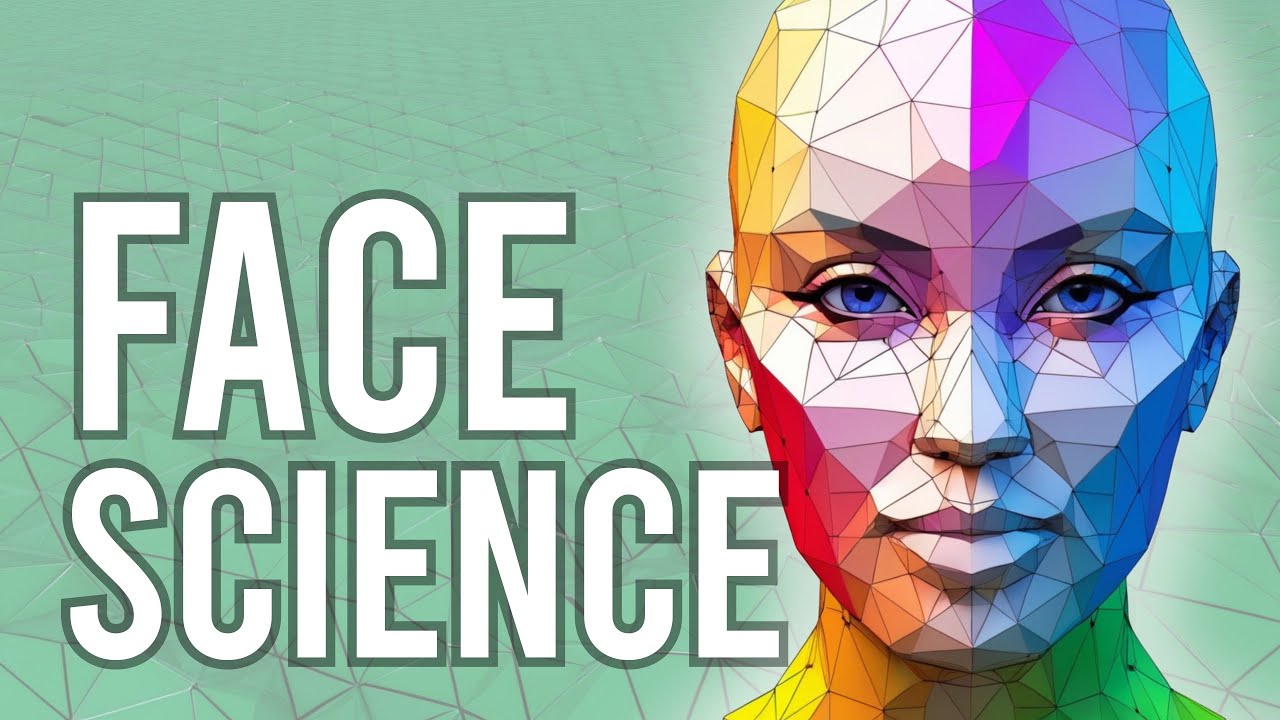
I ran hours of benchmarks to try to establish what is the best IPAdapter face model and this is not a subjective selection: this video is backed by Science :)
Workflows: https://f.latent.vision/download/face_science.zip
Discord server: https://discord.com/invite/W2DhHkcjgn
Marco's ComfyUI channel (in German): @ALatentPlace
00:00 Intro
00:17 M...
dreamy garnet
boreal bison
Guys do you prefer comfyuo or automatic1111? What do you use most? <@16191092126...
you should probably start with Auto1111, it's better
boreal bison
Can I do everything in it that comfyui does?
dreamy garnet
but if you are fluent on node-based and procedural workflows, comfyUI is where is at
ornate elk
boreal bison
Guys do you prefer comfyuo or automatic1111? What do you use most? <@16191092126...
Im using Automatic1111 mostly. I tried comfyui but I'm not a fan of setting up every step in the pipeline to get an image. Needing nodes for every extension and understand each setting again.
For me auto1111 is faster and easier to use. I know how to fix nearly any bug in auto too.
Comfyui is for the more advanced people who want to control every step in the image generating process
dreamy garnet
I personally haven't touched AUto since started with ComfyUI
ornate elk
boreal bison
seems like I have to have to have both 😊
Yea that won't hurt xD
boreal bison
Who’s helping me install comfyui tomorrow?
 rough zenith
I like AI)
dreamy garnet
boreal bison
Who’s helping me install comfyui tomorrow?
it's not so complicated, just remember the first custom node would be the comfyUI manager, then you install eveything else with one click
ornate elk
boreal bison
Who’s helping me install comfyui tomorrow?
Its easy. Check the link in the pinned message of this Channel to get to the comfyui site.
Then its just downloading a zip file you can unzip in a separate folder on your Z dtive.
boreal bison
dreamy garnet
it's not so complicated, just remember the first custom node would be the comfyU...
do I need visual basics etc ? I really had a bad experience installing Risco Diffusion locally like 3 years ago, messed up everything
ornate elk
Yea comfyui ui manager is essential
boreal bison
that’s why I’m asking so many questions 😂
boreal bison
great guys! Will bombard you tomorrow with questions 😎
rough zenith
How can I run stable?
ornate elk
rough zenith
How can I run stable?
Localy?
If you have a GPU with 4gb vram or more then follow my install guide in the Pinned Messages of this Channel
boreal bison
dreamy garnet
<@161910921269084160> <@563969857318682636> > https://www.youtube.com/watch?v=o...
This os exaxtly what I need
Does this work with automatic1111?
dreamy garnet
boreal bison
Does this work with automatic1111?
there should be extensions that do that, but i really don't know them, 100% comfyUI at this point
boreal bison
I’m def installing comfy ui!!
ornate elk
boreal bison
Does this work with automatic1111?
Yes
The FaceID IP-Adapter can be used in controlnet
boreal bison
Great, thank you
 sharp creek
Hello, I entered this channel after 2 weeks today, and I noticed that I don't have access to the channels to generate images. Can an admin/moderator help me understand the reason or lift the restriction? Please.?
dreamy garnet
sharp creek
Hello, I entered this channel after 2 weeks today, and I noticed that I don't ha...
 covert jolt
/drame
 fair oxide
btw @ornate elk this is with the latest CN Update adding insta ID https://youtu.be/jjRFa1JugA0
you'd have to update CN and you'll see it listed in CN style box
hmm, not a very good video to show as an example, i'll have to look for specific video

GitHub
InstantID : Zero-shot Identity-Preserving Generation in Seconds 🔥 - GitHub - InstantID/InstantID: InstantID : Zero-shot Identity-Preserving Generation in Seconds 🔥
ornate elk
fair oxide
btw <@161910921269084160> this is with the latest CN Update adding insta ID http...
nice, impressive how quick it got implemented:
also here is everything you need to know to get it run:
https://github.com/Mikubill/sd-webui-controlnet/pull/2580
fair oxide
ornate elk
nice, impressive how quick it got implemented:
also here is everything you need ...
the models are listed here https://huggingface.co/InstantX/InstantID/tree/main but i'm yet to try them out

 granite oar
What is ID in this context?
ornate elk
granite oar
What is ID in this context?
the FaceID for face recognition - face swapping
granite oar
Ah
vale moat
ornate elk
Hey, pls follow my install guide in the Pinned Messages of this Channel.
You hav...
hi thank you for your help, but after i installed 3.10.11, it would error out "No Python at '"C:\Users\kevin\AppData\Local\Programs\Python\Python312\python.exe'"
but when i looked under that folder the file is there
ornate elk
vale moat
hi thank you for your help, but after i installed 3.10.11, it would error out "N...
hey, you have to delete the venv folder and then relaunch the webui-user.bat
ornate elk
vale moat
what does venv folder do?
it stores the needed stuff for SD to work. and gets rebuild when deleting it.
there was a reference to your old python install in there, and now it uses the new path
vale moat
ornate elk
it stores the needed stuff for SD to work. and gets rebuild when deleting it.
th...
I see, thank you so much for your help
fair oxide
@ornate elk https://github.com/Mikubill/sd-webui-controlnet/pull/2580 describes the installation of instant_ID for a1111

GitHub
Instant ID project
https://github.com/InstantID/InstantID
Instant ID uses a combination of ControlNet and IP-Adapter to control the facial features in the diffusion process. One unique design for I...
ornate elk
fair oxide
<@161910921269084160> https://github.com/Mikubill/sd-webui-controlnet/pull/2580 ...
yea i already added the link to my answer from before ^^
fair oxide
i keep getting bunch of errors when trying to generate a portrait
should i be changing the bin extension to something else ? ip-adapter_instant_id_sdxl.bin
 umbral mural

 jovial apex
hello i create and account
and pay the billing
but im not able to generate any image
fair oxide
@ornate elk not sure what i'm missing but it's not working for me, the error could be related to .bin extension that my system is not recognizing
also tried changing that to .pth but that obviously didn't work, think we need a properly compiled pth file?
 lament fog
rocm linux users - beware upgrading rocm, have a way back. just spent 2 days thinking my GPU was going bad with image artifacts, but it was either the newer rocm or the newest torch. on a 6800 XT with 5.4.2 and very stable again
lament fog
I've been using opt-sdp-attention, is that the best option for AMD? I care about quality over speed
 valid gorge
My SD (A1111) is acting up all weird again, I have two pictures created earlier, in both I have a person, one sitting and one standing, both also missing lower parts of the legs. So I wanted to do some outpainting (inpainting), expanded the canvases in Affinity, importer back in img2img inpaint and started working. With the first image all went well and worked as would expect, used fill (not original), mask only, cfg around 7 and denoise at aroun 0.64~0.7 and random seed. After about half a dozen renders, The standing person had full legs and a nice room around it. With second picture, person sitting, I tried the same approarch, at first all good and everything looked promising but then happened something and SD started to generate stuff like it did not see the image at all. Twekeked values and setting but nothing helped. Started SD twice from ground hoping things would get fixed, even rebooted computer. I’m stuck. Ideas?
lament fog
The fill option it's supposed to ignore the picture, unless I'm missing something
Original takes the content into account
Then there's whole picture vs masked only, masked only will apply the prompt to just that area
Another thing you could be doing is using the option "apply to non masked" I forget the exact wording
valid gorge
Yep, fill ignores what’s under mask but shouldn’t it understand the context anyway?
As i don’t have anything under the masked area, just empty canvas, it should work fine? This the workflow I used earlier anyway and worked as I expected
 delicate jolt
pls help ,
The fill option it's supposed to ignore the picture, unless I'm missing something
valid gorge
Like here, in this workflow https://youtu.be/7IjJCEk-2mM?si=DMjW-Np2ti-DBZw0

this is a second method for outpainting which takes less time, to extend an image without changing it at all.
it is possible to complete outpainting of an image in 1 minute and get good results too like generative fill without using external extensions.
see the first method in
https://youtu.be/hhQeEXwSA-A
and third method in controlnet
http...
valid gorge
delicate jolt
The fill option it's supposed to ignore the picture, unless I'm missing somethin...
Yep, as far I’ve understood, it shouldn’t ignore the picture
I might need to reinstall SD from ground up, perhaps have some sort of glitch from an update, idk.
Ok, I think it was some kind of bug. After changing model checkpoint to another one, and then back to what I was using, things seem to be working again
Nope nope, might have been positive too early. fck
 cobalt quiver
I tried a model and it was working fine, but now I cannot use it
I got size mismatch for model
dreamy garnet
are you using something beside the model? lora? controlnets?
cobalt quiver
dreamy garnet
are you using something beside the model? lora? controlnets?
nope
I do have them installed, but not enabled rn
dreamy garnet
the mismatches are usually related to that, using 1.5 controlnets over sdxl models and viceversa, also loras and such
cobalt quiver
dreamy garnet
the mismatches are usually related to that, using 1.5 controlnets over sdxl mode...
alright
but I entirely restarted and I still cannot use the model with nothing turned on?
ornate elk
cobalt quiver
but I entirely restarted and I still cannot use the model with nothing turned on...
Can you show the txt2img settings you use + model?
cobalt quiver

then I got tiled diffusion, tiled vae, additional networks(Lora), and Controlnet, all are not enabled
and I cannot even switch to the model
ornate elk
cobalt quiver
then I got tiled diffusion, tiled vae, additional networks(Lora), and Controlnet...
How big is the model size?
cobalt quiver
ornate elk
How big is the model size?
6.4GB only
ornate elk
cobalt quiver
6.4GB only
Okay so its SDXL
What's your GPU and what's inside your webui-user.bat?
 balmy hare
永远都用不了了?
fair oxide
its been stuck here for a min is that alright?
 ornate elk
fair oxide
its been stuck here for a min is that alright?
ornate elk
fair oxide
its been stuck here for a min is that alright?
Yes let it run
Thats the webui.bat not the webui-user.bat
cobalt quiver
set PYTHON=
set GIT=
set VENV_DIR=
set COMMANDLINE_ARGS=--theme dark --no-half-vae --medvram --xformers --always-batch-cond-uncond --upcast-sampling
set PYTORCH_CUDA_ALLOC_CONF=garbage_collection_threshold:0.9,max_split_size_mb:512
set SAFETENSORS_FAST_GPU=1

call webui.bat```A bigger screenshot could help too
To identify if everything is ok
 ornate elk
cobalt quiver
```@echo off
set PYTHON=
set GIT=
set VENV_DIR=
set COMMANDLINE_ARGS=--theme da...
ornate elk
cobalt quiver
```@echo off
set PYTHON=
set GIT=
set VENV_DIR=
set COMMANDLINE_ARGS=--theme da...
Do you use a 12gb 3060 or a 6gb one?
ornate elk
fair oxide
Looks good
cobalt quiver
ornate elk
Do you use a 12gb 3060 or a 6gb one?
6gb
cobalt quiver
ornate elk
And you restarted the webui and now you can not load the model?
correct
ornate elk
What does the cmd shows when you switch to it?
cobalt quiver
Traceback (most recent call last):
  File "D:\Stable diffusion\stable-diffusion-webui\modules\shared.py", line 516, in set
    self.data_labels[key].onchange()
  File "D:\Stable diffusion\stable-diffusion-webui\modules\call_queue.py", line 15, in f
    res = func(*args, **kwargs)
  File "D:\Stable diffusion\stable-diffusion-webui\webui.py", line 199, in <lambda>
    shared.opts.onchange("sd_model_checkpoint", wrap_queued_call(lambda: modules.sd_models.reload_model_weights()), call=False)
  File "D:\Stable diffusion\stable-diffusion-webui\modules\sd_models.py", line 546, in reload_model_weights
    load_model_weights(sd_model, checkpoint_info, state_dict, timer)
  File "D:\Stable diffusion\stable-diffusion-webui\modules\sd_models.py", line 288, in load_model_weights
    model.load_state_dict(state_dict, strict=False)
  File "D:\Stable diffusion\stable-diffusion-webui\venv\lib\site-packages\torch\nn\modules\module.py", line 2041, in load_state_dict
    raise RuntimeError('Error(s) in loading state_dict for {}:\n\t{}'.format(
RuntimeError: Error(s) in loading state_dict for LatentDiffusion:
        size mismatch for model.diffusion_model.input_blocks.4.1.proj_in.weight: copying a param with shape torch.Size([640, 640]) from checkpoint, the shape in current model is torch.Size([640, 640, 1, 1]).
size mismatch for model.diffusion_model.input_blocks.4.1.transformer_blocks.0.attn2.to_k.weight: copying a param with shape torch.Size([640, 2048]) from checkpoint, the shape in current model is torch.Size([640, 768]).```as to avoid spamming the channel, I get many many size mismatches after this
ornate elk
cobalt quiver
```@echo off
set PYTHON=
set GIT=
set VENV_DIR=
set COMMANDLINE_ARGS=--theme da...
Okay then try to remove
--always-batch-cond-uncond
And the whole set Pytorch–Cuda-Alloc stuff
Thats normaly not needed
cobalt quiver
ngl normally I just run webui.bat
fair oxide
what have i done wrong
 cobalt quiver
I dont use webui-user
ornate elk
cobalt quiver
ngl normally I just run webui.bat
Why that? That prevents every optimisation for your gpu xD
cobalt quiver
I forget
ornate elk
Ok. Always and only use webui-user.bat
cobalt quiver
fair enough
fair oxide
@ornate elk do you know how to fix this ?

nevermind i think its cause i forgot to install git 
cobalt quiver
fair oxide
nevermind i think its cause i forgot to install git <:facepalm:10177938644315709...
yeah, if it's not that make sure that you have git installed in the python that is your path
cobalt quiver
ornate elk
Ok. Always and only use webui-user.bat
same error occurs
fair oxide
cobalt quiver
yeah, if it's not that make sure that you have git installed in the python that ...
do i need a specific version of git or can i just use latest?
cobalt quiver
as to be expected as it occured when just runign webui.bat
cobalt quiver
fair oxide
do i need a specific version of git or can i just use latest?
I believe there is a range, you can try latest
ornate elk
fair oxide
<@161910921269084160> do you know how to fix this ?
You didn't followed my install guide
Downloading the webui as zip is the first wrong step
Check the Pinned Messages of this channel for a detailed install guide
ornate elk
cobalt quiver
as to be expected as it occured when just runign webui.bat
And when you run the webui-user.bat ?
cobalt quiver
ornate elk
And when you run the webui-user.bat ?
gives the same error
I tested also restarting my device, no change
ornate elk
cobalt quiver
gives the same error
Did you edited the webui-user.bat as I suggested?
cobalt quiver
ornate elk
Did you edited the webui-user.bat as I suggested?
yes
ornate elk
cobalt quiver
yes
okay can you check your webui versions, in the webui scroll down to the bottom
cobalt quiver
ornate elk
okay can you check your webui versions, in the webui scroll down to the bottom
requirements_versions?
cobalt quiver
version: v1.2.1 • python: 3.10.6 • torch: 2.0.1+cu118 • xformers: 0.0.17 • gradio: 3.29.0 • checkpoint: 98a1428d4c
ornate elk
ohhh wow, thats outdated
 vocal burrow
that's vastly outdated
ornate elk
with that webui version sdxl wont work
cobalt quiver
ornate elk
with that webui version sdxl wont work
that's odd, cause it worked yesterday and this morning
maybe my version got messed up at some point
@ornate elk should I install just the latest version of A1111? or?
ornate elk
cobalt quiver
<@161910921269084160> should I install just the latest version of A1111? or?
you can update your existing webui, or you can install auto1111 in a fresh folder
cobalt quiver
ornate elk
you can update your existing webui, or you can install auto1111 in a fresh folde...
fresh folder it is
ornate elk
cobalt quiver
fresh folder it is
okay, then checkout my Install guide in the Pinned Messages of this channel
cobalt quiver
simple enough pulling it with git
valid gorge
With the controlnet outpaint / inpaint method, can I control which way the picture is being extended?
ornate elk
cobalt quiver
simple enough pulling it with git
yea and make the changes from Step 5
with that you have the best performance and compability
ornate elk
fair oxide
<@161910921269084160> not sure what i'm missing but it's not working for me, the...
yea getting this error with InstantID:
2024-01-28 20:10:03,144 - ControlNet - INFO - unit_separate = False, style_align = False | 7/30 [00:07<00:18, 1.22it/s] 2024-01-28 20:10:03,144 - ControlNet - INFO - Loading model from cache: control_instant_id_sdxl [c5c25a50] 2024-01-28 20:10:03,145 - ControlNet - INFO - Using preprocessor: instant_id_face_embedding 2024-01-28 20:10:03,145 - ControlNet - INFO - preprocessor resolution = 512 2024-01-28 20:10:03,146 - ControlNet - INFO - Loading model from cache: control_instant_id_sdxl [c5c25a50] 2024-01-28 20:10:03,147 - ControlNet - INFO - Using preprocessor: instant_id_face_keypoints 2024-01-28 20:10:03,147 - ControlNet - INFO - preprocessor resolution = 512 *** Error running process: D:\Programme\AI-Zeug\stable-diffusion-webui-directml\extensions\sd-webui-controlnet\scripts\controlnet.py Traceback (most recent call last): File "D:\Programme\AI-Zeug\stable-diffusion-webui-directml\modules\scripts.py", line 718, in process script.process(p, *script_args) File "D:\Programme\AI-Zeug\stable-diffusion-webui-directml\extensions\sd-webui-controlnet\scripts\controlnet.py", line 1148, in process self.controlnet_hack(p) File "D:\Programme\AI-Zeug\stable-diffusion-webui-directml\extensions\sd-webui-controlnet\scripts\controlnet.py", line 1133, in controlnet_hack self.controlnet_main_entry(p) File "D:\Programme\AI-Zeug\stable-diffusion-webui-directml\extensions\sd-webui-controlnet\scripts\controlnet.py", line 1107, in controlnet_main_entry assert i > 0, "InstantID control model should follow ipadapter model." AssertionError: InstantID control model should follow ipadapter model.
 ornate elk
fair oxide
<@161910921269084160>
ornate elk
fair oxide
<@161910921269084160>
are you based in asia?
fair oxide
nah NA
ornate elk
hmm can you try again?
fair oxide
trying rn
ornate elk
did you installed git before?
fair oxide

i have git and python installed
tried it again and it failed
ill prob just download github desktop and clone it from there
ornate elk
fair oxide
ill prob just download github desktop and clone it from there
you can also try restart your PC, or disabling third party antivirus systems
or changing the DNS server
@fair oxide i got InstandID to work
 valid gorge
Still puzzling should I get 4060 TI 16GB instead of 3060 12GB, price difference has reduced a little, around 150 euros now comparing the two
I guess I found the inpainting / outpaint issue, looks like it's the resolution I'm using. 512x gives weird results, 1024x seems to be fairly consistend, above that the weirdeties come back.
So 1024 it is
cobalt quiver
@ornate elk it works on latest
ornate elk
fair oxide
something is strange with your git
or connection to github
close the cmd
then open up a cmd and type
pip cache purge
then delete the venv folder and relaunch the webui-user.bat
fair oxide
ornate elk
close the cmd
then open up a cmd and type
pip cache purge
then delete the venv f...
I’ll try this when I get home
 mossy glade
Hello, I've been using SD for a while now and only recently noticed it keeps "loading 1 new model" for every generation I do. My question is, is it supposed to "load 1 new model" every generation? I would assume the model would have to be loaded only once and ready to go so long as i dont change it. I am on comfyui if that makes a difference

 plain wagon
i have amd gpu and installed every packages needed from stable diffusion but some extensions still using cpu with onnxruntime! why?
like reactor for example, i dont have anything related to cuda installed?
 boreal bison
@ornate elk Starting the comfy UI downloading process 🙂
@ornate elk how do I change the path here?

so I use my already downloaded models
boreal bison
After installing comfyUI manager, I can't run it, getting these errors :/

anyone???
dreamy garnet
boreal bison
anyone???
I can help you with ComfyUI tomorrow, it’s really late for me already, off to bed : )
boreal bison
dreamy garnet
I can help you with ComfyUI tomorrow, it’s really late for me already, off to be...
seems like I got it working for now!
thanks
I'll bug you with other questions tomorrow 😄
fair oxide
Does anyone know if it's possible to iterate through different LORAs' using xyz prompt?
Further, is there an easier/more efficient way to manage >100 LORAs and their trigger words?
 dim cave
my brother getting this error when try to join
 lament fog
fair oxide
Does anyone know if it's possible to iterate through different LORAs' using xyz ...
lament fog
fair oxide
Does anyone know if it's possible to iterate through different LORAs' using xyz ...
Firstly you can organize them into folders, makes browsing a bit easier. You can also set a thumbnail image. Webui let's you pull the metadata, so you can usually see the relevant tags, you can also save the tags you want to come up when you load the Lora there.
ornate elk
boreal bison
<@161910921269084160> how do I change the path here?
There you input the path to the Stable-diffusion-webui like Z:/Ai/Stable-diffusion-webui
lost crescent
OpenPose is sooooo slow - like 1 hour for an 896x1152!!! Normal SDXL takes only 40 seconds for the same size. RTX2070 8Gb VRAM, 64Gb RAM, Win 10
ornate elk
lost crescent
OpenPose is sooooo slow - like 1 hour for an 896x1152!!! Normal SDXL takes only ...
What's in your webui-user.bat?
Also what openpose model do you use?
lost crescent
I am using

 ornate elk
Why force fp32 lol
lost crescent
OK, but it works
ornate elk
That will slow down everything
lost crescent
So force 16?
ornate elk
Wouldn't force anything
lost crescent
OK, then how should my bat look?
ornate elk
I'm not comfyui user so idk what else you should add there
lost crescent
Alright 🙂 Thnx
ornate elk
In auto1111 it would be --xformers --medvram-sdxl --no-half-vae
lost crescent
I agree, and that is what I have in A1111
ornate elk
But what you can try to is to use a smaller openpose model
lost crescent
The 128 version? Alright, I will give it a go
ornate elk
That or the t2i-adapter-openpose-sdxl lora
ornate elk
lost crescent
I am using
But even the 256 lora version should be not taking an hour
But yea try without fp32 forcing maybe that will speed it up a lot
lost crescent
👍🏻
lost crescent
I say! Starting without --force-fp32 has made the world of difference!!! Thank you 🙂
66 seconds 😄
ornate elk
Nice! Np^^
 autumn void
Hi, does SD UI work well on Windows 11?
autumn void
Fantastic, that'll make for an ever better evening^^
ornate elk
autumn void
Fantastic, that'll make for an ever better evening^^
Checkout my install guide in the Pinned Messages of this Channel 🙂
For an easy start
autumn void
Is it different than for w10?
ornate elk
Nope
autumn void
I will if things go south but I've got it all laid out in xmind, metalinks and all ^^
nice and neat
One more thing, an nvme doesn't do squat for the performance right?
ornate elk
autumn void
I will if things go south but I've got it all laid out in xmind, metalinks and a...
Most guides out there are outdated or missing essentials install steps. So I recommend if you want to use Automatic1111 to go with my guide first as it covers everything needed.
autumn void
will do then^^
ornate elk
autumn void
One more thing, an nvme doesn't do squat for the performance right?
It won't make the image generation faster. But its good for loading/switching models
autumn void
That's good to know, thanks again
ornate elk
No problem, and if you face any Problem or having questions while installing. Feel free to ask here
 drifting stirrup
hihi !! i'm sorry if this is the wrong channel but i am having trouble with SD and no online resource has helped. basically, i have downloaded everything i'm supposed to and when i open the UI, it says that it doesn't detect python even though i have it. can someone link me some resources or give me a hand? ^^
ornate elk
drifting stirrup
hihi !! i'm sorry if this is the wrong channel but i am having trouble with SD a...
Hey, what's your python version?
drifting stirrup
ornate elk
Hey, what's your python version?
python 3.10 64 bit !
ornate elk
3.10.? SD supports 3.10.6 up to 3.10.11
drifting stirrup
sorry i was wrong it is indeed 3.10.6 xP
ornate elk
And you checked "add python to path" while installing it?
drifting stirrup
indeed
ornate elk
Okay then delete the venv folder and relaunch the webui-user.bat
ornate elk
drifting stirrup
indeed
If there isnt a venv folder thats okay too.
Then you have to open up a cmd and type
Where python
Copy the path.
Then right click the webui-user.bat and at the line Python=
Paste the path. Then save.
Then launch the webui-user.bat
drifting stirrup
there was indeed a venv folder! i think i can figure it out from here. i'll return with updates or if i need more help, thank you <3
ornate elk
drifting stirrup
there was indeed a venv folder! i think i can figure it out from here. i'll retu...
No problem. Also checkout my install guide in the Pinned Messages of this Channel.
It covers the needed setting for the best performance depending on your GPU vram
drifting stirrup
ornate elk
No problem. Also checkout my install guide in the Pinned Messages of this Channe...
i have returned! SD is up and running... kind of! i believe this isnt supposed to look like this

WAIT im sorry i was wrong
ornate elk
drifting stirrup
WAIT im sorry i was wrong
Make sure the webui is whitelisted in any browser adblocker
drifting stirrup
hi i am back ;w; so i am being met with the NansExcpetion error. I did the first thing I was prompted to do but i believe i may be misunderstanding the second set of instructions. i'm supposed to run the given cmd prompts in a seperate cmd window by themselves, correct..? i am unfamiliar with these kinds of things ^^;
ornate elk
drifting stirrup
hi i am back ;w; so i am being met with the NansExcpetion error. I did the first...
Hey, what's your GPU?
drifting stirrup
ornate elk
Hey, what's your GPU?
NVIDIA GeForce GTX 1660 SUPER
ornate elk
drifting stirrup
NVIDIA GeForce GTX 1660 SUPER
Have you checked and made the changes to the webui-user.bat like seen in my install guide?
drifting stirrup
that completely slipped my mind, i was still waking up and just had my second cup of coffee xD i'll check that out now my apologies
ornate elk
drifting stirrup
that completely slipped my mind, i was still waking up and just had my second cu...
NP, your GPU needs --xformers --medvram --no-half
In the webui-user.bat
At the line COMMANDLINE_ARGS=
Then after relaunching the webui-user.bat the error shouldn't appear again
drifting stirrup
ornate elk
Then after relaunching the webui-user.bat the error shouldn't appear again
unfortunately, the error did appear again. do you reccomend reinstalling everything and doing said instructions again?
ornate elk
drifting stirrup
unfortunately, the error did appear again. do you reccomend reinstalling everyth...
If you installed the webui via git clone and the folder is called
stable-diffusion-webui then you dont need to reinstall.
ornate elk
drifting stirrup
unfortunately, the error did appear again. do you reccomend reinstalling everyth...
Check the file size of the model you try to use.
It needs to be larger than 1.98gb
drifting stirrup
ornate elk
If you installed the webui via git clone and the folder is called
stable-diffusi...
ok just tried to open the UI through said folder and was met with this
 drifting stirrup
ornate elk
Check the file size of the model you try to use.
It needs to be larger than 1.98...
drifting stirrup
ornate elk
Check the file size of the model you try to use.
It needs to be larger than 1.98...
tried checking how big it is, was met with KB in the millions >_<
ornate elk
drifting stirrup
ok just tried to open the UI through said folder and was met with this
Why do you have two stable-diffusion-webui folders?
drifting stirrup
i just realized that 😭
ornate elk
Hopefully you didn't installed it twice
drifting stirrup
i deleted the other one
i might've misunderestood something, my brain is smooth but the second folder is gone now
ornate elk
Okay
ornate elk
drifting stirrup
tried checking how big it is, was met with KB in the millions >_<
If the model is smaller than 1.98gb its not a model(checkpoint)
So it doesn't go in the model/Stable-diffusion folder
Smaller stuff can be a lora file.
These go into models/lora
drifting stirrup
ok i see, i can try moving it into that folder then
ok so i dont think im understanding. the checkpoint i plan to use were given to me as checkpoints and work for others.. so if i were to move them into models/lora i wouldnt be able to use them as checkpoints ?
they are over the number you said they should be by the way, i just figured out how to check ^^;
ornate elk
drifting stirrup
ok so i dont think im understanding. the checkpoint i plan to use were given to ...
Models are always larger than 1.98gb. These files go into models/stable-diffusion
Smaller files go in other folders depending what they are.
To use a lora you still need a base model
drifting stirrup
this is how big the models i plan to use are
 ornate elk
drifting stirrup
i might've misunderestood something, my brain is smooth but the second folder is...
ornate elk
drifting stirrup
i might've misunderestood something, my brain is smooth but the second folder is...
As you had the webui twice you need to check the webui-user.bat again. Maybe you didn't made the changes there
ornate elk
drifting stirrup
this is how big the models i plan to use are
That will work (is a model)
drifting stirrup
the necessary changes have been made to my webui-user.bat
ornate elk
drifting stirrup
the necessary changes have been made to my webui-user.bat
Okay, then launch it again and show me the cmd output
drifting stirrup
the beginning or the whole prompt?
ornate elk
The whole thing

 ornate elk
drifting stirrup
ornate elk
drifting stirrup
Can you show all the txt2img settings?
Prompt, steps, resolution etc
Oh wait
drifting stirrup
 ornate elk
I know what you did wrong xD
drifting stirrup
oh shit
ornate elk
You added --no-half-vae instead of --no-half to the webui-user.bat
drifting stirrup
oh shi ok lets see
ornate elk
Changing that and it will work
My guide also covers that argument needed for gtx16xx gpus
drifting stirrup
ye i thought i did it right
 ornate elk
change --no-half-vae to --no-half
drifting stirrup
ye i did, currently attempting to generate an image, just see the interrupt and skip button rn
ornate elk
drifting stirrup
ye i thought i did it right
Yea thats the beginning of the edit part, but a few steps below it covers the GTX 16 part
drifting stirrup
ok word my apologies! but, an image is currently visibly generating!! i think we did it :D thank you again for your kindness and patience, hopfully i wont have to bother you again anytime soon ^^;
ornate elk
drifting stirrup
ok word my apologies! but, an image is currently visibly generating!! i think we...
No problem at all ^^ you shouldn't get any problems now with any files if they are in the right folders
Have fun 😁
fair oxide
Hello! Any kind soul have tips how to solve this? 🙂 "WARNING:tensorflow:From G:\a1111\stable-diffusion-webui\venv\Lib\site-packages\keras\src\losses.py:2976: The name tf.losses.sparse_softmax_cross_entropy is deprecated. Please use tf.compat.v1.losses.sparse_softmax_cross_entropy instead."
 hot spindle
@fair oxide what Torch are you using? Screenshot the bottom of A1111,like this:

but thats only a warning, should work the same
 civic sentinel
why I don’t have the pression to enter the room?is there anybody know?
fair oxide
hot spindle
<@456226577798135808> what Torch are you using? Screenshot the bottom of A1111,l...
 vocal burrow
fair oxide
vocal burrow
fair oxide
python 3.11, nope not gonna happen
compatible pythons are 3.10.6 -> 3.10.13
 worldly rain
hey guys I have a problem, im on 3060 with 12gb of vram. until a few days ago i was generating my pics really quickly, i was gone a for a few days and today when I wanna generate a picture its getting stuck at %97 and my whole pc is starting to freeze so i have to restart it. I even tried to use --medvram but its not making a difference, why is this happening all of a sudden for no reason?
 ornate elk
worldly rain
hey guys I have a problem, im on 3060 with 12gb of vram. until a few days ago i ...
ornate elk
worldly rain
hey guys I have a problem, im on 3060 with 12gb of vram. until a few days ago i ...
What's in your webui-user.bat?
Also make sure to have 15-20gb free space on C
 spark hatch
Hey everyone!
Got a little problem. Sampling methods are missing for some reason (screenshot 1). They aren't hidden (screenshot 2) but at the same time they are downloaded (screenshot 3, 4, 5, 6).
Any ideas?


 spark hatch
Hey everyone!
Got a little problem. Sampling methods are missing for some reaso...
spark hatch
spark hatch
Hey everyone!
Got a little problem. Sampling methods are missing for some reaso...
I'm interested in dpm++ 2m karras sampler, but as you can see it's missing
 dry loom
Can someone help me?
Im trying to launch this but it cant seem to install torch and it says no module named pip
ornate elk
dry loom
I keep getting this, how do I fix it
Delete the venv folder and relaunch The webui-user.bat
 ornate elk
spark hatch
Hey everyone!
Got a little problem. Sampling methods are missing for some reaso...
ornate elk
spark hatch
Hey everyone!
Got a little problem. Sampling methods are missing for some reaso...
K Diffusion isnt a sampler. Its used for all the samplers that have the Karras in name.
ornate elk
dry loom
Run the python installer again. Choose Modify, next, then check "add python to system variables"
Then delete the venv folder again
ornate elk
spark hatch
Hey everyone!
Got a little problem. Sampling methods are missing for some reaso...
Also scroll up and down in the sampler list to see all samplers (first screenshot)
dry loom
ornate elk
Run the python installer again. Choose Modify, next, then check "add python to s...
 ornate elk
dry loom
ornate elk
dry loom
Okay, then uninstall python. Restart your PC, and then follow my install guide in the Pinned Messages of this Channel
In AFK for now
 wind sun
Good day, can someone help me with faceswaping videos with SD
i mean i have swaped a video in output folder already and i have around 2K photos face swaped in that folder but when i try to build it again in video, the video is getting 17minutes and the original video is smth like 30sec
can't fix that since yesterday
spark hatch
ornate elk
Also scroll up and down in the sampler list to see all samplers (first screensho...
This didn't help (because it's actually all visible samplers)
I found the actual file with all samplers and it's totally fine, so I don't know what's the problem. Hope you can help somehow when you come back!

 dry loom
ornate elk
Okay, then uninstall python. Restart your PC, and then follow my install guide i...
dry loom
ornate elk
Okay, then uninstall python. Restart your PC, and then follow my install guide i...
It happened again
 worldly rain
ornate elk
What's in your webui-user.bat?
Also make sure to have 15-20gb free space on C
worldly rain
ornate elk
What's in your webui-user.bat?
Also make sure to have 15-20gb free space on C
i have 12.9gb empty space on my C drive

but a few days ago i wasnt getting any lags and I still had the same amount of empty space
 royal meadow
Can someone help me out with this animation API problem — When using xl-1024-v0-9 for generating keyframes, all works well (despite being utterly slow), but when I switch over to xl-1024-v1-0, the first frames until diffusion_cadence_curve = "0:(5)" → in this case the 5th, are rendered correctly but then quickly start fading to gray, what looks like 100% noise.
ornate elk
spark hatch
This didn't help (because it's actually all visible samplers)
I found the actua...
Is your webui updated?
ornate elk
worldly rain
i have 12.9gb empty space on my C drive
Okay logs good
But 12gb doesn't need --medvram
ornate elk
worldly rain
i have 12.9gb empty space on my C drive
Make sure to not have wallpaper engine or epic games launcher running in the background
 prime lion
/ dream rabbit to eat radishes in the forest and then step on a big lizard under his feet in a realistic style
ornate elk
dry loom
It happened again
Do you use any antivirus software?
dry loom
ornate elk
Do you use any antivirus software?
Yeah
@ornate elk Could it have something to do with the fact that Python installs in an area I cant see even though I can see its path when I go to the path section on my control panel?
ornate elk
dry loom
Yeah
Its mostly because of that. It blocks stuff when installing python
Windows defender is fine. But everything else could block
dry loom
How do I manually turn off each anti virus software for a sec?
ornate elk
dry loom
How do I manually turn off each anti virus software for a sec?
Which one do you use?
There should be a switch to toggle it off
dry loom
ornate elk
Which one do you use?
Honestly I dont know
 wraith bronze
If you open CMD and type python --version do you get anything? Otherwise your PATH might not be set properly.
ornate elk
dry loom
Honestly I dont know
Any programm named Avira, avast, AVG, Norton, Bitdefender, Eset, 360security, kaspersky, panda
dry loom
ornate elk
Any programm named Avira, avast, AVG, Norton, Bitdefender, Eset, 360security, ka...
 ornate elk
dry loom
ornate elk
dry loom
Open the app and disable it.
Then uninstall python.
Then install it again with "add python to path" checked.
Then delete the venv folder
dry loom
ornate elk
Open the app and disable it.
Then uninstall python.
Then install it again with "...
Trying to find the disable thing on it, cant find it
wraith bronze
Right-click the AVG icon in the System Tray. This is located in the lower-right corner of the desktop. If you do not see the icon, click the arrow button at the edge of the System Tray to expand the Tray and display all the icons. Click Temporarily disable AVG protection.
You will be asked for how long, and then just click OK
wraith bronze
I believe I use the same thing as you, and it was very straight forward. There may be some tweaking needed depending on your hardware.
dry loom
Ok so what do I do now?
 dry loom
 wraith bronze
You will notice when its done ^^ so you can just leave it alone
dry loom
wraith bronze
You will notice when its done ^^ so you can just leave it alone
So when can I close the thing?
worldly rain
ornate elk
But 12gb doesn't need --medvram
yeah I just wanted to add it to see if its gonna fix it
wraith bronze
If I remember correctly after this is done, it will open the webUI, if it do you need to keep the terminal open as long as you run the webUI
worldly rain
ornate elk
Make sure to not have wallpaper engine or epic games launcher running in the bac...
also I only have them both working on the background, i'll turn it off and try it again and get back to you:)
dry loom
@wraith bronze "RuntimeError: "LayerNormKernelImpl" not implemented for 'Half'"
@ornate elk
wraith bronze
You may need to add some parameters in your "webui-user.bat" filed in the webui. Try change set COMMANDLINE_ARGS= to set COMMANDLINE_ARGS= --no-half
ornate elk
dry loom
<@1136049062550982727> "RuntimeError: "LayerNormKernelImpl" not implemented for ...
whats your GPU?
dry loom
ornate elk
whats your GPU?
Dont know...
wraith bronze
press the windows key and write "dxdiag" and look under "display"
ornate elk
dry loom
Dont know...
open up the taskmanager, go to Performance tab, check the GPU 1 and GPU 0
fair oxide
lament fog
Firstly you can organize them into folders, makes browsing a bit easier. You can...
"save the tags you want to come up when you load the Lora there" can you further explain this?
dry loom
@wraith bronze @ornate elk Is this it?
 wraith bronze
Under "display 1"
ornate elk
your in the wrong channel/server for complaining discord updates.
wraith bronze
dry loom
<@1136049062550982727> <@161910921269084160> Is this it?
You need to be in the "Display 1" tab if you opened DXDiag you have a set of tabs at the top of the window
dry loom
wraith bronze
You need to be in the "Display 1" tab if you opened DXDiag you have a set of tab...
I dont even know what that means
wraith bronze
Did you open DxDiag or the task manager?
dry loom
Im about to check task manager
wraith bronze
In DxDiag I assume you opened first the tabs are at the top, you click them
 dry loom
 wraith bronze
In task manager you have to go to "Preformance" and select the GPU
and it will say the name in the top right corner
dry loom
 lament fog
fair oxide
"save the tags you want to come up when you load the Lora there" can you further...
lament fog
fair oxide
"save the tags you want to come up when you load the Lora there" can you further...
In webui, there is a Lora tab to access the loras you have. When you navigate there and select one,it populates in your prompt. If you look close around those buttons, there's little widget that gives more info about the Lora when you hover over it
dry loom
@wraith bronze @ornate elk
wraith bronze
 dry loom
 ornate elk
dry loom
<@1136049062550982727> <@161910921269084160>
ornate elk
dry loom
<@1136049062550982727> <@161910921269084160>
make the same screenshot as Kimchii
dry loom
 wraith bronze
Do you have a GPU 1 as well?
dry loom
 ornate elk
okay
wraith bronze
Oh, OK, I don't know if SD can run on a integrated gpu, but if it can you probably need to add the flag for low vram
ornate elk
@dry loom you have to edit the webui-user.bat
at the line set COMMANDLINE_ARGS=
you add: --skip-torch-cuda-test --use-cpu all --no-half --opt-sub-quad-attention
then save tand relaunch the webui-user.bat
ornate elk
wraith bronze
Oh, OK, I don't know if SD can run on a integrated gpu, but if it can you probab...
only on AMD integrated like yours
and maybe irisXe
 wraith bronze
Tht looks correct
dry loom
Now what am I missing....
 worldly rain
I closed epic launcher and wallpaper engine, updated my gpu and restarted my pc, still got stuck at %97 and my pc froze...
ornate elk
dry loom
Now what am I missing....
you may need to add --precision full
dry loom
 dry loom
ornate elk
you may need to add `--precision full`
dry loom
ornate elk
you may need to add `--precision full`
Same thing happened
ornate elk
dry loom
Same thing happened
did you relaunched the whole cmd?
the webui-user.bat
can you show the cmd output as screenshot after you launched it?
dry loom
I think it works now
worldly rain
worldly rain
I closed epic launcher and wallpaper engine, updated my gpu and restarted my pc,...
any recommendations?
wraith bronze
Check that you have read/write permission in the folder ^^
ornate elk
worldly rain
sdxl
then you should use --no-half-vae
in the webui-user.bat
worldly rain
alrightt
 pine finch
hi 👋
im new here... maybe silly question... can I use sd1.5 trained Loras on an img to txt with base prompt of SDXL?
guessing not, but I thought I remembered success with it earlier on
wraith bronze
I have no clue, but if you know what result you should get, try it? I haven't had any problem when I randomly download loras and just try them ^^
worldly rain
ornate elk
then you should use --no-half-vae
in the webui-user.bat
Same thing, its still freezing. I generated one without controlnet and it worked even tho it slightly lagged at %97. I generated another one while using controlnet and it got stuck again at %97. All extensions are updated
pine finch
Yeah, I'm not getting the expected results. not even close. That's why I'm asking here, I thought you could but I may have remembered wrong, or had some other details wrong when I had used the lora earlier.
wraith bronze
worldly rain
Same thing, its still freezing. I generated one without controlnet and it worked...
Check the repo for the controlnet you are using, if it is a compatibility issue, others probably asked about it as well.
ornate elk
worldly rain
Same thing, its still freezing. I generated one without controlnet and it worked...
so it only stcusk when using controlnet?
worldly rain
wraith bronze
Check the repo for the controlnet you are using, if it is a compatibility issue,...
Repo?
wraith bronze
repository, they probably have a page on github
worldly rain
ornate elk
so it only stcusk when using controlnet?
It slightly lags at %97 without it. It crashes at %97 with control net so yes.
worldly rain
wraith bronze
repository, they probably have a page on github
Okay ill check now
wraith bronze
Just google the control nets name and add +github and if they have one it should pop up near the top
ornate elk
worldly rain
It slightly lags at %97 without it. It crashes at %97 with control net so yes.
it crashes? you only said frezing before lol
worldly rain
Alright
ornate elk
thats a big difference, as kimchi said check that your using controlnet models made for SDXL
you can find them here:
https://huggingface.co/lllyasviel/sd_control_collection/tree/main
worldly rain
ornate elk
it crashes? you only said frezing before lol
Yeah thats what i meant my bad
Okay will check now
 hollow drift
Does anybody know what causes this? Running automatic1111 (lshqqytiger fork, DirectML) and recently highres-fix is just completely broken half the time. I'm running on the latest commit (d500e58a6) with the following arguments:
--lowvram --opt-sub-quad-attention --upcast-sampling --opt-split-attention-v1 --data-dir 'D:\SD' --skip-torch-cuda-test --use-directml
The only thing that recently changed that I can think of is that I switched from lowvram back to medvram and then back, plus I recently deleted a ton of stuff from my temp folders.
This happens with every checkpoint I load. Sometimes it will do the first few images just fine and then it just breaks down again. Rebooting or restarting SD doesn't seem to help.
My specs:
- AMD RX 5700 XT
- AMD Ryzen 7 3700X
- 48GB RAM
- Running everything off a Samsung 850 EVO SSD, if that matters


The initial image is always perfect and doesn't have strange artifacts, it's the highres-fix that seems to implode
ornate elk
hollow drift
Does anybody know what causes this? Running automatic1111 (lshqqytiger fork, Dir...
remove --skip-torch-cuda-test annd add --no-half-vae
also whats the resolution and sampler, etc
hollow drift
512x512, dpm++ 2M Karras
I've already tried changing resolutions and switching samplers but it seems to happen on everything
I'll try removing those two arguments, hold on
 leaden socket
pine finch
Yeah, I'm not getting the expected results. not even close. That's why I'm askin...
leaden socket
pine finch
Yeah, I'm not getting the expected results. not even close. That's why I'm askin...
I'm having the same issue. I'm trying to Uninstall XL and replace it with SD1.5 so I can use these loras
ornate elk
hollow drift
I'll try removing those two arguments, hold on
you need to add --no-half-vae
and remove the --skip-torch-cuda-test
ornate elk
pine finch
im new here... maybe silly question... can I use sd1.5 trained Loras on an img t...
no that wont work
ornate elk
leaden socket
I'm having the same issue. I'm trying to Uninstall XL and replace it with SD1.5...
you dont need to "uninstall" sdxl, just switch to an 1.5 model
hollow drift
Alright, trying again with the same seeds and stuff
I use the latent upscaler by the way on 1.5, dunno if that matters
ornate elk
hollow drift
Alright, trying again with the same seeds and stuff
also whats the model and upscaler?
hollow drift
this model is beautifulRealistic_v60 but I've had it happen on practically every other model
ornate elk
try with Resrgan4x+ upscaler if that works
hollow drift
epicrealism, stock SD, dreamshaper, etc.
first picture came out correct, you might've already fixed it for me lol
I'll let the batch of 4 finish, see if it still acts weird
that's weird though, I don't remember adding or removing "skip torch cuda test"
ornate elk
--skip-torch-cuda-test makes it run on the cpu
only needed when someone dont have a gpu
as the directml webui updated to 1.7.0 everyone got the error to add that.
but instead you had to ad --use-directml
so thats probably why it was in there
hollow drift
ooohhhh
odd how it degraded with every image too, and only when upscaling
this seems to have fixed it, they're all coming out correct
thanks!
 ornate elk
nice no problem 🙂
spark hatch
ornate elk
Is your webui updated?
Yeah, I even have git pull in bat file
ornate elk
spark hatch
Yeah, I even have git pull in bat file
okay, whats in your webui-user.bat?
valid gorge
Testing out ComfyUI, are there similar boot argumets like when using A1111?
 frigid dome
Can anyone tell me the maximum value for clip skip? As far as I can tell sd15 is 12, sd14 is possibly something less (?), but I have no clue what sd21 and SDXL might be.
vocal burrow
valid gorge
Testing out ComfyUI, are there similar boot argumets like when using A1111?
lament fog
frigid dome
Can anyone tell me the maximum value for clip skip? As far as I can tell sd15 is...
no idea, but curious why you'd be asking. you generally want to set it to whatever the checkpoint was trained with, which is almost always (ie 99.9999%) 1 or 2
frigid dome
lament fog
no idea, but curious why you'd be asking. you generally want to set it to whatev...
Adding functionality to a bot
Doesn't matter anyways, I looked at the API and it only accepts 1-12
 queen plank
Help


I can't run comfy ui
it was working fine, till now
I tried uninstalling then reinstalling pip, it sayas 2.1.2, but then in the gpu.bat it sayas 2.2.0
I treis searching online for hours
it's currently 3:38 AM
it happend at about 11:30P PM
I need help, urgently!
if I have to re-intall comfy ui, how do I keep all my checkpoits and custom nodes?
spark hatch
ornate elk
okay, whats in your webui-user.bat?

 sonic fable
Hi, I have downloaded the model sdxlNijiSpecial but while trying to load, I am getting below error message. Any inputs would be great. Thanks.

 hollow trench
when using thelastben's collab doc.
TypeError: check_deprecated_parameters() missing 1 required keyword-only argument: 'kwargs'
this is on step 6 "test the trained model"

 craggy jewel
im trying to load a new .safetensors model but im getting these errors does anyone know the fix?

model is monsterDiffusionSDXL_v10SDXL
ornate elk
spark hatch
Ah okay, your using the onnx version. Thats not compatible with all the samplers.
You can switch to normal directml by removing the --onnx
Then delete the venv folder.
Then add: --opt-sub-quad-attention --opt-split-attention-v1 --upcast-sampling --no-half-vae
To the --medvram --use-directml
Then launch the webui-user.bat
ornate elk
sonic fable
Hi, I have downloaded the model `sdxlNijiSpecial` but while trying to load, I am...
Is your webui updated? And the Extensions too?
The error is from controlnet and doesn't recognise sdxl it seems.
You can check the webui version when scrolling down in the browser
ornate elk
craggy jewel
im trying to load a new .safetensors model but im getting these errors does anyo...
Is your webui updated? Check the version at the bottom in browser
unique glacier
queen plank
if I have to re-intall comfy ui, how do I keep all my checkpoits and custom node...
You can just go to the original folder and copied it to the new installation.
craggy jewel
ornate elk
Is your webui updated? Check the version at the bottom in browser
is this the latest version? if not where do i download the newest one
 ornate elk
craggy jewel
is this the latest version? if not where do i download the newest one
ornate elk
craggy jewel
is this the latest version? if not where do i download the newest one
No that's a very old version
craggy jewel
oh dang lmao i guess thats why it wasnt working
ornate elk
craggy jewel
is this the latest version? if not where do i download the newest one
To update it, edit the webui-user.bat.
There add
Git pull
Into an empty line before webui.bat
Then delete the venv folder.
Then open up a cmd and type
Pip cache purge
Then launch the webui-user.bat
craggy jewel
yooo bet, ty i thought i would have had to download completely new one
ornate elk
craggy jewel
yooo bet, ty i thought i would have had to download completely new one
Only if your webui folder has the name:
Stable-diffusion-webui-master
Or any name other than stable-diffusion-webui
craggy jewel
aww man
 craggy jewel
this is good for the bat file right
 ornate elk
Also what's your GPU?
ornate elk
craggy jewel
this is good for the bat file right
Okay, then add --medvram --no-half behind the --xformers
craggy jewel
yee thats what i meant
living in the middle of nowhere means L internet but its aight
 craggy jewel
yoooo nice
ornate elk
Sdxl models are large so they are slower than 1.5 models with GPUs with 6gb or less
craggy jewel
it says 12Gb of gpu memory here so i should be good
 ornate elk
craggy jewel
it says 12Gb of gpu memory here so i should be good
ornate elk
craggy jewel
it says 12Gb of gpu memory here so i should be good
Thats shared GPU memory.
Dedicated is the memory (vram) of your GPU
In that case 4
unique glacier
craggy jewel
im guessing that is pretty yikes in my case
Tough to be an ai enjoyer with old gpu. 
ornate elk
craggy jewel
im guessing that is pretty yikes in my case
Yea its not much. So I would recommend not using models that are larger than 6gb
craggy jewel
hopefully they still work tho im aight with them being a bit slower
unique glacier
ornate elk
Yea its not much. So I would recommend not using models that are larger than 6gb
Luckily for you. there are tons of SD 1.5 base model to fit that need. You gonna be fine.
ornate elk
craggy jewel
hopefully they still work tho im aight with them being a bit slower
They still should work
craggy jewel
i might check the specs on my laptop it might actually be better, it has an RTX 4050 im pretty sure
ornate elk
craggy jewel
i might check the specs on my laptop it might actually be better, it has an RTX ...
That one would have 6gb vram
craggy jewel
ah ok so it would be a bit better
ornate elk
craggy jewel
ah ok so it would be a bit better
Yea it also has more cuda cores and better timings so it would be a lot better
craggy jewel
aight bet im prob gonna use laptop for generating AI
it is laptop gpu vs pc gpu so idk if that makes a big difference
ornate elk
craggy jewel
it is laptop gpu vs pc gpu so idk if that makes a big difference
Yea Laptop GPUs are always less powerful, smaller, and have less vram than their counterpart in a PC. But this GPU would be still faster than your gtx1650
Also the laptop GPUs get hotter
craggy jewel
hmm ok, hopefully it doesnt end up overheating
ornate elk
craggy jewel
hmm ok, hopefully it doesnt end up overheating
I think it doesn't. But you can check where it has the vents for air intake. Then place it so they aren't covered
craggy jewel
aight bet sounds good, i'll copy my entire stable diffusion folder over to laptop sometime tomorrow once its done updating
ornate elk
craggy jewel
aight bet sounds good, i'll copy my entire stable diffusion folder over to lapto...
That won't be a good idea. As the venv folder needs to be recreated anyway.
Moving the folder will cause the webui to not update anymore.
ornate elk
craggy jewel
even if i use an external drive?
Yes
ornate elk
craggy jewel
aight bet sounds good, i'll copy my entire stable diffusion folder over to lapto...
Best would be to follow my install guide. You find it in the Pinned Messages of this Channel.
craggy jewel
ornate elk
To update it, edit the webui-user.bat.
There add
Git pull
Into an empty line bef...
aight sounds good, or could i just follow this again once its on laptop
ornate elk
craggy jewel
aight sounds good, or could i just follow this again once its on laptop
Thats what I mean. Follow that on the laptop
To safe some download time you can copy your models folder over to the new models folder.
Before launching the webui-user.bat for the first time.
craggy jewel
yee i have about 7 models so imma do that
 vestal turtle
Nothing works in the sandbox
Just shows Generating, but nothing works
I mean when using image to image generation prompts
vocal burrow
That's not very helpful. You don't go to the mechanic and say "car does not work"
What software are you using ? What's your hardware ? What's the exact error / show logs ? @vestal turtle
valid gorge
vocal burrow
here they are : <https://github.com/comfyanonymous/ComfyUI/blob/ef5a28b5971761a9...
Thank you!
fair oxide
Has anyone made use of the official script of SDXL and created something without ComfyUI and Automatic1111 on thier system or Collab with T4? If yes. Please dm. Need assistance in training on my dataset.
 grand fable
Hi, do you have any idea, why ComfyUI can't see the IPadapter model?

 grand fable
Hi, do you have any idea, why ComfyUI can't see the IPadapter model?
grand fable
grand fable
Hi, do you have any idea, why ComfyUI can't see the IPadapter model?
Solved, RunPod restart helped.
 grim iron
0it [00:00, ?it/s]
make buckets
min_bucket_reso and max_bucket_reso are ignored if bucket_no_upscale is set, because bucket reso is defined by image size automatically / bucket_no_upscaleが指定された場合は、bucketの解像度は画像サイズから自動計算されるため、min_bucket_resoとmax_bucket_resoは無視されま す
number of images (including repeats) / 各bucketの画像枚数(繰り返し回数を含む)
D:\programmeerstuff\stable\kohya_ss-master\venv\lib\site-packages\numpy\core\fromnumeric.py:3504: RuntimeWarning: Mean of empty slice.
  return _methods._mean(a, axis=axis, dtype=dtype,
D:\programmeerstuff\stable\kohya_ss-master\venv\lib\site-packages\numpy\core\_methods.py:129: RuntimeWarning: invalid value encountered in scalar divide
  ret = ret.dtype.type(ret / rcount)
mean ar error (without repeats): nan
No data found. Please verify arguments (train_data_dir must be the parent of folders with images) / 画像がありません。引数指定を確認してください(train_data_dirには画像があるフォルダではなく、画像があるフォルダの親フォルダを指定する必要があります)
I get this error when trying to train a lora using kohya even though there are images in the input folder can anyone help?
valid gorge
Could someone link it again, how do I use SDXL model together with SD 1.5 Lora in Comfy, pls? I think there was some guide to this earlier.
valid gorge
valid gorge
Could someone link it again, how do I use SDXL model together with SD 1.5 Lora i...
I think it was this one, have to test it today and see how it works, https://civitai.com/models/129283/snoodler-or-use-sd-loras-with-sdxl-models-or-workflow
Snoodler SDXL to SD LoRa Workflow About This is a simple workflow that helps you use SD 1.5 LoRa's with the new SDXL 1.0 models. Render your old SD...
wraith bronze
grim iron
```loading image sizes.
0it [00:00, ?it/s]
make buckets
min_bucket_reso and max_...
Did you put train_data_dir as the parent folder? rather than train_data_dir/YourFolderWithTheImages?
 buoyant laurel
Hello everyone. I have a personal archive of texture scan data. Each "scan" consists of an RGB image of the surface as well as a greyscale image that represents the height/depth of that same surface. To summarize, i have thousands of scans and I'd like to train a model to generate scans. I assume I could encode the height into the alpha channel of the RGB and use that as training data, but I'm not sure if the stable diffusion models will utilize it.
Is it possible to train a lora/safetensor/checkpoint on a 4-channel RGBA dataset and get inference to create a 4-channel texture?
 dense sandal
how can I clear the nsfw content in CIVITAI? I can't find the filter setting
 wraith bronze
Its under account settings
dense sandal
ty found it
 drifting aspen
Hello,
I'm considering building equipment for Stable Diffusion. Many recommend RTX cards, but they are expensive. The machine will be a computer/server running 24/7, and I'll be executing commands remotely. I don't need very fast drawing creation, but for example, a resolution of 1920x1080 within 15 minutes for an image. What hardware should I choose for this? Which graphics card is suitable for this purpose?
ornate elk
drifting aspen
Hello,
I'm considering building equipment for Stable Diffusion. Many recommend R...
hey, if your planning on making a Linux server, then go for AMD gpus with at least 12gb of vram. (best linux support)
If you want that to be your ai windows server then go for any Nvidia GPU with 8gb or more vram (best ai support)
drifting aspen
hey, the server will be Debian. Currently, I do it using easy diffusion, but one small image takes 30 minutes. I wanted to build something at a low cost, a nice AI base. Is Nvidia Tesla C2050 enough for starters?
ornate elk
drifting aspen
hey, the server will be Debian. Currently, I do it using easy diffusion, but one...
that card has only 3gb of vram, not good
vram is the most important part for ai stuff
drifting aspen
NVIDIA GRID K1 is ok?
what graphics cards do you recommend? which ones have a good price-quality ratio?
ornate elk
drifting aspen
NVIDIA GRID K1 is ok?
should be newer than 2016
a rtx 3060 is a good price/vram gpu
ornate elk
Yea too old for the new ai stuff
drifting aspen
Rtx 2060 is not ok?
ornate elk
drifting aspen
Rtx 2060 is not ok?
its okay
drifting aspen
I will check the prices, if there is a small difference from the 3060, I will buy the 3060. Does this card really have much higher performance than the 2060?
ornate elk
drifting aspen
I will check the prices, if there is a small difference from the 3060, I will bu...
that shows the fastest gpus for Stable-Diffusion:
source: https://www.tomshardware.com/pc-components/gpus/stable-diffusion-benchmarks

 dull echo
i have trained a hypernetwork but i cant find where the trained pictures from hypernetwork are
 short tulip
Hello, I am using the auto111 webui, I am testing the new controlnet face-id_V2 control(model?), I am using the Lora alongside it as shows in the documentation for it. My question is, I get much better results using SD 1.5 than I do with SDXL. Like SDXL I get a version of the face but more... cursed... Is this an issue where I need to wait for improvements or is there something I might be missing?
ornate elk
short tulip
Hello, I am using the auto111 webui, I am testing the new controlnet face-id_V2 ...
hey, do you have an example of the cursed face image?
short tulip
Sure, I grabbed an image of Angelina Jolie off google. (I was originally trying with my own face). The left is sdxl, the right is 1.5. I've tried multiple models. Both at CFG 5 and 40 steps with the faceid lora at around 0.6 weight
 ornate elk
Was the sdxl used with a 1024x1024 resolution?
short tulip
I tried 1024x10x24 as well as a 768x1024. Regardless of resolution, the face usually has some odd details, usually.
ornate elk
Hmm okay, I will try it too in a few minutes
ornate elk
short tulip
I tried 1024x10x24 as well as a 768x1024. Regardless of resolution, the face us...
Did you used 0.6 as lora strength?
That is recommended
short tulip
I did, yes. I also tried it at 1, 0.5, etc
ornate elk
short tulip
I did, yes. I also tried it at 1, 0.5, etc
the latest controlnet update changed the way it handles the ip adapter, so i think thats the cause for this
fair oxide
ornate elk
<@456226577798135808> i got InstandID to work
oh great, im curious to know how you managed it, did you use the .bin file ?
 fathom vine
guys can a lora-maker expert help me? i've trained a lora 3 times, modified the dataset several times, changed the number of steps, and i always get as a result someone who looks VAGUELY like the subject, it doesn't follow the likeness properly, and I'm just dumbfounded, idk what's going wrong.
 inner raptor
Hello why i cant use rhe bots ?
ornate elk
fair oxide
oh great, im curious to know how you managed it, did you use the .bin file ?
bin and safetensor is needed, it works only with 2 controlnet units combined, here is how its going to work:
https://github.com/Mikubill/sd-webui-controlnet/discussions/2589
renaming the files is important
ornate elk
inner raptor
Hello why i cant use rhe bots ?
hey, its under maintenance: #1047610792226340935
inner raptor
Ooh thx
fair oxide
ornate elk
bin and safetensor is needed, it works only with 2 controlnet units combined, he...
yes i followed that guide closely... here are two images of my settings


output happens to be this

which makes me think its not working
 spiral depot
my A1111 keeps saying error connection errored out, i am using paperspace to run SD, does anyone know why this might be happening?
fair oxide
@ornate elk i wonder about this text clutter on console when i press the preview icon, something could be amiss but not sure, any suggestions?
ornate elk
fair oxide
<@161910921269084160> i wonder about this text clutter on console when i press t...
yea that could be the cause it doesnt work
but havent seen this specific error
@fair oxide did you installed the C++ build tools or the standalone insightface wheel?
fathom vine
anyone who knows howt o do loras with kohya that can advice me? i ned help 😦
fair oxide
ornate elk
<@456226577798135808> did you installed the C++ build tools or the standalone in...
hmm, i didnt install any build tool, all i did was download the models rename that as specified and put them in model folders, only other thing that i did was to update the controlnet extension
ornate elk
fair oxide
hmm, i didnt install any build tool, all i did was download the models rename th...
yea then its missing the insightface model it seems, did you maybe used reactor extension or roop before?
fair oxide
ornate elk
yea then its missing the insightface model it seems, did you maybe used reactor ...
nope, didnt use any of those
ornate elk
fair oxide
nope, didnt use any of those
okay yea then your missing insightface
fair oxide
so i have to install insightface separately? or is that from extension tab?
fair oxide
ornate elk
nope, do this:
https://github.com/Gourieff/sd-webui-reactor?tab=readme-ov-file#v...
ok thanks, im on it
ornate elk
fair oxide
ok thanks, im on it
make sure to only follow the auto1111 steps so use cmd, not venv/activate stuff, also not the steps for portable a1111
fair oxide
ornate elk
make sure to only follow the auto1111 steps so use cmd, not venv/activate stuff,...
these are the steps i followed through ...
ornate elk
yea no need for venv/activate
just copy the file in the root folder
then pip install it
ornate elk
fair oxide
these are the steps i followed through ...
if you installed it with pip, launch the webui-user,bat and test instantID again
 sour wharf
.
fair oxide
ornate elk
if you installed it with pip, launch the webui-user,bat and test instantID again
yes, trying an image now, think its starting to work with what i see., give me few seconds
with the source image

with the source

i think i can get better resemblance by turning off adetailer
btw @ornate elk were you able to make instant ID work with sd 1.5 models?
ornate elk
fair oxide
btw <@161910921269084160> were you able to make instant ID work with sd 1.5 mode...
nope its only for sdxl rn
fair oxide
ornate elk
nope its only for sdxl rn
ahh ok. its interesting how you can generate the facial resemblance and close variations of a source image
ornate elk
fair oxide
ahh ok. its interesting how you can generate the facial resemblance and close va...
yea, but for me ip-adapter-face-full still works the best
fair oxide
ornate elk
yea, but for me ip-adapter-face-full still works the best
here is another variation
 ornate elk
fair oxide
here is another variation
ornate elk
fair oxide
here is another variation
nice one
did you changed some controlnet end steps or weights?
fair oxide
ornate elk
nice one
no, kept that to default but yes i could change some values to make more variations
@ornate elk are you making use of these https://huggingface.co/h94/IP-Adapter-FaceID/tree/main
ornate elk
fair oxide
<@161910921269084160> are you making use of these https://huggingface.co/h94/IP-...
i tested these a few days ago and a few hours ago again xD
fair oxide
ornate elk
i tested these a few days ago and a few hours ago again xD
i couldn't get them all to work, i get some errors when attempting to generate image with face id models
ornate elk
they are nice if the input image is good
ornate elk
fair oxide
i couldn't get them all to work, i get some errors when attempting to generate i...
you can show it to me
fair oxide
ornate elk
they are nice if the input image is good
can you give an example with screenshot of your settings?
ornate elk
there is one new error without description, ive seen today, (but it basicly means, face not found)
fair oxide
ornate elk
you can show it to me
ok let me try and render one with face id
@ornate elk this is what im going for
 ornate elk
fair oxide
<@161910921269084160> this is what im going for
ornate elk
fair oxide
<@161910921269084160> this is what im going for
wrong model
ornate elk
fair oxide
i got bunch of errors too lol
you need to download the .bin files and put them into the controlnet/models folder.
the .safetensor (lora) files go into models/lora
ive made the same mistake the first time
fair oxide
oh wow... i have to redo those files then, i got everything mixed up
ornate elk
i also made a cnet folder inside loras to quickly find them
fair oxide
@ornate elk so for an example ... i'll download ip-adapter-faceid_sd15.bin and put them in models/controlnet folder
and ip-adapter-faceid_sd15_lora.safetensors into models/LoRA folder?
those from this link https://huggingface.co/h94/IP-Adapter-FaceID/tree/main
ornate elk
fair oxide
<@161910921269084160> so for an example ... i'll download `ip-adapter-faceid_sd1...
exactly
fair oxide
ornate elk
exactly
great. let me fix those and try one image
 molten coral
I can't get any xl model to run they all freeze or crash when I load them and if they are loaded they crash auto1111 when generating.
Any idea how to get this fixed?
ornate elk
molten coral
I can't get any xl model to run they all freeze or crash when I load them and if...
Hey, what's your GPU and what's inside your webui-user.bat?
molten coral
GeForce RTX 3060 Lite
just the standard webui-user.bat that ships with auto1111
I have not made any changes
also I'm on linux so I use the .sh
ornate elk
molten coral
GeForce RTX 3060 Lite
How much vram does it have?
molten coral
12gb
ornate elk
molten coral
12gb
Okay then you need to edit the webui-user.sh,
uncomment the line #set COMMANDLINE_ARGS
There add --xformers --no-half-vae
Then save and relaunch the webui.sh
molten coral
like this: export COMMANDLINE_ARGS="--xformers --no-half-vae"
ornate elk
Yes
molten coral
it worked once and now it crashes when generating
so I've tested it and it's basically the same as it was before the change
still slows down and then crashes while generating
ornate elk
molten coral
still slows down and then crashes while generating
What's the error you get?
What's the resolution too?
molten coral
no error 1024x1024
ornate elk
molten coral
no error 1024x1024
What does the cmd shows?
molten coral
it happens with any rez tho
ornate elk
molten coral
it happens with any rez tho
Does the terminal crashes? Or any error in there?
molten coral
the only thing of notice is: WARNING:sgm.modules.attention:Attention mode 'softmax-xformers' is not available. Falling back to native attention. This is not a problem in Pytorch >= 2.0. FYI, you are running with PyTorch version 2.1.1+cu121.
but I read that I can just ignore this
ornate elk
Do you use the development branch of auto1111?
molten coral
it just shows```
Model loaded in 46.8s (load weights from disk: 8.0s, create model: 0.8s, apply weights to model: 36.8s, apply half(): 0.1s, move model to device: 0.1s, load textual inversion embeddings: 0.6s, calculate empty prompt: 0.3s).
0%| | 0/20 [00:00<?, ?it/s]Killed
just the standard version from: https://github.com/AUTOMATIC1111/stable-diffusion-webui
GitHub
Stable Diffusion web UI. Contribute to AUTOMATIC1111/stable-diffusion-webui development by creating an account on GitHub.
ornate elk
Hmm okay
molten coral
I've updated it many times I've had this issue ever since xl models came out
guess I'll just wait for the next model
ornate elk
But 1.5 works normaly?
molten coral
yea
ornate elk
molten coral
yea
What you can do is to use --opt-sdp-attention instead of --xformers
molten coral
yea no change
molten coral
how do I check which version it is?
ornate elk
molten coral
how do I check which version it is?
In the browser at the bottom
molten coral
1.6.1
ornate elk
Okay not the latest but this version still supports sdxl too
ornate elk
molten coral
1.6.1
You can try update the webui via git pull and then delete the venv folder before launching the webui.sh
That will make sure you have clean venv
 gray oyster
I need help with Oobabooga in case anyone is using it here
gray oyster
So whenever I wanna load a model the webui just crashes silently:


Though it does seem to use bitsandbytes for cu118 which it shouldnt
it should use cu121
it also didn't ask me what cuda version to use
despite doing it everytime usually
its version 1.7.0 of the webui
im using a 4060 Ti with 16gb
it also had the same issue with cuda toolkit 11.8
except there it asked me if i wanted to use cuda 11.8 or 12.1
molten coral
@ornate elk I don't like to git pull to often tho as that pretty much always messed up auto1111 completely. I had to wait many month once until I got a working auto1111 version again
I always land in py package dependency hell when I git pull after I got it working
gray oyster
molten coral
<@161910921269084160> I don't like to git pull to often tho as that pretty much ...
same, but i guess that is with most repos
molten coral
I never had issues with that in other languages tho only py is wired like that
 vapid lily
。
hollow trench
AttributeError: partially initialized module 'charset_normalizer' has no attribute 'md__mypyc' (most likely due to a circular import)
hollow trench
hollow trench
AttributeError: partially initialized module 'charset_normalizer' has no attribu...
using thelastben fast dreambooth collab doc

 hollow trench
none of these collab docs i can find work out of the box, every one of them has some sort of error for me... i purchased the 10$ pro and im using the best hardware available to me as well
grim iron
wraith bronze
Did you put train_data_dir as the parent folder? rather than train_data_dir/Your...
not sure what u mean, I don't have a folder named train_data_dir, this is my folder structure, I followed a tutorial and this is how tthey did it

I fixed it by putting the images in the 7_ folder
but now I get this error

I treid reinstalling xformers but that didn;t fix it
 wet gale
 radiant saffron
NansException: A tensor with all NaNs was produced in Unet. This could be either because there's not enough precision to represent the picture, or because your video card does not support half type. Try setting the "Upcast cross attention layer to float32" option in Settings > Stable Diffusion or using the --no-half commandline argument to fix this. Use --disable-nan-check commandline argument to disable this check.
Im not sured whats going on i did everything it said and its still not working keeps doing that mid gen, i have a 4060ti so it shouldn't be vram
 thick igloo
Hi there I'm trying to get Stable Diffusion working on my alienware computer with an RX 560 AMD GPU. Initially I was following the corridor crew tutorial but after a number of error messages and finally sorting them and being able to open the URL and not generate anything I realized that I would have to start again with AMD in mind.
I found this video from AMD (https://www.youtube.com/watch?v=kw0WT5sDBIY) and tried to do this via Miniconda, Github and an updated Adrenalin Driver but at the end of the day I still get the same error message as before which is: Torch is not able to use GPU; add --skip-torch-cuda-test to COMMANDLINE_ARGS variable to disable this.
The issue is I did this in the past attempt from the corridor crew tutorial and doing it meant I couldn't generate anything. Was really hoping going this AMD route would let me get the GPU working. Secondary problem is I couldn't for the life of me figure out how to change the base file location in miniconda. It says it's the base where drive I installed it when I envs_dirs but the base it reads there defaults to my C: drive which doesn't have a ton of extra space. Tried everying in PATH environment variables and nothing worked.
Anyway I have spent days on this at this point so if anyone can help I'd really appreciate it. Thanks.

Did you know you can enable Stable Diffusion with Microsoft Olive under Automatic1111 to get a significant speedup via Microsoft DirectML on Windows? Microsoft and AMD have been working together to optimize the Olive path on AMD hardware, accelerated via the Microsoft DirectML platform API and the AMD User Mode Driver’s ML (Machine Learning) sof...
ornate elk
radiant saffron
Im not sured whats going on i did everything it said and its still not working k...
Hey, what's in your webui-user.bat?
radiant saffron
i just have --xformers now
ornate elk
thick igloo
Hi there I'm trying to get Stable Diffusion working on my alienware computer wit...
Hey, AMD GPUs can work on Windows with the auto1111 directml fork.
Amd uses this too but in combination with onnx.
The best you should do is to remove everything youve done.
And then checkout my install guide for AMD.
Its in the Pinned Messages of this Channel.
ornate elk
radiant saffron
i just have --xformers now
Okay, then what's the file size of the model you try?
you can also add --no-half-vae
But first check the file size of the model
radiant saffron
Socamerge AniMix XL 6.62gb
radiant saffron
i just stopped using stability matrix and installed webui by itself
yes 1.70
python 3.10.6
Launching Web UI with arguments:
no module 'xformers'. Processing without...
no module 'xformers'. Processing without...
No module 'xformers'. Proceeding without it. is that bad?
ornate elk
Okay, make sure you unticked the upcast float32 button in settings
ornate elk
radiant saffron
Launching Web UI with arguments:
no module 'xformers'. Processing without...
no ...
Yes
radiant saffron
oh
well i feel like a dumbass
@echo off
set PYTHON=
set GIT=
set VENV_DIR=
set COMMANDLINE_ARGS=--xformers
call webui.bat
should that have more in it
ah installing xformers now cool
ornate elk
radiant saffron
@echo off
set PYTHON=
set GIT=
set VENV_DIR=
set COMMANDLINE_ARGS=--xformers
c...
Add --no-half-vae --update-check
radiant saffron
@echo off
set PYTHON=
set GIT=
set VENV_DIR=
set COMMANDLINE_ARGS=--xformers --no-half-vae --update-check
call webui.bat
yay working again
ty muchly
ornate elk
radiant saffron
ty muchly
Nice no problem 🙂
Should be much faster now too
radiant saffron
On stab matrix it was slightly faster at the 50% mark but was getting endless loading checkpoints and broken lora loading
but i am happy to be generating again
ty
ornate elk
If you use hires fix make sure to always set hires steps to 10-15 and not using 0
That will make it much faster when hires fix is used
radiant saffron
ah am using 25 will decrease
ornate elk
Yea thats the issue then. You normaly dont need that much and thats why it takes so long
radiant saffron
can't type today keep making spooling mistooks and grameer eroors
 unreal valley
Can somebody help me with this, I cloned the control lora folder from huggingface but the models are missing
 ornate elk
unreal valley
Can somebody help me with this, I cloned the control lora folder from huggingfac...
ornate elk
unreal valley
Can somebody help me with this, I cloned the control lora folder from huggingfac...
You have to download then manually or use wget command for each file
unreal valley
No worries, I used the manager for Comfy and got all of them
 azure sable
Does this error while training a lora mean anything? Training continues as normal after it pops up. it comes up after the first sample is generated.
 pine finch
leaden socket
I'm having the same issue. I'm trying to Uninstall XL and replace it with SD1.5...
pine finch
leaden socket
I'm having the same issue. I'm trying to Uninstall XL and replace it with SD1.5...
I don't think you need to uninstall anything... just use a 1.5 checkpoint model
pine finch
pine finch
I don't think you need to uninstall anything... just use a 1.5 checkpoint model
oh I see @ornate elk already said this... sorry
pine finch
azure sable
Does this error while training a lora mean anything? Training continues as norma...
have you tried updating that .py file?
azure sable
pine finch
have you tried updating that .py file?
I have no idea how to do that or what I would update it to. I don't know anything about coding and I'm fairly new to this.
pine finch
I havnt seen that error before... but the error does say that the value in that file should be 0. You might try changing it... its not too hard, if you navigate to that files location it says... c:\Users\cassi\kohya_ss\venv\lib\site-packages\diffusers\piplines\stable_diffusion\pipeline_stable_diffusion.py and edit it with notepad...
just change that steps offset number from 0 to 1... save it, then reopen it and check?
I mean... reopen kohya_ss
azure sable
hmmm. well according to that file, it IS set to 1. So I'm not sure why it's telling me it's 0.
pine finch
that is wierd... sorry idk. If it was me I'd probably just delete kohya and reinstall it 🤷♂️
azure sable
pine finch
that is wierd... sorry idk. If it was me I'd probably just delete kohya and rein...
thanks, I will be.
 deep canyon

Does anyone know how to make this go above 1GB
ive tried setting the flags in Fooocus to always high vram which worked, but still only at 1gb
figured it out
valid gorge
I'm again struggling with InPainting + Lora (in A1111). Results are quite random, and with luck I get a seed seed that works but most of the time it does not. Literally pretty much hit and miss situtaion.
I've tried tens and tens of combinations of CFG, Denoising, Sampling Steps, Masked padding and having masked content in both fill and original . Feeling totally lost ugh, lol.
Not sure anymore if it's the settings, A1111 or if things actually are so randon. Now doing an XYZ plot (again) testing different values and combination WITH fixed seed.
Next stop giving up lol.
valid gorge
valid gorge
I'm again struggling with InPainting + Lora (in A1111). Results are quite random...
XYZ plot gave me something. Still need to keep on testing how much everything and anything is affecting to everything. Position of the planets need to be taken with the equation too.
ornate elk
deep canyon
figured it out
How?
deep canyon
ornate elk
How?
Go to \Fooocus\backend\headless\fcbh\model_management.py
change mem_total = 1024 * 1024 * 1024 to mem_total = X * 1024 * 1024
replace X with VRAM quantity in MB
should be just after line 96
ornate elk
deep canyon
Go to \Fooocus\backend\headless\fcbh\model_management.py
Nice thanks!
deep canyon
np
ornate elk
deep canyon
Go to \Fooocus\backend\headless\fcbh\model_management.py
if you want to use Auto1111 with directml for AMD, then checkout my install Guide in the Pinned Messages of this Channel,
it has much more features than foocus
deep canyon
what makes it different?
Fooocus is the first "AI" tool ive utilized
still no ROCm for my stupid XTX lol
fair oxide
hi @ornate elk i had a little net issue yesterday and couldn't stay online longer to ask few more quesitons about face id, but about the things you said about putting bin files in controlnet/models folder and lora files in models/lora folders, you'd then have to include loras like ip-adapter-faceid_sd15_lora into the positive prompt?
ornate elk
deep canyon
what makes it different?
Everything, Auto1111 was the first webui and still has the best support for any models and community extensions that are not available on Foocus.
Comfyui is also nice but for the more experienced users.
Foocus only can use SDXL models. these are very large and slower on directml rn, and Foocus doesnt support community extensions afaik.
you have much more freedom in auto1111.
foocus is for people who search a "Midjourney like experience"
ornate elk
deep canyon
still no ROCm for my stupid XTX lol
i have the 7900xtx too ^^, on linux it would be much faster, but for me it works good in Auto1111 to
ornate elk
deep canyon
when you say community extensions, do you mean something like LoRAs?
no i mean plugins with more features, like upscaling, video animation stuff, UI enhancements, etc
ornate elk
Loras work in auto1111 too
deep canyon
ill check it out
ornate elk
controlnet for example is an essential extension
deep canyon
what separates Comfyui from Auto1111?