#🤝|tech-support
1 messages · Page 22 of 1
 remote agate
 ornate elk
remote agate
I copied the parameters directly from PNG info, same seed and same prompts and s...
ornate elk
remote agate
I copied the parameters directly from PNG info, same seed and same prompts and s...
can you show me the png info?
and now drop the other image in png info
remote agate
ornate elk
and now drop the other image in png info
what image?
ornate elk
remote agate
what image?
the failed one
 lost crescent
AUTOMATIC1111 takes soooooo loooooong to make YAML files - but why? 🙂
ornate elk
lost crescent
AUTOMATIC1111 takes soooooo loooooong to make YAML files - but why? 🙂
can you show an example? cmd log?
 vast crest
Hi everyone, I have a problem with a checkpoint not working for me. I download it and insert it into the folder: Models then into the folder: Stable diffusion. I try to load the model but nothing happens. Is there anyone who could help me?
p.s. Are there Italians?
ornate elk
vast crest
Hi everyone, I have a problem with a checkpoint not working for me. I download i...
hey, make sure the model is larger than 1.98gb
you see the difference?
vast crest
is 6,4 GB
ornate elk
vast crest
is 6,4 GB
ok whats your GPU ?
remote agate
ornate elk
you see the difference?
There's no difference
ornate elk
remote agate
There's no difference
there is, look closely, in your first image you used something strange called "cfg rescale phi:0" i ve never seen before. so maybe from an extension
ornate elk
vast crest
but I also have 7.5 Gb models but they work for me
okay, is your webui updated?
vast crest
I'm going to check now
ornate elk
vast crest
I'm going to check now
you can check the versions at the bottom of the webui in browser
 little echo
so is it possible to open up an SF model to see what tags it uses?
ornate elk
little echo
so is it possible to open up an SF model to see what tags it uses?
i dont think so
vast crest
I don't see anything. I downloaded this model from Tensor.art. Can I send you the link so you can check it too just to be sure?
ornate elk
@little echo and to answer your other question, a model will always change the output image, even when you type in words that doesnt exist
remote agate
ornate elk
there is, look closely, in your first image you used something strange called "c...
It is a parameter of an extension, but it is disabled. so no, there is no difference, I know because with "--no-half" I get almost identical results, with very small differences.
ornate elk
remote agate
It is a parameter of an extension, but it is disabled. so no, there is no differ...
maybe try enable the extension again set the value to 0 and recreate?
to check
remote agate
ornate elk
maybe try enable the extension again set the value to 0 and recreate?
I think perhaps the problem lies in the fact that the graphic card is not capable of correctly optimizing the processes, so that's why I get very deterministic results with "--no-half"
ornate elk
remote agate
I think perhaps the problem lies in the fact that the graphic card is not capabl...
i dont think so, you can get nearly the same result with any card
vast crest
I use these commands in the webui: --autolaunch --xformers --opt-sdp-attention --precision full --no-half --no-half-vae --disable-safe-unpickle
ornate elk
xformers will slightly alter the details, but not to deformation
vast crest
However, this is the model that doesn't work for me. my stable diffusion can't load it on the browser page: https://tensor.art/models/647319333476953074

This is an early acess to the first version of MeinaXL, as i'm still testing around it >.Early Access to MeinaXL, the download of the model is avaliable in m...
ornate elk
vast crest
I use these commands in the webui: --autolaunch --xformers --opt-sdp-attention -...
wow that slows down a lot and with that sdxl wont work
remove --precision full --no-half --disable-safe-unpickle --opt-sdp-attention
that will speed up your webui a lot
 heady sorrel
Hi guys! I'm trying to do img2img with the reactor extension activated, but when i sample with some SDE sampler i receive some errors
UnboundLocalError: local variable 'h' referenced before assignment
Only with SDE Sampler
So DPM +2 SDE Karras
DPM +3 SDE Karras
with others samplers works ok
vast crest
I'll be back later guys, I have to go eat pizza 🙂
remote agate
ornate elk
i dont think so, you can get nearly the same result with any card
It may be an error when manufacturing my graphics card :/
 umbral plover
ornate elk
wow that slows down a lot and with that sdxl wont work
remove --precision full -...
umbral plover
ornate elk
wow that slows down a lot and with that sdxl wont work
remove --precision full -...
What does this --disable-safe-unpickle do?
heady sorrel
heady sorrel
After click generate
without reactor extension works fine the SDE Sampler
little echo
are the tags in the prompt that are recognized contingent on only the selected SF model at a time? or is there like an underlying model that the models build upon
heady sorrel
little echo
are the tags in the prompt that are recognized contingent on only the selected S...
You asked about my error?
 covert fox
I reinstalled SD and use same prompt, same LoRa and same parameter but the result was not same, How can I fix this?
 ornate elk
umbral plover
What does this `--disable-safe-unpickle` do?
ornate elk
umbral plover
What does this `--disable-safe-unpickle` do?
it makes you vulnerable to malicious files (old models)
ornate elk
remote agate
It may be an error when manufacturing my graphics card :/
nah i dont think so, try to create a normal image, and then restart the pc and try recreate it, im sure it will be the same or nearly the same
ornate elk
vast crest
I'll be back later guys, I have to go eat pizza 🙂
okay, let me know if it worked
remote agate
remote agate
It may be an error when manufacturing my graphics card :/
Furthermore, I tested the parameters of my image from Google Colab Pro, and the results are entirely replicable without the "CFG rescale" extension.
little echo
heady sorrel
You asked about my error?
no i am just asking about how SF tags work
are the recognition of tags based only on the current SF model?
remote agate
ornate elk
nah i dont think so, try to create a normal image, and then restart the pc and t...
Yesterday I tried to do that without the "--no-half" option, and I encountered errors after attempting to recreate the image again without changing the image parameters.
remote agate
remote agate
Yesterday I tried to do that without the "--no-half" option, and I encountered e...
That is to say, initially, I obtained an almost identical image, but after attempting to recreate it again, errors emerged.
ornate elk
remote agate
Yesterday I tried to do that without the "--no-half" option, and I encountered e...
try recreate a new image, not that one with the extension meta data
 half island
Hoi, with comfyUI, can it read from lora if fetched like lora's in auto as just a command in positive prompts? Or does it need the lora node as well?
ornate elk
little echo
also no need to respond immediately if u busy
i cant really explain how Stable-Diffusion works. Its pretty technical. You should look up the Original documents of how the dataset is created, but let me say the models were trained on images, these images got tagged with words, and these words will be recognized when generating
ornate elk
covert fox
I reinstalled SD and use same prompt, same LoRa and same parameter but the resul...
check the meta data in PNG info fro mthe old and the new one and compare them
ornate elk
heady sorrel
Hi guys! I'm trying to do img2img with the reactor extension activated, but when...
is your webui updated?
remote agate
ornate elk
try recreate a new image, not that one with the extension meta data
Without changing any parameter and without extensions.
ornate elk
remote agate
Without changing any parameter and without extensions.
so it works
remote agate
remote agate
Without changing any parameter and without extensions.
And as I mentioned earlier, if I keep trying, it will start to distort the image.
remote agate
ornate elk
so it works
not really
ornate elk
remote agate
And as I mentioned earlier, if I keep trying, it will start to distort the image...
then i would suggest deleting the ui-config.json and the venv folder. that will make sure your on a clean installation
then there shouldnt be any hidden stuff thats messing up in the background
remote agate
ornate elk
then i would suggest deleting the ui-config.json and the venv folder. that will ...
I did it, I started the web UI, and it began to install this:

 ornate elk
remote agate
I did it, I started the web UI, and it began to install this:
ornate elk
remote agate
I did it, I started the web UI, and it began to install this:
thats okay
its stuff from the venv that gets rebuild
remote agate
ornate elk
its stuff from the venv that gets rebuild
NansException: A tensor with all NaNs was produced in Unet. This could be either because there's not enough precision to represent the picture, or because your video card does not support half type. Try setting the "Upcast cross attention layer to float32" option in Settings > Stable Diffusion or using the --no-half commandline argument to fix this. Use --disable-nan-check commandline argument to disable this check.
remote agate
ornate elk
its stuff from the venv that gets rebuild
The images no longer deform, but they do create significant changes if I try again
ornate elk
remote agate
NansException: A tensor with all NaNs was produced in Unet. This could be either...
can you show me the settings you used when getting this error?
remote agate
ornate elk
can you show me the settings you used when getting this error?
webui-user.bat or image settings?
ornate elk
remote agate
webui-user.bat or image settings?
txt2img settings
resolution, steps, etc
remote agate
ornate elk
txt2img settings
Literally the same configurations of this image (without the extension)
ornate elk
remote agate
Literally the same configurations of this image (without the extension)
but thats not the error you got
remote agate
ornate elk
but thats not the error you got
appeared that error and did not generate any image
ornate elk
remote agate
appeared that error and did not generate any image
you got that error just by starting the webui?
remote agate
ornate elk
you got that error just by starting the webui?
I clicked on "generate" and got that error; it rarely happens, but I don't know how to replicate it because I just click "generate" again with the same settings, and the error doesn't appear again
ornate elk
remote agate
I clicked on "generate" and got that error; it rarely happens, but I don't know ...
okay thats very strange
remote agate
ornate elk
okay thats very strange
I don't mind that error; what does concern me, though, is that I may not be able to recreate images without using "--no-hafl"
remote agate
ornate elk
its stuff from the venv that gets rebuild
I followed the steps you instructed me to delete the files, and it worked temporarily, meaning I was able to recreate the same image 5 times. However, upon restarting the page, I started experiencing errors again :(
covert fox
ornate elk
check the meta data in PNG info fro mthe old and the new one and compare them
The Model is a different location
 ornate elk
covert fox
The Model is a different location
ornate elk
covert fox
The Model is a different location
from when is the older image?
the model name isdifferent
vast crest
Hi, I'm back, I made the changes you told me to do.
the model works for me, but the images I create come out like this

Then here are all the Versions: version: 1.7.0 • python: 3.10.11 • torch: 2.0.1+cu118 • xformers: 0.0.20 • gradio: 3.41.2 • checkpoint: 71bcd704cb
ornate elk
vast crest
can you show the txt2img settings?
your vae is mostly incorrect
sdxl needs a sdxl vae
and 1.5 needs 1.5 vae
vast crest
 covert fox
ornate elk
from when is the older image?
covert fox
ornate elk
from when is the older image?
older was created on 08/10/2023
newest is created today
the model name is different, yes but I copied it from an older file before deleting SD
vast crest
where can I find the missing files I need?
vast crest
ok thx
ornate elk
covert fox
older was created on 08/10/2023
newest is created today
the model name is differ...
did you changed GPU ?
between then and now?
covert fox
ornate elk
between then and now?
No, is both gen with SD on Google Colab
vast crest
it finally works, thanks a lot 🙂
ornate elk
covert fox
No, is both gen with SD on Google Colab
ah okay, then its collabs fault and they updated something that changed it mostly
ornate elk
vast crest
it finally works, thanks a lot 🙂
no problem 🙂
covert fox
ornate elk
ah okay, then its collabs fault and they updated something that changed it mostl...
How to find a way to fix it?
ornate elk
you can go into settings and check that this is set to CPU:

or NV if collab only uses Nvidia
remote agate
remote agate
I followed the steps you instructed me to delete the files, and it worked tempor...
@ornate elk I don't want to sound insistent, but I believe the problem might not be with Automatic 1111; rather, it could be within my PC. What could be causing this issue? I can try various solutions.
ornate elk
remote agate
<@161910921269084160> I don't want to sound insistent, but I believe the problem...
i can give you an image to recreate
vast crest
I would also have a problem after I install TensorRT. It doesn't give me any errors, but nothing appears on the main stable diffusion page. I find it in the folder: extensions but otherwise nothing to do. How many problems I have with SD XDDD
ornate elk
vast crest
I would also have a problem after I install TensorRT. It doesn't give me any err...
if you dont want problems, dont use TensorRT xD
after deleting the extension you also need to delete the venv folder
remote agate
ornate elk
i can give you an image to recreate
okey, preferably it should be a 1.5 SD model please
vast crest
Already done calm down 🙂
I saw many videos on YouTube that spoke well of tensorRT and I wanted to try it, but nothing happened. In the end, what is it really for? JUST to improve the images?
 zealous cargo
why is sd giving me random images?
ornate elk
vast crest
I saw many videos on YouTube that spoke well of tensorRT and I wanted to try it,...
TensorRT enables the Tensor cores (the raytracing cores) to work for image generation. That makes the process faster. But it isnt compatible with every feature of SD
ornate elk
zealous cargo
why is sd giving me random images?
cn you explain a bit more?
zealous cargo
ornate elk
cn you explain a bit more?
it ignores my promts and gives me weird pictures with deformation
ornate elk
zealous cargo
it ignores my promts and gives me weird pictures with deformation
can you show an example?
ornate elk
remote agate
okey, preferably it should be a 1.5 SD model please
sure, here i used dreamshaper v8:
cute penguin, masterpiece, best quality, highres, detailed, Negative prompt: blurry, deformed, Steps: 30, Sampler: Euler a, CFG scale: 7, Seed: 505050505, Size: 512x768, Model hash: 879db523c3, Model: dreamshaper_8, VAE hash: 235745af8d, VAE: vae-ft-mse-840000-ema-pruned.ckpt, Denoising strength: 0.5, Hires upscale: 2, Hires steps: 10, Hires upscaler: R-ESRGAN 4x+, Version: v1.7.0
 remote agate
ornate elk
sure, here i used dreamshaper v8:
`cute penguin, masterpiece, best quality, high...
remote agate
ornate elk
sure, here i used dreamshaper v8:
`cute penguin, masterpiece, best quality, high...
Could Nvidia drivers cause incorrect calculations in fp16? 🤔
ornate elk
remote agate
Could Nvidia drivers cause incorrect calculations in fp16? 🤔
i dont think so, maybe if they are really really old
make sure to be on the latest update
vast crest
Thanks so much for the explanation, and thanks again for the help 🙂
ornate elk
no problem 🙂
 snow lance
fresh install ubuntu 22.04 with python.3.10, keep it or add 3.11/3.12?
ornate elk
snow lance
fresh install ubuntu 22.04 with python.3.10, keep it or add 3.11/3.12?
SD only supports 3.10.6 up to 3.10.13
snow lance
pip install torch torchvision torchaudio --extra-index-url https://download.pytorch.org/whl/cu121
instead of this one?
pip install --pre torch torchvision torchaudio --index-url https://download.pytorch.org/whl/nightly/cu121```no need for nightly
little echo
ornate elk
i cant really explain how Stable-Diffusion works. Its pretty technical. You shou...
ok but can you atleast confirm if this is correct:
the SF models can define their own tags
at the same time how some of the tags are used/identified is beyond just the specific model being used?
ornate elk
little echo
ok but can you atleast confirm if this is correct:
the SF models can define thei...
no the models cant define their own tags, the images of the database the model got trained on got tagged
people can train their own model by tagging images and then running a script to create the model and it will recognize the new words used inside the tagged images + the already known words from the base model that is needed for training, (so you can teach a mode lhow something looks like or is named)
little echo
ok thanks i will delve more into it if i have a good moment
ornate elk
little echo
ok thanks i will delve more into it if i have a good moment
no problem 🙂 yea take a look at documents from stability or runway like this one:
https://huggingface.co/blog/stable_diffusion#how-does-stable-diffusion-work
 cloud topaz
hello! i use comfy ui with reactor fast face swap, and the result image has always a low quality on the face, any idea?
thanks!

 glad fiber
can someone help me here please #🤝|tech-support message. Been stuck on that for some days
Discord
Discord is the easiest way to communicate over voice, video, and text. Chat, hang out, and stay close with your friends and communities.
ornate elk
cloud topaz
hello! i use comfy ui with reactor fast face swap, and the result image has alwa...
Because reactor normaly applies facesrestore via codeformer after the swap
So you would need to include that in the workflow
Ah I see you only need to select a face restore model in the reactor node
Choose codeformer
cloud topaz
okay thank you works now 🙂
hey reactor face swap is working great but the face is a little too smooth, any fix?
 ornate elk
cloud topaz
hey reactor face swap is working great but the face is a little too smooth, any ...
ornate elk
cloud topaz
hey reactor face swap is working great but the face is a little too smooth, any ...
You can lower the face restore visibility or the codeformer weight
cloud topaz
thanks
i lowered the codeformer weight to 0

as you can see the face is very smooth
zealous cargo
is it possible to add something like -xformers to comfyui?
cloud topaz
and the face im providing isnt so smooth

 ember venture
I'm getting crashes in trying Dreambooth training in SDNext, can anyone help?
remote agate
ornate elk
sure, here i used dreamshaper v8:
`cute penguin, masterpiece, best quality, high...
with "--no-half"

 rustic echo
I’m in the process of getting a 3d model made for my character so that it can be trained on a LORA… The big question I have is
If the model I get back has a plastic/animated look to it (such as some of the examples below)
If I use a photorealistic checkpoint on the trained LORA…
Will I have a believable photorealistic character?
(I’m trying to gauge how stressed I should be on hiring the best 3d modeler that will take care of texture/skin)


 steady thistle
I still can't get Inpaint Anything to not fail on the first step. Anybody else using AMD but who got it working?
On "Run Segment Anything" it fails immediately. Inpaint Anything - ERROR - The size of tensor a (0) must match the size of tensor b (256) at non-singleton dimension 1
Okay! I searched on a forum and found that there's a "Run Segment Anything on CPU" in Settings. That did work for me. Slow as Christmas but it is still easier than masking by hand.
steady thistle
But now it won't actually inpaint or do anything once I got the image masked. RuntimeError: mat1 and mat2 must have the same dtype
snow lance
linux / comfyui users, what do you guys have setup for swap? 64g ram
ornate elk
remote agate
with "--no-half"
Can you upload the original? So I can check the meta data
ornate elk
cloud topaz
as you can see the face is very smooth
You mean the freckles?
remote agate
ornate elk
Can you upload the original? So I can check the meta data
i use the same settings from your image
 ornate elk
remote agate
i use the same settings from your image
ornate elk
remote agate
i use the same settings from your image
Have you put the PNG in info tab and selected send to txt2img?
 steep belfry
When Stable Diffusion goes into production, it looks like this. I still don't know how to make images that are generated for 50 seconds faster, and so...

Ah, the other day, I was suggested to read a guide, but I couldn't find it
ornate elk
steep belfry
When Stable Diffusion goes into production, it looks like this. I still don't kn...
What's your GPU and what's inside your webui-user.bat?
steep belfry
GPU:NVIDIA GeForce GTX 1660
Webui:
ornate elk
steep belfry
GPU:NVIDIA GeForce GTX 1660
Webui:
What tool or webui are you using?
If your using auto1111 pls show the content of your webui-user.bat
Not webui.bat
steep belfry
@echo off
set PYTHON=
set GIT=
set VENV_DIR=
set COMMANDLINE_ARGS=
call webui.bat
#!/bin/bash
#########################################################
Uncomment and change the variables below to your need:#
#########################################################
Install directory without trailing slash
#install_dir="/home/$(whoami)"
Name of the subdirectory
#clone_dir="stable-diffusion-webui"
Commandline arguments for webui.py, for example: export COMMANDLINE_ARGS="--medvram --opt-split-attention"
#export COMMANDLINE_ARGS=""
python3 executable
#python_cmd="python3"
git executable
#export GIT="git"
python3 venv without trailing slash (defaults to ${install_dir}/${clone_dir}/venv)
#venv_dir="venv"
script to launch to start the app
#export LAUNCH_SCRIPT="launch.py"
install command for torch
#export TORCH_COMMAND="pip install torch==1.12.1+cu113 --extra-index-url https://download.pytorch.org/whl/cu113"
Requirements file to use for stable-diffusion-webui
#export REQS_FILE="requirements_versions.txt"
Fixed git repos
#export K_DIFFUSION_PACKAGE=""
#export GFPGAN_PACKAGE=""
Fixed git commits
#export STABLE_DIFFUSION_COMMIT_HASH=""
#export CODEFORMER_COMMIT_HASH=""
#export BLIP_COMMIT_HASH=""
Uncomment to enable accelerated launch
#export ACCELERATE="True"
Uncomment to disable TCMalloc
#export NO_TCMALLOC="True"
###########################################
ornate elk
steep belfry
#!/bin/bash
#########################################################
# Uncommen...
In the webui-user.bat
At the line COMMANDLINE_ARGS=
you need to add: --xformers --medvram --no-half
Then save and relaunch
It should be much faster then
remote agate
ornate elk
Have you put the PNG in info tab and selected send to txt2img?
Well, things have gotten worse; now it's unable to display images correctly even with "no-half," and I truly feel very confused 
ornate elk
remote agate
Well, things have gotten worse; now it's unable to display images correctly even...
Can you show an example?
With the txt2img settings
remote agate
ornate elk
Can you show an example?
Literraly is just noise
ornate elk
remote agate
Literraly is just noise
Which model?
remote agate
ornate elk
Is your GPU driver updated?
I checked it, it's updated to the latest version
remote agate
ornate elk
Which settings?
I tried with the same settings that I had shared with you a few hours ago.

 ornate elk
steep belfry
ornate elk
steep belfry
That means you didn't edited the webui-user.bat correctly or didn't launched the webui-user.bat
steep belfry
Did I put it in the wrong one?

 vocal burrow
no but you probably launched webui.bat instead of webui-user.bat

 vocal burrow
steep belfry
vocal burrow
steep belfry
 vocal burrow
steep belfry
vocal burrow
steep belfry
What do where python, python --version and py --list-paths say ? (run those in cmd)
steep belfry
python: in SSD
Version 3.10.6
 spice harness
Is anyone from the stability AI team available for a quick chat? I have a question about hosting an event where we will rely on stable diffusion, and i would like the process to run as smoothly as possible
steep belfry
another time I continue, I'm sleepy and then I'll come back
ornate elk
steep belfry
another time I continue, I'm sleepy and then I'll come back
You can try to delete the venv folder and relaunch the webui-user.bat
Feel free to ask here again later
 grand fable
cloud topaz
hey reactor face swap is working great but the face is a little too smooth, any ...
grand fable
cloud topaz
hey reactor face swap is working great but the face is a little too smooth, any ...
try to add something to the prompt.. something like "skin imperfections" "freckles" .. or "smooth skin" to the negative prompt..
cloud topaz
Okay thank you I will try but you think it will work even if I’m using face swap?

 grand fable
cloud topaz
Okay thank you I will try but you think it will work even if I’m using face swap...
grand fable
cloud topaz
Okay thank you I will try but you think it will work even if I’m using face swap...
don't know, just a tip.. but please let me know if it works and send the final image 😉
cloud topaz
Okay I will show you this evening when I get home 🙂
 novel spade
I deleted my automatic1111 stable diffusion folder by accident and i believe i broke it upon recovery. im getting alot of traceback calls and im pretty sure its an issue with spare characters that shouldnt be in the encryption
i deleted VENV and ran webui and hten WebUI_user to rebuild VENV but i get the same errors
this is my current error log, i believe there is a lot less htan before rebuilding venv
would i just be able to recompile with git to fix this? (im a noob with no coding experience btw)
ornate elk
 wraith skiff
Can you show the settings you used?
ornate elk
novel spade
I deleted my automatic1111 stable diffusion folder by accident and i believe i b...
Hey try to delete the config.json
And the venv
novel spade
gotcha
novel spade
i did just try that - ill delete venv again, delete config.json, then relaunch user.bat
git pull is added to the bat
 novel spade
seems to be an error when using git pull
 ornate elk
wraith skiff
ornate elk
wraith skiff
okay, then its maybe missing the GFPGAN model.
you can download this one and place it inside the stable-diffusion-webui folder.
Then relaunch the webui-user.bat
wraith skiff
im tryin
novel spade
ornate elk
Before starting it again
that definitely did something, i got way more errors now :S
ornate elk
@novel spade best would be a quick reinstall and then moving the models over
novel spade
thats what i was thinking - i wasnt sure the best way to go about that
ornate elk
novel spade
that definitely did something, i got way more errors now :S
check my install guide in the Pinned Message of this channel. You can set it up in less than 10 minutes
wraith skiff
ornate elk
okay, then its maybe missing the GFPGAN model.
you can download this one and pla...
still same, i put in C:\all\stable-diffusion-webui
steep belfry
it got better, thank you
novel spade
ornate elk
check my install guide in the Pinned Message of this channel. You can set it up ...
i can safely move over things like textual inversions/loras as well?
novel spade
awesome, thanks CS
ornate elk
novel spade
awesome, thanks CS
np, just dont copy the venv or extensions over, only models, loras, embeddings, upscalers, outputs
novel spade
ah, i will have to manually reinstall extensions?
ornate elk
novel spade
ah, i will have to manually reinstall extensions?
via the extensions tab inside the webui
novel spade
okay no problem
novel spade
awesome, i did yeah
ill copy one large section at a time and test it so i can see if something goes wrong
ornate elk
novel spade
ill copy one large section at a time and test it so i can see if something goes ...
if you copy one model insidethe new models/stable-diffusion folder, the initial install will be faster. (because a fresh install would download the 1.5 base model)
wraith skiff

ornate elk
wraith skiff
still same, i put in C:\all\stable-diffusion-webui
then show the me the settings and there search for face
wraith skiff
 ornate elk
wraith skiff
ornate elk
wraith skiff
can you try an other upscaler ?
novel spade
ornate elk
if you copy one model insidethe new models/stable-diffusion folder, the initial ...
sounds good
ornate elk
wraith skiff
any suggestion?
to test, try Resrgan4x+
 novel spade
is sd okay to install on an external drive?
wraith skiff
i tried swinir and gfpgan off its worked
but when i on gfpgan
i guess problem is gfpgan not upscalers
ornate elk
novel spade
is sd okay to install on an external drive?
you can yes. its better to install SD on an SSD. But you can store models on external hdd to not fill your C drive for example
 granite quest
hi guys, can i get the version of sd A111 that was used to generate an image? i upgraded to v1.7.0 to try SDXL but i want to revert back to the previous version (which i forgot)
ornate elk
granite quest
hi guys, can i get the version of sd A111 that was used to generate an image? i ...
do you know which version you used before?
and hey
granite quest
ornate elk
do you know which version you used before?
i think it was 1.3.x but i forgot the last number
ornate elk
granite quest
i think it was 1.3.x but i forgot the last number
oh thats and much older version and not good supported anymore
if you really want to get it you would need to know the commit hash of that version and then git clone it new from the github repo
wraith skiff

ornate elk
granite quest
thanks g as always 👍
np, what is missing in 1.7 from 1.3?
granite quest
ornate elk
np, what is missing in 1.7 from 1.3?
i got this error: https://github.com/AUTOMATIC1111/stable-diffusion-webui/issues/8084
but i just made the fix as said by the comment there, im worried that the quality of the images i have will be affected because i these command line args now:
--no-half-vae --disable-nan-check --xformers --medvram --disable-model-loading-ram-optimization --precision full --opt-split-attention --no-half
GitHub
Is there an existing issue for this? I have searched the existing issues and checked the recent builds/commits What happened? Trying test images after install Web-UI, i.e., "large dog", a...
 karmic crown
do not use --disable-nan-check
ornate elk
granite quest
i got this error: https://github.com/AUTOMATIC1111/stable-diffusion-webui/issues...
whats your GPU?
ornate elk
wraith skiff
<:agony:1002961183105634415>
can yo show me the settings of face restore?
not the extras tab
granite quest
ornate elk
whats your GPU?
its a GTX 1660 Ti, 6gb of VRAM
wraith skiff
ornate elk
can yo show me the settings of face restore?
where is face restore settings ? 🤷♀️
granite quest
karmic crown
do not use --disable-nan-check
i think i made this option because for some reason SD just produced black images iirc
ornate elk
wraith skiff
where is face restore settings ? 🤷♀️
in the settings under Face Restoration
ornate elk
granite quest
its a GTX 1660 Ti, 6gb of VRAM
remove everything and only use --medvram --xformers --no-half
that wont change quality, but makes everything faster
wraith skiff
ornate elk
okay, then its maybe missing the GFPGAN model.
you can download this one and pla...
i put in models/gfpgan
thanks for help 👍
granite quest
ornate elk
remove everything and only use --medvram --xformers --no-half
alright, ill report if anything arises
thanks again man 👍
ornate elk
granite quest
alright, ill report if anything arises
yes, no problem 🙂
novel spade
trying to add ownership to new directory using " git config --global --add safe.directory path" and its telling me fatal: not in a git directory
i forget what im doing wrong
am i not supposed to use this command in git bash?
ornate elk
novel spade
trying to add ownership to new directory using " git config --global --add safe....
this is needed when your external drive isnt formatted correctly
it would need to be ntfs
ornate elk
novel spade
am i not supposed to use this command in git bash?
you would need to run that in a cmd inside the folder
novel spade
ornate elk
it would need to be ntfs
it wont work in exFAT at all?
ornate elk
novel spade
it wont work in exFAT at all?
i cant guarantee that it would work or wont cause problems later
the command should work, you may need to use it mutliple times for different folders
novel spade
it just tells me fatal: not a git directrory
ornate elk
novel spade
it just tells me fatal: not a git directrory
you need to run the cmd inside the stable-diffusion-webui folder
novel spade
mhm thats what im trying
novel spade
that worked, while moving my embeddings it seems to think one is possibly malicious, is there any way to make an exception?
deleting the .pt file for it stops the error so its the obvious culprit
ornate elk
novel spade
deleting the .pt file for it stops the error so its the obvious culprit
you can redownload it
novel spade
word
 valid gorge
Anyone tested Intel ARCs, are they any good with SD?
steady thistle
steady thistle
But now it won't actually inpaint or do anything once I got the image masked. Ru...
@ornate elk I got Inpaint Anything to finally start, but I can't actually process anything. I keep getting this error. RuntimeError: mat1 and mat2 must have the same dtype
karmic crown
steady thistle
<@161910921269084160> I got Inpaint Anything to finally start, but I can't actua...
check dimensions you are trying to use, that usually happens with wrong dimensions
heady sorrel
ornate elk
is your webui updated?
Yess
GitHub
Is there an existing issue for this? I have searched the existing issues and checked the recent builds/commits What happened? Got this error when generating a Img2Img with sampler DPM++ 2M SDE Karr...
but nobody explained how to fix
 earnest basalt
Not sure if this is right tab. Could someone assist or point me in direction of assistance to install reactor correctly. I make a lot of signatures using face swap and I previously used roop. I'm now wanting to make gif or small video signatures and read reactor is the way to go. The issue I'm encountering is that when I faceswap using reactor almost nothing happens to original image bar the upscaling.
So far I've tried.
Disabling roop
Renaming roop folder in the webui to insightface
Installed force reactor with no change either
Any help would be greatly appreciated, thanks 🙏👍
karmic crown
heady sorrel
https://github.com/AUTOMATIC1111/stable-diffusion-webui/issues/13761 is same err...
"issue seems to be at all samplers from DPM++ 2M SDE and DPM++ 3M SDE
upping steps to over 100 also works as workaround."
so, lower the number of steps or change the sampler
 languid ledge
it works now but uhh are you familiar with reactor cus something doesn't looks right
steady thistle
karmic crown
check dimensions you are trying to use, that usually happens with wrong dimensio...
You mean the size of the image? Does it need to be divisible by 16 or something?
karmic crown
yes
steady thistle
Ah, okay, will try that.
ornate elk
languid ledge
it works now but uhh are you familiar with reactor cus something doesn't looks r...
Sure, what's the issue?
ornate elk
earnest basalt
Not sure if this is right tab. Could someone assist or point me in direction of ...
Hey,
delete roop from the extensions folder.
Then delete the venv folder.
Then launch the webui-user.bat
And follow these install steps carefully:
https://github.com/Gourieff/sd-webui-reactor#installation

GitHub
Fast and Simple Face Swap Extension for StableDiffusion WebUI (A1111, SD.Next, Cagliostro) - GitHub - Gourieff/sd-webui-reactor: Fast and Simple Face Swap Extension for StableDiffusion WebUI (A1111...
earnest basalt
ornate elk
Hey,
delete roop from the extensions folder.
Then delete the venv folder.
Then l...
Appreciated. I thought it would entail completely deleting roop, the initial tutorial I watched said just to disable it. I'll try that now. Thanks 👍
ornate elk
Let me know if it worked 🙂
steady thistle
karmic crown
yes
I tried an image at 1024x1024 and I got the same error. It is on an AMD. I got Inpaint Anything purely by having it run on CPU in the settings.
earnest basalt
ornate elk
Hey,
delete roop from the extensions folder.
Then delete the venv folder.
Then l...
Just wanting to make sure I do this right the first time. I've removed all of roop and reactor to re install. I cannot seem to locate the venv folder though
karmic crown
earnest basalt
Just wanting to make sure I do this right the first time. I've removed all of ro...

it is inside your stable-difusion-webui folder
karmic crown
you can safly remove it, it will be created again when you run webui-user.bat
steady thistle
karmic crown
check dimensions you are trying to use, that usually happens with wrong dimensio...
Sorry to bug you, but using 1024x1024 I'm just still getting RuntimeError: mat1 and mat2 must have the same dtype
karmic crown
can you show me the whole error log?
in many cases actuall error ocurs much earlier, and the last error is just a consequence of original error
earnest basalt
When I re ran bat it installed everything as normal then closed after I pressed any key.
Then I reran and it's been stuck on installing requirements for around 5 minutes without doing anything. It's been so long since I done this process. Is that normal
karmic crown
steady thistle
i want to see if there is any other error before this one
steady thistle
Total progress: 100%|████████████████████████████████████████████████████████████████████| 8/8 [02:21<00:00, 17.73s/it]
2024-01-16 10:20:32,797 - Inpaint Anything - INFO - input_image: (512, 512, 3) uint8█████| 8/8 [02:21<00:00, 12.56s/it]
2024-01-16 10:20:33,095 - Inpaint Anything - INFO - SAM is running on CPU... (the option has been checked)
2024-01-16 10:20:33,098 - Inpaint Anything - INFO - FastSamAutomaticMaskGenerator FastSAM-x.pt
0: 512x512 34 objects, 1109.3ms
Speed: 9.0ms preprocess, 1109.3ms inference, 66.9ms postprocess per image at shape (1, 3, 512, 512)
2024-01-16 10:20:35,391 - Inpaint Anything - INFO - sam_masks: 34
Processing segments: 100%|████████████████████████████████████████████████████████████| 34/34 [00:00<00:00, 121.89it/s]
2024-01-16 10:20:59,795 - Inpaint Anything - INFO - Loading model runwayml/stable-diffusion-inpainting
2024-01-16 10:20:59,798 - Inpaint Anything - INFO - local_files_only: True
2024-01-16 10:21:14,127 - Inpaint Anything - INFO - Using sampler DDIM
2024-01-16 10:21:14,610 - Inpaint Anything - INFO - Enable attention slicing
karmic crown
earnest basalt
When I re ran bat it installed everything as normal then closed after I pressed ...
just leave it as it is, it might take some time depending on your internet and computer speed
steady thistle
That's what was just before the traceback, that was going up to the image production I think. Let me double check.
Yes, previous to that was building the 512x512. I'll restart it and go straight to the Inpaint Anything if that's best?
karmic crown
make sense
"It likely means you are trying to use LoRAs incompatible with the currently loaded checkpoint, like using 1.5 LoRA on 2.1 or SDXL checkpoint and vice versa. Make sure you have matching pairs."
check this
can you try with just a model, without any lora or external vae?
 meager carbon
@ornate elk one last question... Really sorry about it but, what part of the SDXL model do I put in the models folder? The whole thing?
karmic crown
meager carbon
<@161910921269084160> one last question... Really sorry about it but, what part ...
what is the "other part"?
 steady thistle
karmic crown
i want to see if there is any other error before this one
steady thistle
karmic crown
i want to see if there is any other error before this one
Okay, here's from the beginning of running SD to the error.
karmic crown
meager carbon
just download sa
 meager carbon
I was provided a seperate VAE
karmic crown
first one goes to models/Stable-diffusion
meager carbon
karmic crown
and vae goes to models/VAE
meager carbon
karmic crown
first one goes to models/Stable-diffusion
ah, I see. thank you
greatly appreciated
karmic crown
steady thistle
Okay, here's from the beginning of running SD to the error.
see this
Ok so, i managed to solve it, there is a setting that says:
Lora/Networks: use old method that takes longer when you have multiple Loras active and produces same results as kohya-ss/sd-webui-additional-networks extension
in the settings ( settings -> show all -> find "LORA" string for quick getting there )
if this is enabled, it causes this issue and wont allow you to use Loras, just disable it and it should work ( it worked for me )
steady thistle
karmic crown
see this
Ok so, i managed to solve it, there is a setting that says:
Lora/Netw...
Oh wow, okay, I'll try that. Thank you very much
earnest basalt
ornate elk
Let me know if it worked 🙂
Thanks , the whole deleting the lot worked. It did however take a lot longer to faceswap. Will this quicken over time.
With roop it took around 3-5 seconds per image.
It took around 30 seconds to do one faceswap there with same settings.
Denoising 0
Euler a
35 sampling
Image size to scale
karmic crown
steady thistle
Oh wow, okay, I'll try that. Thank you very much
i am not sure what is the real cause of your error, so i am searching for answers
steady thistle
karmic crown
i am not sure what is the real cause of your error, so i am searching for answer...
It was not checked in settings. I'll toggle it to test.
earnest basalt
It's ok for speed. Just now and again it seems to take a while
meager carbon
karmic crown
just download sa
do I select the XL as a checkpoint?

 steady thistle
karmic crown
i am not sure what is the real cause of your error, so i am searching for answer...
steady thistle
karmic crown
i am not sure what is the real cause of your error, so i am searching for answer...
No luck on that.
karmic crown
meager carbon
like how do i set it as a base
 meager carbon
do I select the XL as a checkpoint?
meager carbon
meager carbon
do I select the XL as a checkpoint?
so this was a yes?
karmic crown
yes
meager carbon
thanks
karmic crown
models trained by users are much better than default one
meager carbon
karmic crown
models trained by users are much better than default one
figured
karmic crown
you can find them on https://civitai.com/
Explore thousands of high-quality Stable Diffusion models, share your AI-generated art, and engage with a vibrant community of creators
meager carbon
ones that have XL in the name are presumably... SDXL?
karmic crown
https://civitai.com/models/119012/bluepencil-xl this one is my favorite anime model
Merge everything. Stable Versions: v3.1.0 , v2.0.0 , v1.0.0 Recommend Negative Embeddings: unaestheticXL or NegativeXL See HuggingFace for a list o...
yes XL = SDXL
karmic crown
 meager carbon
oh I see
karmic crown
you always have info here
what was the base model
just do not mix xl and 1.5 resources
like sdxl model and 1.5 lora
meager carbon
the main reason I wanted to set up SDXL is because people generally get good looking hands out of it atleast from what I can tell...
unfortunetely that is not the case for yours truly
karmic crown
This SD 1.0XL-Checkpoint is capable to produce nearly everything.. It is very good creating extremly realistic pictures, anime and art. But beware!...
try this one
in most cases hands are fine
meager carbon
karmic crown
in most cases hands are fine
like on all the bluepencil ones, the gallary images, all of them have great looking hands
karmic crown
you can try this negative
deformed, blurry, bad anatomy, disfigured, poorly drawn face, mutation, mutated, extra limb, ugly, poorly drawn hands, no color, weird colors, censored, deformed glasses, lowres, bad hands, text, error, missing fingers, extra digit, fewer digits, cropped, (((worst quality))), (((low quality))), (((normal quality))), jpeg artifacts, signature, watermark, username, low resolution, bad anatomy, siamese twins, (worse quality, lower quality:1.5),
meager carbon
Thank you.
karmic crown
or this one
[deformed | disfigured], poorly drawn, [bad : wrong] anatomy, (([extra | missing | floating | disconnected | fused | malformed | mutated | abnormal | huge | disappearing] [limb | arm | leg | head | hands | fingers | feet | calf | thigh])), (([short | fat | ugly | crooked] fingers and hands)), ((two thumbs on one hand)), ((two nails on one finger)), four fingers, six fingers, long neck, blurry, ugly, deformed, noisy, low poly
but CS1o told me that he had some problems with this one (that works fine for me)
steady thistle
karmic crown
i am not sure what is the real cause of your error, so i am searching for answer...
I very much appreciate your time, I can't think how to move forward on Inpaint Anything. Can you recommend a different extension that helps with inpainting?
karmic crown
i havent use inpainting yet, to be honest
steady thistle
Ah, makes sense.
meager carbon
karmic crown
you can try this negative
deformed, blurry, bad anatomy, disfigured, poorly dra...
using this gave me this:

haha
meager carbon
karmic crown
are you using 512x512 with blue pencil XL?
1024x1024
meager carbon
I already generated another, but sure one sec
Steps: 20, Sampler: Euler, CFG scale: 7, Seed: 2773488136, Size: 1024x1024, Model hash: 77b1007aa5, Model: bluePencilXL_v310, Version: 1.7.0
karmic crown
do not use Euler
karmic crown
DPM++ 2M Karras
Euler a
for example
meager carbon
karmic crown
DPM++ 2M Karras
Euler a
for example
ah okay
languid ledge
ornate elk
Sure, what's the issue?
could I DM you about it?
karmic crown
i would ask that in #📝|prompting-help
this thread is for technical issues and problems with installation
karmic crown
meager carbon
ah okay
is there any difference?
 karmic crown
are you using one specific seed, or you have -1?
meager carbon
euler A
meager carbon
karmic crown
are you using one specific seed, or you have -1?
-1
I guess this is promting help at this point
thanks for your help
 little bough
Hi, is there any known issue with the latest version of controlnet? I installed the faceid ip adapter this morning and decided to update all my extensions, controlnet etc, tried to use faceid and getting CUDA out of VRAM errors and not just with that but regular ipadapter.. everything was working fine right before i updated... there was another update a little while ago since this morning and I've updated but the problem is still there, anyone else getting this? (I'm on an 8gb card
karmic crown
be sure to use correct ipadapter model
be sure you do not have something like this

xl model with sd15 adapter
thing like that will not work
if you are using xl mode, be sure to use this
 little bough
karmic crown
be sure you do not have something like this
little bough
karmic crown
be sure you do not have something like this
im not new to ipadapter, like i mentioned, I was using ipadapter just fine without errors, after updating controlnet, im getting errors
return t.to(device, dtype if t.is_floating_point() or t.is_complex() else None, non_blocking)
torch.cuda.OutOfMemoryError: CUDA out of memory. Tried to allocate 20.00 MiB (GPU 0; 8.00 GiB total capacity; 7.04 GiB already allocated; 0 bytes free; 7.30 GiB reserved in total by PyTorch) If reserved memory is >> allocated memory try setting max_split_size_mb to avoid fragmentation. See documentation for Memory Management and PYTORCH_CUDA_ALLOC_CONF
karmic crown
little bough
im not new to ipadapter, like i mentioned, I was using ipadapter just fine witho...
i am just saying to check your settings, since i overlooked those many times
half island
Hoi, any idea why my comfyui suddenly can't effectively load images with generation data by drag and drop? Not even load button barely works, and sometimes i have to clear the current node order to load one, but now nothing works.
little bough
did something in controlnet break?
little bough
karmic crown
i am just saying to check your settings, since i overlooked those many times
yeah im aware of mismatches
karmic crown
i have not update mine for some time, but i am on mac, so even if i update to latest, i might not experience the error
 little bough
do you know a way to flush the vram out being held without restarting a1111?
karmic crown

GitHub
WebUI extension for ControlNet. Contribute to Mikubill/sd-webui-controlnet development by creating an account on GitHub.
i do not see any issue raised in a last few days related to your problem
karmic crown
little bough
do you know a way to flush the vram out being held without restarting a1111?
restart is the only way i am aware of
little bough
karmic crown
i do not see any issue raised in a last few days related to your problem
indeed
little bough
karmic crown
restart is the only way i am aware of
ok thanks. i had recalled someone before saying switching models would do it but it definitely isnt lol
 plain axle
Hihi! I have a 2T external harddrive coming in on Sat and would like to install stable diffusion on it.
Will this be possible?
karmic crown
little bough
ok thanks. i had recalled someone before saying switching models would do it but...
actually, try this

but i am not sure will it help
ornate elk
plain axle
Hihi! I have a 2T external harddrive coming in on Sat and would like to install ...
Hey, yes thats possible, HDDs or SSDs?
Best is to install Stable-diffusion on an SSD and store models on HDD to save space
ornate elk
languid ledge
could I DM you about it?
Yes
half island
plain axle
Hihi! I have a 2T external harddrive coming in on Sat and would like to install ...
Certainly. It will just be very slow. As hdd's usual speed is 120-180MB's. Sata ssd's are 550MB's, and on gen 3 nvme's, it's 1.2GB's, and on gen 4 nvme's, it's 2.4GB's ish
Will take around 1.5-3 min to load a 1.5 model iirc from a spinner. Took around 40 sec on my server's dual actuator (it has 2 reading heads) harddrives to load over ethernet.
plain axle
ornate elk
Hey, yes thats possible, HDDs or SSDs?
Best is to install Stable-diffusion on an...
Samsung T7 Shield 2TB Portable SSD, USB 3.2 Gen2, Rugged, IP65 Rated, for Photographers, Content Creators and Gaming, External Solid State Drive (MU-PE2T0R/AM, 2022), Blue https://a.co/d/5wkK8VM

Samsung T7 Shield Portable SSD delivers high performance on-the-go, not matter the terrain. It has an IP65 rating for water1 and dust2 resistance, with Dynamic Thermal Guard to manage heat control. Transfer huge files instantly. USB 3.2 Gen 2 and PCIe® NVMe achieve soaring sequential read/write ...
Its this
half island
plain axle
Samsung T7 Shield 2TB Portable SSD, USB 3.2 Gen2, Rugged, IP65 Rated, for Photog...
Ah, then it will be fast. AS you said harddrive, which is quite different from a ssd :P So yes, that one will run and load everything fast :)
plain axle
I'm am brand spanking new to the IT/Tech world and would really appreciate any help on Sat when I'm ready to get everything together!
half island
You can even have the ssd only have models that takes the longest to load if you jump from model to model, and just have basic comfyui installed on your internal storage.
plain axle
half island
You can even have the ssd only have models that takes the longest to load if you...
Yo, we're on step 1 heh.
half island
I've even set to have automatic1111 to load models from comfy's location as i use comfy the most.
 half island
plain axle
Yo, we're on step 1 heh.
half island
plain axle
Yo, we're on step 1 heh.
What's step 1? :P
plain axle
The only thing I use my computer for is to play games like Remnant 2 and watch twitch.
I have zero actual computer experience so please talk to me like I'm a kindergartner on Sat lol
But yeah, knowing I have ppl I can fall back on if and when I fuck everything up is huge

half island
plain axle
The only thing I use my computer for is to play games like Remnant 2 and watch t...
Then i shall reformulate it all :)
When you say harddrive, that usually refers to these big heavy spinners. And that arm you see, that's the limiting factor, as it can only move so fast, and only fetch one thing at a time with it's "slow arm".
Ssd's on the other hand that you have ordered on the second image has no arms, or inner/outer part of any platter, it's all chips controlled by it's own processor that fetches miles faster than any arm on a harddrive.

 plain axle
What does ssd stand for? And when I did a search for external harddrive, the thing I bought popped up so yeah, sorry
half island
so a harddrive for stable diffusion can use a good few minutes to load. A regular ssd? 10 sec ish. Or on your ssd, 5 sec .
half island
plain axle
What does ssd stand for? And when I did a search for external harddrive, the thi...
Solid state drive. Meaning, everything is solid and doesn't move.
plain axle
half island
Solid state drive. Meaning, everything is solid and doesn't move.
Nice! Ty!
half island
And all those black chips there is the storage. And it can access all of them equally fast :D
 plain axle
Cool cool!
half island
If you get on my level of data hoarding, there will be a few of them in the pc xD The top one is a harddrive i tested for something once, so it's not part of the "crew" anymore lol
 plain axle
But weather permitting, I should have all the things on Sat afternoon/evening. Will u be around @half island
meager carbon
half island
If you get on my level of data hoarding, there will be a few of them in the pc x...
your level? pff, weak.
plain axle
Lol you two
half island
plain axle
But weather permitting, I should have all the things on Sat afternoon/evening. W...
for sure, i'm home all day. So i'll help with what i can. If i don't "can", i shall google to also "can" xD. Just ping me once ready
half island
meager carbon
your level? pff, weak.
Fine, have my server then. 4x 18TB and my old shit nas's 8TB in parity lol
 meager carbon
half island
Fine, have my server then. 4x 18TB and my old shit nas's 8TB in parity lol
meager carbon
half island
Fine, have my server then. 4x 18TB and my old shit nas's 8TB in parity lol
still weak
half island
meager carbon
still weak
Then show your "not weak" then lol
plain axle
half island
for sure, i'm home all day. So i'll help with what i can. If i don't "can", i sh...
See, I tried Google and YouTube, like hours of it, b4 coming here. But I lacked context and basic knowledge to process what I read and watched with confidence. So thank you!

@ both of u
half island
plain axle
See, I tried Google and YouTube, like hours of it, b4 coming here. But I lacked ...
Aye, know the struggle. Even for simple info and knowledge, it takes me 20 times longer. Especially to memorize. So i didn't get somewhat savvy with stable diffusion and basic python commands for 6 months lol. But that's because i also have "knowledge digestion disability" if i can call it that lol
plain axle
half island
Aye, know the struggle. Even for simple info and knowledge, it takes me 20 times...
I gotta take a nap after I actively try to learn something, so my brain can digest, and relearn what I just learned to make it stick, b4 I can advance. So yeah, I feel ya
half island
Though, i'll one up senk0 with my 16k third of a GB generation xD
 half island
plain axle
I gotta take a nap after I actively try to learn something, so my brain can dige...
half island
plain axle
I gotta take a nap after I actively try to learn something, so my brain can dige...
Aye. I see lots of people use fancy nodes in comfyui, and i still don't know what half of them do xD
karmic crown
half island
Though, i'll one up senk0 with my 16k third of a GB generation xD
i would need about a week to upscale that i guess 🤣
half island
karmic crown
i would need about a week to upscale that i guess 🤣
That one ate all my 24GB video memory, 32GB ram as "emergency video memory" and some of my nvme's pagefile as emergency as well lol
I really hope nvidia or even amd can make a 32-48GB card so i can effectively do my high res stuff
plain axle
half island
Aye. I see lots of people use fancy nodes in comfyui, and i still don't know wha...
I know you're using English, but it's not the Kings English ,sir. Kindly remember you're communicating with someone who is ignorant of your tech language varient and educate as u go heh
karmic crown
half island
I really hope nvidia or even amd can make a 32-48GB card so i can effectively do...
i saw how a100 with 80GB work, and i am still in pain after a month 🤣
plain axle

We'll make a Technical Editor out of you yet!
Alright, gotta go. Randomly came across this old as heck show called Californication with David Duchovny, and kinda hooked.
half island
plain axle
Alright, gotta go. Randomly came across this old as heck show called Californica...
Gotchu, you can read this when you get back :P
Sorry, what i'm saying is that there's a stable diffusion generator that has so many functions i don't know what half of them do :P
What i do though as i can't remember fancy words to use to make great images, as generations you make has generation information with prompts baked in the image, like model information and whatnot in the image itself, so i load the image into notepad, and copy the information from there :P Image first mentions positive prompts, as in what you want it to do, negative prompts which is what you want it not to make/do, then seed (like in minecraft, every unique world has their own "barcode/serial key") to that specific result, models used and so on, and copy that to get it closer to what i want :P
Rest of the gibberish below the actual words is the regular image data itself
 half island
karmic crown
i saw how a100 with 80GB work, and i am still in pain after a month 🤣
half island
karmic crown
i saw how a100 with 80GB work, and i am still in pain after a month 🤣
Aye :P I tried to use a A6000 ada which generated stupidly fast in runpod, but could not for the life of me get it to use comfyui manager to fast install stuff -.-
So i need to learn how to do the linux stuff, like "pip install X && "cd into directory of extensions" git clone "link to extension" and same with fetching models, all in a single large command to automate the install. As it costs money to hold the data for you till next time
meager carbon
half island
Then show your "not weak" then lol
this is just the one that I have at home, not even counting the one i have in my office... but no I was joking, I didn't intend to really be serious when I said "weak"... I meant to say it as a joke.

this is raid1x3 ^
cloud topaz
hey guys is it normal that all my results faces look goofy? 😭
im using juggernaut v8 ith 25 steps and 8 cfg and 512x512
 karmic crown
half island
Aye :P I tried to use a A6000 ada which generated stupidly fast in runpod, but c...
karmic crown
half island
Aye :P I tried to use a A6000 ada which generated stupidly fast in runpod, but c...
install a1111 and civitai browser helper, and it will download models for you and put them where you want them, then just rename extra_model_paths.yaml.example to extra_model_paths.yaml and set a1111 paths, and use models in comfy 🙂
no need to download models with curl or wget 🙂
karmic crown
cloud topaz
hey guys is it normal that all my results faces look goofy? 😭
im using juggern...
if you are using default 1.5 model, it is very likely that you get something like that if your prompt is just a basic "girl in woods"
meager carbon
cloud topaz
i ll try a prompt from civitai
try a dif model
meager carbon
cloud topaz
maybe my files are broken or smth?
doubtful
half island
karmic crown
install a1111 and civitai browser helper, and it will download models for you an...
A111 is quite slow compared to comfy, and comfy is also quite more effective where instead of having to redo base res image to then upscale, in comfy, i can set seed fixed for base image, then make it only redo upscale over and ovr until i'm satisfied. I do use auto for controlnet pose specific stuff though as i like it's way of handling it better
karmic crown
half island
A111 is quite slow compared to comfy, and comfy is also quite more effective whe...
i said to use a1111 to download models with civitai browser (since that is much easier than to do that manually). than just set comfy to use models from a1111
half island
cloud topaz
hey guys is it normal that all my results faces look goofy? 😭
im using juggern...
Remember to define the face. "pretty girl, detailed eyes, great smile, cute button nose" for instance in positive, as well as "bad face, mutated, floating limbs" etc in negative.
cloud topaz
okay thank you
it works better now! my bad guys
if any of you got any idea why the face is so smooth when face swapping i would like to hear it
 half island
karmic crown
i said to use a1111 to download models with civitai browser (since that is much ...
half island
karmic crown
i said to use a1111 to download models with civitai browser (since that is much ...
Oh true. Then i'd need said command do to that as well. where all is CLI command controlled until all is ready :P
cloud topaz
grand fable
don't know, just a tip.. but please let me know if it works and send the final i...
still the same problem of smooth face
half island
cloud topaz
if any of you got any idea why the face is so smooth when face swapping i would ...
Add "detailed skin, realistic skin, skin pores" in positives for instance :) Alternatively, use a "realistic skin" lora
karmic crown
half island
Oh true. Then i'd need said command do to that as well. where all is CLI command...
 cloud topaz
half island
Add "detailed skin, realistic skin, skin pores" in positives for instance :) Alt...
cloud topaz
half island
Add "detailed skin, realistic skin, skin pores" in positives for instance :) Alt...
you think it will have an impact on the result after face swapping?
currently i am generating a random picture with a girl and face swapping with a face
if i add lora and what u told me before the face swap it will have an impact?
 karmic crown
and i have all models, loras... in comfy as well

Adding extra search path checkpoints /Users/viking/stable-diffusion-webui/models/Stable-diffusion
Adding extra search path configs /Users/viking/stable-diffusion-webui/models/Stable-diffusion
Adding extra search path vae /Users/viking/stable-diffusion-webui/models/VAE
Adding extra search path loras /Users/viking/stable-diffusion-webui/models/Lora
Adding extra search path loras /Users/viking/stable-diffusion-webui/models/LyCORIS
Adding extra search path upscale_models /Users/viking/stable-diffusion-webui/models/ESRGAN
Adding extra search path upscale_models /Users/viking/stable-diffusion-webui/models/RealESRGAN
Adding extra search path upscale_models /Users/viking/stable-diffusion-webui/models/SwinIR
Adding extra search path embeddings /Users/viking/stable-diffusion-webui/embeddings
Adding extra search path hypernetworks /Users/viking/stable-diffusion-webui/models/hypernetworks
Adding extra search path controlnet /Users/viking/stable-diffusion-webui/models/ControlNet
I know where models goes :p I need an initial cli command that fetches all in one go, then I can edit auto's webui-user.bat with the custom locations afterwards. And once it's done, comfyui will then be up and running. As well as same for automatic to load into auto to fetch models, and comfy already got all the nodes that the initial command fetched
Got my local auto to fetch Lora's and regular models from comfy's location
half island
karmic crown
```
Adding extra search path checkpoints /Users/viking/stable-diffusion-webui/mo...
Though I will in fact need that as upscalers, vae's and whatnot is still copied over to auto as I haven't been arsed to check how I add that to the bat file lol
 feral mango
is there someone very expert in automatic1111?
I get anyworkflow 100% identical with comfyUI
but AUTOMATIC1111 i never get the same iamge as the seed when compiying images and prompts
not even close
for example this model
https://civitai.com/models/77446/28d-stable-best-version
on the left the image reference, on the right my output


2.8V4手模对齐,采用flout16格式存储,没有添加VAE可以自己在系统里下载调整,具体组合搭配看之前DARKTANG配置和ABOUT THIS VERSION. 2.8V4 better hand, stored in float16 format, without adding VAE...
half island
feral mango
is there someone very expert in automatic1111?
I get anyworkflow 100% identical ...
Open OG image in Notepad and make sure you use the same VAE and sampling method as well
feral mango
absolutely all this is the same
 vocal burrow
feral mango
is there someone very expert in automatic1111?
I get anyworkflow 100% identical ...
vocal burrow
feral mango
is there someone very expert in automatic1111?
I get anyworkflow 100% identical ...
Why do I get different results from civit.ai examples :
1/ --xformers (and some other flags but mainly this one) will make stable-diffusion non deterministic. Meaning for the same prompt+settings running on different hardwares you'll get different results. The output should still correspond to whatever the prompt is.... It might just be slightly to very different if you're unlucky. So yeah, some command line arguments can alter the outputs of your prompts and your hardware might also do the difference.
2/ Do you have all the loras, embeddings mentioned in the prompt ?
3/ Are you really using the same settings ? Copy pasting manually what's inside the "Generation Data" boxes is not enough. Civitai is hiding a bunch of data there. If you want to get the exact same settings you'll have to click the "Copy Generation Data" button at the bottom of the image page, paste its content into Auto1111's prompt field and then click the blue arrow under generate to automatically apply each value to the correct field. Hidden values can be; clip_skip, ENSD, token merging ratio, etc
4/ Did you have any overrides set beforehand ? They should show up at the very bottom of the page (some will probably show up too if you use data from civitai like I mentioned in 3/)
5/ Maybe it's using some extensions that does not record its settings in the metadata
6/ Maybe you're using different versions of some extensions/auto1111/lora/models/etc that yield different results
7/ Are you using the same random number generator ? GPU / CPU / NV (Settings->Stable Diffusion->"Random number generator source")
8/ Maybe you're using a newer version than OP. One that includes a "seed breaking change", cf https://github.com/AUTOMATIC1111/stable-diffusion-webui/wiki/Seed-breaking-changes
should still apply to your situation (to some extent)
I wouldn't waste too much time trying to reproduce the exact same output.
karmic crown
vocal burrow
Why do I get different results from civit.ai examples :
1/ --xformers (and som...
also, Mac user will never get the same images as PC users with GPU
feral mango
1- its an issue since any iamge data does not have if --xformers were used
2- yes always i check it
3- yes send text2img keeps all the settings from official iamges that creator uplaoded for the model
4- no any overrides- added iamgen
5-- sure and same as point 1---
6-- not added to the oroginal text2img that i am testing i keep originall alwauy
7--not always the same seed as text2img
8-- yes this is something i have noticed that very easily you can maek a mistake but if you chose the right tab model on civitai it shows only those iamges for that model version
i am using citaibroweser + and you chose text2img directly from the img associated to that mkodel so there is no mistake
 karmic crown
vocal burrow
different rng
karmic crown
vocal burrow
different rng
i am almost sure that there is no difference between gpu/cpu on mac, but i will try and let you know later
i have a headche now i need to go 😦
feral mango
this also seems to be a bug in current version of autoamtic1111
this really does not work and you ahve to choose up here


things are developing too fast and updates of code cant keep up
replication is only now 100% in comfyui
vocal burrow
feral mango
1- its an issue since any iamge data does not have if --xformers were used
2- ye...
1/ yup that's why I'm telling you to not waste too much time on it... Even if you knew if they used xformers.... they might have a different gpu than you => thus different xformers optimization => thus different results. As xformers act differently across multiple gpus.
5/ You'll never get every information and parameter from the metadata of an image. Sometimes you have enough.... sometimes not....
8 / I'm talking about auto1111 version, not the model.
Also I think ComfyUI wieght prompts differently. No idea how to translate ComfyUI weights to auto1111 weights. cf https://github.com/BlenderNeko/ComfyUI_ADV_CLIP_emb's code for more information. Good luck
Sorry that's not the answer you want to hear.
feral mango
no its okey, i just dont want to as you said... not to lose time thinking there is something not set up properly. when there is nothing to set up
also, interestingly it seems at the end AI... is going to be unique at some point as well
vocal burrow
what do you mean ?
feral mango
since there are parameters imposible to save and to replicate... and even with that there are... lets say parameters that can not be parametrized?
vocal burrow
oh by unique you mean "hard to reproduce"
feral mango
if i dont get the iamge as the iamge reference that does not mean i am missing something to reproduce in the same style
yes xD
vocal burrow
Basic stable diffusion is deterministic
So you'll always get the same output for the same input.
But yes the more optimizations, modules, extensions, etc you add... The more likely it is someone in the chains didn't care about determinism
feral mango
can you replciate this one?
https://civitai.com/images/4198764
no lora no nothing
just the VAE
model and vAE
i was able to almsot replciate this one
https://civitai.com/images/4198753
feels like its missing something
 vocal burrow
feral mango
feels like its missing something
vocal burrow
feral mango
feels like its missing something
most likely incorrect VAE (due to coloring) + different xformers version (due to minor differences, (crowd in the background, etc)
feral mango
i am not using --xformers
and the VAE is the same
Anything / Kl-f8-anime2 / Vae-ft-mse-840000-ema-pruned / Blessed / ClearVAE, but fp16/cleaned - smaller size, same result. * my Telegram / Ko-fi / ...
vocal burrow
feral mango
and the VAE is the same
which VAE are you using ? screenshot your webpage
feral mango
 vocal burrow
the whole page
feral mango
 vocal burrow
feral mango
feels like its missing something
vocal burrow
feral mango
feels like its missing something
this is using vae-ft-mse-840000-ema-pruned.ckpt
(also that's not the whole page)
feral mango
okey cant beleive i missed the VAE
the right one

now the colors are more close
is there a better website jsut for VAE?
vocal burrow
most vae (and models) are available on huggingface
feral mango
but like a collection of all them to download in bulk?
vocal burrow
not that I know of, and some could have different licenses.
there are not hundreds of them.
feral mango
ok thanks 😄
vocal burrow
feral mango
can you replciate this one?
https://civitai.com/images/4198764
that's what I have


much more discord TOS friendly
getting "closer without the quantization in K samplers"
I'll give it a shot without xformers for the lolz
 vocal burrow
nope not happening, I cut my loss here, don't want to waste more time on this. Maybe they're using some embedding, maybe they have some ENSD value, maybe etc
half island
cloud topaz
if i add lora and what u told me before the face swap it will have an impact?
Set lora strength lower to minimize impact if it alters too much. Add lora between checkpoint and ksampler.
umbral plover
Any way or online service for upscaling images (or speeding up ultimateSd)? Last upscale took me 45 minutes but I'm still tuning parameters so if it takes that much time it's kinda hard (from 2k to 4k)
half island
umbral plover
Any way or online service for upscaling images (or speeding up ultimateSd)? Last...
Try upscayl, and how it's results looks.
umbral plover
half island
Try upscayl, and how it's results looks.
It's definetly fast, but i don't see much difference before and after. Anyway, thanks, definetly will come in handy
 frigid notch
I just downloaded the latest version of git and python for SD. But it ask me to update the pip install and upgrade, how do I do that?
 vast crest
hi, guys, do you think I should use this setting?

Just out of curiosity, is it useful or not? 🙂
ornate elk
vast crest
Just out of curiosity, is it useful or not? 🙂
On auto1111 it won't do anything
ornate elk
frigid notch
I just downloaded the latest version of git and python for SD. But it ask me to ...
Your python version is to new
SD only supports Python 3.10.6 up to 3.10.11
After uninstalling python and installing the other version you also need to delete the venv folder before launching
 potent bison
does anyone know how the painter node works, i just dont get the interface and neither the image
vast crest
ornate elk
On auto1111 it won't do anything
Ok, is there a way to update pyton and xformers via CMD?
ornate elk
vast crest
Ok, is there a way to update pyton and xformers via CMD?
Python needs a installer.
Check your xformers version first. At the bottom of the webui I'm browser
vast crest
python: 3.10.11 • torch: 2.0.1+cu118 • xformers: 0.0.20
ornate elk
vast crest
python: 3.10.11 • torch: 2.0.1+cu118 • xformers: 0.0.20
Then your updated to the latest version
 vast crest
ok thx 🙂
umbral plover
 night orchid
probably also because I have 3.12 still in the system ?
night orchid
probably also because I have 3.12 still in the system ?
Tbh, I was tired of problems with python as i was trying diferentu ui's and i stumbled uponk https://pinokio.computer, don't know what reputiation it has but i can say that it takes aways process of installing everything and also for most ui's (except invokeai) it shares models so i don't have 3 copies of each model on disk
night orchid
@umbral plover thanks
 delicate berry
Can somebody help me with python? My current problem is that whenever I try to run webui-user.bat it says it cant find python! plus: Whenever I try to check the currently installed pyhton version (python -v) with the windows command-line it also cant find python. Except I navigate within the windows command-line to the folder pyhton is installed in, only the it puts out the current version. ?
night orchid
have you set path ?
umbral plover
delicate berry
Can somebody help me with python? My current problem is that whenever I try to r...
Sounds like its wasn't added to sys PATH
delicate berry
You mean the ticket box when installing? cause I always pick both??
night orchid
yeah it might have not done it, but check
umbral plover
Don't remember, you can add it manually https://datatofish.com/add-python-to-windows-path/
night orchid
there you are
delicate berry
Ok thanks a lot. I will try that later!👍
ornate elk
night orchid
hi ! I had to install stable diffusion webui again, now I get this:
Your python is to new
Only 3.10.6 up to 3.10.11 is supported
night orchid
yeah I knew that, I installed 3.10 but it still looks for 3.12, so I had to rename the 3.12 folder to 3.10
its working now
thanks anyway
umbral plover
night orchid
yeah I knew that, I installed 3.10 but it still looks for 3.12, so I had to rena...
Yeah, if u have multiple versions it can be tricky
cloud topaz
half island
Set lora strength lower to minimize impact if it alters too much. Add lora betwe...
okay thanks, any idea of each lora to use? i checked on civitai (or idk how its called) and the loras seemed pretty bad?
half island
cloud topaz
okay thanks, any idea of each lora to use? i checked on civitai (or idk how its ...
Sort by popularity/downloads. And try one of them and see how the results will be
cloud topaz
okay! i am trying with ip adapter rn to see how i tlooks
thanks for your help guys i appreciate it
half island
Gotchu! I got 1600 lora's myself that i get a new whenever "i wanna test that" whenever i visit civit lol
cloud topaz
ahahah
 fiery dome
Hi! This will be a very open question. I've been trying to make maps with added figures/objects/scenes by using img2img upload in Automatic 1111. I kind of like the scale of CFG 30 and denoising 0.5 but I would like more detail and definition....Any recommendations are super appreciated!
Settings:
Crowd of people eating inside their cars.
Steps: 50, Sampler: DPM++ 2M Karras, CFG scale: 5.0, Seed: 2758978573, Size: 1024x1024, Model hash: 31e35c80fc, Model: sd_xl_base_1.0, Denoising strength: 0.25, Mask blur: 4, Script: X/Y/Z plot, X Type: CFG Scale, X Values: "5, 10,15, 20,25, 30", Y Type: Denoising, Y Values: "0.25, 0.5, 0.75, 1", Version: v1.7.0

 astral comet
Noob question, when i got a txt2img I really like, but some details are wrong (like hands, weird textures in small areas, etc), is there anything I can do in "post process" within stable diffusion to fix these flaws, or do I just have to learn to prompt better/use better embeddings? Is it through inpainting that you correct flaws?
 solemn moon
astral comet
Noob question, when i got a txt2img I really like, but some details are wrong (l...
solemn moon
astral comet
Noob question, when i got a txt2img I really like, but some details are wrong (l...
correct, as well as control net, but i'd suggest inpaint and contrrol net on SD1.5 and not XL, using older models seems to respond better
or Photoshop 
astral comet
solemn moon
correct, as well as control net, but i'd suggest inpaint and contrrol net on SD1...
yeah i'm already very comfortable with photoshop, digital painting as well actually. That said do you think it's still worth learning inpaint and control net?
solemn moon
astral comet
yeah i'm already very comfortable with photoshop, digital painting as well actua...
defo's, there's like this feeling of difference when its generated and "never seen before" as apposed to copy pasta, but for each their own, maybe you have time constraints or the like..
also, why not add more skills to your skillset bruv 
astral comet
controlnet seems very interresting, thanks
 noble anvil
Anyone knows if there's an auto mute for either group or nodes in Comfyui? If you have different checkpoints it would be less aggressive on the GPU if you mute the checkpoint you're not working with if I understand correctly?

 woeful sedge
hello, so im new to stable diffusion and got this blue yellow green on my image, the dark sushi is find, but other thing isnt, is there any solution for this?
 umbral plover
woeful sedge
hello, so im new to stable diffusion and got this blue yellow green on my image,...
umbral plover
woeful sedge
hello, so im new to stable diffusion and got this blue yellow green on my image,...
One is 1.5 model, others are XL, check in descrption of XL models what settings they recommend, additionally, from what i read (not 100% sure) embeddings for 1.5 are not good for XL models
ornate elk
woeful sedge
hello, so im new to stable diffusion and got this blue yellow green on my image,...
Hey, thats a VAE issue.
SDXL needs a different VAE
woeful sedge
umbral plover
One is 1.5 model, others are XL, check in descrption of XL models what settings ...
okay got it
woeful sedge
ornate elk
Hey, thats a VAE issue.
SDXL needs a different VAE
so which vae should i use
ornate elk
woeful sedge
so which vae should i use
This for example:
https://huggingface.co/stabilityai/sdxl-vae/tree/main
 woeful sedge
and on the civit ai sdmodels there's a hash auto v1 that can be copied, what is it? is it important?
woeful sedge
ornate elk
This for example:
https://huggingface.co/stabilityai/sdxl-vae/tree/main
many thanks, will try it
ornate elk
woeful sedge
and on the civit ai sdmodels there's a hash auto v1 that can be copied, what is ...
Auto v1?
You have an example of that ?
Oh you mean the Hash number?
woeful sedge
ornate elk
Auto v1?
yeah hash number
woeful sedge
ahh okay, many thanks for all of the information 😊
ornate elk
No problem 🙂
woeful sedge
hello, so i do the png image information, to get the prompt from ai image that i just generated, but its not showing it, is there any solution for this

and for the upscaler, i want to install 4x-upscaler to change the latent, is there any easy way to install the 4x-upscaler, like the method when install/uploading stable diffusion models, lora, and vae
 ornate elk
woeful sedge
hello, so i do the png image information, to get the prompt from ai image that i...
ornate elk
woeful sedge
hello, so i do the png image information, to get the prompt from ai image that i...
make sure you uploaded the photo from the outputs folder into the PNG-Info tab.
ornate elk
woeful sedge
and for the upscaler, i want to install 4x-upscaler to change the latent, is the...
you can download upscalers (.pth files) and put them into the models/Esrgan folder. Thats all you need to do
woeful sedge
ahh so if i just screenshot some ai image, i cant got the prompt on the png-info
woeful sedge
ornate elk
you can download upscalers (.pth files) and put them into the models/Esrgan fold...
okay got it
potent bison
how do I inpaint in comfyUI, i place the image and the mask and when i save the changes of the mask, i get an error
karmic crown
woeful sedge
yeah hash number
hush number can be used to verify if the downloaded file is the same as the one on server (you can check if they have the same hash), but as CS1o said, you can ignore it
 reef smelt
Hires. fix makes my generation much slower, is there another method that is similar but faster?
from 3it/s to 3s/it
ornate elk
reef smelt
Hires. fix makes my generation much slower, is there another method that is simi...
SD upscale script in img2img
reef smelt
Is it faster or is it an alternative?
ornate elk
reef smelt
Is it faster or is it an alternative?
its faster and an alternative
reef smelt
I'll check it out
ornate elk
uses the same technique as hires fix
reef smelt
is there a way to automate it?
ornate elk
you can batch upscale from a folder so yes
reef smelt
ornate elk
uses the same technique as hires fix
I tried it but it seems to generate like the same thing twice
ornate elk
reef smelt
I tried it but it seems to generate like the same thing twice
you need to set the resolution to 512x512 (thats not the output resolution)
then set the denois below 0.3
then it will work
reef smelt
hmm oaky
cloud topaz
hey guys! I'm using ip adapter to face swap as i've heard it's consistent
have i done something wrong?

 proper pike
What am I doing incorrectly that my model looks so bad? https://www.youtube.com/watch?v=pJ7uv32XtUw
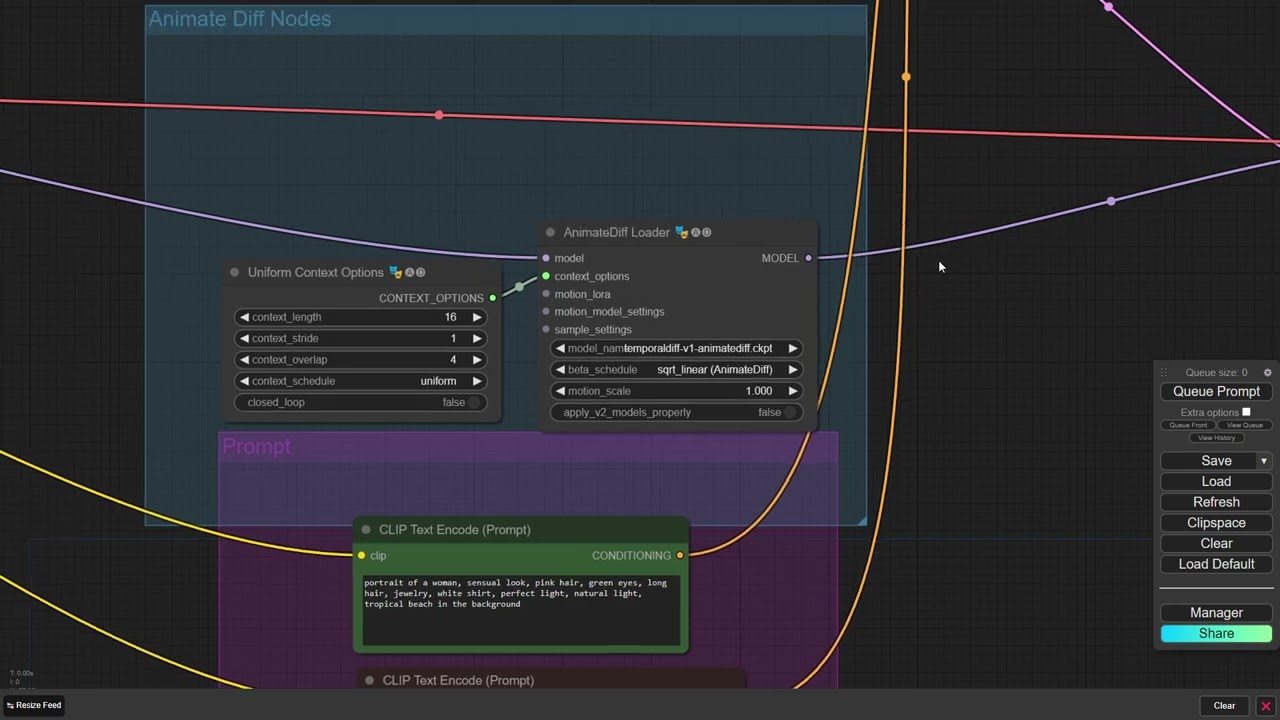 ornate elk
cloud topaz
hey guys! I'm using ip adapter to face swap as i've heard it's consistent
have i...
ornate elk
cloud topaz
hey guys! I'm using ip adapter to face swap as i've heard it's consistent
have i...
Hey, you need to use sdxl IP-Adapter when using sdxl models
Also you need to crop the face more in the input image
cloud topaz
okay thanks for te advice i will do that 🙂
 wind sun
so is there a way to faceswap videos without media encoder
 hot spindle
ornate elk
Hey, you need to use sdxl IP-Adapter when using sdxl models
hot spindle
ornate elk
Hey, you need to use sdxl IP-Adapter when using sdxl models
Small question, are there diferences between Controlnet models wich are IP-Adapter and others that arent? Or Maybe I'm confusing what an Ip-Adapter is? I thought it was another word for Controlnet models
ornate elk
hot spindle
Small question, are there diferences between Controlnet models wich are IP-Adapt...
IP-Adapter is a controlnet model. you need to download it and then its usable in controlnet and SD:
these are all controlnet versions that need a model. Only Reference and Revision do not.

there are different model types for sdxl and 1.5 based models
hot spindle
ok, so I wasnt wrong...IP-Adapter is controlnet, but are all models considered IP-Adapters?
ornate elk
hot spindle
ok, so I wasnt wrong...IP-Adapter is controlnet, but are all models considered I...
no
IP-Adapter is a type of controlnet
like openpose model or depth model
hot spindle
ok,never used that one then, its like prompting trough image right?
this one,right?For SDXL
 ornate elk
hot spindle
this one,right?For SDXL
ornate elk
hot spindle
this one,right?For SDXL
yes thats the one for sdxl
hot spindle
ok,tks for the help, gonna investigate.
ornate elk
IP-Adapter is like recognizing whats in the input image and will try to reproduce that while generating the output image
there are different types
some work only for faces and the others for the whole image
the one from your screenshot will usethe whole image as reference
hot spindle
tks , i dont do people but saw a few other interesting aplications
wind sun
Hey, hello can i ask why when i try to generate a sport car or expensive one or as example ferrari its generating some red car but not a ferrari
hot spindle
This has very nice possibilities , instead of trying to prompt backgrounds
 wind sun
hot spindle
This has very nice possibilities , instead of trying to prompt backgrounds
wind sun
hot spindle
This has very nice possibilities , instead of trying to prompt backgrounds
haha i think that answers my question at some point xD
im starting to think comfyUI is better than this im using right now
 sonic ferry
I'm having a hard time upscaling and it not looking out of focus or pixelated. Got the first KSampler set to 512x512, DPMPP_2M, Karras, 20 steps, 7cfg, denoise 1, going to a 'Upscale Latent By' set to 2x Bilinear hooked up to a second KSampler set to basically the same except denoise set to 0.56.
 rose skiff
Can I make my pc do some kind of realtime img2img with my camera as input while I am on a zoom meeting?
I have a 4070 gpu, 14900kf cpu, and 64gb ddr5 ram
 cobalt shale
Trying to train a lora in Kohya with a different base model than SD1.5, but when I choose "Custom", and open the directory, it shows no model for me to choose from. Could anyone please tell me how to use your custom model for Kohya lora training?
 sonic ferry
Upscaling, right now I'm doing 512x512, running it through HighRes at 1.5x, and then the output to UltimateSDUpscaler set to 2x using 4xUltrasharp model, I should have set it to 1.35 or 1.5x instead to get closer to 1024x1024. But anyways, 4xUltrasharp, it being 4x means it takes longer? Are there others I should be trying? https://openmodeldb.info/ I'm looking through here but there are so many and I don't understand the 1x, 2x, 4x if I still have to set a size in UltimateSDUpscaler.
 fair oxide
how do i get better results with amd gpu? if i copy generation data 1:1 from civitai i get way worser results with same model, loras and settings. is there any thing i can do about that?
hot spindle
@ornate elk Sry to bother you once more, do you happen to know the diferences between the two?In a nutshell...

Found this: https://www.reddit.com/r/StableDiffusion/comments/16gkmdx/confusion_with_different_sdxl_controlnet_models/
Reddit
Explore this post and more from the StableDiffusion community
Sry, followed the link it perfectly explains the diferences: https://stable-diffusion-art.com/controlnet-sdxl/#Canny_models

Stable Diffusion XL (SDXL) is a brand-new model with unprecedented performance. Because of its larger size, the base model itself can generate a wide range of
ornate elk
hot spindle
Sry, followed the link it perfectly explains the diferences: https://stable-diff...
thanks for sharing
couldnt have explained it like that 😄
but in fact these are just different variants from different research teams
hot spindle
I have read that page probably 3 or 4 times before..but just made sense now 🙂
hot spindle
Also,makes for for great read if you're into it: https://ip-adapter.github.io/
heady sorrel
karmic crown
"issue seems to be at all samplers from DPM++ 2M SDE and DPM++ 3M SDE
upping ste...
Yes but why i have problems with SDE?
sonic ferry
How many models is it gonna load, I would think it's just 9 for the 9 tiles but I'm already at like 17....

Should I be cancelling this? I've only tried UltimateSDUpscaler once before and I didn't even have the right files then.
hot spindle
Its 9 tiles, check in console how fast is doing 1
But here's probably a mismatch there, you probably should have used tiles same size as image size
would be 4 tiles
sonic ferry
I'm in CPU mode, one tile is about 10-12 minutes.
ornate elk
sonic ferry
I'm in CPU mode, one tile is about 10-12 minutes.
What's your resolution?
hot spindle
ouch...its gona take a while then
ornate elk
Of the tiles
sonic ferry
ornate elk
What's your resolution?
I started at 512x512, but I have the Highres Script attached at 1.5x, so 768x768, Upscaler set to 2x so I was thinking it'd just be that 1536x1536, no?

Unless I'm misunderstanding, tiles set to 512x512, so shouldn't that just be 9 tiles it's gotta generate?
ornate elk
sonic ferry
I started at 512x512, but I have the Highres Script attached at 1.5x, so 768x768...
We would assume so. But there is also the "Tile Overlap"
Where the tiles overlap will be a smaller tile created to not create Seams
But also you should first try the ultime upscaler without controlnet tile.
Its not needed imo. But you can try and compare
sonic ferry
ornate elk
We would assume so. But there is also the "Tile Overlap"
Where the tiles overlap...
:/ I've just been playing with different upscaling ways, Highres fix alone, Upscale Latent By, and now this...which I didn't think would take this long when I saw 9 tiles. 😛
ornate elk
Without controlnet it would be faster for sure
sonic ferry
ornate elk
Without controlnet it would be faster for sure
Ah, I'll try that next, I was just following what a guide said.
hot spindle
@sonic ferry but dont you have GPU of any sort?
For a simple 2x upscale might be faster to use ChaiNNer
hot spindle
sonic ferry
I started at 512x512, but I have the Highres Script attached at 1.5x, so 768x768...
Didnt understand that, thought you were starting with 768x768 (SD 2.0 or something like that) in that case yes, probably better to stick with the same tile size for the model
Its funny because I'm experimenting with 8xNMKD_Superscale_15000_G , in ChaiNNer it strictly follows model, so no option to do just 4x , but with ultimate SD Upscale its limited to 4x , so it does 4x then 2x from that 😛
umbral plover
Anyway to use only one node of image save to save all connected images? (WAS Suite Image Save node) // edit found Batch Image
 sonic ferry
hot spindle
<@277518254178566146> but dont you have GPU of any sort?
sonic ferry
hot spindle
<@277518254178566146> but dont you have GPU of any sort?
No GPU, it's just one of these. I'd like to try the 750Ti SC if I had a way to hook it up just to try, that's in an old desktop that is very slow now. LOL
 hot spindle
Not sure about A1111 as there was a crackdown from Google, but have you looked into runing ComfyUI as backend in Colab?
 grizzled merlin
Does anyone know how to solve the gpu spike when running SD?
 worldly rain
Hey guys I have a problem, I generate the image I want with hires fix but it's almost getting crashed everytime. So I wanna generate the image without the hires fix first, then I wanna send it to img2img to upscale it but I don't see the hiresfix in img2img window. I can use other upscaler yeah right but I have some particular settings I wanna apply with hires fix, so is there any way I can use hiresfix on img2img
 marsh arrow
It says I have a pending request in bot 6 from hours ago. Should I tag a mod?
woeful sedge
hello, why my open pose editor pop up is so small
 covert fox
how to fix this?
on google colab
 ornate elk
woeful sedge
hello, why my open pose editor pop up is so small
ornate elk
woeful sedge
hello, why my open pose editor pop up is so small
You can enlarge it while holding the corner on the down right
ornate elk
covert fox
how to fix this?
on google colab
You need to update the webui files
With git pull
ornate elk
worldly rain
Hey guys I have a problem, I generate the image I want with hires fix but it's a...
Make sure to set Hires Steps to 10 and upscale not higher than by 2, so it won't crash
worldly rain
yeah the mistake i did was generating the image in 1024x1024 then upscaling it 2x, i did 512x512 and upscaled 2x and it worked withouth crashing
I use sd 1.5
thanks 🙏
woeful sedge
ornate elk
You can enlarge it while holding the corner on the down right
cant do that, any other solution? and how to change my ui to english language, because i change this thing, but it still on chinese

 karmic crown
heady sorrel
Yes but why i have problems with SDE?
karmic crown
heady sorrel
Yes but why i have problems with SDE?
maybe problem exists in all samplers, since that sentence is very confusing
i have never noticed that problem since i never used more than 30+15 steps
just lower the number of steps
ornate elk
@worldly rain
No problem 🙂
If you want to use SD upscale script in img2img then you need to set the denois below 0.3 and the resolution to 512x512 and then choose an upscaler
karmic crown
some samplers "converge" (reach a stable state), while others do not
https://diffute.com/glossary#converging
with samplers that "converge" you will get almost identical images after a certain number of steps, so adding more steps is usually just a waste of time and resources
with some samplers, you can even get a worse image if your step count is too big
here you can see how different samplers behave with different number of steps
https://www.artstation.com/blogs/kaddoura/pBPo/stable-diffusion-samplers
in most cases, "converge" usually occurs around 40 steps
so I would never understand why someone would use more than 60 (40+20) steps, probably because they are not aware of this

Sampler test for stable diffusion
Glossary and definition of terms used with Stable Diffusion.
ornate elk
woeful sedge
cant do that, any other solution? and how to change my ui to english language, b...
What webui did you installed?
I know there is some Chinese fork of auto1111
karmic crown
might be a bug in lobe theme, try to update
woeful sedge
ornate elk
What webui did you installed?
sd_webui_aki_v.4.6, it has a chinese title to run the sd
 karmic crown
in that case your problem is a1111 fork
woeful sedge
karmic crown
might be a bug in lobe theme, try to update
i think i already updated it on yesterday
ornate elk
woeful sedge
sd_webui_aki_v.4.6, it has a chinese title to run the sd
Ah okay, idk if the fork supports a full English ui
Have you tried to restart the ui after installing the language?
woeful sedge
woeful sedge
cant do that, any other solution? and how to change my ui to english language, b...
im not installing any language yet.... maybe thats the problem?
i just change the theme settings to english
ornate elk
Ah okay, then you need to click on extensions tab. There click on Available. Then click on "Load From"
Then tick the Language box and install the English pack
Then restart
karmic crown
fork probably has a setting that overrides the one selected in theme
karmic crown
ornate elk
Ah okay, then you need to click on extensions tab. There click on Available. The...
or this
woeful sedge
which one is the language box?
 woeful sedge
okay
ornate elk
Then search for english
 ornate elk
Thats strange, maybe only type EN

 ornate elk
Gonna start my webui and check
woeful sedge
okay thanks for helping me 😄
woeful sedge
this one?


 ornate elk
woeful sedge
okay thanks for helping me 😄
ornate elk
woeful sedge
okay thanks for helping me 😄
Np but it seems like there is no English language pack as the original auto1111 is already english
woeful sedge

 ornate elk
karmic crown
ornate elk
karmic crown
Change that to English or None if possible
karmic crown
none is enough

 karmic crown
i just checked, there is no english
woeful sedge
is there an easy way, to install english language, and change those to english
 karmic crown
but
woeful sedge
copy .json to some folder maybe


 woeful sedge
karmic crown
woeful sedge
karmic crown
okay brb
karmic crown
 woeful sedge
 karmic crown
 woeful sedge
reloading
karmic crown
and? 🙂


 woeful sedge
 karmic crown
what do you have there?
woeful sedge
change it to zh-hans?
karmic crown
no
 karmic crown
so, you disabled extension and this does not show 4 versions of chinese translations, and your ui is still in chinese?!
this is very strange

 woeful sedge
i think i will try this
 karmic crown

actually do the oposite
go here
and remove everything except this

and restart
does it work?
woeful sedge
woeful sedge
i think i will try this
this not work, nothing more options on language setting
woeful sedge
karmic crown
and remove everything except this
okay will try this
just have 1 file on the folder
 woeful sedge
if i install another a1111 will the plugin applied to the new a1111?
ornate elk
woeful sedge
if i install another a1111 will the plugin applied to the new a1111?
which plugin?
woeful sedge
ornate elk
which plugin?
all of the extraction, lora, sd models, embedding, etc
ornate elk
woeful sedge
all of the extraction, lora, sd models, embedding, etc
you can copy/move them over
the extensions need to be reinstalled in the other version
the Theme extension is called Lobe Theme
woeful sedge
okay got it, thanks for the info
ornate elk
woeful sedge
okay got it, thanks for the info
no problem, for a detailed install guide you can checkout the Pinned Messages of this Channel
 unique anchor
nvm figured it out
potent bison
I instaled manager in ComfyUI and intstalled a custom node and when try to restart doesnt open anymore, and I deleted the custom nodes and this error appears

if i put the custom nodes i get a larger error
 ornate elk
would not recommend installing comfyui with stability matrix
easier is just following the guide on the github from comfyui
 umbral compass
I'm using ComfyUi and question regarding ControlNet if I also have Auto1111.
If I put my Model or for example "depth model" in the "stable-diffusion-webui/models/ControlNet" folder it shows up for ControlNet in ComfyUi.
But if I put it in the "stable-diffusion-webui/extensions/sd-webui-controlnet/models" for Auto1111 it doesn't up for ComfyUi.
So does the folder really matter on where I put my Model if I use both Auto1111 and ComfyUi?
astral comet
So i've tried creating a model with pictures of myself, following two different tutorials that had me go through a process within a Google Colab document. In both instances, I got blocked somewhere along the way because of some thing being outdated, or incompatible, or whatnot. Both tutorials were over a year old, anyone knows a more up to date tutorial?
fair oxide
how do i get better results with amd gpu? if i copy generation data 1:1 from civitai i get way worser results with same model, loras and settings. is there any thing i can do about that?
vocal burrow
fair oxide
how do i get better results with amd gpu? if i copy generation data 1:1 from civ...
It depends what you mean by better. Do you meant faster ? Or closer to what's displayed on the civitai picture ? (Or both?)
karmic crown
vocal burrow
It depends what you mean by better. Do you meant faster ? Or closer to what's di...
since he wrote "worser results with same model" i am almost sure he was talking about the quality
vocal burrow
probably just want to be sure before I copy paste a wall of text :p, don't want to scare them
But now that I've spoiled the surprise
Why do I get different results from civit.ai examples :
1/ --xformers (and some other flags but mainly this one) will make stable-diffusion non deterministic. Meaning for the same prompt+settings running on different hardwares you'll get different results. The output should still correspond to whatever the prompt is.... It might just be slightly to very different if you're unlucky. So yeah, some command line arguments can alter the outputs of your prompts and your hardware might also do the difference.
2/ Do you have all the loras, embeddings mentioned in the prompt ?
3/ Are you really using the same settings ? Copy pasting manually what's inside the "Generation Data" boxes is not enough. Civitai is hiding a bunch of data there. If you want to get the exact same settings you'll have to click the "Copy Generation Data" button at the bottom of the image page, paste its content into Auto1111's prompt field and then click the blue arrow under generate to automatically apply each value to the correct field. Hidden values can be; clip_skip, ENSD, token merging ratio, etc
4/ Did you have any overrides set beforehand ? They should show up at the very bottom of the page (some will probably show up too if you use data from civitai like I mentioned in 3/)
5/ Maybe it's using some extensions that does not record its settings in the metadata
6/ Maybe you're using different versions of some extensions/auto1111/lora/models/etc that yield different results
7/ Are you using the same random number generator ? GPU / CPU / NV (Settings->Stable Diffusion->"Random number generator source")
8/ Maybe you're using a newer version than OP. One that includes a "seed breaking change", cf https://github.com/AUTOMATIC1111/stable-diffusion-webui/wiki/Seed-breaking-changes
fair oxide
vocal burrow
It depends what you mean by better. Do you meant faster ? Or closer to what's di...
technically if i paste the exact generation data with the same seed i will get the exact same result right?
fair oxide
vocal burrow
Why do I get different results from civit.ai examples :
1/ --xformers (and som...
since i have an amd gpu i cant use xformers
i have installed a fresh installation without any settings i still get the results
i can show you some results let me check
 mighty sorrel
i am having problems in installation of stable diffusion on amd gpu MAC
or someone can share a step by step tutorial.
fair oxide
.
fair oxide
vocal burrow
Why do I get different results from civit.ai examples :
1/ --xformers (and som...
i get results like this

this is not from civitai but its a good example
this is not that bad but not the result i expected
 vocal burrow
fair oxide
technically if i paste the exact generation data with the same seed i will get t...
vocal burrow
fair oxide
technically if i paste the exact generation data with the same seed i will get t...
Well like I stated in the daunting wall of text, if you're only copy pasting what you see on the civitai webpage then you're missing a bunch of meaningful parameters.
(Also yes, you can't use xformers but that doesn't mean the person who posted the image didn't use it)
fair oxide
vocal burrow
Well like I stated in the daunting wall of text, if you're only copy pasting wha...
so there is nothing i can do
its not only about not having the same results as posters on civitai, my results are just bad
vocal burrow
show an example of what you're trying to reproduce (civitai page) and the results you get (the actual output .png and a screenshot of your txt2img page showing every settings)
fair oxide
vocal burrow
show an example of what you're trying to reproduce (civitai page) and the result...
most of the images there use hires fix wich i cant use so its not the exact result but i will check real quick
and civitai takes like 5 minutes to load
bruh
 vocal burrow
yeaaaah civitai is not the most stable website out there.
it works (slowly) on my end tho.
fair oxide
thank god someone finally told me its not my fault
i thought i blocked some ports on my router 💀
 tulip saffron
Hello, I would like to implement something like what Leonardo has in their Image to Image in SDXL with Automatic1111. I imagine that this involves ControlNet? How may I use a float value to control how much the AI is affecting the Image Prompt? Thank you!

 old niche
你
vocal burrow
fair oxide
bruh
from civitai's discord
 vocal burrow
old niche
你
vocal burrow
old niche
你
私
fair oxide
i just switched from --medvram to --lowvram now my results are better, but it takes longer (like 30 minutes for a 512x512 20 step generation)
vocal burrow
fair oxide
i just switched from --medvram to --lowvram now my results are better, but it ta...
strange, it shouldn't impact the output of the image.
fair oxide
i generated the same image i can send it


they do look different right
or i am just delusional
fair oxide
vocal burrow
strange, it shouldn't impact the output of the image.
wait i just made this image and it looks kind of good

and it was possible to generate 520 by 840
vocal burrow
fair oxide
they look exactly the same
fair oxide
vocal burrow
they look exactly the same
okay your right
tulip saffron
Using SDXL with Img2Img and I get this error: NansException: A tensor with all NaNs was produced in Unet. This could be either because there's not enough precision to represent the picture, or because your video card does not support half type. Try setting the "Upcast cross attention layer to float32" option in Settings > Stable Diffusion or using the --no-half commandline argument to fix this. Use --disable-nan-check commandline argument to disable this check.
Time taken: 3.2 sec.
I have a 4090 laptop GPU...does this need the --no-half argument?
vocal burrow
tulip saffron
Hello, I would like to implement something like what Leonardo has in their Image...
like you've said it probably involves controlnet and/or the CFG scale, without the source code you can't be sure what's the special sauce underneath.
vocal burrow
tulip saffron
Using SDXL with Img2Img and I get this error: NansException: A tensor with all N...
what's your gpu and command line args ?
tulip saffron
vocal burrow
like you've said it probably involves controlnet and/or the CFG scale, without t...
Right. But do you or anyone else have experience with setting up an Img2Img with a "Strength" variable? I'm aware of Automatic1111's Denoising Strength, but it seems like it doesn't work as well without ControlNet and control over colors.
tulip saffron
vocal burrow
what's your gpu and command line args ?
Thank you for the reply. As mentioned in the original message: 4090 laptop GPU and set COMMANDLINE_ARGS=--autolaunch --update-check --xformers
fair oxide
i get this when i use tiled vae (the black thing in hear face isnt wanted lmao)
 vocal burrow
tulip saffron
Right. But do you or anyone else have experience with setting up an Img2Img with...
vocal burrow
tulip saffron
Right. But do you or anyone else have experience with setting up an Img2Img with...
""""strength"""" can be cfg scale
tulip saffron
vocal burrow
what's your gpu and command line args ?
I'm now trying set COMMANDLINE_ARGS=--autolaunch --update-check --xformers --no-half-vae which seems to be working
This Img2Img in SDXL/Automatic1111 doesn't look good right now. I'll have a play with Denoising Strength and CFG Scale, but the first image is terrible
 fair oxide
why does it always do this?
 vocal burrow
fair oxide
i get this when i use tiled vae (the black thing in hear face isnt wanted lmao)
vocal burrow
fair oxide
i get this when i use tiled vae (the black thing in hear face isnt wanted lmao)
what are your command line args ?
fair oxide
vocal burrow
what are your command line args ?
--use-directml --medvram --opt-sub-quad-attention --opt-split-attention-v1 --no-half-vae --upcast-sampling --lowvram --no-half
tulip saffron
CFG Scale 10 👎
 vocal burrow
tulip saffron
CFG Scale 10 👎
vocal burrow
tulip saffron
CFG Scale 10 👎
cfg scale 10 is way too much
 vocal burrow
fair oxide
why does it always do this?
vocal burrow
fair oxide
why does it always do this?
what are the settings you're using ? screenshot your webpage
tulip saffron
For reference, this is what Leonardo's produced, which I love
 vocal burrow
ok, good luck trying to reproduce it

 vocal burrow
fair oxide
vocal burrow
fair oxide
try with a encoder tile size set at 256
fair oxide
vocal burrow
try with a encoder tile size set at 256
okay
fair oxide
mighty sorrel
torch not compiled with cuda enabled mac stable-diffusion
what is you gpu?
mighty sorrel
amd
karmic crown
wait
karmic crown
mighty sorrel
torch not compiled with cuda enabled mac stable-diffusion
mac?
mighty sorrel
yes
karmic crown
in that case its the same for any gpu
mighty sorrel
kindly give me any solution.
karmic crown
and mac does not support cuda
we do not have that
this is perfectly normal for Macs
no module 'xformers'. Processing without...
no module 'xformers'. Processing without...
No module 'xformers'. Proceeding without it.
Warning: caught exception 'Torch not compiled with CUDA enabled', memory monitor disabled
still the same
 mighty sorrel
any solution to use gpu for stable diffusion. generation is very much slow
karmic crown
mighty sorrel
any solution to use gpu for stable diffusion. generation is very much slow
it can be slow even with GPU, what is your exact mac model?
vocal burrow
fair oxide
still the same
and without tiled vae ?
karmic crown
i have 2 macs
iMac Intel 16 GB + Radeon 8GB
M1 MacBook Pro 16GB
fair oxide
vocal burrow
and without tiled vae ?
without tiled vae i cant generate 1024x1024 but if i generate 512x512 it looks the same
its the same settings as the images i already sent
vocal burrow
fair oxide
without tiled vae i cant generate 1024x1024 but if i generate 512x512 it looks t...
by the same do you mean "with the grey square" ?
fair oxide
fair oxide
these
fair oxide
vocal burrow
by the same do you mean "with the grey square" ?
without it
vocal burrow
fair oxide
these
that's probably because you didn't use correct setting then
fair oxide
i used the same just higher resolution and tiled vae
mighty sorrel
Apple m1
vocal burrow
fair oxide
i used the same just higher resolution and tiled vae
and what are those settings ?
mighty sorrel
macbook air 8gb
karmic crown
mighty sorrel
Apple m1
 fair oxide
vocal burrow
and what are those settings ?
fair oxide
vocal burrow
and what are those settings ?
 karmic crown
mighty sorrel
macbook air 8gb
karmic crown
mighty sorrel
macbook air 8gb
i was afraid you would say that
show me this part of UI
version: v1.7.0 • python: 3.10.13 • torch: 2.1.2 • xformers: N/A • gradio: 3.41.2 • checkpoint: 8b2c696413
vocal burrow
fair oxide
those are the tiled VAE settings... I want to see the settings you've used to get two similar pictures in img2img without tiled VAE
fair oxide
vocal burrow
those are the tiled VAE settings... I want to see the settings you've used to ge...
i didnt use img2img
karmic crown
mighty sorrel
macbook air 8gb
and show me your webui-user.sh
fair oxide
vocal burrow
those are the tiled VAE settings... I want to see the settings you've used to ge...
i just used the same generation data as with the other images just turned on tiled vae
mighty sorrel
API • Github • Gradio • Startup profile • Reload UI
version: v1.7.0 • python: 3.10.13 • torch: 2.1.2 • xformers: N/A • gradio: 3.41.2 • checkpoint: 6ce0161689
vocal burrow
fair oxide
i just used the same generation data as with the other images just turned on til...
ok then try with encoder tile size at 512 and decoder at 128
karmic crown
mighty sorrel
API • Github • Gradio • Startup profile • Reload UI
version: v1.7.0 • ...
this is fine, show me your webui-user.sh
fair oxide
vocal burrow
ok then try with encoder tile size at 512 and decoder at 128
ima try
mighty sorrel
ok let me show you.
karmic crown
vocal burrow
ok then try with encoder tile size at 512 and decoder at 128
those settings (especially tile size) should be locked with the message "i know what i am doing, let me see the settings"
mighty sorrel
can i send the whole file or i can paste the code here?
karmic crown
mighty sorrel
ok let me show you.
just drag & drop here
mighty sorrel
ok
fair oxide
vocal burrow
ok then try with encoder tile size at 512 and decoder at 128
before finishing its normal
 vocal burrow
fair oxide
before finishing its normal
vocal burrow
fair oxide
before finishing its normal
that's expected

 vocal burrow
fair oxide
vocal burrow
fair oxide
try using those command line args : --lowvram --no-half --opt-sub-quad-attention --opt-split-attention-v1
fair oxide
vocal burrow
try using those command line args : `--lowvram --no-half --opt-sub-quad-attentio...
only these?
vocal burrow
yes
fair oxide
vocal burrow
yes
venv "D:\stable diffusion\stable-diffusion-webui-directml\venv\Scripts\Python.exe"
fatal: No names found, cannot describe anything.
Python 3.10.9 (tags/v3.10.9:1dd9be6, Dec 6 2022, 20:01:21) [MSC v.1934 64 bit (AMD64)]
Version: 1.7.0
Commit hash: d500e58a65d99bfaa9c7bb0da6c3eb5704fadf25
Traceback (most recent call last):
File "D:\stable diffusion\stable-diffusion-webui-directml\launch.py", line 48, in <module>
main()
File "D:\stable diffusion\stable-diffusion-webui-directml\launch.py", line 39, in main
prepare_environment()
File "D:\stable diffusion\stable-diffusion-webui-directml\modules\launch_utils.py", line 560, in prepare_environment
raise RuntimeError(
RuntimeError: Torch is not able to use GPU; add --skip-torch-cuda-test to COMMANDLINE_ARGS variable to disable this check
Drücken Sie eine beliebige Taste . . .
vocal burrow
fair oxide
venv "D:\stable diffusion\stable-diffusion-webui-directml\venv\Scripts\Python.ex...
oh my bad yeah, add --use-directml
(they added it somewhat recently that's why I keep forgetting it.... not sure who would get the directml fork and decide to NOT use directml but whatever)
mighty sorrel
@karmic crown please check
 upbeat oracle
hey community, i'm new here and have a little question (don't know if this is the right place thought):
If you have the choice between a GeForce RTX 3060 12.0 GB and a GeForce RTX 4060 8Gb for the same price, which would you choose (mainly for stable diffusion)? 😊
vocal burrow
upbeat oracle
hey community, i'm new here and have a little question (don't know if this is th...
There's no "right place" for this, it might be better to ask in #💬|general-chat . It's a tech question but not a support one.
Anyways, it depends what you're gonna use this gpu for. generation ? training ? sd15 ? SDXL ? gaming ?
mighty sorrel
@karmic crown please suggest after checking it
karmic crown
find this line
#export COMMANDLINE_ARGS=""
and add this below
export COMMANDLINE_ARGS="--skip-torch-cuda-test --upcast-sampling --no-half-vae --medvram --use-cpu interrogate --disable-model-loading-ram-optimization"
run ./webui.sh
it should be faster, but do not expect is fast as some nvidia cards
mighty sorrel
@karmic crown thank you very much
marsh arrow
Still getting an error message when I try to use the bots.
karmic crown
mighty sorrel
<@916007004823257198> thank you very much
is it better?
vocal burrow
fair oxide
venv "D:\stable diffusion\stable-diffusion-webui-directml\venv\Scripts\Python.ex...
so is it working now ?
upbeat oracle
vocal burrow
There's no "right place" for this, it might be better to ask in <#10022921127395...
i'm a bloody beginner, all of the above (want to test several things but the target later is to train). Currently i calc on my 8-core CPU notebook (takes ~1 hour for a pic) 🐒