#🤝|tech-support
1 messages · Page 19 of 1
 calm cairn
 ornate elk
Is your webui updated?
Make sure so scroll to the bottom of the model dropdown to check if its there
calm cairn
ah good call, it is sorted by path so it is in fact on the bottom
I'll move a few more, and if they show up on the bottom, then thats probably solved the problem
i dont know why it wont lose the old directory but it really doesn't matter for me as long as it uses the new one too
 pure forge
what's interesting is the first one I run takes 35-45 seconds while each one after is 10-13 seconds
and it doesn't speed it up if it doesn't have that last argument
idk if any of the other arguments are helping actually
 hot spindle
@karmic crown Recap, strated with basic, just --skip-torch-cuda-test --upcast-sampling , system benchmark and 4 image generation, SDXL img2img with Controlnet Canny , no resize , 4 simultaneous generations, same RES of 1472x640:

In all tests and variations GPU allways works at 100% but memory never goes above 50GB and Python gets the majority but never above 24GB
Same basic arguments


Typical workload for all scenarios:

Browser I'm using Safari for A1111, no memory problems, requires less than Firefox that I'm using for Discrod/WhatsApp/Mail
calm cairn
ornate elk
Make sure so scroll to the bottom of the model dropdown to check if its there
yes, the ones moved to the new directory are showing up and do work when I attempt that. Not really understanding why the default directory is still live, but if it works, it's good enough, ty!
moving all of them over now
 oblique quail
UnicodeDecodeError: 'utf-8' codec can't decode byte 0xe9 , can someone help ?
 ornate elk
calm cairn
yes, the ones moved to the new directory are showing up and do work when I attem...
ornate elk
calm cairn
yes, the ones moved to the new directory are showing up and do work when I attem...
The main one will still get used as a fallback directory
If the drive isn't available for example
calm cairn
thanks, and as a bonus during all this i was googling, and now i am in dark theme too
 vagrant field
Hello, I keep running into this error when trying to generate an image; DefaultCPUAllocator: not enough memory: you tried to allocate 26214400 bytes. For reference, I have 32 GB of ram
 fading herald
Just had a CUDA crash using AnimateDiff, tried to restart and now I have this in my cmd
with this error

Any idea what's happening ?
 rugged compass
ty lots
vagrant field
vagrant field
Hello, I keep running into this error when trying to generate an image; DefaultC...
I also don’t know whether or not the program is using my gpu or not
ornate elk
vagrant field
I also don’t know whether or not the program is using my gpu or not
Hey, can you restart the webui and show the cmd log?
 grim moon
Hey how do i check what ersion of sd i have installed
vagrant field
ornate elk
Hey, can you restart the webui and show the cmd log?
venv "C:\Users\ndrew\Downloads\SD\stable-diffusion-webui\venv\Scripts\Python.exe"
Python 3.10.6 (tags/v3.10.6:9c7b4bd, Aug 1 2022, 21:53:49) [MSC v.1932 64 bit (AMD64)]
Version: v1.7.0
Commit hash: cf2772fab0af5573da775e7437e6acdca424f26e
Launching Web UI with arguments: --medvram
no module 'xformers'. Processing without...
no module 'xformers'. Processing without...
No module 'xformers'. Proceeding without it.
Loading weights [486a245c1d] from C:\Users\ndrew\Downloads\SD\stable-diffusion-webui\models\Stable-diffusion\hentai.safetensors
Press any key to continue . . .
Now its not even opening up a webUI
ornate elk
grim moon
Hey how do i check what ersion of sd i have installed
Check the bottom of the webui in browser
grim moon
Thanks
ornate elk
vagrant field
venv "C:\Users\ndrew\Downloads\SD\stable-diffusion-webui\venv\Scripts\Python.exe...
What's your GPU?
You should add --xformers to the webui-user.bat too
Then delete the venv folder
vagrant field
ornate elk
What's your GPU?
Nvidia RTX 4070
ornate elk
vagrant field
Nvidia RTX 4070
Then remove --medvram
And instead add --xformers --no-half-vae
Then delete the venv folder
vagrant field
Thank you!
 uncut jewel
Hey guys, i updated ComfyUI today, when it's loading, it seems to work but i can litterally not interact/import workflow or do anything since then 😭

I can send the full log if that helps
my manager is gone too :/
ornate elk
uncut jewel
I can send the full log if that helps
What does the log shows?
uncut jewel
I just found someone that told me how to fix that issue after an half day spent doing many stuffs to try to fix that thing lol. Basicly it was related to the Mixlab node extension, i just deleted it and it worked back 🙏
ornate elk
uncut jewel
I just found someone that told me how to fix that issue after an half day spent ...
Okay good 🙂 and thanks for letting us know here too. If someone has the same problem
 fading herald
fading herald
fading herald
I've recreated the venv and I'm still crashing with AnimateDiff...
 ornate elk
fading herald
I've recreated the venv and I'm still crashing with AnimateDiff...
ornate elk
fading herald
I've recreated the venv and I'm still crashing with AnimateDiff...
Is your driver updated?
Are you on a laptop?
fading herald
ornate elk
Is your driver updated?
Yeah, up to date, and not on a laptop
I recently changed my GPU but I've tested AnimateDiff after that and everything worked well
And besides some optimizations, I've haven't changed anything, so I guess it comes from one of the options I've changed, but can't tell which one
ornate elk
fading herald
I recently changed my GPU but I've tested AnimateDiff after that and everything ...
whats your gpu? and whats inside your webui-user.bat?
fading herald
4070
set SAFETENSORS_FAST_GPU=1
set CUDA_VISIBLE_DEVICES=0

set PYTHON=
set GIT=
set VENV_DIR=
set COMMANDLINE_ARGS=--xformers --opt-channelslast --upcast-sampling --no-half-vae --api --ckpt-dir "F:\Checkpoints" --lora-dir "F:\LoRA" --vae-dir "F:\VAE" --esrgan-models-path "F:\ESRGAN"

git pull

call webui.bat
why cuda visibile devices? do you have more than 1 gpu?
fading herald
Just trying stuff out, I've seen on a git discussion it would prevent A1111 to use the CPU or something like that, so figured it wouldn't hurt anyway
ornate elk
fading herald
Just trying stuff out, I've seen on a git discussion it would prevent A1111 to u...
you dont need the two first set lines, did you tried switch to torch2.0 in the animated diff settings?
fading herald
ornate elk
you dont need the two first set lines, did you tried switch to torch2.0 in the a...
Same thing, still crashing
 karmic crown
hot spindle
In all tests and variations GPU allways works at 100% but memory never goes abov...
karmic crown
hot spindle
In all tests and variations GPU allways works at 100% but memory never goes abov...
which is basically expected, since A1111 almost exclusively use GPU, and just some of CPU resources. regarding the memory usage, as i alredy wronte on github, you probably do not need any of medvram variations, so use them only if you get an out of memory error during image generation, which would probably not happen
karmic crown
oblique quail
UnicodeDecodeError: 'utf-8' codec can't decode byte 0xe9 , can someone help ?
0xe9 is é
do you have é in some file or folder name?
fading herald
fading herald
Same thing, still crashing
txt2img, hires, img2img, controlnet, deforum, everything is working except AnimateDiff, go figure
hot spindle
@karmic crown TKS, figured that much, now that I've also figured I can use batch as long it's simultaneous and I don't have memory issues I'm all good. I've also noticed huge improvements on how 1.7 handles loading big images, previous versions would halt browsers, now can easily load and handle big pixel images
karmic crown
btw, which torch you are using? 2.1.2 or nightly?
hot spindle
2.3 dev
karmic crown
as long is not 2.0.2, it shold be faster
not fast, but at least faster than before
🤷🏻♂️
hot spindle
Not sure exactly but I loaded a 5kx3k image for further upscaling and no stuttering...in 1.5 would halt almost to a stop
karmic crown
hot spindle
Not sure exactly but I loaded a 5kx3k image for further upscaling and no stutter...
would you mind to try SDXL-turbo on your machine? https://civitai.com/models/215478/sdxl-turbo
SDXL-Turbo is a distilled version of SDXL 1.0, trained for real-time synthesis. SDXL-Turbo is based on a novel training method called Adversarial D...
i am really curious how it works on your mac, compared to mine and Slusho's
hot spindle
I can make you a tunnelling session if you want
karmic crown
i am just interested in one thing
100%|█████████████████████████████████████████████████████████████████████████████████████| 1/1 [00:11<00:00, 11.35s/it]
so image is generated in about 10-12 seconds
but for some strange reason webui does not finish there
Total progress: 100%|█████████████████████████████████████████████████████████████████████| 1/1 [00:18<00:00, 18.45s/it]
so in the end we are getting some insane times like this
Steps: 1, Sampler: Euler a, CFG scale: 1, Seed: 851026603, Size: 512x512, Model hash: e869ac7d69, Model: sdxlTurbo_sdxlTurboPruned, Version: v1.7.0
Time taken: 42.0 sec.
 elder eagle
Peux tu me créer une montre du futur qui reste réaliste se la marque rolex
hot spindle
Out of home but will PM when I get back
karmic crown
hot spindle
Out of home but will PM when I get back
thanks
 viscid flax
 karmic crown
pure forge
what's interesting is the first one I run takes 35-45 seconds while each one aft...
karmic crown
pure forge
what's interesting is the first one I run takes 35-45 seconds while each one aft...
please try with those arguments
export COMMANDLINE_ARGS="--skip-torch-cuda-test --opt-sub-quad-attention --upcast-sampling --no-half-vae --use-cpu interrogate --disable-model-loading-ram-optimization"
spaceman
Steps: 1, Sampler: Euler a, CFG scale: 1, Seed: 2703425679, Size: 512x512, Model hash: e869ac7d69, Model: sdxlTurbo_sdxlTurboPruned, Version: v1.7.0
Time taken: 6.7 sec.
spaceman
Steps: 1, Sampler: Euler a, CFG scale: 1, Seed: 981695187, Size: 512x512, Model hash: e869ac7d69, Model: sdxlTurbo_sdxlTurboPruned, Version: v1.7.0
Time taken: 5.3 sec.
pure forge
karmic crown
please try with those arguments
export COMMANDLINE_ARGS="--skip-torch-cuda-test...
so you want me to add that line to webui-user.sh?
I only say that because I was watching a video right when you sent that that said to do the exact same thing
karmic crown
pure forge
so you want me to add that line to webui-user.sh?
this exact command line?
pure forge
well something similar

no idea what that was about
they're not really explaining it which is a common theme
karmic crown
do not use share unelss you want access from internet
please try this command line
export COMMANDLINE_ARGS="--skip-torch-cuda-test --opt-sub-quad-attention --upcast-sampling --no-half-vae --use-cpu interrogate --disable-model-loading-ram-optimization"
spaceman
Steps: 1, Sampler: Euler a, CFG scale: 1, Seed: 1465285502, Size: 512x512, Model hash: e869ac7d69, Model: sdxlTurbo_sdxlTurboPruned, Version: v1.7.0
Time taken: 6.7 sec.
i do not see that slowdown we both noticed
pure forge
so you do want me to add that to the sh file?

 glad fiber
do you remember who did that?
pure forge
do I have to set the seed to the one you posted or just leave it as -1 which I assume just randomizes it @karmic crown
pure forge
okay this time it was 7.9s for the first and each subsequent was 3-4.3s
karmic crown
nice
pure forge

karmic crown
if you do not see any additional errors or warnings, leave it like that
pure forge
is it normal for the first run to be longer than the others
 versed sorrel
How do I solve the error
PermissionError: [WinError 5] Access is denied: 'outputs' ?
Its preventing me from saving my pictures
karmic crown
pure forge
is it normal for the first run to be longer than the others
it is the same for me
pure forge
okay thanks a ton for the help 
karmic crown
if you see any error, let me know what error you are getting so i tell you what to add
(or not to add) 🙂
 snow swallow
Hello to everyone, I'm a big beginner on ai and would be very thankfull for any help setting stable difusion, I dont have a gpu but my amd cpu su´posedly have a graphics card. Downloaded stable difusion, python, git and ran everything to the point when I run
webui-user.bat
I get the message Traceback (most recent call last):
File "F:\AI\stable-diffusion-webui\launch.py", line 47, in <module>
main()
File "F:\AI\stable-diffusion-webui\launch.py", line 38, in main
prepare_environment()
File "F:\AI\stable-diffusion-webui\modules\launch_utils.py", line 384, in prepare_environment
raise RuntimeError(
RuntimeError: Torch is not able to use GPU; add --skip-torch-cuda-test to COMMANDLINE_ARGS variable to disable this check
Can anyone help me with that?
karmic crown
snow swallow
Hello to everyone, I'm a big beginner on ai and would be very thankfull for any ...
i can help you, but it will be sloooow
generation time on CPU only is very slow
my linux server has 10 cores and i have 60GB or RAM and it is painfuly slow
snow swallow
No problem, even if I take some time just to generate a single picture it would be able to let me learn how to work with it and afterwards seek for a better pc
karmic crown
go to your F drive, than to folder AI, then to stable-diffusion-webui
find and open file webui-user.bat with editor
it should look like this
@echo off

set PYTHON=
set GIT=
set VENV_DIR=
set COMMANDLINE_ARGS=

call webui.bat
change it to be like this
@echo off

set PYTHON=
set GIT=
set VENV_DIR=
set TORCH_COMMAND=pip install --pre torch torchvision torchaudio --index-url https://download.pytorch.org/whl/nightly/cpu
set COMMANDLINE_ARGS=--skip-torch-cuda-test --no-half --use-cpu all --opt-sub-quad-attention

call webui.bat
sorry
find and remove folder called venv inside your stable-diffusion-webui folder
double click webui-user.bat to run it
that should be it
versed sorrel
@karmic crown
How do i solve
PermissionError: [WinError 5] Access is denied: 'outputs' ?
karmic crown
you need to fix your permissions, but i cannot help too much, since i do not have access to windows at this moment
versed sorrel
I've read i need to change the shortcut to administrator, but that option is not available for some reason
karmic crown
have you run python or a1111 as admin maybe?
versed sorrel
python wont run as admin, but i can try a1111
versed sorrel
do you need the full console or just the last few lines?
karmic crown
as much as you can send please
versed sorrel
Heres the full thing. It was working perfectly fine until today. I don't know why it stopped
 snow swallow
@karmic crown thanks, after some installing I can now acess the stable diffusion web-ui. What would be a lightest prompt I could use just to test if it is working? I tryied a couple of things but I'm not sure its just slow (as expected) or is something broken and I'm waiting for nothing
also my prompt is saying:
Creating model from config: F:\AI\stable-diffusion-webui\configs\v1-inference.yaml
Applying attention optimization: sub-quadratic... done.
Model loaded in 47.3s (calculate hash: 23.9s, load weights from disk: 20.2s, create model: 1.0s, apply weights to model: 1.1s, calculate empty prompt: 0.9s).
15%|████████████▍ | 3/20 [00:41<03:52, 13.69s/it]
Total progress: 15%|██████████ | 3/20 [00:33<03:12, 11.31s/it]
Total progress: 15%|██████████ | 3/20 [00:33<02:46, 9.77s/it]
karmic crown
versed sorrel
Heres the full thing. It was working perfectly fine until today. I don't know wh...

solve this first
go to extensions folder, and remove controlnet
which is not properly installed, and make problems
versed sorrel
Thanks, i'll give that a try
karmic crown
snow swallow
<@916007004823257198> thanks, after some installing I can now acess the stable d...
looks like its working, but as i said it will be slow
change sampler to Euler A (which is the fastest one) and use something like 10 steps (just for test)
versed sorrel
Same issue :<
Should I try a clean install rather than trying to find a work around for something i probably broke?
 viscid flax
@karmic crown i dont think my gpu is being utilized. could you help me fix it?
karmic crown
versed sorrel
Same issue :<
Should I try a clean install rather than trying to find a work aro...
i noticed that some people do not like the idea of reinstall, so i am trying to keep that a last resort, but yes, that would be the best in your case
versed sorrel
I hate reinstalling but its whatever; I often spend more time fixing a problem than doing it over. Thanks for your help, though!
karmic crown
i would rename the folder with our current installation, and install a new one using one of the guides from pinned messaged in this channel (do you have nvidia or amd)?
then you can move your models from old installation
so you do not need to download them again at least
versed sorrel
karmic crown
i would rename the folder with our current installation, and install a new one u...
Im on Nvidia, i was using a youtube tutorial thats probably a little outdated which might be how i broke it
karmic crown
please use this one -> #🤝|tech-support message
snow swallow
@karmic crown thank you very much I'm imensely greatfull, I know that from now forward i have to study the methods, and how to feed the IA, do you have any youtube channel you'd recommend?
versed sorrel
karmic crown
please use this one -> https://discord.com/channels/1002292111942635562/10026027...
Thanks again! Will do!
karmic crown
viscid flax
<@916007004823257198> i dont think my gpu is being utilized. could you help me f...
i will try to help you, but i have only two hands 🤷🏻♂️
karmic crown
snow swallow
<@916007004823257198> thank you very much I'm imensely greatfull, I know that fr...
how much time do you need to get an image with euler a and 10 steps?
viscid flax
ohh my bad. i thought you didnt see my message.
karmic crown
viscid flax
ohh my bad. i thought you didnt see my message.
what is your GPU? what are your command line parameters in webui-user.bat?
snow swallow
karmic crown
how much time do you need to get an image with euler a and 10 steps?
about 3 or 4 minutes. I typed "Men with a hat" and was something around that 3 minutes euler a, sample steps 10, batch count 1
viscid flax
karmic crown
what is your GPU? what are your command line parameters in webui-user.bat?
nvidia rtx 3050 ti
how do i check command line parameters?
karmic crown
snow swallow
about 3 or 4 minutes. I typed "Men with a hat" and was something around that 3 m...
go to https://civitai.com/models and find some nice model that you like and try it. be sure that it shows Checkpoint in the left corner (those are models)
Browse from thousands of free Stable Diffusion models, spanning unique anime art styles, immersive 3D renders, stunning photorealism, and more

also, be sure that it says this in details

and download the smallest file that exists in download
karmic crown
viscid flax
how do i check command line parameters?
send your webui-user.bat and post it here
and be sure that you are running that one, and not webui.bat
also show me your GPU usage during image generation if you know how

this
ornate elk
snow swallow
Hello to everyone, I'm a big beginner on ai and would be very thankfull for any ...
hey you should follow my AMD install Guide then as it can work with the IGPU of AMD CPUS
its in the Pinned Messages of this channel

 karmic crown
ornate elk
hey you should follow my AMD install Guide then as it can work with the IGPU of ...
karmic crown
ornate elk
hey you should follow my AMD install Guide then as it can work with the IGPU of ...
make sense... but i didnt notice AMD in his original message until now
 viscid flax
umm
this is new
its giving me this error now
RuntimeError: Expected all tensors to be on the same device, but found at least two devices, cpu and cuda:0! (when checking argument for argument index in method wrapper_CUDA__index_select)
viscid flax
karmic crown
i think thats why
karmic crown
wait to download to finish, and then restart webui, and see if it works
 karmic crown
i need to go now, my eyes hurt badly, too much time spent in front of the screen today
bye people
ornate elk
snow swallow
about 3 or 4 minutes. I typed "Men with a hat" and was something around that 3 m...
you should try the AMD install then, it should be faster
snow swallow
ornate elk
you should try the AMD install then, it should be faster
I was trying to follow your posts instructions but my pc froze after this:
 ornate elk
snow swallow
I was trying to follow your posts instructions but my pc froze after this:
ornate elk
snow swallow
I was trying to follow your posts instructions but my pc froze after this:
oh just let it load
if its not completely frozen just wait ^^
that torch step can take a while
snow swallow
no problem on that first message of unrecognized comandline_args
ornate elk
snow swallow
no problem on that first message of unrecognized comandline_args
oh, thats not good, also it says nvidia driver found
thats strange
snow swallow
I have a AMD Ryzen 5 PRO 4650G with Radeon Graphics 3.70 GHz
ornate elk
snow swallow
I have a AMD Ryzen 5 PRO 4650G with Radeon Graphics 3.70 GHz
you need to edit the webui-user.bat like in my guide
you can also show me how you edited it
snow swallow
@echo off
set PYTHON=
set GIT=
set VENV_DIR=
COMMANDLINE_ARGS= You add: --use-directml --medvram --opt-sub-quad-attention --opt-split-attention-v1 --no-half-vae --upcast-sampling
call webui.bat
ornate elk
snow swallow
@echo off
set PYTHON=
set GIT=
set VENV_DIR=
COMMANDLINE_ARGS= You add: --use-d...
you need to remove the "You add:"
snow swallow
sorry, how stupid of me
ornate elk
no problem 🙂
you can close the cmd
and edit the bat
then open up a cmd and type
pip cache purge
then delete the venv folder
and relaunch the webui-user.bat
Then just wait for the install to finish, the webui will open automaticly
snow swallow
I did this steps, it went way faster but still got the same error

How the file is now:
@echo off
set PYTHON=
set GIT=
set VENV_DIR=
COMMANDLINE_ARGS=--use-directml --medvram --opt-sub-quad-attention --opt-split-attention-v1 --no-half-vae --upcast-sampling
call webui.bat
"not recognized as a command internal or external, a probrem operable or a file in groups"
ornate elk
snow swallow
"not recognized as a command internal or external, a probrem operable or a file ...
okay, maybe there is a hidden (invisible) space in the commandline args
maybe at the end after sampling
snow swallow
doesnt seem like it, I tryied to deleted it but got the same result, though as I sair now its running very smoothly and withouth freezing
 ornate elk
snow swallow
ornate elk
snow swallow
but now it downloads the wrong file
because the commandline args are not recognized
snow swallow
the other version is working and the .bat is like this:
@echo off
set PYTHON=
set GIT=
set VENV_DIR=
set TORCH_COMMAND=pip install --pre torch torchvision torchaudio --index-url https://download.pytorch.org/whl/nightly/cpu
set COMMANDLINE_ARGS=--skip-torch-cuda-test --no-half --use-cpu all --opt-sub-quad-attention
call webui.bat
ornate elk
snow swallow
the other version is working and the .bat is like this:
@echo off
set PYTHON=
...
replace the whole text in the webui-user.bat of the AMD install to this:
`@echo off
set PYTHON=
set GIT=
set VENV_DIR=
set COMMANDLINE_ARGS=--use-directml --medvram --opt-sub-quad-attention --opt-split-attention-v1 --upcast-sampling
git pull
call webui.bat`
then open up a cmd and type
pip cache purge
then delete the venv folder
and relaunch the webui-user.bat
Im sure then it will work
 steady thistle
@ornate elk Does it hurt to do pip cache purge every so often to keep things cleared out?
ornate elk
steady thistle
<@161910921269084160> Does it hurt to do pip cache purge every so often to keep ...
it wont hurt 🙂 you will free up multiple GB after Updates or Reinstalls
steady thistle
I feel like I get uneven speeds on SDXL, sometimes they pop right out and other times it is slow as christmas.
snow swallow
ornate elk
then open up a cmd and type
pip cache purge
then delete the venv folder
and rel...
Thanks, it seem to be working:
 ornate elk
snow swallow
Thanks, it seem to be working:
ornate elk
snow swallow
Thanks, it seem to be working:
😄 perfect
ornate elk
snow swallow
Thanks, it seem to be working:
oh i forgot your on Igpu
so if you get an out of memory error, then you need to change the --medvram to --lowvram in the webui-user.bat
you can do that later after testing it
snow swallow
Great, I'll keep an eye to that, now it strangely is stuck on download torch though my connection is fine, I'm waiting to see if it gets unstuck
ornate elk
snow swallow
Great, I'll keep an eye to that, now it strangely is stuck on download torch tho...
oh if you have a little white block in the cmd, then press space
to unpause the cmd
steady thistle
ornate elk
it wont hurt 🙂 you will free up multiple GB after Updates or Reinstalls
I'm trying to speed things up. Are there any args I need to add or remove from this? I use: --use-directml --lowvram --opt-sub-quad-attention --opt-split-attention-v1 --no-half-vae --upcast-sampling (and --no-half when I'm using img2img)
snow swallow
I'm not sure what hapened but I was stuck in this 173.3mb file, now I closed the window opened it again and is downloading another one of 2,6gb though now clearly says "nvidia driver found"
ornate elk
snow swallow
I'm not sure what hapened but I was stuck in this 173.3mb file, now I closed the...
you paused the webui before by clickin in it
so you may need to do the steps again:
in a cmd:
pip cache purge
and then delete the venv
snow swallow
ok, living and learning, had no idea that the prompts could pause and unpause
ornate elk
snow swallow
ok, living and learning, had no idea that the prompts could pause and unpause
😄 yea its not well known, also very stupid that it pauses just by a missclick
steady thistle
snow swallow
ok, living and learning, had no idea that the prompts could pause and unpause
I didn't know that either, might have been an issue I had before.
ornate elk
steady thistle
I'm trying to speed things up. Are there any args I need to add or remove from t...
what was your gpu?
steady thistle
ornate elk
what was your gpu?
Processor AMD Ryzen 9 5980HX with Radeon Graphics, 3301 Mhz, 8 Core(s), 16 Logical Processor(s), Radeon RX 6800M GPU with 12GB GDDR6
ornate elk
steady thistle
Processor AMD Ryzen 9 5980HX with Radeon Graphics, 3301 Mhz, 8 Core(s), 16 Lo...
you could switch back to --medvram
thats the only speedup
steady thistle
ornate elk
thats the only speedup
I was afraid of that. I tried earlier but it crashed, but might have been the model being too big. I'll try smaller models.
ornate elk
steady thistle
I was afraid of that. I tried earlier but it crashed, but might have been the mo...
yea sdxl might not be working with that
steady thistle
Well, for this entire conversation, I've been processing one 512x768 image.
ornate elk
steady thistle
Well, for this entire conversation, I've been processing one 512x768 image.
oh thats slow
steady thistle
It just finished
I really love SDXL but damn. I should also stop using Chrome for this.
snow swallow
@ornate elk thank you very much for your patience and your wisdom, its all working now
steady thistle
ornate elk
oh thats slow
Interesting! Chrome was 6 seconds faster processing, with tabs being unused but present and Discord running, compared with Edge with absolutely nothing else going.
Exact same image and process.
ornate elk
snow swallow
<@161910921269084160> thank you very much for your patience and your wisdom, its...
No problem 🙂 idk how much RAM your Laptop has but in BIOS you can define RAM as GPU Vram.
So if it has more than 16gb its a good idea to do so.
ornate elk
steady thistle
Interesting! Chrome was 6 seconds faster processing, with tabs being unused but ...
Your using discord in browser mode?
snow swallow
ornate elk
No problem 🙂 idk how much RAM your Laptop has but in BIOS you can define RAM as...
guess would be cheaper to buy more ram than a new gpu
ornate elk
Probably xD
ornate elk
snow swallow
guess would be cheaper to buy more ram than a new gpu
For now stick to 2gb models, these are the fastest and you won't get out of memory (vram) errors
steady thistle
ornate elk
Your using discord in browser mode?
Yep
ornate elk
For example Dreamshaper v8
ornate elk
steady thistle
Yep
Ah okay thats very interesting
But edge is a bloatware Browser
Im using Firefox 🙂
steady thistle
Seems to work well. Discord is using 80mb memory
Have you tried Opera?
I haven't loaded either one, but I used Firefox back when it was Navigator. lmao
ornate elk
steady thistle
Have you tried Opera?
No and I never want to xD opera primarily owned by a Hongkong based company, also opera is bloated with unneeded features or their "free VPN".
steady thistle
ornate elk
No and I never want to xD opera primarily owned by a Hongkong based company, als...
Good to know! I don't trust google, but I trust China slightly less. lol
ornate elk
steady thistle
Good to know! I don't trust google, but I trust China slightly less. lol
Yes thats why I use Firefox. Because they have so much privacy and security features and dont spy on you like google
hot spindle
Not that I feel any need to use anything but Safari, but now curious to try if a bare bones browser improves anything, something Like Mini Browser or SeaMonkey
ornate elk
And the customisation of firefox is superior. Also google activly works against adblockers
steady thistle
I think I'll grab DuckDuckGo actuallly! They are heavy into privacy
ornate elk
steady thistle
I think I'll grab DuckDuckGo actuallly! They are heavy into privacy
I didn't tried their browser but heard good stuff of their mobile one
versed sorrel
It seems making a shortcut to the launch.py file on my desktop permentently breaks the entire thing, even if the file is deleted. Can anyone tell whats wrong in my console? I've reinstalled twice
 ornate elk
hot spindle
Not that I feel any need to use anything but Safari, but now curious to try if a...
ornate elk
hot spindle
Not that I feel any need to use anything but Safari, but now curious to try if a...
Let us know ^^
hot spindle
Dont really know how to tell, using Safari with A1111 uses less memory than Firefox opened with Discord/WhatsApp/Gmail
ornate elk
versed sorrel
It seems making a shortcut to the launch.py file on my desktop permentently brea...
It tries to use the wrong python.
You need to edit the webui-user.bat and at the line Python=
You need to add the Path to the python.exe from 3.10.11
You get the path by typing
where python
In cmd
steady thistle
hot spindle
Dont really know how to tell, using Safari with A1111 uses less memory than Fire...
I'm using a stopwatch on my phone with the exact same settings and comparing speeds.
versed sorrel
Sadly, that did not work. It was working perfectly fine until i tried to make a desktop shortcut. I dont get why
 ornate elk
versed sorrel
Sadly, that did not work. It was working perfectly fine until i tried to make a ...
ornate elk
versed sorrel
Sadly, that did not work. It was working perfectly fine until i tried to make a ...
You shouldn't make a shortcut to launch.py
Always ever use the webui-user.bat
To launch
hot spindle
Not sure if it will make any diference, my Studio just chewes everything I throw at it..its not ubber ultra fast, but no memory issues so just keeps going whatever I throw at it
versed sorrel
My bad. It seems to be working perfectly fine as it is and was. Thank you!
ornate elk
Np ^^
ornate elk
versed sorrel
My bad. It seems to be working perfectly fine as it is and was. Thank you!
Dont forget to add the needed COMMANDLINE_ARGS for your GPU into the webui-user.bat
versed sorrel
I did that already, but i almost did forget
steady thistle
@ornate elk Sorry, I have infinite questions. Do you know anything about using Conda and Olive to get better speeds from AMD as per this article: https://community.amd.com/t5/ai/updated-how-to-running-optimized-automatic1111-stable-diffusion/ba-p/630252
I'm going to try the process again... with reluctance... but I really want that boost.
hot spindle
I'm not a AMD person, but my son runs his 7800XT on Ubuntu whenever needs AI , mostly because its one of the few supported linux distros for AMD, and he says the gains are massive
steady thistle
hot spindle
I'm not a AMD person, but my son runs his 7800XT on Ubuntu whenever needs AI , m...
I just can't with Ubuntu... I can't face it
hot spindle
Yeah, unfortunately AMD doesn't officially support many distros , its Ubuntu,REdHat and some other I cant remember, even Fedora is a PITA
ornate elk
steady thistle
<@161910921269084160> Sorry, I have infinite questions. Do you know anything abo...
Yes its supported in the directml webui.
To use it you need to add --onnx --backend directml
But the performance you gain isn't worth the incompatibility of the webui.
Your stuck on a few onnx models. And these only work on locked/fixed resolutions. Extensions and other stuff won't work or break.
Olive is like the Shark webui but much worse.
So you should try out Shark if you want to have more speed.
ornate elk
hot spindle
Yeah, unfortunately AMD doesn't officially support many distros , its Ubuntu,REd...
Works on arch too 🙂
hot spindle
Its Suse and now apparently CentOS
hot spindle
ornate elk
Works on arch too 🙂
Good luck with that, from experience anything not officially supported is pain
steady thistle
ornate elk
Yes its supported in the directml webui.
To use it you need to add --onnx --back...
Thanks, I don't want to lose compatability, so you saved me a lot of heartache right there.
As for the webui, I am perfectly fine with automatic1111 out of the box in terms of the UI, I may have to look at Shark, haven't heard of that one.
hot spindle
I once resorted to Fedora for my home iMac (AMD) also tried Arch , mostly because there's a limitation in Apple drivers not supporting more than 4GB in OpenCL, at the time runnning LuxCore Render , long story short needed linux to acess 8GB , it was very painfull to get AMD drivers to work properly
 halcyon knoll
Expected all tensors to be on the same device, but found at least two devices, cpu and cuda:0! (when checking argument for argument index in method wrapper_CUDA__index_select)
Got this after trying to generate a image via stable diffusion (first time)
I suspect it has something to do with my cpu having integrated graphics maybe?
ornate elk
steady thistle
As for the webui, I am perfectly fine with automatic1111 out of the box in terms...
Shark was the first AMD SD webui when there was no auto1111 directml fork.
Since then the Shark team works daily on the webui. Its not just for AMD. They support Nvidia and Intel Arc cards too.
Also they added LLM support into the webui.
Its the fastest webui you can use for AMD rn.
But your also stuck on low resolution. Sdxl support is beta.
And you can only use 1 lora at a time.
But yea they work on it.
Last month Shark got bought of by AMD
steady thistle
Ooh, crossing fingers that AMD is going to fix their stuff!
ornate elk
They push forward with them and supporting other open source projects to implement amd machine learning stuff and driver support
ornate elk
halcyon knoll
Expected all tensors to be on the same device, but found at least two devices, c...
Are you on a laptop?
What's your GPU and what's inside your webui-user.bat?
halcyon knoll
ornate elk
Are you on a laptop?
No sir, rtx 4070.
 ornate elk
halcyon knoll
No sir, rtx 4070.
ornate elk
halcyon knoll
No sir, rtx 4070.
After the COMMANDLINE_ARGS=
Add: --xformers --no-half-vae
Then save and relaunch
halcyon knoll
OH I restarted stable diffusion and it works now!
I did not consider doing that, thanks for the help though. I'll add that just in case
ornate elk
halcyon knoll
I did not consider doing that, thanks for the help though. I'll add that just in...
Yea I thought a restart will help so a took the chance and gave you the commands for the better performance 😄
If you add them your ready to generate
steady thistle
I restart often. Seems to help sometimes
 ornate elk
steady thistle
I restart often. Seems to help sometimes
ornate elk
steady thistle
I restart often. Seems to help sometimes
I work in IT, and a restart is the problem solver number one
ornate elk
halcyon knoll
https://tenor.com/view/squidward-squidward-tentacles-spongebob-look-around-awkwa...
Prompt for portrait or close up portrait
steady thistle
ornate elk
I work in IT, and a restart is the problem solver number one
If you make any YouTube, I'll watch and subscribe.
 fair oxide
@ornate elk Can you look private?
halcyon knoll


I've heard people talk about some ai face restoration thing
Is that worth looking into?
ornate elk
halcyon knoll
I've heard people talk about some ai face restoration thing
First try the basics. Play around and try out.
Faces can be fixed in different ways.
For example by using upscaling or by installing the Adetailer Extension.
A good prompt and a good negative prompt can also help to get better faces
Also changing models is a must. The basic 1.5 one isn't as good as community ones
steady thistle
I find ReActor to be a good face cheat that works fast.
halcyon knoll
I am currently using sd-v1-4.ckpt
ornate elk
halcyon knoll
I am currently using sd-v1-4.ckpt
That ones is very old (2022)
You can delete it and download Dreamshaper v8 from civitai.com
steady thistle
I think I prefer EpicRealism, but your milage may vary
halcyon knoll
oh 2 years thats crazy old if we're talking ai stuff
 severe prairie
Please tell me about the problem of installing this program, because I downloaded pip and thor, but the program doesn’t seem to see it and gives an error, please tell me

 halcyon knoll
ornate elk
You can delete it and download Dreamshaper v8 from civitai.com
halcyon knoll
ornate elk
You can delete it and download Dreamshaper v8 from civitai.com
Cannot find a "V8" on that site, you mean XL?
ornate elk
halcyon knoll
Cannot find a "V8" on that site, you mean XL?
Nope
If you type Dreamshaper its the non xl
halcyon knoll
Okay
halcyon knoll
Oh dude this dreamsharper is tiny compared to v1-4
I see size of model doesn't really dictate how well it is
steady thistle
Old is big and clunky
ornate elk
Hopefully we will see 3gb sdxl models soon
If fp8 support comes everything will be sliced in half again
I remember in 2022 when every model was 7gb xD and I merged some of them and they got to 9gb 🥲
ornate elk
severe prairie
Please tell me about the problem of installing this program, because I downloade...
Hey checkout my Install guide in the Pinned Messages of this Channel
ornate elk
steady thistle
If you make any YouTube, I'll watch and subscribe.
I'll likely setup a Website with guides and helpfull information
If I find the time
halcyon knoll
Holy this model is very good thanks!
steady thistle
halcyon knoll
Holy this model is very good thanks!
Try epicrealism too. https://civitai.com/models/25694?modelVersionId=143906
Natural Sin Final and last of epiCRealism Since SDXL is right around the corner , let's say it is the final version for now since I put a lot effor...
halcyon knoll
Quick question whats the point of negative prompts. Why would anyone want something to be bad in their shot
ornate elk
halcyon knoll
Quick question whats the point of negative prompts. Why would anyone want someth...
There you type what you DONT want to see in the image
ornate elk
Yes
If the person wears a yellow shirt and you dont want any yellow color
You add yellow to the negatives
Or you just use blue shirt in the positive prompt
halcyon knoll
❤️ Thank you so much for the tips
ornate elk
No problem, you can also ask in #📝|prompting-help if you have more questions about how prompting works.
ornate elk
halcyon knoll
❤️ Thank you so much for the tips
NP, also adding stuff like blurry, deformed, mutated, low resolution to the negatives can help get a better output image
Same goes for the positive prompt when adding 4k, highres, photorealistic, detailed
steady thistle
halcyon knoll
Hmm so say I DONT want any lights
Or extra ears or missing legs or ugly faces... For me, I use this. https://civitai.com/models/72437?modelVersionId=77169 baddream and unrealisticdream, makes it much quicker and easier.
Bad Dream + Unrealistic Dream (Negative Embeddings, make sure to grab BOTH) Do you like what I do? Consider supporting me on Patreon 🅿️ or feel free...
halcyon knoll
steady thistle
Or extra ears or missing legs or ugly faces... For me, I use this. https://civit...
Thanks I'll check it out
ornate elk
I'm off now gn
halcyon knoll
ornate elk
I'm off now gn
❤️ good night!
steady thistle
ornate elk
I'm off now gn
Thanks for your help!!
 worldly rain
I installed roop but I can't see it on txt2img interface
steady thistle
worldly rain
I installed roop but I can't see it on txt2img interface
Roop isn't supported anymore, just so you know. FaceSwap Lab and ReActor are still supported. Otherwise, did you apply and restart UI?
steady thistle
I don't think any tech people are on rn, and that's about all I can think of.
Did you give it plenty of time to install without cutting it off too soon because it didn't seem to be doing anything?
worldly rain
nop it even says installed on UI
if its not supported then it should be normal, im gonna install the alternatives you mentioned, which one would you prefer?
steady thistle
I'd go get ReActor, but that's all I have for you. 🙂
worldly rain
alright thanks a lot 🤝
steady thistle
And ControlNet can help
but I don't know how. lol
I use ReActor constantly. It is an easy way to get good faces.
worldly rain
I have controlnet but its not giving me an option to swap faces
is ReActor good enough for photorealism?
like an AI girl
 worldly rain
I guess so 😂 😂
steady thistle
That's ReActor of a real person's face on an AI image.
worldly rain
thanks a lot
steady thistle
hehe, np
worldly rain
I have a last question tho if you dont mind
steady thistle
Sure
worldly rain
I saw this AI model yesterday, which checkpoint model do you think is used here?

the hair is as realistic as it can be, the dress and the bunny ears customization and all that, any tips for me to generate content like this?
steady thistle
Tons of them could create that. I use EpicRealism a lot. 1.5 even
Try a LoRA with that, search for Playboy maybe
worldly rain
as a beginner idek know what lora means i keep seeing it
steady thistle
But you won't have any issues once you get your prompts and negative prompts. grab https://civitai.com/models/72437?modelVersionId=77169
Bad Dream + Unrealistic Dream (Negative Embeddings, make sure to grab BOTH) Do you like what I do? Consider supporting me on Patreon 🅿️ or feel free...
That takes care of your negative prompts
worldly rain
alright
what about the dress and bunny ears, can I also generate those with prompts only?
steady thistle
Yeah, try taking that image and hitting 'Interrogate'
in img2img
It takes a photo and turns it into a prompt
steady thistle
No worries, I've been helped enormously. I've only done this for a month now. lol
steady thistle
But I like the same sort of thing you do, so I knew some stuff
Try using SDXL when you get the chance. Try JuggernautXL
Different models will make a LOT of difference.
And follow their prompts, try copying their examples even, and adjust from there
worldly rain
will do!
steady thistle
worldly rain
will do!
Oh, here, try https://lexica.art/ Find pics there you like, steal the prompts and you can learn a ton.

 arctic zinc
Hello, does anyone use adetailer for mac? It runs extremely slow or are there any alternatives for face restoration.
 frosty portal
Hello! Anyone know if theres a good way to copy anime character style with ip adapter or something? Im using comfyui, lets say i want to recreate the same character but in another pose, im having issues with the faces (facid doesnt seem to work well with anime faces) and with general style, it doesnt quite get the style right, any ideas?
 willow zodiac
Hey. Is anyone using ComfyUI and A1111? I'm trying to share the models... between the two and it seems super easy with the yaml file, but I now have it named .yaml, but when I open it in Visual Studio it shows up with the .example extension.
Nevermind I got it
I take it back. I don't got it. I've updated the file with my A1111 path. It is a Yaml Source File, but when I open comfy, I get no link
Still need help
karmic crown
hot spindle
Not that I feel any need to use anything but Safari, but now curious to try if a...
I have 5 browsers on all my Macs (Safari, Brave, Chrome, Edge, and Firefox), but I use most of them only for testing of our websites 🤣 my primary browser is always Brave
karmic crown
hot spindle
Dont really know how to tell, using Safari with A1111 uses less memory than Fire...
Safari on Mac and Edge on Windows have the best memory/energy efficiency (which is very logical)
 delicate urchin
AssertionError: Torch not compiled with CUDA enabled when launching
When launching ComfyUI on second user of pc.

 karmic crown
delicate urchin
AssertionError: Torch not compiled with CUDA enabled when launching
When launch...
karmic crown
delicate urchin
AssertionError: Torch not compiled with CUDA enabled when launching
When launch...
you probably installed the wrong version of PyTorch

GitHub
The most powerful and modular stable diffusion GUI, api and backend with a graph/nodes interface. - GitHub - comfyanonymous/ComfyUI: The most powerful and modular stable diffusion GUI, api and back...
but first, remove the old one https://github.com/comfyanonymous/ComfyUI?tab=readme-ov-file#troubleshooting
GitHub
The most powerful and modular stable diffusion GUI, api and backend with a graph/nodes interface. - GitHub - comfyanonymous/ComfyUI: The most powerful and modular stable diffusion GUI, api and back...
delicate urchin
karmic crown
you probably installed the wrong version of PyTorch
ye thats it thanks
ornate elk
frosty portal
Hello! Anyone know if theres a good way to copy anime character style with ip ad...
Yes, with IP-Adapter it should work. Or with Reference mode.
 gray leaf
Does anybody know how to control the color of object to specific color? Is there controlnet for this? inpainting and prompting doesnt work this good
 vocal burrow
gray leaf
Does anybody know how to control the color of object to specific color? Is there...
vocal burrow
gray leaf
Does anybody know how to control the color of object to specific color? Is there...
usually using CutOff is enough for that.
gray leaf
vocal burrow
usually using CutOff is enough for that.
This is great thank you
karmic crown
vocal burrow
usually using CutOff is enough for that.
if you just want to stop color contamination, cutoff does a good job
if you wanted to have a complete picture in some specific tone (like "iridescent gold" for example) then adding that to the prompt is the proper way
and the last thing maybe you wanted this https://www.youtube.com/watch?v=u-jvjP2k-RU
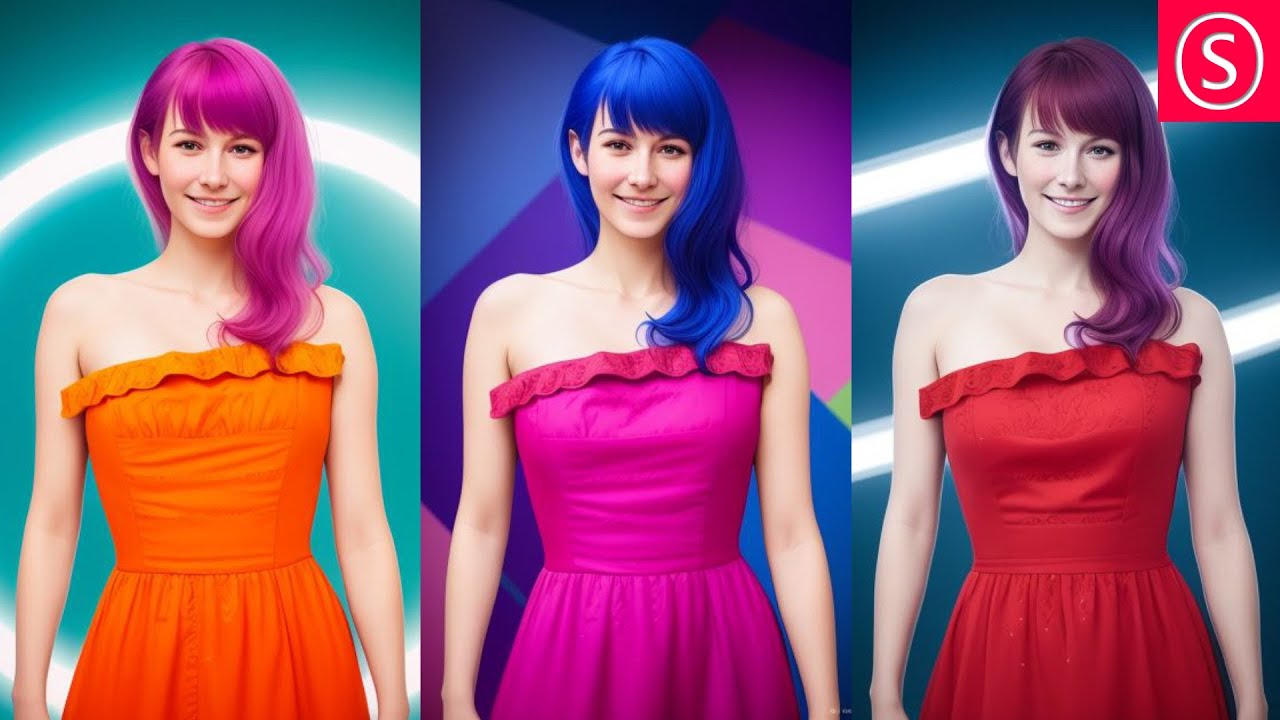
Use ControlNET to change any Color and Background perfectly. In Automatic 1111 for Stable Diffusion you have full control over the colors in your images. Use a Color Map to set any color you want. Then use the ControlNET Canny, Depth and MLSD Method to bring the original Details AND new Background Patterns into your image.
Links from the ...
that was not for you, sorry 🙂
i wanted to reply to @gray leaf
hahaha
vocal burrow
I got it. I just answered with the easiest solution according to what I understood their problem is. Just like with any artistic stuff there are many workflow to achieve a similar result.
I haven't watched that video (I'm not really fond of Olivio stuff) but you can probably recolor stuff using controlnet's depth or trace model, using inpainting or a combination of both, ip transfer, pix2pix models, basic inpainting methods, etc
frosty portal
ornate elk
Yes, with IP-Adapter it should work. Or with Reference mode.
Can it work for anime faces as well? Like copying a specific chara ter?
karmic crown
vocal burrow
I haven't watched that video (I'm not really fond of Olivio stuff) but you can p...
i am busy at work, so i posted a first thing that popup in search and looked good 🙂
vocal burrow
SD started pretty simple with basic tools but as time goes on, more and more add-ons/tools are added, it's difficult to keep track of everything. I imagine in a couple years learning how to use SD will be as daunting as learning the hundreds of photoshop brushes
vocal burrow
karmic crown
i am busy at work, so i posted a first thing that popup in search and looked goo...
np, throwing multiple solutions for a problem is not necessarily a bad thing
karmic crown
i usually post things that i used (like cutoff or tone prompt), but that one looked good, so i had to posted (i will try it later, it might actually be a solution for my problem)
 azure magnet
what is the last version of torch?
i see in some tutorial that there is 2.1.0 but i have 2.0.1 So my is outdate?
karmic crown
latest stabile version is 2.1.2, but... if you are on AMD do not touch 2.0.1
if you are on NVIDIA stay with 2.0.2
if you are on mac, feel free to insall 2.1.2
🙂
2.1.2 is not tested by a1111 developers
azure magnet
i'm on nvidia rtx 3060
azure magnet
karmic crown
if you are on NVIDIA stay with 2.0.2
so no update for me?
https://civitai.com/articles/132/lora-lazy-training-guide here i find to update my torch to 2.10 for training a lora

UPDATE - I would STRONGLY advise using https://civitai.com/models/77908/lora-lazy-dadaptation-guide to train your dataset from now on. Feel free to...
karmic crown

this will probably work without problem, but as i said, it was not tested by a1111 developers
azure magnet
karmic crown
ok so i'll wait, but when the update will be out?
karmic crown
i am just a user like you, so i have no idea
but I suggested to devs on GitHub to use 2.1.2 for Macs
azure magnet
karmic crown
i am just a user like you, so i have no idea
but I suggested to devs on GitHub t...
There is a site that i can see to check if is the update out?
karmic crown

GitHub
Stable Diffusion web UI. Contribute to AUTOMATIC1111/stable-diffusion-webui development by creating an account on GitHub.
azure magnet
karmic crown
https://github.com/AUTOMATIC1111/stable-diffusion-webui/releases
thanks
 autumn void
Hi, I'm coming back here after being suggested yesterday to upscale my images in order to get a higher DPI value, well... It's the same in all cases regardless of the picture count. So I second my question - is there a way to set the DPI value in any way?
 rotund lava
no,only way to get a crisper img is to generate a 4k image then downscale it to 1080p
autumn void
but that still leaves me with a picture that's 72 DPI
Should I just change the DPI in other software and forget about generating a 300dpi image in SD?
hot spindle
autumn void
Should I just change the DPI in other software and forget about generating a 300...
yes
hot spindle
DPI by itself doesnt mean anything
You need print size + DPI to know a given resolution and that "translate" to X pixels
hot spindle
autumn void
And that's not going to mess up the print quality
No , print quality is determined on image by pixel size
autumn void
So in this case the print size is 12"x12" which I figured out is 1152x1152 pixels and the DPI is supposed to be 300
got the size down, resolution but the DPI is 72
I changed it to 300 manually but I was told it's supposed to be 300 from the getgo
hot spindle
so, aim for 1152x1152 px , forget the rest...DPI is usefull to get to that value, and thats it.
autumn void
hence my peppering you with questions
 grand fable
Hi, I'm new to this AI generated images and trying to start Stable Diffusion on my M1 Macbook. I installed StableSwarmUI but it's been showing the message about loading backends from server for quite a long time.. Any ideas what to do with it? I haven't been able to genereta a single picture..
 hot spindle
its usefull if you know a printer works at 300 DPI (not the same as ppi tought, but is widely regarded as same) - so if you wanna print 12"x12" you use that to figure out what's optimal resolution , if its embbed in file 72 , 100,150 or 300 DPI doesnt change a thing or pixel resolution
 spark basin
Certain models will cause my eGPU to disconnect, then hang when I'm trying to shut down, and show this
 autumn void
I will keep that in mind, thank you @hot spindle you've been a great help in explaining all this
 autumn void
that's what consuses me too, 12"x12"@72 dpi is that previously mention resolution but at 300 is way bigger
hot spindle
Like I said is a reference for print size:
 autumn void
so I'm guessing I should be aiming at 3600x3600 to have that size in 300 dpi then
hot spindle
SAme resolution, but at 72 is good for 50", but 72 is widely regarded as screen resolution (72 DOTS per Inch) not print.Printing at 72 DPI (dots per inch) is very very low quality
autumn void
I'll try to figure it out somehow, thanks again boss
 ivory bramble
Hey, what channel would I go to if I wanted basic help with controlnet?
karmic crown
ivory bramble
Hey, what channel would I go to if I wanted basic help with controlnet?
if it is about usage #📝|prompting-help is a good place
karmic crown
grand fable
Hi, I'm new to this AI generated images and trying to start Stable Diffusion on ...
I have an easy solution for you, but you might not gonna like it:
remove that thing from your computer
download my automatic1111 setup script from https://github.com/viking1304/a1111-setup/releases/tag/0.0.5
and run it like this
sh a1111-setup.sh -f all
It will do all the steps I explained in my step-by-step guide for you automatically
when you get your automatic1111 up and running
try something simple like
spaceman or 1girl
in the positive prompt and click generate
GitHub
Just a minor improvement
non-git installations of A1111 will be automatically converted to use git and updated to the latest version
Thanks to @CS1o for the idea

GitHub
December 22th 2023 version UPDATE: I just released version 0.0.5 of a1111-setup script that will basically do everything for you. https://github.com/viking1304/a1111-setup/releases/tag/0.0.5 Simply...
 gritty ridge
Any idea if NIVIDA Ge Force RTX is so superior cause of CUDA versus M3 Max Pro configured on 128 / 8 TB SSD
For Model s Training tasks
karmic crown
gritty ridge
Any idea if NIVIDA Ge Force RTX is so superior cause of CUDA versus M3 Max Pro c...
depends on mac
hot spindle
No idea of particulars but I would say a M2 Ultra is probably on par with a 4070, at least for rendering
 hot spindle
Blender benchmarks which are now optimized for Metal
karmic crown
on my M1, I could go to buy a coffee while wait 🙂
it takes about 8-10 seconds at least for each of those images on my iMac with Radeon
hot spindle
M2 with 128 has one singular advantage, unified memory, altought not as fast as VRAM still is a lot
karmic crown
hot spindle
M2 with 128 has one singular advantage, unified memory, altought not as fast as ...
that's why ARM Macs works faster with Stabile Diffusion than Intel + Radeon combinations
also, i have a feeling that 24GB+ RAM makes a lot a difference even on M1 (I have 16GB)
but my 16GB version works much faster than for some guys who installed that on 8GB M2 MacBooks
gritty ridge
Thanks.. I consider buying M3 _ as it’s the latest and could be upgraded to Neural Engine and 128/8 TB SSD though not sure if so high investment good cause of future CIDA dominance
karmic crown
gritty ridge
Thanks.. I consider buying M3 _ as it’s the latest and could be upgraded to Neur...
the main question is how much RAM
gritty ridge
128 GB
karmic crown
that is good
rotund lava
nvidia still faster and for 4k usd you could even buy a 40gb nvidia gpu
gritty ridge
Yes .. we spoke about Laptop
karmic crown
we are still trying to find the combination of params that will give the fastest image generation without errors on MCurto's Mac - my Macs are like snails compared to his
20 512x512 images with SDXL turbo is fast, maybe not as fast as 4070, but still fast
rotund lava
gritty ridge
Yes .. we spoke about Laptop
a 4090 laptop then
hot spindle
I'm ignorant regarding this but I wonder why can't there be a specific version of A1111 that would run with MLS , didn't Apple release some kind of converter?
For models
hot spindle
I can see with Blender that Apple invested time and resources to add Metal to it, and in leass than a year went from zero to hero, I wonder why they aren't doing the same for Stable Difussion
karmic crown
GitHub
Stable Diffusion with Core ML on Apple Silicon. Contribute to apple/ml-stable-diffusion development by creating an account on GitHub.
but i do not recommend
you need to convert models
and as i said, our macs are using Metal
karmic crown
hot spindle
I can see with Blender that Apple invested time and resources to add Metal to it...
you can test metal support yourself if you want
#🤝|tech-support message
scroll a little more back, for some reason it do not lead to my message even i properly copied the link
ornate elk
Yea you need to click multiple times on it
 ripe holly
hwy guys! I'm trying to use the sdxl typescript rest api, and im getting this error:for stable-diffusion-xl-1024-v0-9 and stable-diffusion-xl-1024-v1-0 the allowed dimensions are 1024x1024, 1152x896, 1216x832, 1344x768, 1536x640, 640x1536, 768x1344, 832x1216, 896x1152, but we received 400x289',
this doesn't happen when i use the sandbox, which uses the same typescript api. Any thoughts?
karmic crown
ripe holly
hwy guys! I'm trying to use the sdxl typescript rest api, and im getting this er...
then you should do what the response suggests: use one of those resolutions
that is obviously intentional limitation of that API you are using
fair oxide
Hi guys, do you know if there is any way to clone a face to create another body image with the same face?
ripe holly
karmic crown
then you should do what the response suggests: use one of those resolutions
that...
but the sandbox, which literally uses the same exact code, doesn't have the limitation lol
karmic crown
ripe holly
but the sandbox, which literally uses the same exact code, doesn't have the limi...
ripe holly
karmic crown
https://platform.stability.ai/docs/api-reference#tag/v1generation/operation/text...
Yea ive seen that, im confuised why the sandbox doesn't seem to follow the same rules.
 strange zephyr
So basically, my boss wants me to take this project we did in 2010 ish and magically create good looking lakefront residency pictures from it. I've told him this wouldn't work but he is set on doing this so here we go.
One of my biggest problems are:
-
The AI sees what is supposed to be land as water, creating lakes where there are not supposed to be any.
-
The generated houses generally suck. My boss wants them to look all "light" and "friendly" and not as "brutal" as what the AI generates from the blocky geometry in my control net
I'm using SD 1.5 models, I've tried RealisticVision and ArchitectureExterior 4.0
I'm using controlnet, 0,5 -0,75 strength, I've included images of what I use for controlnet input.
Please, if anyone can help, I'd much appreciate it!


 grand fable
karmic crown
I have an easy solution for you, but you might not gonna like it:
remove that th...
grand fable
karmic crown
I have an easy solution for you, but you might not gonna like it:
remove that th...
I tried a1111 but when I changed model to SDXL or Jagernaut it stoped working. Even when I swirched it back to the basic one. Now I installed the ComfyUI
karmic crown
strange zephyr
So basically, my boss wants me to take this project we did in 2010 ish and magic...
please ask this in #📝|prompting-help
this channel is mainly for techincal questions about installation and problems with installation
strange zephyr
k thx
karmic crown
grand fable
I tried a1111 but when I changed model to SDXL or Jagernaut it stoped working. E...
how much RAM do you have?
I have M1 MacBook Pro with 16GB of RAM, and I can use SDLX without any problem
it is not fast as i would like it to be, but is very usable
grand fable
karmic crown
I have M1 MacBook Pro with 16GB of RAM, and I can use SDLX without any problem
i...
8 or 16gb not sure now (not at my desktop atm).. SDXL works me well in the ComfyUI so i dont think it’s HW issue.. will try it tomorrow to see the exact error the A1111 shows..
karmic crown
can you remember how long it takes to generate an image like 1024x1024 with SDXL in ComfyUI on that Mac?
 upper linden
Hello, i need help trrying to get my stable diffusion webui to work. Its giving me this error everytime i try to generate a image: AttributeError: 'NoneType' object has no attribute 'lowvram' . which is originating from the sd_models.py
 karmic crown
upper linden
Hello, i need help trrying to get my stable diffusion webui to work. Its giving ...
karmic crown
upper linden
Hello, i need help trrying to get my stable diffusion webui to work. Its giving ...
show the full log, real error happened earlier
upper linden
karmic crown
show the full log, real error happened earlier
where would i find the full log?
karmic crown
in your cmd window
upper linden
so the entire cmd window from start to finish
karmic crown
as much as posible
upper linden
karmic crown
*** Error running install.py for extension F:\webui\stable-diffusion-webui\extensions\sd_dreambooth_extension.
*** Command: "F:\webui\stable-diffusion-webui\venv\Scripts\python.exe" "F:\webui\stable-diffusion-webui\extensions\sd_dreambooth_extension\install.py"
*** Error code: 1
first error is at the beginning
remove that folder sd_dreambooth_extension from extensions
and try again
is it working without it?
upper linden
nope
i mean i have the webui menu and all
just no image generation due to the lowvram error
its smaller at least
also this is in the bat file for user webui
@echo off
set PYTHON= "C:\Users\crazy\AppData\Local\Programs\Python\Python310\python.exe"
set GIT=
set VENV_DIR=
set COMMANDLINE_ARGS= --deepdanbooru --api --no-half-vae --xformers --skip-torch-cuda-test
call webui.bat
karmic crown
File "F:\webui\stable-diffusion-webui\extensions\stable-diffusion-webui-wd14-tagger\preload.py", line 4, in <module>
from modules.shared import models_path
ImportError: cannot import name 'models_path' from partially initialized module 'modules.shared' (most likely due to a circular import) (F:\webui\stable-diffusion-webui\modules\shared.py)
please remove that extension too stable-diffusion-webui-wd14-tagger
did you have some old version of web UI, like 1.5 and then updated to 1.7.0?
upper linden
yeah, i didn't want to loose my old outputs and loras, etc
karmic crown
do not touch models
just remove this extension
we will see how many you would need to reinstall, but you should be able to use your old models without a problem
karmic crown
please MOVE all extensions from your extensions folder to some other place
and run your ui again
then restore one by one, and see which one will crash your ui
if that happen, just delete it
when you finish install those that you are missing
upper linden
karmic crown
then restore one by one, and see which one will crash your ui
its not crashing, just not letting me generate a image
karmic crown
then update all
ornate elk
upper linden
@echo off
set PYTHON= "C:\Users\crazy\AppData\Local\Programs\Python\Python310\p...
Remove --deepdanbooru --skip-torch-cuda-test and if you dont need it also --api
karmic crown
if you can access ui, go to extensions and check for updates
than aplly
and please do what CS1o told you
upper linden
lmao
venv "F:\webui\stable-diffusion-webui\venv\Scripts\Python.exe"
Python 3.10.6 (tags/v3.10.6:9c7b4bd, Aug 1 2022, 21:53:49) [MSC v.1932 64 bit (AMD64)]
Version: v1.7.0
Commit hash: cf2772fab0af5573da775e7437e6acdca424f26e
Traceback (most recent call last):
File "F:\webui\stable-diffusion-webui\launch.py", line 48, in <module>
main()
File "F:\webui\stable-diffusion-webui\launch.py", line 39, in main
prepare_environment()
File "F:\webui\stable-diffusion-webui\modules\launch_utils.py", line 384, in prepare_environment
raise RuntimeError(
RuntimeError: Torch is not able to use GPU; add --skip-torch-cuda-test to COMMANDLINE_ARGS variable to disable this check
Press any key to continue . . .
upper linden
ornate elk
Remove --deepdanbooru --skip-torch-cuda-test and if you dont need it also --api
how do i bypass the cuda test if it blocks me from the webui
ornate elk
upper linden
how do i bypass the cuda test if it blocks me from the webui
What's your GPU?
upper linden
7800xt
karmic crown
fastest and safest way, move the whole installation to some backup folder
follow the proper AMD guid and install everything from scractch
move your models, loras... from backup to new installation
upper linden
karmic crown
follow the proper AMD guid and install everything from scractch
where would i find the guide for AMD?
i got the drivers installed already, i just do a fresh start for webui no?
karmic crown
#🤝|tech-support message <- here
do not touch the drivers
open cmd and show me what you get with those:
python --version
pip --version
git --version
if all work, you can probably skip those steps too
but let us see
upper linden
C:\Windows\System32>python --versionpip --versiongit --version
unknown option --versionpip
usage: python [option] ... [-c cmd | -m mod | file | -] [arg] ...
Try `python -h' for more information.'
upper linden
 karmic crown
good
now follow the install guide from step 1
be sure not use mentioned folders
like onedrive, desktop...
if your internet is fast, it will take just a few minutes
upper linden
karmic crown
now follow the install guide from step 1
is there a link to it please?
karmic crown
i would just rename the whole folder as a1111-backup for now
upper linden
karmic crown
i would just rename the whole folder as a1111-backup for now
welp i got it running again
but it seems like medvram is too much for 16gb
ornate elk
upper linden
but it seems like medvram is too much for 16gb
depends on what your settings are
upper linden
ornate elk
depends on what your settings are
well its a new installl so i guess i got to find out whats happening, before it was super fast
upper linden
ornate elk
depends on what your settings are
settings in the webui menu or the bat file?
 kindred tinsel
Hey guys I;ve been having a constant issue, not an error but a weird issue, with a111 webui. Every time I boot it up nothing works, like I press generate and it doesn't work, I change tabs or update something and it doesn't work, the buttons don't work at all either.
I need to restart the ui one or two times to get it working, it happend just now. I tried to generate the image, the progress bar appeared for a couple of seconds and then went away
Now the Ui doesn't want to show up at all :c idk if the agent scheduler extension could be causing this, because everything was working before I isntalled it
The UI loaded again but it doesn't allow me to touch anything, not even text or buttons on the screen is stuck on this single page image rather than a usable ui
upper linden
also is it normal for a 728x728 image to use more than 16gb of vram?
for medvram option
because if so i got to put lowvram
kindred tinsel
Hi I've sort of fixed the previous error by restarting the webui .-. . But I had another question, does anyone know how to run IP adapter in comfy and on amd cards. In the ip adapter plus it says its not support but maybe there is another node that allows for it or a way to fix this?
ornate elk
upper linden
well its a new installl so i guess i got to find out whats happening, before it ...
What are your txt2img settings?
If you followed my guide you already added the right settings to your webui-user.bat
You need to know that the Directml fork for AMD isn't vram optimized
So its normal that it always takes the full amount of it.
You also need the Tiled VAE Extension If you want to upscale images
ornate elk
kindred tinsel
Hey guys I;ve been having a constant issue, not an error but a weird issue, with...
Make sure the webui is whitelisted in any browser adblocker
kindred tinsel
ornate elk
Make sure the webui is whitelisted in any browser adblocker
I did that thank you, also do you know anythinga bout ipadapter on comfy for amd users?
ornate elk
kindred tinsel
I did that thank you, also do you know anythinga bout ipadapter on comfy for amd...
Nope, I dont use comfyui
upper linden
ornate elk
So its normal that it always takes the full amount of it.
yeah how does it run out of vram for 16gb though
i'm doing a 768x768
ornate elk
upper linden
i'm doing a 768x768
What are your txt2img settings?
Steps, resolution etc?
You can make a screenshot
 white thorn
Hello there, I would need help of someone that create Lora on Nvidia RTX4000 card. I fixed my issue with "NansException: A tensor with all NaNs was produced in Unet""
When trying to use my lora. I noticed that my samples image was most all black, so I changed all my settings one by one to see what causing this. And it was adamw8 bit. everything works fine with regular adamw. So if someone have any info or solution ..
upper linden
ornate elk
What are your txt2img settings?
Steps, resolution etc?
You can make a screenshot
 ornate elk
upper linden
ornate elk
upper linden
how many tokens has your prompt?
upper linden
how do i check that?
ornate elk
also everytime you get an "out of vram" error you need to restart the webui to clear the vram. if not every generation after that will fail too
upper linden
ornate elk
also everytime you get an "out of vram" error you need to restart the webui to c...
yeah but is it normal to happen on 16gb gpu, could be a Amd bug
ornate elk
upper linden
yeah but is it normal to happen on 16gb gpu, could be a Amd bug
yes im on a 7900xtx 24gb and it happens for me too sometimes
upper linden
gg
ornate elk
its the unoptimized directml version
upper linden
ornate elk
its the unoptimized directml version
anyway to get a optimized one
ornate elk
but i know every setting you need to generate good images
ornate elk
upper linden
anyway to get a optimized one
waiting for Rocm support on windows maybe (february-march)
ornate elk
upper linden
and my old 2070 was faster than this
yea nvidia works better, but me and you still can generate images pretty fast, you just need to know how
upper linden
ornate elk
yea nvidia works better, but me and you still can generate images pretty fast, y...
welp i'm all ears
ornate elk
first make sure you close/kill Wallpaper Engine and Epic Games Launcher, and all other heavy programms running in the background
upper linden
all i got is discord
ornate elk
then restart the webui
then you try to generate a 512x768 image, 30 steps,
with prompt: Cat
and negative: Blurry
a test, that should work without problems
ornate elk
upper linden
took 41 secs
what model are you using?
upper linden
v1-5-pruned-emaonly.safetensors
ornate elk
ah okay
thats old and also slower as its 4gb
try download this one:
https://civitai.com/models/4384/dreamshaper
DreamShaper - V∞! Please check out my other base models , including SDXL ones! Check the version description below (bottom right) for more info and...
its a good starter model, and only 2gb in size
upper linden
so models do better on certain GPUs?
ornate elk
upper linden
so models do better on certain GPUs?
smaller ones are faster
quality isnt affectet by the size
@upper linden As next Step you need to install the Tiled Diffusion Extension. (That will safe you most of the time from out of vram errors).
Go on Extensions, click on "Available", click on "Load From", then you get a List. Search for Tiled Diffusion and click install.
Then click on the Installed Tab, and There click "Apply and restart"
upper linden
ornate elk
<@197904384628097033> As next Step you need to install the Tiled Diffusion Exten...
i have that installed already
ornate elk
upper linden
i have that installed already
thats good
you dont need to use the Tiled Diffusion stuff. Whats important is the Tiled Vae Option.
Enable that and set the Encoder to 1024 and the Decoder to 128.
thats important if you want to use hires fix to upscale an image.#
and then try these settings with the cat

that should work on your card, as it works on a 6700xt 12gb too
if that works, you can also try to get a FullHD image by setting the resolution to 540x960
and as last thing to mention, make sure the tokens dont go over 225

Also noteworthy are SDXL models (6gb+) these can be used to but are much slower. You can try them at 768x1024 native res with tiled vae enabled and without hires fix.
upper linden
ornate elk
Also noteworthy are SDXL models (6gb+) these can be used to but are much slower....
aren't those models meant for high end cards or at least optimized ones
glad fiber
I am trying to train a lora, but when I try to use it it doesnt work
I am training with kohya_ss
my captions look like this
trying to train the din djarin from the mandalorian, but my output images has nothing of it

10 images with 30 step training each
I followed this tutorial https://www.youtube.com/watch?v=_F39RbO3tYo

This is a comprehensive tutorial on how to train your own Stable Diffusion LoRa Model Based on SDXL 1.0 Checkpoint using Kohya SS GUI.
Relevant Links / Commands:
Channel Support (YouTube Membership): https://www.youtube.com/@controlaltai/join
Kohya SS GitHub: https://github.com/bmaltais/kohya_ss
Python 3.10.9: https...
ornate elk
upper linden
aren't those models meant for high end cards or at least optimized ones
Yes, so you shouldn't use them but you can in lower res
 meager carbon
Heya, I am currently trying to use SD with an AMD GPU, and although it is not officially supported, i maybe thought y'all could have some insight on it.
https://github.com/AUTOMATIC1111/stable-diffusion-webui/wiki/Install-and-Run-on-AMD-GPUs
I am using this as a general guide, and I got it up and running, but it refuses to use my 7900XTX, and instead uses my CPU.
Any idea as to what i can try for it to use my GPU?
Windows 11 btw
ornate elk
meager carbon
Heya, I am currently trying to use SD with an AMD GPU, and although it is not of...
Hey, best you can do is to follow my install Guide for AMD. Its in the Pinned Messages of this Channel.
I have a 7900XTX too and it works 🙂
ornate elk
For any questions feel free to ask 🙂
meager carbon
ornate elk
For any questions feel free to ask 🙂
Of course, I really appreciate it.
found my first issue 
ornate elk
Did you switched from nvidia to AMD ?
meager carbon
yeah.
I went from a 1080ti to the current one
i should prolly uninstall the gpu driver first
ornate elk
Then you need to uninstall all nvidia drivers.
Then you need to restart the PC
And then delete the venv folder inside the stable-diffusion-webui folder
The second issue is your Python 3.11 version
meager carbon
that's the one that i was pointing out
ornate elk
xD no the first issue was "nvidia drivers found"
 prime mulch
I am having a bit of a problem, I got a 4070 graphics card laptop, nvidia, heck it can run ark survival ascended. I was gonna try to get stable diffusion on this as well, but when I went to check my vram just incase it says i only have about 448 mb, even tho when I bought it, its supposed to have 8 vram. Im not sure if theres a setting issue going on here, or if its just displaying weird. I have 15 gb memory, and this graphics card does say it has 16 gb vram, but since its a laptop thats cut in half
glad fiber
prime mulch
I am having a bit of a problem, I got a 4070 graphics card laptop, nvidia, heck ...
windows?
prime mulch
Yes
ornate elk
prime mulch
I am having a bit of a problem, I got a 4070 graphics card laptop, nvidia, heck ...
where does it shows 448mb ?
prime mulch
I have not tried stable diffusion yet, to be clear, im wondering if this is normal, but my other computer did not say this

Huh for some reason right now its saying amd rradeon instead of Nvidia, im not sure how to make it use nvidia here
glad fiber
what does it show in the task manager?
prime mulch
 glad fiber
in the gpu
ornate elk
prime mulch
thats the IGPU from your Processor, not the nvidia one
glad fiber
prime mulch
i am seeing 2 there, which seems to be right
prime mulch
Oh thank you, im not great at this kind of stuff yet, usually im pretty good with computers but the graphics cards and processors stuff confuse me, heres the gpu for nvidia

 spice wing
Hey guys, I have reinstalled SD after getting an error and now im getting this error:
RuntimeError: "LayerNormKernelImpl" not implemented for 'Half'
I know that i can fix it by selecting to run it with half, but then it only uses my cpu and not my gpu.
My setup is: RX 6900 XT, Ryzen 7 7800X3D, ASRock B650 PG Lightening, 32 gb 6000 mhz RAM.
My command lines arg are: --lowvram --disable-nan-check --skip-torch-cuda-test
Is there any way, to fix it? It somehow worked before...
ornate elk
spice wing
Hey guys, I have reinstalled SD after getting an error and now im getting this e...
hey you probably installed the wrong webui. AMD needs a different one if your on Windows.
Follow my Install Guide for AMD. Its in the Pinned Message of this Channel
Looking at your settings, yes your using CPU only mode rn. so you have installed the wrong version
spice wing
ornate elk
hey you probably installed the wrong webui. AMD needs a different one if your on...
Oh ok, thanks Ill try that
kindred tinsel
Does anyone know what this means on comfy? Is it basically using my cpu to render the image or what?
 glad fiber
kindred tinsel
Does anyone know what this means on comfy? Is it basically using my cpu to rende...
glad fiber
kindred tinsel
Does anyone know what this means on comfy? Is it basically using my cpu to rende...
do you have a gpu?
ornate elk
kindred tinsel
Does anyone know what this means on comfy? Is it basically using my cpu to rende...
its using your cpu for a specific task
kindred tinsel
okay? and what is that :=
glad fiber
it is nothing to worry about then
ornate elk
kindred tinsel
okay? and what is that :=
idk, but model_sampling indicates something with samplers
kindred tinsel
hmmmmm well idk but thanks for the help ^^
 kindred tinsel
I guess, it isn;'t like it doesn't work so something internal isn't working yet, but everything kinda works
glad fiber
glad fiber
I am trying to train a lora, but when I try to use it it doesnt work
I still need help with this
prime mulch
So with 8 gb vram do you guys think I have enough to be able to create my own loras?
ornate elk
prime mulch
So with 8 gb vram do you guys think I have enough to be able to create my own lo...
yes, lora training works with 6gb and more
glad fiber
prime mulch
So with 8 gb vram do you guys think I have enough to be able to create my own lo...
I created one with 4gb
prime mulch
ornate elk
yes, lora training works with 6gb and more
nice! My old laptop only have 4 gb so I could not, person above me is lucky
 kindred tinsel
glad fiber
I couldnt manage to get it working (skill issue) but it trained
kindred tinsel
glad fiber
I couldnt manage to get it working (skill issue) but it trained
How can you train a lora? Which tutorial did you follow?
ornate elk
glad fiber
wow pretty fast too
glad fiber
kindred tinsel
How can you train a lora? Which tutorial did you follow?
I followed this and another one https://www.youtube.com/watch?v=_F39RbO3tYo but I think I may have done something wrong because I cant get my chracter in the image
This is a comprehensive tutorial on how to train your own Stable Diffusion LoRa Model Based on SDXL 1.0 Checkpoint using Kohya SS GUI.
Relevant Links / Commands:
Channel Support (YouTube Membership): https://www.youtube.com/@controlaltai/join
Kohya SS GitHub: https://github.com/bmaltais/kohya_ss
Python 3.10.9: https...
I didnt use a SDXL model, of course
meager carbon
I'm having trouble getting SD to view the correct python path, I have 311 uninstalled.
how can I point SD at a specific python path? Can I edit the webui-user.bat?
 ornate elk
meager carbon
I'm having trouble getting SD to view the correct python path, I have 311 uninst...
ornate elk
meager carbon
I'm having trouble getting SD to view the correct python path, I have 311 uninst...
you need to delete the venv folder again
meager carbon
where would that be located?
ornate elk
in the stable-diffusion-webui folder
ornate elk
meager carbon
I'm having trouble getting SD to view the correct python path, I have 311 uninst...
best darkness cmd 10/10
meager carbon
ty, it's a gif, and she dances.
ornate elk
😄 is it easy to do do that?
meager carbon
 meager carbon
ornate elk
😄 is it easy to do do that?
meager carbon
ornate elk
😄 is it easy to do do that?
very
ornate elk
meager carbon
perfection ^^


 ornate elk
wow thats very very easy
meager carbon
mhm.
ornate elk
thanks a lot 😄
meager carbon

I personally did it in the json
but it's up to you.
"what type of psychopath keeps their terminal backgrounds in their downloads folder"
me.
ornate elk
there are people who install their SD webui in Downloads 🥲
meager carbon
ornate elk
there are people who install their SD webui in Downloads 🥲

totally didn't do that
not this time around
but when i first used SD
i did
ornate elk
it happens i guess
meager carbon
i didn't wanna move it
was afraid it would break
if it had like relative file paths or whatever
glad fiber
I guess it would not
because the a1111 has a venv
and if you move the root directory the venv would follow it
ornate elk
glad fiber
I guess it would not
the webui itself wouldnt break, only the git path to update it
we had a lot of users here who moved them, and git pull didnt worked after that
@meager carbon does it work now with python?
if not you also can add the path to the python.exe in the webui-user.bat
meager carbon
can i change it from medvram to highvram?
meager carbon
ornate elk
<@224314325387575298> does it work now with python?
if not you also can add the ...
still working on it
python did work
just doing the rest now
is 24gb high, or is that still med?
ornate elk
meager carbon
can i change it from medvram to highvram?
there is no highvram, and nope, the AMD webui directml version on windows isnt good optimized in terms of vram management.
Its noteworthy to say that you would get the best performance and usability on Linux because there are the Rocm drivers needed for SD.
AMD working on Rocm support for Windows but that will come in maybe 1-2 months.
 ornate elk
meager carbon
ornate elk
meager carbon
first run
pip cache purge
in a cmd
then delete the venv again
it mostly found old torch stuff from the nvidia drivers before
spice wing
ornate elk
hey you probably installed the wrong webui. AMD needs a different one if your on...
Tysm, it worked. And now even SDXL Works
ornate elk
spice wing
Tysm, it worked. And now even SDXL Works
perfect, no problem 🙂
also you should get the Tiled Diffusion extension if your going for upscale later. It helps to not get out of Vram.
Also when you get the out of memory error, you always have to restart the webui.
glad fiber
@ornate elk do you know about lora training?
ornate elk
glad fiber
<@161910921269084160> do you know about lora training?
i did trained a year ago, with khoya_ss
so im not updated on that
glad fiber
ornate elk
i did trained a year ago, with khoya_ss
I trained a lora here, but when I try to use it, it is like if the lora wasnt there

I get that kind of output
meager carbon
holy FUCK that's fast
thank you
@ornate elk really appreciate all your help
works great now.

she's having fun
ornate elk
meager carbon
<@161910921269084160> really appreciate all your help
no problem 🙂 glad it works, for information like i said to BasisZock above too, you want to get the Tiled Diffusion Extension later if you want to upscale images. But you can @ me if you need the exact settings or how to steps.
 meager carbon
yeston
meager carbon
ornate elk
no problem 🙂 glad it works, for information like i said to BasisZock above too,...
can't i use the upscalers?
 ornate elk
meager carbon
yeston
ornate elk
meager carbon
yeston
lol thats a brand i didnt know the make custom amd cards, but seems not like they sell in EU
ornate elk
meager carbon
yea these are needed for upscale, but with the wrong settings you will run out of vram, (an issue of the unoptimized directml version)
thats where the Tiled Vae from Tiled DIffusion extension comes to help
ornate elk
meager carbon
ill be fine i think
you should be able to upscale 512x768 by 2 with 0.5 denois and 10 hires steps just fine
ornate elk
and it worked?
ornate elk
yeston magic gpu?!
meager carbon
the yeston gpu is not actually that good, the average to hotspot delta is like 18 deg
ornate elk
meager carbon
the yeston gpu is not actually that good, the average to hotspot delta is like 1...
oh, okay xD that was my thought too. because i have the Spahire Nitro+ Vapor and that should be the best custom version out there 
meager carbon
i got this one for 900
so like
yk
i put liquid metal on it too
dropped delta by 2 deg
ornate elk
ah nice
kindred tinsel
meager carbon
the yeston gpu is not actually that good, the average to hotspot delta is like 1...
wait yeston not good? I was going to buy a 4080 from them :=====
kindred tinsel
meh 4080 better with more vram than 4060 or 4070
meager carbon
linux actually works though :3
kindred tinsel
linux? 🤮
meager carbon

you realize like 99% of the things you do online are run in linux
kindred tinsel
As long as I dont have to install it, im gud
ornate elk
meager carbon
amd on top 💯 💯 💯 💯
Linux is nice but i still hope for the upcoming Rocm Windows support, and yes AMD best
meager carbon
hopefully.
ornate elk
got an Ryzen 7 7800X3D too
ornate elk
absolutly
ornate elk
glad fiber
how large is the lora file?
ivory bramble
What kind of model should I use to re-create this kind of style wallpaper?
 ornate elk
meager carbon
the anime GPU strikes again
ornate elk
meager carbon
the anime GPU strikes again
figured out, i had --no-half in the webui-user.bat (That is needed for AMD if you want to use Inpaint in img2img). But that slows down a lot and uses more vram.
meager carbon
ivory bramble
What kind of model should I use to re-create this kind of style wallpaper?
i would try anything ink, with the correct prompt
but honestly idk
ornate elk
meager carbon
well i have it too
your sure? in my guide i only mention --no-half-vae and --no-half for RX 5xxx cards
ivory bramble
Hmm maybe I should integrator?
 ornate elk
 hazy merlin
I cant use xformers, an error happens, despite me using python 3.10
hazy merlin
I cant use xformers, an error happens, despite me using python 3.10
Hey, can you show your webui-user.bat content?
Seems like a typo
 ornate elk
hazy merlin
ornate elk
hazy merlin
Hm try to delete the space between = and --
 ornate elk
hazy merlin
should i install 3.10.11?
ornate elk
hazy merlin
should i install 3.10.11?
That wouldn't help
hazy merlin
oof, I have no clue whats happening then
ornate elk
hazy merlin
oof, I have no clue whats happening then
whats your GPU?
hazy merlin
A nvidia 4070
ornate elk
hazy merlin
replace everything in there with this:
`@echo off
set PYTHON=
set GIT=
set VENV_DIR=
set COMMANDLINE_ARGS=--xformers --no-half-vae
git pull
call webui.bat`
then save and try again
hazy merlin
That seems to be working, not sure what I did differently, but thank you
ornate elk
hazy merlin
That seems to be working, not sure what I did differently, but thank you
no problem, maybe a invisible Tab or Space
karmic crown
meager carbon
finally someone who knows how to use windows terminal 🙂
mine look the same as my iTerm on mac
 steady thistle
How can I get insightface? It's not loading with ReActor
ornate elk
steady thistle
How can I get insightface? It's not loading with ReActor
Follow this carefully:
https://github.com/Gourieff/sd-webui-reactor#installation
steady thistle
Okay, will do. It's probably a c++ thing. Thanks!
Yeah, I looked at it again and I /think/ I had clicked the wrong option previously with Desktop Development with C++
As I work on my potato with better internet speed. lol
steady thistle
That got me past the errors. I then tried to use the suggested args and it didn't recognize --use-directml... I'm thinking I did something wrong in the install.
(I did this install before I discovered this wonderful server 🙂 )
ornate elk
steady thistle
That got me past the errors. I then tried to use the suggested args and it didn'...
oh okay that means your webui version isnt updates to 1.7.0
steady thistle
Ah... hmm... should I do a git pull?
it says version 1.7.0 actually
I think I installed from a different SD fork or whatever.
ornate elk
steady thistle
I think I installed from a different SD fork or whatever.
yea if you didnt install the directml fork it wont work
steady thistle
What does directml do for me?
ornate elk
steady thistle
What does directml do for me?
what was your gpu again?
steady thistle
This is the work one... let me see...
ornate elk
the directml webui version is made for AMD
there is only one other webui fork of auto1111 called sd.next that works with AMD
ornate elk
steady thistle
So it is working, but maybe not as good as a directml install?
idk what you used
if you used the official auto1111 then it would run on CPU only
if you use SD.Next or auto1111 directml then it would use the IGPU with directml
my guide is for the auto1111 directml version
steady thistle
I'll redo it later. It's an easy enough install particuarly as my work requires low cpu usage.
ornate elk
steady thistle
I'll redo it later. It's an easy enough install particuarly as my work requires ...
ah now i get it, you tried to install the webui for on the work pc?
ornate elk
if it has an AMD GPU you can follow my install guide
steady thistle
Yep, it is pretty easy with your install guide.
steady thistle
It's great. That pip cache purge was genius. That was what everyone else missed.
ornate elk
steady thistle
It's great. That pip cache purge was genius. That was what everyone else missed.
yea people tried to get it running on amd for hours or days while the installation always took the cached nvidia stuff xD
steady thistle
I watched SO MANY install videos on youtube and searched for guides for 2 weeks after I broke my previous install.
Yours was the only one that brough up the cache issue
ttyl!
 pine canyon
hi, how to generate “art” images and have access permission?
ornate elk
pine canyon
__hi, how to generate “art” images and have access permission?__
Hey, where?
In the #1080261341362786384 channels?
pine canyon
in all bots
 paper viper
@ornate elkDo you use stablestudio?
ornate elk
paper viper
<@161910921269084160>Do you use stablestudio?
Nope sry
pine canyon
ornate elk
With the / dream command
THANKS ...
 astral comet
@ornate elk hey! I guess it's normal to have long generations overall with a 1070?
glad fiber
ornate elk
how large is the lora file?
151mb
hazy merlin
im not quite so sure how to determine steps for lora, i have 75 images
steady thistle
@ornate elk Do you have any info on https://huggingface.co/latent-consistency/lcm-lora-sdxl ? It's supposed to be a LoRA that increases speeds by reducing needed steps, but it has a whole thing on installing. Thoughts?


 zealous cargo
is this the ultimate performance boost?


okay do not use sdp it actually made it worse
 leaden needle
hey so tbh I'm fairly new with stable diffusion but I came across it recently and found it fascinating so I downloaded stable diffusion xl, along with comfy ui, but everytime I try to que a prompt using nvidia I run into a wall of red errors along the lines of "CUDA error: device kernel image is invalid" does anyone have a potential fix for this? or can help me out in any sorta way?
willow zodiac
Can anyone help me figure out why ComfyUI is not getting my checkpoints loaded in my a1111 path?


 thorn goblet
im sorry,im quite intoxicated so im gonna require some help understanding things. i wanna download the whole ai image generation thjing, but im not sure where to start.... faq is very overwhelming rn so if anyone can help break iot down i would greatly appreciate
willow zodiac
Are you using a Nvidia gpu?
thorn goblet
im not sure where to check that...
give me a moment
its anm intel core
Intel(R) Core(TM) i5-6500 CPU @ 3.20 GHZ
willow zodiac
That is your CPU. If you go to your Device Manager>Display Adapters, that should show you what your GPU is.
thorn goblet
oh im sorry
willow zodiac
no worries
thorn goblet
Intel(R) HD Graphics 530