#🤝|tech-support
1 messages · Page 18 of 1
 ornate elk
 ivory bramble
He is asking how to generate an image
 karmic crown
i understand that much, but still 🙂
english is my 3rd language
but i speak english not serbian here 🙂
 willow zodiac
Error in CR Multi-ControlNet Stack - 'NoneType' object has no attribute 'lower'. I'm not sure what that means
Here is the whole error message...

I have a Realistic Lineart and DWPose Estimator input to the CR M-CN Stack
karmic crown
lower is just a python function that put text to lowercase, but the problem is that it didn't get anything to convert, so python throw an error
that is just a consequence, we need to figure out the reason
i am to tired to think, but looks your model (or controlnet model) is missing
willow zodiac
There is this note in the comfy manager...

Does this mean that I can't use the controlnet preprocessors?
I guess I'm not sure what "this installation" is specifically referencing
willow zodiac
ahh
karmic crown
 viscid flax
thanks a lot for the help
viscid flax
thanks a lot for the help
if you have any further questions about prompts later, ask in https://discord.com/channels/1002292111942635562/1011743094309396631
karmic crown
with kohya_ss
see if this tutorial helps
https://www.youtube.com/watch?v=RlvqEKj03WI

Quickstart tutorial on how to train a Stable Diffusion model using kohya_ss GUI.
 silent ivy
please help how do i solve this
 ornate elk
silent ivy
please help how do i solve this
ornate elk
silent ivy
please help how do i solve this
When do you get that error?
silent ivy
When i launch it and then try to select model on stable diffusion checkpoint
silent ivy
ornate elk
When do you get that error?
When i select the model it shows error
silent ivy
silent ivy
please help how do i solve this
so i m not getting is there anything i need to change
 silent ivy
please help how do i solve this
silent ivy
silent ivy
please help how do i solve this
excat word wriiten there
karmic crown
error message is:
OSError: Can't load tokenizer for 'openai/clip-vit-large-patch14'.
it also gives a solution:
make sure 'openai/clip-vit-large-patch14' is the correct path to a directory containing all relevant files for a CLIPTokenizer tokenizer
do you have it in that place?
do you have folder openai and clip-vit-large-patch14 inside?
silent ivy
karmic crown
do you have folder openai and clip-vit-large-patch14 inside?
I do have a folder for Openai in my stable diffusion folder
karmic crown
and do yoi have clip-vit-large-patch14 inside
and does it have all necesary files inside (if that is a folder and not a file)
silent ivy
karmic crown
and do yoi have clip-vit-large-patch14 inside
Dnt have tat one
 worldly rain
hello, I just installed stable diffusion but I cant run it, can somebody help me out please?
 silent ivy
worldly rain
hello, I just installed stable diffusion but I cant run it, can somebody help me...
silent ivy
worldly rain
hello, I just installed stable diffusion but I cant run it, can somebody help me...
What python version u using?
silent ivy
Yea
worldly rain
so i installed 3.10 now im getting this eror
silent ivy
Happened with me
karmic crown
worldly rain
so i installed 3.10 now im getting this eror
you are using 3.12

please remove it if you do not really need it
silent ivy
Yea might uninstall and restart helps
worldly rain
okay i'll uninstall it
karmic crown
if you do, we will find to find another solution
silent ivy
karmic crown
and does it have all necesary files inside (if that is a folder and not a file)
I m stuck man
karmic crown
worldly rain
okay i'll uninstall it
please do, it will make things easier
silent ivy
It's 3am dude
 quiet marsh
hi there! anyone know what this means??
 karmic crown
silent ivy
I m stuck man
karmic crown
silent ivy
I m stuck man
 silent ivy
Do i need to install all the file and which folder do i put in then
karmic crown
based on your error
make sure 'openai/clip-vit-large-patch14' is the correct path to a directory containing all relevant files for a CLIPTokenizer tokenizer
you need to create a folder clip-vit-large-patch14 inside
and to put all files there
but i am stabbing in the dark
i have no idea what are you doing
i am just reading your error and trying to help
silent ivy
karmic crown
i have no idea what are you doing
Yup i can understand, let's give it a try
Look like other peoples earlier have the same issue
karmic crown
almost everyone here use some user interface, mostly A1111 or comfy
and we can help with those we use
but in cases like yours, we can only guess
silent ivy
Yup , i m downloading let's give it a try hope works
worldly rain
hey, I uninstalled python 3.12, I only have python 3.10 installed but it's insisting on using python 3.12

I even located python 3.10 here

 sturdy ginkgo
delete your venv folder and relaunch
karmic crown
exactly that
karmic crown
what gpu do you have? i hope nvidia
sturdy ginkgo
something in the venv folder saves the python directory used before
worldly rain
nvidia gtx1060 3gb version
worldly rain
but?
karmic crown
find apropriate command line params for your card there
sturdy ginkgo
definitley need to use --lowvram in the bat file launch commands
karmic crown
i guess --xformers --no-half-vae --lowvram is for you
worldly rain
alright
is it gonna prevent me from generating hyper realistic images? or is it just gonna be slow to generate
worldly rain
alright
I could use another pc that has gtx3060 12gb
what would be the difference?
karmic crown
like comparing the speed of a plane and a car 🙂
worldly rain
Lol alright thanks a lot
karmic crown
for other pc, use this guide #🤝|tech-support message
silent ivy
sturdy ginkgo
delete your venv folder and relaunch
Where I will find the Venv folder if I delete it?
sturdy ginkgo
silent ivy
Where I will find the Venv folder if I delete it?
will be auto made on first/relaunch
karmic crown
silent ivy
Where I will find the Venv folder if I delete it?
it will be created again
silent ivy
karmic crown
like comparing the speed of a plane and a car 🙂
Lol
silent ivy
sturdy ginkgo
will be auto made on first/relaunch
Noted
 rose skiff
I'm trying to use the imag2img mode to modify an image but it's not working. The image with the transparent background is the input, the one with the white background is the output, and the prompt is "A golden retriever sitting on the moon". How do I make it follow the prompt?


I have tried both 1.5 and XL 1.0 and my hardware is a 4070 GPU, 14900KF CPU, and 64GB of ram
karmic crown
what is your denoise strenght?
rose skiff
I have tried moving the slider around a lot, right now it's 0.25
karmic crown
that is your problem
 karmic crown
what you get with 1?

 karmic crown
what model is that?
 karmic crown
- for 1.5 use 512x512, 512x768 or 768x512 (that will make disfigured images)
sturdy ginkgo
you will have to use a mask to put the dog subject in a different background there is an extension that can do this super easy
karmic crown
- for xl use 1024x1024, 1024x768, 768x1024 or 768x768
rose skiff
sturdy ginkgo
you will have to use a mask to put the dog subject in a different background the...
How do I do that?
rose skiff
karmic crown
- for xl use 1024x1024, 1024x768, 768x1024 or 768x768
ok, set it to 1024 pixels tall and 768 pixels wide
 sturdy ginkgo
rose skiff
How do I do that?
sturdy ginkgo
rose skiff
How do I do that?
GitHub
Removes backgrounds from pictures. Extension for webui. - GitHub - AUTOMATIC1111/stable-diffusion-webui-rembg: Removes backgrounds from pictures. Extension for webui.
rose skiff
sturdy ginkgo
https://github.com/AUTOMATIC1111/stable-diffusion-webui-rembg
I already have a completely transparent background


 sturdy ginkgo
that extension can generate a mask for you that you can use with the controlnet viking is suggesting
karmic crown
sturdy ginkgo
that extension can generate a mask for you that you can use with the controlnet ...
it is faster with canny + openpose 🙂
sturdy ginkgo
or just open gimp or whatever and select all transparent areas and invert selection fill white 😄
rose skiff
I think it broke it
 karmic crown
rose skiff
I think it broke it
karmic crown
rose skiff
I think it broke it
did you changed webui-user.bat and added parameters required to your card?
rose skiff
When I added it it got an error about running out of memory
karmic crown
what is your gpu and what you have in webui-user.bat?
rose skiff
4070
set PYTHON=
set GIT=
set VENV_DIR=
set COMMANDLINE_ARGS=--xformers --autolaunch --update-check --no-half

call webui.bat
it was fine before I added --no-half
ornate elk
rose skiff
```@echo off
set PYTHON=
set GIT=
set VENV_DIR=
set COMMANDLINE_ARGS=--xformers...
Remove --no-half
Then check the model size
 misty wigeon
anyone had any luck with this, its been super painful to try setup
 rose skiff
ornate elk
Remove --no-half
rose skiff
ornate elk
Remove --no-half
it's 6.7gb on my ssd, and it gets a different error when I remove --no-half
ornate elk
rose skiff
it's 6.7gb on my ssd, and it gets a different error when I remove --no-half
What's the error?
rose skiff
NansException: A tensor with all NaNs was produced in Unet. This could be either because there's not enough precision to represent the picture, or because your video card does not support half type. Try setting the "Upcast cross attention layer to float32" option in Settings > Stable Diffusion or using the --no-half commandline argument to fix this. Use --disable-nan-check commandline argument to disable this check.
ornate elk
rose skiff
`NansException: A tensor with all NaNs was produced in Unet. This could be eithe...
Can you show the settings you used ?
Steps, cfg, resolution etc, any loras used ?
 astral comet
@echo off
set PYTHON=
set GIT=
set VENV_DIR=
set COMMANDLINE_ARGS=
call webui.bat
@ornate elk whatsup mate! it'sa me
rose skiff
 rose skiff
ornate elk
Steps, cfg, resolution etc, any loras used ?
rose skiff
ornate elk
Steps, cfg, resolution etc, any loras used ?
not using any loras
just trying to draw my dog on the moon with img2img
it was drawing a copy of the original image before I added this: https://github.com/AUTOMATIC1111/stable-diffusion-webui-rembg
GitHub
Removes backgrounds from pictures. Extension for webui. - GitHub - AUTOMATIC1111/stable-diffusion-webui-rembg: Removes backgrounds from pictures. Extension for webui.
ornate elk
rose skiff
@rose skiff try set the resolution to 1024x1024
rose skiff
same error
ornate elk
misty wigeon
anyone had any luck with this, its been super painful to try setup
Yes its pretty easy to install it but pretty useless for actual playing around with. Because Olive with ONNX is not very good supported.
I would recommend you installing the normal directml webui for AMD.
A guide for that is in this Channel when you checkout the Pinned Messages.
ornate elk
rose skiff
same error
An extension active?
rose skiff
GitHub
Removes backgrounds from pictures. Extension for webui. - GitHub - AUTOMATIC1111/stable-diffusion-webui-rembg: Removes backgrounds from pictures. Extension for webui.
ornate elk
And when not using it it works?
rose skiff
when not using it it draws a copy of the original image
ornate elk
And you want the dog to be on the moon?
rose skiff
yes
ornate elk
Then I would suggest using inpaint
rose skiff
or anything other than the original image at this point
ornate elk
rose skiff
or anything other than the original image at this point
Click on inpaint. Mask the complete Dog.
Then select inpaint area "not masked"
And then prompt for the moon
Also set the resolution to 1024x1024
rose skiff
how do I mask the dog? I've been messing with it for a few minutes and nothing has changed
ornate elk
rose skiff
how do I mask the dog? I've been messing with it for a few minutes and nothing h...
In inpaint you should be able to draw over it
rose skiff

I need to afk for a bit so I will have to try to make it work later
dog wants to go on a walk
ornate elk
rose skiff
Oh your dog image is with transparent background. That may not work then
Paste it into an white square image and then mask it again to test
I'm off for now.
 shy sentinel
Hive Mind been running SD for a few weeks now want to add it on my razer laptop with egpu amd stuck with add skipcuda__test and trying to set CUDA_VISIBLE_DEVICE=1 just gets me the skip test error its trying to run on the interanal. loads but won't accept prompts cram errors out. anybody have a minute to help me with this? it would be hugely appreciated.
karmic crown
os?
 karmic crown
there is a amd guide in pinned messages of this channel, but i have no idea will it work for you properly or not
shy sentinel
karmic crown
there is a amd guide in pinned messages of this channel, but i have no idea will...
guide to switching gpu in SD ? been stuck for like an hour i am thinking its just a couple commands and it could be running.
karmic crown
a few weeks ago guy with amd egpu on Mac, had a completely different problems that we had on a "normal mac" with AMD
amd on windows guide -> #🤝|tech-support message
shy sentinel
karmic crown
a few weeks ago guy with amd egpu on Mac, had a completely different problems t...
Copy I will check that out right now, much appreciated viking ! in MN by chance ?
karmic crown
i like that logo so much, but not even close to that country 🙂
shy sentinel
karmic crown
i like that logo so much, but not even close to that country 🙂
Copy ! I read what you sent in the link i am going to reset to original files and try seting visible device befor launching web ui. thanks agian !
 sonic ferry
ComfyUI noob question, https://youtu.be/g9JXx4ik_rc?si=5aHu314EzDj4_qRm&t=889 how is he seemingly starting the queue at a certain point in the tree instead of from the beginning? 😛
 lavish meadow
"supermerger extension" anyone got a link to this?
 zinc arrow
weird question but is there a list of all the quotes that are written in the terminal when comfyui starts
astral comet
hey guys using a model, I used some prompts that gave a certain style to the images. restarted SD, used the same model, same settings, same sampling method yatti yatta, but the images now look like they're in a different style. I also did some gens with other models prior to that, anyone have an idea what's going on
rose skiff
ornate elk
Paste it into an white square image and then mask it again to test
thanks, it works now

now I just need to mess with the prompt
lavish meadow
@ornate elk Hi mate im merging models rn, do you have a standard prompt i can use to see how well it does?
astral comet
@ornate elk it looks like whenever i do some gens with a model, then change models, it keeps elements from the last model I used. like I was using an anime model then a realistic one and when i switched back to the anime the anime character was realistic, is that possible?
 kindred tinsel
Hello does anyone know how to get the sd15_hand_..... model the new depth model for fixing hands
To show up on the adetailer section where it supposedly goes. Right now I am getting this None message and no option to even set it


 warm tusk
Any idea why using the Stylez and/or StylePile addons would immediately break access via gradio.live? When either or both are enabled the connection will error out almost immediately and upon a reload gradio will say no interface is running. The local URL works fine through all of this (and does require a login/password, just like the public one).
At least Stylez used to work as of a few days.
 mental locust
When I share a workflow can people see the list of files I see in my imageloader and videoloader nodes, or do they only see the filenames they have in their own loaders?
Think I found the answer:
Are you referring to the Input folder in the Comfyui installation folder?
Comfyui runs as a server and the input images are 'uploaded'/copied into that folder. If this is what you are seeing when you go to choose an image in the image loader, then all you need to do is go to that folder and delete the ones you no longer need.
willow zodiac
Can anyone help me get ControlNet preprocessors to run? I've tried on ComfyUI and now with A1111 and I have issues with both UIs.
I would prefer to run it on ComfyUI
karmic crown
astral comet
hey guys using a model, I used some prompts that gave a certain style to the ima...
i answered you in #📝|prompting-help which is apropriate channel for questions like that
just a friendly request for everyone, please do not tag some people for any single question you have. i do not care if someone is tagging me or not, since i have no notifications enabled, but that might be really annoying for some other people
karmic crown
kindred tinsel
Hello does anyone know how to get the sd15_hand_..... model the new depth model ...
controlnet models goes in a different folder (ControlNet) than chekpoints (Stable-diffusion)
karmic crown
willow zodiac
Can anyone help me get ControlNet preprocessors to run? I've tried on ComfyUI an...
you need to download appropriate controlnet models and put them in a proper folder, for a1111 that is a folder ControlNet
if you have some specific issues, like which preprocessor is better for a specific use case, that is more for #📝|prompting-help
willow zodiac
I tried installing this repository in the ControlNet folder then restarting A1111... https://github.com/Mikubill/sd-webui-controlnet

GitHub
WebUI extension for ControlNet. Contribute to Mikubill/sd-webui-controlnet development by creating an account on GitHub.
willow zodiac
When I go to the Extensions tabs, I still don't see them
 willow zodiac
I also did that from the Available tab, searched ControlNet, found sd-webui-controlnet manipulations.
no, I don't see that as an option... let me look again
karmic crown
willow zodiac
no, I don't see that as an option... let me look again
that is in my list of installed extensions
willow zodiac
I don't have that as an option... I loaded from https://raw.githubusercontent.com/AUTOMATIC1111/stable-diffusion-webui-extensions/master/index.json
but it is not there
 willow zodiac
sd-webui-controlnet manipulations is the only module tha tI have in my list
karmic crown
show how it looks
ornate elk
astral comet
<@161910921269084160> it looks like whenever i do some gens with a model, then c...
No its not possible. Only one model is usable at a time
willow zodiac
 karmic crown
the second one
click install
if installation succeeds you will see it where i see it
willow zodiac
I tried that and I got the follwing error

There is a file in that location when I go look, but it appears empty
 willow zodiac
I deleted the folder, restarted A1111, from Available Extensions installed the sd-webui-controlnet manipulations and got this error...

and that tmp folder is back
the one I previously deleted
karmic crown
you can try to install it the other way
willow zodiac
manually from git-hub?
 willow zodiac
OK, will try that
karmic crown
i am going out (it's non-working day here) so i will check later, but someone else might jump in and help you even earlier
i hope it will work
 karmic crown
if you open stable diffusion webui folder from cmd and type git status what you get?
willow zodiac
 willow zodiac
That says Version 10.0, but I have Windows 11. Is that a conflict?
karmic crown
civitai browser+ for example
nope, that is windows 11 obviously
they always used some "nice" version numbers since windows 95 🙈
please try to restart webui (ctrl+c first), and install any other extension
and see if that works
willow zodiac
I tried civitai browser+ (not uninstall/reintall) but got the same thing. I will try the un/re now 😩
karmic crown
wait
willow zodiac
yep
karmic crown
i would try to remove venv first
since your files from wbeui repo are uptodate
if that doenst work, try compleate reinstall
willow zodiac
the venv folder?
karmic crown
and use one of the pinned guides from this channel (realative to your GPU)
yes
inside C:\AI\stable-diffusion-webui
 willow zodiac
deleted venv. Sorry, feel like a nube, guides pinned to the channel?

 willow zodiac
got it. thanks
karmic crown
i am out
 severe coyote
hi , can someone help me with this please?
i get this in the cmd : Already up to date.
exit code: 1
stderr:
C:\Users\User\AppData\Local\Programs\Python\Python310\python.exe: No module named pip
Launch unsuccessful. Exiting.
Press any key to continue . . .
ornate elk
severe coyote
hi , can someone help me with this please?
i get this in the cmd : Already up t...
What python version do you have installed?
severe coyote
had 2 - 3.11.3 and 3.10.6, now uninstalled bothe, and install new one, what version i need?
ornate elk
severe coyote
had 2 - 3.11.3 and 3.10.6, now uninstalled bothe, and install new one, what vers...
Better to install python 3.10.11
And make sure to checkmark the "add python to path" when installing.
Also disable third party antivirus software
severe coyote
ornate elk
Better to install python 3.10.11
And make sure to checkmark the "add python to p...
thanks, what dose it mean third party antivirus software?
ornate elk
severe coyote
thanks, what dose it mean third party antivirus software?
Some antivirus software can bkock parts of the python installation.
Software's like McAffe, Avira, Avast, Norton etc
severe coyote
ornate elk
Some antivirus software can bkock parts of the python installation.
Software's l...
noe getting this : Already up to date.
Couldn't launch python
exit code: 9009
stderr:
'C:\Users\User\AppData\Local\Programs\Python\Python310' is not recognized as an internal or external command,
operable program or batch file.
Launch unsuccessful. Exiting.
Press any key to continue . . .
ornate elk
severe coyote
noe getting this : Already up to date.
Couldn't launch python
exit code: 9009
...
Did you checked "add python to path" ?
severe coyote
yes, i also cannot delet the 3.11.3 version, i always get a fatal error with this no. : 0x80070643
ornate elk
severe coyote
yes, i also cannot delet the 3.11.3 version, i always get a fatal error with thi...
Oh how did you try to uninstall it?
severe coyote
not in the right way i guess, i deleted the launcher before uninstall, by mistake
ornate elk
severe coyote
not in the right way i guess, i deleted the launcher before uninstall, by mistak...
Yea you should uninstall it the correct way
Best would be to install python 3.11.3 again and then uninstall it again
severe coyote
ornate elk
Yea you should uninstall it the correct way
ok. ill do that, thanks!
ornate elk
Correct way would be in windows over Settings>Apps or with the System Control Panel
 simple tartan
ok, so, until we get rocm in windows, it seems i cant use controlnet on sdxl workloads.... even with 24GB of vram
RuntimeError: Could not allocate tensor with 335544320 bytes. There is not enough GPU video memory available!
 ornate elk
simple tartan
ok, so, until we get rocm in windows, it seems i cant use controlnet on sdxl wor...
ornate elk
simple tartan
ok, so, until we get rocm in windows, it seems i cant use controlnet on sdxl wor...
On windows?
simple tartan
yea
ornate elk
Use the smaller openpose model for xl
Then it should work
Also try reducing the width to 768
ornate elk
simple tartan
yea
 ornate elk
Make sure to restart before trying
severe coyote
ornate elk
Correct way would be in windows over Settings>Apps or with the System Control Pa...
done, it was uninstalled, i download the 3.10.11 version, and getting this error : Already up to date.
venv "C:\AI\stable-diffusion-webui1.6\stable-diffusion-webui\venv\Scripts\Python.exe"
No Python at '"C:\AI\stable-diffusion-webui\Python\Python310\python.exe'
Press any key to continue . . .
ornate elk
severe coyote
done, it was uninstalled, i download the 3.10.11 version, and getting this error...
Delete the venv folder
Then relaunch the webui-user.bat
Oh and pls don't download the webui as zip
You can follow my install guide from the Pinned Messages in this Channel
severe coyote
ornate elk
You can follow my install guide from the Pinned Messages in this Channel
its downloding now, seams it ok now, thanks!
ornate elk
severe coyote
its downloding now, seams it ok now, thanks!
If you downloaded the webui as zip you should delete it and follow my guide.
If not you will get problems in the future if you want to update SD
simple tartan
ok, net is running, still slow, 31.83s/it
severe coyote
ornate elk
If you downloaded the webui as zip you should delete it and follow my guide.
If ...
i already had webui, i just had the python problem,
ornate elk
severe coyote
i already had webui, i just had the python problem,
Alright, then your good 👍
 fair oxide
Does anyone use the auto-photoshop plugin? I need help, please!
fair oxide
ornate elk
Alright, then your good 👍
can help me ?
ornate elk
fair oxide
can help me ?
Depends in the issue
fair oxide
ornate elk
Depends in the issue
I'm trying to install this super easy plugin https://github.com/AbdullahAlfaraj/Auto-Photoshop-StableDiffusion-Plugin?tab=readme-ov-file#one-click-installer

GitHub
A user-friendly plug-in that makes it easy to generate stable diffusion images inside Photoshop using either Automatic or ComfyUI as a backend. - GitHub - AbdullahAlfaraj/Auto-Photoshop-StableDiffu...
but whenever I open photoshop to use it, it indicates that I didn't change the webui flag to --api, and I did it in all of them, including
fair oxide
3060
one moment
@ornate elk


I did it on all of them and it still says I didn't change it.
ornate elk
Dont edit any other file than the webui-user.bat
fair oxide

but I had only edited webui -user .bat , I edited the others to see if it worked, because editing webui -user .bat didn't work
@ornate elk
simple tartan
ok, images finished with those changes @ornate elk , thank you! looks like crap, but that's where the tuning starts, at least it completed
karmic crown
fair oxide
but I had only edited webui -user .bat , I edited the others to see if it worked...
any file with .sh extension that has export in it is not for windows, those are for use on macs and linux
you need to edit webui-user.bat only (do not edit webui.bat)
ornate elk
fair oxide
but I had only edited webui -user .bat , I edited the others to see if it worked...
Remove the changes you did in the other two files and then also add --xformers to the line with --API
Then relaunch the webui-user.bat ans show us the cmd
fair oxide
karmic crown
any file with .sh extension that has export in it is not for windows, those are ...
but that's what I said, I had only edited the webui .bat and it didn't work, it kept saying that I didn't change it to --api , so I tried the other files, so it didn't help either
fair oxide
ornate elk
Remove the changes you did in the other two files and then also add --xformers t...
ok
karmic crown
ornate elk
Remove the changes you did in the other two files and then also add --xformers t...
are you sure it is case insensitive?
i havent try to be honest
or you just wanted to emphasize that he should add --api?
ornate elk
karmic crown
are you sure it is case insensitive?
No its not, I'm on Smartphone and my keyboard likes to play around with caps 🙂
 ornate elk
fair oxide
It didn't help, it still keeps saying the same thing
ornate elk
fair oxide
It didn't help, it still keeps saying the same thing
Can you show us a screenshot of the cmd after launching the webui-user.bat?
karmic crown
you were faster 🙂
fair oxide
@ornate elk oh god hahaha
It started to work because I ran the SD through webui -user .bat , as I was running it through webui.bat which in this case does not execute the commands within the webui -user .bat file
It worked
Thank you for this, I've been racking my brain over this for hours
fair oxide
 karmic crown
on windows, you need to be sure to run webui-user.bat
fair oxide
karmic crown
on windows, you need to be sure to run webui-user.bat
Yes, because I didn't even imagine that haha
karmic crown
fair oxide
does it reuare any pluing on a1111 side, or just --api?
ornate elk
fair oxide
It started to work because I ran the SD through webui -user .bat , as I was runn...
Perfect NP xD
ornate elk
fair oxide
requires application with --api
Did you added --xformers too?
Its for better performance
karmic crown
fair oxide
<@916007004823257198>
i found the answer, it requires an extension:
(Don't skip) Install the Auto-Photoshop-SD Extension from Automatic1111 extension tab. The extension will allow you to use mask expansion and mask blur, which are necessary for achieving good results when outpainting and inpainting.
fair oxide
karmic crown
i found the answer, it requires an extension:
(Don't skip) Install the Auto-Pho...
basically it's a folder that you put in the PS plugin, install the extension on the SD1111 with the github link and then connect the --api
fair oxide
ornate elk
Did you added --xformers too?
Its for better performance
for controlnet
ornate elk
Okay good 🙂
fair oxide
ornate elk
Okay good 🙂
Do you have a tutorial on how to create checkpoints and models? I'm new to SD, very layman, I barely understand anything
ornate elk
fair oxide
Do you have a tutorial on how to create checkpoints and models? I'm new to SD, v...
For getting checkpoints (models)
You should visit civitai.com
Its the largest database for SD stuff.
They have models for nearly everything.
You can also train your own model If needed. For that you should checkout some tutorials. Its not so easy.
fair oxide
ornate elk
For getting checkpoints (models)
You should visit civitai.com
Its the largest da...
To create my checkpoints would it be with Lora?
karmic crown
CS1o is typing... if file size... 🤣
ornate elk
fair oxide
To create my checkpoints would it be with Lora?
A lora is not a model. Loras are trained on a specific style or character to help the model generate.
Loras dont work alone.
For training a lora you should use the Khoya_ss tool
fair oxide
on this civitai website, how do I do it? Do I have to download the models or something like that and then where would I have to go, if that's the case?
ornate elk
fair oxide
on this civitai website, how do I do it? Do I have to download the models or som...
For example download the Dreamshaper v8 model from civitai.
Then put it into the models/stable-diffusion folder
karmic crown
i think that you can use Khoya_ss to train a model too (but i might be wrong)
ornate elk
karmic crown
i think that you can use Khoya_ss to train a model too (but i might be wrong)
Yes you can
But its not easy xD
fair oxide
ornate elk
For example download the Dreamshaper v8 model from civitai.
Then put it into the...
so easy ?
ornate elk
You have to reload the checkpoint dropdown in auto1111 after adding the models
karmic crown
ornate elk
But its not easy xD
i dont think it is too complicated, but it would probably take forever on my hw 😦
fair oxide
ornate elk
You have to reload the checkpoint dropdown in auto1111 after adding the models
how do you do this?
ornate elk
karmic crown
i dont think it is too complicated, but it would probably take forever on my hw ...
True 
ornate elk
fair oxide
how do you do this?
When you launch the webui-user.bat it should also open a browser tab for the webui
There in the top left corner
Is the checkpoint dropdown
And a refresh button
fair oxide
ornate elk
When you launch the webui-user.bat it should also open a browser tab for the web...
I'll download one here to test
fair oxide
ornate elk
When you launch the webui-user.bat it should also open a browser tab for the web...
You need to log in based on what I'm seeing
ornate elk
fair oxide
You need to log in based on what I'm seeing
In civitai?
You dont need an account, only for nsfw stuff
karmic crown
or for creating images
fair oxide
ornate elk
In civitai?
It was necessary to log in, it was not possible to download the model
but I did that super easy procedure, putting the model in the models/SD folder and opening the SD here and it is working perfectly. What happiness hehe
ornate elk
fair oxide
It was necessary to log in, it was not possible to download the model
Some models require a login that's right. But the majority not
karmic crown
fair oxide
but I did that super easy procedure, putting the model in the models/SD folder a...
there is even esier way, install civitai browser+ extnsion
ornate elk
fair oxide
but I did that super easy procedure, putting the model in the models/SD folder a...
Perfect 🙂 if you try out different models check what base version they are.
Some are 1.5 and some sdxl for example.
1.5 models are trained on 512x512 resolution and sdxl on 1024x1024.
Keep that in mind when you use them in Photoshop
karmic crown
it will download model and put it in right folder
fair oxide
ornate elk
Perfect 🙂 if you try out different models check what base version they are.
Som...
oh yes, true there is still that detail
fair oxide
karmic crown
there is even esier way, install civitai browser+ extnsion
Thanks for the tip, but I don't think it will be necessary
@ornate elk @karmic crown If you use auto-photoshop one day, I did the test here and the webui-user.bat didn't work when using the SD1111. I went to generate the images and everything was gray, it only serves as a plugin for photoshop. I ran webui.bat and it worked normally
ornate elk
fair oxide
<@161910921269084160> <@916007004823257198> If you use auto-photoshop one day, I...
So does it work now or not?
Only ever run the webui-user.bat
fair oxide
ornate elk
So does it work now or not?
I meant that webui -user .bat is not working to run SD1111, everything is bugged
webui -user .bat = PHOTOSHOP PLUGIN
webui.bat = SD
fair oxide
ornate elk
So does it work now or not?
Do you have any tutorials on how to create models?
fair oxide
karmic crown
it should work from webui with webui-user.bat
I separated the two executables, one serves only as a plugin and the other runs the SD
 woven smelt
Hello i want to use the refiner, before I always loaded the same model as I was using but it says "its base model use refiner extension disabled" Should I just use sd_xl_refiner instead?
silent ivy
karmic crown
based on your error
make sure 'openai/clip-vit-large-patch14' is the correct pa...
That was a clutch bro , it worked after i downloaded those file
karmic crown
i wish i could fix my problems with download 🤣
woven smelt
Found that the sdxl refiner crashes if used with controlnet
silent ivy
karmic crown
i wish i could fix my problems with download 🤣
Deep 
karmic crown
link + user + password on some publicly accessible webui with a100 would also solve my stable diffusion problems 🤣
silent ivy
karmic crown
link + user + password on some publicly accessible webui with a100 would also so...
Is their any history in stable diffusion I mistakenly generate new lol
Nvm I made the image better
What are the best model ? I can use @karmic crown
karmic crown
silent ivy
What are the best model ? I can use <@916007004823257198>
open https://civitai.com/ and find the one with gallery that you like the most
Explore thousands of high-quality Stable Diffusion models, share your AI-generated art, and engage with a vibrant community of creators
i pesonally like https://civitai.com/models/241445 and https://civitai.com/models/119012
This SD 1.0XL-Checkpoint is capable to produce nearly everything.. It is very good creating extremly realistic pictures, anime and art. But beware!...
Merge everything. v3.0.0: Experimental v2.0.0: Stable Recommend Negative Embeddings: unaestheticXL or NegativeXL See HuggingFace for a list of the ...
silent ivy
karmic crown
open https://civitai.com/ and find the one with gallery that you like the most
Noted ,need a guide I think on those tools let me download
karmic crown
silent ivy
Noted ,need a guide I think on those tools let me download
since you are using code, you need to download a model, but also to change your code
you should use one of those instead of base sdxl model (sd_xl_base_1.0.safetensors)
fair oxide
I didn't even know you could create nsfw with stable diffusion
simple tartan
seriously? that's like 85% of the userbase, lol
fair oxide
hahahaha
karmic crown
fair oxide
I didn't even know you could create nsfw with stable diffusion
once i had a problem with a "normal" model with a specific seed, i added nfsw, nude, naked, topless... in negative prompt, but i always got a topless girl, even after I added weights like (nsfw:1.5)
fair oxide
These guys are really horny lol
silent ivy
fair oxide
I didn't even know you could create nsfw with stable diffusion
Let me try then , i think u need to write promet only
silent ivy
karmic crown
since you are using code, you need to download a model, but also to change your ...
Noted
karmic crown
silent ivy
Let me try then , i think u need to write promet only
it will not work for you as long as you are using default sdxl model
sd_xl_base_1.0.safetensors was trained on swf images only
silent ivy
karmic crown
it will not work for you as long as you are using default sdxl model
I have another model realistic model
It worked
Just created

Hope i dnt get ban lol
karmic crown
why would you get banned? you didnt post image here, and you didnt insult anyone
silent ivy
karmic crown
why would you get banned? you didnt post image here, and you didnt insult anyone
No like on stable diffusion app
silent ivy
simple tartan
seriously? that's like 85% of the userbase, lol
85?? Bruh
fair oxide
silent ivy
No like on stable diffusion app
How do you create models? Do you have a tutorial to share with your friend here? +)
karmic crown
start with something easier, like lora
silent ivy
fair oxide
How do you create models? Do you have a tutorial to share with your friend here?...
No i downloaded 2 model one was realistic model another was default one
silent ivy
karmic crown
start with something easier, like lora
Their is a section called lora , but nothing there
karmic crown
this is lora for example https://civitai.com/models/11722/iu
fair oxide
karmic crown
this is lora for example https://civitai.com/models/11722/iu
I'm going to download Lora through Pinokio
silent ivy
karmic crown
this is lora for example https://civitai.com/models/11722/iu
Let check yt tutorial on that
 silent ivy
karmic crown
silent ivy
karmic crown
ur UI looks different
karmic crown
oops, i misread 🙂
silent ivy
like this section
 simple tartan
you have to download and install them first 😉
silent ivy
mine like this
 karmic crown
yes i have custom theme for a1111, sorry, i thouth you were talking about IU (Korean singer and acctress) 🙂
silent ivy
IU my fav
fair oxide
How do you configure the interface?
silent ivy
i saw her kdrama
karmic crown
go to extensions tab, load available and search for lobe theme
install and relaunch
karmic crown
i have blue on my sons pc, and green on my mac, so i know which one is which without looking at the address bar 🙂
karmic crown
my son is 21, so guess 🙂
karmic crown
recently i found my business card from last century 🙂
 silent ivy
nothing here dude
 karmic crown
click available tab
silent ivy
fair oxide
age*
i m 25
 silent ivy
now?
 karmic crown
for loras, go to civitai
silent ivy
karmic crown
this is lora for example https://civitai.com/models/11722/iu
i didnt downloaded yet
karmic crown
 fair oxide
I put lobe theme but many options appear
karmic crown
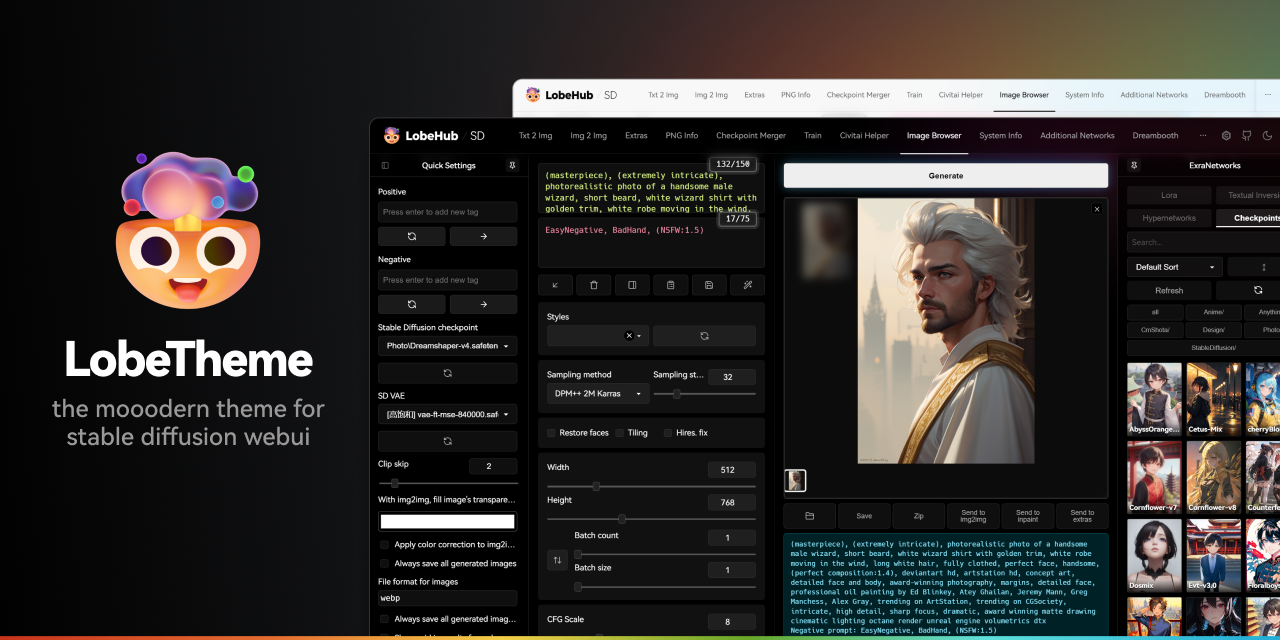
GitHub
🤯 Lobe theme - The modern theme for stable diffusion webui, exquisite interface design, highly customizable UI, and efficiency boosting features. - GitHub - lobehub/sd-webui-lobe-theme: 🤯 Lobe them...
silent ivy
silent ivy
i didnt downloaded yet
okay its downloaded
fair oxide
Stranger doesn't appear to me
 silent ivy
karmic crown
silent ivy
karmic crown
i m cloning
karmic crown
but in some (rare) cases, it is best to restart the whole ui, so ctrl+c
and launch it again
silent ivy
karmic crown
but in some (rare) cases, it is best to restart the whole ui, so ctrl+c
and laun...
u can see lora there

shall i untick those build in
karmic crown
lora queue helper is something we didnt talk about
karmic crown
we talked about loras (in general) and my custom user interface
if you want my user interface you need to install lobe theme extension
if you want loras, go to civitia.com and find some you like
put them in modes/lora folder inside your installation
silent ivy
W
 fair oxide
karmic crown
we talked about loras (in general) and my custom user interface
fair oxide
karmic crown
we talked about loras (in general) and my custom user interface
I downloaded it here, it was good, but it's a bit confusing... maybe I'll have to get used to it
silent ivy
karmic crown
put them in modes/lora folder inside your installation
THIS one right
karmic crown
fair oxide
I downloaded it here, it was good, but it's a bit confusing... maybe I'll have t...
just remember to scroll up and down to navigate trough main navigation, than it will be easy
karmic crown
silent ivy
THIS one right
for lora usage, always check the info on page where you download it, and examples on the same page. if you still have problems with lora usage, ask for help in #📝|prompting-help
kindred tinsel
Hello I am back here once again to ask for help aobut a weird ass error I am getting
Basically I downloaded everything and pretty much have all the models isntalled, but I tried running it through an image and it threw this error immediately
ornate elk
kindred tinsel
Hello I am back here once again to ask for help aobut a weird ass error I am get...
what are you even trying to do xD
i see controlnet
kindred tinsel
I am trying to use the new hand depth model, its only to fix up hands, I was trying to see how it masked stuff and try to use it later on when in inpainting to fix the hands using that controlnet and a prompt, but the test failed with that
 vocal burrow
kindred tinsel
Hello I am back here once again to ask for help aobut a weird ass error I am get...
vocal burrow
kindred tinsel
Hello I am back here once again to ask for help aobut a weird ass error I am get...
screenshot your whole webpage
kindred tinsel

there you go, it shows the error on the controlnet, I can send the error message to, although its the same as the txt I sent
vocal burrow
kindred tinsel
reload your webui, check the " allow preprocessor" in controlnet and before generating click the "explosion logo" so we can see what the preprocessor gives
also is the model you re using sd15 based ?
kindred tinsel
yeah
also
I tried doing that, im running some images without the controlnet for hands so im not sure if I can stop it rn
vocal burrow
and only activate one controlnet module for now
kindred tinsel
Rn yeah I am running only one, yesterday I ran like three togther so Im sure its not neccesarily other preprocessors that give me these issues
vocal burrow
when there some error, you always isolate it. It s easier and faster to work that way
kindred tinsel
Fine fine give me aprox 2 minutes to finish adetailer pass and then Ill rerun evertyhing, webui and all to test out only that one error
@vocal burrow Base settings, want me to increase preproccesor resolution maybe?
 vocal burrow
kindred tinsel
<@234988737526890496> Base settings, want me to increase preproccesor resolution...
vocal burrow
kindred tinsel
<@234988737526890496> Base settings, want me to increase preproccesor resolution...
"allow preview" and click the explosion logo

 cyan fable
Hi everyone! I'm trying to get fooocus to work, is this the right channel?
kindred tinsel
Yep it is !!
Also it says the backend might not be allowed, like propbably amd is not available as a backend for this thing, do you think I could change the backend
ornate elk
kindred tinsel
Okay midas passed, but hand refiner gives error
tried the hand refiner, got the error too
vocal burrow
kindred tinsel
why are you using an inpainting controlnet model ?
kindred tinsel
inpainting where?
Im using depth, like normally you would use, to at least get the mask
 kindred tinsel
literally the model that was given out in the hugging face thingy

I might be dumb and using it in the wrong place but idk im trying now in the impaint tab
vocal burrow
kindred tinsel
I might be dumb and using it in the wrong place but idk im trying now in the imp...
can you try with the control_v11p_sd15_depth ?
kindred tinsel
Should I try with a mask over the hands or just let it do its thing?
vocal burrow
(it s all relatively news so I wouldn t be surprised if the main version is broken, it might be necessary to switch to the dev branch)
vocal burrow
kindred tinsel
Should I try with a mask over the hands or just let it do its thing?
try like you just did but using control_v11p_sd15_depth model and depth_hand_refiner preprocessor
kindred tinsel
im on it ^^
cyan fable
okay good! so I followed a video tutorial to download fooocus and I've managed to get the program to generate images, but I'm having some issues. The tutorial showed that my checkpoints folder is supposed to have sd_xl_base and sd_xl_refiner files that are downloaded when you first run the program, but they've not appeared, even after re-installing. Also, it's taking an incredibly long time to generate photos, 5-10 minutes per photos at 7 seconds per iteration when the github page states that a low-end laptop can do 1.5 sec per iteration. My computer specs are Nvidia GeForce GTX 1660 SUPER, 16 GB 3200MHz RAM, AMD Ryzen 5 5600G and installed on a 1T SSD drive.
vocal burrow
kindred tinsel
im on it ^^
I cant test stuff right now I m at work and will probably be very busy tonight, so I ll just give you some resources to take a look at https://github.com/Mikubill/sd-webui-controlnet/discussions/2400

GitHub
Thanks Fannovel16 for his hard work extracting dependencies out for hand refiner in https://github.com/Fannovel16/comfyui_controlnet_aux/. Previously users need to use extensions like https://githu...
kindred tinsel
vocal burrow
try like you just did but using control_v11p_sd15_depth model and depth_hand_ref...
It returned the smae image no changes, kinda weird but it still gives me the error,
Its weird but thanks for trying ^^
vocal burrow
I might have time to try it out on dev branch later
ornate elk
cyan fable
okay good! so I followed a video tutorial to download fooocus and I've managed t...
hey, what model do you currently use?
 dense tapir
@ornate elk
 cyan fable
ornate elk
hey, what model do you currently use?
cyan fable
ornate elk
hey, what model do you currently use?
let me check
dense tapir
It seems like I can only manually install extensions 🤔 but not from the UI. I also tried fixing the dubious ownership with ChatGPT but seems like it still persists
cyan fable
it's the latest version, filename is Fooocus_win64_2-1-831.7z
ornate elk
dense tapir
It seems like I can only manually install extensions 🤔 but not from the UI. I a...
you installed Auto1111 webui the wrong way (by downloading it as zip). When did you installed it?
ornate elk
cyan fable
it's the latest version, filename is Fooocus_win64_2-1-831.7z
no i mean which model do you use to generate images?
cyan fable
oh! uh Juggernaut
vocal burrow
dense tapir
<@161910921269084160>
I bet your g: partition is fat32 and not ntfs
dense tapir
ornate elk
you installed Auto1111 webui the wrong way (by downloading it as zip). When did ...
Like an hour or two ago, I'm trying to move it to my new portable ssd
cyan fable
i run the realistic one
dense tapir
vocal burrow
I bet your g: partition is fat32 and not ntfs
exFAT
ornate elk
cyan fable
oh! uh Juggernaut
Juggernaut or juggernaut xl ? because XL models are larger and slower
vocal burrow
dense tapir
exFAT
yeah so just like fat32 it doesnt have any support for permissions / ownership
cyan fable
I have this file in my checkpoints folder 🤔 juggernautXL_version6Rundiffusion.safetensors
dense tapir
Crap, okay. Thanks
cyan fable
so the XL
dense tapir
vocal burrow
yeah so just like fat32 it doesnt have any support for permissions / ownership
I had it as exfat because that was the only way to use it on a phone too :/
cyan fable
I'm not chosing anything when I try to generate an image though, just typing in the prompt and hit generate
ornate elk
cyan fable
so the XL
yea thats why its so slow. with your gpu you should stick to 1.5 models (the ones that are 2-4gb) not 6gb
cyan fable
oh, okay! that's what was downloaded by default so I assumed it would be fine
i can find smaller models on civit ai?
ornate elk
cyan fable
i can find smaller models on civit ai?
yes, there is also Juggernaut Aftermath
its 2gb
vocal burrow
dense tapir
Crap, okay. Thanks
So yup, use a proper filesystem with permissions / ownership support and it should be fine. Otherwise you can try to force git to ignore those by running something like git config core.fileMode false (run it in your stable diffusion folder of course)
dense tapir
Idk maybe I was just stupid as CS1o said and installed SD incorrectly, could you please link me a tutorial on how to correctly install it?
I'm not sure if this is relevant, but I already have it on my main SSD and I'm simply trying to get it on my other on as well.
cyan fable
okay, so I want to download this to the checkpoints folder and get rid of juggernautxl?
https://civitai.com/models/46422/juggernaut
SURPRISE ;) Merry Christmas, everyone. As a little Christmas gift for you all, I've been working on a new version for the SD 1.5 version of Juggern...
 formal trout
Hi, I'm getting black mask when using these inpaint SD XL ControlNet models, any clue? https://civitai.com/models/136070?modelVersionId=271562 I'm on Automatic1111, Ubuntu, RX 6700, using --medvram-sdx --opt-sub-quad-attention --opt-sdp-attention --no-half-vae
NEW: bdsqlsz : canny | depth | lineart-anime | mlsd-v2 | normal | openpose | recolor | segment | segment-v2 | sketch | softedge | t2i-color-shuffle...
vocal burrow
dense tapir
Idk maybe I was just stupid as CS1o said and installed SD incorrectly, could you...
I mean he also is right. I see that master in your stable-diffusion-webui-master folder... meaning you downloaded the whole thing as a zip probably instead of using git or the release archive.
So yes you should probably reinstall it properly. But it will also probably not fix that specific issue.
dense tapir
vocal burrow
So yup, use a proper filesystem with permissions / ownership support and it shou...
Like this?
 vocal burrow
formal trout
Hi, I'm getting black mask when using these inpaint SD XL ControlNet models, any...
vocal burrow
formal trout
Hi, I'm getting black mask when using these inpaint SD XL ControlNet models, any...
try using --no-half on top of that or instead of --no-half-vae
it s gonna increase your vram usage by a lot but it might fix it
vocal burrow
dense tapir
Like this?
yes
dense tapir
I don't think it worked
vocal burrow
dense tapir
Like this?
and check pins for install guides
ornate elk
cyan fable
okay, so I want to download this to the checkpoints folder and get rid of jugger...
yes that one will be faster
dense tapir
vocal burrow
and check pins for install guides
Thank you!!! 🫶
formal trout
vocal burrow
try using --no-half on top of that or instead of --no-half-vae
great thanks, I'm trying it
fp16 model may be better?
or fp32 should work?
vocal burrow
it shouldnt matter for that.
vocal burrow
maybe try a proper reinstall before that
dense tapir
Okay!
cyan fable
ornate elk
yes that one will be faster
so i have the regular run.bat, and then a run_realistic.bat. will they both use the better juggernaut model and be quicker? realistic downloaded another checkpoint called realisticStockPhoto_v10.safetensors when i first ran it
ornate elk
cyan fable
so i have the regular run.bat, and then a run_realistic.bat. will they both use ...
these are presets (so it loads a model thats realistic) but you can change the model to your liking in the webui
cyan fable
okay! bless you for the help, im not too great with computers
I got an error - NotImplementedError: You have selected base model other than SDXL. This is not supported yet.
ornate elk
cyan fable
I got an error - NotImplementedError: You have selected base model other than SD...
hmm, i thought foocus supports 1.5 models
can you set the styles to None?
cyan fable
same error :(
ornate elk
cyan fable
same error :(
can you try close it again and start the run.bat not the realistic one?
cyan fable
I have been running the run.bat
ornate elk
oh okay
cyan fable
I'm trying again with realistic, using that model
 vocal moth
Does someone know if its possible to use control net combined with multi diffusion and if yes is there something i need to know? For example ipadapter doesnt work at all when i tried it sadly
ornate elk
cyan fable
I'm trying again with realistic, using that model
so after doing a bit of research, Fooocus mainly supports SDXL and is testing 1.5 support.
ornate elk
vocal moth
Does someone know if its possible to use control net combined with multi diffusi...
i know it works with Tiled VAE, but didnt tried with Multidiffusion, do you get an error?
dense tapir
vocal burrow
maybe try a proper reinstall before that
`raise RuntimeError("\n".join(error_bits))
RuntimeError: Couldn't checkout {name}'s hash: {commithash}.
Command: "git" -C "G:\AI\stable-diffusion-webui\repositories\stable-diffusion-stability-ai" checkout cf1d67a6fd5ea1aa600c4df58e5b47da45f6bdbf
Error code: 128
stderr: fatal: detected dubious ownership in repository at 'G:/AI/stable-diffusion-webui/repositories/stable-diffusion-stability-ai'
'G:/AI/stable-diffusion-webui/repositories/stable-diffusion-stability-ai' is on a file system that does not record ownership
To add an exception for this directory, call:
git config --global --add safe.directory G:/AI/stable-diffusion-webui/repositories/stable-diffusion-stability-ai
Press any key to continue . . .`
I'm gonna run that command and get the same kind of errors
ornate elk
@cyan fable for your GPU it would be the best to install the Automatic1111 webui. Its always slow to run 6gb models on a 6gb vram gpu but on Auto1111 you could use the smaller models and improved performance aswell as more features in general.
I made an hopefully easy to understand Install Guide here at the Pinned Message of this Channel.
Try that, and for any questions feel free to ask here 🙂
cyan fable
the realistic model ran better, 5.8s/it, but still super slow. so i should forgo fooocus entirely? dang, i spent all day trying to get this thing to work lol
ornate elk
cyan fable
the realistic model ran better, 5.8s/it, but still super slow. so i should forgo...
Yea its made for sdxl and higher end GPUs it seems.
Your better with auto1111
Its the most used webui here so plenty of helpful people too
dense tapir
my SD folder is not a git directory 🤔
ornate elk
dense tapir
my SD folder is not a git directory 🤔
Because you installed it the wrong way (by downloading it as zip)
dense tapir
No
ornate elk
Can you show me the error?
dense tapir
dense tapir
`raise RuntimeError("\n".join(error_bits))
RuntimeError: Couldn't checkout {name...
Here
ornate elk
dense tapir
Here
Is that on your external drive?
Because it says problem with ownership
dense tapir
It's a portable SSD, not the built in one
ornate elk
dense tapir
It's a portable SSD, not the built in one
Best thing is to reformat it and then try again. Make sure its ntfs
dense tapir
Thanks! Willy try
ornate elk
But save your personal stuff before formatting
astral comet
hey guys, any way to see seeds from previously generated images, same way SD has a folder with past gens?
astral comet
in img2img?à
dense tapir
astral comet
in img2img?à
Here!
 astral comet
yoooo thanks dude
dense tapir
😉 👍
@ornate elk @vocal burrow Thank you guys! Seems to be working. If not, then you know the drill
ornate elk
dense tapir
<@161910921269084160> <@234988737526890496> Thank you guys! Seems to be working....
Perfect np 🙂
vocal moth
ornate elk
i know it works with Tiled VAE, but didnt tried with Multidiffusion, do you get ...
Yeah when i turn on tiled diffusion and have ip adapter selected in control net i get the following error:
File "F:\AI\AUTOMATIC1111\stable-diffusion-webui\extensions\multidiffusion-upscaler-for-automatic1111\tile_methods\abstractdiffusion.py", line 499, in prepare_controlnet_tensors if len(control_tensor.shape) == 3: AttributeError: 'dict' object has no attribute 'shape'
 sleek breach
Hey guys, I just wanted to say, for how long should the "Installing requirements for CodeFormer" part of the bat file occur? Cause it's been there for me for a good 5 minutes
ornate elk
sleek breach
Hey guys, I just wanted to say, for how long should the "Installing requirements...
Hey, can you show a screenshot?
sleek breach

Actually

Now I'm getting this error
I never used discord so it's a bit hard to get used to
vocal burrow
sleek breach
before closing it can you show the full log of the installation (copy paste the whole thing in a .txt and drop the file in here)
dense tapir
Hey, I'm getting infinite loading times now.
sleek breach
vocal burrow
before closing it can you show the full log of the installation (copy paste the ...
vocal burrow
dense tapir
Hey, I'm getting infinite loading times now.
check for errors in console log
ornate elk
dense tapir
Hey, I'm getting infinite loading times now.
What does the cmd shows?
dense tapir
No errors 🤷♂️
ornate elk
dense tapir
No errors 🤷♂️
And where does it load? When generating? Or selecting a model?
 pure forge
How fast should an m2 macbook generate on sdxl turbo in automatic? I'm getting 1 minute 25 seconds when I prompted with simply "spaceman"
dense tapir
Wait what the
Ok
So
So I got this error:

And then my keyboard and mouse died 😹
ornate elk
dense tapir
And then my keyboard and mouse died 😹
Did you download multiple files at the same time?
dense tapir
I downloaded some extensions yeah
vocal burrow
sleek breach
weird I don't see anything wrong.... Is this a fresh install ?
vocal burrow
pure forge
How fast should an m2 macbook generate on sdxl turbo in automatic? I'm getting 1...
depends of the settings you've used
silent ivy
@karmic crown how do you generate prompt? I wanna create an Ai model , but prompts are not that great
pure forge
 sleek breach
vocal burrow
weird I don't see anything wrong.... Is this a fresh install ?
sleek breach
vocal burrow
weird I don't see anything wrong.... Is this a fresh install ?
Kinda, I had stable diffusion installed on another PC, I copied and pasted the files from there in here, in order to get the Loras and models here as well, maybe that could influence it?
pure forge
vocal burrow
depends of the settings you've used
Here are the settings
dense tapir
Ok I need to restart my PC some of the usb ports died lmao
vocal burrow
sleek breach
Kinda, I had stable diffusion installed on another PC, I copied and pasted the f...
yup don't copy paste from another computer. There's many things that could go wrong doing that
Do a clean install instead (and then copy paste models, loras, etc)
 proper pike
I am using a pixel art lora from civit and when I do the native 1024x1024 model it gives weird glitches like this, but if I use hires fix 2x the pixels are perfect but the proportions are all wrong. Anyone know how to fix this?
 vocal burrow
dense tapir
Ok I need to restart my PC some of the usb ports died lmao
vocal burrow
dense tapir
Ok I need to restart my PC some of the usb ports died lmao
it will probably fix everything
proper pike
using hires fix and it has weird proportions on all the outputs
 dense tapir
proper pike
using hires fix and it has weird proportions on all the outputs
dense tapir
proper pike
using hires fix and it has weird proportions on all the outputs
Upscale via scripts
 crimson sail
hello, i am new to this whole ai thing and i installed the automatic 1111 webui, but no matter what propts i use, i get a black square. Can someone help me?
proper pike
dense tapir
Upscale via scripts
How do you mean via scripts?
vocal burrow
pure forge
https://media.discordapp.net/attachments/211187501153386496/1193990337010606151/...
1/ that seems a little slow, but the last mac I owned was an apple2 so I don't got any proper point of comparaison
2/ that's not how sdxl_turbo is supposed to be used, you're meant to set CFG scale at 1 and sampler steps at 1 (or use this extension, https://github.com/seshelle/CFG_Rescale_webui with CFG scale at 7 + CFG Rescale at 0.7 + sampling steps at 1)
dense tapir
So uhh what does this mean? I simply opened webui.bat
 pure forge
vocal burrow
1/ that seems a little slow, but the last mac I owned was an apple2 so I don't g...
pure forge
vocal burrow
1/ that seems a little slow, but the last mac I owned was an apple2 so I don't g...
Danke
vocal burrow
dense tapir
So uhh what does this mean? I simply opened webui.bat
it means it's starting up ?
vocal burrow
crimson sail
hello, i am new to this whole ai thing and i installed the automatic 1111 webui,...
what does the console log say ? what settings are you using ? what's your hardware ?
dense tapir
I'm fun
crimson sail
vocal burrow
what does the console log say ? what settings are you using ? what's your hardwa...
do you mean gpu?
vocal burrow
dense tapir
Oh so I just need to wait
it should start printing something else pretty much immediately, make sure the cmd windows is not paused / has the focus
vocal burrow
crimson sail
do you mean gpu?
among other things yes
dense tapir
vocal burrow
it should start printing something else pretty much immediately, make sure the c...
The startup time took 180 seconds for some reason
dense tapir
proper pike
How do you mean via scripts?
 vocal burrow
dense tapir
vocal burrow
dense tapir
better using those scripts https://github.com/Coyote-A/ultimate-upscale-for-automatic1111
GitHub
Contribute to Coyote-A/ultimate-upscale-for-automatic1111 development by creating an account on GitHub.
dense tapir
Yes
dense tapir
vocal burrow
better using those scripts https://github.com/Coyote-A/ultimate-upscale-for-auto...
This better @proper pike
crimson sail
gpu: geforce GTX 1650 and cpu: Core I5-9400F
vocal burrow
crimson sail
gpu: geforce GTX 1650 and cpu: Core I5-9400F
ok then what about the rest. what does the console log says ? what settings are you using ?
crimson sail
vocal burrow
ok then what about the rest. what does the console log says ? what settings are ...
with console log, do you mean my cmd?
vocal burrow
crimson sail
with console log, do you mean my cmd?
yes
crimson sail
vocal burrow
crimson sail
don't use --disable-nan-check
crimson sail
but then it doesn`t work
vocal burrow
and it doesn't work with it either
proper pike
dense tapir
This better <@948500705268867072>
But do you know why the native 1024x1024 has weird artifacts?
vocal burrow
crimson sail
but then it doesn`t work
like the title says it's only gonna disable some check.... So instead of having a meaningful error message the program is just gonna ignore any errors and poop its pants without telling you anything useful.
vocal burrow
crimson sail
if i try it now it just says:
use --no-half
crimson sail
ok 1 sec
vocal burrow
it's mandatory for 16XX gpus
dense tapir
Yeah it's still horrendous, I'm simply trying to change models and the processing is at 370 seconds
crimson sail
btw is that a problem? "Style database not found: X:\AI\stable-diffusion-webui\styles.csv"
vocal burrow
crimson sail
btw is that a problem? "Style database not found: X:\AI\stable-diffusion-webui\s...
no, the file should create itself the moment you save a style
crimson sail
ok
dense tapir
proper pike
But do you know why the native 1024x1024 has weird artifacts?
If I understand correctly, then I think that if the model is not an XL one, then that kind of resolution will not work because they aren't optimized for it
 fluid mountain
what happend to deepfloyd? :( will it come back??
crimson sail
ok it works thx : )
dense tapir
Ye ok I waited 666 seconds Idk
vocal burrow
what's the problem exactly (kinda got lost with all the noise) ?
dense tapir
Lol you're good. Just infinite loading times
And then best i can do is just close SD

 vocal burrow
dense tapir
vocal burrow
dense tapir
looks good (apart from the lack of command line arguments so you're probably leaving perfs on the table there)
startup time 20.1s
proper pike
dense tapir
If I understand correctly, then I think that if the model is not an XL one, then...
This is the lora https://civitai.com/models/120096/pixel-art-xl
Pixel Art XL Consider supporting further research on Ko-Fi or Twitter If you have a request, you can do it via Ko-Fi Checkout my other models at Re...
dense tapir
proper pike
This is the lora https://civitai.com/models/120096/pixel-art-xl
What's the checkpoint?
pure forge
vocal burrow
1/ that seems a little slow, but the last mac I owned was an apple2 so I don't g...
hmmm faster but not dramatically so, most of the time is spend without any progress being shown then the progress bar goes by super fast
 proper pike
dense tapir
What's the checkpoint?
proper pike
dense tapir
What's the checkpoint?
sdxl base model
proper pike
dense tapir
Spam generate then I guess
I did batch 50 lol
vocal burrow
pure forge
hmmm faster but not dramatically so, most of the time is spend without any progr...
waht does the log says ?
dense tapir
vocal burrow
looks good (apart from the lack of command line arguments so you're probably lea...
Damn...
proper pike
dense tapir
All of them looked like that?
99% are elongated torsos.
dense tapir
Bad lora?
proper pike


 vocal burrow
proper pike
vocal burrow
proper pike
probably bad settings, prompts, etc. Try asking for more help in #📝|prompting-help
proper pike
This is with hires fix, right? So thats when it has weird torso or features. However if I keep it at 1024x1024, it keeps proportions BUT the image gets weird artifacts. As if its not a pixel image
dense tapir
Prompt
proper pike
1024x1024 has weird artifacts
 vocal burrow
proper pike
1024x1024 has weird artifacts
vocal burrow
proper pike
1024x1024 has weird artifacts
again, looks like incorrect settings, try to play with the cfg scale, weight of loras, etc #📝|prompting-help
dense tapir
proper pike
This is the lora https://civitai.com/models/120096/pixel-art-xl
Best results without using, pixel art in the prompt
Whatever that is
Hope you're using it
pure forge
vocal burrow
waht does the log says ?
how do I view that?
vocal burrow
pure forge
how do I view that?
it's printed in the console / cmd
pure forge
vocal burrow
it's printed in the console / cmd
Total progress: 100%|███████████████████████████████████████████████████████████████████████| 1/1 [00:07<00:00, 7.35s/it]
this time 38 seconds so a little faster
vocal burrow
pure forge
> Total progress: 100%|█████████████████████████████████████████████████████████...
what's the FULL log
from the beginning
dense tapir
Yeah seems like SD completely shitted for me...huh
Not sure why Imma just leave it. Thanks for the help though! @vocal burrow
pure forge
vocal burrow
what's the FULL log
vocal burrow
dense tapir
Not sure why Imma just leave it. Thanks for the help though! <@23498873752689049...
I'm still waiting on your reproduction steps tho. What's causing the problem ?
dense tapir
And then if I do anything that requires the little loading animation it stucks
vocal burrow
dense tapir
And then if I do anything that requires the little loading animation it stucks
try cleaning your browser cache
dense tapir
Okay
vocal burrow
if it does nothing delete the venv folder
still nothing, clean reinstall just to make sure.
vocal burrow
pure forge
You're using python 3.9.6, you're lucky it even runs with that. SD is meant to be used with 3.10.6 up to 3.10.13.
Try reinstalling following this guide https://github.com/viking1304/a1111-setup/discussions/2
pure forge
yeah I missed that step smh
alright I upated that and pip and then reran
@vocal burrow damn now it took over 2 minutes
vocal burrow
did you reinstall following the tutorial ?
dense tapir
Yeah still bad...I'll just reinstall another time. It seemed like when I started getting my extensions, that's when SD just shitted
vocal burrow
dense tapir
Yeah still bad...I'll just reinstall another time. It seemed like when I started...
delete them (they should be in extensions folder) and clean venv once again to confirm
dense tapir
Already did :/
vocal burrow
did you clean the venv after deleting them ?
dense tapir
Yes
vocal burrow
:/ ok maybe the reinstall will fix it. I have to go for now
dense tapir
Bye and thanks!
pure forge
vocal burrow
did you reinstall following the tutorial ?
I just updated python using the command in the tutorial since it's the only thing I didn't do before and then updated pip, do I need to reinstall everything after updating python?
vocal burrow
pure forge
I just updated python using the command in the tutorial since it's the only thin...
I'd say a clean reinstall would ensure that you're not piling up on errors from the past.
Plus if you changed your python without deleting the venv folder it's still using the outdated venv
pure forge

pure forge
vocal burrow
Plus if you changed your python without deleting the venv folder it's still usin...
Idek what venv is and Google's no help
vocal burrow
the venv folder in stable diffusion's folder
it basically holds a copy of everything python related necessary to run SD
that way instead of messing with your system's python files, it messes with things within its own little sandbox
venv , virtual envrionment
sleek breach
Well, I'm having this issue now
C:\Users\Alberto\Documents\Stable Diffusion\stable-diffusion-webui>git pull
Already up to date.
venv "C:\Users\Alberto\Documents\Stable Diffusion\stable-diffusion-webui\venv\Scripts\Python.exe"
Python 3.10.6 (tags/v3.10.6:9c7b4bd, Aug 1 2022, 21:53:49) [MSC v.1932 64 bit (AMD64)]
Version: v1.7.0
Commit hash: cf2772fab0af5573da775e7437e6acdca424f26e
Installing torch and torchvision
C:\Users\Alberto\Documents\Stable Diffusion\stable-diffusion-webui\venv\Scripts\python.exe: No module named pip
Traceback (most recent call last):
File "C:\Users\Alberto\Documents\Stable Diffusion\stable-diffusion-webui\launch.py", line 48, in <module>
main()
File "C:\Users\Alberto\Documents\Stable Diffusion\stable-diffusion-webui\launch.py", line 39, in main
prepare_environment()
File "C:\Users\Alberto\Documents\Stable Diffusion\stable-diffusion-webui\modules\launch_utils.py", line 378, in prepare_environment
run(f'"{python}" -m {torch_command}', "Installing torch and torchvision", "Couldn't install torch", live=True)
File "C:\Users\Alberto\Documents\Stable Diffusion\stable-diffusion-webui\modules\launch_utils.py", line 116, in run
raise RuntimeError("\n".join(error_bits))
RuntimeError: Couldn't install torch.
Command: "C:\Users\Alberto\Documents\Stable Diffusion\stable-diffusion-webui\venv\Scripts\python.exe" -m pip install torch==2.0.1 torchvision==0.15.2 --extra-index-url https://download.pytorch.org/whl/cu118
Error code: 1
Presione una tecla para continuar . . .
Couldn't install torch
vocal burrow
sleek breach
C:\Users\Alberto\Documents\Stable Diffusion\stable-diffusion-webui>git pull
Alre...
What do where python, python --version and py --list-paths say ? (run those in cmd)
sleek breach
For where python: C:\Users\Alberto\AppData\Local\Programs\Python\Python310\python.exe
For python -- version: Python 3.10.6
For py --list-paths: Installed Pythons found by py Launcher for Windows
-3.10-64 C:\Users\Alberto\AppData\Local\Programs\Python\Python310\python.exe *
vocal burrow
sleek breach
For where python: C:\Users\Alberto\AppData\Local\Programs\Python\Python310\pytho...
what's in the C:\Users\Alberto\AppData\Local\Programs\Python\Python310\Scripts folder ?
vocal burrow
sleek breach
C:\Users\Alberto\Documents\Stable Diffusion\stable-diffusion-webui>git pull
Alre...
do you have those in your stable-diffusion-webui\venv\Scripts folder ?
astral comet
hi guys, followed this tutorial, and when i select the .cpk file as a model it just glitched out and automatically switches to my last used model, any idea what could be causing this?
sleek breach
vocal burrow
do you have those in your stable-diffusion-webui\venv\Scripts folder ?
Nope, Only got python
And pythonw
vocal burrow
sleek breach
Nope, Only got python
ok how much space do you have on your c: drive and whatever drive you have installed SD on ?
sleek breach
107 GB I got
vocal burrow
sleek breach
107 GB I got
ok delete the venv folder and try to launch webui-user again
vocal burrow
astral comet
hi guys, followed this tutorial, and when i select the .cpk file as a model it j...
what software are you using ? what .ckpt ? what do you means "it gliched out" ? what does the log says ?
astral comet
it's a custom .ckpt i made following a tutorial to build your own model
let me get back to u with the log
pure forge
vocal burrow
the venv folder in stable diffusion's folder
I deleted venv and tried to git clone and it didn't reappear. How do I reinstall?
vocal burrow
pure forge
I deleted venv and tried to git clone and it didn't reappear. How do I reinstall...
git clone the venv folder ?!?
what
the venv folder will reconstruct itself upon running webui-user
pure forge
vocal burrow
git clone the venv folder ?!?
no the whole automatic
I was just using that to see if it actually updated it
vocal burrow
pure forge
I was just using that to see if it actually updated it
ok ... so you deleted your whole stable-diffusion-webui folder ? and git cloned it again ?
ornate elk
sleek breach
C:\Users\Alberto\Documents\Stable Diffusion\stable-diffusion-webui>git pull
Alre...
Open up a cmd and type
Pip cache purge
Then delete the venv folder
And relaunch the webui-user.bat
vocal burrow
hey ! spoiler ! that was my next step.
they vanished anyways :p so maybe rebuilding the venv was enough
pure forge
vocal burrow
ok ... so you deleted your whole stable-diffusion-webui folder ? and git cloned ...
I only deleted venv and got cloned automatic and venv didn't show up again so I don't think git cloning did anything
vocal burrow
pure forge
I only deleted venv and got cloned automatic and venv didn't show up again so I ...
you don't update with git clone but with git pull
so I have no idea what your git clone did because it depends what you folder you ran it from
pure forge
I did git pull first and it said it was up to date
vocal burrow
Anyways like I said you don't "reinstall venv"
you simply run webui-user again and it will rebuild itself
pure forge
I didn't try to reinstall venv
Okay so delete venv and then run it?
Before you said not to just run it and that it had to be reinstalled
vocal burrow
< wait what.... so you didn't delete stable-diffusion-webui.... you git cloned it AGAIN somewhere.... so presumably you might have it twice.... And you're asking me how to reinstall "it" again ?!?
I'm lost
vocal burrow
pure forge
Before you said not to just run it and that it had to be reinstalled
I said that it would be better if you reinstalled it yes. Meaning if you reinstalled it completly, uninstalled all that you did, delete your stable-diffusion-webui, your python install, etc
pure forge
Wait I need to delete Python from my system?
vocal burrow
And then you follow the tutorial I've sent you. This way we're sure you're following an approved and tested procedure.
pure forge
Is there a step by step process for reinstalling somewhere
ornate elk
pure forge
Is there a step by step process for reinstalling somewhere
yes, in the Pinned Messages of this channel is a all in one install script, that also makes the needed settings for best performance on mac
vocal burrow
pure forge
Is there a step by step process for reinstalling somewhere
- delete the whole stable-diffusion-webui folder
- make sure that you have a proper and compatible python, if not uninstall it and install a proper one (3.10.6 to 3.10.13)
- install stable-diffusion-webui following the guide provided.
pure forge
ornate elk
yes, in the Pinned Messages of this channel is a all in one install script, that...
So just run that script and it'll ensure everything is fresh and fixed
vocal burrow
pure forge
So just run that script and it'll ensure everything is fresh and fixed
I've just stated what you have to do
pure forge
vocal burrow
I've just stated what you have to do
So you think the script is a bad idea
ornate elk
pure forge
So you think the script is a bad idea
yea the 3 steps areyetis told will do it, the script will do the rest
formal trout
vocal burrow
try using --no-half on top of that or instead of --no-half-vae
I did but now it runs out of memory, I tried with Low Vram in ControlNet
OutOfMemoryError: HIP out of memory. Tried to allocate 1.04 GiB (GPU 0; 11.98 GiB total capacity; 11.11 GiB already allocated; 568.00 MiB free; 11.30 GiB reserved in total by PyTorch) If reserved memory is >> allocated memory try setting max_split_size_mb to avoid fragmentation. See documentation for Memory Management and PYTORCH_HIP_ALLOC_CONF
Also I'm getting
ControlNet - WARNING - A1111 inpaint and ControlNet inpaint duplicated. ControlNet support enabled.
I'm inpainting with a SD XL inpainting model and I did some modification in configuration files, don't know if that is related
vocal burrow
AMD and inpainting ain't working pretty great.... I'm not an AMD guy so I don't know the exact commands that can make it work for sure for every single cards out there.
Usually the rule is if inpainting f*** up with AMD hardware => go --no-half
So maybe you can try --lowvram --no-half --opt-sub-quad-attention --opt-split-attention-v1
it will be even slower than before tho :/
formal trout
vocal burrow
AMD and inpainting ain't working pretty great.... I'm not an AMD guy so I don't ...
well I just tried with --lowvram ( --lowvram --opt-sub-quad-attention --opt-sdp-attention --no-half-vae --no-half ), it started but with a black masked, and awfull slow like 9s/it
vocal burrow
@ornate elk do you remember the magic amd values ?
formal trout
vocal burrow
AMD and inpainting ain't working pretty great.... I'm not an AMD guy so I don't ...
inpainting with regular SDXL models and the inpainting model worked for me with --medvram-sdx --opt-sub-quad-attention --opt-sdp-attention --no-half, but with this ControlNet inpainting model it seems doesn't like it
I wanted to fly too high xD
ornate elk
vocal burrow
<@161910921269084160> do you remember the magic amd values ?
Its --medvram --opt-sub-quad-attention --opt-split-attention --upcast-sampling --no-half-vae
ornate elk
formal trout
I wanted to fly too high xD
Use the smallest xl controlnet files and enable lowvram mode in controlnet
formal trout
ornate elk
Use the smallest xl controlnet files and enable lowvram mode in controlnet
let me try, I'm trying these one https://civitai.com/models/136070?modelVersionId=271562
NEW: bdsqlsz : canny | depth | lineart-anime | mlsd-v2 | normal | openpose | recolor | segment | segment-v2 | sketch | softedge | t2i-color-shuffle...
ornate elk
formal trout
let me try, I'm trying these one https://civitai.com/models/136070?modelVersionI...
Yea these are to large
formal trout
ornate elk
Yea these are to large
is there other inpainting CN model for SD XL?
ornate elk
I dont think so
formal trout
ornate elk
I dont think so
yes me neither, it was the first one I saw xD
ornate elk
small sdxl controlnet files can be found here, but no inpainting
https://huggingface.co/lllyasviel/sd_control_collection/tree/main
formal trout
ornate elk
Its --medvram --opt-sub-quad-attention --opt-split-attention --upcast-sampling -...
it generate but black mask sadly
ornate elk
formal trout
it generate but black mask sadly
--no-half is still needed for inpainting
formal trout
ty anyway, I'm happy with these inpainting SD XL model I found https://civitai.com/models/245423/juggerxlinpaint
FOR Automatic1111 -> inpaint, please read that this is not yet fully implemented @KandooAI (confirmed thx) original: https://civitai.com/models/...
But about the size, I run different CN models and a few at the time (only had to use Low VRAM when using like 4 or 5), and they worked
Some OpenPose or Depth model that were like 6 GB
ornate elk
formal trout
Some OpenPose or Depth model that were like 6 GB
Havent seen any controlnet model larger than 5gb
formal trout
ornate elk
Havent seen any controlnet model larger than 5gb
yes 5 GB
ornate elk
If you can always use the smaller ones
But yea big ones can work too, make sure to enabled tiled vae too
Maybe not using hires upscale by 2
formal trout
ornate elk
But yea big ones can work too, make sure to enabled tiled vae too
that one worked without changing anything, but well these ones I don't know, I guess there will be more in the future
ornate elk
Yea I think so too
formal trout
some guy say this but it didn't worked for me

got

but well as I said those new juggernaut inpainting models seems to work pretty well
astral comet
hi guys, so I used DreamBooth to create a model based on some pics, went through the whole tutorial which ended in downloading the created .ckpt file. I put in in the models folder, and when I try to load it it sends me back to the last model used and it says
changing setting sd_model_checkpoint to SP.ckpt [125ff6233c]: AttributeError
Traceback (most recent call last):
File "C:\stable-diffusion-webui\modules\options.py", line 146, in set
option.onchange()
File "C:\stable-diffusion-webui\modules\call_queue.py", line 13, in f
res = func(*args, **kwargs)
File "C:\stable-diffusion-webui\modules\initialize_util.py", line 174, in <lambda>
shared.opts.onchange("sd_model_checkpoint", wrap_queued_call(lambda: sd_models.reload_model_weights()), call=False)
File "C:\stable-diffusion-webui\modules\sd_models.py", line 773, in reload_model_weights
state_dict = get_checkpoint_state_dict(checkpoint_info, timer)
File "C:\stable-diffusion-webui\modules\sd_models.py", line 330, in get_checkpoint_state_dict
res = read_state_dict(checkpoint_info.filename)
File "C:\stable-diffusion-webui\modules\sd_models.py", line 314, in read_state_dict
sd = get_state_dict_from_checkpoint(pl_sd)
File "C:\stable-diffusion-webui\modules\sd_models.py", line 253, in get_state_dict_from_checkpoint
pl_sd = pl_sd.pop("state_dict", pl_sd)
AttributeError: 'NoneType' object has no attribute 'pop'
my bad i'll send screenshots this is a clutter
 strange thunder
Where should I go to get started with comfy ui? I installed it a couple of months ago, but never actually got around to using it/didn't have the time. "
First and foremost: I have a very precariously set up a1111 and my primary goal is to NOT break it or its extensions. What do I need to do to make sure anything comfy ui related (in terms of install or update) doesn't completely break my a1111?
I also don't want my kohya ss to break. And it seems like both that and a1111 can be casualties of setting up comfy ui. I'd really like to avoid that.
pure forge
I feel like it would just be easier to re-set up your computer every time you want to change python versions
astral comet
hi guys, so I used DreamBooth to create a model based on some pics, went through the whole tutorial which ended in downloading the created .ckpt file. I put in in the models folder, and when I try to load it it sends me back to the last model used and it says

 frosty portal
Hello guys, I'm experiencing some weird things with my upscalers, I tried all types of upscalers, different models, amounts, and every time I upscale my model looks deformed, or pixelated, or something like that, I just want it to upscale and specially add detail
Any ideas??
pure forge

so now it's way faster but it's just a blur
okay I learned that it's not worth trying to use this on a mac, it's so much simpler on windows
astral comet
hi guys, so I used DreamBooth to create a model based on some pics, went through the whole tutorial which ended in downloading the created .ckpt file. I put in in the models folder, and when I try to load it it sends me back to the last model used and it says
 formal trout
strange thunder
Where should I go to get started with comfy ui? I installed it a couple of month...
formal trout
strange thunder
Where should I go to get started with comfy ui? I installed it a couple of month...
install Comfy, activate the Automatic1111 venv, then run Comfy inside that venv, that won't mess your Automatic1111 installation, and won't take extra space
I did that to save extra space, and I haven't had any issue
then in Comfy you need to install the "manager" (file/extension manager, don't remember), and one by one install all missing nodes, put some models and files in especial folders of Comfy folder for some workflows, some other workflows will use the models in the automatic1111 folders like sd checkpoints and Lora's
strange thunder
formal trout
install Comfy, activate the Automatic1111 venv, then run Comfy inside that venv,...
I got this far and am not sure what to do now.. lol. I actually don't think I mind the extra space it would take up and that's simpler for me than running a venv. Or are you saying that's the only way to do it? Idk if the screenshots are helpful info in this struggle. Dx


I already did a git clone on the manager, but I guess I got ahead of myself a little since the thing itself doesn't want to even launch yet.
formal trout
strange thunder
I got this far and am not sure what to do now.. lol. I actually don't think I mi...
nah you can follow the Comfy installation guide and it will create its own venv and launch thing
formal trout
strange thunder
I got this far and am not sure what to do now.. lol. I actually don't think I mi...
I don't know about that, prob some other user here would know. You can start over again and check if you followed all the installation guide (things like python version, etc)
strange thunder
formal trout
nah you can follow the Comfy installation guide and it will create its own venv ...
Will updating python or reinstalling xformers risk breaking a1111?
formal trout
strange thunder
Will updating python or reinstalling xformers risk breaking a1111?
haha I used to be worry about that kinds of things also, and asked that question. Just check what python version it is needed for Comfy, check your current version. in Windows there is some "add path" thing in the installation of python that was important at least in the past. I don't think it will mess the Automatic installation, but I wouldn't put my hands in the fire. Also I think you can have different versions of python installed and the each venv will use a different version, afaik.
Worst case scenario reinstall Automatic1111, first rename the directory as "stablediffusionOLD", then copy your launch file and models in the corresponding directories. It is a good practice to do that, I've done that when I think my installation was messed up.
strange thunder
https://martinfritz.medium.com/work-with-multiple-versions-of-python-on-windows-10-eed1e5f52f07 I think this might be what you're talking about? Where it looks like they tell you to add it to paths and then how to I guess activate the specific version you need?
Medium
Install, manage several Python versions on a Windows computer and use them from the terminal and in virtual environments.
formal trout
strange thunder
https://martinfritz.medium.com/work-with-multiple-versions-of-python-on-windows-...
yes that's that, Add python x.x to Path
strange thunder
Ok thanks. You've at least given me some direction. lol. Although I'm sure I'll make that change and if I'm lucky, it keeps a1111 unbroken, but the comfy ui bat still will have those other issues.. Dx
formal trout
strange thunder
Ok thanks. You've at least given me some direction. lol. Although I'm sure I'll ...
no problem, and keep asking here so the guys that know more show xD
 glad fiber
how can I train a lora on a GTX 1650 (4GB)? I dont care if it takes hours to train, but I want to train on my own computer
it can be textual inversion too, idc
 rotund lava
you cant train loras with that gpu and textual eats like 6-8gb or vram you could try to train textual inversion with cpu but you would have to search online how to do it
glad fiber
rotund lava
you cant train loras with that gpu and textual eats like 6-8gb or vram you could...
isnt there a way where I can combine the power of my gpu and my cpu?
rotund lava
no,it can only use one at a time
glad fiber
:C
rotund lava
someone managed to make it work with a 4gb ampere gpu with kohya-ss and sd-scripts from here https://github.com/kohya-ss/sd-scriptson by using bitsandbytes and xformers but it was an ampere gpu not a turing like yours but you could give it a try
glad fiber
thanks, I will see it later
glad fiber
rotund lava
someone managed to make it work with a 4gb ampere gpu with kohya-ss and sd-scrip...
link is giving 404
https://github.com/kohya-ss/sd-scripts right link

GitHub
Contribute to kohya-ss/sd-scripts development by creating an account on GitHub.
rotund lava
yes that one
you would have to search on youtube tutorials on how to use kohya-ss then u install those scripts to use it together with kohya
 calm cairn
alright question probably easy one (I don't wanna move all the files to test)
if I have Stable Diffusion on my C drive, can I move the models and loras (and previews) to my E drive and it still works? Or does the program specifically need the folder to be inside its file structure like that?
Also, can I move the whole thing to the E drive and run it from there?
TIA
simple tartan
I run all my AI stuff from a different drive
4TB nvme
OS is installed on the 2TB gen5
just move the whole folder (after you close everything)
I'm working on training my LORA again, task from last night failed.... will post the error if it bombs again, currently at 28%....40s/it
simple tartan
91%
ModuleNotFoundError: No module named 'bitsandbytes.cuda_setup.paths'
since i'm on AMD, it should be using only CPU, but seems its still attempting an nvidia.
also in the same error log
ImportError: No bitsandbytes / bitsandbytesがインストールされていないようです
going to try as a 1.5 instead of an SDXL for now, while i wait for the brains to come online
ornate elk
simple tartan
```ModuleNotFoundError: No module named 'bitsandbytes.cuda_setup.paths'```
since...
There is currently no way to train with AMD on Windows that I know of
simple tartan
well that sucks, lol
so i need to hurry up and decide which green gpu to add to the system
ornate elk
12gb at least. 16gb or more if you want to train sdxl
ornate elk
calm cairn
alright question probably easy one (I don't wanna move all the files to test)
if...
You can move the models and loras And then add --ckpt-dir "D:/Path/to/Models" and --lora-dir ..
To the webui-user.bat
ornate elk
frosty portal
Hello guys, I'm experiencing some weird things with my upscalers, I tried all ty...
Can you show an example with the txt2img settings?
simple tartan
can any of these "apps" SD, Textgen, etc, benefit from the dedicated workstation style cards, or am I wasting money?
 vague compass
How can I use SD Auto1111 in production. I've 10k+ user requests. How can i handle scaling?
karmic crown
dense tapir
exFAT
exFAT should be used for external drives if you want to be able to use the same drive on both PC and Mac without 3rd party software on Mac - and that's it - in short: just use NTFS for all Windows internal drives
karmic crown
pure forge
okay I learned that it's not worth trying to use this on a mac, it's so much sim...
show me what you have at the bottom of your UI, something like this:
version: v1.7.0 • python: 3.10.13 • torch: 2.1.2 • xformers: N/A • gradio: 3.41.2 • checkpoint: a88bfb6ffa
I can help you fix your Mac installation, and turbo will work, but it will still be much slower than on your PC
karmic crown
for comparison, this is a result on my iMac (Intel) with Radeon Pro 580X 8 GB
You can reduce the time by using Euler A instead of DPM++ 2M Karras
i will try on M1 Macbook Pro later, and post the results from that machine
 astral comet
hi guys, so I used DreamBooth to create a model based on some pics, went through the whole tutorial which ended in downloading the created .ckpt file. I put in in the models folder, and when I try to load it it sends me back to the last model used and it says
 pure forge
karmic crown
show me what you have at the bottom of your UI, something like this:
version: v1...
pure forge
karmic crown
show me what you have at the bottom of your UI, something like this:
version: v1...
alright I got a similar result except with too many arms which I posted in #1178805966335119472 but it took 55 seconds
Euler a only reduced it by 4 seconds

 neon vale
I have an 11GB 1080ti, but when I try to run SDXL with xformers it's excruciatingly slow, even with medvram. no xformers runs fine on high vram
am i lacking ram? is 16gb enough?
 steady thistle
@ornate elk Hey there! Thanks for all your help recently, it got me back up and running. Do you have a list of useful extensions? It can be difficult knowing what's out there.
neon vale
steady thistle
<@161910921269084160> Hey there! Thanks for all your help recently, it got me ba...
these are my top 3
 steady thistle
neon vale
these are my top 3
steady thistle
neon vale
these are my top 3
I've heard of adetailer but never tried it. I'll check out the other two, thanks!
ornate elk
steady thistle
<@161910921269084160> Hey there! Thanks for all your help recently, it got me ba...
hey, no problem 🙂 Beside "Tiled Diffusion" whats needed for AMD, i can recommend "ControlNet" (its the most feature rich extension out there and very powerfull),
also for prompting the extension called "Booru tag autocompletion" is very helpfull. "Adetailer" is okay too for face and hand fixes. For FaceSwap "Reactor" is great, but can also be done with ControlNet.
There is also the "lobe Theme" Extension for a nice looking UI.
And then it depends on what you want to do. There are tons of Extensions for example for video stuff etc.
steady thistle
ornate elk
hey, no problem 🙂 Beside "Tiled Diffusion" whats needed for AMD, i can recommen...
I use ControlNet a lot and ReActor all the time, but I'm having trouble with Canny and Depth in SDXL. Is there a different version I need? I'm hesitant to install stuff if I'm not sure about it after I broke my install last time. lol
ornate elk
steady thistle
I use ControlNet a lot and ReActor all the time, but I'm having trouble with Can...
here oyu find all sdxl controlnet models:
https://huggingface.co/lllyasviel/sd_control_collection/tree/main
steady thistle
Thanks!
ornate elk
maybe use sai or t2i adapter canny version
steady thistle
Ooh, okay, now it makes sense.
I immediately saw what I had been missing.
Could I suggest that maybe there be a channel just for extensions? There are so. many. extensions out there.
 hot spindle
@karmic crown 👋 Thanks for the help sorting my batch issues on github , its usable now, not the way I tought it should be,but hey..it works
ornate elk
steady thistle
Could I suggest that maybe there be a channel just for extensions? There are so....
i think hat wouldnt help as then everyone asks about their issues there, like they do here rn.
Because there are so many extensions there wouldnt be a big change to here.
we have #📝|prompting-help where also everything extension related can be ask for better outputs and here if its more on the technical site.
ornate elk
steady thistle
I'll check that out more.
sure, and we have #1072238304042438758 where also every sd thing can be discussed
steady thistle
Is there a good extension for prompt history?
ornate elk
steady thistle
Is there a good extension for prompt history?
yes there is this:
https://github.com/ArtVentureX/sd-webui-agent-scheduler
 uncut jewel
Hey guys! I updated comfyUI and when i started i got a grey screen that i cant do much.. So i tried to load a workflow and this is the error message i get
 calm cairn
ornate elk
You can move the models and loras And then add --ckpt-dir "D:/Path/to/Models" an...
calm cairn
ornate elk
You can move the models and loras And then add --ckpt-dir "D:/Path/to/Models" an...
hey sorry I fell asleep--did you mean to add these after "set COMMANDLINE_ARGS="?
ornate elk
calm cairn
hey sorry I fell asleep--did you mean to add these after "set COMMANDLINE_ARGS="...
yes
calm cairn
cool ty very much, cant wait to free up a few hundred gigs on my solid state
uncut jewel
uncut jewel
Hey guys! I updated comfyUI and when i started i got a grey screen that i cant d...
Can anyone help me regarding this issue pls ? 🥹 🙏
calm cairn
ornate elk
yes
do you know if spaces are allowed (ART/Stable Diffusion/models as opposed to ART/Stable_Diffusion/models)?
neon vale
yeah, just put it between " "
astral comet
@ornate elk hi guys, so I used DreamBooth to create a model based on some pics, went through the whole tutorial which ended in downloading the created .ckpt file. I put in in the models folder, and when I try to load it it sends me back to the last model used and it says this
 vocal burrow
calm cairn
do you know if spaces are allowed (ART/Stable Diffusion/models as opposed to ART...
vocal burrow
calm cairn
do you know if spaces are allowed (ART/Stable Diffusion/models as opposed to ART...
in theory yes, but just to be safe and because not every extensions is built equally, I d say it s best to avoid weird characters, spaces, etc
ornate elk
astral comet
<@161910921269084160> hi guys, so I used DreamBooth to create a model based on s...
hey, what was your gpu again?
astral comet
@ornate elk 1070
karmic crown
pure forge
alright I got a similar result except with too many arms which I posted in <#117...
I just generated about 20 images (with spaceman as a prompt), and only one had extra arms. A good negative prompt or text inversion should help, but unfortunately, some seeds might generate deformed images even with a good negative prompt or text inversion (like 3090860638, for example). I tried a few different negatives, but none helped
your speed is too low. what do you currently have as your command line parameters? please try those two:
--skip-torch-cuda-test --opt-sub-quad-attention --upcast-sampling --no-half-vae --medvram-sdxl
--skip-torch-cuda-test --opt-sub-quad-attention --upcast-sampling --no-half-vae
if it still takes more than 30 seconds, try to disable acceleration in your browser since i experienced cases when the browser took more than 35% of my GPU (check activity monitor)
karmic crown
hot spindle
<@916007004823257198> 👋 Thanks for the help sorting my batch issues on github ...
hello, please try those two command line params (and let me know if there is any difference in speed or usability of controlnet):
--skip-torch-cuda-test --opt-sub-quad-attention --upcast-sampling --no-half-vae --medvram-sdxl
--skip-torch-cuda-test --opt-sub-quad-attention --upcast-sampling --no-half-vae
also, check if your browser takes too much of your GPU (check the activity monitor). mine was used more than 35% in some cases, if your browser takes too much of your GPU, disable acceleration in browser
ornate elk
astral comet
<@161910921269084160> 1070
okay, i didnt used dreambooth before, but while training a lora i got the same issue. (its GTX card related). make sure the model is 1.5 based and the sizes of the images are mostly 512x512. Also if there is any Setting for bf or fp set it to fp16. Also Uncheck AdamW8bit or (activated it AdamW) if possible.
Also i would recommend using khoya_ss tool for training Loras or Checkpoints. Its a seperate tool that wont break you SD webui like Dreambooth will. It also has more Settings.
karmic crown
i will be back in a few hours, buy for now
hot spindle
karmic crown
hello, please try those two command line params (and let me know if there is any...
will do, tks, and will answer back
karmic crown
@pure forge please check https://github.com/AUTOMATIC1111/stable-diffusion-webui/discussions/5461#discussioncomment-8050803 so you can see what parameters are really required for Macs and which are "optional", so you can experiment yourself
GitHub
Mac users: Please provide feedback on if these instructions do or don't work for you, and if anything is unclear or you are otherwise still having problems with your install that are not curren...
@hot spindle since that was my anser for you, you already saw that 🙂
hot spindle
I always do my bechmarch using benchmark option in system info extension - with SDXL model loaded wich is the one I usually use - do you think its a fair assesment or should I use img2img (my most typical scenario)?
astral comet
@ornate elk ty! Ill try that out
pure forge
karmic crown
I just generated about 20 images (with spaceman as a prompt), and only one had e...
with the first set of parameters it took 26 seconds
karmic crown
hot spindle
I always do my bechmarch using benchmark option in system info extension - with ...
I would recommend testing with real image generation. When I am doing the test, I usually generate 4 images (4 batches of 1 image - that works faster and uses fewer resources than 1 batch of 4 images) and see how long that takes. When you generate only 1 image, timings can be a little inaccurate. I noticed that in some cases, the last step takes too much time compared to other steps
i have almost never noticed that slowdown at the last step with Euler A, but I have noticed that from time to time with DPM++ 2M Karras and some other samplers
pure forge
karmic crown
I just generated about 20 images (with spaceman as a prompt), and only one had e...
my browser used .1% GPU but Python used 85%
hot spindle
ok,tks , like I said before, for some reason img2img on my rig crashes when doing more than 1 image batch , but it works ok if I generate them at same time
karmic crown
my m1 and my iMac are much slower than your Macs, so you should get better results than me
karmic crown
hot spindle
ok,tks , like I said before, for some reason img2img on my rig crashes when doin...
that should not happen, i will get back to you later, i am late for a meeting
hot spindle
Batch count more than 1 - crash current generation (but not A1111) , Batch size is ok with 4

ok,sure, dont wanna take your time, will test all that and report back with findings
karmic crown
batch count = 4 + batch size = 1 should work faster and use less resources than batch count = 1 + batch size = 4
hot spindle
yes, I realize that, no idea why..it has allways been so. Tks and talk later
calm cairn
ornate elk
yes
So, I have only succeeded at moving the LoRA directory. For some reason, the checkpoints have remained at the old location. Here's the argument I typed in, in full context:
set COMMANDLINE_ARGS=--xformers --medvram --no-half --ckpt-dir "E:/Life/Projects/ART/Stable_Diffusion/Models" --lora-dir "E:/Life/Projects/ART/Stable_Diffusion/LoRA"
I know word wrap makes that look like a mess, but I'm hoping you can tell me why one would work and the other fail--I got no error messages in the launch.
(the lora directory is empty and the models directory has exactly one checkpoint with preview image)
ornate elk
calm cairn
So, I have only succeeded at moving the LoRA directory. For some reason, the ch...
so all the other models are now moved but dont show up?
what is the one model in the models folder? sdxl or 1.5 based?
calm cairn
No, the models are still on the C: drive in the old location, and the new folder on E drive is empty. I have redirected SD to the new folder, but it still shows me the models on C drive.
The model in the folder on E is "anylora", a 1.5 model
The clients display for Loras tells me that the directory is empty, and if I'm successful with moving, then it should also tell me that (rather than a lot of models), there is only 1 model
ornate elk
calm cairn
No, the models are still on the C: drive in the old location, and the new folder...
so loras are now on E and also shown in the webui?
can you try end the path with /" ?
calm cairn
trying that now
let me be a bit more clear---before today, all models + loras on C drive
I want to go to E drive (get it off my SSD)
so I've made 2 empty folders on E: and I want SD to understand that before I move a lot of files
Right now only 1 ckpt and 0 loras are on E because I want it to work before I swap, make sense?
this is the message for loras

(success on that one)
but models is showing my old list of models on C, rather than just the 1 on E (which would be correct)
added slashes at end, no change
I am sure the machine is updating the list, because the one model I moved over (anylora ckpt) is no longer in the list