#🤝|tech-support
1 messages · Page 13 of 1
 karmic crown
 steady mountain
deleted
karmic crown
if you run it as i told you it will update this one /Users/hong/stable-diffusion-webui since your home folder is /Users/hong
if you want to use it on some other place you can use -d option like -d a1111 and then it will use this folder /Users/hong/a1111
 fiery arch
karmic crown
if you run it as i told you it will update this one `/Users/hong/stable-diffusio...
fiery arch
karmic crown
if you run it as i told you it will update this one `/Users/hong/stable-diffusio...
thank you. understood~
karmic crown
steady mountain
same core dump
still reporting old ROCm?
karmic crown
steady mountain
connection still errors out
what you get with this
pip freeze
fiery arch
@karmic crown If I want to uninstall SD, can I just delete the SD webui folder?
karmic crown
if you do not need anything from ther, yes, just remove that folder
you can use my script with same paras for a new install
steady mountain
karmic crown
what you get with this
`pip freeze`
shall I type pip freeze in the terminal folder of stable diffusion?
karmic crown
steady mountain
shall I type pip freeze in the terminal folder of stable diffusion?
anywhere i want to see what you have in your global python installation
 azure sable
anybody here use Regional Prompter? I just today started having a strange issue where it creates pics with weird artifacts, blurs, burnt red looking people, etc. Always had perfect results until today. Anyone know why?
steady mountain
karmic crown
still reporting old ROCm?
pip freeze returns:
karmic crown
azure sable
anybody here use Regional Prompter? I just today started having a strange issue ...
are you using model with lcm baked in by any chance?
steady mountain
ok message to long, screenshotting it
azure sable
karmic crown
are you using model with lcm baked in by any chance?
how do I tell? I've only been using SD for a few months and I'm not sure what lcm is
karmic crown
azure sable
how do I tell? I've only been using SD for a few months and I'm not sure what lc...
which model you are using?
and which vae


 azure sable
karmic crown
which model you are using?
azure sable
karmic crown
which model you are using?
realistic vision 5.1 with baked vae
i've used that model with Regional Prompter for the last months with no issue.
karmic crown
azure sable
realistic vision 5.1 with baked vae
in that case it is not what i suspected, i though your CFG is too high
karmic crown
steady mountain
what python --version gives? and what you get with venv/bin/python --version
azure sable
karmic crown
in that case it is not what i suspected, i though your CFG is too high
ah well, thanks anyways. Guess I'll have to just try different things and see if something specific is affecting it
steady mountain
Python3 -- version returns Python 3.10.12
karmic crown
azure sable
ah well, thanks anyways. Guess I'll have to just try different things and see if...
does normal generation works fine with same model, same sampler, same number of steps? can you try?
azure sable
karmic crown
does normal generation works fine with same model, same sampler, same number of ...
yes, works completely fine.
steady mountain
venv/bin/python3 --version gives the same return 3.10.12
karmic crown
steady mountain
venv/bin/python3 --version gives the same return 3.10.12
in that case you probably only have that one version on system
steady mountain
ok
can it be ROCm that is the problem?
I swear I am considering formatting the partition and reinstalling Ubuntu, doing a fresh reinstall of everything
karmic crown
give me a second to prepare something
steady mountain
When I find someone actually running SD on ROCm Ubuntu 22.04 with XTX
steady mountain
karmic crown
give me a second to prepare something
inga problem
karmic crown
go to this folder

and run this
pip uninstall -r requirements.txt
that will uninstall every single package used by webui from your system python
steady mountain
this is the folder
 karmic crown
yes
steady mountain
now I will run pip uninstall -r requirements.txt
karmic crown
yes
steady mountain
Found existing installation: GitPython 3.1.32
Uninstalling GitPython-3.1.32:
Would remove:
/home/mr/.local/lib/python3.10/site-packages/GitPython-3.1.32.dist-info/*
/home/mr/.local/lib/python3.10/site-packages/git/*
Proceed (Y/n)?
shall I proceed?
karmic crown
yes
steady mountain
Successfully uninstalled GitPython-3.1.32
Found existing installation: Pillow 9.5.0
Uninstalling Pillow-9.5.0:
Would remove:
/home/mr/.local/lib/python3.10/site-packages/PIL/*
/home/mr/.local/lib/python3.10/site-packages/Pillow-9.5.0.dist-info/*
/home/mr/.local/lib/python3.10/site-packages/Pillow.libs/libXau-154567c4.so.6.0.0
/home/mr/.local/lib/python3.10/site-packages/Pillow.libs/libbrotlicommon-92722cb2.so.1
/home/mr/.local/lib/python3.10/site-packages/Pillow.libs/libbrotlidec-db4b3db6.so.1.0.9
/home/mr/.local/lib/python3.10/site-packages/Pillow.libs/libfreetype-cb9caf6f.so.6.19.0
/home/mr/.local/lib/python3.10/site-packages/Pillow.libs/libharfbuzz-3543f599.so.0.60710.0
/home/mr/.local/lib/python3.10/site-packages/Pillow.libs/libjpeg-f2134fdd.so.62.3.0
/home/mr/.local/lib/python3.10/site-packages/Pillow.libs/liblcms2-12745711.so.2.0.15
/home/mr/.local/lib/python3.10/site-packages/Pillow.libs/liblzma-95592ee6.so.5.4.2
/home/mr/.local/lib/python3.10/site-packages/Pillow.libs/libopenjp2-78c47f58.so.2.5.0
/home/mr/.local/lib/python3.10/site-packages/Pillow.libs/libpng16-cb42a3c6.so.16.39.0
/home/mr/.local/lib/python3.10/site-packages/Pillow.libs/libsharpyuv-9340467d.so.0.0.0
/home/mr/.local/lib/python3.10/site-packages/Pillow.libs/libtiff-b9364ff1.so.6.0.0
/home/mr/.local/lib/python3.10/site-packages/Pillow.libs/libwebp-3ee34a0b.so.7.1.6
/home/mr/.local/lib/python3.10/site-packages/Pillow.libs/libwebpdemux-785dd7eb.so.2.0.12
/home/mr/.local/lib/python3.10/site-packages/Pillow.libs/libwebpmux-ddfacf1d.so.3.0.11
/home/mr/.local/lib/python3.10/site-packages/Pillow.libs/libxcb-3e83370d.so.1.1.0
Proceed (Y/n)?
steady mountain
Proceed (Y/n)? y
Successfully uninstalled Pillow-9.5.0
Found existing installation: accelerate 0.21.0
Uninstalling accelerate-0.21.0:
Would remove:
/home/mr/.local/bin/accelerate
/home/mr/.local/bin/accelerate-config
/home/mr/.local/bin/accelerate-launch
/home/mr/.local/lib/python3.10/site-packages/accelerate-0.21.0.dist-info/*
/home/mr/.local/lib/python3.10/site-packages/accelerate/*
Proceed (Y/n)?
ok I will continue to the end
steady mountain
so
karmic crown
we are cleaning your system python first
steady mountain
mr@Nodex:~/stable-diffusion-webui$ pip cache purge
Files removed: 283
mr@Nodex:~/stable-diffusion-webui$
steady mountain
I accedently deleded venv from home instead of the stable diffusion folder
ok or shall I undo it
?
karmic crown
you do not need one there
karmic crown
venv is a "virtual enviroment" that will a1111 use
it will add packages there instead to system python
steady mountain
I will try to run the webui from the terminal as usual
karmic crown
yes
 karmic crown
yea
steady mountain
downloading 1.5gb

I have been through this before. pray that it will be different this time
🙂
you speak scandinavian viking?
karmic crown
i speak serbian, croatian, bosnian, english, russian (but i forgot many things since i learn it many years ago), and some slovenian (i understand much more than i can speak)
i understand some bulgarian
i know some words and phrases in italian, german and spanish
i am learning korean (chinese is next)
is it enough? 🤣
steady mountain
It is enough. I was just curious because of the name.
I am from the place once called Svíþjóð myself.
karmic crown
ah... the land of Sabaton 🇸🇪
karmic crown
ouch, this is slow
 steady mountain
and those lads with the synchronized headbanging
steady mountain
karmic crown
ouch, this is slow
yes it is
I am in Greece currently, on the countryside
internet is not great
ready for some sleep soon?
I think I am
maybe I check on it tomorrow
it is 1:35 am here.
karmic crown
they are 1 hour ahead of us (time here is the same as in swe)
 torn coral
can someone explain after reinstalling a1111, faceswaplab doesnt work anymore?
it worked before but now the extension doenst work
 lofty patrol
I making a brand new Installation of a1111. I installed Controllnet and Copied my Models from the old a1111 ves. 1.6.0 now i want to generate the exact same but this didnt work. Photo 1 Input Photo 2 Output. Same proccess with 1,6,0 version. But see in Picture 3 input und picture 4 output. Why its in the New version like Control net didnt have inpakt on the generation ?


 sonic ferry
Is there a way to remotely manage one instance of ComfyUI? I turned on --listen but when I connect to it it's a blank slate, not showing what's going on on the instance that the PC is running.
 lavish meadow
hey need some help, had to reset my pc and lost all my ai stuff is all i need the a111 web ui?
and what model should i use for a high fantasy face dnd style?
 strange thunder
Regarding regional prompter and latent couple: Is anyone aware if the extensions can map overlapping regions appropriately? Or does the next region just overwrite any region underneath it?
Example: If I have a person lora and a clothing style and I map the person region first and then overlap the same region (minus the head) with the clothing style, will it be able to apply both? Can it do layers is basically what I'm asking. I can run some experiments myself but a) not in front of the system right now and b) it could potentially take a while and someone may already know. lol
 kindred tinsel
Quick question: Am I allowed to change the name of the .safetensors model file to something a bit more readable if the naming from the author sucks or does it mess something up?
strange thunder
kindred tinsel
Quick question: ***Am I allowed to change the name of the .safetensors model fil...
Yes you can, but keep in mind that that new name is what will be on the metadata. So 1) if you share it, they likely won't know the model unless you tell them verbally or the model file name is obvious (like realisticvision51.safetensor) and 2) if you wanna change the name of a model, make sure that's what you it to be called and do it right away so that when you use your own metadata they will match up. It's just useful to not have a scenario where older generations have a different model name despite being the same model.
kindred tinsel
strange thunder
Yes you can, but keep in mind that that new name is what will be on the metadata...
Oh okay I see, well I dont really share a lot of my art tbh, I tend to feel overwhelmed by the lack of quality and yeah, just practicing rn. As for the other part, I have already used most models and some I havent even started to test so yeah.
As long as it doesnt break my stuff I am down for it haha thanks for the help!!
strange thunder
kindred tinsel
Oh okay I see, well I dont really share a lot of my art tbh, I tend to feel over...
It should be fine. One generation with the exact same parameters with the same model just under the rename will tell you intantly if it's fine.
 lofty oracle
I attemped to make on online link with --listen but it's been stuck on the same scren for like 10 minutes can anyone help
 kindred tinsel
But that is already open as far as the eye can see
For the listen, comfy ui listens to the port it opened in your computer. It opens the port to the network. There is a link to the addresss and port up above the last message
lofty oracle
No it's for a1111 and also i am trying to get it running on my phone since it is already running on my pc
kindred tinsel
for a111 --listen? I think you might want to try out the --share option in your webui.bat file @lofty oracle that will create a link for your a1111 instance that you can access remotely!!
lofty oracle
i just did that and i got another error
kindred tinsel
Does it say it couldn’t create the file?
lofty oracle
'Could not create share link. Please check your internet connection or our status page: https://status.gradio.app.'
gradio is up rn 💀
kindred tinsel
Oop
I’m not fully sure how to handle that one chief. I know how to work around the antivirus software stopping it but not this one. Let me take a look at the GitHub
lofty oracle
Oh yeah I did get a virus warning
Fixed it working now thanks.
kindred tinsel
oh lmao then it was the antivirus blocking the windows server file np!
 heady pine
Could someone please tell me where the Styles folder belongs
 simple tartan
hey all, I reinstalled A1111 with DirectML and none of my images are saving the parameters (prompts, settings, etc). Is there somewhere i can fix this? i dont see it in any of the obvious locations
steady mountain
karmic crown
they are 1 hour ahead of us (time here is the same as in swe)
sadly, core dumped again

I think I will just format and reinstall on the partition in question
unless this all can get resolved today
 woven smelt
Hi i have been trying to get openpose and controlnet to work and I cant figure out why they arent. Using automatic111 and depth/canny work fine. Ive tried loading an image, setting preprocssir and Ive tried just loading in a already processed openpose image but in every case SD doesnt even attempt to usecontrolnet. Using model thibaud_xl_openpose. Working with XL models like juggernaut, dreamshaper. Cmd prompt does not show any errors so any suggestions?
 ornate elk
lofty patrol
I making a brand new Installation of a1111. I installed Controllnet and Copied m...
ornate elk
lofty patrol
I making a brand new Installation of a1111. I installed Controllnet and Copied m...
Did you copied the controlnet models too?
In the first image is says controlnet undefined. Thats why it didn't work
ornate elk
simple tartan
hey all, I reinstalled A1111 with DirectML and none of my images are saving the ...
Have you checked the metadata of the image. Load one into the PNG-Info Tab
simple tartan
ornate elk
Have you checked the metadata of the image. Load one into the PNG-Info Tab
Yes, and it says parameters = none
ornate elk
simple tartan
Yes, and it says parameters = none
Thats strange, you can try delete the config.json and ui_config.json to reset all the settings
ornate elk
woven smelt
Hi i have been trying to get openpose and controlnet to work and I cant figure o...
Make sure to select "None" as preprocessor
For openpose if the image is a pose
woven smelt
I tried that as its a common answer but I think the instalaation is broken so im redownloading some stuff now
ornate elk
woven smelt
I tried that as its a common answer but I think the instalaation is broken so im...
Okay
simple tartan
ornate elk
Thats strange, you can try delete the config.json and ui_config.json to reset al...
I'm going to redo the whole install, as when i tried to convert a checkpoint, nothing is working right since...
woven smelt
While that happens, do you need to use the openpose lora in the prompt for it to work or does it call it itself?
ornate elk
woven smelt
While that happens, do you need to use the openpose lora in the prompt for it to...
No need for a lora for ControlNet
ornate elk
simple tartan
I'm going to redo the whole install, as when i tried to convert a checkpoint, no...
Do you need my install guide for AMD?
woven smelt
I mention it because there is one on this page https://huggingface.co/thibaud/controlnet-openpose-sdxl-1.0/tree/main
 simple tartan
if its shorter than wathcing a YT video, yes please. I'm on a 7950X with a 7900XTX
ornate elk
simple tartan
if its shorter than wathcing a YT video, yes please. I'm on a 7950X with a 7900X...
Perfect, same gpu as me, give me a second
ornate elk
woven smelt
I mention it because there is one on this page https://huggingface.co/thibaud/co...
Control lora can only be used in comfyui i think
But not needed for auto1111
ornate elk
simple tartan
if its shorter than wathcing a YT video, yes please. I'm on a 7950X with a 7900X...
Here is a quick Guide to install Automatic1111 Directml AMD Webui (Stable Diffusion)
You need to install Git 64bit: https://git-scm.com/download/win
and Python 3.10.11, 64bit: (any python above or 3.10.6) No 3.11, 3.12 https://www.python.org/downloads/release/python-31011/
And check "add python to path" when installing Python.
- Make a new Folder on your drive (not on Desktop, downloads, documents, Programms, Onedrive) and name it Ai for example:
C:\Ai\ - You go into the folder you created in this case Ai, then click in the File Explorer bar (not searchbar) and type
cmdthen press enter. - Then you copy and paste this command:
git clone https://github.com/lshqqytiger/stable-diffusion-webui-directml && cd stable-diffusion-webui-directml && git submodule init && git submodule update - Press enter and after its done you can close the cmd
- Edit the webui-user.bat (right click), At the line COMMANDLINE_ARGS= You add:
--use-directml --medvram --opt-sub-quad-attention --opt-split-attention-v1 --no-half-vae --upcast-sampling
After that save and launch the webui-user.bat inside the stable-diffusion-webui folder.
After the Installation that can take a while. Youll get an URL http://127.0.0.1:7860
Thats the webui you open in Browser.
 simple tartan
i'm on py3.10.6 for now, any reason to go to .11?
I used this previous, trying your method now, thank you

This is only for folks who are using Automatic1111 with DirectML and it is broken, if your version works properly, do not do anything!
Currently if you try to install Automatic1111 and are using the DirectML fork for AMD GPU's, you will get several errors. This show how to get around the broken pieces and be able to use Automatic1111 again.
...
ornate elk
simple tartan
I used this previous, trying your method now, thank you
You can keep your 3.10.6 if you want
If you run into problems you can still upgrade
simple tartan
waiting on first run now
i'm glad you'r ehere now, lol
let me get tings working, and I'll have another question to fix 😄
ornate elk
simple tartan
let me get tings working, and I'll have another question to fix 😄
Sure 😄 I can help, I know the limits of the gpu with directml
simple tartan
sweet
ornate elk
Also In a few months we get Rocm for Windows and everything will work better 🙂
ornate elk
simple tartan
I used this previous, trying your method now, thank you
20 minutes wtf xD I'll take a look at that later
simple tartan
speed it up, dude talks SLOOW
TLD..W, added --use-directml and --onnx to bat file, added torch-directml to requirements_versions.txt, and commented out low_vram option for the 1.5 model
ornate elk
simple tartan
TLD..W, added --use-directml and --onnx to bat file, added torch-directml to req...
Oh rip xD he used olive onnx
ornate elk
simple tartan
is that bad?
While that is faster, its so incompatible to all the features and your stuck on locked resolutions and specific models.
Directml is slower but is compatible with mostly everything and gets better outputs and you can use every community made model
ornate elk
simple tartan
ah, how much slower?
Not really slow. But you get 3-4it/s
While on olive you get like 16it/s
simple tartan
yea, thats what i thought, thats REALLY slow by comparison
ornate elk
simple tartan
yea, thats what i thought, thats REALLY slow by comparison
Yea you have to decide for now.
Best speed?: Shark webui on windows.
Best usage on windows: directml.
Best usage and speed on Linux: Auto1111
Wouldn't recommend anybody to use olive. As the Shark webui is much more advanced and is also faster
simple tartan
i've used shark a little, and i'd love to roll linux as my main OS, but my CAD software can't run in nix and cant run virtualized 😦
ornate elk
simple tartan
i've used shark a little, and i'd love to roll linux as my main OS, but my CAD s...
Can it run via Wine or bottles ?
simple tartan
i hate shutting down more than i hate windows
ornate elk
simple tartan
i hate shutting down more than i hate windows
Oh okay xD
simple tartan
restarting the process without onnx for now
ornate elk
simple tartan
restarting the process without onnx for now
Have you followed my install guide with the cmd args?
simple tartan
doing it now, i had added --onnx previously to your steps 🙂
ornate elk
simple tartan
doing it now, i had added --onnx previously to your steps 🙂
Okay, you may need to delete the venv folder then to clear out the onnx stuff
simple tartan
i blew it ALL away
going to merge my extensions, LORA's, and outputs over next, waiting on first run still
i'll build a duplicate environment later that is onnx, and use it for testing, and leave this one alone once it works properly
woudl love to use ROCm and call it a day
ornate elk
simple tartan
i'll build a duplicate environment later that is onnx, and use it for testing, a...
Good idea
ornate elk
simple tartan
woudl love to use ROCm and call it a day
Yea rocm is the saviour haha xD
simple tartan
whenever we finally get it....
ornate elk
My guess is end of January. And then the webuis and ml stuff need to support it
simple tartan
true, so early feb 😄
ornate elk
Yea probably
But for me the directml version know is enough to play around with
Its still faster than my GTX1080
simple tartan
true, but we should be spanking 4090's with the 7900XTX
ornate elk
simple tartan
true, but we should be spanking 4090's with the 7900XTX
True, 20it/s is possible on linux
ornate elk
simple tartan
going to merge my extensions, LORA's, and outputs over next, waiting on first ru...
With --ckpt-dir "Path/to/models"
You dont need to copy models over
Symlinks are also supported
simple tartan
where are styles stored, I'm missing those still
ornate elk
simple tartan
where are styles stored, I'm missing those still
Styles.csv
In the stable-diffusion-webui folder
ornate elk
If you plan using highres fix later, you need the Tiled Diffusion Extension with Tiled Vae
But I can give you my screenshot of the working settings
simple tartan
lol, using it now and waiting for this really slow 8it/s
ornate elk
If it errors out you need to relaunch the webui to clear the stuck vram
512x768, upscaled by 2, hires steps:10, denois:0.5 should work without problems
For anything higher the tiled vae is needed
simple tartan
standby, you're being too helpful, too fast 😛
strange thunder
Regarding regional prompter and latent couple: Is anyone aware if the extensions can map overlapping regions appropriately? Or does the next region just overwrite any region underneath it?
Example: If I have a person lora and a clothing style and I map the person region first and then overlap the same region (minus the head) with the clothing style, will it be able to apply both? Can it do layers is basically what I'm asking. I can run some experiments myself but a) not in front of the system right now and b) it could potentially take a while and someone may already know. lol
simple tartan
is there a good extension to get a gallery like shark has?
ornate elk
simple tartan
is there a good extension to get a gallery like shark has?
There is this, but idk how good it is:
https://github.com/dr413677671/PromptGallery-stable-diffusion-webui
GitHub
A prompt cookbook worked as stable-diffusion-webui extenstions. - GitHub - dr413677671/PromptGallery-stable-diffusion-webui: A prompt cookbook worked as stable-diffusion-webui extenstions.
woven smelt
I am reinstalling everything. This page says to add some quick settings like backend but in my version they are not available https://github.com/vladmandic/automatic/wiki/SD-XL I want some way of verifying that I am using SDXL

GitHub
SD.Next: Advanced Implementation of Stable Diffusion and other Diffusion-based generative image models - vladmandic/automatic
ornate elk
woven smelt
I am reinstalling everything. This page says to add some quick settings like bac...
What's your GPU?
woven smelt
2080 ti
ornate elk
My guide should be enough, sdxl is just a model you download and put into the webui
woven smelt
Ive done that with this new install along with the refiner
ornate elk
woven smelt
Ive done that with this new install along with the refiner
The link you postet is for Vladimanics fork of auto1111
woven smelt
I wasnt sure what was broken with the old one so I made a fresh one, added in controlnet, downloaded the contronet models including openposev2, the sdxl base and refiner and dreamwaker
ornate elk
My guide is for the normal automatic1111:
#🤝|tech-support message
woven smelt
I didnt realise that guide was different I had just come across it on reddit but ill look at yours
Yes I cloned a new git repo, python is ver 3.11.7 and in path.
ornate elk
woven smelt
Yes I cloned a new git repo, python is ver 3.11.7 and in path.
Thats a not supported python version
woven smelt
well shit
ornate elk
3.10.6 up to 3.10.11 is supported
If you follow my guide then you also need to edit the webui-user.bat
At the line COMMANDLINE_ARGS=
You need to add: --xformers --medvram-sdxl --no-half-vae
Then your ready for SDXL
woven smelt
Ok cool, chatgpt is telling me how to change pythoin version so ill do that first
ornate elk
Just uninstall the wrong version
woven smelt
yeah i use winget so thats easy but I wasnt sure if winget installs a specific version, but it does
ornate elk
And install the right version with "add python to path" checked
woven smelt
winget install auto does that
woven smelt
yes. never have to dl an installer ever again. Although installing git from it wont add git to path, its per app as to wehether its set or not
ornate elk
Ah okay
simple tartan
well...i'm not getting the 77 token error i was getting on my onnx intsall, but the images are slow as dogshit rolling uphill, and the quality is horrific now
woven smelt
Had to change python paths in venv that it cached, now running into this


 woven smelt
I think that model is dogshit right?
woven smelt
yeah i immediately got new ones from civit, tons better
simple tartan
why was is so good on onnx then?
woven smelt
But other people will know better which ones are the best. Juggernautxl and dreamshaper seem very popilar
i just assumed that the pruned one is like a placeholder
simple tartan
onnx didnt have pruned, it was 1.5, but i cant find the direct download
it was internal to the onnx plugin
woven smelt
no idea on that one sorry
ornate elk
simple tartan
using teh 1.5 pruned full model
Lol don't use the 1.5 pruned full model and refiner for 1.5 with hires fix.
You should use community made models that are much better in quality. Then dont use and a refiner while using hires fix.
Also you can't upscale to 2k with hires fix on Directml
ornate elk
woven smelt
Had to change python paths in venv that it cached, now running into this
Delete the venv folder and relaunch
woven smelt
I recloned the whole repo instead since its fresh anyway
woven smelt
getting the big checkpints etc back in place first
simple tartan
ornate elk
Lol don't use the 1.5 pruned full model and refiner for 1.5 with hires fix.
You ...
i did with onnx
trying different settings now

what kind of gundam abomination is this?
 simple tartan
wtf is happening on my install then?
ornate elk
idk what are your settings?
simple tartan
i went from instagram quality to wtf is this
ornate elk
simple tartan
i went from instagram quality to wtf is this
Does the cmd shows any errors when switching models?
woven smelt
workss great now
simple tartan
ornate elk
Does the cmd shows any errors when switching models?
none i can see
ornate elk
simple tartan
none i can see
Can you try to set everything to default and prompt for a cat, then change the settings again starting with hires fix

 ornate elk
Activate tiled vae, encoder to 1024 decoder 128.
That works for 540x960 to get FullHD
But you won't be able to upscale 1024 by 2
That has to be done in img2img with the SD upscale script
simple tartan
hmm, a lot of stuff to figure out now 😄
ornate elk
Feel free to ask if you have any questions 🙂
simple tartan
only question is why did onnx break and give me all these new headaches today 🤣
i'm thinking i need to go back, its taking this version 15+ minutes to generate the same size images
ok..wtf... i rebuilt the onnx directory and its working now....
well....aside from not saving parameters in the png
ornate elk
simple tartan
i'm thinking i need to go back, its taking this version 15+ minutes to generate ...
15 minutes wtf
What settings did you used?
ornate elk
simple tartan
only question is why did onnx break and give me all these new headaches today 🤣
Onnx isn't good supported in the directml version. The dev also dont will improve the integration as he waits for Rocm on windows. So olive is dead end
Shark is more future prove as AMD officialy acquired Shark a month ago
simple tartan
In order, ONNX(pink hair): 7.6 seconds. DirectML(wtf pic):4m36s. Shark:15.39s(blob)


 lavish meadow
where do i put loras again, i forgot...
ornate elk
simple tartan
In order, ONNX(pink hair): 7.6 seconds. DirectML(wtf pic):4m36s. Shark:15.39s(bl...
Okay xD idk your settings but your directml isn't working correctly it seems.
But your cat image was good
ornate elk
lavish meadow
where do i put loras again, i forgot...
Models/lora folder
simple tartan
ornate elk
Okay xD idk your settings but your directml isn't working correctly it seems.
Bu...
what do you mean by settings, my prompt?
nothing modded
ornate elk
simple tartan
what do you mean by settings, my prompt?
The txt2img settings like cfg, resolution, upscalers etc
simple tartan
just a few extensions and my LORA's
same as last image, one sec, i'll take curren pic
ornate elk
simple tartan
just a few extensions and my LORA's
You should try figure out what is causing that issue. The cat with hires fix was fine before
simple tartan
 ornate elk
simple tartan
ornate elk
simple tartan
Try Latent cubic as upscaler
simple tartan
bicubic?
ornate elk
Also 10-15 hires steps is faster and still good
simple tartan
i'll try that next run, just clicked generate
ornate elk
simple tartan
i'll try that next run, just clicked generate
ok, also nice to know, when tiled vae is enabled, clicking interrupt is pretty fast and works better than without tiled vae
lavish meadow
ornate elk
Models/lora folder
thank you
simple tartan
clicked it, still waiting
there we go
and generate again
wont generate now, no gpu mem available
ffs
ornate elk
ah, restart required
simple tartan
yep, generating now
ornate elk
this image took me 1:23 mins
 simple tartan
i think my prompt is too long and getting truncated maybe
the image gets better the simpler it is
i have a load of weighted values
copied right out of the lora
ornate elk
simple tartan
i think my prompt is too long and getting truncated maybe
keep the tokens below 225
simple tartan
no lpw for directml is there?
ornate elk
simple tartan
no lpw for directml is there?
lpw?
simple tartan
long prompt weights
ornate elk
there is no prompt limit in auto1111.
onnx and shark have a 75 token limit
its just not usefull to use mega prompts xD
also more tokens = more vram
more loras = more vram
so if you go on 225 or more its more likely to error out
simple tartan
i'll have to tweak a bit then
bicubic made the images super small too
making icons now or something
ornate elk
smaller?
simple tartan
yea, i might do a web session tomorrow, watching new years stuff now, waiting for the ding
already ate my soba 😉
ornate elk
simple tartan
yea, i might do a web session tomorrow, watching new years stuff now, waiting fo...
okay, here are my upscale settings rn, you can also switch to Resrgan4x+
 ornate elk
simple tartan
already ate my soba 😉
ornate elk
simple tartan
already ate my soba 😉
soba 😄 nice!
i think you have to play around with your prompt, testing whats possible an what not
simple tartan
i just want to get back to the quality i was getting in onnx
ornate elk
simple tartan
i just want to get back to the quality i was getting in onnx
with the settings of the screenshot
 simple tartan
and back to 20it/s
ornate elk
simple tartan
i just want to get back to the quality i was getting in onnx
onnx doesnt change quality, its just performance, you can get the same quality on a CPU and on a 4090, on cpu it would just take ages xD
lavish meadow
How do i turn an image to anime style as i wanna turn my bg3 character to that style?
ive never done img to img
ornate elk
lavish meadow
ive never done img to img
put the image in img2img, then prompt for the character and sytle.
then play around with the denois.
the lower the denois the more it will look like the input image. the higher the more will change
ornate elk
lavish meadow
so denoise to 50%?
would be a good start
then adjust to your liking
also choose a anime model
lavish meadow
what models would you reccomend?
im looking for a fantasy dnd style like this

its not ai i believe but i love the syle and wonder of it
ornate elk
lavish meadow
what models would you reccomend?
hmm, maybe try Cetus-Mix, Toonyou, Animerge,
ornate elk
lavish meadow
thank you for the help
no problem 🙂
ornate elk
lavish meadow
its not ai i believe but i love the syle and wonder of it
that style is pretty nice, you will need a good prompt for it too
simple tartan
dude, this tiled vae is soooo slow
simple tartan
 lavish meadow
looks good
ornate elk
lavish meadow
what is vae again?
vae is for colors
lavish meadow
i like colours
ornate elk
you only need a few ones:

these are the most used and best. for realistic stuff use 84000-mse
for vibrant colors use the kl-f8-anime
simple tartan
i'm not using any specific one....
lavish meadow
ornate elk
for vibrant colors use the kl-f8-anime
how do i use them?
ornate elk
lavish meadow
how do i use them?
you download them and put them into models/vae folder.
then go into Settings-> User Interface ->Quicksettings, there add sd_vae
Then hit Apply and reload UI
then you have a dropdown to select them
lavish meadow
anything i should mess with to make it run quicker, my pc has a 3060 and i310105f
or anything i should mess with to make it overall better in general
simple tartan
probably an extension
ornate elk
lavish meadow
anything i should mess with to make it run quicker, my pc has a 3060 and i310105...
3060 with 12gb ? then you only need --xformers in your webui-user.bat
lavish meadow
ornate elk
3060 with 12gb ? then you only need --xformers in your webui-user.bat
yeah 12gb
lavish meadow
ornate elk
3060 with 12gb ? then you only need --xformers in your webui-user.bat
what is xformers?
ornate elk
lavish meadow
what is xformers?
its a performance boost, to activate it you have to edit the webui-user.bat
at the line COMMANDLINE_ARGS=
you add: --xformers
with that your generate faster, and be able to upscale larger images, and using controlnet faster or other heavy extensions
lavish meadow
ooo i see
karmic crown
ornate elk
you only need a few ones:
are you using this one, or that is some other vae? https://civitai.com/models/118561?modelVersionId=131654
Anything / Kl-f8-anime2 / Vae-ft-mse-840000-ema-pruned / Blessed / ClearVAE, but fp16/cleaned - smaller size, same result. * my Telegram / Ko-fi / ...
lavish meadow
ornate elk
its a performance boost, to activate it you have to edit the webui-user.bat
at t...
how do i edit it?
ornate elk
karmic crown
are you using this one, or that is some other vae? https://civitai.com/models/11...
ive downloaded them from their original upload places, on huggingface
ornate elk
lavish meadow
how do i edit it?
right click, edit 😄
on windows 11 its under "more options"
karmic crown
ornate elk
ive downloaded them from their original upload places, on huggingface
this one i use is some kind of mix
lavish meadow
ornate elk
right click, edit 😄
thank you, i aint that bright
do i add it next to it or underneath..
any spaces......
yknow what we ball it breaks it breaks
ornate elk
lavish meadow
do i add it next to it or underneath..
Next to the =
ornate elk
If your webui isn't updated you'll get an error
lavish meadow
gotcha gotcha
ornate elk
But every error is fixable if you get one
If youre new in SD then your webui should be already updated
lavish meadow
I aint exactly new had to wipe my pc for a fresh start
just been a while since i did this
but yeah i got the new version
ornate elk
simple tartan
dude, this tiled vae is soooo slow
Thats hires fix in the image, not tiled vae
The upscaling takes the longest
ornate elk
Tiled VAE kicks in the end
ornate elk
lavish meadow
or anything i should mess with to make it overall better in general
For good quality you should use hires fix
Also the extension boorutag autcomplete can help with prompting or finding words
simple tartan
its just not there, quality in onnx is leaps ahead, and faster. this is the exact same prompt, sampler, checkpoint, and settings


Happy New Year!
@ornate elk i found a difference, onnx is using torch 1.13.1 and your version is using 2.0.0
i think i'll downgrade and try again
ornate elk
simple tartan
<@161910921269084160> i found a difference, onnx is using torch 1.13.1 and your ...
Torch shouldn't be an issue for such a change
You've seen my images with torch 2.0
No artefacts
simple tartan
wasnt there an issue with torch2 not supporting diectml yet?
karmic crown
simple tartan
<@161910921269084160> i found a difference, onnx is using torch 1.13.1 and your ...
can you post the result text for both?
lets see what is different
karmic crown

this thing
it must be different if you are getting different results with same prompt
i want to see what is different
simple tartan
the onnx doesnt really have that
Time taken: 5.0 sec.
A: 0.05 GB, R: 0.05 GB, Sys: 0.1/0.0546875 GB (100.0%)
karmic crown
post the one from a1111
simple tartan
Steps: 20, Sampler: Euler a, CFG scale: 6, Seed: 2934842649, Size: 512x512, Model hash: 1bb2108643, Model: perfectdeliberate_v5, Lora hashes: "Japanese-doll-likeness: 0450e1183d1a, gundam: ef694f6150c8", Version: 1.7.0

 karmic crown
can you try without loras, just for test
letst try to get something decent first, than we will find the problem

 karmic crown
ok, that is much better
simple tartan
agreed
karmic crown
try with cfg 6 now
simple tartan
 karmic crown
btw, did you download another version of model or lora, or you coppied the existing ones?
simple tartan
copied over from other directory
 sturdy ginkgo
if using SDXL definitely make sure the Lora is for SDXL .. you get an insane quality decrease if using SD1.5 Lora's
karmic crown
sturdy ginkgo
if using SDXL definitely make sure the Lora is for SDXL .. you get an insane qua...
that is 1.5 model, so he should use 1.5 loras, but i agree with your statement
karmic crown
simple tartan
copied over from other directory
when you open loras tab, do you see both loras you are trying to use there or not?

 simple tartan
yep
simple tartan
pink eyes,beautiful detailed eyes,1 girl,smile,cute,hair bangs,long hair,wearing robot armor,red armor with silver accents,lora:gundam:1,
that's the lora
karmic crown
btw i think we should continue this conversation in https://discord.com/channels/1002292111942635562/1011743094309396631 since your installation works fine (unless you add lora)
simple tartan
ok, lets go, tahnk you
sturdy ginkgo
someone know how to solve this (comfyUI, SDXL ip-adapter plus model, SDXL ClipVision model)
Error occurred when executing IPAdapterApply:
Error(s) in loading state_dict for Resampler:
size mismatch for proj_in.weight: copying a param with shape torch.Size([1280, 1280]) from checkpoint, the shape in current model is torch.Size([1280, 1664]).
File "D:\ComfyUI_windows_portable_nvidia_cu121_or_cpu\ComfyUI_windows_portable\ComfyUI\execution.py", line 153, in recursive_execute
output_data, output_ui = get_output_data(obj, input_data_all)
^^^^^^^^^^^^^^^^^^^^^^^^^^^^^^^^^^^^
File "D:\ComfyUI_windows_portable_nvidia_cu121_or_cpu\ComfyUI_windows_portable\ComfyUI\execution.py", line 83, in get_output_data
return_values = map_node_over_list(obj, input_data_all, obj.FUNCTION, allow_interrupt=True)
^^^^^^^^^^^^^^^^^^^^^^^^^^^^^^^^^^^^^^^^^^^^^^^^^^^^^^^^^^^^^^^^^^^^^^^^^^^
File "D:\ComfyUI_windows_portable_nvidia_cu121_or_cpu\ComfyUI_windows_portable\ComfyUI\execution.py", line 76, in map_node_over_list
results.append(getattr(obj, func)(**slice_dict(input_data_all, i)))
^^^^^^^^^^^^^^^^^^^^^^^^^^^^^^^^^^^^^^^^^^^^^^^^^^^
File "D:\ComfyUI_windows_portable_nvidia_cu121_or_cpu\ComfyUI_windows_portable\ComfyUI\custom_nodes\ComfyUI_IPAdapter_plus\IPAdapterPlus.py", line 636, in apply_ipadapter
self.ipadapter = IPAdapter(
^^^^^^^^^^
File "D:\ComfyUI_windows_portable_nvidia_cu121_or_cpu\ComfyUI_windows_portable\ComfyUI\custom_nodes\ComfyUI_IPAdapter_plus\IPAdapterPlus.py", line 272, in init
self.image_proj_model.load_state_dict(ipadapter_model["image_proj"])
File "D:\ComfyUI_windows_portable_nvidia_cu121_or_cpu\ComfyUI_windows_portable\python_embeded\Lib\site-packages\torch\nn\modules\module.py", line 2152, in load_state_dict
raise RuntimeError('Error(s) in loading state_dict for {}:\n\t{}'.format(
lavish meadow
whats the best sampling method to use for high quality like masterpiece stuff
karmic crown
lavish meadow
whats the best sampling method to use for high quality like masterpiece stuff
depends on the model
unfortunately some models does not work with all samplers
in many cases sampler does not affect quality if there is enough steps
lavish meadow
gotcha gotcha thank you
 stone hawk
I'm trying to use a Lora that requires "peft", but I could not find a way to install it for my needs. Can anybody help me out? I use Automatic1111
sturdy ginkgo
Lora's usually don't require anything extra
karmic crown
stone hawk
I'm trying to use a Lora that requires "peft", but I could not find a way to ins...
please send link to lora
lavish meadow
Anyone know a model that does dnd races like kobolds or dragonborn?
sturdy ginkgo
lavish meadow
Anyone know a model that does dnd races like kobolds or dragonborn?
New version 3 is trained from the pre-eminent Protogen3.4. I found that training from the photorealistic model gave results closer to what I wanted...
lavish meadow
sturdy ginkgo
https://civitai.com/models/90/dungeons-and-diffusion-v3
thank you
 lost crescent
ComfyUI v0246 frozen - cannot zoom in/out/pan etc nor add any w/flows
All up-to-date

Win 10 8Gb VRAM GTE RTX 2070, 64Gb RAM
 sturdy ginkgo
lavish meadow
so i could maybe replicate this style
sturdy ginkgo
lavish meadow
so i could maybe replicate this style
good luck 🙂
Reddit
Explore this post and more from the StableDiffusion community
lavish meadow
sturdy ginkgo
https://www.reddit.com/r/StableDiffusion/comments/10cgxrx/wellresearched_compari...
dear god
ill try
sturdy ginkgo
for a style Lora and Embeddings are probably the easiest and fastest
steady mountain
Anyone running Automatic1111 on a ubuntu install with z790, I9 13900K and an 7900xtx feel free to DM me. I am curious how you made it work on your rig
 manic monolith
excuse me, did you ever get a fix for this 'NoneType' object has no attribute 'lower'?
 gilded river

does anyone know why ControlNet is not being applied?
I generated an image with the same seed with and without controlnet enabled and it outputted the same image
I am probably missing something obvious but I'm not finding it
ornate elk
gilded river
you need to select a 1024x1024 resolution maybe, as thats what sdxl is trained on
gilded river
I set it to 1020, you think that's what's fucking with it?
ornate elk
gilded river
I set it to 1020, you think that's what's fucking with it?
In the image it says 512x512
gilded river
ornate elk
In the image it says 512x512

good catch but I don't think that was it

enabled and disabled, same seed
 ornate elk
gilded river
ornate elk
gilded river
hmm works for me
 gilded river
ornate elk
hmm works for me
gilded river
ornate elk
hmm works for me
did you do anything besides enabling it?
ornate elk
gilded river
did you do anything besides enabling it?
i set preprocessor to None, as my input image is already a pose
i also used no lora or anything
only an sdxl model + sdxl vae
1024x1024
gilded river
send me that image and I'll import the settings
ornate elk
gilded river
send me that image and I'll import the settings
here

 gilded river
I checked for updates
ornate elk
gilded river
I checked for updates
okay, whats your webui version?
you can check at the bottom in browser
gilded river
1.7.0

 barren rover
keep getting this error
 barren rover
nvidia
ornate elk
barren rover
nvidia
model?
 ornate elk
barren rover
ornate elk
barren rover
okay then you need to edit the webui-user.bat (right click)
at the line COMMANDLINE_ARGS=
you add: --xformers --medvram --no-half
thne save and relaunch
gilded river
ornate elk
does the cmd shows any error?
I am redownloading controlnet gimi 1 sec
 barren rover
i already had it
ornate elk
how much Ram do you have?
barren rover
but im getting this error now for some reason
gilded river
ornate elk
how much Ram do you have?
that gpu has 4 gig
ornate elk
i mean RAM nor vram
barren rover
ornate elk
how much Ram do you have?
8 gb
ornate elk
barren rover
8 gb
yea thats on the edge
you need to increase your windows pagefile
also make sure to have 15-20gb free space on C drive
barren rover
ornate elk
you need to increase your windows pagefile
how?
ornate elk
barren rover
how?
Home Support Guides How to Change the Windows Pagefile Size How to Change the Windows Pagefile Sizes The Windows Pagefile is used for virtual memory operations by the Windows kernel. Windows pagefile sizes are set during installation, and normally do not have to be changed. However, if you add memory to your system after initialization,
ornate elk
barren rover
how?
First make sure its set to System managed for C: and disabled for all other drives.
Then you can increase it for C: to 16000 min and 20000 max
Then restart the PC
Make sure to have at least 15-20gb free Space on the C drive
ornate elk
gilded river
I am redownloading controlnet gimi 1 sec
and does it load the controlnet correctly?
gilded river
ornate elk
and does it load the controlnet correctly?

oh my lord
oh wait I forgot to re-load the models

yea ControlNet is fucked
ornate elk
gilded river
yea ControlNet is fucked
yesss
gilded river
I don't know what's going wrong but it is
ornate elk
gilded river
I don't know what's going wrong but it is
then you should reinstall controlnet
barren rover
ornate elk
First make sure its set to System managed for C: and disabled for all other driv...
restarted the pc now the webui keeps shutting down
 ornate elk
barren rover
restarted the pc now the webui keeps shutting down
ornate elk
barren rover
restarted the pc now the webui keeps shutting down
you have the wrong python version installed
3.11 is not supported
barren rover
where and how do i install the right one
ornate elk
3.10.6 up to 3.10.11 works
barren rover
do I have to reinstall it or just dorp the new stuff into the folder
ornate elk
barren rover
do I have to reinstall it or just dorp the new stuff into the folder
uninstall the 3.11,
install 3.10 with "add python to path" checked,
delete the venv folder and relaunch the webui-user.bat
your webui is also not updated
you can do that by adding
git pull
into the webui-user.bat at an empty line before webui.bat
 gilded river
@ornate elk

this is embarassing, when I pulled the model I pulled the wrong thing
I am a god damn idiot
ornate elk
gilded river
this is embarassing, when I pulled the model I pulled the wrong thing
Ohh what did you download?
 gilded river
ornate elk
It looked correct in your screenshot still
gilded river
ornate elk
It looked correct in your screenshot still
beacuse I did this

so it kept the same file name
ornate elk
Ohhh, well
ornate elk
No problem 🙂
 shy hemlock
Can anyone help me redirect my .bat file to the python location on my PC for stable diffusion...I had to move everything for space reasons, and the bat is lost
barren rover
ornate elk
uninstall the 3.11,
install 3.10 with "add python to path" checked,
delete the v...
did all of that and it keeps shutting down

 stark parrot
ANYONE KNOW HOW I CAN USE MY STABLE DIFFUSION CHECKPOINT DIRECTORY FOR ''FOOOCUS''?
shy hemlock
How do i downgrade my Python from 3.12 to 3.10?
simple tartan
what OS?
simple tartan
ok, i'm trying REALLY hard not to stick with onnx, but the images are still extrely different, using the same ckpt and lora's, what gives. left is onnx and right is A1111


both windows with settings

changed to use same sampler and still.....

2 negatives for ONNX: no PNG info, and no output beneath render
sturdy ginkgo
shy hemlock
How do i downgrade my Python from 3.12 to 3.10?
get the trial of repo uninstaller (or the portable pro version from the high seas) and uninstall using that .. delete everything it finds, reboot pc, install python 3.10, make sure to select add to PATH, reboot pc to be sure it added to PATH (check in your system properties, advances properties, environment variables).
simple tartan
sturdy ginkgo
get the trial of repo uninstaller (or the portable pro version from the high sea...
it really depends on his OS first though, there is no PATH in OSX or nix
windows, uninstall 3.12, then install 3.10, easiest solution
linux, apt/pacman/yum and install fixed version
OSX....buy a real PC
sturdy ginkgo
mac .. pay $4999 for a new one
simple tartan
gald we agree 😄
sturdy ginkgo
stand , power cable, and accessories sold separate
simple tartan
reminds me of a joke "if Apple sold cars, you'd have to buy the doors and seats separately"
sturdy ginkgo
to tank gas you need to buy the $699 proprietary gas adapter
simple tartan
lol
still trying to get my A1111 to work properly, colors and quality is still absolute shit

i've tried just about every sampler now
sturdy ginkgo
what VAE are you using?
simple tartan
"auto" aka, none specified
its at the top of the screen
I'm tempted to try a WSL build of SD and see how that performs
sturdy ginkgo
goto civitAI and grab any VAE
these fix color grading issues
no vae means it uses baked VAE if it exists or else just a grey image overlay
simple tartan
ok, doing that now, and will apply to both installs
sturdy ginkgo
vae-ft-mse-840000-ema-pruned_fp16 for realistic
kl-f8-anime2.ckpt for anime
sdxl_vae for sdxl
simple tartan
i grabbed the chillout since i'm using that model
but it reverts to "automatic" as soon as I select it
ok, used the vae ft one, and onnx reverts to automatic, but the a1111 keeps it, trying now
nope, even with defied VAE, its crap
 simple tartan
I think when the experts are online in going to try and build a nix instance, as much as i hate shutting down, I really want to explore the capabilities of SD, as well as SDXL, and i can't get both to work in the same instance in windows currently
 wicked flint
NansException: A tensor with all NaNs was produced in Unet. This could be either because there's not enough precision to represent the picture, or because your video card does not support half type. Try setting the "Upcast cross attention layer to float32" option in Settings > Stable Diffusion or using the --no-half commandline argument to fix this. Use --disable-nan-check commandline argument to disable this check.
anyone know how to fix this?
im usin AMD GPU
ornate elk
simple tartan
ok, i'm trying REALLY hard not to stick with onnx, but the images are still extr...
Are you sure the lora works on the onnx version?
Can you try the same seed and stuff just remove the Loras after
simple tartan
yea, even without the loras the quality is preemo on onnx
ornate elk
simple tartan
yea, even without the loras the quality is preemo on onnx
For me it looks like the loras dont work on the onnx version and break the image on the Directml
simple tartan
ornate elk
For me it looks like the loras dont work on the onnx version and break the image...
teh onnx is teh beautiful one, teh directml is the one thats garbage
funny enouhg, i disabled them on both, and now the directml has better quality
ornate elk
simple tartan
teh onnx is teh beautiful one, teh directml is the one thats garbage
Try to lower the Lora weights of boath to 0.3 ans try again
On Directml
ornate elk
simple tartan
funny enouhg, i disabled them on both, and now the directml has better quality
Thats what I'm saying. The loras are the Problem as they are overtrained.
You have to lower the lora weight to 0.5 or 0.3 for them to not break the image
Not every lora works good with :1
simple tartan
holy shit, that actually worked, 0.3 on both loras, now I'm getting this on the NON onnx version

and here's onnx

so directml is better now....
ornate elk
Yes, it was just the lora strength set to high
simple tartan
crazy, well, TDIL
guess i can shutdown onnx verison now
is it worth it for WSL?
my "work time" project is to build a ubuntu drive, got a spare 2TB NVMe, so i'll use that and try later this week
it's only gen4, first world problems 😄
ornate elk
simple tartan
is it worth it for WSL?
I heard nobody that got WSL with AMD and SD working
simple tartan
Figures, hard to get ring zero when containerized
ornate elk
Who knows what's missing but you can get the LLM webui working on WSL
So I wonder why not auto1111
simple tartan
I'll just stick to the "next stage" being arch or Ubuntu directly
ornate elk
simple tartan
I'll just stick to the "next stage" being arch or Ubuntu directly
Yea thats a good idea
simple tartan
Trying to read if there's any gotcha between the distros for SD
ornate elk
Most use ubuntu, I would prefer arch. But there you need some additional steps I think
simple tartan
Are you my twin? 😂
 copper spoke
ornate elk
Most use ubuntu, I would prefer arch. But there you need some additional steps I...
copper spoke
ornate elk
Most use ubuntu, I would prefer arch. But there you need some additional steps I...
Arch Gang Yewww
ornate elk
stark parrot
ANYONE KNOW HOW I CAN USE MY STABLE DIFFUSION CHECKPOINT DIRECTORY FOR ''FOOOCU...
With symlinks yes
copper spoke
I use Arch BTW
ornate elk
barren rover
did all of that and it keeps shutting down
What model did you tried to load?
ornate elk
shy hemlock
Can anyone help me redirect my .bat file to the python location on my PC for sta...
You can edit the webui-user.bat
In there you can specify the path to python.exe at the line PYTHON=
ornate elk
wicked flint
NansException: A tensor with all NaNs was produced in Unet. This could be either...
What model did you tried to use?
ornate elk
simple tartan
can I set absolute path in the webui for the output dirs?
In the settings, yes
simple tartan
ok good, want to use my synced directories for all my PC's so i can hit one directory to view the images
thank you for all the help, now its down to tweaking my prompts, adding extensions, and tuning settings. Here's my typical output now, much closer to what I was trying to create:
 ornate elk
simple tartan
thank you for all the help, now its down to tweaking my prompts, adding extensio...
ornate elk
simple tartan
thank you for all the help, now its down to tweaking my prompts, adding extensio...
Looks good 🙂 no problem
wicked flint
ornate elk
What model did you tried to use?
dreamshaperXL_alpha2Xl10.safetensors [0f1b80cfe8]
ornate elk
wicked flint
dreamshaperXL_alpha2Xl10.safetensors [0f1b80cfe8]
With loras or not?
wicked flint
ornate elk
With loras or not?
without
ornate elk
wicked flint
without
Can you show me the txt2img settings when you get the error?
wicked flint
ornate elk
Can you show me the txt2img settings when you get the error?
oh it was img2img, sec i'll open the ui again

 sacred sierra
OK.. Reinstalled and . .. errors again on first run. (RuinedFooocus 1.28.2)
Using xformers attention in VAE
missing {'cond_stage_model.clip_l.text_projection', 'cond_stage_model.clip_l.logit_scale'}
left over keys: dict_keys(['cond_stage_model.clip_l.transformer.text_model.embeddings.position_ids'])
Base model loaded: sd_xl_base_1.0_0.9vae.safetensors
App started successful. Use the app with http://127.0.0.1:7860/ or 127.0.0.1:7860
 solemn moon
 cloud lake
Could anyone help me
cloud lake
Could anyone help me
whatsup
solemn moon
 vestal viper
need help, i finally got SD to run and generate image but this is what i got

this is cmd screenshot from that all black result
 ornate elk
vestal viper
this is cmd screenshot from that all black result
ornate elk
vestal viper
this is cmd screenshot from that all black result
hey, whats your gpu and whats inside your webui-user.bat?
vestal viper
ornate elk
hey, whats your gpu and whats inside your webui-user.bat?
--medvram --precision full --no-half --no-half-vae --opt-split-attention-v1 --opt-sub-quad-attention --disable-nan-check --skip-torch-cuda-test
rx 6600, got those command lines from reddit + added skip torch
ornate elk
vestal viper
--medvram --precision full --no-half --no-half-vae --opt-split-attention-v1 --op...
okay, these are not the correct commands for your gpu, also you installed the wrong webui (the one for nvidia). You can delete the whole folder and start a fresh install with my guide for AMD:
Here is a quick Guide to install Automatic1111 Directml AMD Webui (Stable Diffusion) on Windows:
Preparation:
You need to install Git 64bit: https://git-scm.com/download/win
and Python 3.10.11, 64bit: (any python above or 3.10.6) Not 3.11, 3.12
https://www.python.org/downloads/release/python-31011/
And check "add python to path" when installing Python.
Important:
If you tried to install SD before and failed (or installed the nvidia one) do this:
open up a cmd and type
pip cache purge
to remove the nvidia stuff.
- Make a new Folder on your drive (not on Desktop, downloads, documents, Programms, Onedrive) and name it Ai for example:
*C:\Ai* - You go into the folder you created in this case Ai, then click in the File Explorer bar (not searchbar) and type cmd then press enter.
- Then you copy and paste this command:
git clone https://github.com/lshqqytiger/stable-diffusion-webui-directml && cd stable-diffusion-webui-directml && git submodule init && git submodule update - Press enter and after its done you can close the cmd.
- Edit the webui-user.bat (right click), At the line COMMANDLINE_ARGS= You add:
--use-directml --medvram --opt-sub-quad-attention --opt-split-attention-v1 --no-half-vae --upcast-sampling
If you GPU has only 8gb Vram and you run into out of memory, you may need to change--medvramto--lowvram. - After that save and launch the webui-user.bat inside the stable-diffusion-webui folder.
After the Installation, that can take a while is done, the webui will autolaunch in your Default Browser.
vestal viper
oooh alright, glad this time someone actually fast responded with detailed instruction. thank you very very much!
ornate elk
 uneven delta
how to use sdxl
uneven delta
how to use sdxl
download an sdxl model and put it into the folder with the other models
uneven delta
can i use multiple models in one image
ornate elk
uneven delta
can i use multiple models in one image
nope
uneven delta
:(
ornate elk
vestal viper
oooh alright, glad this time someone actually fast responded with detailed instr...
no problem, feel free to ask if something isnt clear enough 🙂
 random idol
Hey, a question
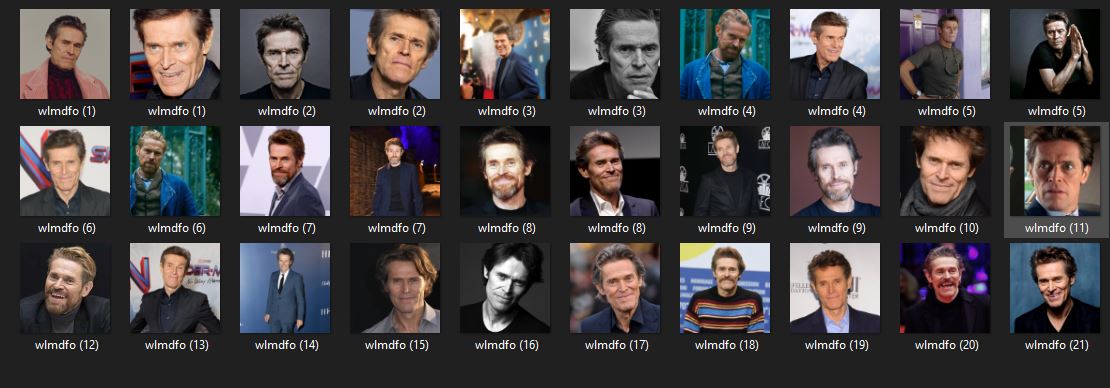
I'm tryna train SDV2 and one of the steps saying each instance of picture should have a unique identifier
Like this: https://i.imgur.com/d2lD3rz.jpeg
Tho my question is, for example I want to train a load of icons, but they are different icons and don't represent the same thing or meaning, but they all have the similar style.
Does this mean I should use same identifier for all of them while naming it or each should have their own identifier as name based on their meaning?
 cloud lake
solemn moon
whatsup
cloud lake
solemn moon
whatsup
Could you help me to make a picture more details by using stable diffusion
 fair oxide
anyone know a fix for this?
 ornate elk
fair oxide
anyone know a fix for this?
ornate elk
fair oxide
anyone know a fix for this?
What's your python version?
ornate elk
fair oxide
anyone know a fix for this?
Can you open up a cmd and type
Pip cache purge
Then delete the venv folder and relaunch the webui-user.bat
Then show me a full screenshot
fair oxide
ive had sd working before and then uninstalled everything including python before resetting my pc and now it dont work
yeah 1s
same thing

should i try a different version of python
solemn moon
cloud lake
Could you help me to make a picture more details by using stable diffusion
whats your current methodology?
what pic?
ornate elk
fair oxide
should i try a different version of python
Yes install 3.10.11
Then delete the venv folder again
And run pip cache purge again
Then relaunch
fair oxide
the exact same thing
ornate elk
And you ticked "add python to path"?
fair oxide
yes
ornate elk
fair oxide
yes
Make sure you dont have a third party antivirus active. Also if your from Asia you need to use a VPN for install
fair oxide
nope just windows defender and real time prot is turned off
not from asia but i can try a vpn
same thing
this is my webui-user.bat file

i pur the right path for python no?
ornate elk
fair oxide
the exact same thing
Wait
I know what's the problem lol
You installed python 32bit
Only python 64bit works
cloud lake
solemn moon
whats your current methodology?
Check your dm
solemn moon
cloud lake
Check your dm
 fair oxide
@ornate elk ty it worked ill lk if i run into any more issues
ornate elk
fair oxide
<@161910921269084160> ty it worked ill lk if i run into any more issues
What's your GPU?
fair oxide
rtx 4060
ornate elk
Then add --xformers to your webui-user.bat
fair oxide
already did
ornate elk
For best performance
fair oxide
i used to use xformers and no half because my old gpu wouldnt run sd without using no half
i just upgraded my gpu yesterday
simple tartan
eh, people still run 32 bit OSes?
woven smelt
Is there logic to how loras interact for the art style? I have a 3d character lora and I was trying tags like realistic but it always looked 3d, when I loaded another lora in that is based on real life it suddenly changed to IRL photos without even needing further prompting? Does the order in which these are loaded matter? Can I force one way or the other somehow?
simple tartan
ok, trying SDXL now, aside from loras not working, expected since most of mine are 1.5's, but it seems hires.fix doesnt work either, keeps returning "RuntimeError:The parameter is incorrect."
ornate elk
fair oxide
i used to use xformers and no half because my old gpu wouldnt run sd without usi...
Dont use --no-half for the new one
It makes it slower
fair oxide
yeah i wont
woven smelt
Seems if I lower the weight of the model it takes away the animeness, or if there are other models in there it must be a lower weight in comparison
ornate elk
woven smelt
Is there logic to how loras interact for the art style? I have a 3d character lo...
You need to play around with the lora weight
woven smelt
Another question, what prompt should I use to get someons whole body in a shot, I put full frame shot but often it cuts off feet or sometimes head or lower half
karmic crown
woven smelt
Another question, what prompt should I use to get someons whole body in a shot, ...
i stoped using prompts fot that, just use hypernetwork, this one is good for what you want https://civitai.com/models/140117/latent-layer-cameras
First, please take the time to watch the video, you wont regret it. This is a very large project and these cameras have many capabilities and speci...
barren rover
ornate elk
What model did you tried to load?
hassakumodel v13
ornate elk
simple tartan
ok, trying SDXL now, aside from loras not working, expected since most of mine a...
Hires fix with sdxl will work but you need to remove 1.5 loras and maybe change the upscaler
ornate elk
Also you can't do upscale by 2 without running out of vram, so choose upscale by 1.5 and then set the encoder to 1280
ornate elk
simple tartan
using lanczos
Try esrgan as upscaler
simple tartan
ok, seems the prompt is also ignoring the ALONE part lol keep getting two people
ornate elk
barren rover
hassakumodel v13
In the screenshot it tries to load another model at the end
woven smelt
@karmic crown that is for 1.5 and im using xl but thanks ill look into equivalents for xl
simple tartan
1024x1024 image is great, 1920x1080 i get two people.... so much for making wallpapers
ornate elk
simple tartan
1024x1024 image is great, 1920x1080 i get two people.... so much for making wall...
You need to use lower res and then upscale
Everything higher than native trained resolution will end in doublicates
woven smelt
For upscaling I was using extras tab and some downloaded upscalers that did an amazing job. Alternatively can do in img2img but I think its was more resource intense as its generating new images.
ornate elk
simple tartan
and thats using img2img right?
Upscaling works with hires fix in txt2img and SD upscale script in img2img
simple tartan
ok
woven smelt
what workflow do you reccomend then? 2x using one of those methods then extras after that?
simple tartan
so where do i go from a 1:1 to a 16:9 resolution?
ornate elk
woven smelt
what workflow do you reccomend then? 2x using one of those methods then extras a...
Generate with hires fix > send to img2img and use SD upscale Script until you have your favour resolution > then send to Extras for max res like 8k or so
simple tartan
got it, thank you
NansException: A tensor with all NaNs was produced in Unet. This could be either because there's not enough precision to represent the picture, or because your video card does not support half type. Try setting the "Upcast cross attention layer to float32" option in Settings > Stable Diffusion or using the --no-half commandline argument to fix this. Use --disable-nan-check commandline argument to disable this check.
woven smelt
im going to give that a go now to try it out
you can get NaN if you just started SD and go right to img2img, if you generate a blank img in text2img first it fixes that
simple tartan
i've been running images
ornate elk
simple tartan
NansException: A tensor with all NaNs was produced in Unet. This could be either...
What are your settings?
simple tartan
I tried resize and fill to 10801080 from 10241024
woven smelt
should be resize or resize and fill?
and which model do you reccomend for the hires fix?
simple tartan
I don't want the main character size to change, I want the background and objects to fill though
woven smelt
you want to stretch the image then? then there is a script in img2img called outpainting
simple tartan
Ah, let me try that
woven smelt
im guessing I should be able to make a script that takes a set of generated images, reruns them through t2xtimg with upscale then to img2img, that makes me wonder if it exists in the UI somehwere
 hallow latch
Hey, I got a question. I cannot generate anything when I got 2 mc client running? But once I close one it start generationg
Can I do something about that?
simple tartan
still getting nan errors with the scripts, calling it a night
ornate elk
simple tartan
still getting nan errors with the scripts, calling it a night
You can show me your settings
I can check
lost crescent
My ComfyUI is not zooming in or out!! Manager works OK but cannot reposition nodes to work on them
 cold prawn
ModuleNotFoundError: No module named 'encodings'
any idea what's this error and how to fix it?
sturdy ginkgo
cold prawn
any idea what's this error and how to fix it?
what WebUi and are you using a Venv?
cold prawn
I'm using stable diffusion webui automatic 1111 v1.7
Venv?
also my python is v3.10.6
sturdy ginkgo
goto the webUI folder and open a command prompt or terminal: type:
python .\venv\Scripts\activate.bat
wait for the terminal to say: (venv): and type python pip -m install encodings
 sturdy ginkgo
O_O
karmic crown
sturdy ginkgo
goto the webUI folder and open a command prompt or terminal: type:
python .\ve...
no no and no 🙂
remove python
venv\Scripts\activate.bat
run this
karmic crown
whatever you intented to run, i see he wrote
python pip -m install encodings
cold prawn
 cold prawn
I am getting this error ModuleNotFoundError: No module named 'encodings'
karmic crown
anyway you activate venv correctly now, and python commands will work
what was the error?
cold prawn
 karmic crown
wait
cold prawn
python pip -m install encodings this should fix it?
cold prawn
karmic crown
wait
ok I'm waiting
cold prawn
ok
karmic crown
remove venv folder
and just run webui again
it will create a new one
did that error popup out after upgrade maybe?
cold prawn
yeah had python 3.6 when I ran the webui then upgraded to 3.10.6
karmic crown
ok
karmic crown
then it is expeceted
sturdy ginkgo
👍🏽
karmic crown
you had a mess in venv
karmic crown
i recommend to use 1.5 or sdxl and to forget about 2.x
1.5 will be downloaded by default
karmic crown
1.5 is "old" trained on 512x512 images and alow creating of nsfw images
2.0 and 2.1 are newer trained on 768x768, but not trained on nsfw stuff
sdxl is newest trained on 1024x1024, aloso not trained on nsfw
but
almost noone use default models
we use user trained models
you can find many on https://civitai.com/
Explore thousands of high-quality Stable Diffusion models, share your AI-generated art, and engage with a vibrant community of creators
1.5 modelas are smaller and works faster, sdxl are larger and works slower (takes more time to generate)
sdxl is usually better in quality
but there are some tricks to make 1.5 looks better
cold prawn
where to download the sdxl model?
I can't find a .ckpt file
and I see sdxl base and refiner, which one should I go for?
karmic crown
karmic crown
you can find many on https://civitai.com/
here
and download safetensors not ckpt
ckpt in theory can execute malicions code, safetensores version is safe
 cold geyser
Hello, does anyone have a free tutorial to use SDXL ? I watch many and they all say differents stuff, my SD is like the screenshot :
I already put 1024x1024 to show, but if you have the 512x768 BUT for SDXL i'm here to take.
I know i have to use REFINER, but when i render it gives me the pic i send.


 ornate elk
cold prawn
ornate elk
cold prawn
You installed the webui the wrong way and also two times inside itself
Ah okay, its still downloading the needed stuff
 buoyant pawn
oh wait that's not it
ornate elk
cold geyser
Hello, does anyone have a free tutorial to use SDXL ? I watch many and they all ...
Hey, you dont need to use a refiner. The problem is that you dont have the sdxl vae selected. And your webui is also not updated.
 cold geyser
ornate elk
Hey, you dont need to use a refiner. The problem is that you dont have the sdxl ...
cold geyser
ornate elk
Hey, you dont need to use a refiner. The problem is that you dont have the sdxl ...
Oh hello ! maybe can you help me for that ? i already hit the update button of SD x) (webui only)
ornate elk
buoyant pawn
Something is wrong the model gets send to cpu, are you on a laptop?
buoyant pawn
nop desktop
ornate elk
buoyant pawn
nop desktop
Okay can you try a 512x512 image, 20 steps ?
Also how big is the model you use?
Inside the models/stable-diffusion
buoyant pawn
yes i had that issue at the very begining it said that i had both cpu and gpu selected and i bypassed it by watching a chineese tutorial that added this "self.logvar = self.logvar.to(self.device)"
in /repositories\stable-diffusion-stability-ai\ldm\models\diffusion
ornate elk
cold geyser
Oh hello ! maybe can you help me for that ? i already hit the update button of S...
Sure, what's your GPU?
buoyant pawn
buoyant pawn
yes i had that issue at the very begining it said that i had both cpu and gpu se...
that's probably the reason
i edited ddpm.py
cold geyser
ornate elk
Sure, what's your GPU?
Everything here x)
 ornate elk
cold geyser
Everything here x)
ornate elk
cold geyser
Everything here x)
okay good, first close the webui and cmd.
then edit the webui-user.bat with right click, edit.
at the line COMMANDLINE_ARGS=
you add: --xformers --medvram-sdxl --no-half-vae
Then in an empty line above webui.bat you type git pull
Then save the file and relaunch the webui-user.bat
Then the next step is to go into Settings - User Interface - Quicksettings, there add sd_vae
then hit apply and reload ui.
Then you need to download a sdxl vae like the official one from here: (its a direct link)
https://huggingface.co/stabilityai/sdxl-vae/blob/main/sdxl_vae.safetensors
put the file into the models/vae folder
then click on the reload button near the vae selection in txt2img at the top and select it whenever you use an sdxl model.
ornate elk
buoyant pawn
that's probably the reason
yea thats the problem here
you have to undo that
ornate elk
okay now relaunch the webui-user.bat
torn coral
Why does many extension not show up in SD?
like Adetailer, faceswaplab, reactor
animatediff
karmic crown
wdym?


 sturdy ginkgo
Have you restarted the webUI after installing the extensions/ restart PC maybe
karmic crown
 torn coral
i tried everything
karmic crown
this is old version
sturdy ginkgo
update the webUI
torn coral
on SD 1.7.0 the didnt work either
buoyant pawn
ornate elk
okay now relaunch the webui-user.bat
i haven't left this chair for 7 hours straight, i'll try again after dinner tks for trying budy, right now it's not acting as if anything changed wish is woring me more coz he didn't revert to the old error
karmic crown
you need 1.7.0
cold geyser
ornate elk
okay good, first close the webui and cmd.
then edit the webui-user.bat with righ...
Thanks !
torn coral
karmic crown
you need 1.7.0
what extension do u use for face swapping?
karmic crown
reactor
actually i do not use it, but i will use it 🙂
that one works nicely with new 1.7
torn coral
oke lets see i installed reactor
with 1.7

nothing

am i doing something wrong that it wont show up?
karmic crown
 torn coral
i did brother
torn coral
i updated the probram
karmic crown
downloading something?
after you install any extension, you need to click that button
torn coral
i did
karmic crown
do you have any error in console (cmd)?
do you see that it installing or downloading something
?
torn coral
ornate elk
buoyant pawn
i haven't left this chair for 7 hours straight, i'll try again after dinner tks ...
np, if you want i can give you my install guide and you can start a fresh clean install
torn coral
somethign about insight
karmic crown
Building wheels for collected packages: insightface
Building wheel for insightface (pyproject.toml): started
Building wheel for insightface (pyproject.toml): finished with status 'error'
Failed to build insightface
you have errros
thats why it would not show
torn coral
im downloading insight rn
ornate elk
torn coral
oke lets see i installed reactor
you need to follow the install guide for reactor on github, its not plug and play. For example it requires to delete roop, and installation of visual studio tools
buoyant pawn
Sounds great feel free to pm me, am geting some pizza outside befor i go on a mental breakdown lol
karmic crown
ornate elk
you need to follow the install guide for reactor on github, its not plug and pla...
ok, you fixed your mistake 🤣 you arelady triggered me
 gusty solstice
I have an issue updating SDW, as you can see. It doesn't go further than what you see. If someone can help me :/
 ornate elk
karmic crown
ok, you fixed your mistake 🤣 you arelady triggered me
ornate elk
karmic crown
ok, you fixed your mistake 🤣 you arelady triggered me
haha i was scared you saw it hahah ;D
karmic crown
gusty solstice
I have an issue updating SDW, as you can see. It doesn't go further than what yo...
find folder where your webui is installed, open that folder from cmd
type git status and show us the result
close stability matrix first
ornate elk
Pleas no Messages here rn i will copy my install guides to Pin them
Installing ComfyUI:
https://github.com/comfyanonymous/ComfyUI?tab=readme-ov-file#installing
ornate elk
ornate elk
**Installing ComfyUI:**
https://github.com/comfyanonymous/ComfyUI?tab=readme-ov-...
[AMD] Here is a quick Guide to install Automatic1111 Directml Webui for AMD GPUs (Stable Diffusion) on Windows:
Preparation:
You need to install Git 64bit: https://git-scm.com/download/win
and Python 3.10.11, 64bit: (any python above or 3.10.6) Not 3.11, 3.12
https://www.python.org/downloads/release/python-31011/
And check "add python to path" when installing Python.
Important:
If you tried to install SD before and failed, do this:
open up a cmd and type
pip cache purge
to remove the nvidia stuff.
- Make a new Folder on your drive (not on Desktop, downloads, documents, Programms, Onedrive) and name it Ai for example:
C:\Ai\ - You go into the folder you created in this case Ai, then click in the File Explorer bar (not searchbar) and type cmd then press enter.
- Then you copy and paste this command:
git clone https://github.com/lshqqytiger/stable-diffusion-webui-directml && cd stable-diffusion-webui-directml && git submodule init && git submodule update - Press enter and after its done you can close the cmd.
- Edit the webui-user.bat (right click), At the line COMMANDLINE_ARGS= You add:
--use-directml --skip-ort --medvram --opt-sub-quad-attention --opt-split-attention --no-half-vae --upcast-sampling
- If your GPU has only 8GB Vram and you run into out of memory, you may need to change
--medvramto--lowvram. - GPUs with less than 8gb Vram need:
--lowvram - RX 5xxx cards additional need:
--no-half
- After that save and launch the webui-user.bat inside the stable-diffusion-webui folder.
After the Installation, that can take a while is done, the webui will autolaunch in your Default Browser.
ornate elk
ornate elk
**[AMD] Here is a quick Guide to install Automatic1111 Directml Webui for AMD GP...
[NVIDIA] Here is a quick Guide to install Automatic1111 Webui for Nvidia GPUs (Stable Diffusion) on Windows
Preparation:
You need to install Git 64bit: https://git-scm.com/download/win
and Python 3.10.11, 64bit: (any python above or 3.10.6) Not 3.11, 3.12 https://www.python.org/downloads/release/python-31011/
And check "add python to path" when installing Python.
- Make a new Folder on your Drive (not on Desktop, Downloads, Documents, Programms, Onedrive) and name it Ai for example:
C:\Ai\ - You go into the folder you created in this case Ai, then click in the File Explorer bar (not searchbar) and type
cmdthen press enter. - Then you copy and paste this command:
git clone https://github.com/AUTOMATIC1111/stable-diffusion-webui.git - Press enter and after its done you can close the cmd.
- Edit the webui-user.bat (right click, edit), At the line COMMANDLINE_ARGS= You add:
--xformers --no-half-vae
Add the following command there too depending on your GPU Vram. (Check Task Manager ->Performance ->GPU ->Dedicated GPU-Memory)
- +11GB: Nothing to add besides the already added.
- 8-11GB:
--medvram-sdxl - 3-6GB:
--medvram - 2GB:
--lowvram - GTX 16XX cards additional need:
--no-halfinstead of--no-half-vae
6.After editing, save and launch the webui-user.bat inside the stable-diffusion-webui folder.
After the Installation, that can take a while is done, the webui will autolaunch in your Default Browser.
ornate elk
ornate elk
**[NVIDIA] Here is a quick Guide to install Automatic1111 Webui for Nvidia GPUs ...
[MAC] Installing Automatic1111 or Forge on Apple MAC OS:
https://github.com/viking1304/a1111-setup
ornate elk
ornate elk
**[MAC] Installing Automatic1111 or Forge on Apple MAC OS:**
https://github.com/...
sacred sierra
Anyone else getting this?!
 torn coral
what checkpoint do u guys use for realism?
ornate elk
sacred sierra
Anyone else getting this?!
do you use a third party antivirus?
that gradio package is for making the webui accessible in browser by "hosting" it. mostly done local or if available as setting worldwide. So i guess some antivirus doesnt like its function
vestal viper
ah you're here sir CS1o, i want to ask about that pip purge thingy
 sacred sierra
ornate elk
do you use a third party antivirus?
sacred sierra
ornate elk
do you use a third party antivirus?
malwarebytes is what caught it.. that and I have windows defender
vestal viper
oh wait, it's CACHE not CHARGE LMAOOOOOOO
still got the same message tho, about pip not recognized as blabla
karmic crown
vestal viper
ah you're here sir CS1o, i want to ask about that pip purge thingy
this is reason why i am saying not to run pip outside the venv
ornate elk
vestal viper
still got the same message tho, about pip not recognized as blabla
your python is not set in the windows path, did you checked "add python to path" when installing it ?
karmic crown
go to your webui folder and type
venv\scripts\pip cache purge
vestal viper
oh i see, alright then i'll do it again after i finish reinstalling everything
vestal viper
ornate elk
your python is not set in the windows path, did you checked "add python to path"...
no sir i haven't done reinstalling
sacred sierra
When I installed Fooocus it asked if I wanted to share and I said no.. now I can't see any of my other installed lora and checkpoints etc. How do I correct this?
karmic crown
@ornate elk when you are lazy enough not to activate venv first, just run like this venv\scripts\command
i am doint that all the time on linux and mac (but it is venv/bin/command)
i was shocked when i learned it is scripts on windows and not bin
❯ venv/bin/python --version
Python 3.10.13
see? 🙂
sacred sierra
How do I get some checkpoints and lora back in to be seen by Fooocus ? I had said not to share because a lot didn't work, so I reinstalled. But now I can't add any.
karmic crown
i think i saw like 3 people who use focus here for 2 months
buoyant pawn
ornate elk
**[NVIDIA] Here is a quick Guide to install Automatic1111 Webui for Nvidia GPUs ...
wait so me having it on the desktop could be the reason it's saying NansException: A tensor with all NaNs was produced in Unet. Use --disable-nan-check commandline argument to disable this check.
 vocal burrow
buoyant pawn
wait so me having it on the desktop could be the reason it's saying NansExceptio...
vocal burrow
buoyant pawn
wait so me having it on the desktop could be the reason it's saying NansExceptio...
what's the full error log ? what model are you using ?
buoyant pawn
 vocal burrow
sacred sierra
How do I get some checkpoints and lora back in to be seen by Fooocus ? I had sai...
vocal burrow
sacred sierra
How do I get some checkpoints and lora back in to be seen by Fooocus ? I had sai...
check for a file in Fooocus\config.txt it should indicates path a path for each category (checkpoints, loras, embeddings, etc)
sacred sierra
vocal burrow
check for a file in `Fooocus\config.txt` it should indicates path a path for eac...
Any clue where exactly, not finding it..
 ornate elk
buoyant pawn
wait so me having it on the desktop could be the reason it's saying NansExceptio...
ornate elk
buoyant pawn
wait so me having it on the desktop could be the reason it's saying NansExceptio...
No its not the cause for that error, but will prevent other errors
vocal burrow
buoyant pawn
what's that model ?
 buoyant pawn
doll-likeness-by-edg
 lean laurel
ornate elk
**[AMD] Here is a quick Guide to install Automatic1111 Directml Webui for AMD GP...
lean laurel
ornate elk
**[AMD] Here is a quick Guide to install Automatic1111 Directml Webui for AMD GP...
what version of stable difussion must i install? sorry the dumb question
vocal burrow
the most recent one
buoyant pawn
ornate elk
As I said before check that your model is larger than 1.98gb
just downloaded a new one 1.9gb will try it now