#🤝|tech-support
1 messages · Page 5 of 1
 fallen nymph
 karmic crown
Edit the webui-user.bat (right click), At the line COMMANDLINE_ARGS= You add: --skip-torch-cuda-test --no-half --use-cpu all --opt-sub-quad-attention
karmic crown
fallen nymph
can i use ```--xformers --autolaunch``` in the commandline args
xformers is for nvidia
karmic crown
use those from guide
karmic crown
i think so, but you can check later when some of windows guys came
they will help you better, i am mac guy
🙂
fallen nymph
okay i'll try with the args from the tutorial above first
les see
welp brb in 2-5 mins got to install venv files
karmic crown
i am not sure if you can use --medvram-sdxl but i guess not, since it is not mentioned in guide
fallen nymph
i can scale images up to 1920x1080 right? i'll need them as wallpapers for my website (just local project that'll be hosted)
 lilac cobalt
 karmic crown
ok CS1o is here 🙂
 ornate elk
fallen nymph
should i use medvram?
ornate elk
fallen nymph
should i use medvram?
you need --medvram --opt-sub-quad-attention --opt-split-attention-v1 --upcast-sampling --no-half-vae
lilac cobalt
I have run it with all the commands you have told me but it still does not work.
fallen nymph
ornate elk
you need --medvram --opt-sub-quad-attention --opt-split-attention-v1 --upcast-sa...
wow 12 gigs of vram to use medium settings 😄
ornate elk
fallen nymph
i can scale images up to 1920x1080 right? i'll need them as wallpapers for my we...
yes but for that you need the tiled diffusion extension with tiled vae
ornate elk
fallen nymph
wow 12 gigs of vram to use medium settings 😄
on Linux you wouldnt need it ^^
fallen nymph
eh i am on windows soo
ornate elk
but windows isnt good supported rn for SD with amd
karmic crown
lilac cobalt
Edit the webui-user.bat (right click), At the line COMMANDLINE_ARGS= You add: --skip-torch-cuda-test --no-half --use-cpu all --opt-sub-quad-attention
and then just run webui-user.bat
fallen nymph
ornate elk
but windows isnt good supported rn for SD with amd
sadly
though i prefer amd's software anyday in the week over nvidia's
ornate elk
fallen nymph
wow 12 gigs of vram to use medium settings 😄
even 24gb amd vram needs --medvram 🥲
ornate elk
fallen nymph
though i prefer amd's software anyday in the week over nvidia's
so true
karmic crown
and i can bet that it works faster than my macs 🙂
using a1111 on macs and 1660 should teach you to be patient 🤣
trust me, you are lucky
fallen nymph
ornate elk
even 24gb amd vram needs --medvram 🥲
u got 24 gigs?

oh okay
it ran
automatically
even without --autolaunch
ornate elk
fallen nymph
u got 24 gigs?
yes, RX 7900XTX and in the old PC a GTX1080
 wind sun
I installed everything like the videos are showing and yet when i try to generate something, nothing happens, can someone help
 karmic crown
that is the point
fallen nymph
@ornate elk when i wanna upscale image from 512x512 to 1920x1080 which resize mode should i use? resize and fill?
ornate elk
fallen nymph
<@161910921269084160> when i wanna upscale image from 512x512 to 1920x1080 which...
you should use 540x960 and then hires fix upscale by 2, denois near 0.5, hires steps 10
that will get you a FullHD image
ornate elk
but like i said you first need an extensions to prevent out of vram errors if your going for that resolution
512x768 upscaled by 2 should work without extensions
ornate elk
Tiled Diffusion, click the extensions tab then on Available then on Load from
 karmic crown
for that purpose - no, but you can install many others
ornate elk
fallen nymph
any others ?
if your into anime, get the boorutag autocomplete extension
can also help for non anime
fallen nymph
are there any styles extentions
ornate elk
yes i think so
wind sun
@ornate elk ay can i steal your attention in your DMs for a bit, please
karmic crown
i suggest to check those extensions
 ornate elk
wind sun
<@161910921269084160> ay can i steal your attention in your DMs for a bit, pleas...
ornate elk
wind sun
<@161910921269084160> ay can i steal your attention in your DMs for a bit, pleas...
if you think it cant be discussed here, sure
wind sun
can be
karmic crown
i said CHECK! not install, install what you want 🙂
 karmic crown
show me your webui-user.bat
fallen nymph
@ornate elk would the img2img work to upscale the image?
karmic crown
@lilac cobalt
lilac cobalt
wait
ornate elk
fallen nymph
<@161910921269084160> would the img2img work to upscale the image?
only with the sd upscale script
fallen nymph
because it'd be faster to generate 4 images 540x980
ornate elk
fallen nymph
because it'd be faster to generate 4 images 540x980
you can rerun images, put them into png-info tab and click send to txt2img, then enable hires fix
lilac cobalt
 fallen nymph
ornate elk
you can rerun images, put them into png-info tab and click send to txt2img, then...
fallen nymph
ornate elk
you can rerun images, put them into png-info tab and click send to txt2img, then...
right, thanks
lilac cobalt
Is it ok?
karmic crown
lilac cobalt
you need to add those above after = in line 7
and to remove that on the bottom
wind sun
so the problem is i did every step from the video tutorials and when i launch the stable diffusion webui it send me yk in the web with everything looking perfect but then when i type something in the promp and click the generate button, noyhing happens like im not clicking anything
ornate elk
wind sun
so the problem is i did every step from the video tutorials and when i launch th...
what does the cmd shows?
wind sun
 lilac cobalt
now shoud work
karmic crown
try go generate simple image like 1girl with 512x512px
fallen nymph
ornate elk
you can rerun images, put them into png-info tab and click send to txt2img, then...
can't see hires fix in img2img
wind sun
karmic crown
try go generate simple image like 1girl with 512x512px
simple than a cat with a hat ?
karmic crown
fallen nymph
can't see hires fix in img2img
 karmic crown
wind sun
simple than a cat with a hat ?
karmic crown
wind sun
simple than a cat with a hat ?
it was for @lilac cobalt
wind sun
mb
karmic crown
wind sun
mb
sorry for confusion
ornate elk
fallen nymph
can't see hires fix in img2img
Its in txt2img, in img2img you would need the SD upscale script
karmic crown
resize is not enough?
fallen nymph
lol
fallen nymph
karmic crown
 karmic crown
i havent try to be honest
fallen nymph
are these settings fine
 ornate elk
karmic crown
resize is not enough?
ornate elk
karmic crown
resize is not enough?
Won't work for amd GPUs cause to much vram usage
ornate elk
fallen nymph
are these settings fine
Yes but you also need to set the resolution to 512x512 and the denois to 0.2
Also choose an upscaler
At the bottom
wind sun
ornate elk
How did you installed it?
what do you mean ?
 ornate elk
fallen nymph
that good?
ornate elk
fallen nymph
that good?
Looks good
fallen nymph
ornate elk
Looks good
is the resize mode correct?
ornate elk
fallen nymph
is the resize mode correct?
You can use that or the just resize
ornate elk
wind sun
what do you mean ?
What install guide did you followed?
wind sun
 fallen nymph
wasn't it supposed to be 1920x1080 😄

 lime elbow
I had to redownload SD and I don't seem to have the start up UI I had before where I could set command line arguments, auto update etc anyone know where it is?
fallen nymph
yes
lime elbow
and then I just run it with the webui shell script?
fallen nymph
mhm
ornate elk
fallen nymph
wasn't it supposed to be 1920x1080 😄
If your initial one is 540x960 then yes
lime elbow
fanks
fallen nymph
ornate elk
If your initial one is 540x960 then yes
it was but it didn't upscale
ornate elk
wind sun
Pls make a new folder and follow my guide:
Here is a quick Guide to install Automatic1111 Webui for Nvidia GPUs (Stable Diffusion)
You need to install Git 64bit: https://git-scm.com/download/win
and Python 3.10.11, 64bit: (any python above or 3.10.6) No 3.11, 3.12 https://www.python.org/downloads/release/python-31011/
And check "add python to path" when installing Python.
- Make a new Folder on your drive (not on Desktop, downloads, documents, Programms, Onedrive) and name it Ai for example:
C:\Ai\ - You go into the folder you created in this case Ai, then click in the File Explorer bar (not searchbar) and type
cmdthen press enter. - Then you copy and paste this command:
git clone https://github.com/AUTOMATIC1111/stable-diffusion-webui.git - Press enter and after its done you can close the cmd and launch the webui-user.bat inside the stable-diffusion-webui folder.
After the Installation that can take a while. Youll get an URL http://127.0.0.1:7860
Thats the webui you open in Browser.
 ornate elk
fallen nymph
it was but it didn't upscale
ornate elk
fallen nymph
it was but it didn't upscale
Then something is wrong
Try Resrgan4x as upscaler
fallen nymph
yeah you flipped the res
lmao
is there a way to disable hiresfix in txt2img?
it's upscaling every image i generate
ornate elk
fallen nymph
is there a way to disable hiresfix in txt2img?
Uncollapse it
So its hidden
fallen nymph
i see
wind sun
ornate elk
Pls make a new folder and follow my guide:
**Here is a quick Guide to install A...
so no 3.12, i have to download only from 10th series ?
karmic crown
that is most confusing option from a ui perspective
fallen nymph
it takes quite long to generate them pics 
fallen nymph
karmic crown
that is most confusing option from a ui perspective
the hiresfix?
ornate elk
wind sun
so no 3.12, i have to download only from 10th series ?
Yes. 3.10.11 is the Windows latest
karmic crown
ux desiner from my team just said "no comment" 🙂
fallen nymph
yeah i think tick box would be better for ux
 ornate elk
wind sun
oh i have 3.12
ornate elk
wind sun
oh i have 3.12
Then you need to uninstall it if you dont need it
fallen nymph
@ornate elk how long does it take u to generate 4 images on 20 steps
u prolly got x3d cpu aswell
ornate elk
On what settings?
lilac cobalt
the image is being generated but it is taking a long time
karmic crown
lilac cobalt
the image is being generated but it is taking a long time
you are using cpu onlu
what is your intel again?
how much vram?
lilac cobalt
GPU: Intel(R) UHD Graphics
 karmic crown
lilac cobalt
GPU: Intel(R) UHD Graphics
karmic crown
lilac cobalt
GPU: Intel(R) UHD Graphics
you need to use CPU only, with options i sent, sorry
Intel Arc GPUs can work, but not UHD
lilac cobalt
RAM de adaptador 1,00 GB (1.073.741.824 bytes)
vram= 1,00 GB (1.073.741.824 bytes)
but are there ways to use stable diffusion online?
fallen nymph
yeah but most website limit you
lilac cobalt
I want to generate images ia. but either I have a few uses a day or it's paid for.
 ornate elk
fallen nymph
960x540*
ornate elk
fallen nymph
960x540*
I can test later
karmic crown
lilac cobalt
I want to generate images ia. but either I have a few uses a day or it's paid fo...
Unfortunately you only have a few choices - free but limited online services, paid online services, slow generation on your PC. sorry 🤷♂️
good graphic card is the key for fast SD image genearation
fallen nymph
i cannot generate 4 images tho, runs out of memory for some reason ;d
karmic crown
fallen nymph
i cannot generate 4 images tho, runs out of memory for some reason ;d
try to crate 4 baches instead of 1 with 4 images
it should help
fallen nymph
i'll give it a try, thanks
karmic crown
so 4, 1, not 1, 4
fallen nymph
yep, understood 😄
but my images are like cartoonish with low quality, in the prompt i've written 4k blah blah
karmic crown
what model are you using
do not use default one
go to civitai and find a decent one
fallen nymph
sdxlTurboUnstable
karmic crown
turbo is for fast generation, not for quality
wellcome @twin jackal
i already know why you are here 🙂
 twin jackal
Hi, if anyone is running Mac with Intel plus eGPU successfully, then I'd be super happy to hear about your A1111 setup! I'm on Intel MacMini i7 and MacBook Pro i9 with RX 6900 XT (eGPU)
karmic crown
@twin jackal please open terminal, go to sd folder and type those command and send the result
venv/bin/python --version
venv/bin/pip --version
git --version
then do
git pull
twin jackal
Python 3.10.13
pip 23.3.1 from /Users/torquee/AI/stable-diffusion-webui/venv/lib/python3.10/site-packages/pip (python 3.10)
karmic crown
also fine
twin jackal
git version 2.43.0
twin jackal
Yes: Already up to date.
twin jackal
#!/bin/bash
#########################################################
Uncomment and change the variables below to your need:#
#########################################################
Install directory without trailing slash
#install_dir="/home/$(whoami)"
Name of the subdirectory
#clone_dir="stable-diffusion-webui"
Commandline arguments for webui.py, for example: export COMMANDLINE_ARGS="--medvram --opt-split-attention"
#export COMMANDLINE_ARGS=""
export COMMANDLINE_ARGS="--skip-torch-cuda-test --opt-sub-quad-attention --upcast-sampling --no-half-vae --medvram-sdxl"
python3 executable
#python_cmd="python3"
git executable
#export GIT="git"
python3 venv without trailing slash (defaults to ${install_dir}/${clone_dir}/venv)
#venv_dir="venv"
script to launch to start the app
#export LAUNCH_SCRIPT="launch.py"
install command for torch
#export TORCH_COMMAND="pip install torch==1.12.1+cu113 --extra-index-url https://download.pytorch.org/whl/cu113"
export TORCH_COMMAND="pip install --pre torch torchvision torchaudio --index-url https://download.pytorch.org/whl/nightly/cpu"
Requirements file to use for stable-diffusion-webui
#export REQS_FILE="requirements_versions.txt"
Fixed git repos
#export K_DIFFUSION_PACKAGE=""
#export GFPGAN_PACKAGE=""
Fixed git commits
#export STABLE_DIFFUSION_COMMIT_HASH=""
#export CODEFORMER_COMMIT_HASH=""
#export BLIP_COMMIT_HASH=""
Uncomment to enable accelerated launch
#export ACCELERATE="True"
Uncomment to disable TCMalloc
#export NO_TCMALLOC="True"
###########################################
twin jackal
################################################################
Install script for stable-diffusion + Web UI
Tested on Debian 11 (Bullseye)
################################################################
################################################################
Running on torkelmini1 user
################################################################
################################################################
Repo already cloned, using it as install directory
################################################################
################################################################
Create and activate python venv
################################################################
################################################################
Launching launch.py...
################################################################
Python 3.10.13 (main, Nov 1 2023, 17:29:04) [Clang 14.0.3 (clang-1403.0.22.14.1)]
Version: v1.6.1
Commit hash: 4afaaf8a020c1df457bcf7250cb1c7f609699fa7
Launching Web UI with arguments: --skip-torch-cuda-test --opt-sub-quad-attention --upcast-sampling --no-half-vae --medvram-sdxl
no module 'xformers'. Processing without...
no module 'xformers'. Processing without...
No module 'xformers'. Proceeding without it.
Warning: caught exception 'Torch not compiled with CUDA enabled', memory monitor disabled
2023-12-11 18:04:08,719 - ControlNet - INFO - ControlNet v1.1.422
ControlNet preprocessor location: /Users/torquee/AI/stable-diffusion-webui/extensions/sd-webui-controlnet/annotator/downloads
2023-12-11 18:04:08,815 - ControlNet - INFO - ControlNet v1.1.422
Loading weights [84d76a0328] from /Users/torquee/AI/stable-diffusion-webui/models/Stable-diffusion/epicrealism_naturalSinRC1VAE.safetensors
Creating model from config: /Users/torquee/AI/stable-diffusion-webui/configs/v1-inference.yaml
Running on local URL: http://127.0.0.1:7860
To create a public link, set share=True in launch().
Startup time: 7.7s (prepare environment: 0.3s, import torch: 3.0s, import gradio: 0.8s, setup paths: 0.7s, initialize shared: 0.1s, other imports: 0.8s, load scripts: 0.7s, create ui: 0.9s, gradio launch: 0.3s).
OMP: Warning #191: Forking a process while a parallel region is active is potentially unsafe.
OMP: Warning #191: Forking a process while a parallel region is active is potentially unsafe.
Applying attention optimization: sub-quadratic... done.
Model loaded in 7.1s (load weights from disk: 0.5s, create model: 0.8s, apply weights to model: 4.6s, apply dtype to VAE: 0.1s, move model to device: 0.1s, calculate empty prompt: 0.9s).
...sorry had to split it up due to too much text
 rough locust
guys im using foocus for generating images and variations.
does webui has something like faceswap feature like foocus
karmic crown
twin jackal
To create a public link, set `share=True` in `launch()`.
Startup time: 7.7s (pre...
cool, so no errors
rough locust
i want to try pose editor inside webui but generated images are not like foocus. foocus has different generation i guess

 twin jackal
Yep got loads of info...
karmic crown
search for GPU, and let me know if you can find anything, i am not sure if your eGPU is visible there
have you tried on another mac (without eGPU)?
twin jackal
"nvidia_gpu_models": null,
"randn_source": "GPU",
"prepare environment/torch GPU test": 0.000392913818359375,
rough locust
karmic crown
cool, so no errors
since i have been here i observed that u have so much knowledge about webui and extensions. do you have cool faceswap extension for generated images.
for example i will upload face and i will say chopping down trees and it will generate that face chopping down
or is there built in option for that
twin jackal
so far only way I can get it to work is using --no-half when starting: ./webui.sh --no-half
karmic crown
twin jackal
"nvidia_gpu_models": null,
yeh, i just saw that i do not see my radeon in my iMac
anyway
twin jackal
Nope not tried on other macs... Without eGPU it does not start
karmic crown
give me a second to find a script
rough locust
twin jackal
so far only way I can get it to work is using --no-half when starting: ./webui.s...
are u nvidia gpu
❯ ./webui.sh --medvram --xformers --no-half-vae
try this
twin jackal
no I'm on RX 6900 XT eGPU
karmic crown
@twin jackal
save as test.py
put it inside your sd folder
and run
venv/bin/python test.py
you should get this
❯ venv/bin/python test.py
tensor([1.], device='mps:0')
which indicates that metal rendering is working properly
twin jackal
Yes tensor([1.], device='mps:0') 👍
twin jackal
I also see in GPU history that the 6900 is running (fine) when generating (noise)
rough locust
why my open pose editor doesn't look like this
ornate elk
fallen nymph
<@161910921269084160> how long does it take u to generate 4 images on 20 steps
1:23 for 4 images, Steps: 20, Sampler: DPM++ 2M SDE Karras, CFG scale: 7, Size: 960x540,
model was an 1.5 2gb model
 twin jackal
...wonder why the --no-half works and makes it generate images (slowly), anyways we let it ripe a bit and if it hits you what it could be or any theories then do not hestitate. Super thanks again 🙏🏻💚
karmic crown
twin jackal
...wonder why the --no-half works and makes it generate images (slowly), anyways...
shoe me model and settings in your ui
which model you are using?
do you have some simple 1.5 model like photon?
Photon aims to generate photorealistic and visually appealing images effortlessly. Recommendation for generating the first image with Photon: Promp...
but any 1.5 model will do
fallen nymph
ornate elk
1:23 for 4 images, Steps: 20, Sampler: DPM++ 2M SDE Karras, CFG scale: 7, Size: ...
lool
twin jackal
v1-5-pruned.ckpt, epicrealism mainly and some more
karmic crown
Natural Sin Final and last of epiCRealism Since SDXL is right around the corner , let's say it is the final version for now since I put a lot effor...
this one?


click generate
and check the terminal
let me know if you have any errors
it should look like this
 twin jackal
Yes that one!
karmic crown
oops, i forgot to change the model, cfg is too high for lcm 🙂
5/20 [00:08<00:28, 1.92s/it] - m1 mac


no errors, no warnings
what you have?
twin jackal
Model loaded in 7.5s (load weights from disk: 0.7s, create model: 0.7s, apply weights to model: 4.8s, apply dtype to VAE: 0.1s, move model to device: 0.1s, calculate empty prompt: 0.9s).
100%|███████████████████████████████████████████| 20/20 [00:11<00:00, 1.68it/s]
100%|███████████████████████████████████████████| 20/20 [00:09<00:00, 2.03it/s]
Total progress: 100%|███████████████████████████| 40/40 [00:22<00:00, 1.74it/s]
100%|███████████████████████████████████████████| 20/20 [00:09<00:00, 2.03it/s]
100%|███████████████████████████████████████████| 20/20 [00:09<00:00, 2.07it/s]
Total progress: 100%|███████████████████████████| 40/40 [00:20<00:00, 1.97it/s]
Total progress: 100%|███████████████████████████| 40/40 [00:20<00:00, 2.07it/s]
 karmic crown
?!
twin jackal
 karmic crown
and settings?
under genrated image, you should have something like this
1girl
Negative prompt: nsfw
Steps: 20, Sampler: DPM++ 2M Karras, CFG scale: 7, Seed: 2145502047, Size: 512x512, Model hash: ec41bd2a82, Model: photon_v1, Clip skip: 2, Version: v1.6.1
Time taken: 45.0 sec.
what you have?
twin jackal

Yes 1girl
Negative prompt: nsfw
Steps: 20, Sampler: DPM++ 2M Karras, CFG scale: 7, Seed: 3516725563, Size: 512x512, Model hash: 84d76a0328, Model: epicrealism_naturalSinRC1VAE, Denoising strength: 0.7, Clip skip: 2, Hires upscale: 1, Hires upscaler: Latent, Version: v1.6.1
Time taken: 20.3 sec.
karmic crown
colapse upsaceler
and any other of those integrated ones if you have them

both of those should be colapsed
and not used for now
also, epiCRealism sugest using of clip skip 1, you are using 2
twin jackal
Ok they are not active (upscaler to 1 and no refiner)
karmic crown
1 is active
you need to colapse it
"Hires upscale: 1, Hires upscaler: Latent,"
you are using hires
also, go to settings, find User interface
add those here
 twin jackal
Ok thanbks took that away...
karmic crown
that way you can easily control vae and clipskip
twin jackal
 karmic crown
this is very strange, can you try with other model?
Prompt: simple explanation of the image (try first without extra keywords)
Negative: "cartoon, painting, illustration, (worst quality, low quality, normal quality:2)"
Steps: >20 (if image has errors or artefacts use higher Steps)
CFG Scale: 5 (higher config scale can lose realism, depends on prompt, sampler and Steps)
Sampler: Any Sampler (SDE, DPM-Sampler will result in more realism)
Size: 512x768 or 768x512
see this
try with 30 steps
and set cfg to 5
and use 512x768
not 512x512
fallen nymph
@ornate elk rip i cannot generate 4 pics at once
ornate elk
fallen nymph
<@161910921269084160> rip i cannot generate 4 pics at once
With batch size?
Dont use that with amd
karmic crown
@twin jackal and if you do not mind, try this model, plese https://civitai.com/models/84728/photon
Photon aims to generate photorealistic and visually appealing images effortlessly. Recommendation for generating the first image with Photon: Promp...
 stuck knot
Does anyone know what ComfyUI custom node this is from?
 ornate elk
fallen nymph
batch count aswell
ornate elk
fallen nymph
batch count aswell
Batch count should work
ornate elk
Also everytime you run out of memory you need to restart SD
ornate elk
The vram memory doesn't get cleared after an failed attempt so its stuck and full
Until a restart
fallen nymph
i can
generate 2 images tho
but it takes quite a while, around 3-5 minutes
on 35 steps*
ornate elk
Yes ik
ornate elk
It still is able to generate stuff but slower and smaller
So restart and your good to go
fallen nymph
i ramped up
my fans
on 100%
just to make sure hotspot temp doesn't go above 90 lol
twin jackal
Ok tried photon with those settings
 fallen nymph
@ornate elk does it always save the images automatically?
ornate elk
fallen nymph
just to make sure hotspot temp doesn't go above 90 lol
Yea its recommended to set a custom fan curve for amd cards in adrenalin
ornate elk
fallen nymph
<@161910921269084160> does it always save the images automatically?
Yes
In the outputs folder
fallen nymph
ornate elk
Yea its recommended to set a custom fan curve for amd cards in adrenalin
ya but sometimes if the drivers fail and you reinstall
u have to do it all over again ;d
ornate elk
fallen nymph
u have to do it all over again ;d
Yes also after a windows update
fallen nymph
ornate elk
In the outputs folder
yeah just found it, thats why i asked
karmic crown
@twin jackal and if you put --no-half instead of --no-half-vae?
leave everything the same
twin jackal
Ok will have to restart fr terminal with --no-half. One sec...
karmic crown
export COMMANDLINE_ARGS="--skip-torch-cuda-test --opt-sub-quad-attention --upcast-sampling --no-half --medvram-sdxl"
like this
karmic crown
if that not working, try
export COMMANDLINE_ARGS="--skip-torch-cuda-test --opt-sub-quad-attention --upcast-sampling --no-half --medvram"
let see what works for you
fallen nymph
also some youtube had an image about all the sampling methods
like images per steps etc
is that pic around here
karmic crown
@twin jackal btw. how much VRAM your eGPU has?
fallen nymph
@ornate elk wtf is this
 karmic crown
hahaha
ornate elk
fallen nymph
<@161910921269084160> wtf is this
booru auto tag
fallen nymph
lol
twin jackal
karmic crown
<@836900072163508244> btw. how much VRAM your eGPU has?
16BG Vram
karmic crown

GitHub
Booru style tag autocompletion for AUTOMATIC1111's Stable Diffusion web UI - GitHub - DominikDoom/a1111-sd-webui-tagcomplete: Booru style tag autocompletion for AUTOMATIC1111's Stab...
fallen nymph
okay let's see if after a restart i'll be able to generate 4 images
fallen nymph
karmic crown
<@353956721615699970> https://github.com/DominikDoom/a1111-sd-webui-tagcomplete
yep thanks
karmic crown
twin jackal
16BG Vram
try with export COMMANDLINE_ARGS="--skip-torch-cuda-test --opt-sub-quad-attention --upcast-sampling --no-half --medvram"
first
ornate elk
fallen nymph
okay let's see if after a restart i'll be able to generate 4 images
propably not with batch size but with batch count
fallen nymph
yeah trying with count
twin jackal
export COMMANDLINE_ARGS="--skip-torch-cuda-test --opt-sub-quad-attention --upcast-sampling --no-half --medvram-sdxl"
 fallen nymph
lmao @ornate elk
 ornate elk
fallen nymph
lmao <@161910921269084160>
ornate elk
fallen nymph
lmao <@161910921269084160>
woah xD
fallen nymph
curve looking cool ngl
karmic crown
twin jackal
export COMMANDLINE_ARGS="--skip-torch-cuda-test --opt-sub-quad-attention --upcas...
so, it works with --no-half, but not with --no-half-vae?
wait, wait, wait... we just talked about similar problem on radeon on windows
twin jackal
karmic crown
so, it works with --no-half, but not with --no-half-vae?
Yes!
karmic crown
it looks like your radeon will not work with --no-half-vae
show me the speed of 512x512 20 steps
if it is less than 30 seconds you are faster than my m1
actually, lest time it
 ornate elk
nice
karmic crown
that looks like batch size, not a bachcount 🙂
ornate elk
karmic crown
that looks like batch size, not a bachcount 🙂
nah its just the grid you get as first image
fallen nymph
 karmic crown
@twin jackal Steps: 20, Sampler: DPM++ 2M Karras, CFG scale: 7, Seed: 3475476718, Size: 512x512, Model hash: ec41bd2a82, Model: photon_v1, Clip skip: 2, Version: v1.6.1
Time taken: 36.5 sec.
 twin jackal
export COMMANDLINE_ARGS="--skip-torch-cuda-test --opt-sub-quad-attention --upcast-sampling --no-half --medvram" a few seconds longer
 fallen nymph
this too
 ornate elk
fallen nymph
<@161910921269084160>
ornate elk
fallen nymph
<@161910921269084160>
if you upscale images you need to enable Tiled Vae, not Tiled diffusion.
set the encoder to 1024 and decoder to 128 and your fine
 twin jackal
karmic crown
if it is less than 30 seconds you are faster than my m1
twin jackal
karmic crown
if it is less than 30 seconds you are faster than my m1
A photo of a robot walking in snow
Negative prompt: cartoon, painting, illustration, (worst quality, low quality, normal quality:2)
Steps: 20, Sampler: DPM++ 2M Karras, CFG scale: 5, Seed: 2145502047, Size: 512x512, Model hash: ec41bd2a82, Model: photon_v1, Version: v1.6.1
Time taken: 16.3 sec.
karmic crown
twin jackal
export COMMANDLINE_ARGS="--skip-torch-cuda-test --opt-sub-quad-attention --upcas...
you can experimetn with --no-half --no-half-vae --medvram --medvram-sdxl but do not change the other parameters, please let me know what works best for you
 formal trout
ornate elk
if you upscale images you need to enable Tiled Vae, not Tiled diffusion.
set the...
formal trout
ornate elk
if you upscale images you need to enable Tiled Vae, not Tiled diffusion.
set the...
Hey, to upscale in latent in img2img without SDUpscaler, with tiles, it is possible with SDXL?
 lime spindle
what the best hires fix for sdxl
twin jackal
karmic crown
<@836900072163508244> Steps: 20, Sampler: DPM++ 2M Karras, CFG scale: 7, Seed: 3...
A photo of a robot walking in snow
Negative prompt: cartoon, painting, illustration, (worst quality, low quality, normal quality:2)
Steps: 20, Sampler: DPM++ 2M Karras, CFG scale: 7, Seed: 3475476718, Size: 512x512, Model hash: ec41bd2a82, Model: photon_v1, Version: v1.6.1
Time taken: 14.2 sec.
ornate elk
fallen nymph
what about the diffusion
with the diffusion you can make different prompts for different parts of an image
ornate elk
formal trout
Hey, to upscale in latent in img2img without SDUpscaler, with tiles, it is possi...
didnt tested it
fallen nymph
ornate elk
with the diffusion you can make different prompts for different parts of an imag...
u said i'd need it if i generated 4 images? or am i mistaking
karmic crown
@twin jackal try to remove --no-half and --medvram too, but if you get this error Try setting the "Upcast cross attention layer to float32" option in Settings > Stable Diffusion or using the --no-half commandline argument to fix this. Use --disable-nan-check commandline argument to disable this check. restore --no-half
pleas let me know what works the best for you
and please post a comment on github, so i can add your comment to next version
i didnt experienced your problem, but i guess it is realted to eGPU
ornate elk
fallen nymph
u said i'd need it if i generated 4 images? or am i mistaking
nope, you dont need tiled diffusion, you only need tiled vae, for larger images (upscaled)
twin jackal
karmic crown
and please post a comment on github, so i can add your comment to next version
Ok many thanks, could be eGPU as you do not have these probs. I'll play around and will let you know what works best. Normal generation speed is acceptable, but upscaling and img2img has been so slow until now. But we'll see with your tests. Thanks again!
karmic crown
i have imac with radeon and m1, both works, but they are both slow
your egpu is much faster
even with no-half, which is known to be very slow
twin jackal
karmic crown
even with no-half, which is known to be very slow
hmmm that's interesting. Wonder how it would rock without no-half...
karmic crown
--no-half-vae works faster, but obviously you can't use it 😦
and i am almost sure that without --no-half, you will get an error i mentioned
i have similar situation with 1660 on my sons pc
it requires --no-half, and cant work with --no-half-vae 🤷🏻♂️
twin jackal
karmic crown
i have similar situation with 1660 on my sons pc
Hmm, similar problem it seems. Strange. Will familiarize also with the settings, perhaps something is messed up there, hopefully the thing you mentioned above... Let's see..
ornate elk
fallen nymph
i am not able to generate 4 images now
It also depends how much GPU heavy programms are open at the same time
fallen nymph
ornate elk
It also depends how much GPU heavy programms are open at the same time
just youtube 😄
and spotify
what do i do for fitness pictures, which model is the best
ornate elk
Okay, for example close Wallpaper Engine If you have it
fallen nymph
right
;d
cs
is there any way to save the settings as i leave?
because i have to redo all everytime
karmic crown
@twin jackal learn a few tricks and you can do this #🏞|general-with-images message
 formal zodiac
Anyone know how to make Stable Diffusion images actually take the negative prompts into consideration? Like for example, extra limbs is in the negative prompt but the image still generates extra limbs
(I'm using the VTAI UI if that helps any)
twin jackal
karmic crown
<@836900072163508244> learn a few tricks and you can do this https://discord.com...
Wow with 7 steps... Thanks yes will dig in deeeply into it. The Photon model seems to rock. 👍🏻
formal zodiac
This is what my screen is showing atm

The reason why I am using img2img rn is because I am attempting to get the two anime characters to stand into the pose like the image I submitted
karmic crown
twin jackal
Wow with 7 steps... Thanks yes will dig in deeeply into it. The Photon model see...
it is a combination of a few tings LCM lora, LCM sampler SDXL renderer lora
ornate elk
fallen nymph
is there any way to save the settings as i leave?
you can set it maybe in the ui_config.json
karmic crown
LCM-LoRA - Acceleration Module! Tested with ComfyUI, although I hear it's working with Auto1111 now! Step 1) Download LoRA Step 2) Add LoRA alongsi...
If you enjoy my work, please give me a five-star rating; it means a lot to me! Check out other creations here. 如果你喜欢我的作品,请给我一个五星好评,这对我非常重要!这里看其他作品。...
ornate elk
formal zodiac
This is what my screen is showing atm
for poses you need controlnet
ornate elk
formal zodiac
What's that?
its an extension thats really powerful in how images get generated. you can set an image and it will use/output the same pose or the same silhouette as the person in the image
ornate elk
formal zodiac
Ooooo, how do I get it?
under Extensions tab, click on available, then on Load from, then search for
sd-webui-controlnet and click install
then restart
then you need the controlnet models from here:
https://civitai.com/models/38784/controlnet-11-models
put them into the models/controlnet folder
karmic crown
One Piece fun was faster than me, as usual 🤣
formal zodiac
ValueError: unknown url type: 'sd-webui-controlnet'
That's what pops up when I search sd-webui-controlnet
twin jackal
karmic crown
those two
https://civitai.com/models/195519
https://civitai.com/models/171159
...
🙏🏻 will check and try. 🔥 😎
ornate elk
formal zodiac
That's what pops up when I search sd-webui-controlnet
ok then search for controlnet
and install the one from the bottom thats named sd-webui-controlnet
formal zodiac
It happened again
ornate elk
formal zodiac
It happened again
oh you didnt clicked on load from
ornate elk
you typed in the wrong field i guess
ornate elk
formal zodiac
SD-CN-Animation and sd-webui-controlnet
the sd-webui-controlnet
rough locust
how can i create images based on image of person
 placid edge
does anyone use Fooocus? I was wondering how the controlnet works for that ui? I know in A1111 you can use depth, softedges etc, but I can't see that in fooocus's controlnet tab
rough locust
placid edge
does anyone use Fooocus? I was wondering how the controlnet works for that ui? I...
does foocus has controlnet?
placid edge
I do see an option for controtnet under the advanced option and in the directories
rough locust
i don't see
 fallen nymph
@ornate elk broski do u got the samplers comparison pic
ornate elk
fallen nymph
<@161910921269084160> broski do u got the samplers comparison pic
nope, but euler a, dpm++ sde karras and 2m karras are good ones
fallen nymph
what about the 3m
ornate elk
fallen nymph
what about the 3m
didnt used them that often
i think they require more steps
fallen nymph
bro im waiting for 3-4 minutes
per picture
it's taking so long lol
been generating pics for hours lmao
karmic crown
ornate elk
nope, but euler a, dpm++ sde karras and 2m karras are good ones
I like UniPC, and LCM (but that one is separate beast)
ornate elk
fallen nymph
bro im waiting for 3-4 minutes
with hires fix?
 placid edge
rough locust
i don't see
placid edge
rough locust
i don't see
There is an "advanced" tab
 karmic crown
i am testing different command line options with SDXL on M1 and i want to kill myself
ornate elk
fallen nymph
ah okay, well txt2img would be faster
placid edge
There is also this too
 ornate elk
even with hires enabled
fallen nymph
ornate elk
ah okay, well txt2img would be faster
ye but im changing a picture of my friend
lmao
using ai to give him better shape and stuff 😄
rough locust
placid edge
There is also this too
hmm
ornate elk
fallen nymph
using ai to give him better shape and stuff 😄
ah okay
karmic crown
this takes forever 😦
placid edge
I doesn't seem like it's exact like a1111's controlnet
fallen nymph
how do i prevent the ai changing the hair @ornate elk
rough locust
placid edge
There is an "advanced" tab
sometimes i hate foocus
rough locust
but sometimes i generate images better than webui with fooocus
placid edge
I will say that it's a lot faster than A1111 from my experience
and a lot easier to use
rough locust
and styles are very useful
ornate elk
fallen nymph
how do i prevent the ai changing the hair <@161910921269084160>
lowering the denois
fallen nymph
placid edge
I will say that it's a lot faster than A1111 from my experience
what is
rough locust
fooocus
placid edge
rough locust
and styles are very useful
yeah exactly, the preset styles are so nice
rough locust
alternative to webui A1111
rough locust
depends
placid edge
it's easier to use and faster from my experience
rough locust
when i type exactly same prompt in 2 editors, i get very good results in fooocus rather than a1111
 fallen nymph
can u resize images, use styles, extentions etc
rough locust
i cannot generate something like that in a1111. idk maybe its skill issue
placid edge
Stopping jobs in automatic 1111 is very scary
rough locust
fallen nymph
can u resize images, use styles, extentions etc
thats the difficult part
fooocus has not extensions
 placid edge
I just started using it and it's a pretty big letdown
karmic crown
Steps: 10
Sampler: Euler a
CFG scale: 7
Size: 1024x1024
Batch count: 4
Time taken: 11 min. 57.2 sec.
placid edge
but for like regular stuff, it's really good imo
rough locust
and you only can use SDXL models
rough locust
karmic crown
Steps: 10
Sampler: Euler a
CFG scale: 7
Size: 1024x1024
Batch count: 4
Time take...
rip gpu?
karmic crown
M1 mac
placid edge
rough locust
and you only can use SDXL models
I didn't even know that part, yeah that's a bit of a let down
 rough locust
placid edge
I didn't even know that part, yeah that's a bit of a let down
rough locust
placid edge
I didn't even know that part, yeah that's a bit of a let down
juggernaut xl is good model for fooocus
but i cannot use hypernetworks idk why
placid edge
I usually use juggernaut and idk what hypernetworks are lol
rough locust
placid edge
I usually use juggernaut and idk what hypernetworks are lol
for me, its camera angle
placid edge
I think it's decent once you figure out what that image prompt tab does
rough locust
placid edge
I think it's decent once you figure out what that image prompt tab does
its mostly manipulatin image
faceswap, etc.
if i could use A1111, i would like to use it
it has no fooocus stylex
placid edge
Yeah but A1111 seems to run so slow on my pc, like I just did 60 steps in 30 seconds and in A1111 it would be like a min
placid edge
rough locust
it has no fooocus stylex
yeeeeaaaahh I don't like that lol
fallen nymph
@ornate elk sorry for the lots of mentions n stuff, does sd take space in C 😄 suddenly 10 gigs is gone
rough locust
placid edge
yeeeeaaaahh I don't like that lol
i found a extension for that 😄

Google Docs
Style reference
- 184 Styles updated
- Any suggestion please leave comment at https://github.com/lllyasviel/Fooocus/issues/140
Style Name,Prompt Samples (random seeds),Style Settings
a girl, a futuristic transparent concrete bunker,P...
placid edge
This is exactly what I was searching for hahaha
rough locust
GitHub
Styles to reproduce the output of Fooocus1111 in Automatic1111 Web-Ui - GitHub - thundercat71/Automatic1111-Fooocus-Styles: Styles to reproduce the output of Fooocus1111 in Automatic1111 Web-Ui
placid edge
I might switch back to A1111
ornate elk
fallen nymph
<@161910921269084160> sorry for the lots of mentions n stuff, does sd take space...
thse are temp files in cache. open up a cmd and type
pip cache purge
youll get free 10gb back
karmic crown
@ornate elk and what should i type to get faster SDXL on mac 🤣
rough locust
placid edge
I might switch back to A1111
btw check dm's i will explain something
placid edge
ok
 fair oxide
Is there a channel for like...feedback on images?
karmic crown
fair oxide
Is there a channel for like...feedback on images?
promting-help?
fair oxide
Thanks
fallen nymph
ornate elk
thse are temp files in cache. open up a cmd and type
`pip cache purge`
youll get...
that in sd folder or doesn't matter?
ornate elk
fallen nymph
that in sd folder or doesn't matter?
doesnt matter
fallen nymph
ornate elk
doesnt matter
kk
rough locust
bro why even my prompts are same, but results are totally different
not even talking about seed
rough locust
which sampler is the best for you do you have advice for me
karmic crown
i use LCM or UniPC most of the time, but I am using LCM models or lcm lora
 candid quarry
Hello, so for some my SD broke after updating my OS
Now I get RuntimeError: No HIP GPUs are available
karmic crown
please note that if you are trying to replicate some image from civitai, you need to have same GPU type (for example nvidia)
i used completely same settings models and everything and my result was completely different, then i tried on my sons PC (with nvidia) and i instantly got almost identical image
some small details were different
karmic crown
candid quarry
Hello, so for some my SD broke after updating my OS
which os, wchic GPU
candid quarry
karmic crown
which os, wchic GPU
openSuse Tumbleweed, Vega 64
 karmic crown
candid quarry
openSuse Tumbleweed, Vega 64
karmic crown
candid quarry
openSuse Tumbleweed, Vega 64
❯ python3 --version
❯ python3.10 --version
what you are getting?
candid quarry
hmm, I could swear I had 3.11 before but idk
karmic crown
# python3 executable
python_cmd="python3.10"
❯ python3.10 --version
Python 3.10.13
i have that on my linux server
candid quarry
karmic crown
```
# python3 executable
python_cmd="python3.10"
```
where?
karmic crown
candid quarry
I used webui until now, but my friend told me to switch to comfy
karmic crown
i cant help you much with comfy, sorry
karmic crown
remove venv, and let webui create a new one, than it will work
candid quarry
I just find it weird that python version affects rocm detecting my gpu?
candid quarry
well I tried starting comfy with 3.11
karmic crown
will this agony even finish 🤣

fortunately this is just a test with parameters i know it should not be using, but i want to prove my point
fallen nymph
ornate elk
thse are temp files in cache. open up a cmd and type
`pip cache purge`
youll get...
it doesn't recognize pip wow
candid quarry
I cant even manage to get an old python version 😭
karmic crown
fallen nymph
it doesn't recognize pip wow
are you using cmd? 🙂
candid quarry
I treid pyenv and it just throws a million errors
fallen nymph
karmic crown
are you using cmd? 🙂
cmd/windows terminal doesn't matter lol ;d
 karmic crown
candid quarry
I treid pyenv and it just throws a million errors
karmic crown
candid quarry
I treid pyenv and it just throws a million errors
i am using ubuntu, i didn't use suse for at least 10 years 😦
does this help? https://software.opensuse.org/package/python310
candid quarry
karmic crown
does this help? https://software.opensuse.org/package/python310
Im a bit scared the versions will conflict with each other
if they are not specifically managed with something like pyenv
ill just try, worst case I load a snapshot
karmic crown
on ubuntu I added a custom repository and installed 3.10 without problem, along with system version
and there is no conflict at all
you can try with 3.11, but i am not sure will it work
just remove venv first
and let it regerate that
i am talking about a1111 now
for comfy see the instalation notes on github
i am sorry but i cant help too much 🤷🏻♂️
candid quarry
If one works, all work
at least in my experience
I started out with Fooocus
and I always ran webui with Fooocus' venv
 ornate elk
fallen nymph
it doesn't recognize pip wow
ornate elk
fallen nymph
it doesn't recognize pip wow
Did you installed python correctly?
fallen nymph
ornate elk
Did you installed python correctly?
i had it installed
for years 😄
also
also resize doesn't work for some reason
 dusk oar
Couldn't install torch. Help please.
 ornate elk
fallen nymph
i had it installed
ornate elk
fallen nymph
i had it installed
Then its maybe not set in the windows Path
fallen nymph
how do i check lul
karmic crown

In this tutorial, you'll learn about how to add Python, or any other program, to your PATH environment variable. You'll be covering the procedure in Windows, macOS, and Linux and find out what PATH is and why it's important.
ornate elk
fallen nymph
how do i check lul
You can run the python installer again then click modify and then next, and then check "add python to system variables"
 acoustic dust
i need help with this problem
 karmic crown
acoustic dust
i need help with this problem
karmic crown
acoustic dust
i need help with this problem
what are your OS and your GPU?
acoustic dust
karmic crown
what are your OS and your GPU?
nvidia geforce rtx 3050
fallen nymph
@ornate elk problem was that since i'm not in an environment
karmic crown
your command line parameters are wrong
acoustic dust
karmic crown
your command line parameters are wrong
how i can fix?
fallen nymph
told u terminal is the same as cmd @karmic crown
 karmic crown
fallen nymph
told u terminal is the same as cmd <@916007004823257198>
karmic crown
fallen nymph
told u terminal is the same as cmd <@916007004823257198>
it should be, but you clearly told that && wasn't working
fallen nymph
ye idk why it didn't
perhaps windows terminal doesn't support multiple commands at once
i am not sure
karmic crown
acoustic dust
how i can fix?
how much vram? 4 or 8GB?
acoustic dust
16 ram
karmic crown
i guess you need "--xformers --medvram-sdxl --no-half-vae", but i am not sure if that is the best for your card, at least i am sure you need --xformers
you can try with those, and then someone else will correct me there are some better combination for your card
acoustic dust
ok. i'm gonna try. tysm
 acoustic dust
yea
ornate elk
karmic crown
he has 16 (at least he said that)
Yes because he dont know vram is not ram
In the screenshot you can see the total vram amount
acoustic dust
how i need to write
karmic crown
CS1o is PC guy, i am Mac guy, for PC, always listen to him
ornate elk
acoustic dust
how i need to write
--xformers --medvram --no-half-vae
At the line COMMANDLINE_ARGS=
acoustic dust
ok tysm
ornate elk
Np
acoustic dust
@ornate elk i have the same error
ornate elk
acoustic dust
<@161910921269084160> i have the same error
Show the webui-user.bat
karmic crown
run webui-user.bat, not webui.bat
acoustic dust
@echo off
set PYTHON=
set GIT=
set VENV_DIR=
set COMMANDLINE_ARGS= --xformers --medvram --no-half-vae
git pull
call webui.bat
karmic crown
@ornate elk check out this
SDXL test 1:
export COMMANDLINE_ARGS="--skip-torch-cuda-test --opt-sub-quad-attention --upcast-sampling --no-half-vae --medvram-sdxl"
Time taken: 11 min. 55.2 sec.

SDXL test 2:
export COMMANDLINE_ARGS="--skip-torch-cuda-test --opt-sub-quad-attention --upcast-sampling"
TypeError: BFloat16 is not supported on MPS

SDXL test 3:
export COMMANDLINE_ARGS="--skip-torch-cuda-test --opt-sub-quad-attention --upcast-sampling --no-half"
TypeError: BFloat16 is not supported on MPS

SDXL test 4:
export COMMANDLINE_ARGS="--skip-torch-cuda-test --opt-sub-quad-attention --upcast-sampling --no-half-vae"
TypeError: BFloat16 is not supported on MPS

SDXL test 5:
export COMMANDLINE_ARGS="--skip-torch-cuda-test --opt-sub-quad-attention --upcast-sampling --no-half-vae --medvram"
Time taken: 11 min. 57.2 sec.

SDXL test 6:
export COMMANDLINE_ARGS="--skip-torch-cuda-test --opt-sub-quad-attention --upcast-sampling --no-half --medvram"
Time taken: 48 min. 51.6 sec.

SDXL test 7:
export COMMANDLINE_ARGS="--skip-torch-cuda-test --upcast-sampling --no-half-vae --medvram-sdxl"
Time taken: 11 min. 39.9 sec.

SDXL test 8:
export COMMANDLINE_ARGS="--skip-torch-cuda-test --opt-split-attention-v1 --upcast-sampling --no-half-vae --medvram-sdxl"
Time taken: 11 min. 40.4 sec.
Steps: 10
Sampler: Euler a
CFG scale: 7
Size: 1024x1024
Batch count: 4
on M1 Mac 🙈
ornate elk
karmic crown
```
Steps: 10
Sampler: Euler a
CFG scale: 7
Size: 1024x1024
Batch count: 4
```
...
Oh xD I think you won't get it faster than that
karmic crown
check test 6!
ornate elk
acoustic dust
@echo off
set PYTHON=
set GIT=
set VENV_DIR=
set COMMANDLINE_ARGS= --xformers -...
Run the webui-user.bat
ornate elk
karmic crown
check test 6!
Thats insane xD
karmic crown
when I see "use --no-half" 🙈
but today i leaned something new and strange, see this #🤝|tech-support message
he has eGPU, and that Radeon requires --no-half, with --no-half-vae it generates only noise
😱
ornate elk
karmic crown
he has eGPU, and that Radeon requires --no-half, with --no-half-vae it generates...
He runs torch 2.2
Dont know but that could be issue
karmic crown
i am using 2.2
ornate elk
acoustic dust
I still can't generate images
Can you show a screenshot of the cmd after launching the webui-user.bat?
karmic crown
on mac --no-half-vae requires 2.2
ornate elk
Oh okay
acoustic dust
ornate elk
Can you show a screenshot of the cmd after launching the webui-user.bat?
sure
karmic crown
i am forgot but it is possible that --medvram-sdxl also requires 2.2 on mac
i will test when 1.7 is released
acoustic dust
ornate elk
Can you show a screenshot of the cmd after launching the webui-user.bat?

this is good?
karmic crown
remove this space here, and try again
 ornate elk
acoustic dust
ornate elk
acoustic dust
What's size is the model your using?
karmic crown
he has space between = and --xformers, is that important on windows?
ornate elk
karmic crown
he has space between = and --xformers, is that important on windows?
Nope, should work
ornate elk
acoustic dust
36 mb
Thats the issue. 36mb is not a model file
acoustic dust
oh
ornate elk
acoustic dust
oh
Its mostly a lora so move It out if the models/stable-diffusion folder
In models/lora
ornate elk
fallen nymph
to use the AI on anything but the face of a person?
Yes thats called inpainting
fallen nymph
ornate elk
Yes thats called inpainting
how does it work 😄
ornate elk
acoustic dust
I found another model. it has 2 GB
Yes, every file thats larger than 1.98gb is fine as model (checkpoint)
acoustic dust
ornate elk
Yes, every file thats larger than 1.98gb is fine as model (checkpoint)
okk. I will let you know if I still have problems with something xD
tysm for help !
fallen nymph
ornate elk
Yes, every file thats larger than 1.98gb is fine as model (checkpoint)
i got 6 gigs ones 😄
ornate elk
acoustic dust
tysm for help !
No problem 🙂
 ornate elk
fallen nymph
how does it work 😄
ornate elk
fallen nymph
how does it work 😄
To get inpainting to work for AMD you need to add --no-half to your webui-user.bat
But that will use a lot more vram for generating so remove --no-half for normal txt2img stuff.
acoustic dust
is working lmao. ty again <3
ornate elk
acoustic dust
is working lmao. ty again <3
Perfect np!
fallen nymph
ornate elk
To get inpainting to work for AMD you need to add --no-half to your webui-user.b...
ye i have --no-half already
so how does it work
karmic crown

Inpainting is an indispensable way to fix small defects. In this post, I will go through a few basic examples to use inpainting for fixing defects.
like that
ornate elk
fallen nymph
so how does it work
In img2img click on inpaint. Set an image. Then Mask the Face.
Then select not masked only.
Then prompt for something
fallen nymph
ornate elk
In img2img click on inpaint. Set an image. Then Mask the Face.
Then select not m...
but it makes weird stuff around the face
how can i fix those
it's like blurry pixels
like these

are those settings correct?
 ornate elk
fallen nymph
it's like blurry pixels
ornate elk
fallen nymph
it's like blurry pixels
That happens mostly when you inpaint non ai generated images. You could try to change the denois. Or use an other model like the 1.5-inpainting model
ornate elk
fallen nymph
could you link the model


 unique prairie
Excuse me, how would I turn off node shadows and straighten my node connections in comfy ui?
formal trout
Any config file or guide for training lora on SD XL with something like RX 6700 12 GB?
ornate elk
formal trout
Any config file or guide for training lora on SD XL with something like RX 6700 ...
I know of only one guide for an 7900xtx and thats pretty complicated and I think its Linux only
formal trout
ornate elk
I know of only one guide for an 7900xtx and thats pretty complicated and I think...
I use Linux only so good 🤙
I didn't want to walk that path alone
I had trained some SD 1.5 with relative success, they were a mess but worked if tweaked a bit
karmic crown

Definitive guide to using and training LoRAs for Stable Diffusion. Learn how to use LoRAs, which LoRAs are popular, and how to create them.
formal trout
but I wanted to train on SD XL, setting seems challenging
karmic crown
check training part
Go to the Train Lora cell. Review the username and password. You will need them after starting the GUI.
i just found those, so do not blame me if that is not helping 🙂
In this quick tutorial we will show you exactly how to train your very own Stable Diffusion LoRA models in a few short steps, using only Kohya GUI! Not only is this process relatively quick and simple, but it also can be done on most GPUs, with even less than 8 GB of VRAM. Let's
formal trout
karmic crown
check training part
hey great, seems to be very complete, thanks! I'll check it out when I finally got into it
karmic crown

This guide will cover training an SDXL LoRA. It's meant to get you to a high-quality LoRA that you can use with SDXL models as fast as possible. "Fast" is relative of course. Gathering a high quality training dataset will take quite a bit of time. The actual model training will also take time, but ... Read more
and this one

something should help 🙂
formal trout
karmic crown
https://aituts.com/sdxl-lora/
great thanks! I mostly know all the process (with some doubts nonetheless) but the settings for my card and not taking ages. I'll check that out.
karmic crown
google colab is fastes way i guess 🙂
 acoustic maple
I keep getting upstream connect error or disconnect/reset before headers. reset reason: connection failure after the same calls working fine before. Is there an outage on the text-image api?
 short sail
wait nvm i fixed it 🔥


 odd fractal
yall does he mean environmental values??

did everything according to code and it still didnt work?
odd fractal
nvm i got it up and running 🙏
 unique anchor
Is there any extension that ensures a111 doesn't generate NSFW images without replacing it with a black image?
 terse mulch
The image on left was generated with controlnet txt2img as part of a 360 frame sequence. I used EBSynth to make a sequence without flickering but the crossfading segments in that animation are kind of ugly.
I figured I could get a less flickery output directly from SD by using the same frames i used for controlnet, with the EBSynth output as the img2img prompt.
But the regenerated image also has the blobby oversharpened look that happens with really high CFG values, even if I use extremely low CFG values. How do I make it not do that? Shouldn't using the image generated by controlnet text2img, used as the img2img prompt give the exact same result?


the only way I can get it to not have the oversharpened look is turn the denoise way down, but then it's just the same image, rather than a re-generation of the source image with some variation (trying to hide the double exposure look of the EBSynth crossfaded frames)
fair oxide
hello, I am looking at the api options, and I wonder if you can teach with images to have better results, sorry I'm a noob and I have no idea, any information is appreciated.
 dusty bronze
How can i make old blurry and grainy images sharp and clear? I am using Fooocus with Juggernaut XL but when i do imageprompt it changes all the faces
 ornate ruin
Hi 😃 'torch is not able to use GPU' yesterday my Automatic1111 was working just fine. I tried to bulk create a few images (5 batches the size of 2 nothing too huge, 28 steps 2,4x upscale) 8GB VRam RTX4060
But now it won't load up anymore smh just showing this error
It also says I should put --skip-torch-cuda-test in the arg command lines. Is that the only way to make it work again? Seems kinda weird imo.
 faint badge
How come, whenever I upscale with the exact same prompt. It looses all it's detail in the face plus it distorts it?


Here happens the same

Generating vs result
ornate elk
faint badge
How come, whenever I upscale with the exact same prompt. It looses all it's deta...
Upscaling always decrease quality.
You can try Latent upscaler that can make Additional details
ornate elk
faint badge
I mean img2img
Img2img shouldn't change the quality.
ornate elk
But if you upscale with img2img it will
Just resize is upscaling
Changing the resolution with denois 0.2 is also upscaling
faint badge
But do you see what I mean?
ornate elk
Yes its normal
faint badge
faint badge
How come, whenever I upscale with the exact same prompt. It looses all it's deta...
Difference between faces in these pictures
faint badge
ornate elk
Yes its normal
How come this problem only started showing up 2 weeks ago?
ornate elk
faint badge
How come this problem only started showing up 2 weeks ago?
I dont know what your trying to do and also what settings your using in img2img
 lost crescent
I want to read the generative ai data in my PNG files - but in an app indpendent from ComfyUI or AUTOMATIC1111?!
faint badge
ornate elk
I dont know what your trying to do and also what settings your using in img2img
 ornate elk
faint badge
ornate elk
faint badge
So your upscaling your imagw with Denois 0.5
That means it will change the output image slightly
If you would use denois 0.1 you would get nearly the same image
faint badge
Yes, I know. But no matter the denoise. With img2img, why does it remove all the detail in the face, even distort the eyes, mouth, whatever? It shouldn't be doing that right?
faint badge
faint badge
Here happens the same
This is the great example of what preview shows, and what the result gives me
Here it goes from 80% to 100%
ornate elk
faint badge
Yes, I know. But no matter the denoise. With img2img, why does it remove all the...
That depends also on the tags. Use some negative prompts and good quality prompts.
Also lower the denois and the mouth won't be disorted
Upscaling always reduces quality as it isn't the native resolution
Normaly you should upscale with the SD upscale script in img2img
There you can define the upscaler that gets used.
karmic crown

GitHub
Mac users: Please provide feedback on if these instructions do or don't work for you, and if anything is unclear or you are otherwise still having problems with your install that are not curren...

--no-half --medvram on ARM macs = ☠️☠️☠️
 next tapir

 karmic crown
I haven't used wget for at least 10 years. if you really wanna play with a command line, then use curl
curl -L https://civitai.com/api/download/models/240840\?type\=Model\&format\=SafeTensor\&size\=full\&fp\=fp16 -o "Juggernaut XL.safetensors"
but my recommendation is to install civitai browser plus if you are using a1111
ooops, it should be lowercase o, not the capital one
rough locust
karmic crown
i forgot when i download anything manually since i installed civitai browser plu...
me too
 summer tinsel
Hi, is there an option to fill in a company VAT number when making a payment through Stripe to get rid od the additional VAT? Stripe allows that function, but I am unable to do that in case of Stability payments. Thank you.
 chilly sandal
why does it do thaaaat? face looking decent while rendering, but the final product looks like a sewer... hgow the hell can I get nice face/eyes? (Ik I can inpaoint after, but is there no way to make it look decent from the start?
(also, does anyone know good eyes lora? like sparkly, 3d eyes style)

 karmic crown
chilly sandal
why does it do thaaaat? face looking decent while rendering, but the final produ...
karmic crown
chilly sandal
why does it do thaaaat? face looking decent while rendering, but the final produ...
better ask in #📝|prompting-help
ornate elk
chilly sandal
why does it do thaaaat? face looking decent while rendering, but the final produ...
Higher resolution would make it better. But for 1.5 models, upscaling is the key
Hires fix can help
Reducing steps can help sometimes too
karmic crown
i am generating 768x1024 with 1.5 in 8 steps without upscaler with lcm and sdxl renderer lora 🙂
chilly sandal
lower steps is better?.... I need to look into how steps work xd
karmic crown
chilly sandal
lower steps is better?.... I need to look into how steps work xd
i am using special loras and sampler that helps reduce number of steps and gives more clarity
ornate elk
chilly sandal
lower steps is better?.... I need to look into how steps work xd
Not always, but your mostly fine with 20-30
Also it depends on loras and sampler too like Viking said
chilly sandal
ty for the advice, I'll look up the loras u sugested and try to tweak some stuff
karmic crown
depending on sampler images between steps can be similar or totally different
usually samplers with A at the end are those with most drastic changes between steps
chilly sandal
chilly sandal
why does it do thaaaat? face looking decent while rendering, but the final produ...
I hate inpainting and love it too... I dont change anything in the promt, but focusing on the face "fixes" it... most of the times
 chilly sandal
karmic crown
usually samplers with A at the end are those with most drastic changes between s...
chilly sandal
karmic crown
usually samplers with A at the end are those with most drastic changes between s...
uuu, gotcha, I'm using Euler A most of the times, so that makes sense
what happens if I increase the "resize to" parameters in inpaint... is is possible to increase the pixels of just one portion of a picture? (faces, people, etc?) or does it upscale the whole picture?
karmic crown
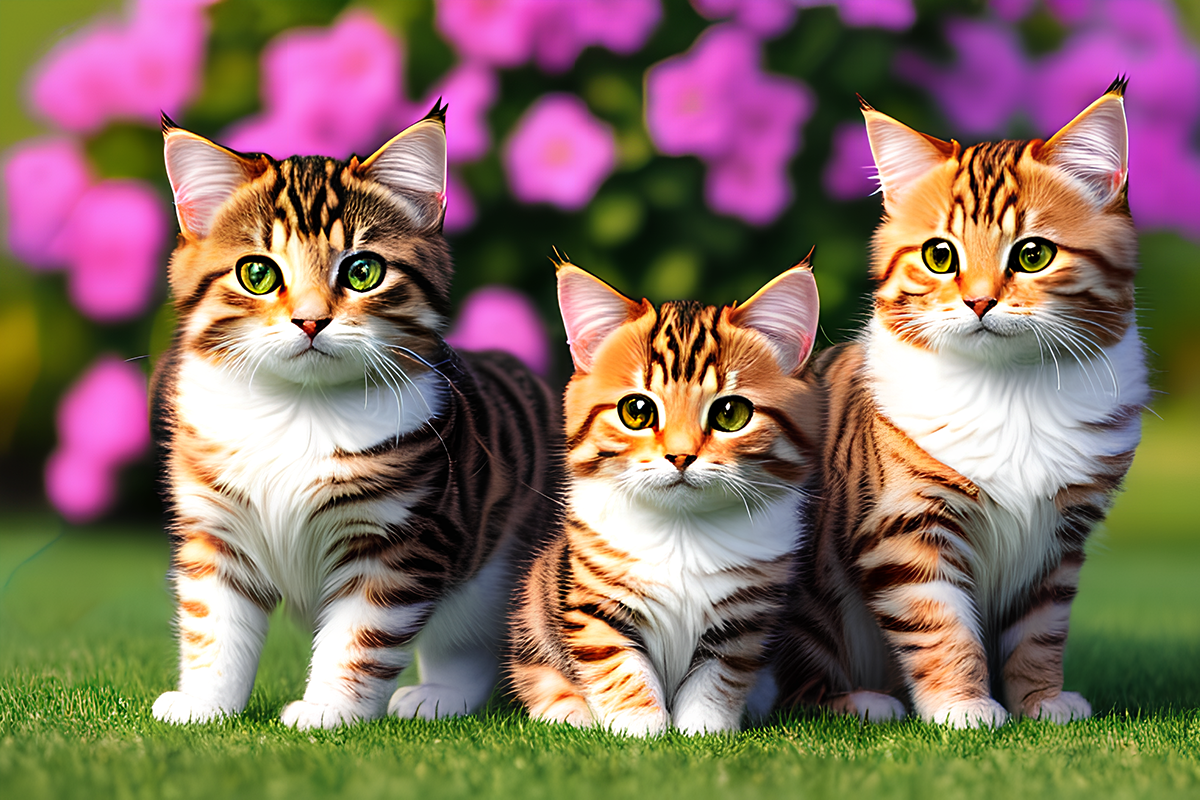
Many sampling methods are available in AUTOMATIC1111. Euler a, Heun, DDIM... What are samplers? How do they work? What is the difference between them? Which
also check this one
chilly sandal
yeap, went througha bit of this one already
guess it's time for a lecture tonight xd
karmic crown
many things will just start to make sense when you read that
like, why my image looks totally different at step 5 and step 15
and how can you get almost the same image with 20 and 15 steps, but i can not
 plucky marsh
does anyone know if it's possible to install models inside stable diffusion via google colab on Fooocus?
Fooocus does not create google drive SD folder nor it does use it
i can install the models locally just fine but i can't seem to find a way to install them online 😢
 azure magnet

 dusky wing
Hi everyone Is it weird that if I generate an image (768 x 768) the first part of the rendering is really quick (2.60 it/s) and then suddenly it goes realllly slow, it looks like it is even freezing. The waiting time also starts going up instead of going. I am using a Nvidia RTX3060 Ti
karmic crown
if you are using upscaling, that takes much more time than image generation, check the console, and show what you have there when slowdown occuers
 karmic crown
absolutely, it needs more time to generate bigger image
dusky wing
Aah thanks a lot! So it makes more sense to generate a few smaller images first, and upscale the ones I like later?
karmic crown
collapse the hires part of ui (that will stop it) and just generate image with like 20 steps, and check how it goes, you should not notice any slowdown
ornate elk
dusky wing
Aah thanks a lot! So it makes more sense to generate a few smaller images first,...
btw are you using xformers ?
dusky wing
Yes I am!
ornate elk
dusky wing
Yes I am!
okay good 🙂 also --medvram-sdxl is needed if your using sdxl models with your 8gb vram
dusky wing
That's new to me, thanks, Ill enable that! I just write that behind "set COMMANDLINE_ARGS=" right?
ornate elk
dusky wing
That's new to me, thanks, Ill enable that! I just write that behind "set COMMAND...
yes
dusky wing
Awesome, thanks!
ornate elk
no problem, it should increase the generation speed a lot for sdxl models
karmic crown
@ornate elk have you ever seen this error?
Traceback (most recent call last):
  File "/Users/francesco/stable-diffusion-webui/launch.py", line 48, in <module>
    main()
  File "/Users/francesco/stable-diffusion-webui/launch.py", line 44, in main
    start()
  File "/Users/francesco/stable-diffusion-webui/modules/launch_utils.py", line 432, in start
    import webui
  File "/Users/francesco/stable-diffusion-webui/webui.py", line 13, in <module>
    initialize.imports()
  File "/Users/francesco/stable-diffusion-webui/modules/initialize.py", line 14, in imports
    import torch  # noqa: F401
  File "/Users/francesco/stable-diffusion-webui/venv/lib/python3.10/site-packages/torch/__init__.py", line 1219, in <module>
    from .storage import _StorageBase, TypedStorage, _LegacyStorage, UntypedStorage, _warn_typed_storage_removal
  File "/Users/francesco/stable-diffusion-webui/venv/lib/python3.10/site-packages/torch/storage.py", line 307, in <module>
    class UntypedStorage(torch._C.StorageBase, _StorageBase):
TypeError: 'torch._C._TensorMeta' object is not iterable
nope but i would update python and delete the venv folder after
ornate elk
did he also has the latest nvidia drivers?
karmic crown
mac
ornate elk
ohh
karmic crown
i am trying to figure out how to help him
ornate elk
karmic crown
i am trying to figure out how to help him
did he also used
pip cache purge before deleting the venv?
that could help if the inital torch version is corrupt
ornate elk
karmic crown
btw, i am currently making a1111 installer skript for mac
oh thats awesome!
karmic crown
new install, just clone
existing purge cache, remove venv, hard reset
🙂
ok, I done some cleanup
❯ ./a1111-setup.sh
Checking for Homebrew...
Already up-to-date.
Detecting processor...
ARM processor detected.
Installing cmake...
cmake is already installed
Installing protobuf...
protobuf is already installed
Installing rust...
rust is already installed
Installing python@3.10...
python@3.10 is already installed
Installing git...
git is already installed
Installing wget...
wget is already installed
Existing installation detected...
Forcing use of latest file versions...
HEAD is now at 4afaaf8a add changelog entry
@coral galleon hello
 coral galleon
where do I find it?
karmic crown
my script is not finished yet
i am working on it
so, you have m1 mac and you created completely new folder and you are getting the same error?
right?
coral galleon
yes, exactly
coral galleon
in my home folder (without any stable-diffusion-webui folder): ➜ git clone https://github.com/AUTOMATIC1111/stable-diffusion-webui; ➜ cd stable-diffusion-webui; ➜ vim webui-user.sh; ➜ rm -rf venv; ➜ ./webui.sh; output: "TypeError: 'torch._C._TensorMeta' object is not iterable"
karmic crown

lets see what i will get
i am getting the error i mentioned in the guide
ModuleNotFoundError: No module named 'torchvision.transforms.functional_tensor'```can you try to run it with this command line?
export COMMANDLINE_ARGS="--skip-torch-cuda-test --opt-sub-quad-attention --upcast-sampling"
are you getting the same error?
wait a second
Yours
Python 3.10.0b1 (v3.10.0b1:ba4217537c, May 3 2021, 17:17:02) [Clang 12.0.5 (clang-1205.0.22.9)]
Mine
Python 3.10.13 (main, Aug 24 2023, 12:59:26) [Clang 15.0.0 (clang-1500.0.40.1)]
also, waht is your macos version? sonoma or some older?
 vestal sigil
this thing happens to some pictures when I try to upscale them with R-ESRGAN 4x+ Anime6B
 coral galleon
Sonoma 14.0 (23A344)
karmic crown
can you please unistall that beta versionof python 3.10 and install it with brew, like this
brew install python@3.10
btw have you installed all of those
brew install cmake protobuf rust python@3.10 git wget
karmic crown
GitHub
Simple A1111 install script for Mac. Contribute to viking1304/a1111-setup development by creating an account on GitHub.
ornate elk
karmic crown
done! 🤣
https://github.com/viking1304/a1111-setup
Nice! saved for future mac questions ^^
plucky marsh
Does anyone know why my google colab stable diffusion via fooocus times out all the time after i install the model Realistic Vision V6.0 B1?
As soon as I add image prompt it times out, unfortunately locally i cant run it cause its toasting my gtx 1660 ti 6gb gpu to bits lol
plucky marsh
Works just fine if I run it without any image prompt. As soon as I add Image prompt of any kind it won't run and returns ^C (Connection Timed out)
 plucky marsh
I saw some solutions online like to place export COMMANDLINE_ARGS="--no-gradio-queue"
but i have no clue where to place that since im using fooocus_colab

 vocal burrow
plucky marsh
I saw some solutions online like to place export COMMANDLINE_ARGS="--no-gradio-q...
vocal burrow
plucky marsh
I saw some solutions online like to place export COMMANDLINE_ARGS="--no-gradio-q...
it's an automatic1111 command line arguments not a fooocus one (although something similar can probably be implemtented by the dev)
vocal burrow
plucky marsh
As soon as I add image prompt it times out, unfortunately locally i cant run it ...
a 1660 should be plenty enough for that


 vocal perch
Hi Everyone
Is it possible with stable diffusion to add items in empty room without changing walls floor etc.
coral galleon
karmic crown
can you please unistall that beta versionof python 3.10 and install it with brew...
i tried to uninstall the python beta and reinstalling it an it worked
thank you
karmic crown
please add info to github, in case someone else experience the same issue
karmic crown
 polar cove
outdated version? which version do you have?

 lone helm
Good afternoon everyone. I have a problem with generation, at first I saw a normal picture in the preview, but after generation I got this:

What's wrong and how to fix it?
karmic crown
are you using LCM?
that can happen with LCM with too large cfg
what are your setting used for generation?
lone helm
karmic crown
are you using LCM?
What is that 'LCM'?
karmic crown
lone helm
What is that 'LCM'?
just forget it for now, if you do not know what it is, we can get back to that later
what are your settings used for generation?
copy the info below the picture after you generate it
lone helm
karmic crown
what are your setting used for generation?
I change settings to many time
Steps, models, samplers
 lone helm
Ok, i will make new generation
karmic crown
create an image and send a screeenshot
lone helm
...

 lone helm
 karmic crown
wait wait
you are trying to use 400x400 with SDXL

collapse those two (arrows in the right top corner) - that will deactivate them, until you open that again
use 768x768
10 steps
euler a
what you got?
lone helm
Still in progress
lone helm
Ok, thank you for your time
karmic crown
which model do you use btw?
lone helm
ALbedo XL
karmic crown
ok, thatn those setting shuld be fine
maybe image will not be great, but at least it should look normal
 lone helm
1060 - 6 gb
karmic crown
ouch, that will be probably painfully slow for SDXL
but you should get relatively decent speed with 1.5
do you have some parameters in webui-user.bat?
lone helm
I have 1080 ti, but it burn a little
 lone helm
Ye
 karmic crown
thats look fine
show me your webui-user.bat
and tell me do you launch webui-user.bat or webui.bat?
lone helm
