#🤝|tech-support
1 messages · Page 3 of 1
 fair oxide
 karmic crown
too pale, your cfg is probably too low
fair oxide
yeah i wonder cause cfg is at 2
karmic crown
it is ok with lcm
fair oxide
does that require mp4?
fair oxide
0.8
karmic crown
hmm
fair oxide
using LCM sampler
karmic crown
:0.8 and cfg 2 should give better colors
is that 1.5?
it if is try with 8400 vae
sometimes it gives better colors with lcm than anime vaes
fair oxide
can't lol im using sdxl
karmic crown
than i have one for you 🙂
fair oxide
only sdxl vae i have here is the sdxl_vae safetensor
 fair oxide
nice, it looks very well toned image.. getting it now
im gonna swap the model too.. instead of anime model im gonna try a more versatile one
fair oxide
the comparison is very distinct
karmic crown
i am really intrested in what you will get if you use it, with same settings
fair oxide
i am
its rendering now
its generating pic frames atm
bit slower it seems
altho i dont think vae affects speed
could be the model i swapped
karmic crown
fair oxide
altho i dont think vae affects speed
it should not affect speed
karmic crown
mp4 would use ffmpeg (i guess) so it will probably take more time
karmic crown
there is no reds, so i have no idea is that vae helped or not
but blue in the top right looks nice
fair oxide
it isn't as washed out as the previous one
karmic crown
yes i know, but it would be more obvious if there was something red on picture 🙂
fair oxide
this video was pretty straightforward and with your help on the motion module download it went smoothly ... i tried to make animatediff work before with oither guides but it didn't go so well in my past attempts https://www.youtube.com/watch?v=dAOODfDyelA&ab_channel=NextDiffusion

Unlock the power of AnimateDiff & LCM LoRa's to create captivating video animations quickly. Elevate your content with seamless, accelerated production.
Links 👇
Written Tutorial: https://www.nextdiffusion.ai/tutorials/fast-video-generation-with-animatediff-lcm-loras-a1111
LCM LoRA's 👇
SDXL LCM LoRA: https://huggingface.co/latent-consistency/lc...
and btw that vae? its pretty crisp and toned

that vae needs to go mainstream for sdxl
fair oxide
its pretty good so far
i know
i mentioned that to you before lol, but results are pretty good so far
karmic crown
i like it, to be honest, but someone said it make some artifacts
fair oxide
i will keep that in mind about artifact, but im gonna run more images with it 🙂
 strange thunder
Could anyone familiar with the infinite image browsing extension help me in understanding something? I adore the "fuzzy search" option, but I can't seem to figure out how to get it to search more than one thing. If I want to find something with "sunset," no problem. If I want to find something with "sunset" AND "beach," it doesn't give me any results when I clearly have some that fit the criteria.
Presently poking around online to find the faq or answer, but I'm coming up dry..
fair oxide
any idea why my checkpoint merger is failing with the following error :
TypeError: argument 'metadata': 'dict' object cannot be converted to 'PyString'
karmic crown
strange thunder
Could anyone familiar with the infinite image browsing extension help me in unde...
drawing.*superman|superman.*drawing this will give you superman and drawing in any order, but you need to click regex button
strange thunder
karmic crown
`drawing.*superman|superman.*drawing` this will give you superman and drawing in...
This worked, but could you unpack that a little more? What is the formula exactly?
And does that mean that I'm not able to do a multi search that just filters images that contain all search elements? Is there no way to get an exaustive search of "superman," drawing," "skyline," and "full moon" without every permutation/combination of those terms?
karmic crown
i just checked the code. it can search only for one word
cur.execute("SELECT * FROM image WHERE path LIKE ? OR exif LIKE ? ORDER BY date DESC LIMIT ?", (f"%{substring}%", f"%{substring}%", limit))
let me try something bad
strange thunder
karmic crown
i just checked the code. it can search only for one word
` cur.execu...
lol wut... because people only ever need to search one thing ever... lol
And ok
karmic crown
ok
looks like regex is the only option at this moment
use it like this
firstsearchitem.*secondsearchitem|secondsearchitem.*firstsearchitem
strange thunder
karmic crown
`firstsearchitem.*secondsearchitem|secondsearchitem.*firstsearchitem`
Ok. And for 3 search terms?
karmic crown
you will need 6 combinations
1st 2nd 3rd, 1st 3rd 2nd...
same thing
.* (any number or characters between including 0)
| = or
strange thunder
karmic crown
.* (any number or characters between including 0)
ohhhhh ok my brain was reading it as "." with the first term and "*" with the second term. silly me. makes sense now I think
karmic crown
first.*second.*third|first.*third.*second and so on
with 3 items you have 6 combinations
1,2,3
1,3,2
2,1,3
2,3,1
3,1,2
3,2,1
like this
strange thunder
karmic crown
`first.*second.*third|first.*third.*second` and so on
Gotcha. Is there any particular reason multi term search isn't supported yet? Seems fairly basic in terms of a needed utility.. I won't complain, especially since there is an alternative (way better than being sol), but my brain just implodes when it sees stuff like this missing, especially when it's on such a useful function. Dx
Like how controlnet stopped recognizing png info data for the longest time and that was just life for a while.. lol
strange thunder
karmic crown
1,2,3
1,3,2
2,1,3
2,3,1
3,1,2
3,2,1
Also, I don't really have any script writing knowledge, but I imagine someone could just write some simple code where you can input "a,b,c,d" and the output would be all of those permeations that you could just paste into the search bar. How hard would that be to do?
 willow moth

 carmine forge
Hi, first time installing stable diffusion, does anyone know why?

 grim moon
Hey
Where do I put this?
[TI] EasyNegativeV2 [Textual Inversion Embedding] This Ti is for SD 1.5 Trainer isn't me. All the credit goes to gdgsfsfs. https://huggingface.co/g...
 solar sphinx
Having trouble with x/y/z plot with checkpoint name. It seems to just end immediately with : attributeerror : module 'modules.sd_models' has no attribute 'reload_weights'
X/y/z works with every other option I chose except "checkpoint name"

 bright light
Guys, please help me. I don't understand why I no longer have tiling on my A1111. I need it to create a texture and I realize that I don't have it anymore... Do you know why?

 hallow jasper
im trying to run stable diffusion with foocus and amd gpu but im getting this error: RuntimeError: Device type privateuseone is not supported for torch.Generator() api.
what could it be?
bright light
Note: The Tiling checkbox is now on the Settings page.
Can anyone explain why you removed this checkbox???? Now I have to reboot my A1111 every time I want to change this setting???? Seriously guys?
karmic crown
grim moon
Where do I put this?
in the embeddings folder, next to Place Textual Inversion embeddings here
karmic crown
strange thunder
Gotcha. Is there any particular reason multi term search isn't supported yet? Se...
go to their github page and rise an issue
https://github.com/zanllp/sd-webui-infinite-image-browsing/issues
ask them to add support for more than one term in fuzzy search

GitHub
A fast and powerful image/video browser for Stable Diffusion webui and ComfyUI, featuring infinite scrolling and advanced search capabilities using image parameters. It also supports standalone ope...
I just gave you a workaround since I have no other idea how to help you. regex is there for complex searches and it is not intended to be used like that
strange thunder
karmic crown
I just gave you a workaround since I have no other idea how to help you. regex i...
And I appreciate it so much! Was mostly venting/probing for any other things I might have been ignorant to. lol. So thanks very much!
I was going to do that but wanted to ask first. Because that was something else brainbreaking: That no one else had had the issue when I did a search there XD
 ornate elk
 fast mirage
a RX 6600!
fast mirage
a RX 6600!
Then you need to edit the webui-user.bat and add --medvram --opt-sub-quad-attention --opt-split-attention-v1 --upcast-sampling --no-half-vae
To the Commandline_ARGS=
fast mirage
ornate elk
Then you need to edit the webui-user.bat and add --medvram --opt-sub-quad-attent...
Thx! I'll try that, but what if the time to generate images continues very long?
 vocal burrow
bright light
***Note: The Tiling checkbox is now on the Settings page.***
Can anyone explain...
vocal burrow
bright light
***Note: The Tiling checkbox is now on the Settings page.***
Can anyone explain...
We are not auto1111, so your rant won't do much here.
Also I'm pretty sure you don't have to reboot A1111 just to toggle tiling.
 random pagoda
cant use my lcm lora, any advice , i tried several steps / cfg / samplers
 karmic crown
random pagoda
cant use my lcm lora, any advice , i tried several steps / cfg / samplers
karmic crown
random pagoda
cant use my lcm lora, any advice , i tried several steps / cfg / samplers
are you sure that you are using the correct lcm lora?
XL models - XL version of LCM lora
1.5 models - 1.5 version of LCM lora
random pagoda
yes 🙂
karmic crown
what cfg and lora strength did you use?
random pagoda
lora is on 1 but tried different stregth too
cfg from 1-2.5
and steps i tried 3/4/5/6/... 15
but its more about that the pics are completely messed up
like not a bad result , more of a wrong result
karmic crown
is this xl or 1.5?
 wraith steppe
Hi, i have a problem, my automatic1111 continue to crash randomly without no sense... doesnt matter what version i use or what extensions i have on it, randomly it crash... in the middle of an elaboration can appear the text "select a button to exit..." and i dont know why cause no error show !! i restart and it crash but randomly ! i work a lot with deforum and i use the 1.6.1 versione and 1.7.0 rc version, it crashed also when i tried to install 1.7.0 ... no sense! is a problem of my pc? i notice also google chrome crash always is a ram problem??? pleas help
random pagoda
karmic crown
is this xl or 1.5?
xl
karmic crown
@random pagoda try go genrate a simple image with default size 512x512 (if 1.5) or 1024x1024 (if it is sdxl), do not use upscalers, loras... just use lcm lora that is correct for your model (doublecheck that) use lora streng of 0.5 and be sure that you use the same name as the filename for example your filename is LCM_15 than you need to use lora:LCM_15:0.5 and not lora:pytorch_lora_weights:0.5 for example. paste the generated info when you get the result (as text)
use cfg of 1.5
and 8 steps
use lcm, euer a or unipc sampler
 verbal burrow
What does it mean when it says not enough values to unpack?
ornate elk
fast mirage
Thx! I'll try that, but what if the time to generate images continues very long?
Then show me your txt2img settings
random pagoda
ty its because of the 0.5 @karmic crown
8 steps

weird didnt know i cant use it at 1 weight
at least it seems the 0.5 fixes it
ornate elk
wraith steppe
Hi, i have a problem, my automatic1111 continue to crash randomly without no sen...
How much ram do you have?
random pagoda
@karmic crown still weird, seems like a lot of people use 1.0 and it works for them
karmic crown
random pagoda
<@916007004823257198> still weird, seems like a lot of people use 1.0 and it wo...
i am found that this "math" works the best lora strenght = 1.125/cfg
you do not need to be precise
random pagoda
karmic crown
i am found that this "math" works the best lora strenght = 1.125/cfg
im still confused there are so many pics on civitai with 1.0 strenght that are not messed up
karmic crown
random pagoda
im still confused there are so many pics on civitai with 1.0 strenght that are n...
what is the cfg in those cases?
random pagoda
1,3
karmic crown
that is fine
 karmic crown
cfg 1.3 + lora :1 is fine
random pagoda
if i use cfg 1.3 and lora 1 it ends bad again

ok with the lcm sampler its way less sensitive for errors
tried lcm sampler
wraith steppe
ornate elk
How much ram do you have?
32gb ddr5 corsair 7200mhz
random pagoda
karmic crown
what you get if you do not use lcm lora at all
do u have any advice for getting better result with even lower steps like 3? or 5?
random pagoda
allright
karmic crown
if that is a new model, chek if it has lcm embeded
if it does, you do not need lcm lora
that can also be a problem
models with embeded lcm, do not need lora, that will just make a problem
random pagoda
got this with 3 steps
ornate elk
wraith steppe
32gb ddr5 corsair 7200mhz
That should be enough but make sure your Mainboard supports 7200
 karmic crown

This my first full LCM model. Its also the first model of the NextGenXL version of Hephaistos. Its trained on a merge of Hephaistos and Colossus Pr...
i love this one
it has lcm embeded
good anime model with embedded lcm is this one https://civitai.com/models/202108/bluepencil-xl-lcm

LCM-LoRA merged with blue_pencil-XL generate several times faster than usual, at a slight sacrifice in quality. In my environment, a 1024x1024 imag...
there are some others, but i didnt try them
wraith steppe
ornate elk
That should be enough but make sure your Mainboard supports 7200
Is asus rog z790 asus hero
 ornate elk
wraith steppe
Is asus rog z790 asus hero
ornate elk
wraith steppe
Is asus rog z790 asus hero
okay, whats your python version?
hallow jasper
how do i know if something is a lora or a checkpoint
ornate elk
hallow jasper
how do i know if something is a lora or a checkpoint
everything larger than 1.98gb is a checkpoint
wraith steppe
3.10.6
ornate elk
wraith steppe
3.10.6
okay thats good.
did you tried the stable webui version?
1.6.2
wraith steppe
I changed the clock of rams to 7000mhz seems work now but need to wait 1-2days first
ornate elk
wraith steppe
I changed the clock of rams to 7000mhz seems work now but need to wait 1-2days f...
okay hopefully that works
 spark moon
hello anyone able to help out?
i'm trying to get into Dream Studio , and it is saying my password is incorrect, I've tried sending an email to reset password, but the email does not show up in my inbox
fast mirage
ornate elk
Then show me your txt2img settings
well i don't know where to find those, but one thing that i found out is while i'm generating an image, it doesn't anything from my gpu at all
it uses almost all my memory

forget what i just said, i can generate images at a acceptable rate now
like 1min per image
but they just all bug out xd
 ornate elk
fast mirage
ornate elk
fast mirage
Dont use sdxl models with an resolution of 512x512 or lower.
Thats why the images look so bad.
Sdxl models got trained on 1024x1024
But that will likely not work with your gpu
So the best is to stick to 1.5 models as they are trained on 512x512
You can later upscale them for better quality and Highres resolution.
Also use batch size 1
strange thunder
https://github.com/opparco/stable-diffusion-webui-two-shot/issues/43 Could I get a little help understanding this comment/solution? I'm not sure what exactly I need to delete from the .py file. I've tried several combinations and I'm clearly not doing it right because the png info still isn't saving. I know it's the correct fork

GitHub
i cant see the info like "Latent Couple: divisions=1:1,1:2,1:2 positions=0:0,0:0,0:1 weights=0.2,0.8,0.8 end at step=20" in pnginfo page
fast mirage
ornate elk
Dont use sdxl models with an resolution of 512x512 or lower.
Thats why the image...
oh alright.
can you give me an example of a 1.5 model?
and by model you mean... what? I'm really new into sd
 warped wyvern
first time install and I got this message. Anyone know what might be causing this?

 azure magnet
LMC works even to SD not XL?

 onyx solar
 vapid ice
Please someone help.
vapid ice
Please someone help.
Do you actually have git installed?
Follow the installation instructions:
https://github.com/AUTOMATIC1111/stable-diffusion-webui#installation-and-running
vapid ice
onyx solar
Do you actually have git installed?
Follow the installation instructions:
https:...
Installed it, same error when trying to open via webui-user.bat
but I'm able to open it when clicking on run.bat
is that normal?
 ebon horizon
I'm trying to pass an image from a sampler generating with SD v1.5 to another sampler refining with SDXL, but I'm getting weird noise when I pass the latent from one sampler to the next. Is there any way to get a clean output this way without decoding and re-encoding with VAE in between?
My current workflow is
512x512 > KSampler (SD1.5 )> Latent upscale x2 > KSampler (SDXL) > KSampler (Refiner) > Latent Upscale x1.5 > KSampler (SDXL) > KSampler (Refiner) > KSampler (SD1.5) > RealESRGAN x2 > Output
 pure viper
Every time I try to launch Juggernaut in my Comfy workflow I get a screen full of red all kicked off at the top by:
Error occurred when executing Efficient Loader:
'model.diffusion_model.input_blocks.0.0.weight'
ebon horizon
pure viper
Every time I try to launch Juggernaut in my Comfy workflow I get a screen full o...
Did you download the .yaml file and place it in the folder alongside the model?
pure viper
ebon horizon
Did you download the .yaml file and place it in the folder alongside the model?
AH! Let me do that. Thanks.
I guess I don't know where to find that. Don't see anything on CIVITAI
ebon horizon

Hello my friends, are you ready for one last ride with Stable Diffusion 1.5 and "Juggernaut Aftermath"? I actually announced that I would not relea...
Make sure you select the right version at the top, then under download options there should be one called config
pure viper
So I was here because this is where I got the checkpoint. And I don;t find one there. I guess I'll download that one as I'm so new to this stuff that it doesn't matter which one I use. I thought I was getting the XL. Cheers.
https://civitai.com/models/133005?modelVersionId=240840

For business inquires, commercial licensing, custom models, and consultation contact me under juggernaut@rundiffusion.com Here I am again ;) Before...
ebon horizon
pure viper
So I was here because this is where I got the checkpoint. And I don;t find one t...
Version 5 of XL has it. You may be looking under the later builds that were made for RunDiffusion.
https://civitai.com/models/133005?modelVersionId=166909

For business inquires, commercial licensing, custom models, and consultation contact me under juggernaut@rundiffusion.com Here I am again ;) Before...
pure viper
So, that fixed it. One thing I learned is sometimes the config/yaml is a link in the window and sometime it's in the pull down window with the checkpoint and the vae. Cheers.
verbal burrow
How do I get SDXL?
Been using SD V1.5, but can't seem to get SDXL to work, at least for the checkpoint I'm using it never loads it
 desert grove


I'm getting the first error followed by the second when trying to use a depth controlnet all of a sudden.
Welp, it randomly went away after disabling the controlnet, swapping to another checkpoints and swapping back(tried this on it's own at first and still had the error), generated without it, then enabled it again and now it's back to working.
And now it's doing it again.
What gives?
It seems to be caused by using a refiner, but I'm not doing anything differently from the last times I've used stable diffusion.
It won't let me load the model I'm trying to refine with. Was there an update or something to the webui that might've broken the model? I haven't changed anything manually.
ornate elk
fast mirage
and by model you mean... what? I'm really new into sd
I mean checkpoints = model.
Get Dreamshaper v8
Thats a good 1.5 model for example
 delicate urchin

Why does it read that as a string and not float?
this workflow has always been working until I moved all comfy files to a new pc
If I put float to string and string to float between those two then it works again
but that should be not needed
FIXED: the math node in comfy is full of bugs. I just replaced the nodes with the same identical nodes and then it worked
 elder turtle
verbal burrow
Been using SD V1.5, but can't seem to get SDXL to work, at least for the checkpo...
elder turtle
verbal burrow
Been using SD V1.5, but can't seem to get SDXL to work, at least for the checkpo...
What UI are you using?
 quiet lion
Can anyone advise me on how to set up img2vid with comfyui on colab? I am getting this error.
I have comfyui manager - shall I install model direct using that?


 quiet lion
Can anyone advise me on how to set up img2vid with comfyui on colab? I am gettin...
quiet lion
quiet lion
Can anyone advise me on how to set up img2vid with comfyui on colab? I am gettin...
I think I a managed to solve that but now running a prompt I get this error:
ERROR:root:!!! Exception during processing !!!
ERROR:root:Traceback (most recent call last):
File "/content/drive/MyDrive/ComfyUI/execution.py", line 153, in recursive_execute
output_data, output_ui = get_output_data(obj, input_data_all)
File "/content/drive/MyDrive/ComfyUI/execution.py", line 83, in get_output_data
return_values = map_node_over_list(obj, input_data_all, obj.FUNCTION, allow_interrupt=True)
File "/content/drive/MyDrive/ComfyUI/execution.py", line 76, in map_node_over_list
results.append(getattr(obj, func)(**slice_dict(input_data_all, i)))
File "/content/drive/MyDrive/ComfyUI/comfy_extras/nodes_video_model.py", line 45, in encode
output = clip_vision.encode_image(init_image)
AttributeError: 'NoneType' object has no attribute 'encode_image'
 unique anchor
Kohya SS can only run on Linux?
Cuz I am trying to run on Windows and I get bitsandbytes error and upon further inspection, I found out that
The bitsandbytes library supports CUDA versions from 10.2 to 12.0. However, it's important to note that this library is currently only supported on Linux distributions, and Windows is not officially supported at this time
elder turtle
unique anchor
Kohya SS can only run on Linux?
https://github.com/bmaltais/kohya_ss#installation
Should run on windows without issues

GitHub
Contribute to bmaltais/kohya_ss development by creating an account on GitHub.
unique anchor
I get this error, let me get the link
Hastebin is a free web-based pastebin service for storing and sharing text and code snippets with anyone. Get started now.
elder turtle
I havent used it myself so cant say too much, did you follow the instructions for installing it?
unique anchor
Yes, step-to-step.
Even followed the tutorial from Not4Talent and Aitrepreneur
🥹 I was getting a CUDA error before but when I reinstalled, it disappeared and gave me this new error.
 uncut jewel
Hey guys, just here to ask a quick advice, what's the shortcut to make pop the searchbar in comfyui, to get nodes way faster ?
elder turtle
uncut jewel
Hey guys, just here to ask a quick advice, what's the shortcut to make pop the s...
Double left click
 verbal burrow
elder turtle
What UI are you using?
verbal burrow
elder turtle
What UI are you using?
Automatic11111
Also I just got am RTX 3060, do I need to get anything for it?
karmic crown
follow this guide
use the command line from there
ooops wait, there is no command line ther
 jagged plover
unique anchor
https://hastebin.com/share/emoroparim.javascript
jagged plover
unique anchor
https://hastebin.com/share/emoroparim.javascript
did you try to use the bnb 8bit optimizer? if so, you'll have to not use that on windows i guess? just swap to any of the other optimizers.
(bnb should work on windows iirc but a lot of research software gets wonky when you're on windows so idk)
karmic crown
For 3060
Use:
--xformers --medvram --no-half-vae
ornate elk
Not medvram for 12gb
ornate elk
karmic crown
--medvram for 8GB?
--medvram for 6gb or less
karmic crown
ill try to remember (if you are not here next time) 🙂
ornate elk
--lowvram for 3gb or less or if they want to use heavy extensions with 4gb
unique anchor
jagged plover
did you try to use the bnb 8bit optimizer? if so, you'll have to not use that on...
May I ask what that optimizer thing is?
 sand trail
 verbal burrow
karmic crown
https://discord.com/channels/1002292111942635562/1002602742667280404/11813334251...
verbal burrow
karmic crown
https://discord.com/channels/1002292111942635562/1002602742667280404/11813334251...
I already have the webui though
Been using it when I had installed my 1060
karmic crown
my guide for Macs has a command line, so I though his PC guide also has it, but then I saw that there is no command line there
 lost crescent
Torch not compiled with Cuda? Help, anybody 🙂
elder turtle
verbal burrow
Also I just got am RTX 3060, do I need to get anything for it?
Did you update the UI anytime recently?
 burnt lily
Hi guys, i am using civitai extension to get the preview images for LoRAs, i think the extension makes my SD to calculate sha256 constantly (constant looping from filename a-z, A-Z, then back to a-z, even the files with preview and json files). Found similar issue on github, but tagged as non reproducible (https://github.com/AUTOMATIC1111/stable-diffusion-webui/issues/12826) and the guy used civitai-helper instead of civitai extension. I've tried to only include 1 LoRA file in the directory, and it the scanning loop did not happen. Maybe the hashing process failed in one or more LoRA, i don't know. It's so frustating, and for temporary remedy, i just use the --no-hashing command.  wonder if anyone here have solved it, thanks!
GitHub
Is there an existing issue for this? I have searched the existing issues and checked the recent builds/commits What happened? When I launch webui.bat or webui-user.bat it often starts to recalculat...
jagged plover
unique anchor
May I ask what that optimizer thing is?
optimizer selection in kohya trainer is, uh, which provider of magic math you want to do the trainy with?
... sorry it's hard to explain without explaining a lot of math that i don't even understand well to begin with.
Main practical point is just use whatever the standard recommended one is, and don't do the bnb/8bit one
presumably either adafactor or one of the adamw variants is the recommended one
unique anchor
Okiee I will look into it tomorrow
Kohya is on my work laptop which is at work xD But thank you so much. I will surely look into it tomorrow <3
karmic crown
burnt lily
Hi guys, i am using civitai extension to get the preview images for LoRAs, i thi...
temporary disable the plugin and check what happens
you can also try this one instead https://github.com/BlafKing/sd-civitai-browser-plus

GitHub
Extension to access CivitAI via WebUI: download, delete, scan for updates, list installed models, assign tags, and boost downloads with multi-threading. - GitHub - BlafKing/sd-civitai-browser-plus:...
ornate elk
verbal burrow
Been using it when I had installed my 1060
You need to edit the webui-user.bat and at the line COMMANDLINE_ARGS=
You add: --xformers --no-half-vae
ornate elk
lost crescent
Torch not compiled with Cuda? Help, anybody 🙂
What's your GPU ?
 verbal burrow
elder turtle
Did you update the UI anytime recently?
verbal burrow
elder turtle
Did you update the UI anytime recently?
I'm not sure if I did
elder turtle
verbal burrow
I'm not sure if I did
You should, one update around the XL release implemented the support
verbal burrow
elder turtle
You should, one update around the XL release implemented the support
How can I check the version to see if it did update?
verbal burrow
elder turtle
You should, one update around the XL release implemented the support
When I launch the webui-user.bat I see Version: v1.6.1
verbal burrow
ornate elk
You need to edit the webui-user.bat and at the line COMMANDLINE_ARGS=
You add: -...
 elder turtle
Do you have git pull in your webui-user.bat?
verbal burrow
Just "git pull" yeah
elder turtle
Then it should be up to date 
verbal burrow
`@echo off
set PYTHON=
set GIT=
set VENV_DIR=
set COMMANDLINE_ARGS=
git pull
call webui.bat`
That screenshot I took just now pops up everytime I launch the webui-user.bat now
 elder turtle
Did you reinstall torch?
verbal burrow
I have to reinstall it?
elder turtle
Well nvm 
ornate elk
Torch is just to old for xformers
verbal burrow
StableDiffusionXL_v30Safetensors loads now
verbal burrow
elder turtle
It says so in the UI
 ornate elk
verbal burrow
ornate elk
verbal burrow
Have you deleted the venv folder ?
verbal burrow
In the process of doing it rn
verbal burrow
 ornate elk
verbal burrow
ornate elk
verbal burrow
okay thats old stuff to fix that:
Close Stable diffusion.
open up a cmd and run
pip cache purge
After that close the cmd.
Go into the stable-diffusion-webui folder.
Click in the File Explorer bar. (not in the search bar).
then type cmd and hit enter.
after that type and run:
git reset --hard HEAD
and then
git pull
Then delete the venv folder and run the webui-user.bat
Then your updated and SD will be much faster
verbal burrow
Also want to mentioned my models for Lora or embeddings didn't load either
ornate elk
verbal burrow
Also want to mentioned my models for Lora or embeddings didn't load either
try my fix and then they should work too
verbal burrow
Yep, doing that rn 👍
verbal burrow
ornate elk
Close Stable diffusion.
open up a cmd and run
`pip cache purge`
After that close...
File Explorer bar?
Nevermind
elder turtle
Where your path is
 elder turtle
Let it run, it should rebuild
 elder turtle
The one that imports covers? I like that yeah
verbal burrow
That's all it does?
verbal burrow
elder turtle
<:dogsmile:1058544141929300039>
 elder turtle
You can also download models through it, but I dont see the use
verbal burrow
 verbal burrow
elder turtle
You can also download models through it, but I dont see the use
verbal burrow
elder turtle
You can also download models through it, but I dont see the use
I don't have a token for civiai lol

Alright, the webui launched, gonna try to generate something
All my Lora models except 1 aren't showing up, same with embeddings
vocal burrow
Are those compatible with the model you currently have loaded ?
ornate elk
verbal burrow
You need to edit the webui-user.bat
verbal burrow
Would they show up if they weren't?
ornate elk
To use xformers
vocal burrow
verbal burrow
Would they show up if they weren't?
no
verbal burrow
ornate elk
You need to edit the webui-user.bat
Same as before?
ornate elk
verbal burrow
Same as before?
--xformers --no-half-vae at the COMMANDLINE_ARGS
vocal burrow
loras/embedding are made for a specific version of SD (1.5, 2.0, 2.1, SDXL, etc)
verbal burrow
vocal burrow
Are those compatible with the model you currently have loaded ?
I had a model that said it was StableDiffusionXL but even that doesn't show up
elder turtle
Did you download it from a shady source?
verbal burrow
I switched my checkpoint and it the models aren't show up still
verbal burrow
elder turtle
Did you download it from a shady source?
Civiai
Nevermind, I'm just dumb
I didn't hit refresh
elder turtle

verbal burrow
ornate elk
--xformers --no-half-vae at the COMMANDLINE_ARGS
Should I add git pull under it as well?
elder turtle
If you want to keep it updated, yes
 verbal burrow
Huh.mp3
verbal burrow
So it doesn't go into the Lora Folder under Models?
Where do I put it or do I not have anywhere for it?
verbal burrow
ornate elk
You should update your extensions too
I'm this far into the rabbit hole, might as well
 rancid spindle
Hey guys, I been playing with stable diffusion on my m1 Mac it’s a beefy M1 but I was told I should be looking at a windows desktop to get the best performance when running locally is there some specs of hardware recommended
ornate elk
verbal burrow
Where do I put it or do I not have anywhere for it?
models/stable-diffusion
elder turtle
rancid spindle
Hey guys, I been playing with stable diffusion on my m1 Mac it’s a beefy M1 but ...
Id at least get a 30 series GPU and a fitting PC
For the best performance right now youre probably looking at a 4090
rancid spindle
elder turtle
Id at least get a 30 series GPU and a fitting PC
For the best performance right ...
Does it matter laptop vs desktop
elder turtle
rancid spindle
Does it matter laptop vs desktop
Laptop GPUs tend to run slower and on less power, so id go desktop if you want the performance
rancid spindle
elder turtle
Laptop GPUs tend to run slower and on less power, so id go desktop if you want t...
Thank you much …
elder turtle
rancid spindle
Thank you much …
No problem, but be sure to not just throw money at the first best system you see. I advise people to build their own PC all the time
verbal burrow
 lost crescent
ornate elk
What's your GPU ?
lost crescent
ornate elk
What's your GPU ?
GeForce RTX 2070 8Gb VRAM
verbal burrow
I might need some help with figuring out if I have my Loras and checkpoints correct. I assumed that anything with the name Lora goes into the Lora folder within Models
sand trail
is there anything else i can do to stop getting this message

 rancid spindle
elder turtle
No problem, but be sure to not just throw money at the first best system you see...
rancid spindle
elder turtle
No problem, but be sure to not just throw money at the first best system you see...
Yep that was exactly what I was going to do … ok so I need to do more researcher on hardware and building myself thank you
elder turtle
rancid spindle
Yep that was exactly what I was going to do … ok so I need to do more researcher...
Its also cheaper to build yourself, just set yourself a limit cash wise
Else youll get lost
lost crescent
Cannot get Torch to be Compiled with/by Cuda?! RTX 2070 8Gb VRAM
rancid spindle
elder turtle
Its also cheaper to build yourself, just set yourself a limit cash wise
I was looking at building a pc but the GPU seems more expensive than having it built already
elder turtle
verbal burrow
Someone told me it's more expensive to build your own pc
You usually pay a fee for assembly and some extra for the company building it
elder turtle
rancid spindle
I was looking at building a pc but the GPU seems more expensive than having it b...
Well it depends on the GPU, a 4090 obviously is more expensive than a 3050 for example
rancid spindle
elder turtle
You usually pay a fee for assembly and some extra for the company building it
So you recommend just pick the hardware and having someone else build it …
lost crescent
I bought a fantastic PC - but I'm convinced that the GPU was second-grade stock (I sent it back 3 times for video faults!!!)
verbal burrow
elder turtle
You usually pay a fee for assembly and some extra for the company building it
Oh, I assumed you meant build it on your own without any help
elder turtle
verbal burrow
Oh, I assumed you meant build it on your own without any help
I meant that yeah, just saying if you buy one prebuild you pay extra
ornate elk
rancid spindle
Hey guys, I been playing with stable diffusion on my m1 Mac it’s a beefy M1 but ...
For a good SD ready PC you should get a nvidia card with at least 12gb vram.
16gb or more RAM.
And a CPU with 6-8cores, 4 would work too but for future i would go for more
elder turtle
rancid spindle
So you recommend just pick the hardware and having someone else build it …
Only if you dont believe you can do it alone
lost crescent
Personally, my 8Gb VRAM is working the Pixart-alpha (via lowvram bat file) really good
elder turtle
elder turtle
Only if you dont believe you can do it alone
Also pcpartpicker is a great source for compability of parts
lost crescent
70 seconds per 60 step output
sand trail
lost crescent
Personally, my 8Gb VRAM is working the Pixart-alpha (via lowvram bat file) reall...
can I do that to my 6gb
rancid spindle
elder turtle
Only if you dont believe you can do it alone
Yeah time is my issue building myself so I will look at parts and have someone build it
sand trail
i was adviced to use medvram
lost crescent
Not sure - the Pixart-alpha I'm using came from patreon (SECourses) and includes a lowvram option, 8Gb seems to be the minimum)
elder turtle
rancid spindle
Yeah time is my issue building myself so I will look at parts and have someone b...
I mean then you can also buy it prebuild, saves you all the looking parts up and stuff
lost crescent
ornate elk
It can
I'm not sure how to do it?
verbal burrow
rancid spindle
Yeah time is my issue building myself so I will look at parts and have someone b...
If you're going to build it yourself, please keep in mind dimensions of each component compared to the casing
ornate elk
lost crescent
I'm not sure how to do it?
Auto1111 does it at install
lost crescent
How do I compile my Torch using CUDA?
rancid spindle
elder turtle
I mean then you can also buy it prebuild, saves you all the looking parts up and...
Do you have a recommended site for prebuilt and yes I am looking at the 4090
lost crescent
Yes, but I'm trying to setup comfyUI
elder turtle
rancid spindle
Do you have a recommended site for prebuilt and yes I am looking at the 4090
Depends on where youre located tbh
I only know a few german sites
ornate elk
lost crescent
Yes, but I'm trying to setup comfyUI
Comfyui should work by default with nvidia cards
Are you on a laptop?
lost crescent
This is what's happening with my nVidia Card

Torch not compiled with CUDA enabled?!
My Cuda Toolkit is v12.3
My Torch is 2.1.0
(Or is it 1.6.0?)
 sand trail
any one tried token merging
lost crescent
At Github - most people assume that you are not using an nVidia GPU!!!
lost crescent
elder turtle
Depends on where youre located tbh
A company in London UK (MESH, of Wembley) built me a 64Gb DDR5 RAM, RTX 2070 8Gb VRAM, 2x1Tb SSDs ... and for 5 years it has worked almost flawlessly
MicronPC of Boise, Idaho also do customer-spec builds
I wonder if I just swap out the 2070 - for a 4090?
What could go wrong?!
 lapis merlin
how do I fix privateuseone error if using --directml with AMD GPU?
 heady pine
I am trying to reproduce an image I made with the same seed, but every time I do, the image is different, does anyone know how I can fix this issue?
ornate elk
lapis merlin
how do I fix privateuseone error if using --directml with AMD GPU?
Can you show the complete cmd output?
vocal burrow
lost crescent
A company in London UK (MESH, of Wembley) built me a 64Gb DDR5 RAM, RTX 2070 8Gb...
ddr5 ? five years ago ?
elder turtle
lost crescent
I wonder if I just swap out the 2070 - for a 4090?
Probably underpowered PSU
vocal burrow
Also check if you've got enough physical space to swap for a 4090, those are chunky
elder turtle
Or get the MSI Liquid one with the 240 rad
vocal burrow
heady pine
I am trying to reproduce an image I made with the same seed, but every time I do...
1/ --xformers (and some other flags but mainly this one) will make stable-diffusion non deterministic. Meaning for the same prompt+settings running on different hardwares you'll get different results. The output should still correspond to whatever the prompt is.... It might just be slightly to very different if you're unlucky. So yeah, some command line arguments can alter the outputs of your prompts and your hardware might also do the difference.
2/ Do you have all the loras, embeddings mentioned in the prompt ?
3/ Are you really using the same settings ? Copy pasting manually what's inside the "Generation Data" boxes is not enough. Civitai is hiding a bunch of data there. If you want to get the exact same settings you'll have to click the "Copy Generation Data" button at the bottom of the image page, paste its content into Auto1111's prompt field and then click the blue arrow under generate to automatically apply each value to the correct field
4/ Did you have any overrides set beforehand ? They should show up at the very bottom of the page (some will probably show up too if you use data from civitai like I mentioned in 3/)
5/ Maybe it's using some extensions that does not record its settings in the metadata
6/ Maybe you're using different versions of some extensions/auto1111/lora/models/etc that yield different results
lost crescent
vocal burrow
ddr5 ? five years ago ?
Prolly DDR4
lost crescent
elder turtle
Probably underpowered PSU
Upgrade my PSU
 gray oyster
rancid spindle
Hey guys, I been playing with stable diffusion on my m1 Mac it’s a beefy M1 but ...
gray oyster
rancid spindle
Hey guys, I been playing with stable diffusion on my m1 Mac it’s a beefy M1 but ...
get windows x nvidia for ease of use or linux x amd if you like to suffer and also to safe a few bucks
lost crescent
So still stuck with "Torch not compiled with CUDA enabled!" 😄
Github also has little info on this matter ...
gray oyster
try 11.8
that should definitely work
i heard that for 20 series cards 11.8 is recommended, might be outdated news though
lost crescent
Yes, but how to enable CUDA to compile Torch?
gray oyster
in auto1111?
lost crescent
ComfyUI
lost crescent
My error is AssertionError("Torch not compiled with CUDA enabled")
gray oyster
also run nvcc --version in cmd
lost crescent
OK, will try
gray oyster
it could be that it tries to install PyTorch for the wrong cuda version
you would need to find the line in one of the many files for that
lost crescent
 rancid spindle
elder turtle
Depends on where youre located tbh
rancid spindle
elder turtle
Depends on where youre located tbh
Ok I an in the US let me do some research to see if there’s a company that specializes in building machines for this purpose .. thank you
 lost crescent
OK, 11.8, 12.1 - any more? 😄
lapis merlin
ornate elk
Can you show the complete cmd output?
I have --directml as the only command
gray oyster
lost crescent
OK, 11.8, 12.1 - any more? 😄
try 11.8 that should definitely work
lost crescent
Going to try 11.8 ...
gray oyster
the cuda toolkit i mean of course, not pytorch
pytorch is being installed through comfyui itself
lost crescent
Yes, CUDA Toolkit 118
gray oyster
yea
ornate elk
lapis merlin
I have --directml as the only command
Then your using not auto1111 but SD.Next I guess
verbal burrow
Is it normal for the AI to start randomly making weird images even though I didn't change the prompt?
gray oyster
depends
lost crescent
verbal burrow
Is it normal for the AI to start randomly making weird images even though I didn...
if you have a low cfg then maybe ..
verbal burrow
lost crescent
if you have a low cfg then maybe ..
I've kept it at 16, but randomly I get these images that don't make sense
elder turtle
verbal burrow
Is it normal for the AI to start randomly making weird images even though I didn...
I have that sometimes with running batches, my first image is fine and the other 3 are gibberish

elder turtle
verbal burrow
I've kept it at 16, but randomly I get these images that don't make sense
16 is mighty high
gray oyster
verbal burrow
I've kept it at 16, but randomly I get these images that don't make sense
16 seems way too high
higher cfg at lower resolutions usually causes oversaturation and just not good looking images
14cfg at 1024x1024 is already pretty high and should only be used with highres.fix imo
verbal burrow
I seem to get better results when I set it to 16 compared to say 7
gray oyster
verbal burrow
I seem to get better results when I set it to 16 compared to say 7
do you use negative prompts?
verbal burrow
Yep
bad resolution, text, (worst quality:2), (low quality:1.8), jpeg artifacts, ugly, duplicate, easynegative, morbid, mutilated, out of frame, (mutated hands), background, bad hands, (poorly drawn face:2), mutation, deformed, blurry, (bad anatomy:2), bad proportions, extra limbs, cloned face, disfigured, malformed limbs, missing arms, missing legs, extra arms, (extra legs:1.0), (fused fingers), extra fingers, long neck, (distorted face), overexposure, underexposure
verbal burrow
Oh, okay, I usually see people do 1.8 for prompts
verbal burrow
What's that?
verbal burrow
Oh
gray oyster
at the very least it looks a bit better imo
lost crescent
lcm can be boosted for detail by using FreeU
gray oyster
@lost crescent does 11.8 cuda work?
verbal burrow
gray oyster
worst quality:2 is too high
So having anything:2.0 is simply too high?
lost crescent
gray oyster
<@801511644944400414> does 11.8 cuda work?
I don't have a VENV folder!
gray oyster
lost crescent
I don't have a VENV folder!
what folders do you have?
worst case you need to reinstall comfyui entirely
lost crescent
VENV is for A1111
gray oyster
usually python based programs use a venv folder as its the virtual environment so your global libraries that are installed stay unaffected
say you have a project which needs pytorch pre 2.0.0 but another uses post 2.0.0
verbal burrow
Somehow the preview images during generation have a good start but by the end of the process come out completely different
lost crescent
ComfyUI_portable has its own python_embedded folder
My ComfyUI (not portable) uses main 310 Python/global
gray oyster
thats bad but that makes it slightly easier to fix
alright so you have 11.8 installed?
cuda?
lost crescent
Yes it has installed - I will reatart CUI and see what happens ...
gray oyster
i dont think it will fix anything since you probably need to reinstall pytorch
heady pine
vocal burrow
1/ --xformers (and some other flags but mainly this one) will make stable-diffus...
Sorry for the late reply, I made the image myself, I removed xformers from the webui-user.bat to see if that would work, but sadly no. I made this image about 10-15 minutes before I started having the problem of not being able to remake it, I'm trying to see how use it as a base image with other models to see which model I should use going forward. Usually I just put the image in and click -Send to txt2img- and the image at the time works, but now, I'm unable to remake any of my past images doing that.
gray oyster
lost crescent
Yes it has installed - I will reatart CUI and see what happens ...

go on this website and then select your required options
lost crescent
Its working so far ... 🙂
gray oyster
alright
if it works then thats awesome
if not you will have to use the website to generate the installation command
then run that in your cmd
lost crescent
So 12.3 to 11.8!!! Way to go 
lost crescent
Got to the UI - now says this
 verbal burrow
@gray oyster Do you use refiners?
gray oyster
verbal burrow
<@522110311805878282> Do you use refiners?
not me no
gray oyster
lost crescent
Got to the UI - now says this
for that i honestly have no clue
might find something online though
lost crescent
I re-booted - something seems to be working... 🙂
Yesssss. Back in business, but not ComfyUI_portable!! BIG ComfyUI

This image via JPS.json - a vey busy and intricate w/flow
Now to try the Pixart-alpha ...
Thank you for all the help!
gray oyster
no problem
lapis merlin
anyone here use comyfi ui with amd what are your command line args besides --directml?
gray oyster
 crimson leaf
12GB vram enought not to do it?
crimson leaf
12GB vram enought not to do it?
--medvram was probably thought for 8gb
crimson leaf
RuntimeError: Detected that PyTorch and torchvision were compiled with different CUDA versions. PyTorch has CUDA Version=11.7 and torchvision has CUDA Version=11.8. Please reinstall the torchvision that matches your PyTorch install.
Uh, how do i fix this? Is torchvision in the venv or what?
 thorny horizon
hi, im trying to train a SDXL model with 180 images with 1500 images in regularization folder, mt vram usage reaches 12 gb and crashes (using 3080ti), and even when it doesnt crash, it working very slowly 27.5s/it, im using kohya to train, is there any parameter im putting wrong ?
this is my first time training a model and i followed this video https://youtu.be/N_zhQSx2Q3c?si=Ia8oOr9DHJH0MAji

In this video, I'll show you how to train LORA SDXL 1.0 using YOUR OWN IMAGES! I spend hundreds of hours testing, experimenting, and hundreds of dollars in cloud computing training to bring you the ultimate LORA training guide for complete beginners and experts alike. SDXL is incredibly easy to train as long as you know what you are doing with t...
lost crescent
crimson leaf
```RuntimeError: Detected that PyTorch and torchvision were compiled with differ...
Uninstall 11.7?
 solid fossil
yo i installed the stable diffusion from automatic1111 since im using a amd card, and after launching the webui-user i get this error: ImportError: DLL load failed: The specified module could not be found.
any ideas? tried everything foundable in the internet
 ornate elk
crimson leaf
At what amount of ram is --medvram suggested?
ornate elk
crimson leaf
At what amount of ram is --medvram suggested?
Medvram is for 6gb or less or AMD
ornate elk
solid fossil
any ideas? tried everything foundable in the internet
Hey, what's your python version ?
solid fossil
3.10.6
ornate elk
solid fossil
3.10.6
Okay,
then close the webui.
Open up a cmd and type
Pip cache purge
Then hit enter.
Then delete the venv folder and run the webui-user.bat again
solid fossil
aight gimme a second
tried this before but without the pip cache purge
btw idk if this matters but its quite weird, downloading it normally works "fine" but when i run it as a administrator i dont even get till the dll error it crashes before that
how is it possible that administrator works worse than running it normally
solid fossil
yeah im not, was just a try
solid fossil
ornate elk
Okay,
then close the webui.
Open up a cmd and type
Pip cache purge
Then hit ent...
same error

 crimson leaf
lost crescent
Uninstall 11.7?
crimson leaf
lost crescent
Uninstall 11.7?
how do i do that? There is no pytorch under pip list
must be in venv, but i already deleted it as i got my nvidia gpu(i used rocm)
ornate elk
solid fossil
same error
Okay looks like a bad install.
Follow my directml install guide
hey, you installed the webui the wrong way:
use my guide instead:
Here is a quick Guide to install Automatic1111 Directml AMD Webui (Stable Diffusion)
You need to install Git 64bit: https://git-scm.com/download/win
and Python 3.10.11, 64bit: (any python above or 3.10.6) No 3.11, 3.12 https://www.python.org/downloads/release/python-31011/
And check "add python to path" when installing Python.
- Make a new Folder on your drive (not on Desktop, downloads, documents, Programms, Onedrive) and name it Ai for example:
C:\Ai\ - You go into the folder you created in this case Ai, then click in the File Explorer bar (not searchbar) and type
cmdthen press enter. - Then you copy and paste this command:
git clone https://github.com/lshqqytiger/stable-diffusion-webui-directml && cd stable-diffusion-webui-directml && git submodule init && git submodule update - Press enter and after its done you can close the cmd
- Edit the webui-user.bat (right click), At the line COMMANDLINE_ARGS= You add:
--medvram --opt-sub-quad-attention --opt-split-attention-v1 --no-half-vae --upcast-sampling
After that save and launch the webui-user.bat inside the stable-diffusion-webui folder.
After the Installation that can take a while. Youll get an URL http://127.0.0.1:7860
Thats the webui you open in Browser.
 solid fossil
brb i think i found the solution
ornate elk
Okay let me know
lapis merlin
what settings should I use for ComfyUI (amd gpu) ? I get 96% ram usage and then it crashes 32gb ram, 6700xt.
 frosty pawn
Who knows the solution to the problem: "NansException: A tensor with all NaNs was produced in Unet. This could be either because there's not enough precision to represent the picture, or because your video card does not support half type. Try setting the "Upcast cross attention layer to float32" option in Settings > Stable Diffusion or using the --no-half commandline argument to fix this. Use --disable-nan-check commandline argument to disable this check."?
ornate elk
solid fossil
windows 10 N has some dll issues ig
Oh yes its the buggiest and worst windows to use
ornate elk
lapis merlin
what settings should I use for ComfyUI (amd gpu) ? I get 96% ram usage and then ...
Did you followed the instructions for the directml installation?
ornate elk
frosty pawn
Who knows the solution to the problem: "NansException: A tensor with all NaNs wa...
What's your GPU ?
frosty pawn
ornate elk
What's your GPU ?
Geforce GTX 1660
ornate elk
frosty pawn
Geforce GTX 1660
Then you need to edit the webui-user.bat
At the line COMMANDLINE_ARGS=
you add: --xformers --medvram --no-half
Then save and launch webui-user.bat
crimson leaf
@ornate elk are those args good for nvida gpu? I used it with rocm/amd unsure if it is still good (replaced -medvram with -xformers)
export COMMANDLINE_ARGS="--xformers --no-half-vae --opt-sub-quad-attention --opt-split-attention-v1"
ornate elk
crimson leaf
<@161910921269084160> are those args good for nvida gpu? I used it with rocm/amd...
What's your GPU?
crimson leaf
rtx 4070
ornate elk
8 or 12gb ?
crimson leaf
12gb
ornate elk
Then you only need --xformers --no-half-vae
crimson leaf
alr thank you
frosty pawn
ornate elk
Then you need to edit the webui-user.bat
At the line COMMANDLINE_ARGS=
you add: ...
Thank you
crimson leaf
i still get this error, after reinstalling the venv:
RuntimeError: Detected that PyTorch and torchvision were compiled with different CUDA versions. PyTorch has CUDA Version=11.7 and torchvision has CUDA Version=11.8. Please reinstall the torchvision that matches your PyTorch install.
But it says in the download
Successfully installed torch-2.0.1+cu118 torchvision-0.15.2+cu118
in the pip list i have those, but nothing called "pytorch"
torch 2.1.1 torchaudio 2.1.1 torchvision 0.16.1
carmine forge
does anyone know why this keep happening at the start?
 strange thunder
Would upgrading from windows 10 home to windows 10 pro logistically do anything to mess with/break my a1111 setup?
ornate elk
crimson leaf
i still get this error, after reinstalling the venv:
```RuntimeError: Detected t...
Open up a cmd and run
Pip cache purge
Then delete the venv folder again
 ornate elk
solid fossil
how can i avoid this?
ornate elk
solid fossil
how can i avoid this?
Edit the webui-user.bat (right click), At the line COMMANDLINE_ARGS= You add: --medvram --opt-sub-quad-attention --opt-split-attention-v1 --no-half-vae --upcast-sampling
solid fossil
will the quality suffer from this?
solid fossil
aight thanks
lapis merlin
ornate elk
Did you followed the instructions for the directml installation?
yeah I installed following their instructions on the github page
it gets to 98%+ ram usage then says "Could not allocate tensor with 6553600 bytes. There is not enough GPU video memory available!"
 jade herald
i try to connect this node to other and i dont know what node/nodes to use, is there any one here who now this? look at image
 ornate elk
lapis merlin
yeah I installed following their instructions on the github page
ornate elk
lapis merlin
yeah I installed following their instructions on the github page
What's your GPU?
lapis merlin
6700xt and directml is only detecting 1gb when launching
i did the windows install instructions btw
iirc i have SDXL installed and it works fine but I want the ComfyUI node stuff
ornate elk
lapis merlin
i did the windows install instructions btw
Did you also this?:
https://github.com/comfyanonymous/ComfyUI#directml-amd-cards-on-windows
GitHub
The most powerful and modular stable diffusion GUI with a graph/nodes interface. - GitHub - comfyanonymous/ComfyUI: The most powerful and modular stable diffusion GUI with a graph/nodes interface.
lapis merlin
yeah, I installed this way:
git clone https://github.com/comfyanonymous/ComfyUI
cd ComfyUI
python -m venv venv
venv\Scripts\pip install torch-directml
venv\Scripts\python -m pip install --upgrade pip
venv\Scripts\pip install -r requirements.txt
then I launch ComfyUI with
cd ComfyUI
venv\Scripts\python main.py --directml --lowvram --use-split-cross-attention --auto-launch
Make sure to activate the python venv, then run 'pip install bitsandbytes-windows'
lapis merlin
after it launches I click load defaults > select model > and hit queue then it will just keep using ram til it crashes
the crash is always either
"Torch not compiled with CUDA enabled"
or
""Could not allocate tensor with _____ bytes. There is not enough GPU video memory available!"
 hexed crest
hey guys may i ask a question here
ebon horizon
hexed crest
hey guys may i ask a question here
Yes, we're here to help.
hexed crest
thanks, here goes: i want to ask if anyone knows what kind of problem i seem to be running into
i'm trying to do that anime photo to realistic photo conversion thing
and the results keep coming back very strangely shaded
like the controlnet lineart is keeping the shapes correct, but the colors are just not following the shapes at all and are just random
like this

my txt-image is generally fine but also has this problem if i ever dare to make the picture any size other than 512x512
so i'm wondering if this means some part of my installation is broken or if i forgot to install some vital component
thorny horizon
im still getting similar error, i activated vnev from scripts folder and i installed 'pip install bitsandbytes-windows' in cmd
is there any particular folder where i need to install 'pip install bitsandbytes-windows'
in git bash it says requirement already satisfied
hexed crest
ebon horizon
Yes, we're here to help.
any chance you might know what's causing this coloring issue...? thanks so much
 tame yoke
what are some ways to speed up cpu generating
ebon horizon
hexed crest
any chance you might know what's causing this coloring issue...? thanks so much
ControlNet lineart focuses more on composition. Try using controlnet canny in combination with img2img and denoise 0.5 or lower.
heady pine
I’m having a problem when I try to remake images that I have made previously. If I make a new image, I’m able to remake an exact copy of it again, but upon closing Automatic1111, and re-opening it, the images are always different.
I reinstalled Automatic1111, but the same problem keeps happening.
Does anyone know what I could do to fix this problem?
hexed crest
ebon horizon
ControlNet lineart focuses more on composition. Try using controlnet canny in co...
thanks, i already solved the problem though: seems like the model i used (realistic vision) just can't color this for some reason, switched to other models and it works perfectly...no idea why that happened though
i'll try using canny to see if realistic vision can still be salvaged on my end... maybe the file is corrupted or something?
solid fossil
can i somehow make my stable diffusion darkmode
ornate elk
solid fossil
can i somehow make my stable diffusion darkmode
If your windows is set to dark mode the browser and webui will be too.
Or you can add --theme dark
To the webui-user.bat
solid fossil
aight thanks
crimson leaf
ornate elk
Open up a cmd and run
Pip cache purge
Then delete the venv folder again
i did but still issuing, here is the log:
https://pastebin.com/YJ9gL1NX
Pastebin
Pastebin.com is the number one paste tool since 2002. Pastebin is a website where you can store text online for a set period of time.
Detected that PyTorch and torchvision were compiled with different CUDA versions. PyTorch has CUDA Version=11.7 and torchvision has CUDA Version=11.8. Please reinstall the torchvision that matches your PyTorch install.

 crimson leaf
i did but still issuing, here is the log:
https://pastebin.com/YJ9gL1NX
crimson leaf
crimson leaf
i did but still issuing, here is the log:
https://pastebin.com/YJ9gL1NX
Also my pip cache currently:
`$ pip cache list
Cache contents:
- antlr4_python3_runtime-4.9.3-py3-none-any.whl (144 kB)
- ffmpy-0.3.1-py3-none-any.whl (5.6 kB)
- font_roboto-0.0.1-py3-none-any.whl (2.4 MB)
- jsonmerge-1.8.0-py3-none-any.whl (18 kB)
- lit-17.0.6-py3-none-any.whl (93 kB)
`
sand trail
found this online but somehow i cant make it work
crimson leaf
crimson leaf
Also my pip cache currently:
`$ pip cache list
Cache contents:
- antlr4_python...
meh forget it, now works by using v1.6.1 sd
dam, that's hella fast
5s for img generation
rx580 used like around a min or sth
 ornate elk
hexed crest
my txt-image is generally fine but also has this problem if i ever dare to make ...
ornate elk
hexed crest
my txt-image is generally fine but also has this problem if i ever dare to make ...
Can you show your whole txt2img settings?
 strange gust
hello guys! i have a new laptop and im trying to run stable diffusion locally. i have a 8gb VRAM but im having the cuda out of memory error with 512x512 photos. it says that pytorch its taking 6gb. can somebody help me please!
ornate elk
strange gust
hello guys! i have a new laptop and im trying to run stable diffusion locally. i...
Hey what's your gpu?
strange gust
ornate elk
Hey what's your gpu?
NVIDIA DetForce RTX 4060 Laptop GPU
ornate elk
strange gust
NVIDIA DetForce RTX 4060 Laptop GPU
Okay, then you need to edit the webui-user.bat
At the line COMMANDLINE_ARGS=
you need to add:
--xformers --medvram-sdxl --no-half-vae
Then save and relaunch
strange gust
ornate elk
Okay, then you need to edit the webui-user.bat
At the line COMMANDLINE_ARGS=
you...
IT WOTKS, thank you so much!!!
crimson leaf
uh, anyone got a fix for PLMS distortion? in v1.6.1 it's totally messed up, but in v1.2.1 it worked fine (earlier used amd, since switched to new gpu, i can't go back to that version(torchvision issue), also it distorted on amd aswell after going to 1.6.0, so i could go back to 1.2.1 and had it working again).
Here is the distortion: (1.2.1 works fine, in 1.6.1 it's all messed up AGAIN)


I already asked once this issue, and no it's not the VAE, we tried out already so often
using Ubuntu 22.04.03, ryzen 5 2600/24GB ram/rtx 4070 12gb edition, issue only appears to be only on the newer version
Args: --xformers --no-half-vae
 ebon horizon
heady pine
I’m having a problem when I try to remake images that I have made previously. If...
ebon horizon
heady pine
I’m having a problem when I try to remake images that I have made previously. If...
If model/sampler/etc are all the same, this is likely your seed. Use the same seed with a non-converging sampler for reproducibility.
crimson leaf
My guess is the Fix faces option, as there is no option to on/off it in the newer UI
is it?
 solid fossil
 ornate elk
solid fossil
ornate elk
solid fossil
What's the size of the checkpoint you try to use?
ornate elk
Okay thats fine, any extensions used?
Or what are your txt2img settings when you get that error
solid fossil
everything worked fine, but i just added some lora models
now it doesnt work anymore
should i just add the commandlines?
--no-half
ornate elk
Okay your card dont need --no-half
Only if you want to use inpaint or adetailer
But using --no-half will require so much vram that will run out of it fast
So I wouldn't recommend using it
 ornate elk
--no-half-vae is needed
solid fossil
oh okay

so is there no way how to increase the resolution?
am i capped by my vram
tame yoke
my asuke is different and i wanna ask if theres like a setting that can make cpu make images like gpu


first image is how its supposed to be
3rd is mine
ebon horizon
solid fossil
am i capped by my vram
What model series you using? Normal or XL? What resolution are you trying to generate?
solid fossil
1920x1080
normal
well lets say i tried to use 1920x1080
512x512 is the best working for me and my casual workspace atm
ebon horizon
1.5 and v2 models are trained on 512x512, larger sizes will be less performant
solid fossil
but to publish all those pictures i need better resolution than 512x512

like the quality isnt bad its just rly compressed
ornate elk
solid fossil
am i capped by my vram
With a 6700xt you can do 512x768 upscaled by 2 with hires fix.
And you can do 540x960 upscaled by 2 but for that you need to install the tiled diffusion extension and then only enable tiled VAE.
ebon horizon
You can try generating a smaller image with the desired aspect ratio and then upscaling. For 16:9 a common starting size is 1024x576
solid fossil
ornate elk
With a 6700xt you can do 512x768 upscaled by 2 with hires fix.
And you can do 54...
maybe i should add that i installed stable diffusion 5 min ago lol
appreciate all the tips il look into it
ebon horizon
It's also worth trying out ComfyUI. I find it tends to be more optimized.
solid fossil
ornate elk
With a 6700xt you can do 512x768 upscaled by 2 with hires fix.
And you can do 54...
couldnt i just make like a img2img2 with 0% denoising strength and just change the resolution that way?
should take less ressources
ornate elk
solid fossil
maybe i should add that i installed stable diffusion 5 min ago lol
xD sry but you asked haha
Stay at first to 512x768 for portraits. If you want to know how to upscale I can guide you
solid fossil
my focus are instagram posts
if my informations are correc it should use 1080x1080?
ornate elk
Idk instagrams resolution
solid fossil

yeah so could u help me upscaling without losing quality?
working with the done pic i just sent before
ebon horizon
solid fossil
couldnt i just make like a img2img2 with 0% denoising strength and just change t...
Setting img2img with a larger output size than the input, in most UIs, will just do an upscale before encoding. It's doing the same steps on the backend.
solid fossil
ok found the solution in extras i think
it has its own upscaler

looking good
upscaled without any loss ig?
still kinda shocking if i get the reality checks that this is not a real person
and i just invented her basically
solid fossil
ebon horizon
Setting img2img with a larger output size than the input, in most UIs, will just...
yeah didnt like the result
ebon horizon
solid fossil
upscaled without any loss ig?
0 denoise means the sampler isn't doing anything. I don't even think it would run with 0 denoise.
ornate elk
Extras upscaler is a lazy upscaler that dont fix the image nor enhance it (it can enhance but not as much as hires fix or img2img upscale script)
solid fossil
would u guide me through it?
ornate elk
solid fossil
would u guide me through it?
here is an example of upscaling with hires fix:
 ornate elk
oh there are a few samplers, some are better than others. Euler a, dpm++ sde and 2m karras are the most used
solid fossil
ornate elk
here is an example of upscaling with hires fix:
and what exactly is happening here?
what are hires steps good for?
ornate elk
solid fossil
what are hires steps good for?
thats how often the upscaler goes to improve the image
10-15 is enough
ebon horizon
The thing with samplers, you want to understand which ones converge and which don't. Converging (like 2m) will generate mostly identical images with more steps, just with more detail. Non-converging (like SDE and Euler) tend to yield radically different images depending on step count
solid fossil
i see isee
but isnt this just enhancing the picture?
talking about the hires steps now
ornate elk
yes it enhances the image and makes it larger in resolution
crimson leaf
uh, is it common to get spammed by those errors while dpm adaptive generating?
 solid fossil
ornate elk
here is an example of upscaling with hires fix:
solid fossil
ornate elk
here is an example of upscaling with hires fix:
can i do this with an already existing picture?
ornate elk
solid fossil
can i do this with an already existing picture?
yes in img2img
crimson leaf
oh, gnome crashing, all fine
ornate elk
but if your image was created in txt2img you can also put it into png info and click to send to txt2img, then rerun it with hires fix
solid fossil
ornate elk
yes in img2img
i dont see any hires steps option in img2img tho
solid fossil
ornate elk
but if your image was created in txt2img you can also put it into png info and c...
ahh
ornate elk
solid fossil
i dont see any hires steps option in img2img tho
its under scripts (sd upscale script) and its a bit more to explain
so first use hires fix
solid fossil
ornate elk
but if your image was created in txt2img you can also put it into png info and c...
well the issue with that is im not getting the same picture
its just copying my prompts
ebon horizon
solid fossil
well the issue with that is im not getting the same picture
What's your denoise set to?
solid fossil
0.5
ornate elk
solid fossil
well the issue with that is im not getting the same picture
normaly it will set all the settings as used for that image
solid fossil
ornate elk
normaly it will set all the settings as used for that image
yeah but isnt it still a random ai picture?
more than close similar isnt possible

i mean its still generating but i think u can see that it wont be the same output
azure magnet
LMC works even on SD normal or only on XL?
ornate elk
you also can try use Esrgan4x as upscaler and set denois to 0.35
that shouldnt change the image to much
solid fossil
wow but i can see the quality difference
looks awesome

except the teeth..
like always
why is this a thing that all persons i create in stable diffusion have weird looking eyes, hands or teeth at the beginning?
barely generates any first try that look actually human
ornate elk
you need to use quality tags and good negative tags
solid fossil
aight

why is my masking black afterwards?
i thought im only redoing the teeth with this tool
ornate elk
like i said you would need to use --no-half for inpainting
ornate elk
yes
solid fossil
but u also said u shouldnt add it since it takes too much ressources
ornate elk
true. some people only add it for inpainting and then remove it
solid fossil
mehh
ornate elk
i mean you can try
as for 512x512 images it will work
but it could go out of vram when using hires fix
solid fossil
yeah took me quite a while now to render this one with 10 steps
ornate elk
also a tip. whenever you get the out of vram error you need to restart SD
solid fossil
yeah found out
ornate elk
solid fossil
yeah found out
with the settings from above
 ornate elk
that was with realisticvision v6
 ornate elk
go for the smaller one
solid fossil
this looks so much better than epicphotogasm
ornate elk
most model creator prune their models to make them smaller. that wont affect the quality in a noticeable way.
ebon horizon
solid fossil
well the issue with that is im not getting the same picture
I ran your original through my HiRes workflow and was able to get a similar output. You may need to tweak the settings a bit for each image until you find what works
 solid fossil
aight thanks
solid fossil
is the cfg in comfyui the same like in the normal stable diffusion?
im watching a video rn and the cfg beyond 1.2 isnt really realiable(in comfyui)
solid fossil
is there like a faceswap option in stable diffusion?
 desert garnet
is there a version of illusion diffusion that can combine 2 images? I want to create a QR code with another image in it, without using a text prompt (preferably a huggingface space)
please ping me if you have what im looking for
 supple meteor
Hallo, how to invite BOT into own server? Thanks
ebon horizon
solid fossil
is the cfg in comfyui the same like in the normal stable diffusion?
cfg scale in Comfy should be identical to core SD
thorny horizon
i think i found my issue, its due to wrong version of bitsandbytes
 solid fossil
can i use checkpoint merges as normal checkpoints?
 coarse parrot
any english or turkish guide like this?
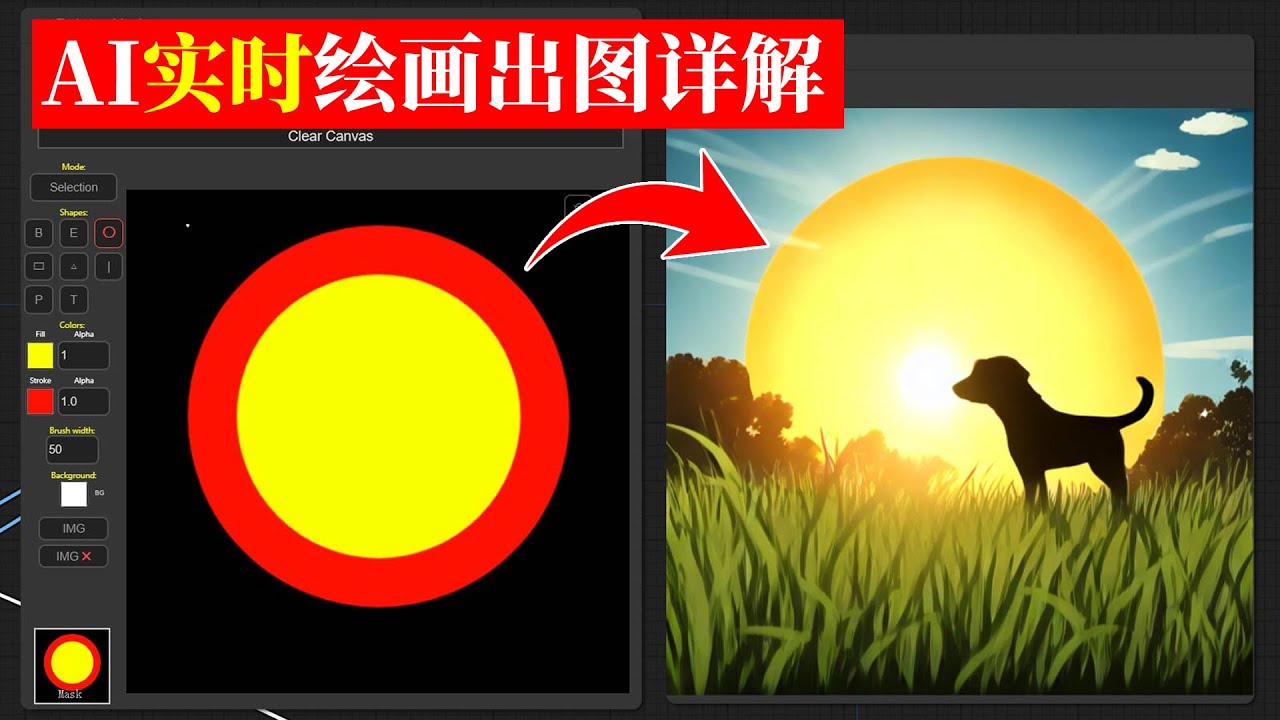
这期我们测试了最新发布的SDXL Turbo模型,这个模型可以做到在采样步数是1步的情况下出图,出图速度快到飞起。同时也介绍了11月中旬由清华大学出的LCM采样器以及配套的LCM LORA,在ComfyUI手把手搭建了一套基于LCM的实时手绘节点系统。
关于LCM和SDXL Turbo的对比,那当前阶段论速度,肯定是SDXL Turbo要快于LCM,毕竟一步出图以及算极限了。但是就出图质量来说,SDXL Turbo目前出图的质量非常一般,出图最好限制在512*512分辨率,如果提高分辨率,图片崩掉的可能性就会更大,而且SDXL Turbo对人物的支持尤其是写实风格人物支持并不是很好。反观LCM,可以灵活搭配其他大模型去使用,拓展性也会更强一些。那大家在应用中也可以根据实际情况去选择。...
ebon horizon
coarse parrot
any english or turkish guide like this?
https://www.youtube.com/watch?v=eiMP751...
For this you'll want sketch2img
https://www.youtube.com/watch?v=hEBVps8rnRk

Create rough sketches into realistic renders using AI Stable Diffusion. In this video, we'll guide you step-by-step through the process, saving you time and effort. We will use Stable Diffusion, Automatic1111, Controlnet, and Realistic Vision. Don't miss out on this opportunity to enhance your interior and exterior designs. Watch now and start c...
coarse parrot
ebon horizon
For this you'll want sketch2img
https://www.youtube.com/watch?v=hEBVps8rnRk
thx ❤️
ebon horizon
solid fossil
can i use checkpoint merges as normal checkpoints?
Yep, they're functionally the same as any other model. You can even merge them with other merged checkpoints to create a franken-model.
 misty sparrow
I have automatic1111 stable diffusion webui setup and running in WSL. I am looking for a way to make it run using DirectML instead of using the CPU as I have an old AMD DX12 card. Can anyone point to a way I could do that? I was following this tutorial https://sakari.niittymaa.com/blog_install-stable-diffusion-web-ui-using-wsl-and-anaconda but didn't do the Cuda step.
ornate elk
misty sparrow
I have automatic1111 stable diffusion webui setup and running in WSL. I am looki...
Hey, what's your GPU?
ornate elk
Ohh I dont think that will work for SD
misty sparrow
ornate elk
Ohh I dont think that will work for SD
Not at all? I was reading somewhere that DirectML does work for any DX12 card, but I'm no expert
ornate elk
misty sparrow
Not at all? I was reading somewhere that DirectML does work for any DX12 card, b...
You can try to install the directml fork of auto1111 but thats not done via anaconda or wsl
misty sparrow
ornate elk
You can try to install the directml fork of auto1111 but thats not done via anac...
I saw that one after I set this up. Maybe I can give it a try. I like the Anaconda and WSL setup though
ornate elk
@misty sparrow
You can also use my guide for amd GPUs here:
Here is a quick Guide to install Automatic1111 Directml AMD Webui (Stable Diffusion)
You need to install Git 64bit: https://git-scm.com/download/win
and Python 3.10.11, 64bit: (any python above or 3.10.6) No 3.11, 3.12 https://www.python.org/downloads/release/python-31011/
And check "add python to path" when installing Python.
- Make a new Folder on your drive (not on Desktop, downloads, documents, Programms, Onedrive) and name it Ai for example:
C:\Ai\ - You go into the folder you created in this case Ai, then click in the File Explorer bar (not searchbar) and type
cmdthen press enter. - Then you copy and paste this command:
git clone https://github.com/lshqqytiger/stable-diffusion-webui-directml && cd stable-diffusion-webui-directml && git submodule init && git submodule update - Press enter and after its done you can close the cmd
- Edit the webui-user.bat (right click), At the line COMMANDLINE_ARGS= You add:
--medvram --opt-sub-quad-attention --opt-split-attention-v1 --no-half-vae --upcast-sampling
After that save and launch the webui-user.bat inside the stable-diffusion-webui folder.
After the Installation that can take a while. Youll get an URL http://127.0.0.1:7860
Thats the webui you open in Browser.
misty sparrow
ornate elk
<@186438842935410688>
You can also use my guide for amd GPUs here:
**Here is a...
OK, perfect, thanks for your help, I will have a play around
ornate elk
No problem and good luck 🙂
ornate elk
misty sparrow
I have automatic1111 stable diffusion webui setup and running in WSL. I am looki...
That guide isn't for directml as the auto1111 webui dont support it. Only the fork of my guide and SD.next and comfyui support it.
If you want to use it on Linux your option is to use the Rocm driver but thats not supported for your GPU I think.
misty sparrow
ornate elk
That guide isn't for directml as the auto1111 webui dont support it. Only the fo...
I don't mind using Windows if there is a way, just this was the way I found that worked for CPU at least as I couldn't get the Windows version working. What's the difference if not webui? Sorry I'm now. I've only been using Roop via commandline
karmic crown
@ornate elk may you please add command line args to your nvidia tutorial with remarks about VRAM size 🙂
ornate elk
karmic crown
<@161910921269084160> may you please add command line args to your nvidia tutori...
Yes, I will rewrite it soon 🙂
karmic crown
yesterday i said to someone to look at your guide, since i thought you have them there
and he told me "i have webui installed" 🙂
ornate elk
misty sparrow
I don't mind using Windows if there is a way, just this was the way I found that...
Auto1111 is the name of the webui. Its an easy to use interface to use Stable Diffusion.
unique anchor
jagged plover
presumably either adafactor or one of the adamw variants is the recommended one
I am using Adamw8bit, so that's the issue?
ornate elk
If you want to run it on CPU I can guide you too
misty sparrow
ornate elk
Auto1111 is the name of the webui. Its an easy to use interface to use Stable Di...
And the other option that might work is just a commandline version or something?
ornate elk
misty sparrow
And the other option that might work is just a commandline version or something?
My guide is for the webui. There isn't a commandline version for the directml
But It has an API support
misty sparrow
ornate elk
If you want to run it on CPU I can guide you too
Everything is working in webui on CPU so far already, thanks, but I was wondering iof I could get it to go faster. It takes like 5 mins per image on my i7 8700K
ornate elk
You can't do much about CPU speed.
Maybe use --medvram --opt-sub-quad-attention --upcast-sampling
In your webui-user.bat
misty sparrow
Yea, I meant, that's why I was looking into GPU acceleration to make it go faster. Thanks I will take a look at that option also
ornate elk
misty sparrow
Yea, I meant, that's why I was looking into GPU acceleration to make it go faste...
I have an old r9 280x around maybe I'll test it later if it works
misty sparrow
ornate elk
I have an old r9 280x around maybe I'll test it later if it works
Thanks, don't put yourself out too much, but if you find anything let me know. I will continue playing around with your suggestions in the meantime. Thanks for you help
ornate elk
misty sparrow
Thanks, don't put yourself out too much, but if you find anything let me know. I...
Yes i doubt i have time to test it today but ill let you know.
No problem 🙂
misty sparrow
ornate elk
Yes i doubt i have time to test it today but ill let you know.
No problem 🙂
No rush
thorny horizon
I trained my first lora using a sample of ~200 images of a face and 20 repeats with only 1 epoch (to test it out first), but its generating images like this as soon as i apply it, it doesn't matter what prompt i put
 unique anchor
Anyone has a recommended config file for Kohya SS for Low End GPU like GTX 1650
I am getting this error now :/
RuntimeError: NaN detected in latents: C:\Users\-\Desktop\Output\img\40_comic page style\comicsteps (1).png
 lament tusk
Hello, I am developing dreambooth model using 1 training image.
And I am not sure what is the proper hyperparameters to train lora model
I am currently using realistic_vision_5.1_no_vae as based model.
And lora rank is 4.
Please help me.
🙏
 small urchin
hello im back, i was just wondering if a fix for the terminal and UI desync. like webui showing 99% and termal shows it as completet but nothing happens
 kindred cave
Has anyone been having issues with the Custom Node "Reactor" in ComfyUI on RunPod?
It keeps crshing each time when I use it, iv updated all the nodes, updated comfy tired unistalling and installing it again via ComfyUi manager but still having the same issue. Log wise all I can see that thee crash occurs when reactor is analysing the source image.
2023-12-06T16:50:39.783388007Z [ReActor] 16:50:39 - STATUS - Working: source face index [0], target face index [0]
2023-12-06T16:50:39.787583130Z [ReActor] 16:50:39 - STATUS - Analyzing Source Image...
 limpid igloo
Hello guys, anyone can help me to obtain prompt of people without face distorted? Is there a method to not obtain this distortion
 alpine lichen
import torch
from diffusers import StableDiffusionXLPipeline
pipe = StableDiffusionXLPipeline.from_pretrained(
"./stable-diffusion-xl-refiner-1.0",
torch_dtype=torch.float16,
)
pipe = pipe.to("mps")
prompt = "a photo of an astronaut riding a horse on mars"
image = pipe(prompt).images[0]
print(image)
image.save("/tmp/output.png")
Loading pipeline components...: 100%|████████████████████████████████████████████████████████████████████████████████████████████████████████████████████████████████████████████████████████████| 5/5 [00:16<00:00, 3.21s/it]
Traceback (most recent call last):
File "/Users/xxxxxx/xxxxxx/test.py", line 12, in <module>
image = pipe(prompt).images[0]
^^^^^^^^^^^^
File "/opt/homebrew/lib/python3.11/site-packages/torch/utils/_contextlib.py", line 115, in decorate_context
return func(*args, **kwargs)
^^^^^^^^^^^^^^^^^^^^^
File "/opt/homebrew/lib/python3.11/site-packages/diffusers/pipelines/stable_diffusion_xl/pipeline_stable_diffusion_xl.py", line 1062, in call
add_time_ids = self._get_add_time_ids(
^^^^^^^^^^^^^^^^^^^^^^^
File "/opt/homebrew/lib/python3.11/site-packages/diffusers/pipelines/stable_diffusion_xl/pipeline_stable_diffusion_xl.py", line 666, in _get_add_time_ids
raise ValueError(
ValueError: Model expects an added time embedding vector of length 2560, but a vector of 2816 was created. The model has an incorrect config. Please check unet.config.time_embedding_type and text_encoder_2.config.projection_dim.
I am new to sd and encountered this problem. Can anyone help solve it?
karmic crown
alpine lichen
import torch
from diffusers import StableDiffusionXLPipeline
pipe = StableDiffu...
Python on Silicon Mac
alpine lichen
karmic crown
Python on Silicon Mac
yes, sdxl img2img succeeded but sdxl text2img throws error
karmic crown
i have made a tutorial for automatic1111 (web ui for SD) for all macs, but i didn't play much with SD from python itself
try to use python 3.10 and nightly build of CPU torch
see what you can use from here https://github.com/AUTOMATIC1111/stable-diffusion-webui/discussions/5461#discussioncomment-7738578

GitHub
Mac users: Please provide feedback on if these instructions do or don't work for you, and if anything is unclear or you are otherwise still having problems with your install that are not curren...
for start brew install python@3.10
make a new venv with python 3.10 instead of 3.11
alpine lichen
karmic crown
make a new venv with python 3.10 instead of 3.11
ok, i will try
karmic crown
pip install --pre torch torchvision torchaudio --index-url https://download.pytorch.org/whl/nightly/cpu
this will install dev version of torch
btw
are you using Python directly because you want to use it like that, or did you didn't know that it is easier to use automatic1111?
if you just want to generate images, better install a1111, but if you actually want to use python directly, that is another topic 🙂
alpine lichen
my company asked me to study how to apply it to business, so I had to learn how to use python to call directly
karmic crown
may you please send pip3 freeze > req.txt
and which git repository you are using? huggingface?
alpine lichen
karmic crown
and which git repository you are using? huggingface?
accelerate==0.25.0
certifi==2022.12.7
charset-normalizer==2.1.1
diffusers==0.24.0
filelock==3.9.0
fsspec==2023.12.1
huggingface-hub==0.19.4
idna==3.4
importlib-metadata==7.0.0
invisible-watermark==0.2.0
Jinja2==3.1.2
MarkupSafe==2.1.3
mpmath==1.2.1
networkx==3.0rc1
numpy==1.24.1
opencv-python==4.8.1.78
packaging==23.2
Pillow==9.3.0
psutil==5.9.6
PyWavelets==1.5.0
PyYAML==6.0.1
regex==2023.10.3
requests==2.28.1
safetensors==0.4.1
sympy==1.11.1
tokenizers==0.15.0
torch==2.2.0.dev20231207
torchaudio==2.2.0.dev20231207
torchvision==0.17.0.dev20231207
tqdm==4.66.1
transformers==4.35.2
typing_extensions==4.8.0
urllib3==1.26.13
zipp==3.17.0
txt2img succeeded with webui, but still fails with direct python call
 alpine lichen
oh, maybe i should use https://huggingface.co/stabilityai/stable-diffusion-xl-base-1.0 for txt2image instead of refiner
 karmic crown
you can try this but do not try to use xformers - that is for nvidia

Learn how to perform text-to-image using stable diffusion models with the help of huggingface transformers and diffusers libraries in Python.
this might be interesting too (generation description from image)

Learn how to use pre-trained image captioning transformer models and what are the metrics used to compare models, you'll also learn how to train your own image captioning model with Pytorch and transformers in Python.
i would also check this https://github.com/AUTOMATIC1111/stable-diffusion-webui/wiki/API

GitHub
Stable Diffusion web UI. Contribute to AUTOMATIC1111/stable-diffusion-webui development by creating an account on GitHub.
you could have one pc with strong GPU, like nvidia 4xxx and then you can use that same instance over API from other machines
and i would probably use linux instead of windows in that case
response = requests.post(url=f'http://127.0.0.1:7860/sdapi/v1/txt2img', json=payload)
easy as that
 fading fable
how do i fix error code 2
karmic crown
send full error, with more details

 narrow reef
i'm not an expert but it looks like it failed to download the file, maybe spotty internet?
karmic crown
download failed
fading fable
what to do ?
narrow reef
close it and try again
fading fable
narrow reef
close it and try again
did that like 10 times already
karmic crown
do you have nvida or amd?
fading fable
karmic crown
do you have nvida or amd?
nope some potato laptop
i mean its not that bad
karmic crown

How-To Geek
Check which GPU is in your PC with just the tools built into Windows itself.
fading fable
amd ryzen 5 3500u
karmic crown
that should be Radeon RX than
karmic crown
check this #🤝|tech-support message
but i am not sure does it work for your radeon
at least python git and the basic install is fine
fading fable
ok
fading fable
i mean you guys get it easy in the us like you all have mega pcs
karmic crown
let me know if that doesn't work, since i am not sure if ml version cam work on that hardware
you will just have to remove 1 folder and to redo some steps if it doesnt work
fading fable
ok
narrow reef
not sure where/when the problem cropped up, but at some point during my training and merging I lost the ability to save as safetensors, I get an error about a non contiguous tensor.. I haven't been able to find any way to fix it, hoping someone here has an idea
fading fable
one more thing by the way, can i convert a safetensor file to a ckpt?
karmic crown
fading fable
one more thing by the way, can i convert a safetensor file to a ckpt?
why would you do that?
fading fable
nevermind
karmic crown
ckpt can contain malicious code, sefetensor can't
fading fable
how do i upgrade pip ?
ebon horizon
fading fable
how do i upgrade pip ?
pip install --upgrade pip
karmic crown
but... wait
you need to activate venv first than
which one do you want to upgrade? global one or the one in venv?
fading fable
ok i did myself i think
fading fable
can i use safetensor as a model ?
ebon horizon
Yes, Safetensor is the recommended format for models
fading fable
then how do i use it i dont know how to use it
ebon horizon
Are you using a web gui? There should be a folder where you place it to load it into the ui
ebon horizon
What UI are you using?
fading fable
web ui
ebon horizon
For A1111 they go in .\webui\models\Stable-diffusion
For ComfyUI they go in .\models\checkpoints
 ebon horizon
Git failed to checkout, unexpected disconnect. Check the stability of your internet connection.
Likely a blip with your ISP connection
fading fable
ok
fading fable
ebon horizon
For A1111 they go in .\webui\models\Stable-diffusion
For ComfyUI they go in .\mo...
so i have to put the safetensor in the models\ stable diffusion file ?
misty sparrow
When using Automatic1111 webui in CPU mode, how do I make it use the full CPU? When running, my CPU only goes up to like 70% Is there a way to increase the worker threads?
karmic crown
fading fable
so i have to put the safetensor in the models\ stable diffusion file ?
inside of the webui folder (where you installed it), you have models folder, and there is a folder called Stable-diffusion inside, put your models inside
karmic crown
misty sparrow
When using Automatic1111 webui in CPU mode, how do I make it use the full CPU? W...
what is your command line?
fading fable
ok got it
karmic crown
"Put Stable Diffusion checkpoints here"
misty sparrow
karmic crown
what is your command line?
Just the default
 karmic crown
misty sparrow
Just the default
karmic crown
misty sparrow
Just the default
do you have gpu, is that a laptop?
misty sparrow
karmic crown
do you have gpu, is that a laptop?
I have a GPU, but it's an old AMD R9 290X and was told it wont work, so just stuck with CPU mode
karmic crown
try this
--skip-torch-cuda-test --upcast-sampling --no-half --use-cpu all --opt-sub-quad-attention
fading fable
is this a network issue ?
 karmic crown
i am using that on my linux VPS
karmic crown
fading fable
is this a network issue ?
yes
misty sparrow
Oh yea, shit I did have --skip-torch-cuda-test --no-half already just not in the config. Thanks, I will give that a try
karmic crown
misty sparrow
Oh yea, shit I did have --skip-torch-cuda-test --no-half already just not in th...
how long it takes for you?
Steps: 20, Sampler: DPM++ 2M Karras, CFG scale: 7, Size: 512x512
Time taken: 2 min. 53.9 sec.
on my linux VSP
misty sparrow
karmic crown
how long it takes for you?
Steps: 20, Sampler: DPM++ 2M Karras, CFG scale: 7, S...
6mins59secs before adding you commands. I'm just doing another one now with your commands now, but still only using 63% CPU
I have i7 8700K
misty sparrow
OK, so that is normal I guess. I was hoping I could push it harder to make it go faster
Just seems like it isn't using 12 threads

When I run Roop. It uses all 12 threads and CPU is 100%
karmic crown
as a1111 plugin? or some other way?
misty sparrow
Standalone
Both installed in WSL
6mins15seconmds this time with your commands, so a little faster
karmic crown
i found this
:: Boost thread priority
SET command=<program.exe> <options>
start "" /REALTIME /B /W %command%
you can try like this
SET command=webui-user.bat
start "" /REALTIME /B /W %command%
in a new bat file in same folder
hmm, will it work? or cant use bat like that, and need to call it... i forgot 😦
misty sparrow
Not too sure, I'm very new lol
karmic crown
i am using mac 90% of the time, the other 10% are linux servers
misty sparrow
I'm OK at coding, but not done much ML
My screenshot of the config earlier was the BAT file, but as I'm using WSL I think it's using the webui-user.sh not the bat I made a mistake, I got confused becasue I was trying to set it up in Windows without WSL but couldn;t get it working
fading fable
what is this error?
 karmic crown
wait, wait... do not use wsl
you are adding another translation layer without reason
fading fable
fading fable
what is this error?
how do i fix this
misty sparrow
I couldn't get it working in Windows natively, I was getting lots of errors, so I just did it in WSL as that was the only way I could get it working
karmic crown
follow this guide
when you make it run, let me know, so i can tell you what to do next
misty sparrow
karmic crown
follow this guide
OK, thanks, I will give that a try
fading fable
fading fable
what is this error?
can anyone help me with this
 sturdy cedar
Say my original video file I'm feeding into AnimateDiff has greenscreen with one subject. Is there a node or workflow that can mask the subject in the scene from the green screen throughout the sequence? Any tutorials on this anyone recommends?
karmic crown
fading fable
can anyone help me with this
it looks like you have network issues, so the installation fails in different stages of installation
fading fable
oh ok
karmic crown
try with cable instead of wifi
fading fable
ok
fading fable
karmic crown
remove venv folder
me?
karmic crown
fading fable
me?
yes
 sharp lichen
hello! What is the best way to outpaint in auto?
fading fable
karmic crown
try with cable instead of wifi
can i try using a different network ?
karmic crown
fading fable
can i try using a different network ?
as long as it works better than your current one
 ebon horizon
fading fable
is this a network issue ?
ebon horizon
fading fable
is this a network issue ?
Yes, this indicates you're experiencing HTTPS timeouts. You may want to try installing from another network; once all the components are installed you can run it completely offline if needed
 tranquil nacelle
fading fable
so how long does installing the requirements take ?
tranquil nacelle
fading fable
so how long does installing the requirements take ?
if u alrealy have the stable model it will take like 10 min but if u dont have u have to download 4 gb file that take long depends on your internet i suggest if u have downloaded the app ones go to models and copy it to a folder in that case when u want to download it again just copy it to the models folder to not download that 4gb again and again or download it from hugging face
ornate elk
fading fable
is this a network issue ?
Make sure to whitelist the webui in any browser adblocker
crimson leaf
tf is this?
 ornate elk
crimson leaf
tf is this?
ornate elk
crimson leaf
tf is this?
Thats from the dreambooth extension
 wet token
It's for training models
crimson leaf
how did i got it? Was it bc i loaded the sdxl base model?
 rich lynx
hello ppls. i hope i am in the right place. I just joined the discord channel. I've been using stable diffusion for a couple months and as of 2 weeks I can't seem to get it to work anymore.
I keep getting this error, RuntimeError: Failed to import transformers.modeling_utils because of the following error (look up to see its traceback):
    CUDA Setup failed despite GPU being available. Please run the following command to get more information:

    python -m bitsandbytes

    Inspect the output of the command and see if you can locate CUDA libraries. You might need to add them
    to your LD_LIBRARY_PATH.
i tried to get bard the ai to help me and i just dont seem to understand. I can't find any file named libcudart.so . i was using stable diffusion before i even had the CUDA toolkit which i have downloaded recently. anyyways, if that makes sense to anyone and you are free, I could use some help. Thank you.
ornate elk
crimson leaf
how did i got it? Was it bc i loaded the sdxl base model?
no its because you installed the dreambooth extension
ornate elk
rich lynx
i tried to get bard the ai to help me and i just dont seem to understand. I can'...
hey, whats your gpu?
i suggest you update your graphic card drivers and then delete the venv folder and relaunch the webui-user.bat
rich lynx
i updated the graphics card through the nvidia experience recently and i think thats when things messed up. otherwise i was just learning to use animatediff in stable diffusion. im running a rtx 4070
ive deleted the venv folder a couple of times and ran webui-user.bat and the same problem comes up. ive even reinstalled my Unreal Engine in the epic launcher. I'm honestly completely lost in this prob.
ornate elk
rich lynx
ive deleted the venv folder a couple of times and ran webui-user.bat and the sam...
whats your webui version?