#BSOD on game start
2 messages · Page 1 of 1 (latest)
 glass mortar
 warped bolt
Due to the varied nature of PC hardware we ask you provide us with the following information if you ask for support.
- CPU and GPU
- RAM (+Size/Speed)
- HDD/SSD (+Available Storage)
- Screen Resolution
If you have not yet and are waiting for a response we have provided some potential solutions to your issues that we suggest you attempt.
- Drivers: Update GPU drivers (You may also fully uninstall and reinstall drivers.)
- Workshop: Unsubscribe from all Squad workshop mods. (Steam library > Right click Squad > Properties > Workshop > Unsub from Mods)
- Verify Files: To verify files, go on
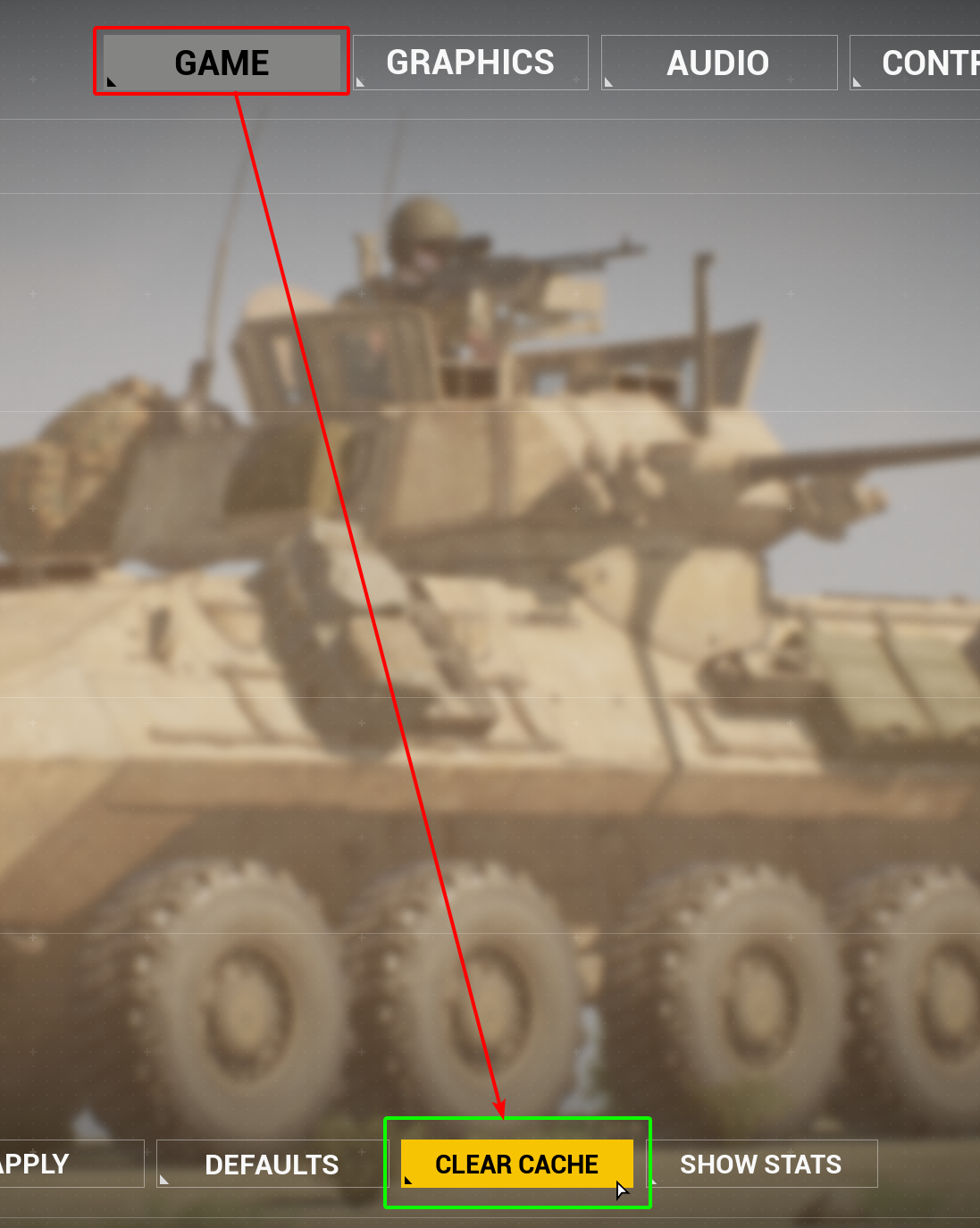
Steam> Right clickSquadin your Steam library > ClickProperties> ClickInstalled Files> ClickVerify Integrity of Game Files - Clearing Squads Cache: This can be done in-game (Image Guide) or by manually clearing cache: Press
Windows Key ⊞ + R, Type%localappdata%, delete theSquadGamefolder. - SFC Scan: Type
sfc /scannowin Command Prompt (Note: This needs to be ran as admin). If the sfc command finds corruption runDISM /online /cleanup-image /restorehealth. When complete restart your PC.
Please be patient when waiting for a response. Thank you!
Offworld, Out.