#╟🎑reshades
1 messages · Page 25 of 1
 balmy ravine
 molten geyser
Best reshade?
balmy ravine
generally DSR/DLDSR doesnt play well with borderless
molten geyser
better reshade for a balance between performance and visuals?
 fringe patio
balmy ravine
Hey if you want to use borderless with DSR and DLDSR you must have your desktop ...
fringe patio
balmy ravine
Hey if you want to use borderless with DSR and DLDSR you must have your desktop ...
you must have your desktop in that DSR res aswell <-- ? i didnt quite get this.. you saying I need to set desktop to 1440 too? Ye i figured out that it didnt like borderless and also used the 2k text thanks 🙂
balmy ravine
fringe patio
you must have your desktop in that DSR res aswell <-- ? i didnt quite get this.....
Yes you got it right 😉 Otherwise everything looks aliased
fringe patio
this one or the second one?
 balmy ravine
the one that allow max refresh rate preferably
balmy ravine
You should try DLDSR smoothing 80% to 100%
molten geyser
molten geyser
better reshade for a balance between performance and visuals?
Any idea?
balmy ravine
the only DSR res that look right on 1080p is 4k with 0 to 20% smoothing
fringe patio
balmy ravine
the only DSR res that look right on 1080p is 4k with 0 to 20% smoothing
i see
ill try that too later
ty
upscaled to 4k
 fringe patio
molten geyser
What reshade do u recommend to performance and visual too?
fringe patio
molten geyser
What reshade do u recommend to performance and visual too?
im just using the standard bro
molten geyser
Atmos?¡
fringe patio
shader settings atmosR and R+ is what is being used most, i believe R+ has more performance hit. However IMO performance hits is grass and AI spawn increase and lots of anomalys close
 faint ore
balmy ravine
the only DSR res that look right on 1080p is 4k with 0 to 20% smoothing
faint ore
balmy ravine
the only DSR res that look right on 1080p is 4k with 0 to 20% smoothing
is it normal that in valorant dldsr only impacts the crosshair and nothing else it seems like
fringe patio
atmosGamma is what the default is
fringe patio
if you press "home" on your keyboard you will see the UI
 fringe patio
imo id just stick with the standard
yeah no idea, as i dont mess with the reshades tbh
 fringe patio
i think your installation may have some issues probably best to ask in support
fringe patio
balmy ravine
the only DSR res that look right on 1080p is 4k with 0 to 20% smoothing
i dunno i think 2k is better due to the fps. Also no idea why we need to set teh desktop dsr too tho :/ that does suck imo

 frosty summit
fringe patio
frosty summit
fringe patio
what is your reshade setting
fringe patio
frosty summit
what is your reshade setting
nothing just the default atmosgamma. Turned off chromatic abortion xD lowered teh gamma
i was just experimenting between 2k upscale and 4k and not understanding why we needed to upscale the desktop too
frosty summit
how to upscale to 4k? i only get to 3440x1440o
my cpu too weak so need higer res, gpu will carry 
 visual hearth
fringe patio
i was just experimenting between 2k upscale and 4k and not understanding why we ...
visual hearth
fringe patio
i was just experimenting between 2k upscale and 4k and not understanding why we ...
shouldnt have to if the game is in fullscreen
fringe patio
visual hearth
shouldnt have to if the game is in fullscreen
thanks bro i think i understood why he told me to set it then
fringe patio
frosty summit
how to upscale to 4k? i only get to 3440x1440o
4x should get you 4k in game

but set the DSR smoothness to 0
1.78 is 2k i believe unless iv totally misunderstood everything
visual hearth
fringe patio
1.78 is 2k i believe unless iv totally misunderstood everything
if your monitor is 1920x1080 then yes 1.78 should be 2560x1440
fringe patio
yes its 1080
balmy ravine
fringe patio
i dunno i think 2k is better due to the fps. Also no idea why we need to set teh...
Yeah that suck I would play borderless as well if I didn't have to put my desktop in 1620p. The game does not look the same in dark areas between fullscreen/borderless
fringe patio
balmy ravine
Yeah that suck I would play borderless as well if I didn't have to put my deskto...
very true
 mental root
Is there a guide on how to get best graphics in game ? Have a beefy rig so far I’ve used atmosr++ with HBAO
 valid osprey
mental root
Is there a guide on how to get best graphics in game ? Have a beefy rig so far I...
valid osprey
mental root
Is there a guide on how to get best graphics in game ? Have a beefy rig so far I...
whats atmosr++ ?
 echo hawk
atmosr++ was only put in there accidently, and is not meant to be there. i believe hippo uses it for testing only. The latest atmosr+ is the real one
 austere raft
echo hawk
atmosr++ was only put in there accidently, and is not meant to be there. i belie...
austere raft
echo hawk
atmosr++ was only put in there accidently, and is not meant to be there. i belie...
Where do I find that?
 crimson badge
is it normal for the game to look like this ? like why are the trees so washed out ? any fix for it ?
 echo hawk
austere raft
Where do I find that?
echo hawk
austere raft
Where do I find that?
It would happen when you updated your gamma at some point. Don't know if thats still the case.
austere raft
crimson badge
is it normal for the game to look like this ? like why are the trees so washed o...
You've got no DoF, the UI looks different, and my game has never looked so grey
So imna guess something went wrong with the install, or you've disabled some stuff you shouldn't have
 lavish tendon
Grim Sky is pairing well with the wintery/dead textures of this version of GAMMA.
crimson badge
austere raft
You've got no DoF, the UI looks different, and my game has never looked so grey
i have Dynamic HUD installed, and the only thing i disabled was SSS, because it gives minus fps, im using the atmosR preset and cfg
this is when i disable all shaders in MO2
 crimson badge
austere raft
So imna guess something went wrong with the install, or you've disabled some stu...
crimson badge
austere raft
So imna guess something went wrong with the install, or you've disabled some stu...
probably this
 edgy cedar
first ever attempts at reshading my game. any tips?


first pics the reshade followed by vanilla
crimson badge
i did a fresh clean install but still the game looks better without any reshades enabled in MO2 
 austere raft
crimson badge
i did a fresh clean install but still the game looks better without any reshades...
austere raft
crimson badge
i did a fresh clean install but still the game looks better without any reshades...
My game looked good out of the gate, maybe ask in support somewhere
crimson badge
austere raft
My game looked good out of the gate, maybe ask in support somewhere
disabling Hippo's atmospherics fix it 
 austere raft
When you did the fresh install
Did you also totally wipe your shaders?
that might have cause some fuckery
crimson badge
i reinstalled everything even anomaly
i never played with shaders ON before but since i found out that the only take away 3-5fps i wanted to try them, so its all new to me this shader stuff
 short stag
edgy cedar
first ever attempts at reshading my game. any tips?
short stag
edgy cedar
first ever attempts at reshading my game. any tips?
take screenshots with reshade see in reshade settings path and keybind
 spiral shell
So its atmos r or atmos gamma the agressor reshade ? i only have that options on my rehsade home key and wich one is better ? what options do u guys have on ?
balmy ravine
edgy cedar
first ever attempts at reshading my game. any tips?
looks good to me 👍
 dapper rivet
@crimson badge have you tried deleting shader cache
frosty summit
hey guys how to turn off ambien occlusion
crimson badge
dapper rivet
<@479032002331279361> have you tried deleting shader cache
Yeah ofc, i got it to work properly by following the install guide for anomaly in hippos' moddb page, my game looks great now
austere raft
frosty summit
hey guys how to turn off ambien occlusion
it's in advanced settings, HBAO and others too
mental root
If I turn on let’s say atmosR reshade. I have to use ssdo right ?
visual hearth
mental root
If I turn on let’s say atmosR reshade. I have to use ssdo right ?
SSS recommends SSDO at medium quality
 soft light
@frosty summit ủa người anh em :))
 formal salmon
off/on

 mental root
formal salmon
off/on
mental root
formal salmon
off/on
Ssdo?
formal salmon
preset
frosty summit
soft light
<@346904109514752023> ủa người anh em :))
Haha thủ dâm stlark à
 quiet quiver
is delete reshade DLL the reset shader option?
mental root
Huh?
 leaden marsh
quiet quiver
is delete reshade DLL the reset shader option?
leaden marsh
quiet quiver
is delete reshade DLL the reset shader option?
No. That removes Reshade completely. You must delete manually it in appdata dir
soft light
frosty summit
Haha thủ dâm stlark à
game hay mà :))
echo hawk
 fiery notch
best reshades for gamma ?
fiery notch
best reshades for gamma ?
You mean other than the ones that already come with gamma and atmospheric addon?
fiery notch
echo hawk
You mean other than the ones that already come with gamma and atmospheric addon?
are the ones that come with GAMMA really good?
visual hearth
fiery notch
are the ones that come with GAMMA really good?
AtmosR+ is really good
fiery notch
visual hearth
AtmosR+ is really good
tyvm
 raw isle
What does "delete shader cache" do on the anomaly launcher? Ive had some weird neon green hues on trees after trying some different shader options and I cant get rid of it.
 night canyon
Hey gents, can anyone here reccomend a good reshade, to make the game look more crisp and a bit cooler, not so washed out. in general look like a modern title's graphics?
if so please dm me the info of what you enabled/changed, would appreciate it
can you maybe tell me waht you did too not make it so pixelish?
night canyon
formal salmon
off/on
can you tell me what you did to get it look so crisp?
 manic sage
night canyon
can you tell me what you did to get it look so crisp?
manic sage
night canyon
can you tell me what you did to get it look so crisp?
Increase graphical settings and choose atmosR+ in the reshade home menu
not much else to it
night canyon
manic sage
Increase graphical settings and choose atmosR+ in the reshade home menu
wdym increase graphical settings, wich ones if i may ask. also i dm'd you but i fixxed my problems, it was mo2 bugging out the reshade menu
manic sage
Yeah sorry I dont really respond to dms unless I know someone is dming me
I get too many of them
night canyon
manic sage
Increase graphical settings and choose atmosR+ in the reshade home menu
should i change anything else in reshade menu or just the atmosR+, also should i keep the atmosR+ settings as is or tweak?
all good
manic sage
Just that
night canyon
manic sage
you can increase everything except gloss, Anti aliasing.
so escept gloss and anti aliasing?
night canyon
aah okay
manic sage
night canyon
so escept gloss and anti aliasing?
yes
night canyon
thanks bud
lol...there was an emmision and i heard a beep while i was in reshade so i thought it's the beep for confirming the emission is over, i stepped out died instantly xD
manic sage
lol
night canyon
seems i don't have atmosR+ in reshade? @manic sage

searched it but nothing
also, idk if you can see this, but where i am aiming at. the trees outlines it's so filled with pixxels, very pixelated, any way to fix this?

nvm i think i found it, is it this one?

i don't see any Tfaa?

drme and smaa are there
echo hawk
night canyon
i don't see any Tfaa?
You need to untick "load only selected" in reshade settings
night canyon
aah okay
echo hawk
Oh no wait i notice you have it fine in the previous picture. You found it yet?
echo hawk
Usually its at the bottom
night canyon
nope
echo hawk
Something weird happened with the reshade installation, or just the shader paths in setting no to be changed
frosty summit
how to turn on screen space reflection? i tried the option in the reshade menu but it mess the game up
and ssr mod 15.0 in gamma fixes doesnt have any impact thou
 charred spade
if i want to update reshade to 5.8.0 which game.exe should i pick? or is there any other way? that notification that always pops up when i start the game is driving me crazy
soft light
frosty summit
how to turn on screen space reflection? i tried the option in the reshade menu b...
Mở SSAO lên ông
frosty summit
soft light
Mở SSAO lên ông
SSDO ma k an thua ong a
balmy ravine
frosty summit
how to turn on screen space reflection? i tried the option in the reshade menu b...
Install the game, launch the game, thats it, theres nothing else to do to enjoy the whole screen space shaders package
 worldly atlas
night canyon
seems i don't have atmosR+ in reshade? <@284148747900813322>
worldly atlas
night canyon
seems i don't have atmosR+ in reshade? <@284148747900813322>
do you have pptx
night canyon
Do i have what?
night canyon
Not currently in game but I'll check, why?


 night canyon
What is this you tryna show me?
worldly atlas
oh wait i read it wrong,
night canyon
But what is this though?
worldly atlas


 night canyon
I don't see much difference except the grass?
worldly atlas
no shader
 night canyon
So both ppfx should be on?
worldly atlas
with shader

 night canyon
You reccomend it?
night canyon
worldly atlas
Also for this question do yoh k ow if there is a way to fix the pixels?
worldly atlas
night canyon
Also for this question do yoh k ow if there is a way to fix the pixels?
i mostly have this on

for it to be noticiable you can have this on as well
 night canyon
Idk if you saw that picture i posted with the tree, you can see how much pixels it has
worldly atlas
anti aliasing
night canyon
Fo what to be notciableM
night canyon
I don't want it noticeable
worldly atlas
it works for me
night canyon
Aah okay no blurry is going to fuck with me more than pixels haha
Does the ppfx's make the game blurry aswell?
Or is it just the aa+
night canyon
And ppfx make it just darker adds shadows and depth?
I'll give it a try when im on again, anything else you would recommend
worldly atlas
aight
worldly atlas
night canyon
I'll give it a try when im on again, anything else you would recommend
thats all i have on my shaders
night canyon
Aah okay cool
And it looks much much better than the washed out look of the vanilla game?
I assume it does?
worldly atlas
ig
visual hearth
night canyon
So both ppfx's and the directionally localized AA+ ?
That’s extremely blurry. If you want to use tfaa, you have to fix your paths
night canyon
So do you have any recommendations for nice reshade
visual hearth
AtmosR+ with DRME + TFAA, that’s what I use and imo looks great
If you don’t have tfaa, because your paths wrong. Go to settings, effect search path, delete 2 of them, make the remaining exactly this
.\reshade-shaders\Shaders\**
 simple mesa
visual hearth
AtmosR+ with DRME + TFAA, that’s what I use and imo looks great
simple mesa
visual hearth
AtmosR+ with DRME + TFAA, that’s what I use and imo looks great
Where do you grab this
visual hearth
It’s included with gamma just fix your paths like I said above
crimson badge
crimson badge
i did a fresh clean install but still the game looks better without any reshades...
I figured out the problem, setting the dynamic tone map to default in mcm settings fixed it, idk why they come the way they come, I definitely did not touch them as I have no clue what any of those settings do but here we are after reinstalling gamma for 3 times with no luck, finally fixed it, no more inverted depth fog

 frosty summit
what is the option that makes everything blur when eating, reloading?
i just accidentally turned it on
echo hawk
frosty summit
what is the option that makes everything blur when eating, reloading?
sss settings in mcm.
 sacred wren
anyone know how to fix this film grain looking effect?
 leaden marsh
Try to move your a$$ out of the radiation field 
sacred wren
yea dosent matter where i am
leaden marsh
sacred wren
yea dosent matter where i am
Oh, sorry for the joke then... it totally looks like that. It stuck in the radiation state?
Don't You have a radioactive artifact in your inventory?
sacred wren
No worries lol yea its like stuck in that radioactive state until i restart the game
I thought it could be some noise filter or maybe a setting i could adjust
leaden marsh
I haven't seen this issue, but maybe there'll be someone else who say some clever
raw isle
Getting a really blurry depth of field look at range, any way to get rid of it? Have all SSS settings sliders all the way to the left.
 leaden marsh
Something DOF turned on in the Reshade menu?
raw isle
It was not, but I turned off DoF with the ~ command menu and it worked
leaden marsh
raw isle
It was not, but I turned off DoF with the ~ command menu and it worked
Cool, glad it was soo easy!
 flint brook
!debug
 void depotBOT
How to enable debug mode: #╭📖faq message
 brave shard
how do you fix the water in the swamp? mine keeps on flickering and there's a hazy effect on top of it
brave shard
Nvm. Fixed the issue by deleting shader cache
raw isle
Having a kinda strange issue, was testing different shader options and turned on shaders cumulative pack for GAMMA, now all my trees are white lol. Turned shader cumulative pack off because it looks weird but now I get a shader compilation failed message when I try to launch the game without cumulative pack on lol. Have already cleared the shader cache from the anomaly folder and updated gamma. Any ideas?
 raw isle
Reinstalled and it fixed it lol
 silent wigeon
anyone know what settings to tweak to make this less bright? am using altmosR++.

 ruby galleon
what shader should I use or what options??
Specs:
ryzen 5 3600
gtx 1650
16 gb ram
night canyon
visual hearth
If you don’t have tfaa, because your paths wrong. Go to settings, effect search ...
i'm very confused and not the best with this, where do i do this to gett tfaa on, also thought you said tfaa make it blurry?
 spiral abyss
ruby galleon
what shader should I use or what options??
Specs:
ryzen 5 3600
gtx 1650
16 gb ...
spiral abyss
ruby galleon
what shader should I use or what options??
Specs:
ryzen 5 3600
gtx 1650
16 gb ...
is it run 60fps at default?
visual hearth
night canyon
i'm very confused and not the best with this, where do i do this to gett tfaa on...
Open reshade menu, click settings at the top, make it look like this
 night canyon
so what makes it blurry again the ppfx's ?
visual hearth
directionally localized AA
visual hearth
Default + drme and tfaa
 swift robin
anybody know the default light settings
night canyon
@visual hearth can you help me, think i fucked up
this is how mine currently looks like

nvm i fixxed it
just typed it in manually
visual hearth
night canyon
just typed it in manually
Good, that’s what I was about to suggest lol
 tulip field
None
night canyon
lol, yeah all good, listen gonna play another game now. but mind if you help me out a bit later with something else ?
visual hearth
Me? I’ll try lol I don’t mind, just reply to me or dm me so I see it
night canyon
shot will do thanks
night canyon
hey @visual hearth you still on
mind if you help me quick, with a bug, i'll hop into a channel
visual hearth
Can you send me screen or video
night canyon
urhm yeah i can
this

it's supposed to be water but it's land
all my water looks like this, i deleted my shader cache, switched from dx10 to dx11 and vice versa, maxxed and lowered rendering distance, nothing works
and it makes these white and black flickering
@visual hearth
might if i call you quick, can't find help in any other channel or voice, the all playing arma and other things
visual hearth
I’ve never seen that before lol I actually have no idea. Try reinstalling SSS. Right click it in mo2, reinstall, make sure the ice water isn’t checked. Then clear shader cache again
visual hearth
Unfortunately I can’t talk right now, try that let me know
night canyon
where do i find SSS
visual hearth
Screen space shaders
 visual hearth
Check everything except ICE WATER and the bottom one
night canyon
is that the default?
visual hearth
I believe so
night canyon
so 94 should not be ticked?
visual hearth
Yes tick volumetric sun rays
night canyon
ooh manual installation that should not be ticked?
night canyon
trying this quickly, will let you know
been struggling with this for 1hr and 20 mins 😦
just wanted to play xD
visual hearth
Make sure to clear shader cache
night canyon
i did
visual hearth
I’ve never seen that happen before lol
night canyon
deleted the whole file
it only happened to me after i did the update that came out today
so i honestly don't know
nope, still same

ffs
visual hearth
🤔
night canyon
and no one else that i try to get hold of answers so
visual hearth
Go to setting, advanced, all the way at the bottom make sure soft water is checked
visual hearth
Damn sorry I don’t know. I’ll try to update gamma to latest version later and see if I can replicate the problem
night canyon
alright....
nvm i fixxed it, dunno how but yeah
i turned on soft water while i was in menu, without being in game, then loaded my latest save, then turned off soft water. then restarted the game and now it works
dunno wtf but okay
 visual hearth
Weird lol good I’m glad you got working
night canyon
this is how it is supposed to look like right?, and in the far distance it's flat. it's supposed to look lke that
yeah me too
visual hearth
Yeah looks good to me
 night canyon
@visual hearth are you able to talk now
becuz for this i might need to show you, i would appreciate it if you could help me, will take 5 mins of your time
not even 5 mins
like in a voice call, and i'll stream for you
 viral spindle
night canyon
nope, still same
viral spindle
night canyon
nope, still same
Is that the grass from agressor?
 daring valve
Is there a guide to getting started with reshades?
Currently running at a stable 70-80 FPS and trying to find a starting point to experiment with
 uncut bluff
any more colourful easy to see good lookin shader presets or suggestions?
 quick grotto
any idea if tryin to use new screen space shaders break anything? i see gamma uses 15, and on moddb it's 15.3.
 arctic helm
fringe patio
this one or the second one?
arctic helm
fringe patio
this one or the second one?
how do I access these settings?
ruby galleon
spiral abyss
is it run 60fps at default?
kinda
arctic helm
any reason why my games has this weird grain texture over everything. its especially egregious on NPC's with exposed faces
 balmy ravine
arctic helm
any reason why my games has this weird grain texture over everything. its especi...
balmy ravine
arctic helm
any reason why my games has this weird grain texture over everything. its especi...
usually I would say move your ass out of the rads but it doesn't seem like its the issue
Touched anything in reshade ?
arctic helm
not really
balmy ravine
Try changing the preset, it looks like its fucked up
arctic helm
only thing i tried was enabling the sharpening option, because far way objects and npc's also look really pixelated
even when observed with scopes or binoculars
arctic helm
balmy ravine
Try changing the preset, it looks like its fucked up
how do i change my preset/
balmy ravine
arctic helm
how do i change my preset/
You can open reshade menu with "Home" key (near page up/page down)
if you want to reset every settings (game,reshade, everything) to be sure, check this
!k98
void depotBOT
1) Go in this folder: [YOUR GAMMA FOLDER]\.Grok's Modpack Installer\G.A.M.M.A\modpack_patches
2) Copy these four folders (check pic)
3) Go to your Anomaly folder
4) Paste these four folders (check pic)
5) Overwrite/replace all if asked
It won't delete your save files.
Here is a picture for reference:|||||||||||||||||||||||||||||||||||||||||||||||||||||||||||||||||||||||||||||||||||||||||||||||||||||||||||||||||||||||||||||||||||||||||||||||||||||||||||||||||||||||||||||||||||||||||||||||||||||||||||||||||||||||||||||||||||||||||||||||||||||||||||||||||||||||||||||||||||||||||||||||||||||||||||||||||||||||||||||||||||||||||||||||||||||||||||||||||||||||||||||||||||||||||||||||||||||||||||||||||||||||||||||||||||||||||||||||||||||||||||||||||||||||||||||||||||||||||||||||||||||||||||||||||||||||||||||||||||||||||||||||||||||||||||||||||||||||||||||||||||||||||||||||||||||||||||||||||||||||||||||||||||||||||||||||||||||||||||||||||||||||||||||||||||||||||||||||||||||||||||||||||||||||||||||||||||||||||||||||||||||||||||||||||||||||||||||||||||||||||||||||||||||||||||||||||||||||| _ _ _ _ _ _
https://cdn.discordapp.com/attachments/1054885448754921502/1084172755072729138/tk98.jpg
 fringe patio
arctic helm
how do I access these settings?
fringe patio
arctic helm
how do I access these settings?
Nvida control panel
fringe patio
arctic helm
any reason why my games has this weird grain texture over everything. its especi...
could be too much sharpness ?
or that chromatic aberration shit thing
arctic helm
with it enabled or disabled it looks exactly the same
i read something about chromatic abberation above
fringe patio
yuh press home when in game if you are usingthe default atmosGamma shader you will see it ticked there is only like four items iirc
balmy ravine
for me it looks like you put sharpening on top of another effect that have dithering, that cause black lines like we can see in the sky on your screen 😉
anyway i would reset settings, that surely reshade
arctic helm

 balmy ravine
Also DRME is necessary for TFAA but you don't use it, thats not good for performance + useless
Reset your settings my friend
Create another preset if you modify base ones, so you keep them original 😉
arctic helm
so to reset all i have to do is follow !k98
balmy ravine
yeah, but you can copy only the reshade presets if you want to. (those ones are in the bin folder)
 balmy ravine
be sure to create a new preset whenever you want to play around with reshade effects
arctic helm
yeah but for now i think its alright
Thanks, this makes it finally playable, because some areas like red forest or yantar near the miracle machine i couldn't see shit
uncut bluff
any more colourful easy to see good lookin shader presets or suggestions?
daring valve
arctic helm
Oh my god this loooks sooo much better
which setting was it that you changed?
 elfin helm
when i launch the game its telling me to update reshade
how do that
i know how to update it for other games but dont know how to do it for gamma since it isnt like a normal game
arctic helm
daring valve
which setting was it that you changed?
what i did was i copied the bot told me #╟🎑reshades message
or you mean what settngs i changed prior to doing what the bot said?
for some reason my first install the game only allowed to have a really low resolution, something like 1366 X 768 instead of 1920 X 1080 which waht my monitor recommeds
daring valve
ah sorry, thought that you had sent an image when it was actually from someone else
austere raft
Any way to stop this from happening?
 visual hearth
austere raft
Any way to stop this from happening?
visual hearth
austere raft
Any way to stop this from happening?
Settings, advanced, turn off anti aliasing, restart game. smaa is fine and recommended to be on
 upbeat elk
Can i disable all reshades in gamma ?
 visual hearth
Are you playing gamma? Atmos is included with gamma now
 lone scaffold
how to do that
visual hearth
Do you have latest update for gamma?
visual hearth
What did you do before you started getting that error
lone scaffold
Activatet that in mod organiser

 lone scaffold
arctic helm
where did you open your game from?
lone scaffold
arctic helm
where did you open your game from?
gamma shortcut
arctic helm
ok so
visual hearth
You installed atmospherics? Disable the one you installed because it’s already included
arctic helm
can you disable that mod you just installed?
lone scaffold
arctic helm
can you disable that mod you just installed?
which?
visual hearth
Everything you installed is already included
visual hearth
If you installed SSS and ES those are included already
lone scaffold
where I can turn it on?
 visual hearth
How many mods do you have active?
lone scaffold
10
visual hearth
Run gamma launcher, install/update. You did something wrong installing
arctic helm
you check that box right next to its name
arctic helm
can you enable more mods than the 377 that it comes with?
lone scaffold
Wait I m updating
arctic helm
wasnt asking you specifically, just a general question 
 lone scaffold
arctic helm
you check that box right next to its name
lone scaffold
arctic helm
you check that box right next to its name
What now?
arctic helm
try to launch it and see if it works
lone scaffold
how to activate?
visual hearth
You need to start over lol you’re doing something wrong. You should have 380 mods active
arctic helm
when you click on the arrow next to the bold text, thats a category of mods such as gunplay or animations progression etc
once
if you wish to enable or disable a certain mod you just check the box right next to the respective mod
Dont know how you have only 10 mods enabled
balmy ravine
lone scaffold
Doing update I m getting a lot of errors in that cmd window
Check on moddb if you are flagged as a bot. I think it doesnt happen as much as before but we never know
Going on the website it will show you directly if you are
lone scaffold
I m not even registered in
balmy ravine
dont need to be registered
Check that, then if you are not, you did something wrong
austere raft
arctic helm
you check that box right next to its name
You can install more mods, and the mod organiser (MO2) makes it pretty easy to do so. Some mods with say in the description "put this at the top of your priority" for example. Some mods aren't compatible with some in the GAMMA mod pack, but people usually have workarounds. Just gotta google it or use the search function on discord to find similar issues, etc.
arctic helm
Right
Because I tried installing the HD models and it crashed my game when loading a save file
austere raft
arctic helm
Because I tried installing the HD models and it crashed my game when loading a s...
Did you try playing the game as GAMMA is preset?
lone scaffold
How to fix that

 little hawk
how to do I update the reshade version, or rather what .exe it is I need to find
I got the new version downlaoded but need the right anomaly .exe, I don't know which one tho
 fervent eagle
Anyone got any good reshades to share?

 soft fjord
viral spindle
Perfection.
soft fjord
viral spindle
Perfection.
What setting?
 stray sparrow
viral spindle
stray sparrow
viral spindle
is that with aydin's grass?
 coarse vault
having some weird gray shading during daytime


I think it's either a eye adjustment or blooming hud setting i cant nail down
same bonfire, up close and then from the shade


by blooming hud i meant blooming HDR
 worldly crag
Hey can someone help, when i losd my game it tells me there is a new version of reshade me but as i stalled the mode theough gamma i dont know how to do this, or is there other reshade presets i can use beacuse im terrible with settings ahah
 eternal shadow
anyone got some great reshades?
daring valve
eternal shadow
anyone got some great reshades?
If you scroll up and check Capa's messages they've got some pretty cool looks
Currently playing with it and it's been real nice
my only tweak to it was the overall saturation and dialing the reds back a bit
daring valve
worldly crag
Hey can someone help, when i losd my game it tells me there is a new version of ...
You don't have to update Reshade
All of the files that Capa uploaded should be put in the corresponding subfolders in /Anomaly/bin
the preset ini goes directly into bin, and the two shader files go into bin/reshade-shaders
worldly crag
daring valve
You don't have to update Reshade
were can i find those files?
 viral whale
this is probably a dumb question but how can I install/enable HIPPOS shaders? I tried once in the past and broke my game so i just wanna seek help here so I know how
Ive heard its in the mod organizer for the game already but im not sure, bc when i enable it i cant open GAMMA
also, if anyone recommends any better shaders im willing to try that instead
 uncut otter
viral whale
Ive heard its in the mod organizer for the game already but im not sure, bc when...
uncut otter
viral whale
Ive heard its in the mod organizer for the game already but im not sure, bc when...
Did you update the game to the most recent Gamma version?
uncut otter
It should be enabled by default then
viral whale
Oh shoot, ok, thanks!
uncut otter
It's Atmospherics Shaders Weathers and ReShade in Mo2
If that's on it should be good to go unless you changed anything else
As for changing the presets or finding new presets you can check around here or try tweaking one to your liking
viral whale
ok cool, thanks! I'm assuming i need to manually install reshade for this then, or is that also already in the modpack?
uncut otter
When you updated if you clicked the delete shader box then yeah you'll need to reinstall but if you didn't just hit the "Home" key
In-game you'll be able to choose from the presets they added already
viral whale
It's there and working, thank you so much! appreciate your help
uncut otter
❤️
night canyon
anyone here that can help me, my Reshade menu isn't working i mean i can get into it by pressing home, but can't select any reshade, also fps counter not showing
 uncut otter
night canyon
anyone here that can help me, my Reshade menu isn't working i mean i can get int...
uncut otter
night canyon
anyone here that can help me, my Reshade menu isn't working i mean i can get int...
Fps counter should be near the bottom of the settings tab in reshade. As for not being able to select a anything it doesn't seem like there are any presets in your bin folder
I would see if there's a way to maybe restore the Gamma and Atmospherics reshade stuff if you're missing it in your bin
viral spindle
stray sparrow
is that with aydin's grass?
Golden autumn
 humble bobcat
How do I get the sky in emissions from the modpack? I am getting the vanilla one
night canyon


can anyone suggest me a mod or something to make it a little bit nicer, to make it look a lil more real life if i that's a tern i can you. also got allot of Grain(film grain) anyways to get rid of that
this is the current Reshade i'm using
any recommendations for nicer looking grass/trees aswell?
another question, can someone help me to remove distant fog/fuck the fog in general. i don't want it xD

as you can see there is a lot of film grain in the distance on the cars etc

help would be appreciated and some reccomendations
uncut otter
night canyon
this is the current Reshade i'm using
Idk if there's any mods to step up the graphics anymore than what we have rn. I think most here use A.D.E.G.A textures along with their own finely tuned reshade presets.
A preset recently shared and posted on moddb, #1036172060969410590 message
That one is pretty nice and you can disable any aspects you don't like
night canyon
a.d.e.g.a doesn't it decrease fps?
uncut otter
As for the fog, no idea. Maybe someone else might know a way to get rid of it without breaking gamma
night canyon
do you maybe have before and after screenshots of peeps using adega?
also my graphics are fine, the current reshade i'm using makes it a lot more cleaner and better for me, i'm mainly after better looking trees and stuff
night canyon
viral spindle
like this oke
uncut otter
Hmm
night canyon
like dik if you're using any mods that makes your game look more alive in terms of speaking
balmy ravine
night canyon
can anyone suggest me a mod or something to make it a little bit nicer, to make ...
If you have the power and you are in 1080p, I suggest nvidia DLDSR, higher res will automatically look better, film grain will be less annoying and also way less jagged edges. There should be something like that for amd cards as well
night canyon
balmy ravine
If you have the power and you are in 1080p, I suggest nvidia DLDSR, higher res w...
where do i enable this?
balmy ravine
Nvidia control panel. Idk for AMD though
 balmy ravine
Ah yes, I've read its limited to RTX cards. But I thought the "DSR" version without deep learning AI was available on older gpus as well
Is that old drivers maybe ?
night canyon
balmy ravine
Ah
want to hop into a channel quickly?
so that ww can talk instead of typind xD
would appreciate
balmy ravine
lets go
viral spindle
night canyon
like this oke
I'm not using adega
Killed my fps
Not really worth it for me personally because i didnt notice a big difference in graphics quality either unless I went around staring at the textures
Im just running golden autumn and phrozac acid reshade - the latter is already in gamma I'm pretty sure
uncut otter
night canyon
in here
DSR is there but only global settings not program settings
 main bane
What scale to use in dsr?
night canyon
viral spindle
I'm not using adega
can you maybe link me to waht you're using? and where to enable it?
uncut otter
night canyon
can you maybe link me to waht you're using? and where to enable it?
Idk how Plethorian installed it since the install process might not be the same anymore and I'm pretty sure phrozac acid reshade is already added
It's lower on the reshade list
 zealous gazelle
anyone have any favourites from the preset reshades to use?
viral spindle
uncut otter
Idk how Plethorian installed it since the install process might not be the same ...
disabled grass tweaks, installed golden autumn via MO2 (selected yellow grass, green-red-yellow trees) and moved it below particles cinematic
gardener of the zone and the likes are disabled by default iirc
zealous gazelle
night canyon
another question, can someone help me to remove distant fog/fuck the fog in gene...
Also having this issue with foggy weather completely off, and no fog enabled, yet still get fog. LOL
balmy ravine
main bane
What scale to use in dsr?
Whatever run and looks ok for you. Low smoothness better for DSR, High smoothness for DLDSR (it oversharpen image otherwise)
 pale robin
night canyon
cuz i don't see DLDSR
pale robin
night canyon
cuz i don't see DLDSR
Hey man, did you figure out where the option was?
night canyon
no, don't have it
 elder heart
@night canyon Valiant were you looking at global settings or just program settings? DSR is in global only
night canyon
yup
elder heart
Ah ok, bugger
night canyon
but i came right, don't stress
just didn't find dldsr, but it's fine now
anyone still know if i can completely disable fog
cuz this shit annoying as fuck
night canyon
viral spindle
disabled grass tweaks, installed golden autumn via MO2 (selected yellow grass, g...
below or above ?
Autumn: Golden Autumn Redux
By: Fabio Conte https://www.moddb.com/members/pab1oescobar
For a bright looking zone, you can try out this pack. Simply disable Gardener of the Zone and Simple Autumn Retexture (No Leaves) add-ons. Then load this texture pack and place it just BEFORE/ABOVE Particles Cinematic VFX3.5 1.1.2 BOTZ YAWM
DO NOT USE the shaders pack from this folder
https://drive.google.com/drive/folders/1jCAlpa5DnN7EADkAcCQVQ1HTo9CdjTt7 (edited)

Mod DB
View the Mod DB member Fabio.Conte to see their friends, groups and content shared with the community.
cuz this says above?
main bane
balmy ravine
Whatever run and looks ok for you. Low smoothness better for DSR, High smoothnes...
Idk it Just feels like that nothing Changes
Is there a big improvement with 4k Monitors?
balmy ravine
main bane
Idk it Just feels like that nothing Changes
You need to choose the new res ig, you should atleast see your fps going down lol
balmy ravine
main bane
Is there a big improvement with 4k Monitors?
No real point using DSR if you are on 4k already
main bane
I dont have 4k atm
I Just try to figure Out how to fix the anti alaising
Atm i Just have normal HD monitor
main bane
balmy ravine
You need to choose the new res ig, you should atleast see your fps going down lo...
What does res ig stand for?
balmy ravine
main bane
What does res ig stand for?
I mean, if you choosed 2.25 DLDSR you need to choose 2880x1620 in game
for example
balmy ravine
You are in borderless ?
main bane
Yes
balmy ravine
Thats why its worse
main bane
Oh ok i gonna try it Out rq
balmy ravine
If you want to use borderless you have to put your desktop in that same resolution sadly
main bane
Damn it gone laggy but i think i See the difference
Gonna Play around with the settings then thanks
 steel holly
Anyone can recommend a good shader option ? My first time enabling it and there are so many options ?
 leaden vapor
steel holly
Anyone can recommend a good shader option ? My first time enabling it and there...
leaden vapor
steel holly
Anyone can recommend a good shader option ? My first time enabling it and there...
Phrozacs AreaX is great, Prosperity is great (although can be very dark sometimes) the default AtmosGAMMA is good, AtmosR+ is also very good otherwise experiment with the settings to make your own
 lavish relic
good recommend, i use to use this all the time but i am slowly growing to like phrozacs Zone79
Works quite well with an autumn pack to give it more of a cold feel.
main bane
Does anyone have Problems with grainy textures? When i move Walls have like a grain filter on it
austere raft
night canyon
anyone still know if i can completely disable fog
You can just turn foggy weather off in the settings, that'll prolly remove most of your problems
Don't need to fix it if it isn't there 
fringe patio
main bane
Does anyone have Problems with grainy textures? When i move Walls have like a gr...
if you find the answer to this ping moi plz
else if you are using DSR, increase the smoothness and turn off any sharpness shiz in reshade is all i can think of
balmy ravine
Only workaround would be lowering mip bias slider, but it lower grass quality quite a bit sadly.
steel holly
leaden vapor
Phrozacs AreaX is great, Prosperity is great (although can be very dark sometime...
thanks so much
uncut otter
 ripe lake
im searching for hippos guide
ripe lake
im searching for hippos guide
This what you looking for? #1036172060969410590 message
 astral slate
hi
ive been pointed here to show u this effect of film grain im having: https://i.imgur.com/tV88lgO.png
can i yeet it cus its really awful
visual hearth
astral slate
ive been pointed here to show u this effect of film grain im having: https://i.i...
🤔 can you screenshot your settings
Advanced settings
visual hearth
😁
main bane
hey, guys i don't know in what channel to put this kind of problem, i just put it in here.
Everytime i download ADEGA from google drive, in the mid of the download, it cancels the download and says "Networkproblems".
I tried it several times and it does this again (i restarted the computer too).
Anyone know how to fix this?
 lilac girder
Tried a different browser? Plenty of space I assume?
 dapper fox
I dont have any gameplay issues but when launching I notice 2 of my shader files are corrupt and will not load is this normal or will I have to fix this to get the visual complexion you are trying to show a avg player picture below is the listed corrupt files

 thorny vortex
dapper fox
I dont have any gameplay issues but when launching I notice 2 of my shader files...
thorny vortex
dapper fox
I dont have any gameplay issues but when launching I notice 2 of my shader files...
you have performance mode checked in reshade? some reshade settings dont like it
dapper fox
thorny vortex
you have performance mode checked in reshade? some reshade settings dont like it
no just have the default listing atm for the shaders everything else is not ticked
 thorny vortex
dapper fox
thorny vortex
dapper fox
its at the bottom right by the reload button
dapper fox
thorny vortex
its at the bottom right by the reload button
Yup didnt have it ticked

 ocean wraith
dapper fox
I dont have any gameplay issues but when launching I notice 2 of my shader files...
ocean wraith
dapper fox
I dont have any gameplay issues but when launching I notice 2 of my shader files...
They're useless if you're not using tfaa
daring valve
I've noticed that some people are able to get this nice strong flaring effect when looking at the sun:

any idea what setting would allow this to happen?
 orchid valley
I havent been able to find if anyone asked this question but i just updated and i am unable to get into the Reshade window, the keybind will not work.
uncut otter
daring valve
I've noticed that some people are able to get this nice strong flaring effect wh...
I could be wrong but that seems like base Atmospherics to me and depending on the preset it could change the intensity
uncut otter
orchid valley
I havent been able to find if anyone asked this question but i just updated and ...
Check if the files are in your Anomaly bin folder and if they are then try reloading the save if you're in-game.
 hasty sleet
anyone who uses the bodycan reshade, how did you get he overlay to work?
nvm
I'm stupid lol
austere raft
daring valve
I've noticed that some people are able to get this nice strong flaring effect wh...
Most likely some bloom settings, that with some highlighting maybe
manic sage
daring valve
I've noticed that some people are able to get this nice strong flaring effect wh...
There are multiple reshade presets to choose from
the default one is tame
you can choose AtmosR+ for a stronger lens flare effect
austere raft
Trouble with the presets is that they take like 10-20% of your frames, or more
If you do it custom, it takes much longer but you can get what you want while not paying all the frames
manic sage
I mean if lens flare is all you want then simply increaming bloom is all thats needed
that can be done with little to no fps loss
either increase exposure or bloom
austere raft
Exactly, you can pick and choose what you want more, just takes a lot more time to go through all the filters and fuck with them
I just enjoy looking at the game, so wasn't really a problem for me though 🤓
manic sage
austere raft
Exactly, you can pick and choose what you want more, just takes a lot more time ...
You dont need to if all you want is extra lens flare/bloom
Simply switching from atmosGAMMA to Atmos increases it with no fps loss

Then if you want even more, within Atmos you select Solaris and increase Bloom intensity and Log Exposure Bias
 daring valve
I've increased bloom in the past with no real affect on the lens flaring, it just creates a soft glow around light sources instead
specifically looking for the "shape" of the flare, such as the horizontal one from the sun in the image I sent, and the one just left and lower of the center-screen
increasing bloom in my case just increases the circular "glow" around the sun and blows out the skies
austere raft
daring valve
specifically looking for the "shape" of the flare, such as the horizontal one fr...
You can try this one, gives that kind of effect for me. It doesn't drag it all the way across the screen, but defo makes the "streaks?" longer
 swift robin
How do you open that program
 prisma hamlet
7 or 8 on numpad
swift robin
are there any settings to change for performance wise?
 sudden panther
can anyone recommend a reshade to use with snow/winter mods?
main bane
Does anyone know if Changes in the Nvidia control Panel actually apply to the Game? I mean stuff Like FXAA anti aliasing
 knotty heron
im pretty sure control panel changes apply to your whole monitor
unless otherwise specified
main bane
Yeah i have Changed the settings for for anomalydx11avx.exe Not the global ones
knotty heron
then it should apply
it might be hard to notice aa if you have it on in reshade and in game already
main bane
Can it somehow overwrite the reshade aa?
I have only the First three aa Options of the reshade activated but there is a FXAA Option in the Menu too
knotty heron
i dont believe so
they should just stack on top of each other
diminishing returns might be the reason you cant notice it being on
ocean wraith
daring valve
any idea what setting would allow this to happen?
neo bloom can do that
manic sage
daring valve
I've increased bloom in the past with no real affect on the lens flaring, it jus...
Bloom literally does this and log exposure bias
Atmos default

Slight tweak to the mentioned settings from before

You can increase this further as I only did a marginal increase. I personally don't like massive JJ abrams type of lens flare.
but to each their own
Increased further marginally
 main bane
How can i clear my shader Cache?
 tawny root
You can do it in the launch screen, when you start the game from mo2 it pops up
@main bane
swift robin
Anyone know a good reshade for inverno enjoyers? Im not too good at using reshade, no idea what im doing
Like this isnt bad for me but I feel like it could be a bit better
 main bane
tawny root
You can do it in the launch screen, when you start the game from mo2 it pops up
main bane
tawny root
You can do it in the launch screen, when you start the game from mo2 it pops up
i just did that and got a error since then my game is not working anymore
main bane
tawny root
You can do it in the launch screen, when you start the game from mo2 it pops up
nvm after a couple of restarts it suddenly worked lol
tawny root
@main bane did you add or remove any mod from gamma
main bane
no
tawny root
Ok
main bane
i just tested some things in the Atmos editor and then i got some weird stripes on walls everytime the sun shines on that walls
 inner swallow
swift robin
Anyone know a good reshade for inverno enjoyers? Im not too good at using reshad...
inner swallow
swift robin
Anyone know a good reshade for inverno enjoyers? Im not too good at using reshad...
I'm curious of the same thing
 normal shadow
do reshade have big performance impact?
uncut otter
normal shadow
is there guide to installing reshade?
The first 3-4 steps are how you'd install reshade.
Although if you have the current Gamma install and you didn't check delete reshade dlls in the installer then you have it already installed
The base preset is pretty lightweight and doesn't do much on performance
 fast mason
how can i fix this(enhanced shader color grading)
 echo hawk
normal shadow
is there guide to installing reshade?
echo hawk
normal shadow
is there guide to installing reshade?
Its already installed...
normal shadow
echo hawk
Its already installed...
then how can i customize it?
echo hawk
normal shadow
then how can i customize it?
Press home key
 novel mesa
Hey guys, I know I can probably find a solution to my problem by just scrolling for a while, but I thought I'd try asking first: Is there like a default shader preset I can try out? Imma be honest, the reshade offers so many options that I'm not sure what I really want turned on, off etc
 clever helm
novel mesa
Hey guys, I know I can probably find a solution to my problem by just scrolling ...
clever helm
novel mesa
Hey guys, I know I can probably find a solution to my problem by just scrolling ...
I built my reshade preset off of this video https://www.youtube.com/watch?v=9uCR7UThyW0

If you have any questions feel free to ask them. Mod and file links are below, thanks!
If you''d like to support what I do, though it is not required: https://ko-fi.com/hippobot
Mods & Files:
it's a little old, but it has the settings that are most important. Skip to 13:50 if you already have the reshades installed
I'll drop my preset in here as well if you would like to test around with settings

overall, reshade is just meshing a bunch of different options to find something that looks good
be warned, you will lose a good bit of FPS if you go all in
novel mesa
clever helm
I built my reshade preset off of this video https://www.youtube.com/watch?v=9uCR...
Aight, thanks, ill try it out
 slim patrol
novel mesa
Hey guys, I know I can probably find a solution to my problem by just scrolling ...
slim patrol
novel mesa
Hey guys, I know I can probably find a solution to my problem by just scrolling ...
inside of gamma there are a large selection of presets in the dropdown menu, have a look through and see what you like, chose one, maybe add/change it
Prosperity is also nice, can find that on moddb
 rocky nova

 restive flax
ay my NV is too dark to see anything

thats at its max brightness btw, what shaders do i use to make this work?
slim patrol
have you tried pressing n several times, it changes the nvg brightness
uncut otter
That or inside the mcm settings go to beefs nvgs and turn up some the settings 
sudden panther
swift robin
Like this isnt bad for me but I feel like it could be a bit better
https://www.moddb.com/mods/stalker-anomaly/addons/80s-feel-reshade this is what ive been using with my winter gamma build

Mod DB
Just a ReShade config I have cooked up to make Stalker resemble old 80s movies.
 night canyon
clever helm
I'll drop my preset in here as well if you would like to test around with settin...
night canyon
clever helm
I'll drop my preset in here as well if you would like to test around with settin...
is this like somethine new you have to download? or is it already in reshade menu?
visual hearth
clever helm
be warned, you will lose a good bit of FPS if you go all in
Turn off DRME to get a good bit of fps back. You don’t have TFAA enabled there’s no point in having DRME
 ionic mountain
anyone know if there are any lists that show shader sets for hippo's?
night canyon
@visual hearth is it possible if you could help me with a shader bug, or something, idk what causes it
i can show you if i stream for you, it's like these bugged out lines on roads and walls etc
i figured out, that if i turn sun shadows off completely it is gone

but then games looks washed, and very dark
night canyon
if someone knows anything let me know, bcuz it's only when i have sun shadows on, idk if there's some line in files that i can delete to not have the lines idk, let me know
visual hearth
anomaly launcher, raise shadow map above default
swift robin
clever helm
I'll drop my preset in here as well if you would like to test around with settin...
could you send the file?
sudden panther

stalker gamma + frozen zone mod pack (by ivan danko) + atmos reshade preset
rocky nova
night canyon
i figured out, that if i turn sun shadows off completely it is gone
how do you get that hud on the bottom left
 austere saddle
rocky nova
how do you get that hud on the bottom left
rocky nova
austere saddle
rocky nova
how do you get that hud on the bottom left
rocky nova
do I need to put it in a certain load order
rocky nova
is it in mod config menu to change stuff with it
austere saddle
It support fomod
I just drag & dropped it into MO2 and it lets you choose what you want
I wish he made it so this was an option:
 rocky nova
just installed it looks sick asf
just installed this in the disabled is it just a graphic boost
 swift robin
anyone can send me his default bin folder because i have a reshade and i want to uninstall it
austere raft
Really enjoying this setup atm, the only problem is the menus look a little weird, but the game looks incredible. Only losing 10-15% frames for the pleasure too


 faint ore
guys can anyone with a good looking game go to the base further down from the farm in cordon, look inside the buildings there and send me a screenshot of how the game looks like for you guys. cuz there isnt much lightning it looks terrible in my game
 thorny sentinel
Not sure if this is a reshade issue, but does anyone's guns/arms have an almost glow-like effect on them? It's hard to explain but noticeable especially if you sway your weapon over shadows, it seems to remove them. Weird to explain but if anyone knows what I'm on about let me know please 🙂
austere raft
thorny sentinel
Not sure if this is a reshade issue, but does anyone's guns/arms have an almost ...
I think that can happen when there's too much clarity, and HDR toning. It makes a glow around almost all objects, especially for things like your gun, and it's made more obvious is you're using sharpening as well.
Are you using a reshade preset?
thorny sentinel
austere raft
I think that can happen when there's too much clarity, and HDR toning. It makes ...
Hey, thanks for getting back to me. So I'm just using regular AtmosGAMMA with CA disabled.
I've found out that it's SSAO, and it's particularly bad in lowlight conditions. If I use any SSAO option (SSDO, HBAO, HDAO) on either low, medium or high, I get this 'glowing' around my weapons and characters arms. I restarted in between every setting change too, which... took a while. As soon as I disabled SSDO, no more glow. Tested each setting with reshade on/off. It's a shame, because I'd like SSDO, but it's just too prevelant.
I did take a video if that helps illustrate what I mean a little bit more, I can post it 🙂
I definitely thought it was a reshade thing but it doesn't look like it is
austere raft
thorny sentinel
Hey, thanks for getting back to me. So I'm just using regular AtmosGAMMA with CA...
Awesome, glad you figured it out. If you're running reshade, try turning AA off for some performance increase and imo better visuals too
I have mine on SSDO at low with volumetric light on, and I don't have that glow, weird
thorny sentinel
austere raft
Awesome, glad you figured it out. If you're running reshade, try turning AA off ...
Thanks man 🙂 it's still there to an extent, especially when I wave my weapon over say, grass shadows from SSS. They sort of disappear before my gun covers them, I'd that makes sense??
I actually disabled AA pretty recently and am pleasantly surprised at both visuals and FPS 😄
thorny sentinel
austere raft
I have mine on SSDO at low with volumetric light on, and I don't have that glow,...
Hmm, I wonder if it's a shader cache thing. I've deleted the damn thing so many times though at this point, this is the best install I've got of them yet, with no weird water or anything

 sonic robin
@coarse vault My guess is possibly a bloom effect that is making that wonky contrast. Are you using a bloom effect?
visual hearth
thorny sentinel
Hey, thanks for getting back to me. So I'm just using regular AtmosGAMMA with CA...
Try putting it back on SSDO, switch to borderless and see if it goes away
thorny sentinel
visual hearth
Try putting it back on SSDO, switch to borderless and see if it goes away
appreciate it man, I've been playing on borderless actually. No difference between fullscreen/borderless
thorny sentinel
coarse vault
I've had this before, it's almost like trees are transparent/overlayed over objects? Try deleting your shaders_cache in c:/anomaly/appdata. It looks particularly bad in daytime rain/fog
coarse vault
Thanks, I'll try that.
thorny sentinel
I deleted the screenshot I had saved of it but yeah, hopefully that fixes it
coarse vault
where can I download the shaders only? I've messed up all my presets
 karmic heart
having the same issue with fog on my first launch with a clean install, clearing the shader cache didn't help unfortunately
lilac girder
coarse vault
where can I download the shaders only? I've messed up all my presets
!k98
void depotBOT
1) Go in this folder: [YOUR GAMMA FOLDER]\.Grok's Modpack Installer\G.A.M.M.A\modpack_patches
2) Copy these four folders (check pic)
3) Go to your Anomaly folder
4) Paste these four folders (check pic)
5) Overwrite/replace all if asked
It won't delete your save files.
Here is a picture for reference:|||||||||||||||||||||||||||||||||||||||||||||||||||||||||||||||||||||||||||||||||||||||||||||||||||||||||||||||||||||||||||||||||||||||||||||||||||||||||||||||||||||||||||||||||||||||||||||||||||||||||||||||||||||||||||||||||||||||||||||||||||||||||||||||||||||||||||||||||||||||||||||||||||||||||||||||||||||||||||||||||||||||||||||||||||||||||||||||||||||||||||||||||||||||||||||||||||||||||||||||||||||||||||||||||||||||||||||||||||||||||||||||||||||||||||||||||||||||||||||||||||||||||||||||||||||||||||||||||||||||||||||||||||||||||||||||||||||||||||||||||||||||||||||||||||||||||||||||||||||||||||||||||||||||||||||||||||||||||||||||||||||||||||||||||||||||||||||||||||||||||||||||||||||||||||||||||||||||||||||||||||||||||||||||||||||||||||||||||||||||||||||||||||||||||||||||||||||||| _ _ _ _ _ _
https://cdn.discordapp.com/attachments/1054885448754921502/1084172755072729138/tk98.jpg
 drowsy bane
I noticed I have the same issues @old hornet and @old vigil were talking about when using HDR. In dark scenes or at night there's just really ugly shadows with heavy banding. Turning Auto HDR off in Windows gets rid of the banding but then there's no HDR... Did anyone find a fix for that yet?
thorny sentinel
coarse vault
where can I download the shaders only? I've messed up all my presets
hey, did !k98 work for you?
This is project inverno, #custom-textures message
coarse vault
thorny sentinel
hey, did !k98 work for you?
Thank you, I reset the shaders thank you. But every single profile has that strange fog/distance lighting
this just started happening after I updated GAMMA
thorny sentinel
coarse vault
Thank you, I reset the shaders thank you. But every single profile has that str...
Hmm, I can't remember exactly what I did to fix that but I'm 99% sure it's not a reshade issue. This is my shader load order, note for some reason with beef's nvg below 190 - SSS, I get 10+ more fps for some reason. Atmospherics Shaders is way down in the load order where it was by default, under Gamma fixes IIRC
 coarse vault
i reinstalled grass tweaks. and redownloaded SSS -- there was no mod data at all in there after the update i did. and turned off this and I'm all good now. thanks!
 thorny sentinel
coarse vault
i reinstalled grass tweaks. and redownloaded SSS -- there was no mod data at all...
thorny sentinel
coarse vault
i reinstalled grass tweaks. and redownloaded SSS -- there was no mod data at all...
yeahh, I think SSS has been the source of a ton of my issues too tbf. i was considering doing a reinstall of it but... there's so many compat patches and tweaks that I just cba, I'll just put up with strange banding/halo/glows on my weapons for now I guess. Glad you're sorted though mate 🙂
 steel lake
Hey guys, do we need to update reshade?
coarse vault
stack trace:
coarse vault
 night canyon
thorny sentinel
Hmm, I can't remember exactly what I did to fix that but I'm 99% sure it's not a...
night canyon
thorny sentinel
Hmm, I can't remember exactly what I did to fix that but I'm 99% sure it's not a...
yo, why can't i collapse my shaders category?
 thorny sentinel
night canyon
yo, why can't i collapse my shaders category?
thorny sentinel
night canyon
yo, why can't i collapse my shaders category?
there's nothing in there by default, I just added stuff in there myself 🙂
thorny sentinel
steel lake
Hey guys, do we need to update reshade?
nahh not really
sudden panther
I am using "FROZEN ZONE" https://www.moddb.com/mods/stalker-anomaly/addons/texture-modification-frozen-zone-for-anomaly-final-version which is a compliation of a bunch of different winter mods, it's fully compatible with gamma and an easy install

Mod DB
The zone experienced its worst release since the Chernobyl accident. The entire zone was covered with ice and snow, and the temperature began to reach -50 degrees. Ice and snow covered the entire ground, and the tree tops looked like they had been poured...
 stone ivy
is that install mid play through friendly or no? been thinking about doing a play through with it as of late
 eternal reef
Guys, does anyone know what the reshade is?
 leaden vapor
eternal reef
Guys, does anyone know what the reshade is?
leaden vapor
eternal reef
Guys, does anyone know what the reshade is?
Expedition maybe?
 gilded jewel
Hey, How do i go about using a preset on reshade?
elder heart
If its just the ini file for a preset, you can put it in your Anomaly's /bin folder
If it has shaders/textures too they go into /bin/reshade-shaders
Once installed, you open the Reshade menu, click the drop down at the top and click the preset you wish to load
 golden fossil
Hello guys, does anyone have problems with ReShade and disabling it, every time i disable Reshade ( i do it because instead od 40fps i get 80fps) game stars without it and works very well with al settings high even hbao, but when i exit the game and run it again over mod organizer, it gets enabled, even though i deleted it with launcher.
P.S. alertnatives do not work like one with pressing home key (bitnih shows up) and by deleting gamma.ini in anomaly folder (other dx8-dx9 ini files can't be found).
gilded jewel
elder heart
If its just the ini file for a preset, you can put it in your Anomaly's /bin fol...
Would Expedition be fine to use? Just get the ini file and put it in the Anomaly bin folder?
elder heart
The reshade preset would probably work to a degree, but it won't make you're game look like Expedition if you're still playing base GAMMA
gilded jewel
Ah, What one should i grab then? My pc is high end so i can tweak it if its too much.
elder heart
@golden fossil Are you uninstalling Reshade through reshade itself or just trying to delete random files? Grab a copy of the latest reshade installer, launch it and direct it to the EXE you're using to launch/play GAMMA. Select Uninstall
@gilded jewel the presets that come default with GAMMA through Atmospherics are all pretty good and are mostly set up to be used in GAMMA
golden fossil
elder heart
<@1058016334174236754> Are you uninstalling Reshade through reshade itself or ju...
Through the launcher by checking the box.
elder heart
ATMOSgamma is my personal favorite default although theres R+ which uses more cinematic effects to push your PC
gilded jewel
elder heart
ATMOSgamma is my personal favorite default although theres R+ which uses more ci...
Ok, where do i load them? Main menu?
elder heart
@golden fossil the anomaly launcher? I think you're just deleting the shader cache each time not reshade. Grab a copy of reshade from their website, and use that to uninstall it against the respective exe you launch
@gilded jewel When you've launched GAMMA you can hit the Home key to open the reshade menu, there should be a drop down menu at the top of that, in there you should already see things like Atmos.ini AtmosGamma.ini AtmosR.ini etc
 gilded jewel
elder heart
<@236861817232556032> When you've launched GAMMA you can hit the Home key to ope...
gilded jewel
elder heart
<@236861817232556032> When you've launched GAMMA you can hit the Home key to ope...
Ok, ill run your fav then, see if it runs ok. Gimme a bit.
elder heart
you should also remember to type cfg_load atmos (or atmosr) to make sure your tonemapping is set to Atmospherics
golden fossil
Okay will try that thanks a lot, but i was using GAMMA 4.0.03 launcher to delete it, just like it it is said to be done in support channel of this server, sorry i do not know how it is called i am new on discord.
gilded jewel
elder heart
you should also remember to type cfg_load atmos (or atmosr) to make sure your to...
in console?
elder heart
In console yep @gilded jewel - ah no worries @golden fossil, i haven't checked their instruction but this should ensure its gone
gilded jewel
Also im apparently running AtmosGAMMA? Lol.
golden fossil
elder heart
In console yep <@236861817232556032> - ah no worries <@1058016334174236754>, i ...
Thanks again
elder heart
Yeah its the default reshade with Gamma through Atmospherics as of .9 🙂 - But feel free to check out the other presets in there
gilded jewel

elder heart
If you've got the latest version of Atmospherics too you should also have a Mannfred preset which is a bit of a different look
 distant kite
I want to run AtmosR++ but it makes my screenshots blank/grey with the FPS counter in the top right corner xD
elder heart
Did you accidentally disable reshade Zefro 😛 (It'll say if its disabled at the top of the menu)
gilded jewel
No, Its working, it loaded from AtmosGAMMA to AtmosR+ and R++ fine.
Loaded both, at menu then I loaded save.
gilded jewel
distant kite
I want to run AtmosR++ but it makes my screenshots blank/grey with the FPS count...
AtmosR++ for me.
 distant kite
Oh mine runs it great just when i take a screenshot
 gilded jewel
distant kite
I want to run AtmosR++ but it makes my screenshots blank/grey with the FPS count...
gilded jewel
distant kite
I want to run AtmosR++ but it makes my screenshots blank/grey with the FPS count...
AtmosGAMMA.
 gilded jewel
distant kite
Oh mine runs it great just when i take a screenshot
gilded jewel
distant kite
Oh mine runs it great just when i take a screenshot
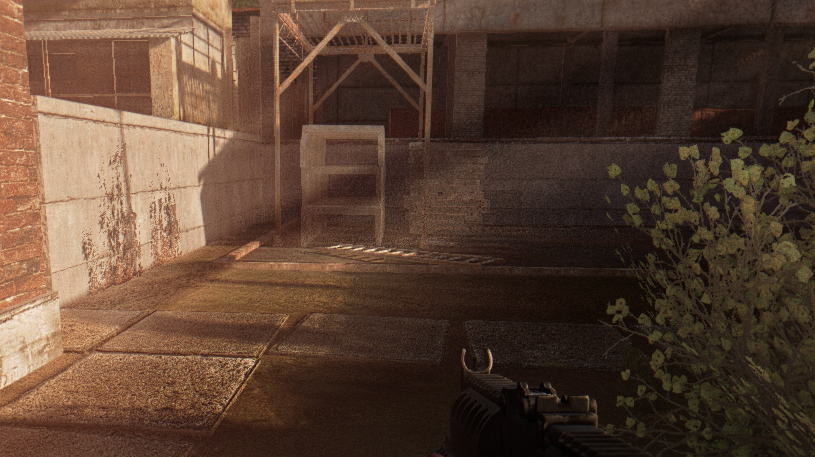
Seems just like better lighting to me so, ill take it. lol
distant kite
Yea the lightning during a storm is awesome
gilded jewel
Welp. Cheers and Ty for help, all.
austere raft
daring valve
I've noticed that some people are able to get this nice strong flaring effect wh...
Found what makes this happen now. It's in advanced settings.
 eternal reef
leaden vapor
Expedition maybe?
eternal reef
leaden vapor
Expedition maybe?
it gamma
 runic ingot
hey i just installed the expedition shaders but its very gritty, how can i adjust it?
 dawn python
distant kite
Oh mine runs it great just when i take a screenshot
dawn python
distant kite
Oh mine runs it great just when i take a screenshot
i've seen this before and my workaround was using Reshade's screenshot tool instead of the built-in Anomaly one. Setting for Reshade screenshot hotkey + save location is in reshade settings
steel lake
thorny sentinel
nahh not really
Thanks
thorny sentinel
tawny root
You can do it in the launch screen, when you start the game from mo2 it pops up
@main bane fyi don't delete the shader cache this way, not sure why but everything in FAQ says to delete your shader cache manually by going into anomaly/appdata and deleting from there
 barren oriole
how can i change skybox to be less bright? during the day sky is always bright af... i've never seen clouds 😦
I use AtmosR+ with RTGI and HDR reshade

 old hornet
drowsy bane
I noticed I have the same issues <@233665137725276161> and <@325509370827898880>...
old hornet
drowsy bane
I noticed I have the same issues <@233665137725276161> and <@325509370827898880>...
AutoHDR will only make it worse since the game doesn't have support anyway, just run it in SDR unless you manage to get SpecialK working on it. As for the shadow/banding issue, it seems to be linked to the settings used by Dynamic Tonemap. I haven't completelly fixed it but setting "Minimal Allowed Lumscale Ambient" to 0 helped a lot during night time. I'm trying to find a guide or something to help tweaking it but so far it's a massive pain.
manic sage
barren oriole
how can i change skybox to be less bright? during the day sky is always bright a...
HDR?
I got rid of HDR a long time ago with AtmosR+ for the reason you are talking about
HDR in reshade does not have enough granular control to fix the issue that you are having
barren oriole
manic sage
HDR in reshade does not have enough granular control to fix the issue that you a...
Thx, ill turn it off
 rotund axle
https://www.moddb.com/mods/stalker-anomaly/addons/rays-of-anomalous-worlds-weathers-reshade could anyone help me figure out how to make this mod/reshade work with gamma?

Mod DB
comprehensive weather and grading overhaul for Anomaly
 tawny lichen
Can anyone offer me a tip or two about updating my reshade version? When I open GAMMA I am informed that a new version (5.8) is available. I have downloaded this version and attempted to install it to my GAMMA launcher (if that's how its done). But, when I run GAMMA again I am informed that the reshade being used is still at 5.7.
elder heart
@tawny lichen You install reshade against the AnomalyDX**.exe you are launching through Modorganizer. E.G
 tawny lichen
elder heart
<@1091710383926030427> You install reshade against the AnomalyDX**.exe you are l...
tawny lichen
elder heart
<@1091710383926030427> You install reshade against the AnomalyDX**.exe you are l...
Thank you for your response. It worked.
 gaunt pawn
barren oriole
how can i change skybox to be less bright? during the day sky is always bright a...
gaunt pawn
barren oriole
how can i change skybox to be less bright? during the day sky is always bright a...
Yeah, at first HDR can be too bright or too dark. I've learned you have to find a balance with other .fx like Vibrance and Curves. Eventually you will find the sweet spot, but it's never perfect. HDR here.
 night canyon
gaunt pawn
Yeah, at first HDR can be too bright or too dark. I've learned you have to find ...
night canyon
gaunt pawn
Yeah, at first HDR can be too bright or too dark. I've learned you have to find ...
Are you running some kind of mod to have these nice looking skies and clouds, i mean everything looks so nice even your water etc.
That shit looks dope, mine doesn't 😭
 safe cairn
Guys when im pasting a new reshade to the anomaly folder, should i skip the reshade-shaders folder or replace it?
austere saddle
night canyon
Are you running some kind of mod to have these nice looking skies and clouds, i ...
His image oddly reminds me of this: https://www.moddb.com/mods/stalker-anomaly/addons/2k-upscaled-skyboxes-almost-definitive-edtion

Mod DB
Extra sharp, extra clean and crispy, extra sized and taxing, still more beautiful than original.
night canyon
Hmm does this still work with todays gamma?
austere saddle
I have no idea
night canyon
Fuck, alright
 ember condor
night canyon
Hmm does this still work with todays gamma?
ember condor
night canyon
Hmm does this still work with todays gamma?
if you test this out let me know if this mod works, looks amazing if it does
night canyon
Yeah will see, have not yet tested it. But will later today in the evening, but it will 100% eat fps hence it is 2k upscaled but will let you knw
austere saddle
For some reason I doubt it'll eat FPS
ember condor
ive been testing it out myself over the last bit here, and works fine!! i see on average 1-3 fs difference and thats marginal in loss to a point i bet you wont even see any difference in normal gameplay. im on a 1070 and im getting 80fps with or without it
it looks sooo much better
 visual lake
gaunt pawn
Yeah, at first HDR can be too bright or too dark. I've learned you have to find ...
visual lake
gaunt pawn
Yeah, at first HDR can be too bright or too dark. I've learned you have to find ...
can you pass the preset?
AtmosR+ looking kinda depressed

for the R+ and R++ dont change much
 icy stratus
night canyon
Yeah will see, have not yet tested it. But will later today in the evening, but ...
icy stratus
night canyon
Yeah will see, have not yet tested it. But will later today in the evening, but ...
It won't touch fps and it's compatible with gamma as long as you disable skies redux
austere raft
visual lake
AtmosR+ looking kinda depressed
Are you using today's update?
austere raft
Settings with some before and afters. Liking the new update from Hippo


 visual lake
austere raft
Settings with some before and afters. Liking the new update from Hippo
visual lake
austere raft
Settings with some before and afters. Liking the new update from Hippo
will update now
@austere raft but i saw other players in old updates with the game looking good, i cant get the reshade to work well, also i`m running in a good pc
the best i could get now is this:

the white reflex on the ground is very anoying
austere raft
visual lake
the best i could get now is this:
That looks like a shader issue, not a reshade thing. Does the game look ok if you disable reshade with the Page Up key?
visual lake
austere raft
That looks like a shader issue, not a reshade thing. Does the game look ok if yo...
yes
 visual lake
after update still kinda weird, tryed few thing to improve the look of the game, but any of the ways worked out
 thorny sentinel
visual lake
after update still kinda weird, tryed few thing to improve the look of the game,...
thorny sentinel
visual lake
after update still kinda weird, tryed few thing to improve the look of the game,...
What's your sun settings at? In the game settings.
Also, if you press home, what reshade profile are you running? The profiles are at the top
austere raft
I think you need to turn down this setting. Maybe crank down the base intensity too, that was making things washed out for me

🔽 This is how mine is set atm and it's fine now
 visual lake
austere raft
🔽 This is how mine is set atm and it's fine now
visual lake
austere raft
🔽 This is how mine is set atm and it's fine now
ty
lilac girder
Man I can’t stand having my sun up that high. Haha, just absolutely blinded and can’t see anything facing into it. I think I run them at minimums. Lol
gaunt pawn
night canyon
Are you running some kind of mod to have these nice looking skies and clouds, i ...
Honestly, just running Hippo's amazing Atmos mod, then tinkering around with the .fx settings. But I tend to jump around from different presets all depending on my location in the map.
gaunt pawn
visual lake
can you pass the preset?
Sure, let me get some time tonight and see if I can drop it on here.
I've been DM'd a few times by others about the preset/s I use.
slim patrol
any suggestions how to fix this gray/black in dark areas? just feels off, been using atmosr+ but ive had it with other reshades too
 gaunt pawn
try curves.fx in preset?
visual lake
slim patrol
any suggestions how to fix this gray/black in dark areas? just feels off, been u...
level.fx worked for me
gaunt pawn
are we allowed to drop preset in this channel? I don't want to break any rules. 🙂
visual lake
gaunt pawn
are we allowed to drop preset in this channel? I don't want to break any rules. ...
i've saw someone posting it, probably is allowed
gaunt pawn
I'll DM those that have reached out.
lilac girder
gaunt pawn
I'll DM those that have reached out.
🙋
uncut otter
gaunt pawn
I'll DM those that have reached out.
Posting it should be fine, if it includes the shader and texture folders that might be a different story if they contain the RTGI stuff since that is still paywalled.
I'm sure a few people would love to have your preset if possible so don't worry too much about posting it whenever
gaunt pawn
No shaders or texture folders included. Just a custom preset based off of AtmosGAMMA preseet. Just added a few customizations. But all credit goes to @manic sage for providing his awesome presets to begin with.
uncut otter
ember condor
ive been testing it out myself over the last bit here, and works fine!! i see on...
Does the load order matter for skyboxes? I know Atmospherics has some so idk if it should be before or after. Maybe disabling atmospherics ones on top of skies redux?
gaunt pawn
Happy to share.


Custom preset, very light weight
Again, credit to @manic sage for amazing Atmos mod. Can't enough of it. 🤘
 wispy rapids

 cunning pilot
wispy rapids
cunning pilot
wispy rapids
is it that .ini settings posted above?
wispy rapids
Mhmm, all I added was color balance and colorfulness to it and ppfx bloom
cunning pilot
wispy rapids
Mhmm, all I added was color balance and colorfulness to it and ppfx bloom
can u show these setts?
wispy rapids
you can just have the ini, it's the same as above except I just clicked on some things
Love you Hippobot 
wispy rapids
gaunt pawn
Again, credit to <@284148747900813322> for amazing Atmos mod. Can't enough of it...
and thank you for posting this
cunning pilot
wispy rapids
you can just have the ini, it's the same as above except I just clicked on some ...
a, i thought you changed something
thanks buddy
lilac girder
gaunt pawn
Again, credit to <@284148747900813322> for amazing Atmos mod. Can't enough of it...
Any other graphics settings you use for your shots?
ruby galleon
gaunt pawn
Happy to share.
aggressor reshade?
worldly atlas
e
worldly atlas


 manic sage
If anyone wants me to test their reshade presets you can always dm me and there is a chance that I might include it into atmospherics in the future.
night canyon
gaunt pawn
Happy to share.
So what do i do with this custom atmosmod? Where do i copy it to and how do i use this one?
uncut otter
night canyon
So what do i do with this custom atmosmod? Where do i copy it to and how do i us...
Download the preset ini they provided and copy it to your anomaly bin folder
night canyon
Thanks
night canyon
wispy rapids
you can just have the ini, it's the same as above except I just clicked on some ...
is this the same one as what zameus posted?
wispy rapids
No mines different a bit
night canyon
aah
gaunt pawn
ruby galleon
aggressor reshade?
No aggressor reshade. Based off atmosgamma.ini
night canyon
gaunt pawn
No aggressor reshade. Based off atmosgamma.ini
yo can you look your dm's please
need help
night canyon
icy stratus
It won't touch fps and it's compatible with gamma as long as you disable skies r...
should it be placed in any specific order in m02?
icy stratus
No
night canyon
anyone have any idea what's wrong in my reshade menu?

also i downloaded the one that Zameus posted, but i don't see it in reshade menu
wispy rapids
did you place it in your bin folder on anomaly 1.5.1.2
 wispy rapids
have you changed your reshade shaders at all before installing it? I tried it with custom shaders but it gave me the error until I just used the gamma launcher to redo my bin for me
night canyon
 night canyon
wispy rapids
have you changed your reshade shaders at all before installing it? I tried it wi...
night canyon
wispy rapids
have you changed your reshade shaders at all before installing it? I tried it wi...
wdym
all i did was removed atmospherics mod and installed hippo's one, the updated one
throug m02
wispy rapids
you know the reshade-shaders folder, have anything from that folder been changed at all, this preset is used for gammas default reshade-shaders as I know
night canyon
oooh, no not that i know of
wispy rapids
do this in your gamma launcher and it will create a brand new bin with the reshade-shaders needed for the preset since this is also the same way I fixed the preset myself since I had the issue you had
night canyon
but 2 of them failed to compile, and i'm missing the one zameus posted and i had a capa_resahde aswell and it's also not there
i'll try that then
wispy rapids
oh wait
night canyon
yeas?
 wispy rapids
it will give a fresh bin folder after doing it's thing
and just drag and drop the preset and load it up
night canyon
wispy rapids
and just drag and drop the preset and load it up
the one zamues posted?
night canyon
aah alright, sicne always been playing with that, and it';s gone now too :/
wispy rapids
the one hippo made is very good, plus you can always configure the preset as you like, so it isn't too bad
plus the new atmospherics makes it look good
wispy rapids
mhmm
night canyon
aah alright
wispy rapids
this is how mine looks, though I did also use the ADEGA pack with it
 night canyon
so i did that, and the bin still looks the same?
 wispy rapids
launch the game and see if it works
night canyon
also doesn't A.D.E.G.A eat fps
wispy rapids
it does kind of if you have a lower end pc
wispy rapids
I'd say you'd be fine
night canyon
aight
wispy rapids

MediaFire
 night canyon
working now but still don't see the one zameus posted
dunno what i'm doing wrong tbh
wispy rapids
idk either, for me I just dropped the ini and reloaded my reshade in game and it came up
night canyon
should any of these be changed

wonder if hippo is online, maybe he could lend a hand 😄
cuz yeah, idk
wispy rapids
 night canyon
cuz i mean as you can see it is here
 wispy rapids
hmm lets try something, idk if it will work, but do you see Atmos gamma as a preset to select?
lilac girder
wispy rapids
I run a 1080 gtx with i-7
HOW!!?!? I have a 5800X3D with 6750XT and I can get 60fps stable, but not much higher
 lilac girder
when I installed the new Atmospherics, it's referencing the reshade ini's in GAMMA/mods/GAMMA Atmospherics/bin/ and not in Anomaly/bin/. That could be what you are seeing here.
wispy rapids
night canyon
yes i do, atmosGAMMA.ini
okay let's try this, name the custom atmos preset and name it exactly like atmosgamma.ini and replace it
night canyon
wich one?
wispy rapids
oh that could be it too
night canyon
may i stream for you in a channel?
so that you could help me through this, cuz i gotta go soon
would appreciate
lilac girder
I'm not sure why the new atmospherics is referencing it's own folder instead of anomaly/bin. Something maybe that Grok has setup or I did something wrong, idk.
lilac girder
night canyon
You can see exactly that in this screenshot at the top of the reshade window. It's referencing the mod folder and not the root anomaly folder
wispy rapids
lilac girder
HOW!!?!? I have a 5800X3D with 6750XT and I can get 60fps stable, but not much h...
I turned on the stutter addon, it makes models appear less and also bringing grass density and rendering down can help, I also have did some of the optimization settings for gamma
lilac girder
I'll maybe try those, but wow, that's a big difference
 tribal berry
Hello, I just installed GAMMA. This is how my game looks usually and Im honestly not a fan of it, its a farcry when I compare it to the screenshots sent in #╟📸screenshots and I find it too dark for my liking. How can I improve the visuals?
 wispy rapids
some people are using a patreon exclusive reshade that gives RTGI enhancing capabilities to the game, which no matter what you do with your preset, it won't look as amazing as if it was a paid preset. and some of the screenshots do use the rtgi, however most are normal standard presets.
this preset might be good to try
also using the reshade will help
tribal berry
wispy rapids
some people are using a patreon exclusive reshade that gives RTGI enhancing capa...
thats alright, Im just looking to improve my visuals it doesnt have to be like the ones in the screenshot channel. More specifically I want to brighten up my game without killing its colors and atmosphere
the ground is so fucking dark

(Unless this is normal, do tell)
 tribal berry
what the helllll
wispy rapids
I can give it to you
tribal berry
wispy rapids
I can give it to you
Shoot
wispy rapids
this is my version of it
it has a fish eye on it though, makes the game look more body cam ish but it can always be disabled
tribal berry
wispy rapids
this is my version of it
Uh wait, a dumb question but how do I apply this to my game?
I just got back from Anomaly after a very long hiatus
wispy rapids
go to anomaly 1.5.1.2 bin folder and drag and drop

and once in game click the "Home" button and open up reshade and select "Custom_AtmosGAMMA"
also re-installing AYDINS Grass Tweaks addon can work to give greener grass and color
tribal berry
wispy rapids
also re-installing AYDINS Grass Tweaks addon can work to give greener grass and ...
Alright, thank you lots. Ill apply this to my game aswell as browse through the anomaly page and if theres anything else that will pique my interest. The Atmospherics weather mod seems very interesting.
wispy rapids
yes it is actually in the game, however a brand new update dropped, here is the link

Mod DB
Atmospherics is a weather mod that aims to be natural in its presentation. It is the culmination of many hours of work which has led to this. Below you'll find all the information that you'll need. Thanks you!
night canyon
@wispy rapids mind if you hop in a channel again
tribal berry
wispy rapids
yes it is actually in the game, however a brand new update dropped, here is the ...
Ohhh, I see.
Ill send screenshots once I am finished with everything
lilac girder
tribal berry
Ill send screenshots once I am finished with everything
did you run cfg_load atmosr from the console?
tribal berry
lilac girder
did you run `cfg_load atmosr` from the console?
No
lilac girder
once you've setup reshade with the preset of your choice, either Atmos defaults or Frosty's reshade preset, then open the console with the ` key and type that command in. It could be that your gamma and brightness and such are set very low
that command will set things to their intended default levels
not guaranteeing it'll fix your issue, but just something to try
night canyon
@wispy rapids have you sent me those mods yet?
wispy rapids
yea it's gonna take a bit to load to google drive
night canyon
no stress, thanks
wispy rapids
it's about 13 gb total
night canyon
anyone have any idea to wtf is wrong with my game
i re-installed aswell
and deleted shader cache
that's with fog enabled in debug
austere raft
How would I share a custom preset with a friend? So they don’t have to manually input all the shit
coarse vault
night canyon
https://discord.com/channels/912320241713958912/920013807479296042/1103398004540...
Try reinstalling SSS


 night canyon
coarse vault
Try reinstalling SSS
night canyon
coarse vault
Try reinstalling SSS
what should all be ticked when re-installing SSS ?
coarse vault
i clicked like all the compat patches and I deselected weapon DoF because I don't like it
night canyon
so you ticked everyhting except DOF?
coarse vault
thats for preference, but yes. you can tick that and see if you like it in game.
also there was some AutumnNoLeavesLODfix (or something like that) that I turned off
different mod in the list to find, not apart of SSS
night canyon
and this?
 lilac girder
I don't think doing this is going to fix anything for you, you're messing with a pretty key component of the graphics in SSS.