#Sharing save files
7 messages · Page 1 of 1 (latest)
 timber harness
Understood thanks
 vivid sail
np
 little peak
Are you using PC gamepass, cloud gaming, or console?
 bright totem
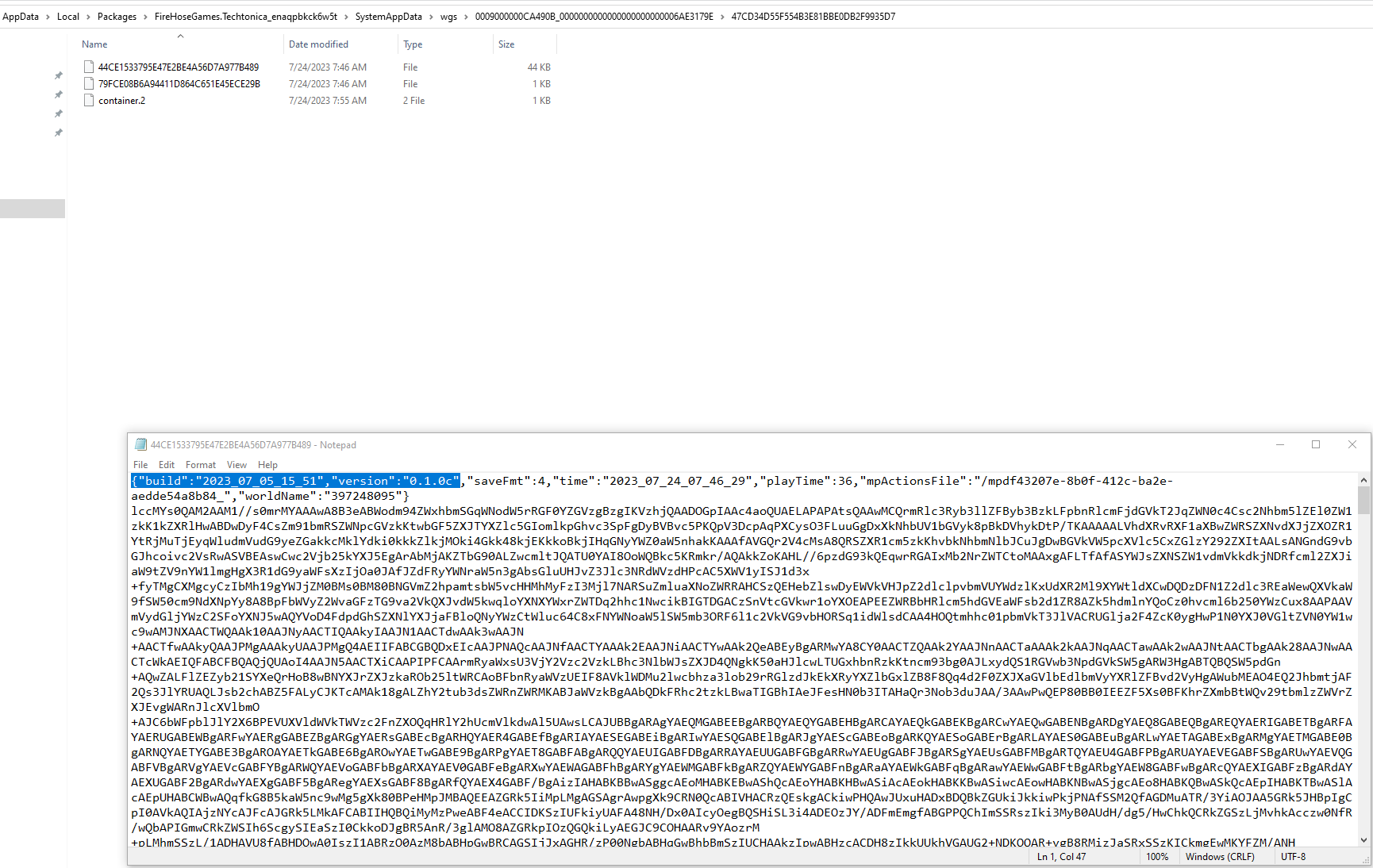
Your Game Pass saves are in C:\Users\...\AppData\Local\Packages\FireHoseGames.Techtonica_enaqpbkck6w5t\SystemAppData\wgs
If you root around under there, you'll find a bunch of random named files. You can't drop them into someone else's system as-is, but you can take their contents, edit them lightly and possibly produce something that would work.
The "save" file has a JSON ({"name": "value"}) header followed by a bunch of encoded character data.
If you were to take the encoded part of your file and paste it over the corresponding part of one of their saves, then (assuming you were both on the same version) it would likely load that into their world successfully. YMMV, but I was able to get it from Game Pass to Steam this way. That's where the data is anyway. It should go without saying, but backup anything you modify!
little peak
If you installed it locally (PC gamepass): %localappdata%\Packages\FireHoseGames.Techtonica_RandomString\SystemAppData\wgs\LONGSTRINGOFLETTERSANDNUMBERS\LONGSTRINGOFLETTERSANDNUMBERS - the save file is the file with no extension in the 2nd folder within the wgs folder: https://i.imgur.com/JwhtooA.png