#Nem's Backpack Module (BackpackManager)

1 messages · Page 1 of 1 (latest)

woeful rose
#

What is it?

Nem's Backpack Module is open source fully fledged backpack replacement to Roblox's default backpack script.

Why would I want to use this over other alternatives that already exist?

Other alternative modules on places like the developer fourm often don't give the developer much control or customization without having to get your hands dirty and change their code or just simply lack basic features. Nem's Backpack Module on the other hand is feature rich with an exposed API, easy to tinker settings and you can easily even edit the templete slot the module uses ( ⚠️ When editing any templete, be sure not to rename, move or delete any instance that already exist because it could break the module!)

Features

  • Configure the maximum amount of tool slots that can be displayed at once in the hotbar.
  • Configure the minimum amount of tool slots that can be allocated.
  • You can change the default equip cooldown.
  • Configure the module to let you equip more than one tool.
  • The module will automatically calculate how many tool slots can fit at once (The smaller the screen the less tools you'll be able to have at once)
    -# This can be disabled in the settings.
  • You can configure the module to display tools using viewport frames instead.
  • You can cycle through tools using your scroll wheel
    -# Disabled by default.
  • Buttery smooth animations
    -# Can also be disabled!
  • You can configure the spacing of tools
  • You can change default keycodes
  • You can remap slots keybinds to whatever you want!
  • Tools can be organized by the user how ever they want.
    -# This can also be disabled.
  • You can lock certain tools to prevent them from being equipped.
  • Exposed API
  • Signaling of certain events (Tool added, Tool Removing, inventory opened, inventory closed, hovering, etc)
  • Controller Support
  • Mobile Support

And so much more.

How to get started

  1. You have to get the module which you can find here: https://create.roblox.com/store/asset/132160096564542/Backpack and be sure to click "Get Model"
  2. Open studio into your place.
  3. Open the toolbox and go to "My models"
  4. Drag the module into your game (It should be a ScreenGui named "Backpack")

How to start and use the module

To start the module you should do the following in a local script.

  local BackpackScript = require(Whereever_You_Put_It.BackpackScript)

  BackpackScript.StartBackpack()
#

API Documentation

:MapKeybind(SlotNumber: (number), Keycode: (Enum.KeyCode))

Maps a slot's equip function to a certain keycode.
:UnmapKeybind(SlotNumber : (number))

Unmap a slot's equip function.
:Equip(Tool: (Tool, number, string, table), Generic : (boolean))

Equips a tool if it's not currently equipped and unequips it if it is.
:IsInventoryOpen() -> boolean

Returns true if the inventory is currently open and false if it's not.
:IsEnabled() -> boolean

Returns true if the backpack is currently enabled and false if it's not currently enabled.
:IsInventoryEnabled() -> boolean

Returns true if the inventory is currently enabled and false if it's not currently enabled.
:OpenInventory()

Opens the inventory.
:CloseInventory()

Closes the inventory.
:MoveToolToHotbarSlotNumber(Tool: (Tool, number, string, table), SlotNumber: (number), fromPosition: (UDim2)) -> {table}

Moves a tool to a certain hotbar slot number.
:MoveToolToInventory(Tool: (Tool, number, string, table), fromPosition: (UDim2)) -> {table}

Moves a tool to the inventory.
:MoveToolToHotbar(Tool: (Tool, number, string, table), fromPosition: (UDim2)) -> {table}

Moves a tool to a free hotbar slot if one exist.
:SwapTools(Tool1: (Tool, number, string, table), Tool2: (Tool, number, string, table)) -> {table}, {table}

Swaps two tools.
:PopNotificationIcon(State : boolean)

Shows the notification icon on the backpack icon.
:UnequipTools()

Unequips non glued tools.
:GetEquippedTools() -> {table}

Returns a table of all tools that are currently equipped.
:GetTools() -> {table}

Returns a table of all tools that are currently in the backpack and on the current character.
:GetSlotFromTool(Tool: (Tool, number, string, table)) -> {table}

Returns the slot data for a certain tool.
:GetSlotFromNumber(Number: (number)) -> {table}

Returns the slot data for a certain tool slot.
:GetHotbarTools() -> {table}

Returns a table of all tools that are currently in the hotbar.
:GetInventoryTools() -> {table}

Returns a table of all tools that are currently in the inventory.
:SetViewportEnabled(Tool: (Tool, number, string, table), boolean: (boolean))

Enables or disables the viewport frame displaying the physical tool.
:SetViewportOffset(Tool: (Tool, number, string, table), OffsetCFrame: (CFrame))

Sets the camera offset for the viewport frame displaying the physical tool.
:GlueTool(Tool: (Tool, number, string, table))

Forces a tool to be equipped at all times and prevents said tool from being moved (This will not use a hotbar slot).
:RemoveGlue(Tool: (Tool, number, string, table))

Removes a glued tool, returning it back to normal.
:DisableInventory()

Disables the inventory, prevents it from being used, and closes it if it's currently open.
:EnableInventory()

Enables the inventory.
:LockTool(Tool: (Tool, number, string, table))

Prevents a tool from being equipped.
:UnlockTool(Tool: (Tool, number, string, table))

Unlocks a tool letting it be equipped again.
:Disable()

Stops rendering the backpack and prevents it from responding to user input.
:Enable()

Starts rendering the backpack, and makes the backpack respond to user input again.
:GetBackpack() -> BackpackInstance

Returns the current backpack instance being used by the BackpackScript.
:SetCooldown(Tool: (Tool, number, string, table), Seconds: (number))

Puts the tool on cooldown which displays on the tool slot.
:IsOnCooldown(Tool: (Tool, number, string, table)) -> boolean

Returns true if the tool has a cooldown active and false if the tool does not have a cooldown active.
.StartBackpack()

Starts the backpack, builds the gui, disables Roblox's default backpack, and only runs once.
#

Signal Documentation

Signals work just like bindables meaning that you you can :Fire() them manually and :Connect() things to them or even call :Disconnect() to stop listening to that event.

ToolAdded

Fires when a tool gets added.

  BackpackScript.ToolAdded:Connect(function(Tool, ToolSlot)
      print(Tool.Name.." was added living in", ToolSlot)
  end)

ToolRemoving

Fires right before a tool gets removed.

  BackpackScript.ToolRemoving:Connect(function(Tool, ToolSlot, GhostSlot)
      print(Tool.Name.." is removing living in", ToolSlot)
  end)

Whats the ghostslot argument? A Ghostslot is a fake slot the backpack creates that looks exactly like the slot that's being removed. When a slot gets removed a ghost slot appears that plays the animation then it gets deleted shortly after, the real ToolSlot just turns invisible.

HoverStarted

Fires when the player starts hovering over a tool slot.

   BackpackScript.HoverStarted:Connect(function(ToolSlot)
      print(ToolSlot.Tool.Value, "is being hovered over")
  end)

HoverEnded

Fires when the player stops hovering over a tool slot.

   BackpackScript.HoverEnded:Connect(function(ToolSlot)
      print(ToolSlot.Tool.Value, "is no longer being hovered over")
  end)

InventoryOpened

Fires when the inventory gets opened.

   BackpackScript.InventoryOpened:Connect(function()
      print("The inventory was opened.")
  end)

InventoryClosed

Fires when the inventory gets closed.

   BackpackScript.InventoryClosed:Connect(function()
      print("The inventory was closed.")
  end)

CooldownEnded

Fires when a tool’s cooldown ends

   BackpackScript.CooldownEnded:Connect(function(Tool, ToolSlot)
      print(Tool.Name.."'s cooldown has ended")
  end)

DragStarted

Fires when a tool starts being dragged

NOTE: Tool and GhostSlot can be nil if it is being dragged on a controller

   BackpackScript.DragStarted:Connect(function(Tool, ToolSlot, GhostSlot, isController)
      print(Tool.Name.." is being dragged in toolslot", ToolSlot, GhostSlot)

      if isController then
          print("The tool is being dragged on a controller!")
      end
  end)

DragEnded

Fires when a tool stops being dragged

NOTE: Tool and GhostSlot can be nil if it is being dragged on a controller

   BackpackScript.DragEnded:Connect(function(Tool, ToolSlot, GhostSlot, isController, Position)
      print(Tool.Name.." is being no longer being dragged in toolslot", ToolSlot, GhostSlot)

      print("The drag stopped at position", Position)

      if isController then
          print("The tool was being dragged on a controller!")
      end
  end)

OnSlotRefresh

Fires when a Toolslot refreshes

   BackpackScript.OnSlotRefresh:Connect(function(Tool, ToolSlot)
      print(ToolSlot, "has refreshed.")
  end)
#

Cooldown Example

local Tool = YourTool

Tool.Activated:Connect(function()
  if BackpackScript:IsOnCooldown(Tool) then return end

  BackpackScript:SetCooldown(Tool, 2)

  -- Your code 
end)
#

Lock Example


local LockedTools = {
  "Sword",
  "Flash Light"
  "Fist",
}
  for _, Tool in pairs(BackpackScript:GetTools()) do
    if table.find(LockedTools, Tool.Name) then
      BackpackScript:LockTool(Tool)
     end
  end
#

Glue example

BackpackScript.ToolAdded:Connect(function(Tool)
    if Tool.Name == "Sword" then
        BackpackScript:GlueTool(Tool)
    end
end)
#

Custom keybind example

BackpackScript:MapKeybind(1, Enum.KeyCode.F) -- Map Slot 1 to the letter F
BackpackScript:MapKeybind(2, Enum.KeyCode.V) -- Map Slot 2 to the letter V
BackpackScript:MapKeybind(3, Enum.KeyCode.C) -- Map Slot 3 to the letter C

BackpackScript:UnmapKeybind(2) -- Unmap slot 2
#

Things to keep in mind

You can move the default BackpackScript Module to whereever you want in your game and it should still work. The backpack ScreenGui still has to be in StarterGui however.

If you plan on using the .ToolAdded event be sure to set up the event before starting the backpack because when the backpack starts up it will add every tool that is in the player's backpack.

Incorrect example:

BackpackScript.StartBackpack() -- Tools get added and tool added event fires for every tool.

BackpackScript.ToolAdded:Connect(function() -- This will not fire for tools that were already in the backpack when it started, as the connection as setup after starting the backpack.

end)


Correct example:


BackpackScript.ToolAdded:Connect(function() -- This fires for every tool that is in the backpack when it starts.

end)

BackpackScript.StartBackpack() -- Tools get added and tool added event fires for every tool.

rotund saddle
#

This looks really really cool

woeful rose
#

thank you, i spent over a month working on it

rotund saddle
#

I love the animation when you drop and pick up tools lol

woeful rose
rotund saddle
#

I did notice one small thing

#

So by default with Roblox's inventory you automatically equip an item when you pick it up

woeful rose
#

oh yea thats intentional

rotund saddle
#

And in this you don't but you still end up getting the mouse UI as if its enabled

#

So picking up a weapon you end up having the wrong mouse icon

rotund saddle
#

Like when you have a gun equipped you have the bullseye mouse icon

woeful rose
rotund saddle
#

And when picking up an item it will give you the icon even though the item is not equipped initially

woeful rose
#

thats just on the tool scripts for the demo

rotund saddle
#

Alright

woeful rose
#

i kinda forked that game from roblox's crossroads and just added the backpack script to it lol

rotund saddle
#

There can be issue when searching if there is an item selected in storage

#

like this

#

It seems to work if the search includes the item though

woeful rose
#

oh i see you have a hidden item selected

#

while searching

rotund saddle
#

I think it'd make more sense to hide the selection box

#

Or else it might highlight another item

#

if u had more ig

woeful rose
#

yea ill fix that up

rotund saddle
woeful rose
#

if any tool has the letter r in it then it will be shown

rotund saddle
#

I know I just meant it highlighted the sword since it was in the slot of the paintball gun

woeful rose
#

oh

#

ill fix that up could you tell me how you were able to do that?

rotund saddle
#

Equip item

#

And make a search

#

Since the selection box does not disappear if the item is not in the search it will either be selecting nothing or be overlaying a searched item

woeful rose
#

oh so it isnt trying to highlight the incorrect tool

#

its because i didnt hide it if you're searching

rotund saddle
#

If search doesn't include the equipped item then the hightlight will still be existing

#

Should dissapear probably

#

Just the selection remaining

woeful rose
#

yea ill fix that

rotund saddle
#

Idk how I did this really

woeful rose
#

the highlight feature is a nightmare to script trust me, but thanks for the bug reports

rotund saddle
#

The highlight will get locked if you move the item in the inventory while it is cooling down

#

So then when you unquip the item it will be frozen until you equip a DIFFERENT item

rotund saddle
#

I was like unequipping and moving the item while it was cooling down all at the same time

woeful rose
#

mm okay

rotund saddle
#

They might be same issue tbh

#

Cuz can remove all my items after doing the freeze one and would be same effect

#

Yeah it is :d

woeful rose
#

im not sure how you caused the freeze

rotund saddle
#

I can get it to happen everytime I guess I can record rq

rotund saddle
woeful rose
#

These issues will be fixed tomorrow 🙂

rotund saddle
short furnace
#

Damn this looks great 👍

woeful rose
#

Version 1.01

  • Fixed an issue where a tool slot wouldn't disappear if a tool was moved while being removed
  • Fixed an issue where the highlight wouldn't hide itsself while searching for a tool
  • Fixed an issue where swapping while removing a tool would break the tool slot
  • Added an animation if a tool moves to the inventory while inventory is closed
  • Added an animation if a tool moves to the hotbar while inventory is closed
  • Changed default animation when a tool is equipped for the first time
  • Changed animation when a tool is being removed in the inventory.
  • Fixed issue where sometimes a hotbar slot would display 10 instead of 0
  • Fixed an issue where the highlight wouldn't disappear if you unequipped a tool in a certain way.
  • Fixed issue where sometimes the inventory button would misalign itsself
rotund saddle
#

😱

woeful rose
#

Version 1.02

  • Fixed a tiny issue where the tool removing animation would still play even if a tool was hidden by search
  • Fixed a small issue where tool cooldown would not show if a tool was removed and added again
  • If tools get sent to your inventory because of insufficient updated screen size the tool slots will be animated properly.
short furnace
woeful rose
woeful rose
#

default

#

modified

inner moth
#

Hi, a few questions

#
  1. what devices does this support?
#
  1. Can you modify it so you can drag a tool into the workspace off of the hotbar, and drop it out of the hotbar , like dropping it and that slot becomes open?
#
  1. on slot limiting , like lets say you have 6 slots in the hotbar, can you set it so that you cannot pick up more , so that nothing goes to the backpack . Meaning the max amount of items you can ever have is 6?
#
  1. can you turn off the backpack so that if cannot be opened and nothing goes into it or can be dragged into it?
#
  1. can you modify it so that the mouse scroll wheel can be used to switch from slot to slot ? meaning if you have slot 1 active and scroll the mouse wheel down, you can switch to slot 2. or switch to slot 3 and that slot then becomes the active tool. this allows for quick tool activation.
#
  1. can it be modified so that tools of the same type can stack ? like if you have 1 grenade in slot 1 and pick up another, it goes into slot 1 and there are now 2 grenades to use in slot 1?
#
  1. if your hotbar slots are full, and the backpack is turned off, and you have slot 1 activated , if you pick up another tool, it will drop the tool in slot 1 and then put the tool you picked up in slot 1, and activate it.
#

also why does the cool down , not let you select another slot?

#

verse it being a cool down to be able to use the same tool in that slot again?

#

like it is a slot movement global cool down, verses a tool use cool down

woeful rose
# inner moth Hi, a few questions
  1. The module supports PC, Mobile, and console (it should also work on vr but it has no vr added QoL features)
  2. I'm not entirely sure what this means
  3. Custom behavior like that has to be scripted by the developer using the API the module gives you
  4. You can disable the backpack using the :Disable() function and it will hide the entire gui meaning that you wouldn't be able to open the inventory
  5. The scroll wheel feature works like this
  6. Unfortunately no, it does not support tool stacking.
  7. I'm also not really sure what you mean by this if you could send a video of the said behavior that would be nice
woeful rose
#

And in the demo not all features are enabled like the scroll wheel

inner moth
#

regarding 2) It means I have my mouse on slot 1 on the hotbar, hold down the left mouse bottom, and move to the left , not on the hotbar any more , let go over the mouse and the tool in slot 1 is now empty , and the tool was dropped into game workspace where I am standing.. just like if a tool allows you to drop it via the back space key

inner moth
#

just like you drag from the hotbar to the backpack... but instead it goes into the game

#

and the tool is now on the ground

woeful rose
#

could you show a video of it

inner moth
#

I am just trying to drag the tool , and drop it.

#

like if I hit the backspace it drops it

#

but instead being able to drag if out of the hotbar , and drop it when you let go of the mouse left button

woeful rose
#

thats because in the demo the canbedropped feature is turned on

inner moth
#

it is another way of dropping a tool

#

u mean it is turned off?

woeful rose
#

if you hit backspace while a tool is equipped it will drop

inner moth
#

yes I know

#

I am saying add a freature where you can hold down the left mouse on the slot, and move the mouse icon to the left, let go of the left mouse button, and it drops

woeful rose
#

ohhhh

inner moth
#

drag and drop

woeful rose
#

I mean I could just add an API for .ToolDragging

inner moth
#

ya, that would be sweety

woeful rose
#

would that be better?

inner moth
#

yes tool dragging

#

to drop

#

some hotbars have that

woeful rose
#

I'll add that tomorrow but I'm not entirely sure how I would implement that on controller

inner moth
#

for 3, I understand it would require more scripting but that would be great!...

woeful rose
#

because controller drags tools differently

inner moth
woeful rose
#

The module also has a CanOrganize setting that if set to false will prevent the player from being able to move tools

inner moth
#

relating to 4) I know you can disable the opening of the backpack so the ` does not open it, but unless there is code, tools still overflow into the backpack.. so is there a way to disable anything from going into the backpack,.... which is prob 3). .. so that a player can only carry a max of a certain slot #, like max of 6 tools every... and to get more , they have to drop a tool

inner moth
woeful rose
#

there is a :LockTool function that prevents a tool from being moved and from being equipped

inner moth
#

ok, is it like per slot definable?

woeful rose
#

Only if a tool is in that slot

inner moth
#

right

#

cool

#

for 5) and the mouse scroll wheel, when I mouse scrollWHEEL outside of the hot bar, it does the camera zoom. in and out...

#

when I do it when the mouse icon is inside of the hotbar area, and the mouse icon is on a slot... it does nothing..

#

so it is not activating the next slot , like if I am on slot 3, and mouse scroll wheel down, it would activate slot 4.,... if I was on slot 3 with the mouse icon, it would avtivate slot 3

#

for 6) tool stacking , that is usually would requite the custom hotbar to have that feature and the tool script to also have custom code for it.,.

#

but it is nice to have , for tools that are single items

#

like a health potion, or grenade etc...

woeful rose
inner moth
#

for 8) also why does the cool down , not let you select another slot?... when the count down is counting down, that slot is active, and while it is counting down I cannot select another tool slot, until the count down is over... so basically to select another tool I have to wait for the countdown to go away

woeful rose
woeful rose
inner moth
#

or maybe clicking on the slot does not always select the slot..

#

like I have to click twice sometimes..

#

I see the slot giggle, but it does not selected it

woeful rose
#

yeah sometimes when you want to select a tool by clicking on it, it can mistake that for a drag

inner moth
woeful rose
#

you could disable dragging while the inventory is not opened

#

if you dont want that

inner moth
#

but shouldnt it first activate it, and then move into the perhaps drag code

#

why is the dragging kicking in before the tool is active?

woeful rose
#

because to detect a drag it needs to know if you mouse1downed on a toolslot and moved your mouse

#

while to register a activate you need to mouse1down and mouse1up a toolslot

#

without moving it

inner moth
#

right but why not activate the slot , before you allow draggin

woeful rose
#

because then you would always equip a tool when you would want to drag

inner moth
#

hmm, is there a way to like tune it so for dragging you need more movement .. otherwise to activate your mouse need to be like still and precise ...

woeful rose
inner moth
#

verse activation, is not so finicky ?

woeful rose
#

So tomorrow I'll try reworking the drag a little bit, and add a tool dragging signal and tool drag end signal

#

Every game might want their backpack to work in different types of ways, which is why there is a ton of features and APIs exposed to the developer

inner moth
woeful rose
#

Well, I could but then you wouldn't be able to access the tool at all

#

It's alot better for the developer to implement that in their own scripts

inner moth
#
  1. are the slot icon frames customizable?
woeful rose
woeful rose
#

Version 1.1

  • Added Signal .DragStarted
  • Added Signal .DragEnded
  • Fixed controller being able to move a locked tool.
  • Reworked dragging tools so they need to be held for a little bit before they start dragging.
#

Documention on how to use the new signals are above

inner moth
#

is the link to the play game updated with 1.1?

#

Dragging is not working

#

Also ...can a loced slot, still be active so you can use it..?

woeful rose
woeful rose
#

It's a little bit more annoying but I made that change after getting feedback

inner moth
#

so for a locked slot, I was thinking if the items is locked in the slot , you can still activate it to use it, but you cannot move it..

woeful rose
#

Version 1.2

  • Made dragging more consistent (it is now much harder to accidently drag)

  • Changed animation of viewports

  • Added function BackpackScript:SortTools()

  • Added Setting AutoSortSlots

  • Added Setting DragWaitTime

  • Added Setting ViewportSpeed

#

Sorting tools will respect the preferred slot of a tool that the user selects. For example if a user moves a tool to slot 7 and :SortTools() is called the backpack will sort every tool but slot 7 because slot 7 is preferred by the player.

#

if theres no issues with the backpack this will likely be the last update 🙂

rotund saddle
#

What if it was possible to select multiple slots and drag 😱

woeful rose
rotund saddle
#

I guess lol

#

Idk for what purpose tho

woeful rose
#

that wouldnt really be possible in a reasonable way quark

rotund saddle
#

Is there a way to keep items on respawn?

#

Like if you locked an item would it not be reset when respawning

woeful rose
#

if you're talking about bulk moving tool slots to inventory / hotbar its the reason why i added fast moving lol

rotund saddle
#

ah

woeful rose
#

when you respawn roblox parents all your tools to nil so if i were to parent them back to your backpack then it would cause replication issues

rotund saddle
#

Dang

inner moth
inner moth
woeful rose
#

No viewport:

pastel stream
#

Make a github and upload it, since it's open-sourced.

#

And if you haven't already, please add the documentation to the module, allowing for autocompletion in Roblox studio.

woeful rose
#

Studio auto-complete is kinda wonky in studio especially when the module is not scripted in strict mode.

pastel stream
woeful rose
#
pastel stream
#

I appreciate the help, although, unfortunately, I can't seem to get it working outside of the document, in which the functions are defined.

woeful rose
pastel stream
#

I can't get it working for me.

woeful rose
#

Like my module's documentation in the script editor?

#

Whats not working for you?

pastel stream
#

I can't get the function descriptions working.

woeful rose
#

Do the functions still appear in auto complete?

pastel stream
#

Yes due to types, yea.

#

The descriptions also work when referencing the function inside of the module, in which they are defined.

#

Just not outside, when required.

woeful rose
#

Yeah thats a weird thing with roblox auto complete

#

I'm gonna see if I could possiblely try to fix it cause thats one main reason why I just hate roblox studio's code editor

pastel stream
#

?

#

But didn't this work for you?

woeful rose
#

Yes it did but roblox's auto complete sometimes doesn't work when you require multiple modules.

pastel stream
#

huh

#

You mean specifically the descriptions

woeful rose
#

no, just the auto complete in general

pastel stream
#

Never tried that

#

Anyways it's crazy late for me. I need sleep.

woeful rose
#

Version 1.3

  • Fixed issue with viewport frame potentially still displaying image / text
  • Fixed error in the console caused by cleared tool slots
  • Added function BackpackScript:GetHighlights()
  • Added Signal OnSlotRefresh
  • Added Signal OnSlotRemoving
#

Because of the onslotrefresh and onslotremoving signal it is easy to include unique things for specific slots purely just using these two signals. Here's a rarity example just using these two signals.

woeful rose
# woeful rose Because of the onslotrefresh and onslotremoving signal it is easy to include uni...

Heres the pure lua code I used for this example ```lua
local BackpackScript = require(game.ReplicatedStorage:WaitForChild("BackpackScript"))

local GradientCommon = Instance.new("UIGradient")
GradientCommon.Color = ColorSequence.new({
ColorSequenceKeypoint.new(0, Color3.fromRGB(85, 85, 85)),
ColorSequenceKeypoint.new(1, Color3.fromRGB(74, 74, 74))
})
GradientCommon.Transparency = NumberSequence.new({
NumberSequenceKeypoint.new(0, 0.113),
NumberSequenceKeypoint.new(1, 0)
})
GradientCommon.Rotation = 17

local GradientUncommon = Instance.new("UIGradient")
GradientUncommon.Color = ColorSequence.new({
ColorSequenceKeypoint.new(0, Color3.fromRGB(61, 144, 17)),
ColorSequenceKeypoint.new(1, Color3.fromRGB(0, 120, 10))
})
GradientUncommon.Transparency = NumberSequence.new({
NumberSequenceKeypoint.new(0, 0.113),
NumberSequenceKeypoint.new(1, 0)
})
GradientUncommon.Rotation = 17

local GradientRare = Instance.new("UIGradient")
GradientRare.Color = ColorSequence.new({
ColorSequenceKeypoint.new(0, Color3.fromRGB(58, 98, 162)),
ColorSequenceKeypoint.new(1, Color3.fromRGB(47, 81, 132))
})
GradientRare.Transparency = NumberSequence.new({
NumberSequenceKeypoint.new(0, 0.113),
NumberSequenceKeypoint.new(1, 0)
})
GradientRare.Rotation = 17

local ItemTypes = {
["Common"] = {
Color = GradientCommon,
"Long Stick",
"Trowel",
"Slingshot",
},
["Uncommon"] = {
Color = GradientUncommon,
"Sword",
"Timebomb",

},
["Rare"] = {
    Color = GradientRare,
    "RocketLauncher",
    "Superball",
    "PaintballGun"
}

}

BackpackScript.OnSlotRefresh:Connect(function(Tool, ToolSlot)
ToolSlot.Button.BackgroundColor3 = Color3.fromRGB(255, 255, 255)
ToolSlot.Button.Transparency = 0

for _, Inst in pairs(ToolSlot.Button:GetChildren()) do
    if Inst.Name == "_ColorClone" then
        Inst:Destroy()
    end
end

for Type, Items in pairs(ItemTypes) do
    if table.find(Items, Tool.Name) then
        local ColorClone = Items.Color:Clone()
        ColorClone.Name = "_ColorClone"
        
        ColorClone.Parent = ToolSlot.Button
    end
end

end)

BackpackScript.OnSlotRemoving:Connect(function(Tool, ToolSlot)
ToolSlot.Button.BackgroundColor3 = Color3.fromRGB(0, 0, 0)
ToolSlot.Button.Transparency = 0.3

for _, Inst in pairs(ToolSlot.Button:GetChildren()) do
    if Inst.Name == "_ColorClone" then
        Inst:Destroy()
    end
end

end)

#

And you can also use the DragStarted and DragEnded Signal to achieve something like this that I quickly whipped up.

#

Heres the code I used for this:

Client:

 local BackpackScript = require(game.ReplicatedStorage:WaitForChild("BackpackScript"))
local DropGui = game:GetService("Players").LocalPlayer.PlayerGui:WaitForChild("DropGui")

BackpackScript.DragStarted:Connect(function(Tool, Slot)
    DropGui.Enabled = true
end)

BackpackScript.DragEnded:Connect(function(Tool, Slot, Ghost, IsController, Position)
    local DropBox1 = DropGui.Main.Dropbox1
    local DropBox2 = DropGui.Main.Dropbox2
    
    local Guis = game:GetService("Players").LocalPlayer.PlayerGui:GetGuiObjectsAtPosition(Position.X.Offset, Position.Y.Offset)
    
    DropGui.Enabled = false
    
    if table.find(Guis, DropBox1) or table.find(Guis, DropBox2) then
        game.ReplicatedStorage.DropSignal:FireServer(Tool)
    end
end)

Server:

local DropSignal = game.ReplicatedStorage.DropSignal

DropSignal.OnServerEvent:Connect(function(Player, Tool)
    if not Tool then return end
    if typeof(Tool) ~= "Instance" then return end
    if not Tool:IsA("Tool") then return end 
    if not Player.Character then return end
    if Tool.Parent ~= Player.Character and Tool.Parent ~= Player.Backpack then return end
    
    Tool.Parent = workspace
    local component = Player.Character.HumanoidRootPart.Position + (Player.Character.HumanoidRootPart.CFrame.LookVector * 4) 
    
    Tool:PivotTo(CFrame.new(component.X, component.Y, component.Z))
end)
pastel stream
woeful rose
pastel stream
#

Doesn't work

#

Alright I found the issue. But I can't fix it.

#

I thought u used types in your module?

#

It's because of the custom typing.

#
--[[
    hello
]]
return function()
    
end :: () -> ()

Doesn't work, but this does:

--[[
    hello
]]
return function()
    
end
woeful rose
pastel stream
#

I don't use strict either.

#

I use types though.

#

You do too, right?

#
type name = INFORMATION_HERE
pastel stream
#

Please upload it to github, so that I can easily review your code.

woeful rose
woeful rose
#

Or you could even just take a look at the demo place I opened because it's copyunlocked

pastel stream
#

Sure but you should definitely upload it to github. Extremely straightforward and quick to do, and to access.

#

That's the whole point of uploading it there.

sacred pawn
#

@woeful rose

#

is 4k lines really necessary

woeful rose
#

yes

#

theres no code that is copy and pasted, i used as many function calls as possible

sacred pawn
#

i dont see why

woeful rose
sacred pawn
#

wait so what features are there

#

because my old backpack only had a hotbar

woeful rose
#

If you go to the top of the thread you'll see all the features I listed.

rotund saddle
#

im gonna make it 1 line

sacred pawn
#

hmm

#

thats cool

woeful rose
#

If you wanted you could completely remake roblox's default backpack gui without changing any code.

woeful rose
#

Like, you can change any templete the script uses

woeful rose
sacred pawn
#

i have a question, for scripts as long as this one

#

how do you keep track and organise

#

it

#

i struggle with anything above 300 lines

woeful rose
#

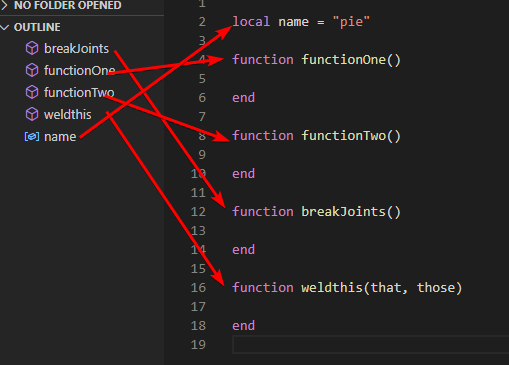
So at a certain point I was scripting it using roblox studio then I switched back to visual studio code because it became kinda hard to maintain and jump to function calls

#

vsc has this really useful feature called go to definition

#

roblox studio has this too but sometimes it doesnt work

#

and i can also see all the function calls any jump to any of them at any time

#

and even if a function exist in a different modulescript go to definition will open the file where it originated from

#

developers who are serious about scripting use vsc because its alot more easier than using roblox's code editor that can be a notepad with syntax highlighting at times

upper horizon
#
trail linden
woeful rose
sacred pawn
#

im gonna use it from now on

trail parcel
#

yo this looks really cool
one question tho
can I make a custom gui and replace the current one to fit my game?

woeful rose
#

You can edit these to your liking.

#

Just be sure not to rename, delete or remove any of them

#

But you can add instances or modify any of them

woeful rose
#

Here's a very good example of what the module is capable of. This isn't actually the default backpack script this is my module. This was made by customizing the template and using the API! No code was changed. 🙂

bronze arrow
#

🔥

woeful rose
#

Version 1.31

  • If tools are parented directly to your backpack or character without going through the backpack script it should now correctly be equipped and unequipped. (Still not recommended to do this.)

  • Added two signals ToolEquipped ToolUnequipped

  • Added setting InventoryYOffset

  • Added QoL feature for controller to auto ui navigate the first hotbar tool if the last input type was from a controller when opening the inventory

  • Fixed small issue where internal connections would fire twice in some cases.

shy nexus
#

looks really well made

#

ill check it out 👍

acoustic cave
#

hi nem

#

would saving ever be a possibility?

#

saving ur hotbar order

#

u could make a jerry rigged fake table to emulate a datastore we can subsitute out!

woeful rose
acoustic cave
#

oh that'd be easy

#

lol

#

would i make it a fire client once the server parents all the tools into the backpack?

#

then it would sort them right after

#

bam

woeful rose
#

However you want to go about implementing it is fine. There’s like thousand different ways how you could implement that

acoustic cave
#

yea i was just quickly askin if thats the premise

#

let all tools load in then run the movetool function

#

mind if i dm u something rq?

woeful rose
#

Sure

acoustic cave
#

to this version

#

is it just the marketplace link u posted earlier

woeful rose
#

yea

acoustic cave
#

o ok

#

also did u get the dm

shy nexus
#

yo you're a saint

#

ive been tinkering with this for a while now

#

i made a few changes such as viewport frames only spinning when tool is hovered over (should be default cmon)

#

and uh names displaying when hovered even if it has a viewport frame

#

other than that its awesome so far

#

i cant believe anyone can work on a script over 1k lines without splitting it though 😭

woeful rose
#

If there is no basepart on the tool then the tool slot would appear blank.

woeful rose
shy nexus
woeful rose
#

but yea thats the reason why i did that

shy nexus
#

also how can i disable this yellow selection box?

#

i looked a bit but i cant seem to find it

woeful rose
# shy nexus

if you go to the templete you can set these imagelabels as invisible

#

it will just make the boarder invisible

acoustic cave
#

doing viewports

shy nexus
#

oohh alr

shy nexus
#

roblox staff said non moving viewports are same as images basically

acoustic cave
#

i remember joining pet sim once or something and a ui was flooded

#

with viewports

woeful rose
#

I also made it so viewport frames in the inventory do not move if the inventory is closed

acoustic cave
#

and it lagged

shy nexus
#

is this selection ui the same as one used for console inputs?

woeful rose
#

yes

shy nexus
#

oh ill disable it manually if its not console then

acoustic cave
#

can i just nab the GUIs from this place and then use the updated version of the code from the marketplace link?

woeful rose
#

that place should already have the least update

acoustic cave
#

oh ok

shy nexus
#

if you spam or just click items a bunch of times with inventory open they just swap or go in and out of backpack for no reason everytime

woeful rose
#

Also you may be talking about fast moving

#

if you click a tool while the inventory is opened while holding on cnrl it will move that tool to the inventory or hotbar

acoustic cave
#

like minecraft

woeful rose
#

in minecraft its shift clicking i believe

#

but shift is already used for shift-lock so i made it cnrl instead

acoustic cave
#

ye same concept

shy nexus
#

its not that

#

ill just upload clip

#

0:35

#

not holding any key

woeful rose
shy nexus
#

yeah i also could only replicate it in that specific demo so i dont think its that worth looking into tbf

#

but it also could lead to a deeper issue

acoustic cave
#

well if u cant replicate it

#

in another place it mean it patched

#

no?

#

prob had a loose end in that version

shy nexus
#

btw you can unequip locked tools by equipping a different tool and hitting the max tools cap

#

idk if thats intentional or not? just saying

woeful rose
#

even though you could do that yourself

shy nexus
#

alright

acoustic cave
#

nem have you made other stuff before too

#

like resources

#

or is this your first one

woeful rose
#

no this is a first

acoustic cave
#

whats your ideas for future ones just curious

woeful rose
#

i dont really plan to make future resources

acoustic cave
#

oh ok

#

do you have any games out

#

or part of a team

shy nexus
#

i was using the locking system as some sort of "equip cooldown" so players cant unequip a tool instantly. im just forking the module to make it compatible with my own framework rn

#

ill add credit ❤️

woeful rose
acoustic cave
#

he doesnt want credit

shy nexus
#

why not?

acoustic cave
#

just a choice

shy nexus
woeful rose
#

alright

woeful rose
#

Version 1.32

  • If you lock a tool it will be automatically unequipped if equipped.

  • Fixed bug where drag started could be fired twice

  • Fixed move to inventory bound box being slightly offsetted incorrectly.

#

@shy nexus Could replace the backpack script module to the new one in that test place I put and see if the issue is resolved?

acoustic cave
#

@woeful rose hey i was wondering if the backpack had a uistroke scaler?

#

or if you know any

woeful rose
#

wdym ui stroke scaler

acoustic cave
#

ui stroke becomes ugly

#

on certain resolutions

#

actaully i dont think this applies to it because its offset

#

i just had a problem on old UI where ui stroke would look bad on UI that shrunk due to resolution ( i used scale)

woeful rose
#

It uses offset yea so it shouldnt matter

acoustic cave
#

ye

#

i also have this ui stroke scaler

#

but it doesnt work 4 me

#

lol

acoustic cave
#

so for larger TVs and stuff for xbox, does the inventory/hotbar look bigger?

#

because the ui looks good on pc and mobile, but im afraid it would look tiny on a small screen?

#

i mean big one

#

or does roblox on tv/console make everything bigger by default?

woeful rose
acoustic cave
#

so i have to do some custom resizing for console version?

#

for bigger screens

#

because if it looks good on mobile it would look really small for a big screen

#

i think i can maybe solve it with a simple UIScale

#

based off ur resolution maybe

woeful rose
#

yes you do

#

By default if the player is on a tenfootinterface screen (aka console) the icon size is set to 100 instead of the normal 60 on the default backpack

#

something like this wouldnt be difficult to implement on your own

acoustic cave
#

oh ok

#

for hotbar or inventory in general

#

does everything just grow by like 1.5x or something

woeful rose
#

for your hotbar slots

acoustic cave
#

kk

#

so would it be fine if i just make 2 versions of the GUI and just reference the one depending on resolution? or

#

if mobile or pc it does default one

#

then it chooses 2nd variant

#

for bigger screen size?

#

ill edit da settings too etc

#

for the y offset

acoustic cave
woeful rose
#

game:GetService("GuiService"):IsTenFootInterface()

acoustic cave
#

thank you

woeful rose
#

You'd have to change quite a bit to get it to work with tenfootinterface screens

#

In fact I personally don't recommend that you include tenfootinterface scaling tbh

#

It looks kinda ugly

#

like this is what tenfootinterface scaling looks like by default

#

tenfootinterface scaling that i just whipped up

#

personally i dont think its worth your time

acoustic cave
#

oh ok i was just afraid of console players

#

not being able to see it that well

#

on big tvs

#

ill worry about that after release maybe

#

if it even is a problem

woeful rose
#

Personally, I don't think it would be too much of an issue

acoustic cave
#

ok ty

woeful rose
#

But yeah you could still go for it if you really wanted

acoustic cave
#

ill do it if its requested in the future

#

can you tell me the function for hotbarslot updated again so i can fire server to update its slot on the datastore

#

like when i move a item to slot 6

#

its an event if i remember?

#

signal*

woeful rose
#

.OnSlotRefresh ?

acoustic cave
#

it calls that everytime I move a tool to the hotbar/inventory?

#

if so ill use that one

woeful rose
#

yes it would because anytime a slot gets refreshed that is called

#

and there is also .OnSlotRemoving

acoustic cave
#

on slot removing when a tool gets removed from the hotbar?

#

or inventory

woeful rose
#

when a tool gets removed from a slot that gets fired

acoustic cave
#

oh ok ill use refresh prob

#

does :GetTools display the slots each tool is on

woeful rose
#

it doesnt mean that the tool is being removed from the backpack

#

You would use .ToolRemoving for that

acoustic cave
#

yea i think refresh might be the best one for updating daatstore

#

i use get tools after refresh is call and update datastore

woeful rose
#

:GetTools just returns an array of tools

acoustic cave
#

does it return the slot its on too?

#

what each tool is on

woeful rose
#

no it doesnt

acoustic cave
#

oh ok

#

how would i get what tool is on what slot?

woeful rose
#

if you want that information you would use :GetSlotFromTool()

acoustic cave
#

oh ok

#

would i run that in the backpack?

#

or

#

would i use gettools then use getslot from tool?

woeful rose
#

and there is a .Position property that tells you what slot its in

acoustic cave
#

oh is there

#

is it an attribute

#

oh nvm

#

im silly

woeful rose
#
local Tool = this

local SlotInformation = Backpack:GetSlotFromTool(Tool)

print(SlotInformation.Position) -- 3

acoustic cave
#

oh ok neat, one last thing, would I run that in a loop in the GetTools function?

#

like i set up the tools table then run it in a loop to get the position

woeful rose
#

So you want to save the tool layout anytime it updates correct?

acoustic cave
#

yea

woeful rose
#
local BackpackScript = require(game.ReplicatedStorage:WaitForChild("BackpackScript"))

local Layout = {
    ["1"] = nil,
    ["2"] = nil,
    ['3'] = nil,
    ["4"] = nil,
    ["5"] = nil,
    ["6"] = nil,
    ["7"] = nil,
    ["8"] = nil,
    ["9"] = nil,
    ['10'] = nil
}

BackpackScript.OnSlotRefresh:Connect(function(Tool, ToolSlot)
    local SlotNumber = tonumber(ToolSlot.Name)
    
    if not SlotNumber then SlotNumber = tonumber(BackpackScript:GetSlotFromTool(Tool).Position) end
    
    if not SlotNumber then return end
    
    if SlotNumber > BackpackScript.Settings.MaxHotbarToolSlots then return end
    
    Layout[tostring(SlotNumber)] = Tool
end)

BackpackScript.OnSlotRemoving:Connect(function(Tool, ToolSlot)
    local SlotNumber = tonumber(ToolSlot.Name)

    if not SlotNumber then SlotNumber = tonumber(BackpackScript:GetSlotFromTool(Tool).Position) end

    if not SlotNumber then return end
    
    if SlotNumber > BackpackScript.Settings.MaxHotbarToolSlots then return end

    Layout[tostring(SlotNumber)] = nil
end)

BackpackScript.StartBackpack() 

acoustic cave
#

thank you so much, also does slotrefresh run when a tool is added to backpack?

woeful rose
#

yes it does

acoustic cave
#

and when a tool is parented it gets added to the first slot?

#

available

woeful rose
#

yes

acoustic cave
#

so I should run that after i parent the tools?

#

from joining the game

#

so it doesnt override the data

woeful rose
#

btw a limitation is that inventory slots are not numbered so they just follow the same order so you cannot move a slot into slot 13 for example

acoustic cave
#

i dont think that will be a issue for me i think

#

so for parenting the tools into backpack, should i do it in a specific order or do i fire client after its all loaded?

#

to sort stuff

#

or should I just do it on childadded

#

for backpack

woeful rose
acoustic cave
#

would it also be fine to have a child added that auto sorts it to slot 4 as soon as its added to backpack?

#

so it runs it 1 by 1

woeful rose
#

i mean yea sure

acoustic cave
#

oh ok gonna get to it, thanks

#

should I fire server in both connections?

#

when i swap a tool it triggers removing

#

so it kinda messes it up

#

byee is the print for removing the thing from layout

#

bye is accurate when it moves it from hotbar to inventory

#

but hotbar to hotbar triggers bye too

#

but hii counteracts it

#

hii is the accurate one when moving from hotbar to hotbar

woeful rose
#

wait im confused?

#

yea when it goes into the inventory it gets removed from the table cause it only saves the layout for the hotbar

acoustic cave
#

no thats ifne

#

fine

#

the issue is

#

when you move from slot 2 to 5

#

it triggers onslot removing

woeful rose
#

i dont really see the issue

acoustic cave
#

if i fire server onslotremoving

#

it would send a table of 2 things when i have 3 tools

#

in the hotbar

#

on slot removing gets fired if you swap tools from a slot to another slot

#

i thought it would only fire on moving a slot from hotbar to inventory

woeful rose
#

so on slot removing gets fired first then on slot refresh gets fired after

acoustic cave
#

ah

#

always in taht order

#

yea that fixes the issue i was afraid of

#

so i should fire server

#

on both

#

and ill be good

woeful rose
#

yea

acoustic cave
#

kk thanks again lol

gaunt oasis
#

does this work with normal roblox tools?

acoustic cave
#

yes

#

this is made for normal roblox tools

#

if u use :MoveToolToHotbarSlotNumber does it set the existing tool on that slot to backpack ?

#

or does it swap it

#

if pizza is on slot 8 and i use that function to slot 2 with hamburger , does it put hamburger on slot 8

#

or backpack

woeful rose
acoustic cave
#

oh ok thank u, i will just move it to inventory then do that

woeful rose
acoustic cave
#

@woeful rose is 3rd parameter needed for this ? MoveToolToHotbarSlotNumber

#

idk what to put for the fromPosition

#

is that needed or na

#

nvm worked good

#

wanna see how i loaded it lol

#

i coded it like a stupid

#
local tools = BackpackScript:GetTools()
local data = ReplicatedData.Get()
local FoundTool = {}

for index, tool in tools do
    BackpackScript:MoveToolToInventory(tools[index])
end

for ToolName, Tool in data.Tools do
    
    
    for _, tooly in tools  do
        if tooly.Name == ToolName and Tool.Slot ~= nil  then
            FoundTool[tooly.Name] = {tooly, Tool.Slot}
        end
    end
    

end

for ToolName, toolTable in FoundTool do
        BackpackScript:MoveToolToHotbarSlotNumber(toolTable[1], tonumber(toolTable[2]))
end

BackpackScript:PopNotificationIcon(false)```
acoustic cave
#

oh ok

acoustic cave
#

@woeful rose

#

u know how we brought up u gotta load tools in a certain order

#

what if i give the tools an attribute before i parent it to the backpack, and when i finish loading them all, then it removes that attribute so its allowed to be updated in the datastore

#

basically when all tools finish getting parented to the players backpack then that listener would be active because of that check

#

that be good?

woeful rose
#

yes? the backpack script doesnt check for attributes

acoustic cave
#

i know thats why im doing it specifically at that listener we made for the inventory saving

#

so that signal returns end if the tool is "loading" into the backpack

#

then i manually remove all the attributes i set after they all load then it starts functioning as per usual

woeful rose
woeful rose
#

Version 1.33

  • Fixed bug where inventory button and inventory would get misaligned on TenFootInterface enabled screens
  • Added settings HotbarYOffset GlueContainerXOffset BackpackButtonXOffset BackpackButtonYOffset
acoustic cave
#

o snap

#

updated to maketplace always i assume?

#

when u post that

woeful rose
#

Yes

acoustic cave
#

@woeful rose hey i was wondering if u knew any open source loading screen/preload modules

woeful rose
#

no i dont

acoustic cave
#

o ok thanks anyways

pastel stream
acoustic cave
#

O dope

pastel stream
#

I'm currently busy with 4 different projects at once 😅

#

Of course my own fault though.

acoustic cave
#

projects as in games? @pastel stream

pastel stream
acoustic cave
#

oh nice

#

custom text module?

#

wat it for

pastel stream
#

So that you can animate individual characters, words and lines.

#

Instead of moving one big textlabel

acoustic cave
#

oh i see

#

i seen some example of it

#

from rich text

#

modules

pastel stream
#

But like

#

You can move

#

each character

acoustic cave
#

this is like more custom and modern

pastel stream
#

Which is extremely useful

acoustic cave
#

yea

#

thats cool

#

should post ur modules in resources

#

when ur done

#

if u intend on releasing it

pastel stream
#

Sure

#

I'm also working on a portfolio website.

#

I'll put them all there.

#

Text rendering module is actually already released, but I'm working on a pretty big update.

#

#1286388088330780702

#

At the moment it's pretty simple. I'll be adding quite a few more features and performance improvements.

#

I know it's somewhat old, being published in September. 😅

acoustic cave
#

ty

acoustic cave
#

@woeful rose

#

does tools get set to any collission group when u equip or na

#

just curious

#

all good tho all tools are can collide false anyways

woeful rose
#

All the backpack will do with your tools is set their parent

acoustic cave
#

how does network owner stuff of tool wokr?

#

is it by default u

#

from roblox backned

woeful rose
#

the backpack doesnt do anything with network ownership

#

All it does

#

is set the parent of your tools

#

Thats it

acoustic cave
#

anything thats parented to player is already set

#

network owner to u?

#

Im just talkign in general

#

character*

woeful rose
#

it depends, like everything on a player's character by default is networkly owned by the player

acoustic cave
#

but if a new thing added to the player

#

does that get set to the players network too?

gleaming garden
#

@woeful rose

#

Hello

#

How can I change the thing that the item bar increases and decreases according to screen size

#

I want it to be fixed

#

of 8

#

@woeful rose

#

@woeful rose @woeful rose

trail linden
#

stop pinging nem please one is enough

bronze arrow
woeful rose
#

And it will be 8 no matter the screen size

shy nexus
woeful rose
#

Version 1.33

  • Removes automatic unequipping of tools that were added directly to your character
  • Removes any and all use of CanvasGroups internally
  • Fixes issues with inventory being heavily compressed on 3 graphics quality or below
  • Fixes issue with the inventory being blankly rendered
  • Fixes mobile rendering based issues

I highly recommend for you guys to update the module to the newest version but unfortunately the old default instances that came alongside the module are not compatible with the latest version.

woeful rose
acoustic cave
#

@woeful rose no changes to the settings config or the GUIs?

#

just wondering so i can keep my current one

woeful rose
acoustic cave
#

I have a lot of edits done to the gui can you tell me which part

acoustic cave
#

It’s ok

woeful rose
acoustic cave
#

ok ty

fringe jewel
#

@woeful rose this is amazing thank you very much

#

saved me a lot of pain in the arsh

woeful rose
#

No problem

bronze arrow
#

this is peak

fringe jewel
#

ok sadly this gives me enormous lag spikes

#

just equipping one item is already freezing my game for like 0.3 seconds

#

will try to make my own based on yours sorry

#

ok actually everything else is not laggy

#

it is only equipping/unequipping an item and picking it up from the floor

#

that causes lag spikes

fringe jewel
#

@woeful rose could you maybe pinpoint where exactly the equip/unequip part of the backpack is

woeful rose
fringe jewel
#

this is how i use backpack

#

with global types

fringe jewel
#

4 lines ok comment is a line

fringe jewel
fringe jewel
#

yeah ialready found it

#

i think what lags is manual parenting?

woeful rose
fringe jewel
#

ok 1 minute ill delete unnecessary stuff

woeful rose
#

I want to confirm if this is the fault of the backpack and not your scripts

fringe jewel
#

also i changed these, but even reverting them to task. makes no difference

#

still lags

woeful rose
#

can you send me your place file so I can try and find the cause?

fringe jewel
#

ye

#

sending

#

🫡

woeful rose
#

And unequipping tools shouldn't lag because they do not preform any expensive operations

fringe jewel
#

this is my tool

#

could it be the animations

#

oh yes

#

@woeful rose

#

it's the animations

#

after removing them it is smooth

woeful rose
#

oh I see

fringe jewel
#

is there a good way to store per-tool animations in your backpack

#

or do i put them in workspace or something

woeful rose
#

This is because the backpack script goes through all its descendants for the viewport mode to check if it has any sort of basepart

fringe jewel
#

oh makes sense

woeful rose
#

You generally shouldn't have that many keyframes and such on a tool though because you would face performance issues in other parts of your game but I'll try to limit this.

fringe jewel
#

you should prolyl use FindFirstChildWhichIsA(class, recursive = true)

#

hopefully roblox devs implemented a good search xd

#

lemme try actually

#

ok

#

it is exactly the same speed

#

sad

#

maybe even a bit worse xd

#

cause you exit loop quicker if you find something mid way through descendants

woeful rose
#

its not even the fault of the backpack actually

fringe jewel
#

yes it is me

#

sorry

woeful rose
#

I just completely disabled the backpackscript and it still lags

fringe jewel
#

lol

#

lemme check

#

LMAO

#

i am sorry bro

#

🙏

woeful rose
#

its alr

fringe jewel
#

i should organize animations better

#

for real

woeful rose
#

Version 1.4

  • Adds support for Gamepad cursor using the newest setting UseGamepadCursor
  • Multiple tool tips cannot be shown at the same time anymore
  • Fixes inconsistent ordering of tools with reused inventory slots
#

The gamepad cursor is exclusive to controllers and only comes up if the inventory was opened with a controller while the setting is enabled.

#

If this setting is not enabled and the inventory is opened on a controller it will just stick to using UI navigation mode Smile

muted wasp
#

nice

fringe jewel
#

@woeful rose actual bug report

#

when you pickup a tool laying on the floor it is in your hands and is added to the backpack, that's expected

#

but it is not selected

woeful rose
#

could you send me the place file

fringe jewel
#

and no slots except it work

fringe jewel
#

only the 5 works

#

it hides the dagger

#

and after you hide it

#

the module works as expected

woeful rose
#
  1. Could you send me a video demonstrating it
  2. Could you send me the place file so I can investigate
  3. Is there anything in the console?
fringe jewel
woeful rose
fringe jewel
#

ffmpeg makes wonders

#

35 megabytes to 2 megabytes pog

#

@woeful rose you can see it here

woeful rose
#

Do you have the animate setting turned off?

fringe jewel
#

i have default settings lemme check

#
local Settings = {}


Settings.MaxHotbarToolSlots = 10 -- Maxmimum amount of slots allowed to be displayed. Change to a lower number if you want less tools to be displayed reguardless of screen size.
Settings.NeededFreeSpace = 480 -- How much horizontal space is reserved.
Settings.MinHotbarSlots = 3 -- The minimum amount of hotbar slots allowed to be displayed. Change to higher number if you are willing to give up more space.
Settings.EquipCooldown = 0.1 -- How long the player has to wait in between equipping tools.
Settings.ViewportSpeed = 5 -- How fast tools spin in the viewport.
Settings.SweepInterval = 120 -- How long it takes for the backpack script to clear unused inventory slots from memory.
Settings.MaxHeldTools = 1 -- How many tools can be held at any given time.
Settings.DragWaitTime = 0.15 -- How long the player has to hold a tool before it starts a drag. Change to 0 to disable.


Settings.AutoCalculateMaxToolSlots = true -- If set to true the backpack script will automatically calculate how many tools can fit at once.
Settings.UseViewportFrame = false -- If set to true then a viewport frame will display tools instead.
#


Settings.USE_SCROLLWHEEL = false -- If set to true then scrolling with your mouse will cycle through tools.
Settings.CanOrganize = true -- If set to true then the player will be able to organize tools in their backpack, such as swapping and or moving tools.
Settings.Animate = false     -- If set to true then tools will be more animated if set to false then tools will not be animated.
Settings.AutoSortSlots = false -- If set to true backpack will automatically call Backpack:SortTools() when a tool is removed.
Settings.PreventEquippingOnToolCooldown = false -- If set to true when a tool is on cooldown it will not be able to be equipped.


Settings.BackpackButtonOpenedColor = Color3.fromRGB(141, 164, 238) -- Color of the backpack button when the inventory is opened


Settings.DesiredPadding = UDim.new(0, 10) -- Spacing of tools


Settings.InventoryYOffset = 200 -- Y Offset of the inventory.
Settings.HotbarYOffset = 45 -- Y Offset of the hotbar
Settings.GlueContainerXOffset = 450 -- X Offset of glue container.
Settings.BackpackButtonXOffset = 85 -- X Offset for backpack button.
Settings.BackpackButtonYOffset = 10 -- Y Offset for backpack button.
#

animate is false ok

woeful rose
#

I think it's possibly a race condition or something

#

could you send me the place file

fringe jewel
#

im too lazy to delete all the juicy stuff sorry

woeful rose
#

I'll delete it right after and you can just send me it in dms

fringe jewel
#

ok

woeful rose
#

nevermind it seems like im able to replicate this in the old place file you sent me earlier

fringe jewel
#

i sent place file

woeful rose
#

I found the issue, and it was in fact caused by a race condition

#

@fringe jewel A fix should be implemented in the latest version

#

Thanks for bringing it up

fringe jewel
woeful rose
#

if you saved the model you should be able to get it in the toolbox and replace the script with the newer version

fringe jewel
#

nice

pastel stream
#

Why don't you have a GitHub repository?

woeful rose
#

There’s a reason why I haven’t made a dev forum community resource about the module because I want to make sure it’s in a 100% stable state

bronze arrow
woeful rose
#

And client sided code generally tends to be way more buggy and there is a lot of features crammed into it.

The first day of releasing there was like 10 or so bugs that needed to be fixed and I just want to make sure that it's very stable and reliable when released.

pastel stream
#

👍

woeful rose
#

Version 1.5

  • Adds hints

  • Improved gamepad functionality

  • Fixes controller moves to hotbar slots not being animated

  • Add function BackpackScript:GetSlotFromFrame()

  • Adds settings:
    ShowHints SlotAnimateStartYOffset SlotAnimateStartXOffset

#

The module seems to fit all my use cases now so I'll only update it if a bug report comes in.

#

Version 1.5 also isn't compatible with the older instances

verbal pond
#

Is the UI easily modified for different games?

woeful rose
#

Do you mean is the UI easily modifiable?

sacred pawn
#

@woeful rose do you think that gui being in offset is good?

#

because when i made my hotbar i used all scale

woeful rose
#

It's made in offset so I can garantee that the UIs aren't too small or too big

sacred pawn
#

but for very large screens its gonna be tiny

#

and vice versa for very small screens

woeful rose
#

Not really, it's still very much readable

#

I have a 1440p screen and have no problem reading it

#

4k Resolution though

#

I think it should be just fine

sacred pawn
#

so in mainstream games this is how they do it?

#

they just use offset

#

actually idk when to use scale now

woeful rose
#

Roblox's backpack module uses offset just so you know

sacred pawn
#

ohhh

verbal pond
woeful rose
#

Yes, everything that you see is changable

#

Just be sure not to rename or delete any of the preexisting instances or you can break the module

#

But you're free to edit them, or add your own instances

fringe jewel
#

basically backpack waits for bindable event before getting the item out

#

and i fire that event once animation starts playing

#

you could try making support for such a thing?

#

up 2 u ofc

fringe jewel
#

no wait

#

i actually did for UNequipping

#

yeah

#

so that it waits for animation and only then unequips

worn mirage
#

is there a feature where you can disable the equpping and unequipping

woeful rose
#

But you coulddd come up with a work around by setting the equip cooldown setting to a high value during runtime then call :Equip with no second argument so it ignores the equip cooldown

#

then setting it back to normal

woeful rose
#

?

woeful rose
#

Version 1.51

  • Fixed keyboard and mouse hints from showing up on mobile
  • Fixed viewport mode showing icons / text
  • Fixed locking then unlocking a slot while being glued will prevent said slot from being used
  • Optimized a little bit of code
frank wolf
#

are there any known errors currently, or is it currently working entirely as intended with no known issues

woeful rose
frank wolf
#

oo alr thanks, it looks amazing im gonna use it 🙏

unique moss
#

@woeful rose is there any way to do GetToolFromSlot?

#

im struggling to move swap tools because idk how to retrieve to wanted slot's tool

#

wait my dumbass theres a objvalue

#

aggg

woeful rose
#

If thats what you wanted

unique moss
#

@woeful rose doing something wrong but i don't know what..

woeful rose
#

can you show me your code

unique moss
#

dont mind the delay sh its to test

woeful rose
#

also you're putting in a number that is more than 10

unique moss
woeful rose
#

which isnt possible

unique moss
#

im not tho

woeful rose
#

what is dataslot number

#

when it errors

#

also it shouldnt error there so thats mb

unique moss
#

it doesnt error hmm

woeful rose
#

also you dont have to take the slot's name to get its number

unique moss
#

wait actually this was working i think, i just did sum wrong hold on

woeful rose
#

I might just add a function that returns the slot's number cause alot of people seem to be getting confused by that

unique moss
#

i don't know why this is saying it's nil

woeful rose
#

can you add a print statement there and see what it returns

unique moss
#

print(HotbarSlots[SlotNumber].Tool)?

woeful rose
#

no just slot number

unique moss
#

nil

#

shouldnt it be getting the PlacementSlot?

woeful rose
#

then the slotnumber you're inputting into the function is nil

woeful rose
#

the Frame is the actual frame

#

.Position is the slot's number

unique moss
#

doesnt doing StartBackpack cause issues?

#

cause im re running the script when my player dies

#

and it just breaks the backpack

woeful rose
#

where do you have the .StartBackpack?

#

do you have it in playerscripts or do you have it on a character script?

unique moss
#

im doing it in startergui..

woeful rose
#

Okay so I recommend placing the module in a safeplace like replicatedstorage and starting the backpack from a playerscript

unique moss
woeful rose
#

so your script never gets deleted

unique moss
#

what if i just remove this return

woeful rose
#

then it will cause issues

unique moss
#

hmm

woeful rose
#

you cant move a tool to a slot thats already being used

unique moss
#

yeah but it doesnt let me swap these either

woeful rose
#

you can

#

:SwapTools()

unique moss
#

it just says that this

#

once again

woeful rose
#

This is pretty hard for me to figure out what you're doing wrong without having the code you're using

unique moss
#

if u need more lmk

woeful rose
#

thats yeah i dont know the context of that code though

unique moss
#

its pretty messy but im messing around to get it right

woeful rose
#

okay so one thing i noticed is that you're doing .GetSlotFromTool when its :GetSlotFromTool second off you're getting the slot's number by looking at its placement slot which is only used by hotbar tools

unique moss
#

well i do need to know on which slot is the tool

woeful rose
#

If you want a slot's number do this:

  local SlotNumber = tonumber(BackpackScript:GetSlotFromTool(Tool).Position) end
    
   if not SlotNumber then return end
    print(SlotNumber)
unique moss
#

wait im not even using those 3 lines 😭

#

what am i doin

woeful rose
#

Later I'll add a function that returns a slots number so it makes it less confusing

unique moss
#

oh

#

my dataSlot_Number is somewhen 0

#

WAIT

#

i know the issue

#

🤦‍♂️

#

this is so dum

#

this

#

if the number is 10

#

it'll only get the 0

unique moss
#

suggestion to add a function that instead of setting a cooldown, it lets you toggle it (on the tool slot) and the timer would be "..." maybe idk, useful for skills that don't have a set timer but instead go on cooldown in circumstances (like if you hit a certain amount of times, it goes on cd until, etc..)

frank wolf
#

Is there a way to increase the speed at which ToolTips display? Or have it be shown instantly without changing everything else about Settings.Animate?

I really like all the other animations, but currently I can only change all of them at once

#

!! nevermind found it

#

If anyone else wants to change just the Tool Tip show speed, it's on Line 481 of the BackpackScript, to make it instant you'll have to remove the highlighted block in the 2nd screenshot with the following:

if ToolSlot and ToolSlot.ToolTipFrame and ToolSlot.Tool  then
  ToolSlot.ToolTipFrame.TipText.Text = ToolTip
end

Honestly though keeping it as just wait() looks best, love the module btw!! It's so good, surprised it's not more popular

woeful rose
worn mirage
#

while youre at can you add a disable and enable function for the inventory?

#

disable equipping and enable equipping is what i mean

#

and disable unequipping and enabling unequipping

woeful rose
#

for certain tool slots or for certain tools?

worn mirage
#

that would be nice

#

but generally just disabling/enabling equippjng and unequipping

woeful rose
#

yeah ill do that

woeful rose
#

I can't natively add every single use case into the module or else that would just take too much work which is why you are encouraged to use the API for custom implementation of your own system.

#

For example if you wanted tool stacking instead of asking me to natively support it which would be very hard for me to do you could instead have an attribute value on your tool which represents the number of that tool you have and use .OnSlotRefresh and .OnSlotRemoving and change any custom textlabel accordingly

unique moss
#

cd thing was just a suggestion, but i can add it if i rly need to

woeful rose
unique moss
#

i just slughtly touched it to fit my needs

#

i wouldnt have been able to make this entirely myself

woeful rose
#

Version 1.6

  • Added Setting ToolTipSpeed

  • Added error if you attempt to input a number less than 1 into function BackpackScript:MoveToolToHotbarSlotNumber()

Added the following functions
BackpackScript:GetSlotNumber()
BackpackScript:GetFrameFromTool()
BackpackScript:GetFrameFromHotbarSlotNumber()
BackpackScript:IsRunning()
BackpackScript:IsToolGlued()
BackpackScript:IsToolLocked()
BackpackScript:SetSlotEquipable()
BackpackScript:IsSlotEquipable()
BackpackScript:GetToolFromFrame()
BackpackScript:GetToolFromSlot()
BackpackScript:GetToolFromNumber()
BackpackScript:GetMaxHotbarTools()

#

I was hoping people would use the tool slot data but it seemed to confuse people more. So instead I added some helper functions for you guys 🙂

rotund saddle
#

🔥

#

The bestest

woeful rose
rotund saddle
#

why is this mad

#

nvm I see but is this correct

woeful rose
#

Cause it’s technically already been checked

rotund saddle
#

Not sure how that works

woeful rose
#

So if the localplayer didn’t exist with the first check it will wait until one is created which returns nil so it goes to the next or which will be the localplayer

rotund saddle
#

Ah

#

I wonder if this is valid

#
local LocalPlayer = if PlayersService.LocalPlayer then PlayersService.LocalPlayer else PlayersService:GetPropertyChangedSignal("LocalPlayer"):Wait() and PlayersService.LocalPlayer```
#

nop

#

But this seems to work

#
local LocalPlayer = if PlayersService.LocalPlayer then PlayersService.LocalPlayer else PlayersService:GetPropertyChangedSignal("LocalPlayer"):Wait() or PlayersService.LocalPlayer```
#

or

#
local LocalPlayer = PlayersService.LocalPlayer and PlayersService.LocalPlayer or PlayersService:GetPropertyChangedSignal("LocalPlayer"):Wait() or PlayersService.LocalPlayer```
worn mirage
frank wolf
#

is there any vr support for this?

woeful rose
frank wolf
#

they can select items though, just can't drag

woeful rose
#

If they open the inventory and enable ui navigation mode they should be able to move tools around

#

I would make the experience better for VR users if I had my own vr headset I could test with. Unfortunately I do not

frank wolf
#

apperently you can enable vr test mode (simulates vr) in studio but idk how accurate it is

pastel stream
#

Oh wait does all UI just automatically work with VR?

woeful rose
#

Yes, but interacting with UI might just be different

#

I don’t think things like buttons would work as you’d expect

woeful rose
#

Nem's Backpack Module (BackpackManager)

#

Version 2.0

  • Renamed Module to BackpackManager
  • Added proper VR Support
  • Added Setting ToolTipYOffset
coral idol
#

Nice

woeful rose
bronze arrow
#

🔥

visual shore
frank wolf
#

idk if this already exists and I missed it, but a function that returns a table of all currents items in the hotbar in order would be nice, this would be for people who want to have their own backpack order save system

i managed to make one using this to get a table that lists the items in order, so maybe converting this to BackpackManage:GetOrderedToolList() or something

#

id then send ^ to the server and handle the rest there

pastel stream
#

#1350629359114784849

woeful rose
#

You’re free to replace the signal script with your signal module of choice

visual shore
pastel stream
#

What do you mean?

visual shore
pastel stream
visual shore
# pastel stream Sure

It may look really weird at first because you need to specify the arguments twice but with this you can do this:

Signal<(PlayerWhoTriggered: Player) -> (), Player>

and doing Signal:Connect will type annotate a func that receives "PlayerWhoTriggered" that is a player, and the second argument is used for Wait to know what is returning and for Fire to know which values you would fare in case, in the generic types I assign them to a default one if none is passed so if you just type with

local a: Signal

the func will be: (...any) -> ()

and it will return ...any

pastel stream
visual shore
#

sadly no

#

because params func needs to be a function and return needs to be the parameter of all the values it returns

pastel stream
#

But for signals you don't need the return

#

It will always be nil

#

()

visual shore
#

no cause :Wait returns all the arguments the signal provides

pastel stream
#

The wait function provides exactly what the connections are provided with.

#

So no return is needed