#Basic Pycord Help (Quick Questions Only)
1 messages · Page 89 of 1
 proud mason
 somber pelican
bit nitpicky but
 proud mason
somber pelican
bit nitpicky but
proud mason
somber pelican
bit nitpicky but
yeah squid told me to edit it. but i forgot 
proud mason
somber pelican
bit nitpicky but
better? #883236900171816970 message
somber pelican
proud mason
better? https://discord.com/channels/881207955029110855/883236900171816970/11267...
yeah i think so
 true panther
Does that mean bridges don't work in stable release? If they don't I won't bother with them
proud mason
true panther
Does that mean bridges don't work in stable release? If they don't I won't bothe...
Bridge commands work in 2.4.1, but reloading cogs with bridge commands has a bug
It has been fixed on master branch, but py-cord owner hasnt released the new version yet.
So as of now, you can use master branch until the new stable version is released, or don't reload cogs. You can restart bot instead of reloading the cog
true panther
proud mason
Bridge commands work in 2.4.1, but reloading cogs with bridge commands has a bug...
Alright, thanks you for the explanation and help 
 tribal girder
is there a way to find a user by using a string? and not their exact name like "victo" then it search for "victor"
true panther
I'd do it by getting a list of users and then looping through
proud mason
tribal girder
is there a way to find a user by using a string? and not their exact name like "...
.rtfm get_member_n
 winter condorBOT
1 results
tribal girder
ty
 fervent cradle
how do i use discord.ext with pycord?
im not sure how to install it
pip install what
somber pelican
https://sourceb.in/KoB1ynxcsf
why is this throwing Unknown Message on deferring the response?
somber pelican
somber pelican
https://sourceb.in/KoB1ynxcsf
why is this throwing `Unknown Message` on deferrin...
full traceback: https://sourceb.in/7hvSdf7SLy
true panther
fervent cradle
pip install `what`
it's part of pycord, if you have pycord installed you just need to import discord.ext
 grizzled sentinel
fervent cradle
how do i use discord.ext with pycord?
grizzled sentinel
fervent cradle
how do i use discord.ext with pycord?
Domi is right you just have to import it
from discord.ext import pages Or whatever one you want
 wary rover
I'm hosting a friend's bot, it's strange code
somber pelican
somber pelican
full traceback: https://sourceb.in/7hvSdf7SLy
this only happened just now, was working fine before
grizzled sentinel
somber pelican
https://sourceb.in/KoB1ynxcsf
why is this throwing `Unknown Message` on deferrin...
await interaction.followup.send(":saluting_face: Updated message template.",
ephemeral=True)
Followup messages cannot be ephemeral as they are no longer a interaction response.
somber pelican
grizzled sentinel
```py
await interaction.followup.send(":saluting_face: Updated message template....
so i need to defer is it?
okay thanks
grizzled sentinel
somber pelican
so i need to defer is it?
If you want the other response to be ephemeral I think you have make ...defer(ephemeral=True)
I think
somber pelican
alright
somber pelican
grizzled sentinel
If you want the other response to be ephemeral I think you have make `...defer(e...
same error
    async def callback(self, interaction: Interaction) -> None:
        await interaction.response.defer(ephemeral=True)

        self.bot.db.set("template", self.children[0].value)

        await interaction.followup.send(":saluting_face: Updated message template.")
Ah ok, I must be wrong
somber pelican
this only started happening recently...
grizzled sentinel
Was the message always ephemeral? Or did you just change that recently?
somber pelican
grizzled sentinel
Was the message always ephemeral? Or did you just change that recently?
it was always like that
as you can see the only git change i made was in the db line
 grizzled sentinel
Did it actually show up as ephemeral tho?
somber pelican
grizzled sentinel
Did it actually show up as ephemeral tho?
yes
could it be an intents issue?
this is pretty urgent, btw, and it seems to throw on .defer()
lemme try removing that
grizzled sentinel
I was wong about the ephemeral. It seems there is a special case for it

 spring hare
How to add cog-based before_invoke?
Like event which is called before any command is invoked in cog
on_command doesn't work btw
Okay, I found
cog_before_invoke
lmao
grizzled sentinel
XD
 winged ravine
Mypy: Argument 1 to "add_roles" of "Member" has incompatible type "Role"; expected "Snowflake" [arg-type]
Mypy: Argument 2 to "add_roles" of "Member" has incompatible type "Role"; expected "Snowflake" [arg-type]
Is a Role not a subclass of Snowflake?

 grizzled sentinel
winged ravine
`Mypy: Argument 1 to "add_roles" of "Member" has incompatible type "Role"; expec...
grizzled sentinel
winged ravine
`Mypy: Argument 1 to "add_roles" of "Member" has incompatible type "Role"; expec...
It appears to only subclass hashable
The docs of add_roles would disagree though.
grizzled sentinel
 plucky citrus
can you show the full command callback
winged ravine
grizzled sentinel
It appears to only subclass `hashable`
why, if its meant to be a Snowflake?
wait isn't Snowflake a Protocol class tho so surely as long as Role implements all the variables & methods of Snowflake then it should be accepted as a valid Snowflake (or my understanding of Protocols may be completely incorrect)
grizzled sentinel
Your understanding of protocol classes is better then mine.
The code still works? It is just a type checking problem?
winged ravine
grizzled sentinel
Your understanding of protocol classes is better then mine.
The code still work...
yh just a type checking issue, but I'd rather not slap a # type: ignore on it and would rather acc fix the issue (or at least know that it's an issue with Pycord that I can't fix)
plucky citrus
Alright nevermind. Seems with a bug with discord
 wooden flame
spring hare
wooden flame
spring hare
How to get all posible localizations with pycord?
 young bone
You mean for the slash_commands?
spring hare
young bone
You mean for the slash_commands?
yes
young bone
There is some where a list with any at discord
Im not sure if py-cord got a list for it
spring hare

Discord Developer Portal
Integrate your service with Discord — whether it's a bot or a game or whatever your wildest imagination can come up with.
 full basin
Discord Developer Portal
Integrate your service with Discord — whether it's a bot or a game or whatever your wildest imagination can come up with.
spring hare
young bone
Im not sure if py-cord got a list for it
Just can't find it in lib
full basin
It's not in the lib
spring hare
bruh
discord_locales: dict[str, list[str, str]] = {
    "id": ["Indonesian", "Bahasa Indonesia"],
    "da": ["Danish", "Dansk"],
    "de": ["German", "Deutsch"],
    "en-GB": ["English, UK", "English, UK"],
    "en-US": ["English, US", "English, US"],
    "es-ES": ["Spanish", "Español"],
    "fr": ["French", "Français"],
    "hr": ["Croatian", "Hrvatski"],
    "it": ["Italian", "Italiano"],
    "lt": ["Lithuanian", "Lietuviškai"],
    "hu": ["Hungarian", "Magyar"],
    "nl": ["Dutch", "Nederlands"],
    "no": ["Norwegian", "Norsk"],
    "pl": ["Polish", "Polski"],
    "pt-BR": ["Portuguese, Brazilian", "Português do Brasil"],
    "ro": ["Romanian, Romania", "Română"],
    "fi": ["Finnish", "Suomi"],
    "sv-SE": ["Swedish", "Svenska"],
    "vi": ["Vietnamese", "Tiếng Việt"],
    "tr": ["Turkish", "Türkçe"],
    "cs": ["Czech", "Čeština"],
    "el": ["Greek", "Ελληνικά"],
    "bg": ["Bulgarian", "български"],
    "ru": ["Russian", "Pусский"],
    "uk": ["Ukrainian", "Українська"],
    "hi": ["Hindi", "हिन्दी"],
    "th": ["Thai", "ไทย"],
    "zh-CN": ["Chinese, China", "中文"],
    "ja": ["Japanese", "日本語"],
    "zh-TW": ["Chinese, Taiwan", "繁體中文"],
    "ko": ["Korean", "한국어"],
}
Thx, time to copy and paste it
spring hare
lul
young bone

 errant craneBOT
 woeful spindle
##1973
woeful spindle
##1973
GitHub
Summary await ctx.defer() Throws a unknown interaction error after certain time of no usage of the bot. Reproduction Steps The possible reproduction steps: Have a main.py file that loads cogs Have ...
woeful spindle
if anyone knows a fix pls lmk
proud mason
woeful spindle
if anyone knows a fix pls lmk
Highly likely that it is a host issue
Or a bad network/router/isp
woeful spindle
been using my host for a while and never ran into this issue until I began defering
 maiden nexus
Uh, my bot sends a message which contains both an image and an embed.. I've had this for a long time and I just sent a message first with only the file (image) and then it also had buttons. If you clicked a button it would then also add an embed to the message, I've had this working for months now but today for some reason after I click a button it removes the file? Was there a new change?
proud mason
woeful spindle
been using my host for a while and never ran into this issue until I began defer...
Tbh there is no actual difference between defer and send_message. Both make the same request to the same endpoint
send_message just has extra data in the request
proud mason
proud mason
`send_message` just has extra data in the request
So this should actually be slower than deferring
Do you have any blocking code in your bot?
maiden nexus
hmm
woeful spindle
proud mason
Do you have any blocking code in your bot?
nope
maiden nexus
maiden nexus
Uh, my bot sends a message which contains both an image and an embed.. I've had ...
btw, I haven't changed the code at all.. for some reason it just suddenly started to not work, after I restarted my bot.
fervent cradle
spring hare
```py
discord_locales: dict[str, list[str, str]] = {
"id": ["Indonesian", "B...
What are these for?
 hushed cargo
voice.play(FFmpegPCMAudio(source, **FFMPEG_OPTS), after=lambda e: await play_first_song())
how do i do sum like this? here it says i used await outside an async function, but it needs to be awaited
 hearty gorge
Is it possible to remove/disable the default slash commands + their suggestions when typing /, but keep custom ones?
 frank thistle
Why does defering in a modal call back result in a Unknown Message error all of a sudden?
This never happened before today 
proud mason
hushed cargo
```py
voice.play(FFmpegPCMAudio(source, **FFMPEG_OPTS), after=lambda e: await pl...
See the FAQ page on docs. It tells you how to do that
fervent cradle
.
proud mason
If you can't find it, use asyncio.run_coroutine_threadsafe
hearty gorge
frank thistle
Why does defering in a modal call back result in a `Unknown Message` error all o...
I thought I was going crazy
frank thistle
hearty gorge
I thought I was going crazy
Only happens whenever I open a modal from a slash command that hasnt already had a response
Doesnt happen from a button click etc
hearty gorge
frank thistle
Only happens whenever I open a modal from a slash command that hasnt already had...
Yep same
frank thistle
Discord must have changed something on their end, havent changed my pycord in months
frank thistle
hearty gorge
Yep same
        try:
            await interaction.response.defer()
        except discord.NotFound:
            await interaction.response.send_message("Hello, bye", ephemeral=True, delete_after=0)
Make shift fix 😡
hushed cargo
is there a way to check if the bots playing anything ina vc?
woeful spindle
woeful spindle
if anyone knows a fix pls lmk
^ anyone
fervent cradle
class SearchView(discord.ui.View):
def __init__(self, bot, timeout: Optional[float] = 90):
super().__init__(timeout=timeout)
search_places = getSearchPlaces(3)
for place in search_places:
self.add_item(discord.ui.Button(label=place, style=discord.ButtonStyle.blurple))
async def callback(self, interaction: discord.Interaction):
handle_place()``` how am i able to match the button labels in the callback? versed fern
What's the best way to get the index of an embed field?
 tender seal

I followed the pycord guide
import discord
from discord.ext import commands

class Ping(commands.Cog):
    def __init__(self, bot):
        self.bot = bot

    @commands.command()
    async def ping(self, ctx):
        ping = round(self.bot.latency * 1000)
        await ctx.respond(f'� Pong || {ping}ms.')

def setup(bot):
    bot.add_cog(Ping(bot))
my main code uses load_extension
loads the proper file
 fervent cradle
are you using discord.Bot or commands.Bot
tender seal
discord.Bot in the main file, idk
fervent cradle
yes, and youre trying to use prefixed commands
tender seal
yup
young bone
tender seal
discord.Bot in the main file, idk
Than pls use discord.Cog
tender seal
ok
fervent cradle
young bone
Than pls use discord.Cog
thanks might need to fix that so you dont import commands at all if u use discord.Bot?
do i do @discord.slash_command instead? or what
young bone
fervent cradle
do i do @discord.slash_command instead? or what
or import slash_command from discord.commands
fervent cradle
oh so why can't i use commands.Cog if i use discord.Bot? i mean it works as well
fervent cradle
young bone
Im not sure if you can get it with discord.cooldown
this exists but idk how to use it

class SearchView(discord.ui.View):
    def __init__(self, bot, timeout: Optional[float] = 90):
        super().__init__(timeout=timeout)

        search_places = getSearchPlaces(3)

        for place in search_places:
            self.add_item(discord.ui.Button(label=place, style=discord.ButtonStyle.blurple, custom_id=place))

    async def callback(self, interaction: discord.Interaction):
await interaction.response.send_message('hi')``` and how does one get the button callback for buttons added with add_item?I'm back to ask:
How can I import all cogs from all folders located in my src folder
full basin
fervent cradle
```py
class SearchView(discord.ui.View):
def __init__(self, bot, timeout: O...
You should instance the button first to assign it the callback and then add it do the view
fervent cradle
ahh okay
full basin
tender seal
I'm back to ask:
How can I import all cogs from all folders located in my src f...
To do what
Load them?
full basin
Yeah then import isn't the word girl
fervent cradle
full basin
You should instance the button first to assign it the callback and then add it d...
but how? I need to get 3 random strings as the labels and custom ids so how would that work im not getting my logic right
tender seal
cuz I'm lazy 🫠
full basin
Girl you gotta type 1 more line than you do normally
full basin
fervent cradle
but how? I need to get 3 random strings as the labels and custom ids so how woul...
for place in search_places:
      button = discord.ui.Button(...)
      button.callback = self.callback
self.add_item(button)```and the callback would be above right as normal async def callback(): do my stuff
full basin
I coded it based on the code you provided
 wet coral
How can I dynamically register event listeners in a cog?
I have a list of event types as strings and want to add an event listener for each of them
somber pelican
errant crane
https://github.com/Pycord-Development/pycord/pull/1973
same error here
wet coral
like this
class MyCog(discord.Cog):
  events: list[str] = ["on_message", "on_ready"]

  def __init__(self):
    # register event listeners for every event in self.events
also same LOL did you manage to find a fix?
frank thistle
somber pelican
also same LOL did you manage to find a fix?
no
versed fern
Hey, I have 2 branches on GitHub, one's the default branch and the other is named rewrite. How do I move all the code on rewrite to default? I don't want to merge the changes, instead, the entire code currently on default should be ignored and replaced with the code on rewrite. How do I do this?
full basin
proud mason
versed fern
Hey, I have 2 branches on GitHub, one's the `default` branch and the other is na...
||pr and rebase||
proud mason
wet coral
I have a list of event types as strings and want to add an event listener for ea...
.rtfm bot.add_listener
winter condorBOT
proud mason
Use that?
wet coral
yeah I first used the Cog.listener inside the cog init, which didn't work, but then I figured out that I could just use the Bot.listen
proud mason
I don't think any of those would work 🤔
wet coral
Bot.listen works actually
wet coral
and Bot.add_listener should work too
proud mason
Ah you are calling it like a function ig
wet coral
you can use decorators just like normal functions, with a few customizations
versed fern
proud mason
||pr and rebase||
Just wanna be 100% sure before doing anything I might not be able to undo:
Does rebase completely delete the old code? It should since the entire code structure changed dramatically
proud mason
Squash and rebase will make a commit that practically overwites the current code. So no need to sort merge conflicts n stuff
You can always revert this commit to go back to the previous one
I'm not sure if squash and rebase is a thing tho
wet coral
@proud mason
Btw why does
        # dynamically add the event listeners
        def _create_event_listener(event: str):
            async def _event(*args):
                # do stuff
                print(event)

            return _event

        for event in self.events:
            bot.add_listener(_create_event_listener(event))
```work but
```py
        for event in self.events:

            async def _event(*args):
                # do stuff
                print(event)

            bot.add_listener(_event, event)
``` not?
Actually the second example does something, but not what one would expect. Do you know, what the difference is?

First example prints the right event name, when the event occurs and second example prints always the name of the last event in self.events, but on every event...Hmm
versed fern
proud mason
I'm not sure if squash and rebase is a thing tho
Not even sure what you mean by squash an rebase. But since you said I could always undo commits, I might as well try some suggestions found on stack overflow
proud mason
wet coral
<@454219912773107723>
Btw why does
```py
# dynamically add the event li...
2nd one makes more sense to read imo. Although I can't think why there would be a difference between the two
wet coral
proud mason
2nd one makes more sense to read imo. Although I can't think why there would be ...
First example prints the right event name, when the event occurs and second example prints always the name of the last event in self.events, but on every event in self.events...
proud mason
wet coral
First example prints the right event name, when the event occurs and second exam...
might be something to do with closures or function not being recreated in a loop
im not 100% sure about those
so do what works right
wet coral
yeah
 river summit
how long do bot ratelimits last?
 silver moat
river summit
how long do bot ratelimits last?
silver moat
river summit
how long do bot ratelimits last?
there are different types of ratelimits
sending messages have ratelimits, editing channel names have ratelimits, etc.
There is also an overall ratelimit
river summit
silver moat
there are different types of ratelimits
Max number of daily application command creates has been reached (200)
silver moat
river summit
Max number of daily application command creates has been reached (200)
"daily"
silver moat
who knows? What host are you using, if any?
river summit
galaxygate
grizzled sentinel
Ensure you are on latest pycord version as well to better prevent this issue
silver moat
river summit
galaxygate
which is a shared host
I recommend registering commands locally
 full widget
I'm getting a python return self.parent.qualified_id 2023-07-07 15:18:36,718:ERROR:fs_bot: ^^^^^^^^^^^^^^^^^^^^^^^^ 2023-07-07 15:18:36,718:ERROR:fs_bot: AttributeError: 'NoneType' object has no attribute 'qualified_id'
error when trying to mention a subcommand whose parent command group has no callback on its own, is that the expected behaviour?
grizzled sentinel
full widget
I'm getting a ```python return self.parent.qualified_id
2023-07-07 15:18:36,...
qualified_id already gets it from the parent iirc. No need to get the parent first
This should also work for you https://docs.pycord.dev/en/stable/api/application_commands.html#discord.SlashCommand.mention
full widget
grizzled sentinel
This should also work for you https://docs.pycord.dev/en/stable/api/application_...
nah that's what i'm saying
mentioning the subcommand gave that error
silver moat

grizzled sentinel
Ohh
silver moat
I thought we fixed that
 bleak cloud
What’s the easiest way to move a channel up by one within a category?
do i need to get the position and use edit? or move?
silver moat
bleak cloud
What’s the easiest way to move a channel up by one within a category?
do i need ...
move if exact position movement is not required
bleak cloud
tyvm
 dry fulcrum
I'm trying to install pycord dev version, and i'm during install it's showing that the package name's "UNKNOWN"
Install log:
starfiles@PRIMARY-Germany-1:~/pycord$ python3 -m pip install -U .[voice]
3Defaulting to user installation because normal site-packages is not writeable
Processing /home/starfiles/pycord
  Installing build dependencies ... done
  Getting requirements to build wheel ... done
  Installing backend dependencies ... done
  Preparing metadata (pyproject.toml) ... done
WARNING: unknown 2.4.1.dev142+g4de4d206 does not provide the extra 'voice'
Building wheels for collected packages: UNKNOWN
  Building wheel for UNKNOWN (pyproject.toml) ... done
  Created wheel for UNKNOWN: filename=UNKNOWN-2.4.1.dev142+g4de4d206-py3-none-any.whl size=2026 sha256=00917c009fbcf2baebe2da058f5fb1be1782a2ed385bbf2ac3511412fe3f3f3c
  Stored in directory: /tmp/pip-ephem-wheel-cache-408slulx/wheels/de/df/7d/20dbaf7b73f3d1337ed3498cba6a30c46264b22f691fd7aeb1
Successfully built UNKNOWN
Installing collected packages: UNKNOWN
  Attempting uninstall: UNKNOWN
    Found existing installation: UNKNOWN 2.4.1.dev142+g4de4d206
    Uninstalling UNKNOWN-2.4.1.dev142+g4de4d206:
      Successfully uninstalled UNKNOWN-2.4.1.dev142+g4de4d206
Successfully installed UNKNOWN-2.4.1.dev142+g4de4d206
and when do try to import discord it give the generic package not found error
spring hare
python3 -m pip install -U .[voice] ?
dry fulcrum
that's the instructions given on the github
proud mason
dry fulcrum
Install log:
```
starfiles@PRIMARY-Germany-1:~/pycord$ python3 -m pip install -U...
i would rather suggest using this way

?tag install
 obtuse juncoBOT
- Uninstall discord.py or any other forks of discord.py you might have with the namespace
discord.
python -m pip uninstall discord.py discord -y
2a. Install py-cord
python -m pip install py-cord
2b. Update py-cord
python pip install -U py-cord
Installing other builds:
Note: You need to have git installed. Use ?tag git to find out how to install git.
Updating the module to master branch (unstable):
pip install -U git+https://github.com/Pycord-Development/pycord
proud mason
last line
dry fulcrum
that resort to the same thing
it's strange though
it works fine locally but not on server
proud mason
dry fulcrum
it works fine locally but not on server
try this pip install setuptools --upgrade
dry fulcrum
will try that
nope.. didn't help
yea, in the end i dockered that thing
and it just works fine now, thanks for your help though
obtuse juncoBOT
Tags (114)
yt-tutorials, youtube, xy, wavelink, virtualembed, usernames, usercmd, update, unofficialguide, um_cmds, tryitandsee, tokens, token, timer, tias, this, tcr, tca, tags, tagrules, swasvid, subcommands, sslfix, sqli, solved, snowflake, slashcommandmention, slashblog, rie, restartcmd, requests, replit-install, replit, removeall, pythonserver, python, practices, pp, pomelo, persistant_view, paste, partial_objects, oracle, option, oop, om, official, objects, notpycord, norepl, nojson, nohelp, nohello, no_status, name-conventions, mybot, msgcmd, mongodb, modal, missing_access, message-content, lp, localfile, learnpython, json, intents, install_slash, install_git, install, inline-fields, importerror, idw, ide, how2sql, helpgist, guide, git, getalpha, get_x, get-help, gather, fork, forbidden, exception, examples, ex, ephemeral, eh, docs, discord.app, discord.Bot, deploy, commandnoshow, colors, codeexamples, codeblock, closing, client, chatgpt, buttons2, buttonlimit, bridge, breaking-changes, botvar, bitwise, asset, applicationcommands-registration-delay, announcement_channel_options, aiohttp, activedevbadge, Woc, Timestamps, DMChannel, 429
Use ?tag [name] to show a tag
 coarse spire
 agile minnow
how much time will it take to register global slash commands ?
agile minnow
how much time will it take to register global slash commands ?
They register immediately
agile minnow
hmm ok
grizzled sentinel
agile minnow
how much time will it take to register global slash commands ?
.tag slashnoshow
winter condorBOT
agile minnow
how much time will it take to register global slash commands ?
Application Commands Not Showing Up?
- Uninstall libraries that conflict with the
discordnamespace (e.g.discord.py). - Invite your bot with the
application.commandsscope. - Load cogs before
bot.run()(e.g. not inon_ready). - Do not override
on_connect. - Update to the newest version of
py-cord(see?tag install). - Turn off
User Settings > Accessibility > Chat Input > Use legacy chat input. - Share your code and errors.
agile minnow
ok thanks
 wind jay
why do i get discord.errors.Forbidden: 403 Forbidden (error code: 50001): Missing Access when using this:
await after.channel.set_permissions(member, reason=f"Added User {member}", view_channel=True, connect=True)
the bot has manage channel rights in the category
when i do print(after.channel) i get the channel name printed
young bone
wind jay
the bot has manage channel rights in the category
Did you read the error?
wind jay
young bone
Did you read the error?
yeah
i did and i cant resolve why
the bot has manage channels permission in that category and manage roles permissions
young bone
Is the role higher than the member role?
wind jay
young bone
Is the role higher than the member role?
uhm i dont think so
young bone
Wow
wind jay
young bone
Wow
so the bot is now higher than the member role
same error
has it to be higher than the highest role of the member?
 trim cipher
is there any way to add an application command but it also works as a message command too?
young bone
trim cipher
is there any way to add an application command but it also works as a message co...
You mean prefix and slash command in one?
trim cipher
young bone
You mean prefix and slash command in one?
yes
errant craneBOT
Here's the bridge commands example.
trim cipher
proud mason
see bridge commands
ty
 midnight torrent
can check decorators have kwargs or paramaters?
 oblique river
@bridge_command(name="slash", description="INFO")
async def slash(self, ctx):
    embed = discord.Embed(title="Slash")
    await ctx.respond(embed=embed)
``````error
'cogs.slash' raised an error: AttributeError: 'Bot' object has no attribute '_bridge_commands'```can you show how you define the bot?
oblique river
the cog file?
proud mason
oblique river
I have defined the bot normally*
he is asking if you using bot = bridge.Bot(...)
also, update to latest pycord version (2.4.1)
i would actually suggest using master branch
?tag install
obtuse juncoBOT
- Uninstall discord.py or any other forks of discord.py you might have with the namespace
discord.
python -m pip uninstall discord.py discord -y
2a. Install py-cord
python -m pip install py-cord
2b. Update py-cord
python pip install -U py-cord
Installing other builds:
Note: You need to have git installed. Use ?tag git to find out how to install git.
Updating the module to master branch (unstable):
pip install -U git+https://github.com/Pycord-Development/pycord
silver moat
proud mason
i would actually suggest using master branch
did we fix the embed thing yet
oblique river
proud mason
he is asking if you using `bot = bridge.Bot(...)`
This does not work for me I can not insert it like this
proud mason
silver moat
did we fix the embed thing yet
what thing? 👀
silver moat
oblique river
This does not work for me I can not insert it like this
did you import bridge
oblique river
i work with __init__
silver moat
oblique river
i work with `__init__`
this would go faster if you showed your code
oblique river
silver moat
did you import bridge
yes
from discord.ext.bridge import bridge_command
silver moat
we’re asking for the code for how you defined your Bot instance
proud mason
what client class do you use in the main file?
discord.Bot, commands.Bot, or bridge.Bot?
oblique river
proud mason
what client class do you use in the main file?
`discord.Bot`, `commands.Bot`, or...
Shard
proud mason
which one specifically? there are 3 AutoSharded classes 
oblique river
AutoShardedBot
silver moat
Sorry, this would be better if you just showed your code
silver moat
proud mason
which one specifically? there are 3 AutoSharded classes <:blobpain:8815361223317...
4*
AutoShardedClient
proud mason
silver moat
AutoShardedClient
||yeah although that isnt "Bot"||
silver moat
oblique river
AutoShardedBot
still ambiguous
young bone
Isnt it only required if the bot is in more than 2k servers?
proud mason
discord.AutoShardedBot, commands.AutoShardedBot, or bridge.AutoShardedBot
oblique river
na the bot runs normally with AutoShardedBot
oblique river
commands.AutoShardedBot
silver moat
if you’re using bridge you use bridge
oblique river
ah
silver moat
pages.Bot when /j
oblique river
should i import just from discord.ext or from discord.ext.bridge
silver moat
oblique river
should i import just from discord.ext or from discord.ext.bridge
which ever one you like better
 oblique river
silver moat
which ever one you like better
oblique river
silver moat
which ever one you like better
name 'bridge' is not defined
grizzled sentinel
Show your pip list
oblique river
i got it but still dont work
with bridge.AutoShardedBot
I believe this bridge stuff is broken
silver moat
oblique river
I believe this bridge stuff is broken
it isn’t
silver moat
oblique river
i got it but still dont work
show pip list. You may have conflicting dependencies
trim cipher
is py-cord not supported by wavelink?
and does pycord have a setup_hook ?
oblique river
trim cipher
is py-cord not supported by wavelink?
and does pycord have a `setup_hook` ?
pycord.wavelink library
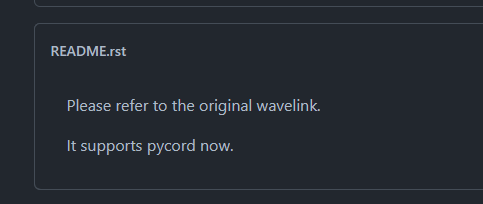 proud mason
trim cipher
is py-cord not supported by wavelink?
and does pycord have a `setup_hook` ?
proud mason
trim cipher
is py-cord not supported by wavelink?
and does pycord have a `setup_hook` ?
Although wavelink doesnt explicitly state support for pycord, it works. you need to install it without dependancies else it will install dpy along with it
trim cipher
it's on the repo.
trim cipher
proud mason
Although wavelink doesnt explicitly state support for pycord, it works. you need...
how to install it without dependencies?
oblique river
In the normal case it should still work the lib
proud mason
and nope pycord doesn’t have setup_hook. you can always simply inject code into bot.start
class MyBot(...):
  async def start(...):
    # your stuff
    await super().start(...)
pip install --no-deps ...
put the library in place of ...
trim cipher
oblique river
In the normal case it should still work the lib
i tried it but it just doesn't connect to the lavalink server, when I asked in their discord, the moderator there asked me to use dpy but I can't coz I dont want to rewrte again. Then he tried connecting to the server and it worked. so he asked me to check it in this discord server
oblique river
Do you have the recent version of Lavalink?
proud mason
how do you connect to the nodes?
oblique river
thats strange try the older version of the pycord.wavelink lib
proud mason
proud mason
how do you connect to the nodes?
oh wait ill reply in https://discord.com/channels/881207955029110855/1127231136318357535
oblique river
I just see they have deleted the first version hmm
try maybe the code from pycord.wavelink
proud mason
pycord.wavelink is old. do not use it. normal wavelink will work
oblique river
i know 5 persons who still use this and it works
 cinder pelican
Is the documentation on the help commands up-to-date? I only ask because I expected it to be a slash command, but I could easily be missing a good reason why it's not.
silver moat
cinder pelican
Is the documentation on the help commands up-to-date? I only ask because I expec...
we didn't make a slash command, because when you type / all the commands already show up
cinder pelican
silver moat
we didn't make a slash command, because when you type `/` all the commands alrea...
That makes perfect sense.
Once again, thank you for your time.
 prisma flicker
how can a CategoryChannel have a category?
https://docs.pycord.dev/en/stable/api/models.html#discord.CategoryChannel.category
Pycord
Models are classes that are received from Discord and are not meant to be created by the user of the library. Attributes key, url. Methods def is_animated, async read, def replace, async save, def ...
how can I compare a PermissionOverwrite to a TextChannel.permissions_for
 cyan quail
prisma flicker
how can a CategoryChannel have a category?
https://docs.pycord.dev/en/stable/api...
cyan quail
prisma flicker
how can a CategoryChannel have a category?
https://docs.pycord.dev/en/stable/api...
they can't, but by api standards it still has the field so it's included as a generic property
cyan quail
prisma flicker
how can I compare a PermissionOverwrite to a TextChannel.permissions_for
well you just compare the individual perms (.send_messages etc.), the main difference is that PermissionOverwrite values can also be None as well as True or False
prisma flicker
Can I just use is_subset?
 zinc cloak
How do I send multiple modals?
wait wait nvm
I just thought of a better way to do this
is it a discord limitation to have more than five inputs in a modal?
silver moat
zinc cloak
is it a discord limitation to have more than five inputs in a modal?
only 5 inputs/modal
zinc cloak
silver moat
only 5 inputs/modal
Is there a workaround
silver moat
zinc cloak
Is there a workaround
button -> modal -> button -> modal etc
zinc cloak
silver moat
button -> modal -> button -> modal etc
Ok thx
prisma flicker
zinc cloak
How do I respond with a modal on a button press
async def button_callback(self, button, interaction):
    modal = RequestModal(cog=self.cog, title="Create Request")
await interaction.response.send_modal(modal)```whoa that was quick
ok it's just send_modal
I'm tryin to find the docs for that tho
prisma flicker
.rtfm send_modal
winter condorBOT
prisma flicker
you'll need to subclass discord.Modal
zinc cloak
thx
fervent cradle
Might be a stupid question, but I forgot how to create a slash command name with space. Like: /translate message. Been not coding for a month 😅
If I try to make it like this:
@discord.slash_command(name="translate message")
I get this error:
ValidationError: Command names and options must follow the regex \"^[-_\w\d\u0901-\u097D\u0E00-\u0E7F]{1,32}$\".```You need to create a slash command group for that.
https://guide.pycord.dev/interactions/application-commands/slash-commands#subcommand-groups
Learn all about Slash Commands and how to implement them into your Discord Bot with Pycord!
fervent cradle
I'll try ty
 clear vault
What would be the best way to go through the database on a remind command, that if a remind ends exactly at 12:10:10, the bot sends the dm at the second
 solemn idol
Make a command which adds a time to the database and make a task which does xxx at the time it found in the database
proud mason
.rtfm sleep_until
winter condorBOT
1 results
proud mason
you can use this
coupled with asyncio.create_task
@clear vault ^ this should be a good solution for a small - medium sized bot
 strong bobcat
please help i want to execute infinitely asynchronous function with while loop in separate thread but using many asyncio methods and aiomisc function always executed only 1 time ignoring while loop
clear vault
proud mason
<@441260395416780820> ^ this should be a good solution for a small - medium size...
and big bots?
proud mason
clear vault
and big bots?
in big bots, i assume you will have more than about 5-10k of such reminders simultaneously running
in that case having an asyncio Task for each might cause memory issues. what i would do is run a ext.tasks.loop every minute, and only add the tasks for reminders in the next minute
proud mason
strong bobcat
please help i want to execute infinitely asynchronous function with while loop i...
asynchronous function with while loop in separate thread
if it is asynchronous, why do you want it in a separate thread?
clear vault
proud mason
coupled with `asyncio.create_task`
and how can i use this
I never understood how i use asyncio.create_tasl
proud mason
proud mason
> asynchronous function with while loop in separate thread
if it is asynchronous...
if you really want to do it, there is asyncio.run_coroutine_threadsafe. use that inside asyncio.to_thread
proud mason
clear vault
and how can i use this
so make an async function that accepts the datetime for the reminder and any other args you need.
use utils.sleep_until (or a simple asyncio.sleep if you accept seconds) inside that function. then send a message to the use
inside the reminder command, use asyncio.create_task(my_function(...))
strong bobcat
proud mason
if you really want to do it, there is `asyncio.run_coroutine_threadsafe`. use th...
async def my_async_function():
    while True:
        await asyncio.sleep(1)
        print("Work")

def run_async_function():
    loop = asyncio.new_event_loop()
    asyncio.set_event_loop(loop)

    async def run_in_thread():
        await asyncio.to_thread(asyncio.run_coroutine_threadsafe, my_async_function(), loop=loop)

    loop.run_until_complete(run_in_thread())

run_async_function()
This doesnot work for me
clear vault
proud mason
so make an async function that accepts the datetime for the reminder and any oth...
Can you give me a example
proud mason
strong bobcat
This doesnot work for me
what doesnt work? any errors?
also? why do you want to run in a separate thread if the function is async? asyncio.to_thread(asyncio.run_coroutine_threadsafe, ...) will actually just run in the main thread. it is basically useless
run_coroutine_threadsafe inside asyncio.to_thread will only be useful if you have a blocking function that you want to run in a separate thread, but you want to run some coroutine inside that function
i original thought that is what you wanted to do
proud mason
strong bobcat
```import asyncio
async def my_async_function():
while True:
await ...
here you can just do await my_async_function() or asyncio.create_task(my_async_function())
proud mason
clear vault
Can you give me a example
try stuff on your own. i dont want to spoonfeed
clear vault
proud mason
try stuff on your own. i dont want to spoonfeed
Chatgpt told me this: (auto delete)
from discord.ext import commands
import sqlite3
import datetime
import asyncio
# Verbindung zur Datenbank herstellen
connection = sqlite3.connect('autodelete.db')
cursor = connection.cursor()
# Tabellen erstellen, falls sie nicht existieren
cursor.execute('''CREATE TABLE IF NOT EXISTS autodelete (
channel_id INTEGER,
message_id INTEGER,
delete_time TEXT,
PRIMARY KEY (channel_id, message_id)
)''')
connection.commit()
bot = commands.Bot(command_prefix='!')
@bot.event
async def on_ready():
print('Der Bot ist bereit!')
bot.loop.create_task(check_autodelete())
@bot.command()
async def autodelete(ctx, duration: int):
delete_time = datetime.datetime.now() + datetime.timedelta(seconds=duration)
delete_time = delete_time.replace(microsecond=0) # Setze die Mikrosekunden auf 0, um auf die Sekunde genau zu löschen
# Autodelete-Dauer in der Datenbank speichern
cursor.execute('INSERT OR REPLACE INTO autodelete VALUES (?, ?, ?)', (ctx.channel.id, ctx.message.id, delete_time))
connection.commit()
time_diff = (delete_time - datetime.datetime.now()).total_seconds()
await ctx.send(f'Die Autodelete-Funktion wurde für diese Nachricht auf {time_diff} Sekunden eingestellt.')
async def check_autodelete():
while True:
# Aktuelles Datum und Uhrzeit ohne Mikrosekunden
now = datetime.datetime.now().replace(microsecond=0)
# Alle Nachrichten mit abgelaufenen Löschzeiten aus der Datenbank abrufen
cursor.execute('SELECT channel_id, message_id, delete_time FROM autodelete WHERE delete_time <= ?', (now,))
result = cursor.fetchall()
for row in result:
channel_id, message_id, _ = row
channel = bot.get_channel(channel_id)
if channel:
message = await channel.fetch_message(message_id)
if message:
await message.delete()
# Entferne den Datensatz aus der Datenbank
cursor.execute('DELETE FROM autodelete WHERE channel_id = ? AND message_id = ?', (channel_id, message_id))
connection.commit()
# Warte bis zur nächsten vollen Sekunde
await asyncio.sleep(1 - datetime.datetime.now().microsecond / 1_000_000)
@bot.event
async def on_message(message):
if message.author.bot:
return
# Prüfen, ob die Nachricht in der Datenbank mit einer Autodelete-Zeit existiert
cursor.execute('SELECT delete_time FROM autodelete WHERE channel_id = ? AND message_id = ?', (message.channel.id, message.id))
result = cursor.fetchone()
if result:
delete_time = datetime.datetime.strptime(result[0], '%Y-%m-%d %H:%M:%S')
if delete_time > datetime.datetime.now():
duration = (delete_time - datetime.datetime.now()).total_seconds()
await message.delete(delay=duration)
else:
cursor.execute('DELETE FROM autodelete WHERE channel_id = ? AND message_id = ?', (message.channel.id, message.id))
connection.commit()
await bot.process_commands(message)
# Den Bot starten ``` frigid crater
Is there a way of resizing an image used within an embed with .set_image ?
proud mason
clear vault
``` import discord
from discord.ext import commands
import sqlite3
import dateti...
- What is autodelete??
- Don't use sqlite3. Use asqlite (by Danny) as it has connection pools, or aiosqlite
- Running a task every second could hurt performance
- Don't use
@bot.event. replace with@bot.listen()
proud mason
frigid crater
Is there a way of resizing an image used within an embed with .set_image ?
Nope. Discord limitation
 wide crystal
proud mason
1. What is autodelete??
2. Don't use sqlite3. Use asqlite (by Danny) as it has c...
wide crystal
proud mason
1. What is autodelete??
2. Don't use sqlite3. Use asqlite (by Danny) as it has c...
- I don't think
await bot.process_commands(message)doesn't exist in py-cord.
proud mason
wide crystal
5. I don't think `await bot.process_commands(message)` doesn't exist in py-cord.
It exists
If you use bot.listen, you don't need it
winter condorBOT
wide crystal
proud mason
It exists
what does it do though
proud mason
wide crystal
what does it do though
Well bot.event overrides the default behaviour of the bot.
By default, the on_message event is used to process any prefix cmds. bot.process_commands does the actual parsing n stuff
plucky citrus
i stole the code from https://github.com/Pycord-Development/pycord/blob/master/examples/views/button_roles.py
GitHub
Pycord, a maintained fork of discord.py, is a python wrapper for the Discord API - pycord/examples/views/button_roles.py at master · Pycord-Development/pycord
and /post aint a thing
grizzled sentinel
.tag slashnoshow
winter condorBOT
Application Commands Not Showing Up?
- Uninstall libraries that conflict with the
discordnamespace (e.g.discord.py). - Invite your bot with the
application.commandsscope. - Load cogs before
bot.run()(e.g. not inon_ready). - Do not override
on_connect. - Update to the newest version of
py-cord(see?tag install). - Turn off
User Settings > Accessibility > Chat Input > Use legacy chat input. - Share your code and errors.
plucky citrus
grizzled sentinel
.tag slashnoshow
other commands exist tho
only that doesnt exist
grizzled sentinel
Are you loading the cog?
plucky citrus
wait i didnt put await infront of the load e
 glossy forum
Which listener handles Paginator discord-ui-view-timeout's NotFound exception?
plucky citrus
Im like dumb but i have no clue how to load a cog. currently its
@bot.event
async def on_ready():
print(f"{bot.user} is ready and online!")
await bot.add_cog(ButtonRoleCog(bot))
proud mason
plucky citrus
wait i didnt put await infront of the load e
You don't need to await
plucky citrus
idk im prob dumb
grizzled sentinel
Load cogs before bot.run() (e.g. not in on_ready).
plucky citrus
a
grizzled sentinel
And use load_extension
grizzled sentinel
glossy forum
Which listener handles Paginator `discord-ui-view-timeout`'s `NotFound` exceptio...
Im not sure what you mean
grizzled sentinel
yeah, where name is the file name that your cog is in
plucky citrus
grizzled sentinel
yeah, where name is the file name that your cog is in
Where in the code should i put this in
grizzled sentinel
the lines right before bot.run(...)
glossy forum
grizzled sentinel
Im not sure what you mean
crap, I restarted the bot and it reset the system log
partial log looked like this
 Task exception was never retrieved
 future: <Task finished name='discord-ui-view-timeout-0107d004d930bd4d50c73a4d889b88e6' coro=<Paginator.on_timeout() done>
 Traceback (most recent call last):
   File "/root/commission_02_2023/bot/lib/python3.11/site-packages/discord/ext/pages/pagination.py", line 583, in on_time>
     await self.message.edit(
   File "/root/commission_02_2023/bot/lib/python3.11/site-packages/discord/interactions.py", line 1194, in edit
     return await self._state._interaction.edit_original_response(
            ^^^^^^^^^^^^^^^^^^^^^^^^^^^^^^^^^^^^^^^^^^^^^^^^^^^^^^
   File "/root/commission_02_2023/bot/lib/python3.11/site-packages/discord/interactions.py", line 428, in edit_original_r>
     data = await adapter.edit_original_interaction_response(
           ^^^^^^^^^^^^^^^^^^^^^^^^^^^^^^^^^^^^^^^^^^^^^^^^^
   File "/root/commission_02_2023/bot/lib/python3.11/site-packages/discord/webhook/async_.py", line 219, in request
     raise NotFound(response, data)
discord.errors.NotFound: 404 Not Found (error code: 10008): Unknown Message
load_extension(setup, *, package=None, recursive=False, store=False)
^^^^^
SyntaxError: iterable argument unpacking follows keyword argument unpacking
grizzled sentinel
glossy forum
crap, I restarted the bot and it reset the system log
partial log looked like th...
So the error comes from
View.disable_on_timeout = True when the message does not exist anymore. You can override on_timeout to check if the message exists first.
glossy forum
gotcha, thanks
grizzled sentinel
plucky citrus
load_extension(setup, *, package=None, recursive=False, store=False)
...
If you are just using the defaults you do not need anything other than setup
plucky citrus
File "C:\Users\ethan\PycharmProjects\pythonProject\button_roles.py", line 88, in on_ready
role = guild.get_role(role_id)
AttributeError: 'NoneType' object has no attribute 'get_role'
plucky citrus
grizzled sentinel
If you are just using the defaults you do not need anything other than `setup`
I got it working. But now i get this lol
guild = self.bot.get_guild(...)
for role_id in role_ids:
role = guild.get_role(role_id)
view.add_item(RoleButton(role))
grizzled sentinel
?tag get_x
obtuse juncoBOT
Any function that starts with get_ in Py-cord is retrieving the related object from your bots cache. If the object is not in the bots cache the get_ method will return None. Because of this behavior you should check if the get_x method is None and if it is use the fetch_x method.
Why Is Using fetch_ Without Using get_ First Bad?
The fetch_ method makes a call to the discord API. This API call is unneeded if you already have the information. It will also make your command take longer because it will have to send and than wait for a response from the discord API. It will also contribute to the discord APIs global rate limit of 50 requests per second.
What Is Cache?
The cache is a temporary storage inside your bot. It holds many objects from members to messages. When you restart your bot the cache will be empty. When the cache is full it will delete older objects to make space for the new objects.
grizzled sentinel
💀 the examples dont have fetch.
You will have to do what the tag says. Check if get_guild is None and if it is use fetch_guild
plucky citrus
what
frigid crater
My emoji's aren't coming through in my embed, they are literally just typing the text ":emoji1:" instead of the image, am I missing something?
plucky citrus
i get the same thing man
plucky citrus
frigid crater
My emoji's aren't coming through in my embed, they are literally just typing the...
<:emoji-name:emoji-id>
young bone
that is for custome emojis
young bone
the a is for animated emojis if Im not wrong
plucky citrus
then dont put the a..
grizzled sentinel
frigid crater
My emoji's aren't coming through in my embed, they are literally just typing the...
Type the emoji in a chat and then put \ right before it. Then copy paste the result after sending it
plucky citrus
How do i make a link button
full basin
plucky citrus
How do i make a link button
button = discord.ui.Button(style=discord.ButtonStyle.link, label=...)
View.add_item(button)```where does i put the link tho
winter condorBOT
Target not found, try again and make sure to check your spelling.
full basin
.rtfm Button.link
winter condorBOT
Target not found, try again and make sure to check your spelling.
full basin
It's either url or link
plucky citrus
ok
wet coral
.rtfm Button.url
winter condorBOT
clear vault
proud mason
1. What is autodelete??
2. Don't use sqlite3. Use asqlite (by Danny) as it has c...
Its a chatgpt code. I use aiosqlite and bot.listen?
tender seal
how can I make something along the lines of modules, where you can have a piece of code for one task like media manipulation, and commands can access it to do their thing
proud mason
clear vault
Its a chatgpt code. I use aiosqlite and bot.listen?
well but what is the code for?
what is autodelete?
winged ravine
Should I import Cog from the top-level discord package or from discord.ext.commands?
from discord import Cog
from discord.ext.commands import Cog
discord.Cog is for application commands.
commands.Cog is for app commands, text-based, and bridge commands.
both can use event listeners
clear vault
proud mason
what is autodelete?
auto delete messages 
winged ravine
silver moat
`discord.Cog` is for application commands.
`commands.Cog` is for app commands, t...
So if I'm only using application commands & user context commands I should be able to use the simpler discord.Cog?
silver moat
user context menus are application commands
proud mason
commands.Cog just modifies 1 method to handle prefix cmds in cog.walk_commands()
thats it
rest is the same
winged ravine
fabulous, thanks for the help!
silver moat
👍
winged ravine
sorry, one more thing: Can i then use
from discord import Cog

class MyCog(Cog):
    @Cog.listener()
    async def on_ready(self) -> None:
        ...
instead of
from discord import Cog
from discord.ext import commands

class MyCog(Cog)
    @commands.Cog.listener()
    async def on_ready(self) -> None:
        ...
?
silver moat
winged ravine
sorry, one more thing: Can i then use
```python
from discord import Cog
class M...
yes
zinc cloak
Is there a way to do a persistent view setup with multiple buttons 1 through 10 being the count
silver moat
zinc cloak
Is there a way to do a persistent view setup with multiple buttons 1 through 10 ...
yes
zinc cloak
silver moat
yes
would it be better to use the decorator or to have a nested class
silver moat
depends on your use case
zinc cloak
alr thx
is there a way to get the view just from a message
Pycord
Models are classes that are received from Discord and are not meant to be created by the user of the library. Attributes key, url. Methods def is_animated, async read, def replace, async save, def ...
 round rivet
Pycord
Models are classes that are received from Discord and are not meant to be created by the user of the library. Attributes key, url. Methods def is_animated, async read, def replace, async save, def ...
huh
I coulda sworn that was a rhing
round rivet
zinc cloak
is there a way to get the view just from a message
Pycord
The library has helpers to help create component-based UIs. Shortcut decorators: Objects: Attributes children, disable_on_timeout, message, timeout. Methods cls View.from_message, def add_item, def...
zinc cloak
round rivet
https://docs.pycord.dev/en/stable/api/models.html#discord.Message.view

yea I was about to say
zinc cloak
round rivet
https://docs.pycord.dev/en/stable/api/ui_kit.html#discord.ui.View.from_message
Would it be a good thing to open an issue on git?
round rivet
Not really needed
zinc cloak
round rivet
Not really needed
If I added a get_view method to message would that be a good change?
if all it does it call the discord.ui.View.from_message
round rivet
Not really needed, if you want you can
View.from_message makes more sense to me, and you can use it with different view classes
zinc cloak
round rivet
View.from_message makes more sense to me, and you can use it with different view...
True
ok thx!
versed fern
How do I make a view with select menu with dynamic options? The user should be select which field of the embed to remove, thus the options change depending on the embed. I'm currently passing the options to the view:
    @discord.ui.button(label="ᅠRemoveᅠᅠ", style=discord.ButtonStyle.gray, row=1)
    async def remove_field(self, button: discord.ui.Button, interaction: discord.Interaction) -> None:
        fields = interaction.message.embeds[0].fields
        if not fields:
            await interaction.response.send_message(embed=discord.Embed(
                title="Error",
                description="There are no fields to remove.",
                color=discord.Color.red(),
                timestamp=discord.utils.utcnow()
            ), ephemeral=True)
            return
        options = []
        for index, field in enumerate(fields):
            options.append(discord.SelectOption(label=field.name, description=field.value, value=str(index)))
        await interaction.response.send_message(embed=discord.Embed(
            title="Remove a Field",
            description="Select the field you want to remove.",
            color=discord.Color.green(),
            timestamp=discord.utils.utcnow()
        ), view=RemoveFieldView(tutorial_embed=tutorial_embed, options=options))
Then I want to set the options of the select menu as self.options, which doesn't work since self is an unresolved reference:

(Image cause I ran out of characters)
proud mason
versed fern
How do I make a view with select menu with dynamic options? The user should be s...
Don't pass the options kwarg in the decorator
Access the select menu in the init and set options there
self.remove_field.options = options (in the init)
zinc cloak
Can there be multiple custom_id buttons on a view with the same custom_id
if they are added later and not instanced when the view is created
versed fern
proud mason
Don't pass the options kwarg in the decorator
Access the select menu in the ini...
Awesome, thx
proud mason
zinc cloak
Can there be multiple custom_id buttons on a view with the same custom_id
A certain custom id can be only used by 1 button in a view
(Custom id can be reused in another view)
zinc cloak
proud mason
A certain custom id can be only used by 1 button in a view
(Custom id can be re...
If I'm adding multiple buttons in a view with a button, how do I make them all persistent?
proud mason
zinc cloak
If I'm adding multiple buttons in a view with a button, how do I make them all p...
They can have different custom ids
zinc cloak
does the view that I add to the bot have to have all the buttons with the custom ids?
proud mason
zinc cloak
does the view that I add to the bot have to have all the buttons with the custom...
Yes. If all components don't have custom ids, then view.is_persistent() would fail, and bot.add_view(...) will raise an error
zinc cloak
proud mason
Yes. If all components don't have custom ids, then `view.is_persistent()` would ...
so... if I have a view that could have a set amount of custom_ids, should I make a system where I load a number of buttons of a custom_id so I can add buttons later that would still work in the persistent view?
idk if that makes sense
proud mason
I did not understand anything 💀
prisma flicker
Why do you need to add buttons later?
versed fern
await interaction.response.edit_message(embed=user_embed)
If been using this to edit the message with the embed for now, which worked fine since the callback was triggered by submitting the modal (which before was triggered by pressing a button below the message with the embed). Now, editing the embed is triggered by the callback of the select menu (appears as a new message after a button below the message with the embed was pressed), thus, interaction.response.edit_message edits the message with the select menu and not the one with the embed and the buttons below.
How would I fix this the easiest? Preferably with editing the embed being the only response (Don't wanna add a edited successfully message)
 fervent wing
ctx.guild.default_role
zinc cloak
prisma flicker
Why do you need to add buttons later?
it's for a ticket system where the person that makes the ticket message can add their own buttons
I want all the buttons they add to be persistent
it's probably a bit more difficult so I'll make a post in #969574202413838426 later
zinc cloak
fervent wing
`ctx.guild.default_role`
ty
proud mason
versed fern
```py
await interaction.response.edit_message(embed=user_embed)
```
If been usin...
you can pass interaction.message from the button callback into the init of the view / select menu, and save it on a self variable (dont name it self.message or any other variable which is already used)
you can simply defer and forget an interaction for message components. you dont need to send a followup, unlike app cmds
after deferring, edit the message you previously saved
oblique river
How can i remove the mention_author in the prefix command with bridge?
proud mason
oblique river
How can i remove the mention_author in the prefix command with bridge? <:notlike...
pass it into the kwargs of ctx.respond ?
versed fern
proud mason
you can pass `interaction.message` from the button callback into the init of the...
Love the detailed answer in your explanatory manner, doing a great job here. Can't thank you enough for all the help!
oblique river
proud mason
pass it into the kwargs of ctx.respond ?
i have ctx.respond and i have also watch the docs i don't find how to remove the user mention in prefix i tried with mention_author but then the slash command don't work
proud mason
oblique river
i have ctx.respond and i have also watch the docs i don't find how to remove the...
hmm, is an error raised in the slash cmd?
oblique river
Yeah because of mention_author
TypeError: send_message() got an unexpected keyword argument 'mention_author'```but i need it for prefix command
young bone
proud mason
hmm, is an error raised in the slash cmd?
that is for a reply and not a respond if Im not wrong
zinc cloak
How does one reset permissions for a channel
Found it: https://stackoverflow.com/questions/63402412/how-to-check-a-permission-value-of-a-text-channel-discord-py

Stack Overflow
I want to check if a text channel already has a permission set to a certain value, specifically the send_messages permission. Basically I want something like this:
@bot.command()
async def perm(ctx,
silver moat
oblique river
```error
TypeError: send_message() got an unexpected keyword argument 'mention_a...
I suppose you could handle it based on it's command type.
with ctx.is_app
if ctx.is_app: # is an application command
  await ctx.respond(...)
else:
  await ctx.reply(..., mention_author = True)
Ignoring exception in view <RemoveFieldView timeout=180.0 children=1> for item <Select type=<ComponentType.string_select: 3> placeholder='Please select a field to remove...' min_values=1 max_values=1 options=[<SelectOption label='Test1' value='0' description='Test field value' emoji=None default=False>] channel_types=[] disabled=False>:
Traceback (most recent call last):
  File "C:\Users\user\Documents\Programming\AIM-Bot\venv\Lib\site-packages\discord\ui\view.py", line 414, in _scheduled_task
    await item.callback(interaction)
  File "C:\Users\user\Documents\Programming\AIM-Bot\cogs\messages.py", line 791, in remove_field
    await self.embed_message.edit(embed=user_embed)
  File "C:\Users\user\Documents\Programming\AIM-Bot\venv\Lib\site-packages\discord\message.py", line 1465, in edit
    data = await self._state.http.edit_message(
           ^^^^^^^^^^^^^^^^^^^^^^^^^^^^^^^^^^^^
  File "C:\Users\user\Documents\Programming\AIM-Bot\venv\Lib\site-packages\discord\http.py", line 367, in request
    raise NotFound(response, data)
discord.errors.NotFound: 404 Not Found (error code: 10008): Unknown Message
RemoveFieldView Class:
    def __init__(self, *args, embed_message: discord.Message, options: list[discord.SelectOption], **kwargs):
        self.embed_message: discord.Message = embed_message
        super().__init__(*args, **kwargs)
        self.remove_field.options = options

    @discord.ui.string_select(placeholder="Please select a field to remove...")
    async def remove_field(self, select: discord.ui.Select, interaction: discord.Interaction) -> None:
        await interaction.response.defer()
        user_embed: discord.Embed = self.embed_message.embeds[0]
        field_index: int = int(select.values[0])
        user_embed.remove_field(field_index)
        await self.embed_message.edit(embed=user_embed)
await ctx.is_app() ?
versed fern
Any ideas why the message could be unknown?
silver moat
.rtfm bridgecontext
winter condorBOT
silver moat
oh it's an attribute
oblique river
hm
silver moat
versed fern
```py
Ignoring exception in view <RemoveFieldView timeout=180.0 children=1> for ...
perhaps deleted?
versed fern
nope, it's still there (the message above containing the embed)
oblique river
that means is_app dont work
proud mason
versed fern
```py
Ignoring exception in view <RemoveFieldView timeout=180.0 children=1> for ...
hmm can you show the button callback
versed fern
sure 1 sec
silver moat
@versed fern perhaps create a forum post, this could get a bit long
proud mason
the fact that this line worked means embed_message is acting a message
user_embed: discord.Embed = self.embed_message.embeds[0]
versed fern
    @discord.ui.button(label="ᅠRemoveᅠᅠ", style=discord.ButtonStyle.gray, row=1)
    async def remove_field(self, button: discord.ui.Button, interaction: discord.Interaction) -> None:
        embed_message = interaction.message
        fields = embed_message.embeds[0].fields
        if not fields:
            await interaction.response.send_message(embed=discord.Embed(
                title="Error",
                description="There are no fields to remove.",
                color=discord.Color.red(),
                timestamp=discord.utils.utcnow()
            ), ephemeral=True)
            return
        options = []
        for index, field in enumerate(fields):
            options.append(discord.SelectOption(label=field.name, description=field.value, value=str(index)))
        await interaction.response.send_message(embed=discord.Embed(
            title="Remove a Field",
            description="Select the field you want to remove.",
            color=discord.Color.green(),
            timestamp=discord.utils.utcnow()
        ), view=RemoveFieldView(
            embed_message=embed_message,
            options=options
        ),ephemeral=True)
I said it wasn't a method, it's an attribute. so it would be ctx.is_app
versed fern
Ignore this stuff in here, gonna create a post
oblique river
silver moat
I said it wasn't a method, it's an attribute. so it would be `ctx.is_app`
but i need to send the msg?
silver moat
silver moat
```py
if ctx.is_app: # is an application command
await ctx.respond(...)
else:
...
see this.
oblique river
Thank you
 copper pine
When ctx.defer is used is not possible to reply as ephemeral
silver moat
copper pine
When ctx.defer is used is not possible to reply as ephemeral
if you want to followup ephemerally, the defer must also be ephemeral
copper pine
silver moat
if you want to followup ephemerally, the defer must also be ephemeral
why?
zinc cloak
How do I get all the perms of a channel
I want to change the perms of a specific member that has access to the channel
wet coral
.rtfm Channel.permissions
winter condorBOT
14 results
discord.DMChannel.permissions_for
discord.TextChannel.permissions_for
discord.TextChannel.permissions_synced
discord.StageChannel.permissions_for
discord.StageChannel.permissions_synced
discord.ForumChannel.permissions_for
discord.ForumChannel.permissions_synced
discord.VoiceChannel.permissions_for
discord.VoiceChannel.permissions_synced
discord.GroupChannel.permissions_for
discord.CategoryChannel.permissions_for
discord.CategoryChannel.permissions_synced
discord.abc.GuildChannel.permissions_for
discord.abc.GuildChannel.permissions_synced
zinc cloak
I won't have the user though
wet coral
jeah, was just testing, sorry. Thought there was a permissions attribute
zinc cloak
wet coral
jeah, was just testing, sorry. Thought there was a permissions attribute
no need to say sorry. Thanks for the help though!
wet coral
.rtfm Channel.set_permission
winter condorBOT
wet coral
try this
silver moat
copper pine
why?
discord limitation?
grizzled sentinel
zinc cloak
How do I get all the perms of a channel
I think you are looking for https://docs.pycord.dev/en/stable/api/models.html#discord.TextChannel.overwrites

 naive remnant
The bot sends this after I try to dm someone
 full basin
naive remnant
The bot sends this after I try to dm someone
full basin
naive remnant
The bot sends this after I try to dm someone
Are we supposed to guess the code or sum?
naive remnant
full basin
Are we supposed to guess the code or sum?
I'm I supposed to send the code or something?
full basin
Well yes
You cant ask why it doesn't work without providing relevant code
My best guess is you're just sending the message object
naive remnant
full basin
My best guess is you're just sending the message object
How's that
The message is an argument in the command func
full basin
naive remnant
The message is an argument in the command func
Provide relevant code
fervent cradle
hey guys for some reason i get an error when i do this
 embed1 = discord.Embed(colour=0x00A36C)
                        embed1.title = f"Session Launched!"
                        # TODO Add Web link + APP Link
                        embed1.description = f"Congrats"
                        await ctx.followup.edit(embed=embed1)
discord.errors.ApplicationCommandInvokeError: Application Command raised an exception: TypeError: edit() got an unexpected keyword argument 'embed'
the docs says i can use this

Pycord
Command Permission Decorators: Commands: Shortcut Decorators: Objects: Attributes full_parent_name, qualified_id, qualified_name. Methods@ after_invoke,@ before_invoke,@ error, def get_cooldown_ret...
Found fix ctx.followup.edit(content='' ,embed=embed1)
zinc cloak
If I want the user to choose select options in a modal is there a way to do that
if I have an enum or something
fervent cradle
Hey so I want the user to press a button, then send a message saying anything (example: Send the info.) and wait for the user to send a message then do something with that message
But Im not sure how to do it, I already made the button and everything
Just gotta understand how to do the other stuff
full basin
fervent cradle
Just gotta understand how to do the other stuff
You're looking for wait_for
.rtfm wait_for
winter condorBOT
full basin
There are examples below
def check(m):
            return m.content == 'hello' and m.channel == channel

        msg = await client.wait_for('message', check=check)
await channel.send(f'Hello {msg.author}!')```maybe Im dumb or something but how

ik how to change the channel part but the client
full basin
interaction.client
fervent cradle
goddamn
alr then Im dumb yes
Am I still stupid

because it wont do anything when I say hello
prolly I did something wrong
oh ok, I gotta reply
makes sense
Ok now what if I need to get that message and get it into my main class
To use it there
as a variable
is that possible?
full basin
You already got the message in a var.
fervent cradle
in a different class
full basin
Then just pass it to the class init?
fervent cradle
Multiple users would run it at the same time and its a task that uses that variable every 5 secs
so how would I do it so that it wont change for a running command
thats the thing that idk
fervent cradle
Thanks now I understand how to do it but Im getting some problems
- Im not sure how to pass it to the class init
- How could I make it wait until the user sent the message and its added to the list and then start checking (Something that is working at the main category)
- I was going to write something but I forgot
I dont know if that is even possible or if I would need to make the checks at the button part
full basin
- Pass what
- You already wait for the message, just add it to your list
silver moat
you need message content intents
silver moat
so you would need to enable it in the developer portal and add it to your intents kwarg in code.
silver moat
fervent cradle
how would I do that?
which part?
fervent cradle
I enabled it in the developer portal
How would I make it do what I need, wait for a message and not a reply
silver moat
would you like an explanation of the current behavior?
fervent cradle
yeah wait
silver moat
like why it's being the way it is?
fervent cradle

Because that way it gives an error, if I reply it does work
or wait until its a reply because it sends that Thanks message even if the user didnt reply
silver moat
yeah, but you want to know why that is or just how to fix it
fervent cradle
So if someone sends a message it just says the thanks thing
fervent cradle
silver moat
yeah, but you want to know why that is or just how to fix it
how to fix it
silver moat
how do you define your bot instance?
fervent cradle

Its a bit messy
maybe Im doing it so wrong
never tried coding discord bots with py so Im still learning
silver moat
ok, so in __init__ create a self.intents attribute and assign discord.Intents.default() to it
fervent cradle
ok
silver moat
then do self.intents.message_content = True
fervent cradle
ye done
silver moat
then pass self.intents to the self.bot in load(), by doing
self.bot = discord.Bot(intents = self.intents)
alr
silver moat
and could you show your code again just to make sure that you did what changes I offered were actually interpreted correctly
silver moat
yw
fervent cradle
So it works that way because it needs the intents to check for the message content I guess right?
and it needs no intent for replies?
silver moat
without the intent, the bot can only see messages' contents if they are either:
- DMed
- mention the bot
- sent by the bot
fervent cradle
one more question the silly squid
How could I make it check that the id from the message sent (txid) is the same as an id
silver moat
fervent cradle
How could I make it check that the id from the message sent (txid) is the same a...
what?
 silver moat
fervent cradle
silver moat
fervent cradle
alr thanks
 primal furnace
How come
on_member_update```

The bot doesn't seem to detect when a role is removed unless the role was initially added to the user in that same instance. So no bot restarts.cache
primal furnace
I'm trying to log when a role is removed but it only works if that role is given to the user in the same instance.
silver moat
on_raw_member_update try that
primal furnace
And that won't chang anything within the function itself?
silver moat
primal furnace
And that won't chang anything within the function itself?
no, it will
primal furnace
Sorry, rephrase. I meant syntax wise I won't have to change anything?
silver moat
huh nvm I thought that existed
primal furnace
So on_raw won't work?
silver moat
yeah, I thought that was a thing
primal furnace
silver moat
yeah, I thought that was a thing
Oh. Do you know another way then? It seems on_member_update itself isn't designed to know whether the role was previously added.
I'm just looking for an event that triggers when a role in general is removed.
silver moat
hmm you could try using on_audit_log. Although it is on the master branch.
primal furnace
silver moat
hmm you could try using `on_audit_log`. Although it is on the master branch.
Wdum master branch
silver moat
?tag install
obtuse juncoBOT
- Uninstall discord.py or any other forks of discord.py you might have with the namespace
discord.
python -m pip uninstall discord.py discord -y
2a. Install py-cord
python -m pip install py-cord
2b. Update py-cord
python pip install -U py-cord
Installing other builds:
Note: You need to have git installed. Use ?tag git to find out how to install git.
Updating the module to master branch (unstable):
pip install -U git+https://github.com/Pycord-Development/pycord
silver moat
I would say that master branch is in/near release-state
primal furnace
Thats dumb on_member can't do it.
silver moat
primal furnace
Thats dumb on_member can't do it.
I'll do some testing and forward this to the team.
primal furnace
silver moat
I'll do some testing and forward this to the team.
Maybe on_raw_member_update is a thing.
Nope
full basin
.rtfm on_raw_member_update
winter condorBOT
Target not found, try again and make sure to check your spelling.
full basin
Yeah no lol
silver moat
if it does, it for sure isn't documented
primal furnace
Thats sooo dumb
primal furnace
silver moat
if it does, it for sure isn't documented
on_raw_member_update is recognized.
But it doesn't change anything.
silver moat
Please do not crosspost. I'm not familiar with voice and you will get help when someone does know comes.
frank thistle
Whats the best way to handle automatic channel unsetting?
I have a configuration system where channels such as the 'Logs Channel' can be set.
I've got try excepts etc, and on discord.Forbidden errors it unsets the channel, however recently the channel was unset due to a discord.Forbidden error whenever discord itself went down and I was served a cloudflare error instead. The site owner may have set restrictions that prevent you from accessing the site.
What would be the best way to ensure this is actually a channel permission related error rather than anything else?
prisma flicker
exponential backoff and if it's still down for 24h or something then assume it's permissions?
frank thistle
24h is a long time, it just needs to be right, I guess the best way is to check if the error string actually contains something related to Missing Access / Missing Permissions
prisma flicker
that seems reasonable
primal furnace
Hey @hexed mural
Do you know why on_member_update doesn't work too well for when we remove roles?
 bold notch
await ctx.channel.create_thread(name=f"{ctx.author.name}'s Chat", message=None, auto_archive_duration=60, type=discord.ChannelType.public_thread)
This works find and creates an public empty thread.
await ctx.channel.create_thread(name=f"{ctx.author.name}'s Chat", message=None, auto_archive_duration=60, type=discord.ChannelType.private_thread)
This appears to do nothing. I would like to auto invite the user of the command and any specified users in the command to the private thread.
Creating a private thread in the server works as normal.
prisma flicker
primal furnace
Do you know why on_member_update doesn't work too well for when we remove roles?
Can you elaborate?
proud mason
bold notch
```py
await ctx.channel.create_thread(name=f"{ctx.author.name}'s Chat", message=...
i think you need to pass None to create a private thread
weird behaviour tho
.rtfm create_thread
winter condorBOT
proud mason
proud mason
i think you need to pass None to create a private thread
ah passing None just does this
        if type is None:
            type = ChannelType.private_thread
I’ll try
proud mason
does the bot have perms for private thread?
proud mason
bold notch
No errors or any output in console
.tag noerror
winter condorBOT
bold notch
No errors or any output in console
Not getting an error, but definitely should be?
Do you also have an on_command_error set up?
Please make sure to look at, and implement,** the 3 or so lines starting with 'else'** in the example below. Without this code or similar, your error handler is eating all unhandled errors. As you can imagine, this is bad when you get an unexpected error.
https://gist.github.com/EvieePy/7822af90858ef65012ea500bcecf1612
Do you also use asyncio.run and/or bot.start?
Please make sure logging is setup correctly.
https://docs.pycord.dev/en/stable/logging.html
bold notch
Tried in different server as well
bold notch
Thats odd
# TODO: Open thread
@bot.command(description="A test command.")
async def tcmd(ctx):
    await ctx.defer()
    await ctx.channel.create_thread(name=f"{ctx.author.name}'s Private Chat", message=None, auto_archive_duration=60, type=None)

    # await ctx.respond("Pong")
All I have is this. Not sure what the difference is.
tribal girder
how do i use ctx.reply() without mentioned? I'm trying to use allowed_mentions parameter (just like send()) and set to False but:
allowed_mentions = allowed_mentions.to_dict() AttributeError: 'bool' object has no attribute 'to_dict'
round rivet
.rtfm AllowedMentions
winter condorBOT
round rivet
@tribal girder it needs to be passed this class
fervent cradle
Huh, why does it say interaction failed? It didn't even throw any exceptions
class confirmationButtons(discord.ui.View):
@discord.ui.button(label="Send", style=discord.ButtonStyle.green)
async def callback(self, button, interaction):
try:
await u.send(embed=email_embed)
self.disable_all_items()
await interaction.message.edit(content=f"Successfully sent the email to {u.mention}!", view=self)
except discord.Forbidden as e:
self.disable_all_items()
await interaction.message.edit(content=f"Failed to send message to the user. Raised: `{e}`.", view=self)``` proud mason
tribal girder
how do i use `ctx.reply()` without mentioned? I'm trying to use `allowed_mention...
proud mason
tribal girder
how do i use `ctx.reply()` without mentioned? I'm trying to use `allowed_mention...
Pass False to mention_author
proud mason
fervent cradle
Huh, why does it say interaction failed? It didn't even throw any exceptions
```...
Use interaction.response.edit_message to edit
fervent cradle
o thx
young bone
fervent cradle
o thx
Its failing because you are not responding to the interaction
primal furnace
if message.author.id == 155149108183695360:
        embed = message.embeds[0]
        if "removed" in embed.description and "Level 20+" in embed.description:
            # Perform your desired action here
await message.channel.send("Action triggered!") # Example action: sending a messag```How would I scan the contents of an embed properly?
The embed gets sent with a description having removed and Level 20+ in them but this doesn't trigger
 loud sail
Which database should I use for my bot? I would have gone with MongoDB (Atlas) as this is free.
spring hare
loud sail
Which database should I use for my bot? I would have gone with MongoDB (Atlas) a...
You can simply use sqlite which will provide with the best speed (The fastest db) and it also doesn't need any hosting
I also recommend to use orm like ponyorm, sqlalchemy or tortoise orm (ponyorm is the easiest, sqlaclhemy the most popular and tortoise is fully async)
loud sail
spring hare
You can simply use sqlite which will provide with the best speed (The fastest db...
I would like to save the reaction times of the users during a command and how many users have won how often in my TTT game.
spring hare
loud sail
I would like to save the reaction times of the users during a command and how ma...
Sounds like the best place for sqlite
loud sail
But I wouldn't like to have it in a single file in my bot, rather in a cloud, if you know what I mean... :d
 kindred sail
spring hare
Tbh, if you don't need cloud, you don't really need cloud
kindred sail
spring hare
Tbh, if you don't need cloud, you don't really need cloud
quote of the year
but yes i agree use sqlite, itll give the least latency for your users and is a great way to get started
i mean technically you could get better performance by hosting something like postgres or mysql
grizzled sentinel
loud sail
Which database should I use for my bot? I would have gone with MongoDB (Atlas) a...
Just make sure that you use an async lib with it. I think asqlite is an async wrapper for it
spring hare
aiosqlite
kindred sail
kindred sail
i mean technically you could get better performance by hosting something like po...
but it isn't worth it starting out unless you want to prepare to have this bot be in thousands (if not more) servers
primal furnace
I just learned that bots cannot detect message.content of other bots. So how would I bypass this or work around it?
spring hare
primal furnace
I just learned that bots cannot detect message.content of other bots. So how wou...
Enable message intents?
kindred sail
primal furnace
I just learned that bots cannot detect message.content of other bots. So how wou...
they can, as long as you have the message intent
primal furnace
spring hare
Enable message intents?
I did.
primal furnace
kindred sail
they can, as long as you have the message intent
No they 100% cannot. I tried.
spring hare
In discord dev portal and in the bot?
grizzled sentinel
in both code an on dev portal?
spring hare
bruh
primal furnace
Yeah. It'll return nothing.
kindred sail
primal furnace
No they 100% cannot. I tried.
i have a bot running right now that is doing exactly this
im pretty sure it works
loud sail
kindred sail
but it isn't worth it starting out unless you want to prepare to have this bot b...
no, the bot is supposed to take care of 3 channels or mini Games in a server, that's the plan.
primal furnace
kindred sail
i have a bot running right now that is doing exactly this
let me see
kindred sail
loud sail
no, the bot is supposed to take care of 3 channels or mini Games in a server, th...
yeah sqlite will be perfectly fine then, i suggest using aiosqlite as the lib to go with it
primal furnace
I have intents = discord.Intents.all() to all.
And on_message is set to true in the portal.
Yet it's turning nothing.
kindred sail
can you send your code with the token omitted?
grizzled sentinel
And you add intents to the bot?
primal furnace
#Discord Intents
intents = discord.Intents.all()

#defining Client
client = commands.Bot(command_prefix=commands.when_mentioned_or(db["prefix"]),case_insensitive=True,intents=intents)``` @commands.Cog.listener()
async def on_message(self, message):
print(message.content)
print(message.author.name)```When Dyno sends anything even just a blank hi non embed it'll not print it. But it prints whatever I say.
spring hare
kindred sail
yeah sqlite will be perfectly fine then, i suggest using aiosqlite as the lib to...
why async with sqlite lol? Why not wal?
kindred sail
ja, sqlite wird das tun
primal furnace
kindred sail
ja, sqlite wird das tun
Yeah no it isn't working.
kindred sail
spring hare
why async with sqlite lol? Why not wal?
because pycord uses async and you dont want your database operation to take a little too long and crash your bot
primal furnace
I have all the intents on. message.content works for normal people.
loud sail
kindred sail
ja, sqlite wird das tun
oh, forgot that we are here in an English server 😅
I mean I wouldn't like to have all this in one file ...
primal furnace
Also @kindred sail I found another pyCord bug.
on_member_update doesn't trigger if the role is removed before its added. So if I restart my bot and a role is removed, it won't read that until its added.
kindred sail
loud sail
oh, forgot that we are here in an English server 😅
I mean I wouldn't like to h...
ah, no worries, sqlite doesnt get corrupted as easily as, say json
ive never actually heard of a sqlite file (being handled correctly) corrupting
spring hare
kindred sail
because pycord uses async and you dont want your database operation to take a li...
but wal is designed to handle situations like that, lol
Async is not supported in most orms (besides some exceptions and half-working extensions) and wal is just easier to use, just 3 pragmas
loud sail
kindred sail
ah, no worries, sqlite doesnt get corrupted as easily as, say json
OK... all right. Yes, I'll have to take a look then 👍 Thank you for the little assessment. :d
kindred sail
spring hare
but wal is designed to handle situations like that, lol
Async is not supported i...
i mean youre welcome to try but i would suggest using aiosqlite
spring hare
Just never heard reasons to use async because irrc even orms doesn't block pool too much
To it be noticable
primal furnace
welp ig pycord bug forever
kindred sail
on a bot like yours, it probably wouldnt be noticable
spring hare
Fair
primal furnace
How come pycord doesn't just have a on_role_remove ?
Seems to be easier than this bs
grizzled sentinel
Due to the fact the discord does not send an event for on_role_remove
primal furnace
So to detect roles being removed we have to run loops every 10 seconds?
kindred sail
Pycord
This section outlines the different types of events listened by Client. There are two ways to register an event, the first way is through the use of Client.event(). The second way is through subcla...
grizzled sentinel
No, you would need to use on_member_update. And I think it has a bug. But it is being fixed.
primal furnace
Smh
primal furnace
kindred sail
https://docs.pycord.dev/en/stable/api/events.html#discord.on_member_update
bugged
kindred sail
yes, and as mentioned, it is currently being worked on
primal furnace
kindred sail
yes, and as mentioned, it is currently being worked on
for how long
it's been like this forever
kindred sail
Unfortunately I'm not the one working on this issue, so i do not have an ETA
spring hare
Wait, is it really bugged?
Oh wait, it's outdated?
pycord
    Called when a :class:`Member` updates their profile.

    This is called when one or more of the following things change:

    - nickname
    - roles
    - pending
    - communication_disabled_until
    - timed_out

    This requires :attr:`Intents.members` to be enabled.

    :param before: The updated member's old info.
    :type before: :class:`Member`
    :param after: The updated member's updated info.
    :type after: :class:`Member`
.. function:: on_member_update(before, after)

    Called when a :class:`Member` updates their profile.

    This is called when one or more of the following things change:

    - nickname
    - roles
    - pending
    - timeout
    - guild avatar
    - flags

    Due to a Discord limitation, this event is not dispatched when a member's timeout expires.

    This requires :attr:`Intents.members` to be enabled.

    :param before: The updated member's old info.
    :type before: :class:`Member`
    :param after: The updated member's updated info.
    :type after: :class:`Member`
 waxen whale
Right we missing flags
 rigid vale
How do I change or delete an already existing scheduled event by event_id in pycord? I have searched through all the pycord documentation, but there is nothing there, only create_scheduled_event and fetch_scheduled_event.
fervent cradle
could anyone tell me why this callback isnt editing my buttons?
    async def callback(self, button, interaction):
        if interaction.user.id != self.intid:
            return await interaction.respond(embed=discord.Embed(colour=discord.Colour.red(), title=random_error_msg(), description="These buttons aren't for you, back off!"), ephemeral=True)
        sentence, gain, item_type = handle_place(button.label)
        if item_type == "coin":
            await self.bot.addBalance(interaction.user.id, int(gain))
        else:
            await self.bot.addItem(interaction.user.id, gain, 1)
        for c in self.children:
            if c.label == button.label:
                c.style = discord.ButtonStyle.blurple
            else:
                c.style = discord.ButtonStyle.grey
                c.enabled = False
        await interaction.edit(embed=discord.Embed(colour=discord.Colour.embed_background(), title=f"{interaction.user.global_name} searched through {button.label}", description=sentence))
``` they get edited when it times out tho and to the right colours as well?why do you use interaction.respond and not interaction.response.send_message?
proud mason
fervent cradle
could anyone tell me why this callback isnt editing my buttons?
```py
async...
Pass self to the view parameter in the edit
proud mason
young bone
why do you use interaction.respond and not `interaction.response.send_message`?
It is a shortcut on master branch
young bone
oh ok
fervent cradle
ah thanks okay
fervent cradle
proud mason
Pass self to the view parameter in the edit
cool now it doesnt get disabled am i meant to do disabled = True or enabled = False i cant remember which of these it was
disabled = True it is
also reading the examples here
secret_greetings = SlashCommandGroup(
"secret_greetings",
"Secret greetings",
checks=[
commands.is_owner().predicate
], # Ensures the owner_id user can access this group, and no one else
)``` how can i do the checks if i have my own check? novel yacht
hello i tried to found inforamtion but nothing how it called
when you use slash command like /coinflip choice:Heads/Tails how mack choice selection menu?
prisma flicker
novel yacht
hello i tried to found inforamtion but nothing how it called
when you use slash...
use Options
novel yacht
prisma flicker
use Options
does it in guide?
fervent cradle
novel yacht
does it in guide?
woeful spindle
errant crane
https://github.com/Pycord-Development/pycord/pull/1973
can someone look into this pls, it’s rly frustrating
novel yacht
fervent cradle
https://github.com/Pycord-Development/pycord/blob/master/examples/app_commands/s...
it not that i mean about list where you can choiced
prisma flicker
novel yacht
it not that i mean about list where you can choiced
you pass in choices
rigid vale
rigid vale
How do I change or delete an already existing scheduled event by event_id in pyc...
Who can help?
silver moat
rigid vale
Who can help?
Pycord
Models are classes that are received from Discord and are not meant to be created by the user of the library. Attributes key, url. Methods def is_animated, async read, def replace, async save, def ...
 errant pewter
Hello, my bot has no message content intent (i start it with intents = None) but I'd like to get the message content of messages the bot is mentioned in. How can I do that?
message.content returns an empty string
prisma flicker
you still need the message intent
errant pewter
prisma flicker
you still need the message intent
intents = discord.Intents.default()
intents.messages = True
client = discord.Bot(intents = intents)``` Like this? Because this still returns an empty stringmessage_content and messages
errant pewter
I can enable the message_content intent there without having it? Let me try that
young bone

Pycord
Some classes are just there to be data containers, this lists them. Unlike models you are allowed to create most of these yourself, even if they can also be used to hold attributes. Nearly all clas...
errant pewter
Shard ID None is requesting privileged intents that have not been explicitly enabled in the developer portal. It is recommended to go to https://discord.com/developers/applications/ and explicitly enable the privileged intents within your application's page. If this is not possible, then consider disabling the privileged intents instead.
errant pewter
errant pewter
I can enable the message_content intent there without having it? Let me try that
It's not possible to enable it
young bone
errant pewter
`Shard ID None is requesting privileged intents that have not been explicitly en...
read it
prisma flicker
young bone
read it
you can get message content if the bot is mentioned
errant pewter
Yeah, I know how it works
prisma flicker
without the intent
errant pewter
prisma flicker
you can get message content if the bot is mentioned
that's what I am trying to do :/ but just enabling intents.message does not return the content if the bot is mentioned
young bone
errant pewter
that's what I am trying to do :/ but just enabling intents.message does not retu...
add both
errant pewter
errant pewter
`Shard ID None is requesting privileged intents that have not been explicitly en...
but this is what happens then
young bone
You have to add it at the website
prisma flicker
young bone
You have to add it at the website
no you don't, not if the bot is mentioned
Developers
As the popularity and number of Discord bots grow, it's important to keep our users and developers safe and healthy. This means from time to time, like any maturing platform, we need to update our ...
    Messages the bot sends
    Messages the bot receives in DMs
    Messages in which the bot is mentioned
can you get the bot's own messages @errant pewter
errant pewter
let me try that
errant pewter
prisma flicker
can you get the bot's own messages <@1113752716158713876>
That works!
prisma flicker
are you sure the bot is mentioned in the message you're trying to read?
errant pewter
Yes, it is. The author is a webhook itself, if that matters?
prisma flicker
maybe?
idk webhooks are weird
if the webhook doesn't allow mentions then I don't think it would work
errant pewter
hm no it does not work with me mentioning it too
prisma flicker
can you send your code?
errant pewter
@client.event
async def on_message(msg):
   print("Content: " + msg.content)```
That's the full on_message event 😂And this for the intents
prisma flicker
so it just prints out every message?
you sure you're mentioning the bot and not its role?
what about replying to a message from the bot
errant pewter
prisma flicker
so it just prints out every message?
I mean that's not my final usecase, but that's what it's supposed to do for now
prisma flicker
yeah I understand
errant pewter
prisma flicker
you sure you're mentioning the bot and not its role?
It's not the role, but let me try the reply
prisma flicker
you try DMs?
errant pewter
oh wait, I think I've found the issue
young bone
What was it?
errant pewter
accidentally used the wrong token which caused running the wrong bot. Sorry for the trouble then, and intents.messages solved it 🙂
thank you 🙂
young bone
@prisma flicker sry for that, I just didnt know that x3
rigid vale
silver moat
https://docs.pycord.dev/en/master/api/models.html#discord.ScheduledEvent.edit ?
Like this?
await event1.edit(...new)
looks right to me
proud mason
There should be a way to do stuff only based on the id tbh
Might need to look into this
silver moat
is there a PartialScheduledEvent?
silver moat
but parity?
novel yacht
i trying to add options in cleared bot it work when i put code to main bot i dont get chose option
my code
import discord
from discord.ext import commands
import mysql.connector
from config import *
import datetime
import asyncio
from discord import option
from discord.commands import SlashCommandGroup
import random

class fan(commands.Cog):
    def __init__(self, bot):
        self.bot = bot
    fan = SlashCommandGroup("fan")

    @fan.command(name="coinflip")
    @option("choice", description="choice", choices=["Heads", "Tails"])
    # @option("bal", description="bal", min_value=1000)
    async def coinflip(ctx: discord.ApplicationContext, choice: str):
        choice = choice.lower()
        coin = random.choice(['heads', 'tails'])
        await ctx.respond(f"The coin landed on **{coin}**.")

        available_options = ["heads", "tails"]
        if choice in available_options:
            if choice == coin and ctx.author != self.bot.user:
                await ctx.send("You win!")
            elif ctx.author == self.bot.user:
                await ctx.send("The bot wins!")
        else:
            await ctx.send("Invalid choice. Please choose 'Heads' or 'Tails'.")

def setup(bot):
bot.add_cog(fan(bot))``` young bone
novel yacht
i trying to add options in cleared bot it work when i put code to main bot i don...
young bone
novel yacht
i trying to add options in cleared bot it work when i put code to main bot i don...
where is your self?
novel yacht
young bone
where is your `self`?
in async?
young bone
yea
novel yacht

young bone
self, ctx, name
silver moat
another thing, you're comparing ['heads', 'tails'] with ["Heads", "Tails"]
but you lowered the choice, so it works, but it would have been better to set a constant to represent this instead of defining a few instances of the same thing
novel yacht
okay
is it correct?
import discord
from discord.ext import commands
from discord import option
from discord.commands import SlashCommandGroup
import random

class fan(commands.Cog):
    def __init__(self, client):
        self.client = client
    fan = SlashCommandGroup("fan")
    CHOICES = ["Heads", "Tails"]

    @fan.command(name="coinflip")
    @option("choice", description="choice", choices=CHOICES)
    @option("bal", description="bal", min_value=1000)
    async def coinflip(self, ctx: commands.Context, choice: str, bal: int):
        choice = choice.lower()
        coin = random.choice(['heads', 'tails'])
        await ctx.send(f"The coin landed on **{coin}**.")

        if choice in CHOICES:
            if choice == coin and ctx.author != self.bot.user:
                await ctx.send("You win!")
            elif ctx.author == self.bot.user:
                await ctx.send("The bot wins!")
        else:
            await ctx.send("Invalid choice. Please choose 'Heads' or 'Tails'.")

def setup(bot):
    bot.add_cog(fan(bot))
use ctx.respond instead of ctx.send
novel yacht
oh, i dupicate send for The coin landed yea i fixed
novel yacht
novel yacht
is it correct?
```py
import discord
from discord.ext import commands
from discor...
Ignoring exception in command fan coinflip:
Traceback (most recent call last):
  File "C:\Users\misha\AppData\Local\Programs\Python\Python311\Lib\site-packages\discord\commands\core.py", line 124, in wrapped
    ret = await coro(arg)
          ^^^^^^^^^^^^^^^
  File "C:\Users\misha\AppData\Local\Programs\Python\Python311\Lib\site-packages\discord\commands\core.py", line 978, in _invoke
    await self.callback(self.cog, ctx, **kwargs)
  File "c:\Users\misha\Documents\GitHub\mikis\cmd\main\fan.py", line 21, in coinflip
    if choice in CHOICES:
                 ^^^^^^^
NameError: name 'CHOICES' is not defined

The above exception was the direct cause of the following exception:

Traceback (most recent call last):
  File "C:\Users\misha\AppData\Local\Programs\Python\Python311\Lib\site-packages\discord\bot.py", line 1114, in invoke_application_command
    await ctx.command.invoke(ctx)
  File "C:\Users\misha\AppData\Local\Programs\Python\Python311\Lib\site-packages\discord\commands\core.py", line 375, in invoke
    await injected(ctx)
  File "C:\Users\misha\AppData\Local\Programs\Python\Python311\Lib\site-packages\discord\commands\core.py", line 124, in wrapped
    ret = await coro(arg)
          ^^^^^^^^^^^^^^^
  File "C:\Users\misha\AppData\Local\Programs\Python\Python311\Lib\site-packages\discord\commands\core.py", line 1312, in _invoke
    await command.invoke(ctx)
  File "C:\Users\misha\AppData\Local\Programs\Python\Python311\Lib\site-packages\discord\commands\core.py", line 375, in invoke
    await injected(ctx)
  File "C:\Users\misha\AppData\Local\Programs\Python\Python311\Lib\site-packages\discord\commands\core.py", line 132, in wrapped
    raise ApplicationCommandInvokeError(exc) from exc
discord.errors.ApplicationCommandInvokeError: Application Command raised an exception: NameError: name 'CHOICES' is not defined
Use if choice in self.CHOICES
novel yacht
😅
 coarse spire
Sorry, Change it to if choice in self.CHOISES.lower():
silver moat
just don't use .lower()
novel yacht
if i put i getting error in my vscode
 silver moat
    @fan.command(name="coinflip")
    @option("choice", description="choice", choices=CHOICES)
    @option("bal", description="bal", min_value=1000)
    async def coinflip(self, ctx: commands.Context, choice: str, bal: int):
-       choice = choice.lower()
-       coin = random.choice(['heads', 'tails'])
+       coin = random.choice(self.CHOICES)
-       await ctx.send(f"The coin landed on **{coin}**.")
+       await ctx.respond(f"The coin landed on **{coin.lower()}**.")

-       if choice in CHOICES:
+       if choice in self.CHOICES:
            if choice == coin and ctx.author != self.bot.user:
                await ctx.send("You win!")
            elif ctx.author == self.bot.user:
                await ctx.send("The bot wins!")
        else:
            await ctx.send("Invalid choice. Please choose 'Heads' or 'Tails'.")
check your indentation
novel yacht
redit trying
😅
Ignoring exception in command fan coinflip:
Traceback (most recent call last):
  File "C:\Users\misha\AppData\Local\Programs\Python\Python311\Lib\site-packages\discord\commands\core.py", line 124, in wrapped
    ret = await coro(arg)
          ^^^^^^^^^^^^^^^
  File "C:\Users\misha\AppData\Local\Programs\Python\Python311\Lib\site-packages\discord\commands\core.py", line 978, in _invoke
    await self.callback(self.cog, ctx, **kwargs)
  File "c:\Users\misha\Documents\GitHub\mikis\cmd\main\fan.py", line 23, in coinflip
    elif ctx.author == self.bot.user:
                       ^^^^^^^^
AttributeError: 'fan' object has no attribute 'bot'

The above exception was the direct cause of the following exception:

Traceback (most recent call last):
  File "C:\Users\misha\AppData\Local\Programs\Python\Python311\Lib\site-packages\discord\bot.py", line 1114, in invoke_application_command
    await ctx.command.invoke(ctx)
  File "C:\Users\misha\AppData\Local\Programs\Python\Python311\Lib\site-packages\discord\commands\core.py", line 375, in invoke
    await injected(ctx)
  File "C:\Users\misha\AppData\Local\Programs\Python\Python311\Lib\site-packages\discord\commands\core.py", line 124, in wrapped
    ret = await coro(arg)
          ^^^^^^^^^^^^^^^
  File "C:\Users\misha\AppData\Local\Programs\Python\Python311\Lib\site-packages\discord\commands\core.py", line 1312, in _invoke
    await command.invoke(ctx)
  File "C:\Users\misha\AppData\Local\Programs\Python\Python311\Lib\site-packages\discord\commands\core.py", line 375, in invoke
    await injected(ctx)
  File "C:\Users\misha\AppData\Local\Programs\Python\Python311\Lib\site-packages\discord\commands\core.py", line 132, in wrapped
    raise ApplicationCommandInvokeError(exc) from exc
discord.errors.ApplicationCommandInvokeError: Application Command raised an exception: AttributeError: 'fan' object has no attribute 'bot'
Ignoring exception in command fan coinflip:
Traceback (most recent call last):
  File "C:\Users\misha\AppData\Local\Programs\Python\Python311\Lib\site-packages\discord\commands\core.py", line 124, in wrapped
    ret = await coro(arg)
          ^^^^^^^^^^^^^^^
  File "C:\Users\misha\AppData\Local\Programs\Python\Python311\Lib\site-packages\discord\commands\core.py", line 978, in _invoke
    await self.callback(self.cog, ctx, **kwargs)
  File "c:\Users\misha\Documents\GitHub\mikis\cmd\main\fan.py", line 21, in coinflip
    if choice == coin and ctx.author != self.bot.user:
                                        ^^^^^^^^
AttributeError: 'fan' object has no attribute 'bot'

The above exception was the direct cause of the following exception:

Traceback (most recent call last):
  File "C:\Users\misha\AppData\Local\Programs\Python\Python311\Lib\site-packages\discord\bot.py", line 1114, in invoke_application_command
    await ctx.command.invoke(ctx)
  File "C:\Users\misha\AppData\Local\Programs\Python\Python311\Lib\site-packages\discord\commands\core.py", line 375, in invoke
    await injected(ctx)
  File "C:\Users\misha\AppData\Local\Programs\Python\Python311\Lib\site-packages\discord\commands\core.py", line 124, in wrapped
    ret = await coro(arg)
          ^^^^^^^^^^^^^^^
  File "C:\Users\misha\AppData\Local\Programs\Python\Python311\Lib\site-packages\discord\commands\core.py", line 1312, in _invoke
    await command.invoke(ctx)
  File "C:\Users\misha\AppData\Local\Programs\Python\Python311\Lib\site-packages\discord\commands\core.py", line 375, in invoke
    await injected(ctx)
  File "C:\Users\misha\AppData\Local\Programs\Python\Python311\Lib\site-packages\discord\commands\core.py", line 132, in wrapped
    raise ApplicationCommandInvokeError(exc) from exc
discord.errors.ApplicationCommandInvokeError: Application Command raised an exception: AttributeError: 'fan' object has no attribute 'bot'```class fan(commands.Cog):
- def __init__(self, client):
- self.client = client
+ def __init__(self, bot):
+ self.bot = bot
yea work, Thanks for helping
 zenith glacier
right knowing that i just started using slash commands and it's things
i need help with this:
async def get_animal_types(ctx: discord.AutocompleteContext):
  """
  Here we will check if 'ctx.options['animal_type']' is a marine or land animal and return respective option choices
  """
  animal_type = ctx.options['animal_type']
  if animal_type == 'Marine':
   print("b")
  else: # is land animal
    print("a")

@bot.slash_command(name="animal")
async def animal_command(
  ctx: discord.ApplicationContext,
  animal_type: discord.Option(str, choices=['Marine', 'Land']),
  animal: discord.Option(str, autocomplete=discord.utils.basic_autocomplete(get_animal_types))
):
  await ctx.respond(f'You picked an animal type of `{animal_type}` that led you to pick `{animal}`!')
i want this to be into 2 choices that you can pick
(Embed and Mobile)
above is the thing ive been trying but nothing came out working.
cheers
 somber pelican
zenith glacier
right knowing that i just started using slash commands and it's things
i need he...
somber pelican
zenith glacier
right knowing that i just started using slash commands and it's things
i need he...
can I see your generatetest code?
zenith glacier
somber pelican
can I see your generatetest code?
got rid of it although i can just do it
young bone
Is the basic example working for you?
silver moat
zenith glacier
right knowing that i just started using slash commands and it's things
i need he...
autocomplete is for dynamic options. Static options should just be choices
zenith glacier
yeah but i dont want that + after the animal_Type == i need it to be doing the stuff i done
OR
ill just do this like in a video
 young bone
zenith glacier
ill just do this like in a video
young bone
zenith glacier
ill just do this like in a video
That is the a select menu
zenith glacier
yeah then i can do select menu as well
actually no
ill just keep it as the options
pretty much i want it just this
 young bone
and what is the problem now?
zenith glacier
idk how to explain
silver moat
zenith glacier
idk how to explain
What's your code?
or more importantly, what are you trying to achieve after the user selects an option?
zenith glacier
hang on im trying this bit out:
@bot.slash_command(name="test")
async def mycommand(ctx, option):
    if option.lower() == "choice1":
        await ctx.send("You picked choice 1!")
    elif option.lower() == "choice2":
        await ctx.send("You picked choice 2!")
    else:
        await ctx.send("Invalid choice. Please try again.")
the conditions look right. But the response should be await ctx.respond
instead of ctx.send
zenith glacier
silver moat
or more importantly, what are you trying to achieve after the user selects an op...
after selecting, it dms the user and takes a line from the txt, thats already done expect the select part
zenith glacier
silver moat
the conditions look right. But the response should be `await ctx.respond`
yeah i just changed
silver moat
zenith glacier
after selecting, it dms the user and takes a line from the txt, thats already do...
after selecting, it dms the user and takes a line from the txt, thats already done expect the select part
expect or except?
 young bone
?
zenith glacier
i forgot to add the """ bits whjatever
errant craneBOT
Here's the slash options example.
 silver moat
zenith glacier
already looked
silver moat
zenith glacier
already looked
so what do you need help with?
note that discord.py and pycord are different things


 winged ravine
If I defer an application command response as ephemeral, how do I later send the followup as not ephemeral? ephemeral=False seems to not work?
silver moat
winged ravine
If I defer an application command response as ephemeral, how do I later send the...
you can't. If the defer response is ephemeral, the followup is ephemeral
winged ravine
oof
winged ravine
When I use ctx.user.display_name it ignores capitalisation ? even if they have custom capitaliisation in their display name. Am I using the wrong attribute?
silver moat
winged ravine
When I use `ctx.user.display_name` it ignores capitalisation ? even if they have...
currently the release uses the old behavior of the username.
winged ravine
silver moat
currently the release uses the old behavior of the username.
cool, so when pycord updates this will be fixed without me needing to change any of my code?
silver moat
winged ravine
cool, so when pycord updates this will be fixed without me needing to change any...
yeah, pretty sure
winged ravine
thank u agaiin for such amazing help for the community
zinc cloak
is there a way to get a view by view id
 halcyon gorge
is it possible to delete just the embed of someone elses message?
silver moat
zinc cloak
is there a way to get a view by view id
what's the view id
silver moat
halcyon gorge
is it possible to delete just the embed of someone elses message?
you may be looking for suppress embeds
halcyon gorge
silver moat
you may be looking for suppress embeds
only looking to supress certain embeds tho
silver moat
no, there doesn't seem to be one
halcyon gorge
oof
silver moat
what

 woven basin
Can you restrict the commands an indiviudla can see?
Or rather, restrict who can see a command?
 echo cipher
Can I have my bot respond to a context menu silently? I want to be able to click apps > kick user for example and have it just kick them without visibly responding at all. I originally thought i could do await ctx.respond() but that still attempts to send an empty message
I'd also be okay with the bot responding with one of those Only you can see this - dismiss message type of messages, though i don't know what they're called or anything about them
echo cipher
nevermind, i've figured out they're called "ephemeral" messages and i can just add ephemeral=True to the end of ctx.respond, thanks anyway :)
prisma flicker
woven basin
Can you restrict the commands an indiviudla can see?
yes, with @discord.commands.default_permissions(ban_members=True) for instance
fervent cradle
Can I make a button disabled from everyone except an ID?
and change the label, emoji and style
I mean I tried but it just says Interaction failed and does nothing
Maybe doing it the wrong way
 fervent cradle
prisma flicker
yes, with `@discord.commands.default_permissions(ban_members=True)` for instance
fervent cradle
prisma flicker
yes, with `@discord.commands.default_permissions(ban_members=True)` for instance
And by role id?
instead of a permission
or would have to make a check/error handler
prisma flicker
fervent cradle
Can I make a button disabled from everyone except an ID?
no, a button is enabled or disabled for everyone. you can handle it in interaction_check and respond with False if the user isn't supposed to click it though
fervent cradle
An example?
fervent cradle
fervent cradle
Because this is not working
and all other ppl that asked that had an example like that or similar
prisma flicker
fervent cradle
And by role id?
I don't think so, at least not with code
https://docs.pycord.dev/en/stable/api/application_commands.html
Pycord
Command Permission Decorators: Commands: Shortcut Decorators: Objects: Attributes full_parent_name, qualified_id, qualified_name. Methods@ after_invoke,@ before_invoke,@ error, def get_cooldown_ret...
fervent cradle
alr thanks