#Basic Pycord Help (Quick Questions Only)
1 messages · Page 75 of 1
 solemn idol
 regal agate
are json files bad for realtime data?
 candid coral
It is in the class of buttons
regal agate
its just static data
 neon bramble
then sure
candid coral
neon bramble
you probably want to use something like sqlite
I need to know a ID for this
neon bramble
candid coral
I need to know a ID for this
the view doesn't have context as to who initiated it so you'll have to tell it https://gist.github.com/AnimateShadows/500eafdad0aaf278b94c612764688976#timeouts
neon bramble
regal agate
im defining static as being made and barely changing
so what exactly are you storing
candid coral
neon bramble
the view doesn't have context as to who initiated it so you'll have to tell it h...
Oh..
neon bramble
once you have the message you can just get the message author's id
candid coral
Can I find out an author of the message inside this function?
 full basin
You pass the author to the view
This is why you should know python basics
#help-rules
candid coral
When learning Python I didn't meet it
full basin
Then learn about classes now.
Because pycord is an oop library
You deal with classes at all times
neon bramble
candid coral
Can I find out an author of the message inside this function?
you already appear to have a message object so can't you just do self.message.author?
 cyan quail
you should override __init__ to allow yourself to pass in your own arguments and access them from the view
neon bramble
full basin
self.message in a view is the message the view is in
you're right sorry
cyan quail
e.g. in the link example @ https://github.com/Pycord-Development/pycord/blob/master/examples/views/link.py, they've made it so you can call this view with a url py class Google(discord.ui.View): def __init__(self, query: str): super().__init__() # We need to quote the query string to make a valid url. Discord will raise an error if it isn't valid. self.query = quote_plus(query) ... await ctx.respond(view=Google(query))
neon bramble
probably wanna make it self.query here since you're accessing it from on_timeout
cyan quail
indeed
candid coral
Thank you for your patience, The Nelo, kaede, dark and free. I realized what I need to improve, so I will learn the classes in a few days
 rare ice
Error:
Traceback (most recent call last):
  File "/home/container/.local/lib/python3.9/site-packages/discord/ui/view.py", line 414, in _scheduled_task
    await item.callback(interaction)
  File "/home/container/cogs/ads.py", line 32, in appeal_button_callback
    await interaction.response.send_modal(modal)
  File "/home/container/.local/lib/python3.9/site-packages/discord/interactions.py", line 1056, in send_modal
    await self._locked_response(
  File "/home/container/.local/lib/python3.9/site-packages/discord/interactions.py", line 1090, in _locked_response
    await coro
  File "/home/container/.local/lib/python3.9/site-packages/discord/webhook/async_.py", line 217, in request
    raise HTTPException(response, data)
discord.errors.HTTPException: 400 Bad Request (error code: 50035): Invalid Form Body
In data.components.0.components.1: The specified component exceeds the maximum width
Code causing the error: ```py
# in a button callback
modal = BasicModal(title='Warning Appeal', children=[discord.ui.InputText(style=discord.InputTextStyle.long, label="Appealing reason", placeholder="Why are you appealing?"), discord.ui.InputText(style=discord.InputTextStyle.long, label="Your Advertisement", placeholder="Provide what you sent", min_length=200)])
await interaction.response.send_modal(modal)
**BasicModal** code
```py
class BasicModal(discord.ui.Modal):
def __init__(self, title: str, children: list):
super().__init__(title=title)
for child in children:
self.add_item(child)
self.interaction = None
self.response = None
async def callback(self, interaction):
self.interaction = interaction
self.response = self.children
self.stop()``` copper pine
Hello, does anyone know how I can retrieve this Spotify activity status information using PyCord?
 cyan quail
copper pine
Hello, does anyone know how I can retrieve this Spotify activity status informat...
cyan quail
copper pine
Hello, does anyone know how I can retrieve this Spotify activity status informat...
check member.activities
cyan quail
rare ice
Error:
```
Traceback (most recent call last):
File "/home/container/.local/li...
can you try changing how you're adding items to something like thispy class BasicModal(discord.ui.Modal): def __init__(self, title: str, children: list): super().__init__(*children, title=title)then remove the for loop
 worn void
with my on_message cog I want to reply to the message if it contains something, but I also want it to be an ephemeral?
    @commands.Cog.listener()
    async def on_message(self, message):
      if item in message.content:
        await reply_to_message(reply, ephemeral=True)
      await self.bot.process_commands(message)
how do I do this?
 silver moat
ephemeral messages can only be used as a response to interactions
worn void
silver moat
ephemeral messages can only be used as a response to interactions
ok thanks
full basin
Your function makes no sense
 light kettle
I'm new to all of this so that' sprobably accurate
full basin
Something must be the trigger to send the message
You can't just fly a message without telling it
Unless you wanna do it on startup or something
light kettle
I was hoping I could trigger a function to send an embedded message to a channel once incoming data was received from another app.
light kettle
full basin
How do you recive that data
Most likely python dictionary.
light kettle
full basin
Some http request? Or idk
oh sorry. Yes, correct.
full basin
I assume you're using some app that listen to your domain and the request and bla bla bla stuff
I think you might need ipc
?tag ipc
 obtuse juncoBOT
 No tag
 ipc found.
full basin

GitHub
High-performance inter-process communication library designed to work with the latest version of discord.py - GitHub - MiroslavRosenov/better-ipc: High-performance inter-process communication libra...
Ig it still works
light kettle
full basin
Ig it still works
Awwwesome. I'll check it out. Thank you so much
full basin
Np
 spice oyster
Hi! Do you have a migration guide for the upcoming Discord nickname change?
cyan quail
spice oyster
Hi! Do you have a migration guide for the upcoming Discord nickname change?
nope!
main things to look out for:
- Avoid using
User.discriminator - Avoid using
ClientUser.edit
apart from that we don't know any other changes
spice oyster
Thanks!
 fervent cradle
Is it a good idea to handle the exceptions that occour withing a commands using try and except or use the on_error handler?
 proud mason
on_command_error would be a better approach as it handles errors from all commands
on_application_command_error for app cmds
fervent cradle
    @commands.hybrid_command(name="verify", with_app_command=True)
    async def verify(self, ctx: commands.Context, game_name: str):
        try:
            obj = User()
            await obj.set_client()
            found = await obj._User__find_username(username = game_name)
            if found:
                await ctx.send(found, ephemeral=False)
            else:
                await ctx.send("Not Found", ephemeral=False)
        except Exception as error:
            # await ctx.send("An error occoured" + str(error))
            self.logger.log_error(class_name="testing", function_name="verify", message=str(error))
            raise Exception(error)
is this a good idea or a super bad one?
the part in except
self.logger is a logger i made myself so should i intrupt the flow like this or use the logger in the on_error handlers
full basin
That doesn't look like pycord
fervent cradle
it is
from discord.ext import commands
from discord.ui import TextInput, View, Button, Select
from database.User import User
from Logs import logevents

class testing(commands.Cog):
    def __init__(self, bot):
        self.bot = bot
        self.logger = logevents()

    @commands.hybrid_command(name="verify", with_app_command=True)
    async def verify(self, ctx: commands.Context, game_name: str):
        try:
            obj = User()
            await obj.set_client()
            found = await obj._User__find_username(username = game_name)
            if found:
                await ctx.send(found, ephemeral=False)
            else:
                await ctx.send("Not Found", ephemeral=False)
        except Exception as error:
            # await ctx.send("An error occoured" + str(error))
            self.logger.log_error(class_name="testing", function_name="verify", message=str(error))
            raise Exception(error)

async def setup(bot):
    await bot.add_cog(testing(bot))
whole file
 valid spruce
How to fix this question?
 proud mason
full basin
We don't have hybrid_command
proud mason
full basin
We don't have hybrid_command
Wait lmao i didn't even notice that 💀
 weak violet
Hi, im having an issue with this if someone can help me 🙂
The turn on and execute commands but its always display this error, and something doesnt register the news slash commands
Traceback (most recent call last):
  File "C:\Users\deadz\AppData\Local\Programs\Python\Python310\lib\site-packages\discord\client.py", line 352, in _run_event
    await coro(*args, **kwargs)
  File "C:\Users\deadz\AppData\Local\Programs\Python\Python310\lib\site-packages\discord\bot.py", line 793, in on_connect
    await self.register_commands()
  File "C:\Users\deadz\AppData\Local\Programs\Python\Python310\lib\site-packages\discord\bot.py", line 460, in register_commands
    await self.http.bulk_upsert_command_permissions(
  File "C:\Users\deadz\AppData\Local\Programs\Python\Python310\lib\site-packages\discord\http.py", line 338, in request
    raise HTTPException(response, data)
discord.errors.HTTPException: 405 Method Not Allowed (error code: 0): 405: Method Not Allowed```here we go...
 patent knoll
weak violet
Hi, im having an issue with this if someone can help me 🙂
The turn on and exec...
patent knoll
weak violet
Hi, im having an issue with this if someone can help me 🙂
The turn on and exec...
show the code that's causing that
weak violet
patent knoll
show the code that's causing that
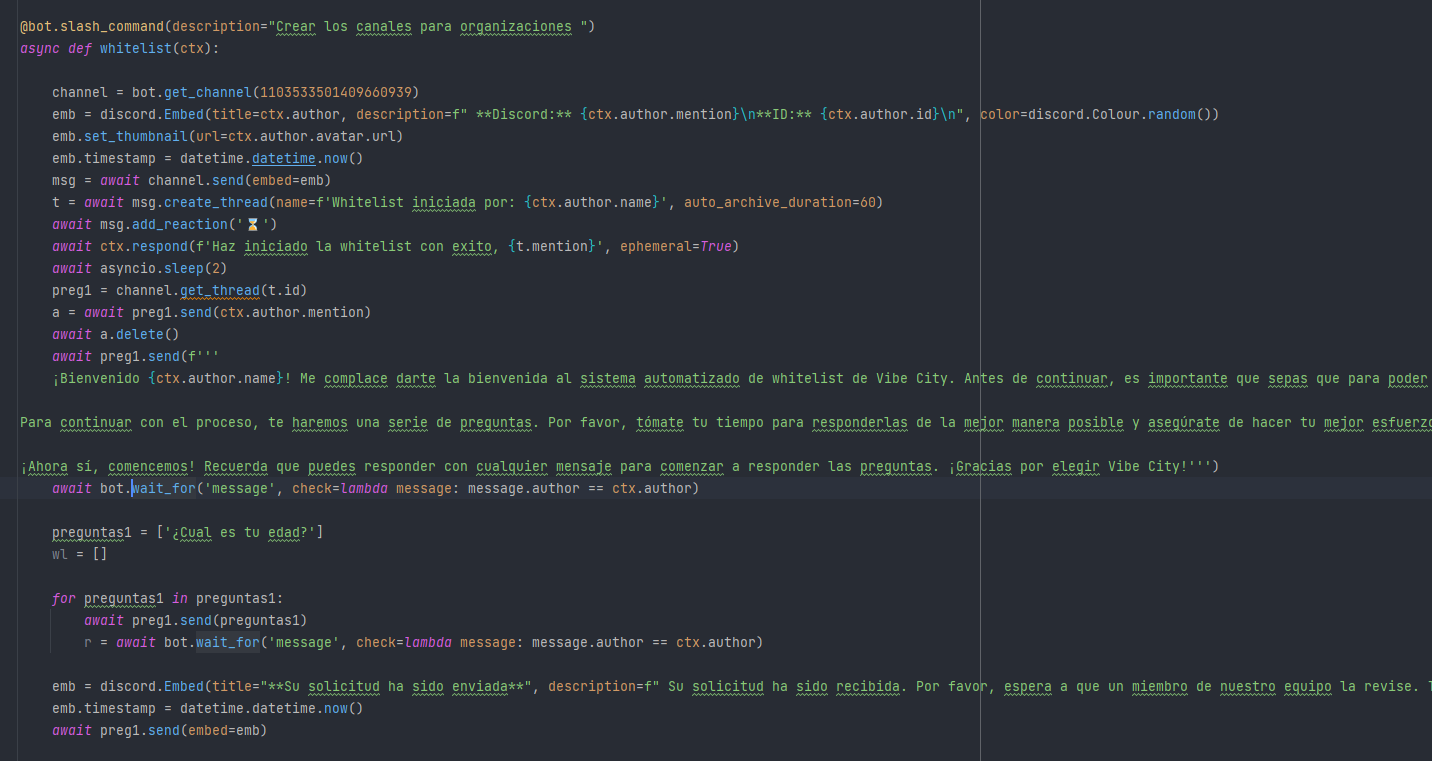
theres like "no code" is just says that even if the command is just a ctx.send
but if this works https://i.imgur.com/45H0NtT.png
 patent knoll
well the get thread is underlined which is usually not good
proud mason
weak violet
Hi, im having an issue with this if someone can help me 🙂
The turn on and exec...
Check your guild ids
They should be an int
 proud mason
Also check if you have app cmd scope in all of them
weak violet
proud mason
Also check if you have app cmd scope in all of them
wdym
fervent cradle
full basin
We don't have hybrid_command
uhhhhh what.. m pretty sure i uninstalled discordpy and installed pycord before starting
wait did i, lemme check
proud mason
weak violet
wdym
Reinvite the bot with applications.commands scope
valid spruce
valid spruce
How to fix this question?
Can anyone help?
proud mason
valid spruce
Can anyone help?
Show pip list
valid spruce
But panel can’t start
full basin
valid spruce
But panel can’t start
Uh?
valid spruce
Host panel
full basin
Don't tell me you're using replit
valid spruce
No
valid spruce
valid spruce
How to fix this question?
I just have this report, the next panel close my bot, so I can’t do anything
 sand beacon
do i have to nest classes to have a button inside a cog?
proud mason
sand beacon
do i have to nest classes to have a button inside a cog?
no. they should be separate
fervent cradle
bot = bridge.Bot(command_prefix="$", help_command=None, strip_after_prefix=True, intents=discord.Intents.all())

@bot.event
async def on_ready():
    obj = logevents()
    await obj.log_restart()
    await bot.tree.sync()
    print("Ready for code execution")
Error :
  File "main.py", line 23, in on_ready
    await bot.tree.sync()
AttributeError: 'Bot' object has no attribute 'tree'
Earlier i was using commands.bot but since i wanted to use hybrid commands thought to use bridge.bot() but this
and if i cant use bot.tree.sync() then what is to be used to sync application commands?
patent knoll
i am converting a bridge-command to a slash-only bot, how exactly do i need to change this?
 proud mason
patent knoll
i am converting a bridge-command to a slash-only bot, how exactly do i need to c...
proud mason
patent knoll
i am converting a bridge-command to a slash-only bot, how exactly do i need to c...
remove the command prefix, and change the class to discord.Bot
patent knoll
and how is this different from just messages? or am i remembering wrong
 proud mason
patent knoll
and how is this different from just messages? or am i remembering wrong
proud mason
patent knoll
and how is this different from just messages? or am i remembering wrong
simple messages should be file
patent knoll
ah yes
 patent knoll
proud mason
simple `messages` should be file
patent knoll
proud mason
simple `messages` should be file
but that intent is for reading messages as well? so its not required if all the bot does is application commands and responding to its own messages?
proud mason
patent knoll
but that intent is for reading messages as well? so its not required if all the ...
oh yeah if you dont need messages at all, you can remove that
proud mason
patent knoll
ah yes
jishaku probably wont work with discord.Bot as it prefix only
so use commands.Bot
prefix could be when_mentioned
.rtfm when_mentioned
 winter condorBOT
proud mason
winter condorBOT
proud mason
but you would need the messages intent
weak violet
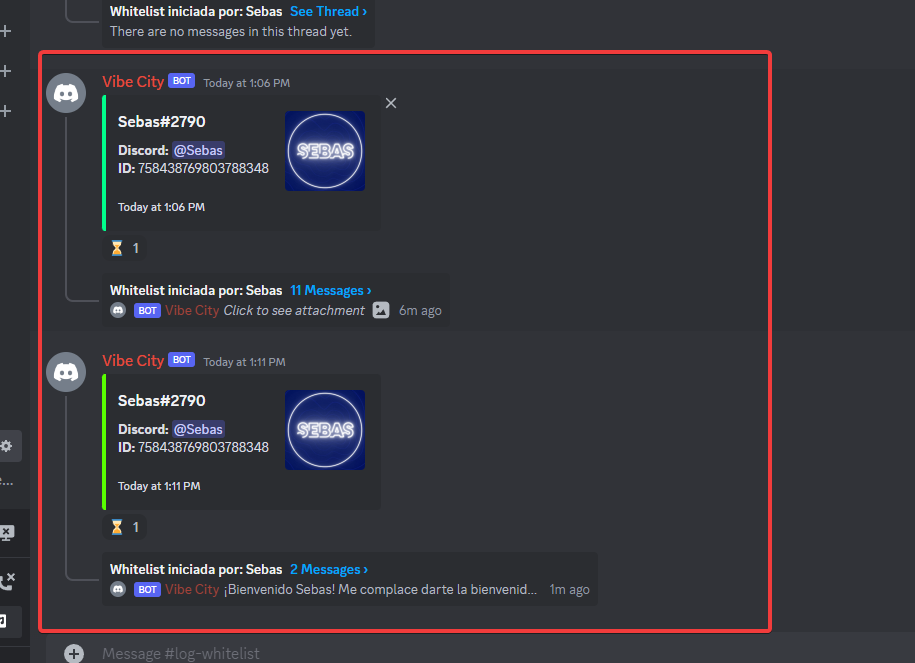
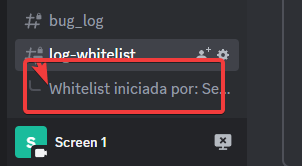
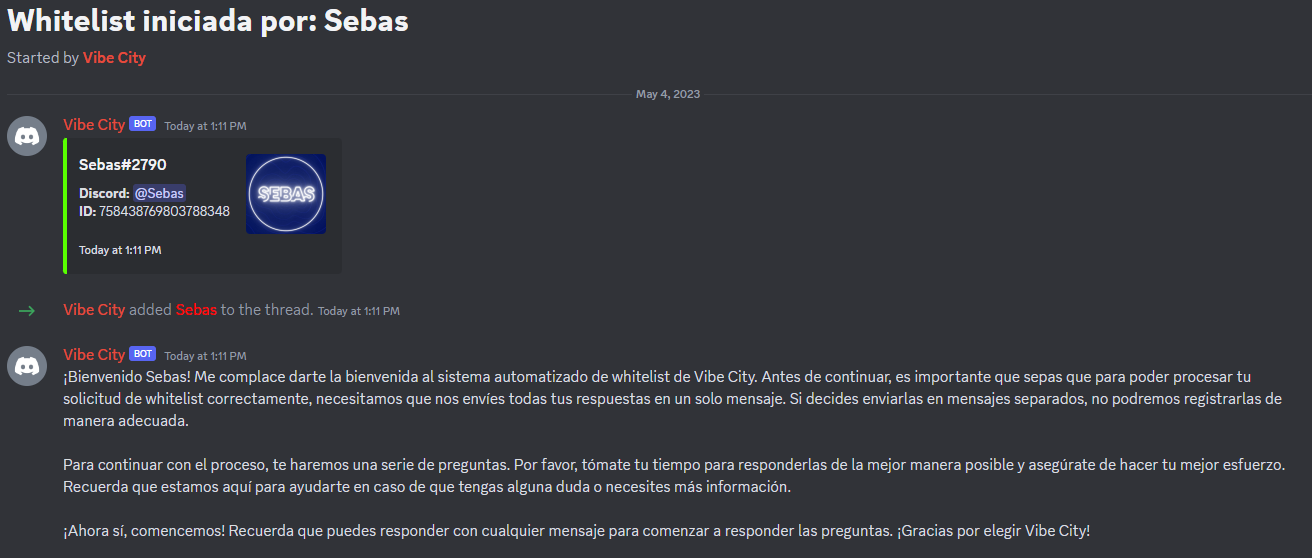
Is there a way to add permissions to a user to view a thread but not see the channel of the thread?
Example:
Staff only: https://i.imgur.com/F2UwGq3.png
User Only: https://i.imgur.com/snxnwIc.png | https://i.imgur.com/ja5HOXB.png
 round rivet
weak violet
Is there a way to add permissions to a user to view a thread but not see the cha...
round rivet
weak violet
Is there a way to add permissions to a user to view a thread but not see the cha...
no
view channel is required to do literally anything with a channel
weak violet

 jaunty lantern
how is that possible that bot has slash commands on one guild and doesn't on another? yes, I used same invite link for both guilds and i don't limit slash commands with guild ids
proud mason
jaunty lantern
how is that possible that bot has slash commands on one guild and doesn't on ano...
do you have debug guilds set?
jaunty lantern
i don't think i do
proud mason
jaunty lantern
i don't think i do
how many total bots do you have in the guild
jaunty lantern
in the one commands work in, 5?
in the one i try to sync commands with, 25+... that explains it i guess
proud mason
jaunty lantern
in the one commands work in, 5?
in the one i try to sync commands with, 25+... t...
hmm no. first 50 bots can add app cmds. you only have 25
.slashnoshow
winter condorBOT
Checklist for Application Commands Not Showing Up:
• Does your bot have the application.commands scope?
• Are you loading cogs before on_ready and on_connect?
• Is on_connect not overridden?
• Did you update to the newest version of py-cord (tag: install)?
• Is User Settings > Accessibility > Chat Input > Use legacy chat input turned off?
• Did you share your code and errors?
• Do you still have libraries that conflict with the discord namespace (e.g. discord.py)?
proud mason
check those
 lethal nexus
Am I able to separate my commands and functions into different files without using cogs?
 soft girder
I wrote a code to constantly update the message. But I need this code to work constantly after the bot is restarted.
class TlB(discord.ui.View):
    def __init__(self):
        super().__init__(timeout=None)
    @discord.ui.button( label="Update",custom_id="button-
3",emoji="🔄",style=discord.ButtonStyle.primary,row=3)
      async def second_button_callback(self, button: discord.ui.Button, interaction):
        #
        if interaction.user.guild_permissions.administrator==True:
            await interaction.response.defer()
            while (1):#<------------------------------------------------------------------------------
                guild = interaction.guild_id

                data1=f"..."

                cursor.execute(data1)
                item2 = cursor.fetchmany(4)
                db.commit()
                b = ""
                i = 0
                for el in item2:
                    i+=1
                    b += f"**{i}**.{el[5]}__{el[1]}__ | {el[2]} | <@{el[3]}>\n"

                data2=f"...."

                cursor.execute(data2)
                item = cursor.fetchmany(28)
                db.commit()

                a = ""
                f=4
                for el in item:
                    f+=1
                    if 4<f<17:
                        a += f"**{f}**.{el[5]}__{el[1]}__ | {el[2]} | <@{el[3]}>\n"
                    if f>16:
                        a += f"Res.🔴**{f}**.{el[5]}__{el[1]}__  | {el[2]}  | <@{el[3]}>\n"

                await interaction.edit_original_response(content=f":scroll: __**TEAM LIST**__ :scroll: \n**🕐Time: 21:00 Moscow **\n \n{b}{a}\n \n``•To confirm participation, click on :white_check_mark:\n•1-4 vip slots.``")
        else:
            await interaction.response.defer()
            await interaction.followup.send("Only Admin button",ephemeral=True)
The class itself is already restarting. But how to make the loop "while "reload automatically instead of on button click
proud mason
lethal nexus
Am I able to separate my commands and functions into different files without usi...
use extensions
doesnt use a cog
lethal nexus
proud mason
doesnt use a cog
thanks <3
proud mason
soft girder
The class itself is already restarting. But how to make the loop "while "reload ...
store the stuff you need in a database. and run on startup
 agile dust
hi, how do i get the server name when an interaction (button) was clicked? interaction.guild does not work
soft girder
@proud mason Are you suggesting to start a cycle "while" on reboot using a database?
I explain more simply. How to make it so that while cycle ,which will run when the bot is restarted.
proud mason
soft girder
I explain more simply. How to make it so that while cycle ,which will run when t...
You could use an event listener for on_ready
But be aware that on_ready can be fired multiple times
Use @client.listen(once=True) if you are on master branch
proud mason
agile dust
hi, how do i get the server name when an interaction (button) was clicked? `inte...
interaction.guild.name lol
soft girder
proud mason
Use `@client.listen(once=True)` if you are on master branch
ok will try
lethal nexus
proud mason
see this https://docs.pycord.dev/en/stable/ext/commands/extensions.html#primer
in this example, how would I like hello.py to the main file?
proud mason
lethal nexus
in this example, how would I like hello.py to the main file?
Using bot.load_extension
I think the docs tell you how to do that
lethal nexus
Ahhhh
and I guess the name of the extension is whatever the file is (except the .py)
is there any way to stuff all the extension files in a folder?
agile dust
proud mason
`interaction.guild.name` lol
bruv it didnt work for me
proud mason
lethal nexus
and I guess the name of the extension is whatever the file is (except the .py)
That is correct
proud mason
lethal nexus
is there any way to stuff all the extension files in a folder?
Yes you can. Pass the folder name to load_extension and set recursive to True
proud mason
agile dust
it just crashed, not even an error message
Lmao what
First time I've heard that
Can you show the pip list
And python version
lethal nexus
proud mason
Yes you can. Pass the folder name to load_extension and set `recursive` to True
so like this? bot.load_extension('/folder/hello')
 young bone
lethal nexus
so like this? `bot.load_extension('/folder/hello')`
young bone
lethal nexus
so like this? `bot.load_extension('/folder/hello')`
use .
lethal nexus
ah wait, this is what i should be reading isn't it

So like? bot.load_extension('foldername.hello')
proud mason
lethal nexus
so like this? `bot.load_extension('/folder/hello')`
Uh no. If you want to load all extensions in the folder folder
then bot.load_extension('folder', recursive=True)
lethal nexus
proud mason
Uh no. If you want to load all extensions in the folder `folder`
then `bot.load_...
But then would I need to reload them all together?
proud mason
lethal nexus
So like? `bot.load_extension('foldername.hello')`
Yea for a single extension, that should work
proud mason
lethal nexus
But then would I need to reload them all together?
Nope. They would still be separate. You can reload and unload individually
lethal nexus
proud mason
Nope. They would still be separate. You can reload and unload individually
Ah right
what does recursive do?
soft girder
Let's take the path of least resistance.
lethal nexus
proud mason
Loads all extensions from folders and subfolders
So I presume then I can make an extension in /foldername/anotherfolder/hello.py
proud mason
Yes
soft girder
How to make a button that, when pressed once, will turn on (for example, auto-update), and turn it off again. You can just throw the code if it's hard to explain.
.rtfm button_role
winter condorBOT
Target not found, try again and make sure to check your spelling.
lethal nexus
proud mason
Yes
Ok thank you for helping! 👍
 errant craneBOT
Here's the reaction roles example.
soft girder
soft girder
How to make a button that, when pressed once, will turn on (for example, auto-up...
uhhhh 😕
agile dust
proud mason
And python version
it's python 3.9 and i have installed py-cord, requests and thats it
 zealous kelp
I have question i want to create a bot with the function to banning members ,if they use bad words. but it's don't work and i don't have any idea, how can i fix this problem.
 lethal nexus
@proud mason how am I able to "import" a python function rather than a command?
young bone
zealous kelp
I have question i want to create a bot with the function to banning members ,if ...
Es gibt schon sowas in Discord
zealous kelp
ich will meinen Eigenen haben
 vast sun
 🇩🇪
🇩🇪 young bone
zealous kelp
ich will meinen Eigenen haben
young bone
zealous kelp
ich will meinen Eigenen haben
message.author.ban()
you also need the intents for messages
zealous kelp
It's also not working
young bone
zealous kelp
It's also not working
but you know basic python?
zealous kelp
I know the basic
cyan quail
lethal nexus
<@454219912773107723> how am I able to "import" a python function rather than a ...
from file import function
lethal nexus
cyan quail
from file import function
ah right thanks - i've also encountered an issue where I want to use the "bot" object in that file but of course it doesnt exist?
How can I do that?
cyan quail
that's why we have cogs
or, make it so your function accepts the bot object as an argument
 plain cove
Hello how would I make a prefix code for my discord bot? new to coding
lethal nexus
cyan quail
or, make it so your function accepts the bot object as an argument
how can I do that
cyan quail
just add it to your function args
plain cove
cyan quail
just add it to your function args
alright
lethal nexus
plain cove
alright
i dont think he was responding to you
lethal nexus
cyan quail
just add it to your function args
thanks
plain cove
lethal nexus
i dont think he was responding to you
oh shit mb
cyan quail
plain cove
Hello how would I make a prefix code for my discord bot? new to coding
can you elaborate?
plain cove
cyan quail
can you elaborate?
so i'm trying to make a prefix to where when it use the bot will like say it back. For example, if i type "!dad", my bot would response back with "searching for your dad". The prefix would be "!" but I don't know how to define a prefix or to even to get it work.
cyan quail
plain cove
so i'm trying to make a prefix to where when it use the bot will like say it bac...
this would be the command system
i recommend following through https://guide.pycord.dev/ to work on a bot
 lyric parrot
why are errors still being thrown after i catched them in on_application_command_error()?
this is only in master branch, it's not like that in 2.4.1
did anything change that is not in the changelog?
cyan quail
probably not
lyric parrot
is this intended or should i create a github issue for that?
cyan quail
cyan quail
lyric parrot
is this intended or should i create a github issue for that?
could you elaborate more on what's happening
 minor monolith
how can i make a command which doesnt require positional argument
cyan quail
oh wait
lyric parrot
cyan quail
could you elaborate more on what's happening
    @slash_command()
    @commands.check(test)
    async def hey(self, ctx):
        await ctx.respond("Hey")

    @commands.Cog.listener()
    async def on_application_command_error(self, ctx, error):
        if isinstance(error, discord.CheckFailure):
            await ctx.respond(f"Test!")
            return
so basically, in 2.4.1 only "test" is responded, but in master branch an error is thrown like in the screenshot
 cyan quail
lyric parrot
```py
@slash_command()
@commands.check(test)
async def hey(self, ctx...
cyan quail
lyric parrot
```py
@slash_command()
@commands.check(test)
async def hey(self, ctx...
in /discord/bot.py (click the first blue link in your traceback) inside on_application_command_error, can you try adding this line https://github.com/pycord-development/pycord/blob/master/discord/bot.py#L1168 py if self._event_handlers.get("on_application_command_error", None): returnwhile you SHOULD be registering it as a cog error handler, it doesn't change the fact that this functionality was removed without warning
if that fix works then i'll make a pr for it
lyric parrot
cyan quail
in `/discord/bot.py` (click the first blue link in your traceback) inside `on_ap...
indeed, that fixes it, thanks
cyan quail
nice
candid coral
Is it worth "global" and "nonlocal"?
cyan quail
i'd... heavily avoid using those
candid coral
Articles say so too
cyan quail
you can, i just wouldn't recommend it; it's not a great practice, and it'll cause you headaches down the line
candid coral
I understand that "self" is just the name of the first argument?
cyan quail
candid coral
I understand that "self" is just the name of the first argument?
In classes, yes
self is the instance of the current class
candid coral
Can there be only one "__init__" in a class?
cyan quail
candid coral
Can there be only one "\_\_init\_\_" in a class?
Every class should only really have one of each function
patent knoll
function overloading b like
cyan quail
I was considering mentioning overloads but most people don't need it
fervent cradle
Is ctx.author.public_flags a correct form of getting the user flags?
Im having trouble getting them and im not sure if im doing it right
Nevermind i fix it,
Using user_flags = ctx.author.public_flags.all()

 frail spade
how?
winter condorBOT
 novel yacht
Traceback (most recent call last):
File "C:\Users\misha\AppData\Local\Packages\PythonSoftwareFoundation.Python.3.11_qbz5n2kfra8p0\LocalCache\local-packages\Python311\site-packages\discord\client.py", line 378, in _run_event
await coro(*args, **kwargs)
File "C:\Users\misha\AppData\Local\Packages\PythonSoftwareFoundation.Python.3.11_qbz5n2kfra8p0\LocalCache\local-packages\Python311\site-packages\discord\bot.py", line 1164, in on_connect
await self.sync_commands()
File "C:\Users\misha\AppData\Local\Packages\PythonSoftwareFoundation.Python.3.11_qbz5n2kfra8p0\LocalCache\local-packages\Python311\site-packages\discord\bot.py", line 719, in sync_commands
registered_commands = await self.register_commands(
^^^^^^^^^^^^^^^^^^^^^^^^^^^^^
File "C:\Users\misha\AppData\Local\Packages\PythonSoftwareFoundation.Python.3.11_qbz5n2kfra8p0\LocalCache\local-packages\Python311\site-packages\discord\bot.py", line 599, in register_commands
registered = await register("bulk", data, _log=False)
^^^^^^^^^^^^^^^^^^^^^^^^^^^^^^^^^^^^^^^^
File "C:\Users\misha\AppData\Local\Packages\PythonSoftwareFoundation.Python.3.11_qbz5n2kfra8p0\LocalCache\local-packages\Python311\site-packages\discord\http.py", line 371, in request
raise HTTPException(response, data)
discord.errors.HTTPException: 400 Bad Request (error code: 50035): Invalid Form Body
In options.2: Required options must be placed before non-required options
Mikis#6365 is ready and online!
trying set send webhook
frail spade
proud mason
Read the guide
getting this error

 coarse spire
seems like you have discord.py installed maybe, instead of pycord
frail spade
oh
coarse spire
and also, never share your token with anyone. Make sure to reset it now
frail spade
how to install pycord?
coarse spire
just do pip uninstall discord.py in the terminal, and then pip install py-cord
frail spade
ok
frail spade
coarse spire
just do pip uninstall discord.py in the terminal, and then pip install py-cord
still same error
coarse spire
remove discord.py from requirements.txt if you have it in there, and replace it with py-cord
coarse spire
did you install py-cord, and not pycord?
frail spade
no
coarse spire
ok, try to reinstall py-cord
coarse spire
yeah, and if that doesn't work, try in the terminal
coarse spire
in your .env file, you need to do this:
DISCORD_TOKEN = your_token
and then in the code:
load_dotenv()
TOKEN = os.getenv("DISCORD_TOKEN")
bot.run(TOKEN)```yep
frail spade
alr
hey
** [SSLCertVerificationError: (1, '[SSL: CERTIFICATE_VERIFY_FAILED] certificate verify failed: unable to get local issuer certificate (_ssl.c:992)')]**
proud mason
frail spade
** [SSLCertVerificationError: (1, '[SSL: CERTIFICATE_VERIFY_FAILED] certificate ...
MacOS?
frail spade
yes
proud mason
frail spade
yes
Go to Applications/Python 3.x and double click the Install Certificates files
3.x is your python version
frail spade
proud mason
Go to `Applications/Python 3.x` and double click the Install Certificates files
there is not having this file
ok
donep
problem solved ty
fervent cradle
In Main
bot = commands.Bot(command_prefix="$", help_command=None, strip_after_prefix=True, intents=discord.Intents.all())
Inside of cog
from discord.ext import commands, bridge

class testing(commands.Cog):
    def __init__(self, bot):
        self.bot = bot

    @bridge.bridge_command(name="verify", aliases=['Verify', 'store', 'Store'], description="Command used to verify and add account to your discord username")
    async def verify(self, ctx: bridge.BridgeContext, game_name: str):
        #Some Logic

def setup(bot):
    bot.add_cog(testing(bot))
error
'cogs.testing' raised an error: AttributeError: 'Bot' object has no attribute 'bridge_commands'
can someone tell me whats wrong with this
coarse spire
you need to define the bot in main as bridge.Bot instead of commands.Bot
fervent cradle
Can a file have multiple cog classes?
coarse spire
fervent cradle
Can a file have multiple cog classes?
yes, I believe so
fervent cradle
If somone has implemented bridge_commands in your bot, can you share their git repo's link?
I need to see some reference idk whats happening with my bot anymore
errant craneBOT
Here's the bridge commands example.
 green hinge
Is there a way to reload a cog while the bot is running without having to restart the entire bot to keep the systems running?
coarse spire
.rtfm reload_extension
winter condorBOT
coarse spire
green hinge
Is there a way to reload a cog while the bot is running without having to restar...
bot.reload_extension ^
green hinge
coarse spire
bot.reload_extension ^
Okay so I implement that and then I can tell it and the cog name which cog to reload and then all changes are applied?
coarse spire
Yeah, so for example:
bot.reload_extension('cogs.example')```

(if you have a folder named "cogs" with the cog "example" in it)okay so theoretically i could do a command !reload [cog]
and then
bot.reload_extension('cogs.[cog]') in the command.
Then all variables etc. will be reset too or?
And do I have to implement this myself as cog or in the main ? 🙂
coarse spire
yeah. Everything will be reset then. And you could do:
@bot.command()
async def reload(ctx, cog):
  bot.reload_extension(f'cogs.{cog}')```

for exampleOkay thanks!
green hinge
coarse spire
yeah. Everything will be reset then. And you could do:
```py
@bot.command()
asy...
Then that would go so if I make this as a separate cog or? 🙂
class RelaodCog(commands.Cog):
    def __init__(self, bot):
      self.bot = bot


    @commands.command()
    async def reload(self, ctx, cog):
      self.bot.reload_extension(f'cogs.{cog}')
      await ctx.respond(f"Reloaded {cog}.", ephemeral=True)


def setup(bot):
bot.add_cog(RelaodCog(bot))```you would need to add the reload command to the main file
green hinge
Ah okay
proud mason
coarse spire
you would need to add the reload command to the main file
Not necessarily
coarse spire
just the cog name
green hinge
Ok
Why can't I respond to the message to send it ephemeral?
@bot.command()
async def reload(ctx, cog):
    bot.reload_extension(f'cogs.{cog}')
await ctx.respond(f"Reloaded {cog}!", ephemeral=True)```This button should work after the is restarted right? But it's not working after restarting
class MyView(discord.ui.View):
    def __init__(self):
        super().__init__(timeout=None)

    @discord.ui.button(label="Click me!", custom_id="button", style=discord.ButtonStyle.primary, emoji="😎")
    async def button_callback(self, button, interaction):
        await interaction.response.send_message("You clicked the button!", ephemeral=True)

class ButtonCog(commands.Cog):
    def __init__(self, bot):
        self.bot = bot

    @discord.slash_command()
    async def button(self, ctx):
        await ctx.respond("This is a button!", view=MyView())
you need to make it persistent
 tribal girder
how to access bot_runtime variable?
"""main.py"""

bot_runtime = datetime.utcnow()

def loader():
    for extension in initial:
        bot.load_extension('cogs.utils')
        print(f'Loading Extension')

loader()

@bot.event
async def on_ready():
    print(f'Logged in as {bot.user.name}'

"""utils.py"""

class Utility(commands.Cog):
    def __init__(self, bot):
        self.bot = bot
        self.process = psutil.Process()
        self.bot_runtime = bot_runtime

    @commands.command()
    async def uptime(self, ctx):
        delta = datetime.utcnow() - self.bot_runtime
isn't that persistent? im confused about the example i saw in the example on github
coarse spire
fervent cradle
This button should work after the is restarted right? But it's not working after...
just add bot.persistent_views_added=False in the beggining of the code and then also, in on_ready:
bot.add_view(MyView())```in the cog?
coarse spire
fervent cradle
in the cog?
yeah
coarse spire
fervent cradle
This button should work after the is restarted right? But it's not working after...
Learn all about implementing buttons in your Discord Bot using Pycord.
fervent cradle
from discord.ext import bridge, commands

bot = bridge.Bot(command_prefix=commands.when_mentioned_or('$'), help_command=None, strip_after_prefix=True, intents=discord.Intents.all())

@bot.bridge_command()
async def reload(ctx: bridge.BridgeContext, cog:str):
    if ctx.author.id in [782252708685414470]:
        try:
            bot.reload_extension(f"cogs.{cog}", package='BOTAPRILUPDATE.database')
            await ctx.reply(f"{cog} has been reloaded successfully",ephemeral=True)
        except Exception as e:
            obj = logevents()
            errorid = await obj.log_error(class_name="Main", function_name="ReloadCommand", message=str(e))
            print(f'An error occoured in the Main class wtihin the {cog} cog, check error logs with id {errorid} for more details')
This is my command in my main.py but for some reason its not getting synced with the server idk why
proud mason
tribal girder
how to access bot_runtime variable?
```py
"""main.py"""
bot_runtime = datetime....
?tag botvar
obtuse juncoBOT
Need to keep track of a variable between functions? No problem!
⚠️ Careful what you name it though, else you might overwrite something ⚠️
Just add it to your commands.Bot or discord.Client instance like so:
bot = commands.Bot(...)
bot.my_variable = 0

async def foo():
    bot.my_variable += 1

# In a cog
@commands.command()
async def counter(self,ctx):
    await ctx.send("Current Counter is at {}".format(ctx.bot.my_variable))
This also allows you to access this from other cogs/extensions/functions. Anywhere you have access to the bot instance
proud mason
fervent cradle
```python
from discord.ext import bridge, commands
bot = bridge.Bot(command_pre...
.tag slashnoshow
winter condorBOT
fervent cradle
```python
from discord.ext import bridge, commands
bot = bridge.Bot(command_pre...
Checklist for Application Commands Not Showing Up:
• Does your bot have the application.commands scope?
• Are you loading cogs before on_ready and on_connect?
• Is on_connect not overridden?
• Did you update to the newest version of py-cord (tag: install)?
• Is User Settings > Accessibility > Chat Input > Use legacy chat input turned off?
• Did you share your code and errors?
• Do you still have libraries that conflict with the discord namespace (e.g. discord.py)?
fervent cradle
coarse spire
https://guide.pycord.dev/interactions/ui-components/buttons
thx
fervent cradle
proud mason
.tag slashnoshow
yeah the cogs are being loaded before on_ready and on_connect is overridden but it dosent load cogs within it
but will cogs loading of cogs affect the commands that are in the main file
proud mason
fervent cradle
yeah the cogs are being loaded before on_ready and on_connect is overridden but ...
The sync of commands happens in on_connect
Why not use @bot.listen() instead of overriding the default behaviour?
fervent cradle
proud mason
The sync of commands happens in on_connect
Why not use `@bot.listen()` instead ...
Ty for the help the overridden on_connect was the issue changed added this to keep normal behaviour
if bot.auto_sync_commands:
        await bot.sync_commands()
Yep that works
fervent cradle
Can I use on_thread_join() event listener for forum?
full basin
.tag tias
winter condorBOT
 fervent cradle
knew that i would get a response like that, but ok
soft girder
How will the new discord rules affect the work of bots.
Discriminators do not play an important role
patent knoll
soft girder
How will the new discord rules affect the work of bots.
they.. wont?
silver moat
unless your bot for some reason depends on them
 spring hare
(timecode)
young bone
isn't it really bad to use the names in the code if you have the user id?
spring hare
young bone
isn't it really bad to use the names in the code if you have the user id?
yes
patent knoll
If your bot uses discrims for anything you made your bot wrong
silver moat
patent knoll
If your bot uses discrims for **anything** you made your bot wrong
discrims for user output
young bone
I only use the user id
patent knoll
silver moat
discrims for user output
wdym
silver moat
displaying stuff like just a squid#2777
patent knoll
oh, yea
but that doesnt need much changing
change it to use the username and thats it, in outputs
spring hare
Mb add Deprecation message when using user.discriminator?
silver moat
#discussion
patent knoll
p sure everyone is aware lol
young bone
oof
 spring hare
patent knoll
p sure everyone is aware lol
spring hare
patent knoll
p sure everyone is aware lol
Someone may not notice that they have user.discriminator somewhere in the code
oof
fervent cradle
I am trying to make a persistent button that deletes the response, it worked without any error before the bot was restarted, but after restarting it throws the following exception:
          ^^^^^^^^
NameError: name 'response' is not defined```
Code:
```py
# Imported necessary modules here

class deleteButton(discord.ui.View):
    def __init__(self):
        super().__init__(timeout=None)

    @discord.ui.button(label="Delete", custom_id="delete", style=discord.ButtonStyle.red)
    async def callback(self, button, interaction):
        await response.delete()

class TranslateCogs(commands.Cog):
    def __init__(self, bot):
        self.bot = bot

    @commands.Cog.listener()
    async def on_ready(self):
        self.bot.add_view(deleteButton())

    @commands.message_command(name="Translate Message")
    async def translate_message_context(self, ctx, message: discord.Message):
        [...] # Some code here that doesn't matter for this question
        result = discord.Embed(
            title = f"Translated from {source_language}",
            color = 0x4BB060
        )
        result.add_field(name="Here is your translated message:", value=f"{translated_content}")
        global response
        response = await ctx.respond(embed=result, view=deleteButton(), ephemeral=True)
change response to interaction.message
spring hare
fervent cradle
I am trying to make a persistent button that deletes the response, it worked wit...
# Imported necessary modules here

class deleteButton(discord.ui.View):
    def __init__(self):
        super().__init__(timeout=None)

    @discord.ui.button(label="Delete", custom_id="delete", style=discord.ButtonStyle.red)
    async def callback(self, button, interaction):
await interaction.message.delete()```sweet, thanks!
 sinful pivot
I want to blacklist certain users from using commands on my bot, I tried to do that with the on_application_command event but the actual response from the bot does still happen, how would I go about doing this?
 waxen whale
soft girder
How will the new discord rules affect the work of bots.
waxen whale
soft girder
How will the new discord rules affect the work of bots.
wait for an update, we aren't sure about the implementation ourself rn
it's being discussed on ddevs lib dev channel
proud mason
sinful pivot
I want to blacklist certain users from using commands on my bot, I tried to do t...
that event doesnt stop the command from running. use checks
sinful pivot
proud mason
that event doesnt stop the command from running. use checks
uhh
I tried to do ```py
@app_commands.check()```
but that doesnt exist, so what is it in pycord?
proud mason
hmm one sec
sinful pivot
also how would my check look like?
def blacklist_check(ctx: discord.ApplicationContext):
    if ctx.author.id in []: # list of blacklisted users
        return False # i think it should be?

return True```Or do I do ```py
def blacklist_check(ctx: discord.ApplicationContext):
if ctx.author.id in []: # list of blacklisted users
raise SomeCustomError()
return True```
I want to also give a response to the user saying that they are blacklisted
proud mason
sinful pivot
Or do I do ```py
def blacklist_check(ctx: discord.ApplicationContext):
if c...
raise. and use an error handler
cyan quail
(also, isn't app_commands dpy or is that a group name?)
proud mason
yea ig they were just giving an example
sinful pivot
cyan quail
(also, isn't app_commands dpy or is that a group name?)
yeah app_commands is in dpy
cyan quail
you'd probably be better off asking them since idk if they've altered their check system
sinful pivot
anyone wanna tell me whats the deco called
sinful pivot
cyan quail
you'd probably be better off asking them since idk if they've altered their chec...
im using pycord, not dpy, i just remember what is used for checks in dpy
proud mason
@commands.check(...) will work for app cmds too
but commands is discord.ext.commands, and not discord.commands
sinful pivot
got that, thanks!
cyan quail
read through the docs i linked above, it'll help a ton
sinful pivot
I did
I can raise, and then what should I do, use a on_application_command_error event? As I don't know if I can check for custom checks in there
cyan quail
use isinstance to check what class the error is
sinful pivot
cyan quail
use `isinstance` to check what class the error is
alr thatd work?
cyan quail
you can also set individual error handlers for specific commands or cogs
cyan quail
fair enough
sinful pivot
cyan quail
fair enough
Do you know if I could add a global check for all my slash commands?
cyan quail
that would be bot_check
cyan quail
either:
- in your main file, use the
@bot.check()decorator - in a cog, use the
@Cog.bot_check()decorator
async is optional
sinful pivot
cyan quail
either:
- in your main file, use the `@bot.check()` decorator
- in a cog, use th...
where do I use this deco?
I wanna use it in my main file btw, I suppose that applies to all cogs
cyan quail
both apply to everything
the first is if you want to define it in your main file, e.g. like in some examples you see @bot.event
sinful pivot
id wanna do it in my main file so its nice and tidy
cyan quail
then go with that
sinful pivot
cyan quail
the first is if you want to define it in your main file, e.g. like in some examp...
I don't see any examples in the link you sent so
cyan quail
i was just using that as a generic example
as in, in some examples you'll see people overriding events using @bot.event
in the same manner, you can set a bot check with @bot.check()
sinful pivot
cyan quail
in the same manner, you can set a bot check with `@bot.check()`
oh, and function as the check
cyan quail
mhm
ah my bad, it should be without brackets
https://docs.pycord.dev/en/master/api/clients.html#discord.Bot.check
candid coral
class Test(discord.ui.View):
    @discord.ui.button(label="+", style=discord.ButtonStyle.blurple)
    async def left(self, button, interaction):
        x = Test1()
        x.page += 1
        await interaction.response.send_message(x.page)

    @discord.ui.button(label="-", style=discord.ButtonStyle.blurple)
    async def right(self, button, interaction):
        x = Test1()
        x.page -= 1
        await interaction.response.send_message(x.page)

class Test1():
    def __init__(self, name, page):
        self.name = name
        self.page = page

@client.command()
async def test(ctx):
    Test1(ctx.author, 1)
    await ctx.send("Text", view=Test())
My unsuccessful attempt to pass data to buttons to use and change...
cyan quail
candid coral
```py
class Test(discord.ui.View):
@discord.ui.button(label="+", style=disco...
you're... nearly there
candid coral
I learned how classes work, but didn't solve the problem that made me decide to learn them...
cyan quail
you don't need the Test1 class, but rather you define the __init__ in your original Test class
apart from that, all you need to do is use super().__init__(...) inside the said function, which will take what you would pass into your original View class (e.g. timeout)
candid coral
I'll try to fix it, thank you
patent knoll
How the hell does ctx.guild.owner return none
proud mason
What intents do you have?
patent knoll
guilds
ah..
no, the other stuff works fine too, e.g. membercount
weird. for some reason first fetching the owner via the ID works
fixed that, but now I'm too stupid to convert a created_at to UNIX timestamp
lyric parrot
how can i use disable_on_timeout=True, but only if the message still has buttons? sometimes i edit the buttons out the message, but on timeout, they are disabled and added back into the message
full basin
lyric parrot
how can i use `disable_on_timeout=True`, but only if the message still has butto...
You'll have to override the on_timeout function yourself and do the check
lyric parrot
full basin
You'll have to override the on_timeout function yourself and do the check
thanks, could you explain how i'd do that? my only guess was to check how many components the message has, but they are still being counted after i edited them out.
    async def on_timeout(self) -> None:
        if self.disable_on_timeout:
            if self._message and len(self._message.components) > 0:
                self.disable_all_items()
                await self._message.edit(view=self)
Probably cause the message object is outdated
Try fetching the message
cyan quail
patent knoll
fixed that, but now I'm too stupid to convert a created_at to UNIX timestamp
it's literally just .timestamp()
patent knoll
i hate time stuff ok :C
lyric parrot
full basin
Try fetching the message
seems like its working, thanks
 gleaming falcon
What's the way to get the Member from a User instance? on_user_update gives a User, but I can't ban from that.
Even bot.get_user only provides a User instance? 🤔
cyan quail
gleaming falcon
Even `bot.get_user` only provides a User instance? 🤔
how would you get a member from bot
they belong to guilds
and you can ban with a user instance, assuming you have the guild object
gleaming falcon
Well the on_user_update event doesn't pass guild context.
Just trying to be as dead-simple as possible
cyan quail
because it's a different event
if you're trying to do username bans, then you have to know which guild you want to ban from pre-emptively
and then use bot.get_guild
gleaming falcon
mmkay. I am capturing it elsewhere in the method, so hardcoded it is.
Appreciate the sanity check
candid coral
I spent several hours yesterday trying to solve problems with __init__, so as not to sound stupid when I return here, but i'm still here
discord.ext.commands.errors.CommandInvokeError: Command raised an exception: TypeError: Test.__init__() takes 1 positional argument but 2 were given```

This error appears, what arguments are mentioned here? I don't understand...Please, send your class Test
candid coral
spring hare
Please, send your `class Test`
class Test(discord.ui.View):
    def __init__(self, name):
        self.name = name
        self.page = 1

    @discord.ui.button ...

@client.command()
async def test(ctx):
    await ctx.send("Text", view=Test(ctx.author))
I tried to fix it but now another error
All my new skills about classes doesn’t apply when I start writing code for the bot
proud mason
Can you send full traceback for both errors
proud mason
candid coral
```py
class Test(discord.ui.View):
def __init__(self, name):
self.na...
You never called super init
candid coral
File "C:\Users\user\AppData\Local\Programs\Python\Python310\lib\site-packages\discord\abc.py", line 1560, in send
    components = view.to_components()
  File "C:\Users\user\AppData\Local\Programs\Python\Python310\lib\site-packages\discord\ui\view.py", line 215, in to_components
    children = sorted(self.children, key=key)
AttributeError: 'Test' object has no attribute 'children'

The above exception was the direct cause of the following exception:

Traceback (most recent call last):
  File "C:\Users\user\AppData\Local\Programs\Python\Python310\lib\site-packages\discord\ext\commands\bot.py", line 347, in invoke
    await ctx.command.invoke(ctx)
  File "C:\Users\user\AppData\Local\Programs\Python\Python310\lib\site-packages\discord\ext\commands\core.py", line 950, in invoke
    await injected(*ctx.args, **ctx.kwargs)
  File "C:\Users\user\AppData\Local\Programs\Python\Python310\lib\site-packages\discord\ext\commands\core.py", line 187, in wrapped
    raise CommandInvokeError(exc) from exc
discord.ext.commands.errors.CommandInvokeError: Command raised an exception: AttributeError: 'Test' object has no attribute 'children'```Yep. Call super().__init__() at the first line of your init
candid coral
proud mason
You never called super init
I don't understand where super() gets information from
spring hare
candid coral
I don't understand where super() gets information from
From discord.ui.View
Inhertence
proud mason
candid coral
I don't understand where super() gets information from
super() refers to the parent class. Which in your case is discord.ui.View
candid coral
It turns out super() necessarily?
proud mason
❓
candid coral
If I use __init__ in a View, is the line with super() required?
proud mason
You don't always need to call super init. Depends from case to case
The view class has some initializer code which needs to be called
So yes. You need that when subclassing View and overriding the init
spring hare
candid coral
If I use \_\_init\_\_ in a View, is the line with super() required?
Your __init__ in the Test class overrides View.__init__, so yes
 proud mason
🎉
fervent cradle
I wonder, if you pass a embed raw that has components, how are these buttons/select menus going to attach in the embed?
proud mason
"embed" themselves dont have buttons. embeds and views are part of a "message". the message can have embeds and/or view. the view will be attached to the message
candid coral
I discovered a new problem. I need the button to be disabled under certain conditions before sending the message
I cannot substitute a variable with the value "True" in "disabled=...", because the button doesn't see it
@discord.ui.button(label="<", style=discord.ButtonStyle.blurple, disabled=self.flag)
NameError: name 'self' is not defined
do that in the init
smth like so
class MyView(...):
  def __init__(...):
    ...
    self.my_button.disabled = True/False

  @button(...)
  async def my_button(...):
    ...
Where should I enter the variable to disable?
proud mason
candid coral
Where should I enter the variable to disable?
in this self.my_button.disabled = ...
candid coral
Oh
candid coral
proud mason
in this `self.my_button.disabled = ...`
But it will be disabled after pressing, not before
winter condorBOT
proud mason
np lol
 signal topaz
how can you add space in-between command name
 tired crag
yo guys I just need very quick help. How would I make an enum argument in a command
tired crag
signal topaz
how can you add space in-between command name
not sure if you can but you can use an underscore
proud mason
signal topaz
how can you add space in-between command name
Slash cmds? You need to use Slash command groups
proud mason
tired crag
yo guys I just need very quick help. How would I make an enum argument in a comm...
Prefix or slash?
tired crag
proud mason
Prefix or slash?
slash
proud mason
Hmm. What happens when you typehint the parameter with the enum class
tired crag
uh
idk
ive never tried it, idk the syntax to make it work
I only started pycord recently lol
I used to use one called hikari
proud mason
tired crag
ive never tried it, idk the syntax to make it work
just simply some_arg: MyEnum
tired crag
proud mason
just simply `some_arg: MyEnum`
ok
and it would let the user select an option from the enum?
tired crag
proud mason
just simply `some_arg: MyEnum`
ok im ngl idk how to make an enum 💀
how would I do that 😅
yeah can someone help me with the enum thing, I need to know how to make the enum
proud mason
proud mason
tired crag
and it would let the user select an option from the enum?
You could also specify option choices yk
tired crag
wait wdym
proud mason
No need for enum just to show choices
errant craneBOT
Here's the slash options example.
proud mason
See that
tired crag
I looked at that but idk how to add my own options
proud mason
tired crag
I looked at that but idk how to add my own options
GitHub
Pycord, a maintained fork of discord.py, is a python wrapper for the Discord API - pycord/slash_options.py at master · Pycord-Development/pycord
errant craneBOT
examples/app_commands/slash_options.py line 15
@option("gender", description="Choose your gender", choices=["Male", "Female", "Other"])```tysm
proud mason
Specify them in the choices parameter
 signal topaz
proud mason
Slash cmds? You need to use Slash command groups
signal topaz
proud mason
Slash cmds? You need to use Slash command groups
math = discord.SlashCommandGroup("math", "Commands related to mathematics.") is one of the ways to create one right
tired crag
signal topaz
`math = discord.SlashCommandGroup("math", "Commands related to mathematics.")` i...
why do you need a space in your slash command name though
tired crag
because its way more complicated
signal topaz
but it's better, so it's good
tired crag
signal topaz
but many good bots use spaces
ive never seen a bot that uses spaces in my life
and ive been on discord for 4 years
nvm you're right lmao they do exist
but they dont use the space for the name
its just for subcommands
they do it if there's multiple options under highlight

wait wtf is @bot.slash_command
im using @bot.command
tired crag
signal topaz
isnt that for commands with prefix
bot.command is for slash
I use bot.command and it works perfectly fine
signal topaz
ima stick with underscore-
signal topaz
what thing
tired crag
options for slash commands
signal topaz
tired crag
\
did u import it?
 proud mason
signal topaz
`math = discord.SlashCommandGroup("math", "Commands related to mathematics.")` i...
proud mason
signal topaz
`math = discord.SlashCommandGroup("math", "Commands related to mathematics.")` i...
yes
proud mason
tired crag
\
can you show the code
tired crag
wait hold up
signal topaz
does ur code look like this
 tired crag
signal topaz
does ur code look like this
tired crag
signal topaz
does ur code look like this
uh no
guess the chapter's the one that I want
signal topaz
i thjnk @option does not work
proud mason
tired crag
I have this
Option with O uppercase is used when typehinting
option with O lowercase is used for decorator
proud mason
signal topaz
i thjnk @option does not work
no it works
tired crag
leaked db
proud mason
@bot.command()
async def ping(ctx, member: discord.Option(...):
  ...
@bot.command()
@option(...)
async def ping(ctx, member: discord.Member):
  ...
notice the difference
Option vs option
both are valid
personal preference
tired crag
proud mason
`Option` with O uppercase is used when typehinting
`option` with O lowercase is ...
so just make O lowercase?
ok now im getting very long error
but here's typeerror
issubclass() arg 1 must be a class
proud mason
tired crag
ok now im getting very long error
show the code line
tired crag
@bot.command(name='guesschapter', description='Guess the chapter from these Valve games!') @option("gender", description="Choose your gender", choices=["Male", "Female", "Other"]) async def guesschapter(ctx, game : option(name='game')): pass
this?
im so confused 💀
proud mason
tired crag
`@bot.command(name='guesschapter', description='Guess the chapter from these Val...
you didnt pass input type as str tho
also, you remove the option part from this game : option(name='game')
make it game: str
tired crag
proud mason
make it `game: str`
but I want them to choose the game
proud mason
tired crag
but I want them to choose the game
yea so put that stuff in the
@option("gender", description="Choose your gender", choices=["Male", "Female", "Other"])
tired crag
from the list of games
tired crag
oh crap it works
proud mason
also change the description
tired crag
idk how it works but it works lol
proud mason
💀
proud mason
kden 👍
 winged ravine
According to https://docs.pycord.dev/en/stable/intents.html#member-intent & https://docs.pycord.dev/en/stable/api/data_classes.html#discord.Intents.members I need to activate the members privileged intent in order to access the roles of a member (Member.roles), yet my code which does so does not subscribe to this intent and it still works?
Pycord
Some classes are just there to be data containers, this lists them. Unlike models you are allowed to create most of these yourself, even if they can also be used to hold attributes. Nearly all clas...
Pycord
In version 1.5 comes the introduction of Intents. This is a radical change in how bots are written. An intent basically allows a bot to subscribe to specific buckets of events. The events that corr...
proud mason
winged ravine
According to https://docs.pycord.dev/en/stable/intents.html#member-intent & http...
show the (relevant) code
winged ravine
proud mason
show the (relevant) code
@discord.slash_command(
    name="writeroles",
    description="Populates #roles with the correct messages."
)
async def write_roles(self, ctx: ApplicationContext):
    ctx.defer()

    guild: Guild | None = self.bot.get_guild(settings["DISCORD_GUILD_ID"])
    if guild is None:
        await ctx.respond(
            f"""⚠️There was an error when trying to send messages:⚠️️\n`Server with id \"{settings["DISCORD_GUILD_ID"]}\" does not exist.`""",
            ephemeral=True
        )
        return

    roles_channel: TextChannel | None = discord.utils.get(guild.text_channels, name="roles")
    if roles_channel is None:
        await ctx.respond(
            "⚠️There was an error when trying to send messages:⚠️️\n`Text channel with name \"roles\" does not exist.`",
            ephemeral=True
        )
        return

    guild_member: Member | None = await guild.fetch_member(ctx.user.id)
    if guild_member is None:
        await ctx.respond(
            "⚠️There was an error when trying to send messages:⚠️️\n`You must be a member of the Discord server to run this command.`",
            ephemeral=True
        )
        return

    committee_role: Role | None = discord.utils.get(guild.roles, name="Committee")
    if committee_role is None:
        await ctx.respond(
            "⚠️There was an error when trying to send messages:⚠️️\n`Role with name \"Committee\" does not exist.`",
            ephemeral=True
        )
        return

    if committee_role not in guild_member.roles:
        await ctx.respond(
            "⚠️There was an error when trying to send messages:⚠️️\n`You must have the \"Committee\" role to run this command.`",
            ephemeral=True
        )
        return
    ...
The line if committee_role not in guild_member.roles: seems to work perfectly fine for me even without the privileged intent?
cyan quail
well
you're checking "not in"
so it'll always be true if the list is empty
you should actually print guild_member.roles to see what it outputs
also py guild_member: Member | None = await guild.fetch_member(ctx.user.id)this fetch is completely useless, ctx.author already gives you the Member object
though i guess the advantage is letting you run the command outside the guild so fair enough
winged ravine
cyan quail
though i guess the advantage is letting you run the command outside the guild so...
yh thats why i did it that way!
silver moat
can’t you first try to get the member through cache then try to fetch it?
winged ravine
silver moat
can’t you first try to get the member through cache then try to fetch it?
how would i do that?
cyan quail
if they have intent off then no
silver moat
cyan quail
if they have intent off then no
i suppose
winged ravine
cyan quail
if they have intent off then no
i dont mind turning it on if need be, I just thought the process was to try not to to have better user privacy if possible
winged ravine
cyan quail
you should actually print `guild_member.roles` to see what it outputs
it did output the roles! [<Role id=1103795647947219044 name='@everyone'>, <Role id=1104098888551510066 name='Committee'>]
winged ravine
im glad it works but it feels weird that it does, surely it shouldnt?
cyan quail
this is likely because it's using the roles recieved from the interaction?
if you tried to fetch a random other member and print roles it probably won't work
winged ravine
ohhh gotcha, well seen as i'm never going to be requesting another user's roles (only the triggering user to validate them) i guess it's fine to have the intent off & it will still work, cool! Cheers for your help!
candid coral
I'm sorry, I fixed it
winged ravine
how long are message IDs? (are they always a fixed length?)
silver moat
?tag snowflake
obtuse juncoBOT
 silver moat
this is how IDs are made
winged ravine
that implies theyre always 18 digits? or am i misunderstanding cos I have guild, application/client & message IDs all with 19 digits?
silver moat
winged ravine
that implies theyre always 18 digits? or am i misunderstanding cos I have guild,...
no, because unix time counts up and the snowflake length will also increase in length
winged ravine
ohh gotcha, I should just ask the actual question: is there a good way for me to regex to validate an integer is a snowflake ID?
silver moat
probably just anywhere from 6 to 14 digits for a weak check
or use the abc.Snowflake class to see if it has a valid creation date
winged ravine
silver moat
or use the abc.Snowflake class to see if it has a valid creation date
so attempt to create a snowflake object with the id set to the given integer then confirm that the snowflake's creation date is after first second of 2015?
I thought it wasnt possible to directly create snowflake instances?
candid coral
How can I check if a message has been deleted or not? "on_timeout" continues to count down and then executes the code that raises an error
 glass gulch
was greedy function/class removed? it i reinstalled my module couple of times and couldn't find it and what are the alternatives
proud mason
candid coral
How can I check if a message has been deleted or not? "on_timeout" continues to ...
tbh the best way would be to handle it using try-except
candid coral
proud mason
tbh the best way would be to handle it using try-except
It's a fine practice?
proud mason
yes
candid coral
I will use it, thank you
solemn idol
Uh
 coarse cargo
It's possible to create a command only if the user set an option to true in a config or i can't?
proud mason
coarse cargo
It's possible to create a command only if the user set an option to true in a co...
can you elaborate? are you trying to enable/disable a command based on a config?
coarse cargo
proud mason
can you elaborate? are you trying to enable/disable a command based on a config?
Yup
proud mason
coarse cargo
Yup
you have a couple ways to do it
i believe a simple way would be to use a bot wide check
that would raise an error if command is disabled
you can handle this in your error handler, and even choose to ignore it
but commands also have a way to disable them
Pycord
The following section outlines the API of Pycord’s prefixed command extension module. Bots: Bot: Attributes activity, allowed_mentions, application_flags, application_id, cached_messages, case_inse...
you could set this, but this will be bot wide, an not per guild
coarse cargo
proud mason
i believe a simple way would be to use a bot wide check
But in this way the command would still be shown or im wrong?
proud mason
coarse cargo
But in this way the command would still be shown or im wrong?
if you use the built in help cmds (or a subclass), then the checks run for each cmd. even bot-wide checks
so it wont show up
coarse cargo
proud mason
https://docs.pycord.dev/en/stable/ext/commands/api.html#discord.ext.commands.Com...
I forgot to specify it is a slash command, this works for them too?
proud mason
coarse cargo
I forgot to specify it is a slash command, this works for them too?
oh. slash cmds do not have a help cmd
unless you have made one yourself
that isnt necessary tbh
oh but yeah. they will show up in the slash menu
so there is a way
but it is not that elegant
coarse cargo
Sorry if i forgot to specify.
coarse cargo
proud mason
so there is a way
what would it be?
proud mason
so this config is per-guild right?
coarse cargo
no it's just a private bot
coarse cargo
oke
proud mason
hmm
ok what i thought is not possible
slash cmds dont have a way to be disabled
there is another way. but it is kinda hacky
each cmd would be in a separate extension. to remove the cmd, you unload the extension and then call bot.sync_commands()
im not sure if this would work tho
coarse cargo
Well, i think i will just handle the error and say something like "Enable the command in the config". Probably creating a whole extension just for it isn't a good idea.
Thanks anyway
proud mason
np lol
proud mason
coarse cargo
Well, i think i will just handle the error and say something like "Enable the co...
hmm wait there might be another way
coarse cargo
xD
proud mason
so the thing is, you can just do bot.remove_application_command
but then you wont be able to add it back with bot.add_application_command, as you dont have the cmd object
patent knoll
If I use ctx.defer(), can i still use ctx.respond() later on?
coarse cargo
proud mason
so the thing is, you can just do `bot.remove_application_command`
but then you ...
So in the on_ready just add an if else statement and if X is false just remove the application command else just load it?
proud mason
proud mason
so the thing is, you can just do `bot.remove_application_command`
but then you ...
to counter this, you can store a dict of app cmds you remove. maybe using the qualified_name as the key and the object as the value
then when re-adding the command, get the command object from this dict and use bot.add_application_command
proud mason
coarse cargo
So in the on_ready just add an if else statement and if X is false just remove t...
thats possible
but thats on startup
you would also need to do it before ready
coarse cargo
You're right
proud mason
proud mason
to counter this, you can store a dict of app cmds you remove. maybe using the `q...
this should actually be the cleanest way lol
proud mason
proud mason
you would also need to do it before ready
that combined with this ^
coarse cargo
proud mason
that combined with this ^
Im not sure how to do this, bot.remove_application_command takes ApplicationCommand how would i get this? Sorry if this is a stupid question
Also the command is in a group inside a cog
proud mason
coarse cargo
Im not sure how to do this, `bot.remove_application_command` takes `ApplicationC...
.rtfm get_application_command
winter condorBOT
6 results
proud mason
use that. it takes the name
proud mason
coarse cargo
Also the command is in a group inside a cog
hmm i dont think that would be a problem
coarse cargo
Oh ok thanks very much
coarse cargo
proud mason
hmm i dont think that would be a problem
For me bot.get_application_command returns None
proud mason
coarse cargo
For me `bot.get_application_command` returns None
hmm
you need to specify the full name
coarse cargo
oh let me try
proud mason
like group subcmd
coarse cargo
proud mason
like `group subcmd`
Still nothing
helpcmd = bot.get_application_command('ticket help', guild_ids=get_serverinfo('guild_id'))
print(helpcmd)
is the command a guild command?
or is it a global one?
coarse cargo
In the group i specify the guild id
proud mason
coarse cargo
```py
helpcmd = bot.get_application_command('ticket help', guild_ids=get_serveri...
this is after loading the cog right
coarse cargo
for testing i tried it in the setup function, i guess this is the problem?
coarse cargo
 coarse cargo
It's an integer
proud mason
then idk
coarse cargo
coarse cargo
It's an integer
It works for everything else
so this is not the problem
i also tried with /ticket help as name
coarse cargo
proud mason
then idk <:blobpain:881536122331742240>
np i'll try to do some testing
proud mason
alr sure
coarse cargo
thank you so much for the effort to help me
proud mason
you could also try and print the qualified names of all the cmds in the bot
proud mason
coarse cargo
thank you so much for the effort to help me
haha np
coarse cargo
probably im just doing something wrong
coarse cargo
proud mason
you could also try and print the qualified names of all the cmds in the bot
will try this
fervent cradle
I wonder why it didn't send the message in ephemeral 🤔
await ctx.respond("An error occured.", ephemeral=True)
Do you have a Screenshot of it?
young bone
The message
fervent cradle
 coarse cargo
@proud mason So, actually if i try to do bot.get_application_command in the on_ready it returns the command but it's useless as i can't remove the command after the bot starts.
 clear vault
Can anyone help me? I have no loop in my event?
 proud mason
coarse cargo
<@454219912773107723> So, actually if i try to do `bot.get_application_command` ...
proud mason
coarse cargo
<@454219912773107723> So, actually if i try to do `bot.get_application_command` ...
oh hmm
if you want, then you can play around with internal attributes of the bot
specifically pending_application_commands
but you are kinda on your own
i havent deal with that stuff
proud mason
proud mason
specifically `pending_application_commands`
there is a plan to rework the command sync logic, so this might break
solemn idol
fervent cradle
well that's not normal...
can you provide more information of how your command works, like is that the only part of your command which uses ephemeral... or did you define True to False somewhere LOL
coarse cargo
proud mason
specifically `pending_application_commands`
Why its so hard to just make a command register or not xD. I think im just gonna return an error if you try to use the command when disabled
proud mason
coarse cargo
Why its so hard to just make a command register or not xD. I think im just gonna...

you should highlight this issue in #discussion. it should be made better
young bone
fervent cradle
What is the py-cord Version?
silver moat
fervent cradle
I wonder why it didn't send the message in ephemeral 🤔
```py
await ctx.respond...
did you defer?
proud mason
clear vault
Can anyone help me? I have no loop in my event?
the loop in that error is the asyncio event loop. many built-in methods in python 3.10 and later will not support a loop parameter.
that should be a warning, and not an error. you can ignore that warning until the library fixes it
clear vault
proud mason
the `loop` in that error is the asyncio event loop. many built-in methods in pyt...
But the cog was not loaded...
proud mason
clear vault
But the cog was not loaded...
hmm. show pip list
clear vault
proud mason
hmm. show pip list
Pycord nevest Version https://cdn.discordapp.com/attachments/998272089343668364/1103326941802664036/image.png
 young bone
clear vault
Pycord nevest Version https://cdn.discordapp.com/attachments/998272089343668364/...
young bone
clear vault
Pycord nevest Version https://cdn.discordapp.com/attachments/998272089343668364/...
Which topggpy Version is that?
Is that the pip or github one?
proud mason
clear vault
Can anyone help me? I have no loop in my event?
is this the full error? show the full traceback
fervent cradle
https://aura.literallyfatherless.com/rft0flsq.png how do i make that blue line be at the bottom?
 cyan quail
uhh
cyan quail
fervent cradle
https://aura.literallyfatherless.com/rft0flsq.png how do i make that blue line b...
they're probably using emotes
or they set the image
fervent cradle
cyan quail
they're probably using emotes
its using an image
cyan quail
then just do that
fervent cradle
idk how to
cyan quail
embed.set_image(url=...)
clear vault
young bone
Is that the pip or github one?
github
clear vault
proud mason
is this the full error? show the full traceback
Is the full error when starting the bot
fervent cradle
oh ok
cyan quail
clear vault
Is the full error when starting the bot
they mean to show the full traceback that's like several lines
cyan quail
if you're try/excepting you're cog load then temporarily remove that
 cyan quail
clear vault
cyan quail
clear vault
try update asyncio...?
clear vault
Nope
cyan quail
how about dblpy?
cyan quail
i think it was never updated to support 3.10
last release late 2020. 3.10 released late 2021
clear vault
I cant remove topgg
cyan quail
theoretically you can go edit dbl/http.py yourself and remove loop=self.loop but idk if that'll fix it

you could try installing a lower python version
clear vault
Nonono
cyan quail
then you're more or less out of options then
would have to modify the package yourself
candid coral
I know what problem I will meet next. To pass information from one View to another, I need:
class Name1(discord.ui.View, Name2)
    def __init__(...):
        super().__init__(...)
Right?
fervent cradle
how can i create restrictions for my slash command options? I dont want to have a set value of options but rather not accept some specific values as input
silver moat
fervent cradle
how can i create restrictions for my slash command options? I dont want to have ...
make them optional or consider command groups
fervent cradle
i dont think that will solve it, what im looking for is that i want the input to be a timestamp something like 20:00 so i want to make some kind of validation so that it doesnt accept anything that is not on this format
coarse cargo
So guys, i want to make a slash command that takes an option but it should be selected from a list of selected values for example, answers=[Hi, Hello, Bye] and i want the user to select an option from this list how can i do this?
errant craneBOT
Here's the slash options example.
coarse cargo
Ty ^^
candid coral
How can I pass data from two classes at once?
silver moat
candid coral
How can I pass data from two classes at once?
what does that mean?
candid coral
class Name1(discord.ui.View)
    def __init__(self, ...)
        super().__init__(timeout=...)
        self. ...
        self. ...

class Name2(discord.ui.View)
    def __init__(self, ...)
super().__init__(timeout=...)```?tag xy
obtuse juncoBOT
An XY problem is when you're trying to ask about your attempted solution, rather than your actual problem.
You are trying to solve problem X, using solution Y. Instead of asking for help with X, you ask about Y. This only results in frustration as whoever is trying to help you needs to ask several questions before even beginning to help you with your actual issue, wasting both their own, and your time. Always include as much information as you can about your problem, including attempted solutions. If there are solutions you've ruled out, include them along with an explanation as to why you've ruled them out.
candid coral
candid coral
```py
class Name1(discord.ui.View)
def __init__(self, ...)
super()._...
How can I pass variable from Name1 to Name2?
silver moat
What is the problem you are trying to solve?
candid coral
obtuse junco
An **XY** problem is when you're trying to ask about your attempted solution, ra...
I'm sorry, I have a bad habit of splitting my arguments into multiple posts.
silver moat
candid coral
How can I pass variable from Name1 to Name2?
The correct term would be arguments and you are likely trying to subclass
candid coral
silver moat
The correct term would be arguments and you are likely trying to subclass
Yes, if I understood correctly
When a certain button is pressed, the View class changes to another subclass, it is necessary to save arguments from the previous class
full basin
Then pass those variables to the new class when you create the instance
 restive scarab
how to add a custom button to a paginator that has its own function not related to the paginator?
 glossy forum
Hey, I've got problem with my cog's task loop, which is supposed to post messages in a preselected channel, which ID is stored in a database
Any idea why
channel = self.bot.get_channel(channel_id)
print(f"{channel_id = }, {channel = }")
```this always returns None?
the channel_id is correct as when surrounded with `<#id>` it properly shows the channel, like on the pic
`self.bot` is what would you expect it to be inside a Cog young bone
glossy forum
Hey, I've got problem with my cog's task loop, which is supposed to post message...
young bone
glossy forum
Hey, I've got problem with my cog's task loop, which is supposed to post message...
get_channel can be None after some time
glossy forum
young bone
get_channel can be None after some time
Even inside the same function?
young bone
in which type of function?
glossy forum
Besides, it's None just after the assignment
glossy forum
young bone
in which type of function?
I described it above, it's inside a cog
@tasks.loop(minutes=10)
async def check_for_feed(self):
  # some code
  channel = self.bot.get_channel(channel_id) # it runs each and every time the function is called
  print(f"{channel_id = }, {channel = }")
  # prints channel_id = 1102548337187635240, channel = None
  # more code
you can use await self.bot.fetch_channel()
glossy forum
young bone
you can use await self.bot.fetch_channel()
It worked, thank you
silver moat
glossy forum
It worked, thank you
it is recommended to minimize API calls so that you do not get ratelimited. Try turning on the guild cache by enabling the guilds intent
glossy forum
silver moat
it is recommended to minimize API calls so that you do not get ratelimited. Try ...
gotcha. Good to know it's relevant for that purpose
silver moat
glossy forum
gotcha. Good to know it's relevant for that purpose
then you can use self.bot.get_channel(channel_id) just fine. You should add a check in case the channel is not found then you can fetch it.
glossy forum
👍
I already implemented all the checks, I like my software to be reliable :)
young bone
or just use get_or_fetch_channel
silver moat
young bone
or just use get_or_fetch_channel
don't think that exists
glossy forum
Thanks, but I believe the problem was caused by lack of guilds intent. And I'd rather deal with a programming error than discord support (to remove being ratelimited)
 proven mantle
How can i load Views when i restart the Bot? Old Views wont work anymore then
young bone
proven mantle
How can i load Views when i restart the Bot? Old Views wont work anymore then
proven mantle
i see. Thanks
fervent cradle
silver moat
did you defer?
It's in an except block, I only defered in the try block.
fervent cradle
young bone
What is the py-cord Version?
2.4.1 (I've fixed my issue though)
silver moat
fervent cradle
It's in an except block, I only defered in the try block.
could you show code?
plain cove
Hello Why is my command not working when it shows no errors?
 silver moat
?tag message-content
obtuse juncoBOT
As of Pycord Beta 5, Discord API v10 requires message content intent to receive message content. This affects the traditional commands. Not enabling this intent will result in the messages' content, embeds, and components being empty.
You will need to enable the intent on the developer portal, as well as in your code:
intents = discord.Intents.default()
intents.message_content = True
bot = discord.Bot(intents=intents)
Docs: https://docs.pycord.dev/en/master/api.html#discord.Intents.message_content
silver moat
?tag intents
obtuse juncoBOT
https://docs.pycord.dev/en/master/intents.html
https://discord.com/developers/docs/topics/gateway#gateway-intents
import discord
from discord.ext import commands

# Get specific intents for fine control
intents = discord.Intents()
intents.emojis = True
intents.guilds = True
intents.messages = True  # Required for prefix commands!
...
# Get all non-priveliged intents; this excludes presences, members and message_content
intents = discord.Intents.default()

# Set priveliged intents: these must be enabled on dev portal
intents.members = True
intents.presences = True
intents.message_content = True  # Required for prefix commands >= 2.0.0b5

# Get all intents; all intents must be enabled on dev portal.
intents = discord.Intents.all()

# Apply intents when creating your bot
bot = commands.bot(prefix="?", intents=intents)
Pycord
In version 1.5 comes the introduction of Intents. This is a radical change in how bots are written. An intent basically allows a bot to subscribe to specific buckets of events. The events that corr...

Discord Developer Portal
Integrate your service with Discord — whether it's a bot or a game or whatever your wildest imagination can come up with.
fervent cradle
silver moat
could you show code?
    @commands.message_command(name="Translate Message")
    async def translate_message_context(self, ctx, message: discord.Message):
        """Context menu for translating a message to english."""
        try:
            message_content = message.content
            if len(message_content) > 4096:
                await ctx.respond(f"Sorry {ctx.author.name}, but this message is too long for me to show here. I can only translate messages less than `4096` characters.")
                return
            load_dotenv()
            api_key = str(os.environ.get("detectlanguage_api_key"))
            await ctx.defer()
            source_language = single_detection(message_content, api_key)
            translated_content = GoogleTranslator(source='auto', target='en').translate(message_content)
            result = discord.Embed(
                title = f"Translated from {source_language}",
                description = f"{translated_content}",
                color = 0x4BB060
            )
            global response
            response = await ctx.respond(embed=result, view=deleteButton(), ephemeral=True)
        except:
            await ctx.respond("An error occured.", ephemeral=True)
if a defer isn’t ephemeral, then the followup will also not be ephemeral
so add the ephemeral kwarg to your defer
silver moat
side-note. Don’t use bare excepts
silver moat
fervent cradle
`ephemeral=True` in the parenthesis?
yes
fervent cradle
silver moat
side-note. Don’t use bare excepts
Well I didn't know what to do. When I made that error it didn't send any exception somehow, it just sent a traceback then posted another exception
silver moat
you should except a specific exception
silver moat
silver moat
?tag message-content
@plain cove
fervent cradle
silver moat
yes
thanks, it worked 😄 also if a defer is ephemeral, wlll other responses be ephemeral too even I don't set ephemeral=True in the response? For example:
await ctx.defer(ephemeral=True)
[...] # Do something time consuming here
await ctx.respond("Hello World!") # Will this response be ephemeral?
yes
fervent cradle
and won't be ephemeral if i set ephemeral=False in the response?
silver moat
fervent cradle
and won't be ephemeral if i set ephemeral=False in the response?
it will be whatever the defer is.
whatever the defer is, the followup will get
fervent cradle
so what if i want it not to be ephemeral?
plain cove
silver moat
<@768487919118843915>
ty
full basin
plain cove
Hello Why is my command not working when it shows no errors?
Why do you have two bots instances? 
signal topaz
how to set timeout for buttons,select menus etc?
proud mason
signal topaz
how to set timeout for buttons,select menus etc?
pass timeout kwarg to the view init
in seconds
signal topaz
proud mason
pass `timeout` kwarg to the view init
can't do it without making classes?
proud mason
signal topaz
can't do it without making classes?
Well how are you creating the view?
timeout is a parameter of the view class init. Not related to subclassing
signal topaz
like view = View(select_menu/button)
proud mason
Yea so just pass timeout=10 or whatever
signal topaz
got it
proud mason
👍
signal topaz
proud mason
Yea so just pass timeout=10 or whatever
i tried passing it in both view statement and the one i used to send view
did not work
spring hare
Is there any guide on how to transfrom prefixed commands into bridge commands?
signal topaz
signal topaz
i tried passing it in both `view` statement and the one i used to send view
it works nvm
how to remove the view after timeout?
proud mason
signal topaz
how to remove the view after timeout?
You need to override the on_timeout method of the view
Subclassing is recommended for this
But you can do it using other ways too
signal topaz
proud mason
You need to override the `on_timeout` method of the view
can u show an example
proud mason
signal topaz
can u show an example
you need to edit view.message and pass view=None
example without subclassing?
view = View()

async def on_timeout():
  ...

view.on_timeout = on_timeout

...
like that
signal topaz
ohk
winged ravine
Is there any way for me to create 2 slash commands with the same name but different Options arguments & one is guild only & the other is DMs only?
proud mason
Nope. Not possible
winged ravine
proud mason
Nope. Not possible
ok, cheers. Alternative question: if they have different names can I make one of them guild only & the other DMs only? (& if i can will the DMs only one show in the list of possible commands in a guild but just not work?)
winged ravine
proud mason
But I'm not sure about dm-only
oof, sure, guess that command im creating won't be available to my users in DMSs then.. their loss lol.
winged ravine
proud mason
You can make commands guild-only
would i put the @guild_only() decorator above or below the @option() decorator?
proud mason
winged ravine
would i put the `@guild_only()` decorator above or below the `@option()` decorat...
Doesn't matter. Although it should be below the @command() decorator
winged ravine
proud mason
Doesn't matter. Although it should be below the `@command()` decorator
fab thanks for ur help!💚
proud mason
winged ravine
fab thanks for ur help!💚
Np!!
Btw
Any particular reason why the guild version won't just directly work in dms?
Just asked in ddevs server
 winged ravine
proud mason
Any particular reason why the guild version won't just directly work in dms?
winged ravine
proud mason
Any particular reason why the guild version won't just directly work in dms?
one of the Options arguments is a textchannel input_type so it requires the ctx of being in a guild even though I'd like the command to always look for channels in a specific guild (even if it is run in DMs or in a different guild)
 obsidian ermine
How am I able to get the description of a application command?

no description attribute? 
nvm it works with the description attribute, its just not documented
cyan quail
obsidian ermine
nvm it works with the ``description`` attribute, its just not documented
ApplicationCommand and SlashCommand are different; other types of ApplicationCommand such as MessageCommand and UserCommand don't have descriptions.
plain cove
full basin
Why do you have two bots instances? <:bruhh:843944786133778443>
I dont fucking know lmao
proud mason
winged ravine
one of the Options arguments is a textchannel input_type so it requires the ctx ...
Ah hmm. Try passing the id of a guild text channel to the channel option in dm
I'm not sure if that works either
winged ravine
proud mason
I'm not sure if that works either
nope, says invalid channel
coarse cargo
what is the slash command limit a bot can have?
proud mason
winged ravine
nope, says invalid channel
Oof
proud mason
coarse cargo
what is the slash command limit a bot can have?
100 top level commands
Each of these can have 25 subgroups
Each of those can 25 further subcommands
So 100*25*25
Which means 62500 commands
This is for global commands
Same for guild commands
So for a guild, the bot can do 125000 commands
winged ravine
proud mason
Oof
yh the only way i can think is doing some hackery with behind the scenes on how pycord adds the different available options to a slash command, but i dunno if thats even possible and seems a bit complex
proud mason
winged ravine
yh the only way i can think is doing some hackery with behind the scenes on how ...
You can play around with it lol
But this sounds like too much effort for small gain
winged ravine
hehe might just get my bot actually working first lol, add it to the feature requests
patent knoll
In short:
I have a command that lists members based on their acc creation date
It works perfectly fine, but it just doesnt work with one member on my server. I have zero idea why


The missing 0 is no problem because it also works with me (with a 01 08 creation date) and i have no idea why it doesnt work on that particular one member


 cyan quail
winged ravine
yh the only way i can think is doing some hackery with behind the scenes on how ...
cyan quail
winged ravine
yh the only way i can think is doing some hackery with behind the scenes on how ...
just make it a string option
then in your command use TextChannelConverter
winged ravine
cyan quail
just make it a string option
then u dont get the validation that it is a channel & no autocorrect
solemn idol
patent knoll
In short:
I have a command that lists members based on their acc creation date
I...
try adding print statements for output at specific parts where output is reformatted / defined so you can see where it messes up
cyan quail
the specialised slash options will only ever work in the current context
patent knoll
solemn idol
try adding print statements for output at specific parts where output is reforma...
I found the issue - for some inexplicable reason, i need to use "6" as day despite discord saying 7
solemn idol
patent knoll
I found the issue - for some inexplicable reason, i need to use "6" as day despi...
.. what
solemn idol
oh maybe discord rounds up days
cyan quail
discord does everything in UTC so yes
solemn idol
or that
cyan quail
cyan quail
just make it a string option
+use autocomplete to fill with the channels you want
winged ravine
cyan quail
+use autocomplete to fill with the channels you want
will the autocomplete break though if it tries to do that in a DM?
winged ravine
so i can always autocomplete from a given guild?
cyan quail
assuming it's always from 1 specific guild, just use ctx.bot.get_guild
young bone
winged ravine
so i can always autocomplete from a given guild?
you just need a list of str so yes?
cyan quail
autocomplete is probably the best feature slash commands have because you have full control over the output
winged ravine
fabulous! i presume i will also need to write my own validation that the entered channel is valid? (i heard that autocomplete does not ensure valid data)
winged ravine
just do another check that the entered channel exists in the guild?
cyan quail
mhm
winged ravine
thanks for ur help!!!!!
cyan quail
autocomplete supports the discord.OptionChoice object, so you have a separate name and value
name is what's shown on the UI, while value is the actual object you recieve in your callback (always string)
so you'll want something like OptionChoice(name=channel.name, value=str(channel.id))
return a list of those through iteration and then back in your callback, you can instantly validate it with guild.get_channel
winged ravine
wonderful! that really helps
winged ravine
cyan quail
so you'll want something like `OptionChoice(name=channel.name, value=str(channel...
is there any way I can get all the channels of the guild that the given user can view?
cyan quail
winged ravine
is there any way I can get all the channels of the guild that the given user can...
you want channel.permissions_for(ctx.interaction.user)
then you can validate stuff like view_channel
winged ravine
👍🏻
fervent cradle
is there a event that listens to every executed command so I can save it in my logs?
young bone
fervent cradle
is there a event that listens to every executed command so I can save it in my l...
yes
fervent cradle
can you give me a example
 grizzled sentinel
prefix or slash commands?
fervent cradle
slash
grizzled sentinel
on_application_command
fervent cradle
thanks
grizzled sentinel
.rtfm on_application_command
winter condorBOT
15 results
discord.on_application_command
discord.on_application_command_error
discord.on_application_command_completion
discord.ext.commands.Bot.on_application_command_auto_complete
discord.ext.commands.Bot.on_application_command_error
discord.ext.commands.AutoShardedBot.on_application_command_auto_complete
discord.ext.commands.AutoShardedBot.on_application_command_error
discord.Bot.on_application_command_auto_complete
discord.Bot.on_application_command_error
discord.AutoShardedBot.on_application_command_auto_complete
discord.AutoShardedBot.on_application_command_error
discord.ext.bridge.Bot.on_application_command_auto_complete
discord.ext.bridge.Bot.on_application_command_error
discord.ext.bridge.AutoShardedBot.on_application_command_auto_complete
discord.ext.bridge.AutoShardedBot.on_application_command_error
grizzled sentinel
docs^ (first link)
fervent cradle
🙏🏿
winged ravine
cyan quail
autocomplete supports the `discord.OptionChoice` object, so you have a separate ...
what input_type would i mark the Option as? & what will the resulting function argument type end up as, str or OptionChoice?
cyan quail
autocomplete is always str
winged ravine
gracias
cyan quail
OptionChoice will always return whatever value is
so e.g. if your args were ctx, channel: Option(str, autocomplete=...) and your autocomplete function returned a list of OptionChoice, the channel variable would be OptionChoice.value
cyan quail
cyan quail
so you'll want something like `OptionChoice(name=channel.name, value=str(channel...
which in this example, would be a channel ID as string
 unkempt moss
Does anybody else currently have a problem with their bots never connecting to voice (channel.connect() hanging forever)?
cyan quail
unkempt moss
Does anybody else currently have a problem with their bots never connecting to v...
update to 2.4.1
unkempt moss
Oh dang - apparently just doing pip install -Ur requirements.txt is not enough sometimes. thanks!
winged ravine
cyan quail
so e.g. if your args were `ctx, channel: Option(str, autocomplete=...)` and your...
if I'm using the @options decorator, does the Option.name need to match the function argument name, or is it just ordering dependant?
cyan quail
uhh i think it needs to match?
though
it seems there's a hidden parameter_name kwarg you can try using
which would be the target argument name
TIL
winged ravine
ooooooooo fabuloussss
Will send_messages permission always be false if view_channel is false?
cyan quail
not necessarily
 dapper pasture
does py-cord have this? i've tried searching docs but i don't know name of that form
 cyan quail
dapper pasture
does py-cord have this? i've tried searching docs but i don't know name of that ...
cyan quail
dapper pasture
does py-cord have this? i've tried searching docs but i don't know name of that ...
modals
errant craneBOT
Here's the modal dialogs example.
dapper pasture
ty