#Basic Pycord Help (Quick Questions Only)
1 messages · Page 74 of 1
 cyan quail
 patent knoll
but doesnt that break the callback
 cyan quail
so in your callback, just run self.stop() and stick await view.wait() in your main function
no the function name doesn't matter
patent knoll
or am i doint it wrong altogether
cyan quail
imagine if every function with a @command decorator had to be called "command"
patent knoll
so, with the callback, how do i return something to the "main function" again
cyan quail
you can't really, but instead just set what you want as a class attribute
like self.idk = ...
then back in your main function just access it through your view
patent knoll
and how do make the view stop taking inputs?
best way just to disable the buttons or?
cyan quail
self.stop() like i mentioned above will actually stop all inputs, but they'd still be pressable
so either disable + re-edit the message, or remove the view entirely
patent knoll
i tried self.stop but it didnt do anything lol
cyan quail
it should, but you just wouldn't see it
you'd only notice it after trying to use the view again
patent knoll
oh nvm it actually does, i got confused with my messy code doing other stuff
you cant edit ephemeral messages?
cyan quail
you can
patent knoll
i get a fat 404
patent knoll
what is?
cyan quail
what you're trying to edit
patent knoll
yes, see
cyan quail
try ctx.edit
patent knoll


 cyan quail
nah there you should use interaction.response.edit_message
patent knoll
oh, my bad
do i need self.stop() after that or does it not matter (60s timeout anyway)
cyan quail
self.stop() if you want to force view.wait() to end early
patent knoll
it ends when it receives a callback right
and also, last question for now, is there no way to manually delete ephemeral messages without using delete_after?
cyan quail
patent knoll
it ends when it receives a callback right
not automatically no
patent knoll
so i should always have self.stop after i'm done with a callback and the view's done with
cyan quail
assuming you don't want people pressing it again, yeah
cyan quail
patent knoll
and also, last question for now, is there no way to manually delete ephemeral me...
interaction.delete_original_message / ctx.delete should work
patent knoll
should insta-delete it but it... doesn't lol

 cyan quail
you could just do delete_after=0
patent knoll
no no, i dont want insta deletion lol
But that was just as a proof of it not working
 heavy bough
thanks, i got that to work nicely 😊
cyan quail
allgood
patent knoll
huh
well if i do ctx.delete() i cant respond to it after that, that, could've been foreseen 
cyan quail
you could switch over to ctx.send
but if you're gonna delete and respond after anyway, might as well ctx.edit instead of deleting
patent knoll
i was gonna say
i tried editing now but neither ctx.edit() nor saving it as variable and doing .edit() work
cyan quail
idk about variable but ctx.edit should always work as long as the message exists
patent knoll
The message in question is the very first response to the command
Directly after that I do ctx.edit() and change the message but it just doesnt do it
i cant edit it via the button callback either
ok i can
thx, that's enough
though, is there a more elegant way, or do i always have to do view.wait() after using one
cyan quail
well, you are waiting for a response 
other methods include restructuring all your code to go explicitly through callbacks
patent knoll
i also find
await view.wait()
quite funny
heavy bough
is it decent practice to have the commands and relating functions in one cog?
Or should the cog be just the commands themselves and the functions go in another file?
cyan quail
you'd only need to split it if you plan on frequently using those functions in other files as well
 leaden sedge
I'm working on adding ChatGPT into my bot but it keeps giving me "discord.errors.NotFound: 404 Not Found (error code: 10062): Unknown interaction" on await ctx.respond message. It prints the message fine and I even tried it with ctx.send but for some reason ctx.respond just doesn't work. It works on other commands too.
Code for the command:
@bot.slash_command(description="Ask ChatGPT Something!")
async def chatgpt(ctx: discord.ApplicationContext, prompt: discord.Option(discord.SlashCommandOptionType.string)):
    messages = [
        {"role": "system", "content" : "You’re a helpful assistant"}
    ]

    messages.append({"role": "user", "content": prompt})

    completion = openai.ChatCompletion.create(
        model="gpt-3.5-turbo",
        messages=messages
    )

    message = completion.choices[0].message.content
    print(message)
    await ctx.respond(message)
you should await ctx.defer() first
as it probably takes more than 3 seconds
leaden sedge
so like
await ctx.defer()
await ctx.respond(message)
```???defer before your gpt stuff
leaden sedge
ah ok
 proud sparrow
cog_before_invoke isn't triggered when using ctx.invoke(), is this intended? Any way to work around it?
cyan quail
could manually run it
proud sparrow
Was looking for a way to grab the cog object but found it
proud sparrow
Oh
cyan quail
takes class name
proud sparrow
I did cogs[name] but that's cleaner, cheers
cyan quail
allgood
 coarse cargo
how do i create a group of command (e.g commands like /ticket send) in a cog?
 errant craneBOT
Here's the slash cog groups example.
cyan quail
errant crane
Here's the slash cog groups example.
@coarse cargo
coarse cargo
Ty!
 cursive dust
sorry if this is stupid.
how do a set the url a link button points too? i cant seem to figure it out.
errant craneBOT
Here's the link example.
heavy bough
sys:1: RuntimeWarning: coroutine 'main' was never awaited````
This happens when i try to import a function from my "main.py" into a cog - is that not possible? How do i get around that? Without the import everything is running just fine young bone
heavy bough
```Extension 'cogs.videos' raised an error: RuntimeError: asyncio.run() cannot b...
young bone
heavy bough
```Extension 'cogs.videos' raised an error: RuntimeError: asyncio.run() cannot b...
read the error
heavy bough
But i don't get how to fix that
def check_raspberry_pi():
    if (sys.platform == "linux"):
        print("Running on a Raspberry Pi")
        return True
    else:
        print("Not running on a Raspberry Pi")
        return False
this is all i am trying to import by using from bot import check_raspberry_pi
why is that causing issues with asyncio?
young bone
where is the async?
proud sparrow
heavy bough
```Extension 'cogs.videos' raised an error: RuntimeError: asyncio.run() cannot b...
If you import anything from main you need to put everything you want to run on startup in a
if __name__ = "__main__":
   do_stuff()
``` blockOtherwise you're running that code during import, I'm assuming you're starting the bot a 2nd time
Generally a good idea to not import from main regardless but it's also a good idea to always include this block in case someone does
heavy bough
i just substituted the original name, it is not actually called main 🙂
@young bone I am not sure what you mean, i have also tried making it asynchronous but get the same error nonetheless
proud sparrow
The name doesn't matter, what matters is if that file is what you call to start the bot
Anything you don't want to be run during an import must be in that block, __name__ of "__main__" is a python constant to define the file that was called to run the script
I'm assuming main is your starting file because of what name you chose to go by here, if not then ignore
If you could share the contents of main.py (you can ignore function definitions, just any function calls in there) that would help identifying the issue. You're 99% calling some function during import which is causing the issue.
heavy bough
oh i do think you have pointed me in the right direction
i was not aware it would execute the whole thing again just by importing one function from it
putting asyncio.run(main()) behind another if __name__ == "main": does seem to have solved my issue
young bone
proud sparrow
If you import anything from main you need to put everything you want to run on s...
?
proud sparrow
Yeah imports re-run the entire file which is why all function calls should be in the main block basically always
young bone
heavy bough
i just substituted the original name, it is not actually called main 🙂
<@366518...
you have only ```py
def name():
but you have to do
async def name():
Glad it worked
young bone
@proud sparrow

 worldly schooner
I got this error from the example from pycord guide of modalsdiscord.errors.ApplicationCommandInvokeError: Application Command raised an exception: HTTPException: 400 Bad Request (error code: 50035): Invalid Form Body In data.components.0.components.0: Value of field "type" must be one of (2, 3, 5, 6, 7, 8). In data.components.1.components.0: Value of field "type" must be one of (2, 3, 5, 6, 7, 8).

is that anything to do with the self.children thing?
cyan quail
worldly schooner
I got this error from the example from pycord guide of modals```discord.errors.A...
can you show how you called the class in your code
 flat flare
AttributeError: 'ApplicationContext' object has no attribute 'add_reaction'
 proud cargo
Whats the alternative to on_ready that only gets called once
 proud mason
proud cargo
Whats the alternative to on_ready that only gets called once
proud mason
proud cargo
Whats the alternative to on_ready that only gets called once
@bot.listen() has a once parameter. Set that to True
It is on master branch tho
 sonic lotus
Is it possible for a bot to click buttons on a message from another bot?
proud mason
flat flare
AttributeError: 'ApplicationContext' object has no attribute 'add_reaction'
App cmds dont have a "message" on them to add reactions on
 signal topaz
how to see if the same user who used the slash command had interacted with a select menu on the message?
and if other users interact with his menu, it will send an error as ephemeral msg
 serene spindle
signal topaz
how to see if the same user who used the slash command had interacted with a sel...
serene spindle
signal topaz
how to see if the same user who used the slash command had interacted with a sel...
Use ctx.author and interaction.user
signal topaz
Ty
signal topaz
serene spindle
Use `ctx.author` and `interaction.user`
um in this case the ephemeral msg is sent to the one who used the slash command though not processing the select menu which is great, but is there any way to fix the ephemeral msg?
serene spindle
signal topaz
um in this case the ephemeral msg is sent to the one who used the slash command ...
How are you sending the ephemeral message? With interaction or ctx?
signal topaz
ctx
serene spindle
You’ll need to use interaction if you want to respond to the select user
signal topaz
got it.
 noble smelt
How can I close the Modal Dialog window without answering anything?
 spring hare
noble smelt
How can I close the Modal Dialog window without answering anything?
spring hare
noble smelt
How can I close the Modal Dialog window without answering anything?
Cancel/escape on desktop
Back button/❌ on phone
spring hare
from abc import ABC, abstractmethod

class HelloWorld(ABC):
    @abstractmethod
    async def run(self):
        ...

class NotHelloWorld(HelloWorld):
    async def run(self, your_name:str):
        ...
Pycharm gives me this warning: Signature of method 'NotHelloWorld.run()' does not match signature of the base method in class 'HelloWorld'
Do I need to ignore that? How can I disable this warning (without turning it off in settings)?
spring hare
spring hare
```py
from abc import ABC, abstractmethod
class HelloWorld(ABC):
@abstractm...
Oh wait, I found solution
class HelloWorld(ABC):
    @abstractmethod
    async def run(self, *args, **kwargs):
        ...

worldly schooner
cyan quail
can you show how you called the class in your code


 cyan quail
worldly schooner
cyan quail
worldly schooner
Modals should be sent with ctx.send_modal
worldly schooner
cyan quail
Modals should be sent with ctx.send_modal
oh, thx!
patent knoll
should i use self.confirmed for this or is this fine

 snow widget
for filename in os.listdir('./cogs'):
    if filename.endswith('.py'):
        try:
            bot.load_extension(f"cogs.{filename[:-3]}")
            print(f"Loaded extension: {filename[:-3]}")
        except Exception as e:
            print(f"Failed to load extension {filename[:-3]}: {e}")```
this is for loading at startup, but I would need to do something so that it reloads while the boot is running by saving the file in cogs with new codes, you understand. Well, it can be different, but mainly I need to not have to restart it and for it to be updated simply and quickly. Well AI didn't help me much because it doesn't work for me:
```python
async def reload_extension(bot, extension_name):
    try:
        bot.reload_extension(extension_name)
    except commands.ExtensionError as error:
        print(f"Failed to reload extension {extension_name}: {error}")

class ExtensionReloader(FileSystemEventHandler):
    def __init__(self, bot, loop):
        self.bot = bot
        self.loop = loop
        super().__init__()

    def on_any_event(self, event):
        if event.is_directory:
            return
        elif event.event_type == 'modified' and event.src_path.endswith('.py'):
            module_name = os.path.basename(event.src_path)[:-3]
            package_name = os.path.dirname(event.src_path).replace(os.path.sep, '.')
            extension_name = f"{package_name}.{module_name}"
            self.loop.create_task(reload_extension(self.bot, extension_name))

loop = asyncio.get_event_loop()
bot = commands.Bot(command_prefix='!')
observer = Observer()
observer.schedule(ExtensionReloader(bot, loop), path='./cogs', recursive=True)
observer.start()

@bot.event
async def on_ready():
    print(f'{bot.user.name} is online!')
    bot.loop.create_task(change_activity())

async def start_bot():
    await bot.start("token")

try:
    asyncio.run(start_bot())
except KeyboardInterrupt:
    observer.stop()
finally:
observer.join()```Either put it outside of the init (directly under the class) or has to be self for you to access it outside of the constructor
patent knoll
i can access it just fine with self.confirmed like this inside button callbacks tho
oh, wait
no im confused lol
I mean it works just fine how i have it, i can access the attribute like normal with view.confirmed, i'm just wondering if thats the way you normally do it
proud sparrow
patent knoll
I mean it works just fine how i have it, i can access the attribute like normal ...

 patent knoll

 proud sparrow
Honestly not sure why it works, maybe you're setting it somewhere else
patent knoll
works perfectly fine
cyan quail
no you're redefining it
proud sparrow
Yeah
patent knoll
oh
proud sparrow
Before confirm/cancel it doesnt exist
cyan quail
your confirmed in the init is doing nothing in that case
patent knoll
so how do i do it properly
proud sparrow
class ABC():
    confirmed = None
    def __init__(self):
        self.confirmed = None```

Either of those worksTypically if you aren't manipulating it in the init you'd just put it under the class definition
patent knoll
Why is it not printing anything and getting stuck here?

Do i need to fetch the channel properly first?
proud sparrow
can_send is not a coroutine, you don't need to await it
You should get an error though
patent knoll
ah nice, without await it works
weird
proud sparrow
Await only works on coroutines (asynchronous functions), typically reserved for anything that makes a call to the discord api
can_send is using cached permission data
patent knoll
i see, thought it needed to make an API call to fetch the permissions and then do its thing
proud sparrow
Docs are your best friend for this kind of thing, can't really know off the top of your head what is using cache 
patent knoll
yea, but when you have 15 docs tabs open you start to hate it lmao
cyan quail
(Solution: use the search instead)
Or keep a single github.dev tab open so you can instantly browse the source code for anything in the lib
Or just control+click the function in your ide to see it
 polar parrot
Hello ! is there a way to make this disappear when using a command ? (it says "the application does not respond")
 cyan quail
polar parrot
Hello ! is there a way to make this disappear when using a command ? (it says "t...
cyan quail
polar parrot
Hello ! is there a way to make this disappear when using a command ? (it says "t...
Well, ideally your command shouldn't error
polar parrot
cyan quail
Well, ideally your command shouldn't error
yeah I know how to make it work, but it's quite annoying to have that every time
cyan quail
If that's happening every time then it isn't working
polar parrot
it's working when I add a interaction.defer thing, but is there a way to just delete this message ?
cyan quail
Try ctx.delete but if that doesn't work then you need to fix your command
If you have to defer, then defer at the very start of the command
 solemn idol
polar parrot
it's working when I add a interaction.defer thing, but is there a way to just de...
solemn idol
polar parrot
it's working when I add a interaction.defer thing, but is there a way to just de...
its literally an error of your command telling you something went wrong
patent knoll
So, according to wikipedia, the content_type can be "image"
But in my code...
it never reaches the print


 cyan quail
Why don't you print the content type then
I'm pretty sure discords format is different
patent knoll
yea i just did
it's image/png
its funny how the solutions only pop into your head once you ask someone lol
cyan quail
For reference, you were looking at the 1996 types...
(And yeah print is your best friend)
patent knoll
lmao, yea
i suppose given the links name i cant just copy the attachment url and make it the embed thumbnail?

because itll be gone in like 10m?
worldly schooner
what am I doing wrong? I tried without the encoding too

 worldly schooner
what am I doing wrong? I tried without the encoding too
worldly schooner
worldly schooner
what am I doing wrong? I tried without the encoding too
without encoding
 polar parrot
now that i have a message like that, how can i delete it ? (the ctx.delete doesn't work)
 worldly schooner
polar parrot
now that i have a message like that, how can i delete it ? (the ctx.delete doesn...
worldly schooner
polar parrot
now that i have a message like that, how can i delete it ? (the ctx.delete doesn...
I think since its an ephemeral message you can just ignore the response
patent knoll
If I print "file" to console there's a TON of lines of stuff that looks like an image code - shouldn't this work?

doesnt do much more

 spare juniper
Use .to_file
patent knoll
on the attachment?
patent knoll
yea but discord.File takes bytes
spare juniper
.rtfm attachment.to_file
 winter condorBOT
1 results
spare juniper
Read the desc of that method
patent knoll
perfect, thanks
really dont know why it didnt work with discord.File() given that it supposedly takes bytes
spare juniper
if you want to do that you need to create a discord.File object
wait nvm that doesnt work
patent knoll
patent knoll
doesnt do much more
i did here tho
young bone
patent knoll
yea but discord.File takes bytes
And a file
patent knoll
what I understood from the docs is that it basically takes bytes and returns a file
proud mason
discord.File accepts both, bytes, as well as a file-like object
A file-like object is an object with read, write, and seek methods
discord.File is an object which can be sent to discord
cyan quail
patent knoll
perfect, thanks
really dont know why it didnt work with discord.File() given tha...
You'd have to use bytesIO, but to_file does all that for you
patent knoll
fuck file operations
all my homies hate file operations
spare juniper
worldly schooner
what am I doing wrong? I tried without the encoding too
Try not doing the bracket stuff in the f string
Ive had a bad history of f-strings not working because of too many brackets or something
cyan quail
Eh it's fine as long as you know what you're doing and keep track of brackets (extensions help)
cyan quail
worldly schooner
what am I doing wrong? I tried without the encoding too
You should use io.StringIO(string) in fp to create and send text based files
proud mason
cyan quail
You should use io.StringIO(string) in fp to create and send text based files
or use io.BytesIO and dont encode the json bytes into string
worldly schooner
spare juniper
Try not doing the bracket stuff in the f string
thanks
worldly schooner
cyan quail
You should use io.StringIO(string) in fp to create and send text based files
and also thanks
both helped me 
 candid coral
What should I learn so that a person can reply to messages already sent by a bot?
candid coral
I mean Idk where the buttons section is
I'm trying to find this section, but I can't
I only found "wait_for"
 grizzled sentinel
candid coral
I'm trying to find this section, but I can't
grizzled sentinel
candid coral
I'm trying to find this section, but I can't
Docs: https://docs.pycord.dev/en/master/api/ui_kit.html
Guide: https://guide.pycord.dev/category/ui-components
I think this is what you want.
Pycord
The library has helpers to help create component-based UIs. Shortcut decorators: Objects: Attributes children, disable_on_timeout, message, timeout. Methods cls View.from_message, def add_item, def...
candid coral
grizzled sentinel
Docs: https://docs.pycord.dev/en/master/api/ui_kit.html
Guide: https://guide.pyc...
Thank you so much 💓
patent knoll
Alright so this one is a bit confusing
Once I use ctx.defer(), my ephemeral message that follows isn't.. ephemeral anymore
proud mason
patent knoll
Alright so this one is a bit confusing
Once I use ctx.defer(), my ephemeral mess...
pass ephemeral = True to the defer too
candid coral
One bot message can only have one set of buttons?
patent knoll
you can add all the buttons you want to the view you pass to the message
young bone
candid coral
One bot message can only have one set of buttons?
The limit is 25
candid coral
I mean is it possible to change buttons after interaction?
young bone
yes
candid coral
Not just turning them on or off, changing the style, but a complete change in their function
proud mason
yes
candid coral
For example, there is one menu, when you click on a button of this menu, another menu appears in a modified message with other buttons
proud mason
you can send a complete new view in message.edit(view=view)
doesnt matter what was on the message before
doesnt even matter if there was any view on the message before
proud mason
proud mason
you can send a complete new view in `message.edit(view=view)`
you can pass None to remove the view
candid coral
For each set of buttons I need to create a new view?
proud mason
depends
you can edit the existing view (assuming you have the view object), or you can create a fresh one too
if you dont reuse any components from the previous view, it is best to create a fresh one
 candid coral
View + command + error
patent knoll
if you write dynamic code it mustn't be big at all
If you hardcode everything that's a different story
candid coral
patent knoll
if you write dynamic code it mustn't be big at all
Dynamic code..? What is it?
patent knoll
Like, you just write code in general that creates (a) certain kind of button(s)
once.
And then you reuse that code, maybe with labels that change based on given arguments to your (custom?) view class
 chrome skiff
if i do:
for guild in bot.guilds:
  if guild.id in config().banguilds:
    await guild.ban(user, reason=f"Banned by: {ctx.author} | Reason: {reason}")
can it still ban people if they are not on the guild anymore or smth
because my global massban command gives me 403 but it has permissions
 candid coral
chrome skiff
if i do:
```py
for guild in bot.guilds:
if guild.id in config().banguilds:
...
candid coral
chrome skiff
if i do:
```py
for guild in bot.guilds:
if guild.id in config().banguilds:
...
Maybe on one of the servers on which he is joined, he doesn't have permissions?
chrome skiff
candid coral
Maybe on one of the servers on which he is joined, he doesn't have permissions?
i have the same command for just to ban one user which takes the same guilds
and if i do the ban with 1 user it works
but if i take like 30 users to ban on like mutiple guilds i get 403
candid coral
Did you take the owners of the servers?
Or members with a role higher than the bot role?
cyan quail
even if you have permissions, if the user has a higher or equal role to the bot's top role you can't ban them
you can't guarantee that every server owner has raised the bot's role
(there's a rather convenient member.top_role attribute to check these)
chrome skiff
cyan quail
(there's a rather convenient `member.top_role` attribute to check these)
so something like if member.top_role > bot.user.top_role:
cyan quail
=
candid coral
Consider the server owner
chrome skiff
cyan quail
>=
yeah
candid coral
What is a ctx.respond() for?
spring hare
Is it possible to share args/signature between functions in class?
Example:
class Hello:
    def load(self, hello:str):
        # load...
    def run(self):
        # load...
        print(hello)
    def run2(self):
        # load...
        print(hello)
I don't wanna repeat signature every time and also don't wanna use self.hello every time
I tried locals().update(), but if function reassign var in code, locals().update() don't work
spring hare
cyan quail
why not self.hello
It seems a little uncomfortable to me
cyan quail
eh...
chrome skiff
cyan quail
also not bot.user, use ctx.me
okay, bot i have to get the guild member obj then because my user obj is global
cyan quail
chrome skiff
okay, bot i have to get the guild member obj then because my user obj is global
which is why i suggested ctx.me
that is the member object
chrome skiff
for the guild?
spring hare
cyan quail
that's like, the entire point
Just wanted to know if it possible. Repeating self.x is a little bit frustrating for me
cyan quail
maybe...? you could try abusing globals or something, idk i haven't tried myself
i'd just heavily recommend against it because it will cause you a huge headache in the future
stackoverflow would probably give you something that works though
spring hare
Maybe there is a another way to share args? Idk
chrome skiff
so it would look like this:
candid coral
Will the bot always reply to it's message when the button is clicked?
cyan quail
candid coral
Will the bot always reply to it's message when the button is clicked?
that depends on your logic
you can either reply, edit, or technically do nothing with defer
cyan quail
chrome skiff
so it would look like this:
you'd also need to check
- bot has ban perms
- user doesn't own the guild
chrome skiff
cyan quail
you'd also need to check
- bot has ban perms
- user doesn't own the guild
yeah this bot is not a public one so i dont need to check it, its only used on like 6 guilds from one and the same person
they wont ban themselfs and the bot has perms on every guild
cyan quail
might as well check just in case so your massban isn't interrupted, but you can also try/except to skip every individual check
chrome skiff
chrome skiff
so it would look like this:
but this would work this way?
with the top role thing
cyan quail
that check works for that scenario yes
chrome skiff
cyan quail
that check works for that scenario yes
should i also check if they are on the guild and if they are already banned?
candid coral
The buttons work like this?
class name(discord.ui.View)
@discord.ui.button(label="name", style=discord.ButtonStyle.name, emoji="")
asyns def name(self, button, interaction):
...
...
..., view=name()
Is it possible to change the name of "button_callback"?
cyan quail
candid coral
Is it possible to change the name of "button_callback"?
you already did
though, use different names for the class and function
(typically classes are Capitalized)
cyan quail
chrome skiff
should i also check if they are on the guild and if they are already banned?
you could, but you technically don't need to as nothing happens if you use ban on someone already banned
candid coral
candid coral
The buttons work like this?
class name(discord.ui.View)
@discord.ui.button(...
What does "self" mean here?
 neon bramble
self always refers to the instance of the class which the method is being called from
chrome skiff
cyan quail
you could, but you technically don't need to as nothing happens if you use `ban`...
and if they are not in the guild
candid coral
Where do I need to enter variables so that all buttons have access to their values, but execution of the command is local?
worldly schooner
Is it possible to load a File from a slash command? (me uploading to the bot)
serene spindle
worldly schooner
Is it possible to load a File from a slash command? (me uploading to the bot)
Do you mean in the options of a slash command?
worldly schooner
yes
serene spindle
That is possible
errant craneBOT
Here's the slash options example.
worldly schooner
 thx
thx
serene spindle
Yw
worldly schooner
How do I make an interaction send a modal? (eg. View triggering a Modal through a button)
errant craneBOT
Here's the modal dialogs example.
proud mason
@worldly schooner ^
candid coral
I have tried several ways to pass information to the button but all gives me an error
I don't understand how can I sync buttons and command
I need buttons to understand what a current page is, but I don't understand how to pass a local value to it
If I don't figure out how to do this, I'll have to create a separate database...
proud mason
candid coral
I need buttons to understand what a current page is, but I don't understand how ...
subclass View (or Button), pass the data you want to store in the init, and store it on a self variable?
errant craneBOT
Here's the button roles example.
proud mason
smth like that
proud mason
yea so?
patent knoll
how do i change bridge.has_permissions to slash commands? doing commands.has_permissions doesnt actually do it
proud mason
patent knoll
how do i change bridge.has_permissions to slash commands? doing commands.has_per...
see this https://github.com/Pycord-Development/pycord/blob/master/examples/app_commands/slash_perms.py

GitHub
Pycord, a maintained fork of discord.py, is a python wrapper for the Discord API - pycord/slash_perms.py at master · Pycord-Development/pycord
patent knoll
i thought default_permissions worked differently from .has_permissions
candid coral
Will it be costly to create a small database and delete it immediately?
patent knoll
why would you ever want to do that
candid coral
To pass temporary information between buttons
young bone
candid coral
Will it be costly to create a small database and delete it immediately?
you could use something like mongodb
cyan quail
patent knoll
how do i change bridge.has_permissions to slash commands? doing commands.has_per...
bridge.has_permissions should implement both
candid coral
patent knoll
have you heard about variables
🙄
patent knoll
cyan quail
bridge.has_permissions should implement both
this command is slash only
candid coral
I can't pass a variable between buttons
cyan quail
then for that command, use @discord.default_permissions
candid coral
Or I don't understand how
patent knoll
you can absolutely do that
candid coral
How?
patent knoll
What exactly are you trying to achieve
cyan quail
patent knoll
i thought default_permissions worked differently from .has_permissions
default_permissions applies them on discord's end (which you can see in Server Settings > Integrations) and can be overridden by server admins
while has_permissions is an internal check run on the bot's end
patent knoll
yea i wanna do the above
candid coral
patent knoll
What exactly are you trying to achieve
When the button was pressed, a variable with the value "2" was created, and after that another variable knew the value of this variable
patent knoll
Then have the button callback return that value to the function you're using the view in, and then hand over that value to the next view you are creating for the second set of buttons
candid coral
I will try, thank you
worldly schooner
After I press the button with the "❌" emoji a Modal pops up, but after submitting the Modal I want the message to be deleted and the modal to be closed, I'm having some trouble on this 😅. what should I do?


It just doesnt delete with interaction.delete_original_response()
cyan quail
worldly schooner
It just doesnt delete with interaction.delete_original_response()
you have to defer first
worldly schooner
cyan quail
you have to defer first
oh, i will try
 uncut current
I got a very quick question about sql (I am using aiosqlite)
whats the difference between
f"UPDATE join2create SET {key} = {value} WHERE channel = {channel.id} AND guild = {channel.guild.id}"
and
"UPDATE join2create SET ? = ? WHERE channel = ? AND guild = ?",
(key, value, channel.id, channel.guild.id),
 full basin
As far as I'm aware, the second is better cause with the first it's potential someone can run sql commands
uncut current
the first one works, but the second gives me an error
Ignoring exception in views <Join2CreateBoard timeout=None children=6> for item <Button style=<ButtonStyle.secondary: 2> url=None disabled=False label='Ghost' emoji=None row=None>:
Traceback (most recent call last):
  File "E:\DTheBotDragon\venv\Lib\site-packages\discord\ui\view.py", line 414, in _scheduled_task
    await item.callback(interaction)
  File "E:\DTheBotDragon\views\join2create_v.py", line 334, in ghost
    await db.edit_join2create(channel=channel, key="ghosted", value=0)
  File "E:\DTheBotDragon\utils\db.py", line 245, in edit_join2create
    await cursor.execute(
  File "E:\DTheBotDragon\venv\Lib\site-packages\aiosqlite\cursor.py", line 37, in execute
    await self._execute(self._cursor.execute, sql, parameters)
  File "E:\DTheBotDragon\venv\Lib\site-packages\aiosqlite\cursor.py", line 31, in _execute
    return await self._conn._execute(fn, *args, **kwargs)
           ^^^^^^^^^^^^^^^^^^^^^^^^^^^^^^^^^^^^^^^^^^^^^^
  File "E:\DTheBotDragon\venv\Lib\site-packages\aiosqlite\core.py", line 137, in _execute
    return await future
           ^^^^^^^^^^^^
  File "E:\DTheBotDragon\venv\Lib\site-packages\aiosqlite\core.py", line 110, in run
    result = function()
             ^^^^^^^^^^
sqlite3.OperationalError: near "?": syntax error
yeah that's what I am aware too, but the second produces this 'little' error
 obtuse juncoBOT
SQL Injection is a technique used by attackers to interfere with and alter queries that an application makes to its database via input data. A vulnerability to this exploit can lead to attackers being able to read sensitive data, modify existing data (Insert/Update/Delete), perform administrative operations on your database and in some cases even issue commands directly to the operating system of the server.
More information on SQL Injection
https://www.w3schools.com/sql/sql_injection.asp
https://owasp.org/www-community/attacks/SQL_Injection
To avoid SQL Injection vulnerability, you should never directly merge or concatenate data into an SQL query through string operations (f-strings, + operator, string interpolation with %, etc.). Always use the parameterized queries included with the library you are using.
Examples of parameterized queries for popular libraries
psycopg2: https://www.psycopg.org/docs/usage.html#passing-parameters-to-sql-queries
asyncpg: https://magicstack.github.io/asyncpg/current/usage.html
sqlite3: https://docs.python.org/3/library/sqlite3.html#how-to-use-placeholders-to-bind-values-in-sql-queries
mysql: https://dev.mysql.com/doc/connector-python/en/connector-python-api-mysqlcursor-execute.html
full basin
I think it's cause of the ? = ?
uncut current
the good thing is no sql injection is possible because every value is either an id or my own code
full basin
Don't know much about sql, sorry I can't help
worldly schooner
cyan quail
you have to defer first
where exactly I should put the defer? I passed the ctx all the way down to the Modal.
The flow its like:
User says /treinar, selects a category, and then a modal pops up with the max of two fields. After the submission the result of it will be sent to me, and I will decide If I approve or deny the suggestion from the user, but I want to delete completely the message if I deny it after giving the reason in the last modal
the last modal is the MotivoNegacao
cyan quail
You defer the modal interaction then delete
cyan quail
interaction.response.defer
worldly schooner
alright
patent knoll
Is there any way to get the actual mute duration when catching timeouts from the audit log? It seems to be behind by 1-2 seconds sometimes (the audit log entry creation date)
cyan quail
patent knoll
Is there any way to get the actual mute duration when catching timeouts from the...
get member.communication_disabled_until and subtract the current time from it
patent knoll
yea but that's the problem
If the audit log entry sometimes lags behind by 1-2 seconds thats gonna make it be 1-2 seconds off
so e.g. audit log entries will say "59 minutes 58 seconds"
(im catching audit log entries and manually adding them to my my bot's database)
patent knoll
so just find a way to round it to the nearest of the possible timeout durations?
cyan quail
if they use the UI then yeah, but by the api technically any duration between 1(?) second and 4 weeks is allowed
are you using the audit log event or member update event
patent knoll
audit log, but wouldnt it be the same
patent knoll
cyan quail
if they use the UI then yeah, but by the api technically any duration between 1(...
yea but bot users get filtered out anyway
cyan quail
strictly speaking, if you desparately need an accurate duration then you can use member update -> make a now variable immediately -> sleep 3 seconds or so for audit log and fetch it
...but why not just save the end time
worldly schooner
I tried passing the filepath and passing it as a io.StringIO file, it keeps giving me this multiple arguments error...

 patent knoll
Because the database is supposed to have the duration of the mute
cyan quail
...i think you're better off giving up that 2 seconds of accuracy then
patent knoll
 cyan quail
worldly schooner
I tried passing the filepath and passing it as a io.StringIO file, it keeps givi...
cyan quail
worldly schooner
I tried passing the filepath and passing it as a io.StringIO file, it keeps givi...
is that old = ... line your own code
the first positional is fp which should be the io object or file path, you should be passing filename=... or leave it out if you want to keep the same filename from path
worldly schooner
 cyan quail
the first positional *is* `fp` which should be the io object or file path, you s...
worldly schooner
cyan quail
cyan quail
the first positional *is* `fp` which should be the io object or file path, you s...
worldly schooner
gah dayum my mistake
cyan quail
(also in StringIO you'd need to convert the dict to string)
 livid juniper
Is there like a View class that I could call on whenever I have to use any button, like I can call it with arguments and it would generate with those?
patent knoll
Just make your own view subclass for that
livid juniper
patent knoll
Just make your own view subclass for that
I don't want to make a view subclass or method every time that a new button is made, so would I just use __init__ params to set the button's values?
patent knoll
lol what
you just need to make one subclass that takes the name argument and then assigns that to the button basically
self.buttonname.label = string
here's my code for a similar thing
to dynamically set the label you'd just leave out the label parameter in the actual button and then do self.confirm.label = "your string here"

class yourView(discord.ui.View):
    def __init__(self, label):
        super().__init__()
        self.button.label = label
    @discord.ui.button()
    async def button(self, button, interaction):
        #yourbuttoncodehere
i see, thanks
patent knoll
i'm not even sure if you need to override the constructor, you might be able to just put it right under the class definition (the self.button.label line) just try it out ig
livid juniper
patent knoll
i'm not even sure if you need to override the constructor, you might be able to ...
it works, but now the question is how would i extend that to two buttons?
patent knoll
like to have variable amount of buttons or just 2 buttons total
livid juniper
patent knoll
like to have variable amount of buttons or just 2 buttons total
a variable amount
patent knoll
hm
that i am actually not sure about but there'll be some way, maybe you can loop over the desired amount and create a button each turn
what exactly are you trying to achieve
livid juniper
patent knoll
that i am actually not sure about but there'll be some way, maybe you can loop o...
like a single view class that can be instanced every time a button is needed
patent knoll
no but like what kind of feature you wanna make with that
livid juniper
patent knoll
no but like what kind of feature you wanna make with that
i want to use it so i can type/use less code to do more, basically
 frail spade
my code and after running it getting this error

 proud mason
frail spade
my code and after running it getting this error
proud mason
frail spade
my code and after running it getting this error
enable them on the developer portal
also, reset the token
never reveal the token to anyone
both can be done at https://discord.dev/
Discord Developer Portal
Integrate your service with Discord — whether it's a bot or a game or whatever your wildest imagination can come up with.
if you are making a bot for the first time, check out the guide https://guide.pycord.dev
avoid youtube tutorials, as they quickly get outdated
and avoid hosting on replit
 jagged prawn
If a messageA is a reply to a messageB, is there a way to grab any info regarding messageB from the messageA object? Doesn't seem like it from the docs but can't hurt to ask I guess
proud mason
jagged prawn
If a messageA is a reply to a messageB, is there a way to grab any info regardin...
how long did you search for? 
.rtfm message.refer
winter condorBOT
proud mason
Although i wont blame you too much. discord calls some features differently for users and devs
 silent meadow
hey
i wanted to make a something like a stats bot
that displays members in locked voice channels
and I dont know where to start from except how to fetch the numbers
do i use loops, events or what?
any help is appreciated, thanks a lot :)
jagged prawn
proud mason
how long did you search for? <:sus:1050602977347522680>
Lmao holy shit laziness strikes again. From the docs This is only applicable to messages of type MessageType.pins_add, crossposted messages created by a followed channel integration, or message replies.
I read that line a couple times but every time I did I always gave up reading before the last 3 words , fml, thanks a ton 😅
 little vapor
is the discord.Bot.emojis list always sorted by the creation date of the emoji? or is the order random?
full basin
.rtfm Bot.emojis
winter condorBOT
worldly schooner
If I pass variables into a persistent view, it will hold the information even after the restart?
In the example: If I pass all those parameters they will stay in the view?
 little vapor
full basin
.rtfm Bot.emojis
little vapor
full basin
.rtfm Bot.emojis
there's nothing about the order of the emojis in the documentation, at least from the links the bot sent
worldly schooner
worldly schooner
worldly schooner
If I pass variables into a persistent view, it will hold the information even af...
but what if instead of variables I pass them in the message?
Example: read the attachment, and the user that I mention in the message (this whole message is a view)
 little vapor
there's nothing about the order of the emojis in the documentation, at least fro...
little vapor
little vapor
there's nothing about the order of the emojis in the documentation, at least fro...
after a little while, i figured out that i can just sort those myself 
worldly schooner
Is it possible to call the bot instance inside a persistent view?
full basin
worldly schooner
Is it possible to call the bot instance inside a persistent view?
interaction.client
 soft girder
Please tell me how to auto-update the message so that it does not overlap with other commands.

It is necessary that instead of the "update" button The bot has been updated.
To make through asincio?
 rare ice
How do I use commands.when_mentioned_or('!') in get_prefix? I tried using that but I’m pretty sure I got an error.
rare ice
soft girder
Please tell me how to auto-update the message so that it does not overlap with o...
Up to you since it’s your code
We can’t tell you how to make something but we can help with any errors you come across.
young bone
rare ice
How do I use `commands.when_mentioned_or('!')` in `get_prefix`? I tried using th...
What is the error?
proud mason
ahem ||Notable contributor but still doesn't share error when asking for help  ||
||
proud mason
soft girder
It is necessary that instead of the "update" button The bot has been updated.
Use a task loop to do what your update button does
See the docs for ext.tasks
Also check out the guide on that topic
.guide
winter condorBOT
 fervent cradle
How to create timestamp with the bot?
 sand beacon
fervent cradle
How to create timestamp with the bot?
sand beacon
fervent cradle
How to create timestamp with the bot?
convert the timestamp to unix epoch and put the epoch time inside <t:{epochTime}>
 silver moat
?tag Timestamp
obtuse juncoBOT
 No tag
 Timestamp found.
silver moat
?tag timestamps
obtuse juncoBOT
No tag timestamps found.
silver moat
?tag Timestamps
obtuse juncoBOT
To make a timestamp you need a unix timestamp. Then, put your time and date into the converter and copy the "Unix Timestamp" (https://www.unixtimestamp.com/) Then to use the timestamp, follow this syntax: <t:COPIED_TIMESTAMP_HERE:FORMAT>
Where it says FORMAT, you can put a few different things:
R: Relative, says "two weeks ago", or "in 5 years"

D: Date, says "July 4, 2021"

T: Time, "11:28:27 AM"

F: Full, "Monday, July 4, 2021 11:28:27 AM"
Example: (note: 1000190514 is Unix time for 11 September 2001)
<t:1000190514:R> -> says 20 years ago
<t:1000190514:D> -> says 11 September 2001
<t:1000190514:T> -> says 12:11:54
<t:1000190514:F> -> says Tuesday, 11 September 2001 12:11
Epoch and unix timestamp converter for developers. Date and time function syntax reference for various programming languages.
winter condorBOT
1 results
cyan quail
rare ice
How do I use `commands.when_mentioned_or('!')` in `get_prefix`? I tried using th...
if you've made a get_prefix function, it should call when_mentioned_or when returning py return commands.when_mentioned_or(...)(bot, message)
spring hare
I have a dilemma
What looks cleaner/more readable?
channel.send(...) # But you sometimes need to check type of the channel or get it with get_channel (if you have only id)
# or
channel_send(channel_or_id) # But you don't need to check type of your channel
 coarse spire
It's up to what you think looks better, personally I prefer channel.send() though.
young bone
spring hare
I have a dilemma
What looks cleaner/more readable?
```py
channel.send(...) # But...
what?
spring hare
coarse spire
It's up to what you think looks better, personally I prefer channel.send() thoug...
I just wanna get an opinion, thank you
proud mason
spring hare
I have a dilemma
What looks cleaner/more readable?
```py
channel.send(...) # But...
You might be interested in partial channels btw
.tga partial
.tag partial
winter condorBOT
Partial Objects
These can be used to make API calls when you have channel id and/or message id, and you don't want to rely on the cache to have their objects.
Methods which can be used on them are -
- Partial Messageable (analogus to a Channel) : https://docs.pycord.dev/en/stable/api/models.html#discord.PartialMessageable
- Partial Message (analogous to a Message): https://docs.pycord.dev/en/stable/api/data_classes.html#discord.PartialMessage
Example Usage:
async def star_message(channel_id: int, message_id: int):

    # Get Partial Messageable object. Docs-
    # https://docs.pycord.dev/en/stable/ext/commands/api.html#discord.ext.commands.Bot.get_partial_messageable
    partial_channel = bot.get_partial_messageable(channel_id)

    # Get Partial Message. Docs-
    # https://docs.pycord.dev/en/stable/api/models.html#discord.PartialMessageable.get_partial_message
    partial_message = partial_channel.get_partial_message(message_id)

    # Add a reaction
    await partial_message.add_reaction(":star:")
In this example, do partial_channel.send(...)
Notice how you don't even need guild
spring hare
proud mason
In this example, do `partial_channel.send(...)`
Okay, thank you. Looks cool, but I actually just wanna know, is channel_send(channel_or_id) more readable or not
proud mason
spring hare
Okay, thank you. Looks cool, but I actually just wanna know, is `channel_send(ch...
Well, if you want to send a fixed message string, then channel_send might be better, as it avoids code repetition
spring hare
proud mason
Well, if you want to send a fixed message string, then `channel_send` might be b...
I'm making visual programming language
I wanna simplify some hard parts of programming
I find oop... Uhm, a little bit hard for newbies
proud mason
True lol
cyan quail
and idk how that's meant to be "more readable"
spring hare
spring hare
I find oop... Uhm, a little bit hard for newbies
So, I will probably create tags system
If channel have tag "dm"
proud mason
Python is already the simplest you can get lol. If you need to go even simpler, consider practicing it more. Or start with scratch language yk
||you can even make discord bots in scratch||
young bone
proud mason
||you can even make discord bots in scratch||
Use HTML
spring hare
cyan quail
and idk how that's meant to be "more readable"
I think in oop channel.send just works better, but i'm not sure with visual programming languages .
cyan quail
i mean
the problem with trying to create an even more "visual" language is that the developer loses more control
which is probably the last thing you want with an extensive api like discord's
spring hare
proud mason
||you can even make discord bots in scratch||
Scratch4Discord, I know. But... Most developers and ordinary users who used it (and there were quite a few of them) said that it was too complicated
cyan quail
if scratch is too complicated...
maybe actually make an effort to learn how to program
i don't mean to sound too harsh, but you won't get far without trying to learn
spring hare
cyan quail
if scratch is too complicated...
More like... Scratch was not built for this type of programming
solemn idol
proud mason
||you can even make discord bots in scratch||
technically if you try hard enough you can make a discord bot in almost anything.
cyan quail
true
but as om said, python is already significantly simpler than most languages (for better or worse)
If you're interested in the space and are willing to learn how it works, you're sure to make progress
spring hare
cyan quail
i don't mean to sound too harsh, but you won't get far without trying to learn
I know how to code, xd. I just wanna make a tool for people who actually don't know anything about programming.
cyan quail
hm
silver moat
I kinda remade discord.py in scratch last year
cyan quail
then ultimately, go by your own judgement and then get feedback from your users
young bone
silver moat
I kinda remade discord.py in scratch last year
||Do it with HTML||
spring hare
There is actually a really big gap between ready - made bots (moderation like mee6) and template - like bots
cyan quail
we can give you our own advice, but it would be from the point of view of people that regularly use python; not exactly your target base.
spring hare
Mee6 recently released scratch like programming. Almost the same thing I want to do.
silver moat
spring hare
Mee6 recently released scratch like programming. Almost the same thing I want to...
yag has a much robust system, but has a semi-steep learning curve
spring hare
cyan quail
we can give you our own advice, but it would be from the point of view of people...
I don't want to limit myself to just basic users. I want to make this tool convenient and powerful enough so that anyone can create fairly average bots in it.
spring hare
silver moat
yag has a much robust system, but has a semi-steep learning curve
According to my survey, 30% won't even try this system because of its "complexity"
spring hare
cyan quail
then ultimately, go by your own judgement and then get feedback from your users
I think, these are too fundamental changes to think about them later
cyan quail
not really
if your system is in such an early stage, everything should be subject to change
patent knoll
silver moat
yag has a much robust system, but has a semi-steep learning curve
yags stuff really is only good for automod
fervent cradle
Even though the member is not bot, why's that returning True?
member_is_bot = "True" if member.bot else "False"
Yeah I need it as string
cyan quail
just do str(member.bot)
fervent cradle
okay
cyan quail
how is member defined exactly
fervent cradle
in a slash option
patent knoll
if its not too much just show the entire relevant code
fervent cradle
it's big so i don't think it's a good idea to post it here
patent knoll
i have the exact same setup with user / member being a slash command option, and this returns false to me correctly
 fervent cradle
cyan quail
just do `str(member.bot)`
fervent cradle
cyan quail
just do `str(member.bot)`
still returning true
patent knoll
show your options, and make triple sure you are actually selecting a non-bot
or actually, print member before your str(member.bot) statement and check what that tells you
fervent cradle
i've fixed it ty
patent knoll
what was the problem
proud mason
solemn idol
technically if you try hard enough you can make a discord bot in almost anything...
 coarse cargo
For check if an user can see the channel the only way is looping the channel members or there is a better way?
In the docs i saw the #permissions_for() method but im not sure how i would use it.
 river summit
is this the correct way to check if the user has permissions in slash command groups? i have every permission, yet the cmd doesn't work.
@commands.has_permissions(mute_members=True)
use permissions_for() and pass the member. this will return the permissions object. then check if view channel is true
proud mason
river summit
is this the correct way to check if the user has permissions in slash command gr...
use default_permissions
errant craneBOT
Here's the slash perms example.
coarse cargo
proud mason
use `permissions_for()` and pass the member. this will return the permissions ob...
Ok thanks
signal topaz
how to set user's avatar as thumbnail of an embed
proud mason
.rtfm set_thumb
winter condorBOT
1 results
signal topaz
Um ik how to set thumbnail
But when i use discord.User.avatar
It gives me error about some url thingy
proud mason
pass avatar.url
signal topaz
O
proud mason
signal topaz
O
i highly recommended using display_avatar instead of avatar btw
signal topaz
uh its supposed to be this right set_thumbnail(url=discord.User.avatar.url)
signal topaz
o-
uncut current
how do I get the previos permissions from a voice channel, I tried using this code
prev_perm = channel.overwrites  #  TODO: Take previous perms and add them to the update
for key in prev_perm:
    print(f"{key}: {prev_perm[key]}")
wdym previous
is this in an event
uncut current
no, this is in an interaction and I want to edit it so it removes the visibility for one specific role but using the previous permissions it had except the one value I am changing
cyan quail
uncut current
no, this is in an interaction and I want to edit it so it removes the visibility...
you should use channel.overwrites_for to get the correct object https://docs.pycord.dev/en/master/api/models.html#discord.TextChannel.overwrites_for
then you edit that object and use set_permissions with the updated overwrites https://docs.pycord.dev/en/master/api/models.html#discord.TextChannel.set_permissions
livid juniper
I have a command that asks someone in a DM a question, but I want to give them a time limit, so how would I make it so that they lose if they don't answer within the time limit? Would i use asyncio.sleep() or something else?
young bone
livid juniper
I have a command that asks someone in a DM a question, but I want to give them a...
wait_for
GitHub
Pycord, a maintained fork of discord.py, is a python wrapper for the Discord API - pycord/wait_for_event.py at master · Pycord-Development/pycord
rare ice
cyan quail
if you've made a `get_prefix` function, it should call when_mentioned_or when re...
Got this error
 rare ice
cyan quail
Can you show your get_prefix code
rare ice
cyan quail
Can you show your get_prefix code
It’s ```py
async def get_prefix(client, message):
return commands.when_mentioned_or(client.config['prefix'])

is there a better way of making it wait until the program connects to discord?
its running before and failing on the first run
errant craneBOT
Here's the background task example.

 simple canopy
#general message
young bone
fervent cradle
i dont have my code setup in a class
its doesn't really matter
full basin
fervent cradle
i dont have my code setup in a class
It works the same way
young bone
^
young bone
just do name.start()
 halcyon gorge
Does pycord embed support having a video preview?
simple canopy
halcyon gorge
Does pycord embed support having a video preview?
nope, there is no video support for bot generated embeds
young bone
halcyon gorge
Does pycord embed support having a video preview?
discord is only supporting images and gif's
halcyon gorge
so even if there is a link inside the embed, it will not show a video preview?
young bone
yes
halcyon gorge
thanks
young bone
fervent cradle
after the print?
.tag tias
winter condorBOT
fervent cradle
after the print?
 fervent cradle
oh its because its running the task before mongodb connects
 fervent cradle
Is it possible to have a slash command that takes a file upload?
Or only images
User needs to be able to upload a .srt file
young bone
discord.Attachment
fervent cradle
That isn’t images only?
young bone
you have to check it yourself
 somber pelican
can I spawn a persistent background task? not tasks.loop, but a task that is spawned once on startup and doesn't exit until the bot does
silver moat
somber pelican
can I spawn a persistent background task? not `tasks.loop`, but a task that is s...
that's literally what asyncio is made for
fervent cradle
young bone
you have to check it yourself
it does but where do the files go?
cyan quail
fervent cradle
it does but where do the files go?
your option variable
like any other option
 quasi stratus
Hi, i have two quick questions about interactions/slash_command :
-
Is there a way to bypass the "response mandatory", like send a message without having the ugly "user used command_name" and without the discord error that the interaction failed ? I tried to delete the context but it keeps the gray line with the message "The origina message has been deleted" ?
-
If i do a defer at the start of my function what can i do to prevent it to "think" forever if i get an unknow error that has not been handled (for example error in my database)
proud mason
quasi stratus
Hi, i have two quick questions about interactions/slash_command :
- Is there a ...
you need to send some response. there is no getting around it. defer is the only option. you maybe use try, except, else, and finally to ensure that smth gets sent as a followup even if an error occurs
or you can send your own dummy message instead of deferring. and then edit it, instead of followup
quasi stratus
Bruh why they did this so annoying 😭
Thanks for the reply !
silent meadow
how do I link channels like this??
 quasi stratus
.rtfm discord.TextChannel.mention
winter condorBOT
1 results
silent meadow
quasi stratus
.rtfm discord.TextChannel.mention
alr thanks!
quasi stratus
Works also w/ VoiceChannel
silent meadow
quasi stratus
Works also w/ VoiceChannel
yeayea gotchu thanks
spring hare
Is there anything faster/better than BytesIO?
I need to use it for colorthief, but BytesIO is pretty slow for me
 tribal girder
initial = ['cogs.slash', 'cogs.util']

async def loader():
    for extension in initial:
        await bot.load_extension(extension)
        print('Loaded Cogs')

asyncio.run(loader())

bot.run(os.getenv('BOT_TOKEN'))
list object cannot be awaited in load_extension
how to fix it?
proud mason
spring hare
Is there anything faster/better than BytesIO?
I need to use it for colorthief, ...
BytesIO is quite fast because it is in-memory
proud mason
tribal girder
```py
initial = ['cogs.slash', 'cogs.util']
async def loader():
for extensi...
load_extension is not awaited in py-cord
Also, don't use asyncio.run like that
I suggest reading the guide
.guide
winter condorBOT
spring hare
proud mason
BytesIO is quite fast because it is in-memory
I mean, loading images to BytesIO
BytesIO(image)
 harsh dust
wtf is this

ive never seen this before
^ this resulted in on_ready not being called
i simply restarted it so maybe it wont happen now
 clear vault

from discord.commands import CommandPermission, SlashCommandGroup, Option, slash_command, permissions
coarse spire
clear vault
What are you trying to do?
clear vault
coarse spire
What are you trying to do?
Slash commands
coarse spire
in a cog?
clear vault
yes
errant craneBOT
Here's the slash cog example.
clear vault
I need the permissions
coarse spire
to check if a user has permissions to use the command?
young bone
coarse spire
to check if a user has permissions to use the command?
for what?
clear vault
coarse spire
to check if a user has permissions to use the command?
To grey out the commands for all except the developer
young bone
that is not possible
coarse spire
^
coarse spire
not possible to do that
clear vault
coarse spire
not possible to do that
I use Pycord version 2.0.0.b5 on the PC and 2.2.0 on the server. PC works, server does not.
clear vault
i know
coarse spire
I definetely recommend upgrading your PyCord version...
young bone
there where many changes and bug fixes so you really should upgrade it
clear vault
I don't necessarily want to try whether my bot gives errors with the new version that didn't exist with the old one. If you understand what I mean
proud mason
We don't support older versions
clear vault
proud mason
We don't support older versions
You mean there will be no support for older versions?
proud mason
No. You are required to update to the latest one
Plus there won't be many breaking changes
You should go through the changelog
clear vault
Ok thanks
clear vault
And what does that mean?
 young bone
clear vault
And what does that mean?
young bone
clear vault
And what does that mean?
did you upgrade to the new version?
clear vault
young bone
did you upgrade to the new version?
No, not yet. Now I try first to get the bot running. Another bot is already running with the same version.
coarse spire
We can't help you unless you upgrade to a newer version
solemn idol
clear vault
And what does that mean?
How did you define your client variable?
clear vault
solemn idol
How did you define your client variable?
client = commands.Bot()
solemn idol
clear vault
client = commands.Bot()
I myself use discord.Bot() not sure if this can fix your issue, but commands is I believe of the discord.ext extension while discord.Bot is new from the pycord fork :P
clear vault
solemn idol
I myself use discord.Bot() not sure if this can fix your issue, but commands is ...
I try wait
clear vault
solemn idol
I myself use discord.Bot() not sure if this can fix your issue, but commands is ...
module 'discord' has no attribute 'Bot'
solemn idol
clear vault
module 'discord' has no attribute 'Bot'
wait nvm you're not using the updated versions on pycord
what version are you even using?
WHAT
 clear vault
solemn idol
WHAT
clear vault
solemn idol
WHAT
xD
signal topaz
if i use ctx.author(in an embed let's say) it sends name in the format of user#0001, what can i do to just send user
solemn idol
clear vault
xD
Jesus... Idk man... idk what features were included in there
grizzled sentinel
clear vault
xD
Please update to 2.4+ on both
clear vault
signal topaz
if i use `ctx.author`(in an embed let's say) it sends name in the format of `use...
ctx.author.name or ctx.author.display_name
signal topaz
clear vault
client = commands.Bot()
Try discord.Bot()
signal topaz
clear vault
ctx.author.name or ctx.author.display_name
Ohk
clear vault
clear vault
module 'discord' has no attribute 'Bot'
@signal topaz
solemn idol
grizzled sentinel
Please update to 2.4+ on both
try hard pip installing if it doesn't do that automatically :P (basically just giving the version with it)
grizzled sentinel
signal topaz
if i use `ctx.author`(in an embed let's say) it sends name in the format of `use...
Author.name I believe
signal topaz
clear vault
module 'discord' has no attribute 'Bot'
update to 2.4
clear vault
...
solemn idol
clear vault
...
sorry my man but... you really needa update... this will become problematic otherwise .-.
clear vault
Is this an error, that the commands are not yet synchronised or another one?
 clear vault
solemn idol
sorry my man but... you really needa update... this will become problematic othe...
clear vault
solemn idol
sorry my man but... you really needa update... this will become problematic othe...
As I said before, I don't want to test whether the bots will still work then...
 grizzled sun
Can you have it so that a @bot.bridge_command requires inputs when using it as a / command, but doesn't error out when using it as a prefix command without arguments?
solemn idol
clear vault
Is this an error, that the commands are not yet synchronised or another one?
Maybe.... are you uh using a debug guild?
Global commands take time to sync.
idk if that was a thing back in that version.
clear vault
solemn idol
Maybe.... are you uh using a debug guild?
Global commands take time to sync.
Yeah i know. I dont use a debug guild rn
solemn idol
nah I gotta go rn anyway;
import requests, os, json
from dotenv import load_dotenv

load_dotenv()

with open("./data/web.json", "r") as f:
        data = json.load(f)

bot_id = data["bot_id"]

# Replace these values with bot's information
BOT_TOKEN = os.getenv('token')
CLIENT_ID = bot_id

headers = {
    "Authorization": f"Bot {BOT_TOKEN}"
}

response = requests.get(f"https://discord.com/api/v9/applications/{CLIENT_ID}/commands", headers=headers)

if response.status_code == 200:
    commands = response.json()
    if not commands:
        print("No commands found.")
    else:
        for command in commands:
            print(f"{command['name']}: {command['id']}")
else:
    print(f"An error occurred: {response.text}")
You can rewrite this a bit to get an accurate response (this is a seperate file you needa run) so it can get you your bot commands listed in terminal, it shows globally commands only. (if registered by discord)
What I mean with rewrite is, I loaded my discord bot id from a web.json file, but you can just include it in there, same for the bot token with the env part.
I usually run it seperately when my bot is running. (in a different terminal)
oki bye now
clear vault
Thank you
 topaz rune
Hi, I would love to know how to send on a channel the content of my console when it send errors or things like this, does someone know how I could do it please?
thanks guys
grizzled sentinel
clear vault
As I said before, I don't want to test whether the bots will still work then...
There are very few breaking changes. The bug fixes are much needed for some things like command registration.
clear vault
grizzled sentinel
There are very few breaking changes. The bug fixes are much needed for some thin...
sure?
grizzled sentinel
topaz rune
Hi, I would love to know how to send on a channel the content of my console when...
You would need to catch the error and send it. Check out the error handling section the the guide.
clear vault
topaz rune
Hi, I would love to know how to send on a channel the content of my console when...
You can do this with an on_command_error event. Simply define the channel and then send the error in.
topaz rune
grizzled sentinel
You would need to catch the error and send it. Check out the error handling sect...
I've already did but im not really good at python and my english isn't as good as this :/ catch is with try?
grizzled sentinel
Is there any errors? My guess it the message is not cached.
grizzled sentinel
topaz rune
I've already did but im not really good at python and my english isn't as good a...
Yes, the guide is here It should help.
https://guide.pycord.dev/popular-topics/error-handling
All about handling errors.
topaz rune
grizzled sentinel
Yes, the guide is here It should help.
https://guide.pycord.dev/popular-topics/...
thanks. can I send more messages if I dont get it?
thanks
grizzled sentinel
Yes for sure! I might not be the one to answer the questions.
Can you send the full traceback
clear vault
@grizzled sentinel I'll try updating pycord now if you give me the pip command
grizzled sentinel
?tag install
obtuse juncoBOT
- Uninstall discord.py or any other forks of discord.py you might have with the namespace
discord.
python -m pip uninstall discord.py discord -y
2a. Install py-cord
python -m pip install py-cord
2b. Update py-cord
python pip install -U py-cord
Installing other builds:
Note: You need to have git installed. Use ?tag git to find out how to install git.
Updating the module to master branch (unstable):
pip install -U git+https://github.com/Pycord-Development/pycord
grizzled sentinel
2b
 grizzled sentinel
When the message is being converted from the ID. It is unable to find the channel. I recommend getting the message yourself. By using the channel ID and message ID and a partial message.
topaz rune
grizzled sentinel
Yes, the guide is here It should help.
https://guide.pycord.dev/popular-topics/...
ok thats not exactly what I meant, I literally talk about python errors.
actually I use my python code like this:
python3 main.py >> error.log
and then the console error go to this file.
I want to be able to send the python error into a channel, error like this:
Traceback (most recent call last):
  File "/home/debian/.local/lib/python3.9/site-packages/discord/ext/commands/bot.py", line 347, in invoke
    await ctx.command.invoke(ctx)
  File "/home/debian/.local/lib/python3.9/site-packages/discord/ext/commands/core.py", line 950, in invoke
    await injected(*ctx.args, **ctx.kwargs)
  File "/home/debian/.local/lib/python3.9/site-packages/discord/ext/commands/core.py", line 187, in wrapped
    raise CommandInvokeError(exc) from exc
discord.ext.commands.errors.CommandInvokeError: Command raised an exception: FileNotFoundError: [Errno 2] No such file or directory: 'meme_bank'
.rtfm discord.PartialMessageable.fetch_message
winter condorBOT
1 results
grizzled sentinel
And ctx.channel should be a PartialMessageable
tribal girder
topaz rune
ok thats not exactly what I meant, I literally talk about python errors.
actuall...
you mean like this?
 topaz rune
tribal girder
you mean like this?
topaz rune
tribal girder
you mean like this?
yeeeee
topaz rune
tribal girder
use except and traceback library
by any chance, could I get your code that sent u the text above? im pretty bad with dev
but still thanks a lot
grizzled sentinel
topaz rune
ok thats not exactly what I meant, I literally talk about python errors.
actuall...
Go to the Per-Command Handeling section. I'm not sure why your case would not work
grizzled sentinel
clear vault
<@451848182327148554>Newest version now:
What are you trying to import?
tribal girder
topaz rune
by any chance, could I get your code that sent u the text above? im pretty bad w...
try:
    #code

except Exception as e:
    channel = bot.get_channel(id)
    await channel.send(traceback.format_exc())
i try this:
if isinstance(error, discord.ApplicationCommandInvokeError):
topaz rune
tribal girder
```py
try:
#code
except Exception as e:
channel = bot.get_channel(i...
do I have to place my entire code into the try?
bc I have multiples files and thousands of lines
clear vault
clear vault
i try this:
```if isinstance(error, discord.ApplicationCommandInvokeError):```
Got it thanks
tribal girder
no
young bone
topaz rune
do I have to place my entire code into the try?
but you know basic python?
topaz rune
young bone
but you know basic python?
yes, but im into severe medications that made me hard to concentrate and think easily, sorry
young bone
ok
grizzled sentinel
ctx.channel.fetch_message(msg_id)
You would just take the msg as a string/int than though.
clear vault
@grizzled sentinelLast thing. Top.gg I don't have a loop in the event?

message = await ctx.channel.fetch_message(msg)
await message.delete()
What are you trying?
And the bot should do that automatically or you with a command?
topaz rune
tribal girder
```py
try:
#code
except Exception as e:
channel = bot.get_channel(i...
im sorry to re-ask, how do I have to implement this? I place it into all of my functions?
clear vault
topaz rune
im sorry to re-ask, how do I have to implement this? I place it into all of my f...
What do you need?
Hmm let me see wait
topaz rune
clear vault
What do you need?
when my python console send an error, it redirect to a channel on my discord
proud mason
Type of msg should be int
Also, no need to fetch the message. Use partial messages
.tag partial
winter condorBOT
Partial Objects
These can be used to make API calls when you have channel id and/or message id, and you don't want to rely on the cache to have their objects.
Methods which can be used on them are -
- Partial Messageable (analogus to a Channel) : https://docs.pycord.dev/en/stable/api/models.html#discord.PartialMessageable
- Partial Message (analogous to a Message): https://docs.pycord.dev/en/stable/api/data_classes.html#discord.PartialMessage
Example Usage:
async def star_message(channel_id: int, message_id: int):

    # Get Partial Messageable object. Docs-
    # https://docs.pycord.dev/en/stable/ext/commands/api.html#discord.ext.commands.Bot.get_partial_messageable
    partial_channel = bot.get_partial_messageable(channel_id)

    # Get Partial Message. Docs-
    # https://docs.pycord.dev/en/stable/api/models.html#discord.PartialMessageable.get_partial_message
    partial_message = partial_channel.get_partial_message(message_id)

    # Add a reaction
    await partial_message.add_reaction(":star:")
absolutely sorry to ask for so many details, I don't have all my cognitive abilities at my disposal, and I'm very tired
proud mason
winter condor
__**Partial Objects**__
These can be used to make API calls when you have __cha...
Use get_partial_message on ctx.channel
clear vault
topaz rune
when my python console send an error, it redirect to a channel on my discord
Like this?
 proud mason
topaz rune
when my python console send an error, it redirect to a channel on my discord
proud mason
topaz rune
when my python console send an error, it redirect to a channel on my discord
Use a global error handler
.tag eh
winter condorBOT
topaz rune
tribal girder
you mean like this?
more like this @clear vault
clear vault
clear vault
<@451848182327148554>Last thing. Top.gg I don't have a loop in the event?
The OM Nom Nom do you have a minute...?
proud mason
Link is for dpy 💀
But the same works for pycord
proud mason
clear vault
<@451848182327148554>Last thing. Top.gg I don't have a loop in the event?
Hmm. Full error?
Also, show pip list
You might want to update the topggpy library too
topaz rune
proud mason
Use a global error handler
I dont want error from my commands like "you dont have right to do this", im talking about real python errors
 silver moat
proud mason
You might want to update the topggpy library too
silver moat
proud mason
You might want to update the topggpy library too
there’s no stable update, you’ll have to take the github version.
tribal girder
topaz rune
im sorry to re-ask, how do I have to implement this? I place it into all of my f...
hmm ok
import traceback

@bot.commad()
async def test(ctx):
    try:
        a = 1 + 'a'
        await ctx.send('no error')
    except Exception as e:
        await ctx.send(traceback.format_exc())
this will return error
you can use this not only for discord
young bone
tribal girder
hmm ok
```py
import traceback
@bot.commad()
async def test(ctx):
try:
...
you can remove the "as e"
tribal girder
yeah, or you can ctx.send(e)
proud mason
topaz rune
I dont want error from my commands like "you dont have right to do this", im tal...
Yea real python errors should get caught in it too.
on_command_error will have all errors (including python) which come from commands and thier callbacks
on_error will have all the errors (including python) from anywhere (so cmds, other event handlers, task loops, etc). But is is clucky to work with
silver moat
proud mason
Yea real python errors should get caught in it too.
`on_command_error` will hav...
and also on_application_error for application commands
proud mason
Yes
silver moat
and for each view also has an on_error
clear vault
@silver moat How can i download topgg from gihub?
proud mason
clear vault
<@586743480651350063> How can i download topgg from gihub?
Find its GitHub link
?tag install
clear vault
proud mason
Find its GitHub link
and then?
obtuse juncoBOT
- Uninstall discord.py or any other forks of discord.py you might have with the namespace
discord.
python -m pip uninstall discord.py discord -y
2a. Install py-cord
python -m pip install py-cord
2b. Update py-cord
python pip install -U py-cord
Installing other builds:
Note: You need to have git installed. Use ?tag git to find out how to install git.
Updating the module to master branch (unstable):
pip install -U git+https://github.com/Pycord-Development/pycord
clear vault
Ohhh
topaz rune
winter condor
Docs: https://discordpy.readthedocs.io/en/latest/ext/commands/commands.html#erro...
so I just have to take this, and replace async def on_command_error(self, ctx, error): by async def on_error(self, ctx, error): ??
proud mason
Ohh right. Accept as string and convert to int
proud mason
topaz rune
so I just have to take this, and replace `async def on_command_error(self, ctx, ...
You don't get error and ctx iirc
clear vault
and how can I install git haha
topaz rune
proud mason
You don't get error and ctx iirc
class CommandErrorHandler(commands.Cog):

    def __init__(self, bot):
        self.bot = bot

    @commands.Cog.listener()
    async def on_error(self):
and then I just fetch my channel and place send the error on the channel? do I got it? sorry if I dont
clear vault
proud mason
Find its GitHub link
Same error
full basin
topaz rune
``` py
class CommandErrorHandler(commands.Cog):
def __init__(self, bot):
...
on_error(self, event)
.rtfm on_error
winter condorBOT
12 results
discord.on_error
discord.Bot.on_error
discord.Client.on_error
discord.ui.View.on_error
discord.ui.Modal.on_error
discord.AutoShardedBot.on_error
discord.ext.bridge.Bot.on_error
discord.ext.commands.Bot.on_error
discord.AutoShardedClient.on_error
discord.ext.pages.Paginator.on_error
discord.ext.bridge.AutoShardedBot.on_error
discord.ext.commands.AutoShardedBot.on_error
tribal girder
tribal girder
hmm ok
```py
import traceback
@bot.commad()
async def test(ctx):
try:
...
is this work for you? @topaz rune
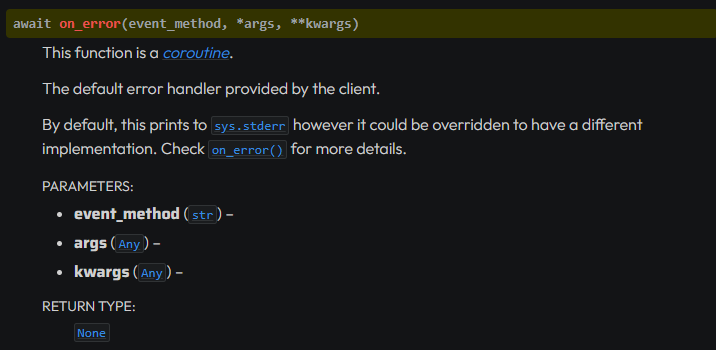 topaz rune
tribal girder
is this work for you? <@310732202570678272>
topaz rune
tribal girder
is this work for you? <@310732202570678272>
I test it rn
sorry If I take time my connexion is pretty bad and my code is on a vps
candid coral
How can I fix this error?
discord.errors.InteractionResponded: This interaction has already been responded to before
topaz rune
candid coral
How can I fix this error?
```discord.errors.InteractionResponded: This interact...
you can't use twice an interaction
patent knoll
you can use interaction.response.send_message
topaz rune
class console_class(commands.Cog):

    @commands.command()
    async def test(ctx):
        try:
            a = 1 + 'a'
            await ctx.send('no error')
        except Exception as e:
            await ctx.send(traceback.format_exc())

def setup(bot):
    bot.add_cog(console_class(bot)) #Me permet d'ajouter le bot dans les autres fichiers
part of my main.py
@bot.event
async def on_message(message):
    global users, file
    if message.content.startswith("_"): #permet de faire comprendre au bot que un message commençant par _ est une commande
        await bot.process_commands(message)
Traceback (most recent call last):
  File "/home/debian/.local/lib/python3.9/site-packages/discord/client.py", line 378, in _run_event
    await coro(*args, **kwargs)
  File "/srv/barman/main.py", line 267, in on_message
    await bot.process_commands(message)
  File "/home/debian/.local/lib/python3.9/site-packages/discord/ext/commands/bot.py", line 384, in process_commands
    await self.invoke(ctx)
  File "/home/debian/.local/lib/python3.9/site-packages/discord/ext/commands/bot.py", line 347, in invoke
    await ctx.command.invoke(ctx)
  File "/home/debian/.local/lib/python3.9/site-packages/discord/ext/commands/core.py", line 942, in invoke
    await self.prepare(ctx)
  File "/home/debian/.local/lib/python3.9/site-packages/discord/ext/commands/core.py", line 872, in prepare
    await self._parse_arguments(ctx)
  File "/home/debian/.local/lib/python3.9/site-packages/discord/ext/commands/core.py", line 767, in _parse_arguments
    raise discord.ClientException(
discord.errors.ClientException: Callback for test command is missing "ctx" parameter.
@tribal girder I would say no 🥲
patent knoll
you forgot "self"
 fervent cradle
Can someone take a look at #1103237419823800423 been stuck on this problem for quite a while
topaz rune
now do I have to place this on all of my functions?
patent knoll
topaz rune
now do I have to place this on all of my functions?
no.
proud mason
topaz rune
now do I have to place this on all of my functions?
That is why you should use a global error handler and not that
patent knoll
lol
topaz rune
proud mason
That is why you should use a global error handler and not that
yeah, get it
proud mason
topaz rune
part of my main.py
```py
@bot.event
async def on_message(message):
global us...
And wtf is this
proud mason
candid coral
How can I fix this error?
```discord.errors.InteractionResponded: This interact...
Use interaction.followup.send when sending the 2nd message
topaz rune
proud mason
And wtf is this <:blobpain:881536122331742240>
thing that bot understand it's a command
at least it work for my cute lil test fnc
 proud mason
topaz rune
thing that bot understand it's a command
proud mason
topaz rune
thing that bot understand it's a command
commands.Bot has a prefix parameter
I suggest reading the guide
.guide
winter condorBOT
topaz rune
proud mason
commands.Bot has a prefix parameter
I know, but mine works, why would I change it
fervent cradle
topaz rune
I know, but mine works, why would I change it
to change the prefix if you ever want to
topaz rune
fervent cradle
to change the prefix if you ever want to
?
@bot.event
async def on_message(message):
    global users, file
    if message.content.startswith("_"): #permet de faire comprendre au bot que un message commençant par _ est une commande
        await bot.process_commands(message)
I legit only have to change the "_" to change the prefix
fervent cradle
topaz rune
?
```py
@bot.event
async def on_message(message):
global users, file
if ...
yeah but if you ever have to go beyond on_message listner and use text commands (Not Application commands) then you will need to have a prefix by default the prefix is ! i suppose
solemn idol
is it even worth adding prefixed commands... discord basically completely destroyed that with / commands
fervent cradle
I still like prefix commands better than slash
so i make hybrid commands to fit both type of users tastes
topaz rune
fervent cradle
I still like prefix commands better than slash
same here
proud mason
topaz rune
?
```py
@bot.event
async def on_message(message):
global users, file
if ...
Same with the commands.Bot parameter
bot = commands.Bot(prefix="_") like that
topaz rune
proud mason
Same with the commands.Bot parameter
yes yes I know, but It mean that I need to modify my code, and as I said before im taking medications that makes me feel like high and it's hard to work like this so if I can let my code that work, imma not touch it
I dont even know if it's understandable ahah
still thanks for the advice
topaz rune
winter condor
Docs: https://discordpy.readthedocs.io/en/latest/ext/commands/commands.html#erro...
isn't this one just working for discord errors
?
sorry if im little bit annoying with this, I dont get the point
proud mason
topaz rune
isn't this one just working for discord errors
No. That is for any errors arising from commands
proud mason
proud mason
Yea real python errors should get caught in it too.
`on_command_error` will hav...
^
topaz rune
proud mason
^
ok I think that i get it now thanks,
so for my case, it's better to use a on_error, right?
proud mason
Yes ig
topaz rune
class CommandErrorHandler(commands.Cog):

    def __init__(self, bot):
        self.bot = bot

    @commands.Cog.listener()
    async def on_error(self, error):
        console = await self.bot.get_channel(1070805582447136819)
        await console.send(f"{error}")
        exception = raceback.format_exc()
        await console.send(exception)


def setup(bot):
    bot.add_cog(CommandErrorHandler(bot))
Console:
Ignoring exception in command None:
discord.ext.commands.errors.CommandNotFound: Command "test" is not found
I didnt get it, sorry
you can forget, dw
dont wanna be annoying
young bone
topaz rune
```py
class CommandErrorHandler(commands.Cog):
def __init__(self, bot):
...
Do you have an on_message event?
topaz rune
young bone
Do you have an on_message event?
I have a few one on my code
winter condorBOT
12 results
discord.on_error
discord.Bot.on_error
discord.Client.on_error
discord.ui.View.on_error
discord.ui.Modal.on_error
discord.AutoShardedBot.on_error
discord.ext.bridge.Bot.on_error
discord.ext.commands.Bot.on_error
discord.AutoShardedClient.on_error
discord.ext.pages.Paginator.on_error
discord.ext.bridge.AutoShardedBot.on_error
discord.ext.commands.AutoShardedBot.on_error
topaz rune
proud mason
Did you load the cog?
is this it
 proud mason
topaz rune
is this it
proud mason
topaz rune
is this it
Is the cog in any of those files?
topaz rune

at the end of my code
of the console.py file
from code import interact
from gc import callbacks
from ssl import VERIFY_X509_TRUSTED_FIRST
from turtle import st
import discord
from discord.ext import commands, tasks
from discord.ui import Button, View, Select
from discord.utils import get
from config import *
from datetime import *
import rank
import asyncio
import unidecode
import string
import traceback
import sys

class CommandErrorHandler(commands.Cog):

    def __init__(self, bot):
        self.bot = bot

    @commands.Cog.listener()
    async def on_error(self, error):
        console = await self.bot.get_channel(1070805582447136819)
        await console.send(f"`{error}`")
        exception = "`"+ traceback.format_exc() + "`"
        await console.send(exception)


def setup(bot):
    bot.add_cog(CommandErrorHandler(bot))
thats my whole console.py
tribal girder
topaz rune
is this it
I'm using bot.load_extension('cogs.console') its works, maybe you should try
topaz rune
tribal girder
I'm using `bot.load_extension('cogs.console')` its works, maybe you should try
Traceback (most recent call last):
  File "/srv/barman/main.py", line 108, in <module>
    bot.load_extension('cogs.console')
  File "/home/debian/.local/lib/python3.9/site-packages/discord/cog.py", line 897, in load_extension
    elif (spec := importlib.util.find_spec(name)) is None:
  File "/usr/lib/python3.9/importlib/util.py", line 94, in find_spec
    parent = __import__(parent_name, fromlist=['__path__'])
ModuleNotFoundError: No module named 'cogs'
it didn't like it
topaz rune
tribal girder
I'm using `bot.load_extension('cogs.console')` its works, maybe you should try
I dont think that the problem comes from there
my code is just probably wrong
 vast sun
How can I fix it? (without await it makes TypeError.)
 tribal girder
hmmm
young bone
vast sun
How can I fix it? (without await it makes TypeError.)
why get_user?
vast sun
young bone
why get_user?
why not?
young bone
use fetch_member

 tribal girder
.rtfm fetch
winter condorBOT
141 total results
discord.ext.commands.Bot.fetch_invite
discord.ext.commands.Bot.fetch_premium_sticker_packs
discord.ext.commands.Bot.fetch_stage_instance
discord.ext.commands.Bot.fetch_sticker
discord.ext.commands.Bot.fetch_template
discord.ext.commands.Bot.fetch_user
discord.ext.commands.Bot.fetch_webhook
discord.ext.commands.Bot.fetch_widget
discord.ext.commands.Bot.get_or_fetch_user
discord.Webhook.fetch
discord.Webhook.fetch_message
discord.ext.commands.AutoShardedBot.fetch_application
discord.ext.commands.AutoShardedBot.fetch_channel
discord.ext.commands.AutoShardedBot.fetch_guild
discord.ext.commands.AutoShardedBot.fetch_guilds
discord.ext.commands.AutoShardedBot.fetch_invite
discord.ext.commands.AutoShardedBot.fetch_premium_sticker_packs
discord.ext.commands.AutoShardedBot.fetch_stage_instance
discord.ext.commands.AutoShardedBot.fetch_sticker
discord.ext.commands.AutoShardedBot.fetch_template
tribal girder
try fetch_user
fervent cradle
anyone who has worked with passing the package parameter in the load_extension() method?
and if you have is there something obviously wrong in this ```python
await bot.load_extension(cog, package='BotFolder.database')
BotFolder being the root directory

for the detailed file structure #1103237419823800423console = await self.bot.get_channel(1070805582447136819)
TypeError: object TextChannel can't be used in 'await' expression
do I need to fetch it?
young bone
topaz rune
```py
console = await self.bot.get_channel(1070805582447136819)
```
TypeError: o...
fetch_channel
topaz rune
thanks guys
@tribal girder@proud mason it works
idk why it send a nonetype but it work

class CommandErrorHandler(commands.Cog):

    def __init__(self, bot):
        self.bot = bot

    @commands.Cog.listener()
    async def on_command_error(self, ctx, error):
        console = await self.bot.fetch_channel(1070805582447136819)
        await console.send(f"`{error}`")
        exception = "`" + traceback.format_exc() + "`"
        await console.send(exception)
nice
topaz rune
ty a lot
solemn idol
topaz rune
why did I never think of a system like this
topaz rune
solemn idol
why did I never think of a system like this
I personally run my code on a screen on my vps, so I cant always see the console, and thats why I coded this
im pretty sure you can make it betteer, mine send nonetype for no reason
solemn idol
topaz rune
im pretty sure you can make it betteer, mine send nonetype for no reason
I'll look over how I can do it (my error handler at the moment is absolute dogshit anyway so I have to rework that)
If I find a good solution I'll post it here :P
topaz rune
solemn idol
I'll look over how I can do it (my error handler at the moment is absolute dogsh...
Feel free to ping me if you find a better solution buddy 
 modest mica
Hey there 👋
I'm having an issue with disconnecting all users from a specific discord channel.
I tried to methods:
channel = discord.utils.get(interaction.guild.voice_channels, id=channel_id[0])
            channel_members = channel.members
            for member in channel_members:
                await member.edit(voice_channel=None)
channel = discord.utils.get(interaction.guild.voice_channels, id=channel_id[0])
            channel_members = channel.members
            for member in channel_members:
                await member.move_to(None)
And I've got this error message: 404 Not Found (error code: 10003): Unknown Channel
young bone
modest mica
Hey there 👋
I'm having an issue with disconnecting all users from a specific ...
do you have intents?
modest mica
Yes, actually I have no issues with move_to(None) in another command
proud mason
If you have the id, use guild.get_channel instead of utils.get
Also, print the id and it's type to see what is getting stored
Id should be an int, and not a string


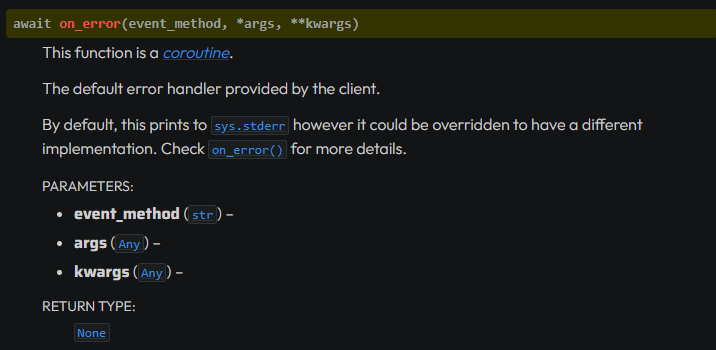 fervent cradle
cyan quail
your option variable
fervent cradle
cyan quail
your option variable
I need the file path?
cyan quail
fervent cradle
I need the file path?
the variable will be an Attachment object https://docs.pycord.dev/en/master/api/models.html#discord.Attachment
this shows all the relevant attributes/methods you can do with it
cyan quail
modest mica
PyCharm saying this error
it's just the typechecker complaining, you can ignore the warning
modest mica
Yes, but also getting error in console, and no idea why
cyan quail
can you paste the full traceback
modest mica
2|penguinb | 2023-05-03T18:02:07: Traceback (most recent call last):
2|penguinb | 2023-05-03T18:02:07:   File "/home/ubuntu/PenguinBot_Python/cogs/custom_voices.py", line 115, in szoba_torles
2|penguinb | 2023-05-03T18:02:07:     await channel.delete()
2|penguinb | 2023-05-03T18:02:07:   File "/home/ubuntu/.local/lib/python3.8/site-packages/discord/abc.py", line 814, in delete
2|penguinb | 2023-05-03T18:02:07:     await self._state.http.delete_channel(self.id, reason=reason)
2|penguinb | 2023-05-03T18:02:07:   File "/home/ubuntu/.local/lib/python3.8/site-packages/discord/http.py", line 367, in request
2|penguinb | 2023-05-03T18:02:07:     raise NotFound(response, data)
2|penguinb | 2023-05-03T18:02:07: discord.errors.NotFound: 404 Not Found (error code: 10003): Unknown Channel
that's... a completely different bit of code
or do you mean to say discord.utils.get(interaction.guild.voice_channels, id=channel_id[0]) is causing this
(also you could have just used interaction.guild.get_channel)
candid coral
I ended up with quite a lot of code for a fairly simple button function. This is fine?
 vocal sentinel
As someone completely new to coding and stuff, how exactly do i make a bot with pycord? I've learnt python. I have checked the pycord documentation. I don't know where to look, and what exactly to study in the documentation to create my discord bot. Can i create my bot just by studying discord.ext.commands or the other extensions? I am lost and confused due to being so new to all this. I don't have an exact guideline to work with.
cyan quail
candid coral
I ended up with quite a lot of code for a fairly simple button function. This is...
probably?
cyan quail
vocal sentinel
As someone completely new to coding and stuff, how exactly do i make a bot with ...
we have https://guide.pycord.dev/
vocal sentinel
cyan quail
we have https://guide.pycord.dev/
I've checked through that, but what's next? What else do i do? The guide doesn't teach me all the basic things i need to know to make a fully fledged discord bot
cyan quail
it gives you the structure to start one
we don't know what your goals are, so you use the guide as a basis for your bot to get it online and then you can experiment with stuff like events and extensions
candid coral
I couldn't figure out how to pass data between buttons, so I used databases
cyan quail
i guess that would be cleaner than some of the alternatives
but the main one would be subclassing to pass variables through
candid coral
I would like to understand how to do this
cyan quail
well, what does your current implementation look like
candid coral
When using the command an individual database is created with a single value — a page number. Buttons take this value and use it according to their algorithms. Also the buttons change a page number
cyan quail
candid coral
When using the command an individual database is created with a single value — a...
did you subclass the buttons?
patent knoll
:)
I just reinstalled py-cord and it still doesnt work
Started to happen when i deleted discord.py which i had installed for some reason
 cyan quail
or views, whichever
cyan quail
patent knoll
:)
I just reinstalled py-cord and it still doesnt work
Started to happen when i ...
did you import discord...?
patent knoll
ah the file wasnt mine so i didnt check, no
candid coral
I don't understand what subclasses are. I used 3 views
I know about the existence of this, but I don't understand the task and implementation
😞
clear vault
proud mason
Is it an error? Or a warning?
Yes
 regal agate
is there anyway to put all roles in a drop down menu without adding them all individually?
proud mason
regal agate
is there anyway to put all roles in a drop down menu without adding them all ind...
yes
use a role_select
errant craneBOT
Here's the role select example.
proud mason
like that
regal agate
thank you
candid coral
Is it possible to write this: "self.user.id"?
soft girder
Hmmmmm 🤔🤔
Is it possible to make a button that will count the number of clicks. Let's say the button was "Registration 0/16" I clicked on it and it changed to ".... 1/16"
proud mason
soft girder
Is it possible to make a button that will count the number of clicks. Let's say ...
See the counter example on GitHub
errant craneBOT
Here's the counter example.
soft girder
proud mason
See the counter example on GitHub
I don't mean through Paginator button
proud mason
soft girder
I don't mean through Paginator button
??
I never said anything about pagination tho
soft girder
 soft girder
proud mason
??
soft girder
proud mason
??
I mean page_ind....
solemn idol
here we go again...
 candid coral
"self.user.id" isn't work :[
What should I write after "self." so that it gives the person's ID?
solemn idol
Why are you using self... use ctx.
self.bot is for your bot, self.user is... I don't see where you use that tbh. it's either just user.id or ctx.user.id
fetch it ig.
full basin
What
regal agate
Extension 'cogs.server' raised an error: TypeError: issubclass() arg 1 must be a class i think this means that the main class isnt inheriting commands.Cog but it is so idk what causing it
solemn idol
candid coral
I use "on_timeout(self)"
I might be stupid, but I hardly understand what you're trying to achieve... (Dont get me wrong I'd like to help you, achieve your goal, but sometimes we do things too difficult (speaking of experience lol))
candid coral
class name(discord.ui.View):
    async def on_timeout(self):
        for child in self.children:
            child.disabled = True
await self.message.edit(f"Time is over, {???.id}", view=self)```If you want the ID, then you have to pass the user object to the class
candid coral
How can I make it?
candid coral
regal agate
have you tried passing interaction and select?
NameError: name 'interaction' is not defined
regal agate
well that makes sense
you dont have a decorator
what even is it?
a button a drop down?
regal agate
this might be a dumb question but why isnt it in a event listener?
candid coral
It's in the class where the buttons are
full basin
candid coral
How can I make it?
Do you know how classes work?
full basin
regal agate
this might be a dumb question but why isnt it in a event listener?
Because it's a function in a view. It has nothing to do with listeners
regal agate
full basin
Because it's a function in a view. It has nothing to do with listeners
i see
questioon