#Basic Pycord Help (Quick Questions Only)
1 messages · Page 69 of 1
 silver moat
 errant vale
I have a function that returns a bunch of strings and integers that change every hour so it has to be called alongside the slash command. The slash command has an embed in it that then displays all that data
Could i put it below the decorator so that its called when the command is recieved but before the slash command?
silver moat
?tag botvar
 obtuse juncoBOT
Need to keep track of a variable between functions? No problem!
⚠️ Careful what you name it though, else you might overwrite something ⚠️
Just add it to your commands.Bot or discord.Client instance like so:
bot = commands.Bot(...)
bot.my_variable = 0

async def foo():
    bot.my_variable += 1

# In a cog
@commands.command()
async def counter(self,ctx):
    await ctx.send("Current Counter is at {}".format(ctx.bot.my_variable))
This also allows you to access this from other cogs/extensions/functions. Anywhere you have access to the bot instance
errant vale
Ah so id just run the function beforehand and change the variables to ones under the bot object
silver moat
errant vale
Ah so id just run the function beforehand and change the variables to ones under...
yeah
errant vale
Ok cool
 night pollen
Im using bot.reload_extension(f"cogs.{cog_name}") to reload a cog but its saying its not loaded while i can still use the commands in the cog. why is that? and how would i fix it?
 solemn idol
night pollen
Im using ``bot.reload_extension(f"cogs.{cog_name}")`` to reload a cog but its sa...
solemn idol
night pollen
Im using ``bot.reload_extension(f"cogs.{cog_name}")`` to reload a cog but its sa...
it's a known library issue so far there haven't been any fixes, atleast not that I've heard of.
night pollen
ah alr
errant vale
silver moat
yeah
are there certain disallowed variable names? this one doesnt seem to be assigning when i put it under the bot object bot.api_key = os.getenv("HYPIXEL_API_KEY")
oh nvm i read the error wrong sorry for ping
errant vale
for this command option here how would i make the list of members options? offline_ping_discord_tag:discord.Option(str, description="The Discord tag to be pinged when you go offline",choices=[]),
errant vale
members = [member.display_name for member in ctx.guild.members] offline_ping_discord_tag.choices = members doesnt seem to work
 desert path
i think my issue got lost in chat 👀
 silver moat
errant vale
for this command option here how would i make the list of members options? `offl...
silver moat
errant vale
for this command option here how would i make the list of members options? `offl...
Just use discord.Option(discord.Member)
silver moat
errant vale
`members = [member.display_name for member in ctx.guild.members]
offline_pin...
This is because the choices are meant to be static, not dynamic.
If you are looking for dynamic choices, you can check out
 errant craneBOT
Here's the slash autocomplete example.
errant vale
im thinking of doing something like that also using minecraft name api that autocompletes as you tpye your name in
desert path
desert path
i think my issue got lost in chat 👀
nvm i figured it out -_-
 proud mason
silver moat
Just use `discord.Option(discord.Member)`
proud mason
silver moat
Just use `discord.Option(discord.Member)`
Or just simply member: discord.Member
errant vale
so i can put that in choices?
silver moat
proud mason
Or just simply `member: discord.Member`
well, they still want the description attr
proud mason
Ah ok
errant vale
imma just ignore it fn until i reach the public stage
is there a way to make an interaction that is kinda like a form or ballot
i have a set of data that i need from the user and it would just be clunky to chuck it all in the /setup command as different fields with different choices
would https://guide.pycord.dev/interactions/ui-components/dropdowns be what im after?
Learn all about implementing Select Menus or Dropdowns in your Discord Bot with Pycord.
silver moat
errant vale
would https://guide.pycord.dev/interactions/ui-components/dropdowns be what im a...
if it's multiple choice yeah
errant vale
im basically asking the user a bunch of attributes of a single item
they can click them
what data type does it return, and is there an example somewhere i can see of a working select menu?
silver moat
nothing better than trying it yourself.
silver moat
errant vale
what data type does it return, and is there an example somewhere i can see of a ...
a string
or a list of strings
errant vale
a list of strings is preferable, id asssume thats when you have more than one choice selected when the user confirms?
silver moat
yeah
errant vale
i can just force it to be in a list no biggie
errant vale
how do i do math with variables that are under bot object
bot.actiontime = bot.base_action_time/15(1+(.18*bot.rising_celsius_scalar)+(.2*bot.flycatcher)+(.05*bot.minionexpanders)+bot.infusion_scalar+bot.beacon_scalar) makes the error j:\infernal addons\hypixelapi.py:205: SyntaxWarning: 'int' object is not callable; perhaps you missed a comma? bot.actiontime = bot.base_action_time/15(1+(.18*bot.rising_celsius_scalar)+(.2*bot.flycatcher)+(.05*bot.minionexpanders)+bot.infusion_scalar+bot.beacon_scalar)
oh turns out i just needed to add an asterisk to explicitly multiply the 15
 covert kayak
intents=discord.Intents(65277)
Why does this return an error TypeError: Intents.__init__() takes 1 positional argument but 2 were given? Without the number the bot won't be able to read messages in my server.
 young bone
covert kayak
```
intents=discord.Intents(65277)
```
Why does this return an error `TypeError:...
young bone
covert kayak
```
intents=discord.Intents(65277)
```
Why does this return an error `TypeError:...
why did you enter a number?
covert kayak
Without the number the bot won't be able to read messages in my server.
The number is the number of intents
young bone
covert kayak
Without the number the bot won't be able to read messages in my server.
maybe add message intents?
?tag intents
obtuse juncoBOT
https://docs.pycord.dev/en/master/intents.html
https://discord.com/developers/docs/topics/gateway#gateway-intents
import discord
from discord.ext import commands

# Get specific intents for fine control
intents = discord.Intents()
intents.emojis = True
intents.guilds = True
intents.messages = True  # Required for prefix commands!
...
# Get all non-priveliged intents; this excludes presences, members and message_content
intents = discord.Intents.default()

# Set priveliged intents: these must be enabled on dev portal
intents.members = True
intents.presences = True
intents.message_content = True  # Required for prefix commands >= 2.0.0b5

# Get all intents; all intents must be enabled on dev portal.
intents = discord.Intents.all()

# Apply intents when creating your bot
bot = commands.bot(prefix="?", intents=intents)
Pycord
In version 1.5 comes the introduction of Intents. This is a radical change in how bots are written. An intent basically allows a bot to subscribe to specific buckets of events. The events that corr...

Discord Developer Portal
Integrate your service with Discord — whether it's a bot or a game or whatever your wildest imagination can come up with.
solemn idol
Traceback?
covert kayak

Usually when it runs there is going to be colored line like this
But now there is no more
obtuse juncoBOT
discord.Client # just for events
discord.Bot # events + slash/user/msg commands
commands.Bot # above + prefixed commands
bridge.Bot # above + bridge commands (application commands and text commands in one)
commands.Bot
errant vale
how come i cant use functions in slash commands
errant vale
async def embedsetup(ctx: discord.ApplicationContext):
    await test()
    if hypergolic_sell_price != 0:
        await ctx.respond('embed variables set!')```  ```File "j:\infernal addons\main.py", line 393, in embedsetup
    await test()
TypeError: object NoneType can't be used in 'await' expression

The above exception was the direct cause of the following exception:

Traceback (most recent call last):
  File "C:\Python310\lib\site-packages\discord\bot.py", line 1114, in invoke_application_command
    await ctx.command.invoke(ctx)
  File "C:\Python310\lib\site-packages\discord\commands\core.py", line 375, in invoke
    await injected(ctx)
  File "C:\Python310\lib\site-packages\discord\commands\core.py", line 132, in wrapped
    raise ApplicationCommandInvokeError(exc) from exc
discord.errors.ApplicationCommandInvokeError: Application Command raised an exception: TypeError: object NoneType can't be used in 'await' expression```def test(): print("test")
errant vale
whats happening
errant vale
young bone
its really easy to see why its not working
exception: TypeError: object NoneType can't be used in 'await' expression functions dont have type so how can i get them to run
young bone
Im not sure if you know basic python
errant vale
im learning ive only had the course for 2 months
 errant vale
ive made it really far
proud mason
covert kayak
But now there is no more
discord.py has those coloured logs. py-cord doesnt
proud mason
proud mason
discord.py has those coloured logs. py-cord doesnt
you should uninstall dpy and other discord related libraries and reinstall py-cord
errant vale
i just cant seem to figure out why i speciffically cant run a function within a function if i put it in await
cuz its asynchronous
proud mason
errant vale
`def test():
print("test")`
test is not an async func
young bone
^
proud mason
you defined it with def, not async def 
errant vale
oh that seems very obvious
young bone
errant vale
oh that seems very obvious
Thats why you maybe should learn more Python first
covert kayak
Why does from discord.ext import commands return an error
young bone
proud mason
you should uninstall dpy and other discord related libraries and reinstall py-co...
@covert kayak
 young bone
did you also uninstall and reinstall py-cord?
covert kayak
done
young bone
and close the terminal after it
 green hinge
Can I customize the profile description of a user on my server via bot?
young bone
green hinge
Can I customize the profile description of a user on my server via bot?
no?
green hinge
young bone
no?
Okay too bad, thought that might work for the server because you can also change the nickname
young bone
green hinge
Okay too bad, thought that might work for the server because you can also change...
you can only change the server nickname
the the user name
green hinge
young bone
you can only change the server nickname
Yes
covert kayak
ok I fixed it 🥳
Which one of these data structure should I use to have the best speed? I want to be able to retrieve both single data within a specified type and also all data regardless of type.
{
  "type 1": {
    "data 1": {...},
    "data 2": {...}
  },
  "type 2: {
    "data 3": {...},
    "data 4": {...}
  }
}
or
{
  "data 1": {"type": 1, ...},
  "data 2": {"type": 1, ...},
  "data 3": {"type": 2, ...},
  "data 4": {"type": 2, ...},
}
i believe 1 should better
 hybrid flower
subcommand of SlashCommandGroup, guild_ids parameter does not work?
proud mason
hybrid flower
subcommand of SlashCommandGroup, guild_ids parameter does not work?
Yes. Guild ids, default permissions etc only work for parent cmd
Discord limitation
Cuz subcommands are just a different type slash cmd option for the parent cmd
hybrid flower
OK, I SEE
 fallen cove
Any recommendations for getting a channel or category with a specific name so it would get the target even if it’s not in the cache
proud mason
fallen cove
Any recommendations for getting a channel or category with a specific name so it...
no choice other than fetch guild and then utils.get
i dont recommended it tho, as fetch guild is slow and has high ratelimits
hybrid flower
if the guild_ids parameter contains a guild id that guild does not add the bot, the re-register act will all failed.
proud mason
hybrid flower
if the guild_ids parameter contains a guild id that guild does not add the bot, ...
❓ can you elaborate
fallen cove
proud mason
no choice other than fetch guild and then utils.get
I have that currently and it works in some servers and not in others. I’m guessing they’re not in the bot cache
hybrid flower
first time bot started with guild_ids=[1,2], its worked, second time with guild_ids=[1,3], but the guild with guild id 3 was not add the bot, so the command re-register to guild_ids 1,3 was failed with DISCORD Forbidden, but bot was running, and command still in guild 1,2
proud mason
fallen cove
I have that currently and it works in some servers and not in others. I’m guessi...
fetch_guild + utils.get will work in any server
get_guild + utils.get may or may not
why not store the list of channels in a db?
proud mason
proud mason
fetch_guild + utils.get will work in any server
get_guild + utils.get may or ma...
also, do you only want to send msgs or smth? if yes then use partial channels (.tag partial in #883236900171816970)
hybrid flower
 hybrid flower
first time bot started with guild_ids=[1,2], its worked, second time with guil...
hybrid flower
hybrid flower
first time bot started with guild_ids=[1,2], its worked, second time with guil...
In my expected thoughts, although guild with id 3 does not add the bot, register command to it failed, register to the other guild ids should not fail.
 jovial vapor
How do I add commands in other files (or cogs) using slash commands ?
import discord
from TOKEN import TOKEN

bot = discord.Bot()

@bot.event
async def on_ready():
    bot.add_cog(Greetings(bot))
    success(f"{bot.user} is ready and online!")

@bot.slash_command(name = "hello", description = "Say hello to the bot")
async def hello(ctx):
    await ctx.respond("Hey!")

bot.run(TOKEN) # run the bot with the token
With the commands extensions, I can add cogs without any problem, but how am I supposed to do using the slash commands ?
young bone
jovial vapor
How do I add commands in other files (or cogs) using slash commands ?
```pytho...
dont load the cog at "on_ready"
jovial vapor
Where should I load it then ? And how to add slash commands to the other file ? Sorry if this is a question that has been posted a hundred times, I've been coding bots when slash commands were not a thing yet and now I feel completely lost
young bone
jovial vapor
Where should I load it then ? And how to add slash commands to the other file ? ...
just load them outside of "on_ready"
GitHub
Pycord, a maintained fork of discord.py, is a python wrapper for the Discord API - pycord/slash_cog.py at master · Pycord-Development/pycord
proud mason
hybrid flower
you are missing app cmds scope. invite the bot again with it (no need to kick the bot)
 glad remnant
Is there a way how to read uploaded csv file? 
attachment: discord.Attachment
proud mason
hybrid flower
In my expected thoughts, although guild with id 3 does not add the bot, registe...
that is an issue with how app cmds are registered. some devs are looking into a better way to deal with stuff
proud mason
glad remnant
Is there a way how to read uploaded csv file? <:pepehmm:974661866984984647>
`a...
uploaded using slash cmds?
glad remnant
Yessir
proud mason
glad remnant
Yessir
i would read it and save it into a bytesio
smth like f = io.BytesIO(await attachment.read()) and then use the csv library to read the bytesio
night pollen
How can i autocomplete with a list of members in a slash command? Tried alot and since i cant use ctx since its not defined outside the command function im kinda stuck.
 full basin
Typehint discord.Member
 tropic cradle
Is it possible for a but to include a local video file in a message?
I my bot setup to have yt-dlp download a linked video and then respond with it but it posts as a file and isn't watchable. I'm thinking the answer is no, but it would be pretty cool to be wrong
full basin
?tag localfile
obtuse juncoBOT
f = discord.File("some_file_path", filename="image.png")
e = discord.Embed()
e.set_image(url="attachment://image.png")
await messagable.send(file=f, embed=e)```Not embedding tho
proud mason
tropic cradle
Is it possible for a but to include a local video file in a message?
Yes it is possible. Just send it with discord.File like you would send any other image or song etc
night pollen
full basin
Typehint discord.Member
so i got to discord.Guild.members and a few other things that seemed like it would be helpfull to me but i got nothing to work, mind giving me another nudge in the right direction?
proud mason
tropic cradle
I my bot setup to have yt-dlp download a linked video and then respond with it b...
Are you adding the right file extension to the filename?
Also, is the downloaded file playable directly on your pc?
full basin
night pollen
so i got to discord.Guild.members and a few other things that seemed like it wou...
Provide the code you're using
full basin
proud mason
Not embedding tho
Oh
night pollen
full basin
Provide the code you're using
    @commands.slash_command(name="ban", description="Ban a user")
    async def ban(self, ctx, member: discord.Option(str, autocomplete=discord.utils.basic_autocomplete(discord.Guild.members)),  reason):
        for member in ctx.guild.members:
            print(member)
dont mind what the command is doing, was just testing a bit
tropic cradle
Playable on pc, but the message is a link to the file
 full basin
night pollen
```py
@commands.slash_command(name="ban", description="Ban a user")
asy...
full basin
night pollen
```py
@commands.slash_command(name="ban", description="Ban a user")
asy...
You're definitely making it complex. You just member: discord.Member
proud mason
night pollen
so i got to discord.Guild.members and a few other things that seemed like it wou...
Just use plain member: discord.Member typehint. Or try using discord.Option
If not that try the @option decorator. Else try SlashCommandOptionType
full basin
The library does all the job
night pollen
full basin
You're definitely making it complex. You just `member: discord.Member`
ah alr, thank salot
errant craneBOT
Here's the slash options example.
proud mason
tropic cradle
Playable on pc, but the message is a link to the file
Can you show how you create the discord.File object and send it?
night pollen
full basin
You're definitely making it complex. You just `member: discord.Member`
yea no, nothing is loading in the autocompletion
tropic cradle
file = discord.File("tiktok.mp4")
####


@bot.command(description="test")
@option("test", description="test")
async def test(ctx):

    await ctx.respond(file = file, ephemeral=True)
    @commands.slash_command(name="ban", description="Ban a user")
    async def ban(self, ctx, member: discord.Member,  reason):
        for member in ctx.guild.members:
            print(member)
Sorry if i made a dumb mistake or something, havent wroked with python in a while.
2 sec ill get the ss
ok
wtf, i swear it didnt load
well it works now, thanks
proud mason
tropic cradle
```python
file = discord.File("tiktok.mp4")
####
@bot.command(description="tes...
Hmm. Try creating the file inside the command
tropic cradle
It appears to be a codec issue, but I was about to give up thinking it wasn't possible so thank you for putting me on the right track!
 plush moat
I'm struggling a bit with decorators
Say I have
@bot.slash_command(name="setbalance", guild_ids=[GUILD], description="tempDescription")
async def setbalance(ctx,
                  user: Option(discord.Member, required=False, description="tempDescription")):
```, and I'd want to run a functon before and after this using decorators

```py
def transactional(func):
    async def wrapper(*args, **kwargs):
        print("before func")
        result = func(*args, **kwargs)
        print("after func")
        return result
    return wrapper
however, if I put it like
@transactional
@bot.slash_command(name="stats", guild_ids=[GUILD], description="Give stats across all orders")
the "before func" and "after func" doesn't get printed, and if I put it like
@bot.slash_command(name="stats", guild_ids=[GUILD], description="Give stats across all orders")
@transactional
it includes "**kwargs" as an argument I can pass to my bot's command
How would I best go about doing this?
silver moat
plush moat
I'm struggling a bit with decorators
Say I have
```py
@bot.slash_command(name="...
You can use the on_application_commands event
plush moat
silver moat
You can use the `on_application_commands` event
ur an absolute legend
proud mason
even better, use @before_invoke and @after_invoke
plush moat
what's the differnece between @before_invoke @after_invoke vs @on_application_command @on_application_command_finish?
proud mason
before invoke actually halts the command from running until the function has executed
and before/after can be set different per command
plush moat
I see, so I'd do something like
@bot.slash_command(name="stats", guild_ids=[GUILD], description="Give stats across all orders")
@bot.before_invoke(setup)
@bot.after_invoke(cleanup)
for all the functions where that's relevant?
proud mason
you can even set those either for all cmds in the bot, for all cmds in the cog, all in the group or for a single cmd
proud mason
plush moat
I see, so I'd do something like
```py
@bot.slash_command(name="stats", guild_id...
not like that
smth like
@bot.slash_command(...)
async def my_command(...):
    ...

@bot.slash_command(...)
async def your_command(...):
    ...

@my_command.before_invoke
@your_command.before_invoke
async def before(ctx)
    ...
.rtfm before_invoke
 winter condorBOT
22 total results
discord.ext.commands.before_invoke
discord.ext.bridge.Bot.before_invoke
discord.ext.commands.Bot.before_invoke
discord.ext.commands.Cog.cog_before_invoke
discord.ext.bridge.AutoShardedBot.before_invoke
discord.ApplicationCommand.before_invoke
discord.ext.commands.Group.before_invoke
discord.UserCommand.before_invoke
discord.Bot.before_invoke
discord.Cog.cog_before_invoke
discord.ext.commands.AutoShardedBot.before_invoke
discord.ext.commands.Command.before_invoke
discord.ext.bridge.BridgeCommandGroup.before_invoke
discord.MessageCommand.before_invoke
discord.AutoShardedBot.before_invoke
discord.ext.bridge.BridgeCommand.before_invoke
discord.ext.bridge.BridgeExtGroup.before_invoke
discord.SlashCommandGroup.before_invoke
discord.ext.bridge.BridgeExtCommand.before_invoke
discord.ext.bridge.BridgeSlashGroup.before_invoke
proud mason
before/after invoke is there on many classes depending on where you want to do it
plush moat
That's great!
Tysm, I'm gonna look into it more. This sounds like exactly what I need
plush moat
proud mason
before/after invoke is there on many classes depending on where you want to do i...
So, if my bot instance is just called bot, if I want to cover all commands called,
@bot.before_invoke
async def before(ctx):
    readFromDisk()

@bot.after_invoke
async def after(ctx):
    writeToDisk()
Would do exactly that?
proud mason
plush moat
So, if my bot instance is just called `bot`, if I want to cover all commands cal...
yea looks right
plush moat
Sick! tysm, that has been stumping me for a few days now ^^
 viscid sluice
Is it possible to change async def dice(self, ctx, bet_on: int = 6, amount: int): to async def dice(self, ctx, amount: int, bet_on: int = 6):? Because when I do that I get the error SyntaxError: non-default argument follows default argument
 limber urchin
No, just like the error says you can't have a non-default argument after a default one
And this isn't even correct Python syntax
 viscid sluice
limber urchin
No, just like the error says you can't have a non-default argument after a defau...
viscid sluice
limber urchin
No, just like the error says you can't have a non-default argument after a defau...
Isnt that somehow possible?
viscid sluice
limber urchin
And this isn't even correct Python syntax
Sorry I mistyped
limber urchin
viscid sluice
Isnt that somehow possible?
No, how would that even work?
viscid sluice
I dont know thats why Im asking
limber urchin
To set a value on the amount parameter means you have to set a value on your bet_on parameter as well. Which means having a default value on bet_on is absolutely useless because you're always explicitly setting a value to it anyways.
It's an error for a reason
viscid sluice
viscid sluice
limber urchin
To set a value on the `amount` parameter means you **have** to set a value on yo...
This is the code for it is it possible to do it like this?
So flip bet_on and amount?
limber urchin
Yes?
viscid sluice
How?
limber urchin
By flipping them??
limber urchin
._.
viscid sluice
So?
limber urchin
Then the error is from something else
viscid sluice
limber urchin
No, how would that even work?
But you just said that it doesnt work
viscid sluice
limber urchin
Then the error is from something else
async def dice(self, ctx, bet_on: int = 6, amount: int): works but async def dice(self, ctx, amount: int, bet_on: int = 6): not
limber urchin
?????
viscid sluice
🥲
I want to flip bet_on and amount
async def dice(self, ctx, amount: int, bet_on: int = 6):
But then comes the error
proud mason
viscid sluice
``async def dice(self, ctx, amount: int, bet_on: int = 6):``
that is the correct way. what is the error?
proud mason
viscid sluice
``async def dice(self, ctx, bet_on: int = 6, amount: int):`` works but ``async d...
that doesnt make sense... 💀
its not possible
viscid sluice
viscid sluice
``async def dice(self, ctx, amount: int, bet_on: int = 6):``
So I cant do it like this?
viscid sluice
proud mason
that is the correct way. what is the error?
SyntaxError: non-default argument follows default argument
proud mason
viscid sluice
So I cant do it like this?
you have to do it like that
proud mason
viscid sluice
``SyntaxError: non-default argument follows default argument``
full error and traceback? it could be coming from somewhere else
viscid sluice
 viscid sluice
The other works
viscid sluice
viscid sluice
The other works
async def dice(self, ctx, bet_on: int = 6, amount: int):
proud mason
viscid sluice
the error shows you are using async def dice(self, ctx, bet_on: int = 6, amount: int):
||also thats dpy||
viscid sluice
Im stupid
viscid sluice
proud mason
the error shows you are using `async def dice(self, ctx, bet_on: int = 6, amount...
async def dice(self, ctx, amount: int, bet_on: int = 6): works
Alright now
viscid sluice
viscid sluice
``async def dice(self, ctx, amount: int, bet_on: int = 6):`` works
But I want it the other way around
And that was my question
silver moat
viscid sluice
But I want it the other way around
then give amount a default value
viscid sluice
And how do I do that?
limber urchin

viscid sluice
A normal question
limber urchin
Read rule 1 in #help-rules
 maiden nexus
is it possible to add buttons to images?
proud mason
maiden nexus
is it possible to add buttons to images?
button to images? im not sure what you mean. but you can always send a message with just an image and a view
maiden nexus
proud mason
button to images? im not sure what you mean. but you can always send a message w...
like just sending an image

and adding a button to this
or yea that would work as well sending a message with it
proud mason
maiden nexus
like just sending an image
you cant have a button on the image
proud mason
you can have one below it
proud mason
yea you can do that
maiden nexus
o ok ty
maiden nexus
proud mason
yea you can do that
also like I'm using a lot image manipulation and making profiles for many commands, is there anything I should be aware of? Like I usually don't see a lot of bots using images to show info and more of embeds.
proud mason
maiden nexus
also like I'm using a lot image manipulation and making profiles for many comman...
if your image manipulation library like PIL isnt async, call its methods from asyncio.to_thread
but should be fine otherwise
maiden nexus
alright got it ty
 silk spindle
.rtfm thread
winter condorBOT
120 total results
discord.Thread
discord.Thread.add_user
discord.Thread.applied_tags
discord.Thread.archive
discord.Thread.archive_timestamp
discord.Thread.archived
discord.Thread.auto_archive_duration
discord.Thread.can_send
discord.Thread.category
discord.Thread.category_id
discord.Thread.created_at
discord.Thread.delete
discord.Thread.delete_messages
discord.Thread.edit
discord.Thread.fetch_members
discord.Thread.fetch_message
discord.Thread.flags
discord.Thread.get_partial_message
discord.Thread.guild
discord.Thread.history
silk spindle
how do I detect if a message is from a thread?
silver moat
message.channel would be a thread object iirc
silk spindle
silver moat
message.channel would be a thread object iirc
Do i need to have some Intents for this? because I always receive PartialMessageable
Found it ! Need guilds=True as Intents
 finite flame
how can ApplicationContext.message be None?
below is the code and exception I've got (working with a custom context)
class ApplicationContext(discord.ApplicationContext):
    def __init__(self, *args, **kwargs):
        super().__init__(*args, **kwargs)
        self.bot: ServiceDroid
        self.lfg = LFGData(self)

    @property
    def guild(self) -> Guild:
        return Guild.get(self.interaction.guild_id)

    @property
    def own_perms(self) -> discord.Permissions:
        return self.channel.permissions_for(self.message.guild.me)
Traceback (most recent call last):
  File "C:\projects\python\discord_bots\service_droid\.venv\Lib\site-packages\discord\commands\core.py", line 124, in wrapped
    ret = await coro(arg)
          ^^^^^^^^^^^^^^^
  File "C:\projects\python\discord_bots\service_droid\.venv\Lib\site-packages\discord\commands\core.py", line 978, in _invoke
    await self.callback(self.cog, ctx, **kwargs)
  File "C:\projects\python\discord_bots\service_droid\cogs\custom.py", line 73, in lfg_slash
    if ctx.own_perms.manage_messages:
       ^^^^^^^^^^^^^
  File "C:\projects\python\discord_bots\service_droid\classes\context.py", line 39, in own_perms
    return self.channel.permissions_for(self.message.guild.me)
                                        ^^^^^^^^^^^^^^^^^^
AttributeError: 'NoneType' object has no attribute 'guild'```does it even have message?
finite flame
just asked myself the same thing and it doesn't look like it, no idea why my linter was suggesting it
wouldn't make any sense anyways since slash commands aren't casted with a normal message
 proven mantle
How can i run a async function with pycord in a synchronus function?
I tried asyncio.run which throws asyncio.run() cannot be called from a running event loop
limber urchin
This isn't discord.py
proven mantle
Oh yeah. I meant Pycord
limber urchin
.rtfm Bot.loop
winter condorBOT
Target not found, try again and make sure to check your spelling.
limber urchin
.rtfm loop
winter condorBOT
23 total results
discord.ext.tasks.loop
discord.ext.tasks.Loop
discord.ext.tasks.Loop.add_exception_type
discord.ext.tasks.Loop.after_loop
discord.ext.tasks.Loop.before_loop
discord.ext.tasks.Loop.cancel
discord.ext.tasks.Loop.change_interval
discord.ext.tasks.Loop.clear_exception_types
discord.ext.tasks.Loop.current_loop
discord.ext.tasks.Loop.error
discord.ext.tasks.Loop.failed
discord.ext.tasks.Loop.get_task
discord.ext.tasks.Loop.hours
discord.ext.tasks.Loop.is_being_cancelled
discord.ext.tasks.Loop.is_running
discord.ext.tasks.Loop.minutes
discord.ext.tasks.Loop.next_iteration
discord.ext.tasks.Loop.remove_exception_type
discord.ext.tasks.Loop.restart
discord.ext.tasks.Loop.seconds
proven mantle
So ```py
member = asyncio.run_coroutine_threadsafe(guild.fetch_member(int(msg["data"]["userID"])), self.client.loop).result()
Im not sure if its a good idea if you fetch members, if they are a lot of them
proven mantle
I used get_member before but that uses cached data which is not always up to date
young bone
ye
 worldly schooner
recently ive been getting this error:
discord.errors.Forbidden: 403 Forbidden (error code: 90001): Reaction blocked
It was working all fine since I noticed my bot wasnt reacting anymore
full basin
worldly schooner
It was working all fine since I noticed my bot wasnt reacting anymore
The bot is missing permissions to add reactions
worldly schooner
full basin
The bot is missing permissions to add reactions
strange, it was working fine, well I will check it out
 cyan quail
proven mantle
I used get_member before but that uses cached data which is not always up to dat...
cyan quail
proven mantle
I used get_member before but that uses cached data which is not always up to dat...
it generally will be though, if you have intents your bot will always receive events and update your members in cache
if your cached members don't have the correct info then you're somehow doing something wrong elsewhere, or perhaps you're working at far too large a scale
 shut jasper

what is wrong with this code?
returns admin not found
1089419657749987418 my id
if i make it an int it says

 frail matrix
I have a ui view for a select menu that accepts arguments from the user when they run a slash command. So I put the view into on_ready to make it persistent, and then I need to pass data into that view to initalize it and the select menu. But what happens if I have multiple select menus? What do I put into on_ready?
proud mason
shut jasper
can you show how you define the var, and how you call bot.get_user
proud mason
frail matrix
I have a ui view for a select menu that accepts arguments from the user when the...
you add the view multiple times
i assume you store the data which you pass in a db
frail matrix
yeah its in a db
proud mason
so just iterate over than and create a new view for every different select menu
frail matrix
so i have to add the view for each active select menu?
proud mason
yes
frail matrix
ok cool thanks
proven mantle
cyan quail
it generally will be though, if you have intents your bot will always receive ev...
I use the default intents with Members and Messages enabled. But when i update the roles for a member, it wont return the new data. But ig i could make a event listener which writes to the cache
finite flame
why does time_amount: discord.Option(name="amount", description="The amount of time", input_type=int) give me a string even tho I'm specifying I want an int?
 cerulean yacht
Pycord
Bots: Attributes activity, allowed_mentions, application_flags, application_id, auto_sync_commands, cached_messages, cogs, debug_guilds, description, emojis, extensions, get_command, guilds, intent...
is there anyway to unregister guild command registered using this^?
finite flame
cerulean yacht
is there anyway to unregister guild command registered using this^?
not sure is this is an intended way, but you could remove the command and then rerun the register, then the ones missing get unregistered
cerulean yacht
finite flame
not sure is this is an intended way, but you could remove the command and then r...
no other way?
finite flame
dunno, never did this so far
proud mason
finite flame
why does `time_amount: discord.Option(name="amount", description="The amount of ...
.tag slashnoshow
winter condorBOT
finite flame
why does `time_amount: discord.Option(name="amount", description="The amount of ...
Checklist for Application Commands Not Showing Up:
• Does your bot have the application.commands scope?
• Are you loading cogs before on_ready and on_connect?
• Is on_connect not overridden?
• Did you update to the newest version of py-cord (tag: install)?
• Is User Settings > Accessibility > Chat Input > Use legacy chat input turned off?
• Did you share your code and errors?
• Do you still have libraries that conflict with the discord namespace (e.g. discord.py)?
proud mason
even tho tag is for smth else, the checklist still applies
proud mason
cerulean yacht
https://docs.pycord.dev/en/stable/api/clients.html#discord.Bot.register_command
that method isnt implemented according to the source code 🤔
https://github.com/Pycord-Development/pycord/blob/master/discord/bot.py#L419
errant craneBOT
discord/bot.py line 419
raise NotImplementedError```not sure how this helps, but anyways, shouldn't create any problems
- yes
- no, but I trigger the command sync manually
- not overwritten
- yes, 2.4.1
- is disabled
- yes, shared code, but there are no errors other than my code complaining that I didn't get an integer
- no
proud mason
finite flame
not sure how this helps, but anyways, shouldn't create any problems
1. yes
2. no...
hmm that looks good
can you try using @option
 tough lion
how to run my bot on pythonAnywhere?
 fervent cradle
how can I edit a buttons lable after I pressed it?
this is the code
class PollView(discord.ui.View):
    def __init__(self):
        super().__init__(timeout=None)

    @discord.ui.button(label="Ja", style=discord.ButtonStyle.green, custom_id="yes_button")
    async def yes(self, button, interaction):
await interaction.response.edit_message(components=[Button(label='Hello', custom_id='yes_button')])```You need to edit the button and then edit the message with your view
silver moat
Pycord also doesn't have a components kwarg.
fervent cradle
limber urchin
You need to edit the button and then edit the message with your view
so I don't put the button in the view but in a button class?
limber urchin
fervent cradle
so I don't put the button in the view but in a button class?
What?
You already have the button as a parameter in your callback
You don't need to create a new
fervent cradle
limber urchin
You don't need to create a new
then I don't understand your solution
do you mean like this:
limber urchin
Change the label of the button and then edit the message with your view again
fervent cradle
        button.lable = "hello"

await interaction.response.edit_message(view=self)```wdym?
limber urchin
you don't need interaction.response
just do self.message
fervent cradle
limber urchin
you don't need interaction.response
just do self.message
then I get this error:
await self.message.edit_message(view=self)
      ^^^^^^^^^^^^^^^^^^^^^^^^^
AttributeError: 'NoneType' object has no attribute 'edit_message'
full basin
limber urchin
but you don't need interaction.response
Why not? They have to respond to the interaction
fervent cradle
when I do it with this: py await interaction.response.edit_message(view=PollView()) I get no error, but the button lable doesn't change
limber urchin
full basin
Why not? They have to respond to the interaction
It depends on if they want to edit the view in response to the interaction or not, I assumed not.
fervent cradle
and when I do it with py await self.message.edit_message(view=self) I get this error: AttributeError: 'NoneType' object has no attribute 'edit_message'
limber urchin
fervent cradle
when I do it with this: ```py
await interaction.response.edit_message(view=Poll...
Why are you creating a new instance of your view?
That's just going to reset everything about it
limber urchin
Just use self?
full basin
try py await interaction.response.edit_message(view=self)
fervent cradle
full basin
try ```py
await interaction.response.edit_message(view=self)```
the button looks just the same as before
without any error
full basin
Code
fervent cradle
 async def yes(self, button, interaction):

        button.lable = "Hello"

await interaction.response.edit_message(view=self)```lable
fervent cradle
@discord.ui.button(label="Ja", style=discord.ButtonStyle.green, custom_id="yes_button")```oh
proud mason
tough lion
how to run my bot on pythonAnywhere?
what is pythonAnywhere?
full basin
proud mason
what is pythonAnywhere?
Hosting service looks like https://www.pythonanywhere.com/
Host, run, and code Python in the cloud: PythonAnywhere
limber urchin
You prbably can, but it looks like a pretty bad way to host a bot
You only get a set amount of CPU-seconds per day and only 1GB disk space for the $5/mo plan
You can get way better on pretty much any VPS provider
silver moat
even Replit's better
young bone
limber urchin
You can get way better on pretty much any VPS provider
Or you can just use your own small server/old pc or a raspberry pi ^^
limber urchin
I'm guessing it's another one of those "Hey I found a free hosting service, I bet I can host my bot on this"
As if there's ever going to be a good and free way to do that
silver moat
I also found a free hosting service, ||localhost||
limber urchin
What do you guys think of my website?
http://localhost:8000/index.html
young bone

young bone
limber urchin
What do you guys think of my website?
`http://localhost:8000/index.html`
What was the url that is deleting some windows stuff?
silver moat
limber urchin
What do you guys think of my website?
`http://localhost:8000/index.html`
omg that's my website, plagerism
young bone
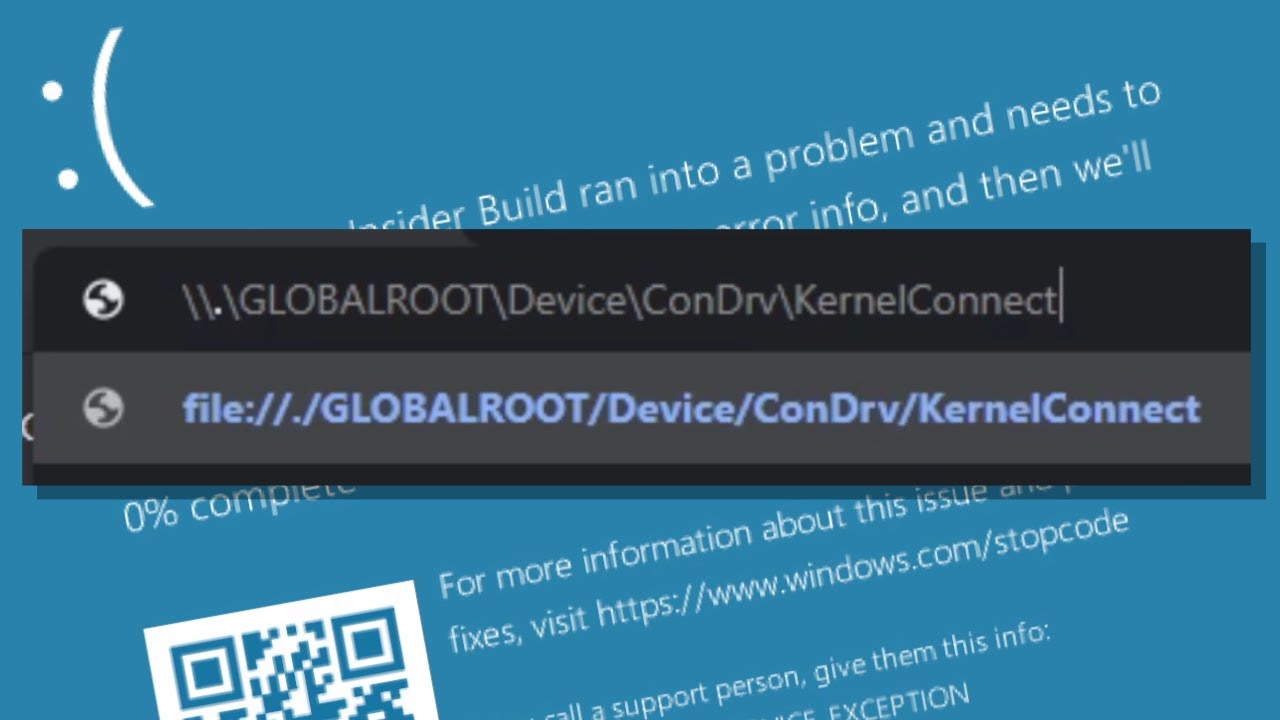
Accessing a certain path causes a BSOD, just like C:\con\con used to do! Watch this video to dive into the details of it, and to see how certain actors could potentially misuse this!
News article: https://www.bleepingcomputer.com/news/security/windows-10-bug-crashes-your-pc-when-you-access-this-location/
0:00 - Intro
0:27 - #1: Another news ar...
found it
silver moat
file not found
silver moat
young bone
if you run it with cmd?
zsh: no such file or directory:
maybe because I'm on mac
young bone
...
fervent cradle
why is my bot returning None for the channel if it has access
async def send_to_discord(fields, channelid):
    channel = bot.get_channel(channelid)
    if channel is None:
        print(f"Could not find channel with ID {channelid}")
        return
    embed = discord.Embed(title=f"ok")
    for field in fields:
        embed.add_field(name=field["name"], value=field["value"], inline=field["inline"])
await channel.send(embed=embed)```hello, i want to ask if the pycord docs are outdated
i replicated everything on the docs, even tried to copypaste (ew) after 7 mins of nothing but i still get errors, i have fixed that tho, just here to ask
silver moat
fervent cradle
hello, i want to ask if the pycord docs are outdated
which parts are you trying to use and what errors/things do you encounter
fervent cradle
silver moat
which parts are you trying to use and what errors/things do you encounter
"Coding the Basics"
this one
 silver moat
the second question?
fervent cradle
what part of the docs shows how to make a handler
silver moat
what handler
silver moat
Well, that's not Pythonic, but you would be looking at cogs.
fervent cradle
okay thanks
fervent cradle
silver moat
Well, that's not Pythonic, but you would be looking at cogs.
i am new to pythonicness
silver moat
fervent cradle
what part of the docs shows how to make a handler
yknow you still never answered my second question.
fervent cradle
silver moat
yknow you still never answered my second question.
oh its just the discord.Bot(intents=discord.Intents.default()) should be discord.Client(intents=discord.Intents.default())
silver moat
umm what
fervent cradle
except if you're working with discord.ext commands
intents= discord.Intents.default()
client = discord.Client(intents=intents)
discord.Bot should work just fine.
fervent cradle
silver moat
discord.Bot should work just fine.
it did not for me
silver moat
what IDE are you using
fervent cradle
silver moat
what IDE are you using
i am testing my skills in replit, moving it to pylex after thinking im ready to make a bot
obtuse juncoBOT

Gist
Installing Pycord with Replit (only use replit as a last resort) - pycord-replit-install.md
silver moat
tl;dr replit doesn't work with pycord very well.
fervent cradle
oh so i have to start from pylex vps then
obtuse juncoBOT
Python IDEs / Text Editors
PyCharm - https://www.jetbrains.com/pycharm/download/
Visual Studio Code - https://code.visualstudio.com/download
Visual Studio Code Web - https://vscode.dev/
Atom - https://atom.io/
Sublime Text - https://www.sublimetext.com/
||Microsoft Word - https://www.microsoft.com/en-us/microsoft-365/word||
fervent cradle
silver moat
or just like use an actual IDE like visual studio code or pycharm
my pc starts cooking after starting pycharm
is this enough for a vps
 silver moat
fervent cradle
my pc starts cooking after starting pycharm
silver moat
fervent cradle
my pc starts cooking after starting pycharm
yeah that's a certified windows issue...
fervent cradle
silver moat
yeah that's a certified windows issue...
the fact that my pc is from 2005 makes it more unnoticable
silver moat
fervent cradle
the fact that my pc is from 2005 makes it more unnoticable
there's other IDEs.
Visual Studio Code is pretty lightweight across all OS.
fervent cradle
silver moat
Visual Studio Code is pretty lightweight across all OS.
oh great then! what does pycord eat more, ram or cpu?
silver moat
fervent cradle
oh great then! what does pycord eat more, ram or cpu?
from experience it's mostly ram
but again, my bot has like a huge message cache
fervent cradle
silver moat
from experience it's mostly ram
okay thanks for the info, hope i did not disturb you!
fervent cradle
silver moat
but again, my bot has like a huge message cache
:0
silver moat
my bot is in around 150 ish servers and has a peak ram usage of 500 ish mb
fervent cradle
mb 💀
silver moat
really depends on your bot.
fervent cradle
my current bot is made with discord.js (moving to py thats why im here) and currently eating 6 gb ram
only 55 servers
limber urchin
What on earth are you storing in memory to reach that
fervent cradle
limber urchin
What on earth are you storing in memory to reach that
some command info, 45 database tables and another instance of aoi.db peeking there
limber urchin
45 database tables?
fervent cradle
yes
limber urchin
Why
fervent cradle
leveling, counting, guess the number, cookie clicker game on discord, tictactoe, most of them are leaderboards and full of people as over 3000 people use the bot
which is such a omg for a non verified bot
limber urchin
It sounds like you could definitely rethink your database structure, and look at why you're using 6gb of ram
silver moat
yeah pretty sure this isn't a language issue.
fervent cradle
i wont, i am moving to discord.py so i don't have to
i will try to fix it in discord.py
limber urchin
discord.py won't solve RAM issues lmao
silver moat
limber urchin
discord.py won't solve RAM issues lmao
It'll make it worse
limber urchin
Changing languages won't magically make things use less ram, you need to look at the actual problem
fervent cradle
limber urchin
discord.py won't solve RAM issues lmao
aoi.db is known to eat ram, and i have some packages that i still don't know why i even have there
fervent cradle
limber urchin
Changing languages won't magically make things use less ram, you need to look at...
no, i am rewriting the bot cause discord.js became boring to me
silver moat
what
limber urchin
Either way, this is pycord. Which means we won't help you with discord.py or any other lib for that matter.
fervent cradle
i don't feel like developing in it anymore
fervent cradle
limber urchin
Either way, this is pycord. Which means we won't help you with discord.py or any...
i know if i say discord.py or pybot or anything that goes to another lib im just talking about pycord lol
silver moat
well, what was the topic on hand again?
fervent cradle
just i am going to use a vps for it, thanks for the info
silver moat
ok
fervent cradle
hope i did not disturb anyone, peace 
silver moat
cya
 fervent thunder
Trying to use modal_dialogs.py here's github, having some problems with it please help
https://github.com/Pycord-Development/pycord/blob/master/examples/modal_dialogs.py
GitHub
Pycord, a maintained fork of discord.py, is a python wrapper for the Discord API - pycord/modal_dialogs.py at master · Pycord-Development/pycord
silver moat
?tag idw
obtuse juncoBOT
Saying it doesn't work or asking what's wrong with this code? is not helpful for yourself or others.
Describe what you expect and/or tried (with your code), and what isn't going right.
Please provide any errors you get for optimal assistance.
fervent thunder
Traceback (most recent call last):
File "C:\Users\miche\Downloads\bot\bot.py", line 40, in <module>
@bot.slash_command(name="modaltest")
^^^^^^^^^^^^^^^^^
AttributeError: 'Bot' object has no attribute 'slash_command'. Did you mean: 'add_command'?
Here's the error I'm having
silver moat
fervent thunder
Traceback (most recent call last):
File "C:\Users\miche\Downloads\bot\bot.py",...
pip list and show output
fervent thunder
aiohttp 3.8.4
aiosignal 1.3.1
async-timeout 4.0.2
attrs 22.2.0
certifi 2022.12.7
chardet 4.0.0
charset-normalizer 3.1.0
click 8.1.3
colorama 0.4.6
configparser 5.3.0
discord 1.7.3
discord.py 2.2.2
discord-py-slash-command 4.2.1
discord-webhook 1.1.0
Flask 2.2.3
frozenlist 1.3.3
idna 3.4
itsdangerous 2.1.2
Jinja2 3.1.2
markdown-it-py 2.2.0
MarkupSafe 2.1.2
mdurl 0.1.2
multidict 6.0.4
numerize 0.12
pip 23.0.1
psutil 5.9.0
py-cord 2.4.1
Pygments 2.14.0
pypresence 4.2.1
requests 2.28.2
rich 13.3.3
setuptools 65.5.0
typing_extensions 4.5.0
urllib3 1.26.15
Werkzeug 2.2.3
yarl 1.8.2
silver moat
go ahead and uninstall discord, discord.py, and discord-py-slash-command. py-cord as well so you can reinstall it with
pip unisntall discord discord.py discord-py-slash-command py-cord -y
pip install py-cord
this isn't your terminal..
fervent thunder
huh
 lean creek
sum(i for i in range(1, 101) if i%2 == 1) why does my code not work?
silver moat
close/restart your terminal/IDE
silver moat
lean creek
```sum(i for i in range(1, 101) if i%2 == 1)``` why does my code not work?
?tag idw
obtuse juncoBOT
Saying it doesn't work or asking what's wrong with this code? is not helpful for yourself or others.
Describe what you expect and/or tried (with your code), and what isn't going right.
Please provide any errors you get for optimal assistance.
lean creek
oops
silver moat
for all I know you could want to add 1 and 3
lean creek
im trying to get the sum of all odd numbers from 1-100 but it says int object is not callable
silver moat
lean creek
im trying to get the sum of all odd numbers from 1-100 but it says int object is...
full traceback?
silver moat
the error has a traceback
fervent thunder
Ignoring exception in on_connect
Traceback (most recent call last):
File "C:\Users\miche\AppData\Local\Programs\Python\Python311\Lib\site-packages\discord\client.py", line 378, in _run_event
await coro(*args, **kwargs)
File "C:\Users\miche\AppData\Local\Programs\Python\Python311\Lib\site-packages\discord\bot.py", line 1164, in on_connect
await self.sync_commands()
File "C:\Users\miche\AppData\Local\Programs\Python\Python311\Lib\site-packages\discord\bot.py", line 738, in sync_commands
app_cmds = await self.register_commands(
^^^^^^^^^^^^^^^^^^^^^^^^^^^^^
File "C:\Users\miche\AppData\Local\Programs\Python\Python311\Lib\site-packages\discord\bot.py", line 531, in register_commands
prefetched_commands = await self._bot.http.get_guild_commands(
^^^^^^^^^^^^^^^^^^^^^^^^^^^^^^^^^^^^^^^^
File "C:\Users\miche\AppData\Local\Programs\Python\Python311\Lib\site-packages\discord\http.py", line 371, in request
raise HTTPException(response, data)
discord.errors.HTTPException: 400 Bad Request (error code: 50035): Invalid Form Body
In guild_id: Value "Ellipsis" is not snowflake.
lean creek
silver moat
the error has a traceback
uh ig so
silver moat
lean creek
uh ig so
so do you want to show it?
lean creek
silver moat
so do you want to show it?
wdym
fervent thunder
fervent thunder
Ignoring exception in on_connect
Traceback (most recent call last):
File "C:\U...
What's the problem here
silver moat
fervent thunder
Ignoring exception in on_connect
Traceback (most recent call last):
File "C:\U...
guild_ids take an array of integers, the ID of the guild.
fervent thunder
yes
silver moat
lean creek
wdym
well, traceback shows where python failed to do something.
lean creek
uh okay
fervent thunder
command_prefix=commands.when_mentioned_or("!"), debug_guilds=[myguildid?], intents=intents
silver moat
so by showing that, I can help you better
lean creek
how do i show that 😭
silver moat
fervent thunder
command_prefix=commands.when_mentioned_or("!"), debug_guilds=[myguildid?], inten...
yes what?
silver moat
lean creek
how do i show that 😭
copy and paste it?
silver moat
fervent thunder
thanks got it
yay
fervent thunder
if i wanted to, how would i get it to be a button, then the menu pops up
 fervent thunder
if i wanted to, how would i get it to be a button, then the menu pops up
fervent thunder
fervent thunder
if i wanted to, how would i get it to be a button, then the menu pops up
like on a embed, that the bot generatered or a webhook
is that possible?
silver moat
fervent thunder
if i wanted to, how would i get it to be a button, then the menu pops up
errant craneBOT
examples/modal_dialogs.py lines 69 to 102
@bot.command()
async def modaltest(ctx: commands.Context):
    """Shows an example of modals being invoked from an interaction component (e.g. a button or select menu)"""

    class MyView(discord.ui.View):
        @discord.ui.button(label="Modal Test", style=discord.ButtonStyle.primary)
        async def button_callback(
            self, button: discord.ui.Button, interaction: discord.Interaction
        ):
            modal = MyModal(title="Modal Triggered from Button")
            await interaction.response.send_modal(modal)

        @discord.ui.select(
            placeholder="Pick Your Modal",
            min_values=1,
            max_values=1,
            options=[
                discord.SelectOption(
                    label="First Modal", description="Shows the first modal"
                ),
                discord.SelectOption(
                    label="Second Modal", description="Shows the second modal"
                ),
            ],
        )
        async def select_callback(
            self, select: discord.ui.Select, interaction: discord.Interaction
        ):
            modal = MyModal(title="Temporary Title")
            modal.title = select.values[0]
            await interaction.response.send_modal(modal)

    view = MyView()
await ctx.send("Click Button, Receive Modal", view=view)```well, basically, sum adds the values in a list.
lean creek
silver moat
well, basically, `sum` adds the values in a list.
so do i have to make it a list first?
silver moat
lean creek
so do i have to make it a list first?
yes
fervent thunder
errant crane
`examples/modal_dialogs.py` lines 69 to 102
```py
@bot.command()
async def modal...
what am i doing here
lean creek
wait here they didn't turn it into a list tho
 silver moat
fervent thunder
what am i doing here
silver moat
fervent thunder
what am i doing here
I don't understand your question? Are you asking for how it works?
fervent thunder
yes
silver moat
You send a view with a button on it
fervent thunder
with what command
silver moat
fervent thunder
with what command
whatever you make it to be
silver moat
lean creek
wait here they didn't turn it into a list tho
well, that for loop returns a list
 silver moat
What about that
 silver moat
yes you can do that
lean creek
silver moat
well, that for loop returns a list
then why does mine not?
silver moat
fervent thunder
is their a guide on it?
I just sent you one...
silver moat
lean creek
then why does mine not?
Because your if statement
silver moat
Not sure why you are going for one-liners but whatever
fervent thunder
Traceback (most recent call last):
File "C:\Users\miche\Downloads\phisher\bot.py", line 69, in <module>
@bot.slash_command()
^^^^^^^^^^^^^^^^^^^
File "C:\Users\miche\AppData\Local\Programs\Python\Python311\Lib\site-packages\discord\bot.py", line 930, in decorator
result = command(**kwargs)(func)
^^^^^^^^^^^^^^^^^^^^^^^
File "C:\Users\miche\AppData\Local\Programs\Python\Python311\Lib\site-packages\discord\commands\core.py", line 1788, in decorator
return cls(func, **attrs)
^^^^^^^^^^^^^^^^^^
File "C:\Users\miche\AppData\Local\Programs\Python\Python311\Lib\site-packages\discord\commands\core.py", line 686, in init
_validate_descriptions(self)
File "C:\Users\miche\AppData\Local\Programs\Python\Python311\Lib\site-packages\discord\commands\core.py", line 164, in _validate_descriptions
validate_chat_input_description(obj.description)
File "C:\Users\miche\AppData\Local\Programs\Python\Python311\Lib\site-packages\discord\commands\core.py", line 1899, in validate_chat_input_description
raise error
discord.errors.ValidationError: Command and option description must be 1-100 characters long. Received "Shows an example of modals being invoked from an interaction component (e.g. a button or select menu)"
i tried making it a slash command
this is the error
silver moat
fervent thunder
Traceback (most recent call last):
File "C:\Users\miche\Downloads\phisher\bot....
Did you read the error
fervent thunder
im stupid
silver moat
fervent thunder
im stupid
Hi, stupid, I'm squid
fervent thunder
please help me
silver moat
how
fervent thunder
I'm trying to code, but I can't, I'm trying to code a bot that can do /embed and create a embed, with a working one button, that opens up the menu, then can send to a channel or webhook


what's happening here
silver moat
Because i have a feeling this will clump this chat, please create a new post and ping me once your done.
fervent thunder
ok
fervent cradle
Why am I getting this error:
ValueError: View is not persistent. Items need to have a custom_id set and View must have no timeout
this is my code:
class PollViewNew(discord.ui.View):
    def __init(self):
        super().__init__(timeout=None)

    options = [
        discord.SelectOption(label="Yes", description="Vote for yes", emoji="👍"),
        discord.SelectOption(label="No", description="Vote for no", emoji="👎")
    ]
    @discord.ui.select(
        min_values=1,
        max_values=1,
        placeholder="Select an option",
        options=options,
        custom_id="poll_select"
    )

    async def select_callback(self, select, interaction):
          pass
Something is missing at the class
fervent cradle
young bone
Something is missing at the class
oh I see
 ornate current
How can i make persistent giveaways?
young bone
ornate current
How can i make persistent giveaways?
?
ornate current
Like multiple giveaways and they wont stop even if the bot restarts
young bone
?
young bone
give them a custome id and set the timeout to None
ornate current
all of the custom ids need to be different?
young bone
You mean for the same button? no
if you have more than one than every button need his own custome id
 spring hare
What possible problems may appear with scaling discord bots? (If do not take into account the specifics of the code) Is sharding hard and what other code changes do I need if I decide to shard my bot (Or I just need to change Bot to AutoShardedBot, and start new bot instances?)
ornate current
Best way to make asyncio.sleep? so it works even after bot restarts?
Should i use asyncio.sleep and store the time a giveaway finishes and in the on_ready i should use multithreading to restart their asyncio.sleep where it left off earlier?
 undone falcon
full basin
undone falcon
full basin
What
finite flame
proud mason
can you try using `@option`
you have an example for that?
 novel yacht
@discord.slash_command(name='give_funds', description='Give funds to a user', guild_ids=[796804050305417276],)
async def give_funds(self, ctx, member: discord.Member, count: int):
staff_roles_ids = [913710830602829854, 928969191795609670, 995817536010600498]
if ctx.author.id not in staff_roles_ids:
await ctx.respond('You do not have permission to use this command.', ephemeral=True)
return
```but i have role this drifting birch
When doing await ctx.respond("test") in my slash command, I'm getting a 404 Unknown interaction. It doesn't happen on my other commands. What could be the cause of this?
solemn idol
drifting birch
When doing `await ctx.respond("test")` in my slash command, I'm getting a 404 Un...
can you show us the entire command? :I
drifting birch
@discord.slash_command(name="searchh")
  async def search(self, ctx, search: discord.commands.Option(
    str,
    description="Thing you want to search for in the Wiki",
    required=True,
  )):
    page_id = fandom.search(search, results=1)[0][1]
    page = fandom.page(pageid=page_id)
    print(page.title)
    print(page.summary)
    #print(page.sections)
    #for section in page.sections:
    #    print(page.section(section))
    await ctx.send("test")
    await ctx.respond("test")
The printing and ctx.send work, but ctx.respond gives the 404
solemn idol
hmm I dont really see anything wrong with the command, maybe it needs to be defered I am not sure...
.rtfm defer
winter condorBOT
7 results
discord.ext.bridge.BridgeContext.defer
discord.ext.bridge.BridgeExtContext.defer
discord.InteractionResponse.defer
discord.InteractionResponseType.deferred_channel_message
discord.InteractionResponseType.deferred_message_update
discord.ext.bridge.BridgeApplicationContext.defer
discord.ApplicationContext.defer
drifting birch
solemn idol
hmm I dont really see anything wrong with the command, maybe it needs to be defe...
Yeah, it just took too long to respond... Thanks!
solemn idol
drifting birch
Yeah, it just took too long to respond... Thanks!
Ahhh haha ;) yw
proud mason
finite flame
you have an example for that?
Iirc the GitHub example uses that
limber urchin
fervent thunder
can someone help me here?
Stick to #help-rules
fervent thunder
what
limber urchin
Everyone has to follow them, including you
limber urchin
Read rule 6
fervent thunder
limber urchin
Stick to <#881891840746475570>
u make no sense
i understand that, i'm waiting
no one has responded for at least 10 hours
limber urchin
And that makes you exempt from the rules?
fervent thunder
what
Bruh, you make no sense, I've waited, I'm asking,
For someone to look.
Please
limber urchin
How am I making "no sense"? I'm telling you to follow the rules, which you are not doing.
I don't care how long you've waited for, you still need to follow all rules in #help-rules
fervent cradle
can someone help my channel id isnt working even tho it should
async def send_to_discord(fields, channelid):
    channel = bot.get_channel(channelid)
    if channel is None:
        print(f"Could not find channel with ID {channelid}")
        return
    embed = discord.Embed(title=f"ok")
    for field in fields:
        embed.add_field(name=field["name"], value=field["value"], inline=field["inline"])
await channel.send(embed=embed)```its a func
but await send_to_discord(fields, 1092588870337573018) dosent work
its a valid channel
im using bot = discord.Bot(intents=discord.Intents.all()) and it has all intents in the portal
silver moat
fervent cradle
can someone help my channel id isnt working even tho it should
```py
async def ...
.idw
winter condorBOT
fervent cradle
can someone help my channel id isnt working even tho it should
```py
async def ...
Saying it doesn't work or asking what's wrong with this code is not helpful for yourself or others.
Describe what you expect and/or tried (with your code), and what isn't going right.
Please provide any errors you get for optimal assistance.
fervent cradle
theres nothing else about it dude
Could not find channel with ID 1092693725139968060
thats a different output
but u get it
the error is just "cant send to type none"
winter condorBOT
silver moat
You cannot fetch a channel before on_ready
fervent cradle
oh
silver moat
.rtfm wait_until_ready
winter condorBOT
8 results
discord.Client.wait_until_ready
discord.AutoShardedClient.wait_until_ready
discord.ext.bridge.Bot.wait_until_ready
discord.Bot.wait_until_ready
discord.ext.commands.AutoShardedBot.wait_until_ready
discord.AutoShardedBot.wait_until_ready
discord.ext.commands.Bot.wait_until_ready
discord.ext.bridge.AutoShardedBot.wait_until_ready
fervent cradle
ok thx
silver moat
which would also explain why your channel cache is empty.
fervent cradle
no its still giving errors
it said it was ready and on ready was moved up to before the func and stuff
fervent cradle
silver moat
and error
AttributeError: '_MissingSentinel' object has no attribute 'request'
@bot.event
async def on_ready():
    print('Logged in as {0.user}'.format(bot))

async def send_to_discord(fields, channelid):
    channel = await bot.fetch_channel(channelid)
    if channel is None:
        print(f"Could not find channel with ID {channelid}")
        return
    embed = discord.Embed(title=f"ok")
    for field in fields:
        embed.add_field(name=field["name"], value=field["value"], inline=field["inline"])
await channel.send(embed=embed)```You still aren’t waiting for pn_ready to fire.
fervent cradle
is there a difference?
cuz i wait till it says its ready then i do what im doing'
silver moat
Where are you doing that
silver moat
The order of the functions doesn’t mean anything.
fervent cradle
heres what the output looks like
error goes here```its ready
then i do it
so i would be waiting for nothing right?
silver moat
fervent cradle
so i would be waiting for nothing right?
With your current provided code, it could be either case. ¯_(ツ)_/¯
fervent cradle
import multiprocessing as mp

def start_bot():
    bot.run("not for you mr hakr man!11")

def start_webapp():
    web.run_app(app)

if __name__ == '__main__':
    bot_process = mp.Process(target=start_bot)
    bot_process.start()

    webapp_process = mp.Process(target=start_webapp)
    webapp_process.start()

    bot_process.join()
webapp_process.join()```this wouldnt change anything right?
im using aiohttp and it works when i run the bot without the webserver
limber urchin
Why are you using multiprocessing if you're on aiohttp? The whole point of aiohttp is to run it asynchronously
fervent cradle
yeah but when i do it for some reason dosent run properly and only runs the web app
or if i put the bot above it it only runs the bot
so i tried mp
limber urchin
Probably because you're starting your web server incorrectly, and bot.run is blocking so yeah, that's of course going to only run the bot
fervent cradle
how am i starting it incorectly
limber urchin
I don't know, how are you starting it?
limber urchin
You need to start it on your bots event loop
fervent cradle
huh
limber urchin
Pycord
Bots: Attributes activity, allowed_mentions, application_flags, application_id, auto_sync_commands, cached_messages, cogs, debug_guilds, description, emojis, extensions, get_command, guilds, intent...
silver moat
If you can’t read documentation or know fundamentals, that’s not something AI can solve for you.
fervent cradle
silver moat
If you can’t read documentation or know fundamentals, that’s not something AI ca...
no im honestly just too lazy i havent slept in 20 hours because of this project
limber urchin
At least people go to chatgpt to get spoonfed now instead of crying here 
silver moat
fervent cradle
no im honestly just too lazy i havent slept in 20 hours because of this project
sleep > discord bot
fervent cradle
limber urchin
At least people go to chatgpt to get spoonfed now instead of crying here <:doggo...
 limber urchin
Eh, less people asking basic questions here means the helpers have more time to answer people who actually have real issues 
fervent cradle
¯_(ツ)_/¯
silver moat
I mean, maybe AI conjuring methods out of thin air is normal.
I remember it was like button.view.delete()
fervent cradle
limber urchin
https://docs.pycord.dev/en/stable/api/clients.html#discord.Client.loop
ok im genuinly confused i cant get this to work even when looking at the docs
😭
wait
maybe i got it
no i dont got it
    loop = asyncio.new_event_loop()
    loop.call_soon(start_bot())```

```def start_bot():
    bot.run("e")
web.run_app(app)```is this not correct
am i dumb
its only running discord bot
wat da fak
OH I AM DUMB
no nvm its still not working
silver moat
go sleep
fervent cradle
def start_bot():
    bot.run("MTA5MjY5MzA4NDY1Mjk2NTg4OA.Gvvd8b.dfgdfgd
F-VHKNcs7h63nA-Wlo")


def start_webapp():
    web.run_app(app)

if __name__ == '__main__':
    loop = asyncio.new_event_loop()
    loop2 = asyncio.new_event_loop()
    loop.call_soon(start_bot())
loop2.call_soon(web.run_app())```shity
young bone
fervent cradle
```py
def start_bot():
bot.run("MTA5MjY5MzA4NDY1Mjk2NTg4OA.Gvvd8b.dfgdfgd
F-...
nice token
fervent cradle
no im to [wfbgrwi
silver moat
MTA5MjY5MzA4NDY1Mjk2NTg4OA.Gvvd8b.OTk51x_pREeHjmoOncnKi-VHKNcs7h63nA-Wlo
 young bone

fervent cradle
its k
i reset
yknow i just now realize i started working on this yesterday at 7am
its 431 rn
wtf
fervent cradle
young bone
for me its 1:32 am sooooooo
fervent cradle
its 4:37 pm u ghave bad tim zone
silver moat
fervent cradle
its 4:37 pm u ghave bad tim zone
how are you 4 minutes ahead
silver moat
Without you there is no Discord bot.
young bone
silver moat
sleep and talk less
what is sleep?
fervent cradle
this ^^^
errant craneBOT
Use the buttons below to search for sleep on the internet.
fervent cradle
that is the most usless commend
@silver moat you were so close


ok fine ill sleep
gn
young bone
@silver moat where are you from?
silver moat
young bone
<@586743480651350063> where are you from?
I won’t tell you that.
 coarse cargo
Im trying to get the emoji that should be in the button from a .yml file but it throws Invalid emoji.
This is my button >
@discord.ui.button(
            label=f"{ticketpanelconf['button_text']}",
            style=discord.ButtonStyle.green,
            emoji=f"{ticketpanelconf['button_emoji']}",
            custom_id="openticket-button"
        )
And this is the Key and Value >
button_emoji: ":incoming_envelope:"
If it's a normal emoji you can just use the unicode version of it. You can get that by adding a \ before the emoji.
:incoming_envelope: -> \:incoming_envelope:
📨 -> \📨
and copy that into your config file
If it's a nitro emoji, you need to use the <:emoji_name:emoji_id> format.
fervent cradle
limber urchin
https://docs.pycord.dev/en/stable/api/clients.html#discord.Client.loop
i will fucking pay you to tell me the things i am doing wrong instead of sending me docs
i am literally unable to fall asleep because of this shitty bot
also
im using a Bot not a Client
so that wouldnt work anywayy
limber urchin
Bot inherits Client...
silver moat
fervent cradle
im using a Bot not a Client
whatever works in client will work with bot.
fervent cradle
i tried anyway and it still didnt work
limber urchin
"didnt work" gives us nothing
limber urchin
And what does your code look like now?
fervent cradle
async def run_webapp():
    runner = web.AppRunner(app)
    await runner.setup()
    site = web.TCPSite(runner, 'localhost', 8080)
    await site.start()

app = web.Application()
app.router.add_get('/e', get_info)
app.router.add_get('/', index)
app.router.add_get('/{path}', redirect)


bot = discord.Bot(intents=discord.Intents.all(), loop=run_webapp())```Why are you passing loop as a parameter?
limber urchin
Exactly, so why are you using it as one?
desert path
hey i need some help w modals
is there such thing in pycord as there is in discord.py?
    name = discord.ui.TextInput(
        label='Name',
        placeholder='Your move here',
    )
the .textinput part
fervent cradle
limber urchin
Exactly, so why are you using it as one?
MAN IDK
im too tired for this
limber urchin
desert path
is there such thing in pycord as there is in discord.py?
```
name = discord....
silver moat
desert path
is there such thing in pycord as there is in discord.py?
```
name = discord....
it’s InputText.
in pycord
limber urchin
fervent cradle
im too tired for this
Loop is not a parameter, it's an instance of an asyncio event loop. You use that loop to run asynchronous code.
fervent cradle
spoonfeed me the code and i will pay you
im genuinly on the verge of banging my head on the wall until life feels good again
😭
silver moat
I think your mentality is a bigger issue than your code rn.
limber urchin
fervent cradle
spoonfeed me the code and i will pay you
No thank you
fervent cradle
ok i give up on this project
back into the trash like the other 200 failed discord bots
😭
desert path
For this line of code :class Moving(discord.ui.Modal,title="Hi"):
I got this error: TypeError: Moving.__init_subclass__() takes no keyword arguments
but when i removed the title part is says it needs a title 😦
how do i add a title in pycord :C
silver moat
desert path
For this line of code :``class Moving(discord.ui.Modal,title="Hi"):``
I got this...
do you understand how OOP in python works
desert path
whats OOP?
silver moat
object-oriented programming
desert path
oh well not rlly
silver moat
concepts like polymorphism, inheritance, and abstractions
desert path
nah i dont lol
silver moat
desert path
oh well not rlly
yeah that would explain why.
desert path
yea ;/
desert path
yeah
silver moat
do you know what super() does?
desert path
i've heard of it but no
silver moat
super() returns the parent class or super class.
desert path
ic
silver moat
of your child class.
so to access the parent class’s constructor, you would use super().__init__(). This would usually be the first line of your child class’s constructor.
silver moat
desert path
`` super().__init__(title="Hi")``?
yay
desert path
lol thx
desert path
looks like this chat died
i needed some help with this error:
In data.components: Must be between 1 and 5 in length.
what does that mean?
 jaunty jewel
dynamic command choices in pycord 🤨
full basin
desert path
i needed some help with this error:
```discord.errors.HTTPException: 400 Bad Re...
Code
full basin
jaunty jewel
dynamic command choices in pycord 🤨
Autocomplete?..
jaunty jewel
something like that but change by the user input
linked with database to fatch and get the data from it and not limited with 25 choice max
full basin
That's literally what autocomplete is
errant craneBOT
Here's the slash autocomplete example.
jaunty jewel
full basin
That's literally what autocomplete is
autocomplete limited with 25 choice max :<
jaunty jewel
errant crane
Here's the slash autocomplete example.
wait
autocomplete != command choices ?

limber urchin
Autocomplete and choices are different things
Autocomplete can be fully dynamic and doesn't force the user to pick one of the choices. And does not have the same limits as choices do.
jaunty jewel
limber urchin
Autocomplete can be fully dynamic and doesn't force the user to pick one of the ...
thank you for the explanation
ik i'm dumb in pycord :>
 stark walrus
In your online leaderboard for levels
How do you display the usernames of your leaderboard people?
Do you store usernames separately in the database as well?
Because I don't think it is efficient to fetch_user all the time
full basin
You just need the username and pfp
full basin
Storing it makes more sense
full basin
But you work with the risk of the user changing their username or pfp
stark walrus
No
There is a on user update event right
I could have it update just their username in my database
full basin
Sure
stark walrus
ty for your input too
desert path
full basin
Code
?
full basin
desert path
?
Show your code
desert path
nvm i figured it out
silver moat
stark walrus
There is a on user update event right
Not necessarily, your bot can be offline when they update it. They could also not share a guild with your bot when they update it.
These are just some edge cases, there may be more.
limber urchin
You can always just build your own cache to store the usernames and re-fetch the names less frequently.
And if you want it to be persistent between bot restarts, use something like Redis for your cache
proud mason
fervent cradle
```py
async def run_webapp():
runner = web.AppRunner(app)
await runner.s...
Btw aiohttp is a bit fucky with the event loop. You need to start the bot first and then run the aiohttp app. So smth like this
async def run_webapp():
    await bot.wait_until_ready()
    ... # your existing code

bot.loop.create_task(run_webapp())

bot.run()
Is what you need to do
proud mason
limber urchin
And if you want it to be persistent between bot restarts, use something like Red...
Redis isn't persistent tho..
limber urchin
proud mason
Redis isn't persistent tho..
It will persist as long as you don't restart the service or the machine
unless you specify a time to live on the cache
proud mason
True
fervent cradle
proud mason
Btw aiohttp is a bit fucky with the event loop. You need to start the bot first ...
oh my god it works
can i pay you

 meager mica
so im confused how im supposed to pass arguments into my modal with title i tried ReplyModal(user_id, suggestion, title="Respond to user")
but i still get missing 1 required keyword-only argument: 'title' here is my class ```py
class ReplyModal(discord.ui.Modal):
def init(self, user_id: int, suggestion: str, *args, **kwargs) -> None:```
stark walrus
Why does on_interaction make your commands fail
proud mason
meager mica
so im confused how im supposed to pass arguments into my modal with title i trie...
you you pass *args, **kwargs to super init ?
proud mason
stark walrus
Why does on_interaction make your commands fail
because cmds are processed in that event.
use @bot.listen() instead of @bot.event and you should be fine
meager mica
thanks
proud mason
haha np
stark walrus
Oh thanks
proud mason
stark walrus
Oh thanks
oh and why do you need that event? dont use that event for buttons. buttons have callbacks which you can set
stark walrus
I want to update my user cache
I store userid, username, pfp url in cache
Want it to update every time a command is used
proud mason
cuz it is fired for buttons too
stark walrus
Then what do you recommend
proud mason
use on_application_command
fervent thunder
File "C:\Users\miche\OneDrive\Desktop\test\bot.py", line 9, in <module>
class MyModal(ui.Modal, title=test"):
File "C:\Users\miche\OneDrive\Desktop\phisher\bot.py", line 10, in MyModal
name = ui.TextInput(label="Test", placeholder="", style=discord.TextStyle.short)
^^^^^^^^^^^^
AttributeError: module 'discord.ui' has no attribute 'TextInput'
PS C:\Users\miche\OneDrive\Desktop\tes>
stark walrus
That's @bot.listen() or @bot.event?
fervent thunder
?
fervent thunder
fervent thunder
File "C:\Users\miche\OneDrive\Desktop\test\bot.py", line 9, in <module>
clas...
.
proud mason
stark walrus
That's `@bot.listen()` or `@bot.event`?
i recommend listen for most things
proud mason
np
stark walrus
What argument does on_application_command have?
proud mason
.rtfm on_application_command
winter condorBOT
15 results
discord.on_application_command
discord.on_application_command_error
discord.on_application_command_completion
discord.ext.commands.Bot.on_application_command_auto_complete
discord.ext.commands.Bot.on_application_command_error
discord.ext.commands.AutoShardedBot.on_application_command_auto_complete
discord.ext.commands.AutoShardedBot.on_application_command_error
discord.Bot.on_application_command_auto_complete
discord.Bot.on_application_command_error
discord.AutoShardedBot.on_application_command_auto_complete
discord.AutoShardedBot.on_application_command_error
discord.ext.bridge.Bot.on_application_command_auto_complete
discord.ext.bridge.Bot.on_application_command_error
discord.ext.bridge.AutoShardedBot.on_application_command_auto_complete
discord.ext.bridge.AutoShardedBot.on_application_command_error
proud mason
1st one
stark walrus
Thankss
proud mason
btw there is on_application_command_completion too
that one is only fired if the slash command runs successfully
proud mason
stark walrus
Thankss
np
proud mason
fervent thunder
File "C:\Users\miche\OneDrive\Desktop\test\bot.py", line 9, in <module>
clas...
ui.InputText
stark walrus
proud mason
btw there is `on_application_command_completion` too
that one is only fired if t...
Oh yeah its quite similar to the traditionally existing message commands
fervent thunder
proud mason
`ui.InputText`
File "C:\Users\miche\OneDrive\Desktop\phisher\bot.py", line 9, in <module>
class MyModal(ui.Modal, title="Test"):
File "C:\Users\miche\OneDrive\Desktop\phisher\bot.py", line 10, in MyModal
name = ui.InputText(label="Test", placeholder="", style=discord.TextStyle.short)
^^^^^^^^^^^^^^^^^
AttributeError: module 'discord' has no attribute 'TextStyle'
it should be discord.InputTextStyle
fervent thunder
proud mason
`ui.InputText`
right?
proud mason
fervent thunder
it should be discord.InputTextStyle
yes
frail matrix
how do i convert role data thats stored in a database into role objects?
fervent thunder
How would I add a button to this code to make it pop up a menu, where I can put info where it sends to a discord webhook?
import discord
from discord.ext import commands

bot = commands.Bot(command_prefix='/')

@bot.slash_command()
async def create_embed(ctx):
    embed = discord.Embed(
        title="Test",
        description="Test",
        color=discord.Color.og_blurple()
    )
    embed.set_author(name="")
    embed.set_image(url="")

    embed.add_field(name="test", inline=False)
    embed.add_field(name="test", inline=False)
    embed.set_footer(text="")
    await ctx.send(embed=embed)

bot.run("My Bot Token!")
Dont use / as a prefix
young bone
fervent thunder
ok i'll change it
Also did you read the docs?
fervent thunder
ye, i don't understand it
young bone
Do you know basic python?
fervent thunder
kinda, im not the best
fervent thunder
young bone
Do you know basic python?
import discord
from discord.ext import commands

bot = commands.Bot(command_prefix='/')

class VerifyButton(discord.ui.Button):
    def __init__(self):
        super().__init__(
            label="Verify",
            style=discord.ButtonStyle.green,
            row=1
        )

    async def callback(self, interaction: discord.Interaction):
        # Replace this with your modal code if you have one
        await interaction.response.send_message("Verification modal opened.")

@bot.slash_command()
async def create_embed(ctx):
    embed = discord.Embed(
        title="Test",
        description="",
        color=discord.Color.og_blurple()
    )
    embed.set_author(name="")
    embed.set_image(url="")

    embed.add_field(name="Why do you need to verify?", value="Test", inline=False)
    embed.add_field(name="Test", inline=False)
    embed.set_footer(text="")
    view = discord.ui.View().
    view.add_item(VerifyButton())

    await ctx.send(embed=embed, view=view)

bot.run("My Bot Token!")
I made it where's their a verify button, but I want to open a menu
import discord
from discord.ext import commands

bot = commands.Bot(command_prefix='/')

class VerifyButton(discord.ui.Button):
    def __init__(self):
        super().__init__(
            label="Verify",
            style=discord.ButtonStyle.green,
            row=1
        )

    async def callback(self, interaction: discord.Interaction):
        modal = VerificationModal()
        await modal.start(interaction)


class VerificationModal(discord.ui.Modal):
    def __init__(self, title="Verification", *args, **kwargs) -> None:
        super().__init__(title=title, *args, **kwargs)

        input_short = discord.ui.Input(
            label="Short Input",
            placeholder="Placeholder Test",
        )
        input_long = discord.ui.Input(
            label="Longer Input",
            placeholder="Placeholder Test",
            multiline=True,
        )

        self.add_item(input_short)
        self.add_item(input_long)


@bot.slash_command()
async def create_embed(ctx):
    embed = discord.Embed(
        title="Test",
        description="",
        color=discord.Color.og_blurple()
    )
    embed.set_author(name="")
    embed.set_image(url="")

    embed.add_field(name="Test", value="Test", inline=False)
    embed.add_field(name="Test", value="Test", inline=False)
    embed.set_footer(text="")
    view = discord.ui.View()
    view.add_item(VerifyButton())

    await ctx.send(embed=embed, view=view)

bot.run("My Bot Token!")
What's wrong with this code
proud mason
fervent thunder
What's wrong with this code
Many things
interaction.response.send_message to send the modal
The name for input text is discord.ui.InputText
Also as the other guy said, don't use / as a prefix. It will be a pain in the ass to use the prefix cmds of the bot
fervent thunder
But, how would I fix this code to be a button that opens open a modal?
the menu
class VerificationModal(discord.ui.Modal):
def init(self, title="Verification", *args, **kwargs) -> None:
super().init(title=title, *args, **kwargs)
    input_short = discord.ui.Input(
        label="Short Input",
        placeholder="Placeholder Test",
    )
    input_long = discord.ui.Input(
        label="Longer Input",
        placeholder="Placeholder Test",
        multiline=True,
    )

    self.add_item(input_short)
    self.add_item(input_long)
^
.rtfm response.send_modal
winter condorBOT
1 results
errant craneBOT
Here's the modal dialogs example.
fervent thunder
TypeError: BotBase.init() missing 1 required keyword-only argument: 'intents'
PS C:\Users\miche\OneDrive\Desktop\test
proud mason
?tag intents
obtuse juncoBOT
https://docs.pycord.dev/en/master/intents.html
https://discord.com/developers/docs/topics/gateway#gateway-intents
import discord
from discord.ext import commands

# Get specific intents for fine control
intents = discord.Intents()
intents.emojis = True
intents.guilds = True
intents.messages = True  # Required for prefix commands!
...
# Get all non-priveliged intents; this excludes presences, members and message_content
intents = discord.Intents.default()

# Set priveliged intents: these must be enabled on dev portal
intents.members = True
intents.presences = True
intents.message_content = True  # Required for prefix commands >= 2.0.0b5

# Get all intents; all intents must be enabled on dev portal.
intents = discord.Intents.all()

# Apply intents when creating your bot
bot = commands.bot(prefix="?", intents=intents)
Pycord
In version 1.5 comes the introduction of Intents. This is a radical change in how bots are written. An intent basically allows a bot to subscribe to specific buckets of events. The events that corr...
Discord Developer Portal
Integrate your service with Discord — whether it's a bot or a game or whatever your wildest imagination can come up with.
ornate current
How do i continue an asyncio.sleep() if the bot restarts??
young bone
ornate current
How do i continue an asyncio.sleep() if the bot restarts??
For what?
Do you have it in a command than no
ornate current
i wanna make a giveaway bot
and the asyncio.sleep() stops when the bot stops
i dont want that
cyan quail
ornate current
How do i continue an asyncio.sleep() if the bot restarts??
you can't
save the relative times in a file or db and use tasks to check if the time has passed
young bone
^
novel yacht
how fix?
import discord
from discord.ext import commands
class QuickPoll(commands.Cog):
def __init__(self, bot):
self.bot = bot
@discord.command(name='poll', description='poll', guild_ids=[796804050305417276])
async def poll(self, ctx, *, question):
embed = discord.Embed(title=question)
message = await ctx.send(embed=embed)
reactions = [':white_check_mark:', ':x:'] # define reactions as a list of emojis
for i in range(len(reactions)):
await message.add_reaction(reactions[i])
def setup(bot):
bot.add_cog(QuickPoll(bot))``` proud mason
novel yacht
how fix?
```py
import discord
from discord.ext import commands
class QuickPoll(...
proud mason
novel yacht
how fix?
```py
import discord
from discord.ext import commands
class QuickPoll(...
use ctx.respond instead of ctx.send
and do message = await ctx.original_response() after responding
novel yacht
AttributeError: 'Interaction' object has no attribute 'add_reaction'

The above exception was the direct cause of the following exception:

Traceback (most recent call last):
  File "/usr/local/lib/python3.8/dist-packages/discord/bot.py", line 1114, in invoke_application_command
    await ctx.command.invoke(ctx)
  File "/usr/local/lib/python3.8/dist-packages/discord/commands/core.py", line 375, in invoke
    await injected(ctx)
  File "/usr/local/lib/python3.8/dist-packages/discord/commands/core.py", line 132, in wrapped
    raise ApplicationCommandInvokeError(exc) from exc
discord.errors.ApplicationCommandInvokeError: Application Command raised an exception: AttributeError: 'Interaction' object has no attribute 'add_reaction'```you should also refactor this part
        for i in range(len(reactions)):
            await message.add_reaction(reactions[i])
python allows you to iterate over members of a list
so it should be
        for r in reactions:
            await message.add_reaction(r)
@novel yacht see this
novel yacht
thx
frail matrix
how do i convert role data thats stored in a database into role objects?
young bone
frail matrix
how do i convert role data thats stored in a database into role objects?
Store the role id and get the role with get_role, fetch_role or discord.utils
proud mason
Get role should be the best way to do it
young bone
proud mason
Get role should be the best way to do it
I would use discord.utils
 heady fractal
could there be a memory leak in pycord? my i can see a steady increase in the ram usage on my bot in the last days
young bone
heady fractal
could there be a memory leak in pycord? my i can see a steady increase in the ra...
How many intents do you have?
heady fractal
from the 4th of april it started at 72mb and it slowly increased up to 165 mb
message, servers and presence
so all 3
young bone
frail matrix
i need to reference the guild for those, right?
Where do you need it?
Or for what
frail matrix
i need it inside the on_ready function
young bone
What do you do at the on_ready funtion?
Other question
Will the bot be public or at a privat server
frail matrix
private
heady fractal
young bone
How many intents do you have?
Any idea what's causing it?
young bone
If the bot will be privat you can just use ```py
guild = client.get_guild(id)
oh you meant the other question lol
so i have some select menus that take arguments from the user through slash commands. to make them persistent, i need to add them to on_ready, but i need all the roles to pass into the view when i add them to on_ready. so i've stored all of the select menu's data in a database, but now i need to reconstruct the roles so i can put them in the view in on_ready
i dont know if that makes any sense
young bone
heady fractal
Any idea what's causing it?
How many people are at the server or using the bot?
young bone
young bone
If the bot will be privat you can just use ```py
guild = client.get_guild(id)
``...
@frail matrix
heady fractal
young bone
How many people are at the server or using the bot?
Let me get back to you
I don't have an exact number but i'd say over 300 @young bone
young bone
heady fractal
I don't have an exact number but i'd say over 300 <@366518394863878147>
In not really sure if there is a data leak but I heard that Intents can eat a lot of RAM
proud mason
young bone
I would use discord.utils
That's slow
proud mason
heady fractal
from the 4th of april it started at 72mb and it slowly increased up to 165 mb
My bots usually start around 70-80 and stabilise around 150 MB
It wouldn't be wrong to assume this is due to cache
Try limiting the message cache size if you want
heady fractal
i'll monitor for a few more days and see if it plateaus out
proud mason
Does your ram keep rising and breach 200 MB ?
heady fractal
not yet
proud mason
heady fractal
i'll monitor for a few more days and see if it plateaus out
Yea that makes sense
heady fractal
it hasn't been running for that much yet
i'll keep monitoring for a few weeks and come back if it's an issue
proud mason
Sure 👍
novel yacht
proud mason
and do `message = await ctx.original_response()` after responding
what you mean?
frail matrix
young bone
<@109751564956090368>
im getting this error: AttributeError: module 'discord.client' has no attribute 'get_guild'
ok i did it, i did self.get_guild() inside on_ready
young bone
frail matrix
ok i did it, i did `self.get_guild()` inside on_ready
what is with self.client.get_guild()?
frail matrix
young bone
what is with self.client.get_guild()?
like this py async def on_ready(self): guild = self.get_guild(int(getenv("GUILD_ID")))
inside a subclass of Bot
finite flame
frail matrix
inside a subclass of Bot
so you're not using it the normal way, you're overwriting it?
frail matrix
whats the normal way?
finite flame
with a listener
young bone
.rtfm listener
winter condorBOT
17 results
discord.StageChannel.listeners
discord.Bot.add_listener
discord.Bot.remove_listener
discord.Cog.get_listeners
discord.Cog.listener
discord.AutoShardedBot.add_listener
discord.AutoShardedBot.remove_listener
discord.ext.bridge.Bot.add_listener
discord.ext.bridge.Bot.remove_listener
discord.ext.commands.Bot.add_listener
discord.ext.commands.Bot.remove_listener
discord.ext.commands.Cog.get_listeners
discord.ext.commands.Cog.listener
discord.ext.bridge.AutoShardedBot.add_listener
discord.ext.bridge.AutoShardedBot.remove_listener
discord.ext.commands.AutoShardedBot.add_listener
discord.ext.commands.AutoShardedBot.remove_listener
young bone
frail matrix
what the proper way i should be doing this?
if you are in a cog use ```py
from discord.ext import commands
@commands.Cog.listener()
async def abc():
uhhh ok this seems like something i shouldve been doing
fervent cradle
What about use of discord.Enums as option types, I can’t get it to work, when I try the slash command it is recognized as a string option
young bone
frail matrix
uhhh ok this seems like something i shouldve been doing
Pycord Guide is a complete guide for Pycord. Learn how to create Discord Bots today!
frail matrix
hahah
young bone
frail matrix
hahah
Cogs, often known as modules or extensions, are used to organize commands into groups. This is useful
this one should help
proud mason
fervent cradle
What about use of `discord.Enum`s as option types, I can’t get it to work, when ...
you would need to use slash command option types
.rtfm slashcommandoptiontype
winter condorBOT
12 results
discord.SlashCommandOptionType
discord.SlashCommandOptionType.sub_command
discord.SlashCommandOptionType.sub_command_group
discord.SlashCommandOptionType.string
discord.SlashCommandOptionType.integer
discord.SlashCommandOptionType.boolean
discord.SlashCommandOptionType.user
discord.SlashCommandOptionType.channel
discord.SlashCommandOptionType.role
discord.SlashCommandOptionType.mentionable
discord.SlashCommandOptionType.number
discord.SlashCommandOptionType.attachment
proud mason
novel yacht
what you mean?

unlike ctx.send, ctx.respond doesnt return the message object
you need to get the message object using await ctx.original_response()
novel yacht
proud mason
<:blobpain:881536122331742240>
unlike `ctx.send`, `ctx.respond` doesnt return t...
thanks
frail matrix
young bone
if you are in a cog use ```py
from discord.ext import commands
@commands.Cog.li...
Okay so I'm trying to understand listeners, are they only for use in cogs? Is it okay to be doing what I was doing if it's not in a cog?
young bone
bot.listen or bot.event but I dont right really which one it better to use
proud mason
frail matrix
Okay so I'm trying to understand listeners, are they only for use in cogs? Is it...
@bot.listen() if you want to use in main file
commands.Cog.listener() if in cogs
both do the same thing
proud mason
frail matrix
im getting this error: `AttributeError: module 'discord.client' has no attribute...
also this was because you were subclassing it wrong
https://guide.pycord.dev/popular-topics/subclassing-bots
this is how you subclass
Subclassing is a popular way of creating Discord Bots. Explore how you can create a Discord bot by subclassing.
frail matrix
ok im going to read everything, thanks for the help everyone
be back tomorrow with more questions
ornate current
Whats there is pycord thats not in discord.py
silver moat
ornate current
Whats there is pycord thats not in discord.py
voice recording and simple implementations.
ornate current
...
limber urchin
They're both discord API wrappers, one of them isn't going to have some magic feature that the other doesn't
They're different implementations of the same API.
proud mason
they are largely the same except app cmds lol
silver moat
proud mason
they are largely the same except app cmds lol
hybrid vs bridge. Pages vs menus.
I think that’s it
proud mason
silver moat
I think that’s it
yea and some asyncio stuff
 merry dune
I have question how create indefinite timeout here
class MyView(discord.ui.View):
    @discord.ui.button(label="Verify", style=discord.ButtonStyle.primary, emoji="😎")
    async def button_callback(self, button, interaction):
        user = interaction.user
        dt1 = user.joined_at.date()
        dt2 = datetime.date.today()
        tdelta = (dt2 - dt1)
        mindate = datetime.timedelta(days=30)
        if tdelta >= mindate:
            await interaction.response.send_message(f"{user} you verification started, wait couple minutes for check u profile", ephemeral = True)
            for channel in interaction.guild.text_channels:
                counter = 0
                async for message in channel.history(limit = 1000):
                   if message.author == bot.user:
                       counter += 1
            if counter >= 100:
                 await interaction.user.send("you verified")
                 roleid = 856942394862600273
                 role = interaction.guild.get_role(roleid)
                 await user.add_roles(role)
            else:
                 await interaction.use.send("you verify denied")
        else:
            await interaction.response.send_message(f"{user} you verification denied", ephemeral = True)

@bot.slash_command()
async def button(ctx):
    embed = discord.Embed(title="Verify on Events", description="")
    await ctx.respond("Click the button to verify participation in events", view=MyView(), timeout=None)
And my code ended and works fine
proud mason
merry dune
I have question how create indefinite timeout here
```python
class MyView(disc...
- view=MyView(), timeout=None)
+ view=MyView(timeout=None))
TY❤️
novel yacht
Who made timeout command?
 limber urchin
ctx.respond, not ctx.send
 fervent thunder
limber urchin
ctx.respond, not ctx.send
fervent thunder
limber urchin
ctx.respond, not ctx.send
 File "C:\Users\miche\AppData\Local\Programs\Python\Python311\Lib\site-packages\discord\ext\commands\bot.py", line 1350, in invoke
    await ctx.command.invoke(ctx)
  File "C:\Users\miche\AppData\Local\Programs\Python\Python311\Lib\site-packages\discord\ext\commands\core.py", line 1023, in invoke
    await injected(*ctx.args, **ctx.kwargs)  # type: ignore
    ^^^^^^^^^^^^^^^^^^^^^^^^^^^^^^^^^^^^^^^
  File "C:\Users\miche\AppData\Local\Programs\Python\Python311\Lib\site-packages\discord\ext\commands\core.py", line 238, in wrapped
    raise CommandInvokeError(exc) from exc
discord.ext.commands.errors.CommandInvokeError: Command raised an exception: AttributeError: 'Context' object has no attribute 'respond'
Are you not using slash commands?
limber urchin
Do you want to?
fervent thunder
no not really, but does it affect the code?
limber urchin
Are you getting the error after sending the command?
You need to explain more, we can't just guess from a screenshot
fervent thunder
after sending the command