#Basic Pycord Help (Quick Questions Only)
1 messages · Page 62 of 1
 tired goblet
 silver moat
yw
 ebon drift
How do I fix the problem with the categories not showing up
silver moat
ebon drift
How do I fix the problem with the categories not showing up
commands don't have a category attribute
ebon drift
Oh
ebon drift
silver moat
commands don't have a category attribute
How do I make categories then
ebon drift
Ok
 smoky forge
How can i do a manual webhook post request?
My code:
payload = {
            "content" : msg.content,
            "username" : author.name,
            "avatar_url" : author.display_avatar.url,
            "embeds" : [e_json],
            "attachments" : a_json,
            "thread_name" : f"Art by @{author.name}"
        }
        async with aiohttp.ClientSession() as session:
            async with session.post(HOOK_LINK, json=payload) as r:
                print(r.status)
                print(await r.text())
r.status returns 400 and await r.text() returns this
{"attachments": ["0"], "embeds": ["0"]}
why not just use the native way?
smoky forge
silver moat
why not just use the native way?
because there's a current bug where posting files when creating a thread doesn't work
because of a library issue
the thing i want to figure out is how to send embeds and attachments created from the library through the post request
tried using the .to_dict() method but it doesn't seem to work
ebon drift
How do I fix this because I only see 2 argument
Traceback (most recent call last):
File "D:\Code\Python\RealDia\main.py", line 64, in <module>
class Debug(discord.cog):
TypeError: module() takes at most 2 arguments (3 given)
 limber urchin
It's discord.Cog
ebon drift
Oh ok
limber urchin
smoky forge
My code:
```py
payload = {
"content" : msg.content,
"use...
400 means most likely something is wrong with your payload
smoky forge
limber urchin
400 means most likely something is wrong with your payload
Yep, and i know it's got to do with attachments and embeds
limber urchin
Does the attachment attribute take a json?
smoky forge
it takes an array of attachment objects
i'll add a bit more of the code
e_json = embed.to_dict()
a_json = [a.to_dict() for a in msg.attachments]
I tried doing this to turn discord.Embed and the attachments into a dict
ebon drift
limber urchin
ebon drift
Why are you doing @bot.command inside of a cog?
ebon drift
For categories in the help command
limber urchin
That is not how you use cogs at all
 errant craneBOT
Here's the slash cog example.
smoky forge
smoky forge
because of a library issue
Ignoring exception in command Force Starboard:
Traceback (most recent call last):
  File "C:\Users\Stickfab\AppData\Local\Programs\Python\Python310\lib\site-packages\discord\commands\core.py", line 124, in wrapped
    ret = await coro(arg)
  File "C:\Users\Stickfab\AppData\Local\Programs\Python\Python310\lib\site-packages\discord\commands\core.py", line 1668, in _invoke
    await self.callback(self.cog, ctx, target)
  File "e:\Documents\GitHub\wooperbot\cogs\artboard.py", line 135, in mc_forcestar
    await self._forcestar(ctx, message)
  File "e:\Documents\GitHub\wooperbot\cogs\artboard.py", line 110, in _forcestar
    await self._artboard_add(message)
  File "e:\Documents\GitHub\wooperbot\cogs\artboard.py", line 84, in _artboard_add
    await self.board_hook.send(msg.content,
  File "C:\Users\Stickfab\AppData\Local\Programs\Python\Python310\lib\site-packages\discord\webhook\async_.py", line 1745, in send
    data = await adapter.execute_webhook(
  File "C:\Users\Stickfab\AppData\Local\Programs\Python\Python310\lib\site-packages\discord\webhook\async_.py", line 344, in execute_webhook
    payload["thread_name"] = thread_name
TypeError: 'NoneType' object does not support item assignment

The above exception was the direct cause of the following exception:

Traceback (most recent call last):
  File "C:\Users\Stickfab\AppData\Local\Programs\Python\Python310\lib\site-packages\discord\bot.py", line 1114, in invoke_application_command
    await ctx.command.invoke(ctx)
  File "C:\Users\Stickfab\AppData\Local\Programs\Python\Python310\lib\site-packages\discord\commands\core.py", line 375, in invoke
    await injected(ctx)
  File "C:\Users\Stickfab\AppData\Local\Programs\Python\Python310\lib\site-packages\discord\commands\core.py", line 132, in wrapped
    raise ApplicationCommandInvokeError(exc) from exc
discord.errors.ApplicationCommandInvokeError: Application Command raised an exception: TypeError: 'NoneType' object does not support item assignment
seems to be an issue with pycord since in payload["thread_name"] = thread_name, payload is None
may or may not have relation to this issue https://github.com/Pycord-Development/pycord/issues/1949

GitHub
Summary Trying to pass file or files into ForumChannel.create_thread raises a HTTPException due to using the wrong method. Reproduction Steps Attempt to create a forum thread with either the file o...
smoky forge
Commented about it on the current open issue, hope it gives off a hint https://github.com/Pycord-Development/pycord/issues/1949#issuecomment-1453888964 ¯_(ツ)_/¯

GitHub
Summary Trying to pass file or files into ForumChannel.create_thread raises a HTTPException due to using the wrong method. Reproduction Steps Attempt to create a forum thread with either the file o...
 gleaming falcon
In your opinion, is it better to set optional arguments/properties as 'or' or 'equals'?
name: str | None
name: str = None
Both seem to functionally do the same (on the surface), but curious which way is more 'pythonic'
limber urchin
Well the first one is type hinting, not a default value
 proud mason
neither imo. name: str | None = None seems to follow pep 484 (type hinting) better
limber urchin
If you do def foo(x: str | None) you still need to pass a value to x
gleaming falcon
Okay, I could be getting spoiled by pydantic
(str | None = None is ugly; how could that be the recommended style)
limber urchin
limber urchin
If you do `def foo(x: str | None)` you still need to pass a value to `x`
that's just type hinting x to str or None. It does not set any value to x
gleaming falcon
limber urchin
that's just type hinting `x` to `str` or `None`. It does not set any value to `x...
Right. So in that case, x: str = None be valid, then?
proud mason
gleaming falcon
Okay, I could be getting spoiled by pydantic
(`str | None = None` is ugly; how c...
well that is the one which makes the most sense. None is not str. typehinting as only str would be wrong because it can be None when default
limber urchin
Well the thing is, you said
Both seem to functionally do the same (on the surface), but curious which way is more 'pythonic'
Which is wrong, because they are two completely different things
One is type hinting, the other is setting a default value
gleaming falcon
True, depending on the context. I was working in pydantic where they do both work similarly, but can see how it would be different in a def
proud mason
limber urchin
Well the thing is, you said
> Both seem to functionally do the same (on the sur...
the result is the same for both when dealing with slash command options. but as you said, different when speaking normally
gleaming falcon
proud mason
well that is the one which makes the most sense. `None` is not `str`. typehintin...
It's not, but there's something to be said for brevity and implication; it may be "wrong" in a rigid sense, but would be obvious and unambiguous to anyone reviewing.
str | None = None seems awfully redundant.
Anyway, the answer to my initial question seems to be "it depends" 😅
proud mason
ye
proud mason
gleaming falcon
`str | None = None` seems awfully redundant.
typecheckers will complain
mypy would probably too
gleaming falcon
pycharm hasn't, but yeah I don't run it through black or mypy, etc.
proud mason
ou
 vapid pumice
Any way to EDIT a message's file attachment rather than add a new one without having to edit the message twice and utilize file = []?
proud mason
vapid pumice
Any way to EDIT a message's file attachment rather than add a new one without ha...
pass attachments kwarg instead of files
.rtfm message.edit
 winter condorBOT
 alpine kernel
Didnt get an answer a few days go gonna try again:
Is there any way to hide commands from users on the backend side? (eg if the command doesnt pass checks) I know you can hide via server settings
alpine kernel
also a couple more questions that I could figure out by spinning up a testing bot but would be helpful for a quick response here:
-
Does remove_cog() and add_cog() on the same cog pick up changes in code? or will it keep the same code as when the bot started?
-
What happens if two different bots register the same slash command name?
limber urchin
alpine kernel
Didnt get an answer a few days go gonna try again:
Is there any way to hide com...
You can't hide commands like that, no.
alpine kernel
thought that might be the case, thanks
limber urchin
alpine kernel
also a couple more questions that I could figure out by spinning up a testing bo...
- Just use https://docs.pycord.dev/en/stable/api/clients.html#discord.Bot.reload_extension
- Nothing? What do you mean by that?
 young bone
limber urchin
1) Just use <https://docs.pycord.dev/en/stable/api/clients.html#discord.Bot.relo...
young bone
limber urchin
1) Just use <https://docs.pycord.dev/en/stable/api/clients.html#discord.Bot.relo...
is it still broken?
limber urchin
Is what broken?
alpine kernel
like if i have two bots on a server that both have a /time command, will it just allow a user to select which bot you want to use the /time command on?
limber urchin
alpine kernel
like if i have two bots on a server that both have a /time command, will it just...
Yes, that is how slash commands have always worked.
You can literally see it by typing /help in here
 wicked helm
o7 -
I am using self.load_extension("src.cogs", recursive=True) in order to load the cogs on my bot.
However. It is only loading 1/3 of the cogs that I have. I'm struggling to figure out why.
 silk spindle
is it possible to receive an event when an interaction button is clicked?
young bone
silk spindle
is it possible to receive an event when an interaction button is clicked?
Pycord
This section outlines the different types of events listened by Client. There are 4 ways to register an event, the first way is through the use of Client.event(). The second way is through subclass...
only this one I know
 novel jay
wicked helm
o7 -
I am using `self.load_extension("src.cogs", recursive=True)` in order to ...
novel jay
wicked helm
o7 -
I am using `self.load_extension("src.cogs", recursive=True)` in order to ...
do self.load_extensions("src.cogs")
wicked helm
novel jay
do `self.load_extensions("src.cogs")`
It still only loaded one :/
novel jay
well your cogs probably have errors in them
wicked helm
I think there might be an issue with the cogs?
Damn.. I have no idea what it is. As the init is the same for the cogs..
And logging for errors does not give anything
novel jay
try adding ```py
@commands.Cog.listener()
async def on_ready(self):
print ("Ready! Cog X")
Is this in the cogs?
novel jay
yes
wicked helm
Cool, will give it a go
 grizzled sentinel
wicked helm
Cool, will give it a go
grizzled sentinel
wicked helm
Cool, will give it a go
Try load_extensions
wicked helm
grizzled sentinel
Try load_extension**s**
Hmmmm... I can see how the would be different.. I will try
young bone
novel jay
try adding ```py
@commands.Cog.listener()
async def on_ready(self):
print ("...
add the self
novel jay
oh right
young bone
x3
novel jay
my brain
grizzled sentinel
wicked helm
Hmmmm... I can see how the would be different.. I will try
Did it work?
wicked helm
@grizzled sentinel @novel jay
I've made all of the cogs identical. If needed I can add my code somewhere else if it is not a good idea to do so here..
They all contain:
"""
General Slash Cogs
"""
import logging

from discord.ext import commands

logger = logging.getLogger()
logger.setLevel("INFO")


class SlashGeneral(commands.Cog):
    """
    General Slash Commands
    """

    def __init__(self, bot):
        self.bot: commands.Bot = bot
        logger.info("Init General Slash Command Cog")

    @commands.Cog.listener()
    async def on_ready(self):
        logger.info("General Cogs: READY")

def setup(bot):
    """
    Add cog to bot
    """
    bot.add_cog(SlashGeneral(bot))
And only this one is being loaded? It's very odd.. this is how I am doing init in the bot class..
    def __init__(self, debug_guilds):
        super().__init__(self, debug_guilds=debug_guilds)
        self.load_extensions("src.cogs", recursive=True)
        logger.info("Cogs added")
Hmm, I am just a little confused because it worked fine before. But stopped.. possibly something to do with the new pycord version.. I am now loading them in main.. but.. same issue
I am very confused
young bone
wicked helm
Hmm, I am just a little confused because it worked fine before. But stopped.. po...
which py-cord version?
wicked helm
young bone
which py-cord version?
2.3.2
I will put it this way. It was working on Feb 7th
young bone
wicked helm
2.3.2
update to 2.4.0
wicked helm
young bone
update to 2.4.0
That worked
grizzled sentinel
wicked helm
That worked
If using slash commands you should not use discord.ext.commands
Use discord.Cog and discord.Bot instead.
silver moat
grizzled sentinel
If using slash commands you should not use discord.ext.commands
Use discord.Cog ...
only using slash commands
wicked helm
silver moat
*only* using slash commands
I am only using them yes..
 full basin
What
You can't add params
Unless you literally edit py-cord's code and don't break anything
Why do you want a channel parameter?
Do you realize you adding 3 lines to your event listener is the same thing than adding the 3 same lines to the event dispatcher right
grizzled sentinel
This is not possible becouse of a discord limitation.
 icy tulip
can you do something like prefix command arg command ?
limber urchin
what
proud mason
limber urchin
what
They want a slightly modified group commands setup
Where args are accepted before the subcommand
limber urchin
Well since they're using prefix commands that shouldn't be too hard
just validate and parse each argument
gleaming falcon
Dammit; having brain-damage on interactions again.
I press a button, which does a thing and then edits the interaction message using interaction.response.edit_message. Normally this works fine, but the button is now taking juuuust over the 3-second response time.
I tried using interaction.response.defer(), but now it won't let me edit, saying it was already responded to.
Is there a way of overcoming this?
 ornate current
Hey my button says interaction failed and i dont want to send any response to it, how can i make it not say interaction failed?
proud mason
ornate current
Hey my button says interaction failed and i dont want to send any response to it...
defer it and dont send a followup
proud mason
gleaming falcon
Dammit; having brain-damage on interactions again.
I press a button, which does ...
use interaction.edit_original_response to edit
if that doesnt work use interaction.message.edit
 fervent cradle
Is it necessary to enable intents on all cog files when it is already enabled in the main file?
limber urchin
What? How would you even enable intents in a cog?
fervent cradle
sorry i mean the in the cog file using bot = discord.Bot(intents=discord.Intents.name()), not in the class
limber urchin
Why would you do bot = discord.Bot(intents=discord.Intents.name()) in a cog file?
You don't define a bot instance in your cog files
fervent cradle
what about a non-cog file which only includes a command function instead of cog?
limber urchin
Huh?
fervent cradle
?
limber urchin
What do you mean a non-cog file? You can't have commands in separate files without using cogs
that's not how it works
You either have them in your main file or in cogs
fervent cradle
okay, anyways how can I check if the channel where the command was run is a forum thread or not?
limber urchin
.rtfm Message.thread
winter condorBOT
 leaden relic
how does create_group work in 2.4?
proud mason
leaden relic
how does create_group work in 2.4?
main file or cogs?
leaden relic
proud mason
main file or cogs?
cogs
errant craneBOT
Here's the slash cog groups example.
proud mason
like that
leaden relic
ohhh thanks let me try it
leaden relic
proud mason
like that
it worked thanks a lot
leaden relic
discord.ui.Views in cogs not persisting
#Cog
class CogSample(commands.Cog):
    @commands.Cog.listener()
        async def on_ready(self):
            print(f"{__name__} Loaded")
            bot.add_view(MyView())

    @buy.command(name="setup")
        async def setup(self, ctx: discord.ApplicationContext):
            embed = discord.Embed(title="", description="",color=discord.Color.blue())
            await ctx.send(embed=embed, view=MyView())
            await ctx.respond("Created",ephemeral=True, delete_after=0.1)
#View
class MyView(discord.ui.View):
    def __init__(self):
        super().__init__(timeout=None) # timeout of the view must be set to None
i have something like this set up
errant craneBOT
Here's the persistent example.
proud mason
@leaden relic see that
errant craneBOT
Here's the tic tac toe example.
proud mason
look a few lines above and below
check if you see any mistakes
if not, send the code here
also which python version are you using?
python version. not py-cord version
cool
leaden relic
proud mason
<@420852449507541002> see that
i did though i was looking for a way to do it inside a cog, i somehow made it by calling the view in the main file's on ready
would be better if persistence could be done iside the cog's on ready
proud mason
leaden relic
would be better if persistence could be done iside the cog's on ready
why not do it in the init?
on_ready is not safe as it can fire multiple times
do all the items have custom id set?
leaden relic
discord.Bot has init ?
limber urchin
Every class has an init function
leaden relic
proud mason
do all the items have custom id set?
yeah it works on bot.event on_ready but not inside the cog file
 stark walrus
@bot.event
async def on_interaction(interaction):
if interaction.custom_id == "register":
How to filter the interaction from the Button's label text
without it having a custom id
grizzled sentinel
You could check in interaction.data but discord might not send the label. What are you trying to do because I think there might be a better way.
stark walrus
Basically make it respond with an error message saying "This interaction expired" for buttons which people press after months
grizzled sentinel
Ok 👍: that is a valid reason to use on_interaction (most people use it wrong)
grizzled sentinel
The docs dont show what the raw data given in interaction.data is can you post the output of printing that here
stark walrus
<MessageInteractionData custom_id='44edf50c18a781e943424a8ef7de4a80' component_type=<ComponentType.button: 2> values=None>
Yeah
interaction.data prints this
grizzled sentinel
Yeah, I dont think you can get the name of the button unless you load the view (Would not be worth it in your case.) You could disable all the buttons in expired interactions instead.
stark walrus
Ah
grizzled sentinel
stark walrus
Ig instead of that now i'll assign a custom id for each interaction in the future
custom_id will definitely help right
for future, idc about the past button clicks then
grizzled sentinel
The custom ID is just a "username" for the button. I dont think it would further your progress. 2 buttons generally should not have the same ID. I have been meaning to play around with buttons with the same ID for things simple like delete message but Im not sure how it will act.
stark walrus
Oh actually it does work out for me
I need it in such a way to detect separate buttons actually
it's meant to have a different This interaction has expired response in my case
Thanks!
 woeful skiff
how to make a loop in pycord (for the presence)
grizzled sentinel
Use ext.tasks
errant craneBOT
Here's the background task example.
woeful skiff
oh ty
wicked helm
grizzled sentinel
Use ext.tasks
Does this work with bot instead of client?
grizzled sentinel
wicked helm
Does this work with bot instead of client?
discord.ext.tasks it is separate from the bot
errant craneBOT
Here's the background task asyncio example.
woeful skiff
i need a loop for the activity presence
wicked helm
grizzled sentinel
`discord.ext.tasks` it is separate from the bot
So I would be running a client.. and a bot?
woeful skiff
can you just tell me how, or give me a good example? the one from the toolkit didn't rly help me :/
sadly
grizzled sentinel
wicked helm
So I would be running a client.. and a bot?
No, you would not need client
grizzled sentinel
woeful skiff
can you just tell me how, or give me a good example? the one from the toolkit di...
If you put the task in a cog you can access bot.
wicked helm
Ah ok, so the example uses client. But if I put that in bot cog it would work?
I’ll try that.. I need a background task that will update roles every x hours, as well as on command
grizzled sentinel
Yeah, This guide example looks a bit better
from discord.ext import tasks, commands

class MyCog(commands.Cog):
    def __init__(self):
        self.index = 0
        self.printer.start()

    def cog_unload(self):
        self.printer.cancel()

    @tasks.loop(seconds=5)
    async def printer(self):
        print(self.index)
        self.index += 1
with discord.Cog if using slash commands of course
proud mason
wicked helm
Does this work with bot instead of client?
The answer is yes btw. What Ice wolf meant that ext.tasks and bot clients aren't related. Heck you can even use ext.tasks with some other project that doesn't even use discord
wicked helm
proud mason
The answer is yes btw. What Ice wolf meant that ext.tasks and bot clients aren't...
Ahh, sorry, thought the “not related” meant they wouldn’t work 😂 thanks
leaden relic
proud mason
I meant the cog class
i did try putting it in init of cog but it throws an error
limber urchin
Do you want to show this error? Or should we guess what it is and see if we're right?
leaden relic
ohh wait
Note: i have a bot = discord.Bot() outside the cog class
my first ver of init was
def __init__(self, bot):
        self.bot = bot
        bot.add_view(MyView())
this raised a RuntimeError: No Running Event Loop
the second one is
def __init__(self):
        bot.add_view(MyView())
this one raised a TypeError: __init__() takes 1 positional argument but 2 were given
 still helm
I don´t understand this part in discord.Webhook example
async with aiohttp.ClientSession() as session:
        webhook = Webhook.from_url('url-here', session=session)
because in the description it says "Represents an asynchronous Discord webhook."
If it´s asynchron, why i have to do this with aiohttp again?
still helm
Then the description is false or not?
limber urchin
Why would it be false??
still helm
I always thought with aiohttp i made an synchron call an asynchron one
limber urchin
Yes?
still helm
But the description says it's asynchronous, so I don't need to make the call asynchronous again
or not?
limber urchin
What are you even talking about
The description says it's asynchronous because it is, because it's using aiohttp
still helm
no
young bone

still helm
the description says discord.Webhook is asynchronous.
And aiohttp made it asynchronous again
young bone

limber urchin
Yes? You have to use aiohttp if you want to use asynchronous stuff
That's how it works
It's not just going to be magically asynchronous
still helm
ok then that's misleading for me, because I thought the discord.webhook is already there
theres a lot of asynchronous functions out there, so yes i thought it going to be magically asynchronous 😄
limber urchin
Even if a function is asynchronous you have to use aiohttp
Otherwise it's useless to have it async in the first place
 wicked void
Hi, stupid question: I've got all the intents:
intents = discord.Intents.all()
client = discord.Client(intents=intents)
enabled but I still can't read message.content outside DMs. Is this something i'm missing?
full basin
Did you enable such intents on the dev portal?
 proud mason
wicked void
i have also made my bot an admin just in case it might have helped 😅
proud mason
wicked void
i have also made my bot an admin just in case it might have helped 😅
what pycord version are you using?
wicked void
2.4 I think?
I used whatever pip gave me

it is possible i failed to cleanly remove discord.py before switching to pycord
limber urchin
do pip freeze and see if you have discord still in there
or anything that could conflict
young bone
Can you show the pip list?
limber urchin
if you're on linux you can do something like pip list | grep discord
young bone
^
limber urchin
on windows it's pip list | findstr "discord" I think
 true pewter
any example of "about me" or watching or streaming? i want to make it dynamic with a users counter?
proud mason
true pewter
any example of "about me" or watching or streaming? i want to make it dynamic wi...
about me is different from bot's activity
wicked void
limber urchin
do `pip freeze` and see if you have discord still in there
ok i am now in a venv so i have nothing
]
 true pewter
proud mason
about me is different from bot's activity
true pewter
proud mason
about me is different from bot's activity
example about bot's activity?
wicked void
ha, what the heck
young bone
wicked void
]
Uninstall pycord and use py-cord
wicked void
 proud mason
true pewter
example about bot's activity?
proud mason
true pewter
example about bot's activity?
not sure if there is an example, but what you want is bot.change_presence
wicked void
is there a difference and if so why is this
proud mason
.rtfm bot.change_pre
winter condorBOT
limber urchin
wicked void
is there a difference and if so why is this
pycord is incorrect, py-cord is correct. It's because the package is named py-cord and not pycord
wicked void
limber urchin
pycord is incorrect, py-cord is correct. It's because the package is named py-co...
why do both of these things work up until this exact point then
"pip install pycord" should probably spit out an error rather than installing a bugged version 😅
ok here we are currently
 proud mason
wicked void
"pip install pycord" should probably spit out an error rather than installing a ...
proud mason
wicked void
"pip install pycord" should probably spit out an error rather than installing a ...
it is a different library. an ffmpeg wrapper
limber urchin
wicked void
"pip install pycord" should probably spit out an error rather than installing a ...
Realistically it shouldn't work, because pycord isn't even a wrapper for the Discord API
young bone
wicked void
i'm nuking this entire venv
Do it x3
leaden relic
there was a time when i was having a hard time setting up venv 😌
wicked void
leaden relic
there was a time when i was having a hard time setting up venv 😌
that time for me is literally now, i hate venv T_T
young bone
At my Pi I dont even use a venv x3
leaden relic
wicked void
that time for me is literally now, i hate venv T_T
first step: python -m venv venv the second venv here is the name of the virtual environment
second step: ./venv/Scripts/activate this is to activate the venv
wicked void
every time i interact with venv i feel a vague sense of dread
limber urchin
In production using a venv shouldn't be necessary anyways unless you're hosting multiple things. But during development it's basically a must to avoid a pain with conflicts
leaden relic
wicked void
every time i interact with venv i feel a vague sense of dread
i used to not use it too, but too many packages get in the way and forced me to learn it now i like it hahaha
wicked void
ha lmao powershell accepts forwardslashes
limber urchin
I always use WSL when developing because I don't like Windows CLI
wicked void
oh no it's still somehow kept the old packages what tf did i do

oh clown moment
i'm using the system python
very unused to dev on windows pls understand
limber urchin
Hence why I recommend WSL ^
 hushed jasper
`import discord
bot = discord.Bot()
testingservers = [1022218805214183525]
random = bot.random()
@bot.event
async def onready():
print("loaded, Everything functions {bot.user}")
@bot.slash_command(guild_ids = testingservers, name = "start", description = "Check to see")
async def work(ctx):
    await ctx.respond == ("Hey, loser. You suck bozo L BOZO L RATIO FAKE BOT")
bot.run('MTA4MTYxMTMxNzgwNDI5MDA0OQ.Gvw5W7.SFEU6KFWZmCkced-M4UpJCUcPIHzRL6GIHunhs')
` Ignore the the "Hey, loser. You suck bozo L BOZO L RATIO FAKE BOT" The bot hosting works. But not the command
 sage bear
how do i check if a user has the active developer badge
sage bear
hushed jasper
`import discord
bot = discord.Bot()
testingservers = [1022218805214183525]
ra...
you need intents
i think
sage bear
intents = discord.Intents.all()
intents.members = True```wiat why are you sending your client secret here?
young bone
hushed jasper
`import discord
bot = discord.Bot()
testingservers = [1022218805214183525]
ra...
Nice token
sage bear
sage bear
```py
intents = discord.Intents.all()
intents.members = True```
then bot = bot.random(intents=intents)
young bone
Pls reset the token
young bone
hushed jasper
its a test bot
Doesnt matter
leaden relic
hushed jasper
`import discord
bot = discord.Bot()
testingservers = [1022218805214183525]
ra...
await ctx.respond == ("something here") what's with this line?
hushed jasper
leaden relic
`await ctx.respond == ("something here")` what's with this line?
oh, thats when the command plays
it responds with the text
leaden relic
hushed jasper
oh, thats when the command plays
no i mean what's with the ==
hushed jasper
was testing stuff
young bone
sage bear
then `bot = bot.random(intents=intents)`
What?
leaden relic
it's await ctx.respond("something here")
sage bear
young bone
What?
nevermind
hushed jasper
dosen't make much of a difference
leaden relic
and it's not bot.random()
it's bot = discord.Bot()
limber urchin
hushed jasper
`import discord
bot = discord.Bot()
testingservers = [1022218805214183525]
ra...
Reset your bot token
hushed jasper
prob here
 young bone
wicked void
the problem persists
young bone
wicked void
the problem persists
Can you open a thread?
hushed jasper
@bot.slash_command. Im pretty sure i enabled the commands in Oauth2
wicked void
yeah fair enough
leaden relic
@bot.event
async def on_ready():
limber urchin
hushed jasper
`import discord
bot = discord.Bot()
testingservers = [1022218805214183525]
ra...
and what is bot.random? And onready is not a thing
hushed jasper
limber urchin
and what is `bot.random`? And `onready` is not a thing
ik
the bot random thing is for something else
limber urchin
And why is your command inside of the onready method?
wicked void
wait where do i create the thread i can't create it here and #general is the wrong place for it
leaden relic
#969574202413838426
young bone
Why does the #github stuff looks so bad at my phone
hushed jasper
im new to this stuff, the reason why. Pycord wouldnt install. It got installed yesterday. I used the pycord install command. didnt work
leaden relic
ohhh it changes to #
 leaden relic
young bone
leaden relic
young bone
dark dark mode
limber urchin
hushed jasper
im new to this stuff, the reason why. Pycord wouldnt install. It got installed y...
If you're new to Python you shouldn't be making a bot in the first place. Read #help-rules
hushed jasper
limber urchin
If you're new to Python you shouldn't be making a bot in the first place. Read <...
forgot lmao
anyway have a nice day
limber urchin
young bone
The # is so big
Discord Mobile, always bringing new visual bugs to enjoy
 limber urchin
to be fair developing anything for mobile is a pain
young bone
limber urchin
to be fair developing anything for mobile is a pain
I dont know how it is so I cannot say anything about it
sage bear
how do i make it so it displays 2 badges? ive tried this:
if user.public_flags.hypesquad_bravery:
e.add_field(name=f"**Badges**", value=f" Hypesquad Bravery", inline=False)
if user.public_flags.active_developer:
e.add_field(name=f"**Badges**", value=f" Active Developer\n Hypesquad Bravery", inline=False)```Why are you nesting your if statements?
sage bear
uhh idk i was just trying stuff
limber urchin
Well don't nest them
sage bear
just have a separate if statement for if user.public_flags.active_developer:?
limber urchin
Yes? Your logic makes no sense right now
sage bear
i already tried that tho
oh wait
okay i tried it and it didnt show hypesquad badge cuz i dont have one

fervent cradle
Hello guys. I have a question related to select menu. When the bot turns off and on, the menu does not work, you have to use the command again, is there any way to fix it so that it works forever
errant craneBOT
Here's the persistent example.
 mild sigil
If I have three buttons like this:
    async def button_callback(self, button, interaction):
        label: str = "A1"
        author = interaction.user
        for child in self.children:
            if child.view.id != {"A1", "A3"}:
                child.disabled = True
        if self.buttons_selected < 1:
            await interaction.response.edit_message(content=f'{author}, your first choice was {label}! Please select '
                                                            f'another option')
            self.set_button_one(label)
            self.increase_button_selected()
        else:
            self.set_button_two(label)
            self.reset_button_selected()
            await interaction.response.edit_message(view=None, content=f'{author}, your first choice was '
                                                                       f'{self.button_one} and '
                                                                       f'your second choice was {self.button_two}!')```

I'm trying to disable different ones but this isnt working. Is it not child.view.id to check that?are you trying to disable a button that is not in the set of {"A1", "A3"}?
mild sigil
I have all the buttons under the same class, I assumed I could disable them by calling their custom_id using the child attribute
silver moat
id ≠ custom_id.
you are also comparing a string to a set of strings, which will return false
you may be looking for
if child.custom_id not in {"A1", "A3"}:
hmm, I get an unresolved reference error with child.custom_id. Do I need to import that directly from pycord?
ok, got this:
    async def second_button_callback(self, button, interaction):
        label: str = "A2"
        author = interaction.user
        for child in self.children:
            if child.view.custom_id not in {"A1", "A2"}:
                child.disabled = True```

and it doesn't throw any errors in pycharm but when I press the button in discord I get: 'BingoButtons' object has no attribute 'custom_id'you can always compare the label instead
mild sigil
would that require adding in the eq method to the class?
or am I missing something obvious
proud mason
mild sigil
ok, got this:
```@discord.ui.button(label="A2", style=discord.ButtonStyle.prima...
uh view doesnt have a custom id
the items do
mild sigil
mmm, so if I have a
class DisableButtons(discord.ui.View)
I wouldn't be able to grab the labels/custom_id from that?
proud mason
mild sigil
mmm, so if I have a
```class DisableButtons(discord.ui.View)```
I wouldn't be a...
pretty sure no. although the buttons inside can have custom ids
mild sigil
hmm, so is there someplace I should look for information on how to do this? I want to have a 5x5 board of buttons and disable certain ones based on which other button is pressed. Is there a way to check the button label or custom_id to disable is or am I gonna need to try a different method?
fervent cradle
errant crane
Here's the persistent example.
Thank you very much for this. Now everything works, but unfortunately not with a modal window, when I add it to item , pycord requires another title argument, but it is not needed at all
🤔
proud mason
mild sigil
hmm, so is there someplace I should look for information on how to do this? I wa...
ig you can check the button label. iterate over view.children
 proud mason
fervent cradle
proud mason
fervent cradle
uh you cant have a persistent Modal, can you?
fervent cradle
proud mason
uh you cant have a persistent Modal, can you?
ohhhh, yes yes..
thank you bro
proud mason
lol np
 silver moat
show MyModal code?
fervent cradle
await interaction.response.send_modal(MyModal(title="Modal via Button"))```ok, one moment
class MyModal(discord.ui.Modal):

  def __init__(self):
    super().__init__(timeout=None)
    self.add_item(discord.ui.InputText(label="Как вас зовут?"))  # первое поле
    self.add_item(
      discord.ui.InputText(label="Сколько вам лет?"))  # второе поле
    self.add_item(
      discord.ui.InputText(label="Ваш любимый фильм?"))  # третье поле
    self.add_item(discord.ui.InputText(label="Ваше хобби?"))  # третье поле
    self.add_item(
      discord.ui.InputText(label="Чем увлекатаесь?",
                           style=discord.InputTextStyle.long))  # большое поле

    # Система логов, вся информация на канале about
    async def callback(self, interaction: discord.Interaction):

      # Канал на котором будет отправлен лог
      channel = discord.utils.get(interaction.guild.channels,
                                  name='┣🍰・about')  # НАЗВАНИЕ КАНАЛА ЛОГОВ
      await interaction.response.send_message("Успех!", ephemeral=True)

      author = interaction.user

      await channel.send(f"{author.mention}")
      embed = discord.Embed(
        title=f"☘️ {author} Решил вам рассказать о себе!",
        colour=0x2f3136,
        description=f"""
              **Имя** — {self.children[0].value},
              **Возраст** — {self.children[1].value},
              **Любимый фильм** — {self.children[2].value},
              **Хобби** — {self.children[3].value},
              **Увлечение** — ```{self.children[4].value}```
              """,
      )
      embed.set_footer(text="Спасибо за хорошую информацию!")
      await channel.send(embed=embed)
-   def __init__(self):
-   super().__init__(timeout=None)
+   def __init__(self, title):
+   super().__init__(title, timeout=None)
squid really rocking those diff codeblocks lol
ebon drift
Is the a way to use cogs and bridge
silver moat
yes?
young bone
ebon drift
I gotten an error from it
Nice and what now?
ebon drift
I think I found it
ebon drift
How do I get categories for help commands
 long moat
so im having a little bit of an issue, wondering if anyone has a quick fix answer.
I'm able to grab the "interaction.user" from a message, but if that user mentions another user i am unsure how to grab that mentioned user's information from the interaction.
I should point out, this is for a third party bot that processes reminders and game data collation for a discord game so the user is not interacting with my bot so I cannot grab it from a ctx command.
limber urchin
.rtfm Message.mentions
winter condorBOT
long moat
this is from a slash command not a regular message
the game has message intents so prefix commands i can capture mentions fine.
it also has slash commands to access the same data, and when using slash there is an option to select a user and view their data instead of your own; i can capture who initiated the command, but not who they mention and message.mentions returns None
limber urchin
How would you grab information about mentioned users if you can't see mentioned users?
long moat
ive tried to grab the member data from the embed it sends but for some reason it is not matching the username provided via "get_member_named()" function
so i'm doing a message search through message history to capture the trigger phrase
and if that has mentions i can capture who they mention, or just the message.author
however with slash i can only capture the interaction.user
limber urchin
And if you grab the original_message from the slash command?
long moat
limber urchin
And if you grab the original_message from the slash command?
it returns information about the command, the channel, the message, guild etc but not any actual message content
trying to get information about the interaction now
long moat
limber urchin
And if you grab the original_message from the slash command?
ok ive got the interactionMessage.data but theres still only the interaction user's id
ive got roles, name, id, discriminator, avatar, etc
ebon drift
How do I make hidden messages
Where if used only the person that used the command can see if
ebon drift
Can you do that in ctx.send()
long moat
no
ebon drift
Ok
long moat
its for slash interaction responses only
young bone
^
ebon drift
Well my non slash commands work but not the slash commands
young bone
ebon drift
Well my non slash commands work but not the slash commands
?tag idw
 obtuse juncoBOT
Saying it doesn't work or asking what's wrong with this code? is not helpful for yourself or others.
Describe what you expect and/or tried (with your code), and what isn't going right.
Please provide any errors you get for optimal assistance.
ebon drift
Never mind had to restart the bot
young bone
lul
ebon drift
How do I make a command that can mass delete messages
winter condorBOT
ebon drift
I had no clue where it was in the documentation
young bone
ebon drift
I had no clue where it was in the documentation
why?
you dont know how to use a search field?
silver moat
young bone
you dont know how to use a search field?
purge isn't exactly initutive to everyone.
young bone
but if people also would use google they would find examples to it
alpine kernel
so I'm trying to do some cleanup code for if I want to shutdown my bot, and I want it to delete a 'dashboard' message, I'm able to get the code working in a test async function, but doing it in cog_unload is getting me issues, getting 'was never awaited' can anyone tell me what I'm doing wrong here?
    def cog_unload():
        for guild_id in self.lastmsg:
            with asyncio.Runner() as runner:
                guild = runner.run(self.bot.fetch_guild(int(guild_id)))
                channel = runner.run(guild.fetch_channel(self.lastmsg[guild_id]['channel']))
                msg = runner.run(channel.fetch_message(self.lastmsg[guild_id]['msgid']))
                jump = msg.jump_url
                runner.run(msg.delete())
            print(f"Deleted dashboard message {jump}")
did you read the first line?
alpine kernel
you're really one of the most unhelpful people on this server
young bone
also fetch is a coroutine
young bone
alpine kernel
you're really one of the most unhelpful people on this server
you have to await if you use fetch
proud mason
alpine kernel
so I'm trying to do some cleanup code for if I want to shutdown my bot, and I wa...
Override bot.close
It is an async function
Don't do this in cog_unload
alpine kernel
ok thanks
was trying to figure out how to make it work by even just getting the main loop off of the bot and trying with that, no dice. But too frustrated to delve deeper heh
 delicate harbor
any guide for always working buttons (persistent)?
i know we can add custom views to the on_ready function
but how to do it dynamically
like if a user runs a command, it shows them the buttons. i want the buttons to stay working, even on restart.
another question, how to get the message upon which the button is clicked (interaction has happened)
for example i have multiple messages with the same persistent view, how to get the message object upon which button has been clicked.
thanks
proud mason
delicate harbor
any guide for always working buttons (persistent)?
i know we can add custom vie...
are the buttons dynamic based on what the user inputs in the command?
then use a db
to store what the user enters
proud mason
delicate harbor
another question, how to get the message upon which the button is clicked (inter...
interaction.message
delicate harbor
proud mason
are the buttons dynamic based on what the user inputs in the command?
Yes
delicate harbor
proud mason
to store what the user enters
Oh damn I'll have to use a db then
proud mason
delicate harbor
Oh damn I'll have to use a db then
 not that difficult
use sqlite
and please nojson
?tag nojson
obtuse juncoBOT
Why not to use json files for data storage
JSON files are commonly used to store data that is read by a program, however, they are unsuitable for storing dynamic data due to a number of reasons.
It is recommended to use a DBMS (Database Management System) as they come with optimized technologies for storing and retrieving information.
Advantages of using a database:
- Database tables can be related, making it easy to separate your information into multiple tables and only fetch what you need
- Databases allow you to use a query/data processing language to make complex data operations easier with less code
- One misplaced character will corrupt an entire file. A database very rarely experiences corruptions due to their automatic handling of data integrity
- Transactions in SQL databases allow you to revert unwanted changes and prevent data corruption in the case of an error
- Databases have support for indexes, allowing retrieval of some data to be extremely fast
- It is very easy to update existing data in a database, as opposed to re-writing a file
- Databases are reliable
Popular database management systems:
- SQLite3
- MongoDB
- PostgreSQL
- MySQL
- MariaDB
- Microsoft Access
Yes yes, i don't use json anyways for db. Always have used postgres
proud mason
delicate harbor
Yes yes, i don't use json anyways for db. Always have used postgres
wow tysm 
ornate current
I have a list of discord role ids, i want to check if a user has any role that has the same id in that list. what is the effecient way to do that?
proud mason
ornate current
I have a list of discord role ids, i want to check if a user has any role that h...
you could use python function any
ornate current
but i think ill need the list of ids of that member
proud mason
along with list comprehension
ornate current
i cant just do member.author.roles.any([id lsit])
k ill try that
member.author.roles.any([member.guild.get_role(x) for x in mylist])```uh no
ornate current
then
proud mason
any is a python function. it accepts a list of values and returns True if any of the value is true
you use it like this xyz = any([...])
proud mason
proud mason
iterate over member.roles and check if role.id in your_list_of_ids
easiest way would be using list comprehension
there is also commands.has_any_role but that is a command check
.rtfm has_any
winter condorBOT
proud mason
lol 👍
ornate current
!rtfm CommandTree
 civic jayBOT
RTFM
ornate current
!rtfm app_commands
civic jayBOT
RTFM
ornate current
.rtfm app_commands
winter condorBOT
ornate current
.rtfm CommandTree
winter condorBOT
Target not found, try again and make sure to check your spelling.
ornate current
what does mentionable_select do?
proud mason
ornate current
.rtfm app_commands
#883236900171816970 please 
ornate current
sorry
proud mason
ornate current
what does mentionable_select do?
iirc, a select menu that includes user, roles and channels
proud mason
ornate current
oh i thought dropdowns only had the limit of 25
string dropdowns have a limit of 25 options
but discord allows other dropdown types too. namely user, role, channel and mentionable (which is previous 3 combined)
you can filter channel select menus if you want to display specific types like text, voice, category etc
ornate current
Should i use aiosqlite or json to store stuff??
I have a server with over 10,000 members and i need to store alot
proud mason
ornate current
I have a server with over 10,000 members and i need to store alot
sqlite please
?tag json
obtuse juncoBOT
Why JSON is unsuitable as a data storage medium.
-
JSON, quite simply, is not a database. It's not designed to be a data storage format, rather a way of transmitting data over a network. It's also often used as a way of doing configuration files for programs.
-
There is no redundancy built in to JSON. JSON is just a format, and Python has libraries for it like json and ujson that let you load and dump it, sometimes to files, but that's all it does, write data to a file. There is no sort of DBMS (Database Management System), which means no sort of sophistication in how the data is stored, or built in ways to keep it safe and backed up, there's no built in encryption either - bear in mind in larger applications encryption may be necessary for GDPR/relevant data protection regulations compliance.
-
JSON, unlike relational databases, has no way to store relational data, which is a very commonly needed way of storing data. Relational data, as the name may suggest, is data that relates to other data. For example if you have a table of users and a table of servers, the server table will probably have an owner field, where you'd reference a user from the users table. [This is only relevant for relational data]
-
JSON is primarily a KV (key-value) format, for example
{"a":"b"}where a is the key and b is the value, but what if you want to search not by that key but by a sub-key? Well, instead of being able to quickly usevar[key], which in a Python dictionary has a constant return time (for more info look up hash tables), you now have to iterate through every object in the dictionary and compare to find what you're looking for. Most relational database systems, like MySQL, MariaDB, and PostgreSQL have ways of indexing secondary fields apart from the primary key so that you can easily search by multiple attributes.
For more info and resources about storing persistent data, please check out https://vcokltfre.dev/tips/storage/
proud mason
?tag nojson
obtuse juncoBOT
Why not to use json files for data storage
JSON files are commonly used to store data that is read by a program, however, they are unsuitable for storing dynamic data due to a number of reasons.
It is recommended to use a DBMS (Database Management System) as they come with optimized technologies for storing and retrieving information.
Advantages of using a database:
- Database tables can be related, making it easy to separate your information into multiple tables and only fetch what you need
- Databases allow you to use a query/data processing language to make complex data operations easier with less code
- One misplaced character will corrupt an entire file. A database very rarely experiences corruptions due to their automatic handling of data integrity
- Transactions in SQL databases allow you to revert unwanted changes and prevent data corruption in the case of an error
- Databases have support for indexes, allowing retrieval of some data to be extremely fast
- It is very easy to update existing data in a database, as opposed to re-writing a file
- Databases are reliable
Popular database management systems:
- SQLite3
- MongoDB
- PostgreSQL
- MySQL
- MariaDB
- Microsoft Access
Async sqlite makes the code very messy
proud mason
asqlite is slightly better library because it has connection pools aiosqlite
ornate current
Split methods, join methods
proud mason
ornate current
Async sqlite makes the code very messy
not a lot
proud mason
ornate current
if i want to store lists
you dont store lists in sql
ornate current
exactly
proud mason
you use separate table with relations
proud mason
proud mason
you use separate table with relations
thats the 1st principal of sql
proud mason
proud mason
thats the 1st principal of sql
1 column of a row shouldn’t store more than 1 piece of data
ornate current
I was doing smt like this ",".join(list) and list.split
proud mason
ornate current
wh
you create a separate table and use foreign keys
proud mason
ornate current
I was doing smt like this ",".join(list) and list.split
bad choice
ornate current
Imma have to watch some vids ig
proud mason
ornate current
Imma have to watch some vids ig
see this

Stack Overflow
I would like to store an object FOO in a database.
Lets say FOO contains three integers and a list of "Fruits".
The list can have any length, the only thing I know is that the all the fruits allow...
you can do smth like that
fervent cradle
silver moat
```diff
- def __init__(self):
- super().__init__(timeout=None)
+ def __ini...

?!

help please...
  def __init__(self, title):
    super().__init__(title, timeout=None)
    self.add_item(discord.ui.InputText(label="Как вас зовут?"))  # первое поле
    self.add_item(
      discord.ui.InputText(label="Сколько вам лет?"))  # второе поле
    self.add_item(
      discord.ui.InputText(label="Ваш любимый фильм?"))  # третье поле
    self.add_item(discord.ui.InputText(label="Ваше хобби?"))  # третье поле
    self.add_item(
      discord.ui.InputText(label="Чем увлекатаесь?",
                           style=discord.InputTextStyle.long))  # большое поле

    # Система логов, вся информация на канале about
    async def callback(self, interaction: discord.Interaction):

      # Канал на котором будет отправлен лог
      channel = discord.utils.get(interaction.guild.channels,
                                  name='┣🍰・about')  # НАЗВАНИЕ КАНАЛА ЛОГОВ
      await interaction.response.send_message("Успех!", ephemeral=True)

      author = interaction.user

      await channel.send(f"{author.mention}")
      embed = discord.Embed(
        title=f"☘️ {author} Решил вам рассказать о себе!",
        colour=0x2f3136,
        description=f"""
              **Имя** — {self.children[0].value},
              **Возраст** — {self.children[1].value},
              **Любимый фильм** — {self.children[2].value},
              **Хобби** — {self.children[3].value},
              **Увлечение** — ```{self.children[4].value}```
              """,
      )
      embed.set_footer(text="Спасибо за хорошую информацию!")
      await channel.send(embed=embed)
The error explains exactly what's wrong
 tiny wagon
how can i pass data to after invoke functions of a command
ornate current
proud mason
see this
Can you recommend me some docs? I am not that copy paste kinda guy, i won't implement smt im not familliar with
I wanna make an infinte list not a defined one
Like entering giveaways/queues
fervent cradle
limber urchin
The error explains exactly what's wrong
He clings to line 98, well, there is a heading there, he says that he is needed, I don’t understand at all
limber urchin
fervent cradle
He clings to line 98, well, there is a heading there, he says that he is needed,...
Read the error, title is a keyword only argument
fervent cradle
 fervent cradle
fervent cradle
fervent cradle
 full basin
Sending the error again won't solve it
fervent cradle
full basin
Sending the error again won't solve it
the problem is solved, the modal window opens when its button is met, but does not send the most, the modal window
full basin
Whatever that means, ok then
fervent cradle
full basin
Whatever that means, ok then
the callback function of the modal window is not handled.
proud mason
ornate current
Can you recommend me some docs? I am not that copy paste kinda guy, i won't impl...
well it is an sql structure thing
not sure if there are docs on how to structure your db
so lets say you have a table called guilds
which has your guilds
now lets say you want to store a list of blacklisted users for a guild
earlier you were storing them as a string, but thats very bad practice
what you would rather do is
create another table, lets say bl_users. 1st column would be user_id, 2nd column would be guild which references guilds table
ornate current
proud mason
create another table, lets say `bl_users`. 1st column would be `user_id`, 2nd co...
OHHH thx dude u are a big help
but there would be no performance problems if i have like say 30 lists
also what lib were you talking about? asqlite? i am currently using aiosqlite
limber urchin
wdym 30 lists?
limber urchin
ornate current
also what lib were you talking about? asqlite? i am currently using aiosqlite
what is asqlite?
silver moat
fervent cradle
super().__init__(title=title, ...)
thx
limber urchin
ornate current
also what lib were you talking about? asqlite? i am currently using aiosqlite
Your table structure has nothing to do with the library you're using.
ornate current
how can i convert datetime object to timestamp?
silver moat
.rtfm utils.format_dt
winter condorBOT
1 results
proud mason
ornate current
but there would be no performance problems if i have like say 30 lists
SQL random row selection is extremely fast with barely any performance loss at big sized tables
proud mason
ornate current
also what lib were you talking about? asqlite? i am currently using aiosqlite
asqlite and aiosqlite both use the built in sqlite3 library. But asqlite has a slight advantage as it supports connection pooling. This allows for much better async usage
proud mason
ornate current
how can i convert datetime object to timestamp?
dt.timestamp ?
ornate current
how can i make 1second has passed live on discord.py?
like the ones in the giveaway bot
limber urchin
This is not discord.py
alpine kernel
IMO it's fine to start off with your bot storing stuff in JSON but sooner or later you will want to transition to a database system, and in retrospect to my project I switched probably a lot later then I should.
A lot of useful functionality comes with something so simple as sqlite, stuff that I was implementing myself and wasting time, but I was putting off brushing back up on sql and understanding what each DBMS does/which is right for me
limber urchin
?tag nojson
obtuse juncoBOT
Why not to use json files for data storage
JSON files are commonly used to store data that is read by a program, however, they are unsuitable for storing dynamic data due to a number of reasons.
It is recommended to use a DBMS (Database Management System) as they come with optimized technologies for storing and retrieving information.
Advantages of using a database:
- Database tables can be related, making it easy to separate your information into multiple tables and only fetch what you need
- Databases allow you to use a query/data processing language to make complex data operations easier with less code
- One misplaced character will corrupt an entire file. A database very rarely experiences corruptions due to their automatic handling of data integrity
- Transactions in SQL databases allow you to revert unwanted changes and prevent data corruption in the case of an error
- Databases have support for indexes, allowing retrieval of some data to be extremely fast
- It is very easy to update existing data in a database, as opposed to re-writing a file
- Databases are reliable
Popular database management systems:
- SQLite3
- MongoDB
- PostgreSQL
- MySQL
- MariaDB
- Microsoft Access
Using json files for data storage is just wrong, it's not what json files are meant to be used for.
The only reason I can think of for using json files as a "database" is because you don't know of any other method. Or just laziness
 rare ice
Just learn how to use a database, like mongodb. Believe it or not, I used to use json files for a little while and I saw some data being lost for some reason and wasn’t very reliable. Learn how to use a database, it will literally save you so much time. We won’t give you help on json databases, since they suck and json isn’t really meant for that.
limber urchin
they're perfectly fine for static data, like configuration files and backups of data. But as soon as you start reading/writing to a json file programmatically it will only cause you pain and confusion.
 chrome skiff
why do i get this? it means something like: enter a valid integer
 full basin
chrome skiff
why do i get this? it means something like: enter a valid integer
full basin
chrome skiff
why do i get this? it means something like: enter a valid integer
I don't think QUIKZ is an int is it?
chrome skiff
no i have async def changeserverid(ctx: discord.ApplicationContext, licensekey: str, neue_serverid: int):
the first works
proud mason
chrome skiff
no i have ``async def changeserverid(ctx: discord.ApplicationContext, licensekey...
server ids are too big to be accepted as int by discord
accept str and convert to int in your code
chrome skiff
proud mason
server ids are too big to be accepted as int by discord
oof okay thanks
proud mason
yea lol np
 cerulean stag
How do you embed commands into discord markdown?
cerulean stag
i remember there was a bot that had some sort of click to use a slash command
obtuse juncoBOT
</full name:ID>
cerulean stag
and the id is the channel id?
 simple canopy
command id
name can be anything aslong as the id is right
if it is not - it wont be clickable
</fake command:123123>
cerulean stag
how do I get the command id?

 silver moat
Using code, it would be
ctx.command.id
 green hinge
Can someone explain to me how to make my Paginator persistent?
@commands.command(name="showspot", help="Zeigt alle Spots an")
async def page(self, ctx):
paginator = await PaginatorInfoView(self.bot)
await paginator.send(ctx)
class PaginatorInfoView(Paginator):
async def __new__(cls, *args, **kwargs):
obj = super().__new__(cls)
await obj.__init__(*args, **kwargs)
return obj
async def __init__(self, bot: discord.Bot):
self.bot = bot
pages = await self.generate_pages()
view = await self.generate_view()
super().__init__(pages=pages, custom_view=view, timeout=899, author_check=False)
async def generate_pages(self):
SPOTS_PER_PAGE = 6
data = await dab.get_all_spots()
pages = []
.
.
.
embed.add_field(name=name, value=fish_text + spot_text, inline=False)
pages.append(embed)
return pages
async def generate_view(self):
view = SpotDetails(self.bot)
return view``` finite flame
how do I make a app command only available for the bot owner
silver moat
You can
- Use the
guild_idsparameter and only register it in a specific guild - Use the
@commands.is_owner()check. (Note that others can still see it, just fails on usage)
silver moat
green hinge
Can someone explain to me how to make my Paginator persistent?
```py
@commands.c...
Paginators are views too! Just add them to the bot.
finite flame
silver moat
You can
1. Use the `guild_ids` parameter and only register it in a specific gui...
so there is no "real" way to make a command owner only? (native discord)
green hinge
silver moat
Paginators are `view`s too! Just add them to the bot.
Like this?
class Base(commands.Cog):
    def __init__(self, bot):
        self.bot = bot
        self.persistent_views_added = False

    @commands.Cog.listener()
    async def on_ready(self):
        if not self.persistent_views_added:
            self.bot.add_view(PaginatorInfoView())
self.persistent_views_added = True```yes
silver moat
green hinge
Like this?
```py
class Base(commands.Cog):
def __init__(self, bot):
...
I'm not Python, but that looks right.
green hinge
silver moat
I'm not Python, but that looks right.
Hmm when I restart the bot the buttons still don't work, maybe someone who knows Python can help me? 🤔
limber urchin
Add a print in your on_ready to see if it runs
green hinge
limber urchin
Add a print in your on_ready to see if it runs
How can I add the custom_id to the paginator? When I add it in the super init I get the error that it is not known there?
ValueError: View is not persistent. Items need to have a custom_id set and View must have no timeout
Here I create the view for my Paginator:
    async def generate_view(self):
        view = SpotDetails(self.bot)
        return view```
And that is the view:
```py
class SpotDetails(discord.ui.View):
    def __init__(self, bot):
        super().__init__(timeout=None)
        self.bot = bot
        self.message_details = []

    @discord.ui.button(label='Spotdetails abrufen', style=discord.ButtonStyle.gray, custom_id='spotdetails', row=1)
    async def spotdetails_callback(self, button: discord.ui.Button, interaction: discord.Interaction):
await interaction.response.send_message('Test', view=SpotDetailAuswahlView(self.bot, self.message_details), ephemeral=True)```What I meant to say is that I am not the Python Interpreter so I cannot know for sure if something will work or not.
silver moat
green hinge
How can I add the custom_id to the paginator? When I add it in the super init I ...
You can try
for child in view.children:
  child.custom_id = "something unique here"
in your __init__
green hinge
silver moat
You can try
```py
for child in view.children:
child.custom_id = "something uni...
In the init of my view or?
silver moat
which ever one that works
finite flame
what am I doing wrong? this appears on startup [resolved (my server is using python 3.8)]
 green hinge
silver moat
which ever one that works
green hinge
silver moat
which ever one that works
When I try to do it this way, I get my print that the view has been added although there is no paginator and when I try to create one, I get the message that the ID cannot be used multiple times. 🤔
    async def generate_view(self):
        view = SpotDetails(self.bot)
        for child in view.children:
            child.custom_id = "Info_View"
return view```The print works, I can also create the paginator with the view but when I restart the bot the paginator still does not work.
    @commands.Cog.listener()
    async def on_ready(self):
        if not self.persistent_views_added:
            self.bot.add_view(await PaginatorInfoView(self.bot))
            print("Views added")
            self.persistent_views_added = True```
```py
class SpotDetails(discord.ui.View):
    def __init__(self, bot):
        super().__init__(timeout=None)
        self.bot = bot
        self.message_details = []
        self.custom_id = 'spot_details_view'```
Paginatorclass:
```py
async def __init__(self, bot: discord.Bot):
        self.bot = bot
        self.pages = await self.update_pages()
        view = await self.generate_view()
        super().__init__(pages=self.pages, custom_view=view, timeout=None, author_check=False)

async def generate_view(self):
        view = SpotDetails(self.bot)
return view```is there a way to make text commands cuz the docs are giving me aids
limber urchin
"text commands"?
fervent cradle
yeah but im trying to make slash commands too
like a mix
does that overwrite @bot.command?
fervent cradle
ok so if i import i use @bot.command for non slash commands and @bot.slash_command for slash commands?
limber urchin
try it and see 
fervent cradle
discord.errors.LoginFailure: Improper token has been passed. dude i just reset the token 4 times wtf
silver moat
are you sure you are using the token, not the client secret?
fervent cradle
yes
limber urchin
The error doesn't lie, you're either using the wrong token or passing it incorrectly

 silver moat
the tokens don't even start with same letters
fervent cradle
wait
wtf
WHY WASNT IT COPYING TO MY CLIPBOARD
GODDAMNIT
nope still not working
same token now
let me regen a 5th time
silver moat
are you running the right thing
fervent cradle
yuh
it was working fine yesterday
i made no changes other than changing the bot token
cant your bot get temporarily fucked if it does something malicious
mine wasnt, just asking
silver moat
you can try inviting the bot and see if the "quarentined" error shows up
 silver moat
create a new guild and add it to it
fervent cradle
yeah it works
friends token isnt working either
import asyncio
import discord
import colorama
from datetime import datetime

colorama.init()

bot = discord.Bot(intents=discord.Intents.all())

def print_info(message):
    timestamp = datetime.now().strftime('%Y-%m-%d %H:%M:%S')
    print(f'[{colorama.Fore.BLUE}+{colorama.Style.RESET_ALL}] {colorama.Fore.LIGHTBLACK_EX}{timestamp}{colorama.Style.RESET_ALL} | {message}')

def print_error(message):
    timestamp = datetime.now().strftime('%Y-%m-%d %H:%M:%S')
    print(f'[{colorama.Fore.RED}-{colorama.Style.RESET_ALL}] {colorama.Fore.LIGHTBLACK_EX}{timestamp}{colorama.Style.RESET_ALL} | {message}')

def print_success(message):
    timestamp = datetime.now().strftime('%Y-%m-%d %H:%M:%S')
    print(f'[{colorama.Fore.GREEN}+{colorama.Style.RESET_ALL}] {colorama.Fore.LIGHTBLACK_EX}{timestamp}{colorama.Style.RESET_ALL} | {message}')

@bot.event
async def on_ready():
    print_info('Bot is ready')

@bot.command()
async def test(ctx):
    print_success("Works")
    await ctx.send("works")


bot.run('tokenlol')
is this not right???
@limber urchin @silver moat help me figure this out for a dollar
nvm
 wild socket
if I have a view class, how can i add a modal class item to it ?
proud mason
wild socket
if I have a view class, how can i add a modal class item to it ?
You can't add a modal to a view 
A view has buttons, select menu etc which can be sent on a message.
A modal is sort of a user input form. Those aren't related
ornate current
How much ram is sufficient for hosting a bot?
My bot is on a 5k + member server and does alot of storing and stuff
and what vps are the cheapest options?
wild socket
proud mason
A view has buttons, select menu etc which can be sent on a message.
A modal is s...
I was asking about select menu. My brain was processing things regarding modal, so accidently asked abt it. I meant select menu
young bone
wild socket
I was asking about select menu. My brain was processing things regarding modal, ...
So you mean a Menu to a Modal?
limber urchin
ornate current
How much ram is sufficient for hosting a bot?
Depends on what your bot is doing. 2-4GB should be enough for just about anything.
I recommend looking at GalaxyGate, DigitalOcean or Vultr, but that's only to name a few. Do your own research on what server suits you best.
young bone
A Raspberry Pi is also great for that
limber urchin
And if by "does alot of storing" you mean storing things in a database. RAM has nothing to do with that, you want to look at disk space
wild socket
young bone
So you mean a Menu to a Modal?
Uh...forget what I said
My question is: How can i add a "Select Menu" to a view "class" ?
I have the Select menu class ready
just need to add it
young bone
The same like a button
green hinge
green hinge
The print works, I can also create the paginator with the view but when I restar...
Can anyone help me and know what I am doing wrong or how to solve it correctly? 🙂
ornate current
limber urchin
Depends on what your bot is doing. 2-4GB should be enough for just about anythin...
Thx, also do you know how to make smt like this-
How can i get live aware time smt like ends in 5 mins, ends in 2secs etc.
?tag Timestamps
obtuse juncoBOT
To make a timestamp you need a unix timestamp. Then, put your time and date into the converter and copy the "Unix Timestamp" (https://www.unixtimestamp.com/) Then to use the timestamp, follow this syntax: <t:COPIED_TIMESTAMP_HERE:FORMAT>
Where it says FORMAT, you can put a few different things:
R: Relative, says "two weeks ago", or "in 5 years"

D: Date, says "July 4, 2021"

T: Time, "11:28:27 AM"

F: Full, "Monday, July 4, 2021 11:28:27 AM"
Example: (note: 1000190514 is Unix time for 11 September 2001)
<t:1000190514:R> -> says 20 years ago
<t:1000190514:D> -> says 11 September 2001
<t:1000190514:T> -> says 12:11:54
<t:1000190514:F> -> says Tuesday, 11 September 2001 12:11
Epoch and unix timestamp converter for developers. Date and time function syntax reference for various programming languages.
proud mason
wild socket
that way ?
If you have subclassed select menu then yes
proud mason
obtuse junco
To make a timestamp you need a unix timestamp. Then, put your time and date into...
You can also use this ⬇️
.rtfm utils.format
winter condorBOT
1 results
 ocean pumice
ornate current
and what vps are the cheapest options?
ocean pumice
ornate current
and what vps are the cheapest options?
if ur a student, you can ask for your github student pack. Once you got it, you basically have a free vps with digital ocean (100 or 200$ free credit that u can use for a vps)
ornate current
hmm ill look into it thans
ocean pumice
can i get this same type of interface with my discord bot? I feel like i saw it somewhere but can't find it in the documnetation

my idea is to get a from-to date using slash commands
proud mason
ocean pumice
can i get this same type of interface with my discord bot? I feel like i saw it...
not possible in discord (yet)
proud mason
ocean pumice
my idea is to get a from-to date using slash commands
accept string and parse it. that should be your best option rn
ocean pumice
alright, thanks
true pewter
Does anyone know how to put that in a bot message or about me?
 limber urchin
?tag slashcommandmention
obtuse juncoBOT
</full name:ID>
 neon fern
Hello, what i do wrong?
Why pycord dont install?
I use pjcharm and windows
 proud mason
neon fern
Hello, what i do wrong?
Why pycord dont install?
I use pjcharm and windows
proud mason
neon fern
Hello, what i do wrong?
Why pycord dont install?
I use pjcharm and windows
try py -m pip install py-cord or python -m pip install py-cord
neon fern
thanks
green hinge
The print works, I can also create the paginator with the view but when I restart the bot the paginator still does not work.
    @commands.Cog.listener()
    async def on_ready(self):
        if not self.persistent_views_added:
            self.bot.add_view(await PaginatorInfoView(self.bot))
            print("Views added")
            self.persistent_views_added = True```
```py
class SpotDetails(discord.ui.View):
    def __init__(self, bot):
        super().__init__(timeout=None)
        self.bot = bot
        self.message_details = []
        self.custom_id = 'spot_details_view'```
Paginatorclass:
```py
async def __init__(self, bot: discord.Bot):
        self.bot = bot
        self.pages = await self.update_pages()
        view = await self.generate_view()
        super().__init__(pages=self.pages, custom_view=view, timeout=None, author_check=False)

async def generate_view(self):
        view = SpotDetails(self.bot)
return view```View doesn't have a custom id
Does the paginator have a custom id? 🤔
green hinge
proud mason
Does the paginator have a custom id? 🤔
Unfortunately I can't add a custom_id here, it doesn't exist in the Paginator class. 😬
def __init__(self, bot: discord.Bot):
        self.bot = bot
        self.pages = await self.update_pages()
        view = await self.generate_view()
super().__init__(pages=self.pages, custom_view=view, timeout=None, author_check=False)```You can use buttons for it. But there's a slight issue. You can then only have 25 days for 25 buttons (maximum amount) after which you gotta figure out what you can do...
young bone
wild socket
You can use buttons for it. But there's a slight issue. You can then only have 2...
what?
green hinge
Doesn't anyone know how I can make a Paginator persistent? 🙄
young bone
green hinge
Doesn't anyone know how I can make a Paginator persistent? 🙄
The same like a button
green hinge
young bone
The same like a button
I have my Paginator class but when I want to add a custom_id here I always get the error message that Paginator does not have a custom_id 🤔
class PaginatorInfoView(Paginator):
    def __init__(self, bot: discord.Bot):
        self.bot = bot
        self.pages = await self.update_pages()
        view = await self.generate_view()
super().__init__(pages=self.pages, custom_view=view, timeout=None, author_check=False)```Why do you need a custom id on your paginator class?
green hinge
Because I want to make the Paginator persistent 🙄
limber urchin
That is not how you make the paginator persistent
green hinge
limber urchin
That is not how you make the paginator persistent
Here I create my Paginator with the command and call the Paginator class here and then send it to the channel:
@commands.command(name="showspot", help="Zeigt alle Spots an")
    async def page(self, ctx):
        paginator = await PaginatorInfoView(self.bot)
        await paginator.send(ctx)```
When I try this to make the paginator persistent I always get the error that there is no custom_id....
```py
@commands.Cog.listener()
    async def on_ready(self):
        if not self.persistent_views_added:
            self.bot.add_view(await PaginatorInfoView(self.bot))
            print("Views added")
self.persistent_views_added = True```Yes? Because the paginator class doesn't have anything called custom_id
green hinge
limber urchin
Yes? Because the paginator class doesn't have anything called custom_id
But then how can I make the Paginator persistent?
limber urchin
green hinge
But then how can I make the Paginator persistent?
Same as you would for a normal view, give the components custom IDs and initialize on your bot startup
young bone


GitHub
Pycord, a maintained fork of discord.py, is a python wrapper for the Discord API - pycord/dropdown.py at master · Pycord-Development/pycord
green hinge
limber urchin
Same as you would for a normal view, give the components custom IDs and initiali...
But I use the standard Paginator buttons which have no custom_id or?
limber urchin
green hinge
But I use the standard Paginator buttons which have no custom_id or?
Then give them a custom id
green hinge
limber urchin
Then give them a custom id
How can I do that? 😯
 sinful pivot
Why do I get: AttributeError: 'str' object has no attribute 'name'
young bone
code?
sinful pivot
young bone
code?
1s
Hastebin is a free web-based pastebin service for storing and sharing text and code snippets with anyone. Get started now.
green hinge
limber urchin
Then give them a custom id
I have opened a post with my code then maybe it is easier.
Maybe someone could look in there and help me there how I do the whole thing correctly 🙂
sinful pivot
Can't seem to figure out why it doesn't work lol
sinful pivot
young bone
code?
Have ya found anything in that?
sinful pivot
young bone
what is rule.name?
Automod rule's name
young bone
so you dont have to use .name?
sinful pivot
young bone
so you dont have to use .name?
Pycord
Models are classes that are received from Discord and are not meant to be created by the user of the library. Attributes key, url. Methods def is_animated, async read, def replace, async save, def ...
sinful pivot
young bone
so you dont have to use .name?
Wdym
I use it to check if the name is as the one I want
young bone
oh, AutoModRule
sinful pivot
Yeah
young bone
what is rules returning?
sinful pivot
wym
young bone
 sinful pivot
oh shoot
its automoderation in pycord
Should return a list of AutoModRule objects https://neil.hrzn.pics/Xv8Zu51h7V.png
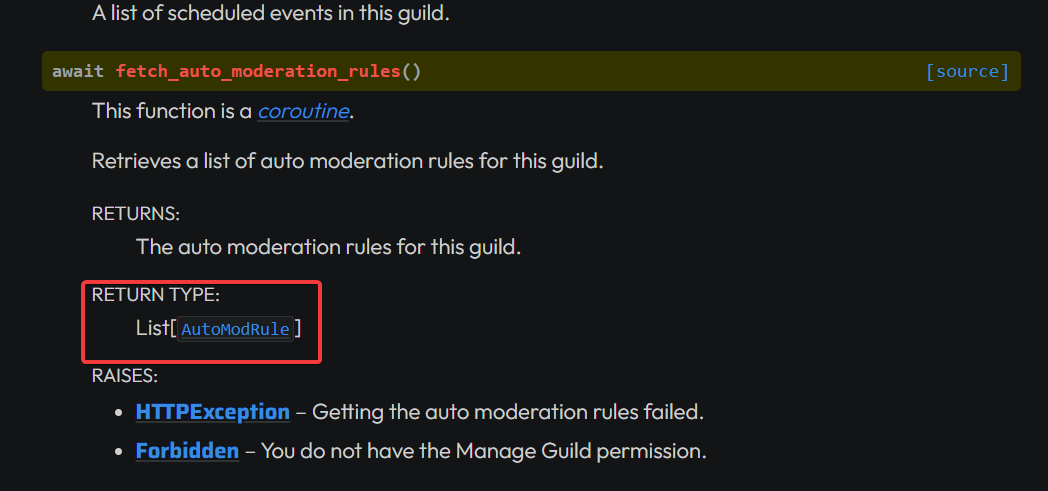 young bone
is the list empty?
sinful pivot
young bone
is the list empty?
Might be
But that error is on startup, not when I run the command
young bone
at which line is the error?
sinful pivot
That's what I can't find out File "/home/container/.local/lib/python3.10/site-packages/discord/enums.py", line 786, in from_datatype if datatype.__name__ in ["Member", "User"]: AttributeError: 'str' object has no attribute '__name__'. Did you mean: '__ne__'?
  File "/home/container/.local/lib/python3.10/site-packages/discord/cog.py", line 786, in _load_from_module_spec
    setup(self)
  File "/home/container/cogs/antiping.py", line 127, in setup
    bot.add_cog(AntiPing(bot))
  File "/home/container/.local/lib/python3.10/site-packages/discord/cog.py", line 656, in add_cog
    cog = cog._inject(self)
  File "/home/container/.local/lib/python3.10/site-packages/discord/cog.py", line 548, in _inject
    command._set_cog(self)
  File "/home/container/.local/lib/python3.10/site-packages/discord/commands/core.py", line 603, in _set_cog
    self.cog = cog
  File "/home/container/.local/lib/python3.10/site-packages/discord/commands/core.py", line 830, in cog
    self._validate_parameters()
  File "/home/container/.local/lib/python3.10/site-packages/discord/commands/core.py", line 708, in _validate_parameters
    self.options: list[Option] = self._parse_options(params)
  File "/home/container/.local/lib/python3.10/site-packages/discord/commands/core.py", line 748, in _parse_options
    option = Option(option)
  File "/home/container/.local/lib/python3.10/site-packages/discord/commands/options.py", line 225, in __init__
    self.input_type = SlashCommandOptionType.from_datatype(input_type)
  File "/home/container/.local/lib/python3.10/site-packages/discord/enums.py", line 786, in from_datatype
    if datatype.__name__ in ["Member", "User"]:
AttributeError: 'str' object has no attribute '__name__'. Did you mean: '__ne__'?
The above exception was the direct cause of the following exception:
Traceback (most recent call last):
  File "/home/container/bot.py", line 28, in <module>
    load_cogs()
  File "/home/container/bot.py", line 23, in load_cogs
    client.load_extension(f"cogs.{file[:-3]}")
  File "/home/container/.local/lib/python3.10/site-packages/discord/cog.py", line 910, in load_extension
    self._load_from_module_spec(spec, name)
  File "/home/container/.local/lib/python3.10/site-packages/discord/cog.py", line 791, in _load_from_module_spec
    raise errors.ExtensionFailed(key, e) from e
discord.errors.ExtensionFailed: Extension 'cogs.antiping' raised an error: AttributeError: 'str' object has no attribute '__name__'``` it happens on setup but I doubt thathe can use:
5 buttons in each row - 5 days
and repeat this for 25 times using numpy
but for the rest 5, he gotta figure out himself what he can do
young bone
sinful pivot
```Traceback (most recent call last):
File "/home/container/.local/lib/python3...
do you still get it if you dont load the cog?
sinful pivot
young bone
do you still get it if you dont load the cog?
I don't
wild socket
since, uhm he can not use more than 25 buttons
young bone
wild socket
since, uhm he can not use more than 25 buttons
uh ye, that is a Discord Limit not a py-cord limit
wild socket
sinful pivot
```Traceback (most recent call last):
File "/home/container/.local/lib/python3...
The error is simple, the thing that's returned is string not a class object. you should try to print first what's being returned then debug and modify code accordingly.
sinful pivot
wild socket
The error is simple, the thing that's returned is string not a class object. you...
Where is it returned though
young bone
sinful pivot
I don't
can you do a copy of the file and save it and delete like some lines of codes for testing to see at which line it is
sinful pivot
Where, inside the class, in the setup func?
wild socket
just print (datatype)
wild socket
sinful pivot
Where, inside the class, in the setup func?
before you are doing that check
right before it
sinful pivot
wild socket
before you are doing that check
NameError: name 'datatype' is not defined
young bone
wild socket
just print (datatype)
?
sinful pivot
young bone
can you do a copy of the file and save it and delete like some lines of codes fo...
I could but like uhm
sure lets do that
It happens in the command
sinful pivot
young bone
?
I removed the whole command and it works
 formal sleet
Just wondering but is it possible to have a slash command without named arguments? This just returns 'NoneType' object has no attribute 'content' even though I have all possible intents and permissions. It's an example in the docs (https://docs.pycord.dev/en/stable/faq.html#how-do-i-get-the-original-message), no idea what I'm doing wrong
@bot.command
async def whatever(ctx):
  await ctx.respond(ctx.message.content)
dont delete anything
only a few lines everytime
to test it
sinful pivot
why dont I add print statements every few lines
to see where the error occurs, and then we can do the deletion
because deleting straight up gives me errors
 wild socket
formal sleet
Just wondering but is it possible to have a slash command without named argument...
wild socket
formal sleet
Just wondering but is it possible to have a slash command without named argument...
its @bot.slash_command
not bot.command
young bone
wild socket
not bot.command
doesnt matter
wild socket
?
young bone
only if you use commands.Bot
wild socket
yeah...
formal sleet
It doesn't work either way
young bone
wild socket
send entire code?
you are not sending a message?
formal sleet
Oh wait, you have to use commands.Bot for this?, won't work with discord.Bot?
wild socket
formal sleet
Oh wait, you have to use commands.Bot for this?, won't work with discord.Bot?
it should
but I prefer commands.Bot
young bone
if you use discord.Bot you can stay with bot.command
sinful pivot
young bone
do a debug ;3
debug just cant import anything from my utils folder so
young bone
mhm
sinful pivot
what do I do lol
helppp
I fixed it somehow
it was something with cog loading ig
formal sleet
wild socket
send entire code?
this is literally all I'm trying to run now, doesn't work, bot has all perms and intents on the dev page too 
from discord import Bot, Intents
bot = Bot(intents = Intents.all())
@bot.command()
async def echo(ctx):
  await ctx.respond(ctx.message.content)
bot.run("TOKEN")
await ctx.respond(ctx.message.content)
AttributeError: 'NoneType' object has no attribute 'content'
must be doing something really stupid here
young bone
read the error
formal sleet
both message and content are None
young bone
can you just send a message?
formal sleet
yeah it works eg with await ctx.respond("test")
young bone
do you know basic python?
formal sleet
to an extent, yes
formal sleet
yes, this is just a simple example I'm trying to debug
young bone
formal sleet
yes, this is just a simple example I'm trying to debug
It looks like that you dont know the basic of it...
full basin
Slash commands don't have a message
There's no message that triggered the slash command
formal sleet
sorry but I really don't see what's wrong with this? Not sure what you mean by basics here, I can see the error but it doesn't help, the message just doesn't exist
formal sleet
full basin
Slash commands don't have a message
oh, that makes sense, so do I need a named argument for this?
formal sleet
Alright, thanks.. I was just hoping to be able to pass a message to the command like /chat message without having to specify /chat message:message
full basin
Then where would you type the message if there's no option lol
formal sleet
I guess I was confused since discord lets me send the command without any warnings
sinful pivot
Hey ya'll whenever I try to make a discord.AutoModAction object, it requires me to pass in metadata but I'm trying to block the message, and there is no meta data for that. So what should I do?
proud mason
formal sleet
Alright, thanks.. I was just hoping to be able to pass a message to the command ...
you can use message commands
in the context menu
proud mason
sinful pivot
Hey ya'll whenever I try to make a `discord.AutoModAction` object, it requires m...
why do you want to create that object yourself?
sinful pivot
proud mason
why do you want to create that object yourself? <:pogbruh:882152559731679252>
I want to create a auto mod rule
proud mason
ah hmm
sinful pivot
        r = await guild.create_auto_moderation_rule(
            name="Anti Ping",
            event_type=discord.AutoModEventType.message_send,
            trigger_type=discord.AutoModTriggerType.keyword,
            trigger_metadata=discord.AutoModTriggerMetadata(keyword_filter=members),
            actions=[discord.AutoModAction(action_type=discord.AutoModActionType.block_message)],
            enabled=True,
            reason=f"Blacklist role {role.name} ({role.id}) from being mentioned",
            exempt_roles=([exempt] if exempt is not None else [])  # type: ignore
)```thats my code ^
proud mason
sinful pivot
```py
r = await guild.create_auto_moderation_rule(
name="Ant...
pass AutoModActionMetadata ig
proud mason
sinful pivot
discord.errors.ApplicationCommandInvokeError: Application Command raised an exception: TypeError: AutoModActionMetadata.to_dict() missing 1 required positional argument: 'self'
proud mason
rtfm cmd gave wrong output
sinful pivot
proud mason
rtfm cmd gave wrong output
I passed in AutoModAction()?
proud mason
sinful pivot
discord.errors.ApplicationCommandInvokeError: Application Command raised an exce...
create an object of it AutoModActionMetadata()
proud mason
sinful pivot
I passed in `AutoModAction()`?
ye
sinful pivot
bruh Application Command raised an exception: TypeError: AutoModRule.__init__() got an unexpected keyword argument 'reason
oh wait I just remove that
sinful pivot
Welp
proud mason
ill make a pr
sinful pivot
ty lol but gonna take ages to be accepted prob
proud mason
you can edit it yourself for now
sinful pivot
proud mason
you can edit it yourself for now
what do i do lol
can u make a pr ill just copy paste the edits
proud mason
- return AutoModRule(state=self._state, data=data, reason=reason)
+ return AutoModRule(state=self._state, data=data)
alr
proud mason
in create_auto_moderation_rule
sinful pivot
yeah Im already there
sinful pivot
proud mason
check if the error persists after that
how do I do that in a pterodactyl container lol
proud mason
sinful pivot
how do I do that in a pterodactyl container lol
uh. probably check where the library is stored
sinful pivot
welp idk about that
proud mason
another complicated way would be creating a fork and using it
sinful pivot
proud mason
~~another complicated way would be creating a fork and using it~~
plannned on doing that
whoop
site-packages found
proud mason
ayye nice
sinful pivot
FOUND IT
@proud mason May have found another bug ```discord.errors.ApplicationCommandInvokeError: Application Command raised an exception: AttributeError: 'AutoModRule' object has no attribute 'trigger'
nvm its not
sinful pivot
ypeyep
proud mason
oops
sinful pivot
Works like a charm
proud mason
cool
fervent cradle
@bot.event
async def on_voice_state_update(member, before, after):
    vc = bot.get_channel(channel_IDVC3)
    if before.channel is None and after.channel is not None:
        tab = list(filter(lambda m: m.voice, member.guild.members))
        print(len(tab))
        await vc.edit(name=f"Voice: [{len(tab)}]")
    if before.channel is not None and after.channel is None:
        tab = list(filter(lambda m: m.voice, member.guild.members))
        print(len(tab))
        await vc.edit(name=f"Voice: [{len(tab)}]")
it doesn't change the channel name but it prints the right number of users
proud mason
fervent cradle
```py
@bot.event
async def on_voice_state_update(member, before, after):
vc ...
print vc and see what it is
fervent cradle
it prints 1 when I join and then 0 when I leave
oh wait
"Voice: [0]"
the channel name
proud mason
fervent cradle
the channel name
hmm
and does the bot have perms to edit the channel?
 blissful hazel
How do I check if a member has got a higher role than another member?
I am trying to create a kick/ban command, and I want to prevent lower-ranked staff to ban higher-ranked staff.
I know you can check what permissions a member with member.guild_permissions.permission
blissful hazel
blissful hazel
How do I check if a member has got a higher role than another member?
I am tryin...
Nevermind, just found out you can compare Member.top_role
blissful hazel
if not evoker.guild_permissions.kick_members:
        await ctx.response.send_message('You do not have permission to kick members!', ephemeral=True)
        return
    if evoker.top_role <= affected.top_role:
        await ctx.response.send_message(f'That member has a higher permission level than you!', ephemeral=True)
        return
    if self_member.top_role <= affected.top_role:
        await ctx.response.send_message(f'The bot does not have a high enough permission level to kick that user.', ephemeral=True)
        return
How would shorten this code, as it gets kind of repetitive when writing commands. (It checks if a member has a permission + got a higher role than another + the bot can kick the member)
limber urchin
Well, you can't really shorten it. But you could move to a function and use that in every command. Or even better, make it a decorator.
proud mason
is it possible to send a channel select menu with some values preselected?
if not, what is the best way to achieve this?
green hinge
If I save a message e.g. message = await interaction.channel.send() and then edit the message at some point with await message.edit().
Do I then have to save the message again or does the data remain so that I can edit the message again later?
So do I then have to make message = await message.edit() and save message again or would that be superfluous?
limber urchin
.tias
winter condorBOT
 fervent cradle
I got a discord music bot with buttons (pause, skip, resume, stop) and after 5-7 minutes the buttons just stop working.
How can I fix this
Hello guys. I wanted to ask, if you click on the menu options, then a role is issued, and if you click on it, then the role is deleted, can you do this?
limber urchin
fervent cradle
I got a discord music bot with buttons (pause, skip, resume, stop) and after 5-7...
How do you expect anyone to help you if you don't show your code?
fervent cradle
limber urchin
How do you expect anyone to help you if you don't show your code?
    @discord.ui.button(label="Skip", style=discord.ButtonStyle.primary)
    async def skip_callback(self, button, interaction):
        embed = discord.Embed(
            description=f"⏩ Song has been skiped!",
            color=discord.Color.blue()
        )
        await interaction.response.send_message(embed=embed)
        vc = bot.voice_clients
        vc[0].stop()

    @discord.ui.button(label="Pause", style=discord.ButtonStyle.success)
    async def pause_callback(self, button, interaction):
        embed = discord.Embed(
            description=f"⏸ Song has been paused!",
            color=discord.Color.blue()
        )
        vc = bot.voice_clients
        vc[0].pause()
        await interaction.response.send_message(embed=embed)

    @discord.ui.button(label="Resume", style=discord.ButtonStyle.success)
    async def resume_callback(self, button, interaction):
        embed = discord.Embed(
            description=f"⏭ Song has been resumed!",
            color=discord.Color.blue()
        )
        await interaction.response.send_message(embed=embed)
        vc = bot.voice_clients
        vc[0].resume()

    @discord.ui.button(label="Stop", style=discord.ButtonStyle.danger)
    async def stop_callback(self, button, interaction):
        embed = discord.Embed(
            description=f"⏹ Song has been stopped!",
            color=discord.Color.blue()
        )
        await interaction.response.send_message(embed=embed)
        vc = bot.voice_clients
        vc[0].stop()

...Here just music command (cant send it cause messgae would be to long)

await ctx.respond(embed=embed, view=PlayControlsView())```But this would be the play command
async def play(ctx, *, query):

    voice_client = ctx.voice_client
    if voice_client is not None:
        if voice_client.channel != ctx.author.voice.channel:
            return await ctx.send("You must be in the same voice channel as the bot!")
    ydl_opts = {
        'format': 'bestaudio/best',
        'postprocessors': [{
            'key': 'FFmpegExtractAudio',
            'preferredcodec': 'mp3',
            'preferredquality': 'bestaudio',
        }],
        'download_archive': 'download_cache.txt',
        'limit_rate': 10 * 1024 * 1024
    }
    with youtube_dl.YoutubeDL(ydl_opts) as ydl:
        result = ydl.extract_info(f"ytsearch1:{query}", download=False)
    url = result['entries'][0]['url']
    thumbnail_url = result['entries'][0]['thumbnail']
    voice_channel = ctx.author.voice.channel
    vc = bot.voice_clients
    if vc:
        vc[0].play(discord.FFmpegPCMAudio(url))
        vc[0].source = discord.PCMVolumeTransformer(vc[0].source)
        vc[0].source.volume = 0.07
        await ctx.send(f"Now playing: {result['entries'][0]['title']}")
    else:
        vc = await voice_channel.connect()
        vc.play(discord.FFmpegPCMAudio(url))
        vc.source = discord.PCMVolumeTransformer(vc.source)
        vc.source.volume = 0.07

    embed = discord.Embed(title = f"🎵 LunarBot - New Song Selected", description = f"", color = discord.Color.blue())
    embed.add_field(name = '', value = f"{ctx.author.mention} has selected **{result['entries'][0]['title']}** to play next!", inline = True)
    embed.set_thumbnail(url=f"{thumbnail_url}")
    embed.set_footer(text = f"🎧 Input: ")
await ctx.respond(embed=embed, view=PlayControlsView())```You need to set the timout of the View to None, otherwise it will timeout after 3 minutes
fervent cradle
limber urchin
You need to set the timout of the View to None, otherwise it will timeout after ...
thank you!
limber urchin
fervent cradle
thank you!
And next time read #help-rules. Keep your issues in one place
fervent cradle
fervent cradle
Hello guys. I wanted to ask, if you click on the menu options, then a role is is...
!
limber urchin
fervent cradle
!
try it yourself and see
fervent cradle
limber urchin
try it yourself and see
How? Let me explain. I made a menu for issuing a role. I press the trace, it gives out the role, and if again, then it is a reception. I looked in the documentation on the site - no. I demand your help, dear and experienced athletes.
limber urchin
fervent cradle
How? Let me explain. I made a menu for issuing a role. I press the trace, it giv...
What?
gleaming falcon
So within on_application_command_error, we're passed in an Exception
How can I get just the file (without path, preferably) and line that the exception was specifically generated from?
I've tried several ways using sys.exc_info() (which is None when in the exception handler) or traceback and I can't seem to get ahold of what I want
silver moat
error.__traceback__?
gleaming falcon
I mean, it contains an object. But the current frame context is the error handler, not the source of the error
traceback.format_exception(type(error), error, error.__traceback__) at least includes the source of the error, but still provides the error handler context, which I don't care about.
Not sure why it's so difficult just get the file and line number (e.g. mycog.py:1234) that caused the error 😕
silver moat
convert it to a string and parse it
gleaming falcon
ooh, traceback.extract_tb(error.__cause__.__traceback__) at least drills down to a more useful list.
 tidal violet
hi
i want to put @commands.has_role('admin') in every command of adminstuff class without manually adding them in the code
is it possible?
class adminstuff(commands.Cog):
	...

	@commands.command()
	@commands.has_role('admin') #this
	async def cmd1(self, ctx,):
		...

	@commands.command()
	@commands.has_role('admin')
	async def cmd2(self, ctx,):
		...

	@commands.command()
	@commands.has_role('admin')
	async def cmd3(self, ctx,):
		...

  #more commands
Why do you not want to add them manually?
silver moat
Pycord
There comes a point in your bot’s development when you want to organize a collection of commands, listeners, and some state into one class. Cogs allow you to do just that. The gist: Each cog is a P...
gleaming falcon
Can you do a case-insensitive search with discord.utils.get? Didn't see anything in the docs
silver moat
gleaming falcon
Can you do a case-insensitive search with `discord.utils.get`? Didn't see anythi...
just make your own, it's open-source
gleaming falcon
So... "The library does not provide a case-insensitive search".
silver moat
precisely
 cyan quail
gleaming falcon
Can you do a case-insensitive search with `discord.utils.get`? Didn't see anythi...
cyan quail
gleaming falcon
Can you do a case-insensitive search with `discord.utils.get`? Didn't see anythi...
use utils.find instead
you pass in your own lambda function which you could make a case-insensitive search with
(also fwiw find is similar to python's filter, but it only returns one result like get)
ornate current
can you make a dashboard with the modal?
would be interesting without hosting a website
proud mason



 storm hinge
quick
very, quick question
    if message.channel.id == int(rep_secrets["channel_verify"]):
        role = message.guild.get_role(int(rep_secrets["role_verified"]))
        await message.author.add_roles(role, reason="Verification.")
        await message.add_reaction(":white_check_mark:")
the role isnt being added
the if clause runs
discord.ext.commands.errors.CommandInvokeError: Command raised an exception: NotFound: 404 Not Found (error code: 10011): Unknown Role
ok nvm imma start a thread
fervent cradle
How to set a description for a slash option that is using discord.User type hinting?
async def command(ctx, user: discord.User)```use @option decorator
errant craneBOT
Here's the slash options example.
fervent cradle
okay
 lone kiln
Hey, i'm trying to work on an autocomplete, but the things I came across only allow me to return one option. Is there a way to return a list of strings as options for the autocomplete to show ?
 blazing tide
TypeError: BotBase.add_command() missing 1 required positional argument: 'command'
Bro wtf this error for discord.py on slash command error
can anyone help me (FAST AS POSSIBLE)
proud mason
lone kiln
Hey, i'm trying to work on an autocomplete, but the things I came across only al...
you are in fact supposed to return a list of strings
errant craneBOT
Here's the slash autocomplete example.
proud mason
have you seen that
proud mason
blazing tide
```
TypeError: BotBase.add_command() missing 1 required positional argument: 'co...
this py-cord server
not discord.py
if you meant py-cord then show full error
proud mason
also send relevant code
blazing tide
ok wait a second
green hinge
When do I change this somehow so that I can specify a specific role and not just administrator?
@discord.default_permissions(administrator=True)```@bot.add_command()
async def mute_voice(ctx, member: discord.Member):
await member.edit(mute=True)
await ctx.send(f"{member.mention} has been muted in voice channels.")
the code and the error
 blazing tide
proud mason
also send relevant code
blazing tide
proud mason
also send relevant code
.
proud mason
blazing tide
```
@bot.add_command()
async def mute_voice(ctx, member: discord.Member):
aw...
it should @bot.command()
what bot class are you using?
if you havent used the library before, make sure to read the whole guide
.guide
winter condorBOT

The official guide for making bots and other Discord applications using the Pycord library.
proud mason
blazing tide
im want slash command not command
then @bot.slash_command
blazing tide
not pycord
proud mason
bruh
blazing tide
wait a second then
blazing tide
 proud mason
blazing tide
proud mason
blazing tide
dpy uses a different implementation of slash cmds
proud mason
proud mason
then `@bot.slash_command`
this was for pycord
proud mason
blazing tide
i dont have the support server off dpy BRUH
google?
check on their github or docs
blazing tide
i found it thanks
fervent cradle
Hi, I previously asked on preventing users from using slash commands in a blacklist system (https://discord.com/channels/881207955029110855/1036877530633863168).
It works, but is there a way to to do the same thing for Views or any button/select/modal interaction? Or would I have to implement a interaction_check for all those views?
Discord
Discord is the easiest way to communicate over voice, video, and text. Chat, hang out, and stay close with your friends and communities.