class NitroView(View):
                    async def on_timeout(self):
                        expire_button = Button(label='Claim', style=discord.ButtonStyle.gray, disabled=True)
                        view.add_item(expire_button)
                        view.remove_item(accept_button)
                        nitroexpire_embed = discord.Embed(title="You've been gifted a subscription!", description='Hmm, it seems someone already claimed this gift.')
                        nitroexpire_embed.set_thumbnail(url='https://i.imgur.com/wI9q2Md.png')
                        await self.message.edit(view=self, embed=nitroexpire_embed)
                accept_button = Button(label='Claim', style=discord.ButtonStyle.green)
                async def accept_callback(interaction):
                    await interaction.response.send_message('https://tenor.com/bItJt.gif', ephemeral=True)
                nitro_embed = discord.Embed(title="You've been gifted a subscription!", description=f'{ctx.author} gifted you nitro for **1 month!**')
                nitro_embed.set_thumbnail(url='https://i.imgur.com/wI9q2Md.png')
                accept_button.callback = accept_callback
                view = NitroView(timeout=5)
                view.add_item(accept_button)
                await ctx.respond(view=view, embed=nitro_embed)
#Basic Pycord Help (Quick Questions Only)
1 messages · Page 39 of 1
 fervent cradle
Attribute error: Nonetype object has no attribute edit
look i might be making some dumb mistake but i cant figure it out on my own, can someone please help
 hallow blaze
fervent cradle
```py
class NitroView(View):
async def on_timeout(self):
...
hallow blaze
fervent cradle
```py
class NitroView(View):
async def on_timeout(self):
...
Alright, well it seems like things are all over the place, but first, this:
nitro_embed = discord.Embed(title="You've been gifted a subscription!", description=f'{ctx.author} gifted you nitro for **1 month!**')
nitro_embed.set_thumbnail(url='https://i.imgur.com/wI9q2Md.png')
accept_button.callback = accept_callback
view = NitroView(timeout=5)
view.add_item(accept_button)
await ctx.respond(view=view, embed=nitro_embed)
Is this under the View? Or is this in a command? By the looks of it, it seems like you just bundled everything up in a View. Also, seems like you are not using the View properly, or are carving segments of your code out.
 barren garnet
error:
'cogs.ableton' raised an error: AttributeError: 'AbletonBot' object has no attribute '_bridge_commands'
i've subclassed my bot insance (bridge.Bot) and named it -> 'AbletonBot;
pls ping when answer
hallow blaze
barren garnet
error:
```
'cogs.ableton' raised an error: AttributeError: 'AbletonBot' object h...
Hm, do you have super().__init__() in your subclassed __init__ by any chance?
normally an underlying attribute like that not existing can be a result of not having it.
barren garnet
hallow blaze
Hm, do you have `super().__init__()` in your subclassed `__init__` by any chance...
yep
btw is that bcuz im not using 2.3.1?
hallow blaze
What version are you using at the moment
barren garnet
GitHub
https://pypi.org/project/py-cord/2.3.1
What's Changed
fix(ext.bridge): fix bridge_commands attribute by @Middledot in #1802
Full Changelog: v2.3.0...v2.3.1
barren garnet
hallow blaze
What version are you using at the moment
stable
also, how do i install the 2.3.1 version using pip
hallow blaze
barren garnet
stable
2.3.1 is already stable, so you can just pip install again
barren garnet
nvm i figured it out
barren garnet
hallow blaze
`2.3.1` is already stable, so you can just `pip install` again
ye alr thx
barren garnet
barren garnet
https://github.com/Pycord-Development/pycord/releases/tag/v2.3.1
still didnt fix the error

GitHub
Summary @bot.bridge_command() inside of a cog causes a crash. Reproduction Steps Make a bridge command inside of a cog Enter bot token Attempt to start bot Bot fails to start Minimal Reproducible C...
 gilded veldt
how can i save TWO audios (wav)? Whenever I try to record two audios, it sends both audios in the chat. So I tried to save TWO audios, but I can't, because it only saves ONE, how do I save TWO?
 hollow copper
noob here, I'm trying to run a script that will post a message to a channel without waiting for an event
bot = discord.Bot()
TOKEN = "REDACTED"
channel_id=588866881159430146

channel = bot.get_channel(channel_id)
channel.send("test")

bot.run(TOKEN)```should this not just work?
 foggy hemlock
send must be awaited inside of an async function
 young bone
hollow copper
should this not just work?
young bone
hollow copper
should this not just work?
how should it work without it?
hallow blaze
The Select should have the custom_id. SelectOption does not have custom_id's.
young bone
 foggy hemlock
send must be awaited inside of an async function
foggy hemlock
foggy hemlock
send must be awaited inside of an async function
You can put that in on_ready event, or throw it into a thread
hollow copper
so I cant connect > puke text into channel > disconnect?
foggy hemlock
on ready event
hollow copper
intent is to use as notifications for other bot unrelated to discord
barren garnet
hey
im facing the same issue
did u find the fix yet?
foggy hemlock
or actually you don't need a bot instance to send it, sending a message is just a single http request
gilded veldt
gilded veldt
how can i save TWO audios (wav)? Whenever I try to record two audios, it sends b...
somebody?
hollow copper
young bone
how should it work without it?
I'm python smoothbrain, am coming from working go discord bot
 proud mason
barren garnet
hey
im facing the same issue
did u find the fix yet?
proud mason
barren garnet
hey
im facing the same issue
did u find the fix yet?
Reorder your command options. Non required options should be placed after required ones
 quartz thunder
Hey all 🙂 is there a way to disable commands for a guild ?
foggy hemlock
put the id of all other guilds into scope ig
quartz thunder
Others are dynamic ahah
foggy hemlock
or check for the id in callback, return if the guild id is matching
quartz thunder
Which callback ?
foggy hemlock
command callback
quartz thunder
Is there a "before_command" or "before_invoke" for all ? 🙂
proud mason
quartz thunder
Is there a "before_command" or "before_invoke" for all ? 🙂
There is checks
barren garnet
proud mason
Reorder your command options. Non required options should be placed after requir...
commands options as in? slash commands?
proud mason
barren garnet
commands options as in? slash commands?
Yea
barren garnet
proud mason
Yea
it worked
thanks a lot :D
proud mason
barren garnet
it worked
thanks a lot :D
Haha np
 zinc cloak
Does pycord work with 3.11
python 3.11
I had some trouble when switching to that version
 limber urchin
If you use the latest version, yes
limber urchin
Python 3.11 support was added in PyCord 2.3
If you use an earlier version you need to downgrade your Python version to 3.10 or below
proud mason
zinc cloak
I keep getting this weird error from an old command I made
Show the error and command
proud mason
👍
 wild socket
barren garnet
hey
im facing the same issue
did u find the fix yet?
wild socket
barren garnet
hey
im facing the same issue
did u find the fix yet?
i updated the library and it fixed itself.
barren garnet
wild socket
i updated the library and it fixed itself.
oh okk
fervent cradle
        placeholder = "Select One",
        min_values = 1,
        max_values = 1,
        options = [
            discord.SelectOption(
                label="Support",
                description="Minerva Support Ticket"
            ),
            discord.SelectOption(
                label="Bug Reports",
                description="Minerva Bug Reports"
            ),
            discord.SelectOption(
                label="Premium",
                description="Minerva Premium Purchase"
            )
        ]
    )
        async def select_callback(self, select, interaction):
            member = interaction.user
            guild = interaction.guild
            guild = interaction.guild
            overwrites = {
                guild.default_role: discord.PermissionOverwrite(read_messages=False),
                member: discord.PermissionOverwrite(read_messages=True),
            }
            global Channel
            Channel = await guild.create_text_channel(str(member) + "s Ticket" , overwrites=overwrites, category=interaction.channel.category)
            await interaction.response.send_message("Created Ticket <#" + str(Channel.id) + ">", ephemeral=True)
            embed=discord.Embed(title="Ticket", description="<@" + str(member.id) + ">\nSupport will be given shortly...", color=0x2F3136)
            embed.set_author(name = str(interaction.user), icon_url = interaction.user.avatar.url)
await Channel.send(embed=embed, view=TicketDropdown())```I need help getting this to work. It doesnt show the select menu when i run the command for the embed to be posted
 clever lark
I have a task stored in a cog to change my bot's status every 30 seconds. when attempting to start the task, i get the error
await self.ws.change_presence(activity=activity, status=status_str)
AttributeError: 'NoneType' object has no attribute 'change_presence'
below I have the code that is causing problems:
    async def stat_task(self):
        status_rotation_time = 30
        await self.bot.change_presence(status=discord.Status.online, activity=discord.Activity(type=discord.ActivityType.watching, name=f'{len(self.bot.guilds)} servers'))
        await asyncio.sleep(status_rotation_time)```
i remember this working earlier today, so im not sure whats wrong

edit: the task begins to work if I manually reload the cog after the bot has started. it seems to be something with the cog failing to connect to a websocket. what could cause this?

edit 2: I AM SO SILLY. of course there was a websocket error!! i was starting the task when the cog had loaded, not when the bot connected. put your task starters in on_ready or on_connectfacing this weird issue recently
 barren garnet
#1048166266453639288 moved to^
proud mason
fervent cradle
I need help getting this to work. It doesnt show the select menu when i run the ...
Why are you using global variables?
fervent cradle
proud mason
Why are you using global variables?
I got it thank you
fervent cradle
fervent cradle
I got it thank you
its for a ticket bot system
proud mason
👍
 true pewter
Does anyone know how I can do this? I can't find anything in the docs.

 loud holly
true pewter
Does anyone know how I can do this? I can't find anything in the docs.
loud holly
true pewter
Does anyone know how I can do this? I can't find anything in the docs.
only for verified bots, and the upgrading thing are available to few popular bots

 cyan quail
true pewter
Does anyone know how I can do this? I can't find anything in the docs.
cyan quail
true pewter
Does anyone know how I can do this? I can't find anything in the docs.
the About Me Section is done on devportal @ https://discord.com/developers/applications and can be on any bot
but yeah the rest are limited to verified bots

 wary rover
The new docs are not easy to use
Before you could do ctrl+f to do an approximate search, I miss it :c
 grizzled sentinel
The problem was it was a huge page and took forever to load. It could take up to 30 seconds for it to load my search result sometimes.
wary rover
I never had this problem personally, leaving it accessible would have been cool
 tiny hearth
how can I fix this? im trying to invoke a command with a button


 rare ice
@barren garnet Please don’t cross post. #help-rules
fervent cradle
grizzled sentinel
The problem was it was a huge page and took forever to load. It could take up to...
could have 1 for advanced devs and beginners yk
young bone
Stay in one channel
 neon bramble
grizzled sentinel
The problem was it was a huge page and took forever to load. It could take up to...
neon bramble
grizzled sentinel
The problem was it was a huge page and took forever to load. It could take up to...
even when i use my chromebook it doesn't take that long 😭
 oblique river
if value := self.children[0].value:
if not re.match(r"http[s]?://(?:[a-zA-Z]|[0-9]|[$-_@.&+]|[!*(),]|(?:%[0-9a-fA-F][0-9a-fA-F]))+", value):
await interaction.response.send_message(content="Url Invalid")
return
else:
embed.set_image(url=self.children[0].value)```It already checks if it is a valid link how do I just make it still point to image? vivid plaza
Can anyone help me here?
hallow blaze
vivid plaza
Can anyone help me here?
Perhaps, it could be this.
int(nettax + netfprice) in message.content
Consider, message.content is a str.
What you are most likely experiencing is a TypeError, of the kind 'in <string>' requires string as left operand, not int.
In essence, this is not valid
print(int(30.0 + 50.0) in '80') # int(80.0) in '80'
Let me try this. Thanks for helping me !
vivid plaza
hallow blaze
Perhaps, it could be this.
```py
int(nettax + netfprice) in message.content
```
...
It didn't work. If I had a type error, I would have a traceback. But instead, The bot is waiting for any message to be sent. Like if I execute the command and just send any message, It will work. And I don't want it to work! Except for the specified things that I did specify!
hallow blaze
vivid plaza
It didn't work. If I had a type error, I would have a traceback. But instead, Th...
nevermind, a second
proud mason
Don't use type as a variable. It's a python built in function. It will break stuff
Also you didn't close the cursor and connection
proud mason
Ah ok
hallow blaze
Oh, don't make the check asynchronous
looking back at it, that's one of the issues I see, besides the one I explained before
vivid plaza
hallow blaze
Oh, don't make the check asynchronous
It worked. I mean I made some changes in the code after making the check not asynchronous and After that It worked. Thank you !
hallow blaze
Yeah, okay, that was the reason for that then, I didn't catch that, wanted to check on my side and then saw that issue
vivid plaza
Thank you for helping me !
hallow blaze
no problem
 verbal gulch
Hello! I'm coding a economy bot, but i'm having problems. I made 2 comands with cooldown, when i use them, 3 out 6 commands of the bot dissapear. This problem never happened to me before.
I can send all the code if needed.
 elfin escarp
Is there currently any way to utilize the new Server Subscriptions metrics through the API? Like when a user purchases one of the subscriptions, do some stuff?
grizzled sentinel
elfin escarp
Is there currently any way to utilize the new Server Subscriptions metrics throu...
Yes, but there is no documentation (from discord) for it and pycord has not implemented it yet.
My guess will be 
elfin escarp
grizzled sentinel
Yes, but there is no documentation (from discord) for it and pycord has not impl...
🙏 Ty. Server I dev for just launched their subscriptions and told me to do some stuff with it lol
cyan quail
elfin escarp
Is there currently any way to utilize the new Server Subscriptions metrics throu...
the best you can do for now is make sure your subs are bound to a role and use on_member_update
then later when the api updates switch over
elfin escarp
cyan quail
the best you can do for now is make sure your subs are bound to a role and use o...
Yeah, discord automatically makes subscription roles once you publish, so I can just hook into those
 vapid pumice
Anyone know how to get a thread by channel ID and name?
I'm trying to allow my bot to create a thread when a user begins a questionnaire and continue sending their answers to the thread as they answer. To do this, I want to name the thread after their User ID and refer back to send the message using that name. Any advice would be loved <3
Currently trying, but not working:
channel = bot.get_channel(1048419372554780732)
thread = channel.get_thread("DrewBleam")
await thread.send("Testing?")
Currently, you can’t get a thread by name, however, you can access .threads and iterate through them and compare names to a string.
vapid pumice
rare ice
Currently, you can’t get a thread by name, however, you can access `.threads` an...
Any thoughts on how I could move said string from a class to a higher rung? I don't know the actual way to phrase that so I'm so sorry for noob LMFAO
I'm trying to get the string outside of the class to use it in a different class 🥲
rare ice
What is your current code?
 cobalt tangle
rare ice
Currently, you can’t get a thread by name, however, you can access `.threads` an...
cobalt tangle
rare ice
Currently, you can’t get a thread by name, however, you can access `.threads` an...
you can?
get_thread
https://docs.pycord.dev/en/stable/api/models.html?highlight=get_thread#discord.TextChannel.get_thread < this exists too, to find a thread in a channel
cobalt tangle
vapid pumice
Anyone know how to get a thread by channel ID and name?
I'm trying to allow my ...
You cant get it by name, maybe its possible via utils, but it is possble via ID
 west vault
Basic Pycord Help (Quick questions only)
 oblique river
        if value := self.children[0].value:
            if not re.match(r"http[s]?://(?:[a-zA-Z]|[0-9]|[$-_@.&+]|[!*(),]|(?:%[0-9a-fA-F][0-9a-fA-F]))+", value):
                await interaction.response.send_message(content="Url Invalid")
                return
        else:
embed.set_image(url=self.children[0].value)```It already checks if it is a valid link how do I just make it still point to image?What are you trying to do and what's going wrong?
And errors?
oblique river
proud mason
What are you trying to do and what's going wrong?
Well the link is supposed to check if it is valid that happens and then it comes an error but if I then use a valid link it is not sent in the embed that's why also wants it to refer to an image
 vale heath
is there any way to lock bridge slash commands for particular role like @commands.has_any_role used for prefix commands ?
 versed fern
You can add @has_permissions(permission=True) if that’s what u mean
cobalt tangle
vale heath
is there any way to lock bridge slash commands for particular role like `@comman...
It's either @bridge.has_role or @commands.has_role
proud mason
oblique river
Well the link is supposed to check if it is valid that happens and then it comes...
So invalid links are being set in the image too? Is that the issue
oblique river
proud mason
So invalid links are being set in the image too? Is that the issue
The user can decide if he wants to make a Image URL or not but if the user writes a URL and it is invalid then an error is sent but if the user uses a png link or generally an image URL then the link is valid the embed is also sent but it is not assigned to an image URL. that means in the embed no image is then displayed
proud mason
oblique river
The user can decide if he wants to make a Image URL or not but if the user write...
Ok so the regex is always failing?
Try using a regex tester. https://regex101.com

regex101
Regular expression tester with syntax highlighting, explanation, cheat sheet for PHP/PCRE, Python, GO, JavaScript, Java, C#/.NET.
oblique river
proud mason
Ok so the regex is always failing?
The regex checks if the link is valid or not this works fine and if it is not valid then also the error comes for the user but if the user uses a valid link then this is not sent to the embed because it does not point to an image
proud mason
oblique river
The regex checks if the link is valid or not this works fine and if it is not va...
So you mean if the link passes the regex but does not point to an actual image?
oblique river
Exactly the link is fulfilled but it is not referenced to an image for example I use a link with .png at the end but in the embed nothing is displayed because the link does not point to an image
proud mason
oblique river
Exactly the link is fulfilled but it is not referenced to an image for example I...
Ah so this one is a bit tricky
You will need to perform a HEAD request to the link and check the type of the data returned
I'm not sure if that will always work but you gotta try a bit and see
oblique river
How do I do that exactly I have now tried everything for a week but unsuccessful
proud mason
Print what the request returns and see if there is anything of useful value
proud mason
oblique river
How do I do that exactly I have now tried everything for a week but unsuccessful
Are you familiar with aiohttp
Like the basics
oblique river
proud mason
Are you familiar with aiohttp
is it something like this
import requests

def is_url_image(image_url):
   image_formats = ("image/png", "image/jpeg", "image/jpg")
   r = requests.head(image_url)
   if r.headers["content-type"] in image_formats:
      return True
return False```?
proud mason
Well that's the requests library. It's fine but that's blocking the event loop. Not recommended for discord bots
oblique river
Yes, I thought so too, but how else could I do it differently?
proud mason
?tag aiohttp
 obtuse juncoBOT
Use aiohttp.
requests and urllib are blocking. Do not use these libraries within your asynchronous code as they're not asynchronous.
(http://discordpy.readthedocs.io/en/latest/faq.html#what-does-blocking-mean)
discord.py uses aiohttp, so it should already be installed. An example of code using aiohttp and discord.py:
async with aiohttp.ClientSession() as cs:
    async with cs.get('https://httpbin.org/json%27') as r:
        res = await r.json()  # returns dict
        await ctx.send(res['slideshow']['author'])
For more help, see aiohttp's documentation: <http://aiohttp.readthedocs.io/en/stable/>
oblique river
right good point i use this a bit but how do i incorporate this so it goes in my code
i mean here
        if value := self.children[0].value:
            if not re.match(r"http[s]?://(?:[a-zA-Z]|[0-9]|[$-_@.&+]|[!*(),]|(?:%[0-9a-fA-F][0-9a-fA-F]))+", value):
                await interaction.response.send_message(content="Url Invalid")
                return
        else:
embed.set_image(url=self.children[0].value)```Do the same thing you did with requests, but with aiohttp
oblique river
That is clear to me but I have never used aiohhtp in this case for such things but for direct requests
limber urchin
Then look up the docs for aiohttp
oblique river
Can I do but I can't do such an async just in the middle below if or else?
proud mason
oblique river
right good point i use this a bit but how do i incorporate this so it goes in my...
How would you have done it with requests?
proud mason
oblique river
Can I do but I can't do such an async just in the middle below if or else?
You can do it inside the if block
oblique river
obtuse junco
**Use aiohttp.**
`requests` and `urllib` are blocking. Do **not** use these libr...
Do you mean this?
proud mason
oblique river
Do you mean this?
I mean if you were to do the head request in your command with requests then how would you have done it? That's a good way to start converting to aiohttp
You can also make a separate function to keep it clean
oblique river
the thing is that it is not a command but a class (callback)
😅
        if value := self.children[0].value:
            if not re.match(r"http[s]?://(?:[a-zA-Z]|[0-9]|[$-_@.&+]|[!*(),]|(?:%[0-9a-fA-F][0-9a-fA-F]))+", value):
                await interaction.response.send_message(content="Url Invalid")
                return
        else:
          async with aiohttp.ClientSession() as cs:
            async with cs.get(self.children[0].value) as r:
              res = await r.json()
embed.set_image(url=res)```Why are you setting the url to the json of the response?
oblique river
oblique river
```py
if value := self.children[0].value:
if not re.match(r"...
For me this makes no sense
limber urchin
You're supposed to perform a request to see if the URL points to an image
oblique river
Exactly
limber urchin
You can't just copy/paste things and expect them to work
oblique river
Ik
limber urchin
That command is just an example of how to make requests
You make a request to the endpoint and check the type of the response and check if it's an image
we are not going to write that code for you
proud mason
oblique river
```py
if value := self.children[0].value:
if not re.match(r"...
Instead of cs.get you should be doing cs.head
I think cs.get should work too but mostly unnecessary to get the contents of the image
oblique river
ok 👍
limber urchin
cobalt tangle
Why does self.bot.get_application_command always return None
Even though the command name is correct
Command : /setup tickets, I inputted self.bot.get_application_command(name="setup tickets")
Got none
oblique river
        if value := self.children[0].value:
            if not re.match(r"http[s]?://(?:[a-zA-Z]|[0-9]|[$-_@.&+]|[!*(),]|(?:%[0-9a-fA-F][0-9a-fA-F]))+", value):
                await interaction.response.send_message(content="Url Invalid")
                return
        else:
          async with aiohttp.ClientSession() as session:
            async with session.head(self.children[0].value) as resp:
              img = await resp.read()
                with io.BytesIO(img) as file:
embed.set_image(url=file)```You're supposed to check the type of the response, not set the response to the image
The parameter is called "url" for a reason, it's supposed to be a url
oblique river
Ah ok
limber urchin
Setting the parameter to a BytesIO is not magically going to fix your problem
cobalt tangle
cobalt tangle
Why does `self.bot.get_application_command` always return None
Welp pls
oblique river
limber urchin
The parameter is called "url" for a reason, it's supposed to be a url
bot.http_session: ClientSession = ClientSession()

async with bot.http_session.get(...) as resp:
print("Content-type:", resp.headers['content-type'])```I do not get it
limber urchin
try it and see
limber urchin
and what did you try?
oblique river
        if value := self.children[0].value:
            if not re.match(r"http[s]?://(?:[a-zA-Z]|[0-9]|[$-_@.&+]|[!*(),]|(?:%[0-9a-fA-F][0-9a-fA-F]))+", value):
                await interaction.response.send_message(content="Url Invalid")
                return
        else:
          async with bot.http_session.get(self.children[0].value) as resp:
embed.set_image(url=resp.headers['content-type'])```is it not content type?
limber urchin
I'm asking why
oblique river
Now I am confused
limber urchin
Why are you trying to set the url to the content type of the response?
I thought you wanted to check the content type if it's an image?
young bone
@oblique river but you know the basic of python?
oblique river
limber urchin
I thought you wanted to check the content type if it's an image?
That is exactly my goal
oblique river
young bone
<@667418116657119232> but you know the basic of python?
Yes, but I never really got into aiohttp lib.
limber urchin
So why in the world are you trying to set the value of url to a content type?
How is that going to check if it's an image?
This is not an issue with the aiohttp lib, this is just basic Python
oblique river
Funny I know most of Python and have no problems only if I want to use aiohhttp correctly and I don't have it it doesn't mean I can't do Python.
limber urchin
So answer my question that I have asked 4 times then
oblique river
Sure I should deal with it but I've been trying for a week otherwise I would not have asked for help
oblique river
limber urchin
So answer my question that I have asked 4 times then
Which question?
limber urchin
 oblique river
This is not my intention I'll just try it I also just checked what method I use to do this and that is content-type but I don't quite understand how to put this together in my code
That is why my code is messed up right now
limber urchin
Like we have told you multiple times, get the content type of the url, check if the content type is an image
oblique river
I have understood the whole thing and also made myself smart in the docs but I can't find an example ?
limber urchin
You won't always find an example to copy paste, sometimes you need to write your own code
oblique river
I realize that, but it's not about copying, for example when I look at the docs at PyCord I take a picture and rewrite it into my code to make it work the way I want it to work
limber urchin
Do you know how to make an if statement in python?
oblique river
yes
oblique river
        if value := self.children[0].value:
            if not re.match(r"http[s]?://(?:[a-zA-Z]|[0-9]|[$-_@.&+]|[!*(),]|(?:%[0-9a-fA-F][0-9a-fA-F]))+", value):
                await interaction.response.send_message(content="Url Invalid")
                return
        else:
          for url in self.children[0].value:
            if url.content_type.endswith("png"):
embed.set_image(url=self.children[0].value)```yes, if you only want png files
oblique river
        if value := self.children[0].value:
            if not re.match(r"http[s]?://(?:[a-zA-Z]|[0-9]|[$-_@.&+]|[!*(),]|(?:%[0-9a-fA-F][0-9a-fA-F]))+", value):
                await interaction.response.send_message(content="Url Invalid")
                return
        else:
          for url in self.children[0].value:
            if url.content_type in ('image/jpeg', 'image/jpg', 'image/png'):
embed.set_image(url=self.children[0].value)```Now ? 😅
limber urchin
Still not using aiohttp...
oblique river
Ok it is all correct but I just need to put aiohttp in it?
limber urchin
try it and see
oblique river
nope do not work the embed do not send the image
limber urchin
show your code
oblique river
class MyModal(Modal):
    def __init__(self, *args, **kwargs) -> None:
        super().__init__(*args, **kwargs)
        self.add_item(InputText(...)

    async def callback(self, inter: discord.Interaction):
        ...
        if value := self.children[0].value:
            if not re.match(r"http[s]?://(?:[a-zA-Z]|[0-9]|[$-_@.&+]|[!*(),]|(?:%[0-9a-fA-F][0-9a-fA-F]))+", value):
                await interaction.response.send_message(content="Url Invalid")
                return
        else:
          for url in self.children[0].value:
            if url.content_type in ('image/jpeg', 'image/jpg', 'image/png'):
               embed.set_image(url=self.children[0].value)
...```for url in self.children[0].value:
if url.content_type in ('image/jpeg', 'image/jpg', 'image/png'):```I know but how should I include aiohttp in the part here and how to do thatYou literally did that earlier
limber urchin
oblique river
```py
bot.http_session: ClientSession = ClientSession()
async with bot.http_ses...
What do you think this does?
I'm starting to think you do not know basic Python
young bone
limber urchin
I'm starting to think you do not know basic Python
Thats why I already ask it...
wary rover
Hi there!
I have a question, my bot sends a private message with buttons. It sends about 30 messages to defined users. I don't know why but some users, after 5 short minutes the buttons don't work anymore. "Interaction failed"
The bot didn't reboot in the meantime, that's really weird.
limber urchin
Did you set a timeout on the buttons?
wary rover
limber urchin
Did you set a timeout on the buttons?
Nope
limber urchin
Then it's going to default to 180 seconds
wary rover
Do you think if I do this, it's okay?
 oblique river
limber urchin
What do you think this does?
oblique river
limber urchin
What do you think this does?
Yes I wrote that once so there but not in my code just informed me
limber urchin
wary rover
Do you think if I do this, it's okay?
That will work as long as the bot isn't restarted, if you want the view to be active after restarts you'd need to look at persistent views
wary rover
limber urchin
That will work as long as the bot isn't restarted, if you want the view to be ac...
To do this I have to look at what Zervyrel has sent?
limber urchin
Yes
 fervent cradle
how can we fetch a user by their id and send them a message, i have tried bot.get_user, bot.fetch_user but it always gives a object nonetype doesnt have an attribute send
young bone
fervent cradle
how can we fetch a user by their id and send them a message, i have tried bot.ge...
Do you have intents?
oblique river
limber urchin
What do you think this does?
i think i got like this?py if value := self.children[0].value: if not re.match(r"http[s]?://(?:[a-zA-Z]|[0-9]|[$-_@.&+]|[!*(),]|(?:%[0-9a-fA-F][0-9a-fA-F]))+", value): await interaction.response.send_message(content="Url Invalid") return else: for url in self.children[0].value: if url.content_type in ('image/jpeg', 'image/jpg', 'image/png'): bot.http_session: ClientSession = ClientSession() async with bot.http_session.get(url) as resp: embed.set_image(url=resp.headers['content-type'])
 peak chasm
exists for modal discord.ui.Input Int? I can not find it
 limber urchin
oblique river
i think i got like this?```py
if value := self.children[0].value:
if...
limber urchin
oblique river
i think i got like this?```py
if value := self.children[0].value:
if...
?
oblique river
Well that with aiohttp is now the right?
oblique river
what should I do there url.content_type
limber urchin
what?
oblique river
if url.content_type in ('image/jpeg', 'image/jpg', 'image/png'):
limber urchin
?
oblique river
should this be in there when url is not
limber urchin
I have no idea what you are saying
oblique river
limber urchin
why are you setting the url to the content type?
What else should I put there is the point not the link?
limber urchin
w h a t
oblique river
limber urchin
w h a t
async with session.head(self.children[0].value) as resp:
if resp.headers["Content-Type"] in ('image/jpeg', 'image/jpg', 'image/png'):
embed.set_image(url=self.children[0].value)``` i have it

limber urchin
See how you actually get things done when you try, instead of expecting someone to just give you code
oblique river
But it still does not send the image in the embed 
fervent cradle
young bone
Do you have intents?
what intents, i am just fetching a user
limber urchin
oblique river
But it still does not send the image in the embed <:blobpain:881536122331742240>
What url are you trying to use then?
fervent cradle
anyways i got these intents as of now
intents = discord.Intents.default()
intents.message_content = True
imgur but at the end is .png
limber urchin
oblique river
imgur but at the end is .png
That is not a url
limber urchin
and does the bot have permissions to attach image embeds?
young bone
fervent cradle
anyways i got these intents as of now
```
intents = discord.Intents.default()
in...
Member intents
oblique river
still not work
limber urchin
You don't need member intents to fetch a user
oblique river
also with the permission
?
ah i know why ups because of session
i forget to import
rare ice

limber urchin

oblique river
limber urchin
That should give you an error in the terminal
oblique river
 oblique river
limber urchin
That should give you an error in the terminal
oblique river
limber urchin
That should give you an error in the terminal
maybe i forgetpy async with aiohttp.ClientSession() as session: xD
limber urchin
?
oblique river
thats my code
          async with aiohttp.ClientSession() as session:
            async with session.head(self.children[0].value) as resp:
              if resp.headers["Content-Type"] in ('image/jpeg', 'image/jpg', 'image/png'):
embed.set_image(url=self.children[0].value)```ok?
oblique river
now its good ?
limber urchin
try it and see
young bone

rare ice
.tias
 winter condorBOT
 oblique river
nope dont work
limber urchin
ok
oblique river
but why
limber urchin
🤷♂️
oblique river
Everything is right
 gleaming falcon
Anyone know the rules of when messages have to be less than 4000, and when they have to be less than 2000? I'm getting both errors and it's annoying.
young bone
gleaming falcon
Anyone know the rules of when messages have to be less than 4000, and when they ...
For what?
gleaming falcon
For ... messages.
Invalid Form Body In content: Must be 2000 or fewer in length.
But there are other errors that say 4000.
young bone
gleaming falcon
For ... messages.
`Invalid Form Body
In content: Must be 2000 or fewer in leng...
For which messages?
gleaming falcon
Regular messages just like we're sending right now
young bone
That is normal for discord that they have to be 2k or less
gleaming falcon
Well I recently got an error that they had to be less than 4000 (which I didn't copy), and it's definitely sent longer messages before.
young bone
With discord Nitro you can have like 4k? The bots have a limit of 2k
tiny hearth
Hi, how can I assign permissions to a button?
gleaming falcon
Always under the impression that bots generally had nitro-level permissions. Emoji, and messages (in specific cases, apparently). Anyway, was able to work around it by adding it to an embed description, which I know is 4096
tiny hearth
gleaming falcon
Always under the impression that bots generally had nitro-level permissions. Emo...
they do
young bone
tiny hearth
they do
No
tiny hearth
tiny hearth
Hi, how can I assign permissions to a button?
.
 west quest
oh god why is this broken :(

 silver moat
west quest
oh god why is this broken :(
silver moat
west quest
oh god why is this broken :(
pip list and send output
west quest
Package Version
aiohttp 3.8.3
aiosignal 1.3.1
async-timeout 4.0.2
attrs 22.1.0
certifi 2022.9.24
charset-normalizer 2.1.1
dnspython 2.2.1
ffmpeg-python 0.2.0
frozenlist 1.3.3
future 0.18.2
idna 3.4
imageio-ffmpeg 0.4.7
multidict 6.0.2
numpy 1.23.5
pip 21.3.1
PlexAPI 4.13.1
py-cord 2.3.0
pycord 0.1.1
pymongo 4.3.3
python-dotenv 0.21.0
requests 2.28.1
setuptools 60.2.0
typing_extensions 4.4.0
urllib3 1.26.13
wheel 0.37.1
yarl 1.8.1
silver moat
uninstall py-cord and re-install py-cord.
silver moat
you uninstall discord.py after installing py-cord.
west quest
ah ok
silver moat
and issues happen
fervent cradle
Py cord wont install on replit
 young bone
fervent cradle
Py cord wont install on replit
young bone
fervent cradle
Py cord wont install on replit
?tag replit
obtuse juncoBOT
Read this to find out how you can install Pycord in Replit
Old instructions: https://web.archive.org/web/20211128084858/https://namantech.me/pycord/installation/#replit
New instructions: #998272089343668364 message
silver moat
?tag noreplit
obtuse juncoBOT
 No tag
 noreplit found.
silver moat
?tag norepl
obtuse juncoBOT
Why NOT to use Repl as a hosting platform
You should not use Repl.it to host your bot.
It may be a nice option as its "free" but you should use something else considering the major flaws.
- The machines are super underpowered.
-
- This means your bot will lag a lot as it gets bigger.
- You'll need a web server alongside your bot to prevent it from being shut off.
-
- This isn't a trivial task, and eats more of the machines power.
- Repl.it uses an ephemeral file system.
-
- This means any file you saved via your bot will be overwritten when you next launch.
IMPORTATNT
- They use a shared IP for everything running on the service.
This one is important - if someone is running a user bot on their service and gets banned, everyone on that IP will be banned. Including you.
Please avoid using repl.it to host your bot. It's not worth the trouble.
If you're looking for free options, consider using AWS/Google Cloud Platform/Azure and its respective free tiers or just pay for an actual VPS.
zinc cloak
obtuse junco
**Why NOT to use Repl as a hosting platform**
You should not use Repl.it to hos...
Also JSON has issues
so you'll end up using an external database anyway
like MongoDB
silver moat
Replit has their own DB
zinc cloak
they do?
fervent cradle
young bone
?tag replit
Still doesn't work
silver moat
which surprisingly isn't that bad
zinc cloak
silver moat
which surprisingly isn't that bad
Oh nice
oblique river
Or you can use MySQL
zinc cloak
Or that
young bone
I just use a Json 
oblique river
But not JSON its not a database
zinc cloak
young bone
I just use a Json <:popcorn:822841352668708864>
Well there's an issue with that
It's not very good
silver moat
I use local storage
tiny hearth
tiny hearth
Hi, how can I assign permissions to a button?
figured it out with if interaction.user.guild_permissions.manage_guild:
zinc cloak
young bone
I just use a Json <:popcorn:822841352668708864>
I tried to use it to store info in a counting bot, but it kept reverting back for some reason
and other people had the same issue
so I ended up using mongoDB
zinc cloak
silver moat
I use local storage
That's pretty good
silver moat
yeah, that one in your browser
oblique river
You have a lot of database at your disposal but don't use JSON that is not a database
silver moat
fervent cradle
Still doesn't work
Uninstall replit
fervent cradle
silver moat
Uninstall `replit`
What
silver moat
oblique river
You have a lot of database at your disposal but don't use JSON that is not a dat...
When I code in JS all my objects become JSON format.
fervent cradle
idc if its not effecient
silver moat
fervent cradle
What
Under packages, uninstall replit
fervent cradle
silver moat
Under packages, uninstall `replit`
I dont have it installed
silver moat
I followed my own instructions and it worked
 mortal anchor
when bot joins to a new server, i want to write to a channel. How can i make it? (joins and leaves both)
young bone
on_guild_join, on_guild_remove
limber urchin
mortal anchor
when bot joins to a new server, i want to write to a channel. How can i make it?...
Use the events mentioned above and send a message to the channel you want to
silver moat
verbal gulch
Hey, Why i get this error? ```
gnoring exception in view <prtnappplybutton timeout=None children=1> for item <Button style=<ButtonStyle.success: 3> url=None disabled=False label='Apply for partnership' emoji=<PartialEmoji animated=False name='🌱' id=None> row=None>:
Traceback (most recent call last):
File "C:\Users\danie\AppData\Local\Packages\PythonSoftwareFoundation.Python.3.10_qbz5n2kfra8p0\LocalCache\local-packages\Python310\site-packages\discord\ui\view.py", line 414, in _scheduled_task
await item.callback(interaction)
File "c:\Users\danie\OneDrive\Documentos\Phython\Otros\Bots\cot utilities\main.py", line 109, in callback
await interaction.response.send_modal(modal=partnershipmodal())
File "c:\Users\danie\OneDrive\Documentos\Phython\Otros\Bots\cot utilities\main.py", line 87, in init
self.add_item(discord.ui.InputText(label='Your server advertisement', placeholder='Your ad here.......', style=discord.InputTextStyle.paragraph, min_length=100))
File "C:\Users\danie\AppData\Local\Packages\PythonSoftwareFoundation.Python.3.10_qbz5n2kfra8p0\LocalCache\local-packages\Python310\site-packages\discord\ui\view.py", line 287, in add_item
raise TypeError(f"expected Item not {item.class!r}")
TypeError: expected Item not <class 'discord.ui.input_text.InputText'>
Ignoring exception in view <prtnappplybutton timeout=None children=1> for item <Button style=<ButtonStyle.success: 3> url=None disabled=False label='Apply for partnership' emoji=<PartialEmoji animated=False name='🌱' id=None> row=None>:
Traceback (most recent call last):
File "C:\Users\danie\AppData\Local\Packages\PythonSoftwareFoundation.Python.3.10_qbz5n2kfra8p0\LocalCache\local-packages\Python310\site-packages\discord\ui\view.py", line 414, in _scheduled_task
await item.callback(interaction)
File "c:\Users\danie\OneDrive\Documentos\Phython\Otros\Bots\cot utilities\main.py", line 109, in callback
await interaction.response.send_modal(modal=partnershipmodal())
File "c:\Users\danie\OneDrive\Documentos\Phython\Otros\Bots\cot utilities\main.py", line 87, in init
self.add_item(discord.ui.InputText(label='Your server advertisement', placeholder='Your ad here.......', style=discord.InputTextStyle.paragraph, min_length=100))
File "C:\Users\danie\AppData\Local\Packages\PythonSoftwareFoundation.Python.3.10_qbz5n2kfra8p0\LocalCache\local-packages\Python310\site-packages\discord\ui\view.py", line 287, in add_item
raise TypeError(f"expected Item not {item.class!r}")
TypeError: expected Item not <class 'discord.ui.input_text.InputText'>
InputTexts can only be placed in modals
silver moat
yeah


 silver moat
mortal anchor
why i got that?
silver moat
mortal anchor
why i got that?
If you are looking for a timestamp, check out https://docs.pycord.dev/en/master/api/utils.html#discord.utils.format_dt

Pycord
mortal anchor
silver moat
If you are looking for a timestamp, check out https://docs.pycord.dev/en/master/...
how can i take time then?
i made a variable as time = datetime.datetime.utcnow()
then idk what to do
silver moat
I don't know what you mean by "take time"
mortal anchor
silver moat
I don't know what you mean by "take time"
i meanhow to get time
no need a variable?
silver moat
you can use https://docs.pycord.dev/en/master/api/utils.html#discord.utils.utcnow to get the time
Pycord
mortal anchor
silver moat
you can use https://docs.pycord.dev/en/master/api/utils.html#discord.utils.utcno...
so i shouldn't use datetime.datetime.utcnow?
silver moat
and https://docs.pycord.dev/en/master/api/utils.html#discord.utils.format_dt to format the time into Discord timestamp for mat
Pycord
silver moat
mortal anchor
so i shouldn't use datetime.datetime.utcnow?
they are the same thing
mortal anchor
silver moat
they are the same thing
oh i see

well, what are these arguments?
style ?
and dt
silver moat
 silver moat
all cool

 obsidian ginkgo
how does i fix this problem im new to python
 limber urchin
Read rule 1 in #help-rules
limber urchin
It is basic Python
obsidian ginkgo
oh sorry
limber urchin
Which you should know before developing with PyCord
Which is why I told you to read rule 1 in #help-rules
You should use a user id
Did you define member or user in that scope?
Ok? And?
That has nothing to do with my question
Did you define member or user in that scope?
Did you define member or user in that scope?
Then why are you trying to use member.id?
or user.id?
ok?
And why can't you use it twice?
Why did you change it?
And it seems useless to store the same value on two columns
So idk why you even want it twice
because you don't have member defined 
do you know basic Python?
That would still store the same ID on two columns
Why do you want to store it in two columns anyways?
 brittle cove
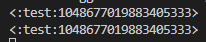
Hey I'm having trouble getting on_raw_reaction_recieved to check if a certain emoji was used I'm checking it like this but its not working, I printed both values I'm checking and they're the same but it wont go inside of the if https://i.imgur.com/ORXLi36.png ```py
check_emoji = " "
"
@bot.event
async def on_raw_reaction_add(payload: discord.RawReactionActionEvent):
if payload.emoji == check_emoji:
print('do stuff')
 limber urchin
payload.emoji is an Emoji object, and you are comparing it to a string
you need to parse payload.emoji to a string as well
Why do you even have a column for it if you don't want to use it?
brittle cove
limber urchin
you need to parse payload.emoji to a string as well
that worked thank u very much

limber urchin
So what do you want to store in the column then?
And what does that represent?
And how do you know which user was warned?
Show your entire event handler
No
Oh jesus christ
No.. you're querying your database on every message
that is absolutely terrible
And how tf are you going to store the ID of the mod who warned them when a mod didn't warn them?
First of all that code is going to immediately crash your database server if your bot is ever popular
Second of all, learn how to use the database system instead of just copying code
I don't know what to tell you man, you obviously don't know a lot about the database you're using
or Python itself for that matter
 solemn idol
So I was reading this about how to make a help command, but I cant seem to find anything about a help command using slash commands...
example : /help utility
https://guide.pycord.dev/extensions/commands/help-command
Now my old and most idiotic way of making a help command using slash commands was basically just with using the slash command decorator and async defining help and then a long list with if elif.... elif and then else which would give out an error if the command were to be not found.
Oh and ofc turning off the default help command.
But I want to do it smarter, and the future will require me to have made it as a slash command since discord wants us all to have migrated sooner or later.
Pycord's commands extension comes with a built-in help command. In this guide, we will take a look at them as well as learn how to create your own. Let's dive in!
brittle cove
hey can anyone tell me the type of ctx when a slash command is used? it's really annoying to not have autocomplete on it
I tried py print(type(ctx)) but it just causes an error
 lean marten
How can I make a timer efficiently?
I want every user to be able to "share" a message every 3 hours.
silver moat
lean marten
How can I make a timer efficiently?
I want every user to be able to "share" a me...
please don't crosspost
limber urchin
lean marten
How can I make a timer efficiently?
I want every user to be able to "share" a me...
use https://docs.pycord.dev/en/stable/ext/tasks/index.html#discord.ext.tasks.Loop. And don't make multiples posts about the same issue
lean marten
limber urchin
use <https://docs.pycord.dev/en/stable/ext/tasks/index.html#discord.ext.tasks.Lo...
not really an issue tho..
limber urchin
lean marten
not really an issue tho..
Read #help-rules
lean marten
Anyways.
tasks.Loop is not really helpful because it resets after the bot is restarted
limber urchin
Then save your reminders in a database and re-start them when your bot starts
lean marten
hm, there must be a better way then restarting all of them
restarting 100+ loops sounds not very performant*
limber urchin
Store the message the user wants to share, how often, and when it was last executed. From there you can just spin up a task for each one in the database. I don't see why you'd need to remove them every minute
You only need to read from the database if your bot has to restart anyways
limber urchin
Read the error
west vault
 fringe socket
<:rooDab:881521777543635005>
fringe socket
<:rooDab:881521777543635005>
🤣
elfin escarp
cyan quail
the best you can do for now is make sure your subs are bound to a role and use o...
Just want to let you know, it does not seem to actually hit the on_member_update when somebody subscribes. We've had a couple since I implemented the proper code for it and nothing happened.
cyan quail
you definitely have members intent? it should still pick up the role addition
elfin escarp
cyan quail
you definitely have members intent? it should still pick up the role addition
I do, yes
No errors were thrown or anything.
solemn idol
How do I get the description of a cog?
Like I can get the commands out of a cog, but how do I get the description of a cog out of it?
 woeful spindle
limber urchin
that is absolutely terrible
woeful spindle
limber urchin
that is absolutely terrible
how does one make an automod system then without querying the database on every message to check if it’s blacklisted for that specific guild?
woeful spindle
solemn idol
How do I get the description of a cog?
Like I can get the commands out of a cog,...
.rtfm cog.description
winter condorBOT
 calm skiff
Do Pycord cogs support Pydoc docstring syntax where I can provide descriptions for each argument?
 winged zephyr
 obtuse juncoBOT
No tag codeblocks found.
fringe socket
?tag codeblock
obtuse juncoBOT
Please put your code in a code block:
```py
Here is your Code
```
That makes reading code in Discord a lot easier:
print("This is an example.")
 north gorge
shouldn't this button.disabled=true in the button callback disable the button?

 wheat stirrup
this probably a dumb question but i didn't see anything in the docs for it, is it possible to restrict slash commands on a certain channel through code?
fringe socket
Dude. Nothing can be bigger than 100%
fervent cradle
is it possible to check if any person in a guild has nitro
fringe socket
Every message with more than
100%gets deleted and the user gets warned
A message cannot have more than 100% CAPITAL LETTERS, so it won't ever get deleted or responded to.
 atomic wolf
How do I use other buttons after I've used one, because I only get "Interaction Failed"
cobalt tangle
atomic wolf
How do I use other buttons after I've used one, because I only get "Interaction ...
huh
just change the timeout
u prob have a really low one
cobalt tangle
How do I close a post in Forums? I'm so confused as archiving and locking it don't work...
 boreal dust
why is pycord not working on ptero panel?
keeps saying that “discord” package isn’t installed
 young bone
boreal dust
…
young bone
boreal dust
…
If you dont show us the pip list, we cannot help you...
boreal dust
YOU CAN’T GET PIP LIST IN PTERODACTYL PANEL
cobalt tangle
boreal dust
YOU CAN’T GET PIP LIST IN PTERODACTYL PANEL
contact Pterodactyl's support
we need the pip list
cobalt tangle
or use subprocess to get the pip list or smth
boreal dust
no you need just local folder
young bone
boreal dust
YOU CAN’T GET PIP LIST IN PTERODACTYL PANEL
You dont have a terminal?
cobalt tangle
young bone
You dont have a terminal?
some dont work ig
 obtuse juncoBOT
No tag pycord found.
cobalt tangle
?tag notpycord
obtuse juncoBOT
The library name is py-cord not pycord
boreal dust
but still
cobalt tangle
@boreal dust.
cobalt tangle
hm
cobalt tangle
try ig
boreal dust
what is wrong with my keyboard
cobalt tangle
re-install the git version of py-cord tho
 young bone
yes, py-cord need 3.8+
boreal dust
no
cobalt tangle
?
boreal dust
same sh!t happening
cobalt tangle
re-install py-cord
young bone
install py-cord again with the 3.8
boreal dust
young bone
install py-cord again with the 3.8
i did
cobalt tangle
hm
young bone
why do you use this host?
 cobalt tangle
wow
boreal dust
dayum guys
cobalt tangle
np
fervent cradle
is it possible that commands just dont appear in dm channels rather than using commands.guild_only which just raises a no private message error, then we have to error handle that
west vault
fervent cradle
is it possible that commands just dont appear in dm channels rather than using c...
guild_only is the param to make it disappear from dms.
In the discord docs it's called dm_permission (https://discord.com/developers/docs/interactions/application-commands#application-command-object-application-command-structure)
Indicates whether the command is available in DMs with the app, only for globally-scoped commands. By default, commands are visible.
See https://docs.pycord.dev/en/stable/api/application_commands.html#discord.SlashCommand.guild_only
tiny hearth
How can I create Auto Moderation rules with pycord?
limber urchin
tiny hearth
what to put here?
 limber urchin
Did you read the docs?
west vault
Apparently not 
 west vault
@limber urchin seems the stuff isn't linked correctly in docs .-.
or better said doesn't exist at all
tiny hearth

west vault
GitHub
It seems like automod docs for i.e. discord.automod.AutoModTriggerMetadata is missing completely. TODO: Investigate the code Add missing documentation if needed Check the auto-linking PR changes De...
welp
 errant craneBOT
discord/automod.py lines 169 to 196
class AutoModTriggerMetadata:
"""Represents a rule's trigger metadata.
Depending on the trigger type, different attributes will be used.
.. versionadded:: 2.0
Attributes
----------
keyword_filter: List[:class:`str`]
A list of substrings to filter. Only for triggers of type :attr:`AutoModTriggerType.keyword`.
presets: List[:class:`AutoModKeywordPresetType`]
A list of keyword presets to filter. Only for triggers of type :attr:`AutoModTriggerType.keyword_preset`.
"""
# maybe add a table of action types and attributes?
# wording for presets could change
__slots__ = (
"keyword_filter",
"presets",
)
def __init__(
self,
keyword_filter: list[str] = MISSING,
presets: list[AutoModKeywordPresetType] = MISSING,
):```that's the object
tiny hearth
👍
west vault
Hope that helps at least somehow
tiny hearth
Yes thanks
oblique river
Question: When I call a modal with a slash command and it opens, a message appears in the chat all the time saying: Sending command.... not only with the modal but also with other commands how do i make this go away
loud holly
oblique river
Question: When I call a modal with a slash command and it opens, a message appea...
you'll have to probably respond to it or something
oblique river
I also can not answer it with defer
limber urchin
defer is not an answer
oblique river
what can I do it should simply not be displayed there is surely a possibility

 limber urchin
?
oblique river
Well apparently it is an answer
limber urchin
It is not
tiny hearth
well now im stuck
 oblique river
Ok if it is not how should I do it then
limber urchin
oblique river
Ok if it is not how should I do it then
fervent cradle
west vault
`guild_only` is the param to make it disappear from dms.
In the discord docs it'...
Alright thanks
tiny hearth
tiny hearth
well now im stuck
meta = discord.automod.AutoModTriggerMetadata(keyword_filter=words, presets=MISSING)
await server.create_auto_moderation_rule(
            name=self.children[0].value,
            event_type=discord.AutoModEventType.message_send,
            trigger_type=discord.AutoModTriggerType.keyword,
            actions=[discord.automod.AutoModAction(action_type=discord.AutoModActionType.block_message, metadata=discord.automod.AutoModActionMetadata(channel_id=ch, timeout_duration=dur))],
            exempt_roles=None,
            exempt_channels=None,
            trigger_metadata=meta,
            reason="Pulsar Auto Moderation feature.",
            enabled=True
)```

what could be the problem?But the modal is send with ctx: discord.ApplicationContext

west vault
tiny hearth
```py
meta = discord.automod.AutoModTriggerMetadata(keyword_filter=words, preset...
Dunno if you can do =missing
Try None or just leave it blank?
oblique river
ctx: discord.ApplicationContext
ctx.send_modal(MyModal)```what about it?
oblique river
Well in the slash command is the inside so it is already answered why comes because still the message
Sending command...
limber urchin
What
tiny hearth
bruh
 west vault
Tf
oblique river
äh who delete my message
west vault
Me
oblique river
?
tiny hearth
tiny hearth
bruh
btw this is where it happens
 oblique river
And why nice
west vault
Could you not send it multiple times.
It’s clearly an issue with your own code. Look where you’re responding to the slash command with a normal message. Maybe you have something like auto defer on or something.
Without your actual code we can’t help.
Create a new post in #969574202413838426. Helping you exceeds the use case of this post.
View #help-rules before creating the post, because we need all the infos mentioned there.
west vault
tiny hearth
```py
meta = discord.automod.AutoModTriggerMetadata(keyword_filter=words, preset...
@round rivet you’ve implemented it, please take a look when you’re awake
oblique river
Very great the explanation I have only explained Spaxter what just does not go because he has not understood it earlier...
atomic wolf
After I press the button the buttons are still there, even though I call self.clear_items() Why is that?
My code:
@discord.ui.button(label="Add", style=discord.ButtonStyle.green)
    async def add_button_callback(self, button, interaction):
        self.clear_items()

        await interaction.response.send_modal(BlacklistModal1(title="Add words to blacklist"))
        self.stop()
I have no idea what you are trying to say, this just looks like random English words
tiny hearth
you need to edit_messsage on followup with view=self
limber urchin
atomic wolf
After I press the button the buttons are still there, even though I call self.cl...
You need to edit the message with the updated view
west vault
oblique river
Question: When I call a modal with a slash command and it opens, a message appea...
It was in response to this. Now move over
oblique river
limber urchin
You need to edit the message with the updated view
Yes I made a mistake and that's why I explained it normally but Lala... has deleted my message
limber urchin
oblique river
Yes I made a mistake and that's why I explained it normally but Lala... has dele...
That message was not for you, now I suggest you follow Lala's advice
oblique river
Well, then I just ask somewhere else nearby, that was a super help.... I asked friendly and then I'm told directly to move over....
Have a nice day
west vault
Because you don’t listen. This channel is for quick questions.
And you posted your message 2 times, if I’m mistaken, sorry. Still it’s better to open an own post
limber urchin
oblique river
Well, then I just ask somewhere else nearby, that was a super help.... I asked f...
As long as you use this channel you are expected to read and follow all rules in #help-rules and #rules. And that includes listening to staff members.
fervent cradle
im trying to download the latest version of pycord on my raspbery pi, when i do python3 -m pip install -U py-cord it downloads the 1.7.3 version, what command should i be doing!??!?!?!
limber urchin
Make sure you are using at least Python 3.8 and run python3 -m pip install -U py-cord==2.3.2
fervent cradle
oh shit
im using python 3.7.2
how do i update python on a raspberrypi? it came with this version haha
wait thats not a pycord question sorry ill google
solemn idol
Is there any way I can get a command id? just like I can get for example an author id by using ctx.author.id ?
slash command id!
atomic wolf
How do I get the guild id from an on_message event?
 atomic wolf
😳
boreal dust
atomic wolf
How do I get the guild id from an on_message event?
message.guild 🙄
rare ice
.rtfm discord.Message.guild
winter condorBOT
1 results
atomic wolf
My problem is when someone executes an slash command it returns None and then I get an error that I can't get the Id of none
west vault
Well if they execute it in dms 🤷♀️ basic knowledge normally. It should even be noted in the docs
west vault
I think they’re confused themself
boreal dust
😄
cyan quail
well
could you perhaps elaborate? e.g. do you mean to resend the new messages somewhere else
isee
cyan quail
well wait_for is useful but not quite in this case
cyan quail
you basically need the message_content intent and then use an on_message listener to __continuously __ listen for messages
boreal dust
in @client.event async def on_message():
west vault
astnc my beloved
west vault
use the message create event, determine whether the channel id is a global chat
call a function to transform the stuff
boreal dust
@west vault
could you send some examples of bot.wait_for?
i don’t see anything in docs
maybe just skill issue
boreal dust
wdym
cyan quail
this lol
boreal dust
examples are the same
west vault
no
cyan quail
then what else are you looking for? those examples are pretty straightforward
cyan quail
which the docs showcase.... ```py
@client.event
async def on_message(message):
if message.content.startswith('$greet'): # bad way of doing commands but basic example
channel = message.channel
await channel.send('Say hello!')
    def check(m):
        return m.content == 'hello' and m.channel == channel

    msg = await client.wait_for('message', check=check)
    await channel.send(f'Hello {msg.author}!')```
is there anything more specific you're after?
fervent cradle
How to make an event using Json?
cyan quail
elaborate?
 frank thistle
Anyone got an example of the new select types in use
 copper knot
frank thistle
Anyone got an example of the new select types in use
copper knot
frank thistle
Anyone got an example of the new select types in use
in the docs
boreal dust
i meant something in use
fervent cradle
cyan quail
elaborate?
elaborate?
cyan quail
fervent cradle
elaborate?
as in, be more specific
cyan quail
boreal dust
i meant something in use
idk how much more you want man, that's as in use as it gets
boreal dust
cyan quail
idk how much more you want man, that's as in use as it gets
Forget it then
😄
copper knot
I've been trying to figure out bridge command groups in cogs, can someone give me some pointers?
cyan quail
cyan quail
idk how much more you want man, that's as in use as it gets
if you reformat the example to use proper commands it looks more like ```py
@bot.command()
async def greet(ctx):
await ctx.send('Say hello!')
def check(m):
return m.content == 'hello' and m.channel == ctx.channel
msg = await bot.wait_for('message', check=check)
await ctx.send(f'Hello {msg.author}!')```
I just coded a setup slash command now, the text channel is saved in the json file. How do you do, for example, that when in the specific text channel it automatically reacts to every newly written message?
cyan quail
oh i see
cyan quail
fervent cradle
I just coded a setup slash command now, the text channel is saved in the json fi...
use an on_message event which accesses the json (using some method like load or open), compare message.channel.id to the contents of your json and if it's valid use message.add_reaction
boreal dust
i am useless
copper knot
fervent cradle
I just coded a setup slash command now, the text channel is saved in the json fi...
import json, discord
with open("file.json") as f:
  data = json.load(f)
@discord.Client.event()
async def on_message(message: discord.Message):
  if message.channel.id == data['channel id'}:
    # whatever
```something like thatyou have seconds = 0 instead of seconds = time
copper knot
copper knot
I've been trying to figure out bridge command groups in cogs, can someone give m...

young bone
first the command
cyan quail
what was the issue then
cyan quail
copper knot
<:Asparagus:1033160999278223471>
what have you tried so far? it shouldn't be too different from regular groups
copper knot
cyan quail
what have you tried so far? it shouldn't be too different from regular groups
no idea
the docs and guide do not help
cyan quail
allgood
copper knot
is it like```py
help = bridge.BridgeCommandGroup("test", "testing")
@help.command()
async def aaaaaa(self, ctx: bridge.BridgeContext):
# something
pretty much
if i'm not mistaken, it should be more or less identical to existing group methods
cyan quail
there's also the @bridge_group decorator if you're used to the prefix version of command groups
copper knot
cyan quail
if i'm not mistaken, it *should* be more or less identical to existing group met...
the thing that confused me was the callback field
 cyan quail
oh i see
it's because, unlike slash commands, prefix command groups can run as a standalone command
e.g. if you have !group command, you can also run !group without any subcommands
so it expects you to include a function as the base command
cyan quail
well there's an easier method i suppose
copper knot
?
cyan quail
instead, i'd recommend this syntax ```py
@bridge.bridge_group()
async def test(self, ctx):
any random command logic```
copper knot
with every command in the group?
cyan quail
just for the group
fervent cradle
copper knot
```py
import json, discord
with open("file.json") as f:
data = json.load(f)
@d...
thanks
Hi, I needed some help with the discord.Member.timeout_for() method. Here's what I'm trying to do:
duration = # Some value (I don't know what to use since a list isn't supported) that includes all the duration related parameters (days, hours, minutes, seconds)
   if reason == None:
       await member.timeout_for(duration)
       await ctx.send(":white_check_mark: Operation Successful, <@{member.id}> was timeout for {days} day(s), {hours} hour(s), {minutes} minute(s), and {seconds} second(s).\nReason: {reason}\nAction taken by: <@{ctx.author.id}>")
   else:
       await member.timeout_for(duration, reason = reason)
       await ctx.send(":white_check_mark: Operation Successful, <@{member.id}> was timeout for {days} day(s), {hours} hour(s), {minutes} minute(s), and {seconds} second(s).\nReason: {reason}\nAction taken by: <@{ctx.author.id}>")
(This isn't the full code of the command btw, I just want to know if this is the right method, or what to use to include all my needed parameters in some single variable (duration)).
cyan quail
fervent cradle
Hi, I needed some help with the `discord.Member.timeout_for()` method. Here's wh...
just checking, why are you expecting a list to work for duration?
oh i see
fervent cradle
Is there something I can use to do it this way?
cyan quail
anyway, as per https://docs.pycord.dev/en/master/api/models.html#discord.Member.timeout_for the duration is a timedelta object https://docs.python.org/3/library/datetime.html#timedelta-objects
conveniently, it supports all the units you're trying to use
fervent cradle
I tried using timedelta, it returns a NameError.
Saying timedelta is not defined.
cyan quail
well you need to import it
fervent cradle
Oh wait.
God, I didn't spend almost 60 minutes trying to figure this out when I forgot to import it.
Thanks for the help, I appreciate it. Oh God, I forgot importing, lmao
fervent cradle
fervent cradle
I tried using timedelta, it returns a NameError.
Even a NameError didn't make me think whether I even imported it.
Anyway, it worked.
Wait nevermind it didn't, thought it would. A TypeError this time.
Why it's not defined

 copper knot
cyan quail
instead, i'd recommend this syntax ```py
@bridge.bridge_group()
async def test(s...
copper knot
cyan quail
instead, i'd recommend this syntax ```py
@bridge.bridge_group()
async def test(s...
it works but everytime i try to do !help, i get this error
 young bone
fervent cradle
Why it's not defined
young bone
fervent cradle
Why it's not defined
 fervent cradle
young bone
fervent cradle
young bone
hmm wait
copper knot
fervent cradle
Why it's not defined
@bot.slash_command
```not```py
@slash_command
doesn´t matter
if you import it
fervent cradle
copper knot
```py
@bot.slash_command
```not```py
@slash_command
```
ahhh thanks
copper knot
young bone
if you import it
not how it workd
importing from discord.Bot doesnt define your bot's class
young bone
from discord.commands import slash_command
fervent cradle
huh
 copper knot
fervent cradle
huh
copper knot
fervent cradle
huh
did you even define your bot class
young bone
copper knot
did you even define your bot class
that is in a cog...
copper knot
oh wait is that a cog
young bone
fervent cradle
huh
pls check if you have an error above the command
copper knot
fervent cradle
huh
@discord.slash_command
```then round rivet
tiny hearth
```py
meta = discord.automod.AutoModTriggerMetadata(keyword_filter=words, preset...
round rivet
tiny hearth
```py
meta = discord.automod.AutoModTriggerMetadata(keyword_filter=words, preset...
library bug it looks like
tiny hearth
damn
round rivet
I'll get a fix on the master branch in a bit
tiny hearth
Okay 😄

 young bone
fervent cradle
😭
young bone
fervent cradle
😭
slash_command was fine
copper knot
fervent cradle
😭
no idea then
young bone
young bone
pls check if you have an error above the command
@fervent cradle
fervent cradle
young bone
pls check if you have an error above the command
wait
fervent cradle
young bone
pls check if you have an error above the command
 young bone
fervent cradle
young bone
fervent cradle
that is not what I mean
copper knot
copper knot
it works but everytime i try to do !help, i get this error
@cyan quail
fervent cradle
young bone
that is not what I mean
What do you mean?
duration = timedelta(days = days, hours = hours, minutes = minutes, seconds = seconds)
    if reason == None:
        await member.timeout_for(duration)
        await ctx.send(":white_check_mark: Operation Successful, <@{member.id}> was timeout for {days} day(s), {hours} hour(s), {minutes} minute(s), and {seconds} second(s).\nReason: {reason}\nAction taken by: <@{ctx.author.id}>")
    else:
        await member.timeout_for(duration, reason = reason)
        await ctx.send(":white_check_mark: Operation Successful, <@{member.id}> was timeout for {days} day(s), {hours} hour(s), {minutes} minute(s), and {seconds} second(s).\nReason: {reason}\nAction taken by: <@{ctx.author.id}>")
I'm running into a TypeError (unsupported type for timedelta seconds component: NoneType) when the options (days, hours, minutes, seconds) are being taken as integer inputs. Why is that?
async def timeout(ctx, member: Option(discord.Member, description = 'Select a user to timeout'), reason: Option(str, description = 'Any reason?', required = False), days: Option(int, required = False), hours: Option(int, required = False), minutes: Option(int, required = False), seconds: Option(int, required = False)):
I checked and tried to fix this multiple times, nothing works.
copper knot
make a post
fervent cradle
Alright.
 odd silo
Is there any way to differentiate between different checks failing?
I want to have a different failure method between things like being banned or just not allowed to use a command
odd silo
nvm ik now
 cold hamlet
Neither @bot.slash_command nor @commands.slash_command seem to be making commands?
proud mason
cold hamlet
Neither @bot.slash_command nor @commands.slash_command seem to be making command...
Which bot class are you using
young bone
cold hamlet
Neither @bot.slash_command nor @commands.slash_command seem to be making command...
well.. both are the same?
cold hamlet
proud mason
Which bot class are you using
commands.bot
I've subclassed it for what its worth
OH WAIT I overwrote on_connect
forgot that I had to call super for that
god I need a rubber duck on my desk
proud mason
😂
young bone
cold hamlet
commands.bot
bot or Bot?
young bone
k
 wind jay
what error event/type is executed when a select menu gives the error: "This interaction failed"
And how to check if a error is from a specific select menu?
silver moat
wind jay
what error event/type is executed when a select menu gives the error: "This inte...
the menu's view has it's own handler, on_error
wind jay
silver moat
the menu's view has it's own handler, `on_error`
tried it now
but its not getting triggered
async def on_error(error, item, interaction):
        print("hi")
        await interaction.reponse.send_message("test", ephemeral=True)
i put this unter my callback
silver moat
you forgot self
wind jay
oups
silver moat
and you spelled response wrong
wind jay
silver moat
and you spelled `response` wrong
oups, but still not working
silver moat
could you show your entire view with on_error?
wind jay
silver moat
could you show your entire view with `on_error`?
class Dropdown(discord.ui.Select):
    def __init__(self):

        options = [
            discord.SelectOption(
                label="Test", description="test", emoji="📤"
            ),
        ]

        super().__init__(
            placeholder="Pick one...",
            min_values=1,
            max_values=1,
            options=options,
            custom_id="selectTest",
            disabled=False
        )

    async def callback(self, interaction: discord.Interaction):
        guild = interaction.user.guild

        if self.values[0] == "Test":

            await interaction.response.edit_message(view=self.view)
            await interaction.followup.send(f"test", ephemeral=True)

        else:
            pass


    async def on_error(self, error, item, interaction):
        print("hi")
        await interaction.response.send_message("test", ephemeral=True)
The on_error should be in the view class, not the select class.
wind jay
okay
wind jay
silver moat
The `on_error` should be in the `view` class, not the `select` class.
class DropdownView(discord.ui.View):
    def __init__(self):
        super().__init__(timeout=None)

        self.add_item(Dropdown())

        async def on_error(self, error, item, interaction):
            print("hi")
            await interaction.response.send_message("test", ephemeral=True)
like this?
silver moat
in-line with __init__
wind jay
thanks its working
solemn idol
solemn idol
Is there any way I can get a command id? just like I can get for example an auth...
Dont really want my question to drown but I think it did- sry
 tender seal
can you add PyCord commands to a Node.JS based bot?
my friend has a nodejs bot which I'd want to contribute to
solemn idol
JavaScript isn't python...
tender seal
wow nobody knew
solemn idol
well how do you wanna add commands of a python library to a javascript bot
I don't think that's possible
tender seal
prob not
imagine it was
well i guess I'll have to learn the basics of demon text then
lol
tender seal
for my friend's bot
tender seal
young bone
why?
^
I wanna contribute to it
and add a bunch of stuff
commands
you know
young bone
but why JS?
tender seal
he made the bot with njs
it's entirely in njs
and I only know python
when it comes to bots
I also know lua but not getting into that
is there any way I can add command etc.
west vault
the answer is no
tender seal
ok
west vault
pycord isn't made to support such a thing.
tender seal
yeah
I get that
btw what happens if you run two python files with the same token
does the other one get rejected
or what happens
silver moat
tender seal
does the other one get rejected
which ever one gets executed first works
the second one fails
tender seal
that's what I thought
so imagine someone got your token
if you're running the bot they can't do anything
nice
silver moat
they can. They can still send messages in channels
tender seal
o
silver moat
and unregister your commands
tender seal
well yeah
silver moat
or spam DM users
west vault
it's actually funny, it's a mess
You can do this to temporary test something on a live bot
But i.e. maybe if you use sharding, you could let one shard use python and one shard js
but that won't help here
west vault
we alr noticed
tender seal
I can make some commands but
silver moat
or do practically anything to get your bot disabled by Discord
So keeping your token safe is a good thing
tender seal
silver moat
or do practically anything to get your bot disabled by Discord
well I meant run a file to automate all the bad stuff
silver moat
long story short, don't
silver moat
silver moat
I thought it doesn't do anything
west vault
it does automoderation and statistics
barren garnet
Is there any way we can edit the original msg (the ui.VIEW inside a slash cmd) after calling an asyncio.sleep()
Like can we fetch the original msg, as I'm trying to use .message in this case

there

but we there's no such attribute as 'message' in slash command...
 fervent cradle
boreal dust
keeps saying that “discord” package isn’t installed
fervent cradle
boreal dust
keeps saying that “discord” package isn’t installed
create a file called requirements.txt and put in all packagesyou want to be installed there like py-cord
fervent cradle
young bone
You dont have a terminal?
He just doesn't know how to install packages in ptero
    @commands.slash_command(name="resume")
    @commands.slash_command(name="pause")
    async def pause_resume(self, ctx):
is there a way i can assign two aliases to a slash command, something like the above, but here only resume works
versed fern
barren garnet
there
Add self.message to to view init and pass the original message in the view
 winter blade
how do i check for type...? message.channel.type == 'text' is just returning False
ah, found it. it needed to be in str(message.channel.type)
 copper dew


 fervent cradle
boreal dust
i am installing version from git
fervent cradle
boreal dust
i am installing version from git
use requirements on ptero panel. Im running my public bot off of ot and its perfect.
north gorge
I have use_default_buttons=False in both the paginator and the pages.PageGroup yet my default buttons pop up when selecting an item in a dropdown, any idea what I'm doing wrong?
limber urchin
Read rule 6 in #help-rules
fringe socket
aaah thanks
boreal dust
fervent cradle
create a file called requirements.txt and put in all packagesyou want to be inst...
no
boreal dust
fervent cradle
use requirements on ptero panel. Im running my public bot off of ot and its perf...
no
boreal dust
boreal dust
it was issue with docker anyways
.
fervent cradle
wdym?
boreal dust
It wasn't problem with installing pycord
fervent cradle
what was the problem with docker
boreal dust
boreal dust
i asked friend to fix it
it probably was
man
i know how to install packages
at least how to add requirements file
:)
fervent cradle
leave it-
boreal dust
i didn't start this lol
loud holly
#1049292195808690268any help would be helpful if anyone has any ideas!
versed fern
I’d recommend using railway.app, doesn’t need a credit card as long as your connected to a more than 90day old GitHub account
fervent cradle
limber urchin
Make sure you are using at least Python 3.8 and run `python3 -m pip install -U p...
it says that it couldnt find a version, its looking in pypi and piwheels
im trying to download the latest version of pycord on my raspbery pi, when i do python3 -m pip install -U py-cord it downloads the 1.7.3 version, what command should i be doing!??!?!?!
round rivet
what python version do you have
fervent cradle
3.11
round rivet
you sure?
fervent cradle
the error it gives me when i do py-cord==2.3.2 is that ccould not find a version that staisfies the requirement pycord==2.3.2 and that above it, it says, normal site-packages is not writeable and it starts looking in pypi and pinwheels .org
so i think that its not looking in your website, and the versions in pypi and pinwheels are outdated
fervent cradle
the command i issued was python3.11 -m pip install -U pycord==2.3.2
should i try with a hypen?
round rivet
yes
fervent cradle
it seems to be downloading it now!
thank you for your help

do i rep you or something or is that not a thing for this support server
tiny hearth
tiny hearth
well now im stuck
wonder if this got fixed
versed fern
#1049018625006239834 
round rivet
fervent cradle
do i rep you or something or is that not a thing for this support server
You just be thankful
I guess
round rivet
tiny hearth
wonder if this got fixed
Forgot about that, I set a reminder this time :p
oblique river
if interaction.guild.role(id)
  # button work
else:
  # button not work``` does this work?
 glossy tusk
@bridge.bridge_command(name="purge")
@bridge.has_permissions(ban_members = True)
async def purge(self, ctx:discord.ApplicationContext):
  limit = 1000
  await ctx.channel.purge(limit=limit)
This is not working in Cog why?
error because has_permissions
 sick quest
I feel like I'm missing something here, but is there a way to create a background task without a loop? Everything I find online when I search for background tasks in a loop using @tasks.loop. However, I just want to be able to have the user run a command, and trigger a background task that replies to them when it's done. Something like this:
@commands.command(name="example")
async def example(ctx, etc):
  output = background_task(etc) # runs some background task
  await ctx.reply(output) # replies when the background task is done
async def background_task(etc) ?
proud mason
sick quest
I feel like I'm missing something here, but is there a way to create a backgroun...
asyncio.create_task ?
glossy tusk
glossy tusk
```py
@bridge.bridge_command(name="purge")
@bridge.has_permissions(ban_members =...
I solved it using "commands.has_permissions"
sick quest
glossy tusk
`async def background_task(etc)` ?
doing this just seems to freeze the bot
I'm going to try what Om suggested (asyncio.create_task)