#Basic Pycord Help (Quick Questions Only)
1 messages · Page 5 of 1
 young ledge
 round rivet
?tag message-content
 obtuse juncoBOT
As of Pycord Beta 5, Discord API v10 requires message content intent to receive message content. This affects the traditional commands. Not enabling this intent will result in the messages' content, embeds, and components being empty.
You will need to enable the intent on the developer portal, as well as in your code:
intents = discord.Intents.default()
intents.message_content = True
bot = discord.Bot(intents=intents)
Docs: https://docs.pycord.dev/en/master/api.html#discord.Intents.message_content
young ledge
thank you
 tranquil pivot
Not sure if you have an answer already or not but you can use "ctx.author"
 dawn gyro
I made a set prefix command and when ever users set their prefix to " ' " or " it returns an error, Any idea on how I can fix?
prefix set '
await ctx.send(f'I put the prefix as {prefix}'}
ExpectedClosingQuoteError
 rare ice
dawn gyro
I made a set prefix command and when ever users set their prefix to " ' " or " ...
rare ice
dawn gyro
I made a set prefix command and when ever users set their prefix to " ' " or " ...
You should read #help-rules #1. This is a very simple python error that you can fix easily.
?tag lp
obtuse juncoBOT
Official Beginner's Guide: https://wiki.python.org/moin/BeginnersGuide
Official Tutorial: https://docs.python.org/3/tutorial/
Shortcuts:
https://wiki.python.org/moin/BeginnersGuide/NonProgrammers
https://wiki.python.org/moin/BeginnersGuide/Programmers
Learn Python:
https://automatetheboringstuff.com/ (for complete beginners to programming)
https://learnxinyminutes.com/docs/python3/ (for people who know programming already)
https://docs.python.org/3/tutorial/ (official tutorial)
http://python.swaroopch.com/ (useful book)
http://www.codeabbey.com/ (exercises for beginners)
young ledge
can i check for a message attachment in a on_message() event?
dawn gyro
rare ice
You should read <#881891840746475570> #1. This is a very simple python error tha...
Could you link me to the section? Cause i can't find it here
 rare ice
dawn gyro
Could you link me to the section? Cause i can't find it here
rare ice
dawn gyro
Could you link me to the section? Cause i can't find it here
Basically to fix it just make your ' to "
rare ice
young ledge
can i check for a message attachment in a on_message() event?
b!rtfm pyc discord.Message.attachments
 dire spadeBOT
rare ice
b!rtfm pyc discord.Message.attachments
dire spadeBOT
rare ice
b!rtfm pyc discord.Message.attachments
Best matches for discord.Message.attachments in pyc
young ledge
rare ice
b!rtfm pyc discord.Message.attachments
I tried but it keeps saying its out ofi ndex
index*
dawn gyro
rare ice
Basically to fix it just make your `'` to `"`
Changed it and I still get the error
rare ice
dawn gyro
Changed it and I still get the error
Send your updated code
rare ice
young ledge
I tried but it keeps saying its out ofi ndex
Then that means the list is empty - no message attachments
Send your code too
young ledge
rare ice
Then that means the list is empty - no message attachments
its really not empty
I send an imaege
@client.event
async def on_message(ctx):
        if ctx.channel.id == 938540668895244321:
            print(ctx.attachments[0].url)
            await ctx.delete()
there
I just wanted to print the url to the attachments
dawn gyro
rare ice
Send your updated code
@prefix_group.command(name='set', help='Set command prefix for guild', usage='Syntax: {}prefix set (prefix)$$Example: {}prefix set ,')
async def prefix_set(self, ctx, prefix:str):
  return await ctx.send(f"``{prefix}`` already exists as a **command prefix**")
  return await ctx.send(f"prefix must be under **7 characters**")

  return await ctx.send(f"Set ``{prefix}`` as the **command prefix**")

return await ctx.send(f"Added ``{prefix}`` as a **command prefix**")```but it just deletes the pic and print nothing
rare ice
young ledge
```python
@client.event
async def on_message(ctx):
if ctx.channel.id == ...
Read the docs for on_message because on_message doesn’t take ctx.
b!rtfm pyc discord.on_message
dire spadeBOT
rare ice
b!rtfm pyc discord.on_message
Best matches for discord.on_message in pyc
discord.on_message
discord.on_message_delete
discord.on_message_edit
discord.on_raw_message_delete
discord.on_raw_message_edit
discord.on_bulk_message_delete
discord.on_raw_bulk_message_delete
discord.Permissions.read_message_history
discord.Permissions.read_messages
discord.Permissions.send_messages
rare ice
first one
rare ice
dawn gyro
```py
@prefix_group.command(name='set', help='Set command prefix for guild', usa...
Please send your full code, that seems like you took some parts out.
dawn gyro
rare ice
Please send your **full code**, that seems like you took some parts out.
The other code in general is useless, All it does it store it inside the database and cache
but here
@prefix_group.command(name='set', help='Set command prefix for guild', usage='Syntax: {}prefix set (prefix)$$Example: {}prefix set ,')
async def prefix_set(self, ctx, prefix:str):
        if prefix in self.bot.server_cache[ctx.guild.id]["prefixes"]:
            return await ctx.send(f"``{prefix}`` already exists as a **command prefix**")
        if len(prefix) > 7:
            return await ctx.send(f"prefix must be under **7 characters**")
        if len(self.bot.server_cache[ctx.guild.id]["prefixes"]) == 0:
            await self.bot.db.execute('UPDATE guild_config SET prefixes = array_append(prefixes, $1) WHERE guild_id = $2', prefix, ctx.guild.id)
            await self.bot.helper.prepare(self.bot, ctx.guild)
            return await ctx.send(f"Set ``{prefix}`` as the **command prefix**")
        await self.bot.db.execute('UPDATE guild_config SET prefixes = array_append(prefixes, $1) WHERE guild_id = $2', prefix, ctx.guild.id)
        await self.bot.helper.prepare(self.bot, ctx.guild)
return await ctx.send(f"Added ``{prefix}`` as a **command prefix**")```Could you send the updated error?
dawn gyro
rare ice
Could you send the updated error?
@ExpectedClosingQuoteError# Expected closing ".```Which line?
dawn gyro
rare ice
Which line?
doesn't mention, It just returns it back to the pycord libary
 argument = view.get_quoted_word()
  File "C:\Users\User\AppData\Local\Programs\Python\Python310\lib\site-packages\discord\ext\commands\view.py", line 152, in get_quoted_word
    raise ExpectedClosingQuoteError(close_quote)
discord.ext.commands.errors.ExpectedClosingQuoteError: Expected closing ".```Odd
Could you try uninstalling pycord then installing with the GitHub branch and seeing if that fixes it?
!install
 civic jayBOT
Install pycord:
pip uninstall discord.py
pip install py-cord
Install pycord from git repository: (alpha)
pip uninstall discord.py
pip install git+https://github.com/Pycord-Development/pycord
2nd part
dawn gyro
rare ice
Could you try uninstalling pycord then installing with the GitHub branch and see...
development version?
ah okay
rare ice
dawn gyro
development version?
Yes
young ledge
rare ice
Read the docs for `on_message` because `on_message` doesn’t take `ctx`.
oh really? so how can i get if the message is a image using a on_message
dawn gyro
rare ice
Yes
same error
rare ice
young ledge
oh really? so how can i get if the message is a image using a on_message
on_message takes message as an argument. Then you access message.attachments
rare ice
dawn gyro
same error
Hmm, I don’t know then. Are you sure you updated the code in your bot? Because it shouldn’t be erroring.
young ledge
rare ice
`on_message` takes `message` as an argument. Then you access `message.attachment...
alright
will try that
rare ice
And if that doesn’t work, try printing message.attachments and see where that takes you
young ledge
will do so
young ledge
rare ice
And if that doesn’t work, try printing `message.attachments` and see where that ...
it prints []
rare ice
young ledge
it prints []
Ok then there aren’t any attachments.
young ledge
rare ice
Ok then there aren’t any attachments.
but i sent a image
rare ice
Send your updated code
Actually @young ledge, do you have the message content intent enabled? If not, you need to enable it or else it will always return an empty list.
?tag message-content
obtuse juncoBOT
As of Pycord Beta 5, Discord API v10 requires message content intent to receive message content. This affects the traditional commands. Not enabling this intent will result in the messages' content, embeds, and components being empty.
You will need to enable the intent on the developer portal, as well as in your code:
intents = discord.Intents.default()
intents.message_content = True
bot = discord.Bot(intents=intents)
Docs: https://docs.pycord.dev/en/master/api.html#discord.Intents.message_content
young ledge
@client.event
async def on_message(message):
        if message.channel.id == 938540668895244321:
            print(message.attachments)
            await message.delete()
alright. let me try to enable it
young ledge
i need to wait till tomorrow?
rare ice
young ledge
i need to wait till tomorrow?
No?
dawn gyro
rare ice
Hmm, I don’t know then. Are you sure you updated the code in your bot? Because i...
yes im sure
 full basin
@rare ice they have a thread
young ledge
rare ice
No?
it says after the 31st of august
rare ice
full basin
<@550476809280421903> they have a thread
Who?
full basin
ItsSolo
young ledge
I removed it
rare ice
young ledge
it says after the 31st of august
No if you’re using a un-verified bot it means you don’t have to apply for it.
and Jesus I need to go disable it on my public bot
young ledge
rare ice
No if you’re using a un-verified bot it means you don’t have to apply for it.
ohh alright am sorry am new to all this
young ledge
rare ice
*and Jesus I need to go disable it on my public bot*
is it bad?
rare ice
Ok that’s not the point. You need to enable it on your bot or else you won’t be able to access .content .attachments .embeds and more if you don’t.
young ledge
it works i love you man! @rare ice
young ledge
yeah :)
dawn gyro
rare ice
Hmm, I don’t know then. Are you sure you updated the code in your bot? Because i...
Fixed it
 delicate jolt
Anyone got an example of how to get a param when doing slash commands? like /hug user:
 fervent cradle
delicate jolt
Anyone got an example of how to get a param when doing slash commands? like /hug...
fervent cradle
delicate jolt
Anyone got an example of how to get a param when doing slash commands? like /hug...
not sure what you mean but look throught the pycord managers examples
 delicate jolt
Forget that bit
Im tired
But I just wanna make it so someone can do /hug user
yk
 smoky forge
?tag guide
obtuse juncoBOT

The official guide for making bots and other Discord applications using the Pycord library.
smoky forge
go here and navigate over to interactions > application commands > slash commands
delicate jolt
Thanks
 errant craneBOT
Here's the slash options example.
 undone girder
if i have a bytesio image how can i send it in an embed cuz it only accepts urls
i just figured it out
lol
delicate jolt
What's the best library for music?
Like lowest CPU utilisation etc
And It streams it doesn't download it
 void abyss
I'm pretty sure Spotify has a api
 rugged lantern
why would you want low CPU utilization
 next comet
What's the difference between pass and ...
round rivet
next comet
What's the difference between `pass` and `...`
pass means 'do nothing'
... or 'ellipsis' is usually used to represent the absence of something
next comet
practically, there's no difference then
 fading granite
Is it possible to change the bots avatar through script
round rivet
as say, a default param value
round rivet
essentially, but they mean two different things
next comet
yeh, thanks
round rivet
like:
def foo(thing):
    if thing:
        pass
    else:
        ...  # do something here
not the greatest example but it makes sense
fading granite
Thanks!
next comet
ah yeah, i see
also
generally, for a boolean for example, would it be better to check
if bool is True / if bool is False / if bool is not True
or
if bool / if not bool
rugged lantern
def foo(bar):
    if bar:
        pass
    else:
        ...  # do something here
would be a better example
fervent cradle
How can i fix it?
await interaction.response.edit_message(f'Тикет создан. {ch.mention}')
TypeError: InteractionResponse.edit_message() takes 1 positional argument but 2 were given``` alpine helm
fervent cradle
How can i fix it?
```
await interaction.response.edit_message(f'Тикет созда...
alpine helm
fervent cradle
How can i fix it?
```
await interaction.response.edit_message(f'Тикет созда...
await interaction.response.edit_message(content=f"stuff")
 tropic vortex
how do I disable this default embed length?

it's making some of my commands look horrible
fervent cradle
how do i make it so not str

rn its like this
i need it to be requried and type is int
 tropic vortex
after discord.Option put (int, required=True)
fervent cradle
tropic vortex
after discord.Option put (int, required=True)
ok
fervent cradle
tropic vortex
after discord.Option put (int, required=True)
nop its still not int and not required
 tropic vortex
weird...
fervent cradle
tropic vortex
weird...
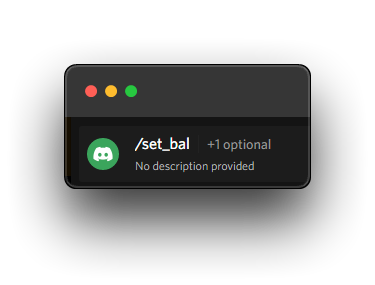
uploaded by the stripper pfp at 4:54:24 UTC-5
fervent cradle
hey everyone i am trying to build a function which will send a dm to me but it doesnt seem to work, below are the informations needed
code:
import discord

client = discord.Client

async def notify_owner(message):
    user = await client.fetch_user("1003360317725745153")
    await user.send(message)
now if you see i clearly defined a user id for fetch_user function, but i keep getting this error:
TypeError: Client.fetch_user() missing 1 required positional argument: 'user_id'
btw this part of code is in another separate file so i havent defined anything else
fervent cradle
rugged lantern
don't make it a string
same issue
i tried with and without strings, but still i get this typeerror
rugged lantern
then try user_id=...
fervent cradle
rugged lantern
then try user_id=...
now i get this error:
TypeError: Client.fetch_user() got some positional-only arguments passed as keyword arguments: 'user_id'
do u have @client.event infront of it?
fervent cradle
rugged lantern
do u have @client.event infront of it?
the only code in the file is this:
import discord

client = discord.Client

async def notify_owner(message):
    user = await client.fetch_user("1003360317725745153")
    await user.send(message)
because i am trying to make this a util for me
rugged lantern
so add @client.event above your 'notify owner'
fervent cradle
like whenever i want, i import this file, and run this function in my main files
fervent cradle
rugged lantern
so add @client.event above your 'notify owner'
ok
fervent cradle
rugged lantern
so add @client.event above your 'notify owner'
like this?:
@client.event
async def notify_owner(message):
    user = await client.fetch_user(1003360317725745153)
    await user.send(message)
s
fervent cradle
rugged lantern
s
the program exited with this error now
 rugged lantern
i'm way too tired for this, hopefully someone more helpful can help u :p
 topaz rune
Hi, just a quick question, can we find the @ of someone with his id?
rugged lantern
<@ID>?
 outer obsidian
fervent cradle
hey everyone i am trying to build a function which will send a dm to me but it d...
outer obsidian
fervent cradle
hey everyone i am trying to build a function which will send a dm to me but it d...
discord.Client()notdiscord.Client- If you wanna create a command, you use
commands.Bot()notdiscord.Client - Check the examples and the docs, it will help you
?tag ex
obtuse juncoBOT
Bot examples: https://github.com/Pycord-Development/pycord/tree/master/examples
Slash command/context menu examples: https://github.com/Pycord-Development/pycord/tree/master/examples/app_commands
Buttons, dropdowns example: https://github.com/Pycord-Development/pycord/tree/master/examples/views
fervent cradle
outer obsidian
1. `discord.Client()` not `discord.Client`
2. If you wanna create a command, you...
its not a command its a util i want to make separately so whenever i want i can import it to my main files and use the function notify_owner() and it should send me a message, also now i corrected the discord.Client to discord.Client()
but it launches a whole new error now:
'_MissingSentinel' object has no attribute 'request'
rugged lantern
ok and how do u expect it to be executed if not by command?
 fluid crystal
How i cane install the topggpy lib for pycord?
fervent cradle
rugged lantern
ok and how do u expect it to be executed if not by command?
@commands.slash_command(name="chat", description="start a convo with the bot")
    async def chat(self, ctx, *, text: Option(str, "What is your message?", required=True)):
        await ctx.defer()
        try:
            brainid = os.environ['BRAIN_ID']
            brainapikey = os.environ['BRAIN_API_KEY']
            chat_payload = {'bid': brainid, 'key': brainapikey, 'uid': 84663, 'msg': text}
            chat_rsp = requests.get('http://api.brainshop.ai/get', params=chat_payload).json()['cnt']
            await ctx.respond(chat_rsp)
        except Exception as chat_err:
            await ctx.respond(information.error_message)
            await information.notify_owner("error message here")
in the last line this is how i expect to import the function from that file and pass in the message i want to send
outer obsidian
fervent cradle
its not a command its a util i want to make separately so whenever i want i can ...
full error pls
and also. fetch_user takes int instead of str
fervent cradle
outer obsidian
and also. fetch_user takes int instead of str
yea i did that correction, one sec rebooting my bot
fervent cradle
outer obsidian
full error pls
the full error
and the code:
import discord

client = discord.Client()

async def notify_owner(message):
    user = await client.fetch_user(1003360317725745153)
    await user.send(message)
 outer obsidian
fervent cradle
```py
@commands.slash_command(name="chat", description="start a convo with the b...
outer obsidian
fervent cradle
```py
@commands.slash_command(name="chat", description="start a convo with the b...
why is it information.notify_owner? is the method in a class?
 dreamy raft
tropic vortex
how do I disable this default embed length?
dreamy raft
tropic vortex
how do I disable this default embed length?
You don't
new discord update
Why? I don't know, discord likes to make stupid changes
fervent cradle
outer obsidian
why is it information.notify_owner? is the method in a class?
@commands.slash_command(name="chat", description="start a convo with the bot")
    async def chat(self, ctx, *, text: Option(str, "What is your message?", required=True)):
        await ctx.defer()
        try:
            brainid = os.environ['BRAIN_ID']
            brainapikey = os.environ['BRAIN_API_KEY']
            chat_payload = {'bid': brainid, 'key': brainapikey, 'uid': 84663, 'msg': text}
            chat_rsp = requests.get('http://api.brainshop.ai/get', params=chat_payload).json()['cnt']
            await ctx.respond(chat_rsp)
        except Exception as chat_err:
            await ctx.respond(information.error_message)
            await information.notify_owner("e")
this is how i used it, and yes its within a class, since this command is in a cog
outer obsidian
fervent cradle
this is how i used it, and yes its within a class, since this command is in a co...
information is the cog name?
fervent cradle
outer obsidian
information is the cog name?
no information is a name of a file which has the function notify_owner, and i imported this information file into my main code and passed the function in the command
outer obsidian
fervent cradle
no information is a name of a file which has the function notify_owner, and i im...
ur main file is that too?
delicate jolt
Is there a way to add a command cooldown to slash commands?
 young bone
delicate jolt
Is there a way to add a command cooldown to slash commands?
young bone
delicate jolt
Is there a way to add a command cooldown to slash commands?
same for prefix commands
delicate jolt
sweet ty
fervent cradle
outer obsidian
ur main file is that too?
ykw nvm ig i will work without the notify thing, i will just settle on txt logging
 fresh gust
Running bot throws up this error:
  File "c:/Users/Kashyap/Desktop/cord/pycord/button view.py", line 1, in <module>
    import discord
  File "C:\Users\Kashyap\AppData\Local\Programs\Python\Python38-32\lib\site-packages\discord\__init__.py", line 23, in <module>
    from . import abc, opus, sinks, ui, utils
  File "C:\Users\Kashyap\AppData\Local\Programs\Python\Python38-32\lib\site-packages\discord\abc.py", line 60, in <module>
    from .voice_client import VoiceClient,
VoiceProtocol
  File "C:\Users\Kashyap\AppData\Local\Programs\Python\Python38-32\lib\site-packages\discord\voice_client.py", line 55, in <module>
    from .gateway import *
  File "C:\Users\Kashyap\AppData\Local\Programs\Python\Python38-32\lib\site-packages\discord\gateway.py", line 37, in <module>
    import aiohttp
  File "C:\Users\Kashyap\AppData\Local\Programs\Python\Python38-32\lib\site-packages\aiohttp\__init__.py", line 6, in <module>
    from .client import (
  File "C:\Users\Kashyap\AppData\Local\Programs\Python\Python38-32\lib\site-packages\aiohttp\client.py", line 35, in <module>
    from . import hdrs, http, payload
  File "C:\Users\Kashyap\AppData\Local\Programs\Python\Python38-32\lib\site-packages\aiohttp\http.py", line 7, in <module>
    from .http_parser import (
  File "C:\Users\Kashyap\AppData\Local\Programs\Python\Python38-32\lib\site-packages\aiohttp\http_parser.py", line 15, in <module>
    from .helpers import NO_EXTENSIONS, BaseTimerContext
  File "C:\Users\Kashyap\AppData\Local\Programs\Python\Python38-32\lib\site-packages\aiohttp\helpers.py", line 667, in <module>
    class CeilTimeout(async_timeout.timeout):
TypeError: function() argument 'code' must
be code, not str```

I cant figure it out, any help is appreciatedPLEASE HELP 😭
 silver moat
if you already made a thread, please commit to that thread
fresh gust
i already did 😭😭
no ones been able to help thus far
 wicked helm
| 2022-08-01 16:50:55,901 | ERROR | [server_button_view.py:106] | 'Button' object has no attribute 'response'
    async def show_page(self, page: int, interaction: discord.Interaction):
        """
        Show the page content
        """
        await self.update(page)

        content, embeds, files = await self.get_page(self.pages[page])

        await interaction.response.edit_message(
            content = content,
            embeds = embeds,
            attachments = files or [],
            view = self
        )

    @ui.button(emoji = "➡️", style = discord.ButtonStyle.grey)
    async def next_page(self, interaction, button):
        """
        Previous page
        """
        logger.info("Try Next Page")

        try:
            await self.show_page(self.current_page + 1, interaction)
        except Exception as e:
            logger.error(f"{e} ")
            self.stop()
So - Youtube tutorial, works fine on there. But I get the error Button has not attribute response... Any ideas. Also is this something I should really make a thread for?
Not sure at what point it becomes thread worthy!
silver moat
wicked helm
```| 2022-08-01 16:50:55,901 | ERROR | [server_button_view.py:106] | 'Button'...
what is the entire traceback?
wicked helm
silver moat
what is the entire traceback?
Traceback (most recent call last):
  File "D:\Visual Code Git Clones\BRVNS-Discord-Bot\src\button_views\server_button_view.py", line 102, in next_page
    await self.show_page(self.current_page + 1, interaction)
  File "D:\Visual Code Git Clones\BRVNS-Discord-Bot\src\button_views\server_button_view.py", line 60, in show_page
    await interaction.response.edit_message(
AttributeError: 'Button' object has no attribute 'response'```Seems like you are trying to make paginators. Pycord has a native way of building them. See https://guide.pycord.dev/extensions/pages/paginator-basics. Also the cause of error being that the order of button and interaction in next_page are flipped.
wicked helm
silver moat
Seems like you are trying to make paginators. Pycord has a native way of buildin...
 So instead of getting interaction I am getting button.. I see. That's my bad! Thank you ❤️
silver moat
np
 opal birch
how can I load an extension in slash command
silver moat
b!rtfm pyc bot.load_extension
wicked helm
silver moat
Seems like you are trying to make paginators. Pycord has a native way of buildin...
Is the way I am doing it.. what you would do in discord.py? Whereas pycord provides a tool which can build it for you?
dire spadeBOT
silver moat
b!rtfm pyc bot.load_extension
opal birch
oh I see my bad was using the wrong thing
silver moat
wicked helm
Is the way I am doing it.. what you would do in discord.py? Whereas pycord provi...
I'm sure there are libraries out there.
young ledge
How do I get someone's pfp/banner just using their id
young bone
client.fetch_user()?
wicked helm
Can I have buttons - Inside an embed?
EG, if I wanted to use the paginator to set up a page with a bunch of buttons?
Or a select menu..
young ledge
so fetch_user(id)??
 tropic hull
Hello globalbans cant delete, no error on console
import discord
from discord.ext import commands
import sqlite3
import time
class remove_globalban(commands.Cog):
def __init__(self, bot):
self.bot = bot
@commands.command()
@commands.is_owner()
async def remove_gban(self, ctx, member: discord.Member):
db = sqlite3.connect("globalbans.db")
cursor = db.cursor()
cursor.execute(f"SELECT * FROM globalbans WHERE user_id = {member.id}")
wynik = cursor.fetchall()
if wynik:
for gban in wynik:
emb=discord.Embed(title=f" {member} Został Globalnie Odbanowany!", description=f"**Administrator:** {ctx.author.mention}", color = discord.Colour.green())
emb.set_footer(text = f"Wyświetlone dla: {ctx.author} ({ctx.author.id})")
emb.set_thumbnail(url=member.display_avatar)
cursor.execute("DELETE FROM globalbans WHERE user_id = ? AND content = ? AND author_name = ? AND time = ?", (gban[0],gban[1],gban[2],gban[3]))
db.commit()
cursor.close()
db.close()
await ctx.reply(embed=emb, mention_author=False)
def setup(bot):
bot.add_cog(remove_globalban(bot))```hi, does anyone know a quick way to get a user's spotify ID from their profile? (assuming they've authorised it)
IS THERE EVEN A WAY TO DO SO?
EDIT: lol there isnt my bad :p
 white wadi
do you know any free hosting for pycord bot? (can be trial) i just need to test some things
fresh gust
white wadi
do you know any free hosting for pycord bot? (can be trial) i just need to test ...
I use Heroku
but cons are that my bot often runs out of hosting hours and goes offline before the end of the month. Hours replenish every month
white wadi
thats ok, i just need it for testing, so thats not a problem for me
fresh gust
in that case, heroku would be perferct
white wadi
thanks
fervent cradle
await self.client.get_channel(_welcome_channel).send(embed=welcome_embed)
_welcome_channel is None for some reason
fervent cradle
fervent cradle
`await self.client.get_channel(_welcome_channel).send(embed=welcome_embed)`
_wel...
fervent cradle
tropic hull
```py
import discord
from discord.ext import commands
import sqlite3
import time...
why do you have a whole cog for a singular command?
use channelid
fervent cradle
fervent cradle
use channelid
_welcome_channel is 960196760565841941
then put in the int not the name
fervent cradle
fervent cradle
then put in the int not the name
well I'm getting it from a config
and that shouldn't matter anyways
thats right but i can´t see that it´s from a config 😄
i see a string and not a int
but check if it a int and not a str for some reason
rugged lantern
just int lawl
delicate jolt
For on_application_command_error is there anyway I can get the command that was being ran?
fervent cradle
This commands in cog doesn't load
import discord
from discord.ui import *
from core import bd, ui
from loguru import logger


b = bd.HFD
logger.add("./main.log", rotation="500 MB")
bt = b.open(self=b)


class Bot(discord.Bot):
    def __init__(self):
        super().__init__(intents=discord.Intents.all(), status=discord.Status.idle, activity = discord.Activity(type=discord.ActivityType.playing, name = 'пальчики бекона'))
        intents = discord.Intents.all()
        intents.message_content = True
        intents.dm_messages = True
        intents.members = True


        self.persistent_views_added = False

    async def on_ready(self):
        if not self.persistent_views_added:
            self.add_view(view=ui.PersistentView())
            self.add_view(view=ui.RolesUs())
            self.add_view(view=ui.RolesCst())
            self.add_view(view=ui.RolesBot())
            self.add_view(view=ui.CreateTicket())
            self.add_view(view=ui.CloseTicket())
            self.persistent_views_added = True

        print(f"Logged cog as {self.user} (ID: {self.user.id})")
        print("------")

bot = Bot()

cogs_list = [
    'events',
    'settings',
    'mod',
    'warns',
    'admin',
    'proles',
    'ticket',
    'help',
    'ctm',
    'active'
]

for cog in cogs_list:
    bot.load_extension(f'cogs.{cog}')


bot.run('')
#--------------------------------------------------------------#```add store = False to load_extension
silver moat
delicate jolt
For on_application_command_error is there anyway I can get the command that was ...
ctx has a command attribute ref: https://docs.pycord.dev/en/master/api.html#discord.ApplicationContext
fervent cradle
silver moat
add `store = False` to load_extension
Thanks
What does this thing do?
silver moat
fervent cradle
What does this thing do?
It will raise errors instead of ignoring them
fervent cradle
now i fix all errors
 main flax
Hey, is it possible to disable a slashcommands on a particular server but still have it enabled on the other servers. When I say "disable" I mean grayed out or not visible.
silver moat
main flax
Hey, is it possible to disable a slashcommands on a particular server but still ...
you can edit it in the Integration tab in that server
delicate jolt
ty
 dreamy mauve
how to download image attached with an embed?
tropic hull
fervent cradle
why do you have a whole cog for a singular command?
Idk
I like clean code
 hushed ledge
One message removed from a suspended account.
 copper dew
hushed ledge
One message removed from a suspended account.
copper dew
hushed ledge
One message removed from a suspended account.
probably motor since it is an asynchronous driver
 sonic lotus
Is there a quick way to delete a lot of PNs of my bot? I might have made a mistake and received 16786 Messages from my bot over the course of 5 hours 😅
wicked helm
Is a paginator of discord views possible?
 cyan quail
wicked helm
Is a paginator of discord views possible? <a:think360:393855331857334282>
cyan quail
wicked helm
Is a paginator of discord views possible? <a:think360:393855331857334282>
you can use ext.pages https://docs.pycord.dev/en/master/ext/pages/
cyan quail
sonic lotus
Is there a quick way to delete a lot of PNs of my bot? I might have made a mista...
do you mean closing DMs?
wicked helm
cyan quail
you can use ext.pages https://docs.pycord.dev/en/master/ext/pages/
I mean like:
Page 1: Text + Button
Page 2: Selector Menu + Button
More wondering if you can put the buttons and menus in?
cyan quail
the Page object has a custom_view attribute that you can use
 tidal dagger
how do I sync slash commands?
wicked helm
cyan quail
the `Page` object has a `custom_view` attribute that you can use
So I could do:
self.pages = [
    "Page 1",
     [
        custom_view = SubclassedView()
      ],
    ]
not quite...? not sure on that syntax, but you should be using a pages.Page object https://docs.pycord.dev/en/master/ext/pages/#discord.ext.pages.Page
maybe like py self.pages = [ pages.Page(content="Page 1", custom_view=...) ]
wicked helm
cyan quail
not quite...? not sure on that syntax, but you should be using a `pages.Page` ob...
Oh wow.. thanks! I have been looking for that documentation!
cyan quail
oh i see what you did there now, fair enough but yeah you still need the page object
not quite...? not sure on that syntax, but you should be using a pages.Page object https://docs.pycord.dev/en/master/ext/pages/#discord.ext.pages.Page
maybe like py self.pages = [ "Page 1", pages.Page(content="Page 2", custom_view=...) ]
wicked helm
Appreciate it! 😄
cyan quail
allgood
sonic lotus
cyan quail
do you mean closing DMs?
No, I want to get rid of these 16k messages without deleting the others. I could do this message by message but that would run for about 10 hours or sth
cyan quail
you need to erase messages from the server?
or did your bot send 16k messages to different members...? sorry, your original question was a bit unclear
oh i think i see what you mean
cyan quail
sonic lotus
Is there a quick way to delete a lot of PNs of my bot? I might have made a mista...
so your bot DMd you thousands of messages?
tidal dagger
please, can someone tell me how do I sync slash commands?
sonic lotus
cyan quail
so your bot DMd you thousands of messages?
Yep 😒
cyan quail
tidal dagger
please, can someone tell me how do I sync slash commands?
await bot.sync_commands(...) https://docs.pycord.dev/en/master/api.html#discord.Bot.sync_commands
this is done automatically though
cyan quail
sonic lotus
Yep 😒
use channel.purge https://docs.pycord.dev/en/master/api.html#discord.TextChannel.purge
tidal dagger
now thats odd
cyan quail
...i hope that works in dms
...apparently not
hmmm
yeah you might be out of luck, bulk deleting is only possible for guild channels; your only other option is deleting each message individually
sonic lotus
cyan quail
use `channel.purge` https://docs.pycord.dev/en/master/api.html#discord.TextChann...
Exception has occurred: AttributeError
'DMChannel' object has no attribute 'purge'
 verbal gulch
async def ban(ctx, usuario:discord.Option(discord.Member), reason:discord.Option()):
'line 14, in <module>
async def ban(ctx, usuario:discord.Option(discord.Member), reason:discord.Option()):
TypeError: ApplicationCommandMixin.slash_command() takes 1 positional argument but 2 were given'
what does this error mean?
cyan quail
verbal gulch
'line 14, in <module>
async def ban(ctx, usuario:discord.Option(discord.Memb...
is that in a class?
verbal gulch
Hm, i don't think so
@bot.slash_command
async def ban(ctx, usuario:discord.Option(discord.Member), reason:discord.Option()):
    embed1 = discord.Embed(
        title='Usuario baneado de pokemania.',
        description= ':kaiban: Moderador: {discord.ApplicationContext.author} \nVíctima: {usuario} \n Razón: {reason}',
        color= discord.Colour.red(),
        footer= '{datetime} · Bye bye',
    )
    await usuario.send('Has sido baneado en pokemania! Moderador: {discord.ApplicationContext.author} \nVíctima: {usuario} \n Razón: {reason}')
    await discord.Guild.ban(usuario, reason=reason)
    await ctx.respond(embed=embed1)
    # Crea un embed, manda un mensaje en el dm, lo banea, y emvia el embed.

    bot.run('private, removed')
should be @bot.slash_command()
cyan quail
wrong indent for bot.run
cyan quail
also unrelated but discord.ApplicationContext.author should be ctx.author instead
and discord.Guild as ctx.guild
verbal gulch
Thanks you so much, i'm new and i'm still learning
cyan quail
all good
verbal gulch
'the application did not respond'
cyan quail
do you have a full error in the console?
cyan quail
ahh right
so you can't pass footers like that; you have to use set_footer; see an example at https://guide.pycord.dev/getting-started/more-features/#embeds
 silver moat
You are attempting to use f-string syntax in a normal string. An f-string looks like this:
f"hi, I am {name}"
?tag oop
obtuse juncoBOT
https://www.digitalocean.com/community/tutorials/understanding-class-and-instance-variables-in-python-3
https://docs.python.org/3/tutorial/classes.html
There's a difference between a class and an instance. Think of it like this:
- A class is like a blueprint, or a concept. It defines what something should have, but it's not the same as actually having it.
- An instance is the 'realized' version of the class, it contains everything that the class defines should be on it, but you can actually access and interact with these features.
Let's consider the Cat. We know a Cat has a name and an age, but Cat.age won't work, because Cat isn't an actual cat, it just represents the concept of a cat. It's like asking "What is the age of a cat?" - it doesn't make sense, because we need to have an actual cat.
mimi on the other hand is an instance of a Cat - it has everything a Cat should have. Maybe mimi was constructed, like mimi = Cat("Mimi", age=4), or maybe mimi was retrieved from somewhere else, like house.cats[0], but in any case, it has everything we need, and mimi.age will rightfully give us 4.
There are many situations in Object Oriented Programming where you will need an instance instead of a class to perform an operation properly (in fact, you almost always need an instance instead of a class), and these cases will usually be documented.
You should learn a good amount about Object Oriented Programming before working extensively with Pycord.
silver moat
Show full traceback thanks
verbal gulch
Ignoring exception in command ban:
Traceback (most recent call last):
File "C:\Users\danie\AppData\Local\Programs\Python\Python310\lib\site-packages\discord\commands\core.py", line 127, in wrapped ret = await coro(arg)
File "C:\Users\danie\AppData\Local\Programs\Python\Python310\lib\site-packages\discord\commands\core.py", line 881, in _invoke await self.callback(ctx, **kwargs)
File "c:\Users\danie\OneDrive\Documentos\rtc\iworldpc3#Pokemania (2) (1).py", line 23, in ban
await discord.Guild.ban(user=usuario, reason=reason)
TypeError: Guild.ban() missing 1 required positional argument: 'self'
The above exception was the direct cause of the following exception:
Traceback (most recent call last):
File "C:\Users\danie\AppData\Local\Programs\Python\Python310\lib\site-packages\discord\bot.py", line 992, in invoke_application_command
await ctx.command.invoke(ctx)
File "C:\Users\danie\AppData\Local\Programs\Python\Python310\lib\site-packages\discord\commands\core.py", line 358, in invoke
await injected(ctx)
File "C:\Users\danie\AppData\Local\Programs\Python\Python310\lib\site-packages\discord\commands\core.py", line 135, in wrapped raise ApplicationCommandInvokeError(exc) from exc
discord.errors.ApplicationCommandInvokeError: Application Command raised an exception: TypeError: Guild.ban() missing 1 required positional argument: 'self'
silver moat
obtuse junco
<https://www.digitalocean.com/community/tutorials/understanding-class-and-instan...
discord.Guild is a class, You need an instance of the guild. refer to this
hushed ledge
copper dew
probably motor since it is an asynchronous driver
One message removed from a suspended account.
young ledge
How could i make a clear command?
young ledge
its basically clears/deletes the past messages
lets say /clear 5 it will delete the 5 message
silver moat
b!rtfm pyc textchannel.purge
dire spadeBOT
silver moat
b!rtfm pyc textchannel.purge
Best matches for textchannel.purge in pyc
silver moat
this could be what you are looking for
young ledge
thank you
verbal gulch
bot.slash_command()
async def ban(ctx, usuario:discord.Option(discord.Member), reason:discord.Option()):
    embed1 = discord.Embed(
        title='Usuario baneado de pokemania.',
        description=f':kaiban: Moderador: {ctx.author} \nVíctima: {usuario} \n Razón: {reason}',
        color= discord.Colour.red(),
    )
    embed1.set_footer(text= '{datetime} · Bye bye')

    await usuario.send(f'Has sido baneado en pokemania! Moderador: {ctx.author} \nVíctima: {usuario} \n Razón: {reason}')
    await ban(ctx, usuario, reason=reason )
    await ctx.respond(embed=embed1)
    # Crea un embed, manda un mensaje en el dm, lo banea, y emvia el embed.
It doesn't work, but it doesn't send any message to my console
silver moat
b!rtfm pyc ban
dire spadeBOT
silver moat
b!rtfm pyc ban
silver moat
you can ban a user from a guild with
await ctx.guild.ban(user, reason)
ctx.guild returns a Guild object, while discord.Guild is a guild class.
verbal gulch
oooh
have senseee
tyy
discord.errors.ApplicationCommandInvokeError: Application Command raised an exception: TypeError: Guild.ban() takes 2 positional arguments but 3 were given
await ctx.Guild.ban(usuario, reason)
guild in lower case
silver moat
user = usuario
verbal gulch
and reason = reason
silver moat
you can do that
verbal gulch
finally!!!!
verbal gulch
Hi, how can i make when clicking a button it reply with a private message?
 meager heron
The guide says to make slash command options using param: Option(...). The examples in the repo, however, show an @option decorator. Which is preferred?
meager heron
verbal gulch
Hi, how can i make when clicking a button it reply with a private message?
interaction.user.send(...), but you'll also need to acknowledge the interaction
silver moat
meager heron
The guide says to make slash command options using `param: Option(...)`. The exa...
which ever one seems more natural to you
silver moat
verbal gulch
Hi, how can i make when clicking a button it reply with a private message?
private as in Direct Messages or Ephemeral?
?tag Ephemeral
obtuse juncoBOT
 No tag
 Ephemeral found.
silver moat
?tag ephemeral
obtuse juncoBOT
An 'ephemeral' message is one that's only visible to the person who invoked a command. If you ever got a command error with a blue background, this is an example of one.
To do this, set ephemeral=True when you first use an ApplicationContext. (This includes .defer()ing it; the choice of whether a message is ephemeral or not must be made up front. If you .respond() to a deferred message, setting the ephemeral flag at that time will have no effect.)
This is the equivalent of hidden=True if you're coming from interactions.py
verbal gulch
yep that
like this? ```py
async def warn(ctx, usuario:discord.Option(discord.Member), reason, ephemeral=True):
or in the button class?
silver moat
no, like ctx.respond("your things here", ephemeral = True)
verbal gulch
alright
young ledge
How do i make the bot send a messaege each certain amount of time
like each hour or minute
silver moat
young ledge
How do i make the bot send a messaege each certain amount of time
check out discord.ext.tasks https://guide.pycord.dev/extensions/tasks/
Concept
young ledge
thanks
verbal gulch
So hi again, sorry to bother a lot. How can i make the bot send a message to a message said in the code?
fervent cradle
verbal gulch
So hi again, sorry to bother a lot. How can i make the bot send a message to a m...
wdym by this?
dire spadeBOT
fervent cradle
b!rtfm pyc get_channel
Best matches for get_channel in pyc
discord.Bot.get_channel
discord.Client.get_channel
discord.ext.commands.Bot.get_channel
discord.Bot.get_all_channels
discord.Client.get_all_channels
discord.ext.commands.Bot.get_all_channels
discord.Guild.get_channel
discord.Guild.get_channel_or_thread
discord.Guild.text_channels
discord.Guild.fetch_channel
verbal gulch
fervent cradle
fetch the channel and then do
await channel.send()?
Okay, thanks you
fervent cradle
b!rtfm pyc discord.TextChannel.send
dire spadeBOT
fervent cradle
b!rtfm pyc discord.TextChannel.send
Best matches for discord.TextChannel.send in pyc
fervent cradle
hey does anyone know how to use discord.TextChannel as a discord.Option in slash command?
my code still takes the input as a string...
(i've tried tier.id and tier.mention. both strings...?)
@client.slash_command(
    name='stats',
    description='Graph of your match history',
    guilds_ids=Lounge
)
async def stats(
    ctx: discord.ApplicationContext,
    tier: discord.Option(input_type=discord.TextChannel, description='Choose a channel', required=False)
    ):
    await ctx.defer()
    if tier.mention in TIER_ID_LIST:
        print('yay')
        await ctx.respond('yay!')
    else:
      # do other stuff i didnt paste all the code
you could just do
tier: discord.TextChannel
@client.slash_command(
    name='stats',
    description='Graph of your match history',
    guilds_ids=Lounge
)
async def stats(
    ctx: discord.ApplicationContext,
    tier: discord.Option(discord.TextChannel, description='Choose a channel', required=False)
    ):
    await ctx.defer()
    if tier.mention in TIER_ID_LIST:
        print('yay')
        await ctx.respond('yay!')
    else:
# do other stuff i didnt paste all the code```hm
is there a way to make the input optional tho?
fervent cradle
fervent cradle
is there a way to make the input optional tho?
Also tier.mention is a string

yea thats fine. its just the #channel-name was coming in as a string.
so tier was a string?
yea
discord.errors.ApplicationCommandInvokeError: Application Command raised an exception: AttributeError: 'str' object has no attribute 'mention'
oh
your suggestion worked, but i need it to be optional 🤔
fervent cradle
fervent cradle
```py
@client.slash_command(
name='stats',
description='Graph of your ma...
@fervent cradle use this
oh what the heck. - i thought i tried this? it works now. 😵💫
thank you!
fervent cradle
fervent cradle
oh what the heck. - i thought i tried this? it works now. 😵💫
idk lol thats just the way i normally do it. According to the docs tho the way you do it you needed to do input_type=Type[discord.TextChannel] (the way you were doing it)
yea i must have typod somewhere. so i went to the docs and tried what it told me to lol. little goose chase. i appreciate the help!
np
fervent cradle
How do you edit an embed thats already defined?
embed = discord.Embed(title='Embed 1', description='embed one')
await ctx.send(embed=embed)
# edit embed title
await ctx.send(embed=embed)
 proud pagoda
fervent cradle
How do you edit an embed thats already defined?
proud pagoda
fervent cradle
How do you edit an embed thats already defined?
embed.title = "foo"
!rtfm pyc discord.Embed
fervent cradle
proud pagoda
embed.title = "foo"
Thanks
proud pagoda
yw
 quick temple
Is it possible to get a list of all users who have a certain role id?
full basin
quick temple
Is it possible to get a list of all users who have a certain role id?
Iterate through the guild members and check if they have the role
wicked helm
How do I add embeds to a subclassed view?
full basin
The same way you do for any response?
wicked helm
But will that work with a paginator?
full basin
Huh?
 void fable
is it possible to have a dynamic cooldown in a slash command?
quick temple
full basin
Iterate through the guild members and check if they have the role
Does this require a certain intent?
or permission
full basin
Members intent
silver moat
void fable
is it possible to have a dynamic cooldown in a slash command?
yes just slap the dynamic cooldown decorator onto it
void fable
silver moat
yes just slap the dynamic cooldown decorator onto it
oh alright thank you i wasn't sure if it was because i couldn't do it or not but would you be able to help me with how to correctly setup the function for cooldown? in this case i want it to have 0 cooldown if im the user
def custom_cooldown(user):
    if user == 92786442891169792:
        return None
    else:
        return Cooldown(rate = 1, per = 60)

@commands.dynamic_cooldown(custom_cooldown(), commands.BucketType.user)```idk if im not looking hard enough but i couldn't find an example of the function on the docs?
silver moat
void fable
oh alright thank you i wasn't sure if it was because i couldn't do it or not but...
it should take a message, not a user
wait interactions don't have messages
void fable
silver moat
it should take a message, not a user
uhh like the message author id instead?
void fable
alrighty, on a related note to cooldowns, can i have the cooldown reset inside the command if they mess up something along the way?
for example this is for a rpg bot im making and if the player dies, they are free to try again but if they win cooldown is triggered
silver moat
I don't see why not.
Also, just a side-note. Atom and all repositories under Atom will be archived on December 15, 2022
silver moat

We are archiving Atom and all projects under the Atom organization for an official sunset on December 15, 2022.
ig they want to stop maintaining three IDEs and just simplify it to two.
void fable
i just like how it looked
silver moat
the layout specifically or the color scheme? Because most text editors and IDEs have themes/plugins to change the color scheme.
silver moat
silver moat
maybe use a `print(type(user))` to first find out what type user is?
so what's the type
void fable
was checking the atom thing but where would i be printing this in, inside of my command to see what it is when i run it?
void fable
also in @commands.dynamic_cooldown(custom_cooldown(), commands.BucketType.user) wouldn't i need to put in user for custom_cooldown
silver moat
void fable
also in `@commands.dynamic_cooldown(custom_cooldown(), commands.BucketType.user)...
no, because the lib does it for you
void fable
oh really
silver moat
I also think it's without the parentheses @commands.dynamic_cooldown(custom_cooldown, commands.BucketType.user)
void fable
but don't i need them since its a function
or is this another assumption the library does
silver moat
void fable
or is this another assumption the library does
This
void fable
def custom_cooldown(user):
    if user == 92786442891169792:
        return None
    else:
        return discord.ext.commands.Cooldown(rate = 1, per = 60)

@bot.slash_command(description = "cooldown test")
@commands.dynamic_cooldown(custom_cooldown, commands.BucketType.user)
async def poopingtest(ctx):
    print(type(user))
unless you meant the custom_cooldown function
void fable
no its ok i appreciate you helping me
white wadi
Hi, i am being rate limited with my discord bot. Is there a way to see how long will it take before i can turn the bot again?
silver moat
white wadi
Hi, i am being rate limited with my discord bot. Is there a way to see how long ...
where is your bot hosted?
void fable
def custom_cooldown(user):
    print(type(user))
    if user == 92786442891169792:
        return None
    else:
        return discord.ext.commands.Cooldown(rate = 1, per = 60)
returns <class 'discord.commands.context.ApplicationContext'>
white wadi
silver moat
where is your bot hosted?
my kali linux virtual machine
silver moat
white wadi
Hi, i am being rate limited with my discord bot. Is there a way to see how long ...
try making an API request and get the headers:
https://discord.com/developers/docs/topics/rate-limits#header-format
Discord Developer Portal
Integrate your service with Discord — whether it's a bot or a game or whatever your wildest imagination can come up with.
white wadi
silver moat
try making an API request and get the headers:
https://discord.com/developers/do...
how, i have no idea how?
silver moat
void fable
```py
def custom_cooldown(user):
print(type(user))
if user == 9278644289...
ok so name user, ctx and just do ctx.author to get the user object
silver moat
white wadi
how, i have no idea how?
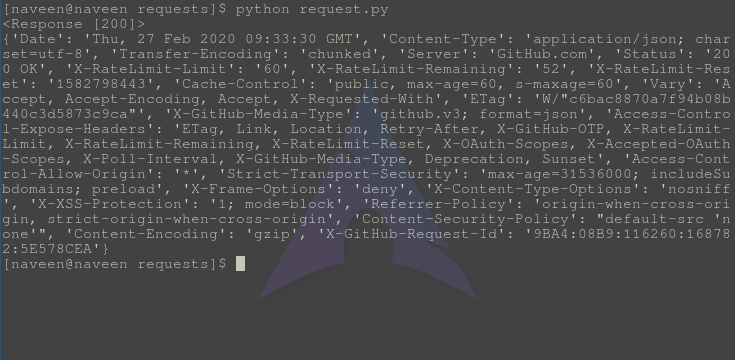
GeeksforGeeks
A Computer Science portal for geeks. It contains well written, well thought and well explained computer science and programming articles, quizzes and practice/competitive programming/company interview Questions.
void fable
def custom_cooldown(ctx):
    if ctx.author == 92786442891169792:
        return None
    else:
        return discord.ext.commands.Cooldown(rate = 1, per = 60)
oops ye
silver moat
right
void fable
can it get the context this way?
silver moat
void fable
```py
def custom_cooldown(user):
print(type(user))
if user == 9278644289...
I mean it says it's a Context so yeah ig
white wadi
i just found that the rate limit is only on one ip, so vpn ez
silver moat
gj
void fable
silver moat
I mean it says it's a Context so yeah ig
oh alright, its working now, thank you! one last thing, how would i reset the cooldown in the slash command itself?
discord.ext.commands.Cooldown?
dire spadeBOT
silver moat
b!rtfm reset_cooldown
I couldn't find a documentation with the name reset_cooldown! Maybe you used to command wrong? Correct Usage: <prefix>rtfm <docs> [<term>] (eg. b!rtfm py cool)
List of Documentations you can search:
python
pycord
discord.py
yarsaw
nextcord
disnake
silver moat
b!rtfm pyc reset_cooldown
dire spadeBOT
silver moat
b!rtfm pyc reset_cooldown
silver moat
yeah
void fable
o alright, thank you for the help!
silver moat
np
 near hollow
Is it possible to use await bot.sync_commands() to sync slash commands in cogs?
 undone falcon
Does the bot load all members from all the bot servers at the bot starts ? Like if I do bot.guild after start, do I have the most up to date information ?
silver moat
undone falcon
Does the bot load all members from all the bot servers at the bot starts ? Like ...
when the cache is ready, on_ready will be called.
The cache also updates when things update.
undone falcon
silver moat
when the cache is ready, on_ready will be called.
yes but when it is called, are all data loaded in the cache, or some may not be loaded due to memory performance ?
silver moat
undone falcon
yes but when it is called, are all data loaded in the cache, or some may not be ...
if you have the cache for that enabled, yes
undone falcon
I see thank you !
silver moat
near hollow
Is it possible to use ``await bot.sync_commands()`` to sync slash commands in co...
yes
fervent cradle
ive been setting up pycord on a diff pc and i got everything ready but when i do import discord, it throws a modulenotfound error even tho i did pip install py-cord
silver moat
virtual env?
fervent cradle
        log.debug(welcome_channel)
        _welcome_channel = self.client.get_channel(welcome_channel)
        log.debug(_welcome_channel)
DEBUG    | 960196760565841941
DEBUG    | welcome
what the hell
 graceful plover
Banned members - {len(await guild.bans())}
TypeError: object BanIterator can't be used in 'await' expression
help
 golden cairn
Hey guys
i startet using pycord.wavelink and after i setup my lavalink system and i want to connet with lavalink trough wavelink im gettings this error
Connection Failure: Cannot connect to host 0.0.0.0:2333 ssl:default [The format of the specified network name is invalid].
Connect Code
    async def connect_nodes(self):
        await self.bot.wait_until_ready()
        await wavelink.NodePool.create_node(
            bot=self.bot,
            host='0.0.0.0',
            port=2333,
            region='eu',
            password='xxx',
        )
 vital blade
can i check if a bot is verified or not? and if i can how
 amber shale
how to use paginator in slash command?
young bone
amber shale
how to use paginator in slash command?
what do you mean in slash command?
young bone
 median ridge
How do I use permissions?
median ridge
How do I use permissions?
Same like prefix commands
young bone
commands.is_owner()
median ridge
that doesn't work when my bot is under a dev team though
let's say I want to limit the command to only you and me
verbal gulch
Traceback (most recent call last):
File "C:\Users\danie\AppData\Local\Programs\Python\Python310\lib\runpy.py", line 196, in _run_module_as_main
return _run_code(code, main_globals, None,
File "C:\Users\danie\AppData\Local\Programs\Python\Python310\lib\runpy.py", line 86, in run_code
exec(code, run_globals)
File "c:\Users\danie.vscode\extensions\ms-python.python-2022.10.1\pythonFiles\lib\python\debugpy_main.py", line 39, in <module>
cli.main()
File "c:\Users\danie.vscode\extensions\ms-python.python-2022.10.1\pythonFiles\lib\python\debugpy/..\debugpy\server\cli.py", line 430, in main
run()
File "c:\Users\danie.vscode\extensions\ms-python.python-2022.10.1\pythonFiles\lib\python\debugpy/..\debugpy\server\cli.py", line 284, in run_file
runpy.run_path(target, run_name="main")
File "c:\Users\danie.vscode\extensions\ms-python.python-2022.10.1\pythonFiles\lib\python\debugpy_vendored\pydevd_pydevd_bundle\pydevd_runpy.py", line 321, in run_path
return _run_module_code(code, init_globals, run_name,
File "c:\Users\danie.vscode\extensions\ms-python.python-2022.10.1\pythonFiles\lib\python\debugpy_vendored\pydevd_pydevd_bundle\pydevd_runpy.py", line 135, in _run_module_code
_run_code(code, mod_globals, init_globals,
File "c:\Users\danie.vscode\extensions\ms-python.python-2022.10.1\pythonFiles\lib\python\debugpy_vendored\pydevd_pydevd_bundle\pydevd_runpy.py", line 124, in _run_code
exec(code, run_globals)
File "c:\Users\danie\OneDrive\Documentos\rtc\iworldpc3#Pokemania (2) (1).py", line 102, in <module>
async def marcar_sugerencia(ctx, Marca: discord.OptionChoice['Aprovar', 'denegar', 'considerar'], Comentario, sugerencia, id_mensaje):
TypeError: 'type' object is not subscriptable
median ridge
...
verbal gulch
what does this error mean
obtuse juncoBOT
No tag pastebin found.
young bone
or only send the Error....
verbal gulch
async def marcar_sugerencia(ctx, Marca: discord.OptionChoice['Aprovar', 'denegar', 'considerar'], Comentario, sugerencia, id_mensaje):
    approve=discord.Embed(
        title= 'Sugerencia nueva',
        description=f'**Sugerencia recibida de {ctx.author}:** \n __{sugerencia}__ \n\n :kaicorrect: Sugerencia aprovada \n\n Comentario de {ctx.author}: \n {Comentario},',
        color=discord.Colour.blurple(),
    )
    deny=discord.Embed(
        title= 'Sugerencia nueva',
        description=f'**Sugerencia recibida de {ctx.author}:** \n __{sugerencia}__ \n\n :kaiwrong: Sugerencia denegada \n\nComentario de {ctx.author}: \n{Comentario},',
        color=discord.Colour.blurple(),
    )
    consider=discord.Embed(
        title= 'Sugerencia nueva',
        description=f'**Sugerencia recibida de {ctx.author}:** \n __{sugerencia}__ \n\n:kaiConsider: Sugerencia considerada \n\nComentario de {ctx.author}: \n{Comentario},',
        color=discord.Colour.blurple(),
    )
    if Marca == 'Aprovar':
        discord.Message.edit(self=id_mensaje, embed=approve)
        await ctx.respond('Sugerencia marcada como aprovada.')
    if Marca == 'denegar':
        discord.Message.edit(self=id_mensaje, embed=deny)
        await ctx.respond('Sugerencia marcada como denegada.')
    if Marca == 'considerar':
        discord.Message.edit(self=id_mensaje, embed=approve)
        await ctx.respond('Sugerencia marcada como coonsiderada.')
this is the code
median ridge
better
young bone
yes
dire spadeBOT
full basin
b!rtfm pyc discord.Interaction
Best matches for discord.Interaction in pyc
discord.Interaction
discord.Interaction.application_id
discord.Interaction.channel
discord.Interaction.channel_id
discord.Interaction.client
discord.Interaction.custom_id
discord.Interaction.data
discord.Interaction.delete_original_message
discord.Interaction.edit_original_message
discord.Interaction.followup
full basin

amber shale
young bone
what do you mean in slash command?
send a paginator in /command
fervent cradle
Hello how do i put a custom emoji in a button, emoji="id"?
young bone
fervent cradle
Hello how do i put a custom emoji in a button, `emoji="id"`?
custome emoji?
 young bone
emoji="<:emoji_name:emoji_id>"
that does not work
@discord.ui.button(label=" ", emoji=":music_pause:", style=discord.ButtonStyle.gray, custom_id="music_playpause")
young bone
you need the <
fervent cradle
oh wait it didnt send properly

it gives In components.1.components.2.emoji.id: Invalid emoji
young bone
fervent cradle
how did you got the emoji id?
 young bone
you do rightclick and press ID right?
fervent cradle
young bone
you do rightclick and press ID right?
nope
fervent cradle
fervent cradle
\<:pycord:881477002991915048>
add a backslash, then send it to get the id liek this

 young bone
fervent cradle
whats the backslash ID then?
young bone
fervent cradle
whats the backslash ID then?
Idk, but you only get it from the link, thats the only way I know how to get it
fervent cradle
young bone
Idk, but you only get it from the link, thats the only way I know how to get it
ah thanks lemme try now
young bone
fervent cradle
ah thanks lemme try now
does it work?
fervent cradle
young bone
does it work?
I have multiple emojis I'm getting the ids for each one of em, i'll tell u if it works
@young bone bro all my new ids are the exact same to old ones
young bone
fervent cradle
<@366518394863878147> bro all my new ids are the exact same to old ones
The one from the Url?
 young bone
Weird
fervent cradle
yep, do you want the full code?
young bone
No
fervent cradle
ah kk
young bone
Does the Button works with a label?
fervent cradle
young bone
Does the Button works with a label?
yep does
is there a way to keep an empty label?
verbal gulch
verbal gulch
Traceback (most recent call last):
File "C:\Users\danie\AppData\Local\Programs...
What about this issue?
verbal gulch
verbal gulch
```py
async def marcar_sugerencia(ctx, Marca: discord.OptionChoice['Aprovar', 'd...
↑ Code
wicked helm
interaction.response.edit_message() isn't working when I am using it on a button in a paginator
full basin
verbal gulch
What about this issue?
discord.OptionChoice[]
discord.Option(str, "Select an option", choices=["aprobar", "denegar", "considerar"])
fervent cradle
is there a way to use an image url for discord.File
verbal gulch
full basin
discord.Option(str, "Select an option", choices=["aprobar", "denegar", "conside...
oh, ok ty.
full basin
fervent cradle
is there a way to use an image url for `discord.File`
Don't think so.
As it takes a file itself, not urls
fervent cradle
full basin
Don't think so.
this is my code, and i am totally fine with it, but the problem is if the user hovers to the image on a pc they can see the url of the image exposing the api i am using, i want that url to be converted to cdn.discord one but i am not able to understand how to do that
panik_payload = {'panik': panik_text, 'kalm': kalm_text, 'panik2': panik2_text}
panik_img = requests.get('https://luminabot.xyz/api/image/panik-kalm-panik', params=panik_payload)
panik_embed = discord.Embed(title="Damn you so panik bro")
panik_embed.set_image(url=panik_img.url)
await ctx.respond(embed=panik_embed)
so i thought i should use discord.File for this task, but it sadly doesnt take image urls
fervent cradle
full basin
What does panik_image returns. Without .url
it returns the response
like this
<Response [201]>
proud pagoda
fervent cradle
this is my code, and i am totally fine with it, but the problem is if the user h...
I would recommend replacing the requests.get with this:
async with aiohttp.ClientSession() as session:
  async with session.get("insert_url_here", params=panik_payload) as response:
    panik_img = await response.text()
I believe that should be it, basically just use aiohttp instead of requests
Since aiohttp is async while requests will be blocking
fervent cradle
proud pagoda
I would recommend replacing the requests.get with this:
```py
async with aiohttp...
but the problem is how will i upload panik_img to discord without saving the image in my hardrive?
proud pagoda
Don't embeds accept image urls?
fervent cradle
proud pagoda
Don't embeds accept image urls?
yea they do, but if the user hovers to the image, the image url which will be shown will expose the api i am using
proud pagoda
Then you have to dump the image to some other site
And then use the url they give you
fervent cradle
oh
proud pagoda
Tbh it would just be easier to save to disk, dump the image to a channel, and then retrieve the url from there and send that url
And then remove from disk
Thats what I usually do
fervent cradle
isnt it directly possible to convert the url to cdn.discordapp ones somehow?
proud pagoda
I'm pretty sure it has to be sent on Discord first
fervent cradle
proud pagoda
Tbh it would just be easier to save to disk, dump the image to a channel, and th...
i am planning to host on heroku so i am not resorting to any storage solutions
proud pagoda
Won't heroku give you at least like 10 mb of space though?
fervent cradle
github + heroku
proud pagoda
If you just delete the image directly after, then you should be fine
proud pagoda
fervent cradle
github + heroku
hmm well then you're going to have to find some site where you can upload the image and then use their url
fervent cradle
proud pagoda
hmm well then you're going to have to find some site where you can upload the im...
yea ig i will look into that
proud pagoda
By the way, do you have a credit card?
fervent cradle
proud pagoda
By the way, do you have a credit card?
nope i am student
proud pagoda
Oh alright
Well in a few months, Railway is going to make it possible for students to get verified without a credit card, so you could do that since Railway is a pretty good host
fervent cradle
proud pagoda
Well in a few months, Railway is going to make it possible for students to get v...
oh yea i used to use railway a lot, i will look into railway once their student program is out
hopefully if they dont demand a github student acc for that
proud pagoda
Yeah, cuz now they've made it so that you need to verify urself if you want to host for more than 20 days
proud pagoda
fervent cradle
hopefully if they dont demand a github student acc for that
I think thats what they're plannign on doing
But don't you have a student ID?
fervent cradle
proud pagoda
But don't you have a student ID?
my school doesnt enroll itself in these things
so its useless
proud pagoda
Yeah but I'm pretty sure that it should still work if you have a valid student ID card
fervent cradle
proud pagoda
Yeah but I'm pretty sure that it should still work if you have a valid student I...
oh alr, i will look into it once their student program is out for now i will just use some imagee upload api, thanks for the help tho
proud pagoda
You're welcome
 hybrid raft
discord.errors.ApplicationCommandInvokeError: Application Command raised an exception: InvalidArgument: Invalid permissions given to keyword arguments.
How to set see channel perm?
fervent cradle
Hey how can I sent a button without any label but with an emoji?
hybrid raft
fervent cradle
Hey how can I sent a button without any label but with an emoji?
I think you should use emoji as label
 tribal bough
how to edit defer message?
fervent cradle
hybrid raft
I think you should use emoji as label
nope lmao
 hybrid raft
fervent cradle
nope lmao
hybrid raft
fervent cradle
nope lmao
try emoji like emoji, not :text:
fervent cradle
i had it like
 fervent cradle
hybrid raft
try emoji like emoji, not :text:
fervent cradle
hybrid raft
try emoji like emoji, not :text:
oh custom emoji
hybrid raft
fervent cradle
i had it like
nah, like EMOJI
fervent cradle
i want a custom emoji tho, like from a server
hybrid raft
fervent cradle
i want a custom emoji tho, like from a server
oh, I think you can't, but I mean
 fervent cradle
hybrid raft
oh, I think you can't, but I mean
fervent cradle
hybrid raft
oh, I think you can't, but I mean
can't you?

or are those some kind of default emojis I'm unable tto find
hybrid raft
fervent cradle
can't you?
 fervent cradle
wdym
delicate jolt
Could anyone help please?
hybrid raft
fervent cradle
wdym
Pastebin
Pastebin.com is the number one paste tool since 2002. Pastebin is a website where you can store text online for a set period of time.
delicate jolt
Ignoring exception in on_application_command_error
Traceback (most recent call last):
  File "/home/container/.local/lib/python3.8/site-packages/discord/commands/core.py", line 127, in wrapped
    ret = await coro(arg)
  File "/home/container/.local/lib/python3.8/site-packages/discord/commands/core.py", line 877, in _invoke
    await self.callback(self.cog, ctx, **kwargs)
  File "/home/container/cogs/economy.py", line 60, in search
    await ctx.respond(embed=em, view=SearchView())
TypeError: __init__() missing 1 required positional argument: 'bot'
The above exception was the direct cause of the following exception:
Traceback (most recent call last):
  File "/home/container/.local/lib/python3.8/site-packages/discord/client.py", line 382, in _run_event
    await coro(*args, **kwargs)
  File "/home/container/cogs/economy.py", line 71, in on_application_command_error
    raise error
  File "/home/container/.local/lib/python3.8/site-packages/discord/bot.py", line 992, in invoke_application_command
    await ctx.command.invoke(ctx)
  File "/home/container/.local/lib/python3.8/site-packages/discord/commands/core.py", line 358, in invoke
    await injected(ctx)
  File "/home/container/.local/lib/python3.8/site-packages/discord/commands/core.py", line 135, in wrapped
    raise ApplicationCommandInvokeError(exc) from exc
discord.errors.ApplicationCommandInvokeError: Application Command raised an exception: TypeError: __init__() missing 1 required positional argument: 'bot'```yep got it but then it looks like this

and not like the img i shared
fervent cradle
wdym?
delicate jolt
In the buttons
fervent cradle
by custom emojis i mean emojis from a discord server
fervent cradle
where do i put that?
fervent cradle
fervent cradle
nope lmao
it results in this
delicate jolt
Learn all about implementing buttons in your Discord Bot using Pycord.
I can't remember how you do it
But there's the guide
tribal bough
how can i edit interaction.response.defer() message
delicate jolt
await interaction.edit_original_message("Message" or embed=embed, view=view())
tribal bough
delicate jolt
await interaction.edit_original_message("Message" or embed=embed, view=view())
it will edit the defer message?
delicate jolt
Should do i think atleast... It's what I used
tribal bough
oki
fervent cradle
class Dropdown(discord.ui.Select):
    def __init__(self, bot_: discord.Bot):
        self.bot = bot_
        options = [
            discord.SelectOption(label="Red",
                                 description="Your favourite colour is red",
                                 emoji="🟥"),
            discord.SelectOption(label="Green",
                                 description="Your favourite colour is green",
                                 emoji="🟩"),
            discord.SelectOption(label="Blue",
                                 description="Your favourite colour is blue",
                                 emoji="🟦"),
        ]
        super().__init__(
            placeholder="Choose your favourite colour...",
            min_values=1,
            max_values=1,
            options=options,
        )

    async def callback(self, interaction: discord.Interaction):
        await interaction.response.send_message(
            f"Your favourite colour is {self.values[0]}")

class DropdownView(discord.ui.View):
    def __init__(self, bot_: discord.Bot):
        self.bot = bot_
        super().__init__()


        view2 = Dropdown(self.bot)
        self.add_item(view2)


@bot.slash_command(guilds=guilds)
async def colour(ctx: discord.ApplicationContext):

    view = DropdownView(bot)
    await ctx.respond("Pick your favourite colour:", view=view)
How would I send the selected colour in the slash command?
silver moat
fervent cradle
```py
class Dropdown(discord.ui.Select):
def __init__(self, bot_: discord.Bo...
you can add a value argument to discord.SelectOption
fervent cradle
Not sure how that would make it work
silver moat
fervent cradle
Not sure how that would make it work
you can put the color in there and get it with self.values ?
fervent cradle
Yeah but it can only get it once and not when you change it
silver moat
fervent cradle
Yeah but it can only get it once and not when you change it
If you change the value, the callback will be called again
fervent cradle
silver moat
If you change the value, the callback will be called again
Yes but I want it to send the message in the slash command, not in the dropdown
silver moat
fervent cradle
Yes but I want it to send the message in the slash command, not in the dropdown
so how will you know that it responded?
fervent cradle
silver moat
so how will you know that it responded?
wdym?
silver moat
How will you know that you received an interaction to that dropdown?
fervent cradle
silver moat
How will you know that you received an interaction to that dropdown?
That's what I was asking how to do
silver moat
fervent cradle
That's what I was asking how to do
you can try using wait_for("interaction") with checks
fervent cradle
silver moat
you can try using `wait_for("interaction")` with checks
How would I use that?
silver moat
example```py
def check(interaction):
return interaction.user == ctx.author
try:
await bot.wait_for("interaction", check = check, timeout = 60.0)
#do something here
except asyncio.TimeoutError:
print("Timeout!")
This will just check for the interaction author, but you can check for more attributes.
https://docs.pycord.dev/en/master/api.html#discord.Interaction
https://docs.pycord.dev/en/master/api.html#applicationcontext
fervent cradle
silver moat
example```py
def check(interaction):
return interaction.user == ctx.author
t...
Woudn't this only check once tho?
silver moat
fervent cradle
Woudn't this only check once tho?
put it in a while loop
fervent cradle
silver moat
put it in a while loop
Ok thank you
fervent cradle
@silver moat I've been having trouble trying to make the condition to only the dropdown interaction but I cant find an attribute to do this
silver moat
fervent cradle
<@586743480651350063> I've been having trouble trying to make the condition to o...
check interaction.data
fervent cradle
silver moat
check interaction.data
How do I get the custom_id from the view?
silver moat
pretty sure it is in data
fervent cradle
silver moat
pretty sure it is in data
It is, but I need to check if it equals the interaction from the specific command
silver moat
fervent cradle
It is, but I need to check if it equals the interaction from the specific comman...
ctx.interaction.data?
if that's what you are asking for
silver moat
ic you mean the one in the view
silver moat
?tag ephemeral
obtuse juncoBOT
An 'ephemeral' message is one that's only visible to the person who invoked a command. If you ever got a command error with a blue background, this is an example of one.
To do this, set ephemeral=True when you first use an ApplicationContext. (This includes .defer()ing it; the choice of whether a message is ephemeral or not must be made up front. If you .respond() to a deferred message, setting the ephemeral flag at that time will have no effect.)
This is the equivalent of hidden=True if you're coming from interactions.py
meager heron
How does one trigger a bulk message delete event?
And will on_message_delete still get called if a message was deleted as part of a bulk delete?
silver moat
meager heron
How does one trigger a bulk message delete event?
something like purge commands?
 gleaming falcon
Anyone know if interactions in ephemeral messages are explicitly limited to 15 mins, or am I doing something wrong?
rare ice
gleaming falcon
Anyone know if interactions in ephemeral messages are explicitly limited to 15 m...
What do you mean they're limited to 15 minutes?
fervent cradle
I have a command that sends an aiohttp request. How would I make it retry the whole command if the response is an error?
 violet adder
how can i edit the message instead of sending a new one with drop down menu?
 copper pasture
Can i edit a persistent view after a restart?
dawn gyro
Any idea why on_presence_update rechecks the same user? even when they haven't changed their presence
 silver moat
dawn gyro
Any idea why ``on_presence_update`` rechecks the same user? even when they haven...
silver moat
dawn gyro
Any idea why ``on_presence_update`` rechecks the same user? even when they haven...
their presence also includes custom status or rich presence
tranquil pivot
Can bots have both buttons and dropdowns on the same embed?
silver moat
a message can have 5 rows. each rows can have 5 components at max. dropdowns take an entire row while 5 button are required to fill a row completely
tranquil pivot
That sounds like plenty thanks
silver moat
np
gleaming falcon
rare ice
What do you mean they're limited to 15 minutes?
Sorry for the delay. When adding some UI components in an ephemeral message, the buttons (pagination) work without issue, but submitting a Modal stops accepting ("invalid webhook token") after 15 minutes.
cyan quail
gleaming falcon
Anyone know if interactions in ephemeral messages are explicitly limited to 15 m...
ephemeral messages exist for 15 minutes
same with interaction tokens
gleaming falcon
cyan quail
ephemeral messages exist for 15 minutes
What's strange is that pagination buttons still work well beyond 15 mins (I think because that's configurable). I was hoping the same for Modals, but I suppose not.
violet adder
followed a tutorial for dropdown menu but i get this error NameError: name 'MySelectView' is not defined
proud pagoda
violet adder
followed a tutorial for dropdown menu but i get this error ``NameError: name 'My...
Send your code
Also the error is saying that you haven't declared the class MySelectView
violet adder
Pastebin
Pastebin.com is the number one paste tool since 2002. Pastebin is a website where you can store text online for a set period of time.
errant craneBOT
full basin
Define your view outside your cog class
violet adder
 tysm
tysm
near hollow
silver moat
yes
discord.errors.ApplicationCommandInvokeError: Application Command raised an exception: HTTPException: 400 Bad Request (error code: 50035): Invalid Form Body
In 7: Application command names must be unique```When I try to reload a cog then resync slash commands
The name is unique I am 100% positive
silver moat
sync 0 commands then sync all commands
cyan quail
commands=[]?
near hollow
Ah alright
near hollow
silver moat
sync 0 commands then sync all commands
Same error as before
    await bot.sync_commands(commands=[])
    await bot.sync_commands()
 waxen whale
 calm plume
Quick Question
is this folder setup good for storing members and guilds
Guild DBs
   Server1
       Members.db
       Guild.db
   Server2
       Members.db
       Guild.db
if it isn't how may i improve it?
i wanna keep it very organised
that can hold over millions of servers
im also not asking for help in sql but more in organisation of the data
i also know i asked a similar question in the past but making 2 database files members.db or guilds.db will make it very messy and can't be tracked a lot
rugged lantern
yes i'm sure your bot will be added to 10%+ of the total amount of servers there are on discord
calm plume
rugged lantern
yes i'm sure your bot will be added to 10%+ of the total amount of servers there...
seriously tho
i wanna organise it so it doesn't hurt performances, is easy to navigate through, doens't make a bunch of files
rugged lantern
why would you have a separate db for each server
tables/rows/columns exist for a reason
assuming it is sql
calm plume
rugged lantern
why would you have a separate db for each server
yes but i want to make it organised
with some custom data
 storm geode
my solution : json
calm plume
but any way to organise
calm plume
storm geode
my solution : json
json has some drawbacks
but il use it still
not tho often
 unkempt owl
Can anyone help me?
 grizzled sentinel
calm plume
is this folder setup good for storing members and guilds
grizzled sentinel
calm plume
is this folder setup good for storing members and guilds
I have been told that the key to databases is long skinny tables, with as few tables as possible.
I'm not sure what data you are storing but I would do something like
member_id, guild_id instead of a seperate db for each guild
calm plume
grizzled sentinel
I have been told that the key to databases is long skinny tables, with as few ta...
ik, would do the same thing
but this doesn't make it organised and u basically have to use filters and stuff to search through
grizzled sentinel
Yes, but the filters are quite simple. It is far better than having a different table for even 100 servers.
Its kind of like how in coding you use a function instead of repeating code a bunch of times. You should use the same table instead of storing the same format of information in a bunch of different places.
calm plume
grizzled sentinel
Yes, but the filters are quite simple. It is far better than having a different ...
you are right
ik that tho the filters are simple
bc its the search bar really
il try ur method
 solid agate
I know there is an event that gets triggered on a ban on_member_ban
Is there a similar event for timeouts?
 rocky stump
When making a cog, is it possible to pass through a parameter when I use load_extension into the setup function of the cog?
or does that not make sense?
As a work around I've been placing custom attributes in my bot using bot.whatever and accessing the .whatever in my cog that way
gleaming falcon
Slightly advanced, but is anyone familiar with the default_member_permissions that is passable to SlashCommandGroup? Not entirely sure what syntax goes here..
SlashCommandGroup("mygroup", "My Group", default_member_permissions=discord.Permissions(moderate_members=True)
``` ?
Or is this completely not working until perms v2 is released? vestal raven
Ignoring exception in command userinfo:
Traceback (most recent call last):
  File "C:\Users\Kulkarni\AppData\Local\Packages\PythonSoftwareFoundation.Python.3.10_qbz5n2kfra8p0\LocalCache\local-packages\Python310\site-packages\discord\commands\core.py", line 127, in wrapped
    ret = await coro(arg)
  File "C:\Users\Kulkarni\AppData\Local\Packages\PythonSoftwareFoundation.Python.3.10_qbz5n2kfra8p0\LocalCache\local-packages\Python310\site-packages\discord\commands\core.py", line 877, in _invoke
    await self.callback(self.cog, ctx, **kwargs)
  File "F:\Coding related files\Discord Bot\night_sky_cogs\info_commands.py", line 133, in slash_userinfo
    permissions = dict(user.guild_permissions)
  File "C:\Users\Kulkarni\AppData\Local\Packages\PythonSoftwareFoundation.Python.3.10_qbz5n2kfra8p0\LocalCache\local-packages\Python310\site-packages\discord\member.py", line 632, in guild_permissions
    base.value |= r.permissions.value
AttributeError: 'NoneType' object has no attribute 'permissions'

The above exception was the direct cause of the following exception:

Traceback (most recent call last):
  File "C:\Users\Kulkarni\AppData\Local\Packages\PythonSoftwareFoundation.Python.3.10_qbz5n2kfra8p0\LocalCache\local-packages\Python310\site-packages\discord\bot.py", line 992, in invoke_application_command
    await ctx.command.invoke(ctx)
  File "C:\Users\Kulkarni\AppData\Local\Packages\PythonSoftwareFoundation.Python.3.10_qbz5n2kfra8p0\LocalCache\local-packages\Python310\site-packages\discord\commands\core.py", line 358, in invoke
    await injected(ctx)
  File "C:\Users\Kulkarni\AppData\Local\Packages\PythonSoftwareFoundation.Python.3.10_qbz5n2kfra8p0\LocalCache\local-packages\Python310\site-packages\discord\commands\core.py", line 135, in wrapped
    raise ApplicationCommandInvokeError(exc) from exc
discord.errors.ApplicationCommandInvokeError: Application Command raised an exception: AttributeError: 'NoneType' object has no attribute 'permissions'
I tried reading it, but couldn't understand where exactly the error is
cyan quail
gleaming falcon
Slightly advanced, but is anyone familiar with the `default_member_permissions` ...
this is right and perms v2 was fully released a while ago, but note these are only defaults; they won't apply retroactively to commands that have had their permissions changed from the guild settings
cyan quail
vestal raven
```
Ignoring exception in command userinfo:
Traceback (most recent call last):
...
can you show the code for slash_userinfo
vestal raven
cyan quail
can you show the code for `slash_userinfo`
yeah sure. wait
give me a website for sending code through. 😅
cyan quail
you can just paste it here by wrapping it in ```py
```py
code here
```
or discord will turn it into a file if it's too longohk wait
silver moat
?tag codeblock
obtuse juncoBOT
Please put your code in a code block:
```py
Here is your Code
```
That makes reading code in Discord a lot easier:
print("This is an example.")
close enough
vestal raven
@commands.slash_command(name="userinfo", description="Get information on a user", guild_only=True)
@commands.cooldown(1, 10, commands.BucketType.member)
async def slash_userinfo(
    self,
    ctx:discord.ApplicationContext,
    user: discord.Option(discord.Member or int, "Enter the user to get the info about", default=None)
):
    if user is None:
        user = ctx.author
    if isinstance(user, int):
        try:
            user = await self.bot.fetch_user(user)
        except: return await ctx.respond("provide a proper user id", ephemeral=True)

    permissions = dict(user.guild_permissions)
    key_perms = []
    voice_perms = []
    other = []

    all_perms = []
    for i in permissions:
        if permissions[i] is True:
            all_perms.append(i)

    for i in all_perms:
        try:
            if i in self.key_permissions:
                key_perms.append(self.permission_values[i])
            elif i in self.voice_channel_permissions:
                voice_perms.append(self.permission_values[i])
            else:
                other.append(self.permission_values[i])
        except: None

    joined_at = f"{discord.utils.format_dt(user.joined_at, 'F')} ({discord.utils.format_dt(user.joined_at, 'R')})"
    created_at = f"{discord.utils.format_dt(user.created_at, 'F')} ({discord.utils.format_dt(user.created_at, 'R')})"

    embed = discord.Embed(title=f"Info about {user}", color=discord.Color.blurple())
    embed.add_field(name="Joined Server at", value=joined_at, inline=False)
    embed.add_field(name="Account Created at", value=created_at, inline=False)

    if len(key_perms) != 0: embed.add_field(name="Key Permissions", value=", ".join(key_perms), inline=False)

    if len(voice_perms) != 0:embed.add_field(name="Voice Permissions", value=", ".join(voice_perms), inline=False)


    embed.add_field(name="Other Permissions", value=", ".join(other), inline=False)
    try: embed.add_field(name="Avatar", value=user.avatar.url) ; embed.set_thumbnail(url=user.avatar.url)
    except: None


    await ctx.respond(embed=embed)
user.guild_permissions will fail if you use fetch_user because now you have a user object, not a member object
vestal raven
cyan quail
`user.guild_permissions` will fail if you use `fetch_user` because now you have ...
ahh. thanks
silver moat
wouldn't entering an int let discord/pycord convert it to a user/member object?
if the type-hinted is a user.
cyan quail
it should but they've done something weird with their option type and they have the code there anyway
pretty sure that'll break it on discord's end and force it to string if that actually goes through
wait no it'll just ignore int, ignore me
vestal raven
cyan quail
`user.guild_permissions` will fail if you use `fetch_user` because now you have ...
Well, although that is an issue, that is not what gave the error. While testing the command, I'm mentioning the member, not giving an id.
cyan quail
hm for some reason you have NoneTypes in the member's roles... what version are you on?
vestal raven
cyan quail
hm for some reason you have NoneTypes in the member's roles... what version are ...
2.0.0
cyan quail
is it still broken after restarts?
vestal raven
 vestal raven
cyan quail
is it still broken after restarts?
vestal raven
cyan quail
is it still broken after restarts?
yeah
cyan quail
what happens if you print user.roles before that line
vestal raven
wait
gleaming falcon
cyan quail
this is right and perms v2 was fully released a while ago, but note these are on...
Thanks for confirming. No changes were made to the commands in the Guild, though. They're still marked as defaults, but didn't see any changes in the UI
I think I was confusing v2 with subcommand permissions. It doesn't look like subcommands can be individually permissioned (e.g. /mycommand view vs /mycommand set, etc)
cyan quail
correct, this is a discord limitation
vestal raven
cyan quail
what happens if you print `user.roles` before that line
It is not printing out anything
I removed the or int from Option as well, still no difference
cyan quail
uhhh you sure? there's definitely something there
i think i know the issue but just need to check what the roles are
silver moat
cyan quail
uhhh you sure? there's definitely something there
slash command options don't update at all without removing the command and reregistering the command
vestal raven
cyan quail
i think i know the issue but just need to check what the roles are
I'm checking for the bot itself, which has one role which is created when bot is added
vestal raven
silver moat
slash command options don't update at all without removing the command and rereg...
ohh
cyan quail
the option is technically fine anyway since it'll only parse member with the syntax you used
cyan quail
vestal raven
I'm checking for the bot itself, which has one role which is created when bot is...
there's a hidden role that needs to be checked here, hence why i need the output of user.roles
vestal raven
I'll try something ig wait
gleaming falcon
silver moat
slash command options don't update at all without removing the command and rereg...
Just OOC, how do you 'remove the command'. Could you comment it out and restart the bot, or is there something in-process that could be done
silver moat
gleaming falcon
Just OOC, how do you 'remove the command'. Could you comment it out and restart ...
delete it or comment it out or however you guys do it these days
ig not loading that cog should also work
cyan quail
hmmm last i checked options did update automatically but i guess i never bothered to upgrade to 2.0
gleaming falcon
Sweet, there we go. I had to de-register the command to get the default_member_permissions to work. Thanks all.
Hopefully some inline way of updating them will come.
vestal raven
cyan quail
there's a hidden role that needs to be checked here, hence why i need the output...
 cyan quail
did they by chance have 0 roles?
vestal raven
cyan quail
did they by chance have 0 roles?
nope
This time, tested with my account which had 3 roles
Also, I printed the new lines between the [None] and error by myself
cyan quail
did you override intents?
vestal raven
Wait, there is an intent for the roles of the user?
cyan quail
well the related intent would be on by default
...or i guess member intent
which is priveliged
vestal raven
well, I have this in the main file
intents = discord.Intents()
intents.guild_messages = True
intents.guild_reactions = True
intents.message_content = True
intents.members = True
intents.voice_states = True
ah that's the problem
vestal raven
uhh
 lusty minnow
yo has anyone gotten the voice record to actually work?
vestal raven
cyan quail
try ```py
intents = discord.Intents.all()
intents.presences = False```
ohk wait
 vestal raven
cyan quail
try ```py
intents = discord.Intents.all()
intents.presences = False```
vestal raven
cyan quail
try ```py
intents = discord.Intents.all()
intents.presences = False```
yesss. it worked.
cyan quail
nice
vestal raven
thanks 👍
gleaming falcon
What's the best/most elegant way to determine if a context-passed channel (i.e. the channel a user invoked a command from) is a Thread or not? I don't see any direct helpers.
There's instanceof, of course, but was also thinking of testing whether channel.parent existed. Curious if there's something even easier I'm not considering.
cyan quail
gleaming falcon
What's the best/most elegant way to determine if a context-passed `channel` (i.e...
just check channel.type
silver moat
ghost unread?
gleaming falcon
cyan quail
just check channel.type
instanceof seems easier than channel.type. Is there something that .type would give me?
cyan quail
you could just check if "thread" is in str(channel.type) since there's 3 different thread types
silver moat
b!rtfm channeltype
dire spadeBOT
silver moat
b!rtfm channeltype
I couldn't find a documentation with the name channeltype! Maybe you used to command wrong? Correct Usage: <prefix>rtfm <docs> [<term>] (eg. b!rtfm py cool)
List of Documentations you can search:
python
pycord
discord.py
yarsaw
nextcord
disnake
silver moat
b!rtfm pyc channeltype
dire spadeBOT
silver moat
b!rtfm pyc channeltype
Best matches for channeltype in pyc
 drifting current
hey, whats a fast way to update my discord.py bot to pycord without changing too much code?
As it has about 10k lines :/
I uninstalled discord.py and installed pycord
however it doesn’t work without changing stuff it seems
silver moat
what errors are there?
drifting current
I can’t even find where the error comes from but once I start the program the bot starts running and my event loops also start running but I repeatedly get the error that „List index is out of range“
like every second
I know this error means that it has to do with my code but it didn’t happen with discord py
so I guess I am missing something?
It doesn’t say in which line the error is as it prints it as a string and not Exception
Is it possible that somewhere, where I try to get a list of members for example that pycord can’t do that or I need to change stuff so it can?
silver moat
do you use any other discord.py libraries?
drifting current
I use many discord py libraries but all of them are in pycord I assume?
cuz I uninstalled discord py
and installed pycord
and didn’t get any import errors
silver moat
like discord-components etc.
drifting current
discord-webhooks
silver moat
just that?
drifting current
umm gimme a sec I’ll go trough the files
drifting current
silver moat
just that?
yeah it’s only discord-webhook
and discord.utils and .ext but that not what u mean ig
silver moat
could you send the whole error?
silver moat
is that part of an except clause?
drifting current
yes
it seems
maybe it’s in msg.embeds[0]
is that possible? cuz I read smth about embdeds from messages
yeah it’s the only place where I use index of a list
so it has issues getting the embed of a message
silver moat
drifting current
is that possible? cuz I read smth about embdeds from messages
yeah, without message content intents, your bot will not receive message content, embeds, components, and attachements on most messages
drifting current
just got another Exception that ClientUsee has no attribute avatar_url
drifting current
silver moat
yeah, without message content intents, your bot will not receive message content...
but 🤔 I always had intents enabled in my bot setting on discord developer page
silver moat
drifting current
but 🤔 I always had intents enabled in my bot setting on discord developer page
It also needs to be enabled within the code itself
silver moat
?tag intents
obtuse juncoBOT
import discord
from discord.ext import commands

# Get specific intents for fine control
intents = discord.Intents()
intents.emojis = True
intents.guilds = True
intents.messages = True  # Required for prefix commands!
...
# Get all non-priveliged intents; this excludes presences, members and message_content
intents = discord.Intents.default()

# Set priveliged intents: these must be enabled on dev portal
intents.members = True
intents.presences = True
intents.message_content = True  # Required for prefix commands >= 2.0.0b5

# Get all intents; all intents must be enabled on dev portal.
intents = discord.Intents.all()

# Apply intents when creating your bot
bot = commands.bot(prefix="?", intents=intents)
ah I need to activate all of them??
silver moat
if you need them
drifting current
cuz in the past I did discord.Intents.default()
and everything worked
ig I need to do everything separately now
silver moat
what does your bot do?
drifting current
the issues is when it gets a message by its id and tries to split its content and embed
silver moat
which is None i think
drifting current
yeah it doesn’t return the message content
bc of the issue with the intents u addressed I assume
silver moat
intents are a required field in the discord api. before it was optional.
drifting current
does it have any disadvantages if I just activate all?
also the ones I don’t need
silver moat
yeah, because some events will be dispatched that you don't need like on_typing
drifting current
oh
 silver moat
drifting current
what does this enforced mean?
silver moat
drifting current
what does this enforced mean?
It means that if your bot is in 100 servers or more, you have to verify and request the intent
silver moat
np
silver moat
enable the switch


 drifting current
just needs some patience I assume xD
btw can I combine prefix commands and / commands in the same code?
silver moat
sure, bridge commands
drifting current
cuz I saw that u need to assign a different value to client
when u wanna use / commands
silver moat
Pycord Guide is a complete guide for Pycord. Learn how to create Discord Bots today!
rugged lantern
client in 2022 lawl
silver moat
this should be helpful
drifting current
oke will read
silver moat
rugged lantern
client in 2022 lawl
pages.client when
drifting current
silver moat
this should be helpful
I was very patient but it still doesnt work asaskaksak
the issue is with this intent:
intents.message_content = True
this causes the error
and my bot is in 2 servers in total so thats not the issue
cyan quail
drifting current
this causes the error
what version?
drifting current
python 3.9
pycord 2.0
fervent cradle
Hi I have a string (#cbe053)
how can I create a role with that color?
role = await ctx.guild.create_role(name="Eigene Farbe", color=the_string_above, mentionable=False)
I tried this, does not work
drifting current
fervent cradle
Hi I have a string (#cbe053)
how can I create a role with that color?
``role =...
whats the error?
cyan quail
drifting current
python 3.9
pycord 2.0
just checking, is 2.0.0 the full output if you print(discord.__version__)
drifting current
yep
fervent cradle
drifting current
whats the error?
AttributeError: 'str' object has no attribute 'value'
cyan quail
fervent cradle
Hi I have a string (#cbe053)
how can I create a role with that color?
``role =...
convert the string "cbe053" to base 16 with int(string, 16)
fervent cradle
cyan quail
convert the string `"cbe053"` to base 16 with `int(string, 16)`
ok lemme try
and without the #?
cyan quail
yes
fervent cradle
ok ima replace it then
cyan quail
drifting current
yep
can you show your main bot file?
drifting current
wym exactly
cyan quail
i guess the lines involved in defining your bot
drifting current
cyan quail
i guess the lines involved in defining your bot
intents = discord.Intents()
intents.guilds = True
intents.members = True
intents.messages = True
intents.guild_messages = True
intents.reactions = True
intents.guild_reactions = True
intents.message_content = True


client = commands.Bot(command_prefix="%", intents=intents)

..
..

client.run(token)
works 🙂
drifting current
I removed the last intent (intents.message_content = True) and it worked
cyan quail
for one i'd recommend shortening it to py intents = discord.Intents.default() intents.members = True intents.message_content = True
but hmmm
you definitely enabled it on the portal for the correct bot right?
drifting current
cyan quail
you definitely enabled it on the portal for the correct bot right?
yep but 30 minutes ago
cyan quail
hmmm
i don't think it's meant to take additional time but maybe check back in an hour? For now i'd leave message_content = False in the code, but keep it enabled on portal
drifting current
alright will try
solid agate
solid agate
I know there is an event that gets triggered on a ban ``on_member_ban``
Is there...
bump
silver moat
solid agate
bump
on_member_update, but you will receive events for other things as well
solid agate
I figured as much, just wanted to make sure.
It wouldn't be the first, nor the last time, I would've missed something obvious 😛
drifting current
cyan quail
i don't think it's meant to take additional time but maybe check back in an hour...
an hour passed but no work 
cyan quail
strange, idk maybe check with discord support...? I can't see any reason the intent wouldn't work
for now, if you do want message content to work without then try discord.http.API_VERSION = 9 after importing
but if im not mistaken this would be blocked next month?
drifting current
cyan quail
but if im not mistaken this would be blocked next month?
well for verified bots it will be blocked
cyan quail
well that's in general yeah, but api v9 currently lets you use message content without specifying it in code; im not sure if this will still apply after the changes
silver moat
drifting current
well for verified bots it will be blocked
or any bots in 100 servers or more that are pending verification.
drifting current
cyan quail
well that's in general yeah, but api v9 currently lets you use message content w...
oh... yeah we ll see :`
silver moat
Are you sure it's being enabled on the correct bot?
silver moat
is the bot quarantined?
silver moat

cyan quail
well yeah that's exactly the problem
if it's only in two servers then why not just move to a new app
drifting current
well true :` || laziness ||
silver moat
literally 8 button clicks :p
cyan quail
you can just copy the permissions over with some loops
drifting current
nah the only issue is to go into my host and change it there xD
thx anyways tho will do it
 celest lichen
anyone know why i might be getting this warning? i have pycord installed

the import below is asyncio btw
silver moat
py-cord?
rugged lantern
drifting current
thx anyways tho will do it
so you knew it was quarantined and you somehow didn't put two and two together
drifting current
rugged lantern
so you knew it was quarantined and you somehow didn't put two and two together
yes, it worked last months
celest lichen
silver moat
`py-cord`?
?
 silver moat
did you pip install py-cord?
celest lichen
oh, no i did pip install pycord. is that a different library?? damn
silver moat
the namespace is still discord
celest lichen
odd, installed py-cord and it's still there
silver moat
restart code editor :)
celest lichen
perfect!! thank you
silver moat
yw
drifting current
Well the intents work
but
AttributeError: 'ClientUser' object has no attribute 'avatar_url'
why does it not have avatar_url anymore :`
cyan quail
yeah if you're moving from dpy then best read the entire migrating page
silver moat
I forgot to cover intents in that migration thing...
cyan quail
oops
drifting current
Do i get compensation for it not being there?
damn thats so many changes that (if u wanna use / commands) it is more worthwhile to make a new bot and host both on the same token and keep the old one on discord py
cyan quail
eh migrating is relatively straightforward as long as you go through your code carefully
not nearly as many changes as the v1 jump anyway
drifting current
there is no way I can go trough all that
I dont understand what are the reasons for some changes
silver moat
half of them aren't even applicable