#General Help
1 messages · Page 29 of 1
 slender lintel
so i can't?
 slow dome
take a string or just take a user object
slender lintel
if i do discord.User as type. Could it take the ID?
slow dome
maybe
 wide cloak
are there interaction cooldowns?
slender lintel
how to send a second message after await ctx.responce
slow dome
b!rtfm pyc followup.send
 open bearBOT
slow dome
b!rtfm pyc followup.send
open bearBOT
slow dome
b!rtfm pyc followup.send
No results found when searching for followup.send in pyc
slow dome
b!rtfm pyc context.followup
open bearBOT
slow dome
b!rtfm pyc context.followup
No results found when searching for context.followup in pyc
slow dome
b!rtfm pyc applicationcontext.followup
open bearBOT
slow dome
b!rtfm pyc applicationcontext.followup
No results found when searching for applicationcontext.followup in pyc
slow dome
b!rtfm pyc followup
open bearBOT
slow dome
b!rtfm pyc followup
Best matches for followup in pyc
 burnt quiver
uh?
    bot = discord.Bot(intents=intents)
AttributeError: module 'discord' has no attribute 'Bot'
edit: needed to install py-cord==2.0.0rc1, default will install to v1.7.3
 worn ruin
Hello there, in the Discord API documentation, application command option type can be one of 11 values. (https://discord.com/developers/docs/interactions/application-commands#application-command-object-application-command-option-type)
Value 8 is ROLE (= discord.Role in pycord), which works as intended.
I don't see any existing type for a list of role, which would correspond to list[discord.Role] in pycord.
Does anybody know of any workaround?
My last resort would be to code an autocomplete showing all roles and leaving the option type as a str but if it was a built-in solution I'd rather use it hehe.
Discord Developer Portal
Integrate your service with Discord — whether it's a bot or a game or whatever your wildest imagination can come up with.
 fair anvil
How do I define VoiceClient? My bot is in a voice channel but throws "NameError: name 'VoiceClient' is not defined"
when trying to execute the following code:
voice.play(discord.FFmpegOpusAudio("file.mp3"))```
What am I doing wrong? azure quest
If you're using this through a command and have ctx parsed then you can get the discord.VoiceClient for that specific guild through ctx.voice_client
 unkempt iron
Hey, what's the time out if you do use defer on a command ?
slow dome
unkempt iron
Hey, what's the time out if you do use defer on a command ?
15 minutes
unkempt iron
slow dome
15 minutes
Awesome thanks 🌻
 keen warren
Cane were help me? #994010481918492732 message
 static edge
do role members api side not instantly update? when i do ctx.guild.fetch_roles() it says the role is empty of members, but has members in it on the server UI?
after some testing it looks like it can only see itself as a member?
yeah i feel like i'm going crazy, even after giving it admin/all the scopes i could think of i still can't see any other users when doing fetch_roles()
slender lintel
Why do you use fetch_roles when it's already cached tho
static edge
in the hope that it would do something different
slender lintel
 I don't get you
static edge
caching doesn't always work. i remember there being issues with message content as well
at any rate i just tried the cached version and it has the same result
does seeing other members through roles.members require specific permissions?
slender lintel
I don't believe so, it works fine for me
try turning on all the intents  not sure if that will work
static edge
yeah i turned all intents on, tried different scopes... could you show me the code working for your bot?
and are you on rc1?
after further investigation output is the same between different releases. i'll make a thread in a minute unless anyone has ideas for why i can't retrieve members from roles
 craggy rapids
Btw how to make all button on a class like disabled?, Using self.stop() only make the buttons not responding
 sudden path
for child in self.children:
child.disabled = True
await interaction.response.edit_message(view=self)
 sudden path
Go over your commands and check the names
slender lintel
yo i found it
burnt quiver
can an ephemeral reply be edited to non-ephemeral? i have a step that has to take place after a command is ran, but I don't want it to clutter chat, nor do I want other users to be able to mess with any components on it
 sterile anvil
  async def webhook(self,ctx,member:discord.Member,*,reason):
    await ctx.message.delete()
    webhook = await guild.text_channels[0].create_webhook(name='Programx',avatar=None,reason='Bot Webhook')
    url = member.avatar.url
    async with aiohttp.ClientSession() as ses:

        webhookm = Webhook.from_url(webhook.url, session=ses)

        await webhookm.send(reason, username=member.name)
    ```
For this code, it creates a webhook every time the command is executed at the channel that the command is executed. Is there anyway to just create the webhook once and fetch the webhook afterwards without making a new one every time the command is executed?Why isn't on_message_delete event firing? i've reduced my code to
print('hello world')```
but when I delete a message there's no output in the console. all intents are properly enabled and on_message works, so i'm not sure what i'm doing wrong.Cane were help me? #994010481918492732 message
 latent mason
discord.errors.ExtensionNotFound: Extension 'errors' could not be found
even though i made the file it doesn't work
anyway this is the code
import discord
from discord.ext import commands


class Error(commands.Cog):
    def __init__(self, bot: commands.Bot):
        self.bot = bot

    @commands.Cog.listener()
    async def on_ready(self):
        print(f"{self.__class__.__name__} is Ready!\n----------------------")

    @commands.Cog.listener()
    async def on_error(self, ctx: commands.Context, *, error):
        if isinstance(error, Exception):
            await ctx.send(f'{error.__name__}\n{error}')


def setup(bot=commands.Bot):
    bot.add_cog(Error(bot))
nvm I figured it out
 wicked ferry
# /usr/local/bin/python3.10 /root/Bots/PublicBots/Bambus/main.py Traceback (most recent call last): File "/root/Bots/PublicBots/Bambus/main.py", line 32, in <module> bot.load_extension(f'/root/Bots/PublicBots/Bambus/cogs.{cog}') File "/usr/local/lib/python3.10/site-packages/discord/cog.py", line 783, in load_extension spec = importlib.util.find_spec(name) File "/usr/local/lib/python3.10/importlib/util.py", line 94, in find_spec parent = __import__(parent_name, fromlist=['__path__']) ModuleNotFoundError: No module named '/root/Bots/PublicBots/Bambus/cogs'
whats the problem?
wicked ferry

 solar berry
Is there a way to check if an extension is already loaded?
nvm I read the wrong part of the docs
 deep grail
Is the init function triggered every time cogs are loaded even if they've just been unloaded or is it only on the first time a cog is loaded?
deep grail
wicked ferry
whats the problem?
It cannot find the cogs folder
Figure out what the current working directory is and then load your cogs relative to that
So do print(os.getcwd())
And then supply any missing folders in the path for the cog when you use load_extension
 forest saffron
how can I solve the problem that the webhook doesnt has a token associated with it
 frigid elm
TypeError: issubclass() arg 1 must be a class
frigid elm
frigid elm
TypeError: issubclass() arg 1 must be a class
i was making a ticket cmd and when i pass in too many option arguments it throws this error
 verbal pecan
hey is it necessary for bot to have admin privilege to disable default role view for particular channel by doing this ? await ctx.channel.set_permissions(ctx.guild.default_role, send_messages=False)
 hoary moss
Hi, how do you create a webhook?
Am struggling to finds the docs on creating it so am coming here to see if anyone knows how 👀
I meant the bot creating the webhook, not the user creating the webhook
frigid elm
 past gate
send your code
past gate
send your code
@commands.slash_command(name="ticket",description="Creates a tickets panel")
    async def ticket(self,ctx,channel: Option(discord.TextChannel,"In which channel",required = False),helpers: Option(discord.role,"Helpers",required=False)):


        button = Button(emoji=":tickets:",style=discord.ButtonStyle.green,label="Ticket")
        view = View()
        view.add_item(button)

        if channel is None:
            channel = ctx.channel

        async def btncallback(interaction):
            guild = ctx.guild
            overwrites = {
                guild.default_role: discord.PermissionOverwrite(view_channel=False),
                interaction.user: discord.PermissionOverwrite(view_channel=True)

            }
            global new_channel
            new_channel = await guild.create_text_channel(f"{interaction.user.name}'s ticket",overwrites=overwrites)
        button.callback = btncallback
        em = discord.Embed(color=discord.Color.from_rgb(13, 99, 143),title="Tickets",description=":tickets: Click the button below to make a ticket!")
        await channel.send(embed=em,view=view)
await new_channel.send("test")```Exception has occurred: ExtensionFailed
Extension 'cogs.support' raised an error: TypeError: issubclass() arg 1 must be a class
File "C:\Users\amito\Desktop\tests\cogs\support.py", line 6, in <module>
class Support(commands.Cog):
File "C:\Users\amito\Desktop\tests\cogs\support.py", line 16, in Support
async def ticket(self,ctx,channel: Option(discord.TextChannel,"In which channel",required = False),helpers: Option(discord.role,"Helpers",required=False)):
slender lintel
frigid elm
Exception has occurred: ExtensionFailed
Extension 'cogs.support' raised an error...
discord.Role
frigid elm
oh ty
frigid elm
slender lintel
discord.Role
how would i overwrite permissions for the helper role
slender lintel
Like edit the role?
frigid elm
yh
slender lintel
b!rtfm pyc discord.Role.edit
open bearBOT
slender lintel
b!rtfm pyc discord.Role.edit
Best matches for discord.Role.edit in pyc
frigid elm
also i would have to put the helper role for every guild in a db right?
 atomic thistle
While sending a message, if i give a list with just 1 embed in the embeds parameter instead of giving it through the embed parameter, will there be any difference?
 limpid schooner
does anyone know how to fix this issue https://discord.com/channels/881207955029110855/994244891213320282
wicked ferry
deep grail
It cannot find the cogs folder
it finds it now but now are the cogs not working
Traceback (most recent call last): File "/root/Bots/PublicBots/Bambus/main.py", line 31, in <module> bot.load_extension(f'/root/Bots/PublicBots/Bambus/cogs/{cog}') File "/usr/local/lib/python3.10/site-packages/discord/cog.py", line 785, in load_extension raise errors.ExtensionNotFound(name) discord.errors.ExtensionNotFound: Extension '/root/Bots/PublicBots/Bambus/cogs/fun' could not be found.
 leaden mesa
how do I get my code to continue after a modal is canceled?
It just stops processing additional commands, appearing to the user like the bot has stopped until, timeout is reached
I could set the modal timeout to trigger some loop but I'd rather not if there's an alternative option
it does appear this is a discord limitation, but I wondered if there was a workaround
slow dome
The workaround is to probably open an issue (if doesn't exist) or elaborate on the existing issue on the discord api docs
slender lintel
     channel = await interaction1.guild.create_text_channel(f"mm-{interaction1.user.name}", topic=f"{guild.name} | Request ID: {numbergen}", category=category, overwrites=overwrites)```
error:
```Traceback (most recent call last):
  File "C:\Users\user\AppData\Local\Programs\Python\Python310\lib\site-packages\discord\ui\view.py", line 371, in _scheduled_task
    await item.callback(interaction)
  File "c:\Users\user\Desktop\Ayu Bot\main.py", line 250, in button_callback1
    channel = await interaction1.guild.create_text_channel(f"mm-{interaction1.user.name}", topic=f"{guild.name} | Request ID: {numbergen}", category=category, overwrites=overwrites)
  File "C:\Users\user\AppData\Local\Programs\Python\Python310\lib\site-packages\discord\guild.py", line 1170, in create_text_channel
    data = await self._create_channel(
  File "C:\Users\user\AppData\Local\Programs\Python\Python310\lib\site-packages\discord\guild.py", line 1051, in _create_channel
    "id": target.id,
AttributeError: 'NoneType' object has no attribute 'id'```Every time
deep grail
Alright thanks
 steep verge
with @commands.is_user(...), how do pass in multiple user IDs?
slow dome
steep verge
with `@commands.is_user(...)`, how do pass in multiple user IDs?
use many decorators
wicked ferry
deep grail
Also send the output of os.getcwd
/root
deep grail
wicked ferry
/root
try doing
os.chdir("/root/Bots/PublicBots/Bambus/")
Before loading your cogs with:
bot.load_extension("cogs.example_extension")
Thank you
youre a real legend
deep grail
Lol thanks
deep grail
deep grail
try doing
```py
os.chdir("/root/Bots/PublicBots/Bambus/")
```
Before loading you...
btw @wicked ferry are you developing on ur pc and hosting on a separate machine?
deep grail
Are you developing and hosting on that one server?
slender lintel
slender lintel
```py
channel = await interaction1.guild.create_text_channel(f"mm-{interact...
anyone?
 noble umbra
slender lintel
```py
channel = await interaction1.guild.create_text_channel(f"mm-{interact...
noble umbra
slender lintel
```py
channel = await interaction1.guild.create_text_channel(f"mm-{interact...
looks like a problem with your overwrites
slender lintel
hmm i have the exact same code in a separate file and it works perfectly fine there..
fair anvil
fair anvil
Why isn't on_message_delete event firing? i've reduced my code to
```async def o...
Could someone give me a hand with this?
 stable torrent
fair anvil
Could someone give me a hand with this?
stable torrent
fair anvil
Could someone give me a hand with this?
yes
can you show the code?
ping me when you are here
fair anvil
@stable torrent this is the relevant code. i have intents set as discord.Intents.all() and on_message() works which if im not mistaken requires the same intent.
print('hello world')```
this code, to my understanding, should print 'hello world' when a message is deleted, but it doesnt. ive tried deleting many messages in several channels.

Thank you so much for the help, by the way!are you sure bot has permissions to view those channels?
fair anvil
yes, and it responds to on_message() events in the same channels appropriately
stable torrent
are you up to date?
try pip install git+https://github.com/Pycord-Development/pycord
fair anvil
just tried that, it uninstalled 'py-cord-2.0.0b5' and installed 'py-cord-2.0.0rc1', but still no luck
stable torrent
are you subclassing bot by any chance?
i'd like to see main file/bot file actually
fair anvil
will do! is pastebin ok?
stable torrent
yep
burnt quiver
is there a quick way to check permissions for @/everyone?
stable torrent
burnt quiver
is there a quick way to check permissions for @/everyone?
list of perms that everyone has?
burnt quiver
yeah, as in the "role" that shows up as @/everyone in the roles list
burnt quiver
gotcha, thanks
fair anvil
stable torrent
yep
Pastebin
Pastebin.com is the number one paste tool since 2002. Pastebin is a website where you can store text online for a set period of time.
 supple ravineBOT
 burnt quiver
stable torrent
everyone role has same id as guild, hope this helps
burnt quiver
stable torrent
everyone role has same id as guild, hope this helps
so guild.get_role(guild.id).permissions?
stable torrent
burnt quiver
so `guild.get_role(guild.id).permissions`?
pretty much yes
burnt quiver
alright, thank you!
fair anvil
stable torrent
you forgot to put decorator for `on_message_delete`
i am going to scream thank you so much 😭
frigid elm
im making a ticket comman nd i was wondering how would i send a message in the new made channel
past gate
get the channel id pass it to get_channel() and send the message
 proud geode
How can I check if a channel exists?
 worthy basin
get_channel if that is None use Guild.fetch_channels than check if the channel is in that list. If it is not it does not exist.
proud geode
if f"general-{interaction.target.name}" in interaction.guild.text_channels:```would this work?
worthy basin
I think you have to fetch the channels if it is not in cache. Because discord does not send the channels when you look at the guild.
So you might have to add this in the else
if f"general-{interaction.target.name}" in interaction.guild.fetch_channels():
Also please only ask in one place.
proud geode
Yea sorry for that :(
 thorn verge
How do I add color to an embed?
 frigid lark
thorn verge
How do I add color to an embed?
frigid lark
thorn verge
How do I add color to an embed?
color=""
thorn verge
from exc
discord.errors.ApplicationCommandInvokeError: Application Command raised an exception: TypeError: Expected discord.Colour, int, or Embed.Empty but received str instead.
 spring wharf
What's the best way to make buttons work after restarting the bot?
sudden path
Persistent views.
supple ravineBOT
Here's the persistent example.
spring wharf
Thanks
spring wharf
frigid lark
color=""
color=0xYOURHEXCODEHERE
thorn verge
frigid lark
color=""
thanks
thorn verge
spring wharf
color=0xYOURHEXCODEHERE
thanks
How do I put a description to the slash command?
sudden path
description= in the decorator.
thorn verge
Thanks
 hazy tundra
  File "C:\Users\natha\Desktop\venvs\artybot20\lib\site-packages\discord\client.py", line 382, in _run_event
    await coro(*args, **kwargs)
  File "C:\Users\natha\Desktop\venvs\artybot20\lib\site-packages\discord\bot.py", line 1147, in on_connect
    await self.sync_commands()
  File "C:\Users\natha\Desktop\venvs\artybot20\lib\site-packages\discord\bot.py", line 770, in sync_commands
    await self._bot.http.bulk_upsert_command_permissions(self._bot.user.id, guild_id, guild_cmd_perms)
  File "C:\Users\natha\Desktop\venvs\artybot20\lib\site-packages\discord\http.py", line 359, in request
    raise HTTPException(response, data)
discord.errors.HTTPException: 405 Method Not Allowed (error code: 0): 405: Method Not Allowed```Is this a bug?
sudden path
hazy tundra
```Traceback (most recent call last):
File "C:\Users\natha\Desktop\venvs\artyb...
This should've been fixed on the latest version.
Update to rc1
hazy tundra
oh
spring wharf
Do I need to run the persistent view at boot up
or can I just make a command
like .activate
or something
sudden path
A command would work too ig.
spring wharf
ImportError: cannot import name 'SuggestionButtons' from partially initialized module 'cogs.suggest' (most likely due to a circular import) (/home/container/cogs/suggest.py)
Brilliant
How am I supposed to do it then
I've just added it to the @bot.event
on_connect
sudden path
You add persistent views on on_ready
spring wharf
@bot.event
async def on_ready():
    bot.add_view(SuggestionButtons())
bot.persistent_views_added = True```Should this work?
I've imported the SuggestionButtons class from suggest.py
Same error
sudden path
Well, you should be able to find a way to prevent circular import.
deep grail
spring wharf
```py
@bot.event
async def on_ready():
bot.add_view(SuggestionButtons())
...
Send what ur importing from suggest.py
 prisma pasture
is there anything like ctx.defer() but for buttons?
my button interaction takes longer than 3 seconds
slender lintel
b!rtfm pyc defer
open bearBOT
slender lintel
b!rtfm pyc defer
Best matches for defer in pyc
discord.DeletedReferencedMessage
discord.DeletedReferencedMessage.channel_id
discord.DeletedReferencedMessage.guild_id
discord.DeletedReferencedMessage.id
discord.Embed.footer
discord.Guild.preferred_locale
discord.MessageReference
discord.MessageReference.cached_message
discord.MessageReference.channel_id
discord.MessageReference.fail_if_not_exists
slender lintel
b!rtfm pyc interaction.response.defer
open bearBOT
slender lintel
b!rtfm pyc interaction.response.defer
No results found when searching for interaction.response.defer in pyc
slender lintel
Hm
slender lintel
b!rtfm pyc interactionresponse.defer
open bearBOT
slender lintel
b!rtfm pyc interactionresponse.defer
Best matches for interactionresponse.defer in pyc
slow dome
and you get interactionresponse from interaction.response
supple ravineBOT
Couldn't find documentation for discord.commands.ApplicationContext.defer.
prisma pasture
slender lintel
<@203208036053942272> there you go
thanks! how to i send the actual message after i used defer? at the moment, i get "this interaction has already responded to before"
slender lintel
prisma pasture
thanks! how to i send the actual message after i used defer? at the moment, i ge...
You can use a follow up message
b!rtfm pyc followup
open bearBOT
slender lintel
b!rtfm pyc followup
Best matches for followup in pyc
prisma pasture
slender lintel
You can use a follow up message
can you give an example on how to use that? i'm too dumb. do i need to create a webhook for that?
slender lintel
prisma pasture
can you give an example on how to use that? i'm too dumb. do i need to create a ...
await interaction.followup.send() I believe
Currently on the car and safari ain’t loading
slow dome
prisma pasture
can you give an example on how to use that? i'm too dumb. do i need to create a ...
no, interaction.followup creates the webhook for you
thorn verge
How do I add buttons to my message?
supple ravineBOT
Here's the button roles example.
thorn verge
thanks
sudden path
If I use interaction.channel.id when the button is in a thread, will I get the thread ID or will it return None?
 clever lava
guys help
@bot.slash_command(guild_ids=testbot, description="Mostra as estatísticas de alguem")
async def stats(ctx, player : Option(str, description="Nome do jogador")):

    baseurl = "https://mush.com.br/api/player/"
    endpoint = player

    r = requests.get(baseurl + endpoint)

    data = r.json()

    rank = data['response']['rank']['title']

    first_login = data['response']['first_login']
    last_login = data['response']['last_login']

    timestamp = first_login[:10]

    await ctx.respond(f"<t:{timestamp}:d>")
this command manipulates an API here

here it is
first_login and last_login
they are timestamps
but it have more than 10 numbers
so the timestamp is wrong
i want to remove de aditional numbers
the last 3
i cant do .strip bcuz its an int value
clever lava
oh
yes
ty
    await ctx.command.invoke(ctx)
  File "C:\Users\Davi\AppData\Local\Programs\Python\Python310\lib\site-packages\discord\commands\core.py", line 357, in invoke
    await injected(ctx)
  File "C:\Users\Davi\AppData\Local\Programs\Python\Python310\lib\site-packages\discord\commands\core.py", line 134, in wrapped
    raise ApplicationCommandInvokeError(exc) from exc
discord.errors.ApplicationCommandInvokeError: Application Command raised an exception: NotFound: 404 Not Found (error code: 10062): Unknown interaction
wtf
unknow interaction??
how
sudden path
Most likely you took too long to respond ig.
 cunning dragon
clever lava
```py
@bot.slash_command(guild_ids=testbot, description="Mostra as estatísticas ...
cunning dragon
clever lava
```py
@bot.slash_command(guild_ids=testbot, description="Mostra as estatísticas ...
you should defiantly look into using aiohttp over requests
past gate
Also think about deferring the response if it takes too long
 spring pawn
Hey, I have a command that produces a graph and sends it in response to a slash_command. Using ctx.respond(file = discord.File(graphPath))sends an error, whereas ctx.send(file = discord.File(graphPath))sends the file but also a message saying "The Application did not respond". What command should i use to respond and send a file?
should I just do like an invisible ctx.respond first and then send file via ctx.send_followup?
slender lintel
spring pawn
Hey, I have a command that produces a graph and sends it in response to a slash_...
ctx.response.defer() and then you could send it with ctx.send or however you like
spring pawn
slender lintel
ctx.response.defer() and then you could send it with ctx.send or however you lik...
Gotcha, thank you
 vapid forge
Lol we just figured out that this was due to importing the wrong thing
spring pawn
ctx.response.defer() does work, but then the message "bot is thinking" persists for a while. I kinda prefer a ctx.respond message and then followup with file
spring wharf
Any dropdown menu examples?
supple ravineBOT
Here's the dropdown example.
 low sparrow
Hi.
How to make mypy happy about channel: Option(TextChannel)?
 lusty dragon
wicked ferry
lusty dragon
wicked ferry
class MyModal(discord.ui.Modal):
    def __init__(self, *args, **kwargs) -> None:
        super().__init__(*args, **kwargs)
        self.add_item(discord.ui.InputText(label=":name_badge: USERNAME + HASHTAG", placeholder="e.g: Wumpus#0000"))
        self.add_item(discord.ui.InputText(label=":underage: ALTER", placeholder="e.g: 187"))
        self.add_item(discord.ui.InputText(label=":high_brightness: WARUM BEWIRBST DU DICH?", placeholder="e.g: Bin einf cool ka", style=discord.InputTextStyle.long))
        self.add_item(discord.ui.InputText(label=":computer: HAST DU ERFAHRUNG?", placeholder="e.g: Ja hab Mee7 gecodet!", style=discord.InputTextStyle.long))
        self.add_item(discord.ui.InputText(label=":thinking: WARUM GENAU DU?", placeholder="e.g: Ich kann 90s in Fortnite!", style=discord.InputTextStyle.long))


    async def callback(self, interaction: discord.Interaction):
        embed = discord.Embed(title="Bewerbung!", colour = (discord.Colour.random()))
        embed.add_field(name=":name_badge: USERNAME + HASHTAG", value=self.children[0].value, inline=False)
        embed.add_field(name=":underage: ALTER", value=self.children[1].value, inline=False)
        embed.add_field(name=":high_brightness: WARUM BEWIRBST DU DICH?", value=self.children[2].value, inline=False)
        embed.add_field(name=":computer: HAST DU ERFAHRUNG?", value=self.children[3].value, inline=False)
        embed.add_field(name=":thinking: WARUM GENAU DU?", value=self.children[4].value, inline=False)
        channel187 = bot.get_channel(989603932995199026)
        await interaction.response.send_message(f"{interaction.user.mention} Bewerbung wurde ans Team gesendet!")
        await channel187.send(embeds=[embed])


@bot.slash_command(description = "test modal uwu ")
async def test(ctx):
    modal = MyModal()
    await ctx.interaction.response.send_modal(modal)```
Error:

```py
Traceback (most recent call last):
  File "C:\Users\Noe\PycharmProjects\Bambus bot\venv\lib\site-packages\discord\bot.py", line 993, in invoke_application_command
    await ctx.command.invoke(ctx)
  File "C:\Users\Noe\PycharmProjects\Bambus bot\venv\lib\site-packages\discord\commands\core.py", line 357, in invoke
    await injected(ctx)
  File "C:\Users\Noe\PycharmProjects\Bambus bot\venv\lib\site-packages\discord\commands\core.py", line 134, in wrapped
    raise ApplicationCommandInvokeError(exc) from exc
discord.errors.ApplicationCommandInvokeError: Application Command raised an exception: TypeError: Modal.__init__() missing 1 required keyword-only argument: 'title'```how to fix
frigid lark
wicked ferry
```py
class MyModal(discord.ui.Modal):
def __init__(self, *args, **kwargs) -...
You have to add a title
proud geode
low sparrow
Hi.
How to make mypy happy about `channel: Option(TextChannel)`?
channel: discord.TextChannel?
you mean this?
if u want both Text and Voice
u use Union[discord.TextChannel, discord.VoiceChannel]
supple ravineBOT
Here's the persistent example.
wicked ferry
frigid lark
You have to add a title
doesnt work
i did self.titel and did it in the super init
nothing works
proud geode
it is title not titel
thorn verge
proud geode
or you can use discord preset colors
Thanks
low sparrow
proud geode
channel: discord.TextChannel?
Wait, it works without Option()?
Slash command btw
 halcyon cairn
no, you need option.
slender lintel
Hi I fetched a message object and now I want to get the exact embed from the message and store it. How can I do this? I tried doing: embed = message.embed but it didn't work
Getting this error: AttributeError: 'Message' object has no attribute 'embed'
low sparrow

frigid lark
wicked ferry
doesnt work
MyModal(title="")
halcyon cairn
odd. Never did for me. then again, I haven't tried it since beta.
halcyon cairn
slender lintel
Getting this error: ``AttributeError: 'Message' object has no attribute 'embed'`...
i would recommend opening a thread for this.
frigid lark
wicked ferry
```py
class MyModal(discord.ui.Modal):
def __init__(self, *args, **kwargs) -...
and also use in the slash command
ctx.send_modal(modal)
sudden path
slender lintel
Getting this error: ``AttributeError: 'Message' object has no attribute 'embed'`...
Pretty sure its embeds
b!rtfm pyc Message.embeds
open bearBOT
sudden path
b!rtfm pyc Message.embeds
Best matches for Message.embeds in pyc
sudden path
Docs are useful.
low sparrow
proud geode
it works for me with no Option
Can you give me example code?
Tried with ```py
@bot.slash_command()
async def test(ctx, chan: discord.TextChannel):
await ctx.respond(repr(chan))
But it doesn't show channel selection and `chan` is always NoneNvm, it actually DOES work
 discord didn't refresh command arguments
I hate that
 limpid ginkgo
is there any way to hide the slash commands from guilds? so it only works in dms.
slender lintel
how would i make a slash command group only show to a certain role, i only see checks=[commands.is_owner().predicate], in the docs
slender lintel
limpid ginkgo
is there any way to hide the slash commands from guilds? so it only works in dms...
pretty sure slash commands arent allowed in dms
frigid lark
slender lintel
pretty sure slash commands arent allowed in dms
they are
you can use them in dm´s
slender lintel
ah alr
proud geode
low sparrow
Can you give me example code?
Tried with ```py
@bot.slash_command()
async def te...
what is repr?
or am I just bad at python
low sparrow
proud geode
or am I just bad at python
worthy basin
It is the same as str() but with a different string.
https://stackoverflow.com/questions/1436703/what-is-the-difference-between-str-and-repr#:~:text=__str__ is used,string representation of the object.

Stack Overflow
What is the difference between str and repr in Python?
 graceful robin
Can I use the Pycord logo?
slow dome
for?
slow dome
right, probably fine
hazy tundra
how do i refer to a method in a cog from a discord.ui.view class?
i dont have the bot object and thus cant initiate an instance
slow dome
what is inside what
hazy tundra
i have a seperate file from the main file with the cog in it
to use discord.ui.view i also have a seperate class there with the embed
how do i use a method inside the cog from the embed class
slow dome
why can't you create the class inside the cog
hazy tundra
i thought that was not good practice
slow dome
It's only bad practice when you use more or unreadable code to do the same thing.
 scenic leaf
how would i remove something after a certain word in a string ?
basicly name returns
naruto-episode-1
but i want to remove the -episode-1 so i get just naruto
how would i remove that ?
i tried with .split but it idnt work
i had this animename = name.split("-episode-")[-1]
scenic leaf
but it left the episode numbed
slow dome
scenic leaf
how would i remove something after a certain word in a string ?
basicly name re...
using name.split will return a list
hazy tundra
.replace()
scenic leaf
okey but what about the episode number that one changes
slow dome
and item 0 of that list would be naruto
slow dome
while item 1 would be the episode number
scenic leaf
so name.split[0]
slow dome
no
name.split("-episode-")[0] is the name
name.split("-episode-")[1] is the episode number
scenic leaf
okey ill try that
nope it still says the episode number Xd
an no i cant do name.split("-episode-1")[0]
Xd
cause the episode number changes
okey i fixed it Xd
Thanks for the help !!
hazy tundra
slow dome
why can't you create the class inside the cog
im still not sure how this fixes it
do i use inheritance?
slow dome
well you can just use super() to get the method you want
 languid hollow
I'm guessing it's impossible to know if a user has clicked a link button?
since link buttons don't have interaction_check
hazy tundra
slow dome
well you can just use super() to get the method you want
the issue is that the coroutine from the cogs uses self multiple times
 pine musk
yo! I'm trying to use https://github.com/Pycord-Development/pycord in my discord bot that uses it as a requirement. How would I have the server automatically install the developer version from the requirement.txt file if I'm hosting externally?
I just want the cd pycord then pip install -U .[voice]
I tried adding "git+https://github.com/Pycord-Development/pycord" but this wasn't enough for the setup script inside of the pycord directory
 crimson gale
pip freeze > some_file.txt with the github version installed and inspect it to see the syntax for using git in requirements.txt
pine musk
ahh it's referencing the local file path
py-cord @ file:///C:/Users/username/PycharmProjects/test-project/pycord
low sparrow
low sparrow
Nvm, it actually DOES work
But it doesn't answer my question. What if I want something like channel: discord.Option(discord.TextChannel, "target channel")?
languid hollow
languid hollow
I'm guessing it's impossible to know if a user has clicked a link button?
^^ I presuming I'm correct?
crimson gale
yep
link buttons cant have any functionality attached to them
thus its impossible to see if someone pressed the button
pine musk
pine musk
ahh it's referencing the local file path
py-cord @ file:///C:/Users/username/Py...
for the requirements.txt file is it possible to reference the local path and append an install command? for ex.
py-cord @ file://pycord+install -U .[voice]
mb if I should start a convo post, new to this server ❤️
slender lintel
slender lintel
how would i make a slash command group only show to a certain role, i only see `...
^^^^
 weary palm
how do I go by forcing it to go to 1 row down after "Quest Completions"?
 slender lintel
weary palm
how do I go by forcing it to go to 1 row down after "Quest Completions"?
slender lintel
weary palm
how do I go by forcing it to go to 1 row down after "Quest Completions"?
I believe you can just set the row = 1 unless it starts with 1 then make it 2
 torpid siren
hey is there a way to know who changed someone's nickname in an event
i could make it check the logs every time but is there a better way?
pine musk
pine musk
for the requirements.txt file is it possible to reference the local path and app...
- plzz
 copper stag
Is there a keyword argument for intents for py ext.commands.bot
There is an attribute but I don't seem to find it anywhere (the keyword argument)
worthy basin
You need the message content intent
 errant verge
if i have an async function that does some stuff and returns some variables, how can i get these variables inside of my command function?
is there something similar to if it was a regular function i'd do a,b,c = function()
copper stag
worthy basin
You need the message content intent
I have all intents on, but it doesn't seem to do anything
slender lintel
copper stag
I have all intents on, but it doesn't seem to do anything
Did you pass it into your bot instance?
Ex.
client = commands.Bot(intents=discord.Intents.all())
errant verge
past gate
yeah its called await
i mean how would i await and get back the returned variables?
slender lintel
hello,
i have a problem
im new to pycord
i worked with discord.py before
File "/Users/tommy31/Desktop/py-tickets/main.py", line 3, in <module>
from discord.commands import permissions, slash_command, CommandPermission, SlashCommandGroup, Option
ModuleNotFoundError: No module named 'discord.commands'
im getting this error
Code smh
bruh
slender lintel
slender lintel
hello,
i have a problem
im new to pycord
i worked with discord.py before
File "/...
?tags install
 hearty rainBOT
-
Uninstall
discord.pyor any other forks of discord.py you might have with the namespacediscord.
python -m pip uninstall discord.py discord -y -
Install
py-cord
python -m pip install py-cord
Installing other builds:
Note: You need to have git installed. Use !git to find out how to install git.
Updating the module to Alpha (unstable):
pip install -U git+https://github.com/Pycord-Development/pycord
Updating to release candidate:
pip install py-cord==2.0.0rc1
slender lintel
Check if it is on release candidate
You might be on py-cord version 1.7.3
That version doesn’t support interactions and is just a fork of discord.py
ok
To check what version do pip freeze in terminal
i have the newest version
the 2.0.0rc1 one
frigid lark
do you have something else installed?
slender lintel
slender lintel
i have the newest version
Make sure discord.py or any other forks of it bedside py-cord is uninstalled
Also any libraries that require discord.py
slender lintel
frigid lark
do you have something else installed?
no
copper stag
slender lintel
Did you pass it into your bot instance?
Ex.
client = commands.Bot(intents=discor...
Trying it
slender lintel
just pycord
copper stag
slender lintel
Did you pass it into your bot instance?
Ex.
client = commands.Bot(intents=discor...
It works yo thanks
clever lava
there is a way to edit messages via interaction?
like we have interaction.response.send_message as well
slender lintel
interaction.response.edit_message()
clever lava
oh ty
clever lava
guys help
i'm having trouble with API requests
@bot.slash_command(guild_ids=testbot)
async def api(ctx):

    url = "https://mush.com.br/api/player/Panquekoo"

    api = requests.get(url)

    data = api.json()

    rank = data['response']['rank']['title']

    await ctx.respond(rank)
its an simple exemple
but the bot don't give any response
and like 20 secconds later appears a error message on console
Error 404 not found
unknow interaction
clever lava
IT IS
crimson gale
also defer the interaction if it takes longer than 3 seconds
crimson gale
aiohttp is a dependency of pycord so it should already be installed
clever lava
oh nice
 upbeat hill
there a way to remove all roles from a member and store all the role ids in a list
slow dome
upbeat hill
there a way to remove all roles from a member and store all the role ids in a li...
we know that there is a way
upbeat hill
slow dome
we know that there is a way
is there?
sorry
im testing out just getting a role list ive only got 2 roles but there is 3 in the list
upbeat hill
slow dome
we know that there is a way
discord.errors.ApplicationCommandInvokeError: Application Command raised an exception: NotFound: 404 Not Found (error code:
10011): Unknown Role
getting this error when trying to remove roles
not sure how to go about fixing it
clever lava
can someone teach me how to use aiohttp
crimson gale
clever lava
can someone teach me how to use aiohttp
there is documentation and a quick start thing. just google aiohttp
upbeat hill
how do you turn a coma seperated string back into a list
clever lava
ok
sudden path
upbeat hill
how do you turn a coma seperated string back into a list
.split(",")
upbeat hill
sudden path
.split(",")
tried that but in getting it from a sql query and get this error:
discord.errors.ApplicationCommandInvokeError: Application Command raised an exception: AttributeError: 'sqlite3.Cursor' object has no attribute 'split'
worthy basin
upbeat hill
tried that but in getting it from a sql query and get this error:
discord.error...
can you show your code for it
upbeat hill
 worthy basin
Use cursor.fetch in place of cursor.execute
upbeat hill
worthy basin
Use `cursor.fetch` in place of `cursor.execute`
think ive done this wrong
 worthy basin
Oop, fetchall I use a different lib than you
upbeat hill
worthy basin
Oop, `fetchall` I use a different lib than you
just to double check?
 worthy basin
Yes, it might be nested in a list tho.
upbeat hill
worthy basin
Yes, it might be nested in a list tho.
cursor.fetchall() takes no arguments (1 given)
would it be .execute then x = cursor.fetchall() ?
worthy basin
Ah yes sorry. Also now realizing that you only are returning one row so fetchone would be the best. :/ sorry for making it confusing
upbeat hill
no worries :) im learning
upbeat hill
worthy basin
Ah yes sorry. Also now realizing that you only are returning one row so fetchone...
somethin like that?
the split is also not working
 worthy basin
A row object is similar to a dict. with the columns being the keys so doing.
roleList["RoleList"] will give you the value of that column. (This is so if you fetch more than one column you can get the right one.)
upbeat hill
worthy basin
A row object is similar to a dict. with the columns being the keys so doing.
`ro...
ah ok, thank you for the help :)
upbeat hill
worthy basin
A row object is similar to a dict. with the columns being the keys so doing.
`ro...
['988177984299081748,988606917301653525'] this is the list im getting out but i need it to be in the format
[988177984299081748, 988606917301653525]
and ideas?
slow dome
still need the .url
errant verge
is there a reason why rarity, name, patk, matk, defense, agt, element, classs, perc = asyncio.run(gacha()) isn't doing anything here?
https://pastebin.com/jA7pFAzY
Pastebin
Pastebin.com is the number one paste tool since 2002. Pastebin is a website where you can store text online for a set period of time.
supple ravineBOT
slender lintel
ImportError: cannot import name 'PartialMessageable' from 'discord.channel' (/home/runner/MetallicFrontDesign/venv/lib/python3.8/site-packages/discord/channel.py)
Did you uninstall discord.py
slow dome
slender lintel
```
ImportError: cannot import name 'PartialMessageable' from 'discord.channel' ...
type “pip list” in terminal and send the output
slender lintel
slender lintel
slow dome
type “pip list” in terminal and send the output
^^^
slow dome
so discord and discord.py is still installed
slender lintel
ill show you the ouput when i unistall them
slow dome
are you on replit
slender lintel
no
its a online linux vm
that i have
hm
i see what happended
i had discord in my requirements.txt
so it kept installing
 rugged needle
slender lintel
which ones?
rugged needle
slender lintel
which ones?
Don’t remember, just some random reqs I copy pasted from and older project
fair anvil
I have two bots. One I use to test code and one that I run the tested and working code on. I created a command that shows the user's activity and it fully works on my test bot, but when the code is copy and pasted to the main bot the activity stops working. The attached image shows the difference when run, despite having the exact same code. I checked to make sure and it seems like both of my bots have the same intents enabled so I'm not sure whats wrong.

 gilded widget
fair anvil
I have two bots. One I use to test code and one that I run the tested and workin...
gilded widget
fair anvil
I have two bots. One I use to test code and one that I run the tested and workin...
what version are you on?
an issue somewhat like that existed prior to #1365 on the repo but that PR isn't in 2.0.0rc1
you should probably update to the git master branch
fair anvil
Yeah I'm currently on 2.0.0rc1
gilded widget
yeah, i'd start by updating to the git repo and go from there
 heavy flint
Im trying to get the message id of a response to a slash command and am doing message = await ctx.respond(embed=embed) but message.id doesn't return the right id
fair anvil
gilded widget
yeah, i'd start by updating to the git repo and go from there
i'm so sorry to have to ask this but how exactly do i update
gilded widget
fair anvil
i'm so sorry to have to ask this but how exactly do i update
all good, do you have git installed?
fair anvil
yes
gilded widget
run this: py -3 -m pip install git+https://github.com/Pycord-Development/pycord
fair anvil
gilded widget
run this: `py -3 -m pip install git+https://github.com/Pycord-Development/pycord...
ok, done. looks like it didnt actually have to install anything. I just tested to see what would happen if I tried to host the main bot from the computer I use to host the test and it worked correctly. do you have any idea why that would be?
edit: they are both running the same version of pycord and all the libraries
gilded widget
tbh no, haven't heard of anything like that. could be failure to receive data on the other pc however not sure why that would happen
does your pip list look identical on both machines?
fair anvil
the one with a 1 drawn in is the machine that doesn't seem to work

 heavy flint
Im trying to get the message id of a response to a slash command and am doing `m...
heavy flint
heavy flint
Im trying to get the message id of a response to a slash command and am doing `m...
pls any help
i don't see any way to fetch interaction
unless im tripping
okay so according to my research
u literally can't do this
cuz my end goal is to edit the slash command response
gilded widget
fair anvil
the one with a 1 drawn in is the machine that doesn't seem to work
that's really weird, if anything I'd expect the other machine to not work as that one has discord.py and more installed, which causes namespace conflicts.
gilded widget
heavy flint
cuz my end goal is to edit the slash command response
yeah thats definitely possible
message = await ctx.respond(embed=embed) will let message be an Interaction object, assuming its the first response
however, message.id will give you the Interaction object's ID, not the message
best bet to get the message:
interaction = await ctx.respond(embed=embed)
msg = await interaction.original_message()
how do I use bridge commands
it is cluttering to understand it
can someone give an example or smth?
 unique glacier
latent mason
how do I use bridge commands
unique glacier
latent mason
how do I use bridge commands
Did you take a look at https://guide.pycord.dev/extensions/bridge/ yet?
Concept
 dusk gale
If I use @tasks.loop to run a background task every x minutes, do I still need to tell the program to asyncio.sleep until it's supposed to run again? It feels like I'm doing things double currently.
worthy basin
No, tasks.loop automatically waits
dusk gale
Perfect, thanks!
 smoky path
Is it possible make a listener for auditlog?
upbeat hill
how do you loop through a list of intigers and give the position
output:
added roles False out of30
code:
 worthy basin
smoky path
Is it possible make a listener for auditlog?
worthy basin
smoky path
Is it possible make a listener for auditlog?
Its not in the event list you might be able to get it from the raw events or something
dusk gale
dusk gale
If I use `@tasks.loop` to run a background task every x minutes, do I still need...
Extending this question, can the @tasks.loop be synced to the system clock or is it that way automatically? Basically wanting to undo any processing time and just keep the tasks at every two minute increment regardless of the processing time of each loop.
smoky path
worthy basin
Its not in the event list you might be able to get it from the raw events or som...
Ok thanks
spring pawn
Any idea why await ctx.respond and await ctx.response.defer() both might produce "Error 404 Unknown Interaction" but ctx.send() still works?
worthy basin
upbeat hill
how do you loop through a list of intigers and give the position
output:
`added ...

W3Schools offers free online tutorials, references and exercises in all the major languages of the web. Covering popular subjects like HTML, CSS, JavaScript, Python, SQL, Java, and many, many more.
worthy basin
dusk gale
Extending this question, can the `@tasks.loop` be synced to the system clock or ...
I think that is true. To test it you could add a asyncio.sleep() and wait a few minutes to see if it stays from schedule.
upbeat hill
worthy basin
https://www.w3schools.com/python/ref_list_index.asp
damn, forgot about index. thnaks :)
dusk gale
worthy basin
I think that is true. To test it you could add a `asyncio.sleep()` and wait a fe...
I had the asyncio.sleep() in there before set equal to the desired waiting time and over time it'd slowly creep second by second, but I guess I'll increase the sleep time and see if it still deviates.
worthy basin
spring pawn
Any idea why await ctx.respond and await ctx.response.defer() both might produce...
respond and defer are attached to a interaction (slash command, button press, etc) discord allows for 3 seconds for you to respond before it deletes this interaction, if you still try to respond it will not be able to find the interaction.
send just sends a message attached to nothing. No time limit.
Could you send your code
dusk gale
dusk gale
I had the `asyncio.sleep()` in there before set equal to the desired waiting tim...
Just checked. The asyncio.sleep() does affect the @tasks.loop so removing it should let it just loop normally. Maybe that was the slow desync I was experiencing, thanks!
clever lava
guys help
i cant learn how to use aiohttp api requests
anyone recommend a yt tutorial?
one that is decent
spring pawn
worthy basin
`respond` and `defer` are attached to a interaction (slash command, button press...
Ohh, tysm. I didn't realize it would throw that error if past three seconds. I have yet to learn cloud databases/hosting, so I wrote some horrific workaround that saves data as a csv on discord and processing the csv takes more than 3s looks like. Putting ctx.response.defer() first works, thank you
worthy basin
yup, always make ctx.response.defer() the first thing in your command if it is going to take more than 3 seconds.
slow dome
ctx.defer() exists
but I suppose they do the same thing and ctx.defer is really just a shorthand for ctx.interaction.response.defer
 wild thunder
this is my slash command's code, i am trying to use the async def on_timeout coroutine but it doesnt seem to work, am i indenting in the wrong place?
slow dome
wild thunder
this is my slash command's code, i am trying to use the `async def on_timeout` c...
you need to assign the timeout to the view, not the button
wild thunder
slow dome
you need to assign the timeout to the view, not the button
um i did that, i added timeout parameter to View
slow dome
            view = View(timeout=10)
            view.on_timeout = on_timeout
            yes_button.callback = yes_callback
            no_button.callback = no_callback
            view.add_item(yes_button)
            view.add_item(no_button)
oh
slow dome
wild thunder
um i did that, i added timeout parameter to `View`
you also need to override the on_timeout that's built in
upbeat hill
is there a way to change the bot responce when defering from bot is thinking to something else?
slow dome
upbeat hill
is there a way to change the bot responce when defering from bot is thinking to ...
nope
slow dome
np
wild thunder
slow dome
you also need to override the on_timeout that's built in
async def on_timeout(interaction):
                yes_button.disabled = True
                no_button.disabled = True
                await interaction.response.edit_message(view=view)
                await interaction.response.send_message("e")


            view = View(timeout=10)
            view.on_timeout = on_timeout
            yes_button.callback = yes_callback
            no_button.callback = no_callback
            view.add_item(yes_button)
            view.add_item(no_button)
just did that but it didnt work
slow dome
define didn't work
wild thunder
slow dome
define didn't work
so the timeout is working and what i mean is after the 10 seconds, the buttons dont respond leading to an interaction failed error, which is expected and mentioned on the guide as well that if the on_timeout coroutine isnt present then after the specified time the buttons will simple stop working. so the timeout is working just fine, but whatever actions i want the bot to take after the timeout which is specified on the on_timeout coroutine isnt happening
slow dome
wild thunder
so the timeout is working and what i mean is after the 10 seconds, the buttons d...
right, but you can't actually respond to a timeout
because there is no actual interaction
wild thunder
slow dome
right, but you can't actually respond to a timeout
but in the guide it shows otherwise, that you can make stuff happen after the timeout, like edit the original message and say "the confirmation timed out" and disable the buttons and many bots have that feature in most of their confirmations
like this code here in the guide
class MyView(discord.ui.View):
    async def on_timeout(self):
        for child in self.children:
            child.disabled = True
        await self.message.edit(content="You took too long! Disabled all the components.", view=self)

    @discord.ui.button()
    async def button_callback(self, button, interaction):
        ...

@bot.command()
async def button(ctx):
    await ctx.send("Press the button!", view=MyView(timeout=30))
you are editing the buttons, but not the buttons in the view
slow dome
wild thunder
like this code here in the guide
```py
class MyView(discord.ui.View):
async ...
right, it doesn't respond to an interaction, simply edits a message
wild thunder
slow dome
right, it doesn't respond to an interaction, simply edits a message
so where am i going wrong in my code? i am kinda confused right now
slow dome
wild thunder
so where am i going wrong in my code? i am kinda confused right now
the whole on_timeout
async def on_timeout(interaction):
  for children in view.children:
    children.disabled = True
  await interaction.edit_original_message(content = "e", view=view)
still didnt work
the ss above after the 10 secs timeout
the code:
async def on_timeout(interaction):
                for children in view.children:
                    children.disabled = True
                await interaction.edit_original_message(content = "e", view=view)


            view = View(timeout=10)
            view.on_timeout = on_timeout
            yes_button.callback = yes_callback
            no_button.callback = no_callback
            view.add_item(yes_button)
            view.add_item(no_button)

am i supposed to like rename children to button? and in the view.children to my button's name?
slow dome
wild thunder
am i supposed to like rename children to button? and in the view.children to my ...
no, view.children is a list of all the buttons and select menus in your view
 supple ravineBOT
Here's the slash options example.
clever lava
ty
wild thunder
slow dome
no, view.children is a list of all the buttons and select menus in your view
well it still didnt work me , i have kept this is as the code and the timeout stuff still doesnt work
async def on_timeout():
                for children in view.children:
                    children.disabled = True
                await interaction.edit_original_message(content = "e", view=view)


            view = View(timeout=10)
            view.on_timeout = on_timeout
            yes_button.callback = yes_callback
            no_button.callback = no_callback
            view.add_item(yes_button)
            view.add_item(no_button)
Is there a particular reason that you aren't using classes?
wild thunder
slow dome
Is there a particular reason that you aren't using classes?
well its coz this command is in a cog
slow dome
wild thunder
well its coz this command is in a cog
that doesn't stop you from creating another class inside of it
wild thunder
slow dome
that doesn't stop you from creating another class inside of it
i just thought that maybe it was possible without making a class and considering i have already coded 75% of the other code in the same command without a class
if i just use a class unexpectedly for just the timeout feature wont it mess with the rest of the code in the command
slow dome
Do the button callbacks even work
wild thunder
slow dome
Do the button callbacks even work
yea the button callbacks work perfectly fine
only timeouts are giving an issue
slow dome
wild thunder
if i just use a class unexpectedly for just the timeout feature wont it mess wit...
how does it mess around with the rest of the code?
wild thunder
slow dome
how does it mess around with the rest of the code?
as per me for using the timeout in a class i will have to recode the whole command from scratch, i was trying to avoid that
slow dome
you don't need to?
wild thunder
how?
i have no idea how i can fit in the subclass in my view
slow dome
yes_button.callback = yes_callback
no_button.callback = no_callback

class MyView(discord.ui.view):
  def __init__(self):
    super().__init__(timeout=10)
    self.add_item(yes_button)
    self.add_item(no_button)

  async def on_timeout():
    for children in self.children:
        children.disabled = True
    await interaction.edit_original_message(content = "e", view=self)
literally only your view needs to change
craggy rapids
sudden path
for child in self.children:
child.disabled = True
await interaction.response...
okie
 keen shore
oi thanks
clever lava
@bot.slash_command(guild_ids=testbot)
async def api(ctx):

    async def main():
        async with aiohttp.ClientSession() as session:
            async with session.get(f'https://mush.com.br/api/player/{player}') as response:
                print("Status:", response.status)

                data = await response.json()

                rank = data['response']['rank']['title']
                type = data['response']['account']['type']
                first_login = data['response']['first_login']

                timestamp = str(first_login)

                await ctx.respond(f"rank: **{rank}**\n type: **{type}**\nfirst_login: **<t:{timestamp[:10]}:d>**")


    loop = asyncio.get_event_loop()
    loop.run_until_complete(main())
guys help
this is my code
i tried to make an api request using aiohttp and asyncio
inside an command
but it does not work
slow dome
please don't tell me you never learned asyncio
clever lava
no
sorry to tell this to you
but im new to python and im just asking for some help
slow dome
async with aiohttp.ClientSession() as session:
            async with session.get(f'https://mush.com.br/api/player/{player}') as response:
                print("Status:", response.status)

                data = await response.json()

                rank = data['response']['rank']['title']
                type = data['response']['account']['type']
                first_login = data['response']['first_login']

                timestamp = str(first_login)

                await ctx.respond(f"rank: **{rank}**\n type: **{type}**\nfirst_login: **<t:{timestamp[:10]}:d>**")
you only need this
forget about everything else
just that
slow dome
p.tag idw
supple ravineBOT
CommandNotFound
Command "tag" is not found
slow dome
?tag idw
hearty rainBOT
 No tag
 idw found.
slow dome
p.tag
supple ravineBOT
CommandNotFound
Command "tag" is not found
slow dome
p.tags
supple ravineBOT
CommandNotFound
Command "tags" is not found
slow dome
that's great
clever lava
._.
slow dome
slow dome
p.tag idw
Saying it doesn't work or asking what's wrong with this code? is not helpful for yourself or others.
Describe what you expect and/or tried (with your code), and what isn't going right.
Please provide any errors you get for optimal assistance.
 slow dome
languid hollow
for some reason this pops up
slow dome
languid hollow
for some reason this pops up
type pip list and send output
clever lava
ok sorry
wild thunder
slow dome
```py
yes_button.callback = yes_callback
no_button.callback = no_callback
class...
oh damn, alr thank you for helping me so much
languid hollow
slow dome
type `pip list` and send output
 frigid lark
discord and discord.ui
slow dome
languid hollow
uninstall discord and discord.ui
languid hollow
slow dome
uninstall `discord` and `discord.ui`
got rid of them

and still the same error
 slow dome
restart the server
languid hollow
nope still the same issue
slow dome
uninstall py-cord then install py-cord
languid hollow
does py-cord come with discord & discord.ui stuff?
languid hollow
I'm presuming I don't need to install discord and discord.ui?
frigid lark
languid hollow
I'm presuming I don't need to install discord and discord.ui?
pycord already had this stuff
leaden mesa
how do I respond to a view interaction on a slash command so the "This interaction failed" message doesn't appear?
I can't use ctx.respond since it interprets this as responding twice to the main slash command.
Using followup works for completing the desired task, but the view still registers as non-responded
slow dome
leaden mesa
how do I respond to a view interaction on a slash command so the "This interacti...
you respond to a button click/select menu selection with interaction.response.send()
b!rtfm pyc interactionresponse
open bearBOT
slow dome
b!rtfm pyc interactionresponse
Best matches for interactionresponse in pyc
discord.InteractionResponse
discord.InteractionResponse.defer
discord.InteractionResponse.edit_message
discord.InteractionResponse.is_done
discord.InteractionResponse.pong
discord.InteractionResponse.send_autocomplete_result
discord.InteractionResponse.send_message
discord.InteractionResponse.send_modal
discord.InteractionResponseType
discord.InteractionResponseType.auto_complete_result
slow dome
b!rtfm pyc interaction
open bearBOT
slow dome
b!rtfm pyc interaction
Best matches for interaction in pyc
discord.Interaction
discord.Interaction.application_id
discord.Interaction.channel
discord.Interaction.channel_id
discord.Interaction.client
discord.Interaction.custom_id
discord.Interaction.data
discord.Interaction.delete_original_message
discord.Interaction.edit_original_message
discord.Interaction.followup
leaden mesa
slow dome
you respond to a button click/select menu selection with interaction.response.se...
if I'm using subclasses selects and buttons, does this need to be done in the callback within the class? or can this be called within the slash command?
slow dome
leaden mesa
if I'm using subclasses selects and buttons, does this need to be done in the ca...
callback
sudden path
How could I format the traceback on on_command_error
slow dome
what traceback
sudden path
I mean, get the traceback
slow dome
exception.__traceback__
sudden path
slow dome
`exception.__traceback__`
This one returns the traceback of the ctx.invoke
 slender lintel
How do you make choices in a slash command
supple ravineBOT
Here's the slash options example.
worthy basin
It shows choices in one of them
 mild hatch
Is there a way to make a cog's on_ready run when it's reloaded?
slender lintel
mild hatch
Is there a way to make a cog's `on_ready` run when it's reloaded?
@commands.Cog.listener() is the decorator you want to use
mild hatch
This is the code:
class Logs(LemonCog):
    def __init__(self, bot):
        super().__init__(bot)
        self.log_channels = {}
        self.on_ready_fired = False

    @commands.Cog.listener()
    async def on_ready(self):
        if self.on_ready_fired:
            return
        self.on_ready_fired = True

        for name, channel in self.bot.config["logs"].items():
            log = self.bot.get_channel(channel)
            webhook = discord.utils.get(
                await log.webhooks(),
                name=f"{self.bot.user.name} logs")

            if webhook is None:
                webhook = await log.create_webhook(name=f"{self.bot.user.name} logs")

            self.log_channels[name] = webhook
When the bot is started as normal, it reads the webhook and sends the message, but when i use a /reload command that reloads a certain cog, it says the webhook is None
slender lintel
Im doing this correctly right?
@commands.Cog.listener()
    async def on_member_join(self, member):
        print("worked")
        guild = member.guild
        one = guild.get_role(995034830473527346)
        two = guild.get_role(995033551047237732)
        member.add_roles(one, two, reason="Automated Join Request")
spacing is bugged btw
slow dome
doing what right
slender lintel
for some reason print("worked") isnt even being called
slender lintel
slow dome
doing what right
the listener
slow dome
check intents
 crimson hinge
Did you have the members intents?
 slender lintel
: o
worthy basin
If there are erros in the console you should post the entire error when asking
slender lintel
there wasnt any weirdly
worthy basin
oh, strange
slender lintel
yea
it was just blank
and wasnt working
got it working now
i forgot await lol
it shoulve said enable tramollic(i forgot the name)...
new error : o
403 Forbidden (error code: 50013): Missing Permissions
 sudden path
Kinda self explanatory
sudden path
sudden path
https://dark.is-dumb-as.rocks/i/w9oVnO.png
Bump 
slender lintel
wdym
crimson hinge
Was the bot invited with applications.commands perms? ^^
slender lintel
Yes, i believe so
sudden path
Is the bot above the role it needs to give
And above the user's highest role you're trying to give the role to
slender lintel
I do it so much lmao
torpid siren
What is the best way between @discord.ext.commands.slash_command() and @discord.application_command() ?
Or is there an other even better way?
past gate
wdym?
torpid siren
Sorry I meant @discord.ext.commands.slash_command() and @discord.slash_command()
torpid siren
past gate
wdym?
I've always used @discord.ext.commands.slash_command() as the decorator for commands in my cogs, but I wanted to know if there was a better way to do so
Because I discovered that @discord.slash_command() was a thing
thorn verge
How can I install the latest version?
torpid siren
py -m pip install -U py-cord --pre
slow dome
torpid siren
I've always used `@discord.ext.commands.slash_command()` as the decorator for co...
I mean, just do the shorter one. There's also discord.Cogs
torpid siren
slow dome
remove the --pre
Well depends if you want the latest stable or the pre release
slow dome
torpid siren
Well depends if you want the latest stable or the pre release
2.0 is newer than rc1
torpid siren
slow dome
I mean, just do the shorter one. There's also discord.Cogs
So there are no difference ?
slow dome
no, just made it llke that so i think easier to migrate?
because discord.ext.commands.command
i think
torpid siren
OK thx!
upbeat hill
is there a way to make a member option in a slash command that only shows members with a specific role?
slow dome
upbeat hill
is there a way to make a member option in a slash command that **only shows memb...
you mean autocomplete
upbeat hill
slow dome
you mean autocomplete
sure?
thorn verge
How can I have a slash command bot and a prefix command?
slow dome
thorn verge
How can I have a slash command bot and a prefix command?
bridge commands
Concept
?guide
?tag guide
hearty rainBOT

The official guide for making bots and other Discord applications using the Pycord library.
thorn verge
slow dome
bridge commands
https://guide.pycord.dev/extensions/bridge/
Thank you
It does not work for me, it does not respond to the command
sudden path
sudden path
Bump <:floosh:933328358903775252>
Bump bump
slow dome
thorn verge
It does not work for me, it does not respond to the command
which command
thorn verge
The one in the example
slow dome
thorn verge
The one in the example
the slash or the prefixed
thorn verge
both
slow dome
thorn verge
How do I have a command only in prefix and not in slash?
Learn how to use the commands extension for Pycord.
thorn verge
And slash?
slow dome
thorn verge
And slash?
Learn all about Slash Commands and how to implement them into your Discord Bot with Pycord!
thorn verge
Thanks
 soft stone
What permissions do I need to create PermissionOverwrites on a category? I'm trying to have my bot create a category and then add overwrites to it, but it always fails at the second step with a 403 Forbidden: Missing Permissions error.
My bot has permissions to view channels, manage channels, and manage roles. I don't believe anything else should be required for what I'm trying to do. Giving the bot Administrator makes everything work, but turning on all guild-level permissions aside from Administrator does not work (and just giving the bot Administrator is not a solution that is on the table for me).
slow dome
soft stone
What permissions do I need to create PermissionOverwrites on a category? I'm try...
upgrade py-cord version to 2.0
soft stone
I'm on 2.0.0rc1.
slow dome
soft stone
I'm on 2.0.0rc1.
check application.commands scope on the dev portal under oauth2 and invite bot with new url then update pycord to 2.0 stable
soft stone
I'll try that, thanks 👍🏾
thorn verge
ctx.respond(embed=embed)
RuntimeWarning: Enable tracemalloc to get the object allocation traceback
help
 harsh rapids
thorn verge
ctx.respond(embed=embed)
RuntimeWarning: Enable tracemalloc to get the object al...
harsh rapids
thorn verge
ctx.respond(embed=embed)
RuntimeWarning: Enable tracemalloc to get the object al...
thats not the entire error
we need more information
but
have you tried adding an await?
await ctx.respond(embed=embed)```RuntimeWarning: coroutine 'BridgeContext.respond' was never awaited
ctx.respond(embed=embed)
RuntimeWarning: Enable tracemalloc to get the object allocation traceback
harsh rapids
thorn verge
RuntimeWarning: coroutine 'BridgeContext.respond' was never awaited
ctx.respon...
yeah add an await before ctx.respond
thorn verge
harsh rapids
have you tried adding an await?
true thanks
slender lintel
class pending_button(discord.ui.Button):
    def __init__(self, original_user,  *args, **kwargs):
        self.original_user = original_user
        super().__init__(
            *args,
            **kwargs
        )


    async def callback(self, interaction : discord.Interaction):
        guild = interaction.guild
        user = interaction.user
        role = guild.get_role(995143525882658877)

        if role not in user.roles:
            interaction.response.send_message(content="You do not have permission", ephemeral=True)
        else:
            view = discord.ui.View
            view.add_item(item=discord.ui.Button(disabled=True, label="Status: Approved", style = discord.ButtonStyle.success))
            interaction.edit_original_message(view=view)
            DM_channel = self.original_user.create_dm()
            await DM_channel.send("Your investigation has been accepted.")
            interaction.response.send_message(content="Successfully changed status.", ephemeral=True)
TypeError: add_item() missing 1 required positional argument: 'self'
Am i tweeking rn
I dont see it
Im tired arent i
view.add_item is telling me i need self
oh i forgot () at the end of discord.ui.View
 mystic wraith
Dumb general question. I see that str's on the web version of Discord don't allow for new lines in Slash Commands while mobile does (odd difference, but mobile allows for an enter key while web doesn't). Anyone know of any loopholes to go about that for the web version? I tried adding a \n to my text but it doesn't add a new line.
 jagged meadow
how do i use has_permissions and bot_has_permissions checks in the latest version of pycord?
upbeat hill
slow dome
you mean autocomplete
not quite sure how to make select members show up on an option in the slashcommand
 icy sluice
how do i make certain events / commands only execute in a certain guild?
 inland acorn
how to disable autosync slash command
 inland laurel
icy sluice
how do i make certain events / commands only execute in a certain guild?
inland laurel
icy sluice
how do i make certain events / commands only execute in a certain guild?
Check the id of the guild where the interaction happened
icy sluice
how? are there any docs on this?
inland laurel
@open bear rtfm pyc Interaction.guild
open bearBOT
inland laurel
<@855311551711543296> rtfm pyc Interaction.guild
Best matches for Interaction.guild in pyc
 strange ferry
How do I load command categories in the cogs folder like this
cogs
- Admin
ㅤ~ ban cmd
ㅤ~ kick etc - Info
ㅤ~ more commands
i currently have this but this doesnt work

the commented stuff is without the categories
please ping me if you know it
 knotty sequoia
strange ferry
i currently have this but this doesnt work
knotty sequoia
strange ferry
i currently have this but this doesnt work
for f in os.listdir('./cogs'):
  if f.endswith('.py'):
    bot.load_extension(f'cogs.{f[:-3]}')
just realized that this is the same code that you have above
is it not working?
strange ferry
no because i need to load the folders with the commands in them in the cogs folder
strange ferry
knotty sequoia
```
for f in os.listdir('./cogs'):
if f.endswith('.py'):
bot.load_extensio...
this just load the files in the cogs folder but there are no files in there, only category folders
knotty sequoia
strange ferry
this just load the files in the cogs folder but there are no files in there, onl...
why do you have each command in a separate file?
strange ferry
you mean folder?
knotty sequoia
no
strange ferry
what
knotty sequoia
do you have a separate file for every command?
strange ferry
yes
knotty sequoia
lol why would you do that
that's like against the point of having cogs
instead of having separate folders for the categories i.e(admin, info, etc)
strange ferry
no its more orginised
knotty sequoia
well you do you ig
strange ferry
but nobody knows how to do it?
knotty sequoia
for each in f[2]:
should it not be for each in f:
for folder in os.walk("./cogs"):
 for file in os.listdir(f'./{folder}'):
  if file.endswith('.py'):
     bot.load_extension(f'cogs{file[:-3]}')
actually just try the second one
slender lintel
Hey guys! I have a problem with responding with an embed to a slash command. Is it even possible? The command works when responding with a string, but not when i respond with an embed, it also doesn't return any error. Code:
stockembed = discord.Embed(title="Stock", description=f"{stock} stock left.", color=0x00ff00)
await ctx.respond(embed=stockembed)
Any error?..
slender lintel
sudden path
Any error?..
doesnt return any error
sudden path
What's the bot output
slender lintel
im sorry for wasting your time, it just fixed itself after 4 restarts 
hazy tundra
are there still reasons to use rc1 over stable?
frigid elm
@commands.command(name="afk",description="afk")
    async def afk(self,ctx,reason = None):


        if reason == None:
            reason = "Reason not provided"

        data =  await self.bot.pg_con.fetchrow("SELECT * FROM afk WHERE user = $1 AND guild = $2",str(ctx.author.id),str(ctx.guild.id))

        if data:
                if data[0] == reason:
                    e = discord.Embed(color=discord.Color.from_rgb(13, 99, 143),description="You are already afk with that reason")
                    await ctx.reply(embed=e)
                await self.bot.pg_con.execute("UPDATE afk SET reason= $1 WHERE user= $2 AND guild= $3",reason, str(ctx.author.id), str(ctx.guild.id))
        else:
                await self.bot.pg_con.execute("INSERT INTO afk (user,guild,reason) VALUES ($1,$2,$3)",str(ctx.author.id),str(ctx.guild.id,reason))
                embed = discord.Embed(color=discord.Color.from_rgb(13, 99, 143),description=f"{ctx.author.mention} You are now afk for: `{reason}`")
await ctx.reply(embed=embed)``` it says asyncpg.exceptions.DataError: invalid input for query argument $1: 984856281946943598 (expected str, got int) in linei tried making them strings
but now it says
int is required
 graceful trout
How long do buttons stay active? I noticed after some time they become unclickable
 inland lance
Hey ! How can I edit a slash_command response message after a send_message ?
 crimson coral
inland lance
Hey ! How can I edit a slash_command response message after a send_message ?
crimson coral
inland lance
Hey ! How can I edit a slash_command response message after a send_message ?
typically interaction.edit_original_message is used; there's a rather convenient shortcut for this, ctx.edit
frigid elm
crimson coral
typically interaction.edit_original_message is used; there's a rather convenient...
can u help w my error asw
crimson coral
uhhh let's see
well
it kinda says it already, it's expecting you to use string IDs
oh
frigid elm
but if i use str() it asks for ints
crimson coral
frigid elm
int is required
what error exactly did you get here
frigid elm
crimson coral
that looks like the same error tho
@commands.command(name="afk",description="afk")
    async def afk(self,ctx,reason = None):


        if reason == None:
            reason = "Reason not provided"

        data =  await self.bot.pg_con.fetchrow("SELECT * FROM afk WHERE user = $1 AND guild = $2",str(ctx.author.id),str(ctx.guild.id))

        if data:
                if data[0] == reason:
                    e = discord.Embed(color=discord.Color.from_rgb(13, 99, 143),description="You are already afk with that reason")
                    await ctx.reply(embed=e)
                await self.bot.pg_con.execute("UPDATE afk SET reason= $1 WHERE user= $2 AND guild= $3",reason,str(ctx.author.id), str(ctx.guild.id))
        else:
                await self.bot.pg_con.execute("INSERT INTO afk (user,guild,reason) VALUES ($1,$2,$3)",str(ctx.author.id),str(ctx.guild.id),reason)
                embed = discord.Embed(color=discord.Color.from_rgb(13, 99, 143),description=f"{ctx.author.mention} You are now afk for: `{reason}`")
                await ctx.reply(embed=embed)


    ####################################################################
    @commands.Cog.listener()
    async def on_message(self,message):

        if message.author.bot:
            return

        data = await self.bot.pg_con.fetchrow("SELECT reason FROM afk WHERE user = $1 AND guild = $2",str(message.author.id),str(message.guild.id))

        if data:
                embed = discord.Embed(color=discord.Color.from_rgb(13, 99, 143),description=f"{message.author.mention} ; Welcome back from your AFK!")
                await message.reply(embed=embed)
                await self.bot.pg_con.fetchrow("SELECT FROM afk WHERE user= $1 AND guild= $2",str(message.author.id), str(message.guild.id))
        if message.mentions:
                for mention in message.mention:
                    data2 = await self.bot.pg_con.fetchrow("SELECT reason FROM afk WHERE user= $1 AND guild= $2",str(message.author.id), str(message.guild.id))

                    if data2 and mention != message.author.id:
                        embed = discord.Embed(color=discord.Color.from_rgb(13, 99, 143),description=f"{mention.mention} is currently AFK for reason: `{data2[0]}`")
                        await message.reply(embed=embed)


        await self.bot.process_commands(message)
``` this is the full codeand the error is
oh wait
am i supposed to make only the user id a string
crimson coral
that error's on arg $2
while the first was on arg $1
so you're using both string and int ids simultaneously
frigid elm
so what do i do i dont get it
crimson coral
well
frigid elm
i use str() only on one arg?
crimson coral
you just have to match your datatypes correctly
crimson coral
data =  await self.bot.pg_con.fetchrow("SELECT * FROM afk WHERE user = $1 AND guild = $2",str(ctx.author.id),str(ctx.guild.id))```
so seemingly from the errors, authors are strings while guilds are intshm
frigid elm

 crimson coral
idk why but the bot disagrees
frigid elm
💀
crimson coral
just try str(ctx.author.id), ctx.guild.id i guess
frigid elm
okay ty
 thin trellis
How do we access text voice channels?
Just normally with bot.get_channel? I don´t find any ChannelType related to text voice channels
Or are these channels just threads?
frigid elm
crimson coral
just try `str(ctx.author.id), ctx.guild.id` i guess
else:
                await self.bot.pg_con.execute("INSERT INTO afk (user,guild,reason) VALUES ($1, $2, $3) ", str(ctx.author.id), ctx.guild.id, reason)
                embed = discord.Embed(color=discord.Color.from_rgb(13, 99, 143),description=f"{ctx.author.mention} You are now afk for: `{reason}`")
await ctx.reply(embed=embed)```it says
syntax error
near user
in the INSERT INTO line
but i dont see any error
 plush tusk
Hey guys, Am I the only one who has troubles with slash_commands in cogs after update? My commands just don't appearing...
frigid elm
plush tusk
Hey guys, Am I the only one who has troubles with slash_commands in cogs after u...
send code
 frigid elm
commands.slash_command
plush tusk
it imported from it
frigid elm
wait sen full ss without cropping
frigid elm
lol nvm

 median aurora
why does no one return
if there is such a guild
guild = client.get_guild(990641478164430918)
print(guild)```
 undone delta
my bot throw this error after that last update, what happend here?
 plush tusk
undone delta
my bot throw this error after that last update, what happend here?
plush tusk
undone delta
my bot throw this error after that last update, what happend here?
new permission system in discord
plush tusk
plush tusk
Hey guys, Am I the only one who has troubles with slash_commands in cogs after u...
someone?
slender lintel
I haven't had any problems
slender lintel
median aurora
why does no one return
if there is such a guild
Is your client in that guild?
median aurora
yes
slender lintel
for i in client.guilds
print(i.id)
See what that displays
@median aurora try fetching the guild
It might not be in the cache yet
median aurora
I don't need this at all the fact is that I do a daily check by importing a file with a check function and the problem is that I can't get the bot to work before it is connected and I lack python knowledge
async def on_ready():
    if __name__ == '__main__':
        timer = Timer(3, check(client))
        timer.start()
timer.join()``` <...>
asyncio.run(role_delete())``` client = commands.Bot(command_prefix = '!', intents=disnake.Intents.all(), test_guilds=[990641478164430918])
guild = client.get_guild(990641478164430918)
print(guild)```Can I see your error?
You can try client.fetch_guild
if check.is_dev(ctx.author.id):
            num = 0
            devs_list = ""
            for dev_id in database.dev_ids():
                num += 1
                dev_mention = f"<@{dev_id}>"
                devs_list += f"`{num}.` {dev_mention}\n"
            dev_em = discord.Embed(description=devs_list, color=database.theme_color)
            dev_em.set_author(name=f"Devs List", icon_url="https://cdn.discordapp.com/emojis/979609228845129738.png?size=96")
            await ctx.respond(embed=dev_em)
        else:
            errorEm = discord.Embed(description=f":error: You are not authorized to use the command.", color=database.error_color)
            await ctx.respond(embed=errorEm, ephemeral=True)
Error: 'function' is not iterrable
dev_ids()
I know the error is due to for inin statment
but how to fix it
it returns a list
of all ids
You need a separate variable for thay
past gate
no..
slender lintel
Oh nvm
past gate
show your code for the dev_ids function
slender lintel
Hopefully it has a return statement
past gate
doesn't feel like it does
slender lintel
past gate
show your code for the `dev_ids` function
#dev IDs
def dev_ids():
    with open(f"{config_file_path}", "r") as config_file:
        configD = json.load(config_file)
        return configD["dev_ids"]
can you show the full error?
slender lintel
Print configD really quick*
slender lintel
past gate
can you show the full error?
 median aurora
slender lintel
Can I see your error?
median aurora
slender lintel
Can I see your error?
'_MissingSentinel' object has no attribute 'request'
plush tusk
plush tusk
o.O ?
helps only installing 2.0.0rc1
slender lintel
median aurora
```'_MissingSentinel' object has no attribute 'request'```
No like, the entire thing
median aurora
when using client.fetch_guild
slender lintel
slender lintel
Print configD really quick*
{
"dev_ids": [
        808255522019999766,
        432801163126243328
    ]
}
are you sure thats all there is?
slender lintel
past gate
are you sure thats all there is?
ye
past gate
hm
median aurora
slender lintel
And what does get_guild display
none
slender lintel
Weird
slender lintel
past gate
hm
if i make a var for that funcs then when i make a change in list and again call the var it shows the old list only
slender lintel
slender lintel
for i in client.guilds
print(i.id)
@median aurora can you do this for me real quick.
slender lintel
slender lintel
```py
if check.is_dev(ctx.author.id):
num = 0
devs_list ...
Print out that function in this script*
Also print the type along with it
past gate
slender lintel
if i make a var for that funcs then when i make a change in list and again call ...
🤔
median aurora
slender lintel
<@666631626293510164> can you do this for me real quick.
empty
slender lintel
median aurora
empty
Your sure your client is in the specified guild?
It would display there if you were in it
median aurora
yes
slender lintel
That's odd then
Hm
is there no ctx in bridge_command anymore?
@slender lintel anything?

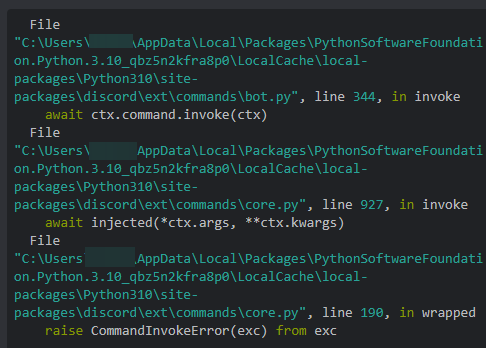 past gate
the error must be caused by something else then
slender lintel
Then iterate through the variable
slender lintel
slender lintel
Make a separate variable before you iterate in it
its becoz i called a func in for in statement
Did that fix it?
no i knew it
BuBut how to I don't
Basically
ids = db.dev_ids()
for item in ids:
 Do your stuff here
That's what I meant
slender lintel
slender lintel
That's what I meant
wait i think i have tried this
but i will again now wait.....
Alright
same err
If that doesn't work either.
ids = list(db.dev_ids())
for item in ids:
 Do your stuff here
That'll convert it into a list object
@past gate what's your thoughts on this?
same
err
What's the error again
past gate
slender lintel
<@208338448677994496> what's your thoughts on this?
sounds good
slender lintel
slender lintel
Your module must be doing something weird
same prob like me herehere: https://stackoverflow.com/questions/22633530/python3-typeerror-function-object-is-not-iterable
Stack Overflow
What change is required in the source code?
def Update():
print('\n')
print("Update")
cmd = os.system('xterm -e apt-get update')
print("Finish update")
def
I'm just confused how it takes your list object as a function
slender lintel
slender lintel
same prob like me herehere: https://stackoverflow.com/questions/22633530/python3...
recheck now
Right above the for loop can you print out that function and its type and send it here.
print(ids)
print(type(ids))
Whatever the variable was
slender lintel
slender lintel
Whatever the variable was
<class ''list'>
@slender lintel
@past gate
past gate
I am now AFK
supple ravineBOT
Set your AFK: No reason specified.
slender lintel
@slender lintel
 half marsh
slender lintel
half marsh
slender lintel
Are you sure your error was on that line?
slender lintel
My bad
slender lintel
slender lintel
Can you resend your current code
#list devs
    @slash_command(guild_ids=database.owner_guild_ids, name="list-devs")
    async def list_devs(self, ctx):
        """Shows bot devs"""
        if check.is_dev(ctx.author.id):
            num = 0
            devs_list = ""
            dev_ids = list(database.dev_ids())
            for dev_id in dev_ids:
                num += 1
                dev_mention = f"<@{dev_id}>"
                devs_list += f"`{num}.` {dev_mention}\n"
            dev_em = discord.Embed(description=devs_list, color=database.theme_color)
            dev_em.set_author(name=f"Devs List", icon_url="https://cdn.discordapp.com/emojis/979609228845129738.png?size=96")
            await ctx.respond(embed=dev_em)
        else:
            errorEm = discord.Embed(description=f":error: You are not authorized to use the command.", color=database.error_color)
            await ctx.respond(embed=errorEm, ephemeral=True)
What in the world
past gate
.
frigid elm
@commands.command(name="afk",description="afk")
    async def afk(self,ctx,reason = None):
        if reason == None:
            reason = "Reason not provided"


        data = await self.bot.pg_con.fetchrow("SELECT * FROM afk WHERE user = $1 AND guild = $2",str(ctx.author.id),ctx.guild.id)
        if data:
            if data[0] == reason:
                embed = discord.Embed(color=discord.Color.from_rgb(13,99,143),description="You are already afk with thtat reason!")
                await ctx.reply(embed=embed)
            await self.bot.pg_con.execute("UPDATE afk SET reason = $1 WHERE user = $2 AND guild = $3",reason,str(ctx.author.id),ctx.guild.id)
            em = discord.Embed(color=discord.Color.from_rgb(13,99,143),description=f"Updated reason to: `{reason}` ")

        else:
            await self.bot.pg_con.execute("INSERT INTO afk (user, guild, reason) VALUES ($1, $2, $3)",str(ctx.author.id),ctx.guild.id, reason)
            embed = discord.Embed(color=discord.Color.from_rgb(13, 99, 143),description=f"{ctx.author.mention} You are now afk for: `{reason}`")
await ctx.reply(emebd=embed)``` it says there's a syntax error after the last else statment near or at useri dont see any
slender lintel
slender lintel
```py
#list devs
@slash_command(guild_ids=database.owner_guild_ids, name="li...
Print dev_ids(the variable one)
frigid elm
ive been stuck on this for hours 💀
slender lintel
frigid elm
ive been stuck on this for hours 💀
Ik I saw you a while ago 💀
frigid elm
slender lintel
Ik I saw you a while ago 💀
imma pay u fr if u fix it
 orchid horizon
Hello, is there any possible ways you can make a parameter that is adjustable?
For example :
.pay {member} 2000
and
.pay 2000 {member}
I want to make a pay command which has 2 parameters and those parameters can switch place depending on the user input
past gate
frigid elm
i dont see any
send the error tracE?
frigid elm
past gate
send the error tracE?
slender lintel
slender lintel
it shows the lists
I'm officially confused
slender lintel
slender lintel
I'm officially confused
me too!
It shows the list. Says it's a list. But then it tells you it's a function
slender lintel
orchid horizon
Hello, is there any possible ways you can make a parameter that is adjustable?
...
You can detect if it's a number vs a string
slender lintel
slender lintel
It shows the list. Says it's a list. But then it tells you it's a function
plzz slove
me in tuis prob from morning
past gate
slender lintel
```py
#dev IDs
def dev_ids():
with open(f"{config_file_path}", "r") as confi...
look at your code
what if the file doesn't exist
the dev_ids call has to be returning None
slender lintel
past gate
what if the file doesn't exist
No no. It prints everything correctly
past gate
theres no other way
frigid elm
anyone knows whats wrong with mine?
slender lintel
past gate
what if the file doesn't exist

@past gate no joke. It prints everything fine. But says it's a function 💀