#General Help
1 messages · Page 10 of 1
 next bloom
 open bearBOT
 sudden path
b!rtfm pyc set_thumbnail
sudden path
b!rtfm pyc set_thumbnail
Best matches for set_thumbnail in pyc
sudden path
✨ Read the docs ✨
 rigid wave
Hi, how to fix that?
https://prnt.sc/WiJrk9vVuKVN
Use: bridge
This error appears when using the normal commands but slash command its work
Error: ```
'Context' object has no attribute 'respond'

 slow dome
rigid wave
Hi, how to fix that?
https://prnt.sc/WiJrk9vVuKVN
Use: ``bridge``
This error ap...
slow dome
rigid wave
Hi, how to fix that?
https://prnt.sc/WiJrk9vVuKVN
Use: ``bridge``
This error ap...
change ctx: comands.Context to just ctx
you are forcing it to be a commands.Context while it is actually a bridge context
rigid wave
slow dome
change ctx: comands.Context to just ctx
The same error appears
 slow dome
does it not work?
rigid wave
not work
rigid wave
slow dome
does it not work?
work now
This should be like this bot = commands.AutoShardedBot(.....) TO bot = bridge.AutoShardedBot(.....)
slow dome
gj
 regal jacinth
have any example to get application_id by name?
 unique glacier
Hi so I'm trying to dynamically set the options for a select menu through class variables though @discord.ui.select doesn't seem to have access to the class (dosen't have access to self). The code snipped bellow represents what I'm trying to do. Any way to get around this?
    def __init__(self, ctx):
        super().__init__(timeout=15)
        self.ctx=ctx
        self.feature = None
        self.options = []
        for feature in features:
            self.options.append(discord.SelectOption(label=feature["friendly_name"], description=feature["description"]))
    @discord.ui.select(
        placeholder = "Choose a feature to setup!", #
        min_values = 1,
        max_values = 1,
        options = self.options
    )
Can the options field access self?
slow dome
unique glacier
Hi so I'm trying to dynamically set the options for a select menu through class ...
what if you inherited from discord.ui.Select and added an instance of it with view.add_item
unique glacier
slow dome
what if you inherited from discord.ui.Select and added an instance of it with vi...
instead of initializing the variable in __init__ i just defined the variable in the class scope which seems to have fixed the issue without too much trouble
slow dome
that works
 half dust
Can someone please give me a list of reaction ids?
 inland acorn
#969691826078482442
rigid wave
Use : bridge in normal command not work how to fix?
https://prnt.sc/1Prgjl4y13vY

 worthy bobcat
how can i cache member in voice only?3
 sick stirrup
Application Command raised an exception: AttributeError: 'LinkageButtonsView' object has no attribute 'disable_all_items'
```Not sure why this is occuring. LinkageButtonsView is a subclass of `discord.ui.view.View()` supple ravineBOT
Controls the library's cache policy when it comes to members.
This allows for finer grained control over what members are cached.
Note that the bot's own member is always cached. This class is passed
to the ``member_cache_flags`` parameter in :class:`Client`.
Due to a quirk in how Discord works, in order to ensure proper cleanup
of cache resources it is recommended to have :attr:`Intents.members`
enabled. Otherwise the library cannot know when a member leaves a guild and
is thus unable to cleanup after itself.
To construct an object you can pass keyword arguments denoting the flags
to enable or disable.
The default value is all flags enabled.
.. versionadded:: 1.5
.. container:: operations
.. describe:: x == y
Checks if two flags are equal.
.. describe:: x != y
Checks if two flags are not equal.
.. describe:: hash(x)
Return the flag's hash.
.. describe:: iter(x)
Returns an iterator of ``(name, value)`` pairs. This allows it
to be, for example, constructed as a dict or a list of pairs.
Attributes
-----------
value: :class:`int`
The raw value. You should query flags via the properties
rather than using this raw value.``` gilded widget
sick stirrup
```py
Application Command raised an exception: AttributeError: 'LinkageButtonsVi...
gilded widget
sick stirrup
```py
Application Command raised an exception: AttributeError: 'LinkageButtonsVi...
should be just discord.ui.View
worthy bobcat
thx
inland acorn
inland acorn
https://discord.com/channels/881207955029110855/969691826078482442/9799708089255...
.
sick stirrup
gilded widget
should be just discord.ui.View
from discord.ui.view import View
```This is my import statementokay that works, was confused by what you said first
I'm assuming you're on a version that doesn't have the function
what version are you running
 rose shard
How to fetch data of selected from dname? (Its mongodb)
 inland acorn
rose shard
How to fetch data of selected from dname? (Its mongodb)
inland acorn
rose shard
How to fetch data of selected from dname? (Its mongodb)
selected is not under dname
rose shard
inland acorn
selected is not under dname
Yeah it isnt cuz selected has a different function
I mean can i use selected as a filter for the data of dname
 slender lintel
Hey how can I make it so that as soon as you select an option on the select menu, this option is deleted directly from the select menu history so that you can see the placeholder again
rigid wave
rigid wave
Use : ``bridge`` in normal command not work how to fix?
https://prnt.sc/1Prgjl4y...

next bloom
hey guys how can i check if an user has a role?
i was with ext.commands and now i'm trying bridge but i don't find anything related to roles on bridge
with ext.commands i was using the @commands.has_role decorator
 pulsar flint
when running the code:
    @bot.command()
    @commands.has_permissions(ban_members=True)
    async def ban(self, ctx, user: discord.Member, *, reason):
        await ctx.guild.ban(user, reason=reason)
i get the error:
gnoring exception in command ban:
Traceback (most recent call last):
  File "C:\Users\alexj\Desktop\EpicGiant Bot\venv\lib\site-packages\discord\commands\core.py", line 126, in wrapped
    ret = await coro(arg)
  File "C:\Users\alexj\Desktop\EpicGiant Bot\venv\lib\site-packages\discord\commands\core.py", line 853, in _invoke
    await self.callback(self.cog, ctx, **kwargs)
  File "C:\Users\alexj\Desktop\EpicGiant Bot\cogs\moderation.py", line 11, in ban
    await ctx.guild.ban(user, reason=reason)
  File "C:\Users\alexj\Desktop\EpicGiant Bot\venv\lib\site-packages\discord\guild.py", line 2907, in ban
    await self._state.http.ban(user.id, self.id, delete_message_days, reason=reason)
  File "C:\Users\alexj\Desktop\EpicGiant Bot\venv\lib\site-packages\discord\http.py", line 353, in request
    raise Forbidden(response, data)
discord.errors.Forbidden: 403 Forbidden (error code: 50013): Missing Permissions

The above exception was the direct cause of the following exception:

Traceback (most recent call last):
  File "C:\Users\alexj\Desktop\EpicGiant Bot\venv\lib\site-packages\discord\bot.py", line 993, in invoke_application_command
    await ctx.command.invoke(ctx)
  File "C:\Users\alexj\Desktop\EpicGiant Bot\venv\lib\site-packages\discord\commands\core.py", line 357, in invoke
    await injected(ctx)
  File "C:\Users\alexj\Desktop\EpicGiant Bot\venv\lib\site-packages\discord\commands\core.py", line 134, in wrapped
    raise ApplicationCommandInvokeError(exc) from exc
discord.errors.ApplicationCommandInvokeError: Application Command raised an exception: Forbidden: 403 Forbidden (error code: 50013): Missing Permissions
my bot and i have ban permissions. why do i get a missing permissions error message?
 crimson gale
idk but it seems to be tripping up when you try to ban someone with the bot
 gentle spire
is there any change using Selectmenu in 2.0.0rc1 version?
after update pycord to 2.0.0rc1 version
interaction failed when select
crimson gale
you need to respond to interaction
 proven plume
Hi, quick question
@bot.command()
@commands.is_owner()
async def delete(ctx, nombre):

    salon_del = await bot.fetch_channel(ctx.channel)#on prend le channel ou a eu la commande
    await salon_del.purge(limit=nombre)#on supp les messages (la var nombre c'est le nb messages supp)
    await salon_del.send(f"Ok,{ctx.author.mention}, j'ai supprimé{nombre} messages!", delete_after= 5.0)#on signale que c'est delete et on supp le message 5 sec apres
Traceback (most recent call last):
  File "C:\Users\celia\AppData\Local\Packages\PythonSoftwareFoundation.Python.3.10_qbz5n2kfra8p0\LocalCache\local-packages\Python310\site-packages\discord\ext\commands\bot.py", line 360, in invoke
    await ctx.command.invoke(ctx)
  File "C:\Users\celia\AppData\Local\Packages\PythonSoftwareFoundation.Python.3.10_qbz5n2kfra8p0\LocalCache\local-packages\Python310\site-packages\discord\ext\commands\core.py", line 927, in invoke
    await injected(*ctx.args, **ctx.kwargs)
  File "C:\Users\celia\AppData\Local\Packages\PythonSoftwareFoundation.Python.3.10_qbz5n2kfra8p0\LocalCache\local-packages\Python310\site-packages\discord\ext\commands\core.py", line 190, in wrapped
    raise CommandInvokeError(exc) from exc
discord.ext.commands.errors.CommandInvokeError: Command raised an exception: HTTPException: 400 Bad Request (error code: 50035): Invalid Form Body
In channel_id: Value "🍃・le-salon" is not snowflake.
and I dont understand the doc abt snowflake
gentle spire
crimson gale
you need to respond to interaction
yes I fix it by add callback, thanks
crimson gale
proven plume
and I dont understand the doc abt snowflake
basically channel id
proven plume
crimson gale
basically channel id
I know
 steady lotus
Is check_interaction() a good way to check if an interaction was pressed/exited etc
proven plume
@bot.command()
@commands.is_owner()
async def delete(ctx, nombre = 0):
    print(ctx.channel.id)
    salon_del = await bot.fetch_channel(ctx.channel.id)#on prend le channel ou a eu la commande
    await salon_del.purge(limit=nombre)#on supp les messages (la var nombre c'est le nb messages supp)
    await salon_del.send(f"Ok,{ctx.author.mention}, j'ai supprimé{nombre} messages!", delete_after= 5.0)#on signale que c'est delete et on supp le message 5 sec apres
salon_del = await bot.fetch_channel(ctx.channel)#on prend le channel ou a eu la commande this line is essentially useless
proven plume
already modify this
crimson gale
youre making an unnecssary api call when you already have the channel via ctx.channel
@proven plume ^
proven plume
crimson gale
youre making an unnecssary api call when you already have the channel via `ctx.c...
then?
how should I modify he codeN
now I have this error
discord.ext.commands.errors.CommandInvokeError: Command raised an exception: TypeError: '>' not supported between instances of 'str' and 'int'
Exception ignored in: <function _ProactorBasePipeTransport.del at 0x0000028050F84790>
crimson gale
remove the first two lines, replace salon_del with ctx.channel for the purge line and with ctx for the send line
rigid wave
rigid wave
Use : ``bridge`` in normal command not work how to fix?
https://prnt.sc/1Prgjl4y...
next bloom
is there any decorator like ```py
@commands.has_role(role_ID)
on bridge?checks from the commands extension work for any type of command
 ancient gazelle
Any help in how do I get date, time input from user? Using slash commands.
crimson gale
take string and parse it
 ancient stag
when i try to run my code, i get this error:
discord.errors.ExtensionFailed: Extension 'cogs.events' raised an error: ExtensionFailed: Extension 'cogs.help' raised an error: TypeError: 'type' object is not subscriptable
from this section of code
def __init__(self, help_command: "MyHelpCommand", options: list[discord.SelectOption]):
its List if youre using the typing module, just list if in 3.10+
it also seems youre not using 3.10
@ancient stag
ancient stag
i have pycord 2.0 installed
crimson gale
pycord version has nothing to do with your issue
we are talking about python versions right now
 ancient stag
 crimson gale
you need to import List from typing and use that as the type hint
ancient stag
ok, ive done that
crimson gale
show me the arguments again with the change applied
ancient stag
all of it?
ancient stag
def __init__(self, help_command: "MyHelpCommand", options: list[discord.SelectOption]):
TypeError: 'type' object is not subscriptable
change list to List
ancient stag
no longer outputting errors. thanks 
crimson gale
remember, you cant use the lowercase versions of list, tuple and whatever else might be affected as type hinting in versions below 3.10
to use them as type hinting you need to import them from the typing module
next bloom
how can i handle the errrors with bridge? i'm getting this error
AttributeError: 'BridgeCommand' object has no attribute 'error'
i'm trying like it was ext.commands tho
@restart.error
async def restart_error(ctx, error):
    if error == 'MissingRole':
     des = "Necesitas el rol <@&735506792494399638> para reiniciar el bot"
     color=discord.Color.red()
     name='Fallo al reiniciar'
     await embed(ctx, des, color, name)
    else:
     print(error)
 hushed basalt
Is there anyway to use @discord.ui.button on @commands.command without interactions?
Because when i use ctx.send they send a message but, the bot say interaction failed
 glass nova
What to do if send_audio_packet sends audio correctly but i hear "pttt" sounds instead of the actual audio
(that happens with encode=True, because if i pass in False i dont even hear the pttt sounds)
crimson gale
hushed basalt
Is there anyway to use `@discord.ui.button` on `@commands.command` without inte...
nope, gotta respond
 opal storm
Can anyone help me in #980112836330151946 been a while since I opened it
slender lintel
Hey how to set options as button in slash command?
Example Picture:
 hushed basalt
I can use the bot's edit_message through interaction.response.edit_message() so that the bot doesn't get an error that the interaction failed
crimson gale
choices
crimson gale
hushed basalt
I can use the bot's edit_message through `interaction.response.edit_message()` s...
or just pong(), some people have seen success using it
 terse plinth
slender lintel
Hey how to set options as button in slash command?
Example Picture:
terse plinth
slender lintel
Hey how to set options as button in slash command?
Example Picture:
you need to use options https://guide.pycord.dev/interactions/application-commands/slash-commands#options--option-types
Learn all about Slash Commands and how to implement them into your Discord Bot with Pycord!
slender lintel
terse plinth
you need to use options https://guide.pycord.dev/interactions/application-comman...
yeah i have see this but how i can this in a button ?
like a picture
hushed basalt
crimson gale
or just `pong()`, some people have seen success using it
that's not result
i will try to edit the bot message with interaction
slender lintel
terse plinth
learn from it and implement
How am I supposed to learn from something if I don't know how to make something else out of it? (No offense)
terse plinth
lol
terse plinth
slender lintel
How am I supposed to learn from something if I don't know how to make something ...
testing
try out things
read the docs
crimson gale
has to be the emoji itself or a unicode representation
ancient gazelle
Just asking if , /check @Role pings the role or not?
crimson gale
no
 frigid lark
the emoji itself?
crimson gale
anywhere where you can use rich text can have emojis
ancient gazelle
crimson gale
no
It doesn't ping right?
crimson gale
copy from there or use the emoji picker (iirc windows + comma)
crimson gale
ancient gazelle
It doesn't ping right?
it doesnt
ancient gazelle
Okay thank you
crimson gale
crimson gale
copy from there or use the emoji picker (iirc windows + comma)
do note however that depending on which ide you have, having emoji will mess up the spacing
frigid lark
can I not use it like :earth _ americas:
frigid lark
Its not a custome emoji
crimson gale
i know i just mentioned it for the sake of mentioning it
frigid lark
I dont get it...
crimson gale
https://www.compart.com/en/unicode/U+1F30D just use this
https://www.compart.com/en/unicode/U+1F30D
U+1F30D is the unicode hex value of the character Earth Globe Europe-Africa. Char U+1F30D, Encodings, HTML Entitys:🌍,🌍, UTF-8 (hex), UTF-16 (hex), UTF-32 (hex)
terse plinth
    @commands.Cog.listener()
    async def on_application_command_error(self, context:discord.ApplicationContext, exception):

        if isinstance(exception, commands.NSFWChannelRequired):
            await context.respond('> **Error : Command can only be run on channels marked NSFW**')
This is present in another cog from the original command
However, it doesnt run when the error does take place. The command just times out without responding
console is clear
frigid lark
crimson gale
https://www.compart.com/en/unicode/U+1F30D just use this
This one works, weird
terse plinth
terse plinth
```py
@commands.Cog.listener()
async def on_application_command_error(se...
is there some incorrect syntax?
crimson gale
frigid lark
This one works, weird
because the shortcut of using :thumbs_up: is a discord only thing
its not gonna get parsed by discord if its sent by bots
 prime frost
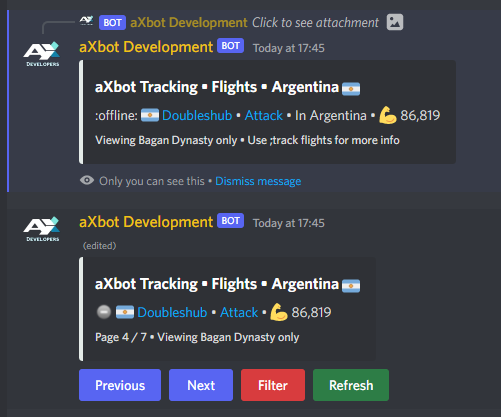
Anyone know why custom emojis arent working in ephemeral messages spawned by a dropdown menu in a particular server?
They work fine in one server but not in another, bot has admin perms in both
Server 1: https://cdn.no1irishstig.co.uk/sztqe.png


Please ping me in the response if anyone knows the solution, thanks
crimson gale
prime frost
Server 2:https://cdn.no1irishstig.co.uk/iplqr.png
does your bot have permission to use custom emojis originating outside of the server?
prime frost
I'd assume so since its working in Server 1, the emojis are from a different server completely (which the bot is in but none of the commands are ran there)
The emojis work in the second server for normal commands which dont have an ephemeral response
 crimson gale
¯_(ツ)_/¯
 tropic fractal
Does bot.before_invoke call for slash commands too?
I'd assume so considering its discord.Bot
tropic fractal
sweet
 limpid ginkgo
how do i register a slash command that only works in dms?
next bloom
how can i get the command given, i tried setting it on ctx but if the command doesn't exist, it throws a big error on ctx but a small error

this is the code
@bot.event
async def on_command_error(ctx, error):
    if error == 'MissingRole':
     des = "Necesitas el rol <@&735506792494399638> para reiniciar el bot"
     color=discord.Color.red()
     name='Fallo al reiniciar'
     await embed(ctx, des, color, name)
    else:
     des = f"Error: {error}"
     color=discord.Color.red()
     name=f'Fallo con el comando {ctx}'
     await embed(ctx, des, color, name)
youre going about checking what kind of error it is entirely wrong
it should be isinstance(error, commands.errors.MissingRole)
next bloom
on the if?
next bloom
yeah ty
crimson gale
hm i wonder
next bloom
i was going to fix that right after
crimson gale
is it possible to use a match-case statement to check for errors without needing elif?
 vague walrus
Hi there,
I have a problem where my PC (Windows 10) has pycord version 2.0.0b1 installed, but my Raspberry PI (Debian, Rasperry PI Desktop) only has verson 1.7.3. I work on the bot on my PC and some features I've implemented doesn't seem to work when ran on my PI (it acts like a server so I can turn off my PC at night). Is there a way to install a given version of pycord? I can't seem to find it on the website neither here, on Discord.
 zinc kraken
Commands do not work when I use cogs
main.py
import discord
from discord.ext import commands
import sys
import traceback
bot = discord.ext.commands.Bot(command_prefix="=")
# list
initial_extensions = [
'cogs.math',
'cogs.economy',
]
# load cogs
for extension in initial_extensions:
try:
bot.load_extension(extension)
except Exception as e:
print(f'Failed to load extension {extension}.', file=sys.stderr)
traceback.print_exc()```
math.py
```py
from discord.ext import commands
class Math(commands.Cog):
def __init__(self, bot):
self.bot = bot
@commands.command()
async def multiple(ctx, num1: int, num2: int):
await ctx.send(num1 * num2)
def setup(bot):
bot.add_cog(Math(bot))``` vague walrus
from discord.ext import commands


class Math(commands.Cog):
    def __init__(self, bot):
        self.bot = bot

  @commands.command()
  async def multiple(ctx, num1: int, num2: int):
      await ctx.send(num1 * num2)


def setup(bot):
    bot.add_cog(Math(bot))```
Make sure commands.command() is inside the class.In the same column as your __init__ function```py-cord==2.0.0b1
though you should upgrade to py-cord==2.0.0rc1
vague walrus
I see, thank you!!
zinc kraken
vague walrus
```python
from discord.ext import commands
class Math(commands.Cog):
def _...
thanks but it's trowing a different error when the command is run
Command raised an exception: AttributeError: 'Math' object has no attribute 'send'
vague walrus
In a cog every function's first arg must be 'self'. So your multiple function should be as follows:
async def multiple(self, ctx, num1: int, num2: int): [...]```Self represents the class itself
crimson gale
*instance
vague walrus
Ahh, my bad
zinc kraken
oh
do i need to add self to ctx.send?
crimson gale
no
vague walrus
nope
crimson gale
only when making a method for a class
zinc kraken
it's still trowing the same error
crimson gale
code please?
zinc kraken
    @commands.command()
    async def multiple(self, ctx, num1: int, num2: int):
        await ctx.send(num1 * num2)
Hey how would I set my help command to MinimalHelpCommand. I'm using discord.Bot
steady lotus
i was thinking
how crazy would it be to have dynamic slash commands
so i have an array of names
and each of those names become a command
i reached the part where i made the command
but actually getting the command in discord isnt working
 atomic thistle
Ignoring exception in on_typing
Traceback (most recent call last):
  File "C:\Users\User\AppData\Local\Packages\PythonSoftwareFoundation.Python.3.10_qbz5n2kfra8p0\LocalCache\local-packages\Python310\site-packages\discord\client.py", line 382, in _run_event
    await coro(*args, **kwargs)
TypeError: on_typing() takes 1 positional argument but 3 were given
I passed only one argument in the function, but it is saying I passed three. What do I do?
gilded widget
atomic thistle
```
Ignoring exception in on_typing
Traceback (most recent call last):
File "C...
you need to give it three parameters as shown in the docs
 verbal mango
why does this keep happening
 atomic thistle
ahh. I meant to do on_raw_typing. That's why I had passed one argument. thanks
verbal mango
its like multiple on_ready() are being constantly called
 finite cliff
how to import options?
 gilded widget
verbal mango
its like multiple on_ready() are being constantly called
gilded widget
verbal mango
its like multiple on_ready() are being constantly called
the docs say that it isn't guaranteed to be called only once due to the implemented reconnect logic
you'll need a way to make sure the task isnt running
i.e. use the is_running() method on the task
finite cliff
gilded widget
remove the s from Options
no the problem is in discord.commands
its not being recognized
gilded widget
you probably aren't on the right version then
check your pycord version
if its 1.7.3 then yeah, discord.commands doesn't exist there
 finite cliff
gilded widget
if its 1.7.3 then yeah, discord.commands doesn't exist there
finite cliff
gilded widget
if its 1.7.3 then yeah, discord.commands doesn't exist there
how can i update my pycord version?
gilded widget
yeah you definitely have the wrong pycord installed
uninstall that
pip install py-cord==2.0.0rc1
finite cliff
gilded widget
`pip install py-cord==2.0.0rc1`
That you sir :)
 craggy rapids
btw is that webhook or embed?

i wanna make something like that
i think its webhook ...
 ornate spade
it looks like a webhook message which contains an embed
craggy rapids
ornate spade
it looks like a webhook message which contains an embed
yea, btw does pycord support it?
ornate spade
of course
gentle spire
is there a way to delete ephemeral message?
or a way to get user who select SeleteMenu
 weak hearth
why doesn't this work?
 ornate spade
on_application_command_error
atomic thistle
How do I get all the default stickers of discord so that my bot can use them?
 agile roost

 frail olive
sorry, I just new to use about “help” channel. what is this cool things? how can I make a channel with only threads?
opal storm
Ok so I have this linux machine, and it has 3.9(pre installed) and I have python version 3.10, which I use for coding. I don't know why but some stuff does not work on the linux machine while it works fine on my pc. How can I upgrade it without it literally messing up the installation(since it then goes to initframs if I remove python3.9)
I don't wanna keep doing python3.10 everytime
opal storm
frail olive
sorry, I just new to use about “help” channel. what is this cool things? how can...
It's forum channels, only available to partnered servers as of now
sick stirrup
opal storm
Ok so I have this linux machine, and it has 3.9(pre installed) and I have python...
Do you get any errors?
or it just doesn't work?
rigid wave
Hi, Why show this error how fix?
'AutoShardedConnectionState' object has no attribute '_interaction'
 opal storm
sick stirrup
or it just doesn't work?
opal storm
sick stirrup
or it just doesn't work?
just doesn't work
and i'll just use python3.10 for the time being
 frank wadi
Does anyone know why it doesn't work?
    @slash_command()
    async def helper(self, ctx: commands.Context):
        embed = discord.Embed(title="help", description="helper1")
        embedd = discord.Embed(title="help", description="helper2")
        embeddd = discord.Embed(title="help", description="helper3")
        select = Select(
            placeholder="Wybierz Kategorie Pomocy",
            max_values=1,
            min_values=0,
            options = [
            discord.SelectOption(label="Informacyjne", description = "Wyswietl kategorie Informacyjne."),
            discord.SelectOption(label="Administracyjne", description = "Wyswietl kategorie Administracyjne."),

        ])
        async def thecallback(interaction):
            select.callback = thecallback
            view = View()
            view.add_item(select)
            await ctx.respond(embed=embed, view=view)
            if len(select.values) != 0:
                for choice in select.values:
                    if choice == "Informacyjne":
                        await interaction.respond.edit_message(content=embedd)
                    elif choice == "Administracyjne":
await interaction.respond.edit_message(content=embeddd)```Please??
 half marsh
frank wadi
Please??
half marsh
frank wadi
Please??
You dont set the callback inside the callback function
Also you dont set the view and respond inside the cb func
inland acorn
how to edit the followup message
 polar harness
heyy y'all, just a quick question
is the read message intent required if we wish something to be executed when pinged? (using the message.content method)
or are there any alternative ways to detect pings without that intent as well?
inland acorn
polar harness
is the `read message` intent required if we wish something to be executed when p...
if you dont have message_content intent, you can still access dm messages, messages in which bot is pinged n all
i read it somewhere but never tried
 low knot
is there a possibility to add app commands when right clicking a vc?
 crimson gale
nope
inland acorn
i sent a follow up message after using a slash command in ephemeral, can i send another ephemeral followup message after it?
crimson gale
low knot
is there a possibility to add app commands when right clicking a vc?
user or message only
inland acorn
inland acorn
i sent a follow up message after using a slash command in ephemeral, can i send ...
 half marsh
inland acorn
i sent a follow up message after using a slash command in ephemeral, can i send ...
half marsh
inland acorn
i sent a follow up message after using a slash command in ephemeral, can i send ...
Can you try to store the followup to a var
inland acorn
half marsh
Can you try to store the followup to a var
yes
can we edit it rather?
the followup message
half marsh
Maybe
half marsh
If you wanna do something after clicking the button, you can send respond, or interaction.message.edit
 limpid ginkgo
how do i edit slash command interaction message
 peak jacinth
How do I add discord.ext ? This is the error I get
slow dome
weak hearth
how do you make it so the user info part can't be clicked on?
message.interaction.author
slender lintel
limpid ginkgo
how do i edit slash command interaction message
interaction.response.edit_message ig
 ancient gazelle
How do I setup discord.Option() for roles?
half marsh
peak jacinth
How do I fix this error?
!install
 robust nebulaBOT
Install pycord:
pip uninstall discord.py
pip install py-cord
Install pycord beta:
pip uninstall discord.py
pip install py-cord==2.0.0b7
Install pycord alpha from git:
pip uninstall discord.py
pip install git+https://github.com/Pycord-Development/pycord
!option
ancient gazelle
AttributeError: module 'discord' has no attribute 'Bot'
Why does this happen at times?
inland acorn
ancient gazelle
AttributeError: module 'discord' has no attribute 'Bot'
did you uninstall discord.py?
ancient gazelle
yes
inland acorn
make sure u used py-cord, not pycord
inland acorn
all
ancient gazelle
cause a couple days back the code worked
Traceback (most recent call last):
File "d:/Prediction Bot/main.py", line 7, in <module>
bot = discord.Bot()
AttributeError: module 'discord' has no attribute 'Bot'
from discord.ext import commands
import discord
bot = discord.Bot()
ancient gazelle
can you give me the command for the git one.
inland acorn
!install
robust nebulaBOT
Install pycord:
pip uninstall discord.py
pip install py-cord
Install pycord beta:
pip uninstall discord.py
pip install py-cord==2.0.0b7
Install pycord alpha from git:
pip uninstall discord.py
pip install git+https://github.com/Pycord-Development/pycord
last
uninstall pycord too
there should be not any other conflicting package
how to edit en ephemeral message in button callback func
 ancient gazelle
inland acorn
there should be not any other conflicting package
ancient gazelle
inland acorn
there should be not any other conflicting package
thanks man. it helped a lot.
turns out I was using Python 3.7
my bad.
low knot
What is this called in the docs?

 jovial chasm
low knot
What is this called in the docs?
low knot
jovial chasm
low knot
What is this called in the docs?
low knot
And for messages?
low knot
Are there any tutorials or examples to follow and learn how they work?
supple ravineBOT
Here's the context menus example.
low knot
Thank you so much!
frank wadi
hi
what is wrong?
Traceback (most recent call last):
File "c:\Users\darkm\OneDrive\Desktop\Lambda Pycord\pycord.py", line 1, in <module>
from discord.ext import commands
File "C:\Users\darkm\AppData\Local\Programs\Python\Python310\lib\site-packages\discord\__init__.py", line 23, in <module>
from . import abc, opus, sinks, ui, utils
File "C:\Users\darkm\AppData\Local\Programs\Python\Python310\lib\site-packages\discord\abc.py", line 60, in <module>
from .voice_client import VoiceClient, VoiceProtocol
File "C:\Users\darkm\AppData\Local\Programs\Python\Python310\lib\site-packages\discord\voice_client.py", line 55, in <module>
from .gateway import *
File "C:\Users\darkm\AppData\Local\Programs\Python\Python310\lib\site-packages\discord\gateway.py", line 37, in <module>
import aiohttp
File "C:\Users\darkm\AppData\Local\Programs\Python\Python310\lib\site-packages\aiohttp\__init__.py", line 6, in <module>
from .client import (
File "C:\Users\darkm\AppData\Local\Programs\Python\Python310\lib\site-packages\aiohttp\client.py", line 35, in <module>
from . import hdrs, http, payload
File "C:\Users\darkm\AppData\Local\Programs\Python\Python310\lib\site-packages\aiohttp\http.py", line 7, in <module>
from .http_parser import (
File "C:\Users\darkm\AppData\Local\Programs\Python\Python310\lib\site-packages\aiohttp\http_parser.py", line 15, in <module>
from .helpers import NO_EXTENSIONS, BaseTimerContext
File "C:\Users\darkm\AppData\Local\Programs\Python\Python310\lib\site-packages\aiohttp\helpers.py", line 667, in <module>
class CeilTimeout(async_timeout.timeout):
TypeError: function() argument 'code' must be code, not str
PS C:\Users\darkm\OneDrive\Desktop\Lambda Pycord>``` dapper ibex
Testing out some localized commands and the names show up just as expected. But there seems to be some issues with discord's 'autocomplete' (not sure if Autocomplete means anything more special than string/pattern matching). Basically, it shows commands (localized) when I type in the default/English name, but it doesn't match the localized names.
Is there something more I need to do or is this a product of localization features being in early stages?
 slow dome
dapper ibex
Testing out some localized commands and the names show up just as expected. But ...
slow dome
dapper ibex
Testing out some localized commands and the names show up just as expected. But ...
I don't think there's anything you can do, maybe open an issue on discord's api docs
frank wadi
frank wadi
```py
Traceback (most recent call last):
File "c:\Users\darkm\OneDrive\Desktop...
.
 gleaming vale
Hi, quick question. Is it normal that the pictures detached to a respond to a slash command are black for all other people except the one who used the slash command?

 worthy basin
I think that just means that the image is loading
unique glacier
frank wadi
.
Something wrong with your installation Try installing https://pypi.org/project/py-cord/2.0.0rc1
 frank wadi
thanks i have
 spring badger
Meow
Anyone Here?
I have one issue \
I wannt to send nothing in Response to Slash command
how can I do that?
Cause ctx.defer() just says bot is thinking But, I want the bot to say nothing on Slash commands
@here
frigid lark
you can send a message and delete it after a second
 frigid lark
await ctx.respond("text", delete_after=1)
Ik :) I even did delete_after=0.0 this too works :)
But, Why Can't I just send nothing?
spring badger

 obsidian garnet
One message removed from a suspended account.
One message removed from a suspended account.
 crude temple
is there any way to get a user's email? There's no email attribute in discord.User
gilded widget
obsidian garnet
One message removed from a suspended account.
p.tag idw
supple ravineBOT
gilded widget
p.tag idw
Saying it doesn't work or asking what's wrong with this code? is not helpful for yourself or others.
Describe what you expect and/or tried (with your code), and what isn't going right.
Please provide any errors you get for optimal assistance.
gilded widget
crude temple
is there any way to get a user's email? There's no email attribute in discord.Us...
no
gilded widget
obsidian garnet
One message removed from a suspended account.
also, please use motor, the async version of pymongo
prime frost
Anyone know why custom emojis arent working in ephemeral messages spawned by a dropdown menu in a particular server but in normal commands invoked in the same server they do?
sudden path
prime frost
Anyone know why custom emojis arent working in ephemeral messages spawned by a d...
Does the everyone role has external emotes perms
prime frost
sudden path
Does the everyone role has external emotes perms
It did not, but it does now and thats fixed the problem.. thank you. any idea why this happens?
sudden path
Slash command responses are webhooks. And webhooks need external emotes perms, based off the everyone role.
prime frost
I see, but that wasnt from a slash command, it was a dropdown
sudden path
Any interaction response.
slow dome
crude temple
is there any way to get a user's email? There's no email attribute in discord.Us...
https://discord.com/developers/docs/topics/oauth2#shared-resources-oauth2-scopes
It requires oauth2.
Discord Developer Portal
Integrate your service with Discord — whether it's a bot or a game or whatever your wildest imagination can come up with.
finite cliff
how can i get message in channel from starting to last msg
gilded widget
finite cliff
how can i get message in channel from starting to last msg
last_message isnt always reliable though so it's best to just use TextChannel.history
finite cliff
gilded widget
last_message isnt always reliable though so it's best to just use TextChannel.hi...
aa np i just want to make transcript (making a ticket bot)
how can i get datetime of a msg when it send with a custom timezone?
inland acorn
how can i add a callback when someone dismiss a ephemeral message sent by my bot
is it even possible?
crimson gale
no
inland acorn
crimson gale
no
ok and i want to invoke a button callback when view timeouts, how to?
 fickle glacier
quick question: is it possible to get a users created at/joined at time as unix time?
half marsh
inland acorn
ok and i want to invoke a button callback when view timeouts, how to?
Execute the code under view.wait()
inland acorn
half marsh
Execute the code under `view.wait()`
ok but how to invoke a button callback?
half marsh
inland acorn
ok but how to invoke a button callback?
view.children[0].callback(ctx.interaction)
 inner iris
Is it possible to create a discord.Emoji just from a string like <:emoji_name:123456...>?
dapper ibex
So I'm getting the PrivilegedIntentsRequired error. I know that the fix is to enable it both in the code and in the developer portal. But my bot is verified so it's not possible to toggle the content intent on.
I've fully migrated to slash commands, but wanted to ease the transition with one or two traditional commands until the expiration date.
Does anyone know a solution for this apart from straight up applying for the intent?
inner iris
dapper ibex
So I'm getting the `PrivilegedIntentsRequired` error. I know that the fix is to ...
There is no other solution. No intent, no message content. Discord wouldn't have introduced the intents if we could bypass them, right?
dapper ibex
They were working yesterday though, before I switched over to pycord for this migration 🤔
crimson gale
its not a privileged intent yet. it will become such on august 31st
Developers
As the popularity and number of Discord bots grow, it's important to keep our users and developers safe and healthy. This means from time to time, like any maturing platform, we need to update our ...
@dapper ibex ^
dapper ibex
crimson gale
its not a privileged intent yet. it will become such on august 31st
Yes I'm aware, but discord's already preventing me from turning it on. This is what my mouse does when I try
 crimson gale
huh
dapper ibex
I have one idea, since my pre-migration code just needed the intent declared in-code. Maybe I just need to ignore the exception
crimson gale
oh yeah discord.py stable still uses api v9 which doesnt enforce the message content intent
dapper ibex
I was actually using discord.js but grew to hate js so I very painfully rewrote it in python
lol
crimson gale
ah, i see lol
i dipped my toes into the js side of making bots for a bit
that turned into alot of work and it just kinda fell off gradually
dapper ibex
Well I can except the exception but obviously that doesn't make it work. I started this at 5 am so I'm not smart right now.
I guess I'll just have to wait for discord to approve my request for one (1) command (if they'll even do that).
something something 'limitation breeds innovation'
ancient gazelle
Hey there community,
I know this might be a really dumb question but I want to make my bot as a sub class in my project. What I mean with that is that I want to have a driver code that can call functions of the bot. My bot is basically like an event listener and a few other commands.
My driver code listens for some events and triggers the discord functions accordingly. I tried using tasks.loop() but my driver code runs 24/7.
What i really want is to have my bot in form of a Class such as a cog and call certain functions if needed. Any help with that?
crimson gale
you can make it repeat at specific times
ancient gazelle
It's like a loop going through a list, so I don't want to disturb the flow of the loop if that makes sense.
 craggy flame
is there any maximum amount of choice in slash cmd option choice?
 slender lintel
I need that variable for something else 
slender lintel
crimson gale
no you dont
No no
something else
crimson gale
hm
slender lintel
for later use
crimson gale
mk
slender lintel
how to disable a select menu?
is it dropdown_variable.disabled = True?
I'm not using a class
crimson gale
yes
dont forget you have to edit the message with a new view containing the modified object
ancient gazelle
Any way of running the bot as an object of a class?
Like a cog but it is stand alone and does not require another class.
craggy rapids
btw why my task is never runned

no error shown
wait i need to start the loop
eh yes i started the loop but nothing happends too
 paper harbor
side question:
how do I disable a button after it was clicked
paper harbor
is someone invisible for me?
 craggy rapids
paper harbor
is someone invisible for me?
craggy rapids
paper harbor
is someone invisible for me?
actually no one answering our questions so
paper harbor
craggy rapids
actually no one answering our questions so
no, i got a ghost ping which stayed when i marked the chat as read
 stable tiger
I ve been getting same buggish behavior with Forum threads, I guess, not ready for public release 
slender lintel
how do i disable all the buttons in a view when i have reacted to one of them, i tried this but it doesnt work
    button1 = [x for x in self.children if  x.custom_id == "decline_trade"][0]
button1 = [x for x in self.children if x.custom_id == "accept_trade"][0]```Edit your message with updated view
slender lintel
half marsh
Edit your message with updated view
thats what i did, it doesnt disable all the buttons
half marsh
 steep verge
Huh? Can someone help me?
 sick stirrup
How do I catch exceptions which are not DiscordExceptions (an event that catches all exceptions?)
on_application_command_error catches exceptions as DiscordExceptions
sick stirrup
steep verge
Huh? Can someone help me?
communication_disabled_until returns None because they are not in timeout (whoever is the member in the member object)
steep verge
sick stirrup
`communication_disabled_until` returns `None` because they are not in `timeout` ...
Yeah it’s supposed to time them out before it gets the timestamp
sick stirrup
steep verge
Yeah it’s supposed to time them out before it gets the timestamp
Could you share the code block so I get some idea?
steep verge
sick stirrup
Could you share the code block so I get some idea?
No it’s alr I think I fixed it
sick stirrup
cool
sick stirrup
sick stirrup
How do I catch exceptions which are not DiscordExceptions (an event that catches...
Any idea on this one?
steep verge
sick stirrup
How do I catch exceptions which are not DiscordExceptions (an event that catches...
Try on_error maybe? I’m not sure tho
sick stirrup
steep verge
Try `on_error` maybe? I’m not sure tho
Not sure why the on_error is not getting triggered tho
I do have it in place
After looking at the docs, seems like it only gets triggered if an exception occurs in a .event() and not a command
frigid lark
how can I add reactions to a slash command message?
sick stirrup
frigid lark
how can I add reactions to a slash command message?
You mean, if I use /help and you want to add a reaction to that?
frigid lark
ye
sick stirrup
You can try ctx.message.add_reaction()
That is, if the ctx object has the message attribute.
 vocal crane
is there a way to make it so my slash command has more then 25 options??
or a way to make it so it's possible to filter between the selections of each option
sick stirrup
Have you had a look at choices? Maybe that's what you're looking for
https://docs.pycord.dev/en/v2.x/api.html#discord.Option.choices
slender lintel
Why isn't the bot writing? on_typing event
@bot.event
async def on_typing(channel, user, when):
    channels = bot.get_channel(980818985270509589)
    if type(channels) != discord.channel.TextChannel:
        await channels.trigger_typing()
maybe the type is TextChannel
slender lintel
All good i haved
atomic thistle
How do I make the bot repeat a task everyday at a certain time?
sudden path
Use tasks.
supple ravineBOT
Here's the background task asyncio example.
slender lintel
Is there a way to make some slash commands visible to specific roles or permissions?
client = discord.Client(debug_guilds=[965533467557371944])
client = discord.Client()

@client.event
async def on_ready():
    print(f"We have logged in as {client.user}")

@client.slash_command
async def hello(ctx):
    await ctx.respond("Hello!")```

'Client' object has no attribute 'slash_command' this is my error and google wont help me, whys it happening?ofc client.run is there just no in what i showed
 idle wagon
Hi on_member_join get invite code and inviter. Someone knows a reliable way to use?
In API i found this.

But in the pycord documentation I did not find an inviter? and code


 crimson coral
idle wagon
In API i found this.
crimson coral
idle wagon
In API i found this.
you're misunderstanding; the API structure you're referring to is an invite object itself
the member_add (or member_join) event, when fired, doesn't come with invite information
slender lintel
How can I query that something only happens to a certain category?
crimson coral
can you elaborate?
crimson coral
slender lintel
Is there a way to make some slash commands visible to specific roles or permissi...
roles: use the integrations tab
permissions: use default_member_permissions in the decorator. This can be overridden by whatever permissions you set in the integrations tab
crimson coral
slender lintel
```import discord
client = discord.Client(debug_guilds=[965533467557371944])
cli...
discord.Client doesn't support slash commands; you want discord.Bot
slender lintel
crimson coral
can you elaborate?
Yes, um, I have a Modmail support means the IDs are stored in a channel in the topic and now I have the on_typing event and I have to tell him somehow that he should only do it in this one category. I hope you understand me 
slender lintel
crimson coral
`discord.Client` doesn't support slash commands; you want `discord.Bot`
I changed it to discord.Bot im going to re send my code as im getting new errors
import discord
bot = discord.Bot(debug_guilds=[965533467557371944])
bot = discord.Bot()
@bot.event
async def on_ready():
print(f"We have logged in as {Bot.user}")
@bot.slash_command
async def hello(ctx):
await ctx.respond("Hello!")
Traceback (most recent call last):
File "C:\Users\jackd\Documents\Felbcord Py\main.py", line 2, in <module>
bot = discord.Bot(debug_guilds=[965533467557371944])
AttributeError: module 'discord' has no attribute 'Bot'
slender lintel
 crimson coral
slender lintel
Yes, um, I have a Modmail support means the IDs are stored in a channel in the t...
crimson coral
slender lintel
Yes, um, I have a Modmail support means the IDs are stored in a channel in the t...
i think you wanna check message.channel.category.id?
how did you install it before
slender lintel
crimson coral
how did you install it before
py -3 -m pip install -U py-cord
crimson coral
then do the same but with py-cord==2.0.0rc1
slender lintel
alr
slender lintel
crimson coral
i think you wanna check `message.channel.category.id`?
Mhmm i have tried this but this is not working.
@bot.event
async def on_typing(channel, user, when):
    topic = channel.topic
    category = discord.utils.get(channel.guild.categories, id=939910389536280577)
    if topic in category is None:
        print("No")
        if topic:
            member = channel.guild.get_member(int(topic))
            if member:
                await member.trigger_typing()
so:
    category = discord.utils.get(channel.guild.categories, id=939910389536280577)
    if topic in category is None:
        print("No")
I got a bunch of messages saying requirment already satisified
crimson coral
what was the final message
slender lintel
crimson coral
what are you trying to do here
I try to tell him to only do it in that category
crimson coral
i think you've approached it wrong
slender lintel
crimson coral
what was the final message
Requirement already satisfied: multidict<7.0,>=4.5 in c:\users\jackd\appdata\local\programs\python\python310\lib\site-packages (from aiohttp<3.9.0,>=3.6.0->py-cord==2.0.0rc1) (6.0.2)
Requirement already satisfied: idna>=2.0 in c:\users\jackd\appdata\local\programs\python\python310\lib\site-packages (from yarl<2.0,>=1.0->aiohttp<3.9.0,>=3.6.0->py-cord==2.0.0rc1) (3.3)
WARNING: You are using pip version 22.0.4; however, version 22.1.1 is available.
You should consider upgrading via the 'C:\Users\jackd\AppData\Local\Programs\Python\Python310\python.exe -m pip install --upgrade pip' command.
The final rough part
crimson coral
slender lintel
Requirement already satisfied: multidict<7.0,>=4.5 in c:\users\jackd\appdata\loc...
are you sure the bot is running on 3.10?
slender lintel
crimson coral
i think you've approached it wrong
I also think
slender lintel
crimson coral
are you sure the bot is running on 3.10?
How would i check
crimson coral
slender lintel
I try to tell him to only do it in that category
you should check if channel.category == category
slender lintel
crimson coral
you should check if `channel.category == category`
^
crimson coral
slender lintel
How would i check
in your bot's main file py import sys print(sys.version)
slender lintel
crimson coral
you should check if `channel.category == category`
@bot.event
async def on_typing(channel, user, when):
    topic = channel.topic
    category = discord.utils.get(channel.guild.categories, id=939910389536280577)
    if channel.category == category:
        print("No")
        if topic:
            member = channel.guild.get_member(int(topic))
            if member:
                await member.trigger_typing()
Is that correct?
crimson coral
slender lintel
```Py
@bot.event
async def on_typing(channel, user, when):
topic = channel.t...
hopefully; to clarify, if channel.category == category will be True if they're talking in the correct channel
slender lintel
crimson coral
in your bot's main file ```py
import sys
print(sys.version)```
added this code just bellow import discord and same error when tryna start it
crimson coral
slender lintel
added this code just bellow import discord and same error when tryna start it
add it at the top of your file so it runs first
slender lintel
crimson coral
hopefully; to clarify, `if channel.category == category` will be True if they're...
Good thanks 
slender lintel
crimson coral
add it at the top of your file so it runs first
same error
crimson coral
it should at least be printing the version, right?
slender lintel
yeah, 3.10.4
crimson coral
can you do py -3 -m pip list
slender lintel
crimson coral
can you do `py -3 -m pip list`
Package Version
aiohttp 3.7.4.post0
aiosignal 1.2.0
async-timeout 3.0.1
attrs 21.4.0
chardet 4.0.0
charset-normalizer 2.0.12
discord.py 1.7.3
frozenlist 1.3.0
idna 3.3
multidict 6.0.2
pip 22.0.4
py-cord 2.0.0rc1
setuptools 58.1.0
typing_extensions 4.2.0
yarl 1.7.2
crimson coral
completely uninstall discord.py and py-cord, then reinstall py-cord==2.0.0rc1
slender lintel
alr
slender lintel
crimson coral
completely uninstall `discord.py` and `py-cord`, then reinstall `py-cord==2.0.0r...
Sorry i forgot the command to uninstall them
what is it?
 crimson coral
uninstall...
slender lintel
crimson coral
uninstall...
Not sure if ive made progress here but ive now got Bot is not defined
import sys
print(sys.version)
import discord
bot = discord.Bot(debug_guilds=[965533467557371944])
bot = discord.Bot()
@bot.event
async def on_ready():
print(f"We have logged in as {Bot.user}")
@bot.slash_command()
async def hello(ctx):
await ctx.respond("Hello!")
crimson coral
you 100% sure that's the error...?
slender lintel
crimson coral
you 100% sure that's the error...?
I got it sorry, but PS C:\Users\jackd\Documents\Felbcord Py> py -3 main.py 3.10.4 (tags/v3.10.4:9d38120, Mar 23 2022, 23:13:41) [MSC v.1929 64 bit (AMD64)] Ignoring exception in on_connect Traceback (most recent call last): File "C:\Users\jackd\AppData\Local\Programs\Python\Python310\lib\site-packages\discord\client.py", line 352, in _run_event await coro(*args, **kwargs) File "C:\Users\jackd\AppData\Local\Programs\Python\Python310\lib\site-packages\discord\bot.py", line 793, in on_connect await self.register_commands() File "C:\Users\jackd\AppData\Local\Programs\Python\Python310\lib\site-packages\discord\bot.py", line 460, in register_commands await self.http.bulk_upsert_command_permissions( File "C:\Users\jackd\AppData\Local\Programs\Python\Python310\lib\site-packages\discord\http.py", line 338, in request raise HTTPException(response, data) discord.errors.HTTPException: 405 Method Not Allowed (error code: 0): 405: Method Not Allowed
It starts but i get this error
half marsh
slender lintel
Sorry i forgot the command to uninstall them
!install
robust nebulaBOT
Install pycord:
pip uninstall discord.py
pip install py-cord
Install pycord beta:
pip uninstall discord.py
pip install py-cord==2.0.0b7
Install pycord alpha from git:
pip uninstall discord.py
pip install git+https://github.com/Pycord-Development/pycord
use rc ver
slender lintel
half marsh
use rc ver
I got it installed already, is this a fix to my current issue?
unique glacier
idle wagon
Hi on_member_join get invite code and inviter. Someone knows a reliable way to u...
This is a discord limitation as they don’t keep track of the inviter. You would have to track this manually. https://pypi.org/project/DiscordUtils/ has a simple implementation
crimson coral
slender lintel
I got it sorry, but ```PS C:\Users\jackd\Documents\Felbcord Py> py -3 main.py
3....
is your bot in the guild id you're using
and did you invite with the applications.commands scope
slender lintel
crimson coral
and did you invite with the applications.commands scope
I did but i dont renember if i kicked and re-invited, is that needed?
 hearty rainBOT
If you get a Missing Access (50001) error, you probably forgot to add the applications.commands scope.
To fix that, just replace YOUR_BOT_ID with your bot id and visit this link: https://discord.com/oauth2/authorize?client_id=YOUR_BOT_ID&scope=applications.commands
slender lintel
crimson coral
you must invite with the necessary scope
Btw, Is there a way for me to have a slash command to change a users nickname to a specfic name
crimson coral
slender lintel
Btw, Is there a way for me to have a slash command to change a users nickname to...
if you get the member object from the command, you can do await member.edit(nick=...)
slender lintel
alright ty!
crimson coral
regal jacinth
https://github.com/Pycord-Development/pycord/blob/master/examples/app_commands/s...
the lowercase option is the @option decorator, while the uppercase Option is using discord.Option directly
the example only uses the decorator, but the direct implementation looks something like py async def test_command(ctx, text: discord.Option(str, "Example"))
or let's say for the last example on that link py async def say(ctx: discord.ApplicationContext, attachment: discord.Option(discord.Attachment, "A file to attach to the message", required=False))
slender lintel
crimson coral
if you get the member object from the command, you can do `await member.edit(nic...
@bot.slash_command(name = "nick", description = "Change nickname of a user")
async def nick(ctx, member: discord.Member, *, ):
if ctx.author.guild_permissions.administrator:
await member.edit(nick=Censored nickname)
else:
await ctx.respond("You do not have the permissions to use this command", ephemeral=True)
How would i sort this i have alot of errors and my aim isnt to nick a different name every time, I want to /nick (user) then it will nick to censored nick as this is for inappropriate nicks/invis names
 crimson coral
well you need to figure out the censorship logic yourself
inner iris
I am defining a class in a cog like this
class Cog(commands.Cog):
    def __init__(self, bot: commands.Bot):
        self.bot = bot

    class MyModal(discord.ui.Modal):
        def __init__(self, *args, **kwargs):
            super().__init__(*args, **kwargs)

        def callback(self, interaction):
            #do stuff
And my question is how I can access the bot object in the methods of MyModal.
Is that possible without passing the bot as an arg or kwarg to the class?
Or how would I in general access attributes and methods of the Cog?
slender lintel
crimson coral
well you need to figure out the censorship logic yourself
Hey sorry to bother you,
Traceback (most recent call last):
  File "C:\Users\jackd\AppData\Local\Programs\Python\Python310\lib\site-packages\discord\client.py", line 352, in _run_event
    await coro(*args, **kwargs)
  File "C:\Users\jackd\AppData\Local\Programs\Python\Python310\lib\site-packages\discord\bot.py", line 793, in on_connect
    await self.register_commands()
  File "C:\Users\jackd\AppData\Local\Programs\Python\Python310\lib\site-packages\discord\bot.py", line 286, in register_commands
    if key2 in match[key][i].keys():
IndexError: list index out of range```
I am getting this error and my commands have stopped working
```import sys
print(sys.version)
import discord
bot = discord.Bot(debug_guilds=[965533467557371944])
bot = discord.Bot()

@bot.event
async def on_ready():
    print(f"We have logged in as {bot.user}")

@bot.slash_command(name = "addslowmode", description = "Add slowmode to a channel")
async def slowmode(ctx, channel_id, amount: int):
    if ctx.author.guild_permissions.manage_messages:
        channel = bot.get_channel(int(channel_id))
        await channel.edit(slowmode_delay = amount)
        await ctx.respond(f"{channel} has been slowed to {amount} seconds :white_check_mark:", ephemeral=True)
    else:
        await ctx.respond("You do not have the permissions to use this command")

@bot.slash_command(name = "nick", description = "Change nickname of a user")
async def nick(ctx, member: discord.Member,*,name):
    if ctx.author.guild_permissions.administrator:
      await member.edit(nick= name)
      name = ["Censored"]
    else:
        await ctx.respond("You do not have the permissions to use this command", ephemeral=True)```

(Bottom command isnt finished)still figuring out the bottom command
regal jacinth
crimson coral
the lowercase `option` is the `@option` decorator, while the uppercase `Option` ...
ok thank
 hybrid canyon
Im getting this error and not sure why, it only occurs in VSCode, and not my server host

 slender lintel
Hey sorry to bother you,
```Ignoring exception in on_connect
Traceback (most r...
slender lintel
slender lintel
Hey sorry to bother you,
```Ignoring exception in on_connect
Traceback (most r...
I removed the bottom command and get the error about method not allowed although i re invited the bot
inner iris
hybrid canyon
Im getting this error and not sure why, it only occurs in VSCode, and not my ser...
just use discord.Intents.all()
instead of setting them all separately...
nvm, I thought intents are only used for those three...
crimson coral
well for that implementation, all is exactly what you want
you need to update to py-cord==2.0.0rc1 on your local machine too
slender lintel
crimson coral
you need to update to `py-cord==2.0.0rc1` on your local machine too
how?
vocal crane
sick stirrup
Have you had a look at `choices`? Maybe that's what you're looking for
https://d...
yeah but like the user cant search for a specific choice can he?
crimson coral
vocal crane
yeah but like the user cant search for a specific choice can he?
they can, it happens automatically
if you want more than 25 options use autocomplete instead
hybrid canyon
So whats the difference between py-cord==2.0.0rc1 and py-cord==2.0.0b
crimson coral
though note autocomplete isn't enforced, so you should have a check inside the command too
crimson coral
hybrid canyon
So whats the difference between `py-cord==2.0.0rc1` and `py-cord==2.0.0b`
rc1 is the latest release that's closest to the final 2.0 release
slender lintel
slender lintel
how?
h
vocal crane
crimson coral
if you want more than 25 options use autocomplete instead
and how can i do so?
supple ravineBOT
Here's the slash autocomplete example.
crimson coral
refer to that
slender lintel
crimson coral
refer to that
how do i update pycord on my local system
vocal crane
thanks
crimson coral
the same as you did on your server...?
hybrid canyon
slender lintel
how do i update pycord on my local system
py -m pip install py-cord==2.0.0rc1
slender lintel
hybrid canyon
`py -m pip install py-cord==2.0.0rc1`
dosent this just do it in the folder
hybrid canyon
run it in your terminal
crimson coral
i think we might have mixed up some feedback
@slender lintel can you paste the exact error you're getting
slender lintel
crimson coral
<@456226577798135808> can you paste the exact error you're getting
alright
steady lotus
using bot.get_application_command(), how would i get a slashgroup command
slender lintel
crimson coral
<@456226577798135808> can you paste the exact error you're getting
The error seems to be gone, Although when i do /nick (user) (name) it says application does not respond
crimson coral
didn't you remove the command
crimson coral
probably 25?
slender lintel
crimson coral
didn't you remove the command
I did, Then re added it and it worked not sure why it was
vocal crane
damnn so u cant have more then that alright
crimson coral
in autocomplete it doesn't matter since you're generating choices
vocal crane
oh alright
slender lintel
slender lintel
The error seems to be gone, Although when i do /nick (user) (name) it says appli...
@crimson coral
crimson coral
slender lintel
<@242367619431268353>
what is the command code here
slender lintel
crimson coral
what is the command code here
Traceback (most recent call last):
  File "C:\Users\jackd\AppData\Local\Programs\Python\Python310\lib\site-packages\discord\commands\core.py", line 126,
in wrapped
    ret = await coro(arg)
  File "C:\Users\jackd\AppData\Local\Programs\Python\Python310\lib\site-packages\discord\commands\core.py", line 856,
in _invoke
    await self.callback(ctx, **kwargs)
  File "C:\Users\jackd\Documents\Felbcord Py\main.py", line 23, in nick
    await member.edit(nick= name)
  File "C:\Users\jackd\AppData\Local\Programs\Python\Python310\lib\site-packages\discord\member.py", line 808, in edit    data = await http.edit_member(guild_id, self.id, reason=reason, **payload)
  File "C:\Users\jackd\AppData\Local\Programs\Python\Python310\lib\site-packages\discord\http.py", line 353, in request
    raise Forbidden(response, data)
discord.errors.Forbidden: 403 Forbidden (error code: 50013): Missing Permissions

The above exception was the direct cause of the following exception:

Traceback (most recent call last):
  File "C:\Users\jackd\AppData\Local\Programs\Python\Python310\lib\site-packages\discord\bot.py", line 993, in invoke_application_command
    await ctx.command.invoke(ctx)
  File "C:\Users\jackd\AppData\Local\Programs\Python\Python310\lib\site-packages\discord\commands\core.py", line 357,
in invoke
    await injected(ctx)
  File "C:\Users\jackd\AppData\Local\Programs\Python\Python310\lib\site-packages\discord\commands\core.py", line 134,
in wrapped
    raise ApplicationCommandInvokeError(exc) from exc
discord.errors.ApplicationCommandInvokeError: Application Command raised an exception: Forbidden: 403 Forbidden (error code: 50013): Missing Permissions
this is the error ^
async def nick(ctx, member: discord.Member,*,name):
    if ctx.author.guild_permissions.administrator:
      await member.edit(nick= name)
      name = ["Censored"]
    else:
        await ctx.respond("You do not have the permissions to use this command", ephemeral=True)```

command codenot sure if you can (may be worth raising this as an issue on the github?), but you can find subcommands in bot.walk_application_commands(); this is normally an iterator, but you could convert it with list()
steady lotus

crimson coral
actually
crimson coral
steady lotus
<:hmm:677880042851794944>
use get_application_command on the group but specify type=discord.commands.SlashCommandGroup
then access group.subcommands
hmm i wonder if there's a shorter way
slender lintel
slender lintel
```Ignoring exception in command nick:
Traceback (most recent call last):
File...
any idea
steady lotus
i think thats the only way
crimson coral
ah i see
subcommands aren't included in the internal application_commands and _application_commands lists
they're always invoked under group so i guess it was considered unnecessary
sick stirrup
sick stirrup
How do I catch exceptions which are not DiscordExceptions (an event that catches...
Any suggestions on this? @crimson coral
crimson coral
slender lintel
```@bot.slash_command(name = "nick", description = "Change nickname of a user")
...
your bot doesn't have permissions to edit the member's name
slender lintel
crimson coral
your bot doesn't have permissions to edit the member's name
💀 im dumb
crimson coral
sick stirrup
Any suggestions on this? <@242367619431268353>
uhhhhh as far as im await the various on_error events catch any exception that occurs during a command
unless im misunderstanding your question
sick stirrup
crimson coral
uhhhhh as far as im await the various `on_error` events catch *any* exception th...
application_command is catching that one
crimson coral
well yeah i was referring to any error handler you have; on_command_error, on_application_command_error etc
sick stirrup
For example, there's a 404 error from another lib, and the error is caught in on_application_command_error but the type() for that is the base discord exception class\
crimson coral
i don't think it requires DiscordException though?
e.g. i just made a dummy command and my error handler catches a generic typeerror just fine
sick stirrup
Let me try to show you some screenshots
crimson coral
as long as you know how to reference the error you should be fine
yeah that'd help
sick stirrup
Weird how it's starting to work now lol
@crimson coral
So, I tried the print debugging technique and found this:
<class 'discord.commands.errors.ApplicationCommandInvokeError'> is the Error cls of on_error
crimson coral
ahh now that we can work with
if you get ApplicationCommandInvokeError or CommandInvokeError, access error.original for the real error
sick stirrup
This is my testcase command
 sick stirrup
crimson coral
if you get `ApplicationCommandInvokeError` or `CommandInvokeError`, access `erro...
sick stirrup
crimson coral
if you get `ApplicationCommandInvokeError` or `CommandInvokeError`, access `erro...
ah, lemme check
crimson coral
i personally just rerun the error handler, but alternatively you can check for it at the start and handle that
e.g.
async def on_command_error(self, ctx, error):
    if isinstance(error, commands.CommandInvokeError):
await self.on_command_error(ctx, error.original)```Interesting
Thanks for that
crimson coral
all good
frank wadi
hi
i need help with a command
in discord.py its works
but in pycord ;//
@client.command(pass_context=True)
async def ostrzezenia(ctx, member: discord.Member = None):
if not member.guild_permissions.kick_members:
embed=discord.Embed(title="**Error 404**", description="Komenda działa tylko dla adminów! **Poprawna forma**: ``v!ostrzezenia <@admin>``", color=0xff0000)
embed.set_footer(text=f"Wywołane przez: {ctx.author.name}", icon_url=ctx.author.avatar.url)
await ctx.send(embed=embed, delete_after=5)
await asyncio.sleep(5)
await ctx.message.delete()
else:
guild = ctx.message.guild.id
rows = Database.rows("SELECT * FROM ostrzezenia WHERE UserID = ? AND Guild = ? ORDER BY ROWID ASC",
str(member), str(guild))
embed = discord.Embed(
ctx=ctx,
)
embed.set_thumbnail(url=member.avatar.url)
value = '\n'.join(f' >  `Ostrzeżenie z dnia:` **{row[3]}**\n >  `Przez Administratora:` **{row[0]}**\n >  `Powód Ostrzeżenia:` **{row[2]}**\n\n' for row in rows)
embed = discord.Embed(description=value, color=0xFE7D35)
embed.set_author(name="Lista Ostrzeżeń", icon_url="https://cdn.discordapp.com/emojis/979114000375763024.webp?size=96&quality=lossless")
await ctx.send(embed=embed)```Are you trying the prefixed command or slash commands?
frank wadi
Prefixed
sick stirrup
What's the error/excepted output? @frank wadi
frank wadi
no error
sick stirrup
Not sure how you got no error.
Try using print statements to try and debug the code
You'll find an error while using the "\n".join() on value.
You need to use a list/tuple to be able to use the list/tuple comprehension.
And I don't think discord.Embed(ctx=ctx) is valid .
sick stirrup
frank wadi
```py
@client.command(pass_context=True)
async def ostrzezenia(ctx, member: disc...
Try using print statements to see how your code executes and you might get an idea.
hybrid canyon
How can i stop this warning from appearing everytime i update/install/uninstall a module?

 mild hatch
I have a little problem making a group, if i place the group variable inside the class it gets created twice, but if i place it outside the class i get discord.errors.ApplicationCommandInvokeError: Application Command raised an exception: TypeError: Utilities.info_emoji() missing 1 required positional argument: 'ctx'


 rose stratus
how can i make a black space like this
 sudden path
Those are just codeblocks.
regal jacinth
rose stratus
how can i make a black space like this
use ```
rose stratus
ok thanks
 vagrant mortar
What could be the cause of an interaction to return "Interaction Unknown" when attempting to do a ctx.respond()?
supple ravineBOT
cogsReport/manager.py lines 109 to 122
async def assign(self, ctx, member: Option(discord.Member, "What user do you want to assign?"), _id: Option(str, "To which report do you want to assign the user?", autocomplete=get_server_reports)):
    """Server Admins only - Assign a member to a report."""
    if await isManager(ctx):
        report = await ReportFromId(_id, ctx)
        track_google_analytics_event("Assign", f"{report.report_id}", f"{ctx.interaction.user.id}")

        report.assignee = member.id

        await report.addnote(member.id, f"Assigned {report.report_id} to {member.mention}", ctx, ctx.interaction.guild.id)
        await report.commit()
        await report.update(ctx, ctx.interaction.guild.id)
        await ctx.respond(f"Assigned {report.report_id} to {member.mention}")
    else:
        await ctx.respond("You do not have the appropriate permissions to use this command.")```

 ornate fog
rose stratus
ornate fog
rose stratus
len(clinet.guilds) not len(client.guilds())
rose stratus
ok
obsidian garnet
One message removed from a suspended account.
ornate fog
obsidian garnet
One message removed from a suspended account.
min_length kwarg in InputText
obsidian garnet
ornate fog
min_length kwarg in InputText
One message removed from a suspended account.
obsidian garnet
ornate fog
https://docs.pycord.dev/en/master/api.html?highlight=discord%20ui%20inputtext#di...
One message removed from a suspended account.
ornate fog
NP
slender lintel
how do you do cooldowns in slash commands
 craggy rapids
paper harbor
no, i got a ghost ping which stayed when i marked the chat as read
craggy rapids
paper harbor
no, i got a ghost ping which stayed when i marked the chat as read
LoL, even im on android google croming my discord i never had this thing happend
sudden path
slender lintel
how do you do cooldowns in slash commands
The same way it works on commands.
supple ravineBOT
Here's the cooldown example.
 midnight orbit
ModuleNotFoundError: No module named 'dotenv'```
showing this forever trying to use .env...

i've already tried everything from https://stackoverflow.com/questions/59572174/no-module-named-dotenv-python-3-8
 steady lotus
Are command cooldowns any user per command or per user per command
 unique flume
did ephemeral go away for message send?? i could've sworn it was there before https://docs.pycord.dev/en/master/api.html#discord.TextChannel.send
inland acorn
how to invoke a slash subcommand?
gilded widget
as in like, through code?
there should be ApplicationContext.invoke if you're using cogs, otherwise you should just be able to call the function
 desert escarp
the first pic is the error i got and the second is my code can someone let me know what to do

 gilded widget
did you uninstall discord.py before installing pycord
 gilded widget
pls dont ping
make sure you install the latest version and not 1.7.3
do pip install py-cord==2.0.0rc1
desert escarp
gilded widget
pls dont ping
sorryyy
desert escarp
gilded widget
do `pip install py-cord==2.0.0rc1`
alright wait

alright did it
nothings happening now
no error code or nothing
but the commands still wont work
gilded widget
so no errors?
if you're using prefixed commands then you need to have the message content intent
 ebon spruce
Is there a fix?
async def command_not_found(self, cmd):

        ctx = self.context
        bot = ctx.bot
        return await ctx.deny(f"{cmd} does not exist")```
**ERROR**
AttributeError: 'TextChannel' object has no attribute 'news'```
desert escarp
gilded widget
if you're using prefixed commands then you need to have the message content inte...
hm
gilded widget
ebon spruce
Is there a fix?
```py
async def command_not_found(self, cmd):
ctx = se...
update to rc1
if that doesnt fix it then update to github master branch
desert escarp
gilded widget
if you're using prefixed commands then you need to have the message content inte...
i just watched the video tho and he didnt use any intents
gilded widget
videos are not accurate
What is Pycord?
this is a good place to get started w pycord
desert escarp
alright ill look into it
gilded widget
and docs
desert escarp
okii thank you
 opaque marsh
Ignoring exception in command lyrics:
Traceback (most recent call last):
File "C:\Users\shan's python work\PycharmProjects\da_pycord_botto\venv\lib\site-packages\discord\commands\core.py", line 126, in wrapped
ret = await coro(arg)
File "C:\Users\shan's python work\PycharmProjects\da_pycord_botto\venv\lib\site-packages\discord\commands\core.py", line 860, in _invoke
await self.callback(ctx, **kwargs)
File "C:\Users\shan's python work\PycharmProjects\da_pycord_botto\bot.py", line 386, in lyrics
await ctx.respond(embed=embed)
File "C:\Users\shan's python work\PycharmProjects\da_pycord_botto\venv\lib\site-packages\discord\commands\context.py", line 227, in respond
return await self.interaction.response.send_message(*args, **kwargs) # self.response
File "C:\Users\shan's python work\PycharmProjects\da_pycord_botto\venv\lib\site-packages\discord\interactions.py", line 686, in send_message
await self._locked_response(
File "C:\Users\shan's python work\PycharmProjects\da_pycord_botto\venv\lib\site-packages\discord\interactions.py", line 933, in locked_response
await coro
File "C:\Users\shan's python work\PycharmProjects\da_pycord_botto\venv\lib\site-packages\discord\webhook\async.py", line 211, in request
raise NotFound(response, data)
discord.errors.NotFound: 404 Not Found (error code: 10062): Unknown interaction
The above exception was the direct cause of the following exception:
Traceback (most recent call last):
File "C:\Users\shan's python work\PycharmProjects\da_pycord_botto\venv\lib\site-packages\discord\bot.py", line 993, in invoke_application_command
await ctx.command.invoke(ctx)
File "C:\Users\shan's python work\PycharmProjects\da_pycord_botto\venv\lib\site-packages\discord\commands\core.py", line 357, in invoke
await injected(ctx)
File "C:\Users\shan's python work\PycharmProjects\da_pycord_botto\venv\lib\site-packages\discord\commands\core.py", line 134, in wrapped
raise ApplicationCommandInvokeError(exc) from exc
discord.errors.ApplicationCommandInvokeError: Application Command raised an exception: NotFound: 404 Not Found (error code: 10062): Unknown interaction
im getting this bigass error
lemme send the code
holup
@client.slash_command(description="Get the lyrics to your favorite song >:)")
async def lyrics(ctx, song:Option(str, "Enter the name of the song for which you want the lyrics!")):
    song = urllib.parse.quote_plus(song)
    async with aiohttp.ClientSession() as lyricsSession:
        async with lyricsSession.get(
                f'https://some-random-api.ml/lyrics?title={song}') as jsondata:
            if not 300 > jsondata.status >= 200:
                return await ctx.send(f'Recieved poor status code of {jsondata.status}')

            lyricsData = await jsondata.json()  # load the json data into its json form

    error = lyricsData.get('error')
    if error:
        return await ctx.send(f'Recieved unexpected error: {error}')

    songLyrics = lyricsData['lyrics']  # the lyrics
    songArtist = lyricsData['author']  # the author's name
    songTitle = lyricsData['title']  # the song's title
    songThumbnail = lyricsData['thumbnail']['genius']
    for chunk in textwrap.wrap(songLyrics, 4096, replace_whitespace=False):
        embed = discord.Embed(
            title=songTitle,
            description=chunk,
            color=discord.Color.blurple(),
            timestamp=datetime.datetime.utcnow()
        )
        embed.set_thumbnail(url=songThumbnail)
        await ctx.respond(embed=embed)
der u go

crimson gale
it could be taking longer than 3 seconds to respond
have you tried deferring the interaction?
weak hearth
any1 know why i get this error?
 crimson gale
code
 reef iron
 ivory zenith
how do i make my command ephemeral?
ivory zenith
how do i make my command ephemeral?
Add ephemeral=True
await ctx.respond("Hello!", ephemeral=True)
reef iron
weak hearth
any1 know why i get this error?
I'd have to see your code, but you're probably updating a DB file and trying to assign values to it afterwards.
ivory zenith
hi, how do I sync the command for every guild that invited the bot, without needing to restart the bot? cuz rn if i invite the bot to a guild, i need to restart the bot in order to see the commands on that guild
reef iron
ivory zenith
hi, how do I sync the command for every guild that invited the bot, without need...
I guess you're using guild_ids=[...] in your commands?
If you remove that, a command becomes "global" so it can be used in every server.
weak hearth
reef iron
I'd have to see your code, but you're probably updating a DB file and trying to ...
 reef iron
I think there are 2 ways to fix this.
for result in serveractions.find({}):list(serveractions.find({}))
Your current code makes results a cursor object, not a list that you can use with a for loop.
weak hearth
Oh
weak hearth
reef iron
I think there are 2 ways to fix this.
1. `for result in serveractions.find({}):`...
like this then?
 reef iron
 weak hearth
Okii lmfao
reef iron
One or both of my solutions will work 
weak hearth
very confident i see 👀 😄
reef iron
The code isn't exactly complicated 

 reef iron
result[]
ivory zenith
reef iron
I guess you're using guild_ids=[...] in your commands?
Gonna check, thanks

 reef iron
the error you sent doesn't appear to be in your code
it also is easier to send a copy of your code rather than a screenshot
oh and this is a super simple error, you should also be able to fix it yourself
weak hearth
reef iron
oh and this is a super simple error, you should also be able to fix it yourself
bit confused lol is it a problem on the line 158 or another line?
reef iron
Your error states that the error is on like 158 results["Discord Invite"] but this isn't in the screenshot you sent.
 reef iron
please consider following starter courses Python
you have to be able to read a simple error like this
slender lintel
How do i add a space in the slash command name
reef iron
slender lintel
How do i add a space in the slash command name
You can only add spaces to context commands, not in slash commands
There are sub commands though.
slender lintel
How do u make sub commands
craggy rapids
btw how to get ctx author text channel id?
ctx.message.author.channel.id?
ctx.guild.channel.id?
ctx.channel.id?
ctx.message.channel.id?
reef iron
slender lintel
How do u make sub commands
read the docs or check examples
reef iron
craggy rapids
btw how to get ctx author text channel id?
ctx.message.author.channel.id?
ctx.g...
Do you mean the author of a message or...?
craggy rapids
reef iron
Do you mean the author of a message or...?
ummm
i mean like
grab the channel id from user when user use / cmd
uhhhh
simpliedly like i need to grab the channel id when a user use the commands
reef iron
craggy rapids
okie tryin
well it work but i got another question
ctx.message.author.guild_permissions.administrator
AttributeError: 'NoneType' object has no attribute 'author'
reef iron
slash commands don't have a message
craggy rapids
is it ctx.author.guild_permissions.administrator
reef iron
ctx.author, not ctx.message.author
reef iron
message = await ctx.interaction.original_message()
await message.add_reaction("👍 ")
steady lotus
If I want to register a command for all guilds the bot is in but not want to make them global how would I do that
 humble talon
steady lotus
If I want to register a command for all guilds the bot is in but not want to mak...
humble talon
steady lotus
If I want to register a command for all guilds the bot is in but not want to mak...
I guess you could use client.guilds
steady lotus
Hmm
humble talon
But as someone who had that exact idea, it's almost always better to use globals, there's also a limit on "local" ones
of like 100 I think
steady lotus
Does that work in cogs
steady lotus
humble talon
But as someone who had that exact idea, it's almost always better to use globals...
There's a limit of 100 global and 100 local
 desert dagger
best way of slash command groups in cogs? I'm doing this in a cog if that helps
https://guide.pycord.dev/extensions/commands/groups/
vs
https://guide.pycord.dev/interactions/application-commands/slash-commands/#subcommand-groups
Command groups are a way to create subcommands for your commands. For example, !afk set or `!afk
Learn all about Slash Commands and how to implement them into your Discord Bot with Pycord!
steady lotus
humble talon
How many servers is your bot in?
Not a lot atm, but I'm gonna have a lot of commands
humble talon
steady lotus
There's a limit of 100 global and 100 local
I mean a limit of 100 "local" servers you can provide the bot with, meaning when it gets verified you'll have to switch anyway
slow dome
desert dagger
best way of slash command groups in cogs? I'm doing this in a cog if that helps
...
In December 2020, Discord released their first interaction: the
desert dagger
Uh
 desert dagger
Nvm im dumb
slow dome
humble talon
I mean a limit of 100 "local" servers you can provide the bot with, meaning when...
You can have 100 commands, and each command can have up to 25 sub-command groups. Each sub-command group can have up to 25 sub-commands.
100 x 25 x 25 = 62.5k
if you wanted to count local commands, just double it
 inner talon
why isn't Client.get_message() working? it says 'Client' object has no attribute 'get_message'
slender lintel
Um i see your token, which Pycord version do you have?
opal storm
need help in #981191104751861790
 terse gazelle
Hello guys, I'm having some troubles importing Modal and InputText from discord.ui. I've inspected .ui but neither of those two are not included in. My version is 2.0.0b1
 sleek grove
slender lintel
Um i see your token, which Pycord version do you have?
sleek grove
slender lintel
Um i see your token, which Pycord version do you have?
1.7.3 i can reset the token
slender lintel
sleek grove
1.7.3 i can reset the token
Install pycord 2.0.0b7
reef iron
inner talon
why isn't Client.get_message() working? it says `'Client' object has no attribut...
Because it doesn't exist. Use await channel.fetch_message
sleek grove
slender lintel
Install `pycord 2.0.0b7`
How can i do that on pycharm
slender lintel
sleek grove
How can i do that on pycharm
In the cmd (terminal)
inner talon
reef iron
Because it doesn't exist. Use await channel.fetch_message
i only have a message ID to work with
sleek grove
slender lintel
In the cmd (terminal)
Works thx
I have a other question

Thats weird
slender lintel
yeah but this also working
frigid lark
b7 still have some bugs which are fixed in rc1
sleek grove
Now only that shows up
 slender lintel
frigid lark
b7 still have some bugs which are fixed in rc1
slender lintel
frigid lark
b7 still have some bugs which are fixed in rc1
With me everything works so far I can not complain so far
frigid lark
sleek grove
Now only that shows up
do you use ctx.send?
sleek grove
Yes
frigid lark
you need ctx.respond() for slash commands
 buoyant saddle
I have a question, there is a ctx.guild.owner , is there a ctx.guild.administrator ?
 delicate relic
Guys, i have a question how do i start a thread from a slash_command message, since ctx.respond doesn't work with create_thread()?
reef iron
create_thread can be used on either a text channel or a message
so just use ctx.channel.create_thread()
reef iron
buoyant saddle
I have a question, there is a `ctx.guild.owner` , is there a `ctx.guild.administ...
No, administrators are people with a role that has administrator permissions.
buoyant saddle
reef iron
No, administrators are people with a role that has administrator permissions.
Is there a way to change this code to has_permissions() ?
 slender lintel
How would i use interaction.response.send_message to send a message with buttons, For all i can see is that i can send it without as a regular message
I have a slash command that has a question then has button "next question" its a sereis of quetions
slender lintel
questions*
reef iron
@slender lintel I don't know your code but you could just use ctx.respond with a view too
slender lintel
reef iron
<@456226577798135808> I don't know your code but you could just use ctx.respond ...
Alright, Ill try that as well as sending the code
reef iron
GitHub
Pycord, a maintained fork of discord.py, is a python wrapper for the Discord API - pycord/confirm.py at master · Pycord-Development/pycord
slender lintel
ill loook at that
delicate relic
reef iron
so just use ctx.channel.create_thread()
I see i tested this and it's almost the same i have, but its this i want to achieve w/o having the interaction failed message https://i.imgur.com/4QcuFLk.png
 reef iron
you want to use ctx.respond and create a thread on the response?

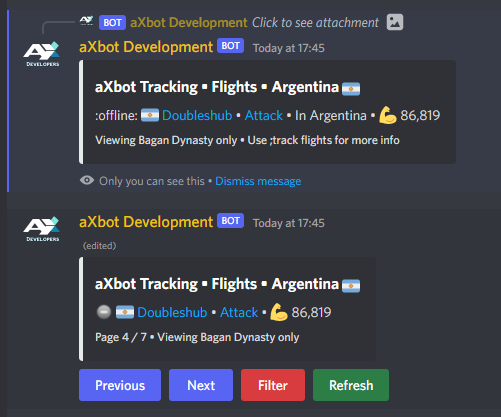

 reef iron
message = await ctx.interaction.original_message()
await message.create_thread()
delicate relic
this is how it looks
delicate relic
reef iron
message = await ctx.interaction.original_message()
await message.create_thread()
It worked, thank you for time and help
buoyant saddle
reef iron
yes,
Does that mean I have to re-write the whole function?
slender lintel
reef iron
https://github.com/Pycord-Development/pycord/blob/master/examples/views/confirm....
Sorry im still confused, class View(discord.ui.View):
 async def button_callback(self, button, interaction):
     await interaction.response.send_message("", ephemeral=True)


@bot.slash_command(name="staffapp", description="staff app questions")
async def button(ctx):
 await ctx.respond("Would you like to apply for staff?", view=View())
``` This is the code, But i dont want it to be a regular message it responds with i want a regular message with buttonsuse has_permissions
read the docs
reef iron
slender lintel
Sorry im still confused, class View(discord.ui.View):
``` @discord.ui.button...
your code literally has a button
assuming it is working code
slender lintel
reef iron
your code literally has a button
Yes the first question does, The code works but i want that code to respond to another message with a button messae
message
reef iron
you want to add a button to someone else's message?
slender lintel
reef iron
you want to add a button to someone else's message?
No, I will give an example of what im looking to do 1 sec
slender lintel
reef iron
you want to add a button to someone else's message?
(This is a staff app if your wondering lol)

I want to have when i click "Yes i do" to enter the next button message
reef iron
just repeat a respond or send
you'll also have to combine that with a wait_for('message') if you want the bot to do something with the age response
like fr look at the example, it's all there
slender lintel
reef iron
just repeat a respond or send
Well once you type ur age, you would click next question
slender lintel
reef iron
just repeat a respond or send
@discord.ui.button(label="Next Question", style=discord.ButtonStyle.primary, emoji=":white_check_mark:")
async def button_callback(self, button, interaction):
await interaction.response(Content="Why do you want to be staff at felbcord?", label="Next Question", view=View())
@bot.slash_command(name="staffapp", description="staff app questions")
async def button(ctx):
await ctx.respond("Would you like to apply for staff?", view=View()) ```
Sorry im not understanding, May you explain more? fresh brook
crimson gale
it could be taking longer than 3 seconds to respond
fresh brook
crimson gale
it could be taking longer than 3 seconds to respond
so if I call view.wait() and there is more than 3 seconds between view.stop(), the error pops up?
slender lintel
slender lintel
(This is a staff app if your wondering lol)
Anyone able to help? I've got my slash command saying the message with buttons but i want the "Yes i do" to go onto another question with a button.. I know i can have it so it responds to another message but i cant figure out how to add buttons..? Please help
paper harbor
slender lintel
Anyone able to help? I've got my slash command saying the message with buttons b...
could you elaborate on your question?
slender lintel
paper harbor
could you elaborate on your question?
I want the button to respond with another message when its clicked , but i want that message to to have a button and i showed an example of what i meant in the picture,
    @discord.ui.button(label="Next Question", style=discord.ButtonStyle.primary, emoji="✅", custom_id="Next1")
    async def button_callback(self, button, interaction):
         await interaction.response(Content="Why do you want to be staff at felbcord?", label="Next Question", view=View())


@bot.slash_command(name="staffapp", description="staff app questions")
async def button(ctx):
    await ctx.respond("Would you like to apply for staff?", view=View())

``` codeAh, ok. so simply add another button inside the callback. you could create a new view for the new message and a whole new button. if you don't want to make a whole new class, you could use this code as a short way of making a button:
testlol = discord.ui.Button(label=f"test",
            style=discord.ButtonStyle.green,
emoji="😁")```Hey sorry, What am i doing wrong here?

 paper harbor
the new button has to be in the callback
slender lintel
paper harbor
the new button has to be **in** the callback
Can you give me an example so i can understand better? Sorry if im being a pain
paper harbor
so i'm not doing the method of buttons your doing. you do with classes but i do just short boi code so here example of what i would do:
@lol.command()
async def lol(ctx):
  #BUTTON
  testlol = discord.ui.Button(label=f"test",
            style=discord.ButtonStyle.green,
            emoji="😁")
  #FIRST BUTTON CALLBACK
  async def testlol_callback(interaction):
    firstbuttonembed = discord.Embed(bla bla bla)
    #SECOND BUTTON
    testlol = discord.ui.Button(label=f"test",
            style=discord.ButtonStyle.green,
            emoji="😁")
    #SECOND BUTTON CALLBACK
    async def testlol2_callback(interaction):
      secondbuttonembed = discord.Embed(bla bla)
bla bla```Why are these errors occuring? I know unidendents ofc but i cant tell where to fix that.


I dont know if i messed it up or i am being stupid
paper harbor
so select the whole button1_callback and then press tab, to bring it up one tab and also tab the testlol button
tabs on discord are slightly off, so when you copy and paste, it pastes weird
slender lintel
alr
slow dome
slender lintel
I dont know if i messed it up or i am being stupid
I think it’s the latter
slender lintel
latter?
slender lintel
paper harbor
so select the whole button1_callback and then press tab, to bring it up one tab ...
Just brings more errors for it, I press tab to bring it to the left right
slow dome
first of all, view is not defined
slender lintel
slow dome
first of all, view is not defined
Yeah but whats the correct code? I dont wanna mess it up :/
paper harbor
it's gonna be hard to help cuz there's a no-code-giving rule except for tiny snippets
slender lintel
paper harbor
it's gonna be hard to help cuz there's a no-code-giving rule except for tiny sni...
I wouldnt copy it all though, Id just use it to know what to do then edit it all to fit what im doing, thats fine right
i dont wanna copy, I just wanna understand how to do it
slow dome
?tag ex
hearty rainBOT
Bot examples: https://github.com/Pycord-Development/pycord/tree/master/examples
Slash command/context menu examples: https://github.com/Pycord-Development/pycord/tree/master/examples/app_commands
Buttons, dropdowns example: https://github.com/Pycord-Development/pycord/tree/master/examples/views
slow dome
?tag guide
hearty rainBOT
The Official Guide for Pycord
slender lintel
slow dome
?tag guide
the button guide dosent tell me how to respond to buttons with messages with buttons
lol
slow dome
Learn all about implementing buttons in your Discord Bot using Pycord.
slender lintel
ty
slender lintel
slow dome
https://guide.pycord.dev/interactions/ui-components/buttons/#usage-syntax
Cant see anything about what i specficly need it just shows regular message responses, Is there another source that would guide me to have messages with buttons?
 zealous vapor
Is there a way to get all the messages in a channel?
slender lintel
slender lintel
Cant see anything about what i specficly need it just shows regular message resp...
@slow dome I need to know by tmr preferably (just a link that actualy helps)
slow dome
slender lintel
<@586743480651350063> I need to know by tmr preferably (just a link that actual...
it works wdym
these also are examples
slender lintel
slow dome
it works wdym
The link there only showed how to respond to buttons with normal messages, without buttons
Ill have a look at what u just sent
slow dome
you want to respond to it with a message with buttons?
slender lintel
slow dome
you want to respond to it with a message with buttons?
Yes
slender lintel
slender lintel
(This is a staff app if your wondering lol)
Basicly this
slow dome
just do it like
class View(discord.ui.View): # Create a class called View that subclasses discord.ui.View
    @discord.ui.button(label="Click me!", style=discord.ButtonStyle.primary, emoji="😎") # Create a button with the label "😎 Click me!" with color Blurple
    async def button_callback(self, button, interaction):
        await interaction.response.send_message("You clicked the button!", view = View2())

class View2(discord.ui.View): # Create a class called View that subclasses discord.ui.View
    @discord.ui.button(label="Click me!", style=discord.ButtonStyle.primary, emoji="😎") # Create a button with the label "😎 Click me!" with color Blurple
    async def button_callback(self, button, interaction):
        await interaction.response.send_message("You clicked the button!", view = View3())

...
it may not be the most efficient
slender lintel
lol ima read the code there so i can understand it for myself 😄
slender lintel
slow dome
just do it like
```py
class View(discord.ui.View): # Create a class called View...
Am i correct, I start the class just below my async def button(ctx):
slow dome
?
slender lintel
 slow dome
if you are creating a button instance, you create a button with
view = discord.ui.View()
view.add_item(discord.ui.Button(label="label", style=style=discord.ButtonStyle.primary, callback=corotine))
do you know object oriented programming
at all?
slender lintel
slow dome
at all?
I dont know if this is the same thing, I know a bit of css but if not no. I dont, Should i?
slow dome
you should probably learn object oriented programming before learning py-cord
slender lintel
slow dome
you should probably learn object oriented programming before learning py-cord
Whys that?
What does it help me with in coding bots
slow dome
py-cord uses object oriented programming
slender lintel
Alright, Does it take long to learn or?
slow dome
so if you don't know oop (for short), you will struggle
slow dome
slender lintel
Alright, Does it take long to learn or?
everyone is different
slender lintel
slow dome
everyone is different
True, Considering myself i will probably take longer than average
slender lintel
slow dome
so if you don't know oop (for short), you will struggle
Alright, What sources could i use to learn it?
slow dome
?tag lp
hearty rainBOT
Official Beginner's Guide: https://wiki.python.org/moin/BeginnersGuide
Official Tutorial: https://docs.python.org/3/tutorial/
Shortcuts:
https://wiki.python.org/moin/BeginnersGuide/NonProgrammers
https://wiki.python.org/moin/BeginnersGuide/Programmers
Learn Python:
https://automatetheboringstuff.com/ (for complete beginners to programming)
https://learnxinyminutes.com/docs/python3/ (for people who know programming already)
https://docs.python.org/3/tutorial/ (official tutorial)
http://python.swaroopch.com/ (useful book)
http://www.codeabbey.com/ (exercises for beginners)
slow dome
someone of these may help
slender lintel
slow dome
someone of these may help
Thanks
slow dome
np
slender lintel
sheesh is there a way to make this dark mode xD

my eyes 🤣
How can I make it send message.content only after it has already sent new_ticket_embed?

 clever lava
slender lintel
How can I make it send `message.content` only after it has already sent `new_tic...
clever lava
slender lintel
How can I make it send `message.content` only after it has already sent `new_tic...
this is not possible in the same embed
you can make another one or just send a regular message
slender lintel
clever lava
you can make another one or just send a regular message
My problem is it sends my Embed and Message.Content as soon as someone opens a ticket....
clever lava
oh
slender lintel
Yeah..
clever lava
then when do you want to message.content be sent
slender lintel
After the second message so after the ticket open
clever lava
guys
await role.edit()
what kind of parameters can i fit in this
await role.edit(color = discord.Colour.blurple())
this is an example
theres any more?
sudden path
b!rtfm pyc role.edit
open bearBOT
sudden path
b!rtfm pyc role.edit
Best matches for role.edit in pyc
discord.Role.edit
discord.VoiceClient.endpoint
discord.VoiceClient.send_audio_packet
discord.ext.commands.DefaultHelpCommand.get_destination
discord.ext.commands.MinimalHelpCommand.get_destination
discord.ext.commands.DefaultHelpCommand.get_ending_note
discord.ext.commands.MinimalHelpCommand.get_ending_note
discord.ext.commands.MinimalHelpCommand.get_command_signature
sudden path
b!rtfm pyc guil.create_role