#Basic Pycord Help
1 messages · Page 29 of 1
 modern trail
 sage tendon
good luck updating your code every time your bot is added to a server ;)
 shell radish
for testing, yeah
modern trail
lol yea. This bot will only ever be in one guild, but even so, I think i'll stop passing this in
sage tendon
yea, no point then
You can limit all of your bot's commands to one guild using the debug_guild_ids (i think) parameter in your bot definition
but thats not needed if its only ever in one server
modern trail
i see, cool. I appreciate knowing nonetheless
shell radish
sage tendon
You can limit all of your bot's commands to one guild using the debug_guild_ids ...
debug_guilds
 modern trail
difference between what and what?
sage tendon
method and function
modern trail
generally method is the term for a function that's part of a class, where function is a term for a function outside of a class, at the module level. Not sure if pycord docs are different here
sage tendon
hm, yea
shell radish
and decorators are functions
modern trail
inception functions
 olive ridge
Yo, guys this might be a very stupid question, but how do I get a user from user id? I had this running for a while and everything worked previously:
print(bot.get_user(771786002153996309).name)
but it suddenly stopped.
And the bot is of course defined like this bot=discord.Bot()
 little cobalt
olive ridge
Yo, guys this might be a very stupid question, but how do I get a user from user...
little cobalt
olive ridge
Yo, guys this might be a very stupid question, but how do I get a user from user...
at a command?
at a event?
olive ridge
little cobalt
at a command?
yes at a command
sage tendon
no intents?
olive ridge
sage tendon
no intents?
well I haven't specified anything regarding intents
I guess I should then
sage tendon
at least default, and depending on your use case, member intent as well
olive ridge
sage tendon
at least default, and depending on your use case, member intent as well
Yep that was the problem, thank you!
 weary meteor
technically 5 but these profiles all have a shit ton of data, like 80k lines of json kinda data
unfortunately there is no way to just get the names of the profiles so i need parse thru the data and get the name of these profiles fast enough to where the discord api doesnt time out
shell radish
ok, so you can make the user select their thing, then send the slash command
defer it and you parse the data and send it through a select menu
 halcyon hearth
Is there any way give custom names to a bool? (ie /set_status bool:online/offline string:blaah int:123)
sorry if this sounds stupid, im new to it
shell radish
halcyon hearth
Is there any way give custom names to a bool? (ie /set_status bool:online/offlin...
use choices and make two choices
halcyon hearth
shell radish
use choices and make two choices
thanks
 cedar snow
Is there anyway to move decorators of slash command into a discord.bot sub-class or some other better way to organize it?
i forgot about my nickname here lol
 dusk flume
Does Py-Cord support userapps? i have enabled it for my bot but doesnt seem to work properly
 pale scroll
how can I create a bot that if you send a video to the command "video_to_gif" this video will become a GIF
little cobalt
cedar snow
Is there anyway to move decorators of slash command into a `discord.bot` sub-cla...
Use cogs
 rapid jackal
is bot.get_guild(guildid) and interaction.guild the same?
little cobalt
rapid jackal
is bot.get_guild(guildid) and interaction.guild the same?
It both returns the guild, why should it not to be the same?
rapid jackal
how can I add this: git+https://github.com/Pycord-Development/pycord (the development Version) to my requirements.txt

GitHub
Pycord, a maintained fork of discord.py, is a python wrapper for the Discord API - Pycord-Development/pycord
 frail ocean
Can someone help?
 errant trout
rapid jackal
how can I add this: git+https://github.com/Pycord-Development/pycord (the develo...
errant trout
rapid jackal
how can I add this: git+https://github.com/Pycord-Development/pycord (the develo...
add it exactly like you pasted it
well, nearly: git+https://github.com/Pycord-Development/pycord.git
rapid jackal
errant trout
well, nearly: `git+https://github.com/Pycord-Development/pycord.git`
just paste it or do I need to write py-cord=git+https://github.com/Pycord-Development/pycord.git ?
rapid jackal
ok, thanks
frail ocean
frail ocean
Can someone help?
Pls
 lofty hedge
is there a limit on how much auto complete choices you can have
lofty hedge
awesome
 balmy dome
How to get the name of application command from discord.Interaction? I've searched the documentation, but I can't find anything.
sage tendon
discord.Interaction isn't for slash commands
it's discord.ApplicationContext
and it's ctx.command
little cobalt
@balmy dome ^
balmy dome
sage tendon
and it's ctx.command
Thanks for the reply.
modern trail
Hi, i was told that I could omit the guild_ids param when decorating slash commands and it'll register with all guilds by default, but when I tried, the commands weren't registered. Am I missing something? My decorator looks like @bot.slash_command() where bot is initialized like so: bot = discord.Bot(intents=Intents.all())
sage tendon
i really would not recommend Intents.all()
modern trail
oh really?
sage tendon
use default intents and add members / message content manually if you need it
all just makes your bot not work if you dont have all intents enabled on the developer page
modern trail
i assume that isn't related to the guild_ids issue though
sage tendon
yesterday, you didnt have the intents enabled
so i suppose you changed both and now it doesnt wrok
sage tendon
did you restart your discord after restarting the bot
modern trail
no, but i put the guild_ids param back and it registered the commands
sage tendon
show your code
modern trail
i'm not really sure what else is relevant to share
sage tendon
well your bots code because something is apparently weird that your slash commands dont register lol
how do you know they aren't registering, tho
modern trail
they dont show up in the menu that appears when typing the slash character. Then when i added the guild_ids param back and restarted the bot, the commands appeared in the menu lol
sage tendon
what if you keep your discord open and restart your bot without guild_ids passed?
Discord doesnt sync that often so the commands stay, and im curious if it works or if it shows an error
and again, try to avoid all intents unless you really need it / only enable those you need + default
modern trail
what are the default? idk which ones i need. still a little confused by intents, so i figured it wasn't any harm in having all of them. And are you asking that I restart my bot after omitting the guild_ids param again and see if the commands still show up in the menu?
sage tendon
default is everything but members, message content and presences
sage tendon
modern trail
what are the default? idk which ones i need. still a little confused by intents,...
they should not disappear unless you restart discord because of how shit discord's clientside command handling is
and yes
modern trail
lets find out i guess
i removed it from one of the commands and it still shows up with the rest
not too surprising
modern trail
it's a fair amount of code so I've tried to keep it to just some of it so it's not annoying to look through: https://paste.pythondiscord.com/PULQ
sage tendon
wtf is bot.start lol
modern trail
bot.run is a little hand wavey, i needed bot.start in order to manually start it asyncronously so I could have that try/finally block, as i wanted to properly close the db connection upon halting the bot
modern trail
correct, i provided 2 commands to see each. users in this case is what all the commands looked like at first
sage tendon
well the way you showed it, i dont see why it wouldnt work lol
like this should just, work
 errant trout
does it show up in settings > integrations
sage tendon
legit the only thing i could think of is the intents but that wouldnt make too much sense
but i did have someone have a similar issue before because they requested all intents but didnt have them enabled in the dev portal
modern trail
huh, didn't know that was a thing. and yes it does
bot has been running since this latest test, and the command is still registered
errant trout
intents don't matter for slash at all, they're unrelated
sage tendon
hm then it was just a weird niche case that time
modern trail
i have a feeling though, that if i add a brand new command, it won't register
sage tendon
modern trail
bot has been running since this latest test, and the command is still registered
and what if you run it? or does it just not show when doing /
modern trail
i've run the command too, it runs happily
i'm curious, if i add 2 new commands, one with guild_ids and one without, if one will register and the other won't
sage tendon
modern trail
i've run the command too, it runs happily
so
it works now?
errant trout
they all register unless you actually get an error in your console
modern trail
sage tendon
so
it works now?
well idk, i feel like now that it's registered it's registered
sage tendon
lol
well if it works it works
and if it still shows up after restarting discord then it, well, works 100%
modern trail
well not necessarily. If i continue omitting the param when i push this code to my bot in production which uses a completely different discord bot user, it has the potential to not register the commands
sage tendon
there is literally no reason for it not to work
your code is exactly how its supposed to be
and i mean just comment the command out, restart your bot and discord, then uncomment and restart both again
If it then shows up and works, then it works on your other bot too
modern trail
ok lets try it
frail ocean
self.shard_status = {}
    @commands.Cog.listener()
    async def on_shard_connect(self, shard_id):
        self.shard_status[shard_id] = "Connecting"

    @commands.Cog.listener()
    async def on_shard_ready(self, shard_id):
        self.shard_status[shard_id] = "Online"

    @commands.Cog.listener()
    async def on_shard_disconnect(self, shard_id):
        self.shard_status[shard_id] = "Offline"

    @commands.Cog.listener()
    async def on_shard_resumed(self, shard_id):
        self.shard_status[shard_id] = "Online"```
Sometimes it doesnt trigger the events or they stay offline
But the shard is onlineCan someone help
modern trail
after commenting out the /users command entirely, it no longer appears in the menu of commands
errant trout
...is there a problem with that?
modern trail
well now i've uncommented it out, and the command is failing to register
sage tendon
restart your bot, wait until it actually started, then restart your discord
(it helps to override on_ready so you know when its actually ready, im not sure if it prints smth by default)
modern trail
interesting, after restarting discord I do see the command again
sage tendon
yea, thats why i always say restart discord
modern trail
it's just odd that i never had to restart discord when including the guild_ids param
errant trout
you don't always have to, but command cache can be weird
sage tendon
because it never unregistered from that guild
sage tendon
errant trout
you don't always have to, but command cache can be weird
99% = always, i never needed not to restart i think lol
errant trout
i mean for me personally i don't need to restart for unsyncing and adding new commands
just kinda works
sage tendon
changing command options is the worst imo
NEVER updates
errant trout
if you actually run it then it forces an update
sage tendon
oh really? i always just took the "outdated command try again" as a "welp off i go to restart"
errant trout
that message means it's now updated yes
 high pilot
I was sending embed with an matplotlib image as set_image but the notification i get is of the image

can i somehow change it to embed notification?
 young skiff
high pilot
can i somehow change it to embed notification?
young skiff
high pilot
can i somehow change it to embed notification?
I think it is not possible
idk
high pilot
pretty sad 😦
sage tendon
yea discord just doesn't do that
high pilot
well can some higher up here convey it to them as a suggestion? might already be conveyed idk
sage tendon
Send discord an email and ask for it
high pilot
lol not sure they would take it up from a nobody
sage tendon
exactly
its really easy to do, but discord just doesnt
and i doubt they will anytime soon
(doesnt get them money)
 grizzled loom
whats this called/named when you check for channel permissions in code?
 sage tendon
https://docs.pycord.dev/en/stable/api/data_classes.html#discord.Permissions.send_messages_in_threads
Pycord
Some classes are just there to be data containers, this lists them. Unlike models you are allowed to create most of these yourself, even if they can also be used to hold attributes. Nearly all clas...
frail ocean
self.shard_status = {}
    @commands.Cog.listener()
    async def on_shard_connect(self, shard_id):
        self.shard_status[shard_id] = "Connecting"

    @commands.Cog.listener()
    async def on_shard_ready(self, shard_id):
        self.shard_status[shard_id] = "Online"

    @commands.Cog.listener()
    async def on_shard_disconnect(self, shard_id):
        self.shard_status[shard_id] = "Offline"

    @commands.Cog.listener()
    async def on_shard_resumed(self, shard_id):
        self.shard_status[shard_id] = "Online"```
Sometimes it doesnt trigger the events or they stay offline
But the shard is online
Can someone help pls?is there any way to make slash commands visible to certain roles?
sage tendon
What affects the slash command float notation?
a user was saying only 0,03 (example) worked for them, with a comma
0.03 on the other hand didn't
When I tried it, it was exactly reversed. If i click the used slash command, it shows a plain 3 where i typed 0,03, and a 0.03 where i typed 0.03
Is this tied to the discord language, or what does that depend on?
shell radish
probably client locale
errant trout
frail ocean
```py
self.shard_status = {}
@commands.Cog.listener()
async def on_shard...
sorry, i glanced through the code but i don't think there's anything strange on our side... perhaps add prints to see which ones fire and which ones don't?
weary meteor
how do i make command names have like a space, ive seen commands where its like /this that
frail ocean
errant trout
sorry, i glanced through the code but i don't think there's anything strange on ...
Wdym
errant trout
weary meteor
how do i make command names have like a space, ive seen commands where its like ...
command groups
 rugged lodgeBOT
Here's the slash cog groups example.
weary meteor
thank you :D
errant trout
frail ocean
Wdym
add a print inside each event so you can directly see which ones are being triggered
frail ocean
errant trout
add a print inside each event so you can directly see which ones are being trigg...
I have the same event in main.py aand it works
errant trout
...my point being that if you use the prints you can debug your issue
it's possible that there's some race condition or some other underlying issue, but i don't use shards to know what that could be
frail ocean
ok
grizzled loom
sage tendon
https://docs.pycord.dev/en/stable/api/data_classes.html#discord.Permissions.send...
Thank you. Mr. Tooth : D
weary meteor
        for i in channels:
            print(i)
            await ctx.guild.get_channel(i).delete()```

is there any reason this might not work? the print statement throws out the channel_id but the channel never gets deleted and theres no errorsthe channel isn't cached
but thatd be an error polly
check if the channel is !none first
or let them be printed
weary meteor
that should throw a NoneType error i had it happen before
itd say u cant use delete on NoneType
sage tendon
sage tendon
but thatd be an error polly
i know, thats why i said this
weary meteor
yep, imma print it out and also print the channels var and see what i get
weary meteor
yeah so the channels var does throw out a list as expected but the delete doesnt work for some reason still
sage tendon
print ctx.guild.get_channel
weary meteor
well shiet its apparently none
sage tendon
there you go
weary meteor
thats odd bc it really shouldnt be lemme send a snippet of code
channel = await ctx.guild.create_text_channel(f"${account-{acc_id}", category=discord.utils.get(ctx.guild.categories, id=1223137144286085250))
and then i slap the channel.id into a database
which is where i get the channels var from
sage tendon
if get is none, fetch it
weary meteor
and it prints out the id as it should but then its none
sage tendon
and make sure the id is right anyway
weary meteor
sage tendon
if get is none, fetch it
wdym by this
sage tendon
fetch_channel
sage tendon
sage tendon
and make sure the id is right anyway
.
 civic quiver
await interaction.send_message(embeds=[embed])
how do I send this message to a specific channel
 lofty parcel
civic quiver
`await interaction.send_message(embeds=[embed])`
how do I send this message to ...
lofty parcel
civic quiver
`await interaction.send_message(embeds=[embed])`
how do I send this message to ...
you get the channel and then use channel.send
interaction responses are only sent to where the interaction was invoked
civic quiver
I need to use interaction, without it the input text screen doesnt close
using the channel.send sends the message, but doesnt close the popup when i submit
"something went wrong"
lofty parcel
send two responses
shell radish
civic quiver
I need to use interaction, without it the input text screen doesnt close
you should just respond ephemerally saying "done!"
shell radish
lofty parcel
send two responses
"responses"
civic quiver
How would I find a user without "message"
class staffVerify(discord.ui.View):

    @discord.ui.button(label="Approve", row=0, style=discord.ButtonStyle.green)
    async def first_button_callback(self, button, interaction):
        guild = message.guild
        member = discord.utils.get(guild.members, name=username)
        await member.add_roles("verified")
is it possible to pass an input from a slash command into a button when pressed?
shell radish
halcyon hearth
is it possible to pass an input from a slash command into a button when pressed?
yes
halcyon hearth
how would i go about doing that?
shell radish
depends on how you use buttons
halcyon hearth
im kinda just following this https://guide.pycord.dev/interactions/ui-components/buttons
Learn all about implementing buttons in your Discord Bot using Pycord.
shell radish
do you know how classes work?
halcyon hearth
kinda
halcyon hearth
thx
 dark oak
How can I assign multiple views to a message?
 cloud bloom
dark oak
How can I assign multiple views to a message?
cloud bloom
dark oak
How can I assign multiple views to a message?
I believe you can't
what are you trying to do though?
 fresh sierra
dark oak
How can I assign multiple views to a message?
fresh sierra
dark oak
How can I assign multiple views to a message?
What do you mean by that ?
Like multiple button ?
sage tendon
it all has to be one view I believe
fresh sierra
Because you can still can everything in a class discord.ui.View
rapid jackal
I have a problem. When I execute this command with limit is a negative number the code changes the json entry to the negative limit. How can I fix the problem:
    async def settradinglimit(self, context, limit: Option(int, name="limit" ,description="Das neue Trading limit")):
        if limit < 0: # and (len(await db.get_all_trading_players()) > limit):

            await context.respond(embed=discord.Embed(
                title='❌ Fehler bei änderung',
                description='Das Trading Limit muss zwischen 1 und 50 liegen und es muss mehr Tradingspieler geben als den Limit',
                color=discord.Color.red()
            ), ephemeral=True)
        else:
            with open('json/bot.json', 'r') as f:
                data = json.load(f)

            data['trading_limit'] = limit

            with open("json/bot.json", 'w') as f:
                json.dump(data, f)

            await context.respond(embed=discord.Embed(
                title='✅ Erfolgreich geändert',
                description=f'Das Trading Limit wurde auf {limit} geändert',
                color=discord.Color.green()
            ), ephemeral=True)
return, else it'll just run through
wait my phone is formatting it weird
well, does it go into the initial if clause? or the else?
Use prints
or just set min_value=0 in the option
thats the easiest way
example

that way users cannot physically enter <1 or >12 in my example
rapid jackal
sage tendon
or just set min_value=0 in the option
oh I remember, thanks
 hybrid tinsel
what am i missing here? sending an attachment still results in it still printing
 shell radish
hybrid tinsel
what am i missing here? sending an attachment still results in it still printing
shell radish
hybrid tinsel
what am i missing here? sending an attachment still results in it still printing
do you have message content intents?
hybrid tinsel
shell radish
do you have message content intents?
oh i forgot to include intents

thanks LOL
sage tendon
why client and not bot
little cobalt
sage tendon
why client and not bot
if you only do events you dont need bot
sage tendon
I doubt they do
dark oak
fresh sierra
Like multiple button ?
Yes
sage tendon
dark oak
Yes
Make the view have multiple buttons
 solemn finch
is there a method of connecting a bot to multiple voice channels at once?
sage tendon
no
solemn finch
sadge, but thx for the answer
sage tendon
not inside any one server at least
solemn finch
yeah, I assume a workaround would be to have multiple bots, but that's spammy ig
sage tendon
what would you need it for
rapid jackal
I have this command here:
    @slash_command(
        name='sendleaguemsg',
        description='Sende die Ligen Nachricht'
    )
    async def slm(self, ctx):
        with open('json/bot.json', 'r') as f:
            data = json.load(f)

        await ctx.respond("Ligen Nachrichten wurden gesendet", ephemeral=True)

        channel: discord.TextChannel = self.bot.get_channel(data["leagues_channel"])

        with open('json/leagues.json', 'r') as f:
            leagues = json.load(f)

        for l in leagues:
            index = next((i for i, c in enumerate(l) if c.isdigit()), None)

            em = discord.Embed(title=f'{l[:-1]} {l[index:]}',
                               color=0x031C47)
            em.set_image(url="url")
            msg = await channel.send(embed=em)

            leagues[l]["statsmsg"] = msg.id
            with open('json/leagues.json', 'w') as f:
                json.dump(leagues, f, indent=4)
this command should send 5 messages, because I have 5 leauges in the leagues.json the messages should be "leauges 1", "leauges 2", "leauges 3", "leauges 4" and "leauges 5". But the Bot sends "leauges 1", "leauges", "leauges", "leauges" and "leauges", "leauges 2", "leauges", "leauges", "leauges" and "leauges" and so on. Somethimes there is only one message containing only "leauges" sometimes more
I didn't change the code since a month, where the command worked fine, I just updated pycord (I use the development version)
the leauges.json looks like this:
{
    "league1": {
        "teamlimit": 20,
        "teams": [],
        "statsmsg":
    },
    "league2": {
        "teamlimit": 20,
        "teams": [],
        "statsmsg":
    },
    "league3": {
        "teamlimit": 20,
        "teams": [],
        "statsmsg":
    },
    "league4": {
        "teamlimit": 10,
        "teams": [],
        "statsmsg":
    },
    "league5": {
        "teamlimit": 10,
        "teams": [],
        "statsmsg":
    }
}
i can't quite tell how that's happening, but why don't you send a single message with all 5 embeds?
rapid jackal
errant trout
i can't quite tell how that's happening, but why don't you send a single message...
how would this work?
errant trout
instead of embed, use embeds which is a list
rapid jackal
thanks, I will try this
errant trout
(also that last open / write should be outside the loop)
rapid jackal
still don't work
now the bots ends "leauge" some times then I can see 5 embeds with "leauges 1" to "leauges 5" but then these 5 embeds disappear and it looks the same like it was before
sage tendon
show your code
rapid jackal
rapid jackal
I have this command here:
```py
@slash_command(
name='sendleaguemsg'...
here
errant trout
it sounds like network issues because there's no reason for your command output to duplicate
sage tendon
rapid jackal
here
no, with the changes
rapid jackal
sage tendon
no, _with the changes_
    @slash_command(
        name='sendleaguemsg',
        description='Sende die Ligen Nachricht'
    )
    async def slm(self, ctx):
        with open('json/bot.json', 'r') as f:
            data = json.load(f)

        await ctx.respond("Ligen Nachrichten wurden gesendet", ephemeral=True)

        channel: discord.TextChannel = self.bot.get_channel(data["leagues_channel"])

        with open('json/leagues.json', 'r') as f:
            leagues = json.load(f)

        embeds = []

        for l in leagues:
            index = next((i for i, c in enumerate(l) if c.isdigit()), None)

            em = discord.Embed(title=f'{l[:-1]} {l[index:]}',
                               color=0x031C47)
            em.set_image(url="https://cdn.discordapp.com/attachments/1087719888677773382/1131242237771141270/formation.png")#

            embeds.append(em)

        msg = await channel.send(embeds=embeds)

        leagues[l]["statsmsg"] = msg.id
        with open('json/leagues.json', 'w') as f:
            json.dump(leagues, f, indent=4)
from the Discord API or my PC? because I tried running it at 2 different PCs and also 2 other peoples at a totaly different location than me and the problems are there too. (We discorvered the problem this morning)
sage tendon
i really wouldnt use the dev version for a prod bot tho
use stable if you expect a stable experience
rapid jackal
sage tendon
use stable if you expect a stable experience
yeah I know, but we switched to the dev because we needed a paginator feature from Om that wasn't implemented yet in the stable version
sage tendon
try on stable, if it works, its a library issue
and wait with using that paginator feature until it's out on stable
rapid jackal
does somebody know if this pr is in the stable version:
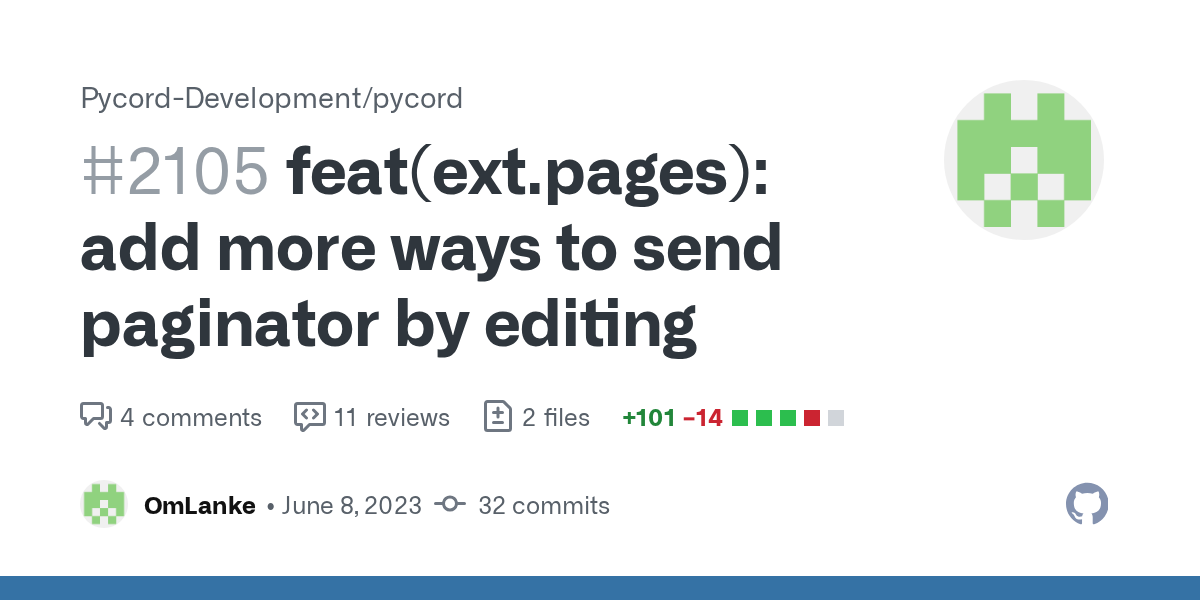
GitHub
Summary
Allows the Paginator to be sent using the edit methods offered by Interaction, ApplicationContext, and BridgeContext.
Also fixes #1877 by adding a new parameter user, when passing a Messag...
sage tendon
that PR was never merged
rapid jackal
damn, but why?
sage tendon
read the comments, idk
this referenced it tho
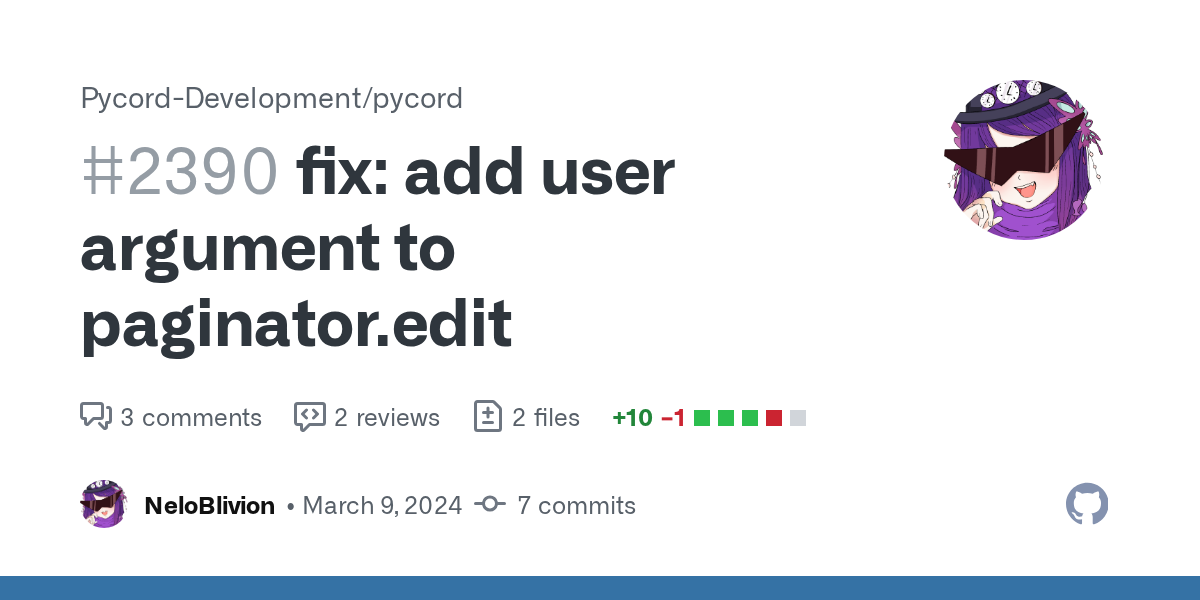
GitHub
Summary
Fixes #2381
Paginator.edit sets self.user to the message author... but since you can only edit your own messages, user is set to the bot and so breaks author_check. This changes it so you c...
rapid jackal
oh like this is the same?
sage tendon
read the comments / initial PR text and find out
 round heart
Say I want to use a standard emoji as Author for Embeds. That only uses a straight icon_url instead of an Emoji class. Is the best way just to grab it from the Twemoji repo or something?
shell radish
round heart
Say I want to use a standard emoji as `Author` for Embeds. That only uses a stra...
yeah, grabbing from the twemoji repo would be the best. Do you need a link or something?
round heart
shell radish
yeah, grabbing from the twemoji repo would be the best. Do you need a link or so...
Thanks. I know the URL to the repo, was just validating the approach

 hard kettle
@tasks.loop(seconds=5.0)
async def on_message(message):
  channel = 134
   await message.channel.send("heklo")
Is this possible
fresh sierra
I heard that we can restrict emoji to some role, where can I find this in the doc ?
shell radish
fresh sierra
I heard that we can restrict emoji to some role, where can I find this in the do...
no
fresh sierra
shell radish
no
We can’t restrict can’t of emoji for certain role ?
sage tendon
It is documented
discord.Emoji i believe
but there is defo no way to do it in the UI
No idea if bots can use it
 shell radish
fresh sierra
We can’t restrict can’t of emoji for certain role ?
shell radish
fresh sierra
We can’t restrict can’t of emoji for certain role ?
you can, it's documented, but clients can do some wonky stuff
fresh sierra
Yep it’s in the edit my bad
fresh sierra
shell radish
you can, it's documented, but clients can do some wonky stuff
Wdym by wonky stuff
shell radish
also that was like a year ago, so maybe they fixed it?
sage tendon
its probably intended only for server subscription emojis
errant trout
no, role restricted emojis have been documented since the endpoint was created
rapid jackal
how can I add a message over the paginators embed?
 compact estuary
is it possible to have a button on followup embed?
in the docs the @discord.ui.button method takes 3 parameters one of which is a slash command
so uhh this is confusing me https://guide.pycord.dev/interactions/ui-components/buttons#usage-syntax
Learn all about implementing buttons in your Discord Bot using Pycord.
sage tendon
compact estuary
is it possible to have a button on followup embed?
attach the view to the embed lol
sage tendon
embed message*
sage tendon
compact estuary
so uhh this is confusing me https://guide.pycord.dev/interactions/ui-components/...
yea, thats exactly how you do it
compact estuary
sage tendon
attach the view to the embed lol
class ConfirmationView(View):
            def __init__(self):
                super().__init__()
            @discord.ui.button(label="Confirm", style=discord.ButtonStyle.success)
            async def confirm(self, button_interaction: discord.Interaction):
                update_build(submission_id, update_values)
                await button_interaction.response.edit_message(
                    embed=utils.info_embed('Success', 'record edited successfully'),
                    view=None
                )
                self.stop()

            @discord.ui.button(label="Cancel", style=discord.ButtonStyle.danger)
            async def cancel(self, button_interaction: discord.Interaction):
                # Inform the user that the update was canceled
                await button_interaction.response.edit_message(
                    embed=utils.info_embed('Cancelled', 'record edit cancelled'),
                    view=None
                )
                self.stop()
        await followup.send(embed=preview_embed, view=ConfirmationView(), ephemeral=True)
you are missing an argument
compact estuary
so in confirm() and cancle() there should be a third argument
sage tendon
copy the docs
compact estuary
but what should i give it
compact estuary
the docs give it a slash command but the buttons appear on follow up
compact estuary
but i want it*
compact estuary
the docs give it a slash command but i want the buttons appear on follow up
sage tendon
i have no idea what makes you think that lol
just attach the view to the followup message
...send(content, embed=embed, view=ConfirmationView)
or whatever you want in there
compact estuary
did that but like there is a missing arg so the buttons are just failing
sage tendon
compact estuary
so uhh this is confusing me https://guide.pycord.dev/interactions/ui-components/...
again, copy this
a button callback has 3 parameters
compact estuary
this really doesn't help but ok
sage tendon
what do you not understand then
you are just not giving the button callback function the right amount of parameters
it needs 3
self, button, interaction
for the object, the button that was pressed, and the actual button interaction
compact estuary
i don't understand what i should put in the third argument
sage tendon
compact estuary
i don't understand what i should put in the third argument
copy the guide
it doesnt matter what you name it even
it just needs to exist
and i mean, you need it to do your button stuff
the second argument is just button, not the interaction like you have it in your code
I never really used it either
I think you understood how it works and you just omitted the second parameter
but you cant do that because its positional and not kwargs
errant trout
compact estuary
the docs give it a slash command but i want the buttons appear on follow up
when you are using a @button decorator in a View class, there are 3 arguments:
self, which is the view class.button, which is the button that was pressedinteraction, which is the recieved interaction
idk where you got slash command from, but that's what you work with
sage tendon
i already said that tho :3
errant trout
good for you
compact estuary
this is a slash command if i have ever seen one
@bot.slash_command() # Create a slash command
async def button(ctx):
    await ctx.respond("This is a button!", view=MyView()) # Send a message with our View class that contains the button
You explained it terribly
sage tendon
they are doing what i said
errant trout
that is a slash command yes
sage tendon
attaching the view to the message
sage tendon
lofty parcel
You explained it terribly
i literally said exactly what nelo said in very slightly different words, here #1132206148309749830 message
compact estuary
errant trout
that is a slash command yes
soo?? the button argument isn't assigned "the button that was pressed" it is assigned a slash command..
what do you even mean by the button that was pressed
sage tendon
no, it isnt
errant trout
????
sage tendon
the button is part of a view
the view is sent with the message that is sent in response to the slash command
errant trout
button is literally the button the user pressed, e.g. if you were to print button.label inside that callback you'd see the button text
idk how much more clearer that can be
im genuinely curious as to how you're seeing that as slash command data
compact estuary
nvm i don't even want to get it working at this point
sage tendon
(views can be sent in any context, in response to an event, by a prefix command, etc)
i mean we are trying our best to explain how it works lol
compact estuary
somehow i still don't understand what i should assign in the second argument
compact estuary
sage tendon
i mean we are trying our best to explain how it works lol
i can see that
compact estuary
i'm clearly dumb
errant trout
the name doesn't matter in the end, it'll always be the arguments we listed
sage tendon
you can largely ignore the second element tho, its rarely used imo
but the order is important, the third argument, whatever you call it, is always the interaction
here is my bot's confirm view as an example

as you can see i never touch the second argument, because i dont care about the button data basically
compact estuary
so this?
 sage tendon
yes
compact estuary
that won't work the embed that has the buttons will never get sent
sage tendon
?
you send it via a slash command or whatever should trigger that embed + buttons
you pass it via the view= parameter in a message send()
compact estuary
compact estuary
is it possible to have a button on followup embed?
.
sage tendon
again, just attach the view to the followup message lol
add view=ConfirmationView() to the followup-sending
compact estuary
a
 compact estuary
that won't work the embed that has the buttons will never get sent
compact estuary
compact estuary
that won't work the embed that has the buttons will never get sent
h
sage tendon
...what?
compact estuary
compact estuary
a
if i have it like this the follow up is never sent
sage tendon
man lmao im missing something here
well, you never clal that function
plus, followup is not defined anywhere or a parameter
where even is that function
can you tell me the order of operations for the user
like what they do & what happens
compact estuary
so they run a command named edit with record id and new values then initially the db is automatically updated but now i want to show them the new embed before updating the db
so now
-run command with new values
-confirm or cancel changes
-db updated
sage tendon
show your command code
compact estuary
sage tendon
that
is a shitton of options
wow
are you doubly sure you are using py-cord and not discord.py
i am almost certain you are using discord.py because most of that looks very much not like pycord to me
little cobalt
;3
 errant trout
yeah wrong server
sage tendon
now we know why it didnt make sense
sage tendon
compact estuary
why are there 2 apis even
there are a lot more than 2
errant trout
compact estuary
why are there 2 apis even
it's a long story
little cobalt
also isnt dpy using tree commands instead of slash/app_command?
compact estuary
errant trout
it's a long story
i'm invested
sage tendon
dpy syntax is so bad my goodness
errant trout
tree is a structure but they're still referred to as slash/app, some other differences
compact estuary
am i reading the correct docs?
little cobalt
which docs?
sage tendon
https://pycord.dev/ are "ours"
 compact estuary
i don't think i am then
errant trout
compact estuary
i'm invested
eh long story short it used to be mainly dpy, after discord introduced slash commands the owner didn't like the direction and decided to halt development, tons of forks such as ours were created to continue it then some months later they came back to continue with the original
compact estuary
h
errant trout
dpy's is https://discordpy.readthedocs.io/, and if you want support then go look up their discord server
 umbral gazelle
Is it possible to start video stream?
sage tendon
i don't think so
errant trout
bots cannot use video no
umbral gazelle
sage tendon
i don't think so
😥
compact estuary
sage tendon
switch to pycord
uh it is not really my code tbh
sage tendon
i know, its chatgpt
compact estuary
no
sage tendon
yea i know dw, chatgpt would cry at that amount of coherent code
compact estuary
it is made by two people
sage tendon
but yea if you wanna try making a bot yourself, i highly suggest py-cord
its really straightforward imo
compact estuary
nah i'll pass c# my beloved
sage tendon
lala found a friend
compact estuary
i am going to suggest changing the current library to the current maintaner 🗿
rapid jackal
how can I add a message over the paginators embed?
grizzled loom
rapid jackal
how can I add a message over the paginators embed?
you mean like a normal text message sent into the same channel? or something else?
rapid jackal
grizzled loom
you mean like a normal text message sent into the same channel? or something els...
let me try to describe it better. I have a paginator with embeds as pages. but I want on top of the embed a text. Like in the same message, but a text above the page embed that stays there when I switch a page
when this is the current paginator message, I want a text above the embed where the red circle is
 grizzled loom
Okay, never tried something alike. next best thing i can think about would be a picture top right corner, that can be included in every page. doesn't sound like you were looking for such an option though.
rapid jackal
or is it possible to add a embed and a "normal" text to a page?
yea solved it with this: pages.append(Page(content="Message I want over the embed", embeds=[embed]))
fresh sierra
how can i get in which shard the instance is running ?

like a bot.shard_id
    @tasks.loop(minutes=1)
    async def role_level_loop(self):
        await self.bot.wait_until_ready()
        for guild in self.bot.guilds:
            if guild.shard_id != self.bot.shard_id:
                continue
does something like this will work (i dont find the documentation about that so
sage tendon
Hey I saw this post #1226541894113431663 and I was wondering, genuinely, how do you manage this?
I tried my best with autocomplete rn but it seems impossible to make a list of textchannels for the autocomplete (itll just show every channel regardless)
my test server doesnt have any announcement channels (cant make one just nvm it) so i tried instead by making it just show 1 particular channel
but since the option type in the slash command is textchannel, itll still show every textchannel there is

I tried faking a channel selection by just making it optionchoices, like this

but for some reason, that will end up in this error (the option has the type int)

i thought channel IDs were normal ass ints, so how does this happen? the channel id is 924757855624646667
is it just not possible to transfer entire channel IDs via autocomplete like that?
 nova epoch
My guess would be that you're trying to fake it and Discord somehow detects it. Have you tried it with an actual channel object?
sage tendon
not possible
optionchoices can only be str, int, float
And if i make the type of the option textChannel, it just ignores the autocomplete
i can't do choices either because i can't access ctx
nova epoch
Then honestly, no idea, apologies.
sage tendon
np
i tried as float but then it ends up as 9.xxxxxxx
i could probably salvage that somehow, let me try that
but that seems incredibly janky
like i could just * 1000000 that
nova epoch
Could you not try it as float but then round it to ndigits=0 so there's no decimal?
sage tendon
oh wait, hm
its not a comma number its just the scientific notation
yea no if i do it as float is inaccurate when i convert it back to int
god this is awful lmao
Okay I made it work by using a string for the channel ID instead
errant trout
discord doesn't accept large ints (which is why all snowflakes on the API are string, despite us using int)
sage tendon
yea i was very confused
so you can pass SOME channel IDs as ints because they're small enough
who tf made the API use int53? thats so random
errant trout
isn't it just a js limitation
9007199254740991 is the MAX_SAFE_INTEGER
which converts to the start of 2015, before discord was even founded
sage tendon
How to feature certain slash commands on the bot's profile?
Like some other bots have a set of their commands on the bot profile and you can just click them too i think
little cobalt
sage tendon
How to feature certain slash commands on the bot's profile?
?tag slashcommandmention
 limber wagonBOT
</full name:ID>
little cobalt
maybe this works
 little cobalt
mhm
sage tendon
ah
civic quiver
How would I go about integrating official automod for my bot, like for it to show up on the automod section for server settings. Is it just using on_message and creating a list of banned words? or is it a different process
lofty parcel
civic quiver
How would I go about integrating official automod for my bot, like for it to sho...
It is creating automod rules
.rtfm Guild.create_auto_moderation_rule
 sly karmaBOT
civic quiver
sly karmaBOT
civic quiver
where is the documentation for that
lofty parcel
Right above you.
civic quiver
its not on my screen can u send it again
lofty parcel
Pycord
Models are classes that are received from Discord and are not meant to be created by the user of the library. Attributes key, url. Methods def is_animated, async read, def replace, async save, def ...
fresh sierra
how can we convert the helpcommand of the prefix for the slash one ?
for i can filter the commands for each
sly karmaBOT
6 results
discord.ext.bridge.Bot.walk_application_commands
discord.Bot.walk_application_commands
discord.ext.commands.AutoShardedBot.walk_application_commands
discord.AutoShardedBot.walk_application_commands
discord.ext.commands.Bot.walk_application_commands
discord.ext.bridge.AutoShardedBot.walk_application_commands
lofty parcel
Pycord
Bots: Attributes activity, allowed_mentions, application_flags, application_id, auto_sync_commands, cached_messages, cogs, debug_guilds, description, emojis, extensions, get_command, guilds, intent...
 red mist
this used to look fine, did something change about how discord displays embeds or atleast code blocks within embeds?
 sage tendon
different phone?
looks like the max width was changed by 3 characters or so
if it was using the entire width before
sage tendon
embeds on mobile are just pain
sage tendon
oh
red mist
its just how I screenshotted ig
sage tendon
idk what made me think that lol
but yea
let me fix that then
embeds are pain
But e.g. you can't use Multiline strings within your code that are indented. it'll be broken on mobile but look as intended on desktop, so you have to fully unindent any Multiline strings at least in embeds
sage tendon
they might've fixed that by now but it was definitely an issue before
sage tendon
bruh
red mist
 sage tendon
why is it so slim on desktop, which traditionally has a lot more width than mobiles
red mist
idfk exactly my question
fresh sierra
lofty parcel
.rtfm walk_application
so there are no possibility to use the default one ?
because i need also to filter depending on what the user can do or not
and with the walk i cannot filter that
sage tendon
fresh sierra
and with the walk i cannot filter that
why wouldn't you be able to
red mist
# Create a markdown table of the pings
            max_len_host = max(len(str(host)), 4)  # 4 is the length of "Host"
            max_len_latency = max(max(len(str(latency)) + 2 for latency in pings), 7)  # 7 is the length of "Latency"

            table = "| {0:<{1}} | {2:<{3}} |\n| {4} | {5} |\n".format(
                "Host", max_len_host, "Latency", max_len_latency,
                "-" * max_len_host, "-" * max_len_latency)
thats how I make my table ig
fresh sierra
sage tendon
why wouldn't you be able to
i tlak about this
self.help_command.filter_commands
sage tendon
ah
fresh sierra
for it only show what the user can use
sage tendon
red mist
```py
# Create a markdown table of the pings
max_len_host = max(len(...
no f String?
also why do you call max(max()) once lmao
red mist
my man
i dont remember programming that
idk what I was on
I dont even know how the fk I managed to make that
errant trout
fresh sierra
so there are no possibility to use the default one ?
you can simulate filter_commands by running cmd.can_run on all your commands
fresh sierra
errant trout
you can simulate `filter_commands` by running `cmd.can_run` on all your commands
o thanks you !
errant trout
a slightly simplified version of that func ```py
...
async def predicate(cmd):
try:
return await cmd.can_run(context)
except CommandError:
return False
    ret = []
    for cmd in commands:
        valid = await predicate(cmd)
        if valid:
            ret.append(cmd)
    return ret```you can see the full code [here](<https://github.com/Pycord-Development/pycord/blob/master/discord/ext/commands/help.py#L547>), just adapt it for your own purposes
but where does it ever receive a user argument to check the can run on
I'm missing something here
errant trout
context
fresh sierra
errant trout
a slightly simplified version of that func ```py
...
async def p...
thanks you i will try
sage tendon
errant trout
context
oh
but it never is passed that context
errant trout
that snippet is inside filter_commands under the HelpCommand class, which has its own context
sage tendon
ah
fresh sierra
is there an easy way to get number of command in /, so addition of command, sub command and sub sub commands ?
nova epoch
@fresh sierra | You said command a few times too many in that, not too sure what you mean....
You can access every command object using py for i in bot.commands and then using i as the command object.
Other than that, not too sure what you could be referring to...
fresh sierra
nova epoch
<@1118670495466934274> | You said command a few times too many in that, not too ...
i talk about slash command and not prefix, with prefix we can do len(self.bot.commands), and i wanna know if there are the same kind of thing with slash that also contain sub and sub sub
nova epoch
You want to access every slash command a bot has?
I would suggest using py for i in bot.commands: in addition to py if _isinstance(i, discord.SlashCommandGroup) to check if there could be subcommands, and just making a tree out of those.
fresh sierra
nova epoch
I would suggest using ```py
for i in bot.commands: ``` in addition to ```py
if ...
bot.commands will be None
since its for prefix and not /
but i find an other way, i dont think there are an attribute for it so im just itinarating in all commands
nova epoch
You could always maniuplate bot.register_application_commands.
Use it in a loop and intercept it per-object (command) and logic the command object from there.
 daring perch
Hay, i was looking for a way to get a users server name. Before it used to be user.nick or something now i cant seem to find it.
i only find name, display_name and global_name. When i use the search i can only find a post to use the dev version which was for v2.5.0 (#1170056170975797379)
I am running 2.5.0 already but cant seem to find it tho.
So any way to get a users nickname on the server the slashcommand was used ?
fresh sierra
daring perch
Hay, i was looking for a way to get a users server name. Before it used to be us...
ctx.author.name I think
There is a tag for name
.tags
sly karmaBOT
 Nziie's Utilities
Tags (51-100)
- foo
- name-conventions
- sqli
- restart-cmd
- timestampgenerator
- xy
- local-file
- discord.app
- snowflake
- docs
- orjson
- get_x
- subcommands
- um-cmds
- bridge
- cmd-limits
- virtualembed
- specialchannelmentions
- cross-post
- username
- developermode
- asset
- message content
- tokens
- nohello
- examples
- 429
- mongodb
- objects
- woc
- official
- timer
- install github
- announcement-channel-options
- swasvid
- ephemeral
- rie
- invite regex
- nziie-examples
- gateway
- applicationcommands-registration-delay
- exception
- inline-fields
- update
- bitwise
- gather
- option
- solved
- get-help
- breaking-changes
50 per page
fresh sierra
.tag name
sly karmaBOT
Tag not found.
fresh sierra
.tag user_name
sly karmaBOT
Tag not found.
Did you mean...
username
usernames
fresh sierra
.tag username
sly karmaBOT
If you have doubts or questions about the new username system, please read the following articles or contact discord:
fresh sierra
Nope
nova epoch
@fresh sierra | Are you trying to reference the discord.*User snowflake?
.tag discord.User
sly karmaBOT
Tag not found.
Did you mean...
discord.app
sly karmaBOT
Tag not found.
nova epoch
this bot is dumb confirmed
fresh sierra
nova epoch
<@1118670495466934274> | Are you trying to reference the `discord.*User` snowfla...
I was trying to find a tag that explain each name
nova epoch
Not too sure what you mean by each name. Are you referring to user.name, user.display_name, etc?
lofty parcel
fresh sierra
I was trying to find a tag that explain each name
.tag usernames
sly karmaBOT
fresh sierra
I was trying to find a tag that explain each name
If you have doubts or questions about the new username system, please read the following articles or contact discord:
sly karmaBOT
Before Pomelo- Versions 2.4.1 and before
member.name          -> username
member.nick          -> guild nick name
member.display_name  -> member.nick OR member.name
After Pomelo- Versions py-cord-dev 2.5.0 and up
member.name          -> username
member.global_name   -> global display name (global nick name)
member.nick          -> guild nick name
member.display_name  -> member.nick OR member.global_name OR member.name
Exactly !
fresh sierra
sly karma
### Before Pomelo- Versions 2.4.1 and before
```
member.name -> usernam...
@daring perch
daring perch
fresh sierra
<@642549809538007081>
i just tried it and it works fine if i use the slashcommands ctx (e.g. ctx.author.nick) but when i fetch a user with user = await bot.fetch_user(ID) i cant use nick. Is the ctx.author different than user = await bot.fetch_user(ID) ?
fresh sierra
daring perch
i just tried it and it works fine if i use the slashcommands ctx (e.g. ctx.autho...
Nick is the name in the guild so you will need member and not use
daring perch
any way to get the member object from the user id ? Couldnt find a fetch_member function
guess i will use get_all_members when the bot starts and compare the ids to extract the member object
rugged lodgeBOT
Searched in pycord
shell radish
daring perch
any way to get the member object from the user id ? Couldnt find a fetch_member ...
^
daring perch
shell radish
^
perfect. appreciate all your help peeps ❤️
sage tendon
rugged lodge
does that also exist with get?
sage tendon
What's the ratelimit for channel renames?
shell radish
sage tendon
What's the ratelimit for channel renames?
2 updates per 10 minutes per channel
sage tendon
ic thx
 deft kestrel
hi
is there any poss way that i can make my dropdown menu's options
from a dict
with like a for function or smth
shell radish
yes
select = discord.ui.Select(...)
for option in your_options:
  select.add_option(label = option)
oh tyvm
deft kestrel
shell radish
yes
```py
select = discord.ui.Select(...)
for option in your_options:
select.a...
wait but if i made dropdown menu with decorator then wha like this
@discord.ui.select(
placeholder = "Select a category!",
min_values = 1,
max_values = 1,
options = []
)
and how should i make a content menu without decorator
sage tendon
just call a function there that returns a list of select options
sage tendon
thanks
shell radish
deft kestrel
and how should i make a content menu without decorator
if you already have an array, just pass it in
sage tendon
list :>
shell radish
sage tendon
list :>
list is technically wrong because it's static. :>
deft kestrel
shell radish
if you already have an array, just pass it in
dont i have to do this
@discord.ui.select(
        placeholder = "Select a category!",
        min_values = 1,
        max_values = 1,
        options = [
            discord.SelectOption(
                label="...",
                description="..."
            ),
        ]
)```if it's not already an array of SelectOption objects, then probably have a function/method that returns it as that, then.
deft kestrel
mm oki
nova epoch
Hey!
I have my function Exports._setup_all() which is async defined as ```py
class Exports:
config = Configuration()
flags = UserFlags()
@staticmethod
async def _setup_all():
    await config.setup()
    await flags.setup()
    return 1
``` and I need to call this function in my main.py file.
I have imported Exports which works fine, but I need yet another async function to await Exports._setup_all().
How can I use this setup function without being caught in a whole loop of just making loads of async functions?
TIA!
shell radish
have you looked into asyncio.run or asyncio.run_until_complete?
nova epoch
I have, but it didn't seem like it would work. Do you have any suggestions for how to use it?
Just ound what I was looking for on the docs, thanks!
 fresh totem
class callCommands(commands.Cog):

    def __init__(self, bot_: discord.Bot):
        self.bot = bot_

    analytics = SlashCommandGroup("postcall", "Publish Alpha Call Commands", guild_ids=adminServer)

    @analytics.command()
    async def nft(ctx: discord.ApplicationContext, reporter: Option(str, 'Reported by', autocomplete=getReporters)):
        "Create and publish an alpha call."```

Gm! How can I lock this group command to a specific role so it's only visible to that the role holders@discord.default_permissions(xx)
that locks it to a specific set of permissions
i think you can lock it to roles too but idk how to do that
probably smth like discord.has_role(), check the docs
usually roles arent used because bots are usually in more than 1 server
also, you forgot to pass self to the command, since its in a cog
also you might want the autocomplete to be choices
fresh totem
I couldn't find it earlier but I had asked this before, and apparently it's not possible?
I'll have to go the integrations route.
Thank you for the response!
fresh totem
sage tendon
also, you forgot to pass self to the command, since its in a cog
good catch
using autocomplete since the fetched list is dynamic and keeps changing, choices saved the initial list and didn't update it with time
sage tendon
No, choices are fetched on execute of the command / typing it in chat
so if you put a function there that returns a list of optionchoices, it calls that every time someone types the command
Also has the important bonus of verifying the input to be one of the choices
Autocomplete doesn't do that
little cobalt
fresh totem
```py
class callCommands(commands.Cog):
def __init__(self, bot_: discord.Bo...
why do you have commands.Cog but discord.Bot?
do you use commands.Bot or discord.Bot?
sage tendon
my bot was bridge before so thats probably a remainder of that
any notable difference?
shell radish
little cobalt
for commands.Bot you use commands.Cog
the distinction is more nuanced than that.
commands.Cog can include text-based commands, while discord.Cog can't.
sage tendon
my bot is slash only, so i guess i should change it to be discord.Cog?
shell radish
yeah
sage tendon
any benefits or downsides from that
little cobalt
time to google what distinction and nuanced means
sage tendon
lol
shell radish
rela
sage tendon
sage tendon
any benefits or downsides from that
?
also, i have commands.cooldown, but there is no discord.cooldown, so, what do
same for buckets
Oh I guess i can also change commands.Cog.listener to discord.Cog.listener?
shell radish
yeah
shell radish
sage tendon
also, i have commands.cooldown, but there is no discord.cooldown, so, what do
no, it's just the text-based commands themselves that is restricted
sage tendon
shell radish
no, it's just the text-based commands themselves that is restricted
what
so commands.cooldown doesnt work for slash?
shell radish
sage tendon
so commands.cooldown doesnt work for slash?
it works
you just can't just @commands.command() for discord.Cog
sage tendon
ah
 cursive sparrow
how can I send multiple responses to one interraction?
limber wagonBOT
An XY problem is when you're trying to ask about your attempted solution, rather than your actual problem.
You are trying to solve problem X, using solution Y. Instead of asking for help with X, you ask about Y. This only results in frustration as whoever is trying to help you needs to ask several questions before even beginning to help you with your actual issue, wasting both their own, and your time. Always include as much information as you can about your problem, including attempted solutions. If there are solutions you've ruled out, include them along with an explanation as to why you've ruled them out.
fresh sierra
cursive sparrow
how can I send multiple responses to one interraction?
interaction.response.send, then interaction.followup.send, interaction.channel.send etc etc
sage tendon
limber wagon
An **XY** problem is when you're trying to ask about your attempted solution, ra...
you can also just respond twice and the library will handle it, but again, this
fresh sierra
sage tendon
you can also just respond twice and the library will handle it, but again, this
with interaction.respond not interaction.response
sage tendon
ctx.respond() works twice
cursive sparrow
fresh sierra
interaction.response.send, then interaction.followup.send, interaction.channel.s...
thank you!
sage tendon
bruh
fresh totem
little cobalt
why do you have `commands.Cog` but `discord.Bot`?
I'm not sure but it works aight
errant trout
sage tendon
so if you put a function there that returns a list of optionchoices, it calls th...
...? This is wrong
choices are bound to the command, they don't regenerate even if you make it a function until you re-sync
sage tendon
wut? srsly?
errant trout
Yes
sage tendon
wtf
errant trout
That's why autocomplete exists
sage tendon
my bad
errant trout
Nah allgood
sage tendon
but autocmplet sucks
sage tendon
how many?
fresh sierra
sage tendon
how many?
infinite i guess
sage tendon
at a time i mean
fresh sierra
sage tendon
at a time i mean
25 i think
errant trout
discord will display 25 at max, but you can essentially return infinite
fresh sierra
i dont understand something, can someone help me
In my before invoke, bot_.ping.embed.description print "test"
    xp_ = YamlNamespace(lang_data.get("xp"))
    #--------------------Info--------------------#
    info_ = YamlNamespace(lang_data.get("info"))
    #--------------------Bot--------------------#
    bot_ = YamlNamespace(lang_data.get("bot"))
    #--------------------Others--------------------#
    error_ = YamlNamespace(lang_data.get("error"))
    var_ = YamlNamespace(lang_data.get("var"))
    print(bot_.ping.embed.description)

howver in my command : print("ping /", bot_.ping.embed.description) return

ping / `{bot_emoji}`┆**Ping** : `{bot_latency}` ms
`{db_emoji}`┆**Latence de la Base de Données** : `{db_latency}` ms`
why does even if it print the bot_.ping.embed.description as the one it should be, it still then print the wrong one ?
i hate when it does that
sage tendon
nice codeblock
fresh sierra
maybe i need to reload the cog to get the update
sage tendon
sage tendon
it needs to be on a new line
.
fresh sierra
sage tendon
you are not closing the codeblock
like
there are ```py at the begining so
sage tendon
the ``` needs to be on a new line.
fresh sierra
fresh sierra
i dont understand something, can someone help me
In my before invoke, bot_.ping....
as done here
sage tendon
sage tendon
the \``` needs to be on a new line.
.
fresh sierra
sage tendon
.
also the case

 fresh sierra
sage tendon
fresh sierra
sage tendon
 sage tendon
yea
fresh sierra
its because of the _
errant trout
just screenshot
fresh sierra
 sage tendon
    xp_ = YamlNamespace(lang_data.get("xp"))
    #--------------------Info--------------------#
    info_ = YamlNamespace(lang_data.get("info"))
    #--------------------Bot--------------------#
    bot_ = YamlNamespace(lang_data.get("bot"))
    #--------------------Others--------------------#
    error_ = YamlNamespace(lang_data.get("error"))
    var_ = YamlNamespace(lang_data.get("var"))
    print(bot_.ping.embed.description)

howver in my command : print("ping /", bot_.ping.embed.description) return

ping / `{bot_emoji}`┆**Ping** : `{bot_latency}` ms
`{db_emoji}`┆**Latence de la Base de Données** : `{db_latency}` ms`
 sage tendon
weird that it works hwen i do it
errant trout
that's a cog, right?
fresh sierra
sage tendon
```py
xp_ = YamlNamespace(lang_data.get("xp"))
#--------------------Info...
how ??
errant trout
the command isn't an attribute to bot, it exists separately
fresh sierra
hovewer
 errant trout
you should use bot.get_application_command with your full command name, including groups
fresh sierra
errant trout
the command isn't an attribute to bot, it exists separately
its a cog
and i used the bot.before_invoke
to get the translation working first
errant trout
have you ever actually specified a ping variable, or is it just the command
fresh sierra
errant trout
have you ever actually specified a `ping` variable, or is it just the command
the bot_.ping is a variable
sage tendon
fresh sierra
how ??
no empty line
fresh sierra
sage tendon
no empty line
ok thanks
errant trout
can you show exactly where it's defined
fresh sierra
sage tendon
no empty line
even without
 sage tendon
you cant have text the line above it
fresh sierra
errant trout
can you show exactly where it's defined
class YamlNamespace:
    def __init__(self, data):
        for key, value in data.items():
            if isinstance(value, dict):
                setattr(self, key, YamlNamespace(value))
            else:
                setattr(self, key, value)
...you can, it's some other weird formatting issue
fresh sierra
so basically it goes into my yaml
and then add value to each one
it work perfectly fine, im just a little bit surprise about why even after editing the bot it doesnt change, but i guess its because i didnt reload the data that im importing in the command
i will try
errant trout
indeed, you need to refresh
but also, you can't update a command description without restarting
(you can do it internally, but it won't show on discord)
fresh sierra
i think its more about the importlib.reload(data), the file where the variable are
i will try
so
i have some problem with the way im getting the translation
i need to do a function or it will reload everytime the thing is with the async function
so like that
async def translation(ctx: discord.ApplicationContext=None):
    global xp_, info_, bot_, error_, var_

    if not ctx:
        lang_data = load_yaml('Resources/Languages/french.yaml')
    elif ctx.guild.preferred_locale == "en":
        lang_data = load_yaml('Resources/Languages/english.yaml')
    elif ctx.guild.preferred_locale == "fr":
        lang_data = load_yaml('Resources/Languages/english.yaml')
    elif ctx.guild.preferred_locale == "custom":
        lang_data = load_yaml('Resources/Languages/custom.yaml')

    #--------------------XP--------------------#
    xp_ = YamlNamespace(lang_data.get("xp"))
    #--------------------Info--------------------#
    info_ = YamlNamespace(lang_data.get("info"))
    #--------------------Bot--------------------#
    bot_ = YamlNamespace(lang_data.get("bot"))
    #--------------------Others--------------------#
    error_ = YamlNamespace(lang_data.get("error"))
    var_ = YamlNamespace(lang_data.get("var"))
    print(bot_.ping.embed.description)

asyncio.run(translation())
i will get this error RuntimeError: There is no current event loop in thread 'MainThread'.
but with a def function i will get the error before_invoke expect a corotine
does someone has an idea ?
errant trout
can you show the full traceback
fresh sierra
errant trout
can you show the full traceback
its because i used the asyc,io.run(translation before the bot even start
so it raise me an error at my bot = class telleming me tha
fresh totem
Why isn't autocomplete able to shortlist down to the relevant search item
 fresh sierra
errant trout
well, yeah... you can't do it before it's started
fresh sierra
errant trout
well, yeah... you can't do it before it's started
ik but i still need to defined variable before
errant trout
fresh totem
Why isn't autocomplete able to shortlist down to the relevant search item
you have to do that yourself
errant trout
fresh sierra
ik but i still need to defined variable before
you can override the on_connect event, just make sure to sync commands last. This is the default event ```py
async def on_connect(self):
if self.auto_sync_commands:
await self.sync_commands()
I know a bot programmed in Hikari, and it's able to shortlist the search
 errant trout
fresh totem
I know a bot programmed in Hikari, and it's able to shortlist the search
errant trout
fresh totem
I know a bot programmed in Hikari, and it's able to shortlist the search
you can, but again you have to handle it yourself in your autocomplete function
if it's not narrowing you returned something wrong
fresh sierra
errant trout
you can override the `on_connect` event, just make sure to sync commands *last*....
not but like if i dont do it before, it will raise me unknow bot_
cos i will use it before its even initalised
errant trout
why can't you do it after
fresh sierra
i was trying that
if not locals().get('xp_'):
    default_data = load_yaml('Resources/Languages/french.yaml')

    if result == "fr":
        lang_data = load_yaml('Resources/Languages/french.yaml')
    elif result == "en":
        lang_data = load_yaml('Resources/Languages/english.yaml')
        if missing_keys(default_data, lang_data):
            lang_data = load_yaml('Resources/Languages/french.yaml')
    elif result == "custom":
        lang_data = load_yaml('Resources/Languages/custom.yaml')
        if missing_keys(default_data, lang_data):
            lang_data = load_yaml('Resources/Languages/french.yaml')

    # Initialize the YamlNamespace objects
    xp_ = YamlNamespace(lang_data.get("xp"))
    info_ = YamlNamespace(lang_data.get("info"))
    bot_ = YamlNamespace(lang_data.get("bot"))
    error_ = YamlNamespace(lang_data.get("error"))
    var_ = YamlNamespace(lang_data.get("var"))

async def translation(ctx: discord.ApplicationContext=None):
    global xp_, info_, bot_, error_, var_

    if not ctx:
        lang_data = load_yaml('Resources/Languages/french.yaml')
    elif ctx.guild.preferred_locale == "en":
        lang_data = load_yaml('Resources/Languages/english.yaml')
    elif ctx.guild.preferred_locale == "fr":
        lang_data = load_yaml('Resources/Languages/english.yaml')
    elif ctx.guild.preferred_locale == "custom":
        lang_data = load_yaml('Resources/Languages/custom.yaml')

    # Update the YamlNamespace objects with the new lang_data
    xp_ = YamlNamespace(lang_data.get("xp"))
    info_ = YamlNamespace(lang_data.get("info"))
    bot_ = YamlNamespace(lang_data.get("bot"))
    error_ = YamlNamespace(lang_data.get("error"))
    var_ = YamlNamespace(lang_data.get("var"))

    print(bot_.ping.embed.description)
    importlib.reload(data)
    importlib.reload(data)
but that doesnt work
errant trout
why
errant trout
the on_connect event is where commands sync, so if you do it there then it should work fine.
fresh sierra
errant trout
why
the bot_.ping is still the value before the change
errant trout
fresh totem
I know a bot programmed in Hikari, and it's able to shortlist the search
can you show your autocomplete function
fresh sierra
errant trout
the on_connect event is where commands sync, so if you do it there then it shoul...
 fresh totem
errant trout
can you show your autocomplete function
fresh totem
errant trout
can you show your autocomplete function
class reporterCommands(commands.Cog):

    async def getCollections(ctx: discord.AutocompleteContext):
        """Collections List"""

        with open('collectionList.json', 'r') as File:
            data = json.load(File)
            return data.keys()

    def __init__(self, bot_: discord.Bot):
        self.bot = bot_

    analytics = SlashCommandGroup("analytics", "Analytics Commands", guild_ids=adminServer)

    @analytics.command()
    async def reporter(self, ctx: discord.ApplicationContext, reporter: Option(str, "Reporter Name", autocomplete=getCollections)):
cogs should exist before connect though
fresh sierra
errant trout
cogs should exist before connect though
its the case, but because i didnt defin the variable before the on_connect
errant trout
fresh totem
```py
class reporterCommands(commands.Cog):
async def getCollections(ctx: d...
right, your autocomplete returns the ENTIRE list; what you need to do is filter it by ctx.value, which is the text the user input
errant trout
i think you need to consider the structure in more detail before doing this
the order specifically for this would be something like load cogs -> bot.run -> apply descriptions -> sync
fresh sierra
errant trout
the order specifically for this would be something like load cogs -> bot.run -> ...
i think what im doing is like really not optimal
errant trout
probably
fresh totem
errant trout
right, your autocomplete returns the ENTIRE list; what you need to do is filter ...
how can I do this please, example?
fresh sierra
but i dont even know if what i want to do if possible
errant trout
fresh totem
how can I do this please, example?
i mean... iterate through your list and check if in string
something like [x for x in data.keys() if ctx.value in x]
fresh totem
aight, ctx.value
errant trout
autocompletecontext also has some other attributes that can be used creatively https://docs.pycord.dev/en/master/api/application_commands.html#discord.AutocompleteContext
fresh sierra
    @subcommand(f"{bot_.name}")
    @commands.slash_command(name=bot_.ping.name, description=bot_.ping.description)
    async def ping(self, ctx: discord.ApplicationContext):
        print("ping /", bot_.ping.embed.description)
it is, you just need to restructure
fresh sierra
fresh sierra
```py
@subcommand(f"{bot_.name}")
@commands.slash_command(name=bot_.pin...
do you think with a code like that, i can for each one it can go on a function to translate using the context and then work correctly ?
errant trout
wait, is this for translation?
fresh sierra
errant trout
wait, is this for translation?
yeah kinda, i want to be abble to change the value of bot_.ping.name based in each user or guild
errant trout
that's a built in discord feature using localizations
fresh sierra
but through a function cos i need to be abble to change depending on a setting that they put in the database, they local user or guild
sage tendon
I suggested that already
errant trout
oh
errant trout
but yeah, what you're doing is not possible then
fresh sierra
errant trout
that's a built in discord feature using localizations
yes but apparntly i cannot use my database with that
errant trout
you can't translate live
fresh sierra
errant trout
but yeah, what you're doing is not possible then
i think it is because of this
GitHub
Easy internationalization for pycord. Contribute to Dorukyum/pycord-i18n development by creating an account on GitHub.
that does what i try to do
but just differently
errant trout
yes, that uses discord's method which is interaction based
you cannot do it through DB
i18n submits all valid translations on sync, then uses the client language to translate
the bot does no extra processing
fresh sierra
i could not just here
    @classmethod
    def get_text(cls, original: str, *format_args: object) -> str:
        """Translate a string based on the `translations` attribute of the I18n instance.
        Returns the passed string if a translation for the current locale isn't found.
        If `format_args` is given, the output string will be formatted using `text.format(*format_args)`.
        """

        self = I18n.instance
        text = (
            translation
            if (translations := self.translations.get(self.current_locale))
            and (translation := translations.get(original))
            else original
        )
        if format_args:
            return text.format(*format_args)
        return text
change to first checkx in my db the langague
and translate in purpose
errant trout
get_text is for custom string translation in the callback
it does not do names and descriptions
fresh sierra
for example if result is fr it does that etc
errant trout
yep
fresh totem
errant trout
i mean... iterate through your list and check if `in` string
Thank you, able to shortlist the search now! 🙃
errant trout
allgood
fresh sierra
so even here
    def localize_commands(self) -> None:
        """Localize pending commands. This doesn't update commands on Discord
        and should be ran prior to `bot.sync_commands`."""

        for locale, localized in self.localizations.items():
            for command_name, localizations in localized.items():
                if command := utils.get(
                    self.bot._pending_application_commands, qualified_name=command_name
                ):
                    self._localize_command(
                        command,
                        locale,
                        localizations,
                    )
i will not be abble to do it add the database
what i was trying to do was just impossible i guess
errant trout
pretty much yeah
discord tries to move certain features to be user-focused rather than dev-focused
just like permissions are set by server admins, localization is based on the user's app language
fresh sierra
a lot of time lost but that okay snif
errant trout
which you can access from interaction.locale
fresh sierra
because for the moment i was doing it per bot
each bot can change the langage
but i was wanting to do it by guild
but not possible that sad
and i also think i cant combine both
errant trout
you can still translate the output, but the names and descriptions are 100% user dependent
fresh sierra
yes but name and description were also important but that okay
wait maybe i will do
errant trout
i mean, why not just use discord's system?
fresh sierra
errant trout
i mean, why not just use discord's system?
because i want user to be abble to customizable there bot with a custom yaml
and the thing is there will be 3 things so
french
english
errant trout
then it's out of your hands 
fresh sierra
and custom
but so now since its not possible
i will maybe change
is that possible to combine both ?
errant trout
no matter what, you cannot control name and description after the bot has started
fresh sierra
errant trout
no matter what, you cannot control name and description after the bot has starte...
yeah so not really
like i can but only with the localization
so its user based
and i cannot interact with that
when ur genious is limited by discord
that sad
i think i will do :
- localization for name and description
- custom text per guild for the other
nova epoch
Is there a way to force the bot to run it's help command if it's mentioned? I tried: py @bot.event async def on_message(message): if message.author == bot.user: return if message.content == bot.user.mention: await bot.process_applicaition_commands(_help())
where _help() is the definition of my bot's help command, but it wanted an interaction object instead?
The only usage I could find of bot.process_applicaition_commands was in on_interaction events to continue the processing of the interaction.
Thanks!
sage tendon
just call the function lol
nova epoch
Is it fr that simple?
sage tendon
try and see
nova epoch
Bruh I been overcomplicating all this if that actually works ;-;
sage tendon
i mean im tired but i dont see why not
nova epoch
It doesn't, raises: Ignoring exception in on_message Traceback (most recent call last): File "C:\Users\there\AppData\Local\Packages\PythonSoftwareFoundation.Python.3.11_qbz5n2kfra8p0\LocalCache\local-packages\Python311\site-packages\discord\client.py", line 400, in _run_event await coro(*args, **kwargs) File "C:\Users\there\OneDrive\Desktop\Projects\Bots\MSA Bot\main.py", line 59, in on_message await _help() ^^^^^^^ TypeError: ApplicationCommand.__call__() missing 1 required positional argument: 'ctx'
Also tried passing in discord.ApplicationContext to the function as both args and kwargs but still raised the same error :/
nova epoch
sage tendon
i mean im tired but i dont see why not
Yeah no shi, its 1am for u 😭
sage tendon
yea its probably in a cog so it wants self too
i think this is kind of a dumb idea after all
:> i am so helpful (sorry)
 rare condor
Is there a way to place the link in the word on the embeds title? like: Google
I tried it and it did not work as it should
 shell radish
rare condor
Is there a way to place the link in the word on the embeds title? like: [**Googl...
shell radish
rare condor
Is there a way to place the link in the word on the embeds title? like: [**Googl...
url = …
shell radish
lol
rare condor
Is there a way to make a slashcommand group inside of another group?
wait
i think its subgroup
shell radish
yeah
rugged lodgeBOT
Here's the slash groups example.
rare condor
rare condor
rugged lodge
Here's the slash groups example.
there is no actually example about subgroups here but i will find out
 errant trout
nova epoch
Is there a way to force the bot to run it's help command if it's mentioned? I tr...
errant trout
nova epoch
Is there a way to force the bot to run it's help command if it's mentioned? I tr...
processing an application command on a regular message probably won't work
why not offset the output to a separate function which is easier to call
 manic glen
Just a quick question, I just upgraded to py-cord 2.5 but now my bridge command are not working with prefix anyone know the fix ?
manic glen
for eg this command
    @bridge.bridge_command(name="order",description="Place your order")
    @modules.checks.in_any_channel(channels = ["📩-order-here"])
    @commands.cooldown(3, 15, commands.BucketType.user)
    @option("item",description="name of item")
    @option("amount",description="amount you wanna buy")
    @option("priority",description="which priority you want your order to be",choices=["normal", "high"])
    @option("info",description="Additional info / mention storage")
    async def order(self, ctx, item, amount, priority, *, info = None):
how do i do cooldowns for prefix commands (or just something to stop users from spamming the command)
oop, im stupid
the answers literally right above
errant trout
manic glen
Just a quick question, I just upgraded to py-cord 2.5 but now my bridge command ...
see #1132206148309749830 message
manic glen
errant trout
see https://discord.com/channels/881207955029110855/1132206148309749830/12171363...
Thanks will try 👍🏼
fresh sierra
nova epoch
It doesn't, raises: ```Ignoring exception in on_message
Traceback (most recent c...
you can get the context from a message
 vital bramble
Is it possible to set the status to the phone icon?
I can set it to idle, do not disturb etc. with change_presence, but can I set it to the phone status?
sage tendon
Never seen it before, don't think so
But check the docs for the presence types
vital bramble
It's not in the docs, that's why I was asking. Thx.
sage tendon
yea, doesn't look like you can
 frail basin
Ive seen it done on bots, tho they were using d.js
rare condor
What's the best practice when a Select has more than 25 options? Add another Select for the rest of the options?
rare condor
forget that, the best should be NOT having more than 25 options
errant trout
one day we'll get autocomplete in selects... maybe...
 glossy latch
how can bot log boosting user
nova epoch
Are you asking how long a boost can be tracked by a bot?
glossy latch
nope
i want to make a thanking image for users who boost the guild
idk the event function name for this
nova epoch
You can use the on_boost and on_boost_expire events to track users who boost the guild. If you wish, you can store the timestamps of each event when they fire and use that to track the ammount of time the boost lasted.
limber wagonBOT
 No tag
 on_boost found.
limber wagonBOT
Tags (117)
yt-tutorials, youtube, xy, wavelink, virtualembed, usernames, usercmd, update, unofficialguide, um_cmds, tryitandsee, tokens, token, timer, tias, this, tcr, tca, tags, tagrules, swasvid, subcommands, sslfix, sqli, solved, snowflake, slashcommandmention, slashblog, rie, restartcmd, requests, replit-install, replit, removeall, pythonversion, pythonserver, python, practices, pp, pomelo, persistant_view, paste, partial_objects, oracle, option, oop, om, official, objects, notpycord, norepl, nojson, nohelp, nohello, no_status, name-conventions, mybot, msgcmd, mongodb, modal, missing_access, message-content, lp, logging, localfile, learnpython, json, intents, install_git, install, inline-fields, importerror, idw, ide, how2sql, helpgist, guide, git, gif_avatar, getalpha, get_x, get-help, gather, fork, forbidden, exception, examples, ex, ephemeral, eh, docs, discord.app, discord.Bot, deploy, commandnoshow, colors, codeexamples, codeblock, cmd-limits, closing, client, chatgpt, buttons2, buttonlimit, bridge, breaking-changes, botvar, bitwise, asset, applicationcommands-registration-delay, announcement_channel_options, aiohttp, activedevbadge, Woc, Timestamps, DMChannel, 429
Use ?tag [name] to show a tag
nova epoch
^ available tags
sage tendon
glossy latch
?tag on_boost
look it up in the docs
deft kestrel
?tag selfbot
limber wagonBOT
No tag selfbot found.
deft kestrel
LL
glossy latch
sage tendon
look it up in the docs
I didn't fount it in the docs
sage tendon
yea you're right, i can't find it here
Pycord
This section outlines the different types of events listened by Client. There are 3 ways to register an event, the first way is through the use of Client.event(). The second way is through subclass...
nova epoch
gottem
@glossy latch | Turns out that Pycord doesn't have an on_boost event. You can, however, use the on_message function in conjunction with discord.MessgeType.premium_guild_subscription to check to server boosts.
Documentation: https://docs.pycord.dev/en/stable/api/enums.html#discord.MessageType.premium_guild_subscription
Pycord
The API provides some enumerations for certain types of strings to avoid the API from being stringly typed in case the strings change in the future. All enumerations are subclasses of an internal c...
glossy latch
Thx bro
lofty parcel
nova epoch
You can use the ` on_boost ` and ` on_boost_expire ` events to track users who b...
The hell did you get this information from
That looks like chat gpt or something
nova epoch
It's from discord.py - I moved here from there not that long ago ;-;
sage tendon
nova epoch
<@904297217530134550> | Turns out that Pycord doesn't have an ` on_boost ` event...
these will be sent in https://docs.pycord.dev/en/stable/api/models.html#discord.Guild.system_channel btw
Pycord
Models are classes that are received from Discord and are not meant to be created by the user of the library. Attributes key, url. Methods def is_animated, async read, def replace, async save, def ...
 frail laurel
Why even though I'm specifying a guild id on which command will work it still shows up everywhere
 nova epoch
frail laurel
nova epoch
frail laurel
?tag codeblock
limber wagonBOT
Please put your code in a code block:
```py
Here is your Code
```
That makes reading code in Discord a lot easier:
print("This is an example.")
literally does not matter here
frail laurel
welp
nova epoch
sage tendon
literally does not matter here
well no but people get into habits of attaching images with large chunks of code and it just gets annoying for everyone
sage tendon
again, a screenshot is just better here
with codeblocks, people tend to write their code by hand for short stuff, and then they write it differently than it actually is
screenshots > codeblocks for short snippets
nova epoch
yea i guess :p
fresh sierra
rare condor
~~What's the best practice when a Select has more than 25 options? Add another S...
you can add button
like 1 select
with 3 buttons, one left, one at the middle that tell you select menu/select menu total, one right
then the user can click on the right button and will edit the select menu to put the next one etc
fresh sierra
nova epoch
You can use the ` on_boost ` and ` on_boost_expire ` events to track users who b...
doesnt exist in pycord
sage tendon
we went over that now
nova epoch
nova epoch
It's from ` discord.py ` - I moved here from there not that long ago ;-;
^ I also said that.
fresh sierra
nova epoch
^ I also said that.
i know i was going to send u the good one
let me 5s
on_guild_update
then you check if the premium_subscription_count is different
and you have ur event
sage tendon
nova epoch
<@904297217530134550> | Turns out that Pycord doesn't have an ` on_boost ` event...
or do this
fresh sierra
it doesnt work everytime that the things
sage tendon
yes, it does, at least for added boosts
fresh sierra
so you can combine both
fresh sierra
sage tendon
yes, it does, at least for added boosts
when you say at least it mean that it doesnt work everytime
like for unboost
sage tendon
thats exactly what i just said
fresh sierra
without this there are like no way to know if someone remove only 1 boost
no you say yes it work everytime
nova epoch
sage tendon
yes, it does, at least for added boosts
Works 100% but only if the option to send messages on boost is enabled.
shell radish
sage tendon
yes, it does, at least for added boosts
not if the server has that setting disabled
fresh sierra
and no that not the case
sage tendon
shell radish
not if the server has that setting disabled
true
fresh sierra
shell radish
not if the server has that setting disabled
also
sage tendon
i forgot you can even do that