#Basic Pycord Help
1 messages · Page 25 of 1
 fresh sierra
if someone knows really well the slash commands, can you ping me i might have some question about that ;)
 hushed pebble
how do i add reaction to interaction message
 rugged lodgeBOT
Searched in pycord
 arctic plover
I'm trying to split my commands into groups, but I get this:
TypeError: The provided command is a sub-command of group
My code:
bot = discord.Bot(intents=discord.Intents.all())
giveaways = discord.SlashCommandGroup("giveaway")

@bot.command(name="giveaway", parent=giveaways)
async def giveaway(ctx):
  pass

bot.run("token")
look at the second line
it should be
giveaways = discord.SlashCommandGroup("giveaways")
with the s
and i think you can also do @giveaways.command
arctic plover
fresh sierra
it should be
giveaways = discord.SlashCommandGroup("giveaways")
doesnt help
fresh sierra
try this
bot = discord.Bot(intents=discord.Intents.all())
giveaways = discord.SlashCommandGroup("giveaways")

@giveaways.command(name="giveaway")
async def giveaway(ctx):
  pass

bot.run("token")
There are no errors, but the command is not registered.
Do I have to add a subgroup to the bot somehow?
fresh sierra
fresh sierra
```py
bot = discord.Bot(intents=discord.Intents.all())
giveaways = discord.Slash...
did u try this ?
arctic plover
yes
fresh sierra
arctic plover
yes
GitHub
Pycord, a maintained fork of discord.py, is a python wrapper for the Discord API - Pycord-Development/pycord
look at those exemple
should help you
arctic plover
fresh sierra
https://github.com/Pycord-Development/pycord/blob/master/examples/app_commands/s...
But this code doesn't use subcommands, does it?
You probably meant that
https://github.com/Pycord-Development/pycord/blob/master/examples/app_commands/slash_groups.py
GitHub
Pycord, a maintained fork of discord.py, is a python wrapper for the Discord API - Pycord-Development/pycord
yes, now it works
ty
 chilly crow
import discord
from discord.ext import commands


class JoinLogger(commands.Cog):
    def __init__(self, bot):
        self.bot = bot

    async def on_member_join(self, member: discord.Member):
        join_log = member.guild.get_channel(1109924971951685682)
        print('Testing Event')
        await join_log.send(embed=log_embed(member))


def log_embed(member):
    embed = discord.Embed(
        title=f"{member.name}",
        description='Joined the Server',
        color=discord.Color.from_rgb(10, 10, 10)
    )
    return embed


def setup(bot):
    bot.add_cog(JoinLogger(bot))
How would I tell the script now that on_member_join is supposed to be an event? Since @bot.event dont work now
nvm @commands.Cog.listener() works
 sage tendon
@commands.Cog.listener
 sacred burrow
Is there a function I can override to do something upon shutdown? before the event loop is closed.
Specifically, I want to sync an empty command list so all my application commands are cleaned up.
sage tendon
why?
sacred burrow
because there are two versions of my bot, a production one and a development one. Both use the same commands so having them show up in the slash autocomplete is confusing for users.
sage tendon
why do you have your dev bot anywhere near where your users are
you could gate it into specific channels with permissions
fresh sierra
i dont really understand what u trying to do but you can created command and limit to some guild
sacred burrow
Development, in this case, is one specific server where I noodle around with stuff people have requested running out of a pycharm window.. production is the exact same server plus about five others.
I mean, I could just make a command and run it by hand, but if there was some way to automatically do something on shutdown...
 sage tendon
#dev-bot channel, and gate all commands to that channel only
sacred burrow
What I'm getting from this is that the answer to my original question is there isn't one.
Either way, I appreciate the effort, just not down for the re-architecting that would require right now.
sage tendon
well, i've never synced commands manually, so i for one cant help with that
just giving you the most simple and quick idea i could think of
 errant trout
sacred burrow
Is there a function I can override to do something upon shutdown? before the eve...
errant trout
sacred burrow
Is there a function I can override to do something upon shutdown? before the eve...
This is a little niche, but you can try de-abstract run and run your own logic instead
There's on_disconnect but it can run multiple times because of how gateway works so it won't be reliable
Really, it depends on how you do the shutdown
Like if you somehow force killed the bot's Python process then any automated shutdown stuff would be bypassed
sacred burrow
Ooh, that's a neat idea. And yeah, it would only work for graceful shutdowns. In PyCharm's case, it would be a keyboard interrupt exception.
 lapis dock
@sacred burrow Note that there is a limit of registering 200 commands a day. So if you remove and re-add that would count. So that could add up quickly if you are doing a lot of testing.
sage tendon
true
 little cobalt
you could test the slash command as a prefix command and change is later to a prefix command
if its basic stuff
 tranquil steeple
why is this returning all permissions as None
sage tendon
because it doesnt have any channel overrides
maybe youre in the wrong channel
not surei f oyu need any intents
are you sure the default_role parameter is correct?
tranquil steeple
it does have override. default_role is correct I print and check its returing @ everyone
 subtle moth
is there any way to identify whether the fetched discord.User/discord.Member object is a deleted user or not?
im using discord.Bot.get_or_fetch_user() to do this
sage tendon
the discrim will be 0000 i think
sage tendon
u sure?
sacred burrow
They return all zero now for everything other than bot accounts.
sage tendon
well, what is the pomelo name of a deleted acc
subtle moth
subtle moth
im using `discord.Bot.get_or_fetch_user()` to do this
before when i used to do discord.Bot.fetch_user() id only sometimes get discord.errors.NotFound error
but it isnt consistent
itd sometimes return the member object the other times
 ancient cosmos
Someone tried to use a slash command for my bot and got a "The application did not respond" timeout.
Not only does it work fine for me, but I have listeners for on_application_command, on_application_command_error, and on_error, each of which writes to a logging logger. I tried using the command both before and after he tried, and I can see my commands in the log. There's nothing in the log at all for his attempt.
If I got the request, but I just didn't execute it quickly enough, I would have thought I'd at least see the on_application_command log entry, but I just don't see any evidence that I ever got his request at all.
My gut feeling is that his internet just crapped out and the request never made it to me before the end of the timeout window, but before I ask him to try again, is there anything else I should double-check?
subtle moth
ancient cosmos
Someone tried to use a slash command for my bot and got a "The application did n...
Defer the interaction, if it still fails it means it's an internet issue
to defer it, await discord.ApplicationContext.defer()
subtle moth
ctx is just a conventional parameter name, he could even name it as context
sage tendon
yea, but your code makes no sense
subtle moth
discord.ApplicationContext is what ctx actually holds
sage tendon
no
it holds an object of that class
you cant just call the class' function and expect something to happen
subtle moth
That's what I'm telling
sage tendon
no
you are telling them to call the bare function of the class, not of the actually passed object
subtle moth
sage tendon
no
Instance I meant
Well I just said that so it's easier to look from the docs
sage tendon
then link the docs :)
subtle moth
Cuz that's how the docs documents it
subtle moth
sage tendon
then link the docs :)
I'm lazy
 grizzled loom
subtle moth
Well I just said that so it's easier to look from the docs
grizzled loom
subtle moth
Well I just said that so it's easier to look from the docs
😞 just stop it. It's okay to be wrong sometimes and be corrected.
ancient cosmos
For what it's worth, I was initially confused, since the way it was phrased made it seem like some kind of module-level singleton or something like that.
But after I figured out what he meant, spelling out the full class name did make it a lot easier to find in the documentation.
(I mean I know what a context is, I'm just talking about making sure I'm looking at the right class for defer)
sage tendon
i mean you should always have the ApplicationContext docs open when programming
thats what i do lol
always need something from it
grizzled loom
yeah, refering to it is a good thing
 edgy nest
sage tendon
i mean you should always have the ApplicationContext docs open when programming
...
edgy nest
sage tendon
i mean you should always have the ApplicationContext docs open when programming
...
i just guess attribute names and i usually get them right
or i'll tab complete until i find what i want
 wanton bramble
Trying to convert code between dpy and pycord, whats the difference between pycords user command decorator and dpys normal commands
 maiden bloom
has no breaking changes
gets errors becausediscord.Embed.Emptydoesn't work anymore
 glacial cedar
how would i check if a message was a reply-ping? (aka the user didnt turn off the ping when replying to the bot)
 cloud shell
Hi all, my bot can't see message content when I'm trying to:
async def on_message(self, message)
What could be wrong?
fresh sierra
cloud shell
Hi all, my bot can't see message content when I'm trying to:
```py
async def on_...
check if the intents message is enabled
cloud shell
fresh sierra
check if the intents message is enabled
That was it. Thanks 🙂 Fixed it 
fresh sierra
cloud shell
That was it. Thanks 🙂 Fixed it <a:2788agooglethumbsup:885730882978189342>
pleasure
Hello, with prefix commands, is that possible to create a command name with a space, for exemple +backup list, and not backup_list ?
maiden bloom
Any idea why my bot takes forever to startup and get to the on_ready() function? I also get this message when it's starting before it hits on_ready():
WARNING:discord.gateway:WebSocket in shard ID 0 is ratelimited, waiting 58.00 seconds
cloud shell
fresh sierra
Hello, with prefix commands, is that possible to create a command name with a sp...
like a sub commands?
fresh sierra
cloud shell
like a sub commands?
with prefix comand so not / but yes
fresh sierra
maiden bloom
Any idea why my bot takes forever to startup and get to the on_ready() function?...
do you use shard for your bot ?
maiden bloom
fresh sierra
do you use shard for your bot ?
Yes. Should I not?
fresh sierra
maiden bloom
Yes. Should I not?
no you should use it
do you use the autoshardedbot ?
maiden bloom
Yes
fresh sierra
so try to check if you doesnt have fonction that can send a lot of request at the beginning
cloud shell
fresh sierra
Hello, with prefix commands, is that possible to create a command name with a sp...
as far as I know command names in discord.py must be a single word without spaces. So, no 🙂
fresh sierra
cloud shell
as far as I know command names in discord.py must be a single word without space...
i think they might be a possibilty, with the bridge command, you can also use command with a space so maybe. But thanks
maiden bloom
fresh sierra
so try to check if you doesnt have fonction that can send a lot of request at th...
What would an example of this be?
fresh sierra
maiden bloom
What would an example of this be?
a fonction at the startup that create a invite in each guild, or fetch everymember
for example
cloud shell
async def backup(ctx, *, args):
    args = args.split()
    subcommand = args[0]
    subargs = args[1:]

    if subcommand == "list":
        await backup_list(ctx, *subargs)
    elif subcommand == "create":
        await backup_create(ctx, *subargs)
    else:
        await ctx.send("Invalid subcommand!")
something like that?
maiden bloom
I only have some initial setup like connecting to the SQLite db, starting an AsyncIOScheduler, declaring some authentication variables, and cog extension management commands
fresh sierra
cloud shell
```py
async def backup(ctx, *, args):
args = args.split()
subcommand = a...
i can, but with command with a 1000 lines is more complicated, but i think i will switch to /, more easir
fresh sierra
maiden bloom
I only have some initial setup like connecting to the SQLite db, starting an Asy...
i can really help you with that but you can try to remove a function to see if that solve, if not you put it back and remove another etc
just to find from where it can be
cloud shell
absolutely, I can't see a reason to not use the slash commands
fresh sierra
cloud shell
absolutely, I can't see a reason to not use the slash commands
prefix are faster
and not everyone is a big fan of /
cloud shell
well, good luck mate 😄
fresh sierra
thanks you man
maiden bloom
fresh sierra
i can really help you with that but you can try to remove a function to see if t...
Oh, wow I ran the code on my testing bot that's in only a few servers and it got to the on_ready() instantly. So for some reason it's because of how many guilds my bot is in...?
fresh sierra
maiden bloom
Oh, wow I ran the code on my testing bot that's in only a few servers and it got...
of course more there are member more it will take time
but you can handle that to handle the rate limit
but for example event like on_presence that give role are not the best if you try to add role or else
maiden bloom
fresh sierra
of course more there are member more it will take time
With the actual bot it runs through the whole main.py script then gets to the bot.run(token) and takes forever to get to the on_ready() after that. So it's just sitting there starting the bot up the whole time and has nothing to do with my code then
fresh sierra
maiden bloom
With the actual bot it runs through the whole main.py script then gets to the `b...
the fact that is take time is normal
because of the number of guild
but the rate liimit can be handle
maiden bloom
fresh sierra
but for example event like on_presence that give role are not the best if you tr...
You're saying to not use certain event listeners?
fresh sierra
maiden bloom
You're saying to not use certain event listeners?
no but to be careful with it
on_presence, on_message are event trigger really often
maiden bloom
Oh, I can add a check at the beginning of them to not do anything if the bot isn't ready
fresh sierra
so if you do an action for each one, you can be rate limit
maiden bloom
fresh sierra
so if you do an action for each one, you can be rate limit
Can I load a cog with the rest of the event listeners aside from on_ready() after the bot is ready?
fresh sierra
maiden bloom
Can I load a cog with the rest of the event listeners aside from on_ready() afte...
you can but why would you do that
it will not solve the rate limit
maiden bloom
Oh, so my issue is too many event listeners?
Can I give only some event listeners to one shard and the rest to another shard and that would help?
fresh sierra
its not like to many listener, it depend what you do in those listener
to be honest im pretty bad with rate limited, i think you should open a post in #969574202413838426 to get better advice
maiden bloom
I just added a check at the beginning of each of the event listeners I have that returns right away at the beginning of the listener if the bot isn't ready. Yet I'm still getting ratelimited
 vapid carbon
hi guys, in my slash command im responding with ctx.respond()
but my bot has to connect to a different api, get data, process it and then respond
it is taking it longer i think 6 seconds to do all that work
is there a way i can increase the amount of time my bot takes to respond? right now it is erroring out
little cobalt
vapid carbon
but my bot has to connect to a different api, get data, process it and then resp...
how do you do that?
vapid carbon
how am i connecting to the api?
vapid carbon
nah i am using https://cocpy.readthedocs.io/en/latest/
they have their own python package, im using that
it is also async
little cobalt
ok its using asyncio
vapid carbon
yeah
little cobalt
vapid carbon
it is also async
if it takes more than 3 seconds you have to defer the slash command with await ctx.defer()
vapid carbon
oh
vapid carbon
little cobalt
if it takes more than 3 seconds you have to defer the slash command with `await ...
so can i just do ```py
@bot.slash_command(name='war_plan', description='generate the war plan for current war')
async def warplan(ctx):
from game import war_plan
plan = await war_plan()

await ctx.defer()
await ctx.respond(plan)```
okay
little cobalt
just put the defer under the (ctx):
vapid carbon
i think i should defer before calling the slow funciton lol
little cobalt
ye
vapid carbon
thanks!
 little cobalt
grizzled loom
How do I do the "once" part in Cogs?
little cobalt
grizzled loom
How do I do the "once" part in Cogs?
mhm
 grizzled loom
little cobalt
mhm
grizzled loom
little cobalt
mhm
can you link to this part?
little cobalt
grizzled loom
Thank you, ill read up on it
grizzled loom
little cobalt
https://docs.pycord.dev/en/v2.5.x/changelog.html
Is there any example for usage in a cog somewhere?
grizzled loom
I've built my own thing for this case now. However, if someone finds or has an example how to do it with built in stuff for a cog, please do ping me.
 round heart
Hey @fleet cedar, do you know if the once decorator can be used in cogs? Looking at the code it doesn’t seem like it’s exposed in the same way as commands.Cog.listener
(Tagging since you wrote it ❤️)
grizzled loom
That was my first approache. was confused it couldn't be used there 🙂
cloud shell
grizzled loom
How do I do the "once" part in Cogs?
@commands.Cog.listener(once=True)
    async def on_ready(self):
        print('ready!')
have you tried that?
little cobalt
cloud shell
```py
@commands.Cog.listener(once=True)
async def on_ready(self):
pr...
That is not gonna work
grizzled loom
cloud shell
```py
@commands.Cog.listener(once=True)
async def on_ready(self):
pr...
no, that's working. as stated above, this was my first approache
cloud shell
yeah, wont work in the cog
@commands.Cog.listener()
    async def on_ready(self):
        print("ready..")

@commands.Cog.listener("on_ready")
    async def once(self):
        print("printed once when the cog is ready")
workaround? @grizzled loom
grizzled loom
cloud shell
```py
@commands.Cog.listener()
async def on_ready(self):
print("read...
I solved by assigning another attribute, boolean and True, to the class and turning it false after on_ready was executed.
 sly ember
guys why arent my commands appearing when restarting the bot
sage tendon
show a command of yours in your code
subtle moth
sly ember
guys why arent my commands appearing when restarting the bot
Restart your client
sage tendon
and that
sly ember
hm

 sly ember
from discord.option import Option, OptionChoice?
sage tendon
...what?
sage tendon
if you wanna use the decorator. import discord.option
little cobalt
why did you import Option two times?
sage tendon
actually i think its the same thing because of how its set up
but, yea, dont import the same thign twice
sly ember

 sage tendon
Okay, why are you importing it three times
do it once
and ideally, dont do multiple imports on one line, for readability
not to speak of most your imports being unused from what i can see
and please dont duplicate "import discord" 50 times just for importing different things under shorter names
 stuck oar
Is there no listener for when commands.Cog is loaded? on_ready only works when the bot is running.
sage tendon
in the init ig?
stuck oar
sage tendon
in the init ig?
i want use await but await allowed only within async function can i resolve it?
sage tendon
no idea if you can make an init async, i doubt it
 lofty parcel
sage tendon
no idea if you can make an init async, i doubt it
lofty parcel
sage tendon
no idea if you can make an init async, i doubt it
You can. Its kinda weird, but you can
There are examples in this channel
sly ember
sage tendon
and ideally, dont do multiple imports on one line, for readability
not to speak ...
idk what to import so the problem will be fixed, sorry
sage tendon
dont import option 3 times
sly ember
so just from discord import Option, OptionChoice
sage tendon
yes
or just import discord normally and do discord.Option
sly ember
import discord
from discord import Option, OptionChoice
from discord.ext import commands
from transmitter.embedmitter import InputMitter
from embed.embedmodal import Embed_Maker


class Fun(commands.Cog):
    def __init__(self, bot):
        self.bot = bot

    @commands.slash_command(description="Erstelle ein eigenes Embed", name="embed")
    @commands.has_permissions(administrator=True)
    async def embed(self, ctx, title: Option(str, required=True), color: Option(str, choices=colors, required=True)):
        if color == "Ge":
            col = discord.Color.yellow()
        elif color == "Or":
            col = discord.Color.orange()
        elif color == "Re":
            col = discord.Color.red()
        elif color == "Li":
            col = discord.Color.purple()
        elif color == "Gr":
            col = discord.Color.green()
        elif color == "Bl":
            col = discord.Color.blue()
        InputMitter().cmdinput(title, col)
        await ctx.send_modal(Embed_Maker())


def setup(bot):
   bot.add_cog(Fun(bot))
looks like that now, option is still underlined
sage tendon
and what does it say when you hover over it?
sly ember
mean that?
 sly ember
how can i fix?
 keen relic
what will @app_commands.describe(command="describe") in pycord
sage tendon
never seen that before
sage tendon
sly ember
how can i fix?
no clue, think you cant
keen relic
@sage tendon ??
sage tendon
what
keen relic
keen relic
what will @app_commands.describe(command="describe") in pycord
@sage tendon ..
sage tendon
are you blind or smth
little cobalt
keen relic
what will @app_commands.describe(command="describe") in pycord
app command?
keen relic
sage tendon
are you blind or smth
sorry but i have no idea about py-cord
keen relic
little cobalt
app command?
yeap
little cobalt
eh
sage tendon
keen relic
sorry but i have no idea about py-cord
great, but i still said ive never seen that before lol
little cobalt
that is the old discord.py stuff
keen relic
little cobalt
that is the old discord.py stuff
no slash command describe
little cobalt
do you want to use py-cord?
keen relic
little cobalt
do you want to use py-cord?
i am using
sage tendon
do pip list in a cmd window and show us the output
 keen relic
 little cobalt
pls do pip list
sage tendon
brh
keen relic
ok
little cobalt
and I already see discord
sage tendon
yea that looks like discord.py is installed
keen relic
``pip3 list
Package Version
aiohttp 3.9.3
aiosignal 1.3.1
attrs 23.2.0
Brotli 1.1.0
frozenlist 1.4.1
idna 3.6
msgspec 0.18.6
multidict 6.0.5
pip 24.0
py-cord 2.5.0
yarl 1.9.4`
sage tendon
hm
little cobalt
do you have other version installed?
keen relic
no
little cobalt
or a venv?
sage tendon
show us the code of the command please
keen relic
venv
sage tendon
keen relic
venv
and did you run pip list in the venv?
 sage tendon
i think there's something called BridgeOption that you need to use to put a description then
keen relic
ok
keen relic
sage tendon
i think there's something called BridgeOption that you need to use to put a desc...
give me example
plz
sage tendon
Pycord
The reference manual that follows details the API of Pycord’s bridge command extension module. Bots: Bot: Methods def add_bridge_command,@ bridge_command,@ bridge_group. AutoShardedBot: Event Refer...
never used bridgeoption before so i cant help you more than the docs do
keen relic
ok brother
sage tendon
but you need to typehint the parameter in your function definition as a bridgeoption
keen relic
Traceback (most recent call last):
File "d:\MOON NIGHT\bot.py", line 5, in <module>
from command import *
File "d:\MOON NIGHT\command.py", line 10, in <module>
@bridge.BridgeOption(
^^^^^^^^^^^^^^^^^^^^
TypeError: 'BridgeOption' object is not callable
`import discord
from discord.ext import bridge
Define clear command
@bridge.bridge_command(
name='clear',
description='Clear messages from the channel',
aliases=['clr',"cm"],
)
@bridge.BridgeOption(
description="Enter Amount"
)
async def clear(ctx, amount = str):
if amount == "all":
amount = None
try:
await ctx.channel.purge(limit=amount + 1)
await ctx.send(f"Cleared {amount or 'all'} messages.", delete_after=5)
except discord.Forbidden:
await ctx.send("I don't have permission to delete messages.")
except discord.HTTPException:
await ctx.send("Failed to delete messages.")
`
sage tendon
sage tendon
but you need to typehint the parameter in your function definition as a bridgeop...
.
stuck oar
lofty parcel
There are examples in this channel
can i find example?
lofty parcel
stuck oar
can i find example?
Use something called the search bar
Very popular around Discord
 lofty parcel
Try it and see
keen relic
@stuck oar can u help me bro or sis ? chat in dm
sage tendon
bruh
actually the docs apparently also just use the normal option decorator for bridge commands too
so use that
GitHub
Pycord, a maintained fork of discord.py, is a python wrapper for the Discord API - Pycord-Development/pycord
weird
keen relic
sage tendon
bruh
it was another topic bro
sage tendon
then DM them directly or ask your question directly
stuck oar
app.py:22: RuntimeWarning: coroutine 'Suggestion.__new__' was never awaited
  continue
RuntimeWarning: Enable tracemalloc to get the object allocation traceback
what is this error?
class Suggestion(commands.Cog):
    def __init__(self, bot):
        self.bot = bot

    async def __new__(cls, *args, **kwargs):
        suggestion_embed = discord.Embed(
            color = 0x7469B6,
            title = "💬 건의사항",
            description = "이 채널에 건의 내용을 **구체적으로** 작성해주세요.\n- 건의 내용이 구체적이지 않거나 적합하지 않다면 **거부**될 수 있습니다.\n- 작성해주신 건의사항이 승인되면 #1218583527604490343 채널에 메시지가 올라옵니다."
        ).set_footer(text="🌱 Copyright 2024. Lucy Studio all rights reserved.")

        SUGGESTION_CHANNEL_ID = 1218582335180505161
        SUGGESTION_MESSAGE_ID = 1218582404457828392
        suggestion_channel = cls.bot.get_channel(SUGGESTION_CHANNEL_ID)
        suggestion_message = await suggestion_channel.fetch_message(SUGGESTION_MESSAGE_ID)

        await suggestion_message.edit("", embed=suggestion_embed)

        obj = super().__new__(cls)
        await obj.__init__(*args, **kwargs)
        return obj
await the get_channel
stuck oar
suggestion_channel = await cls.bot.get_channel(SUGGESTION_CHANNEL_ID)
sage tendon
or wait
stuck oar
right?
stuck oar
app.py:22: RuntimeWarning: coroutine 'Suggestion.__new__' was never awaited
  continue
RuntimeWarning: Enable tracemalloc to get the object allocation traceback
same error
sage tendon
oh
well
beacuse its async, you need to await the creation of the suggestion object now
mb
 sly ember
sage tendon
no clue, think you cant
sly ember
sage tendon
no clue, think you cant
damnnn, ah and why isnt the command appearing for me even after restart of bot?
sage tendon
restart your discord
keen relic
sage tendon
restart your discord
  File "d:\MOON NIGHT\command\clear.py", line 34, in <module>
    @clear.command(
     ^^^^^^^^^^^^^^
  File "D:\MOON NIGHT\venv\Lib\site-packages\discord\ext\bridge\core.py", line 396, in wrap
    slash = self.slash_variant.command(
            ^^^^^^^^^^^^^^^^^^^^^^^^^^^
  File "D:\MOON NIGHT\venv\Lib\site-packages\discord\commands\core.py", line 1258, in wrap
    command = cls(func, parent=self, **kwargs)
              ^^^^^^^^^^^^^^^^^^^^^^^^^^^^^^^^
  File "D:\MOON NIGHT\venv\Lib\site-packages\discord\ext\bridge\core.py", line 83, in __init__
    super().__init__(func, **kwargs)
  File "D:\MOON NIGHT\venv\Lib\site-packages\discord\commands\core.py", line 694, in __init__
    self._validate_parameters()
  File "D:\MOON NIGHT\venv\Lib\site-packages\discord\commands\core.py", line 712, in _validate_parameters
    self.options = self._parse_options(params)
                   ^^^^^^^^^^^^^^^^^^^^^^^^^^^
  File "D:\MOON NIGHT\venv\Lib\site-packages\discord\commands\core.py", line 770, in _parse_options
    option = Option(option)
             ^^^^^^^^^^^^^^
  File "D:\MOON NIGHT\venv\Lib\site-packages\discord\commands\options.py", line 232, in __init__
    raise exc
  File "D:\MOON NIGHT\venv\Lib\site-packages\discord\commands\options.py", line 227, in __init__
    self.input_type = SlashCommandOptionType.from_datatype(input_type)
                      ^^^^^^^^^^^^^^^^^^^^^^^^^^^^^^^^^^^^^^^^^^^^^^^^
  File "D:\MOON NIGHT\venv\Lib\site-packages\discord\enums.py", line 834, in from_datatype
    if isinstance(datatype, str) or issubclass(datatype, str):
                                    ^^^^^^^^^^^^^^^^^^^^^^^^^
TypeError: issubclass() arg 1 must be a class```@sage tendon
@celest atlas
@lapis dock
anybody
errant trout
stuck oar
```
app.py:22: RuntimeWarning: coroutine 'Suggestion.__new__' was never awaited
...
Do NOT override __new__ in a cog
errant trout
keen relic
```Traceback (most recent call last):
File "d:\MOON NIGHT\command\clear.py", l...
is this a bridge command
keen relic
errant trout
is this a bridge command
yeap bridge command group
keen relic
map_to
errant trout
uhhhhh
keen relic
@bridge.map_to(
    name="all",
    description="Delete All The Msg Of This Channel"
)

async def clear(ctx : bridge.BridgeContext):
    await ctx.channel.purge()
    await ctx.reply(f"Cleared all messages.", delete_after=5)

@clear.command(
    name="bot",
    description="Delete All The Bot Msg Of This Channel"
)

async def bot(ctx : bridge.BridgeContext):
    def is_bot(message):
        return message.author == bot.user

    deleted = await ctx.channel.purge(check=is_bot)
    await ctx.reply(f"Deleted {len(deleted)} bot messages.", delete_after=5)

@clear.command(
    name="amount",
    description="Clear Messages From The Channel"
)
async def amount(ctx : bridge.BridgeContext,amount:int):
    await ctx.channel.purge(limit = amount +1)
    await ctx.reply(f"Cleared {amount} messages.", delete_after=5)

@clear.command(
    name="user",
    description="Delete all msg of specific user"
)
async def user(ctx : bridge.BridgeContext,user: discord.user):
    def is_user(m):
        return m.author == user

    deleted = await ctx.channel.purge(limit=100, check=is_user)
await ctx.send(f'Deleted {len(deleted)} messages from {user}')``` sage tendon
why are you not using the option decorator like i suggested
errant trout
keen relic
map_to
can you follow these instructions #1132206148309749830 message
keen relic
its work before adding option user
lapis dock
Don't ping random helpers for help, be patient and if your question is not answered try rephrasing it or putting it in a forum channel
keen relic
lapis dock
Don't ping random helpers for help, be patient and if your question is not answe...
ok brother
sage tendon
(that answer meant "go away, I always do it like this and i wont stop doing it")
keen relic
errant trout
can you follow these instructions https://discord.com/channels/88120795502911085...
bro my problem fix i dont cap -> u in user: discord.user and than making problem
sage tendon
If you program like you speak english then i know why that is
keen relic
yeap
errant trout
discord.user should be uppercase discord.User
keen relic
i am not good in langauge
sly ember
Extension 'cogs.ticket' raised an error: RecursionError: maximum recursion depth exceeded while calling a Python object whats that
glacial cedar
glacial cedar
how would i check if a message was a reply-ping? (aka the user didnt turn off th...
Bump (just in case)
sage tendon
you seem to have recursion in your code, find it and fix it
 shell radish
sly ember
``Extension 'cogs.ticket' raised an error: RecursionError: maximum recursion dep...
shell radish
sly ember
``Extension 'cogs.ticket' raised an error: RecursionError: maximum recursion dep...
do you know what recursion is?
sly ember
no
sage tendon
glacial cedar
Bump (just in case)
Pycord
Models are classes that are received from Discord and are not meant to be created by the user of the library. Attributes key, url. Methods def is_animated, async read, def replace, async save, def ...
i think this should work
sage tendon
sly ember
no
if you have a function that keeps calling itself in its body, thats recursion
sly ember
oh damn, how can i find it
sage tendon
read your code
sly ember
damn it
sage tendon
if you're lazy then give it to chatgpt and ask it to find it
sly ember
sure
glacial cedar
sage tendon
i _think_ this should work
Have already tried, seems to work only when mentioning the bot with @ and not reply-pinging
sage tendon
https://docs.pycord.dev/en/stable/api/data_classes.html#discord.MessageFlags.suppress_notifications i'm not sure if this just means the @silent thing
but you can try it out
im p sure it would just trigger for @silent but i cant find anything else that would make reply pings detectable
sly ember
think fixed it but now i get: Extension 'cogs.ticket' raised an error: AttributeError: 'TicketDB' object has no attribute 'setup'
sage tendon
well, read the error lol
 sage tendon
why do you have a cog in your main file
what
why are you loading a cog like that
im so confused
i have so many questions
 sage tendon
then why are you redefining your bot?
and why is your class definition under all the code?
wait why do you have 2 ticket classes
oh
sly ember
like 1 is for all the functions you know
sly ember
sage tendon
then why are you redefining your bot?
i had that error before Extension 'cogs.ticket' raised an error: TypeError: TicketDB.__init__() missing 1 required positional argument: 'bot'
glacial cedar
sage tendon
https://docs.pycord.dev/en/stable/api/data_classes.html#discord.MessageFlags.sup...
I meant this
 sage tendon
sly ember
i had that error before ``Extension 'cogs.ticket' raised an error: TypeError: Ti...
sage tendon
sly ember
i had that error before ``Extension 'cogs.ticket' raised an error: TypeError: Ti...
and thats why you dont mix your util classes into your cogs
sage tendon
glacial cedar
I meant this
i know
sly ember
sage tendon
and thats why you dont mix your util classes into your cogs
how to fix?
sage tendon
well
if you only need the functions in the db class for your cog, just put them in the cog lol
sage tendon
just dont do it the second way?
i dont really see the issue lol
ping is the command, ! is the prefix
and yes, you can override it
if im wrong correct me everyone but i think you can just copy the help command class from the lib and change the stuff you wanna change
 terse arrow
Heya all, I am trying to escape this ^ character from my discord file return. For some reason either it does not send and throws an error or it returns without the ^
Name I want - mp_m_freemode_01^jbib_diff_001_a_uni
    await ctx.respond("Uniform Created")

    filename = f"sent/mp_{sex}_freemode_01^^{type}_diff_{number}_{letter}_uni.ytd"


    await ctx.send(file=discord.File(filename))
or dont
shell radish
there's nothing special about ^
shell radish
 red mist
Is it even possible to upload files to a bot?
red mist
Is it even possible to upload files to a bot?
that's what the Attachment option type is for
red mist
Thanks for giving me the founding brick to my goal 
 frail ocean
Is there already a way to change the bot av via code
shell radish
yes
frail ocean
shell radish
yes
Can u send?
lofty parcel
There always was.
frail ocean
?tag gif_avatar
 limber wagonBOT
How to upload an animated avatar for your bot
To use and upload an animated avatar you can run the following snippet as standalone script:
import discord

# Create a Discord client instance
client = discord.Client(intents=intents)

# Event to handle bot's initialization
@client.event
async def on_ready():
    print('Logged in as {0.user}'.format(client))

    # Upload animated avatar
    try:
        with open('yourpicture.gif', 'rb') as avatar:
            await client.user.edit(avatar=avatar.read())
        print('Animated avatar uploaded successfully!')
    except Exception as e:
        print('Failed to upload animated avatar:', e)

# Run the bot
client.run("YOUR_TOKEN")
That should be all, have fun!
frail ocean
rugged lodge
Nope
lofty parcel
frail ocean
Nope
No what?
That's how you do it.
You get the ClientUser object with discord.Bot.user
shell radish
frail ocean
Nope
As an AI language model, I have no idea what you mean by that /j
frail ocean
There is no way to change banner
shell radish
you said avatar
lofty parcel
You change the banner through the dev portal...
frail ocean
Oops sorry
frail ocean
lofty parcel
You change the banner through the dev portal...
No its bugged
shell radish
idk what you mean @timid shuttle has it
shell radish
frail ocean
But if u set it via dev portal it gets zoomed in
zoom it out /s
frail ocean
shell radish
zoom it out /s
And how?
shell radish
What type of banner are you trying to upload
sage tendon
which aspect ratio, more importantly
frail ocean
shell radish
What type of banner are you trying to upload
png
shell radish
sage tendon
which aspect ratio.
69:420 /s
 oblique sable
Hey, is there a way to have more emojis in one choice of select menu?
having emojis directly in the text for example
discord seems to not allow this
 fleet cedar
round heart
Hey <@454219912773107723>, do you know if the `once` decorator can be used in co...
fleet cedar
round heart
Hey <@454219912773107723>, do you know if the `once` decorator can be used in co...
Honestly I don’t remember anymore 😅
I’ll check and let you know
sage tendon
oblique sable
having emojis directly in the text for example
its just unicode characters, so, why not
oblique sable
Hmm okay
stuck oar
errant trout
Do NOT override __new\_\_ in a cog
So await operations can't be performed when Cog is loaded?
lofty parcel
stuck oar
So await operations can't be performed when Cog is loaded?
Why do you need an async init?
stuck oar
lofty parcel
Why do you need an async init?
I would like to send a message when Cogs loads. (specified channel)
lofty parcel
stuck oar
I would like to send a message when Cogs loads. (specified channel)
Add a cog listener to the on_ready event and send the message there.
Cogs on pycord aren't loaded at runtime, they're loaded before.
stuck oar
That way, messages will only be sent the first time the bot is run. I would like to have it transmitted even when unload and load (reload) cogs. Is this not possible?
keen relic
Traceback (most recent call last):
  File "D:\MOON NIGHT\venv\Lib\site-packages\discord\client.py", line 400, in _run_event
    await coro(*args, **kwargs)
          ^^^^^^^^^^^^^^^^^^^^^
TypeError: on_ready() missing 1 required positional argument: 'bot'
 final bone
keen relic
```Ignoring exception in on_ready
Traceback (most recent call last):
File "D:\...
final bone
keen relic
```Ignoring exception in on_ready
Traceback (most recent call last):
File "D:\...
could we see some code here
keen relic
import os
import discord
from discord.ext import bridge
from button import *
from command.clean import clean
from dotenv import load_dotenv
from events import on_ready, on_voice_state_update

load_dotenv()

TARGET_VOICE_CHANNEL_ID = int(os.getenv("TARGET_VOICE_CHANNEL_ID"))
CATEGORY_ID = int(os.getenv("CATEGORY_ID"))
TOKEN = os.getenv("TOKEN")

intents = discord.Intents.all()
intents.voice_states = True
custom_activity = discord.CustomActivity(name="𝓔𝓵𝓲𝓽𝓮𝓹𝓻𝓮𝓹 🚀")
bot = bridge.Bot(command_prefix='!', intents=intents, activity=custom_activity, status=discord.Status.dnd)

bot.add_bridge_command(clean)

bot.add_listener(on_ready)
bot.add_listener(on_voice_state_update)

bot.run(TOKEN)
``` main.pyevent.py - ```
async def on_ready(bot):
print(f'Logged in as {bot.user}')
async def on_voice_state_update(member, before, after, bot):
if before.channel != after.channel:
if after.channel and after.channel.id == bot.TARGET_VOICE_CHANNEL_ID:
category = member.guild.get_channel(bot.CATEGORY_ID)
new_vc = await category.create_voice_channel(f"{member.name}'s Channel")
await member.move_to(new_vc)
if before.channel and before.channel.id != bot.TARGET_VOICE_CHANNEL_ID and len(before.channel.members) == 0:
await before.channel.delete()
so here's the thing, on_ready doesn't take any args.
this might be better put inside a cog instead of a seperate file
Pycord
There comes a point in your bot’s development when you want to organize a collection of commands, listeners, and some state into one class. Cogs allow you to do just that. The gist: Each cog is a P...
keen relic
final bone
so here's the thing, on_ready doesn't take any args.
Thanks Bro Now Working
final bone
great
but i do suggest trying to use a cog for future use. you might run into issues in the future if bot can't be referenced
keen relic
final bone
but i do suggest trying to use a cog for future use. you might run into issues i...
oo
keen relic
File "d:\MOON NIGHT\main.py", line 8, in <module>
from command.vc import test_buttons
File "d:\MOON NIGHT\command\vc.py", line 4, in <module>
from discord.ui import ButtonStyle
ImportError: cannot import name 'ButtonStyle' from 'discord.ui' (D:\MOON NIGHT\venv\Lib\site-packages\discord\ui\__init__.py)``` sly ember
fresh sierra
you need to await it
sly ember
fresh sierra
you need to await it
really have no idea how
fresh sierra
sly ember
really have no idea how
so to await something you need to add an await before ;)
sly ember
for file in os.listdir(r"cogs"):
    if file.endswith(".py"):
        extension = file.replace(".py", "")
        try:
            bot.load_extension(f"cogs.{extension}")
        except Exception as error:
            print(error)
here is the right spot
fresh sierra
sly ember
```py
for file in os.listdir(r"cogs"):
if file.endswith(".py"):
ext...
this is not where your error happen
fresh sierra
sly ember
i mean like it says line 53 in main.py
because that's where your print is
sly ember
damn
grizzled loom
the problem might be that he is trying to create a new task instead of using the bots already existing loop to call .setup
sly ember
grizzled loom
server_id INTEGER PRIMARY KEY, <- this is gonna be a problem
primary key has to be unique
you have a primary key set for a guild id
you can not make a second entry with the same id
make it a combination of two things. first part of your primary key can be guild.id.
the second part of your primary key must be something that only appears once in combination with this guild id
so if you store several rows for this server
and several rows for each category
category can not be the second part of your key
also any part of your primary key should not have DEFAULT 0, cause it can run into the same problem. in has to have NOT NULL instead, so its sth. you have to pass when creating a db entry
*pass meaning "pass along" not "pass" in the python sense of the word
Does this make sense to you FantasyOnFire?
furthermore
sly ember
grizzled loom
Does this make sense to you FantasyOnFire?
pretty complicated actually haha
grizzled loom
what is
self.db = None
for? it's not used anywhere
grizzled loom
sly ember
pretty complicated actually haha
in simpler terms
a primary key is there to identify one specific row.
therefore under no circumstances two identical primary keys can exist in any database
row one, column 1, guild_id = 1234
now you can not make any more entries with guild_id = 1234 in the entire table
better?
sly ember
yes
grizzled loom
good
sly ember
here is the problem?
 grizzled loom
the problem is how your table layout is made when it's created.
ofc everthing else that tries to use this table will fail eventually

as lont as this isnt changed working on other parts doesnt make much sense
*long
and you have to delete the table with the wrong layout/design so it makes a new one ofc
sly ember
grizzled loom
so just recreate the table like that?
grizzled loom
no, that's your code. its from the txt file you sent in here a few minutes earlier
sly ember
yep
grizzled loom
i just used it to highlite the problem, so you know what part to work on 🙃
fresh sierra
grizzled loom
also server_id should be BIGINT and not INT
grizzled loom
fresh sierra
also server_id should be BIGINT and not INT
depends
fresh sierra
because guild can be higher than the int limit
sly ember
i use mysql
grizzled loom
what Luma said then, for mysql he's perfectly right
😅 I just assumed it would be sqlite when I saw the int
sly ember
so what should i change to what?
fresh sierra
sly ember
so what should i change to what?
in your table int to bigiunt
sly ember
i already dropped the tabled
sage tendon
I don't think so
How many commands does your cog have that you'd need multiple files
lapis dock
https://github.com/Dorukyum/pycord-multicog made by a pycord dev but not offical supported

GitHub
Pycord extension for splitting command groups into multiple cogs - Dorukyum/pycord-multicog
oblique sable
hey guys is it possible to send 2 modals in a row?
i have amodal where i need to put 5 inputs haha, so its too big apparently
so i wanted to send a second modal after for that but im not sure its possible
little cobalt
oblique sable
i have amodal where i need to put 5 inputs haha, so its too big apparently
5 should work fine
5 is the limit for a modal
lapis dock
to answer your original question no, you would have to have the modal respond with a button that responds with another modal
oblique sable
lapis dock
to answer your original question no, you would have to have the modal respond wi...
Okay thanks
oblique sable
little cobalt
5 should work fine
Ohhh i didnt know that, thought it was 4, lesgooo !
 echo leaf
Is there a way to change bot's banner? (I mean can the bot change it)
little cobalt
echo leaf
Is there a way to change bot's banner? (I mean can the bot change it)
At the website you can do it but I dont know if they already added it to pycord
echo leaf
Ik that I can do it on developers portal
But my banner includes stats so bot should update it by itself
echo leaf
little cobalt
At the website you can do it but I dont know if they already added it to pycord
They added it https://github.com/Pycord-Development/pycord/commit/530f3d45956e037d3d5bea0a02153887abfafe2f
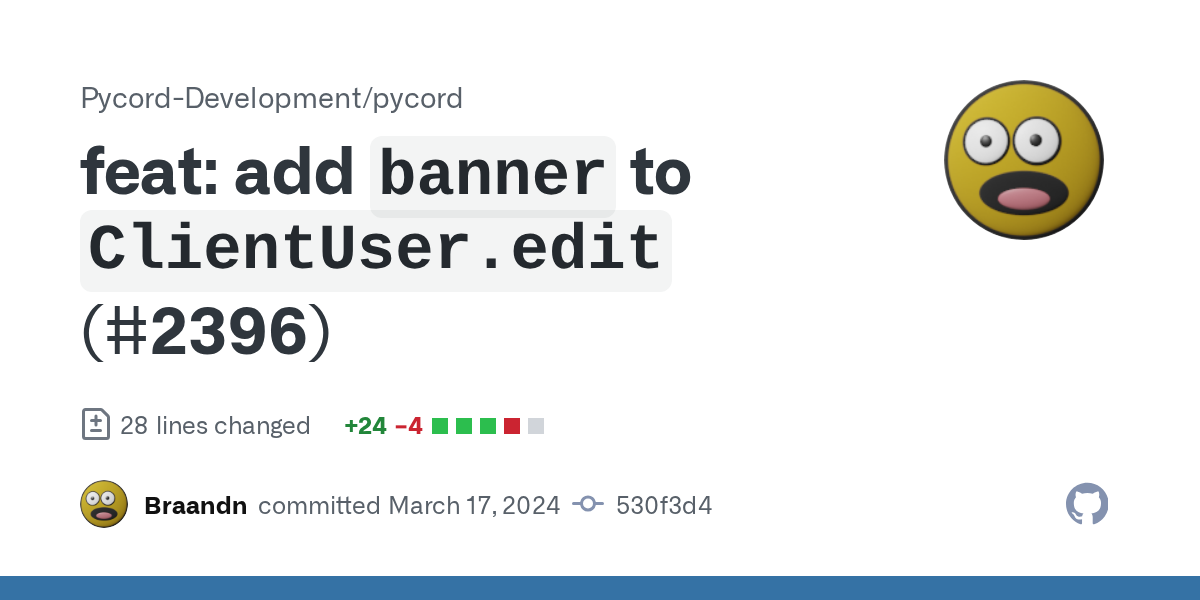
GitHub
Signed-off-by: Brandon <[email protected]>
Signed-off-by: plun1331 <[email protected]>
Co-authored-by: pre-commit-ci[bot] <66853113+pre-commit-ci[bot]@users.no...
 deft kestrel
Hi, so basically i made a function that sends an embed with 2 button, how could i return a value to a variable whatever a button has been pressed when calling that function
fresh sierra
echo leaf
They added it https://github.com/Pycord-Development/pycord/commit/530f3d45956e03...
only in the master branch
echo leaf
ik
sage tendon
deft kestrel
Hi, so basically i made a function that sends an embed with 2 button, how could ...
use the button callback
deft kestrel
sage tendon
use the button callback
do you have an example?
sage tendon
just handle the stuff you wanna do in the function of the button you defined i nyour view class
deft kestrel
i dont wanna do that tho
sage tendon
deft kestrel
i dont wanna do that tho
bruh
echo leaf
Or just read the docs about the button
sage tendon
if you dont wanna do whats required to solve your problem then what exactly do you want
deft kestrel
I dont think you understand what im trying to achive
sage tendon
i absolutely do

 sage tendon
yea you said that
deft kestrel
you cant return a value from the callback
sage tendon
but thats not really how buttons / views work
deft kestrel
Then how could i apporach this then
sage tendon
deft kestrel
also just use f strings for this, simple tip
deft kestrel
yes it was just for testing
lofty parcel
deft kestrel
you cant return a value from the callback
Yes you can
deft kestrel
lofty parcel
Yes you can
How?
Because i cant just put return value in the callback
the function just returns the message sent before and not the button pressed
lofty parcel
Define a variable on the callback self.my_value = "hello" and you also add self.stop()
view = MyView()
view.wait()
print(view.my_value)
lemme try
deft kestrel
lofty parcel
```py
view = MyView()
view.wait()
print(view.my_value)
```
like this?
 deft kestrel
discord.ext.commands.errors.CommandInvokeError: Command raised an exception: AttributeError: 'startSetup' object has no attribute 'my_value'
startSetup is the file
a wait
i had to await it
Thank you
lofty parcel
ah yes, sorry
deft kestrel
No worries
lofty parcel
Consider adding a check for if the view times out
View.wait returns True or False depending if it timed out or if it was manually stopped
.rtfm ui.View.wait
 sly karmaBOT
1 results
deft kestrel
thanks
sage tendon
hm, never did that actually
little cobalt
ctx.command.name gives you the name of the command :3
little cobalt
ctx.command returns the command
shell radish
yes, when stringified, it returns the name
 rotund quarry
Is there any option for slash command that you can only enter a user?
shell radish
rotund quarry
Is there any option for slash command that you can only enter a user?
yes
rugged lodgeBOT
Searched in pycord
oblique sable
little cobalt
5 is the limit for a modal
when i try to put 5, i get this error
modal.add_item(inputText)
File "C:\Users\billy\AppData\Local\Programs\Python\Python310\lib\site-packages\discord\ui\modal.py", line 206, in add_item
self._weights.add_item(item)
File "C:\Users\billy\AppData\Local\Programs\Python\Python310\lib\site-packages\discord\ui\modal.py", line 289, in add_item
total = self.weights[item.row] + item.width
IndexError: list index out of range
when i try to put something on row 5
got it

i should start with row 0 then?
i was always starting with row 1 hahaa
oh gosh same for buttons and all, i never knew that 😭
oblique sable
i know that very good haha
but i didnt know the rows system had to start at 0
thought it was made so it starts at 1
 stray pasture
Why cant I put any gif in the developer portal for a banner or pf for an bot ? only accept jpeg or png
errant trout
stray pasture
Why cant I put any gif in the developer portal for a banner or pf for an bot ? o...
they're planning on updating it to support gifs
for now, you can set a gif avatar via bot.user.edit; banner support was just added on master, but not a formal release
rugged lodgeBOT
Searched in pycord-master
stray pasture
errant trout
for now, you can set a gif avatar via `bot.user.edit`; banner support was just a...
I see thank you !
final bone
what kind of error am i looking at?
 shell radish
final bone
what kind of error am i looking at?
shell radish
final bone
what kind of error am i looking at?
something dns related maybe. definitely network
final bone
i assumed as much but I just have a hard time believing it's a dns issue considering that im able to open and operate discord.
shell radish
can you curl or ping anything?
 shell radish
what about not on the local machine
final bone
everything else is working
the 3 other residents in the building also aren't making any complaints
final bone
amazing, I kid you not it's working now
I'm going to assume my isp was being fuckity and somewhat got their shit together
 ivory beacon
Is it possible to respond to multiple interactions with the same response? If so, how can it be done?
errant trout
ivory beacon
Is it possible to respond to multiple interactions with the same response? If so...
no
 lone hound
to give a role to a member I need to give the role's ID?
lone hound
sage tendon
if you have a slash command, you don't have to
it's on the on_member_join event
sage tendon
then, yes
 serene goblet
Hi so I'm trying to make a command like the example below but I'm not sure what object/class (?) I need to use in order to make it work. I would like it to auto complete or suggest values for the state
async def change_state(ctx: discord.ApplicationContext, search: str, state:...):
so when I type /chnage_state search: "some text" state: I get options of different states to pick (start, stop, restart).
I'm probarbly not explaining it very well
sage tendon
do you have a set amount of choices or is it just supposed to suggest a few words
serene goblet
the former, the choices will always be start, stop, restart
sage tendon
then make a discord.Option() with the choices=[] parameter
though
do you have the search option already handled via the @option decorator?
serene goblet
nope, but I'll hopefully be able to figure it out
sage tendon
i would always suggest using the @option decorator
else your function header can get very long
example
 serene goblet
okay thank you for the example, using the decerator does make sense
so somehting a little like this
@commands.option(name="state", description="The state to change the container to.", type=3, choices=[discord.ApplicationCommandOptionChoice(name="start", value="start"), discord.ApplicationCommandOptionChoice(name="stop", value="stop"), discord.ApplicationCommandOptionChoice(name="restart", value="restart")])
i am pretty sure you can just do choices=["string", "string2"]
but lemme check
yea you can do it like this if your names and values dont differ
serene goblet
okay great. saves on a whole bumch of lines lol
little cobalt
serene goblet
so somehting a little like this
```py
@commands.option(name="state", description...
since I know how to use a decorator to "autocreate" a slash command I dont use options anymore like that x3
sage tendon
then how
sage tendon
serene goblet
so somehting a little like this
```py
@commands.option(name="state", description...
also, you can just use discord.option or just import option directly btw
frail ocean
Is there a way to get the guild count from other bpts
frail ocean
                action = discord.AutoModAction(action_type=discord.AutoModActionType.block_message,
                                               metadata=trigger_metadata)````
For what do i need metadata in heredocs will tell you
frail ocean
sage tendon
docs will tell you
I dunt understand it
Docs are bad when i talk about automod
sage tendon
Pycord
Models are classes that are received from Discord and are not meant to be created by the user of the library. Attributes key, url. Methods def is_animated, async read, def replace, async save, def ...
frail ocean
sage tendon
https://docs.pycord.dev/en/stable/api/models.html#discord.AutoModActionMetadata
action = discord.AutoModAction(action_type=discord.AutoModActionType.block_message, metadata=)```thats my codeIf i put custom_message in i get an error
sage tendon
just make a AutoModActionMetaData object
frail ocean
metadata=discord.AutoModActionMetadata(custom_message="You have one or more words in your message that are forbidden on this server.")
This should be correct?
@sage tendon^^
sage tendon
try it and see
frail ocean
It doesnt work
It says
discord.errors.ApplicationCommandInvokeError: Application Command raised an exception: TypeError: AutoModActionMetadata.__init__() got an unexpected keyword argument 'custom_message'```Bro its copyed from docs tf
frail ocean
What is the problem?
sage tendon
literally wtf
 sage tendon
maybe pass it positionally?
frail ocean
sage tendon
maybe pass it positionally?
wdym
sage tendon
dont pass it as keyword
sage tendon
and?
serene goblet
sage tendon
also, you can just use discord.option or just import option directly btw
wait which am I supposed to import to use the @option decorator? the commands.option or discord.option?
sage tendon
its teh same, but discord.option
serene goblet
um okay
management-bot | Traceback (most recent call last):
management-bot |   File "/app/main.py", line 69, in <module>
management-bot |     @option(name="state", description="The state to change the container to.", type=3, choices=["start", "stop", "restart"])
management-bot |      ^^^^^^^^^^^^^^^^^^^^^^^^^^^^^^^^^^^^^^^^^^^^^^^^^^^^^^^^^^^^^^^^^^^^^^^^^^^^^^^^^^^^^^^^^^^^^^^^^^^^^^^^^^^^^^^^^^^^^^^
management-bot |   File "/usr/local/lib/python3.12/site-packages/discord/commands/options.py", line 416, in decorator
management-bot |     func.__annotations__[name] = Option(type, **kwargs)
management-bot |                                  ^^^^^^^^^^^^^^^^^^^^^^
management-bot |   File "/usr/local/lib/python3.12/site-packages/discord/commands/options.py", line 227, in __init__
management-bot |     self.input_type = SlashCommandOptionType.from_datatype(input_type)
management-bot |                       ^^^^^^^^^^^^^^^^^^^^^^^^^^^^^^^^^^^^^^^^^^^^^^^^
management-bot |   File "/usr/local/lib/python3.12/site-packages/discord/enums.py", line 812, in from_datatype
management-bot |     datatype_name = datatype.__name__
management-bot |                     ^^^^^^^^^^^^^^^^^
management-bot | AttributeError: 'int' object has no attribute '__name__'. Did you mean: '__ne__'?
@dockercmdgroup.command()
@option(name="search", description="The container to change the state of.", type=3)
@option(name="state", description="The state to change the container to.", type=3, choices=["start", "stop", "restart"])
async def change_state(ctx: ApplicationContext, search: str, state: str):
  embed: discord.Embed = container_change_state(dockerclient=dockerclient, containersearch=search, state=state)
  await ctx.respond(embed=embed)
3 is not a type
serene goblet
do I need to tell it which type to use or will it just do it?
sage tendon
what do you want to do wit hthat
pass it as the first positional argument
thats how i do it
serene goblet
I see there's 4 types in the docs
 sage tendon
yea, you just type the name
i always pass the name and type as positional arguments, in that order
because they're kinda obvious to read in the code
serene goblet
sage tendon
thats how i do it
so this?
@option(3, name="state", description="The state to change the container to.", type=3, choices=["start", "stop", "restart"])
how do I find the name? is it just SlashCommandOptionType? I read the docs as there being 4 types and that each type was a list of sub types (making SlashCommandOptionType the sub type)
serene goblet
ohh
management-bot | Traceback (most recent call last):
management-bot |   File "/app/main.py", line 69, in <module>
management-bot |     @option(str, name="state", description="The state to change the container to.", choices=["start", "stop", "restart"])
management-bot |      ^^^^^^^^^^^^^^^^^^^^^^^^^^^^^^^^^^^^^^^^^^^^^^^^^^^^^^^^^^^^^^^^^^^^^^^^^^^^^^^^^^^^^^^^^^^^^^^^^^^^^^^^^^^^^^^^^^^^
management-bot | TypeError: option() got multiple values for argument 'name'
```I'm really not sure what it's saying here because only one name is defined@option("state", str, description="The state to change the container to.", choices=["start", "stop", "restart"])
serene goblet
oh, well that's confusing
would this be valid? type=str, name="search directory", I like to be explicit where possible
lofty parcel
.tias
sly karmaBOT
 sage tendon
of course
but as i said, i always pass them positionally because i like my lines not 1000 chars long
serene goblet
okay thanks again for the help
sage tendon
np
ancient cosmos
Let's say I deferred the response to an interaction, but then an exception occurs afterwards.
In order to keep the interaction from waiting forever with a "[my bot] is thinking..." spinner, is the best practice here to listen for on_application_command_error, and context.respond the context provided as a parameter to that event, with some kind of "Some kind of error occurred" message?
(I mean I know I can do that, I'm just asking whether that's the normal/advised practice.)
errant trout
ancient cosmos
Let's say I deferred the response to an interaction, but then an exception occur...
seems fine to me
frail ocean
sage tendon
dont pass it as keyword
What
frail ocean
Can someone tell me how I make a user command
errant trout
frail ocean
Can someone tell me how I make a user command
like the right click commands?
frail ocean
errant trout
like the right click commands?
Nope. Since yesterday users can add apps to themselves
You know what i mean?
errant trout
not possible in pycord yet
but fwiw, there's nothing much to change - when it's available, they'll be easy to implement within discord's limitations
frail ocean
Shouldn't pycord have been notified by Discord that they had this on time?
errant trout
lala and doruk were already working on it since last year
that doesn't mean it can be released instantly
frail ocean
Since last year? What
errant trout
for some features lib devs might have info on it early
frail ocean
This function has been planned for so long?
errant trout
...internally, 7 years ago (this is kinda getting off track, if you wanna read some of lala's insights it's from #general message)
frail ocean
A friend send me, that u have to put 2 words and 4 numbers in the commands. That can’t be take that long
errant trout
then go patch it in yourself idk man
frail ocean
Okay
errant trout
sure we *could* just release that but it needs to be properly implemented to the API spec
frail ocean
Btw https://discord.com/channels/881207955029110855/1219383639553474640 is a bug or?
errant trout
no, it was implemented on 2.5
if you tried to use it on 2.4 then of course it'd error
frail ocean
Can i add a custom message and timeout
errant trout
frail ocean
errant trout
no, it was implemented on 2.5
The docs state that it has been available since 2.0
errant trout
that's for AutoModActionMetadata, not custom_message
errant trout
(arguably that should have a separate version number but i probably forgot)
frail ocean
Do you know when a bot get the Automod badge
frail ocean
errant trout
(arguably that should have a separate version number but i probably forgot)
👍
errant trout
frail ocean
Do you know when a bot get the Automod badge
Developers
You may have noticed a new badge floating around on various bot profile pages. Here is some info about the AutoMod badge and how to obtain it for your application:
💡 If your app has at least 100 ru...
frail ocean
errant trout
https://support-dev.discord.com/hc/en-us/articles/13847462843543-Introducing-the...
They have to stay
errant trout
probably?
keen relic
how to make discord Modal pycord
rugged lodgeBOT
Searched in pycord
discord.ui.Modal
discord.ui.Modal.add_item
discord.ui.Modal.callback
discord.ui.Modal.children
discord.ui.Modal.custom_id
discord.ui.Modal.on_error
discord.ui.Modal.on_timeout
discord.ui.Modal.remove_item
discord.ui.Modal.stop
discord.ui.Modal.title
discord.ui.Modal.wait
discord.ui.modal.Modal
discord.Guild.fetch_auto_moderation_rule
discord.Guild.fetch_auto_moderation_rules
discord.Guild.create_auto_moderation_rule
frail ocean
rugged lodge
@keen relic
keen relic
frail ocean
<@577826059358044170>
thx
 shut fox
how to write server name in message?
shut fox
thx
stuck oar
View does not work in forum channels.
class BuyButton(discord.ui.View): # <------ HERE
    @discord.ui.button(label="구매하기", style=discord.ButtonStyle.green, emoji="💵")
    async def button_callback(self, button: discord.ui.Button, interaction: discord.Interaction):
        print("asdf")
        # await interaction.response.send_message(f"{name}, {price}, {description}")
        await interaction.response.send_message("test")

class ShopManager(commands.Cog):
    def __init__(self, bot):
        self.bot = bot

    @commands.command(name="제품생성")
        @commands.is_owner()
        async def shop_create(self, ctx, id:int=None, name=None, price:int=None, *, description=None):
            if id == None or name == None or price == None:
                error_embed = discord.Embed(
                    color = discord.Color.red(),
                    title = "❎ 오류 발생",
                    description = "`!제품생성 [상점ID] [제품명] [가격] [제품설명]` 으로 사용해주세요."
                ).set_footer(text="이 메시지는 5초 후 삭제됩니다.")
                await ctx.reply(embed=error_embed, delete_after=5)
                return

            # sql = f"INSERT INTO products_{id}(product_name, product_description, product_price) VALUES (?, ?, ?)"
            # sql_data = (name, description, price,)
            # cur.execute(sql, sql_data)
            # conn.commit()

            category = discord.utils.get(ctx.guild.categories, id=id)
            channel = discord.utils.get(category.channels, name="⛄│제품목록")

            embed = discord.Embed(
                color = 0xF6F7C4,
                title = f"💵 {name} 구매하기",
                description = f"> {name}을(를) 구매하려면 [ 💵 구매하기 ] 버튼을 클릭하세요.\n{description}"
            ).add_field(name="제품 가격", value=f"{price}원").add_field(name="판매자", value=ctx.author.mention)

            await channel.create_thread(name="test", content="", embed=embed, view=BuyButton(timeout=None)) # <-------- HERE
            await ctx.message.add_reaction("⛄")
If I call that view from a regular message it works fine, but it doesn't work for messages in a forum channel.
 warm jay
Slash command sub-commands
Like /set [add|sub|set] user int
warm jay
little cobalt
?
How do I add sub commands? I forgot
keen relic
warm jay
How do I add sub commands? I forgot
@bridge.map_to(
    name="all",
    description="Delete All The Msg Of This Channel"
)
async def clean(ctx: bridge.BridgeContext):
    await ctx.channel.purge()
    embed_message = EmbedMessage(ctx)
    await embed_message.send_embed("Cleared all messages.")

@clean.command(
    name="bot",
    description="Delete All The Bot Msg Of This Channel"
)
async def bot(ctx: bridge.BridgeContext):
    def is_bot(message):
        return message.author == ctx.bot.user

    deleted = await ctx.channel.purge(check=is_bot)
    embed_message = EmbedMessage(ctx)
    await embed_message.send_embed(f"Deleted {len(deleted)} bot messages.")

@clean.command(
    name="amount",
    description="Clear Messages From The Channel"
)
async def amount(ctx: bridge.BridgeContext, amount: int):
    await ctx.channel.purge(limit=amount + 1)
    embed_message = EmbedMessage(ctx)
    await embed_message.send_embed(f"Cleared {amount} messages.")

@clean.command(
    name="user",
    description="Delete all messages of specific user"
)
async def user(ctx: bridge.BridgeContext, member: discord.Member):
    def is_user(m):
        return m.author == member

    deleted = await ctx.channel.purge(limit=None, check=is_user)
    embed_message = EmbedMessage(ctx)
    await embed_message.send_embed(f"Deleted {len(deleted)} messages from {member}", hex_color="#42f5f2")
 little cobalt
warm jay
How do I add sub commands? I forgot
little cobalt
warm jay
How do I add sub commands? I forgot
Take a look at this
rugged lodgeBOT
Here's the slash cog groups example.
shut fox
how to create a role?
sage tendon
check the docs for "guild"
shut fox
thx
 safe obsidian
@sage tendon like I said its an application bot. Someone answers questions in a DM, then the bot posts those responses along with accept/deny buttons in a thread for admins to review
sage tendon
as for the views, can you show the code that handles creating them, and the view itself
safe obsidian
older thread buttons die once it posts a new appliation thread
 fickle salmon
safe obsidian
<@341988909363757057> like I said its an application bot. Someone answers questi...
fickle salmon
safe obsidian
<@341988909363757057> like I said its an application bot. Someone answers questi...
are you making a new view object every time or reusing the old one?
sage tendon
yea that's what popped in my head just now too
fickle salmon
and you probably want to look at persistent views
safe obsidian
im going to get evicerated on my code 💀
rugged lodgeBOT
Here's the persistent example.
sage tendon
safe obsidian
im going to get evicerated on my code 💀
if you're even just an average coder, half of all people are worse
 noble flax
Is there a way to refresh the slashcommands? I've got to the point with my bot where I will fire it back up in debug to see if a slashcommand works, and the old slashcommand remains and the new one doesn't exist (and or the changed option isn't updated and still has the old one)
sage tendon
restart your discord
safe obsidian
 shut fox
How to set permissions correctly when creating a role? (I need an example)
fresh sierra
shut fox
How to set permissions correctly when creating a role? (I need an example)
Read the doc
fickle salmon
noble flax
Is there a way to refresh the slashcommands? I've got to the point with my bot w...
make sure you're waiting 2 minutes between restarts, you could be rate limited when registering commands
sage tendon
restarting your bot* discord ofc doesn't matter
noble flax
Yeah heard - both god sends. Thank You
safe obsidian
these are the approvalRoles buttons that break once a new thread is made
 sage tendon
safe obsidian
sage tendon
safe obsidian
ok first question why are you iterating over a list
why aren't you doing it like, on-demand as the users request it or whatever your setup is
safe obsidian
I cant remember precisely, I made this about 6 months back and now im trying to fix some things. If I remember its because I didnt know how to keep context for sending the right questions to each of the DM sessions with the bot so I used an array
sage tendon
yea the code confuses me a lot lol
little cobalt
sage tendon
yea the code confuses me a lot lol
Its actually written really well
sage tendon
this is really where my python knowledge ends but I think it MIGHT be because you keep using the same variable and it keeps being overwritten? so the old view goes out of scope?
little cobalt
I already saw so messy codes at this server here 
sage tendon
sage tendon
this is really where my python knowledge ends but I think it MIGHT be because yo...
correct me pretty please I'm tired
safe obsidian
so im probably overwriting the view with each application thread that is made huh?
fickle salmon
safe obsidian
these are the approvalRoles buttons that break once a new thread is made
where does server_id come from
sage tendon
safe obsidian
so im probably overwriting the view with each application thread that is made hu...
I was thinking that, but I genuinely don't know how this stuff works in python
in java it'd be clear
fickle salmon
I think persistent views will fix it
sage tendon
well you'd be letting the view go out of context basically, and so it gets deleted from ram
maybe lol
sage tendon
fickle salmon
I think persistent views will fix it
yea you need this anyway I think
safe obsidian
fickle salmon
where does server_id come from
all of the variables are just globals uptop until I eventually make a config file
sage tendon
all?
fickle salmon
all.
safe obsidian
all the statics are up there like the role ids and such yeah
safe obsidian
the only globals are role ids, server id, and the application question strings
is having those static id numbers up top while im still just developing and testing it that bad?
i understand moving them to a config file to make changes easier eventually
fickle salmon
globals in python were a mistake
fickle salmon
>>> x=[1,2,3]
>>> for i in x:
...   x.remove(i)
...
>>> x
[2]
🙃
warm jay
I have @discord.default_permissions(manage_messages=True) on 3 commands. Everyday users can still use the command. Why is that
sage tendon
check the actual permissions in the server settings
you / someone might have overridden them
warm jay
Imma tell the owner that then
fickle salmon
sage tendon
illegal? no
I thought python wouldn't let you
sage tendon
fickle salmon
I thought python wouldn't let you
oh it would
sage tendon
and i think its good
programming languages should not set any hard limits unless absolutely necessary
sage tendon
fickle salmon
```py
>>> x=[1,2,3]
>>> for i in x:
... x.remove(i)
...
>>> x
[2]
```
🙃
because even if most cases end in shit like this, it still has uses
fickle salmon
oh and you probably want a break after you remove the member @safe obsidian
unless you expect them to be in the list twice
safe obsidian
so I should restructure the removal to snag the index, break, then remove after?
fickle salmon
yeah
subtle moth
safe obsidian
these are the approvalRoles buttons that break once a new thread is made
Personally I think a dictionary would be a better choice instead of a nested list
shut fox
how to send message to a specific channel?
fickle salmon
shut fox
how to send message to a specific channel?
it's just channel.send once you have the channel object
 frail laurel
fast question, does message.reply have some option to reply without pinging?
fickle salmon
frail laurel
fast question, does message.reply have some option to reply without pinging?
yes, I believe it's mention=False 
frail laurel
fickle salmon
yes, I believe it's mention=False <:ReadTheDocs:881521019481915422>
yeah, but why it isn't said in docs

i mean optional parameters
sage tendon
am i dumb? why does this not edit the response?

 rugged lodgeBOT
Searched in pycord
fickle salmon
frail laurel
yeah, but why it isn't said in docs
it's mention_author
https://docs.pycord.dev/en/stable/api/abcs.html#discord.abc.Messageable.send
sage tendon
rugged lodge
?
the response sends just fine
but i wanna edit it
it keeps getting stuck there without an error
little cobalt
sage tendon
?
the response sends just fine
but i wanna edit it
it keeps getting stuck there ...
it should also work with ctx.interaction.edit_original....
frail ocean
sage tendon
am i dumb? why does this not edit the response?
Command?
frail ocean
Do await ctx.edit
shut fox
how to make a message that will only be visible to one person. example:
 fresh sierra
shut fox
how to make a message that will only be visible to one person. example:
fresh sierra
shut fox
how to make a message that will only be visible to one person. example:
interation ephemeral
shut fox
thx
fickle salmon
sage tendon
?
the response sends just fine
but i wanna edit it
it keeps getting stuck there ...
That was for master killer, not you
sage tendon
oh
frail ocean
sage tendon
?
Does it work
shut fox
how to made cooldown for a command?
lapis dock
You can start here
rugged lodgeBOT
Here's the cooldown example.
sage tendon
frail ocean
Does it work
eh cba to try around more, just did defer now
frail ocean
sage tendon
eh cba to try around more, just did defer now
Okay
errant trout
sage tendon
am i dumb? why does this not edit the response?
ctx.edit
sage tendon
so i can do
ctx.respond()
and then
ctx.edit()?
errant trout
It's property because it's a copy of interaction.edit, poor formatting from our autodoc
errant trout
sage tendon
so i can do
ctx.respond()
and then
ctx.edit()?
And yes
deft kestrel
how can i edit an embed twice while interacting with it? apparently i cant prompt a modal, then edit the same message after modal has been fulfilled. it gives:
this message already has been edited.
error or something like that
little cobalt
shut fox
how to made cooldown for a command?
Pycord Guide is a complete guide for Pycord. Learn how to create Discord Bots today!
lofty parcel
deft kestrel
how can i edit an embed twice while interacting with it? apparently i cant promp...
Can you show your code
deft kestrel
lofty parcel
Can you show your code
i changed it but it was something like this

it would say, interaction message has already been edited before
lofty parcel
deft kestrel
i changed it but it was something like this
Why don't you just create the role on the modal callback?...
deft kestrel
because i need it later on
What im trying to do it to setup a ticket category with the correct permissions ect
fresh sierra
deft kestrel
What im trying to do it to setup a ticket category with the correct permissions ...
why dont you use a dropdown to select an existant role ?
deft kestrel
fresh sierra
why dont you use a dropdown to select an existant role ?
thats what the second button is supposed do
basically what im trying to achive is to ask the user for information, and create a ticket system based of those information
also i am creating the role in the callback, im just returning it as a value later on
serene goblet
If I'm using the required=False attribute in the decorator then I don't need to use search:str = None, right?
@option(name="search", type=str, description="Search for specific containers.", required=False)
async def list(ctx: ApplicationContext, search: str = None) -> None:
p sure itll be none regardless
serene goblet
is there a way I could make a slash command accept the same input multiple times. I have a search argument and I'd like users to be able to input multiple searches. Would I need to add multiple search arguments like search_1, search_2 or could I use *args or somehting
lapis dock
Discord requires you to specifically define them. So have a search_1, search_2, etc
Another way would just be to tell the user to split searches with , or somthing.
serene goblet
yeah that makes sense and lines up with what I thought
 young cove
I'm trying to make buttons wider for my paginator using something similar to: #998272089343668364 message
(just adding spaces to the label)
But it isn't changing the width. Any ideas?
    buttons = [ButtonClass("prev", label="   <   ", custom_id="paginator1" + str(nameId), style=discord.ButtonStyle.green),
               ButtonClass("page_indicator", custom_id="paginator2" + str(nameId), style=discord.ButtonStyle.gray,
                           disabled=True),
               ButtonClass("next", label="   >  ", custom_id="paginator3" + str(nameId), style=discord.ButtonStyle.green)]
I suspect it could have something to do with my custom ButtonClass that I'm using to make the paginators persistent:
class ButtonClass(PaginatorButton):
    def __init__(self, *args, **kwargs) -> None:
        super().__init__(*args, **kwargs)

    async def callback(self, interaction: discord.Interaction):
        test = interaction.message.components[0].children[1].label
        teststring = str(test)
        testsplit = teststring.partition("/")
        selectsplit = int(testsplit[0])
        self.paginator.message = interaction.message
        self.paginator.current_page = selectsplit - 1
await super().callback(interaction)```I'm sure discord stips the spaces
You should use an invisible character instead
The user of the thread you mentioned uses invisible characters, not spaces
young cove
lofty parcel
The user of the thread you mentioned uses invisible characters, not spaces
Aha this is what I was missing thanks
deft kestrel
how to log any command/event etc? there's something to log every update?
(i want to log in a discord channel)
 vestal crystal
is there a way to detect if a user is talking? or how can i use start_recording as long the user is talking? Currenlty im using
await asyncio.sleep(2)
but it will only record for the given seconds and then continue.
Anyone has a clue?
 worn sphinx
I want to make prefix commands that only I have access to.
So Is it possible to make prefix commands that only work within a DMChannel of a specific user?
And should something other than wait_for be used for a function like this?
lofty parcel
deft kestrel
how to log any command/event etc? there's something to log every update?
(i want...
The docs has all possible events you can listen to. Read them.
lofty parcel
worn sphinx
I want to make prefix commands that only I have access to.
So Is it possible t...
There's a is_owner decorator for that.
Only the owner of the bot would be able to run that command.
worn sphinx
lofty parcel
There's a `is_owner` decorator for that.
Thanks Dark!
So if it's a slash command it wouldn't be visible to others?
lofty parcel
worn sphinx
Thanks Dark!
So if it's a slash command it wouldn't be visible to others?
No, if it is a slash command it'd still be visible
The decorator is just an internal check.
The only way to "hide" a slash command is only registering it in a private guild of yours.
worn sphinx
lofty parcel
No, if it is a slash command it'd still be visible
Dang thanks good to know!
worn sphinx
lofty parcel
The only way to "hide" a slash command is only registering it in a private guild...
That's a smart workaround.
I'll make it a prefix command instead then since those have no visibility
 wide acorn
can you already use user apps with the master branch or is this feature not yet implemented?
stray pasture
Does pycord supports rate limits of top level resources in a bucket ?
sly ember
is it possible to sync slash commands in pycord since my command isnt appearing after restart
errant trout
wide acorn
can you already use user apps with the master branch or is this feature not yet ...
not yet
errant trout
sly ember
is it possible to sync slash commands in pycord since my command isnt appearing ...
did you override on_connect
errant trout
stray pasture
Does pycord supports rate limits of top level resources in a bucket ?
elaborate
sly ember
errant trout
did you override on_connect
on_connect?
errant trout
if you didn't that's fine
sly ember
i mean i could have, but im not sure where it is
errant trout
if you did then it'd be in your main bot file
that's where the command sync happens, normally you wouldn't need to do anything special - it's always meant to sync on startup
sly ember
dont think i override it
 wide acorn
errant trout
not yet
wide acorn
errant trout
not yet
okay thx, do you know when this feature will be implemented?
errant trout
don't have an ETA but lala and doruk have already been working on it for a while
if you're desparate for user apps you could try look at the changelog and implement it yourself since at the baseline you only need minor changes
but for a proper pycord release they have to be more thorough
wide acorn
Okay thank you, its not that desparate. I'll stick around and look at the git commits if there are any for user apps.
errant trout
fair enough
(if you do want to prod around, for commands you mainly need to implement the integration_types and contexts attributes as per https://discord.com/developers/docs/interactions/application-commands#application-command-object-application-command-structure)
wide acorn
Yeah I've seen that already, maybe i'll try it later idk yet
stray pasture
errant trout
elaborate
As per the discord docs, the same route can have different rate limits based on its bucket and top level parameters
 errant trout
stray pasture
As per the discord docs, the same route can have different rate limits based on ...
errant trout
stray pasture
As per the discord docs, the same route can have different rate limits based on ...
The library dynamically handles ratelimits based on any 429 response, which if it receives it will attempt to retry automatically
So in general, you don't need to worry about them so long as you aren't pushing it too much
stray pasture
errant trout
The library dynamically handles ratelimits based on any 429 response, which if i...
So if you are been rate limited, it will wait for the time mentionne by discord for all requests?
errant trout
The rest of the bot will continue to run
It'll wait for the specific ratelimited request to be available again before retrying
(Also note, you need minimum loglevel of WARNING to see ratelimits in console https://docs.pycord.dev/en/stable/logging.html)
stray pasture
In my case I do a add/remove a role to all member of a server. But if for one server only I get rate limited as guild_id is top level parameters, it will block all add/remove roles for all the other guilds ?
errant trout
No
If you want you can test it yourself with an example command
The ratelimit for changing a channel name is twice every 10 minutes - set your loglevel with the instructions I linked above, then make a command that changes the current channel's name
Try running it a few times and see the results for yourself
stray pasture
I see I will try ! Thank you
 lofty parcel
sage tendon
men and women, any better idea?
lofty parcel
sage tendon
men and women, any better idea?
I'd move text += chunk.text at the top of the condition
So you only have one
Otherwise, uh, looks fine ig I don't think you can get it any shorter
sage tendon
true
fresh sierra
Hello, i would like to know if its possible to have multiple sub command in the same class ?
for exemple :
group moderation
1 file with ban
1 file with lock
etc etc
sage tendon
i dont see why not
fresh sierra
sage tendon
i dont see why not
but i dont know if its possible to do it
cos it will need to use the same cog in mutiple file (i thjink)
sage tendon
what
fresh sierra
sage tendon
what
if i want to create subcommand in different file
i will need to have the same cog in different file no ?
sage tendon
i dont know
your question said "same class" lol
fresh sierra
sage tendon
i dont know
your question said "same class" lol
the class is a cog
and i dont think multicog are supported
sage tendon
yea and you said "same class" which would mean same file
fresh sierra
i will open a help thread i think to explain better
 candid garnet
Hey guys, how to make that users can't iteract with my bot through DM's with it?
candid garnet
Like this for example:
    if isinstance(ctx.channel, discord.DMChannel):
        return
yeah
candid garnet
In a big picture:
@bot.slash_command(
    name="ping",
    description="Check the bot's latency"
)
async def ping(ctx):
    # Check if the command is used in a DM
    if isinstance(ctx.channel, discord.DMChannel):
        return
```if you want to add a check to every command, you can use a decorator or add it to on_interaction
fresh sierra
candid garnet
In a big picture:
```
@bot.slash_command(
name="ping",
description="Che...
i think there are a decorator no_dm
candid garnet
Is there? Could u refer me to the api docs? Thank you in advance
rugged lodgeBOT
Searched in pycord
shell radish
or @discord.guild_only
whichever one you prefer
you didn't clarify if you were using slash commands or text-based
so I was vague with my answer
fresh sierra
shell radish
you didn't clarify if you were using slash commands or text-based
looking at his code, its slash
shell radish
fresh sierra
looking at his code, its slash
I didn't know that on first interaction
and they proposed an equally correct solution
There was nothing wrong with it
sage tendon
If a user has a server nickname set, do i have to do member.user.display_name to get their non-server display name?
nevermind, it's member.global_name
round heart
I like str(Member), but that depends on your use case.
sage tendon
oh hell no 
round heart
🤷♂️ I use that for moderation reports since A) Discord doesn't always resolve user tags, and B) if I'm reporting on a name, seeing what it was at the time is important.
round heart
If that works for you, go for it. I'm simply providing an alternate viewpoint. I don't know if you know this, but not everything people say is an adversarial attack on you.
errant trout
I think str(member) was more useful pre-pomelo because username#0000 was very widely used, but it's still nice after migration for showing both names as discord would when you resolve a member (obviously we can't just switch to @username)
 frail ocean
How can i set the bot status to dnd with custom status
frail ocean
sage tendon
status=Status.dnd
doesnt work
sage tendon
that is literally exactly how you do it
idk what to tell you lmao
(discord.Status.dnd obviously btw, i just imported status specifically)
frail ocean
sage tendon
(discord.Status.dnd obviously btw, i just imported status specifically)
Yeah i know its like that but it doesnt work
On custom status
sage tendon
works for me just fine
 tranquil thicket
Getting an error like this AttributeError: module 'discord' has no attribute 'Bot'
sage tendon
do pip list in a cmd window and show us the output


 torpid cosmos
correct! You seem to have both installed. Because both our package and discord.py use the discord namespace, you need to make sure only py-cord or discord.py is installed at a time
torpid cosmos
what command did you run to uninstall discord.py?
frail ocean
sage tendon
works for me just fine
Can u send cde to me?
tranquil thicket
python3 -m pip uninstall discord.py
sage tendon
frail ocean
Can u send cde to me?
No
But i also tried the custom activities (as in, bot status) a few days ago, and it worked flawlessly
so
 what even is the problem btw
tranquil thicket
discord.py is gone from my list as well
torpid cosmos
show us your pip list again? It looks like you have discord and discord.py there
sage tendon
tranquil thicket
`python3 -m pip uninstall discord.py`
run the same for discord
then run pip install py-cord
torpid cosmos
make sure both are gone
tranquil thicket
sage tendon
run the same for discord
then run pip install py-cord
got it
frail ocean
sage tendon
No
But i also tried the custom activities (as in, bot status) a few days ago, a...
await client.change_presence(activity=discord.Activity(type=discord.ActivityType.custom, status=discord.Status.do_not_disturb, state="💩 "))
That doesnt work
tranquil thicket
This is my list now ans still same issue...
sage tendon
frail ocean
await client.change_presence(activity=discord.Activity(type=discord.ActivityType...
just do it in your bot definition
and the status isnt part of the activity for al i know
torpid cosmos
tranquil thicket
This is my list now ans still same issue...
now reinstall py-cord
uninstall then reinstall
frail ocean
sage tendon
just do it in your bot definition
Wdym?