#Basic Pycord Help
1 messages · Page 6 of 1
 plucky ingot
 opal hamlet
What is the difference?
plucky ingot
its error and I don't know what it say

 safe nest
opal hamlet
What is the difference?
safe nest
opal hamlet
What is the difference?
people have a discord wide avatar, but display_avatar will use the avatar that the user set specifically for the server
plucky ingot
none of the problem about my code
safe nest
plucky ingot
its error and I don't know what it say
you cut the error off, so it's hard to tell, but it looks like the bot might be missing a permission or something
opal hamlet
Ahh yeah, that makes sense... Since there's also display-name
safe nest
:)
safe nest
let's see the rest of the error message, I believe there should be a bit more
plucky ingot
its I have to turn on something in the developer portal
opal hamlet
Intents maybe?
plucky ingot
this is the back
 opal hamlet
Maybe Member intents?
safe nest
it would usually give an error saying you need to enable the intent or smth like that iirc
 safe nest
you can try that, but you're giving us no context to work with on why the error is popping up, we're just left to guess with what you've given us
we would need the full error to really even start, because I've never once seen an error on pycord that didn't give a line number in your code to trace the error back to
plucky ingot
here
oh wait
@project: b61cd8f3-b305-4e94-a2e9-481e92e4627a
@environment: 1ddf7202-ac60-42b2-bb83-8c6348836c5e
@service: 64569d90-0439-4b82-9561-aad45b100cdb
@deployment: cb246a29-8bef-49d8-9096-a5a8ffc22de2
@replica: 0511b7a7-a2e1-42c0-b293-3dd162de2283

Traceback (most recent call last):

File "/opt/venv/lib/python3.9/site-packages/discord/commands/core.py", line 110, in wrapped

ret = await coro(arg)

File "/opt/venv/lib/python3.9/site-packages/discord/commands/core.py", line 766, in _invoke

await self.callback(ctx, **kwargs)

File "/app/./bot/bot.py", line 167, in makeannouncement

await ctx.send(embed=embed)

File "/opt/venv/lib/python3.9/site-packages/discord/abc.py", line 1439, in send

data = await state.http.send_message(

File "/opt/venv/lib/python3.9/site-packages/discord/http.py", line 332, in request

raise Forbidden(response, data)

discord.errors.Forbidden: 403 Forbidden (error code: 50001): Missing Access

The above exception was the direct cause of the following exception:

Traceback (most recent call last):

File "/opt/venv/lib/python3.9/site-packages/discord/bot.py", line 520, in process_application_commands

await ctx.command.invoke(ctx)

File "/opt/venv/lib/python3.9/site-packages/discord/commands/core.py", line 306, in invoke

await injected(ctx)

File "/opt/venv/lib/python3.9/site-packages/discord/commands/core.py", line 116, in wrapped

raise ApplicationCommandInvokeError(exc) from exc

discord.commands.errors.ApplicationCommandInvokeError: Application Command raised an exception: Forbidden: 403 Forbidden (error code: 50001): Missing Access
I can't find anyway to show
I know its very unclear sorry about that
safe nest
File "/app/./bot/bot.py", line 167, in makeannouncement

await ctx.send(embed=embed)```the error originates from this line
are you absolutely positive the bot has permission to send messages in whatever channel you're running the command in?
 safe nest
no worries, just keep in mind to send the full error log next time, it helps a ton
plucky ingot
actually I have one more problem

I already download everything from the pycord dev portal
but everything still error
is it have any different with mac and windows
Im on mac rn
safe nest
did you already run pip install python-dotenv py-cord?
if so, then try reopening the project
plucky ingot
safe nest
if so, then try reopening the project
I download it many many times
 safe nest
pycord is py-cord not pycord if I recall correctly
in pip anywho
and it's python-dotenv instead of dotenv, i noticed that one on your error list as well
 heavy sky
And if you have installed python-dotenv and py-cord, tried reinstalling both and restarting vscode and it still doesn't work I'd recommend create a venv running it inside the venv instead. https://docs.python.org/3/library/venv.html
Oh, and also. I see you're trying to install pycord 2.0.0 in your code which is an old version of it. I'd strongly recommend using the newer version of it (2.4.1)
plucky ingot
same even I reinstalled
 plucky ingot
heavy sky
Try creating a venv and installing it in the venv
plucky ingot
heavy sky
Try creating a venv and installing it in the venv
it say command not find: python
heavy sky
Try using py instead
plucky ingot
ok
command not find:py
is it I have to put python3
many trys and still not work

 rose roost
no
plucky ingot
heavy sky
Try using `py` instead
So what should I do
 fleet cedar
opal hamlet
What is the difference?
fleet cedar
opal hamlet
What is the difference?
user.avatar will be None if they don't have any avatar set (the default red, green etc discord logo). But user.display_avatar will return the default avatar too
So display_avatar will 100% return an avatar url
 fleet cedar
Google 🙃
plucky ingot
:<
fleet cedar
Pass the actual path to the venv, not the example text
rose roost
why it dont work
 subtle juniper
why this event is not being triggered when I change my display name?
@bot.event
async def on_user_update(before, after):
print("triggered")
print(after.display_name)
opal hamlet
fleet cedar
Google 🙃
The universal answer to nearly all problems, except medical problems
 valid panther
I have a problem, when I make the paginator and with the Dropdown, I choose another type of data, it only maps the page in question. Then if I want to change the page, it returns to the base data.
class Dropdown_Type(discord.ui.View):

    def __init__(self, league_division: str):
        ....

    @discord.ui.select(
        placeholder="Selecciona un tipo de filtro",
        min_values=1,
        max_values=1,
    )
    async def select_type(self, select: discord.ui.Select, interaction: discord.Interaction) -> None:
        value = select.values[0]

        paginator = Paginator_Score(self.league_division, value)
        await interaction.response.edit_message(embed=paginator.pages[0])
 hazy turret
Is there a way to receive a webhook with a Discord bot without extra webserver etc. to execute a function accordingly?
 old violet
how to make group commands in pycord bridge
 grizzled loom
If I upgrade to using the master branch instead of the pip version, is it fully backwards compatible?(with 2.4.1)
 lofty parcel
Yes
valid panther
grizzled loom
If I upgrade to using the master branch instead of the pip version, is it fully ...
 No problems for me
grizzled loom
@stoic patio was your earlier question answerd? If so, what storage solution did you go for? and is it a one server bot or for many servers
 dense veldt
how can i make a optional option in a slash command?
grizzled loom
dense veldt
how can i make a optional option in a slash command?
simply assign a default value where you make the arguments
dense veldt
so i do Optional() instead of Option()?
grizzled loom
dense veldt
so i do Optional() instead of Option()?
naah
post an example, i show you with one of your arguments
or i show you one of mine, hang on:
dense veldt
i want to make the text option optional, so you dont need to put something in there
 grizzled loom
@booty.slash_command(name="kick_status", description="Displays how many members and who exactly would get booted")
@commands.cooldown(1, 20, commands.BucketType.member)
@booty_needs_to_be_ready
async def emb(
        ctx: discord.ApplicationContext,
        days: discord.Option(
            int,
            "enter max days of being inactive, 90 if none are given",
            min_value=2, max_value=999, default=90
        )
):
Here you can see the integer has a default value of 90, thus it can be left empty.
to post code here use
```py
# code
```
so it becomes
# code
No problems 🙂
opal hamlet
can i send a message with multiple embeds at once? f.e. embeds = {embed1, embed2} and then ...send(embed=embeds)
 little cobalt
opal hamlet
can i send a message with multiple embeds at once? f.e. embeds = {embed1, embed2...
little cobalt
opal hamlet
can i send a message with multiple embeds at once? f.e. embeds = {embed1, embed2...
embeds=[embed1, embed2]
little cobalt


 opal hamlet
thanks, want to somewhat foolproof my embed against character limit
little cobalt
So description have a limit of 4k and fields have a limit of 1024
opal hamlet
surprises me that the description is so large tho
little cobalt
I dont know the other ones
 hardy drum
quick question - whats the difference between Application Command and Slash Command?
heavy sky
hardy drum
quick question - whats the difference between Application Command and Slash Comm...
Application commands include context menus (user and messages) and slash commands, while a slash command is just... a slash command 😛
hardy drum
heavy sky
Application commands include context menus (user and messages) and slash command...
is it possible to do guild context menus?
heavy sky
No, discord only has User and Message context menus as of right now
hardy drum
i mean not global  , my bad
i mean like this
slash command can be global or guild
like that
heavy sky
Ah, ok. Yeah, you can pass guild_ids to the decorator. https://docs.pycord.dev/en/stable/api/application_commands.html#discord.UserCommand
hardy drum
can i create a slash command inside a function?
like command = Discord.SlashCommand(...)
 hardy drum
okay thanks
i am trying to create a command that can load or unload a guild command
Pycord
Command Permission Decorators: Commands: Shortcut Decorators: Objects: Attributes full_parent_name, qualified_id, qualified_name. Methods@ after_invoke,@ before_invoke,@ error, def get_cooldown_ret...
subtle juniper
why this event is not being triggered when I change my display name?
@bot.event
async def on_user_update(before, after):
print("triggered")
print(after.display_name)
hardy drum
hardy drum
https://docs.pycord.dev/en/stable/api/application_commands.html#discord.SlashCom...
output need to be stored?
heavy sky
subtle juniper
why this event is not being triggered when I change my display name?
@bot.even...
The docs says it's only called when the username, avatar or discriminator is updated
so not when the display name is updated
subtle juniper
heavy sky
The docs says it's only called when the username, avatar or discriminator is upd...

I mean for discord.py it works
kinda need to switch to discord py sadly
heavy sky
hmm, do you have member intents enabled then?
subtle juniper
yea
little cobalt
did you also add member intents to the bot?
subtle juniper
every intent
little cobalt
which py-cord version do you use?
 upper hearth
if i have a command that sends 2 msgs, how do i pick which one it edits
heavy sky
upper hearth
if i have a command that sends 2 msgs, how do i pick which one it edits
Are you using ctx.send, reply or ctx.respond?
subtle juniper
little cobalt
which py-cord version do you use?
latest
little cobalt
2.4.1 or master branch?
opal hamlet
upper hearth
if i have a command that sends 2 msgs, how do i pick which one it edits
msg2 = await ctx.send...
msg1.edit...
msg2.edit....```
?that doenst work with slash commands
little cobalt
nope
opal hamlet
thats good to know
little cobalt
slash commands return an interaction object
 stoic patio
grizzled loom
<@825455379424739388> was your earlier question answerd? If so, what storage so...
stoic patio
grizzled loom
<@825455379424739388> was your earlier question answerd? If so, what storage so...
guilds for now, and it is a bot in ~70 servers rn
upper hearth
heavy sky
Are you using `ctx.send`, `reply` or `ctx.respond`?
respond
stoic patio
stoic patio
guilds for now, and it is a bot in ~70 servers rn
although i am preparing for when it hits 2.5k
grizzled loom
stoic patio
although i am preparing for when it hits 2.5k
prepare for 76 so you can start verification right away 😄
What does your storage solution look like atm and whats the goal/usecase of storing?
opal hamlet
btw how easy is it to get verification?
little cobalt
opal hamlet
btw how easy is it to get verification?
The bot has to be at 100 Server
grizzled loom
opal hamlet
btw how easy is it to get verification?
depends partly on your intents. verification itself is relatively easy once you've done it.
grizzled loom
little cobalt
The bot has to be at 100 Server
nah. 76. if its 100+ it stops working without
grizzled loom
yes, "over 75" is the offical limit to start verification. so you can begin the process when its 76.
little cobalt
oh
grizzled loom
just dont bullshit around with it, when discord assums "unorganic growth" ( meaning you just push it on 20 of your own or friends servers to hit 76) it wont start.
*in
anyways, i am curious about your storage thing 😄
you'll need to apply for message intend seperately with verification anyways, cause that's priviliged intent. they don't allow all usecases. especially when user data and/or message content is stored.
not saying you cant do or get it, but you need to explain and state your usecase.
opal hamlet
i assume automod functionality would be a valid usecase for msg intent?
grizzled loom
could be
stoic patio
grizzled loom
prepare for 76 so you can start verification right away 😄
What does your stora...
it's already verified :)
grizzled loom
stoic patio
it's already verified :)
huh? how did you manage to get it started earlier?
stoic patio
grizzled loom
huh? how did you manage to get it started earlier?
wdym
grizzled loom
usually you cant start official verification before 76 servers
stoic patio
yes
also, my storage as of rn is a dictionary with guild ids as keys and lists of recent messages as values
(recent means, every message that's added gets deleted afterwards)
after about ~20 seconds
grizzled loom
okay, now I am really curious
stoic patio
whenever someone sends a msg, i check the corresponding guild id
stoic patio
stoic patio
whenever someone sends a msg, i check the corresponding guild id
like, if the message's guild's id is 123, check the key "123"
and the thing i'm using this for is anti fast messages spam
grizzled loom
soo.. what happens with the stored messages and how do people know who wrote what if its all deleted after 20 seconds?
stoic patio
so there is a rate limit (messages per unit time) set by the admins
suppose it's x messages per y seconds
we find the messages in the array sent within y seconds
and use listcomp to determine which were sent by the user
stoic patio
what do you need clarification on
grizzled loom
how do you "sell" your bot when you advertise it on botlists or such? maybe it'll help if i read through his description
stoic patio
i don't think that's relevant to the antispam thing rn
it's an automoderation dc bot
stoic patio
which is why i delete the msgs
stoic patio
grizzled loom
how do you "sell" your bot when you advertise it on botlists or such? maybe it'l...
it's rather obscure rn
grizzled loom
Ahhh! So it checks if the same message was posted before withing a given timeframe and prevents dublicates.
Reading through it made it make much more sense
stoic patio
i see
 arctic plover
Hey guys, i wanna get item of view:
button = super().get_item(name)
But i get this error:
TypeError: super(type, obj): obj must be an instance or subtype of type
Why?
stoic patio
no idea
lofty parcel
arctic plover
Hey guys, i wanna get item of view:
```python
button = super().get_item(name)
``...
Full code?
stoic patio
grizzled loom
Ahhh! So it checks if the same message was posted before withing a given timefra...
i was asking abt whether i should use channels or guilds as keys
because guilds means less keys but each key contains a large array
and channels means a lot more keys but each key contains a small array
arctic plover
lofty parcel
Full code?
class test(discord.ui.View):
    def __init__(self, name):
        super().__init__(timeout = None)
        button = discord.ui.Button(label = 'Test', style = discord.ButtonStyle.grey, custom_id = name)
        async def test(interaction):
            button = super().get_item(name)
            super().remove_item(button)
            button.label = 'Hi!'
            super().add_item(button)
            await interaction.response.edit_message(content = 'Hi, {name}', view = super().__init__())
        button.callback = test
        super().add_item(button)


@bot.slash_command(name = 'testing')
async def testing(ctx, name:discord.Option(str, required = True)):
    view = test(name)
    await ctx.respond('Test', view = view)
Why are you using super()?
Just use self
And whats the point of subclassing a view if you're going to manually assign callbacks and buttons
arctic plover
lofty parcel
Just use self
Because in the future my buttons will accept variables passed to the class as parameters
arctic plover
lofty parcel
And add it to the view
I want to add them to persistent view
grizzled loom
stoic patio
i was asking abt whether i should use channels or guilds as keys
I'd probably use channel id, longer key but less work when comparing/checking. the few integers more or less arent a big deal, but loads of strings and comparission can be.
stoic patio
i just experimented with huge python dicts
lofty parcel
arctic plover
I want to add them to persistent view
You still can?
stoic patio
stoic patio
i just experimented with huge python dicts
and fetching huge dicts doesn't take too long
like it only took 2.5e-5 seconds to fetch smth from {i: [i**2]*2000 for i in range(100000)}
grizzled loom
stoic patio
like it only took 2.5e-5 seconds to fetch smth from `{i: [i**2]*2000 for i in ra...
okay, thats pretty solid!
 shell radish
stoic patio
like it only took 2.5e-5 seconds to fetch smth from `{i: [i**2]*2000 for i in ra...
shell radish
stoic patio
like it only took 2.5e-5 seconds to fetch smth from `{i: [i**2]*2000 for i in ra...
just use a database at that point...
stoic patio
i can't
grizzled loom
stoic patio
i can't
maybe try sqlite, it's really easy to learn
stoic patio
well i'm using this for antispam
and i use databse queries to retrieve automod settings
which is already enoguh
grizzled loom
hmn. well, as long as all the comperrison work with strings can hold up. why not.
shell radish
what you're describing sounds like a cache, so I'll recommend redis if you ever have scaling issues.
 grim estuary
Hello! How can I edit an already created field? Or is it only possible by deleting it and re-creating it?
shell radish
what field are you referring to?
grim estuary
Field in Embed
shell radish
you can replace the embed with a new embed
shell radish
grim estuary
Hello! How can I edit an already created field? Or is it only possible by deleti...
but yeah, that's basically how it is
grim estuary
Thank you!
arctic plover
lofty parcel
Then subclass the button
But how to set callback?
I tried to use super().callback = callback
But here error that super() doesnt have attribute 'callback'
shell radish
items have callbacks, not views
arctic plover
shell radish
items have callbacks, not views
Now i'm subclassing discord.ui.Button
shell radish
Do you know how OOP works?
arctic plover
shell radish
Do you know how OOP works?
Yes, I read the documentation
It is written there:
In other words, the class that subclasses another class can inherit all the methods and attributes of that class.
all attributes
shell radish
ok, how do you override a method?
arctic plover
Like callback this is an attribute of discord.ui.Button
arctic plover
shell radish
ok, how do you override a method?
Here is my code:
class view_button(discord.ui.Button):
    def __init__(self, title, q_embed, link):
        async def view(interaction):
            link_button = discord.ui.Button(label = 'Go to question', style = discord.ButtonStyle.url, url = link)
            view = discord.ui.View(link_button, hide_button(title, q_embed, link), timeout = None)
            await interaction.response.edit_message(content = '(Viewed)', embed = q_embed, view = view)
        super().__init__(label = 'View', style = discord.ButtonStyle.grey, custom_id = f'view_{title}')
        super().callback = view
Maybe I'm dumb, but I don't understand
shell radish
this is an example of button subclassing
 rugged lodgeBOT
Here's the button roles example.
arctic plover
shell radish
this is an example of button subclassing
Oh, i'm really dumb...
shell radish
arctic plover
Oh, i'm really dumb...
hi really dumb. I'm squid
arctic plover
shell radish
hi really dumb. I'm squid
Nice to meet you
upper hearth
if i have a command that sends 2 msgs, how do i pick which one it edits
shell radish
specify the message to edit
upper hearth
one of the msgs is send by a button but i can't figure out how to make it edit the 2nd msg instead of original one
opal hamlet
upper hearth
one of the msgs is send by a button but i can't figure out how to make it edit t...
try to store the message id in a global var or smth and then later fetch that msg and edit, would be what i'd try
upper hearth
i would do that but if two people do it at the same time it will mess up so im just gonna not do it
opal hamlet
can i see the code? mainly out of curiosity what you want to do
 slow dock
can anyone help with this? All works correct but i get this warning
 safe nest
slow dock
can anyone help with this? All works correct but i get this warning
safe nest
slow dock
can anyone help with this? All works correct but i get this warning
I believe it's Option with an uppercase O
At least that's the only way I've ever seen it used
slow dock
safe nest
I believe it's `Option` with an uppercase O
annotation from upper letter?
 slow dock
safe nest
Oh, nvm, forgot about decorators
slow dock
safe nest
Oh, nvm, forgot about decorators
looks like PyCharm problem)
 safe nest
That's goofy
 hasty cosmos
If I'm doing bot development testing locally, and run my main.py with updated code, is it necessary for bot users to reset their discord for updates to reflect?
lofty parcel
For callbacks, no
For visual stuff like commands names, options names etc, could be
hasty cosmos
Ahh okay yeah I changed a command name, also some method for how the command's calling a backend database. It updated once I reset, just curious 🙂
Is there a delete_category() command, similar to create_category?
I couldn't find one in the docs
nor guild.py
lofty parcel
delete a channel category?
hasty cosmos
Yeah
lofty parcel
I think categories are treated as channels
So if you get the category, there should be a delete() method iirc
.rtfm Category
 sly karmaBOT
57 total results
discord.CategoryChannel
discord.CategoryChannel.category
discord.CategoryChannel.category_id
discord.CategoryChannel.changed_roles
discord.CategoryChannel.channels
discord.CategoryChannel.clone
discord.CategoryChannel.create_forum_channel
discord.CategoryChannel.create_invite
discord.CategoryChannel.create_stage_channel
discord.CategoryChannel.create_text_channel
discord.CategoryChannel.create_voice_channel
discord.CategoryChannel.created_at
discord.CategoryChannel.delete
discord.CategoryChannel.edit
discord.CategoryChannel.flags
discord.CategoryChannel.forum_channels
discord.CategoryChannel.guild
discord.CategoryChannel.id
discord.CategoryChannel.invites
discord.CategoryChannel.is_nsfw
hasty cosmos
    async def create_category(
        self,
        name: str,
        *,
        overwrites: dict[Role | Member, PermissionOverwrite] = MISSING,
        reason: str | None = None,
        position: int = MISSING,
    ) -> CategoryChannel:
        """|coro|```

Like the opposite to thisthat's very very useful, thank you!
lofty parcel
.rtfm delete_category
sly karmaBOT
Target not found, try again and make sure to check your spelling.
lofty parcel
Looks like there's not
hasty cosmos
ahh so I can't use something like, discord.CategoryChannel.delete(category_id)?
oh I see
class discord.CategoryChannel(*, state, guild, data)
hasty cosmos
Nah but CategoryChannel does, I could do something like this?
class CategoryChannel(discord.abc.GuildChannel, Hashable):
    def __init__(
        self, *, state: ConnectionState, guild: Guild, data: CategoryChannelPayload
    ):
        self._state: ConnectionState = state
        self.id: int = int(data["id"])
        self._update(guild, data)
Obviously I'd need to update how I'm getting guild and data payload im not exactly sure how to yet, but I'm also clueless if this is proper 🤣
await discord.CategoryChannel(guild=ctx.guild, data=category_id).delete()
it worked 
category_channel = ctx.guild.get_channel(category_id)
if isinstance(category_channel, discord.CategoryChannel):
await category_channel.delete()```No
lofty parcel
Oh lol
hasty cosmos
just using delete() by grabbing the payload category channel 🙂
Although it would be nice to have a delete_category to complement create_category
I wouldn't mind working on adding that to lib it wouldn't be that difficult
lofty parcel
I'm sure there's no such method because of the way I said
Just like how delete_channel doesn't exist (I think)
hasty cosmos
It doesn't, I'm saying adding it to guild.py would make sense though
I don't know how to contribute to the lib though
    def _add_channel(self, channel: GuildChannel, /) -> None:
        self._channels[channel.id] = channel

    def _remove_channel(self, channel: Snowflake, /) -> None:
        self._channels.pop(channel.id, None)```
It'd be like this, excelt create_category, and delete_category
lofty parcel
hasty cosmos
I don't know how to contribute to the lib though
Fork the repo, add the code, add a pull request, wait for review
hasty cosmos
Sounds good thanks
 slender lantern
Is there a way to see if a user has permission to run a specific slash command in a given channel?
 daring grove
essentially, after a few minutes or so my buttons stop working and say 'interaction failed' - i want to keep them working
daring grove
daring grove
essentially, after a few minutes or so my buttons stop working and say 'interact...
how would i do this?
lofty parcel
daring grove
essentially, after a few minutes or so my buttons stop working and say 'interact...
Because they timeout after 3 minutes
If you don't want a timeout, pass timeout=None to the class
daring grove
lofty parcel
Because they timeout after 3 minutes
any way to avoid this?
oh so is timeout by default 3 minutes?
lofty parcel
Buttons will still stop working after restarts.
lofty parcel
daring grove
oh so is timeout by default 3 minutes?
Yes
daring grove
lofty parcel
Buttons will still stop working after restarts.
yeah i know that
also one more thing
after a condition, i want to bot the run a command
lofty parcel
What
daring grove
lofty parcel
What
like
i do a command and it sends this
as expected

however after the queue is full, i want the bot to automatically send another one
i dont want to have to run the command again
lofty parcel
Once there are 14 users?
daring grove
lofty parcel
Once there are 14 users?
yeah
lofty parcel
Then you'd need to run a condition on your button callback
And send a new queue message
daring grove
lofty parcel
And send a new queue message
alright
is there any way to just send a message in an interaction
without it being the response?
lofty parcel
interaction.channel.send?..
 brave ore
is this a embed edited by markdown format? by flow official docs markdown 101 I cant create a embed like this, such as the image.

Discord
Want to inject some flavor into your everyday text chat? You're in luck! Discord uses Markdown, a simple plain text formatting system that'll help you make your sentences stand out. Here's how to d...
lofty parcel
brave ore
is this a embed edited by markdown format? by flow official docs [markdown 1...
Those are codeblocks
brave ore
I tried, but the code block created by me has no color like this.
 brave ore
OK, I'll try again, thx.
hasty cosmos
.rtfm admin
sly karmaBOT
old violet
how to edit bridge help command
any reference for that?
fleet cedar
Bridge help command?
 devout glacier
how to use the voice recorder
rugged lodgeBOT
Here's the audio recording example.
heavy sky
@devout glacier ^
devout glacier
thans
 vague notch

quick question, how do i remove the reply part of the message
context.send() works but it never finishes the command and it sends an error to the user
context.send_response() and .respond() both reply like that
vague notch
well i found a hack, it's sending a response with delete_after=0
it's not the best but it works
lofty parcel
vague notch
quick question, how do i remove the reply part of the message
You cant
plucky ingot
shit Im stuck up
@bot.command(description = "get members avatar")
async def avatar(ctx, user:str):
    user = ctx.user
    embed = discord.Embed(
        title = "here is the avatar",
        color = discord.Color.dark_purple(),
    )
    embed.set_image(url = f"{user.dislay_avatar}")
    await ctx.respond(embed=embed)
how to let members to mention a person to get their avatar
plucky ingot
vague notch
.send()
vague notch
but then the command hangs forever executing
plucky ingot
await ctx.send("hello")
vague notch
it sends the message but the command execution is stuck
and then sends an error
but yeah sending a response which disappears immediately fixed it
 daring valve
plucky ingot
shit Im stuck up
```py
@bot.command(description = "get members avatar")
async ...
daring valve
plucky ingot
shit Im stuck up
```py
@bot.command(description = "get members avatar")
async ...
Delete user = ctx.user?
plucky ingot
but the reply and the command is separate
plucky ingot
daring valve
Delete `user = ctx.user`?
let me try
daring valve
plucky ingot
I still can't input a value
Change user:str to user:Member
plucky ingot
daring valve
Change `user:str` to `user:Member`
member is not defined
daring valve
plucky ingot
member is not defined
Import Member
plucky ingot
daring valve
Import Member
no module name Member
daring valve
plucky ingot
no module name Member
Bruh
Learn python?
You need to import Member from discord (pycord)
lofty parcel
Lmao
opal hamlet
i saw that
lofty parcel
Random sticker discords fault 😭
lofty parcel
plucky ingot
no module name Member
You typehint discord.Member
lofty parcel
I wouldn't consider it a bug but ok
opal hamlet
how would yall trigger a func or whatever from one bot in another bot? (main bot that triggers audio bots in different channels) WEbSockets or?
opal hamlet
plucky ingot
ah wrong speeling
it's always like that innit, rewriting your stuff to find out you have a typo
nah they all are my bot
they play alarm sounds in VC channels(Star Citizen Org/Fleet events)
currently using !1 / !joib/leave etc. since they can all listen to that, but i want my main bot to have buttons to trigger em
only way i'd know wold be Sockets, but maybe someone has a better idea
plucky ingot
ahhhhh
File "/app/./bot/bot.py", line 186, in avatar
embed.set_image(url = f"{user.display_avatar}")
AttributeError: 'NoneType' object has no attribute 'display_avatar'
why Not work
Im mad
opal hamlet
user.display_avatar.url maybe?
plucky ingot
actually It have another thing
opal hamlet
since you aren 't passing the URL I guess
plucky ingot
I can't let member input a member to get their avatar
opal hamlet
what are you trying to do?
plucky ingot
a member choose the command call avatar
they mention a user and the bot will send out that member's avatar
opal hamlet
well i can send you my func that does that if you want
                       description='Fetches a users avatar.'
                       )
    async def get_avatar(self, ctx,
                         member: Option(discord.Member)
                         ):
        """
        Retrieves a user's Avatar.
        """
        asset = member.avatar.url
await ctx.respond(asset)```replace utility tho, thats just a command group
plucky ingot
oklet me try
opal hamlet
member: Option(discord.Member) this is neat tho because it only lets users pick members/users
plucky ingot
opal hamlet
```member: Option(discord.Member)``` this is neat tho because it only lets users...
I can't send the image out
heavy sky
plucky ingot
I can't send the image out
Show the code
plucky ingot
heavy sky
Show the code
@bot.command(name='useravatar',description='Fetches a users avatar.')
async def get_avatar(self, ctx, member: discord.Option(discord.Member)):
    user = ctx.user.id
    embed = discord.Embed(
        title = f"here is <@{user}> avatar",
        color = discord.Color.dark_purple(),
    )
    asset = member.avatar.url
    await ctx.respond(asset,embed=embed)
TypeError: get_avatar() missing 1 required positional argument: 'ctx'
heavy sky
Do you have this code in a cog or in the main file?
If it is in the main file, remove self
heavy sky
Try this
@bot.command(name='useravatar',description='Fetches a users avatar.')
async def get_avatar(ctx, member:discord.Member):
    user = member.id
    embed = discord.Embed(
        title = f"here is <@{user}> avatar",
        color = discord.Color.dark_purple(),
    )
    asset = member.avatar.url
await ctx.respond(asset,embed=embed)```It work thank everyone
plucky ingot
heavy sky
Try this
```py
@bot.command(name='useravatar',description='Fetches a users avat...
actually I add somthing on it and here is how the code look like right now
@bot.command(name='useravatar',description='Fetches a users avatar.')
async def get_avatar(ctx, member:discord.Member):
    user = ctx.user
    embed = discord.Embed(
        color = discord.Color.dark_purple(),
    )
    asset = member.display_avatar.url
    embed.add_field(name=f"Here is the person avatar", value=f"{user.display_name}", inline=True)
    embed.set_image(url=asset)
    embed.set_footer(text="DO NOT USE THIS COMMAND TO ABUSE DISCORD TOS")
    await ctx.respond(embed=embed)
Im trying to let the bot printing and person mention's username and his avatar
heavy sky
👍
plucky ingot
heavy sky
👍
is it have any funtion to do that
like this the what it look like right now
but the bot is showing my name instead of its username
heavy sky
plucky ingot
like this the what it look like right now
but the bot is showing my name instea...
Yeah, that's because you're setting user to ctx.user, not to member. So you can basically just get rid of user=ctx.user and modify add_field to look like this embed.add_field(name=f"Here is the person avatar", value=f"{member.display_name}", inline=True)
heavy sky
lol
 deft kestrel
How to use pip install Import option for slash commands?
heavy sky
deft kestrel
How to use pip install Import option for slash commands?
What do you mean?
deft kestrel
My code:
import discord
from discord.ext import commands
from typing import Union
from discord import option

class Verify(commands.Cog):
    def __init__(self, bot):
        self.bot = bot

    @commands.slash_command(name='verify', description="Верификация пользователя")
    @commands.option("пользователь", description="Укажите пользователя для верификации", type=commands.User)
    async def verify(self, ctx, пользователь: discord.User):
        if пользователь == ctx.author or пользователь.bot:
            await ctx.send("Вы не можете верифицировать себя, либо бота.")
            return

        user_joined_at = пользователь.joined_at.strftime("%d.%m.%Y %H:%M:%S") if пользователь.joined_at else "Неизвестно"
        user_created_at = пользователь.created_at.strftime("%d.%m.%Y %H:%M:%S")

        device = "Неизвестно"
        if пользователь.activities:
            for activity in пользователь.activities:
                if isinstance(activity, discord.CustomActivity):
                    device = activity.name
                    break

        embed = discord.Embed(title="Верификация пользователя", color=discord.Color.blue())
        embed.set_thumbnail(url=пользователь.avatar_url)
        embed.add_field(name="Пользователь", value=пользователь.name, inline=False)
        embed.add_field(name="ID Пользователя", value=пользователь.id, inline=False)
        embed.add_field(name="Присоединился на сервер", value=user_joined_at, inline=False)
        embed.add_field(name="Создан аккаунт", value=user_created_at, inline=False)
        embed.add_field(name="Устройство", value=device, inline=False)

        await ctx.respond(embed=embed)

def setup(bot):
    bot.add_cog(Verify(bot))
 heavy sky
Use @option instead of @commands.option
deft kestrel
Thanks
opal hamlet
plucky ingot
Im bad at logic lol
The ability to... Do things... Drop a lot after frustrating 30+mins of troubleshooting absolutely stupid shit
 sly quail
What do I need to do to get the bot to send reponses only a specific user can see
fleet cedar
sly quail
What do I need to do to get the bot to send reponses only a specific user can se...
pass ephemeral=True
sly quail
fleet cedar
pass `ephemeral=True`
Thanks!
 shadow bear
    @commands.Cog.listener("on_message")
    async def on_message(self, message: discord.Message):
        log.debug("Received new message: %r", message)
Is there anything glaringly wrong I'm doing here? The event is supposedly firing however my handler isn't getting it
[2023-08-23 15:15:12 DEBUG] discord.gateway: For Shard ID None: WebSocket Event: {'t': 'MESSAGE_CREATE', ...}
[2023-08-23 15:15:12 DEBUG] discord.client: Dispatching event socket_event_type
[2023-08-23 15:15:12 DEBUG] discord.client: Dispatching event message
that's it
(The cog is loaded, [2023-08-23 15:14:53 INFO] cogs.counting: Counting cog loaded is further up)
@bot.listen("on_message")
async def foo(msg):
    logging.debug("msg: %r", msg)
This also isn't firing anything
lofty parcel
shadow bear
(The cog is loaded, `[2023-08-23 15:14:53 INFO] cogs.counting: Counting cog load...
Do you have intents?
shadow bear
discord.Intents.all()
and in dev portal
regardless, its still claiming to be dispatching the event
but no listeners are picking up on it
ctx.respond returns Interaction, you'll want await msg.edit_original_response
little cobalt
shadow bear
`ctx.respond` returns `Interaction`, you'll want `await msg.edit_original_respon...
there is a better way to do it
shell radish
and probably don’t name it msg
shadow bear
there is?
little cobalt
You can use ctx.edit(content="")
shadow bear
Oh ctx.edit does weird shit to my ide I avoid it 
ctx.edit(embed=embed2)
instead of msg.edit
little cobalt
that would edit the message
shadow bear
it edits the original interaction last time I checked
shadow bear
shadow bear
`ctx.respond` returns `Interaction`, you'll want `await msg.edit_original_respon...
An alias for what I said
shell radish
You sent it with ctx
shadow bear
https://github.com/Pycord-Development/pycord/blob/master/discord/commands/context.py#L334-L335
    @property
    @discord.utils.copy_doc(Interaction.edit_original_response)
    def edit(self) -> Callable[..., Awaitable[InteractionMessage]]:
        return self.interaction.edit_original_response
it just does what i said but shorter
shell radish
shadow bear
`discord.Intents.all()`
could you show how your bot object is defined
shadow bear
shell radish
could you show how your `bot` object is defined
bot = commands.Bot(
    commands.when_mentioned_or("j!", "J!"),
    help_command=commands.MinimalHelpCommand(),
    case_insensitive=True,
    intents=discord.Intents.all(),
    debug_guilds=getattr(config, "DEBUG_GUILDS", None),
)
bot.loop.run_until_complete(db.registry.create_all())
bot.load_extension("cogs.counting")

@bot.event
async def on_ready():
    logging.info("Bot ready")
    print(f"Logged in as {bot.user} ({bot.user.id})")


bot.run(config.TOKEN)
Weirdly enough, the @bot.listen listener works when debug_guilds is None
but the cog listener is still doing nothing
shell radish
I think you’re supposed to use “message” instead of ”on_message”
shadow bear
That seems like a drastic change, its always been on_message afaik
I'm on 2.4.1
two seconds
Nope, still nadda with just message
shell radish
What type of cog are you using?
shadow bear
commands.Cog
little cobalt
shadow bear
```py
bot = commands.Bot(
commands.when_mentioned_or("j!", "J!"),
help_c...
btw, also add strip_after_prefix=True to your bot x3
shell radish
did you super().__init__() it?
shadow bear
class CountingCog(commands.Cog):
    def __init__(self, bot):
        self.bot: commands.Bot = bot
        ...
        log.info("Counting cog loaded")

    @commands.Cog.listener("message")
    async def message(self, message: discord.Message):
        log.debug("Received new message: %r", message)
        ...


def setup(bot):
    return CountingCog(bot)
no i did not
I forgot about that
I feel dumb now, thanks
shadow bear
little cobalt
btw, also add `strip_after_prefix=True` to your bot x3
Oh yes, that would be a good idea
tbf most of the text commands will be admin related stuff so the slash commands don't get cluttered up, its not a big deal
weird, even with super().__init__(), its not doing anything
also according to the doc, super() isn't needed
Pycord
There comes a point in your bot’s development when you want to organize a collection of commands, listeners, and some state into one class. Cogs allow you to do just that. The gist: Each cog is a P...
little cobalt
shadow bear
```py
class CountingCog(commands.Cog):
def __init__(self, bot):
self...
the event is called on_message but you overwrite it at the () with message

so change it both to on_message or change message at the () to "on_message"
shadow bear
I've tried both combos
    @commands.Cog.listener("on_message")
    async def on_message(self, message: discord.Message):
this is it now
[2023-08-23 15:37:25 DEBUG] discord.client: Dispatching event socket_event_type
[2023-08-23 15:37:25 DEBUG] discord.client: Dispatching event message
this is all im getting
I'll re-add the @bot.listen two secs
I'm not even getting the message
[2023-08-23 15:39:05 DEBUG] discord.client: Dispatching event message
[2023-08-23 15:39:05 INFO] root: Root got message: <Message id=... >
This is what I get if I use @bot.listen
@bot.listen("on_message")
async def on_message_2(msg: discord.Message):
    logging.info("Root got message: %r", msg)
So this gets it
but not @commands.Cog.listener
little cobalt
Do you have more than one on_messageevent?
shadow bear
nope
that's it
Hold on
the cog isn't in bot.cogs?
OH
HOLD ON
IM NOT DOING bot.add_cog IN SETUP
I'm returning it instead
god my knowledge of this library is dusty
omg it works now
Honest to god im a moron sometimes
thanks all
shell radish
well try using
    @commands.Cog.listener()
    async def on_message(self, message: discord.Message):
edit: ignore
oops messages didn't load
GitHub
Pycord, a maintained fork of discord.py, is a python wrapper for the Discord API - Pycord-Development/pycord
not sure what you're using, but setup_hook doesn't exist
 shell radish
what does your code look like?
Do you know OOP?
yeah you should learn that before pycord
object-oriented programming
opal hamlet
thats something ive been wondering about with selectmenus, probably gotta call self.remove_item(button_func_name) or smth in the View Class
 ancient cosmos
Listener methods defined in cogs get name-mangled or otherwise abstracted, right? That way, they run in parallel with other listeners from another cog, or at the bot level, with the same method name (i.e. listening for the same event), instead of overriding one another?
lofty parcel
self.remove_item(button)?..
lofty parcel
ancient cosmos
Listener methods defined in cogs get name-mangled or otherwise abstracted, right...
Yes. They're parallel. They don't override the main bot event
I can't read your mind or your pc. Just saying "doesn't work" doesn't help anyone
Nor yourself
You send the traceback and relevant code
You have to edit the message with the new view
Otherwise you're not reflecting changes
Try it and see
New code?
self.stop() must be in the bottom
Is that your whole code?...
Sounds like you're trying to respond twice

How do you expect me to help without relevant code
Please show the full traceback
You're doing send_message and edit_message
Either send a follow up
Or interaction.edit_original_message
Error is self explanatory
That means most of the time you took to long to respond
little cobalt
you could defer it and see if its happening again
opal hamlet
lets say i have a list with names(of .mp3 files that can be played) how would i create a selectoption for each entry in that list and append it to a view?
worst case i'll have to hardcode it
fleet cedar
you could iterate over the files and add those to the options
opal hamlet
i tried somethign similar a bit ago but i failed miserably at appending shit
or rather what exactly would i append? would i just do
    def __init__(self,bot):
      self.bot = bot

    def other_def(self):
self.add_item(discord.SelectOption(placeholder='name')```How would I do ctx.invoke in a callback for a button?
fleet cedar
opal hamlet
or rather what exactly would i append? would i just do
```class MySelect(discord...
you would rather do smth like
class MySelect(discord.ui.View):
    def __init__(...):
        ...
        my_list = []
        for ...:
            my_list.append(...)

        my_select_menu.options = my_list

    @discord.ui.select(...) # pass anything random to the choices here
    async def my_select_menu(...):
        ...
So just basically have placeholder option(s) in the select that'll be overriden? Thanks!
fleet cedar
yep
opal hamlet
fleet cedar
yep
Thanks alot
upper hearth
@discord.ext.commands.cooldown(1, 15, discord.ext.commands.BucketType.user)
i put this on a slash command but it does not do anything
you can spam it and it works
fleet cedar
upper hearth
` @discord.ext.commands.cooldown(1, 15, discord.ext.commands.BucketType.user)...
can you show the order of the decorators
upper hearth
    @discord.slash_command(name="vote", description="Vote for rewards!")
async def vote(self, ctx):```oh does it need to go after
fleet cedar
upper hearth
oh does it need to go after
very likely
upper hearth
yea works now thanks
daring grove
i got pinged?
daring grove
daring grove
How would I do ctx.invoke in a callback for a button?
^^
essentially after someone presses a button, I would like a command to run again
 lapis dock
It would be easier to have a function that has all the code for the command and then call the function in both the command callback and button callback
opal hamlet
fleet cedar
you would rather do smth like
```py
class MySelect(discord.ui.View):
def __i...
  File "C:\Users\Daniel\AppData\Local\Packages\PythonSoftwareFoundation.Python.3.11_qbz5n2kfra8p0\LocalCache\local-packages\Python311\site-packages\discord\bot.py", line 1114, in invoke_application_command
    await ctx.command.invoke(ctx)
  File "C:\Users\Daniel\AppData\Local\Packages\PythonSoftwareFoundation.Python.3.11_qbz5n2kfra8p0\LocalCache\local-packages\Python311\site-packages\discord\commands\core.py", line 375, in invoke
    await injected(ctx)
  File "C:\Users\Daniel\AppData\Local\Packages\PythonSoftwareFoundation.Python.3.11_qbz5n2kfra8p0\LocalCache\local-packages\Python311\site-packages\discord\commands\core.py", line 132, in wrapped
    raise ApplicationCommandInvokeError(exc) from exc
discord.errors.ApplicationCommandInvokeError: Application Command raised an exception: AttributeError: 'method' object has no attribute 'options'```
```class MySelect(discord.ui.View):
    def __init__(self):
        self.options = []
        for i, sound in enumerate(audio.audiooptions):
            self.options.append(discord.SelectOption(label=sound, value=audio.audiooptions[i]))
        self.audioselect.options = self.options

    @discord.ui.select(placeholder='Select an option', options=[discord.SelectOption(label='Select an option', value='Placeholder')])
    async def audioselect(self, select, interaction):
        select.disabled=True
        selval = select.values[0]
await interaction.response.send_message(f'Selected: {selval}')```okay so i cant get it to work :/ no matter what i've triedYou'll just find it easier to subclass the select instead
opal hamlet
so instead of discord.ui.View just use discord.ui.Select or wdym?
opal hamlet
that honestly sounds like a tomorrow-me problem 🤷 thanks ill try that tomorrow
daring grove
lapis dock
It would be easier to have a function that has all the code for the command and ...
how would i manage ctx in that function?
shell radish
daring grove
how would i manage ctx in that function?
use interaction instead
daring grove
shell radish
use `interaction` instead
in a separate function?
shell radish
I don't know your exact implementation or implementation you have in mind
daring grove
shell radish
I don't know your exact implementation or implementation you have in mind
on a button callback, i want the bot to re-run a command
shell radish
I don't know how you plan to implement what wolfy said
daring grove
shell radish
I don't know how you plan to implement what wolfy said
just create a function which has the code for the command and run that function in the button callback
shell radish
so is it like
async def command(ctx):
  await func(ctx)

async def callback(...):
  await func(interaction)
or
async def command(ctx):
  foo

async def callback(...):
  foo
Huh that's weird. This method is supposed to work
Oh right call super init at the top of your init
deft kestrel
Hi, I'm having a really dumb issue where the command shows but not the options. I know that the command is updating every time I restart the bot (the description changes when I change it), but no matter what I write, the zone option never shows up.
async def timezone_autocomplete(ctx: discord.AutocompleteContext):
    user_input = ctx.options.get("zone", "").lower()

    matching_timezones = [tz for tz in pytz.all_timezones if user_input in tz.lower()]
    return matching_timezones[:25]

timezone_option = discord.Option(description="Pick an optional me.", autocomplete=timezone_autocomplete)

@time_group.command(name="set", description="Set your timezone for us to show your current time.")
    async def time_set_slash(self, zone: timezone_option):
        pass
I've also tried making it a string option only (no type) but it still doesn't show up. I've tried changing the command name and making it a single command instead of a subcommand but it doesn't work. I'm on 2.3.2.
 rugged lodgeBOT
Searched in pycord
discord.Option
discord.Option.autocomplete
discord.Option.channel_types
discord.Option.choices
discord.Option.default
discord.Option.description
discord.Option.description_localizations
discord.Option.input_type
discord.Option.max_length
discord.Option.max_value
discord.Option.min_length
discord.Option.min_value
discord.Option.name
discord.Option.name_localizations
discord.Option.required
deft kestrel
the option doesn't matter, I removed the option and it still didn't show up
like the discord.Option type
safe nest
you'll want to use discord.Option instead of directly saying the autocomplete
rugged lodgeBOT
Here's the slash options example.
safe nest
there's an example on the github :)
deft kestrel
alright I'll try it 
safe nest
if you still can't get it working after looking through those feel free to come back o/
deft kestrel
it's okay i just realised why it didn't show up, I didn't have ctx inside the arguments 
safe nest
it still wouldn't show up, even if you add ctx afaik
 junior spire
so I am trying to create my own context in this example, I can get the paginator to send, but it will not respond let you move pages, interaction failed.
any ideas or suggestions?
I am fairly new to paginators and I am creating my own context so I can send an automatic paginator from a function that is timed.
 fleet cedar
junior spire
so I am trying to create my own context in this example, I can get the paginator...
fleet cedar
junior spire
so I am trying to create my own context in this example, I can get the paginator...
Disable author check
Why not use ctx.respond btw?
That works for slash cmds
junior spire
fleet cedar
Disable author check
I wont have ctx.respond available. This is just an example. When it actually works, I would have a function (non slash command) that auto sends a paginator to a specific channel.
How do i disable author check?
ah

Dude that worked. You are amazing, thank you !
fleet cedar
junior spire
I wont have ctx.respond available. This is just an example. When it actually wor...
Sorry I meant paginator.respond
But yea the author check thing works
hasty cosmos
.rtfm get_channel
sly karmaBOT
10 results
discord.ext.commands.Bot.get_channel
discord.ext.bridge.AutoShardedBot.get_channel
discord.ext.commands.AutoShardedBot.get_channel
discord.AutoShardedBot.get_channel
discord.AutoShardedClient.get_channel
discord.ext.bridge.Bot.get_channel
discord.Guild.get_channel
discord.Guild.get_channel_or_thread
discord.Client.get_channel
discord.Bot.get_channel
hasty cosmos
Is it possible that if an option uses autocomplete=, the input MUST be something from the autocomplete?
For example, I have an 'emoji' input that uses a library to import a bunch of emojis. However, in the command the user can still input any string and have it run which isn't correct for my use.
    @option(
        name="emoji",
        parameter_name="emoji",
        autocomplete=emoji_autocomplete,
        description="default=👍",
        required=False
)```Why custom emojis can't use :<CUSTOM EMOJI NAME>: format to send from Bot?
hasty cosmos
brave ore
Why custom emojis can't use `:<CUSTOM EMOJI NAME>:` format to send from Bot?
You can make a function that takes in an input :Custom emoji name: and returns <:custom emoji name:id>, I think that's how I handled my guild emojis in the autocomplete option I just posted about lol
hasty cosmos
brave ore
Why custom emojis can't use `:<CUSTOM EMOJI NAME>:` format to send from Bot?
and its because discord API works off id's, not names
.rtfm autocomplete
sly karmaBOT
20 total results
discord.AutocompleteContext
discord.AutocompleteContext.bot
discord.AutocompleteContext.cog
discord.AutocompleteContext.command
discord.AutocompleteContext.focused
discord.AutocompleteContext.interaction
discord.AutocompleteContext.options
discord.AutocompleteContext.value
discord.utils.basic_autocomplete
discord.AutoShardedBot.get_autocomplete_context
discord.ext.bridge.Bot.get_autocomplete_context
discord.ext.commands.Bot.get_autocomplete_context
discord.Bot.get_autocomplete_context
discord.ext.commands.AutoShardedBot.get_autocomplete_context
discord.ext.bridge.AutoShardedBot.get_autocomplete_context
discord.SlashCommandGroup.invoke_autocomplete_callback
discord.InteractionResponse.send_autocomplete_result
discord.SlashCommand.invoke_autocomplete_callback
discord.ext.bridge.BridgeSlashGroup.invoke_autocomplete_callback
discord.ext.bridge.BridgeSlashCommand.invoke_autocomplete_callback
hasty cosmos
rip

How do I validate the input value against the autocomplete result before the user invokes a command? I don't want them to be able to invoke it unless if the option is from the autocomplete results.
fleet cedar
hasty cosmos
How do I validate the input value against the autocomplete result before the use...
Unfortunately discord treats autocomplete as just a "suggestion"
hasty cosmos
fleet cedar
Unfortunately discord treats autocomplete as just a "suggestion"
Np I can just send a warning response even if its a less elegant, thanks for the halp 🙂
 solemn ice
how do i send a message in a specific channel with slash commands and not on_message?
heavy sky
solemn ice
how do i send a message in a specific channel with slash commands and not on_mes...
You can just get/fetch the channel and send the message to that channel
.rtfm discord.Bot.get_channel
sly karmaBOT
solemn ice
heavy sky
You can just get/fetch the channel and send the message to that channel
well, i have the channel but idk how to send a message in it
channel.send or channel.respond dosent work
heavy sky
Are you doing something like:
channel = bot.get_channel(...)
channel.send("Test")``` heavy sky
Can you show the code for how you're getting/fetching the channel as well?
heavy sky
And are you getting any errors when the bot tries to send the message to the channel?
solemn ice
yes
discord.errors.ApplicationCommandInvokeError: Application Command raised an exception: AttributeError: 'CategoryChannel' object has no attribute 'respond'
heavy sky
Ah, that means that the bot found a category called "rules" (and the bot can't send messages to a category)
heavy sky
yep
solemn ice
thanks for the help 😄
heavy sky
No problems 😄
fleet cedar
solemn ice
i needed to loop through guild.text_channels
Why not use the channel id to get the channel 👀
solemn ice
fleet cedar
Why not use the channel id to get the channel 👀
well im trying to make an ai based server creator and i want the whole procces automatic
 sly pebble
hey all, is there way to make it so discord.Bot responds to all mentions (e.g. @sly pebble and replies)?
just found self.bot.user.mentioned_in(message), but curious of any other possibly more efficient ways
old violet
this is my one of the cog file
but slash commands not showing in bot
I checked everything
 heavy sky
old violet
this is my one of the cog file
but slash commands not showing in bot
I checked ...
heavy sky
old violet
this is my one of the cog file
but slash commands not showing in bot
I checked ...
Are you loading the cog in the main file?
fleet cedar
old violet
this is my one of the cog file
but slash commands not showing in bot
I checked ...
.slashnoshow
sly karmaBOT
old violet
this is my one of the cog file
but slash commands not showing in bot
I checked ...
Application Commands Not Showing Up?
- Uninstall libraries that conflict with the
discordnamespace (e.g.discord.py). - Invite your bot with the
application.commandsscope. - Load cogs before
bot.run()(e.g. not inon_ready). - Do not override
on_connect. - Update to the newest version of
py-cord(see?tag install). - Turn off
User Settings > Accessibility > Chat Input > Use legacy chat input. - Share your code and errors.
opal hamlet
fleet cedar
Huh that's weird. This method is supposed to work
Oh right call super init at t...
works 👍
old violet
heavy sky
Are you loading the cog in the main file?
yes
heavy sky
old violet
yes
And you don't have discord.py or another library installed?
The bot is invited with the applications.commands scope, the cog is loading before bot.run() and you're not using legacy chat input?
heavy sky
Nice 😄
daring grove
shell radish
so is it like
```py
async def command(ctx):
await func(ctx)
async def callbac...
first one
let's say my command beans sends a message with 2 buttons, when someone presses a button i want it to run beans again in the callback
shell radish
ctx.interaction returns an Interaction object
ancient cosmos
If I set up a slash command option with input_type = discord.SlashCommandOptionType.attachment, what will the callback function actually get for that argument? A discord.Attachment?
ancient cosmos
Okay, I'm actually having the same problem as the OP in this thread: https://discord.com/channels/881207955029110855/1050319151324999690
Mods, would you prefer that I create a new thread or necro the old one?
little cobalt
ancient cosmos
If I set up a slash command option with `input_type = discord.SlashCommandOption...
I would use discord.Attachment
ancient cosmos
little cobalt
I would use `discord.Attachment`
Yeah, I've swapped to that, but it doesn't seem to have made a difference. (I can post code, but I wanted to wait to see what to do about a dedicated help thread before dropping links/dumps.)
daring grove
shell radish
`ctx.interaction` returns an `Interaction` object
right
ancient cosmos
let me flip the log level to debug to make sure that the gateway is echoing the option type correctly, but if it's calling back with 11, yeah, I'll make a new thread (Edit: Yeah, it looks correct. Created https://discord.com/channels/881207955029110855/1144332503683956746)
Discord
Discord is the easiest way to communicate over voice, video, and text. Chat, hang out, and stay close with your friends and communities.
shadow bear
Is there an ApplicationCommand equivelant of discord.ext.commands.Command.can_run?
Pycord
The following section outlines the API of Pycord’s prefixed command extension module. Bots: Bot: Attributes activity, allowed_mentions, application_flags, application_id, cached_messages, case_inse...
there is not
little cobalt
shadow bear
Is there an `ApplicationCommand` equivelant of [discord.ext.commands.Command.can...
Have you already tried to find it?
 elfin quarry
bans = await guild.bans(limit=1) is returning BanIterator can't be used in 'await' expression, am i missing something?
lofty parcel
elfin quarry
`bans = await guild.bans(limit=1)` is returning `BanIterator can't be used in 'a...
.flatten()

 gusty rover
I'm not getting any intellisense in vscode for anything related to ctx. anyone got any ideas?
lofty parcel
What
shadow bear
Did you type it?
gusty rover
yeah I'll write for example @bot.command() async def record(ctx): voice =ctx.author.voice and when I type "ctx.a" nothing pops up
gusty rover
cheers
 harsh gust
so if i create a group using bot.create_group do i create it in main file or the cog file that i need it in if i use cogs and use separate files for them
heavy sky
Pycord
Bots: Attributes activity, allowed_mentions, application_flags, application_id, auto_sync_commands, cached_messages, cogs, debug_guilds, description, emojis, extensions, get_command, guilds, intent...
fleet cedar
harsh gust
so if i create a group using `bot.create_group` do i create it in main file or t...
The bot.create_group method doesn't work in cogs
Cogs have a different way to deal with slash groups
rugged lodgeBOT
Here's the slash cog groups example.
harsh gust
that sucks
harsh gust
rugged lodge
Here's the slash cog groups example.
alr
little cobalt
Do you want to sync the commands after a restart of the bot?
hasty cosmos
I see I think I figured it out, nevermind. It has to do with something irrelevant to the channel creation
lapis dock
Pycord automatically sync commands when the code is restarted. You don't need to override on_connect your self.
little cobalt
.slashnoshow
sly karmaBOT
Application Commands Not Showing Up?
- Uninstall libraries that conflict with the
discordnamespace (e.g.discord.py). - Invite your bot with the
application.commandsscope. - Load cogs before
bot.run()(e.g. not inon_ready). - Do not override
on_connect. - Update to the newest version of
py-cord(see?tag install). - Turn off
User Settings > Accessibility > Chat Input > Use legacy chat input. - Share your code and errors.
lapis dock
Do you load the cog properly with no errors?
deft kestrel
I'm trying to get users from a database. How can I skip the user's selection if he is logged out of the server?

 ancient cosmos
deft kestrel
I'm trying to get users from a database. How can I skip the user's selection if ...
ancient cosmos
deft kestrel
I'm trying to get users from a database. How can I skip the user's selection if ...
I'm assuming you've got something in your except block?
ancient cosmos
The code you posted says:
try:
  member = await ctx.guild.fetch_member(int(data[0]))
except discord.errors.NotFound:
And then it stops there. That's not valid Python code just like that, because there needs to be an indented block after the except statement, even if it's just a pass statement that doesn't do anything (it's a statement that exists to tell Python that "there's intentionally nothing here").
So I'm asking - what do you have after that except statement? Or is that not code that actually runs, and you're trying to write that section now?
 scenic crescent
Is it possible to get the component that is used in the interaction_check function of a view? If i´m correct I can´t because I only get the Interaction
opal hamlet
    def __init__(self, bot):
        self.bot = bot
        asyncio.run(self.voice_selection_msg())

    async def voice_selection_msg(self):
        chan = self.bot.get_channel(1144369985305726977)
        print(chan)
        try:
            ms = await chan.fetch_message(settings.voice_message_id)
            await ms.delete()
        except discord.NotFound:
            pass
        except Exception as e:
            print(e)
        msg = await chan.send(view=MySelect())
        settings.update_settings(value=msg.id, setting='Voice_message_id')
        while True:
            try:
                await msg.edit(view=MySelect())
            except discord.NotFound:
                msg = await chan.send(view=MySelect())
                settings.update_settings(value=msg.id, setting='voice_message_id')
            except Exception as e:
                print(e)
await asyncio.sleep(60)``` chan remains None and i have 0 clue whyIf get returns None, that means it isn't cached
opal hamlet
fetch_channel then?
shell radish
try
chan = self.bot.get_channel(1144369985305726977) or await self.bot.fetch_channel(1144369985305726977)
Basically, this checks if it's None. If so, then fetch it
If not, don't fetch it
I would probably wrap a try-except around it to handle Discord server errors
 foggy gull
async def verified():
  discordid = request.args.get('discordid')
  robloxuser = request.args.get('robloxusername')
  robloxid = request.args.get('robloxid')
  apiauth = request.args.get('apiauth')

  user = await bot.fetch_user('discordid')
  await user.send("Hello there!")```

Im making a discord bot for a commission and im using this code for a flask api to send a message to a discord id and do some other stuff that i will add later but when i run the url to the api command i get a 500 error and in the console in the console it says `Timeout context manager should be used inside a task, can anyone help!?tag aiohttp
 limber wagonBOT
Use aiohttp.
requests and urllib are blocking. Do not use these libraries within your asynchronous code as they're not asynchronous.
(https://docs.pycord.dev/en/stable/faq.html#what-does-blocking-mean)
Py-cord uses aiohttp, so it should already be installed. An example of code using aiohttp and Py-cord:
async with aiohttp.ClientSession() as cs:
    async with cs.get('https://httpbin.org/json%27') as r:
        res = await r.json()  # returns dict
        await ctx.send(res['slideshow']['author'])
For more help, see aiohttp's documentation: https://docs.aiohttp.org/en/stable/
Pycord
This is a list of Frequently Asked Questions regarding using Pycord and its extension modules. Feel free to suggest a new question or submit one via pull requests. Coroutines: Questions regarding c...
foggy gull
What should i use other than ‘requests’
little cobalt
aiohttp
foggy gull
Ok
foggy gull
little cobalt
aiohttp
Doesnt help
I still get the same error
Its the awaits in the getting the user and then sending the user a message
little cobalt
The aiohttp was at least for using async
foggy gull
little cobalt
The aiohttp was at least for using async
I was using async
little cobalt
Not with request x3
foggy gull
little cobalt
Not with request x3
Wha
foggy gull
little cobalt
Not with request x3
Can u explain
little cobalt
which request do you use?
 meager iron
Any simple way to search for messages containing certain phrases through all channels, all time?
foggy gull
little cobalt
which request do you use?
What i was using requests but i tried to change to aiohttp but it still came up with the error
grim estuary
Hello! How often can the guild banner be updated?
There was such an error and loop stopped updating
 little cobalt
grim estuary
There was such an error and loop stopped updating
little cobalt
grim estuary
There was such an error and loop stopped updating
That looks like a ratelimit
grim estuary
little cobalt
That looks like a ratelimit
Loop ran every 2 minutes, but the banner was updated only with the change of information. Perhaps it happened that the information was quickly updated
I want to know the exact limit
little cobalt
I know that the channel name change limit 10 minutes is
grim estuary
About banners I heard that 3 minutes
lapis dock
iirc discord does not document specific ratelimits due to them being changed often. Pycord is supposed to handel that for you
grim estuary
lapis dock
iirc discord does not document specific ratelimits due to them being changed oft...
What should I do?
 edgy nest
little cobalt
That looks like a ratelimit
edgy nest
little cobalt
That looks like a ratelimit
it looks more like 'nothing happened here so lets just get rid of that'
a ratelimit would have status 429
little cobalt
oh ok
grim estuary
edgy nest
it looks more like 'nothing happened here so lets just get rid of that'
How to understand it?
 dusk flume
How can i use the command context to output the required permissions needed to run a slash command. I used command.checks to output all the checks however it outputs something like this:
<function has_permissions.<locals>.predicate at 0x1062eb4c0> (this is for a kick command)
What can i do to get the required permissions in words. (kick_members)
Pycord
The following section outlines the API of Pycord’s prefixed command extension module. Bots: Bot: Attributes activity, allowed_mentions, application_flags, application_id, cached_messages, case_inse...
 torpid cosmos
Quick python question
i have some info that i want to display in one variable, in a dict or list
the info I need is a user ID, thread ID, and webhook ID
The problem is I want both a user and thread to be able to refer to each other, both being able to have the webhook also attached
Something like
Thread(ID, Webhook) -> User(ID)
I was thinking of something like a list of tuples maybe, but that wouldn't be very performant and itd also be ugly
any ideas?
ancient cosmos
Frankly, gin up a class for it
Especially if you care about cleanliness, and especially since you're probably going to want to set up @property stuff for it, from the use-cases you're saying
dusk flume
dusk flume
How can i use the command context to output the required permissions needed to r...
.
grim estuary
Hello. How to use await ctx.defer()? This option doesn't work:
await ctx.defer()
await ctx.respond(...)```
And this
```py
await ctx.defer()
await ctx.followup.send(...)
If you want to defer a button, you use interaction.response.defer
grim estuary
dusk flume
If you want to defer a button, you use interaction.response.defer
I want to defer slash_command
heavy sky
grim estuary
I want to defer slash_command
Can you show the code for the command you have right now?
dusk flume
Yeah. I don’t exactly know what your trying to defer
grim estuary
heavy sky
Can you show the code for the command you have right now?
@client.slash_command(description="View your or someone else's reputation profile.")
async def rep_profile(ctx, member: discord.Member = None):
    # command code
    await ctx.defer()
    await ctx.respond(file=file, view=Profile(ctx.author, member))
You need to put the defer in the beggining of the command for it to actually help
dusk flume
Send the relevant part
grim estuary
heavy sky
You need to put the defer in the beggining of the command for it to actually hel...
Thank you! That helped
heavy sky
No problems 😄
grim estuary
One more small question. How to get member status? Not online / Do not disturb status, text under a username in a profile
heavy sky
Are you loading the cog?
grim estuary
Have you used setup() in cog? load_extension() in main file?
In your main file you should have an entry like this:
bot = commands.Bot(...)
bot.load_extension("Cogs.Cogname")
In cog:
def setup(bot):
bot.add_cog(Cogname(bot))```.tag slashnoshow
sly karmaBOT
Application Commands Not Showing Up?
- Uninstall libraries that conflict with the
discordnamespace (e.g.discord.py). - Invite your bot with the
application.commandsscope. - Load cogs before
bot.run()(e.g. not inon_ready). - Do not override
on_connect. - Update to the newest version of
py-cord(see?tag install). - Turn off
User Settings > Accessibility > Chat Input > Use legacy chat input. - Share your code and errors.
grim estuary
grim estuary
One more small question. How to get member status? Not online / Do not disturb s...
I can't find the status attribute, I understand that it's impossible to access it
 summer scroll
Hi, can someone explain me how to get all users that have a certain role, and all users that have the roles above pls
dusk flume
 grim estuary
summer scroll
Hi, can someone explain me how to get all users that have a certain role, and al...
grim estuary
summer scroll
Hi, can someone explain me how to get all users that have a certain role, and al...
Pycord
Models are classes that are received from Discord and are not meant to be created by the user of the library. Attributes key, url. Methods def is_animated, async read, def replace, async save, def ...
Use a cycle if you need to list the members of multiple roles. Don't forget to exclude copies of members
opal hamlet
how can i "ignore" the interaction of a button? or rather prevent discord from complaining about app not responding
upper hearth
await interaction.response.defer() i think
fleet cedar
upper hearth
`await interaction.response.defer()` i think
this is the way
opal hamlet
yeah, thanks!
dont need my bot to tell me if sound x is playing when i can hear it lol
little cobalt
fleet cedar
this is the way
you still have to interact to a button x3
shadow bear
If I reply to the interaction from discord.ui.Button, how do I edit the message that the button is attached to?
e.g.
@discord.ui.button(...)
async def foo(...)
    await interaction.response.send_message("Hello")
    btn.disalbed = True
    await interaction.edit_original_response(content="Done")
    # ^ This edits the `interaction.response.send_message`, not the message the button is attached to
?
shadow bear
my scenario here is I'm replying to the user who pressed the button with an ephemeral message.
I then want to update the original message, however, after responding to the interaction, edit_original_response edits the ephemeral message, not the original message
fleet cedar
little cobalt
you still have to interact to a button x3
Nope. You can defer and forget buttons
Not for slash cmds tho
little cobalt
oh, did they changed it? or was it always like that?
fleet cedar
it was always like that
 rugged lodgeBOT
Searched in pycord
 sharp zealot
rugged lodge
sharp zealot
rugged lodge
tysm
opal hamlet
is it possible to attach an image to a slash command? it's supposed to be for bouny hunting in a game and to provide proof
shell radish
opal hamlet
is it possible to attach an image to a slash command? it's supposed to be for bo...
GitHub
Pycord, a maintained fork of discord.py, is a python wrapper for the Discord API - Pycord-Development/pycord
opal hamlet
oh wow, that easy? i feel stupid for asking O.o i knew it worked with channels etc but
little cobalt
opal hamlet
oh wow, that easy? i feel stupid for asking O.o i knew it worked with channels e...
a lot of stuff is really easy to do
opal hamlet
fair
 lofty parcel
dusk flume
lofty parcel
dusk flume
Where are you using this
dusk flume
lofty parcel
Where are you using this
In a help command. For the extra info of each command I want to display required perms of that command
lofty parcel
.rtfm command.permissions
sly karmaBOT
Target not found, try again and make sure to check your spelling.
lofty parcel
No it doesn't
dusk flume
lofty parcel
No it doesn't
Oh ok. So what could I use to get this data
dusk flume
lofty parcel
Doesn't look like you can
When I run command.checks for a kick command, it outputs this:
<function has_permissions.<locals>.predicate at 0x1062eb4c0> (this is for a kick command)
What does this mean? In the docs the command.checks said it will output all the checks the command does. One such check is that the user has kick perms
So what does that mean
Idk lol
Pycord
The following section outlines the API of Pycord’s prefixed command extension module. Bots: Bot: Attributes activity, allowed_mentions, application_flags, application_id, cached_messages, case_inse...
dusk flume
lofty parcel
Checks are functions
Ohhhh.
lofty parcel
Which is essentially what checks are
dusk flume
So there is no way I can return the perms of a command
lofty parcel
lofty parcel
SlashCommand has default_member_permissions
.
Ig you'd just need to store them by yourself
dusk flume
lofty parcel
Ig you'd just need to store them by yourself
Ok.
Kinda sad lol. I thought I made an automated help command in like 10 lines of code 💀💀
Maybe dictionary for storing
 rare condor
I'm trying to figure out how to use the before parameter from purge, is there any example that works besides my attempt?

 lofty parcel
.rtfm purge
sly karmaBOT
rare condor
lofty parcel
.rtfm purge
im trying to figure out how this snowflake works

I tried to make my own
but i think Im making it wrong
lofty parcel
It's either a snowflake or a datetime
rare condor
lofty parcel
It's either a snowflake or a datetime
ok, that saved me ong  , I was making a tempest in a teapot
tysm
 hallow blade
Tried to follow the grouped commands in cogs to have grouped bridge commands in a cog, but not getting exaxtly what I expected. Is there specific examples of this?
 slender cloak
im trying to make a custom command check, is it possible for me to refernce self.client or just client in it?
def is_mod():
  async def check_roles(self, ctx):
     db = self.client.check_db()

     if role in ctx.author.roles or ctx.author.guild_permissions.administrator or ctx.author.id == ctx.guild.owner:
               return True
     else:
               return False
  return commands.check(check_roles)
db = self.client.check_db()
basically im wondering if i can do the above and if so how
torpid cosmos
can i ask where this function is located
@slender cloak do you have any code implemented at the moment?
slender cloak
class Mod(commands.Cog):

    def __init__(self, client):
        self.client = client

    def is_mod():
      async def check_roles(self, ctx):
         db = self.client.check_db()

         if role in ctx.author.roles or ctx.author.guild_permissions.administrator or ctx.author.id == ctx.guild.owner:
               return True
          else:
               return False
       return commands.check(check_roles)
so first of all your is_mod function would have the self argument, check_roles wouldn't have that
and thats about it
slender cloak
ah ok
torpid cosmos
remember that any function in a class would have self as its first argument, unless it's a static method
slender cloak
ok gotcha
shell radish
torpid cosmos
remember that any function in a class would have `self` as its first argument, u...
which would have cls instead
torpid cosmos
shell radish
which would have `cls` instead
no that's a classmethod
staticmethods dont have any class-related arguments
torpid cosmos
you're java-pilled
class methods are used to create an instance of that class
a static method can be used regardless of whether you are using it with an instance of that class or not
shell radish
example?
torpid cosmos
shell radish
example?
class Animal:
    def __init__(self, animal_type):
        self.animal_type = animal_type

    def print_type(self):
        print(f"The type of this animal is {self.animal_type}.")

    @classmethod
    def construct_animal(cls, animal_type):
        return cls(animal_type)

    @staticmethod
    def suggest_animal():
        print(f"Here is a random animal: {random.random_animal()}")

my_animal = Animal.construct_animal("Bear")
my_animal.print_type()
>> "The type of this animal is Bear."
my_animal.suggest_animal()
>> "Here is a random animal: Rabbit"

Animal.print_type()
>> Error
Animal.suggest_animal()
>> "Here is a random animal: Cat"
 kind olive
the docs are confusing me. How do I make a slash command that has a bool choice?
slender cloak
torpid cosmos
and thats about it
class Mod(commands.Cog):

    def __init__(self, client):
        self.client = client

    def is_mod(self):
      async def check_roles(ctx):
         db = self.client.check_db()

         if role in ctx.author.roles or ctx.author.guild_permissions.administrator or ctx.author.id == ctx.guild.owner:
               return True
          else:
               return False
       return commands.check(check_roles)
so like this?
torpid cosmos
yeah looks like it
slender cloak
and then further down i could say do
@slash_command()
@is_mod()
also for a slash command to work right away, do I need to set a guild or specifically not set one
shell radish
btoh work
torpid cosmos
for it to register immediately you'd need to set a debug guild
slender cloak
torpid cosmos
yeah looks like it
im getting
TypeError: Mod.is_mod() missing 1 required positional argument: 'self'
if they are global they can take up to 1 hour but most likely will not
shell radish
torpid cosmos
if they are global they can take up to 1 hour but most likely will not
that was changed a year ago 💀
torpid cosmos
oh what
kind olive
lmao
kind olive
so can anyone answer my first question?
kind olive
torpid cosmos
ive been living under a rock i guess
same
shell radish
kind olive
so can anyone answer my first question?
which one
#general message this?
kind olive
How do I make my slash command have a second input with a boolean choice
 austere loomBOT

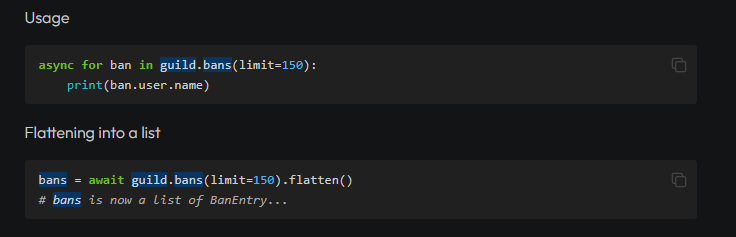
Found message through link:
is discord.py being discontinued?
Guild
Pycord
Channel
#general
Message
#general message
torpid cosmos
kind olive
the docs are confusing me. How do I make a slash command that has a bool choice?
you use SlashCommandOptionType.boolean
kind olive
austere loom
LMAO
kind olive
torpid cosmos
you use SlashCommandOptionType.boolean
will this work if I have another input section?
torpid cosmos
yeah it'll just show them both
slender cloak
slender cloak
im getting
```py
TypeError: Mod.is_mod() missing 1 required positional argument:...
@torpid cosmos
torpid cosmos
slender cloak
<@579041484796461076>
did you remember to save and restart your code
slender cloak
yeah its when i am trying to reload the cog via Jishku
kind olive
?
 torpid cosmos
kind olive
?
torpid cosmos
kind olive
?
more like
custom: discord.Option(discord.SlashCommandOptionType.boolean)``` i thinki think you can also just use bool
instead of the whole enum
kind olive
sweet thanks
torpid cosmos
slender cloak
yeah its when i am trying to reload the cog via Jishku
oh shoot yeah i figured
wait
what
i dont remember typing half of that
im going nuts
anyway
slender cloak
lmao
torpid cosmos
slender cloak
and then further down i could say do
```py
@slash_command()
@is_mod()
```
do you want to show me how you write that part of the command in combination with the class
slender cloak
well im getting that error
torpid cosmos
slender cloak
well im getting that error
oh yeah thats probably because of just the way its being used
im trying to figure it out but the puzzle pieces aren't fitting together for some reason in my head
the hamster is very much alive hes just not spinning the wheel
torpid cosmos
slender cloak
```py
class Mod(commands.Cog):
def __init__(self, client):
self.cli...
class Mod(commands.Cog):

    def __init__(self, client):
        self.client = client

    def is_mod(self):
      async def check_roles(ctx):
         db = self.client.check_db()

         if role in ctx.author.roles or ctx.author.guild_permissions.administrator or ctx.author.id == ctx.guild.owner:
               return True
          else:
               return False
       return commands.check(check_roles)

    @slash_command()
    @is_mod()
    async def my_command(self, ...):
        ...
something like that is what you have rn?
slender cloak
yes
torpid cosmos
okay yeah that makes sense
so that decorator is basically just not getting a reference to the class
slender cloak
wdym?
torpid cosmos
uh like
you know how when you use a method of a function its usually
self.func()
well when using a decorator it isnt getting that class instance passed anywhere
it isnt getting its self
like a baby boy without a blankie
torpid cosmos
im going to say yes
it has to be
it must
im just thinking of how
@shell radish help
i know ive faced this same problem before
and i thought i solved it somehow
goose theres a reason i dont have that shiny pink helper role
slender cloak
lmao but ur staff so that says something
torpid cosmos
exactly
oh wait
@slender cloak can you try removing the parenthesis
though i think that might not work
slender cloak
in what spot?
slender cloak
ok
torpid cosmos
no that wont work as far as i know
slender cloak
now im getting
method(extension)
discord.errors.ExtensionFailed: Extension 'cogs.mod' raised an error: TypeError: Callback must be a coroutine.
yeah lol
nope
oh wait a minute
thats a check
@slash_command(checks=[is_mod])```add that to your slash command decorator and remove the is_mod decorator
slender cloak
torpid cosmos
add that to your slash command decorator and remove the is_mod decorator
ok
torpid cosmos
id say you cant edit ephemeral messages but i dont think thats true
can you show me a little more of your code
slender cloak
torpid cosmos
add that to your slash command decorator and remove the is_mod decorator
the cog reloaded now im gonna check the commands
so the command worked but the check either returned True falsely or it didnt run the check im not sure
torpid cosmos
Throw some prints in that bad boy
Print inside of the function
Print inside of the check
Print inside of the conditionals
Print the conditions
torpid cosmos
not even the top level one in is_mod?
try making it not a list
though im pretty sure it expects a list
slender cloak
class Mod(commands.Cog):

    def __init__(self, client):
        self.client = client

    def is_mod(self):
      async def check_roles(ctx):
         print("test")
         db = self.client.check_db()

         if role in ctx.author.roles or ctx.author.guild_permissions.administrator or ctx.author.id == ctx.guild.owner:
               return True
          else:
               return False
       return commands.check(check_roles)
i did this and nothing printed
i feel like there has to be a way to use self or client in a command check
torpid cosmos
slender cloak
```py
class Mod(commands.Cog):
def __init__(self, client):
self.cli...
Try to print right below the function definitioe
torpid cosmos
oh oms here to save the day
Lets tri
Make check_roles its own function and remove the overhead from is_mod
slender cloak
ok
torpid cosmos
so then itd be like
class Mod(commands.Cog):

    def __init__(self, client):
        self.client = client

  async def is_mod(self, ctx):
     print("test")
     db = self.client.check_db()

     if role in ctx.author.roles or ctx.author.guild_permissions.administrator or ctx.author.id == ctx.guild.owner:
           return True
      else:
           return False
possibly
maybe
uh
hm
i dont think thats enough context for us unfortunately
wheres callback at
shell radish
you need the original interaction object that sent the ephemeral message to edit the message
shell radish
torpid cosmos
so then itd be like
```py
class Mod(commands.Cog):
def __init__(self, clien...
slight nitpick
class Mod(commands.Cog):

    def __init__(self, client):
        self.client = client

  async def is_mod(self, ctx):
     print("test")
     db = self.client.check_db()

-    if role in ctx.author.roles or ctx.author.guild_permissions.administrator or ctx.author.id == ctx.guild.owner:
-          return True
-     else:
-          return False
+     return role in ctx.author.roles or ctx.author.guild_permissions.administrator or ctx.author.id == ctx.guild.owner
``` but nothing to do with the actual cause of error🤥
torpid cosmos
behave yourself
torpid cosmos
shell radish
slight nitpick
```diff
class Mod(commands.Cog):
def __init__(self, client):...
whats with that formatting
shell radish
torpid cosmos
whats with that formatting
diff
torpid cosmos
oh shit thats rad
shell radish
should be blue and red because color blind
so you can either pass the interaction/context object to the view class or do a view.stop() and await view.wait()
torpid cosmos
i used to do something like
class mything:
    message: discord.Message
    ...

view = mything()
message = interaction.respond(view=view, ...)
view.message = message
you still don't have the interaction object
torpid cosmos
You dont need it, you just need the message to be able to edit the message
shell radish
no, you need the interaction object to edit the ephemeral message
torpid cosmos
Though I believe I actually made a pr to add an edit_message function to the view
shell radish
or else view.message.edit would work
torpid cosmos
shell radish
no, you need the interaction object to edit the ephemeral message
Ah yeah maybe it works different for ephemeral messages
shell radish
The error isn't message is None, it's that the message "doesn't exist"
how did you send the view?
ApplicationContext wraps an Interaction object
so, you would need that interaction or ApplicationContext object to edit the message
torpid cosmos
slender cloak
ok
How's that coming goose
slender cloak
im just updating the code now
shell radish
You can get it by passing it into the view or waiting for the button to be pressed in the original command
slender cloak
TypeError: Mod.is_mod() missing 2 required positional arguments: 'self' and 'ctx'
now im getting this
torpid cosmos
Okay well I'm just retarded
torpid cosmos
he needs the reference to the cog
shell radish
why?
torpid cosmos
he needs to access the bot object