#Bone Constraint Follow Path
1 messages · Page 1 of 1 (latest)
 balmy skiff
When I add the Bone Constraint Follow Path to my bone and set the Target to my curve the leg is just bugging and not doing what I want
If someone knows how to fix it pls help 😄

the bone is just getting out off hand and not following the path
 prisma quartz
this question gets asked a lot so i made a video to quickly overview the idea https://youtu.be/c_0Q0oD6row
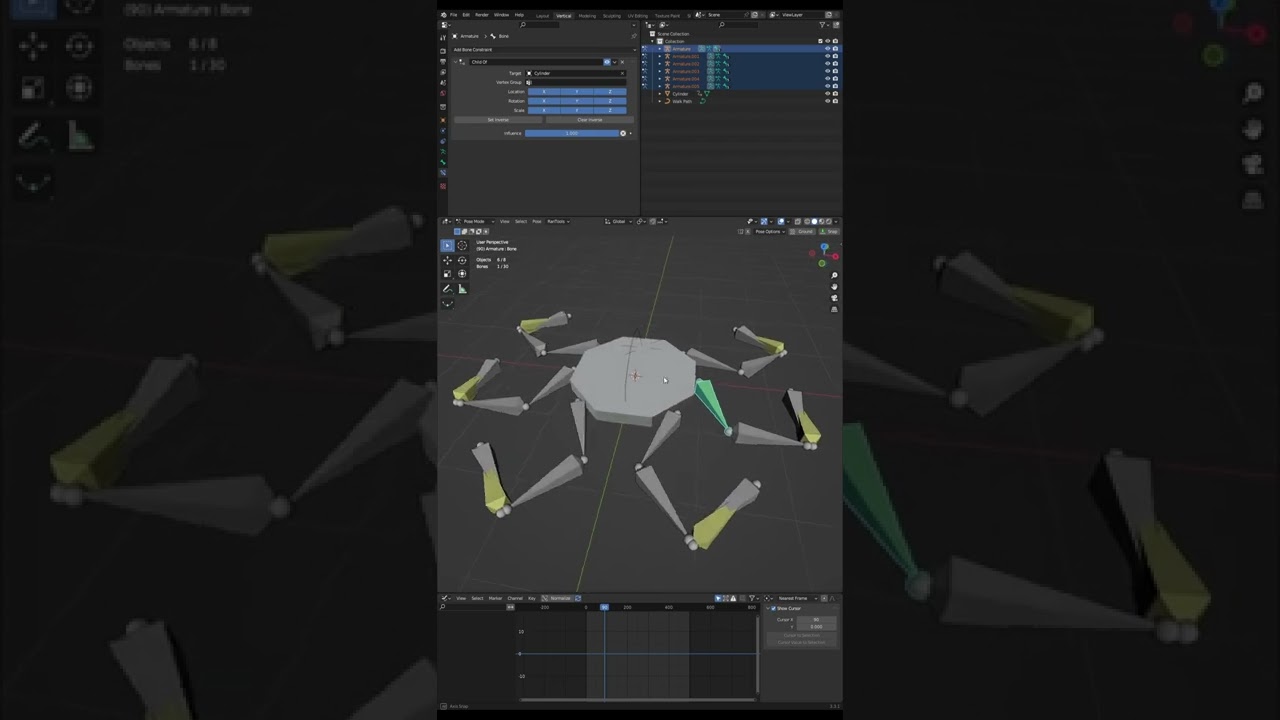
Just a quick tip for if you're following the @Polyfjord Tutorial Making a Mechanical Creature in Blender. This addresses the issue regarding not being able to copy the constraints without messing up the bones.
balmy skiff
Well ty that helps for my first problem, but now the constraint Follow Path is bugging
balmy skiff
yes the leg stretches out and it is not following my curve
prisma quartz
okay, so make sure that you have applied the rotations of the curve
the other thing is that the ik bone will move further away from it's origin the more you scale the curve. not sure why this is exactly
but if the bone origins are the same as the curve it sticks to it
so really the best thing to do is to simply move the bones to the place they need to be. I recommend that you select all the IK target bones, and scale them together until the move to the best place for your model and then jsut hit ALT+S to reset the bone scale
balmy skiff
Applying the Curves transforms worked just fine
Thank you very much, I love this server just awesome how everybody helps each other
balmy skiff
I rendered the whole thing now but it looks weird
do you know if it is because I rendered not enough samples?
prisma quartz
it could be your frame rate maybe, also motion blur can help a lot