#Custom keyboards
1 messages · Page 9 of 1
 merry valley
 little stratus
I think I'm going to be purchasing 2x more HE boardsmith gmmk 3 keyboards from Glorious with 1x being a wireless version bc I think once or if I can fix my current gmmk 3 keyboard I'm going to put my AliExpress SW keycaps on it once my Hyte SW keycaps get delivered bc I'll be putting my Hyte SW keycaps on my replacement gmmk 3 HE version keyboard
The other two boardsmith HE gmmk 3 keyboards I'll be buying will be for Kafka and Firefly
 jolly coral
merry valley
yeah, those prices are a. corporate prices and b. 20 years old ... but i did hav...
jolly coral
merry valley
yeah, those prices are a. corporate prices and b. 20 years old ... but i did hav...
that makes sense. they're up to $10 now. not bad for 20 years of inflation
jolly coral
little stratus
I think I'm going to be purchasing 2x more HE boardsmith gmmk 3 keyboards from G...
that's a lot of dough 
little stratus
jolly coral
that's a lot of dough <:momo_think:1097905211672104991>
Yep but at least they'll look nice. And I'll be having Glorious install the switches for me and I'll be buying Raptor HE switches for both those keyboards too
merry valley

i forgot how low profile the v1 gmmk is until i put the 992 next to it
i guess after 3 years of daily driving i just got used to it lol
jolly coral
Love the pair! 
merry valley
wait till i get the box greens in and the white auras on ... i might leave some of the blue caps on though, it's growing on me slowly
jolly coral
merry valley
wait till i get the box greens in and the white auras on ... i might leave some ...
Can't wait
 winged patrol
merry valley
winged patrol
merry valley
Top one is best
merry valley
winged patrol
Top one is best
yes, i agree - but it has been my daily for 3+ years, and is not replaceable since they have been EoL for almost 2 years now ... and i am toying with more compact builds, on the cheap
new switches a couple months back gave it some new life ... but black brushed alu is a total dirt magnet
little stratus
My Raptor HE switches got delivered today

My Cloth wrist rest got delivered last Monday as well

The switch boxes are a little damaged but I'm sure the switches themselves are probably perfectly fine
 jolly coral
 balmy cove
when does it stop? 😂
balmy cove
when does it stop? 😂
Soon. I'm running out of keyboards to buy
jolly coral
After this round of 98%, I think I'm good for a bit
jolly coral
balmy cove
Did you get your gravastar?
Yes, it's just sitting there 
I need more time 
 jolly coral
I don't do 40%
balmy cove
I just want it because it's cute
jolly coral
It'll drive me crazy trying to remember all the layers
I struggle even with the 60/65% already
 livid mason
balmy cove
I just want it because it's cute
livid mason
balmy cove
I just want it because it's cute
this is def a "keep on the shelf and never use" board
balmy cove
I needs it
 gray wave
A keychain
balmy cove
livid mason
this is def a "keep on the shelf and never use" board
Oh I has question for ye
Are there any 60% PCBs that have knobs? 
little stratus
balmy cove
I pinged the wrong person 🤣
Both keychron and Glorious have 60% barebones kits with knobs
I don't do 60% either but I've looked at both those two's selections
balmy cove
Yeee I found this
KPrepublic
Pls pay attention: To avoid damaging PCB hot-swapping sockets, pls make sure your switches' pin is vertical, and you'd better not using used key switches with soldering tin. Kit 8 will be shipped with Black case and Gateron Standard Yellow switches by default. If you want a clear or white case instead of Black case, an


 little stratus
yeah that looks like a nice one too
balmy cove
I'll scoop one up when I get back from my vacation
little stratus
nice. I can't wait till I get my he gmmk 3 setup and be able to fix my mx gmmk 3 keyboard
 little stratus
Glorious has a deal going on right now that if you buy 1 boardsmith keyboard you get the second one for 90% off

 warm sonnet
little stratus
Glorious has a deal going on right now that if you buy 1 boardsmith keyboard you...
warm sonnet
little stratus
Glorious has a deal going on right now that if you buy 1 boardsmith keyboard you...
Did that discount auto apply? Tried it as well and didn't get that discount in my basket or when doing checkout
little stratus
warm sonnet
Did that discount auto apply? Tried it as well and didn't get that discount in m...
It auto applied. I just added two boardsmith keyboards to my cart and it did that
warm sonnet
Hmm, weird. It doesn't when I try to.
little stratus
I'm part of the Glorious Guild maybe that has something to do with it
It's Glorious's free membership
warm sonnet
Same, but only the first level though, so that might be it
jolly coral
balmy cove
Are there any 60% PCBs that have knobs? <:hmmmmm:1020805400108470292>

GK GAMAKAY LK67 RGB Modular Mechanical Keyboard, 67 Keys Hot Swappable Switch 3pin/5pin, Programmable Triple Mode Wireless/Wired/2.4GHz Customized Keyboard Kit, NKRO PCB Mounting Plate Case
And I just ordered one yesterday for a gift that I'm making
jolly coral
little stratus
Glorious has a deal going on right now that if you buy 1 boardsmith keyboard you...
That is not the current promotion at all!
 jolly coral
warm sonnet
Hmm, weird. It doesn't when I try to.
jolly coral
warm sonnet
Hmm, weird. It doesn't when I try to.
Because that's not the right promotion
little stratus
jolly coral
That is not the current promotion at all!
Is that why it appears that one of the boards is basically 90% off?
jolly coral
little stratus
Is that why it appears that one of the boards is basically 90% off?
90% off? You mean a total of $200ish discount?
That's not 90% off at all
little stratus
jolly coral
90% off? You mean a total of $200ish discount?
Yeah bc one of them was only like $260. So on that $260 build it was basically giving me it for 90% off
jolly coral
With a flat rate $50 off customs, you want to order cheap builds
I ended up with a custom 100% board for less than $100:
 little stratus
That $260 board would've been only like $60 that's in my picture
jolly coral
little stratus
That $260 board would've been only like $60 that's in my picture
That's not how mathing works
The $260 - 50 = 210, then take off another 40 since you're 200. So the total discount will be $90.
So your 260 board will be $170
Still a great discount
But nowhere near 90% off
And 90% off is NOT the current promo rules
little stratus
$259 - $218= $41
I would've only had to pay for the other build in my cart plus $41
jolly coral
The other build that nearly $500
Which is what got you the additional $50 + $80 discount
little stratus
Yeah but but one of them I would've gotten nearly for free
jolly coral
That is not the current promotion
little stratus
So bc I would be spending $782 for those two boards it basically very nearly zeroed out the lesser priced board bc of the promo discounts?
little stratus
Either way that's a damn good deal though
jolly coral
Your final price is $563, and that's a 28% discount
little stratus
Yeah but I'm very nearly getting a build for free though
jolly coral
My cheap build above was $130 and my final price was $75
That's a 42% discount
And I spent a heck a lot less
Once again, the discount rules on Glorious right now favors cheaper builds because of the initial $50 off all customs
little stratus
I don't mind paying for the $445 build plus $41 for the second build bc that's equivalent to saying I'm basically getting the lesser priced build for 90% off
But yeah ik that's not how the discount works
jolly coral
little stratus
I don't mind paying for the $445 build plus $41 for the second build bc that's e...
that's not even close to what you're paying
by your mathing
you have a $288 build and a $494 build
taking all the discounts for both builds, you have a total of $90 + $130 = $220 discount
$288 - $220 = $68
even that's not $41
so that $220 is only a 76% discount
still nowhere near a "90% discount" that you've misinformed @warm sonnet
I don't even know how you've got to $41
but let's take that $41
$288 - $41 = $247 discount
even then, that's only 85.76% off
still not 90%
little stratus
The $288 build dropped to $259.20 & the $494 build dropped to $444.60
jolly coral
little stratus
The $288 build dropped to $259.20 & the $494 build dropped to $444.60
did you check out?
because when you check out
there's a final total discount
what's that number?
little stratus
Yeah I'm looking at the checkout now
$28.80 off the $288 build and $49.40 off the $494 build plus $140 off $700
little stratus
So I guess a full total of $218.20 discount
jolly coral
jolly coral
taking all the discounts for both builds, you have a total of $90 + $130 = $220 ...
So the math here?
Tell me how that's 90% off?
little stratus
So $28.80 + $49.40 + $140= $218.20
winged patrol
Math class?
jolly coral
winged patrol
Math class?
not sure what this is
but I certainly won't be trusting this guy to be doing what I'm doing right now (paying bills, it's payday!)
little stratus
Even if 218.20 is taken from 288.00 it's still a significant amount that's taken off that price which yeah it'd be like only paying $70 for the lesser priced build so it's a very significant discount and a very good deal bc it very nearly zeroed out the lesser priced build
jolly coral
but AliExpress is actually having an "up to 90% off" sale right now:
 jolly coral
little stratus
Even if 218.20 is taken from 288.00 it's still a significant amount that's taken...
jolly coral
little stratus
Even if 218.20 is taken from 288.00 it's still a significant amount that's taken...
$70 is nowhere near $0
$70 is what I paid for my custom 100% GMMK3 build
and I didn't even need to order a second $500 board to get that price
little stratus
jolly coral
$70 is nowhere near $0
It's close enough. It's way less than $288
winged patrol
jolly coral
and I didn't even need to order a second $500 board to get that price
Damn
jolly coral
whatever makes you feel better about spending $563 on 2 100% GMMK3s
little stratus
Like I said I don't mind paying $445 for the first build if I only have to pay like $70 for the second one
jolly coral
but you're not
by your math
you're paying the full $495 for the first build
and $70 for the second build
and that's how you get to the $563 total price
little stratus
You get my point. I don't mind paying full price for one build if I only have to pay like $70 for the lesser priced build
Plus Glorious has everything I want for the builds except the keycaps
winged patrol
jolly coral
you're paying the full $495 for the first build
I think he meant he is going all out for first build meanwhile he treating second build as side project
little stratus
winged patrol
I think he meant he is going all out for first build meanwhile he treating secon...
No the first build uses wireless that's why it's more expensive and second one is wired that's why it's cheaper
winged patrol
little stratus
No the first build uses wireless that's why it's more expensive and second one i...
Bluetooth?
little stratus
winged patrol
Bluetooth?
RF/Bluetooth
winged patrol
I don't think buying wireless keyboard is good idea
little stratus
winged patrol
I don't think buying wireless keyboard is good idea
I need one I can use in my kitchen
winged patrol
little stratus
I need one I can use in my kitchen
Oh ic
little stratus
winged patrol
Oh ic
As long as I use Bluetooth it shouldn't have any problems. RF just sucks in my place bc RF is very susceptible to interference.
jolly coral
little stratus
No the first build uses wireless that's why it's more expensive and second one i...
the fact that Glorious charges so much for tri-mode keyboards is mind boggling
little stratus
jolly coral
the fact that Glorious charges so much for tri-mode keyboards is mind boggling
Yeah I agree
jolly coral
my AliExpress order:

I've got a pair of 98% keyboards that I really wanted to try out
each under $70
winged patrol
little stratus
As long as I use Bluetooth it shouldn't have any problems. RF just sucks in my p...
There will be a delay response, I think
jolly coral
winged patrol
There will be a delay response, I think
yes
but doesn't seem like he's going to be gaming in his kitchen
so doesn't matter
winged patrol
True
little stratus
winged patrol
There will be a delay response, I think
Not really. I have a tri mode mouse from Corsair and I've used Bluetooth on it with no delay
The only reason I'm using my Corsair tri mode mouse on wired currently is bc I got sick and tired of the mouse erasing the profiles I have set to its memory and having to keep setting them back up
winged patrol
little stratus
Not really. I have a tri mode mouse from Corsair and I've used Bluetooth on it w...
Hmmm ic, I just hope u making right decision
little stratus
winged patrol
Hmmm ic, I just hope u making right decision
In my kitchen which is only like 25ft away from my computer I'd only be using the keyboard for searching things up on the internet or typing in addresses in the address bar
winged patrol
Oh
little stratus
Plus I replaced/upgraded the onboard m.2 wifi/Bluetooth chip on my mobo to that one that comes on the MSI Herald wifi 7 BT 5.4 pcie adapter
So my mobo has BT 5.4 and wifi 7 onboard now
So using the keyboard in BT shouldn't pose any problems at all
little stratus
Should I still take the pcb out of the keyboard casing and support the back of the pcb when I install the HE switches? Or is that not necessary for HE switch install?
jolly coral
little stratus
Should I still take the pcb out of the keyboard casing and support the back of t...
Isn't that the whole reason you're going with HE switches?
little stratus
jolly coral
Isn't that the whole reason you're going with HE switches?
Yeah but wasn't sure bc it'll be my first time installing HE switches.
little stratus
Isn't HE better?
jolly coral
And just when I thought hotswap MX switches/sockets are safe
jolly coral
little stratus
Isn't HE better?
Too expensive for normal people's usage
little stratus
jolly coral
Too expensive for normal people's usage
Oh ok
livid mason
HE can technically be better
But it requires knowing how to use the software, tuning the settings to preferences thay allow for the input shortcuts you want (without getting banned for cheating) and even then the improvement is relatively minimal, since the main mechanic that made them so good is now banned in FPS's and Osu!
jolly coral
that software tuning process is the main reason that I haven't popped open my HE keyboards yet
I can just see myself spending hours playing and tuning

 little stratus
merry valley
little stratus
merry valley
Those are the Raptor MX switches that Glorious sells
merry valley
nope, raptors are clear bottom
and 5 pin
all i can tell is they are tactile, fairly quiet, and medium weight.
i'm replacing with outemu box greens as soon as they come in, just curious really
little stratus
merry valley
nope, raptors are clear bottom
Oh yeah
jolly coral
merry valley
Gateron KS-9 Greens: https://goblintechkeys.com/products/gateron-ks-9-switches

Goblintechkeys
SMOOTH – Gateron Switches are a favorite among enthusiasts for their smooth and satisfying typing experience as well as their lightning-fast gaming performance. They are available in 10 PCS, 65 PCS, 90 PCS and 120 PCS making them the ideal fit for 60%, TKL and full size keyboards. LUBING – Pre lubricated by the factor

80g heavy heavy tactile/clicky
at least that would be my best guess
most pictures of the KS-9 has a green stem that's a darker shade of green
but so many clones of the Gateron switches are out there
merry valley
i'm thinking they are a knockoff of a knockoff baby kangaroo
jolly coral
could be just one of the weird runs from MMD
jolly coral
merry valley
i'm thinking they are a knockoff of a knockoff baby kangaroo
how heavy is the switch?
 jolly coral
merry valley
not very - guessing between 45 and 55ish?
jolly coral
merry valley
not very - guessing between 45 and 55ish?
gaterons will usually have print on the top case
it looks blank from your picture
jolly coral
Yeah, definitely not part of my switch testers:

let me try to find them on AliExpress
the blank top case should be helpful
because even Outmu have printed top case now
definitely the wrong shade of green for the KS-9:

plus the wrong weight
jolly coral
yeah, don't see anything
MMD has these "virus" switches with the same stems: https://www.aliexpress.us/item/3256804361838367.html
the bottom case looks like POM from Durock Sunflower: https://www.aliexpress.us/item/3256802543103900.html
merry valley
¯_(ツ)_/¯
jolly coral

merry valley
well got the software downloaded, and the ak992 plugged in ... my single gripe other than the lack of INS is the FN key seems to be permanantly red ...
jolly coral
merry valley
well got the software downloaded, and the ak992 plugged in ... my single gripe o...
Battery status
But seems like a permanent problem: https://www.reddit.com/r/Epomaker/comments/1efqti4/ajazz_ak870_fn_light_constantly_stays_red/
But someone seems to have a solution: https://www.reddit.com/r/keyboards/comments/1fma7td/ajazz_ak820_pro_battery_light_constantly_red/
Reddit
Explore this post and more from the keyboards community
little stratus
Well it sucks I might not get my HE gmmk 3 boardsmith keyboard that's a replacement for my current gmmk 3 boardsmith keyboard until Monday. I was hoping to get it today but it's looking less and less likely by the minute.
I'll know for sure at 9-10am mst later this morning.
jolly coral
Interesting new 98% keyboard: https://drop.com/buy/keysme-aim04-98-gaming-mechanical-keyboard

Drop
Drop exclusive price and reviews: KeysMe AIM04 98 Gaming Mechanical Keyboard | Ends 11/30/2024 | The KeysMe AIM04 line of gaming keyboards provides a unique...
$200 is a bit much for the current market given that I've just picked up a pair of 98% for around $70
 little girder
jolly coral
Interesting new 98% keyboard: https://drop.com/buy/keysme-aim04-98-gaming-mechan...
little girder
jolly coral
Interesting new 98% keyboard: https://drop.com/buy/keysme-aim04-98-gaming-mechan...
i want to try out the nuphy low profile hall effect keyboards
jolly coral
little girder
i want to try out the nuphy low profile hall effect keyboards
Sounds fun
Meanwhile, more paint testing:


Planning to spray this stuff directly onto the new Grey ID87 that I've ordered
livid mason
jolly coral
Interesting new 98% keyboard: https://drop.com/buy/keysme-aim04-98-gaming-mechan...
Ooh, this looks nice
jolly coral
livid mason
Ooh, this looks nice
I really like the 98% layout with those extra column of keys between the numpad and the alphas
livid mason
jolly coral
I really like the 98% layout with those extra column of keys between the numpad ...
Agreed
It's why I like my QK100 and my old Windx98
QK100 with 2 column buttons and a display ❤️
jolly coral
Full metal case, gold plated FR4 plate, and VIA compatible
7 extra keys in total + the knob
livid mason
Ye, I'm Def interested
jolly coral
Kicker: You can order with a full set of Weightlessness switches
Alright, I'm sold
I'll grab it from Drop
Should get it on 27-28:


Get a DCD set to go with the board
Or the Glow set:

Probably the Bloom set
Been having my eyes on the set for a while now
Drop's Black Friday sales have been kind of meh TBH
And maybe a couple of MT3 sets on 25-26th:
 livid mason
jolly coral
Kicker: You can order with a full set of Weightlessness switches
livid mason
jolly coral
Kicker: You can order with a full set of Weightlessness switches
I was eyeing weightlessness or mars
Unsure between which to get
jolly coral
livid mason
I was eyeing weightlessness or mars
Unsure between which to get
Mars is linear and Weightlessness is tactile, I really like Weightlessness
And the switches are quite pricey buying alone too
livid mason
jolly coral
Mars is linear and Weightlessness is tactile, I really like Weightlessness
I know, I wanna try both
balmy cove
jolly coral
And maybe a couple of MT3 sets on 25-26th:
Those Noctua caps are so tall I had to return them 😂
jolly coral
balmy cove
Those Noctua caps are so tall I had to return them 😂
yeah, that's the problem with MT3/SA profile keycaps
I find them to be a bit too tall and hard to move between keys
although they do produce a much deeper sound compared to Cherry profile
finished the GravaStar K1 transplant tonight:

that was pretty rough
ended up needing to cut the top case:


fortunately, it was just plastic
turned out to be a pretty wild looking keyboard with the additional side LEDs
livid mason
jolly coral
finished the GravaStar K1 transplant tonight:
that looks sick
merry valley
switches finally cleared customs ... should be here wednesday
jolly coral
apparently, the barebone Cyberboard doesn't come with stabilizers
I swear, the more you pay, the less you get when it comes to custom keyboards
jolly coral
anyways, nearly done with the Holy 60:


just waiting for the keycaps to get here
did I ever mention that I absolutely hate installing stabilizers?
somehow, this feels exactly like the Tofu60, except the case has a ton of cutouts
it even came with the Redux 60 PCB that's compatible with the Tofu60
I've always wanted to build a Tofu60 
little stratus
Well this sucks Glorious sent me the wrong pcb. I was supposed to get the HE pcb but instead they sent me the Kailh Hotswap pcb. I even bought Raptor HE switches bc I was promised the HE pcb.
But now those Raptor HE switches are useless.
jolly coral
More customers service tume
little stratus
Nope bc I don't care anymore. I put every Kailh switch in perfectly and have a fully working gmmk 3 boardsmith keyboard
jolly coral
little stratus
Nope bc I don't care anymore. I put every Kailh switch in perfectly and have a f...
Be sure to aim this time
Preparing for Wednesday, I think I may just end up getting this keyboard instead: https://drop.com/buy/flesports-mk870-tkl-hot-swappable-mechanical-keyboard

Drop
Drop exclusive price and reviews: Flesports MK870 Barebones TKL Mechanical Keyboard | With a host of features and a solid build, the MK870 keyboard Flesports...
$43 TKL keyboard
And get the Glow keycaps ($50) for free: https://drop.com/buy/artifact-bloom-series-keycap-set-glow

Drop
Drop exclusive price and reviews: Artifact Bloom Series Keycap Set: Glow | When you want to see the light—but not get blinded by it—the Glow keycap set has...
I've read all the rules, and I think this will work
I have a set of Kuromi keycaps that I want to throw on a keyboard
little stratus
jolly coral
Be sure to aim this time
The keyboard fully works now. I'm going to keep my Raptor HE switches for my next gmmk 3 he boardsmith keyboard I'm going to buy from Glorious
Glorious's HE psb's are a hybrid of HE and Kailh hotswap. I just found that out by putting in one of the Raptor HE switches while also using the Kailh box pink switches and the fact that Glorious's software picked it up as a gmmk 3 he even though I was using the Kailh box pink switches on it bc it also has the Kailh sockets on it which is what through me off.
So Glorious actually did send me the correct pcb after all since it's a hybrid which they could've informed me about
jolly coral
Finally!

Which set of keycaps was I planning to put on these again
Oh, the EVA sets
jolly coral
just sprayed the second ID87:

the sparkle paint actually lightened the grey a little
here's the before picture:
 little stratus
Well somehow I fried the pcb that Glorious just sent me unfortunately by just updating my raid drivers bc even my Raptor HE switches don't work either
little stratus
I tried both the Kailh box pinks and my brand new Raptor HE switches and none of the switches work at all. Well that was quick. That pcb only lasted 1 night and 3/4 a day before it died.
Never had a keyboard die on me that quickly before ever
jolly coral
balmy cove
I sanded the green off mine
wait, what?
why would you do that?
are you planning to color change?
anyways, what I was working on tonight:
 livid mason
jolly coral
anyways, what I was working on tonight:
livid mason
jolly coral
anyways, what I was working on tonight:
That frame is super pretty
jolly coral
livid mason
That frame is super pretty
1 of 300
livid mason
jolly coral
1 of 300
NUT
little stratus
Anyone fry a keyboard pcb by just updating raid drivers before? Bc that's what just happened to me unfortunately
livid mason


 livid mason
little stratus
Anyone fry a keyboard pcb by just updating raid drivers before? Bc that's what j...
livid mason
little stratus
Anyone fry a keyboard pcb by just updating raid drivers before? Bc that's what j...
You didn't fry the board
You probs just installed either the wrong drivers or had a corrupted driver install
jolly coral
Angry Miao did say the paisley pattern was inspired by Versace
livid mason
jolly coral
and did some vinyl work on the back:
This looks CLEAN
jolly coral
I just did what AM couldn't get the IP for 
little stratus
livid mason
You didn't fry the board
You probs just installed either the wrong drivers or ...
I just tested that by doing a clean install of win 11 with the correct drivers and still none of the gmmk 3 switches work at all
jolly coral
little stratus
I just tested that by doing a clean install of win 11 with the correct drivers a...
no, he meant you need to reflash your keyboard
the onboard PCB has memory
there should be a button on the PCB to do a hard reset
little stratus
jolly coral
no, he meant you need to reflash your keyboard
How do I do that? Glorious doesn't provide any firmware for it
jolly coral
 little stratus
jolly coral
little stratus
jolly coral
Hard reset didn't work either
livid mason
It's not a new issue
People have been co.plaining about the new GMMK3 software install for a month now
https://www.reddit.com/r/glorious/s/FrbElWsxLC
People got it to work in various ways
Follow what other people did here. Literally one of the top links on google
 little stratus
Glorious has the audacity to charge people for this headache of a keyboard!!!! Glorious needs to recall all their keyboards and software start from scratch and not release any keyboards until they fix this problem.
How the f***ck can anyone trust Glorious when they refuse to fix they shit software that causes the products they sell people to brick
If Glorious doesn't care to fix problems then they need to go bye bye via bankruptcy
jolly coral
Lovely, Drop changed the rules. In order to get the free keycaps, you must order a Drop keyboard:
 livid mason
little stratus
How the f***ck can anyone trust Glorious when they refuse to fix they shit softw...
livid mason
little stratus
How the f***ck can anyone trust Glorious when they refuse to fix they shit softw...
Dude, you need to calm down.
First: it's a soft brick, not a hard brick. Meaning your hardware is fine, it just needs to get re-flashed.
Second: you are dealing with software updates. Bugs slip through the cracks all the time
Third: most of the issues you have dealt with are either user error or stem from your own lack of research on the topic. Glorious sent you a HE key card for free when you broke your mech keeb. They have been doing you major favors
Fourth: While the keyboards are overpriced, they aren't crap keebs. Instead of blaming the company for a tinkerer's product for not being for the layman, you should look to understand that you bought a tinkerer's product and it will involve elbow grease and learning to properly set up as you see fit
Fifth: you want a custom product. Customized/customizing products will never be as easy as just buying and forgetting about it. There is effort needed here
I'm getting really annoyed and sick of your constant negative attitude and complaining on here. It's one thing to ask for help and be annoyed, it's another thing to make it everyone else's problem and constantly talk crap. Glorious had EVERY right to just deny your claim and not give you a $180 keeb. Simple as that
livid mason
jolly coral
Lovely, Drop changed the rules. In order to get the free keycaps, you must order...
RIP
Those caps look clean tho
little stratus
Ok I figured it out. Glorious put a not needed setting in the software for calibration and that calibration setting screwed up my keyboard. Once I recalibrated each switch everything but the backspace key worked again
little stratus
But no matter what I try I can't get the backspace key to work though. I've tried recalibrating the backspace key 4 times now and it still doesn't work and I've checked the switch and Kailh socket and both are perfectly fine and 1 of the leds doesn't work either.
jolly coral
livid mason
RIP
Those caps look clean tho
The only keyboard semi-worth getting is the CSTM80
Even then, I haven't bought the board for so long for a reason
winged patrol
jolly coral
Lovely, Drop changed the rules. In order to get the free keycaps, you must order...
Drop keyboard bad?
jolly coral
I'll just wait for another sale or something
jolly coral
winged patrol
Drop keyboard bad?
Extremely overpriced
balmy cove
jolly coral
are you planning to color change?
Just silver for now
jolly coral
balmy cove
Just silver for now
So leaving it unpainted?
livid mason
jolly coral
The only keyboard semi-worth getting is the CSTM80
yeah, been staying away from drop boards because of how expensive they are
I miss when Drop was Massdrop and they did community voted product drops
I got SO MANY dice and card sleeves for cheap
balmy cove
jolly coral
So leaving it unpainted?
Yeppers
merry valley
w00t! someone is building a keyboard today
 jolly coral
merry valley
w00t! someone is building a keyboard today
jolly coral
merry valley
w00t! someone is building a keyboard today
Dang, orange wish be quick 
merry valley
yeah - the board itself was local, so it only took like 3 days
under 2 weeks for 110 switches isn't bad from the land of chineseium
gray wave
Under 2 weeks is low key insane
livid mason
merry valley
yeah - the board itself was local, so it only took like 3 days
What board?
balmy cove
 jolly coral
balmy cove
jolly coral
balmy cove
Ooo, the Yunzii Boba set! I've had it on a Q60 build; #1071070910989209661 message
Looks great on the naked Holy 60
 jolly coral
ROFL, the keycaps went on sale today and I didn't even need to buy a keyboard
 merry valley
Rando mid swap pic
 winged patrol
merry valley
Rando mid swap pic
winged patrol
merry valley
Rando mid swap pic
Why fn red
Thats looking like a button which is most tempting
 merry valley
Done.

and apparently it works, as i am typing on it now
25$ board, 16$ switches, 12$ caps. all in, with shipping, about $60
jolly coral
merry valley
Desk currently wrecked lol
you should see my desk, like all the time
merry valley
clutter triggers my CDO
jolly coral
merry valley
25$ board, 16$ switches, 12$ caps. all in, with shipping, about $60
sounds like a great deal, especially since you have a thing for white pudding caps
jolly coral
merry valley
clutter triggers my CDO
I just put it out of sight
merry valley
jolly coral
sounds like a great deal, especially since you have a thing for white pudding ca...
i like the diffued lighting ... same as the recessed govee strip around my desk
jolly coral
I don't know what pudding caps has such a bad rep in the custom keeb community
merry valley
seeing youtubers with led strips just tacked to the wall is one of my triggers, i have blocked some reactors over that
jolly coral
they do look great, especially when you're looking for anything too crazy
jolly coral
merry valley
seeing youtubers with led strips just tacked to the wall is one of my triggers, ...
that's just laziness
but yes, definitely bothers me as well
but I just assumed it's because I'm an old fogey
merry valley
yeah i realized how old i was yesterday when i was nominated to dissect the bird carcass
jolly coral
merry valley
yeah i realized how old i was yesterday when i was nominated to dissect the bird...
congrats on the promotion
we usually get our bird pre-dissected from Popeyes
merry valley
lol older people lost it when i removed the entire breast in 2 cuts to slice it properly
jolly coral
but somehow, Popeyes locations were closed in our area
jolly coral
merry valley
lol older people lost it when i removed the entire breast in 2 cuts to slice it ...
I dissect actual birds sometimes for my "real" job, the breast comes out in 4 pieces: Left/Right Pec Major/Minor
I'm Asian, so we prefer dark meat. Never quite know what to do with the breast pieces we get from the whole birds from Costco/Sam's
merry valley
only problem i had yesterday was getting the switches out of the numpad + and enter keys - stabs made it too tight for a switch puller, had to jimmy them out with a .5mm straight screwdriver
jolly coral
Oh geez, I was searching for a keyboard with a frosted black case to go with the new Artifact Glow keycaps, and look at what I've found

Guess I'll find out soon how good this "Used - Very Good" is
Hopefully it's just someone opening a barebone keyboard and shock returned the keyboard without any keys
merry valley
man, i used to get the best deals at MC like that
back when all the returns were processed at the sharonville location when all the online stuff shipped out of there ... was a magical time of 40% off mobos and the like
jolly coral
balmy cove
<@546457581162463288> keyboard lube says delivered but um
GPL-205 for the stabilizer?
jolly coral
Oh, I've always used some generic version of the GPL-205 for my keyboard stabilizer needs
Based on a quick glance at the reviews, seems like the Glorious version is slightly thinner
I use GPL-105 for my switches that are scratchy
GPL-105 is definitely messier to work with
balmy cove
Pcb should also be there when I get back
jolly coral
Oil vs. grease
jolly coral
balmy cove
Pcb should also be there when I get back
Oh, what PCB did you order? I can't seem to recall
balmy cove

KPREPUBLIC bm60ec bm60 EC RGB 60% gh60 hot swappable Custom Mechanical Keyboard PCB Programmed qmk VIA RGB Switch Type c Rotary Knob (BM60 EC PCB Only x1)
jolly coral
Dang, that's another $50
jolly coral
Looks like only a single row of LEDs for the under glow
balmy cove
Was the same for the one I got from kbdfans
jolly coral
balmy cove
My favorite switches are still the wisterias lol
I just did a build with the Wisteria Tactile switches yesterday:

 balmy cove
I like the green stems
jolly coral
balmy cove
I like the green stems
Those are the linear ones
balmy cove
Like 8 bucks for 35mon amazon lol
jolly coral
Epomaker naming is confusing, probably on purpose
Making Wisteria in both linear and tactile only distinguishable by the stem colors
jolly coral
balmy cove
Like 8 bucks for 35mon amazon lol
Try $5.50 for 45:


Mechlands was doing some crazy sale on Amazon for Black Friday
Then again, Baby Blue is a light Tactile, so probably not your cut of tea
balmy cove
Preordered a gunpla and hopefully that will be there as well
jolly coral
balmy cove
Preordered a gunpla and hopefully that will be there as well
there's a #1304836373194215555 thread now
looking forward to your updates there
jolly coral
Dang it, Hipyo just posted a video on the Galaxy 100: https://youtu.be/8wgzTNa1LSo
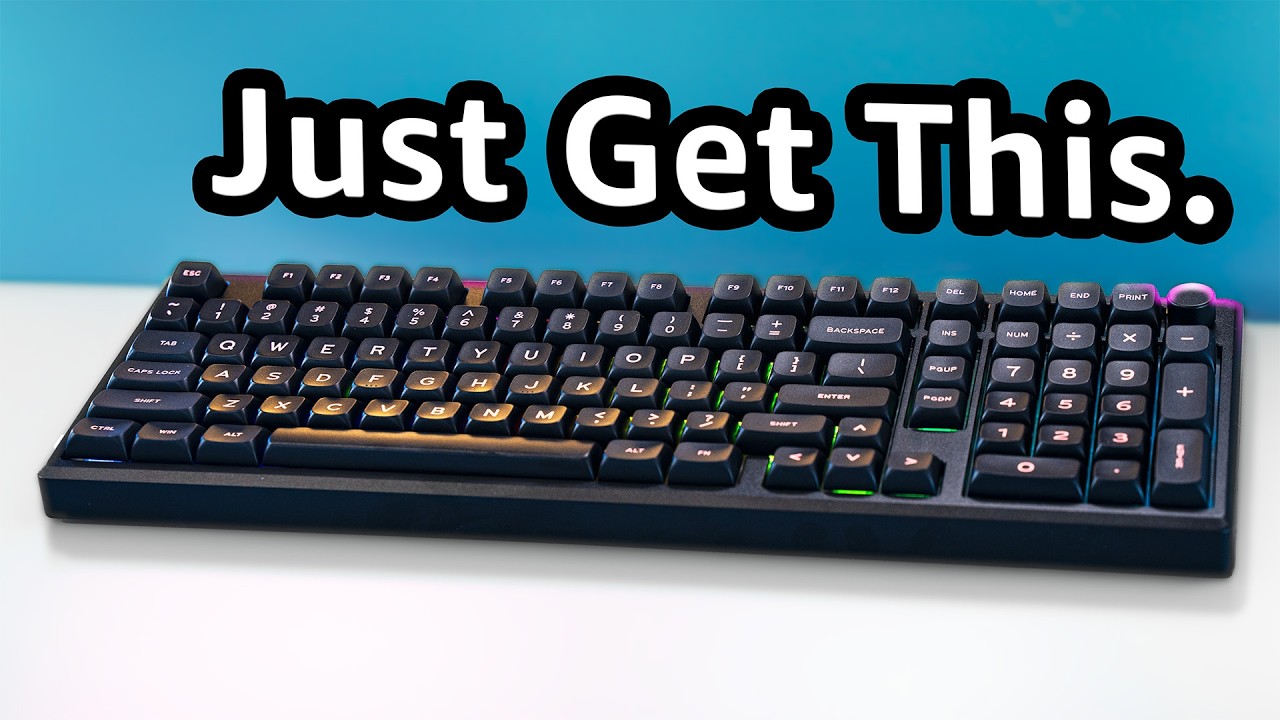
Is the Epomaker Galaxy 100 the best full sized custom keyboard on a budget? Sponsored by Epomaker who did not review this video: Get the Galaxy 100 here: https://epomaker.com/products/epomaker-galaxy100-qmk-via?sca_ref=450109.wjDF4oHK4N
✔️Buy Hipyo Tech keycaps, deskmats and more!! https://hipyo.co/ ✔️
⬇️Affiliate links to help out the channel...
Been trying to get my hands on one for cheap
Now the demand is probably going to skyrocket
little girder
jolly coral
Dang it, Hipyo just posted a video on the Galaxy 100: https://youtu.be/8wgzTNa1L...
soon
 winged patrol
Nice
little girder
jolly coral
Always nice when a GB ships
We take Ls to wait 10 years
jolly coral
Phew, shipped just before getting automatically cancelled
 little girder
Sheesh

 winged patrol
jolly coral
It's all here!
winged patrol
jolly coral
It's all here!
Niceeee
livid mason
jolly coral
It's all here!
Das a lot of wooting
jolly coral
livid mason
Das a lot of wooting
Just 1
livid mason
Sure, but I mean cases
jolly coral
livid mason
Sure, but I mean cases
They didn't sell the transparent case as part of a kit
There should be an anodized white and a smoked black transparent
livid mason
jolly coral
They didn't sell the transparent case as part of a kit <:momo_sweat:903743037207...
Wut
Really?
That's stupid
jolly coral
no clue
finally got done with my Adam and Lilith today


that left shift was an odd size
I can see what you were complaining about @livid mason
oh no
I remembered the wrong person
it was @hearty lily
found the chain: #1071070910989209661 message
jolly coral
ended up wrapping my Lilith for my wife
 hearty lily
Awww
jolly coral
used her favorite color vinyl:

one of these days I'll get around to wrapping her car in this color
jolly coral
cheapo XVX gradient stuff

XVX Side Print Keycaps - Shine Through Keycaps, PBT Double Shot Custom Keycap Set, 136 Keys Gradient Purple Keycaps, OEM Profile Keyboard Keycaps for Cherry Gateron MX Switches Keyboard
good thing it's the bigger 136 set and has the weird sized keys for the 60% layout
merry valley
i might need a south facing board - was perusing some random caps on amazon & orange wish yesterday and found a few side shine caps i really liked
jolly coral
side-prints are my favorites
jolly coral
merry valley
i might need a south facing board - was perusing some random caps on amazon & or...
if you need any recommendations, please let me know
merry valley

Tsungup Custom Keycaps-Side Print Keycap Set,PBT Shine Through Cool Retro Keycaps 75 Percent,128 Keys Dye Sub Cherry Profile Keyboard Key caps for Cherry MX Mechanical Keyboard-Sketch Black Keycaps
a lot of my forza cars have inital d-esque cel shaded looking wraps on them
jolly coral
haha
merry valley
and those caps really clicked something
jolly coral
what layout keyboard are you thinking?
merry valley
i was thinking a 75% BT/2.4 for the HTPC - right now i have a horrible tiny nokia phone looking wireless key/touchpad combo
jolly coral
merry valley
i was thinking a 75% BT/2.4 for the HTPC - right now i have a horrible tiny noki...
30% off: https://a.co/d/0YrJKFw

EPOMAKER Aura75 75% Mechanical Keyboard Kit, Hot Swappable Custom Keyboard Kit, 2.4Ghz/Bluetooth 5.0/USB-C Wired Wireless Gaming DIY Kit, with Silicone Pad, RGB Backlight for Win/Mac/Gaming (White)
Just missed all the sales
merry valley
46$ isn't bad tho, i already got a couple sets of switches i could chuck in there
but that would not work. duh
idk, the wife uses that pc about every 2 months to shop on amazon, or when she wants to watch the harry potter movies lol
 honest pecan
Very good keyboard for me but I need to find key caps for it 
jolly coral
good luck
be sure to get shine-through and not side-print
you have a keyboard with north-facing LEDs
side-prints are going to dim
livid mason
Mercury K1 came in, courtesy of @jolly coral. He suggested the load out based off of what he hand I have talked about in the past, and I couldn't be happier
Dude wasn't kidding about GamaKay Mars switches, even threw in a bunch of others to experiment with
It's going to be a fun weekend of tinkering
 jolly coral
livid mason
Mercury K1 came in, courtesy of <@546457581162463288>. He suggested the load out...
jolly coral
livid mason
Mercury K1 came in, courtesy of <@546457581162463288>. He suggested the load out...
Thanks for taking the Frankenstein K1 off my hand
livid mason
I might Frankenstein it even more loool
Looking at PCBs to see what might work
Also looking at potentially franken-switching
Might even go fill tilt meme build and combine different keycap sets
gray wave
livid mason
Mercury K1 came in, courtesy of <@546457581162463288>. He suggested the load out...
Very very clean 10/10
 idle rose
livid mason
Mercury K1 came in, courtesy of <@546457581162463288>. He suggested the load out...
idle rose
livid mason
Mercury K1 came in, courtesy of <@546457581162463288>. He suggested the load out...
woah this is crazy
winged patrol
livid mason
Mercury K1 came in, courtesy of <@546457581162463288>. He suggested the load out...
ohhhh damnnnn @jolly coral this is the same keyboard which i asked u before, remembered?
jolly coral
winged patrol
ohhhh damnnnn <@546457581162463288> this is the same keyboard which i asked u b...
Not sure, but the internal of this standard K1 got transplanted into a K1 Lite case:

I ended up having to make a special keycap because of differences in the layout:


The K1 Lite has an extra key where the volume toggle switch is found for the K1/K1 Pro:


I ended up needing to modify the K1 Lite case in order for the volume toggle switch to fit:


I promise I'll update here soon, but I got buried from orders from the recent sales:

just the keyboards that were done the last couple of days:


 winged patrol
jolly coral
just the keyboards that were done the last couple of days:
winged patrol
jolly coral
just the keyboards that were done the last couple of days:
Lego keyboard
winged patrol
jolly coral
Not sure, but the internal of this standard K1 got transplanted into a K1 Lite c...
Oh
winged patrol
jolly coral
just the keyboards that were done the last couple of days:
Can i know how much is blue keyboard
Looks very cool
jolly coral
winged patrol
Can i know how much is blue keyboard
The dragon one?
jolly coral
winged patrol
Yesss

Akko Year of Dragon Magnetic Switch Gaming Keyboard, 8K Hz Polling Rate Wired USB-C Solution, Three Tone Anodized Aluminum Case, Customizable Actuation Distance
winged patrol
jolly coral
https://en.akkogear.com/product/mod007v3-he-dragon-mechanical-keyboard/?stkn=54a...
Is this worth the price?
Just asking
winged patrol
Damn
winged patrol
Its in backorder
jolly coral
But the Akko software is not as good as Wooting
jolly coral
winged patrol
Its in backorder
So Akko will keep making them until demands die
winged patrol
True
jolly coral
I can tell you it's priced appropriately
winged patrol
Thats good,
jolly coral
But not exactly a good deal
winged patrol
jolly coral
But not exactly a good deal
Becoz its special edition?
jolly coral
No, because the build quality is just not there
winged patrol
Ic
jolly coral
It's an Akko, the brand is known for making budget friendly keyboards with special edition collabs
Essentially, every keyboard Akko sells is a special edition
But, if you like the Dragon theme, Akko did pretty well with the design
Year of the Dragon comes around every 12 years
winged patrol
jolly coral
But, if you like the Dragon theme, Akko did pretty well with the design
Well i feel they did well with dragon design
jolly coral
So you'll be waiting for a while until the next flooding of Dragon themed stuff
jolly coral
winged patrol
Well i feel they did well with dragon design
Indeed, but the MOD007 base is NOT a great keyboard
It's good enough, but not great
winged patrol
jolly coral
Indeed, but the MOD007 base is NOT a great keyboard
What is base of?
Plastic?
jolly coral
winged patrol
What is base of?
No, as in MOD007, the model of keyboard
jolly coral

There's an entire lineup of these
So yeah, one of the most budget friendly HE keyboards
Akko is literally asking for around $100 for an HE keyboard with switches and keycaps
But it's a plastic case
The Year of the Dragon edition has a metal case, making it pretty heavy
winged patrol
Ohhh
balmy cove
Oh yeah @jolly coral remember that float 65 from space cables?
jolly coral
balmy cove
Oh yeah <@546457581162463288> remember that float 65 from space cables?
Yeah
balmy cove
Reddit
Explore this post and more from the MechanicalKeyboards community
Glad I got my money back when I did 
jolly coral
Sounds like a mess
balmy cove
Support for them did not exist even when you could email them lol
jolly coral
But yeah, I've got the keycaps for my Holy60:
 balmy cove
I dig it!
jolly coral
The back
 balmy cove
Going to stick with my boba set
jolly coral
So a couple of problems
The bottom cover rattles against the PCB
That was solved by adding an EVA layer:

 balmy cove
Foam time
jolly coral
Yeah
But the other problem is the Cherry stabilizers that the Holy60 kit came with
They're awful
balmy cove
Oh they're bad
balmy cove
I ordered my own but they were meant for the float which that fell through obviously
jolly coral
So I'll be swapping out the stabilizers, among other keyboard tasks
jolly coral
balmy cove
Excited for the PCB
Oh yeah, you've ordered a new PCB
balmy cove
Yeee with a knob
jolly coral
I rather like the layout of the Redux60
I thought I was going to miss the arrow keys
balmy cove
Think this one will be my first and only custom for a good while
jolly coral
But having 2 function buttons is super useful
balmy cove
I just need the knob for volume control lol
jolly coral
I ended up programming 3 layers
balmy cove
Oh I only need the 1 and half of layer 2
jolly coral
Fn1, Fn2, and Fn1-Fn2
jolly coral
Haha
jolly coral
I was just trying to see how I could make the 60% work
So layer 1 is the extra normal keys
balmy cove
I don't do much on my main computer
balmy cove
so 60% is plenty for just a game here and there and youtube
I was a bit annoyed that the app can't control the RGB
jolly coral
balmy cove
I was a bit annoyed that the app can't control the RGB
I went through VIA
There were some basic color controls
balmy cove
Yeah VIA wouldn't change mine
jolly coral
Interesting
balmy cove
I have to use the on board controls
jolly coral
No wonder you want to order a new PCB
jolly coral
Must be frustrating not being able to work your PCB as intended
balmy cove
lol
livid mason
look man, sometimes you just need a knob to get going
merry valley
<twss>
jolly coral
Finished swapping the stabilizers on the Holy60 this morning:


Not the full sound test, but here's a sample of the before:
And the after:
balmy cove
New PCB will be there tomorrow @jolly coral
Also ordered a new motherboard that will also be there friday
jolly coral
balmy cove
New PCB will be there tomorrow <@546457581162463288>
exciting
balmy cove
jolly coral
exciting

jolly coral
getting closer, here's what I've done in the last couple of weeks

here is what is left:
 jolly coral
and here is where they're all kept:


well, most of them
there's a few at my wife's office that I don't have the ability to take photos easily of
idle rose
jolly coral
and here is where they're all kept:
trying to be like you fr
gray wave
I would have to get some kind of showcase thing, dust sits very fast very heavy where I live
jolly coral
idle rose
trying to be like you fr
I have the keyboard and switches ready, just waiting for the Songque keycaps
But even I have to admit that I'm approaching the "too much" by my own standard
Mostly will just be tinkering with the ones I have going forward
jolly coral
gray wave
I would have to get some kind of showcase thing, dust sits very fast very heavy ...
Or get these acrylic covers for keyboards: https://a.co/d/foK6EgW

ZIYOU LANG KC01 Acrylic Clear Transparent Keyboard Cover(11.54.11.14’’) with Dustproof Waterproof Anti-hit Anti-cat Protective Case for 60% Small Layout 61Key 64Key 68Key Mechanical Gaming Keyboard
Those glass display cases are expensive
balmy cove
https://www.youtube.com/watch?v=icBP1js5oCM @jolly coral

✅ BUILD SPECS:
Keyboard — Israfel — https://kbdcraft.store/products/israfel
Switches — Kailh LP switches
Keycaps — Stock keycaps
Cable — Ordinary Labs — https://ordinarylabs.com/?utm_source=social&utm_medium=alexotos
Stabilizer Ranking Sheet: https://www.alexotos.com/the-best-mechanical-keyboard-stabilizers-in-2024/
Note: Some of these are a...
I might have to get one
jolly coral
balmy cove
https://www.youtube.com/watch?v=icBP1js5oCM <@546457581162463288>
I've recently built both the Adam and the Lilith:


they're not good keyboards
aside from the novelty of the Lego factor
you're better off getting something else with that money
looking at Alice keyboards, I was very tempted to get this one because of the color combination: https://store.angrymiao.com/products/am-afa-r2-alice-keyboard?variant=44152440094944

Angry Miao
otherwise, there are plenty of options for Alice keyboards on AliExpress, like this Aluminium one: https://www.aliexpress.us/item/3256807907216921.html
otherwise, the Alice98 from VTER/Feker/Epomaker got some good reviews: https://www.aliexpress.us/item/3256807640075460.html
and the Alice75 from Epomaker as well: https://a.co/d/hv4neCS

The Leobog Alice A75 Ergonomic Wireless Mechanical Keyboard is a versatile and stylish input device designed for gamers, office workers, and keyboard enthusiasts alike. This keyboard offers a unique blend of ergonomic design, advanced mechanical features, and seamless connectivity options. With i...
balmy cove
jolly coral
they're not good keyboards
jolly coral
I wonder if I should get one of these force gauges to measure switches

A lot of the switches don't have published force curves
Hard to compare the differences in switches without some hard numbers
little stratus
So apparently Glorious's software has a bug in it that allows the keyboard's leds to turn off after 24h even if you have that setting disabled in the software
Aka all my current problems with my boardsmith gmmk 3 keyboard are known problems with their software and should be fixed via updates being released in the coming weeks/months according to Glorious
jolly coral
So guess it's not a bunch of DOA stuff
little stratus
Well it could've been
winged patrol
jolly coral
I wonder if I should get one of these force gauges to measure switches <:momo_th...
Wat this thing?
Do
 winged patrol
Oh measurement
little stratus
Looks like it's almost time to update the keycaps on my boardsmith gmmk 3 keyboard that I have
 jolly coral
finally
little stratus
Well my official Hyte SW keycaps are about to ship bc a shipping label has been created
little stratus
My official Hyte Silver Wolf keycaps will be delivered tomorrow
little stratus
And tomorrow I'll be putting on the official Hyte Silver Wolf keycaps onto my gmmk 3 keyboard
jolly coral
Waiting for my Songque set, Mid February
 jolly coral
balmy cove
jolly coral
balmy cove
Dang, custom PCB with a knob
Seems like the PCB has more side LEDs compared to the Redux60
Just a lot more keys in general
balmy cove
I can actually change both under glow and top separately
Wasn't able to with the other one the holy 60 shipped with
jolly coral
balmy cove
Wasn't able to with the other one the holy 60 shipped with
Yeah, Redux60 is a pretty budget PCB. Gotta hit that price point to move the case/kits
I personally love the simplicity of the Redux60 layout and how it takes all "normal" keycaps
But all of the 60/65% keyboards are novelties for me anyways
So functionality isn't exactly on the top of my priority for these
balmy cove
This layout is funky
jolly coral
balmy cove
This layout is funky
I can see myself tripping over all the various keys
balmy cove
 jolly coral
I still have a lot of mispresses on my 95% right now because it's more cramped than a 80/100%
Stupid muscle memory
balmy cove
delete is my backspace I just don't have a matching keycap that says BKSP
jolly coral
balmy cove
delete is my backspace I just don't have a matching keycap that says BKSP
I saw that
Anything to make room for that knob
balmy cove
but my slash key beying over there is so weird
jolly coral
I'd imagine the knob to be slightly difficult to twist given how nested it's in there
balmy cove
It's faily easy
Love VIA for letting me customize it
instead of pushing down to mute it's play/pause
jolly coral
Yeah, I have that on mine as well
I usually recode my knob to do that for my Keychrons
balmy cove
Yeee
I do like having the arrow keys as well
But it feels weird right now cuz no plate
little stratus
My boardsmith gmmk 3 keyboard with some of the official Hyte Silver Wolf keycaps on it and I left some of the AliExpress Silver Wolf keycaps on it as well. What do you guys think about it?

A shame the Hyte keycaps aren't shine through though as I just found out
Here's another picture of it on the Hyte deskmat I got today as part of the keycaps bundle
 jolly coral
little stratus
My boardsmith gmmk 3 keyboard with some of the official Hyte Silver Wolf keycaps...
jolly coral
little stratus
My boardsmith gmmk 3 keyboard with some of the official Hyte Silver Wolf keycaps...
I like having matching sets, but it's your build, whatever makes you happy
little stratus
jolly coral
I like having matching sets, but it's your build, whatever makes you happy
The Hyte set didn't have any pictures on them so I kept the keycaps that had pictures on them on the keyboard and the ones that didn't I took off and replaced with the Hyte keycaps
livid mason
not gonna lie, the mismatched keycap set doesnt look good
would've been better keeping the hyte set together
jolly coral
4 builds left with 2 pre-orders

Last couple of nights after AliExpress delivered after Christmas:


 gray wave
The Lilo & Stitch one is super cute
 queen peak


 spiral portal
anyone use the HMX Silent Sakura Switches just wondering if they are any good for long term use?
spiral portal
@jolly coral by the way do you show off your keyboard builds on youtube?
i came across a youtube channel with your same username is why
jolly coral
spiral portal
i came across a youtube channel with your same username is why
yup, that's my channel
I post the links here
I'm not really running a YouTube channel
just a place to conveniently host my videos
spiral portal
lol i saw it when looking up custom Keeb builds
since your help the other day i have been looking into quiet switches and custom builds so i have an idea if i think the lavender ones are too loud
jolly coral
spiral portal
since your help the other day i have been looking into quiet switches and custom...
I've done a bunch of silent switches builds
spiral portal
are the ones i mentioned above any good
jolly coral
HMX Silent Sakura is a Linear
I do Tactile
I need the bump
Linears still types weird for me
but I was kind of forced to use them for the new HE builds
spiral portal
oh you have a tactile silent switch you would recomend
jolly coral
since Tactiles don't make sense for HE
jolly coral
spiral portal
oh you have a tactile silent switch you would recomend
I really like the switches from GamaKay: https://a.co/d/45buOtl

GK GAMAKAY Pegasus Silent Tactile Keyboard Switch with LED Diffuser for Backlit Mechanical Keyboard 5 Pin Pre-lubed Switches for DIY Gaming Keyboard (Pegasus V2 Switch-70Pcs)
since they're carried by Amazon, you get your switches faster
and they're very reasonably priced
along with a wide variety of switches
I'm linked the Pegasus
somehow the Griffin stopped production
spiral portal
thanks i will look into those not bad price for 70 i was looking at milktooth for them since i dont need 90/102 packs
jolly coral

so on paper, Pegasus and Griffin looks identical
but Pegasus has a rounded tactile bump and the Griffin has a sharp tactile bump
that's the main difference
both are silent and requires about the same force to type on
if you don't mind spending a little bit more
in my opinion, the best Tactile silent switches are the Boba U4T
spiral portal
ah for me price is not a factor it is more quality that is why I switched brands and to one i can swap switches in so i can just repair it myself if a switch goes bad
jolly coral
this particular one
unfortunately, only this one shop on AliExpress sells them in the clear body
and you'll have to wait like 2-3 weeks for them to arrive
spiral portal
ah they are similar to this then https://milktooth.com/products/switches/bobagum
Milktooth
These Bobagum switches redefine smoothness with an almost 'matte' feel, not quite the polished glide of ice-skating, nor the texture of unlubed switches, offering an unparalleled type feel. Moreover, expect a nearly silent sound profile when typing on these bubblegum-colored switches.


 jolly coral
sound test here: #1071070910989209661 message
jolly coral
spiral portal
ah they are similar to this then https://milktooth.com/products/switches/bobagum
that's linear
but yes, same maker
there's literally only one shop that's selling these clear ones in tactile
spiral portal
yeah that all i was saying and way i used similar since one is tactile and the other is linear
jolly coral
the switches were shown here: #1071070910989209661 message
jolly coral
spiral portal
yeah that all i was saying and way i used similar since one is tactile and the o...
yeah, the Bobagums are very very pretty switches
spiral portal
yeah i am starting to wonder what was in my apex pro switch wise
jolly coral
who knows
I think most of the generic boards are only distinguished by Clicky, Tactile, and Linear
unless you're really deep into this money pit, stuff like force curves aren't high on people's minds
spiral portal
yeah i just like short travel since i tend to glide over the keys then full press
steelseries is using magnetic based keys no wonder my keyboard went out
if the magnet gets moved or over charged it can cause my issue with the last few steelseries keyboards

i can see the need for them in FPS but as far as i know most FPS games ban the use of them for rapid fire and other types of ways to use them
jolly coral
if you really want one these HE boards again, 80 HE
spiral portal
yeah i save that for later i might buy one for a back up
jolly coral
take forever for them to ship the 80HE
spiral portal
i have that and the switches on amazon links saved
spiral portal
i appreciate the help and info even as an IT i just normally buy gamer stuff prebuilt like steelseries and razer but have had a lot of bad luck with them in the last few years to the point i wanted to go to something i can fix myself since it is always the switch that goes bad not the MB
so it is my first time i go all out and custom on a keyboard beisdes just keycaps
jolly coral
so you're going to build on a #⌨-keeb-tkl?
spiral portal
yeah for now since i can get that the fastest
i plan to get the HE80 as well and will probably do another build on that as well
spiral portal
I will probably get the phoenix version of the switches you sent me the link on amazon they seem to be what i like in terms of soft press and fet my style of typing
Just now need to find a good Mori Keycap set that has the Japanese keys on it as well since i work for my family's Japanese company
jolly coral
spiral portal
Just now need to find a good Mori Keycap set that has the Japanese keys on it as...
bruhtech
129 key Vtuber Hololive EN Mori Calliope Theme PBT Keycaps for mechanical keyboard.


she's popular, so her keycaps definitely exists
spiral portal
yeah they used to be over $80 when i got my Mori y40 case pre-order so i always just put them off for the time being but for $55 i think i can go for that
I think i will go a Mori build on the Keeb since my hyte case as well is Mori and keep it in the family as to say, and for the HE80 i might go a Re:zero Build on it
jolly coral
spiral portal
I think i will go a Mori build on the Keeb since my hyte case as well is Mori an...
the Emilia set is on sale right now if you're ordering from BruhTech: https://bruhtech.com/products/pbt-re-zero-emilia-keycaps
bruhtech
137 key cherry profile Re Zero Emilia Theme PBT anime keycaps for mechanical keyboard.


the standard blue/pink set is even cheaper: https://bruhtech.com/products/re-zero-keycap
bruhtech
138 key XDA profile Re Zero Theme PBT anime keycaps for mechanical keyboard


 spiral portal
yeah i saw those that is why i said that since i will order the Mori ones and those at the same time
spiral portal
well i have my mori case with a Mori 8" figure that is in it and on my desk in another area is a Bunch of Re:zero Figures
jolly coral
great photo opportunities
spiral portal
yeah i am going to look for some Mori vinyl stickers to do like you did in your silverwolf build i watched lol it was a nice Idea for the bottom
But for now Switches and Caps since I will have to catch up with work once i get my Keyboard
jolly coral
Red Bubble's small sized stickers work great
they print on clear now
so super easy to use
spiral portal
cool i will look at them i might also look at AliExpress for some Keycap options for the HE80
jolly coral
spiral portal
cool i will look at them i might also look at AliExpress for some Keycap options...
search from Google rather than AliExpress's website
AliExpress's website search algorithm is very weird
very heavily biased toward irrelevant junk
spiral portal
yeah i learned that the hard way a while back when looking for something
the only sites i stay away from is Temu and Wish too many poor quality stuff and total rip off knockoffs on there but AliExress is only slightly better so i stay away from certain types of items on it
 dusky coral
little stratus
My boardsmith gmmk 3 keyboard with some of the official Hyte Silver Wolf keycaps...
dusky coral
little stratus
My boardsmith gmmk 3 keyboard with some of the official Hyte Silver Wolf keycaps...
Hey, sorry to bother.
Wanted to ask what PCB-Orientation and Switches you picked for the boardsmith gmmk 3 (unless you used your own) and if you ran into any kind of interference with em?
little stratus
dusky coral
Hey, sorry to bother.
Wanted to ask what PCB-Orientation and Switches you picked...
I chose north facing and @jolly coral sent me some Kailh box pink switches that I'm using but for my next gmmk 3 boardsmith keyboards I'm going with the Glorious raptor switches
dusky coral
Thanks!
Suuuurely if other glorious switches work with them I won't run into trouble
little stratus
dusky coral
Thanks!
Suuuurely if other glorious switches work with them I won't run into tro...
I'm going with the Raptors bc they're the most clicky switches Glorious makes
jolly coral
alright, finally back and started slogging through the backlog of keyboard recordings and photos
can't believe it's only been less than 2 months and I'm so far behind with updating
let's start thing off with the Akko YU01:


I was super excited when Akko decided to release another one of these "01" series with the 65% layout after my two MU01 (#1071070910989209661 message & #1071070910989209661 message)
the YU01 has a solid resin case, I got it in the "antique jade" color because I thought it looked more realistic compared to the "white jade" color

it came stock with some special white edition of the Akko Piano linear switches

really well designed 5-pin switches with light guide:

they typed well and sounded good too: https://youtu.be/P7OMsDlb9Ss

Here's the typing test with the stock Akko YU01.
Board: Akko YU01 Antique Jade
Switches: Akko White Paino Linear 45gf
Keycaps: Akko Antique Jade Translucent PC ASA Profile
still being linears, I had a lot more typing errors. I ended up swapping them out with another set of LTC Jerrzi tactile switches that I had found to work great with the MU01s:


had a much easier time pulling switches with my new keycap/switch puller:

finally got myself one of these automatic ones, and they work okay for these non-flex mounting plates, here's the 4x timelapse of the swap: https://youtu.be/InDqK_Bgx_4
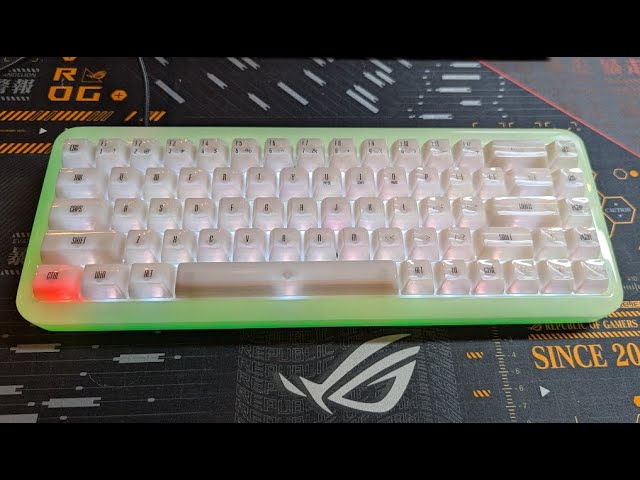
4x speed video of swapping the switches for the Akko YU01. Pretty excited that Akko released more of these "01" 65% keyboards after the MU01. Quite surprised at how different the build was for the YU01 compared to the MU01 despite just changing to a solid resin case. Ended up going with another set of LTC Jerrzi Tactile switches as these switche...
surprisingly, the YU01 looked similar to the MU01, but had completely different build mechanics:


I guess Akko didn't want to drill the back of the solid resin case:

everything was just mounted from the top downwards
anyways, got the Jerrzi switches installed:

and here's the LTC Jerrzi tactile switches unlit in the YU01:


being clear body switches, they lit up quite nicely:


quickly put the keycaps back on, and here's Akko YU01 Antique Jade with LTC Jerrzi switches, unlit:


Akko YU01 Antique Jade with LTC Jerrzi switches, lit + ambient lighting:


Akko YU01 Antique Jade with LTC Jerrzi switches, lit + no ambient lighting:


I think the LTC Jerrzi does a much better job with the light spread compared to the Akko Piano:

As much as I like switches with light guides, it ended up creating hot spots with the RGB lighting that doesn't look quite as good as the diffused look on the Jerrzi
they're the stock PC keycaps from Akko
its in ASA profile, so quite tall
and here's the sound test after swapping for the Jerrzi switches: https://youtu.be/H_WvJnRuBE4

Here's the typing test with the Akko YU01 with LTC Jerrzi Tactile switches.
Board: Akko YU01 Antique Jade
Switches: LTC Jerrzi Tactile 40gf
Keycaps: Akko Antique Jade Translucent PC ASA Profile
winged patrol
jolly coral
they're the stock PC keycaps from Akko
How much
jolly coral
as with PC keycaps, they clacked quite a bit, and the YU01 is quite loud
jolly coral
winged patrol
How much
it came with the board, and I paid full price for the board at $120
it did get discount down to $100 during the sale season
winged patrol
jolly coral
it came with the board, and I paid full price for the board at $120
Oh little expensive then mine
jolly coral
but it's now up to $130
winged patrol
jolly coral
I think the LTC Jerrzi does a much better job with the light spread compared to ...
Looks sick
Soft
Comfy
jolly coral
winged patrol
Looks sick
it's definitely very unique with the full resin case
winged patrol
Ye
winged patrol
jolly coral
it's definitely very unique with the full resin case
Its reminds me of those rubber things u can twist or do anything
jolly coral
winged patrol
Its reminds me of those rubber things u can twist or do anything
the case is very solid and nicely weighted
it's a solid piece of resin
doesn't feel cheap at all
winged patrol
Ic nice
jolly coral
even the PCB is different from the MU01
as there's second set of LEDs on the rim for the case lighting
thus being able to achieve the dual color
winged patrol
jolly coral
I think the LTC Jerrzi does a much better job with the light spread compared to ...
Both keyboard looks very opposite
jolly coral
with the green and white
winged patrol
winged patrol
Both keyboard looks very opposite
Red one looks sharp and solid meanwhile other looks soft and comfy
winged patrol
jolly coral
with the green and white
Match very good
jolly coral
winged patrol
Red one looks sharp and solid meanwhile other looks soft and comfy
oh, you mean my red Q3 in the background
winged patrol
Yes
jolly coral
that's more of a "normal" keyboard
the MU01/YU01 is more of my "fun" keyboards when I want to have something slightly different
65% is not a practical layout
too many layers that I can't remember
since I swap keyboards so frequently
winged patrol
jolly coral
65% is not a practical layout
I mean its not bad
jolly coral
winged patrol
I mean its not bad
if you're just typing
winged patrol
jolly coral
since I swap keyboards so frequently
Yeah u got got whole inventory
winged patrol
jolly coral
if you're just typing
Also gaming
jolly coral
winged patrol
Yeah u got got whole inventory
I mean, this is the backlog:

I've just finished posting the first one
winged patrol
jolly coral
I mean, this is the backlog:
Quite an long list
jolly coral
winged patrol
Quite an long list
more for you to enjoy
winged patrol
winged patrol
Quite an long list
I feel its not finished
jolly coral
winged patrol
I feel its not finished
not when I've just ordered a new batch this past weekend:
 winged patrol
Dang
What happened to Gundam plans?
U also got some boxes of that if i remembered well
jolly coral
but here are the leftover from the previous batch:
 jolly coral
winged patrol
What happened to Gundam plans?
jolly coral
winged patrol
What happened to Gundam plans?
Gundams are not going anywhere
winged patrol
jolly coral
but here are the leftover from the previous batch:
0_0
jolly coral
but stuff from China is about to get very expensive
winged patrol
jolly coral
but stuff from China is about to get very expensive
Becoz of Shipping?
jolly coral
going pretty hard to get everything imported before things get crazy
winged patrol
jolly coral
going pretty hard to get everything imported before things get crazy
Ohhhhh virus ?
jolly coral
winged patrol
Becoz of Shipping?
because of tariff
jolly coral
all these keyboards and keyboard parts are coming from China
jolly coral
winged patrol
Remembered y70
yup, and I'm not about to pay those kinds of prices
winged patrol
winged patrol
Remembered y70
Payed 12k-15k tax
winged patrol
jolly coral
yup, and I'm not about to pay those kinds of prices
I didnt know until that package got in my country
winged patrol
jolly coral
people will be waking up to some nasty surprises soon
True
jolly coral
definitely no more $40 keyboards:
 jolly coral
winged patrol
Aluminum is expensive right?
jolly coral
winged patrol
Aluminum is expensive right?
the Hi75 is an oddity:

it's typically around $75
winged patrol
Oh
jolly coral
because aside from the thin aluminum case, everything is pretty much plastic
winged patrol
Ic
jolly coral
the better version of the Hi75 from Leobog is the Hi8:

about $25 more and you get a slightly better case and build
still nothing like the $200 "entry grade" keyboards that I've ordered
winged patrol
Dang
jolly coral
these budget keyboards all have compromises
winged patrol
I understand
jolly coral
I'll try to note them as I post my reviews
winged patrol
jolly coral
I'll try to note them as I post my reviews
I might start work on pc in feb
Hopefully
jolly coral
winged patrol
I might start work on pc in feb
looking forward to it
winged patrol
jolly coral
looking forward to it
Maybe, i will ask someone to put pc on my bed
I dont wanna take an risk
jolly coral
winged patrol
Maybe, i will ask someone to put pc on my bed
that's not going to be enough, and you know it
you need to wrangle that case during the wiring
winged patrol
Lets see after an month, i got whole month to recover
winged patrol
How many build u did today?
jolly coral
jolly coral
I mean, this is the backlog:
this list
see the date
I'm going to be processing the videos from the F87 build next
jolly coral
yes
jolly coral
alright, second keyboard for the day, the Womier F87:

I got the "carbon fiber" edition:


for a $40 keyboard, it's really not bad looking, especially with the super clean WoB PBT keycaps
it even has a small volume dial next to the arrow keys
the back of the case even has some instructions on how to change the RGB colors:

RGB is not bad, especially there are some side RGB going on too:


it came with some 5-pin "grey" linear switches:

the switches even has light guides:


some close-up of the keyboard after removing the switches:


the scroll wheel even has some knurling for better grip
the stock typing test really wasn't that bad, just a heavier linear switch at 55g: https://youtu.be/EjCUiTcmsNY
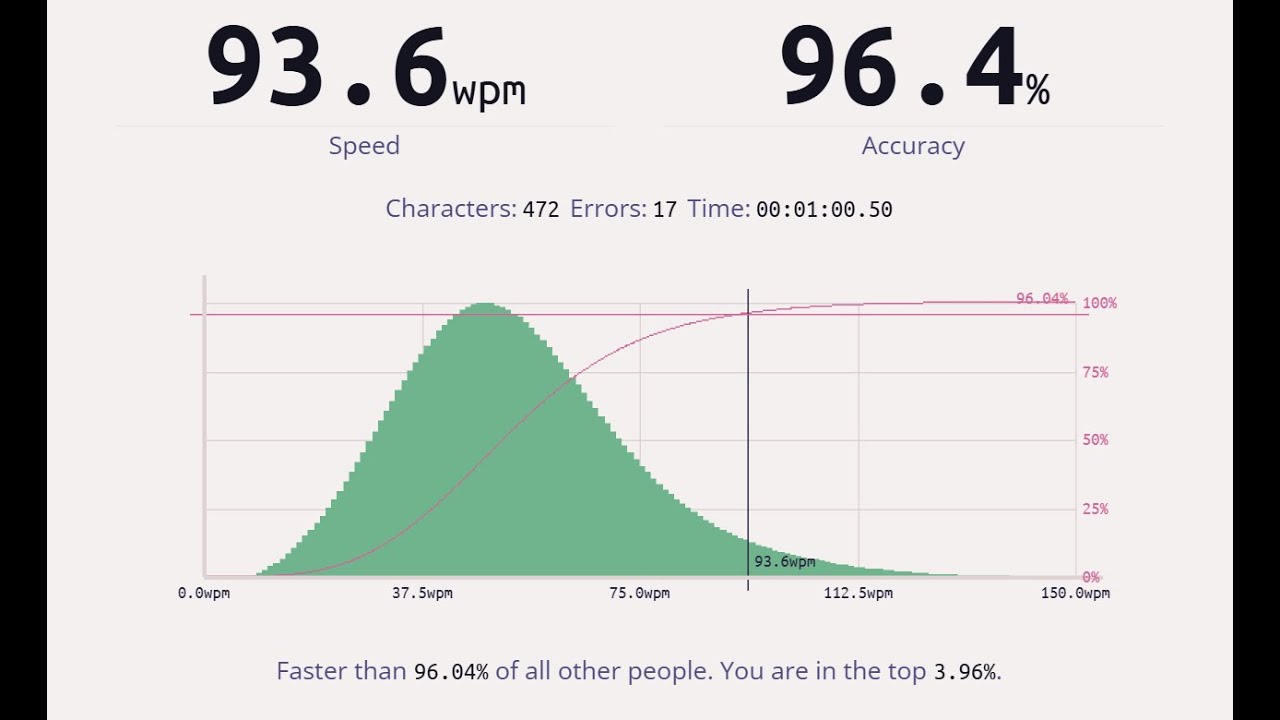
Here's the typing test with the stock Womier F87.
Board: Womier F87 Carbon Fiber
Switches: Womier Grey Linear 55gf
Keycaps: XVX WoB Doubleshot PBT Cherry Profile
both speed and accuracy suffered due to the switches
since I really don't want to hear the sound from this crazy cheap piece of plastic, I opted for some silent switches from GamaKay, the Griffin:


here's how they look, lit:


not quite as clear of lighting with the light guide, but the switches felt amazing
these were 1 of 2 silent tactile switches I've ordered from GamaKay, with the Pegasus coming soon on the GravaStar K1
the tactile bump is clean and crisp (vs. rounded like the Pegasus)
anyways, threw on a set of "carbon fiber" keycaps from Epomaker called the "CarboCyst":


they looked like some dark bamboo weave than carbon fiber
these keycaps looked awful right out of the box
and didn't look much better on the Womier F87 Carbon Fiber, unlit:


Womier F87 Carbon Fiber, lit + ambient lighting:


Womier F87 Carbon Fiber, lit + no ambient lighting:


at least the typing test went well since the Griffin switches were quite nice to type on: https://youtu.be/9Jj86j_-sko

Here's the typing test with the Womier F87 after swapping out the switches and using the Epomaker CarboCyst keycaps.
Board: Womier F87 Carbon Fiber
Switches: GamaKay Griffin Silent Tactile 45gf
Keycaps: Epomaker CarboCyst Side-Print Dye-Sub PBT OEM Profile
ended up using a different set of keycaps from XVX (Womier) instead:

Womier F87 Carbon Fiber v2, unlit:


Womier F87 Carbon Fiber v2, lit + ambient lighting:


Womier F87 Carbon Fiber v2, lit + no ambient lighting:


4x timelapse of the entire build process: https://youtu.be/93RMKz0eV4U
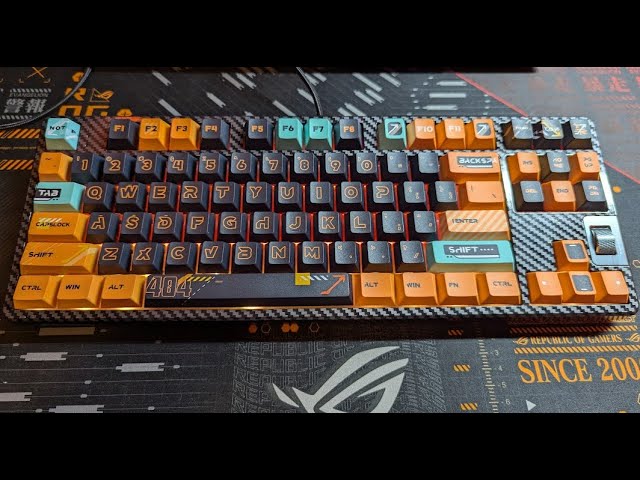
4x speed video of build for the Womier F87 Carbon Fiber. After building the Angry Miao Black Diamond 75 with the real carbon fiber pieces, I wanted to see just how the fake carbon fiber print would look. I also got the Epomaker CarboCyst keycaps to go with the build that I immediately took off and replaced with and XVX set because the Epomaker k...
I was quite pleasantly surprised by the F87 for being a $40 keyboard
it has RGB lighting (both keys and case side) as well as nice knob
the star of this build has to be the Griffin switches
probably my favorite silent tactile switches right now (even over the Boba U4)
the only downside to the Griffin switches is the switch body itself is quite dark and doesn't transmit RGB lighting very well
the whole build is kind of dim due to the opaque keycaps + Griffin
lastly, I can see why the Epomaker CarboCyst keycaps got so much hate from the Amazon reviews
they look absolutely awful
I was really hoping that with the side-print I would like them more
but constrasting against the CF print on the F87, the CarboCyst just look like junk
good thing from Amazon's generous return policy
This whole build came about due to the BD75 (#1071070910989209661 message). I wanted to see what fake CF would look like, and I wasn't disappointed
the BD75 is definitely worth its price tag given just how fake the CF print looks
jolly coral
alright, last one for the day, the Yunzii X75:


after building several KiiBoom keyboards with acrylic cases, I thought I would try out a more budget oriented keyboard with an acrylic case
the Yunzii X75 seems to fit the bill at $57 and came with some tactile switches:


very colorful as expected from a clear case with clear PC keycaps:


but immediately noticed the lack of case lighting for the X75 that's found on my other acrylic keyboards
worse yet, the stock sound test immediately revealed just how awful the combination of a thin acrylic case along with PC keycaps can do: https://youtu.be/MB7RDJmD02k
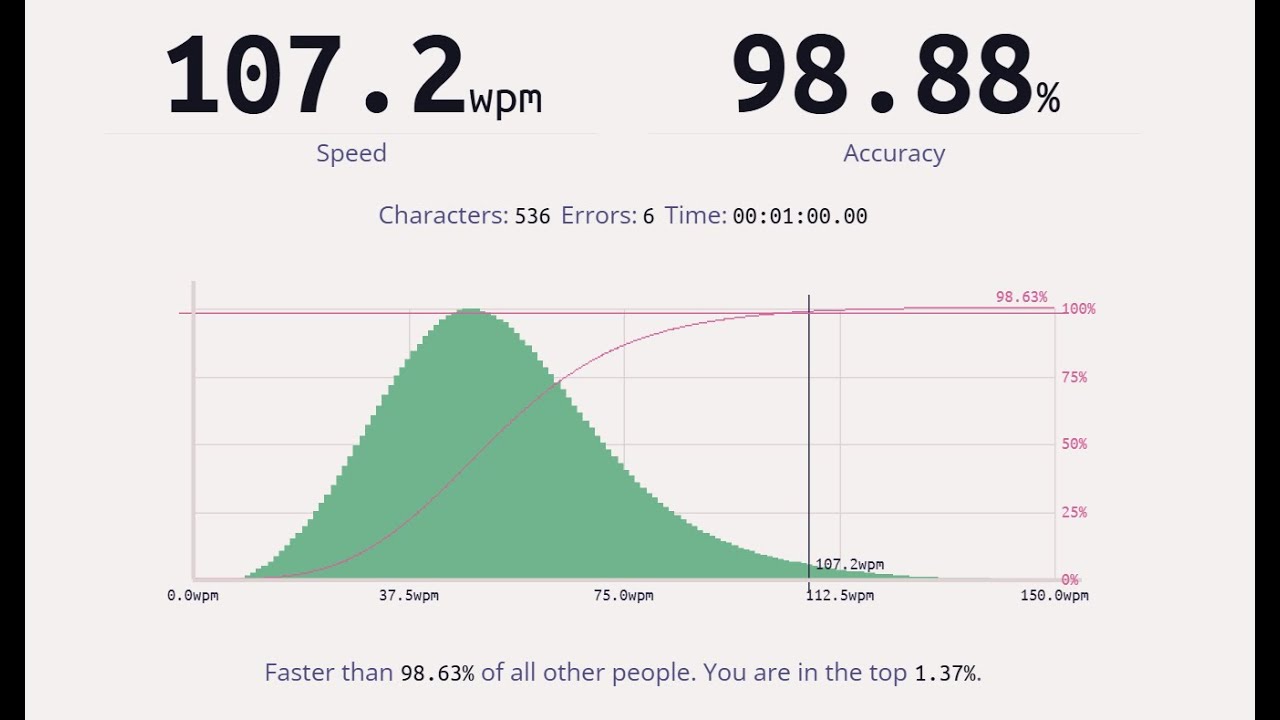
Here's the typing test with the stock Yunzii X75.
Board: Yunzii X75
Switches: Yunzii Crystal White Tactile 50gf
Keycaps: Yunzii Clear Transparent PC Cherry Profile
somehow, the combination created a clicky sound profile from non-clicky switches
and it's not even the good sounding Kailh clicky switches either
TBH, it sounded like nails on chalkboard at this point for me after building so many keyboards
typing speed and accuracy was high, because I was essentially typing on some medium weighted clicky switches
the original plan was to throw on some black and white PC keycaps from XVX and call it a day:

here's the Yunzii X75 with B&W PC keycaps, unlit:


Yunzii X75 with B&W PC keycaps, lit + ambient lighting:


Yunzii X75 with B&W PC keycaps, lit + no ambient lighting:


redid the sound test with the XVX keycaps and got similar results: https://youtu.be/XWblZRxhATo

Here's the typing test with the Yunzii X75 after swapping out the stock keycaps for another set of clear PC keycaps. The result was pretty much identical to stock and sounds awful.
Board: Yunzii X75
Switches: Yunzii Crystal White Tactile 50gf
Keycaps: XVX White/Black Transparent PC Cherry Profile
the sound profile bothered me so much that it kept me up all night thinking of how I can salvage this build
I ended up ripping out the Yunzii Crystla White "tactile" switches:


and replaced them with some Taro Cream tactile switches from KiiBoom:


I then threw on some purple PC keycaps also from XVX:


and here's the Yunzii X75 with Purple PC keycaps, unlit:


Yunzii X75 with Purple PC keycaps, lit + ambient lighting:


Yunzii X75 with Purple PC keycaps, lit + no ambient lighting:


the sound test with the better tactile switches: https://youtu.be/gPQTeVYDyZU

Here's the typing test with the Yunzii X75 after swapping out the stock switches for some KiiBoom Taro Cream. The result was a tolerable clack sound profile on a relatively thin acrylic case.
Board: Yunzii X75
Switches: KiiBoom Taro Cream Tactile 54gf
Keycaps: XVX Purple Transparent PC Cherry Profile
I was able to change the sound profile from a high-pitched "click" to a more tolerable "clack"
overall, the sound profile isn't anywhere close to the other acrylic keyboards I own
I ended up giving the keyboard to my wife, and I haven't seen her use it once
at least it looks pretty
it was at this point, I've learned that PC keycaps produces a very high pitched click/clack sound when they strike the plate
which reminded me of the miserable experience I've had with my green RT100: #1071070910989209661 message
maybe it's not the Gateron Beer switches problem, but more of an issue with the Emerald Green PC keycaps I had used
this gave me an idea for how to attempt to fix my PC keycap problems, and I ordered some more switches
stay tuned as I attempt to solve the sound profile problem with PC keycaps
for now, here's the 4x build timelapse of the Yunzii X75: https://youtu.be/pkzYx2HafJM

4x speed video of build for the Yunzii X75. After building several KiiBoom keyboards with clear acrylic cases, I wanted to see what a budget oriented acrylic case keyboard would be like. The X75 came with some "tactile" switches that combined with PC keycaps and the thin acrylic case ended up making a clicky keyboard that didn't have clicky swit...
oh yeah, while working on the X75, this happened:

finally broke my first keycap/switch puller
it had served me well for the last 6 months or so
spiral portal
jolly coral
oh yeah, while working on the X75, this happened:
wow i just got one of those guess i better get a new one you have got a link to it or brand name? it looked Nice
jolly coral
spiral portal
wow i just got one of those guess i better get a new one you have got a link to ...
Get the titanium puller for the switches: https://a.co/d/2dwxiPF

Titanium alloy Full Titanium alloy construction makes the opener very light yet extremely durable. Thin yet durable legs Titanium alloy makes the thin legs resistant to bending and deforming. Can slip between the case and the neighboring switch without scraping the case. Short claws The claws are...
I was eventually going to report on my use of the automatic puller after about a month of use and many builds
The automatic puller is convenient for cheaper boards with PC plates, but absolutely scratches the plate during the pull
spiral portal
ah that sucks
jolly coral
Some of my builds have delicate plates
And although it's not visible, there's definitely scratches from the cheaper pullers
I've since moved onto using the titanium puller now
As for keycaps, I still use the freebie pullers like the one I broke for the 1U keycaps
For the wider keys, I like using the automatic puller since the keycaps pulling part is expandable
spiral portal
by the way how often do you need to lube the switches
jolly coral
The automatic puller is relatively cheap and comes in many colors: https://a.co/d/3GsRR2r
 jolly coral
spiral portal
by the way how often do you need to lube the switches
jolly coral
spiral portal
by the way how often do you need to lube the switches
Practically never