#📚wiki-discussion
1 messages · Page 130 of 1
 heady gulch
 onyx river
Is this any good
heady gulch
hmm it looks pretty good
onyx river
Ok I’ll publish it
heady gulch
we dont need a construction gif for every part right?
unsure if we would need a gantry walkway image.
due to size images be kinda ehhhh on it.
i think we definitely need a pic of the lift controls and platform
I'll upload all the pics to a google drive folder for review
but probably will need 2 different perspective pictures for the full gantry.
ion boosters
Definitely, definitely do a construction gif for this one, since its rather short compared to the neptune platform and gantry.
definitely 2 different perspective shots
onyx river
Actually, how’s this?
heady gulch
bottom side, neat but. like the top down, if its not necesary it doesnt need to be on the page.
Actually, how’s this?
@onyx river blueprints shouldnt be boxed
onyx river
No? ok
heady gulch
forget the first top down shot this looks a lot better
onyx river
Wait when you said blueprints did you mean the title or the whole paragraph
heady gulch
i think it was fine like this, how the tabs were boxed.
onyx river
Ok
heady gulch
for the fuel reserves
should we have a picture for each of the controls in it that need to be manually activated?
which for reference is communications array, hydraulic systems, and auxilery power unit
onyx river
Maybe a gif of activating each one?
heady gulch
hmmm maybe, its the same animation for each though.
onyx river
But the text is different
heady gulch
and icons next otthem
onyx river
Yeah
heady gulch
look at the fuel reserve construction
for a side picture, definitely, definitely. get one that has the name on the side.
onyx river
Is that a hud I see?
onyx river
Oh, phew
heady gulch
this is so i can map out what kind of shots we need, kinds we dont need, and what ideal shots for these would look like
onyx river
Ok
heady gulch
ideal also meaning if we can get the aurora or anything else out of the background we should
i like this angled pic. it shows the walkway, door, as well as part of the top, definitely somethng like this
onyx river
That lifepod tho
heady gulch
lol yeah, for these pics its optimal theres nothing around as a distraction, including the aurora, lifepods, reefbacks, etc.
i wanted the backdrop of the cloud effect hiding the mountains since it works as a nice backdrop
exterior door. mmm. yeah i think we could use it.
interior without cockpit
interior with cockpit.
since theres a significant enough change, one having an open roof entirely and the other adding a ladder n stuff. a reference of both differences would work well
also just one shot for the hexagonal hallway
maybe one or two pics of these. honestly.. hmm. well. if we did, a still image of one disabled, being for example, the communications array
A still image of one already activated with the green indicator, could be the auxilery power unit, so it'll be different than the first
and then something like a gif of the animation of activating it if it has one, but on the power reserve hydraulic system.
this way there'll be 1 image of each activation lever but with variety so its not straight up super repetitive (also make sure to do all this with the cockpit already built! so theres no shadows of the beams ahead casting onto the halls or panels)
Cockpit
Construction, not really too necessary but if we want to go for consistency sake, sure i guess build animations for everything
whatever this is. its neat, it covers the the open roof that was the fuel reserves. if your going to get a pic of it, make sure the ladder is visible, the pattern on the ceiling to an extent, the horizontal pylons, etc etc.
onyx river
That’s the energy core or whatever, I can’t remember the exact name
heady gulch
and most definitely a close up gif of this reactor would be good to show off any missed details inside as well as the animation itself
better reference of cockpit side view
top view. either or. i dont think 2 top views is necessary so either a straight down top view, or an angled top down view
whichever one looks nice
onyx river
Wait, what happened
heady gulch
?
onyx river
Or is it just broken on my end
heady gulch
bz wiki be odd
 edgy lagoon
works fine on my end
onyx river
Hmmm
edgy lagoon
is this considered spam
heady gulch
@agile spindle important question. should we have a gif for pretty much each of the unique animations for the interior of the neptune rocket? as far as im aware theres the: opening of the front neptune entry door(1). pulling down the levers in the fuel storage room(2), activation of the time capsule panel(3), ladders inside up to the cockpit(4), activation of life support systems (5), primary computer configuration (6), and then the entire launch sequence animation which is its own thing (separate)
 safe hamlet
it would look cool
 agile spindle
if you can make that many gifs then sure
heady gulch
gotcha, and should we just stick with the base colors?
since its. well. lacking compared to the concept art and ingame icons counterparts
and i could try my best to find the hex values of the concept art's used colors to recreate the looks with the editor panel on the platform
especially since the name is difficult to see on the side with the normal unedited colors
edgy lagoon
I mean it does look better ngl
heady gulch
tried to match the colors with the clamps since thats the closest to the concept art
onyx river
though the yellows a bit too bright
heady gulch
the yellow i didnt alter
heady gulch
I mean it does look better ngl
@edgy lagoon it does but., if we're going to take multiple pics of this possibly from multiple users. that means we all need to know what exact colors to use in terms of hex value
or whatever color value is on it, which. theres no way to manually insert the numbers to get the exact color
onyx river
Well, the colour variation could portray the fact that the colour is editable
heady gulch
and for other articles including vehicles, we've never based the main screenshots off one that had been colored other than for some extra pics that demonstrate how it could be colored.
so for looks im thinking of trying to get it close to its concept art counterpart version but, every issue i listed above
edgy lagoon
can you do anything with this info?
heady gulch
yeah,
edgy lagoon
here's the yellow
heady gulch
the issue is its in the bottom corner and
edgy lagoon
I ran a surface blur filter and picked the most average pixel
heady gulch
has both the number of somekind for the color and rgb values
but. you cant directly edit it. not at least ingame, you can try to tweak it with the slider as much as possiblw
edgy lagoon
ah I see
edgy lagoon
that is true
safe hamlet
the ingame is like lemon, and the concept is mustard. 🤔
heady gulch
so yeah that bottom part is already kinda lacking all things considered that theres only base color options, stripe 1(primary), and secondary, and name
yeah, crap. with something like this, we should just be going with normal base colors.
except those said base preset colors are lame since theres a lot of detail thats just mixed with everything else if you dont change the primary stripe color
il go inside and see how the color change mght have affected things
@edgy lagoon I Think for the blue colors a more accurate reference is the interior
since the interior is unchanged and, it seems to have a consistent look as to what the blue stripes should look like
edgy lagoon
heady gulch
yeah, okay, definitely no way to get the exact color unless you adjusted it pixel perfect
well, basic colors it'll have to be then
unless there were a way to manually input the values
 cinder kestrel
A bit of file editing could help.
I can't offer any advice on how to do that, though.
heady gulch
yeah, well..
@remote leaf hey terran, sorry for the ping, any idea on how possible it would be to edit the color values of a vehicle in the game files?
 remote leaf
heady gulch
remote leaf
heady gulch
huh., i coulda sworn one of the wiki keepers did i just cant remember who.
 lusty hearth
Let me see if I can pull up the neptune rocket file in blender.
heady gulch
well- err. how would that really help too much though
cinder kestrel
A bit of file editing could help.
I was thinking of manipulating the save file. You go to where the color customization of your vehicle is saved and edit that.
In response to "definitely no way to get the exact color unless you adjusted it pixel perfect."
heady gulch
could work except i have no idea how to edit saves or where that would be.
cinder kestrel
User/AppData/LocalLow/Unknown Worlds/Subnautica/Subnautica/SavedGames is where on Windows for Epic Games.
heady gulch
yeah. it has to be pixel perfect if you were to use the ingame interface.
the 2 options are:
-Decide to go with custom colors.
Pros: fits the concept art look which will not only make a lot of the details on the outside which are difficult to see due to the entire thing being almost plain silver, as well as shows off the overall look of customization better since the preset colors don't show much in general, that main stripe is pretty much invisible on the body of the rocket.
Cons: anyone who wants to change the pictures, or add more pictures of the exterior are going to have to manually edit their saves for consistency sake.
And then
-Base colors
Pros: Its completely true to the game since its using the default preset colors, so it'll show an accurate representation of what the rocket looks like if anyone builds it. Anyone can easily modify or change photos on the wiki then.
Cons: Theres a lot of visual detail that is lost due to how the overall secondary color of the rocket, (Stripe 1) is the exact same as the base color preset. Plus the neptune escape rocket name itself almost blends entirely with the body.
Using Stripe color (Hex value): #376F6F
RGB: 55/110/190
If we were to go with modified colors as the standard for the rocket's exterior shots it would look like this probably
Using base preset non-modified colors:
edgy lagoon
why did they make the name white by default on a white base
heady gulch
i dont know.
its irritating since the name is almost invisible on it.
and not only that a lot of detail is kind of lost with the base colors since it doesnt show as well unless you alter it
edgy lagoon
I personally think we should go with the altered colors
heady gulch
yeah. I do too. but, its gonna make it a helluva lot harder to add more photos to the page
edgy lagoon
True
heady gulch
and on top of that, despite lack of detail with the base look, altering the colors isnt an 100% accurate portrayal of the rocket then since its modified now.
edgy lagoon
Also true
But man, they picked some bad base colors here
The white name and white second stripe just throw the entire thing off
heady gulch
it does.
ive looked into the save file and.
this is ll ive found.
unless anyone knows how to edit the save file.
we're probably gonna have to stick with base colors
 sudden dove
What's the problem?
edgy lagoon
The base colors for the Neptune Rocket sucks, so we're debating using he concept art colors instead. However, to apply that, xdcer needs to manipulate saves since the colors are specific, and he doesn't know where to do that at.
heady gulch
ye, scroll up a lil tuna you'll see the difference
my problem is a lot of detail is lost with the base colors.
onyx river
We could always put a disclaimer above the gallery saying they aren’t the exact colours
heady gulch
if the seamoth base colors were just plain silver and, not an inkling of blue, maybe that could work. but. considering how large this vehicle is and how the stripes help some details show better and pop out as well as being true to the concept art itself and icons.-
we could but the bigger issue is
anyone who wants to edit the gallery or upload new/better pics, is going to have to get INCREDIBLY close to whatever color is used for all the external pics for consistency sake
heady gulch
yeah, and that bothers me a lot
agile spindle
use the default colors
heady gulch
alrighty
edgy lagoon
dang
heady gulch
can we at least make the name black?
since it kind of vanishes on the body of the ship with base colors
agile spindle
is the name visible with default color
agile spindle
use default colors
heady gulch
especially with the gallery format, alrighty
agile spindle
you can have one with modified colors to show off the color changing
heady gulch
sounds like a plan
also for cockpit photos and gifs, i think it should just be done at night time, since its easier to distinguish the interior and the exterior lighting doesnt seem to affect the interior of the cockpit.
onyx river
What about a final launch animation video? Unless we already have that
onyx river
Yeah
 deft burrow
that should probably be saved as a video not a gif
@heady gulch Fan of that
Cause i Show my friends what subnautica is trhu fandom
heady gulch
https://drive.google.com/drive/folders/1gNcuic-EAVhA-tK1NnJbrEcImS1ff70s?usp=sharing @edgy lagoon @lusty hearth if you lads want, i finished compiling the first folder for the photo references and instructions for taking the photos.
lusty hearth
Nice.
edgy lagoon
I can do the gifs if anyone else wants to handle the main pictures. If not, I'll do those too
lusty hearth
@heady gulch I'm trying to compress my video of sn's end sequence, I'll send it in a bit.
heady gulch
gotcha!
 dreamy holly
with me no
onyx river
Me neither
deft burrow
It is
 silver tulip
It is
dreamy holly
what do you mean its green
deft burrow
 fervent folio
is that video supposed to be making noises
heady gulch
Hold on, is it playing audio?
nop sadly
deft burrow
is that video supposed to be making noises
@fervent folio its making nois
Mby cause i am on mobile?
dreamy holly
no noise for me
fervent folio
same
edgy lagoon
@heady gulch You only want a gif of the final construction at that specified angle, right?
heady gulch
as long as you are in freecam and at an angle that shows off the detail of the cockpit exterior well enough than anythign will work
edgy lagoon
that is entirely on your end
lusty hearth
I suppose my other option is to upload the video to youtube.
edgy lagoon
do that
we can add it through the menu on the wiki
Did the most complex one first, you think this is fine? I had to speed it up + compress a good bit because of the length
sudden dove
Nice!
heady gulch
oh yeah thats amazing
lusty hearth
https://www.youtube.com/watch?v=kt6Ppc1v_UM&feature=youtu.be @edgy lagoon @heady gulch
 heady gulch
keep in mind this is a really large image overall including tab and format overhaul so theres gonna be alot more to be added in
deft burrow
Have a like my friend
heady gulch
not quite
edgy lagoon
alright so just what you specified
heady gulch
im doing the fuel reserve instructions n format rn
so gimme a minute
heres the interior instructions
but for the reserve, the order of oprations is as follows:
Do the construction gif, exterior shots, and the interior w/out ladder pic first.
then for interior pics have the cockpit constructed on top so the lighting wont mess up any of the interior shots.
alright the fuel reserve google drive folder is done
edgy lagoon
Going back for a sec, you only need what you specified for the Cockpit, right?
Do I need to make a gif of the CPU or are we good on that
heady gulch
the cpu activation?
edgy lagoon
yea do I need to make a gif of that too
heady gulch
mhm, since its a unique animation.
im making a quick guide of order of operations for it
edgy lagoon
Where would you like me to put these gifs for now, the corresponding drive link?
@heady gulch
heady gulch
I'll put a folder in each
edgy lagoon
I uploaded the four gifs on I did
wait I forgot the power core 1 sec
alright we good now
heady gulch
Alrighty all the folders are good
https://drive.google.com/drive/folders/1zMB_bV5pLz3Pt6hxQOPtHqehZS3rpI9B?usp=sharing this is the main folder, anyone who wants to work on image overhaul for the neptune rocket page please look here, and read the instructions,
also wow they look great
edgy lagoon
thank
heady gulch
also probably can put the time capsule gif on the time capsule page since
its pretty bare bones lacking in terms of any good images
heady gulch
yeaaaa probably
it is severly outdated and the pics it has lacks variety really
so i'll probably put the neptune escape rocket image material of the time capsule onto that page
edgy lagoon
sicc
I uploaded the exterior photos for the cockpit
I'll probably get more pics/gifs later
heady gulch
@edgy lagoon hey uh, trying to upload one of the gifs to the time capsule page. for some reason I dont think its loading properly, maybe the site is still processing it.
nvm spoke too soon
edgy lagoon
It takes a while to load gifs- yea
heady gulch
definitely might need a pic of the loadout hud for the time capsule
actually. that could work
edgy lagoon
heady gulch
oh yeah that definitely
edgy lagoon
literally just took it from the video that I recorded for the gif ngl
heady gulch
ill put in the reference pic i had for now
i moved one of the screenshots over to the other tab since im 90% sure its a dev screenshot.
edgy lagoon
Don't know if you wanna use this one since it has the hud, but take a look https://subnautica.fandom.com/wiki/File:Time_capsule_unboxing.gif

The official Subnautica wiki, written for fans, by fans! As well as being the official resource site of developers Unknown Worlds Entertainment! Cinematic Trailer, Gameplay Trailer, Launch...
heady gulch
kinda low res.
and. hm. well. its not really easy to go hunting for these things in game i guess.
edgy lagoon
I mean low res is to be expected in gifs
heady gulch
true true
edgy lagoon
Also for reference, the other pictures on the timecapsule page are old to the point that Thunderstar uploaded them
heady gulch
true, but with how many items are in game
there are many many pages with outdated images for them
heady gulch
thats a good days work to overhaul
has enameled glass undergone any change?
since the only gallery photo for it is so old it's from Troy95 himself
fibermesh definitely could use some good close up shots of the item model
onyx river
I noticed the exterior growbed images looked a bit dated
heady gulch
i know this isnt too necessary but considering the complexities of the models for a lot of electronics, specificall the wiring kit
yeah there should definitely be some overhaul
like this.- its just. what
onyx river

heady gulch
i dont like this but i get it. sometimes sand is the best backdrop you can use so whatever it is doesnt just blend with a metal base support plate.
if we're going to do item image cleanup though, i think the best place to start is most of the electronics section
set a standard for image backdrops or something, get extra photos of anything with complex models. get rid of pictures that look dated or just bad in general and replace them
does the wiring kit and advanced wiring kit still share the same model?
https://subnautica.fandom.com/wiki/Large_Filtered_Water i see minimal graphics quality textures

Subnautica Wiki
Large Filtered Water is a food item that replenishes the player's H2O levels, much akin to the Coffee Americano, Reclaimed Water, Filtered Water and Disinfected Water, except it is more filling...
onyx river
Oh my
heady gulch
nutrient block and snacks are missing images entirely
those 2 definitely need some gallery shots.
 rigid jacinth
the time capsule is missing a spawn id
onyx river
Does it even have one?
rigid jacinth
and do u want the items with the sand backdrop replaced with 3d renders
lusty hearth
I don't think so.
onyx river
I think xdcer wanted them on the sand background but high quality, however I could be wrong
heady gulch
honestly i hate the sand backgrounds
if you can get a. Good backdrop that doesnt just blend with the item itself or look distracting then go for it, and if that backdrop happens to be sand than so be it.
lusty hearth
does the wiring kit and advanced wiring kit still share the same model?
Yes.
onyx river
so we could get away with one picture for both
heady gulch
as far as replacing images goes.
Replace an image if you can fill the role of the original except better.
onyx river
@rigid jacinth if you doing screenshots on Xbox, make sure you use the in game screenshot, not the console one to remove the hud
Press the right stick instead of the Xbox button then X or whatever
rigid jacinth
ik
lusty hearth
@heady gulch Would you consider open water as a better background for most item gallery images?
rigid jacinth
3d render probably
rigid jacinth
also it wont let me add images into nutrient block
onyx river
Wait, wdym safe shallows area of the dead zone
rigid jacinth
not safe shallows
onyx river
Then where
rigid jacinth
like shallow as in near surface
lusty hearth
That happens.
onyx river
Stupid fandom
lusty hearth
Site's a time traveler.
onyx river
I’d like to know how they unlocked the secret to time travel
lusty hearth
This is SBZ Wiki related, but since most infobox images for flora appear to be taken under the neutral filter (which has been removed from the game), I plan on replacing them with stuff that's visually up-to-date.
onyx river
I think I got it, baselerson can you post your photo here
rigid jacinth
for nutrient block?
onyx river
Yeah
heady gulch
"nuetral filter"
wait.
its in the experimental version though
it gives everything a more black n white look.
rigid jacinth
is the cyclops hull divided into sections?
onyx river
Wdym?
rigid jacinth
CAPTION: Seven nutrient blocks in the player's inventory
lusty hearth
its in the experimental version though
Neutral filter does not exist in experimental for SBZ.
lusty hearth
Or stable for that matter.
onyx river
Oh, I thought you had a model image
heady gulch
although on serious note nobody should be using color gradients/implemented shaders for taking pictures
rigid jacinth
should i put that the cyclops's hull appears to be divided into square sections?
heady gulch
unless it really really makes an image look better, you shouldnt be having to use the ingame color filters due to inaccuracy and loss of detail in most cases
onyx river
@rigid jacinth do you have an image of the in game model?
lusty hearth
@heady gulch Filmic is the default and only filter in the game now.
heady gulch
should i put that the cyclops's hull appears to be divided into square sections?
no thats just the endoskeletal frame of it
heady gulch
mmm its not necessary info.
if you're trying to find things to do. the best advice I can give is go through the entire items navbox, find images that look low quality or just dated, this can be in model quality, older textures and lighting, bad resolution, etc etc.
rigid jacinth
so the photos with sand
onyx river
No, do what XenoNuke did
heady gulch
not everything will look good on some backdrops.
heady gulch
if your result looks better than the image for it on the wiki, maybe it looks a lot cleaner with angles and lighting, then go for it
onyx river
True, but the nutrient block should be good on this one and would probably blend in with the sand
heady gulch
just use your better judgement on what you think looks best and then clear it with us


 onyx river
Yeah, use that backdrop for this specific item
heady gulch
good area xenonuke but that image like that would be a hard no.
you want, as little distraction as possible in the picture and the water surface takes up a portion of it. for any image model, you want to be as close as you can to get a good picture,
rigid jacinth

 heady gulch
yeah that right there is an outstanding image
onyx river
I think XenoNuke was just showing me where they got the image
lusty hearth
Yes.
rigid jacinth
ill put em in
heady gulch
it could be closer but, the item itself stands out well- ah gotcha.
lusty hearth
I would never intentionally include the water's surface in an item gallery image.
Regarding gallery images, I've taken a look at the West Arctic gallery. Not to sure if I like the images there. https://subnautica-belowzero.fandom.com/wiki/Arctic#West_Arctic
 onyx river
PLease Stop
heady gulch
if your trying to get an image of detail on a complex model or, item
then get as close as possible for it
rigid jacinth
ill crop the image of the battery
onyx river
Don’t crop it, wait for xeno to get a better one
heady gulch
i wont be logging into subnautica tonight
heady gulch
dont crop pics. or avoid it as much as possible
part of the whole, resolution requirements
lusty hearth
I must switch in and out of both games for gallery images
heady gulch
you dont wanna have to alter a-
onyx river
Just hurt your pc and have both open at the same time
rigid jacinth
yea thx
lusty hearth
Nice.
rigid jacinth
its good
heady gulch
If not, I'll take another screenshot.
thats amazing, if theres any details on any other side of the battery like the front side you can get i recommend it
while you're at it could you get the ion battery as well?
onyx river
We can upload all the images at the same time if that makes it easier
And just put them in a docs for now
rigid jacinth
nor do i
onyx river
@heady gulch what do you think, should we upload them all individually or wait, collect them all and upload the, together
Whoops, double ping
heady gulch
beautiful work xenonuke
@onyx river if you're going to touch up a page, get all the images and do it in one edit.
part of the reason to why is that some people easily try to amass edit numbers by just doing multiple tiny edits on the same article and what not. so. just do it all in one go kind of a thing, if you need to touch up something do it after
onyx river
Like, model from Unknown Worlds Entertainment, stolen from XenoNuke etc
lusty hearth
WHEEZE
agile spindle
fair use
heady gulch
Um, is there a licensing we need to put on the images
nothing to really worry about. if you feel concerned about it you can look into the correct licensing more but. it shouldnt cause any issues
rigid jacinth
no
agile spindle
@fervent grove can you help us out wolverine's spamming this chat
 fervent grove
Now now, behave
heady gulch
mmmm, we should really have the whole uh. wiki keeprs have perms to delete messages in the wiki discussion thing tbh.
fervent grove
@crude widget please dont send multiple messages when it can all fit in one sentence. That's considered spam. Incoherent or rambling messages are also considered spam
heady gulch
@rigid jacinth oh and please dont just insert more space into articles for edits.
rigid jacinth
aight
lusty hearth
Retook a screenshot for the Advanced Wiring Kit page.
heady gulch
hell yea. is there any details on the bottom side of the kit?
fervent grove
This channel is for discussing the wiki and related materials, if you are not discussing this, please take your conversation to #off-topic or the related channels Wolverine, thanks!
dreamy holly
i think their is details
heady gulch
also, uh xenonuke, if your going to upload that can you name it to "2016-01-31 00013.jpg"
lusty hearth
Not really. Unless you count the Alterra logo.
heady gulch
hmm
rigid jacinth
...
agile spindle
yall are aware that wiki guidelines still say to take pictures in the void right
dreamy holly
i guess thats not that important of a detail
heady gulch
i think getting the alterra side a lil bit wouldn't hurt.
For items?
agile spindle
for everything
onyx river
It’s in the void I thought
dreamy holly
its is
agile spindle
if the background isnt black its not void
heady gulch
w e l l t h e n
onyx river
Oh, XenoNuke was doing them in the void, just shallower
dreamy holly
by void do you mean literal void or biome void
heady gulch
if thats the case then we need to overhaul like nearly every image for items
agile spindle
like this
rigid jacinth
...
onyx river
Yeah, they’re all in sand and stuff
dreamy holly
that sucks
heady gulch
no no its not that.
onyx river
@crude widget could you not
heady gulch
almost no item pics we have on the wiki for any resource is in the void.
dreamy holly
thats true
heady gulch
so, thats, literally almost everything that needs to be overhauled then
agile spindle
if taking item pictures in the void is too much of a hassle or doesnt look good we can change the guidelines
rigid jacinth
@onyx river belive me ive tried
 sour pewter
What about the area beyond the void
heady gulch
my concern tueman is loss of detail on some items especially anything that might be using darker colors
agile spindle
sure but then isnt your method gonna cause an issue for blue items
heady gulch
that and some things look good with a smooth backdrop like this
dreamy holly
most of them appear to be 1) old 2) on sand
fervent grove
@crude widget Formal warning, the users here have asked you to stop. If you continue, you will be removed
heady gulch
yeah thats true, it would cause an issue for anything the color blue.
well... i think blue backdrop or black backdrop depending on the item or content is a good idea
onyx river
Then we use the night shots?
heady gulch
that fixes the whole issue of things just merging with the background.
yeah,
as long as it doesnt merge with the background itself. it should be fine, which, sadly most transparent items seem to do that
agile spindle
guidelines specifies fauna for the void anyway, missed that part
heady gulch
yeah i was thinking about flora and fauna
dreamy holly
I dont really think many items are that blue anyways
rigid jacinth
@crude widget shut up
onyx river
Can I just use the same picture for the advanced and normal wiring kit cause they have the same model?
dreamy holly
ok @crude widget and @rigid jacinth chill
agile spindle
are you positive theyre identical
heady gulch
they are i think
onyx river
I thought they were?
heady gulch
there was a separate model made for the wiring kit but in subnautica at least it wasnt used.
agile spindle
if you are positive then sure
heady gulch
you can spawn both in to check though
agile spindle
mention that in trivia
onyx river
It’s already there
agile spindle
👍
heady gulch
i-
considering the icon
can someone double check to see if it still uses the advanced wiring kit model?
lusty hearth
@heady gulch I've checked.
rigid jacinth
ik
heady gulch
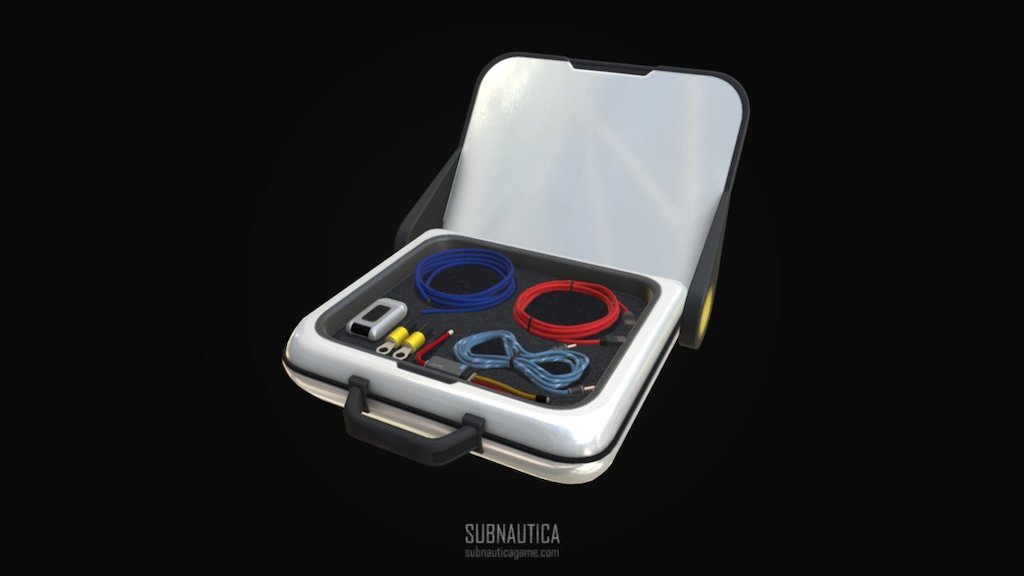
http://store.steampowered.com/app/264710/Subnautica/ - Wiring_kit - 3D model by Fox3D (@fox3d) [b78ba16]
damn.. this model was pretty cool i wont lie
dreamy holly
oh nevermind they are pratically the same
rigid jacinth
does the reaper levi have a cell structure?
agile spindle
in the databank?
fervent grove
OK, I've kicked him. Hopefully, he'll learn that this is the wrong discord of he wants attention. Thanks for the ping tueman, if he returns and causes trouble just let me know and I'll upgrade to a ban
agile spindle
ok
dreamy holly
thx alot
lusty hearth
The background for current aerogel image is sand. Retook screenshot of the item.
dreamy holly
@crude widget go away
fervent grove
Guess we didn't have to wait 😆 He's banned. Apologies for the disruption all, great work going on here :)
dreamy holly
did not realize the arogel model was so wide, thought it was pretty flat
rigid jacinth
Can you add him back? I really don't see why he got removed again?
heady gulch
hmmmmmm yeah xeno i think that would be good for a void pic
he's in the pit
people dont return from the pit
dreamy holly
@rigid jacinth he was extremely off topic and seeking attention
rigid jacinth
He's my brother.
lusty hearth
Air bladder.
heady gulch
that doesn't change anything baselerson.
lusty hearth
rigid jacinth
aerogel glows?
heady gulch
mhm but that doesn't make him your responsibility to be his handler.
If you had responsibility over his actions here you prbably would have had the same fate.
anyways, xeno that looks amazing
dreamy holly
i like the void pic better outta the two
heady gulch
void definitely
lusty hearth
I'm just scrolling through the Category:Items page to see what item images need to be updated.
heady gulch
i just think we should take it on section by section for simplicity
starting with the electronics
and then kinda move the way up to do the whole thing for crafted resources, so on n so forth kind of thing
heady gulch
i wont lie i thought the power cell actually had a prong on it or something like the battery did
rigid jacinth
Recently, there haven't been many problems with the wiki so that's good.
Besides the bad photos and GhostLeviathanLova
heady gulch
Besides the bad photos and GhostLeviathanLova
@rigid jacinth did they finally decide to stop?
rigid jacinth
nah
heady gulch
I wouldn't call the bad photos a recent problem more like an issue thats been here for years but no one has been looking into
heady gulch
everything aside i do feel bad for them.
rigid jacinth
about ghostie?
rigid jacinth
i cant believe fandom had to perform account closures and permanately block his ip
heady gulch
he coulda probably gotten back on if he waited his time and appealed to Fandom themselves.
rigid jacinth
he should have stopped
onyx river
Can someone take over uploading these after, I gotta to go soon
heady gulch
might have had to appeal to our mod team as well if necessary but. by doing ban evasion he took what was mostly a problem with Fandom themselves, and made it into a problem with us
 knotty nimbus
I’m glad all the images are finally getting updated
heady gulch
I'll upload some of the pics of the power cells
lusty hearth
Reactor rod. 
heady gulch
that is, infinitely better than the original one
would it look good in a void pic tho? i wonder that since
the original image uploaded a night version of the reactor rod
"The original image uploaded" okay yeah im startin to get a lil tired
lusty hearth
heady gulch
YES
lusty hearth
I'll return to taking screenshots in abit, in the meantime I'm going to eat supper.
onyx river
Okay, I’ll do the reactor rod then I’m done
XenoNuke when you get back can you do the deprecated rod too?
heady gulch
dont worry about htat.
the depleted reactor rod and normal one share the same looks actually.
the only difference is the glow of one of them lights up the terrain or objects around it
the other doesnt.
with the nature of these photos, it wouldnt matter either way
onyx river
Oh, okay
heady gulch
yea
i think heres an example in bz
of a depleted reactor rod next to the reactor.
the non depleted rods glow a lot more
heady gulch
why do you ask
dreamy holly
the difference is simple and unnesscary
rigid jacinth
just cause
dreamy holly
see simply just glow
heady gulch
rephrase sentence please
dreamy holly
tried to get a better comparsion, but icons are legit the only thing on the wiki to show the depleted one
lusty hearth
Looks like we've covered all Electronic Items.
rigid jacinth
benzene
dreamy holly
thats advanced materials
dreamy holly
@rigid jacinth here you go then, heres the image on the wiki
heady gulch
if anything though, can we try to get images of the complex details on them
lusty hearth
lusty hearth
I see.
heady gulch
get closeups on any complex details
rigid jacinth
benzene hasnt been updated in a year
heady gulch
also xeno that benzene looks. surprisingly good in the void
the transparency of the liquid looks minimized
dreamy holly
Xeno is just the god of pics
dreamy holly
that looks like its from a differnt game its so good lol
lusty hearth
The bottom of the chip, in case if it's needed. :P
rigid jacinth
curious
dreamy holly
nah
rigid jacinth
it doesnt seem to have any details on the bottom
lusty hearth
I forgot that was my account's description
dreamy holly
its beautiful lol
dreamy holly
liquid kinda looks odd in the void
heady gulch
i dont think so
it actually looks better
since the liquid was so transparent before its barely noticable
lusty hearth
Here's Polyaniline.
heady gulch
fun fact this is my image
and yeah this is
kind of the issue with most uh tranparents tuff
dreamy holly
i just posted that benzene one like 5 minutes ago
lusty hearth
Synthetic Fibers.
dreamy holly
nice
dreamy holly
I like it
heady gulch
just ya know, background color and item color
lusty hearth
Non-deep void version.
dreamy holly
what liquid?
heady gulch
yeah definitely definitely go with the non void version
that image i posted is the hatching enzymes
This is your fault
dreamy holly
For something made out of many exotic alien plants you would expect it to be more vibrant
lusty hearth
Aight that marks the end of revamped advanced material screenshots.
dreamy holly
maybe take a break lol
lusty hearth
I have nothing better to do. :P
heady gulch
hmmmm
dreamy holly
honestly, same
Xdcer’s catchphrase is legit “hmmmmmm”
you dont know for how long i wanted to say that
lusty hearth
dreamy holly
For someone who has spent most of their time on the SBZ wiki this item is mostly non-existant to me
lusty hearth
I completely forgot the item existed until I came across its page on the wiki. My reaction was "Why is this here?"
dreamy holly
lemme guess your next command is “item enameledglass”
lusty hearth
Chillax is secretly Joseph Joestar
dreamy holly
What?! Noooooooo!? Wha?!
lusty hearth
dreamy holly
i am sorry world, i have failed
dreamy holly
hey whats this weird list of all the crafting item in alphabetical order that any person named Chillax could read off of?
lusty hearth
I'm just reading off the Navbox.
dreamy holly
huh, thats proably smarter
dreamy holly
gamer
 harsh quail
HIGH QUALITY MATERIAL HERE FOLKS
dreamy holly
@lusty hearth now that i kinda have your attenion, can u explain this lol
lusty hearth
Uhhhhhhhhhhhhhhhh
dreamy holly
lamo
lusty hearth
We were looking for something to replace Al-An's infobox image. At the time, it was a screenshot of Al-An in the fabricator base, so I rendered a bust of Al-An in maya and sent the image to Vee.
dreamy holly
i meant the discription of the change lol
dreamy holly
ok imma delete this post so Vee dosent see now
heady gulch
vee isnt here
lusty hearth
Vee isn't even on the- yeah.
dreamy holly
oh god go to bed man
heady gulch
@lusty hearth looking rad!
lusty hearth
Pog.
heady gulch
for most of the environmental stuff aka items that appear naturally in the wild
you probably wont have to clear out the old pics
lusty hearth
Ah, I see. Well in that case you guys now have free images of those items floating out in the void.
dreamy holly
not so poggers
lusty hearth
Reclaimed water looks weird, even with the open ocean serving as the background.
dreamy holly
its pp and sweat in a bag of course it looks weird
lusty hearth
Funny enough, it isn't the liquid that looks weird to me, it's the bag itself.
It's very purple.
dreamy holly
purple?
lusty hearth
The contours of the bag.
dreamy holly
i guess? imma go pass out now tho
onyx river
how many pictures are there, I’m gonna have to spend 3 hours uploading them all
lusty hearth
I have them all.
onyx river
I’ve uploaded all the ones here, are there more?
lusty hearth
Yes.
Also,
Double Shell Plant -> Double Lung Plant
Single Shell Plant -> Luna Plant
I'll be updating Databank2 with the new batch of CS-37255's entries
onyx river
Okay, I’ll update the pages then, aside from renaming them
lusty hearth
Nice.
I don't want to flood the channel with images, so I'll send a zip file of certain item images.
onyx river
Okay
lusty hearth
I excluded images from the ZIP that are used across multiple pages. Here are those images:
heady gulch
Hi! thanks for uploading that. For anyone whos uhh, uploading these pictures to the wiki
I reccomend using any screenshots in the zip file (if said screenshots were also uploaded to discord)
Since discord has slight image compression depending on the file size i believe.
onyx river
Yeah, that’s what I’m doing, it’s just taking a while
lusty hearth
https://subnautica-belowzero.fandom.com/wiki/Template:Databank2 @cinder kestrel Sorry for the ping but it appears there's an issue with the page where if you edit a line, it will edit the line beneath it.

Subnautica: Below Zero Wiki
Template:Databank2 | Subnautica: Below Zero Wiki | Fandom
The question is, is this only on my end or is it on every user's end?
onyx river
That happens to me too sometimes for bigger pages, I usually reload the page and usually works
@heady gulch I’ve uploaded all the images, ill put them on their respective pages after I eat lunch
heady gulch

onyx river
@heady gulch could you rename the 2 pages?
Double Shell Plant -> Double Lung Plant
Single Shell Plant -> Luna Plant
Yeah
heady gulch
I- h m m
i need to ask sls about renaming idk if the site is going to break every link associated with it or not
lusty hearth
Warp Crystal -> Large Emerald
Exploration Site -> Material Analysis Station
Fish Trap -> Marine Life Analyzer
Statue -> Alien Statue
Water Analyzer -> Water Analysis Station
Frozen Crystal -> Ice Stalagmite
Thermal Spire -> Hydrothermal Spire
Thermal Vent -> Hydrothermal Vent
Purple Vent -> Fumarole
These too.
heady gulch
i-
onyx river
gah
heady gulch
is this all from a recent update?
lusty hearth
Yes.
onyx river
These are the new exp names I think
lusty hearth
Yep.
heady gulch
@agile spindle hey tueman i forgot how do we treat experimental build content for something like this?
onyx river
Well, we did rename all the other exp flora name so...
heady gulch
yeah okaaay thats mhmmhmhhh
i think making a few page redirects are in order then or....
hmmm
sls knows more about this since
you dont want to manually rake through the wiki to fix every broken link since you renamed something
and you also dont want one billion redirects
onyx river
Well, we could make redirects then see what links to those redirects and fix those pages
edgy lagoon
I haven't been keeping track with the whole item picture overhaul, why do some have different background colors than others?
lusty hearth
Some items pop-up better with a different background.
edgy lagoon
makes sense
onyx river
Does someone want to do the upgrade modules for me, I’ve got class in a minute, if not I can do it after
The pictures already uploaded
onyx river
Never mind
onyx river
@lusty hearth when you have the time could you get a picture of the drill arm?
onyx river
Thanks
lusty hearth
No problem.
edgy lagoon
sorry about not doing the upgrade modules, I've been getting pictures of cut content from older builds
onyx river
It’s fine, it wasn’t much anyways
agile spindle
@heady gulch rename it and leave a redirect
edgy lagoon
uploaded a bunch of stuff to the cut content page
heady gulch
👍
dreamy holly
is this actually what it says in-game or did someone make a typo
onyx river
🤔
lusty hearth
It's not supposed to say that, Databank2 must've broke while I was editing it.
I'll fix it.
onyx river
Doesn’t look like it, maybe the map?
safe hamlet
explains much
lusty hearth
I'm fixing that right now.
dreamy holly
@safe hamlet cropped out the correct stuff to make the weird glitch obvious
i thought about fixing it but just wanted to make sure that some writer actually did not actually write this after coming home from the bar
lusty hearth
While I was editing, something displaced half the lines.
dreamy holly
that makes sense
edgy lagoon
@heady gulch I don't think that's outdated, maybe it said that cause the background?
lusty hearth
That's probably why half those databanks destroyed themselves.
dreamy holly
i guess thats also why the description for the monument was in the images section and completly dismantled the template
dreamy holly
oh wow thats bad
heady gulch
i dont know anomnum. it looks really similar to xeno's pics plus I dont remember how long that side bar on the hud was there, actually, i dont remember it being there before. is that battery or something?
edgy lagoon
oh you're right
the sidebar hasn't been there since the map was changed
I say you should take new ones just to be safe
dreamy holly
the questions of life with Xdcer
edgy lagoon
I don't think so
heady gulch
yeah i genuinely, dont rememebr it being there thats why
maybe theres just holes in my memory but. I dont remember that side tab even existing
lusty hearth
The image's width looks off.
heady gulch
its the correct resolution
edgy lagoon
It was there when I literally just recorded a demo of the powerglide
heady gulch
is it a battery bar?
edgy lagoon
this was from the March 16th, 2016 build
I don't believe so
Maybe it is tho, I was in creative
I can just confirm it was removed when they changed the map
dreamy holly
wait the seaglide had a visual battery bar on the model?
onyx river
I guess so
dreamy holly
oh, thats new to me
heady gulch
yeah i just- I dont know why i don't remember this existing.
isnt it in BZ?
that bar? I remember the Quality of life improvements in BZ are a lot better than SN
especially for tools and visual touches
dreamy holly
i dont remember any news with that feature listed
heady gulch
its apparently from 2016 build(?)
i just- I dont know why i've never seen it before, that or i never remember seeing it
dreamy holly
i kinda wish i knew that existed when i first played subnautica
heady gulch
@edgy lagoon does the wiki have the reference to why it got removed?
edgy lagoon
why what got removed, the powerglide?
heady gulch
mhm
i believe the specific reason stated by the devs was that. due to its speed and viewrange it was too hard for console versions to handle loading in everything
edgy lagoon
Thing is, the info on why it was removed was already there long before I overhauled the page with Lee
If you can find the reference to update the info, that'd be good
lusty hearth
Alright it looks like I've fixed the displaced text. There was some anomaly in the Mineral Distillery's ency.
heady gulch
dangit,
i rememebered it mighta been mentioned on discord at some point by one of the devs
this is the closest i can find
i dont have a full official quote that addresses the entire thing, there might be one but.
nothing i can find
edgy lagoon
Aside from that, here's a gif of the Power Indicator draining. The seaglide hologram begins to flash when the battery reaches a certain point.
now either I'm blind and that's still in the game
or every picture and gif on the seaglide page is outdated
sudden dove
That hasn't been in the game for ages
edgy lagoon
as I thought, so the whole seaglide gallery is outdated
 neat cove
bruh.
Good luck making a new seaglide gallery.
Im definitly not reading every message you say heheh.
heady gulch
no one said you had too
onyx river
It’s there
neat cove
Okay.
lusty hearth
According to entity distribution, it's there. Wiki's still correct.
neat cove
I appericiate you wiki editors dedicate your time to teh wiki to help people.
Thank you.
edgy lagoon
Looks good
neat cove
lol whats that.
lusty hearth
Seaglide.
neat cove
The seaglide in below zero is way more detailed.
edgy lagoon
Can you handle the Gifs, or would you like me to?
neat cove
I can try.
lusty hearth
I've never used Gyazo before, assuming that's the application used to create the gifs.
edgy lagoon
I record it as a full video through Shadowplay and convert/edit it on ezgif
ezgif is an amazing site
edgy lagoon
what
edgy lagoon
we're good on them already but thanks
@lusty hearth Do you have the coords for where you took those two?
I wanna record the gif in the same spot
nevermind I got it
I just teleported to 2500 0 2500 lmao
Updated the last two pictures + the gif
lusty hearth
Nice.
edgy lagoon
On the concept art page, they have these invisible dividers for people using the source editor. I'ma put them on the Console Commands page because if you use the source editor, it is insanely chaotic
heady gulch
who doesn't use source editor?
 summer kindle
Subnautica: Below Zero Wiki
Template:Databank2 | Subnautica: Below Zero Wiki | Fandom
Someone wanna change Double Shell Plant to Double Lung Plant and Single Shell to Luna Plant
I would
lusty hearth
Yep, I'll do that.
summer kindle
But the editor is different now and my phone doesn’t like it
heady gulch
eyyo bip
summer kindle
Hello
edgy lagoon
Can someone real quick verify that the leak command still is not working?
Cause if it isn't I'm gonna just remove it from the page and put it on Cut Content
I doubt it will work since they removed sinking entirely, but I want to be sure
actually I can check it
heady gulch
removed or not its still a cut feature either way.
such as the bloom Plankton, they're still spawnable in game but, they were never properly implemented.
and their page no longer exists
edgy lagoon
Yea I moved both Leak and Lock to cut, since neither works at this point
What picture did you remove? I could add it to the Bloom Plankton cut content article if it's not already there
heady gulch
its in there
edgy lagoon
Ah alright
why are there no videos on the cyclops videos tab
do gifs count as videos?
also someone put the fox3d render on the screenshots tab when it's already on the other tab
agile spindle
yes
heady gulch
i think other tab should be reserved for the fox3d renders, and developer screenshots.
onyx river
So the flora table is broken with all the new names, how do I fix it?
lusty hearth
The file names for each image on that page needs to be named [Corresponding Page Name]_Flora, otherwise it won't show up on the table. An admin needs to change the file name.
onyx river
Oh, well
lusty hearth
Like Lily_Flower_Flora.png --> Young_Cotton_Anemone_Flora.png
onyx river
Ah , got it thanks
dreamy holly
IDK just browse around
edgy lagoon
I should mention that if anyone needs content from older versions of Subnautica, I can get any of them pretty quick, so just inform me.
rigid jacinth
dive reel?
edgy lagoon
That does need an article on it actually
I'll try to remember to do that one in the morning if noone else does
agile spindle
dive reel is the old name for it
rigid jacinth
it was also slightly different
edgy lagoon
I mean an article on the Cut Content page
I think it warrants one considering the basic functionality of it was changed
rigid jacinth
ik
lusty hearth
Should we consider the Frozen Leviathan stinger as a track?
It's 33 seconds long, and I was thinking about adding it (to the OST page) since I consider it long enough to be one.
onyx river
Shoot, the sn wiki got transferred over
heady gulch
does anyone know about this "War" that they speak of in the discussion boards?
im boutta ice a whole lotta users
onyx river
Wha
onyx river
Oh, no idea
heady gulch
huh
well if its going on in the discussion boards of BZ or SN wiki I'll look into it
i have a feeling they are mentioning something off-wiki though
onyx river
¯_(ツ)_/¯
heady gulch
we boutta cleanhouse
onyx river
Okay, so I scrolled down about a week or so back, it looks like they have some sort of role play thing, where each person is the “diplomat” for a sn species, or sosomething like that
heady gulch
oh boy
onyx river
Houston, we have a problem
heady gulch
Roleplaying is generally played poorly and so is banned. This includes talking about the subject of your username if it is derived from the game and responding to any roleplaying.
_talking about the subject of your username if it is derived from the game Technicalities
Okay, so I scrolled down about a week or so back, it looks like they have some sort of role play thing, where each person is the “diplomat” for a sn species, or sosomething like that
@onyx river wait
Link me to the discussion
onyx river
K, lemme find it again
https://subnautica.fandom.com/f/p/4400000000000020160
This is one of them

I am calling a meeting between the ghost, and…
onyx river
There were some others posted around the same time