#Modding
1 messages · Page 9 of 1
 vapid frost
 glossy moth
whatever mod you get you need to put the files into that blue folder (unless stated otherwise in the mod's description). Some mods will come packed with a blue folder as root, those you just extract as it is. Others won't be like that, you will need to check the mod's description and make the folder structure yourself
if you wanna give it a try, there is Vortex, it's a mod manager by NexusMods. I made an extension for it to support AFoP 😄
glossy moth
all good 🙂
vapid frost
I feel like I’m so close to understanding it
glossy moth
it's not that hard once you grasp it xD
 restive prawn
It just takes a while to hit the brain
glossy moth
it's just basic file management 😛
vapid frost
wait I’m gonna try this out again
glossy moth
ok so, can you show me your game's installation folder?
vapid frost
glossy moth
ok so, can you show me your game's installation folder?
😭 the installation folder is that the mod one?
IM SO CLOSE I SWEAR
to figuring it out
glossy moth
😄
the folder where the game files are installed. You can open it directly through the Launcher if you are unsure
vapid frost
the guide says:
If you’ve installed any mods before and already have the blue and some other folders from the path in there, manually move the files from this blue folder so it follows this path
glossy moth
if that's the case, just drop the blue folder from the extracted archive into the game's folder. Both folders will merge
vapid frost
alright
glossy moth
I'm not at my home comp atm, then I can't check stuff exactly, I'm going by memory 😛
vapid frost
that’s alright! thanks for helping anyway I really appreciate it
❤️
okay so I dropped the blue file into the game folder
and they merged
glossy moth
👍
vapid frost
is that it?
glossy moth
yep
restive prawn
hopes and jazz
restive prawn
oh nawr
vapid frost

Nexus Mods :: Avatar: Frontiers of Pandora
Improved lashes' texture with a variety of colors to pick from. Please read full description
vapid frost
restive prawn
my turn to try to be helpful :>
awww that’s kind
vapid frost
hmmmm
restive prawn
Are there any other mods you've messed with/put in?
trying to figure out how to be helpful
vapid frost
Should I delete the blue folder in the afop.exe
restive prawn
I can hop into vc and hopefully walk u thru installing the eyelash thing
vapid frost
oh yeah…..
restive prawn
restive prawn
I can hop into vc and *hopefully* walk u thru installing the eyelash thing
i just dont got a mic 😔
restive prawn
Okay
restive prawn
Im looking at the eyelash thing hold on
vapid frost
ofccc
restive prawn
Okay. Download the thing, then go thru all the folders and pick the eyelash color u want, delete the other ones (im making this up as I go btw so lets hope this works)
 glossy moth
oh, that one has multiple options, you need to rename the file according the version you want. Like, let's say you want the black one, remove the (1 Black) from the name, it should start like p_eyelashes...
(I suppose this is explained in the description 😄 )
restive prawn
^^ yeah thats what the directions on the page says
glossy moth
yep
vapid frost
okay okay wait
yeah I didn’t really understand the description, I’m not so good at English 😭 sorry guys
restive prawn
It's okayyyyy
Directions do be hard sometimes
Usually I skim the directions then get mad at them later when I realize the information didnt pop into my head, and I actually had to read it
vapid frost
ohh 😭
restive prawn
Go back out to the main thing in your downloads, click the extract thingamajig on the mod, and then after that find the new thing it just made (that wont be compressed) and then youll be able to rename the thing
vapid frost
alright
restive prawn
Lemme figure out how to word these directions hold on
Okay, return to downloads then back into the mod thing until you see the blue folder
Drag the blue folder over to the folder that afop is in
vapid frost
okay
restive prawn
Now hopefully, if everyone worked out right and you've got the modloader files in the afop folder too and all that, it should work when u boot up ur game
vapid frost
okay okay is that it now?
restive prawn
I think
restive prawn
GOOD LUCK
vapid frost
🫶
restive prawn
LOVE U TOO INTERWEBS BRO
vapid frost
LOL 😭😭
glossy moth
vapid frost
yeah I didn’t really understand the description, I’m not so good at English 😭 s...
english isn't my native language either, don't worry 😄
restive prawn
vapid frost
ahhhh I don’t think it really worked 😭
bro 
No idea why it didn't work then. Maybe try a dif mod? Idk
vapid frost
yeah I’ll do so
restive prawn
Then i got no idea
glossy moth
can you show us your game's folder (the one where afop.exe is)? You can post pics here
vapid frost
like what’s in it or where it is?
 pine oracle
no harm in showing both
glossy moth
something like this 👆
vapid frost
yeah yeah sure
I may have deleted the blue folder because I wanted to start over again
the reason I had to search it up is because I can’t find it in my Ubisoft folder
vapid frost
that’s good
restive prawn
Lemme figure out how to word
restive prawn
vapid frost
that’s good
smells like youre in the wrong place
glossy moth
vapid frost
huh, that's not like that at all 😳
 glossy moth
ok well, in Steam, right click the game in the Library and choose Properties
there should be a Browser files button somewhere (I can't recall it exactly), it will take you right into the folder, very likely like Kal showed
restive prawn
wizard of words you are, shadow
glossy moth
and then, that is the game's folder, that's where the files go
restive prawn
huzzah
 restive prawn
dw broski we gotchu
glossy moth
\o/
restive prawn
put the blue and the modfolder stuff into that folder that the afop application is, and IT SHOULD WORK THIS TIME
hopes
glossy moth
for real, if you wanna give it a try check Vortex, it won't install the modloader though but it makes installing the mods easier 😜
-# notes to self to start instructing how to reach the game folder firstly 😛
vapid frost
wait
vapid frost
restive prawn
put the blue and the modfolder stuff into that folder that the afop application ...
oh I deleted that blue folder
uhm
yes
I’ll do it
restive prawn
glossy moth
-# _notes to self to start instructing how to reach the game folder firstly_ 😛
-# very important note
stick it on a sticky note and tape it to your forehead
vapid frost
glossy moth
for real, if you wanna give it a try check Vortex, it won't install the modloade...
okay thanks!
glossy moth
anyway, you wasn't so off on how you started, in your vid the game folder is the second item in that search 😄
vapid frost
glossy moth
anyway, you wasn't so off on how you started, in your vid the game folder is the...
yeah, I had no idea what I was doing wrong lol!
I also have a last question, if I want to add more mods, do I make a new blue folder?
restive prawn
no
vapid frost
alrighttt
restive prawn
you make more things in the blue
its confusig
come back to this channel if u need help with more mods later


 restive prawn
WOOOHOOOOO
glossy moth
vapid frost
I also have a last question, if I want to add more mods, do I make a new blue fo...
yeah, you just merge the files with your existring folder
vapid frost
glossy moth
yeah, you just merge the files with your existring folder
Will the one I had go away?
glossy moth
no, as I said they will "merge", your current files will remain. But beware when installing mods that changes the same files, you will be prompted about a file conflict
 wooden sage
No one knows ? 
glossy moth
wooden sage
No one knows ? <:sadcat:523219320575230007>
it seems that texture is some placeholder the game uses for missing textures (it reads miSING texTURE 😛 ), so it looks the game was unable to load it for some reason. Maybe the file was saved in a wrong format? I remember there are several types of dds files, maybe someone more knowledged here might tell
 mint snow
yeah I've never heard of anyone using ibis paint for this
wooden sage
glossy moth
it seems that texture is some placeholder the game uses for missing textures (it...
Different types of dds ? Damn.. :/
wooden sage
mint snow
yeah I've never heard of anyone using ibis paint for this
Basically I saved it as a png and used Convertio to get it in the dds format
 mint snow
that probably broke it then
I think most of them are like DDS 98, 99, or 101
mint snow
like there's something within the original DDS format that's necessary, and converting from png to dds isn't specific enough
wooden sage
mint snow
like there's something within the original DDS format that's necessary, and conv...
Oh, I see.. So it should be dds directly ? But what kind ? ^^'
wooden sage
glossy moth
if you can do it on PC, Paint.net is a good app for that
Wait what ? 
Draw on paint.net ?
mint snow
exporting from hunter as a DDS works. Then open that in paint.net and paste the contents of your png into it. Save as DDS
wooden sage
mint snow
exporting from hunter as a DDS works. Then open that in paint.net and paste the ...
Will try that tomorrow then ! Tysm !
What kind of dds tho ? You said there are multiple 
glossy moth
yeah, no need it to actually draw (you can import stuff to it, or open a png), but use it to save the final file
wooden sage
Okay.. will try ! Tysm ! 
mint snow
though if you have any sort of transparency, use the BC2 linear option with error diffusion dithering unchecked
also you want to go to getpaint.net if you need to download it
glossy moth
yep, if you use one exported from Hunter as base it will be in the proper format already
wooden sage
mint snow
though if you have any sort of transparency, use the BC2 linear option with erro...
?? Okay.. will do
glossy moth
mint snow
though if you have any sort of transparency, use the BC2 linear option with erro...
like this 👇 (it's in a dialog when saving as DDS)

 cloud cedar
guys do yall know how to get the mods work? bc I tried to copy version dll in the same folder but it's not working
glossy moth
did you put it in the same folder as afop.exe, right?
mint snow
Also did you bring the version.ini too (might look like just "version" if you don't have all extensions showing)
wooden sage
@glossy moth @mint snow tysm guys it worked !!

Will work on mods now (was a try draft btw xD)
 fringe compass
wooden sage
<@155156087962730496> <@623639653622349853> tysm guys it worked !!
fringe compass
wooden sage
<@155156087962730496> <@623639653622349853> tysm guys it worked !!
I need this lol
wooden sage
fringe compass
I need this lol
The top ?? 😭
wooden sage
Yes, I made it, but I need to work on it until it's better, will finish a few details first (the ropes under the arms aren't connected yet)
Well ty anyway, will let you know once it's done, if you still want it xD
Will @ you ! :)
fringe compass
totally and thanks :D
cloud cedar
glossy moth
did you put it in the same folder as `afop.exe`, right?
i dont have that folder.
cloud cedar
mint snow
Also did you bring the version.ini too (might look like just "version" if you do...
no
i just have the AFOP folder
 mint snow
What's inside it
cloud cedar
mint snow
What's inside it
 mint snow
Ok, that's the wrong folder
You need to find another AFOP folder with a bunch of dll files in it. There should be an option in whatever launcher you use to open file location
cloud cedar
mint snow
Ok, that's the wrong folder
You need to find another AFOP folder with a bunch of...
an other one?
 faint swallow
could someone possibly explain to me how to mod my game? I want to download clothing/accessories but I’ve only found one tutorial and it didn’t work for me. I’m on pc and run the game through Ubisoft
 nimble wren
Yes same, please anyone ! 🫨
fringe compass
I wouldnt mind writing a guide on how to mod your game o:
cloud cedar
please do im going crazy bc i cant find the afop.exe file
fringe compass
Im on it 
faint swallow
fringe compass
I wouldnt mind writing a guide on how to mod your game o:
omg yes please 😭 literally can’t figure it out
nimble wren
Thank you!!
faint swallow
fringe compass
https://discord.com/channels/846716389037178901/1391504244494045366
Thank you so much!! I’ll try it out later today when I can and let you know how it goes!
fringe compass
faint swallow
Thank you so much!! I’ll try it out later today when I can and let you know how ...
Cool let me know if you need help under the post 
cloud cedar
fringe compass
Done 💙
my game is verifing the files ill let u know when its done
cloud cedar
IT WORKED @fringe compass
so all u need to di is copy the path in the descrption of the mod?
fringe compass
Yes ^^
Make sure to type in https://discord.com/channels/846716389037178901/1391504244494045366 if you need futher help to not clog the channel 🙂
cloud cedar
thank u!
faint swallow
another modding question: is there any way to change what base shirt the mod is replacing if I didn’t create the mod? Almost every mod I’ve found (for tops) is a remake of the researchers shirt or the rebel chest guard, so I can only have 2 shirts at a time unless I uninstall one 😞
mint snow
no, most of those mods are a texture that exists on the actual models you mention
faint swallow
aw man 😞
glossy moth
possibly those are the most used because, you know, human stuff 😄 But yep, they are a replacement for things already defined in game
mint snow
The ones most used are because they are flat and cover the whole torso. Good canvas
glossy moth
yeah indeed, but interesting it's mostly human related stuff xD
 open meteor
is there any way i can better the quality of my photos because they all look choppy
restive prawn
open meteor
is there any way i can better the quality of my photos because they all look cho...
What do you have your graphic settings set to? I don't think that mods will be able to help with poor quality images (but someone correct me if im wrong)
open meteor
I have most things on low or medium the sdb at 1300
I have a computer a bit below the minimum requirements but otherwise it runs fine
glossy moth
reshade could help improving quality with low settings
faint swallow
glossy moth
possibly those are the most used because, you know, human stuff 😄 But yep, they...
makes sense, i just wish there were more options so i could have a full closet of modded tops 😭
mint snow
faint swallow
makes sense, i just wish there were more options so i could have a full closet o...
What you could still do is have all the mods you want installed and have one active at a time (like name the DDS files something else). Whenever you want to switch, just give the texture you want the correct name and re-equip. Shouldn't even have to relaunch the game!
faint swallow
oh thats smart tysm for the idea!
open meteor
glossy moth
reshade could help improving quality with low settings
Wdym, how do I do that
glossy moth
open meteor
Wdym, how do I do that
install this thing https://reshade.me/ then can use stuff like these https://www.nexusmods.com/games/avatarfrontiersofpandora/search?keyword=reshade
open meteor
Idk if it exists already but hear me out
Idk if it exists already but hear me out

I'm wondering if there is a way to mod Ikran accessories
Wanted like something Quaritch had for his Ikran
mint snow
@next ether what do you think?

 next ether
mint snow
<@1033590806017228893> what do you think?
next ether
mint snow
<@1033590806017228893> what do you think?
sorry i just saw this, it looks great i love it!!
 south gale
Hello ! I really wanna mod Afop but I can't seem to do it correctly, I made a blue file for the mods in afop.exe but they still don't seem to be working . I did buy the game on steam but any help is appreciated ✨️
restive prawn
south gale
Hello ! I really wanna mod Afop but I can't seem to do it correctly, I made a bl...
The blue folder shouldnt be in a folder called afop.exe. The blue folder should be in the folder that the afop application is in, Im on steam too and that folder is just called afop. You also need the modloader installed
mint snow
next ether
sorry i just saw this, it looks great i love it!!
here it be
south gale
restive prawn
The blue folder shouldnt be in a folder called afop.exe. The blue folder should ...
Ah okay, I did put the folder in the same place the application, but I did also install the mod loader
next ether
mint snow
here it be
tysm !! ^^
fringe compass
south gale
Hello ! I really wanna mod Afop but I can't seem to do it correctly, I made a bl...
Make sure to check my guide out #1391504244494045366
south gale
fringe compass
Make sure to check my guide out <#1391504244494045366>
Alr i will , thanks !
south gale
fringe compass
Make sure to check my guide out <#1391504244494045366>
I forgot to say but thank you ! I read the guide and it helped alot ♡
fringe compass
No worries at all Im happy it helped you, lmk in the thread incase you need further help <3
fringe compass
Anyone here that can recolor?
Im looking to send out a recolor request
cloud cedar
guys i had a problem with a mod
the remove cloth chest patches on character model, i tried to copy the path but it wont work
mint snow
seeing as I made that one, we should be able to work this
could you put some pictures of the folder locations?
cloud cedar
mint snow
seeing as I made that one, we should be able to work this
could you put some pic...
this should be the path
 mint snow
that looks correct
cloud cedar
and this is its location
mint snow
can you show the AFOP folder that "blue" is in?
glossy moth
you have doubled the path within itself O.o
 mighty hare
does anyone know the file for the spires ikran override? i wanna change the colors but i dont know the file name so.. its kind of impossible
or maybe possibly be able to tell me how to access the game files again to look for myself cus i forgot how and the reddit i used to use is no longer available...
mighty hare
im starting to think it doesnt exist bc ive looked through every possible file and it is non existent
which ig would make sense
pine oracle
mighty hare
im starting to think it doesnt exist bc ive looked through every possible file a...
Google Docs
It’s in there somewhere - the only one I haven’t found is the resistance one
cloud cedar
mint snow
can you show the AFOP folder that "blue" is in?
wait
 mint snow
cloud cedar
mint snow
cloud cedar
Alright, that is the right folder. Did you move both files inside "universal snowdrop modloader" back into the AFOP folder?
cloud cedar
mint snow
Alright, that is the right folder. Did you move both files inside "universal sno...
u mean version dll and version?
mint snow
Yes
cloud cedar
yes i did
fringe compass
@cloud cedar Did ya not read the guide I wrote o:?
cloud cedar
fringe compass
<@1325565536087572611> Did ya not read the guide I wrote o:?
i did
and the emote mod works
but this one wont work
fringe compass
Which are you installing
cloud cedar
fringe compass
Which are you installing
this one
 fringe compass
You replicated the entire path?
blue\baked\characterart\npc\rnf\default\body\female\rnf_body_01_f\textures
mint snow
Wait shadow was right
I think you did double the path
In the blue folder that has baked and gameplay, and you follow the baked path all the way to textures, textures should have the three images in it, not the whole mod folder
 marsh reef
The snow is still the AFOP modloader, it just got an update and a name change!
cloud cedar
mint snow
In the blue folder that has baked and gameplay, and you follow the baked path al...
so i have to take the 3 textures and move them in the path?
mint snow
yes
mighty hare
pine oracle
https://drive.google.com/file/d/1tzo01Z0cTJaA84BDndZBOKqo0pnHmZvl/view?usp=drive...
thank you sm <3
mighty hare
whats the chance someone can make an ikran harness that doesnt.. look weird? i think ones in game imo are either too much (or obstruct photos) or theyre too little and weird looking?
-# idk if theres a place i can request mods.. my apologies
fringe compass
mighty hare
whats the chance someone can make an ikran harness that doesnt.. look weird? i t...
Could you clarify what you mean with weird?
mighty hare
(i was kinda js spitting out words to be fair..) but im personally not a fan of the harness structure for this one, but i like the front piece of the advanced ones, however the dangly fabrics or wtv lag a lot (for me) and imo look funny (apoligies if this doesnt make sense im a lil dumb hrh)


 mighty hare
i dont like the colors any of those ones have, and the pattern is funny looking as well, i also think it looks stubby and small 😓
fringe compass
And this 1?

 mighty hare
same opinion
fringe compass
I really like this 1 as its almost the same as neytiris


But you get it very late in the game
But to answer your question, I dont think anyone has modded harnesses yet, the reason? No idea ;(
mighty hare
hmm its definitely better than the other ones hrh, do you know where/when you get it? i have beat all the main quests but ive done like zero side quests
fringe compass
Well you will have todo main story > first dlc > second dlc and you will get it early into second dlc
There is also this one you get last


But Im personally not a fan of the bulky saddles, I only use the small neutral ones
mighty hare
ohhhh alrighty, well thank youuu :3 at least there are betters one, js gotta get through the dlcs hrh
fringe compass
Yea haha sometimes stuff is really locked behind endless quests so thats annoying Dx
Glad I could help 
 glossy knoll
heyy is anyone in here in game rn who could help me with before / after pics? I dont want to take out over 120 files.
fringe compass
glossy knoll
heyy is anyone in here in game rn who could help me with before / after pics? I ...
What is it for? Perhaps I can
glossy knoll
fringe compass
What is it for? Perhaps I can <:smile:1147957976263577750>
need screenshots of nature from one exact spot, so i can see if there is any difference (doing huge biolum re-do)
fringe compass
Oh well how can I help you with that then?
glossy knoll
fringe compass
Oh well how can I help you with that then?
can u send me pics of map so i can show you where to go? I would turn the game on but iam modding sims rn :,)
fringe compass


 fringe compass
This exact spot?
 glossy knoll
glossy knoll
glossy knoll
this one is good and also
can you go on this tree
you will see the giant shroom
and face the forest
and then take a pic
and tysm <3
fringe compass
Like this?
 glossy knoll
gotcha, thank you sm :)
i am not sure if i see much of a difference sadly
interesting
fringe compass
Oh well yours seems darker?
glossy knoll

Nexus Mods :: Avatar: Frontiers of Pandora
This mod boosts bioluminescence of almost all plants, and some gatherables and some wildlife, so it is more similiar to the movie version. ReShade adds a bit of realistic lights.PLEASE REA
glossy moth
why does it require a blocked mod? 🤔
glossy knoll
glossy moth
why does it require a blocked mod? 🤔
a blocked mod? huh
it requires ultimate mod loaded
loader*
glossy moth
https://www.nexusmods.com/avatarfrontiersofpandora/mods/329
this one is on "hold" due being flagged as malicious

ultimate mod loader is actually https://www.nexusmods.com/avatarfrontiersofpandora/mods/20
glossy knoll
oh snap, wonder why is that, ill remove it then
thank you for letting me know
never knew
glossy knoll
fixed it
thank you again
yeah its been a while since i uploaded a mod
2 good months
glossy knoll
thank you, appreciate that :)
glossy knoll
never heard of that
pine oracle
ive never heard of that either ??
mint snow
nor I
 dusk siren
Unfortunately, I can't remember or find the conversation with this person, this is the only thing I kept from that conversation 😕
fringe compass
Sounds like bs ngl xD
 cursive smelt
open meteor
cursive smelt
open meteor
Like this?

 pine oracle
Sounds like an attempt at avatar creepypasta or something
dusk siren
fringe compass
Sounds like bs ngl xD
That's what I'm thinking too🤣
glossy knoll
pine oracle
Sounds like an attempt at avatar creepypasta or something
dont look at the avatar movie at 3:00 AM or Thanator will run out of your screen and kill you
fringe compass
@pine oracle Im curious, which one would be neytiri? I see Tsutey but not Neytiri 😭

Nexus Mods :: Avatar: Frontiers of Pandora
Fresh face texture - focusing on adjusting the nose, mouth and ears
open meteor
cursive smelt
Like this?
YES how did u get that
pine oracle
fringe compass
https://www.nexusmods.com/avatarfrontiersofpandora/mods/394
ermm maybe no.3 with the right presets? honestly im not sure, its one file texture file that controls it so i just kinda mixed them together
pine oracle
glossy knoll
dont look at the avatar movie at 3:00 AM or Thanator will run out of your screen...
im so cooked then 😭
glossy knoll
pine oracle
im so cooked then 😭
if u hide under the blankets and say Eywa 3 times, you will reverse the curse
pine oracle
girl 💀 😭
fringe compass
pine oracle
ermm maybe no.3 with the right presets? honestly im not sure, its one file textu...
I see I see
cursive smelt
open meteor
YES how did u get that
Go see the ikran section on the other modding discord I asked oriax to recolor it for me from green let me know if you want the original green tho
open meteor
What does the original look like
open meteor
cursive smelt
Go see the ikran section on the other modding discord I asked oriax to recolor i...
And where did u get the file for the look
cursive smelt
I downloaded it a really long time ago but has since been removed from nexus
cursive smelt
open meteor
What does the original look like
That’s how it originally looks. It’s from the resistance bundle when you get the season pass. but it’s from an override so it had to be used with that ikran skin and that head gear and streamers
 open meteor
cursive smelt
That’s how it originally looks. It’s from the resistance bundle when you get the...
open meteor
cursive smelt
That’s how it originally looks. It’s from the resistance bundle when you get the...
Could u dm me the override?
cursive smelt
the black or the original @open meteor
open meteor
Original 🙂
 reef ridge
i never downloaded mods before but can someone give me a step by step how to download this?

Nexus Mods :: Avatar: Frontiers of Pandora
Face and body paint set inspired by Varang to replace paint of your choice
restive prawn
reef ridge
https://www.nexusmods.com/avatarfrontiersofpandora/mods/343
I’m not able to give a step by step but I suggest checking out this thread https://discord.com/channels/846716389037178901/1391504244494045366 !
reef ridge
Ah thank you so much!!
restive prawn
If you still need help after checking out that thread, you can ask for help in there or in this thread
 wary peak
Could anyone tell me the paths for these? I modded them awhile ago and idk how to fix it LOL

 mint snow
Blue/graph objects/gear and they'll be g_rnf_torso_base_04 and g_rnf_torso_base_02
fringe compass
reef ridge
i never downloaded mods before but can someone give me a step by step how to dow...
Ah oops my chat was too far up, didnt see someone referred you already
restive prawn
lmao
wary peak
mint snow
Blue/graph objects/gear and they'll be g_rnf_torso_base_04 and g_rnf_torso_base_...
Soooo I looked at its still the same 👁️👄👁️
mint snow
What are you trying to do
If you just "looked" it's not going to do anything. You need to trash those files
wary peak
mint snow
If you just "looked" it's not going to do anything. You need to trash those file...
Like i thought I changed them for the mod, but there is literally like nothing there that I changed.
wary peak
mint snow
If you just "looked" it's not going to do anything. You need to trash those file...

Like you want me to delete them and they'll go back to normal or
mint snow
Yes
 mental aurora
Can anyone help me install the Melanistic na’vi mod
restive prawn
mental aurora
Can anyone help me install the Melanistic na’vi mod
Take a look at https://discord.com/channels/846716389037178901/1391504244494045366 and see if the instructions there help you out. If you still need help after, you can ask in that thread or ask here!
mental aurora
restive prawn
Take a look at https://discord.com/channels/846716389037178901/13915042444940453...
I see funny thing I already asked in there 😭 they said they didn’t know how to install that mod
restive prawn
Modding on steam is basically the same as ubisoft. You just have to find the afop folder and then everything else is the same
mental aurora
Mhm. I don’t know what I did wrong bc I found the afop folder and dropped the new ultimate modder in there then followed the steps the Melanistic mod had and nothing happened
I’m like really new to modding so I don’t know what I really doing but I’m trying
restive prawn
mental aurora
Mhm. I don’t know what I did wrong bc I found the afop folder and dropped the ne...
Did you make all of the folders as it says in the mod description? And did you put in the modloader correctly, as in you took the modloader files and put those straight in the afop folder?
mental aurora
restive prawn
Did you make all of the folders as it says in the mod description? And did you p...
I think I might of forgotten one maybe. But question am I supposed to put the whole modloader folder in the afop folder or do I take them out and put them in the afop folder
restive prawn
mental aurora
I think I might of forgotten one maybe. But question am I supposed to put the wh...
Take out the files and put them in the afop folder
restive prawn

mental aurora
Also thanks so much for the help
restive prawn
Happy to help
mental aurora
Question when it tells me to find afop.exe is it telling me to put it in blue folder (I’m not using my phone to mod I’m using it to see the instructions)
 restive prawn
It's saying that in the folder that afop.exe is in (im on steam and the folder is just called AFOP) to place the blue folder there or make the blue folder
restive prawn
You put game system data in blue, and put juice inside game system data
mental aurora
Alright and where do I put the melanistic mod folder, inside juice right?
restive prawn
Says to put the files inside blueitem. Make the blueitem folder inside of the juice folder
 mental aurora
Alright I see
Alr done
I’ll see if it worked
I formatted it like how you did. Do you think I might of set up the mod loader wrong?
restive prawn
Uhh idk... Do you have a screenshot of your afop folder with all the things in it?
Things as in afop application, blue folder, and modloader files


 restive prawn
uhhhh
I have no idea anymore
@glossy moth is more helpful than I am in this area lol, maybe they can help
mental aurora
Oh dang sorry 😭 again thank you so much for helping me this far
glossy moth
reading up...
restive prawn
Hopefully shadow can work some magic here lol
mental aurora
Hopefully
glossy moth
what's the issue? Stuff looks correct
mental aurora
I don’t know everything time I try to get it to work it just doesn’t show
glossy moth
just a thing to check, do you have version.dll and version.ini in that afop folder as well?
your pic doesn't show them
mental aurora
I have one called version.dll but it came with one called just version
glossy moth
extensions must be hidden for you for .ini files then
anyway, if you have those in the same folder where afop.exe is, you should be ok
glossy moth
mental aurora
can you show the bottom part of that list you showed here?
nvm, I was dumb and didn't realized the other pics 😄
mental aurora
Oh lol
glossy moth
hmm, stuff looks right
mental aurora
Do you know any ways it could not work despite me doing it right?
glossy moth
can you show the contents of that blue folder?
mental aurora
Sure one sec
glossy moth
and what mod are you trying to install?
mental aurora
The melanistic na’vi mod
restive prawn

Nexus Mods :: Avatar: Frontiers of Pandora
This mod allows for a darker skin preset with stripes, eye colour, and hair to give your Na'vi a melanistic effect.
glossy moth
thanks, I was about to ask for a link 😄


 glossy moth
weird, files and folders are looking right 🤔
fringe compass
mental aurora
I see funny thing I already asked in there 😭 they said they didn’t know how to ...
Well I also mentioned in the tutorial I only know ubisoft modding 
mental aurora
fringe compass
Well I also mentioned in the tutorial I only know ubisoft modding <:shrug:112484...
Yeah you’re right sorry
glossy moth
I was meant to post the method for Steam there but I kept forgetting 😛
fringe compass
 restive prawn
Just added a thing in the tutorial thread abt how to find the afop exe thing. otherwise modding is the exact same lol
or i havent seen any differences from following directions for modding thru ubi connect
glossy moth
you can find out how it is for Steam without owning the game, as long you have any other game there. The steps for findging game files are same for every game xD
fringe compass
Ok and I still didnt know why would I give vague info on something that I dont know anything about?
glossy moth
I'll get the proper steps for Steam and send it later, if nobody else does ^^
anyway, @mental aurora is that the only mod you have tried to install?
mental aurora
Yes
glossy moth
do you mind trying to install another one, just for testing stuff?
maybe try to install this https://www.nexusmods.com/avatarfrontiersofpandora/mods/382?tab=files&file_id=1121, it's a chestpiece retexture. But for this one the instructions are simpler, you just unpack and put everthing into the blue folder, it already comes with the proper folder structure
mental aurora
Sure
glossy moth
(after it if you wanna remove it you can just delete the baked folder from blue)
mental aurora
Wait um
I have two issues
The first issue I’m playing on a masc Navi and two I don’t have that yet
I literally started playing 2 days ago
glossy moth
oh nvm then, I just picked the first one I found with the proper structure 😄
fringe compass
Whats a masc navi? o:
mental aurora
Masculine
fringe compass
Ohhh my bad right
glossy moth
gender shouldn't matter fot that one though
mental aurora
Np lol
mental aurora
glossy moth
gender shouldn't matter fot that one though
Yeah I also just don’t have it
And also don’t know how to either
 raven zealot
Is there a way to edit first person skin tones? For example, I made my own skin color and in 3rd person my custom skin shows up, but in first person, the arms are very pale. (maybe I am just seeing things LOL.)

 mental aurora
glossy moth
gender shouldn't matter fot that one though
mental aurora
glossy moth
gender shouldn't matter fot that one though
Hey shadow do you think I might need to uninstall and reinstall the game
Just asking
glossy moth
mental aurora
Hey shadow do you think I might need to uninstall and reinstall the game
don't think so
mental aurora
Alright I’m really lost bc I did everything right and yet no change
glossy moth
yeah, it seems the files are all correct then no idea why it wouldn't work. That's why I suggested installing another and more visible one, to make sure if it works or not
mental aurora
Alright
glossy moth
oh hold on, maybe you can try a thing. Right click that version.dll file then Properties. Show me the window that will pop up
mint snow
Also open the version.ini
It should be on by default but let no stone be unturned
glossy moth
oh right
mental aurora
Hey I’m back also here it is. Is this the right thing to show
 glossy moth
yep, that's what I asked, check that Unblock box then OK
possibly the game is being unable to load that file due that
glossy moth
by default files downloaded from internet are marked as "unsafe" by Windows, in general that shouldn't be an issue but some inner stuff might prevent the file from being used
it shouldn't be needed for .ini files but sure, why not
mental aurora
Yeah there’s nothing
What now
Should I check my game or keep looking for other stuff
glossy moth
run the game and check if stuff works
glossy moth
hmm. That's weird, the files all look ok 🤔
mental aurora
Should I send more pictures of my files?
Btw I gotta go soon but I’ll be back in like 20 minutes.
glossy moth
all good
mental aurora
We can still like talk and stuff now while im still here
glossy moth
mint snow
Also open the version.ini
It should be on by default but let no stone be unturne...
did you check this too?
mental aurora
I’ll check that out when I can also I can’t go anyway I’m going tomorrow though lol
glossy moth
lol ok
mental aurora
glossy moth
did you check this too?
Is this correct?
 glossy moth
yep
btw, you can use it to temporarily disable mods, by just changing EnableMods to false
well, I'm out of ideas now, everything seems right. How are you checking it's not working?
restive prawn
My afop does has that little warning too but my mods are fine so I doubt its that
glossy moth
yeah, don't think it's related
mental aurora
Dang well it’s fine thanks for the help you two
glossy moth
raven zealot
Is there a way to edit first person skin tones? For example, I made my own skin ...
that just seems to be the lighting and camera angle. I don't think it uses different settings or anything
raven zealot
In shaded areas the arms are still much lighter than the legs (in first person) it may be something I might have to deal with
 tame path
mental aurora
Dang well it’s fine thanks for the help you two
tame path
mental aurora
Dang well it’s fine thanks for the help you two
If you still need help I can make a melanism skin and send it in DMs when I get home from work, ~ 2 hours or so
mental aurora
tame path
If you still need help I can make a melanism skin and send it in DMs when I get ...
Alright but i actually think i figured it out I’ll message you if I didn’t
tame path
mental aurora
Alright but i actually think i figured it out I’ll message you if I didn’t
Aight sounds good
mental aurora
tame path
Aight sounds good
I got it to work finally!!!
Shadow thanks so much I finally figured what I did wrong!!


 glossy moth
mental aurora
Shadow thanks so much I finally figured what I did wrong!!
glossy moth
mental aurora
Shadow thanks so much I finally figured what I did wrong!!
🎉 yay!
mind telling what was wrong? 😁
mental aurora
glossy moth
🎉 yay!
mind telling what was wrong? 😁
Apparently I accidentally copied the afop folder so I was essentially putting it in nothing! Also I looked at the steps kal made and I found the real folder with the real afop.exe
glossy moth
oh lol
glossy moth
that happens 😄 and nice you got it working
mental aurora
Again thanks so much for your help I would’ve given up if it wasn’t for your help
glossy moth
if I can suggest a thing for the future, maybe give Vortex a try. I made an extension to add support for AFop: https://www.nexusmods.com/site/mods/1237 😬
and np, happy to help
and thanks @restive prawn for the first directions and pinging me (I was mostly not following this thread on past days 😛 )
restive prawn
glossy moth
and thanks <@842490664695758863> for the first directions and pinging me (I was ...

mental aurora
Could anyone tell me what the pathing for skin colors on steam is
 frozen plover
so im trying to use this mod https://www.nexusmods.com/avatarfrontiersofpandora/mods/363?tab=description but when i put the shirt on it's just the shirt... do i need the shirt itself or is it supposed to work with the visual menu?
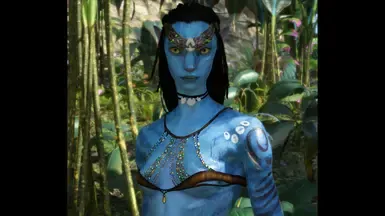
Nexus Mods :: Avatar: Frontiers of Pandora
Fancy Balcony Brassiere, 7 different versions available, this mod is a retextured version of the researcher shirt.
frozen plover
its not working with either it in my inv or visuals so i must be doing something wrong lol
wooden sage
frozen plover
its not working with either it in my inv or visuals so i must be doing something...
The cosmetic should show itself when chosen in the character inventory, you don't have to wear the actual top for it to show up, means you either never had to top or placed it in the wrong path folder
Btw, if anyone is familiar with custom ikran skin, please DM me or @ me, tried to make my own for months and can't seem to figure it out :'D
pine oracle
wooden sage
Btw, if anyone is familiar with custom ikran skin, please DM me or @ me, tried t...
tutorial here:
https://drive.google.com/file/d/1tzo01Z0cTJaA84BDndZBOKqo0pnHmZvl/view?usp=drive_link
Google Docs
theres also an AFOP modding server i can send you the invite to if you want ^^
wooden sage
pine oracle
tutorial here:
https://drive.google.com/file/d/1tzo01Z0cTJaA84BDndZBOKqo0pnHmZvl...
Thanks, but that's not what I meant : I can't seem to make the colors look good (basically they never match or do a weird mix), I know how to make a custom skin, but it never looks great xD)
But sure for the server, tysm !
pine oracle
oh yeah thats just a bit of trial and error tbh
 nova plank
Does anyone have a tutorial or just description on how to work Nexus mods for AFOP on steam / Ubisoft? I can't find any decent tutorials anywhere and I keep messing it up somehow.
 strong pilot
What's the file path you have?
And have you extracted both the modloader files and put them into the right folder?
I unfortunately can't remember the folder names or directories and don't have my PC available rn, but they should read in their respective sites
nova plank
I'm really not computer smart, one thing I know I'm struggling with finding is the AFOP.exe folder
strong pilot
Hmmmm
nova plank
I'm trying to scroll up in chat logs, find a rough tutorial for later
strong pilot
It might be in C:\ProgramFiles(x64)\Ubisoft\Ubisoft Game Launcher and something after that
Hey, I found the tutorial!
And here's a guide for finding the afop.exe location through Steam #1391504244494045366 message
nova plank
Thank you so much! I'll check these out later 
nova plank
God uh, nexus mods is free right? I don't remember
 tardy gazelle
nova plank
God uh, nexus mods is free right? I don't remember
tardy gazelle
nova plank
God uh, nexus mods is free right? I don't remember
Yes, it's free. 😊
strong pilot
We got it all sorted! Even if my memory's a littke rusty
nova plank
Computer sciencey stuff has never been my strong point 
 restive sable
Anyone got a tsu tey top or whatever you want to call that thing he wears
tame path
restive sable
Anyone got a tsu tey top or whatever you want to call that thing he wears
I’ll be releasing a cummerbund some time in the next couple weeks
restive sable
tame path
I’ll be releasing a cummerbund some time in the next couple weeks
Great to hear
 brittle garnet
4 new colors for the four-feathered harness top ! 💛 💚 🩶 ❤️


This isn't much for a come back on modding, I hope the energy will follow but I'll be slowly returning with fresh ideas and new designs for tops, waistguards, saddles, paints, ect ... IT'S BEEN SUCH A LONG TIME, I'm happy to get back to it ! ^^
 sour plover
brittle garnet
4 new colors for the four-feathered harness top ! 💛 💚 🩶 ❤️
sour plover
brittle garnet
4 new colors for the four-feathered harness top ! 💛 💚 🩶 ❤️
oehh love the red
 grizzled mantle
Would anyone be willing to make me a custom ikran skin??? If it’s not 2 much trouble I’d love a skin of my navisonas ikran ingame 
 acoustic loom
i know somebody in here asked for it awhile ago, but does anyone have the dds file for this recolor of the navi champions waistcloth? i adore the colors, its from the fancy feathered top mod
 mint snow
@brittle garnet your work is sought after ⬆️
brittle garnet
oooh yeah, I forgot to post it
brittle garnet
acoustic loom
i know somebody in here asked for it awhile ago, but does anyone have the dds fi...
I'll see to post it on nexus tomorrow with a few color variants 😉
acoustic loom
even better!!! tysm!!!
brittle garnet

Nexus Mods :: Avatar: Frontiers of Pandora
Waistwrap - Line Patterns available in 9 colors !Blue, light blue, brown, green, red, white with beige lines, white with blue lines, yellow and black with rust lines.
mint snow
oh that's nice
brittle garnet
and it's out ^^

Nexus Mods :: Avatar: Frontiers of Pandora
Na'vi Champion Waistguard, available in 6 colors.Blue, cyan, orange, purple, red and yellow.
brittle garnet
acoustic loom
even better!!! tysm!!!
the one you're looking for is the Orange Version 😉
 spiral oasis
uhm. i hope im allowed here i wanted to ask what yall thought of this and if i need 2 add more blue?
https://www.nexusmods.com/avatarfrontiersofpandora/mods/406
i have one with red n one without...

Nexus Mods :: Avatar: Frontiers of Pandora
To install, go to AFOP / dlc1 / Gameplay / Vanity / Juice and then drop the Wildlife Banshee veldt14 Body Color Pattern and Wildlife Banshee veldt14 Head Color Pattern files into juice.or stea
brittle garnet
her ikran does have more blue on her face

and on this part of the wings

but Idk how that would work out with recolored skins
restive prawn
The user who asked abt it already left the server again
 lost pine
the figure of neytiris ikran has a relatively good pattern to use as a reference, at least in terms of color placements

 strong pilot
I also found this, looked pretty accurate (for the tones, too)

Which I already linked to er before she left
tame path
Once I have more free time (Etsy orders go whoosh) I can see what kind of trouble I can get up to in blender for ikran skins/markings
I want to make Tsu’tey’s ikran if anyone has clear refs lol
mint snow
things are happening

 fathom fog
mint snow
things are happening
fathom fog
mint snow
things are happening
Omg, is that what I think it is?!
 fathom fog
IT IS 😁
That's absolutely wicked. I wish that was in the base game or the DLCs at least. They missed out and your capitilazing 😂
mint snow
Been obsessed with the look ever since I saw The First Flight
Vengeful warrior vest is nonnegotiable but I think I might try a few different versions to make it as accessible as possible
One that's straight vengeful warrior set, one that uses as many non-cosmetics as possible, one that uses a utility set, then maybe the "dream setup" that uses whatever I want
brittle garnet
mint snow
things are happening
I love the waistcloth, which model did you use? 👀
sour plover
mint snow
things are happening
oehh lovee the waistcloth!! bnasically the whole outfit
mint snow
brittle garnet
I love the waistcloth, which model did you use? 👀
Vengeful warrior
brittle garnet
oooh nice
grizzled mantle
grizzled mantle
Would anyone be willing to make me a custom ikran skin??? If it’s not 2 much tro...
bumping this as im kinda desperate, it would replace 04
mint snow
I could give it a whirl
Do you have a picture or a vision or like a list
 tame path
grizzled mantle
tame path
grizzled mantle
Ahhh just saw this I’ll try too
grizzled mantle
Thank you sm 🤍
tame path
grizzled mantle
Thank you sm 🤍
Do you have all the ikran skins? Don't wanna accidentaly edit one you can't use lol
grizzled mantle
tame path
Do you have all the ikran skins? Don't wanna accidentaly edit one you can't use ...
Pretty much all of them yeah ^^
tame path
grizzled mantle
Pretty much all of them yeah ^^
Sweet, working on it now
grizzled mantle
tame path
Sweet, working on it now
Thank you smmmm
tame path
current spot- im gonna try to bring some of the wing patterning back


and tone down the pink that somehow showed up from a dark raspberry?
grizzled mantle
Omg it’s perfect 🥹🫶 thank you so much for doing this for me
And thank you for adjusting it too ^^
grizzled mantle
My friend wants to know how to recolour things, is there a tutorial for that yet or nah 🥹
mint snow
idk if there's a video out there yet; your friend really just needs Hunter and an art program that can read DDS files
tootsies are done
 brittle garnet
how
mint snow
my third eye for normal maps is starting to open
brittle garnet
 mint snow
also boltbait's hue/saturation+ plugin
MASSIVE game changer because you can target a custom range of hues to alter
I've personally a lot happier with this version than the prototype of sorts I made many months ago. I'm using the same single PNG of the crab shell that's photorealistic but I'm changing the colors to be closer to how they're drawn in So'lek's Journey
pine oracle
caocki cooking
mint snow
oh my god
one of the ankle guard mod legs interprets normal maps in inverse
If I paint yellow, one side will give a convex effect and the other side will give a concave effect
mint snow
working an an alternative torso piece for people who don't have vengeful warrior vest
based on Marali's chestpiece from the decanonized Tipani
 mint snow
😭 part of boltbait's plugin is an option to straight up bevel objects!!
 tame path
mint snow
😭 part of boltbait's plugin is an option to straight up bevel objects!!
tame path
mint snow
😭 part of boltbait's plugin is an option to straight up bevel objects!!
would you mind sending me the base png for this top? i wanna see what i can cook with it
sour plover
mint snow
😭 part of boltbait's plugin is an option to straight up bevel objects!!
they should have you as their clothing maker you work magic
pine oracle
mint snow
😭 part of boltbait's plugin is an option to straight up bevel objects!!
is it this one? before i accidentally kill my pc with a virus or something 💀
https://forums.getpaint.net/BoltBaitPluginPack
mint snow
pine oracle
is it this one? before i accidentally kill my pc with a virus or something 💀
h...
Yes
All old websites look a bit sketch now, don't they 😆
 proud saddle
hey so i wanted to install a mod a tail wrap female ver. and i do everything right but it dosent show up can anybody help me?
restive prawn
proud saddle
hey so i wanted to install a mod a tail wrap female ver. and i do everything rig...
Do you have the mod loader installed correctly? Also check out this thread https://discord.com/channels/846716389037178901/1391504244494045366
proud saddle
restive prawn
Do you have the mod loader installed correctly? Also check out this thread https...
i checked it out and its not helping
and yes i think so atleast
and it always named version instead of ini an dll

and i follow the instructions for the mod and it never works
mint snow
can you show what folders you have things in
mint snow
yes, and the version files
proud saddle
like what file version like modloader and the mod
mint snow
the files that are both called "version"
proud saddle


the files where i have my mod and the others
OHH do u mean like where the version files are at?
mint snow
yeah, are they in AFOP?
proud saddle
yesss
mint snow
hm ok, what's past default?
 solar plover
proud saddle
solar plover
proud saddle
I might be able to help out?
proud saddle
solar plover
I might be able to help out?
ty for ur help u were very useful
proud saddle
hey so i installed a mod called rebel chest gaurd and when i equip it its a tap shirt anyway to fix that?
 pine oracle
proud saddle
hey so i installed a mod called rebel chest gaurd and when i equip it its a tap ...
pine oracle
proud saddle
hey so i installed a mod called rebel chest gaurd and when i equip it its a tap ...
looks like the texture file itself isnt in the right place in your AFOP folder

^ compare the middle one to yours and fix what is different
the file that needs to be in the right place is g_tap_torso_base_01_f_d, g_tap_torso_base_01_f_m, g_tap_torso_base_01_f_n
proud saddle
oh thanks it worked tysm 😄
lost pine
Hello, i need help with the No More BansheeBow mod, i have already completed step 1. but i cannot find the files "graphobject, juice"

these are the only leftover files from the download, are they what the mod is referring to?
 mint snow
yes, the extensions are .juice and .mgraphobject
although now we know that we only need the graph object
lost pine
thank you :D
acoustic loom
anyone know the name of the dds file for the vengeful warrior top? i thought i had it but turns out i dont
acoustic loom
nvm! figured out my problem
 rough flicker
Does anyone know how to mod afop if you own it on steam?
restive prawn
rough flicker
Does anyone know how to mod afop if you own it on steam?
Yep. It's basically the same as modding like on Ubisoft except for finding the folder that has AFOP.exe. My AFOP application is in this path in ss.
You can check out #1391504244494045366 for more help modding
 nova plank
Aa I just pinged them same second you send that 😭
restive prawn
lmaooo
nova plank
Well there's no way they'll miss it now atleast. Lmao
tame path
New mod release!

Nexus Mods :: Avatar: Frontiers of Pandora
A mod that recolors the Dyer's and Nefika's Great Games Waistcloths, along with a model replacement for one of the RDA waistcloth mods, turning it into a retexture of the Ikran Rider waistcloth.
cloud cedar
can someone help me with a mod?
nova plank
cloud cedar
can someone help me with a mod?
Which?
cloud cedar
nova plank
Which?
vivd haircolor mod
nova plank
Could you send screenshots of what part ur struggling with
cloud cedar
nova plank
Could you send screenshots of what part ur struggling with
ok wait
i dont understand the game system data part
 nova plank
cloud cedar
i dont understand the game system data part
nova plank
cloud cedar
i dont understand the game system data part
Have you moved the game system data folder into your blue folder?
cloud cedar
nova plank
Have you moved the game system data folder into your blue folder?
i dont know where it is
cloud cedar
nova plank
Do you have a blue folder?
yes
nova plank
I'm confused now, you've got your blue folder, moved everything over including the game system folder so what exactly is it you're confused on? /gen /nm
cloud cedar
nova plank
I'm confused now, you've got your blue folder, moved everything over including t...
ok, so i downloaded the mod and unzipped the files. The description said that i had to copy or move the game system data, but i dont have that file so i created it, then i moved the file of the chosed color in the new folder but i doesnt work
nova plank
Oh right
Okay I don't have my pc on me atm and the issue with the game system data is stumping me as i think for me to explain itd be something i need to see with my own eyes. So either hopefully someone else can help - if not ill be back shortly.
cloud cedar
nova plank
Okay I don't have my pc on me atm and the issue with the game system data is stu...
ok!
tame path
cloud cedar
ok, so i downloaded the mod and unzipped the files. The description said that i ...
did you move the folder or the file? very important, your path should look something like this:
blue/game system data/juice/blueitem/item_customization_player_hair_color_010_vlt.blueitemtype
if the color file is in 'game system data' it won't work, 'juice' and 'blueitem' folders need to be there too
cloud cedar
tame path
did you move the *folder* or the *file*? very important, your path should look s...
no, i created the game system data and then moved the file of the hair color that i choosed in the game system data folder
 urban quarry
cloud cedar
no, i created the game system data and then moved the file of the hair color tha...
urban quarry
cloud cedar
no, i created the game system data and then moved the file of the hair color tha...
the folder path where you put the file has to be exactly like this, or it won't work: blue/game system data/juice/blueitem
with the file being in "blueitem"
tame path
cloud cedar
no, i created the game system data and then moved the file of the hair color tha...
That’s your problem then
cloud cedar
tame path
That’s your problem then
what ?
tame path
cloud cedar
what ?
You need the other folders
cloud cedar
tame path
You need the other folders
i need to create the other folders?
strong pilot
Yes
Create a "juice" in "game system data" and "blueitem" in "juice". Then put the file in the "blueitem" folder
cloud cedar
strong pilot
Create a "juice" in "game system data" and "blueitem" in "juice". Then put the f...
ok ty!!
cloud cedar
strong pilot
Create a "juice" in "game system data" and "blueitem" in "juice". Then put the f...
still doesnt work
strong pilot
Do you have the modloader files in the right folder?
cloud cedar
strong pilot
Do you have the modloader files in the right folder?
yes its in the afop exe folder
strong pilot
Both of its fiules, unzipped?
cloud cedar
strong pilot
Both of its fiules, unzipped?
yes
 vivid arch
Hi! Im new to modding, and was wondering can anyone give em tips like pattern creation and clothing etc? because im trying to find like vids for it but i cant 💔
vivid arch
vivid arch
Hi! Im new to modding, and was wondering can anyone give em tips like pattern cr...
i was also wondering how to make the mods too 💔
mental aurora
Guys is there any good reef na’vi/metkayina skin tone mods out there that anyone would be okay to share w me please send me the file (looking for regular or medium dark turquoise or teal)
restive prawn
mental aurora
Guys is there any good reef na’vi/metkayina skin tone mods out there that anyone...
mental aurora
restive prawn
https://www.nexusmods.com/avatarfrontiersofpandora/mods/268
Oh hey I use that one and it’s honestly not what I’m really looking for 😭
 sharp stream
mental aurora
Oh hey I use that one and it’s honestly not what I’m really looking for 😭
sharp stream
mental aurora
Oh hey I use that one and it’s honestly not what I’m really looking for 😭

Nexus Mods :: Avatar: Frontiers of Pandora
This pack includes 3 face paints inspired by reef na'vi tattoos in ATWOW. Please read full description
really cool tattoos
mental aurora
sharp stream
https://www.nexusmods.com/avatarfrontiersofpandora/mods/210
Ooh yeah I checked those out too
I actually like those
sharp stream
yeaa it goes hard
i really wish they'd added reef na'vi into the game 💔 it had so much potential
mental aurora
Ngl ima just ask a friend to make the skintone for me 😭
mental aurora
sharp stream
i really wish they'd added reef na'vi into the game 💔 it had so much potential
Fr I just edit the tail and arms for mine
sharp stream
mental aurora
Ngl ima just ask a friend to make the skintone for me 😭
yeahh the skintone mods don't really seem to get it right
it's also the stripes they are way more wavy like water refractions
mental aurora
sharp stream
it's also the stripes they are way more wavy like water refractions
Yeah
But just saying this out now if anyone who’s a skintone maker sees this, hit me up with the skintone it’ll be a great help
sharp stream
you could absolutely commission a modder im sure theres people here who you can commission
mental aurora
I’ve got a friend who helps me with the skins but I don’t want to keep asking her I feel like she’ll think I’m only asking her just for the skins which isn’t true
sharp stream
Yeaa i feel youo
strong pilot
sharp stream
yeahh the skintone mods don't really seem to get it right
I believe the game puts a purple layer on top of every skin, which makes it hard to get the color right
Or it's not a fullbody layer of purple. But it's what they used to easily get some of the body coloring patterns for everyone
And because everyone has it, deleting it would make every other na'vi look weird
Please correct me if I got anything wrong, more exåerienced modders
 pale lintel
hi im trying to change my ikran skin to a custom one i found but im not sure how to do it as i am bad at following written instructions :')

and i get this when i launch the game! (the game still works)
 pine oracle
pale lintel
and i get this when i launch the game! (the game still works)
pine oracle
pale lintel
and i get this when i launch the game! (the game still works)
did you get it working?
pale lintel
unfortunately not!
pine oracle
pale lintel
unfortunately not!
try opening up this file in notepad

make sure enable mods is set to true
 mint snow
can you tell if the dialogue is from the modloader or from steam (or something else)?
or whatever launcher you have
pale lintel
ohh! i’ll update you after my appointment:)
and the dialogue is when i open up the game itself on ubisoft
it does it twice, the game won’t launch unless i click x or “ok”
so it just stays in that dialogue until i click off it
pale lintel
i’ll update you guys when i get back to my home though! i’ll try the notepad thing first thing
glossy moth
maybe some of the mods file is corrupted? Try removing the blue folder (maybe just rename it) and load the game. If stuff works then it's not an issue with the modloader at least
pale lintel
glossy moth
maybe some of the mods file is corrupted? Try removing the `blue` folder (maybe ...
removed it and its still doing it, but my mods still work like better bioluminescence mods etc
dusk siren
Question: for the people that have installed the mod that changes all the direhorses and are now thanators
When you enter a thanator territory, does it still appear and attack you ? Or not because of the mod installed 🤔
mint snow
I don't believe existing thanator mechanics would be impacted
dusk siren
Okay thanks 😊
dusk siren
mint snow
I don't believe existing thanator mechanics would be impacted
And also, was anyone able to make a mod where you can ride the thanator?
mint snow
Not as of right now
 pallid sandal
When adding a mod I always end up with this bra-like thing underneath it, how can I get rid of it?
 nova plank
pallid sandal
When adding a mod I always end up with this bra-like thing underneath it, how ca...
nova plank
pallid sandal
When adding a mod I always end up with this bra-like thing underneath it, how ca...
There is a mod that allows you to remove cloth patches.
There's also natural nudity / better body type mods available.
I would link them but my nexus mods will not open for some reason.
pallid sandal
how is it called? If I search natural nudity it gives me nothing on nexus 🥺
omg I found it, I didn't know I can set it to "show Adult content" ☺️
proud saddle
hey can anyone help me with this? so i downloaded the female tail wrap mod and after that i downloaded the albino player pack the lilac version then it removed the tail wrap mod so i removed the lilac version and installed the tulip one which did the same so i removed it too and when i removed it this happened and idk what to do bc i wanna keep the tail wrap mod. And now i have 2 skin tones ( the one at the head and neck is the original )
 mint snow
proud saddle
hey can anyone help me with this? so i downloaded the female tail wrap mod and a...
mint snow
proud saddle
hey can anyone help me with this? so i downloaded the female tail wrap mod and a...
Here, I combined the lilac version with the tail wrap. Try installing the lilac version again, and then replace the _d and _n dds files in blue\baked\characterart\npc\rnf\default\body\female\rnf_body_01_f\textures with these two
proud saddle
loading up afop praying that this works

IT WORKED AHH TYSMMMM CASOCKI THANK YOU THANK YOU :DDDDDDDD

 pallid sandal
I got the tail wrap as well and face the same problems now that I managed the modesty cloth problem. Seems one can't wear both at the same time?
mint snow
Want me to combine something for you too?
pallid sandal
mint snow
Want me to combine something for you too?
That would be a dream! I'm wearing the "Remove Cloth Chest Patches on Character Model" from Casocki and I want to wear it with the tail wrap. If I only wear the tail wrap the chest patches vanish as well BUT I have nipples. And I don't want nipples 😩
mint snow
pallid sandal
That would be a dream! I'm wearing the "Remove Cloth Chest Patches on Character ...
Got it; do you want the original loincloth or the one tseyks has on the tail wrap skin?
mint snow
pallid sandal
The original ❤️
put these in the same path I mentioned earlier
pallid sandal
Thank you so so much Casocki, this is working beautifully! 💙
nova plank
pallid sandal
You guys make me wanna learn how to mod
There is a server dedicated to it if you're interested
pallid sandal
nova plank
There is a server dedicated to it if you're interested
I am! But can’t find it since I’m on my phone and xzyqey! 🫠 Damn it was a horrible day 😭
nova plank
pallid sandal
I am! But can’t find it since I’m on my phone and xzyqey! 🫠 Damn it was a horri...
Could I dm you the link? / invite
pallid sandal
nova plank
Could I dm you the link? / invite
Yes 🙂
nova plank
Done!
pale lintel
pale lintel
hi im trying to change my ikran skin to a custom one i found but im not sure how...
update: i finally did it! turns out i was putting the wrong ikran skin name into the files!
tame path
New mod release!
https://www.nexusmods.com/avatarfrontiersofpandora/mods/436

Nexus Mods :: Avatar: Frontiers of Pandora
A mod retexturing the Rebel Chest Guard and Hell's Gate Veteran chest into a shimmyfly top and necklace.
proud saddle
hey can anyone figure this out? So i uninstalled the neytiri upscaled 4k face mod and the Neytiri face stripes mod and i followed chatgpts instructions on how to uninstall it and now this is how the pattern looks like ( this pattern is the one our navi wears in the trailer btw ) can anyone help me with this??
 restive prawn
proud saddle
hey can anyone figure this out? So i uninstalled the neytiri upscaled 4k face mo...
restive prawn
proud saddle
hey can anyone figure this out? So i uninstalled the neytiri upscaled 4k face mo...
The issue is that you listened to chatgpt.
So you had the stripe mod installed but then uninstalled it? The stripes on your character don’t look like the modded one, I’m confused on what the issue is right now 😔
proud saddle
its that its not supposted to look like that if im correct
restive prawn
proud saddle
its that its not supposted to look like that if im correct
Uhhh change the stripe pattern at the changing table thingy?
Also chatgpt is very inaccurate, I wouldn’t suggest using it in the future.
proud saddle
no like i dont have anything in the pattern folder ( blue/baked/charecterart/player/head/shared/pattern )
proud saddle
restive prawn
Uhhh change the stripe pattern at the changing table thingy?
and i want this one
restive prawn
Still confused. @glossy moth I volunteer you
glossy moth
runs.
restive prawn
Okay
glossy moth
O.O
proud saddle
glossy moth
_runs._
hellooooo
glossy moth
also yep, chatgpt usually doesn't help much with these things 😛
 restive prawn
Lemme just cough up the rules #🚩│rules

I swear I cropped that screenshot me and my phone are going to fight
glossy moth
proud saddle
no like i dont have anything in the pattern folder ( blue/baked/charecterart/pla...
well, did you unpack the files according the mod instructions?
proud saddle
glossy moth
well, did you unpack the files according the mod instructions?
yes and idk what to do now
glossy moth
can you show me your game folder? The folder where the game is installed

 glossy moth
ok, can you show me the contents of the blue folder?
proud saddle
these are the mods i installed and then uninstalled btw


 glossy moth
🤔
proud saddle
?
glossy moth
checking something
proud saddle
alr
glossy moth
proud saddle
these are the mods i installed and then uninstalled btw
can you send me the link of those, please?
proud saddle
alright
The 1st one: https://www.nexusmods.com/avatarfrontiersofpandora/mods/218
The 2nd one: https://www.nexusmods.com/avatarfrontiersofpandora/mods/284
Nexus Mods :: Avatar: Frontiers of Pandora
Neytiri 1-1 stripes like from the movie. She has a 'scar' on eyebrow like she has on Avatar The Way of Water.

Nexus Mods :: Avatar: Frontiers of Pandora
A collection of upscaled texture mods and tweaks to simulate Neytiri's look (also raised the resolution of some textures to 4K)
oh and btw in the pattern folder i have nothing im missing the vanilla pattern ( the base one ) and i wanna remove it completely like both mods
glossy moth
ok so, at blue/baked/charecterart/player/head/shared/pattern you just put the file from "Neytiri stripes (head pattern)"
restive prawn
wait i thot they were having trouble uninstalling the mod?
proud saddle
glossy moth
ok so, at `blue/baked/charecterart/player/head/shared/pattern` you just put the ...
but that will make the mod work again?
glossy moth
that mod just gives a single file, you must make the path yourself. For "Upscaled textures" mod you can just get the blue folder from it and put in your game folder
glossy moth
proud saddle
but that will make the mod work again?
supposedly yes
proud saddle
but i dont want it to work again i want it gone
bc the pattern in the picture is the pattern from the trailer that the players navi wears and i wanna keep it
glossy moth
huh, as long you don't have the file there it would be technically removed from the game
glossy moth
oh I see it now. The mods conflict with each other, both has a p_rnf_head_pattern_02.dds file at blue/baked/charecterart/player/head/shared/pattern. So if you want to remove the one from "Neytiri stripes" and use the one from "Upscaled textures", just grab the file from the later again
proud saddle
no i want the mods gone Shadow
proud saddle
no just like i meant to fix the pattern being cursed
proud saddle
glossy moth
if so, just delete the `blue` folder altogether
i didnt mean that
glossy moth
not sure if I get what's the issue then
restive prawn
glossy moth
not sure if I get what's the issue then
thats why i summoned u because i was also confused
glossy moth
possibly the pattern got messed due the conflicting files
proud saddle
this is the issue the pattern
 proud saddle
glossy moth
possibly the pattern got messed due the conflicting files
proud saddle
glossy moth
possibly the pattern got messed due the conflicting files
and we can fix that right...
glossy moth
proud saddle
this is the issue the pattern
I don't see any issue there, the pic is too broad
proud saddle
wdym broad
restive prawn
zoom in on the wacky parts
glossy moth
like, no idea where to look at
proud saddle
just look at the head
restive prawn
it looks like a head
glossy moth
restive prawn
zoom in on the wacky parts
or put a mark on them or something
proud saddle
wdym mark what mark
restive prawn
omg whats wacky about the pattern on the head cuz im not seeing any issue
glossy moth
circles, arrow etc.. anything to point us where the issue is noticeable 😄
 restive prawn
me thinks thats how its supposed to look
glossy moth
hmm, still, I don't see any issue there. Anyway, you said you are missing a file in pattern folder, then yeah, grab it from the package again and put there
glossy moth
that might be what's causing whatever it is
the "Upscaled textures" file
if you want it to go back to the very original you have to remove the mods, for that you can just delete the entire blue folder. If you want to just keep the "Upscaled textures" stuff, just get the missing file(s) from it
proud saddle
glossy moth
hmm, still, I don't see any issue there. Anyway, you said you are missing a file...
so ur telling me that thats how the pattern is supposted to look like?
nova plank
What is going on 😭
restive prawn
i dont knowwwww
proud saddle
nova plank
What is going on 😭
idk im trying to figure this out
glossy moth
proud saddle
so ur telling me that thats how the pattern is supposted to look like?
not really, I don't know that mod and I just skimmed over the mod page then I didn't check the pics 😄
restive prawn
nova plank
What is going on 😭
syantari thinks a pattern is wacky after uninstalling a pattern mod and i think the pattern looks like its supposed to
nova plank
Yeah that is what the pattern is supposed to look like, no?
restive prawn
THATS WHAT I SAID
glossy moth
anyway, sorry but I need to go afk in a bit. If you still have issues later I can come back later and check it
proud saddle
no its supposted to look like the pattern from the trailer the players navi has
proud saddle
glossy moth
anyway, sorry but I need to go afk in a bit. If you still have issues later I ca...
ill dm u then
nova plank
Don't dm people without perms please
glossy moth
also, the best way to check is to compare with the pics in the mod's page

 nova plank
proud saddle
nova plank
proud saddle
You want to install the mod?
proud saddle
no uninstall it
Nexus Mods :: Avatar: Frontiers of Pandora
Neytiri 1-1 stripes like from the movie. She has a 'scar' on eyebrow like she has on Avatar The Way of Water.
nova plank
proud saddle
You have?
proud saddle
wdym i have
nova plank
Neytiris stripes aren't there anymore
proud saddle
exactly but it looks like this which its not supposted to
its completely corrupted
can you check ur accounts patterns and see if yours has the same one i need to know like compare yk?
nova plank
Go through the exact same way you installed it and just go backwards, make sure you've removed absolutely everything that could be blocking it - graphs n stuff.
proud saddle
proud saddle
and this one https://www.nexusmods.com/avatarfrontiersofpandora/mods/218
no thats this one
check if theres anything like this in the patterns

can you check all of them?
nova plank
proud saddle
check if theres anything like this in the patterns
Okay I cant get online but I'll try have a look for you
restive prawn
trailer pattern, skin pattern 4

 nova plank
Hang on.
restive prawn
pattern 4 seems to match the screenshot syantari sent
nova plank
restive prawn
trailer pattern, skin pattern 4
You just saved me from having to walk to my pc
restive prawn
i just uninstalled my whole mods folder just to prove myself right
proud saddle
lemme check my account
restive prawn
it took 2 seconds but im also dramatic
skin pattern 12 seems to most closely match the stripes from the trailer, tried to replicate angle and mildly failed


changed skin tone so it shows up better

bro idfk its skin pattern 12 in character creation
proud saddle
yeah honestly it does
nova plank
Those r the zeswa stripes I swear 😭
proud saddle
but honestly i wonder how i can make the stripes more seen
restive prawn
the issue is that you need to select skin pattern stripes 12
proud saddle
 restive prawn
hm
proud saddle
but its not as vibrant and seen as shown here
 restive prawn
yes
i cant fix that
i highly suggest asking a mod maker very nicely to make a fancier verson of the trailer stripes
ALSO the char creation background and lighting is wack
proud saddle
could it be this skin tone?
 restive prawn
yeah thats the default one
proud saddle
this is the only one that makes it seen
tame path
That’s definitely the default stripes
restive prawn
ello lightchaser
restive prawn
elloooo
proud saddle
elloooo
nova plank
So they aren't zeswa stripes ☹️
proud saddle
lol
tame path
They’re one of these I think

 restive prawn
holy
restive prawn
wtf
tame path
oh the body is worse