#adi3890-payment-request-button
1 messages · Page 1 of 1 (latest)
 hoary bramble
👋 Are you integrating payment request button on your own or use third party plugin who implements payment request button for you?
 turbid drum
We are 3rd party plugin.
https://wordpress.org/plugins/checkout-plugins-stripe-woo/
And this is the kind of issue our users are facing now.
https://wordpress.org/support/topic/google-and-apple-pay-not-displaying/
hoary bramble
Thank you for the information. I'd suggest checking with the plugin support or maintainer as they control payment request button implementation as we do not know how they implement it and what changes they have made
turbid drum
We are maintaining this plugin.
And we have used https://stripe.com/docs/stripe-js/elements/payment-request-button
It was working fine few months back but now our users are complaining that button is not appearing.
We just want to know is there any recent change in implementation of payment request button api.
that we can update to fix the issue.

Collect payment and address information from customers who use Apple Pay and Google Pay
Also is there a tutorial so that we can explain users how to enable payment request button in their browsers.
Following current docs is not working
hoary bramble
How are you integrating payment request button currently? Is it with connect or direct standard account integration?
I'm able to see Google Pay in your demo website: https://stripe-demo.checkoutplugins.com/
turbid drum
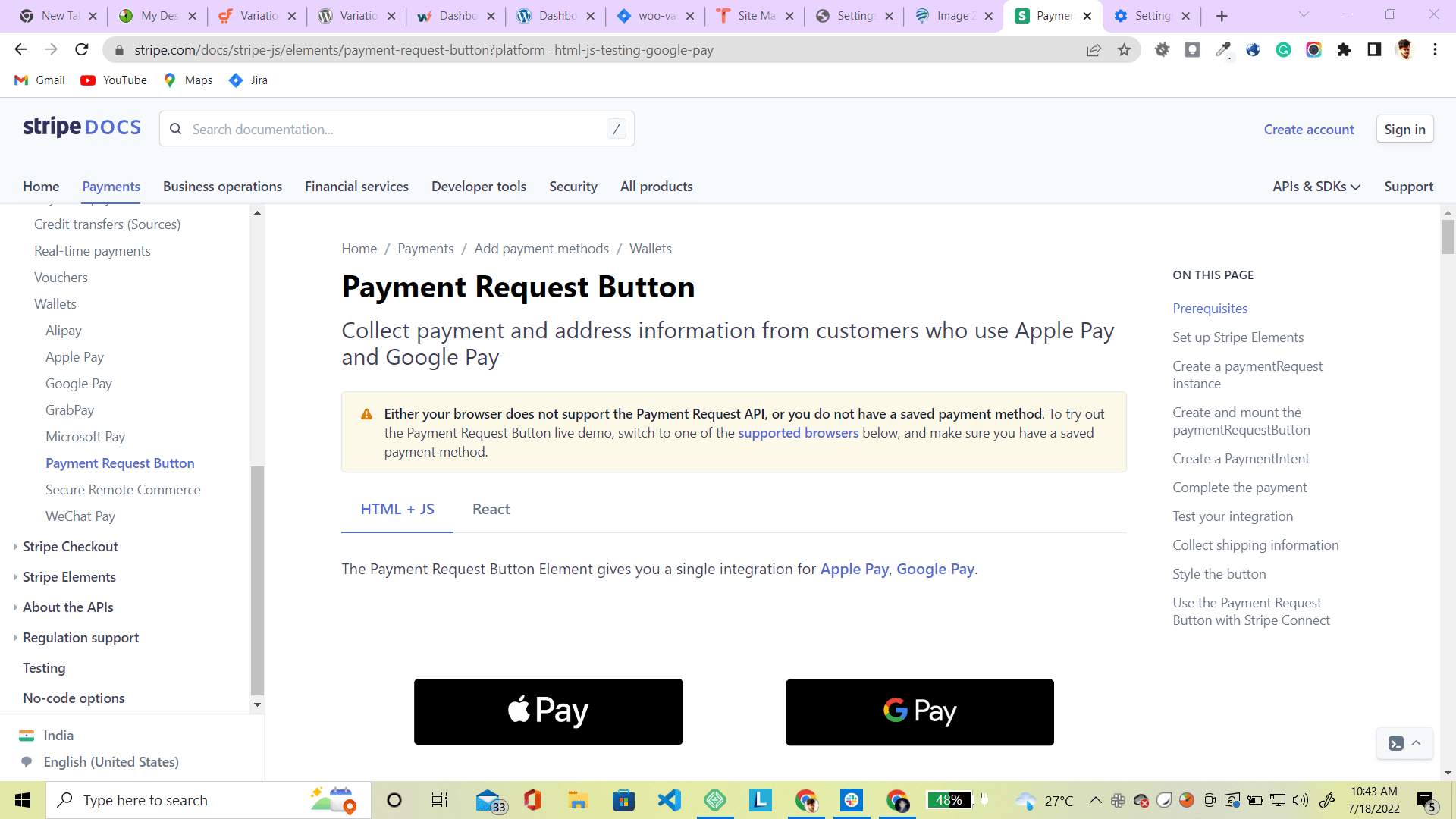
In this browser I am unable to see google pay or prowser payment button
https://d.pr/i/unBgQn
Previously it was showing me browser payment button the third button which is now removed in the docs
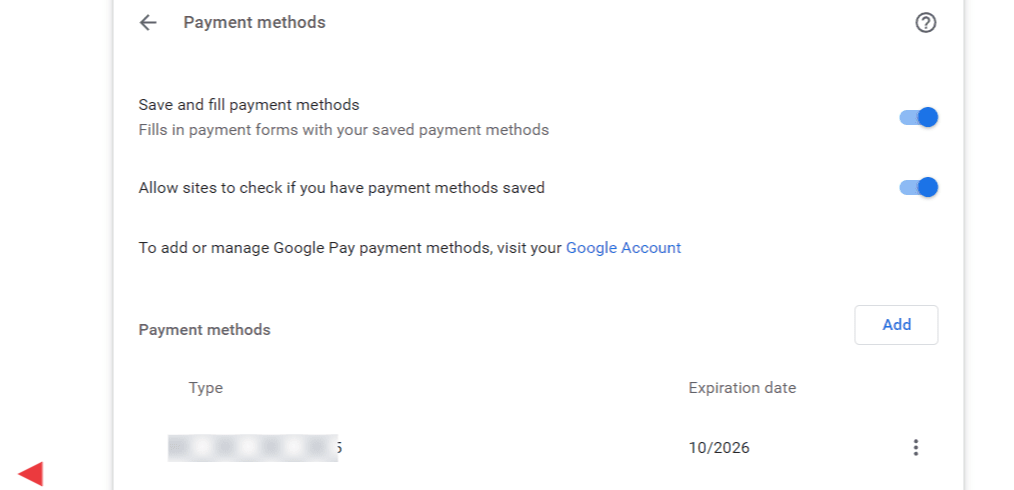
Also i have saved cards and other options enabled.
https://d.pr/i/HRmwyY
Anything else i need to check for buttons to appear
 brisk steppe
Hi @turbid drum I'm taking over this thread, give me a sec to catch up
I can see that Google Pay is displaying successfully on your page

Is this a different problem or am i missing anything?
turbid drum
Problem is that how can i see this google pay in my browser
I am unable to see any button at this page
https://stripe.com/docs/stripe-js/elements/payment-request-button
Collect payment and address information from customers who use Apple Pay and Google Pay
only warning message
where as i have a payment method saved in my browser
https://d.pr/i/HRmwyY
brisk steppe
Are you using Chrome or Chrome mobile for android?
If you are using Chrome, these are the pre-requisites for Google Pay
- Chrome 61 or newer
- An activated Google Pay card
brisk steppe
Is this card added to your Google Pay account? (not just to chrome browser)
turbid drum
yes this is my live card added in google pay
brisk steppe
Because the screenshot that you shared is adding card to browser, not adding card to Google Pay. They are different
turbid drum
Oh sorry for this
So how should i dothis.
Is it like if i have added a card to my google pay it will reflect here automatically
brisk steppe
You need to add card to your Google Pay account, and log in the same account in the Chrome browser
turbid drum
ok