#jac006_best-practices
1 messages · Page 1 of 1 (latest)
 coral oakBOT
👋 Welcome to your new thread!
⏲️ We'll be here soon! Typically we respond in a few minutes, but sometimes we might take a bit longer if the server is busy or if you have a particularly tricky question.
⏱️ We close idle threads, which makes them read-only. Once a thread is closed it won't be reopened, but you can always start a new thread if you have another question.
🔗 This thread will always be available, even after it's closed. You can find it again using Discord's search, or you can save this link: https://discord.com/channels/841573134531821608/1224736406803447868
📝 Have more to share? Add more details, code, screenshots, videos, etc. below.
 vague relicBOT
 wary maple
Hi @rocky bough 👋
That's a fairly vague question, and there are multiple ways for you to build a flow to allow your customers to provide new payment method details.
In your current flow, how do you collect payment method information from your customers? Would you be able to send them through that flow again if you need new details from them?
 rocky bough
Hi Toby! Thanks for getting back to me so quick. Right now, for first time users, we display a Stripe checkout screen for users to make a one-time payment via CC only. After they've successfully made that payment, we save that CC on file. When they want to make another payment, we just automatically charge that card. Because this is an MVP, we haven't implemented anything for the event when a CC expires.
Is that the recommended best practice? To display some kind of error and have them go through the checkout process again?
wary maple
My understanding, is that in general you expried cards are somewhat rare these days. We have flows like this one:
https://docs.stripe.com/billing/revenue-recovery/smarter-saved-cards
that work with the card networks to try to keep the cards that we have on record updated with current details.

Learn how Stripe can automatically keep replaced cards up to date.
rocky bough
Sorry if I'm being a little vague. I'm a little new to the technical side of Stripe
wary maple
But if you want a flow a to only collect payment method details without also processing a payment, we have a couple options for that here:
https://docs.stripe.com/payments/save-and-reuse

Learn how to save payment details and charge your customers later.
rocky bough
Yeah I saw those articles as well, but what happens if the card is brand new and not related to the card on file? The second link seems to mainly point to saving payment details for later use, but doesn't really mention updating expired cards.
I did come across this article: https://s-plugins.com/updating-customers-credit-card-information-for-a-stripe-subscription-product/
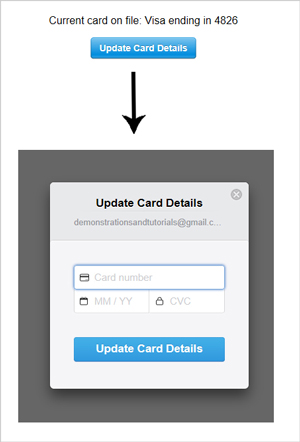
If you are using the ‘Stripe Payments Plugin’ alongside the ‘Stripe Subscriptions Addon’ you may be wondering what happens if your customer at one point or another needs to update their credit card details. Normally, Stripe will try to update the credit card details of expiring cards, so you shouldn’t need to worry about this […]
But if the payment we have isn't subscription based, how do we do that?
Just display a Stripe payment page that says "your CC couldn't be processed, please update your payment"?
wary maple
I don't know what that third-party plugin is expected to do, so I can't comment on it.
The flow I linked would let your customers create a new Payment Method, then you can start using that to process payments. You don't really need to update the expired card, as much as replace it with a new Payment Method to use.
rocky bough
Got it, that's true. So basically we just need to force the user to add a new CC all over again, but only once we know the card has expired / failed
You've been super helpful. Thank you!!
wary maple
Any time!