#nyxi-link-inappbrowser
1 messages · Page 1 of 1 (latest)
 green monolith
(on iOS)
The is mostly revelant to single-page applications that depend on JS to maintain state
 inland ibex
Yea I think that's a known limitation of the in app browsers. IIRC we're aware and investigating options.
green monolith
Okay, just figured I'd mention it
inland ibex
❤️
inland ibex
oh?
green monolith
I mean yes, it doesn't work
inland ibex
Can you say more about that actually?
green monolith
We sell a lot of tickets for events that get promoted on Instagram, so people will tap stories and go to ticket sales
In that context, Link will mess up our Vue app's state
and it basically doesn't work
Normally it just opens a new window which works fine, but in in-app browsers it doesn't work
inland ibex
Ok, so it's presented as an option, but doesn't/can't work?
green monolith
Yes. I think we may have worked around it for ticket sales specically by moving everything to webhooks/async, but for some of our older integrations that use manual confirmations, you'll just get sent back to the original site which then has no idea you just completed the link flow
There are a lot of variables here, of course, so it depends on what you expect to happen when someone inputs a card or presses Pay with Link, and currently they do not behave the same. Google Pay, Apple Pay and 3DS all stay on the same URL. Link navigates away.
I think it will mainly affect people that use manual confirmation flows
i.e. your app waits for a successful callback from a payment function in Stripe.js, and then does something in response to that. If the page is not running because the browser navigated away, it won't do anything on success/error.
inland ibex
Which Element(s) were you using it in? I'd like to try to repro this to make sure to share the feedback internally
green monolith
Just Stripe.js and the payment request button
I think
To support Apple/Google Pay. If Link is used instead, it will render Link
 frail sentinelBOT
green monolith
frail sentinelBOT
green monolith
It would probably be this function not firing on your host page: https://stripe.com/docs/js/payment_request/events/on_paymentmethod
(not entirely sure though, again it probably depends on what you're doing on the Link page)
 strange agate
Do you have a simple way to reproduce this issue in Test mode maybe?
technically manual confirmation has always been actively discouraged and isn't really a flow we focus on too much but at least seeing some kind of overall behaviour so that we can debug it would help
green monolith
I don't have one handy, but essentially you'd just have to:
Create a payment request button
Open the page in Instagram messenger (send link to yourself)
Disable Apple/Google pay so PRB renders link
Listen to https://stripe.com/docs/js/payment_request/events/on_paymentmethod on your app - assume you'll want to send this payment method to your server after the user has created their payment method
This should work in non-in-app browsers as the underlying app remains, but in this case, this function may/should not ever fire because the code is essentially no longer running; only the Link page is
green monolith
strange agate
technically manual confirmation has always been actively discouraged and isn't r...
I know. I'm fairly sure it works on our new ticketing system, because I rebuilt the whole flow to be completely async in order to support MobilePay (as that takes you to a new domain just link Link)
strange agate
so manual confirmation is irrelevant in your flow?
green monolith
But in the old one it didn't
green monolith
strange agate
so manual confirmation is irrelevant in your flow?
That depends on if you need that payment method I would think
strange agate
what does "completely async" means? If you create a PaymentMethod with PRB there's no async flow at all so I'm not really following what you are describing
green monolith
I mean that we used manual confirmation before it was "completely async", but now we handle every payment flow via webhooks, regardless of payment type, i.e. the recommended approach
strange agate
I'm really sorry I'm totally lost right now
green monolith
Sorry 😄
strange agate
The flow you described is solely about PRB + collecting a PaymentMethod object right?
so there's no intent, no confirmation or manual flow, you're saying just creating the PM never works?
green monolith
I guess, yes. I mean it works; it gets created, but it never gets delivered to the application
I think I'm confusing myself a little because I don't remember if the Link window can actually complete the payment intent or if that is also in a callback to the host application
strange agate
sure but that's my point. Right now you say that a basic JS app that just creates a PM client-side with PRB never gets the PM id
green monolith
It boils down to that, yes
strange agate
I'm basically make sure that's your real report, because if it's something else it does change the investigation a lot
green monolith
Of course
The point about async vs sync was that if Link just completes the payment on its own and causes all the webhooks to fire, then you'd essentially be done, and returning to the host application after payment is less likely to go wrong. In manual confirmation, you'd use the returned payment method to send to the server, which won't happen
strange agate
if you use PRB + the .on('paymentmethod',...) that's not a thing though. There's no confirmation, you just get a PaymentMethod id pm_123 and then you go to the next step right?
green monolith
But doesn't this require a new window to open on Link?
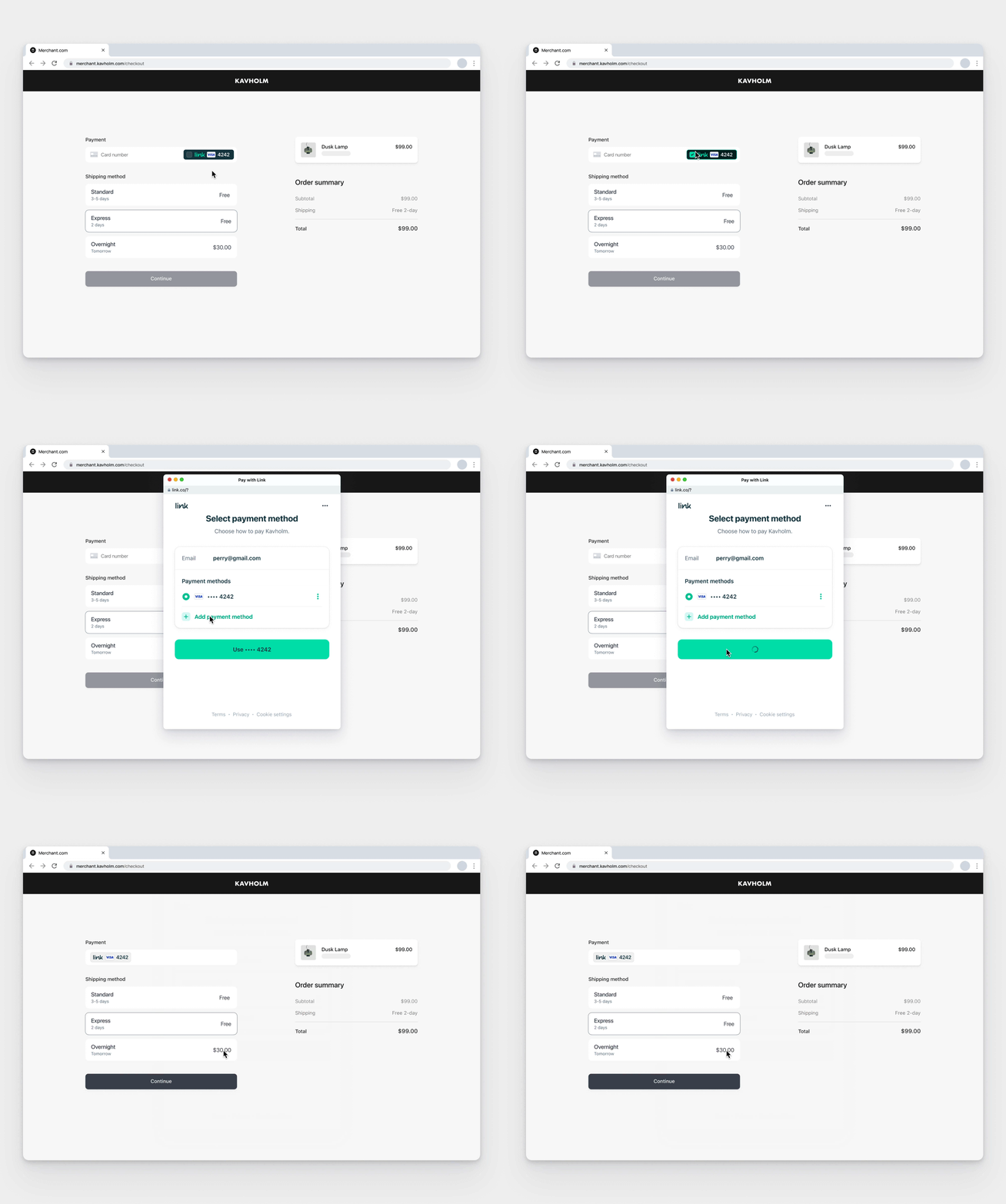
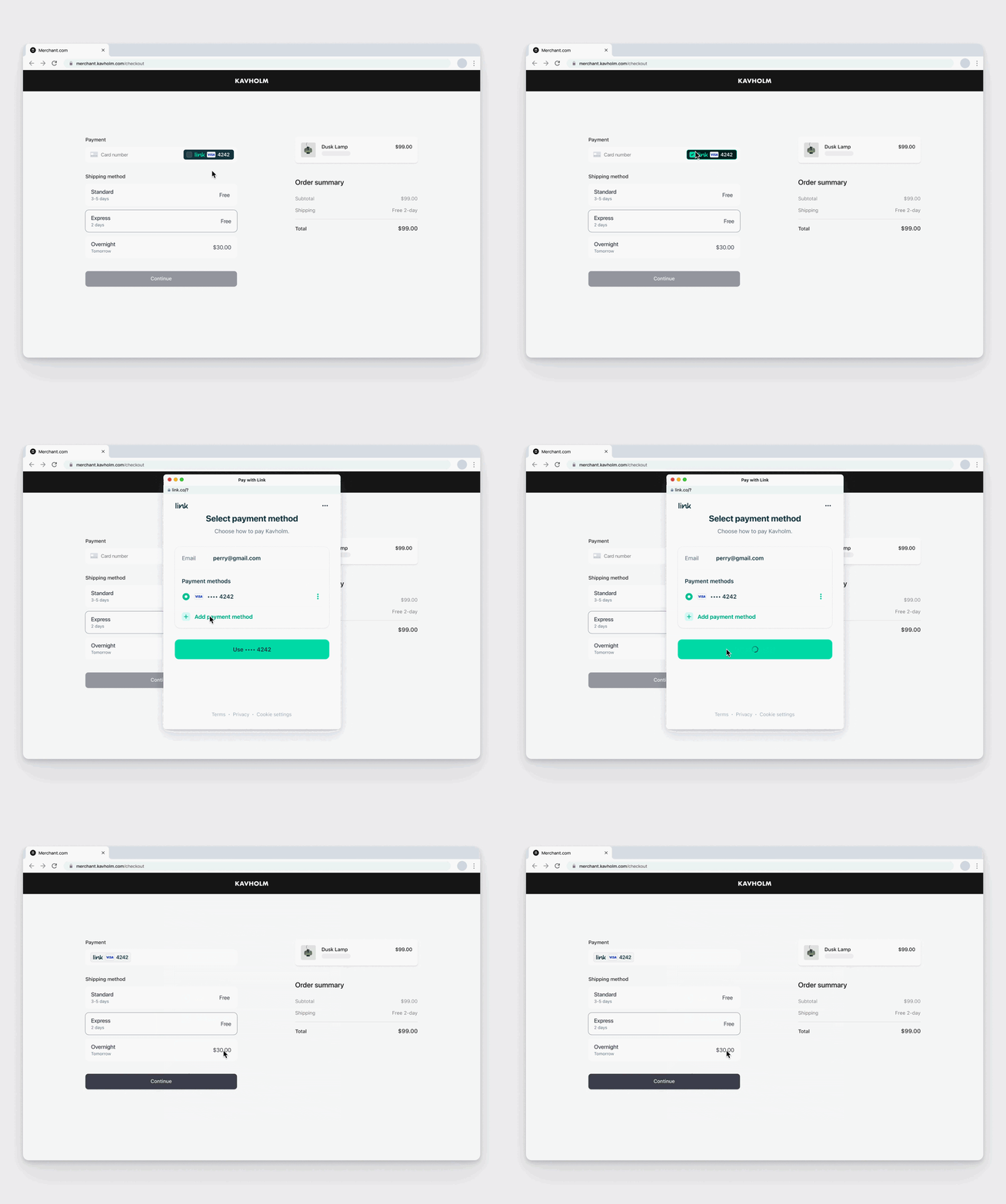
This is the GIF from the mailout. As you can see, a new window opens. Inside an in-app browser, this will trigger a navigation and the underlying application stops working.
strange agate
Sure I'm not disputing that part yet, I'm trying to understand what your exact code is doing right now so that I can figure out the context
green monolith
Okay, just making sure we're on the same page
So what you see above does not work at all in an in-app browser, regardless of what you're doing, because the callback you expect in your host application - whatever that may be - won't fire because the page isn't there anymore
In regular Safari on iOS, you can have multiple "windows" open like on a desktop, so it works fine then
And disclaimer: It's been a little while (probably 5-6 months) since I looked at this, so you (Stripe) or Apple may have resolved it since.
strange agate
give me a few minutes to try and figure out what you are describing, I'll be right back
green monolith
Alright
And to clarify: Apple Pay, Google Pay and the Stripe 3DS do not navigate, they just show built-in tools (Apple Pay on iOS, a browser-feature dropdown-thingy for Google Pay and an iframe for card 3DS).
strange agate
agreed
Okay so talking to the team that built this we have some logic to try and detect those browsers and not render the Link option at all. Are you seeing this happen regularly?
green monolith
Let me just see what I'm actually doing with Link on our newest site. Stand by.
strange agate
yeah if you have a concrete example that would help a lot. Multiple engineers are looking at this right now to test locally and confirm it hides Link but we might have missedsome new user agent or something
green monolith
Link is not being used on our site at all. Probably because of this. We have a custom UI element that lets you select:
Saved Card
New Card
MobilePay
ApplePay/GooglePay
What you're saying is I should detect in-app browsers myself (we have logic for this, because the Facebook JS login SDK has the exact same issue with opening a new window, so we use redirects for that in that case) and then render or not render Link. Or does Stripe expose a method I can use to detect it?
But it seems that you are aware of this issue if you're saying you have detection in place to not render the button in these cases.
Let me check one of our older systems
strange agate
yeah sorry we're back to me not understanding you at all again unfortunately
You said "hey in some in app browser Link breaks" I asked the team and they said "nope, we block those already"
So now I'm asking if you can give me a concrete example where Link broke so that we can investigate
green monolith
Okay, so I didn't know that that was their response. My original message was a "are you aware of this issue with in-app browsers" because I had this problem earlier and removed Link because of it. If you say it works now, I will look into re-integrating it.
strange agate
Yep sorry I understand that, but this isn't something we fixed a week ago. So unless you had Link turned off for like a year, I still feel like something might be off
When did you last experience this?
green monolith
A good while back
I don't remember
But it was the reason I removed it
So it may be all good now
Does this mean that https://stripe.com/docs/js/payment_request/can_make_payment will not return link: true for browsers where it won't work?
(we use this to determine what buttons to render in our custom payment component)
strange agate
that's my understanding yes
green monolith
Okay, great
So short answer: Yes, we know Link does not work in in-app browsers and the button shouldn't render in those cases.
strange agate
yep that is my understanding and the engineering team just walked through a few in app browsers like Facebook Messenger and confirmed
but it's always possible we missed something so if you see otherwise, let me know
green monolith
Okay. Great. We use this code to detect which browsers do not work with Facebook JS SDK popup, so if you don't have some of these they're worth looking into. The user agent string varies a lot even within the same service (like Facebook Messenger vs Facebook app).
const userAgent = window.navigator.userAgent.toLowerCase();
      const containing = ['instagram', 'snapchat', 'reddit', 'linkedin', 'fb4a', 'fb_iab', 'fban/messengerliteforios'];
      const notContaining = ['fbios', 'messengerforios'];

      // Check if user agent is any of the in app browsers defined in 'containing'.
      if (containing.some((el) => userAgent.includes(el))
        && !notContaining.some((el) => userAgent.includes(el))) {
        this.loginFacebookRedirect();
      } else {
        this.loginFacebookModal();
      }
and loginFacebookRedirect then means "this browser won't support a popup, so we use redirection instead", which would also break Link
I'll let you know if I find examples that don't work
Facebook is probably the worst offender here and some of these are also for apps that probably don't exist/aren't supported anymore
strange agate
yeah we have even more of those like Pinterest too
strange agate
oh not at all, this was super helpful and we usually treat your reports a bit higher priority based on past interactions 🙂
I just wanted to be super clear about the issue first because it could have happened during a confirmtion or something but I think we're aligned
green monolith
Alright! I'll tell my dev to re-implement Link and then we'll test it out on all the platforms our users typically use
I expect the Card Element (that new thing in the GIF) also won't render Link if the browser won't support it, so we probably don't have to do anything since our "new card" option will then just render Link if possible
strange agate
correct
green monolith
Awesome
strange agate
nyxi-link-inappbrowser