#Darren_Zoot
1 messages · Page 1 of 1 (latest)
 golden sparrow
 lucid crag
Hi 👋 this forum is staffed by Stripe and we are happy to help answer questions about integrating with our API, but we are not familiar with third-party connectors/plugins so there won't be much insight that we can offer on those.
The owners/maintainers of those plugins/connectors are usually the best folks to reach out to regarding questions about their product or how to integrate it.
 hardy shale
Hi thanks, you might possibly know if the issue is a stripe configuration though?
The connector I am using works, but I am not seeing what I would expect in the list of tables and views
lucid crag
What list of tables and views are you referring to?
hardy shale
So when I have connected to Stripe I get a list of tables and views. Like customers
I am trying to recreate the payments export but I don't see a payments table
lucid crag
hardy shale
So when I have connected to Stripe I get a list of tables and views. Like custom...
I'm going to need a lot more context. Are these tables/views that you're seeing in a UI somewhere, if so who provides that UI, or are you referring to database tables?
hardy shale
https://www.cdata.com/drivers/stripe/excel/ this is the product
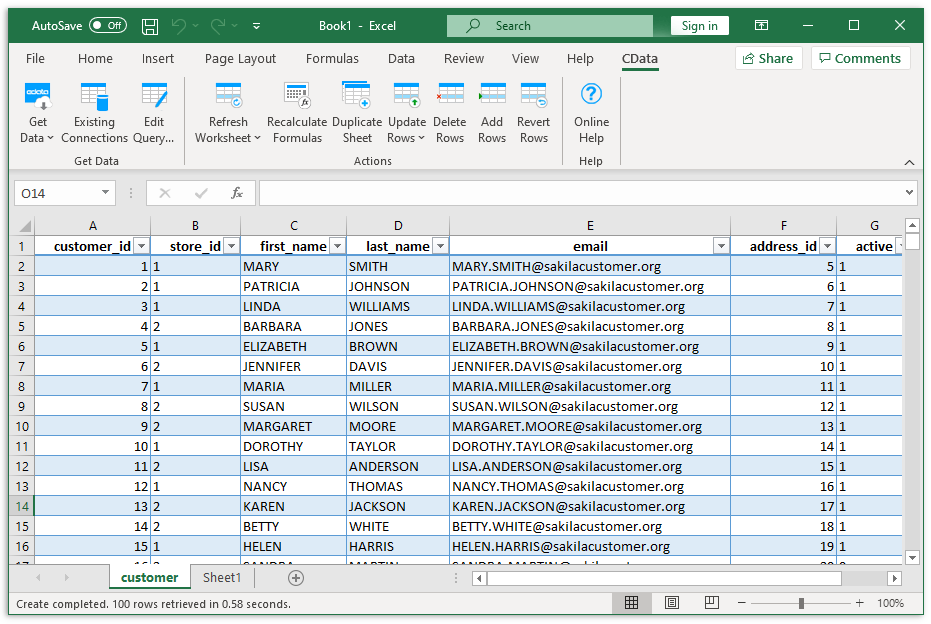
CData Software
The Stripe Excel Add-In is a powerful tool that allows you to connect with live Stripe account data, directly from Microsoft Excel. Use Excel to read, write, and updateAccounts, BankAccounts, Customers, Transfers, etc. Perfect for mass imports / exports / updates, data cleansing & de-duplication, Excel based data analysis, and more!
It brings up a UI that lists tables to extract data from
lucid crag
In Excel?
hardy shale
Yeah. That is the list I see
 lucid crag
That's not our UI nor our list of tables so I'm not sure. I would guess you're looking for the Charges table, but I'm not sure if the CData integration lumps Payment Intents and Charges into the same table or if it supports Payment Intents at all.
I would recommend reaching out to CData to get clarity from them on how to leverage the integration that they provide.
hardy shale
Ok, thanks for trying to help 🙂
Just why I have you, is there a better way to get the payments table out to Excel or SQL Server that you know of? I am basically trying to remove the need for a human to log into stripe and download reports
lucid crag
You can run our pre-built reports using our API:
https://stripe.com/docs/reports/api
https://stripe.com/docs/api/reporting/report_run
Access Stripe's financial reports programmatically to automate your reconciliation workflow.
Complete reference documentation for the Stripe API. Includes code snippets and examples for our Python, Java, PHP, Node.js, Go, Ruby, and .NET libraries.
hardy shale
Ok thanks again! I'll have a look
lucid crag
Any time!