i dont know what exactly i changed in my configuration, but chrome dev tools now shows files which do not correspond to my original tsx/jsx/ts/js files in vs code. i still get the sourcemaps for each file, but there is an additional file for each source file, in which i see stuff like in the picture below. how can i disable this and only get the raw source files in dev mode?
#Chrome dev tools shows non-sourcmaps files
1 messages · Page 1 of 1 (latest)
 thorn glade
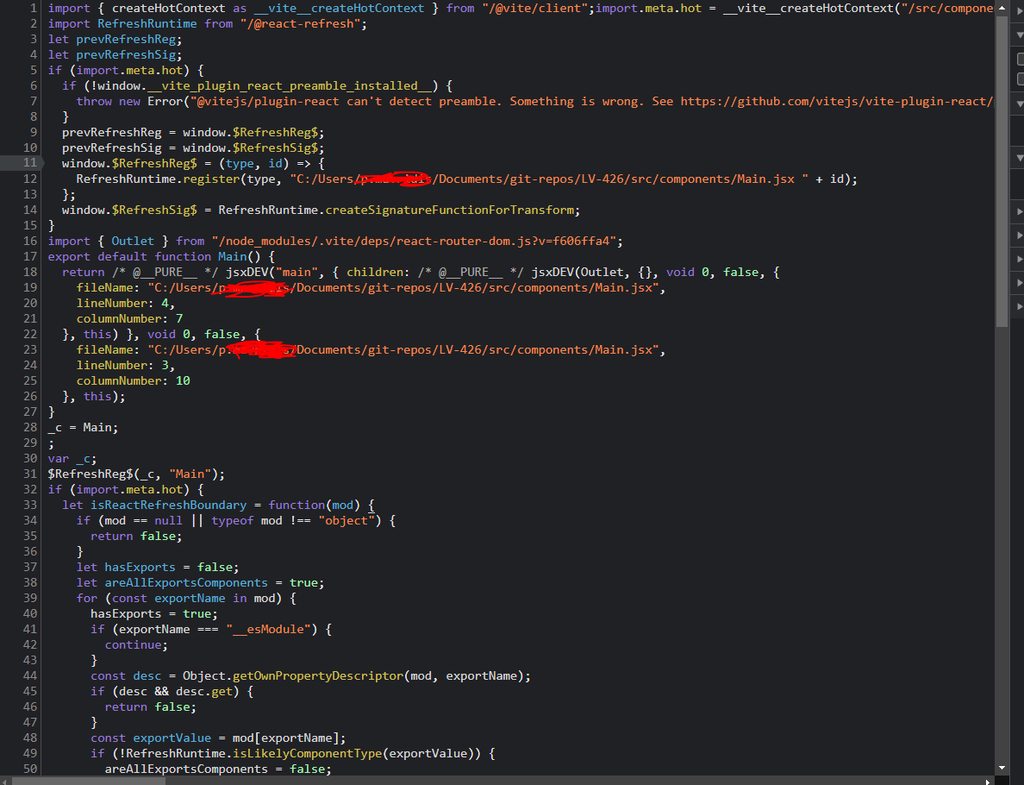
it was not like this a month ago. i have latest vite and react versions as well as typescript
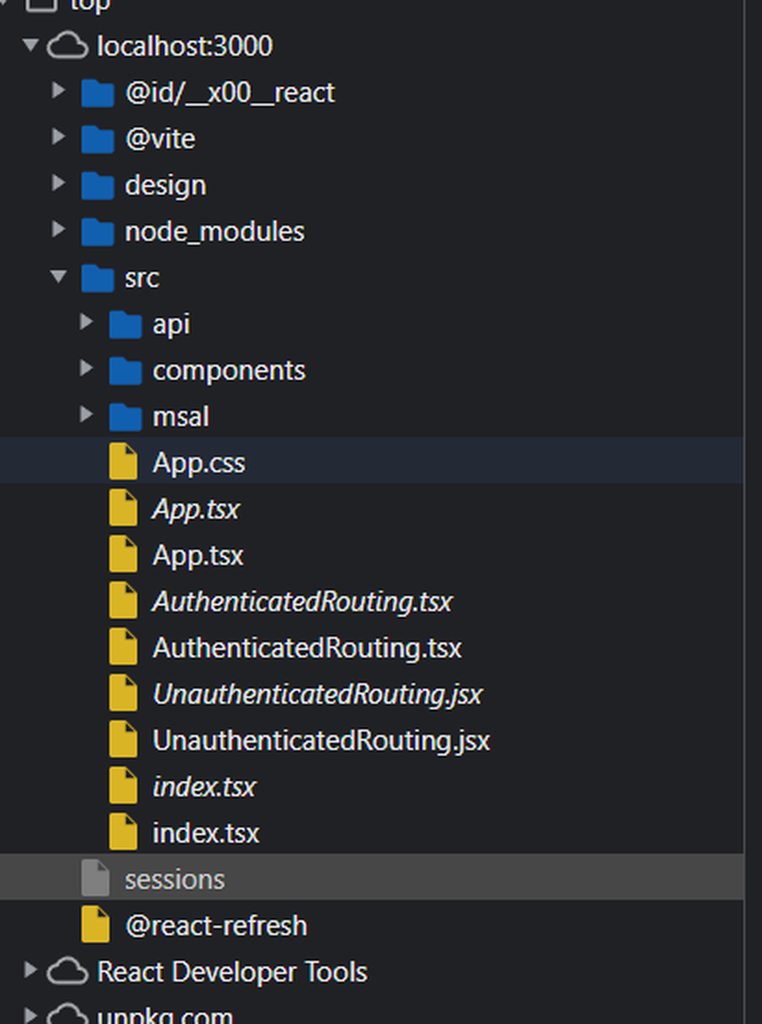
here you can see that i always have 2 files with the same name but the content in one of them is like in the picture above.
https://imgur.com/a/0rrUPLV
 drowsy badge
Check your vite.config.js build.sourcemap option: https://vitejs.dev/config/build-options.html#build-sourcemap
By default is false.