#Character Aura Materials or Post-Process

1 messages ยท Page 1 of 1 (latest)

fathom adder
#

https://www.youtube.com/watch?v=A2fGRinF5Oo

So I've been desperately searching for a tutorial on auras/outlines that actually outline the body as shown in the video linked above. Everything I've found previously is just highlighting the silhouette and contours which is not the desired effect.
For the most part, the shader in the video functions flawlessly minus one caveat... It absolutely will not work with Custom Stencil no matter what I try. The guy who made the tutorial says it won't due to the code in the "Custom" node.
This is kind of a dealbreaker, since I use Custom Depth to stylize many miscellaneous objects/characters and need to selectively be able to give them auras that can further be individualized with differing Stencil values.

So, my question after the long-winded preamble: Can anyone figure out how to make THIS shader work with Custom Stencil, or alternatively, suggest an alternate method of achieving these same results?
I'm not a math guy, or an art guy, or even a smart guy, but I gave this a good honest try within my limited abilities before asking for help.
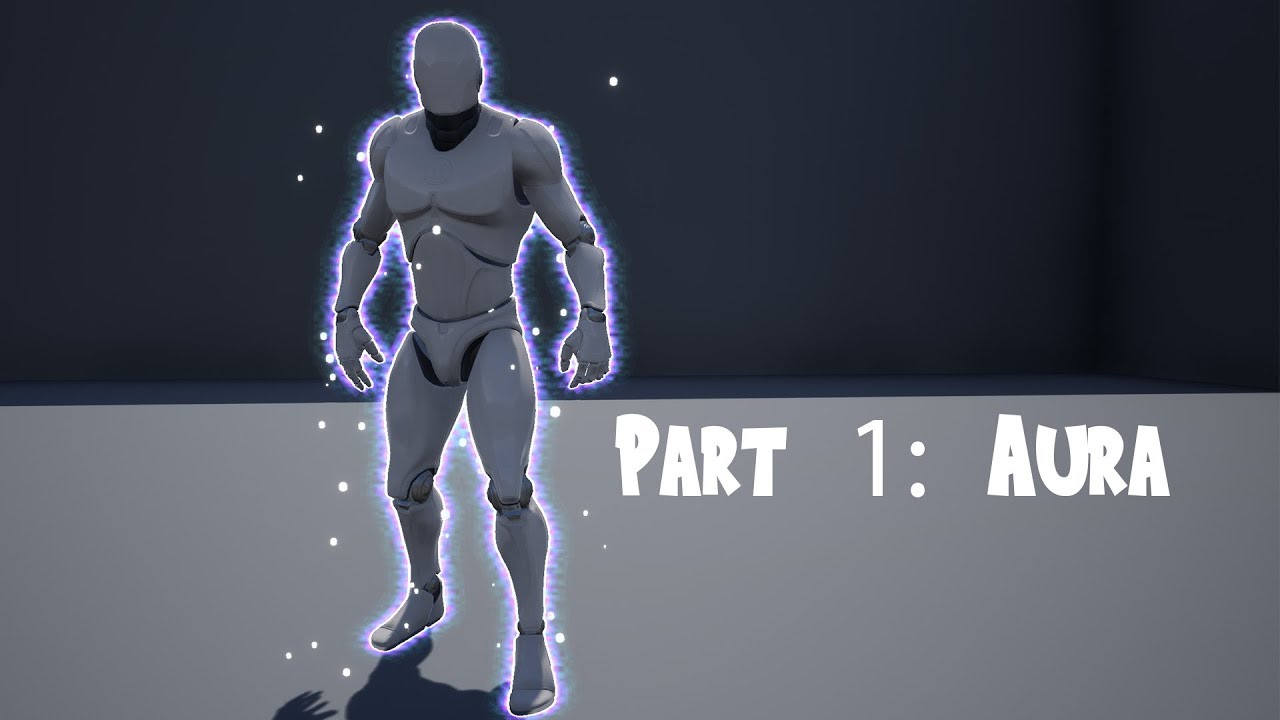
Rodrigo Villani's video - https://youtu.be/icQYFo8fMrU

Code: https://pastebin.com/qndFdhpV

Ka ka ka ka kachi daze
ใ‚ซใ‚ซใ‚ซใ‚ซๅ‹ใกใ ใœ
Vi-vi-vi-vi-victory requires
Gun gun gun gun gun wo muki
ใ‚ฐใƒณใ‚ฐใƒณใ‚ฐใƒณใ‚ฐใƒณ่ปใ‚’ๅ‘ใ
Fa-fa-fa-fa-facing the army
Jan jan byan byan kyuukyoku no batoru
ใ‚ธใƒฃใƒณใ‚ธใƒฃใƒณใƒ“ใƒฃใƒณใƒ“ใƒฃใƒณ็ฉถๆฅตใฎ่–ๆˆฆ[ใƒใƒˆใƒซ]
Jan-jan-byan-byan the ultimate battle
Imi wa nai sa
ๆ„ๅ‘ณใฏใชใ„ใ•
Has ...

โ–ถ Play video
sonic gulch
#

if you want something looking really really good then suggest to use niagara particle system spawning glowing flames or whatever on the skel mesh etc. its truly amazing what people do with that. At some point all this post process stuff looks pretty terrible (unless thats a style choice)

sonic gulch
#

that being said, in the custom code node change the second line "int CDIndex = 13;" to "int CDIndex = 24;". As 13 is the index for custom depth buffer what the guy used and 24 being the index for custom stencil buffer, hope that works

#

then use that output to further lerp/if for specific stencil values if needed

fathom adder
#

For me (UE5) the Custom Stencil would be an index of 25, but yeah, that's one of the first things I tried.
I'm sure a particle effect would look better, but I can't find anything that matches what I need. Closest thing was a Particle Fresnel by CGHOW, but that draws on interior contours of the mesh and I specifically need an outline.

sonic gulch
#

thats weird, i mean the custom depth is also just a mask buffer, idk why that would be different outcome. The original works on multiple meshes with custom depth at the same time i assume ?

fathom adder
#

That is correct.

sonic gulch
#

did you consider the double mesh method, its a bit hacky and double mesh obviously has overhead but seems like it ould get the result you look for