 young storm
Hi all, long story short detailed here: https://www.reddit.com/r/LenovoLegion/comments/1hjnsje/problem_came_back_3_months_after_repair_depot/ one of my fans is not working properly, and instead of paying Lenovo or a 3rd party a lot to repair it, I want to try it myself. I'm planning on following this tutorial: https://www.youtube.com/watch?v=CCfv9JhdUJc
Questions:
- After Lenovo refused to service it under warranty, I brought it to a Microcenter for evaluation. They said they could fix it, but it would cost $140 and takes a week or two, so I figured I'd try it myself first. As part of their diagnosis, they said "The fans are built into the heatsink so the whole piece would need to be replaced". However, according to this video I'll need to remove the heatsink, but then I can unscrew the fans and replace them, and continue to use the original heatsink. Are they wrong, or am I misunderstanding something. I have a Lenovo Legion 5 Pro, 16", with 5800H and RTX 370016 (ACH6H). I'm not sure what year model he's disassembling in the video.
- Where can I find the replacement fan? I tried ifixit but I don't think they had the fans themselves. Idk what rules are about links but if someone wants to link to the exact item I'll need on a reputable store that would be amazing.
- Seems like the most complicated part of the process is detaching the fans from the heatsink. If I do chicken out, any recs for a full heatsink+fan combo I can buy to just swap in? Would there be any extra benefit of replacing an old heatsink, or would the only benefit be one less step for me to potentially mess up?
- I've done basic stuff like adding RAM and a secondary drive, but I've never done anything with thermal paste. Any recommendations for what paste I should buy, and what tool(s) I'll need to remove the old paste? He was using some sort of scraper but then he said not to use metal on the CPU/GPU, so not clear exactly what the rules are
Any help very much appreciated. Thank you!
Reddit
Explore this post and more from the LenovoLegion community
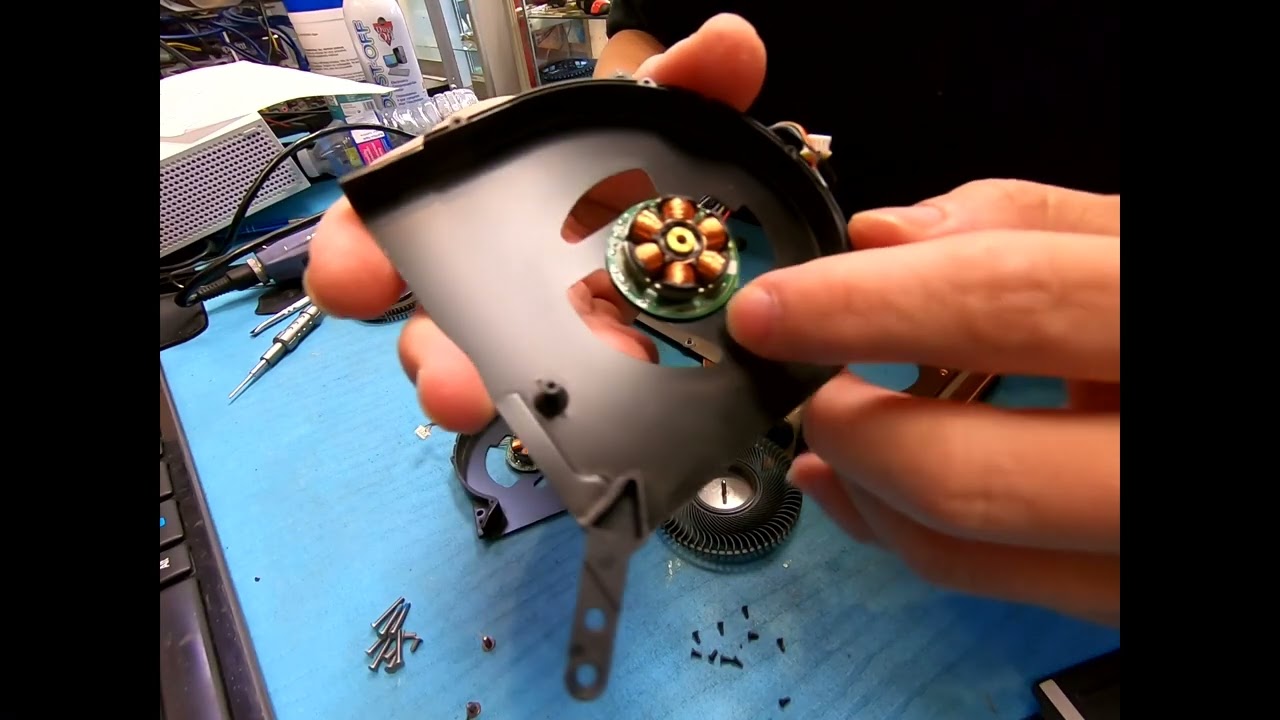
How to Replace/Clean Fans for Lenovo Legion 5 Pro.
Screw driver / plastic scraper / thermal paste
Super easy job to do.
 nova harness