#drivers missing after clean windows 11 install
89 messages · Page 1 of 1 (latest)
 white beacon
can you right click the network controller
and click on properties
just try it
actually, you know what
do you have another machine on hand
what about a usb stick
yep, just try the intel one first before the realtek one
actually
acutally
right click the bluetooth device
under network adapter

this one
and right click properties

what does it say for location
fuck
 shy trout
have you installed wifi drivers from lenovo?
shy trout
i see
both the teks are bundled and intel is separate

you migth have installed finger print reader driver
focus on the wifi drivers
once you get network, everything will fall into place
try the realtek ones
from lenovo
 shy trout
you installed the one from lenovo right?
actually, can you share your serial?
it is underneath your laptop, on the box etc etc
shy trout
still give the sn
white beacon
that's the download link, not the serial number
shy trout
thats not the sn
white beacon
that's the model number
shy trout
the one labeled sn
on the box
or underneath the laptop
S/N
starts like PFXXXXA
eh
ok
white beacon
yeah, it shows both wifis and bluetooths
its pointless
just try the realkek drivers
in case someone tries to do something with it
nonker deleted
?
i mean trolling you by asking for warranty
shy trout
F

 static ermine
He’s using it to try and help you but not have it displayed for everyone to see.
white beacon
that's realistically the worst that can happen
shy trout
shows both realtek and intel
white beacon
yeah, it's a lottery
 shy trout
i was checking for parts
usually matches
sometimes pulls shit like this
lets worry if it doesn't
not before
trying
white beacon
hahaha
shy trout
now let windows update handle it for you
check windows updates and you will see a huge list of drivers pending to be installed
white beacon
this is casual no os behaviour
even clean install
i'm pretty sure intel drivers are bundled in windows
it's just shitty realtek
static ermine
Now be prepared to replace your WiFi card when you see how bad the Realtek one performs 
shy trout
good thing is, he already has the drivers installed
your mouse is razer?
wait
get wushowhide
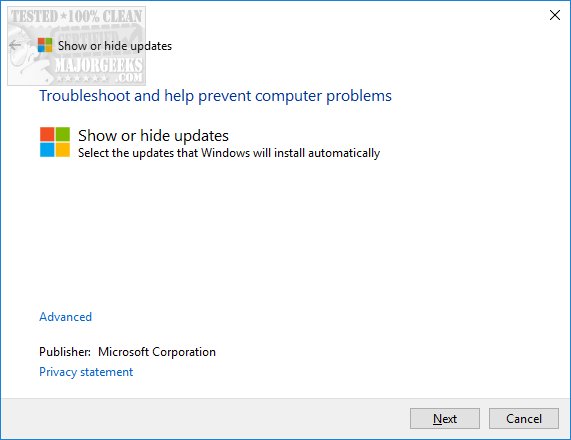
windows update show hide
i see that there is a bios update in there

static ermine
It’s installed by now waiting for reboot surely.